

Computer und IT

Professionelle Videotechnik
Der tiefgreifende Übergang der Signalübertragung von analogen über digitale Systeme bis zur Verwendung von digitalen Netzwerken ist in der Videotechnik revolutionär: er führt vor allem zur immer intensiver werdenden Verknüpfung der Computer- und Telekommunikationstechnik. Das Buch behandelt in diesem Kontext alle Aspekte der modernen Video- und Videostudiotechnik, die für Studierende der Medientechnik, Nachrichten- und Telekommunikationstechnik sowie für Ingenieure und Medienpraktiker von Interesse sind: die Grundlagen der Wahrnehmung und Farbmetrik, das analoge und digitale Videosignal, die Fernsehsignalübertragung, die analoge und digitale Filmtechnik, Bildaufnahme- und Bildwiedergabesysteme, Bildaufzeichnungsgeräte, die Videosignalbearbeitung und Videostudiosysteme. In der Praxis als Referenzwerk anerkannt und in der beruflichen Aus- und Weiterbildung als Kompendium empfohlen, ist das Buch in allen Kapiteln der 7. Auflage der sehr schnellen Entwicklung im Medienbereich angepasst worden. Neu sind hinzugekommen sind die Themenbereiche High Dynamic Range und netzwerkbasierte Studiosysteme. Alle anderen Kapitel sind den neuesten Entwicklungen angepasst.

Evaluation of Some Virtual Phone Numbers Services
Phone number apps are software that enables you to send messages, Wi-Fi, and cellular calling. Phone number apps are used to make a call, record, and transfer a call, and send customize the greetings. They also are used to send unlimited SMS and MMS. Second Phone Number apps enable you to select a custom phone number and pace phone calls. This ideal when you do not want to share your real number. Here are the features of Phone Number Apps: Offers unlimited virtual phone numbers.It helps you to share a number with your team.Supports unlimited MMS, talk, and text.This application enables you to save roaming costs.Some applications enable you to make a regular call or conference call.The objective of this book is to evaluate some phone number apps. The book consists from the following parts:1. Overview about the Phone Number Apps:2. Quick comparison between some Second Phone Number Apps covered in the book:3. How to solve the problem that the Google Play Store Application not supported in your country:4. List of some good Virtual Private Network Services VPN :5. How to install Google Pay mobile App:6. How to install PayPal Mobile App:7. How to install Mobile ID changer App:8. Installing Multiple Accounts Apps9. Evaluation of some Virtual Phone Number Services that can provide USA and Canada Phone Numbers only such as. Such as:Textnow.com, Sideline.com, GoDaddy Smartline, Line 2.com,voice.google.com,textfree.us,Nextplus, Textplus, CoverMe, RingCentral.com,Voxdirect.com, RingCentral.com,Mightycall.com10. Evaluation of some Virtual Phone Number Services that can provide Phone Number Services on certain countries. Such as:Virtual Sim, Sonetel, Flyp, Telos, Numero eSIM, Numberpeople.co.uk, TalkU,Wabi, AntiPhone, Phoner, Smscodes.io11. Evaluation of some Virtual Phone Number Services that did not work under my country Palestine using VPN or did not work properly because of un identified reason. Such as:Textme, Textme UP, Freetone, Dingtone, Talkatone, Burner, Ring4, Cloud SIM, Secure messenger SafeUM, Hushed, 2nr Darmowy Drugi Number, 2ndLine, Twilio.I am Dr. Hidaia Mahmoud Mohamed Alassouli. I completed my PhD degree in Electrical Engineering from Czech Technical University by February 2003, and my M. Sc. degree in Electrical Engineering from Bahrain University by June 1995. I completed also one study year of most important courses in telecommunication and computer engineering courses in Islamic university in Gaza. So, I covered most important subjects in Electrical Engineering, Computer Engineering and Telecommunications Engineering during my study. My nationality is Palestinian from gaza strip.I obtained a lot of certified courses in MCSE, SPSS, Cisco (CCNA), A+, Linux.I worked as Electrical, Telecommunicating and Computer Engineer in a lot of institutions. I worked also as a computer networking administrator. I had considerable undergraduate teaching experience in several types of courses in many universities. I handled teaching the most important subjects in Electrical and Telecommunication and Computer Engineering. I could publish a lot of papers a top-tier journals and conference proceedings, besides I published a lot of books in Publishing and Distribution houses.I wrote a lot of important Arabic articles on online news websites. I also have my own magazine website that I publish on it all my articles: http:// www.anticorruption.000space.comMy personal website: www.hidaia-alassouli.000space.comEmail: hidaia_alassouli@hotmail.com

Gamedesign und Spieleentwicklung für Dummies
Sie wollten schon immer Ihre eigene Spielidee umsetzen? Gamedesign ist Ihr Traumberuf? Dieses Buch zeigt Ihnen, wie Sie eigenen Spielcharakteren Leben einhauchen und Spieler mit originellen Spielregeln lange begeistern. Das ganze Buch ist als Lernkampagne mit zahlreichen Questen und Boss Challenges organisiert: Sie lesen, lernen und üben spielend in der Charakterklasse "Gamedesigner" und erhalten Erfahrungspunkte und Belohnungen. Nutzen Sie die Liste der zu erlernenden Fähigkeiten und Entwicklungsmöglichkeiten sowie zahlreiche Übungen, um selbstbestimmt mit Spaß zu lernen. Als Kind der 80er ist Thorsten Zimprich mit Computerspielen groß geworden. Unvergessen der C64 und der Konkurrenzkampf zwischen Sega und Nintendo. Spiele sind für ihn bis heute ein essenzielles Kulturgut, das er täglich pflegt. Als Gamedesigner arbeitete er einige Jahre bei Gameforge, unterrichtete Gamedesign und Medienproduktion und entwickelte E-Learning-Module an der Dualen Hochschule Baden-Württemberg Mosbach. Thorsten Zimprichs Leidenschaften sind Storytelling, Medienproduktion, Gamification und Lehren und Lernen.Über den Autor 9Vorwort 19EINFÜHRUNG21Über dieses Buch 21Was Sie nicht lesen müssen 22Törichte Annahmen über den Leser 22Wie dieses Buch aufgebaut ist 22Teil I: Vorbereitungen für Ihre Buchqueste 23Teil II: Wie ein Gamedesigner sehen und denken lernen 23Teil III: Die Spieleidee verpacken und abrunden 23Teil IV: Die Spieleidee kommunizieren 23Teil V: Der Top-Ten-Teil 24Symbole, die in diesem Buch verwendet werden 24Wie es weitergeht 25TEIL I: VORBEREITUNGEN FÜR IHRE BUCHQUESTE 27KAPITEL 1 WAS MACHT EIN GAMEDESIGNER?29Einordnung von Spielen in Spielearten 29Unterschiedliche Spielearten – unterschiedliche Herausforderungen 32Aufgaben bei der Erstellung von Spielen 33Aktuelle Entwicklung des Berufsbilds »Gamedesigner« 34Was machen nun alle Gamedesigner? 35KAPITEL 2 DAS IST IHRE BUCHQUESTE39Was ist eine Buchqueste? 39Der Sinn und Nutzen der Buchqueste 40Übersicht 41Motivation 41Planung 41Spielerisch leben 42Der Gamedesignercharakterbogen 43Wie lässt sich der Charakterbogen am besten nutzen? 43Wahrnehmung, GD-Handwerk und Mindset & Ausdauer 47Wiederholungen und Erfahrungspunkte 50Liste möglicher Genres 50Liste möglicher Fähigkeiten für den Charakterbogen 52Fähigkeitensystematik 52Eine mögliche Fähigkeitenübersicht 53Boss Challenge: Get Ready to Gamedesign! 55TEIL II: WIE EIN GAMEDESIGNER SEHEN UND DENKEN LERNEN 57KAPITEL 3 REGELN ERKENNEN LERNEN59Was können Spielregeln alles definieren? 60Spielregeln definieren, was zum Spiel gehört 60Spielregeln definieren den Ausgangszustand 62Spielregeln definieren, wie Spieler und Spiel agieren dürfen 62Spielregeln definieren das Spielziel und das Spielende 66Spielregeln können sich im Spiel verändern 68Spielregeln bestimmen den Einfluss von Zufall und Strategie 69Spielregeln sind ein Vertrag unter den Spielern 74Schatzkiste für den Gamedesigner 74Warum gibt es Spielregeln? 76Einstiegsbeispiele – Schere, Stein, Papier & Co 76Schere, Stein, Papier (Variante für 2 Spieler) 7630 Tod 78Die Erkenntnisse aus den Beispielen 80Kleines Rätsel 82Wie können Sie die Regeln komplexerer Spiele beschreiben? 82Tetris (NES, 1989) 83Boss Challenge – Sie entwickeln Ihr erstes kleines Spiel 84Das erste Projekt 85Checkliste als Hilfestellung für Ihr Projekt 86KAPITEL 4 WAS MACHT SPAẞ? 87Was macht Spielern Spaß? 88Was arbeitet dem Spaß entgegen? 89Maslows Bedürfnishierarchie 89Was macht meinen Spielern Spaß? Zielgruppe beachten! 92Was bedeutet der Begriff »Zielgruppe«? 92Wie erstellt man eine Zielgruppe? 92Kritischer Hinweis zu den Spielererwartungen 103Boss Challenge: Upgrade I für die ersten Spieleideen 107KAPITEL 5 FAIR GEHT VOR – ABER DAS GEFÜHL NICHT VERGESSEN!109Spielerziele 110Frustfaktoren 111Ihr Kampf gegen Frustfaktoren 112Die Strategie gegen Frustfaktoren 113Frustfaktor: Das Spiel ist zu schwer! 114Entscheidung, welche Lösungswege umgesetzt werden sollen 125Erfolgskontrolle der Umsetzung 125Die praxisdominante Strategie 126Zusammenfassung 128Boss Challenge: Upgrade II für die erste Spieleidee 129KAPITEL 6 WIE ANALYSIERT MAN SPIELE?131Warum sollten Sie Spiele analysieren? 131Die Analysemethoden 135Analysemethode: Der grobe Genrescan 136Analysemethode: Einzelspielanalyse 137Analysemethode: Der Tiefenscan 139Wie Sie Excel lieben lernen 139Boss Challenge: Analysiere das! 142TEIL III: DIE SPIELEIDEE VERPACKEN UND ABRUNDEN 143KAPITEL 7 DES SPIELS NEUE KLEIDER – STORYTELLING145Was ist Storytelling? 145Storylastige und nicht storylastige Spiele 146Hilfe zur Selbsthilfe 146Storytelling und Genre 147Und am Ende war es doch nur ein getarnter Klon 148Die Magie der Coverstory 149Wie designt man eine Spielwelt? 154Die innere Logik 154Das organische Weltdesign 155Modenschau der Klonwelten 160Charaktere – Bitte, bitte mehr als nur ein Bildchen mit Funktion! 167Vergessen Sie bitte weder Ihre Zielgruppe nochdie Funktion des Charakters 169Haben Sie den Bogen raus? 170Die Geschichte 178Ihr Wissen bedeutet Konsistenz 178Lineares Erzählen 178Nichtlineares Erzählen – eine Herausforderung 182Auf Details achten 188Boss Challenge: World of erste Spieleidee 189KAPITEL 8 ENDGAME UND WIEDERSPIELWERT191Was bedeutet »Endgame«? 191Zusammenhang Endgame und Wiederspielwert 193Wiederspielwert bei endlichen Spielen 193Soziales Miteinander 194Alltagsausstieg (süffiges Spiel) 194Mehr erreichen 195Besser werden als die Konkurrenz 196Mehr entdecken 196Tradition 196Seelenkuss 197Persistente Spiele 198Neue Spieler schützen 199Neuen Spielern (Highscore-) Erfolge ermöglichen 204Neue Spieler für ältere Spieler im Teamspiel wertvoll machen 206Alte Spieler mit passenden Herausforderungen oder Aufgaben erfreuen 207Endgamekonzepte für persistente Spielwelten 207Wachstumsstufen des Spiels (neuer Content) 207Rollentausch 208Achievements (Metagame – 100 % erreichen) 208Aufgaben 209Events 210Highscore/Liga 210Sanfter Reset durch Loop 210Boss Challenge1: Looping Gamer – Wiederspielwert für Ihr endliches Spiel 212Boss Challenge2: Looping Gamer – Endgame für Ihr persistentes Spiel 213TEIL IV: DIE SPIELEIDEE KOMMUNIZIEREN 215KAPITEL 9 SPIELER: »IN DEINEM SPIEL KANN MAN WAS NOCH MAL?«217Klick und weg 217The Gamedesigner’s Journey to Teachdom 219Das Gehirn 219Entschlüsselungsversuche: Lerntheorien 222Lerntypen 227Wissen aufnehmen 228Wissen behalten 230Beispiele für Wissensvermittlung an Spieler 236Zuordnungsversuche zu Lerntypen 239Boss Challenge: Still, still, still, weil der Spieler Anleitung lesen will 240KAPITEL 10 TEAMKOLLEGEN: »WAS SOLL ICH UMSETZEN? UND WIE GENAU?«243Welche Ziele verfolgen Sie? 243Grundlagen guter Zusammenarbeit 244Mysterium Teamplay 244Art zu kommunizieren – Von Spatzen und Kanonen 245Moodboard 248Funktionen eines Moodboards 248Aussehen und Inhalt eines Moodboards 249Zu erreichende Ziele 249Das Gamedesigndokument 250Die Ziele des Gamedesigndokuments 251Welche Inhalte? Welche Leser? 251Welche Formen können GDD-Inhalte annehmen? 252Mockup, Prototyp 256Boss Challenge: GDD No.1 257KAPITEL 11 MARKETING: »WAS IST TOLL AN DEINEM SPIEL?«259Was ist Marketing? 259Warum Marketing für Gamedesigner? 260Ihre 4 wichtigen Marketingaufgaben 260Alleinstellungsmerkmale – Was ist das Besondere? 261Ansprache der Zielgruppe 263Suchmaschinenoptimierung (SEO) 265Marketingkanäle und Marketingmix 265Boss Challenge: Mein Spiel ist toll, weil … 268TEIL V: DER-TOP-TEN-TEIL 271KAPITEL 12 10-MAL ZAHLENMAGIE FÜR GAMEDESIGNER273Zahlen mit dem passenden Gefühl 273Balancing auf Spielzeit 274Balancing der Wartezeit auf Belohnungen 275Erfahrungspunkte für den Stufenanstieg 276Wahrscheinlichkeiten im Kampf 278Fairness im Kampf – Schaden pro Sekunde 279Fairness im Kampf – Schadensauswirkungen schätzen 281Fairness im Kampf – Matching 282Brötchen verdienen – Umsatz 285Mit Gold richtig umgehen – Inflation by design vermeiden 286KAPITEL 13 ZEHN EINSTEIGERFRAGEN ZUM GAMEDESIGN 289Wie wird man Gamedesigner? Muss man Gamedesign studieren? 289Was benötigt man, um Games zu entwickeln? 290Müssen Gamedesigner programmieren und zeichnen können? 290Was verdienen Gamedesigner? 291Wo sollte man Gamedesign studieren? 291Wo und wie arbeiten Gamedesigner? 292Gibt es Arbeitsplätze in Deutschland? 292Was müssen Gamedesigner können? 293Wird Spielen für Gamedesigner zur lästigen Arbeit? 293Wie lange muss man Gamedesign lernen, um AAA-Titel veröffentlichen zu können? 293ANHANG 295ANHANG A LÖSUNGSHILFEN ZU EINIGEN BUCHQUESTEN295Lösungshilfen zu ausgewählten Buchquesten aus Kapitel 3 295Queste (Kap3Q1): Gamedesigntücken – Nach Regellücken bücken 295Queste (Kap3Q4): Ich packe meine Gamedesignhandwerkskiste –Startbildschirm 298Lösungshilfen zu ausgewählten Questen aus Kapitel 4 302Queste (Kap4Q1): Spaß hoch 10 302Queste (Kap4Q4): Spielekasper: »So spiele ich mein Genre nicht.« 303Lösungshilfen zu ausgewählten Questen aus Kapitel 6 305Queste (Kap6Q1): Sei so richtig grob, Tiger! 305Queste (Kap6Q2): Tabellenkalkulation ist kein Hexcelwerk 306Lösungshilfen zu ausgewählten Questen aus Kapitel 7 307Queste (Kap7Q3): Guten Tag, Bogenkontrolle! 307ANHANG B WIE ANALYSIERT MAN SPIELE?309Shakes&Fidget 309LETTER 314Fluxx 318Overload 321Ursuppe 323Carcassonne 327Stichwortverzeichnis 333

Nokia 5.4
Die verständliche Anleitung für Ihr Smartphone:- Alle Funktionen & Einstellungen auf einen Blick- Schritt für Schritt erklärt – mit praktischen TippsMit diesem smarten Praxisbuch gelingt Ihnen der schnelle und sichere Einstieg in Ihr Smartphone. Lernen Sie Ihr Handymodell von Grund auf kennen und beherrschen! Anschauliche Anleitungen, Beispiele und Bilder zeigen Ihnen gut nachvollziehbar, wie Sie Ihr mobiles Gerät optimal handhaben – von der Ersteinrichtung und Personalisierung über die große Funktionsvielfalt bis zu den wichtigsten Anwendungen. Nutzen Sie darüber hinaus die übersichtlichen Spicker-Darstellungen: Damit können Sie jene Bedienungsschritte, die man am häufigsten braucht, aber immer wieder vergisst, auf einen Blick finden und umsetzen. Freuen Sie sich auf viele hilfreiche Tipps und legen Sie ganz einfach los!Aus dem Inhalt:- Alle Bedienelemente des Smartphones auf einen Blick- Ersteinrichtung und Tipps zum Umzug- Google-Konto erstellen und verwalten- Die Benutzeroberfläche Ihres Smartphones personalisieren- Apps aus dem Play Store herunterladen- Kontakte anlegen und im Adressbuch verwalten- Anrufe tätigen und SMS austauschen - Nachrichten über Mail und WhatsApp versenden und empfangen- Uhr, Kalender, Maps und andere praktische Apps nutzen - Fotos sowie Videos aufnehmen, verwalten und teilen- Ins Internet gehen über WLAN und mobile Daten - Updates, Datenschutz und Sicherheit

Einführung in Python 3
EINFÜHRUNG IN PYTHON 3 //- Lehrbuch und Nachschlagewerk- Farbige Syntaxdarstellung- Geeignet für Programmieranfänger, aber auch für Umsteiger von anderen Sprachen wie z. B. C, C++, C#, Java- Systematische Einführung in Python, aufbauend auf den Erfahrungen aus Hunderten von Schulungen des Autors- Praxisnahe Übungen mit ausführlich dokumentierten Musterlösungen- Ihr exklusiver Vorteil: E-Book inside beim Kauf des gedruckten BuchesDie wesentlichen Begriffe und Techniken der Programmierung wie auch die zugrunde liegenden Ideen werden anschaulich erklärt. Anhand typischer Beispiele werden unterschiedliche Problemstellungen verdeutlicht, die sich dann leicht auf andere Anwendungsfälle übertragen lassen. Die Übungsaufgaben mit ausführlich dokumentierten Musterlösungen dienen zur Vertiefung des Stoffs und zeigen exemplarische Vorgehensweisen, die in vielen anderen Bereichen verwendet werden können.Als idealer Einstieg für Programmieranfänger und für Umsteiger behandelt dieses Buch alle grundlegenden Sprachelemente von Python. Auch für Python-Kenner bietet das Buch viele weiterführende Themen wie Funktionale Programmierung mit Dekorateuren, Generatoren, Klasseninstanzen als aufrufbare Objekte, Systemprogrammierung, Forks, Ausnahmehandlungen und Modultests.Entsprechend ihrer Bedeutung ist der Objektorientierung ein umfangreicher Teil des Buchs gewidmet. In anschaulicher und leicht verständlicher Weise wird in die Thematik der OOP eingeführt und dabei der pythonische Stil demonstriert, der sich deutlich von C++ und Java unterscheidet. Außerdem wurden nun auch eigene Kapitel zu Slots, dynamischer Erzeugung von Klassen, Metaklassen und Abstrakten Klassen aufgenommen.Die Funktionale Programmierung wird in einem eigenen Teil behandelt. Dazu wurden die Kapitel über Dekorateure und Generatoren grundlegend überarbeitet und erweitert.AUS DEM INHALT //- Grundlagen: Sequentielle Datentypen, Dictionaries, Mengen, Verzweigungen, Schleifen- Flaches und tiefes Kopieren- Funktionen- Modularisierung- Objektorientierte Programmierung: Grundlagen, Aufrufbare Objekte (Callables), Vererbung, Mehrfachvererbung, Slots, Klassendekoration, Metaklassen, Abstrakte Klassen- Funktionale Programmierung: lambda, map, filter und Listen-Abstraktion, Generatoren und Iteratoren, Dekorateure- Tests und Fehler- Daten konservieren- Reguläre Ausdrücke- Typ-Anmerkungen- Systemprogrammierung- Forks Der Diplom-Informatiker Bernd Klein ist der Inhaber und Gründer des Schulungsanbieters Bodenseo. Er kennt sich bestens mit der Theorie und Praxis von Programmiersprachen aus. In zahlreichen Projekten hat er wertvolle praktische Erfahrungen gesammelt, die in seine Kurse und Bücher einfließen. Seit 2010 hat er sich auf Python konzentriert und sich zum international anerkannten Experten entwickelt.Seine didaktischen Fähigkeiten und seine Sachkompetenz stellt er auf den beiden Webseiten www.python-kurs.eu und www.python-course.eu unter Beweis.

Kostenoptimierte Anwendungsentwicklung
Das Buch soll keine wissenschaftliche Abhandlungen über Theorien der Informatik oder der Organisationslehre liefern, sondern einen praxiserprobten Weg aufzeigen, wie man durch eine stufenweise, kostenoptimierte und risikoarme Erneuerung der bisherigen Anwendungen eine reaktionsfähige und kontinuierlich erneuerbare Anwendungslandschaft aufbauen und dadurch zu einer hochflexiblen und effizienten Anwendungslandschaft kommen kann.Mit den beschriebenen Methoden können die Kosten der Anwendungsentwicklung um die Hälfte reduziert werden, wenn alle Datenverwaltungsfunktionen in anwendungsneutrale Datentabellen ausgelagert und die Fachfunktionen als selbstständig ablauffähige Geschäftsfall-Apps mit vorgefertigten Softwarekomponenten bedarfsgerecht konfiguriert werden.Dadurch kann eine flexible IT-Unterstützung für die Abarbeitung aller Arbeitsvorgänge entlang den bereichs- und unternehmensübergreifenden Geschäftsprozessen sichergestellt werden, die schnell an die kurzfristigen Veränderungen des dynamischen und komplexen Geschäftsumfelds angepasst werden können. HEINZ APPENZELLER wurde in Esslingen geboren. Nach der Ausbildung zum Industriekaufmann hat er praktische Erfahrungen bei der Prozess- und Systemgestaltung in allen Unternehmensbereichen eines Industrieunternehmens erworben. 1968 wurde er von einem Konzern für den Aufbau und die Leitung des Bereichs Organisation und Datenverarbeitung eines großen Industrieunternehmens mit einem breiten in- und ausländischen Vertriebsnetz und mehreren Tochterfirmen in Brasilien berufen. In dieser Zeit war er zusätzlich auch für den Aufbau und die Leitung einer IT-Tochterfirma mit zuletzt ca. 1000 Beschäftigten verantwortlich.
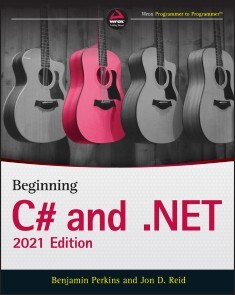
Beginning C# and .NET
GET A RUNNING START TO LEARNING C# PROGRAMMING WITH THIS FUN AND EASY-TO-READ GUIDEAs one of the most versatile and powerful programming languages around, you might think C# would be an intimidating language to learn. It doesn’t have to be!In Beginning C# and .NET: 2021 Edition, expert Microsoft programmer and engineer Benjamin Perkins and program manager Jon D. Reid walk you through the precise, step-by-step directions you’ll need to follow to become fluent in the C# language and .NET.Using the proven WROX method, you’ll discover how to understand and write simple expressions and functions, debug programs, work with classes and class members, work with Windows forms, program for the web, and access data. You’ll even learn about some of the new features included in the latest releases of C# and .NET, including data consumption, code simplification, and performance.The book also offers:* Detailed discussions of programming basics, like variables, flow control, and object-oriented programming that assume no previous programming experience * “Try it Out” sections to help you write useful programming code using the steps you’ve learned in the book * Downloadable code examples from wrox.com Perfect for beginning-level programmers who are completely new to C#, Beginning C# and .NET: 2021 Edition is a must-have resource for anyone interested in learning programming and looking for a fun and intuitive place to start.ABOUT THE AUTHORSBENJAMIN PERKINS is a Sr. Escalation Engineer at Microsoft. His experience includes designing, developing, deploying, administering, and managing enterprise-level IT solutions. JON D. REID is a Program Manager in Research and Development at IFS AB, specializing in Field Service Management using C# and .NET. Introduction xxviiPART I: THE C# LANGUAGECHAPTER 1: INTRODUCING C# 3What Is .NET? 3.NET Framework, .NET Standard, and .NET Core 4Writing Programs Using .NET 5CIL and JIT 5Assemblies 6Managed Code 7Garbage Collection 7Fitting It Together 7Linking 8What Is C#? 8Applications You Can Write with C# 9C# in This Book 10Visual Studio 10Visual Studio Products 10Solutions 11CHAPTER 2: WRITING A C# PROGRAM 13The Visual Studio Development Environment 14Console Applications 18The Solution Explorer 21The Properties Window 22The Error List Window 23Desktop Applications 23CHAPTER 3: VARIABLES AND EXPRESSIONS 29Basic C# Syntax 30Basic C# Console Application Structure 33Variables 34Simple Types 34Variable Naming 39Literal Values 39Binary Literals and Digit Separators 40String Literals 41Expressions 42Mathematical Operators 43Assignment Operators 48Operator Precedence 49Namespaces 50CHAPTER 4: FLOW CONTROL 55Boolean Logic 56Boolean Bitwise and Assignment Operators 58Operator Precedence Updated 60Branching 60The Ternary Operator 61The if Statement 61Checking More Conditions Using if Statements 64The switch Statement 65Looping 68do Loops 68while Loops 71for Loops 73Interrupting Loops 74Infinite Loops 75CHAPTER 5: MORE ABOUT VARIABLES 79Type Conversion 80Implicit Conversions 80Explicit Conversions 82Explicit Conversions Using the Convert Commands 84Complex Variable Types 87Enumerations 87Defining Enumerations 88Structs 91Defining Structs 92Arrays 94Declaring Arrays 95foreach Loops 98Pattern Matching with switch case Expression 98Multidimensional Arrays 102Arrays of Arrays 104String Manipulation 105CHAPTER 6: FUNCTIONS 113Defining and Using Functions 114Return Values 117Parameters 118Parameter Matching 121Parameter Arrays 121Reference and Value Parameters 123Out Parameters 125Tuples 126Variable Scope 128Variable Scope in Other Structures 131Parameters and Return Values versus Global Data 132Local Functions 134The Main() Function 135Struct Functions 137Overloading Functions 138Using Delegates 140CHAPTER 7: DEBUGGING AND ERROR HANDLING 145Debugging in Visual Studio 146Debugging in Nonbreak (Normal) Mode 147Outputting Debugging Information 148Tracepoints 152Diagnostics Output versus Tracepoints 154Debugging in Break Mode 155Entering Break Mode 155Monitoring Variable Content 158Stepping through Code 161Immediate and Command Windows 162The Call Stack Window 163Error Handling 163try. . .catch. . .finally 164Throw Expressions 172Listing and Configuring Exceptions 172CHAPTER 8: INTRODUCTION TO OBJECT-ORIENTED PROGRAMMING 175What Is Object-Oriented Programming? 176What Is an Object? 177Properties and Fields 178Methods 179Everything’s an Object 180The Life Cycle of an Object 180Constructors 180Destructors 181Static and Instance Class Members 181Static Constructors 181Static Classes 182OOP Techniques 182Interfaces 182Disposable Objects 184Inheritance 184Polymorphism 187Interface Polymorphism 188Relationships between Objects 189Containment 189Collections 190Operator Overloading 191Events 191Reference Types versus Value Types 192OOP in Desktop Applications 192CHAPTER 9: DEFINING CLASSES 199Class Definitions in C# 200Interface Definitions 202System.Object 205Constructors and Destructors 207Constructor Execution Sequence 209OOP Tools in Visual Studio 212The Class View Window 212The Object Browser 214Adding Classes 216Class Diagrams 217Class Library Projects 219Interfaces versus Abstract Classes 223Struct Types 225Shallow Copying versus Deep Copying 227CHAPTER 10: DEFINING CLASS MEMBERS 231Member Definitions 232Defining Fields 232Defining Methods 233Defining Properties 234Tuple Deconstruction 239Refactoring Members 240Automatic Properties 241Additional Class Member Topics 242Hiding Base Class Methods 242Calling Overridden or Hidden Base Class Methods 244The this Keyword 244Using Nested Type Definitions 245Interface Implementation 247Implementing Interfaces in Classes 248Explicit Interface Member Implementation 249Additional Property Accessors 249Partial Class Definitions 250Partial Method Definitions 251Example Application 252Planning the Application 253The Card Class 253The Deck Class 253Writing the Class Library 253Adding the Suit and Rank Enumerations 254Adding the Card Class 256Adding the Deck Class 258A Client Application for the Class Library 261The Call Hierarchy Window 262CHAPTER 11: COLLECTIONS, COMPARISONS, AND CONVERSIONS 265Collections 266Using Collections 267Defining Collections 272Indexers 273Adding a CardCollection to CardLib 275Keyed Collections and IDictionary 278Iterators 279Iterators and Collections 284Deep Copying 285Adding Deep Copying to CardLib 286Comparisons 288Type Comparisons 288Boxing and Unboxing 289The is Operator 290Pattern Matching with the is Operator Pattern Expression 293Value Comparisons 294Operator Overloading 294Adding Operator Overloads to CardLib 299The IComparable and IComparer Interfaces 304Sorting Collections 306Conversions 309Overloading Conversion Operators 310The as Operator 311CHAPTER 12: GENERICS 315What Are Generics? 316Using Generics 317Nullable Types 317Operators and Nullable Types 318The ?? Operator 319The ?. Operator 320Working with Nullable Types 321The System.Collections.Generic Namespace 325List 326Sorting and Searching Generic Lists 327Dictionary 333Modifying CardLib to Use a Generic Collection Class 334Defining Generic Types 335Defining Generic Classes 336The default Keyword 338Constraining Types 338Inheriting from Generic Classes 344Generic Operators 345Generic Structs 346Defining Generic Interfaces 346Defining Generic Methods 346Defining Generic Delegates 348Variance 348Covariance 349Contravariance 350CHAPTER 13: ADDITIONAL C# TECHNIQUES 355The :: Operator and the Global Namespace Qualifier 356Custom Exceptions 357Adding Custom Exceptions to CardLib 358Events 359What Is an Event? 359Handling Events 361Defining Events 363Multipurpose Event Handlers 367The EventHandler and Generic EventHandler Types 370Return Values and Event Handlers 370Anonymous Methods 370Expanding and Using CardLib 371Attributes 380Reading Attributes 380Creating Attributes 381Initializers 382Object Initializers 383Collection Initializers 385Type Inference 388Anonymous Types 390Dynamic Lookup 394The dynamic Type 395Advanced Method Parameters 399Optional Parameters 399Optional Parameter Values 400The OptionalAttribute Attribute 400Optional Parameter Order 401Named Parameters 401Lambda Expressions 405Anonymous Methods Recap 405Lambda Expressions for Anonymous Methods 407Lambda Expression Parameters 410Lambda Expression Statement Bodies 411Lambda Expressions as Delegates and Expression Trees 412Lambda Expressions and Collections 413PART II: DATA ACCESSCHAPTER 14: FILES 423File Classes for Input and Output 424The File and Directory Classes 424The FileInfo Class 426The DirectoryInfo Class 428Path Names and Relative Paths 428Streams 429Classes for Using Streams 429The FileStream Object 429File Position 430Reading Data 432Writing Data 434The StreamWriter Object 436The StreamReader Object 439Reading Data 440Asynchronous File Access 441Reading and Writing Compressed Files 442Monitoring the File System 445CHAPTER 15: XML AND JSON 453XML Basics 454JSON Basics 455XML Schemas 455XML Document Object Model 458The XmlDocument Class 458The XmlElement Class 459Changing the Values of Nodes 463Inserting New Nodes 465Deleting Nodes 467Selecting Nodes 469Searching XML with XPath 469JSON Serialization and Deserialization 473CHAPTER 16: LINQ 479LINQ to XML 480LINQ to XML Functional Constructors 480Working with XML Fragments 483LINQ Providers 486LINQ Query Syntax 486Declaring a Variable for Results Using the var Keyword 488Specifying the Data Source: from Clause 489Specify Condition: where Clause 489Selecting Items: select Clause 490Finishing Up: Using the foreach Loop 490Deferred Query Execution 490LINQ Method Syntax 490LINQ Extension Methods 491Query Syntax versus Method Syntax 491Lambda Expressions 492Ordering Query Results 494Understanding the orderby Clause 495Querying a Large Data Set 496Using Aggregate Operators 498Using the Select Distinct Query 502Ordering by Multiple Levels 504Using Group Queries 506Using Joins 508CHAPTER 17: DATABASES 513Using Databases 514Entity Framework 514Code-First versus Database-First 514Migrations and Scaffolding 515Install SQL Server Express LocalDB 515A Code-First Database 516Exploring Your Database 527Navigating Database Relationships 530Creating and Querying XML from an Existing Database 536PART III: ADDITIONAL TECHNIQUESCHAPTER 18: .NET AND ASP.NET 545Cross-Platform Basics and Key “Must Know” Terms 547What was .NET Standard? 549Shared Project, PCL, and .NET Standard 551Building and Packaging a .NET Standard Library 553Referencing and Targeting .NET 557What was .NET Core? 558Cross Platform 558Open Source 559Optimized for the Cloud 560Performance 560Modular Design 561Self-ContainedDeployment Model 562Porting from .NET Framework to .NET 565Identifying Third-Party Dependencies 567Understanding Which Features Are Not Available 567Upgrading the Current .NET Framework Target 567Overview of Web Applications 568Which ASP.NET to Use and Why 569ASP.NET Web Forms 570Server Controls 572Input Validation 573State Management 574Authentication and Authorization 575ASP.NET Web Site versus ASP.NET Web Applications 575ASP.NET MVC/ASP.NET Core Web App MVC 577ASP.NET Core Web API 579ASP.NET Core Web App 580IIS and Kestrel 581Blazor App and Razor Pages 582Input Validation 584State Management 585Authentication and Authorization 586Dependency Injection 586CHAPTER 19: BASIC CLOUD PROGRAMMING 591The Cloud, Cloud Computing, and the Cloud Optimized Stack 592Cloud Patterns and Best Practices 595Using Microsoft Azure C# Libraries to Create a Storage Container 597Creating an ASP.NET Core Web Application That Uses the Storage Container 607CHAPTER 20: BASIC WEB API AND WCF PROGRAMMING 617Creating an ASP.NET Core Web API 617Consuming an ASP.NET Core Web API 622What Is REST? 629What Is WCF? 630WCF Concepts 631WCF Communication Protocols 631Addresses, Endpoints, and Bindings 632Contracts 634Message Patterns 634Behaviors 635Hosting 635WCF Programming 635The WCF Test Client 642Defining WCF Service Contracts 644Data Contracts 645Service Contracts 645Operation Contracts 646Message Contracts 647Fault Contracts 647Self-HostedWCF Services 652CHAPTER 21: BASIC DESKTOP PROGRAMMING 663XAML 664Separation of Concerns 665XAML in Action 665Namespaces 666Code-BehindFiles 667The Playground 667WPF Controls 669Properties 670Dependency Properties 673Attached Properties 673Events 674Handling Events 675Routed Events 676Routed Commands 676Control Types 679Control Layout 679Basic Layout Concepts 679Stack Order 679Alignment, Margins, Padding, and Dimensions 680Border 680Visual Debugging Tools 681Layout Panels 682Canvas 682DockPanel 684StackPanel 686WrapPanel 687Grid 688The Game Client 691The About Window 691Designing the User Interface 692The Image Control 692The Label Control 692The TextBlock Control 693The Button Control 693The Options Window 696The TextBox Control 697The CheckBox Control 698The RadioButton Control 699The ComboBox Control 700The TabControl 701Handling Events in the Options Window 705Data Binding 707The DataContext 708Binding to Local Objects 708Static Binding to External Objects 709Dynamic Binding to External Objects 710Starting a Game with the ListBox Control 712Creating and Styling Controls 716Styles 716Templates 717Triggers 719Animations 720WPF User Controls 721Implementing Dependency Properties 722The Main Window 736The Menu Control 736Routed Commands with Menus 736Putting It All Together 741Refactoring the Domain Model 741The View Model 748Completing the Game 757Appendix: Exercise Solutions 769Index 809

Engineer Your Software!
Software development is hard, but creating good software is even harder, especially if your main job is something other than developing software. Engineer Your Software! opens the world of software engineering, weaving engineering techniques and measurement into software development activities. Focusing on architecture and design, Engineer Your Software! claims that no matter how you write software, design and engineering matter and can be applied at any point in the process. Engineer Your Software! provides advice, patterns, design criteria, measures, and techniques that will help you get it right the first time. Engineer Your Software! also provides solutions to many vexing issues that developers run into time and time again. Developed over 40 years of creating large software applications, these lessons are sprinkled with real-world examples from actual software projects. Along the way, the author describes common design principles and design patterns that can make life a lot easier for anyone tasked with writing anything from a simple script to the largest enterprise-scale systems.* Preface* Who Should Read This Book* How This Book is Built* Acknowledgments* Engineering is a Verb* Architecture Matters* Solve the Right Problem* Engineer Deliberately* Make Your Life Easier Down the Road* Conclusion* Bibliography* Author's Biography
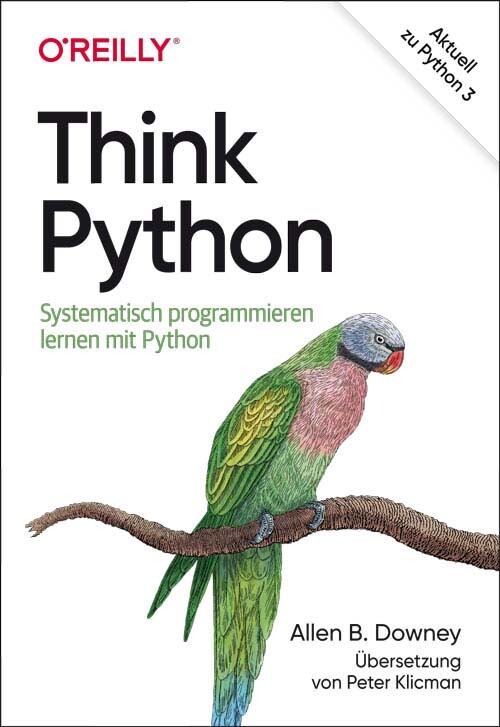
Think Python
Lernen, wie ein Informatiker zu denken – der abwechslungsreiche Praxiskurs für Python.Wenn Sie programmieren lernen wollen, eignet sich Python hervorragend als Einstieg. Dieses Praxisbuch führt Sie Schritt für Schritt durch die Sprache, beginnend mit grundlegenden Programmierkonzepten, über Funktionen, Syntax und Semantik, Rekursion und Datenstrukturen bis hin zum objektorientierten Design.Lernen Sie, wie ein Programmierprofi zu denken! Allen Downey führt Sie nicht nur fundiert in Python ein, sondern leitet Sie auch an, über die Sprachkonstrukte nachzudenken, und vermittelt Ihnen so grundlegende Problemlösungsstrategien der Informatik. Die Kapitel enthalten jeweils ein Glossar der Fachbegriffe sowie Übungen und Fallstudien, kurze Verständnistests und kleinere Projekte, an denen Sie die neu erlernten Programmierkonzepte gleich ausprobieren können. Auf diese Weise wenden Sie das Gelernte direkt an und festigen Ihr Verständnis für die konkrete Programmierpraxis.Starten Sie mit den Grundlagen, einschließlich Sprachsyntax und SemantikEntwickeln Sie eine klare Vorstellung von den jeweiligen ProgrammierkonzeptenLernen Sie Werte, Variablen, Anweisungen, Funktionen und Datenstrukturen in einer logischen Abfolge kennenEntdecken Sie, wie Sie mit Dateien und Datenbanken arbeiten könnenVerstehen Sie Objekte, Methoden und objektorientierte ProgrammierungWenden Sie Debugging-Techniken an, um Syntax-, Laufzeit- und Semantikfehler zu behebenErforschen Sie Funktionen, Datenstrukturen und Algorithmen anhand aussagekräftiger BeispieleInhalt (PDF-Link)

Decoupled Django
Apply decoupling patterns, properly test a decoupled project, and integrate a Django API with React, and Vue.js. This book covers decoupled architectures in Django, with Django REST framework and GraphQL. With practical and simple examples, you’ll see firsthand how, why, and when to decouple a Django project.Starting with an introduction to decoupled architectures versus monoliths, with a strong focus on the modern JavaScript scene, you’ll implement REST and GraphQL APIs with Django, add authentication to a decoupled project, and test the backend. You’ll then review functional testing for JavaScript frontends with Cypress. You will also learn how to integrate GraphQL in a Django project, with a focus on the benefits and drawbacks of this new query language.By the end of this book, you will be able to discern and apply all the different decoupling strategies to any Django project, regardless of its size.WHAT YOU'LL LEARN* Choose the right approach for decoupling a Django project* Build REST APIs with Django and a Django REST framework* Integrate Vue.js and GraphQL in a Django project* Consume a Django REST API with Next.js* Test decoupled Django projectsWHO THIS BOOK IS FORSoftware developers with basic Django skills keen to learn decoupled architectures with Django. JavaScript developers interested in learning full-stack development and decoupled architectures with Django.Valentino Gagliardi is a freelance consultant with a wealth of experience in the IT industry. He spent the last 8 years as a front-end consultant, providing advice and help, coaching and training on JavaScript and React. He worked as an instructor for multiple training agencies around the country, running in-person workshops and creating learning paths for aspiring developers. He loves to share his knowledge on his blog with tutorials reaching over 100,000 monthly visits. An avid Django user, he is active in the Python community as a speaker, and as a coach for Django Girls.Chapter 1: Introduction to the decoupled world.Chapter Goal: Introduce the reader to terminology and structure of a decoupled architecture.No of pages: 16Sub -Topics1. A review of the concept of monolithic applications vs decoupled applications.2. What is decoupling?3. Why and when to decouple?4. A brief introduction to REST.5. A brief introduction to GraphQL.Chapter 2: JavaScript meets django.Chapter Goal: Introduce the reader to the modern JavaScript scene, help the reader understand how modern frontend tools fit within Django.No of pages: 13Sub -Topics1. An overview of modern JavaScript.2. An overview of JavaScript and Django in production setups.3. A review of the most popular frontend libraries: Vue, React, Next.js, and the differences between them.Chapter 3: Modern Django and Django REST Framework.Chapter goal: Introduce the reader to intermediate Django concepts, and Django REST framework.No of pages: 11Sub -Topics1. A brief introduction to Django REST framework and how it fits within a Django project, compared to the basic Django building blocks (MVT architecture, forms, models, views).2. An introduction to ASGI and async Django.Chapter 4: Advantages and disadvantages of a decoupled architecture.Chapter Goal: Help the reader make an informed choice by outlining advantages and disadvantages of a decoupled architecture.No of pages: 12Sub -Topics1. Why and when to decouple?2. An overview of the various approaches for decoupling a Django project. How to choose between the various approaches.3. Advantages of decoupling a Django project.4. Disadvantages of decoupling a Django project.Chapter 5: Setting up a Django project.Chapter Goal: Help the reader to prepare a Django project.No of pages: 9Sub -Topics1. How to split setting files.2. How to configure Django to use environment variables.3. How to run Django under ASGI.Chapter 6: Decoupled Django with Django REST Framework.Chapter Goal: Help the reader understand how to decouple a Django project with Django REST framework.No of pages: 31Sub -Topics1. How to install and enable Django REST framework.2. Django REST framework serializers.3. How to create API endpoint with Django REST framework.4. Django REST relationships.5. Working with Vue.js in Django.Chapter 7: API security, and deploymentChapter Goal: Help the reader secure and deploy a decoupled Django project.No of pages: 23Sub -Topics1. Django and Django REST hardening2. Deploying a decoupled Django projectChapter 8: Django REST meets Next.js.Chapter Goal: Help the reader pair a Django REST project with Next.js, the React framework.No of pages: 24Sub -Topics1. Django as a headless CMS2. A reintroduction to React and its ecosystem3. Working with Next.js and Django RESTChapter 9: Testing in a Decoupled World.Chapter Goal: Teaches the reader how to test a decoupled Django REST project and a JavaScript frontend.No of pages: 22Sub -Topics1. A brief introduction to functional and unit testing.2. Testing the frontend with Cypress3. Testing Django REST framework and DjangoChapter 10: Authentication and authorization Django REST framework.Chapter Goal: Help the reader understand how to set up authentication and authorization in a decoupled Django project.No of pages: 21Sub -Topics1. A review of the most important authentication mechanisms in Django and Django REST framework2. What is token based authentication? What is JWT? JWT drawbacks3. Using session-based authentication for single-page apps4. How to handle authentication in the frontendChapter 11: GraphQL in Django with Ariadne.Chapter Goal: Help the reader understand what GraphQL is and how it fits into the Python/Django landscape.No of pages: 39Sub -Topics1. Creating a GraphQL schema in Ariadne2. Working with resolvers3. Implementing mutations4. Connecting React to a GraphQL backendChapter 12: GraphQL in Django with Strawberry.Chapter Goal: Help the reader understand in practice how to decouple a Django project with GraphQL and Strawberry.No of pages: 30 (estimated)Sub -Topics1. Creating a GraphQL schema in Straberry2. Working with resolvers3. Implementing mutations in the frontend

Advanced Forecasting with Python
Cover all the machine learning techniques relevant for forecasting problems, ranging from univariate and multivariate time series to supervised learning, to state-of-the-art deep forecasting models such as LSTMs, recurrent neural networks, Facebook’s open-source Prophet model, and Amazon’s DeepAR model.Rather than focus on a specific set of models, this book presents an exhaustive overview of all the techniques relevant to practitioners of forecasting. It begins by explaining the different categories of models that are relevant for forecasting in a high-level language. Next, it covers univariate and multivariate time series models followed by advanced machine learning and deep learning models. It concludes with reflections on model selection such as benchmark scores vs. understandability of models vs. compute time, and automated retraining and updating of models.Each of the models presented in this book is covered in depth, with an intuitive simple explanation of the model, a mathematical transcription of the idea, and Python code that applies the model to an example data set.Reading this book will add a competitive edge to your current forecasting skillset. The book is also adapted to those who have recently started working on forecasting tasks and are looking for an exhaustive book that allows them to start with traditional models and gradually move into more and more advanced models.WHAT YOU WILL LEARN* Carry out forecasting with Python* Mathematically and intuitively understand traditional forecasting models and state-of-the-art machine learning techniques* Gain the basics of forecasting and machine learning, including evaluation of models, cross-validation, and back testing* Select the right model for the right use caseWho This Book Is ForThe advanced nature of the later chapters makes the book relevant for applied experts working in the domain of forecasting, as the models covered have been published only recently. Experts working in the domain will want to update their skills as traditional models are regularly being outperformed by newer models.Joos is a data scientist, with over five years of industry experience in developing machine learning tools, of which a large part is forecasting models. He currently works at Disneyland Paris where he develops machine learning for a variety of tools. His experience in writing and teaching have motivated him to make this book on advanced forecasting with Python.PART I: Machine Learning for ForecastingChapter 1: Models for ForecastingChapter Goal: Explains the different categories of models that are relevant for forecasting in high level languageNo pages: 10Sub -Topics1. Time series models2. Supervised vs unsupervised models3. Classification vs regression models4. Univariate vs multivariate modelsChapter 2: Model Evaluation for ForecastingChapter Goal: Explains model evaluation with specific adaptations to keep in mind for forecastingNo pages: 15Sub -Topics1. Train test split2. Cross validation for forecasting3. BacktestingPART II: Univariate Time Series ModelsChapter 3: The AR ModelChapter Goal: explain the AR model (intuitively, mathematically and give python application with code and data set)No pages: 8Sub -Topics1. Understanding AR model2. Mathematical explanation of the AR model3. Worked out Python forecasting example with the AR modelChapter 4: The MA modelChapter Goal: explain the MA model (intuitively, mathematically and give python application with code and data set)No pages: 8Sub -Topics1. Understanding MA model2. Mathematical explanation of the MA model3. Worked out Python forecasting example with the MA modelChapter 5: The ARMA modelChapter Goal: explain the ARMA model (intuitively, mathematically and give python application with code and data set)No pages: 8Sub -Topics1. Understanding ARMA model2. Mathematical explanation of the ARMA model3. Worked out Python forecasting example with the ARMA modelChapter 6: The ARIMA modelChapter Goal: Explains the ARIMA model (intuitively, mathematically and give python application with code and data set)No pages: 8Sub -Topics1. Understanding ARIMA model2. Mathematical explanation of the ARIMA model3. Worked out Python forecasting example with the ARIMA modelChapter 7: The SARIMA ModelChapter Goal: Explains the SARIMA model (intuitively, mathematically and give python application with code and data set)No pages: 8Sub -Topics1. Understanding SARIMA model2. Mathematical explanation of the SARIMA model3. Worked out Python forecasting example with the SARIMA modelPART III: Multivariate Time Series ModelsChapter 8: The VAR modelChapter Goal: Explains the VAR model (intuitively, mathematically and give python application with code and data set)No pages: 8Sub -Topics1. Understanding VAR model2. Mathematical explanation of the VAR model3. Worked out Python forecasting example with the VAR modelChapter 9: The Bayesian VAR modelChapter Goal: Explains the Bayesian VAR model (intuitively, mathematically and give python application with code and data set)No pages: 8Sub -Topics1. Understanding Bayesian VAR model2. Mathematical explanation of the Bayesian VAR model3. Worked out Python forecasting example with the Bayesian VAR modelPART IV: Supervised Machine Learning ModelsChapter 10: The Linear Regression modelChapter Goal: Explains the Linear Regression model (intuitively, mathematically and give python application with code and data set)No pages: 8Sub -Topics1. Understanding Linear Regression model2. Mathematical explanation of the Linear Regression model3. Worked out Python forecasting example with the Linear Regression modelChapter 11: The Decision Tree modelChapter Goal: Explains the Decision Tree model (intuitively, mathematically and give Python application with code and data set)No pages: 8Sub -Topics1. Understanding Decision Tree model2. Mathematical explanation of the Decision Tree model3. Worked out Python forecasting example with the Decision Tree modelChapter 12: The k-Nearest Neighbors VAR modelChapter Goal: explain the k-Nearest Neighbors (intuitively, mathematically and give python application with code and data set)No pages: 8Sub -Topics1. Understanding k-Nearest neighbors model2. Mathematical explanation of the k-Nearest neighbors model3. Worked out Python forecasting example with the k-Nearest neighbors modelChapter 13: The Random Forest ModelChapter Goal: explain the Random Forest (intuitively, mathematically and give python application with code and data set)No pages: 8Sub -Topics1. Understanding Random Forest model2. Mathematical explanation of the Random Forest model3. Worked out Python forecasting example with the Random Forest modelChapter 14: The XGBoost modelChapter Goal: Explains the XGBoost model (intuitively, mathematically and give python application with code and data set)No pages: 10Sub -Topics1. Understanding XGBoost model2. Mathematical explanation of the XGBoost model3. Worked out Python forecasting example with the XGBoost modelChapter 15: The Neural Network modelChapter Goal: Explains the Neural Network model (intuitively, mathematically and give python application with code and data set)No pages: 10Sub -Topics1. Understanding Neural Network model2. Mathematical explanation of the Neural Network model3. Worked out Python forecasting example with the Neural Network modelPart V: Advanced Machine and Deep Learning ModelsChapter 16: Recurrent Neural NetworksChapter Goal: Explains Recurrent Neural Networks (intuitively, mathematically and give python application with code and data set)No pages: 10Sub -Topics1. Understanding Recurrent Neural Networks2. Mathematical explanation of Recurrent Neural Networks3. Worked out Python forecasting example with Recurrent Neural NetworksChapter 17: LSTMsChapter Goal: Explains LSTMs (intuitively, mathematically and give python application with code and data set)No pages: 10Sub -Topics1. Understanding LSTMs2. Mathematical explanation of LSTMs3. Worked out Python forecasting example with LSTMsChapter 18: Facebook’s Prophet modelChapter Goal: Explains Facebook’s Prophet model (intuitively, mathematically and give Python application with code and data set)No pages: 10Sub -Topics1. Understanding Facebook’s Prophet model2. Mathematical explanation of Facebook’s Prophet model3. Worked out Python forecasting example with Facebook’s Prophet modelChapter 19: Amazon’s DeepAR ModelChapter Goal: Explains Amazon’s DeepAR model (intuitively, mathematically and give python application with code and data set)No pages: 10Sub -Topics1. Understanding Amazon’s DeepAR model2. Mathematical explanation of Amazon’s DeepAR model3. Worked out Python forecasting example with Amazon’s DeepAR modelChapter 20: Deep State Space ModelsChapter Goal: Explains Deep State Space models (intuitively, mathematically and give Python application with code and data set)No pages: 10Sub -Topics1. Understanding Deep State Space models2. Mathematical explanation of Deep State Space models3. Worked out Python forecasting example with Deep State Space modelsChapter 21: Model selectionChapter Goal: Give elements to select the best model for a specific situationNo pages: 16Sub -Topics1. Benchmark scores vs understandability of models vs compute time2. Black swan outlier problems3. Automated retraining and updating of models4. Conclusion
Praxishandbuch VMware vSphere 7
Leitfaden für Installation, Konfiguration und Optimierung* Das Praxisbuch zur Standardsoftware* Profi-Knowhow für Administrator*innen* Aktuell zur Version 7.0Sie brauchen praxisrelevante Informationen zur technischen Realisierung einer virtualisierten Infrastruktur mittels vSphere 7.0? Dann halten Sie mit dem Praxishandbuch VMware vSphere 7.0 genau das richtige Buch in Ihren Händen. In diesem Handbuch finden Sie komprimiert alles, was Sie über Virtualisierung im Allgemeinen und vSphere 7.0 im Speziellen wissen müssen – samt unzähligen Tipps und Tricks aus der Praxis, Warnungen und Hinweisen zu angrenzenden Technologien.Schritt für Schritt zur optimalen virtualisierten UmgebungDas Buch gibt Ihnen schnell eine Übersicht über die einzelnen vSphere-Komponenten, deren Konfiguration und Optimierung. Sobald der Hypervisor (ESXi) installiert ist, können die ersten virtuellen Maschinen von Grund auf richtig eingerichtet und optimiert werden.Dann erfahren Sie, wie Sie Ihr Netzwerk am besten konfigurieren müssen und die ESXi Server an gemeinsamen Speicher anbinden. Was die Funktion Hostprofile, der VMware Lifecycle Manager oder der VMware Converter für Sie tun können, fehlt genauso wenig wie der Einsatz von vApps und Templates. Und auch wenn die vSphere-Umgebung steht, bleibt immer etwas zu tun: Backups und Sicherheitsstrategien (am Beispiel von Veeam Backup & Replication), die geschickte Verwaltung der Ressourcen und eine kontinuierliche Optimierung des laufenden Betriebs lassen sich mit den richtigen Werkzeugen und Konzepten besser in die Tat umsetzen. Auch die Kommandozeile und PowerCLI kommen nicht zu kurz.Aktualisierte fünfte AuflageDie fünfte Auflage wurde komplett auf VMware vSphere 7.0 aktualisiert. Zusätzlich aufgenommen wurden die Neuerungen von vSphere 7.0, z.B. Lifecycle Manager, der vSphere-Client (HTML5), Appliance Management, Cluster Appliances und der neue vCenter Server auf Photon Linux Basis. Weiterhin beinhaltet die vierte Auflage die Themen Upgrade von einer Vorversion, NFS Storage unter Linux erstellen, Alarme, Hostprofile (erweitert), Security, Troubleshooting (erweitert) und eine bestmögliche Netzwerkkonfiguration.Ralph Göpel ist Diplominformatiker, Microsoft Certified System Engineer und VMware Certified Professional. Er gibt Unterricht in den verschiedensten IT-Bereichen und Themen. Seit 1996 ist er selbstständig und arbeitet seit 1999 als Consultant und Dozent mit den Produkten von VMware. Seit Anfang 2020 unterrichtet er auch die neue Version von VMware vSphere 7.0. Er unterstützt seine Kunden bei der Implementierung, macht Troubleshooting und übernimmt die Betreuung von Upgrades. In seiner Freizeit joggt er und genießt bei einem Glas Whisky die freien Minuten mit seiner Frau.

Künstliche Intelligenz - Wie sie funktioniert und wann sie scheitert
Wie KI funktioniert und wann sie scheitert. Eine unterhaltsame Reise in die seltsame Welt der Algorithmen, neuronalen Netze und versteckten Giraffen.Wir verlassen uns jeden Tag auf künstliche Intelligenz, wenn es um Empfehlungen, Übersetzungen und Katzenohren für unsere Selfie-Videos geht. Wir vertrauen KI auch in Fragen von Leben und Tod, auf der Straße und in unseren Krankenhäusern. Aber wie intelligent ist KI wirklich, auf welche Weise löst sie Probleme, wie versteht sie Menschen?Janelle Shane liefert Antworten auf Fragen zu KI, die Sie sich schon immer gestellt haben, und auf einige, auf die Sie definitiv noch nicht gekommen sind: Wie kann ein Computer das perfekte Sandwich entwerfen? Und kann man einer KI beibringen, zu flirten oder gute Witze zu erzählen?In dieser klugen, oft sehr lustigen Einführung in die interessanteste Wissenschaft unserer Zeit zeigt Janelle Shane, wie KI-Algorithmen lernen, wo sie versagen und wie sie sich anpassen. Sie erfahren, wie KIs trainiert werden, was Deep Learning ist, wo die Gefahren bei selbstfahrenden Autos liegen, wie sich Vorurteile aus KI-Trainingsdaten auf Bewerbungsverfahren auswirken – und warum Bilderkennungs-KIs auf Giraffen fixiert sind.Das perfekte Buch für alle, die sich eine informierte Meinung bilden möchten und neugierig darauf sind, wie die KI-Roboter in unserem Leben funktionieren.
Test-Driven Development in Swift
Leverage Swift to practice effective and efficient test-driven development (TDD) methodology. Software testing and TDD are evergreen programming concepts—yet Swift developers haven't widely adopted them. What's needed is a clear roadmap to learn and adopt TDD in the Swift world. Over the past years, Apple has invested in XCTest and Xcode's testing infrastructure, making testing a new top priority in their ecosystem. Open-source libraries such as Quick and Nimble have also reached maturity. The tools are there. This book will show you how to wield them.TDD has much more to offer than catching bugs. With this book, you’ll learn a philosophy for building software. TDD enables engineers to solve problems incrementally, writing only as much code as necessary. By decomposing big problems into small steps, you can move along at a fast pace, always making visible progress.Participate in the test-driven development journey by building a real iOS application and incorporating new concepts through each chapter. The book's concepts will emerge as you figure out ways to use tests to drive the solutions to the problems of each chapter. Through the TDD of a single application, you’ll be introduced to all the staples and advanced concepts of the craft, understand the trade offs each technique offers, and review an iterative process of software development.Test-Driven Development in Swift provides the path for a highly efficient way to make amazing apps.WHAT YOU'LL LEARN* Write tests that are easy to maintain* Look after an ever-growing test suite* Build a testing vocabulary that can be applied outside the Swift world* See how Swift programming enhances the TDD flow seen in dynamic languages* Discover how compiler errors can provide the same helpful guidance as failing tests doWHO THIS BOOK IS FORMid-level developers keen to write higher quality code and improve their workflows. Also, developers that have already been writing tests but feel they are not getting the most out of them.GIO LODI spent the past decade writing tests. He began with full-stack web development before moving into iOS programming and, more recently, into mobile infrastructure engineering. Ruby on Rails introduced him to the TDD world, and he fell in love with the fast-paced feedback loop. Any big problem could be decomposed in smaller and smaller parts until it got to an achievable size. Due to the lack of tools he first encountered moving into the Apple ecosystem, Gio researched and experimented with testing strategies and tools document in an ongoing project that catalogued on his blog and in talks and workshops at various industry conferences.Chapter 1: Why TDD?Chapter 2: XCTest IntroductionChapter 3: Getting Started with TDDChapter 4: TDD in the Real WorldChapter 5: Changing Tests with FixturesChapter 6: Testing Static SwiftUI ViewsChapter 7: Testing Dynamic SwiftUI ViewsChapter 8: Code Based on Indirect InputsChapter 9: Testing JSON DecodingChapter 10: Testing Network CodeChapter 11: Injecting Dependencies with @EnvironmentObjectChapter 12: Testing Side EffectsChapter 13: Testing a Conditional View PresentationChapter 14 Fixing Bugs and Changing Existing Code with TDDChapter 15 Keeping Tests Isolated with Fakes and Clear with DummiesChapter 16: ConclusionCheat SheetAppendix A: Where to Go From HereAppendix B: Testing with Quick and NimbleAppendix C: TDD with UIKit

Microsoft Azure für Dummies
Dieses Buch erklärt Ihnen die Grundlagen von Azure, der Microsoft-Cloud-Technologie, und beschreibt klar und verständlich die grundlegenden Dienste. Nach der Lektüre können Sie die unterschiedlichen Cloud-Betriebsmodelle (Infrastructure as a Service, Platform as a Service und Software as a Service) unterscheiden und einschätzen. Sie kennen die wichtigsten Azure-Dienste und können dann eigene Azure-Umgebungen aufbauen. Damit Sie die Dienste auch automatisieren können, finden Sie im Buch viele Beispiele mit Azure CLI Code. Frank Geisler und Benjamin Kettner arbeiten seit vielen Jahren in der IT und beraten ihre Kunden zu innovativen Technologien. Sie sind beide erfahrene Cloud-Architekten, Microsoft Certified Trainer und beide Microsoft Most Valuable Professionals.Über die Autoren 13Vorwort 23EINFÜHRUNG27Über dieses Buch 27Über Azure 27Was Sie nicht lesen müssen 28Törichte Annahmen über den Leser 29Wie dieses Buch aufgebaut ist 30Teil I: Azure-Grundlagen 30Teil II: Azure-Infrastrukturdienste 31Teil III: Azure-Plattformdienste 31Teil IV: Mehrwertdienste auf Azure 32Teil V: Der Top-Ten-Teil 32Symbole, die in diesem Buch verwendet werden 32Wie es weitergeht 33TEIL I: AZURE-GRUNDLAGEN 35KAPITEL 1 WAS IST CLOUD COMPUTING? WAS IST MICROSOFT AZURE?37Cloud-Merkmale 39Geschmacksrichtungen der Cloud 41Cloud-Bereitstellungsmodelle 45Die Cloud wirtschaftlich betrachtet 46KAPITEL 2 DIE AZURE-ARCHITEKTUR49Azure-Management-Tools 52Azure-Konten, -Abonnements und –Verwaltungsgruppen 57Azure-Regionen und -Geografien 59Azure-Ressourcen und -Ressourcengruppen 61KAPITEL 3 AZURE MARKETPLACE UND DIENSTE63KAPITEL 4 RECHTE, ROLLEN UND RICHTLINIEN69Sicherheitskonzepte in Azure 69Geteilte Verantwortlichkeit für die Sicherheit 72Rollenbasierte Zugriffskontrolle 74Azure-Sperren 77Azure-Richtlinien 77KAPITEL 5 SUPPORT ANFORDERN81Ein Ticket eröffnen 83Azure Service Level Agreements (SLAs) 84Der Azure Advisor 85Weitere Unterstützungsangebote 87KAPITEL 6 AZURE UND DER DATENSCHUTZ89Das Azure Trust Center 89Das Service Trust Portal 90Der Compliance-Manager 91Das Azure Security Center 92Azure-Security-Komponenten für den Datenschutz 93KAPITEL 7 WAS KOSTET DAS ALLES?95Bezugsmodelle für Azure 98Der Azure-Preisrechner in Aktion 100TEIL II: AZURE-INFRASTRUKTURDIENSTE 103KAPITEL 8 VIRTUELLE MASCHINEN105Eine virtuelle Maschine anlegen 106Im Azure-Portal 106In PowerShell 123In Azure-CLI 132Mit einer ARM-Vorlage 135Eine virtuelle Maschine konfigurieren 137Backup einrichten 138Überwachung mit Log Analytics 139Der Bastionhost 142Verfügbarkeitsoptionen für virtuelle Maschinen 144KAPITEL 9 NETZWERK, FIREWALLS UND VPN147Virtuelle Netzwerke 147VPN-Gateways (Gateways für virtuelle Netzwerke) 149Netzwerk-Peering 153Netzwerksicherheitsgruppen 156Loadbalancer 160VNET-Dienstendpunkte.162Azure-Firewall und Application Gateway 163Benutzerdefinierte Routing-Tabellen und Routen 164KAPITEL 10 STORAGE165Azure-Speicherkonten 168Tools, mit denen Sie mit Azure-Speicherkonten arbeiten können 173KAPITEL 11 ACTIVE DIRECTORY175Azure Active Directory 176Azure-Active-Directory-Gruppen 180Active Directory Domain Services 181Wann sollte man was verwenden? 182Hybride Umgebungen 183TEIL III: AZURE-PLATTFORMDIENSTE 187KAPITEL 12 RELATIONALE DATENBANKEN: OPEN SOURCE189Relationale Datenbanken 189Open Source in Azure? 190Azure Database for MySQL 192Azure Database for MariaDB 196PostgreSQL 198Redis Cache 199KAPITEL 13 RELATIONALE DATENBANKEN: AZURE SQL203Preismodelle und SKUs 206Dienstebenen 209Verwenden Ihrer Datenbank 210KAPITEL 14 NICHT-RELATIONALE DATENBANKEN215Cosmos DB 216Weitere NoSQL-Datenspeicher 222Weitere Dienste im Marktplatz 224KAPITEL 15 WEB-APPS UND APIS227Architektur für Cloud-Anwendungen 228App-Service-Pläne 229Webanwendungen 232Berechtigungen und Integration 234Überwachung und Skalierung 237KAPITEL 16 SERVERLESS COMPUTING IN AZURE243Serverlose Azure Functions 245Weitere Serverless-Dienste 253Bringen Sie alles zusammen 256KAPITEL 17 DATEN BEWEGEN: AZURE DATA FACTORY259Eine Azure Data Factory anlegen 260Die Oberfläche der Azure Data Factory kennenlernen 261Ihre erste Pipeline in der Azure Data Factory 265Ein Blick hinter die Kulissen 273KAPITEL 18 CONTAINER, REGISTRIES UND KUBERNETES277Grundlegende Elemente der Container-Technologie 278Azure Container Instance 283Azure Container Registry 285Azure Kubernetes Service 286KAPITEL 19 IOT, DATENSTRÖME UND WEITERE DIENSTE289Azure IoT Hub 290Azure Event Hub 293Azure Service Bus 296Azure Storage Queues 297Azure Stream Analytics und Time Series Insights 298TEIL IV: MEHRWERTDIENSTE AUF AZURE 303KAPITEL 20 COGNITIVE SERVICES305Im Angebot 306Verwendung der Cognitive Services 308KAPITEL 21 AZURE SYNAPSE ANALYTICS313Lernen Sie Synapse Analytics kennen 314Erstellen Sie einen Synapse-Analytics-Arbeitsbereich 316Mit Azure Synapse Analytics arbeiten 318KAPITEL 22 AZURE DATABRICKS325Verwaltete Databricks-Cluster 326Die Databricks-Weboberfläche 328Azure-Ressourcen 332KAPITEL 23 AZURE BOT SERVICE 335Das Bot-Framework 335Bereitstellung auf Azure 338Ihren Bot entwickeln 340KAPITEL 24 MACHINE LEARNING IN AZURE345Die Azure Data Science VM 345Azure Machine Learning 347TEIL V: DER TOP-TEN-TEIL 351KAPITEL 25 DIE ZEHN WICHTIGSTEN DIENSTE353Virtuelle Maschinen 353Azure Active Directory 353Azure-SQL-Datenbank 354Azure Data Factory 354Azure IoT Hub 354Azure Virtual Network Gateway 354Azure-Webanwendungen 354Azure Event Hub 355Azure Logic Apps 355Azure Functions 355KAPITEL 26 DIE ZEHN WICHTIGSTEN HILFSMITTEL UND TOOLS357Visual Studio Code 357Git 357Azure DevOps 358Power BI 358Azure Kostenrechner 358Azure Storage Explorer 358Azure Data Studio 359Azure-Portal 359Azure-CLI 359Visual Studio 359KAPITEL 27 DIE ZEHN WICHTIGSTEN TIPPS, UM KOSTEN ZU SPAREN361Start small 361Stoppen Sie nicht benötigte Dienste und VMs 361Nutzen Sie den Azure Advisor 362Minimieren Sie ausgehenden Datenverkehr 362Nutzen Sie alle Optionen für Azure-Speicherkonten 362Nutzen Sie die Skalierungsmöglichkeiten der Cloud 362Nutzen Sie Plattformdienste 362Nutzen Sie serverlose Dienste 363Skripten Sie Ihre Umgebung 363Lesen Sie die Anleitung 363KAPITEL 28 ZEHN MYTHEN ÜBER AZURE365Azure ist teuer! 365Die Daten sind nicht sicher! 365Ich habe keine Kontrolle, wo meine Daten liegen! 366Azure kostet mich meinen Arbeitsplatz! 366Microsoft kann auf alle meine Daten zugreifen! 366Man kann nur Microsoft-Software in Azure laufen lassen! 366Wenn ich mit Azure starte, bin ich für immer an Microsoft gebunden! 367Ich muss alles auf einer virtuellen Maschine betreiben! 367Ich brauche einen Windows-PC, um Azure-Ressourcen zu administrieren 367Für unsere Systemlandschaft bietet Azure keine Vorteile 367Stichwortverzeichnis 371

Handbook on Interactive Storytelling
HANDBOOK ON INTERACTIVE STORYTELLINGDISCOVER THE LATEST RESEARCH ON CRAFTING COMPELLING NARRATIVES IN INTERACTIVE ENTERTAINMENTElectronic games are no longer considered “mere fluff” alongside the “real” forms of entertainment, like film, music, and television. Instead, many games have evolved into an art form in their own right, including carefully constructed stories and engaging narratives enjoyed by millions of people around the world. In Handbook on Interactive Storytelling, readers will find a comprehensive discussion of the latest research covering the creation of interactive narratives that allow users to experience a dramatically compelling story that responds directly to their actions and choices. Systematically organized, with extensive bibliographies and academic exercises included in each chapter, the book offers readers new perspectives on existing research and fresh avenues ripe for further study. In-depth case studies explore the challenges involved in crafting a narrative that comprises one of the main features of the gaming experience, regardless of the technical aspects of a game’s production. Readers will also enjoy:* A thorough introduction to interactive storytelling, including discussions of narrative, plot, story, interaction, and a history of the phenomenon, from improvisational theory to role-playing games* A rigorous discussion of the background of storytelling, from Aristotle’s Poetics to Joseph Campbell and the hero’s journey* Compelling explorations of different perspectives in the interactive storytelling space, including different platforms, designers, and interactors, as well as an explanation of storyworldsPerfect for game designers, developers, game and narrative researchers, academics, undergraduate and graduate students studying storytelling, game design, gamification, and multimedia systems, Handbook on Interactive Storytelling is an indispensable resource for anyone interested in the deployment of compelling narratives in an interactive context. JOUNI SMED, PHD, holds his doctorate in Computer Science. He has twenty years of experience in the game development, from algorithms and networking in multiplayer games to game software construction, design, and interactive storytelling.TOMI 'BGT' SUOVUO focuses on the virtual barrier in mediated interaction, particularly between multiple users. He has taught Principles of Interaction Design for four years.NATASHA SKULT is an active member of the Finnish and international game developers community as the Chairperson of IGDA and founder of Hive – Turku Game Hub.PETTER SKULT, PHD, obtained his doctorate in 2019 in English language and literature from Åbo Akademi University. He is a game designer and writer.List of Figures ixList of Tables xiiiPreface xvAcknowledgements xvii1 INTRODUCTION 11.1 Interactive Storytelling 31.1.1 Partakers 51.1.2 Narrative, Plot, and Story 61.1.3 Interaction 81.2 History of Interactive Storytelling 101.2.1 Theatre 111.2.2 Multicursal Literature 121.3 Role-playing Games 131.3.1 Hypertext Fiction 141.3.2 Webisodics 141.3.3 Interactive Cinema 151.3.4 Television 171.3.5 Games 171.3.5.1 Interactive Fiction 181.3.5.2 Digital Games 191.4 Summary 21Exercises 222 BACKGROUND 252.1 Analysis of Storytelling 252.1.1 Aristotle's Poetics 252.1.1.1 Elements of Tragedy 262.1.1.2 Narrative Forms 272.1.1.3 Dramatic Arc 272.1.2 Visual Storytelling 292.1.2.1 Semiotics 302.1.2.2 Work of Art 312.1.2.3 Video Games as Visual Art 312.1.3 Structuralism 332.1.3.1 Propp's Morphology of Russian Folktales 332.1.3.2 Colby's Grammar of Alaska Natives' Folktales 352.1.3.3 Story Grammars 372.1.4 Joseph Campbell and the Hero's Journey 412.1.5 Kernels and Satellites 422.2 Research on Interactive Storytelling 442.2.1 Brenda Laurel and Interactive Drama 462.2.2 Janet Murray and the Cyberbard 472.2.3 Models for Interactive Storytelling 482.2.4 Narrative Paradox and Other Research Challenges 492.2.4.1 Platform 522.2.4.2 Designer 522.2.4.3 Interactors 532.2.4.4 Storyworld 532.2.4.5 Terminology 532.3 Summary 54Exercises 543 PLATFORM 573.1 Software Development 583.1.1 Model-View-Controller 593.1.2 Interactor's Interface 613.1.3 Designer's Interface 633.1.4 Modding 633.2 Solving the Narrative Paradox 653.2.1 Author-centric Approach 663.2.2 Character-centric Approach 683.2.3 Hybrid Approach 693.3 Implementations 713.3.1 Pioneering Storytelling Systems 713.3.2 Crawford's IDS Systems 733.3.3 Stern's and Mateas's Façade 743.3.4 Experimental Systems 753.3.5 Other Systems 763.4 Summary 77Exercises 784 DESIGNER 814.1 Storyworld Types 824.1.1 Linear Storyworlds 834.1.2 Branching Storyworlds 844.1.3 Open Storyworlds 874.2 Design Process and Tools 894.2.1 Concepting the Storyworld 904.2.1.1 Character Design 924.2.1.2 Plot Composition 934.2.1.3 Adapting Material from Other Media 944.2.1.4 Transmedia Design 954.2.1.5 Adams' Template for Requirements Specifications 964.2.2 Iterative Design Process 974.2.3 Evaluating Interactive Stories 984.3 Relationship with the Interactor 1004.3.1 Focalization 1004.3.2 Story as Message 1014.4 Summary 103Exercises 1035 INTERACTOR 1075.1 Experiencing an Interactive Story 1085.1.1 Onboarding -- From Amnesia to Awareness 1095.1.2 Supporting the Journey 1105.1.3 Is There an End? 1115.1.4 Re-experiencing an Interactive Story 1125.2 Agency 1135.2.1 Theoretical and Perceived Agency 1145.2.2 Local and Global Agency 1155.2.3 Invisible Agency 1155.2.4 Limited Agency and No Agency 1165.2.5 Illusion of Agency 1165.3 Immersion 1175.3.1 Immersion Types 1175.3.2 Models for Immersion 1185.3.3 Flow 1195.4 Transformation 1205.5 Interactor Types 1215.5.1 Top-down Analysis 1225.5.2 Bottom-up Analysis 1245.5.3 Discussion 1255.6 Summary 126Exercises 1266 STORYWORLD 1316.1 Characters 1326.1.1 Perception 1336.1.2 Memory 1336.1.3 Personality 1356.1.4 Decision-making 1386.2 Elemental Building Blocks 1416.2.1 Props 1416.2.1.1 Schrödinger's Gun 1426.2.1.2 Internal Economy 1436.2.2 Scenes 1446.2.3 Events 1446.3 Representation 1456.3.1 Visual 1476.3.2 Audio 1486.3.2.1 Diegetic 1486.3.2.2 Non-diegetic 1496.4 Summary 150Exercises 1517 PERSPECTIVES 1537.1 Multiple Interactors 1537.1.1 Multiple Focus 1537.1.2 Persistence 1547.2 Extended Reality 1557.2.1 Visual Considerations 1557.2.2 Developing a Language of Expression 1577.3 Streaming Media 1577.3.1 Problems 1577.3.2 Solution Proposals 1597.4 Other Technological Prospects 1607.4.1 Voice Recognition 1607.4.2 Locating 1607.4.3 Artificial Intelligence 1617.5 Ethical Considerations 1627.5.1 Platform 1637.5.2 Designer 1637.5.3 Interactor 1647.5.4 Storyworld 1647.6 Summary 165Exercises 165Bibliography 169Ludography 187Index 191
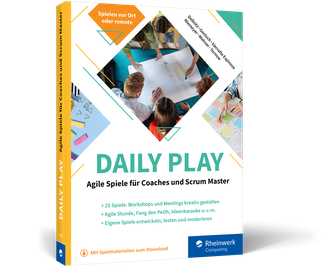
Daily Play
»Ein toller Ansatz, um Menschen miteinander ins Gespräch zu bringen, Ideen zu diskutieren und Denkblockaden zu durchbrechen.« Coworking Map, 07/2021Ein inspirierendes Buch für alle, die Workshops moderieren, sowie für Scrum Master und Coaches, die agile Spiele in ihren Trainings einsetzen möchten. Mit agilen Spielen förderst du Interaktion, Produktivität und nachhaltiges Lernen in deinen Teams. Das erfahrene Autorenteam zeigt in 25 Spielen, worauf es dabei ankommt, inklusive ausführlicher Spielanleitungen mit Hinweisen zu Vorbereitung, Moderation und Auswertung. Zudem gibt es einiges zu deiner Rolle als Spielleitung zu wissen – wirkungsvoll agil zu moderieren ist nämlich eine Kunst! Schärfe deinen Blick für Ziele und entwickle ein gutes Gespür für Situationen, Teamprozesse und Möglichkeiten. So setzt du agile Spiele in deinem Umfeld erfolgreich ein.Aus dem Inhalt:Über 20 konkrete AnleitungenFundierte EinführungZum Spiel einladen und eine wertschätzende Atmosphäre schaffenÜbersicht nach Funktion – finde das richtige SpielGekonnte Spielleitung und ModerationAufwärmen und mit Widerständen umgehenZielgruppen definierenZufall, Regeln und Hindernisse einsetzenErlebnisse teilen und auswertenEigene Spiele entwickelnLeseprobe (PDF-Link)

Windows Server (2. Auflg.)
Das umfassende Handbuch zum Windows Server 2019 in 2., aktualisierte und erweiterte Auflage.Der Windows Server ist das Herzstück Ihrer Firmen-IT – und dieses umfassende Handbuch zeigt Ihnen, wie Sie den sicheren Betrieb gewährleisten. Dazu erläutert es Ihnen alle Serverrollen und gibt praxisorientierte Antworten auf alle Fragen des täglichen Betriebs. Das Autorenteam aus Microsoft Premier Field Engineers und erfahrenen Administratoren liefert Ihnen detaillierte Hintergrundinformationen und zahlreiche Praxistipps, die dafür sorgen, dass Ihnen die Konfiguration reibungslos gelingt. Aus dem Inhalt: Neuerungen und FunktionsumfangAlle Rollen und FeaturesNetzwerkgrundlagen und -TopologienActive Directory: Benutzer, Gruppen, Rechte und DelegationenMigration von ServerdienstenPowerShell-GrundkursVirtualisierung mit Hyper-VPatchmanagement mit WSUSRemotedesktopdiesnte, VPN und NPSIntegration in AzureTroubleshooting und Sicherheit Inhalt (PDF-Link)Leseprobe (PDF-Link)

Wiko VIEW5 / VIEW5 Plus
Die verständliche Anleitung für Ihr Smartphone:- Alle Funktionen & Einstellungen auf einen Blick- Schritt für Schritt erklärt – mit praktischen TippsMit diesem smarten Praxisbuch gelingt Ihnen der schnelle und sichere Einstieg in Ihr Smartphone. Lernen Sie das Wiko VIEW5 / VIEW5 Plus von Grund auf kennen und beherrschen! Anschauliche Anleitungen, Beispiele und Bilder zeigen Ihnen gut nachvollziehbar, wie Sie Ihr mobiles Gerät optimal handhaben – von der Ersteinrichtung und Personalisierung über die große Funktionsvielfalt bis zu den wichtigsten Anwendungen. Nutzen Sie darüber hinaus die übersichtlichen Spicker-Darstellungen: Damit können Sie jene Bedienungsschritte, die man am häufigsten braucht, aber immer wieder vergisst, auf einen Blick finden und umsetzen. Freuen Sie sich auf viele hilfreiche Tipps und legen Sie ganz einfach los!Aus dem Inhalt:- Alle Bedienelemente des Wiko VIEW5 / VIEW5 Plus auf einen Blick- Ersteinrichtung und Tipps zum Umzug- Google-Konto erstellen und verwalten- Die Benutzeroberfläche Ihres Smartphones personalisieren- Apps aus dem Play Store herunterladen- Kontakte anlegen und im Adressbuch verwalten- Anrufe tätigen und SMS austauschen - Nachrichten über Mail und WhatsApp versenden und empfangen- Uhr, Kalender, Maps und andere praktische Apps nutzen - Fotos sowie Videos aufnehmen, verwalten und teilen- Ins Internet gehen über WLAN und mobile Daten - Updates, Datenschutz und Sicherheit
SQL Data Warehousing mit SAP HANA
Die Standardlösung SAP BW/4HANA passt nicht für Ihr Unternehmen? Dieses umfassende Handbuch zeigt Ihnen, wie Sie ein SQL Data Warehouse auf SAP HANA aufbauen. Von der Entwicklung einer geeigneten Architektur über die Datenmodellierung bis hin zur Beladung des Data Warehouse erfahren Sie anhand zahlreicher Beispiele, wie Sie vorgehen sollten. Auch die Anbindung an SAP Data Warehouse Cloud erläutert das erfahrene Autorenteam Ihnen. Aus dem Inhalt: Data-Warehousing-Ansätze von SAP im VergleichEinsatzgebiete von SQL Data WarehousingArchitektur- und DatenmodellierungskonzepteDevOps-AnsatzPhysisches, logisches und konzeptionelles DatenmodellEntwicklung auf der SAP-HANA-PlattformDatenspeicherung und -analyseDatenbeschaffung und BetriebWerkzeuge der SAP HANA Data Warehousing Foundation Einleitung ... 17 TEIL I. Einführung ... 23 1. Ziele und Einsatzgebiete von Data Warehousing ... 25 1.1 ... Neue Anforderungen an das Data Warehousing ... 27 1.2 ... Data-Warehousing-Ansätze von SAP im Vergleich ... 33 1.3 ... Warum SAP SQL Data Warehousing? ... 47 1.4 ... Zusammenfassung ... 53 2. Einführung in SAP HANA als Plattform ... 55 2.1 ... Architektur der SAP-HANA-Plattform ... 55 2.2 ... Die Funktionen der SAP-HANA-Plattform ... 63 2.3 ... Werkzeuge der SAP-HANA-Plattform ... 77 2.4 ... Zusammenfassung ... 83 TEIL II. Architektur- und Datenmodellierungskonzepte eines SQL Data Warehouse ... 85 3. Referenzarchitektur eines modernen Data Warehouse ... 87 3.1 ... Data-Warehouse-Architektur ... 87 3.2 ... Zweck der Referenzarchitektur ... 96 3.3 ... Konzeption und Vorteile der Referenzarchitektur ... 97 3.4 ... Bestandteile der Referenzarchitektur ... 98 3.5 ... Business-Intelligence-Tools ... 108 3.6 ... Zusammenfassung ... 109 4. Entwicklungsansatz für das SAP SQL DWH ... 111 4.1 ... Unterschiedliche Entwicklungsansätze im Vergleich ... 111 4.2 ... DevOps-Ansatz für SAP SQL Data Warehousing ... 126 4.3 ... Zusammenfassung ... 139 5. Methodische Grundlagen für das Data Warehousing ... 141 5.1 ... Modellierungsprozess ... 142 5.2 ... Modellierungsarten ... 154 5.3 ... Prozessorganisation ... 178 5.4 ... Teamarbeit und Prozessautomatisierung ... 181 5.5 ... Zusammenfassung ... 187 6. Technische Grundlagen ... 189 6.1 ... Infrastruktur ... 190 6.2 ... Core Data Services ... 201 6.3 ... Persistenztypen ... 211 6.4 ... Datenzugriff ... 214 6.5 ... Datentransformation und Orchestrierung ... 236 6.6 ... Analyseobjekte ... 245 6.7 ... Sonstige Datenbankobjekte ... 255 6.8 ... Zusammenfassung ... 258 TEIL III. Modellierung und Implementierung eines SQL Data Warehouse ... 259 7. Modellierung des konzeptionellen Datenmodells ... 261 7.1 ... Issue Tracking ... 262 7.2 ... Anforderungsaufnahme ... 266 7.3 ... Zusammenfassung ... 279 8. Modellierung der physischen Datenmodelle ... 281 8.1 ... Erstellen des Datenmodells der Quellsysteme ... 283 8.2 ... Erstellen des quellgetriebenen Datenmodells ... 292 8.3 ... Erstellen des Core-Datenmodells ... 303 8.4 ... Erstellen der analytischen Datenmodelle ... 321 8.5 ... Export der Datenmodelle ... 331 8.6 ... Zusammenfassung ... 334 9. Entwicklung des SQL Data Warehouse ... 337 9.1 ... Initialisierung von Git und SAP Web IDE ... 338 9.2 ... Import der SAP-PowerDesigner-Datenmodelle ... 342 9.3 ... Datenzugriff ... 346 9.4 ... Datentransformation ... 357 9.5 ... Implementierung von Calculation Views im Virtual Analytical Layer ... 378 9.6 ... Implementierung von Calculation Views in Data Marts ... 387 9.7 ... Berechtigungskonzept für analytische Sichten ... 391 9.8 ... Zusammenfassung ... 393 10. Deployment des SAP SQL Data Warehouse ... 395 10.1 ... Manuelles Deployment ... 396 10.2 ... Automatisches Deployment ... 400 10.3 ... Testautomation ... 404 10.4 ... Zusammenfassung ... 408 11. Beladung und Betrieb des SQL Data Warehouse ... 409 11.1 ... Beladung und Orchestrierung ... 410 11.2 ... Data Lifecycle Manager ... 415 11.3 ... Data Distribution Optimizer ... 419 11.4 ... Data Warehouse Monitoring ... 425 11.5 ... Zusammenfassung ... 426 TEIL IV. Ergänzende Werkzeuge ... 429 12. SAP Analytics Cloud ... 431 12.1 ... SAP Analytics Cloud im Überblick ... 432 12.2 ... Anbinden von Datenquellen ... 436 12.3 ... Datenmodellierung ... 441 12.4 ... Erstellen von Storys ... 446 12.5 ... Zusammenfassung ... 452 13. SAP Data Warehouse Cloud ... 453 13.1 ... SAP Data Warehouse Cloud im Überblick ... 454 13.2 ... SAP Data Warehouse Cloud und SAP SQL DWH ... 474 13.3 ... Zusammenfassung ... 483 14. SAP Data Intelligence ... 485 14.1 ... Architektur von SAP Data Intelligence ... 486 14.2 ... Datenmanagement und Datenorchestrierung ... 494 14.3 ... Machine Learning ... 504 14.4 ... Anwendungsbeispiel für SAP Data Intelligence ... 514 14.5 ... SAP Data Intelligence und SAP SQL DWH ... 532 14.6 ... Zusammenfassung ... 540 Abkürzungsverzeichnis ... 543 Literaturverzeichnis ... 549 Die Autoren ... 553 Index ... 555

SAP Cloud Integration
Sie möchten SAP-Cloud-Services zusammen mit Ihren On-Premise-Anwendungen einsetzen? Dann lesen Sie in diesem Buch, wie Sie Integration Flows modellieren und überwachen, um Daten zwischen diesen beiden Welten auszutauschen. Sie werden durch alle Bereiche von SAP Cloud Integration (vormals SAP Cloud Platform Integration) geführt und lernen dabei die Verwendung der verschiedenen Komponenten wie Events und Routing sowie die Anwendung der unterschiedlichen Connectivity-Adapter. Aus dem Inhalt: Architektur und VersionenNeo- und Cloud-Foundry-UmgebungKonfiguration und EinrichtungIntegrationskomponenten und AdapterMonitoring und SicherheitIntegrationsflüsse modellieren und ausführenMit Mappings- und XML-Daten arbeitenCloud Connector und API-ZugriffeTransport von Integrationen Einleitung ... 15 1. Grundlagen ... 21 1.1 ... Cloud Computing ... 21 1.2 ... SAP Business Technology Platform ... 26 1.3 ... Einführung in SAP Cloud Integration ... 37 1.4 ... SAP Integration Suite ... 41 1.5 ... Zusammenfassung ... 51 2. Einrichtung von SAP Cloud Integration ... 53 2.1 ... Einen Trial Account für SAP Cloud Integration einrichten ... 53 2.2 ... SAP Cloud Integration in der Neo-Umgebung einrichten ... 67 2.3 ... Ihre erste Integration erstellen ... 70 2.4 ... Zusatzinformationen und Dokumentation verwenden ... 74 2.5 ... Zusammenfassung ... 78 3. Discover-Oberfläche ... 79 3.1 ... Einführung in die Discover-Oberfläche ... 79 3.2 ... Beispiele für vordefinierte Integrationsszenarien ... 91 3.3 ... Prozessinformationen mit dem SAP Best Practices Explorer abrufen ... 96 3.4 ... Zusammenfassung ... 100 4. Design-Oberfläche ... 101 4.1 ... Pakete und Artefakte ... 101 4.2 ... Versionierung ... 121 4.3 ... Grundlagen zur Erstellung einer Integration ... 123 4.4 ... Zusammenfassung ... 138 5. Monitor-Oberfläche ... 139 5.1 ... Startseite der Monitor-Oberfläche im Überblick ... 139 5.2 ... Integration Flows überwachen ... 143 5.3 ... Veröffentlichte Artefakte überwachen ... 155 5.4 ... Sicherheitseinstellungen ... 160 5.5 ... Datenspeicherung verwalten ... 185 5.6 ... Log-Einträge ... 191 5.7 ... Gesperrte Objekte verwalten ... 194 5.8 ... Zusammenfassung ... 195 6. Settings-Oberfläche ... 197 6.1 ... Produktprofile ... 198 6.2 ... Transporteinstellungen ... 202 6.3 ... ES Repository ... 203 6.4 ... Custom Tags ... 207 6.5 ... Zusammenfassung ... 213 7. Komponenten und Adapter ... 215 7.1 ... Integrationskomponenten ... 215 7.2 ... Adapter ... 282 7.3 ... Zusammenfassung ... 311 8. Wichtige Grundfunktionen ... 313 8.1 ... Apache Camel und Expressions ... 314 8.2 ... Bedingungen mit Vergleichsoperatoren definieren ... 317 8.3 ... XML und XPath ... 319 8.4 ... Parametrisierung mit der Funktion »Externalize« ... 322 8.5 ... Migration von Komponenten ... 327 8.6 ... Erweiterungskonzept für Integrationsszenarien ... 329 8.7 ... Aufbau von Nachrichten ... 334 8.8 ... Dokumentation der Header- und Property-Variablen ... 335 8.9 ... Partner Directory ... 336 8.10 ... Verfügbarkeit von Services und Rechenzentren prüfen ... 340 8.11 ... Zusammenfassung ... 343 9. Ergänzende Werkzeuge ... 345 9.1 ... HTTP-Anfragen mit Postman verschicken ... 345 9.2 ... WSDL-Dateien mit SoapUI öffnen ... 354 9.3 ... Große Dateien mit Notepad++ bearbeiten ... 357 9.4 ... Groovy-Skripte mit Atom entwickeln ... 360 9.5 ... Weitere Werkzeuge der SAP Community ... 363 9.6 ... Zusammenfassung ... 370 10. Design Guidelines zur Anwendung der Komponenten ... 371 10.1 ... Enterprise Integration Patterns ... 372 10.2 ... Fehlerbehandlung ... 389 10.3 ... Skripte erweitern ... 401 10.4 ... Sicherheit ... 415 10.5 ... Mit dem Partner Directory arbeiten ... 424 10.6 ... Zusammenfassung ... 429 11. Prüfen, Testen und Debugging ... 431 11.1 ... Simulation ... 431 11.2 ... Debugging und Tracing ... 438 11.3 ... Debugging-Skripte ... 444 11.4 ... Zusammenfassung ... 449 12. Konnektivität ... 451 12.1 ... Transport von Integrationen ... 451 12.2 ... Cloud Connector ... 466 12.3 ... API-Zugriff auf SAP Cloud Integration ... 489 12.4 ... SAP Cloud Integration im Zusammenspiel mit anderen Services der SAP BTP ... 501 12.5 ... Zusammenfassung ... 504 13. Beispiele für Integrationsszenarien ... 505 13.1 ... Einen Lead in SAP Sales Cloud anlegen ... 506 13.2 ... Serviceabruf in SAP Field Service Management ... 530 13.3 ... Lieferantenrechnung in SAP S/4HANA Cloud anlegen ... 547 13.4 ... Zusammenfassung ... 575 14. Ausblick und weiterführende Informationen ... 577 14.1 ... Weiterführende Informationen ... 577 14.2 ... Geplante Funktionen ... 592 14.3 ... Zusammenfassung ... 596 Der Autor ... 597 Index ... 598

Pinterest-Marketing
Pinterest ist der versteckte Stern am Marketing-Himmel. Nutze die Stärken von Pinterest und leite so mehr Traffic auf deine Website. Die Nutzerinnen und Nutzer lassen sich auf der Plattform inspirieren und verwenden sie als visuelle Suchmaschine. Das Gute daran? Marken-Content ist hier gern gesehen. Mit diesem Praxisbuch erhältst du das nötige Know-how, um erfolgreiches Pinterest-Marketing zu betreiben. Die beiden Autorinnen zeigen dir, wie die Plattform funktioniert und welche Möglichkeiten sich für dich bieten.Sie geben dir das Gesamtpaket in die Hand: vom verständlichen Einstieg, der Optimierung deiner Inhalte und Pins, der richtigen strategischen Planung bis zum Einsatz von Werbeanzeigen und der Auswertung der Zahlen mit Pinterest Analytics. So setzt du Pinterest gewinnbringend für deine Zwecke ein! Aus dem Inhalt: Die Einsatzmöglichkeiten von PinterestRundgang durch die PlattformOptimierung deiner Inhalte und PinsPinterest-SEODie unterschiedlichen Pin-FormateDie richtige Strategie für dein BusinessWebsite, Bilder und Videos optimierenWerbeanzeigen mit dem Ads ManagerPinterest Analytics: die Zahlen auswertenCommunity Management und Monitoring Geleitwort ... 13 1. Einführung in das Pinterest-Marketing ... 15 2. Über Pinterest ... 23 2.1 ... Eine Reise durch die Benutzeroberfläche von Pinterest ... 24 2.2 ... Die Customer Journey auf Pinterest ... 27 2.3 ... Warum Pinterest die ideale Plattform für Blogger, Unternehmerinnen und E-Commerce ist ... 32 2.4 ... Für welche Branchen ist Pinterest interessant? ... 38 2.5 ... Was du vor deinem Start über Pinterest wissen solltest ... 39 3. Mit strategischer Planung zum erfolgreichen Pinterest-Auftritt ... 45 3.1 ... Lerne die Zielgruppe auf Pinterest kennen ... 46 3.2 ... Erstelle deine Persona ... 55 3.3 ... Zieldefinition: Was möchtest du auf Pinterest erreichen? ... 60 3.4 ... Finde die passende Themenwolke für dein Unternehmen und deine Zielgruppe ... 61 4. Deine ersten Schritte auf Pinterest: die Profileinrichtung, Teil 1 ... 71 4.1 ... Unternehmenskonto einrichten ... 71 4.2 ... Rich Pins ... 82 5. SEO: Optimiere deine Inhalte für die visuelle Suchmaschine ... 87 5.1 ... Was sind die Ranking-Faktoren auf Pinterest? ... 87 5.2 ... So funktioniert die Keyword-Recherche auf Pinterest ... 89 5.3 ... Strategische Nutzung von Keywords auf Pinterest ... 95 5.4 ... Formulierungstipps für klickstarke Pin-Überschriften ... 101 6. Der perfekte Pin: Pin-Formate und Designtipps für klickstarke Pins ... 111 6.1 ... Pin-Formate im Überblick: Standard-Pin, Karussell-Pin, Video-Pin, Idea-Pin ... 113 6.2 ... Wie fallen deine Pins im Feed auf? ... 120 6.3 ... Best Practice: Designregeln, die auf jedem deiner Pins umgesetzt werden sollten ... 121 6.4 ... Designregeln für weitere Pin-Formate ... 136 6.5 ... 85 % mobil: Optimiere für mobile Endgeräte ... 160 7. Deine ersten Schritte auf Pinterest: die Profileinrichtung, Teil 2 ... 163 7.1 ... Funktionen und Einrichtung von Pinnwänden ... 163 7.2 ... So lädst du deine ersten Pins hoch ... 174 8. Pin-Strategie: So holst du das Bestmögliche aus deinen Inhalten heraus ... 191 8.1 ... Content Upcycling -- erstelle zeitsparend viel Content auf einmal ... 191 8.2 ... Strategische Verteilung der Pins auf deine Pinnwände ... 202 8.3 ... Scheduling auf Pinterest ... 210 8.4 ... Zeitsparend mit Planungstools: im Vergleich ... 212 9. Optimiere deine Website und deinen Blog für Pinterest ... 215 9.1 ... Pinterest-Nutzerinnen und -Nutzer da abholen, wo sie ankommen ... 216 9.2 ... Optimiere deine Website, um auf Pinterest aufmerksam zu machen ... 226 10. Pinterest Analytics: Werte deine Zahlen richtig aus ... 243 10.1 ... Was ist Pinterest Analytics? ... 244 10.2 ... Einfach erklärt: die Analytics-Metriken ... 244 10.3 ... Rundgang: die Analytics-Navigation ... 247 10.4 ... Gewusst wie: So wertest du deine Pinterest-Analytics-Zahlen aus ... 262 10.5 ... So erstellst du aus deinen Zahlen ein Reporting ... 269 10.6 ... Zusätzliche Erkenntnisse in Tailwind Insights ... 270 11. Werbeanzeigen ... 273 11.1 ... Kampagnen erstellen -- eine Anleitung für den Ads Manager ... 276 11.2 ... Werbekampagnen planen ... 289 11.3 ... Pinterest Ads: So erstellst du zielführende Werbeanzeigen ... 294 11.4 ... Kampagnen verwalten und optimieren ... 309 11.5 ... Praxistipps ... 318 12. Community-Management und -Monitoring ... 323 12.1 ... Die Entwicklungen im Community-Management ... 323 12.2 ... Community-Management ... 325 12.3 ... Community-Monitoring ... 333 13. Bonus: Hilfreiche Tipps und Tricks ... 335 13.1 ... Weitere Einsatzmöglichkeiten von Pinterest ... 335 13.2 ... Hilfreiche Tools und ihre Einsatzgebiete ... 342 13.3 ... Pinterest-Workflow -- alle wichtigen Aufgaben auf einen Blick ... 347 13.4 ... Pinterest und Recht -- was sollte ich wissen? ... 357 13.5 ... E-Commerce auf Pinterest ... 362 Index ... 373
SAP Fieldglass
Sparen Sie Ressourcen und sichern Sie die Compliance Ihres Unternehmens! Dieses praktische Handbuch stellt Ihnen alle wichtigen Module von SAP Fieldglass und ihren Einsatz bei der Personalbeschaffung vor. Sie lernen, wie Sie Fieldglass implementieren und konfigurieren, wie Sie die einzelnen Module verwenden und welche übergreifenden Funktionen es z. B. für das Reporting bietet. Auch die Integration mit SAP S/4HANA und Cloud-Produkten wie SuccessFactors und Ariba wird beschrieben. Aus dem Inhalt: Beschaffungsprozesse und ModuleManaged Service Provider (MSP)Fremdpersonal und LeistungsbeschreibungenDienst- und WerkverträgeProfilmitarbeiter*innenTarife und RatenTätigkeits- und AusgabennachweiseOnboarding und OffboardingDatenaufbewahrungReportingStandard- und produktisierte Integrationen Danksagungen ... 19 Vorwort ... 23 Foreword ... 25 Über dieses Buch ... 27 TEIL I. SAP Fieldglass - Übersicht und Prozesse ... 31 1. Einführung in SAP Fieldglass ... 33 1.1 ... Einsatzfelder ... 34 1.2 ... Positionierung im Intelligent Enterprise ... 37 1.3 ... Programmorganisation ... 39 1.4 ... Implementierung und Lifecycle Management ... 42 1.5 ... Benutzeroberfläche ... 47 1.6 ... Zusammenfassung ... 52 2. Architektur: Beschaffungsprozesse und Module ... 53 2.1 ... Zugang und Module ... 53 2.2 ... Beschaffungsprozesse ... 55 2.3 ... Periphere Module ... 66 2.4 ... Zusammenfassung ... 82 3. Fremdpersonal: Prozesse und Funktionen ... 83 3.1 ... Beschaffungsprozess ... 83 3.2 ... Prozessdetails ... 87 3.3 ... Typ des Fremdpersonals und Tätigkeitsprofilvorlagen ... 107 3.4 ... Qualifikationen ... 113 3.5 ... Bewerbungsgespräch ... 115 3.6 ... Arbeitnehmerüberlassung in Deutschland ... 118 3.7 ... Zusammenfassung ... 119 4. Ausschreibungen und Leistungsbeschreibungen: Prozesse und Funktionen ... 121 4.1 ... Ausschreibungen und Leistungsbeschreibungen ... 123 4.2 ... Funktionen, Einstellungen und Prozesse ... 136 4.3 ... Klassifizierung der Ausschreibungen und Leistungsbeschreibungen ... 138 4.4 ... Leistungsbeschreibungstyp ... 142 4.5 ... Leistungsbeschreibungsvorlagen ... 148 4.6 ... Weitere Konfigurationen und Überlegungen ... 155 4.7 ... Einzelposten und Bibliotheken ... 159 4.8 ... Anwendungsfälle und Beispiele ... 190 4.9 ... Zusammenfassung ... 192 TEIL II. Modulübergreifende Funktionen ... 193 5. Unternehmensstruktur ... 195 5.1 ... Implementierung ... 196 5.2 ... Master Data: Einsatzort und Ort ... 198 5.3 ... Master Data: Geschäftsbereich ... 204 5.4 ... Master Data: Kostenstelle ... 207 5.5 ... Master Data: Rechtseinheit ... 213 5.6 ... Art der Arbeit ... 217 5.7 ... Benutzer ... 218 5.8 ... Benutzerrolle ... 226 5.9 ... Lieferanten ... 228 5.10 ... Externe Mitarbeiter*innen ... 236 5.11 ... Zusammenfassung ... 249 6. Tarife und Raten ... 251 6.1 ... Raten im Beschaffungsprozess ... 251 6.2 ... Grundkenntnisse ... 259 6.3 ... Ratengestaltung ... 265 6.4 ... Komplexe Ratenstrukturen ... 285 6.5 ... Anwendungsfälle und Überlegungen ... 300 6.6 ... Zusammenfassung ... 305 7. Tätigkeitsnachweise, Ausgabennachweise und Rechnungsstellung ... 307 7.1 ... Tätigkeitsnachweise ... 308 7.2 ... Ausgabennachweis ... 327 7.3 ... Rechnung für Sonstiges ... 334 7.4 ... Rechnungsstellung ... 337 7.5 ... Zusammenfassung ... 347 8. Andere Einstellungen ... 349 8.1 ... Kundenspezifische Felder ... 350 8.2 ... Kundenspezifisches Lookup ... 361 8.3 ... Stellencodes ... 362 8.4 ... Kategorien ... 363 8.5 ... Gründe ... 363 8.6 ... Genehmigungen ... 364 8.7 ... Messaging und Benachrichtigungen ... 373 8.8 ... Systemnotifikationen ... 380 8.9 ... Social Enterprise ... 386 8.10 ... Zusammenfassung ... 392 9. Compliance ... 393 9.1 ... Aktivitätsposten und Aktivitäten-Checklisten ... 393 9.2 ... Meilensteine ... 404 9.3 ... Vermögensgegenstandstypen ... 406 9.4 ... Elektronische Signatur mit DocuSign ... 407 9.5 ... Zusammenfassung ... 411 10. Berichte und Analysen ... 413 10.1 ... Voreinstellungen und Voraussetzungen ... 414 10.2 ... Berichtsfelder und Formeln ... 418 10.3 ... Berichterstellung ... 421 10.4 ... Analysewerkzeuge und Analysefunktionen ... 428 10.5 ... Empfehlungen zur effektiven Verwendung der Reporting-Funktion ... 436 10.6 ... Zusammenfassung ... 438 11. Datenaufbewahrung ... 439 11.1 ... Datenhaltungsrichtlinien verwalten ... 439 11.2 ... Löschen von Benutzerinformationen ... 447 11.3 ... Zusammenfassung ... 449 TEIL III. Integrationen und Zusammenspiel mit anderen SAP-Produkten ... 451 12. Standardintegrationen ... 453 12.1 ... Übersicht ... 454 12.2 ... Standard-Konnektoren ... 459 12.3 ... Configuration Manager ... 469 12.4 ... Single Sign-On ... 481 12.5 ... Produktisierte Integrationen ... 484 12.6 ... SAP Fieldglass Integrations Add-on 1.0 ... 485 12.7 ... Zusammenfassung ... 488 13. Integration mit SAP SuccessFactors ... 489 13.1 ... Produktisierte Integrationen: Übersicht ... 490 13.2 ... Master-Data-Integration ... 493 13.3 ... Position-Management-Integration ... 499 13.4 ... Mitarbeiterdaten-Integration ... 506 13.5 ... Zusammenfassung ... 512 14. Integration mit SAP Ariba ... 513 14.1 ... Produktisierte Integrationen: Übersicht ... 514 14.2 ... Master-Data-Integration ... 519 14.3 ... Transaktionale Integrationen: Übersicht ... 524 14.4 ... SAP Ariba Sourcing und SAP Ariba Contracts ... 527 14.5 ... Beschaffungsintegration: Bestellanforderung/Bestellung ... 531 14.6 ... Rechnungsintegration ... 540 14.7 ... Zusammenfassung ... 547 15. Integration mit SAP S/4HANA ... 549 15.1 ... Produktisierte Integrationen: Übersicht ... 550 15.2 ... Replikation der Master Data von SAP S/4HANA nach SAP Fieldglass ... 555 15.3 ... Geschäftspartner-Replikation von SAP S/4HANA nach SAP Fieldglass ... 564 15.4 ... Transaktionsintegrationen ... 567 15.5 ... Beschaffungsintegration mit Bestellanforderung und Bestellung ... 571 15.6 ... Integration von Leistungserfassungsblättern ... 578 15.7 ... Rechnungsintegration ... 583 15.8 ... Zusammenfassung ... 588 Anhang ... 589 A ... Begriffserklärungen ... 591 B ... Reihenfolge der Implementierung ... 599 C ... Übersichten ... 605 Das Autorenteam ... 615 Index ... 619

SAP Business Technology Platform - Sicherheit und Berechtigungen
SAP in der Cloud? Aber sicher! Dieses Buch führt Sie in die Sicherheitsmechanismen der SAP Business Technology Platform (vormals SAP Cloud Platform) ein. Sie lernen, Benutzer und Berechtigungen für Ihre Szenarien einzurichten, sichere Verbindungen zu Cloud- und On-Premise-Systemen zu konfigurieren und mit den Administrationstools der Plattform zu arbeiten. Die Sicherheitsfunktionen sowohl der Neo- als auch der Cloud-Foundry-Umgebung werden umfassend vorgestellt. Aus dem Inhalt: Accounts und SpacesSichere KommunikationIdentity ProviderSAP Cloud Identity ServicesBenutzer, Rollen und BerechtigungenCloud ConnectorAPIs absichernAdministration per KommandozeileChecklisten und Praxisbeispiele Einleitung ... 13 1. Einführung in die SAP Business Technology Platform ... 17 1.1 ... Positionierung der SAP Business Technology Platform innerhalb der SAP-Strategie ... 18 1.2 ... Umgebungen der SAP Business Technology Platform ... 27 1.3 ... Architektur der SAP BTP ... 37 2. Sicherheit auf der SAP Business Technology Platform im Überblick ... 53 2.1 ... Sichere Kommunikation ... 53 2.2 ... Authentifizierung ... 63 2.3 ... Autorisierung ... 76 2.4 ... SAP Cloud Identity Services ... 79 2.5 ... SAP Cloud Identity Access Governance ... 120 2.6 ... Checkliste zur allgemeinen Sicherheit der SAP Business Technology Platform ... 122 3. Sicherheit und Berechtigungen in der Neo-Umgebung konfigurieren ... 125 3.1 ... Kommandozeile für die Neo-Umgebung einrichten ... 126 3.2 ... Benutzerverwaltung ... 129 3.3 ... Trust-Konfiguration ... 137 3.4 ... Berechtigungsverwaltung ... 148 3.5 ... Checkliste zu Sicherheit und Berechtigungen in der Neo-Umgebung ... 167 3.6 ... Beispiele für die Benutzer- und Berechtigungsverwaltung aus der Praxis ... 168 4. Sicherheit und Berechtigungen in der Cloud-Foundry-Umgebung konfigurieren ... 191 4.1 ... Kommandozeile für die Cloud-Foundry-Umgebung einrichten ... 193 4.2 ... Benutzerverwaltung ... 195 4.3 ... Trust-Konfiguration ... 198 4.4 ... Berechtigungsverwaltung ... 203 4.5 ... Checkliste zu Sicherheit und Berechtigungen in der Cloud-Foundry-Umgebung ... 217 4.6 ... Beispiele für die Benutzer- und Berechtigungsverwaltung aus der Praxis ... 219 5. Cloud Connector ... 239 5.1 ... Architektur ... 240 5.2 ... Installation und Konfiguration des Cloud Connectors ... 244 5.3 ... Authentifizierungsmethoden ... 256 5.4 ... Cloud-zu-on-Premise-Verbindungen ... 258 5.5 ... Einrichtung des SAP Destination Service ... 276 5.6 ... Checkliste für die Konfiguration des Cloud Connectors ... 281 5.7 ... Beispiele zur sicheren Konfiguration des Cloud Connectors in der Praxis ... 282 6. Administrationswerkzeuge der SAP Business Technology Platform ... 299 6.1 ... Administration der Neo-Umgebung über die Kommandozeile ... 300 6.2 ... Verwaltung des Global Accounts mit dem SAP BTP Command Line Interface ... 303 6.3 ... Administration über APIs ... 305 6.4 ... Checkliste zur Arbeit mit der Kommandozeile und APIs ... 331 6.5 ... Beispiele zur sicheren Verwendung der Kommandozeile ... 331 7. Sicherheitsaspekte wichtiger Cloud-Services ... 339 7.1 ... SAP Web IDE und SAP Business Application Studio ... 341 7.2 ... SAP Cloud Integration ... 348 7.3 ... SAP API Management ... 362 7.4 ... SAP Cloud Portal Service und SAP Launchpad Service ... 366 7.5 ... SAP Internet of Things ... 371 7.6 ... SAP BTP, ABAP Environment ... 375 7.7 ... Corporate User Store ... 380 7.8 ... Checkliste zur Absicherung von Cloud-Services ... 383 Das Autorenteam ... 385 Index ... 387