

Hardware

Computers For Seniors For Dummies
A SIMPLE GUIDE TO COMPUTERS THAT'LL SHOW YOU WHAT ALL THE FUSS IS ABOUTMost people new to computers find them a little intimidating at first. But with the right guidance, even a total novice can be sending email and banking online in no time at all. Computers For Seniors For Dummies is your must-have computing companion, full of crystal clear, step-by-step instructions for accessing websites, opening and using programs, and keeping yourself safe from viruses and hackers. And unlike the confusing "tips" from your son-in-law, you can rely on the For Dummies brand to deliver advice that actually works! Whether you've set up your computer and are ready to start using it or it's still sitting in the box, this book walks you through each and every step you need to take to connect with your family or share your photos with your friends on Facebook. It'll also show you how to:* Research topics you're interested in on the web while steering clear of malicious websites and emails that can harm your computer* Shop online in a way that keeps your credit card info secure* Find recipes, diet tips, the latest news, or your favorite TV showComputers For Seniors For Dummies is your one-stop resource for taking control of your computer, transforming it from an expensive paperweight into the most useful gadget in your home. Filled with easy-on-the-eyes type and tons of explanatory images, this is the book that will finally get you up to speed on personal computing. FAITHE WEMPEN is a computer and information technology instructor at Indiana University Purdue University at Indianapolis. She designs online technology courses for corporate clients and is the author of over 150 books on computer hardware and software.Introduction 1PART 1: GET GOING! 5Chapter 1: Buying a Computer 7Chapter 2: Setting Up Your Computer 33Chapter 3: Buying and Setting Up a Printer 61PART 2: GETTING UP TO SPEED WITH WINDOWS 75Chapter 4: Working with Apps in Windows 77Chapter 5: Six Great Apps that Come with Windows 107Chapter 6: Managing Your Personal Files 127Chapter 7: Making Windows Your Own 153PART 3: GOING ONLINE 175Chapter 8: Getting Connected to the Internet 177Chapter 9: Browsing the Web 191Chapter 10: Staying Safe While Online 213Chapter 11: Keeping in Touch with Mail 233Chapter 12: Working in the Cloud 253Chapter 13: Connecting with People Online 269PART 4: HAVING FUN 289Chapter 14: Let’s Play a Game! 291Chapter 15: Creating and Viewing Digital Photos and Videos 305Chapter 16: Listening to Music on Your PC 325PART 5: WINDOWS TOOLKIT 341Chapter 17: Working with Networks 343Chapter 18: Protecting Windows 361Chapter 19: Maintaining Windows 373Index 389

iMac For Dummies
SAY HELLO TO YOUR IMAC WITH THIS BESTSELLING GUIDEExcited to put your cool iMac through its paces? Go ahead! Say “Hey Siri” to look up information, use the large monitor to play a game or watch a movie, share documents with your iPhone or iPad, or video chat with friends or family. With its optimized system speed, your iMac can keep up with anything you want to do. How cool is that?Your iMac comes stuffed with features, and iMac For Dummies is your tour guide to explore all of them! This updated handbook has you covered, no matter if you need to work or want to play. You can:* Scroll, tap, and swipe your way through the Mac operating system * Set up Bluetooth, Wi-Fi, and other settings in Control Center * Say “Hey Siri” to have the Apple assistant search for information or launch apps * Play video games, music, movies, or TV * Stay in touch with people through Messages and Facetime * Use productivity apps, including Numbers, Pages, and Keynote * Sync to iCloud and across all your Apple devices The all-in-one design of the iMac with its monitor, processor, graphics card, and internal drive makes it ideal for work and entertainment. Pick up your copy of this comprehensive guide to the iMac, filled with screenshots and how-to steps, and ensure you use your iMac to its full potential.MARK L. CHAMBERS is a technical author, computer consultant, programmer, and hardware technician with over 30 years of experience. He has written over 30 computer books, including MacBook For Dummies, 9th Edition and Macs For Seniors For Dummies, 4th Edition.Introduction 1PART 1: GETTING STARTED WITH YOUR IMAC 5Chapter 1: Okay, This Machine Looks Really, Really Weird 7Chapter 2: Life! Give My iMac Life! 25Chapter 3: The Basics Behind macOS Monterey 33PART 2: SHAKING HANDS WITH MACOS 77Chapter 4: What’s New in Monterey? 79Chapter 5: A Nerd’s Guide to System Preferences 85Chapter 6: Searching Amidst iMac Chaos 107Chapter 7: Putting Common Apps to Work 117PART 3: CONNECTING AND COMMUNICATING 135Chapter 8: Let’s Go on Safari! 137Chapter 9: Expanding Your Horizons with iCloud 159Chapter 10: Creating a Multiuser iMac 167Chapter 11: Working Well with Networks 187Chapter 12: Hooking Up with Handy Helpers 207PART 4: LIVING THE DIGITAL LIFE 219Chapter 13: The Multimedia Joys of Music and TV 221Chapter 14: Focusing on Photos 245Chapter 15: Making Film History with iMovie 265Chapter 16: Recording Your Hits with GarageBand 285PART 5: GETTING PRODUCTIVE WITH YOUR IMAC 303Chapter 17: Desktop Publishing with Pages. 305Chapter 18: Creating Spreadsheets with Numbers 319Chapter 19: Building Presentations with Keynote 335PART 6: THE NECESSARY EVILS: TROUBLESHOOTING, UPGRADING, AND MAINTAINING 349Chapter 20: It Just Sits There 351Chapter 21: I Want to Add Stuff 365Chapter 22: Tackling the Housekeeping 377PART 7: THE PART OF TENS 393Chapter 23: Ten Ways to Speed Up Your iMac 395Chapter 24: Ten Things to Avoid Like the Plague 401Index 409

Running ESXi on a Raspberry Pi
Gain foundational knowledge of ESXi technology and understand why it is such a dominant force in the datacenter. This book also looks beyond ESXi to other vSphere technologies, such as virtual machines (VMs), vMotion, and vCenter Server.Knowing how these technologies complement ESXi running on a Raspberry Pi will help you get the most out of ESXi on Arm technologies. This marks a significant change for ESXi, and has created new learning opportunities and use cases for both seasoned ESXi users and users completely new to the virtualization space. For those already familiar with ESXi but new to the Raspberry Pi, you’ll develop an in-depth understanding of this device and why it has become such a popular platform for technologists.Once you’ve learned the fundamentals, you’ll be introduced to enterprise, edge, and personal use-cases for this technology. Then, you’ll be walked through the process of installing ESXi on a Pi, as well as managing and monitoring it. You will also come to recognize its strengths and limitations and become familiar with the storage and networking options that are currently available. Lastly, given the fact that the sole purpose of running ESXi on a Pi is to run VMs on it, you’ll receive detailed step-by-step instructions for installing popular OSes including Ubuntu, CentOS, and Raspberry Pi OS.WHAT YOU'LL LEARN* Build a fully functional ESXi server on a Raspberry Pi* Select the correct hardware for particular use cases* Create and optimize virtual machines running on a Pi* Run Kubernetes on a Pi running ESXiWHO THIS BOOK IS FORThose new to the datacenter who want a low-cost way to work with one of the most powerful datacenter technologies to experienced datacenter professionals who need to use ESXi on Arm to complement their enterprise’s long-term strategic goals.TOM FENTON has worked with virtualization for over two decades. He’s held staff and senior-level positions at VMware, IBM, ControlUp, and other high-tech companies. He wrote the first training course for Horizon, VMware’s virtual desktop product. He is a frequent contributor to StorageReview.com, Virtualization & Cloud Review magazine, and other blogs and websites. He lives in the Pacific Northwest and enjoys skiing, snowboarding, hiking, and trail riding. Chapter 1: ESXi on Arm on PiAbout This BookWhat You’ll Learn About ESXi on Arm on PiWho This Book Is ForIntroduction to ESXi on Arm on PiIntroduction to Virtual MachinesIntroduction to ESXiIntroduction to ArmIntroduction to PiIntroduction to ESXi on Arm on PiLimitations on Using a Pi for ESXiExecutablesPi HardwareStorageRAMNICLicensing ESXi on ArmChapter 2: ESXi on Arm on Pi Use CasesLearning EnvironmentCorporate sandboxHome LabHome AssistantGame ServerLightweight VDI HostWeb DevelopmentEdge ServervSAN WitnessMicro vSphere ClusterFirewall for Small OfficeAutomation environment for PowerCLI and Terraform and packerKubernetesChapter 3: ESXi on Arm on Pi Build KitsRequirementsLow-Cost Naked BuildArgon One KitArgon One Kit M.2Argon One Kit Expansion BoardCluster Build 1Chapter 4: Installing ESXi on a PiHardware PreparationInstall Pi on microSD cardUpdate Pi eepromPrep microSD with UEFIInstall ESXi on the ArmModify Pi boot orderPost Installation ConfigurationChapter 5: ESXi Client for ManagementInstalling the ClientManaging ESXi using the ESXi ClientCreating a Virtual MachineMonitoring ESXi using the ESXi ClientGoing furtherChapter 6: vCenter Server for ManagementIntroduction to vCenter ServerInstalling the vCenter Server on x64 ESXiInstalling the vCenter Server on VMware WorkstationManaging ESXi using vCenter ServerCreating a Virtual MachineMonitoring ESXiChapter 7: Storage Options for ESXi on a PiDatastoresNFSiSCSILocal StorageThumb drivesSATA HDDSATA SSDNVMe in EncloserPerformance Comparison of Storage OptionsChapter 8: Virtual Machines on ESXiVirtual MachinesVMware ToolsvMotionCloning virtual machinesWhy Windows will Not WorkUbuntuRed HatSUSEFreeBSDChapter 9: Kubernetes on ESXiInstalling K3sSample KChapter 10: Going Further3rd Party Monitoring – Grafana3rd Party Monitoring - ControlUpStateless ESXi on ArmAdditional NICsHigh Availability and ESXivSphere Distributed SwitchConclusion

RP2040 Assembly Language Programming
Learn to program the Raspberry Pi Pico’s dual ARM Cortex M0+ CPUs in Assembly Language. The Pico contains a customer System on a Chip (SoC) called the RP2040, making it the Foundation’s first entry into the low-cost microcontroller market. The RP2040 contains a wealth of coprocessors for performing arithmetic as well as performing specialized I/O functionality. This book will show you how these CPUs work from a low level, easy-to-learn perspective.There are eight new Programmable I/O (PIO) coprocessors that have their own specialized Assembly Language supporting a wide variety of interface protocols. You'll explore these protocols and write programs or functions in Assembly Language and interface to all the various bundled hardware interfaces. Then go beyond working on your own board and projects to contribute to the official RP2040 SDK. Finally, you'll take your DIY hardware projects to the next level of performance and functionality with more advanced programming skills.WHAT YOU'LL LEARN* Read and understand the Assembly Language code that is part of the Pico’s SDK* Integrate Assembly Language and C code together into one program* Interface to available options for DIY electronics and IoT projectsWHO THIS BOOK IS FORMakers who have already worked with microcontrollers, such as the Arduino or Pico, programming in C or Python. Those interested in going deeper and learning how these devices work at a lower level, by learning Assembly Language.STEPHEN SMITH is a retired Software Architect, located in Gibsons, BC, Canada. He's been developing software since high-school, or way too many years to record. Since retiring he has pursued Artificial Intelligence programming, earned his Advanced HAM Radio License and enjoys mountain biking, hiking, and nature photography. He continues to write his popular technology blog at smist08.wordpress.com. Chapter 1: How to Set Up the Development EnvironmentAbout the Raspberry Pi PicoAbout the Host ComputerHow to Solder and WireHow to Install SoftwareA Simple Program to Ensure Things are WorkingChapter 2: Our First Assembly Language ProgramAbout the ARM ProcessorComputers and NumbersCPU RegistersARM Instruction FormatRP2040 MemoryAbout the GCC AssemblerFlashing LEDs in Assembly LanguageChapter 3: How to Build and Debug ProgramsCMakeGNU MakePrint StatementsGDBChapter 4: Loading and AddingNegative NumbersLittle Endian FormatHow to Shift and RotateMOV/MVNADD/ADCSUB/SBCChapter 5: How to Controll Program FlowUnconditional BranchAbout the CPSRBranch on ConditionAbout the CMP InstructionLoopsIf/Then/ElseLogical OperatorsDesign PatternsChapter 6: Thanks for the MemoriesHow to Define Memory ContentsHow to Load a RegisterPC Relative AddressingHow to Load from MemoryHow to Index Through MemoryHow to Store a RegisterHardware as MemoryIntroduction to DMAChapter 7: How to Call Functions and Use the StackThe StackBranch with LinkHow to Nest Function CallsFunction Parameters and Return ValuesHow to Manage the RegistersSummary of the Function Call AlgorithmStack FramesChapter 8: Interacting with C and the SDKHow to Call C RoutinesHow to Call Assembly Routines from CHow to Deal with Inline C RoutinesHow to Use SDK Header FilesChapter 9: How to Program the Built-in HardwareThe GPIO PinsAnalog to DigitalPWMChapter 10: How to Set and Catch InterruptsOverviewHow to Create an Interrupt HandlerTimers ExampleChapter 11: How to Initialize and Interact with Programmable I/OOverviewSDK SupportPIO InstructionsHow to Control TimingExamplesChapter 12: How to Connect Pico to IoTConnectivity OptionsUsing a UART or I2CInternet BasicsSecurityChapter 13: Multiplication, Division and Floating PointMultiplication CoprocessorDivision CoprocessorInterpolationFloating Point LibraryChapter 14: MultiprocessingUsing Both CPU CoresHow to Synchronize and Share ResourcesAudience: Intermediate
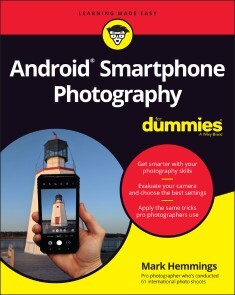
Android Smartphone Photography For Dummies
WAIT—YOU TOOK THAT AMAZING PICTURE?Taking a photo is as simple as point and click. Taking a good photo takes a bit more know-how, and Android Smartphone Photography For Dummies is your quick-and-easy guide. No matter what model of Android phone you have, this book teaches you to produce high-quality images using the powerhouse camera you carry in your pocket every day. You’ll learn the photography techniques pros use, like how to recognize beautiful outdoor lightning, how to capture moving subjects, and how to make stuff look good.Whatever kind of photos you want to take, this book will help you identify the gear and the apps you need for stunning results. With Dummies as your friendly instructor, you’ll be wowing your friends and family before you know it.* Explore your phone’s camera, including little-known advanced features that will make a big difference in your images * Figure out how to edit your pictures, correct lighting imbalances, apply neat filters, remove blemishes, and more * Learn the basic principles of photography and apply your knowledge to outdoor photography, action shots, and still life * Plus: capture video, organize your images, share photos online, choose a phone tripod, and protect your camera from the elements Dummies makes it easy for Android users of all skill levels to morph into masterful image-makers.MARK HEMMINGS is an internationally recognized professional photographer and instructor. Each year he conducts fun and informative photo workshops in Asia, Europe, the Middle East, and North America. He is the author of iPhone Photography for Dummies, published in 2020. He’s also a prolific online photography course instructor, with six courses available online and more to come.INTRODUCTION 1About This Book 1Foolish Assumptions 3Icons Used in This Book 3Beyond the Book 4Where to Go from Here 4PART 1: USING YOUR CAMERA STRAIGHT OUT OF THE BOX 5CHAPTER 1: INTRODUCING ANDROID SMARTPHONE PHOTOGRAPHY 7Becoming Familiar with Your Android Camera 8Single-lens models 8Dual-lens models 9Triple-lens models 9Models with more than three lenses 11Taking a Look Around the Camera App 12Taking a Picture 13Viewing Your Photo 15Editing Your Photo 16Sharing Your Photo 18CHAPTER 2: TAKING AN IN-DEPTH TOUR OF YOUR CAMERA 19Holding Your Phone Properly for Steady Photos 20Using Different Ways to Open Your Camera 24Zooming In to Your Subject 26Using the digital zoom 27Trying optical zoom instead of digital zoom 29Capturing Selfies with and without Background Blur 31Understanding When to Use (and Not to Use) the Camera Flash 32Photographing with the Camera Timer for Sharp Photos 36Landscape photography using your timer 36Family portraits 37Selfies with a tripod or stand 38CHAPTER 3: ALTERING YOUR CAMERA’S SETTINGS AND STORING YOUR PHOTOS 39Opening and Activating Google Photos 40Choosing Storage Options for Your Photos 42Deciding on photo upload quality 43Managing on-device photo storage 45Transferring photos to a PC or Mac 50Being Mindful of Cellular Data Over-Usage 52Allowing Your Camera to Track Your Location 57CHAPTER 4: TAKING A DEEP DIVE INTO THE CAMERA APP 59Preparing to Take Selfies 59Lighting and background 60Selfie sticks and stabilizers 62Taking Selfies 64Choosing the Portrait selfie mode 65Adjusting background blur amounts 65Adding facial skin smoothening 66Choosing your favorite selfie effect 68Adding Live Filters to your selfies 71Adjusting selfie zoom to add your friends into the picture 72Considering Alternate Aspect Ratios 73Creating Panorama Photos 77Horizontal panorama photos 78Vertical panorama photos 81PART 2: HAVING FUN WITH THE FUNDAMENTALS OF PHOTOGRAPHIC GENRES 83CHAPTER 5: CAPTURING THE PERFECT LANDSCAPE PHOTOGRAPH 85Camera Considerations: Levels and Exposure 85Levelling your camera 86Controlling exposure 87Lighting Considerations 90Photograph during the magic hours 90Timing the magic hours 90Gear Considerations 92Steadying your Android camera with a tripod 92Choosing a lens (for multi-lens Android cameras) 95Photography Tips for Your Next Outing 97Applying the Rule of Thirds for better compositions 97Framing an “L” shaped composition 98Positioning a primary and secondary subject 99CHAPTER 6: SHOOTING SPORTS PHOTOGRAPHY 101Camera Considerations: Using Burst Mode to Capture Motion 102Gear Considerations 105A tough smartphone protective case 105A smartphone screen protector 106Battery packs or battery cases 106Touch-sensitive gloves in cold weather 107Lighting Considerations 107Photographing into the setting sun 107Capturing team sports with the sun behind you 107Using the setting sun for portraits 110Incorporating cool and warm color tones 111Choosing high contrast lighting 111Photography Tips for Dynamic Sports Photos 112Using your Portrait mode 112Allowing the subject to enter the composition 114Choosing curved backgrounds 115Framing your athletes 116Creating negative space 117CHAPTER 7: SAVING MEMORIES THROUGH FAMILY AND INDIVIDUAL PORTRAITURE 119Camera Considerations: Portrait Mode and Lenses 119Knowing when to use Portrait mode 120Understanding lens compression 121Gear Considerations: Editing Tools for Better Compositions 123Lighting Considerations 125Avoiding certain types of interior lighting 125Dealing with interior backlighting 126Creating silhouettes for artistic family portraits 127Using shadows to create artistic portraits 127Placing family members in the shade for even light 129Photographing from a lower position 131Photography Tips for Your Next Portrait Session 132Taking multiple photos at your location 132Avoiding objects sticking out of people’s heads 133Composing small for artistic portraits 134Including family member’s interests 135Practicing close-up portraits 135Including mirrors for hands-free selfies 137Using food as bait for pet photos 138CHAPTER 8: PHOTOGRAPHING DURING YOUR TRAVELS AND VACATIONS 141Camera Considerations: Multiple Lenses and Exposure 141Photographing the same scene with multiple lenses 142Quickly using exposure control for fleeting subjects 143Gear Considerations 144Protecting your Android smartphone 144Packing a tripod 146Lighting Considerations 147Front light 147Back light 148Side light 14845-degree diagonal light 150Blue and golden hour light 152Lens flares from photographing into the setting sun 152Making use of cloudy days 154Photography Tips for Your Next Trip 156Leaving space for text 156Placing s-curves in your compositions 157Composing using geometric forms 159Reviewing newly discovered businesses 159Searching for faces 160CHAPTER 9: CREATING DYNAMIC STILL LIFE AND PRODUCT PHOTOGRAPHY 163Camera Considerations: Creating Background Blur 163Gear Considerations 166Choosing the background for your product 166Using tabletop tripods 168Lighting Considerations 170Using raking light for products 170Positioning for sunset light rays 171Exterior architecture photography 174Interior architecture photography 176Creating Beautiful Still Life Photos 176Positioning your background for equidistance 177Photographing through a window 177Photographing food 178CHAPTER 10: TAKING IT TO THE STREETS: PHOTOGRAPHING STRANGERS 181Camera Considerations: Choosing Lenses and Locations 182Choosing your lens 182Selecting your location 183Gear Considerations 185Lighting Considerations 187Tips for Your Next Street Photography Session 191Using arrows for conceptual street photography 192Considering the flow of your composition 192Converting your composition to black and white 193Choosing design-based backgrounds 193Appreciating the mundane 195Maintaining anonymity using scale and shadows 195Being sensitive to people’s privacy 196PART 3: EDITING, ORGANIZING, AND SHARING YOUR PHOTOS 199CHAPTER 11: EDITING WITH THE GOOGLE PHOTOS APP 201Using the Google Photos App Editing Tools 202Choosing a filter 202Saving changes 202Choosing between Save and Save as Copy 204Applying Filters 205Vivid 205West 206Palma 206Metro 207Eiffel 207Blush 207Modena 208Reel 208Vogue 209Ollie 209Bazaar 210Alpaca 210Vista 211Cropping a Photo 212Using the Auto Straightening tool 212Adjusting the crop handles 214Rotating your photo 216Understanding crop aspect ratios 218Rotating your photo 90 or 180 degrees 222Skewing your photo 223Editing Your Photography 228Editing Your Portrait Photos 234Portrait 235B&W Portrait 235Blur 236Depth 237Colour Focus 238Portrait Light 239CHAPTER 12: ORGANIZING AND SHARING YOUR PHOTOS LIKE A PRO 241Understanding Post-Production Workflows 241Deleting Unwanted Photos 242Deleting a photo 243Restoring a deleted photo 244Favoriting Photos with the Star icon 246Mastering Album Organization 247Selecting photos to create a new album 248Removing a photo from an album 251Naming albums logically 252Exploring the Search Tools 253Finding photos of a single person using People 253Checking your location using Places 255Using Things to locate photos by type 256Accessing photos using Your Activity 257Using Categories and Creations to sort by media type 257Sharing Your Photo Albums 259PART 4: THE PART OF TENS 263CHAPTER 13: TEN ANDROID APPS TO FURTHER YOUR SKILLS 265Adobe Photoshop Express 266Adobe Photoshop Camera 267Photo365 268Foodie 269Prisma Photo Editor 269Facetune2 270Canva 271VSCO 272TouchRetouch 273PhotoScan 274CHAPTER 14: TEN TIPS FOR CREATING STUNNING VIDEOS 277Accessing the Video Camera 277Properly Holding Your Camera for Videos 278Trimming the Length of Your Video Clip 279Reducing Video Shakiness 281Exporting a Still Frame 282Cropping Your Video 284Adjusting Your Video 286Applying Filters to Your Video 287Capturing Video Clips with Slow Motion 288Creating Time Lapse Video Clips 288CHAPTER 15: TEN EXTRA GOOGLE PHOTOS FEATURES 289Viewing the Memories Carousel 289Watching Creations 290Creating Auto Panoramas 291Adding a Partner Account 292Marking Up Your Photo 293Accessing Your Metadata 294Searching with Google Lens 295Buying Photo Books 296Creating Screenshots 297Clearing the Clutter 298Index 299

Arduino in Science
It’s a simple question, but do you know how to take basic measurements with your Arduino, Raspberry Pi or PC? A lot of the times, you know how to use microcontrollers, sensors, and programming skills to collect data. This book takes it one step further to teach you how to transform your PC, Raspberry Pi, and Arduino to a device that can measure, collect, and analyze data.You'll begin from a simple starting point reviewing the basics of electronics and digital and analog concepts. As you advance through this book, you’ll work through 10 exercises to develop a working knowledge of microcontroller properties and graphical data presentation concepts, basic electronic technology, and the fundamentals of controlling and acquiring data.Arduino in Science is your guide to monitoring and measuring physical – chemical parameters with integrated circuitry and physical computational systems.WHAT YOU’LL LEARN* Review fundamental human machine interfacing with supervisory control and data acquisition software* Examine timing, counting, and serial communication concepts* Adapt microcontrollers to perform sophisticated functions* Understand collection and presentation of dataWHO THIS BOOK IS FORBeginner-level students, citizen scientists, and hobbyists, and is also great for educators who can seamlessly implement this content into STEM programs.Richard J. Smythe attended Brock University in its initial years of operation in southern Ontario and graduated with a four year honours degree in chemistry with minors in mathematics and physics prior to attending the University of Waterloo for a master’s degree in analytical chemistry and computing science and a doctorate in analytical chemistry. After a post-doctoral fellowship at the State University of New York at Buffalo in electro-analytical chemistry Richard went into business in 1974 as Peninsula Chemical Analysis Ltd. Introduced in 1966 to time-shared computing with paper tapes, punched cards, BASIC prior to Fortran IV at Waterloo, the PDP 11 mini-computers and finally the PC, Richard has maintained a currency in physical computing using several computer languages and scripting codes. Professionally Richard has functioned as a commercial laboratory owner and is currently a consulting analytical chemist, a civil forensic scientist as PCA Ltd., a full partner in Walters Forensic Engineering in Toronto, Ontario and senior scientist for Contrast Engineering in Halifax Nova Scotia. A large portion of Richard's professional career consists of devising methods by which a problem that ultimately involves making one or more fundamental measurements can be solved by using the equipment at hand or using a readily available “off-the shelf/ out of the box” facility to provide the data required.Chapter 1: Button Control of LED Illumination.- Chapter 2: Power Control Monitoring and Creation of Dedicated Graphical User Interfaces.- Chapter 3: Introduction to Scripting.- Chapter 4: Data Entry from the Screen.- Chapter 5: Digital Signal Concepts and Digital Signal Outputs.- Chapter 6: Analog or Digital Conversions for Input and Output.- Chapter 7: Variable Intensity and Power Controls.- Chapter 8: Counting Events and Timing.- Chapter 9: Graphical Data Recording .- Chapter 10: Current Control.- Chapter 11: Microcontrollers and Serial Communications.-

Advanced Home Automation Using Raspberry Pi
Build a versatile home automation system from scratch. There are many ways of controlling home appliances with your smartphones, voice, gestures, etc. This book dives into the many options for for communicating with appliances wirelessly and we’ll discuss and implement the leading protocols in the field.In first few chapters, you will develop a basic understanding of the Raspberry Pi and how one can control it wirelessly from anywhere in the world. Then you’ll get to know about the local server for your home automation projects and control the Raspberry Pi GPIOs using smartphone and web apps. Every appliance will be able to talk to each other, as well, with the help of mesh networking, which you’ll learn to implement. The user interface is also an important aspect of handling all the appliances, so you’ll create your own user dashboard using OpenHAB. From there, you can monitor all the appliances and sensor data in one environment.Next, implement your own custom voice assistant to control your appliances and perform basic tasks like playing music, checking weather, etc. You’ll also integrate a smart door bell into your system using image processing so that you can restrict an unknown person’s entry. Finally, we’ll combine all the knowledge that we have learned to make a fully versatile home automation project controlled using voice, gestures, and image processing. Throughout this whole project, Raspberry Pi will be your master server or node and other devices will be connected wirelessly using wi-fi/Bluetooth modules. Create a smart home with fully custom interfaces to do exactly what you need!WHAT YOU'LL LEARN* Create a user interface using openHAB* Implement the MQTT protocol* Install Alexa and Google Home API to control appliances wirelesslyWHO THIS BOOK IS FOREnthusiasts with a working knowledge of the Raspberry Pi, electronic engineering, and Python programming. This book will also interest hobbyists and students from Computer Science or related disciplines.RISHABH JAIN has had strong success in national level robotics and innovations-based competitions with his team. He has a keen interest in technology that emerged in childhood when he would customize and experiment with his toys and electronic devices. He believes in “learning by doing”. He is an avid contributor on technical sites dedicated to learning hardware, from beginner to pro and has contributed 50+ projects, which include a stepwise writeup and project demonstration videos. Recently, he joined an India-based product design company as an Electronics and Embedded design engineer.Chapter 1 : Introduction to Raspberry Pi· Introduction· Raspberry Pi at a glance· Software and Hardware requirements· SetupChapter 2 : Controlling the Raspberry Pi Remotely· Remote server setup· Create a local server· Controlling Raspberry Pi GPIO using local serverChapter 3: Understanding MQTT Broker· What is MQTT Broker?· Packet Structure· Publisher and Subscriber· Installing Mosquitto BrokerChaptre 4: Controlling Raspberry Pi GPIO· Writing Python Program for GPIO· Using MQTT for controlling GPIO· Example code for getting sensor data on smartphoneChapter 5: Building Your Own Alexa and Google Home· How voice assistant works· Understanding flow of Amazon Alexa and Google home· Installing the Alexa voice assistant· Installing Google Home voice assistant· TestingChapter 6: Making a Wireless Node· What is Mesh networking?· Types of Mesh· Hardware requirements· Sensors and Modules· Implementation and TestingChapter 7: AC Light Dimming Node and Circuit Design· Basics of Electronics and components· Designing Dimming circuit· Designing PCB· TestingChapter 8: User Interface Using OpenHAB· What is openHAB?· Initial Setup· Installing in Raspberry Pi· Creating User Interface· TestingChapter 9: Custom Voice Assistant· What is STT and TTS and available types?· What is Jasper Framework?· Installing and setup process· Making Receipes· TestingChapter 10: GPIO Control Using Gestures· Sensor Requirement· Interfacing with the node· Coding and TestingChapter 11: Smart Door Bell and Integration· Camera Interfacing with Raspberry Pi· Basics of Image processing· Installing image processing Packages· Testing and Integration

Wahrheit und Fake im postfaktisch-digitalen Zeitalter
Die Zunahme von Fake News, die stärker werdende Beeinflussung von Wahlen, zunehmende Falschmeldungen und gezielte Desinformationskampagnen sind nicht zuletzt eine Folge der fortschreitenden Digitalisierung. Um diesen Fehlentwicklungen Einhalt zu gebieten, ist die Informationstechnik gefragt. Mit intelligenten Algorithmen und einer verfeinerten Datenanalyse müssen zukünftig Fakes schneller erkannt und deren Verbreitung verhindert werden. Um jedoch Fakes mittels künstlicher Intelligenz sinnvoll zu erkennen und zu filtern, muss es möglich sein, Fakes von Fakten, Fakten von Fiktionen und Fiktionen von Fakes zu unterscheiden.In diesem Buch werden daher auch Fragen nach den Distinktionen von Fake, Faktizität und Fiktionalität gestellt. Es wird auf die dahinter liegenden Wahrheitstheorien eingegangen und es werden praktisch-technische Möglichkeiten aufgezeigt, um Wahrheit von Falschheit zu differenzieren. Mit der Berücksichtigung des Fiktionalen sowie der Annahme, dass informationstechnische Weiterentwicklung von geisteswissenschaftlichen Erkenntnissen profitieren kann, hoffen die Autorinnen und Autoren, dass inhaltliche, technische und methodische Herausforderungen der Gegenwart und Zukunft bewältigt werden können.PETER KLIMCZAK (Dr. phil. et Dr. rer. nat. habil.) lehrt als Privatdozent Medien-, Kultur- und Technikwissenschaften an der Brandenburgischen Technischen Universität und forscht im Rahmen eines Feodor Lynen Research Fellowship an der University of Wroclaw. Er ist Autor zahlreicher Publikationen zum Einsatz künstlicher Sprachen in den Medien- und Kulturwissenschaften, zu digitalen und sozialen Medien sowie zu kognitiven Systemen und künstlicher Intelligenz.THOMAS ZOGLAUER (Dr. phil. habil.) lehrt als außerplanmäßiger Professor Philosophie an der Brandenburgischen Technischen Universität und als Lehrbeauftragter an den Universitäten Freiburg und Stuttgart. Er ist Autor zahlreicher Bücher zur Technikphilosophie, Logik und angewandten Ethik. Einleitung - Wahrheitsrelativismus, Wissenschaftsskeptizismus und die politischen Folgen - Von Fakes und Frauds: Können wissenschaftliche „Hoaxes“ ein legitimes Erkenntnisinstrument sein? - Fiction, Fake and Fact - Stranger than Fiction - Die marxistisch-leninistische Faschismusdefinition und der Mauerbau - Vorsicht: mögliche „Fake News“ – ein technischer Ansatz zur frühen Erkennung - Fake News technisch begegnen – Detektions- und Behandlungsansätze zur Unterstützung von NutzerInnen - NewsDeps: Visualizing the Origin of Information in News Articles

Programming Arduino Projects with the PIC Microcontroller
Now that you’ve built a few Arduino projects, and reused some pre-written sketches, it’s time to move on to the next step and explore the world of embedded programming. To truly up-skill, you'll need to understand how your code works, and that's where this book comes in.You'll review and work with several Arduino projects plus two extra ones written for a PIC microcontroller. Each one is accompanied with a basic circuit diagram and photos of the program working. Ideal for the Arduino hobbyist and PIC programmers who want to merge their skills, this comprehensive book will go over every aspect of the 8-bit microcontroller, provide line-by-line analysis of the code, and in the end, show you how to bring your Arduino projects to the PIC microcontroller using C. You'll gain a full understanding of how the C instructions work and can be used with the PIC microcontroller.Programming Arduino Projects with the PIC Microcontroller is your one-stop reference resource.WHAT YOU’LL LEARN* Examine how the code works * Create code to perform any function* Build practical projects on vero boards with full vero plans and circuit diagrams* Understand how programs work by simulation with an ECAD package WHO THIS BOOK IS FORWould-be embedded programmers, Arduino hobbyists, and PIC programmers.Hubert Ward has been a college lecturer since 1993 and over 24 years experience teaching at the Higher National Certificate and The Higher Diploma in Electrical & Electronic Engineering. Hubert has also spent time as a consultant in embedded programming in assembler language and C and was the UK technical expert in Mechatronics where he trained the UK team for the Skills Olympics in Seoul 2001. Hubert Ward is also happily married to his wife Ann and with whom he has two wonderful children, Claire and Vincent.Preface: The Arduino ProgramsChapter 1: IntroductionThis chapter will set up the basics and cover the following:• What is a microcontroller• What are the main differences between the Arduino and the PIC• What are the aims and objectives of this book• How the book will workEach chapter looks at a different Arduino project creating a practical circuit built of vero board with the full program listing.Each program will have a full line by line analysis of all new instructions detailing how they work and what they are doing.Chapter 2: What You Will Need• What you will need to use the book, such as a minimal approach; where the reader can just try the programming at no cost by simulation within MPLABX. Then use an inexpensive PIC programming option at around £30 to a full prototype board costing from around £70 to £150.• An introduction to MPLABX as to what it is and how you create a project and simulate a simple program.Chapter 3: Our First Programs• We start with the first projects: Flashing a simple LED• Running a simple seven segment display.• As we write these programs we will look at creating our first header file for the configuration words.• As we use new instructions; as this is the first program all the instructions will be new, we explain how the instructions work and how they can be used to achieve what we want.• We will look at building the circuit on vero board by drawing the circuit diagram , the vero board plan what components and how they work and how to solder them.Chapter 4: The 7 Segment Display and the 8by8 Matrix Display• This will look at the next two projects: The 4 seven segment display & 8by8 Matrix Display• This will mean we will look at the ADC module how it works and how we use it. Also we will look at the LCD with a full explanation of how it works and how we use it. We will also make our second header file for the LCD. We will also look at arrays and how we can use them.Chapter 5: The Joystick Controller, The Ultrasonic and PIR Sensors• This will look at two more projects: the Joystick control and the Ultrasonic and PIR Sensors• The stepper motor linking that with the joystick control.• The ultrasonic sensor linking it with the buzzer.Chapter 6: The Servo Motor and The Rotary EncoderThis will look at three more projects• The servo motor• The rotary encoder.• The RGB led• This will look at PWM as to how we can use it to create a square wave and the compare aspect of the CCP module.Chapter 7: Interrupts and a RTC and The DS1307 RTC Module• This will look at a real time clock using interrupts and an external crystal. It will then look at the DS1307 RTC Module.• This will explain what interrupts are and how they work and how we can use them.Chapter 8: The DHT11 Humidity and Temperature Sensor and SPI and I2C Communication• This will look at the DHT11 humidity and temperature sensor. It will also look at the TC72 and TC74 temperature sensors.• This will look at SPI and I2C comms.Chapter 9: The USART and Bluetooth Communication With HC-06 Module• This will look at the USART in the PIC. How they work and how they can be used. This will move onto how we can use the HC-06 bluetooth module to send the temperature readings from the TC72 and TC74 to your mobile phone.Chapter 10: DC Motors and Using a Keypad• This will look at the DC motor and fan.• It will also look at a 3 by 4 keypad and the 4 by 4 membrane keypad.Chapter 11: Understanding Those Obscure C Instructions and Logic Operators• This will look at some of the more obscure C program and a full range of logic instructions. This will use the simulation aspect of the MPLABX software to test and prove how the instructions work.

Java on the Raspberry Pi
Use Java to do whatever you want to do with the Raspberry Pi and the devices you need for your project. In theory, it should be possible, and even easy, to work with on the Pi. Unfortunately, reality is a bit different. This book features an extensive set of techniques that allow you to get close to bringing this theory to fruition.You'll review some limitations on using Java imposed by the Raspberry Pi and Raspberry Pi OS, and even Java itself, and examine which ones might apply to your projects and your devices. You'll also explore solutions to address the limitations and l look at efficient development of Java for the Raspberry Pi.Java on the Raspberry Pi shows how to interact with a range of devices useful in robotics and IOT, overcoming the hurdles in doing so. It also covers off-loading work from the Raspberry Pi to an Arduino, leveraging its close-to-real time capabilities.WHAT YOU'LL LEARN* Develop with Java remotely using NetBeans* Leverage available libraries to enable device interaction, and what to do if they don’t work* Implement multi-processing, using an Arduino as a co-processor* Build sophisticated projects with multiple threads of execution, multiple processes, and even multiple systemsWHO THIS BOOK IS FORExperienced programmers who appreciate the benefits of Java and world class tools for application development and want to build robotics or IOT projects using the low cost, low power, and portability of the Raspberry Pi.GREG FLURRY has worked as a programmer and electronics engineer for IBM. In the span of a 40-year career, his roles have included product development, product architecture, research, and client services. He achieved the title of IBM Distinguished Engineer. Greg has authored over 50 articles in IBM and non-IBM publications on topics ranging from simple programming examples to large scale system architectures. He is an inventor, with over 30 patents. He started programming in Java from the time it became public in 1996, and over time, wrote thousands of lines of Java code. After retirement in 2013, he started working with the Raspberry Pi, with the goal of using it as the brain in autonomous robots. As the robots became more complex, he longed for Java and professional development tools. In 2017, he began using Java on the Raspberry Pi and has done so since, educating himself on the techniques of connecting sundry devices to the Raspberry Pi via Java, as well as identifying techniques useful in building moderately complex robotics systems.Chapter 1: Motivation● Why the Raspberry Pi?● Why Java?● Why NetBeans?Chapter 2: Setting up the Raspberry Pi● Raspberry Pi OS● Enabling device support● Java● Remote control via sshChapter 3: Setting up NetBeans● Installing NetBeans● Configuring NetBeans for remote development on the Raspberry Pi● The first program● Debugging● Additional techniquesChapter 4: Connecting an Inertial Management Unit (IMU)● Testing using an Arduino● Pi4J● Porting an Arduino library● Gyroscope● Accelerometer● MagnetometerChapter 5: Using the Gyroscope● The Gyroscope class● Testing GyroscopeChapter 6: Connecting a Servo Controller● Testing and configuring Maestro via Control Center● Porting an Arduino library● The Maestro class● The Servo classChapter 7: Using the Maestro● Extending the Maestro class● The Servo classChapter 8: Connecting a DC Motor Controller● Testing and configuring RoboClaw via Motion Studio● Testing with Python● Porting a Python library● The RoboClaw classChapter 9: Connecting a Temperature/Humidity Sensor● Porting an Arduino library● The DHT22 class● The TeHu classChapter 10: Connecting an Arudino● The command structure● The Arduino classChapter 11: Connecting LIDAR sensor to the Arduino● Getting the Arduino library● TestingChapter 12: Connecting the servo controller to the Arduino● Configuring Maestro via Control Center● Getting the Arduino library● TestingChapter 13: Creating a LIDAR Subsystem on the Arduino● Creating the subsystem● Testing on the Arduino● The Lidar classChapter 14: Communicating with other programs.● Establishing the communication protocols● Establishing the data exchange● The Python program● The Java program

Arduino Measurements in Science
Explore the full capabilities of your Arduino. Whether you need to measure light, heat, mass, force, or conductivity, this book can be used as a complete reference guide for making virtually any scientific measurement with your PC or Linux based system and the Arduino microcontroller.You'll apply the Arduino and sensors to take measurements at the macro-, milli-, micro-, nano- and pico-sensitivity ranges. By working through the projects in this book, you’ll learn how to apply these techniques in the lab or field in areas such as weighing samples at the gram or milligram levels, measuring water temperature to a tenth of a degree, or its conductivity in milli or micro Siemens. With these projects, you can reliably measure, store, and experiment with a wide range of scientific data.Arduino Measurements in Science features a novel approach and several little known techniques to measure data that requires only basic and accessible hardware – perfect for the home or school workshop!WHAT YOU’LL LEARN* Make basic scientific measurements with PCs, and Linux based computing systems* Review techniques for weighing measurements down into the double and even single digit milligram* Use inexpensive sensors and displays to quantify and validate sensor data* Incorporate weighing scales, electrometers, magnetic and static field detectors, motion and vibration detectors, and more* Understand the possible noise and accuracy problems that can occur and best practices to refine your projects * See the benefits of data validation for graphical data displayWHO IS THIS BOOK FORReaders looking to acquire the basic science and engineering skills required to assemble fundamental measurement systems to implement with the simple hand tools found in most home or school workshops. Richard J. Smythe attended Brock University in its initial years of operation in southern Ontario and graduated with a four year honours degree in chemistry with minors in mathematics and physics prior to attending the University of Waterloo for a master’s degree in analytical chemistry and computing science and a doctorate in analytical chemistry. After a post-doctoral fellowship at the State University of New York at Buffalo in electro-analytical chemistry Richard went into business in 1974 as Peninsula Chemical Analysis Ltd. Introduced in 1966 to time-shared computing with paper tapes, punched cards, BASIC prior to Fortran IV at Waterloo, the PDP 11 mini-computers and finally the PC, Richard has maintained a currency in physical computing using several computer languages and scripting codes. Professionally Richard has functioned as a commercial laboratory owner and is currently a consulting analytical chemist, a civil forensic scientist as PCA Ltd., a full partner in Walters Forensic Engineering in Toronto, Ontario and senior scientist for Contrast Engineering in Halifax Nova Scotia. A large portion of Richard's professional career consists of devising methods by which a problem that ultimately involves making one or more fundamental measurements can be solved by using the equipment at hand or using a readily available “off-the shelf/ out of the box” facility to provide the data required. Chapter 1: Capacitance and Charge.- Chapter 2: Current.- Chapter 3: Heat and Temperature.- Chapter 4: Light, Optics, and Photoelectric Effects.- Chapter 5: Magnetics, Magnetoresistance, and Hall Effects.- Chapter 6: Motion and Vibration.- Chapter 7: Resistance and Conductivity.- Chapter 8: Voltage.- Chapter 9: Weight, Mass, and Force .- Chapter 10: Data Collection, Storage, and Networking.- Chapter 11: Powering Experiments.

IoT Standards with Blockchain
Implement a standardized end-to-end IoT implementation based on best practices and proven successes in IoT across multiple industries. With this book you'll discover the three business strategies for enterprises to adopt and remain relevant in the marketspace —the Customer Engagement strategy, the Business Transformation strategy, and the Business Productivity Improvement strategy. Pick the right strategy for your enterprise to ensure a clear mission and vision is established based on which IoT roadmap can be defined. Subsequently all business processes pertaining to the chosen business strategy are investigated to define use cases where IoT can be adopted to achieve that business strategy.Start by learning the generic industry perspective on digital transformation using IoT. Then move on to the IoT Standards Reference Model. It’s an abstract framework consisting of an interlinked set of clearly defined components for enterprises to successfully implement an IoT solution. The IoT Standards Reference Model can be applied for IoT use cases across any industry and is kept abstract in order to enable many, potentially different, IoT architectures to be implemented based on the model.With IoT thoroughly covered, you’ll dive into Blockchain and AI technology. This book will discuss the importance of using private blockchains for IoT use cases. You’ll also discover the five IoT-Blockchain implementation patterns that enterprises can enable for seamless communication between IoT devices, IoT Smart Gateways, and IoT platforms. These patterns help achieve trust, interoperability, and extendibility. Then you’ll work with AI and the IoT Standards Reference Model. The reference model recommends applying AI patterns to generate insights from data and take appropriate actions automatically.IoT Standards with Blockchain also provides perspective on how and when to apply AI in an IoT Context. In the end, you’ll have a solid methodology to execute large scale, enterprise-level IoT implementations. You’ll have an enterprise digital transformation framework for IoT that will enable your enterprise to operate better.WHAT YOU'LL LEARN* Facilitate IoT interoperability with best practices* Implement IoT platform security* Feed data and analytics to AI modelsWHO THIS BOOK IS FORC-suite leaders and IT program managers across all industries, including manufacturing (Industry 4.0), logistics, oil and gas, transportation, energy, mining and metals, aviation, pharmaceuticals, medical devices, and hospitality. VENKATESH UPADRISTA leads UKI delivery for HCL Technologies—an 8 Billion Solutions IT Services company. He is recognized as an exceptional digital talent leader by UK Tech Nation and speaks at industry conferences on topics covering the Internet of Things and other digital focuses.Part 1: IoT Business StrategyChapter 1: Getting StartedDesigning Business for FutureThe Triple Challenges in IoTChapter 2: IoT Business StrategyCustomer Engagement StrategyBusiness Transformation StrategyBusiness Productivity ImprovementChoosing Between Customer Engagement, Business Transformation, and Business Productivity Improvement StrategyChapter 3: IoT Standards Business Transformation ModelWhat next after your business strategy is chosenThe IoT Use Case Reference Model (IoT UCR ModeL)Applying IoT Treatments on Use CasesPart II: The IoT Reference ModelChapter 4: The IoT Reference ModelTh IoT Standards Reference ModelFullStack IoT PlatformTypical activities performed by Smart IoT gateway and Full Stack IoT PlatformSecurityBlockchainChapter 5: IoT Device and Their CommunicationDevice TypesCommunication ProtocolsChapter 6: The Smart IoT GatewayData Volume and AnalyticsIoT GatewaysSmart IoT GatewaysChoosing the right Smart IoT gatewayIoT gateway ComparisonsChapter 7: IoT Cloud PlatformIoT Basics SixSpecific CapabilitiesProof-of-Concept (PoC)Chapter 8: Security in IoTSecure by DESIGN (Securing the whole IoT ecosystem)Securing IoT Using BlockchainPart III: AI and Blockchain as Enablers for IoTChapter 9: Blockchain with IoTPublic BlockchainPrivate BlockchainIoT Blockchain implementation PatternsChapter 10: Artificial Intelligence in the IoT World (Applied IoT)Robotic process automationArtificial IntelligenceArtificial Intelligence & IoTLessons learned in applying AI in IoT Use Cases (Applied IoT)Part IV: IoT Implementation AspectsChapter 11: Big Data and AnalyticsDebugging Capabilities(Big) Data First Reference ModelChapter 12: Product Mindset for IoT Use Case ImplementationProduct OrganizationIoT Product Lifecycle with Product MindsetChapter 13: IoT Product TeamIoT Product TeamIoT Product Team IdentificationAudience: Intermediate

Teach Yourself VISUALLY Zoom
LEARN ZOOM IN A FLASH WITH STEP-BY-STEP INSTRUCTIONS AND CLEAR, FULL-SIZE SCREENSHOTSFor anyone looking for a fast and easy way to learn the most popular videoconferencing software on the market today, Teach Yourself VISUALLY Zoom is your secret weapon. This hands-on guide skips the long-winded explanations and actually shows you how to do what you need to do in Zoom with full-size, color pictures and screenshots.Whether you’re a total newbie to Zoom or you just need to brush up on some of the finer points of this practical software, you’ll be up and running in no time at all. From joining and hosting Zoom meetings to protecting your privacy and security while you’re online, Teach Yourself VISUALLY Zoom hits all the key features that make online meetings a breeze. You’ll also learn to:* Integrate Zoom with other apps and share screens and PowerPoints with other meeting attendees * Schedule, record, and replay your meetings so you never miss out on the important stuff * Update your Zoom installation to ensure you’re using the latest security patches and upgrades Perfect for anyone expected to use Zoom at school or at work, Teach Yourself VISUALLY Zoom is the most useful and simplest Zoom handbook currently available.PAUL MCFEDRIES has been writing about computers and technology for nearly 30 years. He has authored more than 100 books including the bestselling Teach Yourself VISUALLY Windows 10.CHAPTER 1 GETTING STARTEDUnderstanding Zoom Meetings 4Understanding Other Zoom Products 5Create a Basic Zoom Account 6Sign In to Your Zoom Account 7Upgrade Your Zoom Account 8Download and Install the Zoom App 10Join a Test Meeting 12Explore the Zoom Desktop Window 14Explore the Zoom Mobile Window 15Understanding Presence Status 16Set Your Presence Status 17CHAPTER 2 HOSTING A MEETINGStart an Instant Meeting 20Start an Instant Meeting in Your PersonalMeeting Room 21Invite People to a Meeting 22Schedule a Meeting 24Schedule a Recurring Meeting 26Start a Scheduled Meeting 28Explore Host Controls 30Allow a Person into Your Meeting 31Enable the Co‐Host Option 32Make an Attendee a Meeting Co‐Host 33Assign an Attendee to Type Closed Captions 34Enable Screen Sharing for Participants 35Enable Breakout Rooms for Participants 36Create Breakout Rooms 37Enable Recording for Participants 38End a Meeting 39CHAPTER 3 JOINING A MEETINGJoin a Meeting via the Desktop App 42Join a Meeting via the Mobile App 44Accept a Direct Meeting Invitation 46Join a Meeting via an Invitation Link 47Join a Meeting via the Web 48Configure Meeting Settings 50Explore Attendee Controls 52Keep Meeting Controls On‐Screen 53Change Your Display Name 54Raise Your Hand 55Send a Reaction 56Send Nonverbal Feedback 57Join a Breakout Room 58Change the View 60Show Your Connected Time 61Leave a Meeting 62CHAPTER 4 WORKING WITH MEETING AUDIOTest Your Audio Devices 66Select a Different Audio Output Device 68Select a Different Audio Input Device 70Mute and Unmute Participants 72Mute and Unmute Your Microphone 74Mute Your Microphone Automatically 75Enable Push-to-Talk 76Suppress Background Noise 77Join a Meeting with Audio Automatically 78CHAPTER 5 WORKING WITH MEETING VIDEOSelect a Different Camera 82Stop and Start a Participant’s Video 84Stop and Start Your Video 86Turn Off Video Automatically 87Bypass the Video Preview 88Adjust Video for Low Light 89Choose a Video Filter 90Choose a Virtual Background 92Pin a Participant’s Video 94Spotlight Participant Videos 96CHAPTER 6 SHARING YOUR SCREENShare Your Screen 100Explore Sharing Controls 102Share a Portion of the Screen 103Share Your iPhone or iPad Device Screen 104Share a Whiteboard 106Share a Video 108Share Audio 110Share Video from a Second Camera 112Annotate a Shared Screen 113Share Slides as a Virtual Background 114Host a Screen Share–Only Meeting 116View a Shared Screen in Side‐by‐Side Mode 117Request Control of a Screen Share 118CHAPTER 7 RECORDING A MEETINGCreate a Local Recording 122Configure Cloud Recording 124Create a Cloud Recording 126Set Up Automatic Meeting Recording 128View a Recording 130Delete a Recording 132CHAPTER 8 CONFIGURING SETTINGSAccess Your Zoom Profile 136Change Your Profile Picture 138Change Your Email Address 140Configure Date and Time Settings 142Configure Scheduled Meeting Settings 144Change Basic Meeting Settings 146Change Advanced Meeting Settings 148Control Email Notifications 150Make Zoom Accessible 152Set Meeting Options at the Account andGroup Levels 154Customize Your Host Key 156CHAPTER 9 CONFIGURING SECURITYSet a Strong Password 160Enable Two‐Factor Authentication 162Sign Out of All Devices 166Enable the Waiting Room 168Allow Only Authenticated App Users 170Allow Only Authenticated Web Users 171Disable Passcode Embedding 172Create a Custom Personal Meeting Passcode 173Set Security Options at the Account and Group Levels 174Set In‐Meeting Security Options 176CHAPTER 10 MANAGING USERS AND CONTACTSView Users 180Add a User 182Resend a User Invitation 184Delete a Pending User 185Edit a User 186Change a User’s Role 187Unlink a User 188Delete a User 189Customize the Admin Role 190Create a New Role 192Create a User Group 194Add Members to a Group 196Move a User to Another Group 198Set a User’s Primary Group 199Add an External Contact 200Accept a Contact Request 202CHAPTER 11 CHATTING WITH ZOOMStart a New Chat 206Reply to a Chat Message 208Reply with a Screenshot 210Send a File 212Reply with an Audio Message 214Manage Important Chat Messages 216Configure Chat Notifications 218Create a Channel 220Add Members to a Private Channel 222Join a Public Channel 223Insert Chat Mentions 224Start an Instant Meeting from Chat 225Start a Meeting with a Channel’s Members 226Leave a Channel 227Add Data to Your Personal Chat Space 228CHAPTER 12 MAKING CALLS WITH ZOOM PHONESet Up Zoom Phone 232Configure Zoom Phone Settings 234Make a Call 236Receive a Call 238Listen to Voicemail 239Manage a Call 240Exchange SMS Messages 242Invite a Caller to a Meeting 244Manage Call History 246CHAPTER 13 SETTING UP WEBINARSCreate a Webinar 250Invite People to Your Webinar 252Create a Poll 254Create a Survey 256Configure Q&A Settings 258Start Your Webinar 259Share Your Screen 260Record the Webinar 261Handle Q&A 262Live‐Stream the Webinar 264End the Webinar 265CHAPTER 14 INTEGRATING WITH OTHER APPSSet Up File‐Sharing Integration 268Integrate Calendar and Contacts 270Integrate Dropbox 272Navigate App Marketplace 274Install Zoom Apps 276Index 278

Raspberry Pi For Dummies
A RECIPE FOR HAVING FUN AND GETTING THINGS DONE WITH THE RASPBERRY PIThe Raspberry Pi makes it easy to learn about computers and computer programming, and Raspberry Pi For Dummies makes it even easier! Using this extremely affordable and compact computer, you can learn to code in languages like Scratch and Python, explore how electronics work, create computer-generated buildings in Minecraft and music in Sonic Pic, become Linux-savvy, make Internet-of-Things devices, or just play around! This book gets you up and running on your Raspberry Pi, starting with setting it up, downloading the operating system, and using the desktop environment. Then, the only limit is your imagination! It doesn’t matter whether you have a Raspberry Pi 4, Raspberry Pi 400, Raspberry Pi Zero W or an older model: we’ve got you covered.Raspberry Pi For Dummies explores the latest technology—the Raspberry Pi 4 and 400, Scratch 3 programming language, new games bundled with the Raspberry Pi, and the hottest Add-Ons out there. This introductory guide is the perfect place to start if you want to get a taste of everything the Raspberry Pi can do!* Set up your Raspberry Pi, install the operating system, and connect to the Internet * Learn the basics of the Linux desktop and Linux shell so you can program, work, and play * Use Python, Scratch, and Sonic Pi to write your first programs and make games and digital music * Discover how circuits work hand-in-hand with your Pi If you want to make the most of the Raspberry Pi for school, work, or play, you’ll love this easy-to-read reference.SEAN MCMANUS is an expert technology and business author. His previous books include Mission Python, Coder Academy, and Cool Scratch Projects in Easy Steps.MIKE COOK is a former professor in physics at Manchester Metropolitan University. His other books include Raspberry Pi Projects and Raspberry Pi Projects For Dummies.INTRODUCTION 1Part 1: Setting Up Your Raspberry Pi 5Chapter 1: Introducing the Raspberry Pi 7Chapter 2: Downloading the Operating System 25Chapter 3: Connecting Your Raspberry Pi 33PART 2: GETTING STARTED WITH LINUX 49Chapter 4: Using the Desktop Environment 51Chapter 5: Using the Linux Shell 79PART 3: USING THE RASPBERRY PI FOR BOTH WORK AND PLAY 119Chapter 6: Being Productive with the Raspberry Pi 121Chapter 7: Editing Photos on the Raspberry Pi with GIMP 133Chapter 8: Playing Audio and Video on the Raspberry Pi 143PART 4: PROGRAMMING THE RASPBERRY PI 155Chapter 9: Introducing Programming with Scratch 157Chapter 10: Programming an Arcade Game Using Scratch 177Chapter 11: Writing Programs in Python 201Chapter 12: Creating a Game with Python and Pygame Zero 233Chapter 13: Programming Minecraft with Python 251Chapter 14: Making Music with Sonic Pi 275PART 5: EXPLORING ELECTRONICS WITH THE RASPBERRY PI 291Chapter 15: Understanding Circuits 293Chapter 16: Taking Control of Your Pi’s Circuitry 319Chapter 17: Lots of Multicolored LEDs 357Chapter 18: Old McDonald’s Farm and Other RFID Adventures 391PART 6: THE PART OF TENS 425Chapter 19: Ten Great Software Packages for the Raspberry Pi 427Chapter 20: Ten Inspiring Projects for the Raspberry Pi 439Chapter 21: Ten Great Add-Ons for the Raspberry Pi 447Appendix: Troubleshooting and Configuring the Raspberry Pi 455Index 467

Robotics Models Using LEGO WeDo 2.0
Build 12 robotics models using LEGO WeDo 2.0. This book features models created especially to introduce LEGO enthusiasts to hardware and software concepts while creating robots inspired by natural wildlife.You'll learn the basics behind different mechanisms and principals required to build walking robots. Simultaneously, make your model “come to life” by incorporating powerful yet simple programming techniques. For every model, go through all the phases to explore each robot’s functionality, solve problems using creativity, identify issues, and propose solutions.The authors's expertise working in education, mathematics, programming, electronic, and robotics came together to produce this book. The methodology used is designed to help you discover new knowledge, that has been used historically in science. It relies on observation, measurement, experimentation and formulation, analysis, and modification of hypotheses. All activities are carried out following the methodology created by the authors called 5 phases of educational robotics (5PER), which are: design, construction, programming, testing and, finally, documenting and sharingWith Robotics Models Using LEGO WeDo 2.0 you’ll create solutions to specific, tangible problems while building fun and engaging LEGO models and learning to program them to accomplish basic tasks.WHAT YOU'LL LEARN* Create your own LEGO WeDo 2.0 inventions using the design principles in this book* Understand the mechanics behind animal motions by developing robotic prototypes and how they interact with our environment through the use of sensors and actuators* Solve problems by using an iconographic programming language for the implementation of algorithmsWHO THIS BOOK IS FORLEGO enthusiasts and students who want to prototype solutions to challenges using mechanical and computer science engineering. Teachers and parents of younger LEGO enthusiasts will also find the book a helpful guide to introducing the world of robotics in a dynamic and fun way.DIEGO GALVEZ ARANDA holds a Bachelor of Science degree in Electrical Engineering from the Universidad Nacional de Ingenieria in Lima, Peru. During his undergrad days, he started a blog named “Not Just Bricks” in which he published projects and building instructions using the LEGO WeDo and LEGO Mindstorms set. That led to a job working closely with the Ministry of Education in Peru on their “Robotics in Schools” project. He has worked on robust and applicable robotics curriculum for the Peru school systems involving LEGO WeDO and Mindstorms. Additionally, he was part of the team that won first place in the WRO 2012 - National. Currently, he is pursuing a PhD degree in electrical engineering at Texas A&M University. His thesis work involves machine learning and molecular simulation of rechargeable batteries. The programming skills he’s developed thanks to building LEGO Mindstorms sets during his childhood have helped lead to this career and educational path. Chapter 1—What to Know Before You Start?• Recognizing the pieces: shape, size, colors.• Understanding the WeDo software: environment, blocks.Chapter 2—Walking robots: Un-legged Walking Robots• Frog• TurtleChapter 3—Biped Robots: Robots Walking on Two Legs• Ostrich• SkierChapter 4—Quadruped Robots: Robots walking in four legs• Dog• ElephantChapter 5—Crawling Robots: Robots that Crawl to Move• Sea lion• Alligator• CobraChapter 6—Bio-Robotics: Robots Mimicking Animal Motions• Pelican• Shark• DolphinChapter 7—Conclusion• Applying programming to future projects• Pursuing engineering concepts further

Data Science with Raspberry Pi
Implement real-time data processing applications on the Raspberry Pi. This book uniquely helps you work with data science concepts as part of real-time applications using the Raspberry Pi as a localized cloud.You’ll start with a brief introduction to data science followed by a dedicated look at the fundamental concepts of Python programming. Here you’ll install the software needed for Python programming on the Pi, and then review the various data types and modules available. The next steps are to set up your Pis for gathering real-time data and incorporate the basic operations of data science related to real-time applications. You’ll then combine all these new skills to work with machine learning concepts that will enable your Raspberry Pi to learn from the data it gathers. Case studies round out the book to give you an idea of the range of domains where these concepts can be applied.By the end of Data Science with the Raspberry Pi, you’ll understand that many applications are now dependent upon cloud computing. As Raspberry Pis are cheap, it is easy to use a number of them closer to the sensors gathering the data and restrict the analytics closer to the edge. You’ll find that not only is the Pi an easy entry point to data science, it also provides an elegant solution to cloud computing limitations through localized deployment.WHAT YOU WILL LEARN* Interface the Raspberry Pi with sensors* Set up the Raspberry Pi as a localized cloudTackle data science concepts with Python on the PiWHO THIS BOOK IS FORData scientists who are looking to implement real-time applications using the Raspberry Pi as an edge device and localized cloud. Readers should have a basic knowledge in mathematics, computers, and statistics. A working knowledge of Python and the Raspberry Pi is an added advantage.DR. K. MOHAIDEEN ABDUL KADHAR has an undergraduate degree in electronics and communication engineering and an MTech with a specialization in control and instrumentation. In 2015, he obtained his PhD in control system design using evolutionary algorithms. He has more than 14 years of experience in teaching and research. His area of interest is implementing signal processing and control system concepts with Python programming on the Raspberry Pi. He has conducted many courses and delivered workshops in data science with Python programming. He has also acted as consultant for many industries in developing machine vision systems for industrial applications.MR. G ANAND obtained his BE degree in electronics and communication engineering in 2008, and his ME in communication systems in the year 2011. He has more than nine years of teaching experience with specialization in signal and image processing. He has handled courses and acted as the primary resource person in workshops related to Python programming. His current research focuses on artificial intelligence and machine learning. Chapter 1: Introduction to Data science- What is data?- Data Science: An overview- Recent trends in data scienceChapter 2: Basics of Python Programming- Why Python?- Python versions and installation- Python IDEs- Python data types- Functions- Python modules- Exceptions- Python packages for data scienceChapter 3: Introduction to Raspberry Pi- Raspberry Pi Hardware- Raspberry Pi Versions- Setting up the Raspberry Pi- Interfacing Raspberry Pi with sensors- Raspberry Pi as an edge device- Raspberry Pi as localized cloudChapter 4: Gathering Real-Time Data Using the Raspberry Pi- Sensors and signals- Data acquisition- Data transfer- Time series data- Memory requirementsCase study: Gathering real-time industry dataChapter 5: Preparing the Data- Structuring the real-time data into CSV format- Structuring the real-time data into XML format- Pandas data structures- Series- Data Frame- Panel- Cleaning the data- Handling missing values- Handling outliers- Filtering inappropriate values- Removing duplicatesCase study: Preparing the industry dataChapter 6: Visualizing the Data-The matplotlib package- Types of plots- Line plots- Scatter plots- Bar plots- Histogram plots- Contour plots- Plotting with PandasCase study: Visualizing the industry dataChapter 7: Analysing the Data- Exploratory analysis- Statistical analysis- Automating the data analysis in Raspberry PiCase study: Exploratory analysis of the industry dataChapter 8: Learning Models From Data- Forecasting from data using Regression- Outlier detection using k-means clustering- Modeling using Neural Networks- Dimensionality reduction using PCAChapter 9: Case Studies1. Industry 4.0 with Raspberry Pi2. Health monitoring with Raspberry Pi

Practical Arduino Engineering
Implement Arduino-based designs in your project, and build, debug, and extend it using a solid engineering approach. This second edition is expanded to provide a better understanding of the engineering process and what it means to be an end-to-end developer.You’ll start out by reviewing basic engineering procedures, from the fundamental requirements and preliminary design to prototyping and testing. You’ll then apply those principles to single devices like LCDs, potentiometers and GPS modules, and move on to the integration of several modules into a larger project, a sub-autonomous robot. This robot will include devices such as GPS, Bluetooth, an OLED screen, an accelerometer, humidity and temp sensor, motor drivers, and ultrasonic sensor.This version goes on to cover how to create 3D models with Fusion360, make your own PCBs using Eagle, and use and maintain a 3D printer. Each and every chapter exemplifies this process and demonstrates how you can profit from the implementation of solid engineering principles—regardless of whether you just play in your basement or you want to publicize and sell your devices. With Practical Adruino Engineering you’ll be able to review and improve this process, and even extend its scope.What You’ll Learn● Set up the Arduino software landscape and project for testing● Review the process of hardware engineering as applicable to Arduino projects● Create 3D models for 3D printing using Fusion360 in a robot chassis project● Make PCBs using Eagle and incorporate it into a sensor station shield project● Use and maintain a 3D printer with your own project● Create Arduino shields in Eagle● Debug Arduino projects of varying complexities via LabVIEW● Use a special Arduino board for Bluetooth to control domestic and mobile Arduino projectsWHO THIS BOOK IS FORPrimarily aimed at intermediate engineers or engineering students. However, this book is also great for beginners and any maker who wants to expand their abilities in a single book.SInce Harold Timmis was a small child, has fostered a curiosity for technology, taking apart everything in his parents’ house just to see how it all worked. This fueled his thirst for knowledge of computer science, programming, and its uses. He has worked with LabVIEW and Arduino for the past thirteen years. During that time, he has been involved in several professional projects using LabVIEW, as well as many hobbyist projects utilizing both Arduino and LabVIEW. Harold attended the Florida Institute of Technology, where he studied computer engineering and was introduced to LabVIEW and Arduino. Later, he worked at the Harris Corporation and General Electric, where he created several LabVIEW projects for trains and became very interested in the Arduino, data acquisition, and control theory.READER LEVEL: IntermediateChapter 1: The Process of Arduino Engineering• Gathering Your Hardware• Gathering Your Tools• Understanding the Engineering ProcessChapter 2: Understanding the Arduino Software• Getting started with setup() and loop()• Initializing Variables• Woorking with Loos• Communicating Digitally• Communicating with Analog Components• Serial Communication• Using Arduino Libraries• Putting Together the Arduino LanguageChapter 3: An Introduction to 3D Design• What is 3D Cad?• Installing Fusion360 and setting it up for Enthusiast or Startup• The basics of 3D Modeling• How to use Calipers• Making your first “Thing”Chapter 4: An Introduction to 3D Printing• What is 3D Printing?• Types of 3D Printers• 3D Printer Recommendations• Tools of the Trade• What is a Slicer? (Go over a few Slicers)• Printing your first “Thing”Chapter 5: An Introduction to Eagle• What is Eagle?• Installing Eagle and including Libraries from 3rd party vendors• Basics of Schematic layout• Basics of Board Layout• Making your first board• Board manufacturersChapter 6: Robotic Engineering Requirements: Controlling Motion• Creating a modular H-Bridge PCB in Eagle• 3D modeling your own Robot Chassis (Intro to Parametric Design)• Printing the Robot Chassis• Assembling the Robot Chassis and HardwareChapter 7: Adding Complexity to the Robot: Working with LCDs• Monochrome LCD projects will stay the same• Add a section on OLED technology• Make an OLED Shield for the Arduino using EagleChapter 8: Robot Integration Engineering a GPS Module with Arduino• Hardware Explained: microSD shield• Understanding NMEA Protocol• Libraries Explained: TinyGPS and SdFat Libraries• The Basics of GPS Communication with the Arduino• Requirements Gathering and Creating the Requirements DocumentChapter 9: Interlude: Home Engineering from Requirements to Implementation• Basic Fundamentals of this chapter will stay the same• Gather Requirements on a sensor station• Create a Sensor Station Shield in Eagle• Writing software for the Sensor Station Shield• Creating an enclosure for the Sensor Station Shield• 3D Printing the Sensor Station EnclosureChapter 10: Robot Perception: Object Detection with the Arduino• Secondary Projects stay the same, but Images, Schematics, and Flowcharts are updated• 3D modeling an Ultrasonic sensor holder for the Robot• 3D Printing the Ultrasonic Sensor holder• The rest of the primary project stays the same.Chapter 11: Mature Arduino Engineering: Making an Alarm System using the Arduino• Basic Security System• Requirements Gathering and Creating the Requirements DocumentChapter 12: Error Messages and Commands: Using GSM Technology with your Arduino• Talk on subjects like CDMA, 4G LTE, etc...• Use New Shield for 4G LTE instead of GSM Shield• Rest of chapter will stay the sameChapter 13: Control and Instrumentation: The XBOX controller and the LabVIEW Process• LabVIEW explanation stays the same• Creating a Sub-autonomous robotChapter 14: Controlling your Project: Bluetooth Arduino• Gathering Requirements and Creating the Requirements Document• Configuring the Hardware• Writing the Software• Uploading the Software and Attaching the Bluetooth Shield• Operating the Robot

Programming Microcontrollers with Python
For the first time microcontrollers are powerful enough to be programmed in Python. The landscape of embedded systems development is changing, microcontrollers are becoming more powerful, and the rise of the internet of things is leading more developers to get into hardware. This book provides the solid foundation to start your journey of embedded systems development and microcontroller programming with Python.You’ll quickly realize the value of using Python. The theme of the book is simplicity and the cleanness and elegance of Python makes that possible. Featuring a step-by-step approach, this single source guide balances complexity and clarity with insightful explanations that you’ll easily grasp.Python is quickly becoming the language of choice for applications such as machine learning and computer vision on embedded devices. What would previously be daunting and exceedingly difficult to do in C or C++ is now possible with Python because of its level of abstraction. Programming Microcontrollers with Python is your path to bringing your existing skills to the embedded space.WHAT YOU’LL LEARN* Review microcontroller basics and the hardware and software requirements * Understand an embedded system’s general architecture* Follow the steps needed to carry a product to market * Take a crash course in Python programming * Program a microcontroller* Interface with a microcontroller using LCD and Circuit Python* Use and control sensorsWHO THIS BOOK IS FORThose getting started with microcontrollers, those new to C, C++, and Arduino programming, web developers looking to get into IoT, or Python programmers who wish to control hardware devices.Armstrong Subero started learning electronics at the age of 8. One of the happiest memories in his childhood was when he finally figured out how to make a light bulb. It took off from there as he taught himself more advanced topics in electronics, before delving into computer architecture, and eventually discovering the joys of microcontrollers and FPGAs.He currently works for the Ministry of National Security in his country and writes software, design circuits, courses, robots as well as write books, and blogs about technology on trinirobotics.com in his free time. He is also a contributing author to Free Code Camp and has degrees in Computer Science and Liberal Arts and Sciences from Thomas Edison State University. He is the author of "Programming PIC Microcontrollers in XC8" and "Codeless Data Structures and Algorithms" both published by Apress Media LLC. Preface• Why Did I Write This Book?• Who Is This Book For?• What You Will Need For This Book?• What Will I learn in This Book?• About the Author• Errata and SuggestionsChapter 1: Getting Ready In this chapter we begin learning about microcontrollers what they are and the various languages we can use for them. Things like what software and hardware you will need to follow along with the book as well as the recommended boards to use CircuitPython is covered in this chapter.• Introduction to Microcontrollers• Microcontroller Programming Languages• Assembly Language• C• C++• BASIC• Rust• Python• Selecting a Board• Adafruit Metro M0 Express• Adafruit Feather M0 Express• Adafruit Metro M4 Express• Adafruit Grand Central M4 Express• The Arduino Zero• The STM32F746ZG Nucleo• Device Comparison• The Component List• The Mu Editor• Putty• Setting up Your Own Board• ConclusionChapter 2: Electronics Primer picks up where chapter one leaves off and we move our discussion into the realm of electronics giving an overview of passive analog electronic components such as resistors, capacitors, and inductors. Along the way we learn about breadboards before diving into semiconductor electronics and basic digital electronics.• Electrical Wires• The Breadboard• Electronic Schematics• Passive Components• Resistors• Capacitors• Polarized Capacitors• Non-Polarized Capacitors• Capacitor Schematic Symbols• Inductors• Semiconductors• Diode• Light Emitting Diode• Transistor• Metal Oxide Semiconductor Field Effect Transistors• Integrated Circuits• Digital Logic• Logic Level Conversion• Flip-Flop• Registers and Shift Register• Multiplexers and Demultiplexers• ConclusionChapter 3: Embedded Systems Overview covers the software side of things. We learn about embedded systems, its structure, hardware and software systems and the general architecture of embedded systems. Things like toolchains, testing and a heavy emphasis on software architecture is covered. For those of you reading this book to make and sell your own product, I cover the steps you need to take to carry a product to market.• An Overview of Embedded Systems• Microcontroller vs Applications Processor• Embedded Systems Structure• The Hardware System• The software System• The Toolchain• Software Testing• Embedded Software Architecture• The Driver Layer• Hardware Abstraction Layers (HAL)• Board Support Package (BSP)• Middleware• Software Framework• Code Generator• Platform• Embedded Systems Constrains• Cost• Performance• Energy budget• Embedded Systems Classification• Small Scale Systems• Medium Scale Systems• High Performance Systems• Distributed Embedded Systems• Seven Steps to Developing an Embedded Product• ConclusionChapter 4: Python Programming looks at the python programming language you get a crash course in the core features of the language that you can use to write your own programs. If is written in such a way that even if you never used python, but have some experience programming you will be able to follow along.• Writing Python Programs• Whitespace• Comments• Variables and Constants• Data Types• Operators• Lists• Tuples• If Statement• Else statement• For Loop• While Loop• Functions• Lambda Functions• Exception Handling• Object Oriented Programming• Random and Time• Python vs CircuitPython• How Does My Python Program Run?• ConclusionChapter 5: Digital Control introduces us to programming the input and output on microcontrollers. We finally start to use microcontrollers and we learn a little bit about how microcontrollers work and learn how to interface them to switches and LEDs.• Microcontroller I/O• Output and Input on Microcontroller Hardware• Going Deeper into Microcontroller I/O• Output in CircuitPython• LED Control• Output with MCU Schematic• Output Circuit Connection Tips• Output with CircuitPython Program• LED Blink with CircuitPython Program• Pull-up vs Pull-Down Resistors• Switch Debouncing• Input in CircuitPython• Input with MCU Schematic (Pullup)• Pushbutton Pullup Circuit Connection Tips• Pushbutton Pullup with CircuitPython Program• Input with MCU Schematic (Pulldown)• Pushbutton Pulldown Circuit Connection Tips• Pushbutton Pulldown with CircuitPython Program• ConclusionChapter 6: Data Conversion covers analog input on our microcontroller, and we cover how analog to digital conversion works on the microcontroller. Using this information, we learn how to read potentiometers, photoresistors and temperature sensors using our microcontroller.• Analog To Digital Conversion• ADC Hardware• Going Deeper into ADC• The Potentiometer• Analog to Digital Conversion in CircuitPython• ADC with MCU Schematic• ADC Circuit Connection Tips• CircuitPython with Potentiometer Program• Photoresistor• Photoresistor with MCU Schematic• Photoresistor Circuit Connection Tips• Photoresistor with Circuitpython Program• Temperature Sensor• Temperature Sensor with MCU Schematic• Temperature Sensor Circuit Connection Tips• Temperature Sensor with Circuitpython Program• ConclusionChapter 7: Communication Protocol discusses serial communication protocols on microcontrollers, and we use USART, SPI and I2C. We cover not only how to use these protocols, but also how they operate internally. In this chapter we will cover how to use USB-UART and also how we can read the information from a accelerometer and gyroscope.• Microcontroller Communications• USART Communications• Deeper into UART• UART in CircuitPython• USB-UART with MCU Schematic• MCU with USB-UART Circuit Connection Tips• UART with CircuitPython Program• SPI Communications• Deeper into SPI• Board with Potentiometer Circuit Connection Tips• SPI with CircuitPython Program• I2C Communications• Deeper into I2C• I2C Support in CircuitPython• The MPU6050• I2C with MCU Schematic• I2C Circuit Connection Tips• I2C with CircuitPython Program• Adding Libraries• MPU6050 with CircuitPython Program• ConclusionChapter 8: Display Interfacing teaches us the basics of display interfacing with microcontrollers. We learn about how the LCD works and learn how to use them with our CircuitPython microcontroller. We also learn about OLEDs and learn how we can drive an OLED using CircuitPython.• The Liquid Crystal Display• Using a GLCD• Monochrome GLCD Schematic• PCD8544 with CircuitPython• Troubleshooting• The Framebuffer• OLED• Using an OLED• MCU with OLED Schematic• CircuitPython with OLED Program• ConclusionChapter 9: Controlling DC Actuators is about controlling DC actuators. We will learn about things like DC motors, stepper motors and servo motors and learn how to control them with the microcontroller devices. PWM is covered in this chapter as well.• DC Motors• Driving DC Motors• Pulse Width Modulation• PWM in CircuitPython• PWM with CircuitPython Program• Controlling Motor Speed• The H-Bridge• H-Bridge with MCU Schematic• H-Bridge with CircuitPython Program• Servo Motors• Servo Motors in CircuitPython• Servo Motor with MCU Schematic• Servo Motor with CircuitPython Program• Stepper Motors• Stepper Motors in CircuitPython• Stepper Motor with MCU Schematic• Stepper Motor with CircuitPython Program• ConclusionChapter 10: Python MCU Interfacing presents specifics of using and controlling some sensors you are likely to want to use in your own projects. These include RGB LEDs, ultrasonic sensors, piezo speakers, and humidity sensors.• RGB LED• RGB LED with MCU Schematic• RGB LED Circuit Connection Tips• Libraries We’ll Need• RGB LED with Circuitpython Program• HC-SR04• HC-SR04 with MCU Schematic• HC-SR04 Circuit Connection Tips• Libraries We’ll Need• HC-SR04 with Circuitpython Program• Piezo Speaker• Piezo with MCU Schematic• Piezo Circuit Connection Tips• Libraries We’ll Need• Piezo with Circuitpython Program• DHT11• DHT11 with MCU Schematic• DHT11 Sensor Circuit Connection Tips• Libraries We’ll Need• DHT11 Sensor with CircuitPython Program• Conclusion

MacBook For Dummies
LEARN HOW TO DRIVE THE COOLEST LAPTOP ON THE PLANETYou took the plunge, paid extra, and—even though it looks and feels like perfection—have that fleeting doubt: is my MacBook really worth the investment? You'll be pleased to know that the answer is totally yes, and MacBook For Dummies is the ultimate way to learn the thousand and one reasons why the MacBook Pro or Air you now own is a modern masterpiece—as well as the ten thousand and one (and counting) things you can do with it. With its super-smooth performance, top-shelf LED screen, rugged reliability, and powerful, trouble-free operating system, you're going to have a lot of fun.Keeping jargon to a minimum, Mark L. Chambers—prolific tech author and all-round Mac whiz—gives you a friendly, step-by-step welcome to everything MacBook, from reviewing the hardware and powering up for the first time to getting familiar with files, security settings, launching apps, and entering the digital netherworld of iCloud. Then, with the basics reassuringly in place, you can begin your journey to power-user mastery in whatever areas of MacBook-ing you're most interested in, from doing the accounts in Numbers to perfecting that soon-to-be-released cinematic classic (with original score) using iMovie and GarageBand.* Get familiar with the latest macOS, Big Sur* Communicate with Messages and FaceTime* Stream music, movies, and TV shows* Manage and edit photos and video clipsWhether you're a PC convert, Mac veteran, or completely new to the astonishing potential of the MacBook world, you'll find everything you need to get the most out of the technical marvel that's now at your command.MARK L. CHAMBERS has written more than thirty computer books. His recent titles include Macs For Seniors For Dummies, 4th Edition and iMac For Dummies, 10th Edition. Mark is currently a full-time author and tech editor—and an unabashed Mac fan.INTRODUCTION 1Foolish Assumptions 1About This Book 2Icons Used in This Book 3Beyond the Book 4Where to Go from Here 4PART 1: TIE MYSELF DOWN WITH A DESKTOP? PREPOSTEROUS! 5CHAPTER 1: HEY, IT REALLY DOES HAVE EVERYTHING I NEED 7An Overview of Your Mac Laptop 8The parts you probably recognize 9The holes called ports 11Don’t forget the parts you can’t see 13Meet the MacBooks 14Comparing the MacBooks 15Look, Ma, no moving parts! 17Whoa! Where’s my familiar USB port? 18Sharing a CD or DVD drive 19Location, Location, Location! 20Unpacking and Connecting Your Laptop 21Unpacking for the road warrior 21Connecting Cables 101 22Great — a Lecture about Handling My Laptop 23An Overview of Mac Software Goodness 23What comes with my laptop? 24Connecting to the Internet from your lap 24Applications that rock 25Boot Camp For Dummies 25Other Stuff That Nearly Everyone Wants 26CHAPTER 2: TURNING ON YOUR PORTABLE POWERHOUSE 29Tales of the On Button 30Mark’s Favorite Signs of a Healthy Laptop 30You Won’t Lecture Me about Batteries, Will You? 31Setting Up and Registering Your Laptop 34Your iCloud account is your friend 34Setting up macOS Big Sur 35Registering your MacBook 36Importing Stuff from Another Mac 37Importing Stuff from Windows (If You Must) 39CHAPTER 3: THE MACBOOK OWNER’S INTRODUCTION TO MACOS BIG SUR 41Your Own Personal Operating System 42The Big Sur Desktop 43Meet me at the Dock 43Check out that Control Center 44Dig those crazy icons 45There’s no food on this menu 45The Finder menu bar is your friend 47There’s always room for one more window 47Wait a Second: Where the Heck Are the Mouse Buttons? 48Launching and Quitting Applications with Aplomb 51Performing Tricks with Finder Windows 55Scrolling in and resizing windows 55Minimizing and restoring windows 56Moving and zooming windows 57Closing windows 58Juggling Folders and Icons 59A field observer’s guide to icons 59Selecting items 61Copying items 62Moving things from place to place 63Duplicating in a jiffy 63Using Finder Tabs 64Keys and Keyboard Shortcuts to Fame and Fortune 65Special keys on the keyboard 65Using the Finder and application keyboard shortcuts 66Home, Sweet Home Folder 67Working with Mission Control 69Switching Desktops with Spaces 70Personalizing Your Desktop 72Taking Control of Your MacBook 73Customizing the Dock 74Adding applications and extras to the Dock 75Keeping track with Stacks 76Resizing the Dock 77What’s with the Trash? 78All You Really Need to Know about Printing 79And Just in Case You Need Help 81The Big Sur built-in Help system 81The Apple web-based support center 81Magazines 81Local Mac user groups 82PART 2: SHAKING HANDS WITH MACOS BIG SUR 83CHAPTER 4: WHAT’S NEW IN MACOS BIG SUR? 85Introducing the Control Center 85The Return of the Widgets 86Your Guide to the Perfect Trip 87Safari Covers New Ground 87Messages Adds Effects, Images, and Pins? 87Becoming One with Your Battery 88CHAPTER 5: A NERD’S GUIDE TO SYSTEM PREFERENCES 89An Explanation — without Jargon, No Less 90Locating That Certain Special Setting 92Popular Preferences Panes Explained 93The Displays pane 94The Desktop & Screen Saver pane 95Mission Control preferences 97The General pane 99The Battery pane 101The Dock & Menu Bar pane 102The Sharing pane 104The Time Machine pane 105Apple ID preferences 107Notifications preferences 108CHAPTER 6: SIFTING THROUGH YOUR STUFF 111Doing a Basic Search 112How Cool is That? Discovering What Spotlight Can Do 115Expanding Your Search Horizons 116Customizing Spotlight to Your Taste 118CHAPTER 7: USING REMINDERS, NOTES, NOTIFICATIONS, AND MAPS 121Remind Me to Use Reminders 122Taking Notes the Big Sur Way 125Staying Current with Notification Center 127Introducing the Maps Application 128Switching Views in Maps 130Getting Directions Over Yonder 131Creating and Using Guides 133PART 3: CONNECTING AND COMMUNICATING 135CHAPTER 8: LET’S GO ON SAFARI! 137Pretend You’ve Never Used This Thing 137Visiting Websites 139Navigating the Web 141Configuring Your Home Page and Start Page 144Adding and Using Bookmarks 145Working with the Reading List 148Downloading Files 149Using History 150Tabs Are Your Browsing Friends 150Printing Web Pages 152Protecting Your Privacy 153Yes, there are such things as bad cookies 154Banishing pesky iCloud Keychain passwords 155Handling ancient history 155Setting notifications 156Avoiding those @*!^%$ pop-up ads 156CHAPTER 9: ICLOUD IS MADE FOR MACBOOKS 157So How Does iCloud Work, Anyway? 158Moving, Saving, and Opening iCloud Documents 159Putting Handoff to Work 160Expanding Your Horizons with Sidecar 161Configuring iCloud 161Managing Your iCloud Storage 163CHAPTER 10: YOUR LAPTOP GOES MULTIUSER 165Once Upon a Time (an Access Fairy Tale) 166Big-Shot Administrator Stuff 167Deciding who needs what access 167Adding users 168Modifying user accounts 170I banish thee, mischievous user! 172Setting up login items and managing access 174Tackling Mundane Chores for the Multiuser Laptop 178Logging in and out of Big Sur For Dummies 179Interesting stuff about sharing stuff 182Encrypting your Home folder can be fun 182CHAPTER 11: WORKING WELL WITH NETWORKS 185What Exactly is the Network Advantage? 186Should You Go Wired or Wireless? 187Be a Pal: Share Your Internet! 189Using your MacBook as a sharing device 189Using a dedicated Internet-sharing device 189What Do I Need to Connect? 190Wireless connections 190Wired connections 194Connecting to the Network 198Sharing stuff nicely with others 199USE YOUR FIREWALL! 201Playing Buck Rogers with FaceTime 203Sending Instant Messages Across the Network 203PART 4: LIVING THE ILIFE 205CHAPTER 12: THE MULTIMEDIA JOYS OF MUSIC AND TV 207What Can I Play in Music? 208Playing Digital Audio Files 209Finding songs in your Music library 213Removing old music from the library 213Keeping Slim Whitman and Slim Shady Apart: Organizing with Playlists 214Know Your Songs 216Setting the song information automatically 217Setting or changing the song information manually 217Ripping Audio Files 219Tweaking the Audio for Your Ears 220A New Kind of Radio Station 220Tuning in your own stations 221Radio stations in your playlists 222Creating a custom Music Radio station 222iSending iStuff to iPhone and iPad 223Burning Music to Shiny Plastic Circles 224Feasting on Music Visuals 225Exercising Parental Authority 225Watching Video with TV 227Buying Digital Media the Apple Way 228CHAPTER 13: FOCUSING ON PHOTOS 231Delving into Photos 231Working with Images in Photos 234Import images 101 234Organize mode: Organizing and sorting your images 236Edit mode: Removing and fixing stuff the right way 242Exploring iCloud Photos 247Putting My Photo Stream and iCloud Photo Sharing to Work 248CHAPTER 14: MAKING FILM HISTORY WITH IMOVIE 251Shaking Hands with the iMovie Window 252A Bird’s-Eye View of Moviemaking 255Importing the Building Blocks 256Pulling in video clips 256Making use of still images 258Importing and adding audio from all sorts of places 258Building the Cinematic Basics 261Adding clips to your movie 261Marking clips 262Removing clips from your movie 263Reordering clips in your movie 263Editing clips in iMovie 264Transitions for the masses 265Even Gone with the Wind had titles 266Adding maps and backgrounds 267Creating an Honest-to-Goodness Movie Trailer 267Browsing Your Video Library 269Sharing Your Finished Classic 270CHAPTER 15: RECORDING YOUR HITS WITH GARAGEBAND 271Shaking Hands with Your Band 272Composing Made Easy 274Adding tracks 275Choosing loops 277Resizing, repeating, and moving loops 280Using the Arrangement track 282Tweaking the settings for a track 283Sharing Your Songs 285Creating song files in Music 286Exporting a project 287Burning an audio CD 288PART 5: GETTING PRODUCTIVE AND MAINTAINING YOUR MACBOOK 289CHAPTER 16: DESKTOP PUBLISHING WITH PAGES 291Creating a New Pages Document 292Opening an Existing Pages Document 293Saving Your Work 294Touring the Pages Window 294Entering and Editing Text 295Using Text, Shapes, and Graphics Boxes 296The Three Amigos: Cut, Copy, and Paste 296Cutting stuff 296Copying text and images 297Pasting from the Clipboard 297Formatting Text the Easy Way 297Adding a Spiffy Table 298Adding Alluring Photos 299Adding a Background Shape 300Are You Sure about That Spelling? 301Set Your Font Defaults and Speed Things Up 302Printing Your Pages Documents 302Sharing That Poster with Others 303CHAPTER 17: CREATING SPREADSHEETS WITH NUMBERS 305Before You Launch Numbers 306Creating a New Numbers Document 306Opening an Existing Spreadsheet File 307Save Those Spreadsheets! 308Exploring the Numbers Window 309Navigating and Selecting Cells in a Spreadsheet 310Entering and Editing Data in a Spreadsheet 311Selecting the Correct Number Format 312Aligning Cell Text Just So 313Formatting with Shading 314Inserting and Deleting Rows and Columns 315The Formula is Your Friend 316Adding Visual Punch with a Chart 318Printing Your Spreadsheet 319CHAPTER 18: BUILDING PRESENTATIONS WITH KEYNOTE 321Creating a New Keynote Project 322Opening a Keynote Presentation 323Saving Your Presentation 324Putting Keynote to Work 324Adding Slides 326Working with Text, Shapes, and Graphics Boxes 326Adding and Editing Slide Text 327Formatting Slide Text for the Perfect Look 328Using Presenter’s Notes in Your Project 328Every Good Presentation Needs Media 329Adding a Background Shape 330Creating Your Keynote Slideshow 330Printing Your Slides and Notes 332CHAPTER 19: WHEN GOOD MAC LAPTOPS GO BAD 335Repeat after Me: Yes, I Am a Tech! 336Step-by-Step Laptop Troubleshooting 337The number-one rule: Reboot! 337Special keys that can come in handy 339All hail Disk Utility, the troubleshooter’s friend 339Disk repair made easy 341Using Mark’s MacBook Troubleshooting Tree 343Step 1: Investigate recent changes 343Step 2: Run Disk Utility 344Step 3: Check your cables 344Step 4: Check your Internet and network connections 345Step 5: Check your Trash 345Step 6: Think virus 345Step 7: Check your login items 346Step 8: Turn off your screen saver 347Step 9: Run System Information 347Okay, I Kicked It, and It Still Won’t Work 348Local service, at your service 348The Apple Help Center 348Apple Help online 348And Now Windows? 349Figuring out how Boot Camp works 349Configuring Boot Camp 350Switching to Windows 352CHAPTER 20: ADDING NEW STUFF TO YOUR LAPTOP 355More Memory Will Help 356Figuring out how much memory you have 356Installing memory modules 357Considering an Internal Drive Upgrade? 361Ponder your external options 361Gotta have internal 364A List of Dreamy Laptop Add-Ons 364Game controllers 364Video controllers 365Music hardware 365CHAPTER 21: TACKLING THE HOUSEKEEPING 367Cleaning Unseemly Data Deposits 368Getting dirty (cleaning things the manual way) 368Using a commercial cleanup tool 371Backing Up Your Treasure 372Saving files 372Putting things right with Time Machine 374Maintaining Drive Health 376Automating Those Mundane Chores 377Updating macOS Automatically 379PART 6: THE PART OF TENS 381CHAPTER 22: TEN LAPTOP RULES TO FOLLOW 383Keep Your Laptop in a Bag 383Maximize Your RAM 384Keep Tabs on Your MacBook 385Keepeth Thy Drive Encrypted 385Brand Your MacBook 386Disable Your Wireless 386Take a Surge Protector with You 387Use Power-Saving Features 388Use an External Keyboard and Mouse 388Not Again! What is It with You and Backing Up? 389CHAPTER 23: TEN THINGS TO AVOID LIKE THE PLAGUE 391USB 2.0 Storage Devices 392Phishing Operations 392The Twin Terrors: Viruses and Malware 393Submerged Keyboards 394Antiquated Utility Software 394Software Piracy 394The Forbidden Account 395Unsecured Wireless Connections 395Refurbished Hardware 396Dirty Laptops 397Index 399

Samsung Galaxy S21 For Dummies
FEELING HAMSTRUNG BY YOUR NEW SAMSUNG? FIGURE OUT HOW TO NAVIGATE YOUR NEW PHONE IN NO TIMEYour Samsung Galaxy comes packed with features you’ll use every day, and Samsung Galaxy S21 For Dummies is your guide to exploring them. What do you want to do first? Send a text or email? Take photos and videos? Make a basic call? Play games? Shop? This handy guide can help you do all that and so much more.* Get an overview of the buttons, screens, and apps that are essential to operating your new phone * Manage your contacts so you can stay connected with calls, emails, or texts * Surf the web and find new games and apps in the Google Play Store * Customize your phone with ringtones, wallpaper, and awesome accessories * Watch videos and movies, shoot your own videos, and take photos * Boost your productivity with calendar, GPS, and productivity apps * Secure your Samsung Galaxy with your face ID, thumbprint, and Screen Lock Not only does Samsung Galaxy S21 For Dummies describe features and walk you through steps to use your new phone, it also shows you what the screens look like and where to tap to make things happen. It’s like having a Samsung expert at your elbow. So pick up your copy today to make the most of your Samsung smartphone.BILL HUGHES is a marketing strategy executive with more than three decades of experience at several leading corporations. He graduated with honors with an MBA degree from the Kellogg School of Management at Northwestern University. He is the author of all previous editions of Samsung Galaxy S For Dummies.INTRODUCTION 1About This Book 3Foolish Assumptions 3Icons Used in This Book 3Beyond the Book 4Where to Go from Here 4PART 1: GETTING STARTED WITH THE SAMSUNG GALAXY S21 7CHAPTER 1: EXPLORING WHAT YOU CAN DO WITH YOUR PHONE 9Discovering the Basics of Your Phone 9Taking Your Phone to the Next Level: The Smartphone Features 10Internet access 11Photos 12Wireless email 13Multimedia 13Customizing Your Phone with Games and Applications 13Downloading games 13Downloading applications 14What’s cool about the Android platform 14Surviving Unboxing Day 15CHAPTER 2: BEGINNING AT THE BEGINNING 19First Things First: Turning On Your Phone 19Charging Your Phone and Managing Battery Life 21Navigating the Galaxy S21 26The phone’s hardware buttons 26The touchscreen 29The extended Home screen 34The notification area and screen 38The Device Function keys 39The keyboard 41The orientation of the phone 42Going to Sleep Mode/Turning Off the Phone 43PART 2: COMMUNICATING WITH OTHER PEOPLE 45CHAPTER 3: CALLING PEOPLE 47Making Calls 47Answering Calls 51Keeping Track of Your Calls: The Recents 54Making an Emergency Call: The 411 on 911 55Syncing a Bluetooth Headset 56Options Other than Headsets 59CHAPTER 4: DISCOVERING THE JOY OF TEXT 61Sending the First Text Message 61Carrying on a Conversation via Texting 66Sending an Attachment with a Text 68Receiving Text Messages 69Managing Your Text History 69CHAPTER 5: SENDING AND RECEIVING EMAIL 71Setting Up Your Email 71Getting ready 72Setting up your existing Gmail account 73Setting up a new Gmail account 75Working with non-Gmail email accounts 76Setting up a corporate email account 82Reading Email on Your Phone 84Writing and Sending Email 85Replying to and Forwarding Email 87CHAPTER 6: MANAGING YOUR CONTACTS 89Using the Galaxy S21 Contacts App 90Learning the Contacts App on your phone 90Deciding where to store your contacts 92Linking Contacts on your phone 96Creating Contacts within Your Database 99Adding contacts as you dial 99Adding contacts manually 101How Contacts Make Life Easy 102Playing Favorites 104PART 3: LIVING ON THE INTERNET 105CHAPTER 7: YOU’VE GOT THE WHOLE (WEB) WORLD IN YOUR HANDS 107Starting the Browser 108Accessing Mobile (or Not) Websites 109Choosing Your Search Engine 111Deciding between Mobile Browsing and Mobile Apps 114CHAPTER 8: PLAYING IN GOOGLE’S PLAY STORE 115Exploring the Play Store: The Mall for Your Phone 116Getting to the Store 116Seeing What’s Available: Shopping for Android Apps 118Navigating the Google Play apps offerings 119Installing and Managing an Android App 122Rating or Uninstalling Your Apps 128PART 4: HAVING FUN WITH YOUR PHONE 131CHAPTER 9: SHARING PICTURES 133Say Cheese! Taking a Picture with Your Phone 135Getting a Little Fancier with Your Camera 144Using the Photo mode settings 144Settings options on the viewfinder 146Photo Effects options 148Visualizing What You Can Do with Bixby Vision 148Managing Your Photo Images 150Using Images on Your Phone 151Deleting Images on Your Phone 152CHAPTER 10: CREATING VIDEOS 153Ready Action! Taking a Video with Your Phone 154Taking Videography to the Next Level 158The Video mode settings 158Settings options on the viewfinder 159Messing with the AR Doodle option 160CHAPTER 11: PLAYING GAMES 163The Play Store Games Category 164The Games Home screen 165The Games Categories tab 166Leaving Feedback on Games 169CHAPTER 12: PLAYING MUSIC AND VIDEOS 173Getting Ready to Be Entertained 174Choosing your headset 174Wired headsets 175Choosing your Bluetooth speaker 177Connecting to your stereo 178Licensing Your Multimedia Files 179Listening up on licensing 179Licensing for videos 180Using the Full Capacity of the Memory in Your Phone 180Enjoying Basic Multimedia Capabilities 182Grooving with the YouTube Music app 182Playing downloaded music 187Jamming to Internet Radio 190Looking at your video options 192PART 5: GETTING DOWN TO BUSINESS 199CHAPTER 13: USING THE CALENDAR 201Syncing Calendars 201Setting Calendar Display Preferences 203Setting Other Display Options 206Creating an Event on the Right Calendar 208Creating, editing, and deleting an event 208Keeping events separate and private 211CHAPTER 14: MAPPING OUT WHERE YOU WANT TO BE 215GPS 101: First Things First 216Practically Speaking: Using Maps 217Changing map scale 218Finding nearby services 221Getting and Using Directions 224Upgrading Your Navigation 226CHAPTER 15: PAYING WITH SAMSUNG PAY 229How Mobile Payment Works 230Getting Started with Samsung Pay 232Setting Up Samsung Pay 234Using Samsung Pay 238Managing Samsung Pay 240Adding Loyalty Cards 241PART 6: THE PART OF TENS 245CHAPTER 16: TEN WAYS TO MAKE YOUR PHONE TOTALLY YOURS 247Using a Bluetooth Speaker 248Cruising in the Car 249Considering Wireless Charging Mats 251Making a Statement with Wraps 252You Look Wonderful: Custom Screen Images 253Empowering Power Savings 255Controlling Your Home Electronics 256Wearing Wearables 257Using Your Phone as a PC 259Creating Your Own AR Emoji in the AR Zone 259CHAPTER 17: TEN (OR SO) WAYS TO MAKE YOUR PHONE SECURE 263Using a Good Case 264Putting It on Lockdown 266Preparing for your Screen Lock option 269Selecting among the Screen Lock options 269Entering your face 271Entering your fingerprints 273Creating a Secure Folder 274Using Knox to Make Your Phone as Secure as Fort Knox 277Being Careful with Bluetooth 278Protecting against Malware 279Downloading Apps Only from Reputable Sources 280Rescuing Your Phone When It Gets Lost 280Wiping Your Device Clean 282CHAPTER 18: TEN FEATURES TO LOOK FOR DOWN THE ROAD 283Your Medical Information Hub 283Better 911 Services 284Home Internet of Things Services to Differentiate Real Estate 285New Delivery Concepts 285Smarter Customer Care for Your Phone 286Smartphone as Entertainment Hub 287Driving in Your Car 288Serving You Better 288Placing You Indoors 289Reducing Your Carbon Footprint 290Index 291

Raspberry Pi IoT Projects
Build your own Internet of Things (IoT) projects for prototyping and proof-of-concept purposes.Updated for the Raspberry Pi 4 and other recent boards, this book contains the tools needed to build a prototype of your design, sense the environment, communicate with the Internet (over the Internet and Machine to Machine communications) and display the results._Raspberry Pi IoT Projects, 2nd Edition_ provides several IoT projects and designs shown from the start to the finish including an IoT Heartbeat Monitor, an IoT Swarm, IoT Solar Powered Weather Station, an IoT iBeacon Application and a RFID (Radio Frequency Identification) IoT Inventory Tracking System.The software is presented as reusable libraries, primarily in Python and C with full source code available, making this version a valuable learning resource for classrooms and learning labs.WHAT YOU'LL LEARN* Create IOT projects with the Raspberry Pi* Talk to sensors with the Raspberry Pi* Use iBeacons with the IOT Raspberry Pi* Communicate your IOT data to the Internet* Build security into your IOT deviceWHO THIS BOOK IS FORPrimary audience are those with some technical background, but not necessarily engineers. It will also appeal to technical people wanting to learn about the Raspberry Pi in a project-oriented method.DR. JOHN C. SHOVIC is currently Chief Technical Officer of SwitchDoc Labs, LLC, a company specializing in technical products for the Maker Movement, and InstiComm, LLC, a company specializing in mobile medical software solutions for health practitioners. He is also Chief Technology Strategist at Stratus Global Partners with a focus on supplying expertise in computer security regulatory and technical areas to healthcare providers. He has worked in industry for over thirty years and has founded seven companies: Advance Hardware Architectures, TriGeo Network Security, Blue Water Technologies, MiloCreek, LLC, InstiComm, LLC, SwitchDoc Labs, LLC and bankCDA. As a founding member of the bankCDA board of directors, he currently serves as the chairman of the loan and technology committees. He has also served as a Professor of Computer Science at Eastern Washington University, Washington State University and the University of Idaho. Dr. Shovic has given over 70 invited talks and has published over 60 papers on a variety of topics on Arduinos / Raspberry Pi, HIPAA, GLB, computer security, computer forensics, embedded systems and others.Chapter 1: Introduction to IoTChapter 2: Sensing your IoT EnvironmentChapter 3: Building a Solar Powered IoT Weather StationChapter 4: Changing Your Environment with IoT and iBeaconsChapter 5: Connecting an IoT Device to a Cloud Server - IoTPulseChapter 6: Using IoT for RFID and MQTT and the Rasberry PiChapter 7: Computer Security and the IoTAppendix 1: Suggestions of Further Work

Beginning Robotics with Raspberry Pi and Arduino
Learn how to use a Raspberry Pi in conjunction with an Arduino to build a basic robot with advanced capabilities. Getting started in robotics does not have to be difficult. This book is an insightful and rewarding introduction to robotics and a catalyst for further directed study.Fully updated to cover the Raspberry Pi 4 with its better processor and memory, discover new ways to work with Computer Vision. You'll be led step by step through the process of building a robot that uses the power of a Linux based computer paired with the simplicity of Arduino. You’ll learn why the Raspberry Pi is a great choice for a robotics platform; its strengths as well as its shortcomings; how to overcome these limitations by implementing an Arduino; and the basics of the Python programming language as well as some of the more powerful features.With the Raspberry Pi you can give your project the power of a Linux computer, while Arduino makes interacting with sensors and motors very easy. These two boards are complimentary in their functions; where one falters the other performs admirably.The book also includes references to other great works to help further your growth in the exciting, and now accessible, field of smart robotics. As a bonus, the final chapter of the book demonstrates the real power of the Raspberry Pi by implementing a basic vision system. Using OpenCV and a standard USB web cam, you will build a robot that can chase a ball.WHAT YOU'LL LEARN* Install Raspbian, the operating system that drives the Raspberry Pi* Drive motors through an I2C motor controller* Read data through sensors attached to an ArduinoWHO THIS BOOK IS FORHobbyists and students looking for a rapid start in robotics. It assumes no technical background. Readers are guided to pursue the areas that interest them in more detail as they learn.JEFF CICOLANI is the President of The Robot Group, an Austin, Texas based robotics group consisting of robotics enthusiasts and professionals from throughout the Austin area. He has had a successful technical career as a systems analyst, developer, and project manager for multiple Fortune 500 companies. In 2017, Jeff leveraged his Maker skills, general technical acumen, and passion for robotics into a new career when he accepted a position at SparkLabs, the prototype and research division of SparkCognition, an AI company based in Austin.Jeff currently lives in Pflugerville, a suburb of Austin, with his lovely wife, two dogs, and countless robots. When he’s not building robots at work, he builds robots for fun. He is also the developer of Nomad: Autonomous Robot, which has been featured in several magazine articles and exhibitions.BEGINNING ROBOTICS WITH RASPBERRY PI AND ARDUINOChapter 1: Introduction to RoboticsChapter 2: An Introduction to Raspberry PiChapter 3: A Crash Coarse in PythonChapter 4: Raspberry Pi GPIOChapter 5: Raspberry Pi and ArduinoChapter 6: Driving MotorsChapter 7: Assembling the RobotChapter 8: Working with Infrared SensorsChapter 9: An Introduction to Open CVChapter 10: Conclusion
Heimautomation mit Arduino, ESP8266 und Raspberry Pi
Das eigene Heim als Smart Home für Heimwerker, Bastler und Maker.Mit diesem umfassenden Praxis-Handbuch erfahren Sie, wie Sie Ihr Heim selbst automatisieren können.Anhand zahlreicher Beispiele lernen Sie Schritt für Schritt die Umsetzung verschiedener Projekte wie z.B. 433-MHz-Sender und -Empfänger, IoT-Gateway mit 433 MHz, drahtlose Infrarot-Fernsteuerung für den Fernseher, Wettermodul, drahtlose Klingel, Strom- und Briefkastenwächter und Aquarium-Timer.Der Autor zeigt Ihnen die praktischen Einsatzmöglichkeiten verschiedener Sensoren und Aktoren im Smart Home wie Licht-, Umwelt- und Barometersensor. Dabei werden zum einen selbst gebaute einfache Elektronik-Module mit Arduino, ESP8266 und Wemos-Modulen realisiert und über eine Schaltzentrale mit Raspberry Pi gesteuert. Zum anderen werden fertige Module wie Bewegungsmelder, Kontakte oder Rauchmelder über einfache Gateways ins System integriert. Dabei wird für die Zentrale Node-Red verwendet, um die Daten und Zustände zu verarbeiten und zu visualisieren.Jedes einzelne Projekt wird mit Stückliste und Steckbrett-Aufbau ausführlich dargestellt und beschrieben.Dieses Buch richtet sich an Bastler und Maker, die bereits etwas Erfahrung mit Arduino und Raspberry Pi gesammelt haben und nun praktische Anwendungen in ihrem Heim aufbauen möchten.Inhalte & Projekte:IoT-Hardware mit Arduino, ESP8266 und Raspberry PiArduino IDE und Node-RedDie Protokolle HTTP und MQTTArduino als SensormodulSchaltmodule mit Tasmota-FirmwareNode-Red als SchaltzentraleWettermodul mit Licht-, Umwelt- und Barometersensor433-MHz-Sender und -EmpfängerIoT-Gateway mit 433 MHzESP8266 als RF-GatewayNode-Red-Schaltzentrale mit Arduino-InterfaceDrahtlose Infrarot-Fernsteuerung für den FernseherDrahtlose KlingelAnalog-Wandler-ModulHomeautomation-PlattformenBriefkastenwächterStromwächterAquarium-TimerLeuchtstreifensteuerungInhalt & Leseprobe (PDF-Link)

Drones to Go
Learn the five key skills needed to become a quadcopter developer: design, modeling, control, simulation, and implementation. This book provides a crash course on drone development for beginners and can also serve as a comprehensive reference for those who want a detailed guide for future projects.You'll review key features often missed in other books: a deeper review of controls, step by step modeling, and methods for simulating and designing drones. Although the quadcopter is used as the main example throughout the book, you'll also see how to apply the development knowledge to other aircrafts or aerial systems.Highly visual and easy to understand, this book features Simulink and Matlab tools, but the skills covered can be used in other environments such as Scilab or other programming languages. Drones To Go merges maker knowledge and technical information with scientific knowledge and design essentials.WHAT YOU’LL LEARN* Review the main families of control: geometric, linear, and common dynamic feedback control* Understand the mathematics of a quadcopter* Follow step-by-step instructions on modeling and control equations* Focus on pedagogical development to answer any doubts in the design processWHO THIS BOOK IS FORMakers to scientistsJULIO ALBERTO MENDOZA-MENDOZA is a Mechatronic Engineer with a Master in Advanced Technology from UPIITA IPN and PhD in Computer Sciences from CIC IPN, he is currently a visiting researcher at UNAM, his areas of interest and research are robotics in general (manipulators, aerial and terrestrial vehicles, humanoids, haptics, exoskeletons and teleoperation), programming, analytical and intelligent control, electronics and mechanical design. His most recent line of development is aerial robotic manipulators, he holds 5 patents and a books on Apress.VICTOR JAVIER GONZALEZ-VILLELA received the B.Eng. degree in Mechanical and Electrical Engineering and the M.Eng. degree in Electrical Engineering in 1987 and 1993, respectively, from the National Autonomous University of Mexico (UNAM), Mexico City, Mexico, and the Ph.D. degree in Kinematics, Dynamics, and Nonlinear Systems applied to Mobile Robot Modelling and Control from Loughborough University, Loughborough, UK, in 2006. He is currently a Titular Professor in the Department of Mechatronics Engineering, UNAM. Since 2013 he belongs to the National System of Researchers (SNI) of Mexico. His research focuses on Mobile, Hybrid and Adaptive Robots, and Artificial Intuition.CARLOS AGUILAR-IBAÑEZ graduated in Physics at the Higher School of Physics and Mathematics of the National Polytechnic Institute (IPN), Mexico City 1990. From the Research Center and Advanced Studies of the IPN (Cinvestav IPN) he received the M.S. degree in Electrical Engineering in 1994, and a Ph.D. in Automatic Control in 1999. Ever since he has been a researcher at the Center of Computing Research of the IPN (CIC IPN). As of 2000 he belongs to the National System of Researchers (SNI) of Mexico. His research focuses in nonlinear systems, system identification, observers, automatic control, and chaos theory.LEONARDO FONSECA-RUIZ holds a bachelor’s degree in Mechanical and Electrical Engineering from the National Autonomous University of Mexico (U.N.A.M.) in 2002, and M.S. degree from the Department of Electrical Engineering with the Specialty of Bio-Electronics by the Center for Research and Advanced Studies of the National Polytechnic Institute (CINVESTAV-IPN) in 2006. Currently He works as a full-time ResearchProfessor at UPIITA-IPN. Is author and co-author of 16 works published in magazines and congresses. His areas of interest are PLC, DSP, Microcontrollers, Automation, design and development of PCBs, and CNC systems. Chapter 1: Drone Design Concepts.- Chapter 2: Modeling.- Chapter 3: Control of Drones.- Chapter 4: Simulation.- Chapter 5: Implementation.- Appendix: Additional Resources.