

Security

SAP-S/4HANA-Projekte erfolgreich managen
S/4HANA-Projekte haben es in sich! Darum ist es gut, die verschiedenen Projektphasen, Aufgaben und Werkzeuge genau zu kennen. Von der Vorbereitung über die Realisierung bis hin zum Go-Live begleitet Sie das Autorenteam Schritt für Schritt mit seiner Erfahrung. So wissen Sie, wo Fallstricke lauern können – und wie Sie diese einfach überspringen. Beispiele und Tipps aus dem Projektalltag unterstützen Sie dabei, Ihr SAP-Projekt gekonnt ans Ziel zu führen. Aktuell zur Migration auf SAP S/4HANA. Aus dem Inhalt: Discover, Prepare, Explore, Realize, Deploy, RunAnforderungen analysierenAufwände einschätzenProjektrisiken erkennenVon Erfahrungen aus realen Projekten profitierenHilfreiche Tools für das Projektmanagement kennenInternationale Roll-outs planenIhr Projektteam motivierenDen richtigen SAP-Berater findenDokumentationen erstellenTestaktivitäten planenQualitätssicherung durchführenDatenmigration und Go-live organisieren 1. Einleitung ... 15 1.1 ... Über dieses Buch ... 19 1.2 ... Exkurs: SAP-Lösungen - von den Anfängen bis heute ... 26 2. Was ein SAP-S/4HANA-Projekt so anders macht ... 45 2.1 ... Was IT-Projekte von der Unternehmenstransformation mit SAP unterscheidet ... 46 2.2 ... Projekt ist nicht gleich Projekt ... 50 2.3 ... Digitalisierung im Projektmanagement ... 60 2.4 ... Die Entscheidung für Software von SAP ... 70 2.5 ... Der Weg zu SAP S/4HANA ... 80 2.6 ... Fazit ... 104 3. Das SAP-S/4HANA-Projekt: Wie es sein sollte ... 107 3.1 ... Projektmanagementstandards, Methodik und Werkzeuge: ein Überblick ... 109 3.2 ... Das Projektmanagement-Einmaleins: PMI-Projektmanagementmethodik ... 113 3.3 ... Alles perfekt vorbereitet: die idealen Voraussetzungen ... 116 3.4 ... ASAP - die Mutter aller SAP-Methoden ... 119 3.5 ... SAP Launch: die Einführungsmethodik für die SAP-Cloud-Produkte ... 127 3.6 ... SAP Activate: das bessere ASAP ... 129 3.7 ... Tools zur Unterstützung von SAP Activate ... 138 4. Das SAP-S/4HANA-Projekt: Wie es tatsächlich ist ... 147 4.1 ... Phase 1: Discover (oder: Möglichkeiten sondieren) ... 148 4.2 ... Phase 2: Prepare (oder: das Projekt vorbereiten) ... 149 4.3 ... Phase 3: Explore (oder: Geschäftsprozesse abbilden) ... 157 4.4 ... Phase 4: Realize (oder: die Umsetzung) ... 162 4.5 ... Phase 5: Deploy (oder: die Produktivsetzung vorbereiten) ... 169 4.6 ... Phase 6: Run (oder: Go-live und Support) ... 171 4.7 ... Top-Flops im SAP-S/4HANA-Projekt ... 172 5. Der unterschätzte Erfolgsfaktor: der Mensch ... 177 5.1 ... Wer gehört zum Projektteam? ... 179 5.2 ... Die Bedeutung der Projektleitung ... 182 5.3 ... Qualifikation, persönliche Eignung und Verfügbarkeit der Projektmitglieder ... 192 5.4 ... Schlüsselfaktoren für gute Teamarbeit ... 201 5.5 ... Menschlichkeit, Machbarkeit und Motivation ... 207 5.6 ... Kommunikation als Erfolgsfaktor ... 220 5.7 ... Internationale Projektbesetzung - eine besondere Herausforderung ... 230 5.8 ... Auswirkung der Digitalisierung auf das Projektmanagement ... 234 6. Planung, Steuerung und Qualitätssicherung ... 239 6.1 ... Helfer in allen Lebenslagen: das Project Management Office ... 239 6.2 ... Projektplanung ... 243 6.3 ... Projektsteuerung ... 253 6.4 ... Qualitätssicherung ... 268 6.5 ... Planung, Steuerung und Qualitätssicherung in SAP-S/4HANA-Projekten ... 277 7. Beispiele aus realen SAP-S/4HANA-Projekten ... 289 7.1 ... Vorbereitung eines SAP-S/4HANA-Implementierungsprojekts ... 289 7.2 ... Einführung von SAP S/4HANA bei der ELKB ... 295 7.3 ... »Be liquid« - BITZERs agiler Weg zu SAP S/4HANA ... 310 7.4 ... Projekt zur Ablösung der globalen Beschaffungssysteme (Automobilindustrie) ... 320 7.5 ... Lessons Learned aus einem internationalen SAP-ECC-Projekt ... 330 8. Externe Ressourcen - Fluch und Segen ... 357 8.1 ... Wozu externe Hilfe? ... 358 8.2 ... So finden Sie die Richtigen ... 361 8.3 ... Werkleistungen oder Abrechnung nach Zeit- und Materialaufwand? ... 363 8.4 ... Rollenverteilung zwischen Auftraggeber*in und Berater*in ... 367 8.5 ... Die internen Externen ... 370 8.6 ... Ziele im Projekt ... 371 8.7 ... Projekte mit Offshore- oder Nearshore-Teams ... 373 9. Werkzeuge zur Projektunterstützung ... 381 9.1 ... Werkzeuge für das Projektmanagement ... 381 9.2 ... Werkzeuge für das Geschäftsprozessmanagement ... 392 9.3 ... Werkzeuge für das Testen ... 394 9.4 ... Werkzeuge zur Betriebsunterstützung und zur Softwarelogistik ... 399 9.5 ... Minimized Downtime Services ... 402 9.6 ... SAP S/4HANA Migration Cockpit ... 403 9.7 ... SAP Data Services ... 406 10. 12 Gebote für ein erfolgreiches SAP-Projekt ... 409 A. Glossar ... 413 B. Literaturverzeichnis ... 423 C. Das Autorenteam ... 429 Index ... 431

Hacking Multifactor Authentication
PROTECT YOUR ORGANIZATION FROM SCANDALOUSLY EASY-TO-HACK MFA SECURITY “SOLUTIONS”Multi-Factor Authentication (MFA) is spreading like wildfire across digital environments. However, hundreds of millions of dollars have been stolen from MFA-protected online accounts. How? Most people who use multifactor authentication (MFA) have been told that it is far less hackable than other types of authentication, or even that it is unhackable. You might be shocked to learn that all MFA solutions are actually easy to hack. That’s right: there is no perfectly safe MFA solution. In fact, most can be hacked at least five different ways. Hacking Multifactor Authentication will show you how MFA works behind the scenes and how poorly linked multi-step authentication steps allows MFA to be hacked and compromised.This book covers over two dozen ways that various MFA solutions can be hacked, including the methods (and defenses) common to all MFA solutions. You’ll learn about the various types of MFA solutions, their strengthens and weaknesses, and how to pick the best, most defensible MFA solution for your (or your customers') needs. Finally, this book reveals a simple method for quickly evaluating your existing MFA solutions. If using or developing a secure MFA solution is important to you, you need this book.* Learn how different types of multifactor authentication work behind the scenes* See how easy it is to hack MFA security solutions—no matter how secure they seem* Identify the strengths and weaknesses in your (or your customers’) existing MFA security and how to mitigateAuthor Roger Grimes is an internationally known security expert whose work on hacking MFA has generated significant buzz in the security world. Read this book to learn what decisions and preparations your organization needs to take to prevent losses from MFA hacking.ROGER A. GRIMES is a computer security professional and penetration tester with over three decades of experience. He's an internationally renowned consultant and was the IDG/InfoWorld/CSO magazine weekly columnist for fifteen years. He's a sought-after speaker who has given talks at major security industry events, including RSA, Black Hat, and TechMentor. INTRODUCTION XXVWho This Book is For xxviiWhat is Covered in This Book? xxviiMFA is Good xxxHow to Contact Wiley or the Author xxxiPART I INTRODUCTION 11 LOGON PROBLEMS 3It’s Bad Out There 3The Problem with Passwords 5Password Basics 9Identity 9The Password 10Password Registration 11Password Complexity 11Password Storage 12Password Authentication 13Password Policies 15Passwords Will Be with Us for a While 18Password Problems and Attacks 18Password Guessing 19Password Hash Cracking 23Password Stealing 27Passwords in Plain View 28Just Ask for It 29Password Hacking Defenses 30MFA Riding to the Rescue? 31Summary 322 AUTHENTICATION BASICS 33Authentication Life Cycle 34Identity 35Authentication 46Authorization 54Accounting/Auditing 54Standards 56Laws of Identity 56Authentication Problems in the Real World 57Summary 583 TYPES OF AUTHENTICATION 59Personal Recognition 59Knowledge-Based Authentication 60Passwords 60PINS 62Solving Puzzles 64Password Managers 69Single Sign-Ons and Proxies 71Cryptography 72Encryption 73Public Key Infrastructure 76Hashing 79Hardware Tokens 81One-Time Password Devices 81Physical Connection Devices 83Wireless 87Phone-Based 89Voice Authentication 89Phone Apps 89SMS 92Biometrics 92FIDO 93Federated Identities and APIs 94OAuth 94APIs 96Contextual/Adaptive 96Less Popular Methods 97Voiceover Radio 97Paper-Based 98Summary 994 USABILITY VS SECURITY 101What Does Usability Mean? 101We Don’t Really Want the Best Security 103Security Isn’t Usually Binary 105Too Secure 106Seven-Factor MFA 106Moving ATM Keypad Numbers 108Not as Worried as You Think About Hacking 109Unhackable Fallacy 110Unbreakable Oracle 113DJB 113Unhackable Quantum Cryptography 114We are Reactive Sheep 115Security Theater r 116Security by Obscurity 117MFA Will Cause Slowdowns 117MFA Will Cause Downtime 118No MFA Solution Works Everywhere 118Summary 119PART II HACKING MFA 1215 HACKING MFA IN GENERAL 123MFA Dependency Components 124Enrollment 125User 127Devices/Hardware 127Software 128API 129Authentication Factors 129Authentication Secrets Store 129Cryptography 130Technology 130Transmission/Network Channel 131Namespace 131Supporting Infrastructure 131Relying Party 132Federation/Proxies 132Alternate Authentication Methods/Recovery 132Migrations 133Deprovision 133MFA Component Conclusion 134Main Hacking Methods 134Technical Attacks 134Human Element 135Physical 137Two or More Hacking Methods Used 137“You Didn’t Hack the MFA!” 137How MFA Vulnerabilities are Found 138Threat Modeling 138Code Review 138Fuzz Testing 138Penetration Testing 139Vulnerability Scanning 139Human Testing 139Accidents 140Summary 1406 ACCESS CONTROL TOKEN TRICKS 141Access Token Basics 141Access Control Token General Hacks142Token Reproduction/Guessing 142Token Theft 145Reproducing Token Hack Examples 146Network Session Hijacking Techniques and Examples 149Firesheep 149MitM Attacks 150Access Control Token Attack Defenses 157Generate Random, Unguessable Session IDs 157Use Industry-Accepted Cryptography and Key Sizes 158Developers Should Follow Secure Coding Practices 159Use Secure Transmission Channels 159Include Timeout Protections 159Tie the Token to Specifi c Devices or Sites 159Summary 1617 ENDPOINT ATTACKS 163Endpoint Attack Risks 163General Endpoint Attacks 165Programming Attacks 165Physical Access Attacks 165What Can an Endpoint Attacker Do? 166Specifi c Endpoint Attack Examples 169Bancos Trojans 169Transaction Attacks 171Mobile Attacks 172Compromised MFA Keys 173Endpoint Attack Defenses 174MFA Developer Defenses 174End-User Defenses 177Summary 1798 SMS ATTACKS 181Introduction to SMS 181SS7 184Biggest SMS Weaknesses 186Example SMS Attacks 187SIM Swap Attacks 187SMS Impersonation 191SMS Buffer Overflow 194Cell Phone User Account Hijacking 195Attacks Against the Underlying Supporting Infrastructure 196Other SMS-Based Attacks 196SIM/SMS Attack Method Summary 197NIST Digital Identity Guidelines Warning 198Defenses to SMS-Based MFA Attacks 199Developer Defenses 199User Defenses 201Is RCS Here to Save Mobile Messaging? 202Is SMS-Based MFA Still Better than Passwords? 202Summary 2039 ONE-TIME PASSWORD ATTACKS 205Introduction to OTP 205Seed Value-Based OTPs 208HMAC-Based OTP 209Event-Based OTP 211TOTP 212Example OTP Attacks 217Phishing OTP Codes 217Poor OTP Creation 219OTP Theft, Re-Creation, and Reuse 219Stolen Seed Database 220Defenses to OTP Attacks 222Developer Defenses 222Use Reliable and Trusted and Tested OTP Algorithms 223OTP Setup Code Must Expire 223OTP Result Code Must Expire 223Prevent OTP Replay 224Make Sure Your RNG is NIST-Certified or Quantum 224Increase Security by Requiring Additional Entry Beyond OTP Code 224Stop Brute-Forcing Attacks224Secure Seed Value Database 225User Defenses 225Summary 22610 SUBJECT HIJACK ATTACKS 227Introduction 227Example Attacks 228Active Directory and Smartcards 228Simulated Demo Environment 231Subject Hijack Demo Attack 234The Broader Issue 240Dynamic Access Control Example 240ADFS MFA Bypass 241Defenses to Component Attacks 242Threat Model Dependency Abuse Scenarios 242Secure Critical Dependencies 242Educate About Dependency Abuses 243Prevent One to Many Mappings 244Monitor Critical Dependencies 244Summary 24411 FAKE AUTHENTICATION ATTACKS 245Learning About Fake Authentication Through UAC 245Example Fake Authentication Attacks 251Look-Alike Websites 251Fake Office 365 Logons 252Using an MFA-Incompatible Service or Protocol 253Defenses to Fake Authentication Attacks 254Developer Defenses 254User Defenses 256Summary 25712 SOCIAL ENGINEERING ATTACKS 259Introduction 259Social Engineering Commonalities 261Unauthenticated Communication 261Nonphysical 262Usually Involves Well-Known Brands 263Often Based on Notable Current Events and Interests 264Uses Stressors 264Advanced: Pretexting 265Third-Party Reliances 266Example Social Engineering Attacks on MFA 266Fake Bank Alert 267Crying Babies 267Hacking Building Access Cards 268Defenses to Social Engineering Attacks on MFA 270Developer Defenses to MFA 270User Defenses to Social Engineering Attacks 271Summary 27313 DOWNGRADE/RECOVERY ATTACKS 275Introduction 275Example Downgrade/Recovery Attacks 276Alternate Email Address Recovery 276Abusing Master Codes 280Guessing Personal-Knowledge Questions 281Defenses to Downgrade/Recovery Attacks 287Developer Defenses to Downgrade/Recovery Attacks 287User Defenses to Downgrade/Recovery Attacks 292Summary 29414 BRUTE-FORCE ATTACKS 295Introduction 295Birthday Attack Method 296Brute-Force Attack Methods 297Example of Brute-Force Attacks 298OTP Bypass Brute-Force Test 298Instagram MFA Brute-Force 299Slack MFA Brute-Force Bypass 299UAA MFA Brute-Force Bug 300Grab Android MFA Brute-Force 300Unlimited Biometric Brute-Forcing 300Defenses Against Brute-Force Attacks 301Developer Defenses Against Brute-Force Attacks 301User Defenses Against Brute-Force Attacks 305Summary 30615 BUGGY SOFTWARE 307Introduction 307Common Types of Vulnerabilities 308Vulnerability Outcomes 316Examples of Vulnerability Attacks 317Uber MFA Vulnerability 317Google Authenticator Vulnerability 318YubiKey Vulnerability 318Multiple RSA Vulnerabilities 318SafeNet Vulnerability 319Login gov 319ROCA Vulnerability 320Defenses to Vulnerability Attacks 321Developer Defenses Against Vulnerability Attacks 321User Defenses Against Vulnerability Attacks 322Summary 32316 ATTACKS AGAINST BIOMETRICS 325Introduction 325Biometrics 326Common Biometric Authentication Factors 327How Biometrics Work 337Problems with Biometric Authentication 339High False Error Rates 340Privacy Issues 344Disease Transmission 345Example Biometric Attacks 345Fingerprint Attacks345Hand Vein Attack 348Eye Biometric Spoof Attacks 348Facial Recognition Attacks 349Defenses Against Biometric Attacks 352Developer Defenses Against Biometric Attacks 352User/Admin Defenses Against Biometric Attacks 354Summary 35517 PHYSICAL ATTACKS 357Introduction 357Types of Physical Attacks 357Example Physical Attacks 362Smartcard Side-Channel Attack 362Electron Microscope Attack 364Cold-Boot Attacks 365Snooping On RFID-Enabled Credit Cards 367EMV Credit Card Tricks 370Defenses Against Physical Attacks 370Developer Defenses Against Physical Attacks 371User Defenses Against Physical Attacks 372Summary 37518 DNS HIJACKING 377Introduction 377DNS 378DNS Record Types 382Common DNS Hacks 382Example Namespace Hijacking Attacks 388DNS Hijacking Attacks 388MX Record Hijacks 388Dangling CDN Hijack 389Registrar Takeover 390DNS Character Set Tricks 390ASN 1 Tricks 392BGP Hijacks 392Defenses Against Namespace Hijacking Attacks 393Developer Defenses 394User Defenses 395Summary 39719 API ABUSES 399Introduction 399Common Authentication Standards and Protocols Involving APIs 402Other Common API Standards and Components 411Examples of API Abuse 414Compromised API Keys 414Bypassing PayPal 2FA Using an API 415AuthO MFA Bypass 416Authy API Format Injection 417Duo API As-Designed MFA Bypass 417Microsoft OAuth Attack 419Sign In with Apple MFA Bypass 419Token TOTP BLOB Future Attack 420Defenses Against API Abuses 420Developer Defenses Against API Abuses 420User Defenses Against API Abuses 422Summary 42320 MISCELLANEOUS MFA HACKS 425Amazon Mystery Device MFA Bypass 425Obtaining Old Phone Numbers 426Auto-Logon MFA Bypass 427Password Reset MFA Bypass 427Hidden Cameras 427Keyboard Acoustic Eavesdropping 428Password Hints 428HP MFA DoS 429Trojan TOTP 429Hackers Turn MFA to Defeat You 430Summary 43021 TEST: CAN YOU SPOT THE VULNERABILITIES? 431Threat Modeling MFA Solutions 431Document and Diagram the Components 432Brainstorm Potential Attacks 432Estimate Risk and Potential Losses 434Create and Test Mitigations 436Do Security Reviews 436Introducing the Bloomberg MFA Device 436Bloomberg, L P and the Bloomberg Terminal 437New User B-Unit Registration and Use 438Threat-Modeling the Bloomberg MFA Device 439Threat-Modeling the B-Unit in a General Example 440Specific Possible Attacks 441Multi-Factor Authentication Security Assessment Tool 450Summary 451PART III LOOKING FORWARD 45322 DESIGNING A SECURE SOLUTION 455Introduction 455Exercise: Secure Remote Online Electronic Voting 457Use Case Scenario 457Threat Modeling 458SDL Design 460Physical Design and Defenses 461Cryptography 462Provisioning/Registration 463Authentication and Operations 464Verifiable/Auditable Vote 466Communications 467Backend Blockchain Ledger 467Migration and Deprovisioning 470API 470Operational Training 470Security Awareness Training 470Miscellaneous 471Summary 47123 SELECTING THE RIGHT MFA SOLUTION 473Introduction 473The Process for Selecting the Right MFA Solution 476Create a Project Team 477Create a Project Plan 478Educate 479Determine What Needs to Be Protected 479Choose Required and Desired Features 480Research/Select Vendor Solutions 488Conduct a Pilot Project 490Select a Winner 491Deploy to Production 491Summary 49124 THE FUTURE OF AUTHENTICATION 493Cyber Crime is Here to Stay 493Future Attacks 494Increasing Sophisticated Automation 495Increased Nation-State Attacks 496Cloud-Based Threats 497Automated Attacks Against MFA 497What is Likely Staying 498Passwords 498Proactive Alerts 498Preregistration of Sites and Devices 499Phones as MFA Devices 500Wireless 501Changing/Morphing Standards 501The Future 501Zero Trust 502Continuous, Adaptive, Risk-Based 503Quantum-Resistant Cryptography 506Interesting Newer Authentication Ideas 506Summary 50725 TAKEAWAY LESSONS 509Broader Lessons 509MFA Works 509MFA is Not Unhackable 510Education is Key 510Security Isn’t Everything 511Every MFA Solution Has Trade-Offs 511Authentication Does Not Exist in a Vacuum 512There is No Single Best MFA Solution for Everyone 515There are Better MFA Solutions 515MFA Defensive Recap 516Developer Defense Summary 516User Defense Summary 518Appendix: List of MFA Vendors 521Index 527

The Complete ASP.NET Core 3 API Tutorial
Use this ASP.NET Core API tutorial and straightforward step-by-step guide to build, test, and deploy an ASP.NET Core API to Azure. It will help you code confidently and efficiently, and provides just what you need for context.The book starts with detailing how to set up your development environment, and then introduces a variety of tools and technologies to build, test, and deploy your API. It covers tools such as .NET Core SDK, (Version 3.1), Visual Studio Code, Git, xUnit, Docker, PostgreSQL, Postman, Azure DevOps, Azure, AutoMapper, and many more.Practical guidance is provided so you can achieve a tangible and valuable outcome, and you also are given a dose of theory on REST (Representational State Transfer), JSON, (JavaScript Object Notation), DTOs (Data Transfer Objects), and the MVC (Model View Controller) architectural pattern.WHAT YOU WILL LEARN* Build an ASP.NET Core API using C#, test it, and deploy it to Azure * Understand concepts on Entity Framework Core* Gain hard-earned secrets, shortcuts, and gotchas throughout the “build along” * Get comfortable with ASP NET Core Environments* Be introduced to unit testing, CI/CD pipelines, bearer authentication, and JSON Web Tokens (JWT)WHO THIS BOOK IS FORDevelopers using the Microsoft stack. Some basic understanding of .NET Core is assumed.LES JACKSON, originally from Glasgow, Scotland, lives and works in Melbourne, Australia. He has been an IT professional since completing his computer science degree. He holds several industry accreditations, including a Microsoft Certified Solution Developer (MCSD) certification, His mantra is that there is no substitute for experience and passion. In his down time, he enjoys producing content for his popular tutorials on YouTube.Chapter 1: IntroductionChapter 2 : Setting Up Your Development EnvironmentChapter 3: Overview of Our APIChapter 4: Scaffold Our API SolutionChapter 5: The "C" in MVCChapter 6: Our Model & RepositoryChapter 7: Persisting Our DataChapter 8: Environment Variables & User SecretsChapter 9: Data Transfer ObjectsChapter 10: Completing Our API EndpointsChapter 11: Unit Testing Our APIChapter 12: The CI/CD PipelineChapter 13: Deploying to Azure

Getting Started with Oracle Cloud Free Tier
Use this comprehensive guide to get started with the Oracle Cloud Free Tier. Reading this book and creating your own application in the Free Tier is an excellent way to build familiarity with, and expertise in, Oracle Cloud Infrastructure. Even better is that the Free Tier by itself is capable enough and provides all the ingredients needed for you to create secure and robust, multi-tiered web applications of modest size.Examples in this book introduce the broad suite of Always Free options that are available from Oracle Cloud Infrastructure. You will learn how to provision autonomous databases and autonomous Linux compute nodes. And you will see how to use Terraform to manage infrastructure as code. You also will learn about the virtual cloud network and application deployment, including how to create and deploy public-facing Oracle Application Express solutions and three-tier web applications on a foundation of Oracle REST Data Services. The book also includes a brief introduction to using and managing access to Oracle Machine Learning Notebooks.Cloud computing is a strong industry trend. Mastering the content in this book leaves you well-positioned to make the transition into providing and supporting cloud-based applications and databases. You will have the knowledge and skills that you need to deploy modest applications along with a growing understanding of Oracle’s Cloud platform that will serve you well as you go beyond the limits of the Always Free options and take full advantage of all that Oracle Cloud Infrastructure can offer.WHAT YOU WILL LEARN* Know which resources are available for free forever from Oracle Cloud Infrastructure* Provision your virtual cloud network* Host, manage, and monitor web applications using the freely available components* Provision and manage Autonomous Databases and Autonomous Linux Compute Nodes* Use and manage access to Oracle Machine Learning Notebooks* Automate and manage your infrastructure as code using Terraform* Monitor and manage costs when you grow beyond the Always Free platformWHO THIS BOOK IS FORDatabase administrators and application developers who want to learn about Oracle’s cloud offerings, application developers seeking a robust platform on which to build and deploy modest applications at zero cost, and developers and administrators interested in exploring Oracle Application Express running on a self-managing, self-tuning Oracle DatabaseADRIAN PNG is Senior Consultant at Insum Solutions. He has over two decades of experience in designing and implementing software solutions using a wide variety of programming languages. Adrian has a deep passion for Oracle Application Express and has helped many organizations succeed in developing robust data management practices. As a full-stack developer, he also does double-duty as a database and cloud administrator. “Design for the user” is his motto, and he continually seeks to optimize processes and adopt new strategies and technologies to improve how data is captured, integrated, and used effectively.LUC DEMANCHE is an Oracle DBA with 20 years of experience. His high-level expertise recently earned him the distinctions of Oracle Cloud Infrastructure 2018 Certified Architect, Oracle Autonomous Database Cloud 2019 Specialist, and Oracle Certified Professional 12c. His passion for the discipline has also led him to share his knowledge through a 2016 IOUG-published book titled Oracle Application Express Administration, which he co-authored with his colleague Francis Mignault, CTO at Insum. Luc specializes in Oracle databases from 7.3 to 19c and is particularly knowledgeable about the numerous Oracle tools used on his projects. He is heavily involved in building the Oracle Cloud team at Insum and has several successfully completed cloud projects to his credit.IntroductionPART I. GETTING STARTED1. Create an Account2. Identity and Access ManagementPART II. INFRASTRUCTURE AND OPERATIONS3. Basic Networking4. Compute Instances5. Storage6. Oracle Autonomous Linux7. Autonomous Databases8. Load Balancers9. Notifications and MonitoringPART III. APPLICATIONS10. SQL Developer Web11. Oracle Application Express12. Oracle REST Data Services13. Deploy Multitiered Web Applications14. Oracle Machine Learning NotebooksPART IV. NEXT STEPS15. Infrastructure as Code16. Account Management

Data Teams
Learn how to run successful big data projects, how to resource your teams, and how the teams should work with each other to be cost effective. This book introduces the three teams necessary for successful projects, and what each team does.Most organizations fail with big data projects and the failure is almost always blamed on the technologies used. To be successful, organizations need to focus on both technology and management.Making use of data is a team sport. It takes different kinds of people with different skill sets all working together to get things done. In all but the smallest projects, people should be organized into multiple teams to reduce project failure and underperformance.This book focuses on management. A few years ago, there was little to nothing written or talked about on the management of big data projects or teams. DATA TEAMS shows why management failures are at the root of so many project failures and how to proactively prevent such failures with your project.WHAT YOU WILL LEARN* Discover the three teams that you will need to be successful with big data* Understand what a data scientist is and what a data science team does* Understand what a data engineer is and what a data engineering team does* Understand what an operations engineer is and what an operations team does* Know how the teams and titles differ and why you need all three teams* Recognize the role that the business plays in working with data teams and how the rest of the organization contributes to successful data projectsWHO THIS BOOK IS FORManagement, at all levels, including those who possess some technical ability and are about to embark on a big data project or have already started a big data project. It will be especially helpful for those who have projects which may be stuck and they do not know why, or who attended a conference or read about big data and are beginning their due diligence on what it will take to put a project in place.This book is also pertinent for leads or technical architects who are: on a team tasked by the business to figure out what it will take to start a project, in a project that is stuck, or need to determine whether there are non-technical problems affecting their project.JESSE ANDERSON serves in three roles at Big Data Institute: data engineer, creative engineer, and managing director. He works on big data with companies ranging from startups to Fortune 100 companies. His work includes training on cutting-edge technologies such as Apache's Kafka, Hadoop, and Spark. He has taught over 30,000 people the skills needed to become data engineers.Jesse is widely regarded as an expert in the field and for his novel teaching practices. He has published for O’Reilly and Pragmatic Programmers. He has been covered in prestigious publications such as: The Wall Street Journal, CNN, BBC, NPR, Engadget, and Wired. He has spent the past 6+ years observing, mentoring, and working with data teams. He has condensed this knowledge of why teams succeed or fail into this book.

Big Public Data aus dem Programmable Web
Die Verbreitung des Internets und die zunehmende Digitalisierung in der öffentlichen Verwaltung und Politik haben über die letzten Jahre zu einer starken Zunahme an hochdetaillierten digitalen Datenbeständen über politische Akteure und Prozesse geführt. Diese big public data werden oft über programmatische Schnittstellen (Web APIs; programmable Web) verbreitet, um die Einbettung der Daten in anderen Webanwendungen zu vereinfachen. Die Analyse dieser Daten für wissenschaftliche Zwecke in der politischen Ökonomie und Politologie ist vielversprechend, setzt jedoch die Implementierung einer data pipeline zur Beschaffung und Aufbereitung von Daten aus dem programmable Web voraus. Dieses Buch diskutiert die Chancen und Herausforderungen der praktischen Nutzung dieser Datenbestände für die empirische Forschung und zeigt anhand einer Fallstudie ein mögliches Vorgehen zur systematischen Analyse von big public data aus dem programmable Web auf.ULRICH MATTER ist Assistenzprofessor für Volkswirtschaftslehre an der Universität St. Gallen.Einleitung.- Chancen: Datengenerierung und Datenqualität.- Herausforderungen: Webtechnologien und Variabilität der Daten.- Konzeptioneller Lösungsansatz: Data pipelines.- Fallstudie: Religion in der US Politik.- Replizierbarkeit und Verifizierbarkeit der Datensammlung.- Diskussion und Ausblick

The Read Aloud Cloud
WHAT IS “THE CLOUD”? IS IT HERE OR THERE? SHOULD IT BE ALLOWED? SHOULD I EVEN CARE?Have you ever imagined the internet as a giant Rube Goldberg machine? Or the fast-evolving cloud computing space as a literal jungle filled with prehistoric beasts? Does a data breach look like a neo-noir nightmare full of turned-up coat collars and rain-soaked alleys? Wouldn’t all these vital concepts be easier to understand if they looked as interesting as they are? And wouldn’t they be more memorable if we could explain them in rhyme? Whether you’re a kid or an adult, the answer is: YES!The medicine in this spoonful of sugar is a sneaky-informative tour through the past, present and future of cloud computing, from mainframes to serverless and from the Internet of Things to artificial intelligence. Forrest is a professional explainer whose highly-rated conference talks and viral cartoon graphics have been teaching engineers to cloud for years. He knows that a picture is worth a thousand words. But he has plenty of words, too.Your hotel key, your boarding pass,The card you swipe to pay for gas,The smart TV atop the bar,The entertainment in your car,Your doorbell, toothbrush, thermostat,The vacuum that attacked your cat,They all connect the cloud and you.Maybe they shouldn't, but they do.As a graduation gift (call it “Oh the Places You’ll Go” for engineering students), a cubicle conversation starter, or just a delightfully nerdy bedtime story for your kids, “The Read-Aloud Cloud” will be the definitive introduction to the technologies that everyone uses and nobody understands. You can even read it silently if you want. But good luck with that.FORREST BRAZEAL has worked in the tech industry for more than a decade. He's installed software updates during a live cataract surgery and designed robots that perform machine learning on pizza, all while keeping his trademark sense of humor. In 2015, he began drawing a weekly webcomic about his life in the cloud which now reaches more than one hundred thousand regular readers. Forrest regularly interviews the biggest names in cloud computing through his "Think FaaS" podcast and his "Serverless Superheroes" blog series. An original AWS Serverless Hero, Forrest speaks regularly on business and technology at conferences, universities, and private events around the world. CHAPTER 1: WHAT IS THE CLOUDVisual language: minimalist. Cartoon characters on white background. Images are goofy and memorable, such as a Roomba chasing a cat Content: Covers the ubiquity of the cloud in real life (connected/smart home devices, online services, etc) and sets the tone for why we should care that a book is dedicated to this topic. Asks the big questions that will be answered throughout the text: What is the cloud? How does it work? Why should I care? Now that I know that, what should I do?CHAPTER 2: EVOLUTION OF THE CLOUD (A PREHISTORY)Visual language: This section will take place in a prehistoric jungle. Tangled vines, volcanoes, dinosaurs, etc. Content: Covers the background of computing, from mainframes through the client/server era up to virtualizationCHAPTER 3: THE INTERNET: A SERIES OF TUBESVisual language: A steampunk mad scientist’s laboratory, with lots of Rube Goldberg-esque tubes and gears Content: Covers the basics of how data gets from you to the cloud and back again, including remote servers, DNS, IP, etc.CHAPTER 4: CLOUD ARCHITECTUREVisual language: A construction job site. Bricks and mortar. Think Bob the Builder Content: Covers the core building blocks of cloud architecture. Cloud storage, databases, compute. High availability, scalability, and elasticity. Explains why these things are desirable and, in some cases, revolutionary.CHAPTER 5: CLOUD SECURITYVisual language: Noir (black and white, heavy shadows, stark silhouettes) Content: Covers some of the key risks associated with placing your data in the cloud, both personally and professionally. Uses a fictionalized breach to illustrate what can go wrongCHAPTER 6: THE INTERNET OF THINGSVisual language: Cubist, non-representational Content: Explains the Internet of Things, including why a smart device isn’t always better (lower security, risk of it not being supported)CHAPTER 7: ARTIFICIAL INTELLIGENCEVisual language: Used future. Think Blade Runner or Terminator. Red-eyed robots, smog, and neon Content: Covers some basics of how the cloud accelerates AI and machine learning through the centralization of data. Gives examples of when that’s good and when it can be bad (for example, reinforcing conscious or unconscious biases)CHAPTER 8: WHAT NOW?Visual language: Minimalist (same as the opening section; ties everything together) Content: Looks ahead to the future of the cloud, particularly increasing levels of abstraction like serverless, voice programming, and automation. Strikes a hopeful tone and finishes by encouraging the reader to go out and build a better cloud.

Android Apps Security
Gain the information you need to design secure, useful, high-performing apps that expose end-users to as little risk as possible. This book shows you how to best design and develop Android apps with security in mind: explore concepts that you can use to secure apps and how you can use and incorporate these security features into your apps.WHAT YOU WILL LEARN* Identify data that should be secured* Use the Android APIs to ensure confidentiality and integrity of data* Build secure apps for the enterprise* Implement Public Key Infrastructure and encryption APIs in apps* Master owners, access control lists, and permissions to allow user control over app properties* Manage authentication, transport layer encryption, and server-side securityWHO THIS BOOK IS FORExperienced Android app developers.Sheran Gunasekera is a security researcher and software developer with more than 13 years of information security experience. He is director of research and development for ZenConsult Pte. Ltd., where he oversees security research in both the personal computer and mobile device platforms. Sheran has been very active in BlackBerry and mobile Java security research and was the author of the whitepaper that revealed the inner workings of the first corporate-sanctioned malware application deployed to its subscribers by the UAE telecommunications operator Etisalat. He has spoken at many security conferences in the Middle East, Europe and Asia Pacific regions and also provides training on malware analysis for mobile devices and secure software development for both web and mobile devices. He also writes articles and publishes research on his security-related blog.1. Introduction.- 2. Recap of Secure Development Principles.- 3. Changes in Security Architecture.- 4. Security when Building Apps to Scale.- 5. Testing the Security of Your App (this covers pentesting and bug bounties).- 6. The Toolbag.- 7. Rooting an Android phone. 8. Looking at your App's Data through a Root shell.- Bypassing SSL Pinning (the holy grail of hacking apps).- 10. Reverse Engineering Android Apps.- 11. Incident Response.

Practical Smart Device Design and Construction
With the rapid development of the Internet of Things, a gap has emerged in skills versus knowledge in an industry typically segmented into hardware versus software. Practitioners are now expected to possess capabilities across the spectrum of hardware and software skills to create these smart devices.This book explores these skill sets in an instructive way, beginning at the foundations of what makes “smart” technology smart, addressing the basics of hardware and hardware design, software, user experiences, and culminating in the considerations and means of building a fully formed smart device, capable of being used in a commercial capacity, versus a DIY project.Practical Smart Device Design and Construction includes a set of starter projects designed to encourage the novice to build and learn from doing. Each project also includes a summary guiding you where to go next, and how to tie the practical, hands-on experience together with what they have learned to take the next step on their own.WHAT YOU'LL LEARN* Practical smart device design and construction considerations such as size, power consumption, wiring needs, analog vs digital, and sensor types and uses* Methods and tools for creating their own designs such as circuit board designs; and wiring and prototyping tools* Hands-on guidance through their own prototype projects and building it alongside the projects in this book* Software considerations for speed versus ease, security, and basics of programming and data analytics for smart devicesWHO THIS BOOK IS FORThose with some technical skills, or at least a familiarity with technical topics, who are looking for the means and skills to start experimenting with combined hardware and software projects in order to gain familiarity and comfort with the smart device space. Chris Harrold is a 25 year veteran of IT, starting from help-desk and tech support through to leading technology organizations and departments. Throughout that career he has been privileged to witness one of the most exciting times in technology as the rapid pace of innovation and growth has driven technology from the realm of the corporation into the hands of the consumer. This has also spawned a rise in the creation of smart devices – devices that extend our own abilities and reach through the application of technology.As a maker and creator, this ability to build things that can do tasks is innately exciting to Chris, and so he has stayed close to the smart device space, and has learned and built numerous things in that time. It is that process of building my skills in hardware, engineering, and product design that prompted Chris to write this book. While there is no way to convey a career of learning and study in a single book, his aim in writing this is to help others like Chris get started in the smart device space, by giving them the basic background, context, tools, and guidance to build on as they take their own projects to the next level.PRACTICAL SMART DEVICE DESIGN AND CONSTRUCTIONPART 1: SMARTChapter 1: A Brief History of Smart ThingsChapter 2: The DYI Smart EraChapter 3: Beyond the HypePART 2: SMART HARDWAREChapter 4: EE for the total n00bChapter 5: Advanced Circuit ComponentsChapter 6: Circuit Building LabPART 3: SMART SOFTWAREChapter 7: Touch, Taste, See, Hear, SmellChapter 8: The Small ComputerChapter 9: Smart Device Building LabPART 4: PERFORMANCEChapter 10: Your First Circuit BoardChapter 11: Your first good PCB

SAP S/4HANA
»Schnell« und »einfach« soll sie sein, die neue SAP Business Suite 4 SAP HANA. In unserem Bestseller erfahren Sie, was Sie erwartet: Ulf Koglin erläutert Funktionen, Nutzen und Technologie des zukünftigen SAP-Standardsystems. Informieren Sie sich, ob die Cloud- oder On-Premise-Lösung besser zu Ihren Anforderungen passt und welche Optionen Ihnen bei der Implementierung zur Verfügung stehen. Als Entscheider, Berater oder einfach Interessierter finden Sie Antworten auf Ihre Fragen rund um SAP S/4HANA. Aus dem Inhalt: Digitale Transformation, KI und RoboticPrinciple of OneDie Datenbank SAP HANAEigenentwicklungen für SAP S/4HANA SAP Fiori und die UX-StrategieDeployment in der Cloud oder On-PremiseSimplification ListGreenfield, Brownfield, BluefieldSAP Cloud PlatformAnalysewerkzeuge, z.B. SAP Analytics CloudGeschäftspartnerkonzept (Business Partner) Einleitung ... 13 1. Konzepte von SAP S/4HANA ... 21 1.1 ... Digitale Transformation und intelligentes Unternehmen ... 23 1.2 ... Anforderungen an moderne IT-Systeme ... 31 1.3 ... Lösungsansätze in und mit SAP S/4HANA ... 42 1.4 ... Zusammenfassung ... 57 2. SAP S/4HANA - die technische Konzeption ... 59 2.1 ... Die SAP HANA Platform ... 60 2.2 ... Entwicklung unter SAP S/4HANA ... 70 2.3 ... Analysewerkzeuge von SAP HANA ... 90 2.4 ... SAP Fiori ... 99 2.5 ... SAP Cloud Platform ... 108 2.6 ... Künstliche Intelligenz ... 128 2.7 ... Zusammenfassung ... 137 3. Prinzipien des Redesigns ... 139 3.1 ... Das Principle of One ... 140 3.2 ... Wie wirkt sich das Redesign auf die Systemarchitektur aus? ... 142 3.3 ... Welche Auswirkungen gibt es auf die Funktionen? ... 149 3.4 ... Kontinuität beim Datenzugriff mit Compatibility Views ... 153 3.5 ... Was bewirkt die neue User-Interface-Strategie? ... 155 3.6 ... Die Simplification List als Hilfswerkzeug ... 161 3.7 ... Zusammenfassung ... 165 4. SAP S/4HANA Finance ... 167 4.1 ... Konzeptionelle Änderungen ... 168 4.2 ... Neue Funktionen in SAP S/4HANA Finance ... 179 4.3 ... Geänderte Funktionen in SAP S/4HANA Finance ... 191 4.4 ... Central Finance ... 202 4.5 ... Fiori-Apps und das Rollenkonzept ... 206 4.6 ... Zusammenfassung ... 212 5. SAP S/4HANA in der Logistik ... 215 5.1 ... Änderungen in der Architektur ... 216 5.2 ... Funktionale Neuerungen für die Logistik ... 227 5.3 ... Neue Konzepte in der Logistik ... 237 5.4 ... Zusammenfassung ... 261 6. Umstellungsszenarien und prototypischer Ablauf einer Migration ... 263 6.1 ... Feststellen der Ausgangssituation und des Migrationsweges ... 264 6.2 ... Prüfen der Systemvoraussetzungen ... 273 6.3 ... Vorbereiten des Systems auf SAP HANA ... 274 6.4 ... Durchführung der Migration und unterstützende Werkzeuge ... 278 6.5 ... Konfiguration der Benutzeroberfläche ... 286 6.6 ... Zusammenfassung ... 294 7. Praxisbeispiele: Einführung von SAP S/4HANA ... 299 7.1 ... SAP-S/4HANA-Neuimplementierung mit einer Masterlösung am Beispiel des Bistums Limburg ... 300 7.2 ... Systemkonsolidierung am Beispiel der ELKB ... 311 7.3 ... Beispielvorgehen für eine Konvertierungsprojekt ... 320 7.4 ... Projektbeispiele für den SAP-Fiori-Einsatz ... 388 7.5 ... Zusammenfassung ... 405 8. Erfolgsfaktoren für die Umstellung auf SAP S/4HANA ... 409 8.1 ... Vorprojekte für die SAP-S/4HANA-Umstellung ... 410 8.2 ... Entwicklung eines »Umstellungsfahrplans« als notwendiger Erfolgsfaktor ... 413 8.3 ... Welche Erfolgsfaktoren wirken in den Phasen? ... 424 8.4 ... Ausgewählte Werkzeuge für die Unterstützung der Umstellung ... 449 8.5 ... Zusammenfassung ... 465 Ausblick ... 469 Die Autoren ... 475 Index ... 479

Hands on Hacking
A FAST, HANDS-ON INTRODUCTION TO OFFENSIVE HACKING TECHNIQUESHands-On Hacking teaches readers to see through the eyes of their adversary and apply hacking techniques to better understand real-world risks to computer networks and data. Readers will benefit from the author's years of experience in the field hacking into computer networks and ultimately training others in the art of cyber-attacks. This book holds no punches and explains the tools, tactics and procedures used by ethical hackers and criminal crackers alike.We will take you on a journey through a hacker’s perspective when focused on the computer infrastructure of a target company, exploring how to access the servers and data. Once the information gathering stage is complete, you’ll look for flaws and their known exploits—including tools developed by real-world government financed state-actors.* An introduction to the same hacking techniques that malicious hackers will use against an organization* Written by infosec experts with proven history of publishing vulnerabilities and highlighting security flaws* Based on the tried and tested material used to train hackers all over the world in the art of breaching networks* Covers the fundamental basics of how computer networks are inherently vulnerable to attack, teaching the student how to apply hacking skills to uncover vulnerabilitiesWe cover topics of breaching a company from the external network perimeter, hacking internal enterprise systems and web application vulnerabilities. Delving into the basics of exploitation with real-world practical examples, you won't find any hypothetical academic only attacks here. From start to finish this book will take the student through the steps necessary to breach an organization to improve its security.Written by world-renowned cybersecurity experts and educators, Hands-On Hacking teaches entry-level professionals seeking to learn ethical hacking techniques. If you are looking to understand penetration testing and ethical hacking, this book takes you from basic methods to advanced techniques in a structured learning format.MATTHEW HICKEY is an expert in offensive security testing, discovering vulnerabilities used by malicious attackers, as well as a developer of exploits and security testing tools. He is a co-founder of Hacker House. JENNIFER ARCURI is an entrepreneur, public speaker and Certified Ethical Hacker. She is the CEO and founder of Hacker House. Foreword xviiiIntroduction xxCHAPTER 1 HACKING A BUSINESS CASE 1All Computers are Broken 2The Stakes 4What’s Stolen and Why It’s Valuable 4The Internet of Vulnerable Things 4Blue, Red, and Purple Teams 5Blue Teams 5Red Teams 5Purple Teams 7Hacking is Part of Your Company’s Immune System 9Summary 11Notes 12CHAPTER 2 HACKING ETHICALLY AND LEGALLY 13Laws That Affect Your Work 14Criminal Hacking 15Hacking Neighborly 15Legally Gray 16Penetration Testing Methodologies 17Authorization 18Responsible Disclosure 19Bug Bounty Programs 20Legal Advice and Support 21Hacker House Code of Conduct 22Summary 22CHAPTER 3 BUILDING YOUR HACK BOX 23Hardware for Hacking 24Linux or BSD? 26Host Operating Systems 27Gentoo Linux 27Arch Linux 28Debian 28Ubuntu 28Kali Linux 29Verifying Downloads 29Disk Encryption 31Essential Software 33Firewall 34Password Manager 35Email 36Setting Up VirtualBox 36Virtualization Settings 37Downloading and Installing VirtualBox 37Host-Only Networking 37Creating a Kali Linux VM 40Creating a Virtual Hard Disk 42Inserting a Virtual CD 43Virtual Network Adapters 44Labs 48Guest Additions 51Testing Your Virtual Environment 52Creating Vulnerable Servers 53Summary 54CHAPTER 4 OPEN SOURCE INTELLIGENCE GATHERING 55Does Your Client Need an OSINT Review? 56What are You Looking For? 57Where Do You Find It? 58OSINT Tools 59Grabbing Email Addresses from Google 59Google Dorking the Shadows 62A Brief Introduction to Passwd and Shadow Files 62The Google Hacking Database 65Have You Been “Pwned” Yet? 66OSINT Framework Recon-ng 67Recon-ng Under the Hood 74Harvesting the Web 75Document Metadata 76Maltego 80Social Media Networks 81Shodan 83Protecting Against OSINT 85Summary 86CHAPTER 5 THE DOMAIN NAME SYSTEM 87The Implications of Hacking DNS 87A Brief History of DNS 88The DNS Hierarchy 88A Basic DNS Query 89Authority and Zones 92DNS Resource Records 92BIND9 95DNS Hacking Toolkit 98Finding Hosts 98WHOIS 98Brute-Forcing Hosts with Recon-ng 100Host 101Finding the SOA with Dig 102Hacking a Virtual Name Server 103Port Scanning with Nmap 104Digging for Information 106Specifying Resource Records 108Information Leak CHAOS 111Zone Transfer Requests 113Information-Gathering Tools 114Fierce 115Dnsrecon 116Dnsenum 116Searching for Vulnerabilities and Exploits 118Searchsploit 118Other Sources 119DNS Traffic Amplification 120Metasploit 121Carrying Out a Denial-of-Service Attack 125DoS Attacks with Metasploit 126DNS Spoofi ng 128DNS Cache Poisoning 129DNS Cache Snooping 131DNSSEC 131Fuzzing 132Summary 134CHAPTER 6 ELECTRONIC MAIL 135The Email Chain 135Message Headers 137Delivery Status Notifications 138The Simple Mail Transfer Protocol 141Sender Policy Framework 143Scanning a Mail Server 145Complete Nmap Scan Results (TCP) 149Probing the SMTP Service 152Open Relays 153The Post Office Protocol 155The Internet Message Access Protocol 157Mail Software 158Exim 159Sendmail 159Cyrus 160PHP Mail 160Webmail 161User Enumeration via Finger 162Brute-Forcing the Post Office 167The Nmap Scripting Engine 169CVE-2014-0160: The Heartbleed Bug 172Exploiting CVE-2010-4345 180Got Root? 183Upgrading Your Shell 184Exploiting CVE-2017-7692 185Summary 188CHAPTER 7 THE WORLD WIDE WEB OF VULNERABILITIES 191The World Wide Web 192The Hypertext Transfer Protocol 193HTTP Methods and Verbs 195HTTP Response Codes 196Stateless 198Cookies 198Uniform Resource Identifiers 200LAMP: Linux, Apache, MySQL, and PHP 201Web Server: Apache 202Database: MySQL 203Server-Side Scripting: PHP 203Nginx 205Microsoft IIS 205Creepy Crawlers and Spiders 206The Web Server Hacker’s Toolkit 206Port Scanning a Web Server 207Manual HTTP Requests 210Web Vulnerability Scanning 212Guessing Hidden Web Content 216Nmap 217Directory Busting 218Directory Traversal Vulnerabilities 219Uploading Files 220WebDAV 220Web Shell with Weevely 222HTTP Authentication 223Common Gateway Interface 225Shellshock 226Exploiting Shellshock Using Metasploit 227Exploiting Shellshock with cURL and Netcat 228SSL, TLS, and Heartbleed 232Web Administration Interfaces 238Apache Tomcat 238Webmin 240phpMyAdmin 241Web Proxies 242Proxychains 243Privilege Escalation 245Privilege Escalation Using DirtyCOW 246Summary 249CHAPTER 8 VIRTUAL PRIVATE NETWORKS 251What is a VPN? 251Internet Protocol Security 253Internet Key Exchange 253Transport Layer Security and VPNs 254User Databases and Authentication 255SQL Database 255RADIUS 255LDAP 256PAM 256TACACS+ 256The NSA and VPNs 257The VPN Hacker’s Toolkit 257VPN Hacking Methodology 257Port Scanning a VPN Server 258Hping3 259UDP Scanning with Nmap 261IKE-scan 262Identifying Security Association Options 263Aggressive Mode 265OpenVPN 267LDAP 275OpenVPN and Shellshock 277Exploiting CVE-2017-5618 278Summary 281CHAPTER 9 FILES AND FILE SHARING 283What is Network-Attached Storage? 284File Permissions 284NAS Hacking Toolkit 287Port Scanning a File Server 288The File Transfer Protocol 289The Trivial File Transfer Protocol 291Remote Procedure Calls 292RPCinfo 294Server Message Block 295NetBIOS and NBT 296Samba Setup 298Enum4Linux 299SambaCry (CVE-2017-7494) 303Rsync 306Network File System 308NFS Privilege Escalation 309Searching for Useful Files 311Summary 312CHAPTER 10 UNIX 315UNIX System Administration 316Solaris 316UNIX Hacking Toolbox 318Port Scanning Solaris 319Telnet 320Secure Shell 324RPC 326CVE-2010-4435 329CVE-1999-0209 329CVE-2017-3623 330Hacker’s Holy Grail EBBSHAVE 331EBBSHAVE Version 4 332EBBSHAVE Version 5 335Debugging EBBSHAVE 335R-services 338The Simple Network Management Protocol 339Ewok 341The Common UNIX Printing System 341The X Window System 343Cron and Local Files 347The Common Desktop Environment 351EXTREMEPARR 351Summary 353CHAPTER 11 DATABASES 355Types of Databases 356Flat-File Databases 356Relational Databases 356Nonrelational Databases 358Structured Query Language 358User-Defined Functions 359The Database Hacker’s Toolbox 360Common Database Exploitation 360Port Scanning a Database Server 361MySQL 362Exploring a MySQL Database 362MySQL Authentication 373PostgreSQL 374Escaping Database Software 377Oracle Database 378MongoDB 381Redis 381Privilege Escalation via Databases 384Summary 392CHAPTER 12 WEB APPLICATIONS 395The OWASP Top 10 396The Web Application Hacker’s Toolkit 397Port Scanning a Web Application Server 397Using an Intercepting Proxy 398Setting Up Burp Suite Community Edition 399Using Burp Suite Over HTTPS 407Manual Browsing and Mapping 412Spidering 415Identifying Entry Points 418Web Vulnerability Scanners 418Zed Attack Proxy 419Burp Suite Professional 420Skipfish 421Finding Vulnerabilities 421Injection 421SQL Injection 422SQLmap 427Drupageddon 433Protecting Against SQL Injection 433Other Injection Flaws 434Broken Authentication 434Sensitive Data Exposure 436XML External Entities 437CVE-2014-3660 437Broken Access Controls 439Directory Traversal 440Security Misconfiguration 441Error Pages and Stack Traces 442Cross-Site Scripting 442The Browser Exploitation Framework 445More about XSS Flaws 450XSS Filter Evasion 450Insecure Deserialization 452Known Vulnerabilities 453Insufficient Logging and Monitoring 453Privilege Escalation 454Summary 455CHAPTER 13 MICROSOFT WINDOWS 457Hacking Windows vs. Linux 458Domains, Trees, and Forests 458Users, Groups, and Permissions 461Password Hashes 461Antivirus Software 462Bypassing User Account Control 463Setting Up a Windows VM 464A Windows Hacking Toolkit 466Windows and the NSA 467Port Scanning Windows Server 467Microsoft DNS 469Internet Information Services 470Kerberos 471Golden Tickets 472NetBIOS 473LDAP 474Server Message Block 474ETERNALBLUE 476Enumerating Users 479Microsoft RPC 489Task Scheduler 497Remote Desktop 497The Windows Shell 498PowerShell 501Privilege Escalation with PowerShell 502PowerSploit and AMSI 503Meterpreter 504Hash Dumping 505Passing the Hash 506Privilege Escalation 507Getting SYSTEM 508Alternative Payload Delivery Methods 509Bypassing Windows Defender 512Summary 514CHAPTER 14 PASSWORDS 517Hashing 517The Password Cracker’s Toolbox 519Cracking 519Hash Tables and Rainbow Tables 523Adding Salt 525Into the /etc/shadow 526Different Hash Types 530MD5 530SHA-1 531SHA-2 531SHA256 531SHA512 531bcrypt 531CRC16/CRC32 532PBKDF2 532Collisions 533Pseudo-hashing 533Microsoft Hashes 535Guessing Passwords 537The Art of Cracking 538Random Number Generators 539Summary 540CHAPTER 15 WRITING REPORTS 543What is a Penetration Test Report? 544Common Vulnerabilities Scoring System 545Attack Vector 545Attack Complexity 546Privileges Required 546User Interaction 547Scope 547Confidentiality, Integrity, and Availability Impact 547Report Writing as a Skill 549What Should a Report Include? 549Executive Summary 550Technical Summary 551Assessment Results 551Supporting Information 552Taking Notes 553Dradis Community Edition 553Proofreading 557Delivery 558Summary 559Index 561
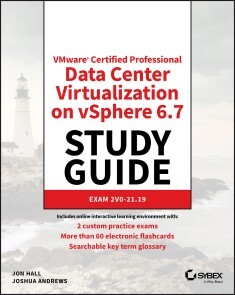
VMware Certified Professional Data Center Virtualization on vSphere 6.7 Study Guide
Includes online interactive learning environment with: * 2 custom practice exams * More than 60 electronic flashcards * Searchable key term glossary Everything You Need to Prepare for Exam 2V0-21.19, Updated for vSphere 6.7 The VCP6-DCV VMware Certified Professional Data Center Virtualization on vSphere 6.7 Study Guide is an indispensable resource for anyone preparing to take exam 2V0-21.19. Sybex's proven learning approach and valuable tools ensure you'll feel thoroughly confident when the day of the exam arrives. Readers can also leverage additional resources and training materials provided through the Sybex online learning environment. Most importantly, this guide teaches you practical skills that you'll apply as a VMware professional. It doesn't merely prepare you for exam 2V0-21.19. It prepares you for your career. Coverage of 100% of all exam objectives in this Study Guide means you'll be ready for: * Configuring and Administering vSphere Security, Networking, and Storage * Upgrading a vSphere Deployment * Administering and Managing vSphere Resources * Backing up and Recovering a vSphere Deployment * Troubleshooting a vSphere Deployment * Deploying and Customizing ESXi Hosts * Configuring and Administering vSphere and vCenter Availability Solutions * Administering and Managing vSphere Virtual Machines ABOUT THE VCP-DCV PROGRAM The VMware Certified Professional-Datacenter Virtualization 2020 (VCP-DCV 2020) program prepares VCP candidates to configure, manage, and troubleshoot a VSphere 6.7 infrastructure. Because candidates must complete VMware's authorized training course, as well as the exam, it's important to prepare with the best tools and resources available. Interactive learning environment Take your exam prep to the next level with Sybex's superior interactive online study tools. To access our learning environment, visit www.wiley.com/go/sybextestprep, register to receive your unique PIN, and instantly gain access to: Interactive test bank with 2 practice exams. Practice exams help you identify areas where further review is needed. Get more than 90% of the answers correct, and you're ready to take the certification exam. More than 300 online questions total. More than 60 electronic flashcards to reinforce learning and last-minute prep before the exam Comprehensive glossary in PDF format gives you instant access to the key terms so you are fully prepared Master vSphere 6 virtualization with hands-on practice and bonus preview exams VCP6-DCV: VMware Certified Professional-Data Center Virtualization on vSphere 6 Study Guide is your ultimate guide to preparing for exam 2VO-621. This Study Guide provides 100% coverage of all exam objectives and offers a unique set of study tools including assessment tests, objective map, real-world scenarios, hands-on exercises, and much more so you can be confident come exam day. You will also receive access to the superior Sybex interactive online learning environment that provides additional study tools including electronic flashcards and bonus practice exams. More than just a study guide, this book bridges the gap between exam prep and real-world on the job skills by focusing on the key information VMware professionals need to do the job. You'll master the vCenter Server and ESXi from planning and installation through upgrade and security, and develop an in-depth understanding of vSphere networking and storage, vApp deployment, service level establishment, troubleshooting, monitoring implementation, and so much more. * Study 100% of exam 2V0-621 objectives * Practice your skills with hands-on exercises * Gain professional insight from real-world scenarios * Test your understanding with review questions, practice tests, and more Virtualization is the number-one IT priority for organizations across public and private sectors, and VMware is the dominant force in the virtualization space. The VCP6-DCV certification gives you a highly marketable credential in terms of employment, but first you must pass this challenging exam. VCP6-DCV gives you the power of Sybex exam prep and the skills you need to excel at the job. ABOUT THE AUTHORS Jon Hall is a Certification Development, Technical Training, and Education Services Management Professional with over a decade of experience working for VMware Education Services. He assisted in the development of numerous VMware certifications, and currently holds 13 VMware certifications, along with certifications from HP, Cisco, and others. Joshua Andrews is a VMware expert, blogger, and certification enthusiast. He currently holds numerous VMware certifications, including VCP6-DCV, VCAP6-DCV, VCIX-DCV, and VCIX-NV. He has also received the VMware vExpert designation every year since 2012. Introduction xxi Assessment Test xxxi Chapter 1 What’s New in vSphere 6.7 1 Accessing vSphere 2 VMware vSphere Client 2 Application Programming Interface 8 Topology and UI Updates for VCSA 8 External Platform Services Controller 8 Update Manager 10 Storage Updates 18 Persistent Memory 19 Remote Direct Memory Access 19 vSAN 20 Security Updates 22 Virtual Machines 24 Content Library 24 Per-VM EVC 40 Summary 41 Exam Essentials 42 Review Questions 43 Chapter 2 Configuring and Administering Security in a vSphere Datacenter 47 Configuring and Administering Role-Based Access Controls 49 What Is a Privilege? 49 What Is a Task? 49 What Is a Role? 50 Assigning Permissions 54 Viewing and Exporting Group and User Permissions 70 Securing ESXi Hosts and the vCenter Server 72 Hardening ESXi Hosts 72 Hardening vCenter Server 87 Configuring and Enabling SSO and Identity Sources 88 vCenter Single Sign-On 89 Platform Services Controller 91 Configuring vCenter Single Sign-On 93 Securing Virtual Machines 96 Secure Boot 96 Virtual Machine Encryption 96 Virtual Machine Hardening 106 vSphere Network Security 117 Summary 118 Exam Essentials 118 Review Questions 119 Chapter 3 Networking in vSphere 123 Understanding vSphere Networking 124 Standard Switches 125 Virtual Distributed Switches 127 Using dvPort Groups 138 Working with Virtual Adapters 144 Custom TCP/IP Stacks 147 Long-Distance vMotion 151 Migrating Virtual Machines to or from a vDS 151 Performance and Reliability 151 Link Aggregation 152 Load Balancing and Failover Policies 153 Traffic Shaping 154 TCP Segmentation Offload 155 Jumbo Frames 155 Network Isolation 158 Automatic Rollback 159 Monitoring and Mirroring 163 Using NetFlow 164 Understanding Network I/O Control 165 Configuring NIOC Reservations, Shares, and Limits 166 Summary 170 Exam Essentials 171 Review Questions 172 Chapter 4 Storage in vSphere 177 Managing vSphere Integration with Physical Storage 178 Adding an NFS Datastore 179 Using Block Storage 186 Configuring the Software iSCSI Initiator 187 Binding VMkernels to the Software iSCSI Initiator 189 Scanning for Changes 192 Storage Filters 193 Thin Provisioning 194 Storage Multipathing and Failover 196 Configuring and Upgrading VMFS and NFS 203 Configuring VMFS Datastores 207 Raw Device Mapping and Bus Sharing 214 Configuring Software-Defined Storage 217 Virtual Storage Area Network 217 Virtual Volumes 225 Storage Policy–Based Management 229 Enabling and Configuring Storage I/O Control 230 Summary 233 Exam Essentials 234 Review Questions 235 Chapter 5 Upgrading a vSphere Deployment 239 Upgrading from vSphere 5.5 240 Upgrading a vCenter Server on Windows 244 Verify Basic Compatibility and Download the Installer 245 Prepare the Database for Upgrade 245 Prepare for Upgrading the Content Library 247 Verify Network Prerequisites, Load Balancer, and ESXI Hosts 247 Starting the vCenter on Windows Upgrade 247 Migrating to the vCenter Server Appliance 252 Upgrading Using the Command Line 252 Upgrading Using the Graphical Interface 253 Upgrading ESXi Hosts and Virtual Machines 264 Using the Update Manager Download Service 264 Using vSphere Update Manager 265 Summary 284 Exam Essentials 285 Review Questions 286 Chapter 6 Allocating Resources in a vSphere Datacenter 291 Administering and Managing vSphere 6.x Resources 293 Configuring Multilevel Resource Pools 295 Reservations, Limits, and Shares 296 Resource Pool Administration Exercises 303 Using Tags and Custom Attributes 308 Configuring vSphere DRS and Storage DRS Clusters 315 Distributed Resource Scheduler 316 Predictive DRS 318 Network-Aware DRS 320 Storage DRS 322 Establishing Affinity and Anti-Affinity 322 DRS Cluster Administration Exercises 324 Summary 342 Exam Essentials 343 Review Questions 344 Chapter 7 Backing Up and Recovering a vSphere Deployment 349 VCSA Backup and Restore 350 Backing Up Virtual Machines by Using VDP 357 Installing VDP 358 Creating Backup Jobs 361 Restoring from Backup 365 Deploying Proxy Servers 368 Replicating Virtual Machines 376 Deploying a Replication Appliance 376 Configuring Replication 378 Recovering Replicated VMs 382 Summary 387 Exam Essentials 387 Review Questions 388 Chapter 8 Troubleshooting a vSphere Deployment 393 Troubleshooting vCenter and ESXi 394 vCenter Connectivity and Services 394 vCenter Certificates 399 vCenter Log Files 399 ESXi Troubleshooting 403 ESXi Monitoring 407 Troubleshooting Storage and Networking 413 Storage Issues 413 Storage Performance 416 Storage DRS and I/O Control 417 Network Issues 418 Troubleshooting Upgrades 421 Troubleshooting Virtual Machines 421 Troubleshooting HA and DRS 425 Summary 426 Exam Essentials 427 Review Questions 428 Chapter 9 Deploying and Customizing ESXi Hosts 433 Configuring Auto Deploy 434 Enabling PXE Boot 435 Configuring DHCP 435 Configuring TFTP 436 Enabling Auto Deploy 437 Adding Deploy Rules 440 Adding a Custom Image and Profile 442 Stateless Caching and Stateful Installs 442 Employing Host Profiles 452 Creating and Using Host Profiles 453 Importing and Exporting Host Profiles 457 Advanced Profile Modifications 458 Using Answer Files 461 Summary 468 Exam Essentials 468 Review Questions 469 Chapter 10 Ensuring High Availability for vSphere Clusters and the VCSA 475 Configuring vSphere Cluster High Availability 476 HA Failures and Responses 477 Host Isolation 478 Heartbeat Datastores 479 Advanced Options 480 Configuring VMCP 482 Monitoring Virtual Machines 483 Admission Control 486 vCenter Server Appliance High Availability 499 Summary 511 Exam Essentials 512 Review Questions 514 Chapter 11 Administering and Managing vSphere Virtual Machines 519 Virtual Machine Advanced Settings 520 Virtual Machine Configuration File 522 Advanced Virtual Machine Options 528 Content Library 537 VMware Converter 546 Summary 558 Exam Essentials 558 Review Questions 559 Appendix Answers to Review Questions 565 Chapter 1: What’s New in vSphere 6.7 566 Chapter 2: Configuring and Administering Security in a vSphere Datacenter 567 Chapter 3: Networking in vSphere 569 Chapter 4: Storage in vSphere 570 Chapter 5: Upgrading a vSphere Deployment 571 Chapter 6: Allocating Resources in a vSphere Datacenter 573 Chapter 7: Backing Up and Recovering a vSphere Deployment 575 Chapter 8: Troubleshooting a vSphere Deployment 577 Chapter 9: Deploying and Customizing ESXi Hosts 578 Chapter 10: Ensuring High Availability for vSphere Clusters and the VCSA 579 Chapter 11: Administering and Managing vSphere Virtual Machines 581 Index 583

Hacking und Bug Hunting
Bugs in Websites aufspüren, Gutes tun, Spaß dabei haben ... und Geld verdienen Ein praktischer Leitfaden für die Suche nach Softwarefehlern Ein Blick hinter die Kulissen: Sie sehen, wie professionelle Bughunter vorgehen Eine Anleitung, wie man mit Bughunting Geld verdient Lernen Sie, wie Hacker Websites knacken und wie auch Sie das tun können. Dieses Buch ist ein praktischer Leitfaden für die Suche nach Software-Bugs. Egal ob Sie in die Cybersicherheit einsteigen, um das Internet zu einem sichereren Ort zu machen, oder ob Sie als erfahrener Entwickler sichereren Code schreiben wollen – Peter Yaworski, ein überzeugter "Ethical Hacker", zeigt Ihnen, wie es geht. Sie lernen die gängigsten Arten von Bugs kennen, wie Cross-Site-Scripting, unsichere Objekt-Referenzen oder Server-Side Request-Forgery. Echte Fallbeispiele aufgedeckter und entlohnter Schwachstellen in Anwendungen von Twitter, Facebook, Google und Uber zeigen erstaunliche Hacks, und sie erfahren, wie Hacker bei Überweisungen Race Conditions nutzen, URL-Parameter verwenden, um unbeabsichtigt Tweets zu liken, und vieles mehr. Sie lernen: - wie Angreifer Websites kompromittieren - wo Sie mit der Suche nach Bugs anfangen - welche Funktionalitäten üblicherweise mit Schwachstellen assoziiert werden - wie Sie Bug-Bounty-Programme finden - wie Sie effektive Schwachstellen-Reports verfassen "Hacking und Bug-Hunting" ist eine faszinierende und umfassende Einführung in die Sicherheit von Webanwendungen, mit Geschichten von der vordersten Schwachstellenfront und praktischen Erkenntnissen. Mit Ihrem neu gewonnenen Wissen um die Websicherheit und Schwachstellen können Sie das Web zu einem sichereren Ort machen—und dabei noch Geld verdienen.

Hands-on Azure Pipelines
Build, package, and deploy software projects, developed with any language targeting any platform, using Azure pipelines.The book starts with an overview of CI/CD and the need for software delivery automation. It further delves into the basic concepts of Azure pipelines followed by a hands-on guide to setting up agents on all platforms enabling software development in any language. Moving forward, you will learn to set up a pipeline using the classic Visual Editor using PowerShell scripts, a REST API, building edit history, retention, and much more. You’ll work with artifact feeds to store deployment packages and consume them in a build. As part of the discussion you’ll see the implementation and usage of YAML (Yet Another Markup Language) build pipelines. You will then create Azure release pipelines in DevOps and develop extensions for Azure pipelines. Finally, you will learn various strategies and patterns for developing pipelines and go through some sample lessons on building and deploying pipelines.After reading Hands-on Azure Pipelines, you will be able to combine CI and CD to constantly and consistently test and build your code and ship it to any target.WHAT YOU WILL LEARN* Work with Azure build-and-release pipelines * Extend the capabilities and features of Azure pipelines* Understand build, package, and deployment strategies, and versioning and patterns with Azure pipelines* Create infrastructure and deployment that targets commonly used Azure platform services* Build and deploy mobile applications * Use quick-start Azure DevOps projectsWHO THIS BOOK IS FORSoftware developers and test automation engineers who are involved in the software delivery process.CHAMINDA CHANDRASEKARA is a Microsoft Most Valuable Professional (MVP) for Visual Studio ALM and Scrum Alliance Certified ScrumMaster®, and focuses on and believes in continuous improvement of the software development lifecycle. He works as a Senior Engineer - DevOps at Xameriners, Singapore. Chaminda is an active Microsoft Community Contributor (MCC) who is well recognized for his contributions in Microsoft forums, TechNet galleries, wikis, and Stack Overflow and he contributes extensions to Azure DevOps Server and Services (former VSTS/TFS) in the Microsoft Visual Studio Marketplace. He also contributes to other open source projects in GitHub. Chaminda has published five books with Apress.PUSHPA HERATH is a DevOps engineer at Xamariners. She has many years of experience in Azure DevOps Server and Services (formerly VSTS/TFS), Azure cloud platform and QA Automation. She is an expert in DevOps currently leading the DevOps community in Sri Lanka, and she has shown in depth knowledge in Azure cloud platform tools in her community activities. She has published three books with Apress and spoken in community evets as well as in the you tube channel of her Sri Lanka DevOps community.CHAPTER 1: UNDERSTANDING THE IMPORTANCE OF SOFTWARE DELIVERY AUTOMATIONCHAPTER GOAL: Give conceptual overview on CI CD while elaborating on the need of software delivery automation.NO OF PAGES: 10SUB -TOPICS1. Introducing Concepts (CI/CD)2. Why we need SW Delivery Automation?CHAPTER 2: OVERVIEW OF AZURE PIPELINESCHAPTER GOAL: Introduction to components in Azure Pipelines enabling you to follow the lessons from chapter 3.NO OF PAGES: 30Sub - Topics1. Introducing Pools and Agents (Explain purpose and usage (no need to go into setup details), +Security)2. Deployment Groups (Explain purpose and usage (no need to go into setup details), +Security)3. Build Pipelines (Explain purpose and usage (no need to go into setup details), +Security)4. Release Pipelines (Explain purpose and usage (no need to go into setup details), +Security)5. Task Groups (Explain purpose and usage (no need to go into setup details), +Security)6. Library (Variables) (Explain purpose and usage (no need to go into setup details), +Security)7. Parallel Pipelines and BillingCHAPTER 3: SETTING UP POOLS, DEPLOYMENT GROUPS AND AGENTSCHAPTER GOAL: Lessons to provide hand-on guidance on setting up agents on all platforms enabling building software developed with any language.NO OF PAGES : 40SUB - TOPICS:1. Setting up pools and permissions (scopes, Capabilities)2. Adding agents to pools (three pools Linux, mac and windows – add each type)3. Enable .NET core builds in Linux Agents4. Setting up Deployment Groups and permissions (scopes)5. Adding agent to Deployment groups (roles)CHAPTER 4: CREATING BUILD PIPELINES – CLASSIC – PART1CHAPTER GOAL: Step by step guidance to setting up a build pipeline using Classic Visual Editor.NO OF PAGES: 50SUB - TOPICS:1. Using Source Control Providers (show integration with each type and explain all options for each type such as tag sources and other options)2. Using a Template (Explain few commonly used templates)3. Using Multiple jobs – Adding Build jobs, Selecting Pools, setting up Demands, timeouts, mention parallelism, conditions are later lesson, Dependency settings with sample4. Using Tasks (Explain adding Tasks, find tasks in marketplace (install marketplace task in next lesson))5. Installing tasks from marketplace (Explain how to when you have rights, explain how to request to install task admin approve and install as well as decline)6. Build phase and Task Control Conditions – Explain using condition types, custom conditions in detail using a sample7. Parallelism - multi configuration and multi agents – show with samplesCHAPTER 5: CREATING BUILD PIPELINES – CLASSIC – PART2CHAPTER GOAL: Step by step guidance to setting up a build pipeline using Classic Visual Editor.NO OF PAGES: 40SUB - TOPICS:1. Using Variables – System, pipeline and group, scoping variables, queue time variable value change2. Setting up triggers and path filters for a build – show how it works CI, PR etc, path filters, scheduled builds3. Format Build number and apply custom formats with PowerShell4. Enable, paused and disabled builds -explain in detail with sample5. Link work items and Create work items on failures6. Using build status badge7. Build job scope, timeouts and demands8. Build edit history, compare and restore9. RetentionCHAPTER 6: CREATING BUILD PIPELINES – CLASSIC – PART 3CHAPTER GOAL: Step by step guidance to setting up a build pipeline using Classic Visual Editor.NO OF PAGES: 30SUB - TOPICS:1. Queuing builds and enable debugging mode for more diagnostic information2. Setting variable values in PowerShell scripts3. Accessing secret variable values in PowerShell4. Using OAuth tokens in builds (show example of REST API call , mention REST API details are later chapter)5. Creating and using task groups (include export and import as well)6. Using agentless phases – provide few usable task examples7. Publishing Artifacts – as server, as shared path (mention package as nuget later)8. Exporting and importing build definitionsCHAPTER 7: USING ARTIFACTSCHAPTER GOAL: Usage of artifact feeds to store deployment packages and usage of artifact feeds to keep packages related to development and consuming them in builds.NO OF PAGES: 40SUB - TOPICS:1. Creating and publishing build artifacts as nuget2. Using nuget packages from azure artifacts in VS, and in VS Code3. Using nuget packages in Azure Artifact feed in builds4. Creating and Consuming npm packages5. Creating and Consuming maven packages6. Creating and consuming gradle packages7. Creating and Consuming python packages8. Azure CLI to use feeds9. New Public feedsCHAPTER 8: CREATING AND USING YAML BUILD PIPELINESCHAPTER GOAL: Hands on lessons on implementing YAML based build pipelines giving all essential information on implementing configurations and pilines as code.No of pages: 40SUB - TOPICS:Will be defined laterCHAPTER 9: CREATING AZURE RELEASE PIPELINES – PART1Chapter Goal: Step by step guidance to setting up release pipelines with Azure DevOps.NO OF PAGES: 40SUB - TOPICS:1. Service Connections – Explain different types2. Using Templates to Create Pipelines (explain few common templates)3. Adding Artifacts for Release Pipeline (explain each artifact type)4. Setting up Artifact Triggers (continuous deployment triggers, artifact filters)5. Adding Stage (templated or empty, add vs clone, after release, manual triggers, after stage trigger (show parallel and different stage sequence setup options for pipelines), (partial succeeded) and artifact filters)6. Scheduled deployments for a stage (how it works samples)7. Pull request triggers in artifacts and Pull request deployment in stages8. Deployment queue settings (how it works sample should be shown)CHAPTER 10: CREATING AZURE RELEASE PIPELINES – PART2CHAPTER GOAL: Step by step guidance to setting up release pipelines with Azure DevOps.NO OF PAGES: 50SUB - TOPICS:1. Defining Gates (show examples for each gate type)2. Post deployment Options (approval and auto redeploy, gates just mention)3. Agent Job (Pools and specifications, demands samples, execution plan (multi config, multi agent as well) samples, timeouts, Artifact downloads, Oauth, Run job conditions)4. Deployment group job (Deployment group, how it works for required tags samples, targets to deploy multiple, one at a time samples, maximum parallel settings how it works samples, timeouts, artifacts, Oauth, run job conditions)5. Agentless Jobs – Explain usage of possible tasks – manual, delay, invoke azure function, quires, alerts, publishing to service bus – show samples for each6. Using variables – Scoping and using group variables as well7. Release Options – Release number, all integration options explain with sample for each8. History, compare, restore9. Export, import pipelinesCHAPTER 11: USING REST API AND DEVELOPING EXTENSIONS FOR AZURE PIPELINESCHAPTER GOAL: How to extend the capabilities and features of Azure Pipelines using the REST APIs and the extension development is discussed in this chapter.NO OF PAGES: 30SUB - TOPICS:1. Build and Release Management REST APIs - introduce get, post, put etc. with PS and typescript2. Developing extensions for Azure Pipelines – Develop a simple pipeline extension3. Deploying and distributing Azure Pipeline extensions – sharing privately and enable to use publiclyCHAPTER 12: USEFUL PIPELINE STRATEGIES AND PATTERNSCHAPTER GOAL: Guidance in pipeline development strategies and patterns with Azure build and release pipelines.NO OF PAGES: 25SUB - TOPICS:Will define later.CHAPTER 13: COMMONLY USED BUILD AND DEPLOYMENT PIPELINES – SAMPLES AND INTEGRATIONSCHAPTER GOAL: Few useful samples lessons on building and release commonly used applications to Azure platform.NO OF PAGES: 50SUB - TOPICS:1. Deploying infrastructure with Azure Pipelines – Creating Azure resources such as, resource groups, app service plans, storage accounts, web apps, function apps, APIM, Cosmos, SQL, ACR, AKS (provide open source code samples developed by us integrated with pipelines)2. Using Terraform with Azure Pipelines3. Deploying function apps and web apps – including configuration management options4. Deploying mobile apps5. Deploying Azure Databases – SQL, Cosmos6. Deploying Containerized Applications (web apps, AKS)7. Using SonarQube and Azure Build Pipelines for Code Analysis8. Integrating with Jenkins9. Integrating with Octopus deploy10. Generating quick start projects with Azure DevOps Projects (specially focus on java, python, node etc. and targeting Azure platforms)11. Generating release notes12. Visualizing Pipelines status with Dashboards in Azure DevOps

Beginning Data Science, IoT, and AI on Single Board Computers
Learn to use technology to undertake data science and to leverage the Internet of Things (IoT) in your experimentation. Designed to take you on a fascinating journey, this book introduces the core concepts of modern data science. You'll start with simple applications that you can undertake on a BBC micro:bit and move to more complex experiments with additional hardware. The skills and narrative are as generic as possible and can be implemented with a range of hardware options.One of the most exciting and fastest growing topics in education is data science. Understanding how data works, and how to work with data, is a key life skill in the 21st century. In a world driven by information it is essential that students are equipped with the tools they need to make sense of it all. For instance, consider how data science was the key factor that identified the dangers of climate change -- and continues to help us identify and react to the threats it presents. This book explores the power of data and how you can apply it using hardware you have at hand.You'll learn the core concepts of data science, how to apply them in the real world and how to utilize the vast potential of IoT. By the end, you'll be able to execute sophisticated and meaningful data science experiments - why not become a citizen scientist and make a real contribution to the fight against climate change.There is something of a digital revolution going these days, especially in the classroom. With increasing access to microprocessors, classrooms are are incorporating them more and more into lessons. Close to 5 million BBC micro:bits will be in the hands of young learners by the end of the year and millions of other devices are also being used by educators to teach a range of topics and subjects. This presents an opportunity: microprocessors such as micro:bit provide the perfect tool to use to build 21st century data science skills. Beginning Data Science and IoT on the BBC micro:bit provides you with a solid foundation in applied data science.What You'll Learn· Use sensors with a microprocessor to gather or "create" data· Extract, tabulate, and utilize data it from the microprocessor· Connect a microprocessor to an IoT platform to share and then use the data we collect· Analyze and convert data into informationWho This Book Is ForEducators, citizen scientists, and tinkerers interested in an introduction to the concepts of IoT and data on a broad scale.PRADEEKA SENEVIRATNE, a graduate from the Sri Lanka Institute of Information Technology (SLIIT), has almost two decades of experience working on large and complex IT projects related to the industrial world in a variety of fields, in a variety of roles (programmer, analyst, architect, and team leader) with different technologies and software. Pradeeka has also authored several books related to the maker category including Beginning BBC micro:bit (Apress), Beginning LoRa Radio Networks with Arduino (Apress) and Building Arduino PLCs (Apress).PHILIP MEITINER has a background in applied mathematics, psychology, market research, and ed-tech. Philip was was on the original founding members of the Micro:bit Education Foundation where he helped establish the Foundation and is responsible for creating and nurturing the ecosystem, building the reseller and peripheral network and managing the sponsorship scheme (which saw more than 30,000 micro:bits donated to disadvantaged schools in 55 counties). Philip continues to work in the ed-tech sector as a consultant providing services to companies involved with micro:bit. This eclectic mix of careers and experience has instilled in Philip a deep understanding of what it is like to embark on a new learning journey. In addition, his experiences in teaching, market research and IT have given him the perfect mix of skills and knowledge necessary to craft this book.Chapter 1: Introduction to Data Science in the ClassroomChapter Goal: After reading this chapter, readers will understand the importance of measurement - they will able to measure air temperature using a thermometer and they will understand how it works. We will introduce a number of core data science concepts and how to apply them to build an experiment. We’ll cover some basic how-to skills for gathering and tabulating data, and we will undertake some analysis on our results. The reader will get an overview of a complete and meaningful example of applied data science, and they will be ready to explore more deeply.* Data is everywhere: Why do we measure things and what does ‘measuring things’ even mean? How is this related to data science?* Using Temperature: How is temperature used in the world? * Measuring temperature: What does a thermometer do and how does it work?* Designing an experiment: We will begin to design an experiment using our thermometers to measure the temperature at different locations. We will look at factors that might have a negative impact on our experiment and we’ll look at controlling them. We we will see the importance of validity and reliability.* Data capturing: Before our experiment commences, we will introduce the reader to the concept of data capturing - recording (tabulating) data.* Experimenting with temperature: Here we will outline the classroom activity (experiment) to collect and analyse data. We will introduce the concept of experimental design and see how it can help address issues of reliability and validity.* Analysing our results: We will introduce the concept of ‘interrogating’ the data by listing a series of questions that the data set might provide insights into. In a later chapter we will look at more sophisticated analysis, for now we show how to extract some meaning / insights from the data we just collected. * Summary: Brings together all the new concepts introduced in this chapter and sets the stage for the next chapter.Chapter 2: Data Science Goes DigitalChapter Goal: After reading this chapter, readers will understand why there is a tendency to ‘go digital’ and what it means to read data digitally. We will introduce technology and coding to replicate our experiment and we will begin to explore ways that the digital approach can expand our capabilities and potential as data scientists. We’ll use a BBC micro:bit (or any similar device) to measure temperature, all the while looking at our experimental design and how to improve it. By the end of the chapter we will have identified the sort of hardware we need in our data science toolkit.* Making it digital: Why is everything digital? What are the types of thermometers? Explain about digital thermometers and show how they are different to analogue. How can introducing digital improve our temperature experiment from Chapter 1* Using a microprocessor to measure temperature digitally: We will use micro:bit - brief intro to microbit, including sensors that can be used for measure things causing GW (only the ambient temperature sensor).* Using the BBC micro:bit as a thermometer: Programming the micro:bit for reading the air temperature of the classroom. Use MakeCode (or MicroPython) for programming. * Analogue and digital thermometers: Reading temperature simultaneously from a micro:bit and a thermometer. Discuss differences between methods. In particular the difficulties of manual reading, need to read two things same time (thermometer or micro:bit and the clock) * Limitations of micro:bit as a standalone tool: We’ve seen some limitations with microbit. By itself it provides us with too few tools. What are -ons and how are add-ons used with microprocessors, and what about micro:bit? Discuss variety of options available to educators. * Identifying the digital tools we need for data science: We have identified weaknesses in micro:bit. We also review what we need to be accomplished data scientists.* Selecting our tool kit: Introduce the configuration (microbit + XinaBox) that we will use for main thread of examples. Explain why. Offer tips to adapt for other platforms throughout.* Chapter summaryChapter 3: Building a Weather StationChapter Goal: After this chapter the reader will be able to build a digital weather station in the backyard, or classroom! We’ll show the reader how to build one using a micro:bit and the XinaBox SW01 &, BM01 and we’ll explain how other kit could be used. The reader will record temperature, humidity, and pressure by programming the micro:bit to display the sensor readings on the led screen. The reader will be reminded of the limitations of the micro:bit LED screen and an alternative screen to display all the sensor data will be introduced. We’ll show the reader how to connect the OD01 OLED display to show the output, and we’ll explain other options. The reader finishes the chapter with a working weather station, and the realisation that writing values down all the time is a real limiting factor.What we need for the circuit - brain, power, weather sensor and visual display unit. We show what we are using - micro:bit, xChip SW01, BM01 & xBUS connectors and show how to connect. We make it clear other components can be used - show some examples (e.g. Adafruit, Monk Makes, RPi).* Programming the micro:bit (MakeCode Weatherbit package/MicroPython) to read sensor values (temperature, humidity, and pressure) and display them on the LED screen.* Test the program - the display is just not adequate. We need to introduce a more suitable display. So, we add the OD01 OLED display and program it. NB - readers do not need the OLED at all - they can continue to chapter with the 5x5.* Now we measure the weather over a period of time. Classes may have some with OLED and some with 5x5. Write down the sensor data in a table by looking at the display (OLED or 5x5). Making a few copies of the data capturing sheet (we will provide the format of the sheet). Distributing them among some students in different locations and ask them to write down the sensor values at the same time (maybe every 1 minute at 10 minute intervals). The exercise is likely to be flawed in many ways - recording error will occur. Discuss causes of errors by recording the sensor values manually, with either display. * Data Analysis. We introduce charts and talk about time - how each set of points is implicitly time-stamped. Talk about correlations. Nothing too heavy yet - no statistical significance. We are encouraging the curious mind to ask questions, like in earlier chapters.* Discuss how alternate data could be substituted in. Talk about sensors in general, how other sensors could be used in place of weather. Weather station code here can be adapted for all sorts of uses. We introduce a few examples we’ll use in our GW experiments later.* Discussing the limits of the experiment - use the example of taking readings over a 24 hour period. How can that be accomplished with our circuit? How do we take the human out of the equation?Chapter 4: Storing and retrieving dataChapter Goal: In this chapter We will build further on our experiment and enhance our data science tool set introducing the use of computer memory for data capturing - the reader will be able store and retrieve data digitally for further analysis. The reader will be able to use the micro:bit's tiny persistent file system to store the data captured by the weather station then move that data onto their laptop and perform analysis. The reader will understand the limitations of the micro:bit storage by running an overnight test and counting the data points.Introduction to file storage on the micro:bit storage: We recap on why we want to save files and provide a non-technical overview of persistent memory on the micro:bit!* Save Hello World to file: Briefly demonstrate the most simple code to write to and save a file. Include a brief and simple overview of how to extract the file after. * Working with files: Explain key elements of the process - storing data (writing) on the micro:bit file system - creating, writing, closing files. Ensure every line of code in (2) is explained.* Incorporating files into our experimental design: What impact does access to computer memory have on our experimental design? How do we amend the design to accommodate our new capabilities.* Measuring memory size: how many data points we can record until the memory gets full? What is the maximum file size? Write some code to test this quickly. How many readings can we take in a 24 hour period?* Replicating the weather station experiment with file storage: Now we set up an overnight experiment with the weather station to record data at the interval we have calculated. We will analyse the data in detail, in the next chapter.* Addressing memory limitations: micro:bit provides us with some file storage, but not much. We introduce options to address that - ways to expand the available memory. We offer suggestions for why this would be useful* SummaryChapter 5: The basics of analysing the dataChapter Goal: The reader now has the capacity to generate files containing data tables. In previous chapters we have undertaken analysis using our eyes and logic; here we look at developing some basic skills using common software (Excel, libra, GSheet). The reader will be able to import their table into a multi column spreadsheet and ensure it is formatted OK. We will find values such as max and min, as well as averages (mean, median, mode). We will discuss trends, data significance and we’ll look more formally at the concept of confidence. By the end of this chapter we will have provided the reader with all the analysis tools we will use in this book - later chapters will look at how to apply these.* The workflow of data science: We review the process we have been learning about - gathering, Importing, analysing. Summarise what we know so far and introduce the goal of this chapter. * The workflow of analysis: Break down the analysis process into constituents. Show the steps needed to undertake analysis and describe the tools we use at each step.* Data rigour: Checking the data and ensuring it is formatted OK. Encourage data discipline - spot checks, logic checks. We remind readers that the human eye remains the most powerful too.* Using spreadsheets: Introduce aggregation measures, explain them and show how to find them using a spreadsheet- * Charts and visualisations: Show how to generate charts in a few software platforms. Show lots of examples to demonstrate how patterns can be seen in charts that are hard to see in tables. Use real work GW examples and a broad variety of chart types.* Visualising acceleration: Write a program with just the micro:bit that saves 200 or so values of accelerometer to file. Run the program, wave the micro:bit round, extract that data and then chart it. Repeat and wave differently to get a different data profile - discuss.* Summary - Guidelines for analysis: Draw together all the advise / info we have provided so far into a checklist people can use when undertaking analysis. Chapter 6: Wireless CommunicationChapter Goal: In this chapter we will introduce the reader to a variety of wireless communication options. They will understand the differences between Bluetooth, Wi-fi and LoRa (maybe Sigfox too) and they will have any idea of their strengths and weaknesses. The reader will be able to make an informed decision about which method to use in which context.* Communicating data wirelessly has a lot of advantages, such as real time updates, less human hassly / error.* Introduction to wireless communications. Explain the generic model of wireless communications showing the key components (e.g. base, ota waves, receiver) that are common to all.* Show how Bluetooth implements the generic model* Show how Wi-Fi implements the generic model* Show how LoRa implements the generic model* Table showing strengths and weaknesses of all 3 methods, with guidelines on when each is appropriate.Chapter 7: Sending data via BluetoothChapter Goal: At the end of this chapter, the reader will able to send the sensor data to a mobile app through the Bluetooth, and understand how Bluetooth can be used to send data over a short distance.* Programming the micro:bit to send data over Bluetooth UART (MakeCode is easy).* Installing Bitty app.* Pairing micro:bit with the Bitty app.* Receiving data (only for visualize).* Bitty - Show weather station sharing data with bitty.Chapter 8: Sending data through WiFi using MQTTChapter Goal: After reading this chapter, the reader will be able to send the sensor data to the Ubidots dashboard through WiFi using MQTT, a lightweight messaging protocol. The reader will learn how to program the CW01 with MakeCode/MicroPython, Setting up the Ubidots dashboard to visualize data, triggering events with the Ubidots, and analyzing the relationship with temperature and humidity with a simple graph.* What is WiFi?* Explain difference with WiFi and Bluetooth on micro:bit - strengths and weaknesses of both.* Explaining MQTT in simple terms* Connecting micro:bit, BM11, IP01, and CW01 together using uBus connectors (can use the same setup used in the previous chapter).* Preparing MakeCode with required packages that support CW01. * Setting up Ubidots (creating an account, configuring the dashboard, etc.)* Setting up HiveMQ, creating topics, etc.* Programming and flashing micro:bit.* Programming and flashing CW01* Visualizing data with Ubidots * Plotting temp with humidity (Can you see a relationship?).* Triggering (sending an e-mail if the temperature is too high)Chapter 9: Sending Data via LoRaChapter Goal: After completing this chapter, the reader will be able to build a simple LoRa network and use it to send the data collected by the weather station to the Ubidots IoT platform, visualizing, and analyzing data.* Overview of XinaBox hardware for LoRa / may be others* Connecting the micro:bit, RL0x, and BM01 together.* Setting up the LoRa gateway* Connecting the LoRa gateway with a WiFi/Cellular/LAN* Programming with MakeCode / MicroPython, using any provides libraries* Setting up Ubidots and creating a dashboard to visualizing data (if not, use The Things Network - TTN with any supported app to visualize the data.)Chapter 10: Now we are ready to be data scientistsChapter Goal: We’ve spent a lot of time developing skills that are key to a data scientist, and this chapter will highlight those skills and give ideas about how they can / are used in everyday life. We’ll also list the tools we’ve learned above and begin to talk about how they can be applied to useful projects that will address global warming.* List out the skills that we have learned, measuring data, recording it, tabulating, charting and analysing.* List out the tools we now have at our disposal - we know how to use sensors, how to store data and how to get it off the device into a tool we can use to tabulate, chart and perform actions on.* We talk about limits of micro:bit - that it won’t be able to handle a lot of stuff at once. That will be a constraint we’ll have to work with.* Identify real world examples of where similar tech to ours is used, break each down into the simple components we know: Weather forecasting, automatic street lamps, credit card transactions, GPS positioning, etc.Chapter 11: Measuring the power consumption of a light bulbChapter Goal: The consumption of electricity is strongly related to GW. By following this chapter, the reader will be able to build a tool to measure the kilowatt-hours (power consumption) used by a light bulb. The reader will use micro:bit and SL01 to detect the presence of the light. The reader will write the code to calculate and display the kilowatts used by the light bulb with the wattage of the lamp and the elapsed time for lighting.* Basics of power consumption/watts/ watt-hour, etc.* Building the unit with micro:bit and SL01* Creating the code with MakeCode (using running time block to calculate the elapsed time)* Displaying the usage of kilowatt-hours on the OLED display or sending data to a cloud (will consider later)* We can go deep by analyzing the peak time of the power consumption.Chapter 12: Monitor Air Pollution LevelsChapter Goal: By following this chapter, the reader will be able to build a digital instrument to monitor the air quality which includes eCO2 (equivalent calculated carbon-dioxide), and TVOC (Total Volatile Organic Compound), alcohols, aldehydes, ketones, organic acids, amines, aliphatic and aromatic hydrocarbons. Then the reader will be able to identify the level of pollution in the air based on the air quality index (good, moderate, unhealthy for sensitive groups, unhealthy, very unhealthy, hazardous).No of pages: 20Sub - Topics:* Introducing the air quality index.* Building the project with XinaBox SG33 - VOC & eCO2 (CCS811).* Programming the core* Displaying useful information on the OLED display* Optional (add buzzer or vibrator to indicate unhealthy or hazardous environments)Chapter 13: Geotagging your Weather StationChapter Goal: Sensor data by itself is bland stuff. Associating it with a time and place gives more life to it, and your sensor data could become more socialized. By following this chapter, the reader will be able to add the geotagging feature to the weather station (Prerequisite: The weather station should have the ability to connect to the Internet with WiFi or through LoRa) using SN01 or similar GPS module. Then the reader will be able to send sensor data along with the time and location (lat/lon), and other useful GPS data to an IoT dashboard like Ubidots. Finally, the reader will view and analyze some interesting patterns of weather data with the locations.* Introduction to the geotagging and explaining how important it is/trends, etc.* Adding SN01 to an existing weather station project (in chapter 8 or 9).* Programming the cores for getting GPS data too.* Sending data to an IoT dashboard* Viewing and analyzing data/ asking questions, etc.Chapter 14: Measuring Noise Pollution on Your WayChapter Goal: Measuring the sound level is an exciting topic today. Sounds above 85 dB are harmful, depending on how long and how often you are exposed to them. By following this chapter, the reader will be able to measure the sound level in different locations. The reader will be able to collect data, analyze, and identify the areas with a harmful level of sound pollution.* Identifying the harmful areas * Introduction to sound pollution and different sound levels* Building the circuit with the SparkFun sound detector or similar thing: https://www.sparkfun.com/products/14262* Programming the cores* Gathering data* AnalyzingChapter 15: Beyond the micro:bitChapter Goal: By following this chapter, the reader will be able to rebuild the weather station by replacing the micro:bit with other microcontrollers that commonly available.* Building the weather station with CC01 / maker.makecode, programming, sending data to an IoT dashboard.* Building the weather station with CC01 / Arduino, programming, sending data to an IoT dashboard.* Building the weather station with CC01 / Zerynth, programming, sending data to an IoT dashboard. Note - we’d want to use CW02 for this as it has a license on board.* Building the weather station with Raspberry Pi, programming, sending data to an IoT dashboard.Appendix AWe will also include following if we have enough time to complete this book on time.* Sending micro:bit weather station into high altitude / low earth orbit.* Sending a weather station to high altitude using a helium balloon.* Sending a weather station to low earth orbit.* Choosing a long-range communication technology (say LoRa)* Setting up the ground station.* Receiving, visualizing, comparing, analyzing sensor dataUsing the Blynk to replace the UART terminal app (requires Arduino IDE and nRF5 support package for Arduino).* Using a PIR sensor with micro:bit to turn on/off lights by detecting the presence of a human. Also when natural light is bright enough. Show how it can be used for a table lamp and consider completely novel applications (turn off music, lock a door).* A project for monitoring water pollution.

Cloud Computing For Dummies
* Adopt a hybrid and multicloud strategy * Rethink DevOps with containers and microservices * Incorporate security into your cloud environment Plan your cloud computing strategy Are you ready to execute a cloud computing plan? You need a strategy to prepare for the future, and this book comes to the rescue. Authors Daniel Kirsch and. Judith Hurwitz share insights by honing in on topics like multicloud architecture, microservices, hybrid infrastructure, DevOps, and Software as a Service. This book is ideal for anyone who needs to understand the emerging approaches to cloud computing. Inside... * Understanding cloud architecture * Using a hybrid computing approach * Explaining the economics of cloud computing * Planning your cloud strategy * Developing a security strategy * Understanding containers and microservices Get your head—and your business—into the Cloud Cloud computing is no longer just a clever new toy in the world of IT infrastructure. Despite the nebulous name, it’s become a real and important part of our information architecture—and tech professionals who ignore it or try to skim their way through risk falling behind rapidly. The new edition of Cloud Computing For Dummies gets you up to speed fast, clarifying your Cloud options, showing you where can save you time and money, giving you ways to frame your decisions, and helping you avoid weeks of research. In a friendly, easy-to-follow style, Cloud Computing For Dummies, 2nd Edition demystifies the Cloud’s virtual landscape, breaking up a complex and multi-layered topic into simple explanations that will make the various benefits clear and ultimately guide you toward making the most appropriate choices for your organization. * Know the business case for the Cloud * Understand hybrid and multi-cloud options * Develop your Cloud strategy * Get tips on best practices The Cloud is everywhere, and it can deliver amazing benefits to our lives and businesses. Get a much clearer vision of exactly how with Cloud Computing For Dummies—and you’ll begin to see that the sky really is the limit! Introduction 1 Part 1: Understanding Cloud Concepts 5 Chapter 1: Understanding the Cloud 7 Chapter 2: Embracing the Business Imperative 21 Part 2: Examining Architectural Considerations 31 Chapter 3: Architectural Considerations for the Cloud Environment 33 Chapter 4: Managing a Hybrid and Multicloud Environment 43 Chapter 5: Standards in a Multicloud World 59 Chapter 6: A Closer Look at Cloud Services 73 Part 3: Understanding Cloud Models 87 Chapter 7: Introducing All Types of Clouds 89 Chapter 8: Using Infrastructure as a Service 107 Chapter 9: Using Software as a Service 121 Chapter 10: Standing on Platform as a Service 135 Part 4: Managing in a Multicloud World 147 Chapter 11: Planning for DevOps in the Cloud 149 Chapter 12: Managing Multicloud Workloads 165 Chapter 13: Managing Data Storage in the Cloud 177 Part 5: Developing Your Cloud Strategy 189 Chapter 14: Managing and Integrating Data in the Cloud 191 Chapter 15: Promoting Cloud Security and Governance 207 Chapter 16: Breaking Down Cloud Economics 225 Chapter 17: Planning Your Cloud Strategy 241 Part 6: The Part of Tens 253 Chapter 18: Ten Cloud Resources 255 Chapter 19: Ten Cloud Do’s and Don’ts 261 Glossary 267 Index 281 Daniel Kirsch, Managing Director of Hurwitz & Associates, is a thought leader, researcher, author, and consultant in cloud, AI, and security. Judith Hurwitz, President of Hurwitz & Associates, is a consultant, thought leader, and coauthor of 10 books including Augmented Intelligence, Cognitive Computing and Big Data Analytics, and Hybrid Cloud for Dummies

Networking For Dummies
SET UP A SECURE NETWORK AT HOME OR THE OFFICEFully revised to cover Windows 10 and Windows Server 2019, this new edition of the trusted Networking For Dummies helps both beginning network administrators and home users to set up and maintain a network. Updated coverage of broadband and wireless technologies, as well as storage and back-up procedures, ensures that you’ll learn how to build a wired or wireless network, secure and optimize it, troubleshoot problems, and much more.From connecting to the Internet and setting up a wireless network to solving networking problems and backing up your data—this #1 bestselling guide covers it all.* Build a wired or wireless network* Secure and optimize your network* Set up a server and manage Windows user accounts* Use the cloud—safely Written by a seasoned technology author—and jam-packed with tons of helpful step-by-step instructions—this is the book network administrators and everyday computer users will turn to again and again.DOUG LOWE is the bestselling author of Networking For Dummies and Networking All-in-One Desk Reference For Dummies. His 50+ books include more than 30 in the For Dummies series. He has demystified everything from Microsoft Office and memory management to client/server computing and creating web pages. INTRODUCTION 1About This Book 1Foolish Assumptions 2Icons Used in This Book 3Beyond the Book 3Where to Go from Here 4PART 1: GETTING STARTED WITH NETWORKING 5CHAPTER 1: LET’S NETWORK! 7Defining a Network 8Why Bother with a Network? 11Sharing files 11Sharing resources 11Sharing programs 12Sharing messages 12Servers and Clients 13Dedicated Servers and Peers 13What Makes a Network Tick? 15It’s Not a Personal Computer Anymore! 16The Network Administrator 17What Have They Got That You Don’t Got? 18CHAPTER 2: CONFIGURING WINDOWS AND MAC CLIENTS 21Configuring Windows Network Connections 22Joining a Windows Computer to a Domain 27Configuring Mac Network Settings 29Joining a Mac Computer to a Domain 33CHAPTER 3: LIFE ON THE NETWORK 37Distinguishing between Local Resources and Network Resources 38What’s in a Name? 38Logging on to the Network 40Understanding Shared Folders 42Four Good Uses for a Shared Folder 43Store files that everybody needs 43Store your own files 44Make a temporary resting place for files on their way to other users 44Back up your local hard drive 45Oh, the Network Places You’ll Go 45Mapping Network Drives 47Using a Network Printer 50Adding a network printer 51Printing to a network printer 52Playing with the print queue 53Logging off the Network 55CHAPTER 4: MORE WAYS TO USE YOUR NETWORK 57Sharing Your Stuff 57Enabling File and Printer Sharing 58Sharing a Folder 59Using the Public Folder 61Sharing a Printer 62Using Microsoft Office on a Network 64Accessing network files 64Using workgroup templates 65Networking an Access database 67Working with Offline Files 68PART 2: DESIGNING YOUR NETWORK 73CHAPTER 5: PLANNING A NETWORK 75Making a Network Plan 75Being Purposeful 76Taking Stock 77What you need to know 77Programs that gather information for you 79To Dedicate or Not to Dedicate: That Is the Question 80File servers 81Print servers 81Web servers 82Mail servers 82Database servers 83Application servers 83License servers 83Choosing a Server Operating System 83Planning the Infrastructure 84Drawing Diagrams 84CHAPTER 6: DEALING WITH TCP/IP 87Understanding Binary 88Counting by ones 88Doing the logic thing 89Introducing IP Addresses 90Networks and hosts 90The dotted-decimal dance 91Classifying IP Addresses 91Class A addresses 92Class B addresses 93Class C addresses 93Subnetting 94Subnets 95Subnet masks 96The great subnet roundup 97Private and public addresses 98Understanding Network Address Translation 98Configuring Your Network for DHCP 99Understanding DHCP 100DHCP servers 100Understanding scopes 101Feeling excluded? 102Reservations suggested 103How long to lease? 104Managing a Windows Server 2019 DHCP Server 104Configuring a Windows DHCP Client 105Using DNS 106Domains and domain names 106Fully qualified domain names 108Working with the Windows DNS Server 109Configuring a Windows DNS Client 110CHAPTER 7: OH, WHAT A TANGLED WEB WE WEAVE: CABLES AND SWITCHES 111What Is Ethernet? 112All about Cable 114Cable categories 116What’s with the pairs? 117To shield or not to shield 117When to use plenum cable 118Sometimes solid, sometimes stranded 118Installation guidelines 119The tools you need 120Pinouts for twisted-pair cables 121RJ-45 connectors 122Crossover cables 124Wall jacks and patch panels 124Understanding Switches 126Comparing managed and unmanaged switches 126Daisy-chaining switches 128Stacking switches 128Looking at distribution switches and access switches 129Powering Up with Power over Ethernet 130Looking at Three Types of Network Rooms 131CHAPTER 8: SETTING UP A WIRELESS NETWORK 133Diving into Wireless Networking 134A Little High School Electronics 135Waves and frequencies 135Wavelength and antennas 137Spectrums and the FCC 137Eight-Oh-Two-Dot-Eleventy Something: Understanding Wireless Standards 139Home on the Range 140Using Wireless Network Adapters 141Setting Wireless Access Points 142Infrastructure mode 142Multifunction WAPs 143Roaming Capabilities 144Wireless bridging 144Ad-hoc networks 145Configuring a Wireless Access Point 145Basic configuration options 146DHCP configuration 146Connecting to a Wireless Network 147Paying Attention to Wireless Network Security 149CHAPTER 9: CONNECTING TO THE INTERNET 155Connecting to the Internet 155Connecting with cable or DSL 156Connecting with high-speed private lines 157Sharing an Internet connection 158Securing Your Connection with a Firewall 159Using a firewall 159Comparing residential gateways to firewall routers 161Looking at the built-in Windows firewall 161Providing a Backup Internet Connection 163PART 3: WORKING WITH SERVERS 165CHAPTER 10: VIRTUALIZING YOUR NETWORK 167Understanding Virtualization 167Understanding Hypervisors 169Understanding Virtual Disks 171Understanding Network Virtualization 173Looking at the Benefits of Virtualization 174Choosing Virtualization Hosts 176Understanding Windows Server 2019 Licensing 176Introducing Hyper-V 178Understanding the Hyper-V hypervisor 178Understanding virtual disks 179Enabling Hyper-V 180Getting Familiar with Hyper-V 181Creating a Virtual Switch 182Creating a Virtual Disk 184Creating a Virtual Machine 188Installing an Operating System 192CHAPTER 11: SETTING UP A WINDOWS SERVER 195Planning a Windows Server Installation 196Checking system requirements 196Reading the release notes 196Considering your licensing options 196Deciding your TCP/IP configuration 197Choosing workgroups or domains 197Running Setup 198Adding Server Roles and Features 203Creating a New Domain 208CHAPTER 12: MANAGING WINDOWS USER ACCOUNTS 213Understanding How Active Directory Is Organized 214Objects 214Domains 215Organizational units 215Trees 216Forests 216Understanding Windows User Accounts 216Local accounts versus domain accounts 216User account properties 217Creating a New User 217Setting User Properties 220Changing the user’s contact information 220Setting account options 221Specifying logon hours 223Restricting access to certain computers 223Setting the user’s profile information 224Resetting User Passwords 225Disabling and Enabling User Accounts 226Deleting a User 226Working with Groups 227Creating a group 227Adding a member to a group 228Creating a Logon Script 230CHAPTER 13: MANAGING NETWORK STORAGE 231Understanding Disk Storage 231Hard disk drives 231Solid state drives to the rescue! 234It’s a RAID! 234Three ways to attach disks to your servers 236Focusing on File Servers 237Understanding permissions 237Understanding shares 239Managing Your File Server 240Using the New Share Wizard 241Sharing a folder without the wizard 245Granting permissions 247PART 4: MANAGING YOUR NETWORK 251CHAPTER 14: WELCOME TO NETWORK MANAGEMENT 253What a Network Administrator Does 254Choosing the Part-Time Administrator 255The Three “Ups” of Network Management 256Managing Network Users 257Acquiring Software Tools for Network Administrators 258Building a Library 259Pursuing Certification 260Helpful Bluffs and Excuses 261CHAPTER 15: SUPPORTING YOUR USERS 263Establishing the Help Desk’s Charter 264Tracking Support Tickets 265Deciding How to Communicate with Users 267Using Remote Assistance 268Enabling Remote Assistance 269Inviting someone to help you via a Remote Assistance session 270Responding to a Remote Assistance invitation 273Creating a Knowledge Base 275Creating a Self-Service Help Portal 275Using Satisfaction Surveys 276Tracking Help Desk Performance 278Using Help Desk Management Software 279CHAPTER 16: USING GROUP POLICY 281Understanding Group Policy 281Enabling Group Policy Management on Windows Server 2019 282Creating Group Policy Objects 283Filtering Group Policy Objects 289Forcing Group Policy Updates 292CHAPTER 17: MANAGING SOFTWARE DEPLOYMENT 293Understanding Software Licenses 294Using a License Server 297Deploying Network Software 298Deploying software manually 298Running Setup from a network share 299Installing silently 300Creating an administrative installation image 301Pushing out software with Group Policy 302Keeping Software Up to Date 302CHAPTER 18: MANAGING MOBILE DEVICES 305The Many Types of Mobile Devices 306Considering Security for Mobile Devices 307Managing iOS Devices 308Understanding the iPhone 308Understanding the iPad 309Integrating iOS devices with Exchange 309Configuring an iOS device for Exchange email 311Managing Android Devices 314Looking at the Android OS 314Perusing Android’s core applications 315Integrating Android with Exchange 316PART 5: SECURING YOUR NETWORK 317CHAPTER 19: WELCOME TO CYBERSECURITY NETWORK 319Do You Need Security? 320The Three Pillars of Cybersecurity 321Two Approaches to Security 322Physical Security: Locking Your Doors 323Securing User Accounts 324Obfuscating your usernames 324Using passwords wisely 325Generating passwords For Dummies 326Secure the Administrator account 328Managing User Security 328User accounts 329Built-in accounts 330User rights 331Permissions (who gets what) 331Group therapy 332User profiles 333Logon scripts 334Securing the Human Firewall 334CHAPTER 20: HARDENING YOUR NETWORK 337Firewalls 337The Many Types of Firewalls 339Packet filtering 339Stateful packet inspection (SPI) 341Circuit-level gateway 342Application gateway 342Next-generation firewall 343Virus Protection 343What is a virus? 343Antivirus programs 345Safe computing 346Patching Things Up 346CHAPTER 21: SECURING YOUR EMAIL 349Defining Spam 350Sampling the Many Flavors of Spam 351Using Antispam Software 352Understanding Spam Filters 353Looking at Three Types of Antispam Software 356On-premises antispam 356Antispam appliances 357Cloud-based antispam services 358Minimizing Spam 359CHAPTER 22: BACKING UP YOUR DATA 3613-2-1: The Golden Rule of Backups 361How Often Should You Back Up Your Data? 363Choosing Where to Back Up Your Data 364Establishing Two Key Backup Objectives 365Backing Up to Tape 366Understanding Backup Software 367Examining File-Based Backups 368Full backups 369Copy backups 370Incremental backups 370Differential backups 371Backup and Virtualization 371Verifying Tape Reliability 373Keeping Backup Equipment Clean and Reliable 374Setting Backup Security 375CHAPTER 23: PLANNING FOR DISASTER 377Assessing Different Types of Disasters 378Environmental disasters 379Deliberate disasters 379Disruption of services 380Equipment failure 380Other disasters 381Analyzing the Impact of a Disaster 381Developing a Business Continuity Plan 382Holding a Fire Drill 383PART 6: MORE WAYS TO NETWORK 385CHAPTER 24: ACCOMMODATING REMOTE USERS 387Using Outlook Web App 388Using a Virtual Private Network 389Looking at VPN security 390Understanding VPN servers and clients 391Connecting with Remote Desktop Connection 393Enabling Remote Desktop Connection 394Connecting remotely 395Using keyboard shortcuts for Remote Desktop 397CHAPTER 25: LIFE IN CLOUD CITY 399Introducing Cloud Computing 400Looking at the Benefits of Cloud Computing 401Detailing the Drawbacks of Cloud Computing 402Examining Three Basic Kinds of Cloud Services 403Applications 404Platforms 404Infrastructure 405Public Clouds versus Private Clouds 405Introducing Some of the Major Cloud Providers 406Amazon 406Google 407Microsoft 407Getting into the Cloud 408CHAPTER 26: GOING HYBRID 409What Is a Hybrid Cloud? 409What Are the Benefits of Hybrid Cloud? 411Elasticity 411Flexibility 412Agility 412Innovation 412Operational efficiency 412Integrating Identity 413Azure Active Directory 413Single sign-on 414Looking at Hybrid Cloud Virtualization Platforms 416PART 7: THE PART OF TENS 419CHAPTER 27: TEN NETWORKING COMMANDMENTS 421I Thou Shalt Back Up Thy Data Religiously 421II Thou Shalt Protect Thy Network from Infidels 422III Thou Shalt Train Up Thy Users in the Ways of Safe Computing 422IV Thou Shalt Keepeth Thy Network Drive Pure and Cleanse It of Old Files 423V Thou Shalt Not Tinker with Thine Network Configuration unless Thou Knowest What Thou Art Doing 423VI Thou Shalt Not Covet Thy Neighbor’s Network 423VII Thou Shalt Not Take Down Thy Network without Proper Notification 424VIII Thou Shalt Keep an Adequate Supply of Spare Parts 424IX Thou Shalt Not Steal Thy Neighbor’s Program without a License 424X Thou Shalt Write Down Thy Network Configuration upon Tablets of Stone 425CHAPTER 28: TEN BIG NETWORK MISTAKES 427Skimping on Hardware 427Turning Off or Restarting a Server Computer While Users Are Logged On 428Deleting Important Files on the Server 429Copying a File from the Server, Changing It, and Then Copying It Back 429Sending Something to the Printer Again Just Because It Didn’t Print the First Time 430Assuming That the Server Is Safely Backed Up 430Connecting to the Internet without Considering Security Issues 430Plugging in a Wireless Access Point without Asking 431Thinking You Can’t Work Just Because the Network Is Down 431Running Out of Space on a Server 432Always Blaming the Network 433CHAPTER 29: TEN THINGS YOU SHOULD KEEP IN YOUR CLOSET 435Duct Tape 435Tools 436Patch Cables 436Cable Ties and Velcro 436Twinkies 437Replacement Parts 437Cheap Network Switches 438The Complete Documentation of the Network on Tablets of Stone 438The Network Manuals and Disks 438Ten Copies of This Book 439Index 441

Understanding Microsoft Teams Administration
Explore solutions, best practices, tips, and workarounds to plan, design, customize, implement, and manage Microsoft Teams in any environment.The book starts with an overview of Microsoft Teams where you will go through the teams architecture, teams/channels, audio/video meetings, and the phone system. It further dives into deployment and management of teams, clients, guests and external access, and live events, followed by network assessment and bandwidth planning for Teams. Here, you will learn about deployment of quality of service and how to configure your phone systems using direct routing and calling plans. Moving forward, you will learn Microsoft Teams administration and policy management along with the migration process of Skype for Business on-prem to Microsoft Teams. Towards the end, you will learn troubleshooting techniques in Teams for call quality issues and connectivity challenges.After reading Understanding Microsoft Teams Administration, you will be able to effectively configure, customize, and manage the Teams experience using the Teams admin portal and other tools and techniques.WHAT YOU WILL LEARN* Understand the Microsoft Teams architecture including the different components involved* Enable and manage external and guest access for Teams users* Manage Teams and channels with a private channel* Implement quality of service for audio/video calls and meetings* Establish Office 365 data classifications, loss prevention plans, and governance* Manage resource types, licensing, service health reporting, and support* Work with Microsoft Teams room and live event management* Implement and manage messaging, calling policies, and settingsWHO THIS BOOK IS FORAdministrators and technical consultants working on Teams.BALU ILAG is a Microsoft Certified Trainer (MCT), Microsoft 365 Certified Teams Administrator Associate, and Microsoft Certified Solutions Expert (MCSE) for communication and productivity. He has written several blog posts on unified communication and collaboration technologies including subjects ranging from a how-to guide to best practices and troubleshooting.He is currently working as an Office 365 and collaboration specialist at Juniper networks. Balu has over 13 years' experience in messaging, telecom and unified communications and collaboration and is focused on Microsoft Teams and Microsoft Office 365 collaboration. His role is a combination of product administration, product development, and strategic guidance for enterprise customers.CHAPTER 1: MICROSOFT TEAMS OVERVIEWa. What is Microsoft Teams?b. Teams Architecturec. Teams Team and channelsd. Meeting, Tab, Files and Wikie. Teams Audio/video call and meetingf. Teams phone system overviewCHAPTER 2: TEAMS CLIENT DEPLOYMENT AND USER PROVISIONINGa. Deploy and Manage Teams clientb. Manage Teams storagec. Manage External and Guest accessCHAPTER 3: ORGANIZATION READINESS FOR MICROSOFT TEAMSa. Network assessment and bandwidth planning for Teamsb. Deploy Quality of Servicec. Configure phone systema. Configure Teams Direct Routingb. Configure Microsoft Calling pland. Customizes and manage Live eventCHAPTER 4: MICROSOFT TEAMS ADMINISTRATION AND POLICY MANAGEMENTa. Enable and users for Microsoft Teamsb. Organization wide setting for Microsoft Teamsc. Meeting, Live event and messaging policyd. Manage Phone number and Voice routing policyCHAPTER 5: MIGRATION FROM SKYPE FOR BUSINESS (LYNC) ON-PREM AND ONLINE TO MICROSOFT TEAMSa. Get ready for Microsoft Teamsb. Plan user migration wiselyc. Migrate user from Skype for Business Online to Microsoft Teamsd. Migrate user from Skype for Business On-prem to Microsoft Teamse. Maintain momentum after migrationCHAPTER 6: MICROSOFT TEAMS TROUBLESHOOTING APPROACHES1. Solve Teams sign-in issues2. Analyze call quality and Troubleshoot call quality issues3. Troubleshoot Live event issues4. Solve connectivity challenges

Learn Java for Android Development
Gain the essential Java language skills necessary for using the Android SDK platform to build Java-based Android apps. This book includes the latest Java SE releases that Android supports, and is geared towards the Android SDK version 10. It includes new content including JSON documents, functional programming, and lambdas as well as other language features important for migrating Java skills to Android development.Android is still the world's most popular mobile platform and because this technology is still mostly based on Java, you should first obtain a solid grasp of the Java language and its APIs in order to improve your chances of succeeding as an effective Android apps developer. Learn Java for Android Development, 4th Editionhelps you do that.Each of the book’s chapters provides an exercise section that gives you the opportunity to reinforce your understanding of the chapter’s material. Answers to the book’s more than 500 exercises are provided in an appendix. Once you finish, you will be ready to begin your Android app development journey using Java.WHAT YOU WILL LEARN* Discover the latest Java programming language features relevant to Android SDK development* Apply inheritance, polymorphism, and interfaces to Android development* Use Java collections, concurrency, I/O, networks, persistence, functional programming, and data access in Android apps* Parse, create, and transform XML and JSON documents* Migrate your Java skills for mobile development using the Android platformWHO THIS BOOK IS FORProgrammers with at least some prior Java programming experience looking to get into mobile Java development with the Android platform.PETER SPÄTH consults, trains/teaches, and writes books on various subjects, with a primary focus on software development. With a wealth of experience in Java-related languages, the release of Kotlin for building Android apps made him enthusiastic about writing books for Kotlin development in the Android environment. He also graduated in 2002 as a physicist and soon afterward became an IT consultant, mainly for Java-related projects.JEFF FRIESEN is a freelance tutor and software developer with an emphasis on Java (and now Android). In addition to authoring Learn Java for Android Development and co-authoring Android Recipes, Jeff has written numerous articles on Java and other technologies for JavaWorld, informIT, Java.net, and DevSource.1: Getting Started with JavaTalking about ART and licensing here2: Learning Language Fundamentals3: Discovering Classes and Objects4: Discovering Inheritance, Polymorphism, and Interfaces5: Mastering Advanced Language Features, Part 16: Mastering Advanced Language Features, Part 27: Exploring the Basic APIs, Part18: Exploring the Basic APIs, Part29: Functional Programming and Lambdas10: Exploring the Collections Framework11: Exploring the Concurrency Utilities12: Performing Classic I/O13: Accessing Networks14: Migrating to New I/O15: Accessing Databases16: Parsing, Creating, and Transforming XML Documents17: Working With JSON DocumentsA. Solutions to Exercises

Visual Studio Extensibility Development
Learn the extensibility model of Visual Studio to enhance the Visual Studio integrated development environment (IDE). This book will cover every aspect, starting from developing an extension to publishing it and making it available to the end user.The book begins with an introduction to the basic concepts of Visual Studio including data structures and design patterns and moves forward with the fundamentals of the VS extensibility model. Here you will learn how to work on Roslyn - the .NET compiler platform - and load extensions in VS. Next, you will go through the extensibility model and see how various extensions, such as menus, commands, and tool windows, can be plugged into VS. Moving forward, you’ll cover developing VS extensions and configuring them, along with demonstrations on customizing extension by developing option pages. Further, you will learn to create custom code snippets and use a debugger visualizer. Next, you will go through creation of project and item templates including deployment of VS extensions using continuous integration (CI). Finally, you will learn tips and tricks for Visual Studio and its extensibility and integration with Azure DevOps.After reading Visual Studio Extensibility Development you will be able to develop, deploy, and customize extensions in Visual Studio IDE.WHAT YOU WILL LEARN* Discover the Visual Studio extensibility and automation model* Code Visual Studio extensions from scratch* Customize extensions by developing a tools option page for them* Create project templates, item templates, and code snippets.* Work with code generation using T4 templates* Code analysis and refactoring using Roslyn analyzers* Create and deploy a private extension gallery and upload the extensions* Upload a VS extension using CI* Ship your extension to Visual Studio MarketplaceWHO THIS BOOK IS FORDevelopers in Visual Studio IDE covering C#, Visual Basic (VB), JavaScript, and CSS.RISHABH VERMA is a Microsoft certified professional and works at Microsoft as a senior development consultant, helping the customers to design, develop, and deploy enterprise-level applications. An electronic engineer by education, he has 12+ years of hardcore development experience on the .NET technology stack. He is passionate about creating tools, Visual Studio extensions, and utilities to increase developer productivity. His interests are .NET Compiler Platform (Roslyn), Visual Studio extensibility, code generation and .NET Core. He is a member of .NET foundation (https://www.dotnetfoundation.org). He occasionally blogs at https://rishabhverma.net/. He has authored books on .NET Core 2.0 and .NET Core 3.1 prior to this title.His twitter id is @VermaRishabh and his linkedIn page is https://www.linkedin.com/in/rishabhverma/CHAPTER 1: BASICS PRIMERCHAPTER GOAL: The objective of this chapter is to introduce the basic concepts to the reader that would be required through-out this book, so that he gets comfortable in this learning journey.NO OF PAGES :50-60SUB -TOPICS1. What is a compiler?2. What is an SDK (Software Development Kit)?3. Recap of Tree Data structure1. Tree traversal,2. Abstract Syntax trees4. MEF (Managed Extensibility Framework) Basics.5. Visual Studio & its history6. XML & JSON7. Serialization & Deserialization.8. Revisiting Visitor, Abstract Factory and Factory design patterns.9. MSBuild basics10. Async-await.CHAPTER 2: GETTING STARTEDCHAPTER GOAL: With the fundamentals strongly in place, we are now good to get started with Visual Studio (VS) Extensibility model. We will do our setup in this chapter. This chapter would introduce the VS Extensibility, Roslyn to the reader. The reader would also learn to write and debug a VS extension.NO OF PAGES: 40SUB - TOPICS1. Prerequisites and installation of VS2. Anatomy of a VSIX3. How Visual Studio discovers and loads extensions.4. VSPackage5. Async Loading6. Writing your first simple templatized Visual Studio Extension.7. Roslyn - .NET Compiler platform fundamentalsCHAPTER 3: EXTENDING VISUAL STUDIOCHAPTER GOAL: This chapter would introduce the extensibility model and how various extensions can be plugged in VSas menus, commands, tool window, code window, solution explorer etcNO OF PAGES: 40-50SUB - TOPICS:1. The Visual Studio Extensibility model2. Tool Window extension3. Menus & commands,4. Code Window extension5. Solution explorer item extensionCHAPTER 4: DEVELOPING REAL WORLD EXTENSIONS - ICHAPTER GOAL: This chapter dives into developing useful real-world VS Extensions and shows how they can be made configurable by customizing UI and options page.We would also learn how to write to output window and manipulate documents and projects in this chapter.NO OF PAGES: 40-50SUB - TOPICS:1. VS Extension to search on MSDN/Bing/Google.2. VS Extension to generate HTTP Client proxy class for HTTP Web API using T4 templates.3. VS Extension to generate test data.4. Customizing extension by developing Tools option page.5. Customizing UI of extension.CHAPTER 5: DEVELOPING REAL WORLD EXTENSIONS - IICHAPTER GOAL: This chapter is the continuation of last chapter and continues the development of useful real-world VS extensions but this time using the .NET Compiler platform – Roslyn.NO OF PAGES: 40-50SUB - TOPICS:1. Rewrite VS Extension to generate HTTP Client proxy class for HTTP Web API using Roslyn.2. Developing a custom code analysis Visual Studio Extension.3. Developing a light bulb style code refactoring.4. Developing Roslyn based extension to generate unit tests using T4 template.CHAPTER 6: DO MORE WITH VS SDKCHAPTER GOAL: This chapter introduces the reader with famous Visual Studio Isolated and integrated Shell to develop applications that looks like Visual Studio and also develops handy productivity boosters like custom code snippets, debugger visualizers, modifying intellisense, debugging experience for developersNO OF PAGES: 40-50SUB - TOPICS:1. VS Isolated and Integrated Shell2. Developing applications that look like Visual Studio.3. Extending the debugger.4. Create custom code snippets.5. Create Debugger Visualizer for view data while debugging.6. Modifying intellisense.CHAPTER 7: TEMPLATES, DEBUGGING VS EXTENSIONSCHAPTER GOAL: This chapter explains how to create project and item templates. The chapter also shows a sample code lens extension then dives into debugging the extensionNO OF PAGES: 40-50SUB - TOPICS:6. Code lens sample extension.7. Creating Project and Item template.8. Debugging VS Extensions.CHAPTER 8: DEPLOYING VS EXTENSIONSCHAPTER GOAL: This chapter explains how to deploy VS extensions using continuous integration (CI). The chapter also explains how the extension can be made available to the world by uploading in marketplace. We also discuss how to make a private extension gallery and host your extension there.NO OF PAGES: 40-50SUB - TOPICS:9. Deploying a VS Extension using CI.10. Creating a private extension gallery/ Atom feed11. Hosting extension in private gallery.12. Sharing extension with the world using marketplace.CHAPTER 9: TIPS, TRICKS, EXTENSIONS AND WORDSCHAPTER GOAL: This chapter discusses few of the coolest tips and tricks for Visual Studio and its extensibility and shares few highly useful extensions. The chapter and book conclude with closing remarks on extensibility of Visual Studio Code and integration with Visual Studio Team Services (VSTS) or Azure DevOps.NO OF PAGES: 30-40SUB - TOPICS:1. Cool Tips and tricks2. Useful Extensions for C#, VB, JS, TS and CSS developers.3. A word on Visual Studio Code Extensibility4. Integration with VSTS or Azure DevOpsUseful Resources – 1 pageMore Reading – 1 pageCode Samples – Link to code samples from GitHub.

Algorithmen in Python
Inhalt Algorithmen gehören zum Rüstzeug guter Entwickler und Programmierer. Dieses Buch stellt Ihnen eine Vielzahl an problemlösenden Techniken für den Programmieralltag vor und zeigt, wie Sie diese Techniken in Ihre Anwendungen implementieren. Dabei lernen Sie 32 Klassiker der Informatik kennen, vom einfachen Such-Algorithmus bis zu genetischen Algorithmen und neuronalen Netzen in der KI. Randvoll mit Codebeispielen in Python sowie Profitipps für Programmierer. Selbst wenn Ihnen einiges bekannt vorkommen wird, es warten zahlreiche Aha-Erlebnisse auf Sie. Ideal für alle, die ihre ersten Schritte in der Programmierung hinter sich haben und jetzt voll durchstarten wollen! - Programmieren trainieren mit bekannten und modernen Klassikern - Von der Suche bis zu k-Means, vom Dreizeiler bis zur dynamischen Programmierung und KI - Für Studium, Coding-Katas, Workouts oder in Eigeninitiative - Titel der amerikanischen Originalausgabe: "Classic Computer Science Problems in Python"

Configuration of a Simple Samba File Server, Quota and Schedule Backup
This work is a step-by-step how to guide for configuring Samba file server, Quota andscheduled backup of important files. The paper provides an installation guide for,1. Samba server.2. Quota.3. Scheduled backup of important files.I am Dr. Hidaia Mahmoud Mohamed Alassouli. I completed my PhD degree in Electrical Engineering from Czech Technical University by February 2003, and my M. Sc. degree in Electrical Engineering from Bahrain University by June 1995. I completed also one study year of most important courses in telecommunication and computer engineering courses in Islamic university in Gaza. So, I covered most important subjects in Electrical Engineering, Computer Engineering and Telecommunications Engineering during my study. My nationality is Palestinian from gaza strip.I obtained a lot of certified courses in MCSE, SPSS, Cisco (CCNA), A+, Linux.I worked as Electrical, Telecommunicating and Computer Engineer in a lot of institutions. I worked also as a computer networking administrator. I had considerable undergraduate teaching experience in several types of courses in many universities. I handled teaching the most important subjects in Electrical and Telecommunication and Computer Engineering. I could publish a lot of papers a top-tier journals and conference proceedings, besides I published a lot of books in Publishing and Distribution houses.I wrote a lot of important Arabic articles on online news websites. I also have my own magazine website that I publish on it all my articles: http:// www.anticorruption.000space.comMy personal website: www.hidaia-alassouli.000space.comEmail: hidaia_alassouli@hotmail.com

Beginning Unity Android Game Development
Master the art of programming games for Android using the Unity3D game engine. This book will help you understand basic concepts of game development in Unity. By the end of Beginning Unity Android Game Development, you will have the knowledge to confidently build an Android game.The book starts by explaining simple programming concepts to make beginners comfortable with the jargon. You will then learn to navigate around the Unity interface and use basic tools (hand, move, rotate, scale, and rect). You will also be acquainted with the creation of basic 3D objects in the game while understanding the purpose of several of Unity’s windows.In the last chapters, you will learn to create a simple game for Android using the concepts studied in the previous chapters. Scripts will be written to handle the behaviors of the player and enemies as well as to handle other aspects of the game. The author shares tips along the way to help improve in-game performance, such as switching to the universal rendering pipeline when targeting mobile platforms.At the end of the book, you will have a solid knowledge in making basic Android games that can be upgraded later to make more complex games.WHAT YOU WILL LEARN* Explore basic Unity and C# programming concepts and scripting for Android games* Navigate around the Unity interface and use its basic tools* Make the most of popular components and features of Unity* Write an Android game with optimizationsWHO THIS BOOK IS FORAbsolute beginners learning to program games for the Android platform using Unity3D. Basic knowledge of programming would be beneficial for the reader but is not required.Kishan started out by learning programming at a young age with Python. Finding a bigger interest in game development, he has been developing games using the Unity game engine for over four years now. He is also a Linux lover and has worked on his own distribution. Currently, he resides in his home country, Mauritius, where he often participates in major technical events and hackathons with Cyberstorm.mu while developing quality games and improving his portfolio with new skills.CHAPTER 1: PROGRAMMING CONCEPTSChapter Goal: This chapter is intended to make the reader feel comfortable with basic programming concepts and operations. It will make further topics about game dev scripting more accessible to those with no past programming experience.Sub -Topics:1. Fundamentals of programming2. Variables, constants, and types3. Arithmetic operations4. Boolean expressions5. Selection6. Iteration7. FunctionsCHAPTER 2: INTRODUCTION TO UNITYChapter Goal: This chapter provides an introduction to the Unity game engine and IDE. It shows how to navigate around, create basic objects and using transform tools to move, scale and rotate. The purpose of the Scene, Game, Hierarchy, Inspector, Project and Asset Store windows are also discussed.Sub -Topics:1. Creating a Unity account2. Downloading Unity and required add-ons3. Scene view4. Game view5. Hierarchy window6. Inspector window7. Using the transform tools8. Project window9. Asset store windowCHAPTER 3: GAMEOBJECTS, PREFABS, MATERIALS, AND COMPONENTSChapter Goal: We learn more about GameObjects, the benefits of making prefabs, and the use of several components. A small overview of the need to use materials is also provided.Sub -Topics:1. What are GameObjects and Prefabs2. Transform component3. Camera component4. Lighting component5. Renderer component6. Collider component7. Rigidbody component8. Audio source component9. Particle emitter component10. Trail renderer component11. MaterialsCHAPTER 4: USER INTERFACEChapter Goal: The Canvas component is introduced and the reader will learn about making a game more interactive using touch input.Sub -Topics:1. The Canvas component2. Text3. Image/RawImage4. Slider5. Input field6. Button7. Introduction to input axesCHAPTER 5: BUILDING OUR FIRST ANDROID GAME - SPHERE SHOOTERChapter Goal: After creating a new project, we learn about switching to a more lightweight rendering pipeline. The reader will learn how to create the game environment, first enemy, player tank and bullets. Scripts will also need to be written to handle player movement, shooting, enemy instantiation and behavior.Sub -Topics:1. The lightweight rendering pipeline2. Creating game terrain and adjusting lighting3. Making prefabs for the player, first enemy, and bullets4. Player movement5. Player shooting6. Spawning enemies7. Enemy movement8. Enemy destruction9. Game overCHAPTER 6: IMPROVING THE GAME - SPHERE SHOOTERChapter Goal: We will learn how to make the game more interesting by creating simple but elegant canvas elements, introduce concepts such as health and score, make two more types of enemies, introduce pickups, add more sound effects to the game along with particle systems, implement mobile controls and exporting a build ready to be played.Sub -Topics1. Fancy Menu when starting the game and dying2. Adding the concept of score3. Adding the concept of health4. Implementing particle systems5. Making a new faster enemy6. Making a new bigger enemy7. Creating a health pickup8. Adding sound effects9. Mobile joysticks10. Editing player settings and exporting11. What next?

IoT mit SAP
Wie können Sie das Internet der Dinge (IoT) gewinnbringend nutzen? Dieser praktische Leitfaden führt Sie durch das Angebot der SAP-IoT-Plattform – immer orientiert an typischen Anwendungsfällen in Industrie und Wirtschaft. Sie erfahren, welche IoT-Services Ihnen auf der SAP Cloud Platform und mit SAP Leonardo zur Verfügung stehen und wie Sie diese einsetzen, um Ihre eigene Architektur aufzusetzen. Darüber hinaus lernen Sie SAP-Standardlösungen für Asset Management und Real-Time Track and Trace kennen, die Sie direkt implementieren können. Aus dem Inhalt: ReferenzarchitekturDigitaler ZwillingEdge ComputingSAP Cloud PlatformSAP Leonardo IoTDigital Supply ChainSAP Asset Intelligence Network (AIN)SAP Predictive Maintenance and ServiceSicherheit und Backend-AnbindungImplementierungsbeispiele für kundeneigene IoT-LösungenUse Cases und Projektmethoden Vorwort ... 15 Einleitung ... 17 1. Was ist das Internet der Dinge? ... 25 1.1 ... Das Internet der Dinge in Alltag und Industrie ... 25 1.2 ... Internet der Dinge: Begriffsabgrenzungen ... 33 1.3 ... Historische Entwicklung des Internets der Dinge ... 37 1.4 ... Weiterentwicklung und Potenzial des Internets der Dinge ... 43 2. Technische Grundlagen und Komponenten ... 47 2.1 ... Eigenschaften von IoT-Systemen ... 48 2.2 ... Architektur von IoT-Systemen ... 63 2.3 ... Funktionale Anforderungen an IoT-Systeme ... 81 2.4 ... Computing-Konzepte im Umfeld von IoT-Systemen ... 93 Die SAP-IoT-Plattform ... 99 3. IoT im Kontext von SAP ... 101 3.1 ... IoT in der SAP-Strategie ... 101 3.2 ... Einführung in die SAP-IoT-Plattform ... 116 3.3 ... Marktpositionierung der SAP-IoT-Plattform ... 130 4. SAP Cloud Platform ... 137 4.1 ... Erste Schritte mit der SAP Cloud Platform ... 137 4.2 ... Integrationsservices ... 144 4.3 ... Services für Datenspeicherung und -verwaltung ... 172 4.4 ... Services für Benutzeroberflächen und Sicherheit ... 176 4.5 ... Services für Entwicklung und Betrieb ... 184 5. IoT-Services der SAP Cloud Platform ... 195 5.1 ... SAP Cloud Platform IoT ... 196 5.2 ... SAP Leonardo IoT ... 206 6. SAP Edge Services ... 229 6.1 ... Komponenten und Funktionen der SAP Edge Services ... 230 6.2 ... SAP Edge Services installieren und testen ... 237 SAP-IoT-Standardlösungen für die digitale Supply Chain ... 249 7. Asset Management: digitaler Service, Wartung und Instandhaltung ... 251 7.1 ... Industrietrends und Kernkonzepte ... 252 7.2 ... Digitale Prozesse und neue Geschäftsmodelle ... 259 7.3 ... SAP Intelligent Asset Management Suite ... 265 7.4 ... Integration mit den Backend-Systemen ... 288 7.5 ... Kundenbeispiele ... 292 8. Realtime Track and Trace in der Logistik ... 295 8.1 ... Industrietrends und Anforderungen ... 296 8.2 ... Echtzeit-Logistikmanagement mit SAP ... 305 8.3 ... Relevante IoT-Technologien ... 313 8.4 ... Partner- und Kundenbeispiele ... 319 Individuelle IoT-Lösungen mit SAP ... 327 9. Füllstand von Behältern überwachen und Nachschub anstoßen ... 329 9.1 ... Softwarearchitektur und Integration ... 330 9.2 ... Nutzen und betriebswirtschaftliche Relevanz des Szenarios ... 351 10. Pay per Use und Abonnement-Modelle ... 353 10.1 ... Softwarearchitektur und Integration ... 354 10.2 ... Nutzen und betriebswirtschaftliche Relevanz des Szenarios ... 378 11. Edge Computing bei speziell zu schützenden Geräten ... 379 11.1 ... Softwarearchitektur und Integration ... 380 11.2 ... Nutzen und betriebswirtschaftliche Relevanz des Szenarios ... 399 12. IoT-Szenarien mit Objekterkennung ... 401 12.1 ... Objekterkennung, neuronale Netze und künstliche Intelligenz ... 402 12.2 ... Softwarearchitektur und Integration ... 405 12.3 ... Nutzen und betriebswirtschaftliche Relevanz ... 419 IoT-Projekte mit SAP-Software umsetzen ... 421 13. Vorbereitung eines IoT-Projekts ... 423 13.1 ... Den passenden Use Case finden ... 424 13.2 ... Den passenden IoT-Hardwarehersteller auswählen ... 444 13.3 ... Bestehende Hardware integrieren ... 448 13.4 ... Strategische Partnerschaften schließen ... 452 14. Methoden zur Durchführung eines IoT-Projekts ... 465 14.1 ... Design Thinking ... 466 14.2 ... Agil zum Projekterfolg ... 476 14.3 ... Aufbau eines digitalen Geschäftsmodells ... 485 14.4 ... Sicherheit von IoT-Systemen ... 490 A. Literatur und Quellenverzeichnis ... 495 B. Das Autorenteam ... 509 Index ... 511