

Software
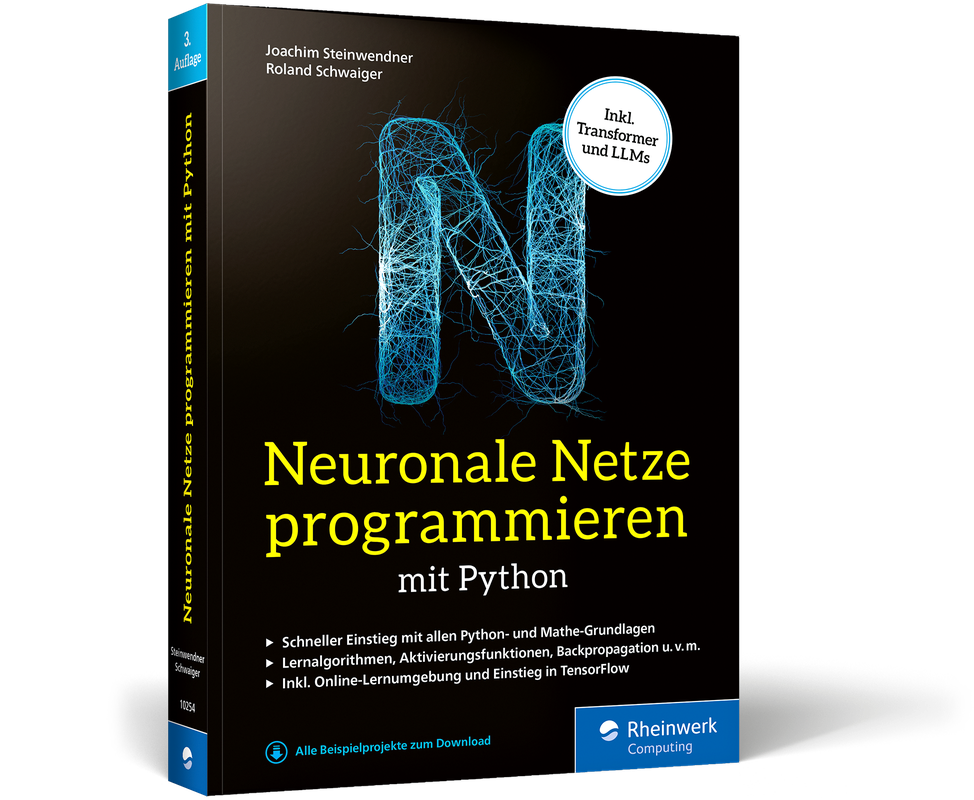
Neuronale Netze programmieren mit Python (3. Auflg.)
Geniale Ideen einfach erklärt. Das Praxisbuch für Einsteiger in 3. Auflage aus dem Januar 2025.Neuronale Netze sind die Technologie hinter Deep Learning, Machine Learning und generativer Künstlicher Intelligenz wie ChatGPT. Sie revolutionieren derzeit die verschiedensten Anwendungsgebiete vom Strategiespiel bis zur Bild- und Spracherkennung. In neuronalen Netzen stecken geniale Ideen, die sich zum Glück einfach erklären lassen. Unsere Experten helfen Ihnen dabei, neuronale Netze zu verstehen und selber zu entwickeln. Um sie gewinnbringend einzusetzen, programmieren Sie verschiedene Netztypen selbst nach. Und zwar in Python, der Hauptsprache der KI-Welt. Sie werden sich dabei mit Mathematik und Programmierung befassen, brauchen aber keine konkreten Vorkenntnisse. Roland Schwaiger und Joachim Steinwendner erklären Ihnen alles besonders anschaulich mit zahlreichen Abbildungen. Ein faszinierendes Buch, das Ihnen den Durchblick in der KI-Welt bringt.Schritt für Schritt zum trainierten KI-Modell: Grundlagen Für Ihren leichten Einstieg haben die Autoren eine Lernumgebung vorbereitet, erläutern alle mathematischen Konzepte von Grund auf und fangen mit einfachen Neuronalen Netzen an. Python-Crashkurs inklusive. Praxis, Praxis, Praxis Die Theorie ist in diesem Fall wirklich wichtig. Aber dann entwickeln Sie selbst, und zwar verschiedene Netztypen – und wenden sie auf verschiedene Fragestellungen an. Die Maschinen lernen lassen Neuronale Netze müssen trainiert werden, und dabei kommt es auf das Wie an! Lernen Sie direkt am Beispiel, Fallstricke zu umgehen, Trainingsdaten geschickt zu nutzen, Werkzeuge auszuwählen und die Trefferquoten ihrer Modelle zu erhöhen. Aus dem Inhalt: Die Grundidee hinter Neuronalen Netzen Ein einfaches Neuronales Netz aufbauen Neuronale Netze trainieren Überwachtes und unüberwachtes Lernen Wichtige mathematische Grundlagen Reinforcement Learning Verschiedene Netzarten und ihre Anwendungsbereiche Back Propagation Deep Learning Programmieren von Transformer-Netzen Einführung in TensorFlow Ethische, rechtliche und ökologische Fragen Leseprobe (PDF-Link) Die Autoren:Dr. Roland Schwaiger ist in so manchen Bereichen der IT-Welt zuhause – Entwickler, Dozent, Forscher und Autor.Prof. Dr. Joachim Steinwendner ist Forschungsfeldleiter für Digital GeoHealth an der Fernfachhochschule Schweiz mit einer fundierten Expertise in Data Science, Maschinellem Lernen, Empfehlungssystemen und Deep Learning.

Excel - Projekt Haushaltsbuch
Excel – Projekt Haushaltsbuch für Microsoft 365, Excel 2024, 2021 und 2019Lernen Sie den Umgang mit Excel einfach und mühelos anhand eines Projekts, das sich im Laufe des Buches kontinuierlich weiterentwickelt. So gelangen Sie von der grundlegenden Gestaltung von Tabellenblättern, über die Eingabe von Formeln bis hin zu komplexeren Anforderungen wie der Erstellung von Pivot-Tabellen oder der Bereitstellung von Daten über die Cloud. Sie verstehen, wie die einzelnen Inhalte ineinandergreifen und wie Sie ein Projekt von A bis Z durchführen.Professionelles Haushaltsbuch mit ExcelEin Haushaltsbuch kann Ihnen helfen, langfristig Geld zu sparen. Dazu muss es Ihren Anforderungen entsprechen. Erstellen Sie gemeinsam mit dem Autor Ihr individuelles Haushaltsbuch. Verstehen Sie den Aufbau und die Funktionsweise der einzelnen Tabellen und passen Sie diese Ihren Bedürfnissen an. Geben Sie sich nicht mit den Vorgaben eines fertigen Haushaltsbuches zufrieden, sondern erstellen Sie auf Basis Ihres Haushaltsjournals Auswertungen und Diagramme, die Ihre Fragen beantworten. Aus dem Inhalt:- Arbeitsumgebung, Farben und Designs- Dateneingabe mit Auswahllisten- Funktionen für Berechnungen einsetzen - Schnelle Zusammenfassungen und Auswertungen mit Pivot-Tabellen- Piktogramme und Formen gestalten- Tabellenblätter mit selbst erstellten Schaltflächen ansteuern- Formatvorlagen für Tabellen, Datenschnitte und Diagramme erstellen und nutzen- Cloudspeicher nutzen und mobil auf das Haushaltsbuch zugreifenNach dem Studium der Rechtswissenschaft führte Markus Oettl zwölf Jahre lang eine eigene Rechtsanwaltskanzlei. Parallel dazu beschäftigte er sich intensiv mit der Finanzwelt, insbesondere den Bereichen Börse, Anlageoptionen und persönliche Finanzplanung sowie den Möglichkeiten der Datenanalyse und Programmierung. Sein Ziel ist es, Menschen dazu zu motivieren, ihre Finanzen selbst in die Hand zu nehmen und aktiv zu gestalten.

ABAP Cloud
Entdecken Sie die Zukunft der ABAP-Entwicklung – direkt in der Cloud! Programmieren Sie eigenständige ABAP-Anwendungen und Erweiterungen für Ihre SAP-S/4HANA-Lösungen, ohne in den Standard-Code eingreifen zu müssen. Mit diesem praktischen Handbuch lernen Sie die ABAP-Umgebungen der SAP Business Technology Platform und von SAP S/4HANA Cloud kennen und erfahren alles über den verfügbaren Sprachumfang und die Arbeit mit dem ABAP RESTful Application Programming Model. Aus dem Inhalt: SAP Business Technology PlatformSAP S/4HANA CloudABAP Development ToolsABAP RESTful Application Programming ModelSAP Fiori ElementsCore Data ServicesCustomizingSoftware Lifecycle ManagementABAP Cloud für On-Premise-Systeme Einleitung ... 17 TEIL I. Einführung in das neue Entwicklungsmodell für ABAP ... 23 1. Die SAP-Anwendungsentwicklung im Wandel ... 25 1.1 ... Herausforderungen des digitalen Zeitalters ... 26 1.2 ... Cloud-Computing und die SAP Business Technology Platform ... 33 1.3 ... Konzepte der SAP Business Technology Platform ... 36 1.4 ... Cloud Foundry als Basis für das ABAP Environment ... 45 1.5 ... Dienste der SAP Business Technology Platform ... 49 1.6 ... Zusammenfassung ... 52 2. ABAP-Plattform ... 55 2.1 ... SAP S/4HANA Cloud und on premise ... 56 2.2 ... SAP Business Technology Platform, ABAP Environment ... 65 2.3 ... Einordnung in die SAP-Systemlandschaft ... 76 2.4 ... Zusammenfassung ... 77 3. Das ABAP-Cloud-Entwicklungsmodell ... 79 3.1 ... Evolution der ABAP-Programmiermodelle ... 79 3.2 ... Was ist ABAP Cloud? ... 82 3.3 ... Freigegebener Sprachumfang und Objekte ... 85 3.4 ... Zusammenfassung ... 100 4. Die Arbeitsumgebung einrichten ... 101 4.1 ... Das Dashboard als Administrationsoberfläche ... 101 4.2 ... Identitäts- und Zugriffsverwaltung ... 104 4.3 ... ABAP Development Tools als Entwicklungsumgebung einrichten ... 107 4.4 ... Zusammenfassung ... 113 TEIL II. Entwicklung von Geschäftsobjekten und Erweiterung von SAPAnwendungen ... 115 5. Aufbau des Datenmodells der Beispielanwendung ... 117 5.1 ... Einführung in die Beispielanwendung ... 118 5.2 ... Softwarekomponenten ... 120 5.3 ... Datenmodell implementieren ... 131 5.4 ... Eine Konsolenanwendung anlegen ... 143 5.5 ... Virtuelles Datenmodell ... 147 5.6 ... Zusammenfassung ... 155 6. Geschäftsobjekte modellieren ... 157 6.1 ... ABAP RESTful Application Programming Model als Grundlage für die Geschäftsobjektmodellierung ... 157 6.2 ... Aufbau des Geschäftsobjekts ... 160 6.3 ... Geschäftsobjektmodellierung mittels CDS-Views ... 163 6.4 ... Business-Services erstellen ... 167 6.5 ... Zusammenfassung ... 180 7. Geschäftslogik entwickeln ... 181 7.1 ... Implementierungsszenarien ... 181 7.2 ... Transaktionales Verhalten implementieren ... 186 7.3 ... Nummerierung implementieren ... 198 7.4 ... Entity Manipulation Language ... 208 7.5 ... Ermittlungen implementieren ... 214 7.6 ... Validierungen implementieren ... 221 7.7 ... Aktionen implementieren ... 227 7.8 ... Zusätzliche Feldeigenschaften definieren ... 231 7.9 ... Sperrkonzepte ... 238 7.10 ... Zusammenfassung ... 244 8. Erweiterung des Speicherverhaltens ... 247 8.1 ... Erweitertes Speicherverhalten implementieren ... 248 8.2 ... Eigene Speicherroutinen implementieren ... 256 8.3 ... Zusammenfassung ... 262 9. Verwendung von Geschäftsobjekten ... 263 9.1 ... Flexible Konsumierung von Geschäftsobjekten mittels Projektionsschicht ... 264 9.2 ... Projektionsschicht erstellen ... 267 9.3 ... Virtuelle Elemente modellieren ... 278 9.4 ... Geschäftsobjekte freigeben ... 282 9.5 ... Zusammenfassung ... 290 10. Gestalten von Benutzeroberflächen ... 293 10.1 ... Einheitliche Benutzeroberflächen mit SAP Fiori Elements ... 294 10.2 ... UI-Annotationen ... 300 10.3 ... Metadatenerweiterungen ... 325 10.4 ... Aktive Annotationen ... 327 10.5 ... Benutzeroberflächen mit dem SAP Business Application Studio anlegen ... 329 10.6 ... Benutzeroberflächen bereitstellen ... 336 10.7 ... Zusammenfassung ... 337 11. Berechtigungen implementieren ... 339 11.1 ... Berechtigungsobjekte ... 340 11.2 ... Berechtigungsprüfungen für Geschäftsobjekte ... 347 11.3 ... Anwendungsbenutzer*innen Berechtigungen zuweisen ... 357 11.4 ... Technischen Benutzern Berechtigungen zuweisen ... 371 11.5 ... Zugriff auf SAP-Fiori-Anwendungen bereitstellen ... 373 11.6 ... Zusammenfassung ... 379 12. Business Configuration bereitstellen ... 383 12.1 ... Eine Business-Configuration-Anwendung entwickeln ... 384 12.2 ... Customizing Lifecycle Management ... 395 12.3 ... Zusammenfassung ... 403 13. Erweiterung von Geschäftsobjekten ... 405 13.1 ... Erweiterbare Geschäftsobjekte ermitteln ... 406 13.2 ... Geschäftsobjekt erweitern ... 411 13.3 ... Zusammenfassung ... 431 TEIL III. Weiterführende Konzepte ... 433 14. Kommunikation mit externen Systemen ... 435 14.1 ... Kommunikationsmanagement ... 436 14.2 ... Mit APIs arbeiten ... 447 14.3 ... Anbindung an On-Premise-SAP-Systeme ... 458 14.4 ... Mit Events arbeiten ... 473 14.5 ... Zusammenfassung ... 485 15. Kundeneigenen Quellcode migrieren ... 489 15.1 ... Cloud-Readiness-Prüfungen durchführen ... 490 15.2 ... Migration in das ABAP Environment ... 506 15.3 ... Halbautomatische Quellcodeanpassungen ... 522 15.4 ... Zusammenfassung ... 532 16. Software Lifecycle Management ... 535 16.1 ... Git ... 536 16.2 ... Git-fähiges Change and Transport System ... 539 16.3 ... Software Lifecycle Management im SAP BTP, ABAP Environment ... 540 16.4 ... Software Lifecycle Management in SAP S/4HANA ... 552 16.5 ... Zusammenfassung ... 556 17. ABAP Cloud für On-Premise-Systeme anwenden ... 557 17.1 ... Embedded ABAP Environment ... 558 17.2 ... Vorgehen bei der On-Stack-Erweiterung ... 561 17.3 ... Wahl der richtigen Erweiterungsstrategien ... 570 17.4 ... Zusammenfassung ... 575 Anhang ... 577 A ... Eine ABAP-Serviceinstanz anlegen ... 579 B ... Quellen- und Literaturverzeichnis ... 587 Das Autorenteam ... 591 Index ... 593

Neuronale Netze programmieren mit Python
Neuronale Netze stehen im Mittelpunkt, wenn es um Künstliche Intelligenz und Machine Learning geht. Sie revolutionieren Bild- und Spracherkennung, Spiele-KIs und vieles mehr. Zum Glück lassen sich die genialen Ideen dahinter einfach erklären. Um sie zu verstehen und einzusetzen, programmieren Sie verschiedene Netztypen selbst nach! Und zwar in Python, der Hauptsprache der KI-Welt. Sie werden sich dabei mit Mathematik und Programmierung befassen, brauchen aber keine konkreten Vorkenntnisse. Aus dem Inhalt: Die Grundidee hinter Neuronalen NetzenEin einfaches Neuronales Netz aufbauenNeuronale Netze trainierenÜberwachtes und unüberwachtes LernenEinführung in TensorFlowKompaktkurs PythonWichtige mathematische GrundlagenReinforcement LearningVerschiedene Netzarten und ihre AnwendungsbereicheBack PropagationDeep LearningWerkzeuge für Data Scientists Vorwort ... 13 Vorwort zur 2. Auflage ... 16 Vorwort zur 3. Auflage (in Kooperation mit einem Transformer Neural Network) ... 17 1. Einleitung ... 19 1.1 ... Wozu neuronale Netze? ... 19 1.2 ... Über dieses Buch ... 20 1.3 ... Der Inhalt kompakt ... 22 1.4 ... Ist diese Biene eine Königin? ... 25 1.5 ... Ein künstliches neuronales Netz für den Bienenstaat ... 26 1.6 ... Von der Biologie zum künstlichen Neuron ... 32 1.7 ... Einordnung und der Rest ... 36 1.8 ... Zusammenfassung ... 45 1.9 ... Referenzen ... 45 TEIL I. Up and running ... 47 2. Das minimale Starterkit für die Entwicklung von neuronalen Netzen mit Python ... 49 2.1 ... Die technische Entwicklungsumgebung ... 49 2.2 ... Zusammenfassung ... 72 3. Ein einfaches neuronales Netz ... 73 3.1 ... Vorgeschichte ... 73 3.2 ... Her mit dem neuronalen Netz! ... 73 3.3 ... Neuron-Zoom-in ... 77 3.4 ... Stufenfunktion ... 82 3.5 ... Perceptron ... 84 3.6 ... Punkte im Raum -- Vektorrepräsentation ... 85 3.7 ... Horizontal und vertikal -- Spalten- und Zeilenschreibweise ... 92 3.8 ... Die gewichtete Summe ... 95 3.9 ... Schritt für Schritt -- Stufenfunktionen ... 95 3.10 ... Die gewichtete Summe reloaded ... 96 3.11 ... Alles zusammen ... 97 3.12 ... Aufgabe: Roboterschutz ... 100 3.13 ... Zusammenfassung ... 103 3.14 ... Referenzen ... 103 4. Lernen im einfachen Netz ... 105 4.1 ... Vorgeschichte: Man lässt planen ... 105 4.2 ... Lernen im Python-Code ... 106 4.3 ... Perceptron-Lernen ... 107 4.4 ... Trenngerade für einen Lernschritt ... 110 4.5 ... Perceptron-Lernalgorithmus ... 112 4.6 ... Die Trenngeraden bzw. Hyperplanes oder auch Hyperebenen für das Beispiel ... 117 4.7 ... scikit-learn-kompatibler Estimator ... 120 4.8 ... scikit-learn-Perceptron-Estimator ... 127 4.9 ... Adaline ... 129 4.10 ... Zusammenfassung ... 139 4.11 ... Referenzen ... 141 5. Mehrschichtige neuronale Netze ... 143 5.1 ... Ein echtes Problem ... 143 5.2 ... XOR kann man lösen ... 145 5.3 ... Vorbereitungen für den Start ... 150 5.4 ... Der Plan für die Umsetzung ... 152 5.5 ... Das Setup (»class«) ... 153 5.6 ... Die Initialisierung (»__init__«) ... 155 5.7 ... Was für zwischendurch (»print«) ... 158 5.8 ... Die Auswertung (»predict«) ... 159 5.9 ... Die Verwendung ... 161 5.10 ... Zusammenfassung ... 162 6. Lernen im mehrschichtigen Netz ... 163 6.1 ... Wie misst man einen Fehler? ... 163 6.2 ... Gradientenabstieg an einem Beispiel ... 165 6.3 ... Ein Netz aus sigmoiden Neuronen ... 174 6.4 ... Der coole Algorithmus mit Vorwärts-Delta und Rückwärts-Propagation ... 176 6.5 ... Ein fit-Durchlauf ... 189 6.6 ... Zusammenfassung ... 198 6.7 ... Referenz ... 198 7. Beispiele für tiefe neuronale Netze ... 199 7.1 ... Convolutional Neural Networks ... 199 7.2 ... Transformer Neural Networks ... 216 7.3 ... Das Optimierungsverfahren ... 226 7.4 ... Overfitting verhindern ... 228 7.5 ... Zusammenfassung ... 230 7.6 ... Referenzen ... 231 8. Programmierung von Deep Neural Networks mit TensorFlow 2 ... 233 8.1 ... Convolutional Networks zur Handschriftenerkennung ... 233 8.2 ... Transfer Learning mit Convolutional Neural Networks ... 249 8.3 ... Transfer Learning mit Transformer Neural Networks ... 259 8.4 ... Zusammenfassung ... 264 8.5 ... Referenzen ... 265 TEIL II. Deep Dive ... 267 9. Vom Hirn zum Netz ... 269 9.1 ... Ihr Gehirn in Aktion ... 270 9.2 ... Das Nervensystem ... 270 9.3 ... Das Gehirn ... 271 9.4 ... Neuronen und Gliazellen ... 274 9.5 ... Eine Übertragung im Detail ... 276 9.6 ... Darstellung von Zellen und Netzen ... 279 9.7 ... Zusammenfassung ... 280 9.8 ... Referenzen ... 281 10. Die Evolution der künstlichen neuronalen Netze ... 283 10.1 ... Die 1940er-Jahre ... 284 10.2 ... Die 1950er-Jahre ... 286 10.3 ... Die 1960er-Jahre ... 288 10.4 ... Die 1970er-Jahre ... 288 10.5 ... Die 1980er-Jahre ... 289 10.6 ... Die 1990er-Jahre ... 303 10.7 ... Die 2000er-Jahre ... 303 10.8 ... Die 2010er-Jahre ... 304 10.9 ... Zusammenfassung ... 307 10.10 ... Referenzen ... 307 11. Der Machine-Learning-Prozess ... 309 11.1 ... Das CRISP-DM-Modell ... 309 11.2 ... Ethische und rechtliche Aspekte ... 313 11.3 ... Feature Engineering ... 324 11.4 ... Zusammenfassung ... 353 11.5 ... Referenzen ... 354 12. Lernverfahren ... 355 12.1 ... Lernstrategien ... 355 12.2 ... Werkzeuge ... 384 12.3 ... Zusammenfassung ... 389 12.4 ... Referenzen ... 390 13. Anwendungsbereiche und Praxisbeispiele ... 391 13.1 ... Warmup ... 391 13.2 ... Bildklassifikation ... 394 13.3 ... Erträumte Bilder ... 415 13.4 ... Deployment mit vortrainierten Netzen ... 426 13.5 ... Zusammenfassung ... 430 13.6 ... Referenzen ... 431 Anhang ... 433 A ... Python kompakt ... 435 B ... Mathematik kompakt ... 465 C ... TensorFlow 2 und Keras ... 485 Index ... 497

Excel 2024
Plötzlich wird Excel ganz leicht. Was immer Sie tun wollen, in diesem Buch finden Sie die passende Anleitung. Rechnen, Tabellen gestalten, Daten sortieren, Diagramme erstellen, Formeln und Funktionen nutzen, Tabellen ausdrucken und vieles andere mehr. Sie sehen Bild für Bild, was zu tun ist. Zusätzlich gibt es eine Menge Vorlagen und Beispiele, die Sie direkt für Ihre Arbeit übernehmen können. So erreichen Sie Ihr Ziel. Garantiert. Aus dem Inhalt: Mit Tabellen arbeitenBereiche kopieren, verschieben, löschenTabellen professionell gestaltenSchnelles Arbeiten mit DesignsZahlen formatierenBedingte FormatierungSchriftarten, -größen und -farben ändernDruckenSeitenumbrüche festlegen und löschenFormeln und FunktionenSumme, Mittelwert, Datum und UhrzeitDiagramme und GrafikenSparklines oder Mini-DiagrammeGrafiken einfügenArbeitsblätter einfügen, umbenennen, verschieben, kopierenListen gekonnt auswertenFenster, Zeilen, Spalten fixierenPDFs erstellen und Daten aus Excel in Word einfügenSerienbriefe auf Basis von Excel-ListenNützliche Vorlagen: Sparplan, Fahrtenbuch, Musterrechnung u. v. m. Vorwort ... 10 Vorlagen und Beispieldateien ... 11 Kapitel 1. Ein erster Überblick ... 12 Excel starten und beenden ... 14 Was ist wo in Excel 2024? ... 16 Das Anwendungsfenster ... 18 Was möchten Sie suchen? ... 20 Befehle über das Menüband aufrufen ... 22 Kontextmenüs nutzen ... 24 Effektiv mit Smarttags arbeiten ... 26 Tastenkombinationen gezielt einsetzen ... 28 Excel auf dem Touchdisplay bedienen ... 30 Die Registerkarte »Zeichnen« ... 32 Kapitel 2. Mit Tabellen arbeiten ... 34 Im Tabellenblatt bewegen ... 36 Daten eingeben, ändern, löschen ... 38 Excel als Taschenrechner ... 42 Einfache Formeln eingeben ... 44 Tipparbeit durch Zeigen reduzieren ... 46 Arbeitsergebnisse speichern ... 48 Eine Arbeitsmappe öffnen ... 50 Eine neue Arbeitsmappe erzeugen ... 52 Kapitel 3. Es geht noch viel schneller! ... 56 Weniger Aufwand durch Autoausfüllen ... 58 Benutzerdefinierte Datenreihen ... 60 Blitzvorschau (Flash Fill) ... 64 Bereiche markieren ... 66 Bereiche kopieren, ausschneiden und löschen ... 68 Drag and Drop ... 70 Zeilen und Spalten einfügen ... 72 Zeilen und Spalten löschen ... 74 Spaltenbreite und Zeilenhöhe ändern ... 76 Überblick: Excel-Cursor ... 80 Kapitel 4. Tabellen professionell gestalten ... 82 Zellen formatieren ... 84 Zellinhalte ausrichten ... 86 Zellen verbinden und Textumbrüche vornehmen ... 88 Zahlen formatieren ... 90 Schriftart, -größe und -farbe von Text ändern ... 94 Rahmenlinien verwenden ... 98 Hintergrundfarbe von Zellen festlegen ... 102 Die Zellformatierung übertragen ... 104 Tabelle drehen ... 106 Einheitliche Gestaltung mit Zellenformatvorlagen ... 108 Intelligente Tabellen mit »Als Tabelle formatieren« ... 110 Mit Designs die gesamte Arbeitsmappe gestalten ... 112 Highlights setzen mit der bedingten Formatierung ... 114 Eigene Regel für die bedingte Formatierung erstellen ... 120 Verbesserung der Barrierefreiheit ... 122 Kapitel 5. Drucken ... 126 Ein erster Druckversuch ... 128 Die Arbeitsmappen-Ansichten ... 130 Die Seitenansicht kontrollieren ... 132 Die Ausrichtung -- hoch oder quer? ... 134 Seitenränder einstellen ... 136 Kopf- und Fußzeilen einfügen ... 138 Seitenumbrüche festlegen und löschen ... 144 Zeilen oder Spalten wiederholen ... 148 Kapitel 6. Formeln und Funktionen ... 150 Formeln als Text wiedergeben mit FORMELTEXT ... 152 Formeln per Ausfüllfunktion erzeugen ... 154 Relative und absolute Adressierung ... 156 Die Funktionsbibliothek ... 160 Sich vom Funktionsassistenten helfen lassen ... 162 Summe, Mittelwert und Co. ... 164 Statistik mit ZÄHLENWENN ... 172 Jahre, Monate, Tage ... 174 Arbeitstage ... 180 Mit dem Datum rechnen ... 182 Eine Geburtstagsliste erstellen ... 186 Mit Zeitangaben rechnen ... 190 Die WENN-Funktion am Beispiel erklärt ... 194 Funktionen verschachteln ... 198 Die Funktionen SVERWEIS und XVERWEIS ... 200 Finanzmathematik? RMZ hilft! ... 206 Einsatz von Variablen für Formeln ... 210 Übersicht über weitere Funktionen ... 214 Kapitel 7. Diagramme und Grafiken ... 224 Diagramme erstellen ... 226 Diagrammelemente bearbeiten und ergänzen ... 232 Den richtigen Diagrammtyp wählen ... 236 Diagramme für besondere Anlässe ... 240 Sparklines oder Minidiagramme ... 242 Der Einsatz von Grafiken ... 246 Einen Screenshot einfügen ... 252 Ein Piktogramm einfügen ... 256 Ein 3D-Modell einfügen und drehen ... 258 Analoge Tabellen per Foto digitalisieren ... 260 Kapitel 8. Arbeitsmappen umfangreich nutzen ... 262 Mehrere Arbeitsmappen verwenden ... 264 Mit Tabellenblättern umgehen ... 266 Der Gruppenmodus ... 272 Tabellenblattübergreifende Formeln ... 276 Arbeitsblätter und Zellen schützen ... 280 Excel im Team nutzen ... 286 Kapitel 9. Listen gekonnt auswerten ... 288 Daten sortieren ... 290 Den AutoFilter anwenden ... 292 Listen gekonnt aufbereiten ... 294 Fenster fixieren -- Zeilen und Spalten feststellen ... 298 Statistik ohne Formeln mithilfe der Pivot-Tabelle ... 300 Daten in der Pivot-Tabelle neu anordnen ... 304 Auswertung nach Jahren und Monaten ... 306 PivotCharts anlegen ... 308 Automatisch erstellte Pivot-Tabellen ... 312 Datenanalyse ... 314 Einen Datenschnitt einfügen ... 316 Neue Datentypen ... 320 Kapitel 10. Zusammenarbeit mit anderen Apps ... 322 Eine PDF der Arbeitsmappe erstellen ... 324 Intelligente Tabellen in Word ... 326 Serienbriefe auf Basis von Excel-Listen ... 330 Kapitel 11. Nützliche Vorlagen ... 336 Persönlicher Jahreskalender ... 338 Sparplan ... 340 Taschengeldverwaltung ... 342 Nordic-Walking-Laufkalender ... 344 Fahrtenbuch ... 346 Turniertabelle ... 348 Musterrechnung allgemein ... 350 Gemischte Musterrechnung mit 7 % und 19 % MwSt. ... 352 Musterrechnung für Kleinunternehmer ... 354 Musterrechnung für Kleinbeträge bis 150 Euro ... 356 Arbeitszeitentabelle ... 358 Stundenplan ... 360 Wichtige Tasten und Tastenkombinationen ... 362 Glossar ... 363 Stichwortverzeichnis ... 377

Excel 2024
Ein Handbuch randvoll mit praktischen Lösungen zu allen nur denkbaren Aufgaben mit Excel 2024 und Excel 365! Sie erfahren unter anderem, wie Sie Tabellen gestalten, Formeln zur Berechnung einsetzen, Analysen erstellen und Ihre Daten und Ergebnisse grafisch aufbereiten und mit anderen teilen. Auch Einsteiger werden hier Schritt für Schritt von den allerersten Grundlagen und Funktionen bis zu den anspruchsvollen Anwendungen angeleitet. Somit eignet sich das Handbuch gleichermaßen zum Erlernen des Programms wie als zuverlässiges Nachschlagewerk für die tägliche Arbeit. Auch für Excel 2021, 2019 und 2016 geeignet. Aus dem Inhalt: Basiswissen für die Arbeit mit Excel 2024Excel auf dem Touchscreen bedienenAufbau von KalkulationstabellenMit Formeln arbeitenTabellenblätter gestaltenAuswertungen und Was-wäre-wenn-AnalysenZielwertsuche und Solver nutzenDaten grafisch präsentierenDiagramme optimal einsetzenDatenvisualisierung mit SparklinesTabellen grafisch aufbereitenDokumente für die Veröffentlichung vorbereitenArbeitsmappen veröffentlichenExcel-Daten im WebArbeit im TeamTabellenfunktionenInformationen als Tabellen ordnen und verwaltenDatenabfragen und -auszügePivot-Tabellen und -DiagrammeArbeit mit externen DatenDaten mit anderen Anwendungen austauschenDen neuen Copiloten richtig einsetzenRoutineaufgaben mit Makros automatisierenVisual Basic für ApplikationenExcel-App Vorwort ... 27 1. Basiswissen für die Arbeit mit Excel ... 30 1.1 ... Einsteigen mit einem Kostenvergleich ... 30 1.2 ... Ein paar Grundbegriffe vorweg ... 40 1.3 ... Excel starten und beenden ... 45 1.4 ... Baustelle für Tabellen und Diagramme ... 50 1.5 ... Dateiformate ... 80 1.6 ... Optionen für die Arbeit mit Excel ... 88 1.7 ... Add-Ins für Office ... 100 1.8 ... Umgang mit Dokumenten ... 102 1.9 ... Speichern in der Cloud ... 135 1.10 ... Hilfe in Excel ... 138 2. Aufbau von Kalkulationstabellen ... 141 2.1 ... Planung und Design von Kalkulationsmodellen ... 141 2.2 ... Navigation und Bereichsauswahl ... 146 2.3 ... Effektive Dateneingabe und Datenänderung ... 159 2.4 ... Daten automatisch erzeugen ... 179 2.5 ... Prüfung der Dateneingabe ... 190 2.6 ... Arbeitsblätter neu organisieren und umbauen ... 196 2.7 ... Effektiver Umgang mit Arbeitsmappen ... 223 3. Mit Formeln arbeiten ... 241 3.1 ... Der Aufbau von Formeln ... 241 3.2 ... Eingabe von Formeln und Funktionen ... 250 3.3 ... Relative und absolute Bezüge ... 268 3.4 ... Beschreibende Bereichsnamen ... 275 3.5 ... Matrixformeln ... 288 3.6 ... Qualität sichern und Fehler vermeiden ... 295 3.7 ... Tabellen mit Formeln verknüpfen ... 309 3.8 ... Auswirkung der Entfernung von Zellen ... 314 3.9 ... Kontrolle der Neuberechnung ... 314 4. Tabellenblätter gestalten ... 321 4.1 ... Wahl des Zahlenformats ... 324 4.2 ... Schriftgestaltung und Ausrichtung ... 342 4.3 ... Rahmen und Muster ... 358 4.4 ... Blätter mit Designs schmücken ... 368 4.5 ... Blätter und Mappen schützen ... 373 4.6 ... Einheitliche Gestaltung mit Formatvorlagen ... 377 4.7 ... Tabellenformatvorlagen ... 385 4.8 ... Datenanalyse mit bedingten Formaten ... 390 4.9 ... Mehr Übersicht durch Gliederungsebenen ... 401 4.10 ... Dateneingabe über Steuerelemente ... 408 5. Auswertung und Prognose ... 411 5.1 ... Berechnungen ohne Formeln ... 411 5.2 ... Ergebnisse konsolidieren ... 413 5.3 ... Add-In für statistische Datenanalyse ... 418 5.4 ... Was wäre, wenn ... ... 421 5.5 ... Planspiele mit Szenarios ... 425 5.6 ... Prognose aufgrund vorhandener Daten ... 436 5.7 ... Automatische Datenanalyse ... 440 6. Optimierung ... 442 6.1 ... Zielwertsuche ... 442 6.2 ... Lösungen mit dem Solver suchen ... 444 7. Daten grafisch präsentieren ... 458 7.1 ... Grafische Auswertung mit Diagrammen ... 458 7.2 ... Diagrammtypen in Excel ... 463 7.3 ... Von der Tabelle zum Diagramm ... 465 7.4 ... Zur Verknüpfung von Tabelle und Diagramm ... 477 7.5 ... Diagramme optimieren ... 480 7.6 ... Diagramme gestalten ... 488 8. Diagramme optimal einsetzen ... 519 8.1 ... Standarddiagramme ... 519 8.2 ... Wertdifferenzierung mit Flächen- und Spannweitendiagrammen ... 527 8.3 ... Mehrfachverteilung und Zyklen -- Ring- und Netzdiagramme ... 530 8.4 ... Wertebeziehungen -- xy-Diagramme und Blasendiagramme ... 533 8.5 ... Kombidiagramme ... 536 8.6 ... 3D-Optik und echte 3D-Diagramme ... 538 8.7 ... 3D-Oberflächendiagramme -- für kontinuierliche Darstellungen ... 545 8.8 ... Neuere Diagrammtypen ... 547 8.9 ... Dreidimensionale Karten ... 553 9. Datenvisualisierung mit Sparklines ... 557 9.1 ... Merkmale und Verwendungsmöglichkeiten ... 557 9.2 ... Einfügen von Sparklines ... 558 9.3 ... Darstellungsvarianten ... 561 9.4 ... Bearbeiten von Sparklines ... 562 10. Tabellenblätter grafisch aufbereiten ... 567 10.1 ... Vorgegebene und freie Formen zeichnen ... 568 10.2 ... Feinarbeit an grafischen Objekten ... 578 10.3 ... Organigramme im Schnellgang ... 596 10.4 ... Grafiken übernehmen und bearbeiten ... 597 10.5 ... Piktogramme nutzen ... 609 10.6 ... 3D-Modelle und 3D-Karten ... 611 10.7 ... Freihandzeichnen ... 615 10.8 ... Bilder aus dem Netz fischen ... 618 10.9 ... Schnappschüsse von Tabellen ... 619 11. Dokumente für die Veröffentlichung vorbereiten ... 621 11.1 ... Dokumentinspektion ... 621 11.2 ... Dokumente verschlüsseln ... 629 12. Arbeitsmappen veröffentlichen ... 630 12.1 ... Vorbereitung von Arbeitsblättern zum Druck ... 630 12.2 ... Druckerauswahl und Druckereinstellungen ... 653 12.3 ... Tabellen per E-Mail versenden ... 658 12.4 ... Erstellen einer PDF- oder XPS-Kopie ... 659 13. Excel-Daten im Web ... 661 13.1 ... Von Excel zu HTML und zurück ... 662 13.2 ... Daten für das Web bereitstellen ... 664 13.3 ... Dokumente mit Hyperlinks verknüpfen ... 667 13.4 ... Verarbeiten von XML-Daten ... 676 14. Gemeinsame Arbeit an Arbeitsmappen ... 687 14.1 ... Teamarbeit in lokalen Netzen ... 687 14.2 ... Teamarbeit über OneDrive ... 693 15. Tabellenfunktionen ... 699 15.1 ... Mit Excel 2013 eingeführte Funktionen ... 699 15.2 ... Neue Funktionen seit Excel 2016 ... 701 15.3 ... Neue Funktionen seit Excel 2021 ... 701 15.4 ... Aufbau und Einsatz von Funktionen ... 702 15.5 ... Finanzmathematische Funktionen ... 704 15.6 ... Datums- und Zeitfunktionen ... 716 15.7 ... Mathematische Funktionen ... 722 15.8 ... Statistische Funktionen ... 737 15.9 ... Nachschlage- und Verweisfunktionen ... 757 15.10 ... Datenbankfunktionen ... 775 15.11 ... Cube-Funktionen ... 777 15.12 ... Textfunktionen ... 779 15.13 ... Logische Funktionen ... 788 15.14 ... Informationsfunktionen ... 801 15.15 ... Technische Funktionen ... 803 15.16 ... Webfunktionen ... 810 16. Informationen als Tabellen ordnen und verwalten ... 812 16.1 ... Möglichkeiten für den Einsatz von Tabellen ... 813 16.2 ... Die Struktur von Tabellen definieren ... 814 16.3 ... Tabellenbereiche ... 818 16.4 ... Daten sortieren ... 828 16.5 ... Daten in Gruppen zusammenfassen ... 838 17. Datenabfragen und Datenauszüge ... 843 17.1 ... Relevante Daten herausfiltern ... 843 17.2 ... Komplexe Abfragen mit Spezialfiltern ... 857 17.3 ... Weiterverarbeitung gefilterter Daten ... 866 17.4 ... Berechnungen mit Datenbankfunktionen ... 867 18. Pivot-Tabellen und -Diagramme ... 869 18.1 ... Datenanalyse mit Pivot-Tabellen ... 872 18.2 ... Dynamische Diagramme aus Pivot-Tabellen ... 922 18.3 ... Datenmodelle mit mehreren Tabellen ... 925 18.4 ... Power Pivot ... 929 18.5 ... Veröffentlichen auf Power BI ... 940 19. Arbeit mit externen Daten ... 941 19.1 ... Access-Daten importieren ... 944 19.2 ... Zugriff auf SQL-Server-Datenbanken ... 949 19.3 ... Abfrage von XML-Dateien ... 952 19.4 ... Einlesen einer CSV-Datei ... 955 19.5 ... Arbeit mit verknüpften Datentypen ... 958 19.6 ... Daten aus Bildern übernehmen ... 963 19.7 ... Direkte Abfragen im Internet ... 965 20. Export und Import von Dateien ... 968 20.1 ... Unterstützte Dateiformate ... 968 20.2 ... Import von Textdateien ... 973 20.3 ... Texte auf Spalten verteilen ... 978 21. Daten mit anderen Anwendungen austauschen ... 979 21.1 ... Austausch über die Zwischenablage ... 979 21.2 ... Dateien dynamisch verknüpfen ... 984 21.3 ... Einsatz von verknüpften Objekten ... 986 22. Routineaufgaben mit Makros automatisieren ... 988 22.1 ... Makros aufzeichnen ... 988 22.2 ... Makros in den Arbeitsablauf einbinden ... 996 22.3 ... Eine Tabelle per Makro kippen ... 1000 22.4 ... Makros für die Diagrammgestaltung ... 1004 22.5 ... Makros von älteren Excel-Versionen ... 1005 23. Visual Basic für Applikationen ... 1006 23.1 ... Grundlagen von VBA ... 1006 23.2 ... Die Entwicklungsumgebung ... 1026 23.3 ... Ein- und Ausgabe ... 1045 23.4 ... Entwurf von Formularen ... 1054 23.5 ... Tabellenfunktionen in VBA ... 1064 24. Preview ... 1069 24.1 ... Office-Skripts: Die Alternative zu Makros ... 1069 24.2 ... Copilot: Der nützliche Begleiter ... 1072 Anhang ... 1075 A ... Funktionstasten, Tasten und Tastenkombinationen ... 1075 Stichwortverzeichnis ... 1083

Office 2024
Alle Office-Programme auf einen Blick! Dieses Buch führt Sie durch Ihre tägliche Arbeit mit Word, Excel, PowerPoint und Outlook und erklärt unter anderem auch, wie Sie mit Teams an einer Videokonferenz teilnehmen. Direkt am Bild sehen Sie Schritt für Schritt, wie Sie die Programme gekonnt für sich nutzen. E-Mails verschicken, Kalkulationen erstellen, Briefe schreiben, Präsentationen gestalten: Folgen Sie einfach Klick für Klick den Anleitungen. Aus dem Inhalt: Maus und Touchpad bedienenProgramme aufrufen und schließenEin Dokument anlegen und bearbeitenDokumente speichern und druckenTexte in Word schreiben und formatierenDie Rechtschreibprüfung einsetzenSchnellbausteine nutzenEine Tabelle einfügen und bearbeitenEin Inhaltsverzeichnis erstellenSchicke Layouts mit WordFotos und Videos einfügenMit Excel rechnenText und Zahlen in Zellen eingebenFormeln und FunktionenAbsolute und relative ZellbezügeDiagramme mit Excel erstellenListen und Datenbanken in ExcelDaten in ein Universalformat exportierenE-Mails schreiben mit OutlookEin E-Mail-Konto einrichten und testenSignaturen einrichten und Designs verwendenSchutz vor Phishing und SpamMit Outlook Termine planenSich an Termine erinnern lassenKontakte und Adressen in Outlook verwaltenMit PowerPoint präsentierenVon der Gliederung zur FoliePräsentationen kreativ gestaltenPräsentationen speichern und druckenEine Präsentation erfolgreich vorführenEine Präsentation als Video für das Web erstellenSeriendruck in OfficeOffice-Dokumente online bearbeitenVideokonferenzen mit Teams führenDen neuen Copiloten gezielt einsetzen 1. Start mit Office ... 10 Programme aufrufen und schließen ... 12 Das Office-Fenster kennenlernen ... 18 Das Fenster vergrößern und verkleinern ... 20 Ein neues Dokument anlegen ... 22 Die Ansicht des Dokuments anpassen ... 24 Ein Dokument speichern ... 26 Dokumente in der Cloud speichern ... 28 Dokumente drucken oder exportieren ... 32 Ein Dokument schließen ... 34 Dateien organisieren und wiederfinden ... 36 2. Texte schreiben in Word ... 38 Word optimal einstellen ... 40 Der Bildschirm im Touchmodus ... 44 Papierformat und Seitenrand einstellen ... 46 Text eingeben ... 48 Im Text bewegen -- mit der Maus oder den Fingern ... 50 Textpassagen markieren ... 52 Text löschen, ändern und ergänzen ... 54 Text ausschneiden, kopieren und einfügen ... 56 Verschieben und kopieren mit Drag & Drop ... 58 Text von Hand korrigieren ... 60 Die Rechtschreibprüfung einsetzen ... 62 Arbeitserleichterung durch die AutoKorrektur ... 66 Schnellbausteine nutzen ... 68 Datum per Tabulator ausrichten ... 70 Automatisches Datum per Feldbefehl ... 72 Dokumente im Team bearbeiten ... 74 3. Texte in Word perfekt formatieren ... 78 Text ausrichten: rechts, links oder zentriert ... 80 Schriftart und -größe einstellen ... 82 Schriftformate festlegen: fett, kursiv und unterstrichen ... 84 Schriftzüge mit Farben und Texteffekten gestalten ... 86 Textpassagen einrücken ... 88 Eine Tabelle einfügen ... 90 Eine Tabelle bearbeiten und attraktiv gestalten ... 92 Mit Formatvorlagen arbeiten ... 96 Formatvorlagen anpassen ... 98 Überschriften nummerieren ... 100 Ein Inhaltsverzeichnis erstellen ... 102 Kopf- und Fußzeilen anlegen ... 104 Seitenzahlen einfügen ... 106 Das aktuelle Datum per Feldbefehl einfügen ... 108 Silbentrennung ... 110 Ein Dokument ausdrucken ... 112 PDF-Dateien in Word öffnen und bearbeiten ... 114 4. Schicke Layouts mit Word ... 116 Aufzählungen und Listen formatieren ... 118 Rahmen und Rahmenlinien einfügen ... 122 Dokumente mit Design ... 124 Fotos einfügen und anordnen ... 126 3D-Modelle einfügen ... 130 Mehr Pep mit WordArt und SmartArt ... 132 Eine eigene Dokumentvorlage erstellen ... 134 5. Mit Excel rechnen ... 136 Der Excel-Bildschirm ... 138 Text und Zahlen in Zellen eingeben ... 140 Tabellenblätter nutzen ... 142 Datenreihen für die rationelle Dateneingabe ... 144 Markieren und gestalten ... 146 Zellinhalte löschen und korrigieren ... 150 Zeilen und Spalten einfügen ... 152 Tabellen mit Flash Fill vervollständigen lassen ... 154 Summen erzeugen ... 156 Formeln für die Grundrechenarten ... 158 Mittelwert und Minimal-/Maximalwerte ... 162 Die WENN-Funktion nutzen ... 164 Funktionen für Datum und Uhrzeit ... 168 Absolute und relative Zellbezüge ... 170 Zellinhalte verknüpfen ... 172 6. Diagramme mit Excel erstellen ... 174 Ein Säulendiagramm erzeugen ... 176 Ein Säulendiagramm nachbearbeiten ... 178 Anteile in Kreisdiagrammen darstellen ... 182 Ein »Tortenstück« herausrücken ... 186 Kleine Diagramme mit Sparklines ... 188 7. Listen und Datenbanken in Excel ... 190 Daten in eine Liste eintragen ... 192 Daten in Listen sortieren ... 194 Auswählen und filtern ... 196 Eine Datenbanktabelle planen ... 200 Daten in ein Universalformat exportieren ... 204 8. E-Mails schreiben mit Outlook ... 208 Den Outlook-Bildschirm kennenlernen ... 210 Die Ordner und Ansichten von Outlook ... 212 Ein E-Mail-Konto einrichten ... 216 E-Mails lesen -- der Posteingang ... 218 E-Mails schreiben und versenden ... 220 E-Mails mit Anlagen versenden ... 224 Neue E-Mails abrufen ... 226 E-Mails beantworten ... 228 Signaturen einrichten ... 230 Schutz vor Phishing und Spam ... 232 E-Mails archivieren ... 236 9. Mit Outlook Termine planen ... 238 Termine eintragen, verschieben und löschen ... 240 Termine nachbearbeiten und weiterleiten ... 242 Wiederkehrende Termine ... 244 Sich an Termine erinnern lassen ... 246 Eine Notiz anlegen ... 250 10. Kontakte und Adressen in Outlook verwalten ... 252 Die verschiedenen Ansichten für Kontakte ... 254 Einen neuen Kontakt anlegen ... 256 Kontaktdaten ändern ... 258 Kontakte sortieren und gruppieren ... 260 Eine E-Mail an mehrere Kontakte schreiben ... 262 Das Adressbuch ausdrucken ... 264 Adressen exportieren ... 266 11. Mit PowerPoint präsentieren ... 268 Die schnelle Präsentation per Assistent ... 270 Das passende Layout für eine Folie finden ... 272 Text einfügen und bearbeiten ... 274 Attraktive Folienübergänge erzeugen ... 276 Ein anderes Design auswählen ... 278 Von der Gliederung zur Folie ... 280 12. Präsentationen kreativ gestalten ... 282 Online-Grafiken suchen und einfügen ... 284 Bilddateien einfügen und anordnen ... 286 Linien, Rechtecke, Pfeile und andere Formen ... 288 Objekte färben und füllen ... 290 Objekte kopieren und gruppieren ... 292 Schrift- und andere Animationseffekte ... 294 Musik für Ihre Präsentation ... 298 Ein Video in die Präsentation einbetten ... 300 Präsentationen speichern und drucken ... 302 Eine Präsentation erfolgreich vorführen ... 304 Eine Präsentation als Video erstellen ... 306 13. Seriendruck in Office ... 308 Die Serienbrieffunktion von Word ... 310 Die Seriendruckfelder einfügen ... 312 Das Outlook-Adressbuch als Datenquelle nutzen ... 316 Eine Excel-Adressliste als Datenquelle nutzen ... 318 Daten filtern und sortieren ... 320 Den Serienbrief drucken ... 322 14. Office und das Internet ... 324 Ein Office-Dokument per E-Mail versenden ... 326 Office-Dokumente online bearbeiten ... 328 15. Teamarbeit mit Teams ... 330 Mit Teams chatten ... 332 Eine Konferenz mit Teams abhalten ... 334 Eine Besprechung planen ... 340 Glossar ... 342 Stichwortverzeichnis ... 353

Adobe Firefly
KI ist das Zukunftsthema für alle Gestalter und Gestalterinnen: Dieses Buch bringt Ihnen die Welt von KI im Grafikdesign nahe und legt dabei einen besonderen Schwerpunkt auf die Adobe-Programme. Die beiden Autorinnen vermitteln Ihnen grundlegende Konzepte, die Einbindung von KI in den kreativen Prozess sowie die Kunst des effektiven Promptings. Vor allem aber erleben Sie Adobe Firefly in der Praxis: Sie erstellen effektive Text- oder Bildprompts, die exakt die gewünschten Bilder liefern. Sie fügen Objekte ein oder entfernen störende Elemente und wandeln einfache Skizzen in professionelle Grafiken um. Auch der Einsatz von KI in Photoshop, Illustrator und Adobe Express wird ausführlich behandelt, und zwar mit einem besonderen Fokus auf das Generative Füllen, Erweitern und Neufärben. Praxisbeispiele runden das Buch ab. Lassen Sie Ihre Ideen Wirklichkeit werden! Aus dem Inhalt: KI im Kreativprozess anwenden für Ideenfindung, Research, Komposition u. a.Grundlagen von Adobe Firefly und die Integration in den eigenen WorkflowGrundlagen des PromptingsProfessionelle Prompts mit Firefly, Text zu Bild, negative PromptsVerwenden von Referenzbildern zum Anpassen an einen StilVarianten über Seitenverhältnis, Stil, Stilreferenzen, Farbe, Effekte und Beleuchtung erstellenTexteffekte und das Hinzufügen von Formen und ElementenEinführung in die KI-Funktionen von Adobe ExpressInteraktion von Firefly mit Photoshop und Illustrator: Generatives Füllen, Erweitern und NeufärbenTeilen von KI-Werken in Galerie und Creative Cloud Einleitung ... 15 1. Grundwissen KI ... 21 1.1 ... Definition von künstlicher Intelligenz ... 21 1.2 ... Grundlegende Konzepte von Data Science bis generative KI ... 24 1.3 ... Rechtliche Grundlagen ... 36 1.4 ... Ethische Grundsätze bei der Nutzung von KI ... 44 2. KI für Kreative: Werkzeuge und Möglichkeiten ... 55 2.1 ... Kreative und die KI ... 56 2.2 ... KI in der Ideenfindung ... 63 2.3 ... KI und Research ... 71 2.4 ... KI revolutioniert die Komposition ... 80 2.5 ... KI in der Reinzeichnung ... 84 2.6 ... KI auch in der Distribution ... 87 3. Einführung in das Prompting ... 97 3.1 ... Arten von Prompts ... 97 3.2 ... Einen Prompt aufbauen in Firefly ... 101 3.3 ... Probleme beim Prompting ... 108 3.4 ... Praktische Hilfen zur Erstellung von Prompts ... 114 4. Adobe Firefly ... 121 4.1 ... Überblick über Firefly ... 121 4.2 ... Die Oberfläche von Adobe Firefly ... 129 4.3 ... Die Funktion »Text zu Bild« ... 133 4.4 ... Tipps für gelungene Prompts in Adobe Firefly ... 161 4.5 ... Schriftzüge und Texteffekte ... 171 4.6 ... Generative Bearbeitung bestehender Bilder ... 176 4.7 ... Exportieren und Teilen von generierten Bildern ... 188 4.8 ... Adobe Firefly im Kreativprozess ... 192 4.9 ... Künftige Anwendungen von Adobe Firefly ... 196 5. Einsatz von KI in Adobe Stock ... 207 5.1 ... Grundlegende Funktionen in Adobe Stock ... 208 5.2 ... Überblick über die KI-Funktionen in Adobe Stock ... 215 5.3 ... Prompting in Adobe Stock ... 219 6. Einsatz von KI in Adobe Express ... 227 6.1 ... Überblick über die Basisfunktionen in Adobe Express ... 227 6.2 ... Überblick über die KI-Funktionen in Adobe Express ... 239 6.3 ... Texteffekte generieren ... 252 7. Einsatz von KI in Adobe Photoshop ... 261 7.1 ... KI-Funktionen in Dialogfeldern und Optionsleisten ... 261 7.2 ... KI-Funktionen zur Bearbeitung von Hintergründen in Photoshop ... 265 7.3 ... Entfernen von Objekten ... 281 7.4 ... Generieren von Objekten in Photoshop über generatives Füllen ... 285 7.5 ... Die Funktion »Bild generieren« ... 294 7.6 ... Prompting-Tipps für Adobe Photoshop ... 300 8. Einsatz von KI in Adobe Illustrator ... 309 8.1 ... Workflow-Optimierung durch KI-Funktionen ... 309 8.2 ... Vektorgrafiken generieren ... 311 8.3 ... Generative Neufärbung ... 326 8.4 ... Generative Formfüllung ... 329 8.5 ... Muster generieren ... 338 8.6 ... Prompting-Tipps für Adobe Illustrator ... 341 9. Einsatz von KI in Adobe InDesign ... 351 9.1 ... Zugriff auf die KI-Funktionen in Adobe InDesign ... 351 9.2 ... Bilder generieren ... 352 9.3 ... Bilder erweitern ... 360 9.4 ... Prompting-Tipps für Adobe InDesign ... 362 Index ... 364

Julia Quick Syntax Reference
Learn the Julia programming language as quickly as possible. This book is a must-have reference guide that presents the essential Julia syntax in a well-organized format, updated with the latest features of Julia’s APIs, libraries, and packages.This book provides an introduction that reveals basic Julia structures and syntax; discusses data types, control flow, functions, input/output, exceptions, metaprogramming, performance, and more. Additionally, you'll learn to interface Julia with other programming languages such as R for statistics or Python. At a more applied level, you will learn how to use Julia packages for data analysis, numerical optimization, symbolic computation, and machine learning, and how to present your results in dynamic documents.The Second Edition delves deeper into modules, environments, and parallelism in Julia. It covers random numbers, reproducibility in stochastic computations, and adds a section on probabilistic analysis. Finally, it provides forward-thinking introductions to AI and machine learning workflows using BetaML, including regression, classification, clustering, and more, with practical exercises and solutions for self-learners.WHAT YOU WILL LEARN* Work with Julia types and the different containers for rapid development* Use vectorized, classical loop-based code, logical operators, and blocks* Explore Julia functions: arguments, return values, polymorphism, parameters, anonymous functions, and broadcasts* Build custom structures in Julia* Use C/C++, Python or R libraries in Julia and embed Julia in other code.* Optimize performance with GPU programming, profiling and more.* Manage, prepare, analyse and visualise your data with DataFrames and Plots* Implement complete ML workflows with BetaML, from data coding to model evaluation, and more.WHO THIS BOOK IS FORExperienced programmers who are new to Julia, as well as data scientists who want to improve their analysis or try out machine learning algorithms with Julia.Antonello Lobianco, PhD is a research engineer employed by a French Grande É cole (polytechnic university). He works on the biophysical and economic modelling of the forest sector and is responsible for the lab models portfolio. He does programming in C++, Perl, PHP, Visual Basic, Python, and Julia. He teaches environmental and forest economics at undergraduate and graduate levels and modelling at PhD level. For a few years, he has followed the development of Julia as it fits his modelling needs. He is the author of a few Julia packages, particularly on data analysis and machine learning (search sylvaticus on GitHub).Part 1. Language Core.- 1. Getting Started.- 2. Data Types and Structures.- 3. Control Flow and Functions.- 4. Custom Types.- E1: Shelling Segregation Model - 5. Input – Output.- 6. Metaprogramming and Macros.- 7. Interfacing Julia with Other Languages.- 8. Efficiently Write Efficient Code. - 9 Parallel Computing in Julia - Part 2. Packages Ecosystem.- 10. Working with Data.- 11. Scientific Libraries.- E2: Fitting a forest growth model - 12 – AI with Julia – E3. Predict house values - 13. Utilities. Appendix: Solutions to the exercises.

Microsoft 365 Access For Dummies
JOIN THE MILLIONS OF PEOPLE ALREADY USING MICROSOFT ACCESS AND BECOME A DATABASE POWER-USER IN NO TIME!In the newly revised edition of Microsoft Access For Dummies, professional database developer and Access extraordinaire Laurie Ulrich-Fuller walks you through the ins-and-outs of one of the world's most popular database platforms. This is the perfect beginner's guide to Microsoft Access, showing you how to create databases, extract data, create reports, and more. The author demonstrates a ton of tips, tricks, and best practices you can use immediately to create, maintain, and improve your databases. You'll also find:* Updates outlining edge browser controls in forms* Step-by-step guides explaining how to import, export, and edit data* Easy-to-follow query-writing tutorials to help you find the exact data you're looking for when you need itWhether you're a database novice or a data science whiz, Microsoft Access For Dummies has the info you need to supercharge your database skills. It's the perfect, how-to guide to get you up-to-speed on everything you need to know to get started with Microsoft's world-famous database app. LAURIE A. ULRICH is a professional author and technology educator who has also written books about Microsoft Office, including Excel, and about Adobe Photoshop. KEN COOK is an experienced database developer and author who has written on the subjects of Microsoft Access and Excel.

Microsoft 365 Outlook For Dummies
GET UP TO SPEED ON MICROSOFT'S WORLD-FAMOUS EMAILING, SCHEDULING, COLLABORATING, AND ORGANIZING SUPER-APPMicrosoft Outlook can do pretty much anything for you—short of cooking you a steak dinner. It can deliver and sort your email, filter out the junk, help you organize your life, send data to the cloud, sync up your various devices, and even integrate with iOS and Android. And in the latest edition of Microsoft Outlook For Dummies you'll learn how to do all of that, and more! Discover how to create automated mail-handling rules, translate messages into English or other languages, and share your calendar with other people. This latest edition even walks you through each of the four different versions of Outlook and their ideal use cases. You'll also find:* Straightforward content that shows you how to draft and send emails, organize your calendars, and set up to-do lists, tasks, and reminders* Easy explanations of hidden and advanced features that very few people know about or use, setting you up to impress your coworkers!* Navigation tips for the Microsoft Outlook interfacePerfect for novices who are brand-new to Outlook, Microsoft Outlook For Dummies is also a must-buy resource for email veterans looking to pick up the latest tips for the newest versions of Microsoft's world-famous email software. FAITHE WEMPEN, M.A., is a Microsoft Office Master Instructor, an instructional designer, and the author of over 160 books—including Computers For Seniors For Dummies—that empower consumers to make the most of their personal computers and applications.

Microsoft 365 PowerPoint For Dummies
PRESENT LIKE A PRO, WITH THE TOP-SELLING POWERPOINT BOOK ON THE MARKETSince 1999, PowerPoint For Dummies has been giving readers a jargon-free way to compose compelling presentations. This update covers the latest release of Office and Office 365. Learn the basics of creating a slide deck in PowerPoint, then discover the dynamic features you can use to give your slides a bit of pizazz. Import data from other applications, collaborate in the cloud, and incorporate charts, graphics, and videos into your presentations. Plus, learn how to use Microsoft's new Copilot AI tool—integrated right into the application. Consider this book your first step to making a splash with PowerPoint!* Create your first PowerPoint slide deck and add presentation notes* Improve the design of your slides with templates and best-practice tips* Add animations, change your font style, and insert images and drawings* Share your presentation with audiences in a virtual settingNew and not-so-new PowerPoint users who need a guide to the basics of building a successful presentation will love this up-to-date, beginner-friendly book. DOUG LOWE is the information technology director for a civil engineering firm. He has been managing networks for more than 20 years and is the best-selling author of more than 30 For Dummies books, including Networking For Dummies and Networking All-in-One For Dummies.

Microsoft 365 Excel VBA Programming For Dummies
YOUR STEP-BY-STEP GUIDE TO DOING MORE WITH MICROSOFT EXCELFully updated for the latest version of Office 365, Excel VBA Programming For Dummies will take your Excel knowledge to the next level. With a little background in Visual Basic for Applications (VBA) programming, you can go well beyond basic spreadsheets and functions. Learn the coding basics and syntax you need to write simple or complex macros that can automate your routine Excel tasks. Become an Excel power user by automating data management, user forms, pivot tables, and beyond. When you use VBA to perform Excel operations, you can reduce errors, save time, and integrate with other Microsoft applications. This handy guide also teaches you how to control the security settings for your macros and save macros to use across files and apps. Plus, you'll get updated coverage of Copilot AI integration. Your spreadsheets are about to get much more powerful.* Get stared with VBA coding to create macros and automate tasks in Excel* Follow step-by-step instructions to write and execute your first scripts* Learn about the advanced functions available with the VBA language* Perform tasks faster and integrate excel with other Microsoft appsThis Dummies guide is right up your alley if you're an Excel user looking to learn some next-level features. Students and professionals alike will reap the benefits of automation, thanks to Excel VBA Programming For Dummies.DICK KUSLEIKA has more than 25 years’ experience helping Office users get the most out of Microsoft’s bestselling software. From online forums to blogs, books, and conferences, he delivers sound and straightforward advice to readers of all skill levels.

Microsoft 365 Word For Dummies
TAKE A DEEP DIVE INTO THE MOST POPULAR WORD PROCESSOR ON THE PLANETWord, Microsoft's powerful and popular word processor, is capable of extraordinary things. From template building to fancy formatting and even AI-powered editing and proofing, your copy of Word stands ready to help you supercharge your productivity and save you time and energy. You just need to learn how it's done. And, thanks to this easy-to-understand book, learning is the easy part!This latest edition of Word For Dummies is packed with the essentials you need to turn any old copy of the famous word processor into a document-creating, table-formatting, graphics-editing super app. You'll even learn how to customize your version of Microsoft Word so it's absolutely perfect for you, at home and at work. You'll also find out how to:* Navigate the Word interface and menus and figure out a ton of hotkey shortcuts* Edit, format, and comment documents to make team collaboration a breeze* Use the new Microsoft Copilot's AI capabilities to make Word even more powerfulSo, grab your copy of the latest edition of Word For Dummies today. It's perfect for casual users interested in upgrading their knowledge of this ubiquitous app as well as power users looking for the latest productivity tips and tricks. DAN GOOKIN wrote the first-ever For Dummies book in 1991. The author of several bestsellers, Dan’s books have been translated into 32 languages and have more than 11 million copies in print. Dan is the bestselling author of all editions of Word For Dummies.

Microsoft Copilot For Dummies
STRAIGHTFORWARD GUIDANCE ON THE AI TOOL THAT'S BUILT INTO WINDOWS, MICROSOFT 365, AND MOREMicrosoft is enhancing all its most widely used productivity software—including Windows and apps like Word and Excel—with the power of AI. And now you can learn to make the most of this revolutionary new tool with Microsoft Copilot For Dummies!You'll discover how to write Copilot-friendly prompts, enhance output with integrated Copilot tools, and how to apply Copilot functions to project management and other specific tasks and disciplines. In the book, you'll find out how to:* Use text or your voice to prompt reliable results from Microsoft Copilot* Customize Microsoft Copilot to respond to your unique needs and demands* Add plug-ins to the Microsoft Copilot service to extend its functionality even moreLearn to supercharge your efficiency with Microsoft Copilot For Dummies. This book is perfect for professional and home users of Windows, Microsoft 365, and other Microsoft products and software who want to increase their productivity. Grab a copy today! CHRIS MINNICK is an accomplished author, teacher, and programmer. Minnick has authored or coauthored over 20 books, including titles in the For Dummies series. He has developed video courses for online training providers, and he teaches programming and machine learning to professional developers at leading companies globally. He is author of Coding with AI For Dummies and JavaScript All-in-One For Dummies.

Neural Networks with TensorFlow and Keras
Explore the capabilities of machine learning and neural networks. This comprehensive guidebook is tailored for professional programmers seeking to deepen their understanding of neural networks, machine learning techniques, and large language models (LLMs). The book explores the core of machine learning techniques, covering essential topics such as data pre-processing, model selection, and customization. It provides a robust foundation in neural network fundamentals, supplemented by practical case studies and projects. You will explore various network topologies, including Deep Neural Networks (DNN), Recurrent Neural Networks (RNN), Long Short-Term Memory (LSTM) networks, Variational Autoencoders (VAE), Generative Adversarial Networks (GAN), and Large Language Models (LLMs). Each concept is explained with clear, step-by-step instructions and accompanied by Python code examples using the latest versions of TensorFlow and Keras, ensuring a hands-on learning experience. By the end of this book, you will gain practical skills to apply these techniques to solving problems. Whether you are looking to advance your career or enhance your programming capabilities, this book provides the tools and knowledge needed to excel in the rapidly evolving field of machine learning and neural networks. What You Will Learn * Grasp the fundamentals of various neural network topologies, including DNN, RNN, LSTM, VAE, GAN, and LLMs * Implement neural networks using the latest versions of TensorFlow and Keras, with detailed Python code examples * Know the techniques for data pre-processing, model selection, and customization to optimize machine learning models * Apply machine learning and neural network techniques in various professional scenarios Explore the capabilities of machine learning and neural networks. This comprehensive guidebook is tailored for professional programmers seeking to deepen their understanding of neural networks, machine learning techniques, and large language models (LLMs). The book explores the core of machine learning techniques, covering essential topics such as data pre-processing, model selection, and customization. It provides a robust foundation in neural network fundamentals, supplemented by practical case studies and projects. You will explore various network topologies, including Deep Neural Networks (DNN), Recurrent Neural Networks (RNN), Long Short-Term Memory (LSTM) networks, Variational Autoencoders (VAE), Generative Adversarial Networks (GAN), and Large Language Models (LLMs). Each concept is explained with clear, step-by-step instructions and accompanied by Python code examples using the latest versions of TensorFlow and Keras, ensuring a hands-on learning experience. By the end of this book, you will gain practical skills to apply these techniques to solving problems. Whether you are looking to advance your career or enhance your programming capabilities, this book provides the tools and knowledge needed to excel in the rapidly evolving field of machine learning and neural networks. What You Will Learn * Grasp the fundamentals of various neural network topologies, including DNN, RNN, LSTM, VAE, GAN, and LLMs * Implement neural networks using the latest versions of TensorFlow and Keras, with detailed Python code examples * Know the techniques for data pre-processing, model selection, and customization to optimize machine learning models * Apply machine learning and neural network techniques in various professional scenarios Who This Book Is For Data scientists, machine learning enthusiasts, and software developers who wish to deepen their understanding of neural networks and machine learning techniques Chapter 1: Introduction to Neural Networks.- Chapter 2: Using Tensors.- Chapter 3: How Machines Learn.- Chapter 4: Network Layers.- Chapter 5: The Training Process.- Chapter 6: Generative Models.- Chapter 7: Re-enforcement Learning.- Chapter 8: Using Pre-trained Networks. Philip Hua brings over 30 years of experience in investment, risk management, and IT. He has held senior positions as a partner at a hedge fund, led risk and IT departments at both large and boutique firms, and co-founded a successful fintech company. Alongside Dr. Paul Wilmott, he developed the CrashMetrics methodology, a crucial tool for evaluating severe market risk in portfolios. Philip holds a PhD in Applied Mathematics from Imperial College London, an MBA, and a BSc in Engineering.

Regenerating Learning
The perfect storm of learning provoked by generative AI is not just about learning how to use the technology to change human patterns of work and life. The technologies are re-orienting how we think we learn, how we communicate with each other, and the economic, social, political, creative, and ethical factors that inform how we navigate human-influenced existence on this planet. This book addresses the need for workers in any industry to take responsibility for learning how to best use generative AI systems in their unique contexts. Generative AI can navigate you towards learning, but also towards conducting research and teaching yourself things; to empower you in reimagining and reinventing how you learn while doing your work. Just like you can regenerate content persistently using generative AI systems, so too can you regenerate what and how you learn. Chapters will prepare you to inform and guide the small team you are a part of, or influence leadership to navigate the territory of leveraging generative AI systems responsibly. Besides pointing to all the more obvious benefits of learning how to use generative AI systems more effectively, this book provides use cases, research and educational theory to propose that interacting with the technology leads to a number of unanticipated learning outcomes. These outcomes challenge the very way in which we have come to learn, what we have learned, and what we may need to unlearn. As generative AI becomes increasingly integrated within workplace environments at some point or other we will each reach a critical point of having to decide if we are going to use the technology and how. The perfect storm of learning provoked by generative AI is not just about learning how to use the technology to change human patterns of work and life. The technologies are re-orienting how we think we learn, what we learn, what we need to learn, when and where we learn about knowledge production, how humans communicate with each other, the economic, social, political, creative, ethical and technological factors that inform how we navigate human influenced existence on this planet. The technology empowers you to reimagine and reinvent how you learn while doing your work. Just like you can regenerate content persistently using generative AI systems, so too can you regenerate what and how you learn. Regenerating Learning will help guide the small team you are a part of, or influence leadership to leverage generative AI systems responsibly. Besides pointing to all the more obvious benefits of learning how to use generative AI systems more effectively, this book provides use cases, research and educational theory to propose that interacting with the technology leads to a number of unanticipated learning outcomes. These outcomes challenge the very way in which we have come to learn, what we have learned, and what we may need to unlearn. As generative AI becomes increasingly integrated within workplace environments at some point or other we will each need to decide if we are going to use the technology and how. What You will Learn • Methods and techniques to re-learn how you learn through your interactions with different generative AI. • Strategic approaches to integrate generative AI within your workflows. • How to iterate, adapt, prototype and learn continuously with generative AI. • A variety of tools and approaches to reconcile your organization’s use of generative AI. • How to develop a road map towards the integration of AI systems within your organization. Who this Book Is For Creatives, team leaders, managers and leadership in different organizations; teams in collaborative and creative industries; managers and employees in organizational learning Patrick Parra Pennefather is an Associate Professor and Researcher at the University of British Columbia within the Faculty of Arts and the Emerging Media Lab. His research is focused on Collaborative Learning Practices, Emerging technology development, Research Creations, and GraphRAG research and development within the field of machine learning. Patrick also works with learning organizations and technology companies around the world to adopt generative AI strategically within complex and inter-dependent team environments, and design learning courses that meets the needs of diverse communities to aid the development of the next generation of technology designers and developers. 1: Ready Yourself to Learn From AI.- 2: Reprogram Your Learning Patterns.- 3: Regulate How You Learn.- 4: Re-Learn While Working.-5: Design Your Own Learning.- 6: Re-energize Doing.- 7: Re-Assess with Generative AI.- 8: Re-Adjust with AI.- 9: Prototype Learning.- 10: Re-Iterate How You Learn.- 11:Reconciling Using Generative AI.- 12: Remember the Algorithms.- 13: Continuously Improve and Learn with AI.- 14: Build Your Own Teaching Bots.- 15: Re-Invent Reinforcement.- 16: Learn with Other Bots.- 17: Transform Your Organization.- 18: Reclaim Your Creative Content.- 19: Fill in the Blanks.- 20: An Intelligent Conclusion.
Microsoft Teams For Dummies
Learn to be a good Teams player Microsoft Teams is everyone’s favorite app to use at work. Okay, maybe it’s not your favorite, but you’ll appreciate it more when you discover how it can make your workday easier. Microsoft® Teams™ For Dummies gets you started with the basics, then shows you how to make the most of chatting, file sharing, video conferencing, and beyond. Plus, you’ll get a rundown on Copilot—Microsoft’s new AI assistant—including how it can streamline your processes, summarize meetings, and generally make your life easier. Let’s get Team-ing! Inside… Using the Teams mobile appMaking and receiving callsImproving your Teams meetingsManaging teams and channelsUncovering Teams administrationHosting hybrid meetingsIntegrating other appsUsing Teams for small business Unlock the full power of Microsoft Teams, including brand-new AI functionality, with your friends at For Dummies Looking for a fast and easy guide to Microsoft Teams, the collaboration software used by millions of people and companies around the world? In Microsoft Teams For Dummies, 3rd edition, you'll find the must-know tips, hidden tricks, and handy hacks you need to help you rock your workday and get things done lightning-fast. You'll learn how to incorporate Teams into your everyday workflow and use functionality like chatting, file sharing, team organization, videochat, and more. You'll even learn how to use Microsoft's brand-new AI companion Copilot to help you improve your processes and productivity. You'll find out how to: Connect with colleagues and collaborate remotely, from across the hall or from the other side of the worldUse little-known Teams features to help you supercharge your productivity and get more done in a dayCustomize your Teams installation and make it work better for you and your teammates An engaging and effective roadmap to one of Microsoft's most popular apps, Microsoft Teams For Dummies is a must-read for everyone who uses—or wants to use—this powerful software at work or anywhere else. Grab a copy today! Rosemarie Withee is president of Portal Integrators, a Scrum-based software and services firm. Rosemarie has authored a number of books in the For Dummies series, including the most recent editions of Office 365 For Dummies and SharePoint For Dummies.

GIMP - Einstieg und Praxis (2. Auflg.)
GIMP – Praxisnaher Einstieg für Anfänger und Fortgeschrittene – klar, verständlich, visuell erklärt. In 2. Auflage aus Dezember 2024.GIMP ist eine der beliebtesten Open-Source-Programme für Bildbearbeitung. Dieses Buch hilft Ihnen, sich mit der optimierten Benutzeroberfläche und zahlreichen neuen Funktionen vertraut zu machen. Nach einer Einführung in die wichtigsten Werkzeuge und Funktionen setzen Sie Ihr Wissen direkt praktisch um: Verbessern Sie die Schärfe und den Kontrast Ihrer Fotos, entfernen Sie störende Elemente und bearbeiten Sie gezielt bestimmte Bildbereiche mit den Auswahlwerkzeugen. Für komplexere Anpassungen arbeiten Sie mit Ebenen, und dank Filtern und Effekten verleihen Sie Ihren Bildern einen völlig neuen Stil. Aus dem Inhalt:12 einfach nachvollziehbare Lektionen für beeindruckende Ergebnisse Einführung in Arbeitsoberfläche, Werkzeuge und Voreinstellungen Schnelle sowie anspruchsvolle Bildkorrekturen Effiziente Nutzung von Auswahlwerkzeugen Kreatives Arbeiten mit Ebenen, Filtern und Effekten Erstellung professioneller Schriftzüge Praktische Tastenkombinationen für alle zentralen Funktionen

The Complete Engineering Manager
Take a 360-degree tour of the engineering manager’s role and responsibilities. This book brings them to life with practical scenarios and references and ensures their relevance to your daily work.From upkeeping technical skills, to managing people and stakeholders, to ensuring timely deliverables, the job of the engineering manager is fast-paced, complex, and often short on learning resources. Fear not, this book has you covered with tips on managing evolving processes, delivering impactful projects in a timely manner, setting goals and priorities among product and technical initiatives, and helping your team focus and deliver.Business priorities are changing at a much faster pace than ever before with new technologies being introduced and adopted regularly. This book will help managers adopt modern practices to meet this moment and aid them in helping engineering teams succeed. _The Complete Engineering Manager_ will leave you with a broader perspective and deeper skill set to apply to engineering management.WHAT YOU WILL LEARN* Employ the SELF framework for self-management and learn to build trust with team members* Manage performance and craft individualized growth plans for employee success* Evolve your team’s development, delivery, and technical processes to improve their efficiency* Drive impact for your organization through prioritization, strategy and value delivery* Adopt modern engineering management practices such as utilizing AIWHO THIS BOOK IS FORNew, aspiring, and experienced engineering managers who are looking for resources to address challenges in their role.Ananth Ramachandran is a seasoned engineering leader who has experience in building happy, productive and high-performing engineering teams. He started his career in a Fortune 500 company as a software engineer and later found his passion in startups and building engineering teams from the ground up. He’s passionate about scaling up people, product and technology strategy and ultimately contributing to an organization’s success.He runs a newsletter for Engineering Managers, techmanagerguide.substack.com, where he writes about day-to-day experiences, challenges, and modern engineering management practices and techniques. He speaks on podcasts and at meetups, and mentors and trains software professionals and aspiring leaders.PART 1: Congratulations, You're an Engineering Manager.- Chapter1: Engineering Manager's Starter Kit.- PART 2: Managing People.- Chapter 2: Self-Management.- Chapter 3: It’s All About Trust.- Chapter 4: Mindful One-on-Ones.- Chapter 5: Managing Performance.- Chapter 6: Working with Your Manager.- PART 3: Managing Processes.- Chapter 7: Evolving Processes and Bringing Change.- Chapter 8: Development and Delivery Processes. Chapter 9: Technical Processes.- PART 4: Mastering Prioritization.- Chapter 10: The Bigger Picture.- Chapter 11: Pragmatic Approach To Prioritization.- Chapter 12: Prioritizing Technical Initiatives.- PART 5: Delivering Impactful Projects.- Chapter 13: Modern Delivery Practices.- Chapter 14: Measuring Delivery Effectiveness.- Chapter 15: Managing Stakeholders, Blockers and Progress.- PART 6: Building High-Performing Teams.- Chapter 16: Make Your Team Great Again.- Chapter 17: Building a Strong Engineering Culture.- Chapter 18: Becoming an Organizational Leader.

Microsoft 365 PowerPoint For Dummies
PRESENT LIKE A PRO, WITH THE TOP-SELLING POWERPOINT BOOK ON THE MARKETSince 1999, PowerPoint For Dummies has been giving readers a jargon-free way to compose compelling presentations. This update covers the latest release of Office and Office 365. Learn the basics of creating a slide deck in PowerPoint, then discover the dynamic features you can use to give your slides a bit of pizazz. Import data from other applications, collaborate in the cloud, and incorporate charts, graphics, and videos into your presentations. Plus, learn how to use Microsoft's new Copilot AI tool—integrated right into the application. Consider this book your first step to making a splash with PowerPoint!* Create your first PowerPoint slide deck and add presentation notes* Improve the design of your slides with templates and best-practice tips* Add animations, change your font style, and insert images and drawings* Share your presentation with audiences in a virtual settingNew and not-so-new PowerPoint users who need a guide to the basics of building a successful presentation will love this up-to-date, beginner-friendly book. DOUG LOWE is the information technology director for a civil engineering firm. He has been managing networks for more than 20 years and is the best-selling author of more than 30 For Dummies books, including Networking For Dummies and Networking All-in-One For Dummies.

Microsoft 365 Excel VBA Programming For Dummies
YOUR STEP-BY-STEP GUIDE TO DOING MORE WITH MICROSOFT EXCELFully updated for the latest version of Office 365, Excel VBA Programming For Dummies will take your Excel knowledge to the next level. With a little background in Visual Basic for Applications (VBA) programming, you can go well beyond basic spreadsheets and functions. Learn the coding basics and syntax you need to write simple or complex macros that can automate your routine Excel tasks. Become an Excel power user by automating data management, user forms, pivot tables, and beyond. When you use VBA to perform Excel operations, you can reduce errors, save time, and integrate with other Microsoft applications. This handy guide also teaches you how to control the security settings for your macros and save macros to use across files and apps. Plus, you'll get updated coverage of Copilot AI integration. Your spreadsheets are about to get much more powerful.* Get stared with VBA coding to create macros and automate tasks in Excel* Follow step-by-step instructions to write and execute your first scripts* Learn about the advanced functions available with the VBA language* Perform tasks faster and integrate excel with other Microsoft appsThis Dummies guide is right up your alley if you're an Excel user looking to learn some next-level features. Students and professionals alike will reap the benefits of automation, thanks to Excel VBA Programming For Dummies.DICK KUSLEIKA has more than 25 years’ experience helping Office users get the most out of Microsoft’s bestselling software. From online forums to blogs, books, and conferences, he delivers sound and straightforward advice to readers of all skill levels.

Microsoft 365 Word For Dummies
TAKE A DEEP DIVE INTO THE MOST POPULAR WORD PROCESSOR ON THE PLANETWord, Microsoft's powerful and popular word processor, is capable of extraordinary things. From template building to fancy formatting and even AI-powered editing and proofing, your copy of Word stands ready to help you supercharge your productivity and save you time and energy. You just need to learn how it's done. And, thanks to this easy-to-understand book, learning is the easy part!This latest edition of Word For Dummies is packed with the essentials you need to turn any old copy of the famous word processor into a document-creating, table-formatting, graphics-editing super app. You'll even learn how to customize your version of Microsoft Word so it's absolutely perfect for you, at home and at work. You'll also find out how to:* Navigate the Word interface and menus and figure out a ton of hotkey shortcuts* Edit, format, and comment documents to make team collaboration a breeze* Use the new Microsoft Copilot's AI capabilities to make Word even more powerfulSo, grab your copy of the latest edition of Word For Dummies today. It's perfect for casual users interested in upgrading their knowledge of this ubiquitous app as well as power users looking for the latest productivity tips and tricks. DAN GOOKIN wrote the first-ever For Dummies book in 1991. The author of several bestsellers, Dan’s books have been translated into 32 languages and have more than 11 million copies in print. Dan is the bestselling author of all editions of Word For Dummies.

Microsoft Teams For Dummies
UNLOCK THE FULL POWER OF MICROSOFT TEAMS, INCLUDING BRAND-NEW AI FUNCTIONALITY, WITH YOUR FRIENDS AT FOR DUMMIESLooking for a fast and easy guide to Microsoft Teams, the collaboration software used by millions of people and companies around the world? In Microsoft Teams For Dummies, 3rd edition, you'll find the must-know tips, hidden tricks, and handy hacks you need to help you rock your workday and get things done lightning-fast. You'll learn how to incorporate Teams into your everyday workflow and use functionality like chatting, file sharing, team organization, videochat, and more. You'll even learn how to use Microsoft's brand-new AI companion Copilot to help you improve your processes and productivity. You'll find out how to:* Connect with colleagues and collaborate remotely, from across the hall or from the other side of the world* Use little-known Teams features to help you supercharge your productivity and get more done in a day* Customize your Teams installation and make it work better for you and your teammatesAn engaging and effective roadmap to one of Microsoft's most popular apps, Microsoft Teams For Dummies is a must-read for everyone who uses—or wants to use—this powerful software at work or anywhere else. Grab a copy today! ROSEMARIE WITHEE is president of Portal Integrators, a Scrum-based software and services firm. Rosemarie has authored a number of books in the For Dummies series, including the most recent editions of Office 365 For Dummies and SharePoint For Dummies.