

Fotografie
Digital Photography For Dummies
PHOTOGRAPHERS! YOUR GUIDE IS HERE!The demand for high-quality photographs is higher than ever. Whether you’re building your influencer rating online, capturing the moments of a child’s life, or are looking for ways to improve your skills, photography know-how is a must-have skill.Digital Photography For Dummies helps you do more than pointing, shooting, and hoping for the best or slapping a filter on a camera phone shot. This book introduces you to the camera settings and techniques that separate okay pictures from frame-worthy portraits. It then explains how to apply those skills to capturing your own portraits, landscape shots, and high-action photos.* Develop a better eye for image composition* Discover how to light photos better, including using natural light* Learn to get quick results in auto settings or take full control in manual mode* Discover the elements of exposure and how they influence the final product* Find instructions on taking a formal or casual portrait* Apply basic editing techniques to finalize your imageGo beyond photo apps and apply the techniques pros use for their images.JULIE ADAIR KING is a bestselling author whose books combined have sold well over a million copies. Along with all previous editions of Digital Photography For Dummies, she has written For Dummies books covering Canon, Olympus, and Nikon dSLR cameras as well as books on photo retouching. Introduction 1PART 1: FAST TRACK TO SUPER SNAPS 7Chapter 1: Choosing the Right Camera 9Chapter 2: Starting Out Right: Setup Do’s and Don’ts 39Chapter 3: Shooting Your First Photos (and Movies) 71PART 2: TAKING YOUR PHOTOGRAPHY TO THE NEXT LEVEL 89Chapter 4: Starting to See Like a Photographer 91Chapter 5: Taking Control of Exposure 109Chapter 6: Adding Flash and Other Lights 135Chapter 7: Manipulating Focus and Color 161PART 3: PRO TIPS FOR CAPTURING SPECIFIC SUBJECTS 195Chapter 8: Shooting Frame-Worthy Portraits 197Chapter 9: Photographing Action 221Chapter 10: Taking in the Scenery 245PART 4: AFTER THE SHOT 275Chapter 11: Discovering Cool Playback Features 277Chapter 12: Downloading, Editing, and Sharing Photos 291PART 5: THE PART OF TENS 313Chapter 13: Ten Fixes for Common Photo Flaws 315Chapter 14: Ten Accessories to Enhance Your Photography 329Index 341
Canon EOS 90D For Dummies
GET EXCITED ABOUT THE CANON EOS 90D AND ALL IT CAN DO!An amazing photo begins with a quality camera and the know-how to use it. If you’ve selected the Canon EOS 90D, you now have a digital camera that serves a range of photographers, from novices to professionals. It takes some know-how to take advantage of the camera’s upgrades to its sensor, shutter speed, and video capabilities. Fortunately, Canon EOS 90D For Dummies canhelp you maximize the potential of the camera and its features.Canon EOS 90D For Dummies lets you skip the photography class and start shooting high-quality images right away The book introduces the camera’s settings; explains how to take control of exposure, focus, and color; and shows how to put all this new-found knowledge to work to shoot great portraits or action shots. The book is co-written by a pair of photography pros who share their professional experience on how to apply simple techniques for great shots.* Choose the best setting for your situation* Manage focus and color* Make the most of your lighting* Understand camera settings* Customize your camera to your needsCreate remarkable photos and memories, whether you stick with user-friendly automatic settings or decide to dive into more advanced features. With your Canon EOS 90D and this book at your side, you can shoot quality video and capture moving subjects confidently.ROBERT CORRELL is author of Digital SLR Photography All-in-One For Dummies as well as books on other Canon DSLR models, Sony cameras, HDR photography, and photo restoration. JULIE ADAIR KING is a veteran photography professional and instructor with more than 60 books to her credit. She has written all editions of Digital Photography For Dummies as well as 40 guides to dSLR camera models. INTRODUCTION 1About This Book 1Foolish Assumptions 2Icons Used in This Book 2Beyond the Book 3Where to Go from Here 3PART 1: FAST TRACK TO SUPER SNAPS 5CHAPTER 1: GETTING UP AND RUNNING 7Preparing the Camera for Initial Use 7Exploring External Camera Features 12Topside controls 12Back-of-the-body controls 15And the rest 18Ordering from Camera Menus 20Mastering menu basics 20Navigating Custom Functions 23Customizing the Touch Screen 24Viewing Shooting Settings 26Displaying the Quick Control screen 27Decoding viewfinder data 28Reading the LCD panel 30Switching to Live View Mode 30Customizing the Live View display 32Staying safe with Live View 34Using Quick Control Mode 35Familiarizing Yourself with the Lens 38Focusing 39Zooming 40Enabling Image Stabilization 40Removing a lens 41Decoding Canon lens terminology 42Working with Memory Cards 42Buying SD cards 42Formatting a card 43Removing a card 43Handling cards 43Locking cards 43Reviewing Basic Setup Options 44Setup Menu 1 44Setup Menu 2 46Setup Menu 3 47Setup Menu 4 48Setup Menu 5 49CHAPTER 2: CHOOSING BASIC PICTURE SETTINGS 51Choosing an Exposure Mode 52Basic Zone exposuremodes 52Creative Zone modes (P, Tv, Av, M, B, C1, and C2) 53Changing the Drive Mode 54Understanding the Image Quality Setting 58Adjusting the Image Quality setting 58Considering resolution: L, M, S1, or S2? 60Understanding file type (JPEG or Raw) 65Setting the Photo Aspect Ratio 69Adding Flash 69Using flash in Basic Zone modes 73Using flash in P, Tv, Av, M, B, C1, and C2 modes 76CHAPTER 3: TAKING GREAT PICTURES, AUTOMATICALLY 87Using Scene Intelligent Auto Mode 88Viewfinder shooting 88Live View photography 92Shooting Without the Flash in Basic Modes 95Taking Advantage of Special Scenes 95Selecting a Specialty Scene 96Adjusting a few settings 102Gaining More Control with Creative Assist 104PART 2: TAKING CREATIVE CONTROL 109CHAPTER 4: TAKING CHARGE OF EXPOSURE 111Introducing the Exposure Trio: Aperture, Shutter Speed, and ISO 112Aperture affects depth of field 114Shutter speed affects motion blur 115ISO affects image noise 117Doing the exposure balancing act 119Stepping Up to Advance Exposure Modes (P, Tv, Av, M, B, C1, and C2) 120Monitoring Exposure Settings 122Choosing an Exposure Metering Mode 125Setting ISO, Aperture, and Shutter Speed 128Controlling ISO 128Adjusting aperture and shutter speed 131Sorting Through Your Camera’s Exposure-Correction Tools 134Overriding autoexposure results with Exposure Compensation 134Improving high-contrast shots with Highlight Tone Priority 139Experimenting with Auto Lighting Optimizer 141Looking at a few other exposure solutions 145Locking Autoexposure Settings 149Bracketing Exposures Automatically 150CHAPTER 5: CONTROLLING FOCUS AND DEPTH OF FIELD 157Setting the Lens to Automatic or Manual Focusing Mode 158Exploring Viewfinder Focusing Options 160Adjusting autofocus performance 161Considering a few other autofocus settings 170Focusing in Live View and Movie Modes 172AF Method: Setting the focusing area 172AF Operation: One-Shot or Servo? 175Manual focusing in Live View and Movie modes 177Manipulating Depth of Field 180CHAPTER 6: MASTERING COLOR CONTROLS 185Understanding White Balance 186Changing the White Balance setting 187Creating a custom White Balance setting 191Fine-tuning color with White Balance Shift 192Bracketing White Balance 195Taking a Quick Look at Picture Styles 199Changing the Color Space 203CHAPTER 7: PUTTING IT ALL TOGETHER 205Recapping Basic Picture Settings 205Shooting Still Portraits 207Capturing Action 212Capturing Scenic Vistas 216Capturing Dynamic Close-Ups 220CHAPTER 8: SHOOTING AND VIEWING MOVIES 223Recording Movies Using Default Settings 224Choosing between NTSC and PAL 226Customizing Recording Settings 226Choosing a Movie Recording Size setting 227Setting audio options 230Reviewing Other Movie Options 233Autofocusing options 233Movie Digital IS 234Playing with exposure and color 236Checking out a few final features 237Playing Movies 240PART 3: AFTER THE SHOT 243CHAPTER 9: PICTURE PLAYBACK 245Adjusting Automatic Image Review 246Viewing Pictures in Playback Mode 246Viewing thumbnails (Index mode) 248Jumping through images 250Rotating pictures 253Zooming in for a closer view 255Showing focus points during playback 257Viewing Picture Data 257Basic Information display mode 258Detailed Information display mode 260Understanding histograms 265Taking Advantage of Image Search 267Viewing Photos and Movies on a TV 270CHAPTER 10: WORKING WITH PICTURE AND MOVIE FILES 273Deleting Files 274Protecting Photos and Movies 277Rating Photos and Movies 280Cropping Photos 282Installing the Canon Software 286Sending Pictures to the Computer 287Downloading via Wi-Fi or USB 287Downloading from a card reader 291Using Creative Assist During Playback 293Working with Raw Images 293Processing Raw Images in the Camera 294Converting Raw Images in Digital Photo Professional 4 295Adding Cleaning Instructions to Images 298Preparing Pictures for Online Sharing 299PART 4: THE PART OF TENS 301CHAPTER 11: TEN MORE CUSTOMIZATION OPTIONS 303Changing the Furniture Around 303Disabling the AF-Assist Beam 304Customizing Exposure Increments 305Creating a Custom Menu 305Adding Custom Folders 306Creating Your Own Exposure Modes 306Changing the Direction of the Dials 308Embedding Copyright Notices 308Controlling the Lens Focus Drive 310Even More Advanced Autofocusing Tweaks 311CHAPTER 12: TEN FEATURES TO EXPLORE ON A RAINY DAY 313Shooting Time-Lapse Photos and Movies 314Experimenting with Focus Bracketing 316Enabling Mirror Lockup 318Investigating More Printing Options 319Adding Effects to Photos During Playback 319Adding Effects During Shooting 322Shooting in Multiple Exposure Mode 324Creating Video Snapshots 325Trimming Movies 326Presenting a Slide Show 327Appendix: Exploring Wireless Connections 329Index 339
Das Affinity Photo Praxisbuch
Von den Grundlagen bis zur professionellen Bildbearbeitung.Das preisgekrönte Affinity Photo hat alles, was eine moderne, professionelle Bildbearbeitung braucht – und das ganz ohne Abo, zu einem sehr günstigen Preis, bei umfassender Photoshop-Kompatibilität und auf macOS wie Windows.Mit diesem Buch arbeiten Sie sich detailliert und praxisnah in die macOS- oder Windows-Version von Affinity Photo ein – von den Grundlagen der Bildbearbeitung über die professionelle Entwicklung Ihrer RAWs bis hin zur kreativen Nachbearbeitung. Sie verstehen, wie Sie mit Werkzeugen wie Pinsel und Auswahlen, mit Ebenen, Mischmodi, Anpassungen und Filtern zu beeindruckenden Bildresultaten gelangen. Sie lernen, professionelle Retuschetechniken (Frequenztrennung, Dodge & Burn und andere) anzuwenden und erstellen Panoramen und HDRs. Sie verrechnen Ihre Fokus-Stacking-Serien zu faszinierenden Bildern, gestalten mit Bildern und Texten kleine Layouts und automatisieren häufig wiederkehrende Bearbeitungsschritte mit Affinity Photos Makro-Funktion.Der auf die Software abgestimmte Aufbau des Buches sorgt für eine optimale Orientierung, sodass Sie es auch als Nachschlagewerk bei der Arbeit mit Affinity Photo nutzen können.Käufer dieses Buches erhalten einen 25%-Rabatt auf ein Videotutorial des Autors zu Affinity Photo (siehe Cover-Innenseite).Über den Autor:Rüdiger Schestag ist ein Fotograf mit eigener, klarer Handschrift. In seinem Berliner Studio XLAB Productions fotografiert er am liebsten Menschen, die etwas zu sagen haben oder ausdrücken können. Sein Wissen gibt er als Dozent für Fotografie, in Online-Trainings und erstmals auch in diesem Buch weiter. Mehr über Rüdiger Schestags Arbeiten erfahren Sie auf http://ruediger-schestag.de.
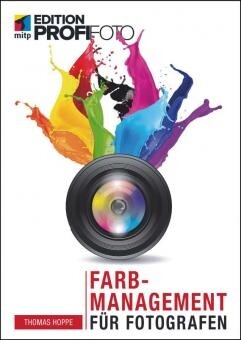
Farbmanagment für Fotografen
In jedem fotografischen Workflow sollte Farbmanagement eine Selbstverständlichkeit sein, damit Sie als Fotograf Ihre Farben für den Druck in den Griff bekommen. Nach einer Einführung in die Grundlagen des Farbmanagements stellt Ihnen Thomas Hoppe die nötigen Hilfsmittel für die Kalibrierung und Profilierung von Monitoren und Druckern vor. Im großen Praxisteil demonstriert er Schritt für Schritt alle Arbeitsgänge mit so unterschiedlichen Farbmanagement-Tools wie x·rite i1 Profiler oder Eizo ColorNavigator 6. Er zeigt Ihnen deren praktische Handhabung und gibt Ihnen zugleich konkrete Hilfestellung bei der Bedienung, sodass Sie auf dieser Basis entscheiden können, welche Software Ihren eigenen Arbeitsvorstellungen am nächsten kommt. Zudem erhalten Sie umfangreiche Informationen zum Farbmanagement-Workflow mit professioneller Software wie Photoshop, Lightroom, Capture One Pro, SilverFast, VueScan und Adobe Camera Raw sowie viele unterschiedliche Profi-Tipps zu z.B. Weißabgleich oder der Hauttonwiedergabe. Freuen Sie sich auf farbgetreue Bilder von der Bearbeitung bis zum fertigen Druck.

Die Kunst des Sehens
Beschreibung „There is nothing worse than a sharp image of a fuzzy concept“Ansel Adams Diesen Satz hat Ansel Adams vor mehr als 50 Jahren geprägt, in einer Zeit, in der Fotografen mit Filmrollen oder Planfilm unterwegs waren, also jede Aufnahme mit Bedacht vorbereiten mussten. Heute ist die Fotografie schneller, die Zahl der Bilder exponentiell gewachsen, einzelne Aufnahmen entstehen oft im Dauerfeuermodus. Mit dem Buch „Die Kunst des Sehens“ gibt Manfred Kriegelstein Anregungen, wie wir uns als Fotografen aus dem „Autopilotmodus“, aus dem häufig durch Technik und Regeln geprägten Trott unseres fotografischen Tuns befreien und unsere Sinne schärfen für die eigentliche Essenz der Fotografie: Das Sehen. Das fotografische Sehen geht dabei jedoch über den rein kognitiven Vorgang hinaus, es erfordert die Aufmerksamkeit, Geduld und Konzentration des Fotografen, die Besonderheiten, die Unscheinbarkeiten seiner Umgebung zu erfassen, die Lichtsituation zu erkennen, um daraus eine Idee, eine Konzeption für eine Aufnahme zu entwickeln. Manfred Kriegelstein zeigt mit seinen eigenen Arbeiten, wie konzeptionelle Fotografie mit einem künstlerischen Anspruch gelingen kann. In fünf Kapiteln illustriert er unterschiedliche Wege, die zum gleichen Ziel führen: Bessere Fotografie durch aufmerksames Sehen und planvolles Vorgehen. Eine Reihe kurzer Essays, „Gedanken zur Fotografie“, geben Denkanstöße und Tipps für Fotografen jeder Couleur.
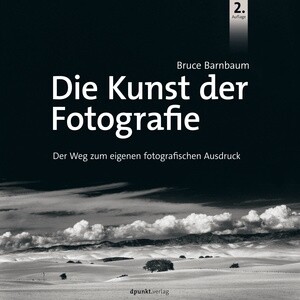
Die Kunst der Fotografie
Inhalt "Die Kunst der Fotografie" gibt dem ambitionierten Fotografen Anregungen auf seinem Weg zu kreativer, anspruchsvoller Fotografie. Diese Anregungen gehen weit über technische Themen hinaus, sie sollen dem anspruchsvollen Fotografen helfen, sich über die eigene "fotografische Identität" klar zu werden und den Weg zu einer eigenen Bildsprache zu finden. In der vorliegenden zweiten Auflage nimmt das Thema "Digitale Techniken" einen deutlich größeren Raum ein. Zudem hat Bruce Barnbaum das aufwändig illustrierte Buch durch neues Bildmaterial ergänzt. Über die Autoren Bruce Barnbaums fotografische Karriere begann als Amateur in den 60er Jahren, und die Liebe und Leidenschaft für die Fotografie ist auch nach 50 Jahren noch präsent – selbst nachdem sie zu seinem Beruf wurde. Ausgebildet wurde Bruce als Mathematiker mit einem Abschluss an der UCLA. Nach wenigen Jahren wissenschaftlicher Arbeit auch für die US-Rüstungsindustrie, verließ er dieses Fachgebiet um sich ganz der Fotografie zu widmen. Bruce gilt als einer der besten Fine Art Drucker weltweit, sein Gespür für Komposition und Lichtgestaltung sind einmalig. Die Arbeiten Bruce Barnbaums werden weltweit in Galerien gezeigt und sind Bestandteil vieler öffentlicher und privater Sammlungen.