

Computer und IT

Microgrid Technologies
Microgrid technology is an emerging area, and it has numerous advantages over the conventional power grid. A microgrid is defined as Distributed Energy Resources (DER) and interconnected loads with clearly defined electrical boundaries that act as a single controllable entity concerning the grid. Microgrid technology enables the connection and disconnection of the system from the grid. That is, the microgrid can operate both in grid-connected and islanded modes of operation. Microgrid technologies are an important part of the evolving landscape of energy and power systems.Many aspects of microgrids are discussed in this volume, including, in the early chapters of the book, the various types of energy storage systems, power and energy management for microgrids, power electronics interface for AC & DC microgrids, battery management systems for microgrid applications, power system analysis for microgrids, and many others.The middle section of the book presents the power quality problems in microgrid systems and its mitigations, gives an overview of various power quality problems and its solutions, describes the PSO algorithm based UPQC controller for power quality enhancement, describes the power quality enhancement and grid support through a solar energy conversion system, presents the fuzzy logic-based power quality assessments, and covers various power quality indices.The final chapters in the book present the recent advancements in the microgrids, applications of Internet of Things (IoT) for microgrids, the application of artificial intelligent techniques, modeling of green energy smart meter for microgrids, communication networks for microgrids, and other aspects of microgrid technologies.Valuable as a learning tool for beginners in this area as well as a daily reference for engineers and scientists working in the area of microgrids, this is a must-have for any library.C. SHARMEELA, PhD, is an associate professor in the Department of EEE, CEG campus, Anna University, Chennai, India. She has 20 years of teaching experience at both the undergraduate and postgraduate levels and has done a number of research projects and consultancy work in renewable energy, power quality and design of power quality compensators for various industries. She is currently working on future books for the Wiley-Scrivener imprint.P. SIVARAMAN has an M.E. in power systems engineering from Anna University, Chennai and is an assistant engineering manager at a leading engineering firm in India He has more than six years of experience in the field of power system studies and related areas and is an expert in many power systems simulation software programs. He is also currently working on other projects to be published under the Wiley-Scrivener imprint.P. SANJEEVIKUMAR, PhD, is a faculty member with the Department of Energy Technology, Aalborg University, Esbjerg, Denmark. He is a fellow in multiple professional societies and associations and is an editor and contributor for multiple science and technical journals in this field. Like his co-editors, he is also currently working on other projects for Wiley-Scrivener.JENS BO HOLM-NIELSEN currently works at the Department of Energy Technology, Aalborg University and is Head of the Esbjerg Energy Section. Through his research, he helped establish the Center for Bioenergy and Green Engineering in 2009 and serves as the head of the research group. He has vast experience in the field of bio-refineries and biogas production and has served as the technical advisory for many industries in this field.Foreword xxiAcknowledgements xxiii1 A COMPREHENSIVE REVIEW ON ENERGY MANAGEMENT IN MICRO-GRID SYSTEM 1Sanjay Kumar, R. K. Saket, P. Sanjeevikumar and Jens Bo Holm-Nielsen1.1 Introduction 21.2 Generation and Storage System in MicroGrid 61.2.1 Distributed Generation of Electrical Power 61.2.2 Incorporation of Electric Car in Micro-Grid as a Device for Backup 71.2.3 Power and Heat Integration in Management System 81.2.4 Combination of Heat and Electrical Power System 91.3 System of Energy Management 101.3.1 Classification of MSE 101.3.1.1 MSE Based on Conventional Sources 101.3.1.2 MSE Based on SSE 101.3.1.3 MSE Based on DSM 111.3.1.4 MSE Based on Hybrid System 111.3.2 Steps of MSE During Problem Solving 111.3.2.1 Prediction of Uncertain Parameters 121.3.2.2 Uncertainty Modeling 121.3.2.3 Mathematical Formulation 121.3.2.4 Optimization 131.3.3 Micro-Grid in Islanded Mode 131.3.3.1 Objective Functions and Constraints of System 131.3.4 Micro-Grid Operation in Grid-Connected Mode 141.3.4.1 Objective Functions and Constraints of the Systems 141.4 Algorithms Used in Optimizing Energy Management System 161.5 Conclusion 19References 202 POWER AND ENERGY MANAGEMENT IN MICROGRID 25Jayesh J. Joglekar2.1 Introduction 252.2 Microgrid Structure 262.2.1 Selection of Source for DG 272.2.1.1 Phosphoric Acid Fuel Cell (PAFC) 272.2.1.2 Mathematical Modeling of PAFC Fuel Cell 272.3 Power Flow Management in Microgrid 312.4 Generalized Unified Power Flow Controller (GUPFC) 332.4.1 Mathematical Modeling of GUPFC 342.5 Active GUPFC 382.5.1 Active GUPFC Control System 392.5.1.1 Series Converter 402.5.1.2 Shunt Converter 422.5.2 Simulation of Active GUPFC With General Test System 432.5.3 Simulation of Active GUPFC With IEEE 9 Bus Test System 432.5.3.1 Test Case: 1—Without GUPFC and Without Fuel Cell 452.5.3.2 Test Case: 2—Without GUPFC and With Fuel Cell 472.5.3.3 Test Case: 3—With GUPFC and Without Fuel Cell 482.5.3.4 Test Case: 4—With GUPFC and With Fuel Cell 492.5.3.5 Test Case: 5—With Active GUPFC 492.5.4 Summary 522.6 Appendix General Test System 532.6.1 IEEE 9 Bus Test System 53References 553 REVIEW OF ENERGY STORAGE SYSTEM FOR MICROGRID 57G.V. Brahmendra Kumar and K. Palanisamy3.1 Introduction 583.2 Detailed View of ESS 603.2.1 Configuration of ESS 603.2.2 Structure of ESS With Other Devices 603.2.3 ESS Classifications 623.3 Types of ESS 623.3.1 Mechanical ESS 623.3.2 Flywheel ESS 633.3.3 CAES System 643.3.4 PHS System 653.3.5 CES Systems 663.3.6 Hydrogen Energy Storage (HES) 673.3.7 Battery-Based ESS 683.3.8 Electrical Energy Storage (EES) System 713.3.8.1 Capacitors 713.3.8.2 Supercapacitors (SCs) 723.3.9 SMES 733.3.10 Thermal Energy Storage Systems (TESS) 743.3.10.1 SHS 753.3.10.2 Latent 753.3.10.3 Absorption 753.3.10.4 Hybrid ESS 763.4 Comparison of Current ESS on Large Scale 773.5 Importance of Storage in Modern Power Systems 773.5.1 Generation Balance and Fluctuation in Demand 773.5.2 Intermediate Penetration of Renewable Energy 773.5.3 Use of the Grid 803.5.4 Operations on the Market 803.5.5 Flexibility in Scheduling 803.5.6 Peak Shaving Support 803.5.7 Improve the Quality of Power 813.5.8 Carbon Emission Control 813.5.9 Improvement of Service Efficiency 813.5.10 Emergency Assistance and Support for Black Start 813.6 ESS Issues and Challenges 813.6.1 Selection of Materials 823.6.2 ESS Size and Cost 823.6.3 Energy Management System 833.6.4 Impact on the Environment 833.6.5 Issues of Safety 833.7 Conclusion 84Acknowledgment 85References 854 SINGLE PHASE INVERTER FUZZY LOGIC PHASE LOCKED LOOP 91Maxwell Sibanyoni, S.P. Daniel Chowdhury and L.J. Ngoma4.1 Introduction 914.2 PLL Synchronization Techniques 924.2.1 T/4 Transport Delay PLL 954.2.2 Inverse Park Transform PLL 964.2.3 Enhanced PLL 974.2.4 Second Order Generalized Integrator Orthogonal Signal Generator Synchronous Reference Frame (SOGI-OSG SRF) PLL 984.2.5 Cascaded Generalized Integrator PLL (CGI-PLL) 994.2.6 Cascaded Delayed Signal Cancellation PLL 1004.3 Fuzzy Logic Control 1014.4 Fuzzy Logic PLL Model 1034.4.1 Fuzzification 1034.4.2 Inference Engine 1054.4.3 Defuzzification 1084.5 Simulation and Analysis of Results 1104.5.1 Test Signal Generator 1104.5.2 Proposed SOGI FLC PLL Performance Under Fault Conditions 1134.5.2.1 Test Case 1 1134.5.2.2 Test Case 2 1144.5.2.3 Test Case 3 1154.5.2.4 Test Case 4 1154.5.2.5 Test Case 5 1164.5.2.6 Test Case 6 1174.6 Conclusion 118Acknowledgment 118References 1195 POWER ELECTRONICS INTERFACES IN MICROGRID APPLICATIONS 121Indrajit Sarkar5.1 Introduction 1225.2 Microgrid Classification 1225.2.1 AC Microgrid 1225.2.2 DC Microgrids 1245.2.3 Hybrid Microgrid 1265.3 Role of Power Electronics in Microgrid Application 1275.4 Power Converters 1285.4.1 DC/DC Converters 1285.4.2 Non-Isolated DC/DC Converters 1295.4.2.1 Maximum Power Point Tracking (MPPT) 1305.4.3 Isolated DC/DC Converters 1355.4.4 AC to DC Converters 1375.4.5 DC to AC Converters 1395.5 Conclusion 143References 1436 RECONFIGURABLE BATTERY MANAGEMENT SYSTEM FOR MICROGRID APPLICATION 145Saravanan, S., Pandiyan, P., Chinnadurai, T., Ramji, Tiwari., Prabaharan, N., Senthil Kumar, R. and Lenin Pugalhanthi, P.6.1 Introduction 1466.2 Individual Cell Properties 1476.2.1 Modeling of Cell 1476.2.1.1 Second Order Model 1476.2.2 Simplified Non-Linear Model 1486.3 State of Charge 1496.4 State of Health 1506.5 Battery Life 1506.6 Rate Discharge Effect 1516.7 Recovery Effect 1526.8 Conventional Methods and its Issues 1526.8.1 Series Connected 1526.8.2 Parallel Connected 1546.9 Series-Parallel Connections 1546.10 Evolution of Battery Management System 1556.10.1 Necessity for Reconfigurable BMS 1566.10.2 Conventional R-BMS Methods 1566.10.2.1 First Design 1576.10.2.2 Series Topology 1586.10.2.3 Self X Topology 1586.10.2.4 Dependable Efficient Scalable Architecture Method 1596.10.2.5 Genetic Algorithm-Based Method 1606.10.2.6 Graph-Based Technique 1616.10.2.7 Power Tree-Based Technique 1626.11 Modeling of Reconfigurable-BMS 1636.12 Real Time Design Aspects 1646.12.1 Sensing Module Stage 1656.12.2 Control Module Stage 1656.12.2.1 Health Factor of Reconfiguration 1666.12.2.2 Reconfiguration Time Delay and Transient Load Supply 1666.12.3 Actuation Module 1676.12.3.1 Order of Switching 1676.12.3.2 Stress and Faults of Switches 1696.12.3.3 Determining Number of Cells in a Module 1706.13 Opportunities and Challenges 1716.13.1 Modeling and Simulation 1716.13.2 Hardware Design 1716.13.3 Granularity 1716.13.4 Hardware Overhead 1726.13.5 Intelligent Algorithms 1726.13.6 Distributed Reconfigurable Battery Systems 1726.14 Conclusion 173References 1737 LOAD FLOW ANALYSIS FOR MICRO GRID 177P. Sivaraman, Dr. C. Sharmeela and Dr. S. Elango7.1 Introduction 1777.1.1 Islanded Mode of Operation 1787.1.2 Grid Connected Mode of Operation 1787.2 Load Flow Analysis for Micro Grid 1797.3 Example 1797.3.1 Power Source 1807.4 Energy Storage System 1807.5 Connected Loads 1827.6 Reactive Power Compensation 1827.7 Modeling and Simulation 1827.7.1 Case 1 1827.7.2 Case 2 1847.7.3 Case 3 1877.7.4 Case 4 1897.7.5 Case 5 1917.8 Conclusion 193References 1958 AC MICROGRID PROTECTION COORDINATION 197Ali M. Eltamaly, Yehia Sayed Mohamed, Abou-Hashema M. El-Sayed and Amer Nasr A. Elghaffar8.1 Introduction 1978.2 Fault Analysis 2008.2.1 Symmetrical Fault Analysis 2018.2.2 Single Line to Ground Fault 2028.2.3 Line-to-Line Fault 2048.2.4 Double Line-to-Ground Fault 2068.3 Protection Coordination 2088.3.1 Overcurrent Protection 2098.3.2 Directional Overcurrent/Earth Fault Function 2118.3.3 Distance Protection Function 2148.3.4 Distance Acceleration Scheme 2178.3.5 Under/Over Voltage/Frequency Protection 2198.4 Conclusion 221Acknowledgment 224References 2249 A NUMERICAL APPROACH FOR ESTIMATING EMULATED INERTIA WITH DECENTRALIZED FREQUENCY CONTROL OF ENERGY STORAGE UNITS FOR HYBRID RENEWABLE ENERGY MICROGRID SYSTEM 227Shubham Tiwari, Jai Govind Singh and Weerakorn Ongsakul9.1 Introduction 2289.2 Proposed Methodology 2319.2.1 Response in Conventional Grids 2319.2.2 Strategy for Digital Inertia Emulation in Hybrid Renewable Energy Microgrids 2329.2.3 Proposed Mathematical Formulation for Estimation of Digital Inertia Constant for Static Renewable Energy Sources 2359.3 Results and Discussions 2389.3.1 Test System 2389.3.2 Simulation and Study of Case 1 2419.3.2.1 Investigation of Scenario A 2419.3.2.2 Investigation of Scenario B 2439.3.2.3 Discussion for Case 1 2459.3.3 Simulation and Study of Case 2 2469.3.3.1 Investigation of Scenario A 2469.3.3.2 Investigation of Scenario B 2489.3.3.3 Discussion for Case 2 2509.3.4 Simulation and Study for Case 3 2509.3.4.1 Discussion for Case 3 2519.4 Conclusion 252References 25310 POWER QUALITY ISSUES IN MICROGRID AND ITS SOLUTIONS 255R. Zahira, D. Lakshmi and C.N. Ravi10.1 Introduction 25610.1.1 Benefits of Microgrid 25710.1.2 Microgrid Architecture 25710.1.3 Main Components of Microgrid 25810.2 Classification of Microgrids 25810.2.1 Other Classifications 25910.2.2 Based on Function Demand 25910.2.3 By AC/DC Type 25910.3 DC Microgrid 26010.3.1 Purpose of the DC Microgrid System 26010.4 AC Microgrid 26110.5 AC/DC Microgrid 26210.6 Enhancement of Voltage Profile by the Inclusion of RES 26310.6.1 Sample Microgrid 26310.7 Power Quality in Microgrid 26710.8 Power Quality Disturbances 27010.9 International Standards for Power Quality 27010.10 Power Quality Disturbances in Microgrid 27110.10.1 Modeling of Microgrid 27110.11 Shunt Active Power Filter (SAPF) Design 27210.11.1 Reference Current Generation 27410.12 Control Techniques of SAPF 27610.13 SPWM Controller 27710.14 Sliding Mode Controller 27710.15 Fuzzy-PI Controller 27810.16 GWO-PI Controller 27910.17 Metaphysical Description of Optimization Problems With GWO 28110.18 Conclusion 284References 28511 POWER QUALITY IMPROVEMENT IN MICROGRID SYSTEM USING PSO-BASED UPQC CONTROLLER 287T. Eswara Rao, Krishna Mohan Tatikonda, S. Elango and J. Charan Kumar11.1 Introduction 28811.2 Microgrid System 28911.2.1 Wind Energy System 29011.2.1.1 Modeling of Wind Turbine System 29011.2.2 Perturb and Observe MPPT Algorithm 29111.2.3 MPPT Converter 29111.3 Unified Power Quality Conditioner 29311.3.1 UPQC Series Converter 29311.3.2 UPQC Shunt APF Controller 29511.4 Particle Swarm Optimization 29711.4.1 Velocity Function 29711.4.2 Analysis of PSO Technique 29811.5 Simulation and Results 29911.5.1 Case 1: With PI Controller 30011.5.2 Case 2: With PSO Technique 30111.6 Conclusion 304References 30512 POWER QUALITY ENHANCEMENT AND GRID SUPPORT USING SOLAR ENERGY CONVERSION SYSTEM 309CH. S. Balasubrahmanyam, Om Hari Gupta and Vijay K. Sood12.1 Introduction 30912.2 Renewable Energy and its Conversion Into Useful Form 31212.3 Power System Harmonics and Their Cause 31312.4 Power Factor (p.f.) and its Effects 31612.5 Solar Energy System With Power Quality Enhancement (SEPQ) 31712.6 Results and Discussions 32012.6.1 Mode-1 (SEPQ as STATCOM) 32012.6.2 Mode-2 (SEPQ as Shunt APF) 32012.6.3 Mode-3 (SEPQ as D-STATCOM) 32212.7 Conclusion 326References 32713 POWER QUALITY IMPROVEMENT OF A 3-PHASE-3-WIRE GRID-TIED PV-FUEL CELL SYSTEM BY 3-PHASE ACTIVE FILTER EMPLOYING SINUSOIDAL CURRENT CONTROL STRATEGY 329Rudranarayan Senapati, Sthita Prajna Mishra, Rajendra Narayan Senapati and Priyansha Sharma13.1 Introduction 33013.2 Active Power Filter (APF) 33313.2.1 Shunt Active Power Filter (ShPF) 33413.2.1.1 Configuration of ShPF 33413.2.2 Series Active Power Filter (SAF) 33513.2.2.1 Configuration of SAF 33613.3 Sinusoidal Current Control Strategy (SCCS) for APFs 33713.4 Sinusoidal Current Control Strategy for ShPF 34213.5 Sinusoidal Current Control Strategy for SAF 34913.6 Solid Oxide Fuel Cell (SOFC) 35313.6.1 Operation 35413.6.2 Anode 35513.6.3 Electrolyte 35513.6.4 Cathode 35613.6.5 Comparative Analysis of Various Fuel Cells 35613.7 Simulation Analysis 35613.7.1 Shunt Active Power Filter 35813.7.1.1 ShPF for a 3-φ 3-Wire (3P3W) System With Non-Linear Loading 35813.7.1.2 For a PV-Grid System (Constant Irradiance Condition) 36013.7.1.3 For a PV-SOFC Integrated System 36413.7.2 Series Active Power Filter 36613.7.2.1 SAF for a 3-φ 3-Wire (3P3W) System With Non-Linear Load Condition 36613.7.2.2 For a PV-Grid System (Constant Irradiance Condition) 36813.7.2.3 For a PV-SOFC Integrated System 37013.8 Conclusion 373References 37314 APPLICATION OF FUZZY LOGIC IN POWER QUALITY ASSESSMENT OF MODERN POWER SYSTEMS 377V. Vignesh Kumar and C.K. Babulal14.1 Introduction 37814.2 Power Quality Indices 37914.2.1 Total Harmonic Distortion 37914.2.2 Total Demand Distortion 38014.2.3 Power and Power Factor Indices 38014.2.4 Transmission Efficiency Power Factor (TEPF) 38114.2.5 Oscillation Power Factor (OSCPF) 38214.2.6 Displacement Power Factor (DPF) 38314.3 Fuzzy Logic Systems 38314.4 Development of Fuzzy Based Power Quality Evaluation Modules 38414.4.1 Stage I: Fuzzy Logic Based Total Demand Distortion 38514.4.1.1 Performance of FTDDF Under Sinusoidal Situations 38814.4.1.2 Performance of FTDDF Under Nonsinusoidal Situations 38914.4.2 Stage II—Fuzzy Representative Quality Power Factor (FRQPF) 39014.4.2.1 Performance of FRQPF Under Sinusoidal and Nonsinusoidal Situations 39314.4.3 Stage III—Fuzzy Power Quality Index (FPQI) Module 39514.4.3.1 Performance of FPQI Under Sinusoidal and Nonsinusoidal Situations 39714.5 Conclusion 401References 40115 APPLICATIONS OF INTERNET OF THINGS FOR MICROGRID 405Vikram Kulkarni, Sarat Kumar Sahoo and Rejo Mathew15.1 Introduction 40515.2 Internet of Things 40815.2.1 Architecture and Design 40915.2.2 Analysis of Data Science 41015.3 Smart Micro Grid: An IoT Perspective 41015.4 Literature Survey on the IoT for SMG 41115.4.1 Advanced Metering Infrastructure Based on IoT for SMG 41415.4.2 Sub-Systems of AMI 41415.4.3 Every Smart Meter Based on IoT has to Provide the Following Functionalities 41615.4.4 Communication 41715.4.5 Cloud Computing Applications for SMG 41815.5 Cyber Security Challenges for SMG 41915.6 Conclusion 421References 42316 APPLICATION OF ARTIFICIAL INTELLIGENT TECHNIQUES IN MICROGRID 429S. Anbarasi, S. Ramesh, S. Sivakumar and S. Manimaran16.1 Introduction 43016.2 Main Problems Faced in Microgrid 43116.3 Application of AI Techniques in Microgrid 43116.3.1 Power Quality Issues and Control 43216.3.1.1 Preamble of Power Quality Problem 43216.3.1.2 Issues with Control and Operation of MicroGrid Systems 43316.3.1.3 AI Techniques for Improving Power Quality Issues 43416.3.2 Energy Storage System With Economic Power Dispatch 43816.3.2.1 Energy Storage System in Microgrid 43816.3.2.2 Need for Intelligent Approaches in Energy Storage System 44016.3.2.3 Intelligent Methodologies for ESS Integrated in Microgrid 44116.3.3 Energy Management System 44416.3.3.1 Description of Energy Management System 44416.3.3.2 EMS and Distributed Energy Resources 44516.3.3.3 Intelligent Energy Management for a Microgrid 44616.4 Conclusion 448References 44917 MATHEMATICAL MODELING FOR GREEN ENERGY SMART METER FOR MICROGRIDS 451Moloko Joseph Sebake and Meera K. Joseph17.1 Introduction 45117.1.1 Smart Meter 45217.1.2 Green Energy 45317.1.3 Microgrid 45317.1.4 MPPT Solar Charge Controller 45417.2 Related Work 45417.3 Proposed Technical Architecture 45617.3.1 Green Energy Smart Meter Architecture 45617.3.2 Solar Panel 45617.3.3 MPPT Controller 45617.3.4 Battery 45717.3.5 Solid-State Switch 45717.3.6 Electrical Load 45717.3.7 Solar Voltage Sensor 45717.3.8 Batter Voltage Sensor 45817.3.9 Current Sensor 45817.3.10 Microcontroller 45817.3.11 Wi-Fi Module 45817.3.12 GSM/3G/LTE Module 45917.3.13 LCD Display 45917.4 Proposed Mathematical Model 45917.5 Results 462Conclusion 468References 46918 MICROGRID COMMUNICATION 471R. Sandhya and C. Sharmeela18.1 Introduction 47118.2 Reasons for Microgrids 47318.3 Microgrid Control 47418.4 Control Including Communication 47418.5 Control with No Communication 47518.6 Requirements 47818.7 Reliability 47818.8 Microgrid Communication 47918.9 Microgrid Communication Networks 48118.9.1 Wi-Fi 48118.9.2 WiMAX-Based Network 48218.9.3 Wired and Wireless-Based Integrated Network 48218.9.4 Smart Grids 48218.10 Key Aspects of Communication Networks in Smart Grids 48318.11 Customer Premises Network (CPN) 48318.12 Architectures and Technologies Utilized in Communication Networks Within the Transmission Grid 485References 48719 PLACEMENT OF ENERGY EXCHANGE CENTERS AND BIDDING STRATEGIES FOR SMARTGRID ENVIRONMENT 491Balaji, S. and Ayush, T.19.1 Introduction 49119.1.1 Overview 49119.1.2 Energy Exchange Centers 49219.1.3 Energy Markets 49319.2 Local Energy Centers and Optimal Placement 49519.2.1 Problem Formulation (Clustering of Local Energy Market) 49619.2.2 Clustering Algorithm 49619.2.3 Test Cases 49719.2.4 Results and Discussions 49819.2.5 Conclusions for Simulations Based on Modified K Means Clustering for Optimal Location of EEC 50119.3 Local Energy Markets and Bidding Strategies 50319.3.1 Prosumer Centric Retail Electricity Market 50419.3.2 System Modeling 50519.3.2.1 Prosumer Centric Framework 50519.3.2.2 Electricity Prosumers 50519.3.2.3 Modeling of Utility Companies 50719.3.2.4 Modeling of Distribution System Operator (DSO) 50719.3.2.5 Supply Function Equilibrium 50719.3.2.6 Constraints 50819.3.3 Solution Methodology 50919.3.3.1 Game Theory Approach 50919.3.3.2 Relaxation Algorithm 51119.3.3.3 Bi-Level Algorithm 51119.3.3.4 Simulation Results 51219.3.3.5 Nikaido-Isoda Formulation 51319.3.4 Case Study 51319.3.4.1 Plots 51419.3.4.2 Anti-Dumping 51419.3.4.3 Macro-Control 51419.3.4.4 Sensitivity Analysis 514Conclusion 517References 518Index 521
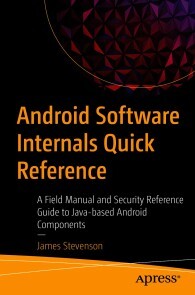
Android Software Internals Quick Reference
Use this handy field guide as a quick reference book and cheat sheet for all of the techniques you use or reference day to day. Covering up to Android 11, this Android Java programming reference guide focuses on non-UI elements with a security focus. You won’t see Android UI development, nor will you see low-level C or kernel techniques. Instead, this book focuses on easily digestible, useful, and interesting techniques in Java and the Android system.This reference guide was created out of the need for myself to jot down all the useful techniques I commonly reached for, and so I’m now sharing these techniques with you, whether you are an Android internals software engineer or security researcher.WHAT YOU WILL LEARN* Discover the differences between and how to access application names, package names, IDs, and unique identifiers in Android* Quickly reference common techniques such as storage, the activity lifecycle, and permissions* Debug using the Android shell* Work with Android's obfuscation and encryption capabilities* Extract and decompile Android applications* Carry out Android reflection and dex class loadingWHO THIS BOOK IS FORProgrammers, developers, and admins with at least prior Android and Java experience.JAMES STEVENSON has been working in the programming and computer security industry for over 4 years, and for most of that has been working as an Android software engineer. Prior to this, James graduated with a BSc in Computer Security in 2017.James has featured articles on both personal websites as well as industry platforms such as InfoSecurity Magazine - covering topics from security principles, android programming and security, and cyber terrorism.At the time of writing James is a full-time security researcher, part-time Ph.D. student, and occasional conference speaker. Outside of Android internals James’ research has also focused on offender profiling and cybercrime detection capabilities. For more information and contact details visit https://JamesStevenson.me.Introduction 1What is this book 1What this book is not 2About the author: 2Special Thanks: 3Contents 4Android Versions 9Fundamentals 13Android Sandbox 13Activities 13Services 14Broadcast Receivers 14Content providers 15Manifest 15Permissions 16Context 16The Activity Lifecycle 184 of 153Android Users 20Application Names, Android Package Name, and ID23Summary 23Java Package Name 24Package ID 25Application ID 26Application Name 30Storage 32Partitions 32External and Internal Storage 36General Files 43Databases 46Shared Preferences 54File Providers 57Assets Folder 60Resources 62Android Unique Identifiers 63Phone Number 63SIM Serial Number 64International Mobile Subscriber Identity (IMSI) 66IMEI and MEID: 67Device Serial Number 68MAC Address 69Android ID (Secure Settings Android ID - SSAID) 705 of 153The Android Shell 71Running commands programmatically 76Obfuscation and Encryption 78Logging 78ProGuard 83Public Key / Certificate Pinning 89AES Encryption 93Applications and Services 95Creating an application without a UI and Launcher95Long-Running Services 101Creating an Android Launcher 129Reflection and Dex Class Loading 136Reflection 136Dex Class Loading 146

Machtwechsel der Intelligenzen
Das Buch führt dem am gesellschaftlichen Leben interessierten Leser allgemein verständlich vor Augen, wie KI funktioniert und wie sie alle Lebensräume dramatisch verändern wird. Von der Geschichte der KI über ihre Techniken und ihre vielfältigen Anwendungsfelder bis zu ihren ethisch-philosophischen Implikationen werden alle relevanten Aspekte ausführlich dargestellt. Der Autor bleibt dabei nicht im Deskriptiven, sondern nimmt auch mit klaren Worten kritisch Stellung zur KI-Entwicklung. Für den Leser sind die Ausführungen als fachliches Stützkorsett angelegt, um gegenüber den KI-Experten als kundiger Counterpart auftreten zu können. Die letzten beiden Kapitel entführen den Leser in die Zukunft des Lebens mit der Super-KI. Mit gewagten Szenarien alarmiert der Autor den Leser auf vergnügliche Weise, welch atemberaubende und gesellschaftlich hochexplosive Perspektiven sich mit der KI verbinden und welche ethischen und philosophischen Fragestellungen sich daraus ergeben. PROF. DR. GÜNTER CISEK, der große Organisationen wie IMF und Weltbank berät und regelmäßig Gastprofessuren in Asien übernimmt, thematisiert mit Sprachwitz gesellschaftskritische Themen stets mit großer kosmopolitischer Erfahrung und interdisziplinärem Ansatz. Der Leser kann sich stets darauf verlassen, dass er nicht nur beschreibt und analysiert, sondern gesellschaftskritisch auch stets wertend Stellung bezieht. Wie viel und was für künstliche Intelligenz verträgt der Mensch?.-Weißt Du, wie es ward? - Die Geschichte der KI.-Wie funktioniert KI? - Techniken der KI.-Wie realisiert sich KI? - KI bestimmt unser Leben.-Kaufst Du noch oder „influenzt“ Du schon? – Handel 4.0.-Wohin mit der „Sozialbrache“? – Industrie 4.0.-Wie verändert sich unser Miteinander? - Gesellschaftliche Implikationen der KI.-Paradiesische Zeiten oder das Ende der Welt? - Die Zukunft mit KI.

Simulation und Modellierung mit Scilab
Das vorlesungsbegleitende Buch führt zielgerichtet, kompetenzorientiert und fachübergreifend durch die Grundlagen der Numerischen Mathematik, Algorithmik, Programmierung, Modellierung sowie Simulation und erklärt diese mithilfe des Softwarepakets Scilab/Xcos detailliert an zahlreichen Anwendungen aus verschiedenen praxisrelevanten Gebieten des Ingenieurwesens.Neben detailliert dargestellten Beispielen dienen mehr als 300 Aufgaben zum Selbststudium mit ausführlichen Lösungen und Programmcodes zum Download der Lernzielkontrolle und der Prüfungsvorbereitung.Eingesetzt wird das frei verfügbare Softwarepaket Scilab/Xcos, das weitgehend zu MATLAB/Simulink kompatibel ist, um die wichtigsten Algorithmen der Numerischen Mathematik aus den Bereichen- Nichtlineare Gleichungen- Lineare Gleichungen- Numerische Integration- Lineare und nichtlineare Regression- Interpolation- Gewöhnliche und partielle Differenzialgleichungenzu implementieren und konkrete Fragestellungen aus der Mathematik, Physik, Bauphysik, Vermessung, Statik, Dynamik, Strömungsmechanik, Thermodynamik, Wärmeübertragung, Elektrotechnik und Regelungstechnik erfolgreich zu lösen.Als Zusatzmaterial zum Buch gibt es unter plus.hanser-fachbuch.de Lösungen der nummerischen Aufgaben und Downloadlinks rund um Scilab/Xcos. Prof. Dr.-Ing. Rudi Marek, Hochschule Deggendorf, Fakultät Bauingenieurwesen und Umwelttechnik, macht Lehrveranstaltungen in Ingenieurmathematik, Computernumerik, Numerischer Mathematik und Programmierung, insbesondere Vorlesungen in Ingenieuranalyse und Modellierung. Er war mehrere Jahre bei der HL-Technik AG München im Bereich der Gebäudesimulation und Bauphysik tätig.

Verwaltung von Windows 10 mit Gruppenrichtlinien und Intune
• Der kompakte Leitfaden für die praktische Arbeit mit Gruppenrichtlinien • Eigene Gruppenrichtlinienvorlagen erstellen • Für Profis: AGPM, PowerShell und DSC • Zahlreiche Beispiele aus der administrativen Praxis Die 5. Auflage des Gruppenrichtlinien-Bestsellers wurde für das aktuelle Feature Release von Windows überarbeitet und um Themen wie die Windows-10-Verwaltung über Microsoft Intune und Auditing ergänzt. Das Buch ist Grundlagen-, Praxis- und Nachschlagewerk in einem. Berücksichtigt werden sowohl die Gruppenrichtlinien-Einstellungen in Windows 10 als auch die Windows Server-Versionen 2019, 2016, 2012 und 2008 R2. Gruppenrichtlinien-Know-how für Einsteiger und Profis - Einsteiger führt das Buch von der Basisverwaltung von Gruppenrichtlinien bis hin zur Entwicklung eigener Vorlagen durch alle wichtigen Themen. - Profis finden in diesem Buch Informationen zur Planung von Gruppenrichtlinien, zur Verwaltung (PowerShell und AGMP), zur Erweiterung (per Fremdhersteller-Tools) sowie zur Automatisierung mit PowerShell. Eine Fülle von Beispielen aus der administrativen Praxis zeigt Ihnen, wo Sie welche Einstellungen vornehmen können, wie sich diese auswirken und wie Sie in Ihrer täglichen Arbeit dadurch Zeit sparen können. Zahlreiche Tipps und Hinweise helfen Ihnen bei der Fehlersuche und Problembehebung und warnen Sie vor typischen Fallen.

MCA Microsoft Office Specialist (Office 365 and Office 2019) Study Guide
MCA MICROSOFT OFFICE SPECIALIST (OFFICE 365 AND OFFICE 2019)STUDY GUIDEYOUR COMPLETE GUIDE TO PREPARING FOR THE MICROSOFT OFFICE SPECIALIST EXCEL EXAMThe MCA Microsoft Office Specialist (Office 365 and Office 2019) Study Guide: Excel Associate Exam MO-200 is your one-stop resource for preparing you to earn the Excel Associate certification. The exam measures your competencies in the fundamentals of Excel. This guide starts you off with an assessment test to measure what you already know and what you still need to learn. Then you move into professional scenarios and examples, practical exercises, and challenging chapter review questions. Finally, you can reinforce and retain what you’ve learned with the Sybex online learning environment and test bank. Get prepared for the Excel Associate Exam with Sybex.COVERAGE OF 100% OF ALL EXAM OBJECTIVES IN THIS STUDY GUIDE MEANS YOU’LL BE READY TO:* Create and manage worksheets and workbooks* Apply formulas and functions* Populate tables with data* Create and edit a workbook with multiple sheets* Add a graphic element to represent data visuallyINTERACTIVE LEARNING ENVIRONMENTTake your exam prep to the next level with Sybex’s superior interactive online study tools. To access our learning environment, simply visit WWW.WILEY.COM/GO/SYBEXTESTPREP, register your book to receive your unique PIN, and instantly gain one year of FREE access after activation to:* INTERACTIVE TEST BANK with a practice exam to help you identify areas where further review is needed. Get more than 90% of the answers correct, and you’re ready to take the certification exam.* 100 ELECTRONIC FLASHCARDS to reinforce learning and last-minute prep before the exam.* COMPREHENSIVE GLOSSARY in PDF format gives you instant access to the key terms so you are fully prepared.ERIC BUTOW has developed and taught networking, computing, and usability courses for Ed2Go, Virtual Training Company, California State University, Sacramento, and Udemy. Eric has also been a professional technical writer and started using Word, Excel, and PowerPoint professionally in 1994. He is the owner of Butow Communications Group (https://www.butow.net). BCG offers website development, online marketing, and technical writing services.Introduction xvAssessment Test xixCHAPTER 1 MANAGING WORKSHEETS AND WORKBOOKS 1Importing Data into Workbooks 2Bringing in Data from TXT Files 3Importing Data from CSV Files 4Navigating Within Workbooks 8Searching for Data Within a Workbook 8Navigating to Named Cells, Ranges, or Workbook Elements 10Inserting and Removing Hyperlinks 12Formatting Worksheets and Workbooks 20Modifying Page Settings 20Adjusting Row Height and Column Width 22Customizing Headers and Footers 30Customizing Options and Views 36Customizing the Quick Access Toolbar 37Displaying and Modifying Workbook Content in Different Views 41Freezing Worksheet Rows and Columns 44Changing Window Views 46Modifying Basic Workbook Properties 48Displaying Formulas 49Configuring Content for Collaboration 52Setting a Print Area 52Saving Workbooks in Other File Formats 54Configuring Print Settings 54Inspecting Workbooks for Issues 55Summary 59Key Terms 59Exam Essentials 59Review Questions 61CHAPTER 2 USING DATA CELLS AND RANGES 63Manipulating Data in Worksheets 64Pasting Data by Using Special Paste Options 64Filling Cells by Using Auto Filling 68Inserting and Deleting Multiple Columns or Rows 70Adding and Removing Cells 72Formatting Cells and Ranges 75Merging and Unmerging Cells 75Modifying Cell Alignment, Orientation, and Indentation 76Formatting Cells by Using Format Painter 79Wrapping Text Within Cells 80Using Number Formatting 82Applying Cell Formatting from the Format Cells Dialog Box 83Working with Cell Styles 84Clearing Cell Formatting 86Defining and Referencing Named Ranges 88Defining a Named Range 88Naming a Table 93Summarizing Data Visually 95Inserting Sparklines 95Applying Built-In Conditional Formatting 99Removing Conditional Formatting 101Summary 105Key Terms 105Exam Essentials 105Review Questions 107CHAPTER 3 WORKING WITH TABLES AND TABLE DATA 109Creating and Formatting Tables 110Creating Excel Tables from Cell Ranges 110Applying Table Styles 112Converting Tables to Cell Ranges 113Modifying Tables 115Adding or Remove Table Rows and Columns 115Configuring Table Style Options 118Inserting and Configuring Total Rows 119Filtering and Sorting Table Data 122Filtering Records 122Sorting Data by Multiple Columns 126Summary 128Key Terms 129Exam Essentials 129Review Questions 130CHAPTER 4 PERFORMING OPERATIONS BY USING FORMULAS AND FUNCTIONS 133Inserting References 134Inserting Relative, Absolute, and Mixed References 135Referencing Named Ranges and Named Tables in Formulas 137Calculating and Transforming Datas 140Performing Calculations Using the AVERAGE(), MAX(), MIN(), and SUM() Functions 140Perform Conditional Operations by Using the IF() Function 151Formatting and Modifying Text 155Formatting Text Using the RIGHT(), LEFT(), and MID() Functions 155Formatting Text Using the UPPER(), LOWER(), and LEN() Functions 159Formatting Text Using the CONCAT() and TEXTJOIN() Functions 163Summary 166Key Terms 167Exam Essentials 167Review Questions 168CHAPTER 5 MANAGING CHARTS 171Creating Charts 172Building Charts 172Working with Chart Sheets 174Modifying Charts 178Adding Data Series to Charts 178Switching Between Rows and Columns in Source Data 181Adding and Modifying Chart Elements 182Formatting Charts 185Using Chart Layouts 186Applying Chart Styles 194Adding Alternative Text to Charts for Accessibility 196Summary 198Key Terms 198Exam Essentials 199Review Questions 200APPENDIX: ANSWERS TO REVIEW QUESTIONS 203Chapter 1: Managing Worksheets and Workbooks 204Chapter 2: Using Data Cells and Ranges 204Chapter 3: Working with Tables and Table Data 205Chapter 4: Performing Operations by Using Formulas and Functions 206Chapter 5: Managing Charts 206Index 209

Data Science Revealed
Get insight into data science techniques such as data engineering and visualization, statistical modeling, machine learning, and deep learning. This book teaches you how to select variables, optimize hyper parameters, develop pipelines, and train, test, and validate machine and deep learning models. Each chapter includes a set of examples allowing you to understand the concepts, assumptions, and procedures behind each model.The book covers parametric methods or linear models that combat under- or over-fitting using techniques such as Lasso and Ridge. It includes complex regression analysis with time series smoothing, decomposition, and forecasting. It takes a fresh look at non-parametric models for binary classification (logistic regression analysis) and ensemble methods such as decision trees, support vector machines, and naive Bayes. It covers the most popular non-parametric method for time-event data (the Kaplan-Meier estimator). It also covers ways of solving classification problems using artificial neural networks such as restricted Boltzmann machines, multi-layer perceptrons, and deep belief networks. The book discusses unsupervised learning clustering techniques such as the K-means method, agglomerative and Dbscan approaches, and dimension reduction techniques such as Feature Importance, Principal Component Analysis, and Linear Discriminant Analysis. And it introduces driverless artificial intelligence using H2O.After reading this book, you will be able to develop, test, validate, and optimize statistical machine learning and deep learning models, and engineer, visualize, and interpret sets of data.WHAT YOU WILL LEARN* Design, develop, train, and validate machine learning and deep learning models* Find optimal hyper parameters for superior model performance* Improve model performance using techniques such as dimension reduction and regularization* Extract meaningful insights for decision making using data visualizationWHO THIS BOOK IS FORBeginning and intermediate level data scientists and machine learning engineersTSHEOP CHRIS NOKERI harnesses advanced analytics and artificial intelligence to foster innovation and optimize business performance. He has delivered complex solutions to companies in the mining, petroleum, and manufacturing industries. He completed a bachelor’s degree in information management and graduated with an honors degree in business science at the University of the Witwatersrand on a TATA Prestigious Scholarship and a Wits Postgraduate Merit Award. He also was awarded the Oxford University Press Prize. Section 1: Parametric MethodsChapter 1: An Introduction to Simple Linear RegressionChapter goal: Introduces the reader to parametric and understand the underlying assumptions of regression.Subtopics• Regression assumptions.• Detecting missing values.• Descriptive analysis.• Understand correlation.o Plot Pearson correlation matrix.• Determine covariance.o Plot covariance matrix.• Create and reshape arrays.• Split data into training and test data.• Normalize data.• Find best hyper-parameters for a model.• Build your own model.• Review model performance.o Mean Absolute Error.o Mean Squared Error.o Root Mean Squared Error.o R-squared.o Plotting Actual Values vs. Predicted Values.• Residual diagnosis.o Normal Q-Q Plot.o Cook’s D Influence Plot.o Plotting predicted values vs. residual values.o Plotting Fitted Values vs. Residual Values.o Plotting Leverage Values vs. Residual Values.o Plotting Fitted Values vs. Studentized Residual Values.o Plotting Leverage Values vs. Studentized Residual Values.Chapter 2: Advanced Parametric MethodsChapter goal: Highlights methods of dealing with the problem of under-fitting and over-fitting.Subtopics• Issue of multi-collinearity.• Explore methods of dealing with the problem under-fitting and over-fitting.• Understand Ridge, RidgeCV and Lasso regression models.• Find best hyper-parameters for a model.• Build regularized models.• Compare performance of different regression methods.o Mean Absolute Error.o Mean Squared Error.o Root Mean Squared Error.o R-squared.o Plotting actual values vs. predicted values.Chapter 3: Time Series AnalysisChapter goal: Covers a model for identifying trends and patterns in sequential data and how to forecast a series.• What is time series analysis?• Underlying assumptions of time series analysis.• Different types of time series analysis models.• The ARIMA model.• Test of stationary.o Conduct an ADF Fuller Test.• Test of white noise.• Test of correlation.o Plot Lag Plot.o Plot Lag vs Autocorrelation Plot.o Plot ACF.o Plot PACF.• Understand trends, seasonality and trends.o Plot seasonal components.• Smoothen a time series using Moving Average, Standard Deviation and Exponential techniques.o Plot smoothened time series.• Determine rate of return and rolling rate of return.• Determine parameters of ARIMA model.• Build ARIMA model.• Forecast ARIMA.o Plot forecast.• Residual diagnosisChapter 4: High Quality Time SeriesChapter goal: Explores Prophet for better series forecast.• Difference between statsmodel and Prophet.• Understand components in Prophet.• Data preprocessing.• Develop a model using Prophet.• Forecast a series.o Plot forecasted.o Plot seasonal components.• Evaluate model performance using Prophet.Chapter 4: Logistic RegressionChapter goal: Introduces reader to logistic regression – a powerful classification model.Subtopics• Find missing values• Understand correlation.o Plotting Pearson correlation matrix.• Determine covariance.o Plotting covariance matrix.• PCA for dimension reduction.o Plotting scree plot.• Normalize data.• Hyper-parameter tuning.• Create a pipeline.• Develop a Logit model.• Model evaluation.o Tabulate classification report.o Tabulate confusion matrix.o Plot ROC Curveo Find AUC.o Plot Precision Recall Curve.o Find APS.o Plot learning curve.Chapter 5: Dimension Reduction and Multivariate Analysis using Linear DiscriminantChapter goal: Discusses the difference between linear discriminant analysis and logistic regression and how linear discriminant analysis can be used for other purposes other than classification.Subtopics• Difference between logistic regression and discriminant analysis.• Purpose of discriminant analysis.• Model fitting.• Model evaluation.o Tabulate classification report.o Tabulate confusion matrix.o Plot ROC Curveo Find AUC.o Plot Precision Recall Curve.o Find APS.o Plot learning curve.Section 2: Ensemble methodsChapter 6: Finding Hyper Lanes Using Support Vector MachineChapter goal: Highlights ways of finding hyper lanes using Linear Support Vector Chain including its pros and cons.• Understand support vector machine.• Find hyper lanes using SVM.• Scenarios in which SVM performs better.• Disadvantages of SVM. • Model fitting.• Model evaluation.o Tabulate classification report.o Tabulate confusion matrix.o Plot ROC curveo Find AUC.o Plot Precision Recall curve.o Find APS.o Plot learning curve.Chapter 7: Classification Using Decision TreeChapter goal: Explores how decision trees are formed and visualized them.Subtopics• Discussing entropy.• Information gain• Structure of decision trees• Visualizing decision trees• Modelling fitting• Model evaluation.o Tabulating classification report.o Tabulating confusion matrix.o Plotting ROC curveo Finding AUC.o Plotting Precision Recall curve.o Finding APS.o Plotting learning curve.Chapter 8: Back to the ClassicChapter goal: Gives an overview of this classical algorithm and explain why it is still relevant up to this date.Subtopics• The Naïve Bayes theorem.• Unpacking Gaussian Naïve Bayes.• Model fitting.• Hyper-parameter tuning.• Create a pipeline.• Model evaluation.o Tabulate classification report.o Tabulate confusion matrix.o Plot ROC Curveo Find AUC.o Plot Precision Recall Curve.o Find APS.o Plot learning curve.Section 3: Non-Parametric MethodsChapter 9: Finding Similarities and Dissimilarities Using Cluster AnalysisChapter goal: Explain clustering and explore three main clustering algorithms (K-Means, Agglomerative and DBSCAN).• An introduction to cluster analysis.• Types of clustering algorithms.• Normalize data.• Dimension reduction using PCA.o Finding number of components• Find number of clusters.o Elbow curve.• Clustering K-Means.• Fit K-Means model.• Plot K-Means clusters.• Clustering using Agglomerative algorithm.o Techniques of calculating similarities/dissimilarities• Fit Agglomerative.• Plot Agglomerative clusters.• Clustering using Density-Based Spatial Clustering Algorithm with Noise (DBSCAN)• Fit DBSCAN.• Plot DBSCAN clusters.Chapter 10: Survival AnalysisChapter: Provides an overview of survival analysis (a model used commonly used in medical and insurance industries) by detailing the commonly used estimator – Kaplan Meier Fitter.Subtopics• Create a survival table.• The survival function.• An introduction to the Kaplan Meier Estimator.• Finding confidence intervals.• Tabulating cumulative density estimates.• Tabulating survival function estimates.• Plotting survival curve.• Plotting cumulative density.• Model evaluation.Chapter 11: Neural NetworksChapter goal: Discusses the fundamentals of neural networks and ways of optimizing networks for better accuracy.Subtopics• Forward propagation.• Backward propagation.• Forward pass.• Backward pass.• Cost function.• Gradient.• The vanishing gradient problem.• Other functions.• Optimizing networks.• Bernoulli Restricted Boltzmann Machine.• Multi-Layer Perceptron.• Regularizing networks.• Dropping layers.• Model evaluation.• Model evaluation.o Tabulate classification report.o Tabulate confusion matrix.o Plot ROC Curveo Find AUC.o Plot Precision Recall Curve.o Find APS.o Plot training and validation loss across epochs.o Plot training and validation accuracy across epochs.Chapter 12: Driverless AI Using H2OChapter goal: Covers a new library that helps organizations accelerate their adoption of AI.• How H2O works.• Data processing.• Model training.• Model evaluation.• AutoML.

Building a Salesforce-Powered Front Office
Harness the power of Salesforce to manage and grow your business. This book shows you how to use the Salesforce CRM tool to consolidate consumer data into a single place to gain better insight into your business and more easily manage data.Data (such as email, spreadsheets, databases) is generated through the front office or face of your business, where your company interacts with customers and revenue is generated. In a hotel, for instance, the front office is the lobby where guests are greeted, their problems are handled, and room payments are made. Another example is a coffee shop, where the front office is an employee taking a customer's order or serving a drink.Salespeople connect to customers by selling your company’s goods or services. Marketing team members connect with them through advertising and promotional activities. Service and support staff assist customers with problems and provide help with products.This book introduces the many ways Salesforce-based innovations are transforming the technology landscape and the strategies that may be used for designing and launching a digital front office. The book examines how organizations can launch and grow digital solutions and strategies for the governance of the platform and provides an overview of digital transformation across industries.WHAT YOU WILL LEARN* Understand basic Salesforce concepts, including the digital front office process tower, lead to cash journey, core CRM functions, best practices, and more* Review data management concepts, integrated sales, customer service, marketing operations, and proposal and business development needs in a systematic way* Use frameworks to build a business architecture and multi-year technology roadmap* Get familiar with Salesforce business processes and concepts such as account, contact, lead, and opportunity management; marketing campaigns; master data management (MDM); and lead scoring, grading, and activity management across the front office* Define and develop digital marketing challenges and strategy (people, process, brand, messaging, and ROI), measure campaign data, and create an end-to-end campaign in SalesforceWHO THIS BOOK IS FORBusiness executives, C-suites, IT management, and Salesforce managers and professionals working in IT, business development, sales operations, program management, marketing operations, and proposal developmentRASHED CHOWDHURY is Senior Principal at Infosys where he consults with Fortune 500 companies on Salesforce strategy and front office development. He has 20+ years of experience in designing, developing, and architecting solutions in enterprise applications and Salesforce CRM.Rashed played a critical role in Salesforce CRM implementations, involving requirements gathering, solution design, configuration, deployment, and data migration in functional areas such as leads management, master data management (MDM), account management, campaign management, Miller Heiman Sales Management, and partner relationship management.Rashed is a part-time adjunct faculty member at the Robinson College of Business, Georgia State University, where he teaches masters-level students customer relationship management (CRM) and digital platform courses. He is a Salesforce Certified Administrator as well as a Certified Scrum Master.

Neue Algorithmen für praktische Probleme
In diesem Sammelband geht es darum, neue Algorithmen aus den Bereichen der Künstlichen Intelligenz (KI) und des Künstlichen Lebens (KL) und deren praktische Anwendung zu zeigen. Der wesentliche Aspekt des Bandes ist, dass in den Beiträgen exemplarisch gezeigt wird, dass und wie diese neuen Algorithmen auf praktische Probleme in sehr verschiedenen Bereichen erfolgreich eingesetzt werden können: Von der Modellierung sozialer Aspekte in der Softwareentwicklung bis zur Entscheidungsunterstützung, welche Start- und Landebahn an einem Flughafen ausgewählt werden soll; von der Analyse von Krankheitsverläufen bis zur Auswahl und Optimierung technischer Systeme, sowie Alternativen für die Bildbearbeitung.
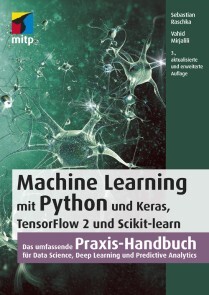
Machine Learning mit Python und Keras, TensorFlow 2 und Scikit-learn
* DATENANALYSE MIT AUSGEREIFTEN STATISTISCHEN MODELLEN DES MACHINE LEARNINGS* ANWENDUNG DER WICHTIGSTEN ALGORITHMEN UND PYTHON-BIBLIOTHEKEN WIE NUMPY, SCIPY, SCIKIT-LEARN, KERAS, TENSORFLOW 2, PANDAS UND MATPLOTLIB* BEST PRACTICES ZUR OPTIMIERUNG IHRER MACHINE-LEARNING-ALGORITHMENMit diesem Buch erhalten Sie eine umfassende Einführung in die Grundlagen und den effektiven Einsatz von Machine-Learning- und Deep-Learning-Algorithmen und wenden diese anhand zahlreicher Beispiele praktisch an. Dafür setzen Sie ein breites Spektrum leistungsfähiger Python-Bibliotheken ein, insbesondere Keras, TensorFlow 2 und Scikit-learn. Auch die für die praktische Anwendung unverzichtbaren mathematischen Konzepte werden verständlich und anhand zahlreicher Diagramme anschaulich erläutert.Die dritte Auflage dieses Buchs wurde für TensorFlow 2 komplett aktualisiert und berücksichtigt die jüngsten Entwicklungen und Technologien, die für Machine Learning, Neuronale Netze und Deep Learning wichtig sind. Dazu zählen insbesondere die neuen Features der Keras-API, das Synthetisieren neuer Daten mit Generative Adversarial Networks (GANs) sowie die Entscheidungsfindung per Reinforcement Learning.Ein sicherer Umgang mit Python wird vorausgesetzt.AUS DEM INHALT:* Trainieren von Lernalgorithmen und Implementierung in Python* Gängige Klassifikationsalgorithmen wie Support Vector Machines (SVM), Entscheidungsbäume und Random Forest* Natural Language Processing zur Klassifizierung von Filmbewertungen* Clusteranalyse zum Auffinden verborgener Muster und Strukturen in Ihren Daten* Deep-Learning-Verfahren für die Bilderkennung* Datenkomprimierung durch Dimensionsreduktion* Training Neuronaler Netze und GANs mit TensorFlow 2* Kombination verschiedener Modelle für das Ensemble Learning* Einbettung von Machine-Learning-Modellen in Webanwendungen* Stimmungsanalyse in Social Networks* Modellierung sequenzieller Daten durch rekurrente Neuronale Netze* Reinforcement Learning und Implementierung von Q-Learning-Algorithmen

Job Ready Java
PREPARE YOURSELF TO TAKE ON NEW AND EXCITING JAVA PROGRAMMING CHALLENGES WITH THIS ONE-STOP RESOURCEJob Ready Java delivers a comprehensive and foundational approach to Java that is immediately applicable to real-world environments. Based on the highly regarded and effective Software Guild Java Bootcamp: Object Oriented Programming course, this book teaches you the basic and advanced Java concepts you will need at any entry-level Java position.With the “Pulling It Together” sections, you’ll combine and integrate the concepts and lessons taught by the book, while also benefiting from:* A thorough introduction to getting set up with Java, including how to write, compile, and run Java programs with or without a Java IDE * Practical discussions of the basics of the Java language, including syntax, program flow, and code organization * A walk through the fundamentals of Object-Oriented Programming including Classes, Objects, Interfaces, and Inheritance, and how to leverage OOP in Java to create elegant code. * Explorations of intermediate and advanced Java concepts, including Maven , unit testing, Lambdas, Streams, and the Spring Framework Perfect for Java novices seeking to make a career transition, Job Ready Java will also earn a place in the libraries of Java developers wanting to brush up on the fundamentals of their craft with an accessible and up-to-date resource.HAYTHEM BALTI, PHD, is Director of Curriculum at Wiley’s Software Guild and mthree. He has created courses used by thousands of Software Guild Students in Java, Python, Go, and other development and data science competencies. He earned his doctorate in Computer Engineering and Computer Science from the University of Louisville.ALAN GALLOWAY is Director of Instruction at Wiley’s Software Guild and mthree. H:e supervises a team of instructors who deliver large-scale training programs in technology.About the Authors vAbout the Technical Writer viiAbout the Technical Editors viiAcknowledgments ixIntroduction xxvPART I: GETTING SET UP 1LESSON 1: INSTALLING JAVA 2The Java Universe 3The Java Development Kit 3The Java Virtual Machine 4The Java Runtime Environment 5Installing OpenJDK 5Installing OpenJDK on Microsoft Windows 6Checking for an Existing JDK on Windows 6Installing OpenJDK 7Verifying the Installation 10Installing OpenJDK on macOS 13Checking for an Existing JDK on macOS 13Installing OpenJDK 13Verifying the Installation 17Creating Your First Java Program 17Writing the Program 18Compiling and Running the Program 19Dealing with Syntax Errors 21Using the Compiler and Java Virtual Machine 22Summary 22LESSON 2: INSTALLING A DEVELOPMENT ENVIRONMENT: NETBEANS 24Getting Started 25Understanding the Value of an IDE 25Using the Source Code Editor 25Using the Build Automation Tools 26Using the Debugger 26Installing NetBeans 27Using an Installer 27Installing on Windows 28Installing on macOS 32Installing Binaries 37Installing Binaries on Windows 40Adding the JDK 42Running NetBeans 44Summary 45LESSON 3: USING AN INTEGRATED DEVELOPMENT ENVIRONMENT 46Using an IDE 47Creating a New Project 48Coding the “Hello, World!” Program 53Compiling the Code in NetBeans 57Running the Program 59Using the Debugging Tools 60Compilation and Syntax Errors 61Runtime and Logic Errors 63Understanding Source Control 67Summary 69PART II: BASICS OF OBJECT ORIENTED PROGRAMMING 70LESSON 4: USING PROGRAM STATEMENTS AND VARIABLES 71Approach 72Concepts 73Computers 73Data vs. Information 73Programs and Programming 74Models and Metaphors 74Objects 74Specifications 75Syntax vs. Semantics 75Language Building Blocks 75Comments 75Single-Line Comments 76Multiline Comments 76Doc Comments 77Using Comments 78Identifiers 79Data Types 80Statically Typed Languages 81Type Conversion 81Literals 82Variables 82Constants 84Operators and Expressions 84Three Flavors of Operators 85Operator Precedence 88Pulling It All Together: Mathematical Expressions and Operators 89Summary 93Exercises 93Exercise 1: ABeginning.java 94Exercise 2: ProjectGutenberg.java 95Exercise 3: CommentingCode.java 97Exercise 4: AllTheMath.java 98Exercise 5: BucketsOfFun.java 100LESSON 5: COLLECTING AND PARSING INPUT FROM THE USER 103Console Input and Output 104Adder Version 1 104Adder Version 2 106Declaring and Initializing Our Variables 106Setting Up a Scanner Object 106Understanding the Command Line 107Getting the Values from the User 108Going from Strings to Integers 108Adding the Numbers Together 109Using Loops to Gather User Input 111Parsing Data 112Dealing with Bad Numbers: NumberFormatException 113Scanner Problems 115Summary 121Exercises 121Exercise 1: Quest for the User Input 121Exercise 2: Don’t Forget to Store It 123Exercise 3: Passing the Turing Test 124Exercise 4: Healthy Hearts 125Exercise 5: Mini Mad Libs 126LESSON 6: PULLING IT ALL TOGETHER: BUILDING A USEFUL PROGRAM 127Planning the Program 128Identifying the Variables 128Planning the Steps 128Creating the Code 129Declaring the Variables 129Getting Input 130Converting the Strings 131Calculating the Area and Perimeter 132Calculating the Cost 133Displaying the Results 133Running the Program 135Summary 135Exercises 136Exercise 1: Mapping Instructions to Code 136Exercise 2: Adding Prompts for Costs 136Exercise 3: Adding Multiple Windows 136Exercise 4: Adding Validation 137LESSON 7: CONTROLLING PROGRAM FLOW 138What Can Our Code Do? 139Decisions and Boolean Expressions 139if Statements 139if-else Statements 142Chaining if-else Statements 144Evaluating Multiple Conditions 146Conditional-And and Conditional-Or Operators 147Exclusive-Or 149Ternary or Conditional Operator 150switch Statement 151Falling Through with a switch Statement 153Comparing for Equal Strings 155Summary 158Exercises 159Exercise 1: What Month is It? 159Exercise 2: Guess Me 159Exercise 3: Birthstones 160Exercise 4: Trivia Night 161Exercise 5: Space Rustlers 162Exercise 6: Picky Eater 163Exercise 7: Field Day 165LESSON 8: LOOPING PROGRAM FLOW 167Loops 167Using while Loops 168Initializing the while Loop 171Incrementing the while Loop 171Breaking a Loop 172Using do-while Loops 174Making do-while Shine 176Using for Loops 179Initializing the for Loop 181Terminating the for Loop 181Incrementing a for Loop 181Summary 184Exercises 184Exercise 1: Surfacing in BewareTheKraken.java 185Exercise 2: Do or Do Not 185Exercise 3: Guess Me Finally 186Exercise 4: for and Twenty Blackbirds 187Exercise 5: Spring Forward, Fall Back 188Exercise 6: for Times 189Exercise 7: for Times for 189Exercise 8: Nesting for Loops 190Exercise 9: Traditional Fizz Buzz 191LESSON 9: UNDERSTANDING FLOWCHARTS AND ALGORITHMS 193Flowchart Basics 194Sequences 194Branches 195Loops 196Flowcharting 197Flowchart Example 197Summary 198Exercises 200Exercise 1: A Guessing Game 200A Possible Flowcharting Solution 201The Guessing Game Flowchart 201The Guessing Game Code 203LESSON 10: ADDING RANDOMNESS TO YOUR PROGRAMS 207Initializing the Random Object 208Including the Random Class 208Seeding Random Numbers 208Generating Random Integers 209Generating Random Doubles 210Revisiting the Number Guessing Game 212Other Random Options 215Summary 215Exercises 215Exercise 1: A Little Chaos 216Exercise 2: Opinionator—Making Random Choices 217Exercise 3: High Roller 219Exercise 4: Coin Flipper 220Exercise 5: Guess Me More 220Exercise 6: Fortune Cookie 221LESSON 11: DEBUGGING 222Creating a File to Debug 222Setting Breakpoints 224Stepping through Code 226Running the Debugger 226Examining Variables 229The Console and the Debugger 232Summary 234Exercises 234Exercise 1: Odd Odd Numbers 234Exercise 2: A Simple Question of If 235LESSON 12: ADDING METHODS 237Why Methods? 238Defining Methods 238Method Signature 239Method Naming Conventions 239Return Values 240Using Return Values 241Input Parameters 242Matching Number of Parameters 244Matching Parameter Types 245Passing Parameters 246Method Forms 248No Return Value, No Parameters 248Return Value, No Parameters 248No Return Value, One or More Parameters 249Return Value, One or More Parameters 249The staticKeyword 249Pulling It All Together 250Identifying the Similarities 252Identifying the Differences 252Creating the Method 252Setting the Name 252Determining Parameters 253Setting a Return Type 253Our Basic Definition 253Our Method Body 254Using the Method 255Scope 257Debugging and Step Into 259Setting a Breakpoint in a Method 260Stepping into Code 262Debugging and Scope 265Summary 265Exercises 265Exercise 1: Method to the Madness 266Exercise 2: Return to Sender 267Exercise 3: MatchWork 268Exercise 4: Barely Controlled Chaos 269LESSON 13: ORGANIZING WITH ARRAYS 272What is an Array? 273Types of Arrays 274Element vs. Index 275Declaring Arrays 276Single-Dimensional Arrays 276Rectangular Arrays 276Jagged Arrays 277Initializing Arrays 277Initializing a Single-Dimensional Array 278Initializing a Rectangular Array 279Initializing a Jagged Array 280Accessing Array Elements 281Accessing Elements in a Single-Dimensional Array 281Accessing Elements in a Multidimensional Array 283Accessing Elements in a Jagged Array 284Iterating through Arrays 284Iterating through Multidimensional and Jagged Arrays 286Sum the Elements of an Array 288Looping Back to Front, with a Twist 289Printing Pairs of Elements 290Changing the Size of an Array 291Dealing with Errors 293Summary 293Exercises 294Exercise 1: A Rainbow 294Exercise 2: Still Positive 295Exercise 3: Fruit Basket 296Exercise 4: Simple Combination 297Exercise 5: Hidden Nuts 297Exercise 6: Summative Sums 298PART III: FUNDAMENTALS OF CLASSES AND OBJECTS 299LESSON 14: OBJECT-ORIENTED CONCEPTS 300Abstraction 301Object Orientation 301Types 302Public Interface/Private Implementation 302Encapsulation and Data Hiding 303Single Responsibility Principle and Cohesion 303Delegation 304Summary 304LESSON 15: CREATING CLASSES AND TYPES 305Creating New Types 305Classes vs. Objects 307Properties, Accessors, and Mutators 307Dot Operator 308this Keyword 309Methods/Behaviors 309Constructors 309Object Instantiation and Method Invocation 311Static Keyword 312Static and the Main Method 313Static and Constant Values 313Static and Utility Methods 314Pulling It All Together 315Creating a New Class 316Going Static 320When to Go Static 323Existing Static Methods 325Summary 325Exercises 326Exercise 1: Class Modeling 327Exercise 2: Refactoring 328Exercise 3: A Multiclass Problem 330LESSON 16: MANAGING STORAGE AND MEMORY 331Programs and Memory 331The Stack 332The Heap 334Garbage Collection 338Reference and Null Values 339Summary 341LESSON 17: EXPLORING INTERFACES, COMPOSITION, AND INHERITANCE 342How Do These Tools Help? 343Interfaces 344Composition and Inheritance 345Composition 345Inheritance 346Using Interfaces, Composition, and Inheritance 346Summary 347LESSON 18: DIVING INTO INTERFACES 348What is an Interface? 349Declaring an Interface 349Implementing an Interface 350Interface Restrictions 352Implementing Multiple Interfaces 352Extending an Interface 354Interfaces and Polymorphism 356Summary 357LESSON 19: DIVING INTO COMPOSITION 358What is Composition? 359Book without Composition 359Book with Composition 360Summary 362Exercises 362Exercise 1: Classroom Composition 362Exercise 2: Cookbook 363LESSON 20: DIVING INTO INHERITANCE 365Everything Extends Object 366Terminology 366Access Control 367Inheritance 368Code Reuse through Inheritance 371Method Overloading 371Method Overriding 373Constructors 375Polymorphism 380Calling Methods Polymorphically 382Abstract Base Classes 383Summary 383Exercises 383Exercise 1: Working with Shape 384LESSON 21: UNDERSTANDING COLLECTIONS 385Collections in Java 385Javadoc 386Collections Framework Structure 387Interface vs. Implementation 389Iterator 390Commonly Used Interfaces in the Collections Framework 390Quick Look at List 390ArrayList 390Stack 391Quick Look at Set 391HashSet 391TreeSet 392Quick Look at Map 392HashMap 392TreeMap 392Summary 393LESSON 22: INTRODUCTION TO LISTS 394List 394Types of Lists 395ArrayList 395LinkedList 395Stack 397Understanding Generics 397Using Lists 398Instantiating a List 398Adding Items to a List 401Accessing Items in a List 402Inserting Items into a List 403Removing Items from a List 403Enhanced Approaches to Access List Items 405The Enhanced for Loop and Lists 406Visiting Each Element: Iterators 407Creating an Iterator 407Using the Iterator 408Summary 410Exercises 410Exercise 1: Three Threes 410Exercise 2: Mixed-Up Animals 411LESSON 23: EXPLORING MAPS 412Map Interface 412HashMap 413Creating and Adding Entries to a Map 413Instantiating a Map 413Adding Data to a Map 414Manipulating with Entries in a Map 415Looking Up Values in a Map 415Replacing Data in a Map 417Removing Values from a Map 417Getting Keys and Listing Mapped Values in a Map 417Listing All the Keys 417Listing All the Values Key by Key 420Listing All the Values: Value Collection 421Summary 423Exercises 423Exercise 1: State Capitals 423Exercise 2: A Reusable User I/O Class 424Exercise 3: Student Quiz Scores 427LESSON 24: USING SIMPLE FILE INPUT AND OUTPUT 429Data Storage and Representation 430File Format, Marshaling, and Unmarshaling 431Student Class 432File Format Example 433Marshaling and Unmarshaling Approach 433Simple File I/O 434Writing to a File 435Exceptions 436The OutFile.txt File 437Reading from a File 438Summary 440Exercises 440Exercise 1: Creating State Capitals 441Exercise 2: Hashing the State Capitals 442Exercise 3: A State Guessing Game 442Exercise 4: Objectifying States 443LESSON 25: APPLYING APPLICATION DESIGN 446CRUD Applications 447Using a Tiered Design 448The Basic Tiers 448The Model-View-Controller Pattern 448Packages 449Software Development Lifecycle Overview 450Waterfall 450Iterative Development 451Agile Development 451Project Lifecycle 452Phase 1: Inception 452Phase 2: Elaboration 452Phase 3: Construction 453Phase 4: Transition 453Iterations 453Summary 454LESSON 26: HANDLING EXCEPTIONS 455Exception Handling 456Catch or Specify Requirement 459Exception Types 459Handling (Catching) Exceptions 459try Block 459catch Block 461finally Block 462Specifying and Throwing Exceptions 464Exception Translation and Encapsulation 465Summary 466Exercises 466Exercise 1: Keep On Asking 466Exercise 2: Arrays Gone Bad 466Exercise 3: Exiting Gracefully 468LESSON 27: PULLING IT ALL TOGETHER: BUILDING THE CLASS ROSTER APP 469Application Requirements and Use Cases 470Understanding theApplication Structure 470Interface Relationships 471Composition Relationships 472Inheritance Relationships 472Classes and Interfaces in Our Application 472MVC Rules of the Game 473Construction Approach 473Setting Up the Class Roster Application Shell 474Creating the Menu System 477UserIO and UserIOConsoleImpl 478ClassRosterController 482App 483ClassRosterView 484ClassRosterController 485Adding a Student Use Case 487Student (DTO) 487ClassRosterDao and ClassRoster-DaoFileImpl 488ClassRosterDao 488ClassRosterDaoFileImpl 490ClassRosterView 491ClassRosterController 493Viewing All Students Use Case 494ClassRosterDaoFileImpl 494ClassRosterView 495ClassRosterController 496Getting a Student Use Case 497ClassRosterDaoFileImpl 498ClassRosterView 498ClassRosterController 499Removing a Student Use Case 501ClassRosterDaoFileImpl 501ClassRosterView 501ClassRosterController 502Handling Unknown Command and Exiting 504ClassRosterView 504ClassRosterController 504Working with Dependency Injection 506Implementation 507ClassRosterController 507ClassRosterView 508App 508Handling Application Exceptions 509ClassRosterDaoException 509Adding File Persistence 512ClassRosterDaoFileImpl 512Constants 512unmarshalStudent 513loadRoster 514marshalStudent 516writeRoster 517addStudent 518getAllStudents 519getStudent 520removeStudent 520ClassRosterDao 521ClassRosterView 522ClassRosterController 522Create roster.txt 525Summary 527Exercises 527Exercise 1: DVD Library Update 527Exercise 2: Electronic Address Book 528PART IV: INTERMEDIATE JAVA 531LESSON 28: EXPLORING THE SERVICE LAYER 532The Role of the Service Layer 532Service Layer Exceptions 534Service Layer API Design 534New Business Rules 534Create a Student 535Define the Method Signature 535Define the Return Type 535Define the Errors That Might Occur in This Method 535Service Layer Methods for Getting Students 536Get All Students 536Get a Single Student 537Remove a Student 537Summary 537LESSON 29: PULLING IT ALL TOGETHER: CODING THE CLASS ROSTER SERVICE LAYER 538Create a Service Layer Interface 539Create New Exceptions 542ClassRosterDuplicateIdException 542ClassRosterDataValidation Exception 543Refactor/Rename ClassRoster-DaoException 543Create the Service Layer Implementation 546Constructor and DAO Member 547Validating Student Data 547Create Student 548Get All Students 549Get One Student 549Remove Student 550Modify the Controller 550Replace Member Field 551Modify Constructor 551Replace Calls to DAO Methods with Calls to the Service Layer Method 551Modify the App 553Add the Audit Log Feature 554Audit DAO Interface and Implementation 554Modify the Service Layer 556Add Member Field 556Modify the Constructor 556Modify createStudent 556Modify removeStudent 557Modify App 558Summary 559LESSON 30: DOING UNIT TESTING 560Unit Testing 561Types of Unit Testing 561Black-Box vs. Glass-Box Testing 562Stateful vs. Stateless Components 562Test-Driven Development and Red/Green/Refactor 562Test Stubs 563JUnit 563Test Setup and Teardown 563Annotations 564Asserts 564Given/When/Then 564Stateless Unit Testing 565What Makes a Good Unit Test? 565Designing a Test Plan 565Happy Llama Test Plan 567Implementing Unit Tests 568Creating the Test Class 568Writing Happy Llama Tests 569Running JUnit Tests 571Summary 575LESSON 31: TESTING STATEFUL CODE 577Unit Testing Stateful Code 578Separating Production and Test Data 579Adding hashCode and equals to Student 580Adding toString to Student 582Creating the Test Class 583The Set Up and Tear Down Methods 584Arrange/Act/Assert for Stateful Code 585Class Roster DAO Test Design 586Add Student 586Get Student 588ClassRosterDaoTest: Adding and Getting a Student 589Get All Students 590ClassRosterDaoTest: Adding and Getting All Students 590Remove Student 592ClassRosterDaoTest: Adding and Removing Students 592Unit Testing the Service Layer 594Planning the Test Design 595Creating the Test Class 595Creating the DAO Stubs 596ClassRosterAuditDaoStubImpl 597ClassRosterDaoStubImpl 597Test Setup 599Test Implementation 600testCreateValidStudent 600testCreateStudentDuplicateId 601testCreateStudentInvalidData 602testGetAllStudents 603testGetStudent 603testRemoveStudent 604Summary 605Exercises 605Exercise 1: Testing the Address Book App 605Exercise 2: Testing the DVD Library 606LESSON 32: INCLUDING MAGIC NUMBERS AND ENUMS 607Magic Numbers 608Enums 608Creating Enums for Fixed Constants 609Using Enums 609Getting Values from an Enum 611Enum Members 612Summary 616Exercises 616Exercise 1: How Many Days until Friday? 617Exercise 2: Playing Cards 617LESSON 33: MANIPULATING DATES AND TIMES 618ISO Calendar 619Human Time and Machine Time 619Local and Zoned Classes 619Periods and Duration 620Working with LocalDate Objects 620Creating LocalDates 620Converting Dates to and from Strings 622Formatting Dates 623Using Localization 625Getting the Time with LocalDateTime 626Working with Date Calculations 628Calculating Dates in the Future and Past 628Calculating the Time between Two Dates 630Working with Legacy Dates 632Converting Date Objects 632Converting a GregorianCalendar Object 633Summary 635Exercises 635Exercise 1: Birthday Calculator 635Exercise 2: It’s The End of the World as We Know It 636Exercise 3: Tracking Your Time 636LESSON 34: USING THE BIGDECIMAL CLASS 638Exploring BigDecimal 639Constructing BigDecimals 639Understanding Scale 641Understanding Rounding Modes 641Working with BigDecimal 642Setting Scale 642Setting Scale without Rounding Mode 643Rounding BigDecimals 643Doing Calculations with BigDecimals 645Dividing BigDecimals 646Summary 648Exercises 648Exercise 1: Interest Calculator 648Exercise 2: Car Lot Service Layer 649LESSON 35: WORKING WITH LAMBDAS AND STREAMS 653Using Aggregate Operations 654Understanding Pipelines and Streams 654Streams vs. Iteration 655Exploring Lambdas 655Working with Stream and Lambda Syntax 655The forEach() Stream Method 656The filter Stream Method 660The map Stream Method 661The collect Stream Method 663Further Syntax 664Summary 665Exercises 665Exercise 1: Only the Young 665Exercise 2: DVD Library Update 666PART V: ADVANCED JAVA 667LESSON 36: WORKING WITH THE SPRING FRAMEWORK 668Dependency Injection and Programming to Interfaces 669Why Spring? 670Understanding the Spring Approach 670Plain Old Java Objects 671Templates 671Pulling It All Together: Spring DI in Action 673Spring DI with XML 674XML Configuration File 675Update the App Class 676Spring DI with Annotations 677Class Annotations 678Summary 681LESSON 37: INTRODUCING MAVEN 682What is Maven? 683Project Object Model 683Project Identification 685Dependencies 685Build Settings 686Dependency Management 686Maven Lifecycle 687Summary 687LESSON 38: PULLING IT ALL TOGETHER: BUILDING THE CLASS ROSTER WITH SPRING 689Include the Spring Libraries 690How Do I Know What My Dependency Entry Should Be? 691Add Spring Configuration Files 692Convert the App Class to Use Spring 693Defining Beans 694Modifying the App Class 696Convert the Unit Tests to Use Spring 697Defining Beans 698Modifying the Test Class Constructor 699Exception Conditions 700Summary 701Exercises 701Exercise 1: DVD Library 701PART VI: APPENDICES 702APPENDIX A: CODE CHECKLIST 703Functionality 703Style 703APPENDIX B: JAVA CONCEPTS STUDY LIST 705Variables 705Methods 705Arrays 706Making Decisions 706Loops 706Java/JVM 706Objects 707Interfaces 708Inheritance 708N-Tier Design 708Collections 709Exceptions 709Lambdas/Streams 709Spring Core 709APPENDIX C: AGILE APPROACH CHECKLIST FOR CONSOLE CRUD APPLICATIONS 710Assumptions 710Requirement Steps 711Design Steps 711Construction Steps 712Index 714
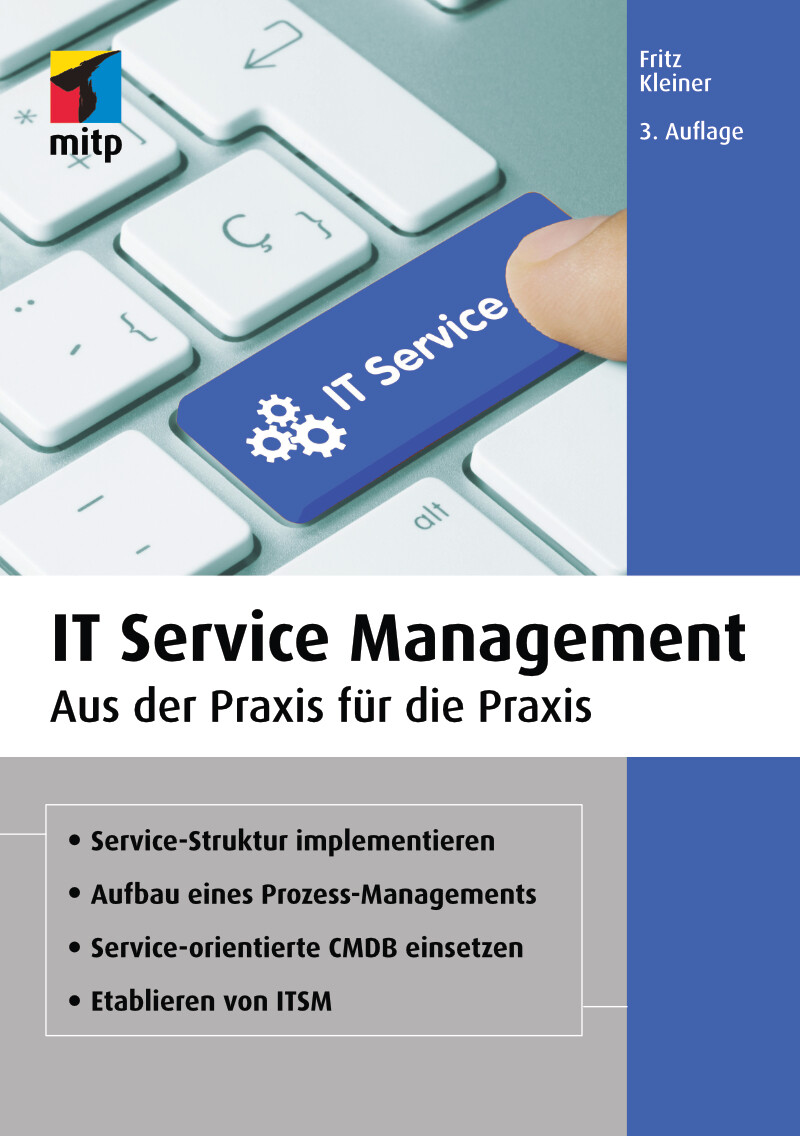
IT Service Management (3. Auflg.)
Aus der Praxis für die Praxis. In 3. Auflage 03/2021.Ein erfolgreich eingeführtes und gelebtes IT Service Management ist für ein Unternehmen ein essenzieller Faktor. Eine schlechte Service-Verfügbarkeit, große Ausfälle wichtiger Informatik-Komponenten oder -Services sowie generell eine zu teure IT können den Unternehmenserfolg massiv beeinträchtigen. Meistens werden in solchen Fällen teure IT-Berater eingekauft, die dem Unternehmen helfen, das IT Service Management inklusive der IT-Kosten zu optimieren.Fritz Kleiner zeigt in dieser aktualisierten Neuauflage basierend auf seinem Erfahrungsschatz als Managing Senior Consultant und Principal, wie Sie IT Service Management ganzheitlich in einem Unternehmen einführen und betreiben können. Anhand vieler Praxisbeispiele erfahren Sie, wie Sie IT-Dienstleistungen standardisieren, IT Service Management in der Führungsebene verankern oder Business IT Services bilden. Besondere Schwerpunkte sind dabei u.a. das Etablieren der Prozesse des IT Service Managements wie Request Fulfillment, Availability Management oder Business Relationship Management.Mit diesem Handbuch verstehen Sie das IT Service Management-Konzept von Grund auf und werden es weitgehend erfolgreich selbstständig im Unternehmen etablieren können.Aus dem Inhalt:Fundierter Überblick über IT Service ManagementEinführung eines IT Service ManagementsEine Prozess-Management-Struktur entwickelnTools und Hilfsmittel einsetzenStandardisierung der IT-DienstleistungenBusiness IT Services und IT Services aufbauenRequest FulfillmentIT Service Management in der FührungsebeneChange ManagementIncident ManagementAvailability ManagementRisk ManagementBusiness Relationship ManagementTransition Planning und SupportDeployment ManagementContinual ImprovementInhalt & Leseprobe (PDF-Link)

Heimautomation mit Arduino, ESP8266 und Raspberry Pi
Das eigene Heim als Smart Home für Heimwerker, Bastler und Maker.Mit diesem umfassenden Praxis-Handbuch erfahren Sie, wie Sie Ihr Heim selbst automatisieren können.Anhand zahlreicher Beispiele lernen Sie Schritt für Schritt die Umsetzung verschiedener Projekte wie z.B. 433-MHz-Sender und -Empfänger, IoT-Gateway mit 433 MHz, drahtlose Infrarot-Fernsteuerung für den Fernseher, Wettermodul, drahtlose Klingel, Strom- und Briefkastenwächter und Aquarium-Timer.Der Autor zeigt Ihnen die praktischen Einsatzmöglichkeiten verschiedener Sensoren und Aktoren im Smart Home wie Licht-, Umwelt- und Barometersensor. Dabei werden zum einen selbst gebaute einfache Elektronik-Module mit Arduino, ESP8266 und Wemos-Modulen realisiert und über eine Schaltzentrale mit Raspberry Pi gesteuert. Zum anderen werden fertige Module wie Bewegungsmelder, Kontakte oder Rauchmelder über einfache Gateways ins System integriert. Dabei wird für die Zentrale Node-Red verwendet, um die Daten und Zustände zu verarbeiten und zu visualisieren.Jedes einzelne Projekt wird mit Stückliste und Steckbrett-Aufbau ausführlich dargestellt und beschrieben.Dieses Buch richtet sich an Bastler und Maker, die bereits etwas Erfahrung mit Arduino und Raspberry Pi gesammelt haben und nun praktische Anwendungen in ihrem Heim aufbauen möchten.Inhalte & Projekte:IoT-Hardware mit Arduino, ESP8266 und Raspberry PiArduino IDE und Node-RedDie Protokolle HTTP und MQTTArduino als SensormodulSchaltmodule mit Tasmota-FirmwareNode-Red als SchaltzentraleWettermodul mit Licht-, Umwelt- und Barometersensor433-MHz-Sender und -EmpfängerIoT-Gateway mit 433 MHzESP8266 als RF-GatewayNode-Red-Schaltzentrale mit Arduino-InterfaceDrahtlose Infrarot-Fernsteuerung für den FernseherDrahtlose KlingelAnalog-Wandler-ModulHomeautomation-PlattformenBriefkastenwächterStromwächterAquarium-TimerLeuchtstreifensteuerungInhalt & Leseprobe (PDF-Link)
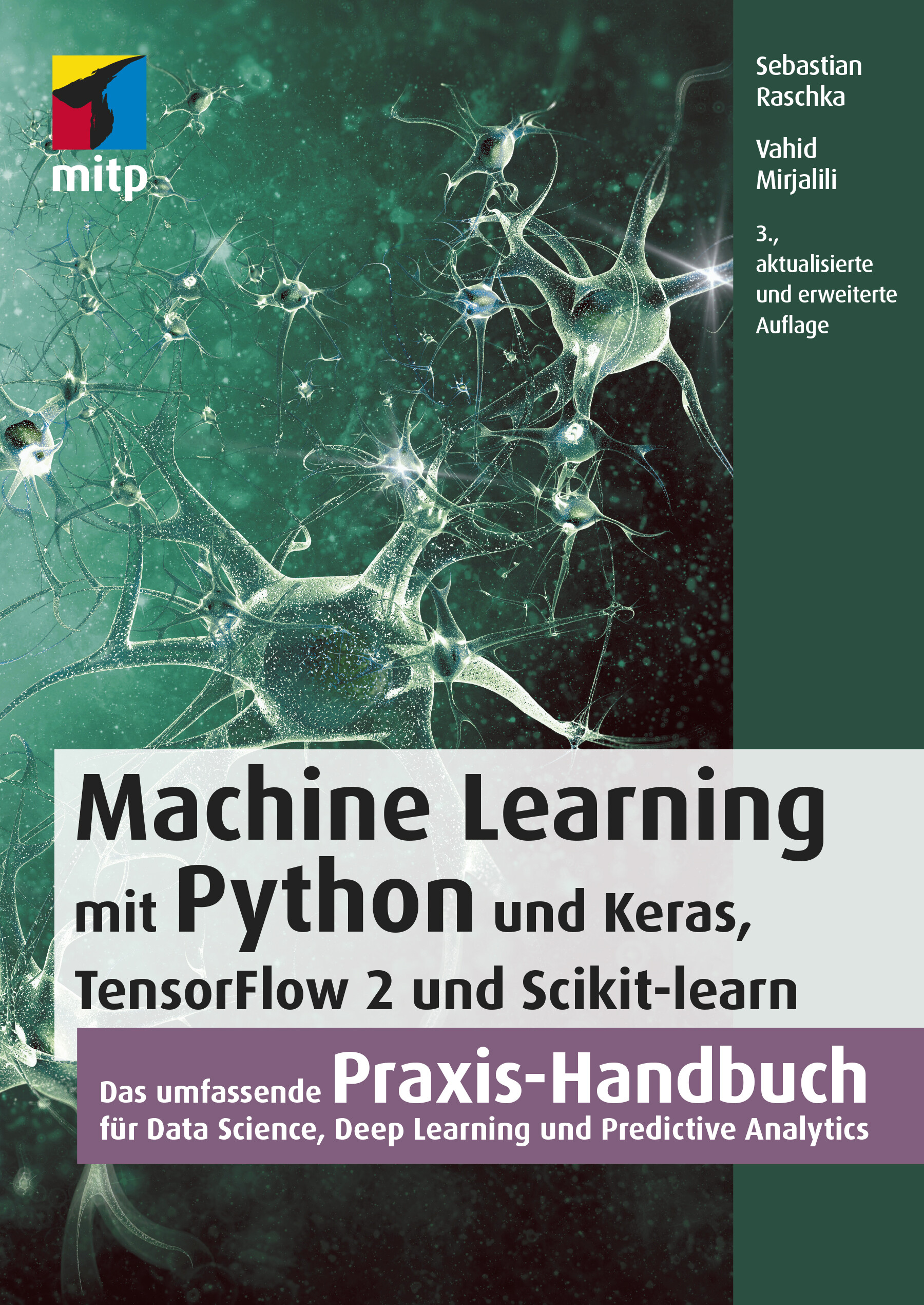
Machine Learning mit Python (3. Auflg.)
Das umfassende Praxis-Handbuch für Data Science, Deep Learning und Predictive Analytics in 3. Auflage 03/2021.Mit diesem Buch erhalten Sie eine umfassende Einführung in die Grundlagen und den effektiven Einsatz von Machine-Learning- und Deep-Learning-Algorithmen und wenden diese anhand zahlreicher Beispiele praktisch an. Dafür setzen Sie ein breites Spektrum leistungsfähiger Python-Bibliotheken ein, insbesondere Keras, TensorFlow 2 und Scikit-learn. Auch die für die praktische Anwendung unverzichtbaren mathematischen Konzepte werden verständlich und anhand zahlreicher Diagramme anschaulich erläutert.Die dritte Auflage dieses Buchs wurde für TensorFlow 2 komplett aktualisiert und berücksichtigt die jüngsten Entwicklungen und Technologien, die für Machine Learning, Neuronale Netze und Deep Learning wichtig sind. Dazu zählen insbesondere die neuen Features der Keras-API, das Synthetisieren neuer Daten mit Generative Adversarial Networks (GANs) sowie die Entscheidungsfindung per Reinforcement Learning.Ein sicherer Umgang mit Python wird vorausgesetzt.Aus dem Inhalt:Trainieren von Lernalgorithmen und Implementierung in PythonGängige Klassifikationsalgorithmen wie Support Vector Machines (SVM), Entscheidungsbäume und Random ForestNatural Language Processing zur Klassifizierung von FilmbewertungenClusteranalyse zum Auffinden verborgener Muster und Strukturen in Ihren DatenDeep-Learning-Verfahren für die BilderkennungDatenkomprimierung durch DimensionsreduktionTraining Neuronaler Netze und GANs mit TensorFlow 2Kombination verschiedener Modelle für das Ensemble LearningEinbettung von Machine-Learning-Modellen in WebanwendungenStimmungsanalyse in Social NetworksModellierung sequenzieller Daten durch rekurrente Neuronale NetzeReinforcement Learning und Implementierung von Q-Learning-AlgorithmenInhalt & Leseprobe (PDF-Link)
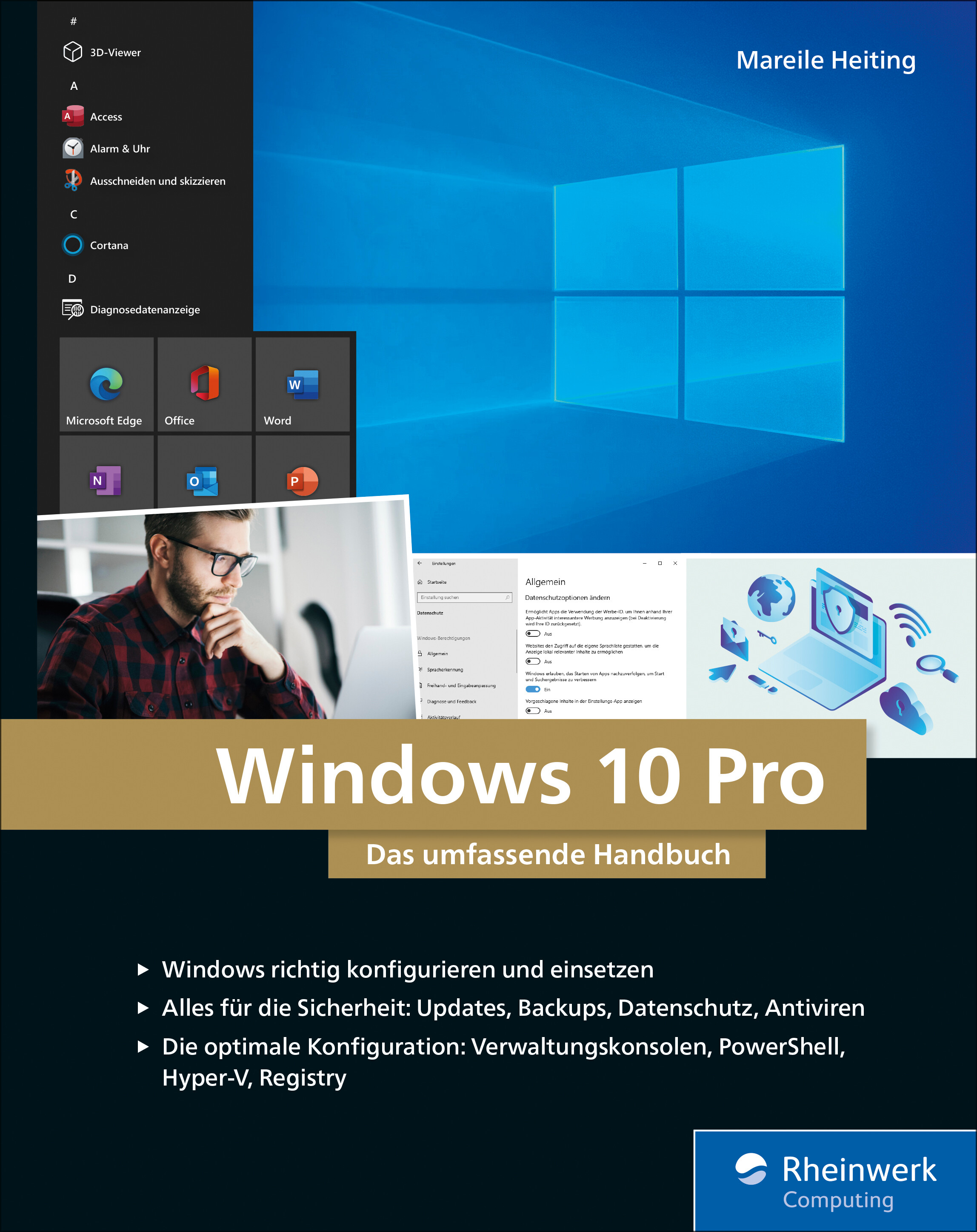
Windows 10 Pro
Das umfassende Handbuch - umfassendes Praxiswissen für Windows-Profis, aktuelle Auflage Februar 2021.Dieses Buch bietet Ihnen auf über 900 Seiten fundiertes Wissen für Windows-Anwender. Praxisnah dank der zahlreichen Anwendungsbeispiele und mit einer Fülle an Profitipps durchleuchtet Mareile Heiting alle Ecken und Winkel des Windows-Systems. Erfahren Sie, welche Features sich unter der Oberfläche verstecken und wie Sie Ihren Workflow spürbar verbessern. Profitieren Sie von aktuellen, effektiven Tipps für ein rundum abgesichertes System. Meistern Sie die Arbeit mit Windows-Rechnern und setzen Sie auch anspruchsvolle Anforderungen um: Netzwerk & VPN einrichten, Aufgaben automatisieren, Daten verschlüsseln und vieles mehr. Ideal als Nachschlagewerk für Power User und erfahrene Anwender von Windows 10.Alles zu Windows 10Updates und InstallationWindows 10 richtig nutzen: Desktop & AppsDaten verwalten und sichern: BitLocker, DatensicherungAlle Optionen und KonfigurationsmöglichkeitenSystemdienste und VerwaltungskonsolenTreiberprobleme lösen, Hardware einrichtenDatenschutz und PrivatsphäreVirenschutz und FirewallDatenfreigabe im NetzwerkRemotezugriff und VPNPowerShell & Windows Subsystem für LinuxVirtualisierung mit Hyper-VLeseprobe (PDF-Link)

Integrierte Werteflüsse mit SAP S/4HANA
Mit diesem Buch optimieren Sie den Wertefluss von der Beschaffung über die Produktion bis hin zum Vertrieb. Andrea Hölzlwimmer weiß genau, wo Probleme in der Integration zwischen MM, PP, SD und FI/CO auftreten, und hilft Ihnen, Ihre Prozesse perfekt aufeinander abzustimmen. Viele Beispiele und Tipps aus der Praxis unterstützen Sie dabei, Optimierungspotenziale zu nutzen und die Kosten zu senken. Profitieren Sie von der Erfahrung, die die Autorin in zahlreichen Optimierungsprojekten gesammelt hat. Praktische Beispiele und eine verständliche Sprache machen es Ihnen leicht, die Abläufe in Ihrem Unternehmen zu verbessern. Diese 4. Auflage ist aktuell zu SAP S/4HANA und behandelt alle wichtigen Neuerungen: Material Ledger, CO-PA u.v.m. Aus dem Inhalt: KreditorenstammRechnungsprüfungPreiskalkulationWarenausgangBesteuerungPlankalkulationPeriodenabschlussErgebnisrechnungMaterial LedgerWerteflüsse zusammenführen Einleitung ... 13 1. Konzept der integrierten Werteflüsse ... 21 1.1 ... Der Begriff »integrierter Wertefluss« ... 21 1.2 ... Definition von Unternehmensprozessen ... 26 1.3 ... Wechselwirkung von Prozessgestaltung und Controllingphilosophie ... 27 1.4 ... Zusammenfassung ... 29 2. Grundlagen der Integration im SAP-System ... 31 2.1 ... Aufbau von SAP-S/4HANA-Systemen ... 32 2.2 ... Entitätenmodell ... 35 2.3 ... Anforderungen der parallelen Rechnungslegung ... 46 2.4 ... Werteflussorientiertes Stammdatenkonzept ... 51 2.5 ... Geschäftspartner ... 67 2.6 ... Zusammenfassung ... 80 3. Beschaffungsprozess ... 83 3.1 ... Beschaffungsprozess und Belegfluss ... 84 3.2 ... Bestellung als Basis des Beschaffungsprozesses ... 86 3.3 ... Fortschreibung von Obligos ... 95 3.4 ... Integration von MM und FI/CO ... 101 3.5 ... Wareneingang ... 128 3.6 ... Rechnungsprüfung ... 130 3.7 ... WE/RE-Konto ... 144 3.8 ... Einkaufskontenabwicklung ... 152 3.9 ... Integration der Kreditorenbuchhaltung ... 153 3.10 ... Darstellung der Umsatzsteuer ... 168 3.11 ... Einbehalt von Quellensteuer ... 172 3.12 ... Zusammenfassung ... 176 4. Vertriebsprozess ... 179 4.1 ... Vertriebsprozess und Belegfluss ... 180 4.2 ... Kundenauftrag als Basis der weiteren Kontierung ... 182 4.3 ... Preiskalkulation als Basis der Wertermittlung ... 189 4.4 ... Warenausgang ... 199 4.5 ... Besteuerung von Verkäufen ... 203 4.6 ... Darstellung von Forderungen ... 216 4.7 ... Abbildung von Umsatzerlösen ... 232 4.8 ... Zusammenfassung ... 255 5. Produktionsprozess ... 257 5.1 ... Produktionsprozess und Belegfluss ... 259 5.2 ... Relevante Stammdaten ... 261 5.3 ... Customizing der Kalkulationsvariante ... 274 5.4 ... Produktkostenplanung ... 301 5.5 ... Kostenträgerrechnung ... 320 5.6 ... Projektfertigung ... 376 5.7 ... Unterstützung der Produktkostenrechnung durch das Material-Ledger ... 392 5.8 ... Zusammenfassung ... 402 6. Der Abschlussprozess im SAP-System ... 405 6.1 ... Vorbereitende Tätigkeiten ... 405 6.2 ... Tätigkeiten in der Anlagenbuchhaltung ... 411 6.3 ... Periodensteuerung ... 426 6.4 ... Fremdwährungsbewertung ... 431 6.5 ... Umgliederung von Forderungen und Verbindlichkeiten ... 437 6.6 ... Wertberichtigung auf Forderungen ... 440 6.7 ... Saldovortrag ... 440 6.8 ... Manuelle Buchungen ... 442 6.9 ... Umlagen und Verteilungen ... 443 6.10 ... Abrechnung ... 451 6.11 ... Abstimmung ... 453 6.12 ... Konsolidierungsvorbereitung ... 457 6.13 ... Zusammenfassung ... 469 7. Zusammenführen der Werteflüsse ... 471 7.1 ... Berichtswesen im Finanzwesen ... 472 7.2 ... Berichtswesen im Controlling ... 477 7.3 ... Berichtswesen in der Ergebnisrechnung ... 478 7.4 ... Aufbau der Deckungsbeitragsrechnung ... 493 7.5 ... Zusammenfassung ... 535 8. Beispiele aus der Praxis ... 537 8.1 ... Redesign der Ergebnisrechnung ... 537 8.2 ... SAP-ERP-Optimierung bei einem Energieversorger ... 548 8.3 ... Upgrade von SAP ERP auf SAP S/4HANA ... 557 8.4 ... Zusammenfassung ... 566 Anhang ... 567 A. Beispiel für einen Abschlussplan ... 569 B. Transaktionen und Menüpfade ... 577 C. Die Autorin ... 605 Index ... 607

Microsoft 365 Education
Endlich einfach erklärt: Mit Microsoft 365 können sich Lehrende digital organisieren und Unterricht multimedial gestalten. Wie Sie Microsoft Office in der Schule einsetzen und im Alltag viel Zeit sparen, zeigt Stefan Malter mit vielen Beispielen aus der Praxis. Präsentieren und kommunizieren Sie online per Video, gestalten Sie Unterrichtsmaterial multimedial und fördern Sie die digitalen Kompetenzen Ihrer Schülerinnen und Schüler. Profitieren Sie und Ihr Kollegium von den Microsoft-Apps und ihren vielfältigen Möglichkeiten zur Zusammenarbeit. Aus dem Inhalt: Unterrichtsmaterial und Arbeitsblätter mit Word und OneNote erstellenDigitale Tafelbilder und Präsentationen mit PowerPoint und Whiteboard-AppTermine, Aufgaben und Kontakte mit Outlook und Windows-AppsChats in Teams-Arbeitsgruppen und -KanälenOnline-Unterricht live in Teams durchführen und moderierenGemeinsam an Dateien und Projekten arbeitenOneNote-Kursnotizbücher für Schülerinnen und SchülerLehrerkonferenzen und Elternabende als VideokonferenzExcel: Grundlagen für Lehrende und Schüler*innenIndividuell Feedback zu Leistungen geben und Tests in Forms durchführenAudio-visuelle Medien erstellen und barrierefreie Tools einsetzenMicrosoft 365 auf mobilen GerätenDateien mit OneDrive und SharePoint synchron haltenGeräte einrichten, Daten speichern und schützen, Benutzerkonten verwaltenTipps für Schulorganisation und Administration Vorwort ... 13 Teil I. Microsoft 365 Education kennenlernen ... 15 1. Voraussetzungen für den digitalen Schulalltag mit Microsoft 365 ... 17 1.1 ... Hardware und Software: Voraussetzungen ... 19 1.2 ... Datenschutz - leidiges Thema, wichtiges Thema ... 21 2. Microsoft 365 Education: Was ist das? Was steckt da drin? ... 25 2.1 ... Unterschiedliche Lizenzen - unterschiedliche Möglichkeiten ... 25 2.2 ... Benutzerkonten in Microsoft 365 ... 26 2.3 ... Online-Portal von Microsoft 365 ... 28 2.4 ... Online arbeiten mit Microsoft 365 ... 34 2.5 ... Online und offline arbeiten mit Windows-Apps und Office-Programmen ... 36 3. Windows 10 einrichten und bedienen ... 37 3.1 ... Windows 10 auf einem neuen PC einrichten ... 37 3.2 ... Windows Updates - nervig, aber wichtig! ... 44 3.3 ... Windows-Sicherheit ... 48 3.4 ... Windows-Einstellungen: Produktiv arbeiten, persönlich wohlfühlen ... 50 3.5 ... Mehrere Benutzerkonten mit Windows 10 nutzen ... 62 3.6 ... PC zurücksetzen und Windows 10 neu installieren ... 65 4. Dateien speichern und verwalten mit Microsoft 365 und Windows 10 ... 69 4.1 ... Dateien online speichern mit OneDrive ... 69 4.2 ... Dateien offline speichern mit Windows 10 ... 81 4.3 ... Systempflege und Backups ... 101 5. Apps und Tools in Windows 10 ... 111 5.1 ... Apps in Windows 10 nutzen und verwalten ... 111 5.2 ... Microsoft Edge - Internetbrowser ... 120 5.3 ... Kurznotizen (Sticky Notes) - digitale Klebezettel ... 124 5.4 ... Microsoft To Do - digitale Aufgabenlisten ... 126 5.5 ... Ausschneiden und skizzieren - Screenshot-App ... 127 5.6 ... Fotos - einfache Bild- und Videobearbeitung ... 128 5.7 ... Kamera - Fotos und Videos aufnehmen ... 131 5.8 ... Filme & TV - Videos abspielen ... 133 5.9 ... Microsoft Whiteboard - die digitale Tafel ... 136 5.10 ... Paint und Paint 3D - digital zeichnen ... 139 5.11 ... Ihr Smartphone ... 142 5.12 ... Weitere Windows-Apps im Überblick ... 143 6. Office-Programme und Dienste in Microsoft 365 ... 149 6.1 ... Microsoft Office installieren und einrichten ... 150 6.2 ... Microsoft Teams - Dreh- und Angelpunkt für digitalen Unterricht ... 155 6.3 ... Microsoft Outlook für EMails, Kontakte und Kalender ... 164 6.4 ... Microsoft OneNote - digitale Notizbücher ... 166 6.5 ... Microsoft Word - Textverarbeitung mit festem Layout ... 169 6.6 ... Microsoft PowerPoint - Präsentationen und mehr ... 172 6.7 ... Microsoft Sway - interaktive Web-Präsentationen ... 174 6.8 ... Microsoft Excel - Tabellenkalkulation ... 176 6.9 ... Microsoft Forms ... 178 6.10 ... Microsoft Stream ... 180 6.11 ... Weitere Apps und Dienste in Microsoft 365 Education ... 182 Teil II. Microsoft 365 in Schule und Unterricht einsetzen ... 187 7. Unterrichtsmaterial recherchieren, erstellen und organisieren ... 189 7.1 ... Inhalte in OneNote sammeln ... 189 7.2 ... Internetrecherche mit Office-Apps und Microsoft Edge ... 204 7.3 ... Arbeitsblätter digital erstellen ... 217 7.4 ... Präsentationen für den Unterricht vorbereiten ... 232 8. Dokumente verteilen und zur Verfügung stellen ... 243 8.1 ... Ausdrucken mit Windows 10 ... 243 8.2 ... Per EMail versenden ... 248 8.3 ... Teilen per OneDrive ... 254 8.4 ... Dokumente bereitstellen in Microsoft Teams ... 261 8.5 ... Inhalte teilen mit OneNote und OneNote-Kursnotizbüchern (Class Notebooks) ... 268 9. Korrigieren, Feedback geben und prüfen mit Microsoft 365 ... 279 9.1 ... Aufsätze und Arbeiten korrigieren und kommentieren mit Microsoft Edge und Microsoft Word ... 279 9.2 ... Schüleraufgaben in OneNote-Kursnotizbüchern korrigieren und kommentieren ... 284 9.3 ... Aufgaben mit Microsoft Teams verteilen und bewerten ... 288 9.4 ... Tests und Quizze mit Microsoft Forms ... 296 9.5 ... Mündliche Prüfungen per Videokonferenz mit Microsoft Teams ... 310 10. Digitale Inhalte im Unterricht präsentieren ... 311 10.1 ... Beamer, Smartboard, TV - Projizieren mit Windows 10 ... 311 10.2 ... Präsentieren mit OneNote ... 315 10.3 ... Tafelbilder erstellen mit Microsoft Whiteboard ... 319 10.4 ... Präsentieren mit PowerPoint ... 324 11. Selbstorganisation im Lehrerbüro ... 331 11.1 ... Aufgaben und To-Do-Listen mit Sticky Notes, OneNote, Microsoft To Do und Outlook ... 331 11.2 ... Kalender und Termine mit Outlook ... 341 11.3 ... Gesprächsnotizen und Protokolle mit OneNote ... 348 11.4 ... Punkte und Noten ausrechnen mit Microsoft Excel ... 352 12. Kommunikation mit Kollegium, Schüler*innen und Eltern ... 361 12.1 ... Kontakte verwalten in Outlook und Microsoft 365 ... 361 12.2 ... Kommunikation per EMail mit Outlook ... 366 12.3 ... Chat-Nachrichten - Microsoft Teams als Messenger ... 376 12.4 ... Sprach- und Videoanrufe mit Microsoft Teams ... 382 12.5 ... Online-Besprechungen planen und durchführen mit Microsoft Teams ... 389 12.6 ... Online-Unterricht mit Microsoft Teams ... 396 Teil III. Weitere Möglichkeiten mit Microsoft 365 ... 405 13. Audio- und Videoproduktionen für den Unterricht ... 407 13.1 ... Audioaufnahmen mit dem Sprachrekorder für Windows 10 ... 407 13.2 ... Videoaufnahmen mit der Kamera-App für Windows 10 ... 411 13.3 ... Videoschnitt mit dem Video-Editor der Fotos-App ... 414 13.4 ... Erklärvideos mit PowerPoint produzieren ... 423 13.5 ... Videos verteilen mit OneDrive und Stream ... 431 14. Barrierefreiheit und erleichterte Bedienung mit Microsoft 365 ... 441 14.1 ... Erleichterte Bedienung mit Windows 10 ... 442 14.2 ... Barrierearme Dokumente mit den Office-Apps ... 454 15. Microsoft-Apps für mobile Geräte wie Smartphone und Tablet ... 459 15.1 ... Microsoft Office als mobile App ... 460 15.2 ... OneDrive als mobile App ... 471 15.3 ... OneNote als mobile App ... 473 15.4 ... Microsoft To Do als mobile App ... 477 15.5 ... Outlook als mobile App ... 479 15.6 ... Microsoft Teams als mobile App ... 486 15.7 ... Microsoft Edge als mobile App ... 490 15.8 ... Begleiter für Ihr Smartphone - Verbindung per App zu Windows 10 ... 494 16. Projekte mit Microsoft 365: Ideen für die Praxis ... 499 16.1 ... Klassenfahrt digital organisieren ... 499 16.2 ... Medienproduktion mit Schüler*innen ... 506 17. Tipps für die Administration von Microsoft 365 ... 511 17.1 ... Benutzerkonten im Admin Center erstellen und verwalten ... 514 17.2 ... Schülergeräte einrichten und verwalten ... 524 18. Hilfe bei Fragen und Problemen ... 533 18.1 ... Reparaturversuche mit Windows 10 ... 534 18.2 ... Hilfe und Support von Microsoft 365 ... 540 18.3 ... Online-Community »Microsoft 365 für Lehrer« ... 544 Index ... 547

SAP Conversational AI
Lassen Sie Bots für sich sprechen! Ob Kundenservice oder digitaler Assistent – mit diesem Buch lernen Sie, wie Sie mit SAP Conversational AI eigene Chatbots programmieren. Die Autoren führen Sie durch alle Phasen der Entwicklung vom Training des Bots bis zur Anbindung an die SAP-Systeme. Sie erhalten wertvolle Tipps zur Auswahl geeigneter Anwendungsfälle sowie für Monitoring und Optimierung. Aus dem Inhalt: Conversational User ExperienceTerminologie und GrundkonzepteSAP Conversational AIFrage-und-Antwort-Bots (Q&A) und reguläre BotsChatbots trainieren, verbinden und verbessernAnwendungsfälleDeployment und Betrieb von BotsFallback und DisambiguierungBerechtigungen und Datenschutz Einleitung ... 15 TEIL I. Einführung ... 21 1. Ziele und Einsatzgebiete von Conversational User Experience ... 23 1.1 ... Was ist Conversational User Experience? ... 23 1.2 ... Terminologie und Grundkonzepte ... 26 1.3 ... Geschichte der Chatbots ... 38 1.4 ... Chatbot vs. digitaler Assistent ... 41 1.5 ... Zusammenfassung ... 46 2. Einführung in SAP Conversational AI ... 47 2.1 ... Die Plattform SAP Conversational AI im Überblick ... 48 2.2 ... Verwaltungs- und Einstellungsmöglichkeiten im Benutzerprofil ... 57 2.3 ... Arten von Bots ... 71 2.4 ... Erste Schritte zur Erstellung eines Chatbots ... 73 2.5 ... Verwendung vordefinierter Chatbot-Bestandteile ... 80 2.6 ... Zusammenfassung ... 82 TEIL II. Entwicklung eines Chatbots ... 83 3. Einen Chatbot trainieren ... 85 3.1 ... Überblick über die Registerkarte »Train« ... 86 3.2 ... Gesprächsabsichten mit Intents definieren ... 95 3.3 ... Das Entitätenkonzept ... 100 3.4 ... Entitätsanreicherungen hinzufügen ... 115 3.5 ... Das Datenset testen ... 120 3.6 ... Unterstützte Sprachen ... 122 3.7 ... Anwendung von NLP-Technologien ... 123 3.8 ... Training des Beispiel-Bots ... 125 3.9 ... Zusammenfassung ... 129 4. Einen Chatbot aufbauen ... 131 4.1 ... Überblick über die Registerkarte »Build« ... 132 4.2 ... Skills verwalten ... 138 4.3 ... Trigger verwenden ... 145 4.4 ... Voraussetzungen definieren ... 150 4.5 ... Aktionen erstellen ... 155 4.6 ... Zusammenfassung ... 177 5. Den Chatbot verbinden ... 179 5.1 ... Bereitstellungskanäle ... 179 5.2 ... SAP Conversational AI Web Client ... 189 5.3 ... Fallback-Kanäle ... 194 5.4 ... Slack-Kanal für den Beispiel-Bot konfigurieren ... 197 5.5 ... Zusammenfassung ... 200 6. Den Chatbot verbessern ... 201 6.1 ... Einträge filtern ... 202 6.2 ... Protokoll der Sprachverarbeitung auswerten ... 204 6.3 ... Verwendungsmetriken ... 208 6.4 ... Trainingsanalyse ... 212 6.5 ... Konversationsprotokolle ... 218 6.6 ... Zusammenfassung ... 220 7. Bot-Einstellungen ... 221 7.1 ... Einstellungen eines Chatbots ... 223 7.2 ... Versionen ... 234 7.3 ... Umgebungen verwenden ... 240 7.4 ... Zusammenfassung ... 245 8. Frage-Antwort-Bots ... 247 8.1 ... Frage-Antwort-Bot trainieren ... 249 8.2 ... Frage-Antwort-Bots bauen ... 256 8.3 ... Frage-Antwort-Bot verbessern ... 259 8.4 ... Einen eigenen Frage-Antwort-Bot erstellen ... 261 8.5 ... Zusammenfassung ... 266 TEIL III. Fortgeschrittene Chatbot-Konzepte ... 267 9. Weiterführende Konzepte ... 269 9.1 ... Laufzeitverhalten eines Chatbots testen ... 269 9.2 ... Nutzung von API-Endpunkten ... 275 9.3 ... Feinheiten des Laufzeitverhaltens eines Chatbots ... 288 9.4 ... Mehrsprachigkeit und Ermittlung der Sprache ... 298 9.5 ... Skill-Disambiguierung ... 303 9.6 ... Zusammenfassung ... 308 10. Das Bot-Entwicklungsprojekt -- ein Praxisbeispiel ... 309 10.1 ... Von der Idee zum Chatbot-Projekt ... 310 10.2 ... Vor Beginn der Implementierung ... 317 10.3 ... Implementierung des Chatbots ... 331 10.4 ... Den fertigen Bot bereitstellen ... 347 10.5 ... Zusammenfassung ... 352 11. Integration von SAP Conversational AI ... 353 11.1 ... Integration externer Ressourcen ... 354 11.2 ... Integration in die SAP Integration Suite ... 369 11.3 ... Integration ins SAP Fiori Launchpad ... 381 11.4 ... Berechtigungskonzept und Single Sign-on ... 391 11.5 ... Konfiguration eines SAP-S/HANA-Frontend-Servers ... 394 11.6 ... Automatisierte Tests der Enterprise Edition ... 396 11.7 ... Zusammenfassung ... 404 12. Ausblick und zukünftige Technologien ... 405 12.1 ... Zukünftige Funktionalität von SAP Conversational AI ... 405 12.2 ... Trends im Bereich der künstlichen Intelligenz ... 408 12.3 ... Trends im Bereich Conversational User Experience ... 412 12.4 ... Zusammenfassung ... 414 A. Glossar ... 419 B. Literaturverzeichnis ... 421 C. Das Autorenteam ... 425 Index ... 427

Produktionsplanung mit SAP S/4HANA in der Prozessindustrie
Effektiv planen in der Prozessindustrie! Mit diesem Buch lernen Sie alle Funktionen von PP-PI in SAP S/4HANA detailliert kennen und erfahren, wie Sie Ihre Prozesse im System abbilden. Viele Beispiele und Tipps aus der Pharma-, Chemie- und Lebensmittelindustrie unterstützen Sie bei der Auftragsabwicklung, dem Reporting sowie der Koordination und Dokumentation Ihrer Prozesse. Auch der Einsatz von SAP Digital Manufacturing Cloud und die Integration mit anderen SAP-Komponenten und Drittanbietersystemen werden ausführlich erklärt. Aus dem Inhalt: StammdatenProzessauftragsabwicklungProzesskoordinationProduktionsprozesse mit PP-PIReportingProzessdatendokumentationIntegration in andere SAP-KomponentenSchnittstellen und Anbindung von FremdsystemenSAP Digital Manufacturing Cloud (DMC)SAP Extended Warehouse Management (EWM)Embedded Production Planning/Detailed Scheduling (ePP/DS) Einleitung ... 15 1. Einführung in die Produktionsplanung und -steuerung in der Prozessindustrie ... 19 1.1 ... Abgrenzung zwischen PP und PP-PI ... 20 1.2 ... Integration von PP-PI in andere SAP S/4HANA-Komponenten ... 29 1.3 ... Integration von PP-PI in andere SAP-Lösungen ... 31 1.4 ... Zusammenfassung ... 32 2. Stammdaten ... 33 2.1 ... Materialien ... 34 2.2 ... Ressourcen ... 39 2.3 ... Integrierte Stammdatenpflege über Fertigungsversionen ... 55 2.4 ... Struktur und Pflege von Planungsrezepten ... 62 2.5 ... Zusammenfassung ... 96 3. Produktionssteuerung über Prozessaufträge ... 97 3.1 ... Struktur eines Prozessauftrags ... 97 3.2 ... Lebenszyklus eines Prozessauftrags ... 101 3.3 ... Erforderliche Customizing-Objekte einrichten ... 104 3.4 ... Eröffnung eines Prozessauftrags ... 115 3.5 ... Prozessplanung und Auftragsfreigabe ... 131 3.6 ... Materialbereitstellung mit MM und WM ... 152 3.7 ... Materialbereitstellung mit EWM ... 166 3.8 ... Rückmeldung von Prozessaufträgen ... 171 3.9 ... Warenbewegungen zum Prozessauftrag ... 194 3.10 ... Auftragspapiere drucken ... 202 3.11 ... Prozessauftragsabschluss und Archivierung ... 212 3.12 ... Zusammenfassung ... 217 4. Erweiterte Funktionen für die Produktionsabwicklung ... 219 4.1 ... Berücksichtigung von Schichten ... 219 4.2 ... Verteilung von Materialdifferenzen aus der Produktion ... 230 4.3 ... Zusammenfassung ... 236 5. Prozesskoordination ... 237 5.1 ... Elemente und Funktionsweise der Prozesskoordination ... 238 5.2 ... Steuerrezepte ... 242 5.3 ... Prozessmeldungen ... 256 5.4 ... Prozessvorgaben ... 278 5.5 ... XSteps ... 289 5.6 ... SAP-Herstellanweisungen ... 320 5.7 ... Zusammenfassung ... 341 6. Produktionsprozesse mit PP-PI ... 343 6.1 ... Zweistufige prozessindustriespezifische Herstellung ... 343 6.2 ... Kuppel- und Nebenprodukte ... 350 6.3 ... Regulierte Produktion ... 355 6.4 ... Zusammenfassung ... 363 7. Reporting ... 365 7.1 ... Prozessauftragsinformationssystem ... 365 7.2 ... Massenbearbeitung ... 378 7.3 ... Weitere Berichte aus dem Produktionsumfeld ... 394 7.4 ... Zusammenfassung ... 402 8. Integration ... 403 8.1 ... Integration mit QM ... 404 8.2 ... Integration mit SAP APO und ePP/DS ... 429 8.3 ... Integration mit SAP MII ... 453 8.4 ... Anbindung von Fremdsystemen mit der PI-PCS-Schnittstelle ... 476 8.5 ... Integration mit der SAP Rezeptentwicklung ... 485 8.6 ... SAP Digital Manufacturing Cloud ... 499 8.7 ... Zusammenfassung ... 514 9. Prozessdatendokumentation ... 517 9.1 ... Auftragsprotokoll ... 517 9.2 ... Elektronisches Chargenprotokoll ... 521 9.3 ... Zusammenfassung ... 527 Anhang ... 529 A ... Transaktionsverzeichnis ... 529 B ... Das Autorenteam ... 541 Index ... 545

Unternehmensplanung mit SAP Analytics Cloud
Nutzen Sie integrierte Daten für eine fundierte Entscheidungsfindung! Mit diesem Buch lernen Sie, die Planungsfunktionen von SAP Analytics Cloud einzusetzen. Sie werden Schritt für Schritt durch die Datenmodellierung und den Umgang mit Storys geführt: Ein durchgängiges, mit Screenshots illustriertes Beispiel veranschaulicht die praktische Arbeit mit SAP Analytics Cloud. Dazu gehören die Berechtigungen genauso wie der von SAP zur Verfügung gestellte vordefinierte Planungs-Content. Sie lernen auch, wie Sie alle an der Planung Beteiligten mit Kollaborationstools ins Boot holen und Machine-Learning-Werkzeuge für eine vorausschauende Planung verwenden. Aus dem Inhalt: DatenmodellierungErstellung einer StoryBerechtigungs- und SperrkonzeptPlanungskalender und KollaborationAnalytics DesignerSAP Analytics Cloud Add-in für Microsoft 365Planungs-Content Einleitung ... 13 1. Planung mit SAP Analytics Cloud ... 19 1.1 ... SAP Analytics Cloud im Überblick ... 20 1.2 ... Integrierte Unternehmensplanung ... 31 1.3 ... Weitere Produkte im Umfeld der Planung ... 35 1.4 ... Beispiel: Umsatzplanung ... 40 1.5 ... Zusammenfassung ... 43 2. Datenmodellierung ... 45 2.1 ... Einführung ... 46 2.2 ... Die Modellierungsumgebung ... 49 2.3 ... Merkmalsbeziehungen ... 74 2.4 ... Datenintegration ... 77 2.5 ... Zusammenfassung ... 90 3. Planungsintegration in die Story ... 93 3.1 ... Die Story als Umgebung zur Plandatenerfassung ... 94 3.2 ... Die Versionsverwaltung ... 101 3.3 ... Das Planungs-Panel ... 108 3.4 ... Mit der Tabelle arbeiten ... 113 3.5 ... Zusammenfassung ... 151 4. Fortgeschrittene Planungsfunktionen ... 153 4.1 ... Werttreiberbäume ... 154 4.2 ... Datenaktionen ... 168 4.3 ... Kopierschritt ... 180 4.4 ... Modellübergreifender Kopierschritt ... 186 4.5 ... Allokation ... 194 4.6 ... Erweiterte Formeln ... 205 4.7 ... Eingebettete Datenaktionsschritte ... 241 4.8 ... Zusammenfassung ... 245 5. Predictive Planning ... 247 5.1 ... Einführung ... 248 5.2 ... Smart Predict ... 249 5.3 ... Zeitreihenanalyse ... 254 5.4 ... Klassifikation ... 265 5.5 ... Regressionsanalyse ... 273 5.6 ... Zusammenfassung ... 279 6. Steuerung von Planungsprozessen ... 281 6.1 ... Berechtigungskonzept ... 282 6.2 ... Datensperren ... 314 6.3 ... Planungskalender ... 321 6.4 ... Kollaboration ... 351 6.5 ... Auditierfunktionen ... 353 6.6 ... Zusammenfassung ... 359 7. Kundenindividuelle Planungsanwendungen ... 361 7.1 ... Analytics Designer ... 362 7.2 ... Benutzerdefinierte Widgets ... 397 7.3 ... SAP Analytics Cloud, Add-in für Microsoft Office ... 407 7.4 ... Zusammenfassung ... 420 8. Vordefinierter Planungs-Content ... 423 8.1 ... Die Business-Content-Bibliothek ... 424 8.2 ... Integrierte Finanzplanung für SAP S/4HANA ... 431 8.3 ... Zusammenfassung ... 457 Anhang ... 459 A ... Glossar ... 459 B ... Der Autor ... 465 Index ... 467

Objektorientierte Programmierung
Komplexe Projekte solide strukturieren, tragfähige Designs erstellen, guten Code schreiben und wartbare Software liefern: Dafür brauchen Entwickler ein Repertoire, aus dem Objektorientierung nicht wegzudenken ist. In diesem Buch finden Sie alles, was Sie brauchen, um sich gründlich einzuarbeiten und die Prinzipien der OOP zur Basis Ihrer eigenen Arbeit zu machen. Die Autoren erläutern alle Themen anschaulich und verständlich anhand einer Vielzahl typischer Beispiele. Mit UML-Diagrammen und gut kommentierten Codebeispielen in den gängigsten objektorientierten Sprachen bringen sie Ihnen die Umsetzung nahe. Da so manches lehrreiche Detail erst auftaucht, wenn Sie konkrete Probleme lösen, ziehen sie viele praktische Anwendungsfälle heran und geben immer wieder Tipps, wie Sie bad smells vermeiden und sauberen Code schreiben. Anhand eines größeren Projekts bekommen Sie zudem einmal von Anfang bis Ende gezeigt, wie Sie objektorientierte Programmierung konsequent realisieren können. So profitieren Sie von der langjährigen Erfahrung der Autoren mit allen Aspekten der Entwicklung komplexer Software. Aus dem Inhalt: Prinzipien des objektorientierten EntwurfsKapselung von DatenPolymorphieStruktur objektorientierter SoftwareKlassen und PrototypenKonkrete und abstrakte DatentypenBeziehungen zwischen ObjektenKlassen von Werten und ObjektenVererbungsbeziehungenMehrfachvererbungStatische und dynamische KlassifizierungPersistenzErzeugung und Zerstörung von ObjektenObjekte in Aktion und in InteraktionObjekte als VertragspartnerModule als konfigurierbare und änderbare KomponentenMVCAspekte und ObjektorientierungBeispielprojektGlossar Materialien zum Buch ... 12 1. Einleitung ... 13 1.1 ... Was ist Objektorientierung? ... 13 1.2 ... Hallo liebe Zielgruppe ... 14 1.3 ... Was bietet dieses Buch (und was nicht)? ... 16 1.4 ... Warum überhaupt Objektorientierung? ... 22 2. Die Basis der Objektorientierung ... 27 2.1 ... Die strukturierte Programmierung als Vorläufer der Objektorientierung ... 28 2.2 ... Die Kapselung von Daten ... 31 2.3 ... Polymorphie ... 33 2.4 ... Die Vererbung ... 34 3. Die Prinzipien des objektorientierten Entwurfs ... 39 3.1 ... Prinzip 1: Prinzip einer einzigen Verantwortung ... 40 3.2 ... Prinzip 2: Trennung der Anliegen ... 46 3.3 ... Prinzip 3: Wiederholungen vermeiden ... 48 3.4 ... Prinzip 4: offen für Erweiterung, geschlossen für Änderung ... 51 3.5 ... Prinzip 5: Trennung der Schnittstelle von der Implementierung ... 54 3.6 ... Prinzip 6: Umkehr der Abhängigkeiten ... 57 3.7 ... Prinzip 7: mach es testbar ... 63 4. Die Struktur objektorientierter Software ... 65 4.1 ... Die Basis von allem: das Objekt ... 65 4.2 ... Klassen: Objekte haben Gemeinsamkeiten ... 85 4.3 ... Beziehungen zwischen Objekten ... 120 4.4 ... Klassen von Werten und Klassen von Objekten ... 137 5. Vererbung und Polymorphie ... 155 5.1 ... Die Vererbung der Spezifikation ... 155 5.2 ... Polymorphie und ihre Anwendungen ... 195 5.3 ... Die Vererbung der Implementierung ... 242 5.4 ... Mehrfachvererbung ... 265 5.5 ... Statische und dynamische Klassifizierung ... 295 6. Persistenz ... 305 6.1 ... Serialisierung von Objekten ... 305 6.2 ... Speicherung in Datenbanken ... 306 6.3 ... Abbildung auf relationale Datenbanken ... 313 6.4 ... Normalisierung und Denormalisierung ... 326 7. Abläufe in einem objektorientierten System ... 343 7.1 ... Erzeugung von Objekten mit Konstruktoren und Prototypen ... 344 7.2 ... Fabriken als Abstraktionsebene für die Objekterzeugung ... 355 7.3 ... Objekte löschen ... 404 7.4 ... Objekte in Aktion und in Interaktion ... 419 7.5 ... Kontrakte: Objekte als Vertragspartner ... 463 7.6 ... Exceptions: wenn der Kontrakt nicht eingehalten werden kann ... 480 8. Module und Architektur ... 511 8.1 ... Module als konfigurierbare und änderbare Komponenten ... 511 8.2 ... Die Präsentationsschicht: Model, View, Controller (MVC) ... 520 9. Aspekte und Objektorientierung ... 533 9.1 ... Trennung der Anliegen ... 533 9.2 ... Aspektorientiertes Programmieren ... 545 9.3 ... Anwendungen der Aspektorientierung ... 556 9.4 ... Annotations ... 569 10. Objektorientierung am Beispiel: eine Webapplikation in JavaScript ... 579 10.1 ... OOP in JavaScript ... 581 10.2 ... Die Anwendung im Überblick ... 589 10.3 ... Das Framework ... 594 10.4 ... Die Applikation ... 612 10.5 ... Ein Fazit -- und was noch übrig bleibt ... 636 Anhang ... 639 A. Verwendete Programmiersprachen ... 641 B. Glossar ... 661 C. Die Autoren ... 675 Index ... 677

Der eigene Webshop mit Shopify
So gelingt Ihr Start in den Onlinehandel. Egal, ob Sie bereits ein Ladenlokal besitzen oder erst Ihr eigenes Business starten wollen – mit diesem Ratgeber erhalten Sie schnelle und verständliche Lösungen. Sie erfahren, wie Sie selbst hergestellte Produkte verkaufen oder Ihre Dienstleistungen anbieten können. Jens Jacobsen zeigt Ihnen alles, was Sie für einen erfolgreich laufenden Webshop benötigen. Sie erhalten das Wissen, den Shop mit Shopify richtig einzurichten und zu gestalten, Sie lernen die grundlegenden Marketingstricks und SEO-Maßnahmen kennen. Inklusive wichtiger Hinweise zu den rechtlichen Voraussetzungen. Aus dem Inhalt: Onlineshopping – Trends & MöglichkeitenDer schnelle Weg zum eigenen ShopIhre Geschäftsidee – Grundlage Ihres ErfolgsDie Startseite als SchaufensterDie ProduktdetailseiteSuche & NavigationWarenkorb & Check-outVersand, Kontakt & ServiceAGB, Datenschutz, ImpressumDie KundendatenbankWarenwirtschaft richtig nutzenSEO, Marketing & Werbung Vorwort ... 13 1. Onlineshopping -- Trends und Möglichkeiten ... 17 1.1 ... Der Handel geht online -- die Vorteile ... 18 1.2 ... Was möchten/können Sie erreichen? ... 20 1.3 ... Chancen für neue Anbieter ... 21 1.4 ... Möglichkeiten für etablierte Geschäfte ... 22 1.5 ... Warum Shopify? ... 23 1.6 ... Weshalb ein Online-Marktplatz nicht reicht ... 28 1.7 ... Fazit ... 30 1.8 ... Interview mit Nina Danelon und Ingrid Hottner -- Ina Bonheur ... 30 2. Für Ungeduldige -- in nur einem Tag zum eigenen Shop ... 35 2.1 ... Anmelden bei Shopify ... 35 2.2 ... Das erste Produkt einstellen ... 38 2.3 ... Den Shop kundenfertig machen ... 43 2.4 ... Geld entgegennehmen ... 55 2.5 ... Interview mit Stefan Matte, Geschäftsführer Paper & Tea GmbH ... 65 3. Ihre Geschäftsidee -- Grundlage Ihres Erfolgs ... 69 3.1 ... Was wollen Sie verkaufen? ... 69 3.2 ... Von der Konkurrenz lernen ... 71 3.3 ... Das können nur Sie -- Ihre USP ... 71 3.4 ... Ihre Kunden kennenlernen ... 74 3.5 ... Kunden greifbar machen mit Personas ... 80 3.6 ... Kalkulation -- jetzt wird Geld verdient ... 83 4. Der erste Eindruck entscheidet -- die Startseite als Schaufenster ... 91 4.1 ... Besucher mit der richtigen Domain locken ... 91 4.2 ... Was erwartet der Besucher auf der Startseite? ... 96 4.3 ... Die Startseite für Käufe(r) optimieren ... 100 4.4 ... Gut aussehen auf Smartphone und Tablet ... 116 4.5 ... Interview mit Izar Carazo, Unai Rollan, Sergio Errandonea, Iñigo Echeverria -- Indigraph ... 120 5. Produktdetailseite -- Umkleide, Showroom und Verkaufsgespräch ... 123 5.1 ... Die vielen Aufgaben der Produktdetailseite (PDS) ... 123 5.2 ... Produkte vorbereiten ... 124 5.3 ... Produkte einstellen ... 132 5.4 ... Bewertungen und Rezensionen ... 150 6. Kategorieseiten, Suche, Navigation -- vom Stöbern und Finden ... 159 6.1 ... Fundament jedes Shops: Informationsarchitektur ... 159 6.2 ... Kategorieseiten einstellen ... 162 6.3 ... Kategorien anlegen ... 164 6.4 ... Menüs organisieren ... 168 6.5 ... Besuchern beim Suchen helfen ... 174 6.6 ... Suchfunktion und Suchergebnisseite -- finden und inspirieren ... 176 7. Warenkorb und Checkout -- jetzt rollt der Rubel ... 181 7.1 ... Die meisten Bestellungen werden abgebrochen ... 182 7.2 ... Zahlungsmethoden auswählen ... 183 7.3 ... Zahlung testen ... 190 7.4 ... Stolpersteine auf dem Weg zur Kasse ausräumen ... 193 7.5 ... Umsatzsteuer korrekt erheben ... 196 8. Die Ware verschicken -- das müssen Sie beim Versand beachten ... 201 8.1 ... Versandkostenfrei verschicken? ... 202 8.2 ... Den richtigen Versanddienstleister aussuchen ... 202 8.3 ... Versandkosten korrekt angeben ... 204 8.4 ... Versandkosten im Shop richtig angeben ... 210 8.5 ... Rechnungen stellen ... 214 8.6 ... Das Paket packen ... 219 8.7 ... Und ab die Post ... 223 8.8 ... Lokale Zustellung und Abholung vor Ort ... 224 9. Kontakt und Service -- Ihr Kunde ist König ... 229 9.1 ... Das erwarten Ihre Kunden ... 229 9.2 ... Kontakt via E-Mail ... 231 9.3 ... Kontakt via Telefon und Messenger ... 233 9.4 ... Kontakt per Chat und sozialen Medien ... 234 9.5 ... Arbeitserleichterung mit der Shopify-App ... 236 9.6 ... Professionelle Support-Systeme ... 237 9.7 ... Anfragen reduzieren mit Selbstbedienung ... 237 10. AGB, Datenschutzhinweis, Impressum -- lästig, aber notwendig ... 245 10.1 ... Was ist überhaupt eine Abmahnung? ... 246 10.2 ... Brauche ich AGB? ... 247 10.3 ... Wer hilft beim Erstellen der AGB? ... 248 10.4 ... Welche Rechtstexte Sie unbedingt brauchen ... 249 10.5 ... Die Rechtstexte bei Shopify einbauen ... 250 10.6 ... Keine Angst vor der DSGVO ... 251 10.7 ... Cookie-Banner hinzufügen ... 254 10.8 ... Weitere Abmahngründe ... 256 10.9 ... Auch Rechtstexte sind für Menschen ... 259 10.10 ... Buttons richtig beschriften ... 261 10.11 ... Interview mit Michael Rohrlich, Rechtsanwalt ... 261 11. Ihre Kundendatenbank -- ein ungehobener Schatz ... 265 11.1 ... Kundendaten pflegen ... 265 11.2 ... E-Mails an Kundengruppen schicken ... 267 11.3 ... Rabattcodes erstellen ... 268 11.4 ... Geschenkgutscheine ... 272 11.5 ... Abgebrochene Bestellungen ansehen ... 274 11.6 ... Aus abgebrochenen Bestellungen lernen ... 282 11.7 ... Conversion Tracking/Analytics ... 283 12. Die Warenwirtschaft richtig nutzen ... 285 12.1 ... Inventarverwaltung mit Shopify ... 286 12.2 ... Mehr Ordnung mit SKUs ... 293 12.3 ... Bestellungen vor Ort und per Telefon aufnehmen ... 295 12.4 ... Warenwirtschaft professionalisieren ... 297 13. Marketing und Werbung -- gut fürs Geschäft ... 299 13.1 ... Pflicht: Über-uns-Seite ... 300 13.2 ... Das eigene Blog ... 304 13.3 ... Wenn's denn sein muss: Logo und Briefpapier ... 309 13.4 ... Der eigene Newsletter ... 310 13.5 ... Social-Media-Marketing ... 316 13.6 ... Links zu Social Media einbauen ... 321 13.7 ... Werbung bei Google, Facebook, Instagram und Co. ... 325 13.8 ... Altmodisch, aber wirkungsvoll: Werbung offline ... 331 14. Suchmaschinen-Optimierung -- entspannt zu noch mehr Kunden ... 333 14.1 ... Die gelassene Suchmaschinen-Strategie ... 334 14.2 ... Linkaufbau -- Off-Page-Optimierung ... 350 14.3 ... Performance -- wichtig für SEO und Kunden ... 350 Stichwortverzeichnis ... 355

GitHub - Eine praktische Einführung
GitHub - praktisch und anschaulich erklärt. Von den ersten Schritten bis zu eigenen GitHub Actions.GitHub ist derzeit die größte Internetplattform für Open-Source-Entwicklungsprojekte und bietet ein grafisches Webinterface mit vielen Funktionen für die gemeinsame Arbeit sowie interessante Community-Features. Technisch setzt es auf der bekannten Versionsverwaltung Git auf.Aber was ist ein Repository, Branch, Commit, Pull-Request oder Fork? Wie lege ich ein eigenes Projekt an? Was muss ich beim Mergen beachten und wann sind »etwas Git« oder Actions und Apps ein guter nächster Schritt?Einsteiger*innen lernen alle wichtigen Werkzeuge und Begriffe kennen, spielen typische Arbeitsschritte durch und erhalten über die Funktionalität der Plattform hinaus viele Infos und Praxistipps. Mit diesem verständlichen und humorvollen Leitfaden gelingt der unfallfreie Einstieg in die Open-Source-Welt – garantiert.GitHub – die Plattform kennenlernen Die Oberfläche erkunden und einen eigenen Account anlegenDas erste GitHub-Projekt Mit Repositories, Issues und Branches arbeiten, Pull-Requests erstellen und mergenOpen-Source-Lizenzen Unterschiede verstehen und eine passende Lizenz auswählenAuf eigenen und fremden Projekten zusammenarbeiten Projekte für Mitstreiter attraktiver machen, Maintainer einsetzen, Pull-Requests einreichen und Projekte forkenEinstieg in Git Git installieren und wichtige Befehle ausprobierenGit und GitHub im Zusammenspiel Projekte mit GitHub und Git bearbeiten und synchron halten, Repositories forken und Merge-Konflikte lösenMit Actions und Apps effizienter arbeiten Apps und Actions aus dem Marketplace installieren und eine eigene Action programmieren
Learn FileMaker Pro 19
Discover how easy it is to create multi-user, cross-platform custom solutions with FileMaker Pro, the relational database platform published by Apple subsidiary Claris International, Inc. Meticulously rewritten with clearer lessons, more real-world examples and updated to include feature changes introduced in recent versions, this book makes it easier to get started planning, building and deploying a custom database solution.The material is presented in an easy to follow manner with each chapter building on the last. After an initial review of the user environment and application basics, it begins a deep exploration of the integrated development environment that seamlessly combines the full stack of data table schema, business logic and interface layers into one visual programming experience. This book includes everything needed to get started building custom databases and contains advanced material that seasoned professionals will appreciate.Written by a professional developer with decades of real-world experience, Learn FileMaker Pro 19 is your comprehensive learning and reference guide. Join millions of users and developers worldwide in achieving a new level of workflow efficiency with FileMaker Pro.WHAT YOU’LL LEARN* Discover interface and feature changes in FileMaker 17-19* Create and maintain healthy files* Plan and create custom tables, fields, relationships* Write calculations using built-in and custom functions* Build recursive and repeating formulas* Discover advanced features using cURL, JSON, SQL, ODBC and FM URL* Manipulate data files in the computer directory with scripts* Deploy solutions to a server and share with desktop, iOS and web clients WHO THIS BOOK IS FORCasual programmers, full time consultants, and IT professionalsMark Conway Munro is a software developer and the author of AppleScript: Developer Reference (2010, Wiley) and Learn FileMaker Pro 16 (2017, Apress). After a 1988 introduction to FileMaker, Mark began using AppleScript and FileMaker for information management and process automation tasks. In 1994, Mark founded Write Track Media, a computer consultancy firm that develops custom database and workflow automation solutions. Mark builds time-saving custom systems for a diverse list of clients across industries, including education, entertainment, finance, news, publishing, and manufacturing, and more. Understanding the virtue of using technology to free human focus from repetitive tasks so they can pursue a higher level of productivity, Mark is unwavering in his commitment to developing the highest quality workflow management solutions.PART I USING FILEMAKERPages01 Introducing FileMakerProduct family changesApp now includes version numberMention file compatibility across recent versions and how to convert older formatsMaybe combine with Chapter 2 if I can compress the two enough1602 Exploring the ApplicationLaunch window changes2603 Exploring a Database Window1604 Working with Records3805 Transferring DataNew Import Dailog20PART II DEFINING DATABASE STRUCTURES006 Working with Database Files3607 Working with TablesMention Add-on tables (refer to layout/portals)1608 Defining FieldsDefault Fields3209 Connecting Tables with Relationships3010 Managing Containers1011 Managing Value ListsFix typo on conditional value list and clarify greatly16PART III — WRITING FORMULAS AND FUNCTIONS012 Writing Formulas3413 Exploring Built in FunctionsOne chapter to replace the previous function reference chaptersFocus on specific examplesAccessing machine/enviorment values (Get Functions)Using Logical Functions (Case, Choose, Let, Self, GetNth, While, etc.)Using Aggregate Functions (Count, List, Sum,Manipulating Text (Filter, FilterValues, Left, Right, Middle, GetValues, Length, Substitute, Sort, unique, etc.)Formatting Text in formulas (mention layout vs formula)Manipulating DatesNumeric (Rounding, Fomratting (layout vs formula)4014 Manipulating JSON ObjectsExpand examples1515 Creating Custom FunctionsExpand examplesSet RecursionChanges to limits for non-tail recursion2016 Introducing ExecuteSQLFix three typos from last book22PART IV — DESIGNING INTERFACES017 Introducing Layout Mode1818 Getting Started with Layouts4019 Exploring Layout PalettesIntegrated PaletteField Palette changesObject Palette changes3020 Creating Layout ObjectsPortals, add on tablesPortals, master-detail layout7221 Manipulating ObjectsSelect objects in groupMove objects with shift+arrow key (10+ larger increment)2022 Using Themes and Styles1223 Customizing MenusMenus can now be copy-pasted within and between files24PART V — AUTOMATING TASKS WITH SCRIPTS024 Introduction to Scripting2825 Common Scripting TasksMaybe expand examples and mention new script stepsCreate directoriesCreate-Delete-Read-Write-Rename-Etc Files4426 Debugging Scripts827 Using Script Triggers1428 Extending Features with Plug-ins4PART VI — SHARING DATABASES ON A NETWORK029 Introducing Network SharingFileMakerURL now version specific3030 Securing Database AccessNew Interface, features2831 Advanced Sharing and Analysis16ESTIMATE PAGE TOTAL775