

Computer und IT

KI verändert die Spielregeln
Geschäftsmodelle, Kundenbeziehungen und Produkte neu denken.Künstliche Intelligenz (KI) ist in der Wirtschaft in aller Munde. Aber nur die wenigsten Firmen wissen, wie sie KI für den Aufbau neuer Geschäftsfelder nutzen können. Genau darum geht es in diesem Buch. Die Autoren kommen aus der Praxis und beschreiben unter anderem KI-Projekte, die sie gemeinsam mit ihren Kunden umgesetzt haben. Profitieren Sie von diesem Know-how , um mit KI erfolgreich zu sein:- grundlegendes Verständnis für die Möglichkeiten von Künstlicher Intelligenz- Vorgehensmodell für das Entwickeln von KI-Anwendungen- Folgenabschätzung für Prozesse und Geschäftsmodelle in verschiedenen Branchen durch KI- Einsatzszenarien für Prozesse von Kommunikation bis Verwaltung- Unterstützung mobiler Prozesse mithilfe von KIDas Buch enthält konkrete, realisierbare Anwendungsfälle für das verarbeitende Gewerbe und für Dienstleister. Lassen Sie sich davon inspirieren, um eigene Lösungen zu entwickeln und zu vermarkten.
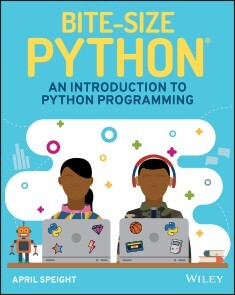
Bite-Size Python
INTRODUCE CHILDREN TO THE POPULAR PYTHON PROGRAMMING LANGUAGE THROUGH RELATABLE EXAMPLES AND FUN PROJECTS!Python has now surpassed Java as the most commonly used programming language. As the language rises in popularity, this complete guide can teach basic Python concepts to kids with its simple, friendly format. Bite-Size Python: An Introduction to Python Programming provides children with a foundation in the Python language. This unique book shares knowledge through easy-to-understand examples, fast exercises, and fun projects!As children learn, their parents, caregivers, and instructors can also join in their discoveries. Bite-Size Python is ideal for those who are new to programming, giving kids ages 9 and up a beginners’ approach to learning one of the most important programming languages.* Gives an overview of Python* Provides exciting programming projects* Offers instruction on how to download and install Python* Presents key programming language concepts* Simplifies technical definitionsWith this playful guide to learning Python, readers can try out activities on their computers for a hands-on learning experience. The artwork in Bite-Size Python represents children of various backgrounds, so any child who picks up this book will be empowered to learn and young readers will love showing their projects to friends and family!APRIL SPEIGHT is a Python developer with a passion for helping beginners get started with programming. She believes that by providing programming instruction that is equal parts approachable, relatable, and fun she can truly foster a welcoming learning experience. Considered a true creator at heart, April enjoys programming AI assistants and chat bots, creating experiences with mixed reality, and discovering new ways to teach technical concepts to nontechnical audiences. Curious about what she's currently learning or creating? Follow her on Twitter @VogueandCode. 1 What is Python? 32 Install Python 93 IDLE 154 Variables 235 Numbers 396 Strings 517 Conditionals and Control Flow 698 Lists 839 for Loops 9710 while Loops 11711 Functions 13312 Dictionaries 16113 Modules 18714 Next Steps 205Appendix 213Index 219
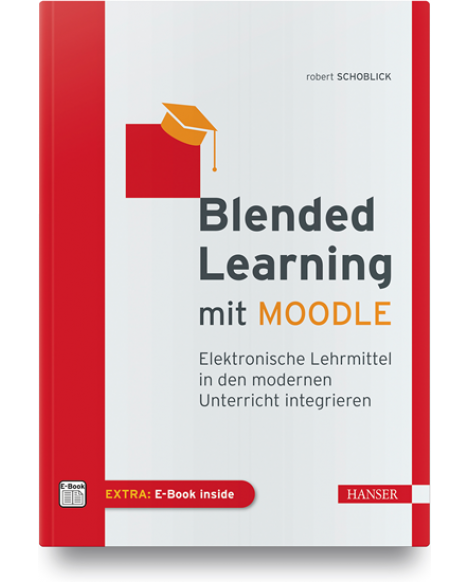
Blended Learning mit Moodle
BLENDED LEARNING MIT MOODLE - Moodle-Infrastruktur aufbauen und verstehen- Moodle professionell verwalten- Kurse gestalten und in das Unterrichtsprogramm integrieren- Unterstützender Einsatz von Hot Potatoes und H5P im Präsenzunterricht- Erfolgreich und zuverlässig Prüfungen mit Moodle durchführenBei „Moodle“ bzw. „E-/Blended Learning“ geht es vor allem darum, gezielt Kurse zu entwickeln, die sich ideal in das didaktische Konzept der Lehre integrieren und diese unterstützen. Auch die Durchführung von Prüfungen und Lernzielkontrollen sowie die Abgabe von Hausaufgaben sind ein wichtiges Thema. Das Lehrpersonal und der menschliche Kontakt sollen dadurch aber nicht ersetzt werden.Vorbereitende Übungen zur Vertiefung des Stoffs sollen kurzweilig gestaltet und auch für kurze Übungssequenzen geeignet sein. Einen Einblick in externe Software, die über den SCORM-Standard (Sharable Content Object Reference Model) in Moodle integriert werden kann, gibt die Vorstellung von Hot Potatoes. In der Zukunft wird für die Unterstützung der Präsenzlehre und der Fernschulung sowie als motivierendes Recherchemedium die Integration multimedialer, interaktiver Technologien wie H5P in Moodle immer wichtiger.Blended-Learning-Technologien (hier am Beispiel des am weitesten verbreiteten LMS Moodle) sollen eine Unterstützung der Aus- und Fortbildung sein, nicht jedoch als eine disruptive Konkurrenz zu einer zwischenmenschlich geprägten Pädagogik aufgefasst werden. Dazu soll dieses Werk beitragen.AUS DEM INHALTTeil I - Allgemeine Ansätze- Potenzielle Zielgruppen- Potenzielle EinsatzbereicheTeil II – Technik- Der Moodle-Server- Moodle-Grundinstallation- Benutzerverwaltung- Rollen im Moodle-System- Bereichs- und Kursverwaltung- E-Mail-Kommunikation- DesignsTeil III - Moodle in der Praxis- Moodle im Überblick- Aktivitäten - Werkzeuge zur Kursgestaltung- Ergänzende Lernhilfen für Moodle- Fragenkataloge in Moodle- Lernzielkontrollen und Prüfungen
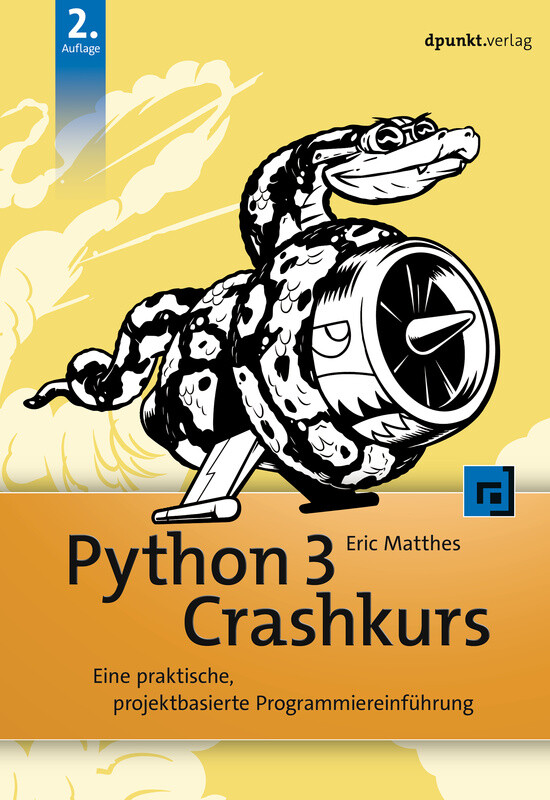
Python 3 Crashkurs - 2., aktualisierte Auflage
Ihr Weg zum Python-Profi! US-Bestseller Lernen Sie Python programmieren wie die Profis Komplett aktualisiert auf Python 3 »Python Crashkurs« ist eine kompakte und gründliche Einführung, die es Ihnen nach kurzer Zeit ermöglicht, Python-Programme zu schreiben, die für Sie Probleme lösen oder Ihnen erlauben, Aufgaben mit dem Computer zu erledigen. In der ersten Hälfte des Buches werden Sie mit grundlegenden Programmierkonzepten wie Listen, Wörterbücher, Klassen und Schleifen vertraut gemacht. Sie erlernen das Schreiben von sauberem und lesbarem Code mit Übungen zu jedem Thema. Sie erfahren auch, wie Sie Ihre Programme interaktiv machen und Ihren Code testen, bevor Sie ihn einem Projekt hinzufügen. Danach werden Sie Ihr neues Wissen in drei komplexen Projekten in die Praxis umsetzen: ein durch »Space Invaders« inspiriertes Arcade-Spiel, eine Datenvisualisierung mit Pythons superpraktischen Bibliotheken und eine einfache Web-App, die Sie online bereitstellen können. Während der Arbeit mit dem »Python Crashkurs« lernen Sie, wie Sie: leistungsstarke Python-Bibliotheken und Tools richtig einsetzen – einschließlich matplotlib, NumPy und Pygal 2D-Spiele programmieren, die auf Tastendrücke und Mausklicks reagieren, und die schwieriger werden, je weiter das Spiel fortschreitet mit Daten arbeiten, um interaktive Visualisierungen zu generieren Web-Apps erstellen und anpassen können, um diese sicher online zu deployen mit Fehlern umgehen, die häufig beim Programmieren auftreten Dieses Buch wird Ihnen effektiv helfen, Python zu erlernen und eigene Programme damit zu entwickeln. Warum länger warten? Fangen Sie an!

C++ mit Visual Studio 2019
C++ hat sich in den letzten Jahren rasant entwickelt: C++11, C++14, C++17 und C++20 haben viele Verbesserungen und neue Möglichkeiten gebracht. Vieles, was vor 10 Jahren noch gut und empfehlenswert war, kann heute besser und sicherer gemacht werden.Dieses Buch stellt C++ mit Visual Studio 2019 auf dem Stand von Mai 2020 umfassend dar. Das ist nicht nur der Umfang von C++17, sondern auch schon ein Teil von C++20.Es entstand aus zahlreichen Vorlesungen und Firmenseminaren. Dementsprechend richtet es sich einerseits an STUDIERENDE, die C++ lernen wollen. Der Aufbau, die vielen Beispiele und Übungsaufgaben sind erprobt und bewährt. Es eignet sich zum Selbststudium und als Lehrbuch für Vorlesungen an Fachhochschulen und Universitäten.Dieses Buch zeigt aber ebenso PROFESSIONELLEN SOFTWARE-ENTWICKLERN mit einer jahrelangen C++-Praxis den aktuellen Stand der Technik. Viele der Spracherweiterungen machen elementare Programmiertechniken einfacher und sicherer. Dazu kommen neue Konzepte, die bessere und effizientere Lösungen als noch vor einigen Jahren ermöglichen.Dieses Buch erscheint in zwei weitgehend identischen Ausgaben:– IN DER VORLIEGENDEN AUSGABE werden Programme ohne eine graphische Benutzeroberfläche geschrieben. Alle Ein- und Ausgaben erfolgen mit cin und cout über die Konsole.– IN DER ANDEREN AUSGABE „C++ mit Visual Studio 2019 und Windows-Forms-Anwendungen“ werden Programme geschrieben, in denen alle Ein- und Ausgaben über eine Windows-Benutzeroberfläche erfolgen.Nach seinem Mathematikstudium an der Universität Tübingen war Richard Kaiser in der Lehrerausbildung tätig, Trainer in der Industrie, Software-Entwickler und -Abteilungsleiter. Als Professor an der Dualen Hochschule Baden-Württemberg hat er Vorlesungen über C, C++, C# und Mathematik gehalten und zahlreiche Firmenseminare über C++ und C# durchgeführt.Die Entwicklungsumgebung.- Steuerelemente für die Benutzeroberfläche.- Elementare Datentypen und Anweisungen in C und C++.- Sie Stringklassen string und wstring.- Arrays und Container.- Einfache selbstdefinierte Datentypen.- Zeiger, Strings und dynamisch erzeugte Variablen.- Überladene Funktionen und Operatoren.- ObjektorientierteProgrammierung.- Namensbereiche.- Exception-Handling.- Containerklassen der C++-Standardbibliothek.- Dateibearbeitung mit den Stream-Klassen.- Funktionsobjekte und Lambda-Ausdrücke.- Templates und STL.- C++11 Smart Pointer: shared_ptr, unique_ptr und weak_ptr.- Literatur.- Index.

KI & Recht kompakt
Das Buch gibt einen kompakten Einblick in alle wesentlichen Rechtsfragen rund um den Einsatz Künstlicher Intelligenz in Unternehmen oder Produkten. Versierte Autoren mit Praxiserfahrung erläutern die wichtigsten rechtlichen Themen beim Einsatz intelligenter Systeme und behandeln nach einer Einführung in die technischen Grundlagen die Auswirkungen und Besonderheiten Künstlicher Intelligenz in den Bereichen:* Zivilrecht* Vertragsgestaltung* Lizenzierung * Haftung* Immaterialgüterrechte * Datenschutz* Strafrecht* ArbeitsrechtMatthias Hartmann ist Rechtsanwalt und Fachanwalt für IT-Recht. Er beschäftigt sich seit über 20 Jahren mit Rechtsfragen der Künstlichen Intelligenz und berät Hersteller und Nutzer von KI-Systemen als Gründungspartner der auf IT-Recht spezialisierten Kanzlei HK2 Rechtsanwälte. Die weiteren Autoren des Buches sind Experten in ihren jeweiligen Fachbereichen und haben sich intensiv mit den Rechtsfragen beim Einsatz Künstlicher Intelligenz auseinandergesetzt.Technische Grundlagen.-Künstliche Intelligenz im Zivilrecht.- Haftung am Beispiel automatisierter Fahrzeuge.- KI im Immaterialgüterrecht.-Datenschutz.- Datenschutz in öffentlichen KI-Forschungsprojekten.- KI im Arbeitsrecht.- Künstliche Intelligenz und das Strafrecht.
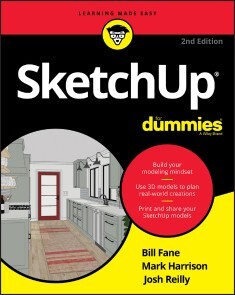
SketchUp For Dummies
THE FIRST STEP IN MAKING YOUR IDEAS A REALITYSketchUp offers a vast array of tools that help you get your building, woodworking, and design plans out of your head and into a real model. Even if you’ve never dabbled in the software, SketchUp All-in-One For Dummies makes it easy to get started as quickly as the ideas pop into your head!Providing real-world insight from top SketchUp insiders, these six-books-in-one teach you how to tackle the basics of the program and apply those skills to real-world projects. You’ll discover the basics of modeling as they apply to either free or paid versions of SketchUp before diving into creating models to use for making objects, constructing buildings, or redesigning interiors.* Navigate the SketchUp product mix* Get familiar with the basics of modeling* View and share your models* Make your architecture, interior design, and woodworking dreams a realityYou have tons of great ideas—and now you can harness this powerful software to bring them to life.BILL FANE is the author of AutoCAD For Dummies. He spent years as a product designer before becoming an educator focused on design tools. MARK HARRISON is a product manager for Trimble, Inc., SketchUp's parent company. He studies learnability in 3D software. JOSH REILLY is a training manager with Trimble and a longtime SketchUp instructor. INTRODUCTION 1About This Book 1Foolish Assumptions 2Icons Used in This Book 2Beyond the Book 3Where to Go from Here 4PART 1: GETTING STARTED WITH SKETCHUP 5CHAPTER 1: THE SKETCHUP SETUP 7Picking a Version of SketchUp 7SketchUp for Schools 9SketchUp Pro 9SketchUp for Web 10Trimble Connect 12Navigating SketchUp 12Customizing settings to see better 13Getting to know your mouse 13Finding your Zen with click-release, click-to-finish 14Working faster with keyboard shortcuts 15Introducing Undo 16Taking the 10-Minute SketchUp Tour 17The SketchUp Frame of Mind 19CHAPTER 2: GETTING A RUNNING START 21Making a Quick Model from Scratch 21Slapping On Some Paint 28Giving Your Model Some Style 31Switching On the Sun 33Sharing Your Masterpiece 35CHAPTER 3: ESTABLISHING THE MODELING MINDSET 37All about Edges and Faces 38Living on the edge 38Facing the facts about faces 39Understanding the relationship between edges and faces 41Drawing in 3D on a 2D Screen 43Giving instructions with the drawing axes 44Keeping an eye out for inferences 44Using inferences to help you model 47Warming Up Your SketchUp Muscles 49Getting the best view of what you’re doing 49Drawing and erasing edges with ease 52Injecting accuracy into your model 53Selecting what you mean to select 57Moving and copying like a champ 60Making and using guides 67Painting your faces with color and texture 70PART 2: MODELING IN SKETCHUP 73CHAPTER 4: BUILDING BUILDINGS 75Drawing Floors and Walls 76Starting out in 2D 77Coming up with a simple plan 82Doing an inside job 83Going from 2D to 3D 90Adding floors to your building 95Inserting doors and windows 104Staring Down Stairs 108The Subdivided Rectangles method 109The Copied Profile method 111Raising the Roof 113Building flat roofs with parapets 115Creating eaves for buildings with pitched roofs 116Constructing gabled roofs 117Making hip roofs 119Sticking your roof together with Intersect Faces 121CHAPTER 5: FALLING IN LOVE WITH COMPONENTS 125SketchUp Groupies 126Working with Components 127What makes components so great? 128Exploring the Components panel 132Creating your own components 138Editing, exploding, and locking component instances 140Discovering Dynamic Components 142Poking around to see what happens 147Taking Advantage of Components to Build Better Models 148Modeling symmetrically: Good news for lazy people 148Modeling with repeated elements 155CHAPTER 6: GOING BEYOND BUILDINGS 159Extruding with Purpose: Follow Me 160Using Follow Me 160Making lathed forms 162Creating extruded shapes 164Subtracting from a model with Follow Me 169Modeling with the Scale Tool 174Getting the hang of Scale 174Scaling profiles to make organic forms 177Making and Modifying Terrain 183Creating a new terrain model 184Editing an existing terrain model 192Building a Solid Tools Foundation 199Understanding solids 200Checking out the Solid Tools 202Putting the Solid Tools to work 204CHAPTER 7: KEEPING YOUR MODEL ORGANIZED 209Taking Stock of Your Tools 210Seeing the Big Picture: The Outliner 211Taking a good look at the Outliner 212Making good use of the Outliner 213Discovering the Ins and Outs of Tags 214What Tags are — and what they’re not 214Navigating the Tags panel 215Tag, you’re it! 216Staying out of trouble 217Putting It All Together 218CHAPTER 8: MODELING WITH TEXTURES, PHOTOGRAPHS, AND CAD FILES 223Painting Faces with Image Files 224Applying textures to flat faces 224Controlling color and transparency 232Applying textures to curved surfaces 233Modeling Directly from a Photo: Introducing Photo-Matching 238Choosing a Match Photo–friendly image 238Modeling by photo-matching 239Making your matched photo reappear (or disappear) 245Adding Geographic Data 246Working with Imported CAD files 249Importing a CAD file into SketchUp Pro 249Cleaning up imported CAD data 252Modeling on top of imported CAD data 256CHAPTER 9: 3D PRINTING WITH SKETCHUP MODELS 263Building Up a View of 3D Printing 264Knowing Your 3D Printers 265Fused deposition modeling (FDM) 265Stereolithography (SLA) 266Fused powder modeling (FPM) 266Designing for Successful 3D Printing 267Building a model in layers 267Designing to avoid support material 268Bridging 269Preparing a SketchUp Model for 3D Printing 270Peeking inside a model 270Knowing what makes a solid model 271Using Solid Tools to combine groups 272CleanUp3 and Solid Inspector2 273Combining groups with Intersect Faces 275Checking a model’s normals 277Size matters! 278Breaking your model into arts 279Exporting Your SketchUp File 2843D printing services 284Using Your 3D Printer 285Print early, print often 285Inside your model 286Going beyond Basic 3D Printing 287Designing Parts that connect 287Testing your model’s moving Parts 291Designing Things That Move 292Captive joints 292Pins 293Gears 293Assemblies 294PART 3: VIEWING YOUR MODEL IN DIFFERENT WAYS 295CHAPTER 10: WORKING WITH STYLES AND SHADOWS 297Styling Your Model’s Appearance 298Choosing how and where to apply styles 298Applying styles to your models 299Editing your styles 301Creating a new style 318Saving and sharing styles you make (Desktop only) 319Working with Shadows 322Discovering the shadow settings 322Adding depth and realism 324Creating accurate shadow studies (Desktop only) 328CHAPTER 11: PREPARING MODELS FOR PRESENTATION 333Exploring Your Creation on Foot 334These tools were made for walking 334Stopping to look around 337Setting your field of view 337Taking the Scenic Route 339Creating scenes 340Moving from scene to scene 342Modifying scenes after you make ’em 344Mastering the Sectional Approach 352Cutting plans and sections 353Animating sections with scenes 361PART 4: SHARING WHAT YOU’VE MADE 363CHAPTER 12: CREATING IMAGES, PRESENTATIONS, AND DOCUMENTS IN LAYOUT 365Building a LayOut Document 366Customizing a document’s pages and layers 368Adding and editing text 370Inserting SketchUp model views 372Adding photos and other graphics 379Drawing with LayOut’s vector tools 380Create clipping masks to emphasize details 384Annotating with labels 385Displaying dimensions 387Creating tables 392Creating Your Own Templates 394Putting Together Your Own Scrapbooks 395Getting Your Document out the Door 396Printing your work 396Exporting a PDF or image files 396Exporting a DWG or DXF file 398Going full-screen 399CHAPTER 13: OTHER WAYS TO SHARE YOUR WORK 401Exporting Images from SketchUp for Web 402Making Sure You Export Enough Pixels 405Exporting Enough Pixels for a Digital Presentation 407Printing from SketchUp for Web 407Printing to Scale in SketchUp for Web 408Making Movies with Animation Export 410Getting ready for prime time 410Exporting a movie 411Figuring out the Animation Export Options settings 413Exporting a CAD File 415Preparing your file 415Exporting a 2D DWG file 416Exporting a 3D DWG file 417Working with the 3D Warehouse 418Why use 3D Warehouse? 418Getting to the 3D Warehouse 419Find, preview, and download models 420Uploading a model 420Managing models online 421PART 5: THE PART OF TENS 425CHAPTER 14: TEN SKETCHUP TRAPS AND THEIR WORKAROUNDS 427SketchUp Won’t Create a Face Where You Want It To 427Your Faces Are Two Different Colors 429Edges on a Face Won’t Sink In 430SketchUp Crashed, and You Lost Your Model 431SketchUp is Sooooo Slooooooooow 432You Can’t Get a Good View of the Inside of Your Model 434A Face Flashes When You Orbit 435You Can’t Move Your Component the Way You Want 435Bad Stuff Happens Almost Every Time You Use the Eraser 436All Your Edges and Faces Have Different Tags 437CHAPTER 15: TEN SKETCHUP QUICK WINS 439Setting Your Click Style to Click-Move-Click 439Customizing Shortcuts 440Using the Inference Locking Force 442Transporting Yourself across Space and Time 444Rounding Off Edges with the Arc Tool 445Using the Scale Tool to Set Length for Simple Objects 446Ten Extensions for Dummies 447Getting SketchUp on Your Smartphone 450Turning Off Your Profiles 453Connecting with the SketchUp Community 453Index 455

Clean Agile - Deutsche Ausgabe
Die Essenz der agilen SoftwareentwicklungZurück zu den Ursprüngen: Die agilen Werte und Prinzipien effektiv in der Praxis umsetzen Lernen Sie aus Uncle Bobs jahrzehntelanger Erfahrung, worauf es bei der agilen Softwareentwicklung wirklich ankommt Die ursprünglichen agilen Werte und Prinzipien kurz und prägnant für den Praxiseinsatz erläutert Von den unternehmerischen Aspekten über die Kommunikation im Team bis zu den technischen Praktiken wie Test-Driven Development (TDD), einfaches Design und Pair Programming Fast 20 Jahre nach der Veröffentlichung des agilen Manifests ruft der legendäre Softwareentwickler Robert C. Martin (»Uncle Bob«) dazu auf, sich wieder auf die ursprünglichen Werte und Prinzipien zurückzubesinnen, die den eigentlichen Kern der agilen Softwareentwicklung ausmachen und die für die Praxis von zentraler Bedeutung sind. Mit Clean Agile lässt er alle an seiner jahrzehntelangen Erfahrung teilhaben und räumt mit Missverständnissen und Fehlinterpretationen auf, die im Laufe der Jahre entstanden sind. Dabei wendet er sich gleichermaßen an Programmierer und Nicht-Programmierer. Uncle Bob macht deutlich, was agile Softwareentwicklung eigentlich ist, war und immer sein sollte: ein einfaches Konzept, das kleinen Softwareteams hilft, kleine Projekte zu managen – denn daraus setzen sich letztendlich alle großen Projekte zusammen. Dabei konzentriert er sich insbesondere auf die Praktiken des Extreme Programmings (XP), ohne sich in technischen Details zu verlieren. Egal, ob Sie Entwickler, Tester, Projektmanager oder Auftraggeber sind – dieses Buch zeigt Ihnen, worauf es bei der Umsetzung agiler Methoden wirklich ankommt. Aus dem Inhalt: Ursprünge der agilen Softwareentwicklung Agile Werte und Prinzipien Der richtige Einsatz von Scrum Agile Transformation Extreme Programming Unternehmensbezogene Praktiken: User Stories, Velocity, kleine Releases und Akzeptanztests Teambezogene Praktiken: gemeinsame Eigentümerschaft, kontinuierliche Integration und Stand-up-Meetings Technische Praktiken: TDD, Refactoring, einfaches Design und Pair Programming Zertifizierung und Coaching Software Craftsmanship
G Suite For Dummies
GET FAST ANSWERS TO YOUR G SUITE QUESTIONS WITH THIS FRIENDLY RESOURCEG Suite For Dummies is the fun guide to the productivity suite that’s quickly winning over professional and personal users. This book shares the steps on how to collaborate in the cloud, create documents and spreadsheets, build presentations, and connect with chat or video. Written in the easy-to-follow For Dummies style, G Suite For Dummies covers the essential components of Google’s popular software, including:* Google Docs for word processing* Gmail for email* Google Calendar for scheduling and day planning* Google Sheets for spreadsheet functionality* Google Drive for data storage* Google Hangouts and Google Meet for videoconferencing and calling capability The book helps navigate the G Suite payment plans and subscription options as well as settings that ensure your own privacy and security while operating in the cloud. Perfect for anyone hoping to get things done with this tool, G Suite For Dummies belongs on the bookshelf of every G Suite user who needs help from time to time.PAUL MCFEDRIES has worked, programmed, and even talked to computers large and small since 1975. Primarily a writer, he has worked as a programmer, consultant, and database and website developer. His more than 95 books have sold 4+ million copies worldwide. INTRODUCTION 1About This Book 1What You Can Safely Ignore 2Foolish Assumptions 2Icons Used in This Book 3Beyond the Book 4Where to Go from Here 4PART 1: KEEPING YOUR AFFAIRS IN ORDER 5CHAPTER 1: G SUITE: THE 50¢ TOUR 7What is G Suite? 8What You Get with G Suite 9Using Apps Online — Really? Here are the FAQs 10Introducing Online Collaboration 14Going Mobile 15CHAPTER 2: TAMING THE EMAIL BEAST 17Rhymes with Email: Getting to Know Gmail 17Touring the Gmail app 18Touring the Gmail Inbox 19Showing your good side: Adding a profile photo 20The Outbox: Sending an Email Message 22The basics: Composing and sending a message 22Easier addressing: Using the Contacts app 24Inserting attachments and other hangers-on 25Creating a signature 25Scheduling a send 27Undoing a send 28The Inbox: Handling Incoming Messages 29Refreshing your messages 29Reading your messages 29Easier reading with the Reading pane 30Attending to attachments 32Responding to a message 33Creating a task from a message 34Setting up a vacation responder 34Selecting messages 36Dealing with the Onslaught 37Cleaning out your inbox 37Labeling your messages 38Muting a conversation 42Snoozing a conversation 42Searching for messages 44Filtering your messages 45CHAPTER 3: PLACES TO GO, PEOPLE TO SEE: MANAGING YOUR CALENDAR 47Navigating the Calendar Window 48Changing the Calendar View 50Time Traveling: Changing the Date 51Setting Your Social Schedule: Entering Events 52Adding an event 53Editing an event 55Lather, rise, repeat: Creating a repeating event 56Scheduling an all-day event 59Psst: Setting up event notifications 60Nudge, nudge: Creating a reminder 62Things to do: Creating a task 63Going Calendar Crazy: Adding Even More Calendars 66CHAPTER 4: FRIENDS, ROMANS, COUNTRYMEN: MANAGING YOUR CONTACTS 69Eyeballing the Contacts App 70What’s with those “other” contacts? 71Configuring the Contacts columns 72Changing the sort order 73Populating Your Contacts List 74Adding a contact from scratch 74Adding a contact from Gmail 75Going legit: Turning an “other” contact into a real contact 76Adding multiple contacts all at once 77Importing contacts 78Managing Your Contacts 79Editing a contact 80Grouping contacts with labels 81Merging duplicate contacts 82Exporting contacts 83Deleting contacts 84Doing Stuff with Your Contacts 85Emailing a contact 85Emailing a contact who has multiple addresses 86Emailing multiple contacts 86Calling a contact 87Surfing to a contact’s website 87PART 2: MAKING STUFF: DOCUMENTS, SPREADSHEETS, AND MORE 89CHAPTER 5: GETTING STARTED WITH DOCS 91Opening Docs 92Touring the Google Docs Home Page 92Creating a Shiny, New Document 94Checking Out the Document Screen 94Dealing with Documents 96Saving your work — just kidding! 96Naming a new document 97Opening an existing document 97Saving a copy of a document 99Learning Some Editing Basics 100Navigating with the keyboard 100Selecting text 102Deleting stuff 102Deleting characters 103Fooling around with special characters 104Stating your case: Uppercase versus lowercase 106Adding links 106Setting tab stops 107Search and Ye Shall Replace 108Finding stuff 108Some notes on searching 109Finding-and-replacing stuff 110Checking Spelling and Grammar 111Handling spelling slip-ups 111Handling grammar gaffes 112CHAPTER 6: LOOKING GOOD: FORMATTING DOCUMENTS 115Making Your Characters Look Good 115Getting familiar with fonts 116Formatting with fonts 118Avoiding the ransom note look 120Copy text formatting by “painting” it 121Making Your Lines and Paragraphs Look Good 121Getting your text ducks in a row: Aligning paragraphs 121Breathing room: Changing the line spacing 123Giving paragraphs some elbow room 125Keeping stuff together 125Indenting paragraphs 126Using Styles to Make Looking Good Look Easy 128Style advantages 129Applying default Docs styles to avoid reinventing the style wheel 130Updating a default style to taste 132Saving your updated styles 132Telling Docs to use your updated styles 133Resetting the default styles 133Making Lists, Checking Them Twice 133Putting your affairs in order with numbered lists 133Scoring points with bulleted lists 135Image is Everything: Adding Graphics 137Inserting an image from your PC 138Inserting an image from the web 139Inserting an image from Drive 139Inserting an image from Photos 140Inserting an image from a URL 140Inserting a photo from your PC’s camera 140Setting a few image options 141CHAPTER 7: FIDDLING WITH DOCUMENT LAYOUT 143Building a Table with Your Bare Hands 143What is a table? 144Inserting a table 145Populating a table 145Adjusting column widths 146Selecting table cells 147Setting table properties 147Inserting a new row or column 149Deleting a row or column 150Merging table cells 150Headers and Footers from Head to Toe 151Adding a header 151Adding a footer 153Opening the header or footer for editing 154Creating a unique first-page header and footer 154Creating unique odd and even page headers and footers 154Changing the Page Setup 156Setting the page margins 156Changing the page orientation 158Changing the paper size 158Adding a page break 159Adding a section break 159Working with Columns, Just Like the Pros 161Getting text into columns, Part 1: The easy way 161Getting text into columns, Part 2: The ever-so-slightly-harder way 162Entering text in columns 163Show Your Work: Adding Footnotes 164CHAPTER 8: GETTING STARTED WITH SHEETS 167Opening Sheets 168Touring the Google Sheets Home Page 168Creating a New Spreadsheet 170Checking Out the Spreadsheet Screen 170Dealing with Spreadsheets 172Sheets saves your work for you 172Naming a new spreadsheet 173Opening an existing spreadsheet 173Saving a copy of a spreadsheet 174Understanding Sheet Cells 174Entering Data 175Entering text 175Entering numbers 176Entering dates and times 177Navigating a sheet 179Editing cell contents 180Working with Ranges 180Understanding ranges 180Selecting a range 181Specifying a range input in a dialog box 184Working with named ranges 185Filling a range with data 187Filling a range with a series of values 187Copying a range 188Moving a range 188Formatting a Cell 189Formatting the cell font 189Aligning cell data 190Applying a numeric, date, or time format 191Using the Paint Format tool 192Working with Columns and Rows 193Adjusting the column width 193Adjusting the row height 194Hiding columns and rows 196Inserting columns and rows 196Deleting columns and rows 197CHAPTER 9: CRUNCHING NUMBERS 199Building Formulas 199Creating a simple formula 200Understanding formula operators 201Avoiding problems with cell references 202Using Functions for More Powerful Formulas 206Entering functions directly 207Entering functions via the Function menu 208Using a Range as a Database 209Sorting a range 209Filtering a range 211Visualizing Data with Charts 213Getting to know the chart elements 213How Sheets converts sheet data into a chart 214Creating a chart 216Moving a chart to its own sheet 217Editing the chart 217Building Pivot Tables 218Understanding pivot tables 219Exploring pivot table features 220Building a pivot table 221Adding multiple fields to a pivot table area 224Pivoting a field to a different area 225Grouping pivot table values 225Filtering pivot table values 227CHAPTER 10: CREATING EYE-POPPING PRESENTATIONS 229Opening Slides 230Touring the Google Slides Home Page 230Creating a New Presentation 232Checking Out the Presentation Screen 232Dealing with Presentations 234Slides saves your work for you 234Naming a new presentation 234Opening an existing presentation 234Saving a copy of a presentation 235Applying a presentation theme 235Working with Slides 237Adding a slide to the presentation 237Adding data to a slide 239Selecting slides 242Rearranging slides 242Changing the layout of a slide 242Changing the slide background 243Working with the Master Slide 243Formatting Slide Text 245Formatting with fonts 245Aligning paragraphs 246Slide formatting considerations 247Animating Your Slides 249Learning a few animation guidelines 249Setting up a slide transition 250Animating slide objects 252Running a Slide Show 253Starting the slide show 253Navigating slides 253Navigating the slide show from the keyboard 255PART 3: COLLABORATING WITH YOUR TEAM 257CHAPTER 11: COLLABORATING ON FILES 259Sharing a File 259Sharing a file for editing 261Sharing a file for commenting and suggesting 262Sharing a file for viewing 263Sharing a link to a file 264Emailing your collaborators 267Setting an access expiration date 267Changing a user’s sharing access 268Removing a user’s sharing access 269Dealing with Shared Files 269Responding to a sharing invitation 269Viewing which files have been shared with you 270Working on a Shared File 271Making suggested edits to a shared Docs document 273Adding comments to a file 274Requesting edit access 275Chatting with your fellow collaborators 276Viewing a file’s sharing activity 276Reviewing a Shared File 278Accepting or rejecting suggested changes in Docs 278Working with comments 280CHAPTER 12: COLLABORATING WITH CALENDAR 281Inviting Guests to a Meeting 282Inviting guests to a new meeting 282Inviting guests to an existing meeting 283Controlling your guest list 284Coordinating attendee schedules 286Getting suggested meeting times 287Responding to a Meeting Invitation 288Sharing Your Calendar 289Controlling access to your calendar in your organization 289Making your calendar available to the public 290Making your calendar unavailable to other G Suite apps 291Sharing your calendar on an ad hoc basis 291Sharing your calendar with only specific people 292Subscribing to a Shared Calendar 294Importing Events 295Exporting Events 296CHAPTER 13: SETTING UP VIDEO MEETINGS 297What Do You Need to Use Meet? 298Allowing Meet to use your camera and microphone 299Making sure Meet is using the equipment you want 300Starting a Video Meeting 302Starting a video meeting from the Meet home page 302Starting a video meeting from Gmail 303Adding people to your video meeting 305Scheduling a video meeting with Calendar 306Joining a Video Meeting 307Joining a video meeting from the Meet home page 308Joining a video meeting from Gmail 309Dialing in to a video meeting and using the phone for audio 309Customizing Video Meeting Settings 311Changing the meeting layout 311Messing around with meeting participants 312Displaying captions 313Sharing Resources During a Video Meeting 314Chatting with meeting participants 314Presenting your screen 315CHAPTER 14: CHATTING WITH YOUR TEAM 319Chatting, G Suite Style 319Chatting with Gmail 320Chatting with Docs, Sheets, and Slides 320Chatting with Meet 322Chatting with Google Chat 322Exchanging Messages 323Formatting chat text 324Messing around with messages 325Collaborating with Chat 326Chatting with a group 326Uploading a file to a chat 327Adding a video meeting to a chat 328More Collaboration: Congregating in a Chat Room 329Creating a room 330Managing a room 331Robotexting: Chatting with Bots 332Adding a bot 333GIPHY: Animated GIF fun and frivolity 334Meet: Managing your meetings 335Google Drive: Getting file alerts 337CHAPTER 15: COLLABORATING WITH GROUPS 339Why Create a Group? 340Investigating the Groups Home Page 340Understanding Group Roles 342Finding a Group 344Joining a Group 345Joining a group directly 346Asking to join a group 347Leaving a group 348Posting Messages 348Responding to Posts 349Creating a Group 350Preparing to add a group 350Creating the group 350Adding more people directly to the group 354Inviting people to your group 355Managing group requests and invitations 355CHAPTER 16: COLLABORATING WITH FORMS AND NOTES 357Gathering Info with Forms 358Loading the Forms website 358Touring the Forms home page 358Creating a new form 360Touring the form screen 360Fabricating a form 360Constructing a quiz 362Adding form collaborators 362Sending your form 363Checking out the form responses 365Sharing Notes 365Checking out the Keep home page 365Creating a new note 367Adding note collaborators 368PART 4: THE PART OF TENS 371CHAPTER 17: TEN TIPS FOR WORKING FROM HOME 373Set Your Working Hours 374Show Your Availability 375Tell Chat to Chill for a While 377Keep Up the Face-to-Face Communication 378Know Which Communications Tools to Use 379Add Time Zones in Your Calendar 379Configure Calendar for Speedy Meetings 381Read Email from Another Account 382Handle Microsoft Office Documents 385Set Up Your Video Conference Space 387CHAPTER 18: TEN REALLY USEFUL GMAIL SETTINGS 389Five Splendiferous Send Settings 390Sending a message as plain text 390Setting the default reply behavior 391Replying and archiving in one fell swoop 392Setting the default text style 393Preventing Gmail from creating contacts automatically 393Five Stupendous Read Settings 394Turning off Conversation view 394Adding importance markers 395Setting the maximum page size 396Managing notifications 396Indicating messages sent only to you 398CHAPTER 19: TEN WAYS TO ENHANCE PRIVACY AND SECURITY 401Make Sure Your Wi-Fi Network is Locked Up Tight 402Secure Your Google Account with a Strong Password 404Enable Google’s 2-Step Verification 406Set Up Your Contact Verification Methods 407Hide Images in Gmail Messages 409Blocking Senders in Gmail 411Choose Who Can See Your Personal Info 412Manage Your Activity Controls 413Manage Your Devices 415Manage Third-Party Apps 416Appendix: Glossary of G Suite Terms 419Index 427
C++20 Quick Syntax Reference
This quick C++ 20 guide is a condensed code and syntax reference to the popular programming language, fully updated for C++20. It presents the essential C++20 code syntax in a well-organized format that can be used as a handy reference.This edition covers topics including designated initializers, lambdas and lambda captures, the spaceship operator, pack expressions, string literals as template parameters, atomic smart pointers, and contracts. It also covers library changes including extended futures, latches and barriers, task blocks, and text formatting.In the C++20 Quick Syntax Reference, you will find short, simple, and focused code examples. This book includes a well-laid-out table of contents and a comprehensive index allowing for easy review. You won’t find any technical jargon, bloated samples, drawn out history lessons, or witty stories in this book. What you will find is a language reference that is concise, to the point, and highly accessible. The book is packed with useful information and is a must-have for any C++ programmer.WHAT YOU'LL LEARN* Discover the key C++20 features* Work with concepts to constrain template arguments* Use modules as a replacement for header files* Take advantage of the three-way comparison operator* Create immediate functions using the consteval keyword* Make use of constexpr, constinit and designated initializersWHO THIS BOOK IS FORExperienced C++ programmers. Additionally, this is a concise, easily-digested introduction for other programmers new to C++.Mikael Olsson is a professional web entrepreneur, programmer, and author. He works for an R&D company in Finland where he specializes in software development. In his spare time he writes books and creates websites that summarize various fields of interest. The books he writes are focused on teaching their subject in the most efficient way possible, by explaining only what is relevant and practical without any unnecessary repetition or theory. 1. HelloWorld2. Compile and Run3. Variables4. Operators5. Pointers6. References7. Arrays8. String9. Conditionals10. Loops11. Functions12. Class13. Constructor14. Inheritance15. Overriding16. Access Levels17. Static18. Enum19. Struct and Union20. Operator Overloading21. Custom Conversions22. Namespaces23. Constants24. Preprocessor25. Exception Handling26. Type Conversions27. Smart Pointers28. Templates29. Headers

Practical Hexo
Leverage the power of Hexo to quickly produce static blog sites that are efficient and fast. This project-oriented book simplifies the process of setting up Hexo and manipulating content, using little more than a text editor and free software. It will equip you with a starting toolset that you can use to develop future projects, incorporate into your existing workflow and allow you to take your websites to the next level.Hexo is based on JavaScript and Node.js, two of the biggest tools available for developers: you can enhance, extend, and configure Hexo as requirements dictate. With Hexo the art of possible is only limited by the extent of your imagination and the power of JavaScript and Node.js.Practical Hexo gets you quickly acquainted with creating and manipulating blogs using a static site generator approach. You will understand how to use the Hexo framework to rapidly create and deploy blogs that are performant, with the minimum of fuss, then extend and customize your content using plugins and themes. You will work through some practical projects to help solidify your skills, and put them into practice.WHAT YOU'LL LEARN* Implement the Hexo framework in a project* Customize and extend content* Consider maintenance requirements and how they compare to other blog systems* Apply skills to practical, real-world projects* Create themes and build plugins* Make changes using other tools and libraries.WHO THIS BOOK IS FORWebsite developers who are already familiar with JavaScript and keen to learn how to leverage the Hexo framework.Agile development team members, where time is of the essence to deliver results quickly.Developers who want to focus on simplicity, to produce efficient and properly optimized content in modern browsers using tools already in their possession.ALEX LIBBY is a front-end engineer and seasoned computer book author, who hails from England. His passion for all things Open Source dates back to the days of his degree studies, where he first came across web development, and has been hooked ever since. His daily work involves extensive use of JavaScript, HTML and CSS to manipulate existing website content; Alex enjoys tinkering with different open source libraries to see how they work. He has spent a stint maintaining the jQuery Tools library, and enjoys writing about Open Source technologies, principally for front end UI development. You can find him on LinkedIn: https://www.linkedin.com/in/alexlibby1/.1. Getting Started2. Manipulating Content and Media3. Creating Themes4. Developing Themes5. Working with the API6. Building Plugins7. Deployment and Publishing8. Improving our Workflow and Blog9. Localizing Content10. Creating an eCommerce Site11. Migrating to Hexo

Grundkurs Machine Learning
Maschinelles Lernen – alle Grundlagen! Paul Wilmott ist für seine erhellende und unterhaltsame Darstellung angewandter Mathematik bekannt. Von der linearen Regression bis zu Neuronalen Netzwerken führt er Sie durch alle Verfahren, und zwar komplett Software-unabhängig. Der Vorteil dabei: Jeder Schritt ist schwarz auf weiß zu sehen, kein Framework kann etwas „verstecken“, es geht immer um die Sache selbst. Mit vielen Beispielen, Grafiken und Schritt-für-Schritt-Kästen. Für alle, die wirklich verstehen wollen, wie Maschinen lernen. Aus dem Inhalt: Lineare Regressionk-Nearest NeighborsNaive Bayes-Klassifikatorenk-Means-AlgorithmusSupport Vector MachinesLogistische RegressionSelbstorganisierende KartenEntscheidungsbäumeReinforcement LearningNeuronale Netze Vorwort ... 13 1. Einführung ... 17 1.1 ... Maschinelles Lernen ... 18 1.2 ... Lernen ist der Schlüssel ... 19 1.3 ... Ein wenig Geschichte ... 20 1.4 ... Schlüsselmethodiken in diesem Buch ... 22 1.5 ... Klassische mathematische Modellierung ... 26 1.6 ... Maschinelles Lernen ist anders ... 28 1.7 ... Einfachheit führt zu Komplexität ... 29 1.8 ... Weiterführende Literatur ... 33 2. Allgemeines ... 35 2.1 ... Jargon und Notation ... 35 2.2 ... Skalierung ... 37 2.3 ... Distanzmessung ... 38 2.4 ... Fluch der Dimensionalität ... 39 2.5 ... Hauptkomponentenanalyse ... 39 2.6 ... Maximum-Likelihood-Schätzung ... 40 2.7 ... Konfusionsmatrix ... 44 2.8 ... Kostenfunktion ... 47 2.9 ... Gradientenabstieg ... 52 2.10 ... Training, Testen und Validieren ... 54 2.11 ... Bias und Varianz ... 57 2.12 ... Lagrange-Multiplikatoren ... 63 2.13 ... Mehrfachklassen ... 65 2.14 ... Informationstheorie und Entropie ... 67 2.15 ... Verarbeitung natürlicher Sprache (NLP) ... 70 2.16 ... Bayes-Theorem ... 72 2.17 ... Was nun? ... 73 2.18 ... Weiterführende Literatur ... 74 3. K-nächste Nachbarn ... 75 3.1 ... Wofür können wir die Methode verwenden? ... 75 3.2 ... Wie die Methode funktioniert ... 76 3.3 ... Der Algorithmus ... 78 3.4 ... Probleme mit KNN ... 78 3.5 ... Beispiel: Körpergröße und -gewicht ... 79 3.6 ... Regression ... 83 3.7 ... Weiterführende Literatur ... 85 4. K-Means Clustering ... 87 4.1 ... Wofür können wir die Methode verwenden? ... 87 4.2 ... Was macht K-Means Clustering? ... 89 4.3 ... Scree-Plots ... 93 4.4 ... Beispiel: Kriminalität in England, 13 Dimensionen ... 94 4.5 ... Beispiel: Volatiliät ... 98 4.6 ... Beispiel: Zinssatz und Inflation ... 100 4.7 ... Beispiel: Zinssätze, Inflation und BIP-Wachstum ... 103 4.8 ... Ein paar Kommentare ... 104 4.9 ... Weiterführende Literatur ... 105 5. Naiver Bayes-Klassifikator ... 107 5.1 ... Wofür können wir ihn verwenden? ... 107 5.2 ... Verwendung des Bayes-Theorems ... 108 5.3 ... Anwendung des NBK ... 108 5.4 ... In Symbolen ... 110 5.5 ... Beispiel: Politische Reden ... 111 5.6 ... Weiterführende Literatur ... 114 6. Regressionsmethoden ... 115 6.1 ... Wofür können wir sie verwenden? ... 115 6.2 ... Mehrdimensionale lineare Regression ... 116 6.3 ... Logistische Regression ... 117 6.4 ... Beispiel: Noch einmal politische Reden ... 119 6.5 ... Weitere Regressionsmethoden ... 121 6.6 ... Weiterführende Literatur ... 122 7. Support-Vektor-Maschinen ... 123 7.1 ... Wofür können wir sie verwenden? ... 123 7.2 ... Harte Ränder ... 123 7.3 ... Beispiel: Iris (Schwertlilie) ... 126 7.4 ... Lagrange-Multiplier-Version ... 128 7.5 ... Weiche Ränder ... 130 7.6 ... Kernel-Trick ... 132 7.7 ... Weiterführende Literatur ... 136 8. Selbstorganisierende Karten ... 137 8.1 ... Wofür können wir sie verwenden? ... 137 8.2 ... Die Methode ... 138 8.3 ... Der Lernalgorithmus ... 140 8.4 ... Beispiel: Gruppierung von Aktien ... 142 8.5 ... Beispiel: Abstimmungen im Unterhaus ... 147 8.6 ... Weiterführende Literatur ... 149 9. Entscheidungsbäume ... 151 9.1 ... Wofür können wir sie verwenden? ... 151 9.2 ... Beispiel: Zeitschriftenabo ... 153 9.3 ... Entropie ... 158 9.4 ... Überanpassung und Abbruchregeln ... 161 9.5 ... Zuschneiden ... 162 9.6 ... Numerische Merkmale/Attribute ... 162 9.7 ... Regression ... 164 9.8 ... Ausblick ... 171 9.9 ... Bagging und Random Forest ... 171 9.10 ... Weiterführende Literatur ... 172 10. Neuronale Netze ... 173 10.1 ... Wofür können wir sie verwenden? ... 173 10.2 ... Ein sehr einfaches Netzwerk ... 173 10.3 ... Universelles Approximations-Theorem ... 174 10.4 ... Ein noch einfacheres Netzwerk ... 176 10.5 ... Die mathematische Manipulation im Detail ... 177 10.6 ... Häufige Aktivierungsfunktionen ... 181 10.7 ... Das Ziel ... 182 10.8 ... Beispiel: Approximation einer Funktion ... 183 10.9 ... Kostenfunktion ... 184 10.10 ... Backpropagation ... 185 10.11 ... Beispiel: Buchstabenerkennung ... 188 10.12 ... Training und Testen ... 190 10.13 ... Mehr Architekturen ... 194 10.14 ... Deep Learning ... 196 10.15 ... Weiterführende Literatur ... 197 11. Verstärkendes Lernen ... 199 11.1 ... Wofür können wir es verwenden? ... 199 11.2 ... Geländeausfahrt mit Ihrem Lamborghini 400 GT ... 200 11.3 ... Jargon ... 202 11.4 ... Ein erster Blick auf Blackjack ... 203 11.5 ... Der klassische Markow-Entscheidungsprozess für Tic-Tac-Toe ... 204 11.6 ... Noch mehr Jargon ... 206 11.7 ... Beispiel: Der mehrarmige Bandit ... 207 11.8 ... Etwas anspruchsvoller 1: Bekannte Umgebung ... 211 11.9 ... Beispiel: Ein Labyrinth ... 214 11.10 ... Notation zu Wertefunktionen ... 218 11.11 ... Die Bellman-Gleichung ... 220 11.12 ... Optimale Policy ... 221 11.13 ... Die Bedeutung der Wahrscheinlichkeit ... 222 11.14 ... Etwas anspruchsvoller 2: Modell-frei ... 223 11.15 ... Monte Carlo Policy Evaluation ... 224 11.16 ... Temporal-Difference-Lernen ... 227 11.17 ... Vor- und Nachteile: MC versus TD ... 228 11.18 ... Finden der optimalen Policy ... 229 11.19 ... Sarsa ... 230 11.20 ... Q-Lernen ... 232 11.21 ... Beispiel: Blackjack ... 233 11.22 ... Große Zustandsräume ... 245 11.23 ... Weiterführende Literatur ... 245 Datensätze ... 247 Epilog ... 251 Index ... 253

Einstieg in C++
Mit diesem Buch gelingt Ihnen der Einstieg in die C++-Entwicklung mühelos. Anschauliche Erklärungen, praxisnahe Beispiele und Übungen begleiten Sie von den ersten Schritten bis zum fertigen Programm. Sie lernen alle wichtigen Themen wie Vererbung, Objektorientierung, Polymorphie, GUI-Entwicklung und Datenbanken. Kenntnisse in C oder einer anderen Sprache werden nicht vorausgesetzt. Aus dem Inhalt: SprachgrundlagenReferenzen und PointerObjektorientierte ProgrammierungVererbung und PolymorphieModerne Bibliotheken: chrono, random, thread, filesystemArbeiten mit ContainernGUI-Entwicklung mit QtDatenbanken mit SQLite verwalten Materialien zum Buch ... 17 1. Eine erste Einführung ... 19 1.1 ... Was machen wir mit C++? ... 19 1.2 ... Was benötige ich zum Programmieren? ... 20 1.3 ... Die Entwicklung von C++ ... 20 1.4 ... So sieht das erste Programm aus ... 21 1.5 ... Kommentieren Sie Ihre Programme ... 22 2. Arbeiten mit Zahlen und Operatoren ... 25 2.1 ... Wie speichere ich Zahlen? ... 25 2.2 ... Rechnen mit Operatoren ... 27 2.3 ... Fehler suchen ... 29 2.4 ... Wie können Daten eingegeben werden? ... 31 2.5 ... Zahlen formatieren mit Manipulatoren ... 33 2.6 ... Zuweisungen kürzer schreiben ... 34 2.7 ... Übung ... 36 2.8 ... Mehr über die Speicherung von Zahlen ... 37 2.9 ... Feste Werte in Konstanten speichern ... 41 2.10 ... Konstanten in Enumerationen zusammenfassen ... 42 2.11 ... Zahlensysteme ... 43 2.12 ... Initialisierung ... 45 2.13 ... Wie erzeuge ich zufällige Zahlen? ... 47 2.14 ... Übung ... 48 3. Mehrere Zweige in einem Programm ... 49 3.1 ... Zwei Zweige mit »if« und »else« ... 49 3.2 ... Bedingungen benötigen Vergleiche ... 51 3.3 ... Mehr als zwei Zweige ... 53 3.4 ... Wie kann ich Bedingungen kombinieren? ... 55 3.5 ... Zweige zusammenfassen mit »switch« und »case« ... 57 3.6 ... Was ist mit dem Rest? ... 58 3.7 ... Welcher Operator hat Vorrang? ... 59 3.8 ... Übungen ... 60 3.9 ... Wie speichere ich Wahrheitswerte? ... 63 3.10 ... Die Kurzform: der bedingte Ausdruck ... 65 4. Teile von Programmen wiederholen ... 67 4.1 ... Regelmäßige Wiederholungen mit »for« ... 67 4.2 ... Wiederholungen für einen Bereich ... 70 4.3 ... Bedingte Wiederholungen mit »do-while« ... 71 4.4 ... Besser vorher prüfen mit »while« ... 72 4.5 ... Wiederholungen abbrechen oder fortsetzen ... 73 4.6 ... Die Wiederholung der Wiederholung ... 75 4.7 ... Übungen ... 76 5. Programme aufteilen in Funktionen ... 79 5.1 ... So schreibe ich eine eigene Funktion ... 79 5.2 ... Wie übergebe ich Daten? ... 81 5.3 ... Wie erhalte ich ein Ergebnis zurück? ... 87 5.4 ... Mehr Ordnung im Programm ... 88 5.5 ... Statische Variablen behalten ihren Wert ... 90 5.6 ... Fehler suchen ... 91 5.7 ... Übungen ... 92 5.8 ... Standardwerte vorgeben ... 93 5.9 ... Beliebig viele Parameter ... 94 5.10 ... Funktionen mehrfach definieren ... 96 5.11 ... Funktionen, die sich selbst aufrufen ... 98 5.12 ... Anonyme Funktionen ... 99 5.13 ... Funktionen als Parameter ... 105 6. Große Datenmengen speichern in Feldern ... 109 6.1 ... Wie werden Felder unterschieden? ... 109 6.2 ... Einfache Felder mit fester Größe ... 110 6.3 ... Intelligente Felder mit fester Größe ... 111 6.4 ... Ausnahmen behandeln ... 113 6.5 ... Einfache und intelligente Zeiger ... 115 6.6 ... Intelligente Felder mit variabler Größe ... 122 6.7 ... Felder initialisieren ... 124 6.8 ... Felder als Parameter ... 125 6.9 ... Daten in mehreren Dimensionen speichern ... 127 6.10 ... Übungen ... 131 7. Arbeiten mit Zeichen und Texten ... 133 7.1 ... Einzelne Zeichen ... 133 7.2 ... Einfache Zeichenketten ... 134 7.3 ... Intelligente Zeichenketten: Strings ... 137 7.4 ... Wie wandle ich Zahlen in Strings um? ... 143 7.5 ... Wie verarbeite ich Eingaben? ... 144 7.6 ... Felder von Zeichenketten ... 147 7.7 ... Suchen und Ersetzen ... 149 7.8 ... Übungen ... 154 8. Daten in Strukturen zusammenfassen ... 157 8.1 ... Wie speichere ich zusammengehörige Daten? ... 157 8.2 ... Besser einen Typ definieren ... 159 8.3 ... Strukturen und Felder ... 161 8.4 ... Strukturen und Funktionen ... 165 8.5 ... Eine Hierarchie von Strukturen ... 170 8.6 ... Übung ... 172 9. Vorhandene Funktionen nutzen ... 175 9.1 ... Umgang mit Datum und Uhrzeit ... 175 9.2 ... Bessere zufällige Zahlen ... 181 9.3 ... Mehrere Threads zur gleichen Zeit ... 184 9.4 ... Nützliche mathematische Funktionen ... 193 9.5 ... Übungen ... 202 9.6 ... Rechnen mit komplexen Zahlen ... 203 9.7 ... Daten mit dem Betriebssystem austauschen ... 210 9.8 ... Zugriff auf Dateien und Verzeichnisse ... 219 10. Eigene Klassen entwerfen ... 237 10.1 ... Klassen umfassen Eigenschaften und Methoden ... 237 10.2 ... Schützen Sie die Daten ... 240 10.3 ... Wie erzeuge und lösche ich Objekte? ... 244 10.4 ... Statische Elemente einer Klasse ... 248 10.5 ... Wie überlade ich Operatoren? ... 252 10.6 ... Objekte und Felder ... 256 10.7 ... Objekte ausgeben ... 260 10.8 ... Eigenschaften können Objekte sein ... 262 10.9 ... Übungen ... 264 11. Vererbung und Polymorphie ... 269 11.1 ... Basisklasse und abgeleitete Klassen ... 269 11.2 ... Welche Elemente sind an welcher Stelle erreichbar? ... 276 11.3 ... Konstruktoren in abgeleiteten Klassen ... 277 11.4 ... Was bedeutet Polymorphie? ... 281 11.5 ... Erben von mehreren Klassen ... 284 12. Datenströme verarbeiten ... 289 12.1 ... Sequenzielles Schreiben und Lesen ... 289 12.2 ... Schreiben und Lesen an beliebiger Stelle ... 296 12.3 ... Wie leiten Sie Datenströme? ... 305 12.4 ... Wie ist das CSV-Format zum Austausch aufgebaut? ... 308 12.5 ... Übung ... 315 13. Container sind vielfältige Datenstrukturen ... 319 13.1 ... Wie durchlaufe ich Container? ... 320 13.2 ... Intelligente Felder mit fester Größe ... 322 13.3 ... Intelligente Felder mit variabler Größe ... 326 13.4 ... Eine Warteschlange mit zwei Enden ... 330 13.5 ... Daten in Listen verketten ... 334 13.6 ... Drei einfache Container ... 344 13.7 ... Zwei nützliche Typen ... 351 13.8 ... Eine Menge von Elementen ... 355 13.9 ... Schlüssel und Werte in einer Map ... 362 13.10 ... Algorithmen für Bereiche ... 369 13.11 ... Mengenlehre ... 374 13.12 ... Eine Menge von Bits ... 378 14. Mehr zu eigenen Klassen ... 383 14.1 ... Objekte initialisieren, kopieren und erzeugen ... 383 14.2 ... Klassen können Freunde haben ... 386 14.3 ... Namen müssen eindeutig sein ... 389 14.4 ... Fehler behandeln mit Ausnahmen ... 392 14.5 ... Innere Klassen ... 400 14.6 ... Templates sind Vorlagen ... 402 15. Präprozessor-Anweisungen ... 409 15.1 ... Einbinden von Dateien ... 409 15.2 ... Definitionen und Makros ... 410 15.3 ... Definitionen und Verzweigungen ... 412 15.4 ... Eine Systemweiche ... 414 16. Grafische Benutzeroberflächen mit der Qt-Bibliothek ... 417 16.1 ... Die erste GUI-Anwendung ... 418 16.2 ... Ein einfacher Kopfrechentrainer ... 429 16.3 ... Ein erweiterter Kopfrechentrainer ... 434 16.4 ... Weitere Widgets ... 441 17. Datenbanken mit SQLite verwalten ... 449 17.1 ... Der Aufbau einer Datenbank ... 449 17.2 ... Wie erzeuge ich Datenbank und Tabelle? ... 450 17.3 ... Wie speichere ich Daten in einer Tabelle? ... 455 17.4 ... So zeige ich alle Daten einer Tabelle an ... 457 17.5 ... Wie wähle ich bestimmte Daten aus? ... 460 17.6 ... Der Benutzer wählt Daten aus ... 464 17.7 ... Daten sollten sortiert werden ... 465 17.8 ... Wie ändere ich Daten? ... 466 17.9 ... Vorsicht beim Löschen von Daten ... 468 17.10 ... Eine Datenbank mit mehreren Tabellen ... 469 17.11 ... Projekt Vokabeln ... 476 17.12 ... Übung ... 497 Anhang ... 501 A ... Installationen ... 501 B ... Hilfestellungen und Übersichten ... 525 Index ... 531

Clean Agile. Die Essenz der agilen Softwareentwicklung
* LERNEN SIE AUS UNCLE BOBS JAHRZEHNTELANGER ERFAHRUNG, WORAUF ES BEI DER AGILEN SOFTWAREENTWICKLUNG WIRKLICH ANKOMMT* DIE URSPRÜNGLICHEN AGILEN WERTE UND PRINZIPIEN KURZ UND PRÄGNANT FÜR DEN PRAXISEINSATZ ERLÄUTERT* VON DEN UNTERNEHMERISCHEN ASPEKTEN ÜBER DIE KOMMUNIKATION IM TEAM BIS ZU DEN TECHNISCHEN PRAKTIKEN WIE TEST-DRIVEN DEVELOPMENT (TDD), EINFACHES DESIGN UND PAIR PROGRAMMINGFast 20 Jahre nach der Veröffentlichung des agilen Manifests ruft der legendäre Softwareentwickler Robert C. Martin (»Uncle Bob«) dazu auf, sich wieder auf die ursprünglichen Werte und Prinzipien zurückzubesinnen, die den eigentlichen Kern der agilen Softwareentwicklung ausmachen und die für die Praxis von zentraler Bedeutung sind. Mit Clean Agile lässt er alle an seiner jahrzehntelangen Erfahrung teilhaben und räumt mit Missverständnissen und Fehlinterpretationen auf, die im Laufe der Jahre entstanden sind. Dabei wendet er sich gleichermaßen an Programmierer und Nicht-Programmierer.Uncle Bob macht deutlich, was agile Softwareentwicklung eigentlich ist, war und immer sein sollte: ein einfaches Konzept, das kleinen Softwareteams hilft, kleine Projekte zu managen - denn daraus setzen sich letztendlich alle großen Projekte zusammen. Dabei konzentriert er sich insbesondere auf die Praktiken des Extreme Programmings (XP), ohne sich in technischen Details zu verlieren.Egal, ob Sie Entwickler, Tester, Projektmanager oder Auftraggeber sind - dieses Buch zeigt Ihnen, worauf es bei der Umsetzung agiler Methoden wirklich ankommt.AUS DEM INHALT:* Ursprünge der agilen Softwareentwicklung* Agile Werte und Prinzipien* Der richtige Einsatz von Scrum* Agile Transformation* Extreme Programming* Unternehmensbezogene Praktiken: User Stories, Velocity, kleine Releases und Akzeptanztests* Teambezogene Praktiken: gemeinsame Eigentümerschaft, kontinuierliche Integration und Stand-up-Meetings* Technische Praktiken: TDD, Refactoring, einfaches Design und Pair Programming* Zertifizierung und Coaching* Software CraftsmanshipSTIMMEN ZUM BUCH:»Bobs Frustration spiegelt sich in jedem Satz des Buchs wider - und das zu Recht. Der Zustand, in dem sich die Welt der agilen Softwareentwicklung befindet, ist nichts im Vergleich zu dem, was sie eigentlich sein könnte. Das Buch beschreibt, auf was man sich aus Bobs Sicht konzentrieren sollte, um das zu erreichen, was sein könnte. Und er hat es schon erreicht, deshalb lohnt es sich, ihm zuzuhören.«- Kent Beck»Uncle Bob ist einer der klügsten Menschen, die ich kenne, und seine Begeisterung für Programmierung kennt keine Grenzen. Wenn es jemandem gelingt, agile Softwareentwicklung zu entmystifizieren, dann ihm.«- Jerry FitzpatrickRobert C. Martin (»Uncle Bob«) ist bereits seit 1970 als Programmierer tätig. Neben seiner Beraterfirma Uncle Bob Consulting, LLC gründete er gemeinsam mit seinem Sohn Micah Martin auch das Unternehmen The Clean Coders, LLC. Er hat zahlreiche Artikel in verschiedenen Zeitschriften veröffentlicht und hält regelmäßig Vorträge auf internationalen Konferenzen. Zu seinen bekanntesten Büchern zählen Clean Code, Clean Coder und Clean Architecture.

Beginning C
Learn how to program using C, beginning from first principles and progressing through step-by-step examples to become a competent, C-language programmer. All you need are this book and any of the widely available C compilers, and you'll soon be writing real C programs.You’ll discover that C is a foundation language that every programmer ought to know. Beginning C is written by renowned author Ivor Horton and expert programmer German Gonzalez-Morris. This book increases your programming expertise by guiding you through the development of fully working C applications that use what you've learned in a practical context. You’ll also be able to strike out on your own by trying the exercises included at the end of each chapter. At the end of the book you'll be confident in your skills with all facets of the widely-used and powerful C language.WHAT YOU WILL LEARN* Discover the C programming languageProgram using C starting with first steps, then making decisions * Use loops, arrays, strings, text, pointers, functions, I/O, and moreCode applications with strings and text * Structure your programs efficientlyWork with data, files, facilities, and moreWHO THIS BOOK IS FORThose new to C programming who may or may not have some prior programming experience.GERMAN GONZALEZ-MORRIS is a software architect/engineer working with C/C++, Java, and different application containers, in particular, with WebLogic Server. He has developed different applications including JEE/Spring/Python. His areas of expertise also include OOP, design patterns, Spring Core/MVC, and microservices.IVOR HORTON is self-employed in consultancy and writes programming tutorials. He worked for IBM for many years and holds a bachelor's degree, with honors, in mathematics. Horton's experience at IBM includes programming in most languages (such as assembler and high-level languages on a variety of machines), real-time programming, and designing and implementing real-time closed-loop industrial control systems. He has extensive experience teaching programming to engineers and scientists (Fortran, PL/1, APL, etc.). Horton is an expert in mechanical, process, and electronic CAD systems; mechanical CAM systems; and DNC/CNC systems.1. Programming in C2. First Steps in Programming3. Making Decisions4. Loops5. Arrays6. Applications with Strings and Text7. Pointers8. Structuring Your Programs9. More on Functions10. Essential Input and Output Operations11. Structuring Data12. Working with Files13. Supporting Facilities14. Advanced and Specialized TopicsA. Computer ArithmeticB. ASCII Character Code DefinitionsC. Reserved Words in CD. Input and Output Format SpecificationsE. Standard Library Headers

Advanced Python Development
This book builds on basic Python tutorials to explain various Python language features that aren’t routinely covered: from reusable console scripts that play double duty as micro-services by leveraging entry points, to using asyncio efficiently to collate data from a large number of sources. Along the way, it covers type-hint based linting, low-overhead testing and other automated quality checking to demonstrate a robust real-world development process.Some powerful aspects of Python are often documented with contrived examples that explain the feature as a standalone example only. By following the design and build of a real-world application example from prototype to production quality you'll see not only how the various pieces of functionality work but how they integrate as part of the larger system design process. In addition, you'll benefit from the kind of useful asides and library recommendations that are a staple of conference Q&A sessions at Python conferences as well as discussions of modern Python best practice and techniques to better produce clear code that is easily maintainable.Advanced Python Development is intended for developers who can already write simple programs in Python and want to understand when it’s appropriate to use new and advanced language features and to do so in a confident manner. It is especially of use to developers looking to progress to a more senior level and to very experienced developers who have thus far used older versions of Python.WHAT YOU'LL LEARN* Understand asynchronous programming* Examine developing plugin architectures* Work with type annotations* Review testing techniques* Explore packaging and dependency managementWHO THIS BOOK IS FORDevelopers at the mid to senior level who already have Python experience.Matthew Wilkes is a European software developer who has worked with Python on web projects for the last fifteen years. As well as developing software, he has long experience in mentoring Python developers in a commercial setting.He is also very involved in open source software, with commits to many popularframeworks. His contributions in that space are focused on the details of database and security interactions of web frameworks.Chapter 1: Prototyping and EnvironmentsChapter Goal: Create a prototype script to read a single sensor valueNo of pages 25Sub -Topics1 Introduce the example of collating data from a large number of othermachines1.1 Possible usecases of this pattern include log aggregation, servermonitoring, IoT, monitoring of customer servers, etc1.2 We’ll use raspberry pis with a mix of server monitoring andvery basic sensors like temperature sensors. There’ll be no IoTspecific setup or detail, it’s just that this is easier for people tofollow along with without inventing another system beingmonitored.1.3 There’ll be plenty of extra context here for how to apply theongoing example if you do already have a system that needsmonitoring.2 Prototyping using jupyter and nbconvert3 Use pipenv to set up dependency environment3.1 Note that by introducing pipenv before setuptools we’repreempting the confusion about the right way to do dependencyand environment management.Chapter 2: Testing, Checking and LintingChapter Goal: Progress the prototype to a series of reliable functions thatcan be testedNo of pages: 30Sub - Topics1 Testing with PyTest (especially fixtures and MUT style)2 Type hinting and checking with mypy3 Linting with flake8 and autoformatting with black4 pre-commit and commit hooks5 GitHub CI integration for easier contributionsChapter 3: Packaging ScriptsChapter Goal: Create an installable package that gives a single script toread the sensor valueNo of pages : 30Sub - Topics:1 setup.py and setuptools when it comes to packaging (not pip /setup.py for environment management, that’s in chapter 1)2 Namespace packages3 Console entrypoint4 argparseHelpful aside: Package name conflicts, installing from GitHub releases,release hashing, wheelsChapter 4: From Script to LibraryChapter Goal: Extend the package to allow reading of multiple sensorsthrough the command lineNo of pages: 20Sub - Topics:1. Abstract Base Classes2. Second sensor value3. argparse subcommandsChapter 5: Alternative InterfacesChapter Goal: Make the script functionality available as a HTTPmicroserviceNo of pages : 40Sub - Topics:1 Simple API servers using flask2 Plugin architecture using entrypoints3 Dynamic dispatch4 Serialisation considerations with custom classes (like units from pintspackage)Chapter 6: Speeding Things UpChapter Goal: Discuss optimisation strategies, what the tradeoffs betweenasync and different types of caching are. We’ll use cachinghere, but async laterNo of pages : 25Sub - Topics:1 asyncio vs lru_cache vs redis vs sqlite etc2 Use of timeit3 File operations using context managersChapter 7: Aggregation ProcessChapter Goal: Create a new package, read configuration files, do a basicHTTP loopNo of pages : 25Sub - Topics:1 cookiecutter2 Config files (configparser vs json vs yaml)3 Requests library4 More depth in pytest usageChapter 8: Asynchronous ProgrammingChapter Goal: Understand the event loop, especially async for loops,demonstrate how it’s a good fit for the aggregation processNo of pages : 40Sub - Topics:1 Defining asynchronous functions2 Using the event loop3 Syntactic sugar for loops and iterators4 Async tasks vs await5 async executorsChapter 9: Asynchronous DatabasesChapter Goal: Understand async executors, using sqlalchemy and JSONBNo of pages : 30Sub - Topics:1 sqlalchemy (and why pandas isn’t a good fit here)2 JSONB format and schemaless3 aiofile, asyncpg and usability/speed tradeoffsChapter 10: Viewing the DataChapter Goal: Creating Jupyter notebooks and using matplotlibNo of pages : 35Sub - Topics:1 Calling async functions from Jupyter Notebooks2 Binding function calls to ipywidgets for interactive reports3 Examples of matplotlib4 GeoJSONChapter 11: Fault ToleranceChapter Goal: Extending ABC interfaces and efficient use of iterables forlarge HTTP responsesNo of pages : 20Sub - Topics:1 Using __subclasshook__ effectively2 Chunked responses vs framing3 JSON deserialisation of partial data and efficient data transferChapter 12: Callbacks and Data AnalysisChapter Goal: Using generators, iterators and coroutines for dataanalysis, async timeoutsNo of pages : 30Sub - Topics:1 Iterator based filtering2 Coroutine based plugins, for example a coroutine that pulls historicaldata and compares it to the current value to decide if an alarm shouldbe raised3 waitfor and executor timeout considerations

VR Integrated Heritage Recreation
Create assets for history-based games. This book covers the fundamental principles required to understand and create architectural visualizations of historical locations using digital tools. You will explore aspects of 3D design visualization and VR integration using industry-preferred software.Some of the most popular video games in recent years have historical settings (Age of Empires, Call of Duty, etc.). Creating these games requires creating historically accurate game assets. You will use Blender to create VR-ready assets by modeling and unwrapping them. And you will use Substance Painter to texture the assets that you create.You will also learn how to use the Quixel Megascans library to acquire and implement physically accurate materials in the scenes. Finally, you will import the assets into Unreal Engine 4 and recreate a VR integrated heritage that can be explored in real time. Using VR technology and game engines, you can digitally recreate historical settings for games.WHAT YOU WILL LEARN* Create high-quality, optimized models suitable for any 3D game engine* Master the techniques of texturing assets using Substance Painter and Quixel Megascans* Keep assets historically accurate* Integrate assets with the game engine* Create visualizations with Unreal Engine 4WHO IS THIS BOOK FORGame developers with some experience who are eager to get into VR-based gamesDR. ABHISHEK KUMAR is Assistant Professor in the Department of Computer Science at the Institute of Science at Banaras Hindu University. He is an Apple Certified Associate, Adobe Education Trainer, and certified by Autodesk. He is actively involved in course development in animation and design engineering courses for various institutions and universities as they will be a future industry requirement.Dr. Kumar has published a number of research papers and covered a wide range of topics in various digital scientific areas (image analysis, visual identity, graphics, digital photography, motion graphics, 3D animation, visual effects, editing, composition). He holds two patents in the field of design and IoT.Dr. Kumar has completed professional studies related to animation, computer graphics, virtual reality, stereoscopy, filmmaking, visual effects, and photography from Norwich University of Arts, University of Edinburg, and Wizcraft MIME & FXPHD, Australia. He is passionate about the media and entertainment industry, and has directed two animation short films.Dr. Kumar has trained more than 50,000 students across the globe from 153 countries (top five: India, Germany, United States, Spain, Australia). His alumni have worked for national and international movies such as Ra-One, Krissh, Dhoom, Life of Pi, the Avengers series, the Iron Man series, GI Joe 3D, 300, Alvin and the Chipmunks, Prince of Persia, Titanic 3D, the Transformers series, Bahubali 1 & 2, London Has Fallen, Warcraft, Aquaman 3D, Alita, and more.CHAPTER 1: INTRODUCTION TO BOOKChapter Goal: In this chapter we will introduce the readers to the book and its concepts.Sub TopicsScope of this bookTopics coveredCHAPTER 2: INTRODUCTION TO SOFTWAREChapter Goal: In this chapter the readers will be introduced to the software applications that we will use throughout the book for creating our scene and everything related to it. Software that we will use are Blender, Substance Painter, Quixel Bridge and Unreal Engine 4.Sub TopicsBlenderSubstance PainterQuixel Bridge Unreal Engine 4CHAPTER 3: ACQUIRING RESOURCES FOR OUR PROJECTChapter Goal: In this chapter we will explore how we can acquire various resources that we will require for creating our project.Sub TopicsWebsites for getting texturesCollecting ReferencesCreating basic planCHAPTER 4: DESIGN VISUALIZATIONChapter Goal: We will learn the basic tools of the software which we are going to use for heritage recreation. After that we will create a white box level using Blender and UE4.Sub TopicsBasics of BlenderBasics of Substance PainterCreating White Box sceneCHAPTER 5: MODELLING OUR SCENEChapter Goal: In this chapter we will start modelling our scene. We will create optimized game ready models that can be used within any game engine.Sub TopicsModelling the TempleModelling the ground assets and stairsModelling additional assetsCHAPTER 6: UNWRAPPING THE MODELSChapter Goals: In this chapter we will create UV map for our models and explore in detail the UV editing tools provided by Blender.Sub TopicsUnwrapping the TempleUnwrapping the various ground assets and stairsUnwrapping the remaining smaller assetsCHAPTER 7: TEXTURING ASSETS USING SUBSTANCE PAINTERChapter Goal: We will now see how we can texture our assets using Substance Painter which is an industry standard tool for texturing.Sub TopicsA quick introduction Substance PainterTexturing our Larger structuresTexturing the smaller assetsCHAPTER 8: CREATING FOLIAGEChapter Goal: Here we will see how we can create game ready foliage like grasses, bushes and trees.Sub TopicsCreating grassCreating BushesCreating TreesCHAPTER 9: EXPORTING TO UNREAL ENGINE 4Chapter Goal: We will see in this chapter how to export assets to Unreal Engine 4.Sub TopicsBasics of Unreal Engine 4Creating lightmap UVsExporting models from BlenderExporting textures from Substance PainterCHAPTER 10: IMPORTING INTO UNREAL ENGINE 4Chapter Goal: In this chapter the readers will see how we can import assets into Unreal Engine 4 and set them up for use.Sub TopicsImport settingsExploring properties editorCHAPTER 11: MATERIAL SETUP IN UNREAL ENGINE 4Chapter Goal: Readers will now learn how to create materials with the imported textures that can then be applied to the meshes.Sub TopicsSimple material setupComplex material setupWorking with Master and Instanced materialsCHAPTER 12: INTEGRATION WITH VRChapter Goal: We will assemble the scene and write scripts for gameplay part of our scene. We will set up our scene to work with VR devices and bake everything into executable file.Sub TopicsCreating landscapeAssembling sceneCreating gameplay scriptsBuilding our scene into an executable

Hands-on Azure Pipelines
Build, package, and deploy software projects, developed with any language targeting any platform, using Azure pipelines.The book starts with an overview of CI/CD and the need for software delivery automation. It further delves into the basic concepts of Azure pipelines followed by a hands-on guide to setting up agents on all platforms enabling software development in any language. Moving forward, you will learn to set up a pipeline using the classic Visual Editor using PowerShell scripts, a REST API, building edit history, retention, and much more. You’ll work with artifact feeds to store deployment packages and consume them in a build. As part of the discussion you’ll see the implementation and usage of YAML (Yet Another Markup Language) build pipelines. You will then create Azure release pipelines in DevOps and develop extensions for Azure pipelines. Finally, you will learn various strategies and patterns for developing pipelines and go through some sample lessons on building and deploying pipelines.After reading Hands-on Azure Pipelines, you will be able to combine CI and CD to constantly and consistently test and build your code and ship it to any target.WHAT YOU WILL LEARN* Work with Azure build-and-release pipelines * Extend the capabilities and features of Azure pipelines* Understand build, package, and deployment strategies, and versioning and patterns with Azure pipelines* Create infrastructure and deployment that targets commonly used Azure platform services* Build and deploy mobile applications * Use quick-start Azure DevOps projectsWHO THIS BOOK IS FORSoftware developers and test automation engineers who are involved in the software delivery process.CHAMINDA CHANDRASEKARA is a Microsoft Most Valuable Professional (MVP) for Visual Studio ALM and Scrum Alliance Certified ScrumMaster®, and focuses on and believes in continuous improvement of the software development lifecycle. He works as a Senior Engineer - DevOps at Xameriners, Singapore. Chaminda is an active Microsoft Community Contributor (MCC) who is well recognized for his contributions in Microsoft forums, TechNet galleries, wikis, and Stack Overflow and he contributes extensions to Azure DevOps Server and Services (former VSTS/TFS) in the Microsoft Visual Studio Marketplace. He also contributes to other open source projects in GitHub. Chaminda has published five books with Apress.PUSHPA HERATH is a DevOps engineer at Xamariners. She has many years of experience in Azure DevOps Server and Services (formerly VSTS/TFS), Azure cloud platform and QA Automation. She is an expert in DevOps currently leading the DevOps community in Sri Lanka, and she has shown in depth knowledge in Azure cloud platform tools in her community activities. She has published three books with Apress and spoken in community evets as well as in the you tube channel of her Sri Lanka DevOps community.CHAPTER 1: UNDERSTANDING THE IMPORTANCE OF SOFTWARE DELIVERY AUTOMATIONCHAPTER GOAL: Give conceptual overview on CI CD while elaborating on the need of software delivery automation.NO OF PAGES: 10SUB -TOPICS1. Introducing Concepts (CI/CD)2. Why we need SW Delivery Automation?CHAPTER 2: OVERVIEW OF AZURE PIPELINESCHAPTER GOAL: Introduction to components in Azure Pipelines enabling you to follow the lessons from chapter 3.NO OF PAGES: 30Sub - Topics1. Introducing Pools and Agents (Explain purpose and usage (no need to go into setup details), +Security)2. Deployment Groups (Explain purpose and usage (no need to go into setup details), +Security)3. Build Pipelines (Explain purpose and usage (no need to go into setup details), +Security)4. Release Pipelines (Explain purpose and usage (no need to go into setup details), +Security)5. Task Groups (Explain purpose and usage (no need to go into setup details), +Security)6. Library (Variables) (Explain purpose and usage (no need to go into setup details), +Security)7. Parallel Pipelines and BillingCHAPTER 3: SETTING UP POOLS, DEPLOYMENT GROUPS AND AGENTSCHAPTER GOAL: Lessons to provide hand-on guidance on setting up agents on all platforms enabling building software developed with any language.NO OF PAGES : 40SUB - TOPICS:1. Setting up pools and permissions (scopes, Capabilities)2. Adding agents to pools (three pools Linux, mac and windows – add each type)3. Enable .NET core builds in Linux Agents4. Setting up Deployment Groups and permissions (scopes)5. Adding agent to Deployment groups (roles)CHAPTER 4: CREATING BUILD PIPELINES – CLASSIC – PART1CHAPTER GOAL: Step by step guidance to setting up a build pipeline using Classic Visual Editor.NO OF PAGES: 50SUB - TOPICS:1. Using Source Control Providers (show integration with each type and explain all options for each type such as tag sources and other options)2. Using a Template (Explain few commonly used templates)3. Using Multiple jobs – Adding Build jobs, Selecting Pools, setting up Demands, timeouts, mention parallelism, conditions are later lesson, Dependency settings with sample4. Using Tasks (Explain adding Tasks, find tasks in marketplace (install marketplace task in next lesson))5. Installing tasks from marketplace (Explain how to when you have rights, explain how to request to install task admin approve and install as well as decline)6. Build phase and Task Control Conditions – Explain using condition types, custom conditions in detail using a sample7. Parallelism - multi configuration and multi agents – show with samplesCHAPTER 5: CREATING BUILD PIPELINES – CLASSIC – PART2CHAPTER GOAL: Step by step guidance to setting up a build pipeline using Classic Visual Editor.NO OF PAGES: 40SUB - TOPICS:1. Using Variables – System, pipeline and group, scoping variables, queue time variable value change2. Setting up triggers and path filters for a build – show how it works CI, PR etc, path filters, scheduled builds3. Format Build number and apply custom formats with PowerShell4. Enable, paused and disabled builds -explain in detail with sample5. Link work items and Create work items on failures6. Using build status badge7. Build job scope, timeouts and demands8. Build edit history, compare and restore9. RetentionCHAPTER 6: CREATING BUILD PIPELINES – CLASSIC – PART 3CHAPTER GOAL: Step by step guidance to setting up a build pipeline using Classic Visual Editor.NO OF PAGES: 30SUB - TOPICS:1. Queuing builds and enable debugging mode for more diagnostic information2. Setting variable values in PowerShell scripts3. Accessing secret variable values in PowerShell4. Using OAuth tokens in builds (show example of REST API call , mention REST API details are later chapter)5. Creating and using task groups (include export and import as well)6. Using agentless phases – provide few usable task examples7. Publishing Artifacts – as server, as shared path (mention package as nuget later)8. Exporting and importing build definitionsCHAPTER 7: USING ARTIFACTSCHAPTER GOAL: Usage of artifact feeds to store deployment packages and usage of artifact feeds to keep packages related to development and consuming them in builds.NO OF PAGES: 40SUB - TOPICS:1. Creating and publishing build artifacts as nuget2. Using nuget packages from azure artifacts in VS, and in VS Code3. Using nuget packages in Azure Artifact feed in builds4. Creating and Consuming npm packages5. Creating and Consuming maven packages6. Creating and consuming gradle packages7. Creating and Consuming python packages8. Azure CLI to use feeds9. New Public feedsCHAPTER 8: CREATING AND USING YAML BUILD PIPELINESCHAPTER GOAL: Hands on lessons on implementing YAML based build pipelines giving all essential information on implementing configurations and pilines as code.No of pages: 40SUB - TOPICS:Will be defined laterCHAPTER 9: CREATING AZURE RELEASE PIPELINES – PART1Chapter Goal: Step by step guidance to setting up release pipelines with Azure DevOps.NO OF PAGES: 40SUB - TOPICS:1. Service Connections – Explain different types2. Using Templates to Create Pipelines (explain few common templates)3. Adding Artifacts for Release Pipeline (explain each artifact type)4. Setting up Artifact Triggers (continuous deployment triggers, artifact filters)5. Adding Stage (templated or empty, add vs clone, after release, manual triggers, after stage trigger (show parallel and different stage sequence setup options for pipelines), (partial succeeded) and artifact filters)6. Scheduled deployments for a stage (how it works samples)7. Pull request triggers in artifacts and Pull request deployment in stages8. Deployment queue settings (how it works sample should be shown)CHAPTER 10: CREATING AZURE RELEASE PIPELINES – PART2CHAPTER GOAL: Step by step guidance to setting up release pipelines with Azure DevOps.NO OF PAGES: 50SUB - TOPICS:1. Defining Gates (show examples for each gate type)2. Post deployment Options (approval and auto redeploy, gates just mention)3. Agent Job (Pools and specifications, demands samples, execution plan (multi config, multi agent as well) samples, timeouts, Artifact downloads, Oauth, Run job conditions)4. Deployment group job (Deployment group, how it works for required tags samples, targets to deploy multiple, one at a time samples, maximum parallel settings how it works samples, timeouts, artifacts, Oauth, run job conditions)5. Agentless Jobs – Explain usage of possible tasks – manual, delay, invoke azure function, quires, alerts, publishing to service bus – show samples for each6. Using variables – Scoping and using group variables as well7. Release Options – Release number, all integration options explain with sample for each8. History, compare, restore9. Export, import pipelinesCHAPTER 11: USING REST API AND DEVELOPING EXTENSIONS FOR AZURE PIPELINESCHAPTER GOAL: How to extend the capabilities and features of Azure Pipelines using the REST APIs and the extension development is discussed in this chapter.NO OF PAGES: 30SUB - TOPICS:1. Build and Release Management REST APIs - introduce get, post, put etc. with PS and typescript2. Developing extensions for Azure Pipelines – Develop a simple pipeline extension3. Deploying and distributing Azure Pipeline extensions – sharing privately and enable to use publiclyCHAPTER 12: USEFUL PIPELINE STRATEGIES AND PATTERNSCHAPTER GOAL: Guidance in pipeline development strategies and patterns with Azure build and release pipelines.NO OF PAGES: 25SUB - TOPICS:Will define later.CHAPTER 13: COMMONLY USED BUILD AND DEPLOYMENT PIPELINES – SAMPLES AND INTEGRATIONSCHAPTER GOAL: Few useful samples lessons on building and release commonly used applications to Azure platform.NO OF PAGES: 50SUB - TOPICS:1. Deploying infrastructure with Azure Pipelines – Creating Azure resources such as, resource groups, app service plans, storage accounts, web apps, function apps, APIM, Cosmos, SQL, ACR, AKS (provide open source code samples developed by us integrated with pipelines)2. Using Terraform with Azure Pipelines3. Deploying function apps and web apps – including configuration management options4. Deploying mobile apps5. Deploying Azure Databases – SQL, Cosmos6. Deploying Containerized Applications (web apps, AKS)7. Using SonarQube and Azure Build Pipelines for Code Analysis8. Integrating with Jenkins9. Integrating with Octopus deploy10. Generating quick start projects with Azure DevOps Projects (specially focus on java, python, node etc. and targeting Azure platforms)11. Generating release notes12. Visualizing Pipelines status with Dashboards in Azure DevOps
Windows 10 For Dummies
TIME-TESTED ADVICE ON WINDOWS 10Windows 10 For Dummies remains the #1 source for readers looking for advice on Windows 10. Expert author Andy Rathbone provides an easy-to-follow guidebook to understanding Windows 10 and getting things done based on his decades of experience as a Windows guru.Look inside to get a feel for the basics of the Windows interface, the Windows apps that help you get things done, ways to connect to the Internet at home or on the go, and steps for customizing your Windows 10 experience from the desktop wallpaper to how tightly you secure your computer.• Manage user accounts• Customize the start menu• Find and manage your files• Connect to a printer wirelesslyRevised to cover the latest round of Windows 10 updates, this trusted source for unleashing everything the operating system has to offer is your first and last stop for learning the basics of Windows!ANDY RATHBONE is a respected Windows guru whose expertise has been helping Windows users for more than 25 years. He is the author of all editions of Windows For Dummies, which has sold millions of copies and is the bestselling computer how-to book of all time. Andy answers Windows questions and shares insight at www.andyrathbone.com. INTRODUCTION 1About This Book 2How to Use This Book 3Touchscreen Owners Aren’t Left Out 4And What about You? 5Icons Used in This Book 5Beyond the Book 6Where to Go from Here 6PART 1: WINDOWS 10 STUFF EVERYBODY THINKS YOU ALREADY KNOW 7CHAPTER 1: WHAT IS WINDOWS 10? 9What is Windows, and Why Are You Using It? 9What’s New in Windows 10? 12What’s So Different about Windows 10? 15Why Does Windows 10 Keep Changing? 16Can My Current PC Still Run Windows 10? 17The Different Flavors of Windows 10 18CHAPTER 2: STARTING WITH THE START MENU 19Being Welcomed to the World of Windows 20Understanding user accounts 22Keeping your account private and secure 23Signing up for a Microsoft account 26Figuring Out the Windows 10 Start Menu 27Toggling between Tablet and Desktop mode 30Launching a Start menu program or app 31Finding something on the Start menu 33Viewing, closing, or returning to apps 34Getting to know your free apps 35Adding or removing Start menu items 38Customizing the Start menu 39Exiting from Windows 44Temporarily leaving your computer 44Leaving your computer for the day 46CHAPTER 3: THE TRADITIONAL DESKTOP 49Finding the Desktop and the Start Menu 50Working with the Desktop 51Launching apps with the Start menu 53Jazzing up the desktop’s background 54Toggling between Tablet mode and the desktop 56Dumpster diving in the Recycle Bin 58Bellying Up to the Taskbar 59Shrinking windows to the taskbar and retrieving them 61Switching to different tasks from the taskbar’s Jump Lists 62Clicking the taskbar’s sensitive areas 62Opening the Action Center 66Customizing the taskbar 67Setting Up Virtual Desktops 69Making Programs Easier to Find 72CHAPTER 4: BASIC DESKTOP WINDOW MECHANICS 75Dissecting a Typical Desktop Window 76Tugging on a window’s title bar 77Navigating folders with a window’s Address bar 79Finding commands on the Ribbon 80Quick shortcuts with the Navigation Pane 82Moving inside a window with its scroll bar 84Boring borders 85Maneuvering Windows around the Desktop 86Moving a window to the top of the pile 86Moving a window from here to there 87Making a window fill the whole desktop 87Closing a window 88Making a window bigger or smaller 88Placing two windows side by side 89Making windows open to the same darn size 90CHAPTER 5: STORAGE: INTERNAL, EXTERNAL, AND IN THE CLOUD 91Browsing the File Explorer File Cabinets 92Getting the Lowdown on Folders 96Peering into Your Drives, Folders, and Other Media 97Seeing the files on a drive 97Seeing what’s inside a folder 100Creating a New Folder 101Renaming a File or Folder 103Selecting Bunches of Files or Folders 104Getting Rid of a File or Folder 105Copying or Moving Files and Folders 106Seeing More Information about Files and Folders 108Writing to CDs and DVDs 111Buying the right kind of blank CDs and DVDs for burning 111Copying files to or from a CD or DVD 112Working with Flash Drives and Memory Cards 115OneDrive: Your Cubbyhole in the Clouds 116Setting up OneDrive 117Changing your OneDrive settings 120Opening and saving files from OneDrive 122Customizing OneDrive for different devices with OneDrive Files On Demand 123Accessing OneDrive from the Internet 126PART 2: WORKING WITH PROGRAMS, APPS, AND FILES 129CHAPTER 6: PLAYING WITH PROGRAMS, APPS, AND DOCUMENTS 131Starting a Program or an App 132Opening a Document 134Saving a Document 136Choosing Which Program Should Open Which File 138Navigating the Microsoft Store 141Adding new apps from the Store app 142Uninstalling apps 145Taking the Lazy Way with a Desktop Shortcut 146Absolutely Essential Guide to Cutting, Copying, and Pasting 147The quick ’n’ dirty guide to cut ’n’ paste 148Selecting things to cut or copy 148Cutting or copying your selected goods 149Pasting information to another place 151CHAPTER 7: FINDING THE LOST 153Finding Currently Running Apps and Programs 153Finding Lost Windows on the Desktop 155Locating a Missing App, Program, Setting, or File 156Searching with Cortana 159Asking Cortana questions 160Finding a Missing File inside a Folder 161Finding Lost Photos 164Finding Other Computers on a Network 164CHAPTER 8: PRINTING AND SCANNING YOUR WORK 167Printing from a Start Menu App 168Printing Your Masterpiece from the Desktop 170Adjusting how your work fits on the page 171Adjusting your printer’s settings 173Canceling a print job 175Printing a web page 176Troubleshooting your printer 178Scanning from the Start Menu 180PART 3: GETTING THINGS DONE ON THE INTERNET 183CHAPTER 9: CRUISING THE WEB 185What’s an ISP, and Why Do I Need One? 186Connecting Wirelessly to the Internet 187Browsing the Web with Microsoft Edge 190Moving from one web page to another 192Making Microsoft Edge open to your favorite site 193Revisiting favorite places 195Finding things on the Internet 196Finding More Information on a Website 197Saving Information from the Internet 198Saving a web page 198Saving text 199Saving a picture 199Downloading a program, song, or other type of file 200CHAPTER 10: BEING SOCIAL: MAIL, PEOPLE, AND CALENDAR 201Adding Your Accounts to Windows 202Understanding the Mail App 204Switching among the Mail app’s views, menus, and accounts 204Composing and sending an email 207Reading a received email 209Sending and receiving files through email 211Managing Your Contacts in the People App 213Adding contacts 215Deleting or editing contacts 216Managing Appointments in Calendar 217CHAPTER 11: SAFE COMPUTING 221Understanding Those Annoying Permission Messages 221Staying Safe with the New Windows Security Center 222Avoiding and removing viruses 224Avoiding phishing scams 226Setting up controls for children 228PART 4: CUSTOMIZING AND UPGRADING WINDOWS 10 233CHAPTER 12: CUSTOMIZING SETTINGS IN WINDOWS 235Finding the Right Switch 236Flipping Switches with the Windows Settings App 237System 238Devices (adjusting mice, keyboards, scanners, and other gadgets) 244Phone 248Network & Internet 250Personalization (changing your PC’s look and feel) 250Apps 255Accounts 256Time & Language 257Gaming 258Ease of Access 258Search 260Privacy 260Update & Security 261CHAPTER 13: KEEPING WINDOWS FROM BREAKING 263Backing Up Your Computer with File History 264Finding Technical Information about Your Computer 268Freeing Up Space on Your Hard Drive 270Setting Up Devices That Don’t Work (Fiddling with Drivers) 272CHAPTER 14: SHARING ONE COMPUTER WITH SEVERAL PEOPLE 275Understanding User Accounts 276Changing or Adding User Accounts 277Adding an account for a family member or friend 278Changing existing accounts 282Switching Quickly between Users 283Changing a User Account’s Picture 285Setting Up Passwords and Security 287Signing in with Windows Hello 289CHAPTER 15: CONNECTING COMPUTERS WITH A NETWORK 293Understanding a Network’s Parts 294Setting Up a Small Network 296Buying parts for a network 296Setting up a wireless router 297Setting up Windows computers to connect to a network 298Sharing Files with Your Networked Computers 300Setting your home network to private 300Sharing files and folders on your private network 303Accessing what others have shared 305Sharing a printer on the network 307Sharing with Nearby Sharing 307Turning on Nearby Sharing 308Sharing files with Nearby Sharing 309PART 5: MUSIC, PHOTOS, AND VIDEOS 311CHAPTER 16: PLAYING AND COPYING MUSIC 313Playing Music with the Groove Music app 314Handing Music-Playing Chores Back to Windows Media Player 317Stocking the Windows Media Player Library 320Browsing Windows Media Player’s Libraries 323Playing Music Files in a Playlist 326Controlling Your Now Playing Items 327Playing CDs 329Playing DVDs 330Playing Videos and TV Shows 330Creating, Saving, and Editing Playlists 332Ripping (Copying) CDs to Your PC 333Burning (Creating) Music CDs 335CHAPTER 17: FIDDLING WITH PHOTOS (AND VIDEOS) 337Dumping Photos from a Phone or Camera to Your Computer 338Taking Photos with the Camera App 341Linking Your Phone with Your PC through the Your Phone App 343Viewing Photos with the Photos App 345Viewing your photo collection 346Viewing photo albums 349Viewing a slideshow 351Copying digital photos to a CD or DVD 352PART 6: HELP! 355CHAPTER 18: THE CASE OF THE BROKEN WINDOW 357Toggling between Tablet and Desktop Mode 358The Magic Fixes in Windows 359Resetting your computer 359Restoring backups with File History 363Windows Keeps Asking Me for Permission 367I Need to Retrieve Deleted Files 369I Need to Fix Broken Apps 369My Settings Are Messed Up 370I Forgot My Password 372My Computer is Frozen Solid 373CHAPTER 19: STRANGE MESSAGES: WHAT YOU DID DOES NOT COMPUTE 375Add Your Microsoft Account 376Choose What Happens with This Device 376Did You Mean to Switch Apps? 377Do You Want to Allow This App to Make Changes to Your Device? 378Do You Want to Save Changes? 379How Do You Want to Open This? 379Threats Found 380How Do You Want to Open This File? 381We’re Not Allowed to Find You 382Reconnect Your Drive 382You Don’t Currently Have Permission to Access This Folder 383CHAPTER 20: MOVING FROM AN OLD PC TO A NEW WINDOWS 10 PC 385Hiring a Third Party to Make the Move 386Buying Laplink’s PCmover program 386Visiting a repair shop 388Transferring Files Yourself 389CHAPTER 21: HELP ON THE WINDOWS HELP SYSTEM 393Getting Started with Windows 10 394Contacting Support 395Microsoft’s paid support options 396Microsoft’s free support options 396PART 7: THE PART OF TENS 401CHAPTER 22: TEN THINGS YOU’LL HATE ABOUT WINDOWS 10 (AND HOW TO FIX THEM) 403Windows 10 Keeps Changing! 403I Want to Avoid the Apps! 404Pruning apps from the Start menu and your PC 404Telling desktop programs, not apps, to open your files 406I Want to Avoid the Desktop! 407I Don’t Want a Microsoft Account 408Windows Makes Me Sign in All the Time 408The Taskbar Keeps Disappearing 409I Can’t Line Up Two Windows on the Screen 410It Won’t Let Me Do Something Unless I’m an Administrator! 411I Don’t Know What Version of Windows I Have 412My Print Screen Key Doesn’t Work 412CHAPTER 23: TEN OR SO TIPS FOR TABLET AND LAPTOP OWNERS 415Turning on Tablet Mode 416Switching to Airplane Mode 417Connecting to a New Wireless Internet Network 418Toggling Your Tablet’s Screen Rotation 419Adjusting to Different Locations 420Backing Up Your Laptop before Traveling 421Accessing the Mobility Center 422Turning Calculator into a Road Warrior Tool 422Index 425
Windows 10 For Seniors For Dummies
THE EASY WAY TO GET UP AND RUNNING WITH WINDOWS 10!With Windows 10 For Seniors For Dummies, becoming familiarized with Windows 10 is a painless process. If you’re interested in learning the basics of this operating system without having to dig through confusing computer jargon, look no further.This book offers a step-by-step approach that is specifically designed to assist first time Windows 10 users who are over-50, providing easy-to-understand language, large-print text, and an abundance of helpful images along the way!* Protect your computer* Follow friends and family online* Use Windows 10 to play games and enjoy media* Check your security and maintenance status Step-by-step instructions are provided to ensure that you don't get lost at any point along the way.PETER WEVERKA has decades of experience helping tech newcomers. He has written on Office and its various applications, Windows, and Internet technologies. He is the author of all previous editions of Windows 10 For Seniors For Dummies.INTRODUCTION 1About This Book 2Conventions Used in This Book 2How to Read This Book 3Foolish Assumptions 4How This Book is Organized 4Beyond the Book 5PART 1: GETTING STARTED WITH WINDOWS 10 7CHAPTER 1: GETTING ACQUAINTED WITH WINDOWS 10 9Tell Your Computer What to Do 10Move the Mouse 11Touch the Screen 11Use a Keyboard 12View the Touch Keyboard 14Turn On Your Computer 18Check Out the Start Screen 20Shut Down Your Computer 23Start Again on the Lock Screen 25CHAPTER 2: USING THE START SCREEN AND APPS 27Open Windows 10 Apps 28Switch among Open Apps 32Close Windows 10 Apps 34Use the App Bar 36Add a Location in Weather 37Change App Settings 40Search for a Desktop App 42Arrange and Group Apps on the Start Screen 45CHAPTER 3: ADJUSTING WINDOWS 10 SETTINGS 49Access the Settings Screen 50Personalize the Lock Screen 52Choose an Account Picture 54Check for Important Updates 56Make Windows 10 Easier to Use 58Customize the Start Menu 61Handle Notifications 62CHAPTER 4: WORKING WITH USER ACCOUNTS 65Connect to the Internet 66Disconnect (or Switch to Airplane Mode) 70Create a New Microsoft Account 72Create a Local Account 75Switch from a Local to an Existing Microsoft Account 77Create a Local Account for Someone in Your Household 79Create a Password for a Local Account 82Change or Remove a Local Account Password 84Delete a Local Account 85CHAPTER 5: GETTING COMFORTABLE WITH THE DESKTOP 87Check Out the Desktop 88Change the Date or Time 90Explore the Parts of a Window 93Resize a Window 95Arrange Some Windows 96Snap a Window 97Open a Second Desktop 99Choose a Desktop Background 101Pin Icons to the Taskbar 103Stop Apps with the Task Manager 104PART 2: WINDOWS 10 AND THE WEB 107CHAPTER 6: FINDING WHAT YOU NEED ON THE WEB 109Browse the Web with Edge 111Open Multiple Pages in Separate Tabs 114Search for Anything 115Bookmark and Revisit Your Favorite Websites 117Explore Edge Features 121Block Ads on Web Pages 124CHAPTER 7: EMAILING FAMILY AND FRIENDS 129Use the Mail App 130Write an Email Message 132Format Email 134Send Files and Pictures 136Read and Respond to Incoming Email 137Change Mail Settings 139Add an Email Account to Mail 142CHAPTER 8: EXPLORING APPS FOR YOUR DAILY LIFE 145Add Contacts to the People App 146Delete a Contact 148Add a Birthday or Anniversary to the Calendar 149Search and Explore with the Maps App 154Remind Yourself to Do Tasks with Alarms & Clock 156Write Documents with WordPad 159Write a Sticky Note to Yourself 161Tweak Quick Status Settings 162Chat Face-to-Face with Skype 163Ask Questions of Cortana 166PART 3: HAVING FUN WITH WINDOWS 10 169CHAPTER 9: EXPLORING THE MICROSOFT STORE 171Explore Apps and Games by Category 172Search for an App or Game by Name 175Install a New App or Game 177Examine Your Apps and Games 180Rate and Review an App or Game 182Add Billing Information to the Microsoft Store 183CHAPTER 10: TAKING PHOTOS AND MORE 185Take Photos (and Videos) with Your Computer 186Choose Camera Settings 187Copy Photos from Your Camera 189View Photos with the Photos App 193Organizing Photos Using the Photos App 196Edit Photos Using the Photos App 199Print Photos Using the Photos App 201Scan Photos and Documents 202CHAPTER 11: ENJOYING MUSIC AND VIDEOS 205Play and Copy Music from a CD 206Listen to the Groove Music App 210Create and Manage Playlists 213Watch Videos 216Burn a CD 218Make a Voice Recording 221PART 4: BEYOND THE BASICS 223CHAPTER 12: MAINTAINING WINDOWS 10 225Install a New Program on the Desktop 226Remove Desktop Programs 228Control Startup Apps 232Explore System Information 233Check Your Security and Maintenance Status 235Speed Up Your Computer 238Protect Your Computer from Viruses and Other Threats 241CHAPTER 13: CONNECTING A PRINTER AND OTHER DEVICES 243Trust USB Plug and Play for Hardware 244See All Devices 246Connect a Printer or Other Device 247Access Device Options on the Desktop 248Calibrate Your Touchscreen 251CHAPTER 14: WORKING WITH FILES 253Save and Open a File 254Find a Misplaced File 256Add a Location to Quick Access 261Use File Explorer for Easy Access to Files 262Create a Folder to Organize Your Files 264Use Check Boxes to Select Files 265Add the Undo Button to File Explorer 267Move a File from One Folder to Another 268Rename a File or a Folder 270Delete a File or Folder 272Get Back a File or Folder You Deleted 273CHAPTER 15: BACKING UP AND RESTORING FILES 275Add an External Hard Drive or Flash Drive 277Copy Files to or from a Flash Drive 278Use OneDrive to Store File Copies 282Turn On File History 286Restore Files with File History 289Reset a Misbehaving Computer 291Index 293

Modern C++ for Absolute Beginners
Learn the C++ programming language in a structured, straightforward, and friendly manner. This book teaches the basics of the modern C++ programming language, C++ Standard Library, and modern C++ standards. No previous programming experience is required.C++ is a language like no other, surprising in its complexity, yet wonderfully sleek and elegant in so many ways. It is also a language that cannot be learned by guessing, one that is easy to get wrong and challenging to get right. To overcome this, each section is filled with real-world examples that gradually increase in complexity. Modern C++ for Absolute Beginners teaches more than just programming in C++20. It provides a solid C++ foundation to build upon.The author takes you through the C++ programming language, the Standard Library, and the C++11 to C++20 standard basics. Each chapter is accompanied by the right amount of theory and plenty of source code examples.You will work with C++20 features and standards, yet you will also compare and take a look into previous versions of C++. You will do so with plenty of relevant source code examples.WHAT YOU WILL LEARN* Work with the basics of C++: types, operators, variables, constants, expressions, references, functions, classes, I/O, smart pointers, polymorphism, and more * Set up the Visual Studio environment on Windows and GCC on Linux, where you can write your own code* Declare and define functions, classes, and objects, and organize code into namespaces* Discover object-oriented programming: classes and objects, encapsulation, inheritance, polymorphism, and more using the most advanced C++ features* Employ best practices in organizing source code and controlling program workflow* Get familiar with C++ language dos and donts, and more* Master the basics of lambdas, inheritance, polymorphism, smart pointers, templates, modules, contracts, concepts, and moreWHO THIS BOOK IS FORBeginner or novice programmers who wish to learn C++ programming. No prior programming experience is required.Slobodan Dmitrovic is a C++ software developer with a strong interest in software architecture, modern C++, research and development, and training.1. Introduction2. What is C++?3. C++ Compilers4. Our First Program5. Types6. Exercises7. Operators8. Standard Input9. Exercises10. Arrays11. Pointers12. References13. Introduction to Strings14. Automatic Type Deduction15. Exercises16. Statements17. Constants18. Functions19. Exercises20. Scope and Lifetime21. Exercises22. Classes - Part I23. Exercises24. Classes – Part II25. The static Specifier26. Templates27. Enumerations28. Organizing code29. Exercises30. Conversions31. Exceptions32. Smart Pointers33. C++ Standard Library and Friends34. C++ Standards35. C++1136. C++1437. C++1738. C++20
From Chaos to Concept
THIS BOOK IS WRITTEN FOR PRODUCT DESIGN, SOFTWARE DEVELOPMENT, GRAPHIC DESIGN, AND UX PROFESSIONALS WITH A FOCUS ON CREATING MEASURABLY BETTER USER EXPERIENCES.If you want to design solutions to meet business goals and delight your users, you can look to this resource which covers the following areas:* Creating and documenting goals, strategies, objectives, and tactics* Defining or refining personas based on your measurable objectives (OKRs)* Creating and iterating on scenarios based your prioritized personas* A team approach to defining the product and roadmap to address critical use cases* Team based divergent ideation and solution exploration* Team based convergent solution definition* Wireframing potential solutions for rapid research and iteration* Using quantitative and qualitative methods to understand usage and test with users* Exploring approaches to taxonomy and information architecture* Using psychology and human factors to drive your design decisions* Developing performant, accessible, maintainable experiences* Using analytics to measure the results and inform the next iteration* How this process differs based on the size of the company or team that is employing itKEVIN C. BRAUN is a UX design leader, speaker, educator, and author. He is the founder of Braun Interactive, a design consultancy located in the heart of the Silicon Valley. Kevin has over 24 years of software design and development experience. In that time he has worked to improve user experiences with world-class companies including Google, Samsung, Rolex, Hyundai, Michael Kors, MIT, Harvard, Cisco Systems, Keurig, and Vermont Teddy Bear. He has also worked with industry leaders in healthcare, insurance, automotive, mobile devices, and consumer goods. Introduction: The Golden Butter Knife xvCH 1: MAKE IT USEFUL 1What are We Trying to Do and How Will We Know If We Did It? 1CH 2: MAKE IT USABLE 31Who are We Designing This For?—Personas/User Segments 31What Do They Need?—Scenarios 38When Will We Design and Build It?: The Product Roadmap 42CH 3: MAKE IT BEAUTIFUL 59Scannability, Readability, Comprehension 62Using the Inverted Pyramid Model for Content 63Alignment and the Grid 65Visual Hierarchy 67Composition 69Scope 74The Golden Triangle 74The F, Z, and Other Gaze Patterns 76Gestalt Patterns 77Color 86Thematic Appropriateness 88Data Visualization 90Further Reading 94CH 4: MAKE IT FUNCTIONAL 95Framework-itis and Code Bloat 98Testing across Platforms, Browsers, and Devices 99Accessibility 102Further Reading 105CH 5: MAKE IT MEASURABLE 107FaUX 107Analytics 110Conversions and Micro Conversions 111Be Curious and Analytical 113Google Analytics 115Mouseflow 115Reverse Path Analysis to Understand Failure 117Being Misled by Your Data 118Fear of Change 119Ease the Fear of Change with A/B Testing 120Some Helpful Tools of the Trade 121Further Reading 122CH 6: MAKE IT BETTER 123Planning Your Iterations 123Research 124Analysis 125Findings 126Recommendations 128Prioritization 130Effort 132Further Reading 133CH 7: MAKE THESE METHODS WORK FOR YOU 135Starting with a Greenfield Project or at a Startup 135Understanding the Market 136What Comes Next? 154Working within an Established Company 168Conclusion 176Index 179

Attribution of Advanced Persistent Threats
An increasing number of countries develop capabilities for cyber-espionage and sabotage. The sheer number of reported network compromises suggests that some of these countries view cyber-means as integral and well-established elements of their strategical toolbox. At the same time the relevance of such attacks for society and politics is also increasing. Digital means were used to influence the US presidential election in 2016, repeatedly led to power outages in Ukraine, and caused economic losses of hundreds of millions of dollars with a malfunctioning ransomware. In all these cases the question who was behind the attacks is not only relevant from a legal perspective, but also has a political and social dimension.Attribution is the process of tracking and identifying the actors behind these cyber-attacks. Often it is considered an art, not a science.This book systematically analyses how hackers operate, which mistakes they make, and which traces they leave behind. Using examples from real cases the author explains the analytic methods used to ascertain the origin of Advanced Persistent Threats.DR. TIMO STEFFENS was involved in the analysis of many of the most spectacular cyber-espionage cases in Germany. He has been tracking the activities and techniques of sophisticated hacker groups for almost a decade.Advanced Persistent Threats.- The attribution process.-Analysis of malware.- Attack infrastructure.- Analysis of control servers.- Geopolitical analysis.- Telemetry - data from security products.- Methods of intelligence agencies.- Doxing.- False flags.- Group set-ups.- Communication.- Ethics of attribution.

Beginning Data Science, IoT, and AI on Single Board Computers
Learn to use technology to undertake data science and to leverage the Internet of Things (IoT) in your experimentation. Designed to take you on a fascinating journey, this book introduces the core concepts of modern data science. You'll start with simple applications that you can undertake on a BBC micro:bit and move to more complex experiments with additional hardware. The skills and narrative are as generic as possible and can be implemented with a range of hardware options.One of the most exciting and fastest growing topics in education is data science. Understanding how data works, and how to work with data, is a key life skill in the 21st century. In a world driven by information it is essential that students are equipped with the tools they need to make sense of it all. For instance, consider how data science was the key factor that identified the dangers of climate change -- and continues to help us identify and react to the threats it presents. This book explores the power of data and how you can apply it using hardware you have at hand.You'll learn the core concepts of data science, how to apply them in the real world and how to utilize the vast potential of IoT. By the end, you'll be able to execute sophisticated and meaningful data science experiments - why not become a citizen scientist and make a real contribution to the fight against climate change.There is something of a digital revolution going these days, especially in the classroom. With increasing access to microprocessors, classrooms are are incorporating them more and more into lessons. Close to 5 million BBC micro:bits will be in the hands of young learners by the end of the year and millions of other devices are also being used by educators to teach a range of topics and subjects. This presents an opportunity: microprocessors such as micro:bit provide the perfect tool to use to build 21st century data science skills. Beginning Data Science and IoT on the BBC micro:bit provides you with a solid foundation in applied data science.What You'll Learn· Use sensors with a microprocessor to gather or "create" data· Extract, tabulate, and utilize data it from the microprocessor· Connect a microprocessor to an IoT platform to share and then use the data we collect· Analyze and convert data into informationWho This Book Is ForEducators, citizen scientists, and tinkerers interested in an introduction to the concepts of IoT and data on a broad scale.PRADEEKA SENEVIRATNE, a graduate from the Sri Lanka Institute of Information Technology (SLIIT), has almost two decades of experience working on large and complex IT projects related to the industrial world in a variety of fields, in a variety of roles (programmer, analyst, architect, and team leader) with different technologies and software. Pradeeka has also authored several books related to the maker category including Beginning BBC micro:bit (Apress), Beginning LoRa Radio Networks with Arduino (Apress) and Building Arduino PLCs (Apress).PHILIP MEITINER has a background in applied mathematics, psychology, market research, and ed-tech. Philip was was on the original founding members of the Micro:bit Education Foundation where he helped establish the Foundation and is responsible for creating and nurturing the ecosystem, building the reseller and peripheral network and managing the sponsorship scheme (which saw more than 30,000 micro:bits donated to disadvantaged schools in 55 counties). Philip continues to work in the ed-tech sector as a consultant providing services to companies involved with micro:bit. This eclectic mix of careers and experience has instilled in Philip a deep understanding of what it is like to embark on a new learning journey. In addition, his experiences in teaching, market research and IT have given him the perfect mix of skills and knowledge necessary to craft this book.Chapter 1: Introduction to Data Science in the ClassroomChapter Goal: After reading this chapter, readers will understand the importance of measurement - they will able to measure air temperature using a thermometer and they will understand how it works. We will introduce a number of core data science concepts and how to apply them to build an experiment. We’ll cover some basic how-to skills for gathering and tabulating data, and we will undertake some analysis on our results. The reader will get an overview of a complete and meaningful example of applied data science, and they will be ready to explore more deeply.* Data is everywhere: Why do we measure things and what does ‘measuring things’ even mean? How is this related to data science?* Using Temperature: How is temperature used in the world? * Measuring temperature: What does a thermometer do and how does it work?* Designing an experiment: We will begin to design an experiment using our thermometers to measure the temperature at different locations. We will look at factors that might have a negative impact on our experiment and we’ll look at controlling them. We we will see the importance of validity and reliability.* Data capturing: Before our experiment commences, we will introduce the reader to the concept of data capturing - recording (tabulating) data.* Experimenting with temperature: Here we will outline the classroom activity (experiment) to collect and analyse data. We will introduce the concept of experimental design and see how it can help address issues of reliability and validity.* Analysing our results: We will introduce the concept of ‘interrogating’ the data by listing a series of questions that the data set might provide insights into. In a later chapter we will look at more sophisticated analysis, for now we show how to extract some meaning / insights from the data we just collected. * Summary: Brings together all the new concepts introduced in this chapter and sets the stage for the next chapter.Chapter 2: Data Science Goes DigitalChapter Goal: After reading this chapter, readers will understand why there is a tendency to ‘go digital’ and what it means to read data digitally. We will introduce technology and coding to replicate our experiment and we will begin to explore ways that the digital approach can expand our capabilities and potential as data scientists. We’ll use a BBC micro:bit (or any similar device) to measure temperature, all the while looking at our experimental design and how to improve it. By the end of the chapter we will have identified the sort of hardware we need in our data science toolkit.* Making it digital: Why is everything digital? What are the types of thermometers? Explain about digital thermometers and show how they are different to analogue. How can introducing digital improve our temperature experiment from Chapter 1* Using a microprocessor to measure temperature digitally: We will use micro:bit - brief intro to microbit, including sensors that can be used for measure things causing GW (only the ambient temperature sensor).* Using the BBC micro:bit as a thermometer: Programming the micro:bit for reading the air temperature of the classroom. Use MakeCode (or MicroPython) for programming. * Analogue and digital thermometers: Reading temperature simultaneously from a micro:bit and a thermometer. Discuss differences between methods. In particular the difficulties of manual reading, need to read two things same time (thermometer or micro:bit and the clock) * Limitations of micro:bit as a standalone tool: We’ve seen some limitations with microbit. By itself it provides us with too few tools. What are -ons and how are add-ons used with microprocessors, and what about micro:bit? Discuss variety of options available to educators. * Identifying the digital tools we need for data science: We have identified weaknesses in micro:bit. We also review what we need to be accomplished data scientists.* Selecting our tool kit: Introduce the configuration (microbit + XinaBox) that we will use for main thread of examples. Explain why. Offer tips to adapt for other platforms throughout.* Chapter summaryChapter 3: Building a Weather StationChapter Goal: After this chapter the reader will be able to build a digital weather station in the backyard, or classroom! We’ll show the reader how to build one using a micro:bit and the XinaBox SW01 &, BM01 and we’ll explain how other kit could be used. The reader will record temperature, humidity, and pressure by programming the micro:bit to display the sensor readings on the led screen. The reader will be reminded of the limitations of the micro:bit LED screen and an alternative screen to display all the sensor data will be introduced. We’ll show the reader how to connect the OD01 OLED display to show the output, and we’ll explain other options. The reader finishes the chapter with a working weather station, and the realisation that writing values down all the time is a real limiting factor.What we need for the circuit - brain, power, weather sensor and visual display unit. We show what we are using - micro:bit, xChip SW01, BM01 & xBUS connectors and show how to connect. We make it clear other components can be used - show some examples (e.g. Adafruit, Monk Makes, RPi).* Programming the micro:bit (MakeCode Weatherbit package/MicroPython) to read sensor values (temperature, humidity, and pressure) and display them on the LED screen.* Test the program - the display is just not adequate. We need to introduce a more suitable display. So, we add the OD01 OLED display and program it. NB - readers do not need the OLED at all - they can continue to chapter with the 5x5.* Now we measure the weather over a period of time. Classes may have some with OLED and some with 5x5. Write down the sensor data in a table by looking at the display (OLED or 5x5). Making a few copies of the data capturing sheet (we will provide the format of the sheet). Distributing them among some students in different locations and ask them to write down the sensor values at the same time (maybe every 1 minute at 10 minute intervals). The exercise is likely to be flawed in many ways - recording error will occur. Discuss causes of errors by recording the sensor values manually, with either display. * Data Analysis. We introduce charts and talk about time - how each set of points is implicitly time-stamped. Talk about correlations. Nothing too heavy yet - no statistical significance. We are encouraging the curious mind to ask questions, like in earlier chapters.* Discuss how alternate data could be substituted in. Talk about sensors in general, how other sensors could be used in place of weather. Weather station code here can be adapted for all sorts of uses. We introduce a few examples we’ll use in our GW experiments later.* Discussing the limits of the experiment - use the example of taking readings over a 24 hour period. How can that be accomplished with our circuit? How do we take the human out of the equation?Chapter 4: Storing and retrieving dataChapter Goal: In this chapter We will build further on our experiment and enhance our data science tool set introducing the use of computer memory for data capturing - the reader will be able store and retrieve data digitally for further analysis. The reader will be able to use the micro:bit's tiny persistent file system to store the data captured by the weather station then move that data onto their laptop and perform analysis. The reader will understand the limitations of the micro:bit storage by running an overnight test and counting the data points.Introduction to file storage on the micro:bit storage: We recap on why we want to save files and provide a non-technical overview of persistent memory on the micro:bit!* Save Hello World to file: Briefly demonstrate the most simple code to write to and save a file. Include a brief and simple overview of how to extract the file after. * Working with files: Explain key elements of the process - storing data (writing) on the micro:bit file system - creating, writing, closing files. Ensure every line of code in (2) is explained.* Incorporating files into our experimental design: What impact does access to computer memory have on our experimental design? How do we amend the design to accommodate our new capabilities.* Measuring memory size: how many data points we can record until the memory gets full? What is the maximum file size? Write some code to test this quickly. How many readings can we take in a 24 hour period?* Replicating the weather station experiment with file storage: Now we set up an overnight experiment with the weather station to record data at the interval we have calculated. We will analyse the data in detail, in the next chapter.* Addressing memory limitations: micro:bit provides us with some file storage, but not much. We introduce options to address that - ways to expand the available memory. We offer suggestions for why this would be useful* SummaryChapter 5: The basics of analysing the dataChapter Goal: The reader now has the capacity to generate files containing data tables. In previous chapters we have undertaken analysis using our eyes and logic; here we look at developing some basic skills using common software (Excel, libra, GSheet). The reader will be able to import their table into a multi column spreadsheet and ensure it is formatted OK. We will find values such as max and min, as well as averages (mean, median, mode). We will discuss trends, data significance and we’ll look more formally at the concept of confidence. By the end of this chapter we will have provided the reader with all the analysis tools we will use in this book - later chapters will look at how to apply these.* The workflow of data science: We review the process we have been learning about - gathering, Importing, analysing. Summarise what we know so far and introduce the goal of this chapter. * The workflow of analysis: Break down the analysis process into constituents. Show the steps needed to undertake analysis and describe the tools we use at each step.* Data rigour: Checking the data and ensuring it is formatted OK. Encourage data discipline - spot checks, logic checks. We remind readers that the human eye remains the most powerful too.* Using spreadsheets: Introduce aggregation measures, explain them and show how to find them using a spreadsheet- * Charts and visualisations: Show how to generate charts in a few software platforms. Show lots of examples to demonstrate how patterns can be seen in charts that are hard to see in tables. Use real work GW examples and a broad variety of chart types.* Visualising acceleration: Write a program with just the micro:bit that saves 200 or so values of accelerometer to file. Run the program, wave the micro:bit round, extract that data and then chart it. Repeat and wave differently to get a different data profile - discuss.* Summary - Guidelines for analysis: Draw together all the advise / info we have provided so far into a checklist people can use when undertaking analysis. Chapter 6: Wireless CommunicationChapter Goal: In this chapter we will introduce the reader to a variety of wireless communication options. They will understand the differences between Bluetooth, Wi-fi and LoRa (maybe Sigfox too) and they will have any idea of their strengths and weaknesses. The reader will be able to make an informed decision about which method to use in which context.* Communicating data wirelessly has a lot of advantages, such as real time updates, less human hassly / error.* Introduction to wireless communications. Explain the generic model of wireless communications showing the key components (e.g. base, ota waves, receiver) that are common to all.* Show how Bluetooth implements the generic model* Show how Wi-Fi implements the generic model* Show how LoRa implements the generic model* Table showing strengths and weaknesses of all 3 methods, with guidelines on when each is appropriate.Chapter 7: Sending data via BluetoothChapter Goal: At the end of this chapter, the reader will able to send the sensor data to a mobile app through the Bluetooth, and understand how Bluetooth can be used to send data over a short distance.* Programming the micro:bit to send data over Bluetooth UART (MakeCode is easy).* Installing Bitty app.* Pairing micro:bit with the Bitty app.* Receiving data (only for visualize).* Bitty - Show weather station sharing data with bitty.Chapter 8: Sending data through WiFi using MQTTChapter Goal: After reading this chapter, the reader will be able to send the sensor data to the Ubidots dashboard through WiFi using MQTT, a lightweight messaging protocol. The reader will learn how to program the CW01 with MakeCode/MicroPython, Setting up the Ubidots dashboard to visualize data, triggering events with the Ubidots, and analyzing the relationship with temperature and humidity with a simple graph.* What is WiFi?* Explain difference with WiFi and Bluetooth on micro:bit - strengths and weaknesses of both.* Explaining MQTT in simple terms* Connecting micro:bit, BM11, IP01, and CW01 together using uBus connectors (can use the same setup used in the previous chapter).* Preparing MakeCode with required packages that support CW01. * Setting up Ubidots (creating an account, configuring the dashboard, etc.)* Setting up HiveMQ, creating topics, etc.* Programming and flashing micro:bit.* Programming and flashing CW01* Visualizing data with Ubidots * Plotting temp with humidity (Can you see a relationship?).* Triggering (sending an e-mail if the temperature is too high)Chapter 9: Sending Data via LoRaChapter Goal: After completing this chapter, the reader will be able to build a simple LoRa network and use it to send the data collected by the weather station to the Ubidots IoT platform, visualizing, and analyzing data.* Overview of XinaBox hardware for LoRa / may be others* Connecting the micro:bit, RL0x, and BM01 together.* Setting up the LoRa gateway* Connecting the LoRa gateway with a WiFi/Cellular/LAN* Programming with MakeCode / MicroPython, using any provides libraries* Setting up Ubidots and creating a dashboard to visualizing data (if not, use The Things Network - TTN with any supported app to visualize the data.)Chapter 10: Now we are ready to be data scientistsChapter Goal: We’ve spent a lot of time developing skills that are key to a data scientist, and this chapter will highlight those skills and give ideas about how they can / are used in everyday life. We’ll also list the tools we’ve learned above and begin to talk about how they can be applied to useful projects that will address global warming.* List out the skills that we have learned, measuring data, recording it, tabulating, charting and analysing.* List out the tools we now have at our disposal - we know how to use sensors, how to store data and how to get it off the device into a tool we can use to tabulate, chart and perform actions on.* We talk about limits of micro:bit - that it won’t be able to handle a lot of stuff at once. That will be a constraint we’ll have to work with.* Identify real world examples of where similar tech to ours is used, break each down into the simple components we know: Weather forecasting, automatic street lamps, credit card transactions, GPS positioning, etc.Chapter 11: Measuring the power consumption of a light bulbChapter Goal: The consumption of electricity is strongly related to GW. By following this chapter, the reader will be able to build a tool to measure the kilowatt-hours (power consumption) used by a light bulb. The reader will use micro:bit and SL01 to detect the presence of the light. The reader will write the code to calculate and display the kilowatts used by the light bulb with the wattage of the lamp and the elapsed time for lighting.* Basics of power consumption/watts/ watt-hour, etc.* Building the unit with micro:bit and SL01* Creating the code with MakeCode (using running time block to calculate the elapsed time)* Displaying the usage of kilowatt-hours on the OLED display or sending data to a cloud (will consider later)* We can go deep by analyzing the peak time of the power consumption.Chapter 12: Monitor Air Pollution LevelsChapter Goal: By following this chapter, the reader will be able to build a digital instrument to monitor the air quality which includes eCO2 (equivalent calculated carbon-dioxide), and TVOC (Total Volatile Organic Compound), alcohols, aldehydes, ketones, organic acids, amines, aliphatic and aromatic hydrocarbons. Then the reader will be able to identify the level of pollution in the air based on the air quality index (good, moderate, unhealthy for sensitive groups, unhealthy, very unhealthy, hazardous).No of pages: 20Sub - Topics:* Introducing the air quality index.* Building the project with XinaBox SG33 - VOC & eCO2 (CCS811).* Programming the core* Displaying useful information on the OLED display* Optional (add buzzer or vibrator to indicate unhealthy or hazardous environments)Chapter 13: Geotagging your Weather StationChapter Goal: Sensor data by itself is bland stuff. Associating it with a time and place gives more life to it, and your sensor data could become more socialized. By following this chapter, the reader will be able to add the geotagging feature to the weather station (Prerequisite: The weather station should have the ability to connect to the Internet with WiFi or through LoRa) using SN01 or similar GPS module. Then the reader will be able to send sensor data along with the time and location (lat/lon), and other useful GPS data to an IoT dashboard like Ubidots. Finally, the reader will view and analyze some interesting patterns of weather data with the locations.* Introduction to the geotagging and explaining how important it is/trends, etc.* Adding SN01 to an existing weather station project (in chapter 8 or 9).* Programming the cores for getting GPS data too.* Sending data to an IoT dashboard* Viewing and analyzing data/ asking questions, etc.Chapter 14: Measuring Noise Pollution on Your WayChapter Goal: Measuring the sound level is an exciting topic today. Sounds above 85 dB are harmful, depending on how long and how often you are exposed to them. By following this chapter, the reader will be able to measure the sound level in different locations. The reader will be able to collect data, analyze, and identify the areas with a harmful level of sound pollution.* Identifying the harmful areas * Introduction to sound pollution and different sound levels* Building the circuit with the SparkFun sound detector or similar thing: https://www.sparkfun.com/products/14262* Programming the cores* Gathering data* AnalyzingChapter 15: Beyond the micro:bitChapter Goal: By following this chapter, the reader will be able to rebuild the weather station by replacing the micro:bit with other microcontrollers that commonly available.* Building the weather station with CC01 / maker.makecode, programming, sending data to an IoT dashboard.* Building the weather station with CC01 / Arduino, programming, sending data to an IoT dashboard.* Building the weather station with CC01 / Zerynth, programming, sending data to an IoT dashboard. Note - we’d want to use CW02 for this as it has a license on board.* Building the weather station with Raspberry Pi, programming, sending data to an IoT dashboard.Appendix AWe will also include following if we have enough time to complete this book on time.* Sending micro:bit weather station into high altitude / low earth orbit.* Sending a weather station to high altitude using a helium balloon.* Sending a weather station to low earth orbit.* Choosing a long-range communication technology (say LoRa)* Setting up the ground station.* Receiving, visualizing, comparing, analyzing sensor dataUsing the Blynk to replace the UART terminal app (requires Arduino IDE and nRF5 support package for Arduino).* Using a PIR sensor with micro:bit to turn on/off lights by detecting the presence of a human. Also when natural light is bright enough. Show how it can be used for a table lamp and consider completely novel applications (turn off music, lock a door).* A project for monitoring water pollution.