

Computer und IT

Python für Dummies
Python ist eine der beliebtesten und vielseitigsten Programmiersprachen überhaupt. Für viele Entwickler führt deshalb kein Weg an Python vorbei. Schöpfen Sie mit diesem Buch aus dem reichen Erfahrungsschatz zweier langjähriger Softwareentwickler. Sie lernen zunächst die Syntax der Sprache und vertiefen dann das Erlernte anhand von konkreten Aufgabenstellungen. Für den Blick über den Tellerrand sorgen Kapitel zu Programmierparadigmen, Code-Qualität, Test-Ansätzen und Dokumentation. Jede Menge Tipps und Tricks und ein breites Spektrum an Beispielen lassen Sie zu einem wahren Python-Profi werden. Johannes Hofmeister lebt in Heidelberg. Am Psychologischen Institut der Universität Heidelberg erforscht er zur Zeit, was Code verständlich macht. Als Softwareentwickler und Berater hat er in großen und kleinen Unternehmen C#, Java und JavaScript eingesetzt, aber am liebsten liest und schreibt er Python-Code.Horst Schneider lebt in Mannheim und arbeitet seit mehr als zehn Jahren als Softwareentwickler. Sein Schwerpunkt ist die Anwendungsentwicklung in verschiedenen Sprachen, von Java über C# bis zu JavaScript und Python. Aktuell arbeitet er als Coach und Berater im Raum Heidelberg und löst vielfältige Probleme - vorzugsweise mit Python.Über die Autoren 11EINLEITUNG 23Törichte Annahmen über den Leser 23Wie Sie dieses Buch nutzen können 23Was Sie nicht lesen müssen 24Wie dieses Buch aufgebaut ist 24Symbole, die in diesem Buch verwendet werden 25Konventionen in diesem Buch 26TEIL I: LANGWEILIGE EINMALLEKTÜRE 27KAPITEL 1 ORIENTIERUNG29Motivation 29Was ist Python? 29Warum sollte ich Python lernen? 29Was ist an Python so besonders? 30Seit wann gibt es Python? 30Warum ist Python weniger verbreitet als andere Sprachen? 31Welche Sprachfeatures bringt Python mit? 31Ist Python eine Skript- oder eine Programmiersprache? 32Ich habe gehört, dass Python langsam ist Stimmt das? 32Anwendungsgebiete 33Wer verwendet Python? 33Kann man mit Python Geld verdienen? 33Was kann ich mit Python machen? 33Sollte ich nicht doch lieber eine andere Sprache lernen? 34KAPITEL 2 IM KRIECHGANG – DIE INSTALLATION35Windows 35Schritt 1 – Herunterladen 36Schritt 2 – Installieren 37Schritt 3 – Läuft’s? 39macOS 40Schritt 1 – Herunterladen 40Schritt 2 – Installieren 41Schritt 3 – Läuft’s? 44Alternative: Homebrew 44Linux 45Einer für alle 46KAPITEL 3 DER SCHLANGE BEINE MACHEN – PYTHON AUSFÜHREN49Der REPL 49Editor oder IDE? 50TEIL II: PYTHON SPRECHEN LERNEN 53KAPITEL 4 HIC FORUM EST – SCHNELLKURS55Vogelperspektive 56Das kleinste Python-Programm der Welt 59Zeichenketten und Bildschirmausgabe 60Rechnen mit Python 63Variablen 66Wahrheitswerte und bedingte Ausführung 69Boolesche Logik in Python 69Truthy und Falsy 71Wenn – Dann – Sonst 72Listen und Schleifen 74Funktionen und Module 77Funktionen definieren und aufrufen 78Module nutzen 79Fehlerbehandlung 80KAPITEL 5 DATEN STRUKTURIEREN85Listen 86Listen anlegen 86Was steckt drin? 86Listen verändern 88Listen sortieren 89Absteigend oder aufsteigend sortieren? 90Tupel 91Einpacken 91Entpacken 92Tupel verändern 94Tupel sortieren 95Wann Sie Listen und wann Tupel verwenden sollten 95Dictionarys 96Dictionarys anlegen 97Was steckt drin? 98Dictionarys verändern 99Sets 100Sets anlegen 101Was steckt drin? 101Sets verändern 102Mengenlehre 104KAPITEL 6 DATEN TRANSFORMIEREN109Iteration 109Comprehensions 112Syntax 112List Comprehensions 114Dictionary Comprehensions 115Set Comprehensions 116Generator Expressions 117Slicing 120Ein einziges Element 121Mehrere Elemente 122Schrittweise Auswahl 122Beispiel: IBAN validieren 123Iteration ohne Index 125FAQ – Leben ohne Index 127Nur ein Element 128Nummerierung 128Listen zusammenführen 129Listen zerteilen 129Dictionarys erzeugen 130Dictionarys iterieren 131Verschachtelte Iteration 131KAPITEL 7 MIT DER AUẞENWELT KOMMUNIZIEREN133Selbstgespräche führen 134Text ausgeben 134Text einlesen 135Textausgabe steuern 136Längere Texte zusammenbasteln 137Texte formatieren 137Textkodierung 140Kommandozeilenparameter 140Textdateien einlesen 142Im Ganzen lesen 142Zeilenweise lesen 143Textdateien schreiben 146Dateimodi: Behalten oder neu machen? 146Im Ganzen schreiben 147Zeilenweise schreiben 148Vollständiges Beispiel 149Alles fließt 150Bin∖xc3∖xa4rdaten lesen 152Im Ganzen lesen 153Häppchenweise lesen 154Binärdaten schreiben 158TEIL III: MIT PYTHON PROBLEME LÖSEN 161KAPITEL 8 WAS PYTHON SCHON KANN163Built-ins 163Built-ins für den REPL 165Umwandlungsfunktionen 166Mathematische Funktionen 171Mengen aggregieren 172Daten transformieren 173Module und Pakete 175Module importieren 176Direktimporte 176Aus Paketen importieren 177Namenskonflikte verhindern 177Import mit Wildcard – Alle für einen 178Die Standardbibliothek 179Im Lieferumfang enthalten sind 180os – Welches Betriebssystem läuft? 180random und secrets – Zufall 183imaplib – E-Mails versenden 184urllib und json – Web 186Minisprachen 187Datum- und Zeitangaben 187Strings formatieren 192KAPITEL 9 WAS PYTHON (NOCH) NICHT KANN197Pip installieren 197Pakete installieren 198Installierte Pakete ansehen 199Spezifische Versionen installieren 199Pakete entfernen 200KAPITEL 10 WAS SIE PYTHON BEIBRINGEN KÖNNEN201Eigene Module 201Eigene Module anlegen 202Eigene Pakete 202Eigene Skripte 204Hintergrund: Wie Module geladen werden 206Wo sucht Python Module? 206Module Laden 207TEIL IV: PYTHON ALS HANDWERK 209KAPITEL 11 FUNKTIONALE PROGRAMMIERUNG211Anatomie einer Funktion 212Definition 212Aufruf 212Namen und Konzepte 213Effekte und Nebeneffekte 213Positionale Argumente 214Benannte Argumente 215Regeln für Funktionsaufrufe aufstellen 216Optionale Argumente 219Variable Argumente mit *args und **kwargs 222Argumente entpacken 225Funktionen haben »Bürgerrechte« 226Funktionen zusammenstecken 227Arbeitsteilung 229Funktionen, die Funktionen erzeugen 232Dekoratoren 233Generatoren 235KAPITEL 12 OBJEKTORIENTIERTE PROGRAMMIERUNG239Anatomie eines Objekts 240Objekte 241Klassen und Konstruktoren 241Attribute und Methoden 242Instanzen 246Operatoren 248Beziehungen 252Vererbung – Objekte als Familie 253Komposition – Objekte im Team 263In Objekten denken 270Was ist eigentlich objektorientierte Programmierung? 271Wie man gute Objekte designt 273KAPITEL 13 AUSNAHMEN279Ausnahmen behandeln 281Eigene Ausnahmen auslösen 282Ausnahmen als Signale nutzen 283Beispiel: Hotels buchen 285KAPITEL 14 TESTEN 295Wenn Ihr Programm nicht tut, was es soll 296Eigenschaften von Python 296Fehlerklassen (oder: Was alles schief gehen kann) 298Wo und wie Tests helfen können 300Python bei der Arbeit zuschauen 301Debuggen mit print 301Bedingungen prüfen mit assert 302Den Programmfluss kontrollierbar machen 303Unit-Tests schreiben mit dem unittest-Modul 305Unit-Tests erstellen und ausführen 306Bestehende Komponenten testen 309TEIL V: BRÖTCHEN (ODER LORBEEREN) MIT PYTHON VERDIENEN 313KAPITEL 15 CODE-QUALITÄT315Werkzeuge 316Programmstil überprüfen mit Pycodestyle 317Code reformatieren 319Programmierfehler erkennen mit Pyflakes 321Dokumentation überprüfen mit Pydocstyle 323Sicherheitsrisiken finden mit Bandit 326Integrierte Code-Audits 328Modulare Audits mit Flake8 329Das Schweizer Taschenmesser: Pylint 333Chancen und Grenzen 335Listen to your tools 335Was Werkzeuge nicht leisten können 337KAPITEL 16 WEBANWENDUNGEN ENTWICKELN 339Python und das Web 339Die Qual der Wahl 340Django 340Was macht Django? 341Wie Django HTTP-Anfragen verarbeitet 342Ein Beispielprojekt 343Schritt 1 – Setup 344Schritt 2 – Die erste Seite 344Schritt 3 – Ein Modell 348Schritt 4 – Die Django-Verwaltung 350Schritt 5 – Eine eigene View 353Schritt 6 – HTML rendern 354Zusammenfassung 355KAPITEL 17 DATEN AUFBEREITEN, VISUALISIEREN UND AUSWERTEN357Setup 358Szenario: Minigolf 358Datensatz 359Schritt 0 – Fragen 361Schritt 1 – Daten einlesen 362Schritt 2 – Data Frames untersuchen 362Schritt 3 – Series-Objekte betrachten 364Schritt 4 – Beschreibende Statistiken ausgeben 365Schritt 5 – Filtern und Bereinigen 367Schritt 6 – Auswerten 369Schritt 7 – Visualisieren 371Schritt 8 – Schließende Statistik 372Zusammenfassung 373TEIL VI: DER TOP-TEN-TEIL 375KAPITEL 18 ZEHN GUTE BIBLIOTHEKEN377Die Standardbibliothek 377Requests 377BeautifulSoup 378Scrapy 378Selenium 379Cryptography 379Pypdftk 380Flask 380OpenCV 380NLTK 381KAPITEL 19 ZEHN DINGE, DIE WIR AUSGELASSEN HABEN383Python 2.7 383Interoperabilität mit C 384Python Bytecode disassemblieren 384Debugging 385Logging 385GUIs 386Nebenläufige Ausführung 387Typ-Annotationen 387Dataclasses 388Walross-Operator 389Stichwortverzeichnis 393

Cloud Computing For Dummies
* Adopt a hybrid and multicloud strategy * Rethink DevOps with containers and microservices * Incorporate security into your cloud environment Plan your cloud computing strategy Are you ready to execute a cloud computing plan? You need a strategy to prepare for the future, and this book comes to the rescue. Authors Daniel Kirsch and. Judith Hurwitz share insights by honing in on topics like multicloud architecture, microservices, hybrid infrastructure, DevOps, and Software as a Service. This book is ideal for anyone who needs to understand the emerging approaches to cloud computing. Inside... * Understanding cloud architecture * Using a hybrid computing approach * Explaining the economics of cloud computing * Planning your cloud strategy * Developing a security strategy * Understanding containers and microservices Get your head—and your business—into the Cloud Cloud computing is no longer just a clever new toy in the world of IT infrastructure. Despite the nebulous name, it’s become a real and important part of our information architecture—and tech professionals who ignore it or try to skim their way through risk falling behind rapidly. The new edition of Cloud Computing For Dummies gets you up to speed fast, clarifying your Cloud options, showing you where can save you time and money, giving you ways to frame your decisions, and helping you avoid weeks of research. In a friendly, easy-to-follow style, Cloud Computing For Dummies, 2nd Edition demystifies the Cloud’s virtual landscape, breaking up a complex and multi-layered topic into simple explanations that will make the various benefits clear and ultimately guide you toward making the most appropriate choices for your organization. * Know the business case for the Cloud * Understand hybrid and multi-cloud options * Develop your Cloud strategy * Get tips on best practices The Cloud is everywhere, and it can deliver amazing benefits to our lives and businesses. Get a much clearer vision of exactly how with Cloud Computing For Dummies—and you’ll begin to see that the sky really is the limit! Introduction 1 Part 1: Understanding Cloud Concepts 5 Chapter 1: Understanding the Cloud 7 Chapter 2: Embracing the Business Imperative 21 Part 2: Examining Architectural Considerations 31 Chapter 3: Architectural Considerations for the Cloud Environment 33 Chapter 4: Managing a Hybrid and Multicloud Environment 43 Chapter 5: Standards in a Multicloud World 59 Chapter 6: A Closer Look at Cloud Services 73 Part 3: Understanding Cloud Models 87 Chapter 7: Introducing All Types of Clouds 89 Chapter 8: Using Infrastructure as a Service 107 Chapter 9: Using Software as a Service 121 Chapter 10: Standing on Platform as a Service 135 Part 4: Managing in a Multicloud World 147 Chapter 11: Planning for DevOps in the Cloud 149 Chapter 12: Managing Multicloud Workloads 165 Chapter 13: Managing Data Storage in the Cloud 177 Part 5: Developing Your Cloud Strategy 189 Chapter 14: Managing and Integrating Data in the Cloud 191 Chapter 15: Promoting Cloud Security and Governance 207 Chapter 16: Breaking Down Cloud Economics 225 Chapter 17: Planning Your Cloud Strategy 241 Part 6: The Part of Tens 253 Chapter 18: Ten Cloud Resources 255 Chapter 19: Ten Cloud Do’s and Don’ts 261 Glossary 267 Index 281 Daniel Kirsch, Managing Director of Hurwitz & Associates, is a thought leader, researcher, author, and consultant in cloud, AI, and security. Judith Hurwitz, President of Hurwitz & Associates, is a consultant, thought leader, and coauthor of 10 books including Augmented Intelligence, Cognitive Computing and Big Data Analytics, and Hybrid Cloud for Dummies

Android Application Development All-in-One For Dummies
CONQUER THE WORLD OF ANDROID APP DEVELOPMENTAndroid has taken over the mobile and TV markets and become unstoppable! Android offers a vast stage for developers to serve millions—and rake in the profits—with diverse and wide-ranging app ideas. Whether you're a raw recruit or a veteran programmer, you can get in on the action and become a master of the Android programming universe with the new edition of Android Application Development For Dummies All-in-One. In addition to receiving guidance on mobile and TV development, you'll find overviews of native code, watch, car, Android wear, and other device development.This friendly, easy-to-follow book kicks off by offering a fundamental understanding of Android's major technical ideas, including functional programming techniques. It moves on to show you how to work effectively in Studio, program cool new features, and test your app to make sure it's ready to release to a waiting world. You'll also have an opportunity to brush up on your Kotlin and develop your marketing savvy. There are millions of potential customers out there, and you want to stand out from the crowd!* Understand new features and enhancements* Get development best-practices* Know your Android hardware* Access online materialsWith a market share like Android's, the stakes couldn't be higher. Android Application Development For Dummies All-in-One levels the field and gives you the tools you need to take on the world.BARRY BURD, PHD, is a veteran author and educator. At the University of Illinois, he was five times elected to the university-wide List of Teachers Ranked as Excellent by their Students. He has written several books on Java and Android development. JOHN PAUL MUELLER has produced 115 books and more than 600 articles on topics ranging from functional programming techniques to application development using C++. INTRODUCTION 1How to Use This Book 1Conventions Used in This Book 2Foolish Assumptions 2Icons Used in This Book 3Beyond the Book 4Where to Go from Here 4BOOK 1: GETTING STARTED WITH ANDROID APPLICATION DEVELOPMENT 5CHAPTER 1: ALL ABOUT ANDROID 7The Consumer Perspective 8The Versions of Android 9The Developer Perspective 12Java and Kotlin 12XML 14Linux 16The Business Perspective 18CHAPTER 2: INSTALLING THE SOFTWARE TOOLS 19Setting Up the Software 20Considering the requirements 20Downloading the software 21Installing Android Studio 23Installing offline tools 25Launching the Android Studio IDE 28In Windows 29On a Mac 29In Linux 30In Chrome OS 30Using the Android Studio Setup Wizard 30Fattening Up the Android SDK 32The more things stay the same, the more they change 32Installing new versions (and older versions) of Android 33Creating an Android virtual device 35A third-party emulator 39CHAPTER 3: CREATING AN ANDROID APP 43Creating Your First App 43Starting the IDE and creating your first app 45Launching your first app 50Running Your App 52You Can Download All the Code 55Troubleshooting Common IDE Errors 58Error message: Failed to find target 58Error running ‘app’: No target device found 58Error message: Android Virtual Device may be incompatible with your configuration 58You lose contact with the Android Debug Bridge (ADB) 59You don’t like whatever AVD opens automatically 59The emulator stalls during startup 60Error message: The user data image is used by another emulator 61Error message: Unknown virtual device name 63The emulator displays a “process isn’t responding” dialog box 63Changes to your app don’t appear in the emulator 64Testing Apps on a Real Device 64CHAPTER 4: EXAMINING A BASIC ANDROID APP 67A Project’s Files 68The MainActivity.kt file 71The onCreate() method 72Using other templates 73The res Branch 76The res/drawable branch 77The res/layout branch 77The res/menu branch 78The res/mipmap branch 79The res/values branch 80Other Files in an Android Project 82The build.gradle file 82The AndroidManifest.xml file 85The R.java file 87The assets folder 89The android.jar archive 90The APK file 91What Did I Agree To? 93What’s in a name? 93Choosing a language 95Your app’s API levels 95CHAPTER 5: CONJURING AND EMBELLISHING AN ANDROID APP 101Dragging, Dropping, and Otherwise Tweaking an App 102Creating the “look” 102Coding the behavior 112A Bit of Debugging 118Try it! 118Discovering the secrets of Logcat 123Using the debugger 126CHAPTER 6: IMPROVING YOUR APP 131Improving the Layout 131Changing the layout 132Creating a reusable layout 139Reusing a layout 142Starting Another Activity 145Localizing Your App 151Responding to Check Box Events 155Displaying Images 157Sending in Your Order 162BOOK 2: ANDROID BACKGROUND MATERIAL 167CHAPTER 1: USING ANDROID STUDIO 169Good to Know versus Need to Know 170Getting a Feel for the Big Picture 171The main window 173Viewing modes 179The Designer tool 181Discovering What You Can Do 184Finding things 185Fixing code 190Refactoring 199CHAPTER 2: KOTLIN FOR JAVA PROGRAMMERS 203Using Kotlin or Java for Development 204Defining the Java Issues That Kotlin Fixes 207Improving control over null references 207Removing raw data types 210Using invariant arrays 210Working with proper function types 212Getting rid of the checked exceptions 213Nothing’s Perfect: Kotlin is Missing Features, Too 214Considering primitive types that are not classes 214Losing static members 214Eliminating non-private fields 215Reducing confusion by eliminating wildcard-types 216Abandoning the ternary-operator a ? b : c 217Looking at What Kotlin Adds to the Picture 218Considering higher order functions and lambdas 218Refining object orientation using extension functions 218Relying on smart casts 219Employing string templates 220Understanding primary constructors 221Implementing first-class delegation 221Using ranges of values 223Creating data classes 224Overloading operators 224Developing asynchronous code using coroutines 225CHAPTER 3: KOTLIN FOR EVERYONE 227Moving from Development to Execution with Kotlin 228What is a compiler? 228Understanding native code compiler or interpreter issues 230Considering the Android Runtime (ART) 231Grasping Kotlin Code 235Nearly everything begins with an expression 236The Kotlin class 238Classes and objects 239Kotlin types 240Performing casts 245The Kotlin function 249Objects and their constructors 252Classes grow on trees 254The Kotlin package 255Considering Kotlin visibility rules 257Defying your parent 258Kotlin comments 259CHAPTER 4: WHAT KOTLIN DOES (AND WHEN) 261Making Decisions (Kotlin if Statements) 261Testing for equality 264Choosing among many alternatives (Kotlin when statements) 266Repeating Instructions Over and Over Again 269Kotlin while statements 269Kotlin do statements 271Arrays in Kotlin 273Kotlin’s for statements 277Looping using Kotlin recursion 281Working with break and continue 283Jumping Away from Trouble 284Working with Kotlin Collections 286Considering the collection types 287Differentiating between read-only and mutable collections 289CHAPTER 5: OBJECT-ORIENTED PROGRAMMING IN KOTLIN 291Static Fields and Methods 291Interfaces and Callbacks 294Event handling and callbacks 299An object remembers who created it 302A less wordy way to implement an interface 303Classes That Must (and Must Not) Be Extended 305The need to override 306Java’s final classes 306Kotlin’s open classes 307Kotlin extensions 307Abstract classes 308Inner Classes 310Named inner classes 310Anonymous inner classes 312CHAPTER 6: FUNCTIONAL PROGRAMMING IN KOTLIN 315Defining Functional Programming 316Differences from other programming paradigms 316Understanding its goals 317Understanding Pure and Impure Languages 318Using the pure approach 318Using the impure approach 320Comparing the Functional Paradigm 320Using Kotlin for Functional Programming Needs 322Defining the Role of State 323Using Recursion to Perform Calculations 324Relying on standard recursion 324Relying on tail recursion 326Using Function Types 327Understanding Function Literals 329Lambda expressions 329Anonymous functions 330Defining the Function Types 331Comprehensions 331Receivers 332Inline 334Utility 335Using Functional Programming for Android Apps 336CHAPTER 7: ALOOK AT XML 339XML Isn’t Ordinary Text 340Of tags and elements 340Other things you find in an XML document 348What’s in a Namespace? 350The package attribute 353The style attribute 354BOOK 3: THE BUILDING BLOCKS 357CHAPTER 1: GETTING AN OVERVIEW OF JETPACK 359Understanding the Benefits of Jetpack 360Eliminating boilerplate code 360Managing background tasks 361Navigating between activities and fragments 362Managing memory 364Performing configuration changes 365Considering the Jetpack Components 366Foundation 367Architecture 368Behavior 370UI 372Getting an Overview of the AndroidX Package 373Working with Lifecycle-Aware Components 374Focusing on activities 375Understanding events and states 376CHAPTER 2: BUILDING A FOUNDATION FOR YOUR APP 377Working with Android KTX 378Getting a feel for KTX features 378Using KTX in your project 381Considering the modules 382Addressing Security Issues 389Benchmarking Your Application 392Removing barriers to correct results 393Creating a test app 394Profiling your app 397Tracing your app 398Checking for benchmarking module support 400Benchmarking the app 401Testing Application Functionality 403CHAPTER 3: CREATING AN ARCHITECTURE 405Managing Application Activities 405Defining an activity 406Getting an overview of intent filters 407Considering the activity lifecycle 407Understanding the backstack 409Working with fragments 412Considering the fragment lifecycle 416Seeing activities and fragments in action 417Providing for Navigational Needs 433Creating the navigational graph 434Adding a NavHostFragment to your activity 437Adding destinations 438Creating links between destinations 440Creating the required linkages 442Performing Background Tasks Using WorkManager 446CHAPTER 4: DEFINING AN APP’S BEHAVIOR 451Working with Notifications 452Understanding what notifications do 452Anatomy of a notification 454Assigning a channel to your notification 456Setting the notification importance 457Considering the notification types 458Relying on notification updates 459Do Not Disturb mode 460Creating a notification 460Getting Permission 466Considering permission use 467Configuring permissions in AndroidManifest.xml 468Complying with User Preferences 469Deciding on a preference set 470Setting preferences using the Preference Library 472Working with MediaPlayer 481Adding Camera Support Using CameraX 484Sharing with Others 487Performing simple share actions with other apps 487Using Slices 488CHAPTER 5: INTERACTING WITH THE USERS 491Creating a Great Layout 492Defining the View and ViewGroup elements 492Creating a layout using XML 493Modifying a layout at runtime 497Considering the common layouts 498Working with adapters 499Debugging your layout 500Employing Color and Texture 502Working with styles and themes 503Creating a palette 509Using swatches to create color schemes 510Using Animations and Transitions 510Understanding the need for animations 511Animating graphics 511Communicating with Emoji 514Keyboard emoji support 515Using the cut-and-paste method on standard controls 516Using the AndroidX approach 517BOOK 4: PROGRAMMING COOL PHONE FEATURES 521CHAPTER 1: HUNGRY BURDS: A SIMPLE ANDROID GAME 523Introducing the Hungry Burds Game 523The Hungry Burds Project’s Files 526The Main Activity 528The Code, All the Code, and Nothing But the Code 530Setting Up the Game 535Declaring properties 535The onCreate Method 537Displaying a Burd 538Creating random values 538Creating a Burd 539Placing a Burd on the constraint layout 540Animating a Burd 542Handling a Touch Event 544Finishing Up 546CHAPTER 2: AN ANDROID SOCIAL MEDIA APP 547Setting Things Up on Facebook’s Developer Site 548A Minimal Facebook App 549The build.gradle file 550The manifest file 550A Bare-Bones Main Activity 551Enriching the Minimal App 555Working with a radio group 559Controlling the web view 562Who tests your Facebook app? 563CHAPTER 3: GOING NATIVE 567The Native Development Kit 567Understanding why you need the NDK 568Knowing what you get 569Getting the NDK 570Creating an Application 573Starting with the template 573Seeing the essential project differences 575Considering the build.gradle (Module: app) differences 577Understanding the default template differences 580Getting an overview of the C++ file 582Seeing the result 583BOOK 5: APPS FOR TABLETS, WATCHES, TV SETS, AND CARS 585CHAPTER 1: APPS FOR TABLETS 587Gaining Perspective 588Creating the right devices 589Running code on multiple devices 593Copying the project 594Seeing presentation differences 596Developing a Nested Navigational Graph 603Understanding the uses for nested navigational graphs 603Developing an app design 604Considering the content needs 608Creating a Responsive App 612CHAPTER 2: DEVELOPING FOR ANDROID WEAR 615Seeing Where Wearables Are Used 615Setting Up Your Testing Environment 617Creating the project 617Configuring a wearable device emulator 620Other testing configurations 624Wearable Apps: What’s the Big Deal? 625Case Study: A Watch Face 626Defining the watch face project 627Testing the watch face app 628Dissecting the skeletal watch face project 631Enhancing the skeletal watch face project 634CHAPTER 3: DEVELOPING FOR ANDROID TV 637Getting Started 638Running the Skeletal App 641Dissecting the TV App 644Adding to the standard AndroidManifest.xml 644Looking into build.gradle (Module: app) 645Defining a layout 646The adapter and the presenter 647Using the Adapter class 648Using the Presenter class 650CHAPTER 4: DEVELOPING FOR ANDROID AUTO 653Checking Auto Compatibility 654Choosing the Google Play Services 656Considering Notification Limits 658Creating an Emulator 660Configuring your car for development 661Defining an emulator 662Developing an Android Auto App 670Creating the project 670Viewing the project configuration 672Performing required configuration tasks 674Touring the Media Service app 675BOOK 6: THE JOB ISN’T DONE UNTIL 679CHAPTER 1: PUBLISHING YOUR APP TO THE GOOGLE PLAY STORE 681Creating a Google Play Developer Account 681Preparing Your Code 682Un-testing the app 683Choosing Android versions 683Setting your app’s own version code and version name 684Choosing a package name 685Preparing Graphic Assets for the Play Store 685Creating an icon 686Creating screenshots 688Providing other visual assets 690Creating a Publishable File 691Differences among builds 692Creating the release build 697Running a new APK file 702Running the app in a new AAB file 703Another way to build and run an AAB file 705Publishing Your App 708The App Releases page 708The Store Listing page 710The App Signing page 711Other pages 711Leave No Stone Unturned 714Publishing Elsewhere 714The Amazon Appstore 714Other venues 715CHAPTER 2: MONETIZING AND MARKETING YOUR APP 717Choosing a Revenue Model 718Charging for your app 719Offering an extended free trial 723Freemium apps 724Selling things with your app 726Subscription pricing 729Earning revenue from advertising 729Variations on in-app advertising 731Donationware 732Offering your app for free 732Getting paid to develop apps for others 732Marketing Your Application 733Brick Breaker Master: An App Marketing Case Study 734CHAPTER 3: CREATING PUBLIC SUPPORT FOR YOUR APP 739Obtaining Support through Patreon 740Discovering that patronage isn’t new 740Considering crowdfunding 741Defining why you should use crowdfunding 741Understanding the development angle 742Determining the trade-offs 744Developing Your Own Distribution Stream 744Creating podcasts 744Developing YouTube videos 746Employing social media 748Answering questions 750Taking the Personal Approach 750Creating a blog 751Answering your email 752Considering App Store Alternatives 754Getting Awards 756Looking for awards in all the right places 757Strutting your stuff 757Index 759
Teach Yourself VISUALLY Word 2019
MASTER ONE OF THE MOST POPULAR WORD PROCESSORS EVER WITH THIS ESSENTIAL, VISUAL REFERENCETeach Yourself VISUALLY: Word 2019 provides readers with a thorough and visual exploration of the 2019 edition of Microsoft Word. Written by the celebrated author of over 100 books on computing, Guy Hart-Davis, Teach Yourself VISUALLY: Word 2019 allows you to quickly get up to speed with one of the most popular word processors on the planet.The book covers all the topics you’ll need to comprehensively master Word 2019, and includes:* Full-color, step-by-step instructions showing you how to perform all the essential tasks of Microsoft Word 2019* How to set up and format documents, edit them, and add images and charts* How to post documents online for sharing and reviewing and take advantage of all the newest features of WordNewly updated to include the latest features of Microsoft Word, like how to collaborate on documents in real time, draw and write with the digital pen, new accessibility options and the new Resume Assistant, Teach Yourself VISUALLY: Word 2019 belongs on the shelf of anyone who wants to improve their effectiveness with this essential word processor.GUY HART-DAVIS (Barnard Castle, UK) is the author of more than 100 computing books, including Teach Yourself VISUALLY iPhone 11, Teach Yourself VISUALLY MacBook, 4th Edition, and Teach Yourself VISUALLY Android, 2nd Edition. He also writes about PCs, Windows, Linux, and VBA.CHAPTER 1 GETTING STARTED WITH WORDOpen Word and Use the Start Screen 4Understanding Office and the Cloud 6Explore the Word Window 8Sign In to Your Account 9Work with Backstage View 10Change the Color Scheme and Background 12Locate Commands on the Ribbon 14Give Commands Using the Keyboard and Mouse 16Using Word on Tablets and Phones 18Using Word in OneDrive and Microsoft Teams 20Work with the Mini Toolbar and Context Menus 22Enter Text in a Document 24Move the Insertion Point Around a Document 26Switch Document Views 28Understanding Document Views 29Work with the Navigation Pane 30Using Focus Mode 32Using Immersive Reader 33CHAPTER 2 CREATING AND SAVING DOCUMENTSStart a New Document 36Save a Document to Your Computer 38Save a Document to the Cloud 40Recover an Unsaved Document 42Save a Document in a Different Format 44Save a Document in PDF or XPS Format 45Set Options for Saving Documents 46Open a Word Document 48Open a Document That Uses a Different Format 50Open a Document from the Cloud 52Switch Between Open Documents 54Compare Two Documents Side by Side 56CHAPTER 3 ENTERING TEXT IN DOCUMENTSInsert and Add Text 60Insert Symbols and Special Characters 62Create a Hyperlink 64Delete Text 66Insert Blank Lines 68Undo, Redo, and Repeat Changes 69Select Text 70Mark and Find Your Place with Bookmarks 72Move or Copy Text 74Share Text Between Documents 76Move or Copy Several Selections 78Take Advantage of Paste Options 80CHAPTER 4 EDITING AND PROOFING TEXTWork in Read Mode View 84Zoom In or Out 88Translate Text 89Set Options for Additional Actions 90Using Additional Actions 91Search for Text 92Replace Text or Other Items 94Count Words in a Document 96Automatically Correct Mistakes 98Automatically Insert Frequently Used Text 100Check Spelling and Grammar 102Find Synonyms, Antonyms, and Definitions 104CHAPTER 5 FORMATTING TEXTUnderstanding How Word’s Formatting Works 108Change the Font 110Change the Font Size 111Emphasize Information with Bold, Italic, or Underline 112Create Superscripts and Subscripts 113Change Text Case 114Change Text Color 115Apply Text Effects 116Apply a Font Style Set 117Apply Highlighting to Text 118Apply Strikethrough to Text 119Copy and Paste Text Formatting 120Remove Text Formatting 121Set the Default Font for All New Documents 122CHAPTER 6 FORMATTING PARAGRAPHSChange Text Alignment 126Set Line Spacing Within a Paragraph 127Set Line Spacing Between Paragraphs 128Create a Bulleted or Numbered List 130Display Formatting Marks 132Hide or Display the Ruler 133Indent Paragraphs 134Set and Use Tabs 136Add a Paragraph Border 140Review and Change Formatting 142Compare Formatting 144Apply Formatting Using Styles 146Switch Styles 148Save Formatting in a Style 150Expand or Collapse Document Content 152Modify a Style 154Add Paragraph Shading 155CHAPTER 7 FORMATTING PAGESAdjust Margins 158Insert and Manage Page Breaks 160Control Text Flow and Pagination 162Align Text Vertically on the Page 164Change Page Orientation 165Insert a Section Break 166Add Page Numbers to a Document 168Add Line Numbers to a Document 170CHAPTER 8 REVIEWING AND FINALIZING DOCUMENTSTrack the Changes to a Document 196Lock and Unlock Tracking 198Review Tracked Changes 200Collaborate in Real Time on a Document 202Compare Two Versions of a Document 206Combine Changes into a Single Document 208Work with Comments 210Work with Protected Documents 212Inspect a Document Before Sharing It 214Mark a Document as Final 216Create a Master Document 218Work in a Master Document 220Using the Building Blocks Organizer 172Add a Header or Footer 174Vary Headers or Footers Within a Document 176Add a Footnote 178Add an Endnote 179Find, Edit, or Delete Footnotes or Endnotes 180Convert Footnotes to Endnotes or Vice Versa 182Generate a Table of Contents 184Add a Watermark 186Add a Page Border 188Apply Document Themes and Style Sets 190Create Newspaper‐Style Columns 192CHAPTER 9 WORKING WITH TABLES AND CHARTSCreate a Table 224Change the Row Height or Column Width 226Move a Table 228Resize a Table 229Add or Delete a Row 230Add or Delete a Column 232Set Cell Margins 234Add Space Between Cells 235Merge Two or More Cells into a Single Cell 236Split One Cell into Two or More Cells 237Split a Table into Two 238Add a Formula to a Table 239Align Text in Cells 240Add Shading to Cells 241Change Cell Borders 242Format a Table Using a Table Style 244Add a Chart 246Understanding Word’s Chart Types 248CHAPTER 10 WORKING WITH GRAPHICSAdd Decorative Text Using WordArt 252Add a Picture 254Insert an Online Picture 256Insert a Video 258Add a Screenshot 260Add a Shape 262Add a Text Box 264Move or Resize a Graphic 266Understanding Graphics Modification Techniques 268Understanding Text Wrapping and Graphics 270Wrap Text Around a Graphic 271Work with Diagrams 272CHAPTER 11 CUSTOMIZING WORDControl the Display of Formatting Marks 278Customize the Status Bar 279Hide or Display Ribbon Buttons 280Add a Predefined Group to a Ribbon Tab 282Create Your Own Ribbon Group 284Create Your Own Ribbon Tab 288Customize the Quick Access Toolbar 292Create Custom Keyboard Shortcuts 296Create a Macro 298Run a Macro 300CHAPTER 12 PRINTING, SHARING, AND MAIL MERGEPreview and Print a Document 304Print on Different Paper Sizes 306Print an Envelope 308Set Up Labels to Print 310Share a Word Document on OneDrive 312Email a Document as an Attachment 314Create Letters to Mass Mail 316Create Labels for a Mass Mailing 322Index 328

The Art of Immutable Architecture
This book teaches you how to evaluate a distributed system from the perspective of immutable objects. You will understand the problems in existing designs, know how to make small modifications to correct those problems, and learn to apply the principles of immutable architecture to your tools.Most software components focus on the state of objects. They store the current state of a row in a relational database. They track changes to state over time, making several basic assumptions: there is a single latest version of each object, the state of an object changes sequentially, and a system of record exists.This is a challenge when it comes to building distributed systems. Whether dealing with autonomous microservices or disconnected mobile apps, many of the problems we try to solve come down to synchronizing an ever-changing state between isolated components. Distributed systems would be a lot easier to build if objects could not change.After reading THE ART OF IMMUTABLE ARCHITECTURE, you will come away with an understanding of the benefits of using immutable objects in your own distributed systems. You will learn a set of rules for identifying and exchanging immutable objects, and see a collection of useful theorems that emerges and ensures that the distributed systems we build are eventually consistent. Using patterns, you will find where the truth converges, see how changes are associative, rather than sequential, and come to feel comfortable understanding that there is no longer a single source of truth. Practical hands-on examples reinforce how to build software using the described patterns, techniques, and tools. By the end, you will possess the language and resources needed to analyze and construct distributed systems with confidence.The assumptions of the past were sufficient for building single-user, single-computer systems. But as we expand to multiple devices, shared experiences, and cloud computing, they work against us. It is time for a new set of assumptions. Start with immutable objects, and build better distributed systems.WHAT YOU WILL LEARN* Evaluate a distributed system from the perspective of immutable objects * Recognize the problems in existing designs, and make small modifications to correct them* Start a new system from scratch, applying patternsApply the principles of immutable architecture to your tools, including SQL databases, message queues, and the network protocols that you already use * Discover new tools that natively apply these principles WHO THIS BOOK IS FORSoftware architects and senior developers. It contains examples in SQL and languages such as JavaScript and C#. Past experience with distributed computing, data modeling, or business analysis is helpful.MICHAEL L. PERRY has built upon the works of mathematicians such as Bertrand Meyer, Leslie Lamport, and Donald Knuth to develop a mathematical system for software development. He has captured this system in a set of open source projects. Michael often presents on math and software at events and online. You can find out more at qedcode.com.Part I: DefinitionChapter 1. Why Immutable ArchitectureChapter 2. Forms of Immutable ArchitectureChapter 3. How to Read a Historical ModelPart II: ApplicationChapter 4. Location IndependenceChapter 5. AnalysisChapter 6. State TransitionsChapter 7. SecurityChapter 8. PatternsPart III: ImplementationChapter 9. Query InversesChapter 10. SQL DatabasesChapter 11. CommunicationChapter 12. Generated Behaviors
Networking For Dummies
SET UP A SECURE NETWORK AT HOME OR THE OFFICEFully revised to cover Windows 10 and Windows Server 2019, this new edition of the trusted Networking For Dummies helps both beginning network administrators and home users to set up and maintain a network. Updated coverage of broadband and wireless technologies, as well as storage and back-up procedures, ensures that you’ll learn how to build a wired or wireless network, secure and optimize it, troubleshoot problems, and much more.From connecting to the Internet and setting up a wireless network to solving networking problems and backing up your data—this #1 bestselling guide covers it all.* Build a wired or wireless network* Secure and optimize your network* Set up a server and manage Windows user accounts* Use the cloud—safely Written by a seasoned technology author—and jam-packed with tons of helpful step-by-step instructions—this is the book network administrators and everyday computer users will turn to again and again.DOUG LOWE is the bestselling author of Networking For Dummies and Networking All-in-One Desk Reference For Dummies. His 50+ books include more than 30 in the For Dummies series. He has demystified everything from Microsoft Office and memory management to client/server computing and creating web pages. INTRODUCTION 1About This Book 1Foolish Assumptions 2Icons Used in This Book 3Beyond the Book 3Where to Go from Here 4PART 1: GETTING STARTED WITH NETWORKING 5CHAPTER 1: LET’S NETWORK! 7Defining a Network 8Why Bother with a Network? 11Sharing files 11Sharing resources 11Sharing programs 12Sharing messages 12Servers and Clients 13Dedicated Servers and Peers 13What Makes a Network Tick? 15It’s Not a Personal Computer Anymore! 16The Network Administrator 17What Have They Got That You Don’t Got? 18CHAPTER 2: CONFIGURING WINDOWS AND MAC CLIENTS 21Configuring Windows Network Connections 22Joining a Windows Computer to a Domain 27Configuring Mac Network Settings 29Joining a Mac Computer to a Domain 33CHAPTER 3: LIFE ON THE NETWORK 37Distinguishing between Local Resources and Network Resources 38What’s in a Name? 38Logging on to the Network 40Understanding Shared Folders 42Four Good Uses for a Shared Folder 43Store files that everybody needs 43Store your own files 44Make a temporary resting place for files on their way to other users 44Back up your local hard drive 45Oh, the Network Places You’ll Go 45Mapping Network Drives 47Using a Network Printer 50Adding a network printer 51Printing to a network printer 52Playing with the print queue 53Logging off the Network 55CHAPTER 4: MORE WAYS TO USE YOUR NETWORK 57Sharing Your Stuff 57Enabling File and Printer Sharing 58Sharing a Folder 59Using the Public Folder 61Sharing a Printer 62Using Microsoft Office on a Network 64Accessing network files 64Using workgroup templates 65Networking an Access database 67Working with Offline Files 68PART 2: DESIGNING YOUR NETWORK 73CHAPTER 5: PLANNING A NETWORK 75Making a Network Plan 75Being Purposeful 76Taking Stock 77What you need to know 77Programs that gather information for you 79To Dedicate or Not to Dedicate: That Is the Question 80File servers 81Print servers 81Web servers 82Mail servers 82Database servers 83Application servers 83License servers 83Choosing a Server Operating System 83Planning the Infrastructure 84Drawing Diagrams 84CHAPTER 6: DEALING WITH TCP/IP 87Understanding Binary 88Counting by ones 88Doing the logic thing 89Introducing IP Addresses 90Networks and hosts 90The dotted-decimal dance 91Classifying IP Addresses 91Class A addresses 92Class B addresses 93Class C addresses 93Subnetting 94Subnets 95Subnet masks 96The great subnet roundup 97Private and public addresses 98Understanding Network Address Translation 98Configuring Your Network for DHCP 99Understanding DHCP 100DHCP servers 100Understanding scopes 101Feeling excluded? 102Reservations suggested 103How long to lease? 104Managing a Windows Server 2019 DHCP Server 104Configuring a Windows DHCP Client 105Using DNS 106Domains and domain names 106Fully qualified domain names 108Working with the Windows DNS Server 109Configuring a Windows DNS Client 110CHAPTER 7: OH, WHAT A TANGLED WEB WE WEAVE: CABLES AND SWITCHES 111What Is Ethernet? 112All about Cable 114Cable categories 116What’s with the pairs? 117To shield or not to shield 117When to use plenum cable 118Sometimes solid, sometimes stranded 118Installation guidelines 119The tools you need 120Pinouts for twisted-pair cables 121RJ-45 connectors 122Crossover cables 124Wall jacks and patch panels 124Understanding Switches 126Comparing managed and unmanaged switches 126Daisy-chaining switches 128Stacking switches 128Looking at distribution switches and access switches 129Powering Up with Power over Ethernet 130Looking at Three Types of Network Rooms 131CHAPTER 8: SETTING UP A WIRELESS NETWORK 133Diving into Wireless Networking 134A Little High School Electronics 135Waves and frequencies 135Wavelength and antennas 137Spectrums and the FCC 137Eight-Oh-Two-Dot-Eleventy Something: Understanding Wireless Standards 139Home on the Range 140Using Wireless Network Adapters 141Setting Wireless Access Points 142Infrastructure mode 142Multifunction WAPs 143Roaming Capabilities 144Wireless bridging 144Ad-hoc networks 145Configuring a Wireless Access Point 145Basic configuration options 146DHCP configuration 146Connecting to a Wireless Network 147Paying Attention to Wireless Network Security 149CHAPTER 9: CONNECTING TO THE INTERNET 155Connecting to the Internet 155Connecting with cable or DSL 156Connecting with high-speed private lines 157Sharing an Internet connection 158Securing Your Connection with a Firewall 159Using a firewall 159Comparing residential gateways to firewall routers 161Looking at the built-in Windows firewall 161Providing a Backup Internet Connection 163PART 3: WORKING WITH SERVERS 165CHAPTER 10: VIRTUALIZING YOUR NETWORK 167Understanding Virtualization 167Understanding Hypervisors 169Understanding Virtual Disks 171Understanding Network Virtualization 173Looking at the Benefits of Virtualization 174Choosing Virtualization Hosts 176Understanding Windows Server 2019 Licensing 176Introducing Hyper-V 178Understanding the Hyper-V hypervisor 178Understanding virtual disks 179Enabling Hyper-V 180Getting Familiar with Hyper-V 181Creating a Virtual Switch 182Creating a Virtual Disk 184Creating a Virtual Machine 188Installing an Operating System 192CHAPTER 11: SETTING UP A WINDOWS SERVER 195Planning a Windows Server Installation 196Checking system requirements 196Reading the release notes 196Considering your licensing options 196Deciding your TCP/IP configuration 197Choosing workgroups or domains 197Running Setup 198Adding Server Roles and Features 203Creating a New Domain 208CHAPTER 12: MANAGING WINDOWS USER ACCOUNTS 213Understanding How Active Directory Is Organized 214Objects 214Domains 215Organizational units 215Trees 216Forests 216Understanding Windows User Accounts 216Local accounts versus domain accounts 216User account properties 217Creating a New User 217Setting User Properties 220Changing the user’s contact information 220Setting account options 221Specifying logon hours 223Restricting access to certain computers 223Setting the user’s profile information 224Resetting User Passwords 225Disabling and Enabling User Accounts 226Deleting a User 226Working with Groups 227Creating a group 227Adding a member to a group 228Creating a Logon Script 230CHAPTER 13: MANAGING NETWORK STORAGE 231Understanding Disk Storage 231Hard disk drives 231Solid state drives to the rescue! 234It’s a RAID! 234Three ways to attach disks to your servers 236Focusing on File Servers 237Understanding permissions 237Understanding shares 239Managing Your File Server 240Using the New Share Wizard 241Sharing a folder without the wizard 245Granting permissions 247PART 4: MANAGING YOUR NETWORK 251CHAPTER 14: WELCOME TO NETWORK MANAGEMENT 253What a Network Administrator Does 254Choosing the Part-Time Administrator 255The Three “Ups” of Network Management 256Managing Network Users 257Acquiring Software Tools for Network Administrators 258Building a Library 259Pursuing Certification 260Helpful Bluffs and Excuses 261CHAPTER 15: SUPPORTING YOUR USERS 263Establishing the Help Desk’s Charter 264Tracking Support Tickets 265Deciding How to Communicate with Users 267Using Remote Assistance 268Enabling Remote Assistance 269Inviting someone to help you via a Remote Assistance session 270Responding to a Remote Assistance invitation 273Creating a Knowledge Base 275Creating a Self-Service Help Portal 275Using Satisfaction Surveys 276Tracking Help Desk Performance 278Using Help Desk Management Software 279CHAPTER 16: USING GROUP POLICY 281Understanding Group Policy 281Enabling Group Policy Management on Windows Server 2019 282Creating Group Policy Objects 283Filtering Group Policy Objects 289Forcing Group Policy Updates 292CHAPTER 17: MANAGING SOFTWARE DEPLOYMENT 293Understanding Software Licenses 294Using a License Server 297Deploying Network Software 298Deploying software manually 298Running Setup from a network share 299Installing silently 300Creating an administrative installation image 301Pushing out software with Group Policy 302Keeping Software Up to Date 302CHAPTER 18: MANAGING MOBILE DEVICES 305The Many Types of Mobile Devices 306Considering Security for Mobile Devices 307Managing iOS Devices 308Understanding the iPhone 308Understanding the iPad 309Integrating iOS devices with Exchange 309Configuring an iOS device for Exchange email 311Managing Android Devices 314Looking at the Android OS 314Perusing Android’s core applications 315Integrating Android with Exchange 316PART 5: SECURING YOUR NETWORK 317CHAPTER 19: WELCOME TO CYBERSECURITY NETWORK 319Do You Need Security? 320The Three Pillars of Cybersecurity 321Two Approaches to Security 322Physical Security: Locking Your Doors 323Securing User Accounts 324Obfuscating your usernames 324Using passwords wisely 325Generating passwords For Dummies 326Secure the Administrator account 328Managing User Security 328User accounts 329Built-in accounts 330User rights 331Permissions (who gets what) 331Group therapy 332User profiles 333Logon scripts 334Securing the Human Firewall 334CHAPTER 20: HARDENING YOUR NETWORK 337Firewalls 337The Many Types of Firewalls 339Packet filtering 339Stateful packet inspection (SPI) 341Circuit-level gateway 342Application gateway 342Next-generation firewall 343Virus Protection 343What is a virus? 343Antivirus programs 345Safe computing 346Patching Things Up 346CHAPTER 21: SECURING YOUR EMAIL 349Defining Spam 350Sampling the Many Flavors of Spam 351Using Antispam Software 352Understanding Spam Filters 353Looking at Three Types of Antispam Software 356On-premises antispam 356Antispam appliances 357Cloud-based antispam services 358Minimizing Spam 359CHAPTER 22: BACKING UP YOUR DATA 3613-2-1: The Golden Rule of Backups 361How Often Should You Back Up Your Data? 363Choosing Where to Back Up Your Data 364Establishing Two Key Backup Objectives 365Backing Up to Tape 366Understanding Backup Software 367Examining File-Based Backups 368Full backups 369Copy backups 370Incremental backups 370Differential backups 371Backup and Virtualization 371Verifying Tape Reliability 373Keeping Backup Equipment Clean and Reliable 374Setting Backup Security 375CHAPTER 23: PLANNING FOR DISASTER 377Assessing Different Types of Disasters 378Environmental disasters 379Deliberate disasters 379Disruption of services 380Equipment failure 380Other disasters 381Analyzing the Impact of a Disaster 381Developing a Business Continuity Plan 382Holding a Fire Drill 383PART 6: MORE WAYS TO NETWORK 385CHAPTER 24: ACCOMMODATING REMOTE USERS 387Using Outlook Web App 388Using a Virtual Private Network 389Looking at VPN security 390Understanding VPN servers and clients 391Connecting with Remote Desktop Connection 393Enabling Remote Desktop Connection 394Connecting remotely 395Using keyboard shortcuts for Remote Desktop 397CHAPTER 25: LIFE IN CLOUD CITY 399Introducing Cloud Computing 400Looking at the Benefits of Cloud Computing 401Detailing the Drawbacks of Cloud Computing 402Examining Three Basic Kinds of Cloud Services 403Applications 404Platforms 404Infrastructure 405Public Clouds versus Private Clouds 405Introducing Some of the Major Cloud Providers 406Amazon 406Google 407Microsoft 407Getting into the Cloud 408CHAPTER 26: GOING HYBRID 409What Is a Hybrid Cloud? 409What Are the Benefits of Hybrid Cloud? 411Elasticity 411Flexibility 412Agility 412Innovation 412Operational efficiency 412Integrating Identity 413Azure Active Directory 413Single sign-on 414Looking at Hybrid Cloud Virtualization Platforms 416PART 7: THE PART OF TENS 419CHAPTER 27: TEN NETWORKING COMMANDMENTS 421I Thou Shalt Back Up Thy Data Religiously 421II Thou Shalt Protect Thy Network from Infidels 422III Thou Shalt Train Up Thy Users in the Ways of Safe Computing 422IV Thou Shalt Keepeth Thy Network Drive Pure and Cleanse It of Old Files 423V Thou Shalt Not Tinker with Thine Network Configuration unless Thou Knowest What Thou Art Doing 423VI Thou Shalt Not Covet Thy Neighbor’s Network 423VII Thou Shalt Not Take Down Thy Network without Proper Notification 424VIII Thou Shalt Keep an Adequate Supply of Spare Parts 424IX Thou Shalt Not Steal Thy Neighbor’s Program without a License 424X Thou Shalt Write Down Thy Network Configuration upon Tablets of Stone 425CHAPTER 28: TEN BIG NETWORK MISTAKES 427Skimping on Hardware 427Turning Off or Restarting a Server Computer While Users Are Logged On 428Deleting Important Files on the Server 429Copying a File from the Server, Changing It, and Then Copying It Back 429Sending Something to the Printer Again Just Because It Didn’t Print the First Time 430Assuming That the Server Is Safely Backed Up 430Connecting to the Internet without Considering Security Issues 430Plugging in a Wireless Access Point without Asking 431Thinking You Can’t Work Just Because the Network Is Down 431Running Out of Space on a Server 432Always Blaming the Network 433CHAPTER 29: TEN THINGS YOU SHOULD KEEP IN YOUR CLOSET 435Duct Tape 435Tools 436Patch Cables 436Cable Ties and Velcro 436Twinkies 437Replacement Parts 437Cheap Network Switches 438The Complete Documentation of the Network on Tablets of Stone 438The Network Manuals and Disks 438Ten Copies of This Book 439Index 441
People-Centric Skills
USE YOUR INTERPERSONAL AND COMMUNICATION SKILLS AS A FINANCIAL PROFESSIONAL TO WORK SUCCESSFULLY WITH CLIENTSEmbark on a journey to further develop your career when you read People-Centric Skills: Interpersonal and Communication Skills for Financial Professionals, 2nd Edition. Business leaders consider employee communication skills and critical thinking abilities as essential elements for success. In their work, all professionals must communicate clearly and rely on their interpersonal skills to be successful.This second edition of People-Centric Skills shares the fictional story of Dalton Zimmer, executive coach and public speaker. Dalton, all the while juggling his business, kids and social life, provides coaching and communication strategies for handling challenging situations faced by his clients.This insightful narrative will help you expand communication and soft skills as a CPA, auditor, financial planner or other financial professional.As Generation Z is entering the work force, the communication gap between Z and Boomers or Generation X is widening significantly. New to the second edition, you’ll find a discussion of communication between generations and how to bridge them as a financial professional.You can be a more people-centric leader as you engage with a wide range of clients and associates. This book can be a first step to improving interpersonal and communication skills as you continue to develop in your career.DANNY M. GOLDBERG, CPA, CIA, CISA, is the founder of GoldSRD, a leading staffing, recruiting, and professional development firm. He has over 22 years of experience and is an IIA - Dallas Chapter board member. He is well-published, from numerous articles to three other books, and is a highly-regarded speaker on all facets of audit and people-centric skills. Foreword ixPreface xiAcknowledgments xvChapter 1 The People-Centric Journey Begins Anew 1Chapter 2 Reading Through People 5Chapter 3 Emotional Intelligence 29Chapter 4 Different Points of View: Using Self-Awareness and Empathy Effectively 47Chapter 5 Wrong Mode = Wrong Mood: Determining the Optimal Mode of Communication 51Chapter 6 Influencing Change Throughout Any Business 59Chapter 7 Projecting the Real You: Public Speaking 65Chapter 8 Coaching and Mentoring 93Chapter 9 Presentation Skills and Body Language 99Chapter 10 Thinking Quickly on Your Feet 125Chapter 11 Coaching and Mentoring, Revisited 131Chapter 12 Crisis Management 139Epilogue 143Appendix 145About the Author 179Index 181

iPhone Photography For Dummies
CREATE BEAUTIFUL IPHONE PHOTOS WITH THE TECHNIQUES FOUND IN THIS BOOKiPhone Photography For Dummies, shares the expertise of photography workshop instructor Mark Hemmings as he shows readers how to get stunning images using their favorite iPhone. By implementing Hemmings' simple techniques, you'll get professional-looking results in a fraction of the time you’d expect. You’ll learn to:* Adjust camera settings* Create majestic landscape images* Capture exciting action shots* Shoot beautiful portraits* Select an editing app* Share and organize images* Shoot photos comfortably while on the goPerfect for those who want to take breathtaking photos without investing in a top-of-the-line camera, iPhone Photography For Dummies takes the guesswork and luck out of creating beautiful imagery. It shows people without formal training in photography how to make meaningful and noticeable improvements in their shooting technique using either the latest iPhone model or older versions of the device.MARK HEMMINGS can be found traveling the world conducting photography workshops with a big emphasis on iPhone photography. He has a great passion for teaching iPhone camera best practices, which shows in his daily Instagram photo lessons. Mark has been a professional photographer since 1997 and an iPhone travel photographer since 2012. INTRODUCTION 1About This Book 1Foolish Assumptions 2Icons Used in This Book 3Beyond the Book 3Where to Go from Here 3PART 1: FAST-TRACKING YOUR PHOTOGRAPHY SKILLS 5CHAPTER 1: INTRODUCING IPHONE PHOTOGRAPHY 7Getting to Know the Camera in Your iPhone 7Models with one lens 8Models with two lenses 8Models with three lenses 9Future models with more than three lenses 11Taking a Quick Tour of the iPhone Camera App 11Taking a Photo 12Viewing Your iPhone Photos 14Editing Your iPhone Photo 16Sharing Your Photos 17CHAPTER 2: TAKING THE COMPLETE CAMERA WALK-AROUND 19Discovering the Different Ways to Open Your Camera 20Properly Holding Your iPhone for Steady Photographs 21Taking a Photo Without Using the Normal Shutter Button 23Side shutter using the volume buttons 23Apple EarPods volume controller shutter release 23Zooming in to Your Subject 25Zooming best practices 26Cropping instead of digital zooming 28Using the Selfie Camera with and without Background Blur 29Knowing When to Use (and not Use) the Camera Flash 32Getting to Know Live Photos 36Using Live Photo 37Making sure Live Photo isn’t on by default 38Using the Camera Timer for Stable and Sharp Photos 39Family portraits 41Selfies with a tripod or stand 43Landscape photography using your timer 43Getting Creative with Filters 44Choosing the best camera filter for your photograph 45Reverting to the original 48CHAPTER 3: SETTING UP YOUR CAMERA FOR PHOTOGRAPHIC GREATNESS 49Turning on iCloud Photos 50Optimizing iPhone Storage 52Downloading the Original Photos 53Uploading to My Photo Stream 54Sharing Albums 55Watching Cellular Data 56Auto-Playing Videos and Live Photos 57Viewing Full HDR 58Transferring to Mac or PC 58Customizing Your iPhone’s Camera 59CHAPTER 4: APPLYING IPHONE AUTO-MODE SETTINGS 63Zooming with Various Camera Modes 63Preparing to Take Selfies 64Lighting and background 64Light case options 66Selfie sticks and stabilizers 66Taking Selfies 69Choose the Portrait selfie mode 70Adjust depth control 70Choose your favorite type of selfie light 72Fine-tune the light intensity and your effect intensity 75Add photo filters 79Add a flash 80Use your self-timer 80Adjust selfie zoom to add your friends into the picture 81Considering Square Photos 82Accessing your square camera 84Following square photography best practices 84Creating Panoramic Photos 85Panoramic best practices for frame-worthy photographs 85Vertical panoramic photos! 87PART 2: DISCOVERING THE FUNDAMENTALS OF PHOTOGRAPHIC GENRES 89CHAPTER 5: CREATING PERFECT LANDSCAPE PHOTOGRAPHS 91Camera Considerations 92Long-pressing the screen where your main subject is located 93Controlling focus and exposure with the AE/AF Lock 95Lighting Considerations 96Taking advantage of the magic hours 96Timing magic hour 98Gear Considerations 100Steadying your iPhone camera with a tripod 100Choosing which lens to use (for multilens iPhones) 101Photography Tips for Your Next Outing 103Applying the Rule of Thirds for better compositions 104Using the Self Timer option for shake-free photos 105CHAPTER 6: SHOOTING SPORTS PHOTOGRAPHY 107Camera Considerations 108Gear Considerations 109A tough iPhone protective case 110An iPhone screen protector 110A monopod for steadier sports photos 110A foldable camping seat 111Battery packs or battery cases 111Touch-sensitive gloves in cold weather 111A telephoto lens attachment for distant athletes 112Lighting Considerations 112Photographing into the setting sun 113Using your Portrait mode 113Using shadows for a fine art sports photography look 114Creating silhouette sports photos 114Photographing during golden hour 116Trusting your iPhone to produce accurate colors 116Photography Tips for Dynamic Sports Photos 117Using the Rule of Thirds 117Panning your camera to create motion blur 118Choosing the best-looking stride 119Photographing from a lower position 121Creating contrast between athlete and background 121Photographing athlete group photos 122CHAPTER 7: SAVING MEMORIES THROUGH FAMILY AND INDIVIDUAL PORTRAITURE 125Camera Considerations 126Portrait mode pros and cons 126Burst mode 127Self-timer 129Gear Considerations 130Lighting Considerations 132Underexposing your portraits for extra drama 132Looking out the window 134Photographing travel photos during blue hour 135Using shadows to create pictograms 136Making use of silhouettes for dramatic portraits 136Placing family members in the shade for even light 137Photographing from behind with low sunlight 139Photography Tips for Your Next Portrait Session 140Photographing from a lower position 140Choosing black and white for fine art portraits 141Trying forced perspective techniques for fun family pics 141Using the Thirds grid for environmental portraits 142Creating humorous photos to keep the mood light 143Avoiding objects sticking out of people’s heads 145Choosing to include mirrors in your compositions 145Including family member’s interests 146Avoiding overcast skies 146Combining family photos using the Layout app 149Photographing from an aerial perspective 149Screenshot photos for family who are away 150CHAPTER 8: DOCUMENTING YOUR TRAVEL AND VACATION IN PICTURES 153Camera Considerations 154Using Burst mode for moving subjects 154Capturing portraits with both Portrait and Photo modes 154Photographing nonportraits in Portrait mode 157Choosing black and white for iconic locations 158Photographing cityscapes through windows 160Photographing travel scenes with the ultra wide lens 160Getting detail in night scenes using Night mode 161Choosing all three lenses for iconic scenes 163Gear Considerations 163Extending your photography with battery packs 164Packing a tabletop-sized tripod 165Photographing or filming yourself with a selfie stick 165Purchasing the best protective case for your needs 165Choosing a tough mobile device bag 168Keeping your gear safe while traveling 168Lighting Considerations 169Backlight 169Side light 170Raking light 170Reflective light 172Diagonal light 172Silhouette light 173Shadow light 174Magic hour light 174Blue and yellow light 176Photography Tips for Your Next Trip 177Practicing design-based photography 177Placing S-curves in your compositions 178Framing your primary subject 178Photographing exterior architecture twice 179Including pattern photos of unusual scenes 181Scheduling famous landmarks as early as possible 182Waiting for animals to move into the picture space 182Choosing your background first 184Matching color when possible 184Including national text and fonts in your photos 185Composing with equidistance 186Tightening the view of iconic buildings 186Composing family members looking into the frame 188Reviewing your favorite establishments 188CHAPTER 9: CREATING STILL LIFE AND PRODUCT PHOTOGRAPHY ON THE CHEAP 191Camera Considerations 192Gear Considerations 192Purchasing backgrounds for flat-lay still life photos 193Choosing the appropriate background for your product 194Using clear glass as a background 195Floating flowers in water 195Purchasing Bristol board for interior product photography 196Photographing still life photos in a greenhouse 196Adding opaque paper to windows for unique backgrounds 198Lighting Considerations 199Photographing your product indoors 199Using side light 201Using backlight 201Using harsh overhead light 203Using doorway light 204Photographing with mixed lighting 205Adding shadows to your still life photos 206Photographing throughout the day 206Creating Beautiful Still Life Photos 208Composing symmetrical photos properly 208Arranging foliage to catch the setting sun 209Following the equidistance principle 209Creating both color and black-and-white versions 210Adding negative space to be used for text 211CHAPTER 10: TAKING IT TO THE STREETS: PHOTOGRAPHING STRANGERS213Camera Considerations 213Choosing black and white for most photos 214Cropping best practices 215Placing more importance on drama instead of sharpness 217Using background blur to maintain privacy 217Photographing with Burst mode for perfect timing 218Gear Considerations 219Using waterproof cases for rainy days 219Choosing other stability options besides tripods 220Lighting Considerations 221Waiting for people to walk into a ray of light 222Allowing shadows to work as metaphors 222Blurring people by photographing at dusk 223Maintaining anonymity by using backlight 224Capturing mannequins with window reflections 225Photographing only a person’s shadow for extra mystery 225Raking light for textured backgrounds 227Photography Tips for Your Next Day (or Night) on the Town 228Finding your background first 228Choosing an aerial perspective 229Being culturally sensitive 229Maintaining a sense of lightness and humor 231Choosing the best stride 232Showing the urban environment using a wide lens 232Composing with a sense of direction 233Avoiding faces to maintain anonymity 235PART 3: EDITING, ORGANIZING, AND SHARING YOUR PHOTOS 237CHAPTER 11: EDITING WITH THE IOS PHOTOS APP 239Opening Your Photos App 239Exploring Your Editing Options 241Starting with Auto adjustments 241Getting to know the editing tools 243Applying Filters 247Vivid 247Vivid Warm 249Vivid Cool 249Dramatic 250Dramatic Cool 250Mono 250Silvertone 250Noir 250Cropping an Image 251Using (and disabling) the Auto Crop tool 252Flipping your image horizontal 252Rotating your photo 90 degrees 253Adjusting Aspect Ratio 253Editing Your Portrait Photography 255CHAPTER 12: ORGANIZING AND SHARING YOUR PHOTOS LIKE A PRO 259Thinking about Post-Production Workflow 259Deleting Unwanted Photos 260Deleting a photo 261Recovering a deleted photo 262Favoriting Photos with the Heart Icon 263Diving into Album Organization 265Selecting photos to create a new album 266Removing a photo from an album 267Using albums wisely 268Finding photos of a single person 268Sorting your files by media types 269Using the Other Albums section 270Knowing When to Use the Photos Section 270Making the For You Section Work, Well, for You 271Using the Search Tool within the Photos App 272Sharing Your Photos 273Using shared albums 273Sharing to any location 275Sharing to your social media channels 276PART 4: THE PART OF TENS 277CHAPTER 13: TEN IOS APPS THAT WILL ENHANCE YOUR PHOTOGRAPHY 279Mark’s Suggested Free Photography Apps 279Adobe Photoshop Express 280Adobe Photoshop Fix 280Adobe Lightroom CC 280Instagram 280Facetune2 281Mark’s Suggested Paid Photography Apps 281TouchRetouch 281Slow Shutter Cam 281Brushstroke 282SKRWT 282LensFlare 282CHAPTER 14: TEN TIPS FOR SHOOTING AND SHARING VIDEO WITH YOUR IPHONE 283Accessing the Video Camera within the Photos App 283Holding Your iPhone Properly for Smooth Video Recording 284Trimming the Length of Any Video 284Adjusting the Exposure and Filter Settings 285Cropping Your Video 285Choosing a Video Aspect Ratio 285Choosing Vertical or Horizontal Orientation 286Creating Time-Lapse Photography Video Clips 286Capturing Dramatic Video Clips with Slo-Mo 287Exporting Your Finished Videos 288CHAPTER 15: TEN EXTRA EDITING FEATURES TO JAZZ UP YOUR IMAGES 289Adding Notes and Text Using Markup 289Adding Your Signature to Your Photos 290Adding Extra Markup Options to Your Photo 291Deleting Your Markups to Return to Your Original Photo 291Creating and Editing a Live Photo 291Creating a Loop Photo 292Creating a Bounce Photo 292Exporting Your Live, Loop, and Bounce Photos 293Creating a Long Exposure Photo 293Creating Abstract Photos Using Long Exposure 294Index 295
Understanding Microsoft Teams Administration
Explore solutions, best practices, tips, and workarounds to plan, design, customize, implement, and manage Microsoft Teams in any environment.The book starts with an overview of Microsoft Teams where you will go through the teams architecture, teams/channels, audio/video meetings, and the phone system. It further dives into deployment and management of teams, clients, guests and external access, and live events, followed by network assessment and bandwidth planning for Teams. Here, you will learn about deployment of quality of service and how to configure your phone systems using direct routing and calling plans. Moving forward, you will learn Microsoft Teams administration and policy management along with the migration process of Skype for Business on-prem to Microsoft Teams. Towards the end, you will learn troubleshooting techniques in Teams for call quality issues and connectivity challenges.After reading Understanding Microsoft Teams Administration, you will be able to effectively configure, customize, and manage the Teams experience using the Teams admin portal and other tools and techniques.WHAT YOU WILL LEARN* Understand the Microsoft Teams architecture including the different components involved* Enable and manage external and guest access for Teams users* Manage Teams and channels with a private channel* Implement quality of service for audio/video calls and meetings* Establish Office 365 data classifications, loss prevention plans, and governance* Manage resource types, licensing, service health reporting, and support* Work with Microsoft Teams room and live event management* Implement and manage messaging, calling policies, and settingsWHO THIS BOOK IS FORAdministrators and technical consultants working on Teams.BALU ILAG is a Microsoft Certified Trainer (MCT), Microsoft 365 Certified Teams Administrator Associate, and Microsoft Certified Solutions Expert (MCSE) for communication and productivity. He has written several blog posts on unified communication and collaboration technologies including subjects ranging from a how-to guide to best practices and troubleshooting.He is currently working as an Office 365 and collaboration specialist at Juniper networks. Balu has over 13 years' experience in messaging, telecom and unified communications and collaboration and is focused on Microsoft Teams and Microsoft Office 365 collaboration. His role is a combination of product administration, product development, and strategic guidance for enterprise customers.CHAPTER 1: MICROSOFT TEAMS OVERVIEWa. What is Microsoft Teams?b. Teams Architecturec. Teams Team and channelsd. Meeting, Tab, Files and Wikie. Teams Audio/video call and meetingf. Teams phone system overviewCHAPTER 2: TEAMS CLIENT DEPLOYMENT AND USER PROVISIONINGa. Deploy and Manage Teams clientb. Manage Teams storagec. Manage External and Guest accessCHAPTER 3: ORGANIZATION READINESS FOR MICROSOFT TEAMSa. Network assessment and bandwidth planning for Teamsb. Deploy Quality of Servicec. Configure phone systema. Configure Teams Direct Routingb. Configure Microsoft Calling pland. Customizes and manage Live eventCHAPTER 4: MICROSOFT TEAMS ADMINISTRATION AND POLICY MANAGEMENTa. Enable and users for Microsoft Teamsb. Organization wide setting for Microsoft Teamsc. Meeting, Live event and messaging policyd. Manage Phone number and Voice routing policyCHAPTER 5: MIGRATION FROM SKYPE FOR BUSINESS (LYNC) ON-PREM AND ONLINE TO MICROSOFT TEAMSa. Get ready for Microsoft Teamsb. Plan user migration wiselyc. Migrate user from Skype for Business Online to Microsoft Teamsd. Migrate user from Skype for Business On-prem to Microsoft Teamse. Maintain momentum after migrationCHAPTER 6: MICROSOFT TEAMS TROUBLESHOOTING APPROACHES1. Solve Teams sign-in issues2. Analyze call quality and Troubleshoot call quality issues3. Troubleshoot Live event issues4. Solve connectivity challenges

Requirements Engineering in IT-Projekten. Eignen sich klassische oder agile Methoden besser für das Anforderungsmanagement?
Requirements Engineering ist inzwischen ein wichtiger Bestandteil erfolgreicher IT-Projekte. Dabei geht es darum, die Bedürfnisse der Kunden in Bezug auf die Implementierung von Systemen so gut wie möglich zu erfüllen. Um Budget- und Zeitpläne einzuhalten, ist ein gutes Anforderungsmanagement unerlässlich.Doch welche Herangehensweise wird diesem Anspruch besser gerecht: klassisch oder agil? Oder eignen sich vielleicht eher hybride Methoden für das Requirements Engineering? Simone Weidenfelder erklärt, welche Vorgehensweise zur Ermittlung von Anforderungen am effizientesten ist, um eine hohe Qualität der Requirements zu gewährleisten.Dazu analysiert sie traditionelle Methoden wie das Wasserfall- oder das V-Modell, aber auch agile Methoden wie Scrum. Sie stellt die Vor- und Nachteile der jeweiligen Herangehensweisen vor, wobei sie in erster Linie auf die praktische Anwendbarkeit achtet. Abschließend gibt sie Handlungsempfehlungen für die Organisation von IT-Projekten.Aus dem Inhalt:- Agilität;- ISO/IEC 12207;- RUP;- Rational Unified Process;- Design Thinking;- Lean Management

Erfolgreich digital zusammen arbeiten
Effiziente Teamarbeit mit Microsoft TeamsGute Ergebnisse entstehen dort, wo es Menschen gelingt, erfolgreich zusammen zu arbeiten. Und diese Zusammenarbeit erfolgt heute mehr und mehr digital.Unternehmen wie Microsoft unterstützen die digitale Zusammenarbeit, indem sie entsprechende Anwendungen zur Verfügung stellen. Auf vielen Rechnern ist die Software für ein effektives, digitales und mobiles Arbeiten bereits vorhanden. Microsoft 365 bietet dabei allerdings so viele Möglichkeiten, dass der Überblick schnell verloren geht.In einer Zeit wachsender Anforderungen werden diejenigen Unternehmen erfolgreich bleiben, welche die digitalen Möglichkeiten für die Zusammenarbeit sinnvoll zu nutzen verstehen und alles andere beiseitelassen. Dieses Buch zeigt am Beispiel von Microsoft Teams, worauf es ankommt.- Schritt-für-Schritt-Anleitungen helfen bei der Arbeit mit Microsoft Teams- Downloads ergänzen das Buch und unterstützen Ihre Arbeit- Videos zeigen mit Screencasts, wie Abläufe im Detail funktionieren
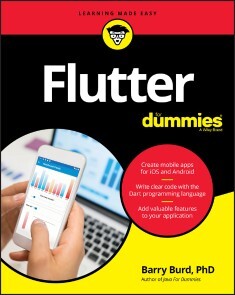
Flutter For Dummies
CREATE AWESOME IOS AND ANDROID APPS WITH A SINGLE TOOL!Flutter is an app developer’s dream come true. With Google’s open source toolkit, you can easily build beautiful apps that work across platforms using a single codebase. This flexibility allows you to get your work out to the widest possible audience. With Flutter already being used by thousands of developers worldwide in a market where billions of apps are downloaded every year, now is the right time to get ahead of the curve with this incredible tool.Flutter for Dummies is your friendly, ground-up route to creating multi-platform apps.From how to construct your initial frameworks to writing code in Dart, you’ll find the essentials you need to ride the Flutter revolutionary wave to success. This book includes how to create an intuitive and stunning UI, add rich interactivity, and easily pull in data. You’ll also see how Flutter features like Hot Reload—providing sub-second refreshes as you refine your work—help you make sure your app is a delight to use.* Start simple: follow steps to build a basic app * It’s alive! Keep connected to online data * It moves! Make things fun with animated features * Get the word out: use tips to expand your audience Whether you’re a fledgling developer or an expert wanting to add a slick feather to your programming cap, join the Flutter revolution now and soar above the rest!BARRY BURD, PHD, is a veteran educator and a professor of mathematics and computer science at Drew University. When he's not lecturing at the university, Barry speaks at professional conferences and somehow finds time to write books, including Java For Dummies and Beginning Programming with Java For Dummies.INTRODUCTION 1How to Use This Book 1Conventions Used in This Book 2What You Don’t Have to Read 2Foolish Assumptions 3How This Book is Organized 4Part 1, “Getting Ready” 4Part 2, “Flutter: A Burd’s-Eye View” 4Part 3, “Details, Details” 4Part 4, “The Part of Tens” 4More on the web! 5Icons Used in This Book 5Beyond the Book 6Where to Go from Here 6PART 1: GETTING READY 7CHAPTER 1: WHAT IS FLUTTER? 9Hardware and Software (Things You May Already Know) 10Where Does Flutter Fit In? 15Cross-platform development 15A quick-and-easy development cycle 17A great way to think about app development 25Enough New Terminology! What’s Next? 28CHAPTER 2: SETTING UP YOUR COMPUTER FOR MOBILE APP DEVELOPMENT 29The Stuff You Need 30What to Do 32Getting and installing the stuff 32For Mac users only 34Configuring Android Studio 35Running your first app 36Dealing with the Devil’s Details 43On installing Android Studio 43On launching Android Studio for the first time 44On installing Android Studio’s Flutter plugin 44On adding virtual devices 46On installing Flutter 50Divisiveness Among Devices 52Running apps on an Android device 52Testing apps on a physical device 53Using Android Studio 59Starting up 59The main window 60Running This Book’s Sample Programs 63Enjoying reruns 65If you’re finicky 65Were These Setup Steps Fun or What? 66PART 2: FLUTTER: A BURD’S-EYE VIEW 67CHAPTER 3: “HELLO” FROM FLUTTER 69First Things First 69What’s it all about? 72A constructor’s parameters 75A note about punctuation 76Don’t relent — simply indent 77Classes, Objects, and Widgets 79A brief treatise on “within-ness” 81The documentation is your friend 82Making Things Look Nicer 83Creating a scaffold 86Adding visual tweaks 88Dart’s enum feature 89Hello from sunny California! 89Adding another widget 91Centering the text (Part 1) 94Centering the text (Part 2) 97Displaying an image 100Hey, Wait a Minute 104CHAPTER 4: HELLO AGAIN 105Creating and Using a Function 106The function declaration 107A function call 108Parameters and the return value 108Programming in Dart: The Small Stuff 112Statements and declarations 112Dart’s typing feature 113Literals, variables, and expressions 114Two for the price of one 117Dart’s var keyword 119Built-in types 121Types that aren’t built-in 123Using import declarations 123Variations on a Theme from Die Flutter Mouse 124Type names in function declarations 127Naming your parameters 128What about the build function? 129More Fun to Come! 130CHAPTER 5: MAKING THINGS HAPPEN 131Let’s All Press a Floating Action Button 132Stateless widgets and stateful widgets 134Widgets have methods 135Pay no attention to the framework behind the curtain 139Enhancing Your App 146More parameters, please 148The override annotation 151What does mean? 152Anonymous functions 153What belongs where 156Names that start with an underscore 160Whew! 162CHAPTER 6: LAYING THINGS OUT 163The Big Picture 164Creating bite-size pieces of code 167Creating a parameter list 169Living color 170Adding padding 171Your humble servant, the Column widget 173The SizedBox widget 175Your friend, the Container widget 176Nesting Rows and Columns 181More Levels of Nesting 183Using the Expanded Widget 186Expanded versus unexpanded 189Expanded widget saves the day 192Flexing some muscles 196How Big is My Device? 199PART 3: DETAILS, DETAILS 205CHAPTER 7: INTERACTING WITH THE USER 207A Simple Switch 208Dart’s const keyword 211Compatible or NOT? 213Wait For It! 214How Much Do You Love Flutter? 217Dealing with Text Fields 220Callouts 1 and 2 223Callout 3 225Callout 4 226Callout 5 230Creating Radio Buttons 230Creating an enum 233Building the radio group 233Displaying the user’s choice 235Creating a Dropdown Button 239Building the dropdown button 242The little Reset button 244Making a Map 245Onward and Upward 246CHAPTER 8: NAVIGATION, LISTS, AND OTHER GOODIES 247Extending a Dart Class 248From One Page to Another 251An icon on a button 254Pushing and popping 255Passing Data from Source to Destination 256Passing Data Back to the Source 261Dart’s async and await keywords 264Taking control of the app bar’s Back button 266Passing Data in Both Directions 267Creating Named Routes 272Creating a List 276The ListView widget 279Creating list items one-by-one 285Another new Dart language feature 288Fetching Data from the Internet 290Using a public API 293Sending a URL to a server 295Making sense of a JSON response 296What’s Next? 296CHAPTER 9: MOVING RIGHT ALONG 297Setting the Stage for Flutter Animation 297Moving Along a Straight Line 303Bouncing Around 308Animating Size and Color Changes 310Moving Along a Curve 312Dragging Things Around 314Where To Go From Here 319PART 4: THE PART OF TENS 321CHAPTER 10: TEN WAYS TO AVOID MISTAKES 323Put Capital Letters Where They Belong 323Use Parentheses When (and Only When) They’re Appropriate 323Limit Access to Variables 324Call setState 324Make Adjustments for Indices Starting at Zero 324Use the Expanded Widget 325Add itemCount to Your ListView.builder 325Add Imports When They’re Required 325Declare Assets and Dependencies in pubspec.yaml 325Indent Your Code According to Dart Language Guidelines 326CHAPTER 11: TEN WAYS TO ENHANCE YOUR APP DEVELOPMENT CAREER 327Practice! Practice! 327Critique Your Own Code 328Have Others Review Your Code 328Find Out Which Technologies Your Nearby Companies Use 328Attend User Group Meetings 328Ask Questions 329Ask Yourself Whether You Truly Understand 329Learn Things That You May Never Need to Know 329Do What You Love to Do 330Get Plenty of Sleep 330CHAPTER 12: TEN CHAPTERS ABOUT FLUTTER APP DEVELOPMENT 331Introduction 331What is Flutter? 331Setting Up Your Computer for Mobile App Development 332‘Hello’ from Flutter 332Hello Again 332Making Things Happen 332Laying Things Out 332Interacting with the User 332Navigation, Lists, and Other Goodies 333Moving Right Along 333PART 5: APPENDICES 335Appendix: Doris’s Dating App 337Index 347
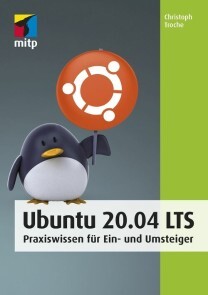
Ubuntu 20.04 LTS
* GANZ EINFACH UND SCHRITT FÜR SCHRITT AUF UBUNTU UMSTEIGEN* DIE BENUTZEROBERFLÄCHE GNOME KENNENLERNEN UND AN DIE EIGENEN BEDÜRFNISSE ANPASSEN* WINDOWS UND UBUNTU PARALLEL BETREIBENSteigen Sie mit Ubuntu ein in die Linux-Welt! Egal, ob Sie Ubuntu parallel zu einem anderen Betriebssystem einsetzen oder ausschließlich damit arbeiten wollen: Dieses Buch nimmt Sie an die Hand und ermöglicht Ihnen einen einfachen Start mit Ubuntu 20.04.Christoph Troche erläutert Ihnen gut nachvollziehbar die verschiedenen Installationsmöglichkeiten von Ubuntu (Live-Version, Festinstallation, allein oder parallel zu Windows). Er zeigt Ihnen Schritt für Schritt, wie Sie Ubuntu einrichten, und macht Sie mit der Arbeitsoberfläche Gnome vertraut, so dass Sie direkt loslegen können.Sie erfahren außerdem, wie Sie Software, die ursprünglich für den Betrieb unter Windows gedacht ist, trotzdem installieren können. Für einen kompletten Umstieg empfiehlt er Ihnen aber auch geeignete Linux-Alternativen. Dabei lernen Sie Möglichkeiten kennen, mit denen Sie den Funktionsumfang der Arbeitsoberfläche, der Dateiverwaltung und der Benutzerverwaltung erweitern können.So hilft Ihnen dieses Praxisbuch optimal dabei, alle im Alltag anfallenden Aufgaben problemlos mit Ubuntu zu meistern.AUS DEM INHALT:* Linux und Ubuntu* Live-Version und vollständige Installation* Die grafische Oberfläche Gnome* Finetuning – Ubuntu einrichten* Anwendungen nachinstallieren* Windows-Programme mit Ubuntu nutzen* Linux-Alternativen zu Windows-Programmen* Ubuntu in der Gruppe* Sicherheit im System* Nautilus, Kommandozeile und VerzeichnisbaumChristoph Troche ist Fachbuchautor und Linux-User der ersten Stunde. Er legt besonders großen Wert auf die praktische Anwendbarkeit und Benutzerfreundlichkeit seiner Anleitungen.

Learn Java for Android Development
Gain the essential Java language skills necessary for using the Android SDK platform to build Java-based Android apps. This book includes the latest Java SE releases that Android supports, and is geared towards the Android SDK version 10. It includes new content including JSON documents, functional programming, and lambdas as well as other language features important for migrating Java skills to Android development.Android is still the world's most popular mobile platform and because this technology is still mostly based on Java, you should first obtain a solid grasp of the Java language and its APIs in order to improve your chances of succeeding as an effective Android apps developer. Learn Java for Android Development, 4th Editionhelps you do that.Each of the book’s chapters provides an exercise section that gives you the opportunity to reinforce your understanding of the chapter’s material. Answers to the book’s more than 500 exercises are provided in an appendix. Once you finish, you will be ready to begin your Android app development journey using Java.WHAT YOU WILL LEARN* Discover the latest Java programming language features relevant to Android SDK development* Apply inheritance, polymorphism, and interfaces to Android development* Use Java collections, concurrency, I/O, networks, persistence, functional programming, and data access in Android apps* Parse, create, and transform XML and JSON documents* Migrate your Java skills for mobile development using the Android platformWHO THIS BOOK IS FORProgrammers with at least some prior Java programming experience looking to get into mobile Java development with the Android platform.PETER SPÄTH consults, trains/teaches, and writes books on various subjects, with a primary focus on software development. With a wealth of experience in Java-related languages, the release of Kotlin for building Android apps made him enthusiastic about writing books for Kotlin development in the Android environment. He also graduated in 2002 as a physicist and soon afterward became an IT consultant, mainly for Java-related projects.JEFF FRIESEN is a freelance tutor and software developer with an emphasis on Java (and now Android). In addition to authoring Learn Java for Android Development and co-authoring Android Recipes, Jeff has written numerous articles on Java and other technologies for JavaWorld, informIT, Java.net, and DevSource.1: Getting Started with JavaTalking about ART and licensing here2: Learning Language Fundamentals3: Discovering Classes and Objects4: Discovering Inheritance, Polymorphism, and Interfaces5: Mastering Advanced Language Features, Part 16: Mastering Advanced Language Features, Part 27: Exploring the Basic APIs, Part18: Exploring the Basic APIs, Part29: Functional Programming and Lambdas10: Exploring the Collections Framework11: Exploring the Concurrency Utilities12: Performing Classic I/O13: Accessing Networks14: Migrating to New I/O15: Accessing Databases16: Parsing, Creating, and Transforming XML Documents17: Working With JSON DocumentsA. Solutions to Exercises

Go - Das Praxisbuch
Ihr schneller Einstieg in Go.Sie haben schon Erfahrung mit objektorientierten Programmiersprachen und wollen sich jetzt Googles Programmiersprache Go genauer ansehen? Dann ist dieses Buch genau das Richtige für Sie! Denn Sie steigen direkt in die Besonderheiten von Go ein und lernen das Ökosystem rund um Tools und Testing kennen.Die Syntax der Programmiersprache und die Unterschiede zu gängigen objektorientierten Programmiersprachen wie Java oder C++ erläutert Andreas Schröpfer anhand von vielen Beispielen und zeigt Stolperfallen auf. Ein Fokus liegt auf dem Thema Nebenläufigkeit, für das Go so bekannt ist. Darüber hinaus beleuchtet der Autor das Ökosystem der Werkzeuge, die Go mitbringt. Für den Entwickleralltag wichtige Themen wie Codequalität und Code Conventions, Testing sowie Dokumentation ziehen sich quer durch das Praxisbuch.Das alles lernen sie nicht nur mit grauer Theorie, sondern direkt an der Tastatur mit Übungsaufgaben und Beispielprojekten. Alle Beispiele finden sich außerdem auf GitHub und sind so als Referenz für eigene Projekte jederzeit zugänglich. Dieses Gesamtpaket macht »Go – Das Praxisbuch« zu einem schnellen Start in eine schnelle Programmiersprache.Inhalt (PDF-Link)Leseprobe (PDF-Link)
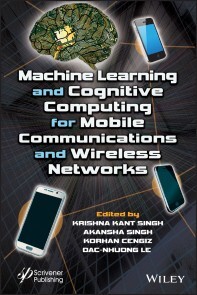
Machine Learning and Cognitive Computing for Mobile Communications and Wireless Networks
Communication and network technology has witnessed recent rapid development and numerous information services and applications have been developed globally. These technologies have high impact on society and the way people are leading their lives. The advancement in technology has undoubtedly improved the quality of service and user experience yet a lot needs to be still done. Some areas that still need improvement include seamless wide-area coverage, high-capacity hot-spots, low-power massive-connections, low-latency and high-reliability and so on. Thus, it is highly desirable to develop smart technologies for communication to improve the overall services and management of wireless communication. Machine learning and cognitive computing have converged to give some groundbreaking solutions for smart machines. With these two technologies coming together, the machines can acquire the ability to reason similar to the human brain. The research area of machine learning and cognitive computing cover many fields like psychology, biology, signal processing, physics, information theory, mathematics, and statistics that can be used effectively for topology management. Therefore, the utilization of machine learning techniques like data analytics and cognitive power will lead to better performance of communication and wireless systems.KRISHNA KANT SINGH is an Associate Professor in Electronics and Communications Engineering in KIET Group of Institutions, Ghaziabad, India. Dr. Singh has acquired BTech, MTech, and PhD (IIT Roorkee) in the area of machine learning and remote sensing. He has authored more than 50 technical books and research papers in international conferences and SCIE journals. AKANSHA SINGH is an Associate Professor in Department of Computer Science Engineering in Amity University, Noida, India. Dr. Singh has acquired BTech, MTech, and PhD (IIT Roorkee) in the area of neural network and remote sensing. She has authored more than 40 technical books and research papers in international conferences and SCIE journals. Her area of interest includes Mobile Computing, Artificial Intelligence, Machine Learning, Digital Image Processing. KORHAN CENGIZ received his PhD in Electronics Engineering from Kadir Has University, Istanbul, Turkey, in 2016. He has served as keynote speakers at many conferences. His research interests include wireless sensor networks, routing protocols, wireless communications, 5G systems, statistical signal processing, and spatial modulation. DAC-NHUONG LE has a MSc and PhD in computer science from Vietnam National University, Vietnam in 2009 and 2015, respectively. He is Associate Professor in Computer Science, Deputy-Head of Faculty of Information Technology, Haiphong University, Vietnam. He has a total academic teaching experience of 12+ years with many publications in reputed international conferences, journals and online book chapters. His area of research includes: evaluation computing and approximate algorithms, network communication, security and vulnerability, network performance analysis and simulation, cloud computing, IoT and image processing in biomedical. Preface xiii1 MACHINE LEARNING ARCHITECTURE AND FRAMEWORK 1Nilanjana Pradhan and Ajay Shankar Singh1.1 Introduction 21.2 Machine Learning Algorithms 31.2.1 Regression 31.2.2 Linear Regression 41.2.3 Support Vector Machine 41.2.4 Linear Classifiers 51.2.5 SVM Applications 81.2.6 Naïve Bayes Classification 81.2.7 Random Forest 91.2.8 K-Nearest Neighbor (KNN) 91.2.9 Principal Component Analysis (PCA) 91.2.10 K-Means Clustering 101.3 Business Use Cases 101.4 ML Architecture Data Acquisition 141.5 Latest Application of Machine Learning 151.5.1 Image Identification 161.5.2 Sentiment Analysis 161.5.3 News Classification 161.5.4 Spam Filtering and Email Classification 171.5.5 Speech Recognition 171.5.6 Detection of Cyber Crime 171.5.7 Classification 171.5.8 Author Identification and Prediction 181.5.9 Services of Social Media 181.5.10 Medical Services 181.5.11 Recommendation for Products and Services 181.5.11.1 Machine Learning in Education 191.5.11.2 Machine Learning in Search Engine 191.5.11.3 Machine Learning in Digital Marketing 191.5.11.4 Machine Learning in Healthcare 191.6 Future of Machine Learning 201.7 Conclusion 22References 232 COGNITIVE COMPUTING: ARCHITECTURE, TECHNOLOGIES AND INTELLIGENT APPLICATIONS 25Nilanjana Pradhan, Ajay Shankar Singh and Akansha Singh2.1 Introduction 262.1 The Components of a Cognitive Computing System 272.3 Subjective Computing Versus Computerized Reasoning 282.4 Cognitive Architectures 292.5 Subjective Architectures and HCI 312.6 Cognitive Design and Evaluation 322.6.1 Architectures Conceived in the 1940s Can’t Handle the Data of 2020 412.7 Cognitive Technology Mines Wealth in Masses of Information 412.7.1 Technology is Only as Strong as Its Flexible, Secure Foundation 422.8 Cognitive Computing: Overview 432.9 The Future of Cognitive Computing 47References 493 DEEP REINFORCEMENT LEARNING FOR WIRELESS NETWORK 51Bharti Sharma, R.K Saini, Akansha Singh and Krishna Kant Singh3.1 Introduction 513.2 Related Work 543.3 Machine Learning to Deep Learning 553.3.1 Advance Machine Learning Techniques 563.3.1.1 Deep Learning 563.3.2 Deep Reinforcement Learning (DRL) 573.3.2.1 Q-Learning 583.3.2.2 Multi-Armed Bandit Learning (MABL) 583.3.2.3 Actor–Critic Learning (ACL) 583.3.2.4 Joint Utility and Strategy Estimation Based Learning 593.4 Applications of Machine Learning Models in Wireless Communication 593.4.1 Regression, KNN and SVM Models for Wireless 603.4.2 Bayesian Learning for Cognitive Radio 603.4.3 Deep Learning in Wireless Network 613.4.4 Deep Reinforcement Learning in Wireless Network 623.4.5 Traffic Engineering and Routing 633.4.6 Resource Sharing and Scheduling 643.4.7 Power Control and Data Collection 643.5 Conclusion 65References 664 COGNITIVE COMPUTING FOR SMART COMMUNICATION 73Poonam Sharma, Akansha Singh and Aman Jatain4.1 Introduction 744.2 Cognitive Computing Evolution 754.3 Characteristics of Cognitive Computing 764.4 Basic Architecture 774.4.1 Cognitive Computing and Communication 774.5 Resource Management Based on Cognitive Radios 784.6 Designing 5G Smart Communication with Cognitive Computing and AI 804.6.1 Physical Layer Design Based on Reinforcement Learning 824.7 Advanced Wireless Signal Processing Based on Deep Learning 844.7.1 Modulation 854.7.2 Deep Learning for Channel Decoding 864.7.3 Detection Using Deep Learning 874.8 Applications of Cognition-Based Wireless Communication 874.8.1 Smart Surveillance Networks for Public Safety 884.8.2 Cognitive Health Care Systems 884.9 Conclusion 89References 895 SPECTRUM SENSING AND ALLOCATION SCHEMES FOR COGNITIVE RADIO 91Amrita Rai, Amit Sehgal, T.L. Singal and Rajeev Agrawal5.1 Foundation and Principle of Cognitive Radio 925.2 Spectrum Sensing for Cognitive Radio Networks 945.3 Classification of Spectrum Sensing Techniques 955.4 Energy Detection 975.5 Matched Filter Detection 1005.6 Cyclo-Stationary Detection 1035.7 Euclidean Distance-Based Detection 1075.8 Spectrum Allocation for Cognitive Radio Networks 1085.9 Challenges in Spectrum Allocation 1185.9.1 Spectrum and Network Heterogeneity 1195.9.2 Issues and Challenges 1205.10 Future Scope in Spectrum Allocation 122References 1236 SIGNIFICANCE OF WIRELESS TECHNOLOGY IN INTERNET OF THINGS (IOT) 131Ashish Tripathi, Arun Kumar Singh, Pushpa Choudhary, Prem Chand Vashist and K. K. Mishra6.1 Introduction 1326.1.1 Internet of Things: A Historical Background 1336.1.2 Internet of Things: Overview, Definition, and Understanding 1336.1.3 Internet of Things: Existing and Future Scopes 1356.2 Overview of the Hardware Components of IoT 1366.2.1 IoT Hardware Components: Development Boards/Platforms 1366.2.1.1 Arduino 1366.2.1.2 Raspberry Pi 1376.2.1.3 BeagleBone 1376.2.2 IoT Hardware Components: Transducer 1386.2.2.1 Sensors 1386.2.2.2 Actuators 1386.3 Wireless Technology in IoT 1396.3.1 Topology 1396.3.1.1 Mesh Topology 1406.3.1.2 Star Topology 1416.3.1.3 Point-to-Point Topology 1416.3.2 IoT Networks 1426.3.2.1 Nano Network 1426.3.2.2 Near-Field Communication (NFC) Network 1436.3.2.3 Body Area Network (BAN) 1436.3.2.4 Personal Area Network (PAN) 1436.3.2.5 Local Area Network (LAN) 1436.3.2.6 Campus/Corporate Area Network (CAN) 1436.3.2.7 Metropolitan Area Network (MAN) 1446.3.2.8 Wide Area Network (WAN) 1446.3.3 IoT Connections 1446.3.3.1 Device-to-Device (D2D)/Machine-to-Machine (M2M) 1446.3.3.2 Machine-to-Gateway/Router (M2G/R) 1456.3.3.3 Gateway/Router-to-Data System (G/R2DS) 1456.3.3.4 Data System to Data System (DS2DS) 1456.3.4 IoT Protocols/Standards 1456.3.4.1 Network Protocols for IoT 1466.3.4.2 Data Protocols for IoT 1486.4 Conclusion 150References 1507 ARCHITECTURES AND PROTOCOLS FOR NEXT-GENERATION COGNITIVE NETWORKING 155R. Ganesh Babu, V. Amudha and P. Karthika7.1 Introduction 1567.1.1 Primary Network (Licensed Network) 1567.1.2 CR Network (Unlicensed Network) 1577.2 Cognitive Radio Network Technologies and Applications 1597.2.1 Classes of CR 1597.2.2 Next Generation (xG) of CR Applications 1627.3 Cognitive Computing: Architecture, Technologies, and Intelligent Applications 1637.3.1 CR Physical Architecture 1637.4 Functionalities of CR in NeXt Generation (xG) Networks 1647.5 Spectrum Sensing 1657.5.1 Spectrum Decision 1657.5.2 Spectrum Mobility 1657.5.3 CR Network Functions 1667.6 Cognitive Computing for Smart Communications 1677.6.1 CR Technologies 1677.7 Spectrum Allocation in Cognitive Radio 1697.8 Cooperative and Cognitive Network 1737.8.1 Cooperative Centralized Coordinated 1737.8.2 Cooperative Decentralized (Distributed) Coordinated and Uncoordinated 176References 1768 ANALYSIS OF PEAK-TO-AVERAGE POWER RATIO IN OFDM SYSTEMS USING COGNITIVE RADIO TECHNOLOGY 179Udayakumar Easwaran, Poongodi Palaniswamy and Vetrivelan Ponnusamy8.1 Introduction 1808.2 OFDM Systems 1818.3 Peak-to-Average Power Ratio 1838.4 Cognitive Radio (CR) 1848.5 Related Works 1868.6 Neural Network System Model 1938.7 Complexity Examination 1948.8 PAPR and BER Examination 1958.9 Performance Evaluation 1968.10 Results and Discussions 1968.11 Conclusion 200References 2009 A THRESHOLD-BASED OPTIMIZATION ENERGY-EFFICIENT ROUTING TECHNIQUE IN HETEROGENEOUS WIRELESS SENSOR NETWORKS 203Samayveer Singh9.1 Introduction 2049.2 Literature Review 2059.3 System Model 2079.3.1 Four-Level Heterogeneous Network Model 2089.3.2 Energy Dissipation Radio Model 2109.4 Proposed Work 2119.4.1 Optimum Cluster Head Election of the Proposed Protocol 2119.4.2 Information Congregation and Communication Process Based on Chaining System for Intra and Inter‑Cluster Communication 2149.4.3 The Complete Working Process of the Proposed Method 2149.5 Simulation Results and Discussions 2169.5.1 Network Lifetime and Stability Period 2179.5.2 Network Outstanding Energy 2199.5.3 Throughput 2199.5.4 Comparative Analysis of the Level-4 Network Protocols 2229.6 Conclusion 222References 22310 EFFICACY OF BIG DATA APPLICATION IN SMART CITIES 225Sudipta Sahana, Dharmpal Singh and Pranati Rakshit10.1 Introduction 22610.1.1 Characteristics of Big Data 22710.1.1.1 Velocity 22710.1.1.2 Volume 22710.1.1.3 Value 22810.1.1.4 Variety 22810.1.1.5 Veracity 22810.1.2 Definition of Smart Cities 22810.2 Types of Data in Big Data 22910.2.1 Structured Data 22910.2.2 Unstructured Data 23010.2.3 Semi-Structured Data 23010.3 Big Data Technologies 23110.3.1 Apache Hadoop 23110.3.2 HDFS 23110.3.3 Spark 23210.3.4 Microsoft HDInsight 23210.3.5 NoSQL 23310.3.6 Hive 23310.3.7 Sqoop 23410.3.8 R 23510.3.9 Data Lakes 23510.4 Data Source for Big Data 23510.4.1 Media 23610.4.2 Cloud 23610.4.3 The Web 23610.4.4 IOT 23610.4.5 Databases as a Big Data Source 23710.4.6 Hidden Big Data Sources 23710.4.6.1 Email 23710.4.6.2 Social Media 23810.4.6.3 Open Data 23810.4.6.4 Sensor Data 23810.4.7 Application-Oriented Big Data Source for a Smart City 23810.4.7.1 Healthcare 23810.4.7.2 Transportation 23910.4.7.3 Education 24010.5 Components of a Smart City 24110.5.1 Smart Infrastructure 24110.5.1.1 Intelligent Lighting 24110.5.1.2 Modern Parking Systems 24110.5.1.3 Associated Charging Points 24210.5.2 Smart Buildings and Belongings 24210.5.2.1 Safety and Security Systems 24210.5.2.2 Smart Sprinkler Systems for Gardens 24210.5.2.3 Smart Heating and Ventilation 24210.5.3 Smart Industrial Environment 24310.5.4 Smart City Services 24310.5.4.1 Smart Stalls 24310.5.4.2 Monitoring of Risky Areas 24410.5.4.3 Public Safety 24410.5.4.4 Fire/Explosion Management 24410.5.4.5 Automatic Health-Care Delivery 24410.5.5 Smart Energy Management 24410.5.5.1 Smart Grid 24510.5.5.2 Intelligent Meters 24510.5.6 Smart Water Management 24510.5.7 Smart Waste Management 24510.6 Challenge and Solution of Big Data for Smart City 24610.6.1 Challenge in Big Data for Smart City 24610.6.1.1 Data Integration 24610.6.1.2 Security and Privacy 24610.6.1.3 Data Analytics 24710.6.2 Solution of Challenge Smart City 24710.6.2.1 Conquering Difficulties with Enactment 24710.6.2.2 Making People Smarter—Education for Everyone 24810.7 Conclusion 248References 249Index 251

Von Data Mining bis Big Data
Von Datensalat zu DatenschatzEine wichtige Säule von Industrie 4.0 ist Big Data. Hierbei geht es um die intelligente Verwertung riesiger Datenmengen mit dem Ziel Prozesse besser zu beherrschen oder neue Geschäftsfelder zu finden. Big Data für sich zu erschließen bedeutet nichts anderes als einen Schatz zu heben, der in der Fülle von Informationen, die Sie in Ihrem Unternehmen anhäufen, verborgen liegt. Dieses Buch enthält die Schatzkarte. Hier erfahren Sie- wie mit Hilfe von Data Mining-Techniken unbekannte Zusammenhänge und Strukturen über den datenliefernden Prozess entdeckt werden können- wie mit den gewonnenen Erkenntnissen detaillierte Vorhersagen über das zukünftige Prozessverhalten und Strategien zur Optimierung ganzer Fabriken abgeleitet werden- welche Tools und Plattformen es gibt, um Big Data wirtschaftlich sinnvoll in Ihr Unternehmen einzuführen- wie andere Firmen aus verschiedensten Branchen mit Big Data erfolgreiche Effizienzsteigerungen erreicht habenWenn Sie sich im Rahmen der aktuell laufenden Digitalisierungswelle fragen, welche der modernen Techniken wofür genutzt werden können oder müssen, um den Anschluss nicht zu verpassen, dann ist dieses Buch genau das richtige für Sie. Der Autor hat über 20 JahreErfahrung bei der Entwicklung von Data Mining-Technologien und bei ihrem Einsatz in der Industrie. Prof. Dr. Otte leitet die Lehre im Bereich Künstliche Intelligenz im Masterstudium an der Hochschule Ulm

Komplexität von Algorithmen
Dieses Lehrbuch, entstanden aus einer Anfängervorlesung aus dem Informatik-Studiengang an der Leibniz Universität Hannover, bietet einen ersten Einstieg in den Bereich der Komplexitätstheorie.Der Leser wird mit den wichtigsten Begriffen und Resultaten aus diesem Bereich vertraut gemacht: Komplexitätsklassen, vollständige („schwierigste“) Probleme in einer Komplexitätsklasse – detailliert am Begriff der NP-Vollständigkeit und an vielen Beispielen ausgeführt – sowie Approximationsalgorithmen als Lösungsmöglichkeit für viele NP-vollständige Probleme.Außerdem enthält das Buch eine große Anzahl an Übungsaufgaben (mit vielen Lösungen) wie auch abschließend die Möglichkeit, sein erarbeitetes Wissen in zwei exemplarischen Klausuren zu prüfen.
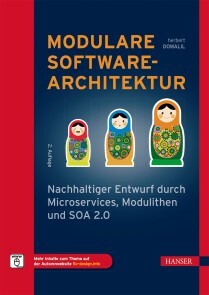
Modulare Softwarearchitektur
MODULARE SOFTWAREARCHITEKTUR //- Lesen Sie Grundlegendes über die neue Schule der Softwarearchitektur- Nutzen Sie die konkreten Empfehlungen zum Bau langlebiger, weil modularer Enterprise- bzw. Makro-Architektur- Erfahren Sie, wie Sie Schritt für Schritt Ihr System zu einer modularen Architektur hin umbauen können- Lernen Sie die Prinzipien nachhaltiger und modularer Architektur anhand eines 16-teiligen Code-Tutorials kennen- Das 5C-Modell stellt eine Alternative zum Microservice-Hype dar und ist auch bei komplexen Architekturen anwendbarDie Softwarekrise hält die IT-Branche seit den 1960er-Jahren in Atem. Damals wurde heftig darüber debattiert, ob man nicht lieber auf die Verwendung des GOTO-Schlüsselworts und x-beliebiger Sprünge im Code verzichten sollte. Mit der zunehmenden Leistungsfähigkeit der Hardware wurde auch die darauf laufende Software immer komplexer, und man suchte nach Rezepten, um deren Wartbarkeit zu verbessern.Diese Entwicklung ist bis heute nicht abgeschlossen. Die digitale Transformation der Gesellschaft bringt für bestehende IT-Landschaften neue Herausforderungen mit sich. Enterprise-Architekturen, die sich oft durch ungeplant entstandene Komplexität auszeichnen, sollen plötzlich weiterwachsen. Da die klassischen Muster der Enterprise-Architektur dabei oft versagen, werden zurzeit neue Prinzipien und Muster entwickelt, welche genau diese Komplexität in geordnete Bahnen lenken sollen.Dieses Buch behandelt diese Themen und stellt den Bezug zu den guten alten Mustern und Prinzipien des Softwaredesigns her.AUS DEM INHALT //Über Softwarearchitektur/Migration von Legacy-Systemen/Domain Driven Design/Muster modularer Mikro-Architektur/Muster modularer Makro-Architektur bzw. langlebige Enterprise-Architektur/Monolithen, Microservices und Alternativen/Antipattern und Pitfalls modularer Architektur und wie man diese vermeidet/Umsetzung modularer Architektur in komplexen Organisationen Herbert Dowalil ist seit vielen Jahren als Softwareentwickler, -architekt, Trainer und inzwischen auch als Autor tätig. Dabei beschäftigt er sich mit der Frage, wie man durch den Entwurf effizienter Strukturen langfristig Produktivität und Flexibilität sicherstellt. Sein Hauptaugenmerk gilt dabei einer der Schwachstellen der IT-Branche, nämlich der modularen Enterprise- bzw. Makro-Architektur.

Visual Studio Extensibility Development
Learn the extensibility model of Visual Studio to enhance the Visual Studio integrated development environment (IDE). This book will cover every aspect, starting from developing an extension to publishing it and making it available to the end user.The book begins with an introduction to the basic concepts of Visual Studio including data structures and design patterns and moves forward with the fundamentals of the VS extensibility model. Here you will learn how to work on Roslyn - the .NET compiler platform - and load extensions in VS. Next, you will go through the extensibility model and see how various extensions, such as menus, commands, and tool windows, can be plugged into VS. Moving forward, you’ll cover developing VS extensions and configuring them, along with demonstrations on customizing extension by developing option pages. Further, you will learn to create custom code snippets and use a debugger visualizer. Next, you will go through creation of project and item templates including deployment of VS extensions using continuous integration (CI). Finally, you will learn tips and tricks for Visual Studio and its extensibility and integration with Azure DevOps.After reading Visual Studio Extensibility Development you will be able to develop, deploy, and customize extensions in Visual Studio IDE.WHAT YOU WILL LEARN* Discover the Visual Studio extensibility and automation model* Code Visual Studio extensions from scratch* Customize extensions by developing a tools option page for them* Create project templates, item templates, and code snippets.* Work with code generation using T4 templates* Code analysis and refactoring using Roslyn analyzers* Create and deploy a private extension gallery and upload the extensions* Upload a VS extension using CI* Ship your extension to Visual Studio MarketplaceWHO THIS BOOK IS FORDevelopers in Visual Studio IDE covering C#, Visual Basic (VB), JavaScript, and CSS.RISHABH VERMA is a Microsoft certified professional and works at Microsoft as a senior development consultant, helping the customers to design, develop, and deploy enterprise-level applications. An electronic engineer by education, he has 12+ years of hardcore development experience on the .NET technology stack. He is passionate about creating tools, Visual Studio extensions, and utilities to increase developer productivity. His interests are .NET Compiler Platform (Roslyn), Visual Studio extensibility, code generation and .NET Core. He is a member of .NET foundation (https://www.dotnetfoundation.org). He occasionally blogs at https://rishabhverma.net/. He has authored books on .NET Core 2.0 and .NET Core 3.1 prior to this title.His twitter id is @VermaRishabh and his linkedIn page is https://www.linkedin.com/in/rishabhverma/CHAPTER 1: BASICS PRIMERCHAPTER GOAL: The objective of this chapter is to introduce the basic concepts to the reader that would be required through-out this book, so that he gets comfortable in this learning journey.NO OF PAGES :50-60SUB -TOPICS1. What is a compiler?2. What is an SDK (Software Development Kit)?3. Recap of Tree Data structure1. Tree traversal,2. Abstract Syntax trees4. MEF (Managed Extensibility Framework) Basics.5. Visual Studio & its history6. XML & JSON7. Serialization & Deserialization.8. Revisiting Visitor, Abstract Factory and Factory design patterns.9. MSBuild basics10. Async-await.CHAPTER 2: GETTING STARTEDCHAPTER GOAL: With the fundamentals strongly in place, we are now good to get started with Visual Studio (VS) Extensibility model. We will do our setup in this chapter. This chapter would introduce the VS Extensibility, Roslyn to the reader. The reader would also learn to write and debug a VS extension.NO OF PAGES: 40SUB - TOPICS1. Prerequisites and installation of VS2. Anatomy of a VSIX3. How Visual Studio discovers and loads extensions.4. VSPackage5. Async Loading6. Writing your first simple templatized Visual Studio Extension.7. Roslyn - .NET Compiler platform fundamentalsCHAPTER 3: EXTENDING VISUAL STUDIOCHAPTER GOAL: This chapter would introduce the extensibility model and how various extensions can be plugged in VSas menus, commands, tool window, code window, solution explorer etcNO OF PAGES: 40-50SUB - TOPICS:1. The Visual Studio Extensibility model2. Tool Window extension3. Menus & commands,4. Code Window extension5. Solution explorer item extensionCHAPTER 4: DEVELOPING REAL WORLD EXTENSIONS - ICHAPTER GOAL: This chapter dives into developing useful real-world VS Extensions and shows how they can be made configurable by customizing UI and options page.We would also learn how to write to output window and manipulate documents and projects in this chapter.NO OF PAGES: 40-50SUB - TOPICS:1. VS Extension to search on MSDN/Bing/Google.2. VS Extension to generate HTTP Client proxy class for HTTP Web API using T4 templates.3. VS Extension to generate test data.4. Customizing extension by developing Tools option page.5. Customizing UI of extension.CHAPTER 5: DEVELOPING REAL WORLD EXTENSIONS - IICHAPTER GOAL: This chapter is the continuation of last chapter and continues the development of useful real-world VS extensions but this time using the .NET Compiler platform – Roslyn.NO OF PAGES: 40-50SUB - TOPICS:1. Rewrite VS Extension to generate HTTP Client proxy class for HTTP Web API using Roslyn.2. Developing a custom code analysis Visual Studio Extension.3. Developing a light bulb style code refactoring.4. Developing Roslyn based extension to generate unit tests using T4 template.CHAPTER 6: DO MORE WITH VS SDKCHAPTER GOAL: This chapter introduces the reader with famous Visual Studio Isolated and integrated Shell to develop applications that looks like Visual Studio and also develops handy productivity boosters like custom code snippets, debugger visualizers, modifying intellisense, debugging experience for developersNO OF PAGES: 40-50SUB - TOPICS:1. VS Isolated and Integrated Shell2. Developing applications that look like Visual Studio.3. Extending the debugger.4. Create custom code snippets.5. Create Debugger Visualizer for view data while debugging.6. Modifying intellisense.CHAPTER 7: TEMPLATES, DEBUGGING VS EXTENSIONSCHAPTER GOAL: This chapter explains how to create project and item templates. The chapter also shows a sample code lens extension then dives into debugging the extensionNO OF PAGES: 40-50SUB - TOPICS:6. Code lens sample extension.7. Creating Project and Item template.8. Debugging VS Extensions.CHAPTER 8: DEPLOYING VS EXTENSIONSCHAPTER GOAL: This chapter explains how to deploy VS extensions using continuous integration (CI). The chapter also explains how the extension can be made available to the world by uploading in marketplace. We also discuss how to make a private extension gallery and host your extension there.NO OF PAGES: 40-50SUB - TOPICS:9. Deploying a VS Extension using CI.10. Creating a private extension gallery/ Atom feed11. Hosting extension in private gallery.12. Sharing extension with the world using marketplace.CHAPTER 9: TIPS, TRICKS, EXTENSIONS AND WORDSCHAPTER GOAL: This chapter discusses few of the coolest tips and tricks for Visual Studio and its extensibility and shares few highly useful extensions. The chapter and book conclude with closing remarks on extensibility of Visual Studio Code and integration with Visual Studio Team Services (VSTS) or Azure DevOps.NO OF PAGES: 30-40SUB - TOPICS:1. Cool Tips and tricks2. Useful Extensions for C#, VB, JS, TS and CSS developers.3. A word on Visual Studio Code Extensibility4. Integration with VSTS or Azure DevOpsUseful Resources – 1 pageMore Reading – 1 pageCode Samples – Link to code samples from GitHub.

Algorithmen in Python
Inhalt Algorithmen gehören zum Rüstzeug guter Entwickler und Programmierer. Dieses Buch stellt Ihnen eine Vielzahl an problemlösenden Techniken für den Programmieralltag vor und zeigt, wie Sie diese Techniken in Ihre Anwendungen implementieren. Dabei lernen Sie 32 Klassiker der Informatik kennen, vom einfachen Such-Algorithmus bis zu genetischen Algorithmen und neuronalen Netzen in der KI. Randvoll mit Codebeispielen in Python sowie Profitipps für Programmierer. Selbst wenn Ihnen einiges bekannt vorkommen wird, es warten zahlreiche Aha-Erlebnisse auf Sie. Ideal für alle, die ihre ersten Schritte in der Programmierung hinter sich haben und jetzt voll durchstarten wollen! - Programmieren trainieren mit bekannten und modernen Klassikern - Von der Suche bis zu k-Means, vom Dreizeiler bis zur dynamischen Programmierung und KI - Für Studium, Coding-Katas, Workouts oder in Eigeninitiative - Titel der amerikanischen Originalausgabe: "Classic Computer Science Problems in Python"
Computational Models for Cognitive Vision
LEARN HOW TO APPLY COGNITIVE PRINCIPLES TO THE PROBLEMS OF COMPUTER VISIONComputational Models for Cognitive Vision formulates the computational models for the cognitive principles found in biological vision, and applies those models to computer vision tasks. Such principles include perceptual grouping, attention, visual quality and aesthetics, knowledge-based interpretation and learning, to name a few. The author’s ultimate goal is to provide a framework for creation of a machine vision system with the capability and versatility of the human vision.Written by Dr. Hiranmay Ghosh, the book takes readers through the basic principles and the computational models for cognitive vision, Bayesian reasoning for perception and cognition, and other related topics, before establishing the relationship of cognitive vision with the multi-disciplinary field broadly referred to as “artificial intelligence”. The principles are illustrated with diverse application examples in computer vision, such as computational photography, digital heritage and social robots. The author concludes with suggestions for future research and salient observations about the state of the field of cognitive vision.Other topics covered in the book include:· knowledge representation techniques· evolution of cognitive architectures· deep learning approaches for visual cognitionUndergraduate students, graduate students, engineers, and researchers interested in cognitive vision will consider this an indispensable and practical resource in the development and study of computer vision.HIRANMAY GHOSH, PHD, was a Research Advisor to TATA Consultancy Services and an Adjunct Faculty Member with the National Institute of Technology Karnataka. During his long professional career, he has served several reputed organizations, including CMC, ECIL and C-DOT and TCS. He was an Adjunct Faculty Member with IIT Delhi, and with the National Institute of Technology Karnataka. He is a Senior Member of IEEE, Life Member of IUPRAI, and a Member of ACM. About the Author ixAcknowledgments xiPreface xiiiAcronyms xv1 INTRODUCTION 11.1 What Is Cognitive Vision 21.2 Computational Approaches for Cognitive Vision 31.3 A Brief Review of Human Vision System 41.4 Perception and Cognition 61.5 Organization of the Book 72 EARLY VISION92.1 Feature Integration Theory 92.2 Structure of Human Eye 102.3 Lateral Inhibition 132.4 Convolution: Detection of Edges and Orientations 142.5 Color and Texture Perception 172.6 Motion Perception 192.6.1 Intensity-Based Approach 192.6.2 Token-Based Approach 202.7 Peripheral Vision 212.8 Conclusion 243 BAYESIAN REASONING FOR PERCEPTION AND COGNITION 253.1 Reasoning Paradigms 263.2 Natural Scene Statistics 273.3 Bayesian Framework of Reasoning 283.4 Bayesian Networks 323.5 Dynamic Bayesian Networks 343.6 Parameter Estimation 363.7 On Complexity of Models and Bayesian Inference 383.8 Hierarchical Bayesian Models 393.9 Inductive Reasoning with Bayesian Framework 413.9.1 Inductive Generalization 413.9.2 Taxonomy Learning 453.9.3 Feature Selection 463.10 Conclusion 474 LATE VISION 514.1 Stereopsis and Depth Perception 514.2 Perception of Visual Quality 534.3 Perceptual Grouping 554.4 Foreground–Background Separation 594.5 Multi-stability 604.6 Object Recognition 614.6.1 In-Context Object Recognition 624.6.2 Synthesis of Bottom-Up and Top-Down Knowledge 644.6.3 Hierarchical Modeling 654.6.4 One-Shot Learning 664.7 Visual Aesthetics 674.8 Conclusion 695 VISUAL ATTENTION 715.1 Modeling of Visual Attention 725.2 Models for Visual Attention 755.2.1 Cognitive Models 755.2.2 Information-Theoretic Models 775.2.3 Bayesian Models 785.2.4 Context-Based Models 795.2.5 Object-Based Models 815.3 Evaluation 825.4 Conclusion 846 Cognitive Architectures 876.1 Cognitive Modeling 886.1.1 Paradigms for Modeling Cognition 886.1.2 Levels of Abstraction 916.2 Desiderata for Cognitive Architectures 926.3 Memory Architecture 946.4 Taxonomies of Cognitive Architectures 976.5 Review of Cognitive Architectures 996.5.1 STAR: Selective Tuning Attentive Reference 1006.5.2 LIDA: Learning Intelligent Distribution Agent 1026.6 Biologically Inspired Cognitive Architectures 1056.7 Conclusions 1067 KNOWLEDGE REPRESENTATION FOR COGNITIVE VISION 1097.1 Classicist Approach to Knowledge Representation 1097.1.1 First Order Logic 1117.1.2 Semantic Networks 1137.1.3 Frame-Based Representation 1147.2 Symbol Grounding Problem 1177.3 Perceptual Knowledge 1187.3.1 Representing Perceptual Knowledge 1197.3.2 Structural Description of Scenes 1207.3.3 Qualitative Spatial and Temporal Relations 1227.3.4 Inexact Spatiotemporal Relations 1247.4 Unifying Conceptual and Perceptual Knowledge 1277.5 Knowledge-Based Visual Data Processing 1287.6 Conclusion 1298 DEEP LEARNING FOR VISUAL COGNITION 1318.1 A Brief Introduction to Deep Neural Networks 1328.1.1 Fully Connected Networks 1328.1.2 Convolutional Neural Networks 1348.1.3 Recurrent Neural Networks 1378.1.4 Siamese Networks 1408.1.5 Graph Neural Networks 1408.2 Modes of Learning with DNN 1428.2.1 Supervised Learning 1428.2.1.1 Image Segmentation 1428.2.1.2 Object Detection 1448.2.2 Unsupervised Learning with Generative Networks 1448.2.3 Meta-Learning: Learning to Learn 1468.2.3.1 Reinforcement Learning 1488.2.3.2 One-Shot and Few-Shot Learning 1488.2.3.3 Zero-Shot Learning 1508.2.3.4 Incremental Learning 1508.2.4 Multi-task Learning 1528.3 Visual Attention 1548.3.1 Recurrent Attention Models 1558.3.2 Recurrent Attention Model for Video 1588.4 Bayesian Inferencing with Neural Networks 1598.5 Conclusion 1609 APPLICATIONS OF VISUAL COGNITION 1639.1 Computational Photography 1639.1.1 Color Enhancement 1649.1.2 Intelligent Cropping 1669.1.3 Face Beautification 1679.2 Digital Heritage 1689.2.1 Digital Restoration of Images 1689.2.2 Curating Dance Archives 1709.3 Social Robots 1729.3.1 Dynamic and Shared Spaces 1739.3.2 Recognition of Visual Cues 1749.3.3 Attention to Socially Relevant Signals 1759.4 Content Re-purposing 1779.5 Conclusion 17910 CONCLUSION 18110.1 “What Is Cognitive Vision” Revisited 18110.2 Divergence of Approaches 18310.3 Convergence on the Anvil? 185References 187Index 215

Human Compatible
Künstliche Intelligenz und wie der Mensch die Kontrolle über superintelligente Maschinen behält »Das bedeutendste Buch über KI in diesem Jahr.«- The Guardian, 24.09.2019Werden Maschinen bald auf nahezu allen Gebieten intelligenter sein als der Mensch? Auch wenn das vielversprechend klingt, ist die Entwicklung einer Superintelligenz zugleich ein ernstzunehmendes Risiko. Denn ist diese einmal da, können wir nicht mehr einfach den Stecker ziehen. Niemand kann die Chancen und Risiken der künstlichen Intelligenz besser beurteilen als Stuart Russell, der seit mehr als einer Dekade an vorderster Front der KI-Forschung arbeitet. Er veranschaulicht mit brillanten Analogien, wie sich natürliche und künstliche Intelligenz voneinander unterscheiden, und macht deutlich, weshalb wir vermeiden müssen, dass die Maschinen für uns unkontrollierbar werden. Fundiert, eindringlich und visionär zeigt Human Compatible neue Perspektiven und Lösungswege für die KI-Forschung auf, um zu gewährleisten, dass superintelligente Maschinen unsere Ziele verfolgen und nicht ihre eigenen.

Das 3D-Scanner-Praxisbuch
3D-Scannen verständlich erklärt und zum Eigen-Nachbau.Mario Lukas beleuchtet in seinem Buch »Das 3D-Scanner-Praxisbuch« das gesamte Wissens- und Erfahrungsspektrum zum Thema »3D-Scanner«. Er beschreibt dabei alle wichtigen Aspekte und Schritte: Aufbau und Einrichtung der Scanner, die richtige Vorbereitung der Vorlagen, den Scan, die Aufbereitung von Punktwolke und Gittermodell und schließlich den 3D-Ausdruck.Lernen Sie dabei vier verschiedene Arten von Scannern kennen:Laserscanner (FabScanPi)Fotogrammetrie-Scanner (OpenScan-Pi-3D-Scanner)Tiefensensoren-basierte ScannerPersonenscans (Kinect) und Streifenlicht-ScannerIm Praxisteil des Buches beschreibt der Autor ausführlich in Schritt-für-Schritt-Anleitungen den Bau eines Laser-Scanners aus einem Raspberry Pi und einer Raspberry-Pi-Camera sowie den Bau eines Scanners für große Objekte und Personen mit einer Kinect-Videospielkonsole.Die Software-Bearbeitungskette im Post-Scanning-Prozess zur Erzielung hochwertiger Scan-Ergebnisse machen das Buch zu einem Standardwerk des 3D-Scannings. Beispiele aus dem Praxiseinsatz in der Maker-Werkstatt und drei vollständige Beispielprojekte bieten Ihnen viel Inspiration für Ihre eigenen Projekte. Lukas gelingt es mit diesem Buch, die spannende Entwicklung im 3D-Scanning-Bereich umfassend darzustellen und für die Maker-Welt zu öffnen.Über den Autor:Mario Lukas hat Informatik an der RWTH Aachen studiert und arbeitet als Software-Entwickler. Er publizierte Artikel zu seiner Maker-Tätigkeit in diversen Fachmagazinen und ist Co-Autor der bei dpunkt erschienenen Bücher „Licht und Spaß“ und „Das Calliope-Buch“.Hauptsächlich beschäftigt er sich mit den Themen „3D-Scannen“ und „3D-Druck“. Mehrfach konnte er bei nationalen und internationalen Wettbewerben mit seinen Kreationen gute Platzierungen belegen. Mario betreut seit Jahren federführend das FabScanPi-3D-Scanner-Projekt. Er ist einer der Gründungsväter des Vereins Freie Maker e.V.