

Computer und IT

Pro Microsoft Power BI Administration
Manage Power BI within organizations. This book helps you systematize administration as Microsoft shifts Power BI from a self-service tool to an enterprise tool. You will learn best practices for many Power BI administrator tasks. And you will know how to manage artifacts such as reports, users, work spaces, apps, and gateways. The book also provides experience-based guidance on governance, licensing, and managing capacities.Good management includes policies and procedures that can be applied consistently and even automatically across a broad user base. This book provides a strategic road map for the creation and implementation of policies and procedures that support Power BI best practices in enterprises. Effective governance depends not only on good policies, but also on the active and timely monitoring of adherence to those policies. This book helps you evaluate the tools to automate and simplify the most common administrative and monitoring tasks, freeing up administrators to provide greater value to the organization through better user training and awareness initiatives.WHAT YOU WILL LEARN* Recognize the roles and responsibilities of the Power BI administrator* Manage users and their work spaces* Know when to consider using Power BI Premium* Govern your Power BI implementation and manage Power BI tenants* Create an effective security strategy for Power BI in the enterprise* Collaborate and share consistent views of the data across all users* Follow a life cycle management strategy for rollout of dashboards and reports* Create internal training resources backed up by accurate documentation* Monitor Power BI to better understand risks and compliance manage costs, and track implementation WHO THIS BOOK IS FORIT professionals tasked with maintaining their corporate Power BI environments, Power BI administrators and power users interested in rolling out Power BI more widely in their organizations, and IT governance professionals tasked with ensuring adherence to policies and regulationsÁSGEIR GUNNARSSON is a data platform MVP and Chief Consultant at Datheos. He works on business intelligence solutions using the whole of the Microsoft BI stack. Ásgeir has been working in BI since 2007 both as a consultant and internal employee. Before turning to BI, he worked as a technical trainer and he currently teaches BI courses at the Continuing Education Department of the University of Iceland. Ásgeir speaks regularly at events both domestic and internationally and is the group leader of the Icelandic PASS Group as well as the Icelandic Power BI user group. He is passionate about data and loves solving problems with BI.MICHAEL JOHNSON is a data platform MVP from Johannesburg, South Africa where he works as a business intelligence architect. Outside of work, Michael runs the local SQL Server User Group and provides Power BI presentations and training both locally and abroad.PART I. GOVERNANCE1. Introduction to Governance and Governance Strategies2. Power BI Licensing3. Collaboration4. Laws and Policies5. Application Lifecycle Management6. Training7. DocumentationPART II. ADMINISTRATION8. Introduction to Power BI Administration9. Managing the Tenant10. Administering Power BI Capacities11. Workspace Administration12. Managing Users and Security13. Datasets & Dataflows14. On-premises Data Gateway15. Power BI Administration Tools16. Monitoring
Artificial Neural Networks with TensorFlow 2
Develop machine learning models across various domains. This book offers a single source that provides comprehensive coverage of the capabilities of TensorFlow 2 through the use of realistic, scenario-based projects.After learning what's new in TensorFlow 2, you'll dive right into developing machine learning models through applicable projects. This book covers a wide variety of ANN architectures—starting from working with a simple sequential network to advanced CNN, RNN, LSTM, DCGAN, and so on. A full chapter is devoted to each kind of network and each chapter consists of a full project describing the network architecture used, the theory behind that architecture, what data set is used, the pre-processing of data, model training, testing and performance optimizations, and analysis.This practical approach can either be used from the beginning through to the end or, if you're already familiar with basic ML models, you can dive right into the application that interests you. Line-by-line explanations on major code segments help to fill in the details as you work and the entire project source is available to you online for learning and further experimentation. With Artificial Neural Networks with TensorFlow 2 you'll see just how wide the range of TensorFlow's capabilities are.WHAT YOU'LL LEARN* Develop Machine Learning Applications* Translate languages using neural networks* Compose images with style transferWHO THIS BOOK IS FORBeginners, practitioners, and hard-cored developers who want to master machine and deep learning with TensorFlow 2. The reader should have working concepts of ML basics and terminologies.POORNACHANDRA SARANG has 30+ years of IT experience and is an experienced author. His work has always focused on state-of-the-art and emerging technologies. He has provided consulting services to—Sun Microsystems, Microsoft, Oracle, and Hewlett-Packard. He has been a Ph.D. advisor for Computer Science and is currently on a Thesis Advisory Committee for students pursuing Ph.D. in Computer Engineering—setting the course curriculum for both under-graduate and post-graduate courses in Computer Science/Engineering. He has delivered seminars, written articles, and provided consulting recently on Machine Learning and Deep Learning. He maintains a machine learning blog at education.abcom.com. Chapter 1: TensorFlowIntroductionWhat's new in TensorFlow 2Chapter 2: A Quick Start on TensorFlowHello World for TensorFlow using Google ColabChapter 3: TensorFlow Keras Integrationtf.kerasImage ClassificationChapter 4: TensorFlow HubTransfer LearningTensorFlow Hub and KerasChapter 5: RegressionPredicting Continuous Value OutputChapter 6: EstimatorsSolving Classification Problems Using EstimatorsChapter 7: Distributed TrainingDescribing tf.distribute.StrategyChapter 8: TextText ClassificationGeneration with RNNChapter 9: Language TranslationThe seq2seq model for language translationChapter 10: Language UnderstandingUsing Transformer ModelChapter 11: Image CaptioningAttention-based model for captioning imagesChapter 12: Time Series ForecastingUsing RNNsForecasting a univariate/multivariate time seriesChapter 13: Style TransferComposing an image in the style of another imageChapter 14: Image Generation using GANIntroduction to GANGenerating images using a DCGANChapter 15: Image TranslationColorizing B&W images

Tweak Your Mac Terminal
Look beyond the basics of Mac programming and development to become a Mac power user. When most people think about the Mac, they think about the amazing graphical user interface macOS is known for. However, there is a whole world to explore beneath the hood. This book approaches working directly in the terminal with fun projects and ideas to help turn you into an advanced Mac user.You'll work with Brew (HomeBrew), which gives you the ability to install applications from Linux (and Unix) that can make the terminal more useful. This is important, because a lot of applications have been stripped out of macOS or deprecated. For example, Apple's built-in PHP is usually a major release behind. You'll also customize your terminal to change everything about it, making it your own. The whole world is about personalizing. Why put up with the Apple defaults?Once you have your terminal set up and ready to rock, you'll review the basics of programming on the Mac terminal. This will allow you to get a taste of power scripting. You'll discover the power of bash, PHP, and Python. And then you'll apply those tools to web development.Tweak Your Mac Terminal takes you on a journey into a world of the terminal and its hidden applications.WHAT YOU'LL LEARN* Customize the terminal to make it perfect for your needs* Develop web applications using basic coding skills in the terminal* Install HomeBrew and by extension Linux and Unix applicationsWHO THIS BOOK IS FORMac users who are already very familiar with the GUI and want to go further. This book will especially help starting IT professionals and beginning programmers.DANIEL PLATT is a software developer and system admin. Much of his time is spent writing code and setting up computers. He is a Senior Software Engineer at Comparison Technologies Ltd. and has spent a lifetime working with computers keeping on the bleeding edge of technology.Chapter 1: System Setup and Requirements· Introduction· Requirements· Installing XCode· ResourcesChapter 2: Basics of the Terminal· Where is the terminal· What is the terminal· Built-in manual· Text editor· What is a shell?· Moving around· The filesystemo Pwdo Cd· PermissionsChapter 3: Customizing Your Terminal· Customising the look (background/foreground colour)· Aliases· Paths· Ln – Aliases / shortcuts· PromptChapter 4: Built in Commands Provided by macOS· Lsof – Eject a drive with an open file· Which – where is your command?· Open· Say· Sysctl for system state· Compression – gz, zip· Finding content in files· Find a file name· Search and replace - Sed· Spot the difference in text files – Diff· Copy and paste· Built-in Psychotherapist (emacs)· Downloading files· Scheduling with launchd· Running processes· Sudo· Pretending website is somewhere else· Remote shellChapter 5: Brew· What brew is· Why use brew· Installing brew· Finding applications in brew· Installing applications from brew· Brew maintenance· When things go wrongChapter 6: Extra Applications· Tmux· Cowsay· Figlet· Lolcat· Archey· Linux utilities missing from macOS· head, tail· formatting xml, json files· grepChapter 7: Services· Using terminal to access content· Weather· Star WarsChapter 8: Oh My Zsh· What is oh My Zsh· Installation· Themes· PluginsChapter 9: Programming Languages· Bash· PHP· Python· Build a few simple terminal games in different languagesChapter 10: Web Development· Why· Nginx· MySQL· WordPress· Putting it liveChapter 11: Version Control· What is version control· Getting started· Using other repository· Publishing your repository· Using applicationChapter 12: Going Further· Replace terminal with iTerm2· Ideas for customising the terminal· Programming Languages
Red Hat and IT Security
Use Red Hat’s security tools to establish a set of security strategies that work together to help protect your digital data. You will begin with the basic concepts of IT security and DevOps with topics such as CIA triage, security standards, network and system security controls and configuration, hybrid cloud infrastructure security, and the CI/CD process. Next, you will integrate and automate security into the DevOps cycle, infrastructure, and security as code. You will also learn how to automate with Red Hat Ansible Automation Platform and about hybrid cloud infrastructure.The later chapters will cover hyper-converged infrastructure and its security, Red Hat Smart Management, predictive analytics with Red Hat Insights, and Red Hat security auditing to ensure best security practices. Lastly, you will see the different types of case studies with real-world examples.Red Hat and IT Security will help you get a better understanding of IT security concepts from a network and system administration perspective. It will help you to understand how the IT infrastructure landscape can change by implementing specific security best practices and integrating Red Hat products and solutions to counter against modern cybersecurity threats.WHAT YOU WILL LEARN● Understand IT infrastructure security and its best practices● Implement hybrid cloud infrastructure● Realign DevOps process into DevSecOps, emphasizing security● Implement automation in IT infrastructure services using Red Hat Ansible● Explore Red Hat Smart Management, predictive analytics, and auditingWHO THIS BOOK IS FORIT professionals handling network/system administration or the IT infrastructure of an organization. DevOps professionals and cybersecurity analysts would find the book useful.Rithik Chatterjee graduated as an electronics and telecommunications engineer. As he was interested in the networking domain, he completed his course in IT infrastructure management. Later on, he was accredited as a Red Hat Certified System Administrator and Red Hat Certified Engineer. Working for a startup, his responsibilities included network/system administration, IT security, information security, and DevOps. Having gained a better understanding of the IT landscape, his interest and goals leaned towards cybersecurity leading to his training and certification as an EC-Council Certified Ethical Hacker.His hobbies include landscape and wildlife photography, blogging, reading, and watching anime. To pursue his hobby of writing he developed his own blogging website (Inspirio Scripts), also encouraging budding authors like him to pen their thoughts.CHAPTER 1: INTRODUCTION TO IT SECURITYChapter Goal: Introduction to IT Security conceptsSub-Topics:Networking basicsSystem administration and IT InfrastructureStandardizing security in Red Hat Enterprise LinuxConclusionCHAPTER 2: RED HAT HYBRID CLOUD INFRASTRUCTUREChapter Goal: To understand the concepts and technologies related to cloud infrastructure and automating the security process.Sub - Topics:Basics of Cloud InfrastructureIntroduction to Hybrid Cloud ArchitectureOrchestration with Red Hat OpenShiftBuilding Hybrid Cloud with Red Hat Cloud SuiteCHAPTER 3: SECURITY IN DEVOPS AND AUTOMATIONChapter Goal: To grasp and gain a better understanding of the importance of security in DevOps and automation using Red Hat technologiesSub - Topics:Difference between DevOps and DevSecOpsAutomation with Red Hat Ansible Automation PlatformDevSecOps Integration with Red Hat OpenShiftInfrastructure as Code and Security as CodeBenefits of Red Hat ConsultingCHAPTER 4: RED HAT HYPERCONVERGED INFRASTRUCTUREChapter Goal: To learn about the advantages of using a hyper-converged infrastructure and how to ensure its security.Sub - Topics:What is a hyper-converged infrastructure?Red Hat Hyperconverged Infrastructure for VirtualizationOpen & Scalable Red Hat VirtualizationFlexibility with Red Hat Gluster StorageRed Hat Hyperconverged Infrastructure for CloudCloud Computing with Red Hat OpenStack PlatformScalability with Red Hat Ceph StorageHyperconverged Infrastructure Security best practicesCHAPTER 5: RED HAT SMART MANAGEMENT AND RED HAT INSIGHTSChapter Goal: To learn how to manage Red Hat Infrastructure across every environment and also learn about predictive analytics and how it improves the security of any infrastructureSub - Topics:Introduction to Red Hat SatelliteInfrastructure Controlling with Red Hat Smart ManagementLearn how to evaluate vulnerabilities and verify compliancePredictive analytics using Red Hat InsightsCHAPTER 6: RED HAT SECURITY AUDITINGChapter Goal: Learn about the importance and best practices of Security Auditing in Red Hat Enterprise LinuxSub - Topics:System AuditingRed Hat security auditing best practicesConclusionCHAPTER 7: CASE STUDIESChapter Goal: Learn about some of the real-world examples regarding IT Security and ramifications caused due to security negligence.Sub - Topics:Learn more about the real-world case studies related to some of the impacting IT and cybersecurity incidents and what the technological world has learned from them.

Daten- und Informationsqualität
Dieses Buch war das erste deutsche Buch zum Thema Daten- und Informationsqualität und ist mittlerweile ein Klassiker. Es wurde für die fünfte Auflage um neue Inhalte erweitert, aktualisiert und an zahlreichen Stellen überarbeitet. Von Wissenschaftlern und Praktikern geschrieben, präsentiert es den aktuellen Stand aus Forschung und Anwendung und ist somit ein Muss für alle IT-Profis.PROF. DR. KNUT HILDEBRAND ist als Hochschullehrer an der Hochschule Weihenstephan-Triesdorf mit dem Forschungsschwerpunkt Stammdatenqualität und Stammdatenmanagement tätig. Zudem war er Mitglied der Gesellschaft für Informations- und Datenqualität e.V. (DGIQ).DR. MARCUS GEBAUEr ist als Head of Department Information Technology bei der Hannover Rück AG tätig. Zudem war er Gründungsmitglied und Vorsitzender des Vorstands der Deutschen Gesellschaft für Informations- und Datenqualität e.V. (DGIQ).PROF. MICHAEL MIELKE ist Leiter Digitalisierung & Innovation DB AG, DB Training HD.l4, Leiter Campus 4.0 (www.campus40.de). Er lehrt Data Science an der FH Kiel, der HNU und der FOM und ist als Autor für die DIN ISO 8000 tätig, Zudem war er Gründungsmitglied und Präsident der Deutschen Gesellschaft für Informations- und Datenqualität e.V.Informationsqualität - Grundlagen - Methoden - Techniken - Management - Tools - Organisation - Data Governance - Praxisbeispiele
Getting Started with Containers in Google Cloud Platform
Deploy, manage, and secure containers and containerized applications on Google Cloud Platform (GCP). This book covers each container service in GCP from the ground up and teaches you how to deploy and manage your containers on each service.You will start by setting up and configuring GCP tools and the tenant environment. You then will store and manage Docker container images with GCP Container Registry (ACR). Next, you will deploy containerized applications with GCP Cloud Run and create an automated CI/CD deployment pipeline using Cloud Build. The book covers GCP’s flagship service, Google Kubernetes Service (GKE), and deployment of a Kubernetes cluster using clear steps and considering GCP best practices using the GCP management console and gcloud command-line tool. Also covered is monitoring containers and containerized applications on GCP with Cloud Monitoring, and backup and restore containers and containerized applications on GCP.By the end of the book, you will know how to get started with GCP container services and understand the fundamentals of each service and the supporting services needed to run containers in a production environment. This book also assists you in transferring your skills from AWS and Azure to GCP using the knowledge you have acquired on each platform and leveraging it to gain more skills.WHAT YOU WILL LEARN* Get started with Google Cloud Platform (GCP)* Store Docker images on GCP Container Registry * Deploy Google Kubernetes Engine (GKE) cluster* Secure containerized applications on GCP* Use Cloud Build to deploy containers * Use GCP Batch for batch job processing on KubernetesWHO THIS BOOK IS FORGoogle Cloud administrators, developers, and architects who want to get started and learn more about containers and containerized applications on Google Cloud Platform (GPC)SHIMON IFRAH is an IT professional with 15+ years of experience in the design, management, and deployment of information technology systems and networks. In recent years, he has been specializing in cloud computing and containerized applications on Microsoft Azure, Amazon AWS, and Google Cloud Platform (GCP). He holds more than 20 vendor certificates from Microsoft, AWS, VMware, and Cisco. During his career in the IT industry, he has worked for some of the largest managed services and technology companies in the world, helping them administer systems for the largest enterprises. He is based out of Melbourne, Australia. Chapter 1: Get Started with Google Cloud Platform (GCP)Chapter Goal: Setup and configure GCP tools and tenant environmentNo of pages: 40Sub -Topics1. Set up your Google Cloud Platform (GCP) tenant2. Understanding GCP projects3. Understanding cloud shell4. Secure and manage your GCP account (projects and more)5. GCP Services overviewChapter 2: Store and Manage Docker Container Images with GCP Container Registry (ACR)Chapter Goal: Here we learn how to Store Docker Container images on GCP Container registryNo of pages: 40Sub - Topics1. Setup GCP Container Registry2. Push Docker images to Container Registry3. Pull images from GCP Container Registry4. Manage and secure GCP Container RegistryChapter 3: Deploy Containerized Applications with GCP Cloud RunChapter Goal: This chapter explains how to deploy containers and containerized applications on GCP cloud runNo of pages: 40Sub - Topics:1. Set up GCP cloud run 2. Deploy containers with cloud run3. Use cloud build and git to deploy containers4. Scale containerized applications on cloud run5. Monitor and manage containerized applications on cloud runChapter 4: Deploy Containerized Applications with Google Kubernetes Engine (GKE)Chapter Goal: This chapters explains how to deploy containers and containerized applications with GKENo of pages:Sub - Topics:1. Getting started with GKE2. Setup and configure GKE networking and storage3. Deploy Kubernetes dashboard (Web UI) on GKE4. Manage and secure GKE5. Run Batch jobs on Kubernetes with batch (beta)Chapter 5: Deploy Docker Containers on GCP Compute EngineChapter Goal: This chapter explains how to deploy containers and containerized applications on GCP compute engineNo of pages: 40Sub - Topics:1. Install Docker container host on Ubuntu Linux VM2. Install Docker container host on Windows server 2019 VM3. Deploy containers on GCP compute engine using GCP container-optimized OSChapter 6: Secure your GCP Environment and ContainersChapter Goal: This chanpters explains how to secure and protect containers and containerized applications on GCPNo of pages: 40Sub - Topics:1. Introduction to GCP identify infrastructure2. Setup organization policies3. Roles, service accounts and auditing capabilities4. GCP networking and firewalls configurationChapter 7: Scale Containers and Containerized Applications on GCPChapter Goal: This chapter explains how to scale containers and containerized applications on GCPNo of pages: 40Sub - Topics:1. Scale Google Kubernetes Service (GKE)2. Scale cloud run and cloud build containers3. Scale GCP Container Registry4. Scale compute engine hosts and containersChapter 8: Monitor Containers and Containerized Applications on GCP with Stackdriver MonitoringChapter Goal: Learn how to Monitor Containers and Containerized Applications on GCPNo of pages: 40Sub - Topics:1. Monitor Google Kubernetes Service (GKE)2. Monitor cloud run containers3. Monitor compute engine resources4. GCP cost management and toolsChapter 9: Backup and Restore Containers and Containerized Applications on GCPChapter Goal: This chapter explains how to backup and restore containers and containerized applications on GCPNo of pages: 40Sub - Topics:1. Backup persistent storage disks2. Backup compute engine resources3. Manage cloud storage and file storeChapter 10: Troubleshooting Containers and Containerized Applications on GCPChapter Goal: This chapters explains how to troubleshoot containers and containerized applications issues on GCPNo of pages: 40Sub - Topics:1. Troubleshoot Google Kubernetes Service (GKE)2. Troubleshoot cloud run and cloud build deployments3. Troubleshoot GCP Container Registry5. Troubleshoot compute engine resource

Datengetriebenes Qualitätsmanagement
Die Gesellschaft für Qualitätswissenschaft e.V. GQW hat sich seit ihrer Gründung im Dezember 1994 dem Ziel verschrieben, die Qualitätswissenschaft in Lehre und Forschung zu fördern und den Wissenstransfer in die industrielle Anwendung zu unterstützen. Seit 1998 werden hierzu im Rahmen von Jahrestagungen Forschungs- und Entwicklungsergebnisse vorgestellt, die für die Qualitätswissenschaft aktuelle und relevante Themen aufgreifen. Die Jahrestagung 2019 der Gesellschaft für Qualitätswissenschaft e.V. (GQW) fand unter der Leitung von Prof. Dr.-Ing. Robert H. Schmitt am 30. Oktober in Aachen statt. Der Themenschwerpunkt adressierte die Potenziale der gesteigerten Datenverfügbarkeit und von Data Analytics für die Qualitätswissenschaft. Der Tagungsband beinhaltet die eingereichten und begutachteten Beiträge, die im Rahmen der Tagung präsentiert worden sind.

Penetration Testing mit mimikatz
- Penetration Tests mit mimikatz von Pass-the-Hash über Kerberoasting bis hin zu Golden Tickets - Funktionsweise und Schwachstellen der Windows Local Security Authority (LSA) und des Kerberos-Protokolls - Alle Angriffe leicht verständlich und Schritt für Schritt erklärt mimikatz ist ein extrem leistungsstarkes Tool für Angriffe auf das Active Directory. Hacker können damit auf Klartextpasswörter, Passwort-Hashes sowie Kerberos Tickets zugreifen, die dadurch erworbenen Rechte in fremden Systemen ausweiten und so die Kontrolle über ganze Firmennetzwerke übernehmen. Aus diesem Grund ist es wichtig, auf Angriffe mit mimikatz vorbereitet zu sein. Damit Sie die Techniken der Angreifer verstehen und erkennen können, zeigt Ihnen IT-Security-Spezialist Sebastian Brabetz in diesem Buch, wie Sie Penetration Tests mit mimikatz in einer sicheren Testumgebung durchführen. Der Autor beschreibt alle Angriffe Schritt für Schritt und erläutert ihre Funktionsweisen leicht verständlich. Dabei setzt er nur grundlegende IT-Security-Kenntnisse voraus. Sie lernen insbesondere folgende Angriffe kennen: Klartextpasswörter aus dem RAM extrahieren Authentifizierung ohne Klartextpasswort mittels Pass-the-Hash Ausnutzen von Kerberos mittels Overpass-the-Hash, Pass-the-Key und Pass-the-Ticket Dumpen von Active Directory Credentials aus Domänencontrollern Erstellen von Silver Tickets und Golden Tickets Cracken der Passwort-Hashes von Service Accounts mittels Kerberoasting Auslesen und Cracken von Domain Cached Credentials Darüber hinaus erfahren Sie, wie Sie die Ausführung von mimikatz sowie die Spuren von mimikatz-Angriffen erkennen. So sind Sie bestens gerüstet, um Ihre Windows-Domäne mit mimikatz auf Schwachstellen zu testen und entsprechenden Angriffen vorzubeugen. Aus dem Inhalt: Sichere Testumgebung einrichten Grundlagen der Windows Local Security Authority (LSA) Funktionsweise des Kerberos-Protokolls Passwörter und Hashes extrahieren: Klartextpasswörter NTLM-Hashes MS-Cache-2-Hashes Schwachstellen des Kerberos-Protokolls ausnutzen: Ticket Granting Tickets und Service Tickets Encryption Keys Credentials des Active Directorys mimikatz-Angriffe erkennen Invoke-Mimikatz und weiterführende Themen Praktisches Glossar

Asp.Net Core and Azure with Raspberry Pi 4
Take your Raspberry Pi further with Asp.net and Microsoft Azure. Run .Net Core applications on Raspberry Pi and turn your Pi into an IoT hub or use it for Edge and Central computing.The future leans towards IoT. We live in a world where everything is connected. Running the Raspberry PI with .Net core applications opens a world of possibilities. Asp.Net Core offers an amazing open-source web framework that enables you to build cloud-ready IoT apps. What if we add the power of Microsoft Azure to it? You’ll be able to use the power of Asp.Net Core and Microsoft Azure with your Pi!Once the initial setup is complete, you'll move on to a real-world scenario—running your applications inside a Raspberry Pi. Develop an application that sends automated data to the Microsoft Azure IoT hub then retrieve it using the Azure extensions we have. You will also set up the Azure IoT Edge and Azure IoT Central to make our application ready for production scenarios.You will:• Set up Raspbian OS on the Raspberry Pi• Develop a .Net core application and run it in the Pi• Create and use Azure resources such as Azure IoT Hub, Azure IoT Edge, and Azure IoT CentralSIBEESH VENU is a passionate learner and writer and advocates life-long learning. He has been awarded Most Valuable Professional from Microsoft 5 times for Azure and Developer Technologies. He’s the author of more than 400 articles in his blog sibeeshpassion.com.Chapter 1: Getting to Know Your Raspberry PI : In this chapter we will learn about the Raspberry PI and its features.· About the design· Capacity· Ports· Cables· AdditionalChapter 2: Introduction to Windows 10 IoT Core : In this chapter we will discover features of Windows 10 IoT Core· History· Revisions· Features· Other possible optionsChapter 3: Setting Up Windows 10 IoT Core on Raspberry PI 4· Initial downloads and prerequisites· Set up· Image files· IoT Core dashboard tools and featuresChapter 4: Developing a Background Application for Windows 10 IoT Core: In this chapter we will develop an application in Visual Studio· Tools· CodesChapter 5: Install A Custom Background Application on Raspberry PI· Ways to install applicationso Using dashboard applicationo Using FFUo What is FFUChapter 6: Setting Up Azure Resources: In this chapter we will set up our Azure resources· What are Azure resource groupso Best practice for naming conventionso Cost analysis· Azure IoT Hubo What is IoT Hub?o Adding deviceso Set up· Azure Signal R· Azure Functionso Develop appo Deploy appo What is Azure Func· Configure Signal Ro Develop appo Deployo BroadcastChapter 7: Configure Everything and Demo
Excel Portable Genius
YOUR GENIUS-LEVEL GUIDE TO EXCEL EXCELLENCEExcel Portable Genius covers the key features of Microsoft Excel in a concise, fast-paced, portable format that provides the perfect quick and easy-to-follow reference for novices and experienced users alike. Written by seasoned tech expert and trainer Lisa A. Bucki, it answers the nine key questions Excel users are most likely to face in their work and adds some hot tips and advice on this incredibly useful—but sometimes difficult-to-learn—program's lesser-known features.* Build formulas to perform powerful calculations* Format data to make it easy to find interpret and to highlight key results* Sort and filter to organize or display specific information* Chart data to pinpoint changes and identify trends* Communicate results by printing and sharingComplete with a comprehensive index and extensive illustrations complementing straightforward instructions, this is the ideal guide to mastery of the world's most popular spreadsheet program.LISA A. BUCKI is an author, trainer, and content creator who's been educating others about computers and software since 1990. She's written dozens of books, provided marketing and training services to her clients, and written online tutorials. She is the co-founder of 1x1 Media.Fun, hip, and straightforward, the Portable Genius series gives forward-thinking computer users useful information in handy, compact books that are easy to navigate and don't skimp on the essentials. Collect the whole series and make the most of your digital lifestyle.Acknowledgments viiIntroduction xivCHAPTER 1 HOW DO I START USING EXCEL? 2Starting and Exiting Excel 4Taking a Look Around 5Reviewing key screen features 5Workbooks versus worksheets 8Changing views 8Zooming 10Working with Files 11Creating a blank file 11Exploring templates 12Opening an existing file 13Switching to another file 14Making Your First Cell Entries 16Moving around the sheet 16Text and values 17Dates and times 19Number formatting on the fly 20Making Selections 21Understanding cells and ranges 22Selecting a range 22Selecting a row or column 23Working with Sheets 24Adding, renaming, and jumping to a sheet 25Moving or copying a sheet 26Saving and Closing a File 27CHAPTER 2 HOW DO I MAKE CHANGES TO MY SHEET? 30Cell Editing Basics 32Making changes 32Commenting when editing 33Clearing cell contents 33Using Undo and Redo 34Spell-checking your work 35Copying or Moving a Range 35Using Paste Special 37Using Auto Fill and Filling Series 38Inserting and Deleting Rows, Columns, and Cells 41Creating Range Names 44Using the Name box 45Using the New Name dialog box 46Assigning multiple range names at once 47Deleting a range name 48Using Find and Replace 50Freezing Rows and Columns On-Screen 51CHAPTER 3 HOW DO I ADD UP THE NUMBERS WITH FORMULAS? 54Entering a Basic Formula 56Typing the formula 56Cell and range references in formulas 57Using the mouse to save time 58Dealing with minor errors 60Learning More About Operators 60Understanding Order of Precedence 63How order of precedence works 63Using parentheses in formulas 64Making a Cell or Range Reference Absolute Rather Than Relative 66Changing the reference type in a formula 66How referencing works when filling, copying, or moving a formula 67Showing Formulas in Cells 69Using Other Formula Review Techniques 70CHAPTER 4 WHEN DO I NEED TO INCLUDE A FUNCTION? 72Understanding Functions 74Using AutoSum on the Home or Formulas Tab 74Typing a Function in a Formula 77Using the Formulas Tab to Insert a Function 79Choosing from the Function Library 79Using Insert Function to find a function 82Using Range Names in Formulas 83Reviewing Some Essential Functions 84CHAPTER 5 HOW DO I USE FORMATTING TO ENHANCE MY WORKSHEET? 90Changing the Number or Date Format 92Using number formats 94Using date and time formats 96Using special and custom formats 96Changing Cell Formatting 99Applying font formatting 100Applying alignment formatting 103Working with Borders and Shading 105Using Styles 107Clearing Formatting 109Understanding Themes 109Reviewing elements of a theme 109Changing themes 110Changing theme colors, fonts, and effects 111Working with Column Width and Row Height 113Using Conditional Formatting to Highlight Information 115CHAPTER 6 HOW DO I USE GRAPHICS IN EXCEL? 118Inserting Simple Graphics 120Shapes 120Pictures 122Icons 126Selecting and Formatting Graphics 127Adding text to shapes 128Changing styles 129Changing sizing and position 132Working with layering, alignment, and rotation 134Inserting WordArt 136Combining and Creating Your Own Graphics 138Creating and Working with SmartArt 141Adding a SmartArt graphic 141Editing and rearranging shapes 143Changing the graphic type and formatting 144Deleting a Graphic 145Adding a Background Image 146CHAPTER 7 HOW DO I MANAGE LISTS OF INFORMATION? 148Arranging a List in Excel 150Cleaning Up Data 152Using Flash Fill 152Using Text to Columns 155Removing duplicates and consolidating 157Sorting, Filtering, and Subtotaling Lists of Information 159Sorting and filtering a list 160Subtotaling a sorted list 162Understanding Excel’s Table Feature 163Converting a range to a table 164Importing or connecting to a list of data 166Changing table styles 168Resizing a table 169Renaming a table 170Sorting and Filtering a Table 170Using Table Calculations 170Adding a calculated column 171Adding a total row 173Converting a Table Back to a Range of Regular Cells 174CHAPTER 8 HOW DO I PRESENT MY DATA IN CHARTS? 176Charts and Their Role in Your Workbooks 178Chart Types 179Creating a Chart 180Changing the Chart Type and Layout 184Formatting Chart Elements 186Changing the Charted Data 189Moving a Chart to Its Own Sheet and Deleting a Chart 190Using Special Charts: Sparklines, PivotTables, and Maps 192CHAPTER 9 HOW DO I PRINT AND SHARE MY CONTENT? 194Creating Headers and Footers 196Changing Page Settings 199Margins 199Orientation and paper size 200Scaling 201Changing Sheet Settings 201Adding print titles 201Controlling whether gridlines and other features print 203Working with Page Breaks 203Setting a print area 204Viewing and moving breaks 204Previewing a Printout and Printing 206Other Ways to Share Information 207Exporting a PDF 208Using OneDrive 209Index 212

OneNote, Teams und mehr smarte Tools für den vernetzten Alltag mit OneDrive
- Mit OneNote & Teams effizient organisieren und kommunizieren- Programm- und geräteübergreifend arbeiten – Synergien nutzenOb privat oder im Büro, ob für Schüler, Lehrer oder Studenten: Eine Reihe kleiner und meist kostenloser Programme steht bereit, um Ihren Alltag leichter und effizienter zu gestalten. Vom simplen Einkaufszettel über das Organisieren von Besprechungen bis zum komplexen Informationsaustausch erweisen sich diese oft unterschätzten Apps als nützliche Helfer. In diesem Buch lernen Sie mehrere dieser praktischen Werkzeuge kennen und erfahren, wie sie perfekt in Ihren Microsoft-Workflow passen. Anschaulich erklären die Autoren die Einstellungsmöglichkeiten und Varianten der Programme im Detail und zeigen, wie Sie die Tools miteinander verknüpfen, um schlaue Synergien zu nutzen. Organisieren Sie sich mit den Apps auf PC, Laptop, Tablet und Smartphone, um überall und jederzeit produktiv sowie stressfrei arbeiten zu können. Sowohl Einsteiger als auch Fortgeschrittene werden von den zahlreichen Tipps und Tricks rund um OneNote, Teams, OneDrive, Sticky Notes, IFTTT & Co. profitieren. Schneller Erfolg ohne Kopfzerbrechen ist garantiert!Aus dem Inhalt:- Mit OneNote Notizen synchron auf PC, Smartphone und Tablet verwalten – von der simplen Liste bis zu komplexen Wiki-Inhalten- Kommunikation und Datenaustausch mit Microsoft Teams- Aufgaben bzw. Einkaufslisten mit ToDo anlegen- Digitale Post-its mit Sticky Notes nutzen- Schnelle Bildschirmfotos und Sprachaufnahmen erstellen- Mit dem Cloud-Speicher OneDrive immer alle Daten griffbereit haben- Office Lens zum Scannen von Dokumenten verwenden- Maße, Einheiten und Währungen schnell umrechnen - Programmübergreifend arbeiten und dafür alle Tools miteinander verknüpfen - Mit IFTTT auch dort Verbindungen schaffen, wo auf den ersten Blick keine sind- Effizienter Datenaustausch zwischen PC, Tablet und Smartphone - Im Team mit anderen zusammenarbeiten – ob im Büro, in der Schule oder in Ihrer Freizeit

Spiele programmieren mit Unity
* 2D- UND 3D-SPIELE SELBST ENTWICKELN* LANDSCHAFTEN UND GEBÄUDE GESTALTEN SOWIE FIGUREN ANIMIEREN * WICHTIGE C#-PROGRAMMIER-ELEMENTE KENNENLERNEN UND ANWENDENUnity ist eine sehr beliebte Spiele-Engine, mit der du eigene 3D-Spiele entwickeln kannst. Der erfahrene Kids-Autor Hans-Georg Schumann zeigt dir, wie du mit Unity und der Programmiersprache C# schnell zu beeindruckenden Ergebnissen kommst.Schritt für Schritt lernst du, wie du Figuren durch die Welt wandern und auch gegen gefährliche Gegner kämpfen lässt. Du erstellst Landschaften mit Bäumen und Seen, gestaltest und animierst eigene Charaktere, und lernst ganz nebenbei das Programmieren in C#. Das Unity-Partikelsystem erzeugt tolle Effekte mit Licht und Schatten, die dem Spiel das nötige Reality-Gefühl geben. Und alles, was du zum Programmieren deiner Spiele brauchst, findest du auch zum Download.AUS DEM INHALT:* Unity starten und ein erstes kleines Kollisionsspiel erstellen* In die Script-Programmierung mit C# einsteigen* Einen Charakter entwerfen und ihm Eigenschaften geben* Ein Jump & Run-Spiel entwickeln* Das Prinzip von 3D verstehen und die Spielfläche mit Bäumen und Wasser gestalten* Ganze Bauwerke entstehen lassen* Die Figur klettern, schwimmen und sogar tauchen lehren* Eine Fantasie-Kreatur entwerfen und durch Animation lebendig werden lassen* Strahlen, Partikel und Sound einbinden* Künstliche Intelligenz nutzen* Energiekontrolle und andere Features aufrüsten* Installationshilfe und Fehlerbehebung Hans-Georg Schumann war Informatik- und Mathematiklehrer an einer Gesamtschule. Er hat viele erfolgreiche Bücher in der mitp-Buchreihe »... für Kids« geschrieben.

Windows 10 - Leichter Einstieg für Senioren
Nachvollziehbare Erklärungen zu Windows 10 in aktueller Auflage.Windows-Experte Günter Born führt Sie leicht verständlich und anschaulich in das aktuelle Windows ein – inklusive der Neuheiten des aktuellen Herbst-Updates.Schritt für Schritt machen Sie sich mit den Grundlagen des Betriebssystems und weiterer Anwendungen vertraut.Sie schreiben Mails, surfen im Internet, sichern Ihre Daten, hören Musik, verwalten und bearbeiten Fotos und passen die Windows-Einstellungen nach Ihren Wünschen an – auf dem PC, Notebook oder Tablet.Aus dem Inhalt:Die ersten Schritte mit Windows 10Die Neuerungen des Herbst-2020-UpdatesLaufwerke, Ordner und DateienDer Umgang mit ProgrammenMit Texten arbeitenFotos verwalten und bearbeitenSpiele und UnterhaltungInternet und E-MailKontakte, Termine und mehrWindows anpassenInhalt & Leseprobe (PDF-Link)

Beginning Java MVC 1.0
Get started with using the new Java MVC 1.0 framework for model, view, and controller development for building modern Java-based web, native, and microservices applications.Beginning Java MVC teaches you the basics, then dives in to models, views, controllers. Next, you learn data binding, events, application types, view engines, and more. You will be given practical examples along the way to reinforce what you have learned. Furthermore, you'll work with annotations, internationalization, security, and deployment.After reading this book, you'll have the know how to build your first full Java-based MVC application.WHAT YOU WILL LEARN* Discover the Java MVC 1.0 APIs and how to use themMaster the Model, View and Controller design pattern * Carry out data binding * Write events* Work with view enginesWHO THIS BOOK IS FORThose new to Java MVC 1.0. Some prior experience with Java programming recommended, especially with JSF or Struts. Peter Späth graduated in 2002 as a physicist and soon afterwards became an IT consultant, mainly for Java-related projects. In 2016 he decided to concentrate on writing books, with his main focus set on software development. With two books about graphics and sound processing and two books for Android and Kotlin programming, his new book addresses beginning Jakarta EE developers willing to develop enterprise-level Java applications with Java EE 8.1. About MVC - Model, View, Controller* History of MVC* MVC in Web Applications* MVC for Java* Finally, Java MVC (JSR-371)* Why MVC* Where is Hello World?2. Prerequisite - Jakarta EE / Java EE* The Nature of Java for Enterprise Applications* Glassfish, a Free Java Server* Using a Preinstalled Java Server* Learning Java for Enterprise Applications* RESTful Services3. Development Workflow* Using Gradle as a Build Framework* Using Eclipse as an IDE* More About Gradle* Developing Using the Console* Installing MVC4. Hello World for Java MVC* Starting The Hello World Project* The Hello World Model* The Hello World View* The Hello World Controller* Using Gradle to Build Hello World* Starting a Jakarta EE Server* Deploying and Testing Hello World5. Start Working With Java MVC* Handling User Input From Forms* Exception Handling in Java MVC* Non-String Post Parameters6. In-Depth Java MVC* The Model* The View: JSPs* The View: Facelets* The Controller7. In-Depth Java MVC - Part II* Injectable Context* Persisating State* Dealing With Page Fragments* Observers* Configuration8. Internationalization* Language Resources* Adding Localized Messages to the Session* Formatting of Data in the View* Using JSF for Formatting* Localized Data Conversion9. Java MVC and EJBs* About Session EJBs* Defining EJBs* Accessing EJBs* EJB Projects* EJBs with Dependencies* Asynchronous EJB Invocation* Timer EJBs10. Connecting Java MVC to a Database* Abstracting Away Database Access With JPA* Setting up a SQL Database* Creating a DataSource* Preparing the Member Registration Application* Adding EclipseLink as ORM* Controllers* Adding Data Access Objects* Updating the View* Adding Entities* Adding Relations11. Logging Java MVC Applications* System Streams* JDK Logging in Glassfish* Using JDK Standard Logging For Other Servers* Adding Log4j Logging to Your Application12. A Java MVC Example Application* The BooKlubb Database* The BooKlubb Eclipse Project* The BooKlubb Infrastructure Classes* Configure BooKlubb Database Access* The BooKlub Internationalization* The BooKlubb Entity Classes* BooKlubb Database Access Via DAOs* The BooKlubb Model* The BooKlubb Controller* The BooKlubb View* Deploying and Testing BooKlubbAppendix* Solutions to The Exercises
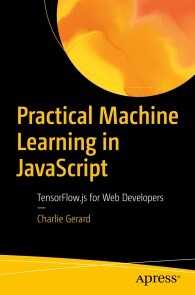
Practical Machine Learning in JavaScript
Build machine learning web applications without having to learn a new language. This book will help you develop basic knowledge of machine learning concepts and applications.You’ll learn not only theory, but also dive into code samples and example projects with TensorFlow.js. Using these skills and your knowledge as a web developer, you’ll add a whole new field of development to your tool set. This will give you a more concrete understanding of the possibilities offered by machine learning. Discover how ML will impact the future of not just programming in general, but web development specifically.Machine learning is currently one of the most exciting technology fields with the potential to impact industries from health to home automation to retail, and even art. Google has now introduced TensorFlow.js—an iteration of TensorFlow aimed directly at web developers. Practical Machine Learning in JavaScript will help you stay relevant in the tech industry with new tools, trends, and best practices.WHAT YOU'LL LEARN* Use the JavaScript framework for ML* Build machine learning applications for the web* Develop dynamic and intelligent web contentWHO THIS BOOK IS FORWeb developers and who want a hands-on introduction to machine learning in JavaScript. A working knowledge of the JavaScript language is recommended.CHARLIE GERARD is a Senior front-end developer at Netlify, a Google Developer Expert in Web Technologies, and a Mozilla Tech Speaker. She is passionate about exploring the possibilities of the web and spends her personal time building interactive prototypes using hardware, creative coding, and machine learning. She has been diving into ML in JavaScript for over a year and built a variety of projects. She’s excited to share what she’s learned and help more developers get started.Chapter 1: Introduction to Machine Learning• Definition• Explanation of concepts• Algorithms• Examples of impactChapter 2: Basics of Tensorflow.js• What is Tensorflow.js?• FeaturesChapter 3: Building an Image Classifier• Using a pre-trained model• Creating a custom model• Saving and loading a modelChapter 4: Building a Sentiment Analysis System• Train a model with text data• Create text-based ML applicationsChapter 5: Experimenting with Inputs• Using ML with electronics data• Using audio dataChapter 6: Deploying ModelsChapter7: Ethics in AI
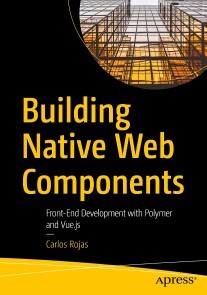
Building Native Web Components
Start developing single-page applications (SPAs) with modern architecture. This book shows you how to create, design, and publish native web components, ultimately allowing you to piece together those elements in a modern JavaScript framework.Building Native Web Components dives right in and gets you started building your first web component. You’ll be introduced to native web component design systems and frameworks and discuss component-driven development to understand its importance in large-scale companies. You’ll then move on to building web components using templates and APIs, and custom event lifecycles. Techniques and best practices for moving data, customizing, and distributing components are also covered. Throughout, you’ll develop a foundation to start using Polymer, Vue.js, and Firebase in your day-to-day work.Confidently apply modern patterns and develop workflows to build agnostic software pieces that can be reused in SPAs. Building Native Web Components is your guide to developing small and autonomous web components that are focused, independent, reusable, testable, and works with all JavaScript frameworks, modern browsers, and libraries.WHAT YOU WILL LEARN* Incorporate component-driven development (CDD) and design systems into your workflow* Build apps with reusable UI components that are agnostic to JavaScript frameworks* Utilize Polymer and Vue.js in your day-to-day work* Publish your UI components in npm (Node Package Manager)WHO THIS BOOK IS FORThe book is intended for Intermediate–Advanced level readers interested in single-page applications (SPAs), as well as Polymer, Vue.js, and Firebase.CARLOS ROJAS is an engineer with over 10 years of experience building digital products. He is focused on front-end technologies (HTML, CSS, JS, Angular, React, Polymer, and Vue.js) and edge web technologies such as web components, WebXR and Progressive Web Apps. He also has experience working with Fortune 500 companies and fast-changing business environments such as startups.He enjoys sharing knowledge with talks in meetups, videos on YouTube, other books published by Apress, and his personal blog https://medium.com/@carlosrojas_o, helping startups and companies to run workflows to make excellent digital products. As such, his books aim to convey the love he has for the construction of scalable, high-quality products.CHAPTER 1: WEB COMPONENTSChapter Goal: Understand the history of the web components as well as the concept and its core technologies.Sub-Topics* What is a web component?* History of the component* Browser support for web components* Core technologies* Custom elements* SummaryCHAPTER 2: MAKING YOUR FIRST WEB COMPONENTChapter Goal: We are going to build a simple component learning some critical concepts along the way.Sub-Topics* Getting started* CDD* Micro frameworks* Design systems* Development* SummaryCHAPTER 3: HTML TEMPLATEChapter Goal: We will Cover the template features provided by web component API and build a simple dropdown component using these APIs. The template API provides many low-level features needed to create UI componentsSub-Topics* Introducing HTML templates* Creating and using templates* Content slot API* Named slots* Creating a web component* SummaryCHAPTER 4: COMMUNICATIONChapter Goal: With web Components, we typically pass data into components by setting properties or attributes. Learn techniques and best practices when moving data to components.Sub-Topics:* Introducing communication between components * Component properties* Component events* Communicating a web component * Component custom attributes* SummaryCHAPTER 5: COMPONENT LIFECYCLEChapter Goal: We will cover the custom element lifecycleSub-Topics:* Introducing web components lifecycle* JavaScript class constructor and connect callback* Disconnected callback* Attribute changed callback* Adopted callback* SummaryCHAPTER 6: CUSTOMIZING COMPONENT WITH SHADOW DOMChapter Goal: In this chapter, we are going to cover how to style Web Components.Sub-Topics:* Introducing shadow DOM* Global styles* CSS encapsulation* CSS custom properties* Dynamic CSS custom properties* Theming Web Components* Summary CHAPTER 7: COMPONENT HIERARCHY AND ARCHITECTUREChapter Goal: We will learn how components can communicate with each other and where the web platform falls a bit short in aiding application architecture.Sub-Topics:* Component Data Flow* Note List* Note Detail* SummaryCHAPTER 8: DISTRIBUTING WEB COMPONENTChapter Goal: We are going to distribute web components with cross-browser support.Sub-Topics:* Publishing with npm* Polyfills* Browser Support* Installing Webpack and Babel* Webpack* SummaryCHAPTER 9: POLYMERChapter Goal: We are going to use this amazing library to introduce flexibility in our web componentsSub-Topics:* Getting started* Foundations* Building with Polymer* SummaryCHAPTER 10: BUILDING AN APP WITH WEB COMPONENTS AND VUE.JSChapter Goal: We will learn some concepts of Vue.js to use all our new skills to build from scratch a complete AppSub-Topics:* Vue.js concepts* Implementation* NoteBook data service* NoteBook routing* Notebook HTTP communication* SummaryChapter 11: PublishingChapter Goal: We are going to publish our App in the webSub-Topics:* Adding Firebase authentication * Preparing for production* Sending to Firebase hosting* Adding a domain name* Summary
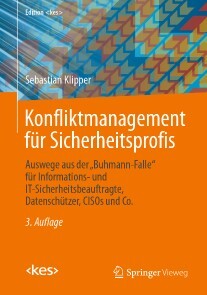
Konfliktmanagement für Sicherheitsprofis
Ob Datenschützer oder IT-Sicherheitsbeauftragte – Sicherheitsprofis müssen häufig schlechte Nachrichten überbringen oder unpopuläre Maßnahmen durchsetzen. Um nicht in der „Buhmann-Falle“ zu landen, sind starke kommunikative Fähigkeiten gefragt. Der Autor stellt typische Kommunikationssituationen dar und zeigt auf, mit welchen Mitteln Entscheidungsträger und Mitarbeiter für Security-Themen gewonnen werden können. Ein eigener Abschnitt ist der Frage gewidmet, wie man bestehende Konflikte und Krisen übersteht und gestärkt aus ihnen hervorgeht. SEBASTIAN KLIPPER ist Geschäftsführer und Gründer des Security-Dienstleisters CycleSEC und ist seit 2002 auf Informations- und IT-Sicherheit spezialisiert. Neben seiner Tätigkeit als Managing Security Consultant ist er Fachbuchautor und Autor von Studienmaterialien für die Wilhelm Büchner Hochschule in Darmstadt. Seit 2015 ist er Mitglied im Normungsgremium für die ISO/IEC 27000 Normenreihe beim Deutschen Institut für Normung (DIN). Er hält mehrere Zertifizierungenim Bereich der Informations- und IT-Sicherheit, darunter T.I.S.P. Teletrust Information SecurityProfessional, PECB Certified ISO/IEC 27001 Master und Certified IT-Security Manager. Willkommen auf der Security-Bühne – Arten von Security-Konflikten – Konfliktprävention – Sicherheits-„Hebel“ – Konflikte in Projekten – Krisenbewältigung – Leitsätze zum Konfliktmanagement
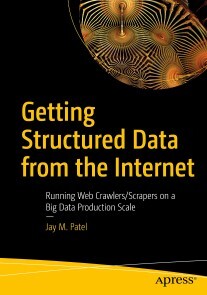
Getting Structured Data from the Internet
Utilize web scraping at scale to quickly get unlimited amounts of free data available on the web into a structured format. This book teaches you to use Python scripts to crawl through websites at scale and scrape data from HTML and JavaScript-enabled pages and convert it into structured data formats such as CSV, Excel, JSON, or load it into a SQL database of your choice.This book goes beyond the basics of web scraping and covers advanced topics such as natural language processing (NLP) and text analytics to extract names of people, places, email addresses, contact details, etc., from a page at production scale using distributed big data techniques on an Amazon Web Services (AWS)-based cloud infrastructure. It book covers developing a robust data processing and ingestion pipeline on the Common Crawl corpus, containing petabytes of data publicly available and a web crawl data set available on AWS's registry of open data.GETTING STRUCTURED DATA FROM THE INTERNET also includes a step-by-step tutorial on deploying your own crawlers using a production web scraping framework (such as Scrapy) and dealing with real-world issues (such as breaking Captcha, proxy IP rotation, and more). Code used in the book is provided to help you understand the concepts in practice and write your own web crawler to power your business ideas.WHAT YOU WILL LEARN* Understand web scraping, its applications/uses, and how to avoid web scraping by hitting publicly available rest API endpoints to directly get data* Develop a web scraper and crawler from scratch using lxml and BeautifulSoup library, and learn about scraping from JavaScript-enabled pages using Selenium* Use AWS-based cloud computing with EC2, S3, Athena, SQS, and SNS to analyze, extract, and store useful insights from crawled pages* Use SQL language on PostgreSQL running on Amazon Relational Database Service (RDS) and SQLite using SQLalchemy* Review sci-kit learn, Gensim, and spaCy to perform NLP tasks on scraped web pages such as name entity recognition, topic clustering (Kmeans, Agglomerative Clustering), topic modeling (LDA, NMF, LSI), topic classification (naive Bayes, Gradient Boosting Classifier) and text similarity (cosine distance-based nearest neighbors)* Handle web archival file formats and explore Common Crawl open data on AWS* Illustrate practical applications for web crawl data by building a similar website tool and a technology profiler similar to builtwith.com* Write scripts to create a backlinks database on a web scale similar to Ahrefs.com, Moz.com, Majestic.com, etc., for search engine optimization (SEO), competitor research, and determining website domain authority and ranking* Use web crawl data to build a news sentiment analysis system or alternative financial analysis covering stock market trading signals* Write a production-ready crawler in Python using Scrapy framework and deal with practical workarounds for Captchas, IP rotation, and moreWHO THIS BOOK IS FORPrimary audience: data analysts and scientists with little to no exposure to real-world data processing challenges, secondary: experienced software developers doing web-heavy data processing who need a primer, tertiary: business owners and startup founders who need to know more about implementation to better direct their technical teamJAY M. PATEL is a software developer with over 10 years of experience in data mining, web crawling/scraping, machine learning, and natural language processing (NLP) projects. He is a co-founder and principal data scientist of Specrom Analytics, providing content, email, social marketing, and social listening products and services using web crawling/scraping and advanced text mining.Jay worked at the US Environmental Protection Agency (EPA) for five years where he designed workflows to crawl and extract useful insights from hundreds of thousands of documents that were parts of regulatory filings from companies. He also led one of the first research teams within the agency to use Apache Spark-based workflows for chem and bioinformatics applications such as chemical similarities and quantitative structure activity relationships. He developed recurrent neural networks and more advanced LSTM models in Tensorflow for chemical SMILES generation.Jay graduated with a bachelor's degree in engineering from the Institute of Chemical Technology, University of Mumbai, India and a master of science degree from the University of Georgia, USA. Jay serves as an editor of a publication titled Web Data Extraction and also blogs about personal projects, open source packages, and experiences as a startup founder on his personal site, jaympatel.com.

Practical Git
Practice your Git skills using exercises in your own environment. This book introduces concepts in an abstract visual way, and then enforces this learning through exercises - the Git katas.You will start with basic interactions such as commits and branches, and move on to both internals and collaborative workflows. Best practices are introduced and rehearsed throughout with hands-on exercises. Each topic is supplemented with interactive Git exercises that can be solved using any Git client – either the ubiquituous CLI or one of the many graphical clients so you'll learn in the environment you work in.The importance of Git is hard to overstate – it is used by 90% of software engineers worldwide and is the de facto standard for version control. Honing your Git skills is guaranteed to make you a better and more efficient developer. Building software can be stressful, but it doesn’t need to be. Practical Git will give you the Git skills you need, and help keep your Git skills sharp. Add it to your library today.WHAT YOU'LL LEARN* Use Git through scripted exercises and the Git katas * Understand Git’s graph model* Troubleshoot common and rare scenarios you may face* Select and apply the right Git tool for the task* Maintain and collaborate on Git repositories* Tweak Git to gain the most from this powerful toolWHO THIS BOOK IS FORAnyone who is currently using Git in a copy-paste fashion. It will take you from using Git to knowing Git.JOHAN ABILDSKOV works as a DevOps Transformation Lead at Eficode in Denmark. He spends his time consulting on DevOps tooling and culture. Git has a special place in his heart. He teaches Git, talks about Git, and maintains the Git katas (https://github.com/eficode-academy/git-katas). He is a huge geek and a teacher at heart. He has spoken at multiple DevOpsDays, and at Git Merge several times. He was on the All Things Git podcast with Ed Thomson, talking about teaching Git. He is active in meetup groups and in the DevOpsDays community, as well as speaking at both external and internal events at companies. You can find him on Twitter @RandomSort.1. Git intuition2. Building Commits3. Linear History4. Complex Branching5. Collaboration6. Manipulating History7. Customizing Git8. Additional Git Features9. Git Internals
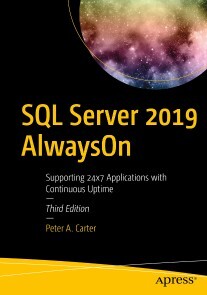
SQL Server 2019 AlwaysOn
Get a fast start to using AlwaysOn, the SQL Server solution to high-availability and disaster recovery. This third edition is newly-updated to cover the 2019 editions of both SQL Server and Windows Server and includes strong coverage of implementing AlwaysOn Availability Groups on both Windows and Linux operating systems. The book provides a solid and accurate understanding of how to implement systems requiring consistent and continuous uptime, as well as how to troubleshoot those systems in order to keep them running and reliable. This edition is updated to account for all new major functionality and also includes coverage of implementing atypical configurations, such as clusterless and domain-independent Availability Groups, distributed Availability Groups, and implementing Availability Groups on Azure.The book begins with an introduction to high-availability and disaster recovery concepts such as Recovery Point Objectives (RPOs), Recovery Time Objectives (RTOs), availability levels, and the cost of downtime. You’ll then move into detailed coverage of implementing and configuring the AlwaysOn feature set in order to meet the business objectives set by your organization. Content includes coverage on implementing clusters, building AlwaysOn failover clustered instances, and configuring AlwaysOn Availability Groups.SQL SERVER 2019 ALWAYSONis chock full of real-world advice on how to build and configure the most appropriate topology to meet the high-availability and disaster recovery requirements you are faced with, as well as how to use AlwaysOn Availability Groups to scale-out read-only workloads. This is a practical and hands-on book to get you started quickly in using one of the most talked-about SQL Server feature sets.WHAT YOU WILL LEARN* Understand high availability and disaster recovery in SQL Server 2019* Build and configure a Windows Cluster in Windows Server 2019* Create and configure an AlwaysOn failover clustered instance* Implement AlwaysOn Availability Groups and appropriately configure them* Implement AlwaysOn Availability Groups on Linux servers* Configure Availability Groups on Azure IaaS* Administer AlwaysOn technologies post implementation* Understand typical configurations, such as clusterless and distributed Availability GroupsWHO THIS BOOK IS FORFor Microsoft SQL Server database administrators who interested in growing their knowledge and skills in SQL Server’s high-availability and disaster recovery feature set.PETER A. CARTER is a SQL Server expert with over a decade of experience in developing, administering, and architecting SQL Server platforms and data-tier applications. Peter was awarded an MCC by Microsoft in 2011, and it sits alongside his array of MCTS, MCITP, MCSA and MCSE certifications in SQL Server from version 2005 onward. His passion for SQL Server shows through in everything he does, and his goal is that his passion for the technology will inspire others.1. High Availability and Disaster Recovery Concepts2. Understanding High Availability and Disaster Recovery Technologies3. Implementing A Cluster4. Implementing an AlwaysOn Failover Clustered Instance5. Implementing AlwaysOn Availability Groups on Windows6. Implementing AlwaysOn Availability Groups on Linux7. Atypical Availability Group Implementations8. Administering AlwaysOn9. Monitoring AlwaysOn Availability Groups10. Troubleshooting AlwaysOn
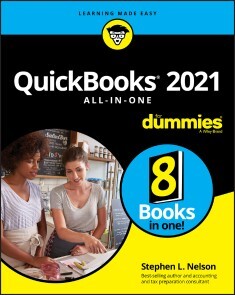
QuickBooks 2021 All-in-One For Dummies
DO THE NUMBERS IN DOUBLE-QUICK TIME WITH THIS TRUSTED QUICKBOOKS BESTSELLER!Running your own business can be cool, but some of the financial side—accounting and payroll, for instance—is not always so cool! That's why millions of small business owners around the world bank on QuickBooks to easily manage accounting and financial tasks and save big-time on shelling out for an expensive professional. QuickBooks 2021 All-in-One For Dummies contains eight information-rich mini-books that account for all your financial line-item asks, showing you step-by-step how to plan your perfect budget, simplify tax returns, manage inventory, create invoices, track costs, generate reports, and accurately check off every other accounting and financial-management task that comes across your desk!* Get the most out of QuickBooks 2021* Sharpen up on the basics with an accounting primer* Craft a world-class business plan* Process taxes and payroll in double-quick timeWritten by expert CPA and small business advisor Stephen L. Nelson, QuickBooks All-in-One 2021 For Dummies is the best-selling blue-chip go-to that will save you time and money—and will allow you to enjoy the fruits of your labors!STEPHEN L. NELSON, MBA, CPA, holds an MS in Taxation and provides accounting, business advisory, and tax planning and preparation services to small businesses as a CPA. He has written more than 100 books on computers and financial management.INTRODUCTION 1About This Book 1Foolish Assumptions 2Icons Used in This Book 3Beyond the Book 4Where to Go from Here 4BOOK 1: AN ACCOUNTING PRIMER 7CHAPTER 1: PRINCIPLES OF ACCOUNTING 9The Purpose of Accounting 10The big picture 10Managers, investors, and entrepreneurs 10External creditors 11Government agencies 11Business form generation 12Reviewing the Common Financial Statements 12The income statement 13Balance sheet 16Statement of cash flows 19Other accounting statements 22Putting it all together 23The Philosophy of Accounting 25Revenue principle 25Expense principle 26Matching principle 26Cost principle 26Objectivity principle 27Continuity assumption 27Unit-of-measure assumption 27Separate-entity assumption 28A Few Words about Tax Accounting 28CHAPTER 2: DOUBLE-ENTRY BOOKKEEPING 29The Fiddle-Faddle Method of Accounting 30How Double-Entry Bookkeeping Works 33The accounting model 33Talking mechanics 35Almost a Real-Life Example 38Recording rent expense 39Recording wages expense 39Recording supplies expense 40Recording sales revenue 40Recording cost of goods sold 41Recording the payoff of accounts payable 41Recording the payoff of a loan 42Calculating account balance 42Using T-account analysis results 44A Few Words about How QuickBooks Works 46CHAPTER 3: SPECIAL ACCOUNTING PROBLEMS 49Working with Accounts Receivable 50Recording a sale 50Recording a payment 50Estimating bad-debt expense 51Removing uncollectible accounts receivable 52Recording Accounts Payable Transactions 53Recording a bill 54Paying a bill 54Taking some other accounts payable pointers 55Inventory Accounting 56Dealing with obsolete inventory 56Disposing of obsolete inventory 57Dealing with inventory shrinkage 58Accounting for Fixed Assets 60Purchasing a fixed asset 60Dealing with depreciation 60Disposing of a fixed asset 61Recognizing Liabilities 63Borrowing money 64Making a loan payment 64Accruing liabilities 65Closing Out Revenue and Expense Accounts 68The traditional close 68The QuickBooks close 70One More Thing 71BOOK 2: GETTING READY TO USE QUICKBOOKS 73CHAPTER 1: SETTING UP QUICKBOOKS 75Planning Your New QuickBooks System 75What accounting does 75What accounting systems do 76What QuickBooks does 76And now for the bad news 77Installing QuickBooks 78Dealing with the Presetup Jitters 79Preparing for setup 79Seeing what happens during setup 80Running the QuickBooks Setup Wizard 81Getting the big welcome 81Supplying company information 82Customizing QuickBooks 83Setting your start date 84Reviewing the suggested chart of accounts 86Adding your information to the company file 87Identifying the Starting Trial Balance 89A simple example to start 89A real-life example to finish 91CHAPTER 2: LOADING THE MASTER FILE LISTS 93Setting Up the Chart of Accounts List 94Setting Up the Item List 98Working with the Price Level List 99Using Sales Tax Codes 99Setting Up a Payroll Item List 100Setting Up Classes 101Setting Up a Customer List 103Setting Up the Vendor List 107Setting Up a Fixed Assets List 110Setting Up a Price Level List 112Setting Up a Billing Rate Level List 112Setting Up Your Employees 113Setting Up an Other Names List 113Setting Up the Profile Lists 113CHAPTER 3: FINE-TUNING QUICKBOOKS 115Accessing the Preferences Settings 116Setting the Accounting Preferences 117Using account numbers 118Setting general accounting options 119Setting the Bills Preferences 121Setting the Calendar Preferences 121Setting the Checking Preferences 121Changing the Desktop View 123Setting Finance Charge Calculation Rules 125Setting General Preferences 126Controlling Integrated Applications 128Controlling Inventory 129Controlling How Jobs and Estimates Work 130Dealing with Multiple Currencies 131Starting Integrated Payment Processing 132Controlling How Payroll Works 132Telling QuickBooks How Reminders Should Work 134Specifying Reports & Graphs Preferences 135Setting Sales & Customers Preferences 138Specifying How Sales Are Taxed 140Setting the Search Preferences 141Setting the Send Forms Preferences 141Fine-Tuning the Service Connection 142Controlling Spell Checking 143Controlling How 1099 Tax Reporting Works 144Setting Time & Expenses Preferences 145BOOK 3: BOOKKEEPING CHORES 147CHAPTER 1: INVOICING CUSTOMERS 149Choosing an Invoice Form 149Customizing an Invoice Form 150Choosing a template to customize 150Reviewing the Additional Customization options 150Moving on to Basic Customization 155Working with the Layout Designer tool 157Working with the web-based Forms Customization tool 160Invoicing a Customer 160Billing for Time 166Using a weekly time sheet 166Timing single activities 167Including billable time on an invoice 168Printing Invoices 170Emailing Invoices 171Recording Sales Receipts 172Recording Credit Memos 174Receiving Customer Payments 176Assessing Finance Charges 179Setting up finance-charge rules 179Calculating finance charges 180Using Odds and Ends on the Customers Menu 181CHAPTER 2: PAYING VENDORS 183Creating a Purchase Order 183Creating a real purchase order 184Using some purchase order tips and tricks 187Recording the Receipt of Items 187Simultaneously Recording the Receipt and the Bill 191Entering a Bill 192If you haven’t previously recorded an item receipt 192If you have previously recorded an item receipt 194Paying Bills 196Reviewing the Other Vendor Menu Commands 199Vendor Center 199Sales Tax menu commands 200Inventory Activities menu commands 201Print/E-file 1099s 201Item List 202CHAPTER 3: TRACKING INVENTORY AND ITEMS 203Looking at Your Item List 204Using the Item Code column 204Using the Item List window 205Using inventory reports 206Adding Items to the Item List 206Adding an item: Basic steps 207Adding a service item 208Adding an inventory part 209Adding a noninventory part 211Adding an other-charge item 212Adding a subtotal item 213Adding a group item 214Adding a discount item 215Adding a payment item 216Adding a sales tax item 217Setting up a sales tax group 217Adding custom fields to items 218Editing Items 220Adjusting physical counts and inventory values 220Adjusting prices and price levels 223Using the Change Item Prices command 223Using price levels 224Enabling advanced pricing 226Managing Inventory in a Manufacturing Firm 227Handling manufactured inventory the simple way 227Performing inventory accounting in QuickBooks 228Managing multiple inventory locations 231CHAPTER 4: MANAGING CASH AND BANK ACCOUNTS 233Writing Checks 234Recording and printing a check 234Customizing the check form 239Making Bank Deposits 241Transferring Money between Bank Accounts 244Working with the Register 245Recording register transactions 246Using Register window commands and buttons 249Using Edit Menu Commands 252Reconciling the Bank Account 256Reviewing the Other Banking Commands 260Order Checks & Envelopes command 260Enter Credit Card Charges command 260Bank Feeds command 261Loan Manager command 262Other Names list 262CHAPTER 5: PAYING EMPLOYEES 263Setting Up Basic Payroll 264Signing up for a payroll service 265Setting up employees 265Setting up year-to-date amounts 269Checking your payroll setup data 270Scheduling Payroll Runs 270Paying Employees 270Editing and Voiding Paychecks 272Paying Payroll Liabilities 273BOOK 4: ACCOUNTING CHORES 275CHAPTER 1: FOR ACCOUNTANTS ONLY 277Working with QuickBooks Journal Entries 277Recording a journal entry 278Reversing a journal entry 279Editing journal entries 280Updating Company Information 280Working with Memorized Transactions 280Reviewing the Accountant & Taxes Reports 281Creating an Accountant’s Copy of the QuickBooks Data File 283Using an accountant’s copy 288Reusing an accountant’s copy 288Exporting client changes 288Importing accountant’s changes 289Canceling accountant’s changes 290Troubleshooting accountant’s copy transfers 291Using the Client Data Review Commands 291CHAPTER 2: PREPARING FINANCIAL STATEMENTS AND REPORTS 293Some Wise Words Up Front 293Producing a Report 294Working with the Report Window 295Working with Report window buttons 295Using the Report window boxes 302Modifying a Report 304Using the Display tab 304Using the Filters tab 306Using the Header/Footer tab 308Formatting fonts and numbers 309Processing Multiple Reports 311A Few Words about Document Retention 312CHAPTER 3: PREPARING A BUDGET 315Reviewing Common Budgeting Tactics 315Top-line budgeting 316Zero-based budgeting 316Benchmarking 317Putting it all together 318Taking a Practical Approach to Budgeting 319Using the Set Up Budgets Window 319Creating a new budget 319Working with an existing budget 321Managing with a Budget 323Some Wrap-Up Comments on Budgeting 325CHAPTER 4: USING ACTIVITY-BASED COSTING 327Reviewing Traditional Overhead Allocation 328Understanding How ABC Works 330The ABC product-line income statement 330ABC in a small firm 334Implementing a Simple ABC System 335Seeing How QuickBooks Supports ABC 337Turning On Class Tracking 337Using Classes for ABC 338Setting up your classes 338Classifying revenue amounts 339Classifying expense amounts 339After-the-fact classifications 341Producing ABC reports 342CHAPTER 5: SETTING UP PROJECT AND JOB COSTING SYSTEMS 343Setting Up a QuickBooks Job 343Tracking Job or Project Costs 346Job Cost Reporting 350Using Job Estimates 350Progress Billing 352BOOK 5: FINANCIAL MANAGEMENT 355CHAPTER 1: RATIO ANALYSIS 357Some Caveats about Ratio Analysis 358Liquidity Ratios 359Current ratio 359Acid-test ratio 360Leverage Ratios 361Debt ratio 361Debt equity ratio 362Times interest earned ratio 363Fixed-charges coverage ratio 364Activity Ratios 365Inventory turnover ratio 366Days of inventory ratio 367Average collection period ratio 367Fixed-asset turnover ratio 368Total-assets turnover ratio 369Profitability Ratios 369Gross margin percentage 370Operating income/sales 370Profit margin percentage 371Return on assets 371Return on equity 372CHAPTER 2: ECONOMIC VALUE ADDED ANALYSIS 375Introducing the Logic of EVA 375Seeing EVA in Action 376An example of EVA 378Another example of EVA 378Reviewing Some Important Points about EVA 379Using EVA When Your Business Has Debt 381The first example of the modified EVA formula 381Another EVA with debt example 383Presenting Two Final Pointers 385And Now, a Word to My Critics 386CHAPTER 3: CAPITAL BUDGETING IN A NUTSHELL 389Introducing the Theory of Capital Budgeting 389The big thing is the return 390One little thing is maturity 390Another little thing is risk 391The bottom line 391Calculating the Rate of Return on Capital 392Calculating the investment amount 393Estimating the net cash flows 393Calculating the return 397Measuring Liquidity 402Thinking about Risk 402What Does All of This Have to Do with QuickBooks? 404BOOK 6: BUSINESS PLANS 405CHAPTER 1: PROFIT-VOLUME-COST ANALYSIS 407Seeing How Profit-Volume-Cost Analysis Works 408Calculating Break-Even Points 410Using Real QuickBooks Data for Profit-Volume-Cost Analysis 412Sales revenue 412Gross margin percentage 412Fixed costs 414Recognizing the Downside of the Profit-Volume-Cost Model 414Using the Profit-Volume-Cost Analysis Workbook 416Collecting your inputs 416Understanding the Break-Even Analysis Forecast 419Understanding the Profit-Volume Forecast 421Looking at the profit-volume-cost charts 422CHAPTER 2: CREATING A BUSINESS PLAN FORECAST 427Reviewing Financial Statements and Ratios 428Using the Business Plan Workbook 429Understanding the Workbook Calculations 436Forecasting inputs 437Balance Sheet 437Common Size Balance Sheet 445Income Statement 446Common Size Income Statement 450Cash Flow Statement 451Financial Ratios Table 457Customizing the Starter Workbook 463Changing the number of periods 463Performing ratio analysis on existing financial statements 463Calculating taxes for a current net loss before taxes 464Combining this workbook with other workbooks 464CHAPTER 3: WRITING A BUSINESS PLAN 465What the Term “Business Plan” Means 465A Few Words about Strategic Plans 466Cost strategies 466Differentiated products and services strategies 467Focus strategies 467Look, Ma: No Strategy 468Two comments about tactics 469Six final strategy pointers 469A White-Paper Business Plan 470A New-Venture Plan 473Is the new venture’s product or service feasible? 473Does the market want the product or service? 474Can the product or service be profitably sold? 475Is the return on the venture adequate for prospective investors? 475Can existing management run the business? 476Some final thoughts 477BOOK 7: CARE AND MAINTENANCE 479CHAPTER 1: ADMINISTERING QUICKBOOKS 481Keeping Your Data Confidential 481Using Windows security 482Using QuickBooks security 482Using QuickBooks in a Multiuser Environment 483Setting up additional QuickBooks users 484Changing user rights in Enterprise Solutions 490Changing user rights in QuickBooks Pro and Premier 491Using Audit Trails 493Enabling Simultaneous Multiuser Access 494Maintaining Good Accounting Controls 495CHAPTER 2: PROTECTING YOUR DATA 499Backing Up the QuickBooks Data File 499Backing-up basics 500What about online backup? 503Some backup tactics 504Restoring a QuickBooks Data File 505Condensing the QuickBooks Company Files 509Cleanup basics 510Some cleanup and archiving strategies 515CHAPTER 3: TROUBLESHOOTING 517Using the QuickBooks Help File and This Book 517Browsing Intuit’s Product-Support Website 519Checking Another Vendor’s Product-Support Website 521Tapping into Intuit’s Online and Expert Communities 521When All Else Fails 522BOOK 8: APPENDIXES 523APPENDIX A: A CRASH COURSE IN EXCEL 525Starting Excel 525Stopping Excel 526Explaining Excel’s Workbooks 526Putting Text, Numbers, and Formulas in Cells 527Writing Formulas 528Scrolling through Big Workbooks 529Copying and Cutting Cell Contents 530Copying cell contents 530Moving cell contents 531Moving and copying formulas 531Formatting Cell Contents 532Recognizing That Functions Are Simply Formulas 534Saving and Opening Workbooks 537Saving a workbook 537Opening a workbook 538Printing Excel Workbooks 539One Other Thing to Know 540APPENDIX B: GOVERNMENT WEB RESOURCES FOR BUSINESSES 541Bureau of Economic Analysis 541Finding information at the BEA website 542Downloading a BEA publication 542Uncompressing a BEA publication 543Using a BEA publication 544Bureau of Labor Statistics 544Finding information at the BLS website 545Using BLS information 545Census Bureau 548Finding information at the Census Bureau website 549Using the Census Bureau’s publications 550Using the Census Bureau search engine 550Using the Census Bureau Subjects index 551Securities and Exchange Commission 551Finding information through EDGAR 552Searching the EDGAR database 552Federal Reserve 553Finding information at the Federal Reserve website 554Using the Federal Reserve website’s information 555Government Publishing Office 555Information available at the GPO website 556Searching the GPO database 556Internal Revenue Service 557APPENDIX C: GLOSSARY OF ACCOUNTING AND FINANCIAL TERMS 559Index 589
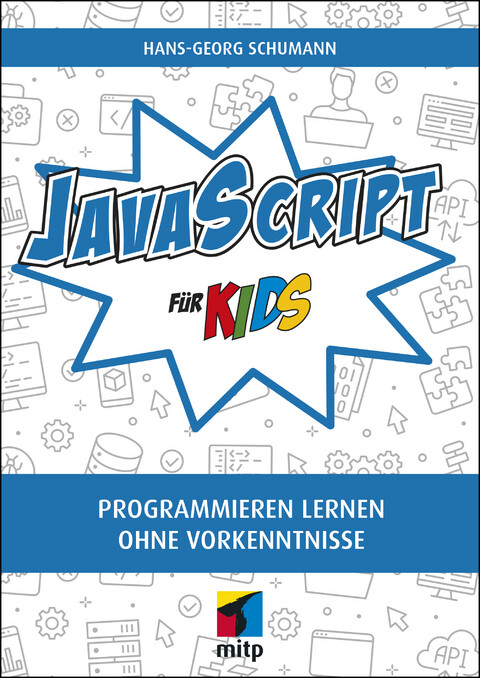
JavaScript für Kids
Ganz nebenbei lernst du die Bestandteile von JavaScript kennen, so dass Bedingungen, Konstanten, Schleifen und Funktionen deinen Programmierer-Wortschatz im Nu erweitern. Dort, wo es nötig ist, wird auch HTML zur Unterstützung gerufen. Hans-Georg Schumann verrät dir viele Kniffe, um zum guten Programmierer zu werden: Hättest du zum Beispiel gedacht, dass Vererbung im Programm-Code eine Rolle spielt?

Die Kunst des Game Designs (3. Auflage)
Jeder kann die Grundlagen des Game Designs meistern - dazu bedarf es keines technischen Fachwissens. Dabei zeigt sich, dass die gleichen psychologischen Grundprinzipien, die für Brett-, Karten- und Sportspiele funktionieren, ebenso der Schlüssel für die Entwicklung qualitativ hochwertiger Videospiele sind.Mit dem Buch lernen Sie, wie Sie im Prozess der Spielekonzeption und -entwicklung vorgehen, um bessere Games zu kreieren. Jesse Schell zeigt, wie Sie Ihr Game durch eine strukturierte methodische Vorgehensweise Schritt für Schritt deutlich verbessern.Mehr als 100 gezielte Fragestellungen eröffnen Ihnen dabei neue Perspektiven auf Ihr Game, so dass Sie die Features finden, die es erfolgreich machen. Hierzu gehören z.B. Fragen wie: Welche Herausforderungen stellt mein Spiel an die Spieler? Fördert es den Wettbewerb unter den Spielern? Werden sie dazu motiviert, gewinnen zu wollen? So werden über hundert entscheidende Charakteristika für ein gut konzipiertes Spiel untersucht.

Inkscape (2. Auflage)
Die beliebte und kostenlose Alternative für die Arbeit mit Vektorgrafiken zur neuen Version Schritt für Schritt erklärt: Von der Installation und den richtigen Einstellungen bis hin zu fachmännischen Publikationen mit vielen praxisnahen Beispielen und kleinen Projekten zum Nachmachen. Inkscape ist der meistgenutzte Open-Source-Editor für Vektorgrafiken. Von der Inkscape-Gemeinschaft als freie Software entwickelt, lassen sich damit ebenso professionelle Grafiken erstellen wie mit kommerziellen Programmen. Sie können Ihrer Kreativität freien Lauf lassen und beispielsweise Visitenkarten, Logos oder Poster entwerfen. Dieses Handbuch führt Sie systematisch in die Software ein und erklärt alle wichtigen Funktionen. Sie lernen an praktischen Beispielen die umfangreichen Möglichkeiten und zahlreichen Werkzeuge von Inkscape kennen. Dabei hilft Ihnen der Autor mit zunächst einfachen Formen, das Prinzip hinter dem Programm zu verstehen, und führt Sie dann an die Arbeit mit Pfaden, Grafik- und Textobjekten heran. Wenn Sie die Grundlagen beherrschen, demonstriert Ihnen Winfried Seimert, wie Sie die gezeichneten Objekte durch Attribute anpassen und z.B. mit Farben, Füllmustern oder Transparenzen gestalten. Sie erfahren, wie Sie Objekte transformieren, klonen oder gruppieren können und lernen, auch kompliziertere Aufgaben zu meistern. So erhalten Sie – auch mithilfe der abschließenden Workshops – grundlegendes Wissen, das Sie zu weiteren Schritten und eigenständigem Arbeiten mit Inkscape bemächtigt.