

Computer und IT
Essential Excel 2019
Create, edit, sort, analyze, summarize, and format data as well as graph it in Excel 2019. Chock full of visuals, user-friendly instructions, and reader exercises, this in-depth guide makes it easy for you to get on the bandwagon taking advantage of this powerful software and what it can do. ESSENTIAL EXCEL 2019 doesn’t mess around. It provides the most clear and concise, but complete, information you need to successfully use the expansive features of Excel in your work environment.The second edition of this soup-to-nuts book delivers essential how-to and reference information for users who are new to Excel, those who want to continue building their Excel skills, or anyone who wants to get up to speed on the latest changes and features in Excel 2019. It is heavy on the practical examples and light on the theory, providing a step-by-step process of what you need to do when you are working with Excel. You will begin with the basics, advancing as each chapter builds on knowledge from previous chapters. You will appreciate real-life examples and exercises that reinforce what you have learned, and upon finishing the book, you will have the confidence to use much more than the typical 10% that most people use in Excel.WHAT YOU WILL LEARN* Create amazing visualizations of your data* Get up to speed on easy and accurate methods for entering data* Extract the information you want from imported data; manipulate and format it to meet your needs* Export your results to other programs or share with others in the cloud* Organize, summarize, filter, and consolidate your data in multiple ways* Audit, validate, and protect your dataWHO THIS BOOK IS FORAnyone new to Excel or looking to take better advantage of the advanced features of the platformDAVID SLAGER has been a computer programmer for four decades, with a focus on Excel. He also was head of the computer department of a college for many years. He is currently a software manager. David has worked with spreadsheets since their introduction. As a consultant, he developed major e-learning training projects for agriculture and steel businesses and designed a simulation program that trained feed market managers to use analytics to improve their market position. He enjoys working with analytics and solving problems and has taught learners of all ages and levels. David holds an MS in Education, specializing in Instructional Media Development, a BA in Organizational Management, and an associate’s degree in Accounting, as well as many certifications.ANNETTE SLAGER has been involved in data management and employee training in the non-profit and higher education sectors. She has been responsible for coordinating donor stewardship events and processes, and in overseeing information entered into the donor/alumni data system. She has transitioned systems from manual accounting and processing to shared databases, and created learning manuals and training for employees. Annette has a bachelor’s degree in English Literature and a post-baccalaureate certificate in Technical Writing.Chapter 1 – Becoming Acquainted with ExcelChapter 2 – Navigating and Working with WorksheetsChapter 3 – Best Ways to Enter Data and Edit DataChapter 4: Formatting and Aligning DataChapter 5: Different Ways of Viewing and Printing Your WorkbookChapter 6: Understanding BackstageChapter 7: Creating and Using FormulasChapter 8: Excel’s Pre-existing FunctionsChapter 9: Auditing, Validating, and Protecting Your DataChapter 10: Using Hyperlinks, Combining Text, and Working with theStatus BarChapter 11: Transferring and Duplicating Data to Other LocationsChapter 12: Working with TablesChapter 13: Working with ChartsChapter 14: Importing DataChapter 15: Using PivotTables and PivotChartsChapter 16: Geography and Stock Data TypesChapter 17: Enhancing Workbooks with MultimediaChapter 18: Icons, 3D Images and Object GroupingChapter 19: Automating Tasks with Macros

Software-Prüfung
Die Prüfung der Software – nicht nur des Codes, sondern auch aller Dokumente – ist nach der systematischen Entwicklung die wichtigste Voraussetzung, um gute Software-Produkte zu schaffen. Daran hat sich seit der ersten Auflage dieses Buches im Jahre 1991 nichts geändert, seit der gründlichen Überarbeitung für die fünfte Auflage im Jahre 2003 erst recht nicht.Unser Thema hat durch die Lancierung des Zertifizierungsschemas für Software-Tester in den letzten Jahren eine grössere Öffentlichkeit erhalten. In Deutschland vom German Testing Board e.V. (GTB) und in der Schweiz vom SAQ Swiss Testing Board (STB) erteilte Zertifikate basieren auf dem innerhalb des International Software Testing Qualifications Board (ISTQB) abgestimmten Schema. Mit der Überarbeitung für diese Auflage haben wir die wenigen Lücken gegenüber dem Lehrplan des Basiszertifikats (Foundation Level), die wir finden konnten, geschlossen. Was über den Lehrplan hinaus geht, haben wir, soweit wir es weiterhin für gut und gültig halten, nicht gestrichen.Die grundlegenden Aussagen zur Software-Prüfung haben Bestand. Das Buch wendet sich an die Praktiker. Wenn sie die Inhalte erlernen, können sie sich zertifizieren lassen. Wenn sie die Inhalte beherzigen, können sie ihren Unternehmen mehr Nutzen bringen und haben auch selbst mehr von der Arbeit: Kompetent verrichtete Arbeit führt zum Erfolg, und der macht Spass.
Pro iOS Testing
Discover what tools there are for unit testing in iOS, and how to work in a test-driven environment. This book reveals how testing is a crucial capability in any iOS developer’s toolset, and a minimum requirement in iOS interviews.A few years ago, tests on mobile platforms were not very popular. It wasn’t a technical constraint, more a cultural one. But these days it’s a crucial skill set, especially when projects become big and hard to maintain. This book shows you how to set up a testing target in XCode unit tests. You'll learn how to write unit tests properly and incorporate concepts like spies and mocks and code coverage. You'll also learn the philosophy behind the architecture of UI tests, and how to mock network and DB layers in testing. Write unbreakable UI tests performance tests, as well. And learn the difference between integration tests and snapshot testing.This book will show you how to maintain code that's not only bug-free but will also remain high quality over time and maintainable while you make changes and refactors during an app's life. Testing in all its aspects is the best way of maintaining iOS projects to run fast and reliably long after you've released them.Many iOS developers working today lack an understanding of the advantages of testing, and might be unfamiliar with tools that make the job easier, such as XCTest framework. With Pro iOS Testing you'll see how to develop and test apps that work and stay working for a long time.WHAT YOU'LL LEARN* Set up a stable testing system* Extend an app's lifetime with testing before release* Incorporate testing into your everyday development routine* Write unbreakable UI tests performance tests* Understand the difference between integration tests and snapshot testingWHO THIS BOOK IS FORProfessional iOS developers with extensive experience in the basics of building apps.AVI TSADOK is an accomplished iOS Developer with almost a decade of experience. He currently heads mobile developemnt at Any.do, a leading productivity app. He's also a regular contributor to "Better Programming" and has an active presence on Medium. Having written many iOS articles, he's decided to combine his passion for writing and developing by writing his first book.* CHAPTER 1 - INTRODUCTION TO TESTING1. Testing - Doing the same thing over and over again expecting the same results 2. Where Testing meets us and why it’s important3. Different Types of Testing Methods4. Say hello to XCTest Framework * CHAPTER 2 - SETUP A TESTING INFRASTRUCTURE 1. All About testing targets2. Testing Code Organization * CHAPTER 3 - PREPARE YOUR CODE FOR TESTING 1. Using interactors and entities2. Mark private methods3. Mocks and Spies * CHAPTER 4 - UNIT TESTS1. What are unit tests?2. What functions should be covered?3. Write our first unit test4. Code Coverage5. Write several tests for the same function 6. Testing A-Sync functions7. Best Practices * CHAPTER 5 - PERFORMANCE TESTS 1. IMPORTANCE OF PERFORMANCE TESTS 2. WHAT METRICS CAN WE MEASURE? 3. MEET XCTMETRIC PROTOCOL4. WRITE OUR FIRST PERFORMANCE TEST 5. SET BASELINE6. BEST PRACTICES* CHAPTER 6 - INTEGRATION TESTS 1. WHAT ARE THE DIFFERENCES BETWEEN UNIT TESTS AND INTEGRATION TESTS 2. HOW TO SET THE GROUND FOR INTEGRATION TESTS3. WE STILL HAVE MOCKS4. WHAT INTEGRATIONS ARE COMMON TO TEST?* CHAPTER 7 - UI TESTS 1. WHAT ARE UI TESTS2. IT ALL STARTS WITH ACCESSIBILITY 3. UI TESTING CHALLENGES4. Simulate your backend 5. Meet Page Object Model 6. UI Testing Best Practices* CHAPTER 8 - SNAPSHOT TESTING 1. SNAPSHOT TESTING - CLOSEST TO REAL QA MANUAL REGRESSION 2. IOS-SNAPSHOT-TEST-CASE - FACEBOOK AND UBER SOLUTION3. HOW TO USE IT?4. PROS AND CONS* CHAPTER 9 - SHARE TESTS BETWEEN IOS AND ANDROID 1. SHARED CODE - OUT, SHARED TESTS - IN. 2. IT ALL STARTS WITH CONSISTENT API3. PREPARE YOUR UNIT TESTS FOR THAT4. SETUP A DEDICATED REPOSITORY5. BEST PRACTICES10. CHAPTER 10 - TEST-DRIVEN DEVELOPMENT (TDD)1. In short - what is TDD?2. TDD Advantages3. TDD is not a type of test, it’s a development method 4. TDD Process
Building Better PowerShell Code
Learn to write better PowerShell code via short, example-driven tips. This book covers tips to make your PowerShell scripts faster and easier to read all while following proven best practices. Written by a six-time Microsoft MVP and one of the first Microsoft PowerShell MVPs with over a decade of PowerShell experience, Building Better PowerShell Code gives you easily digestible tips you can begin using immediately.The book starts with an overview of some of the most important tips the author can muster which segues into a deeper dive with dozens of examples throughout the book. It takes you through tips such as using community modules, writing better comments, thinking of PowerShell functions as building blocks, and more. You will also see how to use parameters the right way and how to create simple logging code to easily record script activity.You will learn not only how to write better code, but also how to implement some mindset tricks, such as being explicit and specific with code and how to write code that reads well. You’ll get into error handling and also how to make your scripts more secure. Finally, you’ll examine the concept of building PowerShell tools and how to build scripts for speed.Other tips and best practices include:* Building Pester tests* Improving performance through parallel processing * Writing cross-platform scripts* Using filtering properly After reading this book and applying these tips, you will have an expert coding mindset and be able to build PowerShell code that’s efficient, readable, and compliant with many best practices.WHAT YOU WILL LEARN* Implement error handling* Create a logging function* Use regular expressions to search stringsImplement parallel processingWHO THIS BOOK IS FORPowerShell script developers.Adam Bertram is a 20+ year veteran of IT and an experienced online business professional. He’s a consultant, Microsoft MVP, blogger, trainer, published author and content marketer for multiple technology companies.INTRODUCTIONCHAPTER 1. DO THE BASICSPlan Before you CodeDon’t Reinvent the WheelBuild Functions as Building BlocksBuild Re-usable ToolsDon’t Focus Purely on PerformanceBuild Pester testsImplement Error handlingBuild Manageable CodeDon’t Skimp on SecurityLog Script ActivityParameterize EverythingLimit Script and Function InputMaintain Coding StandardsCode in ContextReturn Informative OutputUnderstand Your CodeUse Version ControlWrite for Cross PlatformWrite for the Next PersonUse a Code EditorCHAPTER 2. DON’T REINVENT THE WHEELUse Community ModulesLeverage Others’ workCHAPTER 3: USE VISUAL STUDIO CODEPowerShell Integrated Scripting EnvironmentUsing Visual studio over PowerShell ISECHAPTER 4. PLAN BEFORE YOU CODEWrite Comments Before CodingUse your Code as a Todo ListCHAPTER 5. CREATE BUILDING BLOCKS WITH FUNCTIONSWrite Functions with One, Single GoalBuild Functions with Pipeline SupportSave Commonly-Used, Interactive Functions to Your ProfileCHAPTER 6. PARAMETERIZE EVERYTHINGDon’t Hardcode. Always Use ParametersUse Parameter Sets When All Parameters Should Not be Used at OnceUse a PSCredential Object Rather than a Separate Username and PasswordCHAPTER 7. LOG SCRIPT ACTIVITYUse a Logging FunctionClean up Verbose MessagesCHAPTER 8. BUILD WITH MANAGEABILITY IN MINDDRY: Don’t Repeat YourselfDon’t Store Configuration Items in CodeAlways Remove Dead CodeCHAPTER 9. BE SPECIFICUse Strict ModeDon’t Ignore ErrorsValidate Input ParametersExplicitly Define Parameter TypesEnforce Mandatory ParametersUse the #requires Statement .CHAPTER 10. WRITE FOR THE NEXT PERSONGive your Variables Meaningful NamesString SubstitutionDon’t use Aliases in a ScriptPut functions in Alphabetical Order in a ModuleExplain Regular Expressions with CommentsWrite Comment-Based HelpWeigh the Difference Between Performance and ReadabilityCHAPTER 11. HANDLE ERRORS GRACEFULLYForce Hard-Terminating ErrorsAvoid Using $?Copy $Error[0] to your Own VariableCHAPTER 12. DON’T SKIMP ON SECURITYSign ScriptsUse Scriptblock LoggingNever Store Sensitive Information in Clear Text in CodeDon’t use Invoke-ExpressionUse PowerShell Constrained Language ModeCHAPTER 13. STICK TO POWERSHELLUse Native PowerShell Where PossibleUse PowerShell standard cmdlet namingCHAPTER 14. BUILD TOOLSCode for PortablityWrap Command-Line Utilities in Functions .Force Functions to Return Common Object TypesEnsure Module Functions Cover all the VerbsCHAPTER 15. RETURN STANDARDIZED, INFORMATIVE OUTPUTUse Progress Bars WiselyLeave the Format Cmdlets to the ConsoleUse Write-VerboseUse Write-InformationEnsure a Command Returns One Type of ObjectOnly Return Necessary Information to the PipelineCHAPTER 16. BUILD SCRIPTS FOR SPEEDUse an ArrayList or GenericList .NET Class when Elements Need to be Added to an ArrayUse a Regular Expression to Search Multiple String ValuesDon’t use Write-Host in BulkDon’t use the PipelineUse the .foreach() and .where() Methods .Use Parallel Processing .Use the .NET StreamReader Class When Reading Large Text FilesCHAPTER 17: USE VERSION CONTROLCreate repositories based on a purposeCommit Code changes based on small goalsCreate a branch based on the futureCHAPTER 18. BUILD TESTSLearn the Pester BasicsLeverage Infrastructure TestsAutomate Pester TestsUse PSScriptAnalyzerCHAPTER 19. MISCELLANEOUS TIPSWrite for Cross Platform .Don’t Query the Win32_Product CIM ClassCreate a Shortcut to run PowerShell as Administrator . .Store ‘Formatable’ Strings for Use LaterUse Out-GridView for GUI-based Sorting and FilteringDon’t Make Automation Scripts InteractiveCHAPTER 20. SUMMARY
Beginning R 4
Learn how to use R 4, write and save R scripts, read in and write out data files, use built-in functions, and understand common statistical methods. This in-depth tutorial includes key R 4 features including a new color palette for charts, an enhanced reference counting system (useful for big data), and new data import settings for text (as well as the statistical methods to model text-based, categorical data).Each chapter starts with a list of learning outcomes and concludes with a summary of any R functions introduced in that chapter, along with exercises to test your new knowledge. The text opens with a hands-on installation of R and CRAN packages for both Windows and macOS. The bulk of the book is an introduction to statistical methods (non-proof-based, applied statistics) that relies heavily on R (and R visualizations) to understand, motivate, and conduct statistical tests and modeling.Beginning R 4 shows the use of R in specific cases such as ANOVA analysis, multiple and moderated regression, data visualization, hypothesis testing, and more. It takes a hands-on, example-based approach incorporating best practices with clear explanations of the statistics being done.You will:* Acquire and install R and RStudio* Import and export data from multiple file formats* Analyze data and generate graphics (including confidence intervals)* Interactively conduct hypothesis testing* Code multiple and moderated regression solutionsWHO THIS BOOK IS FORProgrammers and data analysts who are new to R. Some prior experience in programming is recommended.MATT WILEY is a tenured, associate professor of mathematics with awards in both mathematics education and honor student engagement. He earned degrees in pure mathematics, computer science, and business administration through the University of California and Texas A&M systems. He serves as director for Victoria College’s quality enhancement plan and managing partner at Elkhart Group Limited, a statistical consultancy. With programming experience in R, C++, Ruby, Fortran, and JavaScript, he has always found ways to meld his passion for writing with his joy of logical problem solving and data science. From the boardroom to the classroom, Matt enjoys finding dynamic ways to partner with interdisciplinary and diverse teams to make complex ideas and projects understandable and solvable.JOSHUA F. WILEY is a lecturer in the Monash Institute for Cognitive and Clinical Neurosciences and School of Psychological Sciences at Monash University and a senior partner at Elkhart Group Limited, a statistical consultancy. He earned his PhD from the University of California, Los Angeles, and his research focuses on using advanced quantitative methods to understand the complex interplays of psychological, social, and physiological processes in relation to psychological and physical health. In statistics and data science, Joshua focuses on biostatistics and is interested in reproducible research and graphical displays of data and statistical models. Through consulting at Elkhart Group Limited and former work at the UCLA Statistical Consulting Group, he has supported a wide array of clients ranging from graduate students, to experienced researchers, and biotechnology companies. He also develops or co-develops a number of R packages including varian, a package to conduct Bayesian scale-location structural equation models, and MplusAutomation, a popular package that links R to the commercial Mplus software.1: Installing R2: Installing Packages and Using Libraries3: Data Input and Output4: Working with Data5: Data and Samples6: Descriptive Statistics7: Understanding Probability and Distribution8: Correlation and Regression9: Confidence Intervals10: Hypothesis Testing11: Multiple Regression12: Moderated Regression13: Analysts of VarianceBibliography
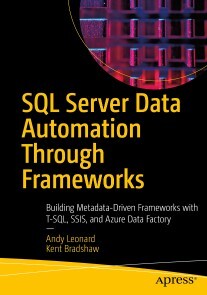
SQL Server Data Automation Through Frameworks
Learn to automate SQL Server operations using frameworks built from metadata-driven stored procedures and SQL Server Integration Services (SSIS). Bring all the power of Transact-SQL (T-SQL) and Microsoft .NET to bear on your repetitive data, data integration, and ETL processes. Do this for no added cost over what you’ve already spent on licensing SQL Server. The tools and methods from this book may be applied to on-premises and Azure SQL Server instances. The SSIS framework from this book works in Azure Data Factory (ADF) and provides DevOps personnel the ability to execute child packages outside a project—functionality not natively available in SSIS.Frameworks not only reduce the time required to deliver enterprise functionality, but can also accelerate troubleshooting and problem resolution. You'll learn in this book how frameworks also improve code quality by using metadata to drive processes. Much of the work performed by data professionals can be classified as “drudge work”—tasks that are repetitive and template-based. The frameworks-based approach shown in this book helps you to avoid that drudgery by turning repetitive tasks into "one and done" operations. Frameworks as described in this book also support enterprise DevOps with built-in logging functionality.WHAT YOU WILL LEARN* Create a stored procedure framework to automate SQL process execution* Base your framework on a working system of stored procedures and execution logging* Create an SSIS framework to reduce the complexity of executing multiple SSIS packages* Deploy stored procedure and SSIS frameworks to Azure Data Factory environments in the cloudWHO THIS BOOK IS FORDatabase administrators and developers who are involved in enterprise data projects built around stored procedures and SQL Server Integration Services (SSIS). Readers should have a background in programming along with a desire to optimize their data efforts by implementing repeatable processes that support enterprise DevOps.ANDY LEONARD is Chief Data Engineer at Enterprise Data & Analytics, creator and Data Philosopher at DILM (Data Integration Lifecycle Management) Suite, an Azure Data Factory and SQL Server Integration Services trainer and consultant, and a BimlHero. He is a SQL Server database and data warehouse developer, community mentor, engineer, and farmer. Andy is co-author of SQL Server Integration Services Design Patterns, Data Integration Life Cycle Management with SSIS, and The Biml Book.KENT BRADSHAW is the founder or Tudor Data Solutions, LLC. With over 40 years of IT experience, he is a SQL Server database/ETL developer and database architect with a background is in Medicaid claims, public schools, government, retail, and insurance systems. In 2011, Kent founded Tudor Data Solutions, LLC to pursue new development opportunities which led to his association with Andy Leonard and Enterprise Data & Analytics. In 2017, Kent received the MPP certification for Data Science.PART I: STORED PROCEDURE-BASED DATABASE FRAMEWORKS1. Stored Procedures 1012. Automation with Stored Procedures3. Stored Procedure Orchestrators4. A Stored Procedure-Base Metadata-Driven FrameworkPART II: SSIS FRAMEWORKS5. A Simple Custom File-Based SSIS Framework6. Framework Execution Engine7. Framework Logging8. Azure-SSIS Integration Runtime9. Deploy A Simple Custom File-Based Azure-SSIS Framework10. Framework Logging in ADF11. Fault Tolerance in the ADF Framework

Affinity Photo 1.8 (2. Auflg.)
Praxiswissen für EinsteigerWinfried Seimert zeigt Ihnen, wie Sie Affinity Photo in der aktuellen Version 1.8 bestmöglich nutzen und eigene Fotos bearbeiten können. Der Schwerpunkt liegt dabei auf elementaren Arbeitsweisen, die im Alltag am häufigs-ten eingesetzt werden. Dabei geht der Autor Schritt für Schritt vor und erklärt die Funktionen anhand von leicht verständlichen Beispielen.Zuerst erfahren Sie, wie die Fotos Ihrer Kamera mit ein paar schnellen Klicks am Bildschirm optimieren können. Danach lernen Sie u.a., wie Sie Ihre Bilder freistellen, um nur bestimmte Bereiche zu bearbeiten, und wie Sie sinnvoll mit Ebenen arbeiten. Sie lernen Gradationskurven zu lesen und die Belichtung, den Kontrast und den Weißabgleich Ihrer Fotos zu verbessern. Außerdem demonstriert Winfried Seimert Ihnen, wie Sie trübe Himmel aufhübschen, unerwünschte Bildteile entfernen oder Fotomontagen vornehmen.Sie erhalten eine Fülle an grundlegendem Wissen, so dass Sie zukünftig problemlos selbstständig mit Affinity Photo arbeiten und Ihrer Kreativität freien Lauf lassen können.Aus dem Inhalt:Basiswissen: Benutzeroberfläche, Einstellungen und TastenkombinationenHilfslinien und Raster verwendenBildgröße anpassen und Bilder ausrichtenFarbanpassung vornehmen und Farbmodelle verstehenFreistellen und SeparierenArbeiten mit Ebenen: Zeichenobjekt-, Text-, Füllungs-, Maskierungs-, Anpassungs- und Live-FilterebenenSchnelle automatische sowie manuelle BildoptimierungSpezialeffekte und Filter einsetzen: Scharfzeichnen, Verzerren, Färben u.v.m.Fotomontagen, Bildretusche, Schönheitskorrekturen, Restaurieren und PanoramenÜber den Autor:Winfried Seimert ist IT-Dozent und Autor zahlreicher Fachbücher insbesondere zu den Themen Software und Betriebssysteme. Dabei hat er immer den Komfort des Anwenders im Blick und erklärt entsprechend praxisnah. So erfreuen sich seine Bücher aufgrund ihrer durchdachten Strukturierung bereits seit Mitte der neunziger Jahre großer Beliebtheit.
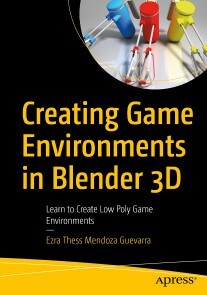
Creating Game Environments in Blender 3D
Discover how to create a simple game environment in Blender 3D, from modeling and texturing game assets, to placing them in a scene. You’ll export and import game assets as well as look at open-source game engines that will work with your game assets. Creating Game Environments in Blender 3D introduces the power of Blender 3D when creating a low poly game environment.The book starts by discussing the basics of game terminology, such as knowing the difference between low poly and high poly assets and the types of game you’re likely to work on. You’ll also take a brief look at Blender's background and installation. The following chapters talk about the process for creating a simple game environment. This is discussed in detail along with a sample project. These chapters discuss the common tools for starting a game environment and the methods for enhancing your game environment, such as color fundamentals. The final chapter shows how you can export the game assets you created in Blender, how you can import game assets in Blender, and how to evaluate the different game engines available.This book shows you the exciting side of creating a game environment while showing the power of Blender. After reading it, you will feel confident about creating a game environment.WHAT YOU WILL LEARN* Use Blender to create low poly game environments* Work with the common Blender tools for game environment design and developmentDiscover how to use Blender features in depth * Compare the Eevee and Cycles game engines WHO THIS BOOK IS FORGame environment artists who want to use Blender 3D to create a game environment. Some previous exposure to game design and development would be helpful, but not required.Ezra Thess Mendoza Guevarra graduated with a bachelor of science in information technology from STI College, the Philippines. Though she graduated with knowledge in web development, her passion for the arts that started in her childhood never faded away. In 2016, she got interested in 3D modeling.Despite being epileptic, she continues to pursue her dreams and “break the walls”. A researcher and a passionate artist, Ezra is currently using her skills as both freelance writer and artist.CHAPTER 1: GETTING STARTEDChapter Goal: The goal of this chapter is to introduce the readers to some of the fundamentals that will help them to create a game environment they desire.Sub-Topics* What is a game environment?* What does a game environment artist do?* What is game asset?* Skills and tools that can help you in creating a game environment* Types of games* Low poly vs high poly* About Blender and its installationCHAPTER 2: LET’S CREATE!Chapter Goal: The goal of this chapter is to introduce readers to the features of Blender for modeling game assets together with a sample project.Sub-Topics* In-depth learning of modeling workspace* Common tools for modeling a game environmentCHAPTER 3: COLOR IT!Chapter Goal: The goal of this chapter is to introduce readers to texturing a low poly asset along with a sample project.Sub-Topics* Color fundamentals* In-depth learning of UV workspace* In-depth learning of Texture Paint workspace* Common tools for texturing a game environmentCHAPTER 4: TEXTURE IT!CHAPTER 5: THE FINALEChapter Goal: This chapter shows the reader how to export and import game assets from Blender as well as introduces the different game engines where the reader can use their created game environment.Sub-Topics:* Process of exporting game assets* Types of file format* Game engines* Importing game assets for modification

Office 2019 und Windows 10: Der leichte Umstieg
Die verständliche Anleitung für Windows-Anwender:- Neuerungen schnell verstehen und gezielt einsetzen.- Alle Änderungen in Word, Excel, PowerPoint & Outlook 2019 im Griff.Lernen Sie alle Neuerungen, Änderungen und Besonderheiten von Windows 10 sowie der Office-2019-Programme kennen! Dieses Buch richtet sich an den erfahrenen Nutzer. Es hält Sie also nicht mit bekannten Grundlagen auf, sondern vermittelt kompakt den Umgang mit dem aktuellen Windows-Betriebssystem und den neuen Features von Word, Excel, Outlook und PowerPoint. Übersichtlich und anschaulich aufbereitet erfahren Sie, wo Sie gewohnte Befehle finden, welche Möglichkeiten die neuen Funktionen eröffnen und wie Sie die Benutzeroberfläche individuell anpassen. Optimieren Sie Ihre Arbeitsabläufe mit Office 2019 und Windows 10 und werden Sie mithilfe dieses Buchs noch effizienter!Aus dem Inhalt: Zu Windows 10:- Das neue Startmenü individuell gestalten- Die Suchfunktion – bequem und unkompliziert- So passen Sie die Benutzeroberfläche an Ihre Bedürfnisse an- Bekannte Einstellungen schnell auffinden und neue gezielt nutzen- Datenschutz und Sicherheit- Mit dem Info-Center auf dem Laufenden bleiben - Meldungen zu Sicherheitsproblemen oder Terminerinnerungen erhalten- Mehrere Desktops nutzen Zu Office 2019:- Dateien im Team bearbeiten- Neue grafische Gestaltungsmöglichkeiten mit Piktogrammen und 3D-Modellen- Word: im Handumdrehen ansprechende Dokumente mit Formatvorlagen erstellen- Excel: neue komfortable Berechnungsfunktionen und Diagrammtypen- Outlook: mit Popups eine übersichtliche Zusammenstellung aller Termine, Aufgaben und favorisierten Kontakte erhalten- PowerPoint: Folienobjekte morphen, Präsentationsablauf mit Zoom steuern und Vorführen in der Referentenansicht

Photoshop Elements 2021 For Dummies
GET PICTURE-PERFECT RESULTS WITH PHOTOSHOP ELEMENTS 2021Photoshop Elements has a reputation for delivering the photo editing power that non-professional photographers and designers need to get eye-catching—and art-quality—results. This book offers guidance for applying everything from simple, one-click fixes all the way up to detailed retouching of your images.Photoshop Elements 2021 For Dummies assumes no prior photo-editing experience and makes it easy for even the absolute beginner to quickly grasp how to edit to create slick, professional-looking photos. In no time at all you’ll feel confident in everything from common image fixes to utilizing more creative techniques, such as using image layers to create a standout look. You’ll also find tips on building and managing complex photo projects.* Understand photo-editing concepts* Adjust clarity, color, and brightness* Add artistic touches* Catalog and organize your workThis fun and easy guide provides the steps you need to get the most out of this popular version of Photoshop—and will help you achieve truly beautiful results!BARBARA OBERMEIER is the principal of Obermeier Design as well as an adjunct professor at California Lutheran University. TED PADOVA is adjunct professor of visual arts and digital photography at Sillman University in Dumaguete, Philippines. Barbara and Ted are the authors or coauthors of more than 90 books. INTRODUCTION 1About This Book 1Icons Used in This Book 2Beyond the Book 3Where to Go from Here 3PART 1: GETTING STARTED WITH PHOTOSHOP ELEMENTS 2021 5CHAPTER 1: GETTING STARTED WITH IMAGE EDITING 7Getting Familiar with the Home Screen 7Launching the Photo Editor 9Making Basic Edits in Quick Mode 10Sharing a Photo 12Retracing Your Steps 14Using the History panel 14Reverting to the last save 15Getting a Helping Hand 15Saving Files with Purpose 17Using the Save/Save As dialog box 17Saving files for the web 19CHAPTER 2: BASIC IMAGE-EDITING CONCEPTS 21Grappling with the Ubiquitous Pixels 22Understanding resolution 22Understanding image dimensions 25The Art of Resampling 25Choosing a Resolution for Print or Onscreen 28Working with File Formats 28JPEG (*.jpg, *.jpeg, *.jpe) 28PNG (*.png) 30TIFF (*.tif, *.tiff) 30Getting Familiar with Color 31Getting Color Right 32Color the easy way 33Calibrating your monitor 33Choosing a color workspace 34Understanding how profiles work 35CHAPTER 3: EXPLORING THE PHOTO EDITOR 37Examining the Photo Editor 37Examining the image window 41Uncovering the contextual menus 45Selecting the tools 45Selecting from the Tool Options 48Playing with panels 48Using the Photo Bin 51Creating different views of an image 52Viewing filenames 52Using Photo Bin Actions 53Finding Your Bearings in Guided Mode 53Controlling the Editing Environment 55Launching and navigating Preferences 55Checking out all the Preferences panes 56PART 2: MANAGING MEDIA 61CHAPTER 4: NAVIGATING THE ORGANIZER 63Organizing Photos and Media on a Hard Drive 64Adding Images to the Organizer 65Adding files from folders and removable media 65Downloading camera images with the Elements Downloader 67Importing additional photos from folders 69Navigating the Media Browser 71Using a Scanner 72Understanding image requirements 72Using scanner plug-ins (Windows) 73Scanning on the Mac 75Scanning many photos at a time 75Phoning in Your Images 76Setting Organizer Preferences 78CHAPTER 5: ORGANIZING YOUR PICTURES 81Touring the Organizer 81Organizing Groups of Images with Tags 85Creating and viewing a tag 85Adding icons to tags 87Working with custom tags 88Working with default tags 90Working with sub-categories 90Sorting photos according to tags 91Auto Curating Images 92Working with Auto Creations 92Adding new Events 93Rating Images with Stars 93Adding Images to an Album 94Creating an album 94Using albums for temporary work 97Editing an album 97Finding out more about sharing your albums 98Adding People in the Media Browser 98Placing Pictures on Maps 100Working with Events 102CHAPTER 6: VIEWING AND FINDING YOUR IMAGES 105Cataloging Files 105Using the Catalog Manager 106Working with catalogs 107Backing up your catalog 108Backing up photos and files 109Switching to a Different View 110Viewing Photos in Memories (Slideshow) 111Searching for Photos 113Using Search 113Searching for untagged items 115Searching captions and notes 115Searching by history 116Searching metadata 116Searching similarities 118Grouping Files That Get in the Way 119Marking files as hidden 119Stackin’ ’em up 120Creating versions 121PART 3: SELECTING AND CORRECTING PHOTOS 123CHAPTER 7: EDITING CAMERA RAW IMAGES 125Launching the Camera Raw Editor 126Understanding Camera Raw 127Learning Raw file format attributes 128Opening images in the Camera Raw Editor 129Getting Familiar with the Raw Editor 130Getting Familiar with the Panels 133Using the Basic panel 134Sharpening and reducing noise 137Using the Calibration panel 139Working with Filmstrips 140Synchronizing edits 141Synchronizing defaults 143Working with Profiles 143Looking at the Adobe Camera Raw profiles 144Managing profiles 145Creating a Favorites list 146Opening Non-Raw Images in the Camera Raw Editor 146Changing Image Defaults 147Working with XML Files and Preferences 147Changing program defaults 148Using Save Options 149Using sidecar files 149CHAPTER 8: MAKING AND MODIFYING SELECTIONS 151Defining Selections 151Creating Rectangular and Elliptical Selections 152Perfecting squares and circles with Shift and Alt (Option on the Mac) 154Applying Marquee options 154Making Freeform Selections with the Lasso Tools 156Selecting with the Lasso tool 157Getting straight with the Polygonal Lasso tool 159Snapping with the Magnetic Lasso tool 159Working Wizardry with the Magic Wand 162Talking about Tolerance 162Wielding the Wand to select 163Modifying Your Selections 165Adding to, subtracting from, and intersecting a selection 165Avoiding key collisions 166Painting with the Selection Brush 167Painting with the Quick Selection Tool 169Selecting with the Auto Selection Tool 171Selecting Your Subject 172Fine-Tuning with the Refine Selection Brush 174Working with the Cookie Cutter Tool 176Eliminating with the Eraser Tools 178The Eraser tool 178The Background Eraser tool 179The Magic Eraser tool 180Using the Select Menu 181Selecting all or nothing 181Reselecting a selection 181Inversing a selection 181Feathering a selection 182Refining the edges of a selection 182Using the Modify commands 184Applying the Grow and Similar commands 184Saving and loading selections 185CHAPTER 9: WORKING WITH LAYERS 187Getting to Know Layers 187Converting a background to a layer 188Anatomy of the Layers panel 189Using the Layer and Select menus 192Working with Different Layer Types 194Image layers 194Adjustment layers 195Fill layers 197Shape layers 198Type layers 199Tackling Layer Basics 199Creating a new layer from scratch 199Using Layer via Copy and Layer via Cut 201Duplicating layers 201Dragging and dropping layers 202Using the Paste into Selection command 202Moving a Layer’s Content 203Transforming Layers 204Adding Layer Masks 205Flattening and Merging Layers 208Flattening layers 208Merging layers 209CHAPTER 10: SIMPLE IMAGE MAKEOVERS 211Cropping and Straightening Images 211Cutting away with the Crop tool 212Fixing distortion with the Perspective Crop tool 214Cropping with a selection border 216Straightening images 216Recomposing Images 217Employing One-Step Auto Fixes 219Auto Smart Fix 220Auto Smart Tone 221Auto Levels 222Auto Contrast 223Auto Haze Removal 223Auto Color Correction 223Auto Shake Reduction 224Auto Sharpen 224Auto Red Eye Fix 225Editing in Quick Mode 227Fixing Small Imperfections with Tools 230Cloning with the Clone Stamp tool 231Retouching with the Healing Brush 233Zeroing in with the Spot Healing Brush 235Repositioning with the Content-Aware Move tool 237Lightening and darkening with Dodge and Burn tools 239Smudging away rough spots 240Softening with the Blur tool 242Focusing with the Sharpen tool 242Sponging color on and off 244Replacing one color with another 245CHAPTER 11: CORRECTING CONTRAST, COLOR, AND CLARITY 249Editing Your Photos Using a Logical Workflow 250Adjusting Lighting 251Fixing lighting with Shadows/Highlights 251Using Brightness/Contrast 252Pinpointing proper contrast with Levels 253Adjusting Color 255Removing color casts automatically 256Adjusting with Hue/Saturation 257Eliminating color with Remove Color 258Switching colors with Replace Color 259Correcting with Color Curves 262Adjusting skin tones 262Defringing layers 264Eliminating haze 266Adjusting color temperature with photo filters 267Mapping your colors 268Adjusting Clarity 269Removing noise, artifacts, dust, and scratches 270Blurring when you need to 271Sharpening for better focus 274Opening closed eyes 276Colorizing a photo 278Smoothing skin 279Adjusting facial features 280Reducing shake 281Moving Photos 282Working Intelligently with the Smart Brush Tools 284PART 4: EXPLORING YOUR INNER ARTIST 287CHAPTER 12: PLAYING WITH FILTERS, EFFECTS, STYLES, AND MORE 289Having Fun with Filters 289Applying filters 290Corrective or destructive filters 291One-step or multistep filters 291Fading a filter 292Selectively applying a filter 292Working in the Filter Gallery 293Distorting with the Liquify filter 295Correcting Camera Distortion 297Exploring Elements’ Unique Filters 298Creating a comic 299Getting graphic 300Using the Pen and Ink filter 301Dressing Up with Photo and Text Effects 302Adding Shadows, Glows, and More 304Applying styles 305Working with styles 306Using the Graphics panel 307Mixing It Up with Blend Modes 308General blend modes 309Darken blend modes 309Lighten blend modes 311Lighting blend modes 312Inverter blend modes 314HSL blend modes 314Using Photomerge 315Photomerge Panorama 316Photomerge Group Shot 318Photomerge Scene Cleaner 320Photomerge Exposure 321Photomerge Compose 323CHAPTER 13: DRAWING AND PAINTING 327Choosing Color 327Working with the Color Picker 328Dipping into the Color Swatches panel 329Sampling with the Eyedropper tool 331Getting Artsy with the Pencil and Brush Tools 332Drawing with the Pencil tool 332Painting with the Brush tool 334Using the Impressionist Brush 336Creating your own brush 337Filling and Outlining Selections 339Fill ’er up 339Outlining with the Stroke command 341Splashing on Color with the Paint Bucket Tool 342Working with Multicolored Gradients 343Applying a preset gradient 343Customizing gradients 345Working with Patterns 348Applying a preset pattern 348Creating a new pattern 349Creating Shapes of All Sorts 350Drawing a shape 350Drawing multiple shapes 352Specifying Geometry options 352Editing shapes 354CHAPTER 14: WORKING WITH TYPE 355Understanding Type Basics 355Tools 356Modes 356Formats 357Creating Point Type 358Creating Paragraph Type 359Creating Path Type 360Using the Text On Selection tool 360Using the Text On Shape tool 361Using the Text On Custom Path tool 363Specifying Type Options 364Editing Text 366Simplifying Type 367Masking with Type 368Stylizing and Warping Type 371Adjusting type opacity 371Applying filters to your type 372Painting your type with color and gradients 372Warping your type 374PART 5: PRINTING, CREATING, AND SHARING 375CHAPTER 15: GETTING IT ON PAPER 377Getting Pictures Ready for Printing 378Working with Color Printer Profiles 379Printing a photo with the printer managing color 381Printing a photo with Elements managing color 383Printing a picture package or contact sheet 384Getting Familiar with the Print Dialog Box 384Using the Prints options 384Creating transfers and more with More Options 386CHAPTER 16: SHARING YOUR WORK 389Getting Familiar with the Elements Sharing Options 389Planning ahead 390Understanding photo sharing in Elements 391Using the Share Panel 392Emailing photos 393Working with Adobe Premiere Elements 394Sharing your photos on social networks 395CHAPTER 17: MAKING CREATIONS 399Checking Out the Create Panel 399Grasping Creation-Assembly Basics 400Creating a Quote Graphic 404Creating a Memories Video 407Creating a PDF Slideshow 408Making Additional Creations 408PART 6: THE PART OF TENS 409CHAPTER 18: THE TEN BEST GUIDED EDITS 411Correct Skin Tone 411Sharpen 413Object Removal 414Perfect Portrait 416Replace Background 418Remove a Color Cast 421Levels 422Resize Your Photo 424Recompose 425Move & Scale Object 427CHAPTER 19: TEN (OR SO) MORE PROJECT IDEAS 431Screen Savers 431Flyers, Ads, and Online Auctions 432Clothes, Hats, and More 434Posters 435Household and Business Inventories 435Project Documentation 436School Reports and Projects 436Blogs 436Wait — There’s More 436Index 437
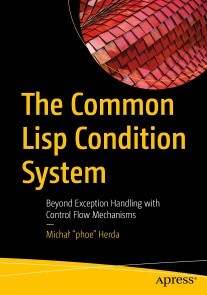
The Common Lisp Condition System
Discover the functioning and example uses of the Common Lisp condition system. This book supplements already existing material for studying Common Lisp as a language by providing detailed information about the Lisp condition system and its control flow mechanisms; it also describes an example ANSI-conformant implementation of the condition system.In part 1 of The Common Lisp Condition System, the author introduces the condition system using a bottom-up approach, constructing it piece by piece. He uses a storytelling approach to convey the foundation of the condition system, dynamically providing code to alter the behavior of an existing program. Later, in part 2, you’ll implement a full and complete ANSI-conformant condition system while examining and testing each piece of code that you write.Throughout, the author demonstrates how to extend Lisp using Lisp itself by using the condition system as an example. This is done while paying proper attention to the CL restart subsystem, giving it attention on a par with the handler subsystem. After reading and using this book, you'll have learned about the inner functioning of the condition system, how to use it in your own Common Lisp coding and applications, and how to implement it from scratch, should such a need arise.WHAT YOU WILL LEARN* Examine the condition system and see why it is important in Common Lisp* Construct the condition system from scratch using foundational mechanisms provided by Common Lisp* Program the condition system and its control flow mechanisms to achieve practical results* Implement all parts of a condition system: conditions, restarts, handler- and restart-binding macros, signalling mechanisms, assertions, a debugger, and moreWHO THIS BOOK IS FORBeginning and intermediate Lisp programmers, as well as intermediate programmers of other programming languages.MICHAŁ "PHOE" HERDA is a programmer with contributions to multiple parts of the Common Lisp ecosystem: CL implementations, existing and widely-used CL utilities, documentation, and some of the new library ideas that he slowly pushes forwards and works on. The book The Common Lisp Condition System is his first work -- an attempt to create a tutorial on the condition system that was missing, even all the years after which ANSI Common Lisp was standardized.1: Basic Concepts2: Introducing the Condition System3: Implementing the Common Lisp Condition System4: Wrapping UpAppendix A: Implementation of Dynamic Variables in CAppendix B: Additional Utilities for Working with Common Lisp ConditionsAppendix C: Lisp Macros 101Appendix D: Condition System Reference


Ist das intelligent oder kann das weg?
Alle reden über Künstliche Intelligenz, aber was ist das eigentlich? Und soll man vielleicht Angst haben, wenn Siri, Alexa & Co. unser Leben mit ungebetenen Ratschlägen durcheinanderbringen? Wir brauchen Aufklärung, und zwar humorvolle mit Tiefgang! Dafür gibt es keinen besseren als Jaromir Konecny. Er zeigt, wie wichtig KI-Programme sind und wo sie bereits jetzt eingesetzt werden. Und er stellt klar, was an KI völlig harmlos ist und wo die eigentlichen Probleme liegen. Ein informatives und zugleich unterhaltsames Buch mit vielen Anekdoten aus Forschung und Anwendung und garantiert ohne Formeln und Gleichungen.

Datenbanken
Fundierte Einführung in relationale Datenbanken und die Anfragesprache SQL Datenbanken für die Berufspraxis verstehen, anwenden und entwickelnMit zwei durchgängigen Beispielen und zahlreichen ÜbungenDatenbanken haben sich zu einem unverzichtbaren Bestandteil jeglicher Informationssysteme entwickelt, um größere Mengen strukturierter Daten verwalten, wiederauffinden und analysieren zu können.Die Autoren vermitteln fundiert und kompakt die zum Verständnis und auch zur Entwicklung solcher Systeme notwendigen Kenntnisse aus den Bereichen Datenbankentwurf, Datenmodellierung, Datenänderungen und Datenanalysen und stellen die relationale Datenbanksprache SQL ausführlich vor. Alle Konzepte und Sprachelemente erläutern die Autoren anhand von zwei durchgängigen Beispielen. Des Weiteren besprechen die Autoren Themen wie Nutzersichten, Datenschutz, Integritätssicherung, Tuning von Datenbankanwendungen sowie statistische Datenanalysen (Data Warehousing, Data Mining). Sie erläutern auch neuere Entwicklungen wie NoSQL-Datenbanksysteme, spaltenorientierte Speicherungsformen und die Analyse von Big Data.Das Buch richtet sich vor allem an Schüler und Studenten außerhalb des Fachbereichs Informatik, die schnell und dennoch fundiert die Grundlagen zur Entwicklung und zum Einsatz von Datenbanken lernen wollen. Übungsaufgaben am Ende jedes Kapitels machen das Buch ideal für Studium und Selbststudium.Aus dem Inhalt:Was sind Datenbanken? Relationale Datenbanken:Daten als Tabellen Das Entity-Relationship-Modell Datenbankentwurf Normalisierung für eine redundanzfreie DatenbankDatendefinition und Updates in SQLAnfragen in SQLSichten und DatenschutzIntegrität und TriggerStatistische Datenanalysen (Data Warehousing, Data Mining)Arbeitsweise eines DBMS und TuningOLTP- und OLAP-SystemRow und Column Stores, NoSQL und NewSQLAusblick inklusive Verarbeitung von Big DataZwei durchgängige Beispiele mit Datenbankentwurf und relationaler RepräsentationAndreas Heuer, Gunter Saake und Kai-Uwe Sattler sind Professoren für Informatik an den Universitäten von Rostock, Magdeburg und Ilmenau. Holger Meyer ist wissenschaftlicher Oberrat und Hannes Grunert wissenschaftlicher Mitarbeiter an der Universität Rostock.
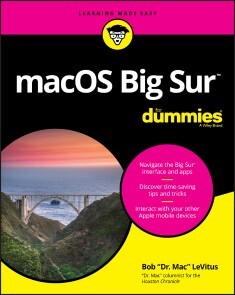
macOS Big Sur For Dummies
YOUR "GET-STARTED" GUIDE TO THE WORLD OF MACOS BIG SURWherever you like to Mac—at home in front of your trusty iMac or over a coffee with your portable MacBook Air—macOS provides you with the seamless, efficient, and reliable user experience that makes these devices so famously a pleasure to use. macOS Big Sur For Dummies is here to heighten the experience for new users and upgraders alike by providing the very latest on the ways macOS Big Sur can enhance how you work and play.Written in a no-jargon style by Bob LeVitus—the Houston Chronicle’s much-loved "Dr. Mac" since 1996—this guide starts with the basics, like getting set up, and explains more advanced uses, like making music and movies, exploring the expanding universe of apps and giving tips on how to save time and enhance productivity along the way. With this book, you'll learn to* Set up and connect your Mac* Get friendly with Siri* Enhance your world with apps* Work better and fasterUse the comprehensive capabilities of macOS Big Sur to do anything and everything you would like to do—and do it even better. For beginners and experts alike, macOS Big Sur For Dummies is the best way to step into the magical world of getting things done with Mac.BOB “DR. MAC” LEVITUS has written the “Dr. Mac” column for the Houston Chronicle since 1996. A devoted Mac enthusiast, he has written or cowritten a long list of how-to books about macOS, iPhone, iPad, Office for the Mac, and GarageBand. He’s also a regular contributor to various tech publications.INTRODUCTION 1About This Book 1Foolish Assumptions 3Icons Used in This Book 3Beyond the Book 4Where to Go from Here 4PART 1: MACOS BASICS 5CHAPTER 1: MACOS BIG SUR 101 (PREREQUISITES: NONE) 7Gnawing to the Core of macOS 8A Safety Net for the Absolute Beginner (or Any User) 10Turning the dang thing on 10What you should see on startup 11Shutting down properly 15A few things you should definitely not do with your Mac 16Point-and-click 101 17Not Just a Beatles Movie: Help and the Help Menu 19CHAPTER 2: DESKTOP AND WINDOWS AND MENUS (OH MY!) 23Touring Finder and Its Desktop 24Anatomy of a Window 25Top o’ the window to ya! 27A scroll new world 29(Hyper)active windows 30Dialog Dealie-Boppers 32Working with Windows 34Opening and closing windows 34Resizing windows and window panes 35Moving windows 35Shuffling windows 36Menu Basics 38The ever-changing menu bar 38Contextual (shortcut) menus: They’re sooo contextual! 39Recognizing disabled options 41Navigating submenus 41Under the Apple menu tree 42Using keyboard shortcut commands 44CHAPTER 3: WHAT’S UP, DOCK? 45A Quick Introduction to Your Dock 46The default icons of the dock 47Trash talkin’ 48Opening application menus on the dock 51Reading dock icon body language 53Opening files from the dock 54Customizing Your Dock 54Adding dock icons 54Removing an icon from the dock 57Resizing the dock 58What should you put on your dock? 58Setting your dock preferences 60CHAPTER 4: GETTING TO KNOW FINDER AND ITS DESKTOP 65Introducing Finder and Its Minions: The Desktop and Icons 66Introducing the desktop 66Bellying up to the toolbar 68Figuring out what an icon is 71Identifying your Finder icons in the wild 72Aliases Are Awesome! 73Creating aliases 74Deleting aliases 75Hunting down an alias’s parent 75The View(s) from a Window 76Moving through folders fast in Column view 76Perusing in Icon view 78Listless? Try touring folders in List view 78Hangin’ in the Gallery (view) 80What’s next on the (View) menu? 81Finder on the Menu 83The actual Finder menu 83Like a road map: The current folder’s pop-up menu 86Going places with the Go menu 86Customizing Finder Windows 89Adding folders to the sidebar 89Setting Finder preferences 90Digging for Icon Data in the Info Window 93CHAPTER 5: DELVING EVEN DEEPER INTO BIG SUR’S DESKTOP AND FINDER 97Cleaning Up Your Desktop Automatically with Stacks 97Managing your Stacks 100Quick Actions: Now Playing All Over Big Sur 101Getting the most out of Markup 101Trimming video without launching an app 104Do It Quicker with Finder Quick Actions 105Creating PDFs without launching an app 105Creating custom Finder Quick Actions 106Four More Cool Big Sur Tricks 107Shooting screens 107Dynamic desktop images 109Recently used apps in the dock 109Mentions of Gallery view 110PART 2: HOW STUFF WORKS 111CHAPTER 6: HAVING IT YOUR WAY 113Introducing System Preferences 113The Desktop & Screen Saver System Preferences Pane 116The Desktop tab 117The Screen Saver tab 118The General System Preferences Pane 119Adjusting the Keyboard, Mouse, Trackpad, and Other Hardware 122The Keyboard System Preferences pane 122The Mouse System Preferences pane 128The Bluetooth System Preferences pane 129The Trackpad System Preferences pane 129The Sound System Preferences Pane 131Changing sound effects 132Choosing output and input options 132CHAPTER 7: OPENING AND SAVING FILES 133A Quick Primer on Finding Files 134Understanding the macOS Folder Structure 134Understanding nested folders 136From the top: The Computer folder 137Peeking into the Applications folder 138Visiting the Library folders 138Let it be: The System folder 139There’s no place like Home 140Your personal library card 141Saving Your Document Before It’s Too Late 143Stepping through a basic save 145Save As versus Duplicate: Different names for the same result 151Open, Sez Me 153With drag-and-drop 154With a Quick Look 155When your Mac can’t open a file 155With the application of your choice 156CHAPTER 8: FILE AND FOLDER MANAGEMENT MADE EASY 159Organizing Your Stuff in Folders 159Files versus folders 160Organizing your stuff with subfolders 160Creating new folders 163Navigating with spring-loaded folders 163Smart folders 164Shuffling Files and Folders 167Moving files and folders 167Selecting multiple icons 169Playing the icon name game: Renaming icons 170Renaming multiple icons at once 171Compressing files 171Getting rid of icons 172The Incredible iCloud Drive 172CHAPTER 9: COMPREHENDING THE MACOS CLIPBOARD 175Introducing the Clipboard 175Copying Files and Folders 177Pasting from the Clipboard 179Big Sur’s Universal Clipboard 179PART 3: GETTING THINGS DONE 181CHAPTER 10: FIVE TERRIFIC TIME-SAVING TOOLS 183With a Quick Look 184Share and share alike with the Share menu 185Slide into Slideshow (full-screen) mode 186Spotlight on Finding Files and Folders Faster 187Using the Find command 187Using the Spotlight menu and its keyboard shortcut 190Blast Off with Mission Control 191The Mission Control pane: It’s painless 191Hot corners are hot stuff! 194Mission Control’s Spaces from 30,000 feet (an overview) 194Getting around in space(s) 197Taking Control of Essential Settings 198Launchpad: The Place for Applications 200CHAPTER 11: ORGANIZING YOUR LIFE 203Keeping Track with Calendar 204Navigating Calendar views 204Creating calendars 205Deleting a calendar 206Creating and managing events 207Reminders: Protection Against Forgetting 210Getting started with Reminders 210To do or not to do: Setting reminders 211Sharing lists and assigning reminders 213Everything You Need to Know about Notification Center 213Tweaking Notification settings 214Widget management 101 216Using Notification Center 217Use Notes for Making Notes 218Tracking Productivity with Screen Time 221CHAPTER 12: ARE YOU SIRI-OUS? 223What Siri Can Do for You 224Working with Siri 226Making Siri Your Own 226CHAPTER 13: MAPS ARE WHERE IT’S AT 229Finding Your Current Location with Maps 229Finding a Person, Place, or Thing 230Views, Zooms, and Pans 231Maps and Contacts 233Time-saving Map Tools: Favorites, Guides, and Recents 234Favorites 234Guides 235Recents 235Smart Map Tricks 236Get route maps and driving directions 236Get walking directions 237Get directions for public transportation 237Get traffic info in real time 238Flyovers and look arounds 238Do more on the Info sheet 240CHAPTER 14: APPS BORN IN IOS 241Taking Stock of the Market with Stocks 241Adding and deleting stocks, funds, and indexes 243Details, details, details 244Charting a course 244Read All about It in News 245What are your interests? 246How News works 247Managing your news 247Recording Memos with Voice Memos 248Recording a voice memo 248Listening to a voice memo 249Naming a voice memo 249Trimming a voice memo 250Controlling Lights, Locks, and More with Home 251PART 4: GETTING ALONG WITH OTHERS 253CHAPTER 15: (INTER)NETWORKING 255Getting Connected to the Internet 256Your Internet service provider and you 257Plugging in your Internet-connection settings 258Browsing the Web with Safari 259Owning your toolbar 261Using the Safari sidebar 263Searching with Google 267Protect yourself from malice (and ads) 269Checking out Help Center 270Audio and Video Calls with FaceTime 270CHAPTER 16: DEALING WITH PEOPLE 273Collecting Your Contacts 273Adding contacts 274Importing contacts from other programs 276Creating a basic group 276Setting up a smart group (based on contact criteria) 277Deleting a group or smart group 279Sync + Contacts = your contacts everywhere 279CHAPTER 17: COMMUNICATING WITH MAIL AND MESSAGES 281Sending and Receiving Email with Mail 281Setting up Mail 282A quick overview of the toolbar 283Composing a new message 284Sending email from the Contacts app 286Checking your mail 288Dealing with spam 289Mailboxes smart and plain 289Changing your preferences 292Sign here, please 293Mail rules rule 294Take a (Quick) look and (Slide) show me some photos 296Markup and Mail Drop 297Communicating with Messages 299Chit-chatting with Messages 300CHAPTER 18: SHARING YOUR MAC AND LIKING IT 303Introducing Networks and File Sharing 304Portrait of home office networking 305Three ways to build a network 307Setting Up File Sharing 309Access and Permissions: Who Can Do What 311Users and groups and guests 311Creating users 312macOS knows best: Folders shared by default 317Sharing a folder or disk by setting permissions 318Useful settings for permissions 322Unsharing a folder 324Connecting to a Shared Disk or Folder on a Remote Mac 325Changing Your Password 328Changing your account password on your Mac 329Changing the password of any account but your own on your Mac 329More Types of Sharing 330Sharing a screen 330Sharing the Internet 331And yet more ways to share 332PART 5: GETTING CREATIVE 333CHAPTER 19: THE MUSICAL MAC 335Apple Music and iTunes Match Rock! 336Introducing Music (the App Formerly Known as iTunes) 337Working with Media 340Adding songs 341Listening to Radio 343All about Playlists 344Creating a regular playlist 344Filtering your library 346Working with smart playlists 347Burning a playlist to CD 348Looking at the Genius playlist 348CHAPTER 20: THE MULTIMEDIA MAC 351Playing Movies and Music in QuickTime Player 351Watching TV 353Using the Books App 354Buying an e-book or audiobook 355Shopping for e-books without Apple 357Reading an e-book 358Finding and Listening to Podcasts with the Podcasts App 360You’re the Star with Photo Booth 361Viewing and Converting Images and PDFs in Preview 363Importing Media from a Camera or Camcorder 365CHAPTER 21: WORDS AND LETTERS 369Processing Words with TextEdit 370Creating and composing a document 370Working with text 371Adding graphics to documents 374Font Mania 375Types of fonts 376Managing your fonts with Font Book 376CHAPTER 22: PUBLISH OR PERISH: THE FAIL-SAFE GUIDE TO PRINTING 379Before Diving In 380Ready: Connecting and Adding Your Printer 380Connecting your printer 381Setting up a printer for the first time 381One last thing: Printer sharing 383Set: Setting Up Your Document with Page Setup 384Print: Printing with the Print Sheet 386Printing a document 386Choosing among different printers 387Choosing custom settings 387Saving custom settings 390Preview and PDF Options 390PART 6: CARE AND FEEDING 393CHAPTER 23: FEATURES FOR THE WAY YOU WORK 395Finally, a Dark Mode 396App Shopping, Improved 397Using Your iPhone as Your Mac’s Camera or Scanner 399Talking and Listening to Your Mac 402Keyboard System Preferences pane: You talk and your Mac types 402Commanding your Mac by voice 404Listening to your Mac read for you 406Automatic Automation 409Script Editor app: Write and edit AppleScripts 409Automator app: Automate almost anything 410A Few More Useful Goodies 413Accessibility System Preferences pane: Make your Mac more accessible 413Battery and Energy Saver System Preferences panes: For energy conservation and sleep 415Bluetooth System Preferences pane: Where Bluetooth lives 416Ink System Preferences pane: Visible to pen-input tablet users only 417Automatic Login in the Users & Groups System Preferences pane: Don’t bother with the login screen 417Allow your Apple Watch to unlock your Mac 418Boot Camp Assistant app: Run Windows on your Mac really 418AirPlay Mirroring 419Handoff 420CHAPTER 24: SAFETY FIRST: BACKUPS AND OTHER SECURITY ISSUES 421Backing Up is (Not) Hard to Do 422Backing up with Big Sur’s excellent Time Machine 422Backing up by using the manual, brute-force method 426Backing up by using commercial backup software 427Why You Need Two Sets of Backups 428Non-Backup Security Concerns 429About viruses and other malware 429Firewall: Yea or nay? 431Install recommended software updates 433Protecting Your Data from Prying Eyes 434Blocking or limiting connections 434Locking down files with FileVault 434Setting other options for security 435CHAPTER 25: UTILITY CHEST 439In the Applications and Utilities Folders 439Calculator 439Activity Monitor 441Disk Utility 442Grapher 447Keychain Access 447Migration Assistant 449System Information 450Terminal 450Capturing Your Screen 451Big Sur screen-shooting 101 452Big Sur screen-shooting options 453Big Sur screen recording 454CHAPTER 26: TROUBLESHOOTING MACOS 457About Startup Disks and Booting 457Finding or creating a startup disk 458They call it a prohibitory sign for a reason 458Recovering with Recovery HD 460Step 1: Run First Aid 460Step 2: Safe boot into Safe mode 461Step 3: Zapping the PRAM/NVRAM 462Step 4: Reinstalling macOS 463Step 5: Things to try before taking your Mac in for repair 463If Your Mac Crashes at Startup 464Optimizing Storage 465PART 7: THE PART OF TENS 467CHAPTER 27: TEN WAYS TO SPEED UP YOUR MAC EXPERIENCE 469Use Those Keyboard Shortcuts 470Improve Your Typing Skills 471Change Your Resolution 471Purchase a Faster Mac 473Add RAM 473Add a Second Display 474Use Your iPad as a Second Display 474Upgrade to a Solid-State Drive (SSD) 475Get More Storage 476Subscribe to My Free Newsletter 477CHAPTER 28: TEN GREAT WEBSITES FOR MAC FREAKS 479The Mac Observer 480Macworld 480TidBITS 480iMore 481AppleWorld.Today 481The Wirecutter 481Apple Support 482Other World Computing 482dealmac/dealnews 483Working Smarter for Mac Users 483Index 485
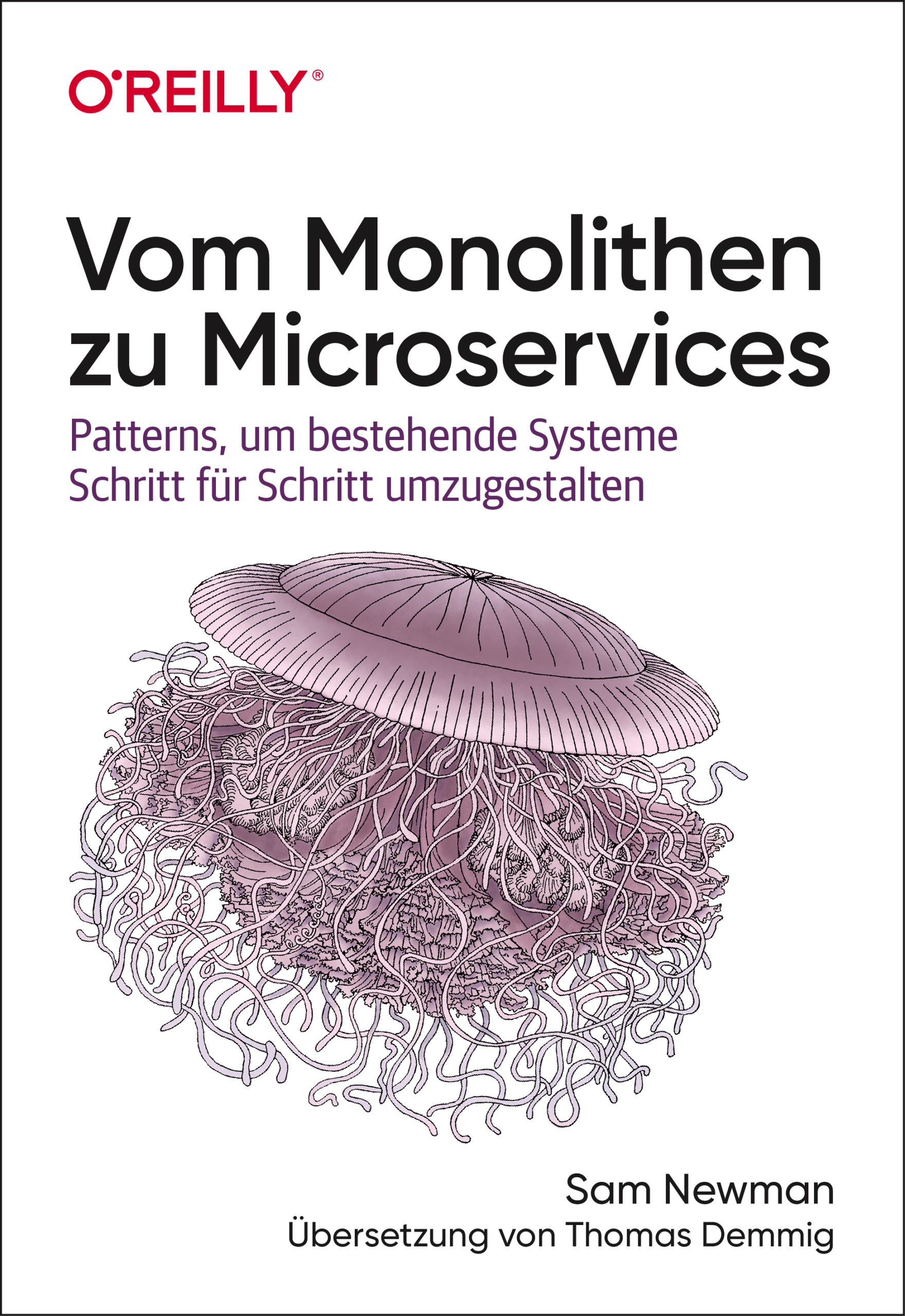
Vom Monolithen zu Microservices
Bestehende Systeme erfolgreich in eine Microservices-Architektur umgestaltenUnerlässliches Expertenwissen für Organisationen, die ihre Codebasis modernisieren wollen Autor des geschätzten Grundlagenwerks »Building Microservices« Orientierung und Anleitung für den anspruchsvollen Migrationsprozess Wie entflechtet man ein monolithisches System und überführt es in eine Microservices-Architektur? Und wie erhält man gleichzeitig den normalen Betrieb aufrecht? Sam Newman, Autor des viel beachteten Titels »Building Microservices«, beschreibt Szenarien und erprobte Strategien, um bestehende Systeme erfolgreich zu migrieren: von der ersten Planung bis zum Zerlegen von Anwendung und Datenbank. Newman greift hierbei auf viele anschauliche Beispiele zurück, stellt aufschlussreiche Pattern für die Migration vor und gibt praktische Ratschläge. Für Organisationen, die ihre Codebasis in Richtung einer Microservices-Architektur überführen und nicht komplett neu aufbauen wollen Unterstützt Unternehmen bei der Frage, ob und wann sie migrieren und wo sie konkret beginnen sollten Befasst sich mit der Integration und Migration von Legacy-Systemen und der Kommunikation mit diesen Systemen Stellt Migrationspattern vor und beschreibt, wo und wie sie am besten eingesetzt werden Bietet Beispiele für die Datenbankmigration und begleitende Synchronisationsstrategien Beschreibt das Zerlegen von Anwendungen einschließlich einer Reihe von Refaktorisierungspattern
Linux Containers and Virtualization
Get a novel perspective on Linux containers and understand the world of virtualization. This book takes you down the rabbit hole to discover what lies below the API. You’ll go on a journey of virtualization and see how containers are realized in the Linux world. Linux Containers and Virtualization details the data structures within the Linux kernel which make up Linux containers.You will start with the fundamentals of virtualization including how different resources such as memory, CPU, network, and storage are virtualized. Then you will move on to hypervisors and virtualization using the Kernel virtual Machine (KVM) and Quick Emulator (QEMU). Next, you will learn about Linux namespace, cgroups, and layered file systems, which are the essential building blocks of Linux containers. The explanation traverses the Linux kernel codebase to show how these are realized in the Linux kernel. In the final chapter, you will code your own container by applying the concepts learnt in the previous chapters.On completion of the book, you will have the knowledge to start coding a Linux container.WHAT YOU WILL LEARN* Understand the basics of virtualization* Discover how the Linux kernel supports virtualization * See how the evolution of the Linux kernel and CPUs led to the creation of containerization technologies* Develop the ability to create your own container frameworkWHO THIS BOOK IS FORDevelopers working on virtualized software deployment and containers. Architects designing platforms based on a container runtime as well as DevOps professionals who want to get a microscopic view on how containers and virtualization work would find the book useful.SHASHANK MOHAN JAIN has been working in the IT industry for around 20 years mainly in the areas of cloud computing and distributed systems. He has keen interests in virtualization techniques, security, and complex systems. Shashank has 25 software patents (many yet to be published) to his name in the area of cloud computing, IoT, and machine learning. He is a speaker at multiple reputed cloud conferences. Shashank holds Sun, Microsoft, and Linux kernel certifications.CHAPTER 1: VIRTUALIZATION BASICSVM Based VirtualizationContainer Based VirtualizationHypervisorMemory VirtualizationCPU VirtualizationIO VirtualizationCHAPTER 2: HYPERVISORVt-xQEMUSteps to Create VM Using KVM ModuleVhost Base Data communicationA Small Detour on What is an EventfdAlternative Virtualization MechanismsSummary of Alternate Virtualization ApproachesCHAPTER 3: NAMESPACESNamespace TypesAdd a Device to a NamespaceCHAPTER 4: CGROUPSCreate a Sample CgroupCgroup TypesCHAPTER 5: LAYERED FILE SYSTEMSUnion File SystemCHAPTER 6: CREATING A CONTAINER YOURSELF UTS NamespaceGoLang InstallationContainer with NamespaceAdding More NamespacesGetting Shell With-In ContainerProviding Root File SystemMount Proc File SystemEnabling Networking for the ContainerEnabling Cgroups for Container
Oracle Database Transactions and Locking Revealed
Access much-needed information for building scalable, high-concurrency applications and deploying them against the Oracle Database. This new edition is updated to be current with Oracle Database 19. It includes a new chapter with troubleshooting recipes to help you quickly diagnose and resolve locking problems that are urgent and block production.Good transaction design is an important facet of highly-concurrent applications that are run by hundreds, even thousands, of users who are executing transactions at the same time. Transaction design, in turn, relies on a good understanding of how the database engine manages the locking of resources to prevent access conflicts and data loss that might otherwise result from concurrent access to data in the database. This book provides a solid and accurate explanation of how locking and concurrency are dealt with by Oracle Database. You will learn how the Oracle Database architecture accommodates user transactions, and how you can write code to mesh with the way in which Oracle Database is designed to operate.ORACLE DATABASE TRANSACTIONS AND LOCKING REVEALED covers in detail the various lock types, and also different locking schemes such as pessimistic and optimistic locking. Then you will learn about transaction isolation and multi-version concurrency, and how the various lock types support Oracle Database’s transactional features. You will learn tips for transaction design, as well as some bad practices and habits to avoid. Coverage is also given to redo and undo, and their role in concurrency. The book is loaded with insightful code examples that drive home each concept. This is an important book that anyone developing highly-concurrent applications will want to have handy on their shelf.WHAT YOU WILL LEARN* Avoid application lockups due to conflicts over accessing the same resource* Understand how Oracle prevents one application from overwriting another’s modifications* Create transaction designs that mesh with how Oracle Database is designed* Build high-throughput applications supporting thousands of concurrent users* Design applications to take full advantage of Oracle’s powerful database engine* Gain a fundamental knowledge of Oracle’s transaction and locking architecture* Develop techniques to quickly diagnose and resolve common locking issuesWHO THIS BOOK IS FOROracle developers and database administrators faced with troubleshooting and solving deadlocks, locking contention, and similar problems that are encountered in high-concurrency environments; and application developers wanting to design their applications to excel at multi-user concurrency by taking full advantage of Oracle Database’s multi-versioning and concurrency supportDARL KUHN is a senior-level database administrator with decades of experience. He handles all facets of database administration from design and development to production support. He enjoys documenting and sharing knowledge and has authored several books on Oracle technology.THOMAS KYTE is a former vice president of the Core Technologies Group at Oracle Corporation. He is the same Tom who created the "Ask Tom" website and the Oracle Magazine column of the same name. He has a long history of answering questions about the Oracle database and tools that developers and database administrators struggle with every day.1. Getting Started2. Locking and Blocking3. Locks, Latches, and Mutexes4. Concurrency and Multiversioning5. Transactions6. Redo and Undo7. Investigating Redo8. Investigating Undo9. Troubleshooting
Alice and Bob Learn Application Security
LEARN APPLICATION SECURITY FROM THE VERY START, WITH THIS COMPREHENSIVE AND APPROACHABLE GUIDE!Alice and Bob Learn Application Security is an accessible and thorough resource for anyone seeking to incorporate, from the beginning of the System Development Life Cycle, best security practices in software development. This book covers all the basic subjects such as threat modeling and security testing, but also dives deep into more complex and advanced topics for securing modern software systems and architectures. Throughout, the book offers analogies, stories of the characters Alice and Bob, real-life examples, technical explanations and diagrams to ensure maximum clarity of the many abstract and complicated subjects.Topics include:* Secure requirements, design, coding, and deployment* Security Testing (all forms)* Common Pitfalls* Application Security Programs* Securing Modern Applications* Software Developer Security HygieneAlice and Bob Learn Application Security is perfect for aspiring application security engineers and practicing software developers, as well as software project managers, penetration testers, and chief information security officers who seek to build or improve their application security programs.Alice and Bob Learn Application Security illustrates all the included concepts with easy-to-understand examples and concrete practical applications, furthering the reader's ability to grasp and retain the foundational and advanced topics contained within.TANYA JANCA, also known as SheHacksPurple, is the founder of We Hack Purple, an online learning academy dedicated to teaching everyone how to create secure software. With over twenty years of IT and coding experience, she has won numerous awards and worked as a developer, pentester, and AppSec Engineer. She was named Hacker of the Year by the Cybersecurity Woman of the Year 2019 Awards and is the Founder of WoSEC International, #CyberMentoringMonday, and OWASP DevSlop.Foreword xxiIntroduction xxiiiPART I WHAT YOU MUST KNOW TO WRITE CODE SAFE ENOUGH TO PUT ON THE INTERNET 1CHAPTER 1 SECURITY FUNDAMENTALS 3The Security Mandate: CIA 3Confidentiality 4Integrity 5Availability 5Assume Breach 7Insider Threats 8Defense in Depth 9Least Privilege 11Supply Chain Security 11Security by Obscurity 13Attack Surface Reduction 14Hard Coding 15Never Trust, Always Verify 15Usable Security 17Factors of Authentication 18Exercises 20CHAPTER 2 SECURITY REQUIREMENTS 21Requirements 22Encryption 23Never Trust System Input 24Encoding and Escaping 28Third-Party Components 29Security Headers: Seatbelts for Web Apps 31Security Headers in Action 32X-XSS-Protection 32Content-Security-Policy (CSP) 32X-Frame-Options 35X-Content-Type-Options 36Referrer-Policy 36Strict-Transport-Security (HSTS) 37Feature-Policy 38X-Permitted-Cross-Domain-Policies 39Expect-CT 39Public Key Pinning Extension for HTTP (HPKP) 41Securing Your Cookies 42The Secure Flag 42The HttpOnly Flag 42Persistence 43Domain 43Path 44Same-Site 44Cookie Prefixes 45Data Privacy 45Data Classification 45Passwords, Storage, and Other Important Decisions 46HTTPS Everywhere 52TLS Settings 53Comments 54Backup and Rollback 54Framework Security Features 54Technical Debt = Security Debt 55File Uploads 56Errors and Logging 57Input Validation and Sanitization 58Authorization and Authentication 59Parameterized Queries 59URL Parameters 60Least Privilege 60Requirements Checklist 61Exercises 63CHAPTER 3 SECURE DESIGN 65Design Flaw vs. Security Bug 66Discovering a Flaw Late 67Pushing Left 68Secure Design Concepts 68Protecting Sensitive Data 68Never Trust, Always Verify/Zero Trust/Assume Breach 70Backup and Rollback 71Server-Side Security Validation 73Framework Security Features 74Security Function Isolation 74Application Partitioning 75Secret Management 76Re-authentication for Transactions (Avoiding CSRF) 76Segregation of Production Data 77Protection of Source Code 77Threat Modeling 78Exercises 82CHAPTER 4 SECURE CODE 83Selecting Your Framework and Programming Language 83Example #1 85Example #2 85Example #3 86Programming Languages and Frameworks: The Rule 87Untrusted Data 87HTTP Verbs 89Identity 90Session Management 91Bounds Checking 93Authentication (AuthN) 94Authorization (AuthZ) 96Error Handling, Logging, and Monitoring 99Rules for Errors 100Logging 100Monitoring 101Exercises 103CHAPTER 5 COMMON PITFALLS 105OWASP 105Defenses and Vulnerabilities Not Previously Covered 109Cross-Site Request Forgery 110Server-Side Request Forgery 112Deserialization 114Race Conditions 115Closing Comments 117Exercises 117PART II WHAT YOU SHOULD DO TO CREATE VERY GOOD CODE 119CHAPTER 6 TESTING AND DEPLOYMENT 121Testing Your Code 121Code Review 122Static Application Security Testing (SAST) 123Software Composition Analysis (SCA) 125Unit Tests 126Infrastructure as Code (IaC) and Security as Code (SaC) 128Testing Your Application 129Manual Testing 130Browsers 131Developer Tools 131Web Proxies 132Fuzzing 133Dynamic Application Security Testing (DAST) 133VA/Security Assessment/PenTest 135Testing Your Infrastructure 141Testing Your Database 141Testing Your APIs and Web Services 142Testing Your Integrations 143Testing Your Network 144Deployment 145Editing Code Live on a Server 146Publishing from an IDE 146“Homemade” Deployment Systems 147Run Books 148Contiguous Integration/Continuous Delivery/Continuous Deployment 148Exercises 149CHAPTER 7 AN APPSEC PROGRAM 151Application Security Program Goals 152Creating and Maintaining an Application Inventory 153Capability to Find Vulnerabilities in Written, Running, and Third-Party Code 153Knowledge and Resources to Fix the Vulnerabilities 154Education and Reference Materials 155Providing Developers with Security Tools 155Having One or More Security Activities During Each Phase of Your SDLC 156Implementing Useful and Effective Tooling 157An Incident Response Team That Knows When to Call You 157Continuously Improve Your Program Based on Metrics, Experimentation, and Feedback 159Metrics 159Experimentation 161Feedback from Any and All Stakeholders 161A Special Note on DevOps and Agile 162Application Security Activities 162Application Security Tools 164Your Application Security Program 165Exercises 166CHAPTER 8 SECURING MODERN APPLICATIONS AND SYSTEMS 167APIs and Microservices 168Online Storage 171Containers and Orchestration 172Serverless 174Infrastructure as Code (IaC) 175Security as Code (SaC) 177Platform as a Service (PaaS) 178Infrastructure as a Service (IaaS) 179Continuous Integration/Delivery/Deployment 180Dev(Sec)Ops 180DevSecOps 182The Cloud 183Cloud Computing 183Cloud Native 184Cloud Native Security 185Cloud Workflows 185Modern Tooling 186IAST Interactive Application Security Testing 186Runtime Application Security Protection 187File Integrity Monitoring 187Application Control Tools (Approved Software Lists) 187Security Tools Created for DevOps Pipelines 188Application Inventory Tools 188Least Privilege and Other Policy Automation 189Modern Tactics 189Summary 191Exercises 191PART III HELPFUL INFORMATION ON HOW TO CONTINUE TO CREATE VERY GOOD CODE 193CHAPTER 9 GOOD HABITS 195Password Management 196Remove Password Complexity Rules 196Use a Password Manager 197Passphrases 198Don’t Reuse Passwords 198Do Not Implement Password Rotation 199Multi-Factor Authentication 199Incident Response 200Fire Drills 201Continuous Scanning 202Technical Debt 202Inventory 203Other Good Habits 204Policies 204Downloads and Devices 204Lock Your Machine 204Privacy 205Summary 206Exercises 206CHAPTER 10 CONTINUOUS LEARNING 207What to Learn 208Offensive = Defensive 208Don’t Forget Soft Skills 208Leadership != Management 209Learning Options 209Accountability 212Create Your Plan 213Take Action 214Exercises 214Learning Plan 216CHAPTER 11 CLOSING THOUGHTS 217Lingering Questions 218When Have You Done Enough? 218How Do You Get Management on Board? 220How Do You Get Developers on Board? 221Where Do You Start? 222Where Do You Get Help? 223Conclusion 223APPENDIX A RESOURCES 225Introduction 225Chapter 1: Security Fundamentals 225Chapter 2: Security Requirements 226Chapter 3: Secure Design 227Chapter 4: Secure Code 228Chapter 5: Common Pitfalls 228Chapter 6: Testing and Deployment 229Chapter 7: An AppSec Program 229Chapter 8: Securing Modern Applications and Systems 230Chapter 9: Good Habits 231Chapter 10: Continuous Learning 231APPENDIX B ANSWER KEY 233Chapter 1: Security Fundamentals 233Chapter 2: Security Requirements 235Chapter 3: Secure Design 236Chapter 4: Secure Code 238Chapter 5: Common Pitfalls 241Chapter 6: Testing and Deployment 242Chapter 7: An AppSec Program 244Chapter 8: Securing Modern Applications and Systems 245Chapter 9: Good Habits 247Chapter 10: Continuous Learning 248Index 249
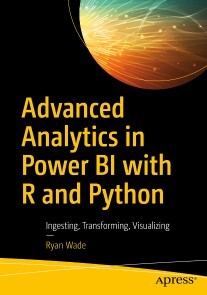
Advanced Analytics in Power BI with R and Python
This easy-to-follow guide provides R and Python recipes to help you learn and apply the top languages in the field of data analytics to your work in Microsoft Power BI. Data analytics expert and author Ryan Wade shows you how to use R and Python to perform tasks that are extremely hard, if not impossible, to do using native Power BI tools. For example, you will learn to score Power BI data using custom data science models and powerful models from Microsoft Cognitive Services.The R and Python languages are powerful complements to Power BI. They enable advanced data transformation techniques that are difficult to perform in Power BI in its default configuration but become easier by leveraging the capabilities of R and Python. If you are a business analyst, data analyst, or a data scientist who wants to push Power BI and transform it from being just a business intelligence tool into an advanced data analytics tool, then this is the book to help you do that.WHAT YOU WILL LEARN* Create advanced data visualizations via R using the ggplot2 package* Ingest data using R and Python to overcome some limitations of Power Query* Apply machine learning models to your data using R and Python without the need of Power BI premium capacity* Incorporate advanced AI in Power BI without the need of Power BI premium capacity via Microsoft Cognitive Services, IBM Watson Natural Language Understanding, and pre-trained models in SQL Server Machine Learning Services * Perform advanced string manipulations not otherwise possible in Power BI using R and PythonWHO THIS BOOK IS FORPower users, data analysts, and data scientists who want to go beyond Power BI’s built-in functionality to create advanced visualizations, transform data in ways not otherwise supported, and automate data ingestion from sources such as SQL Server and Excel in a more concise wayRYAN WADE is a data analytic professional with over 20 years of experience. His education and work experience enable him to have a holistic view of analytics from a technical and business viewpoint. He has an MCSE with an emphasis on BI reporting and Microsoft R. He has an advanced understanding of R, Python, DAX, T-SQL, M, and VBA. He knows how to leverage those programming languages for on-premise and cloud-based data analytics solutions using the Microsoft Data Platform.Ryan is a data analytics enthusiast and has spoken at R meetups, Python meetups, SQLSaturdays, TDWI Conference, and PASS Summit about various data analytics topics. He is the developer of a comprehensive online course for ExcelTv showing how to implement R in Power BI for advanced data analytics and data visualization.PART I. CREATING CUSTOM DATA VISUALIZATIONS USING R1. The Grammar of Graphics2. Creating R custom visuals in Power BI using ggplot2PART II. INGESTING DATA INTO THE POWER BI DATA MODEL USING R AND PYTHON3. Reading CSV Files4. Reading Excel Files5. Reading SQL Server Data6. Reading Data into the Power BI Data Model via an APIPART III. TRANSFORMING DATA USING R AND PYTHON7. Advanced String Manipulation and Pattern Matching8. Calculated Columns using R and PythonPART IV. MACHINE LEARNING & AI IN POWER BI USING R AND PYTHON9. Applying Machine Learning and AI to your Power BI Data Models10. Productionizing Data Science Models and Data Wrangling Scripts.
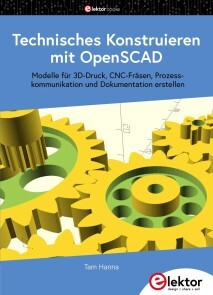
Technisches Konstruieren mit OpenSCAD
Das Design dreidimensionaler Modelle mit Werkzeugen wie Blender oder 3D Studio Max ist eine Aufgabe, die ingenieurwissenschaftlich begabte Personen nur allzu gern delegieren.OpenSCAD wählt einen erfrischend anderen Zugang. Anstatt ein Objekt als Punktwolke zu betrachten, schreibt der Modellerzeuger in einer an Javascript erinnernden Sprache ein Programm. Dieses beschreibt die zu erzeugende Geometrie als eine Serie von Arbeitsschritten. Dreidimensionale Modelle entstehen so in einem Workflow, der an die Entwicklung klassischer ingenieurwissenschaftliche Güter erinnert. Wegen der Nähe zur manuellen Fertigung mit Werkzeug ist das ein Prozess, der Ingenieuren gut in die Hände spielt.Aber Achtung: trotz der Einfachheit der Syntax ist OpenSCAD kein primitives Modellierungsprogramm. Umfangreiche Scriptingmöglichkeiten sorgen dafür, dass sich die Modelle dynamisch an geänderte Situationen anpassen.Dieses Lehrbuch demonstriert die Möglichkeiten von OpenSCAD anhand praktischer Beispiele. Freuen Sie sich auf Ersatzknöpfe für ein LeCroy-Oszilloskop, Garderobenstangenhalter, einen Halter für Seifenspender und diverse andere Beispiele aus dem realen Leben.Der mit mehr als 15 Dienstjahren Erfahrung ausgestattete Autor entwickelte dieses für Linux und Windows gleichermaßen geeignete Buch explizit für informatikaffine Personen. Wenn Sie mit irgendeiner Programmiersprache Erfahrung haben, ist dieses Buch ihr Weg zum schnellen und unbürokratischen Erzeugen dreidimensionaler Modelle.Tam Hanna programmiert und entwickelt seit mehr als 15 Jahren Microcontroller und Prozessrechnersysteme für verschiedene Anwendungsfälle. Neben seiner Consultingtätigkeit hält er Vorträge auf Kongressen, verfasst Fachartikel für diverse Magazine und agiert als Tutor. Sein viel beachteter Instagram-Kanal liefert Hintergrundinformationen zu Messtechnik und Elektronik.
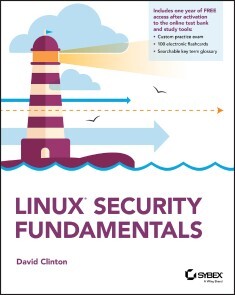
Linux Security Fundamentals
Linux Security Fundamentals provides basic foundational concepts of securing a Linux environment. The focus is the digital self-defense of an individual user. This includes a general understanding of major threats against individual computing systems, networks, services and identity as well as approaches to prevent and mitigate them.This book is useful for anyone considering a career as a Linux administrator or for those administrators who need to learn more about Linux security issues. Topics include:* Security Concepts* Encryption* Node, Device and Storage Security* Network and Service Security* Identity and PrivacyReaders will also have access to Sybex's superior online interactive learning environment and test bank, including chapter tests, a practice exam, electronic flashcards, a glossary of key terms.DAVID CLINTON is a Linux server admin and Amazon Web Services solutions architect who has worked with IT infrastructure in both academic and enterprise environments. He has created video courses teaching AWS and Linux administration, server virtualization, and IT security for Pluralsight. He has also written or cowritten a dozen technology books, including AWS Certified Solutions Architect Study Guide: Associate (SAA-C01) Exam, Second Edition, and AWS Certified Cloud Practitioner Study Guide: Foundational (CLF-C01) Exam.Introduction xiiiCHAPTER 1 USING DIGITAL RESOURCES RESPONSIBLY 1Protecting Personal Rights 2Protecting Digital Privacy 4What is Personal Data? 4Where Might My Personal Data Be Hanging Out? 4What Are My Responsibilities as a Site Administrator? 6Can Escaped Genies Be Forced Back into Their Bottles? 6What Can I Do as a User? 7Establishing Authenticity 7Think About the Source 8Be Aware of Common Threat Categories 8Summary 9Back to the Basics 10Review Questions 11CHAPTER 2 WHAT ARE VULNERABILITIES AND THREATS? 15The Basics: What Are We Trying to Accomplish Here? 16What Are Vulnerabilities and Threats? 17What Can Be Exploited? 17Who’s Doing the Exploiting? 18Why Do They Attack? 19Common Vulnerabilities 20Software Vulnerabilities 20Hardware Vulnerabilities 21Bioware Vulnerabilities 21Digital Espionage 21USB Devices 21Backdoors 22Wireless Entry Points 22Stolen Credentials 23Data Breaches 23Identity Theft (Besides Breaches) 24Malware 24Network-Based Attacks 25Man-in-the-Middle Attacks 25Denial-of-Service and Distributed Denial-of-Service Attacks 26Network Routing Attacks 26Summary 26Back to the Basics 27Review Questions 28CHAPTER 3 CONTROLLING ACCESS TO YOUR ASSETS 33Controlling Physical Access 34Understanding Your Devices 34Protecting Your Devices 36Managing Authentication Through Effective Password Use 38Managing Authorization Through Permissions 44Controlling Network Access 45Firewalls 45Virus and Malware Protection 48Educating Your Users 49Controlling Software Sources 50PC Software Repositories 51Mobile Package Management 51Summary 52Back to the Basics 52Review Questions 54CHAPTER 4 CONTROLLING NETWORK CONNECTIONS 59Understanding Network Architecture 60The Transmission Control Protocol 60The Internet Protocol 61Understanding the Domain Name System 64Auditing Networks 65Network Auditing Tools 66Automating Audits 70Securing Networks 71Patch Your Software 71Physically Secure Your Infrastructure 73Secure Your Network Behavior 73Other Stuff 74Summary 74Back to the Basics 75Review Questions 76CHAPTER 5 ENCRYPTING YOUR DATA AT REST 81What is Encryption? 82Encryption Usage Patterns 85What Should You Encrypt? 85Understanding Hashing vs. Encryption 86What Are Blockchains? 86Encryption Technologies 87Summary 89Back to the Basics 89Review Questions 90CHAPTER 6 ENCRYPTING YOUR MOVING DATA 93Website Encryption 94Why You Should Use Encryption 95How Website Encryption Works 96Generating Certificates 98Email Encryption 99GNU Privacy Guard 100Does Gmail Encrypt Your Emails? 100Working with VPN Connections and Software Repositories 100Securing Your Actions Using VPNs 101Securing Transfers from Software Repositories 104Summary 105Back to the Basics 105Review Questions 106CHAPTER 7 RISK ASSESSMENT 109Conducting Open Source Intelligence Gathering 111Accessing Public Vulnerability Databases 112Vulnerability Data Frameworks 112Vulnerability Data Formats 113Vulnerability Data Metrics 114Vulnerability Data Management Tools 114Conducting Vulnerability Scans 115Conducting Penetration Tests 117Attack Vectors 118Tooling Frameworks 118Follow-Up 119Summary 119Back to the Basics 120Review Questions 121CHAPTER 8 CONFIGURING SYSTEM BACKUPS AND MONITORING 125Why You Need to Get Backups Right the First Time 127Appreciating the Risks 128Spreading Your Backups Across Multiple Sites 129Testing Your Backups 130Meeting Regulatory Compliance 131Backup Types 132Incremental Backups 132Differential Backups 133Backup Life Cycles 133Multitier Backups 133Multisite Storage Solutions 134Disaster Recovery Planning 134Configuring Monitoring and Alerts 135Working with System Logs 135Intrusion Detection 136Summary 137Back to the Basics 138Review Questions 139CHAPTER 9 RESOURCE ISOLATION DESIGN PATTERNS 143Configuring Network Firewalling 145Balancing Public and Private Networks 145Building Isolated Development Environments 147Working with Sandbox Environments 148Use Cases for Sandboxes 148Sandbox Designs 149Controlling Local System Access 150Configuring Mandatory Access Controls 150Setting Usage Quotas 151Summary 152Back to the Basics 152Review Questions 153APPENDIX ANSWERS TO REVIEW QUESTIONS 155Chapter 1: Using Digital Resources Responsibly 156Chapter 2: What are Vulnerabilities and Threats? 157Chapter 3: Controlling Access to Your Assets 158Chapter 4: Controlling Network Connections 160Chapter 5: Encrypting Your Data at Rest 161Chapter 6: Encrypting Your Moving Data 162Chapter 7: Risk Assessment 163Chapter 8: Configuring System Backups and Monitoring 165Chapter 9: Resource Isolation Design Patterns 166Index 167
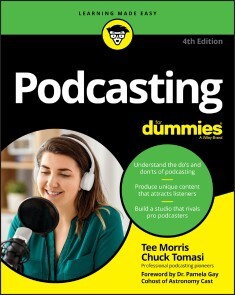
Podcasting For Dummies
ADD YOUR VOICE TO THE PODCASTING REVOLUTION!The world is tuning into podcasts in larger and larger numbers. When you’re ready to add your own voice to the mix, this book will help you find your niche. Featuring top tech information, production insight, and promotional tips, this best-selling podcasting reference shares the latest on podcasting trends and new audience demographics.Written by a pair of podcasting pioneers, Podcasting For Dummies will help you refine your podcast idea, identify your audience, and get the scoop on how to record, edit, and share your work. You’ll also learn how to apply the methods top podcasters monetize and market their work.* Record your voice and conduct high-quality interviews for your new or existing podcast * Edit, upload, and share podcast episodes online—and find people who will listen * Learn how to make money as a podcaster or live streamer * Discover interesting and original podcasts to inspire your own work Podcasting for Dummies is your friendly tutor in the art of audio content creation. So start talking!TEE MORRIS is an award-winning podcaster and the author of Twitch For Dummies and Discord For Dummies.CHUCK TOMASI is a Developer Advocate who has created thousands of hours of content for work and fun. Foreword xvINTRODUCTION 1About This Book 1How to Use This Book 2Conventions Used in This Book 3Bold Assumptions 4How This Book is Organized 5Part 1: Podcasting on a Worldwide Frequency 5Part 2: The Hills Are Alive with the Sound of Podcasting 5Part 3: So You’ve Got This Great Recording of Your Voice: Now What? 5Part 4: Start Spreadin’ the News about Your Podcast 6Part 5: Pod-sibilities to Consider for Your Show 6Part 6: The Part of Tens 6Icons Used in This Book 7Beyond the Book 7Where to Go from Here 8PART 1: PODCASTING ON A WORLDWIDE FREQUENCY 9CHAPTER 1: GETTING THE SCOOP ON PODCASTING 11Deciding Whether Podcasting is for You 12You want to deliver media on a regular basis 13You want to reach beyond the boundaries of broadcast media 14You have something to say 14You want to hear from your listeners 15Creating a Podcast 15Looking for the bare necessities 16Recording your first podcast 17Compressing your audio files 18Uploading your audio to the web 18Grabbing listeners 20There’s an App for That 21The old-timer: Apple Podcasts 22Podcasting on the go: Stitcher 23Welcome the game-changer: Overcast 25Podcasting with the G-man: Google Play Music 27A new 800-pound gorilla: Spotify 28Other Podcast Resources 30CHAPTER 2: GETTING THE GADGETS TO PRODUCE A PODCAST 31Finding the Right Mic 32A Beginner’s Guide to Mics 33Investing in a high-end mic 35Podcasts Well with Others: The Mixing Board 40The anatomy of a mixing board 41Hooking up a mixer to your computer 43Accessorize! Accessorize! Accessorize! 45CHAPTER 3: BUILDING YOUR PODCAST’S DIGITAL WORKSTATION 51Budget-Friendly (a.k.a Free) Software 52Audacity: The risk-free option for all 52Cakewalk by Bandlab for Windows: A complementary Step in Running with the Pros 53GarageBand: Moby in your Mac! 54The Sky’s the Limit: Big-Budget Software 57Adobe Audition 57Apple Logic Pro X 58Gluing It Together with RSS 59Keep it simple and get a blog! 61Doing it by hand 63Podcast Management 101 64Size does matter 64Bandwidth demystified 65CHAPTER 4: GO, GO, POWER PODCASTERS! 67Podcasting with Your Laptop 68Mackie Onyx Blackjack 68Shure MVi 69Podcasting with Your Mobile Devices 70A Shure Thing: The MV5 and MV51 71Two for the Røde: The VideoMic Me and smartLav+ 72Podcasting with Portable Recorders 74Zoom-Zoom-Zoom: The Handy Recorder line 74From Cloud to Computer: Portable Audio Workflow 78Getting audio from your portable recorder 78Getting audio from your portable device 80PART 2: THE HILLS ARE ALIVE WITH THE SOUND OF PODCASTING 83CHAPTER 5: BEFORE YOU HIT THE RECORD BUTTON 85Choosing a Unique Topic for Your Podcast 86Finding Your Voice 87What if I hear more than one voice? 89Deciding Whether You Need an Outline or Script 92Determining a Length for Your Show 94The hidden value of the short podcast 94A little length won’t kill you 95Finding that happy medium 96Mark Your Calendar: Posting Schedule 97Posting daily 97Posting weekly 98Posting biweekly (or fortnightly for our friends in the Commonwealth) 98Posting monthly 99I Hear Music (and It Sounds Like Police Sirens!) 100The powers that be 100I can name that tune I wrote it! 105I’ll take the First: Free speech versus slander 106CHAPTER 6: INTERVIEW-FU: TALK TO ME, GRASSHOPPER 107I’ll Have My People Call Your People: Interview Requests 108Preparing for Interviews 110Asking really great questions 110Avoiding really bad questions 113Feelin’ the synergy 114Recording Interviews 116Recording using Skype 116Recording using OBS 118Recording using hardware 121Prepping Your Green Room for Guests 122Welcoming in-studio guests 123Meeting guests on their own turf 123Ensuring Trouble-Free Recordings 125CHAPTER 7: SO WHAT ARE YOU WAITING FOR? RECORD, ALREADY! 127Did Your Sound Check Clear the Bank? 128Understanding dB levels 128Setting your levels 130Noises Off: Capturing Ambient Noise 133Identifying ambient noise 133Minimizing ambient noise 134Now Take Your Time and Hurry Up: Pacing and Clock Management 136Take the potato out of your mouth and enunciate 137And now let’s take a break for station identification 138Concerning Tangents and Their Val — Oh, Look, a Butterfly! 140“Say, that reminds me of something ” 140“But getting back to what I was saying earlier ” 141Time to Push the Big Red Button! 142Getting started with GarageBand 143Getting started with Audacity 144CHAPTER 8: CLEANUP, PODCAST AISLE 8! 147A Few Reasons to Consider Editing 148The Art of Editing 149Editing with GarageBand 150Editing with Audacity 152Making Your Musical Bed and Lying in It: Background Music 154Finding the right balance 155Applying bed music the right way 156Setting volume levels for bed music 157Making an Entrance: Intros 161Theme music 162Intro greeting 162Exit, Stage Left: Outros 163Leave the audience wanting more 164Catch phrase sign off 164Credits roll 165Coming soon to a media player near you 165PART 3: SO YOU’VE GOT THIS GREAT RECORDING OF YOUR VOICE: NOW WHAT? 167CHAPTER 9: SHRINK THAT PUPPY AND SLAP A LABEL ON IT 169A Kilobit of Me, and a Whole Lot of You: Understanding Kbps 170Care for a Sample, Sir? (Audio Sample Rates) 173ID3 Tags: The 411 of Podcasting 176Tell me about yourself: All about ID3 tags 176IDentity crisis: Making ID3 tags work for podcasting 177Creating and editing ID3 tags 179CHAPTER 10: MOVE IT ON UP (TO YOUR WEB SERVER) 183Show Art: Getting Graphic with Your Podcast 184Adopting an Effective File Naming Convention 186Understanding How FTP Works 188Making Your Connection with an FTP Application 189Step by step (or quack by quack) setup for Cyberduck 190Step by step setup for FileZilla 191A place on your web server for your stuff 192Uploading your files 193Uploading to a Podcast-Specific Host 195CHAPTER 11: PROVIDING SHOW NOTES 197Show Note Etiquette 197Planning the Post 199It’s all in the details 200A picture is worth a thousand words 201Posting Your Show Notes 203Posting in WordPress 203Posting on LibSyn 207Boosting Search Engine Rankings with Good Show Notes 209Loading up your titles 210Soliciting backlinks 211PART 4: START SPREADIN’ THE NEWS ABOUT YOUR PODCAST 213CHAPTER 12: SPEAKING DIRECTLY TO YOUR PEEPS 215Gathering Listener Feedback 216Fostering Comments on Your Blog 217Focusing on Online Forums 218Social Media 221Facebook 221Twitter 222Pinterest 222YouTube? For audio?! 223Instagram 224Discord: The Lava Lamp of Online Communications 226Using Voicemail 229Seeking Out the Comments of Others 231Trying a general search 232Searching within a site, blog, or social media platform 232When the Comments Are Less than Good 233CHAPTER 13: FISHING FOR LISTENERS 237Getting Your Podcast Ready for Promotion 237Polishing your presentation 238Checking your bandwidth 238Figuring out your USP 239Exploring Various Advertising Options 240Give me a boost, Facebook 241Insta-traffic with Instagram 244Writing press releases 247Promoting Your Podcast 250Optimizing your site for search engines 250Submitting promos to other podcasts 250Recording your promo 251Giving interviews 253Generating buzz 254PART 5: POD-SIBILITIES TO CONSIDER FOR YOUR SHOW 255CHAPTER 14: SHOW ME THE MONEY 257How Much Money Can You Make? 258Convincing Advertisers to Give You Money 261Developing a media kit 262Establishing a rate sheet 267Getting a Sponsor 267Asking Your Listeners for Money 270Gathering listener donations with PayPal 270Building patrons with Patreon 272Selling stuff 275CHAPTER 15: PODCASTING FOR PUBLICITY 277Podcasting and Politics 278Telling the World a Story, One Podcast at a Time 281Keeping Good Company: Community Podcasts 285Creating a podcast to encourage testimony 285Podcasting for fun (while promoting in the process) 286CHAPTER 16: PODCASTING FOR PASSION 291The Philosophical Question for All Podcasters: Why Do We Do It? 292Gaining perspective on passion 292Podcasting passion with a purpose 294Sharing your passion with friends 294A passionate love for the podcast 296Holding Interest: Keeping a Podcast’s Passion Alive 298Podcasting on puree: Mixing it up 299Starting a second (or third) podcast 300Moving forward with a plan 304When Podcasting, Be Like Bruce Lee 306CHAPTER 17: ONE GIANT LEAP FOR PODCASTING: STREAMING CONTENT 309In the Beginning: The Early Days of Video Podcasting and Live Broadcasts 310Light, cameras, and say what: The unexpected demands of video podcasting 310Going live (if you’re lucky): Early attempts at live podcasting 313Streaming Media: Podcasting Evolved 313Going Live for Realz This Time: Streaming Your Podcast 316The first step: Setting up a streaming account 316Setting the stage: Working with Streamlabs OBS 318And we’re live! Podcasting in the moment 322It’s a stream, it’s a podcast It’s a stream and a podcast! 323PART 6: THE PART OF TENS 327CHAPTER 18: TEN TYPES OF PODCASTS TO CHECK OUT 329Tech Podcasts 330Independent Media Podcasts 331Science Podcasts 333Self-Development Podcasts 335Comedy Podcasts 338Slice-of-Life Podcasts 339Gaming Podcasts 340Podcasts of the Pen 342Geek Podcasts 343Podcasts about Podcasting 345CHAPTER 19: TOP TEN REASONS TO PODCAST 347You Are Considered a Subject Matter Expert 348You Are Passionate about the Subject 349You’ve Got a Creative Itch to Scratch 350You Like Playing with Tech Toys 352Bring Your Friends Together 353All the Cool Kids Are Doing It 354I Can Do More 354Bring Out the Best in You 356Talk to Interesting People 357The Ultimate Thrill Ride 358CHAPTER 20: TEN ORIGINAL PODCASTERS 361Mignon Fogarty 362Adam Curry 363Mur Lafferty 363Steve Boyett 364Adam Christianson 365Dave Slusher 366Scott Sigler 367Michael Butler 368Dr Pamela Gay 369Brian Ibbott 370Authors’ Footnote 371Index 373
QuickBooks 2021 For Dummies
SAVE ON EXPENSIVE PROFESSIONALS WITH THIS TRUSTED BESTSELLER!Running your own business is pretty cool, but when it comes to the financial side—accounts and payroll, for instance—it's not so cool! That's why millions of small business owners around the world count on QuickBooks to quickly and easily manage accounting and financial tasks and save big time on hiring expensive professionals.In a friendly, easy-to-follow style, small business guru and bestselling author Stephen L. Nelson checks off all your financial line-item asks, including how to track your profits, plan a perfect budget, simplify tax returns, manage inventory, create invoices, track costs, generate reports, and pretty much any other accounts and financial-planning task that turns up on your desk!* Keep up with the latest QuickBooks changes* Use QuickBooks to track profits and finances* Balance your budget* Back up your data safelyThe fully updated new edition of QuickBooks For Dummies takes the sweat (and the expense) out of cooking the books—and gives you more time to savor the results of your labors!STEPHEN L. NELSON, MBA, CPA, MS in Taxation provides accounting, business advisory, tax planning, and tax preparation services to small businesses. His more than 100 books—including all editions of QuickBooks For Dummies, have sold over 5 million copies.INTRODUCTION 1About This Book 1Foolish Assumptions 2Icons Used in This Book 3Beyond the Book 3Where to Go from Here 3PART 1: QUICKLY INTO QUICKBOOKS 5CHAPTER 1: QUICKBOOKS: THE HEART OF YOUR BUSINESS 7Why QuickBooks? 7Why you need an accounting system 8What QuickBooks does 9Why not QuickBooks online? 10What Explains QuickBooks’ Popularity? 11What’s Next, Dude? 12How to Succeed with QuickBooks 13Budget wisely, Grasshopper 13Don’t focus on features 14Outsource payroll 15Get professional help 16Use both the profit and loss statement and the balance sheet 16CHAPTER 2: THE BIG SETUP 17Getting Ready for QuickBooks Setup 17The big decision 18The trial balance of the century 19The mother of all scavenger hunts 21Stepping through QuickBooks Setup 23Starting QuickBooks 23Using the Express Setup 25The Rest of the Story 32Should You Get Your Accountant’s Help? 33CHAPTER 3: POPULATING QUICKBOOKS LISTS 35The Magic and Mystery of Items 35Adding items you might include on invoices 37Creating other wacky items for invoices 45Editing items 49Adding Employees to Your Employee List 49Customers Are Your Business 51It’s Just a Job 55Adding Vendors to Your Vendor List 59The Other Lists 63The Fixed Asset Item list 63The Price Level list 64The Billing Rate Levels list 64The Sales Tax Code list 65The Class list 65The Other Names list 65The Sales Rep list 66Customer, Vendor, and Job Types lists 66The Terms list 67The Customer Message list 67The Payment Method list 67The Ship Via list 68The Vehicle list 68The Memorized Transaction list 68The Reminders list 68Organizing Lists 69Printing Lists 69Exporting List Items to Your Word Processor 70Dealing with the Chart of Accounts List 70Describing customer balances 70Describing vendor balances 71Camouflaging some accounting goofiness 71Supplying the missing numbers 77Checking your work one more time 80PART 2: DAILY ENTRY TASKS 81CHAPTER 4: CREATING INVOICES AND CREDIT MEMOS 83Making Sure That You’re Ready to Invoice Customers 84Preparing an Invoice 84Fixing Invoice Mistakes 91If the invoice is still displayed onscreen 91If the invoice isn’t displayed onscreen 91Deleting an invoice 92Preparing a Credit Memo 92Fixing Credit Memo Mistakes 96Printing Invoices and Credit Memos 96Loading the forms into the printer 97Setting up the invoice printer 97Printing invoices and credit memos as you create them 100Printing invoices in a batch 101Printing credit memos in a batch 103Sending Invoices and Credit Memos via Email 104Customizing Your Invoices and Credit Memos 105CHAPTER 5: REELING IN THE DOUGH 107Recording a Sales Receipt 108Printing a Sales Receipt 112Special Tips for Retailers 114Correcting Sales Receipt Mistakes 115Recording Customer Payments 116Correcting Mistakes in Customer Payments Entries 121Making Bank Deposits 121Improving Your Cash Inflow 124Tracking what your customers owe 124Assessing finance charges 125Dealing with deposits 129CHAPTER 6: PAYING THE BILLS 131Pay Now or Pay Later? 131Recording Your Bills by Writing Checks 132The slow way to write checks 132The fast way to write checks 138Recording Your Bills the Accounts Payable Way 140Recording your bills 141Entering your bills the fast way 145Deleting a bill 146Remind me to pay that bill, will you? 147Paying Your Bills 149Tracking Vehicle Mileage 152Paying Sales Tax 153CHAPTER 7: INVENTORY MAGIC 155Setting Up Inventory Items 156When You Buy Stuff 157Recording items that you pay for up front 157Recording items that don’t come with a bill 157Paying for items when you get the bill 159Recording items and paying the bill all at once 161When You Sell Stuff 161How Purchase Orders Work 162Customizing a purchase order form 163Filling out a purchase order 163Checking up on purchase orders 166Receiving purchase order items 166Assembling a Product 167Identifying the components 167Building the assembly 168Time for a Reality Check 169Dealing with Multiple Inventory Locations 171Manually keep separate inventory-by-location counts 171Use different item numbers for different locations 172Upgrade to QuickBooks Enterprise Solutions 172The Lazy Person’s Approach to Inventory 173How periodic inventory systems work in QuickBooks 173The good and bad of a periodic inventory 174CHAPTER 8: KEEPING YOUR CHECKBOOK 175Writing Checks 175Writing checks from the Write Checks window 176Writing checks from the register 177Changing a check that you’ve written 179Packing more checks into the register 180Depositing Money in a Checking Account 181Recording simple deposits 181Depositing income from customers 182Transferring Money between Accounts 185Setting up a second bank account 185Recording deposits into the new account 185About the other half of the transfer 187Changing a transfer that you’ve already entered 187Working with Multiple Currencies 188To Delete or to Void? 188Handling NSF Checks from Customers 190The Big Register Phenomenon 190Moving through a big register 191Finding that darn transaction 191CHAPTER 9: PAYING WITH PLASTIC 193Tracking Business Credit Cards 193Setting up a credit card account 194Selecting a credit card account so that you can use it 195Entering Credit Card Transactions 196Recording a credit card charge 197Changing charges that you’ve already entered 199Reconciling Your Credit Card Statement and Paying the Bill 200So What about Debit and ATM Cards? 201So What about Customer Credit Cards? 201PART 3: STUFF YOU DO FROM TIME TO TIME 203CHAPTER 10: PRINTING CHECKS 205Getting the Printer Ready 205Printing a Check 208A few words about printing checks 209Printing a check as you write it 209Printing checks by the bushel 211What if I make a mistake? 214Oh where, oh where do unprinted checks go? 215Printing a Checking Register 215CHAPTER 11: PAYROLL 219Getting Ready to Do Payroll without Help from QuickBooks 219Doing Taxes the Right Way 220Getting an employer ID number 220Signing up for EFTPS 221Employees and employers do their part 221Getting Ready to Do Payroll with QuickBooks 221Paying Your Employees 223Paying Payroll Liabilities 226Paying tax liabilities if you use a full-meal-deal payroll service 226Paying tax liabilities if you don’t use a full-meal-deal payroll service 226Paying other nontax liabilities 227Preparing Quarterly Payroll Tax Returns 228Using the Basic Payroll service 228Using a full-meal-deal payroll service 228Using the QuickBooks Enhanced Payroll service 228Filing Annual Returns and Wage Statements 229The State Wants Some Money Too 230CHAPTER 12: BUILDING THE PERFECT BUDGET 231Is This a Game You Want to Play? 231All Joking Aside: Some Basic Budgeting Tips 232A Budgeting Secret You Won’t Learn in College 233Setting Up a Secret Plan 234Adjusting a Secret Plan 237Forecasting Profits and Losses 237Projecting Cash Flows 238Using the Business Planner Tools 238CHAPTER 13: ONLINE WITH QUICKBOOKS 239Doing the Electronic Banking Thing 239So what’s the commotion about? 239A handful of reasons to be cautious about banking online 240Making sense of online banking 243Signing up for the service 243Making an online payment 243Transferring money electronically 245Changing instructions 246Transmitting instructions 246Message in a bottle 247A Quick Review of the Other Online Opportunities 248PART 4: HOUSEKEEPING CHORES 249CHAPTER 14: THE BALANCING ACT 251Balancing a Bank Account 251Giving QuickBooks information from the bank statement 252Marking cleared checks and deposits 254Eleven Things to Do If Your Nononline Account Doesn’t Balance 258CHAPTER 15: REPORTING ON THE STATE OF AFFAIRS 263What Kinds of Reports Are There, Anyway? 263Creating and Printing a Report 266Visiting the report dog-and-pony show 268Editing and rearranging reports 269Reports Made to Order 272Processing Multiple Reports 275Your Other Reporting Options 275Last but Not Least: The QuickReport 276CHAPTER 16: JOB ESTIMATING, BILLING, AND TRACKING 279Turning On Job Costing 279Setting Up a Job 280Creating a Job Estimate 281Revising an Estimate 284Turning an Estimate into an Invoice 284Comparing Estimated Item Amounts with Actual Item Amounts 286Charging for Actual Time and Costs 287Tracking Job Costs 288CHAPTER 17: FILE MANAGEMENT TIPS 289Backing Up is (Not That) Hard to Do 289Backing up the quick-and-dirty way 291Getting back the QuickBooks data you backed up 296Using the Accountant’s Copy 298Working with Portable Files 299Using an Audit Trail 300Using a Closing Password 300CHAPTER 18: FIXED ASSETS AND VEHICLE LISTS 303What is Fixed-Assets Accounting? 303Fixed-Assets Accounting in QuickBooks 305Setting Up a Fixed Asset List 306Adding items to the Fixed Asset list 306Adding fixed-asset items on the fly 308Editing items in the Fixed Asset list 309Tracking Vehicle Mileage 310Identifying your vehicles 310Recording vehicle miles 312Using the vehicle reports 313Updating vehicle mileage rates 313PART 5: THE PART OF TENS 315CHAPTER 19: TIPS FOR HANDLING (ALMOST) TEN TRICKY SITUATIONS 317Tracking Depreciation 317Selling an Asset 318Selling a Depreciable Asset 319Owner’s Equity in a Sole Proprietorship 320Owner’s Equity in a Partnership 320Owner’s Equity in a Corporation 321Multiple-State Accounting 322Getting a Loan 323Repaying a Loan 323CHAPTER 20: (ALMOST) TEN SECRET BUSINESS FORMULAS 325The First “Most Expensive Money You Can Borrow” Formula 326The Second “Most Expensive Money You Can Borrow” Formula 328The “How Do I Break Even?” Formula 328The “You Can Grow Too Fast” Formula 331How net worth relates to growth 331How to calculate sustainable growth 332The First “What Happens If ?” Formula 333The Second “What Happens If ?” Formula 335The Economic Order Quantity (Isaac Newton) Formula 337The Rule of 72 338PART 6: APPENDIXES 341APPENDIX A: INSTALLING QUICKBOOKS IN TEN EASY STEPS 343APPENDIX B: IF NUMBERS ARE YOUR FRIENDS 347APPENDIX C: SHARING QUICKBOOKS FILES 365Index 375