

Computer und IT
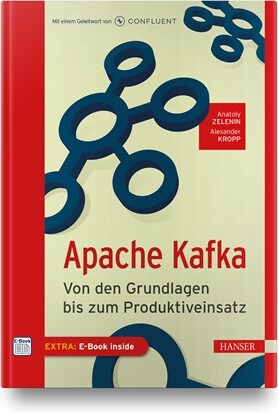
Apache Kafka
Die Zukunft eines Unternehmens ist sicher, wenn es mit Daten richtig umgeht. Neben dem Sammeln, Speichern und Auswerten ist der Austausch von Daten zwischen unterschiedlichen Systemen hierbei von immenser Bedeutung. Denn er soll zuverlässig und möglichst in Echtzeit erfolgen. Diese Anforderungen sind der Grund, weshalb sich Apache Kafka als Standard etabliert hat. Immer mehr Unternehmen setzen Apache Kafka heute als Streaming-Plattform und Messaging-System ein, um die Komplexität moderner IT-Architekturen beherrschbar zu machen. Um bei dieser Mission erfolgreich zu sein, ist Wissen entscheidend. Dieses Buch nimmt Software-Architekten, Entwickler und Administratoren gleichermaßen auf eine spannende Apache-Kafka-Mission mit. Eine Mission, die von den Grundlagen bis zum Produktiveinsatz von Kafka-basierten Daten-Pipelines reicht. Erleben Sie, wie Apache Kafka Zuverlässigkeit und Performance erreicht und wie Sie Komplikationen frühzeitig meistern können. Anhand zahlreicher Praxisbeispiele lernt man zudem, wie Best-Practice-Lösungen im eigenen Unternehmen umgesetzt werden können. Aus dem Inhalt:Warum Kafka? – Motivation für Kafka und verbreitete NutzungsartenWas ist Kafka? – Kafka als verteilter LogWie erreicht Kafka seine Performance? – Partitionen und Consumer GroupsWie erreicht Kafka seine Zuverlässigkeit? – Replikation, ACKs und Exactly OnceNachrichten produzieren und konsumieren: Was passiert in den Clients und auf den Brokern?Nachrichten aufräumen: Wie können nicht mehr benötigte Daten gelöscht und Speicherplatz frei geräumt werden?• Einblicke in das Kafka-Ökosystem: Kafka über Kafka Connect mit anderen Systemen wie Datenbanken und externen Systemen verbindenAutoren: Anatoly Zelenin vermittelt als IT-Trainer hunderten Teilnehmern Apache Kafka in interaktiven Schulungen. Seine Kunden aus dem DAX-Umfeld und dem deutschen Mittelstand schätzen seit über einem Jahrzehnt seine Expertise und seine begeisternde Art. Darüber hinaus ist er nicht nur IT-Berater und -Trainer, sondern erkundet auch als Abenteurer unseren Planeten. Alexander Kropp ist seit seiner Kindheit leidenschaftlicher Informatiker und programmiert seit er 10 Jahre alt ist. Als Forscher und Berater unterstützt Alexander seit einem Jahrzehnt namhafte Unternehmen bei der Digitalisierung und Prototypen-Entwicklung. Parallel ist er als Dozent und Trainer im Cloud-Umfeld tätig
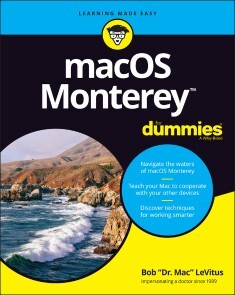
macOS Monterey For Dummies
UNLOCK THE POTENTIAL OF MACOS MONTEREY WITH THIS UPDATED GUIDE FROM "DR. MAC" HIMSELFMacs are famously an absolute pleasure to use. But it's even more fun discovering all the cool things a new version of macOS can do. macOS Monterey, introduced in 2021, makes the latest macOS features available to Mac users everywhere. macOS Monterey For Dummies is your personal roadmap to finding every single awesome new bell and whistle in this world-famous operating system.You'll read about upgrades to the accessibility options, how to use Live Text to grab text from all of your photos, manage your iPhone from your Mac and vice versa, and use the new Universal Control to seamlessly transition between Apple devices.You can also:* Learn how to watch TV or a movie with friends while you're on a FaceTime call* Explore the new "Shared With You" feature so you can access the content people send to you directly in the relevant app* Explore the online world with the Safari browser included with every installation of MacOS MontereyPerfect for anyone who wants to take full advantage of the latest version of Apple's intuitive and user-friendly operating system, macOS Monterey For Dummies is the fastest, easiest way to master the newest features and the coolest capabilities included with macOS Monterey. With hundreds of pages of simple instructions and images of the macOS interface, this is the last handbook you'll need to make the most of the newest macOS.BOB LEVITUS, better known as Dr. Mac, has been writing on all things Mac since 1996. He’s a regular contributor to technology publications and has penned over 90 how-to books on macOS, iPhone, iPad, Office for the Mac, and GarageBand.INTRODUCTION 1About This Book 1Foolish Assumptions 3Icons Used in This Book 3Beyond the Book 4Where to Go from Here 4PART 1: MACOS BASICS 5CHAPTER 1: MACOS MONTEREY 101 (PREREQUISITES: NONE) 7Gnawing to the Core of macOS 8A Safety Net for the Absolute Beginner (or Any User) 10Turning the dang thing on 10What you should see on startup 11Shutting down properly 14A few things you should definitely not do with your Mac 15Point-and-click 101 16Not Just a Beatles Movie: Help and the Help Menu 18CHAPTER 2: DESKTOP AND WINDOWS AND MENUS (OH MY!) 23Touring Finder and Its Desktop 24Anatomy of a Window 25Top o’ the window to ya! 27A scroll new world 29(Hyper)active windows 30Dialog Dealie-Boppers 32Working with Windows 34Opening and closing windows 34Resizing windows and window panes 35Moving windows 35Shuffling windows 36Menu Basics 38The ever-changing menu bar 39Contextual (shortcut) menus: They’re sooo contextual! 39Recognizing disabled options 41Navigating submenus 42Under the Apple menu tree 43Using keyboard shortcut commands 44CHAPTER 3: WHAT’S UP, DOCK? 45A Quick Introduction to Your Dock 46The default icons of the dock 47Trash talkin’ 49Opening application menus on the dock 51Reading dock icon body language 53Opening files from the dock 54Customizing Your Dock 54Adding dock icons 54Removing an icon from the dock 57Resizing the dock 58What should you put on your dock? 58Setting your dock preferences 60CHAPTER 4: GETTING TO KNOW FINDER AND ITS DESKTOP 65Introducing Finder and Its Minions: The Desktop and Icons 66Introducing the desktop 66Bellying up to the toolbar 68Figuring out what an icon is 71Identifying your Finder icons in the wild 72Aliases Are Awesome! 73Creating aliases 75Deleting aliases 76Hunting down an alias’s parent 76The View(s) from a Window 76Moving through folders fast in Column view 77Perusing in Icon view 79Listless? Try viewing folders as a list 79Hangin’ in the Gallery (view) 81What’s next on the (View) menu? 82Finder on the Menu 84The actual Finder menu 84Like a road map: The current folder’s pop-up menu 87Going places with the Go menu 88Customizing Finder Windows 90Adding folders to the sidebar 90Setting Finder preferences 90Digging for Icon Data in the Info Window 93CHAPTER 5: DELVING EVEN DEEPER INTO MONTEREY’S DESKTOP AND FINDER 97Cleaning Up Your Desktop Automatically with Stacks 97Managing your Stacks 100Quick Actions: Now Playing All Over Monterey 101Getting the most out of Markup 101Trimming video without launching an app 104Do It Quicker with Finder Quick Actions 105Creating PDFs without launching an app 105Creating custom Finder Quick Actions 106Four More Cool Monterey Tricks 107Shooting screens 107Dynamic desktop images 109PART 2: HOW STUFF WORKS 111CHAPTER 6: HAVING IT YOUR WAY 113Introducing System Preferences 113The Desktop & Screen Saver System Preferences Pane 115The Desktop tab 116The Screen Saver tab 117The General System Preferences Pane 118Adjusting the Keyboard, Mouse, Trackpad, and Other Hardware 121The Keyboard System Preferences pane 122The Mouse System Preferences pane 126The Bluetooth System Preferences pane 127The Trackpad System Preferences pane 127The Sound System Preferences Pane 129Changing sound effects 129Choosing output and input options 130CHAPTER 7: OPENING AND SAVING FILES 131A Quick Primer on Finding Files 132Understanding the macOS Folder Structure 132Understanding nested folders 134From the top: The Computer folder 135Peeking into the Applications folder 136Visiting the Library folders 136Let it be: The System folder 137There’s no place like Home 137Your personal library card 139Saving Your Document Before It’s Too Late 141Stepping through a basic save 142Save As versus Duplicate: Different names for the same result 148Open, Sez Me 150With drag-and-drop 152With a Quick Look 152When your Mac can’t open a file 153With the application of your choice 154CHAPTER 8: FILE AND FOLDER MANAGEMENT MADE EASY 157Organizing Your Stuff in Folders 157Files versus folders 158Organizing your stuff with subfolders 158Creating new folders 160Navigating with spring-loaded folders 161Smart folders 162Shuffling Files and Folders 164Moving files and folders 165Selecting multiple icons 166Playing the icon name game: Renaming icons 167Renaming multiple icons at once 168Compressing files 168Getting rid of icons 168The Incredible iCloud+ (and iCloud Drive) 169CHAPTER 9: COMPREHENDING THE MACOS CLIPBOARD 171Introducing the Clipboard 171Copying Files and Folders 173Pasting from the Clipboard 175Monterey’s Universal Clipboard 175PART 3: GETTING THINGS DONE 177CHAPTER 10: FIVE TERRIFIC TIME-SAVING TOOLS 179With a Quick Look 180Share and share alike with the Share menu 181Slide into Slideshow (full-screen) mode 182Spotlight on Finding Files and Folders Faster 183Using the Find command 184Using the Spotlight menu and its keyboard shortcut 186Blast Off with Mission Control 187The Mission Control pane: It’s painless 187Hot corners are hot stuff! 189Mission Control’s Spaces from 30,000 feet (an overview) 190Getting around in space(s) 192Taking Control of Essential Settings 193Launchpad: The Place for Applications 194CHAPTER 11: ORGANIZING YOUR LIFE 197Keeping Track with Calendar 198Navigating Calendar views 198Creating calendars 199Deleting a calendar 200Creating and managing events 201Reminders: Protection Against Forgetting 203Getting started with Reminders 204To do or not to do: Setting reminders 205Sharing lists and assigning reminders 206Everything You Need to Know about Notification Center 207Tweaking Notification settings 207Widget management 101 209Using Notification Center 210Getting focused 210Use Notes for Making Notes 211Take a Quick Note with Quick Note 215Tracking Productivity with Screen Time 215CHAPTER 12: ARE YOU SIRI-OUS? 217What Siri Can Do for You 217Working with Siri 219Making Siri Your Own 220CHAPTER 13: MAPS ARE WHERE IT’S AT 223Finding Your Current Location with Maps 223Finding a Person, Place, or Thing 224Views, Zooms, and Pans 225Maps and Contacts 227Time-saving Map Tools: Favorites, Guides, and Recents 228Favorites 228Guides 229Recents 230Smart Map Tricks 230Get route maps and driving directions 230Get walking directions 231Get directions for public transportation 232Get traffic info in real time 232Flyovers and look arounds 232Do more on the Info sheet 233CHAPTER 14: APPS BORN IN IOS 235Taking Stock of the Market with Stocks 236Adding and deleting stocks, funds, and indexes 237Details, details, details 237Charting a course 238Read All about It in News 239What are your interests? 239How News works 240Managing your news 240Recording Memos with Voice Memos 241Recording a voice memo 241Listening to a voice memo 242Naming a voice memo 243Trimming a voice memo 243Automating Repetitive Tasks with Shortcuts 244Controlling Lights, Locks, and More with Home 245PART 4: GETTING ALONG WITH OTHERS 247CHAPTER 15: (INTER)NETWORKING 249Getting Connected to the Internet 250Your internet service provider and you 251Plugging in your internet-connection settings 251Browsing the Web with Safari 253Owning your toolbar 254Using the Safari sidebar 255Checking out Help Center 260CHAPTER 16: DEALING WITH PEOPLE 261Collecting Your Contacts 261Adding contacts 262Importing contacts from other programs 263Creating a basic group 264Setting up a smart group (based on contact criteria) 266Deleting a group or smart group 266Sync + Contacts = your contacts everywhere 267Audio and Video Calls with FaceTime 268About SharePlay 269CHAPTER 17: COMMUNICATING WITH MAIL AND MESSAGES 271Sending and Receiving Email with Mail 271Setting Up Mail 272A quick overview of the toolbar 272Composing a new message 274Sending email from the Contacts app 276Checking your mail 278Dealing with spam 279Mailboxes smart and plain 280Changing your preferences 282Sign here, please 283Mail rules rule 284Take a (Quick) look and (Slide) show me some photos 286Markup and Mail Drop 286Communicating with Messages 288What the heck is an iMessage? 289Chit-chatting with Messages 289CHAPTER 18: SHARING YOUR MAC AND LIKING IT 293Introducing Networks and File Sharing 294Portrait of home office networking 295Three ways to build a network 297Setting Up File Sharing 299Access and Permissions: Who Can Do What 300Users and groups and guests 300Creating users 302macOS knows best: Folders shared by default 306Sharing a folder or disk by setting permissions 307Useful settings for permissions 311Unsharing a folder 314Connecting to a Shared Disk or Folder on a Remote Mac 314Changing Your Password 318Changing your account password on your Mac 319Changing the password of any account but your own on your Mac 319More Types of Sharing 320Sharing a screen 320Sharing the internet 321And yet more ways to share 322PART 5: GETTING CREATIVE 323CHAPTER 19: THE MUSICAL MAC 325Apple Music and iTunes Match Rock! 326Introducing Music (the App Formerly Known as iTunes) 327Working with Media 330Adding songs 330Listening to Radio 332All about Playlists 334Creating a regular playlist 334Working with smart playlists 336Working with the Genius playlist 337Burning a playlist to CD 338CHAPTER 20: THE MULTIMEDIA MAC 341Playing Movies and Music in QuickTime Player 342Watching TV 343Using the Books App 344Buying an e-book or audiobook 345Shopping for e-books without Apple 347Finding and Listening to Podcasts with the Podcasts App 348You’re the Star with Photo Booth 349Viewing and Converting Images and PDFs in Preview 351CHAPTER 21: WORDS AND LETTERS 353Processing Words with TextEdit 354Creating and composing a document 354Working with text 355Adding graphics to documents 358Font Mania 359Types of fonts 360Managing your fonts with Font Book 360CHAPTER 22: PUBLISH OR PERISH: THE FAIL-SAFE GUIDE TO PRINTING 363Before Diving In 364Ready: Connecting and Adding Your Printer 364Connecting your printer 365Setting up a printer for the first time 365One last thing: Printer sharing 368Set: Setting Up Your Document with Page Setup 368Print: Printing with the Print Sheet 370Printing a document 370Choosing among different printers 371Choosing custom settings 371Saving custom settings 374Preview and PDF Options 374PART 6: CARE AND FEEDING 377CHAPTER 23: FEATURES FOR THE WAY YOU WORK 379Finally, a Dark Mode 380App Shopping, Improved 381Using Your iPhone as Your Mac’s Camera or Scanner 383Talking and Listening to Your Mac 386Keyboard System Preferences pane: You talk and your Mac types 386Commanding your Mac by voice 388Listening to your Mac read your screen 389Automatic Automation 392Script Editor app: Write and edit AppleScripts 392Automator app: Automate almost anything 394A Few More Useful Goodies 396Accessibility System Preferences pane: Make your Mac more accessible 396Battery and Energy Saver System Preferences panes: For energy conservation and sleep 398Bluetooth System Preferences pane: Where Bluetooth lives 399Ink System Preferences pane: Visible to pen-input tablet users only 400Automatic Login in the Users & Groups System Preferences pane: Don’t bother with the login screen 400Allow your Apple Watch to unlock your Mac 401Boot Camp Assistant app: Run Windows on your Mac really 401AirPlay and AirPlay to Mac 402Handoff 403Universal Control 404CHAPTER 24: SAFETY FIRST: BACKUPS AND OTHER SECURITY ISSUES 405Backing Up is (Not) Hard to Do 406Backing up with Monterey’s excellent Time Machine 406Backing up by using the manual, brute-force method 409Backing up by using commercial backup software 410Why You Need Two Sets of Backups 411Non-Backup Security Concerns 412About viruses and other malware 412Install recommended software updates 414Protecting Your Data from Prying Eyes 415Blocking or limiting connections 416Locking down files with FileVault 416Setting other options for security 417CHAPTER 25: UTILITY CHEST 419In the Applications and Utilities Folders 419Calculator 419Activity Monitor 421Disk Utility 422Keychain Access 427Passwords System Preferences pane 429Migration Assistant 429System Information 430Terminal 430Screenshot 431The best keyboard shortcut to memorize 432Monterey screen-shooting options 433Monterey screen recording 434CHAPTER 26: TROUBLESHOOTING MACOS 435About Startup Disks and Booting 435Finding or creating a startup disk 436They call it a prohibitory sign for a reason 436Recovering with Recovery HD 438Step 1: Run First Aid 438Step 2: Safe boot into Safe mode 439Step 3: Zapping the PRAM/NVRAM 440Step 4: Reinstalling macOS 441Step 5: Things to try before taking your Mac in for repair 441If Your Mac Crashes at Startup 442Managing Storage 442PART 7: THE PART OF TENS 445CHAPTER 27: TEN WAYS TO SPEED UP YOUR MAC EXPERIENCE 447Use Those Keyboard Shortcuts 447Improve Your Typing Skills 448Try a Different Keyboard 449Change Your Resolution 450Purchase a Faster Mac 450Add RAM 451Add a Second Display 451Use Your iPad as a Second Display 452Upgrade to a Solid-State Drive (SSD) 452Get More Storage 453CHAPTER 28: TEN GREAT WEBSITES FOR MAC FREAKS 455The Mac Observer 456Macworld 456TidBITS 456iMore 457AppleWorld.Today 457The Wirecutter 457Apple Support 458Other World Computing 458Apple’s Refurbished and Clearance Store 459Six Colors 459Index 461

Statistical Analysis with Swift
Work with large data sets, create statistical models, and make predictions with statistical methods using the Swift programming language. The variety of problems that can be solved using statistical methods range in fields from financial management to machine learning to quality control and much more. Those who possess knowledge of statistical analysis become highly sought after candidates for companies worldwide.Starting with an introduction to statistics and probability theory, you will learn core concepts to analyze your data's distribution. You'll get an introduction to random variables, how to work with them, and how to leverage their properties in computations. On top of the mathematics, you’ll learn several essential features of the Swift language that significantly reduce friction when working with large data sets. These functionalities will prove especially useful when working with multivariate data, which applies to most information in today's complex world.Once you know how to describe a data set, you will learn how to create models to make predictions about future events. All provided data is generated from real-world contexts so that you can develop an intuition for how to apply statistical methods with Swift to projects you’re working on now.You will:• Work with real-world data using the Swift programming language• Compute essential properties of data distributions to understand your customers, products, and processes• Make predictions about future events and compute how robust those predictions are JIMMY M ANDERSSON is a software engineer in the automotive industry, specializing in acquiring and visualizing real-time data collected from cars. He is also a graduate student at Chalmers University of Technology, currently working towards a master's degree in data science and artificial intelligence. Outside of work and studies, Jimmy writes software development articles focusing on the Swift programming language. He also develops the StatKit library - a collection of statistical analysis tools for Swift developers. StatKit is open-source and available for anyone who wants to incorporate statistical methods into their programs.CHAPTER 1: SWIFT PRIMER• Introduction to Swift and its pros when working with large data sets• Provided data sets and how to load them using the Decodable protocol• Higher-Order Functions (map, filter, reduce, apply)CHAPTER 2: INTRODUCTION TO PROBABILITY AND RANDOM VARIABLES• What is a random variable?• Sample spaces• Laws and axioms of probability• Variable Independence• Conditional probabilityCHAPTER 3: DISTRIBUTIONS AND RANDOM NUMBERS• Mass and density functions• Discrete distributions• Discrete uniform distribution• Bernoulli trials• Binomial distribution• Poisson distribution• Continuous distributions• Continuous uniform distribution• Exponential distribution• Normal distribution• Implement a random number generator that samples from a given distributionCHAPTER 4: PREDICTING HOUSE SALE PRICES WITH LINEAR REGRESSION• Central tendency measures• Variance measures• Association measures• Stratification of data• Linear regressionCHAPTER 5: HYPOTHESIS TESTING• T Testing• Null and Alternative Hypotheses• P-value• Determining sample sizesCHAPTER 6: DATA COMPRESSION USING STATISTICAL METHODS• Measurement scales• Calculate the distribution of example data• Compute a Huffman Tree• Encode the original data in a smaller package• Decode the compressed dataCHAPTER 7: MOVIE RECOMMENDATIONS USING CLUSTERING• Data transformation• Similarity measurements• Simple movie recommendation systemCHAPTER 8: BRINGING IT ALL TOGETHER• Applying to new, real-world projects• Building your data intuition

Synology NAS - Die praktische Anleitung
Sie möchten mit einem Synology NAS Ihre Daten zentral speichern, eigene Backups erstellen und Fotos, Filme und Dokumente streamen? Dennis Rühmer hilft Ihnen bei diesen Aufgaben und erklärt, wie Sie Ihr Synology NAS richtig konfigurieren und eine private Cloud aufsetzen. Damit können Sie Ihre Daten sicher ablegen und verwalten, Live-TV aufnehmen, automatische Sicherungen Ihrer Rechner anlegen, Kalender und Kontakte verwalten und noch viel mehr. Vom reibungslosen Einstieg und einer Kaufberatung über zentrale Grundlagen bis zu den vielfältigen Diensten erfahren Sie in diesem Ratgeber, was Sie über Ihr Synology NAS für einen reibungslosen Betrieb wissen müssen.Aus dem Inhalt:Das richtige NAS wählenDas Gerät sicher einrichtenNetzwerkfreigaben verwaltenKalender und AdressbuchMusik per NAS abspielenFotos organisieren und teilenVideos genießen und verwaltenEin zentrales Backup erstellenEinen zentralen Drucker einrichtenKameraüberwachung steuernEinen TV-Server nutzenSicherheit im HeimnetzAutor: Dennis Rühmer ist promovierter Ingenieur der Elektrotechnik, an der TU Braunschweig als wissenschaftlicher Mitarbeiter tätig und erfahrener Buchautor. Er befasst sich intensiv mit Datensicherung und Streaming, ist großer Raspberry Pi- und Kodi-Fan, bekennender Linuxer und interessiert sich seit frühester Kindheit für digitale Fotografie.

Objektivierung der Fahrbarkeit im fahrdynamischen Grenzbereich von Rennfahrzeugen
Die Abstimmung fahrdynamischer Eigenschaften von Rennfahrzeugen kann simulationsbasiert umso effektiver erfolgen, je genauer die Anforderungen des Fahrers hinsichtlich der Fahrbarkeit im fahrdynamischen Grenzbereich bekannt sind. Die von Florian Goy vorgestellte Methodik lässt die Anforderungen von professionellen Fahrern in den virtuellen Entwicklungsprozess einfließen, indem die Ergebnisse einer Rundenzeitsimulation mit fahrdynamischen Überlegungen zu neuartigen objektiven Kennwerten kombiniert werden. Mithilfe von Experimenten am Fahrsimulator kann die Methode verifiziert und der Wertebereich für eine gute Fahrbarkeit festgelegt werden. Grundlagen der Fahrdynamik, Fahrzeugmodellierung und Rundenzeitsimulation.- Vorstellung einer Methode zur Objektivierung von Fahrbarkeit und Rundenzeit.- Exemplarische Anwendung der Methode mithilfe von Versuchen am Fahrsimulator.

Außenhandel mit SAP GTS und SAP S/4HANA
Sorgen Sie für reibungslose Abläufe im internationalen Handel! Mit diesem Buch optimieren Sie Ihre Import- und Exportprozesse und stellen sicher, dass Ihr Unternehmen die gesetzlichen Anforderungen und Handelsübereinkünfte erfüllt. Sie lernen alle Prozesse für Warenbewegungen innerhalb und außerhalb der EU ausführlich kennen und erfahren, wie Sie diese in SAP GTS und SAP S/4HANA abbilden. Sie erfahren außerdem, wie SAP GTS mit der Lagerverwaltung in SAP EWM zusammenspielt. Ob Sie SAP ERP einsetzen oder auf SAP S/4HANA umsteigen wollen: Dieses Buch gibt Ihnen praxisnah Hilfestellung zu SAP GTS 11.0, SAP GTS edition for SAP HANA 2020 und SAP S/4HANA for International Trade. Aus dem Inhalt: Überlassung zum zollrechtlich freien VerkehrVersandverfahren bei der Ein- und AusfuhrZolllagerverfahrenAktive und passive VeredelungAusfuhr von Gütern mit doppeltem VerwendungszweckUS-ReexportkontrolleEmbargosituationenWarenbewegungen innerhalb der EUSAP S/4HANA for international tradeSAP-Fiori-AppsIntegration mit SAP EWM Einleitung ... 11 TEIL I. SAP GTS ... 19 1. Einführung in SAP GTS ... 21 1.1 ... Zweckbestimmung und Produktstruktur ... 21 1.2 ... Integration in die Steuerung logistischer Prozesse in SAP ERP bzw. SAP S/4HANA ... 28 1.3 ... Stammdatenpflege ... 41 1.4 ... Abbildung von Rechtsnormen ... 48 2. Zollverfahren bei der Einfuhr ... 57 2.1 ... Überlassung zum zollrechtlich freien Verkehr ... 57 2.2 ... Versandverfahren bei der Einfuhr ... 98 2.3 ... Zolllagerverfahren ... 121 2.4 ... Aktive Veredelung ... 147 3. Zollverfahren bei der Ausfuhr ... 161 3.1 ... Ausfuhrverfahren ... 161 3.2 ... Versandverfahren bei der Ausfuhr ... 214 3.3 ... Passive Veredelung ... 235 3.4 ... Einbindung von externen Dienstleistern ... 248 4. Ausfuhrkontrolle ... 259 4.1 ... Kritische Güter ... 259 4.2 ... Embargosituationen ... 331 5. Ausfuhr von Ursprungserzeugnissen ... 373 5.1 ... Ermittlung der Ursprungseigenschaft einer Ware ... 374 5.2 ... Verwaltung von Lieferantenerklärungen ... 436 6. Warenbewegungen innerhalb der EU ... 479 6.1 ... Intrastat-Meldung ... 479 6.2 ... Beförderung im Steueraussetzungsverfahren ... 506 TEIL II. SAP S/4HANA for international trade ... 521 7. Stammdatenpflege ... 523 7.1 ... Tarifierung und Klassifizierung ... 523 7.2 ... Stammdaten für Trade Compliance ... 538 8. Intrastat-Meldung und Belegprüfung ... 545 8.1 ... Intrastat-Meldung ... 545 8.2 ... Trade Compliance ... 554 A. Abkürzungsverzeichnis ... 563 Die Autorin ... 569 Index ... 571

Steuern in SAP S/4HANA
Kein unternehmerisches Handeln ohne steuerliche Konsequenzen! Dieses Buch verbindet einen verständlichen Überblick über steuerrechtliche Anforderungen mit einer ausführlichen Darstellung der Systemeinstellungen. Alle relevanten Steuerarten werden in den Blick genommen: direkte Steuern, indirekte Steuern sowie Verbrauchsteuern und Verrechnungspreise. Sie lernen, wie Sie Ihre Anforderungen entlang der Geschäftsprozesse in SAP S/4HANA abbilden. Dabei werden Ihre Optionen für steuerliche Meldungen und Auswertungen genauso erläutert wie Best Practices für Ihr Transformationsprojekt. So können Sie die Vorteile von SAP S/4HANA voll ausschöpfen! Aus dem Inhalt: Herausforderungen für die SteuerfunktionTax Target Operating ModelTax Compliance ManagementStammdatenmanagementTax TaggingPrüferrollen in SAP FioriSAP-Fiori-Apps für die SteuerfunktionPlanung und Analysen mit SAP Analytics CloudSAP Excise Tax ManagementAdvanced Compliance ReportingVorgehensweise im Projekt Einleitung ... 13 1. SAP S/4HANA - Herausforderungen und Chancen für die Steuerfunktion ... 21 1.1 ... Chancen für die Steuerfunktion ... 23 1.2 ... Herausforderungen für die Steuerfunktion ... 37 1.3 ... Zusammenfassung ... 41 2. Strategie und Projektmethodik ... 43 2.1 ... Tax Target Operating Model ... 43 2.2 ... Brownfield, Greenfield oder SAP Central Finance? ... 58 2.3 ... Die Implementierungsmethode SAP Activate ... 64 2.4 ... Daten, Prozesse, Meldewesen: Überblick über die Use Cases ... 65 2.5 ... Internationaler Roll-out-Template-Ansatz ... 68 2.6 ... SAP Best Practices/SAP Model Company ... 69 2.7 ... Zusammenfassung ... 71 3. Steuerliche Anforderungen entlang der Geschäftsprozesse ... 73 3.1 ... Steuerlicher End-to-End-Prozess ... 73 3.2 ... Steuerliche Implikationen entlang wichtiger End-to-End-Szenarien ... 79 3.3 ... Anwendungs- und Datensicht ... 84 3.4 ... Werkzeuge zur Abbildung steuerlicher Prozesse in SAP S/4HANA ... 86 3.5 ... Zusammenfassung ... 87 4. Steuerliche Anforderungen an SAP S/4HANA ... 89 4.1 ... Kernfunktionen in SAP S/4HANA ... 89 4.2 ... Steuerliches Datenmanagement ... 121 4.3 ... Grundlagen steuerlicher Umsetzungsmöglichkeiten ... 126 4.4 ... Zusammenfassung ... 149 5. Direkte Steuern ... 151 5.1 ... Einführung ... 152 5.2 ... Organisationsstrukturen ... 156 5.3 ... Stammdaten ... 205 5.4 ... Steuerliche Analyse und Monitoring in SAP S/4HANA ... 211 5.5 ... Steuerliches Meldewesen und Reporting ... 222 5.6 ... Steuerliche Planung mit SAP Analytics Cloud ... 231 5.7 ... Zusammenfassung ... 239 6. Umsatzsteuer ... 241 6.1 ... Einführung ... 242 6.2 ... Grundlagen der Umsatzsteuerfindung in SAP ... 252 6.3 ... SAP-S/4HANA-Datenstrukturen - SAP Simplification List ... 323 6.4 ... Umsatzsteuervoranmeldung/-jahreserklärung ... 324 6.5 ... Zusammenfassende Meldung ... 336 6.6 ... Intrastat-Meldung ... 342 6.7 ... Zusammenfassung ... 344 7. Verrechnungspreise ... 345 7.1 ... Grundlagen der Verrechnungspreise ... 346 7.2 ... Lebenszyklus von Verrechnungspreisen ... 350 7.3 ... Dokumentations- und Reportinganforderungen ... 351 7.4 ... Steuerlicher End-to-End-Prozess ... 358 7.5 ... Steuerliche Anforderungen in SAP S/4HANA ... 359 7.6 ... Transferpreise im SAP-System - parallele Wertansätze ... 381 7.7 ... SAP Profitability and Performance Management und SAP Analytics Cloud ... 384 7.8 ... Zusammenfassung ... 386 8. Verbrauchsteuern ... 387 8.1 ... Verbrauchsteuern - Herausforderungen im Unternehmen ... 387 8.2 ... Überblick über SAP Excise Tax Management ... 393 8.3 ... Steuerliche Buchführung und Auswertung mit SAP Excise Tax Management ... 397 8.4 ... Typische Aktivitäten im Tagesablauf ... 431 8.5 ... Systemzugriff für den Prüfungsdienst ... 438 8.6 ... Zusammenfassung ... 440 Das Autorenteam ... 443 Index ... 445

Synology NAS
Sie wollen alles aus Ihrem Synology NAS herausholen? Ihre Daten zentral speichern, eigene Back-ups erstellen und Ihre Fotos, Filme und Dokumente überall sicher zur Verfügung stellen? Dann ist dieses Buch von Dennis Rühmer Ihr perfekter Ratgeber. Der Autor zeigt Ihnen, wie Sie Ihr NAS richtig konfigurieren und Ihre private Cloud aufsetzen. Damit können Sie Ihre Daten halten und verwalten, Ihre Medien bequem streamen, Live-TV aufnehmen, automatische Sicherungen Ihrer Rechner im Haushalt machen, Kalender und Kontakte verwalten u. v. m. Schnell lernen Sie die Software DiskStation Manager (DSM 7.0) im Detail kennen. Von einem reibungslosen Einstieg und einer nützlichen Kaufberatung über zentrale Grundlagen (z. B.: Was ist ein Raid-Level?) bis zu den vielfältigen Diensten erfahren Sie alles, was Sie über Ihr NAS wissen müssen. Aus dem Inhalt: Das richtige Gerät für Ihre Bedürfnisse wählenGeeignete Festplatten findenDaten einfach besser schützenDas Gerät erstmalig einrichten und in Betrieb nehmenDas System kennenlernenNetzwerkfreigaben im Heimnetz einrichten und verwaltenKalender und Adressbuch pflegenSicher von auswärts auf eigene Dateien zugreifenMusik abspielen mit der Audio StationFotos organisieren und teilen mit MomentsVideos genießen und verwalten mit der Video StationEin zentrales Back-up erstellenDer zentrale Drucker mit dem DruckerserverMeine eigene WebseiteVPN-Verbindungen einrichtenSmart Home: Kameraüberwachung mit der Surveillance StationDer zentrale TV-Server mit TvheadendSchritt für Schritt zu mehr Sicherheit im Heimnetz 1. Das richtige Gerät für Ihre Bedürfnisse wählen ... 11 Die J-Serie -- perfekt für Einsteiger ... 11 Die Value-Serie -- perfekt für Aufsteiger ... 13 Die Plus-Serie -- perfekt für Profis ... 15 Die Unterschiede der Modelle innerhalb einer Serie ... 16 Modellübersicht: Geräte für zwei Festplatten ... 18 Modellübersicht: Geräte für vier Festplatten ... 24 2. So finden Sie die richtige Festplatte ... 27 Gründe für den Einsatz mehrerer Festplatten ... 27 Normale Desktop-Festplatten eignen sich nicht für NAS-Geräte ... 31 Die Bedeutung der Bauform und der Rotationsgeschwindigkeit ... 35 Geeignete Modelle für zu Hause und das Büro ... 38 Die Wahl der richtigen Speicherkapazität ... 40 3. Ihre Daten im RAID-Verbund besser schützen ... 43 Festplatten im RAID-Verbund -- Datenschutz durch Redundanz ... 43 Jeder für sich, nur Strom für uns alle -- die Basic-Einstellung ... 46 Lasst uns zusammenlegen -- der Modus JBOD ... 46 Gemeinsam sind wir schnell -- der Modus RAID 0 ... 47 Doppelt hält besser -- der Modus RAID 1 ... 48 Klug gerechnet, viel gespart -- der Modus RAID 5 ... 48 Doppelt klug gerechnet -- der Modus RAID 6 ... 49 Nicht kleckern, sondern klotzen -- der Modus RAID 10 ... 50 Automatisch wird alles gut -- der SHR-Modus ... 50 4. Das Gerät erstmalig einrichten und in Betrieb nehmen ... 53 Einen geeigneten Aufstellungsort wählen ... 53 Der Einbau der Festplatten ... 54 Die DiskStation zum ersten Mal einschalten ... 57 Die Installation des Betriebssystems ... 57 Die Grundeinrichtung des Systems ... 60 Die ersten Schritte im neuen System ... 73 Benutzerkonten anlegen ... 76 Die Benachrichtigungsfunktion einrichten ... 81 5. Erstbegehung: Lernen Sie das System kennen ... 85 Die Hauptelemente auf dem Desktop ... 85 Die Systemsteuerung -- das Kontrollzentrum der DiskStation ... 91 Ihre Quelle für neue Softwarefunktionen -- das Paket-Zentrum ... 92 Die File Station -- der Datei-Explorer der DiskStation ... 94 Hat für (fast) alles eine Antwort parat -- die DSM Hilfe ... 95 6. Netzwerkfreigaben im Heimnetz verwalten ... 97 Nur für Sie selbst -- die Freigabe des home-Ordners ... 97 Für mehrere Personen -- gemeinsame Ordner ... 110 Die Arbeit mit der File Station ... 115 7. Der eigene Kalender und das eigene Adressbuch ... 121 Der eigene Kalender und seine Nutzung ... 121 Das eigene Adressbuch ... 133 8. Wie Sie mithilfe der Wolke Ihre Daten überall synchronisieren ... 143 Die Installation des Synology Drive Servers auf der DiskStation ... 145 Der Synology Drive Server im Detail ... 147 Das Webinterface von Synology Drive nutzen ... 152 Installation und Nutzung der Client-Anwendungen auf Notebook und Desktop-PC ... 156 Synology Drive auf Smartphone und Tablet ... 162 Die Arbeit mit Team-Ordnern ... 167 Synology Office nutzen ... 168 9. Musik abspielen mit der Audio Station ... 171 Der Medienserver verteilt Musik an andere Geräte ... 171 Die Audio Station spielt die gemeinsame Musik ... 177 Per App auf die Musiksammlung zugreifen ... 184 Auch die File Station hat musikalische Qualitäten ... 185 10. Fotos organisieren mit Synology Photos ... 187 Synology Photos installieren und einrichten ... 187 Fotos zu Synology Photos hochladen ... 189 Fotos mit Synology Photos organisieren ... 190 Fotos mit Synology Photos betrachten ... 195 Fotos für andere Personen freigeben ... 198 11. Videos verwalten mit der Video Station ... 201 Die Installation und Grundeinrichtung der Video Station auf Ihrer DiskStation ... 201 Die Videosammlung richtig sortieren ... 208 Die Videosammlung der Video Station hinzufügen ... 210 Videos wiedergeben ... 215 12. Alles an (s)einem Platz -- zentrale Backups erstellen ... 219 Daten anderer Rechner mit Synology Drive sichern ... 219 Die Daten der DiskStation auf einer externen Festplatte sichern ... 232 13. Ab ins Netz -- die DiskStation über das Internet erreichen ... 247 IP-Adressen und Domainnamen -- die Hausnummern im Internet ... 248 Ihre DiskStation bekommt ihre eigene Domain ... 249 Fit für die verschlüsselte Datenübertragung ... 254 Ihre DiskStation wird über das Internet erreichbar ... 257 Die DiskStation bekommt ihr eigenes Zertifikat ... 261 Alle Dienste über das Internet erreichbar machen ... 264 14. Ein zentrales Download-Gerät mit der Download Station ... 265 Die Download Station installieren und einrichten ... 266 Download-Aufgaben hinzufügen und ausführen ... 271 15. Unterwegs sicher auf Ihr NAS zugreifen: Die VPN-Verbindung ... 275 Grundlegendes zum Thema VPN ... 275 Installation und Konfiguration des VPN Servers ... 279 VPN-Verbindungen über PPTP ... 281 VPN-Verbindungen über L2TP/IPSec ... 282 VPN-Verbindungen über OpenVPN ... 290 Wie man die VPN-Verbindung nutzt ... 298 16. Kameraüberwachung mit der Surveillance Station ... 299 Die Installation der Surveillance Station ... 300 Die Surveillance Station einrichten ... 303 Die Zeitachse verwenden ... 313 Die Bewegungserkennung einstellen ... 314 Bestens informiert mit Benachrichtigungen ... 316 Zugriff von unterwegs über die App DS cam ... 318 Die Überwachung automatisch schalten -- der Home Mode ... 322 17. Website-Projekte auf der DiskStation betreiben ... 325 Eine eigene Website mit der Web Station veröffentlichen ... 325 Ein eigenes Wiki mit MediaWiki aufsetzen ... 336 Einen eigenen Blog mit WordPress führen ... 351 18. Schritt für Schritt zu mehr Sicherheit im Heimnetz ... 363 Grundlegende Sicherheitseinstellungen ... 363 Rat vom Sicherheitsberater einholen ... 369 Einen Virenscanner installieren ... 372 Den Netzwerkverkehr zur DiskStation automatisch verschlüsseln ... 375 Die Netzwerkports des DSM-Systems ändern ... 376 Verschlüsselung gemeinsamer Ordner ... 377 Zwei-Faktor-Authentifizierung für das Administratorkonto ... 381 19. Weitere Einstellungen und Komfortfunktionen ... 387 Die Programme der DiskStation aktuell halten ... 387 Der Chat-Service der DiskStation ... 388 Die Notizverwaltung ... 397 Persönliche Einstellungen und Komfortmerkmale ... 400 Anwendungen über Schnellzugriffe aufrufen ... 403 Aktualisieren von DSM und Sichern der Systemkonfiguration ... 405 Das Info-Center ... 409 Energie sparen mit der DiskStation ... 411 Nicht mehr benötigte Anwendungen deinstallieren ... 413 Die DiskStation mit einer festen IP-Adresse betreiben ... 416 Stichwortverzeichnis ... 417

Microsoft Office im Büro
Das wird weder am Arbeitsplatz noch in der Schule vermittelt! Vom Azubi bis zur gestandenen Bürokraft – ein jeder profitiert von den genial einfachen Kniffen für ein produktives, aufgeräumtes und stressfreies Arbeiten am PC! Vergeuden Sie nicht länger Ihre Zeit mit uneffektiven Angewohnheiten oder der Suche nach der Nadel im Heuhaufen, und sparen Sie viele Mauskilometer und überflüssige Text- und Dateneingaben ein. Mareile Heiting und Carsten Thiele wissen, worauf es im Unternehmensalltag ankommt, und machen Sie fit für alle Anforderungen. Aus dem Inhalt: Digital entrümpeln und dauerhaft Ordnung haltenSuchen und Finden mit SystemDie E-Mail-Flut beherrschenAufgaben, Projekte und Termine geschickt planenQuicksteps, Verteilerlisten und Filter in Outlook nutzenExcel-Tabellen schneller ausfüllen und gekonnt ausdruckenVorlagen für DIN-Briefe erstellenDokumentvorlagen auf das Corporate Design anpassenPräsentationen mit Formatvorlagen im GriffTeamwork: Terminabsprachen, Dateiversionen, ProtokolleTroubleshooting beim DruckenEffektive Shortcuts für Windows und alle Office-Programme u. v. m. Schluss mit dem Datenchaos ... 12 Digitaler Hausputz: Icons und Verknüpfungen auf dem Desktop ... 13 Im Startmenü ausmisten und sich neu einrichten ... 19 Gewusst, wo -- Dateien und Ordner im Explorer gekonnt ablegen ... 24 Geschickt suchen und schneller finden ... 31 So beherrschen Sie die alltägliche E-Mail-Flut ... 42 Den Überblick im E-Mail-Chaos behalten ... 43 Das geht noch schneller: wichtige Arbeitsschritte in Outlook beschleunigen ... 56 Hilfreiche Tricks für das Versenden von Nachrichten ... 67 Kontaktpflege mit Outlook ... 78 Einen E-Mail-Absender blitzschnell in die Outlook-Kontakte aufnehmen ... 79 Eine elektronische Visitenkarte erstellen und verschicken ... 83 Kontakte in Gruppen zusammenfassen ... 89 Terminstress und To-do-Listen im Griff ... 94 Detaillierte Terminplanung mit dem Outlook-Kalender ... 95 Meetings mit Kollegen planen ... 99 Aufgaben perfekt geplant mit Outlook ... 104 So haben Sie Ihre Korrespondenz im Griff ... 110 Eine eigene Dokumentvorlage für den Geschäftsbrief erstellen ... 111 Logo und Unternehmensdaten in den Geschäftsbrief aufnehmen ... 127 Formatvorlagen ganz im Sinne der Corporate Identity ... 131 Standardtexte als Schnellbausteine speichern ... 135 Gewusst, wie -- Serienbriefe gekonnt erstellen ... 139 Lästige Autokorrekturen verhindern ... 148 Eigene Registerkarten mit wichtigen Funktionen anlegen ... 151 Rechnen, Kalkulieren, Analysieren mit Excel ... 156 Datenreihen automatisch ausfüllen lassen ... 157 Daten mit der Blitzvorschau aufteilen ... 161 Mit der Schnellanalyse Daten untersuchen ... 163 Übersicht schaffen mithilfe von Filtern und bedingter Formatierung ... 164 Gewusst, wie -- den Assistenten für Formeln und Funktionen zurate ziehen ... 170 Wie war das noch mal? Absolute und relative Zellbezüge ... 179 #WERT! -- Fehlermeldungen richtig deuten ... 181 Auswertungen schnell und flexibel -- Pivot-Tabellen ganz einfach erklärt ... 185 So klappt es ohne Frust: Excel-Tabellen zu Papier bringen ... 189 Gekonnt präsentieren mit Microsoft PowerPoint ... 194 Design aus einem Guss statt kleinteiliger Handarbeit ... 195 Gebanntes Publikum: Präsentationen aufpeppen ... 206 Gut gewappnet für den späteren Vortrag: die Notizfunktion nutzen ... 217 Präsentation an andere weiterleiten ... 219 So gelingt gutes Teamwork ... 222 Dokumente mit Kommentaren versehen ... 223 Dateien im Überarbeitungsmodus korrigieren ... 225 Dateien freigeben und gemeinsam bearbeiten ... 229 Mit Shortcuts Mauskilometer einsparen ... 238 Die besten Tastenkombinationen für Windows und den Desktop ... 239 Zeit sparen mit Shortcuts für den (Windows-)Explorer ... 241 Pfiffige Tastenkombinationen für Word, Excel und PowerPoint ... 242 Dank Shortcuts noch schneller Funktionen in Outlook ausführen ... 244 Stichwortverzeichnis ... 246

Design für junge Designer*innen
Du malst, kritzelst und schnibbelst den ganzen Tag? Auf deinem ipad und Smartphone ist die Zeichenapp immer geöffnet? Du möchtest auch so kreativ sein wie deine Freundinnen und Freunde? Dann lass dir dieses Buch schenken, denn es ist genau für dich gemacht. Hier findest du viele Kreativideen zum Nachmachen und tolle Tipps und Tricks. Und was auch cool ist: wie nebenher lernst du die Tricks der Profis kennen: welche Farben lassen sich gut kombinieren, wie malst du richtig in der Perspektive oder wie gestaltest du am Tablet einen echt guten Flyer? Mit diesem Buch gestaltest du immer besser, ohne es groß zu merken. Also los, Lieblingsstifte und Papier oder Tablet raus und los geht es in deiner Kreativ-Werkstatt! Aus dem Inhalt: Design ist überall: Beispiele für Kreativität im AlltagZum Einstieg: Moodboards gestalten, Überblick über Materialien und ZubehörDeine Mal- und Zeichen-Schule: Übung "Kleine Krakelvögel", Symbole für deine Notizen, Zeichnen mit den Grundformen, Schraffuren und Muster, Licht und Schatten, Perspektivisch zeichnenDigitales Gestalten mit dem iPad und Procreate, mit dem Computer und dem Smartphone, Einführung in kostenlose Software, coole AppsZeichne einfache Figuren, z. B. einen Fuchs, und dein eigenes LogoFarben geschickt auswählenComics zeichnen, ein kreatives Bullet Journal anlegenKreativ werden mit den eigenen FotosDeine Handlettering-Werkstatt: Aufwärmen, Schrift mit Verzierungen, Schmuckelemente, Übung: Eine Einladungskarte lettern, BrushletteringDeine Grafikdesign-Werkstatt: Hintergrundwissen, Plakate gestalten, Formen geschickt einsetzen, Übungen: Flyer und PlakateGroße Gestaltungsaufgaben: Erstelle deine eigene Schülerzeichnung u. v. m.Mode-Illustration für Kids: Haare und Kleidung malen, Zeichen-Tricks Herzlich willkommen ... 10 So funktioniert dieses Buch ... 11 1. Design ist überall ... 12 Wir lieben Design ... 14 Alle Menschen lieben Bilder ... 15 Gestalten -- das kannst du auch! ... 16 ÜBUNG: Gestalte ein Moodboard für deine Ideensammlung ... 016 Stifte für alle Stile ... 20 Material und Zubehör ... 22 Digitale Apps und Tools ... 24 2. Deine Mal- und Zeichen-Werkstatt ... 28 Jede*r ist kreativ ... 30 ÜBUNG: Kleine Krakelvögel ... 31 Alles zeichnen mit fünf Grundformen ... 32 ÜBUNG: Symbole für deine Notizen ... 34 Schraffuren und Muster ... 36 Licht und Schatten ... 38 ÜBUNG: Zeichne eine eigene Figur ... 40 Farben für deine Designs ... 44 Farben auswählen ... 46 ÜBUNG: Male dein Lieblingstier in Farbe ... 50 ÜBUNG: Zeichne dein eigenes Logo ... 55 ÜBUNG: Für Profis: Zentralperspektive ... 58 Für Profis: Von Vögeln, Fröschen und der Normalperspektive ... 61 3. Deine Handlettering-Werkstatt ... 62 Grundlagen für dein Handlettering ... 64 ÜBUNG: Muster und Formen zum Aufwärmen ... 66 ÜBUNG: Buchstaben zeichnen ... 68 Buchstaben verändern durch die Strichdicke ... 70 ÜBUNG: Dein Name als Handlettering ... 71 Gib deinen Buchstaben eine schöne Form ... 73 ÜBUNG: Buchstabenform variieren ... 74 Schrift mit Verzierungen ... 76 ÜBUNG: Brushlettering: Schreiben wie mit einem Pinsel ... 78 ÜBUNG: Buchstaben mit dem Brushpen zeichnen ... 80 Schmuckelemente für dein Handlettering ... 82 ÜBUNG: Eine Einladungskarte ... 84 4. Deine Bullet-Journal-Werkstatt ... 88 Was ist ein Bullet Journal? ... 90 Leg dir ein eigenes Bullet Journal an ... 92 ÜBUNG: Deine Woche im Bullet Journal ... 94 Passende Gestaltungselemente ... 99 ÜBUNG: Mit einem Bullet Journal durch den (Schul-)Alltag ... 101 ÜBUNG: Digitale Bullet Journals ... 104 5. Deine Grafikdesign-Werkstatt ... 108 Sechs Gestaltungstipps für deine Designs ... 110 ÜBUNG: Gestalte ein interessantes Plakat ... 114 Jetzt kommt Farbe in deine Designs! ... 118 ÜBUNG: Farben aus einem Foto aussuchen ... 120 Mit dem Farbklima Wirkung erzeugen ... 122 ÜBUNG: Erstelle einen Flyer am Tablet oder Computer ... 130 Schriften mit Charakter für deine Texte ... 126 Layouten wie ein Profi: Das Raster ... 137 ÜBUNG: Ein Gestaltungsraster für die Schülerzeitung ... 138 Layouten wie ein Profi: Das Raster ... 137 ÜBUNG: Ein Gestaltungsraster für die Schülerzeitung ... 138 6. Deine Comic-Werkstatt ... 146 Comic-Grundlagen ... 148 Ein Comic entsteht: deine Story ... 149 Der Bildausschnitt ... 151 Deine Zeichnungen ... 152 Der Text für deinen Comic ... 153 Farben für deinen Comic ... 155 Figuren für deine Comics ... 156 ÜBUNG: Strich für Strich zur Comicfigur ... 157 Deine Heldenreise: So schreibst du eine spannende Story ... 161 ÜBUNG: Schreibe und zeichne deinen eigenen Comic ... 165 7. Deine Modedesign-Werkstatt ... 166 Figuren im Modedesign ... 168 ÜBUNG: Körperproportionen leicht gemacht ... 169 ÜBUNG: Schnelle Modeskizzen ... 173 Kleidung und Stoffe ... 175 Gesichter zeichnen ... 179 ÜBUNG: Frisuren zeichnen ... 180 Accessoires und Schmuck ... 184 ÜBUNG: Schuhe zeichnen ... 185 ÜBUNG: Entwirf deine eigene Kollektion ... 187 8. Deine Foto- und Video-Werkstatt ... 190 Was brauchst du für ein gutes Foto? ... 192 So funktioniert eine professionelle Kamera ... 193 Fototipp 1: Erst überlegen, dann fotografieren ... 195 Fototipp 2: Wähle eine spannende Perspektive ... 197 ÜBUNG: Fototipp 3: Halte dich an die Drittelregel ... 200 Fototipp 4: Gutes Licht für deine Fotos ... 203 ÜBUNG: Eine Stunde mit deiner Kamera ... 205 Smartphone-Aufnahmen leicht gemacht ... 207 ÜBUNG: Eine Social-Media-Grafik mit deinen Fotos ... 210 Videos filmen ... 215 ÜBUNG: Dreh dein eigenes Video ... 219 Stichwortverzeichnis ... 220

Frei & kreativ
Eigentlich möchten Sie sich nur mit Ihrer kreativen Arbeit beschäftigen, aber dann stehen Sie plötzlich vor den organisatorischen Problemen? Businessplan, Akquise? Muss das sein? Welche Versicherung brauchen ich, welches Honorar kann ich überhaupt verlangen, wie organisiere ich meinen Alltag als Selbstständiger? Diese und viele andere dringende Fragen beantwortet dieses Buch. Knapp, konkret und topaktuell hilft es Ihnen durch den Verwaltungsdschungel, damit Sie den Kopf schnell wieder frei haben für die nächste kreative Idee. Aus dem Inhalt: Will ich das wirklich? Einstellung, mentale Ausrichtung und Ziele analysierenDas Geschäftsmodell: Wer will ich sein? Alleinstellungsmerkmale, ein eigenes Profil entwickeln, Businessplan, Finanzplan, Gründerzuschüsse, Kredite, Crowdfounding, RechtsformenDie Kunden: Für wen mache ich das? Einen Kundenstamm aufbauen, passende Kunden, Akquise, Follow-up, Netzwerken, TerminierungEigene Leistung kalkulieren Stundensatz kalkulieren, Angebot erstellen, Preisverhandlungen, Vorleistungen, AGBs, Rahmenverträge, RechnungenWie lege ich los? Auftragsphasen, Lasten- und Pflichtenheft, Zeitmanagement, Deep Work, Work-Life-Balance, Co-Working, Fortbildungen, UrlaubSteuern und Versicherungen Buchhaltung, Steuererklärung, Vorsorge, KSK, Zuschüsse, Designschutz, Werkverträge, DSGVOWer und was hilft mir? Tools und Werkzeuge Software, Kollaborationswerkzeuge, Zeittracking, die eigene Website, Werbematerial, Auftreten, CoachingBusiness stabilisieren und wachsen lassen Monitoring der Geschäftsprozesse, Kundenfeedback, Controlling, Reflexion, Mitarbeiter, Skalieren, ScheiternChecklisten zur Kosten-Stundenlohn-Berechnung, Versicherungen, Altersvorsorge, Akquise, Controlling Vorwort ... 17 1. Die Unternehmerpersönlichkeit: Warum Kreativität Freiheit braucht ... 19 1.1 ... Warum Selbstständigkeit attraktiv ist ... 19 1.2 ... Eigenschaften erfolgreicher Selbstständiger ... 22 1.3 ... Warum will ich das? ... 32 1.4 ... Die Einstellung erfolgreicher Selbstständiger ... 41 1.5 ... Fantasie und Realität: Mut zum optimistischen Realismus ... 47 1.6 ... Checkliste Selbstreflexion ... 51 2. Erste Schritte: Wie Ihr Unternehmen eine Form bekommt ... 53 2.1 ... Haupt- oder nebenberuflich selbstständig ... 53 2.2 ... Selbstständigkeit: Wichtige Vorbereitungen treffen ... 57 2.3 ... Scheinselbstständigkeit vermeiden ... 59 2.4 ... Einzelunternehmen oder Teamgründung ... 63 2.5 ... USP und Profil: Einzigartig durch den Markendschungel ... 66 2.6 ... Only you! Werden Sie eine echte Marke ... 76 3. Rechtsformen: Ein Unternehmen entsteht ... 87 3.1 ... Einzelunternehmer ... 88 3.2 ... Gesellschaft bürgerlichen Rechts (GbR) ... 95 3.3 ... Partnergesellschaft ... 97 3.4 ... Offene Handelsgesellschaft (OHG) ... 98 3.5 ... Kommanditgesellschaft (KG) ... 99 3.6 ... Gesellschaft mit beschränkter Haftung (GmbH) ... 100 3.7 ... Unternehmergesellschaft (haftungsbeschränkt, UG) ... 102 3.8 ... Holding ... 103 3.9 ... Purpose-Unternehmen ... 103 3.10 ... Checkliste für Ihre Unternehmensgründung ... 105 4. Businessplan und Finanzplan: Die Schatzkarte für Ihre Selbstständigkeit ... 107 4.1 ... Der Businessplan ... 107 4.2 ... Finanzplan -- Wie Sie Ihr Geld in den Griff bekommen ... 113 4.3 ... Checkliste Businessplan ... 123 5. Startkapital: Das nötige Kleingeld für die Gründung ... 125 5.1 ... Sparen Sie Geld für Ihren Start ... 125 5.2 ... Zuschüsse -- Die Selbstständigkeit anschieben ... 129 5.3 ... Unterstützung -- Wie andere Ihnen helfen können ... 138 6. Die Zielgruppe: Kunden finden und binden ... 141 6.1 ... Ihre Kunden -- die unbekannten Wesen ... 141 6.2 ... Akquise: Wie Sie aus Mitmenschen Kundschaft machen ... 148 6.3 ... Kundenpflege ... 158 6.4 ... Das soziale Netzwerk ... 161 7. Kalkulation und Preisverhandlung: Was bin ich wert? ... 171 7.1 ... Kalkulation: Weil Sie es sich wert sind! ... 172 7.2 ... Der Markt und seine Bedingungen: Was bin ich wirklich wert? ... 182 7.3 ... Angebote und KVA: Ich mach dir einen Kostenvoranschlag, den du nicht ablehnen kannst ... 187 7.4 ... Preisverhandlung: Wie Sie verdienen, was Sie verdienen ... 192 7.5 ... Arbeiten ohne Bezahlung: Für Ruhm und Ehre ... 199 7.6 ... Zahlungsverzug: Was tun, wenn der Kunde nicht zahlt? ... 202 8. Verträge, AGB und Abrechnung: Ernten, was Sie säen ... 205 8.1 ... Verträge und AGB ... 205 8.2 ... Abrechnung ... 210 9. Selbstorganisation: Wie lege ich los? ... 215 9.1 ... Projektmanagement: Der heilige Gral des organisierten Chaos ... 215 9.2 ... Workflow: Gute Arbeit in gelenkten Bahnen ... 223 9.3 ... Terminierung und Auftragsbuch ... 228 9.4 ... Zeitmanagement: Gut Ding braucht keine Weile ... 230 9.5 ... Deep Work -- Mach weniger, aber mach es besser! ... 237 9.6 ... Work-Life-Balance: Ausgeglichen arbeiten ... 241 9.7 ... Nein sagen ... 247 9.8 ... Arbeitsplatz -- Wo Ihre Kreativität zuhause ist ... 251 9.9 ... Urlaub und Auszeiten ... 258 9.10 ... Checkliste Arbeitsorganisation ... 261 10. Steuern, Versicherungen, Recht: Worauf muss ich achten? ... 263 10.1 ... Buchhaltung ... 263 10.2 ... Steuern ... 270 10.3 ... Versicherungen ... 280 10.4 ... KSK -- Die Künstlersozialkasse ... 289 10.5 ... Altersvorsorge ... 295 10.6 ... Zuschüsse und Verwertungsgesellschaften ... 306 10.7 ... Urheberrecht, Designschutz, Nutzungsrechte ... 308 10.8 ... DSGVO ... 315 11. Weiterkommen: Wer und was hilft mir? ... 321 11.1 ... Technische Helferlein: Software und Tools ... 321 11.2 ... Pitchen: Eine lange Geschichte kurz machen ... 327 11.3 ... Zeittracking: Wer hat an der Uhr gedreht? ... 331 11.4 ... Werbung und Werbematerial ... 334 11.5 ... Website ... 341 11.6 ... Image und Auftreten ... 347 11.7 ... Investitionen ... 352 11.8 ... Coaching und Beratung ... 356 12. Wachsen, gedeihen und noch besser werden: Wie halte ich den Laden am Laufen? ... 361 12.1 ... Reflexionen ... 361 12.2 ... Flauten überstehen ... 365 12.3 ... Kundenfeedback ... 370 12.4 ... Entspannung pur: Wie Sie mit Stress und Zeitdruck umgehen ... 375 12.5 ... So happy together: Langfristige Zusammenarbeit ... 379 12.6 ... Mitarbeiter und Unterstützerinnen ... 382 12.7 ... Scheitern ... 389 12.8 ... Checklisten ... 394 Index ... 399

Beginning jOOQ
Learn to use the jOOQ library to manage SQL database operations in Java and JVM applications. This book walks you through what JOOQ is, how to install and get started with it, and then gets you working with it.Practical examples and case studies demonstrate how jOOQ offers a more efficient and versatile alternative to Object-Relational Mapping frameworks like Hibernate and JPA, while providing a natural, native-SQL feeling for the developer. You'll see how to maximize the full potential of your SQL database with advanced query syntax and functions with this lightweight, SQL-friendly framework. Come see how you can use high performance approaches like reactive, data streaming and cloud-native programming to get data from SQL tables.Never write another incorrect SQL statement again and protect your application from SQL injection with the strong typing and inbuilt controls in jOOQ. Learn how to add jOOQ to your existing Hibernate, Spring Boot or Quarkus applications.When you’ve completed this book, you will be able to take the knowledge you’ve gained, along with the freely available source code, and directly apply them to your own work.WHAT YOU WILL LEARN* Comparing equivalent features between Hibernate, JPA and jOOQ* Unlock the power of your SQL database with high performing, flexible and typesafe SQL queries* Seamlessly work with many different SQL database vendors without changing your code* Effortlessly generate Java code based on the content of your database* Write reactive SQL database access code with R2DBC* Integrating jOOQ into popular frameworks and platforms like Hibernate, Spring boot and Quarkus tools like IDEs* Testing jOOQ-based code with modern integration testing frameworks like TestContainers and Docker* Learn how to safely handle data access code within frameworks like the Java Persistence API (JPA)WHO THIS BOOK IS FORIntermediate Java programmers new to jOOQ. Some prior experience with SQL may be helpful but not required.Tayo Koleoso is the Founder and CEO of LettuceWork.io, the platform dedicated to engineering culture. He created the Better Managed Development method for building and sustaining an effective product engineering culture. He's a lifelong learner, engineer, and engineering leader committed to building people and software in a healthy, sustainable, and effective ecosystem. Outside of tech, comedy is the only thing he consumes in large quantity. King of the Hill, Peep Show and 30 Rock are his comfort telly, I tell you what.He got his start in software engineering as a teenage database programmer with Oracle 8i. The jOOQ platform is therefore a natural fit and a return to his roots: his love affair with SQL.1. Welcome to jOOQ – Gives the reader a high-level overview of the jOOQ platform, the goals, features and a comparison with alternatives.• Database Operations in Java – the good parts• Database Operations in Java – the...not-good parts• You have got to be jOOQing• jOOQ Feature Tour2. Getting Started with jOOQ – Provides a crash course in core features of jOOQ• Setup jOOQ• CRUD with jOOQ◦ Lazy◦ Reactive• Transactions• Configuration• Exception Handling• Logging• Packaging and deployment◦ Maven◦ Gradle3. Working with jOOQ – This gives a guided tour of implementing specific features with jOOQ• Data Type Handling• Generating Artifacts• Advanced Database Manipulation◦ Batch Processing▪ Batch Loading▪ Batch Inserts• Advanced Query Syntax Support• SQL Joins• Database Functions• Stored Procedures4. jOOQ integrations - This shows the reader how jOOQ can be combined with specific tools, libraries and platforms• Java Persistence API• Hibernate• Spring Framework• Spring Data JPA5. Testing jOOQ – This will show the user how to execute unit and integration tests in jOOQ

Econometrics and Data Science
Get up to speed on the application of machine learning approaches in macroeconomic research. This book brings together economics and data science.Author Tshepo Chris Nokeri begins by introducing you to covariance analysis, correlation analysis, cross-validation, hyperparameter optimization, regression analysis, and residual analysis. In addition, he presents an approach to contend with multi-collinearity. He then debunks a time series model recognized as the additive model. He reveals a technique for binarizing an economic feature to perform classification analysis using logistic regression. He brings in the Hidden Markov Model, used to discover hidden patterns and growth in the world economy. The author demonstrates unsupervised machine learning techniques such as principal component analysis and cluster analysis. Key deep learning concepts and ways of structuring artificial neural networks are explored along with training them and assessing their performance. The Monte Carlo simulation technique is applied to stimulate the purchasing power of money in an economy. Lastly, the Structural Equation Model (SEM) is considered to integrate correlation analysis, factor analysis, multivariate analysis, causal analysis, and path analysis.After reading this book, you should be able to recognize the connection between econometrics and data science. You will know how to apply a machine learning approach to modeling complex economic problems and others beyond this book. You will know how to circumvent and enhance model performance, together with the practical implications of a machine learning approach in econometrics, and you will be able to deal with pressing economic problems.WHAT YOU WILL LEARN* Examine complex, multivariate, linear-causal structures through the path and structural analysis technique, including non-linearity and hidden states* Be familiar with practical applications of machine learning and deep learning in econometrics* Understand theoretical framework and hypothesis development, and techniques for selecting appropriate models* Develop, test, validate, and improve key supervised (i.e., regression and classification) and unsupervised (i.e., dimension reduction and cluster analysis) machine learning models, alongside neural networks, Markov, and SEM models* Represent and interpret data and modelsWHO THIS BOOK IS FORBeginning and intermediate data scientists, economists, machine learning engineers, statisticians, and business executivesTSHEPO CHRIS NOKERI harnesses big data, advanced analytics, and artificial intelligence to foster innovation and optimize business performance. In his functional work, he has delivered complex solutions to companies in the mining, petroleum, and manufacturing industries. He initially completed a bachelor’s degree in information management. He then graduated with an honors degree in business science at the University of the Witwatersrand on a TATA Prestigious Scholarship and a Wits Postgraduate Merit Award. He was unanimously awarded the Oxford University Press Prize. He has authored two Apress books: Data Science Revealed: With Feature Engineering, Data Visualization, Pipeline Development, and Hyperparameter Tuning, and Implementing Machine Learning for Finance: A Systematic Approach to Predictive Risk and Performance Analysis for Investment Portfolios. Chapter 1 Introduction to Econometrics.- Chapter 2 Univariate Consumption Study Applying Regression.- Chapter 3 Multivariate Consumption Study Applying Regression.- Chapter 4 Forecasting Growth.- Chapter 5 Classifying Economic Data Applying Logistic Regression.- Chapter 6 Finding Hidden Patterns in World Economy and Growth.- Chapter 7 Clustering GNI Per Capita on a Continental Level.- Chapter 8 Solving Economic Problems Applying Artificial Neural Networks.- Chapter 9 Inflation Simulation.- Chapter 10 Economic Causal Analysis Applying Structural Equation Modelling.

PHP 8 Solutions
Make your websites more dynamic by adding a feedback form, creating a private area where members can upload images that are automatically resized, or storing all your content in a database. DAVID POWERS has updated his definitive book to incorporate the latest techniques and changes to PHP with the arrival of PHP 8. New features include named attributes, constructor property promotion, the stricter and more concise match expression, union types, and more.The problem is, you're not a programmer and the thought of writing code sends a chill up your spine. Or maybe you've dabbled a bit in PHP and MySQL, but you can't get past baby steps. If this describes you, then you've just found the right book. PHP powers four out of every five websites that use a server-side language. In combination with the MySQL database it’s ideal for creating dynamic websites. PHP and MySQL are free, easy to use, and provided by many web hosting companies in their standard packages. This book also covers MariaDB, a seamless replacement for MySQL that has been adopted on many web servers.Unfortunately, most PHP books either expect you to be an expert already or force you to go through endless exercises of little practical value. In contrast, this book gives you real value right away through a series of practical examples that you can incorporate directly into your sites, optimizing performance and adding functionality such as file uploading, email feedback forms, image galleries, content management systems, and much more. Each solution is created with not only functionality in mind, but also visual design.But this book doesn't just provide a collection of ready-made scripts: each PHP solution builds on what's gone before, teaching you the basics of PHP and database design quickly and painlessly. You’ll learn how to optimize your code using object-oriented programming (OOP) techniques. By the end of the book, you'll have the confidence to start writing your own scripts or—if you prefer to leave that task to others—to adapt existing scripts to your own requirements. Right from the start, you're shown how easy it is to protect your sites by adopting secure coding practices.WHAT YOU WILL LEARN* Design and build dynamic PHP-based web sites and applications * Get started right away through practical examples that you can reuse* Incorporate PHP 8 elements including named attributes, constructor property promotion, and union types* Understand the subtle, but important differences between switch and match* Work with the latest PHP 8 techniques, innovations, and best practicesWHO THIS BOOK IS FORReaders should ideally have some prior exposure to web development using PHP.DAVID POWERS is the author of more than 30 highly successful video training courses and books on PHP. He began his professional career as a radio and TV journalist for the BBC, spending a large part of it in Japan reporting on the rise and collapse of the bubble economy. His background of reporting on complex issues in plain, jargon-free language reveals itself in his writing about PHP and web development.David first became involved with web development in the early 1990s as Editor of BBC Japanese TV. With no marketing budget, he developed a bilingual web site to promote the channel. After leaving the BBC, he went on to develop a bilingual online database for an international consultancy, as well as teaching web development courses at two universities in the UK. In addition to writing and creating video training courses, he’s a Trustee of a charity in North London that provides educational facilities for retired people and those no longer in full-time employment.1. What is PHP 8?2. Getting Ready to Work with PHP3. How to Write PHP Scripts—The Basics4. PHP 8: A Quick Reference5. Lightening Your Workload with Includes6. Bringing Forms to Life7. Uploading Files8. Using PHP to Manage Files9. Arrays9. Generating Thumbnail Images10. Pages that Remember: Simple Login and Multipage Forms11. Getting Started with a Database12. Connecting to a Database with PHP and SQL13. Creating a Dynamic Photo Gallery14. Managing Content15. Formatting Text and Dates16. Pulling Data from Multiple Tables17. Managing Multiple Database Tables18. Authenticating Users with a Database

Beginning Hibernate 6
Get started with Hibernate, an open source Java persistence layer and gain a clear introduction to the current standard for object-relational persistence in Java. This updated edition includes the new Hibernate 6.0 framework which covers new configuration, new object relational mapping changes, and enhanced integration with the more general Spring, Boot and Quarkus and other Java frameworks.The book keeps its focus on Hibernate without wasting time on nonessential third-party tools, so you’ll be able to immediately start building transaction-based engines and applications. Experienced authors Joseph Ottinger with Dave Minter and Jeff Linwood provide more in-depth examples than any other book for Hibernate beginners. They present their material in a lively, example-based manner—not a dry, theoretical, hard-to-read fashion.WHAT YOU'LL LEARN* Build enterprise Java-based transaction-type applications that access complex data with Hibernate* Work with Hibernate 6 using a present-day build process* Integrate into the persistence life cycle* Search and query with the new version of Hibernate* Keep track of versioned data with Hibernate EnversWHO THIS BOOK IS FORProgrammers experienced in Java with databases (the traditional, or connected, approach), but new to open-source, lightweight Hibernate.JOSEPH B. OTTINGER is an expert software developer, coder and programmer. He has also served as technology evangelist GigaSpaces and a principle engineer at Red Hat. He was Editor in Chief of TheServerSide-dot-com. He is the author of Hibernate Recipes and Beginning Hibernate for Apress and has authored other books as well as articles.JEFF LINWOOD has been involved in software programming since he had a 286 in high school. He got caught up with the Internet when he got access to a UNIX shell account, and it has been downhill ever since. Jeff has published articles on several Jakarta Apache open source projects in Dr. Dobb's Journal, CNET's Builder.com, and JavaWorld. Jeff also co-authored Professional Struts Applications, Building Portals with the Java Portlet API, and Pro Hibernate 3. He was a technical reviewer for Enterprise Java Development on a Budget and Extreme Programming with Ant.DAVE MINTER has adored computers since he was small enough to play in the boxes they came in. He built his first PC from discarded, faulty, and obsolete components, and considers that to be the foundation of his career as an integration consultant. Dave is based in London, where he helps large and small companies build systems that "just work." He co-authored Building Portals with the Java Portlet API and Pro Hibernate 3.* An Introduction to Hibernate 5* Integrating and Configuring Hibernate * Building a Simple Application * The Persistence Life Cycle * An Overview of Mapping * Mapping with Annotations * JPA Integration and Lifecycle Events* Using the Session * Searches and Queries * Advanced Queries Using Criteria * Filtering the Results of Searches * Leaving the Relational Database Behind: NoSQL* Hibernate Envers* Using with Spring and Boot Frameworks* Using with Quarkus/Other Frameworks

Modularizing Legacy Projects Using TDD
Improve current or new projects with top notch testability and maintainability. Writing tests improves the design of your apps, as it pushes you to have a more modularized design. This in turn improves the maintainability and sustainability of your apps. This book is for iOS developers who already know the basics of iOS and Swift development but want to learn all the testing pro features in iOS.You'll start by reviewing the TDD Cycle and how to implement these concepts on a legacy project or a new one. You'll then walk through TDD step-by-step on a blank project, including setting up test targets, assertions, and expectations. You'll follow that with all levels of testing such as unit tests, integration tests, and end-to-end tests, and also tackle fairly complex, yet badly written legacy code.The book will take you through the journey of modularizing a legacy app using TDD. Throughout this journey, you will be introduced to multiple testing concepts and techniques, like writing tests for network and core data layers. You will write tests to ensure the thread safety of your app. And you’ll add a new feature while you are in the middle of refactoring, which is an important skill so you can keep adding features while you are fixing your technical debt. By the end of this book, you will have all the tools needed to become a testing master.WHAT YOU'LL LEARN* Use mocking and dependency injection to make components more testable* Write tests for asynchronous code like network code* Add new features to existing legacy apps using TDDWHO THIS BOOK IS FORExperienced iOS developers who care about software quality and meeting customer expectations. Khaled El-MorabeaKhaled is an engineering manager at Instabug. He has been an iOS developer for more than 8 years and leading the iOS team for more than 3 years. In that time he has worked on several projects. During his time at Instabug, he has worked on multiple integral products, both as a developer and as a strategic engineering manager.Hassaan El-Garem Hassaan has been involved in the field of iOS Development for 5 years, during which he worked on multiple apps and projects. He has a passion for testing and for working on complex projects, while maintaining the highest level of quality. Following his passion for testing has led him to create a closed-source testing framework used for randomized stress testing.Chapter 1: IntroductionWhy write tests?Levels of testingOverview of TDDChapter 2: Your First TestBasics of testing in iOSXCTestCode ExamplesChapter 3: The Testing PyramidTesting Level ValuesDistributing tests along levelsChapter 4: TDD Deep DiveCore conceptsComplex examplesImplement projects from scratch with TDDChapter 5: Modularization for the WinIntroducing a legacy projectTransform with maintainabilityBreak up larger componentsApply TDD for modularizationChapter 5: Dependency Injection and MocksWrite tests for a componentDownsides of these techniquesDeciding when to applyChapter 6: Avoiding Threading NightmaresThreading issuesSimulate situationsDetermine which components need to have multithreading testsChapter 7: Testing Your Network LayerTesting network code cDifferences between sync and async codeTest network codeChapter 8: Taming CoreDataCore DataTesting Core Data layerChapter 9: Adding Features to Legacy AppsTesting concepts and techniquesAdd a feature to an existing applicationTDD and modularizationModify a tested and modularized projectChapter 10: Handling Production IssuesImprove the application qualityMake sure that similar problems don't happen againTools used to identify and keep track of bugs and crashes.Add tests for every production issue discoveredChapter 11: Performance TestingWrite performance testsMetricKitValue of performance testingWrite performance tests for iOS applications

Data Science Solutions with Python
Apply supervised and unsupervised learning to solve practical and real-world big data problems. This book teaches you how to engineer features, optimize hyperparameters, train and test models, develop pipelines, and automate the machine learning (ML) process.The book covers an in-memory, distributed cluster computing framework known as PySpark, machine learning framework platforms known as scikit-learn, PySpark MLlib, H2O, and XGBoost, and a deep learning (DL) framework known as Keras.The book starts off presenting supervised and unsupervised ML and DL models, and then it examines big data frameworks along with ML and DL frameworks. Author Tshepo Chris Nokeri considers a parametric model known as the Generalized Linear Model and a survival regression model known as the Cox Proportional Hazards model along with Accelerated Failure Time (AFT). Also presented is a binary classification model (logistic regression) and an ensemble model (Gradient Boosted Trees). The book introduces DL and an artificial neural network known as the Multilayer Perceptron (MLP) classifier. A way of performing cluster analysis using the K-Means model is covered. Dimension reduction techniques such as Principal Components Analysis and Linear Discriminant Analysis are explored. And automated machine learning is unpacked.This book is for intermediate-level data scientists and machine learning engineers who want to learn how to apply key big data frameworks and ML and DL frameworks. You will need prior knowledge of the basics of statistics, Python programming, probability theories, and predictive analytics.WHAT YOU WILL LEARN* Understand widespread supervised and unsupervised learning, including key dimension reduction techniques* Know the big data analytics layers such as data visualization, advanced statistics, predictive analytics, machine learning, and deep learning* Integrate big data frameworks with a hybrid of machine learning frameworks and deep learning frameworks* Design, build, test, and validate skilled machine models and deep learning models* Optimize model performance using data transformation, regularization, outlier remedying, hyperparameter optimization, and data split ratio alterationWHO THIS BOOK IS FORData scientists and machine learning engineers with basic knowledge and understanding of Python programming, probability theories, and predictive analyticsTSHEPO CHRIS NOKERI harnesses advanced analytics and artificial intelligence to foster innovation and optimize business performance. In his functional work, he has delivered complex solutions to companies in the mining, petroleum, and manufacturing industries. He initially completed a bachelor’s degree in information management. Afterward, he graduated with an Honours degree in business science at the University of the Witwatersrand on a TATA Prestigious Scholarship and a Wits Postgraduate Merit Award. They unanimously awarded him the Oxford University Press Prize.Chapter 1: Understanding Machine Learning and Deep Learning.- Chapter 2: Big Data Frameworks and ML and DL Frameworks.- Chapter 3: The Parametric Method – Linear Regression.- Chapter 4: Survival Regression Analysis.-Chapter 5:The Non-Parametric Method - Classification.- Chapter 6:Tree-based Modelling and Gradient Boosting.- Chapter 7: Artificial Neural Networks.- Chapter 8: Cluster Analysis using K-Means.- Chapter 9: Dimension Reduction – Principal Components Analysis.- Chapter 10: Automated Machine Learning.

Java 17 Quick Syntax Reference
Quickly gain the insight necessary to address a multitude of Java coding challenges using this succinct reference guide, Java 17 Quick Syntax Reference, Third Edition. Short, focused code examples will help you learn and master various existing and new Java source code elements.This edition includes the following additions to Java SE and OpenJDK, through Java 17: Pattern matching for switch and instanceof, Sealed classes and interfaces, Switch expressions, Text block multiline strings, Java module system, Private methods in interfaces, and Type inference for local variables.You won’t find any technical jargon, bloated samples, drawn out history lessons or witty stories in this book. What you will find is a language reference that is concise, to the point and highly accessible. The book is packed with useful information and is a must-have for any Java programmer.WHAT YOU WILL LEARN* Run a Java file with a single command* * Learn what a switch expression is and how to use it* Use pattern matching* Code with Java modules* Create text blocks to handle multiline strings* Learn what sealed classes are and how to use these and moreWHO THIS BOOK IS FORThose with prior experience with Java who want a quick and handy reference. Mikael Olsson is a professional web entrepreneur, programmer, and author. He works for an R&D company in Finland where he specializes in software development. In his spare time he writes books and creates websites that summarize various fields of interest. The books he writes are focused on teaching their subject in the most efficient way possible, by explaining only what is relevant and practical without any unnecessary repetition or theory. 1. HelloWorld2. Compile and Run3. Variables4. Operators5. String6. Arrays7. Conditionals8. Loops9. Methods10. Class11. Stack12. Inheritance13. Overriding14. Packages15. Access Levels16. Constants17. Interface18. Abstract19. Enum20. Exception Handling21. Boxing and Unboxing22. Generics23. Modules

Go for Java Programmers
Get an in-depth introduction to the Go programming language and its associated standard runtime libraries. This book is targeted towards programmers that already know the Java programming language and uses that Java knowledge to direct the learning of Go. You will get a deep understanding of the Go language and obtain a good introduction to the extensive Go standard libraries.This book teaches Go through clear descriptions of Go features, contrasting them with similar Java features and via providing extensive code examples. After reading this book you will be knowledgeable enough about Go and its libraries to begin doing effective programming using the Go language.Go for Java Programmers is structured more like a tutorial than a reference document. It covers key features of Go, but not every little detail as a reference might. Its goal is to get you competent enough in Go and its runtime that you can begin to effectively write Go programs.WHAT YOU WILL LEARN* Examine the key Go Runtime libraries and how they compare to Java libraries* See when it is appropriate to use the Go language instead of the Java language* Read and understand programs written in Go* Write many programs in Go* Determine when Go is an appropriate language to develop applications in* Discover how the Go and Java languages and development experience compare and contrastWHO THIS BOOK IS FORPrimarily existing professional Java programmers or students that already know something about Java. A basic understanding of Java is expected. Some basic programming experience with imperative languages is expected.BARRY FEIGENBAUM has decades of software engineering experience. Over his career, he has worked for major industry-leading companies such as IBM and Amazon, and is currently at Dell where he is a Senior Principal Software Engineer. He has worked on mainframe and midrange servers and many applications for personal computers. He has developed software products in many key industry languages, such as assemblers for multiple hardware architectures, C/C++/C#, Python, JavaScript, Java and now Go. He has extensive experience in the full software development lifecycle. Most recently, he has committed himself to leading teams developing mission-critical microservices, most often written in Go, that operate in large clustered environments.He led the early development of the LAN support inside Microsoft Windows (he defined the SMB protocol that is the basis for both the CIFS and the SAMBA technologies). He has served as a software tester, developer and designer as well as a development team lead, architect and manger on multiple occasions. He was a key contributor as a developer, architect and manager to several releases of PC-DOS and OS/2. In these roles, he worked extensively with Microsoft on joint requirements, design, and implementation.Dr. Feigenbaum has a Ph. D. in Computer Engineering with a concentration in OO software design and other degrees in Electrical Engineering. He has published multiple articles in technical magazines and juried journals. He coauthored several books on IBM PC-DOS. He has spoken at numerous technical conferences, such as JavaOne. He has served on industry standard bodies. He taught multiple college level courses on data structures, software engineering and distributed software as an adjunct professor at several universities. He has over twenty issued US patents.He is married, has one son, and lives in Austin, TX.Part I: First look at GoChapter 1: A Brief Look at Go vs. JavaChapter 2: What Java has that Go does notChapter 3: A Deeper Comparison of Go and JavaPart 2: The Go LanguageChapter 4: Key Go AspectsChapter 5: Go Basic FeaturesChapter 6: Go TypesChapter 7: Errors and PanicsChapter 8: Go StatementsChapter 9: Applications for interfacesChapter 10: Go Unit Tests and BenchmarksChapter 11: Going into the FuturePart 3: Go Library SurveyChapter 12: Key Packages ComparisonChapter 13: Key Method/Function ComparisonChapter 14: Go Package SurveyChapter 15: SQL Database AccessChapter 16: Client and Server SupportChapter 17: Go RuntimeAppendix A. Installing GoAppendix B: Some Go FAQsAppendix C: Go Gotchas to look out forAppendix D: Mark-Sweep Pseudo-codeAppendix E: ASCII vs. UTF-8

Corporate Cybersecurity
CORPORATE CYBERSECURITYAN INSIDER’S GUIDE SHOWING COMPANIES HOW TO SPOT AND REMEDY VULNERABILITIES IN THEIR SECURITY PROGRAMSA bug bounty program is offered by organizations for people to receive recognition and compensation for reporting bugs, especially those pertaining to security exploits and vulnerabilities. Corporate Cybersecurity gives cyber and application security engineers (who may have little or no experience with a bounty program) a hands-on guide for creating or managing an effective bug bounty program. Written by a cyber security expert, the book is filled with the information, guidelines, and tools that engineers can adopt to sharpen their skills and become knowledgeable in researching, configuring, and managing bug bounty programs. This book addresses the technical aspect of tooling and managing a bug bounty program and discusses common issues that engineers may run into on a daily basis. The author includes information on the often-overlooked communication and follow-through approaches of effective management. Corporate Cybersecurity provides a much-needed resource on how companies identify and solve weaknesses in their security program. This important book:* Contains a much-needed guide aimed at cyber and application security engineers * Presents a unique defensive guide for understanding and resolving security vulnerabilities * Encourages research, configuring, and managing programs from the corporate perspective * Topics covered include bug bounty overview; program set-up; vulnerability reports and disclosure; development and application Security Collaboration; understanding safe harbor and SLAWritten for professionals working in the application and cyber security arena, Corporate Cybersecurity offers a comprehensive resource for building and maintaining an effective bug bounty program. JOHN JACKSON is a Cyber Security Professional, Hacker, and the founder of the Hacking Group: Sakura Samurai. He is skilled in the art of configuring, managing, and utilizing Application Security Tools and programs, and an effective leader in the Cyber Security space. His unique perspective as both an Engineer and a Security Researcher provides hands-on experience towards configuring programs in a way that both organizations and researchers can benefit.Foreword xiiiAcknowledgments xvPART 1 BUG BOUNTY OVERVIEW 11 THE EVOLUTION OF BUG BOUNTY PROGRAMS 31.1 Making History 31.2 Conservative Blockers 41.3 Increased Threat Actor Activity 41.4 Security Researcher Scams 51.5 Applications Are a Small Consideration 51.6 Enormous Budgetary Requirements 51.7 Other Security Tooling as a Priority 61.8 Vulnerability Disclosure Programs vs Bug Bounty Programs 61.8.1 Vulnerability Disclosure Programs 61.8.2 Bug Bounty Programs 71.9 Program Managers 71.10 The Law 71.11 Redefining Security Research 81.12 Taking Action 81.12.1 Get to Know Security Researchers 91.12.2 Fair and Just Resolution 91.12.3 Managing Disclosure 91.12.4 Corrections 91.12.5 Specific Community Involvement 9PART 2 EVALUATING PROGRAMS 112 ASSESSING CURRENT VULNERABILITY MANAGEMENT PROCESSES 132.1 Who Runs a Bug Bounty Program? 132.2 Determining Security Posture 132.3 Management 142.3.1 Software Engineering Teams 142.3.2 Security Departments (Security Operations, Fraud Prevention, Governance/Risk/Compliance, Edge Controls, Vulnerability Management, Endpoint Detection, and Response) 142.3.3 Infrastructure Teams 142.3.4 Legal Department 142.3.5 Communications Team 142.4 Important Questions 152.5 Software Engineering 152.5.1 Which Processes Are in Place for Secure Coding? Do the Software Engineers Understand the Importance of Mitigating the Risks Associated with Vulnerable Code? 152.5.2 How Effective Are Current Communication Processes? Will Vulnerabilities Be Quickly Resolved If Brought to Their Attention? 152.5.3 Is the Breadth of Our Enterprise’s Web and Mobile Applications Immense? Which Processes Are Engineers Using for Development in the Software Development Lifecycle? 162.6 Security Departments 162.6.1 How Does Security Operations Manage Incidents? Will Employee Assistance Be Provided from the Security Operations Team If a Threat Actor Manages to Exploit an Application Vulnerability? Which Tools Do They Have in Place? 162.6.2 What Does the Fraud Prevention Team Do to Prevent Malicious Activities? How Many Occurrences Do They See of Issues such as Account Takeover, and Could They Potentially Create Application Vulnerabilities? 162.6.3 Are There Any Compliance Practices in Place and, If So, How Do They Affect the Vulnerability Management Process? What Does the Application Security Team Have to Do to Assist in Enterprise Compliance? 172.6.4 What Edge Tooling is in Place to Prevent Attacks? Are Any of the Enterprise Applications at Risk of Being Exploited due to an IoT (Internet of Things) Device? 172.6.5 How Often Does Our Vulnerability Management Team Push for Updates? How Does the Vulnerability Management Team Ensure Servers in which Enterprise Applications Reside Are Secure? 172.7 Infrastructure Teams 172.7.1 What Are Infrastructure Teams Doing to Ensure Best Security Practices Are Enabled? How Long Will It Take the Infrastructure Team to Resolve a Serious Issue When a Server-side Web Application is Exploited, or During a Subdomain Takeover Vulnerability? 172.7.2 Is There Effective Communication between Infrastructure, Vulnerability Management, Security Operations, and Endpoint Detection and Response? 182.8 Legal Department 182.8.1 How Well Refined is the Relationship between the Application Security Team and the Legal Department? 182.8.2 What Criteria Are/Will Be Set Out for the Escalation of Issues? 182.8.3 Does the Legal Department Understand the Necessity of Bug Bounty Program Management? 182.9 Communications Team 182.9.1 Has the Communications Team Dealt with Security Researchers Before? is the Importance Understood? 182.9.2 Was the Communications Team Informed of Bug Bounty Program Expectations? 192.10 Engineers 192.11 Program Readiness 193 EVALUATING PROGRAM OPERATIONS 213.1 One Size Does Not Fit All 213.2 Realistic Program Scenarios 213.3 Ad Hoc Program 223.4 Note 243.5 Applied Knowledge 243.5.1 Applied Knowledge #1 243.5.1.1 Private Programs 253.5.2 Applied Knowledge #2 253.5.2.1 Public Programs 253.5.3 Applied Knowledge #3 263.5.3.1 Hybrid Models 263.6 Crowdsourced Platforms 273.7 Platform Pricing and Services 283.8 Managed Services 283.9 Opting Out of Managed Services 293.10 On-demand Penetration Tests 29PART 3 PROGRAM SETUP 314 DEFINING PROGRAM SCOPE AND BOUNTIES 334.1 What is a Bounty? 334.2 Understanding Scope 334.3 How to Create Scope 344.3.1 Models 344.4 Understanding Wildcards 344.4.1 Subdomain 354.4.2 Domain 354.4.3 Specific Domain Path or Specific Subdomain Path 354.5 Determining Asset Allocation 364.6 Asset Risk 374.7 Understanding Out of Scope 374.8 Vulnerability Types 384.8.1 Denial of Service (DOS) or Distributed Denial of Service (DDoS) Attacks 384.8.2 Social Engineering Attacks 384.8.3 Brute Force or Rate Limiting 384.8.4 Account and Email Enumeration 384.8.5 Self-XSS 394.8.6 Clickjacking 394.8.7 Miscellaneous 394.9 When is an Asset Really Out of Scope? 394.10 The House Wins – Or Does It? 404.11 Fair Judgment on Bounties 424.12 Post-mortem 434.13 Awareness and Reputational Damage 434.14 Putting It All Together 444.15 Bug Bounty Payments 444.15.1 Determining Payments 454.15.2 Bonus Payments 464.15.3 Nonmonetary Rewards 465 UNDERSTANDING SAFE HARBOR AND SERVICE LEVEL AGREEMENTS 495.1 What is “Safe Harbor”? 495.1.1 The Reality of Safe Harbor 495.1.2 Fear and Reluctance 495.1.3 Writing Safe Harbor Agreements 505.1.4 Example Safe Harbor Agreement 505.2 Retaliation against a Rogue Researcher (Cybercriminal or Threat/Bad Actor) 515.3 Service Level Agreements (SLAs) 525.3.1 Resolution Times 535.3.2 Triage Times 536 PROGRAM CONFIGURATION 556.1 Understanding Options 556.2 Bugcrowd 556.2.1 Creating the Program 556.2.2 Program Overview 616.2.2.1 The Program Dashboard 616.2.2.2 The Crowd Control Navbar 63Summary 63Submissions 63Researchers 64Rewards 65Insights Dashboard 65Reports 666.2.3 Advanced Program Configuration and Modification 666.2.3.1 Program Brief 666.2.3.2 Scope and Rewards 676.2.3.3 Integrations 726.2.3.4 Announcements 736.2.3.5 Manage Team 746.2.3.6 Submissions 756.2.4 Profile Settings 766.2.4.1 The Profile and Account 786.2.4.2 Security 786.2.4.3 Notification Settings 796.2.4.4 API Credentials 806.2.5 Enterprise “Profile” Settings 816.2.5.1 Management and Configuration 816.2.5.2 Organization Details 816.2.5.3 Team Members 816.2.5.4 Targets 816.2.5.5 Authentication 816.2.5.6 Domains 826.2.5.7 Accounting 836.3 HackerOne 846.3.1 Program Settings 856.3.1.1 General 856.3.1.2 Information 866.3.1.3 Product Edition 866.3.1.4 Authentication 876.3.1.5 Verified Domains 886.3.1.6 Credential Management 896.3.1.7 Group Management 896.3.1.8 User Management 906.3.1.9 Audit Log 916.3.2 Billing 926.3.2.1 Overview 926.3.2.2 Credit Card 926.3.2.3 Prepayment 926.3.3 Program 936.3.3.1 Policy 936.3.3.2 Scope 936.3.3.3 Submit Report Form 956.3.3.4 Response Targets 966.3.3.5 Metrics Display 976.3.3.6 Email Notifications 976.3.3.7 Inbox Views 986.3.3.8 Disclosure 986.3.3.9 Custom Fields 986.3.3.10 Invitations 996.3.3.11 Submission 1006.3.3.12 Message Hackers 1016.3.3.13 Email Forwarding 1026.3.3.14 Embedded Submission Form 1026.3.3.15 Bounties 1036.3.3.16 Swag 1036.3.3.17 Common Responses 1046.3.3.18 Triggers 1066.3.3.19 Integrations 1076.3.3.20 API 1076.3.3.21 Hackbot 1076.3.3.22 Export Reports 1086.3.3.23 Profile Settings 1086.3.4 Inbox 1086.3.4.1 Report Details 1096.3.4.2 Timeline 1096.4 Summary 110PART 4 VULNERABILITY REPORTS AND DISCLOSURE 1117 TRIAGE AND BUG MANAGEMENT 1137.1 Understanding Triage 1137.1.1 Validation 1137.1.2 Lessons Learned 1157.1.3 Vulnerability Mishaps 1157.1.4 Managed Services 1157.1.5 Self-service 1167.2 Bug Management 1167.2.1 Vulnerability Priority 1167.2.2 Vulnerability Examples 1177.2.2.1 Reflected XSS on a login portal 117Report and Triage 117Validation 1177.2.2.2 Open redirect vulnerability 117Report and Triage 117Validation 1187.2.2.3 Leaked internal Structured Query Language (SQL) server credentials 118Report and Triage 118Validation 1187.3 Answers 1187.3.1 Vulnerability Rating-test Summary 1197.3.1.1 Reflected XSS in a login portal 1187.3.1.2 Open redirect vulnerability 1187.3.1.3 Leaked internal SQL server credentials 1187.3.2 Complexity vs Rating 1197.3.3 Projected Ratings 1207.3.4 Ticketing and Internal SLA 1207.3.4.1 Creating Tickets 1208 VULNERABILITY DISCLOSURE INFORMATION 1238.1 Understanding Public Disclosure 1238.1.1 Making the Decision 1238.1.1.1 Private Programs 123The Bottom Line 1248.1.1.2 Public Programs 125The Bottom Line 1268.2 CVE Responsibility 1268.2.1 What are CVEs? 1268.2.2 Program Manager Responsibilities 1268.2.3 Hardware CVEs 1268.2.4 Software and Product CVEs 1288.2.5 Third-party CVEs 1288.3 Submission Options 1308.3.1 In-house Submissions 1308.3.2 Program Managed Submissions and Hands-off Submissions 1308.3.2.1 Program Managed Submissions 1308.3.2.2 Hands-off Submissions 131PART 5 INTERNAL AND EXTERNAL COMMUNICATION 1339 DEVELOPMENT AND APPLICATION SECURITY COLLABORATION 1359.1 Key Role Differences 1359.1.1 Application Security Engineer 1359.1.2 Development 1359.2 Facing a Ticking Clock 1369.3 Meaningful Vulnerability Reporting 1369.4 Communicating Expectations 1379.5 Pushback, Escalations, and Exceptions 1389.5.1 Internal steps 1389.5.2 External steps 1399.5.2 Escalations 1399.5.3 Summary 1409.6 Continuous Accountability 1419.6.1 Tracking 1419.6.2 Missed Deadlines 14110 HACKER AND PROGRAM INTERACTION ESSENTIALS 14310.1 Understanding the Hacker 14310.1.1 Money, Ethics, or Both? 14310.1.2 Case Study Analysis 14510.2 Invalidating False Positives 14510.2.1 Intake Process and Breaking the News 14510.2.2 Dealing with a Toxic Hacker 14710.3 Managed Program Considerations 14710.4 In-house Programs 14810.5 Blackmail or Possible Threat Actor 15110.6 Public Threats or Disclosure 15110.7 Program Warning Messages 15310.8 Threat Actor or Security Researcher? 15310.9 Messaging Researchers 15510.9.1 Security Researcher Interviews 15510.9.2 Bug Bounty Program Manager Interviews 15910.10 Summary 164PART 6 ASSESSMENTS AND EXPANSIONS 16511 INTERNAL ASSESSMENTS 16711.1 Introduction to Internal Assessments 16711.2 Proactive Vs Reactive Testing 16711.3 Passive Assessments 16811.3.1 Shodan 16811.3.1.1 Using Shodan 16811.3.2 Amass/crt.sh 17111.3.2.1 Amass 17211.3.2.2 crt.sh 17311.4 Active Assessments 17311.4.1 nmapAutomator.sh 17311.4.2 Sn1per 17511.4.3 Owasp Zap 17511.4.4 Dalfox 17711.4.5 Dirsearch 17911.5 Passive/Active Summary 18011.6 Additional Considerations: Professional Testing and Third-Party Risk 18012 EXPANDING SCOPE 18112.1 Communicating with the Team 18112.2 Costs of Expansion 18212.3 When to Expand Scope 18212.4 Alternatives to Scope Expansion 18312.5 Managing Expansion 18313 PUBLIC RELEASE 18513.1 Understanding the Public Program 18513.2 The “Right” Time 18513.3 Recommended Release 18613.3.1 Requirements 18613.4 Rolling Backwards 18613.5 Summary 187Index 189
Windows 11 For Dummies
NEED WINDOWS HELP? FIND THE LATEST TIPS AND TRICKS IN THIS PERENNIAL FAVORITE ON WINDOWSWindows 11 promises to be the fastest, most secure, and most flexible version of the Microsoft operating system yet. With a promise like that, of course you want to start using it, as quickly as possible! Windows 11 For Dummies gives you that speed, security, and flexibility by getting you up to date with the latest in Windows. Windows expert and bestselling author Andy Rathbone gives you a helping hand by showing you how to get around the newly updated Windows 11 interface, how to use the new Windows tools like Teams and widgets, and how to use Android apps. Your tour of Windows 11 starts with the Start menu and ends with how to troubleshoot when things go wrong. In between you find out how to find files on your hard drive, connect with friends and colleagues on Microsoft Teams, transfer photos from your phone to your hard drive, or switch between your desktop and laptop. Additional topics include:* Navigating the Start menu* Finding where your files are hiding* Adding separate user accounts to keep your kids out of your business* Connecting to a WiFi network* Customizing your widgets* Switching to a laptop or tabletYou know what you want to get done. Keep Windows 11 For Dummies by your desktop, laptop, and tablet, and you can open it at any time to find out how to get your Windows computer to do what you need. ANDY RATHBONE probably didn’t think “someday I’m going to be the world’s all-time best-selling tech how-to book author” when he was finishing his comparative literature degree. A stint writing for computer magazines led to him writing Windows For Dummies, published in October 1992. Since then the book has seen 18 editions published and sold millions of copies. When not helping people find the Start button, Andy enjoys bird watching and playing ukulele.Introduction 1About This Book 2How to Use This Book 3Touchscreen Owners Aren’t Left Out 4And What about You? 5Icons Used in This Book 5Beyond the Book 6Where to Go from Here 6PART 1: WINDOWS 11 STUFF EVERYBODY THINKS YOU ALREADY KNOW7CHAPTER 1: WHAT IS WINDOWS 11? 9What Is Windows, and Why Are You Using It? 10What’s New in Windows 11? 12What’s Missing from Windows 11? 14Why Does Windows 11 Keep Changing? 16Can My Current PC Run Windows 11? 16The Different Flavors of Windows 11 18CHAPTER 2: STARTING WITH THE START MENU19Being Welcomed to the World of Windows 20Understanding user accounts 22Keeping your account private and secure 23Signing up for a Microsoft account 25Figuring Out the Windows 11 Start Menu 27Launching a Start menu program or app 29Finding something on the Start menu 29Viewing, closing, or returning to open apps 31Getting to know your free apps 32Adding or removing Start menu items 35Customizing the Start menu 36Exiting from Windows 39Temporarily leaving your computer 39Leaving your computer for the day 41CHAPTER 3: THE TRADITIONAL DESKTOP 43Finding the Desktop and the Start Menu 44Working with the Desktop 45Launching apps with the Start menu 47Jazzing up the desktop’s background 48Dumpster diving in the Recycle Bin 50Bellying Up to the Taskbar 52Shrinking windows to the taskbar and retrieving them 54Switching to different tasks from the taskbar’s Jump Lists 54Clicking the taskbar’s sensitive areas 55Seeing the Action Center and Notifications 58Viewing notifications 58Seeing Quick Settings icons 60Watching Widgets 60Customizing the taskbar 62Setting Up Virtual Desktops 63Making Programs Easier to Find 66CHAPTER 4: BASIC DESKTOP WINDOW MECHANICS 69Dissecting a Typical Desktop Window 70Tugging on a window’s title bar 71Navigating folders with a window’s Address bar 73Figuring out your folder’s new Menu bars 74Quick shortcuts with the Navigation pane 76Moving inside a window with its scroll bar 78Boring borders 80Maneuvering Windows Around the Desktop 81Moving a window to the top of the pile 81Moving a window from here to there 82Making a window fill the whole desktop 82Closing a window 83Making a window bigger or smaller 83Neatly placing windows side by side 83Making windows open to the same darn size 85CHAPTER 5: STORING AND ORGANIZING FILES 87Browsing the File Explorer File Cabinets 89Getting the Lowdown on Folders 92Peering into Your Drives, Folders, and Other Media 93Seeing the files on a drive 93Seeing what’s inside a folder 95Creating a New Folder 98Renaming a File or Folder 100Selecting Bunches of Files or Folders 100Getting Rid of a File or Folder 101Copying or Moving Files and Folders 103Seeing More Information about Files and Folders 105Writing to CDs and DVDs 107Buying the right kind of blank CDs and DVDs for burning 108Copying files to or from a CD or DVD 109Working with Flash Drives and Memory Cards 112OneDrive: Your Cubbyhole in the Clouds 113Setting up OneDrive 114Changing your OneDrive settings 116Opening and saving files from OneDrive 118Understanding which files live on OneDrive, your PC, or both places 120Accessing OneDrive from the internet 122PART 2: WORKING WITH PROGRAMS, APPS, AND FILES125CHAPTER 6: PLAYING WITH PROGRAMS, APPS, AND DOCUMENTS127Starting an App or Program 128Opening a Document 130Saving a Document 133Choosing Which Program Should Open Which File 134Navigating the Microsoft Store 138Adding new apps from the Microsoft Store app 138Uninstalling apps 141Taking the Lazy Way with a Desktop Shortcut 142Absolutely Essential Guide to Cutting, Copying, and Pasting 144The quick ’n’ dirty guide to cut ’n’ paste 144Selecting things to cut or copy 145Cutting or copying your selected goods 147Pasting information to another place 148CHAPTER 7: FINDING THE LOST151Finding Currently Running Apps and Programs 151Finding Lost Windows on the Desktop 153Locating a Missing App, Program, Setting, or File 154Finding a Missing File inside a Folder 158Finding Lost Photos 160Finding Other Computers on a Network 161CHAPTER 8: PRINTING AND SCANNING YOUR WORK163Printing from a Start Menu App 164Printing Your Masterpiece from the Desktop 166Adjusting how your work fits on the page 167Adjusting your printer’s settings 169Canceling a print job 171Printing a web page 172Troubleshooting your printer 174Scanning from the Start Menu 176PART 3: GETTING THINGS DONE ON THE INTERNET179CHAPTER 9: CRUISING THE WEB181What’s an ISP, and Why Do I Need One? 182Connecting Wirelessly to the Internet 183Browsing the Web with Microsoft Edge 186Moving from one web page to another 188Making Microsoft Edge open to your favorite site 190Revisiting favorite places 191Finding things on the internet 193Finding More Information on a Website 194Saving Information from the Internet 195Saving a web page 195Saving text 196Saving a picture 196Downloading a program, song, or other type of file 197CHAPTER 10: BEING SOCIAL: MAIL, CALENDAR, AND TEAMS CHAT199Adding Your Accounts to Windows 200Understanding the Mail App 202Switching among the Mail app’s views, menus, and accounts 202Composing and sending email 205Reading a received email 208Sending and receiving files through email 209Managing Your Contacts in the People App 212Adding contacts 214Deleting or editing contacts 215Managing Appointments in Calendar 216Meeting Online with Teams Chat 219Starting Teams Chat 219Sending text messages 221Holding video chats 222CHAPTER 11: SAFE COMPUTING227Understanding Those Annoying Permission Messages 227Staying Safe with Windows Security 228Avoiding and removing viruses 230Avoiding phishing scams 232Setting up controls for children 234PART 4: CUSTOMIZING AND UPGRADING WINDOWS 11237CHAPTER 12: CUSTOMIZING SETTINGS IN WINDOWS239Finding the Right Switch 240Flipping Switches with the Windows Settings App 241Adjusting the System settings 242Connecting and adjusting Bluetooth and other devices 249Connecting to nearby Wi-Fi networks and internet 255Personalizing your PC’s look and feel 256Fixing and removing apps 260Creating and changing accounts for others 263Changing date, time, and language settings quickly 263Setting up for video games 264Adapting Windows for your special physical needs 264Managing your privacy and security 266Staying current and safe with Windows Update 267CHAPTER 13: KEEPING WINDOWS FROM BREAKING269Backing Up Your Computer with File History 271Finding Technical Information about Your Computer 275Freeing Up Space on Your Hard Drive 276Setting Up Devices That Don’t Work (Fiddling with Drivers) 278CHAPTER 14: SHARING ONE COMPUTER WITH SEVERAL PEOPLE 281Understanding User Accounts 282Changing or Adding User Accounts 284Adding an account for a family member or friend 284Changing existing accounts 288Switching Quickly between Users 290Changing a User Account’s Picture 292Setting Up Passwords and Security 294Signing in with Windows Hello 296CHAPTER 15: CONNECTING COMPUTERS WITH A NETWORK299Understanding a Network’s Parts 300Setting Up a Small Network 302Buying parts for a network 302Setting up a wireless router 303Setting up Windows computers to connect to a network 304Sharing Files with Your Networked Computers 306Setting your home network to private 306Sharing files and folders on your private network 310Accessing what others have shared 312Sharing a printer on the network 313Sharing with Nearby Sharing 314Turning on Nearby Sharing 315Sharing files with Nearby Sharing 316PART 5: MUSIC, PHOTOS, AND VIDEOS319CHAPTER 16: PLAYING AND COPYING MUSIC321Playing Music with the Groove Music App 322Handing Music-Playing Chores Back to Windows Media Player 325Stocking the Windows Media Player Library 328Browsing the Windows Media Player Libraries 331Playing Music Files in a Playlist 334Controlling Your Now Playing Items 335Playing CDs 337Playing DVDs 338Playing Videos and TV Shows 338Creating, Saving, and Editing Playlists 339Ripping (Copying) CDs to Your PC 341Burning (Creating) Music CDs 342CHAPTER 17: FIDDLING WITH PHOTOS, VIDEOS, AND PHONES 345Dumping Photos from a Phone or Camera to Your Computer 346Making Photos and Videos with the Camera App 349Grabbing Photos from Your Android Phone through the Your Phone App 351Viewing Photos with the Photos App 354Viewing your photo collection 355Viewing photo albums 358Viewing a slideshow 360PART 6: HELP!361CHAPTER 18: THE CASE OF THE BROKEN WINDOW363The Magic Fixes in Windows 364Resetting your computer 364Restoring backups with File History 368Windows Keeps Asking Me for Permission 372I Need to Retrieve Deleted Files 374I Need to Fix Broken Apps 374My Settings Are Messed Up 375I Forgot My Password 377My Computer Is Frozen Solid 378CHAPTER 19: STRANGE MESSAGES: WHAT YOU DID DOES NOT COMPUTE381Add Your Microsoft Account 382Calendar Notifications 382Choose What Happens with This Device 383Deleted Files Are Removed Everywhere 384Did You Mean to Switch Apps? 385Do You Want to Allow This App to Make Changes to Your Device? 385Do You Want to Pin This App to the Taskbar? 386Do You Want to Save Changes? 386Enter Network Credentials 387How Do You Want to Open This File? 388Keep These Display Settings? 389Let’s Finish Setting Up 389No Usable Drive Found 390Save to OneDrive 391Select to Choose What Happens with Removable Drives 391Threats Found 392USB Device Not Recognized 393Verify Your Identity on This PC 394We’re Not Allowed to Find You 394You Don’t Currently Have Permission to Access This Folder 395Your Privacy Settings Blocked Access to Your Location 395CHAPTER 20: MOVING FROM AN OLD PC TO A NEW WINDOWS 11 PC397Moving to Windows 11 the Microsoft Way 397Hiring a Third Party to Make the Move 399Buying Laplink’s PCmover program 399Visiting a repair shop 401Transferring Files Yourself 401CHAPTER 21: HELP ON THE WINDOWS HELP SYSTEM407Getting Started with Windows 11 408Contacting Support 409Microsoft’s support options 410Microsoft’s free support options 410PART 7: THE PART OF TENS413CHAPTER 22: TEN THINGS YOU’LL HATE ABOUT WINDOWS 11 (AND HOW TO FIX THEM)415Knowing Whether Your PC Can Upgrade to Windows 11 416There’s No Backup Program! 416I Want the Start Button and Menu in the Lower-Left Corner! 417Windows 11 Keeps Changing! 418I Don’t Want a Microsoft Account 418Windows Makes Me Sign in All the Time 419I Can’t Line Up Two Windows on the Screen 420It Won’t Let Me Do Something Unless I’m an Administrator! 421I Don’t Know What Version of Windows I Have 421My Print Screen Key Doesn’t Work 422CHAPTER 23: TEN OR SO TIPS FOR TABLET AND LAPTOP OWNERS425Using the New Touchscreen Gestures 426Switching to Airplane Mode 427Connecting to a New Wireless Internet Network 428Toggling Your Tablet’s Screen Rotation 429Adjusting to Different Locations 430Turning on the Traffic Widget 431Backing Up Your Laptop Before Traveling 432Accessing the Mobility Center 432Turning Calculator into a Road Warrior Tool 433Index 435

Samsung Galaxy A03s
Die verständliche Anleitung für Ihr Smartphone:- Alle Funktionen & Einstellungen auf einen Blick- Schritt für Schritt erklärt – mit praktischen TippsMit diesem smarten Praxisbuch gelingt Ihnen der schnelle und sichere Einstieg in Ihr Smartphone. Lernen Sie das Samsung Galaxy A03s kennen und beherrschen! Anschauliche Anleitungen, Beispiele und Bilder zeigen Ihnen gut nachvollziehbar, wie Sie Ihr mobiles Gerät optimal handhaben – von der Ersteinrichtung und Personalisierung über die große Funktionsvielfalt bis zu den wichtigsten Anwendungen. Nutzen Sie darüber hinaus die übersichtlichen Spicker-Darstellungen: Damit können Sie jene Bedienungsschritte, die man am häufigsten braucht, aber immer wieder vergisst, auf einen Blick finden und umsetzen. Freuen Sie sich auf viele hilfreiche Tipps und legen Sie ganz einfach los!Aus dem Inhalt:- Alle Bedienelemente des Galaxy A03s auf einen Blick- Ersteinrichtung und Tipps zum Umzug- Google-Konto erstellen und verwalten- Die Benutzeroberfläche Ihres Smartphones personalisieren- Apps aus dem Play Store herunterladen- Kontakte anlegen und im Adressbuch verwalten- Anrufe tätigen und SMS austauschen - Nachrichten über Mail und WhatsApp versenden und empfangen- Uhr, Kalender, Maps und andere praktische Apps nutzen - Fotos sowie Videos aufnehmen, verwalten und teilen- Ins Internet gehen über WLAN und mobile Daten - Updates, Datenschutz und Sicherheit

Job Ready Python
GET READY TO TAKE ON PYTHON WITH A PRACTICAL AND JOB-FOCUSED GUIDEJob Ready Python offers readers a straightforward and elegant approach to learning Python that emphasizes hands-on and employable skills you can apply to real-world environments immediately.Based on the renowned mthree Global Academy and Software Guild training program, this book will get you up to speed in the basics of Python, loops and data structures, object-oriented programming, and data processing. You’ll also get:* Thorough discussions of Extract, Transform, and Load (ETL) scripting in Python * Explorations of databases, including MySQL, and MongoDB—all commonly used database platforms in the field * Simple, step-by-step approaches to dealing with dates and times, CSV files, and JSON files Ideal for Python newbies looking to make a transition to an exciting new career, Job Ready Python also belongs on the bookshelves of Python developers hoping to brush up on the fundamentals with an authoritative and practical new handbook.HAYTHEM BALTI, PHD, is the associate dean at Wiley’s mthree academy. He has created courses used by thousands of Software Guild and mthree alumni to learn Go, Java, Python, and other development and data science skills.KIMBERLY A. WEISS is a veteran course developer, specializing in Computer Science courses since 2002. She was an assistant professor in Computer Science for over ten years before deciding to focus exclusively on course design. She has worked with multiple universities as well as corporate training settings to develop interactive instructional content appropriate for the target learners and course goals. About the Authors vAbout the Technical Writer vAbout the Technical Editor vAcknowledgments viIntroduction xviiPART I: GETTING STARTED WITH PYTHON 1LESSON 1: SETTING UP A PYTHON PROGRAMMING ENVIRONMENT 3Python Overview 4Using Replit Online 4Getting Started with Jupyter Notebook 14A Quick Look at Visual Studio Code 21Using Python from the Command Line 24Summary 26Exercises 26LESSON 2: UNDERSTANDING PROGRAMMING BASICS 29The Future of Computer Programming 30Programming Languages 32Data Types and Variables 37Variables 40Constants 44Summary 46Exercises 46LESSON 3: EXPLORING BASIC PYTHON SYNTAX 49Using with Single- Line Commands 51Using Semicolons 52Continuing with Backslash 54Working with Case Structure 55Adding Comments 56Using the Input Function 57Storing Input 59Understanding Variable Types 61Displaying Variable Values 62Naming Variables 64Summary 65Exercises 65LESSON 4: WORKING WITH BASIC PYTHON DATA TYPES 69Review of Data Types 70Number Data Types 70Identifying Data Types 72Mathematical Operations 74Pemdas 77Common Math Functions 81Math Library Functions 83Using Numbers with User Input 86Boolean Types and Boolean Operations 89Logic Operations 92Comparative Operators 95Summary 96Exercises 97LESSON 5: USING PYTHON CONTROL STATEMENTS 101Control Structures Review 101Understanding Sequence Control Structure 102Understanding Selection Statements 103Understanding Conditional Statements 106If- Else Statements 108Working with Nested Conditions 109Embedding Conditions 112Summary 114Exercises 114LESSON 6: PULLING IT ALL TOGETHER: INCOME TAX CALCULATOR 117Getting Started 118Step 1: Gather Requirements 118Step 2: Design the Program 120Step 3: Create the Inputs 120Step 4: Calculate the Taxable Income 122Step 5: Calculate the Tax Rate 124Step 6: Update the Application 133Step 7: Address the UI 136On Your Own 139Summary 139PART II: LOOPS AND DATA STRUCTURES 141LESSON 7: CONTROLLING PROGRAM FLOW WITH LOOPS 143Iterations Overview 144The Anatomy of a Loop 144The for Loop 145The while Loop 146for vs. while Loops 149Strings and String Operations 151Iterating through Strings 164Summary 167Exercises 167LESSON 8: UNDERSTANDING BASIC DATA STRUCTURES: LISTS 173Data Structure Overview—Part 1 174Creating Lists 175Determining List Length 179Working with List Indexes 179Negative Indexing in Lists 182Slicing Lists 184Adding Items to a List 189Inserting List Items 190Removing List Items 192Concatenating Lists 196List Comprehension 197Sorting Lists 199Copying Lists 200Summary 202Exercises 202LESSON 9: UNDERSTANDING BASIC DATA STRUCTURES: TUPLES 205Tuples and Tuple Operations 206Tuple Index Values 209Negative Indexing in Tuples 210Slicing Tuples 212Immutability 213Concatenating Tuples 216Searching Tuples 217Summary 218Exercises 219LESSON 10: DIVING DEEPER INTO DATA STRUCTURES: DICTIONARIES 223Data Structure Overview— Part 2 224Getting Started with Dictionaries 224Generating a Dictionary 227Retrieving Items from a Dictionary 230Using the keys() Method 233Using the items() Method 234Reviewing the keys(), values(), and items() Methods 236Using the get() Method 239Using the pop() Method 241Working with the in Operator 245Updating a Dictionary 246Duplicating a Dictionary 249Clearing a Dictionary 254Summary 255Exercises 255LESSON 11: DIVING DEEPER INTO DATA STRUCTURES: SETS 259Sets 260Retrieving Items from a Set 261Adding Items to a Set 262Creating an Empty Set 262Understanding Set Uniqueness 263Searching Items in a Set 265Calculating the Length of a Set 267Deleting Items from a Set 268Clearing a Set 270Popping Items in a Set 272Deleting a Set 273Determining the Difference Between Sets 274Intersecting Sets 277Combining Sets 278Summary 279Exercises 279LESSON 12: PULLING IT ALL TOGETHER: PROMPTING FOR AN ADDRESS 283Step 1: Getting Started 284Step 2: Accept User Input 285Step 3: Display the Input Value 286Step 4: Modify the Output 287Step 5: Split a Text Value 288Step 6: Display Only the House Number 290Step 7: Display the Street Name 291Step 8: Add the Period 292Summary 293LESSON 13: ORGANIZING WITH FUNCTIONS 295Functions Overview 295Defining Functions in Python 296Function Syntax 300Default Input Values 301Parameter Syntax 303Arbitrary Arguments 304Keyword Arguments 306Arbitrary Keyword Arguments 306Summary 308Exercises 309PART III: OBJECT- ORIENTED PROGRAMMING IN PYTHON 311LESSON 14: INCORPORATING OBJECT- ORIENTED PROGRAMMING 313Object- Oriented Programming Overview 314Defining Classes 314Creating Objects 316Working with Methods 319Class Attributes 324Summary 330Exercises 330LESSON 15: INCLUDINGInheritance 333Understanding Inheritance 334Creating a Parent Class 335Creating a Child Class 335Inheriting at Multiple Levels 338Overriding Methods 340Summary 343Exercises 344LESSON 16: PULLING IT ALL TOGETHER: BUILDING A BURGER SHOP 349Requirements for Our Application 350Plan the Code 350Create the Classes 351Create the Food Item Class 352Create the Main File 357Display the Output 364Tie the Code Files Together 364Summary 368PART IV: DATA PROCESSING WITH PYTHON 369LESSON 17: WORKING WITH DATES AND TIMES 371Getting Started with Dates and Times 372Getting the Current Date and Time 376Splitting a Date String 377Using datetime Attributes 379Creating Custom datetime Objects 380Compare datetime Values 381Working with UTC Format 383Applying Timestamps 384Arithmetic and Dates 387Calculating the Difference in Days 388Using Date without Time 390Using Time without Date 392Summary 394Exercises 394Calculator 1: Time Duration 396Calculator 2: Add or Subtract Time from a Date 397Calculator 3: Age Calculator 397LESSON 18: PROCESSING TEXT FILES 399File Processing Overview 401Introduction to File Input/Output 402Processing Text Files 404Opening a File 404Reading Text from a File 406Add Content to a File 412Overwriting the Contents of a File 415Creating a New File 417Using the os Module 418Deleting a File 419Summary 421Exercises 421LESSON 19: PROCESSING CSV FILES 425Reading CSV Files 426Using the DictReader Class 430Creating a Dataset List 432Using writerow() 434Appending Data 436Writing Rows as Lists 439Writing Rows from Dictionaries 440Summary 444Exercises 444LESSON 20: PROCESSING JSON FILES 447Processing JSON Files 448Creating a JSON File with dump() 448Converting to JSON with dumps() 449Formatting JSON Data 450Using json.loads() 452Iterating through JSON Data 454Reading and Writing JSON Data 457Summary 460Exercises 461PART V: DATA ANALYSIS AND EXCEPTION HANDLING 465LESSON 21: USING LAMBDAS 467Creating a Lambda Function 468Working with Multiple Inputs 469Placing Lambda Functions inside a Function 471Using the map() Function 472Combining Map and Lambda Functions 475Using the filter() Function 477Combining a Filter and a Lambda 479Using the reduce() Function 480Summary 486Exercises 486LESSON 22: HANDLING EXCEPTIONS 491Built- In Exceptions 492Working with try and except 493Working with Multiple Excepts 495Combining Exception Types 498Using Multiple Operations in a try 500Using the raise Keyword 501Exploring the General Exception Classes 502Adding finally 505Summary 506Exercises 506LESSON 23: PULLING IT ALL TOGETHER: WORD ANALYSIS IN PYTHON 511Examine the Data 512Read the Data 514Tokenize the Dataset 517Count the Words in Each Review 524Summary 528LESSON 24: EXTRACTING, TRANSFORMING, AND LOADING WITH ETL SCRIPTING 531ETL Scripting in Python 532Design and Implement Custom ETL Scripts 532The extract Class 534The transform Class 546The load Class 569Summary 582Exercises 582LESSON 25: IMPROVING ETL SCRIPTING 585Converting to Static Methods for the extract Class 586Converting to Static Methods for the transform Class 588Summary 607Exercises 608PART VI: APPENDICES 611APPENDIX A: FLOWCHARTS 613Flowchart Basics 613Common Flowcharting Shapes 615APPENDIX B: CREATING PSEUDOCODE 621What Is Pseudocode? 621APPENDIX C: INSTALLING MYSQL 623MySQL Installation 623Verify the Installation 628The MySQL Notifier 630APPENDIX D: INSTALLING VINYL DB 631Database Structure 631Create the Database 632APPENDIX E: INSTALLING MONGODB 637Installing MongoDB Community Server 637Running MongoDB 642APPENDIX F: IMPORTING TO MONGODB 643Index 645

Wissenschaftliche Arbeiten schreiben mit LaTeX
* SCHNELL ZUR FERTIG GESETZTEN ARBEIT - OHNE VORKENNTNISSE* LÖSUNGSORIENTIERTE UND VERSTÄNDLICHE BESCHREIBUNGEN* VON TABELLEN UND FORMELN ÜBER GRAFIKEN BIS ZUM LITERATURVERZEICHNISDas professionelle Setzen von Texten mit LaTeX ist in vielen akademischen Disziplinen Standard. Besitzen Sie keine Vorkenntnisse und wollen sich in kurzer Zeit in LaTeX einarbeiten, um Ihre Arbeit zu verfassen, wird Ihnen dieses Buch eine wertvolle Hilfe sein. Speziell für diese Aufgabe konzipiert, vermittelt es Ihnen genau das praxisorientierte Wissen, das Sie benötigen - ohne überflüssigen Ballast. Anhand vieler Beispiele lernen Sie alles, was Sie brauchen, um eine formvollendete wissenschaftliche Arbeit mit LaTeX zu erstellen.Dank dieses »Last-Minute-LaTeX-Buches« können Sie auch ohne Vorkenntnisse eine gut gesetzte wissenschaftliche Arbeit erstellen. Schritt für Schritt wird die Installation beschrieben ebenso wie das Erstellen und Einfügen von Tabellen, Formeln, Abbildungen, Fußnoten, des Literaturverzeichnisses mit biblatex etc. Neben weiteren Themen wie PDF-Erstellung und Druckoptimierung schließt das Buch mit einem umfassenden Kapitel zum Troubleshooting.Das Buch ist von Anfang bis Ende praxisorientiert und enthält zahlreiche Beispiele, die die Anwendung von LaTeX veranschaulichen.AUS DEM INHALT:* Installation und Konfiguration* Gliederungsbefehle* Textformatierung und Strukturierung* Aufzählungen und Nummerierungen* Querverweise* Fußnoten* Satzspiegel und Layout* Tabellen erstellen, formatieren und einfügen* Grafiken erstellen und einfügen* Mathematische Gleichungen erstellen und einfügen* Kopf- und Fußzeilen* Literatur zitieren und verwalten mit biblatex* Inhalts-, Abbildungs-, Tabellen-, Literaturverzeichnis, Index und Glossar erstellen* Längere Arbeiten aufsetzen* Schriften wählen - jetzt auch mit TeX Gyre* PDF erstellen und Arbeit drucken* FehlersucheDr. Joachim Schlosser leitet Ingenieure und Informatiker im Consulting-Bereich eines Softwarehauses und beschäftigt sich seit 20 Jahren mit professionellem Textsatz in LaTeX.