

Hardware

Circuit Design and Simulation Quick Start Guide
Open up the exciting world of electronics with 3D circuit designing tools and create your own fresh new projects. With this quick guide you’ll use high-quality graphical programs to create, modify, and update circuits in an interactive, virtual environment that can also be used in the real world.Follow along with the tutorials and get the chance to play with electronics safely before getting your hands dirty. In just a few minutes, you’ll start creating your first circuit. You’ll focus more on how the components layout together than on worrying about design to get started. Watch as different electronic components receive different signals and test them in different situations and circuit conditions first before moving on to real-life testing. When you’re ready, you’ll work with real breadboards and microcontrollers, such as the Arduino, to bring your simulated circuits and projects to life.Once you have your circuit put together, work with basic Arduino programming to give it purpose and make it respond to your commands. By the end of the book you'll have mastered the basics of both circuit design and programming.WHAT YOU'LL LEARN* Engineer electrical equipment for little to no cost* Measure different electrical signals, such as voltage, temperature, light, and more* Program Arduinos to work with your new circuitsWHO THIS BOOK IS FORStudents and hobbyists interested in electrical engineering and programming who want to dive into experimentation virtually before working with real-world circuits.ASHRAF ALMADHOUN is an educator, Mechatronics engineer, electronics and programming hobbyist, and Maker. He hosts the popular EduEng YouTube channel and has authored four books on microcontrollers. As a Chief Educational Engineer since 2007 for Educational Engineering Team, a company he founded, Ashraf’s mission is to explore new trends and technology and help educate the world and make it a better place. Educational Engineering offers educational courses and bootcamps, articles, lessons, and online support for electronics hobbyists, programming hobbyists, microcontroller hobbyists, STEM students, and teachers. His passion for microcontrollers and programming and in particular for the world of Arduino, PIC microcontroller, and the Raspberry Pi has guided his personal development and his work through Educational Engineering.Chapter 1: Introduction● Introduction to Microcontrollers● Set-Up Your SystemChapter 2: Simulating Your First Circuit● Explaining the Interface● SimulatingChapter 3: Dealing with Electronic Components● Editing Components● Wiring Components● Adding ComponentsChapter 4: Breadboard and RGB LEDs● Setting-Up Your Breadboard● Adding RGB LEDsChapter 5: Ohm's Law● Introduction to Ohm’s Law● Practical ExampleChapter 6: Series and Parallel Circuits● Basics of Series and Parallel Circuits● Practical ExampleChapter 7: Arduino Output Basics● Arduino Digital Output - Led Control● Arduino Dealing with Multiple LEDs and Breadboard● Arduino Analog Output - Fading LEDChapter 8: Arduino Input Basics● Reading Digital Input● Reading Analog ValueChapter 9: Arduino RGB LEDs + Potentiometers● Dealing with RGB LEDs with PotentiometersChapter 10: Serial Monitoring● Arduino Serial MonitorChapter 11: What to Do Next?● ReferencesAudience: Beginning

Essenz der Informatik
Diese erweiterte 2. Auflage richtet sich an die regelmäßigen Benutzer von IT, also Berufstätige sowie Schüler, Studierende und Lehrer. Das Buch beschreibt das relevante Universum der Informatik und der Informationstechnologie, von den grundlegenden Prinzipien bis zur sozialen und gesellschaftspolitischen Bedeutung.Neu und erweitert sind u. a. Themen zu virtuellen Welten, zum Metaversum, zu digitalen Zwillingen sowie zu Aspekten von Verwaltung und Digitalisierung. Anhand zahlreicher Beispiele sowie Illustrationen und Grafiken wird die relevante IT-Umgebung der modernen Nichtfachperson dargestellt. Büroapplikationen, soziale Medien, Spiele und Hardwaretrends sowie die verwendeten Devices werden erklärt und in Zusammenhang gebracht.In einem Kapitel werden die ersten Grundlagen zur Programmierung der sehr populären Blocksprache Scratch gelegt. Zu jedem Kapitel werden zehn Fragen zum Inhalt gestellt, um dem Leser oder der Leserin eine Stütze zum gelesenen Inhalt zu geben und die Kompetenzen zu erweitern.DER INHALT* Ganz kurze Geschichte der IT* Alles ist Zahl* Computer als Hardware* Betriebssystem und Benutzeroberfläche* Netzwerke* Datenorganisation* IT-Entwicklung* IT-Organisation* Programmierung* Applikationen* Cloud-Computing* Sicherheit* Information und Medien* Künstliche Intelligenz* Virtuelle Welten* IT, Digitalisierung und GesellschaftCLAUDIO FRANZETTI hat nach dem Studium der Ingenieurwissenschaften an der ETH Zürich als Forschungsingenieur bei BBC und ABB im Bereich Computational Fluid Dynamics gearbeitet und intensive Erfahrungen in der Simulation auf Großrechnern erlangt. Nach einem Betriebswirtschaftsstudium an der Hochschule St. Gallen hat er im Bereich Finanzen bei Versicherungen und Banken gearbeitet, wo er auch für quantitative Risikoberechnungen und zum Teil für die Gesamt-IT zuständig war. Ganz kurze Geschichte der IT - Alles ist Zahl - Computer als Hardware - Betriebssystem und Benutzeroberfläche - Netzwerke - Datenorganisation - IT-Entwicklung - IT-Organisation - Programmierung - Applikationen - Cloud-Computing - Sicherheit - Information und Medien - Künstliche Intelligenz - Virtuelle Welten - IT, Digitalisierung und Gesellschaft

Build Autonomous Mobile Robot from Scratch using ROS
Start from scratch and build a variety of features for autonomous mobile robots both in simulation and hardware. This book will show you how to simulate an autonomous mobile robot using ROS and then develop its hardware implementation.You'll start by gaining an understanding of the basic theoretical concepts underlying the development of autonomous robots, including history, mathematics, electronics, mechanical aspects, 3D modelling, 3D printing, Linux, and programming. In subsequent chapters, you will learn how to describe kinematics, simulate and visualize the robot, how to interface Arduino with ROS, tele-operate the robot, perform mapping, autonomous navigation, add additional sensors, sensor fusion, laser scan matching, web interface, and more. Not only will you learn theoretical aspects, you’ll also review the hardware realization of mobile robots.Projects start with a very basic two-wheeled mobile robot and progress to complex features such as mapping, navigation, sensor fusion, autodocking, and web interface. Upon completing this book, you’ll have incorporated important robot algorithms including SLAM, Path Finding, Localization, and Kalman Filters – and you will be ready to start designing and building your own autonomous robots.WHAT YOU WILL LEARN* Design and build your customized physical robot with autonomous navigation capability* Create a map of your house using the robot’s lidar scanner* Command the robot to go to any accessible location on the map* Interact with the robot using a mobile app, joystick, keyboard, push-button, or remote computer* Monitor robot updates via LCD, a mobile app, sound, and status LEDs* Automate delivery of small payloads and return to home base* Utilize autodocking to home base for battery charging* Leverage sensor fusion to improve accuracy* Interface with the robot via the Web to monitor and control it remotelyWHO THIS BOOK IS FORComplete beginners who want to build customized robots from scratch. No experience is expected, although basic programming knowledge could be handy.RAJESH SUBRAMANIAN is a robotics engineer by profession and founder of ThunDroids LLP (a robotics manufacturing and service firm). He has more than 7 years of experience in the industry and research area. He holds a post-graduate degree from the University of Queensland, Australia and a research degree from Edith Cowan University, Australia. Rajesh has worked with humanoid service robots, mobile robots, robot arms, and modular robots as part of both industry and academics, and published a research paper on modular robots at the IEEE TENCON 2013 international conference. He also works as a robotics educator and has published courses on autonomous robots.CHAPTER 1: INTRODUCTION TO ROBOTICS· Basic Mathematics for Robotics· Basic Electronics· Basic 3D Modelling and 3D Printing· Basic Linux· Basic Programming· Basic Robotics Algorithms· Robot Navigation Basicso Odometryo Transformso Sensor Datao Mapo SLAMo Localizationo Path planners▪ Global▪ Localo Drive Systems▪ Differential Drive▪ Skid Steer▪ Ackermann▪ Holonomic etc.o Actuator ControlCHAPTER 2: SETTING UP YOUR COMPUTER· Installing Linux· Installing ROS· Installing IDECHAPTER 3: ROS FRAMEWORK· Why ROS· ROS Architecture· ROS Installation· ROS File System· Creating a workspace and building it· Publisher/Subscriber· Services· Actions· Implementing publishers/subscribers, services, and actions using python· Basic ROS commands· Coordinate Transformation (TF)· ROS Debugging Tools· ROS Navigation StackCHAPTER 4: ROBOT SIMULATION· Rviz and Gazebo· Turtlesim – A cute virtual turtleo Simulating turtle in Turtlesimo Controlling turtle in Turtlesim· Turtlebot – Autonomous Mobile Robot o Simulating Turtlebot in Gazeboo Visualizing Turtlebot in Rvizo Controlling Turtlebot· PR2 – Autonomous Mobile Manipulator Roboto Simulating PR2 in Gazebo o Visualizing PR2 in Rvizo Controlling PR2CHAPTER 5: ARDUINO AND ROS· What is Arduino· Basic Arduino Programming· Examples· Interfacing Arduino with ROSCHAPTER 6: BUILDING BUMBLEBOT: A SIMPLE 2-WHEELED ROBOT· Part I – Simulationo Building robot modelo Design robot parts using a 3D modeling softwareo Add the designed parts to URDF fileo Visualize the robot in Rvizo Load the robot into a virtual world in Gazebo simulator o Teleoperate the virtual robot using keyboardo Teleoperate the virtual robot using joysticko Teleoperate the virtual robot using android device· Part II – Hardwareo 3D Print the robot parts o Electronic components o Wiringo Assemblingo Configuring Single Board Computer for autonomous navigation o Configuring Arduino to control peripheralso Interfacing Arduino with ROSo Interfacing Lidar with ROSo Interfacing Motors with ROSo Interfacing Encoders with ROSo Interfacing other electronic devices (LEDs, LCD, Buzzer, Switch, etc) with ROS o Motor gear ratio calculationo Write your own motor controller and ROS interfaceo Differential driver and Odometryo Tele operation using ROSo Odometry correction – rotation and translationCHAPTER 7: ENABLING BUMBLEBOT TO PERFORM MAPPING AND AUTONOMOUS NAVIGATION· Part I – Simulationo Map buildingo Autonomous navigation· Part II – Hardwareo Map buildingo Autonomous navigation· Part III – Navigation TuningCHAPTER 8: ADDITIONAL SENSORS AND SENSOR FUSION IN BUMBLEBOT· Part I – Adding lidar based odometry· Part II – Adding IMU based odometryo IMU Calibrationo Interfacing with ROS· Part III - Sensor fusion for robustness and accuracyCHAPTER 9: AUTONOMOUS DELIVERY USING BUMBLEBOT· Building delivery applications using Python· Defining user interaction· Defining status behaviorsCHAPTER 10: BONUS MATERIALS: WEB INTERFACE AND AUTONOMOUS DOCKING USING BUMBLEBOT· Web interfaceo Building basic web page for robot control using html and javascripto Commanding robot using various controls in the web pageo Monitor status of the robot in the web page· Autonomous Dockingo Camera Calibrationo Camera Interfacing with ROSo AutodockingAudience: Beginner

macOS Sonoma For Dummies
MAKE FRIENDS WITH MACOS SONOMA THANKS TO SIMPLE, DUMMIES-STYLE INSTRUCTIONSmacOS Sonoma For Dummies is the go-to guide for finding your way around Apple’s laptop and desktop operating system. For first-time Mac owners and longtime Apple afficionados alike, this book covers the essentials you need to navigate macOS Sonoma with ease. Get a guided tour of the latest updates to macOS widgets, improved video conferencing features, updated privacy and security help, and all the classic features of the software that powers MacBook, iMac, and Mac computers. With easy-to-follow instructions and crystal-clear illustrations, this Dummies guide makes you macOS proficient in no time—even if you’ve never used a Mac computer before.* Learn the ins and outs of macOS Sonoma for desktop and laptop computers* Discover valuable shortcuts, tips, and tricks for troubleshooting* Organize your files and ensure data security* Customize your computer so you can get things done fasterIf you’re looking for a user-friendly tutorial on using macOS Sonoma and making the most of the latest updates, you can’t go wrong with macOS Sonoma For Dummies.GUY HART-DAVIS is the author of more than 100 technical books, including several books in the For Dummies series and many in the Teach Yourself VISUALLY series.

macOS Sonoma For Dummies
MAKE FRIENDS WITH MACOS SONOMA THANKS TO SIMPLE, DUMMIES-STYLE INSTRUCTIONSmacOS Sonoma For Dummies is the go-to guide for finding your way around Apple’s laptop and desktop operating system. For first-time Mac owners and longtime Apple afficionados alike, this book covers the essentials you need to navigate macOS Sonoma with ease. Get a guided tour of the latest updates to macOS widgets, improved video conferencing features, updated privacy and security help, and all the classic features of the software that powers MacBook, iMac, and Mac computers. With easy-to-follow instructions and crystal-clear illustrations, this Dummies guide makes you macOS proficient in no time—even if you’ve never used a Mac computer before.* Learn the ins and outs of macOS Sonoma for desktop and laptop computers* Discover valuable shortcuts, tips, and tricks for troubleshooting* Organize your files and ensure data security* Customize your computer so you can get things done fasterIf you’re looking for a user-friendly tutorial on using macOS Sonoma and making the most of the latest updates, you can’t go wrong with macOS Sonoma For Dummies.GUY HART-DAVIS is the author of more than 100 technical books, including several books in the For Dummies series and many in the Teach Yourself VISUALLY series.
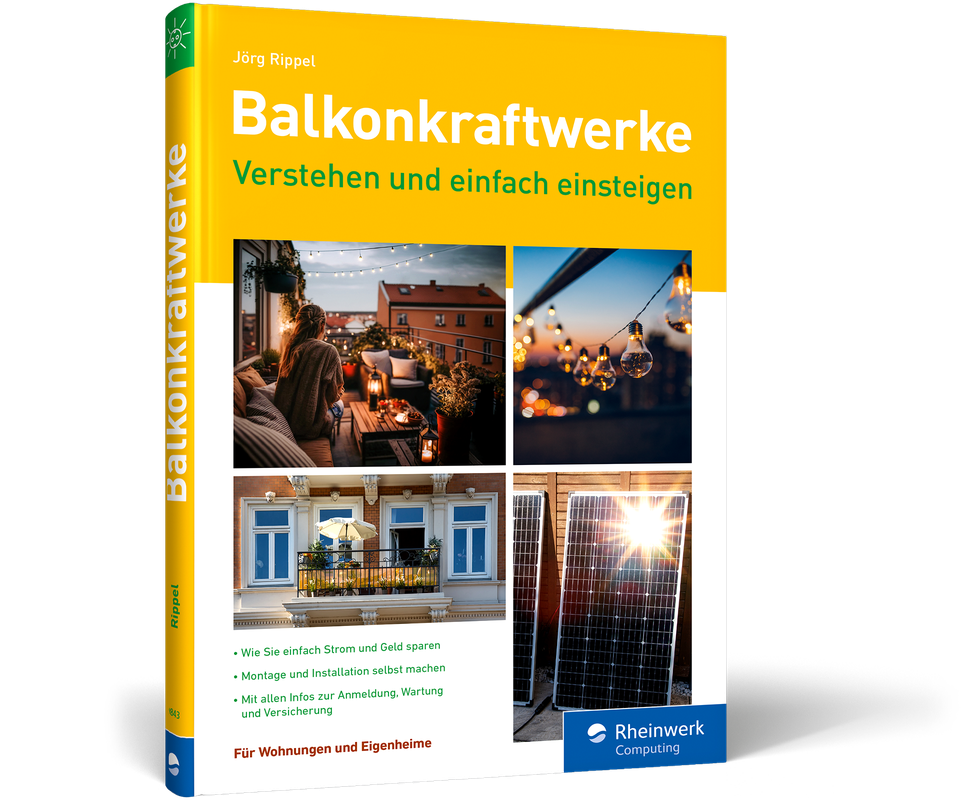
Balkonkraftwerke - Verstehen und einfach einsteigen
Mit wenig Aufwand viel Energie sparen. Ganz neu im heise shop aus Oktober 2023.Die Stromrechnung senken und gleichzeitig die Umwelt schützen? Gar nicht so schwierig, wie man vielleicht denken mag! Wie's geht, zeigt Ihnen Jörg Rippel Schritt für Schritt in diesem Ratgeber. Neben Hinweisen zum Stromsparen finden Sie praktische Hilfestellungen und Tipps rund um Balkonkraftwerke. Sie beginnen mit der Erfassung des eigenen Strombedarfs, richten Ihr persönliches Sonnenkraftwerk ein, kümmern sich um ein bisschen Papierkram und erzeugen flugs Ihren eigenen Strom. Aus dem Inhalt:Off the Grid: unterwegs Strom erzeugenDer Papierkram: Anmeldung, Förderung, VersicherungDas Balkonkraftwerk installierenDer richtige Platz: Ausrichtung und AufstellungDas passende Modell findenDo it yourself: was Sie selbst machen könnenDen Verbrauch im Blick behaltenStrom (und Geld) sparenWie viel Strom brauche ich überhaupt?Ist das wirklich alles so einfach? Einstieg in die Photovoltaik

Processing for Android
Learn how to use the Processing programming language and environment to create Android applications with ease. This book covers the basics of the Processing language, allowing users to effectively program interactive graphics in 2D, 3D, and Extended Reality (XR). It also details the application of these techniques to different types of Android devices (smartphones, tablets, wearables, and smartwatches).This updated edition walks you through the entire process of creating an app, from the initial idea to release of the final app via the Google Play App Store. Over the course of the book, you’ll learn to write engaging apps driven by user interaction and sensor data. A comprehensive series of hands-on projects, ranging from simple sketches to more complex projects involving shaders, VR, and AR will give you the firsthand experience you need to begin developing your own projects.And once you have your Processing projects completed, you’ll be able to upload them to the Google Play store to be shared with the world!WHAT YOU WILL LEARN* Write apps and live wallpapers for smartphones and tablets* Design and implement interactive watch faces* Create Extended Reality (VR/AR) experiences* Incorporate GLSL shaders into your Processing apps* Integrate Processing sketches into larger apps and Android Studio* Learn how to write your own libraries to share with the community* Export projects as completed apps ready to distribute through Google Play StoreWHO THIS BOOK IS FORArtists, designers, students, researchers, and hobbyists who are not necessarily Android experts, but are looking to write mobile apps that make creative use of interactive graphics, sensor data, and extended reality. ANDRÉS COLUBRI is a core member of the Processing project, and the main developer of the OpenGL renderer, the video library, and Processing for Android. He originally studied Physics and Mathematics in Argentina and later did an MFA at the UCLA Design Media Arts program. He uses Processing as the main tool to bridge his interests in computer graphics, data visualization, and biomedical research. He is currently an assistant professor at the University of Massachusetts. INTRODUCTIONPART I: FIRST STEPS WITH PROCESSING FOR ANDROIDThis section will guide you through the initial setup of Processing for Android, a quick introduction to the basics of the Processing language, and all the steps required uploading a simple app created with Processing to the Google Play Store.Chapter 1: Installing the Android Mode1) The Processing Development Environment2) Installing the Android Mode with the Contributions Manager3) Interface of the Android Mode4) Devices and emulatorsChapter 2: The Processing Language1) A digital sketchbook for artists and designers2) The setup/draw structure of a Processing sketch3) Drawing with code4) Responding to user input from the touchscreen5) Creating an interactive sketch for mobile devicesChapter 3: From Sketch to App Store1) Sketching and debugging2) Adjusting for device resolution3) Creating icons4) Exporting the sketch as a signed packagePART II: DRAWING & INTERACTIONThe chapters in this section delve into the different functions available to draw shapes, images, and text; and how to handle user input through the touchscreen. It includes a complete project to create an Android live wallpaper with graphics responding to user input.Chapter 4: Drawing Shapes, Images, and Text1) Creating and loading shapes2) Transformation and movement1) Loading and rendering images2) Loading fonts and rendering text3) Off-screen renderingChapter 5: Touchscreen Interaction1) Touch events in Android2) Capturing single- and multi-touch from Processing3) Designing interaction around touch-based inputChapter 6: Live Wallpapers1) Ideas for live wallpapers2) Interaction and visual design3) Using libraries in Processing for Android4) Accessing the Android SDK from Processing5) Uploading the completed wallpaper to the Play StorePART III: SENSORSAndroid devices are equipped with multiple sensors that allow measuring movement, geographical location, and environmental conditions in real time. Accessing this information from Processing opens up endless possibilities for creative applications.Chapter 7: Reading Sensor Data1) Types of sensors2) Creating a sensor manager3) Setting permissions to access sensor dataChapter 8: Driving Graphics and Sound with Sensor Data1) Counting steps with the accelerometer2) Controlling animation with the gyroscope3) Implementing a compass with the magnetic sensorChapter 9: Geolocation1) Accessing location services from Processing2) Displaying the current location on a map3) Sending location data between devices4) Storing and representing pathsPART IV: WEARABLES AND WATCH FACESWearables are a whole new category of Android devices that became very popular in the past few years, particularly in the form of fitness bands and smartwatches. Processing for Android lets you run your sketches on these devices and take advantage of their multiple affordances.Chapter 10: Wearable Devices1) Android wear and wearable devices2) Smartwatches and their unique capabilities3) Adapting Processing sketches to run on smartwatches4) Special considerations when creating watch facesChapter 11: Visualizing Time1) Time API in Processing2) Representing time visually3) Sketching watch faces for time display4) Refining a visual concept and preparing for distributionChapter 12: Visualizing Physical Activity1) Pedometer and heart rate sensors2) Visualizing activity in real-time3) Storing activity data for later usePART V: 3D AND SHADERSInteractive 3D scenes are an important part of creating visualizations and immersive experiences on mobile devices, especially with the recent rise in popularity of Virtual Reality. The programming of 3D scenes adds further complexity to the code sketching, but Processing provides a simplified 3D API to help with this task, while also giving access to advanced programming techniques such as GLSL shaders.Chapter 13: 3D in Processing1) Coordinates in 3D space2) Positioning and moving the camera3) Creating 3D primitives4) Applying geometric transformations5) Creating arbitrary shapes in 3D6) Loading OBJ shapesChapter 14: Lighting and Texturing1) Texture images and coordinates2) Using an off-screen buffer as a texture3) Lighting in a 3D scene4) Combining lights with texturesChapter 15: GLSL Shaders1) How Processing renders a scene behind the scenes2) The shader stages in the graphics pipeline3) Geometry shaders and vertex manipulation4) Fragment shaders and texturingPART VI: EXTENDED REALITY: VR AND ARChapter 16: Basics of VR1) Google VR SDK2) VR in Processing3) VR interaction and selection4) Movement in VRChapter 17: Basics of AR1) The ARCore SDK in Android2) Drawing trackables3) Using anchors4) Hitting trackablesChapter 19: Interactive Experiences in XR1) Creating successful XR experience2) Implementing UIs in VR and AR3) Handling movement and interaction4) Packaging an XR applicationPART VII APPENDIXESAppendix A: Integration with Android StudioThis appendix shows how to use the Android core library in Processing in larger apps developed with Android Studio.Appendix B: Processing libraries for AndroidProcessing can be extended with libraries written by members of the community and adding new functionality. This chapter goes over some of the libraries available for Processing for Android.Appendix C: How to create your own libraryThis appendix goes through the steps required to create a new Processing library for the Android mode, using Android SDK

Optimierung der Fahrzeugdiagnose durch eine cloudbasierte Methode zur Identifikation der Datennetze mit künstlicher Intelligenz
Ralf Thomas Lutchen stellt eine neue Methode zur Erstellung von automatisierten Testabläufen in der Fahrzeugentwicklung auf. Dabei setzt der Autor Cloud- und KI-Modelle ein, durch welche die herausfordernde Optimierung der Durchlaufzeit einer Messaufgabe mit 63 % Reduzierung erreicht werden konnte. Zusätzlich zu dieser Optimierung zeigt er auf, wie gleichzeitig die Aktualität der Messaufgabe verbessert wird, bei ebenfalls steigender Vollständigkeit, indem die Komplexität in die Cloud und damit an die KI übertragen wird. Der dafür notwendige Prozess ist die vollständige Identifizierung der Steuergeräte, ihrer Softwarestände sowie aller Datennetze, die am Testequipment angeschlossen sind. Diese Technologie wird erstmals in dieser Studie hergeleitet und ist der Kern der Methode. Die sich daraus ergebenden ökonomischen und ökologischen Vorteile sind im Verhältnis zu den sich zeigenden Kosten und Energiebedarfen signifikant. Testablauferstellung in der Fahrzeugentwicklung.- Methode zur Identifizierung der Fahrzeug-Netzwerk-Architektur.- Prozess zur Identifikation der physikalischen Netzwerkstruktur.- Anwendung und praktischer Nachweis.

3D Printing For Dummies
PRINT OUT WHATEVER YOU CAN DREAM UP3D Printing For Dummies is an easy reference for anyone new to the process of taking a digital file and turning it into an object in the real world. (Pretty amazing stuff, right?) It’s also a handy guide for more experienced users looking to learn the latest and greatest in additive manufacturing. Updated for the latest generation of machines and materials, this book walks you through creating models and printing 3D objects. You’ll get the scoop on the impact of these versatile machines in production and manufacturing, reuse and recycling, intellectual property design controls, and more. It’s an exciting time to get into 3D printing, and this friendly Dummies guide is here to help you do it.* Wrap your mind around the technology of 3D printing* Understand how 3D printing is transforming industries* Get an intro to making your own digital models * Consider the pros and cons of 3D printing for your hobby or business needs3D Printing For Dummies is a perfect resource for anyone interested in learning about and taking advantage of 3D printing technology. RICHARD HORNE is an electronics engineer, product designer, technical salesman, and problem solver with more than 30 years of experience and innovation across industries. Known in the community as RichRap, his blog makes 3D printing easier for everyone to understand.

3D Printing For Dummies
PRINT OUT WHATEVER YOU CAN DREAM UP3D Printing For Dummies is an easy reference for anyone new to the process of taking a digital file and turning it into an object in the real world. (Pretty amazing stuff, right?) It’s also a handy guide for more experienced users looking to learn the latest and greatest in additive manufacturing. Updated for the latest generation of machines and materials, this book walks you through creating models and printing 3D objects. You’ll get the scoop on the impact of these versatile machines in production and manufacturing, reuse and recycling, intellectual property design controls, and more. It’s an exciting time to get into 3D printing, and this friendly Dummies guide is here to help you do it.* Wrap your mind around the technology of 3D printing* Understand how 3D printing is transforming industries* Get an intro to making your own digital models * Consider the pros and cons of 3D printing for your hobby or business needs3D Printing For Dummies is a perfect resource for anyone interested in learning about and taking advantage of 3D printing technology. RICHARD HORNE is an electronics engineer, product designer, technical salesman, and problem solver with more than 30 years of experience and innovation across industries. Known in the community as RichRap, his blog makes 3D printing easier for everyone to understand.

Arduino für Kids
* EINFACHER EINSTIEG IN DIE WELT DER MIKROCONTROLLER-PROGRAMMIERUNG* LEDS ZUM LEUCHTEN BRINGEN, MORSEZEICHEN ABSETZEN, EINEN HANDVENTILATOR BAUEN UND SELBST EINE TASTATUR ENTWICKELN* MIT VIELEN TIPPS ZUR DURCHFÜHREN EIGENER PROJEKTE UND ZUR FEHLERSUCHEIn diesem Buch lernst du Schritt für Schritt und leicht verständlich, wie du mit dem Arduino UNO R3 Mikrocontroller spannende kleine Projekte realisieren und selbst programmieren kannst.Du lernst zum Beispiel, wie du LEDs zum Leuchten bringst und Morsezeichen absetzt. Dann geht es richtig zur Sache: Du kannst mit Sensoren Messwerte erfassen oder mit Motoren Bewegung erzeugen. Baue zum Beispiel einfach einen kleinen Ventilator und einen Timer, der nach 30 Sekunden ein akustisches Signal aussendet. Am Ende des Buches lernst du sogar, wie man selbst eine Tastatur entwickelt und mithilfe des integrierten Speichers eine Blackbox wie bei einem Flugzeug konstruiert.Viele Tipps zum Lesen von Quellcode anderer Entwickler und zur Fehlersuche geben dir Inspiration, eigene Ideen zu verwirklichen. Eine Anleitung zur Codeverwaltung sorgt dafür, dass du nicht den Überblick über deine Sketche verlierst. Durch Fragen und Aufgaben am Ende jedes Kapitels erhältst du zusätzlich jede Menge Anregungen.DIE PROJEKTE IM BUCH:* Mehrfarbige LEDs blinken lassen* Morsezeichen abgeben* Spiel »Der heiße Draht« * Text mit dem Arduino senden* Debuggen mit System* Eine LED-Lichterkette basteln* Einen Handventilator bauen* Einen Servo-Motor nutzen* Eine Sekundenuhr entwickeln* Stromstärke und Stromspannung messen* Einen kleinen Webserver mit dem Arduino entwickeln* Tastaturfunktionen mit dem Arduino Leonardo* Sicherheitstoken für Passwörter* C++ als Herz des Arduino* Deine Sketches mit Git verwalten* Eine Blackbox wie in einem Flugzeug konstruierenSchaltpläne in Farbe zum Download unter www.mitp.de/0649Eine Übersicht über die Materialien, die du benötigst, findest du in Anhang C.Systemvoraussetzungen: Windows, Linux und MacOS XAb 12 Jahre, aber auch für Erwachsene, die eine wirklich einfache Einführung suchen.Erik Schernich beschäftigt sich seit über zehn Jahren mit Arduinos und Softwareentwicklung, hat einen Masterabschluss in Chemie und ist derzeit als wissenschaftlicher Mitarbeiter an der TU Braunschweig tätig.

Code - Wie Computer funktionieren
Die Sprache von Hardware und Software verstehen. Die Erstauflage von Charles Petzold aus August 2023.Computer sind überall, am sichtbarsten in PCs und Smartphones, aber sie finden sich auch in Autos, Fernsehern, Mikrowellen, Staubsaugerrobotern und anderen smarten Geräten. Haben Sie sich jemals gefragt, was in diesen Geräten vor sich geht?Charles Petzold begeistert seine Leserinnen und Leser seit mehr als 20 Jahren mit seinem Buch und lüftet das Geheimnis über das verborgene Innenleben und die grundlegende Funktionsweise von Computern – von der Hardware bis zur Software. Nun hat er sein beliebtes Standardwerk für das neue Computerzeitalter überarbeitet. Alle Erläuterungen sind anschaulich illustriert und werden am Beispiel von alltäglichen Gegenständen wie Taschenlampen und bekannten Systemen wie Morsecode oder Brailleschrift leicht verständlich beschrieben.Dieses Buch schafft eine tiefe Ebene des Verständnisses für die Funktionsweise von Computern, die weit über den Code von höheren Programmiersprachen hinausgeht. Jeder, der sich für Informatik interessiert, sollte dieses Buch gelesen haben."Für mich war Code eine Offenbarung. Es war das erste Buch, das wirklich zu mir sprach. Es begann mit einer Geschichte und baute Schicht für Schicht, Analogie für Analogie darauf auf, bis ich nicht nur den Code, sondern auch das System dahinter verstand. Code ist ein Buch, in dem es in gleichem Maße um Systemisches Denken und Abstraktionen geht wie um Code und Programmierung. Code zeigt uns, wie viele unsichtbare Schichten zwischen den Computersystemen, die wir als Benutzer täglich zu Gesicht bekommen, und den magischen Siliziumkristallen liegen, denen wir mit Blitzenergie beigebracht haben zu denken."- Scott Hanselman, Partner Program Director bei Microsoft und Moderator von HanselminutesLeseprobe (PDF-Link)

Essentials of Arduino™ Boards Programming
Learn to use the Arduino boards to do big jobs in a simple way. This book is full of real-world examples for Arduino enthusiasts of all experience levels. All of the examples in this book use Arduino UNO, which is an excellent option for educational purposes.You'll start with an introduction to Arduino and see firsthand how its free multi-platform integrated development environment (IDE) makes coding easier. In many cases, you can edit the given codes to solve your own problems. Arduino boards use a variety of microcontrollers and each board is suitable for a specific application. The Arduino IDE is also preloaded with a broad library of codes that you can modify and practice with. So instead of coding from scratch you can adjust the codes for similar projects. More experienced users will save time by simply copying nuggets of code from the various libraries.You'll also learn about digital input/output (I/O), analog-to-digital and digital-to-analog converters, LCDs and EEPROM. The book then moves on to serial communication, mathematical functions, and pulse width modulation (PWM), all important features when encoding in telecommunications. Finally, you'll see how to control different types of motors, review interrupts, internal comparators, and timers, and read different sensors with Arduino.WHAT YOU WILL LEARN* Turn on/off a device using a relay* Generate analog/digital output* Read an analog/digital input* Control motors with a parallel virtual machine (PVM) and serial communication* Display text with LCDs* Read sensors with Arduino and use the interrupts* Write more efficient codes with interrupts and timersWHO THIS BOOK IS FOREngineering (electrical/computer/biomedical/robotic/mechatronics/aerospace) and science (math/physic/chemistry) students, makers, and hobbyists. Being familiar with a programming language (especially C) is an advantage, however, it is not necessary.Farzin Asadi received his B.Sc. in Electronics Engineering, his M.Sc. in Control Engineering, and his Ph.D. in Mechatronics Engineering. Currently, he is with the Department of Electrical and Electronics Engineering at the Maltepe University, Istanbul, Turkey. Dr. Asadi has published over 40 international papers and 19 books. He is on the editorial board of seven scientific journals as well. His research interests include switching converters, control theory, robust control of power electronics converters, and robotics.Chapter 1: Introduction to Arduino Boards.- Chapter 2: Digital Input Output (I/O).- Chapter 3: Analog to Digital Converter (ADC) and Digital to Analog Converter (DAC).- Chapter 4: LCD and EEPROM.- Chapter 5: Serial Communication.- Chapter 6: Mathematical Functions.- Chapter 7: Pulse Width Modulation (PWM).- Chapter 8: Control of Different Type of Motors.- Chapter 9: Interrupts and Internal Comparator.- Chapter 10: Timers.- Chapter 11: Reading Different Sensors with Arduino.

Grundlagen der technischen Informatik (7. Auflg.)
Verknüpfung von Theorie und Praxis - in komplett überarbeiteter und aktualisierter 7. Auflage aus Juli 2023.Dieses Lehrbuch bietet Bachelor-Studierenden der Fachrichtungen Informatik, Elektrotechnik, Informationstechnik und verwandter Studiengänge eine praxisnahe Einführung in die technische Informatik.Inhaltlich richtet es sich dabei nach den typischen Lehrinhalten, die im Grundstudium an Hochschulen und Universitäten vermittelt werden. Durch den anwendungsorientierten und didaktischen Aufbau des Buches kann es sowohl vorlesungsbegleitend als auch zum Selbststudium eingesetzt werden.Neben dem Grundlagenwissen aus den Gebieten der Halbleitertechnik, der Zahlendarstellung und der booleschen Algebra vermittelt das Buch die Entwurfsprinzipien kombinatorischer und sequenzieller Hardware -Komponenten bis hin zur Beschreibung moderner Prozessor- und Speicherarchitekturen. Es spannt dabei den Bogen von den mathematischen Grundlagen digitaler Schaltelemente bis zu ausgefeilten Hardware-Optimierungen moderner Hochleistungscomputer.Aus dem Inhalt:HalbleitertechnikZahlendarstellung und CodesBoolesche AlgebraSchaltnetzeSchaltwerkeMikroprozessortechnikRechnerstrukturen Leseprobe (PDF-Link)

Sensors and Protocols for Industry 4.0
This book Identifies the right sensors and single board computers for any application to achieve the best performance in Industry 4.0 settings and applications. You’ll see what technologies apply the IIoT with elegant efficiency to drastically improve remote monitoring and controlling, decision making, and preventative maintenance.Start by learning exactly what Industry 4.0 is and advance your knowledge from simple Internet of Things projects to full-on Industrial IoT deployment. You'll automate advanced processes, incorporate professional procedures, and take your IoT skills to a professional level. Then move into the protocols and standards expected for industrial applications of sensors at an industrial level. Match the right SBCs to the right use cases and sensor technologies to optimize efficiency and ensure peak performance. Then move into setting up a smart factory and monitoring your supply chain with tech. Finally, you'll dive into programming with the Node-Red platform and Python packages for CPS.By the end of this book, you’ll have jumped from simple, home-based IoT systems up to industrial and professional applications. Conquer your supply chain and both forward and backward processes with accessible Maker tech!WHAT YOU'LL LEARN* Support industrial applications of SBCs and Maker tech* Achieve peak performance by combining the right sensors with the right processing boards* Improve remote monitoring and controlling drastically for better decision making and preventative maintenance WHO THIS BOOK IS FORStudents and aspiring professionals working with Internet of things technologies moving towards industrial applications. Prerequisite knowledge in basic Internet of Things, simple python concepts, automation, and industry procedures is required for this book. Engineers and scientists who are pursuing research and contributing to industrial internet of things might also benefit.DR. G. R. KANAGACHIDAMBARESAN completed his Ph.D. at Anna University Chennai in 2017. He is currently an Associate Professor in the Department of CSE at Vel Tech Rangarajan Dr. Sagunthala R&D Institute of Science and Technology. His main research interests include Body Sensor Networks and Fault Tolerant Wireless Sensor Networks. He has published several articles and undertaken consultancy activities for leading MNC companies. He has also guest-edited special issue volumes and books and served as an editorial review board member for peer-reviewed journals. He is presently working on several government sponsored research projects like ISRO, DBT, and DST. Presently, he is the Editor in chief for the Next Generation Computer and Communication Engineering series.DR. N. BHARATHI works as an Associate Professor in the Department of Computer Science Engineering at SRM Institute of Science and technology, Chennai, India. She has good working knowledge of the Internet of Things and embedded systems in addition to computer science engineering concepts. She was awarded with a Ph.D. degree in computer science in 2014 from SASTRA University, after nearly two decades as as an academician. She also has industrial experience as an R&D head involved in ARM platform boards with software development in Ubuntu OS. She has published many research papers in reputed journals and conferences along with book chapters; guided many tech students in various domains of computer science, engineering, and embedded systems; and currently advises 4 research scholars.SENSORS AND PROTOCOLS FOR INDUSTRY 4.0Chapter 1: Overview of Industry 4.0* Introduction * Industry 4. 0 revolution * Industry 4.0 Enabling Technologies* General Framework* Benefits of Industry 4.0 Chapter 2: Sensors for Industry 4.0* General Features of sensors to support IIoT* List of various sensors and their capabilities* Seamless integration with application Chapter 3: Protocols and Standards* Open Platform Communications* MTConnect* Message Queue Telemetry Transport * Distributed network protocol (DNP3)* Constrained Application Protocol* Reference Architectural Model for Industry 4.0* Industrial Internet Reference Architecture Chapter 4: Single Board Computers* Raspberry Pi* BeagleBone Black* Banana Pi* Odroid-boards* Nvidia Boards Chapter 5: Industry 4.0 dashboard* Data Insights and Decision Making* Digital twin design* Digitalization* Business Intelligence Chapter 6: Smart Factories* Custom Manufacturing * Mass Customization* Fault tolerant Systems* Autonomic Machine Control and Monitoring Chapter 7: Supply Chain Monitoring* Supply Chain Strategies * Industry Operations with Supply Chain* Supply Chain performance measures* Supply Chain Technologies Chapter 8: CPS Programming* Python packages for CPS* Node-Red Platform and its features* Programming with sensors* Programming with Communication Mechanisms

ESP32 Formats and Communication
Although Wi-Fi communication is incorporated in many internet-based applications, knowledge of alternative communication protocols is vital for optimal project development with a microcontroller, such as the ESP32. This book focuses on communication protocols for the ESP32 microcontroller with illustrative projects ranging from a Bluetooth Low Energy beacon communicating with your smart wristwatch to Long Range (LoRa) communication between microsatellites circling 550km above the Earth and an ESP32 microcontroller in your home.Just as there are different communication protocols, there are different ESP32 microcontroller formats. You’ll examine the features of several ESP32 microcontroller formats, which enable the optimal combination of communication protocol and ESP32 format to achieve the requirements of a project. Several of the communication protocols and ESP32 formats have only been available in the last few months or years, making the book very relevant.Each chapter focuses on a communication protocol and is stand-alone, so they can be read without having to start from the beginning of the book. The chapters are loosely grouped into short- and long-range communication, image management for transmission to a webpage or a remote LCD screen, and the required apps and IoT techniques for remote control of an ESP32-CAM robot vehicle. The advantages of each communication protocol correspond to different project types.WHAT YOU'LL LEARN* Study the MESH communication protocol and the ESP-NOW protocol with communication between ESP32 microcontrollers without a Wi-Fi connection* Review email communication projects with an ESP32 and generation of quick response codes to instruct an ESP32 to control a connected device.* Look at the ESP32-CAM module built around a 2M-pixel camera for streaming images with the WebSocket protocol to a remote ESP32* Control an ESP32-CAM robot car through remote communication over the internet with image streaming to an Android tablet or mobile phone.WHO THIS BOOK IS FORNeil Cameron is an experienced analyst and programmer with a deep interest in understanding the application of electronics. Neil wrote the books Arduino Applied: Comprehensive Projects for Everyday Electronics and Electronics Projects with the ESP8266 and ESP32: Building Web Pages, Applications, and WiFi Enabled Devices, which are published by Apress. He has previously taught at University of Edinburgh and Cornell University.PREFACECHAPTER 1: ESP32 MICROCONTROLLERUSB to UART driver installationArduino IDE Boards Manager esp32 version 2.0.NESP32 DEVKIT DOITTTGO T-Display V1.1Pulse width modulationAnalog to digital conversionTTGO LoRa32 V2.1 1.6TTGO T-Watch V2TTGO T-Watch installationM5Stack Core2M5Stack Core2 installationM5Stack Core2 and soundM5Stack Core2 M5G0 battery baseESP32-CAMESP32-CAM-MB moduleESP32-CAM-CH340 moduleImage resolutionMemoryOver The Air (OTA)Software versionsCHAPTER: 2 I2S AUDIOAnalog to digitalDirect Memory AccessPDM microphoneFast Fourier TransformDigital to analogPCM5102 decoder moduleMAX98357 decoder moduleInternet radioInternet radio with ESP32 moduleInternet radio with M5Stack Core2Audio data and BluetoothESP32 to Bluetooth speakerMP3 playerPlay MP3 files from micro-SD cardPlay MP3 files with M5Stack Core2CHAPTER 3 : MESH COMMUNICATIONESP-MESHESP-MESH and one Bluetooth deviceESP-MESH and several Bluetooth devicesCHAPTER 4: TTGO T-WATCH V2TTGO T-watch functionalityConfiguration fileMain sketchDefault display screenApplication menuScreen brightnessGPS informationGPS satellite mapBluetooth communicationInfrared signallingSynchronisation with Network Time ProtocolSource OpenWeatherMap API dataStep counter and distance measureTimerBattery voltage and microcontroller temperatureData storage on micro-SD cardTemperature, current and screen brightnessGPS tracking dataCHAPTER 5: BLE BEACONSEddystone beaconsEddystone URL beaconEddystone TLM beaconEddystone UID beaconiBeaconBeacon raw dataBLE communicationGATT profileTwo-way communicationNotificationsnRF24L01 module as BLE transceiverCHAPTER 6: LORA AND MICROSATELLITESESP32 as LoRa transmitter or receiverESP32 and LoRa satellitesInstallation and configurationTest station configuration and test messageMicrosatellite trackingCHAPTER 7: EMAIL AND QR CODESemailQR codesXML HTTP requestQR codes and XML HTTP requestQR codes and WebSocketCHAPTER 8: WEBSOCKET, WEBSERIAL AND WEBDASHBOARDWebSocketWebSerialWeb DashboardCHAPTER 9: MQTTSmart meterMQTT and smart meterWi-Fi connection to routerESP-NOW, MQTT and smart meterUpdating timeWi-Fi or Wi-Fi and ESP-NOWCO2 and TVOCCO2 and TVOC with MQTTCHAPTER 10: MANAGING IMAGESImage bitmapDisplay black and white imageDisplay colour imageBitmap and X bitmapSend image in emailStore image file in SPIFFSImage URL in sketchDisplay image as SpriteLCD screenM5Stack Core2 and accelerometerMemory requirementsDisplay time with SpritesExtension to M5Stack Core2Compress HTML codeCHAPTER 11: ESP32-CAM CAMERAStream images direct to LCD screenStream images to remote LCD screenStream images over Wi-FiWebpage with control functionsWebSocketesp_http_serverWebpage with image streaming and control functionsESP32-CAM image resolutionCHAPTER 12: CONTROL APPSapp to display a webpageapp to display streamed imagesapp to transmit and receive dataapp with image streaming and control functionsapp slidersCircular sliderVertical sliderHorizontal slider touchdown and touchupapp to control WS2812 RGB LEDBluetooth communicationWi-Fi communicationCHAPTER 13: REMOTE CONTROL MOTORSServo motorledc functionESP32Servo libraryapp to control servo motorDC motorsTB6612FNG motor driver boardL298N motor driver boardMotor driver controlapp to control DC motors with heading angleCHAPTER 14: REMOTE CONTROL ESP32-CAM ROBOT CARapp with direction buttonsapp with heading angle controlCHAPTER 15 LIBRARIESTFT-eSPI libraryLibraries usedCreate a librarySource fileHeader fileKeyword fileInformation file

Heartbeat Sensor Projects with PulseSensor
Bring live heartbeats and heart rate data into your electronics projects as an impressive feature that builds user engagement. If you’re a Maker, developer, or artist, you’ve probably run into common, frustrating stumbling blocks for incorporating bio-sensors. Get the upper hand on smoothly integrating heartbeats into your projects on any platform with PulseSensor.First, you'll explore working with PulseSensor with a simple battery, LED, and speaker. Then deepen your knowledge by going through achievable projects using Arduino, nRF52, mico:bit, and other prototyping platforms. This book will guide you through hooking up the PulseSensor to circuits with motors, a GUI, and even the cloud.You’ll get practical tips and tricks that work in the lab, field, and even at public events, and look at the advantages of using PulseSensor on one electronics platform vs. another. You'll also look at the best ways to get a reliable heartbeat and BPM readings from different users in different applications. Finally, this book will show you the easiest path to put heartbeats into your prototypes, whether creating a new generation of hardware or making a memorable cosplay costume.WHAT YOU'LL LEARN* Work with PulseSensor directly on a breadboard with AA batteries and LEDs* Get up and running with PulseSensor on Arduino, micro:bit, and nRF52* Anticipate and address common bio-sensing issues that slow down prototyping* Explore future applications like BPM tracking on the Arduino IoT CloudWHO THIS BOOK IS FORMakers from hobbyists to engineers to students who would like to incorporate cardiac biofeedback into their projects. JOEL MURPHY (BFA MassArt, Boston; MFA UC San Diego) is a creative technologist living in Brooklyn. He owns Flywheel Lab, a business designing and fabricating electro-mechanical projects for artists and designers. He taught Physical Computing at Parsons from 2006 to 2014. He’s also the co-founder of OpenBCI.YURY GITMAN (BS GaTech, Atlanta; MPS ITP NYU, NYC) has taught physical computing, toy design, and mobile app development in the Design and Technology program at the Parsons School of Design since 2003. Yury is also the co-founder of PulseSensor.com, which makes and distributes a popular and easy-to-use heartbeat sensor. With a background in toy design, he often plays with his kids' toys more than they do.Chapter 1: PulseSensor Introduced● Introduction● Quick PulseSensor Development Story● PPG● Capillary Tissue● Green LED, Color-Coded Wires,● Putting a Multimeter on the Header Pins to Measure Voltage Changes.● What's included in the PulseSensor Kit, and whyChapter 2: Battery and a Breadboard● Breadboard Configuration with 3 Volts, 2x AA batteries● Blinking an LED with a live pulse.● Buzz and Piezo and Blink and LED● Includes illustrations of circuit● Includes project parts listChapter 3: Voltage Requirements and Outputting a Fluctuating Voltage Signal● Demonstrate the correct multimeter setting and reading for a 3 Volt configuration.● Demonstrate the correct multimeter setting and reading for a 5 Volt configuration.● See how to troubleshoot connection and power issues with any PulseSensor project quickly.● Includes Illustrations so readers do not need an actual multimeter● Table showing the best setting for analog and digital multimetersChapter 4: BBC's micro:bit● Blinking an LED Heart with the PulseSensor.● Reading and displaying BPM on the matrix LED Screen.● Showing different Emoji faces with different BPM readings.● Send BPM readings over Bluetooth to the micro:bit Android or iOS app.Chapter 5: Arduino UNO● PulseSensor Library● PulseSensor Examples (Image and Paragraph Description)● Using the most up-to-date libraryChapter 6: Arduino, LEDs, and Speakers● "Blink to the Beat": LED circuit and example code breakdown● "Beep and Blink to the Beat": speaker circuit and example code breakdown● "BPM to the Serial Monitor": serial example code breakdown● Different BPM example code for different Arduino boards explainedChapter 7: Arduino & Servo Motors● Considerations for using a servo and PulseSensor together● Servo motor circuit● Servo example code● Includes review of the functions and objects used in the codeChapter 8: Visualizing the Beat with Processing● Introduction to using the PulseSensor with Processing● Walk-through our example code and GUI● Visualizing the BPM in a GUI.● Includes review of the functions and objects used in the codeChapter 9: Two PulseSensors● Project Introduction● Example Code● Circuit IllustrationsChapter 10: PulseSensor and RaspberryPi● The PulseSensor and RasPi wiring setup● Python code for the RasPiChapter 11: Making It Small and Portable.● Power, Size, and Portability Considerations● WiFi and Battery Set-Up● HelloWorld Example Code● Options for sending live beats and BPM wirelessChapter 12: PulseSensor on the Arduino IoT Cloud● Introduction to the Arduino IoT Cloud● Creating a live HeartBeat Arduino Cloud Dashboard● Creating a real-time BPM Arduino Cloud DashboardChapter 13: Future Possibilities● J and Y list where they get inspiration for new projects● Invite other makers and build upon existing examples● Best Practices for publishing and sharing open source PulseSensor projects

Machine Learning Techniques for VLSI Chip Design
MACHINE LEARNING TECHNIQUES FOR VLSI CHIP DESIGNTHIS CUTTING-EDGE NEW VOLUME COVERS THE HARDWARE ARCHITECTURE IMPLEMENTATION, THE SOFTWARE IMPLEMENTATION APPROACH, THE EFFICIENT HARDWARE OF MACHINE LEARNING APPLICATIONS WITH FPGA OR CMOS CIRCUITS, AND MANY OTHER ASPECTS AND APPLICATIONS OF MACHINE LEARNING TECHNIQUES FOR VLSI CHIP DESIGN.Artificial intelligence (AI) and machine learning (ML) have, or will have, an impact on almost every aspect of our lives and every device that we own. AI has benefitted every industry in terms of computational speeds, accurate decision prediction, efficient machine learning (ML), and deep learning (DL) algorithms. The VLSI industry uses the electronic design automation tool (EDA), and the integration with ML helps in reducing design time and cost of production. Finding defects, bugs, and hardware Trojans in the design with ML or DL can save losses during production. Constraints to ML-DL arise when having to deal with a large set of training datasets. This book covers the learning algorithm for floor planning, routing, mask fabrication, and implementation of the computational architecture for ML-DL. The future aspect of the ML-DL algorithm is to be available in the format of an integrated circuit (IC). A user can upgrade to the new algorithm by replacing an IC. This new book mainly deals with the adaption of computation blocks like hardware accelerators and novel nano-material for them based upon their application and to create a smart solution. This exciting new volume is an invaluable reference for beginners as well as engineers, scientists, researchers, and other professionals working in the area of VLSI architecture development. ABHISHEK KUMAR, PHD, is an associate professor at and obtained his PhD in the area of VLSI design for low power and secured architecture from Lovely Professional University, India. With over 11 years of academic experience, he has published more than 30 research papers and proceedings in scholarly journals. He has also published nine book chapters and one authored book. He has worked as a reviewer and program committee member and editorial board member for academic and scholarly conferences and journals, and he has 11 patents to his credit. SUMAN LATA TRIPATHI, PHD, is a professor at Lovely Professional University with more than 21 years of experience in academics. She has published more than 103 research papers in refereed journals and conferences. She has organized several workshops, summer internships, and expert lectures for students, and she has worked as a session chair, conference steering committee member, editorial board member, and reviewer for IEEE journals and conferences. She has published three books and currently has multiple volumes scheduled for publication from Wiley-Scrivener. K. SRINIVASA RAO, PHD, is a professor and Head of Microelectronics Research Group, Department of Electronics and Communication Engineering at the Koneru Lakshmaiah Education Foundation, India. He has earned multiple awards for his scholarship and has published more than 150 papers in scientific journals and presented more than 55 papers at scientific conferences around the world.

Google Cloud Platform (GCP) Professional Cloud Network Engineer Certification Companion
While many guides exist to help software engineers learn cloud networking design and architecture concepts, and even prepare for cloud network certifications on AWS and Azure, far fewer resources are available covering the Google Cloud Platform (GCP) Professional Cloud Network Engineer certification exam. Well, look no further! This self-paced guide book is designed to help engineers learn cloud networking best practices on GCP, and prepare for the GCP Professional Cloud Network Engineer certification exam.You will waste no time when you use this study companion. It lets you dive in and learn how GCP differs from other public cloud providers (AWS and Microsoft Azure). You will understand GCP's unique ability to allow virtual private clouds (VPCs) that span across multiple regions. You will know how to leverage GCP as a competitive advantage in the IT engineering community. Key concepts covered on the exam are called out and applied in each chapter of this book, giving you both practice and reinforcement, a far more effective learning tool than rote learning or similar approaches typically enlisted in exam preparation.Enterprises are looking for developers with Google networking skills. Now is the time to skill up! This book shows you how to leverage GCP’s developer-focused, user-friendly approach to understand how the networking components enabling the popular 1B-user Google products (e.g., Gmail, Google Search, YouTube, Google Workspace (formerly G-Suite), Google Maps, Google Photos, and many others) work behind the scenes.WHAT YOU WILL LEARNIn addition to preparing for the GCP Professional Cloud Network Engineer certification exam, you will learn how to:* Architect and design a virtual private cloud* Implement a virtual private cloud* Configure network services* Implement hybrid connectivity* Implement network security* Manage network operations* Optimize network resourcesWHO THIS BOOK IS FORSoftware engineers (network, DevOps, SecOps, DataOps, engineers skilled with SDLC), software architects (solution, security, data, infrastructure, cloud, those skilled with TOGAF), and IT professionals. Prerequisites: While this study companion is intended to be self-contained, a basic knowledge of cloud computing along with hands-on experience with a minimum of two modern programming languages (Java, C#) is beneficial in order for readers to fully achieve the objectives of the book.DARIO CABIANCA is a computer scientist (PhD, University of Milan), author, and Cloud Architect. He has worked with a variety of global enterprises for more than two decades and possesses more than 11 cloud certifications. He used his own fail-proof techniques to prepare and pass GCP, Azure, and AWS exams. He is excited to share his knowledge to help readers of his study companion book prepare for the GCP Professional Cloud Network Engineer certification exam, and also come away equipped with the necessary tools and knowledge to be confident and successful on the job.1. Exam Overview1.1. Exam Subject Areas1.2. Exam Format1.3. Supplemental Study Materials1.4. Sign up for a Free Tier1.5. Register for the Exam1.5.1. Schedule the Exam1.5.2. Rescheduling and Cancellation Policy1.5.3. Exam Results1.5.4. Retake Policy1.6. Summary2. Designing, planning, and prototyping a Google Cloud network2.1. Designing an overall network architecture2.1.1. High availability, failover, and disaster recovery strategies2.1.2. DNS strategy (e.g., on-premises, Cloud DNS)2.1.3. Security and data exfiltration requirements2.1.4. Load balancing2.1.5. Applying quotas per project and per VPC2.1.6. Hybrid connectivity (e.g., Google private access for hybrid connectivity)2.1.7. Container networking2.1.8. SaaS, PaaS, and IaaS services2.2. Designing Virtual Private Cloud (VPC) instances2.2.1. VPC Specifications2.2.2. Subnets2.2.3. IP address management and brin your own IP (BYOIP)2.2.4. Standalone vs. Shared VPC2.2.5. Multiple vs. single2.2.6. Regional vs. multi-regional2.2.7. VPC Network Peering2.2.8. Firewalls (e.g., service account-based, tag-based)2.2.9. Custom routes2.3. Designing a hybrid and multi-cloud network2.3.1. Drivers for Hybrid and Multi-cloud strategy2.3.2. Overall goals2.3.3. Designing a Hybrid and Multi-cloud strategy2.3.4. Dedicated Interconnect vs. Partner Interconnect2.3.5. Direct vs. Carrier Peering2.3.6. IPsec VPN2.3.7. Bandwidth and constraints provided by hybrid connectivity solutions2.3.8. Cloud Router2.3.9. Multi-cloud and Hybrid topologies2.3.10. Regional vs. global VPC routing mode2.3.11. Failover and Disaster Recovery strategy2.3.12. Accessing Google Services/APIs privately from on-premises locations2.3.13. IP address management across on-premises locations and cloud2.4. Designing an IP addressing plan for Google Kubernetes Engine2.4.1. GKE VPC-native clusters2.4.2. Optimizing GKE IP ranges2.4.3. Expanding GKE IP ranges2.4.4. Public and private cluster nodes2.4.5. Control plane public vs. private endpoints2.5. Summary2.6. Exam questions3. Implementing Virtual Private Cloud (VPC) instances3.1. Configuring VPC resources3.1.1. Creating VPCs3.1.2. Creating subnets3.1.3. Listing subnets3.1.4. Listing VPCs3.1.5. Deleting VPCs3.2. Configuring VPC Network Peering3.3. Creating a Shared VPC network and sharing subnets with other projects3.3.1. Host and service project concepts3.3.2. Shared VPC deep dive3.3.3. Assigning roles to principals3.3.4. Creating the shared VPC3.3.5. Creating the service projects3.3.6. Enabling Compute API for service and host projects3.3.7. Enabling host project3.3.8. Attaching service projects3.3.9. Assigning individual subnet-level roles to service projects3.4. Using a Shared VPC3.4.1. Listing usable subnets3.4.2. Creating VMs3.4.3. Verifying VMs connectivity3.4.4. Deleting VMs3.5. Sharing subnets using folders3.6. Configuring API access to Google services (e.g., Private Google Access, public interfaces)3.6.1. Configuring Private Google Access (PGA)3.6.2. Configuring Private Service Connect (PSC)3.7. Expanding VPC subnet ranges after creation3.8. Configuring routing3.8.1. Static vs. dynamic routing3.8.2. Global vs. regional dynamic routing3.8.3. Routing policies using tags and priority3.8.4. Internal load balancer as a next hop3.8.5. Custom route import/export over VPC Network Peering3.9. Configuring and maintaining Google Kubernetes Engine clusters. Considerations include:3.9.1. VPC-native clusters using alias IPs3.9.2. Clusters with Shared VPC3.9.3. Creating Cluster Network Policies3.9.4. Private clusters and private control plane endpoints3.9.5. Adding authorized networks for cluster control plane endpoints3.10. Configuring and managing firewall rules. Considerations include:3.10.1. Target network tags and service accounts3.10.2. Rule priority3.10.3. Protocols and Ports3.10.4. Direction3.10.5. Firewall rule logs3.10.6. Summary4. Implementing VPC Service Controls4.1. Creating and configuring access levels and service perimeters4.2. Service perimeter deep dive4.3. VPC accessible services4.4. Perimeter bridges4.5. Audit logging4.6. Dry run mode4.7. Dry-run perimeter deep dive4.8. Exam questions5. Configuring load balancing5.1. Google Cloud load balancers family5.2. Backend services and network endpoint groups (NEGs)5.3. Firewall rules to allow traffic and health checks to backend services5.4. Health checks for backend services and target instance groups5.5. Configuring backends and backend services with balancing method (e.g., RPS, CPU, Custom), session affinity, and capacity scaling/scaler5.6. TCP and SSL proxy load balancers5.7. Load balancers (e.g., External TCP/UDP Network Load Balancing, Internal TCP/UDP Load Balancing, External HTTP(S) Load Balancing, Internal HTTP(S) Load Balancing)5.8. Protocol forwarding5.9. Accommodating workload increases using autoscaling vs. manual scaling5.10. Configuring Google Cloud Armor policies. Considerations include:5.11. Security policies5.12. Web application firewall (WAF) rules (e.g., SQL injection, cross-site scripting, remote file inclusion)5.13. Attaching security policies to load balancer backends5.14. Configuring Cloud CDN. Considerations include:5.15. Enabling and disabling5.16. Cloud CDN5.17. Cache keys5.18. Invalidating cached objects5.19. Signed URLs5.20. Custom origins6. Configuring advanced networking services6.1. Configuring and maintaining Cloud DNS6.1.1. Managing zones and records6.1.2. Migrating to Cloud DNS6.1.3. DNS Security Extensions (DNSSEC)6.1.4. Forwarding and DNS server policies6.1.5. Integrating on-premises DNS with Google Cloud6.1.6. Split-horizon DNS6.1.7. DNS peering6.1.8. Private DNS logging6.2. Configuring Cloud NAT6.2.1. Addressing6.2.2. Port allocations6.2.3. Customizing timeouts6.2.4. Logging and monitoring6.2.5. Restrictions per organization policy constraints6.3. Configuring network packet inspection6.3.1. Packet Mirroring in single and multi-VPC topologies6.3.2. Capturing relevant traffic using Packet Mirroring source and traffic filters6.3.3. Routing and inspecting inter-VPC traffic using multi-NIC VMs (e.g., next-generation firewall appliances)6.3.4. Configuring an internal load balancer as a next hop for highly available multi-NIC VM routing7. Implementing hybrid interconnectivity7.1. Configuring Cloud Interconnect7.1.1. Dedicated Interconnect connections and VLAN attachments7.1.2. Partner Interconnect connections and VLAN attachments7.2. Configuring a site-to-site IPsec VPN7.2.1. High availability VPN (dynamic routing)7.2.2. Classic VPN (e.g., route-based routing, policy-based routing)7.3. Configuring Cloud Router7.3.1. Border Gateway Protocol (BGP) attributes (e.g., ASN, route priority/MED, link-local addresses)7.3.2. Custom route advertisements via BGP7.3.3. Deploying reliable and redundant Cloud Routers8. Managing network operations8.1. Logging and monitoring with Google Cloud’s operations suite8.1.1. Reviewing logs for networking components (e.g., VPN, Cloud Router, VPC Service Controls)8.2. Monitoring networking components (e.g., VPN, Cloud Interconnect connections and interconnect attachments, Cloud Router, load balancers, Google Cloud Armor, Cloud NAT)8.3. Managing and maintaining security8.4. Firewalls (e.g., cloud-based, private)8.5. Diagnosing and resolving IAM issues (e.g., Shared VPC, security/network admin)8.6. Maintaining and troubleshooting connectivity issues8.6.1. Draining and redirecting traffic flows with HTTP(S) Load Balancing8.6.2. Monitoring ingress and egress traffic using VPC Flow Logs8.6.3. Monitoring firewall logs and Firewall Insights8.6.4. Managing and troubleshooting VPNs8.6.5. Troubleshooting Cloud Router BGP peering issues8.7. Monitoring, maintaining, and troubleshooting latency and traffic flow8.8. Testing network throughput and latency8.9. Diagnosing routing issues8.10. Using Network Intelligence Center to visualize topology, test connectivity, and monitor performance

Machine Learning Techniques for VLSI Chip Design
MACHINE LEARNING TECHNIQUES FOR VLSI CHIP DESIGNTHIS CUTTING-EDGE NEW VOLUME COVERS THE HARDWARE ARCHITECTURE IMPLEMENTATION, THE SOFTWARE IMPLEMENTATION APPROACH, THE EFFICIENT HARDWARE OF MACHINE LEARNING APPLICATIONS WITH FPGA OR CMOS CIRCUITS, AND MANY OTHER ASPECTS AND APPLICATIONS OF MACHINE LEARNING TECHNIQUES FOR VLSI CHIP DESIGN.Artificial intelligence (AI) and machine learning (ML) have, or will have, an impact on almost every aspect of our lives and every device that we own. AI has benefitted every industry in terms of computational speeds, accurate decision prediction, efficient machine learning (ML), and deep learning (DL) algorithms. The VLSI industry uses the electronic design automation tool (EDA), and the integration with ML helps in reducing design time and cost of production. Finding defects, bugs, and hardware Trojans in the design with ML or DL can save losses during production. Constraints to ML-DL arise when having to deal with a large set of training datasets. This book covers the learning algorithm for floor planning, routing, mask fabrication, and implementation of the computational architecture for ML-DL. The future aspect of the ML-DL algorithm is to be available in the format of an integrated circuit (IC). A user can upgrade to the new algorithm by replacing an IC. This new book mainly deals with the adaption of computation blocks like hardware accelerators and novel nano-material for them based upon their application and to create a smart solution. This exciting new volume is an invaluable reference for beginners as well as engineers, scientists, researchers, and other professionals working in the area of VLSI architecture development. ABHISHEK KUMAR, PHD, is an associate professor at and obtained his PhD in the area of VLSI design for low power and secured architecture from Lovely Professional University, India. With over 11 years of academic experience, he has published more than 30 research papers and proceedings in scholarly journals. He has also published nine book chapters and one authored book. He has worked as a reviewer and program committee member and editorial board member for academic and scholarly conferences and journals, and he has 11 patents to his credit. SUMAN LATA TRIPATHI, PHD, is a professor at Lovely Professional University with more than 21 years of experience in academics. She has published more than 103 research papers in refereed journals and conferences. She has organized several workshops, summer internships, and expert lectures for students, and she has worked as a session chair, conference steering committee member, editorial board member, and reviewer for IEEE journals and conferences. She has published three books and currently has multiple volumes scheduled for publication from Wiley-Scrivener. K. SRINIVASA RAO, PHD, is a professor and Head of Microelectronics Research Group, Department of Electronics and Communication Engineering at the Koneru Lakshmaiah Education Foundation, India. He has earned multiple awards for his scholarship and has published more than 150 papers in scientific journals and presented more than 55 papers at scientific conferences around the world.

Eine kurze Geschichte der Technischen Informatik
Heutige Computer stellen technische Meisterwerke dar. Doch wie ist es eigentlich möglich, dass ein Stück Silizium zusammen mit ein bisschen Strom ganz alleine Berechnungen ausführt und logische Entscheidungen trifft? Die Antwort auf diese Frage führt uns auf eine faszinierende Reise zu den Grundlagen der binären Arithmetik, Booleschen Algebra und Halbleitertechnologie. Im zweiten Teil spielen wir Lego für Fortgeschrittene und bauen aus einfachen Transistoren nach und nach immer komplexere Schaltungen und schließlich ganze Computer zusammen. Dabei konzentrieren wir uns auf das Wesentliche, setzen nichts voraus und lassen überflüssige Details weg. Ein knapper Ausblick auf das Quantencomputing beschließt diese kurze Geschichte der Technischen Informatik. UNIV.-PROF. DR. PETER REICHL lehrt und forscht an der Fakultät für Informatik der Universität Wien, wo er sich seit über 10 Jahren mit besonderer Hingabe der Einführungsvorlesung ,,Technische Grundlagen der Informatik” widmet, weshalb er dafür 2020 mit dem UNIVIE Teaching Award ausgezeichnet wurde. Einleitung.- Prolog: Digital – Was ist das eigentlich?.- Vom Bit zum Transistor.- Vom Gatter zum Prozessor.- Epilog: Schritt für Schritt zum Quantenbit.

Beginning Breadboarding
Using fun, hands-on projects, learn what a circuit is and how it works! This book uses a common tool in electronics, the breadboard, to build your way to an understanding of circuits, circuit components, and the basics of computers.You'll master current, voltage, and resistance. With that you can control outputs like lights and motors as well as inputs like switches and sensors. You'll also discover the difference between analog and digital electrical signals while studying both electricity and computers. Dabble in electrical engineering, whether you are interested in building things with electronics or learning to program simple, physical systems. Build your own electronic projects to learn how electronics work. And also how computers store information and process requests. You'll work with simple, low-cost tools like conductive tape before developing up to working with breadboards and discovering the components to build more complex systems.With Beginning Breadboarding, makers of all ages and backgrounds can learn to build real-life physical computing systems and projects. Have fun building something with tangible results while learning all the theory you need to make new projects of your own!WHAT YOU'LL LEARN* Rapidly prototype circuits with breadboards* Use common components to make simple electronic devices* Share electrical energy and control the flow of electricity through componentsWHO THIS BOOK IS FORMakers, seeking a fun, hands-on introduction to technology, electronics, and computers. Those who have little to no knowledge of the subject, but want to learn electronics or know more about computers.JEN FOX is an engineer, educator, and maker. After dabbling in dark matter (Occidental College, B.A. Physics) , Fox studied engineering (UCLA, M.S. Mechanical Engineering) where she blended electronics, art, and education to tackle problems related to environmental and social justice. Fox founded her company, FoxBot Industries, in 2015 to provide an arts-based approach to STEM education and current leads a team at Microsoft doing maker-related work. Chapter 1: Introduction, Supplies, and Circuit Diagrams● Introductiono Safety considerations (note: all projects run off coin cell batteries which have minimal risk)● Tools and Materialso Master supply list● Reading Circuit DiagramsChapter 2: Paper Circuits● What is electricity?○ An overview of electricity, including AC vs DC○ Current and Voltage● Make a circuit○ Project: coin cell + LED○ Basic parts of a circuit: power source, power sink, conductors○ Electrical Flow and Polarity○ Project: coin cell + LED + conductive tape● Series and Parallel Circuits○ How current and voltage behave in series and in parallel circuits○ Project: coin cell + 2 LEDs + conductive tape in series○ Project: coin cell + 2 LEDs + conductive tape in parallel● Electromagnetic Spectrum○ Project: coin cell + 2 or more LEDs of different colors● Going Further○ Ideas on how to apply these concepts to projects, like light-up greeting cards and adding lights to dollhouses or model trainsBonus Project 1: Using a Multimeter● Overview of multimeters● Measuring Voltage● Measuring Current● Measuring continuityChapter 3: Breadboards and Outputs● Brief history of breadboards -- why we use them and where they came from● Breadboard anatomy● Breadboarding: Lights on!o Project: coin cell + LED on breadboardo Project: coin cell + 2 LEDs on breadboard▪ In series▪ In parallel● Making Sounds○ Overview of how speakers and buzzers work○ Project: coin cell + buzzer on breadboard● Digging into motors○ Overview of how different types of DC motors work○ Project: coin cell + motor on breadboard○ Project: Motor (in reverse) + LED● Going Further○ Project: coin cell +2 different output devices on breadboard○ Ideas for how to apply these concepts to projects, like Brush Bots, a mini alarm system, or a mini lampChapter 4: Passive Components● Resistance: How to limit electricity○ General overview of resistance○ Project: coin cell + LED + resistor 1○ Project: coin cell + LED + resistor 2● Varying resistance with potentiometers○ Project: coin cell + LED + potentiometer (wiring option 1)○ Project: coin cell + LED + potentiometer (wiring option 2)○ How potentiometers work (inner diagram)● Capacitors: quick bursts of current○ General overview of capacitors○ Project: coin cell + LED + capacitor 1○ Project: coin cell + LED + capacitor 2○ Safety considerations for large capacitors (note: educational only, readers will NOT be using large capacitors)● Going Further○ Project: coin cell + 2 LEDs + potentiometer○ Project: coin cell + LED + 2 or more resistors○ How to apply these findings to projects, like long-lasting wearables, motor speed control, and volume controlBonus Project 2: Ohm’s Law● Introduction to Ohm’s Law● Using a multimeter to measure resistance● Example Projects (readers guided through the procedure)● Practice Projects (answers provided in back of the book)Chapter 5: Electromechanical Components● Turning electricity on and off● Temporary switches: 2-Legged Pushbuttons○ Overview of how pushbuttons work○ Project: coin cell + LED + pushbutton● Permanent Switches: Slide switches○ Overview of how slide switches work○ Project: coin cell + LED + pushbutton○ Project: coin cell + 2 LEDs + pushbutton● Going Further○ Digging deeper into switches■ 4-legged pushbuttons■ Electrical contact terminology: contact states (Normally Closed, NC, and Normally Open, NO)○ How to apply these findings to projects, like a mini stop light, a simple Morse code system, or hand-made custom switches with household objectsChapter 6: Logic Gates, Pt. 1● Analog and Digital signals: Records vs CDs● AND Logic Gate○ Project: coin cell + LED + 2 pushbuttons● OR Logic Gate○ Project: coin cell + LED + 2 pushbuttons● Using Binary Numbers to analyze logic gates● NOT Logic Gate○ Project: coin cell + LED + pushbutton● Going Further○ Using logic gates to explore the flow of electricity○ NAND and NOR gates○ How to apply these findings to projects, like using switches to make decisionsChapter 7: Simple Sensors● Overview of sensors○ Common types of inputs● Light Sensors: Photoresistors○ Overview on photoresistors○ Project: coin cell + LED + photoresistor○ Project: coin cell +● Force Sensing Resistors (FSRs)○ Overview on FSRs○ Project: coin cell + LED + FSR● IR “Breakbeam” sensors○ Overview on IR sensors○ Project: coin cell + LED + IR● Tilt Sensors○ Overview on tilt sensors○ Project: coin cell + LED + tilt sensor● Going Further○ Other types of simple sensors○ How to apply these findings to project, like touch-sensitive sounds and light displays, simple security systems, and simple orientation detectorsChapter 8: Transistors● Overview of Transistors○ Intro to semiconductors○ Overview of common transistor types○ Pin Overview● Transistor Switch Circuit○ Project: coin cell + LED + resistor + transistor○ Project: coin cell + motor + resistor + transistor● Transistor Amplifier Circuit○ Project: 2 coin cells + LED + resistor + transistor○ Project: 2 coin cells + motor + resistor + transistor● Going Further○ Connecting a potentiometer○ Connecting a switch○ How to apply these findings to project, like a dark detecting circuitChapter 9: Logic Gates, Pt. 2● Introduction to Physical Computing○ Truth Tables● AND Logic Gate with Transistors○ Project: coin cell, LED, 2 pushbuttons, 3 resistors, 2 transistors○ Truth Table● OR Logic Gate with Transistors○ Project: coin cell, LED, 2 pushbuttons, 3 resistors, 2 transistors○ Truth Table● NOT Logic Gate with Transistors○ Project: coin cell, LED, pushbutton, resistor, transistor● Going Further○ NAND. NOR, XOR, and XNOR Logic Gates■ Truth Tables○ Two or more Logic Gates○ How to apply these findings to project, like a 2-, 3-, or 4-bit adderBonus Project 3: PCB Component Identification● Introduction to Printed Circuit Boards (PCBs)● Electronic and tool safety● Recommended electronics to explore○ Electronic toys, keyboards, old desktop or laptop computers, remote controls, etc.○ What to avoid○ What kinds of parts are reasonable to harvest and repurpose● Look Inside: Electronic Toy● Look Inside: Keyboard● Going Further○ How to apply these findings to projects, like toy mash ups, electronic instruments, and as an affordable source for motorsChapter 10: Electromagnetic Components● Overview of Electromagnets○ Faraday’s Law○ Project: Build a simple electromagnet● Motors○ Overview○ Project: Build a simple motor● Speaker○ Overview○ Project: Build a simple speaker● Going Further○ How to incorporate these findings to projects, like using a motor to generate electricity, using a speaker as a microphone, and creating wireless electrical transmissionChapter 11: Topics for Further Exploration● Integrated Circuits● Other types of electromechanical components○ Relays, Solenoids● Microcontrollers and microprocessorsAppendix I: Circuit Component Technical SpecificationsGoal: This appendix provides technical specifications for all electronic components used for projects outlined in this book.● Example technical specification for coin cell battery:Appendix II: Ohm’s Law and the Power LawAudience: Beginner

Elektronik für Einsteiger
Beginnen Sie Ihre Reise in die Welt der Elektronik! Wenn Sie mit dem Gedanken spielen, in die Elektronik einzusteigen, aber nicht wissen, wo Sie anfangen sollen, gibt Ihnen dieses Buch die Informationen, die Sie brauchen. Beginnend mit den Grundlagen von Elektrizität und Schaltkreisen werden Sie in die digitale Elektronik und Mikrocontroller, Kondensatoren und Induktivitäten sowie Verstärkerschaltungen eingeführt - und erhalten gleichzeitig die grundlegenden Werkzeuge und Informationen, die Sie für die Arbeit mit Elektronik mit geringem Stromverbrauch benötigen.Electronics for Beginners schafft den Spagat, sich auf projektbasiertes Lernen zu konzentrieren und gleichzeitig die Elektronik in den Mittelpunkt zu stellen. Sie lernen die Mathematik der Schaltkreise auf unkomplizierte Weise kennen und sehen, wie Schaltpläne auf echten Breadboards abgebildet werden. Dieses Buch ist für den absoluten Anfänger geschrieben und vermeidet es, zu mathematisch zu sein. Es gibt den Lesern die Schlüsselinformationen, die sie brauchen, um mit ihrer Reise in die Elektronik zu beginnen.Was Sie lernen werden· Wiederholung der grundlegenden "Muster" für die Verwendung von Widerständen - Pull-up, Pull-down, Spannungsteiler und Strombegrenzer· die Anforderungen an Schaltkreise und deren Aufbau verstehen· Lesen und Unterscheiden, was die verschiedenen Teile des Schaltplans bewirkenwelche Überlegungen Sie bei der Auswahl der Komponenten anstellen müssen· Verwenden Sie ausschließlich batteriebetriebene Schaltkreise, damit die Projekte sicher sind.Für wen dieses Buch bestimmt istPraktiker, Studenten und Anfänger jeden Alters, die sich für den Einstieg in die Elektronik interessieren.Jonathan Bartlett ist Softwareentwickler, Forscher und Autor. Sein erstes Buch, Programming from the Ground Up, ist Pflichtlektüre in Informatikprogrammen von DeVry bis Princeton. Er war alleiniger oder leitender Autor von acht Büchern zu Themen von der Computerprogrammierung bis zur Infinitesimalrechnung. Er ist technischer Leiter bei ITX, wo er sich darauf spezialisiert hat, festgefahrene Projekte wieder in Gang zu bringen. Jonathan schreibt regelmäßig für den Blog MindMatters.ai.Kapitel 1: EinleitungKapitel 2. Bevor wir beginnenTeil I - Grundlegende KonzepteKapitel 3. Der Umgang mit EinheitenKapitel 4. Was ist Elektrizität?Kapitel 5. Spannung und WiderstandKapitel 6. Ihr erster SchaltkreisKapitel 7. Konstruieren und Testen von SchaltungenKapitel 8. Analyse von Reihen- und ParallelschaltungenKapitel 9. Dioden und ihre VerwendungKapitel 10. Grundlegende Muster für WiderstandsschaltungenKapitel 11. Macht verstehenTeil II - Digitale Elektronik und MikrocontrollerKapitel 12. Integrierte Schaltungen und WiderstandssensorenKapitel 13. Verwendung von Logik-ICsKapitel 14. Einführung in MikrocontrollerKapitel 15. Projekte mit Arduino bauenKapitel 16. Analoge Eingabe und Ausgabe auf einem ArduinoTeil III - Kondensatoren und InduktivitätenKapitel 17. Kondensator EinführungKapitel 18. Kondensatoren als ZeitgeberKapitel 19. Einführung in SchwingkreiseKapitel 20. Klangerzeugung mit OszillationKapitel 21. InduktivitätenKapitel 22. Induktivitäten und Kondensatoren in StromkreisenKapitel 23. Reaktanz und ImpedanzTeil IV - VerstärkerschaltungenKapitel 24. GleichstrommotorenKapitel 25. Leistungsverstärkung mit TransistorenKapitel 26. Transistor-SpannungsverstärkerKapitel 27. Prüfung von TeilstromkreisenKapitel 28. Weiter gehenAnhängeA. GlossarB. Elektronik-SymboleC. Namenskonventionen für integrierte SchaltkreiseD. Elektronische Gleichungen und woher sie kommenE. Vereinfachte Datenblätter für gängige Geräte

Embedded Systems mit RISC-V und ESP32-C3
Eine praktische Einführung in Architektur, Peripherie und eingebettete Programmierung.Neu und groß im Kommen – RISC-V ist eine auf freier Technologie basierende Befehlssatzarchitektur. In Anwendung im ESP32-C3-DevKitM-1 werden hier grundlegende Konzepte und Funktionsweisen von Mikrocontrollern theoretisch vermittelt.Mehrere Hands-On-Projekte dienen außerdem dazu, Ihnen einen ersten Einblick zu geben, Sie für das selbstständige Programmieren mit Mikrocontrollern vorzubereiten und das Gelernte Schritt für Schritt zu vertiefen.Das Werk ist in drei Teile gegliedert, welche aufeinander aufbauen. Teil eins geht auf den Aufbau eines RISC-V-Mikroprozessors und die hardwarenahe Programmierung ein. Hierbei werden den Leser:innen wichtige Grundlagen mit auf den Weg gegeben. Der zweite Teil setzt den Fokus auf das Erlernen von elektrotechnischen Grundlagen und wie Peripheriemodule angesteuert werden. Im letzten Teil wird ein Pulsoximeter als Beispiel genommen, wie verschiedene Internetprotokolle funktionieren. Eine praktische Betrachtung von Bluetooth LE rundet diesen Teil ab.Über den Autor:Prof.(FH) Dipl-Ing. Patrick Ritschel studierte Informatik an der TU Wien. Anschließend leitete er die Entwicklung von Smart Cards bei der Winter AG. Seit 2003 unterrichtet er embedded Systems, Programmierung und Algorithmik in C, C++ und Java, sowie Mobile Computing an der Fachhochschule Vorarlberg. Er gründete die clownfish IT GmbH, die eingebettete Anwendungen im B2B-Bereich anbietet. In seiner Freizeit zieht es ihn mit seiner Familie auf die Theaterbühne, um zu spielen, zu singen und auch Theaterstücke zu schreiben.Leseprobe (PDF-Link)