

Netzpolitik & Belletristik

Die Kunst, die Kunst nicht zu verlieren
Kreativer Autor trifft ChatGPT: Ein Erfahrungsbericht der besonderen Art!Was passiert, wenn ein Mensch, der seit Jahren schreibt, plötzlich mit einer Maschine zusammenarbeitet, die scheinbar alles besser kann?Dieses Buch erzählt von den ersten Begegnungen, kreativen Aha-Momenten und komischen Missverständnissen mit Künstlicher Intelligenz. Es zeigt, wie KI unser Schreiben verändert und wie viel Mensch trotzdem (oder gerade deswegen) darin bleibt.Mit Witz, Selbstironie und viel Praxisnähe nimmt Urs Jenni dich mit auf seine Reise vom Skeptiker zum neugierigen Prompt-Dompteur.Ein ehrliches Buch über Technik, Zweifel und die Kunst, die Kunst nicht zu verlieren.

Die Macht der Ambivalenz
Beim Umgang mit persönlichem Wissen stellt sich die Frage, wie Gedanken und persönliche Zusammenhänge mit Hilfe von Medien langfristig abgelegt, wiederverwendet, kommuniziert und maschinell weiterverarbeitet werden können. Dabei zeigt sich ein ambivalentes Spannungsfeld zwischen intuitiver Arbeit mit persönlichen Gedanken auf der einen Seite und strukturierter Ordnung zur Wiederverwendung und maschinellen Verarbeitung auf der anderen Seite.In diesem Buch wird das Spannungsfeld beleuchtet und ein Anforderungskatalog für Lösungen präsentiert, die sich dem zu stellen versuchen, sogenannte Personal Knowledge Graphen (PKGs). Außerdem werden komplexe, persönliche Use Cases vorgestellt, die mit Hilfe eines vom Autor entwickelten Personal Knowledge Graph praktisch umgesetzt wurden. Sie stellen einige innovative Ansätze im Umgang mit dem Spannungsfeld vor. Zusätzlich wird eine Technologie-unabhängige Perspektive präsentiert, da vorhandene Lösungen noch in den Kinderschuhen stecken..- Einleitung.- Der reziprok-ambivalente Aspekt des menschlichen Denkens.- Medien.- Die Potentiale eines möglichen reziprok-ambivalenten Mediums.- Personal Knowledge Graph (PKG).- Der Zettelkasten von Niklas Luhmann.- Anforderungskatalog.- Ein reziprok-ambivalenter Ansatz: nOMod.- Die Herausforderungen.- Das Zusammenspiel der Unterstützungspotentiale und Ausblick.- Literaturverzeichnis.

Microsoft 365 absichern
»Das Schöne an der Cloud ist, dass man sich nicht mehr selbst um die Sicherheit der Daten kümmern muss.« Ein gefährlicher Irrtum! Zwar stellt Microsoft umfangreiche Sicherheitswerkzeuge zur Verfügung, die Verantwortung für die Absicherung Ihres Tenants liegt jedoch bei Ihnen. In diesem kompakten Guide gibt Ihnen Aaron Siller einen umfassenden Überblick über die Sicherheitstools und -optionen von Microsoft 365 und zeigt Ihnen, wie Sie Zugriffsrechte richtig setzen und Konten professionell absichern. So bleiben Ihre Daten auch in Zukunft geschützt. Aus dem Inhalt: Zero Trust und die Basis Ihrer SicherheitDas Admincenter von Microsoft 365Microsoft Defender XDRZugriffssteuerung und Identity-ManagementEntra ID: Konten und Rechte verwaltenSharePoint und OneDrive: FreigabeverwaltungSPF, DMARC und DKIM für Exchange OnlineTeams: Richtlinien und VorgabenIntune: BYOD und Device ManagementBest Practices und konkrete Vorlagen für mehr Sicherheit

Millionen Klicks, leere Taschen
OnlyFans ist mehr als ein Geschäftsmodell - es ist ein Spiegel. Ein Spiegel für unsere wirtschaftlichen Sehnsüchte, sozialen Machtverhältnisse und den fortschreitenden Wandel hin zu einer Ökonomie der Sichtbarkeit. Die Plattform hat nicht nur eine Branche verändert, sondern ein neues Verhältnis geschaffen: zwischen Intimität und Technologie, zwischen Konsum und Nähe, zwischen Kreativität und Marktlogik.Dieses Buch ist kein Plädoyer für oder gegen OnlyFans. Es ist ein Versuch, das Phänomen in seiner ganzen Komplexität zu erfassen: wirtschaftlich, sozial, emotional und politisch.Denn wer die Plattform verstehen will, muss sich mit den Bedingungen auseinandersetzen, unter denen digitale Arbeit heute stattfindet - und mit den Fragen, die sie uns morgen stellen wird.

Herman Hollerith Conference 2024
Die digitale Transformation verändert viele Organisationen durch den Einfluss von künstlicher Intelligenz (KI) und anderen zukunftsweisenden digitalen Technologien, die bestehende Organisationen und Volkswirtschaften tiefgreifend verändern. Der Kern der intelligenten Digitalisierung bietet neue Perspektiven für hochautomatisierte intelligente Systeme, Dienstleistungen, Produkte und Anwendungen sowie deren menschenzentrierten Kontext bis hin zu ganzen betroffenen Volkswirtschaften und Gesellschaften. Das Potenzial von KI und Kognition in Verbindung mit intelligenter Datenanalyse für die nächste Stufe der Digitalisierung in Bereichen wie maschinelles Lernen, Verarbeitung natürlicher Sprache, generative KI, Computer Vision und Augmented Reality fördert die digitale Innovation und bietet eine wesentliche Orientierungshilfe für intelligente digitale Strategien, fortschrittliche, auf Stakeholder ausgerichtete Geschäftsmodelle und digitale Architekturen, die die Grundlage für verbesserte Wertangebote und echteArtificial Intelligence / Künstliche Intelligenz.- Enterprise- & IT-Architektur.- Digital Business.- Cloud Computing.- Deployment Automatisierung.- Software-Defined Vehicles.- Software-Defined Enterprises.

KI Kann ich: Zwischen Prompt und Purpose
KI kann ich: Zwischen Prompt und PurposeWie wir mit KI sinnvoller denken, arbeiten und wirkenIn einer Ära der digitalen Renaissance öffnet das Buch "KI kann ich: Zwischen Prompt und Purpose" von Roger Basler de Roca den Leser:Innen die Tür zu einem reflektierten und praxisnahen Umgang mit Künstlicher Intelligenz (KI).Statt sich auf rein technische Erklärungen zu beschränken, beleuchtet Basler de Roca die tiefere Beziehung zwischen Mensch und Maschine: Wie beeinflusst KI unser Denken, Handeln und Zusammenleben? Der Autor zeigt auf, dass KI nicht wirklich "intelligent" im menschlichen Sinne ist, sondern eine leistungsstarke Form der Pseudointelligenz darstellt - Systeme, die Muster erkennen, aber nicht verstehen.Im Zentrum des Buches steht das Konzept des Promptings: Die gezielte Eingabe von Informationen in KI-Systeme wird hier als essenzielle neue Schlüsselkompetenz vorgestellt. Basler de Roca erläutert klar und strukturiert, wie durch bewusstes Prompt-Design qualitativ hochwertige Ergebnisse erzielt werden können und warum dabei Höflichkeit und präzise Kontextsetzung entscheidend sind.Neben den Chancen stellt das Buch auch die Schattenseiten der KI offen dar: Datenschutzprobleme, algorithmische Verzerrungen und ethische Dilemmata werden kritisch, aber lösungsorientiert diskutiert. Ein besonderes Augenmerk liegt auf der Frage, wie wir KI verantwortungsvoll einsetzen können, ohne menschliche Werte und Autonomie zu gefährden.Basler de Roca entwickelt einen Leitfaden für Unternehmen und Einzelpersonen: 10 Regeln für einen verantwortungsvollen KI-Einsatz. Dazu betont er die Rolle von KI-Botschafter:Innen in Organisationen, um Wissen zu verbreiten und die transformative Kraft der KI aktiv zu gestalten.Das Werk ist nicht nur ein fundierter Einstieg in das Thema KI, sondern auch ein inspirierender Appell: Künstliche Intelligenz soll nicht unser Denken ersetzen, sondern es erweitern. Zwischen Prompt und Purpose liegt die Zukunft - und die Verantwortung dafür tragen wir selbst.Roger Basler de Roca:Roger Basler de Roca ist Betriebsökonom FH und Master of Science in Digital Business. Er gilt als einer der führenden Digitalunternehmer und Top Keynote Speaker im deutschsprachigen Raum.Mit jahrzehntelanger Erfahrung in der Umsetzung digitaler Geschäftsmodelle, Plattformökonomien und Anwendungen von Künstlicher Intelligenz unterstützt Basler de Roca Unternehmen, Behörden und Bildungseinrichtungen bei der erfolgreichen digitalen Transformation.Sein besonderer Fokus liegt auf der intelligenten Verzahnung von Technologie, Strategie und menschlicher Kreativität. In mehr als zehn Jahren Auslandserfahrung - unter anderem in China, Kanada, Spanien und den USA - hat er ein ausgeprägtes interkulturelles Verständnis für die Chancen und Herausforderungen globaler Digitalisierung entwickelt.Roger Basler de Roca hält jährlich über 100 Vorträge und Workshops. Seine Arbeit ist geprägt von einem klaren Ziel: Menschen und Organisationen zu befähigen, KI nicht nur als Werkzeug, sondern als strategischen Hebel für nachhaltiges Wachstum und gesellschaftlichen Fortschritt zu nutzen.Weitere Informationen über ihn und seine Projekte finden sich auf: www.rogerbasler.ch
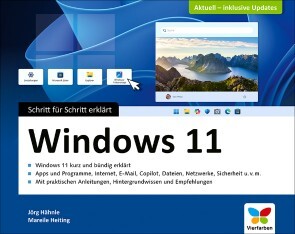
Windows 11 (7. Auflage)
Windows 11 sicher beherrschen! Jörg Hähnle und Mareile Heiting zeigen Ihnen in diesem kompakten Handbuch den Weg. In wenigen Schritten installieren Sie das Betriebssystem, nutzen Apps und Programme, verwalten Ihre Daten, stellen eine Internetverbindung her und genießen Fotos, Musik und Videos an Ihrem Rechner. Sie lernen auch, wie Sie Ihre Daten schützen und was bei Problemen zu tun ist. Farbige Abbildungen, zahlreiche Tipps und ein ausführliches Stichwortverzeichnis machen dieses Buch zu einer praktischen Bedienungsanleitung für Einsteiger und Fortgeschrittene.Aus dem Inhalt: Windows 11 installierenBei Windows anmeldenWo finde ich was in Windows 11?Programme und AppsDatei- und Ordnerverwaltung mit dem ExplorerDateien und Ordner suchenIns Internet mit Windows 11Surfen mit Microsoft EdgeSicherheit im InternetKontakte speichern und verwaltenDie Kalender-App verwendenMit OneDrive Daten online in der Cloud speichernWindows 11 individuell anpassenDie Bildschirmeinstellungen ändernDen Desktop einrichtenBenutzerkonten erstellen, verwenden und verwaltenGeräte anschließenDrucken mit Windows 11USB-Sticks und -Festplatten anschließenBilder, Musik und VideosEin Netzwerk einrichtenEine Netzwerkverbindung herstellenCopilot richtig einsetzenFernsteuerung und Fernwartung: Remotezugriff mit Windows 11Warten, pflegen, absichernDie Festplatte defragmentierenProgramme deinstallierenWindows-UpdatesAntivirenprogramm und FirewallBackup: Sichern und wiederherstellenDer DateiversionsverlaufDatenschutz und PrivatsphäreProbleme lösenAbgestürzte Programme beendenÄltere Programme unter Windows 11 nutzenTastenkürzel, Fehlermeldungen und Hilfe

Windows-Befehle für Server 2025 und Windows 11 - kurz & gut (7. Auflg.)
Admin-Wissen kompakt, nützlich und auf den Punkt gebracht- Die einzige Referenz, die alle wesentlichen Befehle der Kommandozeile für alle gängigen Windows- und Windows Server-Versionen in so konzentrierter und gleichzeitig umfassender Form beschreibt- Mit Erläuterungen von PowerShell-Alternativen zu vielen Befehlen- Neue Themen: Windows Terminal-App, PowerShell 7- Aktualisiert und komplett überarbeitet, dabei gewohnt knapp und präzise Diese Befehlsreferenz ist ein nützlicher und zuverlässiger Begleiter für alle Systemadministratoren, die Aufgaben nicht ausschließlich über die Menüstruktur der GUI, sondern schnell und effektiv in der Eingabeaufforderung ausführen möchten.Befehle der EingabeaufforderungDas Buch beschreibt alle wesentlichen Befehle der Eingabeaufforderung für die gängigen Windows-Betriebssysteme einschließlich Windows Server 2025 und Windows 11 mit ihren jeweiligen Optionen in komprimierter Form. Die Befehle sind thematisch gruppiert, ein ausführlicher Index hilft beim schnellen Auffinden.PowerShell-AlternativenDa Microsoft Windows PowerShell eine immer größere Bedeutung beimisst, sind bei den Befehlen der Eingabeaufforderung häufig auch alternative Lösungsansätze mit PowerShell inklusive Erläuterungen aufgeführt. Das Buch bietet Ihnen damit Hilfestellungen und Anregungen für den Übergang von der klassischen Eingabeaufforderung zur Systemadministration mit Windows PowerShell 5.1 und – neu in der 7. Auflage – auch PowerShell 7.Kompakt, nützlich und auf den Punkt gebracht: Diese Taschenreferenz ist auch in dieser aktualisierten Neuauflage ein unverzichtbares Nachschlagewerk für alle Windows-Administratoren.

Barrierefreie Webentwicklung
Barrierefreie Websites gemäß Barrierefreiheitsstärkungsgesetz – technische Umsetzung und Best PracticesSpätestens zum 28. Juni 2025 muss das Barrierefreiheitsstärkungsgesetz angewendet werden. Dies bedeutet nicht nur eine gesetzliche Verpflichtung für viele Unternehmen, sondern bietet auch Vorteile: Barrierefreie Websites erreichen eine größere Zielgruppe, sorgen für eine bessere UX und stärken das Markenimage.Dieses praxisorientierte Buch ist essenziell für alle, die sich mit der Erstellung barrierefreier Webinhalte befassen. Maria Korneeva vermittelt die Grundlagen der digitalen Barrierefreiheit und die relevanten rechtlichen Rahmenbedingungen und Richtlinien, darunter das Barrierefreiheitsstärkungsgesetz (BFSG), die Web Content Accessibility Guidelines (WCAG) und EN 301 549. Anhand von anschaulichen Beispielen lernen Sie, Barrieren im Web selbst zu erleben und zu verstehen. Zudem erhalten Sie verständliche Anleitungen und praxisnahe Codebeispiele, die Ihnen helfen, Barrierefreiheit erfolgreich in Ihre Projekte zu integrieren. Automatisierte Tests unterstützen Sie schließlich dabei, die langfristige Einhaltung der Barrierefreiheitsanforderungen sicherzustellen.Bedeutung und Vorteile digitaler BarrierefreiheitGesetzliche Vorgaben, Normen und Richtlinien (inkl. BFSG, EAA und WCAG)Umgang mit ScreenreadernGrundsätze der Barrierefreiheit: Responsiveness, Farbgestaltung, Tastaturbedienbarkeit, AlternativtexteSemantisches HTML, ARIA, Accessibility Tree, zugänglicher Name und BeschreibungBarrierefreie Implementierung von Navigation, Links, Buttons, Bildern, Cookie-Bannern, Tabellen, Formularen und weiteren UI-ElementenBarrierefreiheit von Web Components und Single Page ApplicationsTools für automatisierte BarrierefreiheitschecksLinters und Plug-ins für Unit- und End-to-End-TestsIntegration in CI/CD-PipelinesKünstliche Intelligenz, zukunftsweisende Entwicklungen und aktuelle Einschränkungen Maria Korneeva ist Frontend Technology Lead und Google Developer Expert mit Fokus auf Angular und Barrierefreiheit. Sie arbeitet freiberuflich an der Entwicklung von Frontend-Anwendungen und leitet Workshops zu Web-Technologien. Ihre Erkenntnisse aus dem Coding-Alltag teilt sie gerne auf Konferenzen und Meetups.Richtet sich an:Webentwickler*innenInformatikstudierendeTeam-LeadsTech-Leads

Praxisbuch Windows-Sicherheit
Das Lehr- und Experimentierwerk zur Windows-SicherheitsarchitekturDieses Buch ist ein Muss für alle, die die Low-Level-Implementierungen des Windows-Betriebssystems verstehen müssen, um neue Schwachstellen zu entdecken oder sich gegen bekannte zu schützen. Entwickler*innen, DevOps und Sicherheitsforschende finden hier einen unvergleichlichen Einblick in die Schlüsselelemente und Schwachstellen des Betriebssystems, der sogar die offizielle Dokumentation von Microsoft übertrifft. James Forshaw, renommierter Bug Hunter und Sicherheitsexperte, stellt anhand von sorgfältig ausgearbeiteten PowerShell-Beispielen, mit denen experimentiert und modifiziert werden kann, die wichtigsten Themen der Windows-Sicherheit vor. Er deckt dabei alles von der grundlegenden Analyse der Ressourcensicherheit bis hin zu fortgeschrittenen Techniken wie der Verwendung der Netzwerkauthentifizierung ab. Interaktive PowerShell-Beispiele helfen Ihnen, das Systemverhalten aktiv zu testen und zu manipulieren. Sie lernen dabei, wie Windows Dateien und die Registrierung sichern, Zugriff auf eine Ressource gewährt oder die Authentifizierung sowohl lokal als auch über ein Netzwerk implementiert.Es behandelt:Die Sicherheitsarchitektur von Windows, einschließlich des Kernels und der Anwendungen im BenutzermodusDer Windows Security Reference Monitor (SRM), einschließlich Zugriffstoken, Abfrage und Einstellung des Sicherheitsdeskriptors einer Ressource sowie Zugriffskontrolle und AuditingInteraktive Windows-Authentifizierung und Speicherung von Anmeldeinformationen im Security Account Manager (SAM) und Active DirectoryMechanismen von Netzwerk-Authentifizierungsprotokollen, einschließlich NTLM und KerberosÜber den Autor:James Forshaw ist ein renommierter Experte für Computersicherheit im Project-Zero-Team von Google. In seiner mehr als 20-jährigen Erfahrung bei der Analyse und Ausnutzung von Sicherheitsproblemen in Microsoft Windows und anderen Produkten hat er Hunderte Sicherheitslücken in Microsoft-Plattformen entdeckt. Andere zitieren häufig seine Forschungsergebnisse, die er in Blogs, in Vorträgen oder durch neuartige Tools präsentiert, und er hat zahlreiche Forscher in der Branche inspiriert. Wenn er nicht gerade die Sicherheit andere Produkte knackt, arbeitet James als „Abwehrspieler“, berät Teams bei ihrem Sicherheitsdesign und verbessert die Chromium Windows Sandbox, um Milliarden von Nutzern weltweit zu schützen.Richtet sich an:System- und NetzwerkadminsMitarbeitende in der IT-SicherheitProgrammierer*innenStudierende (Informatik, IT-Sicherheit)

Delete the Hype
Delete the Hype richtet sich an Marketingverantwortliche, Unternehmer:Innen und Entscheider:Innen, die faktenbasiert und strategisch fundiert in digitalen Kanälen agieren wollen. Das Ziel des Buches ist es, häufig wiederholte, aber wenig belastbare Aussagen (Mythen) zu entlarven - von der Rolle von KI im Marketing bis hin zur Frage, ob man zB. auf allen Plattformen präsent sein muss. Oder die Aussage: KI macht dein Unternehmen automatisch erfolgreicher - widerlegt durch empirische Studien und reale Beispiele, die zeigen, dass KI nur in Verbindung mit Strategie, Infrastruktur und qualitativ hochwertigen Daten einen Mehrwert generiert. Oder wie wärs mit: SEO wird durch KI obsolet - diskutiert die tiefgreifenden Änderungen durch ChatGPT Search & Google Gemini und betont, dass SEO relevanter denn je wird, jedoch mit neuem Fokus auf semantische Klarheit und strukturierte Inhalte. Das Buch bietet für Unternehmen, Agenturen und Selbstständige eine wertvolle Orientierung, um in einem von Buzzwords und überhöhten Erwartungen geprägten Umfeld realistische, datengestützte Entscheidungen zu treffen. Besonders die Integration von KI in Social Media, SEO und Content-Prozesse wird fundiert und kritisch beleuchtet. Roger Basler de Roca: Roger Basler de Roca ist Betriebsökonom FH und Master of Science in Digital Business. Er gilt als einer der führenden Digitalunternehmer und Top-Keynote-Speaker im deutschsprachigen Raum. Mit jahrzehntelanger Erfahrung in der Umsetzung digitaler Geschäftsmodelle, Plattformökonomien und Anwendungen von Künstlicher Intelligenz unterstützt Basler de Roca Unternehmen, Behörden und Bildungseinrichtungen bei der erfolgreichen digitalen Transformation. Sein besonderer Fokus liegt auf der intelligenten Verzahnung von Technologie, Strategie und menschlicher Kreativität. In mehr als zwölf Jahren Auslandserfahrung - unter anderem in China, Kanada, Spanien und den USA - hat er ein ausgeprägtes interkulturelles Verständnis für die Chancen und Herausforderungen globaler Digitalisierung entwickelt. Roger hält jährlich über 100 Vorträge und Workshops. Seine Arbeit ist geprägt von einem klaren Ziel: Menschen und Organisationen zu befähigen, KI nicht nur als Werkzeug, sondern als strategischen Hebel für nachhaltiges Wachstum und gesellschaftlichen Fortschritt zu nutzen. Weitere Informationen über ihn und seine Projekte finden sich auf: www.rogerbasler.ch

Wissensmanagement (8. Auflg.)
Aktueller und umfassender Überblick über das Thema Wissensmanagement in 8. Auflage aus dem Mai 2025.Die Entwicklung der letzten zehn Jahre zeigt, dass in Organisationen das Interesse am Wissensmanagement wächst. Dennoch ist festzustellen, dass der Nutzen des Wissensmanagements von einem tieferen Verständnis der verfügbaren Konzepte abhängt und nicht von der Unternehmensgröße.Das Themenfeld des Wissensmanagements wird in diesem Buch systematisch geordnet und in Verbindung mit den aktuellen Entwicklungen auf einem anspruchsvollen Niveau aufbereitet. Ziele sind eine umfassende Einführung und ein ganzheitlicher Überblick. Der Fokus wird dabei auch auf die praktische Umsetzung und auf ungelöste Probleme und Herausforderungen gelenkt. Damit bietet das Buch Orientierung in einem innovativen und zukunftsorientierten Anwendungsfeld, das mittlerweile in der Wissenschaft und in der Praxis gleichermaßen akzeptiert ist.AUS DEM INHALT:Die Herausforderung: Wandel und Bewältigung von Wandel in Unternehmen // Grundlagen des Wissensmanagements // Referenzdisziplinen des Wissensmanagements // Methodische und softwaretechnische Unterstützung des Wissensmanagements // Wissensmanagement in der Praxis

Quantencomputing
In Erstauflage aus dem Mai 2025: Grundlagen, Algorithmen, Anwendung. Mit Python-Beispielen zur direkten Umsetzung.Was ist ein Qubit? Können sie wirklich zwei Zustände gleichzeitig annehmen? Und was bedeutet Quantenüberlegenheit? Quantencomputing schafft eine neue Dimension in der Verarbeitung von Informationen und liefert Ansätze für Probleme, die bisher nicht effizient gelöst werden können.In diesem Leitfaden gibt Ihnen Dr. Kaveh Bashiri einen ausführlichen Einblick in die Grundlagen und Anwendungsszenarien des Quantencomputings. Sie lernen zunächst das theoretische Fundament kennen, bevor Sie auf diesem Verständnis bahnbrechende Quantenalgorithmen nachvollziehen. Dabei erwartet Sie ein praxisorientierter Zugang mit vielen Beispielen, die Sie selbst in Qiskit programmieren können.Mehr als Einsen und Nullen. Grundlagen verstehen Qubits, Gatter, Superposition: Die mathematischen Grundlagen des Quantencomputings werden verständlich erklärt und eingeordnet. Auf diesem Fundament starten Sie eigene Programmierexperimente. Mit Qiskit arbeiten Wenn Sie mit Quantencomputern arbeiten wollen, brauchen Sie nicht unbedingt die Ausstattung eines Forschungslabors. Mit Qiskit emulieren Sie die Funktion echter Quantenrechner und probieren Quantenalgorithmen ganz einfach aus. Von der Theorie zur Anwendung Viele Aspekte des Quantencomputings sind noch Zukunftsmusik, und trotzdem ist der Einfluss groß. In einem Ausblick erfahren Sie, welche Auswirkungen die Quantentheorie auf die Informatik hat und wie Sie die Entwicklung von Kryptografie-Algorithmen beeinflusst. Aus dem Inhalt: Hintergründe und Theorie Warum brauchen wir überhaupt Quantencomputer? Mathematische Grundlagen: Lineare Algebra, Dirac-Notation, Wahrscheinlichkeitstheorie Von der klassischen Informatik zu den Quanten Elemente der Quantenmechanik Quantenschaltkreismodelle und Qubits Quantenverschränkungen Algorithmen und Anwendung: Deutsch-Jozsa, Simon, Shor, Grover und mehr Post-Quanten-Kryptografie Über den Autor: Dr. Kaveh Bashiri arbeitet in der IT-Sicherheit und beschäftigt sich hauptsächlich mit kryptografischen Auswirkungen von Quantenalgorithmen sowie mit Post-Quanten-Verfahren.

Computer für Senioren
Schalten Sie Ihren Computer an, und legen Sie einfach los! Dieses Buch macht es Ihnen leicht und leitet Sie durch alle nötigen Schritte. Sie benötigen keinerlei Vorwissen. Im Internet surfen, E-Mails schreiben, Fotos bearbeiten, Briefe ausdrucken – jeder Schritt wird Ihnen am Bild gezeigt, die Schrift ist gut lesbar, und alles wird ohne rätselhafte Fachbegriffe erklärt. Die Anleitungen sind für PC und Notebook gleichermaßen geeignet. Aus dem Inhalt: Alles problemlos einrichtenAm Bildschirm zurechtfindenPC und Notebook mit Maus und Touchpad bedienenIm Internet surfenE-Mails schreiben und empfangenKamera oder Drucker anschließenFotos verschönern und präsentierenTexte schreiben und ausdruckenSicher sein vor Viren und Co.Einstellungen für den DatenschutzDateien geordnet ablegenDie Windows-Suche geschickt nutzenProgramme selbst installierenHilfe finden bei Problemen 1. Desktop-PC oder Notebook? ... 10 Welches Gerät für welchen Zweck? ... 12 Welche Anschlüsse hat ein PC? ... 14 Welche Anschlüsse hat ein Notebook? ... 18 Den Computer ein- und ausschalten oder in den Energiesparmodus versetzen ... 22 2. Erste Schritte mit dem Computer ... 24 Die Tastatur benutzen ... 26 Spezialtasten verwenden ... 30 Das Touchpad am Notebook bedienen ... 32 Eine Maus anschließen ... 36 Mit der Maus arbeiten ... 38 Zeiger und Cursor besser sichtbar machen ... 40 Energieoptionen einstellen ... 42 3. Am Bildschirm zurechtfinden ... 44 Bei Windows anmelden ... 46 Windows kennenlernen -- der Desktop ... 48 Windows kennenlernen -- das Startmenü ... 52 Die Suchfunktion nutzen ... 56 Apps starten und verwenden ... 58 Apps beenden ... 62 Mehrere Apps öffnen ... 64 Apps in Startmenü und Taskleiste anzeigen ... 66 Mit Fenstern umgehen ... 68 4. Internet zu Hause und unterwegs ... 70 Den Computer mit dem WLAN verbinden ... 72 Den Computer per Kabel mit dem Internet verbinden ... 74 Im Internet surfen mit Microsoft Edge ... 76 Sicherheit im Internet -- das sollten Sie unbedingt beachten ... 80 Einen anderen Suchanbieter nutzen: Google ... 84 Die Internet-Startseite anpassen ... 86 Richtig suchen im Internet ... 88 Nachrichten im Internet lesen oder anschauen ... 92 Routen planen mit Google Maps ... 94 Favoriten speichern ... 96 Programme aus dem Internet herunterladen ... 98 Den Adobe Acrobat Reader effektiv nutzen ... 100 Das Surfen noch komfortabler machen ... 104 Im Internet einkaufen ... 108 Erste Schritte mit Teams ... 110 Videotelefonie mit Teams nutzen ... 114 5. E-Mails schreiben ... 116 Eine E-Mail-Adresse einrichten ... 118 Ihr E-Mail-Konto aufrufen ... 122 E-Mails empfangen und beantworten ... 124 E-Mails vorlesen lassen und den Text vergrößern ... 128 E-Mails schreiben und senden ... 130 E-Mails löschen ... 132 E-Mails mit Anlagen versenden ... 134 E-Mail-Anlagen öffnen und speichern ... 136 Ein Adressbuch pflegen ... 138 E-Mails gestalten ... 142 Einstellungen rund um E-Mails ... 144 6. Fotos importieren und bearbeiten ... 146 Fotos vom Smartphone importieren ... 148 Fotos auf dem Computer finden ... 152 Die Windows-Fotoanzeige einrichten ... 154 Bilder gerade ausrichten ... 156 Bilder (automatisch) verbessern ... 158 Bilder zuschneiden ... 160 Fotos für den E-Mail-Versand verkleinern ... 162 Fotos drucken ... 164 7. Texte schreiben ... 166 Microsoft Office installieren ... 168 Word kennenlernen ... 172 Dateien neu anlegen und öffnen ... 174 Text eingeben ... 176 Dokumente speichern ... 178 Den Text korrigieren ... 180 Die Seite einrichten ... 184 Text markieren, kopieren und einfügen ... 188 Schrift und Layout gestalten ... 190 Absätze und Aufzählungen formatieren ... 192 Einen Brief schreiben ... 194 Tabellen anlegen und formatieren ... 196 Bilder einfügen ... 200 Dokumente ausdrucken ... 204 Web-Apps verwenden ... 206 8. Rechnen mit dem Computer ... 210 Den Taschenrechner nutzen ... 212 Excel kennenlernen ... 214 Daten in Tabellen eingeben ... 218 Excel-Dateien speichern und wieder öffnen ... 222 Zellen autoausfüllen, kopieren und verschieben ... 224 Tabellen erweitern ... 226 Rechnen in Tabellen ... 228 Tabellen verschönern und Daten sortieren ... 234 Diagramme einfügen -- Daten veranschaulichen ... 238 Die Blitzvorschau -- clevere Hilfe in Excel ... 240 9. Dateien und Ordner verwalten ... 242 Dateien und Ordner anzeigen lassen ... 244 Dateien und Ordner markieren und auswählen ... 248 Dateien kopieren, verschieben und löschen ... 250 Dateien umbenennen ... 252 Ordner anlegen, verschieben und löschen ... 254 Dateien suchen ... 256 Dateien mit der Zwischenablage verwalten ... 258 Daten auf einen USB-Stick kopieren ... 260 Onlinespeicher nutzen ... 262 10. Spezielle Einstellungen vornehmen ... 264 Desktop und Sperrbildschirm anpassen ... 266 Einstellungen rund um die Bildschirmanzeige vornehmen ... 270 Windows-Updates prüfen und ausführen ... 274 Apps auf den neuesten Stand bringen ... 276 11. Zusätzliche Geräte verwenden ... 278 Eine externe Festplatte anschließen ... 280 USB-Sticks anschließen und verwenden ... 282 Kopfhörer verwenden ... 284 Geräte per Bluetooth verbinden ... 286 Einen Drucker installieren ... 288 Einen Scanner einrichten und nutzen ... 290 12. Für Sicherheit sorgen ... 294 Die App »Windows-Sicherheit« ... 296 Den Computer auf Viren überprüfen ... 300 Datenschutzeinstellungen ... 302 Zugriffsrechte für Apps ... 306 Wichtige Daten automatisch sichern ... 308 Weitere Maßnahmen für die Computersicherheit ... 310 13. Probleme lösen ... 312 Hilfe übers Internet suchen ... 314 Die Windows-Hilfe nutzen ... 318 Glossar ... 320 Stichwortverzeichnis ... 327

Die Tesla-Files (3. Auflg.)
Enthüllungen aus dem Reich von Elon Musk. In 3. Auflage aus dem Mai 2025.Elon Musk ist der mächtigste Mann der Welt. Tesla machte ihn zum dreihundertfachen Milliardär, mit seinem Satellitennetzwerk Starlink beeinflusst er das Kriegsgeschehen in der Ukraine. Sein Social-Media-Netzwerk X nutzt Musk als Bühne für seine persönliche Propaganda. Im Herbst 2024 kaufte er sich auch noch in die US-Regierung ein.Musk inszeniert sich als Retter der Zivilisation, doch sein Geniegestus birgt eine erschreckende Kehrseite: Ungewöhnlich viele Arbeitsunfälle in seinen Fabriken, gefährliche Fehler des Tesla-Autopiloten und zahllose gebrochene Versprechen werfen einen dunklen Schatten auf seinen Erfolg.Die Investigativjournalisten Sönke Iwersen und Michael Verfürden reißen in diesem Buch Musks Fassade ein. Sie analysieren interne Tesla-Daten, werten Gerichtsakten aus und sprechen mit Kunden, Mitarbeitern und Hinterbliebenen. Ihre Recherchen zeigen einen Konzern außer Kontrolle und einen Chef ohne Skrupel. Sie sind ein Vorgeschmack darauf, was die Welt von Musk als erstem globalen Oligarchen zu erwarten hat."Ich habe kein Problem damit, gehasst zu werden", sagt Elon Musk. Seine Biografie gleicht einer Kaskade von Kämpfen – mit seinen Mitarbeitern, seinen Geschäftspartnern und in seinen privaten Beziehungen. Nun ist er der Schattenpräsident der USA und greift über sein Netzwerk X weltweit in die Politik ein. Musk geriert sich als Schutzpatron für rechte und rechtsextreme Politiker. Die preisgekrönten Investigativjournalisten Sönke Iwersen und Michael Verfürden zeichnen das Porträt eines libertären Techno-Autokraten, der keine Grenzen akzeptiert. Sein Motto: Die Welt gehört ihm, alle anderen leben nur darin. Zum Inhalt: Vorwort: Gefangen in Elons Spiel – Seite 9 Kapitel 1: Anruf von Unbekannt – Seite 15 Endlose Excel-Tabellen – Seite 18 Projekt T. – Seite 22 Das Dilemma der Journalisten – Seite 26 Der Informant macht Druck – Seite 30 Eine frühe Weihnachtsbescherung – Seite 33 Plötzlich steht Jan Marsalek auf dem Bildschirm – Seite 37 Übergabe im Kinder-Café – Seite 39 Kapitel 2: Elon Musk, Superstar – Seite 42 Elons erste Jahre – Seite 44 Die erste Firma – Seite 47 Musk wird Bankier – Seite 49 Musk und die Frauen – Seite 52 Ein Chef auf Drogen – Seite 56 Die Eroberung des Weltalls – Seite 59 Revolution des Straßenverkehrs – Seite 62 Nebentätigkeiten eines Vielbeschäftigten – Seite 66 Fickt euch – Seite 67 Kapitel 3: Eine nervenaufreibende Recherche – Seite 72 Angst vor der Zip-Bombe – Seite 74 Teslas Heiliger Gral – Seite 76 Der Jira-Faktor – Seite 78 Zugriff für alle – Seite 82 Recherche mit Existenzrisiko – Seite 85 «Eine total verrückte Welt» – Seite 87 Post aus Teslas Rechtsabteilung – Seite 90 Kapitel 4: Zweifel am Autopiloten – Seite 96 Fast eine Scheidung – Seite 100 Eine tödliche Gefahr? – Seite 104 Musks ewiges Versprechen – Seite 108 Nicht für den Gebrauch geeignet – Seite 111 Bitte nichts Schriftliches – Seite 115 Kapitel 5: Versprochen, gebrochen – Seite 118 Raketen, Tunnel und 258 Milliarden Dollar Schaden – Seite 121 Cyberstuck – Seite 124 Verspätete Taxis, tanzende Roboter – Seite 128 Kapitel 6: Der Whistleblower – Seite 133 Die Razzia – Seite 136 Vom Bauernhof zu Tesla – Seite 137 Pornos und Feuer – Seite 139 Verbannt und überwacht – Seite 143 Gegenangriff – Seite 145 Musks Geheimagenten – Seite 147 Hat Netflix schon angerufen? – Seite 150 Lukasz kämpft weiter – Seite 155 Kapitel 7: Elons DNA – Seite 159 Armer reicher Mann – Seite 162 Ein gottgleicher Chef – Seite 165 Musks Liebe zur Menschheit – Seite 170 Kapitel 8: Mitarbeiterhölle Tesla – Seite 175 Teslas Hauselfen – Seite 179 Gebrochene Nase, verbrannte Haut – Seite 184 Kontrolle ist besser – Seite 187 Nicht mehr alle Tassen im Schrank – Seite 191 Kampf mit der IG Metall – Seite 197 Kapitel 9: Keine Daten im Todesfall – Seite 202 Todesfalle Tesla – Seite 205 Drei Hacker aus Berlin – Seite 209 Ohnmacht der Ermittler – Seite 211 Falsches Spiel – Seite 215 Ein brisanter Fund – Seite 218 Musks Blackbox – Seite 222 Kapitel 10: Epilog – Musk, der Politiker – Seite 224 Bloß nicht politisch agieren – Seite 228 Was kostet ein Präsident? – Seite 231 Warum erschießt keiner die Demokraten? – Seite 233 Schicksalstage – Seite 237Die Realität überholt uns – Seite 242Pressestimmen:„Wenn Sie wissen wollen, wer in einem Streit zwischen Musk und der Tesla-KI gewinnt, warum seine eigenen Anwälte ihn vor Gericht als Schaumschläger bezeichnen und weshalb es bei Tesla Panikräume für Mitarbeiter gibt – lesen Sie dieses Buch!“Handelsblatt, Sebastian Matthes„Wie Elon Musk sein ganzes Reich errichtet hat, sein Führungsstil ohne Rücksicht auf Verluste - darüber klärt jetzt das Buch ‚Die Tesla-Files‘ auf.“3SAT Kulturzeit, Christine Rohmann

Wissensmanagement
Aktueller und umfassender Überblick über das Thema Wissensmanagement Die Entwicklung der letzten zehn Jahre zeigt, dass in Organisationen das Interesse am Wissensmanagement wächst. Dennoch ist festzustellen, dass der Nutzen des Wissensmanagements von einem tieferen Verständnis der verfügbaren Konzepte abhängt und nicht von der Unternehmensgröße. Das Themenfeld des Wissensmanagements wird in diesem Buch systematisch geordnet und in Verbindung mit den aktuellen Entwicklungen auf einem anspruchsvollen Niveau aufbereitet. Ziele sind eine umfassende Einführung und ein ganzheitlicher Überblick. Der Fokus wird dabei auch auf die praktische Umsetzung und auf ungelöste Probleme und Herausforderungen gelenkt. Damit bietet das Buch Orientierung in einem innovativen und zukunftsorientierten Anwendungsfeld, das mittlerweile in der Wissenschaft und in der Praxis gleichermaßen akzeptiert ist. AUS DEM INHALT: Die Herausforderung: Wandel und Bewältigung von Wandel in Unternehmen // Grundlagen des Wissensmanagements // Referenzdisziplinen des Wissensmanagements // Methodische und softwaretechnische Unterstützung des Wissensmanagements // Wissensmanagement in der Praxis

Samsung Galaxy A56 5G
Samsung Galaxy A56 5G – Für Einsteiger ohne Vorkenntnisse- Alle Funktionen & Einstellungen auf einen Blick- Schritt für Schritt erklärt – mit praktischen TippsMit diesem smarten Praxisbuch gelingt Ihnen der schnelle und sichere Einstieg in Ihr Smartphone. Lernen Sie das Samsung Galaxy A56 5G von Grund auf kennen und beherrschen!Anschauliche Anleitungen, Beispiele und Bilder zeigen Ihnen gut nachvollziehbar, wie Sie Ihr mobiles Gerät optimal handhaben – von der Ersteinrichtung und Personalisierung über die große Funktionsvielfalt bis zu den wichtigsten Anwendungen. Nutzen Sie darüber hinaus die übersichtlichen Spicker-Darstellungen: Damit können Sie jene Bedienungsschritte, die man am häufigsten braucht, aber immer wieder vergisst, auf einen Blick finden und umsetzen. Freuen Sie sich auf viele hilfreiche Tipps und legen Sie ganz einfach los!Aus dem Inhalt:- Alle Bedienelemente des Samsung Galaxy A56 5G auf einen Blick- Ersteinrichtung und Tipps zum Umzug- Die Benutzeroberfläche Ihres Smartphones personalisieren- KI-Funktionen nutzen mit Gemini und Awesome Intelligence- Apps aus dem Play Store herunterladen und verwalten- Kontakte im Adressbuch anlegen und Anrufe tätigen- Nachrichten austauschen via Messages, E-Mail und WhatsApp- Fotos sowie Videos aufnehmen, verwalten, mit KI bearbeiten und teilen- Uhr, Kalender, Maps und andere praktische Apps nutzen- Ins Internet gehen über WLAN und mobile Daten - Updates, Datenschutz und SicherheitAuch geeignet für Ihr A55, A54 und A53, sofern ein Update auf One UI 7.0 oder höher durchgeführt wurde.

Samsung Galaxy A36 5G
Samsung Galaxy A36 5G – Für Einsteiger ohne Vorkenntnisse- Alle Funktionen & Einstellungen auf einen Blick- Schritt für Schritt erklärt – mit praktischen TippsMit diesem smarten Praxisbuch gelingt Ihnen der schnelle und sichere Einstieg in Ihr Smartphone. Lernen Sie das Samsung Galaxy A36 5G von Grund auf kennen und beherrschen! Anschauliche Anleitungen, Beispiele und Bilder zeigen Ihnen gut nachvollziehbar, wie Sie Ihr mobiles Gerät optimal handhaben – von der Ersteinrichtung und Personalisierung über die große Funktionsvielfalt bis zu den wichtigsten Anwendungen. Nutzen Sie darüber hinaus die übersichtlichen Spicker-Darstellungen: Damit können Sie jene Bedienungsschritte, die man am häufigsten braucht, aber immer wieder vergisst, auf einen Blick finden und umsetzen. Freuen Sie sich auf viele hilfreiche Tipps und legen Sie ganz einfach los!Aus dem Inhalt:- Alle Bedienelemente des Samsung Galaxy A36 5G auf einen Blick- Ersteinrichtung und Tipps zum Umzug- Die Benutzeroberfläche Ihres Smartphones personalisieren- Apps aus dem Play Store herunterladen- Kontakte anlegen und im Adressbuch verwalten- Anrufe tätigen und SMS austauschen - Nachrichten über Mail und WhatsApp versenden und empfangen- Uhr, Kalender, Maps und andere praktische Apps nutzen - Fotos sowie Videos aufnehmen, verwalten und teilen- Ins Internet gehen über WLAN und mobile Daten - Updates, Datenschutz und Sicherheit

Von der Fachkraft zum Key-User
„ERP KEY-USER: DIE HEIMLICHEN HELDEN DER DIGITALEN TRANSFORMATION“ERP-Projekte sind komplex – und der entscheidende Erfolgsfaktor sind die Menschen dahinter. Dieses Buch richtet sich an Mitarbeiter, die sich zum Key-User entwickeln und so maßgeblich zur erfolgreichen Einführung und Optimierung eines ERP-Systems beitragen. Praxisnah, verständlich und direkt umsetzbar zeigt es, wie Key-User Prozesse optimieren, Change-Management meistern und Schnittstellen zwischen IT und Fachabteilungen bilden.Ideal für Unternehmen, die ihre digitale Transformation erfolgreich gestalten wollen. Mit Best Practices, Checklisten und Insider-Tipps aus echten ERP-Projekten bietet dieses Buch alles, was Key-User und Projektverantwortliche wissen müssen.JETZT KEY-USER-KOMPETENZEN AUFBAUEN – FÜR EINE REIBUNGSLOSE ERP-IMPLEMENTIERUNG UND NACHHALTIGEN UNTERNEHMENSERFOLG!ANDREAS NIEDERMEIER ist erfahrener kaufmännischer Leiter / CFO und ERP-Experte mit umfassender Beratungserfahrung in verschiedenen Branchen. Mittlerweile begleitet er Unternehmen bei der Implementierung, Weiterentwicklung und Optimierung von ERP-Systemen und unterstützt Key-User in ihrer entscheidenden Rolle.Durch seine langjährige Praxis hat er tiefgehendes Wissen in der Schulung von Mitarbeitern und der Erstellung praxisnaher Weiterbildungsunterlagen entwickelt. Sein Buch „VON DER FACHKRAFT ZUM KEY-USER“ vermittelt wertvolle Einblicke in die erfolgreiche ERP-Einführung und das Change-Management.Mit einem ganzheitlichen Ansatz zeigt er, wie Unternehmen ihre digitale Transformation effizient gestalten und Key-User optimal einsetzen. Sein Ziel: ERP-Systeme nicht nur technologisch, sondern auch strategisch und mitarbeiterorientiert zum Erfolg führen.Einleitung.- Einführung in ERP-Systeme.- Die Rolle des Key-Users.- Change-Management in ERP-Projekten: Der Mensch im Mittelpunkt der Veränderung.- Change-Resilienz und Mitarbeiterengagement in ERP-Projekten.- Kommunikationsstrategien im ERP-Projekt.- Die Kunst des Lernens: Prozessverständnis und Lernmethoden.- Sensibilisierung für Zielkonflikte und Prioritätensetzung in ERP-Projekten.- Erstellung eines Lasten- und Pflichtenhefts für ERP-Projekte.- Gründe für das Scheitern von ERP-Projekten.-Erfolgsfaktoren für eine erfolgreiche ERP-Einführung.- Leitfaden zur Erstellung eines umfassenden Schulungskonzepts für die ERP-Einführung.- Datenmigration und Systemintegration.- Der strategische Mehrwert von Business Intelligence (BI) im ERP-Kontext.- Datenmanagement und Datenqualität in ERP-Projekten.- Erfolgsbewertung und Optimierung nach dem Go-Live.- Erfolgreiche ERP-Implementierung: Rückblick auf die wichtigsten Erkenntnisse und Erfolgsfaktoren.

Die Geheimnisse von Monkey Island (2. Auflg.)
Die 2., aktualisierte und erweiterte Auflage aus dem April 2025.“Die Geheimnisse von Monkey Island – Auf Kapertour mit Pixel-Piraten!” ist eine Hommage an die Abenteuer von Guybrush Threepwood ™, mächtiger Pirat. Aber es möchte Ihnen auch in vielen Details schildern, wie Monkey Island durch seine einzigartige Erzählkunst zum Meilenstein der Videospielgeschichte wurde. Darüber hinaus bietet es die Gelegenheit, auf die turbulente Historie von LucasArts und Telltale Games zurückzublicken, Rezepte für Voodoo-Grog zu entdecken, interaktive Piratenreggae-Songs zu lernen, auf einer mondänen Party unter 40-jährigen Geeks zu glänzen und Sprüche zu erkunden, die so scharf wie ein Entermesser sind (nützlich für Duelle oder Geburtstagsfeiern).“Macht, was ihr wollt, aber macht coole Sachen!” – George Lucas am 1. Mai 1982.Das war das einzige Ziel, das George Lucas seinen zwanzig jungen, ehrgeizigen, lustigen und schlecht frisierten Game-Designern als Rahmen für die Entwicklung von eigenen Computerspielen setzte. Lucasfilm Games ™ und später LucasArts ™ wurde in der Folgezeit zu einer legendären Spieleschmiede, auch durch die Veröffentlichung von The Secret of Monkey Island ™ im Jahr 1990. Das bekannteste Point’n’Click-Adventure verdankt seinen legendären Ruf seiner herrlich anachronistischen Welt voller bunter Piraten und seinem von Monty Python inspirierten Humor, aber auch schlicht und einfach der Tatsache, dass es ein komplettes Genre revolutioniert hat.Diese überarbeitete Edition enthält zwei neue Bonuskapitel, 36 zusätzliche Bildseiten sowie jede Menge neue Anekdoten und Trivia, die selbst dem Papagei schwindlig machen. Und natürlich kommt auch diese Auflage wieder ganz ohne Grog-Flecken.Aus dem Inhalt: Vorwort von Larry Ahern™: Mäandern auf der Affeninsel Prolog: Das Abenteuer laut LucasArts ™ Einleitung Kapitel 1: Lucasfilm Games ™ Kapitel 2: Von der interaktiven Erzählung zu Point&Click ™ Kapitel 3: Spielmotor SCUMM ™ Kapitel 4: Neuerfindung des Adventures ™ Kapitel 5: The Secret of Monkey Island ™ Kapitel 6: Von Lucasfilm Games ™ zu LucasArts ™ Kapitel 7: Monkey Island 2: LeChuck’s Revenge ™ Kapitel 8: iMUSE™! Interaktive Reggae-Musik, Mann! Kapitel 9: Das Ende einer Ära ™ Kapitel 10: The Curse of Monkey Island ™ Kapitel 11: Curse of Monkey Island: Der Film ™ Kapitel 12: Escape from Monkey Island ™ Kapitel 13: Das Adventure-Game ist tot! ™ Kapitel 14: Telltale Games ™ Kapitel 15: Tales of Monkey Island ™ Kapitel 16: Monkey Island Special Edition ™ Kapitel 17: Leben und Sterben von LucasArts ™ Kapitel 18: Die Geheimnisse von Monkey Island ™ Kapitel 19: Das Erbe von Monkey Island ™ Kapitel 20: Ron Gilbert vs. Disney ™ Kapitel 21: Return to Monkey Island ™ Kapitel 22: Zutritt nur für Mitarbeiter! ™ Anhang 1: Beleidigungsduell Anhang 2: Mojo-Credits Anhang 3: LucasArts-Klassiker Anhang 4: Plank of Love

Dialog! (2. Auflg.)
Auch eine Behörde muss heute zeitgemäß in sozialen Netzwerken kommunizieren – egal ob groß oder klein, mit mehr und mit weniger Budget und Personal. Erfahren Sie, wie Facebook, X, Instagram und Co. keine „Zusatzbelastung“ sind, sondern ein funktionierendes und sehr effizientes Hilfsmittel, um Menschen zu erreichen. Mehr an Bewerbern, eine Erhöhung der Wahl- oder Bürgerbeteiligung, ein besseres Image oder die beste Werbung für die eigenen Bürgerangebote. Alles ist möglich. Aus dem Inhalt: Dialog auf Social Media – aber richtigWelches soziale Netzwerk passt zu unsOrganisation Ihres Social-Media- TeamsDie richtige Social-Media-StrategieStorytelling für Behörden und PolitikAmtfluencer und PolitfluencerRecruiting über Social Media – Do’s & Don’tsKrisenkommunikationUmgang mit Hass im Netz... und über 200 Best PracticesInterviews mit den besten Behörden und Politikerinnen und Politikern in Social Media

Websites entwickeln mit KI
Sie möchten eine Website erstellen und dabei die Möglichkeiten der Künstlichen Intelligenz nutzen? Dieses Buch zeigt Ihnen Schritt für Schritt, wie Sie im Dialog mit einer KI eine Website konzipieren, umsetzen und optimieren – von der ersten Idee bis zur Vermarktung. Jens Jacobsen erklärt praxisnah, wie Sie mit Hilfe verschiedener KI-Modelle eine Website entwickeln können, ohne sich auf ein bestimmtes Tool festzulegen. Lernen Sie die Grundlagen der menschzentrierten Website-Entwicklung kennen, finden Sie die passenden Tools und erstellen Sie mit KI-Unterstützung Inhalte, Struktur und Design Ihrer Website. Ein interaktiver KI-Assistent, viele Übungen, Tipps zu möglichen Stolperfallen und Fallbeispiele helfen Ihnen, Ihre Website zügig umzusetzen und zu optimieren.Websites mit KI entwickelnKI-Grundlagen für die Webentwicklung Erfahren Sie, wie KI funktioniert und was sie in den Bereichen Text, Code und Bilder für Ihre Website leisten kann. Praktische Übungen zeigen die Möglichkeiten.Die richtigen Tools finden Eine KI hilft Ihnen, die für Ihr Website-Projekt optimalen Werkzeuge und Plattformen zu finden. Kriterien für die Auswahl und praktische Beispiele inklusive.Schritt für Schritt zur fertigen Website Von der Konzeption über Struktur, Design und Inhalte bis zu Tests und Vermarktung – lernen Sie jeden Schritt der Website-Entwicklung mit KI kennen.Aus dem InhaltWas KI im Bereich Webentwicklung leisten kannDen Fahrplan zum Website-Erfolg erstellen: Ziele und ZielgruppenDie besten Werkzeuge und Plattformen auswählenWebsite-Struktur mit KI-Unterstützung anlegenAnsprechendes Design entwickelnEffizient Inhalte erstellen, die begeisternTesten, optimieren und immer besser werdenDie Website vermarkten: SEO, Social Media, Guerilla-MarketingTypische Stolperfallen und Quick Wins

Bluesky For Dummies
THE FIRST AND MOST TRUSTWORTHY GUIDE TO THE HOT NEW SOCIAL MEDIA PLATFORMBluesky has been taking the social media world by storm. The platform offers users a high degree of control over what information they view and share, abilities they've lost on other platforms. Bluesky For Dummies serves as your guidebook to navigating the new platform. Learn to import your contacts, control your feed, and share content, with easy-to-follow instructions. This book also shows you how to manage who can contact you and access your content, so you can avoid bots, trolls, and other unsavory characters. For business owners, this Dummies guide is a breath of fresh air—learn how to set up Bluesky for your business and enjoy a peaceful and profitable social experience.* Discover how Bluesky differs from the other social media apps out there* Create a profile, make connections, share your content, and build a following* Take control of your social media experience with access and content settings* Connect with users by exploring custom lists and feedsRefugees from other social media sites, as well as social media beginners, can find out what it's like to be social without the downsides, thanks to Bluesky For Dummies.ERIC BUTOW is a professional author and course developer. He is a co-author of Funding a New Business For Dummies, Instagram For Business For Dummies, Instagram For Dummies, and Digital Etiquette For Dummies. REBECCA BOLLWITT is a social media and digital publishing strategist.

Im Zeitalter der KI: Zwischen Halbwissen und (un)berechtigten Ängsten
Wird Künstliche Intelligenz meinen Job ersetzen? Kann sie kreativ sein? Und wie sicher ist der Einsatz von KI wirklich? Dieses Buch räumt mit Halbwissen auf und gibt eine klare, fundierte Einführung in die Welt der KI. Anschaulich wird erklärt, wie Künstliche Intelligenz funktioniert, wo ihre Grenzen liegen und welche Chancen sie bietet. Wir beleuchten technische Hintergründe, gesellschaftliche Auswirkungen und ethische Fragestellungen. Im zugehörigen Online-Kurs finden Sie zudem spannende Kurzgeschichten und Video-Interviews, welche neue Perspektiven und Denkanstöße bieten. Einleitung und Zielsetzung. Was ist Künstliche Intelligenz?. Wie denkt und spricht eine KI? – Eine Einführung in Large Language Models. Kontext statt Erinnerung: Wie LLMs durch Information gesteuert werden. Was passiert, wenn man einer KI Macht gibt?. Muss ich Angst haben, ersetzt zu werden?. Kann eine KI ein Bewusstsein entwickeln?. Kreativität und Künstliche Intelligenz. Urheberrecht in der KI-Welt – Wem gehören die Ideen?. Fake News und Deepfakes – Wenn die Realität verschwimmt. Abschlussgedanken. MARIO BOCK ist Experte für den vielseitigen Einsatz von KI-Technologien. Mit seinem Hintergrund in Softwareentwicklung und seiner Erfahrung im Marketing schlägt er die Brücke zwischen technologischem Know-how und praxisnaher Verständlichkeit.