

Knowhow

Machtwechsel der Intelligenzen
Das Buch führt dem am gesellschaftlichen Leben interessierten Leser allgemein verständlich vor Augen, wie KI funktioniert und wie sie alle Lebensräume dramatisch verändern wird. Von der Geschichte der KI über ihre Techniken und ihre vielfältigen Anwendungsfelder bis zu ihren ethisch-philosophischen Implikationen werden alle relevanten Aspekte ausführlich dargestellt. Der Autor bleibt dabei nicht im Deskriptiven, sondern nimmt auch mit klaren Worten kritisch Stellung zur KI-Entwicklung. Für den Leser sind die Ausführungen als fachliches Stützkorsett angelegt, um gegenüber den KI-Experten als kundiger Counterpart auftreten zu können. Die letzten beiden Kapitel entführen den Leser in die Zukunft des Lebens mit der Super-KI. Mit gewagten Szenarien alarmiert der Autor den Leser auf vergnügliche Weise, welch atemberaubende und gesellschaftlich hochexplosive Perspektiven sich mit der KI verbinden und welche ethischen und philosophischen Fragestellungen sich daraus ergeben. PROF. DR. GÜNTER CISEK, der große Organisationen wie IMF und Weltbank berät und regelmäßig Gastprofessuren in Asien übernimmt, thematisiert mit Sprachwitz gesellschaftskritische Themen stets mit großer kosmopolitischer Erfahrung und interdisziplinärem Ansatz. Der Leser kann sich stets darauf verlassen, dass er nicht nur beschreibt und analysiert, sondern gesellschaftskritisch auch stets wertend Stellung bezieht. Wie viel und was für künstliche Intelligenz verträgt der Mensch?.-Weißt Du, wie es ward? - Die Geschichte der KI.-Wie funktioniert KI? - Techniken der KI.-Wie realisiert sich KI? - KI bestimmt unser Leben.-Kaufst Du noch oder „influenzt“ Du schon? – Handel 4.0.-Wohin mit der „Sozialbrache“? – Industrie 4.0.-Wie verändert sich unser Miteinander? - Gesellschaftliche Implikationen der KI.-Paradiesische Zeiten oder das Ende der Welt? - Die Zukunft mit KI.

Simulation und Modellierung mit Scilab
Das vorlesungsbegleitende Buch führt zielgerichtet, kompetenzorientiert und fachübergreifend durch die Grundlagen der Numerischen Mathematik, Algorithmik, Programmierung, Modellierung sowie Simulation und erklärt diese mithilfe des Softwarepakets Scilab/Xcos detailliert an zahlreichen Anwendungen aus verschiedenen praxisrelevanten Gebieten des Ingenieurwesens.Neben detailliert dargestellten Beispielen dienen mehr als 300 Aufgaben zum Selbststudium mit ausführlichen Lösungen und Programmcodes zum Download der Lernzielkontrolle und der Prüfungsvorbereitung.Eingesetzt wird das frei verfügbare Softwarepaket Scilab/Xcos, das weitgehend zu MATLAB/Simulink kompatibel ist, um die wichtigsten Algorithmen der Numerischen Mathematik aus den Bereichen- Nichtlineare Gleichungen- Lineare Gleichungen- Numerische Integration- Lineare und nichtlineare Regression- Interpolation- Gewöhnliche und partielle Differenzialgleichungenzu implementieren und konkrete Fragestellungen aus der Mathematik, Physik, Bauphysik, Vermessung, Statik, Dynamik, Strömungsmechanik, Thermodynamik, Wärmeübertragung, Elektrotechnik und Regelungstechnik erfolgreich zu lösen.Als Zusatzmaterial zum Buch gibt es unter plus.hanser-fachbuch.de Lösungen der nummerischen Aufgaben und Downloadlinks rund um Scilab/Xcos. Prof. Dr.-Ing. Rudi Marek, Hochschule Deggendorf, Fakultät Bauingenieurwesen und Umwelttechnik, macht Lehrveranstaltungen in Ingenieurmathematik, Computernumerik, Numerischer Mathematik und Programmierung, insbesondere Vorlesungen in Ingenieuranalyse und Modellierung. Er war mehrere Jahre bei der HL-Technik AG München im Bereich der Gebäudesimulation und Bauphysik tätig.

Verwaltung von Windows 10 mit Gruppenrichtlinien und Intune
• Der kompakte Leitfaden für die praktische Arbeit mit Gruppenrichtlinien • Eigene Gruppenrichtlinienvorlagen erstellen • Für Profis: AGPM, PowerShell und DSC • Zahlreiche Beispiele aus der administrativen Praxis Die 5. Auflage des Gruppenrichtlinien-Bestsellers wurde für das aktuelle Feature Release von Windows überarbeitet und um Themen wie die Windows-10-Verwaltung über Microsoft Intune und Auditing ergänzt. Das Buch ist Grundlagen-, Praxis- und Nachschlagewerk in einem. Berücksichtigt werden sowohl die Gruppenrichtlinien-Einstellungen in Windows 10 als auch die Windows Server-Versionen 2019, 2016, 2012 und 2008 R2. Gruppenrichtlinien-Know-how für Einsteiger und Profis - Einsteiger führt das Buch von der Basisverwaltung von Gruppenrichtlinien bis hin zur Entwicklung eigener Vorlagen durch alle wichtigen Themen. - Profis finden in diesem Buch Informationen zur Planung von Gruppenrichtlinien, zur Verwaltung (PowerShell und AGMP), zur Erweiterung (per Fremdhersteller-Tools) sowie zur Automatisierung mit PowerShell. Eine Fülle von Beispielen aus der administrativen Praxis zeigt Ihnen, wo Sie welche Einstellungen vornehmen können, wie sich diese auswirken und wie Sie in Ihrer täglichen Arbeit dadurch Zeit sparen können. Zahlreiche Tipps und Hinweise helfen Ihnen bei der Fehlersuche und Problembehebung und warnen Sie vor typischen Fallen.

MCA Microsoft Office Specialist (Office 365 and Office 2019) Study Guide
MCA MICROSOFT OFFICE SPECIALIST (OFFICE 365 AND OFFICE 2019)STUDY GUIDEYOUR COMPLETE GUIDE TO PREPARING FOR THE MICROSOFT OFFICE SPECIALIST EXCEL EXAMThe MCA Microsoft Office Specialist (Office 365 and Office 2019) Study Guide: Excel Associate Exam MO-200 is your one-stop resource for preparing you to earn the Excel Associate certification. The exam measures your competencies in the fundamentals of Excel. This guide starts you off with an assessment test to measure what you already know and what you still need to learn. Then you move into professional scenarios and examples, practical exercises, and challenging chapter review questions. Finally, you can reinforce and retain what you’ve learned with the Sybex online learning environment and test bank. Get prepared for the Excel Associate Exam with Sybex.COVERAGE OF 100% OF ALL EXAM OBJECTIVES IN THIS STUDY GUIDE MEANS YOU’LL BE READY TO:* Create and manage worksheets and workbooks* Apply formulas and functions* Populate tables with data* Create and edit a workbook with multiple sheets* Add a graphic element to represent data visuallyINTERACTIVE LEARNING ENVIRONMENTTake your exam prep to the next level with Sybex’s superior interactive online study tools. To access our learning environment, simply visit WWW.WILEY.COM/GO/SYBEXTESTPREP, register your book to receive your unique PIN, and instantly gain one year of FREE access after activation to:* INTERACTIVE TEST BANK with a practice exam to help you identify areas where further review is needed. Get more than 90% of the answers correct, and you’re ready to take the certification exam.* 100 ELECTRONIC FLASHCARDS to reinforce learning and last-minute prep before the exam.* COMPREHENSIVE GLOSSARY in PDF format gives you instant access to the key terms so you are fully prepared.ERIC BUTOW has developed and taught networking, computing, and usability courses for Ed2Go, Virtual Training Company, California State University, Sacramento, and Udemy. Eric has also been a professional technical writer and started using Word, Excel, and PowerPoint professionally in 1994. He is the owner of Butow Communications Group (https://www.butow.net). BCG offers website development, online marketing, and technical writing services.Introduction xvAssessment Test xixCHAPTER 1 MANAGING WORKSHEETS AND WORKBOOKS 1Importing Data into Workbooks 2Bringing in Data from TXT Files 3Importing Data from CSV Files 4Navigating Within Workbooks 8Searching for Data Within a Workbook 8Navigating to Named Cells, Ranges, or Workbook Elements 10Inserting and Removing Hyperlinks 12Formatting Worksheets and Workbooks 20Modifying Page Settings 20Adjusting Row Height and Column Width 22Customizing Headers and Footers 30Customizing Options and Views 36Customizing the Quick Access Toolbar 37Displaying and Modifying Workbook Content in Different Views 41Freezing Worksheet Rows and Columns 44Changing Window Views 46Modifying Basic Workbook Properties 48Displaying Formulas 49Configuring Content for Collaboration 52Setting a Print Area 52Saving Workbooks in Other File Formats 54Configuring Print Settings 54Inspecting Workbooks for Issues 55Summary 59Key Terms 59Exam Essentials 59Review Questions 61CHAPTER 2 USING DATA CELLS AND RANGES 63Manipulating Data in Worksheets 64Pasting Data by Using Special Paste Options 64Filling Cells by Using Auto Filling 68Inserting and Deleting Multiple Columns or Rows 70Adding and Removing Cells 72Formatting Cells and Ranges 75Merging and Unmerging Cells 75Modifying Cell Alignment, Orientation, and Indentation 76Formatting Cells by Using Format Painter 79Wrapping Text Within Cells 80Using Number Formatting 82Applying Cell Formatting from the Format Cells Dialog Box 83Working with Cell Styles 84Clearing Cell Formatting 86Defining and Referencing Named Ranges 88Defining a Named Range 88Naming a Table 93Summarizing Data Visually 95Inserting Sparklines 95Applying Built-In Conditional Formatting 99Removing Conditional Formatting 101Summary 105Key Terms 105Exam Essentials 105Review Questions 107CHAPTER 3 WORKING WITH TABLES AND TABLE DATA 109Creating and Formatting Tables 110Creating Excel Tables from Cell Ranges 110Applying Table Styles 112Converting Tables to Cell Ranges 113Modifying Tables 115Adding or Remove Table Rows and Columns 115Configuring Table Style Options 118Inserting and Configuring Total Rows 119Filtering and Sorting Table Data 122Filtering Records 122Sorting Data by Multiple Columns 126Summary 128Key Terms 129Exam Essentials 129Review Questions 130CHAPTER 4 PERFORMING OPERATIONS BY USING FORMULAS AND FUNCTIONS 133Inserting References 134Inserting Relative, Absolute, and Mixed References 135Referencing Named Ranges and Named Tables in Formulas 137Calculating and Transforming Datas 140Performing Calculations Using the AVERAGE(), MAX(), MIN(), and SUM() Functions 140Perform Conditional Operations by Using the IF() Function 151Formatting and Modifying Text 155Formatting Text Using the RIGHT(), LEFT(), and MID() Functions 155Formatting Text Using the UPPER(), LOWER(), and LEN() Functions 159Formatting Text Using the CONCAT() and TEXTJOIN() Functions 163Summary 166Key Terms 167Exam Essentials 167Review Questions 168CHAPTER 5 MANAGING CHARTS 171Creating Charts 172Building Charts 172Working with Chart Sheets 174Modifying Charts 178Adding Data Series to Charts 178Switching Between Rows and Columns in Source Data 181Adding and Modifying Chart Elements 182Formatting Charts 185Using Chart Layouts 186Applying Chart Styles 194Adding Alternative Text to Charts for Accessibility 196Summary 198Key Terms 198Exam Essentials 199Review Questions 200APPENDIX: ANSWERS TO REVIEW QUESTIONS 203Chapter 1: Managing Worksheets and Workbooks 204Chapter 2: Using Data Cells and Ranges 204Chapter 3: Working with Tables and Table Data 205Chapter 4: Performing Operations by Using Formulas and Functions 206Chapter 5: Managing Charts 206Index 209

Building a Salesforce-Powered Front Office
Harness the power of Salesforce to manage and grow your business. This book shows you how to use the Salesforce CRM tool to consolidate consumer data into a single place to gain better insight into your business and more easily manage data.Data (such as email, spreadsheets, databases) is generated through the front office or face of your business, where your company interacts with customers and revenue is generated. In a hotel, for instance, the front office is the lobby where guests are greeted, their problems are handled, and room payments are made. Another example is a coffee shop, where the front office is an employee taking a customer's order or serving a drink.Salespeople connect to customers by selling your company’s goods or services. Marketing team members connect with them through advertising and promotional activities. Service and support staff assist customers with problems and provide help with products.This book introduces the many ways Salesforce-based innovations are transforming the technology landscape and the strategies that may be used for designing and launching a digital front office. The book examines how organizations can launch and grow digital solutions and strategies for the governance of the platform and provides an overview of digital transformation across industries.WHAT YOU WILL LEARN* Understand basic Salesforce concepts, including the digital front office process tower, lead to cash journey, core CRM functions, best practices, and more* Review data management concepts, integrated sales, customer service, marketing operations, and proposal and business development needs in a systematic way* Use frameworks to build a business architecture and multi-year technology roadmap* Get familiar with Salesforce business processes and concepts such as account, contact, lead, and opportunity management; marketing campaigns; master data management (MDM); and lead scoring, grading, and activity management across the front office* Define and develop digital marketing challenges and strategy (people, process, brand, messaging, and ROI), measure campaign data, and create an end-to-end campaign in SalesforceWHO THIS BOOK IS FORBusiness executives, C-suites, IT management, and Salesforce managers and professionals working in IT, business development, sales operations, program management, marketing operations, and proposal developmentRASHED CHOWDHURY is Senior Principal at Infosys where he consults with Fortune 500 companies on Salesforce strategy and front office development. He has 20+ years of experience in designing, developing, and architecting solutions in enterprise applications and Salesforce CRM.Rashed played a critical role in Salesforce CRM implementations, involving requirements gathering, solution design, configuration, deployment, and data migration in functional areas such as leads management, master data management (MDM), account management, campaign management, Miller Heiman Sales Management, and partner relationship management.Rashed is a part-time adjunct faculty member at the Robinson College of Business, Georgia State University, where he teaches masters-level students customer relationship management (CRM) and digital platform courses. He is a Salesforce Certified Administrator as well as a Certified Scrum Master.

Neue Algorithmen für praktische Probleme
In diesem Sammelband geht es darum, neue Algorithmen aus den Bereichen der Künstlichen Intelligenz (KI) und des Künstlichen Lebens (KL) und deren praktische Anwendung zu zeigen. Der wesentliche Aspekt des Bandes ist, dass in den Beiträgen exemplarisch gezeigt wird, dass und wie diese neuen Algorithmen auf praktische Probleme in sehr verschiedenen Bereichen erfolgreich eingesetzt werden können: Von der Modellierung sozialer Aspekte in der Softwareentwicklung bis zur Entscheidungsunterstützung, welche Start- und Landebahn an einem Flughafen ausgewählt werden soll; von der Analyse von Krankheitsverläufen bis zur Auswahl und Optimierung technischer Systeme, sowie Alternativen für die Bildbearbeitung.

Heimautomation mit Arduino, ESP8266 und Raspberry Pi
Das eigene Heim als Smart Home für Heimwerker, Bastler und Maker.Mit diesem umfassenden Praxis-Handbuch erfahren Sie, wie Sie Ihr Heim selbst automatisieren können.Anhand zahlreicher Beispiele lernen Sie Schritt für Schritt die Umsetzung verschiedener Projekte wie z.B. 433-MHz-Sender und -Empfänger, IoT-Gateway mit 433 MHz, drahtlose Infrarot-Fernsteuerung für den Fernseher, Wettermodul, drahtlose Klingel, Strom- und Briefkastenwächter und Aquarium-Timer.Der Autor zeigt Ihnen die praktischen Einsatzmöglichkeiten verschiedener Sensoren und Aktoren im Smart Home wie Licht-, Umwelt- und Barometersensor. Dabei werden zum einen selbst gebaute einfache Elektronik-Module mit Arduino, ESP8266 und Wemos-Modulen realisiert und über eine Schaltzentrale mit Raspberry Pi gesteuert. Zum anderen werden fertige Module wie Bewegungsmelder, Kontakte oder Rauchmelder über einfache Gateways ins System integriert. Dabei wird für die Zentrale Node-Red verwendet, um die Daten und Zustände zu verarbeiten und zu visualisieren.Jedes einzelne Projekt wird mit Stückliste und Steckbrett-Aufbau ausführlich dargestellt und beschrieben.Dieses Buch richtet sich an Bastler und Maker, die bereits etwas Erfahrung mit Arduino und Raspberry Pi gesammelt haben und nun praktische Anwendungen in ihrem Heim aufbauen möchten.Inhalte & Projekte:IoT-Hardware mit Arduino, ESP8266 und Raspberry PiArduino IDE und Node-RedDie Protokolle HTTP und MQTTArduino als SensormodulSchaltmodule mit Tasmota-FirmwareNode-Red als SchaltzentraleWettermodul mit Licht-, Umwelt- und Barometersensor433-MHz-Sender und -EmpfängerIoT-Gateway mit 433 MHzESP8266 als RF-GatewayNode-Red-Schaltzentrale mit Arduino-InterfaceDrahtlose Infrarot-Fernsteuerung für den FernseherDrahtlose KlingelAnalog-Wandler-ModulHomeautomation-PlattformenBriefkastenwächterStromwächterAquarium-TimerLeuchtstreifensteuerungInhalt & Leseprobe (PDF-Link)
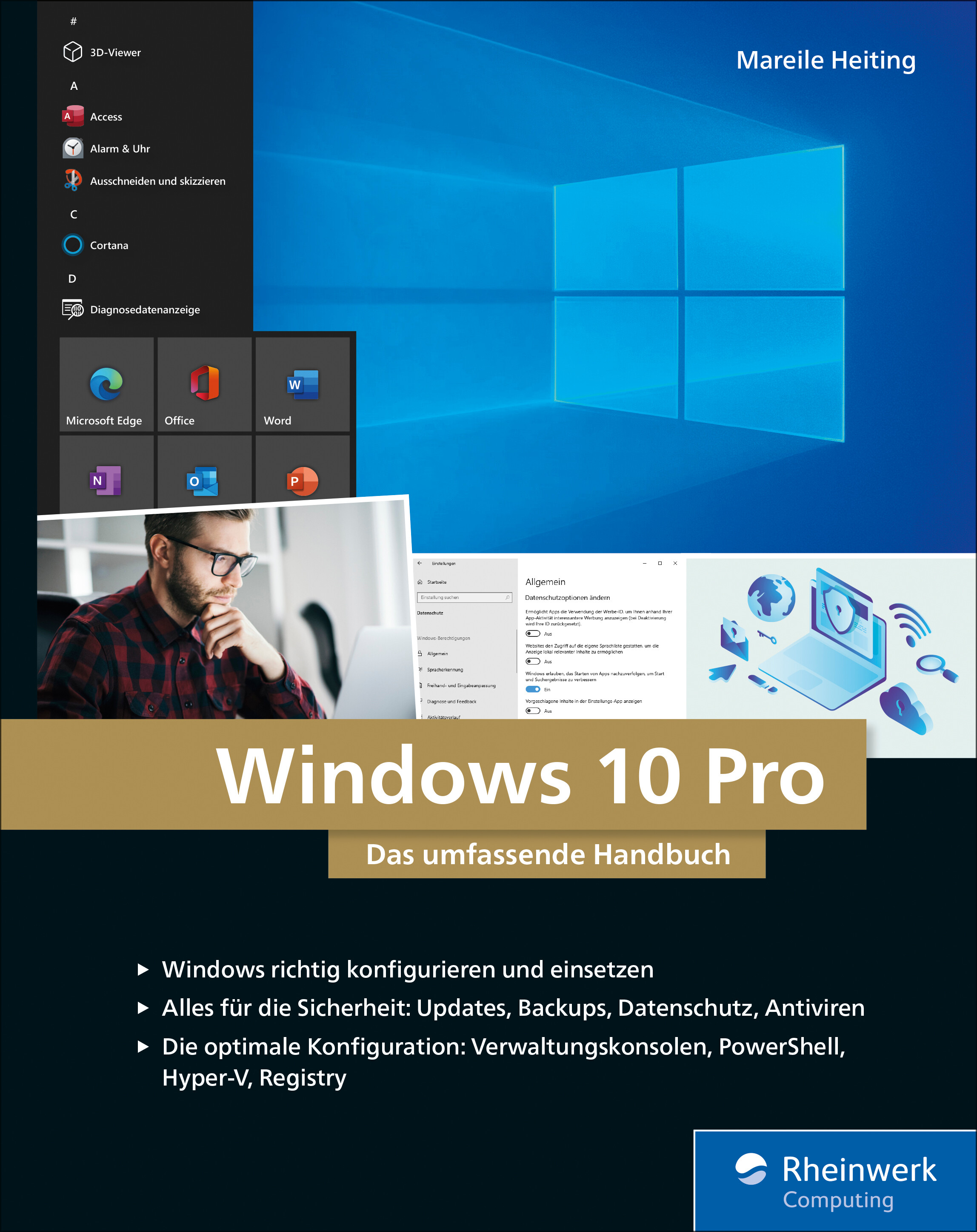
Windows 10 Pro
Das umfassende Handbuch - umfassendes Praxiswissen für Windows-Profis, aktuelle Auflage Februar 2021.Dieses Buch bietet Ihnen auf über 900 Seiten fundiertes Wissen für Windows-Anwender. Praxisnah dank der zahlreichen Anwendungsbeispiele und mit einer Fülle an Profitipps durchleuchtet Mareile Heiting alle Ecken und Winkel des Windows-Systems. Erfahren Sie, welche Features sich unter der Oberfläche verstecken und wie Sie Ihren Workflow spürbar verbessern. Profitieren Sie von aktuellen, effektiven Tipps für ein rundum abgesichertes System. Meistern Sie die Arbeit mit Windows-Rechnern und setzen Sie auch anspruchsvolle Anforderungen um: Netzwerk & VPN einrichten, Aufgaben automatisieren, Daten verschlüsseln und vieles mehr. Ideal als Nachschlagewerk für Power User und erfahrene Anwender von Windows 10.Alles zu Windows 10Updates und InstallationWindows 10 richtig nutzen: Desktop & AppsDaten verwalten und sichern: BitLocker, DatensicherungAlle Optionen und KonfigurationsmöglichkeitenSystemdienste und VerwaltungskonsolenTreiberprobleme lösen, Hardware einrichtenDatenschutz und PrivatsphäreVirenschutz und FirewallDatenfreigabe im NetzwerkRemotezugriff und VPNPowerShell & Windows Subsystem für LinuxVirtualisierung mit Hyper-VLeseprobe (PDF-Link)

Microsoft 365 Education
Endlich einfach erklärt: Mit Microsoft 365 können sich Lehrende digital organisieren und Unterricht multimedial gestalten. Wie Sie Microsoft Office in der Schule einsetzen und im Alltag viel Zeit sparen, zeigt Stefan Malter mit vielen Beispielen aus der Praxis. Präsentieren und kommunizieren Sie online per Video, gestalten Sie Unterrichtsmaterial multimedial und fördern Sie die digitalen Kompetenzen Ihrer Schülerinnen und Schüler. Profitieren Sie und Ihr Kollegium von den Microsoft-Apps und ihren vielfältigen Möglichkeiten zur Zusammenarbeit. Aus dem Inhalt: Unterrichtsmaterial und Arbeitsblätter mit Word und OneNote erstellenDigitale Tafelbilder und Präsentationen mit PowerPoint und Whiteboard-AppTermine, Aufgaben und Kontakte mit Outlook und Windows-AppsChats in Teams-Arbeitsgruppen und -KanälenOnline-Unterricht live in Teams durchführen und moderierenGemeinsam an Dateien und Projekten arbeitenOneNote-Kursnotizbücher für Schülerinnen und SchülerLehrerkonferenzen und Elternabende als VideokonferenzExcel: Grundlagen für Lehrende und Schüler*innenIndividuell Feedback zu Leistungen geben und Tests in Forms durchführenAudio-visuelle Medien erstellen und barrierefreie Tools einsetzenMicrosoft 365 auf mobilen GerätenDateien mit OneDrive und SharePoint synchron haltenGeräte einrichten, Daten speichern und schützen, Benutzerkonten verwaltenTipps für Schulorganisation und Administration Vorwort ... 13 Teil I. Microsoft 365 Education kennenlernen ... 15 1. Voraussetzungen für den digitalen Schulalltag mit Microsoft 365 ... 17 1.1 ... Hardware und Software: Voraussetzungen ... 19 1.2 ... Datenschutz - leidiges Thema, wichtiges Thema ... 21 2. Microsoft 365 Education: Was ist das? Was steckt da drin? ... 25 2.1 ... Unterschiedliche Lizenzen - unterschiedliche Möglichkeiten ... 25 2.2 ... Benutzerkonten in Microsoft 365 ... 26 2.3 ... Online-Portal von Microsoft 365 ... 28 2.4 ... Online arbeiten mit Microsoft 365 ... 34 2.5 ... Online und offline arbeiten mit Windows-Apps und Office-Programmen ... 36 3. Windows 10 einrichten und bedienen ... 37 3.1 ... Windows 10 auf einem neuen PC einrichten ... 37 3.2 ... Windows Updates - nervig, aber wichtig! ... 44 3.3 ... Windows-Sicherheit ... 48 3.4 ... Windows-Einstellungen: Produktiv arbeiten, persönlich wohlfühlen ... 50 3.5 ... Mehrere Benutzerkonten mit Windows 10 nutzen ... 62 3.6 ... PC zurücksetzen und Windows 10 neu installieren ... 65 4. Dateien speichern und verwalten mit Microsoft 365 und Windows 10 ... 69 4.1 ... Dateien online speichern mit OneDrive ... 69 4.2 ... Dateien offline speichern mit Windows 10 ... 81 4.3 ... Systempflege und Backups ... 101 5. Apps und Tools in Windows 10 ... 111 5.1 ... Apps in Windows 10 nutzen und verwalten ... 111 5.2 ... Microsoft Edge - Internetbrowser ... 120 5.3 ... Kurznotizen (Sticky Notes) - digitale Klebezettel ... 124 5.4 ... Microsoft To Do - digitale Aufgabenlisten ... 126 5.5 ... Ausschneiden und skizzieren - Screenshot-App ... 127 5.6 ... Fotos - einfache Bild- und Videobearbeitung ... 128 5.7 ... Kamera - Fotos und Videos aufnehmen ... 131 5.8 ... Filme & TV - Videos abspielen ... 133 5.9 ... Microsoft Whiteboard - die digitale Tafel ... 136 5.10 ... Paint und Paint 3D - digital zeichnen ... 139 5.11 ... Ihr Smartphone ... 142 5.12 ... Weitere Windows-Apps im Überblick ... 143 6. Office-Programme und Dienste in Microsoft 365 ... 149 6.1 ... Microsoft Office installieren und einrichten ... 150 6.2 ... Microsoft Teams - Dreh- und Angelpunkt für digitalen Unterricht ... 155 6.3 ... Microsoft Outlook für EMails, Kontakte und Kalender ... 164 6.4 ... Microsoft OneNote - digitale Notizbücher ... 166 6.5 ... Microsoft Word - Textverarbeitung mit festem Layout ... 169 6.6 ... Microsoft PowerPoint - Präsentationen und mehr ... 172 6.7 ... Microsoft Sway - interaktive Web-Präsentationen ... 174 6.8 ... Microsoft Excel - Tabellenkalkulation ... 176 6.9 ... Microsoft Forms ... 178 6.10 ... Microsoft Stream ... 180 6.11 ... Weitere Apps und Dienste in Microsoft 365 Education ... 182 Teil II. Microsoft 365 in Schule und Unterricht einsetzen ... 187 7. Unterrichtsmaterial recherchieren, erstellen und organisieren ... 189 7.1 ... Inhalte in OneNote sammeln ... 189 7.2 ... Internetrecherche mit Office-Apps und Microsoft Edge ... 204 7.3 ... Arbeitsblätter digital erstellen ... 217 7.4 ... Präsentationen für den Unterricht vorbereiten ... 232 8. Dokumente verteilen und zur Verfügung stellen ... 243 8.1 ... Ausdrucken mit Windows 10 ... 243 8.2 ... Per EMail versenden ... 248 8.3 ... Teilen per OneDrive ... 254 8.4 ... Dokumente bereitstellen in Microsoft Teams ... 261 8.5 ... Inhalte teilen mit OneNote und OneNote-Kursnotizbüchern (Class Notebooks) ... 268 9. Korrigieren, Feedback geben und prüfen mit Microsoft 365 ... 279 9.1 ... Aufsätze und Arbeiten korrigieren und kommentieren mit Microsoft Edge und Microsoft Word ... 279 9.2 ... Schüleraufgaben in OneNote-Kursnotizbüchern korrigieren und kommentieren ... 284 9.3 ... Aufgaben mit Microsoft Teams verteilen und bewerten ... 288 9.4 ... Tests und Quizze mit Microsoft Forms ... 296 9.5 ... Mündliche Prüfungen per Videokonferenz mit Microsoft Teams ... 310 10. Digitale Inhalte im Unterricht präsentieren ... 311 10.1 ... Beamer, Smartboard, TV - Projizieren mit Windows 10 ... 311 10.2 ... Präsentieren mit OneNote ... 315 10.3 ... Tafelbilder erstellen mit Microsoft Whiteboard ... 319 10.4 ... Präsentieren mit PowerPoint ... 324 11. Selbstorganisation im Lehrerbüro ... 331 11.1 ... Aufgaben und To-Do-Listen mit Sticky Notes, OneNote, Microsoft To Do und Outlook ... 331 11.2 ... Kalender und Termine mit Outlook ... 341 11.3 ... Gesprächsnotizen und Protokolle mit OneNote ... 348 11.4 ... Punkte und Noten ausrechnen mit Microsoft Excel ... 352 12. Kommunikation mit Kollegium, Schüler*innen und Eltern ... 361 12.1 ... Kontakte verwalten in Outlook und Microsoft 365 ... 361 12.2 ... Kommunikation per EMail mit Outlook ... 366 12.3 ... Chat-Nachrichten - Microsoft Teams als Messenger ... 376 12.4 ... Sprach- und Videoanrufe mit Microsoft Teams ... 382 12.5 ... Online-Besprechungen planen und durchführen mit Microsoft Teams ... 389 12.6 ... Online-Unterricht mit Microsoft Teams ... 396 Teil III. Weitere Möglichkeiten mit Microsoft 365 ... 405 13. Audio- und Videoproduktionen für den Unterricht ... 407 13.1 ... Audioaufnahmen mit dem Sprachrekorder für Windows 10 ... 407 13.2 ... Videoaufnahmen mit der Kamera-App für Windows 10 ... 411 13.3 ... Videoschnitt mit dem Video-Editor der Fotos-App ... 414 13.4 ... Erklärvideos mit PowerPoint produzieren ... 423 13.5 ... Videos verteilen mit OneDrive und Stream ... 431 14. Barrierefreiheit und erleichterte Bedienung mit Microsoft 365 ... 441 14.1 ... Erleichterte Bedienung mit Windows 10 ... 442 14.2 ... Barrierearme Dokumente mit den Office-Apps ... 454 15. Microsoft-Apps für mobile Geräte wie Smartphone und Tablet ... 459 15.1 ... Microsoft Office als mobile App ... 460 15.2 ... OneDrive als mobile App ... 471 15.3 ... OneNote als mobile App ... 473 15.4 ... Microsoft To Do als mobile App ... 477 15.5 ... Outlook als mobile App ... 479 15.6 ... Microsoft Teams als mobile App ... 486 15.7 ... Microsoft Edge als mobile App ... 490 15.8 ... Begleiter für Ihr Smartphone - Verbindung per App zu Windows 10 ... 494 16. Projekte mit Microsoft 365: Ideen für die Praxis ... 499 16.1 ... Klassenfahrt digital organisieren ... 499 16.2 ... Medienproduktion mit Schüler*innen ... 506 17. Tipps für die Administration von Microsoft 365 ... 511 17.1 ... Benutzerkonten im Admin Center erstellen und verwalten ... 514 17.2 ... Schülergeräte einrichten und verwalten ... 524 18. Hilfe bei Fragen und Problemen ... 533 18.1 ... Reparaturversuche mit Windows 10 ... 534 18.2 ... Hilfe und Support von Microsoft 365 ... 540 18.3 ... Online-Community »Microsoft 365 für Lehrer« ... 544 Index ... 547

GitHub - Eine praktische Einführung
GitHub - praktisch und anschaulich erklärt. Von den ersten Schritten bis zu eigenen GitHub Actions.GitHub ist derzeit die größte Internetplattform für Open-Source-Entwicklungsprojekte und bietet ein grafisches Webinterface mit vielen Funktionen für die gemeinsame Arbeit sowie interessante Community-Features. Technisch setzt es auf der bekannten Versionsverwaltung Git auf.Aber was ist ein Repository, Branch, Commit, Pull-Request oder Fork? Wie lege ich ein eigenes Projekt an? Was muss ich beim Mergen beachten und wann sind »etwas Git« oder Actions und Apps ein guter nächster Schritt?Einsteiger*innen lernen alle wichtigen Werkzeuge und Begriffe kennen, spielen typische Arbeitsschritte durch und erhalten über die Funktionalität der Plattform hinaus viele Infos und Praxistipps. Mit diesem verständlichen und humorvollen Leitfaden gelingt der unfallfreie Einstieg in die Open-Source-Welt – garantiert.GitHub – die Plattform kennenlernen Die Oberfläche erkunden und einen eigenen Account anlegenDas erste GitHub-Projekt Mit Repositories, Issues und Branches arbeiten, Pull-Requests erstellen und mergenOpen-Source-Lizenzen Unterschiede verstehen und eine passende Lizenz auswählenAuf eigenen und fremden Projekten zusammenarbeiten Projekte für Mitstreiter attraktiver machen, Maintainer einsetzen, Pull-Requests einreichen und Projekte forkenEinstieg in Git Git installieren und wichtige Befehle ausprobierenGit und GitHub im Zusammenspiel Projekte mit GitHub und Git bearbeiten und synchron halten, Repositories forken und Merge-Konflikte lösenMit Actions und Apps effizienter arbeiten Apps und Actions aus dem Marketplace installieren und eine eigene Action programmieren

Aerodynamic Study on the Vehicle Shape Parameters with Respect to Ground Simulation
Chenyi Zhang analyzes the influences of moving ground simulation technique in wind tunnel tests. In his work, the classical investigations on vehicle shape parameters with fixed ground conditions are reviewed with modern moving ground simulation technique. The investigations are performed by means of CFD simulations and model scale wind tunnel tests at IFS, University of Stuttgart. The shape parameters of two reference vehicles – the DrivAer and the AeroSUV model with notchback, fastback and estate back – are varied and investigated. The author presents different results in drag and lift for the varied geometry parameters. The classical results of the parametric study on the vehicle basic shapes for vehicle aerodynamics could be complemented with the findings of the present research. Basic Theories and State of the Art.- Results of the DrivAer Model.- Statistical Analysis of the Parameters.- Transferability Study on the SUV Model.
Wissensmanagement (7. Auflg.)
Grundlagen, Methoden und technische Unterstützung - ein aktueller und umfassender Überblick über das Thema Wissensmanagement.Die Entwicklung der letzten zehn Jahre zeigt, dass in Organisationen das Interesse am Wissensmanagement wächst. Dennoch ist festzustellen, dass der Nutzen des Wissensmanagements von einem tieferen Verständnis der verfügbaren Konzepte abhängt und nicht von der Unternehmensgröße.Das Themenfeld des Wissensmanagements wird in diesem Buch systematisch geordnet und in Verbindung mit den aktuellen Entwicklungen auf einem anspruchsvollen Niveau aufbereitet. Ziele sind eine umfassende Einführung und ein ganzheitlicher Überblick. Der Fokus wird dabei auch auf die praktische Umsetzung und auf ungelöste Probleme und Herausforderungen gelenkt. Damit bietet das Buch Orientierung in einem innovativen und zukunftsorientierten Anwendungsfeld, das mittlerweile in der Wissenschaft und in der Praxis gleichermaßen akzeptiert ist. Neu in der 7. Auflage ist das Thema KI in Verbindung mit Wissensmanagement und Fallbeispiele zu Wissensmanagement in Coronazeiten.AUS DEM INHALT:Die Herausforderung: Wandel und Bewältigung von Wandel in Unternehmen // Grundlagen des Wissensmanagements // Referenzdisziplinen des Wissensmanagements // Methodische und softwaretechnische Unterstützung des Wissensmanagements // Wissensmanagement in der Praxis

Integration von Sensitivitätsanalysemethoden in den Entwicklungsprozess für Fahrwerkregelsysteme
Die zunehmende Komplexität mechatronischer Systeme steht im Zielkonflikt mit kürzeren Entwicklungszyklen, der mithilfe skalierbarer, digitaler Untersuchungsmethoden teilweise aufzulösen ist. Dies erfordert eine durchgängig anwendbare, digitale Entwicklungsplattform einschließlich geeigneter Untersuchungsmethoden, sodass datenbasierte Entscheidungen getroffen werden können. Die digitalen Analyseschritte sind in den Entwicklungsprozess zu integrieren. Christopher Braunholz zeigt diese Aktualisierungen der konventionellen Entwicklung am Beispiel der Fahrwerkregelsystementwicklung. Varianzbasierte Sensitivitätsanalysen einer Gesamtfahrzeugsimulation offenbaren Zielkonflikte und Wechselwirkungen der Funktionen und Systeme in der Entwurfs- und Integrationsphase. Auslegungsmethodik und Aktualisierung des Entwicklungsprozesses.- Virtuelle Entwicklungsumgebung.- Integration der Sensitivitätsanalysemethode.- Anwendung der Entwicklungsmethode.

Versionsverwaltung mit Git
* Von grundlegenden Funktionen über die Handhabung von Branches und Remote-Repositorys bis zu Tipps und Tricks für (nicht nur) alltägliche Funktionen * Auswahl sinnvoller Workflows und Einsatz in Teams * Git-Repositorys hosten mit GitHub und GitLab Git ist in der Softwareentwicklung bereits weit verbreitet – sowohl in Firmen als auch in Open-Source-Projekten. Zum Einstieg lernen Anfänger häufig nur die wichtigsten Befehle, die schnell nicht mehr ausreichen, vor allem wenn die ersten Fehler auftreten. Dieses Buch behandelt einerseits die gängigen Befehle, die Sie beim täglichen Arbeiten mit Git brauchen. Andererseits geht es dem Autor auch darum, dass Sie Git als Ganzes verstehen, um es effektiv im Entwicklungsprozess einsetzen zu können. Der Fokus des Buchs liegt auf dem praktischen Arbeiten mit Git. Sie lernen anhand eines Projekts, welche Befehle es gibt, wie diese arbeiten und wie Sie auftretende Probleme lösen können. Neben alltäglichen Funktionen finden Sie auch seltener gebrauchte Kommandos, die aber ebenfalls wichtig sind. Dabei legt der Autor großen Wert auf die Einbindung und Anpassung des Entwicklungsprozesses. Im zweiten Teil des Buchs werden fortgeschrittene Themen behandelt. Der Schwerpunkt liegt auf dem Einsatz von Git in Teams. Darunter etwa das Hosten verteilter Repositorys mit GitHub und GitLab. Ein weiteres Kapitel behandelt die Workflows, die je nach Anzahl der beteiligten Personen, Branches und Repositorys eines Projekts variieren. Darüber hinaus gibt Ihnen der Autor hilfreiche Informationen für den Umstieg von Subversion, einen Überblick über grafische Git-Programme, Hinweise für eine langfristig nachvollziehbare Git-Historie sowie eine Einführung in DevOps, wofür Git die technische Grundlage bildet. Ein Kapitel zu häufig gestellten Fragen rundet diesen Praxiseinstieg ab. Das Buch richtet sich sowohl an blutige Einsteiger als auch an erfahrene Leser. Aus dem Inhalt: * Konfiguration * Arbeiten mit Branches * Verteilte Repositorys * Hosting mit GitHub und GitLab * Workflows * Hooks * Umstieg von Subversion * Zahlreiche Tipps für die tägliche Arbeit * Grafische Clients * Tipps für nachvollziehbare Git-Historien * Frequently Asked Questions * Einstieg in DevOps * Befehlsreferenz

Security by Design
Der Softwareingenieur von heute muss die grundlegende Disziplin der Entwicklung sicherer informationstechnischer Systeme verstehen. Nicht, weil es eine ein „gute Idee“ ist, sondern weil unsere Arbeits- und Lebenswelten zunehmend auf die Funktionsfähigkeit und die Sicherheit hochkomplexer und dynamischer informationstechnischer Infrastrukturen angewiesen sind. Die Vorstellung, dass die Sicherheit informationstechnischer Systeme etwas Besonderes ist, ist ein Trugschluss. Tatsächlich ist Sicherheit nur ein Aspekt der Zuverlässigkeit. Wir können keine zuverlässigen Anwendungen und Systeme haben, wenn diese nicht sicher sind.Vor diesem Hintergrund gehen die Autoren der Frage nach, ob und in welchem Ausmaß die mit dem Einsatz der Artefakte der digitalen Revolution einhergehenden Risiken beherrschbar bleiben, und welche Möglichkeiten wir bereits heute haben, die Eindämmung von Risiken und Gefahren schon beim Entwurf informationstechnischer Systeme zu berücksichtigen. Die Antwort ist ein systematischer praxis- und modellbasierter Ansatz für das Security-Engineering von Informationssystemen.DR. ARMIN LUNKEIT ist Informatiker und widmet sich seit mehr als 20 Jahren der Entwicklung und dem Einsatz sicherheitskritischer Anwendungen und Systeme. Er hat sich in diesem Zeitraum intensiv mit der Integration des Security Engineerings in die Systementwicklung auseinandergesetzt und dazu mehrere Artikel veröffentlicht.DR. WOLF ZIMMER ist Physiker und war mehr als 25 Jahre in der Softwareentwicklung und Strategieberatung eines weltweit agierenden IT-Unternehmens tätig. Er hat in diesem Umfeld bereits mehrere Bücher und Artikel veröffentlicht.Was ist das Problem? - Der IT-Sicherheitsstack - Systems Engineering ist Security Engineering - Modell-basiertes Design - Die SmartFit AG - Fragile Kryptografie - The Proof of the Pudding is in the eating - Die Vermessung der (Un-)Sicherheit - Ausblick

Zoom - Der leichte Einstieg in die Onlinekommunikation
Alle Grundlagen, Profitipps und detaillierte Anleitungen auf einen Blick:- So gelingen Videokonferenzen und Teamwork- Nutzen Sie die App optimal - privat, geschäftlich und im VereinFür die digitale Kommunikation mit Kollegen und Geschäftspartnern ist Zoom die optimale Wahl. Auch private Onlinetreffen lassen sich über die Software entspannt, zuverlässig und sicher durchführen. Wie Sie das Programm gezielt einsetzen und seine vielen praktischen Funktionen effizient nutzen, erfahren Sie in dieser Anleitung.Lernen Sie Schritt für Schritt und anhand anschaulicher Beispielbilder, wie Sie mit Zoom Meetings, Onlineseminare oder Plauschabende mit Ihren Freunden abhalten, Präsentationen vorführen, mit Ihrem Team Dateien austauschen und vieles mehr. Zahlreiche Tipps helfen Ihnen dabei, im Homeoffice stressfrei zu arbeiten und online Kontakte zu pflegen.Aus dem Inhalt:- Das Programm Zoom und seine Funktionen - Überblick über die verschiedenen Versionen - Voraussetzungen, Kosten und Wissenswertes- So funktionieren Installation und Einladung- Videokonferenzen erfolgreich durchführen- Teamwork: Chatten und Austausch von Dateien- Die professionelle Moderation eines Meetings - Screensharing: Präsentationen über Zoom halten- Die Software für private Kommunikation verwenden- Ein Webinar reibungslos durchführen- Zoom auf unterschiedlichen Geräten nutzen
Python Challenge
Ihr persönlicher Python-Coach: Fit für Prüfung, Job-Interview und Praxis – mit 100 Aufgaben und MusterlösungenMit 100 Übungsaufgaben und Programmierpuzzles inklusive Lösungen zum Knobeln und Erweitern Ihrer Kenntnisse bietet Ihnen die »Python Challenge« ein kurzweiliges Lernen, eine fundierte Vorbereitung auf die nächste Prüfung oder ein Jobinterview. Dabei werden viele praxisrelevante Themengebiete wie Strings, Datenstrukturen, Rekursion, Arrays usw. berücksichtigt.Jedes Themengebiet wird in einem eigenen Kapitel behandelt, wobei zunächst kurz auf die Grundlagen eingegangen wird. Danach folgen rund 10 bis 15 Übungsaufgaben verschiedener Schwierigkeitsgrade.So lassen sich die Python-Programmierkenntnisse effektiv verbessern. Dabei helfen insbesondere detaillierte Musterlösungen inklusive der genutzten Algorithmen zu allen Aufgaben. Ebenso werden von Michael Inden alternative Lösungswege beschrieben, aber auch mögliche Fallstricke und typische Fehler im Python-Code analysiert.Abgerundet wird das Buch durch drei Anhänge. Einer beschäftigt sich mit dem Python-Kommandozeileninterpreter, der zum Ausprobieren der Codeschnipsel und Beispiele des Buchs oftmals hilfreich ist. Der zweite gibt einen Überblick über Pytest zum Unit Testen und Prüfen der Lösungen. Der dritte erläutert die O-Notation zur Abschätzung der Performance.Leseproben:Einleitung — DownloadInhaltsverzeichnis — DownloadStrings (Auszug) — DownloadSuchen und Sortieren (Auszug) — DownloadZusatzmaterial:Python_Challenge_Import — DownloadPythonChallenge — Download

Zoom - für PC, Tablet & Smartphone
Umfassende Infos für Meetings, Videokonferenzen und Chats.Seit Corona ist Zoom eines der angesagten Tools für Videokonferenzen und fürs Homeoffice – für PC, Tablet und Smartphone. Egal, ob für Schüler, Studenten oder im Business-Bereich. Autor Martin Quedenbaum, Lehrer an einer Medien-Berufsschule, zeigt Ihnen in diesem Buch, welche Möglichkeiten die Software bietet und worauf Sie achten sollten, damit auch die Sicherheit bei Ihren Videomeetings, der gemeinsamen Arbeit an Projekten und im Homeoffice gewährleistet ist.Aus dem InhaltEinstieg in ZoomEin erstes Zoom-Video-Meeting in fünf MinutenAn einem Zoom-Video-Meeting teilnehmenEin zukünftiges Meeting planenZoom in andere Programme integrierenEinladungen anpassenVorbereitung ist allesSo starten Sie ein geplantes MeetingZweistufige AuthentifizierungOptimieren Sie Ihr VideobildMeeting aufzeichnenVirtuelle HintergründeBildschirminhalte mit anderen teilenGruppenarbeit – Breakout-RäumeIhr eigener Zoom-RaumMit angelegten Kontakten kommunizierenUmfragen und Webinare

Dein Smartphone mit Android 11
Android 11 - selber einrichten und verstehen. Für alle Android-Smartphones von Samsung, Google Pixel, Huawei, Nokia, OnePlus, ...Dieses Buch zu Android 11 macht Sie – unabhängig vom Gerätehersteller – mit den grundlegenden und täglich genutzten Funktionen Ihres Android-Smartphones vertraut.Unterwegs im Internet, E-Mails schreiben und empfangen, Telefonieren, Fotografieren, nützliche Apps – Android-Experte Christian Immler navigiert Sie mit anschaulichen Erklärungen durch den Funktionsdschungel.Zudem verraten Ihnen Insidertipps, wie Sie Ihr Android-Gerät zur Steuerung von Smarthome-Technik einsetzen, wie Sie ein verlorenes oder gestohlenes Smartphone wiederfinden und Ihr Gerät vor ungewollten Zugriffen schützen.Aus dem Inhalt:Die Ersteinrichtung eines neuen Android-SmartphonesAlltag mit dem Android-11-SmartphoneApps finden und installierenMit Android ins InternetKommunikation mit dem SmartphoneUnterwegs mit dem Android-SmartphoneDas Smartphone als KameraSprachassistenten und SmarthomeCoole AppsInsidertipps zur BedienungDie Sicherheitsthematik bei AndroidInhalt & Leseprobe (PDF-Link)

Basiswissen Testautomatisierung (3. Auflg.)
Konzepte, Methoden und Techniken für die Testautomatisierung. 3. aktualisierte und überarbeitete Auflage.Dieses Buch vermittelt die Grundlagen und gibt einen fundierten Überblick, wie Testautomatisierung mit Fokus auf den funktionalen Systemtest konzipiert und in bestehende Projekte und die Organisation eingegliedert wird. Dabei werden sowohl fachliche als auch technische Konzepte vorgestellt.Ziele und Erfolgsfaktoren der TestautomatisierungVorbereitungen für die TestautomatisierungEinführung in die generische TestautomatisierungsarchitekturRisiken und Eventualitäten bei der SoftwareverteilungBerichte und MetrikenÜberführung des manuellen Testens in eine automatisierte UmgebungVerifizierung der TestautomatisierungslösungFortlaufende OptimierungIm Anhang finden sich ein Überblick über die Softwarequalitätsmerkmale nach ISO 25010, eine Einführung in Last- und Performanztests sowie beispielhaft ein Kriterienkatalog zur Testwerkzeugauswahl.Die 3. Auflage wurde vollständig überarbeitet und ist konform zum ISTQB®-Lehrplan Advanced Level Specialist – Certified Test Automation Engineer. Das Buch eignet sich mit vielen erläuternden Beispielen gleichermaßen zur Vorbereitung auf die Zertifizierung wie als kompaktes Basiswerk zum Thema in der Praxis und an Hochschulen.Über die Autoren:Manfred Baumgartner, Vice President Quality Assurance bei Nagarro GmbH, Wien, ist seit über 30 Jahren im Bereich Softwaretest und Qualitätssicherung als Berater, Coach und Manager tätig. Seine umfangreichen Erfahrungen bringt er in viele Präsentationen auf Konferenzen im gesamten deutschsprachigen Raum sowie in Artikeln und Büchern zum Thema Softwaretest ein.Stefan Gwihs ist begeisterter Softwareentwickler, Softwaretester und Testautomatisierer für die Nagarro GmbH, Wien. Aktuell beschäftigt er sich vor allem mit Themen im Bereich mobiler Testautomatisierung und agiler Softwareentwicklung.Richard Seidl ist Berater und Coach für agile Methoden und Softwaretest. Er hat in seiner beruflichen Laufbahn schon viel Software gesehen und getestet: gute und schlechte, große und kleine, alte und neue, Schokolade und Grütze. Mit seiner Erfahrung unterstützt er Unternehmen dabei, ihre Entwicklungs- und Testprozesse zu verbessern und so zu gestalten, dass Software effektiver realisiert wird, höhere Qualität hat und die Teams Spaß an der Entwicklung haben.Thomas Steirer ist als Automatisierungsexperte, Berater und Trainer für die Nagarro GmbH, Wien, tätig und leitet die globale Practice für Test Automation. Er ist Autor von Fachartikeln, Speaker auf Konferenzen und Architekt von A2A, dem Nagarro „Advanced Automation Approach".Marc-Florian Wendland ist seit über 10 Jahren Senior Researcher am Fraunhofer Institut FOKUS in Berlin im Bereich Qualitätssicherung softwareintensiver Systeme. Seine Expertise liegt vor allem in der Testautomatisierung und stützt sich auf die Erfahrungen aus zahlreichen nationalen und internationalen Forschungs- und Industrieprojekten. Darüber hinaus ist er in verschiedene Standardisierungsaktivitäten im Bereich des Softwaretests involviert.

Heimautomation mit IP-Symcon
Der Begleiter für Ihr smartes Zuhause - integrieren, steuern, automatisieren. Mit IP-Symcon können Sie sich ein smartes Zuhause schaffen, das Ihnen das Leben deutlich erleichtert. Dieses Handbuch zeigt Ihnen, wie Sie mit IP-Symcon und Ihrer Hardware ein durchdachtes System zur Heimautomation aufbauen. Sie lernen, wie Sie IP-Symcon konfigurieren sowie Automatisierungsregeln und Visualisierungen einrichten. Planungshilfen und ein ausführlicher Überblick zur Hardware helfen Ihnen, die richtigen Entscheidungen für Ihr Projekt »Smart Home« zu treffen. Eine Einführung in die Grundlagen der Haussteuerung, Anleitungen zu Skripten sowie Sicherheitstipps zu Backup und Systemausfall machen das Buch zum idealen Ratgeber für die Heimautomation mit IP-Symcon. Aus dem Inhalt: Was heißt Smart? Heimautomatisierung im ÜberblickPlanung der Hard- und SoftwareDie Hardware: Vom Netzwerk bis zu den SchaltaktorenWas Sie mit IP-Symcon alles umsetzen könnenIP-Symcon einrichten und konfigurierenInstanzen und ObjekteSysteme einbindenAktionen automatisierenSprachsteuerung und VisualisierungKlimasteuerung und PhotovoltaikSicherheit: Vom Backup bis zur Ausfallsicherung Leseprobe (PDF-Link)

Bloggen für Einsteiger
Von der ersten Idee bis zum eigenen Blog mit WordPress.Ein Blog gibt dir die Möglichkeit, dich kreativ auszudrücken, mit Gleichgesinnten zu kommunizieren, dich persönlich weiterzuentwickeln und – wenn du es geschickt anstellst – sogar einen kleinen finanziellen Ausgleich für deine Arbeit erhalten. Und das Tolle ist: Du brauchst dafür keine großen Vorkenntnisse, sondern kannst sofort starten.Yvonne Kraus hat schon viele erfolgreiche Blogs an den Start gebracht und kennt die Fragen, die du als angehende Bloggerin oder Blog-Anfänger hast. Mit ihrem Ratgeber hast du eine Anleitung zur Hand, um schnell deinen Blog mit WordPress zu erstellen und die ersten Besucher anzusprechen. Dabei lernst du alle Facetten des Bloggens kennen. Schritt-für-Schritt-Anleitungen und bewährte Tipps aus der Praxis unterstützen dich. Und wenn deine ersten Artikel stehen, erfährst du, wie du mit Social Media, E-Mail-Marketing und SEO auf dich aufmerksam machst, eine Community aufbaust und sogar Geld verdienen kannst.Leseprobe (PDF-Link)

Adobe Photoshop CC For Dummies
GET PICTURE PERFECT WITH PHOTOSHOP CCPhotoshop is a stunning program that puts the power of a professional photography studio into your hands, but it can also be a jungle to navigate—with a dense proliferation of menus, panels, shortcuts, plug-ins, and add-ons to get thoroughly lost in. Written by a literal Photoshop Hall of Famer, the new edition of Photoshop CC For Dummies is your experienced guide to the technical terrain, slashing away the foliage for a clear picture of how to produce the perfectly framed and beautifully curated images you want.Beginning with an overview of the basic kit bag you need for your journey toward visual mastery, Peter Bauer—Photoshop instructor and an award-winning fine art photographer in his own right—shows you how to build your skills and enrich your creative palette with enhanced colors and tone, filters and layering, and even how undertake a foray into digital painting. Add in instructions on combining text with images and the how-tos of video and animation editing, and you have all the tools you need to carve out a one-person multimedia empire.* Master everything from the basics to professional insider tips* Combine, layer, tone, and paint your images* Explore the colorfully creative world of Photoshop filters* Fix common problemsYou'll find everything on the latest version of the software that you could dream of—and an improved shot at artistic success!PETER BAUER is a member of the Photoshop Hall of Fame and an award-winning fine-art photographer. The author of more than a dozen books on Adobe Photoshop, Adobe Illustrator, computer graphics, and photography, he is also the host of video-training titles at Lynda.com and a contributing writer for Photoshop User magazine. INTRODUCTION 1About This Book 1Conventions Used in This Book 2Icons Used in This Book 3How to Use This Book 3PART 1: GETTING STARTED WITH PHOTOSHOP CC 5CHAPTER 1: AN OVERVIEW OF PHOTOSHOP 7Exploring Adobe Photoshop 7What Photoshop is designed to do 8Other things you can do with Photoshop 9Viewing Photoshop’s Parts and Processes 10Reviewing basic computer operations 10Photoshop’s incredible selective Undo 12Installing Photoshop: Need to know 14CHAPTER 2: KNOWING JUST ENOUGH ABOUT DIGITAL IMAGES 17What Exactly is a Digital Image? 18The True Nature of Pixels 18How Many Pixels Can Dance on the Head of a Pin? 21Resolution revelations 21Resolving image resolution 22File Formats: Which Do You Need? 30Formats for digital photos 31Formats for web graphics 33Formats for commercial printing 34Formats for PowerPoint and Word 36CHAPTER 3: TAKING THE CHEF’S TOUR OF YOUR PHOTOSHOP KITCHEN 37Food for Thought: How Things Work 38Ordering from the menus 39Your platter full of panels 40The tools of your trade 42Get Cookin’ with Customization 44Clearing the table: Custom workspaces 44Spoons can’t chop: Creating tool presets 47Season to Taste: The Photoshop Settings 48Standing orders: Setting the Preferences 48Ensuring consistency: Color Settings 55When Good Programs Go Bad: Fixing Photoshop 57CHAPTER 4: FROM PICS TO PRINTS: PHOTOSHOP FOR BEGINNERS 59Bringing Images into Photoshop 59Downloading from your digital camera 60Scanning prints 61Keeping Your Images Organized 66Creating a folder structure 66Using Adobe Bridge 67Renaming image files easily 69Printing Your Images 71Cropping to a specific aspect ratio 71Remembering resolution 73Controlling color using File ➪ Print 74Considering color management solutions 75Printing alternatives 76Sharing Your Images 77Emailing and AirDropping your images 78Creating PDFs and websites 78PART 2: EASY ENHANCEMENTS FOR DIGITAL IMAGES 79CHAPTER 5: MAKING TONALITY AND COLOR LOOK NATURAL 81Adjusting Tonality to Make Your Images Pop 82Histograms Simplified 82Using Photoshop’s Auto Corrections 84Levels and Curves and You 85Level-headed you! 86Tonal corrections with the eyedroppers 89Adjusting your curves without dieting 90Grabbing Even More Control 92Using Shadows/Highlights 93Changing exposure after the fact 96Using Photoshop’s toning tools 96What is Color in Photoshop? 97Which color mode should you choose? 98Does a color model make a difference? 101Why should you worry about color depth? 102Making Color Adjustments in Photoshop 104Choosing color adjustment commands 106Manual corrections in individual channels 117The People Factor: Flesh Tone Formulas 118CHAPTER 6: THE ADOBE CAMERA RAW PLUG-IN 121Understanding the Raw Facts 121What’s the big deal about Raw? 123Working in Raw 124The Camera Raw Interface 126Camera Raw’s Tools and buttons 126The histogram 132The preview area 132Workflow Options and presets 133Making Adjustments in Camera Raw’s Edit Panel 134The Basic section 134The Curve section 137The Detail section 137The Color Mixer section 138The Color Grading section 138The Optics and Geometry sections 140The Effects section 141The Calibration section 141The Camera Raw Cancel, Done, and Open buttons 142CHAPTER 7: FINE-TUNING YOUR FIXES 143What is a Selection? 144Feathering and Anti-aliasing 146Making Your Selections with Tools 148Marquee selection tools 148Lasso selection tools 152The Object Selection tool 153The Quick Selection tool 153The Magic Wand tool 154Select and Mask 155Your Selection Commands 156The primary selection commands 157The Color Range command 158The Focus Area command 159The Select ➪ Subject command 160The Select ➪ Sky command 161Selection modification commands 161Transforming the shape of selections 161Edit in Quick Mask mode 163The mask-related selection commands 164Masks: Not Just for Halloween Anymore 164Saving and loading selections 165Editing an alpha channel 165Adding masks to layers and Smart Objects 167Masking with vector paths 167Adjustment Layers: Controlling Changes 168Adding an adjustment layer 168Limiting your adjustments 170CHAPTER 8: COMMON PROBLEMS AND THEIR CURES 173Making People Prettier 174Getting the red out digitally 174The digital fountain of youth 175Dieting digitally 176De-glaring glasses 179Whitening teeth 179Reducing Noise in Your Images 179Decreasing digital noise 180Eliminating luminance noise 181Fooling Around with Mother Nature 181Removing the unwanted from photos 181Eliminating the lean: Fixing perspective 185Rotating images precisely 187Adding a beautiful sky 188PART 3: CREATING “ART” IN PHOTOSHOP 189CHAPTER 9: COMBINING IMAGES 191Compositing Images: 1 + 1 = 1 192Understanding layers 192Why you should use Smart Objects 194Using the basic blending modes 195Opacity, transparency, and layer masks 198Creating clipping groups 199Making composited elements look natural 200Making Complex Selections 201Vanishing Point 204Creating Panoramas with Photomerge 208CHAPTER 10: PRECISION EDGES WITH VECTOR PATHS 211Pixels, Paths, and You 212Easy Vectors: Using Shapes 213Your basic shape tools 214The Custom Shape tool 216More custom shapes — free! 217Changing the appearance of the shape layer 219Simulating a multicolor shape layer 220Using Your Pen Tool to Create Paths 221Understanding paths 222Clicking and dragging your way down the path of knowledge 222A closer look at the Paths panel 226Customizing Any Path 229Adding, deleting, and moving anchor points 230Combining paths 232Tweaking type for a custom font 233CHAPTER 11: DRESSING UP IMAGES WITH LAYER STYLES 235What Are Layer Styles? 235Using the Styles Panel 237Creating Custom Layer Styles 239Exploring the Layer Style menu 239Exploring the Layer Style dialog box 241Layer effects basics 242Opacity, fill, and advanced blending 251Saving Your Layer Styles 254Adding styles to the Styles panel 254Preserving your layer styles 255CHAPTER 12: GIVING YOUR IMAGES A TEXT MESSAGE 257Making a Word Worth a Thousand Pixels 258A type tool for every season, or reason 260What are all those options? 262Taking control of your text with panels 266The panel menus — even more options 269Working with Styles 271Putting a picture in your text 272Creating Paragraphs with Type Containers 274Selecting alignment or justification 276Ready, BREAK! Hyphenating your text 277Shaping Up Your Language with Warp Text and Type on a Path 278Applying the predefined warps 278Customizing the course with paths 279CHAPTER 13: PAINTING IN PHOTOSHOP 283Discovering Photoshop’s Painting Tools 284Painting with the Brush tool 286Adding color with the Pencil tool 289Removing color with the Eraser tool 289Working with Panels and Selecting Colors 290An overview of options 290Creating and saving custom brush tips 293Picking a color 294Fine Art Painting with Specialty Brush Tips and the Mixer Brush 297Exploring erodible brush tips 297Introducing airbrush and watercolor tips 297Mixing things up with the Mixer Brush 298Filling, Stroking, Dumping, and Blending Colors 300Deleting and dumping to add color 300Using gradients 301CHAPTER 14: FILTERS: THE FUN SIDE OF PHOTOSHOP 305Smart Filters: Your Creative Insurance Policy 306The Filters You Really Need 307Sharpening to focus the eye 308Unsharp Mask 308Smart Sharpen 310Shake Reduction 311Blurring images and selections 312The other Blur filters 315Correcting for the vagaries of lenses 316Cleaning up with Reduce Noise 320Getting Creative and Artistic 321Photo to painting with the Oil Paint filter 321Working with the Filter Gallery 322Push, Pull, and Twist with Liquify 325What Are Neural Filters? 327The original Neural Filters 328Neural Filters in public beta testing 329Proposed Neural Filters 330Do I Need Those Other Filters? 330Adding drama with Lighting Effects 331Maximum and Minimum 331Bending and bubbling 332Creating clouds 332PART 4: POWER PHOTOSHOP 333CHAPTER 15: STREAMLINING YOUR WORK IN PHOTOSHOP 335Ready, Set, Action! 336Recording your own Actions 337Working with the Batch command 342Find It Fast with Discover 344Creating Contact Sheets and Presentations 344Creating a PDF presentation 345Collecting thumbnails in a contact sheet 347Scanning Multiple Photos in One Pass 349Sticking to the Script 350CHAPTER 16: WORKING WITH VIDEO AND ANIMATION 353Importing and Enhancing Video Clips 353Getting video into Photoshop 354Adjusting the length of video and audio clips 356Adding adjustment layers and painting on video layers 357Transitioning, titling, and adding special effects 358Transforming video layers 361Rendering and exporting video 361Creating Animations in Photoshop 362Building frame-based animations 362Creating frame content 363Tweening to create intermediary frames 365Specifying frame rate 366Optimizing and saving your animation 366PART 5: THE PART OF TENS 367CHAPTER 17: TEN SPECIALIZED FEATURES OF PHOTOSHOP CC 369Using Smart Object Stack Modes 370The Mean Stack Mode 372Working with 3D Artwork 372Creating 3D objects 373Adding 3D objects 373Rendering and saving 3D scenes 374Measuring, Counting, and Analyzing Pixels 374Measuring length, area, and more 374Calculating with Vanishing Point 376Counting crows or maybe avian flu 376Viewing Your DICOM Medical Records 377Ignoring MATLAB 378CHAPTER 18: TEN WAYS TO INTEGRATE YOUR IPAD 379Using Sidecar to Add an iPad to Your Screen 379Sidecar System Requirements 380Arranging Your iPad’s Screen 380Mirroring the Screens 381Maximizing the Screen Space 381Making Use of Photoshop on the iPad 382Using the Cloud with Photoshop on the iPad and Desktop 383Using Other Adobe iPad Apps 384Does the iPad Replace My Wacom Tablet? 384Setting Wacom Tablet Preferences for Touch Keys and Touch Ring 385CHAPTER 19: TEN THINGS TO KNOW ABOUT HDR 387Understanding HDR 387Capturing for Merge to HDR Pro 389Preparing Raw “Exposures” in Camera Raw 390Working with Merge to HDR Pro 391Saving 32-Bit HDR Images 394HDR Toning 394Painting and the Color Picker in 32-Bit 395Filters and Adjustments in 32-Bit 396Selections and Editing in 32-Bit 397Printing HDR Images 397Appendix: Photoshop CC’S Blending Modes 399Index 403

Methods to Increase the Internal Storage Space of Android Devices
As we all know, there are many Android phones are facing low internal memory issue when installing games and apps. This problem is especially serious in budget phones because most of these phones have little memory; for example, some Android phones only have 4G memory.If you are running insufficient storage space on your Android phone, you can expand and increase internal memory through several different methods.The common methods that can help to increase internal storage space of android.Method 1. Turn to cloud storageMethod 2. Use USB OTG storageMethod 3. Delete unwanted Apps and clean all the history and cacheMethod 4. Use Memory card to increase internal storage space of Android device.Method 5. Use Terminal Emulator AppMethod 6. Use Mounts2SD AppMethods 7: Install and Run GOM Saver to Increase Storage Space on Android PhoneMethod 8: Install Root External 2 Internal SD AppIn this report I will investigate the possible methods that can be used to increase the internal storage of Android device. I will also show how to troubleshoot and solve certain problem that we get when having Android devices. The report consists from the following parts:1. Turning to cloud storage.2. Using USB OTG storage.3. Deleting unwanted Apps and clean all the history and cache.4. How to root an android device.5. Using external memory card to increase internal storage space of Android device.6. Using Apps2SD App.7. How to partition and format disks in windows using Diskpart tool.8. Using Terminal Emulator App9. How to transfer your Google Authenticator 2FA to a new phone.10. How to install the ADB Driver on your Windows PC to communicate with an android device.11. Installing Init.d, Busybox and mound2SD Apps on an Android device to increase the internal memory.12. How to unlock the boot loader via fastboot on Android.13. Installing TWRP custom recovery on an android device.14. Installing ClockworkMod CWM recovery on an android phone.15. Installing GOM Saver to increase storage space on Android device.16. Installing Root External 2 Internal SD APK.17. Installing Custom Rom.18. How to recover your deleted Whatsapp messages.19. How to backup Android devices personal data.20. How to root the Samsung GT-S5310 using Odin flash tool:21. How to root the Samsung Galaxy A7 (SM-A700FD)22. How to flash the Samsung Galaxy A7 (SM-A700FD) with firmware file.23. How to root Galaxy A7 [A700FD] and install TWRP Recovery24. How to root the Android device using Magisk25. How to use Magisk to hide the root for Apps that cant accept to be installed in rooted devicesI am Dr. Hidaia Mahmoud Mohamed Alassouli. I completed my PhD degree in Electrical Engineering from Czech Technical University by February 2003, and my M. Sc. degree in Electrical Engineering from Bahrain University by June 1995. I completed also one study year of most important courses in telecommunication and computer engineering courses in Islamic university in Gaza. So, I covered most important subjects in Electrical Engineering, Computer Engineering and Telecommunications Engineering during my study. My nationality is Palestinian from gaza strip.I obtained a lot of certified courses in MCSE, SPSS, Cisco (CCNA), A+, Linux.I worked as Electrical, Telecommunicating and Computer Engineer in a lot of institutions. I worked also as a computer networking administrator. I had considerable undergraduate teaching experience in several types of courses in many universities. I handled teaching the most important subjects in Electrical and Telecommunication and Computer Engineering. I could publish a lot of papers a top-tier journals and conference proceedings, besides I published a lot of books in Publishing and Distribution houses.I wrote a lot of important Arabic articles on online news websites. I also have my own magazine website that I publish on it all my articles: http:// www.anticorruption.000space.comMy personal website: www.hidaia-alassouli.000space.comEmail: hidaia_alassouli@hotmail.com