

Computer und IT

Dein Smartphone mit Android 10
Dein Smartphone mit Android 10Sie haben sich gerade ein Android-Smartphone gekauft oder möchten Ihr Gerät auf die neue Android-Version updaten. Dann ist dies Ihr Buch dazu. Leicht verständlich führt Sie der Android-Experte Christian Immler durch die Vielfalt der Android-Funktionen: Surfen, Mailen, Telefonieren, Termine verwalten, Kontakte einrichten, Fotografieren – Sie haben Ihr Smartphone mühelos im Griff.Die Sicherheit ist ebenfalls Thema: Insidertipps verraten Ihnen, wie Sie ein gestohlenes oder verlorenes Android-Smartphone wiederfinden und Ihr Gerät vor ungewollten Zugriffen schützenAus dem Inhalt:- Android-Smartphone: Inbetriebnahme und Einrichtung- Zentrale Funktionen im täglichen Einsatz- Apps finden und installieren- Mit Android ins Internet- Kommunikation und Multimedia- Fotos aufnehmen und bearbeiten- Unterwegs mit dem Smartphone- Sicherheit, Schutz und InsidertippsDer AutorMit dem ersten Palm PDA entdeckte der erfahrene IT-Autor Christian Immler sein Spezialgebiet "mobile computing" und damit den Beginn der sogenannten Post-PC-Ära.In den letzten Jahren veröffentlichte er zahlreiche Titel zu Smartphones und Tablets der verschiedensten Betriebssystemplattformen.
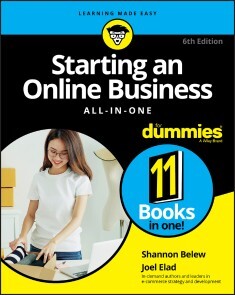
Starting an Online Business All-in-One For Dummies
THE TOOLS YOU NEED TO FOLLOW YOUR DREAM OF STARTING AND RUNNING AN ONLINE BUSINESS!With the right knowledge and resources, you can take action to start the online business you’ve been dreaming of. This comprehensive guide provides tips and tricks for turning your dream into a reality.The sixth edition of Starting an Online Business: All-in-One For Dummieswill teach you the basics and beyond. It will prepare you to set up your business website, offer your products in an online store, and keep accurate books. The authors help you navigate the primary legal, accounting, and security challenges related to running an online business.* Fund your business for success and future growth * Use SEO strategically to drive traffic to a well-designed site* Market your business effectively as an entrepreneur* Stand out, build customer relationships, and sell on social media* Keep up with ecommerce trends to stay a step aheadWith some guidance, you can find your market niche, create a business plan, and decide on a revenue model. Then, it’s time to set up shop! Starting an Online Business can help bring your dream of an online business to life and guide you on the road to success.SHANNON BELEW is a nationally recognized digital marketing strategist, speaker and consultant for B2B brands, and leads an engagement marketing team for a global infrastructure software company.JOEL ELAD is the head of Real Method Consulting, where he provides consulting and advice for e-commerce companies and entrepreneurs. Introduction 1BOOK 1: START-UP ESSENTIALS 5Chapter 1: Starting from Scratch 7Chapter 2: Turning Ideas into a Viable Internet Business 17Chapter 3: Getting Real: Creating a Usable Business Plan 31Chapter 4: Funding Your Online Business 39Chapter 5: Creating Policies to Protect Your Website and Customers 57Chapter 6: Setting Up Shop: What You Need for Online Efficiency 67BOOK 2: LEGAL AND ACCOUNTING 83Chapter 1: Minding the Law 85Chapter 2: Choosing the Right Foundation: From Partnerships to Corporations 95Chapter 3: The Trademark-and-Copyright Two-Step 105Chapter 4: Accounting for Taxes (and Then Some) 113BOOK 3: WEBSITE FUNCTIONALITY AND AESTHETICS 135Chapter 1: What’s in a (Domain) Name? 137Chapter 2: Designing for User Experience 151Chapter 3: Building a Site Without Spending a Fortune 169Chapter 4: Serving Up Your Site 189Chapter 5: Developing Content That Satisfies Visitors and Search Engines 199Chapter 6: Going Beyond Beta and Launching Your Site 213BOOK 4: ONLINE AND OPERATING 223Chapter 1: Determining Your Revenue Model 225Chapter 2: Making Money with Affiliate Programs 245Chapter 3: Turning Information into Profit: From E-Books to Webinars 257Chapter 4: Paying with the Right Payment Options 269Chapter 5: Putting the (Shopping) Cart before the Horse 281Chapter 6: Taking Inventory 295Chapter 7: Fulfilling Expectations and Orders 305BOOK 5: MANAGING SECURITY RISKS 325Chapter 1: Understanding Security and Your Risks 327Chapter 2: Developing a Plan: Security and Business Continuity 337Chapter 3: Spotting and Thwarting Hackers and Net-Thieves 351Chapter 4: Locking Down Your Site and Your Business 369BOOK 6: ONLINE MARKETING BASICS 377Chapter 1: Jump-Starting Traffic and Driving Sales 379Chapter 2: Your Own Public Relations for the Web 397Chapter 3: Web Marketing at Work 411Chapter 4: Converting Browsers to Buyers 435Chapter 5: Analyzing and Monitoring Your Customers 451Chapter 6: Mastering Search Engines, Optimization, and Rankings 473BOOK 7: RETAIL TO E-TAIL 493Chapter 1: Expanding Online to Keep and Grow Customers 495Chapter 2: Managing the Differences between In-Store and Online Commerce 513Chapter 3: Window Dressing for the Online Display 525Chapter 4: Revving Up with Mobile Marketing, Social Media, and More 535Chapter 5: Troubleshooting the Transition to Online Retail 553BOOK 8: E-COMMERCE FUNDAMENTALS 565Chapter 1: Starting Up with E-Commerce Functionality 567Chapter 2: Mastering the Amazon 577Chapter 3: Web-ify Your Store with Shopify 589Chapter 4: Making eBay THE Way 607Chapter 5: Posting Pictures for Profit 625BOOK 9: E-BUSINESS FOR NONPROFITS 645Chapter 1: Raining Donations: Fundamentals for Online Giving 647Chapter 2: Adding Online Moneymakers to an Existing Site 657Chapter 3: Growing an Active Donor Base: Your Virtual Community 673Chapter 4: Identifying Online Marketing Strategies That Fit the Cause 683Chapter 5: Legal Considerations for Nonprofit Organizations 693BOOK 10: E-COMMERCE TRENDS AND MARKET OPPORTUNITIES 701Chapter 1: Discovering Niche Markets 703Chapter 2: Building Business via Social Commerce 709Chapter 3: Evaluating the SaaS Model: Selling Software and Apps 729Chapter 4: Generating Opportunities through the Generations: Millennials, Boomers, and Beyond 741BOOK 11: E-COMMERCE ADVANCED 759Chapter 1: Mapping the Digital Buyer’s Journey 761Chapter 2: Getting Personal with Content Marketing 771Chapter 3: Listening to the Voice of the Customer 789Chapter 4: Overhauling an Aging Online Business 805Chapter 5: Expanding Products to Increase Stagnant Sales 819Chapter 6: Transitioning a Small Site into Big Business 829Index 845
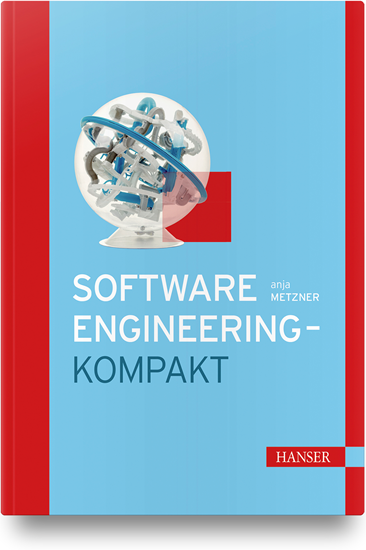
Software-Engineering - kompakt
Von zentraler Bedeutung für das Software-Engineering ist der Software-Lebenszyklus. Gemeint ist damit der gesamte Prozess, der zur Erstellung und Erhaltung eines Softwaresystems führt. Sowohl in traditionellen als auch in agilen Softwareerstellungsprozessen läuft dieser Lebenszyklus ab. Bewährt hat sich in der Praxis die Einteilung in sogenannte Phasen, denen die Gliederung folgt.Nach einer kurzen Einführung werden in Kapitel 2 vorab phasenübergreifende Verfahren wie divergierende Vorgehensmodelle und Projektmanagement besprochen. Kapitel 3 behandelt die Planungsphase; Kapitel 4 ist dem Requirements-Engineering gewidmet, bei dem die Software-Anforderungen kreativ konstruiert, analysiert und – traditionell oder agil – dokumentiert werden. In Kapitel 5 folgt die Besprechung der Verfahren für die Designphase der Software. Hier wird hinterfragt, wie gute Software-Architekturen Erfolg versprechend erdacht, mit der UML-Notation geeignet modelliert und in späteren Projekten wiederverwendet werden können. Kapitel 6 widmet sich der Test- und Abnahmephase und damit den wichtigen Qualitätssicherungsfragen. Abschließend wird in Kapitel 7 die Wartung – zur wirksamen Erhaltung von Softwaresystemen – erklärt.Anfänger erhalten eine schnelle Orientierung und kompaktes, fundiertes Grundwissen. Fortgeschrittene Leser finden hier ein aktuelles, gut strukturiertes Nachschlagewerk.
Introducing Play Framework
Enter the world of rapid web application development. This gentle introduction to Play covers all you need to know: it carefully introduces the background concepts before diving into examples, making learning Play 2 enjoyable (it includes the latest Play framework version 2.8).Introducing Play Framework is crisp, up-to-the-point, and full of valuable information. You will find chapters covering the basics of Play, the sbt build system, the Ebean ORM, web services using Play, production deployment, cache, and more with actual pragmatic code snippets for common tasks.After reading and using this book, you'll be able to build and deploy Java-based web applications with the Play framework.WHAT YOU WILL LEARN* Use the Play framework to do rapid Java-based web application development * Work with Play controllers and Play views* Create web services using JSON and XML* Persist data and access databases* Use Play modulesCarry out asynch programming * Cache, deploy, and work with code snippets in PlayWHO THIS BOOK IS FORThose with at least some prior experience with Java.Prem Kumar Karunakaran is an enterprise architect with around 14 years of industry experience. He holds a bachelors degree in electronics engineering and is also an Oracle Certified Java Enterprise Edition Master. He was involved in the architecture and design of many cutting-edge products used by clients around the globe. He has worked with organizations such as Infosys and IBS as an architect and has worked in many projects spanning airlines, logistics, travel and retail. He is passionate about Java and loves to learn new technologies and contributes his time to open source initiatives as well.Chapter 1. Getting started with Play 2Chapter 2: Build SystemChapter 3: Play Controllers and HTTP RoutingChapter 4: Play Views and Templating with ScalaChapter 5: Concurrency and Asynchronous programmingChapter 6: Web Services, Json and XMLChapter 7: Accessing DatabasesChapter 8: Complete ExampleChapter 9: Using Play modulesChapter 10 - Application Settings & Error handlingChapter 11: Working with CacheChapter 12: Production Deployment

Freistellen mit Adobe Photoshop CC und Photoshop Elements - Gewusst wie
Freistellen mit Photoshop und Photoshop Elements"Freistellen" Photoshop CCPhotoshop Elementswelche Technik für welche Motive besonders geeignet ist.konzentriert, kompakt und übersichtlich.Aus dem Inhalt:

Windows 10 kompakt für Dummies (2. Auflg.)
Andy Rathbone zeigt Ihnen schnell und dennoch verständlich alles Wichtige, was Sie über Windows 10 und dessen Updates wissen müssen: Erfahren Sie, was neu ist, wie Sie die neuen Funktionen nutzen und wie Sie altbekannte wiederfinden. Der Autor unterstützt Sie dabei, Ihre Daten von einem alten Computer auf einen neuen Windows-10-PC zu übertragen und Windows 10 an Ihre Bedürfnisse anzupassen. So kommen Sie mit Ihrem neuen Betriebssystem im Handumdrehen zurecht und fühlen sich schnell wieder zuhause. Andy Rathbone ist einer der Urväter der "... für Dummies"-Reihe und hat zahlreiche Bücher für PC-Anwender geschrieben. Er versteht es, komplexe Themen leicht verständlich zu erklären und seine Bücher mit der richtigen Dosis Humor zu würzen.ÜBER DEN AUTOR 11Danksagung 11EINFÜHRUNG 21Über dieses Buch 21Wie Sie mit diesem Buch arbeiten 21Törichte Annahmen über den Leser 22Wie dieses Buch aufgebaut ist 22Teil I: Windows-10-Grundlagen 22Teil II: Ab ins Internet 22Teil III: Die Windows-Werkstatt 23Teil IV: Musik, Fotos und Filme 23Teil V: Der Top-Ten-Teil 23Symbole, die in diesem Buch verwendet werden 23Wie es weitergeht 24TEIL I: WINDOWS-10-GRUNDLAGEN 25KAPITEL 1 WAS GENAU IST WINDOWS 10?27Was ist Windows und warum benutzen Sie es? 27Was ist neu in Windows 10? 29Was ist nun wirklich dran an Windows 10? 31Läuft Windows 10 auf Ihrem Computer? 33Die verschiedenen Varianten von Windows 10 34KAPITEL 2 WIR STARTEN MIT DEM STARTMENÜ37Willkommen in der Welt von Windows 38Mit einem Microsoft-Konto anmelden 40Das Startmenü erforschen 42Eine App über das Startmenü starten 45Geöffnete Apps anzeigen und schließen 46Eine App im Startmenü ausfindig machen 48Apps »für umsonst« 49Neue Apps aus dem Windows Store downloaden 50Kacheln im Startmenü hinzufügen oder daraus entfernen 53Das Startmenü passend machen 54Windows beenden 57Eine kurze Pause einlegen 58Den Computer ausschalten 59KAPITEL 3 DER TRADITIONELLE DESKTOP61Desktop und Startmenü entdecken 61Mit dem Desktop arbeiten 62Den Desktop aufpeppen 63Den Tabletmodus ein- und ausschalten 65Mit der Taskleiste arbeiten 66Die Sprunglisten der Taskleiste als Sprungbrett verwenden 68Auf die sensiblen Stellen der Taskleiste klicken 69Das Info-Center einblenden 72Mehrere Desktops einrichten 73KAPITEL 4 SPEICHERORTE – INTERN, EXTERN UND ÜBER DEN WOLKEN77Der digitale Aktenschrank 77Einen neuen Ordner anlegen und umbenennen 81Mehrere Dateien oder Ordner auswählen 81Dateien oder Ordner loswerden 82Details zu Dateien und Ordnern anzeigen 83Dateien auf oder von CDs oder DVDs kopieren 84Mit Speichersticks und Speicherkarten hantieren 85OneDrive – Ihre Ablage in den Wolken 86Sie bestimmen, welche OneDrive-Ordner mit Ihrem PC synchronisiert werden 87Die OneDrive-Einstellungen ändern 91Vom Webbrowser aus auf OneDrive-Dateien zugreifen 93TEIL II: AB INS INTERNET 95KAPITEL 5 UNTERWEGS IM WEB97Sinn und Zweck von ISPs 97Eine drahtlose Verbindung zum Internet herstellen 98Mit Microsoft Edge im Web surfen 100Eine Startseite für Microsoft Edge festlegen 103Lieblingssites erneut besuchen 104Im Internet fündig werden 105Mehr Infos mit Cortana aufspüren 106Informationen aus dem Internet speichern 107Text speichern 107Ein Bild speichern 108Ein Programm, einen Song oder einen anderen Dateityp herunterladen 109KAPITEL 6 SOZIALE KONTAKTE PFLEGEN111Ihre Konten in Windows einbinden 111Die Mail-App kennenlernen 113Die Ansichten, Menüs und Konten der Mail-App erkunden 114Eine E-Mail-Nachricht schreiben und senden 115Eine empfangene Mail lesen 117Kontakte in der Kontakte-App pflegen 120Kontakte hinzufügen 121Kontakte löschen oder bearbeiten 121Termine in der Kalender-App verwalten 123TEIL III: DIE WINDOWS-WERKSTATT 127KAPITEL 7 WINDOWS ANPASSEN129Die Einstellungen-App 129Die Systemsteuerung 130Beliebte Einstellungen ändern 132Das Design wechseln 132Die Bildschirmauflösung ändern 133Den Arbeitsbereich mit einem zweiten Bildschirm oder einem Projektor vergrößern 135Lautstärke und Sound anpassen 138Lautsprecher einrichten 138Ein Bluetooth-Gerät anschließen 140Einen Drucker hinzufügen 142Windows für Menschen mit Behinderungen einrichten 144KAPITEL 8 WINDOWS HEGEN UND PFLEGEN147Feineinstellungen mit den integrierten Wartungswerkzeugen von Windows vornehmen 147Daten mit dem Dateiversionsverlauf retten 148Platz auf der Festplatte freiräumen 152Alle Macht dem Netzschalter 154Mit Gerätetreibern hantieren 156Wiederherstellungspunkte setzen 157Viren mit Windows Defender meiden 158KAPITEL 9 EINEN RECHNER MIT ANDEREN TEILEN161Benutzerkonten verstehen lernen 161Ein Benutzerkonto ändern oder ein neues erstellen 163Ein Konto für ein Familienmitglied oder einen Freund hinzufügen 163Ein vorhandenes lokales Konto ändern 168Mit dem Profilbild Profil zeigen 169Schnell zwischen verschiedenen Benutzern wechseln 169Kennwörter und sonstige Sicherheitsvorkehrungen 170KAPITEL 10 WENN GAR NICHTS MEHR GEHT … 173Die magischen Wartungsfunktionen von Windows 174Den PC wiederherstellen 174Daten aus dem Dateiversionsverlauf wiederherstellen 178Kennwort vergessen 183Rechner eingefroren 185Von einem alten Rechner auf einen Windows-10-Computer umziehen 186TEIL IV: MUSIK, FOTOS UND FILME 191KAPITEL 11 MUSIK ABSPIELEN UND KOPIEREN193Musik mit der Groove-Musik-App abspielen 193Musik mit Windows Media Player abspielen 195Musikdateien abspielen 197Die aktuelle Wiedergabe steuern 198Videos und TV-Aufzeichnungen wiedergeben 199KAPITEL 12 DIGITALE FOTOSCHÄTZE201Ihr Computer – der digitale Schuhkarton 201Fotos mit der Kamera-App aufnehmen 205TEIL V: DER TOP-TEN-TEIL 207KAPITEL 13 DIE TOP TEN DER NERVIGSTEN WINDOWS-FUNKTIONEN (UND WAS SIE DAGEGEN TUN KÖNNEN)209Weg mit den Apps 209Apps aus dem Startmenü und vom Rechner entfernen 210Desktopprogramme statt Apps für das Öffnen von Dateien bestimmen 211Ich will kein Microsoft-Konto 212Weg mit der Kennworteingabe beim Sperrbildschirm 213Die Taskleiste soll nicht verschwinden 214Fenster nebeneinander ausrichten 214Die lästigen Berechtigungsanfragen 215Welche Windows-Version habe ich denn? 216Die Taste »Druck« will nicht 216Den Bildschirm drehen 217Stichwortverzeichnis 219
Pro Perl Programming
Master intermediate to advanced techniques of the Perl programming language starting with a focus on regular expressions and some of their advanced features. This book then covers other pro-level features, including formatted output, file handling, and more.Additionally, you'll learn and explore the most useful built-in variables, pragmas, and modules available in the Perl language. Furthermore, you'll work with geometry managers and get a thorough treatment of graphical user interface development using Perl/TK and widgets. Lastly, you’ll cover debugging techniques.Pro Perl Programming is a professional-level reference guide on Perl and includes important aspects of it that you need as a professional programmer.WHAT YOU WILL LEARN* Program regular expressions including atoms, smartmatch operators, and moreUse advanced features such as HiRes Time, slurp() functions, Critic, Tidy and many more functions * Handle advanced formatted output such as printf and sprintfExplore useful built-in variables, including status variables, separator variables, and the signal handle variable * Explore and use Perl's built-in modules, including the Pragma modulesWork with Perl/TK and its widgets-like geometry managers, frames, labels, buttons, check buttons, radio buttons, scrollbars, scales, entries, and menusWHO THIS BOOK IS FORThose with at least some prior experience with Perl programming or have read Beginning Perl Programming by William Rothwell.At the impressionable age of 14, WILLIAM "BO" ROTHWELL crossed paths with a TRS-80 Micro Computer System (affectionately known as a “Trash 80”). Soon after the adults responsible for Bo made the mistake of leaving him alone with the TSR-80. He immediately dismantled it and held his first computer class, showing his friends what made this “computer thing” work. Since this experience, Bo’s passion for understanding how computers work and sharing this knowledge with others has resulting in a rewarding career in IT training. His experience includes Linux, Unix, DevOps tools, and programming languages such as Perl, Python, Tcl, and BASH. Chapter One Intermediate Regular Expressions1.1 Review: Basic Regular Expressions1.2 Modifiers1.3 Getting the Nth occurrence of a match1.4 Greedy vs. Non-Greedy matches1.5 Regular Expression variables1.6 Special characters in regular expressions1.7 Assertions1.8 Reading from filehandles using split 1.9 Multiple line matching1.10 Commenting Regular Expressions1.11 Alternative Delimiters1.12 Additional resources1.13 Lab ExercisesChapter Two Advanced Regular Expressions2.1 Make use of the Smartmatch Operator2.2 Understand Regular Expression precedence2.3 Understand what is *NOT* a Regular Expression atom2.4 Using Regular Expressions in List Context2.5 Match whitespace properly2.6 Use \G2.7 Use the \A, \Z and \z assertions2.8 Avoid capturing2.9 Avoid the variables $`, $& and $'2.10 Compile your Regular Expressions before using them2.11 Benchmark your patterns2.12 Use Regexp::Common2.13 Flags you should consider always using2.14 Avoid escapes2.15 Use the re Pragma2.16 Understand backtrackingChapter Three Advanced Features3.1 Use my iterator variables with for loops3.2 Utilize loop labels3.3 Avoid using for file matching3.4 Time::HiRes3.5 Contextual::Return3.6 Indirect Filehandles3.7 The three argument technique to the open statement3.8 Always check the return values of open, close and when printing to a file3.9 Close filehandles as soon as possible3.10 Avoid slurping3.11 Creatively use the do statement3.12 Use the slurp() function3.13 Test for interactivity3.14 Use IO::Prompt3.15 Understand where to find documentation3.16 Understand context3.17 Understand the => operator3.18 Understand subroutine calls3.19 Understand and/or versus &/||3.20 Use Perl::Tidy3.21 Use Perl::Critic3.22 Understand Getopt::Std3.23 Understand Getopt::Long3.24 Alternative commenting technique3.25 Passing notes within a Perl program 3.26 Use Smart::CommentsChapter Four Advanced Formatted Output4.1 Review: The format statement4.2 Advanced format statement features4.3 printf and sprintf4.4 Using select4.5 The operator4.6 Additional Resources4.7 Lab ExercisesChapter Five Exploring Useful Built-in Variables5.1 Perl's built-in variables5.2 Variables reference chart5.3 Use English5.4. Status variables5.5 Separator variables5.6 The signal handle variable5.7 Version of Perl5.8 Program start time5.9 Additional Resources5.10 Lab ExercisesChapter Six Advanced File Handling6.1 Review: Basic File Handling6.2 Displaying the file position6.3 Moving the file position6.4 Opening files for reading and writing6.5 Making "files" within your script6.6 Locking files6.7 Flushing output buffers6.8 Additional Resources6.9 Lab ExercisesChapter Seven Pragmas 7.1 Perl pragmas7.2 Pragma chart7.3 Review: use strict7.4 Predeclaring subroutines7.5 Predeclaring global variables7.6 Additional Resources7.7 Lab ExercisesChapter Eight Exploring Useful Built-in Modules8.1 Built-in modules8.2 Module table8.3 Cwd8.4 Env8.5 File8.6 Math8.7 Sys8.8 Text8.9 Fatal8.10 Benchmark8.11 Getopt::Std8.12 Getopt::Long8.13 Additional Resources8.14 Lab ExercisesChapter Nine Debugging Tools9.1 Review: The -w switch9.2 Review: The Perl debugger9.3 Debugger commands9.4 Diagnostics9.5 Carp9.6 Data::Dumper9.7 Additional Resources9.8 Lab ExercisesChapter Ten Perl/TK Basics10.1 Working with Windows10.2 Types of Widgets10.3 Geometry Managers10.4 Creating Widgets10.5 The OO nature of the Tk module10.6 Additional resources10.7 Lab ExercisesChapter Eleven Perl TK Widgets11.1 Frames11.2 Labels11.3 Buttons11.4 Checkbuttons11.5 Radiobuttons11.6 Listboxes11.7 Scrollbars11.8 Scales11.9 Entries11.10 Creating menus11.11 Additional Resources11.12 Lab ExercisesModule Twelve Geometry Managers12.1 pack options12.2 The -after and -before option12.3 The -anchor and -side options12.4 The -fill option12.5 Padding with pack12.6 Managing widgets with pack12.7 Binding12.8 The focus command 12.9 Additional Resources12.10 Lab Exercises

Getting Started with Containers in Azure
Deploy and execute Microsoft Azure container and containerized applications on Azure. This second book in author Shimon Ifrah’s series on containers will help you manage and scale containers along with their applications, tools and services.You’ll start by setting up the Azure environment and quickly work through techniques and methods of managing container images with Azure Container Registry (ACR). As you move forward, deploying containerized applications with Azure container instances and Azure Kubernetes Service is discussed in detail, and in the process, you’ll see how to install Docker container host on Azure Virtual Machine.This is followed by a discussion on security in Azure containers where you’ll learn how to monitor containers and containerized applications backed by illustrative examples. Next, you will review how to scale containers along with methods for backing up and restoring containers and containerized applications on Azure. Towards the end, the book demonstrates troubleshooting applications and Docker container host issues in Azure.Getting Started with Containers in Azure will equip you to deploy, manage and secure containerized applications using Azure tools and services for containers.WHAT YOU’LL LEARN* Explore containers on Microsoft Azure.* Store Docker images on Azure Container Registry* Automate deployment of container services using Azure CLI and Azure Cloud Shell * Use Azure Container Instances (ACI) for smaller deployment WHO THIS BOOK IS FORAzure administrators, developers, and architects who want to get started and learn more about containers and containerized applications on Microsoft Azure.Shimon Ifrah is an IT professional with over years of experience in the design, management, and deployment of information technology systems and networks. In the last few years Shimon has been specializing in cloud computing and containerized applications on Amazon AWS and other public cloud providers. Shimon also holds more than 20 vendor certificates from Microsoft, AWS, VMware, and Cisco. During his career in the IT industry he has worked for some of the largest managed services and technology companies in the world helping them administer systems for the largest enterprises. He is based out of Melbourne, Australia.CHAPTER 1: GET STARTED WITH MICROSOFT AZURECHAPTER GOAL: Setup your Microsoft Azure environmentNo of pages: 40SUB -TOPICS1. Setup you Azure tenant2. Setup Azure Cloud Shell3. Secure your account4. Azure Container Services overviewCHAPTER 2: STORE AND MANAGE DOCKER CONTAINER IMAGES ON AZURE CONTAINER REGISTRY (ACR)CHAPTER GOAL: Learn how to manage Container images with Azure ACRNO OF PAGES: 40SUB - TOPICS1. Setup Microsoft Azure Container Registry (ACR)2. Push Docker images to Azure Container Registry (ACR)3. Pull images from Azure Container Registry (ACR)4. Manage and secure Azure Container Registry (ACR)CHAPTER 3: DEPLOY CONTAINERIZED APPLICATIONS WITH AZURE CONTAINER INSTANCES (ACI)CHAPTER GOAL: Learn how to deploy Containers and Containerized Applications with Azure ACINO OF PAGES: 40SUB - TOPICS:1. Set up Azure Container Instances (ACI)2. Deploy Linux and Windows Containers to ACI3. Scale containerized applications on ACI4. Monitor and Manage containerized applications on ACICHAPTER 4: DEPLOY CONTAINERIZED APPLICATIONS WITH AZURE KUBERNETES SERVICE (AKS)CHAPTER GOAL: Learn how to deploy Containers and Containerized Applications with Azure AKSNO OF PAGES:SUB - TOPICS:1. Getting started with AKS2. Setup and configure AKS Networking3. Deploy Kubernetes Dashboard (Web UI) on AKS4. Manage and Secure AKSCHAPTER 5: DEPLOY DOCKER CONTAINER HOST ON AZURE VIRTUAL MACHINEChapter Goal: Learn how to deploy Containers and Containerized Applications on Azure VMNO OF PAGES: 40SUB - TOPICS:1. Install Docker Container host on Ubuntu Linux VM2. Install Docker Container Host on Windows Server 2019 VM3. Deploy and manage containers on Azure VM (Linux and Windows)CHAPTER 6: SECURE YOUR MICROSOFT AZURE CONTAINERSCHAPTER GOAL: Learn how to secure and protect Containers and Containerized Applications on AzureNO OF PAGES: 40SUB - TOPICS:1. Protect and manage accounts on Microsoft Azure using Azure AD2. Use Azure Security Center and Secure Score to protect you tenant3. Secure your Containers with Azure Firewall and Network Security Groups (NSG)CHAPTER 7: SCALE CONTAINERS AND CONTAINERIZED APPLICATIONS ON AZURECHAPTER GOAL:Learn how to scale Containers and Containerized Applications on AzureNO OF PAGES: 40SUB - TOPICS:1. Scale Azure Kubernetes Service (AKS)2. Scale Azure Container Instances (ACI)3. Scale Azure Container Registry (ACR)4. Scale Azure Web Apps for Containers5. Scale Azure Docker Container host VMCHAPTER 8: MONITOR CONTAINERS AND CONTAINERIZED APPLICATIONS ON AZURECHAPTER GOAL: Learn how to Monitor Containers and Containerized Applications on AzureNO OF PAGES: 40SUB - TOPICS:1. Monitor Azure Kubernetes Service (AKS)2. Monitor Azure Container Instances (ACI)3. Monitor Azure Container Registry (ACR)4. Monitor Azure Web Apps for Containers5. Monitor Azure Docker Container host VMCHAPTER 9: BACKUP AND RESTORE CONTAINERS AND CONTAINERIZED APPLICATIONS ON AZURECHAPTER GOAL: Backup and Restore Containers and Containerized Applications on AzureNO OF PAGES: 40SUB - TOPICS:1. Backup Azure Kubernetes Service (AKS)2. Backup Azure Container Instances (ACI)3. Backup Azure Container Registry (ACR)4. Backup Azure Web Apps for Containers5. Backup Azure Docker Container host VMCHAPTER 10: TROUBLESHOOTING CONTAINERS AND CONTAINERIZED APPLICATIONS ON AZUREChapter Goal: Learn how to Troubleshoot Containers and Containerized Applications issues on AzureNO OF PAGES: 40SUB - TOPICS:1. Troubleshoot Azure Kubernetes Service (AKS)2. Troubleshoot Azure Container Instances (ACI)3. Troubleshoot Azure Container Registry (ACR)4. Troubleshoot Azure Web Apps for Containers5. Troubleshoot Azure Docker Container host VM

Neue Methoden zur Untersuchung der Sichtfreihaltung an Kraftfahrzeugen
Thomas Landwehr beschreibt die Weiterentwicklung des Prozesses zur Quantifizierung und Untersuchung der Sichtfreihaltung von Fahrzeugscheiben im Windkanal und zeigt Verschmutzungsmechanismen auf. Hierzu untersucht er zunächst, wie Wasseransammlungen die Sicht des Fahrers beeinträchtigen können. Die Erkenntnisse aus diesen Untersuchungen dienen dem Autor als Grundlage für eine neue Methode zur Quantifizierung der Fahrzeugverschmutzung. Mit Hilfe dieser Methode stellt er einzelne Verschmutzungsmechanismen nach, erläutert sie und veranschaulicht, wo die Verschmutzung ihren Ursprung hat. Des Weiteren zeigt er, dass die Anströmgeschwindigkeit und das Benetzungsverhalten einen entscheidenden Einfluss auf die Sichtbeeinträchtigung haben. Der Autor: Thomas Landwehr wurde am Institut für Verbrennungsmotoren und Kraftfahrwesen am Lehrstuhl für Kraftfahrwesen im Bereich Fahrzeugaerodynamik und Thermomanagement promoviert. Er arbeitet als Entwicklungsingenieur bei einem namhaften deutschen Automobilhersteller im Bereich Aerodynamik. Sichtbeeinträchtigung durch Wasseransammlungen.- Methoden zur Quantifizierung und Untersuchung der Sichtfreihaltung von Fahrzeugseitenscheiben.- Experimentelle Untersuchungen zu Verschmutzungsmechanismen.
Fame!
Be famous! So baust du dir eine Community im Social Web auf und wirst zum Influencer. Dieses Handbuch zeigt dir von der Erstellung deines ersten Accounts bis zur Selbstständigkeit alle Schritte auf dem Weg zur erfolgreichen Social-Media-Präsenz. Egal ob auf Facebook, Instagram oder Twitter: Finde deine Nische, begeistere deine Follower mit tollem Content und verdiene Geld mit Markenkooperationen. Mit Extrakapitel von Medienanwalt Christian Solmecke, damit dein Erfolg auch rechtlich auf sicheren Beinen steht! Aus dem Inhalt: Hast du das Zeug zum Influencer?Finde deine PlattformErstelle tolle InhalteBaue eine treue Community aufMit vielen Tipps und Best PracticesAlles zu Kooperationen mit FirmenWork-Life-Balance für InfluencerInkl. Rechtskapitel von Rechtsanwalt Christian Solmecke Geleitwort ... 11 Vorwort ... 13 1. Hast du das Zeug zum Influencer? ... 15 1.1 ... Das brauchst du, um dich als Influencer bezeichnen zu können ... 16 1.2 ... Vier Gründe dafür, Influencer zu werden ... 20 1.3 ... Vier Gründe dagegen, Influencer zu werden ... 23 1.4 ... Wie wahrscheinlich ist es, Influencer zu werden? ... 26 1.5 ... Bevor es losgeht: deine Motivation! ... 27 1.6 ... Los geht's! ... 30 2. Welche Anfängerfehler solltest du unbedingt vermeiden? ... 31 2.1 ... Falsche Erwartungen ... 31 2.2 ... Follower, Engagements, Shoutouts und Profile kaufen ... 31 2.3 ... Einsatz von Bots ... 38 2.4 ... Beteiligung an Engagement Pods ... 40 2.5 ... Zeitaufwand unterschätzen ... 41 2.6 ... Unregelmäßig posten ... 43 2.7 ... Inkonsistenz bei der Wahl der Nische ... 43 2.8 ... Zu viel vom Privatleben preisgeben ... 45 2.9 ... Kooperationen, die nicht zur eigenen Marke passen ... 48 2.10 ... Zu viele Kooperationen eingehen ... 49 2.11 ... Unprofessionell mit Kooperationspartnern umgehen ... 49 3. Aller Anfang fällt schwer: Womit beginnst du? ... 51 3.1 ... Was ist dein Thema? ... 51 3.2 ... Wen willst du ansprechen? ... 54 3.3 ... Finde deine eigene Sprache, und grenze dich ab! ... 58 3.4 ... Thema und Plattform anhand deiner Interessen auswählen ... 60 3.5 ... Beliebte Plattformen im Netz ... 61 3.6 ... Accounts richtig anlegen ... 68 3.7 ... Der Social-Media-Circle ... 70 3.8 ... Wie schaffst du es, regelmäßigen Content zu veröffentlichen? ... 72 3.9 ... Sechs Fragen an MrWissen2go ... 80 4. Produziere und veröffentliche erste Inhalte! ... 83 4.1 ... Welches Equipment brauchst du? ... 83 4.2 ... Das solltest du beim Fotografieren wissen ... 93 4.3 ... Das solltest du beim Filmen wissen ... 101 5. Wie baust du dir eine treue Community auf? ... 111 5.1 ... Bleib du selbst ... 112 5.2 ... Finde deinen eigenen Stil ... 112 5.3 ... Sei auf verschiedenen Plattformen präsent ... 114 5.4 ... Interagiere mit deiner Community ... 116 5.5 ... Frage deine Community, was sie interessiert ... 117 5.6 ... Veröffentliche regelmäßig Content ... 119 5.7 ... Qualität statt Quantität ... 120 5.8 ... Setze Hashtags richtig ein ... 123 5.9 ... Geotagging: Lokalisiere deine Posts ... 125 5.10 ... Gewinnspiele, Verlosungen, Giveaways und Ähnliches ... 126 5.11 ... Organisiere Meetups mit deiner Community ... 128 5.12 ... Vernetze dich mit anderen Content Creators ... 130 5.13 ... Schalte selbst Werbung ... 132 6. Bleib authentisch! ... 137 6.1 ... Wie setzt du Produkte geschickt in Szene? ... 138 6.2 ... Wie wirst du zur eigenen Marke? ... 141 6.3 ... So haben es andere vor dir gemacht! ... 146 7. Wie gehst du Kooperationen mit Unternehmen ein? ... 157 7.1 ... Wie erstellst du ein Media-Kit? ... 157 7.2 ... Welche Arten von Kooperationen gibt es? ... 165 7.3 ... Wie machst du Unternehmen auf dich aufmerksam? ... 172 7.4 ... Wie gehst du vor, wenn Agenturen und Unternehmen auf dich zukommen? ... 178 7.5 ... Verträge und Briefings: Was musst du beachten? ... 180 7.6 ... Wie viel Geld kannst du verlangen? ... 182 8. Wie kannst du als Influencer noch Geld verdienen? ... 191 8.1 ... Ads ... 191 8.2 ... Affiliate-Marketing ... 194 8.3 ... Spenden ... 197 8.4 ... Patreon ... 197 8.5 ... Eigene Produkte ... 199 8.6 ... Dienstleistungen ... 209 9. Wie kannst du langfristig als Influencer leben? ... 217 9.1 ... Selbstständigkeit anmelden und organisieren ... 217 9.2 ... Steuern ... 220 9.3 ... Deine erste Rechnung ... 225 9.4 ... Sozialversicherungen ... 229 9.5 ... Versicherungen ... 230 9.6 ... Konto eröffnen ... 232 9.7 ... Brauchst du ein Management oder ein Netzwerk? ... 232 9.8 ... Achte auf eine gesunde Work-Life-Balance ... 234 9.9 ... Schütze deine Privatsphäre ... 236 10. Was musst du rechtlich beachten? ... 239 10.1 ... Die rechtssichere Vertragsgestaltung ... 242 10.2 ... Das Urheberrecht ... 246 10.3 ... Die Kennzeichnung von Werbung ... 250 10.4 ... Live-Videos ... 270 10.5 ... Gewinnspiele in sozialen Netzwerken ... 275 10.6 ... Die Impressumspflicht ... 277 10.7 ... Datenschutzerklärung ... 281 10.8 ... Fazit ... 284 Index ... 285

SAP Fiori
Lernen Sie alles über die Implementierung und Entwicklung von SAP-Fiori-Apps! Michael Englbrecht zeigt Ihnen, wie Sie SAP Fiori installieren, einrichten und mit SAP Gateway in Ihre Systemlandschaft integrieren. Passen Sie die Oberflächen an Ihre Anforderungen an, oder entwickeln Sie gleich eigene Anwendungen. Die 3. Auflage ist inklusive neuer Entwicklungen in SAP Fiori 3.0 – zudem erfahren Sie z.B., welche Möglichkeiten Ihnen das neue RESTful-ABAP-Programmiermodell bietet. Aus dem Inhalt: User Experience mit SAP FioriAktuelle Design Guidelines Customizing der SAP-Fiori-AppsDesign ThinkingSAP Fiori Launchpad konfigurierenUI Theme Designer Benutzer verwaltenAdministration und TroubleshootingSAP Gateway als Frontend-ServerSAP HANA XS und SAP HANA XSAABAP Core Data ServicesSAP Fiori Cloud Einleitung ... 19 Teil I SAP Fiori im Überblick ... 27 1. Was ist SAP Fiori? ... 29 1.1 ... SAP Fiori -- das Konzept ... 30 1.2 ... SAP Fiori -- das Design ... 39 1.3 ... SAP Fiori -- die Technologie ... 42 1.4 ... Das intelligente Unternehmen ... 56 1.5 ... Übersicht über die SAP-Fiori-Apps ... 59 2. User-Experience-Strategien entwickeln ... 65 2.1 ... Grundlagen ... 65 2.2 ... Benutzeroberflächen gestalten ... 72 2.3 ... Ihre eigene UX-Strategie entwickeln ... 105 3. SAP Fiori Design Guidelines ... 115 3.1 ... Grundlagen ... 117 3.2 ... Floorplans ... 128 3.3 ... Die SAP Fiori for iOS Design Guidelines ... 155 3.4 ... Die SAP Fiori for Android Design Guidelines ... 159 3.5 ... SAP Conversational User Experience ... 163 3.6 ... Konzeptionelle SAP-Fiori-Applikationstypen ... 165 4. Das SAP Fiori Launchpad ... 179 4.1 ... Bestandteile des SAP Fiori Launchpads ... 179 4.2 ... SAP Fiori Launchpad unter SAP Fiori 3.0 ... 197 4.3 ... Das Launchpad aus technischer Sicht ... 199 4.4 ... SAP-Fiori-Anwendungen bereitstellen ... 202 Teil II Implementierung von SAP Fiori ... 205 5. Architektur ... 207 5.1 ... Architekturüberblick und technische SAP-Fiori-Applikationstypen ... 207 5.2 ... SAP HANA XS ... 212 5.3 ... SAP NetWeaver AS ABAP und die SAP Business Suite ... 215 5.4 ... ABAP-Frontend-Server ... 218 5.5 ... SAP Web Dispatcher ... 227 5.6 ... Endgeräte ... 228 5.7 ... Architektur im Kontext von SAP S/4 HANA ... 231 6. Installation ... 239 6.1 ... Installation planen ... 240 6.2 ... Installationsvoraussetzungen überprüfen ... 251 6.3 ... Softwarekomponentenversionen herunterladen ... 257 6.4 ... Installationswerkzeuge ... 260 6.5 ... Plattformkomponenten installieren ... 261 6.6 ... Produktspezifische Komponenten installieren ... 272 7. Konfiguration ... 279 7.1 ... Kommunikationskanäle und Single Sign-on konfigurieren ... 279 7.2 ... ABAP-Frontend-Server konfigurieren ... 291 7.3 ... SAP Fiori Launchpad und Transactional Apps ... 303 7.4 ... SAP-Fiori-Suche und Fact Sheets konfigurieren ... 326 7.5 ... KPI Modeler und Analytical Apps ... 334 7.6 ... KPI Design und Analytical Apps unter SAP S/4HANA ... 345 8. Anpassungen mit dem UI Theme Designer ... 357 8.1 ... Konzept des UI Theme Designers ... 358 8.2 ... Mit dem UI Theme Designer arbeiten ... 360 8.3 ... Themes verwalten ... 370 8.4 ... Themes verwenden ... 373 8.5 ... UI Theme Designer der SAP Cloud Platform ... 375 9. Administration von SAP-Fiori-Anwendungen ... 379 9.1 ... Aufgaben eines SAP-Fiori-Administrators ... 379 9.2 ... Monitoring ... 381 9.3 ... Troubleshooting ... 397 Teil III SAP-Fiori-Anwendungen entwickeln ... 417 10. Grundlagen der SAP-Fiori-Entwicklung ... 419 10.1 ... SAPUI5 ... 419 10.2 ... Best Practices bei der Entwicklung ... 453 11. Entwicklung von Backend-Diensten ... 487 11.1 ... SAP Gateway und OData-Services ... 487 11.2 ... ABAP Core Data Services ... 513 11.3 ... Das ABAP-RESTful-Programmiermodell ... 535 12. Entwicklung einer SAP-Fiori-Anwendung mit SAP Web IDE ... 547 12.1 ... Einführung in die SAP Web IDE ... 548 12.2 ... Mit SAP Web IDE arbeiten ... 555 12.3 ... Eine Anwendung mit SAP Web IDE entwickeln ... 564 12.4 ... SAP Fiori Elements ... 588 12.5 ... Mit SAP-Build-Prototypen arbeiten ... 629 13. Erweiterung von SAP-Fiori-Anwendungen ... 633 13.1 ... Einführung und Überblick ... 634 13.2 ... Erweiterungen im Backend ... 639 13.3 ... Erweiterung von OData-Services ... 646 13.4 ... Erweiterung von Fact Sheets ... 652 13.5 ... Erweiterung des User Interfaces ... 663 13.6 ... Erweiterung der App »My Inbox« mit BAdIs ... 682 13.7 ... Anpassungen mit den SAPUI5 Flexibility Services ... 706 13.8 ... Implementierung von Erweiterungen für das ABAP-Programmiermodell für SAP Fiori ... 713 13.9 ... Ausblick ... 733 14. SAP Fiori Cloud ... 735 14.1 ... Deployment-Optionen ... 739 14.2 ... Entwicklung von SAP-Fiori-Cloud-Lösungen ... 742 14.3 ... Fazit ... 762 15. Entwicklungsinfrastruktur ... 763 15.1 ... Werkzeuge ... 764 15.2 ... Einführung in Continuous Integration und Continuous Delivery ... 775 Anhang ... 781 A ... Quellenhinweise ... 781 B ... Der Autor ... 785 Index ... 787

Flipchart
Verabschieden Sie sich von Textwüsten und missglückten Strichmännchen, sparen Sie mit diesem Praxisratgeber Zeit, Frust und eine Menge Papier am Flipchart. Lernen Sie vom Experten für Live-Visualisierung, wie Sie Ihre Zuhörer von Anfang bis Ende in den Bann ziehen. Volker Voigt zeigt Ihnen Techniken und Tricks, mit denen Sie Ihr Thema und Bildkonzept zügig auf den Punkt und Strich für Strich ausdrucksstarke Icons und Figuren flüssig aufs Papier bringen. Und mit dem Entwurfsfinder haben Sie auch jederzeit die passende Idee und Vorlage zur Hand! Aus dem Inhalt: Das richtige Setup: Papiere und StifteMit der Dartscheibenmethode Thema und Storyboard im GriffZielgruppen durch Personas definierenEntwurfsfinder: Vorlagen für Workshop, Meeting, Konferenz u. v. m.Zeichenschule mit über 70 Icons und PiktogrammenSchritt für Schritt ein Repertoire an Figuren entwickelnVisuelles Vokabelheft: Kernbegriffe in Bilder umsetzenText, Schriftstile und Bilder effektvoll kombinierenPraxisbeispiele: Matrix, Tabelle, SWOT-Analyse, DiagrammeSzenisch darstellen lernen: von der Schlüsselszene bis zur ErlebnislandschaftZahlreiche Ideen für Business und visuelle UnternehmenskommunikationTipps und Tricks für die Präsentation vor OrtAnaloges Zeichnen digital vor- und nachbereiten Materialien zum Buch ... 11 1. Warum sich Visualisierung lohnt ... 13 Visualisierung in Business und Wissensarbeit ... 14 Was Sie in diesem Buch erwartet ... 15 Kopieren ausdrücklich erwünscht! ... 17 Die visuelle Kommunikation - eine Erfolgsgeschichte ... 18 Visuelle Kommunikation als Universalsprache ... 19 Wissen - ein Dreiklang ... 20 2. Analog versus digital ... 25 Visualisieren mit Tablet und Software ... 26 Visualisieren mit Stift und Papier ... 36 3. Stift ist nicht gleich Stift - das richtige Setup ... 41 Der Bleistift als Wegbereiter ... 42 Die Fasermaler als Nachzeichner und Entwurfswerkzeuge ... 44 Die Marker als Präsentationswerkzeuge ... 48 4. Farbe als Gestaltungselement ... 53 Monochrome Gestaltung ... 54 Emotionale und kognitive Wirkungen von Farbe ... 55 5. Grundlagen einer erfolgreichen Visualisierung ... 59 Die Visualisierungsampel - drei Faktoren für gelungene visuelle Kommunikation ... 59 In Bildern denken ... 62 Vergleichbares - vom Abstrakten zum Konkreten und umgekehrt ... 64 6. Visualisieren in drei Schritten - Schritt 1: Dartscheibenmethode ... 67 Themenfindung ... 71 Themenbegrenzung ... 72 Wörtersammlung durch Assoziationen ... 74 Bildsammlung ... 77 Clustern ... 78 Visualisierungsideen finden ... 79 Ergebnis ... 81 7. Text und Schrift ... 83 8. Grundformen zeichnen ... 91 Mehrfache Grundformen ... 92 Geometrische Grundformen ... 92 Pfeile ... 97 Container ... 100 9. Zeichnen lernen: Piktogramme und Icons ... 107 Fußspuren/Schritte ... 107 Dartscheibe ... 108 Auge ... 109 Fernglas ... 110 Gehirn ... 111 Smartphone ... 112 Laptop ... 113 Tablet ... 114 Einkaufswagen ... 115 E-Mail ... 116 Diamant ... 117 Kalender ... 118 Dokument/Schriftstück ... 119 Ausweis/Visitenkarte ... 120 Bürogebäude ... 121 Kladde/Register ... 122 Urkunde/Vertrag ... 123 Lineal ... 124 Magnet ... 125 Preisschild ... 126 Geschenk ... 127 Megafon ... 128 Mülleimer ... 129 Mülleimer, gefüllt ... 130 Topfpflanze/Blume ... 131 Baum ... 132 Digitaluhr ... 133 Flipchart ... 134 Geldsack ... 135 Schirm ... 136 Stift ... 137 Eis ... 138 Essgeschirr/Teller und Besteck ... 139 Hühnerkeule ... 140 Knochen ... 141 Brille/Sonnenbrille ... 142 Herz ... 143 Hai ... 144 Pfeil ... 145 Tannenbaum ... 146 Tasse/Kaffee ... 147 Heißluftballon ... 148 Bombe ... 149 Ball/Basketball ... 150 Erde/Globus ... 151 Geldmünze/Euro ... 152 Tüte ... 153 Sonne/lachendes Gesicht ... 154 Trauriges Gesicht ... 155 Sonne/ärgerliches Gesicht ... 156 Uhren, analog ... 157 Wollknäuel ... 158 Bonbon ... 159 Lupe ... 160 Herz Ass/Spielkarte ... 161 Schloss/Vorhängeschloss, geschlossen ... 162 Schloss/Vorhängeschloss, geöffnet ... 163 Info ... 164 Checkliste/Klemmbrett ... 165 Pokal ... 166 Controller ... 167 Krone ... 168 Auto ... 169 Sanduhr ... 170 Hammer ... 171 Thermometer ... 172 Tür, geschlossen ... 173 Tür, geöffnet ... 174 Schild/Ortsschild ... 175 Waage ... 176 T-Shirt ... 177 Kleid ... 178 10. Figuren zeichnen mit VISU-Elle und VISU-Al ... 179 Benötigte Materialien ... 180 VISU-Elle zeichnen ... 181 VISU-Al zeichnen ... 187 Ein Repertoire an unterschiedlichen Figuren anlegen ... 194 Figur in Bewegung - eine weitere Variante zeichnen ... 197 11. Visualisieren in drei Schritten - Schritt 2: Entwurf ... 205 Vorteile des Entwurfs ... 205 Von der Skizze zum Entwurf ... 206 12. Der Entwurfsfinder ... 211 Prozesse + Strukturen ... 212 Vergleiche ... 219 Szenen ... 226 13. Visualisieren in drei Schritten - Schritt 3: Präsentation ... 243 Kleine Eingewöhnungsphase am Flipchart ... 243 Vom Entwurf zur Präsentation ... 245 14. Ein Agenda-Plakat am Flipchart gestalten ... 251 Besonderheiten bei der Visualisierung einer Agenda ... 251 Das Agenda-Plakat gestalten ... 254 Das Agenda-Plakat als ein Visualisierungsformat von vielen ... 258 15. Moderation, Workshopleitung und Graphic Recording ... 263 Das richtige Equipment ... 263 Vorbereitung auf die Zielgruppen - Personas definieren ... 269 Ihre Rolle . ... 271 Visualisieren mit Klebezetteln ... 276 Stichwortverzeichnis ... 281

Practical Rust Projects
Go beyond the basics and build complete applications using the Rust programming language. The applications in this book include a high-performance web client, a microcontroller (for a robot, for example), a game, an app that runs on Android, and an application that incorporates AI and machine learning.Each chapter will be organized in the following format: what this kind of application looks like; requirements and user stories of our example program; an introduction to the Rust libraries used; the actual implementation of the example program, including common pitfalls and their solutions; and a brief comparison of libraries for building each application, if there is no clear winner.Practical Rust Projects will open your eyes to the world of practical applications of Rust. After reading the book, you will be able to apply your Rust knowledge to build your own projects.WHAT YOU WILL LEARNWrite Rust code that runs on microcontrollers * Build a 2D game* Create Rust-based mobile Android applications* Use Rust to build AI and machine learning applicationsWHO THIS BOOK IS FORSomeone with basic Rust knowledge, wishing to learn more about how to apply Rust in a real-world scenario.SHING LYU is a software engineer who is passionate about open source software. He's worked on Rust professionally at Mozilla, on the Firefox (Gecko) and Servo browser engine project. Currently, he is working at DAZN, a sports streaming platform as a backend developer, with a focus on AWS and serverless technology. Shing has worked for many world famous brands such as Mozilla and Intel. He is also active in the open source community. Being one of the founders of the Taiwan Rust community, he loves to share his enthusiasm for Rust with people.Chapter 1, IntroductionThis chapter gives a short introduction to why Rust is a solid tool for building all kinds of application, and a brief overview of the format and organization of the book.● Introduction● Why Rust?● Who should read this book?● Chapters overviewChapter 2, Building a command-line programThis chapter will teach you how to build a command-line program with Rust.● What are we going to build? (We'll build a cowsay-like tool)● Building a binary program in Rust● Handling positional arguments● Handling optional arguments● Building a text-based user interface with ncurses● SummaryChapter 3, Creating graphical user interfaces (GUIs)This chapter will teach you how to build a cross-platform GUI program in Rust.● What are we going to build? (A desktop cat breed photo viewer)● Introduction to GTK+● Components of a GUI program● Creating a window● Handling user input● Supporting multiple operating system● SummaryChapter 4, Building a gameThis chapter will teach you how to build an 2D game with Rust● What are we going to build? (A 2D cat volleyball game)● Game frameworks in Rust● Building a 2D game in Rust● Rendering the map● Controlling the character with keyboard● Enemies incoming!● Adding sound effects● SummaryChapter 5, Going mobileThis chapter will demonstrate how to build an Android app using Rust● How to make Rust run on Android● What are we going to build? (A pokedex-like cat breed catalog)● Building the app skeleton● Showing pictures● Adding searchChapter 6, Programming embedded devicesThis chapter will demonstrate how to program an embedded device in Rust using a hardware development board. We'll also be using a QEUM emulator so readers can follow along without the hardware.● What are we going to build? (Either a STM32 development board or Arduino, still need more research)● How cross-compilation works?● Introducing the development board and QEUM● Setting up the toolchain for embedded programming● Communication using serial port● Programming the hardware timer● Debugging on an embedded device● SummaryChapter 7, Artificial intelligence and machine learningThis chapter will introduce machine learning libraries in Rust and show a simple image recognition demo● How does machine learning work● What are we going to build? (A cat image detector)● Mathematical background● Preparing the dataset● Training the model● Making predictionsChapter 8, Advanced topicsThis chapter will discuss other more advanced use of Rust. Each section will introduce one application, existing projects for that kind of application and their status. But we'll not go into the detail as the previous chapters.● Working with other languages● Operating system - Redox● The vast universe of Rust applications

Building a Data Integration Team
Find the right people with the right skills. This book clarifies best practices for creating high-functioning data integration teams, enabling you to understand the skills and requirements, documents, and solutions for planning, designing, and monitoring both one-time migration and daily integration systems.The growth of data is exploding. With multiple sources of information constantly arriving across enterprise systems, combining these systems into a single, cohesive, and documentable unit has become more important than ever. But the approach toward integration is much different than in other software disciplines, requiring the ability to code, collaborate, and disentangle complex business rules into a scalable model.Data migrations and integrations can be complicated. In many cases, project teams save the actual migration for the last weekend of the project, and any issues can lead to missed deadlines or, at worst, corrupted data that needs to be reconciled post-deployment. This book details how to plan strategically to avoid these last-minute risks as well as how to build the right solutions for future integration projects.WHAT YOU WILL LEARN* Understand the “language” of integrations and how they relate in terms of priority and ownership* Create valuable documents that lead your team from discovery to deployment* Research the most important integration tools in the market today* Monitor your error logs and see how the output increases the cycle of continuous improvement* Market across the enterprise to provide valuable integration solutionsWHO THIS BOOK IS FORThe executive and integration team leaders who are building the corresponding practice. It is also for integration architects, developers, and business analysts who need additional familiarity with ETL tools, integration processes, and associated project deliverables.JARRETT GOLDFEDDER is the founder of InfoThoughts Data, LLC, a company that specializes in data management, migration, and automation. He has significant experience in both cloud-based and on-premise technologies and holds various certificates in Salesforce Administration, Dell Boomi Architecture, and Informatica Cloud Data. He also served as a technical reviewer of the Apress book by David Masri titled Developing Data Migrations and Integrations with Salesforce: Patterns and Best Practices. INTRODUCTION (10 PAGES)“Without a systematic way to start and keep data clean, bad data will happen.” – Donato Diorio, CEO of RingLeadIn this introduction, I talk about what data integration is and what it is not. I provide a working definition and how, in our text, I use migration and integration interchangeably. I describe why data integration matters, under what use cases it is most successful, and what can happen when integrations fail. I caution that readers need to be familiar with basic databases practices (how they work in collaboration with departments) and have a basic understanding of workflows and process handoffs. I also recommend that readers have some experience with business templates such as Requirements Documents and Sequence Diagrams.CHAPTER 1: INTEGRATION BACKGROUND (30 PAGES)I start with a brief history of data migration, from its earliest days to the more modern times of cloud migration. Through this, readers will be able to grasp the advancement in architecture, speed, and complexity. We then discuss how integration is more of a process rather than a product and “owning a process” requires a different perspective that the more familiar “owning a product” that software development entails. We end the chapter with a discussion of integration approaches ranging from the one-time migration, nightly integration, listener services and hybrid approach.1) Brief history2) Process Ownership vs. Product Ownership3) Integration Approachesa. One-time Migrationb. Nightly Integrationc. Listener servicesd. Scheduled servicese. Hybrid approachCHAPTER 2: KEY TERMS (20 PAGES)Integration developed from a combination of both technical and business mindsets and consequently has several terms that require some understanding. This section is designed to clarify what these terms mean and why they matter in the integration process.Some of the terms to be discussed include1) Metadata2) Source3) Target4) Mapping5) Extractions, Transformation, and Loading (ETL)CHAPTER 3: TEAM QUALIFICATIONS (20 PAGES)The integration team consists of individuals who are technical engineers, business-focused analysts, great communicators, and experienced coders. While some teams are quite small (I’ve seen those with two people or less), others can be much larger (a typical size of 5-9 could be the norm). This chapter discusses the roles and responsibilities required to create a great integration team.1) Data Integration Architect2) Developer3) Release Manager4) Project Manager5) StakeholdersCHAPTER 4: FINDING YOUR PURPOSE: PROJECT DELIVERABLES (30 PAGES)With a team structure firmly in mind, the next step is to determine what type of functional, business, and technical requirements should be captured and documented. Data integrations tend to be very fluid, and often, mappings can change multiple times before the business provides final signoff. If large datasets reveal inexplicable errors, developers must quickly research, code, and communicate workarounds to stakeholders. The best way to do this is through a combination of good business requirements, an understanding of who can support change requests, and the right documents to communicate the integration approach.1) The purpose of Business Requirements2) A good communication plan: Knowing your Points of Contact3) Primary documentsa. High-Level Design Documentb. Source to Target Mappingc. Sequence Diagramd. Architecture Diagrame. ETL ScreenshotsCHAPTER 5: ETL (35 pages)Depending on the type of integration required, developers and architects need to have experience with database services, cloud platforms, XML, and underlying communication protocols like REST and SOAP. Tying these technologies together requires the right ETL tool. This chapter discusses how ETL typically operates and includes a sample script to demonstrate the steps to build a simple service. We then go through the current ETL software leaders in the marketplace ranging from the least amount of experience (but with little flexibility) to the more advanced (but with plenty of bells and whistles). The key here is to help establish the right tool for the right job without having to learn a series of new technologies overnight.1) An introduction to ETLa. Extraction (Connectors, Part 1)b. Transformationc. Load (Connectors, Part 2)2) Sample exercise3) Popular Softwarea. Jitterbitb. Talendc. Dell Boomid. Pentahoe. SQL Server (SSIS)f. MuleSoftg. Informaticah. Scripting languages (Python, Perl)CHAPTER 6: PLATFORM AUTOMATION (20 PAGES)One of the hallmarks of a good integration design is that it should be repeatable. The initial load scripts should be tested rigourously on Develoment and Test environments, and daily processes should run continuously on Production Environments, changing where needed to fit the growing needs of the business. Much of this approach relates directly to a DevOps model and bears discussing as it relates to data integration.1) Environment Builds2) Running your pipeline through orchestrations3) File Version Control4) Testinga. Back-Endb. Front-End5) Deploying through release managementCHAPTER 7: MONITORING RESULTS (25 PAGES)The design is complete, the business is satisfied with the requirements, and the integration has gone live. The only thing left to do is to start monitoring the results of the integration. In this chapter, we implement a PDCA (Plan-Do-Check-Act cycle) to improve the integration output, providing daily success and error counts to users through emails and other notification channels. We discuss ways to identify Type I and Type II errors and making sure the owners of the data systems know how to resolve their issues once discovered. We end with a brief discussion on using the integration as a feeder into business intelligence, potentially using predictive analytics to discover gaps in the data that can lead to additional integration projects.1) The Continous Improvement Model2) Identifying Successes and Errors3) Alerting Teams Through Different Notification Channels4) Using Analytics to generate future integrationsCHAPTER 8: BUILDING OUTWARD: MARKETING TO THE ENTERPRISE (20 PAGES)By this point, the integration team should have deployed at least a few projects and have earned accolades for their successful accomplishments. This celebration is no time to rest on their laurels, however. Before the excitement dies down, teams should reach out to departments across the enterprise, identifying future projects that make the best candidates for data integration. Part of this approach will involve advertising to make external teams aware of the work the integration team has done, performing educational activities such as Lunch-and-Learns, and become involved with building an Integration Center of Excellence (I will discuss this in some length). Understanding the goals of the enterprise for the upcoming financial year would also have value; with some research and creativity, the team can construct an integration data roadmap. This visual summary, similar to a product roadmap, maps out the vision and direction of integration offerings, which departments they serve, and the estimated time it would take to complete.1) Advertising2) Education3) Building an Integration Center of Excellence4) Data RoadmapsAPPENDIX A: SAMPLE TEMPLATESThere will be some follow-up in the Appendix including the code and sample templates (which are also stored in GitHub). I’d also like to include some additional weblinks to the ETL software (we might want to move that section over to the Appendix if it doesn’t fit with the rest of the book).

A Social Media Survival Guide
The every person's guide to social media... how to use it and what never to do.Are you trying to figure out how to safely use social media but finding yourself struggling? Here’s a book specifically designed to help regular people figure out social media platforms.It begins with a chapter about social media basics: how they normally work, why people use them, and general safety tips. It is easy to get confused by the large number of options that are out there so this book breaks down each major network into its own chapter. Chapters are included for:* Facebook* Snapchat* Pinterest* LinkedIn* Instagram* YouTube* Twitter* Reddit, and * Tumblr. Because each social media platform has its their own rules, benefits, and challenges, each chapter gives a summary of the platform and tells the reader why people use it. Next, each chapter has a glossary of terms to explain language and slang that are used. This will help people who are new to social media learn about terminology like subreddits, retweets, and more.If readers decide to use the platform (or already use it and want to learn more), each chapter guides users through a “how-to” of using each platform. This includes the basic functionality, setting up profiles, settings, and odd features that even current users may not know about. Privacy and safety are also covered, with a platform-specific section devoted to these important issues in each chapter. Two final chapters cover other notable social media platforms that readers might want to know about and archiving tips for saving social media posts and information.This book can help people new to social media, people joining new social media, and people who are already on but want to learn how to better manage and protect their accounts.Melody (Condron) Karle is a librarian, researcher, presenter, and writer. She currently works at the University of Houston Libraries. Her previous book, Managing the Digital You: Where and How to Keep and Organize Your Digital Life was released in paperback in 2019. She regularly presents at conferences on topics related to social media, personal digital archiving, information organization, and genealogy. At home, she is a gardener and animal rescue volunteer. PrefaceChapter 1 – Social Media BasicsChapter 2 – FacebookChapter 3 – TwitterChapter 4 – YouTubeChapter 5 – SnapchatChapter 6 – InstagramChapter 7 – RedditChapter 8 – LinkedInChapter 9 – TumblrChapter 10 – PinterestChapter 11 – Other Notable Social Media PlatformsChapter 12 – Archiving, Saving, and Legacy ManagementIndexAbout the Author

Cognitive Computing
Mit diesem Buch führen die Herausgeber den Begriff „Cognitive Computing“ ein. Unter Cognitive Computing werden verschiedene Technologieansätze wie künstliche neuronale Netze, Fuzzy-Systeme und evolutionäres Rechnen zusammengefasst mit dem Ziel, die kognitiven Fähigkeiten eines Menschen (Denken, Lernen, Schlussfolgern etc.) mithilfe von Computermodellen zu simulieren. Nebst den theoretischen Grundlagen widmet sich das Herausgeberwerk der Vielfalt verschiedener Anwendungsmöglichkeiten und zeigt erste Erfahrungen aus Pionierprojekten. Das Buch richtet sich gleichermaßen an Studierende, Fachleute aller Fachrichtungen sowie den interessierten Anwender. Es hilft dem Leser, die Bedeutungsvielfalt des Begriffs Cognitive Computing zu verstehen und verschiedene Einsatzmöglichkeiten im eigenen Umfeld zu erkennen und zu bewerten.EDY PORTMANN ist Professor für Informatik und Förderprofessor der Schweizerischen Post am Human-IST Institut der Universität Freiburg i. Üe. Zu seinen transdisziplinären Forschungsschwerpunkten zählt das Thema Cognitive Computing sowie die Anwendung dessen auf Städte. Er studierte Wirtschaftsinformatik, Betriebs- und Volkswirtschaftslehre und promovierte in Informatik. Er war u. a. bei Swisscom, PwC und EY tätig. Zudem forschte Edy Portmann an den Universitäten Singapur, Berkeley und Bern.SARA D’ONOFRIO ist Informatik-Doktorandin am Human-IST Institut der Universität Freiburg i.Üe. Sie hat einen zweisprachigen Bachelorabschluss in Betriebswirtschaftslehre, einen Masterabschluss mit Spezialisierung in Wirtschaftsinformatik und einen CAS in Hochschuldidaktik. Des Weiteren besuchte sie Weiterbildungskurse an unterschiedlichen europäischen Universitäten und nahm an verschiedenen Tagungen in Europa, Südamerika und Kanada teil. Ihre Forschungsinteressen sind Cognitive Computing, Innovation Management, Mensch-Maschine-Interaktion und Smart Cities.Cognitive Computing vs. Künstliche Intelligenz - Kreative Systeme - Mensch-Maschinen-Interaktion - Praktische Anwendungsfälle

Der Prozess mobiler Entwicklungsprojekte: Muster agiler Methoden
SUCHEN SIE EIN PROZESSMODELL FÜR EIN MOBILES ENTWICKLUNGSPROJEKT? SIE FRAGEN SICH, NACH WELCHEM PROZESSMODELL APPS IN DER PRAXIS ENTWICKELT WERDEN?Suchen Sie ein Prozessmodell für ein mobiles Entwicklungsprojekt? Sie fragen sich, nach welchem Prozessmodell Apps in der Praxis entwickelt werden?Florian Siebler-Guth zeigt in seinem Buch, dass in der Praxis kein anerkanntes Prozessmodell für mobile Entwicklungsprojekte verwendet wird. Herkömmliche Methoden – Scrum und XP – könnten zwar angepasst werden, sie berücksichtigen aber nicht die Besonderheiten mobiler Entwicklungsprojekte und sind vielen Teams zu formal. Daher fokussiert der Autor auf die Gemeinsamkeiten agiler Methoden, die sogenannten „Muster agiler Methoden“, beispielsweise auf Muster wie „Iteration“ im Sinne eines inkrementell-iterativen Vorgehens oder wie „Informelle Kommunikation“. Basierend auf Interviews mit professionellen App-Entwicklern aus der Praxis wird klar: Die Muster werden in Abhängigkeit vom Entwicklungskontext unterschiedlich gewichtet. Aufbauend auf den Erkenntnissen der geführten Interviews entwickelt Florian Siebler-Guth mit „Crystal Mobile“ ein Prozessmodell für das Mobile App Development. Mit dem gewichteten Musterkatalog und mit „Crystal Mobile“ liefert er einen Werkzeugkasten, der in keiner Software-Schmiede fehlen darf – besonders, wenn darin Apps produziert werden.Ein spannendes Buch für alle, die mehr über Agilität und agile Handlungsweisen, insbesondere in der mobilen Entwicklung erfahren wollen.FLORIAN SIEBLER-GUTH ist Master of Science Software Engineering. Er arbeitet als Programmierer beim Bundesinstitut für Arzneimittel und Medizinprodukte in Bonn. Dort betreut er die Datenbank AMIS, in der bundesweit zugelassene Medikamente registriert werden, und die eGov-Suite. Daneben bildet er Auszubildende und Anwärter des gehobenen Dienstes in C#, Java und Design Patterns aus. In seiner Freizeit programmiert er Apps und schreibt Bücher über Java-Programmierung. Das methodische Vorgehen beschreiben - Zentrale Begriffe definieren - Besonderheiten mobiler Projekte benennen - Die Interviews planen und durchführen - Die Interviews analysieren, die Muster diskutieren - Die Ergebnisse zusammenfassen - Anhang
Beginning Ballerina Programming
Discover the Ballerina programming language for next-generation microservices and cloud-native application development. This book shows you that Ballerina is a cutting-edge programming language which incorporates many of the latest technological advancements in programming language theory. You'll learn variables and types, modules and functions, flow control, error handling, concurrency, I/O, cloud/network programming, persistence and data access, security and more.Additionally, Beginning Ballerina Programming introduces many foundation computer science topics along the way and doesn’t assume much prior knowledge. For example, when introducing transport-level security, you will get a brief introduction to public-key cryptography, how it is different from private-key cryptography, and why it is needed. This provides an added bonus for you to learn something new and general in computer science.After reading and using this book, you'll be proficient with Ballerina and cloud-first programming and be able to apply these concepts and techniques to your next cloud application developments.WHAT YOU'LL LEARN· Start programming with Ballerina· Gain the basics of network communication and programming· Obtain a solid understanding of services/API development· Effective use of concurrency in programming· Learn the basics of information security and its applications· Persistent data storage and accessWHO THIS BOOK IS FORAbsolute beginners in computer programming: No prior experience with computer programming is expected. This can also be a reference book for experienced developers in other languages, who want to learn a modern programming language.Anjana Fernando is a director and architect at WSO2. He is a key part of WSO2’s Ballerina and ecosystem engineering team where he leads efforts to shape the capabilities offered in related technology areas. He has also contributed to WSO2’s integration-related projects, including the Ballerina programming language, in the areas of the VM, transactions, and data handling. He has carried out several onsite customer engagements providing support for various integration and analytics projects as well. Anjana has a first-class honors degree in software engineering from the Informatics Institute of Technology, Sri Lanka, which is affiliated with the University of Westminster, UK. He also has a masters in computer science from the University of Colombo, School of Computing, where his main research area was distributed systems on the web.Chapter 1: Getting StartedChapter 2: Programming BasicsChapter 3: Lists, Mappings and ObjectsChapter 4: Code OrganizationChapter 5: Error HandlingChapter 6: ConcurrencyChapter 7: Files and I/OChapter 8: Programming the NetworkChapter 9: Information SecurityChapter 10: Database ProgrammingAppendix A: Numbers and Representation

Next-Generation Machine Learning with Spark
Access real-world documentation and examples for the Spark platform for building large-scale, enterprise-grade machine learning applications.The past decade has seen an astonishing series of advances in machine learning. These breakthroughs are disrupting our everyday life and making an impact across every industry.NEXT-GENERATION MACHINE LEARNING WITH SPARK provides a gentle introduction to Spark and Spark MLlib and advances to more powerful, third-party machine learning algorithms and libraries beyond what is available in the standard Spark MLlib library. By the end of this book, you will be able to apply your knowledge to real-world use cases through dozens of practical examples and insightful explanations.WHAT YOU WILL LEARN* Be introduced to machine learning, Spark, and Spark MLlib 2.4.x* Achieve lightning-fast gradient boosting on Spark with the XGBoost4J-Spark and LightGBM libraries* Detect anomalies with the Isolation Forest algorithm for Spark* Use the Spark NLP and Stanford CoreNLP libraries that support multiple languages* Optimize your ML workload with the Alluxio in-memory data accelerator for Spark* Use GraphX and GraphFrames for Graph Analysis* Perform image recognition using convolutional neural networks* Utilize the Keras framework and distributed deep learning libraries with Spark WHO THIS BOOK IS FORData scientists and machine learning engineers who want to take their knowledge to the next level and use Spark and more powerful, next-generation algorithms and libraries beyond what is available in the standard Spark MLlib library; also serves as a primer for aspiring data scientists and engineers who need an introduction to machine learning, Spark, and Spark MLlib.BUTCH QUINTO is founder and Chief AI Officer at Intelvi AI, an artificial intelligence company that develops cutting-edge solutions for the defense, industrial, and transportation industries. As Chief AI Officer, Butch heads strategy, innovation, research, and development. Previously, he was the Director of Artificial Intelligence at a leading technology firm and Chief Data Officer at an AI startup. As Director of Analytics at Deloitte, Butch led the development of several enterprise-grade AI and IoT solutions as well as strategy, business development, and venture capital due diligence. He has more than 20 years of experience in various technology and leadership roles in several industries including banking and finance, telecommunications, government, utilities, transportation, e-commerce, retail, manufacturing, and bioinformatics. Butch is the author of Next-Generation Big Data (Apress) and a member of the Association for the Advancement of Artificial Intelligence and the American Association for the Advancement of Science.

Analyse des Einflusses elektrisch unterstützter Lenksysteme auf das Fahrverhalten im On-Center Handling Bereich moderner Kraftfahrzeuge
Andreas Singer charakterisiert die fahrdynamisch relevanten Lenkungseigenschaften eines modernen Kraftfahrzeugs mit elektrischer Hilfskraftunterstützung im On-Center Handling. Dazu wird ein einfaches, lineares Einspurmodell um ein nicht lineares Zwei-Massen-Lenkungsmodell zu einem Gesamtfahrzeugmodell erweitert, das die relevanten Eigenschaften der Lenkungs- und Fahrzeugdynamik im On-Center Handling beschreibt. In einer Sensitivitätsanalyse werden die Auswirkungen der Variation ausgewählter Parameter des Gesamtfahrzeugmodells auf objektive Kennwerte aufgezeigt, die in der Literatur als relevant für die subjektive Beurteilung des Lenkgefühls im On-Center-Bereich identifiziert wurden. Der Autor: Andreas Singer arbeitete am Forschungsinstitut für Kraftfahrwesen und Fahrzeugmotoren Stuttgart (FKFS) sowie am Institut für Verbrennungsmotoren und Kraftfahrwesen (IVK) der Universität Stuttgart am Lehrstuhl Kraftfahrwesen im Bereich Fahrzeugtechnik undFahrdynamik. Er beschäftigte sich mit den Themen On-Center Handling sowie Fahrzeug- und Lenkungseigenschaften. Nach seiner Zeit am Institut wechselte er in die Industrie und arbeitet nun in der Entwicklung bei einem deutschen Automobilhersteller. Fahrzeug- und Lenkungsverhalten.- Gesamtfahrzeugmodellierung.- Sensitivitätsanalyse.

Vicious Games
Gambling is everywhere, on our TVs and phones, on billboards on our streets, and emblazoned across the chests of idolised sports stars. Why has gambling suddenly expanded? How was it transformed from a criminal activity to a respectable business run by multinational corporations listed on international stock markets? And who are the winners and losers created by this transformation?_Vicious Games_ is based on field research with the people who produce, shape and consume gambling. Rebecca Cassidy explores the gambling industry's affinity with capitalism and the free market and how the UK has led the way in exporting 'light touch' regulation and 'responsible gambling' around the world. She reveals how the industry extracts wealth from some of our poorest communities, and examines the adverse health effects on those battling gambling addiction.The gambling industry has become increasingly profitable and influential, emboldened by thirty years of supportive government policies and boosted by unnatural profits. Through an anthropological excavation, Vicious Games opens up this process, with the intention of creating alternative, more equitable futures.Rebecca Cassidy is Professor of Anthropology at Goldsmiths University. She is the co-author of _Qualitative Research in Gambling: Exploring the Production and Consumption of Risk_ (Routledge).Series PrefaceAcknowledgementsIntroduction1. Gambling’s New Deal2. Raffles: Gambling for Good3. The Birth of the Betting Shop4. The Rise of the Machines5. The Responsible Gambling Myth6. The Bookmaker’s Lament7. Online in Gibraltar8. The Regulation GameConclusionsNotesReferencesIndex

Let‘s Play.Programmieren lernen mit Java und Minecraft
Erschaffe deine eigene Welt: mächtige neue Waffen erstellen wie z.B. ein Feuerschwert, auf Knopfdruck Türme und ganze Häuser bauen, automatisch auf Veränderungen in der Welt reagierenNeue Crafting-Rezepte und eigene Spielmodi entwickeln wie z.B. eine Schneeballschlacht mit Highscore-ListeMit umfangreicher Referenz zu allen Programmierbefehlen Du spielst schon lange Minecraft und denkst, du hast schon alles gesehen? Kennst du schon das Feuerschwert, den Enderbogen oder den Spielmodus »Schneeballschlacht«? Du willst auf Knopfdruck Türme, Mauern oder sogar ganze Häuser bauen? Vollautomatisch auf Geschehnisse in der Spielwelt reagieren? Mit eigenen Plugins kannst du all das und noch viel mehr entdecken und ganz nebenbei auch noch programmieren lernen. Daniel Braun zeigt dir, wie du mit Java und Bukkit oder Spigot Erweiterungen für Minecraft programmierst, sogenannte Plugins, die du dann zusammen mit deinen Freunden auf deinem eigenen Minecraft-Server ausprobieren kannst. Dafür sind keine Vorkenntnisse erforderlich, du lernst alles von Anfang an. Nach dem Programmieren einfacher Chat-Befehle wirst du coole Plugins zum Bauen erstellen, so dass mit einem einzigen Befehl sofort z.B. ein fertiges Haus oder eine Kugel vor dir steht. Außerdem erfährst du, wie deine Plugins automatisch auf Geschehnisse in der Spielwelt reagieren können. Du kannst auch eigene Crafting-Rezepte entwerfen, um z.B. mächtige neue Waffen zu kreieren wie das Feuerschwert, das alles in Brand setzt, worauf es trifft. Am Ende lernst du sogar, wie du eigene Spielmodi entwickeln kannst, also ein Spiel im Spiel. Ob eine Schneeballschlacht mit Highscore-Liste oder ein Wettsammeln mit Belohnung für den Sieger, hier ist jede Menge Spaß garantiert. Für das alles brauchst du keine Vorkenntnisse, nur Spaß am Programmieren. Es beginnt mit ganz einfachen Beispielen, aber mit jedem Kapitel lernst du mehr Möglichkeiten kennen, um Minecraft nach deinen Wünschen anzupassen. Am Ende kannst du richtig in Java programmieren, um deine eigene Minecraft-Welt zu erschaffen. So sind deiner eigenen Kreativität keine Grenzen mehr gesetzt. Aus dem Inhalt: Eigenen Minecraft-Server mit Bukkit oder Spigot installieren und einrichtenEigene Befehle definieren und Chat-Nachrichten versendenJava-Grundlagen: Variablen, Schleifen, Verzweigungen, Funktionen, Klassen und ObjekteHäuser, Kreise und Kugeln bauenSchilder errichten und beliebig beschriftenPlugins programmieren, die auf Veränderungen in der Welt reagierenEigene Crafting-Rezepte erstellenInformationen dauerhaft speichernEigene Spielmodi entwickeln wie z.B. eine Schneeballschlacht oder ein SammelspielUmfangreiche Referenz zu allen Programmier-befehlen Daniel Braun ist seit den ersten Tagen Minecraft-Anhänger und kennt als Profi alle Facetten des Spiels. Er hat bereits mehrere Bücher zu Minecraft geschrieben.

Software Engineering - kompakt
Im Software-Engineering geht es um die Modellierung und Entwicklung komplexer, qualitativ hochwertiger Software und die für einen erfolgreich durchgeführten Realisierungsprozess geeigneten Methoden, Werkzeuge und Standards. In diesem kompakten Lehrbuch werden die wichtigsten Themen rund um Software-Engineering erklärt, zusammengefasst und mit kleinen Praxisbeispielen vertieft.Von zentraler Bedeutung für das Software-Engineering ist der Software-Lebenszyklus. Gemeint ist damit der gesamte Prozess, der zur Erstellung und Erhaltung eines Softwaresystems führt. Sowohl in traditionellen als auch in agilen Softwareerstellungsprozessen läuft dieser Lebenszyklus ab. Bewährt hat sich in der Praxis die Einteilung in sogenannte Phasen, denen die Gliederung folgt.Nach einer kurzen Einführung werden in Kapitel 2 vorab phasenübergreifende Verfahren wie divergierende Vorgehensmodelle und Projektmanagement besprochen. Kapitel 3 behandelt die Planungsphase; Kapitel 4 ist dem Requirements-Engineering gewidmet, bei dem die Software-Anforderungen kreativ konstruiert, analysiert und – traditionell oder agil – dokumentiert werden. In Kapitel 5 folgt die Besprechung der Verfahren für die Designphase der Software. Hier wird hinterfragt, wie gute Software-Architekturen Erfolg versprechend erdacht, mit der UML-Notation geeignet modelliert und in späteren Projekten wiederverwendet werden können. Kapitel 6 widmet sich der Test- und Abnahmephase und damit den wichtigen Qualitätssicherungsfragen. Abschließend wird in Kapitel 7 die Wartung – zur wirksamen Erhaltung von Softwaresystemen – erklärt.Anfänger erhalten eine schnelle Orientierung und kompaktes, fundiertes Grundwissen. Fortgeschrittene Leser finden hier ein aktuelles, gut strukturiertes Nachschlagewerk.Unter https://www.hanser-fachbuch.de/buch/Software+Engineering+kompakt/9783446459496 finden interessierte Leser weitere Übungsaufgaben zum Thema Software-Engineering. Prof. Dr. Anja Metzner ist Professorin für Software-Engineering an der Hochschule für angewandte Wissenschaften Augsburg, Fakultät für Informatik, mit langjähriger Praxiserfahrung. Außer ihrem Fachgebiet sind webbasierte, mobile und datenbankbasierte Softwaresysteme ihre Passion.Webseite der Autorin: https://www.hs-augsburg.de/Informatik/Anja-Metzner.htmlBlog der Autorin: https://www.hs-augsburg.de/homes/aascha/blog/

Tools and Weapons - Digitalisierung am Scheideweg
Die Digitalisierung ist einer der definierenden Trends unserer Zeit. Informationstechnologien entwickeln sich dabei zugleich zu mächtigen Werkzeugen, bergen aber auch ernstzunehmende Risiken. Neben vielen positiven Errungenschaften konfrontiert sie unsere Gesellschaften jedoch auch mit existenziellen Bedrohungen wie der Gefahr durch Cybercrime, Eingriffe in die Privatsphäre und Angriffe auf demokratische Prozesse.Brad Smith, Präsident von Microsoft, und Carol Ann Browne, Senior Director of External Relations and Communications bei Microsoft, beides Insider aus der Schaltzentrale eines der weltweit führenden IT-Konzerne, plädieren an alle Unternehmen, Organisationen und Regierungen, jetzt zu handeln und die Weichen so zu stellen, dass Künstliche Intelligenz und andere Technologien nicht zu Missbrauch, sondern in eine gute Zukunft für uns alle führen.Brad Smith ist der Präsident von Microsoft und leitet ein Team von mehr als 1400 Fachkräften, die in 56 Ländern tätig sind. Smith wurde von der »Australian Financial Review« als »eine der angesehensten Persönlichkeiten der Technologiebranche« und von der »New York Times« als »De-facto-Botschafter für die Technologiebranche insgesamt« bezeichnet.Carol Ann Browne ist Senior Director für Kommunikation und Außenbeziehungen bei Microsoft. Sie arbeitete mit Brad Smith bereits an diversen Projekten weltweit.