

Computer und IT

Dein Smartphone mit Android 11
Android 11 - selber einrichten und verstehen. Für alle Android-Smartphones von Samsung, Google Pixel, Huawei, Nokia, OnePlus, ...Dieses Buch zu Android 11 macht Sie – unabhängig vom Gerätehersteller – mit den grundlegenden und täglich genutzten Funktionen Ihres Android-Smartphones vertraut.Unterwegs im Internet, E-Mails schreiben und empfangen, Telefonieren, Fotografieren, nützliche Apps – Android-Experte Christian Immler navigiert Sie mit anschaulichen Erklärungen durch den Funktionsdschungel.Zudem verraten Ihnen Insidertipps, wie Sie Ihr Android-Gerät zur Steuerung von Smarthome-Technik einsetzen, wie Sie ein verlorenes oder gestohlenes Smartphone wiederfinden und Ihr Gerät vor ungewollten Zugriffen schützen.Aus dem Inhalt:Die Ersteinrichtung eines neuen Android-SmartphonesAlltag mit dem Android-11-SmartphoneApps finden und installierenMit Android ins InternetKommunikation mit dem SmartphoneUnterwegs mit dem Android-SmartphoneDas Smartphone als KameraSprachassistenten und SmarthomeCoole AppsInsidertipps zur BedienungDie Sicherheitsthematik bei AndroidInhalt & Leseprobe (PDF-Link)

Beginning Mathematica and Wolfram for Data Science
Enhance your data science programming and analysis with the Wolfram programming language and Mathematica, an applied mathematical tools suite. The book will introduce you to the Wolfram programming language and its syntax, as well as the structure of Mathematica and its advantages and disadvantages.You’ll see how to use the Wolfram language for data science from a theoretical and practical perspective. Learning this language makes your data science code better because it is very intuitive and comes with pre-existing functions that can provide a welcoming experience for those who use other programming languages.You’ll cover how to use Mathematica where data management and mathematical computations are needed. Along the way you’ll appreciate how Mathematica provides a complete integrated platform: it has a mixed syntax as a result of its symbolic and numerical calculations allowing it to carry out various processes without superfluous lines of code. You’ll learn to use its notebooks as a standard format, which also serves to create detailed reports of the processes carried out.WHAT YOU WILL LEARN* Use Mathematica to explore data and describe the concepts using Wolfram language commands* Create datasets, work with data frames, and create tables* Import, export, analyze, and visualize data* Work with the Wolfram data repository * Build reports on the analysis* Use Mathematica for machine learning, with different algorithms, including linear, multiple, and logistic regression; decision trees; and data clusteringWHO THIS BOOK IS FORData scientists new to using Wolfram and Mathematica as a language/tool to program in. Programmers should have some prior programming experience, but can be new to the Wolfram language.JALIL VILLALOBOS ALVA is a Wolfram language programmer and Mathematica user. He graduated with a degree in engineering physics from the Universidad Iberoamericana in Mexico City. His research background comprises quantum physics, bionformatics, proteomics, and protein design. His academic interests cover the topics of quantum technology, bioinformatics, machine learning, stochastic processes, and space engineering. During his idle hours he likes to play soccer, swim, and listen to music.1. Introductiona. What is Data science?b. Data science and Statisticsc. Data scientist2. Introduction to Mathematicaa. Why Mathematica?b. Wolfram Languagec. Structure of Mathematicad. Notebookse. How Mathematica worksf. Input Form3. Data Manipulationa. Listsb. Lists of objectsc. Manipulating listsd. Operations with listse. Indexed Tablesf. Working with data framesg. Datasets4. Data Analysisa. Data Import and exportb. Wolfram data repositoryc. Statistical Analysisd. Visualizing datae. Making reports5. Machine learning with Wolfram Languagea. Linear Regressionb. Multiple Regressionc. Logistic Regressiond. Decision Tresse. Data Clustering6. Neural networks with Wolfram Languagea. Network Data and structureb. Network Layersc. Perceptron Modeld. Multi-layer Neural Networke. Using preconstructed nets from Wolfram Neural net repositoryf. LeNet Neural net for text recognition
Modern C for Absolute Beginners
Learn the C programming language easily and in a straightforward way. This book teaches the basics of C, the C Standard Library, and modern C standards. No previous programming experience is required.C is a language that is as popular today as it was decades ago. C covers a wide variety of domains. It can be used to program a microcontroller, or to develop an entire operating system. This book is an effort to introduce the reader to the C programming language in a concise and easy to follow manner.The author takes you through the C programming language, the Standard Library, and the C standards basics. Each chapter is the right balance of theory and code examples.After reading and using this book, you'll have the essentials to start programming in modern C.WHAT YOU WILL LEARN* The C programming language fundamentals* The C Standard Library fundamentals* New C Standards features* The basics of types, operators, statements, arrays, functions, and structs* The basics of pointers, memory allocation, and memory manipulation* Take advantage of best practices in CWHO THIS BOOK IS FORBeginner or novice programmers who wish to learn the C programming language. No prior programming experience is required.SLOBODAN DMITROVIĆ is a software consultant, trainer, and entrepreneur. He is the CEO and founder of “Clear Programming Paradigm”, an LLC that provides outsourcing and training services. Slobodan’s ability to summarize complex topics and provide insightful training made him a sought after consultant for the automotive, fintech, and other industries. Slobodan has a strong interest in C, C++, software architecture, training, and R&D.Part I: The C Programming LanguageChapter 1: IntroductionChapter 2: Our First ProgramChapter 3: Types and DeclarationsChapter 4: ExercisesChapter 5: OperatorsChapter 6: ExpressionsChapter 7: StatementsChapter 8: ExercisesChapter 9: ArraysChapter 10: PointersChapter 11: Command-line ArgumentsChapter 12: ExercisesChapter 13: FunctionsChapter 14: ExercisesChapter 15: StructuresChapter 16: UnionsChapter 17: Conditional ExpressionChapter 18: TypedefChapter 19: Const QualifierChapter 20: EnumerationsChapter 21: Function PointersChapter 22: ExercisesChapter 23: PreprocessorChapter 24: ExerciesChapter 25: Dynamic Memory AllocationChapter 26: Storage and ScopeChapter 27: ExercisesChapter 28: Standard Input and OutputChapter 29: File Input and OutputChapter 30: ExercisesChapter 31: Header and Source FilesPart II: The C Standard LibraryChapter 32: Introduction to C Standard LibraryPart III: Modern C StandardsChapter 33: Introduction to C 11 StandardsChapter 34: The C 17 StandardChapter 35: The Upcoming C2X StandardPart IV: Dos and Don'tsChapter 36: Do Not Use the gets FunctionChapter 37: Initialize Variables Before Using ThemChapter 38: Do Not Read Out of BoundsChapter 39: Do Not Free the Allocated Memory TwiceChapter 40: Do Not Cast the Result of mallocChapter 41: Do Not Overflow a Signed IntegerChapter 42: Cast a Pointer to void* When Printing Through printfChapter 43: Do Not Divide by ZeroChapter 44: Where to Use Pointers?Chapter 45: Prefer Functions to Function-like MacrosChapter 46: Static Global NamesChapter 47: What to Put in Header Files?Part V: AppendicesAppendix A: LinkageAppendix B: Time and DateAppendix C: Bitwise OperatorsAppendix D: Numeric LimitsAppendix E: Summary and Advice

Basiswissen Testautomatisierung (3. Auflg.)
Konzepte, Methoden und Techniken für die Testautomatisierung. 3. aktualisierte und überarbeitete Auflage.Dieses Buch vermittelt die Grundlagen und gibt einen fundierten Überblick, wie Testautomatisierung mit Fokus auf den funktionalen Systemtest konzipiert und in bestehende Projekte und die Organisation eingegliedert wird. Dabei werden sowohl fachliche als auch technische Konzepte vorgestellt.Ziele und Erfolgsfaktoren der TestautomatisierungVorbereitungen für die TestautomatisierungEinführung in die generische TestautomatisierungsarchitekturRisiken und Eventualitäten bei der SoftwareverteilungBerichte und MetrikenÜberführung des manuellen Testens in eine automatisierte UmgebungVerifizierung der TestautomatisierungslösungFortlaufende OptimierungIm Anhang finden sich ein Überblick über die Softwarequalitätsmerkmale nach ISO 25010, eine Einführung in Last- und Performanztests sowie beispielhaft ein Kriterienkatalog zur Testwerkzeugauswahl.Die 3. Auflage wurde vollständig überarbeitet und ist konform zum ISTQB®-Lehrplan Advanced Level Specialist – Certified Test Automation Engineer. Das Buch eignet sich mit vielen erläuternden Beispielen gleichermaßen zur Vorbereitung auf die Zertifizierung wie als kompaktes Basiswerk zum Thema in der Praxis und an Hochschulen.Über die Autoren:Manfred Baumgartner, Vice President Quality Assurance bei Nagarro GmbH, Wien, ist seit über 30 Jahren im Bereich Softwaretest und Qualitätssicherung als Berater, Coach und Manager tätig. Seine umfangreichen Erfahrungen bringt er in viele Präsentationen auf Konferenzen im gesamten deutschsprachigen Raum sowie in Artikeln und Büchern zum Thema Softwaretest ein.Stefan Gwihs ist begeisterter Softwareentwickler, Softwaretester und Testautomatisierer für die Nagarro GmbH, Wien. Aktuell beschäftigt er sich vor allem mit Themen im Bereich mobiler Testautomatisierung und agiler Softwareentwicklung.Richard Seidl ist Berater und Coach für agile Methoden und Softwaretest. Er hat in seiner beruflichen Laufbahn schon viel Software gesehen und getestet: gute und schlechte, große und kleine, alte und neue, Schokolade und Grütze. Mit seiner Erfahrung unterstützt er Unternehmen dabei, ihre Entwicklungs- und Testprozesse zu verbessern und so zu gestalten, dass Software effektiver realisiert wird, höhere Qualität hat und die Teams Spaß an der Entwicklung haben.Thomas Steirer ist als Automatisierungsexperte, Berater und Trainer für die Nagarro GmbH, Wien, tätig und leitet die globale Practice für Test Automation. Er ist Autor von Fachartikeln, Speaker auf Konferenzen und Architekt von A2A, dem Nagarro „Advanced Automation Approach".Marc-Florian Wendland ist seit über 10 Jahren Senior Researcher am Fraunhofer Institut FOKUS in Berlin im Bereich Qualitätssicherung softwareintensiver Systeme. Seine Expertise liegt vor allem in der Testautomatisierung und stützt sich auf die Erfahrungen aus zahlreichen nationalen und internationalen Forschungs- und Industrieprojekten. Darüber hinaus ist er in verschiedene Standardisierungsaktivitäten im Bereich des Softwaretests involviert.
Software Engineering for Absolute Beginners
Start programming from scratch, no experience required. This beginners’ guide to software engineering starts with a discussion of the different editors used to create software and covers setting up a Docker environment. Next, you will learn about repositories and version control along with its uses. Now that you are ready to program, you’ll go through the basics of Python, the ideal language to learn as a novice software engineer. Many modern applications need to talk to a database of some kind, so you will explore how to create and connect to a database and how to design one for your app. Additionally you will discover how to use Python’s Flask microframework and how to efficiently test your code. Finally, the book explains best practices in coding, design, deployment, and security.Software Engineering for Absolute Beginners answers the question of what topics you should know when you start out to learn software engineering. This book covers a lot of topics, and aims to clarify the hidden, but very important, portions of the software development toolkit.After reading this book, you, a complete beginner, will be able to identify best practices and efficient approaches to software development. You will be able to go into a work environment and recognize the technology and approaches used, and set up a professional environment to create your own software applications.WHAT YOU WILL LEARN* Explore the concepts that you will encounter in the majority of companies doing software development* Create readable code that is neat as well as well-designed* Build code that is source controlled, containerized, and deployable* Secure your codebase* Optimize your workspaceWHO THIS BOOK IS FORA reader with a keen interest in creating software. It is also helpful for students.Nico Loubser has been working in the software development environment for more than 16 years, and holds a post-graduate degree in software engineering from the University of South Africa. He has spent quite a bit of his career as a team lead, and advising on architecture, which prompted him to amalgamate his knowledge and experience into one book. He currently lives in London, where he seeks exposure to an even greater variety of ideas and methods in today’s software development industry.Chapter 1 : Editors.- Chapter 2 : Setting up the Development Environment using Docker.- Chapter 3 : Repositories and Git.- Chapter 4 : Basic Programming using Python.- Chapter 5 : Coding Styles, Refactoring and Code Calisthenics.- Chapter 6 : Database and Database Design.- Chapter 7 RESTful APIS using flask.- Chapter 8 Testing and Code Quality.- Chapter 9 Planning and designing your code.- Chapter 10 Security.- Chapter 11 CI/CD.

Game Theory for Cyber Deception
This book introduces game theory as a means to conceptualize, model, and analyze cyber deception. Drawing upon a collection of deception research from the past 10 years, the authors develop a taxonomy of six species of defensive cyber deception. Three of these six species are highlighted in the context of emerging problems such as privacy against ubiquitous tracking in the Internet of things (IoT), dynamic honeynets for the observation of advanced persistent threats (APTs), and active defense against physical denial-of-service (PDoS) attacks. Because of its uniquely thorough treatment of cyber deception, this book will serve as a timely contribution and valuable resource in this active field. The opening chapters introduce both cybersecurity in a manner suitable for game theorists and game theory as appropriate for cybersecurity professionals. Chapter Four then guides readers through the specific field of defensive cyber deception. A key feature of the remaining chapters is the development of a signaling game model for the species of leaky deception featured in honeypots and honeyfiles. This model is expanded to study interactions between multiple agents with varying abilities to detect deception. Game Theory for Cyber Deception will appeal to advanced undergraduates, graduate students, and researchers interested in applying game theory to cybersecurity. It will also be of value to researchers and professionals working on cybersecurity who seek an introduction to game theory.
Mach was mit Python & Raspberry Pi!
Spielerisch programmieren lernen und mit DIY-Projekten durchstarten. Entwickle deine Python-Anwendungen für den Raspberry Pi!Der Raspberry Pi ist ein preiswerter, leistungsfähiger Mini-Computer. Python ist eine leicht erlernbare, vielseitig einsetzbare Programmiersprache. Im Doppelpack sind sie die perfekte Spielwiese für alle Elektronik- und Programmierneulinge, die darauf brennen, ihre DIY-Projekte in die Tat umzusetzen.Dieses Buch führt dich auf spielerische Weise in die Python-Programmierung für den Raspberry Pi ein. Zahlreiche Beispielprojekte versetzen dich Schritt für Schritt in die Lage, deine eigenen Anwendungen für den RasPi zu entwickeln.Folgende Themen erwarten dich:Raspbian- und Python 3-Installation, Raspberry Pi-FernsteuerungEntwicklungsumgebungen im Einsatz: IDLE, Thonny und GeanyGrundlagen der Python-Programmierung: Abfragen, Schleifen, Funktionen, Variablen, Debugging&Co.Python-Anwendungen für den Raspberry Pi: von der Konsolen- und GUI-Programmierung über Grafik- und Soundanwendungen bis zur App- und WebprogrammierungDie Beispielprojekte aus dem Buch: Zahlenratespiel, Vokabeltrainer, Analoguhr, Taschenrechner, Spieleprogrammierung, Webradio, To-do-App und Wetter-AppLeseprobe (PDF-Link)

PHP 8 Revealed
Discover the new and updated features of PHP 8, such as the JIT compiler, union types, and attributes, with code examples of each. For each feature, the author includes real-life cases for its use and explains its benefits.WHAT YOU WILL LEARN* Utilize the new features of PHP 8 and modern development technologies* Work with the JIT compiler in PHP 8* Discover PHP 8 using real-life cases* Increase your available resources to become more valuable in your development teamWHO THIS BOOK IS FORExperienced PHP programmers new to PHP 8.GUNNARD ENGEBRETH began coding at the age of 11 through a “Learning BASIC” book given to him by his father. Technology was changing fast and Gunnard rode the wave from 1200 to 56k baud modems. Logging in to BBSs, Prodigy, Compuserve, Delphi and IRC he could see the world changing and he wanted to be a part of it. He soon got involved in the ansi/demo scene, making several application generators for many groups in the 90’s. Visual Basic was the next language of choice allowing him to develop “tools” for online systems such as AOL. This introduced many aspects of development, security and UI while they were still in their infancy. Once the WWW arrived via Mindspring in Atlanta, Ga. Gunnard quickly joined in the race for the web. Learning HTML, PERL and Linux (Slackware at the time) he began to build his skill-set which lead to a full-time Sysadmin position at the age of 20 (2000) at Activegrams/Silverpop. Gunnard has moved around the IT industry from SAN/NAS storage at IBM to custom Wordpress sites for marketing companies, but one thing has stayed the same, a passion for learning and problem solving. Gunnard also DJ’s Drum and Bass as Section31, Playing drums and baking bread (doughcode.com).1. Getting Started2. Setting up your development environment3. Devilbox4. Vagrant5. PHP 8 The Basics6. Whats newJIT compilerunion typesattributesThe nullsafe operatorNamed argumentsAttributesMatch expressionConstructor property promotionNew static return typeNew mixed typeThrow expressionInheritance with private methodsWeak mapsAllowing ::class on objectsNon-capturing catchesTrailing comma in parameter listsCreate DateTime objects from interfaceNew Stringable interfaceNew str_contains() function New str_starts_with() and str_ends_with() functionsNew fdiv() functionNew get_debug_type() functionNew get_resource_id() functionAbstract methods in traits improvementsObject implementation of token_get_all()Variable syntax tweaksType annotations for internal functionsext-json always available7. Breaking ChangesConsistent type errorsReclassified engine warningsThe @ operator no longer silences fatal errorsDefault error reporting levelDefault PDO error modeConcatenation precedenceStricter type checks for arithmetic and bitwise operators Reflection method signature changesStable sortingFatal error for incompatible method signatures8. FrameworksLaravelSlimPHPComposerSymphony9. The AdvancedMaintaining codeGithubGitlab Git workflowsCode StylePSR7phpDoc10. Refactoring and optimizationA. Giving Back

Echtzeit 2020
Mit seiner Tagung 2020 zum Thema „Kommunikationssicherheit im IoT“ greift der GI/GMA/ITG-Fachausschuss Echtzeitsysteme ein immer wichtiger werdendes Thema in einer mehr und mehr vernetzten Welt auf. Die präsentierten Lösungen reichen dabei von Hardware über Systementwurf bis hin zu einzelnen Applikationen. Ein historischer Rückblick sowie ein erstmals in einem Buch präsentiertes, kompaktes Tutorial der Programmiersprache OPENPearl, die u. a. mit der Zielsetzung, funktionale Sicherheit in Steuerungssystemen zu gewährleisten, im Fachausschuss entworfen wurde, runden die Darstellungen ab.Prof. Dr. Herwig Unger, FernUniversität in Hagen, Lehrstuhl für Kommunikationsnetze

Samsung Galaxy A51
Die verständliche Anleitung für Ihr Smartphone:- Alle Funktionen & Einstellungen auf einen Blick- Schritt für Schritt erklärt – mit praktischen TippsMit diesem smarten Praxisbuch gelingt Ihnen der schnelle und sichere Einstieg in Ihr Smartphone. Lernen Sie Ihr Handymodell von Grund auf kennen und beherrschen! Anschauliche Anleitungen, Beispiele und Bilder zeigen Ihnen gut nachvollziehbar, wie Sie Ihr mobiles Gerät optimal handhaben – von der Ersteinrichtung und Personalisierung über die große Funktionsvielfalt bis zu den wichtigsten Anwendungen. Nutzen Sie darüber hinaus die übersichtlichen Spicker-Darstellungen: Damit können Sie jene Bedienungsschritte, die man am häufigsten braucht, aber immer wieder vergisst, auf einen Blick finden und umsetzen. Freuen Sie sich auf viele hilfreiche Tipps und legen Sie ganz einfach los!Aus dem Inhalt:- Alle Bedienelemente des Smartphones auf einen Blick- Ersteinrichtung und Tipps zum Umzug- Google-Konto erstellen und verwalten- Die Benutzeroberfläche Ihres Smartphones personalisieren- Apps aus dem Play Store herunterladen- Kontakte anlegen und im Adressbuch verwalten- Anrufe tätigen und SMS austauschen - Nachrichten über Mail und WhatsApp versenden und empfangen- Uhr, Kalender, Maps und andere praktische Apps nutzen - Fotos sowie Videos aufnehmen, verwalten und teilen- Ins Internet gehen über WLAN und mobile Daten - Updates, Datenschutz und Sicherheit

Samsung Galaxy A71
Die verständliche Anleitung für Ihr Smartphone:- Alle Funktionen & Einstellungen auf einen Blick- Schritt für Schritt erklärt – mit praktischen TippsMit diesem smarten Praxisbuch gelingt Ihnen der schnelle und sichere Einstieg in Ihr Smartphone. Lernen Sie Ihr Handymodell von Grund auf kennen und beherrschen! Anschauliche Anleitungen, Beispiele und Bilder zeigen Ihnen gut nachvollziehbar, wie Sie Ihr mobiles Gerät optimal handhaben – von der Ersteinrichtung und Personalisierung über die große Funktionsvielfalt bis zu den wichtigsten Anwendungen. Nutzen Sie darüber hinaus die übersichtlichen Spicker-Darstellungen: Damit können Sie jene Bedienungsschritte, die man am häufigsten braucht, aber immer wieder vergisst, auf einen Blick finden und umsetzen. Freuen Sie sich auf viele hilfreiche Tipps und legen Sie ganz einfach los!Aus dem Inhalt:- Alle Bedienelemente des Smartphones auf einen Blick- Ersteinrichtung und Tipps zum Umzug- Google-Konto erstellen und verwalten- Die Benutzeroberfläche Ihres Smartphones personalisieren- Apps aus dem Play Store herunterladen- Kontakte anlegen und im Adressbuch verwalten- Anrufe tätigen und SMS austauschen - Nachrichten über Mail und WhatsApp versenden und empfangen- Uhr, Kalender, Maps und andere praktische Apps nutzen - Fotos sowie Videos aufnehmen, verwalten und teilen- Ins Internet gehen über WLAN und mobile Daten - Updates, Datenschutz und Sicherheit

Using Displays in Raspberry Pi Projects
This book is about Raspberry Pi 4 display projects. The book starts by explaining how to install the latest Raspbian operating system on an SD card, and how to configure and use the GPIO ports. The core of the book explains the following topics in simple terms with fully tested and working example projects:> Simple LED projects> Bar graph LED projects> Matrix LED projects> Bitmap LED projects> LED strips> LCDs> OLED displays> E-paper displays> TFT displays> 7-inch touch screen> GUI Programming with TkinderOne unique feature of this book is that it covers almost all types of display that readers will need to use in their Raspberry Pi-based projects. The operation of each project is fully given, including block diagrams, circuit diagrams, and commented full program listings. It is therefore an easytask to convert the given projects to run on other popular platforms, such as Arduino or PIC microcontrollers. Python program listings of all Raspberry Pi projects developed in this book are available for download at Elektor.com. Readers can use these programs in their projects. Alternatively, they can modify the programs to suit their applications.Prof. Dr. Dogan Ibrahim is a Fellow of the Institution of Electrical Engineers. He is the author of over 60 technical books, published by publishers including Wiley, Butterworth, and Newnes. He is the author of over 250 technical papers, published in journals, and presented in seminars and conferences.

Heimautomation mit IP-Symcon
Der Begleiter für Ihr smartes Zuhause - integrieren, steuern, automatisieren. Mit IP-Symcon können Sie sich ein smartes Zuhause schaffen, das Ihnen das Leben deutlich erleichtert. Dieses Handbuch zeigt Ihnen, wie Sie mit IP-Symcon und Ihrer Hardware ein durchdachtes System zur Heimautomation aufbauen. Sie lernen, wie Sie IP-Symcon konfigurieren sowie Automatisierungsregeln und Visualisierungen einrichten. Planungshilfen und ein ausführlicher Überblick zur Hardware helfen Ihnen, die richtigen Entscheidungen für Ihr Projekt »Smart Home« zu treffen. Eine Einführung in die Grundlagen der Haussteuerung, Anleitungen zu Skripten sowie Sicherheitstipps zu Backup und Systemausfall machen das Buch zum idealen Ratgeber für die Heimautomation mit IP-Symcon. Aus dem Inhalt: Was heißt Smart? Heimautomatisierung im ÜberblickPlanung der Hard- und SoftwareDie Hardware: Vom Netzwerk bis zu den SchaltaktorenWas Sie mit IP-Symcon alles umsetzen könnenIP-Symcon einrichten und konfigurierenInstanzen und ObjekteSysteme einbindenAktionen automatisierenSprachsteuerung und VisualisierungKlimasteuerung und PhotovoltaikSicherheit: Vom Backup bis zur Ausfallsicherung Leseprobe (PDF-Link)

Konzernabschluss mit SAP S/4HANA for Group Reporting
Dieses Buch bietet Ihnen einen umfassenden Einblick in die Funktionen, Einstellungen und Einsatzmöglichkeiten der neuen Konsolidierungslösung von SAP. Ein durchgehendes Praxisbeispiel zeigt Ihnen Schritt für Schritt, wie Sie Stammdaten pflegen, Einzelabschlüsse übernehmen und die Konsolidierung durchführen. Inkl. Vergleich der On-Premise- und der Cloud-Edition. Aus dem Inhalt: Grundlagen und AlleinstellungsmerkmaleIntegration in SAP S/4HANAArchitektur und Schnittstellen DatenmodellStammdatenÜbernahme von EinzelabschlüssenDurchführung der KonsolidierungSelf-Services in der CloudExterne BerichterstattungMigration Danksagung ... 15 Einleitung ... 17 1. Einführung in SAP S/4HANA for Group Reporting ... 21 1.1 ... Konsolidierungslogik ... 22 1.2 ... Etablierte SAP-Lösungen für den Konzernabschluss ... 24 1.3 ... Bereitstellung und Benutzeroberfläche ... 41 1.4 ... Mehrwert und Vorteile ... 53 1.5 ... Neue Möglichkeiten durch SAP S/4HANA for Group Reporting ... 60 2. Architektur, Schnittstellen und Datenmodell ... 67 2.1 ... Architektur von SAP S/4HANA for Group Reporting ... 68 2.2 ... Schnittstellen zu vor- und nachgelagerten Anwendungen ... 73 2.3 ... Optionale Komponenten ... 76 2.4 ... Bedienkonzept von SAP S/4HANA for Group Reporting ... 86 2.5 ... Funktionale Grundlagen ... 87 2.6 ... Konfiguration der Konsolidierungslogik ... 98 2.7 ... Berichtsdimensionen ... 102 2.8 ... Berichtspositionen ... 109 3. Einführung in die Fallstudie und Aktivierung des Group Reportings ... 111 3.1 ... Einführung in die Fallstudie ... 111 3.2 ... SAP S/4HANA for Group Reporting aktivieren ... 114 3.3 ... Globale Parameter ... 119 3.4 ... Globale Systemeinstellungen ... 124 3.5 ... Konsolidierungs-Ledger ... 127 3.6 ... Sicht ... 130 3.7 ... Versionen ... 132 3.8 ... Positionsplan ... 138 3.9 ... Felder für Konsolidierungsdaten ... 140 4. Stammdaten der Konzernberichterstattung ... 147 4.1 ... Fallstudie: Unternehmensstrukturen und Konzernkontenplan ... 149 4.2 ... Implementierung der Unternehmensstrukturen ... 154 4.3 ... Implementierung des Konzernkontenplans ... 180 5. Übernahme und Prozessierung der Einzelabschlüsse ... 225 5.1 ... Fallstudie: Meldung und Verarbeitung der Einzelgesellschaften ... 226 5.2 ... Aufbau des Datenmonitors ... 237 5.3 ... Beleghafte Buchungen ... 244 5.4 ... Saldovortrag ... 249 5.5 ... Datenerfassung zur Übernahme der Einzelabschlüsse ... 254 5.6 ... Ermittlung des Jahresüberschusses ... 271 5.7 ... Validierungen ... 276 5.8 ... Währungsumrechnung ... 296 5.9 ... Intercompany-Matching und -Abstimmung ... 317 6. Erstellung von Konzernabschlüssen ... 347 6.1 ... Fallstudie: Automatisierung der Konsolidierung ... 347 6.2 ... Konzernaufrechnungen ... 351 6.3 ... Vorbereitung für Konsolidierungskreisänderungen ... 373 6.4 ... Manuelle Konzernbuchungsbelege ... 385 6.5 ... Kapitalkonsolidierung ... 390 6.6 ... Aufbau des Konsolidierungsmonitors ... 438 7. Group Reporting in SAP S/4HANA Cloud ... 443 7.1 ... SAP S/4HANA und Group Reporting aus der Cloud ... 445 7.2 ... Wesentliche Unterschiede zur On-Premise-Edition von SAP S/4HANA ... 448 7.3 ... Konfiguration des Group Reportings in SAP S/4HANA Cloud ... 463 7.4 ... Zusätzliche Funktionalitäten des Group Reportings in SAP S/4HANA Cloud ... 475 8. Berichtswesen in SAP S/4HANA for Group Reporting ... 497 8.1 ... Anforderungen an die Konzernberichterstattung ... 498 8.2 ... Berichterstattung via Webbrowser und Microsoft Office als Embedded Analytics ... 499 8.3 ... Embedded Analytics ... 502 8.4 ... Bedienung des analytischen Berichtswesens ... 505 8.5 ... Regelbasierte Berichte ... 512 8.6 ... Reporting-Logik, Reporting-Sichten und Matrixkonsolidierung ... 523 8.7 ... Erstellung von Berichten ... 531 8.8 ... SAP Analytics Cloud und Group Reporting ... 541 8.9 ... SAP Analysis for Microsoft Office und Group Reporting ... 550 9. Migration ... 557 9.1 ... Altdatenübernahme ... 557 9.2 ... Statistik der vorgangsbasierten Kapitalkonsolidierung ... 559 9.3 ... Altdatenübernahme für das Intercompany-Matching ... 560 10. Zusammenfassung und Ausblick ... 561 10.1 ... Zusammenfassung ... 561 10.2 ... Ausblick ... 562 Das Autorenteam ... 565 Index ... 567
SAP Data Intelligence
Lernen Sie SAP Data Intelligence kennen! Mit dem Nachfolger von SAP Data Hub koordinieren und integrieren Sie Big Data nicht nur, Sie können sie auch mit Machine Learning weiterverarbeiten. Damit Sie alle Funktionen kennen, die für Ihr Unternehmen wichtig sind, führt Sie das Autorenteam Schritt für Schritt durch die Anwendungen. Von der Dokumentation datenschutzrelevanter Ereignisse über die Modellierung von Datenflüssen bis hin zur Benutzerverwaltung lernen Sie alles, was Sie wissen müssen. Aus dem Inhalt: Business Intelligence und Predictive AnalyticsAudit Log ViewerConnection ManagementCustomer Data ExportLicense ManagementMetadata ExplorerModelerMonitoringPolicy ManagementSystem ManagementVora ToolsML Scenario Manager Einleitung ... 15 TEIL I Einführung ... 21 1. Geänderte Rahmenbedingungen für das Datenmanagement ... 23 1.1 ... Digitalisierung ... 24 1.2 ... Aktuelle Herausforderungen für das Datenmanagement ... 36 1.3 ... Von Business Intelligence zu Predictive Analytics ... 41 1.4 ... Einsatz von Machine Learning und künstlicher Intelligenz ... 53 1.5 ... SAPs Umgang mit der neuen Datenflut ... 58 1.6 ... Zusammenfassung ... 63 2. Relevante Technologien für das Datenmanagement ... 67 2.1 ... Evolution des Datenmanagements ... 68 2.2 ... Das SAP-Technologieportfolio für das Datenmanagement ... 80 2.3 ... Zusammenfassung ... 92 3. Einführung in SAP Data Intelligence ... 95 3.1 ... Was ist SAP Data Intelligence? ... 95 3.2 ... Funktionen von SAP Data Intelligence im Überblick ... 99 3.3 ... Betrieb und Administration der Applikationen ... 104 3.4 ... Entwicklung von Datenflüssen ... 105 3.5 ... Machine-Learning-Szenarien ... 111 3.6 ... Zusammenfassung ... 112 TEIL II Funktionen von SAP Data Intelligence ... 113 4. Connection Management ... 115 4.1 ... Einführung in das Connection Management ... 115 4.2 ... Verbindungen zu SAP-Systemen ... 127 4.3 ... Verbindungen zu Datenbanken ... 130 4.4 ... Verbindungen zu cloudbasierten Systemen ... 131 4.5 ... Technische Verbindungen ... 136 4.6 ... Zusammenfassung ... 137 5. Metadata Explorer ... 139 5.1 ... Einführung in den Metadata Explorer ... 140 5.2 ... Funktionsbereich »Catalog« ... 150 5.3 ... Funktionsbereich »Rules« ... 192 5.4 ... Funktionsbereich »Business Glossary« ... 210 5.5 ... Administration, Monitor und Einstellungen ... 217 5.6 ... Zusammenfassung ... 229 6. Modeler ... 231 6.1 ... Einführung in den Modeler ... 232 6.2 ... Operatoren ... 235 6.3 ... Graphen modellieren ... 270 6.4 ... Zusammenfassung ... 295 7. Customer Data Export ... 297 7.1 ... Einen Export durchführen ... 298 7.2 ... Ergebnis eines Exports ... 300 7.3 ... Zusammenfassung ... 302 8. Vora Tools ... 303 8.1 ... Einführung in die Vora Tools ... 304 8.2 ... Verarbeitung von Daten aus unterschiedlichen Quellsystemen ... 308 8.3 ... Zusammenfassung ... 324 9. Policy Management ... 325 9.1 ... Berechtigungsverwaltung in SAP Data Intelligence ... 325 9.2 ... Standard-Policys ... 331 9.3 ... Eigene Policys und Berechtigungen erstellen ... 334 9.4 ... Zusammenfassung ... 339 10. System Management ... 341 10.1 ... Einführung in das System Management ... 342 10.2 ... Applikationen verwalten ... 343 10.3 ... Benutzer verwalten ... 352 10.4 ... Dateien verwalten ... 358 10.5 ... Strategien und Lösungen verwalten ... 365 10.6 ... Zusammenfassung ... 371 11. Monitoring ... 373 11.1 ... Zielsetzung der Monitoring-Funktionen in SAP Data Intelligence ... 373 11.2 ... Monitoring mit der Monitoring-Applikation ... 374 11.3 ... Monitoring im Modeler ... 388 11.4 ... Zusammenfassung ... 395 12. Audit Log Viewer ... 397 12.1 ... Datenschutzrelevante Ereignisse zugänglich machen ... 398 12.2 ... Auswertungsmöglichkeiten ... 400 12.3 ... Zusammenfassung ... 403 13. License Management ... 405 13.1 ... Verwaltung von Lizenzen ... 405 13.2 ... Messung lizenzpflichtiger Aktivitäten ... 407 13.3 ... Zusammenfassung ... 409 14. Applikationen für Machine Learning ... 411 14.1 ... Machine-Learning-Szenarien entwickeln ... 412 14.2 ... ML-Applikationen im Überblick ... 426 14.3 ... Einsatz von Jupyter Notebooks ... 458 14.4 ... Zusammenfassung ... 471 TEIL III Einsatzszenarien für SAP Data Intelligence ... 473 15. Beispielszenario ... 475 15.1 ... Überblick über das Beispielszenario ... 475 15.2 ... Benutzer im System Management anlegen ... 479 15.3 ... Kundeneigene Policys im Policy Management erstellen ... 481 15.4 ... Systemverbindungen im Connection Management anlegen ... 487 15.5 ... Daten im Metadata Explorer anreichern ... 490 15.6 ... Graph im Modeler modellieren ... 517 15.7 ... ML-Szenario im ML Scenario Manager erstellen ... 541 15.8 ... Export und Einplanung des Graphen im System Management ... 563 15.9 ... Zusammenfassung ... 569 16. Beispiele für weitere Einsatzmöglichkeiten ... 571 16.1 ... Integration von Clouddatenquellen ... 571 16.2 ... Systemübergreifende Modellierung von Datenflüssen ... 574 16.3 ... Globales Datenmanagement ... 577 16.4 ... Professionelles Machine Learning ... 581 16.5 ... Zusammenfassung ... 583 17. Ausblick auf die weitere Produktentwicklung ... 585 17.1 ... Schnittstellen und Integration ... 586 17.2 ... Metadaten und Governance ... 588 17.3 ... Modellierung von Graphen ... 589 17.4 ... Administration ... 590 17.5 ... Zusammenfassung ... 591 Anhang A. Quellen- und Literaturverzeichnis ... 593 Anhang B. Das Autorenteam ... 595 Index ... 599

ABAP-Entwicklung für SAP S/4HANA
Entwickeln Sie moderne ABAP-Anwendungen mit dem Programmiermodell für SAP Fiori! Dieses Buch zeigt Ihnen, wie Sie das neue Modell ab SAP NetWeaver 7.5 anwenden können, um zukunftssicher zu entwickeln. Sie lernen die wesentlichen Konzepte wie Code-Pushdown und Simplifizierung kennen, erfahren, wie Sie mit CDS und Business-Objekten umgehen, und gestalten Ihre eigenen Fiori-Oberflächen. Inklusive Neuerungen in SAPUI5-Version 1.74 und neuen SAP-Fiori-Elements-Funktionen. Aus dem Inhalt: Architektur moderner ABAP-AnwendungenNeue ABAP-SyntaxCore Data Services (CDS)SAP Fiori ElementsBusiness Object Processing Framework (BOPF)OData und SAP GatewaySAP-S/4HANA-ReadinessSperrkonzept und BerechtigungenAnalytische und transaktionale AnwendungenAgile Entwicklung Geleitwort ... 13 Vorwort ... 15 Einleitung ... 17 1. Architektur moderner ABAP-Anwendungen ... 23 1.1 ... Eigenschaften und Architektur von SAP S/4HANA ... 23 1.2 ... Entwicklung von Unternehmensanwendungen mit SAP S/4HANA ... 34 1.3 ... Entwicklung auf Basis von SAP NetWeaver 7.50 ... 46 2. Das neue ABAP-Programmiermodell für SAP Fiori ... 53 2.1 ... ABAP-Entwicklungsumgebung und -Syntax ... 53 2.2 ... Einsatzszenarien des ABAP-Programmiermodells ... 59 2.3 ... Core Data Services ... 66 2.4 ... Entwicklung von OData-Services mit SAP Gateway ... 91 2.5 ... Code Pushdown auf die SAP-HANA-Datenbank ... 101 3. Anwendungsentwicklung im Kontext von SAP S/4HANA ... 111 3.1 ... Simplifizierung und das Principle of One von SAP ... 111 3.2 ... Simplifizierungsgrundsätze für eigene Anwendungsentwicklung ... 121 3.3 ... SAP-S/4HANA-Readiness von Anwendungen ... 129 3.4 ... Sicherheit von Anwendungen ... 141 3.5 ... Anwendungsentwicklung und der SAP-Standard ... 152 3.6 ... Automatisierte und manuelle Qualitätsprüfungen ... 154 4. Entwicklung von Geschäftsobjekten ... 163 4.1 ... Datenmodellierung ... 164 4.2 ... Transaktionale Core Data Services ... 173 4.3 ... BOPF-Metamodell ... 184 4.4 ... BOPF-Implementierung ... 200 4.5 ... Namenskonventionen ... 223 4.6 ... Entwicklung einer Benutzeroberfläche mit SAP Fiori Elements ... 226 5. Techniken der Anwendungsentwicklung ... 237 5.1 ... Sperrkonzept ... 237 5.2 ... BOPF-Puffermanagement ... 250 5.3 ... LUW-Konzept ... 265 5.4 ... Protokollierung ... 269 5.5 ... Berechtigungssteuerung ... 289 5.6 ... Tests ... 296 6. Entwicklung transaktionaler Benutzeroberflächen ... 327 6.1 ... Floorplans ... 329 6.2 ... SAP Fiori Elements ... 333 6.3 ... Annotationen ... 338 6.4 ... SAP Fiori Tools ... 417 6.5 ... Freestyle-Entwicklung von SAP-Fiori-Apps ... 422 6.6 ... Draft-Konzept ... 430 6.7 ... Ausblick auf das ABAP-RESTful-Programmiermodell ... 444 7. Operative Analytik ... 459 7.1 ... Grundlagen ... 460 7.2 ... Analytische Core Data Services ... 461 7.3 ... Visualisierung mit der Analytical List Page ... 488 7.4 ... Weitere Möglichkeiten der Visualisierung ... 514 8. Management von ABAP-Entwicklungsprojekten ... 521 8.1 ... Notwendige Skills ... 522 8.2 ... Architekturmanagement ... 523 8.3 ... Agile Entwicklung, Continuous Integration und Delivery ... 526 8.4 ... Technische Schulden ... 545 Anhang ... 549 A ... Technical Architecture Modeling ... 551 B ... Das Enterprise Procurement Model ... 555 C ... Literaturverzeichnis ... 561 D ... Die Autoren ... 563 Index ... 565

Bloggen für Einsteiger
Von der ersten Idee bis zum eigenen Blog mit WordPress.Ein Blog gibt dir die Möglichkeit, dich kreativ auszudrücken, mit Gleichgesinnten zu kommunizieren, dich persönlich weiterzuentwickeln und – wenn du es geschickt anstellst – sogar einen kleinen finanziellen Ausgleich für deine Arbeit erhalten. Und das Tolle ist: Du brauchst dafür keine großen Vorkenntnisse, sondern kannst sofort starten.Yvonne Kraus hat schon viele erfolgreiche Blogs an den Start gebracht und kennt die Fragen, die du als angehende Bloggerin oder Blog-Anfänger hast. Mit ihrem Ratgeber hast du eine Anleitung zur Hand, um schnell deinen Blog mit WordPress zu erstellen und die ersten Besucher anzusprechen. Dabei lernst du alle Facetten des Bloggens kennen. Schritt-für-Schritt-Anleitungen und bewährte Tipps aus der Praxis unterstützen dich. Und wenn deine ersten Artikel stehen, erfährst du, wie du mit Social Media, E-Mail-Marketing und SEO auf dich aufmerksam machst, eine Community aufbaust und sogar Geld verdienen kannst.Leseprobe (PDF-Link)

Teach Yourself VISUALLY iPhone 12, 12 Pro, and 12 Pro Max
KNOW YOUR NEW IPHONE 12, 12 PRO, AND 12 PRO MAX FROM THE INSIDE-OUT WITH 900 COLOR SCREEN SHOTS!Teach Yourself VISUALLY iPhone is your ultimate guide to getting the most out of your iPhone! Apple's graphics-driven iOS is perfect for visual learners, so this book uses a visual approach to show you everything you need to know to get up and running—and much more. Full-color screen shots walk you step-by-step through setup, customization, and everything your iPhone can do. Whether you are new to the iPhone or have just upgraded to the 12, 12 Pro, or 12 Pro Max, this book helps you discover your phone's full functionality and newest capabilities. Stay in touch by phone, text, email, FaceTime Audio or Video calls, and social media; download and enjoy books, music, movies, and more; take, edit, and manage photos; track your health, fitness, and habits; organize your schedule, your contacts, and your commitments; and much more!The iPhone is designed to be user-friendly, attractive, and functional. But it is capable of so much more than you think—don't you want to explore the possibilities? This book walks you through iOS 14 visually to help you stay in touch, get things done, and have some fun while you're at it!* Get to know the iPhone 12, 12 Pro, and 12 Pro Max with 900 full-color screen shots* Master the iPhone's basic functions and learn the latest features* Customize your iPhone to suit your needs and get optimal performance* Find the apps and services that can make your life easierThe iPhone you hold in your hand represents the pinnacle of mobile technology and is a masterpiece of industrial design. Once you get to know it, you'll never be without it. Teach Yourself VISUALLY iPhone is your personal map for exploring your new tech companion.GUY HART-DAVIS (Barnard Castle, UK) is the author of more than 100 computing books, including Teach Yourself VISUALLY iPhone 11, Teach Yourself VISUALLY MacBook, 3rd Edition, and Teach Yourself VISUALLY Android, 2nd Edition. He also writes about PCs, Windows, Linux, and VBA.CHAPTER 1 GETTING STARTED WITH YOUR IPHONEIdentify and Compare the iPhone Models 4Understanding iPhone 12 Controls 8Install and Set Up iTunes on Windows 10Set Up and Activate Your iPhone 12Set Up Your iPhone Using Finder or iTunes 16Choose Which Items to Sync from Your Computer 18Explore the Interface and Launch Apps 22Using Cover Sheet and Today View 24Using Control Center 26CHAPTER 2 PERSONALIZING YOUR IPHONEFind the Settings You Need 30Choose Which iCloud Items to Sync 32Configure the Find My Feature 34Choose Which Apps Can Give Notifications 36Choose Sounds and Haptics Settings 38Set Appearance, Brightness, and Auto-Brightness 40Change the Wallpaper 42Configure Night Shift and Display Zoom 44Choose Privacy and Location Settings 46Configure and Use Search 48Choose Locking and Control Center Settings 50Set Up and Use Do Not Disturb Mode 52Customize Today View 54Secure Your iPhone with Face ID and a Passcode 56Configure Exposure Notifications 58Configure Screen Time and Restrictions 60Set Up Family Sharing and Add Members 62Choose Date, Time, and International Settings 64CHAPTER 3 USING VOICE, ACCESSIBILITY, AND CONTINUITYGive Commands with Siri 68Dictate Text Using Siri 70Gather and Share Information with Siri 72Configure Siri to Work Your Way 74Set Up VoiceOver to Identify Items On-Screen 76Configure Other Accessibility Features 78Using Your iPhone with Your Mac 84Using Your iPhone with Your Apple Watch 86CHAPTER 4 SETTING UP COMMUNICATIONSSet Up Your Mail Accounts 90Control How Your E-Mail Appears 92Organize Your E-Mail Messages by Threads 94Set Your Default E-Mail Account 96Control How Your Contacts Appear 97Browse or Search for Contacts 98Create a New Contact 100Import Contacts from a SIM Card 102Choose Default Alert Options for Calendar Events 103Set Up and Use Wallet and Apple Pay 104Set Up and Use eSIMs 106CHAPTER 5 MAKING CALLS AND MESSAGINGMake Phone Calls and FaceTime Audio Calls 110Using a Wireless Headset or Car System 112Mute a Call or Put a Call on Hold 113Make a Conference Call 114Make Video Calls Using FaceTime 116Save Time with Call Favorites and Recents 118Send Text and Multimedia Messages 120Using Emoji and iMessage Features 122Manage Your Instant Messages 124Choose Settings for Messages 126Block and Unblock Senders 128Set Up and Use the Emergency SOS Feature 130CHAPTER 6 NETWORKING AND SOCIAL NETWORKINGUsing Airplane Mode 134Monitor Your Cellular Network Usage 135Control Cellular Data and Background Refresh 136Connect Your iPhone to a Different Carrier 138Turn Data Roaming On or Off 139Using Bluetooth Devices with Your iPhone 140Share Items via AirDrop 144Share Internet Access via Personal Hotspot 146Connect to Wi-Fi Networks and Hotspots 148Manage Your Wi-Fi Networks 150Set Up and Enjoy Social Networking 152CHAPTER 7 WORKING WITH APPSCustomize the Home Screen 156Organize Apps with Folders 158Place Widgets on the Home Screen 160Hide Home Screen Pages 162Work with the App Library 163Switch Quickly from One App to Another 164Find Apps on the App Store 166Update and Remove Apps 168Using App Clips 170Type, Cut, Copy, and Paste Text 172Format and Replace Text 174CHAPTER 8 BROWSING THE WEB AND E-MAILINGBrowse the Web with Safari 178Access Websites Quickly with Bookmarks 180Create Bookmarks 182Keep a Reading List of Web Pages 184Navigate Among Open Web Pages Using Tabs 186Using Zoom and Reader View 188Switch Between Mobile Sites and Desktop Sites 190Control Settings for a Website 191View Safari’s Privacy Report 192Using Private Browsing Mode 193Tighten Up Safari’s Security 194Manage Your App and Website Passwords 196Using the Sign In with Apple Feature 198Read E-Mail 200Reply To or Forward an E-Mail Message 202Organize Your Messages in Mailbox Folders 204Write and Send E-Mail Messages 206CHAPTER 9 KEEPING YOUR LIFE ORGANIZEDBrowse Existing Events in Your Calendars 210Create New Events in Your Calendars 212Work with Calendar Invitations 214Track Your Commitments with Reminders 216Keep Essential Documents at Hand with Wallet 220Find Your Location with Maps 222Find Directions with Maps 224Explore with 3D Flyover 226Using Maps’ Favorites and Contacts 228Take Notes 230Using Stocks, Weather, and Clock 232Using the Health App 234Manage Files with the Files App 236Understanding Shortcuts and Automation 240Create a Custom Shortcut 242Get Your Bearings with Compass 244Measure with the Measure App 245CHAPTER 10 ENJOYING MUSIC, VIDEOS, AND BOOKSNavigate the Music App and Set Preferences 248Play Music Using the Music App 250Play Videos Using the TV App 252Play Music and Videos Using AirPlay 254Create a Music Playlist and Add Songs 256Listen to Apple Music Radio 258Read Digital Books with the Books App 260CHAPTER 11 WORKING WITH PHOTOS AND VIDEOTake Photos with the Camera App 264Using Night Mode and the Flash 266Configure Camera Settings to Suit You 268Shoot with the Grid and Different Aspect Ratios 272Take Live Photos and Timed Photos 274Using Portrait Mode 276Apply Filters to Your Photos 278Edit Your Photos 280Capture Video 284Edit Video with the Trim Feature 286Browse Photos Using Years, Months, and Days 288Browse Photos Using Memories 290Browse Photos Using the Map 291Browse Photos Using Shared Albums 292Browse Photos Using Albums 294Share Photos Using iCloud Photos 296Share Your Shared Albums 298Share and Use Your Photos and Videos 300Play Slide Shows of Photos 302CHAPTER 12 ADVANCED FEATURES AND TROUBLESHOOTINGTake Screenshots or Screen Recordings 306Connect to a Network via VPN 308Connect Your iPhone to Exchange Server 310Update Your iPhone’s Software 312Extend Your iPhone’s Runtime on the Battery 314Back Up and Restore Using Your Computer 316Back Up and Restore Using iCloud 318Reset Your iPhone’s Settings 320Troubleshoot Wi-Fi Connections 322Locate Your iPhone with Find My iPhone 324Manage Your Apple ID 328Index 330

Programming Algorithms in Lisp
Master algorithms programming using Lisp, including the most important data structures and algorithms. This book also covers the essential tools that help in the development of algorithmic code to give you all you need to enhance your code.Programming Algorithms in Lisp shows real-world engineering considerations and constraints that influence the programs that use these algorithms. It includes practical use cases of the applications of the algorithms to a variety of real-world problems.WHAT YOU WILL LEARN* Program algorithms using the Lisp programming language* Work with data structures, arrays, key-values, hash-tables, trees, graphs, and more* Use dynamic programming * Program using strings* Work with approximations and compression WHO THIS BOOK IS FORIntermediate Lisp programmers wanting to do algorithms programming. A very experienced non-Lisp programmer may be able to benefit from this book as well.VSEVOLOD DOMKIN from Kyiv, Ukraine is a Lisp programmer and enthusiast, a natural language processing researcher, an occasional writer/blogger, and a teacher.IntroductionAlgorithmic ComplexityA Crash Course in LispEssential Data StructuresArraysLinked ListsKey-ValuesDerivative Data StructuresTreesGraphsStringsSelected AlgorithmsApproximationCompressionSynchronizationAfterword
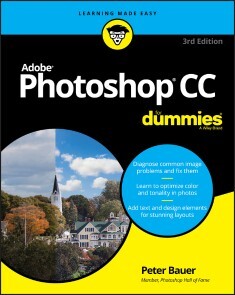
Adobe Photoshop CC For Dummies
GET PICTURE PERFECT WITH PHOTOSHOP CCPhotoshop is a stunning program that puts the power of a professional photography studio into your hands, but it can also be a jungle to navigate—with a dense proliferation of menus, panels, shortcuts, plug-ins, and add-ons to get thoroughly lost in. Written by a literal Photoshop Hall of Famer, the new edition of Photoshop CC For Dummies is your experienced guide to the technical terrain, slashing away the foliage for a clear picture of how to produce the perfectly framed and beautifully curated images you want.Beginning with an overview of the basic kit bag you need for your journey toward visual mastery, Peter Bauer—Photoshop instructor and an award-winning fine art photographer in his own right—shows you how to build your skills and enrich your creative palette with enhanced colors and tone, filters and layering, and even how undertake a foray into digital painting. Add in instructions on combining text with images and the how-tos of video and animation editing, and you have all the tools you need to carve out a one-person multimedia empire.* Master everything from the basics to professional insider tips* Combine, layer, tone, and paint your images* Explore the colorfully creative world of Photoshop filters* Fix common problemsYou'll find everything on the latest version of the software that you could dream of—and an improved shot at artistic success!PETER BAUER is a member of the Photoshop Hall of Fame and an award-winning fine-art photographer. The author of more than a dozen books on Adobe Photoshop, Adobe Illustrator, computer graphics, and photography, he is also the host of video-training titles at Lynda.com and a contributing writer for Photoshop User magazine. INTRODUCTION 1About This Book 1Conventions Used in This Book 2Icons Used in This Book 3How to Use This Book 3PART 1: GETTING STARTED WITH PHOTOSHOP CC 5CHAPTER 1: AN OVERVIEW OF PHOTOSHOP 7Exploring Adobe Photoshop 7What Photoshop is designed to do 8Other things you can do with Photoshop 9Viewing Photoshop’s Parts and Processes 10Reviewing basic computer operations 10Photoshop’s incredible selective Undo 12Installing Photoshop: Need to know 14CHAPTER 2: KNOWING JUST ENOUGH ABOUT DIGITAL IMAGES 17What Exactly is a Digital Image? 18The True Nature of Pixels 18How Many Pixels Can Dance on the Head of a Pin? 21Resolution revelations 21Resolving image resolution 22File Formats: Which Do You Need? 30Formats for digital photos 31Formats for web graphics 33Formats for commercial printing 34Formats for PowerPoint and Word 36CHAPTER 3: TAKING THE CHEF’S TOUR OF YOUR PHOTOSHOP KITCHEN 37Food for Thought: How Things Work 38Ordering from the menus 39Your platter full of panels 40The tools of your trade 42Get Cookin’ with Customization 44Clearing the table: Custom workspaces 44Spoons can’t chop: Creating tool presets 47Season to Taste: The Photoshop Settings 48Standing orders: Setting the Preferences 48Ensuring consistency: Color Settings 55When Good Programs Go Bad: Fixing Photoshop 57CHAPTER 4: FROM PICS TO PRINTS: PHOTOSHOP FOR BEGINNERS 59Bringing Images into Photoshop 59Downloading from your digital camera 60Scanning prints 61Keeping Your Images Organized 66Creating a folder structure 66Using Adobe Bridge 67Renaming image files easily 69Printing Your Images 71Cropping to a specific aspect ratio 71Remembering resolution 73Controlling color using File ➪ Print 74Considering color management solutions 75Printing alternatives 76Sharing Your Images 77Emailing and AirDropping your images 78Creating PDFs and websites 78PART 2: EASY ENHANCEMENTS FOR DIGITAL IMAGES 79CHAPTER 5: MAKING TONALITY AND COLOR LOOK NATURAL 81Adjusting Tonality to Make Your Images Pop 82Histograms Simplified 82Using Photoshop’s Auto Corrections 84Levels and Curves and You 85Level-headed you! 86Tonal corrections with the eyedroppers 89Adjusting your curves without dieting 90Grabbing Even More Control 92Using Shadows/Highlights 93Changing exposure after the fact 96Using Photoshop’s toning tools 96What is Color in Photoshop? 97Which color mode should you choose? 98Does a color model make a difference? 101Why should you worry about color depth? 102Making Color Adjustments in Photoshop 104Choosing color adjustment commands 106Manual corrections in individual channels 117The People Factor: Flesh Tone Formulas 118CHAPTER 6: THE ADOBE CAMERA RAW PLUG-IN 121Understanding the Raw Facts 121What’s the big deal about Raw? 123Working in Raw 124The Camera Raw Interface 126Camera Raw’s Tools and buttons 126The histogram 132The preview area 132Workflow Options and presets 133Making Adjustments in Camera Raw’s Edit Panel 134The Basic section 134The Curve section 137The Detail section 137The Color Mixer section 138The Color Grading section 138The Optics and Geometry sections 140The Effects section 141The Calibration section 141The Camera Raw Cancel, Done, and Open buttons 142CHAPTER 7: FINE-TUNING YOUR FIXES 143What is a Selection? 144Feathering and Anti-aliasing 146Making Your Selections with Tools 148Marquee selection tools 148Lasso selection tools 152The Object Selection tool 153The Quick Selection tool 153The Magic Wand tool 154Select and Mask 155Your Selection Commands 156The primary selection commands 157The Color Range command 158The Focus Area command 159The Select ➪ Subject command 160The Select ➪ Sky command 161Selection modification commands 161Transforming the shape of selections 161Edit in Quick Mask mode 163The mask-related selection commands 164Masks: Not Just for Halloween Anymore 164Saving and loading selections 165Editing an alpha channel 165Adding masks to layers and Smart Objects 167Masking with vector paths 167Adjustment Layers: Controlling Changes 168Adding an adjustment layer 168Limiting your adjustments 170CHAPTER 8: COMMON PROBLEMS AND THEIR CURES 173Making People Prettier 174Getting the red out digitally 174The digital fountain of youth 175Dieting digitally 176De-glaring glasses 179Whitening teeth 179Reducing Noise in Your Images 179Decreasing digital noise 180Eliminating luminance noise 181Fooling Around with Mother Nature 181Removing the unwanted from photos 181Eliminating the lean: Fixing perspective 185Rotating images precisely 187Adding a beautiful sky 188PART 3: CREATING “ART” IN PHOTOSHOP 189CHAPTER 9: COMBINING IMAGES 191Compositing Images: 1 + 1 = 1 192Understanding layers 192Why you should use Smart Objects 194Using the basic blending modes 195Opacity, transparency, and layer masks 198Creating clipping groups 199Making composited elements look natural 200Making Complex Selections 201Vanishing Point 204Creating Panoramas with Photomerge 208CHAPTER 10: PRECISION EDGES WITH VECTOR PATHS 211Pixels, Paths, and You 212Easy Vectors: Using Shapes 213Your basic shape tools 214The Custom Shape tool 216More custom shapes — free! 217Changing the appearance of the shape layer 219Simulating a multicolor shape layer 220Using Your Pen Tool to Create Paths 221Understanding paths 222Clicking and dragging your way down the path of knowledge 222A closer look at the Paths panel 226Customizing Any Path 229Adding, deleting, and moving anchor points 230Combining paths 232Tweaking type for a custom font 233CHAPTER 11: DRESSING UP IMAGES WITH LAYER STYLES 235What Are Layer Styles? 235Using the Styles Panel 237Creating Custom Layer Styles 239Exploring the Layer Style menu 239Exploring the Layer Style dialog box 241Layer effects basics 242Opacity, fill, and advanced blending 251Saving Your Layer Styles 254Adding styles to the Styles panel 254Preserving your layer styles 255CHAPTER 12: GIVING YOUR IMAGES A TEXT MESSAGE 257Making a Word Worth a Thousand Pixels 258A type tool for every season, or reason 260What are all those options? 262Taking control of your text with panels 266The panel menus — even more options 269Working with Styles 271Putting a picture in your text 272Creating Paragraphs with Type Containers 274Selecting alignment or justification 276Ready, BREAK! Hyphenating your text 277Shaping Up Your Language with Warp Text and Type on a Path 278Applying the predefined warps 278Customizing the course with paths 279CHAPTER 13: PAINTING IN PHOTOSHOP 283Discovering Photoshop’s Painting Tools 284Painting with the Brush tool 286Adding color with the Pencil tool 289Removing color with the Eraser tool 289Working with Panels and Selecting Colors 290An overview of options 290Creating and saving custom brush tips 293Picking a color 294Fine Art Painting with Specialty Brush Tips and the Mixer Brush 297Exploring erodible brush tips 297Introducing airbrush and watercolor tips 297Mixing things up with the Mixer Brush 298Filling, Stroking, Dumping, and Blending Colors 300Deleting and dumping to add color 300Using gradients 301CHAPTER 14: FILTERS: THE FUN SIDE OF PHOTOSHOP 305Smart Filters: Your Creative Insurance Policy 306The Filters You Really Need 307Sharpening to focus the eye 308Unsharp Mask 308Smart Sharpen 310Shake Reduction 311Blurring images and selections 312The other Blur filters 315Correcting for the vagaries of lenses 316Cleaning up with Reduce Noise 320Getting Creative and Artistic 321Photo to painting with the Oil Paint filter 321Working with the Filter Gallery 322Push, Pull, and Twist with Liquify 325What Are Neural Filters? 327The original Neural Filters 328Neural Filters in public beta testing 329Proposed Neural Filters 330Do I Need Those Other Filters? 330Adding drama with Lighting Effects 331Maximum and Minimum 331Bending and bubbling 332Creating clouds 332PART 4: POWER PHOTOSHOP 333CHAPTER 15: STREAMLINING YOUR WORK IN PHOTOSHOP 335Ready, Set, Action! 336Recording your own Actions 337Working with the Batch command 342Find It Fast with Discover 344Creating Contact Sheets and Presentations 344Creating a PDF presentation 345Collecting thumbnails in a contact sheet 347Scanning Multiple Photos in One Pass 349Sticking to the Script 350CHAPTER 16: WORKING WITH VIDEO AND ANIMATION 353Importing and Enhancing Video Clips 353Getting video into Photoshop 354Adjusting the length of video and audio clips 356Adding adjustment layers and painting on video layers 357Transitioning, titling, and adding special effects 358Transforming video layers 361Rendering and exporting video 361Creating Animations in Photoshop 362Building frame-based animations 362Creating frame content 363Tweening to create intermediary frames 365Specifying frame rate 366Optimizing and saving your animation 366PART 5: THE PART OF TENS 367CHAPTER 17: TEN SPECIALIZED FEATURES OF PHOTOSHOP CC 369Using Smart Object Stack Modes 370The Mean Stack Mode 372Working with 3D Artwork 372Creating 3D objects 373Adding 3D objects 373Rendering and saving 3D scenes 374Measuring, Counting, and Analyzing Pixels 374Measuring length, area, and more 374Calculating with Vanishing Point 376Counting crows or maybe avian flu 376Viewing Your DICOM Medical Records 377Ignoring MATLAB 378CHAPTER 18: TEN WAYS TO INTEGRATE YOUR IPAD 379Using Sidecar to Add an iPad to Your Screen 379Sidecar System Requirements 380Arranging Your iPad’s Screen 380Mirroring the Screens 381Maximizing the Screen Space 381Making Use of Photoshop on the iPad 382Using the Cloud with Photoshop on the iPad and Desktop 383Using Other Adobe iPad Apps 384Does the iPad Replace My Wacom Tablet? 384Setting Wacom Tablet Preferences for Touch Keys and Touch Ring 385CHAPTER 19: TEN THINGS TO KNOW ABOUT HDR 387Understanding HDR 387Capturing for Merge to HDR Pro 389Preparing Raw “Exposures” in Camera Raw 390Working with Merge to HDR Pro 391Saving 32-Bit HDR Images 394HDR Toning 394Painting and the Color Picker in 32-Bit 395Filters and Adjustments in 32-Bit 396Selections and Editing in 32-Bit 397Printing HDR Images 397Appendix: Photoshop CC’S Blending Modes 399Index 403
Einführung in SQL (3. Auflg.)
Daten erzeugen, bearbeiten und abfragen. Grundlagen und Schlüsseltechniken verstehen und mit vielen Beispielen vertiefen.SQL ist nach wie vor das Werkzeug der Wahl, um Daten in kürzester Zeit zu bearbeiten und das Beste aus ihnen herauszuholen. Alan Beaulieu vermittelt in »Einführung in SQL« die praxisrelevanten Grundlagen, um Datenbankanwendungen zu schreiben, administrative Aufgaben durchzuführen und Berichte zu erstellen.Jedes Kapitel präsentiert eine in sich geschlossene Lektion zu einem Schlüsselkonzept oder einer Schlüsseltechnik von SQL und nutzt hierfür zahlreiche Abbildungen und kommentierte Beispiele. Durch Übungen können Sie die erlernten Fähigkeiten nachhaltig vertiefen. Die Einführung wendet sich an alle, die im Unternehmen mit SQL arbeiten möchten, sie kann aber ebenso begleitend zu IT-Ausbildung und Studium eingesetzt werden.In der 3. Auflage (01/2021) finden Sie neue Kapitel zu analytischen Funktionen, zu Strategien für die Arbeit mit großen Datenbanken und zu SQL und großen Datenmengen.SQL-Kenntnisse sind ein Muss für die Interaktion mit Daten. Mit »Einführung in SQL« werden Sie schnell herausfinden, wie Sie die Möglichkeiten dieser Sprache in ihrem ganzen Umfang nutzen können.Eignen Sie sich zügig die SQL-Grundlagen und wichtige erweiterte Funktionen anVerwenden Sie SQL-Datenanweisungen zum Erzeugen, Bearbeiten und Abrufen von DatenErstellen Sie mit SQL-Schemaanweisungen Datenbankobjekte wie Tabellen, Indizes und ConstraintsLernen Sie, wie Datens.tze mit Abfragen interagieren; verstehen Sie die Bedeutung von UnterabfragenKonvertieren und bearbeiten Sie Daten mit den integrierten Funktionen von SQL und verwenden Sie in Datenanweisungen bedingte Logik

PowerShell - kurz & gut (5. Auflg.)
Der kompakte Schnellstart für PowerShell 7 und Windows PowerShell 5 Die PowerShell bietet einen einzigartigen Ansatz: Durch die Kombination von Objektorientierung und Pipelining ist diese vielgenutzte Skriptsprache äußerst einprägsam und leicht zu erlernen. In Version 7 ist die PowerShell zu einer plattformunabhängigen Lösung gereift – und ist längst mehr als nur ein Werkzeug der Windows-Administration. Kompakt und verständlich aufbereitet, finden Sie in diesem Buch alles, um effektiv mit der PowerShell zu arbeiten. Es eignet sich als Schnelleinstieg oder Wissens-Update für die PowerShell 7. Sie können es aber auch nutzen, um sich – unabhängig von der eingesetzten Version – intensiver mit zentralen Konzepten der PowerShell zu beschäftigen. Themen sind:Grundlagen und KonzepteObjektorientierung und PipeliningNeuerungen in der PowerShell 7Den Funktionsumfang der Shell erweiternVom Skript zum eigenen ModulSystemadministration: Active Directory, Azure und Co.Webservices und PowerShellRemote-Administration

Practical Rust Web Projects
Go beyond the basics of Rust and build web and serverless cloud applications. The applications explained in this practical book include web sites, RESTful APIs, a real-time web chat application, and frontend application with WebAssembly. Each chapter is organized in the following format: what this kind of application looks like; requirements for the example program; an introduction to the Rust libraries used; step-by-step implementation of the example program, including common pitfalls and best practices; and a brief comparison of libraries and frameworks in the same domain.This book will open your eyes to the world of practical web applications of Rust. After reading the book, you will be able to apply your Rust knowledge to build your own web projects.WHAT YOU WILL LEARN* Build dynamic websites with databases* Build RESTful APIs* Write a WebSocket server that can power a real-time chat app in Rust* Discover the benefits of serverless computing using Amazon Web Service's Rust support* Compile Rust to WebAssembly for high-performance frontend applicationsWHO THIS BOOK IS FORA reader with basic Rust knowledge, wishing to learn more about how to apply Rust in a real-world scenario. A developer who is evaluating the possibility to build their next project in Rust.Shing Lyu is a software engineer who is passionate about open source software. He's been working on Rust professionally at Mozilla, on the Firefox (Gecko) and Servo browser engine project. Currently, he is working at DAZN, a sports streaming platform as a backend developer, with a focus on AWS and serverless technology. Shing has worked for many world famous brands like Mozilla, Booking, and Intel. And, he is also active in the open source community. Being one of the founders of the Taiwan Rust community, he loves to share his enthusiasm for Rust with people.Chapter 1, IntroductionThis chapter gives a short introduction to why Rust is a solid tool for building all kinds of application, and a brief overview of the format and organization of the book.● Introduction● Why Rust?● Who should read this book?● Chapters overviewChapter 2, Developing websitesThis chapter will cover how to use popular web frameworks to build static and dynamic websites. We'll also touch how to build RESTful API and common requirements in web backend programming: database, authentication and authorization● What are we going to build? (A web version of the cat breed dictionary, first a static site and then server-side rendering )● Serving a static website● Generate dynamic content with templates● Fetching data from databases● Authentication and authorization● SummaryChapter 3, REST APIs● What are we going to build? (A web version of the cat breed dictionary, with a single-page app + REST API)● Defining the API with Open API specification● Building a static frontend with AJAX calls● Building a RESTful API● Serialize/Deserialize JSON● SummaryChapter 4, Chatting in realtime with WebSocketThis chapter will discuss how to build a WebSocket server that can power a real-time chat application in Rust● What are we going to build? (A chat app for cats in people can send all kinds of cat noises)● What is WebSocket● Enabling two way communication● Implementing the chat application● SummaryChapter 5, Going serverlessThis chapter will demonstrate the benefit of serverless computing using AWS's experimental Rust support.● What is serverless?● What are we going to build? (Serverless version of Chapter 4)● Pros and cons of serverless● Setting up an AWS account● Building a lambda function with Rust● Exposing the API Gateway● Cleaning it up● SummaryChapter 6, High performance web frontend using WebAssemblyThis chapter will talk about how to compile Rust to WebAssembly and make it work together with JavaScript in the web frontend● What is WebAssembly? (We'll implement the bottleneck of Book 1 Chapter 4 in WebAssembly to speed it up)● What are we going to build?● How to compile Rust to WebAssembly?● Exposing Rust function to JavaScript● Passing native data type between Rust and JavaScript● Manipulating DOM from Rust● SummaryChapter 7, Advanced topicsThis chapter will discuss other more advanced use of Rust. Each section will introduce one application, existing projects for that kind of application and their status. But we'll not go into the detail as the previous chapters.● Web scraping/Web crawling● Browser engine - Servo● Conclusion

MySQL Concurrency
Know how locks work in MySQL and how they relate to transactions. This book explains the major role that locks play in database systems, showing how locks are essential in allowing high-concurrency workloads. You will learn about lock access levels and lock granularities from the user level as well as table locks to record and gap locks. Most importantly, the book covers troubleshooting techniques when locking becomes a pain point.Several of the lock types in MySQL have a duration of a transaction. For this reason, it is important to understand how transactions work. This book covers the basics of transactions as well as transaction isolation levels and how they affect locking. The book is meant to be your go-to resource for solving locking contention and similar problems in high-performance MySQL database applications.Detecting locking issues when they occur is the first key to resolving such issues. MySQL Concurrency provides techniques for detecting locking issues such as contention. The book shows how to analyze locks that are causing contention to see why those locks are in place. A collection of six comprehensive case studies combine locking and transactional theory with realistic lock conflicts. The case studies walk you through the symptoms to look for in order to identify which issue you are facing, the cause of the conflict, its analysis, solution, and how to prevent the issue in the future.WHAT YOU WILL LEARN* Understand which lock types exist in MySQL and how they are used* Choose the best transaction isolation level for a given transaction* Detect and analyze lock contention when it occurs* Reduce locking issues in your applications* Resolve deadlocks between transactions* Resolve InnoDB record-level locking issues* Resolve issues from metadata and schema locksWHO THIS BOOK IS FORDatabase administrators and SQL developers who are familiar with MySQL and want to gain a better understanding of locking and transactions as well as how to work with them. While some experience with MySQL is required, no prior knowledge of locks and transactions is needed.JESPER WISBORG KROGH has worked with MySQL databases since 2006 both as a SQL developer and a database administrator, and for more than eight years as part of the Oracle MySQL Support team. He currently works as a database reliability engineer for Okta. He has spoken at MySQL Connect and Oracle OpenWorld on several occasions. In addition to his books, Jesper regularly blogs on MySQL topics and has authored approximately 800 documents in the Oracle Knowledge Base. He has contributed to the sys schema and four Oracle Certified Professional (OCP) exams for MySQL 5.6–8. Jesper holds a PhD in computational chemistry, lives in Sydney, Australia, and enjoys spending time outdoors walking, traveling, and reading. His areas of expertise include MySQL Cluster, MySQL Enterprise Backup (MEB), performance tuning, and the performance and sys schemas. 1. Introduction2. Monitoring Locks and Mutexes3. Monitoring InnoDB Transactions4. Transactions in the Performance Schema5. Lock Access Levels6. High-Level Lock Types7. InnoDB Locks8. Working with Lock Conflicts9. Reducing Locking Issues10. Indexes and Foreign Keys11. Transactions12. Transaction Isolation Levels13. Case Study: Flush Locks14. Case Study: Metadata and Schema Locks15. Case Study: Record-Level Locks16. Case Study: Deadlocks17. Case Study: Foreign Keys18. Case Study: SemaphoresAppendix A. ReferencesAppendix B. MySQL Shell Module