

Computer und IT

Practical Machine Learning in JavaScript
Build machine learning web applications without having to learn a new language. This book will help you develop basic knowledge of machine learning concepts and applications.You’ll learn not only theory, but also dive into code samples and example projects with TensorFlow.js. Using these skills and your knowledge as a web developer, you’ll add a whole new field of development to your tool set. This will give you a more concrete understanding of the possibilities offered by machine learning. Discover how ML will impact the future of not just programming in general, but web development specifically.Machine learning is currently one of the most exciting technology fields with the potential to impact industries from health to home automation to retail, and even art. Google has now introduced TensorFlow.js—an iteration of TensorFlow aimed directly at web developers. Practical Machine Learning in JavaScript will help you stay relevant in the tech industry with new tools, trends, and best practices.WHAT YOU'LL LEARN* Use the JavaScript framework for ML* Build machine learning applications for the web* Develop dynamic and intelligent web contentWHO THIS BOOK IS FORWeb developers and who want a hands-on introduction to machine learning in JavaScript. A working knowledge of the JavaScript language is recommended.CHARLIE GERARD is a Senior front-end developer at Netlify, a Google Developer Expert in Web Technologies, and a Mozilla Tech Speaker. She is passionate about exploring the possibilities of the web and spends her personal time building interactive prototypes using hardware, creative coding, and machine learning. She has been diving into ML in JavaScript for over a year and built a variety of projects. She’s excited to share what she’s learned and help more developers get started.Chapter 1: Introduction to Machine Learning• Definition• Explanation of concepts• Algorithms• Examples of impactChapter 2: Basics of Tensorflow.js• What is Tensorflow.js?• FeaturesChapter 3: Building an Image Classifier• Using a pre-trained model• Creating a custom model• Saving and loading a modelChapter 4: Building a Sentiment Analysis System• Train a model with text data• Create text-based ML applicationsChapter 5: Experimenting with Inputs• Using ML with electronics data• Using audio dataChapter 6: Deploying ModelsChapter7: Ethics in AI

Building Native Web Components
Start developing single-page applications (SPAs) with modern architecture. This book shows you how to create, design, and publish native web components, ultimately allowing you to piece together those elements in a modern JavaScript framework.Building Native Web Components dives right in and gets you started building your first web component. You’ll be introduced to native web component design systems and frameworks and discuss component-driven development to understand its importance in large-scale companies. You’ll then move on to building web components using templates and APIs, and custom event lifecycles. Techniques and best practices for moving data, customizing, and distributing components are also covered. Throughout, you’ll develop a foundation to start using Polymer, Vue.js, and Firebase in your day-to-day work.Confidently apply modern patterns and develop workflows to build agnostic software pieces that can be reused in SPAs. Building Native Web Components is your guide to developing small and autonomous web components that are focused, independent, reusable, testable, and works with all JavaScript frameworks, modern browsers, and libraries.WHAT YOU WILL LEARN* Incorporate component-driven development (CDD) and design systems into your workflow* Build apps with reusable UI components that are agnostic to JavaScript frameworks* Utilize Polymer and Vue.js in your day-to-day work* Publish your UI components in npm (Node Package Manager)WHO THIS BOOK IS FORThe book is intended for Intermediate–Advanced level readers interested in single-page applications (SPAs), as well as Polymer, Vue.js, and Firebase.CARLOS ROJAS is an engineer with over 10 years of experience building digital products. He is focused on front-end technologies (HTML, CSS, JS, Angular, React, Polymer, and Vue.js) and edge web technologies such as web components, WebXR and Progressive Web Apps. He also has experience working with Fortune 500 companies and fast-changing business environments such as startups.He enjoys sharing knowledge with talks in meetups, videos on YouTube, other books published by Apress, and his personal blog https://medium.com/@carlosrojas_o, helping startups and companies to run workflows to make excellent digital products. As such, his books aim to convey the love he has for the construction of scalable, high-quality products.CHAPTER 1: WEB COMPONENTSChapter Goal: Understand the history of the web components as well as the concept and its core technologies.Sub-Topics* What is a web component?* History of the component* Browser support for web components* Core technologies* Custom elements* SummaryCHAPTER 2: MAKING YOUR FIRST WEB COMPONENTChapter Goal: We are going to build a simple component learning some critical concepts along the way.Sub-Topics* Getting started* CDD* Micro frameworks* Design systems* Development* SummaryCHAPTER 3: HTML TEMPLATEChapter Goal: We will Cover the template features provided by web component API and build a simple dropdown component using these APIs. The template API provides many low-level features needed to create UI componentsSub-Topics* Introducing HTML templates* Creating and using templates* Content slot API* Named slots* Creating a web component* SummaryCHAPTER 4: COMMUNICATIONChapter Goal: With web Components, we typically pass data into components by setting properties or attributes. Learn techniques and best practices when moving data to components.Sub-Topics:* Introducing communication between components * Component properties* Component events* Communicating a web component * Component custom attributes* SummaryCHAPTER 5: COMPONENT LIFECYCLEChapter Goal: We will cover the custom element lifecycleSub-Topics:* Introducing web components lifecycle* JavaScript class constructor and connect callback* Disconnected callback* Attribute changed callback* Adopted callback* SummaryCHAPTER 6: CUSTOMIZING COMPONENT WITH SHADOW DOMChapter Goal: In this chapter, we are going to cover how to style Web Components.Sub-Topics:* Introducing shadow DOM* Global styles* CSS encapsulation* CSS custom properties* Dynamic CSS custom properties* Theming Web Components* Summary CHAPTER 7: COMPONENT HIERARCHY AND ARCHITECTUREChapter Goal: We will learn how components can communicate with each other and where the web platform falls a bit short in aiding application architecture.Sub-Topics:* Component Data Flow* Note List* Note Detail* SummaryCHAPTER 8: DISTRIBUTING WEB COMPONENTChapter Goal: We are going to distribute web components with cross-browser support.Sub-Topics:* Publishing with npm* Polyfills* Browser Support* Installing Webpack and Babel* Webpack* SummaryCHAPTER 9: POLYMERChapter Goal: We are going to use this amazing library to introduce flexibility in our web componentsSub-Topics:* Getting started* Foundations* Building with Polymer* SummaryCHAPTER 10: BUILDING AN APP WITH WEB COMPONENTS AND VUE.JSChapter Goal: We will learn some concepts of Vue.js to use all our new skills to build from scratch a complete AppSub-Topics:* Vue.js concepts* Implementation* NoteBook data service* NoteBook routing* Notebook HTTP communication* SummaryChapter 11: PublishingChapter Goal: We are going to publish our App in the webSub-Topics:* Adding Firebase authentication * Preparing for production* Sending to Firebase hosting* Adding a domain name* Summary

Konfliktmanagement für Sicherheitsprofis
Ob Datenschützer oder IT-Sicherheitsbeauftragte – Sicherheitsprofis müssen häufig schlechte Nachrichten überbringen oder unpopuläre Maßnahmen durchsetzen. Um nicht in der „Buhmann-Falle“ zu landen, sind starke kommunikative Fähigkeiten gefragt. Der Autor stellt typische Kommunikationssituationen dar und zeigt auf, mit welchen Mitteln Entscheidungsträger und Mitarbeiter für Security-Themen gewonnen werden können. Ein eigener Abschnitt ist der Frage gewidmet, wie man bestehende Konflikte und Krisen übersteht und gestärkt aus ihnen hervorgeht. SEBASTIAN KLIPPER ist Geschäftsführer und Gründer des Security-Dienstleisters CycleSEC und ist seit 2002 auf Informations- und IT-Sicherheit spezialisiert. Neben seiner Tätigkeit als Managing Security Consultant ist er Fachbuchautor und Autor von Studienmaterialien für die Wilhelm Büchner Hochschule in Darmstadt. Seit 2015 ist er Mitglied im Normungsgremium für die ISO/IEC 27000 Normenreihe beim Deutschen Institut für Normung (DIN). Er hält mehrere Zertifizierungenim Bereich der Informations- und IT-Sicherheit, darunter T.I.S.P. Teletrust Information SecurityProfessional, PECB Certified ISO/IEC 27001 Master und Certified IT-Security Manager. Willkommen auf der Security-Bühne – Arten von Security-Konflikten – Konfliktprävention – Sicherheits-„Hebel“ – Konflikte in Projekten – Krisenbewältigung – Leitsätze zum Konfliktmanagement

Getting Structured Data from the Internet
Utilize web scraping at scale to quickly get unlimited amounts of free data available on the web into a structured format. This book teaches you to use Python scripts to crawl through websites at scale and scrape data from HTML and JavaScript-enabled pages and convert it into structured data formats such as CSV, Excel, JSON, or load it into a SQL database of your choice.This book goes beyond the basics of web scraping and covers advanced topics such as natural language processing (NLP) and text analytics to extract names of people, places, email addresses, contact details, etc., from a page at production scale using distributed big data techniques on an Amazon Web Services (AWS)-based cloud infrastructure. It book covers developing a robust data processing and ingestion pipeline on the Common Crawl corpus, containing petabytes of data publicly available and a web crawl data set available on AWS's registry of open data.GETTING STRUCTURED DATA FROM THE INTERNET also includes a step-by-step tutorial on deploying your own crawlers using a production web scraping framework (such as Scrapy) and dealing with real-world issues (such as breaking Captcha, proxy IP rotation, and more). Code used in the book is provided to help you understand the concepts in practice and write your own web crawler to power your business ideas.WHAT YOU WILL LEARN* Understand web scraping, its applications/uses, and how to avoid web scraping by hitting publicly available rest API endpoints to directly get data* Develop a web scraper and crawler from scratch using lxml and BeautifulSoup library, and learn about scraping from JavaScript-enabled pages using Selenium* Use AWS-based cloud computing with EC2, S3, Athena, SQS, and SNS to analyze, extract, and store useful insights from crawled pages* Use SQL language on PostgreSQL running on Amazon Relational Database Service (RDS) and SQLite using SQLalchemy* Review sci-kit learn, Gensim, and spaCy to perform NLP tasks on scraped web pages such as name entity recognition, topic clustering (Kmeans, Agglomerative Clustering), topic modeling (LDA, NMF, LSI), topic classification (naive Bayes, Gradient Boosting Classifier) and text similarity (cosine distance-based nearest neighbors)* Handle web archival file formats and explore Common Crawl open data on AWS* Illustrate practical applications for web crawl data by building a similar website tool and a technology profiler similar to builtwith.com* Write scripts to create a backlinks database on a web scale similar to Ahrefs.com, Moz.com, Majestic.com, etc., for search engine optimization (SEO), competitor research, and determining website domain authority and ranking* Use web crawl data to build a news sentiment analysis system or alternative financial analysis covering stock market trading signals* Write a production-ready crawler in Python using Scrapy framework and deal with practical workarounds for Captchas, IP rotation, and moreWHO THIS BOOK IS FORPrimary audience: data analysts and scientists with little to no exposure to real-world data processing challenges, secondary: experienced software developers doing web-heavy data processing who need a primer, tertiary: business owners and startup founders who need to know more about implementation to better direct their technical teamJAY M. PATEL is a software developer with over 10 years of experience in data mining, web crawling/scraping, machine learning, and natural language processing (NLP) projects. He is a co-founder and principal data scientist of Specrom Analytics, providing content, email, social marketing, and social listening products and services using web crawling/scraping and advanced text mining.Jay worked at the US Environmental Protection Agency (EPA) for five years where he designed workflows to crawl and extract useful insights from hundreds of thousands of documents that were parts of regulatory filings from companies. He also led one of the first research teams within the agency to use Apache Spark-based workflows for chem and bioinformatics applications such as chemical similarities and quantitative structure activity relationships. He developed recurrent neural networks and more advanced LSTM models in Tensorflow for chemical SMILES generation.Jay graduated with a bachelor's degree in engineering from the Institute of Chemical Technology, University of Mumbai, India and a master of science degree from the University of Georgia, USA. Jay serves as an editor of a publication titled Web Data Extraction and also blogs about personal projects, open source packages, and experiences as a startup founder on his personal site, jaympatel.com.

Practical Git
Practice your Git skills using exercises in your own environment. This book introduces concepts in an abstract visual way, and then enforces this learning through exercises - the Git katas.You will start with basic interactions such as commits and branches, and move on to both internals and collaborative workflows. Best practices are introduced and rehearsed throughout with hands-on exercises. Each topic is supplemented with interactive Git exercises that can be solved using any Git client – either the ubiquituous CLI or one of the many graphical clients so you'll learn in the environment you work in.The importance of Git is hard to overstate – it is used by 90% of software engineers worldwide and is the de facto standard for version control. Honing your Git skills is guaranteed to make you a better and more efficient developer. Building software can be stressful, but it doesn’t need to be. Practical Git will give you the Git skills you need, and help keep your Git skills sharp. Add it to your library today.WHAT YOU'LL LEARN* Use Git through scripted exercises and the Git katas * Understand Git’s graph model* Troubleshoot common and rare scenarios you may face* Select and apply the right Git tool for the task* Maintain and collaborate on Git repositories* Tweak Git to gain the most from this powerful toolWHO THIS BOOK IS FORAnyone who is currently using Git in a copy-paste fashion. It will take you from using Git to knowing Git.JOHAN ABILDSKOV works as a DevOps Transformation Lead at Eficode in Denmark. He spends his time consulting on DevOps tooling and culture. Git has a special place in his heart. He teaches Git, talks about Git, and maintains the Git katas (https://github.com/eficode-academy/git-katas). He is a huge geek and a teacher at heart. He has spoken at multiple DevOpsDays, and at Git Merge several times. He was on the All Things Git podcast with Ed Thomson, talking about teaching Git. He is active in meetup groups and in the DevOpsDays community, as well as speaking at both external and internal events at companies. You can find him on Twitter @RandomSort.1. Git intuition2. Building Commits3. Linear History4. Complex Branching5. Collaboration6. Manipulating History7. Customizing Git8. Additional Git Features9. Git Internals

SQL Server 2019 AlwaysOn
Get a fast start to using AlwaysOn, the SQL Server solution to high-availability and disaster recovery. This third edition is newly-updated to cover the 2019 editions of both SQL Server and Windows Server and includes strong coverage of implementing AlwaysOn Availability Groups on both Windows and Linux operating systems. The book provides a solid and accurate understanding of how to implement systems requiring consistent and continuous uptime, as well as how to troubleshoot those systems in order to keep them running and reliable. This edition is updated to account for all new major functionality and also includes coverage of implementing atypical configurations, such as clusterless and domain-independent Availability Groups, distributed Availability Groups, and implementing Availability Groups on Azure.The book begins with an introduction to high-availability and disaster recovery concepts such as Recovery Point Objectives (RPOs), Recovery Time Objectives (RTOs), availability levels, and the cost of downtime. You’ll then move into detailed coverage of implementing and configuring the AlwaysOn feature set in order to meet the business objectives set by your organization. Content includes coverage on implementing clusters, building AlwaysOn failover clustered instances, and configuring AlwaysOn Availability Groups.SQL SERVER 2019 ALWAYSONis chock full of real-world advice on how to build and configure the most appropriate topology to meet the high-availability and disaster recovery requirements you are faced with, as well as how to use AlwaysOn Availability Groups to scale-out read-only workloads. This is a practical and hands-on book to get you started quickly in using one of the most talked-about SQL Server feature sets.WHAT YOU WILL LEARN* Understand high availability and disaster recovery in SQL Server 2019* Build and configure a Windows Cluster in Windows Server 2019* Create and configure an AlwaysOn failover clustered instance* Implement AlwaysOn Availability Groups and appropriately configure them* Implement AlwaysOn Availability Groups on Linux servers* Configure Availability Groups on Azure IaaS* Administer AlwaysOn technologies post implementation* Understand typical configurations, such as clusterless and distributed Availability GroupsWHO THIS BOOK IS FORFor Microsoft SQL Server database administrators who interested in growing their knowledge and skills in SQL Server’s high-availability and disaster recovery feature set.PETER A. CARTER is a SQL Server expert with over a decade of experience in developing, administering, and architecting SQL Server platforms and data-tier applications. Peter was awarded an MCC by Microsoft in 2011, and it sits alongside his array of MCTS, MCITP, MCSA and MCSE certifications in SQL Server from version 2005 onward. His passion for SQL Server shows through in everything he does, and his goal is that his passion for the technology will inspire others.1. High Availability and Disaster Recovery Concepts2. Understanding High Availability and Disaster Recovery Technologies3. Implementing A Cluster4. Implementing an AlwaysOn Failover Clustered Instance5. Implementing AlwaysOn Availability Groups on Windows6. Implementing AlwaysOn Availability Groups on Linux7. Atypical Availability Group Implementations8. Administering AlwaysOn9. Monitoring AlwaysOn Availability Groups10. Troubleshooting AlwaysOn

QuickBooks 2021 All-in-One For Dummies
DO THE NUMBERS IN DOUBLE-QUICK TIME WITH THIS TRUSTED QUICKBOOKS BESTSELLER!Running your own business can be cool, but some of the financial side—accounting and payroll, for instance—is not always so cool! That's why millions of small business owners around the world bank on QuickBooks to easily manage accounting and financial tasks and save big-time on shelling out for an expensive professional. QuickBooks 2021 All-in-One For Dummies contains eight information-rich mini-books that account for all your financial line-item asks, showing you step-by-step how to plan your perfect budget, simplify tax returns, manage inventory, create invoices, track costs, generate reports, and accurately check off every other accounting and financial-management task that comes across your desk!* Get the most out of QuickBooks 2021* Sharpen up on the basics with an accounting primer* Craft a world-class business plan* Process taxes and payroll in double-quick timeWritten by expert CPA and small business advisor Stephen L. Nelson, QuickBooks All-in-One 2021 For Dummies is the best-selling blue-chip go-to that will save you time and money—and will allow you to enjoy the fruits of your labors!STEPHEN L. NELSON, MBA, CPA, holds an MS in Taxation and provides accounting, business advisory, and tax planning and preparation services to small businesses as a CPA. He has written more than 100 books on computers and financial management.INTRODUCTION 1About This Book 1Foolish Assumptions 2Icons Used in This Book 3Beyond the Book 4Where to Go from Here 4BOOK 1: AN ACCOUNTING PRIMER 7CHAPTER 1: PRINCIPLES OF ACCOUNTING 9The Purpose of Accounting 10The big picture 10Managers, investors, and entrepreneurs 10External creditors 11Government agencies 11Business form generation 12Reviewing the Common Financial Statements 12The income statement 13Balance sheet 16Statement of cash flows 19Other accounting statements 22Putting it all together 23The Philosophy of Accounting 25Revenue principle 25Expense principle 26Matching principle 26Cost principle 26Objectivity principle 27Continuity assumption 27Unit-of-measure assumption 27Separate-entity assumption 28A Few Words about Tax Accounting 28CHAPTER 2: DOUBLE-ENTRY BOOKKEEPING 29The Fiddle-Faddle Method of Accounting 30How Double-Entry Bookkeeping Works 33The accounting model 33Talking mechanics 35Almost a Real-Life Example 38Recording rent expense 39Recording wages expense 39Recording supplies expense 40Recording sales revenue 40Recording cost of goods sold 41Recording the payoff of accounts payable 41Recording the payoff of a loan 42Calculating account balance 42Using T-account analysis results 44A Few Words about How QuickBooks Works 46CHAPTER 3: SPECIAL ACCOUNTING PROBLEMS 49Working with Accounts Receivable 50Recording a sale 50Recording a payment 50Estimating bad-debt expense 51Removing uncollectible accounts receivable 52Recording Accounts Payable Transactions 53Recording a bill 54Paying a bill 54Taking some other accounts payable pointers 55Inventory Accounting 56Dealing with obsolete inventory 56Disposing of obsolete inventory 57Dealing with inventory shrinkage 58Accounting for Fixed Assets 60Purchasing a fixed asset 60Dealing with depreciation 60Disposing of a fixed asset 61Recognizing Liabilities 63Borrowing money 64Making a loan payment 64Accruing liabilities 65Closing Out Revenue and Expense Accounts 68The traditional close 68The QuickBooks close 70One More Thing 71BOOK 2: GETTING READY TO USE QUICKBOOKS 73CHAPTER 1: SETTING UP QUICKBOOKS 75Planning Your New QuickBooks System 75What accounting does 75What accounting systems do 76What QuickBooks does 76And now for the bad news 77Installing QuickBooks 78Dealing with the Presetup Jitters 79Preparing for setup 79Seeing what happens during setup 80Running the QuickBooks Setup Wizard 81Getting the big welcome 81Supplying company information 82Customizing QuickBooks 83Setting your start date 84Reviewing the suggested chart of accounts 86Adding your information to the company file 87Identifying the Starting Trial Balance 89A simple example to start 89A real-life example to finish 91CHAPTER 2: LOADING THE MASTER FILE LISTS 93Setting Up the Chart of Accounts List 94Setting Up the Item List 98Working with the Price Level List 99Using Sales Tax Codes 99Setting Up a Payroll Item List 100Setting Up Classes 101Setting Up a Customer List 103Setting Up the Vendor List 107Setting Up a Fixed Assets List 110Setting Up a Price Level List 112Setting Up a Billing Rate Level List 112Setting Up Your Employees 113Setting Up an Other Names List 113Setting Up the Profile Lists 113CHAPTER 3: FINE-TUNING QUICKBOOKS 115Accessing the Preferences Settings 116Setting the Accounting Preferences 117Using account numbers 118Setting general accounting options 119Setting the Bills Preferences 121Setting the Calendar Preferences 121Setting the Checking Preferences 121Changing the Desktop View 123Setting Finance Charge Calculation Rules 125Setting General Preferences 126Controlling Integrated Applications 128Controlling Inventory 129Controlling How Jobs and Estimates Work 130Dealing with Multiple Currencies 131Starting Integrated Payment Processing 132Controlling How Payroll Works 132Telling QuickBooks How Reminders Should Work 134Specifying Reports & Graphs Preferences 135Setting Sales & Customers Preferences 138Specifying How Sales Are Taxed 140Setting the Search Preferences 141Setting the Send Forms Preferences 141Fine-Tuning the Service Connection 142Controlling Spell Checking 143Controlling How 1099 Tax Reporting Works 144Setting Time & Expenses Preferences 145BOOK 3: BOOKKEEPING CHORES 147CHAPTER 1: INVOICING CUSTOMERS 149Choosing an Invoice Form 149Customizing an Invoice Form 150Choosing a template to customize 150Reviewing the Additional Customization options 150Moving on to Basic Customization 155Working with the Layout Designer tool 157Working with the web-based Forms Customization tool 160Invoicing a Customer 160Billing for Time 166Using a weekly time sheet 166Timing single activities 167Including billable time on an invoice 168Printing Invoices 170Emailing Invoices 171Recording Sales Receipts 172Recording Credit Memos 174Receiving Customer Payments 176Assessing Finance Charges 179Setting up finance-charge rules 179Calculating finance charges 180Using Odds and Ends on the Customers Menu 181CHAPTER 2: PAYING VENDORS 183Creating a Purchase Order 183Creating a real purchase order 184Using some purchase order tips and tricks 187Recording the Receipt of Items 187Simultaneously Recording the Receipt and the Bill 191Entering a Bill 192If you haven’t previously recorded an item receipt 192If you have previously recorded an item receipt 194Paying Bills 196Reviewing the Other Vendor Menu Commands 199Vendor Center 199Sales Tax menu commands 200Inventory Activities menu commands 201Print/E-file 1099s 201Item List 202CHAPTER 3: TRACKING INVENTORY AND ITEMS 203Looking at Your Item List 204Using the Item Code column 204Using the Item List window 205Using inventory reports 206Adding Items to the Item List 206Adding an item: Basic steps 207Adding a service item 208Adding an inventory part 209Adding a noninventory part 211Adding an other-charge item 212Adding a subtotal item 213Adding a group item 214Adding a discount item 215Adding a payment item 216Adding a sales tax item 217Setting up a sales tax group 217Adding custom fields to items 218Editing Items 220Adjusting physical counts and inventory values 220Adjusting prices and price levels 223Using the Change Item Prices command 223Using price levels 224Enabling advanced pricing 226Managing Inventory in a Manufacturing Firm 227Handling manufactured inventory the simple way 227Performing inventory accounting in QuickBooks 228Managing multiple inventory locations 231CHAPTER 4: MANAGING CASH AND BANK ACCOUNTS 233Writing Checks 234Recording and printing a check 234Customizing the check form 239Making Bank Deposits 241Transferring Money between Bank Accounts 244Working with the Register 245Recording register transactions 246Using Register window commands and buttons 249Using Edit Menu Commands 252Reconciling the Bank Account 256Reviewing the Other Banking Commands 260Order Checks & Envelopes command 260Enter Credit Card Charges command 260Bank Feeds command 261Loan Manager command 262Other Names list 262CHAPTER 5: PAYING EMPLOYEES 263Setting Up Basic Payroll 264Signing up for a payroll service 265Setting up employees 265Setting up year-to-date amounts 269Checking your payroll setup data 270Scheduling Payroll Runs 270Paying Employees 270Editing and Voiding Paychecks 272Paying Payroll Liabilities 273BOOK 4: ACCOUNTING CHORES 275CHAPTER 1: FOR ACCOUNTANTS ONLY 277Working with QuickBooks Journal Entries 277Recording a journal entry 278Reversing a journal entry 279Editing journal entries 280Updating Company Information 280Working with Memorized Transactions 280Reviewing the Accountant & Taxes Reports 281Creating an Accountant’s Copy of the QuickBooks Data File 283Using an accountant’s copy 288Reusing an accountant’s copy 288Exporting client changes 288Importing accountant’s changes 289Canceling accountant’s changes 290Troubleshooting accountant’s copy transfers 291Using the Client Data Review Commands 291CHAPTER 2: PREPARING FINANCIAL STATEMENTS AND REPORTS 293Some Wise Words Up Front 293Producing a Report 294Working with the Report Window 295Working with Report window buttons 295Using the Report window boxes 302Modifying a Report 304Using the Display tab 304Using the Filters tab 306Using the Header/Footer tab 308Formatting fonts and numbers 309Processing Multiple Reports 311A Few Words about Document Retention 312CHAPTER 3: PREPARING A BUDGET 315Reviewing Common Budgeting Tactics 315Top-line budgeting 316Zero-based budgeting 316Benchmarking 317Putting it all together 318Taking a Practical Approach to Budgeting 319Using the Set Up Budgets Window 319Creating a new budget 319Working with an existing budget 321Managing with a Budget 323Some Wrap-Up Comments on Budgeting 325CHAPTER 4: USING ACTIVITY-BASED COSTING 327Reviewing Traditional Overhead Allocation 328Understanding How ABC Works 330The ABC product-line income statement 330ABC in a small firm 334Implementing a Simple ABC System 335Seeing How QuickBooks Supports ABC 337Turning On Class Tracking 337Using Classes for ABC 338Setting up your classes 338Classifying revenue amounts 339Classifying expense amounts 339After-the-fact classifications 341Producing ABC reports 342CHAPTER 5: SETTING UP PROJECT AND JOB COSTING SYSTEMS 343Setting Up a QuickBooks Job 343Tracking Job or Project Costs 346Job Cost Reporting 350Using Job Estimates 350Progress Billing 352BOOK 5: FINANCIAL MANAGEMENT 355CHAPTER 1: RATIO ANALYSIS 357Some Caveats about Ratio Analysis 358Liquidity Ratios 359Current ratio 359Acid-test ratio 360Leverage Ratios 361Debt ratio 361Debt equity ratio 362Times interest earned ratio 363Fixed-charges coverage ratio 364Activity Ratios 365Inventory turnover ratio 366Days of inventory ratio 367Average collection period ratio 367Fixed-asset turnover ratio 368Total-assets turnover ratio 369Profitability Ratios 369Gross margin percentage 370Operating income/sales 370Profit margin percentage 371Return on assets 371Return on equity 372CHAPTER 2: ECONOMIC VALUE ADDED ANALYSIS 375Introducing the Logic of EVA 375Seeing EVA in Action 376An example of EVA 378Another example of EVA 378Reviewing Some Important Points about EVA 379Using EVA When Your Business Has Debt 381The first example of the modified EVA formula 381Another EVA with debt example 383Presenting Two Final Pointers 385And Now, a Word to My Critics 386CHAPTER 3: CAPITAL BUDGETING IN A NUTSHELL 389Introducing the Theory of Capital Budgeting 389The big thing is the return 390One little thing is maturity 390Another little thing is risk 391The bottom line 391Calculating the Rate of Return on Capital 392Calculating the investment amount 393Estimating the net cash flows 393Calculating the return 397Measuring Liquidity 402Thinking about Risk 402What Does All of This Have to Do with QuickBooks? 404BOOK 6: BUSINESS PLANS 405CHAPTER 1: PROFIT-VOLUME-COST ANALYSIS 407Seeing How Profit-Volume-Cost Analysis Works 408Calculating Break-Even Points 410Using Real QuickBooks Data for Profit-Volume-Cost Analysis 412Sales revenue 412Gross margin percentage 412Fixed costs 414Recognizing the Downside of the Profit-Volume-Cost Model 414Using the Profit-Volume-Cost Analysis Workbook 416Collecting your inputs 416Understanding the Break-Even Analysis Forecast 419Understanding the Profit-Volume Forecast 421Looking at the profit-volume-cost charts 422CHAPTER 2: CREATING A BUSINESS PLAN FORECAST 427Reviewing Financial Statements and Ratios 428Using the Business Plan Workbook 429Understanding the Workbook Calculations 436Forecasting inputs 437Balance Sheet 437Common Size Balance Sheet 445Income Statement 446Common Size Income Statement 450Cash Flow Statement 451Financial Ratios Table 457Customizing the Starter Workbook 463Changing the number of periods 463Performing ratio analysis on existing financial statements 463Calculating taxes for a current net loss before taxes 464Combining this workbook with other workbooks 464CHAPTER 3: WRITING A BUSINESS PLAN 465What the Term “Business Plan” Means 465A Few Words about Strategic Plans 466Cost strategies 466Differentiated products and services strategies 467Focus strategies 467Look, Ma: No Strategy 468Two comments about tactics 469Six final strategy pointers 469A White-Paper Business Plan 470A New-Venture Plan 473Is the new venture’s product or service feasible? 473Does the market want the product or service? 474Can the product or service be profitably sold? 475Is the return on the venture adequate for prospective investors? 475Can existing management run the business? 476Some final thoughts 477BOOK 7: CARE AND MAINTENANCE 479CHAPTER 1: ADMINISTERING QUICKBOOKS 481Keeping Your Data Confidential 481Using Windows security 482Using QuickBooks security 482Using QuickBooks in a Multiuser Environment 483Setting up additional QuickBooks users 484Changing user rights in Enterprise Solutions 490Changing user rights in QuickBooks Pro and Premier 491Using Audit Trails 493Enabling Simultaneous Multiuser Access 494Maintaining Good Accounting Controls 495CHAPTER 2: PROTECTING YOUR DATA 499Backing Up the QuickBooks Data File 499Backing-up basics 500What about online backup? 503Some backup tactics 504Restoring a QuickBooks Data File 505Condensing the QuickBooks Company Files 509Cleanup basics 510Some cleanup and archiving strategies 515CHAPTER 3: TROUBLESHOOTING 517Using the QuickBooks Help File and This Book 517Browsing Intuit’s Product-Support Website 519Checking Another Vendor’s Product-Support Website 521Tapping into Intuit’s Online and Expert Communities 521When All Else Fails 522BOOK 8: APPENDIXES 523APPENDIX A: A CRASH COURSE IN EXCEL 525Starting Excel 525Stopping Excel 526Explaining Excel’s Workbooks 526Putting Text, Numbers, and Formulas in Cells 527Writing Formulas 528Scrolling through Big Workbooks 529Copying and Cutting Cell Contents 530Copying cell contents 530Moving cell contents 531Moving and copying formulas 531Formatting Cell Contents 532Recognizing That Functions Are Simply Formulas 534Saving and Opening Workbooks 537Saving a workbook 537Opening a workbook 538Printing Excel Workbooks 539One Other Thing to Know 540APPENDIX B: GOVERNMENT WEB RESOURCES FOR BUSINESSES 541Bureau of Economic Analysis 541Finding information at the BEA website 542Downloading a BEA publication 542Uncompressing a BEA publication 543Using a BEA publication 544Bureau of Labor Statistics 544Finding information at the BLS website 545Using BLS information 545Census Bureau 548Finding information at the Census Bureau website 549Using the Census Bureau’s publications 550Using the Census Bureau search engine 550Using the Census Bureau Subjects index 551Securities and Exchange Commission 551Finding information through EDGAR 552Searching the EDGAR database 552Federal Reserve 553Finding information at the Federal Reserve website 554Using the Federal Reserve website’s information 555Government Publishing Office 555Information available at the GPO website 556Searching the GPO database 556Internal Revenue Service 557APPENDIX C: GLOSSARY OF ACCOUNTING AND FINANCIAL TERMS 559Index 589
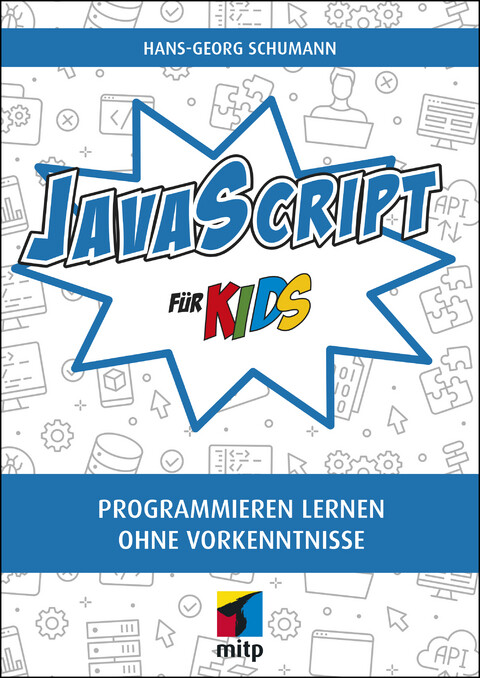
JavaScript für Kids
Ganz nebenbei lernst du die Bestandteile von JavaScript kennen, so dass Bedingungen, Konstanten, Schleifen und Funktionen deinen Programmierer-Wortschatz im Nu erweitern. Dort, wo es nötig ist, wird auch HTML zur Unterstützung gerufen. Hans-Georg Schumann verrät dir viele Kniffe, um zum guten Programmierer zu werden: Hättest du zum Beispiel gedacht, dass Vererbung im Programm-Code eine Rolle spielt?

Die Kunst des Game Designs (3. Auflage)
Jeder kann die Grundlagen des Game Designs meistern - dazu bedarf es keines technischen Fachwissens. Dabei zeigt sich, dass die gleichen psychologischen Grundprinzipien, die für Brett-, Karten- und Sportspiele funktionieren, ebenso der Schlüssel für die Entwicklung qualitativ hochwertiger Videospiele sind.Mit dem Buch lernen Sie, wie Sie im Prozess der Spielekonzeption und -entwicklung vorgehen, um bessere Games zu kreieren. Jesse Schell zeigt, wie Sie Ihr Game durch eine strukturierte methodische Vorgehensweise Schritt für Schritt deutlich verbessern.Mehr als 100 gezielte Fragestellungen eröffnen Ihnen dabei neue Perspektiven auf Ihr Game, so dass Sie die Features finden, die es erfolgreich machen. Hierzu gehören z.B. Fragen wie: Welche Herausforderungen stellt mein Spiel an die Spieler? Fördert es den Wettbewerb unter den Spielern? Werden sie dazu motiviert, gewinnen zu wollen? So werden über hundert entscheidende Charakteristika für ein gut konzipiertes Spiel untersucht.

Inkscape (2. Auflage)
Die beliebte und kostenlose Alternative für die Arbeit mit Vektorgrafiken zur neuen Version Schritt für Schritt erklärt: Von der Installation und den richtigen Einstellungen bis hin zu fachmännischen Publikationen mit vielen praxisnahen Beispielen und kleinen Projekten zum Nachmachen. Inkscape ist der meistgenutzte Open-Source-Editor für Vektorgrafiken. Von der Inkscape-Gemeinschaft als freie Software entwickelt, lassen sich damit ebenso professionelle Grafiken erstellen wie mit kommerziellen Programmen. Sie können Ihrer Kreativität freien Lauf lassen und beispielsweise Visitenkarten, Logos oder Poster entwerfen. Dieses Handbuch führt Sie systematisch in die Software ein und erklärt alle wichtigen Funktionen. Sie lernen an praktischen Beispielen die umfangreichen Möglichkeiten und zahlreichen Werkzeuge von Inkscape kennen. Dabei hilft Ihnen der Autor mit zunächst einfachen Formen, das Prinzip hinter dem Programm zu verstehen, und führt Sie dann an die Arbeit mit Pfaden, Grafik- und Textobjekten heran. Wenn Sie die Grundlagen beherrschen, demonstriert Ihnen Winfried Seimert, wie Sie die gezeichneten Objekte durch Attribute anpassen und z.B. mit Farben, Füllmustern oder Transparenzen gestalten. Sie erfahren, wie Sie Objekte transformieren, klonen oder gruppieren können und lernen, auch kompliziertere Aufgaben zu meistern. So erhalten Sie – auch mithilfe der abschließenden Workshops – grundlegendes Wissen, das Sie zu weiteren Schritten und eigenständigem Arbeiten mit Inkscape bemächtigt.

70 Tips and Tricks for Mastering the CISSP Exam
Learn how to think and apply knowledge in a practical way. Tackling the CISSP exam is vastly different from simply understanding the subject matter. Even the most experienced security professionals can fail because the questions are tricky and ask the test taker to pick the best of the options given.The CISSP exam conducted by ISC2 is the hardest and most rewarded cybersecurity examination. The test has several domains and sub-domains and covers a wide range of topics on security, including cyber and physical building security fields. It also covers breaches, discovery of breaches, and how to report data breaches.Because the subject area is vast and the questions are almost never repeated, it is hard for the exam taker to memorize or quickly discover the correct solution. The four options given as answers typically have two very close matches to the question. With quick analysis, it is possible to discover from the verbiage of a question what is truly being asked and learn how to find the closest possible solution without spending too much time on each question.WHAT YOU WILL LEARN* Think outside the box (the CISSP exam demands this of candidates)* Quickly discern the gist of a question, eliminate the distractors, and select the correct answer* Understand the use of words such as MOST, BEST, FIRST, LAST in the questions* Select the correct answer when multiple options look like possible solutionsWHO THIS BOOK IS FORExperienced security practitioners, managers, and executives interested in proving their knowledge across a wide array of security practices and principles, including chief information security officers, chief information officers, directors of security, IT directors and managers, security systems engineers, security analysts, security managers, security auditors, security architects, security consultants, private contractors, and network architectsR. SARMA DANTURTHI, PHD, PMP, CISSP has a doctoral degree in engineering from the University of Memphis, Memphis, TN, USA and has taught graduate-level courses in engineering, microprocessors, and computer science. He has been in the IT field for several years and his earlier experience included designing processor-level boards with interfaces and programming with various languages such as C and C++. His current experience includes design, coding, cyber security, leading project teams, and project management. He has published several papers in peer-reviewed journals, and has written book chapters on software interfaces, modeling, IT security, and simulation. His interests include evolving cyber security, cloud computing, intelligent interfaces, and mobile application development. Besides being proficient in various programming languages, he has certifications in Java, Project Management Institute's PMP, CompTIA Sec+, and ISC2 CISSP.

Designing Digital Products for Kids
Childhood learning is now more screen-based than ever before, and app developers are flocking in droves to this lucrative and exciting market. The younger generation deserves the best, and growing up in a digital world has made them discerning and demanding customers. Creating a valuable user experience for a child is as complex and involved as when designing a typical app for an adult, if not more, and Designing Digital Products for Kids is here to be your guide.Author and designer Rubens Cantuni recognizes the societal importance of a high-quality and ethical app experience for children. There is room for significant improvement in this space, and Cantuni helps you optimize it. Designing Digital Products for Kids walks hopeful developers through digital product design—including research, concept, design, release, marketing, testing, analyzing, and iterating—all while aiming to build specifically for children.Industry experts and their real-world advice are showcased in this book, along with careful advice for the ethics that go along with this unique market. These tips include complex needs regarding mental development, accessibility, conscious screen time limits, and content sensitivity. Children, parents, and teachers alike are hungry for more thoughtful players in the kids’ app space, and Designing Digital Products for Kids is your ticket to successfully developing and educating for the future.WHAT YOU WILL LEARN* Design platforms specifically for children, to entertain and educate them* Work with a complex audience of parents, teachers and kids* Understand how different monetization strategies work in this industry and why WHO THIS BOOK IS FORUser experience designers, UI designers, product owners, teachers and educators, startup founders. The range of topics is so wide that anyone interested or involved in digital products could find something interesting to learn.RUBENS CANTUNI is an Italian digital product designer with 15 years of experience across two continents. Winner of an EMMY AWARD in the “Outstanding Interactive” category, a WEBBY AWARD nomination, and several PARENTS' CHOICE AWARDS and TEACHERS’ CHOICE AWARDS with his work on digital products for children. His experience spans from agencies to startups to big corporations, covering multiple design roles for a wide variety of clients in different industries. He also writes about design on Medium and Builtin.com and has past experience as a character designer and illustrator, freelancing for many companies worldwide.1. Why Design Apps for Kids?2. Before You Start, Know the Industry3. Know Your Target Audience4. Concept5. Gamification6. Safety Measures.7. Interaction Design8. UI Design9. User Testing with Kids10. Market Your Product11. Beyond the Screen12. Conclusion

MonoGame Mastery
Master the art of game creation with MonoGame—the cross-platform framework of choice for independent developers. Learn the various aspects needed to create your next game by covering MonoGame framework specifics, engine creation, graphics, patterns, and more.The MonoGame framework provides an incredible canvas for the programmer to create their next 2D game, and this book teaches you to make the most of it. You will start from the ground up, beginning with the basics of what MonoGame is, the pipeline, and then how to build a reusable game engine on top of the framework. You will deep dive into various components of each aspect of a game, including graphics, input, audio, and artificial intelligence. The importance of game tooling is also covered. By the end, you will have a mastery level of understanding of how to create a 2D game using MonoGame.With a fully functional 2D game, aspiring developers will have the ideal blueprint to tackle their next fully featured game. The material covered is applicable for almost any 2D game project ranging from side scrolling adventures to fighting games.WHAT YOU WILL LEARN* Learn to build a game with the MonoGame framework.* Understand game engine architecture and how to build an engine onto the MonoGame framework.* Grasp common design patterns used in game development and in fully featured engines, such as Unity.WHO THIS BOOK IS FORBeginner to advanced MonoGame programmer would find this book helpful. The audience is expected to have a working knowledge of C#.JARRED CAPELLMAN has been professionally developing software for over 13 years and is a Director of Engineering at SparkCognition in Austin, Texas. He started making QBasic text-based games when he was nine years old. He learned C++ a few years later before studying OpenGL with the eventual goal of entering the gaming industry. Though his goal of professionally developing games didn’t come to fruition, he continued deep diving into frameworks such as MonoGame, Vulkan, and DirectX as an important part of his free time. When not programming, he enjoys writing music and is working on his DSc in Cybersecurity, focusing on applying Machine Learning to security threats.LOUIS SALIN has been a developer for more than 15 years in a wide variety of fields, developing on Windows in the early days in C, C++, and eventually C# before working as a developer on Linux-based web applications using different scripting languages, such as Ruby or Python. His early love for coding comes from all the time he spent as a kid copying video games written in Basic from books borrowed from the library. He wrote his first game in high school and took many classes in computer graphics.

Pro Microsoft Teams Development
Leverage the Microsoft Teams developer platform to integrate and build your apps in Teams.Busy developers will want to integrate it with other applications, both existing and new ones. Use this practical, hands-on guide to get you started building amazing custom solutions on and for Microsoft Teams, the new collaboration workspace in Office 365 and the fastest growing app in Microsoft history.Get ready to learn how to interact with data inside of Teams and how to surface your data on top of Teams, so that it is easily searchable and better supports people in their day-to-day jobs. Teams development expert Rick Van Rousselt starts at the beginning, helping you set up your environment, and takes you step by step through the process. You will begin with low code, simple integrations, and progress in your learning to increasingly more complex, multi-faceted applications that use every aspect of the extension capabilities of Teams.And a bonus for developers is that integrating your own apps into the Teams developer platform is an excellent opportunity for those apps to get more visibility and usage.WHAT YOU WILL LEARN* Understand the different development extension points and frameworks that are available in the Teams developer platform* Create custom tabs, bots, connectors, messaging extensions, and webhooks* Set up your development environment and speed up the development process* Enlist best practices and easy wins that will make an application stand out inside the Teams ecosystem* Explore advanced scenarios where the integrations of Office 365 meet inside of Microsoft TeamsWHO THIS BOOK IS FORDevelopers (front end, back end, C#, or Node.js) and architects. Readers should be familiar with C# or Node.js and tools such as Visual Studio or Visual Studio Code and have some experience with Microsoft Teams. Beyond that, no further knowledge is required because the book starts at the beginning, setting up a development environment.RICK VAN ROUSSELT is a managing partner at Advantive, a Microsoft Gold Partner. He is an Office Apps and Services Microsoft MVP who has been working with SharePoint since 2007, eventually transitioning to Office 365. With a strong focus on development, his current position has given him a diverse skill set and expertise in Office 365, Azure, and all related technologies. His inquisitive disposition motivates him to continuously gain knowledge and share what he learns with those interested in learning the same technologies. He is often pounding pavement in the global tech community, speaking at events such as Microsoft Ignite, ESPC, Collaboration, SharePoint Saturdays, and more, most recently on the topic of Teams development.PART I: BEFORE YOU CAN START BUILDINGChapter 1: What’s requiredChapter 2: Additional toolsChapter 3: Make it easy on yourselfPart II: TabsChapter 4: Teams Client JavaScript SDKChapter 5: Static and configurable tabsChapter 6: Authentication inside tabsChapter 7: Integrating Teams and SharePointPART III: BOTSChapter 8: Introducing BotsChapter 9: Natural Language Processing BotsChapter 10: Activity Feed BotsChapter 11: Teams specific bot integrationsChapter 12: Calling and media botsPART IV: WEBHOOKSChapter 13: Incoming webhooksChapter 14: Outgoing webhooksPART V: MESSAGING EXTENSIONSChapter 15: Search Based ExtensionsChapter 16: Action-based extensionsPART VI: DEVELOPING AGAINST MICROSOFT TEAMSChapter 17: Microsoft Graph for TeamsChapter 18: PowerShell for TeamsPART VII: APPENDICESChapter 19: Appendix A: Advanced Teams developmentChapter 20: Appendix B: Add your solution to the Microsoft Teams app store

Evaluation of Some SMS Verification Services and Virtual Credit Cards Services for Online Accounts Verifications
Today a lot of sites require SMS verification code for registration account. If you do not want to use your personal phone number to verify or activate account, use virtual phone number. Thus, there is no need for a SIM card in your mobile phone, only need access to the Internet. You can receive text messages via WEB interface or API. There are a lot of websites that offer temporary free, as well as private numbers from around the world to receive activation codes and SMS confirmations online.Their private numbers are intended for two types of SMS reception: disposable virtual numbers and numbers for rent. You can receive SMS online and use the numbers to sign up or verify for any services like Telegram, Facebook, Google, Gmail, WhatsApp, Viber, Line, WeChat, KakaoTalk etc.In the first part of the book I will mention the best websites that offer virtual phone numbers from around the world to receive activation codes and SMS confirmations online..The VCC is a short form of Virtual Credit Card that can be used for online verification, PayPal, EBay, Amazon and Google Adwords account verification. The second part of the book will guide you to how to obtain virtual debit/credit cards for sake of online accounts verification. There are bulk numbers of banks and debit/credit cards issuers that offer virtual or physical debit/credit card. But I will not go through any of them as I covered them in a book I published previously. I will only concentrate on some quick methods to obtain debit/credit cards for sake of online account verification. I will briefly talk about generating virtual debit/credit cards namso gold CC BIN generator for verification of some online services. Then I will talk about paypalvccs.com website that offers Virtual Visa Card for sake of online accounts verification. At the end I will mention how to get USA shipment address through Viabox.com website, and I will list some of the free VPN Services I commonly useThe book consists from the following parts:1. Some free websites that can be used to receive SMS online using numbers from some countries.2. Some paid (not free) websites that can be used to receive SMS online using numbers from some countries.3. Getting free phone number in US or Canada and Other Countries:4. Best websites that offer SMS verification, sending SMS and renting number services.5. Generating some virtual debit/credit cards through BIN Codes for verification of some online services.6. Paypalvccs.com website that offer Virtual Visa Card for sake of account verifications.7. Getting USA shipment address through Viabox.com.8. Some of the free VPN Services I commonly use.I am Dr. Hidaia Mahmoud Mohamed Alassouli. I completed my PhD degree in Electrical Engineering from Czech Technical University by February 2003, and my M. Sc. degree in Electrical Engineering from Bahrain University by June 1995. I completed also one study year of most important courses in telecommunication and computer engineering courses in Islamic university in Gaza. So, I covered most important subjects in Electrical Engineering, Computer Engineering and Telecommunications Engineering during my study. My nationality is Palestinian from gaza strip.I obtained a lot of certified courses in MCSE, SPSS, Cisco (CCNA), A+, Linux.I worked as Electrical, Telecommunicating and Computer Engineer in a lot of institutions. I worked also as a computer networking administrator. I had considerable undergraduate teaching experience in several types of courses in many universities. I handled teaching the most important subjects in Electrical and Telecommunication and Computer Engineering. I could publish a lot of papers a top-tier journals and conference proceedings, besides I published a lot of books in Publishing and Distribution houses.I wrote a lot of important Arabic articles on online news websites. I also have my own magazine website that I publish on it all my articles: http:// www.anticorruption.000space.comMy personal website: www.hidaia-alassouli.000space.comEmail: hidaia_alassouli@hotmail.com

Projektmanagement mit Excel
• Projekte planen und steuern mit Excel• Mit Praxisbeispiel, Schritt für Schritt aufgebaut• Termine, Kosten und Ressourcen im Griff• Nützliche VBA-Makros für Projektmanager• Business Intelligence-Berichte mit PowerQuery und Power BI DesktopProjekte planen, überwachen und steuern – das geht auch mit Excel in Microsoft 365. Ignatz Schels und Prof. Dr. Uwe M. Seidel sind erfahrene Projektmanager und Projektcontroller. Sie zeigen Ihnen, wie Sie das Kalkulationsprogramm von Microsoft für effizientes Projektmanagement nutzen können.Hier üben Sie an einem realen Projekt: Sie erstellen Checklisten, Projektstrukturen und Kostenpläne, überwachen Termine und Budgets und dokumentieren mit Infografiken und Diagrammen. Sie lernen mit den beiden Autoren die besten Funktionen und die wichtigsten Analysewerkzeuge von Excel kennen und programmieren Ihre ersten Makros mit der Makrosprache VBA. Projektmanagement mit Excel – probieren Sie es aus, es funktioniert!In der Neuauflage finden Sie praxisnahe Beispiele zu den BI-Tools PowerQuery, Power Pivot und Power BI sowie Tipps zu den aktuellsten Excel-Funktionen und -werkzeugen wie dynamische Arrays.Alle Beispiele, Tools und VBA-Makros stehen zum Download unter plus.hanser-fachbuch.de bereit. Ignatz Schels ist Technik-Informatiker, zertifizierter Projektfachmann (GPM / IPMA) und Excel-Experte derSpitzenklasse. Er programmiert Praxislösungen mit VBA und erstellt Access-Datenbanken. Viele seiner zahlreichen Fachbücher für Controller und Projektmanager sind Bestseller.Uwe M. Seidel ist Professor für Betriebswirtschaft an der OTH Regensburg und Berater für Unternehmen und öffentliche Institutionen in den Bereichen Rechnungswesen, Controlling und Projektmanagement. Außerdemist er freiberuflicher Trainer der Controller Akademie AG und leitet den AK Süd I des Internationalen Controllervereins ( ICV ).

Geschäftsrisiko Cyber-Security
Nicht erst seit Corona warnen Beobachter und Behörden vor einem zu erwartenden rasanten Anstieg von Cyberkriminalität im privaten sowie beruflichen Umfeld. Die Digitalisierung von Geschäftsmodellen, intensivere Vernetzung von Prozessen, Produkten und Geräten und die zuletzt stärkere Nutzung von Netzwerken und Geräten im Homeoffice sind die Treiber im Kampf für mehr IT-Sicherheit. Das essential wendet sich insbesondere an Geschäftsführer von kleinen und mittelständischen Unternehmen, für die der Aufbau einer wirksamen und nachhaltigen Cyber-Security mit hohem Aufwand verbunden ist. Das Buch ermöglicht ein grundlegendes Verständnis zu potenziellen Bedrohungen der Cyber-Security sowie den Auswirkungen und bietet einen Leitfaden für die Entwicklung eines resilienten Sicherheits-Ökosystems.

Learn Microservices with Spring Boot
Build Java-based microservices architecture using the Spring Boot framework by evolving an application from a small monolith to an event-driven architecture composed of several services. This revised book follows an incremental approach in teaching the structure of microservices, test-driven development, and common patterns in distributed systems such as service discovery, load balancing, routing, centralized logs, per-environment configuration, and containerization.This updated book now covers what's been added to the latest Spring Boot release, including support for the latest Java SE; more deep-dive knowledge on how Spring Boot works; testing with JUnit 5; changes in the Spring Cloud tools used for service discovery and load balancing; building Docker images using cloud-native buildpacks; a basic centralized logging solution; E2E traceability with Sleuth; centralized configuration with Consul; many dependency upgrades; support for Spring Data Neumann; and more.Author Moises Macero uses a pragmatic approach to explain the benefits of using this type of software architecture, instead of keeping you distracted with theoretical concepts. He covers some of the state-of-the-art techniques in computer programming, from a practical point of view. You’ll focus on what's important, starting with the minimum viable product but keeping the flexibility to evolve it.WHAT YOU WILL LEARN* Build microservices with Spring Boot* Discover architecture patterns for distributed systems such as asynchronous processing, eventual consistency, resilience, scalability, and more* Use event-driven architecture and messaging with RabbitMQ* Master service discovery with Consul and load balancing with Spring Cloud Load Balancer* Route requests with Spring Cloud Gateway* Keep flexible configurations per environment with Spring Cloud Consul* Trace every request from beginning to end with Sleuth and centralized logging* Deploy your microservices anywhere as Docker containers* Start all the components in the microservice architecture with Docker ComposeWHO THIS BOOK IS FORThose with at least some prior experience with Java programming. Some prior exposure to Spring Boot recommended but not required.MOISÉS MACERO GARCÍA has been a software developer since he was a kid, when he started playing around with BASIC on his ZX Spectrum. During his career, Moisés has most often worked in development and architecture for small and large projects, and for his own startups as well. He enjoys making software problems simple, and he likes working in teams where he can not only coach others, but also learn from them.Moisés is the author of the blog thepracticaldeveloper.com, where he shares solutions for technical challenges, guides, and his view on different ways of working in IT companies. He also organizes workshops for companies that need a practical approach to software engineering. In his free time, he enjoys traveling and hiking.* Introduction* Core concepts* A basic Spring Boot app* A minimal frontend with React* The data layer* Starting with Microservices* Event-Driven Architecture* Cloud native patterns* End-to-End tests with Cucumber

Pro Google Kubernetes Engine
Discover methodologies and best practices for getting started with Google Kubernetes Engine (GKE). This book helps you understand how GKE provides a fully managed environment to deploy and operate containerized applications on Google Cloud infrastructure.You will see how Kubernetes makes it easier for users to manage clusters and the container ecosystem. And you will get detailed guidance on deploying and managing applications, handling administration of container clusters, managing policies, and monitoring cluster resources. You will learn how to operate the GKE environment through the GUI-based Google Cloud console and the "gcloud" command line interface.The book starts with an introduction to GKE and associated services. The authors provide hands-on examples to set up Container Registry and GKE Cluster, and you will follow through an application deployment on GKE. Later chapters focus on securing your GCP GKE environment, GKE monitoring and dashboarding, and CI/CD automation. All of the code presented in the book is provided in the form of scripts, which allow you to try out the examples and extend them in interesting ways.WHAT YOU WILL LEARN* Understand the main container services in GCP (Google Container Registry, Google Kubernetes Engine, Kubernetes Engine, Management Services)* Perform hands-on steps to deploy, secure, scale, monitor, and automate your containerized environment* Deploy a sample microservices application on GKE* Deploy monitoring for your GKE environment* Use DevOps automation in the CI/CD pipeline and integrate it with GKEWHO THIS BOOK IS FORArchitects, developers, and DevOps engineers who want to learn Google Kubernetes EngineNAVIN SABHARWAL has more than 20 years of industry experience and is an innovator, thought leader, patent holder, and author in the areas of cloud computing, artificial intelligence and machine learning, public cloud, DevOps, AIOPS, infrastructure services, monitoring and management platforms, big data analytics, and software product development. He works at HCL Technologies and is responsible for DevOps, artificial intelligence, cloud life cycle management, service management, monitoring and management, IT Ops Analytics, AIOPs and machine learning, automation, operational efficiency of scaled delivery through Lean Ops, strategy, and delivery.PIYUSH PANDEY has more than 10 years of industry experience. He is currently working at HCL Technologies as Automation Architect, delivering solutions catering to hybrid cloud using cloud-native and third-party solutions. The automation solutions cover use cases such as Enterprise Observability, Infra as Code, Server Automation, Runbook Automation, Cloud Management Platform, Cloud Native Automation, and Dashboard/Visibility. He is responsible for designing end-to-end solutions and architecture for enterprise automation adoption. Ch01 - Getting Started with Containers on Google GKE• Introduction to Docker• Sign up for Google Cloud• Setting up environment for Google GKE• Support services for ContainersCh02-Container Image Management with Google Container Registry• Introduction to Google Container Registry• Setting up Google Container Registry• Push Docker image to Google container registryCh03 - Deploy Containerized applications with Google GKE• Setup Google GKE• Create, manage and scale GKE Cluster• Deploy Containers on GKE• Deleting a ClusterCh04-Secure your Containerized Environment• Protect your Containers and Container host on GKE• Protect your code and deploymentsCh05- Scale GKE Containerized environment• Autoscaling a Cluster• Vertical autoscaling a pod• Cluster upgrade and resizingCh06- Monitor your Containerized environment• Monitoring approaches for GKE• Using Stackdriver for GKE Monitoring• Using Prometheus for GKE MonitoringCh07- Automate your Containerized environment• Using Infra as Code solution for Automation• Continuous integration and delivery Automation

Python Testing with Selenium
Implement different testing techniques using Selenium WebDriver with the Python programming language. This quick reference provides simple functional test cases with a syntax-based approach for Selenium WebDriver.You’ll begin by reviewing the basics of Selenium WebDriver and its architectural design history and then move on to the configuration and installation of Selenium library for different web browsers, including the basic commands needed to start test scripts in various browsers. You’ll review action commands of keyboard and mouse for testing user interactions in a web page and see how hyperlinks are tested.The book also examines various web elements using eight different locators provided by Selenium to help you choose the one best suited to your needs. All Python scripts are ready to test real examples, all of which are explained thoroughly with problem statements. You’ll use different Python design patterns to automate test scripts that can be incorporated with Selenium.In the end, Python Testing with Selenium will provide you with the expertise to write your own test cases in future.WHAT YOU’LL LEARN* Install and configure Selenium WebDriver with Python for different web-browsers * Review basic commands of Selenium* Locate web elements * Work with UI based web elements* Assert web elements and handle exceptions* Write test scripts in Page Object Model * Write test cases with Unittest framework WHO THIS BOOK IS FORPython developers/testers who want to test their web applicationsSujay Raghavendra works mainly in the field of data science, machine/deep learning, and artificial intelligence and is currently Executive Director of Raghavendra Training & Consultancy (RTC), a start up company based in Dharwad, Karnataka, India. RTC was co-founded with his brother Sumedh Raghavendra in 2014.He also plans and evaluates new technological projects for research and product development to various companies at RTC. Some of his projects include analyzing pap smear filter for microscopic medical images, thermal heat sensing in hospitals, ocr for handwritten characters, satellite image analysis, network automation for maps, forecasting model, text analytics & predictions, etc.Raghavendra has been a consultant for helping and building research centers for technical universities and colleges and his recent interest includes automating testing cases using machine learning. He has published numerous research articles in international journals and was part of a reviewer committee in various journals and conferences.PYTHON TESTING WITH SELENIUMChapter 1: Introduction to SeleniumChapter 2: Getting StartedChapter 3: Mouse & Keyboard ActionsChapter 4: Web ElementsChapter 5: NavigationChapter 6: Buttons, Checkbox & Select ListChapter 7: Frames and Text BoxesChapter 8: AssertionsChapter 9: Exception HandlingChapter 10: WaitsChapter 11: Page ObjectsChapter 12: Using Test Cases with a Screenshot

A Complete Guide to Burp Suite
Use this comprehensive guide to learn the practical aspects of Burp Suite—from the basics to more advanced topics. The book goes beyond the standard OWASP Top 10 and also covers security testing of APIs and mobile apps.Burp Suite is a simple, yet powerful, tool used for application security testing. It is widely used for manual application security testing of web applications plus APIs and mobile apps. The book starts with the basics and shows you how to set up a testing environment. It covers basic building blocks and takes you on an in-depth tour of its various components such as intruder, repeater, decoder, comparer, and sequencer. It also takes you through other useful features such as infiltrator, collaborator, scanner, and extender. And it teaches you how to use Burp Suite for API and mobile app security testing.WHAT YOU WILL LEARN* Understand various components of Burp Suite* Configure the tool for the most efficient use* Exploit real-world web vulnerabilities using Burp Suite* Extend the tool with useful add-onsWHO THIS BOOK IS FORThose with a keen interest in web application security testing, API security testing, mobile application security testing, and bug bounty hunting; and quality analysis and development team members who are part of the secure Software Development Lifecycle (SDLC) and want to quickly determine application vulnerabilities using Burp SuiteSAGAR RAHALKAR is a seasoned information security professional with more than 13 years of experience in various verticals of information security. His domain expertise is mainly in AppsSec, cyber crime investigations, vulnerability assessments, penetration testing, and IT GRC. He holds a master’s degree in computer science and several industry-recognized certifications such as CISM, ISO 27001LA, and ECSA. He has been closely associated with Indian law enforcement agencies for more than three years, dealing with digital crime investigations and related training, and received awards from senior officials of the police and defense organizations in India. He also is an author and reviewer for several publications.Chapter 1: Introduction to Burp SuiteCHAPTER GOAL: INTRODUCE THE BURP SUITE TO THE USERS EXPLAINING ITS NEED AND A HIGH-LEVEL OVERVIEW. IT WOULD SET THE CONTEXT FOR REST OF THE CHAPTERS.NO OF PAGES – 6-8SUBTOPICS1. Introduction to application security testing2. Some basics of application security3. A brief introduction to Burp Suite4. Need for Burp Suite5. Peer comparison6. Burp Suite features and versions7. High level feature overviewChapter 2: Setting up the environmentCHAPTER GOAL: HELP THE READERS TO SETUP THE TESTING ENVIRONMENT FOR REST OF THE CHAPTERSNO OF PAGES 6SUBTOPICS1. Burp Suite installation2. Setting up vulnerable target web application3. Configuring the browser4. Using the Burp Suite CA certificateChapter 3: User options, project options, proxyCHAPTER GOAL: INTRODUCE THE READERS TO THE USER OPTIONS, PROJECT OPTIONS AND PROXY TAB OF BURP SUITE. THESE ARE SOME BASIC BUILDING BLOCKS TO GET STARTED FURTHER.NO OF PAGES 20-25SUBTOPICS1. Platform authentication, upstream proxy servers, SOCKS proxy2. Defining the hotkeys3. Automatic project backups4. Rest API5. Proxy interception, proxy history logging6. Performance feedback7. Project Options – Time outs, host name resolution, out of scope requests, redirections, TLS configuration, session handling rules, cookie jar and macros8. Proxy – Intercept, HTTP History, web socket history and optionsCHAPTER 4: DASHBOARD, TARGET, ENGAGEMENT TOOLSCHAPTER GOAL: INTRODUCE THE READERS TO THE DASHBOARD, TARGET TABS AND THE ENGAGEMENT TOOLSNO OF PAGES 10-15SUBTOPICS1.Dashboard overview2.Target Tab – introduction to various panes, filters3.Engagement toolsChapter 5: IntruderCHAPTER GOAL: INTRODUCE THE READERS TO THE BURP SUITE INTRUDER TOOL.NO OF PAGES 10SUBTOPICS1. Target tab2. Positions3. Payloads4. OptionsChapter 6: Repeater, sequencer, decoder and comparerCHAPTER GOAL: INTRODUCE THE READERS TO REPEATER, SEQUENCER, DECODER AND COMPARERNO OF PAGES 10 - 15SUBTOPICS1. Repeater – request and response, search filters, show response and render2. Sequencer – Live capture, manual load and analysis options3. Decoder – Encoding, Decoding and Hashing4. Efficiently using comparerChapter 7: Infiltrator, Collaborator and ClickbanditCHAPTER GOAL: INTRODUCE THE READERS TO INFILTRATOR, COLLABORATOR AND CLICKBANDIT TOOLSNO OF PAGES 10-15SUBTOPICS1. Infiltrator – patching the java binaries2. Collaborator basics for out of the band attacks3. Introduction to clickbandit for clickjacking POC’s.Chapter 8: Scanner and ReportingCHAPTER GOAL: INTRODUCE THE READERS TO BURP SUITE SCANNER AND VARIOUS REPORTING OPTIONSNO OF PAGES 6-8SUBTOPICS1. Crawl, audit2. Scan configuration3. Application login4. Resource poolsChapter 9: Extending Burp SuiteChapter Goal: Introduce the readers to Burp Suite extenderNO OF PAGES 15-20SUBTOPICS1. Burp Suite extensions2. Manual installation3. BApp store4. Other useful extensionsChapter 10: Testing mobile apps and API’s with Burp SuiteCHAPTER GOAL: Introduce the readers to techniques for performing security testing on mobile apps and API’s with Burp SuiteNO OF PAGES 15-20SUBTOPICS1. API security testing with Burp Suite2. Mobile App Security Testing with Burp Suite

Erfolgreicher Online-Handel für Dummies
Erfolgreicher Online-Handel: ein Fachbuch aus der bekannten "... für Dummies"-Reihe. Als ePub im heise Shop erhältlich.Sie möchten Produkte über das Internet verkaufen? Dann sollten Sie Ihre Online-Strategie sorgfältig planen. Dieses Buch verschafft Ihnen einen guten Überblick über die gängigen Verkaufs- und Marketingkanäle. Vom eigenen Shop über Amazon und andere Marktplätze bis hin zu Social Media. Damit erleichtert Ihnen das Buch die Auswahl der richtigen Kanäle. Gleichzeitig verrät es Ihnen wichtige Tipps, Tricks und Tools, um auf den jeweiligen Kanälen erfolgreich zu sein. Profitieren Sie vom Praxiswissen zweier sehr erfahrener Autoren!►►► Für dieses ePub E-Book hat der herausgebende Verlag Wiley einen DRM-Schutz verfügt. Wie Sie E-Books mit DRM-Schutz öffnen können, erfahren Sie in unseren heise Shop-FAQ.Über die Autoren:GIL LANG ist ein gefragter Speaker und E-Commerce-Experte. Viel Herzblut steckt er in seine Direct-to-Consumer-Health-Marke InnoNature.STEFFEN OTTEN hat sich nach seiner Zeit als Unternehmensberater auf den Onlinehandel spezialisiert. Steffen ist Gründer der Sportmarke runamics.Zum Inhalt: Einführung: 27 Teil I E-Commerce – das Ökosystem verstehen: 33 Teil II Vertriebskanäle: 63 Teil III Marketing-Kanäle: 89 Teil IV Hybride Kanäle: 227 Teil V Strategie und Controlling: 263 Teil VI Operatives Geschäft – schlauer verkaufen: 291 Teil VII Die Zukunft des E-Commerce: 345 Teil VIII Der Top-Ten-Teil: 357 Leseprobe (PDF-Link)Inhaltsverzeichnis (PDF-Link)Index (PDF-Link)

Practical Azure SQL Database for Modern Developers
Here is the expert-level, insider guidance you need on using Azure SQL Database as your back-end data store. This book highlights best practices in everything ranging from full-stack projects to mobile applications to critical, back-end APIs. The book provides instruction on accessing your data from any language and platform. And you learn how to push processing-intensive work into the database engine to be near the data and avoid undue networking traffic. Azure SQL is explained from a developer's point of view, helping you master its feature set and create applications that perform well and delight users.Core to the book is showing you how Azure SQL Database provides relational and post-relational support so that any workload can be managed with easy accessibility from any platform and any language. You will learn about features ranging from lock-free tables to columnstore indexes, and about support for data formats ranging from JSON and key-values to the nodes and edges in the graph database paradigm. Reading this book prepares you to deal with almost all data management challenges, allowing you to create lean and specialized solutions having the elasticity and scalability that are needed in the modern world.WHAT YOU WILL LEARN* Master Azure SQL Database in your development projects from design to the CI/CD pipeline* Access your data from any programming language and platform* Combine key-value, JSON, and relational data in the same database* Push data-intensive compute work into the database for improved efficiency* Delight your customers by detecting and improving poorly performing queries* Enhance performance through features such as columnstore indexes and lock-free tables* Build confidence in your mastery of Azure SQL Database's feature setWHO THIS BOOK IS FORDevelopers of applications and APIs that benefit from cloud database support, developers who wish to master their tools (including Azure SQL Database, and those who want their applications to be known for speedy performance and the elegance of their codeDAVIDE MAURI is Program Manager in the Azure SQL Database product group. He has been working in the IT field since 1997 and was awarded Data Platform MVP status for 12 consecutive years. He started his career as a full-stack and back-end developer, then focused on databases and data science for 15 years while still keeping alive his passion for development (mainly in C# and Python). He then moved to the Internet of Things (IoT) and big data space where ingesting, processing, and analyzing millions of data points in near real time was his everyday challenge. Building from that experience, he joined Microsoft to help companies worldwide to leverage stream processing at scale. He now works for Azure SQL Database as the developer's voice inside the product group, working to make sure that Azure SQL Database is, and will be, the best database option for developers.SILVANO CORIANI has worked on SQL and other data technologies more than 25 years. He started as an embedded systems developer in industrial automation and moved to data acquisition, processing, and analysis in distributed solutions. He has worked on several RDBMS engines (SQL Server 6.0 and later releases, Oracle, IBM DB2, and more recently PostgreSQL), and on NoSQL and other analytical engines such as Spark and Hadoop. He also has experience in C/C++, Visual Basic, Java, and .NET. He has worked in several industries, including manufacturing, retail, and financial services. Since joining Microsoft in 2003, he has been busy helping ISVs and enterprise customers to learn and adopt Microsoft technologies. His experience includes being Developer Evangelist, Software Engineer in the SQL Customer Advisory Team, and most recently working in SQL Customer Success Engineering for the Azure Data team. He is also an active speaker at industry conferences such as PASS Summit and Microsoft Ignite.ANNA HOFFMAN is Data & Applied Scientist on the Azure Data team at Microsoft. She has worked in Microsoft Research, AI Engineering, and Microsoft Services in her time at Microsoft. She spent several years working on .NET, Python, R, and Java, to democratize AI via tools and services such as Azure Cognitive Services, Azure Machine Learning, and SQL Server (Machine Learning Services and Big Data Clusters). She now spends most of her time working on the Azure SQL Database product team and participating in the community. She has an undergraduate engineering degree from Georgia Institute of Technology, and she is wrapping up a Master of Science in analytics, also at Georgia Institute of Technology (he is always learning). You can follow her on Twitter at @AnalyticAnna.SANJAY MISHRA is Product Leader in Microsoft Azure Data. He leads product management for the Azure SQL Database team, which includes products such as Azure SQL DB, SQL Hyperscale, Elastic Pools. Prior to this role, he served as Technical Advisor to the VP of Azure Data PM, and led the eminent SQLCAT and DataCAT teams.JOVAN POPOVIC is Senior Program Manager working on Microsoft SQL Server, Azure SQL Database, and Azure Synapse Analytics. He is working in Microsoft Development Center Serbia as Program Manager on several developer-facing SQL Server/Azure SQL features such as T-SQL language enhancements, JSON/temporal support, columnstore/in-memory technologies, and built-in intelligence. He has more than 15 years of experience in various Microsoft technologies with a focus on SQL Server, Azure, ASP.NET, C#, and JavaScript. He has been working in various Microsoft Data Platform teams since 2012. He is a former Microsoft MVP for ASP.NET and has a PhD degree in software engineering from the University of Belgrade. He is am public speaker at top Microsoft conferences, and is author of several books and open-source projects. He enjoys exploring technologies (especially SQL Server capabilities) and finding the best ways to implement the most efficient solutions using them.1. Introduction2. Azure SQL Kickstart3. Connecting and Querying Azure SQL4. Developing with Azure SQL - Foundations5. Developing with Azure SQL - Advanced6. Practical Use of Tables and Indexes7. Scalability, Consistency, and Performance8. Multi-model Capabilities9. More Than Tables10. Monitoring and Debugging11. DevOps with Azure SQL

Windows 10
Das umfassende Lernbuch und Nachschlagewerk inkl. Updates Winter 2020/2021:- Anschauliche Anleitungen mit vielen Abbildungen - Vom Startmenü über Apps bis zur Sicherheit im Internet - Geeignet für PC, Laptop und Tablet Lernen Sie das Betriebssystem Windows 10 von Grund auf kennen und werden Sie sicher in der Anwendung ! Dieses Handbuch ist ein hilfreicher Ratgeber für Einsteiger und ein praktisches Nachschlagewerk im Arbeitsalltag für den versierten Nutzer. Alle wichtigen Funktionen werden von den beiden Autorinnen Schritt für Schritt erklärt. Sie beginnen mit grundlegenden Techniken und gehen mit gut nachvollziehbaren Anleitungen zu komplexen Themen über, wie z. B. das Verwenden mehrerer Desktops oder die Datensicherung. Egal ob Sie mit PC, Laptop oder Tablet arbeiten: Startmenü, Explorer und der Cloud-Speicher OneDrive sind Ihnen bald genauso vertraut wie der Umgang mit den integrierten Apps Mail, Kalender, Fotos und dem Browser Edge . Darüber hinaus widmet sich ein Kapitel den Einstellungen für Sicherheit und Virenschutz . Dank der Tipps und Beispiele der erfahrenen Dozentinnen werden Sie rundum fit in Microsoft Windows 10 . Aus dem Inhalt: - Grundlegende Eingabetechniken einfach erklärt - So funktionieren Startmenü, Taskleiste und Info-Center - Die Übersicht behalten mithilfe des Aktivitätsverlaufs - Dateien erstellen, bearbeiten, speichern und organisieren - Datensicherung mit dem Cloudspeicher OneDrive - Die Benutzeroberfläche anpassen - Wichtige Einstellungen zu Sicherheit und Datenschutz - Apps installieren und deinstallieren - Microsoft Edge zum Surfen im Internet verwenden - Kommunikations- und Zeitmanagement mit den Apps Mail, Kontakte und Kalender - Wie Sie mit der App Fotos Ihre Bilder verwalten und bearbeiten