

Netzpolitik & Belletristik

Ransomware und Cyber-Erpressung
Das Praxishandbuch für IT- und Systemverantwortliche. Deutsche Erstauflage aus September 2023.Dieses Buch ist der ultimative praktische Leitfaden, um eine Ransomware-Erpressung, ein Denial-of-Service und andere Formen der Cyber-Erpressung zu überleben.Anhand ihrer eigenen, bisher unveröffentlichten Fallbibliothek zeigen die Cybersicherheitsexperten Sherri Davidoff, Matt Durrin und Karen E. Sprenger Ihnen, wie Sie schneller reagieren, den Schaden minimieren, effizienter ermitteln, die Wiederherstellung beschleunigen ... und von vornherein verhindern, dass so etwas überhaupt erst passiert.Bewährte Checklisten helfen Ihnen und Ihren Sicherheitsteams dabei, während des gesamten Lebenszyklus schnell und effektiv zusammenzuarbeiten. Sie lernen Folgendes:Verschiedene Formen von Cyber-Erpressung und deren Entwicklung verstehenBedrohungen identifizieren, Angriffe eindämmen und »Patient Zero« ausfindig machenLösegeldverhandlungen erfolgreich führen und, wenn nötig, Lösegeldforderungen sicher bezahlenDas Risiko von Datenverlust und Neuinfektion verringernEin ganzheitliches Cybersicherheitsprogramm aufbauen, das Ihr Risiko, gehackt zu werden, minimiertDieser Leitfaden ist von unmittelbarem Nutzen für alle, die mit Prävention, Reaktion, Planung oder Richtlinien zu tun haben, insbesondere CIOs, CISOs, Sicherheitsexperten, Administratoren, Verhandlungsführer, Führungskräfte und Ermittler.Vorwort | Inhalt | Leseprobe (PDF-Links)Die Autoren:Sherri Davidoff ist CEO von LMG Security und Autorin des Buches Data Breaches: Crisis and Opportunity. Als anerkannte Expertin für Cybersicherheit wurde Sie von der The New York Times als „security badass“ tituliert. Sherri ist regelmäßige Dozentin bei den renommierten Black-Hat-Trainings und Fakultätsmitglied der Pacific Coast Banking School. Sie ist auch Koautorin des Buchs Network Forensics: Tracking Hackers Through Cyberspace (Addison-Wesley, 2012). Sherri ist GIAC-zertifizierte forensische Analytikerin (GCFA) und Pentesterin (GPEN) und besitzt einen Abschluss in Informatik und Elektrotechnik vom Massachusetts Institute of Technology (MIT).Matt Durrin ist Director of Training and Research bei LMG Security und Senior Consultant für das Unternehmen. Er ist Dozent der internationalen Black-Hat-USA-Konferenz, wo er Kurse zu Ransomware und Datensicherheit gehalten hat. Matt hat Seminare zu Cybersicherheit, Planspiele und Kurse mit tausenden Teilnehmern aus Banken, Handel, Gesundheitswesen und Behörden abgehalten.Als erfahrener Cybersicherheits- und IT-Profi hat sich Matt auf Response und Forschung für Ransomware spezialisiert sowie auf den Einsatz proaktiver Cybersicherheitslösungen. Matt hat einen Bachelor in Informatik von der University of Montana, und seine Malware-Forschung wurde bei NBC Nightly News vorgestellt.Karen Sprenger ist COO und Chefunterhändlerin für Ransomware bei LMG Security. Sie hat mehr als 25 Jahre Erfahrung mit Cybersicherheit und IT, ist anerkannte Expertin für Cybersicherheit, Rednerin und Trainerin. Karen ist GIAC Certified Forensics Examiner (GCFE), Certified Information Systems Security Professional (CISSP) und besitzt einen Bachelor of Music (Performance) (ja, wirklich). Sie spricht auf vielen Events wie der Wall Street Journal Cyber Pro, Fortinet, der Internal Legal Tech Association und dem Volunteer Leadership Council. In ihrer Freizeit betrachtet Karen „digitale Forensik“ als völlig legitime Antwort auf die Frage „Welches Hobby haben Sie?“. Sie lebt seit ihrer Geburt in Montana und wohnt mit einer Unmenge von Pudeln in Missoula.

100 Karten über Gaming
Spielekonsolen sind beliebtere Mitbewohner als Katzen. Super Mario ist gefragter als Karl Marx. Und die Verleihung der Game Awards gucken sich sechsmal so viele Menschen an wie die der Oscars. Und KATAPULT feuert den besten Kartenatlas ab, den es je gab! Gemeinsam mit den Rocket Beans, einem der größten deutschsprachigen Creator-Kollektive zum Thema Videospiele, beamen sie Leser:innen und Spieler:innen in die Gaming-Welt – die längst die echte beherrscht: Welches Entwicklerstudio ist 2,5-mal so viel wert wie Islands Bruttoinlandsprodukt? In welchem Spiel kannst du dein eigenes Haus finden? Und warum ist die Playstation 3 für das US-Militär so wichtig?Leseprobe (PDF-Link)

Betriebssysteme für Dummies
Sie finden das Thema "Betriebssysteme" trocken und schwierig? Dieses Buch vermittelt Ihnen die wesentlichen Aspekte der Konstruktion und Analyse von Betriebssystemen in unterhaltsamer Form. Verfolgen Sie Prozesse im System, erleben Sie die Planung von Aktivitäten mit und beobachten Sie die Verwaltung von Ressourcen. Erlernen Sie, wie Prozesse miteinander kooperieren und dabei Daten austauschen. Das Thema "Sicherheit" kommt natürlich nicht zu kurz. Kleine Programmieraufgaben ermuntern Sie, das Verhalten eines Betriebssystems selbst zu erforschen.Robert Baumgartl ist Professor für Betriebssysteme an der Hochschule für Technik und Wirtschaft Dresden.

Modernes Software Engineering
Bessere Software schneller und effektiver entwickeln.In diesem Buch gibt Ihnen der Continuous-Delivery-Pionier David Farley Strategien an die Hand, mit denen Sie Software-Projekte effektiver umsetzen, erfolgreicher managen und die Qualität Ihrer Programme grundlegend verbessern können – und damit auch Ihr Leben und das Ihrer Kollegen.David Farley richtet sich an Programmierer, Manager und technische Leiter unabhängig von ihrer Erfahrung. Er beleuchtet langlebige Prinzipien, die das Herzstück der effektiven Softwareentwicklung bilden. Dabei unterscheidet er zwischen zwei Kerndisziplinen: Exploration und Lernen sowie Umgang mit Komplexität. Für jede der beiden definiert er Konzepte und Prinzipien, die Ihnen helfen, den gesamten Entwicklungsprozess zu verbessern, von Ihrer Denkweise bis hin zur Qualität Ihres Codes, und beschreibt dabei Ansätze, die nachweislich zum Erfolg führen.Farleys Konzepte und Techniken bilden einen einheitlichen, wissenschaftlichen und fundierten Ansatz zur Lösung praktischer Probleme bei der Softwareentwicklung unter realistischen wirtschaftlichen Bedingungen. Dieser allgemeingültige und langlebige Ansatz kann Ihnen helfen, selbst Probleme zu lösen, die Ihnen bisher nicht begegnet sind. Er bietet Ihnen einen tiefen Einblick in Ihre eigene tägliche Arbeit und unterstützt sie dabei, bessere Software schneller, effektiver und mit mehr Freude zu entwickeln.Besprechung des Buches von Tam Hanna am 13.09.2023 auf iX.de:»Der mitp-Verlag liefert mit "Modernes Software Engineering" ein nach Ansicht des Rezensenten rundum gelungenes Werk, das die Rolle der Softwarearchitektur in einem modernen Unternehmen als Ganzes behandelt – auch die Übersetzung aus dem Englischen ist vorbildlich gelungen. Von der Lektüre profitieren insbesondere Entwicklerinnen und Entwickler, die erst seit wenigen Jahren programmieren, aber auch "alte Hasen" mit mehr als zehn Jahren Erfahrung können noch einiges darüber lernen, wie ihr Code als Teil eines Werte-schöpfenden Ganzen anzusehen ist. Der Rezensent empfiehlt das Buch daher nicht nur Programmiererinnen und Programmierern in seinem eigenen Unternehmen.«Über den Autor:David Farley ist Gründer und Consultant von Continuous Delivery Ltd und verfügt über jahrelange Erfahrung als Programmierer, Software Engineer und Systemarchitekt. Seine bahnbrechenden Ansätze haben die Arbeit von Entwicklern und Teams revolutioniert. Als Head of Software Development für London Multi Asset Exchange (LMAX) hat er eines der schnellsten Finanzsysteme der Welt aufgebaut. Er war einer der ersten, der agile Methoden wie Continuous Integration und automatisierte Tests angewendet hat und ist Betreiber des erfolgreichen Youtube-Kanals »Continuous Delivery«.
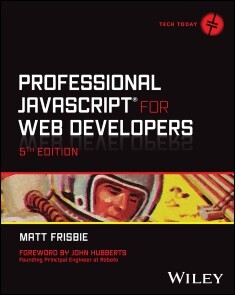
Professional JavaScript for Web Developers
UPDATE AND UPGRADE YOUR JAVASCRIPT SKILLSET FOR ES 2023 WITH THE ULTIMATE JAVASCRIPT GUIDE FOR PROSProfessional JavaScript for Web Developers, 5th edition, is the gold-standard in intermediate-to-advanced JavaScript programming development books. The author dives directly into the inner workings of JavaScript to help you clean up your code and become a more sophisticated and talented JavaScript developer. From object-oriented programming and inheritance to combining JavaScript with HTML and other markup languages, expert computer engineer Matt Frisbie walks you through everything you need to know to level-up your JavaScript game. This new edition is updated to include ECMAScript 2023 and later standard releases, the most useful techniques, and a relentless focus on code that works seamlessly in mobile web browsers and with the latest common frameworks and libraries. With this book, you will:* Get up to date with ECMAScript 2023* Get acquainted with the newest frameworks and libraries* Explore advanced topics such as web animation, workers, and the latest APIs* Get a head start on future ES releases* Learn to use modern syntax and best practices* Understand how to optimize performance in JavaScript applications* Master asynchronous programming patterns using promises, generators, and async/awaitPerfect for those who think they already know JavaScript “pretty well,” Professional JavaScript for Web Developers, 5th edition, is the pro-level update that intermediate and advanced web developers have been waiting for. MATT FRISBIE has written four other books, Building Browser Extensions, Professional JavaScript for Web Developers 4th edition, Angular 2 Cookbook, and AngularJS Web Application Development Cookbook. He previously worked at Google and DoorDash, and currently runs his own consulting business. Matt is active in the JavaScript community, maintains multiple open source projects, and is a frequent guest on podcasts. He holds a Bachelor of Science in Computer Engineering from the University of Illinois Urbana-Champaign.

Professional JavaScript for Web Developers
UPDATE AND UPGRADE YOUR JAVASCRIPT SKILLSET FOR ES 2023 WITH THE ULTIMATE JAVASCRIPT GUIDE FOR PROSProfessional JavaScript for Web Developers, 5th edition, is the gold-standard in intermediate-to-advanced JavaScript programming development books. The author dives directly into the inner workings of JavaScript to help you clean up your code and become a more sophisticated and talented JavaScript developer. From object-oriented programming and inheritance to combining JavaScript with HTML and other markup languages, expert computer engineer Matt Frisbie walks you through everything you need to know to level-up your JavaScript game. This new edition is updated to include ECMAScript 2023 and later standard releases, the most useful techniques, and a relentless focus on code that works seamlessly in mobile web browsers and with the latest common frameworks and libraries. With this book, you will:* Get up to date with ECMAScript 2023* Get acquainted with the newest frameworks and libraries* Explore advanced topics such as web animation, workers, and the latest APIs* Get a head start on future ES releases* Learn to use modern syntax and best practices* Understand how to optimize performance in JavaScript applications* Master asynchronous programming patterns using promises, generators, and async/awaitPerfect for those who think they already know JavaScript “pretty well,” Professional JavaScript for Web Developers, 5th edition, is the pro-level update that intermediate and advanced web developers have been waiting for. MATT FRISBIE has written four other books, Building Browser Extensions, Professional JavaScript for Web Developers 4th edition, Angular 2 Cookbook, and AngularJS Web Application Development Cookbook. He previously worked at Google and DoorDash, and currently runs his own consulting business. Matt is active in the JavaScript community, maintains multiple open source projects, and is a frequent guest on podcasts. He holds a Bachelor of Science in Computer Engineering from the University of Illinois Urbana-Champaign.

Samsung Galaxy A54 5G
Die verständliche Anleitung für Ihr Smartphone:- Alle Funktionen & Einstellungen auf einen Blick.- Schritt für Schritt erklärt – mit praktischen Tipps.Mit diesem smarten Praxisbuch gelingt Ihnen der schnelle und sichere Einstieg in Ihr Smartphone. Lernen Sie das Samsung Galaxy A34 5G von Grund auf kennen und beherrschen!Anschauliche Anleitungen, Beispiele und Bilder zeigen Ihnen gut nachvollziehbar, wie Sie Ihr mobiles Gerät optimal handhaben – von der Ersteinrichtung und Personalisierung über die große Funktionsvielfalt bis zu den wichtigsten Anwendungen. Nutzen Sie darüber hinaus die übersichtlichen Spicker-Darstellungen: Damit können Sie jene Bedienungsschritte, die man am häufigsten braucht, aber immer wieder vergisst, auf einen Blick finden und umsetzen. Freuen Sie sich auf viele hilfreiche Tipps und legen Sie ganz einfach los!Aus dem Inhalt:- Alle Bedienelemente des Samsung Galaxy A34 5G auf einen Blick- Ersteinrichtung und Tipps zum Umzug- Google-Konto erstellen und verwalten- Die Benutzeroberfläche Ihres Smartphones personalisieren- Apps aus dem Play Store herunterladen- Kontakte anlegen und im Adressbuch verwalten- Anrufe tätigen und SMS austauschen - Nachrichten über Mail und WhatsApp versenden und empfangen- Uhr, Kalender, Maps und andere praktische Apps nutzen - Fotos sowie Videos aufnehmen, verwalten und teilen- Ins Internet gehen über WLAN und mobile Daten - Updates, Datenschutz und Sicherheit

Dragon
So funktioniert das effiziente Diktieren von Texten!Nuance Dragon hilft Ihnen dabei, jede Menge Zeit zu sparen! Dieses kompakte Handbuch liefert praxisnahe Tipps und Tricks, um sämtliche Möglichkeiten dieser leistungsstarken Diktiersoftware voll auszuschöpfen. Systematisch lernen Sie, wie Sie mit Dragon alltägliche Aufgaben effizienter gestalten und Ihre Produktivität durch eine sinnvolle Sprachbefehlsführung steigern. Entdecken Sie, wie Sie die Software optimal für Ihren persönlichen Arbeitsstil nutzen, an Ihre individuellen Bedürfnisse anpassen sowie in Ihren zeitsparenden und zuverlässigen Assistenten verwandeln. Aus dem Inhalt- Schnelles und effizientes Diktat mit Dragon Spracherkennung- Ergänzung des Dragon-Wörterbuchs um eigene Wörter und Ausdrücke- PC-Steuerung per Sprache- Hinweise zur Optimierung der Spracherkennung- Datensicherung und Selbsthilfe Dr. phil. Stephan Küpper ist seit 2002 im Vertrieb von Dragon Spracherkennung tätig und unterstützt seine Kunden bei der Installation sowie beim Training. Dieses Buch ist das Ergebnis seiner unzähligen Schulungen von professionellen Diktanten in den Bereichen Recht, Wirtschaft und Medizin.

HTML und CSS
Moderne Web-Technologien für moderne Websites! In diesem Standardwerk gibt Ihnen Jürgen Wolf alle Werkzeuge an die Hand, die sie für einen starken Auftritt im Web benötigen. Lernen Sie alle Grundlagen von HTML, CSS und JavaScript kennen und erweitern Sie Ihr Wissen mit diesem umfassenden Lern- und Nachschlagewerk: vom Aufbau eines HTML-Dokuments über die Gestaltung mit CSS bis hin zur Web-Programmierung mit JavaScript. Inkl. einer Einführung in die wichtigen JavaScript-Frameworks React und Angular. Aus dem Inhalt: Syntax und Aufbau von HTML-DokumentenTabellen und HyperlinksBilder, Videos und AudioHTML-Formulare und interaktive ElementeDie Selektoren von CSSVererbung und KaskadeFlexboxen und Grid LayoutsResponsive Layouts erstellenEinführung in die JavaScript-APIsEinführung in React und Angular Materialien zum Buch ... 29 Vorwort ... 31 1. Einführung in das HTML-Universum ... 37 1.1 ... Ist dieses Buch überhaupt etwas für mich? ... 37 1.2 ... Die verschiedenen Typen von Websites ... 38 1.3 ... Dynamische und statische Websites ... 42 1.4 ... Sprachen für die Gestaltung und Entwicklung im Web ... 46 1.5 ... Was brauche ich, um hier anzufangen? ... 50 1.6 ... Verwendete Konventionen im Buch ... 59 1.7 ... Zusammenfassung ... 59 2. Grundlegender Aufbau von HTML(-Dokumenten) ... 61 2.1 ... Syntax und Aufbau von HTML(-Dokumenten) ... 61 2.2 ... Ein einfaches HTML-Dokument-Grundgerüst ... 72 2.3 ... Zusammenfassung ... 75 3. Die Kopfdaten eines HTML-Dokuments ... 77 3.1 ... Die HTML-Elemente für den Kopf in der Übersicht ... 77 3.2 ... - die Überschrift der HTML-Seite ... 78 3.3 ... Exkurs: Namenskonvention und Referenzierung ... 80 3.4 ... Die Basis-URL einer Webseite mit <base> definieren ... 85 3.5 ... Beziehung zu einem externen Dokument mit <link> ... 87 3.6 ... Dokumentglobale CSS-Stile mit <style> notieren ... 91 3.7 ... Skripte in Webseiten einbinden mit <script> ... 92 3.8 ... Metainformationen für das Dokument mit <meta> ... 94 3.9 ... Zusammenfassung ... 103 4. Der sichtbare Bereich eines HTML-Dokuments ... 105 4.1 ... HTML-Elemente für Seitenstrukturierung ... 106 4.2 ... HTML-Elemente für Textstrukturierung ... 117 4.3 ... HTML-Elemente für Textauszeichnungen ... 132 4.4 ... HTML und die Semantik ... 152 4.5 ... Barrierearmes Webdesign mit WAI-ARIA ... 154 4.6 ... Exkurs: Zeichencodierung ... 158 4.7 ... Zeichenentitäten in HTML ... 160 4.8 ... Zusammenfassung ... 162 5. Tabellen und Hyperlinks ... 163 5.1 ... Daten in einer Tabelle strukturieren ... 163 5.2 ... »Elektronische« Verweise aka Hyperlinks mit <a> ... 175 5.3 ... Zusammenfassung ... 191 6. Grafiken und Multimedia ... 193 6.1 ... Bilder für das Web ... 194 6.2 ... Bilder mit <img> einbinden ... 197 6.3 ... Das passende Bild mit <picture> laden ... 212 6.4 ... Ein Icon für die Website hinzufügen (Favicon) ... 216 6.5 ... Vektorgrafiken in HTML-Dokumenten verwenden ... 218 6.6 ... Grafiken zeichnen mit <canvas> ... 223 6.7 ... Videos mit dem HTML-Element <video> abspielen ... 224 6.8 ... Audiodateien mit dem HTML-Element <audio> abspielen ... 232 6.9 ... Andere aktive Inhalte einbinden ... 234 6.10 ... Zusammenfassung ... 238 7. HTML-Formulare und interaktive Elemente ... 239 7.1 ... Einen Bereich für Formulare definieren ... 240 7.2 ... Die HTML-Eingabefelder für Formulare ... 242 7.3 ... Spezielle Typen von Eingabefeldern ... 250 7.4 ... Die HTML-Attribute für Eingabefelder ... 257 7.5 ... Weitere nützliche Helferlein für Eingabefelder ... 263 7.6 ... Formulardaten mit PHP versenden ... 267 7.7 ... Interaktive HTML-Elemente ... 274 7.8 ... Zusammenfassung ... 277 8. Einführung in Cascading Stylesheets (CSS) ... 279 8.1 ... Das grundlegende Anwendungsprinzip von CSS ... 280 8.2 ... Einbindungsmöglichkeiten von CSS in HTML ... 286 8.3 ... CSS im Webbrowser analysieren ... 293 8.4 ... Werte an CSS-Eigenschaften übergeben ... 294 8.5 ... Zusammenfassung ... 306 9. Die Selektoren von CSS ... 307 9.1 ... Die einfachen Selektoren von CSS ... 309 9.2 ... Kombinatoren - die Selektoren verketten ... 337 9.3 ... Empfehlung: So verwenden Sie effizientes und einfaches CSS ... 343 9.4 ... Zusammenfassung ... 346 10. Die Vererbung und die Kaskade ... 349 10.1 ... Das Prinzip der Vererbung in CSS ... 349 10.2 ... Das Regelsystem der Kaskade verstehen ... 358 10.3 ... Zusammenfassung ... 367 11. Das Box-Modell von CSS ... 369 11.1 ... Das klassische Box-Modell von CSS ... 370 11.2 ... Das alternative Box-Modell von CSS ... 382 11.3 ... Logische Eigenschaften ... 386 11.4 ... Das Box-Modell für Inline-Elemente ... 389 11.5 ... Boxen gestalten ... 390 11.6 ... Exkurs: Webbrowser-Präfixe (CSS Vendor Prefixes) ... 409 11.7 ... Zusammenfassung ... 411 12. CSS-Positionierung ... 413 12.1 ... Der normale Elementfluss ... 413 12.2 ... Positionierung mit der CSS-Eigenschaft »position« ... 416 12.3 ... Übereinanderstapeln regeln mit »z-index« ... 428 12.4 ... Schwebende Boxen für die Positionierung mit »float« ... 432 12.5 ... Zusammenfassung ... 447 13. Flexboxen ... 449 13.1 ... Den Flexbox-Container erstellen ... 450 13.2 ... Flex-Items anpassen ... 455 13.3 ... Die Flex-Items im Flex-Container ausrichten ... 460 13.4 ... Beispiel: Navigationsbar mit Flexboxen ... 468 13.5 ... Zusammenfassung ... 471 14. Responsives Webdesign und Media Queries ... 473 14.1 ... Grundlagenwissen zum responsiven Webdesign ... 473 14.2 ... Die Druckversion einer Website ... 492 14.3 ... Auf Benutzereinstellungen reagieren ... 496 14.4 ... Container Queries ... 507 14.5 ... Berechnungen mit CSS und der »calc()«-Funktion ... 512 14.6 ... Zusammenfassung ... 513 15. CSS Grid ... 515 15.1 ... Grid-Container und Rasterelemente verwenden ... 516 15.2 ... Responsives Grid ohne Media Queries ... 529 15.3 ... Ausrichten von Grid-Items ... 535 15.4 ... Grid-Bereiche benennen ... 539 15.5 ... Zusammenfassung ... 542 16. Stylen mit CSS ... 543 16.1 ... Schriftfamilien und -formatierung mit »font« ... 543 16.2 ... »@font-face«, Webfonts und variable Fonts ... 559 16.3 ... Weiterere Anpassungsmöglichkeiten von Text ... 567 16.4 ... Listen mit CSS gestalten ... 576 16.5 ... Schönere Tabellen mit CSS gestalten ... 582 16.6 ... Bilder mit CSS gestalten ... 588 16.7 ... Elemente transformieren mit CSS ... 598 16.8 ... Übergänge und Animationen mit CSS erstellen ... 601 16.9 ... HTML-Formulare mit CSS stylen ... 605 16.10 ... Zusammenfassung ... 614 17. Der CSS-Präprozessor Sass und SCSS ... 615 17.1 ... Sass oder SCSS ... 616 17.2 ... Von Sass/SCSS zu CSS ... 617 17.3 ... Einführung in Sass ... 617 17.4 ... Custom Properties mit reinem CSS ... 644 17.5 ... Verschachteltes CSS ... 651 17.6 ... Zusammenfassung ... 659 18. Eine kurze Einführung in JavaScript ... 661 18.1 ... JavaScript in der Webentwicklung ... 662 18.2 ... JavaScript-Programme schreiben und ausführen ... 664 18.3 ... Ausgabe von JavaScript ... 670 18.4 ... Die Verwendung von Variablen in JavaScript ... 677 18.5 ... Übersicht über die JavaScript-Datentypen ... 681 18.6 ... Arithmetische Operatoren zum Rechnen in JavaScript ... 688 18.7 ... Bedingte Anweisungen in JavaScript ... 690 18.8 ... Programmanweisungen mehrmals wiederholen mit Schleifen ... 698 18.9 ... Zusammenfassung ... 702 19. Arrays, Funktionen und Objekte in JavaScript ... 703 19.1 ... Funktionen in JavaScript ... 703 19.2 ... Arrays ... 715 19.3 ... Zeichenketten und reguläre Ausdrücke ... 727 19.4 ... Objektorientierte Programmierung in JavaScript ... 729 19.5 ... Weitere globale Objekte ... 736 19.6 ... Zusammenfassung ... 741 20. Webseiten dynamisch ändern ... 743 20.1 ... Einführung in das DOM eines HTML-Dokuments ... 743 20.2 ... Das »document«-Objekt ... 745 20.3 ... Die Programmierschnittstelle von DOM ... 745 20.4 ... Auf Elemente im DOM zugreifen ... 747 20.5 ... Auf JavaScript-Events reagieren ... 759 20.6 ... Mit dem Event-Handler die Events behandeln ... 761 20.7 ... Gängige JavaScript-Events in der Übersicht ... 765 20.8 ... Standardaktion von Events unterdrücken ... 770 20.9 ... Der Event-Fluss (Event-Propagation) ... 771 20.10 ... Weitere Informationen zu Events mit dem »event«-Objekt ... 776 20.11 ... HTML-Attribut oder den Textknoten ändern ... 779 20.12 ... HTML-Elemente hinzufügen, ändern, entfernen ... 783 20.13 ... CSS und JavaScript ... 801 20.14 ... HTML-Formulare und JavaScript ... 804 20.15 ... Zusammenfassung ... 811 21. Einführung in die Web-APIs (Browser-APIs) ... 813 21.1 ... Video- und Audio-Media-API ... 814 21.2 ... Den Standort ermitteln mit der Geolocation-API ... 821 21.3 ... Web Storage - Datenbank für Offlineanwendungen ... 833 21.4 ... Web Workers - die Helfer im Hintergrund ... 845 21.5 ... Aktualisieren ohne Anfrage mit Server-Sent Events ... 853 21.6 ... Weitere interessante Web-APIs im Schnelldurchlauf ... 857 21.7 ... Zusammenfassung ... 864 22. Eine Einführung in Ajax und die Fetch-API ... 865 22.1 ... Eine Einführung in die Ajax-Programmierung ... 865 22.2 ... Die Fetch-API ... 883 22.3 ... Zusammenfassung ... 887 23. Das Bootstrap-Framework einsetzen ... 889 23.1 ... Bootstrap herunterladen und integrieren ... 890 23.2 ... Das Layout mit dem Bootstrap-Framework erstellen ... 893 23.3 ... Die Komponenten des Bootstrap-Frameworks verwenden ... 905 23.4 ... Übersicht über weitere beliebte CSS-Frameworks ... 915 23.5 ... Zusammenfassung ... 916 24. Einführung in die grundlegenden Konzepte von React ... 917 24.1 ... Was ist React? ... 917 24.2 ... Die Umgebung für React einrichten ... 918 24.3 ... Ein React-Projekt einrichten und starten ... 919 24.4 ... Hallo Welt in React ... 922 24.5 ... JSX (JavaScript XML) ... 924 24.6 ... Rendern von Elementen ... 932 24.7 ... React-Komponenten und Props ... 932 24.8 ... Statusmanagement in React ... 941 24.9 ... Ereignisse und deren Handler ... 948 24.10 ... Lifecycle von Komponenten ... 949 24.11 ... Die React-Hooks-API ... 960 24.12 ... CSS und React ... 968 24.13 ... Formulare in React ... 979 24.14 ... So geht es weiter ... 984 25. Einführung in die grundlegenden Konzepte von Angular ... 987 25.1 ... Die nötigen Werkzeuge ... 987 25.2 ... Hallo Welt in Angular ... 988 25.3 ... Eine kleine Einführung in TypeScript ... 992 25.4 ... Komponenten ... 1005 25.5 ... Komponenten binden ... 1013 25.6 ... Pipes ... 1025 25.7 ... Der Datenfluss zwischen den Komponenten ... 1034 25.8 ... Styles für Komponenten ... 1041 25.9 ... Der Lebenszyklus einer Komponente ... 1044 25.10 ... Direktiven ... 1048 25.11 ... Wie geht es nun weiter? ... 1063 26. Beispielprojekt erstellen, testen und optimieren ... 1065 26.1 ... Projektplanung ... 1066 26.2 ... Grundgerüst mit Inhalt erstellen ... 1068 26.3 ... Das Layout der Website festlegen und erstellen ... 1070 26.4 ... Typografie - Auswahl der Schriften ... 1077 26.5 ... Navigation ... 1080 26.6 ... Farben für das Projekt festlegen ... 1082 26.7 ... Grafiken und Bilder ... 1083 26.8 ... Website auf Funktionalität testen ... 1087 26.9 ... Website auf Barrierefreiheit hin testen ... 1091 26.10 ... Performance der Website testen und verbessern ... 1092 26.11 ... Nachhaltige Webentwicklung ... 1097 26.12 ... Zusammenfassung ... 1106 Index ... 1107 </dom-container>

Creative Prototyping with Generative AI
Reimagine different generative AI as useful creative prototyping tools that can be used to augment your own creative process and projects. Gain a deeper understanding of how generative AI can elevate your creative future.You will acquire a comprehensive understanding of how AI works, uncover tools that can enhance your AI interactions, learn how to extract maximum potential from AI-produced content, and experiment with methods for assessing, refining, and boosting the content to transform your creative projects. You'll also explore how creative professionals from varied disciplines are employing generative AI in their workflows to produce distinctive contributions to the world.Each chapter provides examples of how designers and other creative individuals can utilize these technological wonders, adopting various prototyping techniques to fast-track and optimize design processes and workflows. Creators from all disciplines can tap into the vast capabilities and benefits of generative AI, enabling them to rapidly experiment and prototype their ideas.YOU WILL LEARN:* Understand how generative AI can support your own creative process* Learn tools to get the most out of text-text, text-image, and text-video generative AI* Augment your design practices using generative AI* Draw inspiration from AI generated content to create unique creative work* Improve and streamline creatives processes and workflowsWHO THIS BOOK IS FOR* Digital media professionals who want to access off-the shelf creative tools to improve and accelerate their creativity and workflow.* Designers and engineers who are looking at novel ways to improve their prototyping and testing processes.* Students who want to use AI to rapidly generate ideas to support them in prototyping assignments.* Instructors interested in pointing their students to a variety of accessible AI resources to manage their own creativity.PATRICK PARRA PENNEFATHER is an Assistant Professor and Researcher at the University of British Columbia within the Faculty of Arts and the Emerging Media Lab. His research is focused on Collaborative Learning Practices, Digital Media, XR and Agile Software Development. Patrick also works with learning organizations and technology companies around the world to design learning courses that meets the needs of diverse communities to aid the development of the next generation of technology designers and developers. Teaching has focused on Creativity, Collaboration, Sound Design, xR development, Agile with a focus on developing critical 21st Century competencies.RAPID PROTOTYPING WITH GENERATIVE AI1. Introduction: Your AI Best Friend2. AI as a Creative Muse3. Prototyping with AI4. Creative Tools and Processes5. AI Structures6. The Master of Mash-Up: Leveraging AI for Prototyping7. Uncanny by Nature8. Layering AI Generation9. The Art of the Prompt10. Five Dilemmas Using AI11. AI Curator for Hire

Linux-Server für Dummies
Linux-Server aufsetzen, administrieren und absichern: Arnold Willemer zeigt Ihnen in diesem Buch, wie Sie Ihren Debian/GNU Linux oder Ubuntu Server von Anfang an gut im Griff haben. Schritt für Schritt erklärt er Ihnen, wie Sie den Server installieren, Laufwerke und Netzwerke einrichten und Benutzerkonten anlegen. Außerdem lernen Sie, wie Sie effizient mit der Shell arbeiten und per Remote-Zugriff administrieren. Einen weiteren großen Themenkomplex bildet die Sicherung von Daten, die Systemdiagnose sowie das Härten des Servers gegen Angreifer von außen. In weiteren Kapiteln erfahren Sie, wie Sie Datenbanken anlegen oder einen Dateiserver mit SAMBA einrichten. Und auch Mail- und Webserver kommen nicht zu kurz. Alle Themen werden anschaulich und von Grund auf erklärt, sodass Sie den Beschreibungen auch dann leicht folgen können, wenn Sie bisher noch nicht mit Linux-Servern gearbeitet haben. Zudem eignet sich dieses Buch auch hervorragend als Nachschlagewerk. So gerüstet steht Ihrem sicheren und performanten Server nichts mehr im Weg!Arnold Willemer ist Programmierer und Administrator mit mehr als 30 Jahren Berufserfahrung und Dozent an der Hochschule Flensburg. Er hat mehrere erfolgreiche Computerbücher geschrieben, die sich durch ihre Verständlichkeit und ihren lockeren Stil auszeichnen.

TikTok-Videos selber machen für Dummies Junior
Sei kreativ und nutze dein Smartphone, um erstklassige Videos zu drehen und mit Gleichgesinnten auf TikTok zu teilen. Lerne die TikTok-App kennen, tritt der Community bei, nimm kurze Videos auf und bearbeite diese optimal nach. In diesem Buch erfährst du von TikTok-Profis, wie du noch bessere Videos erstellst, die sich deine Follower immer wieder ansehen möchten. Außerdem erfährst du, was es bedeutet, wenn ein Clip viral geht, und wie du deine eigene Sichtbarkeit und Reichweite erhöhst. So kannst du deine Ideen verwirklichen.Will Eagle ist ein erfahrener Content-Marketing-Manager. Derzeit arbeitet er als Creative Strategy Executive bei einem Unternehmen, das Firmenkunden mit führenden Social Influencern zusammenbringt. Daher kennt er die Erfolgsrezepte der führenden Social Influencer. Dieses Buch hat er gemeinsam mit Hannah Budke, Claire Cohen, Andrew Cooper, Jordan Elijah Michael und Andrew Panturescu geschrieben.

Teach Yourself VISUALLY HTML and CSS
LEVEL-UP YOUR HTML AND CSS WEB DEVELOPMENT SKILLS WITH THIS DYNAMIC, VISUAL GUIDETeach Yourself VISUALLY HTML and CSS is the perfect resource for those of you who prefer to learn visually and would rather be shown how to do something – with crystal-clear screenshots and easy explanations – than suffer through long-winded explanations. You’ll find step-by-step walkthroughs showing you how to tackle over 120 individual tasks involving HTML and CSS. Each task-based spread covers a single technique, ensuring you learn first the basics and then more advanced topics one straightforward piece at a time. You'll learn to write HTML code in a text editor or an integrated development environment, add and format text, prepare images for the web, insert links to other pages, control layout with style sheets, add JavaScript to a web page, and more. You’ll also discover how to:* Create websites that look great in 2023 and beyond with classic HTML and skills and the most modern tips and tricks for contemporary web coding* Optimize your websites for performance and speed, ensuring every visitor gets the best possible experience* Add modern elements to your code, including , , , and , and make your code accessible to as many people as possibleTeach Yourself VISUALLY HTML and CSS is your personal roadmap to understanding how to get the most out of HTML and CSS to create, format, and troubleshoot websites of all kinds. This book will get you to the next level of web development, quickly and easily.

HTML, CSS, & JavaScript All-in-One For Dummies
A THOROUGH AND HELPFUL REFERENCE FOR ASPIRING WEBSITE BUILDERSLooking to start an exciting new career in front-end web building and design? Or maybe you just want to develop a new skill and create websites for fun. Whatever your reasons, it’s never been easier to start learning how to build websites from scratch than with help from HTML, CSS, & JavaScript All-in-One For Dummies. This book has the essentials you need to wrap your head around the key ingredients of website design and creation. You’ll learn to build attractive, useful, and easy-to-navigate websites by combining HTML, CSS, and JavaScript into fun and practical creations. Using the 6 books compiled within this comprehensive collection, you’ll discover how to make static and dynamic websites, complete with intuitive layouts and cool animations. The book also includes:* Incorporate the latest approaches to HTML, CSS, and JavaScript, including those involving new markup, page styles, interactivity, and more* Step-by-step instructions for new site creators explaining the very basics of page layouts and animations* Easy-to-follow advice for adjusting page color and background, adding widgets to a site, and getting rid of all the bugs that affect site performanceWeb development is a fun, interesting, and challenging skill that can lead to a lucrative career (if you’re so inclined). And with the right help, almost anyone can learn to create engaging websites from scratch. So, grab a copy of HTML, CSS, & JavaScript All-in-One For Dummies and you’ll be designing and building before you know it! PAUL MCFEDRIES is a long-time technical author with over 100 published titles to his credit. His For Dummies work includes Web Coding & Development All-in-One For Dummies, iPad and iPad Pro For Dummies, Alexa For Dummies, G Suite For Dummies, and Excel Data Analysis For Dummies.

HTML, CSS, & JavaScript All-in-One For Dummies
A THOROUGH AND HELPFUL REFERENCE FOR ASPIRING WEBSITE BUILDERSLooking to start an exciting new career in front-end web building and design? Or maybe you just want to develop a new skill and create websites for fun. Whatever your reasons, it’s never been easier to start learning how to build websites from scratch than with help from HTML, CSS, & JavaScript All-in-One For Dummies. This book has the essentials you need to wrap your head around the key ingredients of website design and creation.You’ll learn to build attractive, useful, and easy-to-navigate websites by combining HTML, CSS, and JavaScript into fun and practical creations. Using the 6 books compiled within this comprehensive collection, you’ll discover how to make static and dynamic websites, complete with intuitive layouts and cool animations. The book also includes:* Incorporate the latest approaches to HTML, CSS, and JavaScript, including those involving new markup, page styles, interactivity, and more* Step-by-step instructions for new site creators explaining the very basics of page layouts and animations* Easy-to-follow advice for adjusting page color and background, adding widgets to a site, and getting rid of all the bugs that affect site performance* Bonus 6th book available at https://www.wiley.com/en-us/HTML%2C+CSS%2C+%26amp%3B+JavaScript+All+in+One+For+Dummies-p-9781394164721 . Web development is a fun, interesting, and challenging skill that can lead to a lucrative career (if you’re so inclined). And with the right help, almost anyone can learn to create engaging websites from scratch. So, grab a copy of HTML, CSS, & JavaScript All-in-One For Dummies and you’ll be designing and building before you know it!PAUL MCFEDRIES is a long-time technical author with over 100 published titles to his credit. His For Dummies work includes Web Coding & Development All-in-One For Dummies, iPad and iPad Pro For Dummies, Alexa For Dummies, G Suite For Dummies, and Excel Data Analysis For Dummies.Introduction 1BOOK 1: GETTING STARTED 5Chapter 1: Getting Acquainted with HTML, CSS, and JavaScript 7Chapter 2: Getting Ready to Code 39Chapter 3: Finding and Setting Up a Web Host 47Chapter 4: Testing and Validating Your Code 59BOOK 2: LEARNING HTML BASICS 77Chapter 1: Building Good Bones: Structuring the Page 79Chapter 2: Adding Links, Lists, and Other Text Tidbits 97Chapter 3: Working with Images, Video, and other Media 123Chapter 4: Building Tables with Your Bare Hands 143Chapter 5: Using Forms to Make a Page Interactive 163Chapter 6: Making Your Web Pages Accessible 181BOOK 3: LEARNING CSS BASICS 203Chapter 1: Figuring Out the CSS Box Model 205Chapter 2: Getting to Know the CSS Selectors 235Chapter 3: Pseudo School: Learning Pseudo-Classes and Pseudo-Elements 251Chapter 4: Making CSS Make Sense 287Chapter 5: Taking the Measure of CSS 321Chapter 6: Fancifying Pages with Colors and Backgrounds 337Chapter 7: Taking Your Text Up a Notch with Web Typography 363BOOK 4: BUILDING DYNAMIC PAGES WITH JAVASCRIPT 397Chapter 1: JavaScript: The Bird’s-Eye View 399Chapter 2: Understanding Variables 411Chapter 3: Building Expressions 427Chapter 4: Controlling the Flow of JavaScript 457Chapter 5: Harnessing the Power of Functions 481Chapter 6: Playing with the Document Object Model 513Chapter 7: Working with Arrays 553Chapter 8: Manipulating Strings, Dates, and Numbers 583Chapter 9: Storing User Data in the Browser 617Chapter 10: Debugging Your Code 627Chapter 11: Processing Form Data 649BOOK 5: LOOKING GOOD WITH LAYOUTS 673Chapter 1: Exploring Some Layout Basics 675Chapter 2: Getting Fancy with Flexbox 703Chapter 3: Laying Out a Page with CSS Grid 737Chapter 4: Creating Responsive Layouts 765Index 801

KI und die Disruption der Arbeit
Mittlerweile ist allen klar geworden: Künstliche Intelligenz wird die Arbeitswelt in Zukunft grundlegend verändern. Schon jetzt zeichnet sich ab, wozu diese Technologie in der Lage ist, aber das ist wohl nichts im Vergleich zu dem, was uns erwartet. Müssen wir Angst vor diesen Veränderungen haben oder dürfen wir sie begrüßen? Sind wir wirklich hilflos einer unaufhaltsamen Macht ausgeliefert? Nein, schließlich sind wir alle, die Expert:innen wie Konsument:innen, auch diejenigen, die diese Entwicklung entfesselt haben und deshalb für ihre Gestaltung mit verantwortlich sind. Dennoch gibt es eine große Unsicherheit und das allgegenwärtige Gefühl des Kontrollverlusts.Dieses Buch wird Ihnen helfen das zu bewerten, was Sie hören, sehen und befürchten. Was viel zu selten geschieht, leistet dieses Buch: Die Betrachtung der anstehenden Veränderungen wird auf eine solide Basis gestellt, die sich schon oft bewährt hat: Wenn wir uns ansehen, woher wir kommen, verstehen wir besser, wohin wir gehen, besser noch, wohin wir wollen sollten. Wenn man verantwortlich mitgestalten will, darf man nicht wie das Kaninchen vor der Schlange verharren, so faszinierend oder erschreckend das alles sein mag.Der Autor überträgt dieses Prinzip auf die Arbeitswelt. Er betrachtet mit Hilfe von Szenarien die Felder, auf denen die größten Umwälzungen zu erwarten sind, und zeigt, dass auch in der Vergangenheit schon oft große Brüche stattgefunden haben. Daraus kann man Schlüsse ziehen und lernen, was die heutigen Entwicklungen bedeuten, welche technischen, ökonomischen und sozialen Triebkräfte diese Innovationen in der Künstlichen Intelligenz und der Robotik vorantreiben. Das erlaubt dem Autor eine mögliche Arbeitswelt der Zukunft zu entwerfen, die eine Welt der gestaltenden und überwiegend überwachenden Tätigkeiten sein könnte. Dies ist nicht als Prognose zu verstehen, sondern als Ergebnis einer technikwissenschaftlich und philosophisch ausgelegten Analyse dessen, was wir mit unseren neuen technischen und organisatorischen Möglichkeiten wollen könnten. Und hier gibt es immer mehrere Alternativen.Um herauszufinden, was wir wollen, lohnt ein Blick auf die Bedeutung der bisherigen Arbeit als Teil unserer Biographie, als Sinn- und Identitätsstiftung, als soziale Teilhabe und nicht zuletzt als Quelle von Eigentum und Wohlstand. Und auch hier gibt es abhängig von Kulturen, geschichtlichen Prozessen und Wirtschaftstheorien völlig unterschiedliche Auffassungen, die Ihnen der Autor so vor Augen führt, dass sie selbst urteilen können.Wenn Sie das Buch gelesen haben, wird Ihnen manches an der derzeitigen Diskussion über die Auswirkungen von KI auf die Arbeitswelt übertrieben vorkommen. Sie werden jedoch besser verstehen, wo die Grenzen der KI liegen, wo unsere eigenen Grenzen liegen, die wir mit KI zu überwinden hoffen und nicht zuletzt, wo wir aus Verantwortung für künftige Generationen Grenzen setzen müssen.Autor:Klaus Kornwachs (geb.1947) studierte Physik, Mathematik und Philosophie. 1979-1992 Fraunhofer-Institut für Arbeitswirtschaft und Organisation, Stuttgart, zuletzt als Leiter der Abteilung für Qualifikationsforschung und Technikfolgenabschätzung, 1991 Forschungspreis der Alcatel SEL-Stiftung für Technische Kommunikation. 1992-2011 Lehrstuhl für Technikphilosophie an der BTU Cottbus. Mitglied der Deutschen Akademie der Technikwissenschaften (acatech), Gastprofessuren in Wien, Budapest, Stuttgart und Dalian (China). Prof. Kornwachs lehrt derzeit an der Universität Ulm, und ist seit 2013 Honorary Professor am Intelligent Urbanization Co-Creation Center der Tongji University, Shanghai. Herausgeber und Autor zahlreicher Fachbücher und Veröffentlichungen

Schrödinger lernt HTML5, CSS und JavaScript
Der beliebteste Schrödinger-Band in vierter Auflage! Schrödinger braucht Know-how in der Webentwicklung. Zum Glück hat er einen Kumpel, der auf jede Frage eine Antwort weiß, wenn er nur genug Kaffee bekommt. Zusammen lernt ihr HTML, CSS und JavaScript und erstellt Webauftritte für den Verein und für die Firma. Mit viel Witz, der nötigen Theorie, Unmengen an Code, Tipps, Übungen und den verdienten Pausen. Von "Hallo Webwelt" über Maus- und Touchevents bis zum Responsive Webdesign: alles auf dem neuesten Stand und, wenn du willst, mit deinem eigenen Webserver. Umwerfende Beispiele, fantastisch illustriert. Aus dem Inhalt: Ausführlicher Einstieg in HTML, CSS und JavaScriptDesigns umsetzen und gute GUIs erstellenEreignisse behandeln und Funktionen einsetzenServerkommunikation, AJAX und Websockets nutzenMit oder ohne HTML5 und CSS3Karten einbinden und GPS-Daten auswertenZeichnen mit CanvasResponsive Webdesign und ToucheventsWebseiten für einfach alles, was einen Bildschirm hatVideo- und Audiomaterial einbinden Widmung ... 2 An den Leser ... 3 Schrödingers Büro ... 4 Schrödingers Werkstatt ... 6 Schrödingers Wohnzimmer ... 8 Impressum ... 10 Inhaltsverzeichnis ... 12 Vorwort ... 20 1. Fangen wir mit einem Gerüst an -- Aufbau einer Seite und die wichtigsten Elemente ... 21 Die drei ??? -- HTML, CSS und JavaScript ... 22 Der Werkzeugkasten ... 24 Webbrowser ... 25 Editor ... 26 Das erste Dokument ... 27 Markup und Tags ... 29 Struktur einer HTML-Seite ... 31 Attribute, leere Tags und Links ... 33 Links zwischen zwei Seiten -- über den Gartenzaun ... 38 Das Ziel im Auge -- das Attribut target ... 41 Tinks und Largels ... 43 Text war gestern -- Bilder ... 45 Bevor das Bild geladen wurde ... ... 47 ... und hinterher ... 47 Das sollte man im Kopf haben -- mehr vom head ... 50 Andere Länder, andere Zeichen: Character Encoding ... 52 Denk noch mal drüber nach: Übungen ... 56 2. Das World Wide Web, unendliche Weiten -- Serverkommunikation, Adressen, Standards ... 59 Wo finde ich denn nun meine Seite? Von Webservern und DNS ... 60 URLs -- alles an der richtigen Adresse ... 63 Ferngespräch für Herrn Web Server -- HTTP ... 67 Jetzt wird es ernst -- unser eigener Webserver ... 71 Hier geht's weiter für alle Systeme ... 77 Das obligatorische Geschichtskapitel -- die Geschichte des World Wide Web ... 79 Man nehme ein ARPANET und lasse es reifen ... ... 79 ... rühre etwas Hypertext unter ... ... 80 ... und köchle alles, bis es bunt wird ... 82 Das Ende von Mosaic und der erste Browserkrieg ... 83 Microsofts Monopol und der zweite Browserkrieg -- der Rote Panda schlägt zurück ... 86 HTML ist nicht gleich HTML -- eine Sprache, verschiedene Dialekte ... 88 3. Jetzt kommt Farbe ins Spiel -- Einführung in CSS ... 91 Webseiten mit Stil -- Inline Styles und Farben ... 92 Inline ist out -- Stylesheets ... 95 Welches Element hätten's denn gerne? Selektoren nach Tags, IDs und Klassen ... 98 Übungen mit dem Regenbogen ... 106 Drei Farben reichen völlig aus -- das RGB-Modell ... 110 Durchschaut: rgba() und opacity ... 114 Wir halten uns im Hintergrund -- background-image ... 116 Wohin damit? background-repeat, background-position und background-attachment ... 118 Hier war ich doch schon mal -- Pseudoklassen für Links ... 125 Farben und Selektoren: Übungen zum Abschluss ... 127 4. Kaskaden für Bossingen -- CSS-Selektoren und Typografie ... 129 Was heißt jetzt eigentlich Cascading? ... 130 CSS -- den Tätern auf der Spur ... 134 Größe zeigen -- mit font-size ... 138 Ahnenforschung für Anfänger -- Selektoren für Kinder und Nachfahren ... 143 Für Fortgeschrittene: Nachfahren-Selektoren mit mehreren Ebenen ... 148 Seichte Kost, nur die direkten Kinder selektieren ... 149 Von Schriftgrößen und Selektoren: Übungen ... 150 Es muss nicht immer Times New Roman sein -- Schriftarten ... 156 Gutenbergs Erben -- mehr von Schriften und Typografie ... 162 Die Schriftliche Prüfung: Übungen ... 166 5. Ordnung in die Plattensammlung -- Listen und Tabellen ... 169 Besser als Zeilenumbruch: Listen ... 170 Wer braucht da noch PowerPoint? CSS-Styles für Listen ... 176 Definitionssache -- Definition Lists mit dl; ... 179 Eine Liste von Übungen zu Listen ... 182 Die Liste ist nicht genug -- Tabellen ... 185 Was steckt noch drin? Tabellen im Detail ... 189 Auch Tabellen brauchen CSS-Liebe ... 195 Gefängnisreform für größere Zellen -- rowspan und colspan ... 202 Tabellarische Übungen ... 204 6. Von der Wiege bis zur Bahre -- Formulare ... 209 Mehr als nur anfragen: endlich mitreden ... 210 Daten eingeben und zum Server schicken -- einfaches Formular ... 213 Request ist nicht gleich Request -- post und get ... 221 Aber tippen ist anstrengend! Checkboxen und Radiobuttons ... 224 Wer ist denn nun der Auserwählte? Select-Boxen ... 228 Jetzt kommt endlich die Suche! ... 234 Das muss ja nicht jeder sehen -- versteckte Felder ... 237 Jetzt kannst du doch noch Opern quatschen -- Textarea ... 238 Die Spezialisten - Formularfelder für alle Lebenslagen ... 241 Formulare müssen nicht nach Behörde aussehen -- CSS für Forms ... 244 Übungen! Neue Felder, neue Stile ... 249 Alle Dateien laden hoooooch -- File Upload ... 252 7. Von Rändern und Schuhkartons -- Seitenlayout in HTML und CSS ... 255 Die Grundlagen für alles -- Block- und Inline-Elemente ... 256 Das Box-Model -- stapelbares HTML ... 258 Relativ und absolut ... 262 Fünf kleine div-Container ... ... 264 Das Gesetz des Kompasses ... 267 Und weiter geht's mit den fünf divs ... 269 Abstände aus der Nähe betrachtet ... 270 10 Liter HTML in einem 5-Liter-div -- Overflow ... 272 Schrödinger in seinem Element -- Container schubsen ... 274 Genau dort -- absolute Positionierung ... 276 Der StapelzeugTM-Stapelplan ... 278 Mehr zu Positionierung ... 283 Eiskalt berechnet ... 285 Elemente im Fluss -- float und clear ... 287 Floatende Layouts ... 291 Von Boxen und Stapeln ... 292 Und so sieht der Stylesheet am Ende aus: ... 297 Semantik statt div -- dranschreiben, was drinsteckt ... 298 Die CSS-Eigenschaft display -- warum? ... 300 Wer verdeckt wen? z-index ... 303 Das Fenster im Fenster ... 306 8. ENTlich, eine Website! Schrödinger setzt das Gelernte zusammen -- Eine Website von Anfang an ... 309 Eine Website von Anfang an ... 310 Die Seitenstruktur ... 313 Die Organisation des Stylesheets ... 318 Für die Kunst -- die Entengalerie ... 320 Entengalerie plus -- es geht noch cooler ... 326 9. Schöner wohnen mit CSS3 ... 329 Zum Schutz vor blauen Flecken -- runde Ecken ... 330 Rahmenbilder für Bilderrahmen ... 334 Urlaubsfotos aus den 80ern ... 338 Licht und Schatten ... 341 Die Kiste im Licht -- box-shadow ... 347 Schlüsselmomente ... 350 Und es bewegt sich doch ... 355 Und es bewegt sich noch etwas ... 359 Die Farbe des Kaffees ... 362 Gerade war gestern -- CSS-Transformationen ... 364 Jetzt bist du dran mit Drehen und Schieben ... 367 Auf in die dritte Dimension! ... 370 Gemeinsam sehen sie stark aus -- Effekte mit CSS3 ... 372 Wie in der Zeitung -- mehrspaltiges Layout ... 379 Die richtige Textverteilung ... 383 10. Jetzt muss es sich aber endlich bewegen -- JavaScript ... 385 JavaScript, was ist das eigentlich? ... 386 Und wie geht es jetzt? ... 389 Zählen nach Zahlen ... 391 Merk's dir für später -- Variablen ... 395 Übungen zu Variablen ... 400 Zahlentheorie ... 403 Daten rein, Daten raus I: Ausgabe ... 406 Woher weiß ich, wenn ein Fehler auftritt? ... 411 Zeichen, Zeichen, Zeichenkette ... 413 Daten rein, Daten raus II: Eingabe ... 416 Übungen zu Strings und Ausgabe ... 420 Strings besser zusammenbauen ... 424 Wenn ... dann ... ... 426 Variablen, solange wir sie brauchen -- Block-Scope ... 431 Formulare -- bitte geben Sie Ihre Adresse an ... 433 Wenn die Praxis funktioniert, dann fehlt noch die Theorie ... 437 Was? Wie? Wenn? Dann? ... 440 11. Programmieren mit Bausteinen -- Funktionen ... 443 Funktionen fürs Kochrezept ... 444 So funktioniert's mit Funktionen ... 451 Mehr Werte, als man zählen kann -- Arrays ... 455 Eine Übung für zwischendurch ... 461 Von vorne bis hinten mit for ... 463 Parameter-Überschuss ... 468 Parameter für Fortgeschrittene ... 469 Gut verteilt mit dem Spread-Operator ... 471 Einfach mal anders schleifen -- die for-of-Schleife ... 472 Mehr Zuweisung fürs gleiche Geld ... 473 Von Dingen und Zeigern ... 475 Wie funktionieren meine Funktionen? ... 478 Manchmal geht alles schief -- Fehler ... 480 Funktionen, Bürger erster Klasse ... 485 Funktionen in Funktionen in Funktionen ... 492 12. Augen auf, du hast User! -- Eventhandler ... 497 Reaktionsfreudiges JavaScript -- Eventhandler ... 498 Die Events mit der Maus ... 504 Mehr von der Maus ... 507 Das Ziel im Auge -- event.target ... 510 Gezieltes Mausen ... 513 JavaScript im Schaumbad -- blubbernde Events ... 516 Keyboardevents ... 519 Timeout, Formevents und andere ... 522 Übungen! ... 524 13. Gerade stand das da noch nicht -- DOM-Manipulation ... 527 Ein DOM für die HTML-Seite ... 528 Gärtnern für Webentwickler -- das DOM als Baum ... 532 Des Zauberlehrlings Hausaufgabe ... 535 Mal wieder Wiederholungen -- while-Schleifen ... 544 Von einem Element zum anderen -- navigieren im DOM ... 546 Rein, rauf, runter, raus -- Elemente erzeugen, einfügen, entfernen und verschieben ... 550 Attribute und Styles ... 556 Die Meisterprüfung des DOM-Zauberlehrlings ... 558 14. Schrödingers Welt der Programmierung -- Objekte und JSON ... 563 Objektorientierung -- was und warum? ... 564 Objekte für Einsteiger ... 567 Ran an die Eigenschaften ... 570 Und jetzt mit Methoden ... 575 Das Schlüsselwort this und Function Binding ... 577 Was steckt drin? for ... in ... 581 Übungen mit Objekten ... 585 Map macht's leichter ... 587 Konstruktoren und Prototypen ... 588 Vererbung -- und niemand muss dafür sterben ... 591 Übungen zu Prototypen und Vererbung ... 597 Klassen in JavaScript -- ja, die gibt's jetzt ... 601 Alles wird super ... 604 Statische Felder ... 606 15. Halt, hiergeblieben! Cookies, WebStorage und File-API ... 609 Der Griff in die Keksdose ... 610 Cookies ganz korrekt ... 612 Cookies selbst gebacken ... 615 Jetzt wird gebacken ... 616 Daten, so weit das Auge reicht -- Web Storage ... 621 Iterieren über Web Storage ... 623 Das Beispiel am Stück -- und mit Objekt! ... 626 Mehr zu Local Storage -- Events und Limits ... 629 Von Sandbox zu Sandbox ... 630 Die große Datenhalde ... 632 Heute das Dateisystem, morgen die Welt ... 633 Was du schon immer über eine Datei wissen wolltest ... 634 Dateien lesen - der FileReader ... 635 Dateien in der Praxis ... 640 Das switch-Statement ... 645 Dateien und Bäckereien ... 649 Dateiauswahl -- wir können auch anders ... 654 Und wir können auch noch anders -- noch mal Dateiauswahl ... 656 16. Alles kann ein Radio sein, oder ein Fernseher, oder sogar eine Leinwand -- Multimedia ... 661 Bild und Ton im Browser ... 662 Die MIME-Types ... 666 Die Details ... 666 Die Fernbedienung für alles -- audio und video mit JavaScript ... 668 Was alles gehen und schiefgehen kann ... 673 Schrödingers Terassenradio ... 676 Picasso, Monet, Schrödinger -- zeichnen auf dem canvas ... 679 Das JavaScript für die Grundausstattung ... 681 Ein Beispiel macht alles klar -- das erste Rechteck ... 682 Transformationen -- die Leinwand drehen und strecken ... 686 Werkzeug zur Hand, das Diagramm wird transformiert ... 688 Und jetzt mit Tabellen-Daten ... 689 Koordinatenballett ... 692 Kunst und Text ... 694 Auf dem rechten Pfad ... 700 Bild im Bild ... 704 Farbähnliche Dingsdas ... 708 Übungen mit interessanter Überschrift ... 713 Leinwand für Fortgeschrittene ... 717 17. Schrödinger will's wissen -- Ajax ... 719 Was ist Ajax? ... 720 Hallo Server, bitte kommen ... 724 Hol dir die Antwort ... 727 Die königliche POST ist da ... 730 Wie Majestät wünschen ... 733 XmlHttpRequest Level 2 -- jetzt mit Nutzlast ... 739 Der Rest ist wieder Geschichte -- History-API ... 742 Die Sache mit dem Fragment ... 746 Ich darf aber nicht mit Fremden sprechen -- die Same Origin Policy ... 749 Ja wo verbinden sie denn hin? ... 754 Jenseits von AJAX -- Web Sockets ... 756 18. Verwandlungskunst ... 759 Was ist Responsive Design, und wozu ist es gut? ... 760 Jedem seine Styles -- Media Types in CSS2 ... 763 Media Features -- CSS3 schafft neue Möglichkeiten ... 766 Stapelzeug Responsive ... 767 Schritt 1: Zuerst wird die Sidebar umpositioniert ... 770 Schritt 2: Jetzt mit handytauglicher Navigation ... 772 All die vielen Bildschirme! ... 776 Das Kreuz mit den Bildern ... 778 Sture Bilder ... 782 Größer ... größer ... größer ... zu groß! ... 785 Sparsamer laden mit data-Attributen ... 788 HTML im Regal - Grid-Layout ... 792 Was kann so ein Mobildings sonst noch? ... 798 Fingergetatsche ... 798 Wo zum Teufel bin ich? ... 801 Schrödinger unterwegs ... 808 Der Verfolger ... 811 Internationalisierung -- Formatieren für überall ... 813 Internationalisierung -- gut sortiert, und das überall ... 819 19. Der Blick nach vorn -- was geht noch? ... 821 CSS Bibliotheken und Frameworks ... 823 JavaScript-Bibliotheken und neue APIs ... 827 Aber es gibt auch noch andere Ansätze ... 829 Programmieren geht nicht nur im Browser ... 831 Type Script ... 835 Reine Handarbeit macht auch nicht glücklich ... 837 Aber das Wichtigste ... 838 Anhang: Reguläre Ausdrücke und Zeichencodes ... 839 Muster für Zeichenketten ... 840 Reguläre Ausdrücke in JavaScript ... 844 Die wichtigsten Elemente von regulären Ausdrücken, kurz zusammengefasst ... 849 Zeichencodes ... 851 Tabelle 1: ASCII-Codes für keypress ... 852 Tabelle 2: Tastencodes für keyup und keydown ... 853 Index ... 854

Mobile App Development for Businesses
Digitize your business operations both internally and externally with a well-structured app design. Customers today turn to mobile when searching for their future vendor. This book is your step-by-step guide through the process of building mobile apps that will meet your company's needs as well as the needs of your staff. See exactly how applying certain basic principles work and make them serve your goals by troubleshooting common mobile app design, usability, and promotion issues.You'll start by listing the advantages of what makes a mobile app an ideal platform and resource for growing your market and revenue. As many companies burn money on failed mobile app projects, you'll review the best practices on how to outline your app ideas and create a mobile product roadmap. You'll then explore the process of starting mobile app development—from an initial idea to the final product. You’ll look at the setbacks in development that can cost you a successful outcome, and review proven practices and features that lead to success no matter what industry you operate in. You’ll also understand the dynamics of mobile app development, and the best ways to ensure that your mobile app serves your company’s goal for further growth.At the end, you’ll future proof your app and weigh the pros and cons of potentially outsourcing mobile development. Mobile App Development for Businesses puts theory into practical use for developing internal and external mobile apps.WHAT YOU'LL LEARN* Launch and position your app in the market* Develop apps for internal and external audiences* Collect and incorporate user feedback* See why any great business today starts with a solid digital foundationWHO THIS BOOK IS FOREntrepreneurs, business owners, directors, and executives wishing to grow their businesses and expand their reach in the market. Previous technological experience is helpful but not required.MAJA DAKIĆ has logged nearly 15 years in business writing, translation, and sales. She earned a Master of Arts in English from the University of Novi Sad, Serbia. Following her sales and business writing years at different companies, Maja transitioned to the IT sector, where she helped promote companies across the world—landing media placements in local and national platforms. During that time, she gained a unique perspective on what it takes to develop, launch, and sustain successful software solutions and products. Today, she works at Zesium, where she has founded the Zesium blog and serves as Editor-in-Chief. She's a regular contributor to Data Driven Investor and Data Series publications, where she has more than 40 published articles covering various technical topics. CHAPTER 1: WHY DOES YOUR BUSINESS NEED A MOBILE APP?● Why are mobile apps the future of all business?● Reasons to develop a mobile app● Benefits of a mobile apps for your businessCHAPTER 2: HOW TO CHOOSE THE PLATFORM FOR YOUR MOBILE APP?● Pros and cons of native and hybrid mobile apps● Reasons to consider when deciding on the mobile app platform● How to choose the best development company for your mobile appCHAPTER 3: CREATE A MOBILE APP PRODUCT ROADMAP● Turn your idea into actionable milestones● How to write a mobile app product roadmap● Usability issues to avoid in developing mobile appsCHAPTER 4: BALANCE OF FEATURES IN MOBILE DEVELOPMENT● Learn to outline MVP must-haves● The most important design features● What functionalities to include to your mobile app● Why is early testing the best for your project successCHAPTER 5: WHY ARE USERS ESSENTIAL FOR YOUR APP’S LIFE?● How to onboard users to your mobile app● Methods to collect user feedback● How to prioritize feedback and put it into action● The best tools to help you track user satisfactionCHAPTER 6: HOW TO PROMOTE YOUR MOBILE APP IN THE MARKET● The most important steps for mobile app launch● How to prioritize feedback and put it into action● The best tools to help you track user satisfactionCHAPTER 7: OUTSOURCING TO A TECHNICAL PARTNER● Should you outsource your mobile development● Pros and cons of outsourcing mobile development● Things to consider when choosing your technical development partnerCHAPTER 8: TECHNOLOGY USE CASES● How to boost your mobile app● Technologies to implement (AI, AR, gamification etc.)● The best mobile app features per different industry

Beginning iPhone Development with SwiftUI
Tame the power of Apple’s new user interface toolkit, SwiftUI. This revised and expanded Seventh Edition covers the basic information you need to get up and running quickly to turn your great ideas into working iOS apps with stunningly interactive interfaces using SwiftUI. New chapters cover expandable text fields, multidate pickers, using gauges, progress views and variable SF symbol icons, creating chats, and using the navigation stack and split view.You’ll start with basic designs and then explore more sophisticated ones. Assuming little or no working knowledge of the Swift programming language, and written in a friendly, easy-to-follow style, this book offers a comprehensive course in iPhone and iPad programming. The book provides a gentle introduction to using Xcode and then guides you though the creation of your first simple application. You’ll create user interfaces for that application using multiple screens in two different ways—using Navigation View and Tab Bars.Then integrate all the interface elements iOS users have come to know and love, such as buttons, switches, pickers, toolbars, and sliders with less effort and more efficiency. You’ll also learn about touch gestures, lists, and grids for displaying data on a user interface. And you’ll even go beyond those simple controls to liven up any user interface with simple animation techniques. Spice your designs up with movement, scaling, and resizing, including spring and bounce effects!Once you’re ready, move on to Pro iPhone Development with Swift UI to learn more of the unique aspects of iOS programming and the Swift language.WHAT YOU WILL LEARN* Discover the basics of designing a user interface using SwiftUI* Build cool, crisp user interfaces that use animation* Display data in lists and outlines* Organize user interfaces in forms and groupsWHO THIS BOOK IS FORAspiring iOS app developers new to the Apple Swift programming language and/or the iOS SDK.WALLACE WANG is a former Windows enthusiast who took one look at Vista and realized that the future of computing belonged to the Mac. He's written more than 40 computer books, including Microsoft Office for Dummies, Beginning Programming for Dummies, Steal This Computer Book, My New Mac, and My New iPad. In addition to programming the Mac and iPhone/iPad, he also performs stand-up comedy, having appeared on A&E s "Evening at the Improv," and having performed in Las Vegas at the Riviera Comedy Club at the Riviera Hotel & Casino. When he’s not writing computer books or performing stand-up comedy, he also enjoys blogging about screenwriting at his site, The 15 Minute Movie Method, where he shares screenwriting tips with other aspiring screenwriters who all share the goal of breaking into Hollywood.Chapter 1: Getting to Know the iOS LandscapeChapter 2: Writing our First AppChapter 3: Handling Basic User InteractionsChapter 4: Adding Intermediate Level User InteractionsChapter 5: Working with Device RotationsChapter 6: Creating a Multiview ApplicationChapter 7: Using Tab Bars and PickersChapter 8: Introducing Table ViewsChapter 9: Adding Navigation Controllers to Table ViewsChapter 10: Collection ViewsChapter 11: Split Views and Popovers for iPad AppsChapter 12: App Customization with Settings and DefaultChapter 13: Persistence: Saving Data Between App LaunchesChapter 14: Graphics and DrawingAppendix: An Introduction to Swift

Pro iPhone Development with SwiftUI
You know the basics. Your Swift code flows with logic and ease. This isn't your first time building a workable app for iOS platforms. Now, it's time to build a magical app for iOS platforms! Move beyond what you mastered in the best-selling Beginning iPhone Development with SwiftUI.This revised and expanded Fourth Edition enlightens you to the world of rich design, solid code, and thoughtful processing needed to make apps that wow. Integrate all these extraordinary iOS features and embrace the world of possibilities in the Swift programming language with SwiftUI. New chapters cover customizing grids, using ViewThatFits, adding search and share links, using SpriteKit, and Developing Tests.Not only will your apps run like magic under the hood but with the new standard of SwiftUI, you'll add animations, scaling, multiscreen support, and so much more to your interfaces. Debug Swift code, use multi-threaded programming with Grand Central Dispatch, pass data between view controllers, and design apps functional in multiple languages. You’ll also see how to integrate audio and video files in your apps, access the camera and send pictures to and from the Photos library, use location services to pinpoint your user's position on a map, and display web pages in-app.Don't just stop at flawless code and stickily engaging interfaces. Pro iPhone Development with SwiftUI explains how to give your apps a mind with Apple’s advanced frameworks for machine learning, facial and text recognition, and augmented reality.WHAT YOU WILL LEARN* Save and retrieve data when apps close or get pushed in the background* Recognize speech with Apple’s advanced frameworks * Create augmented reality apps* Understand spoken commands with SiriWHO THIS BOOK IS FORAspiring iOS app developers familiar with the Apple Swift programming language and/or the iOS SDK, but ready to move to the next level.WALLACE WANG is a former Windows enthusiast who took one look at Vista and realized that the future of computing belonged to the Mac. He's written more than 40 computer books, including Microsoft Office for Dummies, Beginning Programming for Dummies, Steal This Computer Book, My New Mac, and My New iPad. In addition to programming the Mac and iPhone/iPad, he also performs stand-up comedy, having appeared on A&E s "Evening at the Improv," and having performed in Las Vegas at the Riviera Comedy Club at the Riviera Hotel & Casino. When he’s not writing computer books or performing stand-up comedy, he also enjoys blogging about screenwriting at his site, The 15 Minute Movie Method, where he shares screenwriting tips with other aspiring screenwriters who all share the goal of breaking into Hollywood.Chapter 1: Organizing CodeChapter 2: Debugging CodeChapter 3: Understanding ClosuresChapter 4: Multithreaded Programming with Grand Central DispatchChapter 5: Understanding the Application Life CycleChapter 6: Understanding Data PersistenceChapter 7: Passing Data Between FilesChapter 8: Translating with LocalizationChapter 9: Using 3D TouchChapter 10: Detecting Motion and OrientationChapter 11: Using Location and MapsChapter 12: Playing Audio and VideoChapter 13: Using the CameraChapter 14:Using WebKitChapter 15: Displaying AnimationChapter 16: Using Machine LearningChapter 17: Using Facial and Text RecognitionChapter 18: Using SpeechChapter 19: Understanding SiriKitChapter 20: Understanding ARKitChapter 21: Interacting with Augmented Reality.

Samsung Galaxy A14 / A14 5G
Die verständliche Anleitung für Ihr Smartphone:- Alle Funktionen & Einstellungen auf einen Blick.- Schritt für Schritt erklärt – mit praktischen Tipps.Mit diesem smarten Praxisbuch gelingt Ihnen der schnelle und sichere Einstieg in Ihr Smartphone. Lernen Sie das Samsung Galaxy A14 sowie das Samsung Galaxy A14 5G von Grund auf kennen und beherrschen!Anschauliche Anleitungen, Beispiele und Bilder zeigen Ihnen gut nachvollziehbar, wie Sie Ihr mobiles Gerät optimal handhaben – von der Ersteinrichtung und Personalisierung über die große Funktionsvielfalt bis zu den wichtigsten Anwendungen. Nutzen Sie darüber hinaus die übersichtlichen Spicker-Darstellungen: Damit können Sie jene Bedienungsschritte, die man am häufigsten braucht, aber immer wieder vergisst, auf einen Blick finden und umsetzen. Freuen Sie sich auf viele hilfreiche Tipps und legen Sie ganz einfach los!Aus dem Inhalt:- Alle Bedienelemente des Samsung Galaxy A14 / A14 5G auf einen Blick- Ersteinrichtung und Tipps zum Umzug- Google-Konto erstellen und verwalten- Die Benutzeroberfläche Ihres Smartphones personalisieren- Apps aus dem Play Store herunterladen- Kontakte anlegen und im Adressbuch verwalten- Anrufe tätigen und SMS austauschen - Nachrichten über Mail und WhatsApp versenden und empfangen- Uhr, Kalender, Maps und andere praktische Apps nutzen - Fotos sowie Videos aufnehmen, verwalten und teilen- Ins Internet gehen über WLAN und mobile Daten - Updates, Datenschutz und Sicherheit

Android-Smartphone
Nicht erst lange überlegen und ausprobieren: Kommen Sie sofort in den Genuss all der Möglichkeiten, die Ihnen Ihr Android-Smartphone bietet – ganz ohne Vorwissen! Dieser Ratgeber zeigt Ihnen nach bewährtem Konzept, wie es geht. Telefonieren, E-Mails, Internet, Fotos oder Musik – mit den verständlichen Schritt-für-Schritt-Anleitungen unseres Android-Experten sind Sie immer auf der sicheren Seite, ganz gleich welches Gerätemodell mit Android (ab Version 6 bis 9) Sie nutzen. Lernen Sie mit Rainer Hattenhauer die besten Apps kennen, und profitieren Sie von seinen Alltagstipps und Empfehlungen. So läuft alles von Anfang an wie am Schnürchen!• Alles Schritt für Schritt erklärt• Telefonieren, Internet, E-Mails, Fotos, Musik u.v.m.• Mit Update-Tipps für ältere Geräte Aus dem Inhalt:• Start mit dem Android-Smartphone• Telefonieren und Kontakte einrichten• Nachrichten und E-Mails senden• Im Internet unterwegs• Kalender, Erinnerungen & Co.• Apps und Multimedia – der Google Play Store• Fotos und Videos• Karten und Navigation• Musik, Radio, E-Books und die besten Android-Spiele• Sicherheit und Synchronisation• Das Smartphone warten und Fehler beheben• Tipps und Tricks für den Alltag

Build Mobile Apps with SwiftUI and Firebase
Create a mobile app for Apple platforms using SwiftUI in conjunction with Google’s Firebase backend to post and retrieve data, authenticate users, and store data securely. You’ll use SwiftUI to create an engaging and aesthetically appealing user interface that meets the expectations of iOS users while leveraging the power of Google’s Firebase to securely and seamlessly work with your backend data.With an intro to Xcode and SwiftUI, followed by tutorials on how build an app with Firestore, Firebase Storage, and the Authenticate framework, you'll find everything you need to build a complete iOS application. You’ll begin with an introduction to Firebase and an overview of how to use Xcode and write code in SwiftUI. Then dive into two real-life projects where you'll build a note application and a social media application. With these projects, you'll see how to post, read, edit, and delete data using Firestore. You'll also upload large assets, such as pictures, to Firebase Storage, and we will also authenticate users with email and Sign in with Apple. On the backend, you'll learn how to structure our data, secure it, and also use third-party extensions to enhance the user experience.Build Mobile Apps with SwiftUI and Firebase offers the skills and knowledge necessary to develop apps that are both fun and functional for the user while also providing a robust backend that integrates with your app and stores data securely. Use SwiftUI and Firebase to build something your users will love!WHAT YOU'LL LEARN* Authenticate users on your app* Secure a remote database and manage data easily* Enhance user experience with extensionsWHO THIS BOOK IS FORiOS developers who are beginning their journey with both SwiftUI, to build user interfaces, and the Google Firebase backend.SULLIVAN DE CARLI is currently Consultant for Deloitte, where he works as an iOS developer with several Fortune 500 companies as clients. He began his development journey in 2017, and graduated from the Apple Developer Academy in Naples, Italy in 2020. He has built apps for personal projects and successful entrepreneurial ventures. CHAPTER 1: INTRODUCTION TO SWIFTUI• Introduction• What Makes SwiftUI Different• XcodeCHAPTER 2: INTRODUCTION TO FIREBASE• What is Firebase?• Firebase walkthrough• Firebase Firestore• Firebase authentification• Firebase storage• SummaryCHAPTER 3: COMMUNICATING WITH A FIREBASE BACKEND• Introduction to Swift Package Manager• How Apps communicate with Firebase• Setting up a Firebase account and project• Connect our iOS App to Firebase• SummaryCHAPTER 4: POST AND READ DATA FROM FIREBASE• Post data to Firebase• Read data from Firebase• Enhancement of the code with Combine• Enhance of the UI• SummaryCHAPTER 5: FIREBASE STORAGE• Access the iPhone camera and library• Upload pictures to Firebase Storage• Read a picture’s URL and display it• SummaryCHAPTER 6: AUTHENTICATE USERS WITH FIREBASE AUTH• Review User Credentials• Match Against Firebase Auth• SummaryCHAPTER 7: FIREBASE EXTENSIONS• Learn how to secure your database• Discover Firebase’s extensions• Send a welcome email upon sign-up with Mailchimp• Make a payment with Google Pay• Send SMS with Senbird

Bildverarbeitung für die Medizin 2023
Seit mehr als 25 Jahren ist der Workshop "Bildverarbeitung für die Medizin" als erfolgreiche Veranstaltung etabliert. Ziel ist auch 2023 wieder die Darstellung aktueller Forschungsergebnisse und die Vertiefung der Gespräche zwischen Wissenschaftlern, Industrie und Anwendern. Die Beiträge dieses Bandes - viele davon in englischer Sprache - umfassen alle Bereiche der medizinischen Bildverarbeitung, insbesondere die Bildgebung und -akquisition, Segmentierung und Analyse, Visualisierung und Animation, computerunterstützte Diagnose sowie bildgestützte Therapieplanung und Therapie. Hierbei kommen Methoden des maschinelles Lernens, der biomechanischen Modellierung sowie der Validierung und Qualitätssicherung zum Einsatz.Prof. Deserno ist seit 2022 Präsident der European Federation for Medical Informatics (EFMI). Zudem ist er Mitbegründer des Workshops Bildverarbeitung für die Medizin, der mittlerweile zu einem bedeutenden Forum für Mediziner, Ingenieure und Naturwissenschaftler aus Forschung, Industrie und Anwendung geworden ist. Dr. Deserno ist Mitautor und -herausgeber mehrerer Bücher zur medizinischen Bildverarbeitung und medizinischen Informatik im Springer- und Hanser Verlag sowie Mitglied in den International Editorial Boards der Zeitschriften PLOS ONE, European Journal for Biomedical Informatics, Methods of Information in Medicine, Dentomaxillofacial Radiology, World Journal of Radiology, Acta Informatics Medica, GMS Medical Informatics, Biometry and Epidemiology (MIBE). Er ist Co-Editor für Europa des International Journal of Healthcare Information Systems and Informatics. Er ist Mitherausgeber des Journal of Medical Imaging der Society of Photo-Optical Instrumentation Engineers (SPIE) und Associate Editor der Zeitschrift Biomedical Engineering / Biomedizinische Technik für die Themenbereiche "Information and Communication in Medicine" und "Telemedicine and eHealth“.