

Software
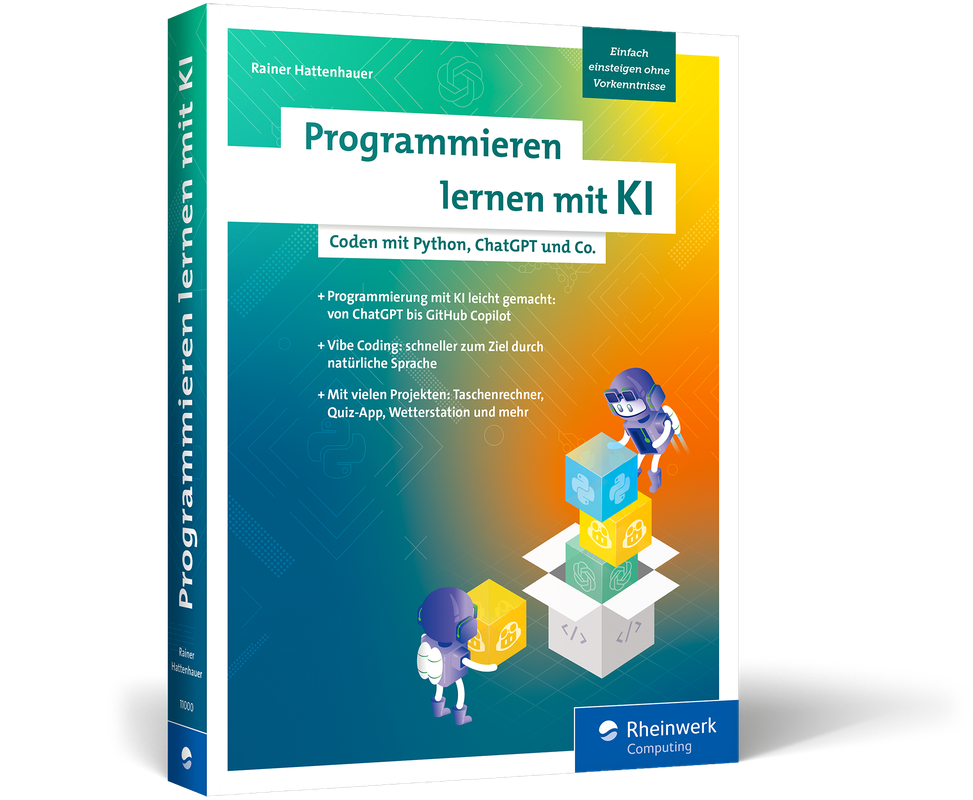
Programmieren lernen mit KI
Programmierung mit KI leicht gemacht – von der Idee zum funktionierenden Programm! Dieses Buch zeigt dir, wie du mithilfe von KI-Tools wie ChatGPT & Co. ganz einfach programmieren lernst, auch ohne Vorkenntnisse. Rainer Hattenhauer verbindet klassische Programmierthemen mit modernen KI-Methoden. Lerne die wichtigsten KI-Assistenten kennen, richte deine Entwicklungsumgebung ein und starte direkt mit ersten Projekten durch: vom einfachen Taschenrechner über Datenverarbeitung bis hin zu grafischen Benutzeroberflächen. Schritt für Schritt steigerst du die Komplexität und erweiterst dein Coding-Know-how. Fortgeschrittene Themen wie Objektorientierung, Datenbanken, App-Entwicklung, Hardware-Projekte und ein Ausflug ins Machine Learning runden das Werk ab.Aus dem Inhalt:KI-gestützter Einstieg ins ProgrammierenDie perfekte Entwicklungsumgebung einrichtenErste Programme schreiben (lassen)Mit Variablen, Verzweigungen und Schleifen arbeitenDaten verarbeiten und visualisierenGUIs und Grafiken programmierenHardware-Projekte mit dem Funduino CubeFortgeschrittene Themen: OOP, Datenbanken, AppsAusflug ins maschinelle LernenTroubleshooting und Optimierung mit KILeseprobe (pdf-Link)

Excel Tipps und Tricks für Dummies
Praktische Kniffe und Lösungen für alle Excel-Anwender in Alltag und Beruf Erfahren Sie in der 5. Auflage des Bestsellers, wie Sie mit Excel versionsübergreifend noch schneller, besser und effizienter arbeiten! Zeigen Sie Fachwissen im Excel-Alltag, indem Sie gelungene Kombinationen aus Formeln und Funktionen meistern. Holen Sie zum Beispiel mehr aus WENN-Funktionen heraus – ganz ohne ABER, dafür mit großem AHA-Effekt! Oder entdecken Sie verborgene Funktionen in Excel. Dieses Buch bietet Ihnen neben vielen Tipps, Tricks und Tastenkombinationen auch clevere und praxistaugliche Lösungen für den direkten Einsatz in Alltag und Beruf. Sie erfahren Wie Sie mit Excel rechnen, Daten erfassen und auswertenWie Sie Funktionen und Formeln kombinierenWelche Tastenkombinationen hilfreich sindWie Sie rechtzeitig Fehler vermeiden Rainer Schwabe sammelt akribisch Excel-Tipps, schreibt regelmäßig Excel-Artikel für Computer-zeitschriften und ist renommierter Autor zahlreicher Office-Bücher. Er führt bundesweit Schulungen durch und ist ein gefragter Ansprechpartner für Unternehmen, wenn es um praxisnahe Lösungen mit Excel geht.

Rechnernetze (8. Auflg.)
Dieses einführende Lehrbuch für Studierende der Informatik und ingenieurwissenschaftlicher Studiengänge an Hochschulen und Berufsakademien vermittelt praxisnah und leicht verständlich die Grundlagen der Netzwerktechnik und der Netzwerkarchitektur. Es erläutert die Voraussetzungen, die Funktionsweise und die technischen Hintergründe von Computernetzwerken. Das Buch befähigt nicht nur zur Beurteilung der Technik, sondern hilft auch, praktische Abwägungen und Entscheidungen bei der Netzwerkplanung zu treffen. Es zeigt neben den Basiskomponenten, Übertragungsverfahren und Verbindungskomponenten auch strategische Aspekte, Trends und zukünftige Entwicklungslinien und vermittelt die Grundlagen zu Strategien und Methoden der Computervernetzung. Neu in der achten Auflage: Neue Transportprotokolle und Sicherheit in Transportkontrollen: Transport Layer Security (TLS), QUIC; Erweiterung Routing-Protokolle: Border Gateway Protocol (BGP); Sicherheit bei der Namensauflösung: DNS über HTTPS; neuer WLAN-Standard: Wifi7; Trends im Ethernet: automotive Ethernet, Time Sensitive Networking; Standards im und Organisation des Internets. Auf plus.hanser-fachbuch.de finden Sie zu diesem Titel digitales Zusatzmaterial: Lehrvideos, Quizzes zur Lernkontrolle, Mind-Maps der wichtigsten Konfigurationsbefehle für Cisco Router/Switches und die Lösungen zu den Aufgaben.

Programmieren mit PHP
Programmieren mit PHP: Einstieg in die serverseitige Webprogrammierung. Erstauflage aus Oktober 2025.Dieses Einsteigerbuch zu PHP vermittelt grundlegende Konzepte und Techniken der Programmiersprache PHP. Leser lernen, wie man einfache Webanwendungen entwickelt, HTML mit PHP dynamisch kombiniert und Formulardaten verarbeitet. Quasi nebenbei wird damit auch ein grundlegender Einstieg in die allgemeinen Konzepte der Programmierung vermittelt.Das Buch führt durch grundlegende Syntax, Variablen, Kontrollstrukturen (wie Schleifen und Bedingungen), Funktionen sowie den Umgang mit Datenbanken (meist mit MySQL). Es bietet praktische Übungen, um Leser Schritt für Schritt in die Erstellung interaktiver Webseiten und die Verarbeitung von Benutzereingaben einzuführen. Am Ende ist der Leser in der Lage, einfache, datenbankgestützte Webanwendungen zu programmieren.Aus dem Inhalt: Voraussetzungen Einführung in PHP Was ist PHP? Das Konzept von PHP Historie und die verschiedenen Versionen Die aktuelle Version 8 Informationen zu PHP Notwendige Software Installation und Konfiguration Editoren und IDEs Webserver direkt installieren und verwalten PHP direkt installieren PEAR MySQL/MariaDB direkt installieren und verwalten XAMPP – ein Rundumsorglospaket Mit XAMPP arbeiten PHP-Code in Webseiten HTML-Grundlagen Grundgerüst einer Webseite Ressourcen in eine Webseite einbinden Webseiten über den Webserver aufrufen SSI und PHP-Skripte über den Webserver aufrufen und ausführen Webseiten mit PHP generieren bzw. PHP in HTML einbinden Aufruf von PHP-Dateien über den Browser Daten im Browser ausgeben Übungen und Praxis CGI und die Datenübergabe zum Client Grundlagen des Datenverkehrs im WWW CGI GET und POST Übungen und Praxis Grundlegende Sprachelemente in PHP Codieren von PHP-Skripten Anweisungsarten und Techniken Kommentare Literale und Token Interpretation und andere Varianten der Übersetzung Grundlagen zur Fehlersuche in PHP-Skripten Übungen und Praxis Datentypen, Variablen und Operatoren Datentypen Variablen Konstanten Vordefinierte Variablen und Konstanten Die verfügbaren Operatoren in PHP Übungen und Praxis Kontrollstrukturen Kontrollstrukturen einsetzen Die verschiedenen Arbeiten Entscheidungsanweisungen Schleifen Sprunganweisungen Übungen und Praxis Funktionen Was sind Funktionen bzw. allgemein Unterprogramme? Standardfunktionen in PHP Funktionen erstellen und aufrufen Mit Funktionen arbeiten Der Gültigkeitsbereich von Variablen PHP-Dateien einbinden mit include() und require() Übungen und Praxis Arrays Grundlagen zu Arrays Indizierte eindimensionale Arrays Assoziative eindimensionale Arrays Arrays mit der Kurzschreibweise erstellen Mehrdimensionale indizierte Arrays Mehrdimensionale assoziative Arrays Array-Funktionen Arrays und Schleifen (foreach und Iterationsfunktionen) Superglobale Arrays Übungen und Praxis Mit Formularen arbeiten Interaktion mit PHP Formulare mit PHP auswerten Übungen und Praxis Externe Dateien Externe Dateien nutzen Dateien öffnen, lesen und schließen Verschiedene Datei-Funktionen Allgemeine Datei- und Verzeichnisoperationen Übungen und Praxis Zeichenketten-Funktionen Unterschiedliche Aktionen bei Zeichenketten Arrays und Zeichenketten Reguläre Ausdrücke nutzen Übungen und Praxis Umgang mit Datum und Uhrzeit Datum und Zeit ermitteln Datum und Zeit formatieren Datumsangabe anpassen Verschiedene Datum- und Zeitfunktionen Übungen und Praxis Umgang mit Sessions Was sind Sessions? Cookies & Co. Mit Sessions arbeiten Session starten bzw. fortsetzen Daten in einer Session speichern Daten einer Session abrufen Session-Daten und Session löschen Übungen und Praxis Kurzeinblick in OOP Was ist OOP? Das Verhältnis von PHP zu OOP Objekte in PHP verwenden Übungen und Praxis Grundlagen des Datenbankzugriffs mit MySQL/MariaDB Was ist ein DBMS? Die Datenbanken MySQL und MariaDB Zugriff mit dem DB-Client auf Konsolenebene MySQL-Datenbanken mit phpMyAdmin verwalten PHP und der Zugriff auf MySQL/MariaDB mysql vs mysqli vs PDO MySQL-Abfragen Rückgabe aus MySQL-Abfrage auswerten Formulardaten in einer MySQL-Datenbank speichern Übungen und Praxis Quellen Stichwortverzeichnis

Business Valuation Across the Industry Life Cycle
This book examines the valuation of internet-enabled businesses across their industry life cycles, demonstrating the shifts in valuation multiples and drivers over time, providing a comprehensive framework to better understand and optimize business valuations. Internet Evolution as Natural Experiment: The internet’s rise – from innovation to necessity, driven by 5G and AI – offers a unique lens on valuation methodologies across industry life cycles.Methodological Approach: Unprecedented quantitative and qualitative research analyzing 1,767 companies globally across 21 industries and 15 years, covering 120 multiples, 216 drivers, and 100 million data points.Valuation Framework: It proposes a groundbreaking framework linking valuation multiples and drivers to industry life cycles, illustrating the shift from revenue- to profitability-based multiples and from growth-centric to growth-and-profitability drivers as companies mature.Practical Implications: It concludes with recommendations for stakeholders on monitoring valuation multiples and drivers for value-maximizing strategies across virtually all mature and emerging technologies.Introduction And Research Objective.- The Research Context And Challenge - The Internet As A Natural Experiment For The Study Of Finance.- Literature Review: Research Hypotheses And Methodology.- Definition And Characterization Of The Research Sample: The Considered Companies And Their Business Models.- Acquisition And Processing Of The Data For The Study.- Descriptive Statistics.- Testing The Hypothesis And The Model (Inferential Statistics).- Conclusions: Original Contributions And Future Research.- References Thesis.

Programmieren lernen
Grundlagen für Studium und Beruf - praxisnah und sprachunabhängig.Sie möchten programmieren lernen, wissen aber nicht, mit welcher Sprache Sie beginnen sollen? Dieses Buch bietet Ihnen einen leicht verständlichen Einstieg in die Welt der Programmierung – ganz ohne Vorkenntnisse. Statt sich auf eine bestimmte Programmiersprache zu beschränken, vermittelt es Ihnen die grundlegenden Konzepte, die in jeder modernen Sprache von Bedeutung sind.Sie lernen Schritt für Schritt die Funktionsweise von Variablen, Schleifen, Verzweigungen, Arrays, Datentypen sowie die Prinzipien der objektorientierten Programmierung mit Klassen und Vererbung kennen. Anhand von einfachen Codebeispielen werden die Inhalte anschaulich erläutert und lassen sich mühelos jede Sprache übertragen.Unabhängig davon, für welche Sprache Sie sich entscheiden, legen Sie mit diesem Buch ein solides Fundament, um Ihre Programmierkenntnisse in der Praxis einzusetzen. Aus dem Inhalt: Grundlagen aller modernen Programmiersprachen Daten abbilden: Variablen, Datentypen, Arrays und Collections Berechnungen und logische Operatoren Programmfluss kontrollieren: Schleifen, Verzweigungen und Funktionen Objektorientierte Programmierung: Klassen, Objekte und Vererbung Entwicklungsumgebung und Fehlersuche Programmieren in der Praxis Entscheidungshilfe für die erste Programmiersprache Übungen mit Lösungen im Anhang Leseprobe (PDF-Link) Über den Autor:Nach fast zwei Jahrzehnten als Programmierer betreut Andreas Hofmann als Scrum Master Softwareteams in der agilen Softwareentwicklung.

Microsoft Windows Server 2025 - Das Handbuch
Das Standardwerk zur neuen Version: praxisnah und kompetent - Sie finden alle wichtigen Themen in einem Buch: Planung, Migration, Administration, Konfiguration und Verwaltung - Profitieren Sie von zahlreichen praxisnahen Beispielen und Workshops - Mit hilfreichen Schritt-für-Schritt-Anleitungen Diese komplett überarbeitete und aktualisierte Auflage des Klassikers zu Windows Server gibt Ihnen einen tiefgehenden Einblick in den praktischen Einsatz von Windows Server 2025. Das Buch richtet sich sowohl an Neueinsteiger*innen in Microsoft-Servertechnologien als auch an Umsteiger*innen von Vorgängerversionen. Planung und Migration, Konzepte und Werkzeuge der Administration sowie die wichtigsten Konfigurations- und Verwaltungsfragen werden praxisnah behandelt. Alle wichtigen Funktionen werden ausführlich vorgestellt, ebenso die effiziente Zusammenarbeit mit Windows 10/11-Clients. Es erwarten Sie über 1000 Seiten praxisnahes und kompetentes Insiderwissen mit vielen hilfreichen Anleitungen und Profitipps. Aus dem Inhalt:Alle Neuerungen von Windows Server 2025 und Änderungen im Vergleich zu Windows Server 2022 Lizenzierung und Installation Verwalten von Datenträgern und Speicherpools, Hochverfügbarkeit, Datensicherung und -wiederherstellung Secured Core Server, Secure DNS und weitere Sicherheitsneuerungen in der Praxis Lokale Rechenzentren an Microsoft Azure anbinden Betreiben und Erweitern von Active Directory Verwaltung mit dem Windows Admin Center Hochverfügbarkeit und Lastenausgleich Windows Server Update Services (WSUS) Diagnose und Überwachung für System, Prozesse und Dienste Viele neue PowerShell-Befehle für die Verwaltung von Windows Server 2025 Windows Server Container, Docker und Hyper-V-Container Virtualisierung mit Hyper-V Fehlerbehebung und Troubleshooting

Mastering Text Analytics
This book is a comprehensive guide to mastering Natural Language Processing (NLP), a rapidly growing field in AI-powered text and data analytics. It equips you with tools and techniques to extract valuable insights from both structured and unstructured data, enabling you to uncover insights beyond the reach of traditional data analysis methods and stay competitive in this evolving domain.The book starts with foundational concepts, such as collecting and extracting data for NLP projects, before progressing to advanced topics like applications of transfer learning in NLP and Large Language Models (LLMs). Each chapter emphasizes real-world applications and includes practical case studies to ensure the knowledge is immediately applicable. Throughout the book, readers will find Python code demonstrations, hands-on projects, and detailed explanations of key concepts. Special features include business use cases from industries like healthcare and customer service, practice exercises to reinforce learning, and explorations of emerging NLP technologies. These elements make the book not only informative but also highly engaging and interactive.By the end of the book, the reader will have a solid foundation in Generative AI techniques to apply them to complex challenges. Whether you’re a budding data scientist or a seasoned professional, this guide will help you harness the power of AI-driven text and data analytics effectively.What you will learn:* Understand NLP with easy-to-follow explanations, examples, and Python implementations.* Explore techniques such as transformers, word embeddings, and pragmatic analysis in real-world contexts.* Work with real-world datasets and apply pre-processing, tokenization, and text extraction using NLP libraries.* How to build complete NLP pipelines from data collection to model implementation, including sentiment analysis and chatbots.* Learn state-of-the-art methods like deep learning techniques in NLP, large language models (LLMs), and zero-shot learning in NLP.Who this book is for:This book is tailored for data scientists, machine learning engineers, AI practitioners, and software developers seeking to learn NLP techniques and apply them to solve problems.Chapter 1. Natural Language Processing: An Introduction.- Chapter 2. Collecting and Extracting the Data for NLP Projects.- Chapter 3. NLP Data Preprocessing Tasks Involving Strings & Python Regular Expressions.- Chapter 4. NLP Data Preprocessing Tasks with nltk.- Chapter 5. Lexical Analysis.- Chapter 6. Syntactic and Semantic Techniques in NLP.- Chapter 7. Advanced Pragmatic Techniques and Specialized Topics in NLP.- Chapter 8. Transformers, Generative AI, & LangChain.- Chapter 9. Advancing with LangChain & OpenAI.- Chapter 10. Case Study on Symantec Analysis.

Intelligent Automation in Digital Transformation Strategy
Harness the full potential of Intelligent Automation (IA) to transform your businesses, stay competitive, and navigate the complexities of today’s digital landscape. This book is a comprehensive guide for business leaders, executives, and automation professionals, exploring how Intelligent Automation (IA) has evolved from traditional Robotic Process Automation (RPA) to become a powerful catalyst in Digital Transformation.Begin with the fundamentals of IA and its progression from simple, rule-based RPA to advanced IA, incorporating AI-driven technologies like Machine Learning, Generative AI, and Agentic AI. These emerging technologies empower organizations to tackle more complex processes, enabling intelligent decision-making and enhanced customer interactions prompting the necessity for robust governance and alignment with broader business objectives, which is a primary focus of this book.To combat that, you’ll review actionable frameworks and governance models designed to support the development and sustainability of IA programs at scale. The book provides a structured roadmap to establish an IA Center of Excellence (CoE), ensuring that automation efforts align with the organization’s Digital Transformation goals. By integrating governance processes, risk management, and best practices, you’ll be able to build IA initiatives that are resilient, compliant, and strategically impactful. Intelligent Automation for Digital Transformation demystifies the journey to becoming a digitally native organization.Who This Book is ForLeaders responsible for shaping their organization’s long-term strategy, digital innovation, and business process efficiency agenda. Executives in the financial services, healthcare, and other highly regulated industries where a risk management mindset and proper governance framework is key. Consultants and advisors within the business transformation and automation space who are ena-bling companies in their journey to become digitally native.PROLOGUE.- PART I: THE STRATEGIC IMPERATIVE OF INTELLIGENT AUTOMATION.- Chapter 1: Intelligent Automation as a Driver of Business Model Innovation.- Chapter 2: Transforming the Customer Experience with IA.- Chapter 3: IA as an Employee Empowerment Tool.- PART II: BUILDING A FOUNDATION FOR DIGITAL TRANSFORMATION SUCCESS.- Chapter 4: Developing a Strategic Roadmap for Intelligent Automation.- Chapter 5: The Role of an Intelligent Automation Framework in Digital Transformation.- Chapter 6: Fostering an Enterprise-Wide Automation Development Mindset.- Chapter 7: How Intelligent Automation_ is _Key to Driving Strategic Value.- PART III: CRAFTING A DIGITAL TRANSFORMATION STRATEGY.- Chapter 8: Aligning IA with Digital Transformation Principles.- Chapter 9: Sustaining Being Digitally Native.- PART IV: THE EMERGING FUTURE FOR IA AND DIGITAL TRANSFORMATION.- Chapter 10: Emerging Technologies That Are Driving the Path Forward.- Chapter 11: Intelligent Automation in the Age of Agentic AI.- Epilogue.- Glossary.- References.

3D-Druck - Praxisbuch für Einsteiger (4. Auflg.)
Mit diesem Buch entdecken Sie die nahezu unbegrenzten Möglichkeiten des 3D-Drucks – egal, ob Sie einen eigenen 3D-Drucker besitzen, öffentlich zugängliche Geräte nutzen oder auf Online-Druckservices zurückgreifen. Sie werden Schritt für Schritt an die Technik herangeführt und lernen, wie Sie Ihre eigenen 3D-Objekte gestalten und Druckprojekte realisieren.15 kreative Projekte – direkt zum Nachmachen Das Herzstück des Buchs ist der umfangreiche Praxisteil: 15 vollständige 3D-Druck-Projekte zeigen Ihnen konkret, wie Sie eigene Ideen umsetzen können. Dabei lernen Sie verschiedene Modellierungstechniken, den Umgang mit unterschiedlichen Filamenten sowie Methoden zur Nachbearbeitung und Veredelung kennen.Modelle selbst gestalten oder herunterladen Sie lernen, wie Sie mit kostenloser Software wie Fusion, Blender oder SketchUp eigene Modelle entwerfen und reale Objekte 3D-scannen. Darüber hinaus erhalten Sie viele Tipps, wie und wo Sie fertige Vorlagen finden. Alle im Buch vorgestellten 3D-Modelle stehen zusätzlich auf der Webseite zum Buch zum kostenlosen Download bereit. Aus dem Inhalt: Aufbau und Funktionsweise des 3D-Druckers Schmelzschicht-Druckverfahren im Detail (FDM/FFF) Öffentliche Drucker verwenden 3D-Druckservices Einführung in die 3D-Modellierung 3D-Scan (Infrarot, Fotogrammetrie) Slicer-Programme und Druckparameter 3D-Druck mit und ohne Druckbettheizung Verschiedene Filamente verwenden: PLA, PLA Compound, ABS und mehr Objekte veredeln Troubleshooting und nützliche Tipps Rechtliche Fragen Über den Autor: Thomas Kaffka hat als Softwareingenieur sowie Projektleiter in Softwarehäusern und Wirtschaftsprüfungs- und Beratungsgesellschaften gearbeitet. Er ist ein echter Maker und beschäftigt sich mit verschiedenen Themen wie etwa dem Bau von LEGO®-Robotern, künstlicher Intelligenzforschung sowie dem 3D-Druck.

Deep Dive Python
Take your programming skills to the next level by expanding real-world Python applications in open-source code. This book is an essential guide for experienced developers looking to enhance their Python proficiency.Using code examples from popular open-source projects you’ll master Python concepts and see how they are applied in production-level code. By understanding code from established projects, you’ll develop a deeper appreciation for Python’s capabilities and learn best practices that have been battle-tested in the real world. You’ll gain the confidence to tackle complex projects, optimize your code, and implement advanced Python features effectively.You’ll also examine typing, generators, iterators, the itertools module, multithreading, multiprocessing, and asyncio. This will equip you to build production-ready Python programs and libraries. Whether you’re building large-scale applications, contributing to open-source projects, or solving intricate programming challenges, _Deep Dive Python_ will provide you with the knowledge and practical experience to excel in your Python development journey.WHAT YOU WILL LEARN* Master Python's core data structures and how to use them effectively.* Implement decorators, descriptors, metaclasses, and abstract base classes in your code* Enhance your code with functional programming techniques using the functools module* Improve iteration with generators, iterators, and the itertools module* Select the best Python concurrent programming models to use for optimal performance* Apply best practices for code organization, packaging, and creating maintainable Python projects WHO THIS BOOK IS FORExperienced Python developers who want to expand their programming skilsChapter 1: Lists.- Chapter 2: Tuples.- Chapter 3: Set and Dictionary.- Chapter 4: Logging.- Chapter 5: Exceptions.- Chapter 6: Functions and Functools.- Chapter 7: Classes and Object Oriented Programming.- Chapter 8: Dunder Methods.- Chapter 9: Decorators.- Chapter 10: Metaclasses.- Chapter 11: Typing.- Chapter 12: Generators and iterators.- Chapter 13: Itertools.- Chapter 14: Multithreading.- Chapter 15: Multiprocessing.- Chapter 16: Asyncio.- Chapter 17: Data Serialization and Persistence.- Chapter 18: Context Managers and Contextlib.- Chapter 19: Abstract Base Classes.- Chapter 20: Packaging.- Chapter 21: Dependency Management.

Power Query in Excel - Automatisierte Datenaufbereitung für Datenanalysen, Reports und Dashboards
Daten automatisch aufbereiten - effizient, verständlich und ganz ohne ProgrammierungDieses Buch richtet sich an Fachkräfte, die regelmässig mit Daten arbeiten und sich nicht mehr mit mühsamer, manueller Aufbereitung aufhalten wollen. Es zeigt, wie Sie mit Power Query in Excel Ihre Datenquellen anbinden, Rohdaten bereinigen und daraus eine verlässliche Grundlage für Datenanalysen, Reports und Dashboards schaffen.Frei von überflüssigen technischen Feinheiten bietet das Buch einen klaren, verständlichen Einstieg - geschrieben in der Sprache von Menschen aus den Fachbereichen. Ganz gleich, ob Sie im Controlling, HR, Marketing, Einkauf, Vertrieb oder in der Logistik arbeiten: Hier erfahren Sie, wie Sie Ihre Datenprozesse automatisieren und dauerhaft Zeit sparen.Der Aufbau folgt einem praxiserprobten Ablauf: vom Einlesen externer Daten über die strukturierte Transformation bis zum Laden der fertigen Daten. Zahlreiche Illustrationen unterstützen Sie dabei, jeden Schritt leicht nachzuvollziehen - ohne Vorkenntnisse und ohne technisches Vorwissen.Das bietet Ihnen dieses Buch:- Klare Schritt-für-Schritt-Anleitung entlang eines bewährten Datenaufbereitungsprozesses- Viele Illustrationen für ein visuelles Verständnis- Keine unnötige Theorie - nur das, was Sie wirklich brauchen- Für Excel-Anwender ohne ProgrammierkenntnisseDieses Buch ist Ihr Einstieg in die automatisierte Datenaufbereitung mit Power Query - verständlich, effizient und auf Ihre berufliche Praxis abgestimmt.
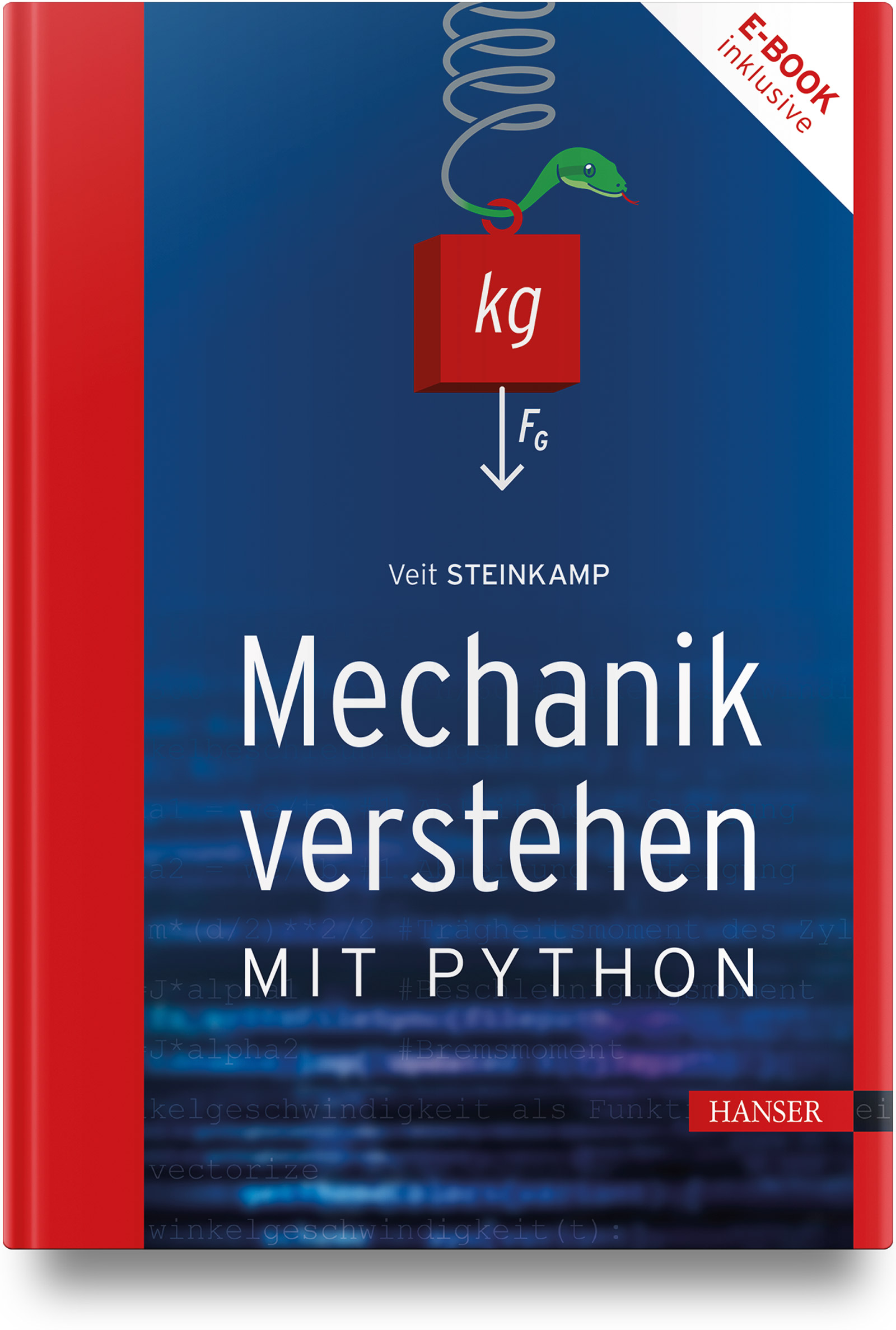
Mechanik verstehen mit Python
Der Physikunterricht an Gymnasien und Fachoberschulen wird zunehmend vernachlässigt oder entfällt ganz, so dass bei Studenten der Ingenieurwissenschaften Verständnisschwierigkeiten zu erwarten sind. Dieses Buch versucht Verständnis- und Lernschwierigkeiten zu überwinden, indem es Möglichkeiten aufzeigt, physikalische Zusammenhänge durch Visualisierung, Simulation und Animation verstehbarer zu machen.Schwerpunktmäßig kommen die Matplotlib-Steuerelemente Fancy- ArrowPatch und Slider sowie die Animationsfunktion FuncAnimation zum Einsatz.Um einen motivierenden und sinnstiftenden Kontext zu schaffen, wird anhand von konkreten Beispielen aus dem Sport (Fußball, Tennis, Kugelstoßen, Hammerwerfen, Fahrradfahren, Golf) gezeigt, wie einzelne physikalische Problemstellungen mit Python modelliert und visualisiert werden können.Der Einstieg in ein neues Thema erfolgt in der Regel mit einem VPython-Programm, das physikalische Phänomene in 3D-Szenen realitätsnah animiert. Relevante Parameter werden mit Hilfe von Schiebereglern (Slider) geändert. Die Auswirkungen sind direkt am Bildschirm beobachtbar.Den Code aller Beispiele aus dem Buch sowie die Musterlösungen der Übungsaufgaben finden Sie auf der Autorenwebsite.Aus dem Inhalt Einführung Statik Mechanik deformierbarer Körper Kinematik Dynamik Arbeit, Leistung und Energie Der Impuls Rotation starrer Körper Mechanische Schwingungen Mechanische Wellen Anhang

E-Learning mit Plan
E-Learning für Unternehmen: Der praktische Guide für EntscheidungsträgerInnen - Für alle, die E-Learning im Unternehmen kostengünstig, effizient und zielgerichtet einsetzen möchten - Vermittelt fundiertes Verständnis für die Umsetzung und Optimierung von digitalen Lernangeboten - Nützliche Werkzeuge: praktische Hilfen, Übersichten und Checklisten E-Learning ist mehr als nur ein Trend – es ist eine Notwendigkeit für moderne Unternehmen. Doch wie wählen Sie das richtige Format für Ihr Unternehmen aus? Welche Unterschiede bestehen zwischen Blended Learning, Flipped Classroom und Gamification? Und wie integrieren Sie diese Methoden erfolgreich in Ihre Arbeitswelt? In diesem praxisorientierten Guide zeigen die E-Learning-ExpertInnen Guy Fischer und Franziska Melzig, wie Sie die Vielzahl an Möglichkeiten verstehen und gezielt für Ihre Unternehmensbedürfnisse einsetzen können. Von den Grundlagen über die Auswahl des richtigen Formats bis hin zu den finanziellen und pädagogischen Aspekten – dieser Guide gibt Ihnen das nötige Wissen, um fundierte Entscheidungen zu treffen. Dieses Buch richtet sich an Bildungseinrichtungen, Lehrende, Content-Entwickler, E-Learning-Abteilungen und Personaler, die sich mit der Einführung und Umsetzung von E-Learning beschäftigen müssen. Es ist für alle, die wissen wollen, wie sie E-Learning in ihrem Unternehmen kostengünstig, effizient und vor allem zielgerichtet umsetzen können. Was Sie erwartet: - Praxisnahe Best-Practice-Beispiele: Erfolgreiche E-Learning-Initiativen und Fallstudien. - Konkret umsetzbare Lösungen: Von der Auswahl der richtigen Methoden bis hin zur erfolgreichen Implementierung. - Checklisten, Infografiken und Anekdoten: Hilfreiche Tools und Erfahrungsberichte für die schnelle Orientierung. - Theorie trifft Praxis: Ein fundierter Einstieg in E-Learning, gepaart mit praktischen Tipps und Hands-On Ansätzen.

Beyond (Multi-) Media
Überall und zu jeder Zeit, ob erwünscht oder nicht, sind wir das Ziel medialer Inhalte. Damit wir uns bei all dem Informationsüberfluss überhaupt angesprochen fühlen, müssen die Informationen, die über die medialen Kanäle in unsere Richtung gesendet werden, gezielt so aufbereitet werden, dass sie unsere Aufmerksamkeit wecken. Darüber hinaus soll diese Aufmerksamkeit auch erhalten bleiben.Das Problem dabei ist nicht das einzelne Medium an sich, sondern vielmehr die Vielzahl der unterschiedlichen Kanäle und damit die Vielzahl der unterschiedlichen Medienformen, auf denen wir erreicht werden. Mittlerweile wird eine Information eher selten nur auf einem einzigen Kanal übermittelt. Vielmehr wird „auf allen Kanälen gefeuert“, in der Hoffnung, dass wenigstens ein Kanal sein Ziel – also uns und unsere Aufmerksamkeit – erreicht.Zwei Folgeprobleme resultieren daraus: Das eine Folgeproblem besteht darin, dass für jeden genutzten Kanal, also für jedes genutzte Medium, die Inhalte gezielt aufbereitet, gestaltet und strukturiert werden müssten. Dies wiederum ist aber aufwendig, so dass hier gerne nur das Nötigste für diese Anpassung der Inhalte an den jeweiligen Kanal aufgewendet wird.Das zweite Folgeproblem besteht darüber hinaus in der medialen Vielfalt an sich: Multimedia? Hypermedia? Social Media? 3D, 360°, VR? Wer kennt schon wirklich den Unterschied? Welche Informationen passen auf welchen Medienkanal? Wie verpacken wir die Informationen in spannende Geschichten, die auf den jeweiligen Medien auch funktionieren?Zwei Ziele wurden dabei abgesteckt: Für den gezielten Einsatz und die zielgerichtete Gestaltung ist es zwingend notwendig, die verschiedenen Medienformen definiert voneinander abgrenzen zu können. Ziel eins ist es deshalb, aktuelle Medienformen zu betrachten, einführend zu beschreiben und so die Unterschiede zwischen ihnen deutlich zu machen. Unterschiedliche mediale Formen unterscheiden sich jedoch nicht nur technisch voneinander. Mindestens ebenso wichtig ist es darüber hinaus zu wissen, wie die Medienformen einzeln aber auch im Zusammenspiel wirken und wie diese Wirkung erzeugt und unterstrichen werden kann. Ziel zwei ist es deshalb, auch die Unterschiede im Storytelling in, mit und durch die verschiedenen Medienformen zu beleuchten.Im hier vorliegenden Buch „Beyond (Multi-) Media“ soll nicht auf die tiefgehende Theorie der Mediengestaltung eingegangen werden. Vielmehr soll ein Verständnis aufgebaut werden, wie sich die verschiedenen Medienformate voneinander unterscheiden. Dazu wird sowohl ein Blick auf die technische historische Entwicklung sowie die Betrachtung der psychologischen Wirkung geworfen. Dazu werden zunächst die verschiedenen Medienformate einzeln betrachtet, um sie dann später unter der Bezeichnung „Multimedia“ zusammenzuführen.1 Vorwort. 4.-2 Neue Medienformen. 8.- 2 Panorama. 11.3 Weitere, verwandte Medienformen. 94.-4 Und in Zukunft: Brain?. 135.- 5Übersicht und Abgrenzung. 143.- 6 Glossar. 145.- Quellen 155.

Python für Kids (4. Auflg.)
Kinderleicht programmieren lernen anhand vieler SpieleEinführung in die objektorientierte ProgrammierungMit allen Programmbeispielen und Lösungen der Aufgaben zum Download Die Programmiersprache Python ist so beliebt, weil sie klar strukturiert, modern und leistungsstark ist. Hans-Georg Schumann zeigt dir in diesem Buch, wie leicht man mit Python Ideen in Programme umsetzen kann. Du lernst anhand vieler kleiner und zwei großer Spiele, einfache Programme zu schreiben, und verstehst schnell, was es mit Schleifen, Klassen, Verzweigungen und Funktionen auf sich hat. Auch die objektorientierte Programmierung kommt nicht zu kurz. Außerdem lernst du das Spiele-Modul Pygame kennen, das die grafische Darstellung deines Programms verbessert. Schritt für Schritt wirst du zum Spieleprogrammierer und erstellst mithilfe dieses Buches zwei komplette Spiele. Viele Fragen und Aufgaben am Ende der Kapitel bringen Tüftel-Spaß und verfestigen das Gelernte im Nu. Im Anhang wird die Installation von Python erklärt und es gibt eine Checkliste für die Fehlersuche.Aus dem Inhalt: Mit Python loslegen und erste Programme zum Laufen bringenEin kleines Lotto-Glücksspiel programmierenMit Klassen, Kapselung und Vererbung eigene Monster erschaffen und dabei objektorientiert programmierenFenster mit Buttons und Menüs gestalten und dabei Tkinter einsetzenEin Diagnose- und Therapie-Spiel: »Wie geht es dir heute?«Die Turtle-Methoden: Grafik in Python einsetzenEine Figur animieren und über ein Spielfeld bewegenMit Pygame ein Krabbeltier zum Leben erweckenDas Spiel »Wanzenjagd« programmieren und die Zeit stoppenIm Dodger-Spiel erreichte Punkte zählenInklusive Anhang zur Installation und FehlersucheFür Python 3.12 und 3.13 Zum Download unter www.mitp.de/1123: Alle Projekt-Dateien und die Lösungen zu den Fragen und AufgabenAb 12 Jahre, aber auch für Erwachsene, die eine wirklich einfache Einführung suchenSystemvoraussetzungen:ab Windows 7Hans-Georg Schumann war Informatik- und Mathematiklehrer an einer Gesamtschule. Er hat viele erfolgreiche Bücher in der mitp-Buchreihe »... für Kids« geschrieben.

Making ChatGPT Work for You
Gain a clear and practical understanding of ChatGPT, the cutting-edge language model that is revolutionizing how we create content, analyse data, and communicate. This book will be your essential companion for navigating the rapidly-evolving world of generative AI.You’ll explore an army of diverse features boasted by ChatGPT, including web searching, analysing images, PDFs and other file types, image creation with ChatGPT’s DALL-E, and video generation with ChatGPT’s Sora. Highlighted by over 100 prompts, this book boasts step-by-step guides on how to use ChatGPT for a variety of tasks such as thesis writing, creating a sales report, and even creating a budget planner from actual receipts.Each chapter has a series of practical examples you can follow along with so you can try out the explanations for yourself. You’ll also learn how to use ChatGPT as a personal assistant, yet another tool to streamline and simplify productivity.With these powerful capabilities in hand, _Making ChatGPT Work for You_is your prompt cookbook!WHAT YOU WILL LEARN* Generate unique and engaging text for social media posts, blogs articles, and creative writing.* Upload files and images to ChatGPT to analyse data, explain text, and analyse photos.* Leverage ChatGPT to interpret and analyse datasets, provide insights and solutions, create budget plans, sales reports, and more.* Use ChatGPT as a versatile educational tool for learning new skills.* Work with ChatGPT’s DALL-E and Sora features to generate images and short videos for creating content for landing pages and YouTube videos.WHO THIS BOOK IS FORProfessionals, students, educators, and content creators curious about AI and looking to use ChatGPT for practical applications.Chapter 1: Sorry, But You’re (Probably) Not Using the Best Prompts to Use ChatGPT to Its Highest Potential.- Chapter 2: Prompt Engineering: The Key to Being a Pro at Using ChatGPT.- Chapter 3: Prompting ChatGPT to Help You Create New Content and Get Ideas.- Chapter 4: Teaching ChatGPT to Create Content in Different Styles.- Chapter 5: Using ChatGPT Canvas to Help You Write Long-Form Content.- Chapter 6: Prompts to Make Your Life Easier with Data Analysis.- Chapter 7: Prompt ChatGPT to Learn New Skills.- Chapter 8: Prompts to Use ChatGPT as a Personal Assistant.- Chapter 9: Getting Chatty (Literally) with ChatGPT.- Chapter 10: Prompts to Use ChatGPT as a Major Time-Saver.- Chapter 11: Revise and Rewrite with ChatGPT to Edit More Efficiently.- Chapter 12: Budget Planning, Product Research, and Writing an Article with ChatGPT.- Chapter 13: Visualize Your Ideas with ChatGPT’s DALL-E and Sora.

Praxiswissen: Kassenbuch
Sie möchten gern wissen, wofür Sie Ihr Geld ausgeben, und zugleich sehen, wie sich Ihre finanziellen Rücklagen entwickeln? Das Buch liefert eine mögliche Lösung. Wir erstellen zusammen eine Excel-Anwendung, die genau dieses leistet. Spezielle Programmierkenntnisse sind nicht erforderlich, Sie müssen lediglich ein paar Formeln aus dem Buch in ein Excel-Blatt übertragen. Die Anleitung zeigt Schritt für Schritt was genau zu tun ist, so kommen Sie auch als absoluter Excel-Neuling sicher ans Ziel. Sie haben noch kein Microsoft Excel auf ihrem PC? Es gibt eine vertrauenswürdige und leistungsfähige Kostenlosvariante, genau wie für das verschlüsselte Ablegen Ihrer Finanzdaten. Alle notwendigen Infos finden Sie im Buch. Sie sind lediglich auf der Suche nach einem Excel-Kurs? Auf gut einhundertdreißig Seiten erfahren Sie alles, was wichtig ist, sowohl die notwendigen Grundlagen, als auch echtes Praxis-Knowhow, in Form von vier vollständig ausgearbeiteten Beispielanwendungen: Ein Kassenbuch, eine Zeiterfassung, eine sich selbst sortierende Fußballtabelle und ein Kalorienrechner für mehr als eintausend Lebensmittel. Dieses Werk ist eine unabhängige Publikation und weder mit der Microsoft Corporation verbunden noch von ihr autorisiert, gesponsert oder genehmigt. Alle genannten Marken sind Eigentum ihrer jeweiligen Inhaber.
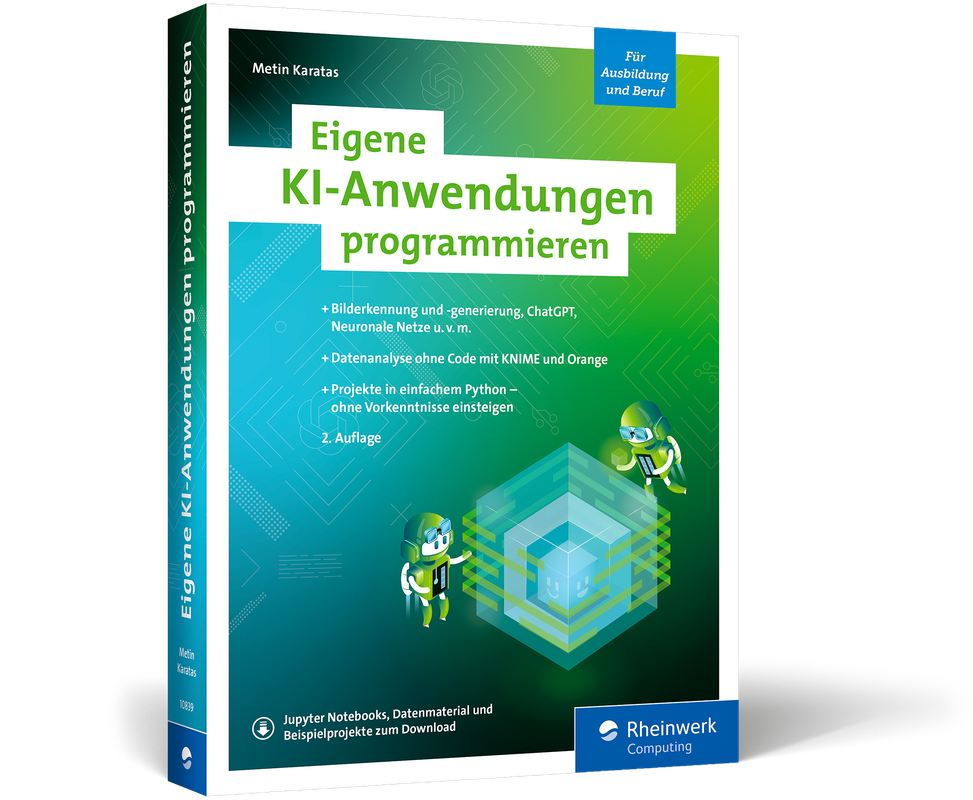
Eigene KI-Anwendungen programmieren (2. Auflg.)
Künstliche Intelligenz – Projekt für Projekt erfahren. In 2. aktualisierter und überarbeiteter Auflage aus dem August 2025.Sie möchten mehr mit KI machen, als einen Chatbot auszuprobieren? Eigene Daten einbinden und analysieren, ein bestimmtes Verfahren anwenden oder eine Klassifizierung bewerten? Dann sind Sie hier richtig. Erfahren Sie, wie Sie eigene Anwendungen mithilfe frei zugänglicher Technologien erstellen. Metin Karatas führt Sie in diesem Leitfaden durch die Schlüsselkonzepte und Werkzeuge, von neuronalen Netzen über Bilderkennung bis zu Transformer-Modellen wie ChatGPT und DALL-E. Mit praxisnahen Anleitungen zu Orange und KNIME, TensorFlow und Keras können auch Einsteiger und Einsteigerinnen rasch eigene KI-Projekte umsetzen.KI verstehen und praktisch anwenden Einführung in KI-Konzepte Lernen Sie einschlägige Verfahren kennen, erfahren Sie mehr über neuronale Netze oder Bilderkennung und warum Transformer-Modelle wie ChatGPT und DALL-E revolutionär sind. Erprobte Projekte mit Python, TensorFlow und Keras Nutzen Sie die leistungsstarken Frameworks mit einfachem Python. Alle Projekte sind in der beruflichen Bildung erprobt. Die bereitgestellten Codebeispiele, Schritt-für-Schritt-Anleitungen und Jupyter Notebooks unterstützen Sie bei der Umsetzung. Eigene Anwendungen ohne Code Binden Sie eigene Daten aus verschiedenen Quellen ein und lernen Sie, wie Sie leistungsstarke Analysen ohne Programmieraufwand umsetzen können. Starten Sie jetzt durch! Aus dem Inhalt:Installation und Konfiguration der Werkzeuge Mit verschiedenen Datenquellen arbeiten Visuelle Programmierung ohne Code Anomalieerkennung Convolutional Neural Networks Zeitreihenanalysen Transfer Learning Unsupervised Learning Reinforcement Learning Evolutionäre Algorithmen Texte und Bilder generieren ChatGPT und DALL-E Leseprobe (PDF-Link)Hier können Sie das Zusatzmaterial zum Buch (Jupyter Notebooks, Datenmaterial, Beispielprojekte und Lösungen) herunterladen.Über den Autor:»Es macht einfach sehr viel Spaß, Programme zu entwickeln, die den Anschein von Intelligenz haben.« Metin Karatas unterrichtet das Fach Künstliche Intelligenz an einer Fachschule für berufliche Bildung.Metin Karatas war der erste Lehrer des neu eingerichteten Schulfaches „Künstliche Intelligenz“ in Bayern und Mitglied der entsprechenden Lehrplankommission.

Git (3. Auflage)
Projektverwaltung für Entwickler und DevOps-Teams. In 3. Auflage aus dem August 2025.Git gehört zum unverzichtbaren Handwerkszeug aller IT-Profis und darf in keiner Toolbox fehlen. Dabei macht es keinen Unterschied, ob Sie Konfigurationsdateien versionieren wollen, an Open-Source-Projekten mitarbeiten oder im Team komplexe Anwendungen entwickeln: Git sorgt dafür, dass Sie den Überblick behalten. In diesem Buch zeigen Bernd Öggl und Michael Kofler Ihnen nicht nur, wie Sie Änderungen einchecken und fremde Repositorien klonen, sondern Sie erfahren auch, wie Git Ihnen den Arbeitsalltag leichter macht.Das Git-Kompendium Behalten Sie den Überblick – Auch wenn Ihr Softwareprojekt ein bisschen kleiner als der Linux-Kernel ist, werden Sie von einer dezentralen Versionskontrolle Ihres Codes profitieren. Und wenn Sie im Team an einer großen Codebasis arbeiten, ist Git erst recht unverzichtbar. Git im Entwicklungsalltag – Sprechende und aussagekräftige Commit Messages sind ein erster Schritt, aber es gibt noch weitere Tricks, mit denen Git Ihren Entwickleralltag bereichern wird. Wussten Sie etwa, dass Sie mit git blame ganz leicht rausfinden, wer für die ganzen Bugs in Ihrem Projekt verantwortlich ist? Kommandoreferenz und Tutorials für den Schnelleinstieg – Der Einstieg in die Arbeit mit Git muss nicht schwerfallen, denn schon mit wenigen Kommandos laden Sie fremde Repositorien runter und verwalten eigene Änderungen. Und was Git sonst noch alles kann, finden Sie in diesem Buch übersichtlich zusammengefasst. Aus dem Inhalt: Git in zehn Minuten: der Schnelleinstieg Installation und Einrichtung Grundlagen: Repos, Commits, Branches, Merging GitLab: Projekte lokal hosten GitHub: der Marktplatz für Softwareprojekte GitHub-Alternativen: Codeberg, Bitbucket, Azure DevOps Services, Gitolite Arbeitstechniken: History, Feature Branches, Stashing, Hooks und mehr Workflows: So nutzen Sie Git effektiv Best Practices und Troubleshooting KommandoreferenzLeseprobe (PDF-Link)Über die Autoren:Bernd Öggl setzt als erfahrener Systemadministrator und Webentwickler Git in all seinen Projekten ein.Michael Kofler ist der renommierteste Fachbuchautor im deutschsprachigen Raum und behandelt von Linux über Swift bis zur IT-Security alle wichtigen Fachthemen.

Barrierefreie Webseiten
Schritt für Schritt zu mehr Barrierefreiheit: Grundlagen, Anwendung, Praxis in Zeiten des Barrierefreiheitsstärkungsgesetzes.Wie steht es auf Ihrer Website um die Anforderungen der digitalen Barrierefreiheit? Eine verbesserte Zugänglichkeit, Nutzerführung und Inklusion sind für alle von Vorteil. Mit dem am 28. Juni 2025 in Kraft getretenen Barrierefreiheitsstärkungsgesetz (BFSG), stehen viele Webentwicklerinnen und Webentwicker vor der Herausforderung, barrierefreie Websites zu gestalten, die für jede und jeden zugänglich sind. Dieses Buch von Tobias Aubele und Detlef Girke ist ein unverzichtbarer Leitfaden für die Entwicklung und Gestaltung, um auch die Anforderungen des Gesetzes zu erfüllen. Von den grundlegenden Prinzipien der Barrierefreiheit bis hin zu fortgeschrittenen Techniken und Tools, um Barrieren für Menschen mit Behinderungen zu überwinden, finden Sie in diesem Buch alle wichtigen Themen und bereiten sich optimal vor. Welche Regeln und Normen gelten überhaupt und wovon bin ich selbst betroffen? Lernen Sie, Anforderungen, Behinderungen und Nutzerbedürfnisse zu verstehen. HTML, CSS, JavaScript und Web ARIA zugänglich umsetzen Lernen Sie, wie Sie semantische Elemente wie <header> einsetzen, wie Sie ARIA-Rollen und -Attribute verwenden und sicherstellen, dass Interaktionen über die Tastatur zugänglich sind. Gestalten Sie barrierefreie Websites Wie Sie Textalternativen für Bilder, Grafiken und Videos schaffen, auf gute Kontrastverhältnisse achten und eine gute Skalierbarkeit und Flexibilität erreichen, zeigen Ihnen Tobias Aubele und Detlef Girke. Führen Sie Menschen sicher zum Ziel Auch PDF-Dateien, Formulare, Texte, Audio und Video sowie die Navigation müssen barrierefrei sein. Beispiele und Checklisten zeigen Ihnen, worauf Sie achten müssen. Aus dem Inhalt: Grundlagen der digitalen Barrierefreiheit Barrierefreiheit testen und prüfen Technische Grundlagen: HTML, CSS, JavaScript, WAI ARIA Barrierefreie Webseiten gestalten Content: Texte, Audio und Video barrierefrei umsetzen Bedienbarkeit: Menschen zum Ziel führen Leichte Sprache Formulare und Eingabefelder Barrierefreie PDF erstellen und einsetzen Apps barrierefrei umsetzen Testing Leseprobe (PDF-Link) Über die Autoren:Tobias Aubele ist Professor für Usability und Conversion-Optimierung an der Hochschule Würzburg-Schweinfurt und hier für den Studiengang E-Commerce verantwortlich.Detlef Girke ist als Experte für barrierefreie IT seit über 20 Jahren in diesem Bereich tätig. Seine Erfahrungen umfassen die Entwicklung von Prüfverfahren, Workshops, die Durchführung von Tests, Projektmanagement sowie begleitende Beratung.

Adobe Acrobat (Rheinwerk)
Das umfassende Handbuch zu Acrobat Standard und Acrobat Pro in Version 2025.Mit diesem Handbuch von Frank Treichler lernen Sie Adobe Acrobat endlich in all seinen Facetten kennen. Von der PDF-Erstellung aus Microsoft Office und Wissenswertem rund um PDF in der Druckvorstufe über die PDF-Bearbeitung bis hin zu PDF-Formularen und barrierefreien PDF-Dateien: Hier finden Sie Praxisworkshops und Hintergrundwissen zu allen wichtigen Themen. Acrobat ist nicht immer zugänglich und logisch, umso mehr wird Ihnen dieses Lern- und Nachschlagewerk bei der täglichen Arbeit zur Seite stehen. Für Einsteiger*innen und Fortgeschrittene Sie stehen auch verloren vor den ständigen Änderungen in Adobes Software Acrobat? Dieses Handbuch bietet eine umfassende Einführung in die vielseitigen Funktionen und zeigt, wie Sie effizienter und produktiver mit der Software arbeiten. Mit leicht verständlichen Erklärungen, praktischen Tipps und anschaulichen Beispielen ist dieses Buch sowohl für den Einstieg als auch für fortgeschrittene Nutzer und Nutzerinnen von Adobe Acrobat ein unverzichtbarer Begleiter. Interaktive PDF-Formulare Frank Treichler zeigt, wie Sie mit Acrobat benutzerfreundliche Formulare gestalten. Sie lernen die Grundlagen der Formularerstellung wie die verschiedenen Arten von Formularfeldern kennen. Auch die Automatisierung und Validierung von Formularfeldern werden behandelt. Praxistipps helfen Ihnen, die Benutzerfreundlichkeit Ihrer Formulare zu erhöhen und die automatische Datenverarbeitung zu integrieren. Das Kapitel enthält auch eine Einführung in Acrobat JavaScript. Mit Infos zu Sicherheit und digitalen Signaturen. Barrierefreie PDFs erstellen Gestalten Sie Ihre PDF-Dokumente entsprechend den WCAG-Richtlinien und dem BFSG (Barrierefreiheitsstärkungsgesetz): Sie lernen, wie Sie Tags und Alternativtexte verwenden, um sicherzustellen, dass Ihre PDFs mit Screenreaders kompatibel sind, und gestalten Farben und Kontraste barrierefrei. So erfüllen Sie nicht nur die rechtlichen Anforderungen, sondern machen Ihre Inhalte für alle Menschen zugänglich. PDF in der Druckvorstufe Adobe Acrobat bietet eine Vielzahl von Funktionen, die speziell für die Anforderungen der Druckvorstufe entwickelt wurden. Sie lernen die verschiedenen PDF-Standards kennen, erstellen optimale Druck-PDFs aus den Adobe-Tools und beheben mit den Preflight-Tools potenzielle Fehler in Ihren Dokumenten. Aus dem Inhalt: Die Benutzeroberfläche kennenlernen und einrichten Erstellen von PDF-Dateien aus Microsoft Office PDF-Erstellung für den Druck aus den Adobe-Programmen: Überwachte Ordner, Aktionen, Schriftprobleme lösen Bearbeiten von PDF-Dateien: Änderungen am Dokument vornehmen, Wasserzeichen, Voreinstellungen, Automatisierung wiederkehrender Aufgaben, Einsatz von künstlicher Intelligenz, Nutzung von Adobe Express PDFs kommentieren und teilen und die Arbeit im Team Digitale PDFs erstellen: Hyperlinks, Aktionen, Buttons, Video- und Sound, Seitenübergänge, Ebenen einsetzen Sicherheit und digitale Signaturen Acrobat und PDF in der Druckvorstufe: PDF-Standards kennen: PDF/X-1a, PDF/X-3, PDF/X-4, PDF/A, Ausgabevorschau, Reduzierungsvorschau, Farben konvertieren, PostScript, Druckermarken, Preflight-Profile u. v. m. Interaktive PDF-Formulare erstellen: Formularfelder, Aktionsschaltflächen, Digitale Signaturen, Formulardaten Im- und Export u. a. Barrierefreie PDFs erstellen nach WCAG und BFSG Speichern, exportieren und drucken, Apps rund um Acrobat nutzen Aktionen und Skripte, Einführung in Acrobat JavaScript Leseprobe (PDF-Link)

IT-Handbuch für Fachinformatiker*innen (12. Auflg.)
Mit diesem bewährten Klassiker in 12. Auflage haben Sie das ganze Wissen zur Hand, das Fachinformatikerinnen und Fachinformatiker in ihrer Ausbildung benötigen: Hardware, Betriebssysteme, Programmiergrundlagen, Daten- und Prozessanalyse, Netzwerke, Datenbanken und Multimedia. Aktuell und natürlich geeignet für alle vier Bereiche: Anwendungsentwicklung, Systemintegration, Daten- und Prozessanalyse, Digitale Vernetzung. Die zahlreichen Prüfungsfragen und Praxisübungen unterstützen Sie beim Lernen und bei der Vorbereitung auf die Abschluss- oder Zwischenprüfung.

Amazon Advertising
Bringen Sie Ihre Marke auf Amazon mit gezielten Werbestrategien und professioneller Kampagnenplanung an die Spitze! Hier finden Sie alle wichtigen Aspekte von den Grundlagen der Retail-Readiness bis zu fortgeschrittenen Kampagnenoptimierungstechniken. Amazon-Experte Stephan Bruns teilt Praxisbeispiele und zeigt, wie der Algorithmus Ihre Verkaufschancen beeinflusst und wie Sie mit präzisem Targeting Ihre Zielgruppen erreichen. Mit Sponsored Ads, Sponsored Brands und Sponsored Display-Anzeigen lernen Sie, Sichtbarkeit und Umsatz gezielt steigern. Klar strukturierte Schritt-für-Schritt-Anleitungen helfen Ihnen, Ihre Marke erfolgreich auf Amazon zu etablieren. Aus dem Inhalt: Die richtige Amazon-Strategie erarbeitenRetail-Readiness meisternKennzahlen zur KampagnenauswertungStrategisches TargetingAnzeigenformate Schritt für SchrittKampagnen analysieren und optimieren Externe Advertising-Tools im VergleichZahlreiche Praxisbeispiele Einleitung ... 19 1. Advertising im E-Commerce ... 23 1.1 ... Die Entwicklung von Amazon Advertising ... 24 1.2 ... Die richtige Amazon-Advertising-Strategie entwickeln ... 26 2. Wie Ihre Produkte retail-ready werden ... 39 2.1 ... Wie der Amazon-Algorithmus Ihre Verkaufschancen beeinflusst ... 39 2.2 ... Kriterien für die Retail Readiness ... 43 2.3 ... Verkaufschancen steigern ... 92 2.4 ... Überblick über die Retail-Readiness-Faktoren ... 102 3. Indirekt beeinflussbare Retail-Readiness-Faktoren ... 103 3.1 ... Die Stimme des Kunden gewinnen ... 103 3.2 ... Mit Produktauszeichnungen Aufmerksamkeit erzeugen ... 112 3.3 ... Internationaler Produktauftritt ... 117 3.4 ... Besonderheiten der mobilen Darstellung ... 118 3.5 ... Wie Social Commerce und KI das Einkaufsverhalten verändern ... 126 4. Advertising-Konsole, Auktion & KPIs -- das Fundament Ihrer Kampagnen ... 137 4.1 ... Die Amazon-Advertising-Konsole als zentrales Advertising-Tool ... 138 4.2 ... Den Zuschlag erhalten -- so funktioniert das Amazon-Auktionsverfahren anhand von CPC ... 170 4.3 ... Viewable Cost-per-1000-Impressions (vCPM) ... 172 4.4 ... Kennzahlen zur Auswertung und Optimierung von Kampagnen, KPIs ... 173 5. Schritt für Schritt zur erfolgreichen Kampagne ... 193 5.1 ... Advertising Placements -- wo Anzeigen ausgespielt werden ... 193 5.2 ... Sponsored-Ads-Kampagnen anlegen -- Allgemeines ... 202 5.3 ... Sponsored-Products-Kampagnen anlegen ... 204 5.4 ... Sponsored-Brands-Kampagnen anlegen ... 234 5.5 ... Sponsored-Display-Anzeigen anlegen ... 265 5.6 ... Sponsored-TV-Kampagnen anlegen ... 282 5.7 ... Internationalisierung bei Sponsored-Ads-Kampagnen -- warum dies der logische nächste Schritt ist ... 288 5.8 ... Fazit zur Kampagnenerstellung ... 291 6. Sichtbar, relevant, erfolgreich -- die Kunst des gezielten Targetings auf Amazon ... 293 6.1 ... Grundlagen der Keyword-Findung -- Recherche-Pfade direkt auf Amazon und darüber hinaus ... 294 6.2 ... Produkt-Targeting -- Sichtbarkeit im richtigen Kontext schaffen ... 315 6.3 ... Algorithmische Präzision? Das Zielgruppen-Targeting auf Amazon verstehen und nutzen ... 320 6.4 ... Fazit: Präzises Targeting -- Ihr Kompass für sichtbare und profitable Amazon-Kampagnen ... 324 7. Entwicklung eines Kampagnen-Setups auf Amazon ... 327 7.1 ... Perfektes Kampagnen-Setup & Strategie ... 328 7.2 ... Budgets ... 352 7.3 ... Strukturierung ... 360 7.4 ... Fazit: Ein strategisches Setup ist mehr als die Summe seiner Kampagnen ... 371 8. Laufende Optimierung -- der Schlüssel zu nachhaltigem Advertising-Erfolg ... 373 8.1 ... Die Denkweise und der Prozess der Kampagnen-Optimierung ... 373 8.2 ... Der Kampagnen-Manager -- Ihr operatives Cockpit für die Optimierung ... 382 8.3 ... Praxisnahe Optimierungsabläufe am Beispiel einer Sponsored-Products-Auto-Kampagne ... 387 8.4 ... Berichte: Tiefer graben -- fundierte Entscheidungen durch Datenanalyse ... 399 8.5 ... Bulk-Vorgänge -- effiziente Verwaltung umfangreicher Kampagnenstrukturen ... 407 8.6 ... Analyse und Optimierung mit Markenmetriken ... 420 8.7 ... Kleine fleißige Helfer -- REVOIC-Micro-Tools ... 424 8.8 ... Ihre Optimierungsroutine -- eine Checkliste für das Kampagnen-Management ... 431 9. Amazon Advertising jenseits von Sponsored Ads ... 433 9.1 ... Amazon Attribution -- externen Traffic sichtbar und messbar machen ... 434 9.2 ... Amazon Marketing Stream -- zeitnahe Daten für operative Steuerung und flexible Attribution ... 440 9.3 ... Amazon DSP -- Reichweite und Retargeting auf neuem Niveau ... 444 9.4 ... Amazon Marketing Cloud -- verstehen, was wirklich wirkt ... 461 9.5 ... Standard-Querys -- der Einstiegspunkt in die AMC-Analyse ... 466 9.6 ... Von externem Traffic bis zu tiefen Datenanalysen -- welcher Baustein wann passt ... 471 10. Preismaßnahmen ... 475 10.1 ... Direkte Preisnachlässe (Angebotspreise) ... 475 10.2 ... Coupons ... 488 10.3 ... Blitzangebote: kurzfristige Umsatztreiber mit System -- oder teuer erkaufte Sichtbarkeit? ... 503 10.4 ... Spar-Abos: wiederkehrende Umsätze und Kundenbindung intelligent nutzen ... 517 10.5 ... Fazit: Preismaßnahmen als strategischer Hebel -- Synergien mit Amazon Advertising nutzen ... 523 11. Advertising-Tools -- die Lösung für effizientes Kampagnenmanagement auf Amazon ... 525 11.1 ... Vorteile von Advertising Tools ... 525 11.2 ... BidX -- die Komplettlösung für Amazon Advertising ... 528 11.3 ... Perpetua -- KI-gestützte Kampagnenoptimierung ... 533 11.4 ... AMALYZE -- Analyseplattform mit breitem Anwendungsfeld ... 537 11.5 ... ADFERENCE -- ein spezialisiertes Tool für präzise und skalierbare Amazon-Werbestrategien ... 539 11.6 ... Kostenstruktur der Tools ... 542 11.7 ... Fazit: Tools sind kein Selbstzweck -- sondern strategische Hebel ... 544 12. Schlussfolgerungen und Ausblick ... 545 12.1 ... Was eine erfolgreiche Amazon-Advertising-Strategie ausmacht ... 545 12.2 ... Make or Buy: Agentur, Toolpartner oder Eigenregie? ... 547 12.3 ... Vergleich Agentur vs. Toolpartner -- Kosten, Nutzen und Grenzen ... 551 12.4 ... Blick in die USA -- Vorreiter und Trends im Amazon Advertising ... 554 12.5 ... Abschließende Empfehlungen und strategischer Ausblick ... 557 Abkürzungen ... 559 Index ... 563