

Knowhow

Design für junge Designer*innen
Du malst, kritzelst und schnibbelst den ganzen Tag? Auf deinem ipad und Smartphone ist die Zeichenapp immer geöffnet? Du möchtest auch so kreativ sein wie deine Freundinnen und Freunde? Dann lass dir dieses Buch schenken, denn es ist genau für dich gemacht. Hier findest du viele Kreativideen zum Nachmachen und tolle Tipps und Tricks. Und was auch cool ist: wie nebenher lernst du die Tricks der Profis kennen: welche Farben lassen sich gut kombinieren, wie malst du richtig in der Perspektive oder wie gestaltest du am Tablet einen echt guten Flyer? Mit diesem Buch gestaltest du immer besser, ohne es groß zu merken. Also los, Lieblingsstifte und Papier oder Tablet raus und los geht es in deiner Kreativ-Werkstatt! Aus dem Inhalt: Design ist überall: Beispiele für Kreativität im AlltagZum Einstieg: Moodboards gestalten, Überblick über Materialien und ZubehörDeine Mal- und Zeichen-Schule: Übung "Kleine Krakelvögel", Symbole für deine Notizen, Zeichnen mit den Grundformen, Schraffuren und Muster, Licht und Schatten, Perspektivisch zeichnenDigitales Gestalten mit dem iPad und Procreate, mit dem Computer und dem Smartphone, Einführung in kostenlose Software, coole AppsZeichne einfache Figuren, z. B. einen Fuchs, und dein eigenes LogoFarben geschickt auswählenComics zeichnen, ein kreatives Bullet Journal anlegenKreativ werden mit den eigenen FotosDeine Handlettering-Werkstatt: Aufwärmen, Schrift mit Verzierungen, Schmuckelemente, Übung: Eine Einladungskarte lettern, BrushletteringDeine Grafikdesign-Werkstatt: Hintergrundwissen, Plakate gestalten, Formen geschickt einsetzen, Übungen: Flyer und PlakateGroße Gestaltungsaufgaben: Erstelle deine eigene Schülerzeichnung u. v. m.Mode-Illustration für Kids: Haare und Kleidung malen, Zeichen-Tricks Herzlich willkommen ... 10 So funktioniert dieses Buch ... 11 1. Design ist überall ... 12 Wir lieben Design ... 14 Alle Menschen lieben Bilder ... 15 Gestalten -- das kannst du auch! ... 16 ÜBUNG: Gestalte ein Moodboard für deine Ideensammlung ... 016 Stifte für alle Stile ... 20 Material und Zubehör ... 22 Digitale Apps und Tools ... 24 2. Deine Mal- und Zeichen-Werkstatt ... 28 Jede*r ist kreativ ... 30 ÜBUNG: Kleine Krakelvögel ... 31 Alles zeichnen mit fünf Grundformen ... 32 ÜBUNG: Symbole für deine Notizen ... 34 Schraffuren und Muster ... 36 Licht und Schatten ... 38 ÜBUNG: Zeichne eine eigene Figur ... 40 Farben für deine Designs ... 44 Farben auswählen ... 46 ÜBUNG: Male dein Lieblingstier in Farbe ... 50 ÜBUNG: Zeichne dein eigenes Logo ... 55 ÜBUNG: Für Profis: Zentralperspektive ... 58 Für Profis: Von Vögeln, Fröschen und der Normalperspektive ... 61 3. Deine Handlettering-Werkstatt ... 62 Grundlagen für dein Handlettering ... 64 ÜBUNG: Muster und Formen zum Aufwärmen ... 66 ÜBUNG: Buchstaben zeichnen ... 68 Buchstaben verändern durch die Strichdicke ... 70 ÜBUNG: Dein Name als Handlettering ... 71 Gib deinen Buchstaben eine schöne Form ... 73 ÜBUNG: Buchstabenform variieren ... 74 Schrift mit Verzierungen ... 76 ÜBUNG: Brushlettering: Schreiben wie mit einem Pinsel ... 78 ÜBUNG: Buchstaben mit dem Brushpen zeichnen ... 80 Schmuckelemente für dein Handlettering ... 82 ÜBUNG: Eine Einladungskarte ... 84 4. Deine Bullet-Journal-Werkstatt ... 88 Was ist ein Bullet Journal? ... 90 Leg dir ein eigenes Bullet Journal an ... 92 ÜBUNG: Deine Woche im Bullet Journal ... 94 Passende Gestaltungselemente ... 99 ÜBUNG: Mit einem Bullet Journal durch den (Schul-)Alltag ... 101 ÜBUNG: Digitale Bullet Journals ... 104 5. Deine Grafikdesign-Werkstatt ... 108 Sechs Gestaltungstipps für deine Designs ... 110 ÜBUNG: Gestalte ein interessantes Plakat ... 114 Jetzt kommt Farbe in deine Designs! ... 118 ÜBUNG: Farben aus einem Foto aussuchen ... 120 Mit dem Farbklima Wirkung erzeugen ... 122 ÜBUNG: Erstelle einen Flyer am Tablet oder Computer ... 130 Schriften mit Charakter für deine Texte ... 126 Layouten wie ein Profi: Das Raster ... 137 ÜBUNG: Ein Gestaltungsraster für die Schülerzeitung ... 138 Layouten wie ein Profi: Das Raster ... 137 ÜBUNG: Ein Gestaltungsraster für die Schülerzeitung ... 138 6. Deine Comic-Werkstatt ... 146 Comic-Grundlagen ... 148 Ein Comic entsteht: deine Story ... 149 Der Bildausschnitt ... 151 Deine Zeichnungen ... 152 Der Text für deinen Comic ... 153 Farben für deinen Comic ... 155 Figuren für deine Comics ... 156 ÜBUNG: Strich für Strich zur Comicfigur ... 157 Deine Heldenreise: So schreibst du eine spannende Story ... 161 ÜBUNG: Schreibe und zeichne deinen eigenen Comic ... 165 7. Deine Modedesign-Werkstatt ... 166 Figuren im Modedesign ... 168 ÜBUNG: Körperproportionen leicht gemacht ... 169 ÜBUNG: Schnelle Modeskizzen ... 173 Kleidung und Stoffe ... 175 Gesichter zeichnen ... 179 ÜBUNG: Frisuren zeichnen ... 180 Accessoires und Schmuck ... 184 ÜBUNG: Schuhe zeichnen ... 185 ÜBUNG: Entwirf deine eigene Kollektion ... 187 8. Deine Foto- und Video-Werkstatt ... 190 Was brauchst du für ein gutes Foto? ... 192 So funktioniert eine professionelle Kamera ... 193 Fototipp 1: Erst überlegen, dann fotografieren ... 195 Fototipp 2: Wähle eine spannende Perspektive ... 197 ÜBUNG: Fototipp 3: Halte dich an die Drittelregel ... 200 Fototipp 4: Gutes Licht für deine Fotos ... 203 ÜBUNG: Eine Stunde mit deiner Kamera ... 205 Smartphone-Aufnahmen leicht gemacht ... 207 ÜBUNG: Eine Social-Media-Grafik mit deinen Fotos ... 210 Videos filmen ... 215 ÜBUNG: Dreh dein eigenes Video ... 219 Stichwortverzeichnis ... 220

Frei & kreativ
Eigentlich möchten Sie sich nur mit Ihrer kreativen Arbeit beschäftigen, aber dann stehen Sie plötzlich vor den organisatorischen Problemen? Businessplan, Akquise? Muss das sein? Welche Versicherung brauchen ich, welches Honorar kann ich überhaupt verlangen, wie organisiere ich meinen Alltag als Selbstständiger? Diese und viele andere dringende Fragen beantwortet dieses Buch. Knapp, konkret und topaktuell hilft es Ihnen durch den Verwaltungsdschungel, damit Sie den Kopf schnell wieder frei haben für die nächste kreative Idee. Aus dem Inhalt: Will ich das wirklich? Einstellung, mentale Ausrichtung und Ziele analysierenDas Geschäftsmodell: Wer will ich sein? Alleinstellungsmerkmale, ein eigenes Profil entwickeln, Businessplan, Finanzplan, Gründerzuschüsse, Kredite, Crowdfounding, RechtsformenDie Kunden: Für wen mache ich das? Einen Kundenstamm aufbauen, passende Kunden, Akquise, Follow-up, Netzwerken, TerminierungEigene Leistung kalkulieren Stundensatz kalkulieren, Angebot erstellen, Preisverhandlungen, Vorleistungen, AGBs, Rahmenverträge, RechnungenWie lege ich los? Auftragsphasen, Lasten- und Pflichtenheft, Zeitmanagement, Deep Work, Work-Life-Balance, Co-Working, Fortbildungen, UrlaubSteuern und Versicherungen Buchhaltung, Steuererklärung, Vorsorge, KSK, Zuschüsse, Designschutz, Werkverträge, DSGVOWer und was hilft mir? Tools und Werkzeuge Software, Kollaborationswerkzeuge, Zeittracking, die eigene Website, Werbematerial, Auftreten, CoachingBusiness stabilisieren und wachsen lassen Monitoring der Geschäftsprozesse, Kundenfeedback, Controlling, Reflexion, Mitarbeiter, Skalieren, ScheiternChecklisten zur Kosten-Stundenlohn-Berechnung, Versicherungen, Altersvorsorge, Akquise, Controlling Vorwort ... 17 1. Die Unternehmerpersönlichkeit: Warum Kreativität Freiheit braucht ... 19 1.1 ... Warum Selbstständigkeit attraktiv ist ... 19 1.2 ... Eigenschaften erfolgreicher Selbstständiger ... 22 1.3 ... Warum will ich das? ... 32 1.4 ... Die Einstellung erfolgreicher Selbstständiger ... 41 1.5 ... Fantasie und Realität: Mut zum optimistischen Realismus ... 47 1.6 ... Checkliste Selbstreflexion ... 51 2. Erste Schritte: Wie Ihr Unternehmen eine Form bekommt ... 53 2.1 ... Haupt- oder nebenberuflich selbstständig ... 53 2.2 ... Selbstständigkeit: Wichtige Vorbereitungen treffen ... 57 2.3 ... Scheinselbstständigkeit vermeiden ... 59 2.4 ... Einzelunternehmen oder Teamgründung ... 63 2.5 ... USP und Profil: Einzigartig durch den Markendschungel ... 66 2.6 ... Only you! Werden Sie eine echte Marke ... 76 3. Rechtsformen: Ein Unternehmen entsteht ... 87 3.1 ... Einzelunternehmer ... 88 3.2 ... Gesellschaft bürgerlichen Rechts (GbR) ... 95 3.3 ... Partnergesellschaft ... 97 3.4 ... Offene Handelsgesellschaft (OHG) ... 98 3.5 ... Kommanditgesellschaft (KG) ... 99 3.6 ... Gesellschaft mit beschränkter Haftung (GmbH) ... 100 3.7 ... Unternehmergesellschaft (haftungsbeschränkt, UG) ... 102 3.8 ... Holding ... 103 3.9 ... Purpose-Unternehmen ... 103 3.10 ... Checkliste für Ihre Unternehmensgründung ... 105 4. Businessplan und Finanzplan: Die Schatzkarte für Ihre Selbstständigkeit ... 107 4.1 ... Der Businessplan ... 107 4.2 ... Finanzplan -- Wie Sie Ihr Geld in den Griff bekommen ... 113 4.3 ... Checkliste Businessplan ... 123 5. Startkapital: Das nötige Kleingeld für die Gründung ... 125 5.1 ... Sparen Sie Geld für Ihren Start ... 125 5.2 ... Zuschüsse -- Die Selbstständigkeit anschieben ... 129 5.3 ... Unterstützung -- Wie andere Ihnen helfen können ... 138 6. Die Zielgruppe: Kunden finden und binden ... 141 6.1 ... Ihre Kunden -- die unbekannten Wesen ... 141 6.2 ... Akquise: Wie Sie aus Mitmenschen Kundschaft machen ... 148 6.3 ... Kundenpflege ... 158 6.4 ... Das soziale Netzwerk ... 161 7. Kalkulation und Preisverhandlung: Was bin ich wert? ... 171 7.1 ... Kalkulation: Weil Sie es sich wert sind! ... 172 7.2 ... Der Markt und seine Bedingungen: Was bin ich wirklich wert? ... 182 7.3 ... Angebote und KVA: Ich mach dir einen Kostenvoranschlag, den du nicht ablehnen kannst ... 187 7.4 ... Preisverhandlung: Wie Sie verdienen, was Sie verdienen ... 192 7.5 ... Arbeiten ohne Bezahlung: Für Ruhm und Ehre ... 199 7.6 ... Zahlungsverzug: Was tun, wenn der Kunde nicht zahlt? ... 202 8. Verträge, AGB und Abrechnung: Ernten, was Sie säen ... 205 8.1 ... Verträge und AGB ... 205 8.2 ... Abrechnung ... 210 9. Selbstorganisation: Wie lege ich los? ... 215 9.1 ... Projektmanagement: Der heilige Gral des organisierten Chaos ... 215 9.2 ... Workflow: Gute Arbeit in gelenkten Bahnen ... 223 9.3 ... Terminierung und Auftragsbuch ... 228 9.4 ... Zeitmanagement: Gut Ding braucht keine Weile ... 230 9.5 ... Deep Work -- Mach weniger, aber mach es besser! ... 237 9.6 ... Work-Life-Balance: Ausgeglichen arbeiten ... 241 9.7 ... Nein sagen ... 247 9.8 ... Arbeitsplatz -- Wo Ihre Kreativität zuhause ist ... 251 9.9 ... Urlaub und Auszeiten ... 258 9.10 ... Checkliste Arbeitsorganisation ... 261 10. Steuern, Versicherungen, Recht: Worauf muss ich achten? ... 263 10.1 ... Buchhaltung ... 263 10.2 ... Steuern ... 270 10.3 ... Versicherungen ... 280 10.4 ... KSK -- Die Künstlersozialkasse ... 289 10.5 ... Altersvorsorge ... 295 10.6 ... Zuschüsse und Verwertungsgesellschaften ... 306 10.7 ... Urheberrecht, Designschutz, Nutzungsrechte ... 308 10.8 ... DSGVO ... 315 11. Weiterkommen: Wer und was hilft mir? ... 321 11.1 ... Technische Helferlein: Software und Tools ... 321 11.2 ... Pitchen: Eine lange Geschichte kurz machen ... 327 11.3 ... Zeittracking: Wer hat an der Uhr gedreht? ... 331 11.4 ... Werbung und Werbematerial ... 334 11.5 ... Website ... 341 11.6 ... Image und Auftreten ... 347 11.7 ... Investitionen ... 352 11.8 ... Coaching und Beratung ... 356 12. Wachsen, gedeihen und noch besser werden: Wie halte ich den Laden am Laufen? ... 361 12.1 ... Reflexionen ... 361 12.2 ... Flauten überstehen ... 365 12.3 ... Kundenfeedback ... 370 12.4 ... Entspannung pur: Wie Sie mit Stress und Zeitdruck umgehen ... 375 12.5 ... So happy together: Langfristige Zusammenarbeit ... 379 12.6 ... Mitarbeiter und Unterstützerinnen ... 382 12.7 ... Scheitern ... 389 12.8 ... Checklisten ... 394 Index ... 399

Wissenschaftliche Arbeiten schreiben mit LaTeX
* SCHNELL ZUR FERTIG GESETZTEN ARBEIT - OHNE VORKENNTNISSE* LÖSUNGSORIENTIERTE UND VERSTÄNDLICHE BESCHREIBUNGEN* VON TABELLEN UND FORMELN ÜBER GRAFIKEN BIS ZUM LITERATURVERZEICHNISDas professionelle Setzen von Texten mit LaTeX ist in vielen akademischen Disziplinen Standard. Besitzen Sie keine Vorkenntnisse und wollen sich in kurzer Zeit in LaTeX einarbeiten, um Ihre Arbeit zu verfassen, wird Ihnen dieses Buch eine wertvolle Hilfe sein. Speziell für diese Aufgabe konzipiert, vermittelt es Ihnen genau das praxisorientierte Wissen, das Sie benötigen - ohne überflüssigen Ballast. Anhand vieler Beispiele lernen Sie alles, was Sie brauchen, um eine formvollendete wissenschaftliche Arbeit mit LaTeX zu erstellen.Dank dieses »Last-Minute-LaTeX-Buches« können Sie auch ohne Vorkenntnisse eine gut gesetzte wissenschaftliche Arbeit erstellen. Schritt für Schritt wird die Installation beschrieben ebenso wie das Erstellen und Einfügen von Tabellen, Formeln, Abbildungen, Fußnoten, des Literaturverzeichnisses mit biblatex etc. Neben weiteren Themen wie PDF-Erstellung und Druckoptimierung schließt das Buch mit einem umfassenden Kapitel zum Troubleshooting.Das Buch ist von Anfang bis Ende praxisorientiert und enthält zahlreiche Beispiele, die die Anwendung von LaTeX veranschaulichen.AUS DEM INHALT:* Installation und Konfiguration* Gliederungsbefehle* Textformatierung und Strukturierung* Aufzählungen und Nummerierungen* Querverweise* Fußnoten* Satzspiegel und Layout* Tabellen erstellen, formatieren und einfügen* Grafiken erstellen und einfügen* Mathematische Gleichungen erstellen und einfügen* Kopf- und Fußzeilen* Literatur zitieren und verwalten mit biblatex* Inhalts-, Abbildungs-, Tabellen-, Literaturverzeichnis, Index und Glossar erstellen* Längere Arbeiten aufsetzen* Schriften wählen - jetzt auch mit TeX Gyre* PDF erstellen und Arbeit drucken* FehlersucheDr. Joachim Schlosser leitet Ingenieure und Informatiker im Consulting-Bereich eines Softwarehauses und beschäftigt sich seit 20 Jahren mit professionellem Textsatz in LaTeX.
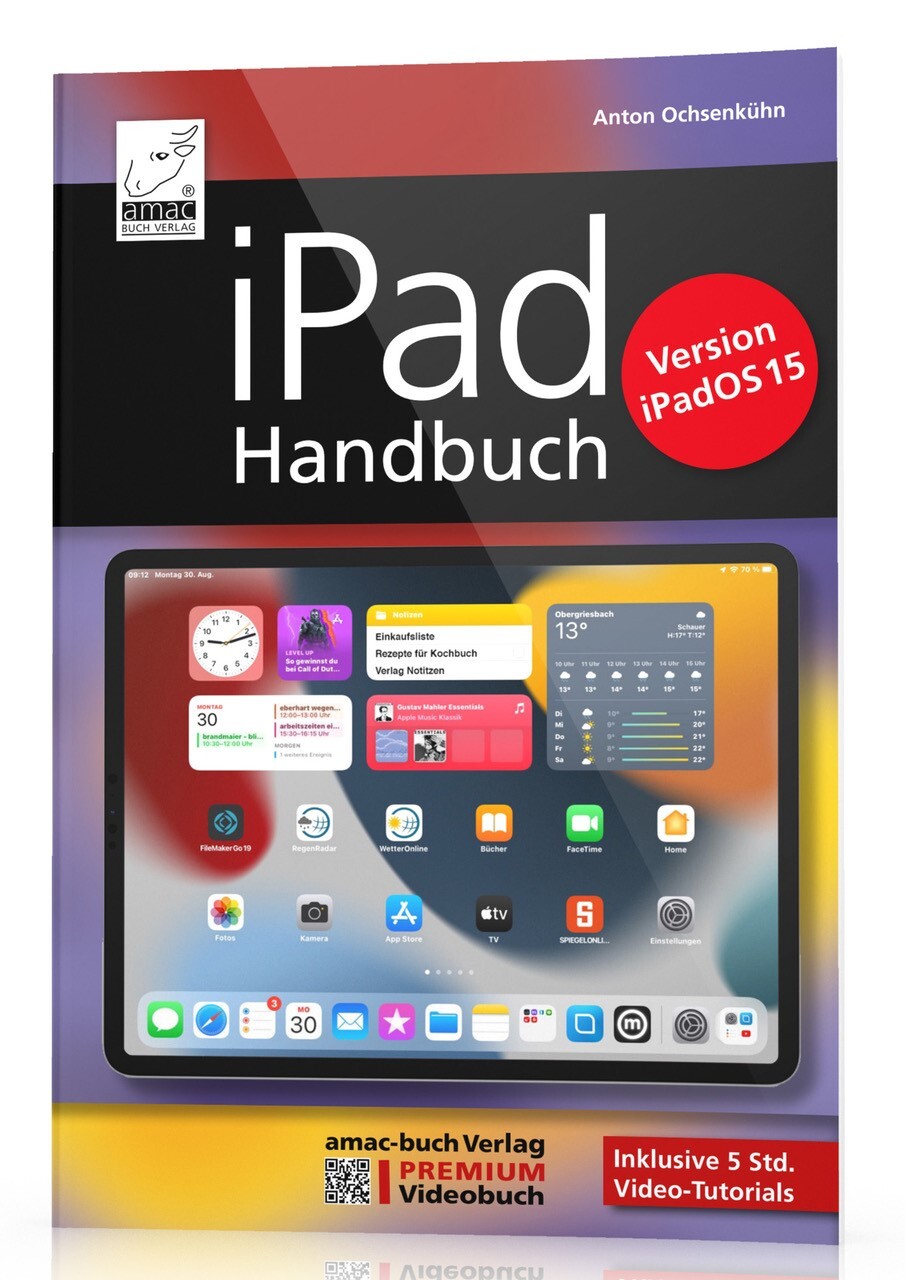
iPad Handbuch für iPadOS 15
Benutzen Sie schon länger ein iPad und suchen Sie Informationen zur neuen Software iPadOS 15? Oder freuen Sie sich über Ihr erstes iPad und möchten Sie sich einen Überblick über seine Funktionsweise verschaffen und die zahlreichen Apps erkunden? In beiden Fällen halten Sie die ideale Anleitung für Ihr iPad in der Hand. Das iPad-Betriebssystem hat viel zu bieten! Sowohl Besitzer/-innen älterer iPad-Modelle als auch Neueinsteiger/-innen kommen auf ihre Kosten. Alles, was Sie lieben, hat Apple besser denn je aufbereitet: iPadOS 15 ist deutlich flotter und intuitiver in der Bedienung als alle seine Vorgängerversionen. Aus dem Inhalt So installieren Sie iPadOS 15, richten es ein und finden sich zügig zurecht. Widgets auf dem Home-Screen, App Library, optimiertes Multitasking, neue Funktionen der Nachrichten-App uvm. Internet, Kommunikation, iCloud-Dienste, Kamera und Bildbearbeitung, Kalender, Erinnerungen, Bildschirmzeit, Aktien, Sprachmemos und vieles mehr Nutzen Sie die neue Dateien-App, versenden Sie Fotos ganz einfach via AirDrop, übertragen Sie Ihre Diashow via AirPlay auf Ihren Fernseher, Drucken Sie wichtige Dokumente via AirPrint u. v. m. Alles zu den Themen Mitteilungen, Sicherheit, Stromsparen, Fehlerbehebung und den perfekten Einstellungen.
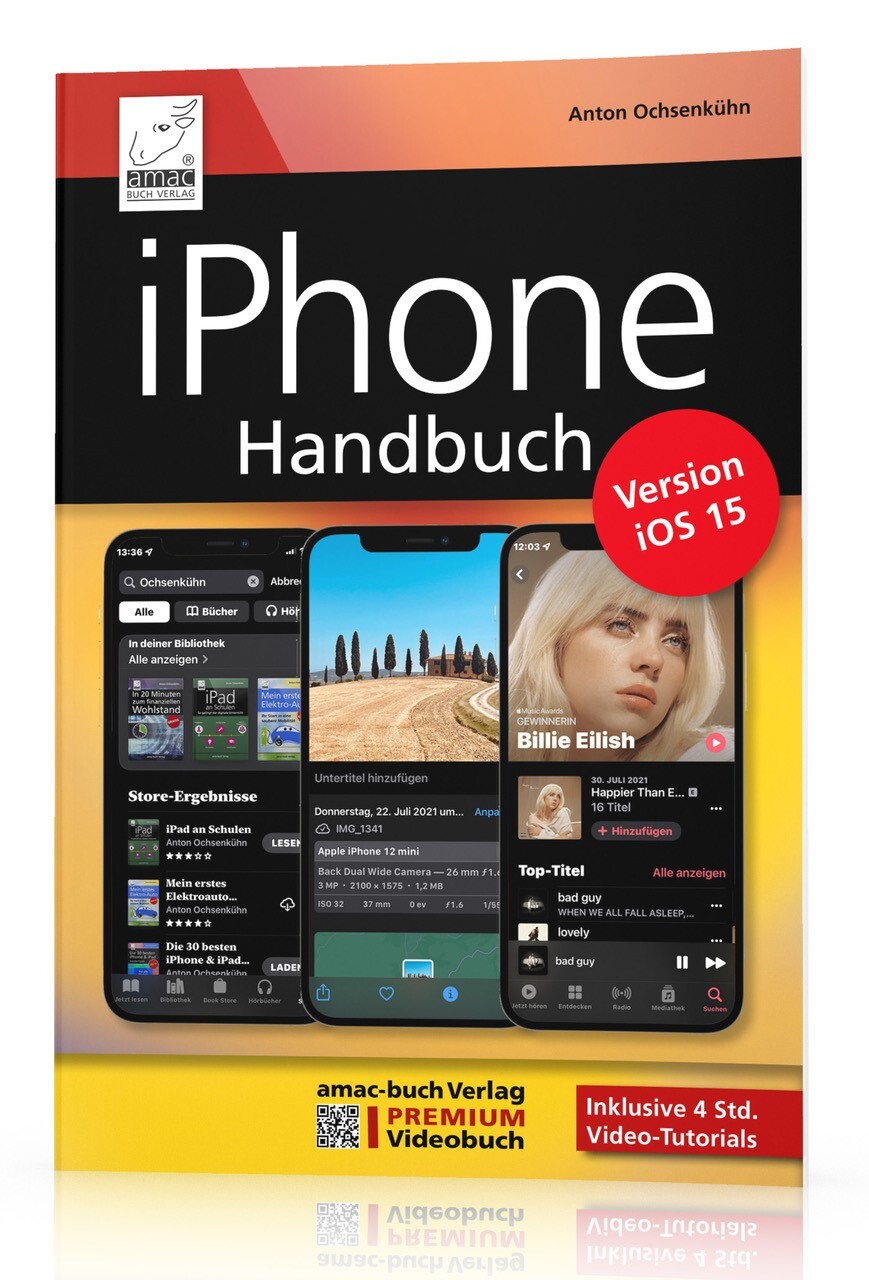
iPhone Handbuch (iOS 15)
Mit jeder neuen iOS-Version wird die Bedienung eines iPhone-Modells noch einfacher und vor allem vielseitiger. Mit der aktuellen Version iOS 15 sind wieder eine Menge nützlicher Funktionen hinzugekommen, die man bereits nach kurzer Eingewöhnungszeit nicht mehr missen möchte. Besonders hervorzuheben ist hier die Texterkennung, die nun ganz einfach Textmodule auf Fotos erkennt und zur Weiterbearbeitung zur Verfügung stellt.Zudem wurden Dinge wie FaceTime, Siri, Nachrichten etc. kräftig überarbeitet und bieten noch mehr Funktionen. Via Übersetzen ist es nun ein Einfaches, Texte in andere Sprachen zu übersetzen.In diesem Buch finden Sie als iPhone-Nutzer alle Funktionen nachvollziehbar beschrieben. Viele nummerierte Bildschirmfoto, Schritt-für-Schritt-Anleitungen und Lern-Videos helfen Ihnen, sofort alles in die Praxis umzusetzen. Wenn Sie neuer iPhone-Besitzer sind, dann ist das Buch perfekt für Sie. Aus dem Inhalt: Installation und Update auf iOS 15Datenabgleich mit einem Mac- oder Windows-RechnerAlles im Überblick: Widgets, Mitteilungen, Heute-Ansicht, BildschirmzeitProduktiv sein mit Erinnerungen, Mail, KalenderNeue Funktionen in Safari, Aktivität, Home, etc.Verbesserungen in der Karten-, Nachrichten- und App-Store-App

FRITZ!Box - Der umfassende Ratgeber (2. Auflg.)
Die ganze Power der FRITZ!Box nutzen. Der umfassende Ratgeber in 2. Auflage, September 2021.Erfahren Sie alles, was Sie zum sicheren Umgang mit der FRITZ!Box wissen müssen! Verständlich erklärt und reich bebildert hilft Ihnen dieses Buch bei der Kaufentscheidung. So finden Sie das richtige Modell, das perfekt zu Ihren persönlichen Ansprüchen passt. Dennis Rühmer zeigt Ihnen, worauf Sie bei der Ersteinrichtung achten sollten. Er führt Sie Schritt für Schritt durch die zahlreichen Funktionen und Einsatzmöglichkeiten, ob (Mesh-)WLAN, Telefonie oder die Steuerung eines Smart Homes. So lernen Sie, wie Sie Ihren Router richtig konfigurieren und ein sicheres Heimnetzwerk einrichten.Aus dem Inhalt:Die FRITZ!Box stellt sich vorDas richtige Modell auswählen3... 2... 1: der erste StartDie Benutzeroberfläche verstehenDie NetzwerkfunktionenKabellos glücklich - alles rund ums WLANReichweite vergrößer: Mesh, AccessPoints und Repeater einrichtenRuf doch mal an - TelefoniefunktionenErweiterte Systemfunktionen

JavaScript - Das umfassende Handbuch
Das Lehr- und Nachschlagewerk zu JavaScript!Ein umfassender Einstieg in JavaScript, viele praktische Beispiele und eine Darstellung auch von professionellen Techniken – das zeichnet dieses unverzichtbare Handbuch aus. Lernen Sie JavaScript von Grund auf und nutzen Sie dieses Buch als Nachschlagewerk für die tägliche Entwicklungsarbeit. Auch fortgeschrittene Aspekte wie Objektorientierung und funktionale Programmierung werden berücksichtigt. Die schnellen und praxisnahen Beispielanwendungen können Sie sofort in eigenen Projekten einsetzen. Nebenbei erfahren Sie mehr über aktuelle Trends und Entwicklungen, z. B. den Einsatz bei Mikrocontrollern und den serverseitigen Einsatz von JavaScript (Node.js). Aus dem Inhalt: Grundlagen und SprachkernMit Referenztypen arbeitenWebseiten dynamisch verändernEreignisse verarbeiten und auslösenFormulare verarbeitenBrowserinformationen verarbeitenSeiteninhalte dynamisch verarbeitenAufgaben vereinfachen mit jQueryBilder dynamisch erstellenModerne Web-APIs verwendenObjektorientierte ProgrammierungFunktionale Programmierung Autor: Philip Ackermann ist CTO der Cedalo GmbH und Autor mehrerer Fachbücher und Fachartikel über Java und JavaScript. Seine Schwerpunkte liegen in der Konzeption und Entwicklung von Node.js- und JEE-Projekten in den Bereichen Industrie 4.0 und Internet of Things. Leseprobe (PDF-Link)
UML 2.5 - Das umfassende Handbuch
Von den Grundlagen bis zum professionellen Einsatz – in unserem Handbuch erfahren Sie alles, was Sie für erfolgreiche Softwaremodellierung mit der UML wissen müssen. Lernen Sie alle Konzepte, Elemente und Diagrammtypen ausführlich kennen und knüpfen Sie anhand von Praxisbeispielen die Verbindung zum Code. Ob Sie etwas nachschlagen oder die UML von Grund auf verstehen möchten, dieses Handbuch bietet Ihnen das gesammelte UML-Wissen im Komplettpaket. Aus dem Inhalt:Grundlagen der UMLDiagrammtypen und NotationselementeDos and Don'ts der SoftwaremodellierungUML mit Java und C#A2-Poster mit DiagrammtypenBeispiele zum DownloadAutoren: Christoph Kecher ist Chief Information Officer (CIO) bei der HSBC Deutschland. Seine Tätigkeitsbereiche umfassen Data Warehouse-Technologien, Java, .NET, UML und Software-Qualitätssicherung. Ralf Hoffmann-Elbern hat schon früh die Softwareentwicklung für sich entdeckt. Nach dem Studium der Physik und einem Ausflug ins Lehramt hat er dieses Hobby zum Beruf gemacht. Torsten T. Will beschäftigte sich schon während seines Diploms in Informatik mit Programmiersprachen und ihren Konzepten. Leseprobe (PDF - Link)
Einstieg in Kotlin - Apps entwickeln mit Android Studio (2. Auflage)
Einfach und strukturiert ohne Vorkenntnisse Kotlin lernen. Mit IntelliJ IDEA lernen Sie die Sprache kennen und steigen dann in die App-Entwicklung mit Android Studio ein – so entwickeln Sie eigene Apps samt Zugriff auf verschiedenste Sensoren, Datenbanken und Multimedia. Kotlin ist Googles bevorzugte Sprache für die App-Entwicklung und zu Recht beliebt: Nicht nur Java-Kenner werden an den modernen Sprach-Features ihre Freude haben. Und für Programmierer ist Kotlin genau das Richtige für den Einstieg in die App-Entwicklung. Aus dem Inhalt:Alle Grundlagen der ProgrammierungIntelliJ IDEA und Android Studio installierenVerzweigungen, Schleifen und Co.Funktionen und funkionale ProgrammierungLayouts und Menüs aufbauenStandard-DialogeSensoren nutzenSystemdienste integrierenSpiele und Trainings entwickelnDatenbanken zur SpeicherungGestensteuerungZugriffsrechte verwaltenAutor: Thomas Theis ist Dipl.-Ing. Technische Informatik. Als Softwareentwickler verfügt er über langjährige Erfahrung, ebenso als IT-Dozent, unter anderem an der Fachhochschule Aachen. Als Kenner vieler verschiedener Programmiersprachen leitet er Seminare zur Programmierung und ist Autor vieler erfolgreicher Fachbücher. Leseprobe (PDF Link)

Online-Dating für Dummies
Online-Dating boomt. Die wenigsten Singles lernen sich heutzutage noch in einer Bar kennen. Allein in Deutschland sind jeden Monat weit über 12 Millionen Singles online auf Partnersuche. Wo und wie findet man da aber, was man wirklich sucht? Und wie sticht man aus der Masse der Singles hervor? Wo finde ich den richtigen Partner für mein Alter, meinen Typ und meine Interessen und Absichten - ob langfristige Beziehung, Flirt oder doch nur Sex? Und wie kann ich sicher daten? Die beiden Dating-Experten Chris Pleines und Andia Bothe führen Sie umfassend durch die digitale Dating-Welt von heute (und morgen). Vor über 10 Jahren gründete Chris Pleines die Website ZU-ZWEIT.de, die heute mit über 3.000 internationalen Testberichten das meistgeklickte Dating-Vergleichsportal in Deutschland ist. Chris Pleines gilt als führender Dating-Experte, man sah ihn im ARD-Mittagsmagazin, bei Pro7 Galileo oder in diversen Zeitungs- und Magazinbeiträgen.Andia Bothe ist studierte Soziologin der LMU München und betrachtet das Thema Online-Dating auf datingjungle.de aus soziologischer Sicht. Sie ist Co-Autorin zahlreicher Online-Dating-Studien und war bereits öfter Ansprechpartnerin für Funk und Fernsehen in Fragen rund um Dating, Sexualität und Partnerschaft - unter anderem für Deutschlandfunk, ZDF und RTL.Über die Autoren 11EINLEITUNG23Über dieses Buch 24Konventionen in diesem Buch 24Was Sie nicht lesen müssen 25Törichte Annahmen über den Leser 25Wie dieses Buch aufgebaut ist 26Teil I: Ein Überblick: Die Online-Dating-Welt von heute 26Teil II: Schritt für Schritt zum ersten erfolgreichen Date 27Teil III: Vorsicht im Netz 28Teil IV: Ein (kurzer) Blick in die Zukunft 29Teil V: Der Top-Ten- Teil 29Symbole, die in diesem Buch verwendet werden 29Wie es weitergeht 30TEIL I: ÜBERBLICK: DIE ONLINE-DATING-WELT VON HEUTE 33KAPITEL 1 ONLINE-DATING: WO UND WIE ALLES BEGANN35Liebe über Zeit und Medien hinweg 35Entwicklung des Online-Dating-Markts in Deutschland 39KAPITEL 2 ONLINE-DATING-ANGEBOT HEUTE43Partnervermittlungen 43Dating-Apps 49Singlebörsen 55Casual-Dating 59Ein kleiner Überblick 64Spezielle Dating-Seiten und Nischen-Dating 66LGBTQ+ 66Christliche Dating-Seiten 67Partnervermittlung Osteuropa 68Dating 50+ 68Online-Swingerklubs 69Portale für Übergewichtige 69Für Menschen mit Behinderung 69Für Singles mit Wunsch nach Altersunterschied 69Andere sehr spezielle Dating-Seiten 70KAPITEL 3 WIESO (NICHT) ONLINE-DATING?73Für wen ist Online-Dating geeignet? 73Vorteile des Online-Datings 74Nachteile des Online-Datings 77TEIL II: SCHRITT FÜR SCHRITT ZUM ERSTEN ERFOLGREICHEN DATE 81KAPITEL 4 LERNEN SIE SICH UND IHRE BEDÜRFNISSE KENNEN83Lang-oder kurzfristige Beziehung? 84Was ist Ihnen bei einem Partner wichtig? 86Kostenpflichtig oder kostenlos? 88Mitgliederzahlen und Neumitglieder 89Wie viel Zeit haben Sie für die Partnersuche? 90Die wichtigsten Fragen auf einen Blick 91Mehrere Portale für mehr Erfolg nutzen? 92KAPITEL 5 ANMELDEPROZESS UND PROFILGESTALTUNG93Die häufigsten Anfängerfehler 93Hinweise in AGB (und »Unterhaltungsrichtlinien«) 94Sensible Daten 94Username 95Bezahlte Mitgliedschaft: ja oder nein? 96Welche Laufzeit ergibt Sinn? 97Kündigung, Wertersatz, Widerruf und Garantien 97Profi-Tipps zum Geld sparen 99Das beste Online-Profil für jede Gelegenheit und Absicht 99Wie sieht das perfekte Partnervermittlungs-Profil aus? 100Wie sieht das perfekte Singlebörsen-Profil aus? 102Wie sieht das perfekte Casual-Dating- Profil aus? 103Gelungene (und weniger gelungene) Profiltexte 103Das perfekte Profilbild 114KAPITEL 6 SWIPEN, SCROLLEN, SUCHEN135Die Suche in Partnervermittlungen 135Die Suche in Singlebörsen 137Die Suche mit Dating-Apps 138Die Suche auf Casual-Dating- Portalen 140Was suchen Singles in der Regel? 140Wieso falle ich nicht auf? Wieso antwortet mir keiner? 142Die besten Tage und Zeiten für Online-Dating 143KAPITEL 7 ERSTE NACHRICHTEN AUSTAUSCHEN145Schritt für Schritt zur ersten Nachricht 146Seien Sie interessiert, statt nur interessant 146Nehmen Sie Bezug auf das Profil 147Finden und benennen Sie Gemeinsamkeiten 147Bonus: Stellen Sie eine ungewöhnliche Frage 147Weitere Tipps für mehr Interesse 148Erste Nachrichten: Dos & Don’ts 148So bitte nicht! Erste Nachrichten, die nicht überzeugen 148Anschreiben, die funktionieren 153Wann und wie oft sollten Sie schreiben? 156Wann sollten Sie zu WhatsApp und Co wechseln? 157Sexting und Nudes 158Videodates zum Kennenlernen 159KAPITEL 8 VOM NETZ INS OFFLINE-LEBEN161Wie viele Personen muss man daten, bevor man einen Partner findet? 161Das erste Date 162Die Zeit 162Der Ort 162Die Begrüßung 162Die Themen 163Die Verabschiedung 164Was tun bei mehreren netten Matches und Dates? 165Wann sollte man sich von der Dating- Seiteabmelden? 166Vom Match zum Traualtar? 166TEIL III: VORSICHT IM NETZ 169KAPITEL 9 GUTE UND WENIGER GUTE DATING-PORTALE171KAPITEL 10 FAKE-PROFILE, IKM-SCHREIBER, SCAMMER UND CO.177Animateure, Controller, Moderatoren und IKM-Schreiber 179Chat-Bots 180Wie vermeidet man die professionellen Fake-Profile? 180Karteileichen 181Romance-Scammer 182Schritt 1: Aufmerksamkeit gewinnen 182Schritt 2: Kontaktaufnahme 183Schritt 3: Ausreden 184Schritt 4: Geldforderungen 184Die Maschen der Romance-Scammer 184Romance-Scammer erkennen 186Verliebt, gescammt und jetzt? 188Rechtliches 188Wie können Sie sich vor Romance-Scammern schützen? 189Lügen haben kurze Beine: Unwahrheiten auf Dating-Portalen 190Die größte Lüge: Catfishing 191Die klassische Lüge: das Aussehen 193Die unschönste Lüge: Der Beziehungsstatus 194Die häufigste Lüge: Ich suche eine feste Beziehung 196Die älteste Lüge: Das Alter 197Die beliebtesten Lügen: Charakterbeschreibungen 197KAPITEL 11 SAFER SURFEN: WIE SCHÜTZE ICH MEINE PRIVATSPHÄRE?201Wie viel ist gut? Daten schützen und teilen 201Geld und Konten schützen 202Persönliche Daten und Identität schützen 202Intimsphäre schützen 203Sicher sein 203Privatleben und Beruf schützen 203Casual-Dating und Blind-Dates – ist das sicher? 204Zu mir oder zu dir? 204Im Auge der Öffentlichkeit 205Doppelt hält besser 205Kontrollanruf und Codewort 206Blocken, Melden, Ignorieren: Schutz vor ungewollten Kontakten 206Auf der Dating-Seite 206Privat: Handy, Mails, Telefon 207Wie sicher ist Online-Dating allgemein? 208TEIL IV: EIN (KURZER) BLICK IN DIE ZUKUNFT DES ONLINE-DATINGS 209KAPITEL 12 WIE SIEHT DIE ZUKUNFT DES ONLINE-DATINGS AUS?211Senior-Dating 211Frauen im Fokus 213Genderpluralität statt Heteronormativität 214Patchwork-Dating 214Love at First Byte & Behavioral Matching 215Geo-Dating 2.0 216Friendgroup-Dating 217DNS-Dating 217Neue Realitäten 219Augmented Reality Dating 220Virtual Reality Dating 221Interactive Dating 221Hologramm-Apps und Smart Speaker 222On-Offline-Dating 223Fazit 223TEIL V: DER TOP-TEN-TEIL 225KAPITEL 13 DIE ZEHN BESTEN DATING-SEITEN FÜR JEDE GELEGENHEIT227Parship 227Tinder 227Badoo 228Lovoo 228Bumble 228LoveScout24 228Finya 228Lablue 229Joyclub 229C-Date 229KAPITEL 14 ZEHN ALLGEMEINE TIPPS FÜR DAS PERFEKTE DATING-PROFIL231Der richtige Username 231Zeigen Sie sich 232Seien Sie transparent 232Seien Sie ehrlich 232Erzählen Sie etwas Besonderes 233Nehmen Sie sich Zeit für ein detailliertes Profil 233Seien Sie offen 233In Maßen, nicht in Massen 234Das Glas ist halb voll 234Nutzen Sie Premium-Funktionen 234KAPITEL 15 ZEHN DINGE, DIE NICHT IM USERNAMEN STEHEN SOLLTEN235Sexy 235Körbchengröße/Zentimeterangaben 235Crazy 236Einsam 236Kuschel/Knuffel/Knuddel 236Bärchen/Schatz/Maus 236Prinz/Prinzessin 236Endungen mit –i oder -chen 237Der Wohnort 237Der eigene Name 2375 Dinge, die Usernamen ansprechender machen 237KAPITEL 16 10 NO-GOS FÜR DAS PROFILBILD239Nur Selfies 239Bewerbungsfotos 240Sonnenbrille 240Gruppenfotos 240Oben ohne 240Verpixelte Fotos 241Poser-Fotos 241Unvorteilhafter Hintergrund 241Promillelastige Fotos 241Catfishing-Filter 2415 Tipps für ein perfektes Profilfoto 242KAPITEL 17 10 DINGE, DIE NICHT IM ONLINE-DATING-PROFIL STEHEN SOLLTEN243Ihre ganze Lebensgeschichte 243Finanzielles 243Krankheiten 244Ex-Beziehungen 244Ellenlange Aufzählungen 244Standardsprüche 244Zu viele Emojis 244Social-Media- Profile 245Private Daten 245Rechtschreibfehler 245KAPITEL 18 10 NO-GOS FÜR ERSTE NACHRICHTEN247Hi 247Hey, wie geht’s? 247Hey, was machst du? 247Einfache Komplimente 248Hey Süße/r 248Plumpe Anmachsprüche 248Reine Selbstdarstellung 248Überschwängliche Komplimente 248Zu viele Fragen 249Keine Fragen 249KAPITEL 19 ZEHN DINGE, DIE SIE BEIM ONLINE-DATING VERMEIDEN SOLLTEN 251Unseriöse Portale 251Zu kleiner Suchradius 252Copy-and-paste-Nachrichten 252Aufdringliches Verhalten 252Keine Informationen 252Zu langes Schreiben 253Vor dem ersten Date nicht telefonieren 253Zu viele Kontakte knüpfen 253Falsche Erwartungen 254Bei Erfolg das Profil nicht löschen 254Stichwortverzeichnis 255

Reinzeichnung
Reinzeichner und Reinzeichnerinnen erstellen perfekt druckfähige und optisch einwandfreie Druckdaten. Klingt einfach? Bei Weitem nicht. Denn ein breitgefächertes Wissen zu technischen Hintergründen, Farbmanagement, Farbe, Typografie und Ausgabe und zur Druckproduktion ist hier nötig. Dieses Buch ist das erste, das alle relevanten Informationen versammelt. Es ist für Einsteiger systematisch aufbereitet, aber auch für alte Grafikdesign-Hasen sehr nützlich, denn es gibt klare Empfehlungen und Checklisten, bietet Hinweise auf Stolperfallen und beachtet alle neuen Standards der Branche. Aus dem Inhalt: Aufgaben der ReinzeichnungProjektablauf, ProjektorganisationFarbmanagement und Farbeinstellungen in der Adobe Creative CloudFarbräume, Farbkonvertierungen, Medienneutraler WorkflowGrundeinstellungen in InDesignDruckobjekte mit unterschiedlichen Seitengrößen, Falztechniken, Grundlinienraster, Templates, MusterseitenFarbeVolltonfarben, Prozessfarben, Anpassen von Volltonfarben, Farbprobleme bei der Ausgabe lösen, Überdrucken, Überfüllen, maximaler Farbauftrag, Farbseparationen, Schwarzdarstellung, TransparenzenSchrift und MikrotypografiePrüfen der Druckbarkeit von Schriften, Optimierung des Textbildes, Einsetzen typografisch korrekter Zeichen, OpenType-Funktionen, GREP-Suche und GREP-StileEinstellungen für Bilder und VektorenSichten der Bilder, Prüfen der Druckbarkeit, Bildauflösung prüfen, Platzieren von Bildern, Illustrator-Dateien und Raw in InDesign platzieren, Bilddateien umwandelnFortgeschrittene InDesign-Funktionen nutzenObjektformate, Bücher, Verankerte Objekte, IHV, Index, Mehrsprachensatz, Arabische Texte, Stanzformen, Veredelungen, Liquid Layout, Alternative Layouts, CC-Libraries, Datenzusammenführung, Korrekturfunktionen mit InCopy und Acrobat, InDesign ReviewReinzeichnung in IllustratorFarben, Bildverknüpfungen, Drucktechnische Einstellungen, Icons aufbereiten, StanzformenAusgabeDruckermarken, Umwandeln von Fonts, Grobdaten/Feindaten, technische Vorschaumöglichkeiten, Farben konvertieren, Haarlinien, Dokument sammeln und verpacken, InDesign-Preflight, PDF und perfekte Druckdaten, Druckvorstufen-Funktionen in AcrobatHintergrundwissen DruckproduktionHalbtonraster, Rasterweiten, Druckverfahren, Weiterverarbeitung Vorwort ... 13 1. Erste Überlegungen zur Reinzeichnung ... 17 1.1 ... Aufgabe der Reinzeichnung: Ein Überblick ... 17 1.2 ... Anforderungen in der Reinzeichnung ... 20 1.3 ... Projektorganisation ... 21 2. Farbmanagement und Farbeinstellungen in der Adobe Creative Cloud ... 23 2.1 ... Creative-Cloud-Farbeinstellungen synchronisieren ... 23 2.2 ... Farbräume ... 27 2.3 ... Farbkonvertierungen in der Creative Cloud ... 30 2.4 ... Grundlagen ICC-Profile und Profilfunktion ... 32 2.5 ... Farbmanagement in InDesign ... 33 2.6 ... Medienneutraler Workflow ... 38 2.7 ... Checkliste: Farbmanagement ... 40 3. Grundeinstellungen in InDesign ... 41 3.1 ... Richtiges Anlegen eines Druckdokuments in InDesign ... 41 3.2 ... Druckobjekte mit unterschiedlichen Seitengrößen in einem Dokument anlegen ... 46 3.3 ... Falztechniken und Buchrücken in InDesign anlegen ... 48 3.4 ... Grundlinienraster ... 56 3.5 ... InDesign-Templates und verborgene Elemente ... 59 3.6 ... Musterseiten ... 64 3.7 ... Checkliste: Grundaufbau in InDesign ... 68 4. Farbe ... 69 4.1 ... Vollton- und Prozessfarben ... 69 4.2 ... Anpassen von Volltonfarben ... 76 4.3 ... Prozessfarben löschen und ersetzen ... 81 4.4 ... Farbprobleme bei der Ausgabe lösen ... 81 5. Umgang mit Transparenz ... 97 5.1 ... Echte und unechte Transparenz ... 97 5.2 ... Mögliche Probleme und Lösungsansätze ... 100 6. Schrift und Mikrotypografie ... 103 6.1 ... Umgang mit Schriften ... 103 6.2 ... Optimierung des Textbildes ... 106 6.3 ... Einsetzen mikrotypografisch korrekter Zeichen ... 119 6.4 ... OpenType-Funktionen ... 130 6.5 ... Zeichen- und Absatzformate ... 136 6.6 ... Tabellenformate ... 146 6.7 ... Wörterbücher und Rechtschreibprüfung ... 149 6.8 ... Suchen und Ersetzen ... 154 6.9 ... GREP-Suche und GREP-Stile ... 156 6.10 ... Checkliste: Typografie ... 163 7. Einstellungen für Bilder und Vektoren ... 165 7.1 ... Prüfen der Druckbarkeit ... 165 7.2 ... Weiteres Sichten der gelieferten Bilder ... 171 7.3 ... Bilddateien umwandeln ... 173 7.4 ... Platzieren von Bildern und Grafiken ... 176 7.5 ... Datenablage der Bilder ... 188 7.6 ... Checkliste: Bilder und Grafiken ... 190 8. Fortgeschrittene InDesign-Funktionen für die Reinzeichnung ... 191 8.1 ... Tipps für das Arbeiten mit Ebenen ... 191 8.2 ... Objektformate erstellen ... 193 8.3 ... Funktionen für den Mengensatz ... 198 8.4 ... Mehrsprachensatz ... 219 8.5 ... Fremdsprachensatz am Beispiel arabischer Texte ... 222 8.6 ... Stanzformen und Veredelungen für eine Verpackung ... 229 8.7 ... Platzieren von PDFs ... 236 8.8 ... Creative Cloud Libraries ... 237 8.9 ... Liquid Layouts und alternative Layouts ... 246 8.10 ... Datenzusammenführung ... 252 8.11 ... Korrekturfunktionen ... 259 9. Reinzeichnung in Illustrator ... 271 9.1 ... Farben ... 271 9.2 ... Bildverknüpfungen ... 274 9.3 ... Drucktechnische Einstellungen ... 276 9.4 ... Icons und Symbole aufbereiten ... 281 9.5 ... Stanzformen ... 284 9.6 ... Zusammenspiel von Illustrator und InDesign ... 285 9.7 ... EPS oder AI ... 285 9.8 ... PDF-Export und Drucken ... 286 9.9 ... Checkliste: Reinzeichnung in Illustrator ... 291 10. Ausgabe vorbereiten ... 293 10.1 ... Druckermarken und Farbkontrollstreifen ... 293 10.2 ... Umwandeln von Fonts in Zeichenwege ... 295 10.3 ... Grobdaten durch Feindaten ersetzen ... 298 10.4 ... Technische Vorschaumöglichkeiten in InDesign ... 299 10.5 ... Farben konvertieren ... 303 10.6 ... Haarlinien korrigieren ... 304 10.7 ... Hintergrundaufgaben in InDesign ... 306 10.8 ... Dokumente sammeln und verpacken ... 307 10.9 ... InDesign-Preflight ... 315 10.10 ... Checkliste: Ausgabe ... 325 11. PDF und Druckdaten ... 327 11.1 ... PDF/X-Zertifizierung ... 327 11.2 ... Adobe PDF Print Engine ... 329 11.3 ... PDF-Export-Einstellungen ... 330 11.4 ... Druckvorstufen-Funktionen in Adobe Acrobat Pro ... 338 11.5 ... Checkliste: PDF und Druckdaten ... 344 12. Grundlagen der Druckproduktion ... 345 12.1 ... Halbtonraster ... 345 12.2 ... Rasterweite ... 347 12.3 ... Druckverfahren ... 347 12.4 ... Schneiden, Falzprinzipien und Verarbeitungsmöglichkeiten ... 352 Index ... 357

Practical Paint.NET
Learn to use the most up-to-date version of Paint.NET, the free, Windows-based program for image editing. This book is ideal for PC users who find Microsoft Paint too lacking, and Photoshop or GIMP too overwhelming. Paint.NET is a lightweight yet capable program that’s easy to navigate and is regularly updated.You’ll quickly become acquainted with this powerful, yet easy-to-learn program’s features; tools, layers, adjustments, and effects. See how to correct exposure, digitally retouch and repair damaged photos, and handle a broad spectrum of photo editing tasks—even how to colorize a black-and-white image. You’ll also learn how to create digital art using the Paint.NET drawing tools and effects. Practice files are provided with step-by-step instructions to jump into photo editing and art creation.Practical Paint.NET highlights this powerful program's rich set of features and capabilities providing you the pathway for just about any kind of image editing. Join the large community behind it today!WHAT YOU'LL LEARN* Use layers, which are essential in any professional quality image editing program* Acquire and install plugins to maximize Paint.NET’s capabilities* Enhance, retouch, and modify digital images* Create compelling digital artwork using the drawing tools and applying artistic filtersWHO THIS BOOK IS FORWindows-based PC users who require the ability to edit digital images without the ongoing cost of subscription-based software, or complex open-source software. This group includes art or photography instructors (especially those in schools systems with limited budgets), small business owners, casual photographers, aspiring graphic designers, or anyone requiring a solid, basic editing program.Phillip Whitt has a passion for images, and has been involved with digital image editing and graphic design since the 1990's. As a freelance photo editing/restoration and graphic design professional, he has retouched and restored countless photographs.Mr. Whitt holds a number of certifications, which include one for Adobe Photoshop CS from Expert Rating, as well as a number of others for demonstrating proficiency in Desktop Publishing, Scribus Basics, GIMP 2.6, and Photo Impact. Mr. Whitt is the author of several Apress titles such as Beginning Photo Retouching and Restoration Using GIMP, Pro Freeware and Open Source Solutions for Business, and Pro Colorizing With GIMP.Introduction* Paint.NET―Quite Possibly the Perfect Solution* What can Paint.NET Do?* What You’ll Learn from this BookPart I: Acquiring, Installing, and Getting to Know Paint.NETChapter 1: An Overview of Paint.NET* Chapter Overview* Acquiring Paint.NET* Downloading and Installing Paint.NET* Overview of the User Interface* Changing The User Interface Color Scheme* Supported File Formats* Installing Plugin Pack* The Main Window* The Title Bar * The Menu Bar* The Tool Bar* The Image List* The Canvas* The Tools Window* The Layers Window* The History Window* The Colors Windows* The Status Bar* Chapter ConclusionChapter 2: Layers* Chapter Overview* Understanding Layers* How Layers Work* Why Layers are Important* Layer Blend Modes* A Closer Look at the Layers Window* Chapter ConclusionChapter 3: An Overview of the Tools* Chapter Overview* The Brush Tools* The Selection Tools* Other Tools* Chapter ConclusionPart II: Working with Digital PhotosChapter 4: Correcting Tonality, Contrast and Exposure* Chapter Overview* An Overview of Image Tonality * Tutorial 1: Correcting Exposure Using the Auto-Level Adjustment * Tutorial 2: Correcting Exposure Using the Brightness/Contrast Adjustment * Understanding the Curves Adjustment* Tutorial 3: Correcting Dull Contrast Using Curves Adjustment * Understanding the Levels Adjustment* Tutorial 4: Correcting Underexposure Using the Levels Adjustment* The Curves Dialog* Tutorial 5: Improving Tonality Using Curves* Tutorial 6: Correcting Local Tonality (Darkening a Light Area) * Tutorial 7: Correcting Local Tonality (Lightening a Dark Area)* Chapter ConclusionChapter 5: Enhancing, Correcting, and Working with Color* Chapter Overview* Tutorial 6: Correcting Color Using the Auto-Level Adjustment * Tutorial 8: Reviving a Faded Color Photo Using Levels * Tutorial 9: Correcting Color Balance (Color Balance Plugin Required) * Tutorial 10: Turning a Color Image to Black and White (Black and White + Plugin Required)* Tutorial 11: Using The Sepia Adjustment* Tutorial 12: Colorizing a Black and White Photo* Chapter ConclusionChapter 6: Modifying, Retouching and Restoring Photos* Chapter Overview* Tutorial 13: Removing Unwanted Objects* Tutorial 14: Straightening An Image * Tutorial 15: Brightening Teeth * Tutorial 16: Removing Blemishes* Tutorial 17 Repairing Scratches and Damage * Chapter ConclusionChapter 7: Compositing Images* Chapter Overview* Tutorial 18: Adding an Element to an Image* Tutorial 19: Simple Background Replacement* Chapter ConclusionPart III: Creating Digital ArtChapter 8: Drawing Basics* Chapter Overview* Using the Pencil and Paint Brush Tools* Tutorial 20: Drawing a Simple Sketch* Tutorial 21: Drawing a Shamrock* Tutorial 22: Drawing a Ladybug* Chapter ConclusionChapter 9: Creating Digital Artwork* Chapter Overview* Tutorial 23: Creating a Scenic Sunset* Tutorial 24: Creating a Starry Night* Tutorial 25: Drawing a Smart Phone* Chapter ConclusionChapter 10: Applying Effects* Chapter Overview* Tutorial 26: Applying a Dream Effect (Dream Plugin Required)* Tutorial 27: Applying an Ink Sketch Effect* Tutorial 28: Applying an Oil Painting Effect (Oil Painting + Plugin Required)* Tutorial 29: Applying a Pastel Effect (Pastel Plugin Required)* Tutorial 30: Applying a Pencil Sketch Effect* Chapter ConclusionAppendix: More About Paint.NET Plugins

Mein Chromebook optimal nutzen
Mein Chromebook optimal nutzen- Den kleinen Alleskönner kennen- und beherrschen lernen.- Von der Installation bis zur unkomplizierten Anwendung.- Schnell, sicher & produktiv: ideal für Privatnutzung & Homeoffice.Chromebooks sind leichte und schnelle Notebooks mit dem Chrome OS-Betriebssystem, die optimal mit Android-Smartphones und allen Google-Onlinediensten zusammenarbeiten. Sie eignen sich für fast alle Aufgaben aus dem privaten Computeralltag, überzeugen durch ihre lange Akkulaufzeit und lassen sich überall dort nutzen, wo es WLAN gibt.Dieses Buch hilft Ihnen dabei, Ihr Chromebook Schritt für Schritt bedienen zu lernen. Richten Sie es individuell nach Ihren Bedürfnissen ein, synchronisieren Sie es mit allen Ihren Android-Geräten und nutzen Sie die vielen praktischen Anwendungen: Vom Verfassen von Textdokumenten über Onlinerecherche, Streaming und Videokonferenzen bis hin zu Fotoverwaltung und -bearbeitung wird das Chromebook Ihr zuverlässiger Begleiter. Und mit der Launcher-Taste finden Sie schnell, wonach Sie suchen: Apps, Dateien und natürlich Antworten aus dem Internet sind stets parat. Freuen Sie sich auf gut nachvollziehbare Anleitungen und hilfreiche Tipps des Profis – für die unkomplizierte und effiziente Nutzung Ihres Chromebooks!Aus dem Inhalt:- Was ist ein Chromebook?- Mit dem Google-Konto anmelden- Daten mit dem Smartphone synchronisieren- Apps installieren und einrichten- Google Drive, der optimale Cloud-Speicher- Texte schreiben mit Google Docs & Word- Videokonferenzen mit Google Meet- Fotos auf dem Chromebook bearbeiten- Google Photos, Snapseed & Lightroom- CAD-Zeichnungen erstellen und editieren- Medien-, Video- und Musikstreaming- Multiplayer Games und E-Sport- Einsatz der Konsole in Chrome OSChristian Immler war viele Jahre als Dozent für Computer Aided Design an der Fachhochschule Nienburg und an der University of Brighton tätig. Seit mehr als 25 Jahren befasst er sich als erfolgreicher Autor mit Spezialthemen wie 3D-Visualisierung, Smartphone-Betriebssysteme, Linux und Windows. Seine Leser schätzen seine Fähigkeit, selbst die kompliziertesten Sachverhalte gut nachvollziehbar zu erklären.

Social Business Transformation
Die Zukunft der Arbeit verlagert sich zunehmend in den digitalen Raum. Deutsche Unternehmen positionieren sich in der Gestaltung dieses Raumes bislang häufig in der Rolle der Nachzügler, weil sie die Bedeutung des Einsatzes sozialer Technologien (z.B. Enterprise Social Networks) für das Unternehmen unterschätzen. Das resultierende Risiko im globalen Wettbewerb unterzugehen, ist gerade für den Mittelstand erheblich.Um zukunftsfähige Wege einzuschlagen, braucht es neue Gestaltungsansätze. Einer davon ist Social Business. Social Business wird im vorliegenden Werk als ganzheitliches Konzept beschrieben, welches durch den systematischen Einsatz digitaler und kollaborativer Werkzeuge neue Möglichkeiten der Innovation und Wertschöpfung schafft. Soziale Technologien ermöglichen eine proaktive Gestaltung unternehmensinterner und -übergreifender Prozesse und bieten insbesondere im Wissensmanagement, in der Kommunikation sowie der Zusammenarbeit produktionssteigernde Potenziale.Im Rahmen dieses Werkes werden praktische Anwendungen, Konzepte zur Umsetzung von Social Business und Leitlinien für den Transformationsprozess wissenschaftlich fundiert und praxisnah präsentiert.DR. CHRISTIAN ZINKE-WEHLMANN arbeitet als Leiter der Service and Knowledge Management Gruppe am Institut für Angewandte Informatik (InfAI) der Universität Leipzig im Bereich sozio-technischer Unterstützungssysteme. Er arbeitet an der Schnittstelle zwischen Technologie, Arbeit und Dienstleistungssystemen und hat 2017 promoviert. Seine Forschung konzentriert sich auf Digitale Zusammenarbeit, Linked Data, Service Engineering und Management sowie Wissensmanagement. Diese Expertise ist in mehr als 40 weiteren Veröffentlichungen zu finden.JULIA FRIEDRICH ist Wissenschaftlerin in der Forschungsgruppe „Service und Knowledge Management“ mit langjähriger Erfahrung in den Bereichen Wissensmanagement und Gamification.Einführung.- Was ist Social Business?.- Wozu braucht es Leitlinien?.- Der Weg zum Social Business.- Darstellung des Transformationsprozesses.- Ein Blick in die Praxis.- Allgemeine Leitlinien und Empfehlungen.

Beginning Windows Mixed Reality Programming
Develop applications and experiences for Microsoft’s HoloLens 2 and other Windows mixed reality devices. This easy-to-follow guide removes the mystery behind creating amazing augmented reality and virtual reality experiences. Mixed reality development tools and resources are provided.BEGINNING WINDOWS MIXED REALITY PROGRAMMING, 2ND EDITION clearly explains all the nuances of mixed reality software development. You will learn how to create 3D objects and holograms, interact with holograms using voice commands and hand gestures, use spatial mapping and 3D spatial sound, build with toolkits such as Microsoft's Mixed Reality Toolkit and Unity’s AR Foundation and XR Platform, create intuitive user interfaces, and make truly awe-inspiring mixed reality experiences. This newly revised edition also includes updated content for HoloLens 2 development, including tutorials for new interactions such as hand tracking and eye tracking.WHAT YOU WILL LEARN* Prototype ideas quickly for the HoloLens 2 and Windows mixed reality devices* Get started with Unity, the preferred tool for developing 3D experiences* Locate and import 3D models for your project, or make your own* Use spatial sound, voice commands, gestures, hand tracking, and eye tracking* Build with Microsoft's Mixed Reality Toolkit and other toolkits to make apps the easy way* Publish to the Windows Store and make money from your appWHO THIS BOOK IS FORProgrammers looking to quickly learn how to create experiences for HoloLens 2. Also for programmers interested in building applications for the growing crop of virtual reality devices that support the Windows Mixed Reality platform.SEAN ONG is an author, engineer, entrepreneur, and tech influencer who has written on topics ranging from renewable energy to augmented reality. Sean and his wife Neisha Ong founded the mixed reality development company, Ong Innovations, in 2014. Sean and his team at Ong Innovations actively work with clients and partners around the globe to push the boundaries of mixed reality and spatial computing. Sean is also co-founder of the VR telepresence robotics platform company, Laborbot, founder of the AR/VR venue-based entertainment company, Manuvr Entertainment Inc., co-founder of the AR/VR app creation platform company, Inflexion Point Inc., and serves as partner and shareholder at numerous other AR/VR startup companies around the globe. He resides in Seattle, WA with his wife and three kids, where he and his family relentlessly build the holographic future of tomorrow using today’s XR devices.PART I: GETTING STARTED1. Gear Up: The Necessary Hardware and Software Tools2. Unity Crash CoursePART II: BUILDING HOLOGRAPHIC EXPERIENCES3. Creating Your First Hologram4. Introduction to the Mixed Reality Toolkit5. Interacting with Holograms6. Using Spatial Awareness7. Spatial SoundPART III: GROWING AS A HOLOGRAPHIC DEVELOPER8. Azure Spatial Anchors9. Shared Experiences10. Awe Inspiring Experiences11. Turning Holograms into Money12. Community Resources

Basiswissen Abnahmetest
Grundlagen des Abnahmetests für Product Owner, Business-Analysten und TesterMit Abnahmetests – Acceptance Testing – wird überprüft, ob eine Software aus Sicht des Benutzers wie beabsichtigt funktioniert und dieser die Software akzeptiert.Das Buch »Basiswissen Abnahmetest« verbindet die Business-Analyse und Softwaretesten mit Blick auf die Konzepte, Methoden und Praktiken der Zusammenarbeit zwischen Business-Analysten und Testern beim Abnahmetest.Business-Analysten und Projektleiter lernen, wie sie durch die Unterstützung bei der Ausrichtung des Produkts an den Geschäftsanforderungen zu den Abnahmetestaktivitäten in einer Organisation beitragen.Tester erfahren, wie sie effizient mit Business-Analysten und anderen Stakeholdern während allen Abnahmetestaktivitäten zusammenarbeiten.Dieses Buch umfasst das erforderliche Wissen als Vorbereitung auf die Prüfung zum »Certified Tester (Foundation Level) – Acceptance Testing« nach ISTQB®-Standard. Ein durchgängiges Fallbeispiel verbindet das theoretische Wissen des Lehrplans mit dessen praktischer Anwendung beim Abnahmetest. Das Buch eignet sich damit nicht nur bestens für die Prüfungsvorbereitung, sondern dient gleichzeitig als kompaktes Basiswerk zu diesen Themen in der Praxis und an Hochschulen.Über die Autoren:Florian Fieber ist Gründer und Geschäftsführer der QualityDojo IT-Consulting GmbH in Berlin und seit knapp 15 Jahren als Berater und Trainer im Bereich der Qualitätssicherung von Softwaresystemen tätig. Seine Schwerpunkte liegen im Testmanagement, der Verbesserung von Testprozessen sowie der Businessanalyse von Enterprise-Anwendungen. Er ist Leiter der Arbeitsgruppe Acceptance Testing beim GTB (German Testing Board e.V.).Marc-Florian Wendland ist wissenschaftlicher Mitarbeiter des Geschäftsbereichs SQC (System Quality Center) im Fraunhofer Institut FOKUS in Berlin. Seine Interessen umfassen die modellgetriebene Softwareentwicklung, den automatisierten Testentwurf und Testautomatisierungsstrategien. Er ist im GTB aktiv in den Arbeitsgruppen „Testautomatisierungsentwickler“ und „Acceptance Testing“. Bei der OMG leitet er die Weiterentwicklung des UML Testing Profile (UTP).

Java Übungsbuch
* TRAINIEREN SIE IHRE JAVA-KENNTNISSE* LEARNING BY DOING ANHAND PRAKTISCHER ÜBUNGEN* MIT VOLLSTÄNDIGEN UND KOMMENTIERTEN LÖSUNGENDieses Buch ist kein Lehrbuch, sondern ein reines Übungsbuch und wendet sich an Leser, die ihre Java-Kenntnisse anhand zahlreicher praktischer Übungen durch »Learning by Doing« vertiefen und festigen möchten. Es ist ideal, um sich auf Prüfungen vorzubereiten oder das Programmieren mit Java praktisch zu üben.Jedes Kapitel beginnt mit einer kompakten Zusammenfassung des Stoffs, der in den Übungsaufgaben dieses Kapitels verwendet wird. Anschließend haben Sie die Möglichkeit, zwischen Aufgaben in drei verschiedenen Schwierigkeitsstufen - von einfach bis anspruchsvoll - zu wählen. Anhand dieser Aufgaben können Sie Ihr Wissen praktisch testen. Am Ende der Kapitel finden Sie vollständige und kommentierte Musterlösungen.ES WERDEN FOLGENDE THEMEN ABGEDECKT:Die Kapitel 1 bis 3 enthalten Aufgaben zur objektorientierten Programmierung mit Java.In Kapitel 4 geht es im Detail um Generics und das Collection Framework, seine generischen Klassen und Interfaces sowie die Definition von Enumerationen. Kapitel 5 erläutert das Exception Handling.Kapitel 6 beschäftigt sich mit den neuen Sprachmitteln von Java 8, Lambdas und Streams. Kapitel 7 bietet einen Einblick in die mit Java 9 vorgenommene Modularisierung der Java-Plattform.In Kapitel 8 werden Weiterentwicklungen aus den Java-Versionen 14 bis 17 behandelt. Dazu gehören die Einführung von Records und Sealed Classes sowie das Pattern Matching (sowohl für den instanceof-Operator als auch für switch). Kapitel 9 enthält viele Aufgaben zu Tests mit JUnit 5 und Gradle sowie eine kurze Einführung in beide Systeme.Nach dem Durcharbeiten des Buches verfügen Sie über fundierte Programmierkenntnisse und einen umfangreichen Fundus an Beispielcode.AUS DEM INHALT:* Klassendefinition und Objektinstanziierung* Abgeleitete Klassen und Vererbung* Abstrakte Klassen und Interfaces* Die Definition von Annotationen* Innere Klassen* Generics und Reflection* Lambdas* Funktionale Interfaces* Switch Expressions* Local Variable Type Inference* Definition und Nutzung von Streams* Das Modulsystem von Java* Records* Sealed Classes und Interfaces* Pattern Matching für den instanceof-Operator* Pattern Matching für switch* Tests mit JUnit 5 und GradleElisabeth Jung ist freie Autorin und wohnhaft in Frankfurt am Main. Nach dem Studium der Mathematik an der Universität Temeschburg in Rumänien hat Elisabeth Jung Grundlagen der Informatik und Fortran unterrichtet. Im Jahr 1982 hat sie bereits eine Aufgabensammlung für Fortran an der gleichen Universität veröffentlicht.
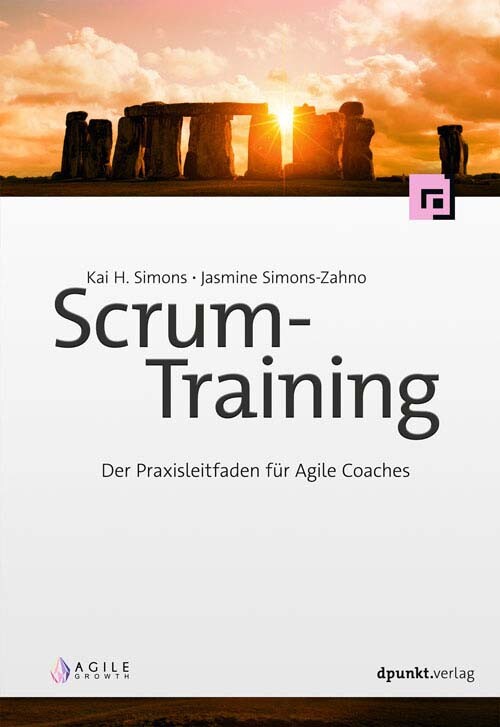
Scrum-Training
Der Praxisleitfaden für Agile CoachesImmer mehr Firmen wollen zu agilen Unternehmen werden und eine »New Work«-Kultur etablieren. Das beliebte agile Rahmenwerk Scrum ist dazu oft ein wichtiger Baustein, um selbstverwaltete Teams zu etablieren. Erfolgreiche Scrum-Trainings helfen, eine agile Transformation wirksam anzustoßen, durchzuführen und insgesamt zu erleichtern.Dieses Buch bietet Ihnen als Agile Coach, Scrum Master, Trainer oder Berater einen bewährten Praxisleitfaden, um die Essenz aus Scrum interaktiv z.B. in Workshops zu vermitteln. Vielfach erprobte Übungen bieten den idealen Rahmen, damit die teilnehmenden Personen selbst zu zentralen Erkenntnissen gelangen. Der klare Tagesplan liefert dabei stets Orientierung.Doch Seminare bergen immer auch Herausforderungen. Daher werden auch der Umgang mit eher skeptischen Menschen, die Gestaltung von Lernreisen und die Steuerung von Gruppendynamik thematisiert. Durch persönliche Beispiele lebt das Autorenteam nahbar vor, wie sich eine persönliche Haltung von Agilität positiv auf das Geschehen und den Fortgang auswirkt.Nach der Lektüre des Buches wissen Sie, wie Sie ein zweitägiges Scrum-Training so aufbauen, dass dieses eine intensive und auch nachhaltige Wirkung auf alle Beteiligten entfaltet.

IoT Standards with Blockchain
Implement a standardized end-to-end IoT implementation based on best practices and proven successes in IoT across multiple industries. With this book you'll discover the three business strategies for enterprises to adopt and remain relevant in the marketspace —the Customer Engagement strategy, the Business Transformation strategy, and the Business Productivity Improvement strategy. Pick the right strategy for your enterprise to ensure a clear mission and vision is established based on which IoT roadmap can be defined. Subsequently all business processes pertaining to the chosen business strategy are investigated to define use cases where IoT can be adopted to achieve that business strategy.Start by learning the generic industry perspective on digital transformation using IoT. Then move on to the IoT Standards Reference Model. It’s an abstract framework consisting of an interlinked set of clearly defined components for enterprises to successfully implement an IoT solution. The IoT Standards Reference Model can be applied for IoT use cases across any industry and is kept abstract in order to enable many, potentially different, IoT architectures to be implemented based on the model.With IoT thoroughly covered, you’ll dive into Blockchain and AI technology. This book will discuss the importance of using private blockchains for IoT use cases. You’ll also discover the five IoT-Blockchain implementation patterns that enterprises can enable for seamless communication between IoT devices, IoT Smart Gateways, and IoT platforms. These patterns help achieve trust, interoperability, and extendibility. Then you’ll work with AI and the IoT Standards Reference Model. The reference model recommends applying AI patterns to generate insights from data and take appropriate actions automatically.IoT Standards with Blockchain also provides perspective on how and when to apply AI in an IoT Context. In the end, you’ll have a solid methodology to execute large scale, enterprise-level IoT implementations. You’ll have an enterprise digital transformation framework for IoT that will enable your enterprise to operate better.WHAT YOU'LL LEARN* Facilitate IoT interoperability with best practices* Implement IoT platform security* Feed data and analytics to AI modelsWHO THIS BOOK IS FORC-suite leaders and IT program managers across all industries, including manufacturing (Industry 4.0), logistics, oil and gas, transportation, energy, mining and metals, aviation, pharmaceuticals, medical devices, and hospitality. VENKATESH UPADRISTA leads UKI delivery for HCL Technologies—an 8 Billion Solutions IT Services company. He is recognized as an exceptional digital talent leader by UK Tech Nation and speaks at industry conferences on topics covering the Internet of Things and other digital focuses.Part 1: IoT Business StrategyChapter 1: Getting StartedDesigning Business for FutureThe Triple Challenges in IoTChapter 2: IoT Business StrategyCustomer Engagement StrategyBusiness Transformation StrategyBusiness Productivity ImprovementChoosing Between Customer Engagement, Business Transformation, and Business Productivity Improvement StrategyChapter 3: IoT Standards Business Transformation ModelWhat next after your business strategy is chosenThe IoT Use Case Reference Model (IoT UCR ModeL)Applying IoT Treatments on Use CasesPart II: The IoT Reference ModelChapter 4: The IoT Reference ModelTh IoT Standards Reference ModelFullStack IoT PlatformTypical activities performed by Smart IoT gateway and Full Stack IoT PlatformSecurityBlockchainChapter 5: IoT Device and Their CommunicationDevice TypesCommunication ProtocolsChapter 6: The Smart IoT GatewayData Volume and AnalyticsIoT GatewaysSmart IoT GatewaysChoosing the right Smart IoT gatewayIoT gateway ComparisonsChapter 7: IoT Cloud PlatformIoT Basics SixSpecific CapabilitiesProof-of-Concept (PoC)Chapter 8: Security in IoTSecure by DESIGN (Securing the whole IoT ecosystem)Securing IoT Using BlockchainPart III: AI and Blockchain as Enablers for IoTChapter 9: Blockchain with IoTPublic BlockchainPrivate BlockchainIoT Blockchain implementation PatternsChapter 10: Artificial Intelligence in the IoT World (Applied IoT)Robotic process automationArtificial IntelligenceArtificial Intelligence & IoTLessons learned in applying AI in IoT Use Cases (Applied IoT)Part IV: IoT Implementation AspectsChapter 11: Big Data and AnalyticsDebugging Capabilities(Big) Data First Reference ModelChapter 12: Product Mindset for IoT Use Case ImplementationProduct OrganizationIoT Product Lifecycle with Product MindsetChapter 13: IoT Product TeamIoT Product TeamIoT Product Team IdentificationAudience: Intermediate

Qualitätsmanagement in den 20er Jahren - Trends und Perspektiven
Zielsetzung der Gesellschaft für Qualitätswissenschaft e.V. ist es, die Qualitätswissenschaft in Lehre und Forschung zu fördern und den Wissenstransfer in die industrielle Anwendung zu unterstützen. Geschehen soll dies unter anderem durch Pflege des wissenschaftlichen Erfahrungsaustauschs unter den auf diesem Gebiet tätigen Personen und Institutionen und der Verbreitung von Forschungs- und Entwicklungsergebnissen sowie der Unterstützung des Wissenstransfers zwischen Forschung und Praxis. Unter dem Leitthema „Qualitätsmanagement in den 20er Jahren - Trends und Perspektiven“ hat die Gesellschaft für Qualitätsmanagement gemeinsam mit der Hochschule Koblenz zur GQW Tagung 2020 eingeladen. Wir freuen uns, dass wir Ihnen nun den zugehörigen Tagungsband vorstellen können. Wenn man nach den Trends der kommenden Jahre fragt, muss in vielen Branchen und Disziplinen fast zwingend die Digitalisierung genannt werden. So bildet dieses Thema auch einen starken Schwerpunktin diesem Tagungsband. Die Beiträge beschäftigen sich mit künstlicher Intelligenz beim autonomen Fahren, der Rolle der Digitalisierung bei Nachweissystemen für Zusatzqualifikationen und Zutrittszertifikaten sowie der Integration von Industrie 4.0-Elementen in ganzheitlichen Produktionssystemen. Auch die Frage, welche Rolle die Blockchain-Technologie im Qualitätsmanagement spielen könnte, wird betrachtet. Eine weitere Facette bildet der Beitrag über den Einsatz von Eye-Tracking in der Produktentwicklung. Die aktuelle Corona-Krise wird ebenfalls aufgegriffen und erste Analysen zum Einfluss des digitalen Reifegrads auf das Arbeitszeitmodell in Krisenzeiten vorgestellt. Aber auch Beiträge zur Rolle von Erfahrungswissen im Qualitätsmanagement, zur Messung der Qualität in Produkt-Service-Systemen, zur ganzheitlichen Fehleranalyse, zu geometrischen Produktspezifikationen und Montagereihenfolgen finden Sie in diesem Band. Ein breiter Kanon spannender und aktueller Themen also, der zur Diskussion über das Qualitätsmanagement von morgen einlädt.

LEGO®-Roboter bauen, steuern und programmieren mit Raspberry Pi und Python
* BAU- UND PROGRAMMIERANLEITUNGEN FÜR MEHR ALS 10 SPANNENDE ROBOTER-PROJEKTE* LABYRINTHE LÖSEN, PAPPKARTEN PER BILDERKENNUNG ABSCHIEẞEN, FORMEN MIT EINEM NEURONALEN NETZ ERKENNEN U.V.M.* PROGRAMMCODE UND BAUANLEITUNGEN FÜR ALLE ROBOTER ZUM DOWNLOADLEGO®-Steine - sei es als selbstgebaute LEGO®-Fahrzeuge, -Roboter oder als LEGO®-Fertigmodelle - lassen sich hervorragend mit Elektronikkomponenten zum Leben erwecken und programmieren. Hierfür ist der Mikrocontroller Raspberry Pi besonders gut geeignet. Anhand konkreter Projekte zeigt Ihnen der Autor, wie Sie Sensoren und Motoren von LEGO® sowie weitere Elektronikkomponenten mit dem Raspberry Pi verbinden und Ihre Roboter programmieren. Durch den Einsatz der Programmiersprache Python können die Roboter einfache und komplexe Aufgaben lösen bis hin zu Linienverfolgung mit einem neuronalen Netz oder Bilderkennung.Im ersten Teil des Buches erhalten Sie eine kurze Einführung in den Mikrocontroller Raspberry Pi sowie den BrickPi, der für die Verbindung von LEGO®-Sensoren mit dem Raspberry Pi benötigt wird. Außerdem vermittelt der Autor die Grundlagen zu allen Elektronikkomponenten, mit denen Sie Ihre LEGO®-Modelle oder -Roboter ausstatten können. Dazu zählen unter anderem mittlere und große LEGO®-Motoren sowie folgende Komponenten: Color-Sensor, Touch-Sensor und Infrarot-Sensor von LEGO®, Kompass-Sensor und Gyro-Sensor von Hitechnic, Raspberry-Pi-Kamera, Fototransistor, LEDs und Motoren.Im zweiten Teil des Buches finden Sie eine kurze Einführung in die Grundlagen der Programmierung mit Python, gefolgt von einem umfangreichen Projektteil mit 11 spannenden Robotern, die diverse Aufgaben lösen, wie zum Beispiel:* Gegenstände erkennen und diesen ausweichen* Lösen eines Labyrinths mithilfe von künstlicher Intelligenz* Linienverfolgung und Formen erkennen mit einem neuronalen Netz* Pappkarten abschießen per Bilderkennung* Sammeln farbiger Joghurtbecher* Texte morsen inkl. Anleitung zum Basteln eines eigenen Touch-SensorsBei allen Projekten erläutert der Autor sowohl den Bau der Roboter als auch die entsprechende Programmierung.HARDWARE:Für die Projekte im Buch werden sowohl die LEGO®-eigenen Komponenten als auch günstige handelsübliche Motoren und Sensoren eingesetzt. Sie können einen eigenen Roboter bauen, die LEGO®-Roboter im Buch nachbauen oder als Grundlage ein LEGO®-Fertigmodell verwenden. Für alle im Buch verwendeten LEGO®-Roboter gibt es die Bauanleitungen zum kostenlosen Download.Thomas Kaffka hat als Softwareingenieur sowie Projektleiter in Softwarehäusern und Wirtschaftsprüfungs- und Beratungsgesellschaften gearbeitet. Er ist ein echter Maker und beschäftigt sich mit verschiedenen Themen wie etwa dem Bau von LEGO®-Robotern, der Künstlicher Intelligenzforschung sowie dem 3D-Druck.

Microsoft SharePoint - Das Praxisbuch für Anwender
Sie stehen vor der Aufgabe, SharePoint Server 2019 oder SharePoint Online in Ihrem Unternehmen oder in Ihrer Fachabteilung einzuführen bzw. einzusetzen? Dieses Praxisbuch für Anwender zeigt Ihnen, wie. Sie lernen nicht nur die Möglichkeiten der bereitgestellten SharePoint-Technologien von Grund auf kennen, sondern erlernen anhand der praxisorientierten Beispiele auch den sicheren Umgang mit SharePoint und erfahren, wie Sie es effektiv einsetzen.Dieses Buch unterstützt Sie Schritt für Schritt bei Ihrem SharePoint-Projekt. Es richtet sich an alle SharePoint-Anwender ohne spezifisches technisches Vorwissen, die einen Überblick über SharePoint erhalten und effizienter mit dem System arbeiten möchten.Melanie Schmidt gibt Ihnen zahlreiche Tipps und Empfehlungen für das eigene SharePoint-Projekt und erklärt, was Sie bei der Anwendung der unterschiedlichen Technologien beachten sollten und wie Sie typische Fehler vermeiden. Auch alltägliche Aufgaben von der Abteilungsanforderung bis zu Routinearbeiten in der SharePoint-Umgebung werden von der Autorin beschrieben. Außerdem erfahren Sie, welche Entscheidungen und Vorüberlegungen getroffen und welche Voraussetzungen geschaffen werden müssen, damit ein SharePoint-Projekt erfolgreich umgesetzt werden kann. Zusätzlich erklärt sie Ihnen in diesem Buch typische Abteilungsanforderungen anhand konkreter, praktischer Beispiele, sodass Sie schnell eigene Ideen entwickeln und mit der jeweils passenden SharePoint-Technologie realisieren können.Die Autorin orientiert sich dabei immer am SharePoint-Standard und erläutert, welche Funktionen mit welcher SharePoint-Server-Technologie möglich sind. Dadurch können alle Anwender die aufgeführten Beispiele nachvollziehen und in der Praxis anwenden.

CorelDRAW Graphics Suite 2019-2021
Die Neuerungen von CorelDRAW 2020/2021: das umfassende Handbuch zu CorelDRAW in aktueller Auflage, September 2021.Wie Sie mit dem umfangreichen Softwarepaket von Corel Bildbearbeitung, Vektorgrafiken, Layout und Design kreativ umsetzen, dabei hilft Ihnen dieses Buch mit verständlichen Schritt-für-Schritt-Anleitungen und anschaulichen Beispielen.Sie starten mit der grundlegenden Arbeitsweise, indem Sie alle wichtigen Bedienelemente, Menüs und Funktionen kennenlernen. Danach geht es an die praktische Umsetzung mit CorelDRAW und Corel PHOTO-PAINT.AutorMichael Gradias ist seit 1980 selbstständiger Grafikdesigner und Fotograf.Seit 1997 hat er über 120 Fachbücher in den Bereichen Grafik, Video und Fotografie veröffentlicht, die teilweise in acht Sprachen übersetzt wurden. Außerdem schreibt er regelmäßig für diverse Fachzeitschriften Artikel. Er fotografiert seit 1985 mit Nikon-Kameras und sammelt diese auch. Auf seiner Website www.gradias.de finden Leser viele weitere Informationen zu den jeweiligen Themen. Seine Kompetenz als Fotograf stellt er auf www.gradias-foto.de unter Beweis.Leseprobe (PDF-Link)
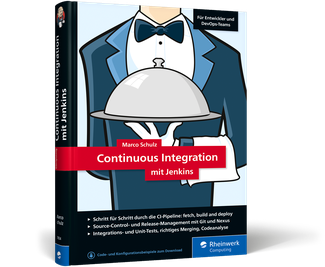
Continuous Integration mit Jenkins
Moderne Softwareentwicklung braucht mehr als nur guten Code und starken Kaffee. Ohne passende Deployment-Strategien und eine saubere Release-Verwaltung laufen selbst kleine Projekte schnell aus dem Ruder und werden unbeherrschbar. Dieses Praxisbuch gibt Ihnen einen Überblick über eine zeitgemäße CI-Pipeline aus Git, Jenkins und Nexus. So erfahren Sie, was für erfolgreiche Software-Projekte essenziell ist: gutes Source Control Management, flächendeckende Softwaretests mit einer sinnvollen Qualitätskontrolle und ein sauber organisiertes Deployment. Marco Schulz gibt Ihnen seine Erfahrung aus zahlreichen internationalen IT-Projekten weiter und hält eine Menge Tipps und Überlegungen zu gutem Software Engineering für Sie parat. Aus dem InhaltThe Big Picture: DevOps und die SoftwareentwicklungSoftware testen: Test Driven Development, Unit- und IntegrationstestsAgiles Release Management: Sprints vs ReleaseDeployment-StrategienSource Control ManagementJenkins einrichten und betreibenBuild ManagementBuild Jobs schreiben und optimierenJenkins Pipelines mit Blue OceanQualitätskontrolle mit SonarQubeRepository Management mit NexusAutor:Autor: Marco Schulz studierte an der HS Merseburg Informatik und twittert regelmäßig als @ElmarDott über technische Themen. Seine Schwerpunkte sind Build- und Konfigurationsmanagement, Software-Architekturen und Release Management. Seit über fünfzehn Jahren realisiert er anspruchsvolle Entwicklungsprojekten für namhafte Unternehmen aus aller Welt und arbeitet als unabhängiger Consultant/Trainer. Sein Wissen teilt er mit anderen Technikbegeisterten auf Konferenzen, wenn er nicht gerade wieder einmal an einem neuen Fachbeitrag schreibt.