

Computer und IT

Schrift. Wahl und Mischung
Und immer wieder die gleiche Frage: Welche Schrift ist die richtige für mein Projekt? Oliver Linke und Kai Büschl, beide Schriftexperten und Schriftdesigner, haben hier ein umfassendes Werk geschaffen, das sich systematisch den Themen Schriftwahl und Schriftmischung nähert und fundierte Hilfestellungen bietet. Wie Sie ästhetische, funktionale, technische, aber auch rechtliche Aspekte richtig einschätzen und damit Schriften professionell auswählen und kombinieren, wird Ihnen in diesem Buch erstmals ausführlich und mit vielen Beispielen erläutert. Aus dem Inhalt: Schrift formal beleuchtenStilgeschichte, Wesensmerkmale von Schriftformen, Klassifikationsmöglichkeiten, Anmutung und CharakterSchrift technisch verstehenFontformate, Schriftsysteme, Glyphensätze, OpenType Features, Variable FontsSchrift funktional einordnenLeserlichkeit, Rhythmus, Grauwert, Textarten, BildschirmschriftSchrift auswählenWelche Schrift eignet sich für welchen Anwendungsbereich (Roman, Zeitung, CD, Magazin, Plakat, Verpackung, Leitsystem, Website, Leichte Sprache, Kartografie ...)Schrift mischenMethoden der Schriftmischung, Schriftmischung in der AnwendungSchrift einrichtenMengensatz, Wortmarken, Schrift modifizieren, Custom FontsSchrift suchen und findenFoundries, Websites, Apps, Free Fonts, Testfonts, LizenzierungAnhangVerzeichnis von Schriften und Foundries, Glossar mit Fachbegriffen 1.. Schrift formal betrachten ... 8 1.1. ... Stilgeschichte der Schriftformen ... 10 1.2. ... Grundlegende Eigenschaften ... 26 1.3. ... Der Schnittausbau ... 36 1.4. ... Wesensmerkmale von Schriftformen ... 46 1.5. ... Klassifikationsmöglichkeiten ... 54 1.6. ... Anmutung und Charakter ... 60 1.7. ... Was ist eigentlich »modern«? ... 82 2.. Schrift technisch verstehen ... 86 2.1. ... Fontformate und Standards ... 88 2.2. ... Umformatierung von Schriftensoftware ... 92 2.3. ... Der Inhalt einer Schriftdatei ... 94 2.4. ... Schriftsysteme ... 96 2.5. ... Der Glyphensatz ... 98 2.6. ... OpenType-Features ... 112 2.7. ... Rasterung und Hinting ... 116 2.8. ... Variable Fonts ... 118 2.9. ... Responsive Schriften ... 122 3.. Schrift funktional beleuchten ... 124 3.1. ... Optische Eigentümlichkeiten ... 126 3.2. ... Lesbarkeit und Leserlichkeit ... 128 3.3. ... Kriterien der Schriftbeurteilung ... 136 3.4. ... Fair Fonts ... 156 4.. Schrift beurteilen ... 158 4.1. ... Schriftprofile erstellen ... 160 4.2. ... Beispiel für ein Schriftprofil ... 166 5.. Schrift auswählen ... 168 5.1. ... Anwendungsbereiche ... 170 5.2. ... Entwicklung eigener Anforderungsprofile ... 262 6.. Schrift mischen ... 264 6.1. ... Methoden der Schriftmischung ... 266 6.2. ... Schriftmischung in der Anwendung ... 286 7.. Schrift einrichten ... 306 7.1. ... Mengensatz einrichten ... 308 7.2. ... Wortmarken ... 316 7.3. ... Schrift modifizieren ... 320 7.4. ... Custom Fonts ... 324 7.5. ... Checkliste für Custom Fonts ... 333 8.. Schrift suchen und finden ... 334 8.1. ... Foundries groß und klein ... 336 8.2. ... Schriften finden ... 340 8.3. ... Freefonts ... 346 8.4. ... Fonts vor dem Kauf testen ... 350 8.5. ... Schriftlizenzierung ... 352 8.6. ... Schrift- und Lizenzverwaltung ... 357 ANHANG. Schrift- und Lizenzverwaltung ... 360 A ... Bibliografie ... 362 B ... Bildnachweis ... 364 C ... Schriftenverzeichnis ... 370 D ... Die Anatomie der Buchstaben ... 382 E ... Stichwortverzeichnis ... 384

Implementing Always On VPN
Implement and support Windows 10 Always On VPN, the successor to Microsoft's popular DirectAccess. This book teaches you everything you need to know to test and adopt the technology at your organization that is widely deployed around the world.The book starts with an introduction to Always On VPN and discusses fundamental concepts and use cases to compare and contrast it with DirectAccess. You will learn the prerequisites required for implementation and deployment scenarios. The book presents the details of recommended VPN protocols, client IP address assignment, and firewall requirements. Also covered is how to configure Routing and Remote Access Service (RRAS) along with security and performance optimizations. The Configuration Service Provider (CSP) is discussed, and you will go through provisioning Always On VPN to Windows 10 clients using PowerShell and XML as well as Microsoft Intune. Details about advanced client configuration and integration with Azure security services are included. You will know how to implement Always On VPN infrastructure in a redundant and highly available (HA) configuration, and guidance for ongoing system maintenance and operational support for the VPN and NPS infrastructure is provided. And you will know how to diagnose and troubleshoot common issues with Always On VPN.After reading this book, you will be able to plan, design, and implement a Windows 10 Always On VPN solution to meet your specific requirements.WHAT WILL YOU LEARN* Prepare your infrastructure to support Windows 10 Always On VPN on premises or in the cloud* Provision and manage Always On VPN clients using modern management methods such as Intune* Understand advanced integration concepts for extending functionality with Microsoft Azure* Troubleshoot and resolve common configuration and operational errors for your VPNWHO THIS BOOK IS FORIT professionals and technology administrators for organizations of all sizesRICHARD HICKS is the founder and principal consultant at Richard M. Hicks Consulting, Inc. He is a widely recognized enterprise mobility and security infrastructure expert with more than 25 years of experience implementing secure remote access and Public Key Infrastructure (PKI) solutions for organizations around the world. Richard is a former Microsoft Most Valuable Professional (MVP 2009-2019) and is active in the online community, sharing his knowledge and experience with IT professionals on his blog and through various social media channels. Visit his web site https://www.richardhicks.com/ or connect with him on Twitter @richardhicks. CHAPTER 1 – ALWAYS ON VPN OVERVIEWo This chapter will introduce Always On VPN as a technology and cover the concepts and underlying technologies used by the solution. We will discuss the high-level use cases and compare with its predecessor, DirectAccess.CHAPTER 2 – PLAN AN ALWAYS ON VPN DEPLOYMENTo In this chapter we will dive more deeply into the implementation prerequisites. We will identify infrastructure requirements, discuss networking and authentication requirements, and learn about various deployment scenarios. Guidance will be provided for certificate services configuration and networking models will be covered. Details about VPN protocols, client IP address assignment, and firewall requirements will also be covered.CHAPTER 3 – CONFIGURE WINDOWS SERVER FOR ALWAYS ON VPNIn this chapter, configuring Windows Server Routing and Remote Access Service (RRAS) will be covered in detail. In addition, we will cover Remote Access Service (RRAS) configuration and perform server security and performance optimizations.CHAPTER 4 – PROVISION ALWAYS ON VPN CLIENTSThis chapter will provide guidance for provisioning Always On VPN to Windows 10 clients. The Configuration Service Provider (CSP) mode will be discussed, and readers will learn to create a configuration XML file and provision it locally using PowerShell. In addition, Intune deployment using custom XML and native VPN profiles will be covered.CHAPTER 5 – CLOUD DEPLOYMENTSo For those organizations deploying infrastructure in a public cloud, this chapter will outline how to deploy an Always On VPN infrastructure in Microsoft Azure. Deploying RRAS in Azure and leveraging native cloud VPN infrastructure such as Azure Virtual Network Gateway and Azure Virtual WAN will be discussed.CHAPTER 6 – AZURE INTEGRATIONo This chapter will provide guidance for advanced client configuration and integration with Azure security services. Azure MFA integration with on-premises NPS will be covered in detail. Also, Azure Conditional Access will be covered.CHAPTER 7 – HIGH AVAILABILITYo This chapter will describe in detail how to implement an Always On VPN infrastructure in a redundant and highly available configuration. Locally redundancy NPS and VPN servers will be covered. Guidance for multisite deployment with geographic redundancy for VPN servers will be included.CHAPTER 8 – MONITOR AND REPORTo This chapter will cover ongoing system maintenance and operational support for the VPN and NPS infrastructure. It will include guidance for ensuring automatic certificate management, how to renew certificates that cannot be managed automatically, how to find logging details, and which monitoring tools can be effective for daily operation.CHAPTER 9 – TROUBLESHOOTINGo This chapter will provide detailed guidance for troubleshooting and resolving common configuration and operational errors for the VPN and authentication infrastructure, from both the client and server perspective. Common failure scenarios will be covered, and detailed resolution steps will be provided.CHAPTER 10 – MIGRATE FROM DIRECTACCESS TO ALWAYS ON VPNo Always On VPN is most commonly deployed to replace existing DirectAccess infrastructure. In this chapter I’ll provide guidance and share experience for migrating from DirectAccess to Always On VPN seamlessly and without disruption.

PowerShell Fast Track
Create complex scripts in PowerShell and learn how to connect them to cloud services like Azure and Azure AD. This book will help you learn PowerShell by providing small “cheat” snippets that you can combine to write efficient and effective scripts.PowerShell Fast Track starts with the basics of PowerShell before moving on to discuss functions like date and logs, along with concepts such as inputs for your scripts. Author Vikas Sukhija then walks you through interactive input and Snapins modules, where you will learn GUI button prompts and how to import sessions. He’ll then show you how to report errors through email and log errors to a text file. Reporting CSV (Comma Separate Value) is discussed next, followed by a demonstration of miscellaneous functions, including how to connect your PowerShell scripts with Azure, SharePoint, Teams and other services. As you progress further, you’ll see how PowerShell provides powerful features for automation that can be leveraged for managing your Teams workload. Finally, using practical examples, you will learn how to implement and create scripts for day-to-day usage.After reading this book, you will be able to hit the ground running and use PowerShell’s powerful features in your own work.WHAT WILL YOU LEARN:* Utilize code Snippets to perform practical tasks* Combine the code to create more complex scripts.* Logging and reporting* Connect to various products such as Exchange, SharePoint, Teams, and AzureADWHO IS THIS BOOK FOR:System administratorsVikas Sukhija has over a decade of IT infrastructure experience with expertise in Messaging, Collaboration & IT automations utilizing PowerShell, PowerApps , Power Automate and other tools. He is currently working as a Global Director at Golden Five Consulting in Canada. He is also a Blogger, Architect, Microsoft MVP and is known by the name TechWizard. As an experienced professional he is assisting small to large enterprises in architecting, implementing, and automating Microsoft 365 and Azure. CHAPTER 1. POWERSHELL BASICSVariables & Printing If Else/ switch Conditional / Logical Operators Loops For –Loop While –Loop FunctionsCHAPTER 2. DATE & LOGSDefine LogsFirst day & Last day of MonthMidnight Create Folders based on Date Recycle Logs Progress barCHAPTER 3. INPUT TO YOUR SCRIPTSImport CSV Import from text file Input from ArrayCHAPTER 4. INTERACTIVE INPUTRead-host Parameters GUI Button PromptCHAPTER 5. ADDING SNAP INS/ MODULESPowerShell Snapins Modules Import Session Example:CHAPTER 6. SENDING EMAILCHAPTER 7. ERROR REPORTINGReporting Error thru EmailLogging Everything including Error Logging error to Text fileCHAPTER 8. REPORTING CSVReport HTML ReportingCHAPTER 9. MISCELLANEOUS KEYWORDSSplit ReplaceSelect-StringCompare-ObjectCHAPTER 10. PRODUCT EXAMPLES (DAILY USE)Microsoft Exchange Clean Database so that mailboxes appear in disconnected stateFind Disconnected Mailboxes Clustered Mailbox Status (2007)Extract Message accept from Active Sync Stats Message Tracking Search mailbox / Delete Messages Exchange Quota Report Set Quota Active Directory Export Group members Set values for Ad attributes Export Active Directory attributes Add members to the group from text file Remove members to the group from text file Office 365 Exchange Online Mailbox Report Exchange Online Message Tracking Searching Unified Log11. Appendix
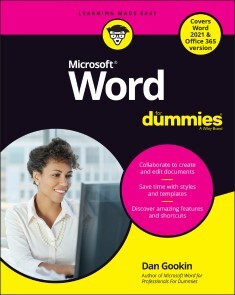
Word For Dummies
WRITE ON WITH MICROSOFT WORD!If you create professional-looking documents on a regular basis, you require a mighty word processor that offers all the power and capabilities to create them. Enter Microsoft Word! Pair it with Word For Dummies to hone all your word-processing skills. The book is filled with useful tips and suggestions that allow you to get the most out of Word, as well as helpful information on the latest features. It also shows you how to customize and configure Word for your optimal workflow. Get details on the new Word interface; tools to quickly edit and format your documents; methods to organize your text with tables; techniques to insert charts, photos, and other graphics for visual interest; ways to automate routine document creation tasks; and how best to collaborate, share, and exchange documents with co-workers.* Use Windows tools to quickly access Word and optimize your productivity* Seamlessly integrate Word with other Office applications (Outlook, PowerPoint, and Excel)* Employ document formatting features to create a clean layout and text presentation* Exchange comments with co-workers using @mention notifications* Customize the Word interface, including the dark mode feature* Have a friendly, useful guide on Microsoft Word on hand when you need itWith Word For Dummies by your side, you can once again make working with Word a pleasure. Soon, you'll be creating picture-, letter- and word-perfect documents. DAN GOOKIN wrote the first-ever For Dummies book back in 1991. He has authored a number of bestsellers, and his books have been published in 32 languages and have more than 11 million copies in print. Introduction 1PART 1: YOUR INTRODUCTION TO WORD 5Chapter 1: Hello, Word! 7Chapter 2: The Typing Chapter 21PART 2: YOUR BASIC WORD 33Chapter 3: To and Fro in a Document 35Chapter 4: Text Editing 43Chapter 5: Search for This, Replace It with That 51Chapter 6: Blocks o’ Text 61Chapter 7: Spell It Write 73Chapter 8: Documents New, Saved, and Opened 87Chapter 9: Publish Your Document 99PART 3: FUN WITH FORMATTING 111Chapter 10: Character Formatting 113Chapter 11: Paragraph Formatting 125Chapter 12: Tab Formatting 139Chapter 13: Page Formatting 155Chapter 14: Section Formatting 169Chapter 15: Style Formatting 183Chapter 16: Template and Themes Formatting 197Chapter 17: Random Drawer Formatting 207PART 4: SPRUCE UP A DULL DOCUMENT 217Chapter 18: They’re Called Borders 219Chapter 19: Able Tables 227Chapter 20: Columns of Text 239Chapter 21: Lots of Lists 247Chapter 22: Here Come the Graphics 257Chapter 23: Insert Tab Insanity 271PART 5: THE REST OF WORD 281Chapter 24: Multiple Documents, Windows, and File Formats 283Chapter 25: Word for Writers 291Chapter 26: Let’s Work This Out 303Chapter 27: Mail Merge Mania 313Chapter 28: Labels and Envelopes 329Chapter 29: A More Custom Word 337PART 6: THE PART OF TENS 345Chapter 30: The Ten Commandments of Word 347Chapter 31: Ten Cool Tricks 351Chapter 32: Ten Bizarre Things 361Chapter 33: Ten Automatic Features Worthy of Deactivation 367Index 373
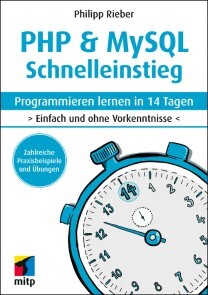
PHP & MySQL Schnelleinstieg
* PHP PROGRAMMIEREN LERNEN OHNE VORKENNTNISSE* ALLE GRUNDLAGEN FÜR DEN PROFESSIONELLEN EINSATZ* EINFACHE PRAXISBEISPIELE UND ÜBUNGSAUFGABENMit diesem Buch gelingt Ihnen der einfache Einstieg in die Webentwicklung mit PHP und MySQL.Alle Grundlagen werden in 14 Kapiteln anschaulich und leicht nachvollziehbar anhand von Codebeispielen erläutert. Übungsaufgaben am Ende der Kapitel helfen Ihnen, das neu gewonnene Wissen schnell praktisch anzuwenden und zu vertiefen.Der Autor führt Sie Schritt für Schritt in die Welt der Programmierung mit PHP ein: von den Grundlagen über Objektorientierung bis zur Entwicklung dynamischer Webseiten mit MySQL-Datenbanken. Dabei lernen Sie ebenfalls, was guten Programmierstil ausmacht und wie sich Fehler von vornherein vermeiden lassen.So sind Sie perfekt auf die Webentwicklung mit PHP und MySQL im professionellen Umfeld vorbereitet.* Alle Grundlagen einfach erläutert* Dynamische Webseiten und Formulare* Webseiten im Internet veröffentlichen* Anbindung einer Webschnittstelle (API)* Cookies und Sessions* Objektorientierte* Programmierung* Einsatz mit MySQL-Datenbanken* Abschlussprojekt:* Programmierung eines Blogs* Programmcode, Lösungen und Glossar zum DownloadFÜR WINDOWS, LINUX UND MACOSPhilipp Rieber entwickelt seit über 20 Jahren Internet-Anwendungen und begeistert gerne andere für die Webentwicklung. Als Software-Architekt gestaltet er seit ihrer Gründung die erste digitale Krankenversicherung Deutschlands.

Das Internet gehört uns allen!
Protokolle, Datenschutz, Zensur und Internet Governance anschaulich illustriert. Erstauflage, November 2021.Das Internet hat die zwischenmenschliche Kommunikation tiefgreifend verändert, aber die meisten von uns verstehen nicht wirklich, wie es funktioniert. Wie können Informationen durch das Internet reisen? Können wir online wirklich anonym und privat sein? Wer kontrolliert das Internet, und warum ist das wichtig? Und... was hat es mit den ganzen Katzen auf sich?»Das Internet gehört uns allen!« beantwortet diese Fragen und mehr. In klarer Sprache und mit skurrilen Illustrationen übersetzt das Autorenteam hochtechnische Themen in verständliche Sprache, die das komplizierteste Computernetzwerk der Welt entmystifiziert.Mit der Comic-Katze Catnip erfahren Sie mehr über:das »Wie-Was-Warum« von Knoten, Paketen und Internet-Protokollen;kryptografische Techniken, die die Geheimhaltung und Integrität Ihrer Daten zu gewährleisten;Zensur und Möglichkeiten der Überwachung und wie Sie diese umgehen könnenKybernetik, Algorithmen und darüber wie Computer Entscheidungen treffenDie Zentralisierung der Macht im Internet, ihre Auswirkungen auf die Demokratie und wie sie die Menschenrechte beeinträchtigtInternet-Governance und Möglichkeiten, sich zu engagierenDieses Buch ist auch ein Aufruf zum Handeln, indem es einen Fahrplan aufstellt, wie Sie Ihr neu erworbenes Wissen nutzen können, um die Entwicklung digitaler, inklusiver und die Rechte achtender Internet-Gesetze und -Politik zu beeinflussen.Egal, ob Sie sich um die Sicherheit im Internet sorgen, ein Anwalt sind, der sich mit Fragen der weltweiten Meinungsfreiheit befasst, oder einfach jemand mit einer katzenhaften Neugier auf die Netzwerkinfrastruktur, Sie werden begeistert sein – und aufgeklärt – von Catnips unterhaltsamen Leitfaden zum Verständnis, wie das Internet wirklich funktioniert!Leseproben (PDF-Links):VorwortInhaltsverzeichnisKapitel 1Kapitel 3Kapitel 7Kapitel 10Zu den Herausgebenden:ARTICLE 19 ist eine internationale Non-Profit-Organisation, die das Recht auf freie Meinungsäußerung, einschließlich des Zugangs zu Informationen, fördern, entwickeln und schützen will. Mit Hauptsitz in London und Büros in Bangladesch, Brasilien, Kenia, Mexiko, Senegal, Tunesien, Myanmar und den USA arbeitet ARTICLE 19 daran, die Wissenslücke über die Internet-Infrastruktur und deren Bedeutung für die Menschen zu schließen.

Frontloading durch Fahrbarkeitsbewertungen in Fahrsimulatoren
Edwin Baumgartner stellt eine Methode vor, die das subjektiv empfundene Fahrverhalten, auch Fahrbarkeit genannt, in dynamischen Fahrsimulatoren erlebbar und bewertbar macht. Dies ermöglicht das als Frontloading bezeichnete Vorziehen von Entwicklungsumfängen in die Konzeptphase, was Entwicklungszeit und -kosten senkt bei gleichzeitiger Steigerung des Reifegrads. Hierfür wird ein echtzeitfähiges Gesamtfahrzeugmodell entwickelt, das in zwei verschiedenen Fahrsimulatoren im Rahmen mehrerer Probandenstudien erprobt wird. Zudem werden die subjektiven Fahrbarkeitsbewertungen mit objektiven Fahrleistungs- und Verbrauchssimulationen derart kombiniert, dass schließlich ein ganzheitlicher Konzeptbewertungsprozess entsteht. Entwicklung des Gesamtfahrzeugmodells und Simulationsframeworks.- Untersuchungen zu subjektiven Fahrbarkeitsbewertungen in Fahrsimulatoren.- Ganzheitlicher Konzeptbewertungsprozess für Fahrbarkeit, Fahrleistung und Verbrauch.

Computers For Seniors For Dummies
A SIMPLE GUIDE TO COMPUTERS THAT'LL SHOW YOU WHAT ALL THE FUSS IS ABOUTMost people new to computers find them a little intimidating at first. But with the right guidance, even a total novice can be sending email and banking online in no time at all. Computers For Seniors For Dummies is your must-have computing companion, full of crystal clear, step-by-step instructions for accessing websites, opening and using programs, and keeping yourself safe from viruses and hackers. And unlike the confusing "tips" from your son-in-law, you can rely on the For Dummies brand to deliver advice that actually works! Whether you've set up your computer and are ready to start using it or it's still sitting in the box, this book walks you through each and every step you need to take to connect with your family or share your photos with your friends on Facebook. It'll also show you how to:* Research topics you're interested in on the web while steering clear of malicious websites and emails that can harm your computer* Shop online in a way that keeps your credit card info secure* Find recipes, diet tips, the latest news, or your favorite TV showComputers For Seniors For Dummies is your one-stop resource for taking control of your computer, transforming it from an expensive paperweight into the most useful gadget in your home. Filled with easy-on-the-eyes type and tons of explanatory images, this is the book that will finally get you up to speed on personal computing. FAITHE WEMPEN is a computer and information technology instructor at Indiana University Purdue University at Indianapolis. She designs online technology courses for corporate clients and is the author of over 150 books on computer hardware and software.Introduction 1PART 1: GET GOING! 5Chapter 1: Buying a Computer 7Chapter 2: Setting Up Your Computer 33Chapter 3: Buying and Setting Up a Printer 61PART 2: GETTING UP TO SPEED WITH WINDOWS 75Chapter 4: Working with Apps in Windows 77Chapter 5: Six Great Apps that Come with Windows 107Chapter 6: Managing Your Personal Files 127Chapter 7: Making Windows Your Own 153PART 3: GOING ONLINE 175Chapter 8: Getting Connected to the Internet 177Chapter 9: Browsing the Web 191Chapter 10: Staying Safe While Online 213Chapter 11: Keeping in Touch with Mail 233Chapter 12: Working in the Cloud 253Chapter 13: Connecting with People Online 269PART 4: HAVING FUN 289Chapter 14: Let’s Play a Game! 291Chapter 15: Creating and Viewing Digital Photos and Videos 305Chapter 16: Listening to Music on Your PC 325PART 5: WINDOWS TOOLKIT 341Chapter 17: Working with Networks 343Chapter 18: Protecting Windows 361Chapter 19: Maintaining Windows 373Index 389
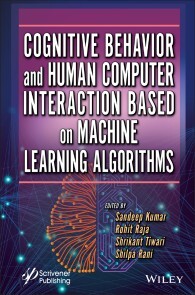
Cognitive Behavior and Human Computer Interaction Based on Machine Learning Algorithms
COGNITIVE BEHAVIOR AND HUMAN COMPUTER INTERACTION BASED ON MACHINE LEARNING ALGORITHMSTHE OBJECTIVE OF THIS BOOK IS TO PROVIDE THE MOST RELEVANT INFORMATION ON HUMAN-COMPUTER INTERACTION TO ACADEMICS, RESEARCHERS, AND STUDENTS AND FOR THOSE FROM INDUSTRY WHO WISH TO KNOW MORE ABOUT THE REAL-TIME APPLICATION OF USER INTERFACE DESIGN.Human-computer interaction (HCI) is the academic discipline, which most of us think of as UI design, that focuses on how human beings and computers interact at ever-increasing levels of both complexity and simplicity. Because of the importance of the subject, this book aims to provide more relevant information that will be useful to students, academics, and researchers in the industry who wish to know more about its real-time application. In addition to providing content on theory, cognition, design, evaluation, and user diversity, this book also explains the underlying causes of the cognitive, social and organizational problems typically devoted to descriptions of rehabilitation methods for specific cognitive processes. Also described are the new modeling algorithms accessible to cognitive scientists from a variety of different areas. This book is inherently interdisciplinary and contains original research in computing, engineering, artificial intelligence, psychology, linguistics, and social and system organization as applied to the design, implementation, application, analysis, and evaluation of interactive systems. Since machine learning research has already been carried out for a decade in various applications, the new learning approach is mainly used in machine learning-based cognitive applications. Since this will direct the future research of scientists and researchers working in neuroscience, neuroimaging, machine learning-based brain mapping, and modeling, etc., this book highlights the framework of a novel robust method for advanced cross-industry HCI technologies. These implementation strategies and future research directions will meet the design and application requirements of several modern and real-time applications for a long time to come. AUDIENCE: A wide range of researchers, industry practitioners, and students will be interested in this book including those in artificial intelligence, machine learning, cognition, computer programming and engineering, as well as social sciences such as psychology and linguistics. SANDEEP KUMAR, PHD is a Professor in the Department of Computer Science and Engineering, Koneru Lakshmaiah Education Foundation, Vaddeswaram, AP, India. He has published more than 100 research papers in various international/national journals and 6 patents. He has been awarded the “Best Excellence Award” in New Delhi, 2019.ROHIT RAJA, PHD is an associate professor in the IT Department at the Guru Ghasidas, Vishwavidyalaya, Bilaspur (Central University-CG). He gained his PhD in Computer Science and Engineering in 2016 from C. V. Raman University India. He has filed successfully 10 (9 national + 1 international) patents and published more than 80 research papers in various international/national journals. SHRIKANT TIWARI, PHD is an assistant professor in the Department of Computer Science & Engineering (CSE) at Shri Shankaracharya Technical Campus, Junwani, Bhilai, Distt. Chattisgarh, India. He received his PhD from the Department of Computer Science & Engineering (CSE) from the Indian Institute of Technology (Banaras Hindu University), Varanasi (India) in 2012. SHILPA RANI, PHD is an assistant professor in the Department of Computer Science & Engineering, Neil Gogte Institute of Technology, Hyderabad, India. Preface xv1 COGNITIVE BEHAVIOR: DIFFERENT HUMAN-COMPUTER INTERACTION TYPES 1S. Venkata Achyuth Rao, Sandeep Kumar and GVRK Acharyulu1.1 Introduction: Cognitive Models and Human-Computer User Interface Management Systems 21.1.1 Interactive User Behavior Predicting Systems 21.1.2 Adaptive Interaction Observatory Changing Systems 31.1.3 Group Interaction Model Building Systems 41.1.4 Human-Computer User Interface Management Systems 51.1.5 Different Types of Human-Computer User Interfaces 51.1.6 The Role of User Interface Management Systems 61.1.7 Basic Cognitive Behavioral Elements of Human- Computer User Interface Management Systems 71.2 Cognitive Modeling: Decision Processing User Interacting Device System (DPUIDS) 91.2.1 Cognitive Modeling Automation of Decision Process Interactive Device Example 91.2.2 Cognitive Modeling Process in the Visualization Decision Processing User Interactive Device System 111.3 Cognitive Modeling: Decision Support User Interactive Device Systems (DSUIDS) 121.3.1 The Core Artifacts of the Cognitive Modeling of User Interaction 131.3.2 Supporting Cognitive Model for Interaction Decision Supportive Mechanism 131.3.3 Representational Uses of Cognitive Modeling for Decision Support User Interactive Device Systems 141.4 Cognitive Modeling: Management Information User Interactive Device System (MIUIDS) 171.5 Cognitive Modeling: Environment Role With User Interactive Device Systems 191.6 Conclusion and Scope 20References 202 CLASSIFICATION OF HCI AND ISSUES AND CHALLENGES IN SMART HOME HCI IMPLEMENTATION 23Pramod Vishwakarma, Vijay Kumar Soni, Gaurav Srivastav and Abhishek Jain2.1 Introduction 232.2 Literature Review of Human-Computer Interfaces 262.2.1 Overview of Communication Styles and Interfaces 332.2.2 Input/Output 372.2.3 Older Grown-Ups 372.2.4 Cognitive Incapacities 382.3 Programming: Convenience and Gadget Explicit Substance 402.4 Equipment: BCI and Proxemic Associations 412.4.1 Brain-Computer Interfaces 412.4.2 Ubiquitous Figuring—Proxemic Cooperations 432.4.3 Other Gadget-Related Angles 442.5 CHI for Current Smart Homes 452.5.1 Smart Home for Healthcare 452.5.2 Savvy Home for Energy Efficiency 462.5.3 Interface Design and Human-Computer Interaction 462.5.4 A Summary of Status 482.6 Four Approaches to Improve HCI and UX 482.6.1 Productive General Control Panel 492.6.2 Compelling User Interface 502.6.3 Variable Accessibility 522.6.4 Secure Privacy 542.7 Conclusion and Discussion 55References 563 TEACHING-LEARNING PROCESS AND BRAIN-COMPUTER INTERACTION USING ICT TOOLS 63Rohit Raja, Neelam Sahu and Sumati Pathak3.1 The Concept of Teaching 643.2 The Concept of Learning 653.2.1 Deficient Visual Perception in a Student 673.2.2 Proper Eye Care (Vision Management) 683.2.3 Proper Ear Care (Hearing Management) 683.2.4 Proper Mind Care (Psychological Management) 693.3 The Concept of Teaching-Learning Process 703.4 Use of ICT Tools in Teaching-Learning Process 763.4.1 Digital Resources as ICT Tools 773.4.2 Special ICT Tools for Capacity Building of Students and Teachers 773.4.2.1 CogniFit 773.4.2.2 Brain-Computer Interface 783.5 Conclusion 80References 814 DENOISING OF DIGITAL IMAGES USING WAVELET-BASED THRESHOLDING TECHNIQUES: A COMPARISON 85Devanand Bhonsle4.1 Introduction 854.2 Literature Survey 874.3 Theoretical Analysis 894.3.1 Wavelet Transform 904.3.1.1 Continuous Wavelet Transform 904.3.1.2 Discrete Wavelet Transform 914.3.1.3 Dual-Tree Complex Wavelet Transform 944.3.2 Types of Thresholding 954.3.2.1 Hard Thresholding 964.3.2.2 Soft Thresholding 964.3.2.3 Thresholding Techniques 974.3.3 Performance Evaluation Parameters 1024.3.3.1 Mean Squared Error 1024.3.3.2 Peak Signal–to-Noise Ratio 1034.3.3.3 Structural Similarity Index Matrix 1034.4 Methodology 1034.5 Results and Discussion 1054.6 Conclusions 112References 1125 SMART VIRTUAL REALITY–BASED GAZE-PERCEPTIVE COMMON COMMUNICATION SYSTEM FOR CHILDREN WITH AUTISM SPECTRUM DISORDER 117Karunanithi Praveen Kumar and Perumal Sivanesan5.1 Need for Focus on Advancement of ASD Intervention Systems 1185.2 Computer and Virtual Reality–Based Intervention Systems 1185.3 Why Eye Physiology and Viewing Pattern Pose Advantage for Affect Recognition of Children With ASD 1205.4 Potential Advantages of Applying the Proposed Adaptive Response Technology to Autism Intervention 1215.5 Issue 1225.6 Global Status 1235.7 VR and Adaptive Skills 1245.8 VR for Empowering Play Skills 1255.9 VR for Encouraging Social Skills 1255.10 Public Status 1265.11 Importance 1275.12 Achievability of VR-Based Social Interaction to Cause Variation in Viewing Pattern of Youngsters With ASD 1285.13 Achievability of VR-Based Social Interaction to Cause Variety in Eye Physiological Indices for Kids With ASD 1295.14 Possibility of VR-Based Social Interaction to Cause Variations in the Anxiety Level for Youngsters With ASD 132References 1336 CONSTRUCTION AND RECONSTRUCTION OF 3D FACIAL AND WIREFRAME MODEL USING SYNTACTIC PATTERN RECOGNITION 137Shilpa Rani, Deepika Ghai and Sandeep Kumar6.1 Introduction 1386.1.1 Contribution 1396.2 Literature Survey 1406.3 Proposed Methodology 1436.3.1 Face Detection 1436.3.2 Feature Extraction 1436.3.2.1 Facial Feature Extraction 1436.3.2.2 Syntactic Pattern Recognition 1436.3.2.3 Dense Feature Extraction 1476.3.3 Enhanced Features 1486.3.4 Creation of 3D Model 1486.4 Datasets and Experiment Setup 1486.5 Results 1496.6 Conclusion 152References 1547 ATTACK DETECTION USING DEEP LEARNING–BASED MULTIMODAL BIOMETRIC AUTHENTICATION SYSTEM 157Nishant Kaushal, Sukhwinder Singh and Jagdish Kumar7.1 Introduction 1587.2 Proposed Methodology 1607.2.1 Expert One 1607.2.2 Expert Two 1607.2.3 Decision Level Fusion 1617.3 Experimental Analysis 1627.3.1 Datasets 1627.3.2 Setup 1627.3.3 Results 1637.4 Conclusion and Future Scope 163References 1648 FEATURE OPTIMIZED MACHINE LEARNING FRAMEWORK FOR UNBALANCED BIOASSAYS 167Dinesh Kumar, Anuj Kumar Sharma, Rohit Bajaj and Lokesh Pawar8.1 Introduction 1688.2 Related Work 1698.3 Proposed Work 1708.3.1 Class Balancing Using Class Balancer 1718.3.2 Feature Selection 1718.3.3 Ensemble Classification 1718.4 Experimental 1728.4.1 Dataset Description 1728.4.2 Experimental Setting 1738.5 Result and Discussion 1738.5.1 Performance Evaluation 1738.6 Conclusion 176References 1769 PREDICTIVE MODEL AND THEORY OF INTERACTION 179Raj Kumar Patra, Srinivas Konda, M. Varaprasad Rao, Kavitarani Balmuri and G. Madhukar9.1 Introduction 1809.2 Related Work 1819.3 Predictive Analytics Process 1829.3.1 Requirement Collection 1829.3.2 Data Collection 1849.3.3 Data Analysis and Massaging 1849.3.4 Statistics and Machine Learning 1849.3.5 Predictive Modeling 1859.3.6 Prediction and Monitoring 1859.4 Predictive Analytics Opportunities 1859.5 Classes of Predictive Analytics Models 1879.6 Predictive Analytics Techniques 1889.6.1 Decision Tree 1889.6.2 Regression Model 1899.6.3 Artificial Neural Network 1909.6.4 Bayesian Statistics 1919.6.5 Ensemble Learning 1929.6.6 Gradient Boost Model 1929.6.7 Support Vector Machine 1939.6.8 Time Series Analysis 1949.6.9 k-Nearest Neighbors (k-NN) 1949.6.10 Principle Component Analysis 1959.7 Dataset Used in Our Research 1969.8 Methodology 1989.8.1 Comparing Link-Level Features 1999.8.2 Comparing Feature Models 2009.9 Results 2019.10 Discussion 2029.11 Use of Predictive Analytics 2049.11.1 Banking and Financial Services 2059.11.2 Retail 2059.11.3 Well-Being and Insurance 2059.11.4 Oil Gas and Utilities 2069.11.5 Government and Public Sector 2069.12 Conclusion and Future Work 206References 20810 ADVANCEMENT IN AUGMENTED AND VIRTUAL REALITY 211Omprakash Dewangan, Latika Pinjarkar, Padma Bonde and Jaspal Bagga10.1 Introduction 21210.2 Proposed Methodology 21410.2.1 Classification of Data/Information Extracted 21510.2.2 The Phase of Searching of Data/Information 21610.3 Results 21810.3.1 Original Copy Publication Evolution 21810.3.2 General Information/Data Analysis 22410.3.2.1 Nations 22410.3.2.2 Themes 22710.3.2.3 R&D Innovative Work 22710.3.2.4 Medical Services 22910.3.2.5 Training and Education 23010.3.2.6 Industries 23210.4 Conclusion 233References 23511 COMPUTER VISION AND IMAGE PROCESSING FOR PRECISION AGRICULTURE 241Narendra Khatri and Gopal U Shinde11.1 Introduction 24211.2 Computer Vision 24311.3 Machine Learning 24411.3.1 Support Vector Machine 24511.3.2 Neural Networks 24511.3.3 Deep Learning 24511.4 Computer Vision and Image Processing in Agriculture 24611.4.1 Plant/Fruit Detection 24911.4.2 Harvesting Support 25211.4.3 Plant Health Monitoring Along With Disease Detection 25211.4.4 Vision-Based Vehicle Navigation System for Precision Agriculture 25211.4.5 Vision-Based Mobile Robots for Agriculture Applications 25711.5 Conclusion 259References 25912 A NOVEL APPROACH FOR LOW-QUALITY FINGERPRINT IMAGE ENHANCEMENT USING SPATIAL AND FREQUENCY DOMAIN FILTERING TECHNIQUES 265Mehak Sood and Akshay Girdhar12.1 Introduction 26612.2 Existing Works for the Fingerprint Ehancement 26912.2.1 Spatial Domain 26912.2.2 Frequency Domain 27012.2.3 Hybrid Approach 27112.3 Design and Implementation of the Proposed Algorithm 27212.3.1 Enhancement in the Spatial Domain 27312.3.2 Enhancement in the Frequency Domain 27912.4 Results and Discussion 28212.4.1 Visual Analysis 28312.4.2 Texture Descriptor Analysis 28512.4.3 Minutiae Ratio Analysis 28512.4.4 Analysis Based on Various Input Modalities 29312.5 Conclusion and Future Scope 293References 29613 ELEVATE PRIMARY TUMOR DETECTION USING MACHINE LEARNING 301Lokesh Pawar, Pranshul Agrawal, Gurjot Kaur and Rohit Bajaj13.1 Introduction 30113.2 Related Works 30213.3 Proposed Work 30313.3.1 Class Balancing 30413.3.2 Classification 30413.3.3 Eliminating Using Ranker Algorithm 30513.4 Experimental Investigation 30513.4.1 Dataset Description 30513.4.2 Experimental Settings 30613.5 Result and Discussion 30613.5.1 Performance Evaluation 30613.5.2 Analytical Estimation of Selected Attributes 31113.6 Conclusion 31113.7 Future Work 312References 31214 COMPARATIVE SENTIMENT ANALYSIS THROUGH TRADITIONAL AND MACHINE LEARNING-BASED APPROACH 315Sandeep Singh and Harjot Kaur14.1 Introduction to Sentiment Analysis 31614.1.1 Sentiment Definition 31614.1.2 Challenges of Sentiment Analysis Tasks 31814.2 Four Types of Sentiment Analyses 31914.3 Working of SA System 32114.4 Challenges Associated With SA System 32314.5 Real-Life Applications of SA 32414.6 Machine Learning Methods Used for SA 32414.7 A Proposed Method 32614.8 Results and Discussions 32814.9 Conclusion 333References 33415 APPLICATION OF ARTIFICIAL INTELLIGENCE AND COMPUTER VISION TO IDENTIFY EDIBLE BIRD’S NEST 339Weng Kin Lai, Mei Yuan Koay, Selina Xin Ci Loh, Xiu Kai Lim and Kam Meng Goh15.1 Introduction 34015.2 Prior Work 34215.2.1 Low-Dimensional Color Features 34215.2.2 Image Pocessing for Automated Grading 34315.2.3 Automated Classification 34315.3 Auto Grading of Edible Birds Nest 34315.3.1 Feature Extraction 34415.3.2 Curvature as a Feature 34415.3.3 Amount of Impurities 34415.3.4 Color of EBNs 34515.3.5 Size—Total Area 34615.4 Experimental Results 34715.4.1 Data Pre-Processing 34715.4.2 Auto Grading 34915.4.3 Auto Grading of EBNs 35315.5 Conclusion 355Acknowledgments 356References 35616 ENHANCEMENT OF SATELLITE AND UNDERWATER IMAGE UTILIZING LUMINANCE MODEL BY COLOR CORRECTION METHOD 361Sandeep Kumar, E. G. Rajan and Shilpa Rani16.1 Introduction 36216.2 Related Work 36216.3 Proposed Methodology 36416.3.1 Color Correction 36416.3.2 Contrast Enhancement 36516.3.3 Multi-Fusion Method 36616.4 Investigational Findings and Evaluation 36716.4.1 Mean Square Error 36716.4.2 Peak Signal–to-Noise Ratio 36816.4.3 Entropy 36816.5 Conclusion 375References 376Index 381
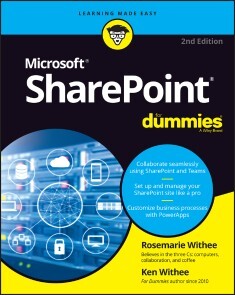
SharePoint For Dummies
UNLOCK THE POTENTIAL OF MICROSOFT’S POWERFUL WEB-BASED COLLABORATIVE PLATFORM THAT COMES STANDARD WITH MICROSOFT 365Microsoft SharePoint unlocks millions of collaborative and remote working capabilities and possibilities. And using it doesn’t require a degree in computer science! With SharePoint For Dummies, you’ll be creating sites, working with lists, and integrating with Microsoft Teams in no time at all.This book offers fully illustrated, step-by-step instructions to adapt and customize SharePoint for your own organization. Perfect for complete SharePoint novices as well as veterans of previous versions, you’ll learn to manage and work with enterprise content and use the SharePoint mobile app.This handy guide also walks you through:* Creating integrated, online portals from scratch for everyone in your organization to use * How to navigate the SharePoint interface like a pro, without any prior knowledge * Using SharePoint alongside Microsoft Office 365’s other powerful tools, like Teams Ideal for anyone who wants to—or has to—use SharePoint at work or school, SharePoint For Dummies is your irreplaceable companion to getting up-to-speed with SharePoint in a hurry!ROSEMARIE WITHEE is President of Portal Integrators and Founder of Scrum Now. She has years of experience as a SharePoint consultant and is the author of several books on Microsoft software products.KEN WITHEE has worked with SharePoint for over a decade. INTRODUCTION 1About This Book 2Foolish Assumptions 3Icons Used in This Book 3Beyond the Book 4Where to Go from Here 4PART 1: GETTING STARTED WITH SHAREPOINT 5CHAPTER 1: GETTING TO KNOW SHAREPOINT 7Up and Running with SharePoint in Three Minutes Flat 8Wrapping Your Head around SharePoint 13No, really, what is SharePoint? 13A Microsoft product 15Many different SharePoint definitions 15More than a website 18Taking a Peek at a SharePoint Site 19Getting Familiar with SharePoint Terminology 21Branding 21Business intelligence (BI) 21eDiscovery 22Identity management 22Mobile 23Records management and compliance 23Search 24Social 24Web content management 24Workflow 25CHAPTER 2: INTRODUCING SHAREPOINT IN MICROSOFT 365 27Accessing and Using SharePoint 28Getting Familiar with SharePoint Online 28Determining What Version of SharePoint You Are Using 30Understanding Why SharePoint Online Has Become So Popular 30Differences between SharePoint Online and SharePoint On-Premises 31Exploring the Benefits of SharePoint Online 33Data center and hardware 33Software platform 34Backup, redundancy, and security 35CHAPTER 3: WRANGLING SHAREPOINT FUNCTIONALITY 37Coming to Terms with Website Templates 38Show Me the Apps 39Working with Web Pages 40Site page 42Wiki page 42Web Part page 42Publishing page 43Understanding Web Parts 43Digging into SharePoint Features 44Integrating with Office 45PART 2: DIVING HEADFIRST INTO SHAREPOINT 47CHAPTER 4: DISCOVERING SHAREPOINT IN YOUR POCKET 49Installing the SharePoint Mobile App 49Installing on iOS 50Installing on Android 50Signing into the SharePoint Mobile App 51Finding Your SharePoint Stuff with the Find Tab 53Exploring a SharePoint site 54Opening navigation 55Getting the Latest News with the News Tab 56All About You with the Me Tab 57CHAPTER 5: UNDERSTANDING SHAREPOINT SITES 61Accessing SharePoint Sites in Microsoft 365 61Exploring the SharePoint Team Site 64Finding your way around 64Uploading documents 65Sharing your Team site 66Creating a SharePoint Site 70Create a subsite from your web browser 70Create a site from the SharePoint Mobile App 72Requesting a SharePoint Site 74Grouping Sites with Hub Sites 75CHAPTER 6: WORKING WITH WEB PAGES AND WEB PARTS 77Understanding SharePoint Web Pages 78Creating a Site page 78Creating a Web Part page 80Creating a Wiki page 82Introducing the Ribbon 83Deciding What Type of Page to Create 84Digging into Web Parts 85Adding a Web Part to Your Page 85Choosing the Right Web Part 89Changing Web Part Properties 92Reviewing Web Part properties 92Editing Web Part properties 93Minimizing or deleting Web Parts 94Connecting Web Parts 95Managing Pages 97Categorizing Your Wiki Pages 98Taking a Peek into Custom Page Designs 99CHAPTER 7: ADDING CONTENT TO SHAREPOINT 101SharePoint as a Content Management System 101Wrangling the Overwhelming Mountain of Digital Content 102Getting Your Documents into SharePoint 103Uploading a single document 104Uploading multiple documents 106Updating document properties using Edit in Grid view 106Creating New Content in SharePoint 108Using the SharePoint Mobile App to Peek at Content on the Go 109CHAPTER 8: DISCOVERING SHAREPOINT IN MICROSOFT TEAMS 113Using Teams in Microsoft 365 114Understanding the Marriage of SharePoint and Teams 116Accessing SharePoint files in Teams 116Using the Teams wiki and finding it in SharePoint 118Adding SharePoint Pages and Lists to Teams 119CHAPTER 9: WORKING WITH SHAREPOINT FROM MICROSOFT OFFICE 123Getting Familiar with Office Versioning 124Working with Office on Your Desktop or Laptop 124Installing Microsoft Office 125Saving a new document to SharePoint 127Opening a document from SharePoint 129Working with Office on Your Smartphone or Tablet 131Saving a new document to SharePoint 131Opening a document from SharePoint 133CHAPTER 10: GETTING SOCIAL 135Sharing and Following SharePoint Sites 136Setting up alerts 139Managing alerts 142Staying Up to Date with News 143Information Sharing with Blog Style Sites and Wikis 144Creating a blog-style site 145Publishing a new post 145Using wikis to collaborate and coauthor 146Communicating with Discussion Boards 149Creating a Discussion Board app 149Posting and replying to a subject 149Connecting with Others Using RSS Feeds 151Viewing RSS feeds 151Reading RSS feeds with Outlook 153PART 3: CUSTOMIZING SHAREPOINT 155CHAPTER 11: CUSTOMIZING SHAREPOINT WITH APPS 157Introducing SharePoint Apps 158Adding Apps to Your Site 159Accessing App Settings 160Configuring the General Settings 164Changing the title, description, and navigation 164Versioning settings 164Advanced settings 167Validation settings 171Audience Targeting settings 172Rating settings 172Form settings 173CHAPTER 12: DEVELOPING A CUSTOM APP 175Planning Your App 176Creating Your App 176Adding columns to your app 177Working with the Title column 184Importing a Spreadsheet as an App 186Taking Your App to the Next Level: Calculated and Lookup Columns 188Creating a calculated column 188Using a lookup column 190Keeping Track of Locations 191Downloading Apps from the SharePoint Store 191CHAPTER 13: TAKING CONTROL OF YOUR PROFILE AND CONTENT 193Organizing Your Personal Content with OneDrive 193Saving stuff with OneDrive 195Creating or uploading documents in your OneDrive 196Expressing Yourself with Your Profile 198Creating a holistic profile experience 198Filling in your profile information 199Tracking Your Favorite Sites 201CHAPTER 14: ORGANIZING AND VIEWING CONTENT 203Working with Documents 204Using the ellipsis 204Editing a document’s properties 206Viewing documents in the browser 208Sharing Your Documents 209Recovering Deleted Documents 209Uploading Documents into a Folder 211Discovering SharePoint Views 215Switching the view 215Getting to know view formats 217Creating a Standard View 217Choosing columns for your view 220Filtering apps with views 221Grouping results 222Quickly edit app data with Edit In Grid View (a.k.a Quick Edit) 223Choosing a display style 225Managing App Data in a Datasheet View 225Using Ad Hoc Views 226Creating a Calendar View 227Displaying Tasks in a Gantt View 228Managing Existing Views 229Modifying your views 229Setting the default view 229Other SharePoint built-in views 230Displaying Views via Web Parts 230CHAPTER 15: CREATING WORKFLOWS WITH MICROSOFT POWER AUTOMATE 231Understanding Workflow 232Introducing Microsoft Power Automate 232Signing into Microsoft Power Automate 232Getting familiar with Power Automate 233Building your first flow 236Using the Traditional SharePoint-Only Workflow 240CHAPTER 16: GETTING ANSWERS WITH MICROSOFT FORMS 243Signing into Microsoft Forms 243Creating a Form in Microsoft Forms 244Analyzing Microsoft Forms Data 247Displaying a Form in SharePoint 248Capturing Forms Data in SharePoint 250PART 4: BECOMING A SHAREPOINT ADMINISTRATOR 251CHAPTER 17: BUILDING BUSINESS APPS WITH POWER APPS 253Introducing Power Apps 253Signing into Power Apps 254Getting familiar with Power Apps 254Building your first Power App 256Sharing your Power App 260Using Power Apps on your Mobile Device 261Embedding a Power App within a SharePoint Page 261Viewing SharePoint Sites in a Web Browser on a Mobile Device 262Creating views for small screens 263Targeting devices using channels 263CHAPTER 18: REALIZING YOU ARE A SHAREPOINT ADMINISTRATOR 265Changing Your Site’s Basic Information 266Finding Site Settings 267Digging into Site Settings 269Look and Feel 269Site Actions 272Site Collection Administration 272Microsoft Search 273Web Designer Galleries 273Site Administration 275Search 275Getting a High-Level View of SharePoint Features 277Turning Features On and Off 278Exploring Common Features 279Extending SharePoint with Features 280Changing the Look and Feel of Your Site 280A note on fonts 283A word on usability 284The benefits of composed looks 285Checking Out SharePoint Metrics 285CHAPTER 19: CONFIGURING SITE NAVIGATION 287Changing Team Site Navigation 288Staying local with Quick Launch 288Adding quick links to a page 290Taking on Advanced Navigation 294Configuring SharePoint navigation 294Configuring global navigation 295Configuring current navigation 296Configuring Static Navigation 297Navigating with Web Parts 300Understanding Managed Navigation 301CHAPTER 20: CREATING A CLIENT OR PARTNER PORTAL 303Sharing a Site with External Guests 303Inviting Guests Using Outlook Groups 308Planning for Your Client or Guest Portal 308Launching Your Portal 310Creating a Public-Facing Website 311CHAPTER 21: SECURING SHAREPOINT 313Using SharePoint Groups 314Adding users to a group 315Understanding the permission structure 316Securing a site collection 318Securing Apps, Folders, Documents, and Items 319Creating unique permissions for a subsite 320Removing existing permissions 321Creating unique permissions for an app or document 321Managing permissions scenarios 323Viewing a group’s permissions 324Checking a user’s permissions 325Granting Administrative Access 327Viewing Site Permissions 328Locking Down a Partner Portal 331Permissions in SharePoint Online versus SharePoint On-Premises 332Going Further with Custom Permissions 332PART 5: MANAGING ENTERPRISE CONTENT 335CHAPTER 22: MANAGING CONTENT AND THE CONTENT LIFECYCLE 337Starting Simple: Co-Authoring 338Checking a Document In and Out 338Configuring Content Approval 340Turning on content approval 341Identifying approvers 343Casting an approving eye 343Disapproving: Not just for stern parents 345Getting alerts on approval/rejection status 346Digging into a SharePoint Records Center 346Defining the terms 346Creating information management policies 347Setting Up a Records Center 351Using the Content Organizer 353Managing Records in Place 355Placing Records on Litigation Hold 356CHAPTER 23: FINDING WHAT YOU NEED WITH SEARCH 359Understanding How SharePoint Search Works 359Searching for Content 360Searching for a string using quotation marks 361Wildcard searches 362Including and excluding terms 362Building compound search queries using Boolean operators 363Getting fancy with the parentheses 363Finding terms in proximity 364Same meaning, different terms 364Viewing and Refining Search Results 365Making Search Your Users’ Best Friend 366Removing Content from Search Results 372Reviewing Search Analytics 373Adding a Search Center Site 373CHAPTER 24: INTEGRATING WITH POWER BI 377Signing into Power BI 377Installing the Power BI Desktop 378Building Your First Power BI Report 380Pulling Data into Power BI from SharePoint 383SharePoint Library app 384SharePoint List app 386Displaying a Power BI Report on a SharePoint Page 386PART 6: THE PART OF TENS 389CHAPTER 25: TEN HOT SHAREPOINT TOPICS 391Getting Up to Speed with SharePoint 391SharePoint Online Videos 392SharePoint Online Official Documentation 392SharePoint Development 392SharePoint Power Automate 393Taking SharePoint for a Spin 393Staying Current: The SharePoint Blog 394New On-Premises Features in SharePoint Server 394Plan for SharePoint 394SharePoint from the Leader 395CHAPTER 26: TEN WAYS TO MAINTAIN CONTROL WITH GOVERNANCE 397Failure Is Not an Option (Neither Is Looking Away and Whistling) 398Getting Executive Buy-In and Support 398Building an Effective Governance Group 398Finding the Right Level 399Yours, Mine, Ours: Deciding Who Owns What 399(Re)Visiting Social Networking Policies 400Applying Consistent Design and Branding 400Implementing Effective Content Management 401Reusing Web Parts 401Keeping Things Current: Web Operations Management 401CHAPTER 27: TEN WAYS TO BECOME A SHAREPOINT SERVER GURU 403Getting Information from the Horse’s Mouth 404Reading SharePoint Blogs 405Finding Local User Groups 406Building a Virtual Lab 406Starting with a Good Foundation 407Borrowing from Others 407Getting Certified 408Taking a Peek under the Covers 408Digging Deeper under the Covers 408Deconstructing a SharePoint Site 409Index 411

iMac For Dummies
SAY HELLO TO YOUR IMAC WITH THIS BESTSELLING GUIDEExcited to put your cool iMac through its paces? Go ahead! Say “Hey Siri” to look up information, use the large monitor to play a game or watch a movie, share documents with your iPhone or iPad, or video chat with friends or family. With its optimized system speed, your iMac can keep up with anything you want to do. How cool is that?Your iMac comes stuffed with features, and iMac For Dummies is your tour guide to explore all of them! This updated handbook has you covered, no matter if you need to work or want to play. You can:* Scroll, tap, and swipe your way through the Mac operating system * Set up Bluetooth, Wi-Fi, and other settings in Control Center * Say “Hey Siri” to have the Apple assistant search for information or launch apps * Play video games, music, movies, or TV * Stay in touch with people through Messages and Facetime * Use productivity apps, including Numbers, Pages, and Keynote * Sync to iCloud and across all your Apple devices The all-in-one design of the iMac with its monitor, processor, graphics card, and internal drive makes it ideal for work and entertainment. Pick up your copy of this comprehensive guide to the iMac, filled with screenshots and how-to steps, and ensure you use your iMac to its full potential.MARK L. CHAMBERS is a technical author, computer consultant, programmer, and hardware technician with over 30 years of experience. He has written over 30 computer books, including MacBook For Dummies, 9th Edition and Macs For Seniors For Dummies, 4th Edition.Introduction 1PART 1: GETTING STARTED WITH YOUR IMAC 5Chapter 1: Okay, This Machine Looks Really, Really Weird 7Chapter 2: Life! Give My iMac Life! 25Chapter 3: The Basics Behind macOS Monterey 33PART 2: SHAKING HANDS WITH MACOS 77Chapter 4: What’s New in Monterey? 79Chapter 5: A Nerd’s Guide to System Preferences 85Chapter 6: Searching Amidst iMac Chaos 107Chapter 7: Putting Common Apps to Work 117PART 3: CONNECTING AND COMMUNICATING 135Chapter 8: Let’s Go on Safari! 137Chapter 9: Expanding Your Horizons with iCloud 159Chapter 10: Creating a Multiuser iMac 167Chapter 11: Working Well with Networks 187Chapter 12: Hooking Up with Handy Helpers 207PART 4: LIVING THE DIGITAL LIFE 219Chapter 13: The Multimedia Joys of Music and TV 221Chapter 14: Focusing on Photos 245Chapter 15: Making Film History with iMovie 265Chapter 16: Recording Your Hits with GarageBand 285PART 5: GETTING PRODUCTIVE WITH YOUR IMAC 303Chapter 17: Desktop Publishing with Pages. 305Chapter 18: Creating Spreadsheets with Numbers 319Chapter 19: Building Presentations with Keynote 335PART 6: THE NECESSARY EVILS: TROUBLESHOOTING, UPGRADING, AND MAINTAINING 349Chapter 20: It Just Sits There 351Chapter 21: I Want to Add Stuff 365Chapter 22: Tackling the Housekeeping 377PART 7: THE PART OF TENS 393Chapter 23: Ten Ways to Speed Up Your iMac 395Chapter 24: Ten Things to Avoid Like the Plague 401Index 409

C and Python Applications
Solve problems by embedding Python code in a C programs, SQL methods, Python sockets. This book uses rudimentary mathematics and basic programming to create practical Python applications for embedding.You'll start with an introduction to C and Python, assuming a fundamental understanding of what programming is. You will also review the basics of the database management language, SQL. You will learn how to use SQL from a C program and from a Python program. C and Python have different programming strengths, and you will learn how to write a Python program embedded within a C program to profit from the strength of each, in one program. Finally, you will explore how socket programs enable two computers to communicate with each other. Here the book covers basic server-client, basic threaded, and basic chat programs.WHAT YOU WILL LEARN* Review basic Python and C coding * Understand the methods of embedding Python code within a C program* Create typical programs in Python and C using SDK* Work with socket applications in PythonWHO THIS BOOK IS FORProgrammers and computational modelers with at least some prior experience with programming in C and Python as well as programming in general. Philip Joyce has 28 years experience as a software engineer – working on control of steel production, control of oil refineries, communications software (pre-Internet), office products (server software), and computer control of airports. Programming in Assembler, COBOL, Coral66, C, and C++. Mentor to new graduates in the company. He also has a MSc in computational physics (including augmented matrix techniques and Monte Carlo techniques using Fortran) - Salford University 1996. Chartered scientist, chartered physicist, member of the Institute of Physics (member of the higher education group). Chapter 1 :Review of C and PythonChapter goal: Load up all of the software eg sqlite3, C, Python etc1.1 : Pythona. Defining different types of variablesb. Reading in data from command linec. Arithmetic operationsd. Switches (user-written)e. If-then-elsef. Arraysg. For loopsh. Stringsi. Math functionsj. User-written functionsk. Dictionariesl. File usem. Use of Matplotlibn. Create typical programs in Python using SDK1.2 : Ca. Read and write charactersb. Arithmetic operationsc. Switchesd. If-then-elsee. Arraysf. For loops and Do loopsg. Stringsh. Data arraysi. Structuresj. Math functionsk. User-written functionsl. File usem. Create typical programs in C using SDKExercisesChapter 2: SQL in CChapter goal: Load up all of the software eg sqlite3, C compiler, Python etc. Demonstrate using SQL in C by writing separate C programs to:-a) create a tableb) insert a row of data into the tablec) select a row or rows of data in the tabled) amend a row of data in the tablee) delete a row of data from the tableExercisesChapter 3 :SQL in PythonChapter goal: Load up appropriate eg sqlite3, Python etc. Demonstrate using SQL in Python by writing separate Python programs to:-a) create a tableb) insert a row of data into the tablec) select a row or rows of data in the tabled) amend a row of data in the tablee) delete a row of data from the tableExercisesChapter 4 : Embedded Python in Ca. Introduction to why you might want to embed python in cb. Basic example “hello”c. Plot a graph with preset points in python programd. Plot a graph with user-entered points in pythone. Print from a dictionaryExercisesChapter 5: Sockets in Pythona. Show basic server-client programsb. Show basic threaded programsc. Show basic chat programsExercisesAppendicesC Programming Code GuidePython Programming Code Guide
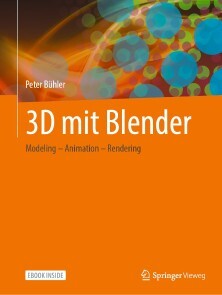
3D mit Blender
Dieses Buch ist der ideale Einstieg in die 3D-Modellierung und 3D-Animation mit dem Open-Source-Programm Blender. Anhand von Übungen mit leicht nachzuvollziehenden Schritt-für-Schritt-Anleitungen vermittelt es kompakt die wesentlichen Grundlagen der Arbeit mit Blender.Dank des durchdachten didaktischen Konzepts werden Ihnen Arbeitsschritte und Projektergebnisse praxisorientiert nähergebracht. Alle Anleitungen werden durchgängig mit hilfreichen Screenshots veranschaulicht. Nie war der Einstieg in Blender einfacher!Mit diesem Buch erhalten Sie eine fundierte Basis für die weitergehende Arbeit mit Blender.PETER BÜHLER: Lehre als Chemigraf, Studium der Druck- und Reproduktionstechnik an der FH für Druck, Stuttgart. Gewerbelehrerstudium für Drucktechnik und Geschichte an der TH Darmstadt. Lehrer für Mediengestaltung und Medientechnik an der Johannes-Gutenberg-Schule, Stuttgart, Fachberater für Druck- und Medientechnik am Regierungspräsidium Stuttgart, Lehrbeauftragter für Fachdidaktik Medientechnik am Staatlichen Seminar für Didaktik und Lehrerbildung in Stuttgart. Mitgliedschaft u. a. in den Rahmenlehrplankommissionen Mediengestalter Digital und Print sowie Industriemeister Printmedien/Medienfachwirt Print und Digital, in IHK-Prüfungsausschüssen, der Koordinierungsgruppe Druck und Medien am Ministerium für Kultus, Jugend und Sport Baden-Württemberg sowie im Zentral-Fachausschuss für Druck und Medien. Grundlagen und Referenz - Box-Modeling - Material und Texturen - Rendering - Curve-Modeling - Textobjekt - Animation - Physics-Simulation - Rigging & Skinning - 3D-Druck

Samsung Galaxy M32
Die verständliche Anleitung für Ihr Smartphone:- Alle Funktionen & Einstellungen auf einen Blick- Schritt für Schritt erklärt – mit praktischen TippsMit diesem smarten Praxisbuch gelingt Ihnen der schnelle und sichere Einstieg in Ihr Smartphone. Lernen Sie das Samsung Galaxy M32 kennen und beherrschen! Anschauliche Anleitungen, Beispiele und Bilder zeigen Ihnen gut nachvollziehbar, wie Sie Ihr mobiles Gerät optimal handhaben – von der Ersteinrichtung und Personalisierung über die große Funktionsvielfalt bis zu den wichtigsten Anwendungen. Nutzen Sie darüber hinaus die übersichtlichen Spicker-Darstellungen: Damit können Sie jene Bedienungsschritte, die man am häufigsten braucht, aber immer wieder vergisst, auf einen Blick finden und umsetzen. Freuen Sie sich auf viele hilfreiche Tipps und legen Sie ganz einfach los!Aus dem Inhalt:- Alle Bedienelemente des Galaxy M32 auf einen Blick- Ersteinrichtung und Tipps zum Umzug- Google-Konto erstellen und verwalten- Die Benutzeroberfläche Ihres Smartphones personalisieren- Apps aus dem Play Store herunterladen- Kontakte anlegen und im Adressbuch verwalten- Anrufe tätigen und SMS austauschen - Nachrichten über Mail und WhatsApp versenden und empfangen- Uhr, Kalender, Maps und andere praktische Apps nutzen - Fotos sowie Videos aufnehmen, verwalten und teilen- Ins Internet gehen über WLAN und mobile Daten - Updates, Datenschutz und Sicherheit
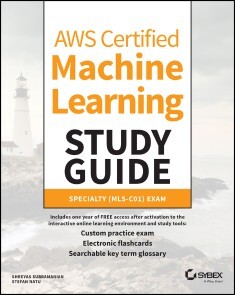
AWS Certified Machine Learning Study Guide
SUCCEED ON THE AWS MACHINE LEARNING EXAM OR IN YOUR NEXT JOB AS A MACHINE LEARNING SPECIALIST ON THE AWS CLOUD PLATFORM WITH THIS HANDS-ON GUIDEAs the most popular cloud service in the world today, Amazon Web Services offers a wide range of opportunities for those interested in the development and deployment of artificial intelligence and machine learning business solutions.The AWS Certified Machine Learning Study Guide: Specialty (MLS-CO1) Exam delivers hyper-focused, authoritative instruction for anyone considering the pursuit of the prestigious Amazon Web Services Machine Learning certification or a new career as a machine learning specialist working within the AWS architecture.From exam to interview to your first day on the job, this study guide provides the domain-by-domain specific knowledge you need to build, train, tune, and deploy machine learning models with the AWS Cloud. And with the practice exams and assessments, electronic flashcards, and supplementary online resources that accompany this Study Guide, you’ll be prepared for success in every subject area covered by the exam.You’ll also find:* An intuitive and organized layout perfect for anyone taking the exam for the first time or seasoned professionals seeking a refresher on machine learning on the AWS Cloud * Authoritative instruction on a widely recognized certification that unlocks countless career opportunities in machine learning and data science * Access to the Sybex online learning resources and test bank, with chapter review questions, a full-length practice exam, hundreds of electronic flashcards, and a glossary of key terms AWS Certified Machine Learning Study Guide: Specialty (MLS-CO1) Exam is an indispensable guide for anyone seeking to prepare themselves for success on the AWS Certified Machine Learning Specialty exam or for a job interview in the field of machine learning, or who wishes to improve their skills in the field as they pursue a career in AWS machine learning.ABOUT THE AUTHORSSHREYAS SUBRAMANIAN, PHD, is Principal Machine Learning specialist at Amazon Web Services. He has worked with several enterprise companies on business-critical machine learning and optimization problems. STEFAN NATU is Principal Machine Learning Specialist at Alexa AI, prior to which he was a Principal Architect at Amazon Web Services. His professional focus is on financial services, and he helps customers architect ML use cases on AWS with an emphasis on security, enterprise model governance, and operationalizing machine learning models. Introduction xviiAssessment Test xxixAnswers to Assessment Test xxxvPART I INTRODUCTION 1CHAPTER 1 AWS AI ML STACK 3Amazon Rekognition 4Image and Video Operations 6Amazon Textract 10Sync and Async APIs 11Amazon Transcribe 13Transcribe Features 13Transcribe Medical 14Amazon Translate 15Amazon Translate Features 16Amazon Polly 17Amazon Lex 19Lex Concepts 19Amazon Kendra 21How Kendra Works 22Amazon Personalize 23Amazon Forecast 27Forecasting Metrics 30Amazon Comprehend 32Amazon CodeGuru 33Amazon Augmented AI 34Amazon SageMaker 35Analyzing and Preprocessing Data 36Training 39Model Inference 40AWS Machine Learning Devices 42Summary 43Exam Essentials 43Review Questions 44CHAPTER 2 SUPPORTING SERVICES FROM THE AWS STACK 49Storage 50Amazon S3 50Amazon EFS 52Amazon FSx for Lustre 52Data Versioning 53Amazon VPC 54AWS Lambda 56AWS Step Functions 59AWS RoboMaker 60Summary 62Exam Essentials 62Review Questions 63PART II PHASES OF MACHINE LEARNING WORKLOADS 67CHAPTER 3 BUSINESS UNDERSTANDING 69Phases of ML Workloads 70Business Problem Identification 71Summary 72Exam Essentials 73Review Questions 74CHAPTER 4 FRAMING A MACHINE LEARNING PROBLEM 77ML Problem Framing 78Recommended Practices 80Summary 81Exam Essentials 81Review Questions 82CHAPTER 5 DATA COLLECTION 85Basic Data Concepts 86Data Repositories 88Data Migration to AWS 89Batch Data Collection 89Streaming Data Collection 92Summary 96Exam Essentials 96Review Questions 98CHAPTER 6 DATA PREPARATION 101Data Preparation Tools 102SageMaker Ground Truth 102Amazon EMR 104Amazon SageMaker Processing 105AWS Glue 105Amazon Athena 107Redshift Spectrum 107Summary 107Exam Essentials 107Review Questions 109CHAPTER 7 FEATURE ENGINEERING 113Feature Engineering Concepts 114Feature Engineering for Tabular Data 114Feature Engineering for Unstructured and Time Series Data 119Feature Engineering Tools on AWS 120Summary 121Exam Essentials 121Review Questions 123CHAPTER 8 MODEL TRAINING 127Common ML Algorithms 128Supervised Machine Learning 129Textual Data 138Image Analysis 141Unsupervised Machine Learning 142Reinforcement Learning 146Local Training and Testing 147Remote Training 149Distributed Training 150Monitoring Training Jobs 154Amazon CloudWatch 155AWS CloudTrail 155Amazon Event Bridge 158Debugging Training Jobs 158Hyperparameter Optimization 159Summary 162Exam Essentials 162Review Questions 164CHAPTER 9 MODEL EVALUATION 167Experiment Management 168Metrics and Visualization 169Metrics in AWS AI/ML Services 173Summary 174Exam Essentials 175Review Questions 176CHAPTER 10 MODEL DEPLOYMENT AND INFERENCE 181Deployment for AI Services 182Deployment for Amazon SageMaker 184SageMaker Hosting: Under the Hood 184Advanced Deployment Topics 187Autoscaling Endpoints 187Deployment Strategies 188Testing Strategies 190Summary 191Exam Essentials 191Review Questions 192CHAPTER 11 APPLICATION INTEGRATION 195Integration with On-PremisesSystems 196Integration with Cloud Systems 198Integration with Front-EndSystems 200Summary 200Exam Essentials 201Review Questions 202PART III MACHINE LEARNING WELL-ARCHITECTED LENS 205CHAPTER 12 OPERATIONAL EXCELLENCE PILLAR FOR ML 207Operational Excellence on AWS 208Everything as Code 209Continuous Integration and Continuous Delivery 210Continuous Monitoring 213Continuous Improvement 214Summary 215Exam Essentials 215Review Questions 217CHAPTER 13 SECURITY PILLAR 221Security and AWS 222Data Protection 223Isolation of Compute 224Fine-GrainedAccess Controls 225Audit and Logging 226Compliance Scope 227Secure SageMaker Environments 228Authentication and Authorization 228Data Protection 231Network Isolation 232Logging and Monitoring 233Compliance Scope 235AI Services Security 235Summary 236Exam Essentials 236Review Questions 238CHAPTER 14 RELIABILITY PILLAR 241Reliability on AWS 242Change Management for ML 242Failure Management for ML 245Summary 246Exam Essentials 246Review Questions 247CHAPTER 15 PERFORMANCE EFFICIENCY PILLAR FOR ML 251Performance Efficiency for ML on AWS 252Selection 253Review 254Monitoring 255Trade-offs256Summary 257Exam Essentials 257Review Questions 258CHAPTER 16 COST OPTIMIZATION PILLAR FOR ML 261Common Design Principles 262Cost Optimization for ML Workloads 263Design Principles 263Common Cost Optimization Strategies 264Summary 266Exam Essentials 266Review Questions 267CHAPTER 17 RECENT UPDATES IN THE AWS AI/ML STACK 271New Services and Features Related to AI Services 272New Services 272New Features of Existing Services 275New Features Related to Amazon SageMaker 279Amazon SageMaker Studio 279Amazon SageMaker Data Wrangler 279Amazon SageMaker Feature Store 280Amazon SageMaker Clarify 281Amazon SageMaker Autopilot 282Amazon SageMaker JumpStart 283Amazon SageMaker Debugger 283Amazon SageMaker Distributed Training Libraries 284Amazon SageMaker Pipelines and Projects 284Amazon SageMaker Model Monitor 284Amazon SageMaker Edge Manager 285Amazon SageMaker Asynchronous Inference 285Summary 285Exam Essentials 285APPENDIX ANSWERS TO THE REVIEW QUESTIONS 287Chapter 1: AWS AI ML Stack 288Chapter 2: Supporting Services from the AWS Stack 289Chapter 3: Business Understanding 290Chapter 4: Framing a Machine Learning Problem 291Chapter 5: Data Collection 291Chapter 6: Data Preparation 292Chapter 7: Feature Engineering 293Chapter 8: Model Training 294Chapter 9: Model Evaluation 295Chapter 10: Model Deployment and Inference 295Chapter 11: Application Integration 296Chapter 12: Operational Excellence Pillar for ML 297Chapter 13: Security Pillar 298Chapter 14: Reliability Pillar 298Chapter 15: Performance Efficiency Pillar for ML 299Chapter 16: Cost Optimization Pillar for ML 300Index 303

Modern Deep Learning Design and Application Development
Learn how to harness modern deep-learning methods in many contexts. Packed with intuitive theory, practical implementation methods, and deep-learning case studies, this book reveals how to acquire the tools you need to design and implement like a deep-learning architect. It covers tools deep learning engineers can use in a wide range of fields, from biology to computer vision to business. With nine in-depth case studies, this book will ground you in creative, real-world deep learning thinking.You’ll begin with a structured guide to using Keras, with helpful tips and best practices for making the most of the framework. Next, you’ll learn how to train models effectively with transfer learning and self-supervised pre-training. You will then learn how to use a variety of model compressions for practical usage. Lastly, you will learn how to design successful neural network architectures and creatively reframe difficult problems into solvable ones. You’ll learn not only to understand and apply methods successfully but to think critically about it.Modern Deep Learning Design and Methods is ideal for readers looking to utilize modern, flexible, and creative deep-learning design and methods. Get ready to design and implement innovative deep-learning solutions to today’s difficult problems.WHAT YOU’LL LEARN* Improve the performance of deep learning models by using pre-trained models, extracting rich features, and automating optimization.* Compress deep learning models while maintaining performance.* Reframe a wide variety of difficult problems and design effective deep learning solutions to solve them. * Use the Keras framework, with some help from libraries like HyperOpt, TensorFlow, and PyTorch, to implement a wide variety of deep learning approaches.WHO THIS BOOK IS FORData scientists with some familiarity with deep learning to deep learning engineers seeking structured inspiration and direction on their next project. Developers interested in harnessing modern deep learning methods to solve a variety of difficult problems.Andre Ye is a data science writer and editor; he has written over 300 data science articles for various top data science publications with over ten million views. He is also a cofounder at Critiq, a peer revision platform that uses machine learning to match users’ essays. In his spare time, Andre enjoys keeping up with current deep learning research, playing the piano, and swimming.Chapter 1: “A Deep Dive Into Keras”Chapter Goal: To give a structured yet deep overview of Keras and to lay the groundwork for implementations in future chapters.Number of Pages: ~30Subtopics1. Why Keras? Versatility and simplicity.2. Steps needed to create a Keras model: define architecture, compile, fit.a. Compile: discuss TensorFlow optimizers, losses, and metrics.b. Fit: discuss callbacks.3. Sequential model + example.4. Functional model + example.5. Visualizing Keras models.6. Data: using NumPy arrays, Keras Image Data Generator, and TensorFlow datasets.7. Hardware: using and accessing CPU, GPU, and TPU.Chapter 2: Pre-training Strategies and Transfer LearningChapter Goal: To understand the importance of transfer learning and to use a variety of transfer learning methods to solve deep learning problems efficiently.Number of Pages: ~30Subtopics1. Transfer learning theory, practical tips and tricks.2. Accessing and using Keras and TensorFlow pretrained models.a. Bonus: converting PyTorch models (PyTorch has a wider variety) into Keras models for greater access to pretrained networks.3. Manipulating pretrained models with other network elements.4. Layer freezing.5. Self-supervised learning methods.Chapter 3: “The Versatility of Autoencoders”Chapter Goal: To understand the versatility of autoencoders and to be able to use them in a wide variety of problem scenarios.Number of Pages: ~30Subtopics1. Autoencoder theory.2. One-dimensional data autoencoder implementation, tips and tricks.3. Convolutional autoencoder implementation, tips and tricks, special concerns.4. Using autoencoders for pretraining.a. Example case study: TabNet.5. Using autoencoders for feature reduction.6. Variational autoencoders for data generation.Chapter 4: “Model Compression for Practical Deployment”Chapter Goal: To understand pruning theory, implement pruning for effective model compression, and to recognize the important role of pruning in modern deep learning research.Number of Pages: ~20Subtopics1. Pruning theory.2. Pruning Keras models with TensorFlow.3. Exciting implications of pruning – the Lottery Ticket Hypothesis.a. Example case-study: no-training neural networks.b. Example case-study: extreme learning machines.Chapter 5: “Automating Model Design with Meta-Optimization”Chapter Goal: To understand what meta-optimization is and to be able to use it to effectively automate the design of neural networks.Number of Pages: ~20Subtopics1. Meta-optimization theory.2. Demonstration of meta-optimization using HyperOpt on Keras.3. Demonstration of Auto-ML and Neural Architecture Search.Chapter 6: “Successful Neural Network Architecture Design”Chapter Goal: To gain an understanding of principles in successful neural network architecture design through three case studies.Number of Pages: ~25Subtopics1. Diversity of neural network designs and the need to design specific architectures for particular problems.2. Theory and implementation of block/cell/module design and considerations.a. Example case study: Inception model.3. Theory and implementation of “Normal” and “extreme” usages of skip connections.a. Parallel towers and cardinalityb. Example case study: UMAP model.4. Neural network scaling.a. Example case study: EfficientNet.Chapter 7: “Reframing Difficult Deep Learning Problems”Chapter Goal: To explore how hard problems can be reframed to be solved by deep learning with three case studies.Number of Pages: ~30Subtopics1. The diversity of problems deep learning is being used to solve.2. Example case study: Siamese networks – experimenting with architecture.3. Example case study: DeepInsight – experimenting with data representation.4. Example case study: Semi-supervised generative adversarial networks – experimenting with data availability.
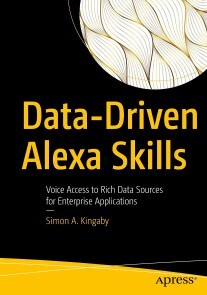
Data-Driven Alexa Skills
Design and build innovative, custom, data-driven Alexa skills for home or business. Working through several projects, this book teaches you how to build Alexa skills and integrate them with online APIs. If you have basic Python skills, this book will show you how to build data-driven Alexa skills. You will learn to use data to give your Alexa skills dynamic intelligence, in-depth knowledge, and the ability to remember.DATA-DRIVEN ALEXA SKILLS takes a step-by-step approach to skill development. You will begin by configuring simple skills in the Alexa Skill Builder Console. Then you will develop advanced custom skills that use several Alexa Skill Development Kit features to integrate with lambda functions, Amazon Web Services (AWS), and Internet data feeds. These advanced skills enable you to link user accounts, query and store data using a NoSQL database, and access real estate listings and stock prices via web APIs.WHAT YOU WILL LEARN* Set up and configure your development environment properly the first time* Build Alexa skills quickly and efficiently using Agile tools and techniques* Create a variety of data-driven Alexa skills for home and business* Access data from web applications and Internet data sources via their APIs* Test with unit-testing frameworks throughout the development life cycle* Manage and query your data using the DynamoDb NoSQL database enginesWHO THIS BOOK IS FORDevelopers who wish to go beyond Hello World and build complex, data-driven applications on Amazon's Alexa platform; developers who want to learn how to use Lambda functions, the Alexa Skills SDK, Alexa Presentation Language, and Alexa Conversations; developers interested in integrating with public APIs such as real estate listings and stock market prices. Readers will need to have basic Python skills.SIMON KINGABY is a software developer, programming professor, and public speaker residing in middle Tennessee. He believes that voice user interfaces will change the world and that tools like Alexa are just the tip of the iceberg. He spends his days moving data for Deloitte Global and teaching DataViz and FinTech at Vanderbilt University. In 2016, he published his first Alexa skill and has been enthralled by voice development ever since. In 2017, his uncle suddenly went blind and Simon began exploring ways Alexa could be used to help the blind by developing skills from “What’s the time?” and home navigation skills to smart home skills like “Turn on the coffee pot." In 2019 that same uncle committed suicide, and Simon turned his attention to mental health issues and using Alexa to help identify and prevent suicidal behavior. Now he is focused on enabling developers to use their programming abilities to build data-driven Alexa skills that will make a real difference in the world.PART I: GETTING STARTEDChapter 1: Voice User InterfacesChapter 2: Routines and BlueprintsChapter 3: The Developer AccountsChapter 4: Creating the VUI for a Custom Data-driven SkillChapter 5: Writing the Back-end CodeChapter 6: Publishing an Alexa SkillPART II: CUSTOM SKILL DEVELOPMENTChapter 7: Custom Alexa SkillsChapter 8: Beyond Hello WorldChapter 9: Configuring the VUIChapter 10: Using APL to Present on ScreensChapter 11: Coding the Lambda FunctionChapter 12: Unit Testing an Alexa SkillChapter 13: Storing the DataPART III: USING APIS IN ADVANCED SKILLSChapter 14: A Personal Net Worth SkillChapter 15: The Real Estate APIChapter 16: The Stock Market APIChapter 17: What’s Next?

Digineering
Als Folge der zunehmenden Verfügbarkeit neuer Informationstechnologien entstehen völlig neue Kundenerwartungen, Geschäftsmodelle und Prozesse. Die umfassende Neugestaltung digitaler Prozesse ist mit Konzepten der Vergangenheit nicht zu bewältigen. Business Process Management benötigt angepasste Methoden, Fähigkeiten, Technologien und Strukturen.„Digineering“ steht für die Kombination der Aspekte einer zunehmenden Digitalisierung mit den Methoden und Vorgehensweisen des Re-Engineering und überträgt damit Ansätze aus dem Business Process Management, dem Management der digitalen Transformation und dem Software-Engineering auf die aktuellen Herausforderungen der Prozessdigitalisierung.„Digineering“ liefert einen agilen Lösungsansatz, der alle Phasen der Prozessdigitalisierung von der Analyse der Kundenanforderungen über die Prozessgestaltung bis zur Implementierung neuer IT-Anwendungen umfasst. In allen Phasen werden die Potenziale innovativer IT einbezogen, um so ganzheitliche Prozesse mit einzigartigem Kundenerlebnis und hoher Effizienz zu schaffen.PROF. DR. ARNO MÜLLER lehrt an der NORDAKADEMIE Hochschule der Wirtschaft Prozessmanagement, strategisches IT-Management und Logistik und ist Geschäftsführer der bps business process solutions GmbH.PROF. DR. HINRICH SCHRÖDER ist Professor und Studiengangsleiter für Wirtschaftsinformatik an der NORDAKADEMIE Hochschule der Wirtschaft.LARS VON THIENEN ist Geschäftsführer der bps business process solutions GmbH und berät Unternehmen bei der Transformation der IT-Organisation und dem Aufbau von innovativen IT-Management-Methoden.Bausteine des Digineering.- Fitness-Check zur Entwicklung der Technology- und Capability-Roadmap.- Methoden und Rollenmodell für die Prozessdigitalisierung: (Ro)-Bots: Orchestrierung von digitalen Services und Mensch-Maschine-Kommunikation.- Roadmap zur Aufdeckung und Realisierung der KI-Potenziale in der Prozessdigitalisierung.- Dataism: Wertschöpfung mit datengetriebenen Geschäftsmodellen.- Steuerung der unternehmensweiten Prozessdigitalisierung.- Operating-Model für digitalisierte Prozesse.
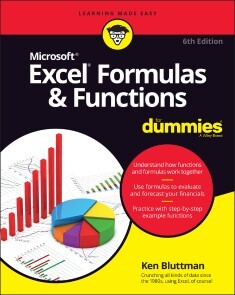
Excel Formulas & Functions For Dummies
UNLOCK THE POWER OF EXCEL WITH A STEP-BY-STEP ROADMAP TO ITS FORMULAS AND FUNCTIONSThere's a Swiss Army knife in your digital toolbox that can multiply your productivity and make you the smartest guy or gal in almost any room. It's called Microsoft Excel. If you're like most people, you've barely scratched the surface of what this powerful tool's hundreds of built-in functions can do. But with a little help from Excel Formulas & Functions For Dummies, you'll soon be organizing, analyzing, and interpreting data like a pro. For those who don't know the difference between a spreadsheet and a bedsheet, the book gets you up to speed with formula and function basics first. But you can also skip ahead to the fancy stuff and learn about working with probabilities, significance tests, and lookup functions. This easy-to-use Excel formulas and functions survival guide shows you how to:* Work with financial functions like PMT, PPMT, NPER, RATE, and PV* Calculate mean, median, mode, standard deviation, and many more statistical functions* Troubleshoot formulas for common errors and validate your data to avoid mistakes* Work with dates, times, logic operators, conditions, and basic and advanced mathematical functionsYou don't need a degree in data science or advanced mathematics to take advantage of the full functionality and flexibility of Microsoft Excel. Let Excel Formulas & Functions For Dummies show you how to transform this unassuming program into the most useful tool in your toolbox. KEN BLUTTMAN is a veteran software and web developer specializing in Excel/VBA and database-centric web applications. He has written articles and books on topics like Office/VBA development, XML, SQL Server, and InfoPath. Ken is the author of Excel Charts For Dummies and all previous editions of Excel Formulas & Functions For Dummies.INTRODUCTION 1About This Book 1Foolish Assumptions 2Icons Used in This Book 2Beyond the Book 3Where to Go from Here 3PART 1: GETTING STARTED WITH EXCEL FORMULAS AND FUNCTIONS 5CHAPTER 1: TAPPING INTO FORMULA AND FUNCTION FUNDAMENTALS 7Working with Excel Fundamentals 8Understanding workbooks and worksheets 8Introducing the Formulas tab 11Working with rows, columns, cells, ranges, and tables 13Formatting your data 18Getting help 19Gaining the Upper Hand on Formulas 20Entering your first formula 20Understanding references 22Copying formulas with the fill handle 25Assembling formulas the right way 26Using Functions in Formulas 28Looking at what goes into a function 30Arguing with a function 31Nesting functions 34CHAPTER 2: SAVING TIME WITH FUNCTION TOOLS 39Getting Familiar with the Insert Function Dialog Box 39Finding the Correct Function 41Entering Functions Using the Insert Function Dialog Box 42Selecting a function that takes no arguments 43Selecting a function that uses arguments 44Entering cells, ranges, named areas, and tables as function arguments 47Getting help in the Insert Function dialog box 50Using the Function Arguments dialog box to edit functions 50Directly Entering Formulas and Functions 51Entering formulas and functions in the Formula Bar 51Entering formulas and functions directly in worksheet cells 52CHAPTER 3: SAYING “ARRAY!” FOR FORMULAS AND FUNCTIONS 55Discovering Arrays 56Using Arrays in Formulas 57Working with Functions That Return Arrays 61CHAPTER 4: FIXING FORMULA BOO-BOOS 65Catching Errors As You Enter Them 65Getting parentheses to match 66Avoiding circular references 68Mending broken links 70Using the Formula Error Checker 72Auditing Formulas 75Watching the Watch Window 78Evaluating and Checking Errors 79Making an Error Behave the Way You Want 81PART 2: DOING THE MATH 83CHAPTER 5: CALCULATING LOAN PAYMENTS AND INTEREST RATES 85Understanding How Excel Handles Money 86Going with the cash flow 86Formatting for currency 86Choosing separators 88Figuring Loan Calculations 90Calculating the payment amount 91Calculating interest payments 93Calculating payments toward principal 94Calculating the number of payments 96Calculating the number of payments with PDURATION 98Calculating the interest rate 99Calculating the principal 101CHAPTER 6: APPRECIATING WHAT YOU’LL GET, DEPRECIATING WHAT YOU’VE GOT 105Looking into the Future 106Depreciating the Finer Things in Life 108Calculating straight-line depreciation 110Creating an accelerated depreciation schedule 111Creating an even faster accelerated depreciation schedule 113Calculating a midyear depreciation schedule 114Measuring Your Internals 116CHAPTER 7: USING BASIC MATH FUNCTIONS 121Adding It All Together with the SUM Function 121Rounding Out Your Knowledge 126Just plain old rounding 126Rounding in one direction 128Leaving All Decimals Behind with INT 133Leaving Some Decimals Behind with TRUNC 134Looking for a Sign 135Ignoring Signs 137CHAPTER 8: ADVANCING YOUR MATH 139Using PI to Calculate Circumference and Diameter 140Generating and Using Random Numbers 141The all-purpose RAND function 141Precise randomness with RANDBETWEEN 143Ordering Items 145Combining 147Raising Numbers to New Heights 147Multiplying Multiple Numbers 149Using What Remains with the MOD Function 150Summing Things Up 152Using SUBTOTAL 152Using SUMPRODUCT 154Using SUMIF and SUMIFS 156Getting an Angle on Trigonometry 159Three basic trigonometry functions 159Degrees and radians 160PART 3: SOLVING WITH STATISTICS 161CHAPTER 9: THROWING STATISTICS A CURVE 163Getting Stuck in the Middle with AVERAGE, MEDIAN, and MODE 164Deviating from the Middle 169Measuring variance 170Analyzing deviations 172Looking for normal distribution 174Skewing from the norm 179Comparing data sets 181Analyzing Data with Percentiles and Bins 185QUARTILE.INC and QUARTILE.EXC 186PERCENTILE.INC and PERCENTILE.EXC 187RANK 189PERCENTRANK 190FREQUENCY 191MIN and MAX 195LARGE and SMALL 196Going for the Count 198COUNT and COUNTA 198COUNTIF 198CHAPTER 10: USING SIGNIFICANCE TESTS 203Testing to the T 204Comparing Results with an Estimate 208CHAPTER 11: ROLLING THE DICE ON PREDICTIONS AND PROBABILITY 213Modeling 214Linear model 214Exponential model 214Getting It Straight: Using SLOPE and INTERCEPT to Describe Linear Data 215What’s Ahead: Using FORECAST, TREND, and GROWTH to Make Predictions 219FORECAST 219TREND 221GROWTH 223Using NORM.DIST and POISSON.DIST to Determine Probabilities 225NORM.DIST 225POISSON.DIST 227PART 4: DANCING WITH DATA 231CHAPTER 12: DRESSING UP FOR DATE FUNCTIONS 233Understanding How Excel Handles Dates 233Formatting Dates 235Making a Date with DATE 236Breaking a Date with DAY, MONTH, and YEAR 238Isolating the day 239Isolating the month 240Isolating the year 241Converting a Date from Text 242Finding Out What TODAY Is 243Counting the days until your birthday 244Counting your age in days 244Determining the Day of the Week 245Working with Workdays 246Determining workdays in a range of dates 246Workdays in the future 248Calculating Time Between Two Dates with the DATEDIF Function 249CHAPTER 13: KEEPING WELL-TIMED FUNCTIONS 251Understanding How Excel Handles Time 251Formatting Time 252Keeping TIME 254Converting Text to Time with TIMEVALUE 254Deconstructing Time with HOUR, MINUTE, and SECOND 255Isolating the hour 256Isolating the minute 257Isolating the second 258Finding the Time NOW 258Calculating Elapsed Time Over Days 259CHAPTER 14: USING LOOKUP, LOGICAL, AND REFERENCE FUNCTIONS 261Testing on One Condition 262Choosing the Right Value 267Let’s Be Logical 269NOT 270AND and OR 271XOR 273Finding Where the Data Is 275ADDRESS 275INDIRECT 279ROW, ROWS, COLUMN, and COLUMNS 279OFFSET 282Looking It Up 284HLOOKUP and VLOOKUP 284XLOOKUP 288MATCH and INDEX 289FORMULATEXT 294NUMBERVALUE 295CHAPTER 15: DIGGING UP THE FACTS 297Getting Informed with the CELL Function 297Getting Information About Excel and Your Computer System 302Finding What IS and What IS Not 304ISERR, ISNA, and ISERROR 304ISBLANK, ISNONTEXT, ISTEXT, and ISNUMBER 306Getting to Know Your Type 308CHAPTER 16: WRITING HOME ABOUT TEXT FUNCTIONS 311Breaking Apart Text 311Bearing to the LEFT 312Swinging to the RIGHT 313Staying in the MIDdle 314Finding the long of it with LEN 315Putting Text Together with CONCATENATE 316Changing Text 318Making money 318Turning numbers into text 320Repeating text 323Swapping text 324Giving text a trim 328Making a case 329Comparing, Finding, and Measuring Text 330Going for perfection with EXACT 331Finding and searching 332CHAPTER 17: PLAYING RECORDS WITH DATABASE FUNCTIONS 337Putting Your Data into a Database Structure 338Working with Database Functions 339Establishing your database 339Establishing the criteria area 341Fine-Tuning Criteria with AND and OR 343Adding Only What Matters with DSUM 345Going for the Middle with DAVERAGE 345Counting Only What Matters with DCOUNT 347Finding Highest and Lowest with DMIN and DMAX 348Finding Duplicate Values with DGET 349Being Productive with DPRODUCT 350PART 5: THE PART OF TENS 353CHAPTER 18: TEN TIPS FOR WORKING WITH FORMULAS 355Master Operator Precedence 355Display Formulas 356Fix Formulas 358Use Absolute References 359Turn Calc On/Turn Calc Off 359Use Named Areas 361Use Formula Auditing 362Use Conditional Formatting 363Use Data Validation 364Create Your Own Functions 365CHAPTER 19: TEN WAYS TO GET FANCY WITH EXCEL 369Calculating Data from Multiple Sheets 369Getting Data from the Internet 370Determining the Needed Number 370Removing Duplicates 371Getting to the Last Row of Your Data 372Freezing Panes 372Splitting a Worksheet 372Filling Cells 373Adding Notes to Cells 373Getting More Information about a Workbook or Worksheet 374CHAPTER 20: TEN REALLY COOL FUNCTIONS 375Work with Hexadecimal, Octal, Decimal, and Binary Numbers 376Convert Units of Measurement 377Find the Greatest Common Divisor and the Least Common Multiple 378Easily Generate a Random Number 379Convert to Roman Numerals 379Factor in a Factorial 379Determine Part of a Year with YEARFRAC 380Find the Data TYPE 380Find the LENgth of Your Text 381Just in CASE 381Index 383
Access For Dummies
BECOME A DATABASE BOSS —AND HAVE FUN DOING IT—WITH THIS ACCESSIBLE AND EASY-TO-FOLLOW GUIDE TO MICROSOFT ACCESSDatabases hold the key to organizing and accessing all your data in one convenient place. And you don’t have to be a data science wizard to build, populate, and organize your own. With Microsoft Access For Dummies, you’ll learn to use the latest version of Microsoft’s Access software to power your database needs.Need to understand the essentials before diving in? Check out our Basic Training in Part 1 where we teach you how to navigate the Access workspace and explore the foundations of databases.Ready for more advanced tutorials? Skip right to the sections on Data Management, Queries, or Reporting where we walk you through Access’s more sophisticated capabilities. Not sure if you have Access via Office 2021 or Office 365? No worries – this book covers Access now matter how you access it.The book also shows you how to:* Handle the most common problems that Access users encounter * Import, export, and automatically edit data to populate your next database * Write powerful and accurate queries to find exactly what you’re looking for, exactly when you need it Microsoft Access For Dummies is the perfect resource for anyone expected to understand, use, or administer Access databases at the workplace, classroom, or any other data-driven destination.LAURIE ANN ULRICH is a professional author and trainer on all things technology. Along with recent editions of Access For Dummies, she’s also written books on Excel, Photoshop, and Dreamweaver.KEN COOK is a professional database developer and author who has written on Access and Excel. Introduction 1PART 1: BASIC TRAINING 5Chapter 1: Access Basic Training 7Chapter 2: Navigating the Access Workspace 25Chapter 3: Database Basics 43PART 2: GETTING IT ALL ON THE TABLE 63Chapter 4: Sounds Like a Plan 65Chapter 5: Table Tune-Ups 77Chapter 6: Remodeling Your Data 95Chapter 7: Types, Masks, and Triggers 111PART 3: DATA MANAGEMENT MANIA 135Chapter 8: A Form for All Reasons 137Chapter 9: Importing and Exporting Data 157Chapter 10: Automatically Editing Data 171Chapter 11: Access and the Web 183PART 4: THE POWER OF QUESTIONS 197Chapter 12: Finding, Filtering, and Sorting Your Data — Fast 199Chapter 13: I Was Just Asking for Answers 215Chapter 14: I Want These AND Those OR Them 241Chapter 15: Number Crunching with the Total Row. 249Chapter 16: Express Yourself with Formulas 263Chapter 17: Take Charge with Action Queries 277PART 5: SIMPLE AND SNAZZY REPORTING. 289Chapter 18: Fast and Furious Automatic Reporting 291Chapter 19: Professionally Designed Reports Made Easy 313Chapter 20: Groups and Page Breaks, Headers and Footers 341Chapter 21: Mailings to the Masses 363PART 6: THE PART OF TENS 371Chapter 22: Ten Common Problems 373Chapter 23: Ten Uncommon Tips 385Appendix A: Getting Help 393Index 395
Excel All-in-One For Dummies
EXCEL-ERATE YOUR PRODUCTIVITY WITH THE ONLY GUIDE YOU'LL NEED TO THE LATEST VERSIONS OF MICROSOFT EXCELMicrosoft Excel offers unsurpassed functionality and accessibility for data exploration and analysis to millions of users around the world. And learning to unlock its full potential is easier than you can imagine with help from Excel All-in-One For Dummies.Follow along with Excel expert and veteran author Paul McFedries as he walks you through every feature and technique you need to know to get the most out of this powerful software. You'll learn how to design worksheets, use formulas and functions, collaborate with colleagues and review their work, create charts and graphics, manage and analyze data, and create macros. Plus, you'll discover all the capabilities Microsoft has included in the newest versions of Excel, including dark mode and accessibility features. This indispensable reference allows you to:* Get a firm grasp of Excel basics with the book's step-by-step guides before moving on to more advanced topics, like data analysis* Access up-to-date information on all the new versions of Excel, including the ones bundled with Microsoft 365, Office 2021, and the LTSC/Enterprise Edition* Enjoy the convenience of a single, comprehensive resource detailing everything you need to know about ExcelPerfect for people coming to Excel for the very first time, Excel All-in-One For Dummies, Office 2021 Edition is also a must-read resource for anyone looking for a refresher on foundational or advanced Excel techniques. PAUL MCFEDRIES has written over 100 books with topics ranging from Windows 10 to Microsoft Office, Apple gadgets, and Amazon Alexa. His most recent For Dummies titles include Google’s G Suite, Cord Cutting, and Excel Data Analysis.GREG HARVEY, PHD was author of over 30 For Dummies titles covering Excel. Introduction. 1BOOK 1: EXCEL BASICS 7Chapter 1: Excel: The 50-Cent Tour 9Chapter 2: Customizing Excel 39BOOK 2: WORKSHEET DESIGN 75Chapter 1: Building Worksheets 77Chapter 2: Formatting Worksheets 131Chapter 3: Editing and Proofing Worksheets 187Chapter 4: Managing Worksheets 229Chapter 5: Printing Worksheets 265BOOK 3: FORMULAS AND FUNCTIONS 291Chapter 1: Building Basic Formulas 293Chapter 2: Logical Functions and Error Trapping 337Chapter 3: Date and Time Formulas 363Chapter 4: Finagling Financial Formulas 377Chapter 5: Math and Statistical Formulas 393Chapter 6: Lookup, Information, and Text Formulas 411BOOK 4: WORKSHEET COLLABORATION AND REVIEW 439Chapter 1: Protecting Workbooks and Worksheet Data 441Chapter 2: Preparing a Workbook for Distribution 461Chapter 3: Sharing Workbooks and Worksheet Data 475BOOK 5: CHARTS AND GRAPHICS 501Chapter 1: Charting Worksheet Data 503Chapter 2: Adding Graphic Objects 533BOOK 6: DATA MANAGEMENT 561Chapter 1: Building and Maintaining Tables 563Chapter 2: Filtering and Querying a Table 583BOOK 7: DATA ANALYSIS 617Chapter 1: Performing What-If Analysis 619Chapter 2: Performing Large-Scale Data Analysis 641BOOK 8: MACROS AND VBA 685Chapter 1: Recording and Running Macros 687Chapter 2: VBA Programming 701Index 725

Beginning IntelliJ IDEA
Get started quickly with IntelliJ, from installation to configuration to working with the source code and more. This tutorial will show you how to leverage IntelliJ’s tools to develop clean, efficient Java applications.Author TED HAGOS will first walk you through buidling your first Java applications using IntelliJ. Then, he’ll show you how to analyze your application, top to bottom; using version control and tools that allow you expand your application for big data or data science applications and more. You'll also learn some of the IDE’s advanced features to fully maximize your application's capabilities.The last portion of the book focuses on application testing and deployment, and language- and framework- specific guidelines. After reading this book and working through its freely available source code, you'll be up to speed with this powerful IDE for today's Java development.WHAT YOU WILL LEARN* Use IntelliJ IDEA to build Java applications* Set up your IDE and project* Work with source code* Extend your Java application to data science and other kinds of applications* Test and deploy your application and much moreWHO THIS BOOK IS FORProgrammers new to IntelliJ IDEA who may have some prior exposure to Java programming.Ted Hagos is a software developer by trade; at the moment, he’s Chief Technology Officer and Data Protection Officer of RenditionDigital International, a software development company based out of Dublin. He wore many hats in his 20+ years in software development e.g. team lead, project manager, architect and director for development. He also spent time as a trainer for IBM Advanced Career Education, Ateneo ITI and Asia Pacific College. He wrote a couple of books for Apress.1. Install IntelliJ2. Getting Started3. Configuring the IDE4. Configuring Projects5. Working with Source Code6. Building Applications7. Analyzing Applications8. Version Control9. Big Data / Data Science Tools10. Other Tools11. Advanced IDE Features12. Migration Guides13. Language and Framework Specific Guidelines14. Testing15. Deployment

Four Laws for the Artificially Intelligent
ASK NOT WHAT AI CAN DO FOR A COMPANY, RATHER WHAT ARTIFICIAL INTELLIGENCE MAY DO TO A COMPANY.* How does a company successfully integrate artificial intelligence into its operations?* What are the problems in doing so?* And how does the introduction of AI into society change the answer to the first question?As companies delay or even cancel initiatives in artificial intelligence, Four Laws for the Artificially Intelligent redefines possibilities and offers leverage to turn AI visions into reality. It is a story of transformation: of people, of companies, and of artificial intelligence itself.The Four Laws is unique in its combination of stories and science illustrating how a technology competing with human consciousness is introduced and assimilated within a company. A work of creative nonfiction stretched on a frame of research, it is an essential trail guide for navigating the Industry Version 4.0 jungle in a search of the fruits of innovation.

Unity Networking Fundamentals
Learn the fundamentals of networking with Unity and C#. This book covers a variety of topics, including accessing data using RESTful APIs, local networked games, and creating multiplayer online games using client-server architecture.The book provides the basics of networking, sockets, TCP vs. UDP, client-server architecture, serialization, RESTful APIs, network latency, and client-side prediction. Projects are presented to illustrate the concepts, including a chat client/server overlay for your game, and a 3D maze game that allows up to four players to connect over the network.By the end of the book, you will be familiar with low-level networking concepts such as protocols and architecture as well as high-level knowledge on how to create applications that use a client/server architecture for multiplayer games.WHAT YOU WILL LEARN* Know the difference between TCP and UDP, and the pros and cons of these protocols* Create client-server multiplayer games in Unity using C#* Receive and process data from a remote server using RESTful APIs* Understand latency and how to mitigate its impact WHO THIS BOOK IS FORReaders familiar with Unity and C# development who want to create multiplayer games SLOAN KELLY has worked in the games industry for more than 13 years. He has worked on a number of AAA and indie titles and currently works for an educational game company. He lives in Ontario, Canada with his wife and children. Sloan is on Twitter @codehoose and makes YouTube videos in his spare time.KHAGENDRA KUMAR has worked with a number of educational institutions and game studios for training and solutions. He lives in Bihar, India and spends most of his time working with game AI. He can be reached via Linkedin at /itskhagendra and Instagram @Khagendra_Developer.Chapter 1: Networking ConceptsChapter 2: SerializationChapter 3: Restful APIsChapter 4: TCP connectionsChapter 5: Networking IssuesChapter 6: Develop Maze ShooterChapter 7: LAN NetworkingChapter 8: Servers