

Computer und IT

JavaScript - Das umfassende Handbuch
Das Lehr- und Nachschlagewerk zu JavaScript!Ein umfassender Einstieg in JavaScript, viele praktische Beispiele und eine Darstellung auch von professionellen Techniken – das zeichnet dieses unverzichtbare Handbuch aus. Lernen Sie JavaScript von Grund auf und nutzen Sie dieses Buch als Nachschlagewerk für die tägliche Entwicklungsarbeit. Auch fortgeschrittene Aspekte wie Objektorientierung und funktionale Programmierung werden berücksichtigt. Die schnellen und praxisnahen Beispielanwendungen können Sie sofort in eigenen Projekten einsetzen. Nebenbei erfahren Sie mehr über aktuelle Trends und Entwicklungen, z. B. den Einsatz bei Mikrocontrollern und den serverseitigen Einsatz von JavaScript (Node.js). Aus dem Inhalt: Grundlagen und SprachkernMit Referenztypen arbeitenWebseiten dynamisch verändernEreignisse verarbeiten und auslösenFormulare verarbeitenBrowserinformationen verarbeitenSeiteninhalte dynamisch verarbeitenAufgaben vereinfachen mit jQueryBilder dynamisch erstellenModerne Web-APIs verwendenObjektorientierte ProgrammierungFunktionale Programmierung Autor: Philip Ackermann ist CTO der Cedalo GmbH und Autor mehrerer Fachbücher und Fachartikel über Java und JavaScript. Seine Schwerpunkte liegen in der Konzeption und Entwicklung von Node.js- und JEE-Projekten in den Bereichen Industrie 4.0 und Internet of Things. Leseprobe (PDF-Link)

Reinzeichnung - Das umfassende Handbuch
Reinzeichner und Reinzeichnerinnen erstellen perfekt druckfähige und optisch einwandfreie Druckdaten. Klingt einfach? Bei Weitem nicht. Denn ein breit gefächertes Wissen zu technischen Hintergründen, Farbmanagement, Farbe, Typografie und Ausgabe sowie zur Druckproduktion ist hier nötig. Dieses Buch von Daniel Schulte ist das erste, das alle relevanten Informationen versammelt. Es ist für Einsteiger systematisch aufbereitet, aber auch für alte Grafikdesign-Hasen sehr nützlich: Das Handbuch gibt klare Empfehlungen und Checklisten, bietet Hinweise auf Stolperfallen und beachtet alle neuen Standards der Branche. Aus dem Inhalt: Aufgaben der ReinzeichnungFarbmanagement und Farbeinstellungen in der Adobe Creative CloudGrundeinstellungen in InDesign FarbeSchrift und MikrotypografieEinstellungen für Bilder und VektorenFortgeschrittene InDesign-Funktionen nutzenReinzeichnung in IllustratorAusgabeHintergrundwissen Druckproduktion Leseprobe (PDF-Link)

Java Übungsbuch (2. Auflage)
Aufgaben mit vollständigen Lösungen für die Versionen Java 8 bis Java 17.Dieses Buch ist kein Lehrbuch, sondern ein reines Übungsbuch und wendet sich an Leser, die ihre Java-Kenntnisse anhand zahlreicher praktischer Übungen durch „Learning by Doing“ vertiefen und festigen möchten. Es ist ideal, um sich auf Prüfungen vorzubereiten oder das Programmieren mit Java praktisch zu üben.Jedes Kapitel beginnt mit einer kompakten Zusammenfassung des Stoffs, der in den Übungsaufgaben dieses Kapitels verwendet wird. Anschließend haben Sie die Möglichkeit, zwischen Aufgaben in drei verschiedenen Schwierigkeitsstufen – von einfach bis anspruchsvoll – zu wählen. Anhand dieser Aufgaben können Sie Ihr Wissen praktisch testen. Am Ende der Kapitel finden Sie vollständige und kommentierte Musterlösungen.Es werden folgende Themen abgedeckt:Die Kapitel 1 bis 3 enthalten Aufgaben zur objektorientierten Programmierung mit Java und die Neuerungen aus den Versionen 8 bis 13, die sich auf die neue Date&Time API, Textblöcke, Compact Strings und die Weiterentwicklung von Interfaces beziehen.In Kapitel 4 geht es im Detail um Generics und das Collection Framework mit all seinen generischen Klassen und Interfaces sowie mit der Definition von Enumerationen. Kapitel 5 erläutert das Exception Handling.Das Kapitel 6 beschäftigt sich mit den neuen Sprachmitteln von Java 8, Lambdas und Streams, sowie mit weiteren Neuerungen aus den Versionen 8 bis 13 wie Switch Expressions und Local Variable Type Inference.Kapitel 7 bietet einen Einblick in die mit Java 9 vorgenommene Modularisierung der Java-Plattform.Kapitel 8 enthält Aufgaben zu den Weiterentwicklungen aus den Versionen 14 bis 17, die sich auf die Java-Programmiersprache beziehen, dazu gehören die Einführung von Records und Sealed Classes sowie das Pattern Matching.Kapitel 9 enthält viele Aufgaben zu Tests mit JUnit 5 und Gradle sowie eine kurze theoretische Einführung in beide Systeme.Nach dem Durcharbeiten des Buches verfügen Sie über fundierte Programmierkenntnisse und einen umfangreichen Fundus an Beispielcode.Aus dem Inhalt:Klassendefinition und ObjektinstanziierungAbgeleitete Klassen und VererbungAbstrakte Klassen und InterfacesDie Definition von AnnotationenInnere KlassenGenerics und ReflectionTypprüfung und Typsicherheit in JavaLambdasMethoden- und Konstruktor-ReferenzenFunktionale InterfacesLocal Variable Type InferenceDefinition und Nutzung von StreamsDas Modulsystem von JavaRecords und Sealed TypesPattern Matching für den instanceof-OperatorPattern Matching für switchTests mit Junit 5 und Gradle
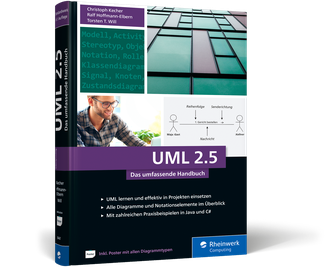
UML 2.5 - Das umfassende Handbuch
Von den Grundlagen bis zum professionellen Einsatz – in unserem Handbuch erfahren Sie alles, was Sie für erfolgreiche Softwaremodellierung mit der UML wissen müssen. Lernen Sie alle Konzepte, Elemente und Diagrammtypen ausführlich kennen und knüpfen Sie anhand von Praxisbeispielen die Verbindung zum Code. Ob Sie etwas nachschlagen oder die UML von Grund auf verstehen möchten, dieses Handbuch bietet Ihnen das gesammelte UML-Wissen im Komplettpaket. Aus dem Inhalt:Grundlagen der UMLDiagrammtypen und NotationselementeDos and Don'ts der SoftwaremodellierungUML mit Java und C#A2-Poster mit DiagrammtypenBeispiele zum DownloadAutoren: Christoph Kecher ist Chief Information Officer (CIO) bei der HSBC Deutschland. Seine Tätigkeitsbereiche umfassen Data Warehouse-Technologien, Java, .NET, UML und Software-Qualitätssicherung. Ralf Hoffmann-Elbern hat schon früh die Softwareentwicklung für sich entdeckt. Nach dem Studium der Physik und einem Ausflug ins Lehramt hat er dieses Hobby zum Beruf gemacht. Torsten T. Will beschäftigte sich schon während seines Diploms in Informatik mit Programmiersprachen und ihren Konzepten. Leseprobe (PDF - Link)
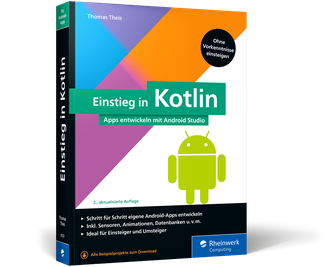
Einstieg in Kotlin - Apps entwickeln mit Android Studio (2. Auflage)
Einfach und strukturiert ohne Vorkenntnisse Kotlin lernen. Mit IntelliJ IDEA lernen Sie die Sprache kennen und steigen dann in die App-Entwicklung mit Android Studio ein – so entwickeln Sie eigene Apps samt Zugriff auf verschiedenste Sensoren, Datenbanken und Multimedia. Kotlin ist Googles bevorzugte Sprache für die App-Entwicklung und zu Recht beliebt: Nicht nur Java-Kenner werden an den modernen Sprach-Features ihre Freude haben. Und für Programmierer ist Kotlin genau das Richtige für den Einstieg in die App-Entwicklung. Aus dem Inhalt:Alle Grundlagen der ProgrammierungIntelliJ IDEA und Android Studio installierenVerzweigungen, Schleifen und Co.Funktionen und funkionale ProgrammierungLayouts und Menüs aufbauenStandard-DialogeSensoren nutzenSystemdienste integrierenSpiele und Trainings entwickelnDatenbanken zur SpeicherungGestensteuerungZugriffsrechte verwaltenAutor: Thomas Theis ist Dipl.-Ing. Technische Informatik. Als Softwareentwickler verfügt er über langjährige Erfahrung, ebenso als IT-Dozent, unter anderem an der Fachhochschule Aachen. Als Kenner vieler verschiedener Programmiersprachen leitet er Seminare zur Programmierung und ist Autor vieler erfolgreicher Fachbücher. Leseprobe (PDF Link)
Docs for Developers
Learn to integrate programming with good documentation. This book teaches you the craft of documentation for each step in the software development lifecycle, from understanding your users’ needs to publishing, measuring, and maintaining useful developer documentation.Well-documented projects save time for both developers on the project and users of the software. Projects without adequate documentation suffer from poor developer productivity, project scalability, user adoption, and accessibility. In short: bad documentation kills projects.Docs for Developers demystifies the process of creating great developer documentation, following a team of software developers as they work to launch a new product. At each step along the way, you learn through examples, templates, and principles how to create, measure, and maintain documentation—tools you can adapt to the needs of your own organization.WHAT YOU'LL LEARN* Create friction logs and perform user research to understand your users’ frustrations* Research, draft, and write different kinds of documentation, including READMEs, API documentation, tutorials, conceptual content, and release notes* Publish and maintain documentation alongside regular code releases* Measure the success of the content you create through analytics and user feedback* Organize larger sets of documentation to help users find the right information at the right timeWHO THIS BOOK IS FORIdeal for software developers who need to create documentation alongside code, or for technical writers, developer advocates, product managers, and other technical roles that create and contribute to documentation for their products and services.Jared BhattiJared is a Staff Technical Writer at Alphabet, and the co-founder of Google’s Cloud documentation team. He’s worked for the past 14 years documenting an array of projects at Alphabet, including Kubernetes, App Engine, Adsense, Google’s data centers, and Google’s environmental sustainability efforts. He currently leads technical documentation at Waymo and mentors several junior writers in the industry.Zachary Sarah CorleissenZach began this book as the Lead Technical Writer for the Linux Foundation and ended it as Stripe’s first Staff Technical Writer. Zach served as co-chair for Kubernetes documentation from 2017 until 2021, and has worked on developer docs previously at GitHub, Rackspace, and several startups. They enjoy speaking at conferences and love to mentor writers and speakers of all abilities and backgrounds.Heidi WaterhouseHeidi spent a couple decades at Microsoft, Dell Software, and many, many startups learning to communicate with and for developers. She currently works as a principal developer advocate at LaunchDarkly, but was reassured to find that technical communication is universal across all roles.David NunezDavid heads up the technical writing organization at Stripe, where he founded the internal documentation team and wrote for Increment magazine. Before Stripe, he founded and led the technical writing organization at Uber and held a documentation leadership role at Salesforce. Having led teams that have written about cloud, homegrown infrastructure, self-driving trucks, and economic infrastructure, he’s studied the many ways that technical documentation can shape the user experience. David also acts as an advisor for several startups in the knowledge platform space.Jen LambourneJen leads the technical writing and knowledge management discipline at Monzo Bank. Before her foray into fintech, she led a community of documentarians across the UK government as Head of Technical Writing at the Government Digital Service (GDS). Having moved from government to finance, she recognizes she’s drawn to creating inclusive and user-centred content in traditionally unfriendly industries. She likes using developer tools to manage docs, demystifying the writing process for engineers, mentoring junior writers, and presenting her adventures in documentation at conferences.* Getting Started* Researching documentation* Understanding your users* Cultivating empathy* Understanding user desires, user needs, and company needs* Recruiting users for research* Research methods* Reading code comments* Trying it outFriction logs* Running diverse and inclusive focus groups and interviews* User journey mapping* Identifying and working with stakeholders* Finding your experts* Collaborative documentation development* Learning from existing content* The value of design documents* Finding examples in industry* Designing documentation* Defining your initial set of content* Deciding your minimum viable documentation* Drafting test and acceptance criteria* Understanding content types* Concepts, tutorials and reference documentation* Code comments* API specificationsREADMEs* Guides* Release notes* Drafting documentation* Setting yourself up for writing success* Who is this for? Personas, requirements, content types* Definition of done* How to iterateTools and tips for writing rough drafts* Understanding your needs* Choosing your writing tools (handwriting, text-only, productivity/measurement writing tools)* “Hacks” to get started drafting content* Mechanics* Headings* Paragraphs* ListsNotes and warnings* Conclusions/tests* Using templates to form drafts* Purpose of a template* How to derive a template from existing docsHow to take templates into text* Gathering initial feedback* Feedback methods* Integrating feedback* Getting feedback from difficult contributorsEditing content for publication* Determine destination* Editing tools (Grammarly, linters, etc)* Declaring good enough* Recap, strategies, and reassuranceStructuring sets of documentation* Where content types live* Concepts, tutorials and reference documentation* Code comments* API specificationsREADMEs* Guides* Release notes* Designing your information architecture* Content information architecture styles* Designing for search* Creating clear, well-lit paths through content* User testing and maintenance* Planning for document automation* Integrating code samples and visual content* Integrating code samples* When and why to use code samples* Creating concise, usable, maintainable samples* Standardising your samples* Using visual content: Screenshots, diagrams, and videos* When your documentation may need visual content* Making your visual content accessible* Integrating screenshots, diagrams* Videos* Measuring documentation success* How documentation succeeds* Measuring different types of documentation quality* Structural Quality* Functional Quality* Process Quality* Measuring what you want to changeDrawing conclusions from document metrics* Working with contributors* Defining how decisions are made* Deciding on a governance structure* Writing an effective Code of Conduct* Choosing a content licence* Code licenses* Content licencesBuilding and enforcing a style guide* Editing submitted content and giving feedback* Setting acceptability criteria* Editing for accessibility and inclusion* Editing for internationalization and translation* Giving actionable feedback* Planning and running a document sprint* Maintaining documentation* Creating a content review processes* Assigning document owners* Performing freshness checks on contentResponding to documentation issues* Separating documentation issues from product issues* Responding to users* Automating document maintenance* Automating API and reference content* Using doc linters* Deleting and archiving content* Wrapping up

Cloud Native Architecture and Design
Build enterprise-grade cloud-native systems and learn all about cloud-native architecture and design. This book provides extensive in-depth details of patterns, tools, techniques, and processes with plenty of examples.Cloud Native Architecture and Design begins by explaining the fundamentals of cloud-native architecture and services, what cloud principles and patterns to use, and details of designing a cloud-native element.The book progresses to cover the details of how IT systems can modernize to embrace cloud-native architecture, and also provides details of various enterprise assessment techniques to decide what systems can move and cannot move into the cloud.Architecting and designing a cloud-native system isn’t possible without modernized software engineering principles, the culture of automation, and the culture of innovation. As such, this book covers the details of cloud-native software engineering methodologies, and process, and how to adopt an automated governance approach across enterprises with the adoption of artificial intelligence.Finally, you need your cloud-native applications to run efficiently; this section covers the details of containerization, orchestration, and virtualization in the public, private, and hybrid clouds.After reading this book, you will have familiarity with the many concepts related to cloud-native and understand how to design and develop a successful cloud-native application. Technologies and practices may change over time, but the book lays a strong foundation on which you can build successful cloud-native systems.WHAT YOU WILL LEARNDiscover cloud-native principles and patterns, and how you can leverage them to solve your business problems * Gain the techniques and concepts you need to adapt to design a cloud-native applicationUse assessment techniques and tools for IT modernization * Apply cloud-native engineering principles to the culture of automation and culture of innovationHarness the techniques and tools to run your cloud-native applications and automate infrastructure* Operate your cloud-native applications by using AI techniques and zero operation techniques WHO THIS BOOK IS FORSoftware architects, leaders, developers, engineers, project managers, and students.SHIVAKUMAR R GONIWADA is an enterprise architect, technology leader, and inventor with more than 23 years of experience in architecting enterprise architecture with cloud-native, event-driven systems. He currently works at Accenture and leads a highly experienced technology enterprise and cloud architects. In his 23 years of experience, he led many highly complex projects across industries and the globe. He has ten software patents to his name in the areas of cloud, polyglot and polylithic architecture, software engineering, and IoT. He is a speaker at multiple global and in-house conferences. He holds Master Technology Architecture Accenture, Google Professional, AWS, and data science certifications. He completed an executive MBA at MIT Sloan School of Management.PART I: CLOUD NATIVE JOURNEY, PRINCIPLES & PATTERNS1. Introduction to Cloud Native Architecture2. Cloud Native Services3. Cloud Native Architecture Principles4. Cloud Native Architecture & Design PatternsPART II: ELEMENTS OF CLOUD NATIVE ARCHITECTURE & DESIGN5. Microservices Architecture & Design6. Event Driven Architecture7. Serverless Architecture8. Cloud Native Data Architecture9. Designing for “-ilities”PART III: MODERNIZING AN ENTERPRISE IT SYSTEMS10. Modernize Monolithic Application to Cloud Native11. Enterprise IT Systems Assessment to Decide Cloud Native Journey12. Cloud Native Architecture Fitness CheckPART IV: CLOUD NATIVE SOFTWARE ENGINEERING13. Developing an Enterprise Systems for Cloud Native14. Automation in an Enterprise Cloud-Native Journey15. AI Driven DevelopmentPART V: CLOUD NATIVE INFRASTRUCTURE16. Containerization and Virtualization17. Automation in InfrastructurePART VI: CLOUD NATIVE OPERATION18. Intelligent Operation19. ObservabilityPART VII: CLOUD NATIVE FEATURE20. Cloud Native Supported Future Technologies

Programming Arduino Projects with the PIC Microcontroller
Now that you’ve built a few Arduino projects, and reused some pre-written sketches, it’s time to move on to the next step and explore the world of embedded programming. To truly up-skill, you'll need to understand how your code works, and that's where this book comes in.You'll review and work with several Arduino projects plus two extra ones written for a PIC microcontroller. Each one is accompanied with a basic circuit diagram and photos of the program working. Ideal for the Arduino hobbyist and PIC programmers who want to merge their skills, this comprehensive book will go over every aspect of the 8-bit microcontroller, provide line-by-line analysis of the code, and in the end, show you how to bring your Arduino projects to the PIC microcontroller using C. You'll gain a full understanding of how the C instructions work and can be used with the PIC microcontroller.Programming Arduino Projects with the PIC Microcontroller is your one-stop reference resource.WHAT YOU’LL LEARN* Examine how the code works * Create code to perform any function* Build practical projects on vero boards with full vero plans and circuit diagrams* Understand how programs work by simulation with an ECAD package WHO THIS BOOK IS FORWould-be embedded programmers, Arduino hobbyists, and PIC programmers.Hubert Ward has been a college lecturer since 1993 and over 24 years experience teaching at the Higher National Certificate and The Higher Diploma in Electrical & Electronic Engineering. Hubert has also spent time as a consultant in embedded programming in assembler language and C and was the UK technical expert in Mechatronics where he trained the UK team for the Skills Olympics in Seoul 2001. Hubert Ward is also happily married to his wife Ann and with whom he has two wonderful children, Claire and Vincent.Preface: The Arduino ProgramsChapter 1: IntroductionThis chapter will set up the basics and cover the following:• What is a microcontroller• What are the main differences between the Arduino and the PIC• What are the aims and objectives of this book• How the book will workEach chapter looks at a different Arduino project creating a practical circuit built of vero board with the full program listing.Each program will have a full line by line analysis of all new instructions detailing how they work and what they are doing.Chapter 2: What You Will Need• What you will need to use the book, such as a minimal approach; where the reader can just try the programming at no cost by simulation within MPLABX. Then use an inexpensive PIC programming option at around £30 to a full prototype board costing from around £70 to £150.• An introduction to MPLABX as to what it is and how you create a project and simulate a simple program.Chapter 3: Our First Programs• We start with the first projects: Flashing a simple LED• Running a simple seven segment display.• As we write these programs we will look at creating our first header file for the configuration words.• As we use new instructions; as this is the first program all the instructions will be new, we explain how the instructions work and how they can be used to achieve what we want.• We will look at building the circuit on vero board by drawing the circuit diagram , the vero board plan what components and how they work and how to solder them.Chapter 4: The 7 Segment Display and the 8by8 Matrix Display• This will look at the next two projects: The 4 seven segment display & 8by8 Matrix Display• This will mean we will look at the ADC module how it works and how we use it. Also we will look at the LCD with a full explanation of how it works and how we use it. We will also make our second header file for the LCD. We will also look at arrays and how we can use them.Chapter 5: The Joystick Controller, The Ultrasonic and PIR Sensors• This will look at two more projects: the Joystick control and the Ultrasonic and PIR Sensors• The stepper motor linking that with the joystick control.• The ultrasonic sensor linking it with the buzzer.Chapter 6: The Servo Motor and The Rotary EncoderThis will look at three more projects• The servo motor• The rotary encoder.• The RGB led• This will look at PWM as to how we can use it to create a square wave and the compare aspect of the CCP module.Chapter 7: Interrupts and a RTC and The DS1307 RTC Module• This will look at a real time clock using interrupts and an external crystal. It will then look at the DS1307 RTC Module.• This will explain what interrupts are and how they work and how we can use them.Chapter 8: The DHT11 Humidity and Temperature Sensor and SPI and I2C Communication• This will look at the DHT11 humidity and temperature sensor. It will also look at the TC72 and TC74 temperature sensors.• This will look at SPI and I2C comms.Chapter 9: The USART and Bluetooth Communication With HC-06 Module• This will look at the USART in the PIC. How they work and how they can be used. This will move onto how we can use the HC-06 bluetooth module to send the temperature readings from the TC72 and TC74 to your mobile phone.Chapter 10: DC Motors and Using a Keypad• This will look at the DC motor and fan.• It will also look at a 3 by 4 keypad and the 4 by 4 membrane keypad.Chapter 11: Understanding Those Obscure C Instructions and Logic Operators• This will look at some of the more obscure C program and a full range of logic instructions. This will use the simulation aspect of the MPLABX software to test and prove how the instructions work.

Pro Exchange 2019 and 2016 Administration
__Use this one-stop resource for both basic and advanced administration of Exchange Server 2019 and 2016. It will help you in running an Exchange environment, whether it be 100% on-premises or a hybrid configuration with Exchange Online (as part of Office 365).This revised version is divided into four parts, describing Exchange infrastructure, upgrading Exchange server, integration with Office 365, and security and compliance. In the first part, you will go through a short introduction of Exchange server followed by its installation and configuration. You will learn client access along with Exchange mailbox and managing Exchange recipients. In the second part, you will learn how to upgrade from Exchange 2010 to 2016 and from 2013 to Exchange 2019. The third part is dedicated to the Exchange integration with Office 365, followed by the last part that teaches you how to secure your Exchange environment and its compliance.After reading this book, you will understand best practices, do’s and don’ts, and notes from the field to migrate and work on Exchange 2016 and 2019.WHAT YOU WILL LEARN* Create a highly available and redundant Exchange environment* Understand security, message hygiene (CEO fraud, for example), and compliance* Know the infrastructure changes in Exchange 2019* Integrate and manage hybrid recipientsWHO THIS BOOK IS FORIT pros who are responsible for building and maintaining an Exchange environment, both on-premises and in a hybrid configuration with Exchange OnlineMICHEL DE ROOIJ is a consultant and Microsoft MVP since 2013. He lives in The Netherlands, and has been working in the IT industry for over 20 years. Michel helps customers with their journeys related to Microsoft 365, with a focus on Exchange and Identity, but also related technologies such as Microsoft Teams or e-mail in general. Michel has a developer background, but after some long-term dedicated Exchange-related work for a large multinational switched to Exchange and never looked back. Michel is also a big fan of automating processes and procedures related to infrastructure, being either supporting projects or automating administrator tasks. Michel is also active in online communities, such as Tech Community, or on social media such as Twitter (@mderooij). He runs an Exchange-related blog at eightwone.com, guest authors for several other sites, and speaks at international events.JAAP WESSELIUS is an independent consultant based in The Netherlands. As a consultant, Jaap has been working with Exchange server since Exchange 5.0 in 1997. After working for Microsoft, he became an independent consultant in 2006. For his work in the (Exchange) community, Jaap has received a Microsoft MVP award 2007, an award he still holds in 2021. The first MVP category was Exchange server, but over the years that has changed to Office Apps and Services. Besides working with Exchange, Jaap also works with Office 365, identity management, privacy, and security. Jaap is 54 years old, married, has three (almost) grown-up sons, and likes to ride his motorcycle, when possible.SECTION 1 - EXCHANGE INFRASTRUCTURE1. INTRODUCTION1.1. History of Exchange server1.2. Exchange 2016 or Exchange 2019?1.3. Exchange Admin Center1.4. PowerShell1.5. Exchange and Active Directory2. INSTALLING AND CONFIGURING EXCHANGE2.1. Designing the Exchange environment2.2. Testing the Exchange environment2.3. Building the Exchange environment2.4. Exchange Edge Transport Server2.5. Cumulative Updates3. EXCHANGE AND CLIENT ACCESS3.1. Clients3.2. Outlook on the Web3.3. Outlook3.4. Autodiscover3.5. Exchange Web Services3.6. ActiveSync3.7. Namespaces3.8. Virtual Directories3.9. Certificates3.10. Client Access High Availability4. EXCHANGE MAILBOX AND MAILBOX SERVER4.1. Mailbox databases4.2. Backup and Restore4.3. High Availability4.4. Mailbox database High Availability5. MANAGING EXCHANGE RECIPIENTS5.1. Managing Recipients5.2. Mailboxes5.3. Distribution Groups5.4. Contacts5.5. Public Folders5.6. Address Lists5.7. Global Address List5.8. Custom Address List5.9. Offline Address Books5.10. Address Book Policies6. Exchange Transport6.1. Transport pipeline6.2. Send and Receive Connectors6.3. SMTP Relay6.4. Edge Transport server6.5. Load balancing transportSECTION 2 - UPGRADING EXCHANGE SERVER7. Upgrading from Exchange 2010 to Exchange 20167.1. Preparing Active Directory7.2. Installing the Exchange servers7.3. Change client access7.4. Move Mailboxes7.5. Move Public Folders7.6. Decommission Exchange 20108. Upgrading from Exchange 2013 to Exchange 20198.1. Preparing AD en Installing Exchange is identical to 7.1 and 7.28.2. Client access in 2013/2019 coexistence8.3. Move Mailboxes and Public Folders8.4. Decommission Exchange 2013SECTION 3 - INTEGRATION WITH OFFICE 3659. Exchange Hybrid9.1. Identities and source of authority9.2. Managing Hybrid Recipients9.3. Federation9.4. Federation with other organizations9.5. Organizational relationships9.6. Sharing policies9.7. Directory Synchronization9.8. Exchange Hybrid Configuration Wizard9.9. Autodiscover continued9.10. Mailflow in coexistence9.11. Exchange Online Protection9.12. Modern Authentication9.13. Bulk EmailSECTION 4 - SECURITY AND COMPLIANCE10. Securing your Exchange environment10.1. Hybrid Modern Authentication10.2. Message hygiene10.3. Multi Factor Authentication10.4. Role Based Access Control11. Compliance11.1. Archiving11.2. Journaling11.3. In-place hold11.4. In-place eDiscovery11.5. Messaging Records management11.6. Data Loss Prevention11.7. Auditing11.8. Reporting

Person Re-Identification with Limited Supervision
PERSON RE-IDENTIFICATION IS THE PROBLEM OF ASSOCIATING OBSERVATIONS OF TARGETS IN DIFFERENT NON-OVERLAPPING CAMERAS. Most of the existing learning-based methods have resulted in improved performance on standard re-identification benchmarks, but at the cost of time-consuming and tediously labeled data. Motivated by this, learning person re-identification models with limited to no supervision has drawn a great deal of attention in recent years.In this book, we provide an overview of some of the literature in person re-identification, and then move on to focus on some specific problems in the context of person re-identification with limited supervision in multi-camera environments. We expect this to lead to interesting problems for researchers to consider in the future, beyond the conventional fully supervised setup that has been the framework for a lot of work in person re-identification.Chapter 1 starts with an overview of the problems in person re-identification and the major research directions. We provide an overview of the prior works that align most closely with the limited supervision theme of this book. Chapter 2 demonstrates how global camera network constraints in the form of consistency can be utilized for improving the accuracy of camera pair-wise person re-identification models and also selecting a minimal subset of image pairs for labeling without compromising accuracy. Chapter 3 presents two methods that hold the potential for developing highly scalable systems for video person re-identification with limited supervision. In the one-shot setting where only one tracklet per identity is labeled, the objective is to utilize this small labeled set along with a larger unlabeled set of tracklets to obtain a re-identification model. Another setting is completely unsupervised without requiring any identity labels. The temporal consistency in the videos allows us to infer about matching objects across the cameras with higher confidence, even with limited to no supervision. Chapter 4 investigates person re-identification in dynamic camera networks. Specifically, we consider a novel problem that has received very little attention in the community but is critically important for many applications where a new camera is added to an existing group observing a set of targets. We propose two possible solutions for on-boarding new camera(s) dynamically to an existing network using transfer learning with limited additional supervision. Finally, Chapter 5 concludes the book by highlighting the major directions for future research.* Preface* Person Re-identification: An Overview* Supervised Re-identification: Optimizing the Annotation Effort* Towards Unsupervised Person Re-identification* Re-identification in Dynamic Camera Networks* Future Research Directions* Bibliography* Authors' Biographies

Online-Dating für Dummies
Online-Dating boomt. Die wenigsten Singles lernen sich heutzutage noch in einer Bar kennen. Allein in Deutschland sind jeden Monat weit über 12 Millionen Singles online auf Partnersuche. Wo und wie findet man da aber, was man wirklich sucht? Und wie sticht man aus der Masse der Singles hervor? Wo finde ich den richtigen Partner für mein Alter, meinen Typ und meine Interessen und Absichten - ob langfristige Beziehung, Flirt oder doch nur Sex? Und wie kann ich sicher daten? Die beiden Dating-Experten Chris Pleines und Andia Bothe führen Sie umfassend durch die digitale Dating-Welt von heute (und morgen). Vor über 10 Jahren gründete Chris Pleines die Website ZU-ZWEIT.de, die heute mit über 3.000 internationalen Testberichten das meistgeklickte Dating-Vergleichsportal in Deutschland ist. Chris Pleines gilt als führender Dating-Experte, man sah ihn im ARD-Mittagsmagazin, bei Pro7 Galileo oder in diversen Zeitungs- und Magazinbeiträgen.Andia Bothe ist studierte Soziologin der LMU München und betrachtet das Thema Online-Dating auf datingjungle.de aus soziologischer Sicht. Sie ist Co-Autorin zahlreicher Online-Dating-Studien und war bereits öfter Ansprechpartnerin für Funk und Fernsehen in Fragen rund um Dating, Sexualität und Partnerschaft - unter anderem für Deutschlandfunk, ZDF und RTL.Über die Autoren 11EINLEITUNG23Über dieses Buch 24Konventionen in diesem Buch 24Was Sie nicht lesen müssen 25Törichte Annahmen über den Leser 25Wie dieses Buch aufgebaut ist 26Teil I: Ein Überblick: Die Online-Dating-Welt von heute 26Teil II: Schritt für Schritt zum ersten erfolgreichen Date 27Teil III: Vorsicht im Netz 28Teil IV: Ein (kurzer) Blick in die Zukunft 29Teil V: Der Top-Ten- Teil 29Symbole, die in diesem Buch verwendet werden 29Wie es weitergeht 30TEIL I: ÜBERBLICK: DIE ONLINE-DATING-WELT VON HEUTE 33KAPITEL 1 ONLINE-DATING: WO UND WIE ALLES BEGANN35Liebe über Zeit und Medien hinweg 35Entwicklung des Online-Dating-Markts in Deutschland 39KAPITEL 2 ONLINE-DATING-ANGEBOT HEUTE43Partnervermittlungen 43Dating-Apps 49Singlebörsen 55Casual-Dating 59Ein kleiner Überblick 64Spezielle Dating-Seiten und Nischen-Dating 66LGBTQ+ 66Christliche Dating-Seiten 67Partnervermittlung Osteuropa 68Dating 50+ 68Online-Swingerklubs 69Portale für Übergewichtige 69Für Menschen mit Behinderung 69Für Singles mit Wunsch nach Altersunterschied 69Andere sehr spezielle Dating-Seiten 70KAPITEL 3 WIESO (NICHT) ONLINE-DATING?73Für wen ist Online-Dating geeignet? 73Vorteile des Online-Datings 74Nachteile des Online-Datings 77TEIL II: SCHRITT FÜR SCHRITT ZUM ERSTEN ERFOLGREICHEN DATE 81KAPITEL 4 LERNEN SIE SICH UND IHRE BEDÜRFNISSE KENNEN83Lang-oder kurzfristige Beziehung? 84Was ist Ihnen bei einem Partner wichtig? 86Kostenpflichtig oder kostenlos? 88Mitgliederzahlen und Neumitglieder 89Wie viel Zeit haben Sie für die Partnersuche? 90Die wichtigsten Fragen auf einen Blick 91Mehrere Portale für mehr Erfolg nutzen? 92KAPITEL 5 ANMELDEPROZESS UND PROFILGESTALTUNG93Die häufigsten Anfängerfehler 93Hinweise in AGB (und »Unterhaltungsrichtlinien«) 94Sensible Daten 94Username 95Bezahlte Mitgliedschaft: ja oder nein? 96Welche Laufzeit ergibt Sinn? 97Kündigung, Wertersatz, Widerruf und Garantien 97Profi-Tipps zum Geld sparen 99Das beste Online-Profil für jede Gelegenheit und Absicht 99Wie sieht das perfekte Partnervermittlungs-Profil aus? 100Wie sieht das perfekte Singlebörsen-Profil aus? 102Wie sieht das perfekte Casual-Dating- Profil aus? 103Gelungene (und weniger gelungene) Profiltexte 103Das perfekte Profilbild 114KAPITEL 6 SWIPEN, SCROLLEN, SUCHEN135Die Suche in Partnervermittlungen 135Die Suche in Singlebörsen 137Die Suche mit Dating-Apps 138Die Suche auf Casual-Dating- Portalen 140Was suchen Singles in der Regel? 140Wieso falle ich nicht auf? Wieso antwortet mir keiner? 142Die besten Tage und Zeiten für Online-Dating 143KAPITEL 7 ERSTE NACHRICHTEN AUSTAUSCHEN145Schritt für Schritt zur ersten Nachricht 146Seien Sie interessiert, statt nur interessant 146Nehmen Sie Bezug auf das Profil 147Finden und benennen Sie Gemeinsamkeiten 147Bonus: Stellen Sie eine ungewöhnliche Frage 147Weitere Tipps für mehr Interesse 148Erste Nachrichten: Dos & Don’ts 148So bitte nicht! Erste Nachrichten, die nicht überzeugen 148Anschreiben, die funktionieren 153Wann und wie oft sollten Sie schreiben? 156Wann sollten Sie zu WhatsApp und Co wechseln? 157Sexting und Nudes 158Videodates zum Kennenlernen 159KAPITEL 8 VOM NETZ INS OFFLINE-LEBEN161Wie viele Personen muss man daten, bevor man einen Partner findet? 161Das erste Date 162Die Zeit 162Der Ort 162Die Begrüßung 162Die Themen 163Die Verabschiedung 164Was tun bei mehreren netten Matches und Dates? 165Wann sollte man sich von der Dating- Seiteabmelden? 166Vom Match zum Traualtar? 166TEIL III: VORSICHT IM NETZ 169KAPITEL 9 GUTE UND WENIGER GUTE DATING-PORTALE171KAPITEL 10 FAKE-PROFILE, IKM-SCHREIBER, SCAMMER UND CO.177Animateure, Controller, Moderatoren und IKM-Schreiber 179Chat-Bots 180Wie vermeidet man die professionellen Fake-Profile? 180Karteileichen 181Romance-Scammer 182Schritt 1: Aufmerksamkeit gewinnen 182Schritt 2: Kontaktaufnahme 183Schritt 3: Ausreden 184Schritt 4: Geldforderungen 184Die Maschen der Romance-Scammer 184Romance-Scammer erkennen 186Verliebt, gescammt und jetzt? 188Rechtliches 188Wie können Sie sich vor Romance-Scammern schützen? 189Lügen haben kurze Beine: Unwahrheiten auf Dating-Portalen 190Die größte Lüge: Catfishing 191Die klassische Lüge: das Aussehen 193Die unschönste Lüge: Der Beziehungsstatus 194Die häufigste Lüge: Ich suche eine feste Beziehung 196Die älteste Lüge: Das Alter 197Die beliebtesten Lügen: Charakterbeschreibungen 197KAPITEL 11 SAFER SURFEN: WIE SCHÜTZE ICH MEINE PRIVATSPHÄRE?201Wie viel ist gut? Daten schützen und teilen 201Geld und Konten schützen 202Persönliche Daten und Identität schützen 202Intimsphäre schützen 203Sicher sein 203Privatleben und Beruf schützen 203Casual-Dating und Blind-Dates – ist das sicher? 204Zu mir oder zu dir? 204Im Auge der Öffentlichkeit 205Doppelt hält besser 205Kontrollanruf und Codewort 206Blocken, Melden, Ignorieren: Schutz vor ungewollten Kontakten 206Auf der Dating-Seite 206Privat: Handy, Mails, Telefon 207Wie sicher ist Online-Dating allgemein? 208TEIL IV: EIN (KURZER) BLICK IN DIE ZUKUNFT DES ONLINE-DATINGS 209KAPITEL 12 WIE SIEHT DIE ZUKUNFT DES ONLINE-DATINGS AUS?211Senior-Dating 211Frauen im Fokus 213Genderpluralität statt Heteronormativität 214Patchwork-Dating 214Love at First Byte & Behavioral Matching 215Geo-Dating 2.0 216Friendgroup-Dating 217DNS-Dating 217Neue Realitäten 219Augmented Reality Dating 220Virtual Reality Dating 221Interactive Dating 221Hologramm-Apps und Smart Speaker 222On-Offline-Dating 223Fazit 223TEIL V: DER TOP-TEN-TEIL 225KAPITEL 13 DIE ZEHN BESTEN DATING-SEITEN FÜR JEDE GELEGENHEIT227Parship 227Tinder 227Badoo 228Lovoo 228Bumble 228LoveScout24 228Finya 228Lablue 229Joyclub 229C-Date 229KAPITEL 14 ZEHN ALLGEMEINE TIPPS FÜR DAS PERFEKTE DATING-PROFIL231Der richtige Username 231Zeigen Sie sich 232Seien Sie transparent 232Seien Sie ehrlich 232Erzählen Sie etwas Besonderes 233Nehmen Sie sich Zeit für ein detailliertes Profil 233Seien Sie offen 233In Maßen, nicht in Massen 234Das Glas ist halb voll 234Nutzen Sie Premium-Funktionen 234KAPITEL 15 ZEHN DINGE, DIE NICHT IM USERNAMEN STEHEN SOLLTEN235Sexy 235Körbchengröße/Zentimeterangaben 235Crazy 236Einsam 236Kuschel/Knuffel/Knuddel 236Bärchen/Schatz/Maus 236Prinz/Prinzessin 236Endungen mit –i oder -chen 237Der Wohnort 237Der eigene Name 2375 Dinge, die Usernamen ansprechender machen 237KAPITEL 16 10 NO-GOS FÜR DAS PROFILBILD239Nur Selfies 239Bewerbungsfotos 240Sonnenbrille 240Gruppenfotos 240Oben ohne 240Verpixelte Fotos 241Poser-Fotos 241Unvorteilhafter Hintergrund 241Promillelastige Fotos 241Catfishing-Filter 2415 Tipps für ein perfektes Profilfoto 242KAPITEL 17 10 DINGE, DIE NICHT IM ONLINE-DATING-PROFIL STEHEN SOLLTEN243Ihre ganze Lebensgeschichte 243Finanzielles 243Krankheiten 244Ex-Beziehungen 244Ellenlange Aufzählungen 244Standardsprüche 244Zu viele Emojis 244Social-Media- Profile 245Private Daten 245Rechtschreibfehler 245KAPITEL 18 10 NO-GOS FÜR ERSTE NACHRICHTEN247Hi 247Hey, wie geht’s? 247Hey, was machst du? 247Einfache Komplimente 248Hey Süße/r 248Plumpe Anmachsprüche 248Reine Selbstdarstellung 248Überschwängliche Komplimente 248Zu viele Fragen 249Keine Fragen 249KAPITEL 19 ZEHN DINGE, DIE SIE BEIM ONLINE-DATING VERMEIDEN SOLLTEN 251Unseriöse Portale 251Zu kleiner Suchradius 252Copy-and-paste-Nachrichten 252Aufdringliches Verhalten 252Keine Informationen 252Zu langes Schreiben 253Vor dem ersten Date nicht telefonieren 253Zu viele Kontakte knüpfen 253Falsche Erwartungen 254Bei Erfolg das Profil nicht löschen 254Stichwortverzeichnis 255

Einstieg in SAP HANA
Wenn Sie im SAP-Umfeld arbeiten möchten, kommen Sie um SAP HANA nicht herum. Die In-Memory-Datenbank, Entwicklungs- und Analytics-Plattform bildet zukünftig die Grundlage für alle SAP-Anwendungen, allen voran SAP S/4HANA. Dieses Buch führt Sie in die Architektur der leistungsstarken Plattform ein, erklärt die Besonderheiten und begleitet Sie bei den wichtigsten Aufgaben im Umgang mit SAP HANA. Aus dem Inhalt: Tabellenstruktur und SpeicherKomponenten und SchnittstellenMulti-Tenancy-Konzept und SystemlandschaftenBetriebssysteme und EditionenInstallation und KonfigurationAdministrationMonitoring und ProtokollierungEntwicklung mit SQLScript, Node.js und RSAP HANA XS(A)Views, Datenbankprozeduren und FunktionenSicherheit und Berechtigungen

SAP BW/4HANA
Lernen Sie die neue Standardlösung für das Data Warehousing kennen, SAP BW/4HANA. Dieses umfassende Handbuch zeigt Ihnen Schritt für Schritt, wie Sie die Modellierungswerkzeuge einrichten, Quellsysteme anbinden und Anwendungen in SAP BW/4HANA 2.0 aufbauen. Sie erfahren, wie Sie Daten für Analyse- und Planungsszenarien bereitstellen und Big Data über die Anbindung von SAP Data Intelligence verarbeiten. Zudem stellen Ihnen die Autorinnen die Erweiterung mit SAP Data Warehouse Cloud vor. Aus dem Inhalt: Installation der ModellierungswerkzeugeArchitektur von SAP BW/4HANAModellierungsobjekteDatenbeschaffung und -verwaltungAdministration (z.B. Data Aging)Betrieb und SicherheitFrontend-ToolsBW-integrierte PlanungData Lakes und HadoopSAP Data Warehouse CloudSAP Data Intelligence Einleitung ... 15 1. Entwicklungsgeschichte und Einsatzgebiete von SAP BW/SAP BW/4HANA 2.0 ... 25 1.1 ... Business Intelligence und Data Warehousing ... 25 1.2 ... SAP Business Warehouse ... 35 1.3 ... SAP Business Warehouse Edition für SAP HANA ... 44 2. Einführung in SAP BW/4HANA 2.0 ... 51 2.1 ... In-Memory-Computing mit SAP HANA ... 51 2.2 ... Entwicklungs- und Administrationsumgebungen für SAP BW/4HANA 2.0 ... 65 2.3 ... Einführung von SAP BW/4HANA 2.0 im Unternehmen ... 73 3. Installation und Einrichtung der Modellierungs- und Administrationswerkzeuge für SAP BW/4HANA 2.0 ... 83 3.1 ... Installation und Einrichtung des SAP HANA Studios ... 84 3.2 ... Einführung in die Modellierungs- und Administrationswerkzeuge ... 97 4. Datenarchitektur in SAP BW/4HANA 2.0 ... 119 4.1 ... Referenzarchitekturen für Data Warehouses ... 124 4.2 ... SAPs Referenzarchitekturen für das SAP BW ... 131 4.3 ... Ableitung einer unternehmensspezifischen Referenzarchitektur aus der LSA++ ... 139 5. Grundlegende Modellierungsobjekte: Datenhaltung ... 143 5.1 ... Allgemeine Hinweise zur Modellierung ... 143 5.2 ... InfoAreas und Anwendungskomponenten ... 153 5.3 ... Quellsysteme ... 155 5.4 ... DataSources ... 158 5.5 ... InfoObjects ... 168 5.6 ... Advanced DataStore-Objekte ... 201 6. Grundlegende Modellierungsobjekte: Datentransformation und präsentation ... 229 6.1 ... Transformationen ... 229 6.2 ... Datentransferprozesse (DTPs) ... 242 6.3 ... CompositeProvider ... 252 6.4 ... Queries ... 276 7. Komplexere Modellierungsobjekte ... 329 7.1 ... Open ODS Views ... 330 7.2 ... Modellierung von Merkmalshierarchien ... 341 7.3 ... Remodellierung von aDSOs ... 352 7.4 ... Experteneinstellungen für CompositeProvider ... 360 7.5 ... InfoSources ... 364 7.6 ... Transformationen (erweitert) ... 377 8. Datenbeschaffung ... 415 8.1 ... Technologien zur Quellsystemanbindung ... 415 8.2 ... Typische Quellsysteme für SAP BW/4HANA 2.0 ... 431 9. Datenflussmodellierung und Datenverwaltung ... 439 9.1 ... Datenflussmodellierung ... 441 9.2 ... Datenflussobjekte ... 446 9.3 ... Open Hub Destination ... 458 9.4 ... Data Tiering und Multi-Temperature-Speicherstrategien ... 466 9.5 ... Löschen von Daten ... 477 10. Frontend-Tools ... 487 10.1 ... SAP Lumira 2.x ... 488 10.2 ... SAP Analytics Cloud ... 495 10.3 ... SAP Analysis for Microsoft Office ... 510 10.4 ... BW Workspaces für den agilen Zugriff auf Informationen ... 517 10.5 ... Tableau Desktop ... 530 10.6 ... Anwendungsszenarien ... 536 11. Betrieb und Administration ... 537 11.1 ... Prozessketten ... 537 11.2 ... Sicherheit ... 551 11.3 ... Transportwesen ... 564 11.4 ... BW Workspaces ... 575 12. Planung ... 583 12.1 ... Aufbau eines einfachen Planungsszenarios ... 585 12.2 ... Komplexere Planungsszenarien ... 602 13. Ausblick ... 617 13.1 ... Roadmap für SAP BW/4HANA 2.0 ... 618 13.2 ... SAP Data Warehouse Cloud ... 620 13.3 ... SAP HANA Cloud ... 642 13.4 ... SAP Data Intelligence ... 644 Anhang ... 649 Die Autorinnen ... 705 Index ... 707

Create Content!
Create Content, das gilt als Zauberformel für mehr Kunden, bessere Zielgruppenansprache, mehr Leads, mehr Reichweite, mehr Relevanz der Marke und des eigenen Produkts. Doch wie kommt man eigentlich an all die kreativen Ideen für Inhalte, die große Emotionen auslösen, für Content mit viralem Potential und spannende Storys, die helfen, Kunden zu erreichen? Die erfahrenen Content-Marketing-Experten Andreas Berens und Carsten Bolk wissen wie. Dieses Workbook vermittelt die wesentlichen Methoden, Tools und Trends für die Entwicklung von wertvollem Content für Print, Digital und Social Media: Aufbau einer Content-Strategie, Konzeption kreativer Ideen und relevanter Themen sowie innovativer Formate und passender Kanäle und erfolgreiche Vermarktung der produzierten Inhalte. Inkl. zahlreicher Beispiele und Übungen Aus dem Inhalt: Grundlagen Content-Marketing & Content-StrategieBrandbuildung & Customer JourneyKreativitätstechniken für Themen und FormateStorytelling & HeldenreiseKampagnen erfolgreich aufbauenContent-Workshop: gute Texte, überzeugende Fotos, bewegende Videos, hörenswerte PodcastsInfografiken & Live ContentSeedingFacebook, Instagram, TikTok oder SnapchatCommunity Building 1. Einleitung -- Create Content! ... 17 1.1 ... Der unerbittliche Wettbewerb um die begrenzte Aufmerksamkeit des Publikums ... 18 1.2 ... »Connecting the dots« -- Content-Kreation als Prozess ... 18 1.3 ... Ein Buchprojekt als Heldenreise ... 20 1.4 ... Dieses Buch ist für Sie, wenn ... ... 21 1.5 ... Content-Kreation in drei Akten ... 23 2. Content-Marketing-Strategie -- Intuition ist gut, Fahrplan ist besser ... 25 2.1 ... Der Mensch im Mittelpunkt -- der unbequeme Paradigmenwechsel im Content Marketing ... 25 2.2 ... Content-Kreation braucht Content-Strategie ... 33 2.3 ... Content Marketing und Content-Strategie -- zwei Seiten einer Medaille ... 35 2.4 ... Content-Marketing-Strategie -- die neun Stufen des Kreationsprozesses ... 39 3. Marken verstehen -- und mit Content führen ... 45 3.1 ... Die Marke macht den Unterschied ... 46 3.2 ... Markenmodelle damals und heute -- auf der Suche nach Alleinstellung ... 48 3.3 ... Eine Marke führen, die Menschen wirklich bewegt -- mit dem Golden Circle ... 50 3.4 ... Übungen: Auf der Suche nach dem eigenen Warum -- mit dem Golden Circle ... 53 3.5 ... Denke Marke, denke limbisch ... 54 3.6 ... Positionieren Sie Ihre Marke in den Herzen Ihrer Community -- mit der Limbic® Map ... 56 3.7 ... Brand Purpose -- gestärkt durch die Krise ... 60 3.8 ... Fazit: Wer andere Menschen anspricht, sollte wissen, wofür er selber steht ... 65 4. Inhalte kreieren, die Marke und Mensch zusammenschweißen ... 67 4.1 ... Mit Content Beziehungen stiften ... 68 4.2 ... So kreieren Sie Content, der Menschen motiviert ... 70 4.3 ... »Create Content so valuable people would pay for it« ... 72 4.4 ... Übung: Mit den vier F zu wertvollem Content ... 75 4.5 ... Unterschiede überbrücken -- Gemeinsamkeiten finden ... 77 4.6 ... Auch Content-Kreation für das B2B-Geschäft funktioniert besser mit Emotion und Motivation ... 78 4.7 ... Guter Content macht, schlechter Content zerstört Marken und Communitys ... 80 4.8 ... Inspiration für Ihre Content-Kreation rund um Motivation, Werte und Emotion ... 81 5. »Ich bin Marke« -- mit Inhalt und Haltung zum Personal Branding ... 83 5.1 ... Die wesentlichen Erfolgsfaktoren einer Personenmarke ... 85 5.2 ... So bauen Sie Ihre Personal Brand auf ... 85 6. Die richtigen Ziele setzen und erreichen -- mit Content-Kreation zum Unternehmenserfolg ... 89 6.1 ... Den Content mit klaren Vorgaben kreieren -- die Zielkaskade ... 90 6.2 ... Die Reichweite mit Content ausbauen ... 95 6.3 ... Die Reputation mit Content gestalten ... 96 6.4 ... Die Retention/Loyalität Ihrer Kunden stärken ... 97 6.5 ... Den Return on Investment (ROI) Ihrer Kreation maximieren ... 98 6.6 ... Die eigenen Ziele verbindlich formulieren und motivierend kommunizieren -- die SMART-Methode ... 98 6.7 ... Praktischer Umgang mit Zielen ... 101 7. Mit der Persona zur besseren Zielgruppe -- Communitys aufbauen und pflegen ... 103 7.1 ... Kreieren Sie Content für Ihre Community ... 104 7.2 ... Mit Persona fokussieren -- hören Sie auf zu raten, was Ihre Community wirklich braucht ... 106 7.3 ... Formulieren Sie eine inspirierende Persona ... 107 7.4 ... Grundregeln und erste Hilfe für die Persona-Erstellung ... 111 7.5 ... Communitys managen -- keine Frage des Ob, sondern des Wie ... 114 8. Insights -- finden Sie Themen, die Menschen bewegen ... 119 8.1 ... Was macht einen guten Insight aus? ... 120 8.2 ... Warum ein guter Insight Menschen bewegt ... 121 8.3 ... Warum ein guter Insight Ihre Content-Kreation erfolgreicher macht ... 122 8.4 ... Fünf Schritte zu einem überzeugenden und inspirierenden Insight ... 123 8.5 ... Ein Fallbeispiel: Sainsbury's -- Werbung, die sich nützlich macht ... 125 8.6 ... Vier grundlegende Recherchetechniken, mit denen Sie Insights auf die Schliche kommen ... 128 9. Customer Journey -- die Reise des Kunden verstehen und mit Inhalten begleiten ... 139 9.1 ... Was ist eine Customer Journey? ... 139 9.2 ... Vorsicht vor der alten Schule -- die AIDA-Formel und der Purchase Funnel ... 140 9.3 ... Die Consumer Decision Journey -- ein Plan für die Content-Kreation ... 142 9.4 ... Das Relevant Set -- denken Sie die Phase vor der Consideration mit ... 145 9.5 ... Die menschliche Krise als Chance für Ihren Content ... 147 9.6 ... Content-Konzeption mit der Heldenreise -- lassen Sie sich inspirieren ... 148 9.7 ... Übung: So entwickeln Sie Content für die Heldenreise ... 152 9.8 ... Predictive Content Marketing -- das Zusammenspiel von Big Data und Kreativität entlang der Customer Journey ... 154 10. Die Content-Marketing-Mission -- das inspirierende Sprungbrett für die Content-Kreation ... 157 10.1 ... Was ist eine Content-Marketing-Mission? ... 158 10.2 ... Hilf ... dabei ... indem -- eine kurze, aber inspirierende Formel für die Content-Kreation ... 158 10.3 ... Der Ideen-Hackathon ... 162 10.4 ... Grundsätzliche Tipps zum Umgang mit der Content-Marketing-Mission ... 165 11. Der kreative Prozess -- der schnelle Weg zur zündenden Idee ... 167 11.1 ... Der Heureka-Moment ... 168 11.2 ... Die drei Irrtümer über Kreativität ... 168 11.3 ... Wie entstehen Ideen? ... 169 11.4 ... Ideenfindung mit Kreativitätstechniken ... 183 11.5 ... Ideenbewertung ... 192 12. Storys -- warum wir Geschichten lieben ... 199 12.1 ... Warum funktionieren Storys? ... 200 12.2 ... Die Grundelemente einer guten Story ... 201 12.3 ... Der Plot ... 204 12.4 ... Die Heldenreise ... 204 12.5 ... Die Plot-Formel S.T.O.R.Y. ... 210 12.6 ... Die zwölf universellen Archetypen ... 213 12.7 ... Beispiel Archetyp Rebell ... 219 12.8 ... Übung im Team ... 219 13. Storytelling -- Geschichten richtig erzählen ... 221 13.1 ... Die drei Ebenen des Storytellings ... 222 13.2 ... Die Arten der narrativen Struktur ... 225 13.3 ... 20 Masterplots ... 226 13.4 ... Das entscheidende Ende ... 243 14. Content-Marketing-Kampagne -- wie Sie mit einer Leitidee crossmedial sichtbar werden ... 247 14.1 ... Zusammenspiel von Content-Marketing-Kampagne und Content-Marketing-Strategie ... 248 14.2 ... Momentum, Haltung und Crossmedialität ... 249 14.3 ... Startpunkt Briefing ... 254 14.4 ... Finden Sie die Big Idea ... 256 14.5 ... Ideen- und Kampagnenbewertung ... 258 14.6 ... Hero-Hub-Help-Modell ... 261 15. Branded Content -- Inhalte mit kreativen Partnern entwickeln ... 269 15.1 ... Wie viel Marke passt in Ihren Content? Eine Frage der Zielsetzung! ... 270 15.2 ... Dos and Don'ts für Branded Content ... 272 15.3 ... So funktioniert Branded Content in Social Media ... 278 16. Visueller Content -- von der Infografik bis zur Fotografie ... 283 16.1 ... Visual Storytelling mit #SheepWithAView ... 284 16.2 ... Sechs Arten von visuellem Content ... 286 16.3 ... Bilddatenbanken und Bildbearbeitung ... 294 16.4 ... Smartphone-Fotografie -- Tipps und Tricks ... 299 17. Video-Content bleibt im Kopf -- mit Bewegtbild begeistern ... 303 17.1 ... Die Video-Vorproduktion ... 305 17.2 ... Die Videoproduktion ... 309 17.3 ... Die Video-Postproduktion ... 312 17.4 ... Die ABC-Kategorien der Bewegtbildproduktion ... 316 17.5 ... Neun Arten von inspirierendem Bewegtbild-Content ... 317 18. Audio-Content -- von Radio bis Podcast ... 325 18.1 ... Warum sich Audio-Content lohnt ... 326 18.2 ... Formate für Audio-Content ... 327 18.3 ... Einen Podcast erstellen ... 331 18.4 ... Ein Podcast-Skript schreiben ... 334 18.5 ... Hilfreiche Podcast-Tools ... 336 18.6 ... Praxisbeispiele für Podcasts ... 337 19. Schreiben können -- das Geheimnis guter Texte ... 341 19.1 ... Texten lernen ... 342 19.2 ... Hilfreiche Textformeln ... 343 19.3 ... Grundprinzipien fürs Texten ... 350 19.4 ... Headlines schreiben ... 353 19.5 ... Short oder Long Copy? ... 356 19.6 ... Für Google texten ... 356 19.7 ... Tools zur Textoptimierung ... 358 19.8 ... Inspiration Social Media ... 359 20. User-generated Content -- authentische Inhalte für Menschen von Menschen ... 361 20.1 ... Warum benutzergenerierte Inhalte? ... 362 20.2 ... Lassen Sie Ihre Fans die Erstellung Ihres Contents übernehmen ... 364 20.3 ... #NutzenSieHashtags ... 368 20.4 ... Immer um Erlaubnis bitten ... 370 20.5 ... Die Vorteile von User-generated Content ... 370 20.6 ... Employee-generated Content ... 372 20.7 ... Erfolgreiche UGC- und EGC-Beispiele ... 376 21. Create Content mit Influencern -- Marketing auf Augenhöhe ... 381 21.1 ... Zielgruppe bestimmen ... 383 21.2 ... Ziele definieren ... 383 21.3 ... Den richtigen Influencer finden ... 383 21.4 ... Always-on-Strategie nutzen ... 387 21.5 ... Kampagnentyp bestimmen ... 389 21.6 ... Ein Influencer-Marketing-Briefing erstellen ... 390 21.7 ... Messen und analysieren ... 393 22. Content Curation und Content Recycling -- mit bestehendem Inhalt neuen Mehrwert bieten ... 395 22.1 ... Content Curation -- Inhalte Dritter für die eigenen Ziele nutzen ... 396 22.2 ... Content Recycling -- eigene Inhalte gekonnt wiederverwerten ... 401 23. Rollen und Kompetenzen -- vom talentierten Einzelkämpfer zum Content-Creator-Team ... 405 23.1 ... Ihre Zeit allein wird nicht reichen ... 406 23.2 ... Wie ein Content-Creator-Team aussieht ... 407 23.3 ... Was Sie beim Teamaufbau im Blick haben sollten ... 412 24. Den Kreationsprozess organisieren -- mit Redaktionsplan, Kanban und im Newsroom ... 415 24.1 ... Der einfache Redaktionsprozess -- schnell am Start ... 416 24.2 ... Der Redaktionsplan -- ein bewährter Standard für die Planung ... 418 24.3 ... Agile Redaktionsplanung -- die Kanban-Methodik produktiv und effizient nutzen ... 423 24.4 ... Mit Kanban und Change Management zum Newsroom ... 428 24.5 ... Das Change Management ist ein notwendiger Teil des neuen Kreationsprozesses ... 431 24.6 ... Die Content-Kreation -- Prozesssteuerung mit Tools ... 433 25. Visibility -- mehr Reichweite und Sichtbarkeit für Ihren Content ... 435 25.1 ... Promotion, Seeding, Sharing, Outreach und SEO ... 436 25.2 ... Das PESO-Modell hilft, Content Distribution zu verstehen und zu planen ... 437 25.3 ... Owned Media -- Sie haben die Kontrolle ... 439 25.4 ... Shared Media -- so platzieren Sie eigene Inhalte auf »geliehenen« Plattformen ... 442 25.5 ... Paid Media -- Sichtbarkeit und Reichweite kann man auch kaufen ... 447 25.6 ... Earned Media -- so nutzen Sie die Strahlkraft vertrauenswürdiger Dritter ... 454 25.7 ... Alles aus den Distributionskanälen herausholen ... 458 26. Social Media strategisch nutzen -- mit den richtigen Kanälen und passenden Formaten ... 461 26.1 ... Videos auf YouTube, Fotos auf Instagram? Wenn die Wahl doch nur so einfach wäre! ... 461 26.2 ... Xing und LinkedIn -- für Business-Netzwerker ... 465 26.3 ... Instagram -- Fotos und Videos kreieren, teilen, liken und ... shoppen ... 468 26.4 ... YouTube: Videos kreieren und bekannt werden ... 474 26.5 ... Vimeo -- die feine Alternative für Filmfans und Videografen ... 476 26.6 ... Facebook -- lohnt sich die Präsenz auf der Plattform für Silver Surfer überhaupt (noch)? ... 477 26.7 ... Twitter -- kurzlebige News mit Durchschlagskraft ... 480 26.8 ... Snapchat -- Image-Messaging unter Freunden ... 482 26.9 ... TikTok -- Hype oder Mehrwert für Marken? ... 486 26.10 ... Pinterest -- Inspiration und Social Commerce mit Bild ... 487 26.11 ... WhatsApp -- alles, nur keine Werbung (mehr), bitte ... 491 26.12 ... Die richtige Plattform -- kurz und knapp ... 494 27. Mehr Engagement -- so triggern Sie Ihre Community ... 497 27.1 ... Wertvolle Inhalte -- wie Sie Interaktion schaffen ... 498 27.2 ... Ermöglichen Sie eine emotionale Diskussion ... 499 27.3 ... Inspirieren Sie! ... 503 27.4 ... Bestätigen Sie Ansichten und Einstellungen ... 505 27.5 ... Widerlegen Sie Argumente von gemeinsamen Gegnern ... 507 27.6 ... Seien Sie empathisch und helfen Sie ... 509 27.7 ... Verhelfen Sie Multiplikatoren zu mehr Aufmerksamkeit ... 510 27.8 ... Create Virals -- Ideen, die zum Hype werden ... 511 28. KPIs und Metriken -- Erfolg lässt sich messen ... 517 28.1 ... Ziele, KPIs und Metriken -- und wie sie zusammenspielen ... 517 28.2 ... KPIs und Metriken im Überblick ... 519 28.3 ... KPIs und Metriken -- wie finden Sie die richtigen? ... 526 28.4 ... KPIs und Metriken entlang der Customer Journey definieren ... 528 28.5 ... Use Cases und Übungen: Konkrete Ziele, KPIs und Metriken festlegen ... 530 28.6 ... Passende KPIs und Metriken für Inhalte auf unterschiedlichen Kanälen festlegen ... 534 28.7 ... Werkzeuge und Hilfe für die Erfassung von KPIs und Metriken ... 536 28.8 ... Mit Dashboards alles im Blick ... 537 29. Budgets bestimmen -- was Content kosten darf ... 541 29.1 ... Das Content-Kreations-Budget -- fixe Vorgabe oder variable Größe? ... 543 29.2 ... Die 70-20-10-Formel -- Budget richtig aufteilen ... 547 29.3 ... Der Kampagnen-Review und seine Lehren ... 548 29.4 ... Make or buy -- eine Frage der Ressourcen ... 549 29.5 ... Ausreichend Budget -- auch eine Frage der internen Verkaufsstrategie ... 552 Index ... 555

SAP Customer Experience
Mit diesem Buch beginnt Ihre CX-Erfolgsgeschichte: Erfahren Sie, wie Sie die Bedürfnisse Ihrer Zielgruppe kennenlernen, eine tragfähige Datenbasis schaffen und ihr an jedem Touchpoint relevante Inhalte liefern. Und das über alle Kommunikationskanäle und den gesamten Kaufprozess hinweg. Unsere Experten zeigen Ihnen, welche SAP-Tools Ihnen zur Verfügung stehen, um Marketing-Prozesse zu automatisieren, den Vertrieb und Ihr E-Business neu auszurichten und einen erstklassigen Kundenservice sicherzustellen. Dabei lernen Sie die SAP Marketing, Commerce, Sales und Service Cloud sowie CPQ, Qualtrics XM, SAP Field Service Management und viele weitere Lösungen kennen. Ausführliche Beispiele aus erfolgreichen Projekten unterschiedlicher Branchen und detaillierte Prozessanalysen unterstützen Sie bei der Vorbereitung und Durchführung Ihres eigenen Projekts. Aus dem Inhalt: SAP Commerce CloudSAP Customer Data CloudExperience Management mit QualtricsSAP Marketing CloudSAP Sales CloudSAP Service CloudSAP Field Service ManagementSAP Emarsys Customer EngagementConfigure-Price-Quote (SAP CPQ)SAP Subscription BillingSAP Conversational AISAP Business Technology PlatformSAP Analytics CloudSAP S/4HANA Service Vorwort von Sven Feurer (SAP) ... 25 Vorwort von Thomas Regele (Sybit) ... 29 Über dieses Buch ... 31 TEIL I. Was bedeutet Customer Experience? ... 39 1. Customer Experience: Einordnung und Abgrenzung ... 41 1.1 ... Was möchten Kunden? ... 41 1.2 ... Customer Experience Management ... 46 2. Customer Experience im digitalen Zeitalter: Wandel, Bedeutung und Trends ... 51 2.1 ... Neue Perspektiven, neue Rollen und Lösungsansätze ... 52 2.2 ... Customer Experience als Mittelpunkt digitaler Geschäftsmodelle ... 101 2.3 ... Fazit ... 108 TEIL II. SAP-Customer-Experience-Lösungen ... 111 3. SAP Commerce Cloud ... 113 3.1 ... Produktdatenmanagement ... 116 3.2 ... Order Management ... 129 3.3 ... Web-Content-Management-System ... 136 3.4 ... Suche und Navigation ... 139 3.5 ... Branchenlösungen am Beispiel des Telco & Utilities Accelerators ... 143 3.6 ... Werbeaktionen ... 144 3.7 ... Personalisierung ... 146 3.8 ... Frontend ... 150 3.9 ... Administration ... 153 3.10 ... Infrastruktur und Administration ... 161 3.11 ... Administration ... 164 3.12 ... SAP Upscale Commerce ... 166 3.13 ... Integrative Szenarien ... 170 3.14 ... Fazit ... 175 4. SAP-Customer-Data-Lösungen ... 177 4.1 ... Einführung ... 178 4.2 ... SAP Customer Data Cloud ... 178 4.3 ... SAP Customer Data Platform ... 192 4.4 ... Fazit ... 197 5. Experience Management mit Qualtrics ... 199 5.1 ... Funktionen der Qualtrics Customer Experience ... 200 5.2 ... Integrationsszenarien ... 209 5.3 ... Fazit ... 213 6. SAP Marketing Cloud ... 215 6.1 ... Der digitale Marketingprozess ... 216 6.2 ... Geschäftsszenarios in der SAP Marketing Cloud ... 218 6.3 ... Kampagnen- und Journey-Orchestrierung ... 230 6.4 ... Handelsmarketing (Commerce Marketing) ... 238 6.5 ... Lead- und Account-based Marketing ... 240 6.6 ... Planung und Analytics ... 245 6.7 ... Fazit ... 249 7. SAP Emarsys Customer Engagement ... 251 7.1 ... Übersicht der Customer-Engagement-Plattform ... 252 7.2 ... Datenmanagement ... 255 7.3 ... Automatisierung ... 258 7.4 ... Personalisierung ... 260 7.5 ... Kanäle ... 261 7.6 ... Emarsys Loyalty ... 262 7.7 ... Emarsys Predict ... 264 7.8 ... Emarsys Smart Insight ... 266 7.9 ... Emarsys Artificial Intelligence Marketing ... 267 7.10 ... Erweiternde Add-ons ... 268 7.11 ... Fazit ... 268 8. SAP Sales Cloud ... 269 8.1 ... Einführung ... 270 8.2 ... Navigation in der SAP Sales Cloud ... 271 8.3 ... Stammdaten ... 278 8.4 ... Gebietsmanagement ... 283 8.5 ... Marketing ... 285 8.6 ... Lead Management ... 290 8.7 ... Opportunity Management ... 293 8.8 ... Angebots- und Auftragsmanagement ... 303 8.9 ... Aktivitäten und Besuche ... 312 8.10 ... Vertriebszielplanung ... 318 8.11 ... Verträge ... 318 8.12 ... Umfragen ... 321 8.13 ... Bibliothek ... 326 8.14 ... Analytics im Vertrieb ... 326 8.15 ... Mobiles Arbeiten mit der App »SAP Sales Cloud« ... 330 8.16 ... Retail Execution ... 332 8.17 ... Integrationsszenarien ... 334 8.18 ... Fazit ... 341 9. SAP CPQ ... 343 9.1 ... Produktidentifikation ... 344 9.2 ... Produktkonfiguration ... 346 9.3 ... Angebotskonfiguration ... 352 9.4 ... Genehmigungsprozess ... 356 9.5 ... Angebotserstellung ... 358 9.6 ... Angebotsversand ... 360 9.7 ... Angebotsabschluss und Angebotsmanagement ... 361 9.8 ... Integrationsszenarien ... 363 9.9 ... Fazit ... 365 10. SAP Subscription Billing ... 367 10.1 ... Allgemeine Informationen und Funktionen ... 367 10.2 ... Integrationsmöglichkeiten ... 370 10.3 ... Fazit ... 371 11. SAP Service Cloud ... 373 11.1 ... Aufbau und Navigation ... 374 11.2 ... Stammdaten und Organisationsstruktur ... 377 11.3 ... Tickets ... 383 11.4 ... Aktivitäten ... 387 11.5 ... Kommunikationskanäle ... 390 11.6 ... Ressourcenplaner, Qualifikationsmanagement und Zeiterfassung ... 393 11.7 ... Angebote und Aufträge ... 394 11.8 ... Verträge ... 394 11.9 ... Umfragen ... 396 11.10 ... Bibliothek ... 397 11.11 ... Vorlagen ... 397 11.12 ... Analytics im Service ... 398 11.13 ... Ticket Intelligence ... 401 11.14 ... Integrationsszenarien ... 406 11.15 ... Fazit ... 409 12. Wissensmanagement ... 411 12.1 ... Einführung ... 411 12.2 ... SAP Knowledge Central by NICE ... 412 12.3 ... Integrationsszenarien ... 416 12.4 ... Fazit ... 419 13. SAP Conversational AI ... 421 13.1 ... Konfiguration eines Chatbots ... 422 13.2 ... Chatbots im Kundenservice ... 426 13.3 ... Chatbots für Mitarbeitende ... 427 13.4 ... Fazit ... 427 14. SAP Field Service Management ... 429 14.1 ... Stammdaten ... 430 14.2 ... Serviceabruf/Aktivitäten ... 432 14.3 ... Einsatzplanung und weitere Funktionen im Workforce Management ... 433 14.4 ... App für das Servicetechnikteam ... 435 14.5 ... Analytics ... 439 14.6 ... Administration ... 440 14.7 ... Customer-Self-Service ... 441 14.8 ... Integrationsszenarien ... 442 14.9 ... SAP Crowd Service ... 443 14.10 ... Fazit ... 445 15. Ergänzende SAP-Lösungen ... 447 15.1 ... SAP Business Technology Platform ... 447 15.2 ... SAP BTP, Kyma Runtime ... 468 15.3 ... SAP Asset Intelligence Network ... 474 15.4 ... SAP S/4HANA Service ... 475 15.5 ... Fazit ... 485 TEIL III. Ausgewählte Prozesse mit SAP Customer Experience ... 487 16. CX-Szenarien im Service und After Sales ... 489 16.1 ... Omnichannel-Reklamation ... 490 16.2 ... Servicemeldung mit Einsatz des Servicetechnikteams ... 501 16.3 ... Servicemeldung (Predictive Maintenance und IoT) ... 512 16.4 ... After Sales (Ersatzteilshop) - Kaffeemaschine ... 520 16.5 ... Serviceportale (digitale Maschinenverwaltung) ... 527 16.6 ... Online Repair ... 533 16.7 ... Digitales Partnermanagement (Smart Home) ... 540 17. CX-Szenarien im Vertrieb ... 551 17.1 ... Vertriebssteuerung, Reporting und Performance Measurement ... 551 17.2 ... Shop-Auftrag im B2B-Umfeld ... 563 17.3 ... Shop-Auftrag im B2C-Umfeld: Ticket und Merchandising ... 569 17.4 ... Shop-Konfiguration mit Angebotsanfrage ... 576 17.5 ... Lead-to-Quote am Beispiel der Baubranche ... 589 17.6 ... Opportunity-to-Cash in der Medizintechnik ... 599 17.7 ... Perfect Store (Retail) ... 610 18. CX-Szenarien in Vertrieb und Marketing ... 617 18.1 ... Messeprozess mit Lead Nurturing ... 617 18.2 ... Shop-Auftrag B2C (Warenkorbabbruch) ... 632 18.3 ... Buyer Enablement (Personalisierung und Content) ... 640 18.4 ... Experience Management (Predictive B2B) ... 652 18.5 ... Experience Management (Feedback B2C) ... 662 TEIL IV. Ausgewählte Projektbeispiele ... 673 19. Kundenszenario 1: CX als Innovationsfaktor im Maschinenbau ... 675 19.1 ... CX-Plattform als Vorteil im globalen Markt ... 675 19.2 ... Implementierung einer globalen CX-Plattform in mehreren Teilprojekten ... 678 19.3 ... Fazit und Ausblick ... 684 20. Kundenszenario 2: Digitalisierung der User Experience im Baugewerbe ... 687 20.1 ... CX-Plattform zur gezielten Ausrichtung der Vertriebsprozesse ... 687 20.2 ... Digitalisierung der CX in mehreren Teilprojekten ... 690 20.3 ... Fazit und Ausblick ... 694 21. Kundenszenario 3: Neuorganisation und Digitalisierung einer Systemlandschaft ... 697 21.1 ... Einheitlicher Auftritt über verschiedene Marken hinweg ... 697 21.2 ... Umfangreiche Konzeptionsphase ... 699 21.3 ... Aufbau des Implementierungsprojekts ... 703 21.4 ... Fazit und Ausblick ... 708 22. Kundenszenario 4: Smart in Richtung Customer Experience ... 709 22.1 ... Einführung eines CX-Projekts im produzierenden Gewerbe ... 710 22.2 ... Konzeptionsphase und Planung ... 715 22.3 ... Implementierung ... 718 22.4 ... Fazit und Ausblick ... 722 23. Kundenszenario 5: CX-Projekte in kurzer Zeit realisieren ... 725 23.1 ... Mit der CRM-Plattform zur Vertriebsautomatisierung ... 725 23.2 ... Konzeptionsphase und Projektablauf ... 727 23.3 ... Fazit und Ausblick ... 731 24. Kundenszenario 6: Alle CX-Lösungen auf einmal einführen ... 733 24.1 ... Neuaufstellung der Customer Experience in der Dienstleistungsbranche ... 733 24.2 ... Konzeptionsphase und Planung ... 739 24.3 ... Umsetzung des Implementierungsprojekts ... 745 24.4 ... Fazit und Ausblick ... 752 25. Kundenszenario 7: Mit integrierten Vertriebs- und Marketingprozessen zur 360-Grad-Marktbearbeitung ... 755 25.1 ... Customer Experience als Verbindung zwischen Marketing und Vertrieb ... 755 25.2 ... Einführung und Projektablauf ... 758 25.3 ... Ergebnis und Ausblick ... 764 Anhang ... 775 A ... Glossar ... 775 Das Autorenteam ... 781 Index ... 783

UML 2.5
Von den Grundlagen bis zum professionellen Einsatz – in unserem Handbuch erfahren Sie alles, was Sie für erfolgreiche Softwaremodellierung mit der UML wissen müssen. Lernen Sie alle Konzepte, Elemente und Diagrammtypen ausführlich kennen und knüpfen Sie anhand von Praxisbeispielen die Verbindung zum Code. Ob Sie etwas nachschlagen oder die UML von Grund auf verstehen möchten, dieses Handbuch bietet Ihnen das gesammelte UML-Wissen im Komplettpaket. Es behandelt den aktuellen Standard UML 2.5 und die Codebeispiele sind in den beiden wichtigsten Sprachen Java und C# verfasst. Aus dem Inhalt: Grundlagen der Softwaremodellierung mit der UML 2.5Alle Diagrammtypen und NotationselementeUML in Projekten einsetzen Implementierungen mit Java oder C#Liste mit den häufigsten Fehlern und Verbesserungsvorschlägen zu jedem DiagrammtypDIN-A2-Poster mit allen DiagrammtypenZum Download auf der Verlagswebsite: Diagramme und Code der gezeigten Beispiele, Übersicht zu UML-Tools und Poster als PDF-Datei Materialien zum Buch ... 13 Vorwort ... 15 1. Einführung ... 19 1.1 ... Weshalb muss Software modelliert werden? ... 19 1.2 ... Die Phasen bei der Softwareentwicklung ... 20 1.3 ... Was ist die UML? ... 22 1.4 ... Die Geschichte der UML ... 23 1.5 ... Von der UML 1.x zur UML 2.5 ... 24 1.6 ... Diagramme der UML 2.5 ... 26 1.7 ... Realisierung in Java und C# ... 33 TEIL I. Strukturdiagramme ... 35 2. Klassendiagramm ... 37 2.1 ... Anwendungsbereiche ... 37 2.2 ... Übersicht ... 38 2.3 ... Notationselemente ... 39 2.4 ... Lesen eines Klassendiagramms ... 111 2.5 ... Irrungen und Wirrungen ... 114 2.6 ... Zusammenfassung ... 116 3. Objektdiagramm ... 121 3.1 ... Anwendungsbereiche ... 121 3.2 ... Übersicht ... 121 3.3 ... Notationselemente ... 122 3.4 ... Lesen eines Objektdiagramms ... 130 3.5 ... Irrungen und Wirrungen ... 131 3.6 ... Zusammenfassung ... 133 4. Kompositionsstrukturdiagramm ... 135 4.1 ... Anwendungsbereiche ... 135 4.2 ... Übersicht ... 135 4.3 ... Notationselemente ... 136 4.4 ... Lesen eines Kompositionsstrukturdiagramms ... 151 4.5 ... Irrungen und Wirrungen ... 152 4.6 ... Zusammenfassung ... 153 5. Komponentendiagramm ... 155 5.1 ... Anwendungsbereiche ... 155 5.2 ... Überblick ... 155 5.3 ... Notationselemente ... 156 5.4 ... Lesen eines Komponentendiagramms ... 166 5.5 ... Irrungen und Wirrungen ... 167 5.6 ... Zusammenfassung ... 169 6. Verteilungsdiagramm ... 171 6.1 ... Anwendungsbereiche ... 171 6.2 ... Übersicht ... 171 6.3 ... Notationselemente ... 172 6.4 ... Lesen eines Verteilungsdiagramms ... 178 6.5 ... Irrungen und Wirrungen ... 179 6.6 ... Zusammenfassung ... 181 7. Paketdiagramm ... 183 7.1 ... Anwendungsbereiche ... 183 7.2 ... Übersicht ... 183 7.3 ... Notationselemente ... 184 7.4 ... Lesen eines Paketdiagramms ... 201 7.5 ... Irrungen und Wirrungen ... 203 7.6 ... Zusammenfassung ... 204 TEIL II. Verhaltensdiagramme ... 207 8. Anwendungsfalldiagramm ... 209 8.1 ... Anwendungsbereiche ... 209 8.2 ... Übersicht ... 210 8.3 ... Notationselemente ... 210 8.4 ... Lesen eines Anwendungsfalldiagramms ... 219 8.5 ... Irrungen und Wirrungen ... 221 8.6 ... Zusammenfassung ... 222 9. Aktivitätsdiagramm ... 225 9.1 ... Anwendungsbereiche ... 225 9.2 ... Übersicht ... 226 9.3 ... Notationselemente ... 228 9.4 ... Lesen eines Aktivitätsdiagramms ... 295 9.5 ... Irrungen und Wirrungen ... 297 9.6 ... Zusammenfassung ... 299 10. Zustandsdiagramm ... 303 10.1 ... Anwendungsbereiche ... 303 10.2 ... Übersicht ... 304 10.3 ... Notationselemente ... 305 10.4 ... Lesen eines Zustandsdiagramms ... 341 10.5 ... Irrungen und Wirrungen ... 343 10.6 ... Zusammenfassung ... 345 TEIL III. Interaktionsdiagramme ... 349 11. Sequenzdiagramm ... 351 11.1 ... Anwendungsbereiche ... 351 11.2 ... Übersicht ... 352 11.3 ... Notationselemente ... 353 11.4 ... Lesen eines Sequenzdiagramms ... 384 11.5 ... Irrungen und Wirrungen ... 386 11.6 ... Zusammenfassung ... 388 12. Kommunikationsdiagramm ... 393 12.1 ... Anwendungsbereiche ... 393 12.2 ... Übersicht ... 393 12.3 ... Notationselemente ... 394 12.4 ... Lesen eines Kommunikationsdiagramms ... 399 12.5 ... Irrungen und Wirrungen ... 400 12.6 ... Zusammenfassung ... 401 13. Timing-Diagramm ... 403 13.1 ... Anwendungsbereiche ... 403 13.2 ... Übersicht ... 403 13.3 ... Notationselemente ... 404 13.4 ... Lesen eines Timing-Diagramms ... 412 13.5 ... Irrungen und Wirrungen ... 413 13.6 ... Zusammenfassung ... 415 14. Interaktionsübersichtsdiagramm ... 417 14.1 ... Anwendungsbereiche ... 417 14.2 ... Übersicht ... 417 14.3 ... Notationselemente ... 419 14.4 ... Lesen eines Interaktionsübersichtsdiagramms ... 421 14.5 ... Irrungen und Wirrungen ... 423 14.6 ... Zusammenfassung ... 424 TEIL IV. Metamodellierung ... 427 15. Profildiagramm ... 429 15.1 ... Anwendungsbereiche ... 429 15.2 ... Übersicht ... 430 15.3 ... Notationselemente ... 431 15.4 ... Lesen eines Profildiagramms ... 439 15.5 ... Irrungen und Wirrungen ... 441 15.6 ... Zusammenfassung ... 442 Index ... 445

Einstieg in Kotlin
Einfach und strukturiert ohne Vorkenntnisse Kotlin lernen. Alle wichtigen Sprachfeatures Schritt für Schritt erklärt – so entwickeln Sie eigene Apps samt Zugriff auf verschiedenste Sensoren, Datenbanken und Multimedia. Kotlin ist zu Recht beliebt: Nicht nur Java-Kenner werden an Nullsicherheit und Co. ihre Freude haben. Und für Programmierer ist Kotlin genau das richtige für den Einstieg in die App-Entwicklung.Aus dem Inhalt:• Android Studio installieren• Befehle, Schleifen und Co.• Layouts und Menüs aufbauen• Fehler finden und beheben• Eigene Dialoge• Nullsicherheit• Sensoren und Systemdienste auslesen: Lage, Beschleunigung, Standort u.v.m.• Ein Spiel entwickeln• Erweiterungsfunktionen• Gestensteuerung• Zugriffsrechte verwalten

Reinzeichnung
Reinzeichner und Reinzeichnerinnen erstellen perfekt druckfähige und optisch einwandfreie Druckdaten. Klingt einfach? Bei Weitem nicht. Denn ein breitgefächertes Wissen zu technischen Hintergründen, Farbmanagement, Farbe, Typografie und Ausgabe und zur Druckproduktion ist hier nötig. Dieses Buch ist das erste, das alle relevanten Informationen versammelt. Es ist für Einsteiger systematisch aufbereitet, aber auch für alte Grafikdesign-Hasen sehr nützlich, denn es gibt klare Empfehlungen und Checklisten, bietet Hinweise auf Stolperfallen und beachtet alle neuen Standards der Branche. Aus dem Inhalt: Aufgaben der ReinzeichnungProjektablauf, ProjektorganisationFarbmanagement und Farbeinstellungen in der Adobe Creative CloudFarbräume, Farbkonvertierungen, Medienneutraler WorkflowGrundeinstellungen in InDesignDruckobjekte mit unterschiedlichen Seitengrößen, Falztechniken, Grundlinienraster, Templates, MusterseitenFarbeVolltonfarben, Prozessfarben, Anpassen von Volltonfarben, Farbprobleme bei der Ausgabe lösen, Überdrucken, Überfüllen, maximaler Farbauftrag, Farbseparationen, Schwarzdarstellung, TransparenzenSchrift und MikrotypografiePrüfen der Druckbarkeit von Schriften, Optimierung des Textbildes, Einsetzen typografisch korrekter Zeichen, OpenType-Funktionen, GREP-Suche und GREP-StileEinstellungen für Bilder und VektorenSichten der Bilder, Prüfen der Druckbarkeit, Bildauflösung prüfen, Platzieren von Bildern, Illustrator-Dateien und Raw in InDesign platzieren, Bilddateien umwandelnFortgeschrittene InDesign-Funktionen nutzenObjektformate, Bücher, Verankerte Objekte, IHV, Index, Mehrsprachensatz, Arabische Texte, Stanzformen, Veredelungen, Liquid Layout, Alternative Layouts, CC-Libraries, Datenzusammenführung, Korrekturfunktionen mit InCopy und Acrobat, InDesign ReviewReinzeichnung in IllustratorFarben, Bildverknüpfungen, Drucktechnische Einstellungen, Icons aufbereiten, StanzformenAusgabeDruckermarken, Umwandeln von Fonts, Grobdaten/Feindaten, technische Vorschaumöglichkeiten, Farben konvertieren, Haarlinien, Dokument sammeln und verpacken, InDesign-Preflight, PDF und perfekte Druckdaten, Druckvorstufen-Funktionen in AcrobatHintergrundwissen DruckproduktionHalbtonraster, Rasterweiten, Druckverfahren, Weiterverarbeitung Vorwort ... 13 1. Erste Überlegungen zur Reinzeichnung ... 17 1.1 ... Aufgabe der Reinzeichnung: Ein Überblick ... 17 1.2 ... Anforderungen in der Reinzeichnung ... 20 1.3 ... Projektorganisation ... 21 2. Farbmanagement und Farbeinstellungen in der Adobe Creative Cloud ... 23 2.1 ... Creative-Cloud-Farbeinstellungen synchronisieren ... 23 2.2 ... Farbräume ... 27 2.3 ... Farbkonvertierungen in der Creative Cloud ... 30 2.4 ... Grundlagen ICC-Profile und Profilfunktion ... 32 2.5 ... Farbmanagement in InDesign ... 33 2.6 ... Medienneutraler Workflow ... 38 2.7 ... Checkliste: Farbmanagement ... 40 3. Grundeinstellungen in InDesign ... 41 3.1 ... Richtiges Anlegen eines Druckdokuments in InDesign ... 41 3.2 ... Druckobjekte mit unterschiedlichen Seitengrößen in einem Dokument anlegen ... 46 3.3 ... Falztechniken und Buchrücken in InDesign anlegen ... 48 3.4 ... Grundlinienraster ... 56 3.5 ... InDesign-Templates und verborgene Elemente ... 59 3.6 ... Musterseiten ... 64 3.7 ... Checkliste: Grundaufbau in InDesign ... 68 4. Farbe ... 69 4.1 ... Vollton- und Prozessfarben ... 69 4.2 ... Anpassen von Volltonfarben ... 76 4.3 ... Prozessfarben löschen und ersetzen ... 81 4.4 ... Farbprobleme bei der Ausgabe lösen ... 81 5. Umgang mit Transparenz ... 97 5.1 ... Echte und unechte Transparenz ... 97 5.2 ... Mögliche Probleme und Lösungsansätze ... 100 6. Schrift und Mikrotypografie ... 103 6.1 ... Umgang mit Schriften ... 103 6.2 ... Optimierung des Textbildes ... 106 6.3 ... Einsetzen mikrotypografisch korrekter Zeichen ... 119 6.4 ... OpenType-Funktionen ... 130 6.5 ... Zeichen- und Absatzformate ... 136 6.6 ... Tabellenformate ... 146 6.7 ... Wörterbücher und Rechtschreibprüfung ... 149 6.8 ... Suchen und Ersetzen ... 154 6.9 ... GREP-Suche und GREP-Stile ... 156 6.10 ... Checkliste: Typografie ... 163 7. Einstellungen für Bilder und Vektoren ... 165 7.1 ... Prüfen der Druckbarkeit ... 165 7.2 ... Weiteres Sichten der gelieferten Bilder ... 171 7.3 ... Bilddateien umwandeln ... 173 7.4 ... Platzieren von Bildern und Grafiken ... 176 7.5 ... Datenablage der Bilder ... 188 7.6 ... Checkliste: Bilder und Grafiken ... 190 8. Fortgeschrittene InDesign-Funktionen für die Reinzeichnung ... 191 8.1 ... Tipps für das Arbeiten mit Ebenen ... 191 8.2 ... Objektformate erstellen ... 193 8.3 ... Funktionen für den Mengensatz ... 198 8.4 ... Mehrsprachensatz ... 219 8.5 ... Fremdsprachensatz am Beispiel arabischer Texte ... 222 8.6 ... Stanzformen und Veredelungen für eine Verpackung ... 229 8.7 ... Platzieren von PDFs ... 236 8.8 ... Creative Cloud Libraries ... 237 8.9 ... Liquid Layouts und alternative Layouts ... 246 8.10 ... Datenzusammenführung ... 252 8.11 ... Korrekturfunktionen ... 259 9. Reinzeichnung in Illustrator ... 271 9.1 ... Farben ... 271 9.2 ... Bildverknüpfungen ... 274 9.3 ... Drucktechnische Einstellungen ... 276 9.4 ... Icons und Symbole aufbereiten ... 281 9.5 ... Stanzformen ... 284 9.6 ... Zusammenspiel von Illustrator und InDesign ... 285 9.7 ... EPS oder AI ... 285 9.8 ... PDF-Export und Drucken ... 286 9.9 ... Checkliste: Reinzeichnung in Illustrator ... 291 10. Ausgabe vorbereiten ... 293 10.1 ... Druckermarken und Farbkontrollstreifen ... 293 10.2 ... Umwandeln von Fonts in Zeichenwege ... 295 10.3 ... Grobdaten durch Feindaten ersetzen ... 298 10.4 ... Technische Vorschaumöglichkeiten in InDesign ... 299 10.5 ... Farben konvertieren ... 303 10.6 ... Haarlinien korrigieren ... 304 10.7 ... Hintergrundaufgaben in InDesign ... 306 10.8 ... Dokumente sammeln und verpacken ... 307 10.9 ... InDesign-Preflight ... 315 10.10 ... Checkliste: Ausgabe ... 325 11. PDF und Druckdaten ... 327 11.1 ... PDF/X-Zertifizierung ... 327 11.2 ... Adobe PDF Print Engine ... 329 11.3 ... PDF-Export-Einstellungen ... 330 11.4 ... Druckvorstufen-Funktionen in Adobe Acrobat Pro ... 338 11.5 ... Checkliste: PDF und Druckdaten ... 344 12. Grundlagen der Druckproduktion ... 345 12.1 ... Halbtonraster ... 345 12.2 ... Rasterweite ... 347 12.3 ... Druckverfahren ... 347 12.4 ... Schneiden, Falzprinzipien und Verarbeitungsmöglichkeiten ... 352 Index ... 357

Setup of a Graphical User Interface Desktop for Linux Virtual Machine on Cloud Platforms
Cloud Platforms provide VM images in the Linux OS as well. Linux has always been operated via terminal or shell through a keyboard and a terminal. Even with GUIs around, Linux continues to be operated from the shell.Linux VMs are also operated from the command line of your desktop via an SSH (secure shell) connection. They do not have a desktop environment or GUI installed by default. For Windows users migrating to Linux, a desktop environment would be more convenient to operate. Hence, various desktop environments can be set up on a Linux VM.Mostly we need to have Graphical User Interface GUI on the Linux Virtual Machine instance and to use Internet browser on it.This report will talk about the steps to install minimum required User Interface on VM (virtual machine) with Web Browser. We will work on installing a desktop environment on a Linux Virtual Machine on different Cloud Platforms. The book consists from the following sections:1. Generating SSH key for auto log in to Linux server2. Creating Google Cloud Linux Virtual Machine3. Logon to the Linux Virtual Machine4. Installing VNC server5. Installing XRDP server6. Installing a Graphical User Interface (GUI) for Linux Google Cloud instance and connecting to the server through VNC or RDP connection7. Quick guide to create a Linux virtual machine in Cloudsigma8. Quick guide to create a Linux Virtual Machine in the Microsoft Azure portal9. Quick guide to create a Linux Virtual Machine in Amazon AWSI am Dr. Hidaia Mahmoud Mohamed Alassouli. I completed my PhD degree in Electrical Engineering from Czech Technical University by February 2003, and my M. Sc. degree in Electrical Engineering from Bahrain University by June 1995. I completed also one study year of most important courses in telecommunication and computer engineering courses in Islamic university in Gaza. So, I covered most important subjects in Electrical Engineering, Computer Engineering and Telecommunications Engineering during my study. My nationality is Palestinian from gaza strip.I obtained a lot of certified courses in MCSE, SPSS, Cisco (CCNA), A+, Linux.I worked as Electrical, Telecommunicating and Computer Engineer in a lot of institutions. I worked also as a computer networking administrator.I had considerable undergraduate teaching experience in several types of courses in many universities. I handled teaching the most important subjects in Electrical and Telecommunication and Computer Engineering.I could publish a lot of papers a top-tier journals and conference proceedings, besides I published a lot of books in Publishing and Distribution houses.I wrote a lot of important Arabic articles on online news websites. I also have my own magazine website that I publish on it all my articles: http:// www.anticorruption.000space.comMy personal website: www.hidaia-alassouli.000space.comEmail: hidaia_alassouli@hotmail.com

Text as Data
Combine the best of qualitative and quantitative techniques within the SAS system for superior results Text analytics has become an indispensable part of fields as diverse as pharmaceutical research and development and social media marketing. Organizations around the world are implementing comprehensive, text-inclusive analytics strategies. In Text as Data: Computational Methods of Understanding Written Expression Using SAS, you’ll discover how and why the SAS platform delivers exceptional text analytics results by combining linguistic and quantitative algorithms and treating text as qualitative data from within a quantitative analytics framework. The accomplished authors offer a thorough introduction to the principles and dynamics of text analytics, along with a comprehensive overview of an effective framework for common use cases. Readers will learn about the interplay between qualitative-linguistic and quantitative data analysis and gain a deep understanding of techniques like expression parsing and detection, text parsing, theme and topic detection, and more. They’ll also discover why SAS is the ideal platform for deploying a text analytics solution. Ideal for SAS users and data scientists in any industry, Text as Data provides readers with a rich and insightful exploration of text analytics with SAS, creating a foundation for practical and effective applications. Text As Data: Combining qualitative and quantitative algorithms within the SAS system for accurate, effective and understandable text analytics The need for powerful, accurate and increasingly automatic text analysis software in modern information technology has dramatically increased. Fields as diverse as financial management, fraud and cybercrime prevention, Pharmaceutical R&D, social media marketing, customer care, and health services are implementing more comprehensive text-inclusive, analytics strategies. Text as Data: Computational Methods of Understanding Written Expression Using SAS presents an overview of text analytics and the critical role SAS software plays in combining linguistic and quantitative algorithms in the evolution of this dynamic field. Drawing on over two decades of experience in text analytics, authors Barry deVille and Gurpreet Singh Bawa examine the evolution of text mining and cloud-based solutions, and the development of SAS Visual Text Analytics. By integrating quantitative data and textual analysis with advanced computer learning principles, the authors demonstrate the combined advantages of SAS compared to standard approaches, and show how approaching text as qualitative data within a quantitative analytics framework produces more detailed, accurate, and explanatory results. * Understand the role of linguistics, machine learning, and multiple data sources in the text analytics workflow * Understand how a range of quantitative algorithms and data representations reflect contextual effects to shape meaning and understanding * Access online data and code repositories, videos, tutorials, and case studies * Learn how SAS extends quantitative algorithms to produce expanded text analytics capabilities * Redefine text in terms of data for more accurate analysis This book offers a thorough introduction to the framework and dynamics of text analytics—and the underlying principles at work—and provides an in-depth examination of the interplay between qualitative-linguistic and quantitative, data-driven aspects of data analysis. The treatment begins with a discussion on expression parsing and detection and provides insight into the core principles and practices of text parsing, theme, and topic detection. It includes advanced topics such as contextual effects in numeric and textual data manipulation, fine-tuning text meaning and disambiguation. As the first resource to leverage the power of SAS for text analytics, Text as Data is an essential resource for SAS users and data scientists in any industry or academic application. BARRY DEVILLE is a Data Scientist and Solutions Architect with 18 years of experience working at SAS. He led the development of the KnowledgeSEEKER decision tree package and has given workshops and tutorials on decision trees for Statistics Canada, the American Marketing Association, the IEEE, and the Direct Marketing Association. GURPREET SINGH BAWA is the Data Science Senior Manager at Accenture PLC in India. He delivers advanced analytics solutions for global clients in a variety of corporate sectors. Preface xi Acknowledgments xiii About the Authors xv Introduction 1 Chapter 1 Text Mining and Text Analytics 3 Chapter 2 Text Analytics Process Overview 15 Chapter 3 Text Data Source Capture 33 Chapter 4 Document Content and Characterization 43 Chapter 5 Textual Abstraction: Latent Structure, Dimension Reduction 73 Chapter 6 Classification and Prediction 103 Chapter 7 Boolean Methods of Classification and Prediction 125 Chapter 8 Speech to Text 139 Appendix A Mood State Identification in Text 157 Appendix B A Design Approach to Characterizing Users Based on Audio Interactions on a Conversational AI Platform 175 Appendix C SAS Patents in Text Analytics 189 Glossary 197 Index 203

CompTIA Network+ Review Guide
PREP FOR SUCCESS ON THE NETWORK+ N10-008 EXAM AND FOR YOUR NEW CAREER IN NETWORK ADMINISTRATION WITH THIS MUST-HAVE RESOURCEIn the newly updated Fifth Edition of the CompTIA Network+ Review Guide: Exam: N10-008, a leading expert in Network Operations, Jon Buhagiar, delivers a focused and concise handbook for anyone preparing for the new Network+ N10-008 exam or for a career in network administration.This guide is organized into five parts, with each part corresponding to one of the 5 objective domain areas of the Network+ exam: Fundamentals, Implementations, Operations, Security, and Troubleshooting.You’ll handily learn crucial IT skills like designing and implementing functional networks, configuring and managing essential network devices, using switches and routers to segment network traffic, and securing existing networks. This book also allows you to:* Quickly and comprehensively prepare for the Network+ N10-008 exam with intuitively organized info and efficient learning strategies * Discover the skills and techniques required in an entry-level network administration interview and job * Access the Sybex online learning center, with chapter review questions, full-length practice exams, hundreds of electronic flashcards, and a glossary of key terms Perfect as a standalone resource for those seeking to succeed on the CompTIA Network+ N10-008 exam or as a companion to the CompTIA Network+ Study Guide and CompTIA Network+ Deluxe Study Guide, this book is an indispensable reference for anyone preparing for a career in network administration, network analysis, or systems engineering.ABOUT THE AUTHORJON BUHAGIAR, NETWORK+, A+, CCNA, MCSA, MCSE, BS/ITM, is Supervisor of Network Operations at Pittsburgh Technical College. In addition to teaching, he has been creating course content for the past 20 years. Some of his more recent work can be found on YouTube http://www.youtube.com/networkedminds. Introduction xviiCHAPTER 1 DOMAIN 1.0: NETWORKING FUNDAMENTALS 11.1 Compare and contrast the Open Systems Interconnection (OSI) model layers and encapsulation concepts 11OSI Model 12Protocol Data Units 21Data Encapsulation and Decapsulation 22Exam Essentials 261.2 Explain the characteristics of network topologies and network types 28Wired Topologies 28Types 33Service-Related Entry Point 39Virtualization 40Virtual Networking Components 40Service Type 43Service Delivery 48Exam Essentials 501.3 Summarize the types of cables and connectors and explain which is the appropriate type for a solution 51Media Types 51Connector Types 55Transceivers 60Media Converters 62Characteristics of Fiber Transceivers 63Termination Points 65Copper Cabling Standards 70Copper Termination Standards 73Ethernet Deployment Standards 76Exam Essentials 781.4 Given a scenario, configure a subnet and use appropriate IP addressing schemes 80Private vs Public 80NAT/PAT 81IPv4 Concepts 84IPv6 Concepts 88Address Assignments 93Subnetting 99Virtual IP (VIP) 107Exam Essentials 1081.5 Explain common ports and protocols, their application, and encrypted alternatives 110Protocols and Ports 110IP Protocol Types 117Connection-Oriented vs Connectionless 121Exam Essentials 1221.6 Explain the use and purpose of network services 123DNS 123DHCP Service 132NTP 137Exam Essentials 1371.7 Explain basic corporate and datacenter network architecture 139Three-Tiered Model 139Software-Defined Networking 140Spine and Leaf 142Traffic Flows 143Host Locations 144Network Storage Types 145Connection Type 147Exam Essentials 1501.8 Summarize cloud concepts and connectivity options 151Characteristics of a Cloud 151Cloud Delivery Models 152Types of Services 155Infrastructure as Code 157Connectivity Methods 160Multitenancy 161Elasticity 161Scalability 162Security Implications/Considerations 162Relationship Between Local and Cloud Resources 163Exam Essentials 163Review Questions 165CHAPTER 2 DOMAIN 2.0: NETWORK IMPLEMENTATIONS 1692.1 Compare and contrast various devices, their features, and their appropriate placement on the network 173Network Devices 173Exam Essentials 2032.2 Compare and contrast routing technologies and bandwidth management concepts 204Routing 204Bandwidth Management 212Exam Essentials 2152.3 Given a scenario, configure and deploy common Ethernet switching features 216Characteristics of Ethernet and IP Communications 216Basic Switch Functions 220Segmentation and Interface Properties 227Switching Features 231Exam Essentials 2342.4 Given a scenario, install and configure the appropriate wireless standards and technologies 235802.11 Standards 235Frequencies 238Wireless Considerations 239Wireless Modes of Operation 245Wireless Security 248Cellular 252Exam Essentials 254Review Questions 256CHAPTER 3 DOMAIN 3.0: NETWORK OPERATIONS 2613.1 Given a scenario, use the appropriate statistics and sensors to ensure network availability 265Performance Metrics 265SNMP 270Network Device Logs 274Interface Statistics/Status 279Interface Errors or Alerts 286Environmental Factors and Sensors 289Performance Baselines 291NetFlow Data 292Uptime/Downtime 293Exam Essentials 2943.2 Explain the purpose of organizational documents and policies 296Plans and Procedures 296Hardening and Security Policies 303Common Documentation 307Common Agreements 315Exam Essentials 3163.3 Explain high availability and disaster recovery concepts and summarize which is the best solution 318Load Balancing 318Multipathing 318Network Interface Card (NIC) Teaming 320Redundant Hardware/Clusters 320Facilities and Infrastructure Support 326Redundancy and High Availability (HA) Concepts 330Backups 334Exam Essentials 336Review Questions 338CHAPTER 4 DOMAIN 4.0: NETWORK SECURITY 3434.1 Explain common security concepts 348Confidentiality, Integrity, Availability (CIA) 348Threats 349Vulnerabilities 350Exploits 351Least Privilege 351Role-Based Access 352Zero Trust 352Defense in Depth 353Authentication Methods 357Security Assessments 364Security Information and Event Management (SIEM) 366Exam Essentials 3664.2 Compare and contrast common types of attacks 368Technology-Based 368Human and Environmental 378Exam Essentials 3794.3 Given a scenario, apply network hardening techniques 381Best Practices 381Wireless Security 390IOT Considerations 395Exam Essentials 3964.4 Compare and contrast remote access methods and security implications 397VPN 397Remote Desktop Connection 400Remote Desktop Gateway 401SSH 401Virtual Network Computing (VNC) 402Virtual Desktop 402Authentication and Authorization Considerations 403In-Band vs Out-of-Band Management 403Exam Essentials 4054.5 Explain the importance of physical security 406Detection Methods 407Prevention Methods 410Asset Disposal 413Exam Essentials 415Review Questions 416CHAPTER 5 DOMAIN 5.0: NETWORK TROUBLESHOOTING 4215.1 Explain the network troubleshooting methodology 427Identify the Problem 428Establish a Theory of Probable Cause 430Test the Theory to Determine the Cause 431Establish a Plan of Action to Resolve the Problem and Identify Potential Effects 432Implement the Solution or Escalate as Necessary 432Verify Full System Functionality and, If Applicable, Implement Preventive Measures 433Document Findings, Actions, Outcomes, and Lessons Learned 433Exam Essentials 4335.2 Given a scenario, troubleshoot common cable connectivity issues and select the appropriate tools 434Specifications and Limitations 434Cable Considerations 435Cable Application 437Common Issues 439Common Tools 445Exam Essentials 4565.3 Given a scenario, use the appropriate network software tools and commands 458Software Tools 458Command-LineTools 466Basic Network Platform Commands 481Exam Essentials 4855.4 Given a scenario, troubleshoot common wireless connectivity issues 486Specifications and Limitations 486Considerations 489Common Issues 493Exam Essentials 4985.5 Given a scenario, troubleshoot general networking issues 499Considerations 499Common Issues 501Exam Essentials 530Review Questions 532APPENDIX ANSWERS TO REVIEW QUESTIONS 537Chapter 1: Domain 1.0: Networking Fundamentals 538Chapter 2: Domain 2.0: Network Implementations 541Chapter 3: Domain 3.0: Network Operations 544Chapter 4: Domain 4.0: Network Security 547Chapter 5: Domain 5.0: Network Troubleshooting 550Index 553

Practical Paint.NET
Learn to use the most up-to-date version of Paint.NET, the free, Windows-based program for image editing. This book is ideal for PC users who find Microsoft Paint too lacking, and Photoshop or GIMP too overwhelming. Paint.NET is a lightweight yet capable program that’s easy to navigate and is regularly updated.You’ll quickly become acquainted with this powerful, yet easy-to-learn program’s features; tools, layers, adjustments, and effects. See how to correct exposure, digitally retouch and repair damaged photos, and handle a broad spectrum of photo editing tasks—even how to colorize a black-and-white image. You’ll also learn how to create digital art using the Paint.NET drawing tools and effects. Practice files are provided with step-by-step instructions to jump into photo editing and art creation.Practical Paint.NET highlights this powerful program's rich set of features and capabilities providing you the pathway for just about any kind of image editing. Join the large community behind it today!WHAT YOU'LL LEARN* Use layers, which are essential in any professional quality image editing program* Acquire and install plugins to maximize Paint.NET’s capabilities* Enhance, retouch, and modify digital images* Create compelling digital artwork using the drawing tools and applying artistic filtersWHO THIS BOOK IS FORWindows-based PC users who require the ability to edit digital images without the ongoing cost of subscription-based software, or complex open-source software. This group includes art or photography instructors (especially those in schools systems with limited budgets), small business owners, casual photographers, aspiring graphic designers, or anyone requiring a solid, basic editing program.Phillip Whitt has a passion for images, and has been involved with digital image editing and graphic design since the 1990's. As a freelance photo editing/restoration and graphic design professional, he has retouched and restored countless photographs.Mr. Whitt holds a number of certifications, which include one for Adobe Photoshop CS from Expert Rating, as well as a number of others for demonstrating proficiency in Desktop Publishing, Scribus Basics, GIMP 2.6, and Photo Impact. Mr. Whitt is the author of several Apress titles such as Beginning Photo Retouching and Restoration Using GIMP, Pro Freeware and Open Source Solutions for Business, and Pro Colorizing With GIMP.Introduction* Paint.NET―Quite Possibly the Perfect Solution* What can Paint.NET Do?* What You’ll Learn from this BookPart I: Acquiring, Installing, and Getting to Know Paint.NETChapter 1: An Overview of Paint.NET* Chapter Overview* Acquiring Paint.NET* Downloading and Installing Paint.NET* Overview of the User Interface* Changing The User Interface Color Scheme* Supported File Formats* Installing Plugin Pack* The Main Window* The Title Bar * The Menu Bar* The Tool Bar* The Image List* The Canvas* The Tools Window* The Layers Window* The History Window* The Colors Windows* The Status Bar* Chapter ConclusionChapter 2: Layers* Chapter Overview* Understanding Layers* How Layers Work* Why Layers are Important* Layer Blend Modes* A Closer Look at the Layers Window* Chapter ConclusionChapter 3: An Overview of the Tools* Chapter Overview* The Brush Tools* The Selection Tools* Other Tools* Chapter ConclusionPart II: Working with Digital PhotosChapter 4: Correcting Tonality, Contrast and Exposure* Chapter Overview* An Overview of Image Tonality * Tutorial 1: Correcting Exposure Using the Auto-Level Adjustment * Tutorial 2: Correcting Exposure Using the Brightness/Contrast Adjustment * Understanding the Curves Adjustment* Tutorial 3: Correcting Dull Contrast Using Curves Adjustment * Understanding the Levels Adjustment* Tutorial 4: Correcting Underexposure Using the Levels Adjustment* The Curves Dialog* Tutorial 5: Improving Tonality Using Curves* Tutorial 6: Correcting Local Tonality (Darkening a Light Area) * Tutorial 7: Correcting Local Tonality (Lightening a Dark Area)* Chapter ConclusionChapter 5: Enhancing, Correcting, and Working with Color* Chapter Overview* Tutorial 6: Correcting Color Using the Auto-Level Adjustment * Tutorial 8: Reviving a Faded Color Photo Using Levels * Tutorial 9: Correcting Color Balance (Color Balance Plugin Required) * Tutorial 10: Turning a Color Image to Black and White (Black and White + Plugin Required)* Tutorial 11: Using The Sepia Adjustment* Tutorial 12: Colorizing a Black and White Photo* Chapter ConclusionChapter 6: Modifying, Retouching and Restoring Photos* Chapter Overview* Tutorial 13: Removing Unwanted Objects* Tutorial 14: Straightening An Image * Tutorial 15: Brightening Teeth * Tutorial 16: Removing Blemishes* Tutorial 17 Repairing Scratches and Damage * Chapter ConclusionChapter 7: Compositing Images* Chapter Overview* Tutorial 18: Adding an Element to an Image* Tutorial 19: Simple Background Replacement* Chapter ConclusionPart III: Creating Digital ArtChapter 8: Drawing Basics* Chapter Overview* Using the Pencil and Paint Brush Tools* Tutorial 20: Drawing a Simple Sketch* Tutorial 21: Drawing a Shamrock* Tutorial 22: Drawing a Ladybug* Chapter ConclusionChapter 9: Creating Digital Artwork* Chapter Overview* Tutorial 23: Creating a Scenic Sunset* Tutorial 24: Creating a Starry Night* Tutorial 25: Drawing a Smart Phone* Chapter ConclusionChapter 10: Applying Effects* Chapter Overview* Tutorial 26: Applying a Dream Effect (Dream Plugin Required)* Tutorial 27: Applying an Ink Sketch Effect* Tutorial 28: Applying an Oil Painting Effect (Oil Painting + Plugin Required)* Tutorial 29: Applying a Pastel Effect (Pastel Plugin Required)* Tutorial 30: Applying a Pencil Sketch Effect* Chapter ConclusionAppendix: More About Paint.NET Plugins

Apple iPhone mit iOS 15
Die verständliche Anleitung für Ihr Smartphone:- Alle Funktionen & Einstellungen auf einen Blick- Schritt für Schritt erklärt – mit praktischen TippsMit diesem smarten Praxisbuch gelingt Ihnen der schnelle Einstieg in Ihr iPhone. Lernen Sie das Smartphone mit iOS 15 von Grund auf kennen und beherrschen! Anschauliche Anleitungen, Beispiele und Bilder zeigen Ihnen gut nachvollziehbar, wie Sie Ihr mobiles Gerät optimal handhaben – von der Ersteinrichtung und Personalisierung über die große Funktionsvielfalt bis zu den wichtigsten Anwendungen. Nutzen Sie darüber hinaus die übersichtlichen Spicker-Darstellungen: Damit können Sie jene Bedienungsschritte, die man am häufigsten braucht, aber immer wieder vergisst, auf einen Blick finden und umsetzen. Freuen Sie sich auf viele hilfreiche Tipps und legen Sie ganz einfach los! Aus dem Inhalt:- Alle Bedienelemente des Apple-Betriebssystems iOS 15 auf einen Blick- Ersteinrichtung und Tipps zum Umzug- Apple ID erstellen und nutzen- Die Benutzeroberfläche Ihres iPhones personalisieren- Apps aus dem App Store herunterladen- Kontakte anlegen und im Adressbuch verwalten- Anrufe tätigen und SMS austauschen- Nachrichten über Mail und WhatsApp versenden und empfangen- Uhr, Kalender, Karten und andere praktische Apps nutzen- Fotos sowie Videos aufnehmen, verwalten und teilen- Ins Internet gehen über WLAN und mobile Daten- Updates, Datenschutz und Sicherheit

Anforderungen an das Controlling
Die Chancen, die Big Data und Digitalisierung bieten, bringen für Unternehmen und ihre Funktionsbereiche weitreichende Änderungen mit sich - so auch für das Controlling. Die Autoren analysieren die aufgabenbezogenen Trends im Controllingumfeld und leiten die Anforderungen ab, die sich daraus für das Kompetenzprofil des Controllers ergeben. Ausgewählte Angebote zur Weiterbildung und Kompetenzerweiterung als klassisches Weiterbildungsangebot oder als Studiengang runden die Analyse ab.