

Computer und IT

Angular Observables and Promises
Welcome to the book “Angular Observables and Promises: A Practical Guide to Asynchronous Programming”. In this book, I explain how to use observables and promises effectively for asynchronous programming. I show you practical scenarios and explain when you should use them and which operators you need to use. I will give you best practices with important pointers that, when used correctly, can make all the difference and have a big impact on performance. There are also things you should be aware of and avoid when working with observables, otherwise performance can be affected. By the end of this book, you will be able to use Observables and Promises in your Angular application and handle all kinds of scenarios. Let us get started. Hello, I am Abdelfattah Ragab, a professional software developer with more than 20 years of experience. I am an expert in Angular, CSS, graphic design and all web related technologies. I have published numerous books on modern CSS layouts and Angular as well as complete business solutions for e-commerce and the like. I hope you enjoy my books. With kind regards.

The Web3 Revolution
We stand on the cusp of a digital revolution, with Web3 technologies gaining momentum and proving pivotal in shaping the future of finance, art, governance, and social interactions. This comprehensive guide is designed to navigate the intricate world of Web3. Organized in four parts, it offers insightful analysis and explanations on blockchain technology, decentralized finance (DeFi), and the burgeoning realm of the metaverse, providing readers with a holistic understanding of their current state and future potential. Part 1 lays the groundwork by exploring the origins and fundamentals of blockchain technology. From the inception of blockchain and its mechanisms such as hash functions, encryption, and consensus algorithms, to a deep dive into Bitcoin, this section elucidates its operational mechanisms and reflects on its profound impact and the challenges it faces. Part 2 shifts focus to Ethereum and smart contracts, dissecting how Ethereum has expanded blockchain capabilities beyond mere currency. This part covers the details of smart contracts, their applications, the ERC standards that have fostered a plethora of tokens and applications, and Layer 2 solutions essential for scalability. Part 3 delves into DeFi and its applications, elucidating how traditional financial services are being revolutionized. It explores core concepts, mainstream protocols, and unpacks the inherent risks and challenges of DeFi, as well as examining tokenized real-world assets and NFTs, showing how blockchain bridges the digital and physical worlds. Part 4 explores the Web3 ecosystem, focusing on the metaverse and decentralized exchanges. You’ll learn about the metaverse’s potential to create parallel digital worlds, the mechanics of decentralized exchanges, and understand strategies crucial for investment and growth in this space. Whether you are a tech enthusiast, investor, entrepreneur, or simply curious about the future of the internet, The Web3 Revolution provides the essential knowledge to navigate, understand, and prepare for the decentralized future. We stand on the cusp of a digital revolution, with Web3 technologies gaining momentum and proving pivotal in shaping the future of finance, art, governance, and social interactions. This comprehensive guide is designed to navigate the intricate world of Web3. Organized in four parts, it offers insightful analysis and explanations on blockchain technology, decentralized finance (DeFi), and the burgeoning realm of the metaverse, providing readers with a holistic understanding of their current state and future potential. Part 1 lays the groundwork by exploring the origins and fundamentals of blockchain technology. From the inception of blockchain and its mechanisms such as hash functions, encryption, and consensus algorithms, to a deep dive into Bitcoin, this section elucidates its operational mechanisms and reflects on its profound impact and the challenges it faces. Part 2 shifts focus to Ethereum and smart contracts, dissecting how Ethereum has expanded blockchain capabilities beyond mere currency. This part covers the details of smart contracts, their applications, the ERC standards that have fostered a plethora of tokens and applications, and Layer 2 solutions essential for scalability. Part 3 delves into DeFi and its applications, elucidating how traditional financial services are being revolutionized. It explores core concepts, mainstream protocols, and unpacks the inherent risks and challenges of DeFi, as well as examining tokenized real-world assets and NFTs, showing how blockchain bridges the digital and physical worlds. Part 4 explores the Web3 ecosystem, focusing on the metaverse and decentralized exchanges. You’ll learn about the metaverse’s potential to create parallel digital worlds, the mechanics of decentralized exchanges, and understand strategies crucial for investment and growth in this space. Whether you are a tech enthusiast, investor, entrepreneur, or simply curious about the future of the internet, The Web3 Revolution provides the essential knowledge to navigate, understand, and prepare for the decentralized future. What You’ll Learn * Explore the core of Web3 with in-depth analysis, practical DeFi case studies, and a visionary outlook on its societal impact. * Unpack the complexities of blockchain, DeFi, and the metaverse with an extensive and thorough examination, from foundational technologies to futuristic applications. * Gain practical insights through detailed case studies on cryptocurrencies and DeFi protocols, coupled with an expert outlook on emerging challenges and how to navigate them. * Equip yourself with a forward-looking perspective that illuminates the transformative impact of Web3 on sectors like finance, art, governance, and societal structures, preparing you for the new digital era. Who This Book Is For Tech enthusiasts, investors, entrepreneurs, and those interested in the future of the internet Part 1: The Origins and Fundamentals of Blockchain.- Chapter 1: Decrypting Blockchain Technology.- Chapter 2: Bitcoin: The Pioneer of Digital Currency.- Part 2: Ethereum: The Cradle of Smart Contracts.- Chapter 3: The Rise of Ethereum. -Chapter 4: The Pillars of Web3: Ethereum's Wallet, Faucet, and Layer 2 Solutions.- Part 3: Decentralized Finance (DeFi) and Applications.- Chapter 5: The Rise of Decentralized Finance (DeFi).- Chapter 6: Tokenized Real-World Assets (RWA) and Decentralized Physical Infrastructure Networks (DePIN).- Chapter 7: Non-Fungible Tokens (NFTs) and Digital Art.- Chapter 8: DEX and Market Cap Management.- Part 4: Advancing Web3: Integration, Innovation, and Regulation.- Chapter 9: Navigating the Future of Web3 and the Metaverse.- Chapter 10: The Integration and Evolution of AI in Web3.- Chapter 11: Legal Frameworks for Web3. Dr. Hui Gong is a lecturer deeply immersed in the dynamic realms of fintech, blockchain technologies, and the innovative applications of generative AI in finance. His academic journey, crowned by a Ph.D. from University College London, has been a vibrant exploration of cryptocurrencies, Web3, the metaverse, and the transformative potential they hold. He has been privileged to engage with top-tier financial institutions like Credit Suisse and Citigroup, bringing artificial intelligence into the heart of quantitative finance. In his role as the founder of the China UK Blockchain Association and a former Special Advisor on Fintech and Blockchain for the All-Party Parliamentary Group on Blockchain, he’s actively contributed to the Sino-British dialogue in this sector. His time at UCL Centre for Blockchain Technologies (CBT) and Westminster Business School has further enabled him to delve into the intricacies of blockchain, resulting in publications on ICOs, CBDCs, and more. Dr. Gong is now channelling this wealth of experience and knowledge into writing this book, aiming to demystify blockchain, DeFi, and the metaverse for a broader audience at a pivotal moment in technological history.

Practical C++ STL Programming
Learn how to use the classes, algorithms, and other programming constructs of C++ STL. This comprehensive and practical guide covers a broad range of STL programming topics and highlights numerous programming constructs from the C++20 and C++23 standards. Mastering use of STL can be daunting for both new and experienced C++ programmers. It doesn’t help that the ISO C++ specification documents are meticulous and verbose. This book is organized to help you quickly understand C++ STL programming, focusing on the real-world aspects of its usage. Rather than spend time providing extensive explanations of the inner workings of STL, author Daniel Kusswurm judiciously explores these intricacies only when they advance the reader’s understanding of a particular topic. This book is accompanied by over 100 source code examples, designed to accelerate learning by emphasizing practical use cases. It coincides with the C++20 and C++23 standards and works with any OS platform that supports these standards including Windows (Visual C++), Linux (GNU C++) and macOS (clang). After reading Practical C++ STL Programming, you’ll be able to exploit the computational capabilities of STL to implement a wide variety of software algorithms and solve unique programming challenges. You will: * Explore STL capabilities, including how to generate formatted output, utilize sequence containers, apply utility classes, exploit smart pointers, manipulate associative containers, and exercise container adaptors. * Apply algorithms and iterators to perform a wide variety of container operations including sorts, searches, insertions, removals, and erasures. * Utilize ranges and range iterators, adaptors, views, compositions, projections, and factories. * Perform file and directory operations using STL’s file system classes. * Execute chronological calculations and formatting using the time classes. * Employ STL’s random number generation and distribution classes. * Implement numerical processing algorithms using STL’s std::valarray and std:complex classes. * Accelerate program performance using STL’s concurrency classes and algorithm execution policies. Learn how to use the classes, algorithms, and other programming constructs of C++ STL. This comprehensive and practical guide covers a broad range of STL programming topics and highlights numerous programming constructs from the C++20 and C++23 standards. Mastering use of STL can be daunting for both new and experienced C++ programmers. It doesn’t help that the ISO C++ specification documents are meticulous and verbose. This book is organized to help you quickly understand C++ STL programming, focusing on the real-world aspects of its usage. Rather than spend time providing extensive explanations of the inner workings of STL, author Daniel Kusswurm judiciously explores these intricacies only when they advance the reader’s understanding of a particular topic. This book is accompanied by over 100 source code examples, designed to accelerate learning by emphasizing practical use cases. It coincides with the C++20 and C++23 standards and works with any OS platform that supports these standards including Windows (Visual C++), Linux (GNU C++) and macOS (clang). After reading Practical C++ STL Programming, you’ll be able to exploit the computational capabilities of STL to implement a wide variety of software algorithms and solve unique programming challenges. What You Will Learn * Explore STL capabilities, including how to generate formatted output, utilize sequence containers, apply utility classes, exploit smart pointers, manipulate associative containers, and exercise container adaptors. * Apply algorithms and iterators to perform a wide variety of container operations including sorts, searches, insertions, removals, and erasures. * Utilize ranges and range iterators, adaptors, views, compositions, projections, and factories. * Perform file and directory operations using STL’s file system classes. * Execute chronological calculations and formatting using the time classes. * Employ STL’s random number generation and distribution classes. * Implement numerical processing algorithms using STL’s std::valarray and std:complex classes. * Accelerate program performance using STL’s concurrency classes and algorithm execution policies. Who This Book Is For Software developers and programmers who understand the basic syntax and semantics of C++ and want/need to learn how to use STL’s classes and algorithms, or programmers who have experience using STL as specified by the C++11/14/17 standards and are interested in learning how to use the new STL classes and algorithms of C++20/23. Computer science/engineering students or hobbyists who want to learn about or better understand the capabilities of STL. Prologue.- Chapter 1: C++ Review.- Chapter 2: Formatted I/O.- Chapter 3: Sequence Containers – Part 1.- Chapter 4: Sequence Containers – Part 2.- Chapter 5: General Utilities Library.- Chapter 6: Smart Pointers.- Chapter 7: Associative Containers.- Chapter 8: Unordered Associative Containers.- Chapter 9: Container Adaptors.- Chapter 10: Algorithms – Part 1.- Chapter 11: Algorithms – Part 2.- Chapter 12: Algorithms – Part 3.- Chapter 13: Algorithms – Part 4.- Chapter 14: Ranges – Part 1.- Chapter 15: Ranges – Part 2.- Chapter 16: Time Library.- Chapter 17: File Systems.- Chapter 18: Numerical Processing – Part 1.- Chapter 19: Numerical Processing – Part 2.- Chapter 20: Concurrency – Part 1.- Chapter 21: Concurrency – Part 2.- Appendix A: Source Code and Development Tools.- Appendix B: References and Resources. Daniel Kusswurm has 40+ years of professional experience as a software developer, computer scientist, and author. During his career, he has developed innovative software for medical devices, scientific instruments, and image processing applications. On many of these projects, he successfully utilized ISO C++ and the standard template libraries to create quality software and solve unique programming challenges. His educational background includes a BS in electrical engineering technology from Northern Illinois University along with an MS and PhD in computer science from DePaul University. Kusswurm is the author multiple computer programming books including Modern X86 Assembly Language Programming (Third Edition), Modern Arm Assembly Language Programming, and Modern Parallel Programming with C++ and Assembly Language, all published by Apress.

Machine Learning and Metaheuristic Computation
LEARN TO BRIDGE THE GAP BETWEEN MACHINE LEARNING AND METAHEURISTIC METHODS TO SOLVE PROBLEMS IN OPTIMIZATION APPROACHESFew areas of technology have greater potential to revolutionize the globe than artificial intelligence. Two key areas of artificial intelligence, machine learning and metaheuristic computation, have an enormous range of individual and combined applications in computer science and technology. To date, these two complementary paradigms have not always been treated together, despite the potential of a combined approach which maximizes the utility and minimizes the drawbacks of both. Machine Learning and Metaheuristic Computation offers an introduction to both of these approaches and their joint applications. Both a reference text and a course, it is built around the popular Python programming language to maximize utility. It guides the reader gradually from an initial understanding of these crucial methods to an advanced understanding of cutting-edge artificial intelligence tools. The text also provides:* Treatment suitable for readers with only basic mathematical training* Detailed discussion of topics including dimensionality reduction, clustering methods, differential evolution, and more* A rigorous but accessible vision of machine learning algorithms and the most popular approaches of metaheuristic optimizationMachine Learning and Metaheuristic Computation is ideal for students, researchers, and professionals looking to combine these vital methods to solve problems in optimization approaches. ERIK CUEVAS, PHD, is a Full Professor in the Department of Electronics at the University of Guadalajara. He is a Member of the Mexican Academy of Sciences and the National System of Researchers. He has provided editorial services on several specialized journals. JORGE GALVEZ, PHD, is a Full Professor in the Department of Innovation Based on Information and Knowledge at the University of Guadalajara. He is a Member of the Mexican Academy of Sciences and the National System of Researchers. OMAR AVALOS, PHD, is a Professor in the Electronics and Computing Division of the University Center for Exact Sciences and Engineering at the University of Guadalajara. He is a Member of the Mexican Academy of Sciences and the National System of Researchers. FERNANDO WARIO, PHD, is a Professor at the University of Guadalajara and an Associate Researcher at the Institute of Cognitive Sciences and Technologies (ISTC) in Rome, Italy. He is a Member of the Mexican Academy of Sciences and the National System of Researchers.
Programmieren mit KI
Der praktische Einstieg in die KI-basierte Programmierung (1. Auflage, Oktober 2024)Nutzen Sie das Potenzial der neuesten KI-Technologien für Ihre Arbeit: Dieser praktische Leitfaden zeigt den Einsatz von KI-Assistenten für die gesamte Softwareentwicklung – einschließlich Planung, Design und Debugging. Sie erfahren, wie Sie eine breite Palette von Werkzeugen verwenden können, um schneller und effizienter zu programmieren – von allgemeinen LLMs (ChatGPT, Gemini und Claude) bis hin zu codespezifischen Systemen (GitHub Copilot, Tabnine, Cursor und Amazon CodeWhisperer).Tom Taulli – bekannt für seinen lockeren und unterhaltsamen Schreibstil – stellt eine modulare Programmiermethodik vor, die optimal auf die Art und Weise abgestimmt ist, wie Prompts KI-generierten Code erzeugen. Er beschreibt auch, wie LLMs genutzt werden können, um eine Programmiersprache zu lernen, Code zu erklären oder Code von einer Sprache in eine andere zu konvertieren. Das Buch behandelt:Die zentralen Funktionen von KI-basierten EntwicklungstoolsVor- und Nachteile sowie Use Cases beliebter Systeme, einschließlich GitHub CopilotDie Einsatzmöglichkeiten von ChatGPT, Gemini, Claude und anderen LLMs für die ProgrammierungKI-Entwicklungswerkzeuge für den gesamten Lebenszyklus der Softwareentwicklung, einschließlich Requirements, Fehlerbehebung und DokumentationPrompt Engineering für die ProgrammierungDen Einsatz von KI-Assistenz für mühsame Aufgaben wie die Erstellung regulärer AusdrückeDie Verwendung von KI-basierten Low-Code- und No-Code-ToolsAutoreninfo:Tom Taulli ist ein Autor, Berater und Investor, der zahlreiche Bücher, darunter den Titel Artificial Intelligence Basics, verfasst hat. Er schreibt auch für Publikationen wie AIBusiness.com, Inc.com, Barrons.com, eSecurity Planet und Kiplingers.com und hat für O'Reilly und Pluralsight Kurse zu Themen wie generative KI, Datenbanken und Python entwickelt.Zielgruppe:Programmierer*innen Softwareentwickler*innen
Linux Mint 22 Schnelleinstieg
Linux Mint 22 Schnelleinstieg (1. Auflage, November 2024)Steigen Sie mit Linux Mint in die Linux-Welt ein! Mit diesem Buch erhalten Sie eine leicht verständliche Schritt-für-Schritt-Anleitung für die Installation und den Einsatz von Linux Mint 22. Dafür benötigen Sie keinerlei Linux-Kenntnisse und können schnell und einfach von Windows umsteigen.Sie werden Schritt für Schritt durch die verschiedenen Installationsmöglichkeiten von Linux Mint geführt (Live-Version, Festinstallation, Linux Mint als einziges oder als zweites Betriebssystem parallel zu Windows) und erfahren, wie Sie Linux Mint einrichten und an Ihre Bedürfnisse anpassen. Um sich schnell zurechtzufinden, erhalten Sie eine Einführung in die für Linux Mint empfohlenen Arbeitsoberflächen Cinnamon, Mate und XFCE sowie einen Überblick über vorinstallierte und weitere beliebte Linux-Software. Darüber hinaus erfahren Sie, wie Sie Software, die eigentlich für den Betrieb unter Windows gedacht ist, auch unter Linux nutzen können.Eine Einführung in die wichtigsten Linux-Grundlagen wie die Datei- und Benutzerverwaltung, die Installation von Software (Paketverwaltung) sowie das Terminal runden diesen Praxiseinstieg ab. So sind Sie optimal darauf vorbereitet, alle im Alltag anfallenden Aufgaben mit Linux Mint zu meistern.Aus dem Inhalt:Grundlagen zu Linux und MintInstallation und Live-VersionDie grafischen Oberflächen Cinnamon, Mate und XFCEAnwendungen nachinstallierenWindows-Programme mit Linux Mint nutzenLinux-Alternativen zu gängigen Windows-ProgrammenBackups und SicherheitTerminal und VerzeichnishierarchieAuf der Buch-DVD: Linux Mint 22 für PC (Cinnamon-Version, 64 Bit)Leseprobe (PDF-Link)Autoreninfo: Robert Gödl ist überzeugter Linux-Nutzer mit einer Vorliebe für das Testen von freien Betriebssystemen und freier Software. Nach über 20 Jahren ohne Microsoft Windows möchte er anderen zeigen, dass Linux heute einfach zu installieren, zu nutzen und zu verstehen ist. Ohne viele technische IT-Begriffe macht er Linux auch Benutzern ohne Vorkenntnisse schnell und einfach zugänglich.

Kubernetes Best Practices (2. Auflg.)
Kubernetes Best Practices, die Übersetzung der 2. Auflage, Oktober 2024.In diesem praktischen Leitfaden teilen Brendan Burns und drei weitere Kubernetes-Experten ihre bewährten Vorgehensweisen beim Erstellen von Anwendungen mit Kubernetes mit Ihnen. Sie bündeln jahrzehntelange Erfahrungen aus den unterschiedlichsten Anwendungsbereichen und von Unternehmen, die Kubernetes erfolgreich in der Produktion einsetzen. Konkrete Codebeispiele sowie Strategien zur Fehlervermeidung und -behebung helfen Ihnen bei der Umsetzung in die Praxis.Dieses Buch ist die Übersetzung der zweiten englischen Auflage. Es ist ideal für alle, die mit den grundlegenden Kubernetes-Konzepten vertraut sind und die neuesten Best Practices lernen möchten. Aus dem Inhalt:- Patterns für die Überwachung und Sicherung Ihrer Systeme sowie Verwaltung von Upgrades, Rollouts und Rollbacks- Integration von Diensten und Legacy-Anwendungen - Ausführen von Workloads für Machine Learning in Kubernetes- Sicherstellen der Pod- und Container-Sicherheit- Verstehen von Themen, die für die erfolgreiche Implementierung von Kubernetes immer wichtiger werden, wie z. B. Chaos Engineering/Testing, GitOps, Service Mesh und ObservabilityÜber die Autoren:Brendan Burns ist ein angesehener Ingenieur bei Microsoft Azure und Mitbegründer des Open-Source-Projekts Kubernetes. Er entwickelt seit mehr als einem Jahrzehnt Cloud-Anwendungen.Eddie Villalba ist Engineering Manager und Application Platform Practice Lead für Nordamerika bei Google Cloud. Er leitet ein Team von Ingenieuren, das sich darauf konzentriert, Kunden beim Aufbau von containeroptimierter Plattformen für skalierbare, zuverlässige verteilte Anwendungen zu unterstützen.Dave Strebel ist Global Cloud Native Architect bei Microsoft Azure mit Schwerpunkt auf Open Source Cloud und Kubernetes. Er ist stark in das Open-Source-Projekt Kubernetes involviert, unterstützt das Kubernetes-Release-Team und leitet die SIG-Azure.Lachlan Evenson ist Principal Program Manager im Container Compute Team bei Microsoft Azure. Er hat zahlreichen Menschen beim Einstieg in Kubernetes geholfen, sowohl durch praxisnahe Schulungen als auch mit seinen Vorträgen auf Konferenzen.
Kubernetes Best Practices
Praktische Anleitungen und Vorlagen zum Bauen erfolgreicher Kubernetes-Anwendungen - Bewährte Vorgehensweisen aus dem Arbeitsalltag von Kubernetes-Mitbegründer Brendan Burns - Praxisnaher Überblick über viele aktuelle und zentrale Themen - Mit Codebeispielen aus erfolgreichen Kubernetes-Projekten In diesem praktischen Leitfaden teilen Brendan Burns und drei weitere Kubernetes-Experten ihre bewährten Vorgehensweisen beim Erstellen von Anwendungen mit Kubernetes mit Ihnen. Sie bündeln jahrzehntelange Erfahrungen aus den unterschiedlichsten Anwendungsbereichen und von Unternehmen, die Kubernetes erfolgreich in der Produktion einsetzen. Konkrete Codebeispiele sowie Strategien zur Fehlervermeidung und -behebung helfen Ihnen bei der Umsetzung in die Praxis. Dieses Buch ist die Übersetzung der zweiten englischen Auflage. Es ist ideal für alle, die mit den grundlegenden Kubernetes-Konzepten vertraut sind und die neuesten Best Practices lernen möchten. Aus dem Inhalt: - Patterns für die Überwachung und Sicherung Ihrer Systeme sowie Verwaltung von Upgrades, Rollouts und Rollbacks - Integration von Diensten und Legacy-Anwendungen - Ausführen von Workloads für Machine Learning in Kubernetes - Sicherstellen der Pod- und Container-Sicherheit - Verstehen von Themen, die für die erfolgreiche Implementierung von Kubernetes immer wichtiger werden, wie z. B. Chaos Engineering/Testing, GitOps, Service Mesh und Observability
3D-Konstruktionen mit Autodesk Inventor 2025
Der praxisnahe EinstiegDieses Grundlagen- und Lehrbuch zeigt Ihnen anhand vieler einzelner Konstruktionsbeispiele die Möglichkeiten von Inventor 2025 und richtet sich insbesondere an Inventor-Neulinge, die Wert auf einen gründlichen praxisnahen Einstieg legen. Die wichtigsten Vorgehensweisen werden mit vielen einzelnen Beispielen erklärt und können daher leicht für eigene Projekte eingesetzt werden. Inventor von A bis ZAlle wichtigen Befehle werden detailliert vorgestellt: von der Erstellung von 2D-Skizzen mit Bemaßung und Abhängigkeiten über die verschiedenen Arten der Modellierung bis hin zur Erstellung von Baugruppen, Zeichnungsableitung, dem Erstellen von Stücklisten und animierten Präsentationen. Zu jedem Kapitel finden Sie Testfragen mit Lösungen im Anhang, mit denen Sie Ihr Wissen überprüfen und festigen können. Bonuskapitel und Projektdateien zum DownloadDie vollständigen Projekte der 3D-Beispiele inklusive der Bauteile, Baugruppen und Zeichnungen stehen auf der Webseite des Verlags zum Download bereit und helfen Ihnen, alle Übungsbeispiele leicht nachzuvollziehen. Darüber hinaus erhalten Sie zwei digitale Bonuskapitel zu den Spezialthemen »iLogic-Programmierung« und »Module für Blech, Gestell, Welle, Schweißen, BIM-Export, Elektronik«. Aus dem Inhalt:Installation und BenutzeroberflächeSkizzenerstellung in 2D und 3D mit Linie, Bogen, Kreis, Rechteck, Langloch, PolygonAbhängigkeiten und Bemaßungen in der SkizzeAutoCAD-2D-Import3D-Modellierung mit Grundkörpern wie Quader, Zylinder, Kugel und TorusVolumenkörper über Extrusion, Rotation, Sweeping und Lofting (Erhebung)Spezielle Modellierung mit Spirale, Prägen, Ableiten, Rippe und AufklebenVolumenkörper ergänzen: Bohrung, Fase, Rundung, Gewinde, Wandstärke, Flächenverjüngung, Markierungen, Oberflächenbeschaffenheit etc.iFeatures, iMates, iParts, iAssembliesBaugruppen durch Platzieren der Bauteile mit geometrischen Abhängigkeiten oder VerbindungsfunktionenModellzustände, Exemplareigenschaften und GeometrievereinfachungZeichnungsableitung mit Ansichten, Bemaßungen und BeschriftungenErstellen von Stücklisten und PositionsnummernAnimierte Präsentationen, fotorealistische Bilder mit verschiedenen StilenAutoreninfo:Detlef Ridder hat bereits zahlreiche Bücher zu AutoCAD, Inventor, Revit und Archicad veröffentlicht. Er gibt Schulungen zu diesen Programmen und zu CNC und weiß daher, welche Themen für Einsteiger besonders wichtig sind.
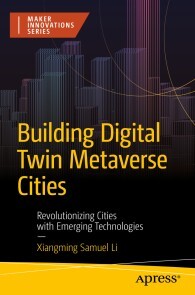
Building Digital Twin Metaverse Cities
Why do we need to live in a smart city? Rapid urbanization causes compelling city problems worldwide, such as housing, traffic, schooling, healthcare, employment, and pollution. Numerous smart-city scholars and practitioners have attempted to tackle these problems but lack an integrated approach and practical implementation tools to solve them. This book explains how to build digital twin metaverse cities aimed to accelerate urban digital transformation through emerging technologies.You’ll start by identifying a problem statement, designing a novel digital twin metaverse architecture, reviewing emerging technologies as building blocks and showcasing interesting applications. You’ll then review state-of-the-art digital twin metaverse development tools and present readers with interesting engineering prototypes of my proposed digital twin smart cities. Finally, you’ll discover how to avoid some management pitfalls during the construction of innovative smart cities, including project management, change management, leadership skills, and modern management information systems.With _Building Digital Twin Metaverse Cities_ you’ll work with a novel architectural design and use the latest technologies as building blocks to construct smart cities of your own.WHAT YOU'LL LEARN* Explore complex issues arising from rapid urbanization.* Discover how emerging technologies like 5G, IoT, and AI can solve urban problems.* Master the digital twinning process powered by the Data Analytics Flywheel.* Explore core and enabling technologies shaping Digital Twin Metaverse Cities.* Gain hands-on experience with development tools and prototypes for smart city applications.WHO THIS BOOK IS FORProfessionals who want to learn emerging technologies and digital twin metaverse development tools to construct innovative smart cities to solve the current pressing urbanization problems. General readers like city residents and government officials worldwide, who are suffering from the growing pains of rapid urbanization and looking for effective smart city solutions using new technologies and methodology. Smart city researchers and college students wanting to build smart projects for urban digital transformation and smart Xs (everything).Dr. Samuel Li has 23 years of intensive management and leadership experiences in global ICT multinationals, including Nortel, Nokia, Motorola, BTI, Linaro and Anhub in USA, Canada, and Asia. He is credited with successful technology management for the world’s first touchscreen Linux smartphone: Motorola A760, the global first Nokia mobile Internet applications: MIA, and pioneering Android mobile platform: SavajeOS.Dr Li also has over 10 years of high education teaching experience. He is currently actively engaging in academic research and teaching roles at Northeastern University, Anna Maria College, University Canada West, University of Waterloo, University of Toronto, Hangzhou Dianzi University, and Zhejiang University of Technology. He holds an MBA degree from University of Toronto, Global Executive MBA program, a Master’s degree of System Design Engineering, and a Bachelor’ degree in Computer Sciences. He is currently pursuing a PhD in Management Sciences from the University of Waterloo, focusing on advanced study in the Internet platform sharing economy, big data/AI/machine learning, and online trust and reputation systems.Dr Li has also published various papers and books in subjects of IT management, digital transformation, data analytics, machine learning, AI, etc.PART I: GETTING STARTED – A PROBLEM STATEMENT.- Chapter 1: Rapid Global Urbanization.- Chapter 2: Problem statement and solution overview.- Chapter 3: Book proposition and unique selling points.- PART II: FIRST THING FIRST – A NEW SMART CITY DESIGN.- Chapter 4: What Are Novel THEORETICAL Framework Over There.- Chapter 5: An Architectural Design of Digital Twin Metaverse Cities.- Chapter 6: A Digital Twinning Process for Metaverse Cities.- PART III: THE BUILDING BLOCKS – WHAT ARE EMERGING TECHNOLOGIES.- Chapter 7: Rising Emerging Information Technologies: Core.- Chapter 8: Rising Emerging Information Technologies: Enablers.- PART IV: SHOWING ME REAL EXAMPLES – SMART CITY SHOWCASES.- Chapter 9: Showcases of Emerging ITs for Digital Twin Metaverse Cities: Core.- Chapter 10: Showcases of Emerging ITs for Digital Twin Metaverse Cities: Services.- PART V: SHOWING ME HOW – THE DEVELOPMENT TOOLS AND PROTOTYPES.- Chapter 11: Digital Twin Development Tools.- Chapter 12: Metaverse Development Tools.- Chapter 13: Digital Twin Metaverse Prototypes - Smart Living.- Chapter 14: Digital Twin Metaverse Prototypes – Smart Working.- Chapter 15: Digital Twin Metaverse Prototypes – Entertainment & City.- PART VI: WHAT IS NEXT – JUST DO IT.- Chapter 16: Managing successful smart city projects.- Chapter 17: Change management during new smart city cutover.- Chapter 18: New leadership skills needed during building and managing smart cities.- PART VII: APPENDIXES.- Appendix A: Building digital Twin based Modern Management Information Systems.

Cyber Pandemic
In our increasingly interconnected world, the looming threat of cyber pandemics demands our attention. Cyber Pandemic: A Proactive Look at Blockchain and AI to Prevent the Next Global Shutdown presents a compelling exploration of two cutting-edge technologies and their potential to safeguard our digital landscape. This book combines insightful analysis with practical strategies, empowering individuals and organizations to defend against the catastrophic consequences of cyber-attacks.As cyber threats continue to evolve, a proactive approach is essential. By harnessing the transformative power of blockchain and artificial intelligence (AI), we can fortify our defenses and prevent global shutdowns. This book provides a comprehensive overview of these technologies, highlighting their strengths and synergies in combating cyber threats.With a clear focus on prevention, Cyber Pandemic equips readers with the knowledge and tools needed to anticipate and counter emerging risks. Through real-world examples and expert insights, it explores the proactive measures that individuals, businesses, and policymakers can adopt to enhance cyber resilience.
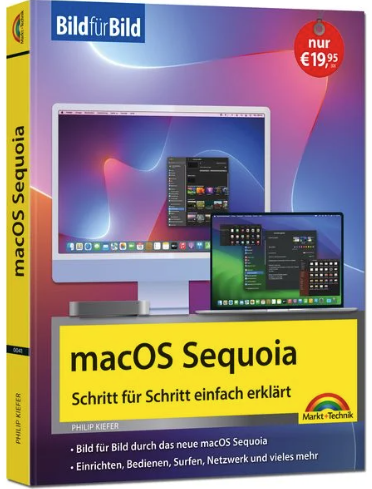
MacOS Sequoia
macOS Sequoia Bild für Bild - sehen und könnenIn vielen Bild-für-Bild-Anleitungen lernen Sie die zentralen Funktionen der aktuellen macOS Sequoia-Version kennen. Sie erfahren alles Wichtige zur Benutzeroberfläche mit Schreibtisch, Dock und Launchpad und personalisieren Ihren Mac, um ihn zu Ihrem ganz eigenen Mac zu machen.Neben den klassischen System-Apps Finder, Mail, Siri, Safari und FaceTime entdecken Sie weitere hilfreiche Apps. Zudem machen Sie sich mit den neuen macOS Sequoia-Features vertraut:Legen Sie beispielsweise mehrere Surfprofile in Safari an oder legen Sie oft besuchte Webseiten als App ins Dock.Umsteiger von Windows bekommen in einem gesonderten Kapitel Tipps zum Umzug der Daten auf den Mac und zu den anfangs etwas ungewohnten Bedienfunktionen, sodass Sie Ihren Mac schnell im Griff haben.Ob Sie einen iMac, ein MacBook oder einen sonstigen Mac nutzen, Sie haben Ihren Apple-Rechner schnell im Griff.Aus dem Inhalt:- Die neuen macOS Sequoia-Funktionen- Dateien und Speicherorte mit dem Finder verwalten- Apps und Geräte installieren- Internet, iCloud und Heimnetzwerk einrichten- Fotos auf dem Mac- Musik, Filme und weitere Medien- Sicherheitsfunktionen- Für Umsteiger: Windows-Daten auf den Mac übertragen- Hilfreiche TastenkombinationenÜber den Autor:Philip Kiefer wurde 1973 in Friedrichshafen geboren. Er ist seit Ende 2001 als freier Autor tätig und hat bereits zahlreiche Bücher zu iPhone, Mac & Co. veröffentlicht.

Microsoft 365 Certified: Collaboration Communications Systems Engineer Associate Certification Companion
This book is designed to help you prepare for Exam MS-721, which is required for Microsoft 365 Certified: Collaboration Communications Systems Engineer Associate certification. The book starts with an introduction to Exam MS -721 and Microsoft Teams. It discusses how to plan and design collaboration communications systems followed by configuration and management of Teams meetings and events. You will learn about Teams Phone and acquire the skills required to configure Direct Routing with Teams Phone. You will go through the configuration of Teams Phone and learn its user settings and features. Teams Meeting Rooms and devices, from deployment to troubleshooting, are discussed along with their Intune policies. And you will learn the configuration of MTRs based on Windows and Surface Hub. What You Will Learn * Understand Microsoft Teams * Plan and design meetings and collaboration * Configure and manage Teams Phone * Optimize the network for Teams and Teams certified devices * Troubleshoot Teams calls and meetings This book is designed to help you prepare for Exam MS-721, which is required for Microsoft 365 Certified: Collaboration Communications Systems Engineer Associate certification. The book starts with an introduction to Exam MS -721 and Microsoft Teams. It discusses how to plan and design collaboration communications systems followed by configuration and management of Teams meetings and events. You will learn about Teams Phone and acquire the skills required to configure Direct Routing with Teams Phone. You will go through the configuration of Teams Phone and learn its user settings and features. Teams Meeting Rooms and devices, from deployment to troubleshooting, are discussed along with their Intune policies. And you will learn the configuration of MTRs based on Windows and Surface Hub. What You Will Learn * Understand Microsoft Teams * Plan and design meetings and collaboration * Configure and manage Teams Phone * Optimize the network for Teams and Teams certified devices * Troubleshoot Teams calls and meetings Who This Book For Individuals aiming to earn the Microsoft 365 Certified: Collaboration Communications Systems Engineer Associate certification, for which Exam MS-721 is a requirement Fabrizio Volpe is an IT professional with more than two decades of experience in networking, security and in the Microsoft ecosystem, with a strong focus on Microsoft collaboration tools. With numerous certifications and awards to his name, he has contributed extensively to the IT community through blogging, authoring books, and delivering engaging presentations at industry conferences. He is a senior consultant at Exponential-e. Chapter 1: Introduction to Exam MS-721.- Chapter 2: Teams Meetings.- Chapter 3: Configure and Manage Audio Conferencing and Live Events.- Chapter 4: Introducing Teams Phone.- Chapter 5: Using Direct Routing with Teams Phone.- Chapter 6: Configuring Teams Phone.- Chapter 7: Teams Phone and Users.- Chapter 8: Teams Rooms and Devices.- Chapter 9: MTRs Based on Windows and Surface Hub Optional Features for MTRs.- Chapter 10: Getting Your Network Ready for the Rollout of Teams.

There's No Such Thing as Crypto Crime
HANDS-ON GUIDANCE FOR PROFESSIONALS INVESTIGATING CRIMES THAT INCLUDE CRYPTOCURRENCYIn There’s No Such Thing as Crypto Crime: An Investigators Guide, accomplished cybersecurity and forensics consultant Nick Furneaux delivers an expert discussion of the key methods used by cryptocurrency investigators, including investigations on Bitcoin and Ethereum type blockchains. The book explores the criminal opportunities available to malicious actors in the crypto universe, as well as the investigative principles common to this realm.The author explains in detail a variety of essential topics, including how cryptocurrency is used in crime, exploiting wallets, and investigative methodologies for the primary chains, as well as digging into important areas such as tracing through contracts, coin-swaps, layer 2 chains and bridges. He also provides engaging and informative presentations of:* Strategies used by investigators around the world to seize the fruits of crypto-related crime* How non-fungible tokens, new alt-currency tokens, and decentralized finance factor into cryptocurrency crime* The application of common investigative principles—like discovery—to the world of cryptocurrencyAn essential and effective playbook for combating crypto-related financial crime, There’s No Such Thing as Crypto Crime will earn a place in the libraries of financial investigators, fraud and forensics professionals, and cybercrime specialists.NICK FURNEAUX is a cybersecurity and forensics consultant specializing in the prevention and investigation of cybercrime. Nick is author of the 2018 book Investigating Cryptocurrencies and has trained thousands of investigators in the skills needed to track cryptocurrency used in crimes. He works within the training academy at TRM Labs, and is an advisor to the Board of Asset Reality. Foreword xiiiIntroduction xvii1 A HISTORY OF CRYPTOCURRENCIES AND CRIME 1Where Did It All Start? 3The Rise of the Smart Contract 7The Next Targets? 14The Future? More Crime! 162 UNDERSTANDING THE CRIMINAL OPPORTUNITIES: MONEY LAUNDERING 19There Is No Such Thing as Crypto Crime 36Money Laundering 40What Is an Investigator Looking For? 42Centralized Exchanges 43NFTs and NFT Gaming 45Mixers 48Decentralized Exchanges 53Casinos. 56Chain Hopping 57Privacy Coins 59Crypto ATMs 62Peer-to-Peer Platforms 643 UNDERSTANDING THE CRIMINAL OPPORTUNITIES: THEFT 67Crypto Thefts 67Social Engineering 67Phishing 68Hacks 71Fraud 73Rug Pull 74Pig-Butchering/Romance Scams 76Investment Scams 79Support Scams 83Simple Theft 84Contract Manipulation 86Fake Contracts 86Exploiting the Contract 87Phishing 89Flash Loans 90Playing by the Rules 92Other Criminal Opportunities 96Yield Farming 96Funding of Groups 97Sanctions Avoidance 99Summary 1084 WHO SHOULD BE A CRYPTOCURRENCY INVESTIGATOR? 109Individual Skills 111Knowledge of Technological Systems 111Knowledge of Digital Currencies 112Understanding of the Cryptocurrency Market 112Extensive Knowledge of Computer Networks 113Cryptography 114Financial Crime 114Fraud Investigators 114Open Source Investigations 115Cybercrime Investigations 116Setting Up a Cryptocurrency Investigation Department 117Other Roles. 1235 THE ROLE OF COMMERCIAL INVESTIGATION TOOLS 125Do You Need a Commercial Tool? 129Two Is One and One Is None 133The Future of Investigation Tools 1356 MINING: THE KEY TO CRYPTOCURRENCIES 139What Really Is Mining? 141Validating Transactions 141Minting New Coins 142Proof of Work (PoW) Mining 142How PoW Mining Works 142Energy Consumption and Environmental Concerns 145Proof of Stake (PoS) Mining 146How PoS Mining Works 146Advantages of PoS Mining 146Does an Investigator Need to Understand Mining Technologies? 146Cryptocurrency Mining Frauds and Scams 147Cloud Mining Scams 147Ponzi and Pyramid Schemes 148Malware and Cryptojacking 149Asset Discovery 149Will Cryptocurrencies Always Be Mined? 1507 CRYPTOCURRENCY WALLETS 153When a Wallet Is Not Really a Wallet 155Types of Cryptocurrency Wallets 156Hot Wallets 157Desktop Wallets. 157Mobile Wallets 158Web/Online Wallets 158Cold Wallets 160Hardware Wallets 160Paper Wallets 161Software Wallets: Functionality and Security 162Functionality 163Security 163Hardware Wallets: Functionality and Security 164Functionality 164Security 164Choosing the Right Wallet 165Wallet Vulnerabilities 166Weak or Reused Passwords 166Phishing Attacks 166Malware 167On-Path Attacks 167Vulnerable Wallet Software 168Lack of Two-Factor Authentication (2FA) 168Social Engineering 169SIM-Swapping Attacks 169Supply Chain Attacks 1708 THE IMPORTANCE OF DISCOVERY 173Premises Searching: Legal Framework and Search Powers 176Search Strategies 177Handling and Securing Evidence 177Evidence Bags 178Body Cameras 179Photography 179Chain of Custody 180Physical Clues. 181Hardware Wallets 181Paper Wallets 183QR Codes 186Documentation 186Questioning 188General Understanding 188Involvement and Knowledge of Cryptocurrencies 188Specific Details of the Alleged Crime 189Technical Details 189Searching Digital Assets 190Legal Framework and Warrants 192Digital Forensics 194Hardware Examination 198Storage Devices 198RAM Analysis 200What are you looking for? 202Handling and Securing Digital Evidence 204The Role of Exchanges 204Senior Officers/Management 206Summary 2069 THE WORKINGS OF BITCOIN AND DERIVATIVES 209Bitcoin Is a Blockchain-Based UTXO Cryptocurrency 210UTXO 211What Does an Transaction Look Like? 215How Does a UTXO Blockchain Help an Investigator? 220Blockchain Explorers 222What Else Can You Learn in a Transaction? 226Times and Dates 227Values 229Omni Layer 231Taproot 232The Lightning Network 235Summary 23710 BITCOIN: INVESTIGATION METHODOLOGY 239Building an Investigation in Bitcoin 251Address Clustering 253How Are Clusters Defined? 255Co-spend Heuristic 255Change Analysis 256Nominal Spend 257Address Type Analysis 259Multisig Analysis 260Round Number Payments 261Some Other Things to Note 262Change of Ownership 263Change of Wallet 263Look at the Amounts 263Address Triage 265Attribution 271Investigating Bitcoin 27111 THE WORKINGS OF ETHEREUM AND DERIVATIVES 273History of the Ethereum Cryptocurrency 274Ethereum Fundamentals 276Types of Tokens 279Ethereum Transaction Types 282One Address for All Tokens 286A User’s Address Can Be the Same on Other Blockchains 288Reading Basic Transactions 290Transaction Methods 291Transaction and Address Types 293What Are These Contracts We Keep Mentioning? 294Identifying Contract Transactions 295Conclusion 29612 ETHEREUM: INVESTIGATION METHODOLOGY 297Following ETH-to-ETH Transactions 297Smart Contracts Deep Dive 304Methods, Functions, and Events 307Code 309Read Contract 310Write Contract. 310Logs 314ETH-to-Contract Transactions 316Token-to-Token Transactions 324NFTs 329Decentralized Exchanges 335Reading Decentralized Finance Contracts 342The Approve Transaction 351Summary 35313 INVESTIGATING BINANCE SMART CHAIN 355What is Binance Smart Chain? 355Investigating Funds on Binance Smart Chain 357What Have You Learned? 36414 APPLYING WHAT YOU HAVE LEARNED TO NEW CRYPTOCURRENCIES 367Stable Coins Such as USDT, USDC, and Paxos 368Tron 372Tron Fee Structure 372What Transactions Look Like 372Layer 2 Chains 377Bridges 383Mixers 388Bitcoin Mixing 389Ethereum Mixing 393Privacy Coins 395Monero (XMR): The Vanguard of Privacy Coins 396Zcash (ZEC): Selective Transparency 396Dash (DASH): Privacy as an Option 397Horizen (ZEN): Extended Privacy with Sidechains 397Grin and Beam: Mimblewimble Protocol 398What Have You Learned? 39815 OPEN SOURCE INTELLIGENCE AND THE BLOCKCHAIN 401Mindset 402Just “Search Engine” It 404Attribution of Individuals 412NFT Metadata 421OSINT and the Dark Web 423Summary 42516 USING WALLETS FOR INVESTIGATIONS 427Understanding Cryptocurrency Wallets 427Seed Words and Wallet Recovery 428Step-by-Step Guide to HD Wallet Re-creation 428What Can Be Seen? 429The Benefits of Wallet Re-creation in Investigations 434Understanding Derivation Paths in Cryptocurrency Wallets 435The Importance of Understanding Derivation Paths for Investigators 435Avoiding Oversight and Ensuring Legal Admissibility 436The Concept of a Derivation Path 436Bitcoin vs Ethereum Derivation Paths 437Changing Derivation Paths in Software Wallets 438To Sum Up 44417 CRYPTO SEIZURE 445What Do You Need to Carry Out a Crypto Seizure? 463Recording Seed Words 466Seizing to Your Own Wallet 467Considerations for a Software Wallet 467Considerations for a Hardware Wallet 468Establishing an Organizational Process 469Document Your Processes 469Methods of Recording 470Paperwork 470Video 470Preparation and Administration 471Documentation in Law Enforcement Systems 471Questions to Ask before Carrying Out a Crypto Seizure 471Preparing for a Time-Sensitive Seizure 472On-Site Seizure Considerations 472Managing Access and Potential Threats 472On-Site Toolkit and Practice 473Where to Store Seized Assets? 473Seizing to an Exchange 473Specialist Custodians 474Seizing to a Law Enforcement–Controlled Wallet 475Final Thoughts 477Acknowledgments 483About the Author 485About the Contributors 487About the Technical Editor 493Index 495
Die Welt der Modelle und Simulationen
Jedem Benutzer eines Computers stehen heute viele Anwendungen über Modellbildungsprobleme zur Verfügung. Darunter gibt es auch viele gemeinfreie Anwendungen, die sich teilweise auch im Privat- und Hobbybereich einsetzen lassen. Das Buch erläutert viele Grundlagen der Modellbildung und Simulation und zeigt den Zusammenhang mit der historischen Entwicklung auf.
Bitcoin - Grundlagen und Programmierung (3. Auflg.)
Bitcoin- Grundlagen und ProgrammierungDieses Handbuch ist Ihr Wegweiser durch die zunächst komplexe Welt von Bitcoin. Es vermittelt Ihnen das technische Wissen, das Sie benötigen, um aktiv am Internet des Geldes teilzuhaben. Ganz gleich, ob Sie die nächste Killer-App entwickeln, in ein Start-up investieren oder einfach nur neugierig auf die Technologie sind: Die überarbeitete und erweiterte Auflage liefert Ihnen die Grundlagen für den praktischen Einstieg. Die dritte Auflage beinhaltet: Eine umfassende Einführung in Bitcoin und die zugrundeliegende Blockchain - ideal für eher nichttechnisch ausgerichtete Nutzer, Investoren und Führungskräfte Eine Erklärung der technischen Grundlagen von Bitcoin und der Kryptowährung für Entwickler, Engineers, Software- und SystemarchitektenDetails des dezentralen Bitcoin-Netzwerks, der Peer-to-Peer-Architektur, des Transaktionslebenszyklus und der Sicherheitsmechanismen Neue Entwicklungen wie Taproot, Tapscript, Schnorr-Signaturen und das Lightning-NetzwerkEinen tiefen Einblick in Bitcoin-Anwendungen, einschließlich der Frage, wie man die Bausteine dieser Plattform zu leistungsstarken neuen Tools kombiniertUser Stories, Beispiele und Codeschnipsel zur Veranschaulichung wichtiger technischer Konzepte
Datenarchitekturen
DatenarchitekturenGewinnen Sie Klarheit über verbreitete Datenarchitektur-KonzepteAlle Konzepte im Überblick: Der erste Leitfaden für die verschiedenen Ansätze, der hilft, eine Architektur auszuwählen, die zu den eigenen Anforderungen passtBeschreibt die populärsten Datenarchitekturen, zeigt Vor- und Nachteile und wie sich Theorie und Praxis unterscheidenInkl. zahlreicher Schaubilder und vergleichender TabellenData Fabric, Data Lakehouse und Data Mesh sind als praktikable Alternativen zum Modern Data Warehouse in den Fokus der Unternehmen gerückt. Diese neuen Architekturen haben solide Vorteile, aber ihre fachliche Einordnung ist auch von Missverständnissen und Übertreibungen geprägt. Dieses praxisorientierte Buch bietet eine gut verständliche Einführung in jeden dieser Architekturansätze und hilft damit Datenexpertinnen und -praktikern, die jeweiligen Vor- und Nachteile zu verstehen.Über den Autor:James Serra erläutert die Konzepte gängiger Datenarchitekturen und zeigt dabei auch, wie sich Data Warehouses weiterentwickeln mussten, um mit Data-Lake-Funktionen arbeiten zu können. Sie erfahren, was Sie mit Data Lakehouses erreichen können und wie Sie Hype und Realität bei Data Meshs unterscheiden. Nach der Lektüre dieses Buchs werden Sie in der Lage sein, die für Ihre Zwecke am besten geeignete Datenarchitektur zu bestimmen.
Product Ownership meistern (2. Auflage)
Product Ownership meistern. Produkte erfolgreich entwickeln (2., überarbeitete und erweiterte Auflage)Die Rolle des Product Owners ist anspruchsvoll. Er muss mit seinem Team die Probleme und Bedürfnisse aller Stakeholder durch ein wertvolles Produkt lösen und dabei alle Interessen unter einen Hut bringen. Gerade in der digitalen Produktentwicklung ist er dabei oft mit komplexen und damit schwer einzuschätzenden Problemen konfrontiert.Der erste Schritt zur Bewältigung der Herausforderungen als Product Owner ist es, die Hintergründe der digitalen Produktentwicklung zu verstehen. Zu wissen, warum Komplexität das ausschlaggebende Grundproblem ist und welche Auswirkungen Komplexität auf den gesamten Produktlebenszyklus hat.Der zweite Schritt ist zu wissen, welche Verantwortlichkeiten ein Product Owner hat und welche Stolpersteine es gibt. Methoden und Artefakte zu kennen, ist der dritte Schritt. Dazu gehört auch zu wissen, wie ein Product Owner diese anwenden kann, um sein Team und seine Stakeholder von der Problemerkundung, Ideenfindung und Validierung über die (Weiter-)Entwicklung bis hin zur Ablösung bestmöglich anzuleiten und zu begleiten. Dazu gibt Ihnen »Product Ownership meistern« einen umfangreichen Methodenkatalog mit Tipps, Tricks und Beispielen an die Hand. Bleibt nur noch Schritt vier: Wissen und Methoden anwenden. Nach der Lektüre dieses Buchs haben Sie das Rüstzeug, wahrlich meisterlich Produkte zu entwickeln!Die 2. Auflage wurde um neue Methoden wie Assumption Mapping, Domain Storytelling und Opportunity Solution Tree, weitere Praxistipps und in vielen einzelnen Aspekten ergänzt.Leseprobe (PDF-Link)Über die AutorenFrank Düsterbeck macht Arbeit wert(e)voll – als Geschäftsführer der Kurswechsel Unternehmensberatung GmbH, Berater bei der HEC GmbH, Dozent, Fachbeirat und Sprecher auf diversen Konferenzen und Veranstaltungen. Er ist Experte in den Bereichen digitale Produktentwicklung, Innovation sowie Organisationsentwicklung und -Transformation. Immer mit dem klaren Ziel, wirklich etwas im Denken seiner Gegenüber zu bewirken und über den Einsatz moderner Verfahren und Methoden, eine wertbringende und wertschöpfende Zusammenarbeit zu ermöglichen.Ina Einemann ist selbstständiger Agile Coach mit dem Schwerpunkt auf Anforderungsmanagement und Product Ownership. Seit über zehn Jahren unterstützt sie Unternehmen dabei, agile Methoden erfolgreich zu implementieren und Teams in ihrer Zusammenarbeit zu stärken. Ihr Fokus liegt darauf, Teams zu befähigen und ein Umfeld zu schaffen, in dem sie erfolgreich und motiviert Produkte mit hoher Kundenzufriedenheit entwickeln. Sie spricht regelmäßig auf agilen Konferenzen, ist Kuratorin diverser Konferenzen und einer der Hosts vom agilen Podcast „Mein Scrum ist kaputt“.

Datenarchitekturen
Gewinnen Sie Klarheit über verbreitete Datenarchitektur-Konzepte Alle Konzepte im Überblick: Der erste Leitfaden für die verschiedenen Ansätze, der hilft, eine Architektur auszuwählen, die zu den eigenen Anforderungen passt Beschreibt die populärsten Datenarchitekturen, zeigt Vor- und Nachteile und wie sich Theorie und Praxis unterscheiden Inkl. zahlreicher Schaubilder und vergleichender Tabellen Data Fabric, Data Lakehouse und Data Mesh sind als praktikable Alternativen zum Modern Data Warehouse in den Fokus der Unternehmen gerückt. Diese neuen Architekturen haben solide Vorteile, aber ihre fachliche Einordnung ist auch von Missverständnissen und Übertreibungen geprägt. Dieses praxisorientierte Buch bietet eine gut verständliche Einführung in jeden dieser Architekturansätze und hilft damit Datenexpertinnen und -praktikern, die jeweiligen Vor- und Nachteile zu verstehen. James Serra erläutert die Konzepte gängiger Datenarchitekturen und zeigt dabei auch, wie sich Data Warehouses weiterentwickeln mussten, um mit Data-Lake-Funktionen arbeiten zu können. Sie erfahren, was Sie mit Data Lakehouses erreichen können und wie Sie Hype und Realität bei Data Meshs unterscheiden. Nach der Lektüre dieses Buchs werden Sie in der Lage sein, die für Ihre Zwecke am besten geeignete Datenarchitektur zu bestimmen. Entwickeln Sie ein grundlegendes Verständnis für die verschiedenen Datenarchitekturen Informieren Sie sich über die Stärken und Schwächen der einzelnen Ansätze Verstehen Sie die Unterschiede zwischen Data Warehouses und Data Lakes Profitieren Sie von der langjährigen Erfahrung von James Serra und erfahren Sie, wie Theorie und Praxis der jeweiligen Datenarchitekturen voneinander abweichen Wählen Sie die beste Architektur für Ihren Anwendungsfall aus Lernen Sie, wie man eine Architektur-Design-Sitzung durchführt, das Team organisiert und was die Erfolgsfaktoren für ein Projekt sind

Bitcoin - Grundlagen und Programmierung
Bestseller in 3. Auflage: Die verständliche technische Einführung für Entwickler und Interessierte - Andreas M. Antonopoulos ist einer der weltweit führenden Bitcoin- und Open-Blockchain-Experten. - Die Grundlagen von Blockchain und Bitcoin inklusive des dezentralen Bitcoin-Netzwerks, der Peer-to-Peer-Architektur, des Transaktionslebenszyklus und der Sicherheitsverfahren umfassend erklärt. - Deckt neue Entwicklungen wie Taproot, Tapscript, Schnorr-Signaturen und das Lightning Netzwerk ab und bietet wertvolles Know-how für die Developer-Praxis. Bitcoin und Blockchain haben die Finanzwelt revolutioniert und eine milliardenschwere globale Wirtschaft entstehen lassen. Dieses Handbuch ist Ihr Wegweiser durch die zunächst komplexe Welt von Bitcoin. Es vermittelt Ihnen das technische Wissen, das Sie benötigen, um aktiv am Internet des Geldes teilzuhaben. Ganz gleich, ob Sie die nächste Killer-App entwickeln, in ein Start-up investieren oder einfach nur neugierig auf die Technologie sind: Die überarbeitete und erweiterte Auflage liefert Ihnen die Grundlagen für den praktischen Einstieg. Die dritte Auflage beinhaltet: - Eine umfassende Einführung in Bitcoin und die zugrundeliegende Blockchain – ideal für eher nichttechnisch ausgerichtete Nutzer, Investoren und Führungskräfte - Eine Erklärung der technischen Grundlagen von Bitcoin und der Kryptowährung für Entwickler, Engineers, Software- und Systemarchitekten - Details des dezentralen Bitcoin-Netzwerks, der Peer-to-Peer-Architektur, des Transaktionslebenszyklus und der Sicherheitsmechanismen - Neue Entwicklungen wie Taproot, Tapscript, Schnorr-Signaturen und das Lightning-Netzwerk - Einen tiefen Einblick in Bitcoin-Anwendungen, einschließlich der Frage, wie man die Bausteine dieser Plattform zu leistungsstarken neuen Tools kombiniert - User Stories, Beispiele und Codeschnipsel zur Veranschaulichung wichtiger technischer Konzepte

Analytische Datenarchitekturen
Lange Zeit waren Data Warehouse, Data Mart und Operational Data Store die einzigen verbreiteten Komponenten einer analytischen Datenarchitektur. Die zunehmende Verwendung komplexer Daten zur Entscheidungsunterstützung hat in den letzten Jahren Architekturkomponenten wie den Data Lake oder Möglichkeiten zur analytischen Verwendung von Stromdaten hervorgebracht. War ihr Einsatz in vielen Organisationen zunächst von Misserfolgen begleitet, haben sich mittlerweile Grundsätze etabliert, die einen sinnvollen Einsatz ermöglichen. Seit kurzem sind mit Data Lakehouse, Data Fabric und Data Mesh weitere Ansätze in der Diskussion.Durch diese Vielzahl existierender Ansätze ist der Themenkomplex unübersichtlich geworden und es wird immer schwieriger, den Überblick zu behalten. Genau darin liegt die Zielsetzung des vorliegenden Buches: Mit einem klaren Fokus auf derzeit relevante Architekturkomponenten sollen ihre Hauptmerkmale verdeutlicht werden.MICHAEL SCHULZ hält eine Professur für Wirtschaftsinformatik, insb. analytische Informationssysteme an der NORDAKADEMIE - Hochschule der Wirtschaft und ist Leiter des Master-Studiengangs 'Applied Data Science'. Seine Schwerpunkte liegen in der Business Intelligence und der Data Science.Einleitung.- Analytische Datenarchitektur für die Verfügbarmachung strukturierter Daten.- Analytische Datenarchitektur für die Verfügbarmachung komplexer Daten.- Analytische Datenarchitektur für die Verfügbarmachung beliebiger Datenstrukturen.- Zusammenfassung.

Eigene Spiele erstellen mit Roblox - So einfach!
* ERSCHAFFE DEINE EIGENEN ROBLOX-SPIELE - GANZ OHNE VORWISSEN* SPIELEND LEICHT VON DEN ERSTEN SCHRITTEN BIS ZU CLEVEREN TRICKS* SPAẞ AM PROGRAMMIEREN MIT EINFACHEN SCHRITT-FÜR-SCHRITT-ANLEITUNGEN UND SPANNENDEN AUFGABEN* AKTUELL ZUR NEUEN VERSION VON ROBLOX STUDIO MIT DEUTSCHEN MENÜS.Mit diesem Buch erstellst du kinderleicht deine eigenen Spiele mit Roblox, der beliebtesten Online-Spieleplattform für Kinder und Jugendliche. Dafür brauchst du nichts weiter als einen Computer mit Internetverbindung und dieses Buch.Mithilfe einfacher Schritt-für-Schritt-Anleitungen und anschaulicher Bilder findest du dich schnell in Roblox Studio zurecht und entwirfst deine ersten eigenen Gegenstände und Spielwelten. Du lernst die Roblox-Programmiersprache Lua von Grund auf kennen und erstellst damit ganz einfach tolle Spiele wie deinen eigenen Obby-Hindernisparcours, ein Escape Game mit Zeitlimit, ein Murmelspiel mit Kollisionserkennung und ein Autorennen mit coolen Spezialeffekten.Du lernst, wie du alle Features aus den Spielen an deine Vorstellungen anpasst und beliebig kombinierst. So bist du bestens gerüstet, deine eigenen Ideen mit Roblox Studio umzusetzen und deine Spiele online mit deinen Freunden zu teilen.SPIELE UND PROJEKTE:* Coole Modelle: Tränke, Truhen, Schilder und mehr* Obby-Hindernisparcours mit unsichtbaren Fallen, Förderbändern, Drehbalken und mehr* Escape Game für mehrere Spieler mit Labyrinth, zufälligem Zielpunkt und Zeitlimit* Murmelspiel mit Kollisionserkennung* Autorennen mit tollen Extras wie SpeedUps und Feuerschweif* Noch mehr Features für deine Spiele: Benutzeroberflächen, Punktezähler, Animationen und mehrTanja Köhler lebt und arbeitet als freie Architektin bei München und ist Lehrbeauftragte an der TU München. Dort unterrichtet sie Architekturinformatik und Games Engineering. Zudem betreibt sie ein Studio für Programmierung und Computerspieledesign für Kinder und Jugendliche: www.nextlevel-gauting.de

Pro .NET Memory Management
Understand .NET memory management internal workings, pitfalls, and techniques in order to effectively avoid a wide range of performance and scalability problems in your software. Despite automatic memory management in .NET, there are many advantages to be found in understanding how .NET memory works and how you can best write software that interacts with it efficiently and effectively. This book is your comprehensive guide to writing better software by understanding and working with memory management in .NET, from Framework up to .NET 8.Thoroughly vetted by the .NET Team at Microsoft, this book contains valuable troubleshooting scenarios designed to help diagnose challenging memory problems. You will also benefit from a multitude of .NET memory management “rules” to live by that introduce methods for writing memory-aware code and the means for avoiding common, destructive pitfalls.WHAT YOU'LL LEARN* Understand the theoretical underpinnings of automatic memory management* Take a deep dive into every aspect of .NET memory management, including detailed coverage of garbage collection (GC) implementation, that would otherwise take years of experience to acquire* Get practical advice on how this knowledge can be applied in real-world software development* Use practical knowledge of tools related to .NET memory management to diagnose various memory-related issues* Explore various aspects of advanced memory management, including use of Span and Memory typesWHO THIS BOOK IS FOR.NET developers, solution architects, and performance engineersKONRAD KOKOSA is an experienced software designer and developer with a specific interest in Microsoft technologies, while looking with curiosity at everything else. He has been programming for over a dozen years, solving performance problems and architectural puzzles in the .NET world, and designing and speeding up .NET applications. He is an independent consultant, blogger, meetup and conference speaker, and fan of Twitter (@konradkokosa). He also shares his passion as a trainer in the area of .NET, especially regarding application performance, coding good practices, and diagnostics. He is a Microsoft MVP in the Visual Studio and Development Tools category. He is co-founder of the Dotnetos.org initiative of three .NET fans organizing tours and conferences about .NET performance.CHRISTOPHE NASARRE has been developing and shipping software on Microsoft stacks for 30+ years. He has been working as a Technical Reviewer since 1996 on books such as _CLR via C#_ and the last editions of _Windows Internals_. He provides tools and insights on .NET/Windows development and troubleshooting via Twitter (@chnasarre), and his open-source projects on GitHub. He does all of that on top of his job as a software engineer on the Profiling team at Datadog.KEVIN GOSSE has been using Microsoft .NET technologies since the early days, across client, server, and mobile applications. He is Microsoft MVP and is currently employed at Datadog, where he works on the performance of the .NET APM. He writes deep-dive technical articles on his personal blog (minidump.net) and is active on Twitter under the alias @kookiz.1. Basic Concepts.- 2. Low-Level Memory Management.- 3. Memory Measurements.- 4. .NET Fundamentals.- 5. Memory Partitioning.- 6. Memory Allocation.- 7. Garbage Collection: Introduction.- 8. Garbage Collection: Mark Phase.- 9. Garbage Collection: Plan Phase.- 10. Garbage Collection: Sweep and Compact.-11. GC Flavors.- 12. Finalization.- 13. Miscellaneous Topics.- 14. Advanced Techniques.- 15. Programmatical APIs.

Android Smartphones For Seniors For Dummies
TAKE COMMAND OF YOUR ANDROID SMARTPHONE.Android Smartphones For Seniors For Dummies is the best no-nonsense guide for members of the older-and-better crowd who want to use their smartphone's features without making a support call. This fluff-free guide shows you the essentials of a smartphone running the Android operating system. Thanks to larger-print type and full-color images, it's easy to learn how to turn your phone into a communications, photography, security, and media streaming powerhouse—without wasting time on the features you may never use. You'll definitely pick up a few tricks to show off to friends and family.* Stay organized and keep track of appointments with your smartphone* Sharpen your messaging skills and connect with the newest media apps* Take photos and videos and share them with friends and family everywhere you go* Understand the privacy and security apps in your phone for a safe experience* Stream music, movies, radio, and podcasts using apps on your phoneThis is the perfect Dummies guide for Android smartphone users who want to feel confident handling the basics of apps and functions that they'll use every day. MARSHA COLLIER is one of the top-selling For Dummies authors of all time. Her books on eBay, social selling, and social media platforms add up to over a million copies sold. Marsha is a recognized social influencer as well, regularly named to ‘top influencer’ lists in the business and tech categories. Introduction 1About This Book 1Foolish Assumptions 3Icons Used in This Book 3Beyond the Book 4Where to Go from Here 4PART 1: YOUR PHONE IN THE ANDROID UNIVERSE 5CHAPTER 1: WHY ANDROID? WHAT’S THE DEAL? 7A Little Android History 8The Many Flavors (Versions) of Android 9Reasons That People Choose Android 10Why You Need a Google Account 12Accessing your Google account 12Bequeathing your Google account 15So Many Choices! 16Flagship versus mid-range versus feature phones 17Tech support options 185G? LTE? 4G? VoLTE? Whaaat? 19A Word about Privacy and Security 20Free usually isn’t 21The terms of service can be tricky 21Making the AI decision — what is it really? 22Marsha’s sage advice about privacy 23CHAPTER 2: BUYING YOUR ANDROID SMARTPHONE AND ACCESSORIES 25Investigate First — Then Make a Buying Decision 26Recognizing types and styles of phones 26Looking at a phone’s physical features 28Reviewing before making a decision 32What is the brand’s update policy? 33Considering an older model 34Choosing where to buy your phone 35Consider Your Carrier Choice 37Checking out the carrier’s coverage area 37Finding senior discounts on carrier service 37You Need a Few Accessories, Too 39Power charging or wireless — volts and watts matter 39MicroSD card 41Phone cases 41Phone sanitizer 43Earbuds, wired or wireless? 44CHAPTER 3: ACTIVATING AND CONNECTING YOUR PHONE 45Unbox Your New Phone 46Insert a SIM Card or Use an eSIM 48Hardware Buttons and What They Do 49Power buttons and your power-down options 51Volume buttons and how they work 55Turn On Your Phone for the First Time 57Connecting to a network 58Setting up a Google account 59Setting up a secure lock 59Restoring data from an older phone 60Learn about Google One and Google Drive 61Learn Android Smartphone Symbols and Gestures 62Swipe, tap, pinch, and more 63Recognizing common Android icons 63Meeting the top status bar 65Exploiting screen navigation and gestures 66PART 2: GETTING STARTED WITH YOUR ANDROID SMARTPHONE 69CHAPTER 4: SAFETY FIRST: MAKING YOUR NEW PHONE PRIVATE 71Set Up a Screen Lock 72Checking out the screen locking options 72Following the Lock screen setup process 75Establish Data Backup 76Place Owner Information on the Lock Screen 78Add Emergency Info 81Designating emergency or ICE contacts 81Providing medical information 82CHAPTER 5: PERSONALIZING YOUR HANDSET 85Find and Sort Your Apps 86Move App Shortcuts to the Home Screen 88Group Apps into Folders 89Creating your own apps folders 90Enlarge folders for easy viewing 91Deal with Preinstalled Applications (or Bloatware) 92Get the News (and Other Media) You Can Use 94Customize the Home Screen’s Look and Feel 95Finding handy widgets 95Looking for particularly handy widgets 97Show your creative side with wallpaper and styles 99Try Out the Android Accessibility Suite 100CHAPTER 6: ANDROID TYPING TRICKS WITH GOOGLE’S GBOARD 103Make the Keyboard Decision 104Selecting a keyboard to use 104Noting keyboard features 106Exploring keyboards you have (or can have) 110Check Out Keyboard Contenders 112Gboard, the official Google keyboard 112Samsung Keyboard 115Microsoft SwiftKey keyboard 115Dictate with Voice Typing 117Extended Keyboard and Special Characters 118Learn the Emoji Language 119Delete, Copy, and Paste Text 120CHAPTER 7: HANDLING NOTIFICATIONS AND GOOGLE ASSISTANT 123Meet the Android Notifications Drawer 124Recognizing notification types and settings 124Disabling notifications (or not) 125Controlling notifications via app settings 129Having fun with notifications (or not) 129Taming Google Discover news feed 131Manage Your Phone with Quick Settings 133The first-up Quick Settings 134The full cast of Quick Settings 135Customizing the Quick Settings 136Get the 411 from Google Assistant 138Knowing what you can do with Google Assistant 139Google Gemini versus Assistant 141PART 3: LET’S START COMMUNICATING 143CHAPTER 8: SETTING UP AND MAINTAINING CONTACTS 145Establish Your Phone’s Contacts 146Starting out right with Google Contacts 147Importing old address books 147Save Contacts from Email 150Add a Contact in Other Ways 151Importing contacts from texts 152Adding a contact from the call log 152Type a Full Contact in the Contacts App 153Merge Duplicate Contacts and Other Fixes 156Customize, Delete, and Update Contacts 158CHAPTER 9: CHATTING VIA VOICE OR VIDEO 161Make a Voice Call 162Making international calls from your phone 164Calling internationally or locally with no contract 165Check Voicemail 167Get Voicemail Transcriptions 168Reply to an Incoming Call by Sending a Text 170Busy? Have Google Assistant Handle Your Calls 173Using Audio Emoji 176Set a Built-in Ringtone 178Spend Face Time with Google Meet 178CHAPTER 10: TEXTING WITH POISE AND CHARACTER 181Compare Types of Text Messaging 182Turning on RCS chat features 185Using third-party chat apps 187There may be bubbles? 188Dress Up Texts in Google Messages 189The Text Message Bar and Emoji in Gboard 192Find Even More Texting Options 194Share Multimedia in Texts 195Voice-Type (Dictate) 199Manipulate the Text in Your Message 200Act on Text Messages You Receive 201CHAPTER 11: MANAGING EMAIL WITH THE GMAIL APP 203Discover Gmail Features 204Revealing the Gmail app’s main menu 204Tending to mailbox organization 205Scoping out the main mailbox 206Send a Gmail Email 207Adding an email signature. 210Scheduling an email delivery 211Perform Basic Gmail Tasks 212A table of common email tasks 212Printing an email from Gmail 214Print Other Messages, Documents, and Web Pages 215Link to Other Apps and Gmail Settings 218PART 4: EXPLORING YOUR PHONE’S HANDY APPS 219CHAPTER 12: CHOOSING AND USING A SMARTPHONE CAMERA 221Examine Smartphone Cameras and Brands 222Paying the right amount of attention to reviews 222Phones with camera brand collaborations 223Take a Camera-Spec Safari 224Enough megapixel, but not too much 224Home in on subjects with zoom 225Exercise Your Android Camera’s Capabilities 227Just point-and-shoot either stills or video 227Add interest with your camera’s tools 229Expand your reach with Google Lens visual search 229Access camera features on the scrolling menu 235Go Pro with Pro Mode 236Discovering the Pro settings 236Applying the Pro settings 237CHAPTER 13: ORGANIZING AND EDITING PHOTOS 239Find and Organize Photos on Your Phone 240Using the in-phone Gallery 242Using the Albums feature 242Sharing photos in texts, emails, and more 243Backing up your photos 244Edit Your Photos in the Gallery 246Finding editing options 247Applying your phone’s photo editing tools 248Playing with filters, colors, and more 250Getting into the Google Photos App 251Organizing Google Photos 252Organize and select a Top Pick with Stacks 254Editing images in Google Photos 255CHAPTER 14: GOOGLE MOBILE SERVICES AND APPS FOR ANDROID 257Find Popular Google Apps 258Google Photos 259Storing and retrieving photos 261Syncing and deleting photos 261Sharing with friends 262Searching for photos 262Adding info to help with photo searching 264Google Maps 266Finding your way to an appointment 267Employing the Directions screen options 268Sharing your location 269Google Find My Device Network 271Take Note(s) with Google Keep 275CHAPTER 15: USEFUL APPS IN GOOGLE PLAY STORE 277Frequent the Google Play Store 278Establish App Privacy Permissions 278Connect to Radio (Yes, Radio), Podcasts, and Music 281Configuring your speakers’ volume 281Making a wired connection 282Using a Bluetooth connection 283Find Favorite and Fun Apps — a Consensus 284Radio, podcasts, and music 284Video apps 286Travel 286Games 289News 290Books 291Engaging Social Media 291CHAPTER 16: MARSHA’S MUST-DO THINGS FOR YOUR PHONE 293Make the Orientation Decision 294Take a Screenshot 295Configure Do Not Disturb 296Use Your Home Wi-Fi for Calls and Browsing 297Practice Safety When Using Public Connections 299Use a VPN to secure public Wi-Fi connections 299Beware of charging a phone from a public port 301Protect the Heart of Your Phone 302Wireless charging overnight 303Secure your power cables 304Set Up Emergency Call and SOS 304Establishing SOS messaging 305Activating Emergency mode 306Managing Emergency mode 307Adding on the Pixel Personal Safety app 308Dealing with unknown trackers 308Index 311