

Computer und IT

Elternratgeber: Sicher im Netz für Dummies
SICHERE MEDIENNUTZUNG BEGLEITEN Welche Apps und Dienste fördern und unterhalten Ihr Kind, wo lauert Gefahr? Mit diesem Buch richten Sie Smartphones, Tablets, PCs und Spielekonsolen altersgerecht ein und vermitteln Ihrem Kind fundiert den richtigen Umgang mit (Online-)Medien. Sie verstehen, wie bei Kindern und Jugendlichen verbreitete Apps oder Dienste auf allen gängigen Gerätetypen funktionieren und vernetzt sind. Und wie Sie die Zugriffsmöglichkeiten so steuern, wie Sie es für Ihr Kind für geeignet halten. So kann Ihr Kind sicher surfen, spielen oder soziale Netzwerke nutzen. SIE ERFAHREN* Wie Kinder digitale Medien nutzen* Was erlaubt ist und was nicht* Welche Einstellungen Sie kennen sollten* Wie Sie sich und Ihre Kinder vor digitalen Angriffen schützenMARKUS WIDL ist Vater von drei Kindern und mit einer Erzieherin verheiratet. Als Informatiker und IT-Spezialist ist es ihm ein Anliegen, Kinder und Eltern für mögliche Gefahren zu sensibilisieren, damit sie die Vorteile der IT unbeschwert nutzen können. Über den Autor 7Einleitung 19TEIL I: DIGITALE MEDIEN – MÖGLICHKEITEN, PROBLEME UND GEFAHREN 25Kapitel 1: Unsere Kinder und aktuelle Medien 27Kapitel 2: Soziales Miteinander im Netz 63Kapitel 3: Gefahren durch Betrüger 87TEIL II: SICHERER UMGANG MIT SOCIAL MEDIA, INSTANT MESSAGING, SPIELEN UND STREAMING 101Kapitel 4: Social- Media- Apps 103Kapitel 5: Instant- Messaging- Dienste 129Kapitel 6: Spiele auf Smartphone, Konsole und PC 153Kapitel 7: Videos und Musik 171Kapitel 8: Streaming- Anbieter für Filme und Serien 193TEIL III: DEN JUGENDSCHUTZ IM GERÄTE- ZOO AKTIVIEREN 209Kapitel 9: Sicheres Heimnetzwerk 211Kapitel 10: Smartphones und Tablets 231Kapitel 11: Betriebssysteme 259Kapitel 12: Spielekonsolen und Steam 291TEIL IV: SCHWIERIGE SITUATIONEN MEISTERN 327Kapitel 13: Kostenfallen 329Kapitel 14: Abmahnungen 343Kapitel 15: Hacker- Angriff 353Kapitel 16: Kontakte zu Anbietern, Herstellern, Beratungsstellen und Behörden 359TEIL V: DER TOP- TEN- TEIL 363Kapitel 17: Zehn weitere Social- Media- und Instant- Messaging- Apps, die Sie kennen sollten 365Kapitel 18: Zehn Dinge, mit denen Sie jetzt beginnen sollten 369Stichwortverzeichnis 377

Brain Rush
After decades of false starts, artificial intelligence (AI) is entering the mainstream of society. That is largely due to the rapid adoption of ChatGPT, a service that responds to almost any natural language question with cogent paragraphs. ChatGPT is the leading example of generative AI -- technology that creates original text, images, video and computer code based on uncovering patterns in training data.The book will explain how generative AI works and how much economic value it could create and will map out the industry value network. For each value network stage, the book will define the industry, estimate its size, growth rate, and profit potential, identify the most successful participants, and explain how they have achieved their success and where they will compete in the future. The book will conclude with a section on what investors and business leaders should do to make an informed decision on where to place their bets.WHAT YOU WILL LEARNInsights on how best to assemble the resources – whether by hiring a consultant or bringing on board a generative AI expert -- to build, train, and operate company specific generative AI applicationsHow management can brainstorm, evaluate and execute the right opportunitiesConcepts and processes to enable investors to place bets with the highest risk-adjusted returnsWHO THIS BOOK IS FORBusiness and enterprises seeking to get value from generative AI, current or potential suppliers of technology and services to companies that build generative AI, and venture capitalists and public equity investors seeking to make profitable bets on generative AI companiesPeter S. Cohan is an Associate Professor of Management Practice at Babson College. He teaches strategy, leadership and entrepreneurship to students in its undergraduate, Master of Science in Entrepreneurial Leadership, Master of Science in Advanced Entrepreneurial Leadership, MBA, and Executive Education programs. He is coordinator of Babson’s required undergraduate strategy course and the creator and teacher of advanced strategy courses for undergraduate and MSEL students. Cohan is the founding principal of Peter S. Cohan & Associates, a management consulting and venture capital firm. He has completed over 150 growth-strategy consulting projects for global technology companies and invested in seven startups -- three of which were sold for about $2 billion and one of which went public in 2021 at an $18 billion valuation. He has written 16 books including Net Profit: How to Invest and Compete in the Wild World of Internet Business. Since 2011 he has been a contributor to Forbes and Inc. He is a frequent media commentator who has appeared on ABC's Good Morning America, Bloomberg, CNN, CNBC, Fox Business News, American Public Media's MarketPlace, WBUR, WGBH, New England Cable News and the Boston ABC, NBC, and CBS affiliates. He has been quoted in the Associated Press, the Christian Science Monitor, the London Evening Standard, the Times of London, the New York Times, Nikkei, USA Today, the Wall Street Journal, the Washington Post, Portugal's Expresso, the Economist, Time, BusinessWeek, and Fortune. He also appeared in the 2016 documentary film, We the People: the Market Basket Effect. Prior to starting his firm, he worked as a case team leader for Harvard Business School Professor Michael Porter's consulting firm. He has taught at MIT, Stanford, Columbia, Tel Aviv University, New York University, Bentley University, The Vienna University of Technology, School of Management Fribourg, Barcelona's EADA, Singapore's Nanyang Technological University, the University of Coimbra, the University of Chile, the University of Hong Kong and Tecnologico de Monterrey. RETHINK Retail chose him as a Top 100 Retail Influencer of 2021, 2022, and 2023. He earned an MBA from Wharton, did graduate work in computer science at MIT, and holds a BS in Electrical Engineering from Swarthmore College.Chapter 1 title: Brain Rush.- Part I: Mining Generative AI’s End User Value.- Chapter 2 title: Generative AI Customer End Uses.- Part II: Mapping The Generative AI Ecosystem.- Chapter 3 title: Generative AI Application Software.- Chapter 4 title: Generative AI Cloud Services.- Chapter 5 title: Generative AI Network Technology.- Chapter 6 title: Generative AI Semiconductors.- Part II: Panning For Generative AI Gold.- Chapter 7 title: How Companies Can Profit From Generative AI.- Chapter 8 title: Supplying The Generative AI Picks And Shovels.- Chapter 9 title: Capitalizing The Generative AI Winners.- Chapter 10 title: After the Brain Rush.

Beginning Mathematica and Wolfram for Data Science
Enhance your data science programming and analysis with the Wolfram programming language and Mathematica, an applied mathematical tools suite. This second edition introduces the latest LLM Wolfram capabilities, delves into the exploration of data types in Mathematica, covers key programming concepts, and includes code performance and debugging techniques for code optimization.You’ll gain a deeper understanding of data science from a theoretical and practical perspective using Mathematica and the Wolfram Language. Learning this language makes your data science code better because it is very intuitive and comes with pre-existing functions that can provide a welcoming experience for those who use other programming languages. Existing topics have been reorganized for better context and to accommodate the introduction of Notebook styles. The book also incorporates new functionalities in code versions 13 and 14 for imported and exported data.You’ll see how to use Mathematica, where data management and mathematical computations are needed. Along the way, you’ll appreciate how Mathematica provides an entirely integrated platform: its symbolic and numerical calculation result in a mized syntax, allowing it to carry out various processes without superfluous lines of code. You’ll learn to use its notebooks as a standard format, which also serves to create detailed reports of the processes carried out.WHAT YOU WILL LEARN* Create datasets, work with data frames, and create tables* Import, export, analyze, and visualize data* Work with the Wolfram data repository* Build reports on the analysis* Use Mathematica for machine learning, with different algorithms, including linear, multiple, and logistic regression; decision trees; and data clusteringWHO THIS BOOK IS FORData scientists who are new to using Wolfram and Mathematica as a programming language or tool. Programmers should have some prior programming experience, but can be new to the Wolfram language.JALIL VILLALOBOS ALVA is a Wolfram language programmer and Mathematica user. He graduated with a degree in engineering physics from the Universidad Iberoamericana in Mexico City. His research background comprises quantum physics, bionformatics, proteomics, and protein design. His academic interests cover the topics of quantum technology, bioinformatics, machine learning, artificial intelligence, stochastic processes, and space engineering. During his idle hours he likes to play soccer, swim, and listen to music.1. Introduction to Mathematica.- 2. Data Manipulation.- 3. Working with Data and Datasets.- 4. Import and Export.- 5. Data Visualization.- 6. Statistical Data Analysis.- 7. Data Exploration.- 8. Machine Learning with the Wolfram Language.- 9. Neural Networks with the Wolfram Language.- 10. Neural Network Framework.

SAP Integration Suite
Verbinden und automatisieren Sie Ihre Geschäftsanwendungen mit der SAP Integration Suite. Lernen Sie die Funktionen der Plattform kennen und finden Sie heraus, wie Sie damit eine integrierte Unternehmenslandschaft verwalten. Sie nutzen noch SAP PO oder PI? Die Experten zeigen Ihnen, wie Sie Ihre Schnittstellen migrieren und für den Einsatz in der SAP Integration Suite optimieren. Aus dem Inhalt: Plug-and-Play-IntegrationCloud IntegrationB2B- und DrittanbieterintegrationIntegration AdvisorTrading Partner ManagementAPI ManagementOpen ConnectorsSAP Event Mesh und Advanced Event MeshIntegration AssessmentEdge Integration CellCloud ConnectorPO/PI-Migration Einleitung ... 13 1. Einführung ... 19 1.1 ... Was ist Integration? ... 19 1.2 ... Konzept der Enterprise Application Integration ... 22 1.3 ... Integrationsmuster ... 24 1.4 ... SAP Integration Suite im Rahmen aktueller Trends ... 28 1.5 ... Historische Entwicklung der SAP-Integrationsplattformen ... 30 2. SAP Business Technology Platform ... 33 2.1 ... Funktionen und Lizenzierung ... 34 2.2 ... Laufzeitumgebungen ... 36 2.3 ... Grundkonfiguration eines Tenants ... 37 2.4 ... Verwaltung des SAP-BTP-Accounts ... 40 2.5 ... Services und Instanzen ... 46 2.6 ... Destinationen ... 56 2.7 ... Zusammenfassung ... 57 3. SAP Integration Suite auf einen Blick ... 59 3.1 ... Bedeutung der SAP Integration Suite ... 59 3.2 ... Architektur und Komponenten ... 60 3.3 ... Vorteile und Nachteile der SAP Integration Suite ... 69 3.4 ... Bedeutung des Apache Camel Frameworks in der SAP Integration Suite ... 70 3.5 ... SAP Integration Solution Advisory Methodology ... 73 3.6 ... Oberfläche ... 75 3.7 ... Zusammenfassung ... 97 4. Plug-and-Play-Integration ... 99 4.1 ... Vordefinierte Pakete mit dem SAP Business Accelerator Hub ... 99 4.2 ... SAP Discovery Center ... 104 4.3 ... GitHub-Integration für Best Practices und Code-Beispiele ... 109 4.4 ... Zusammenfassung ... 116 5. Cloud Integration ... 117 5.1 ... Artefakte, Integrationsobjekte und Adapter ... 117 5.2 ... Simulieren, Testen und Debuggen ... 190 5.3 ... Kundenspezifische Adapter entwickeln ... 198 5.4 ... Designrichtlinien zur Anwendung von Komponenten ... 209 5.5 ... Zusammenfassung ... 214 6. B2B- und B2G-Integration ... 215 6.1 ... Integration Advisor ... 216 6.2 ... Trading Partner Management ... 235 6.3 ... Zusammenfassung ... 250 7. Drittanbieterintegration ... 251 7.1 ... API Management ... 252 7.2 ... Open Connectors ... 287 7.3 ... Zusammenfassung ... 304 8. Enterprise Messaging ... 305 8.1 ... Eventgesteuerte Architektur ... 305 8.2 ... SAP Event Mesh ... 312 8.3 ... SAP Integration Suite, Advanced Event Mesh ... 334 8.4 ... Beispiel einer Industrie-4.0-Integration mit Event Mesh ... 336 8.5 ... Zusammenfassung ... 338 9. Cloud Connector ... 339 9.1 ... Grundlagen ... 339 9.2 ... Wichtigste Einstellungen ... 340 9.3 ... Principal Propagation ... 344 9.4 ... Zusammenfassung ... 346 10. Hybride Szenarien ... 347 10.1 ... Cloud Integration Content in SAP Process Orchestration ... 348 10.2 ... Edge Integration Cell ... 359 10.3 ... Zusammenfassung ... 373 11. Migration von SAP Process Orchestration nach SAP Integration Suite ... 375 11.1 ... Verbindung über den Cloud Connector einrichten ... 376 11.2 ... Einzelne Integrationsobjekte migrieren ... 382 11.3 ... Migration von ABAP-Proxys ... 389 11.4 ... Migration Assessment und Migration Tooling ... 396 11.5 ... Zusammenfassung ... 407 12. Praxisbeispiele ... 409 12.1 ... API für Aufträge anbieten ... 409 12.2 ... Metriken für das API Management ... 423 12.3 ... Groovy-Code-Snippets ... 426 12.4 ... Z-Feld-Erweiterung von Standardschnittstellen ... 431 12.5 ... Zusammenfassung ... 436 Anhang ... 437 A ... Glossar ... 437 B ... Abkürzungsverzeichnis ... 443 Autoren ... 445 Index ... 447
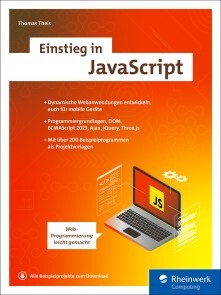
Einstieg in JavaScript
Lernen Sie Schritt für Schritt die Grundlagen der modernen JavaScript-Programmierung. Das Buch führt Sie in alle relevanten Bereiche ein: HTML und CSS, Objekte, anonyme Funktionen, Ereignisbehandlung, jQuery und Ajax. Zahlreiche anschauliche Beispielanwendungen erleichtern das Verständnis und dienen Ihnen als Vorlage für Ihre eigenen Projekte. Schon bald entwickeln Sie anspruchsvolle interaktive Programme für Ihre Website. Aus dem Inhalt: Für den EinstiegGrundlagen der ProgrammierungJavaScript-Basics: Objekte, Ereignisbehandlung, DOMJavaScript einsetzenFormulare erstellenValidierung von FormularenSchneller Datenaustausch (Ajax)CSS-Eigenschaften ändernAnimationen erstellenBrowserunabhängige Methoden verwenden (jQuery)HTML-Eigenschaften nutzenJavaScript mobilMethoden von Onsen UIWaytracking, Lage- und Beschleunigungssensoren Materialien zum Buch ... 15 1. Einführung ... 17 1.1 ... Was mache ich mit JavaScript? ... 17 1.2 ... Was kann JavaScript nicht? ... 18 1.3 ... Browser und mobile Browser ... 19 1.4 ... ECMAScript ... 19 1.5 ... Aufbau des Buchs ... 20 1.6 ... Erstes Beispiel mit HTML und CSS ... 21 1.7 ... Einige Sonderzeichen ... 28 1.8 ... JavaScript im Dokument ... 29 1.9 ... JavaScript aus externer Datei ... 31 1.10 ... Kommentare ... 32 1.11 ... Kein JavaScript möglich ... 33 2. Grundlagen der Programmierung ... 37 2.1 ... Speicherung von Werten ... 37 2.2 ... Berechnungen durchführen ... 46 2.3 ... Verschiedene Zweige eines Programms ... 53 2.4 ... Programmteile wiederholen ... 67 2.5 ... Fehler finden, Fehler vermeiden ... 80 2.6 ... Eigene Funktionen ... 89 3. Eigene Objekte ... 113 3.1 ... Objekte und Eigenschaften ... 113 3.2 ... Methoden ... 116 3.3 ... Private Member ... 118 3.4 ... Setter und Getter ... 120 3.5 ... Statische Member ... 122 3.6 ... Statische Blöcke ... 124 3.7 ... Verweis auf Nichts ... 125 3.8 ... Objekt in Objekt ... 127 3.9 ... Vererbung ... 129 3.10 ... Operationen mit Objekten ... 131 3.11 ... Objekte kopieren ... 137 4. Formulare und Ereignisse ... 141 4.1 ... Erstes Formular und erstes Ereignis ... 141 4.2 ... Senden und Zurücksetzen ... 144 4.3 ... Pflichtfelder und Kontrolle ... 149 4.4 ... Radiobuttons und Checkboxen ... 153 4.5 ... Auswahlmenüs ... 155 4.6 ... Weitere Formular-Ereignisse ... 158 4.7 ... Maus-Ereignisse ... 161 4.8 ... Wechsel des Dokuments ... 164 4.9 ... Weitere Typen und Eigenschaften ... 166 4.10 ... Dynamisch erstelltes Formular ... 183 5. Das Document Object Model (DOM) ... 187 5.1 ... Baum und Knoten ... 187 5.2 ... Knoten abrufen ... 189 5.3 ... Kindknoten ... 191 5.4 ... Knoten hinzufügen ... 193 5.5 ... Knoten ändern ... 196 5.6 ... Knoten löschen ... 200 5.7 ... Eine Tabelle erzeugen ... 201 6. Standardobjekte nutzen ... 205 6.1 ... Felder für große Datenmengen ... 205 6.2 ... Zeichenketten verarbeiten ... 234 6.3 ... Zahlen und Mathematik ... 246 6.4 ... Arbeiten mit Zeitangaben ... 257 6.5 ... Zeitliche Abläufe ... 268 6.6 ... Weitere Datenstrukturen ... 277 6.7 ... JSON ... 282 7. Änderungen mit Ajax ... 291 7.1 ... Hallo Ajax ... 291 7.2 ... Parameter senden ... 295 7.3 ... XML-Datei lesen ... 298 7.4 ... JSON-Datei lesen ... 308 8. Gestaltung mit Cascading Style Sheets (CSS) ... 313 8.1 ... Aufbau und Regeln ... 314 8.2 ... Ändern von Eigenschaften ... 321 8.3 ... Weitere Möglichkeiten ... 336 9. Zweidimensionale Grafiken und Animationen mit SVG ... 343 9.1 ... Eine SVG-Datei erstellen ... 343 9.2 ... Grundformen ... 346 9.3 ... Pfade ... 349 9.4 ... Animationen ... 354 9.5 ... Rotationen ... 358 9.6 ... SVG und JavaScript ... 360 9.7 ... Dynamische SVG-Elemente ... 361 10. Dreidimensionale Grafiken und Animationen mit Three.js ... 367 10.1 ... Eine erste 3D-Grafik ... 368 10.2 ... Verschieben der Kamera ... 373 10.3 ... Animation ... 375 10.4 ... Verschiedene Formen ... 376 11. jQuery ... 377 11.1 ... Aufbau ... 377 11.2 ... Selektoren und Methoden ... 380 11.3 ... Ereignisse ... 383 11.4 ... Animationen ... 386 11.5 ... Beispiel: sinusförmige Bewegung ... 390 11.6 ... jQuery und Ajax ... 392 12. Mobile Apps mit Onsen UI ... 397 12.1 ... Aufbau einer Seite ... 397 12.2 ... Elemente innerhalb einer Seite ... 404 13. Mathematische Ausdrücke mit MathML und MathJax ... 425 13.1 ... Grundelemente ... 425 13.2 ... Klammern und Tabellen ... 428 13.3 ... Zusammenfassende Ausdrücke ... 430 13.4 ... Brüche ... 432 13.5 ... Mathematische Zeichen ... 434 13.6 ... Dynamisch erzeugte Ausdrücke ... 436 14. Beispielprojekte ... 441 14.1 ... Geldanlage ... 441 14.2 ... Fitnesswerte ... 442 14.3 ... Volkslauf ... 443 14.4 ... Kreditkarte prüfen ... 445 14.5 ... Patience ... 445 14.6 ... Memory ... 446 14.7 ... Snake ... 447 15. Medien, Zeichnungen und Sensoren ... 449 15.1 ... Mediendateien abspielen ... 449 15.2 ... Canvas ... 455 15.3 ... Sensoren ... 464 Anhang ... 481 A ... Installation und Schlüsselwörter ... 481 Index ... 487

Python
Diese Python-Einführung konzentriert sich auf das Wesentliche: Sie erfahren, wie Sie die Sprache in eigenen Projekten einsetzen, und lernen alle Grundlagen kennen – Datenstrukturen und Typen, Programmierlogik, den Umgang mit Modulen, die Vorteile der funktionalen und objektorientierten Programmierung. So erfahren Sie praxisgerecht, wie Sie mit Python Daten verarbeiten, wiederkehrende Aufgaben automatisieren und viele andere Probleme lösen. Neu in dieser Auflage: Pair Programming mit ChatGPT und Python in Excel Aus dem Inhalt: Hello World! Python installieren und einrichtenPython lernen mit KI-UnterstützungVariablen, Datenstrukturen, Zeichenketten und OperatorenListen, Tupel, Arrays, Sets und DictionarysVerzweigungen und Schleifen, Umgang mit FehlernFunktionen und funktionale ProgrammierungObjektorientierte Programmierung: Klassen, Konstrukte, MethodenModule und Python-InternaDaten lesen, schreiben und verarbeitenPython und die SystemadministrationGrafikprogrammierung und OberflächenWissenschaftliches Arbeiten mit Python, Datenverarbeitung in Excel Vorwort ... 13 TEIL I. Python lernen ... 15 1. Hello, World! ... 17 1.1 ... Python installieren ... 17 1.2 ... »Hello, World!« in der Python-Shell ... 21 1.3 ... »Hello, World!« als eigenständiges Programm ... 24 1.4 ... Elementare Syntaxregeln ... 30 1.5 ... Wiederholungsfragen ... 36 2. Python lernen mit KI-Unterstützung ... 37 2.1 ... Mein Programm funktioniert nicht! Warum? ... 39 2.2 ... Mit welcher Funktion löse ich ein bestimmtes Problem? ... 46 2.3 ... Sprachkonzepte erklären ... 47 2.4 ... Programmieren mit ChatGPT ... 48 3. Variablen ... 55 3.1 ... Grundregeln ... 55 3.2 ... Datentypen ... 57 3.3 ... Gültigkeitsbereich von Variablen ... 58 3.4 ... Wiederholungsfragen ... 60 4. Operatoren ... 61 4.1 ... Überblick ... 61 4.2 ... Details und Sonderfälle ... 63 4.3 ... Wiederholungsfragen ... 70 5. Zahlen ... 71 5.1 ... Ganze Zahlen ... 72 5.2 ... FlieT1ss kommazahlen ... 74 5.3 ... Komplexe Zahlen, Brüche und Festkommazahlen ... 76 5.4 ... Boolesche Werte ... 78 5.5 ... Wiederholungsfragen ... 79 6. Zeichenketten ... 80 6.1 ... Grundregeln ... 80 6.2 ... Zugriff auf Teilzeichenketten ... 84 6.3 ... Zeichenkettenfunktionen ... 86 6.4 ... Zeichenketten formatieren und konvertieren ... 89 6.5 ... Lokalisierung ... 94 6.6 ... Reguläre Ausdrücke ... 97 6.7 ... Wiederholungsfragen und Übungen ... 99 7. Datum und Zeit ... 100 7.1 ... Zeit ermitteln und darstellen ... 100 7.2 ... Mit Zeiten rechnen ... 105 7.3 ... Wiederholungsfragen und Übungen ... 107 8. Listen, Tupel, Sets und Dictionaries ... 108 8.1 ... Listen ... 109 8.2 ... Funktionen zur Verarbeitung von Listen ... 112 8.3 ... Tupel (Sequenzen) ... 119 8.4 ... Sets (Mengen) ... 122 8.5 ... Dictionaries ... 124 8.6 ... Arrays ... 128 8.7 ... Wiederholungsfragen und Übungen ... 130 9. Verzweigungen und Schleifen ... 131 9.1 ... »if«-Verzweigung ... 131 9.2 ... Beispiel: Schaltjahrtest ... 135 9.3 ... »for«-Schleife ... 136 9.4 ... »while«-Schleife ... 144 9.5 ... Beispiele für Schleifen ... 145 9.6 ... Pattern Matching ... 150 9.7 ... Wiederholungsfragen und Übungen ... 151 10. Funktionen ... 153 10.1 ... Eigene Funktionen definieren ... 154 10.2 ... Lokale und globale Variablen ... 158 10.3 ... Parameter ... 161 10.4 ... Rekursion ... 167 10.5 ... Lambda-Funktionen ... 169 10.6 ... Funktionale Programmierung ... 171 10.7 ... Generatoren ... 174 10.8 ... Wiederholungsfragen und Übungen ... 177 11. Umgang mit Fehlern (Exceptions) ... 180 11.1 ... Fehlerabsicherung mit »try« und »except« ... 181 11.2 ... Selbst Exceptions auslösen (»raise«) ... 187 11.3 ... Programmunterbrechungen abfangen ... 187 11.4 ... Wiederholungsfragen und Übungen ... 190 12. Objektorientierte Programmierung ... 192 12.1 ... Crashkurs ... 193 12.2 ... »Hello, Class!« ... 197 12.3 ... Klassen- und Instanzvariablen ... 201 12.4 ... Methoden ... 206 12.5 ... Operator Overloading ... 212 12.6 ... Datenklassen ... 216 12.7 ... Vererbung ... 218 12.8 ... Vererbungsbeispiel: Schachfiguren ... 220 12.9 ... Wiederholungsaufgaben und Übungen ... 226 13. Module ... 229 13.1 ... Module nutzen (»import«) ... 229 13.2 ... Modul-Interna ... 232 13.3 ... Module installieren (»pip«) ... 234 13.4 ... Eigene Module entwickeln ... 239 13.5 ... Wiederholungsfragen und Übungen ... 243 14. Interna ... 244 14.1 ... Python-Scripts ausführen ... 244 14.2 ... Interna der Variablenverwaltung ... 250 14.3 ... Garbage Collection ... 254 14.4 ... Shared References ... 256 14.5 ... Type Annotation ... 256 14.6 ... Namensräume erforschen ... 259 14.7 ... Python-Compiler ... 261 14.8 ... Systemfunktionen ... 262 14.9 ... Wiederholungsfragen ... 265 TEIL II. Python anwenden ... 267 15. Dateien lesen und schreiben ... 269 15.1 ... Verzeichnisse ... 269 15.2 ... Textdateien lesen und schreiben ... 275 15.3 ... Beispiel: Indexeinträge in Textdateien ändern ... 279 15.4 ... Standardeingabe und Standardausgabe ... 281 15.5 ... JSON-Dateien verarbeiten ... 283 15.6 ... XML-Dateien verarbeiten ... 287 15.7 ... Wiederholungsfragen und Übungen ... 292 16. Netzwerkfunktionen ... 293 16.1 ... Download und Upload von Dateien ... 293 16.2 ... REST-APIs nutzen ... 297 16.3 ... Mails versenden ... 301 17. Systemadministration ... 305 17.1 ... Linux-Kommandos aufrufen ... 305 17.2 ... Linux-Accounts einrichten ... 308 17.3 ... MySQL/MariaDB-Datenbankzugriff ... 312 17.4 ... Mehrere gleichartige Datenbanken analysieren ... 317 18. Grafische Benutzeroberflächen ... 321 18.1 ... »Hello, Qt!« ... 322 18.2 ... Buttons platzieren und nutzen ... 324 18.3 ... Textfelder, Grid-Layout und Nachrichtenboxen ... 328 18.4 ... Dateiauswahl ... 333 18.5 ... Listenfelder ... 336 19. Grafikprogrammierung ... 340 19.1 ... Grafische Grundfunktionen ... 340 19.2 ... Grafik in einem Widget ... 347 19.3 ... SpaT1ss mit Sinus und Cosinus ... 350 19.4 ... Temperaturkurve zeichnen ... 357 20. Wissenschaftliche Anwendung ... 364 20.1 ... Anaconda, IPython und Jupyter-Notebooks ... 364 20.2 ... NumPy ... 374 20.3 ... pandas ... 379 20.4 ... SciPy ... 384 20.5 ... Matplotlib ... 388 20.6 ... Python in Excel ... 396 A. Lösungen ... 405 A.1 ... Kapitel 1: »Hello, World!« ... 405 A.2 ... Kapitel 3: Variablen ... 406 A.3 ... Kapitel 4: Operatoren ... 407 A.4 ... Kapitel 5: Zahlen ... 408 A.5 ... Kapitel 6: Zeichenketten ... 409 A.6 ... Kapitel 7: Datum und Uhrzeit ... 411 A.7 ... Kapitel 8: Listen, Tupel, Sets und Dictionaries ... 413 A.8 ... Kapitel 9: Verzweigungen und Schleifen ... 417 A.9 ... Kapitel 10: Funktionen ... 421 A.10 ... Kapitel 11: Umgang mit Fehlern ... 426 A.11 ... Kapitel 12: Objektorientierte Programmierung ... 427 A.12 ... Kapitel 13: Module ... 432 A.13 ... Kapitel 14: Interna ... 433 A.14 ... Kapitel 15: Dateien lesen und schreiben ... 435 Index ... 439

Vorschriften und Betriebstechnik des Amateurfunks
So bestehen Sie Ihre Amateurfunkprüfung mit Bravour! Für das erfolgreiche Bestehen der Amateurfunkprüfung benötigen Sie nicht nur umfassendes Technik-Wissen, sondern Sie müssen sich auch mit den Vorschriften und Gesetzen sowie der Betriebstechnik auskennen. Dazu finden Sie in diesem E-Book alles, was Sie für das sichere Bestehen der Prüfungen in den Klassen N, E und A und den souveränen Funkbetrieb wissen müssen. Inklusive Beispielen und Übungsfragen, aktuell zur AFuV 2024. Bei Ihren ersten Schritten in der Funkpraxis unterstützt Sie mit den notwendigen Grundlagen »Amateurfunk. Das umfassende Handbuch« von Harald Zisler DL 6 RAL und Thomas Lauterbach DL 1 NAW. Aus dem Inhalt: Grundwissen über die gesetzlichen Grundlagen und VorschriftenSicherheitsvorschriftenElektromagnetische UmweltverträglichkeitAmateurfunkbetrieb unterwegsBandpläne: Für ein gutes MiteinanderVerkehrsregeln im FunkbetriebNotfunk und Verhalten im NotfallLogbücher und QSL-KartenMit Übungen und Musterlösungen

Procreate und Procreate Dreams
Procreate begeistert! Und mit diesem Buch werden Sie alle Möglichkeiten der Zeichen-App ausschöpfen: Gekonnte Auswahlen, Einsatz der Zeichenhilfe, Alphasperre, Farbinspirationen, 3D: Procreate bietet so viel mehr, als auf den ersten Blick ersichtlich. Das Buch erklärt wirklich jede Funktion und verrät Insidertipps und Kniffe, die das Illustrieren und Lettern mit Procreate noch selbstverständlicher machen. Zahlreiche Workshops zeigen die Procreate-Werkzeuge im Praxiseinsatz. Natürlich liegt ein besonderes Augenmerk auf den Pinseln: Ihr Einsatz und die Anpassung an die eigenen Bedürfnisse werden ausführlich erläutert. Ein ausführliches Kapitel beschäftigt sich mit den Möglichkeiten der neuen Animation-Zeichen-App Procreate Dreams. Aktuell zu Procreate 5.3. Viel Spaß! Aus dem Inhalt: Die GalerieEine neue Leinwand anlegen und organisierenAktionen, ZeichenhilfeAlle Anpassungen kreativ anwendenAuswahlen und TransformationenDas Pinselstudio ausführlich erklärtEbenen einsetzenFarben geschickt auswählen und organisierenTipps und Tricks, Gestensteuerung3D mit ProcreateAnimationen für EinsteigerWorkshop 1: Ebenen im Einsatz Workshop 2: Muster erstellen Workshop 3: Digitale Collagen Workshop 4: Ebenenmaske und Clipping-Masken im EinsatzEinführung in Procreate Dreams Vorwort ... 8 Kapitel 1. Einführung ... 9 1.1 ... Die App ... 9 1.2 ... Systemvoraussetzungen ... 13 1.3 ... Grundsätzliche Einstellungen für die App ... 14 Kapitel 2. Gestensteuerung ... 17 2.1 ... Gesten mit zwei, drei oder vier Fingern ... 17 2.2 ... Einstellungen für die Gestensteuerung ... 22 Kapitel 3. Die Galerie ... 25 3.1 ... Eine neue Leinwand erstellen ... 26 3.2 ... Deine Leinwände organisieren ... 31 Kapitel 4. Die Benutzeroberfläche ... 40 4.1 ... Die Menüs ... 40 4.2 ... Die Werkzeugleiste ... 43 4.3 ... Die Seitenleiste ... 47 Kapitel 5. Aktionen ... 54 5.1 ... Hinzufügen ... 54 5.2 ... Leinwand ... 56 5.3 ... Teilen ... 63 5.4 ... Video ... 64 5.5 ... Einstellungen ... 65 5.6 ... Hilfe ... 70 Kapitel 6. Anpassungen ... 72 6.1 ... Ebene oder Pencil? ... 72 6.2 ... Farbanpassungen ... 74 6.3 ... Unschärfe-Effekte ... 81 6.4 ... Effekte mit Störungen ... 85 6.5 ... Weitere Filter ... 95 Kapitel 7. Auswählen und Transformieren ... 100 7.1 ... Das Auswahlwerkzeug ... 100 7.2 ... Das Transformieren-Werkzeug ... 108 Kapitel 8 . Pinsel, Wischfinger und Radiergummi ... 118 8.1 ... Die Pinselsammlung ... 119 8.2 ... Das Pinselstudio ... 137 8.3 ... Einen Pinsel modifizieren ... 170 8.4 ... Zwei Pinsel kombinieren ... 171 8.5 ... Der Wischfinger ... 174 8.6 ... Der Radiergummi ... 177 Kapitel 9 . Ebenen und Seiten ... 178 9.1 ... Die Ebenen-Palette ... 178 9.2 ... Das Ebenen-Menü ... 181 9.3 ... Der Ebenenmodus ... 195 9.4 ... Der Seitenassistent ... 207 Kapitel 10. Farben ... 210 10.1 ... Farben auswählen ... 210 10.2 ... Die Arbeit mit Farbpaletten ... 217 10.3 ... Farben mit der Pipette auswählen ... 222 10.4 ... Flächen füllen ... 223 Kapitel 11. Text ... 228 11.1 ... Textfeld einfügen und bearbeiten ... 228 11.2 ... Vektortext und Rastertext ... 235 11.3 ... Text mit dem Stift schreiben ... 236 Kapitel 12. Zeichenhilfe und QuickShape ... 238 12.1 ... Die Zeichenhilfe nutzen ... 238 12.2 ... QuickShape einsetzen ... 248 Kapitel 13. Das 3D-Tool ... 254 13.1 ... 3D-Objekte ... 254 13.2 ... 3D-Werkzeuge ... 259 13.3 ... Dein 3D-Objekt teilen ... 266 Kapitel 14. Animation mit Procreate ... 269 14.1 ... Einstellungen für die Animation ... 269 14.2 ... Eine Animation erstellen ... 275 14.3 ... Animation teilen ... 277 Kapitel 15. Animation mit Procreate Dreams ... 279 15.1 ... Über die App ... 279 15.2 ... Die Benutzeroberfläche ... 279 15.3 ... Die drei Animationstechniken ... 287 15.4 ... Weitere Spur- und Inhaltseinstellungen ... 303 15.5 ... Die Animation exportieren ... 306 15.6 ... Das Praxisbeispiel: Seerosen animieren ... 307 Kapitel 16. Workshop 1 -- Ebenen im Einsatz ... 313 Kapitel 17. Workshop 2 -- Masken im Einsatz ... 321 Kapitel 18. Workshop 3 -- Muster erstellen ... 326 Kapitel 19. Workshop 4 -- Digitale Collagen ... 339 Index ... 347

Beginning Python
Gain a fundamental understanding of Python’s syntax and features with this revised introductory and practical reference. Covering a wide array of Python–related programming topics, including addressing language internals, database integration, network programming, and web services, you’ll be guided by sound development principles.Updated to reflect the latest in Python programming paradigms and several of the most crucial features found in Python 3, _Beginning Python, Fourth Edition_ also covers advanced topics such as extending Python and packaging/distributing Python applications. Ten accompanying projects will ensure you can get your hands dirty in no time.YOU WILL:* Become a proficient Python programmer by following along with a friendly, practical guide to the language’s key features* Write code faster by learning how to take advantage of advanced features such as magic methods, exceptions, and abstraction* Gain insight into modern Python programming paradigms including testing, documentation, packaging, and distribution* Work through several interesting projects, including a P2P file–sharing application, chat client, video game, remote text editor, and moreWHO THIS BOOK IS FORProgrammers, novice and otherwise, seeking a comprehensive introduction to the Python programming language.MAGNUS LIE HETLAND is an experienced Python programmer, having used the language since the late 1990s. He is also an associate professor of algorithms at the Norwegian University of Science and Technology, having taught algorithms for the better part of a decade. Hetland is the author of Practical Python and Beginning Python, first and second editions, as well as several scientific papers.FABIO NELLI is an IT Scientific Application Specialist at IRBM Science Park, a private research center in Pomezia, Roma, Italy. He has been a computer consultant for many years at IBM, EDS, Merck Sharp, and Dohme, along with several banks and insurance companies. He has an Organic Chemistry degree and many years of experience in Information technologies and Automation systems applied to Life Sciences (Tech Specialist at Beckman Coulter Italy and Spain). He is currently developing Java applications that interface Oracle databases with scientific instrumentation generating data and web server applications providing analysis of the results to researchers in real time.Ch. 1 Instant hacking : the basics.- Ch. 2 Lists and tuples.- Ch. 3 Working with strings.- Ch. 4 Dictionaries : when indices won't do.- Ch. 5 Conditionals, loops, and some other statements.- Ch. 6 Abstraction.- Ch. 7 More abstraction.- Ch. 8 Exceptions.- Ch. 9 Magic methods, properties, and iterators.- Ch. 10 Batteries included.- Ch. 11 Files and stuff.- Ch. 12 Graphical user interfaces.- Ch. 13 Database support.- Ch. 14 Network programming.- Ch. 15 Python and the Web.- Ch. 16 Testing, 1-2-3.- Ch. 17 Extending Python.- Ch. 18 Packaging your programs.- Ch. 19 Playful programming.- Ch. 20 Project 1 : instant markup.- Ch. 21 Project 2 : painting a pretty picture.- Ch. 22 Project 3 : XML for all occasions.- Ch. 23 Project 4 : in the news.- Ch. 24 Project 5 : a virtual tea party.- Ch. 25 Project 6 : remote editing with CGI.- Ch. 26 Project 7 : your own bulletin board.- Ch. 27 Project 8 : file sharing with XML-RPC.- Ch. 28 Project 9 : file sharing II - now with GUI!.- Ch. 29 Project 10 : do-it-yourself arcade game.- Appendix A: The Short Version.- Appendix B: Python Reference.

Advanced Styles and Insights with Midjourney
Explore advanced techniques in AI image generation with a focus on enhancing creativity and producing unique styles using the Midjourney platform, an AI image-generating (text-to-image) program unparalleled in the aesthetics of images it can produce. This book is for anyone ready to push their AI art further, with guidance straight from a seasoned AI artist and user of Midjourney.Unlike a basic tutorial, this book focuses on advanced prompt crafting strategies, understanding Midjourney's evolving algorithms, and harnessing these tools to produce art that resonates on personal and communal levels. Author Irina Shamaeva shares insights gained from creating and sharing art that has captivated over 8,000 followers on social media in a year.You’ll see how to think out of the box with AI art creation and gain practical tips and techniques for drawing. Expect practical tips on making the most of Midjourney for your art, insights from the author's experience, and stories from the AI art world. This book is not just about how to use Midjourney; it's about creating art that matters to you and others._Advanced Styles and Insights with Midjourney_ will allow you to channel your creativity with more sophisticated drawing techniques, concepts, and new complementary tools.WHAT YOU WILL LEARN* Combine the features of two recent Midjourney versions, getting the best qualities of each.* Explore a "hidden" unofficial version of Midjourney that has a wild imagination.* Use the Vary(Subtle), Vary(Strong), and Vary(Region) functions to manipulate your images.* Work with multimedia - images along with text - as image prompts and style references.WHO THIS BOOK IS FORGraphic designers, architects, book illustrators, product photographers, game developers, fashion and interior designers, educators, AI researchers using text-to-image software, and any Midjourney user wanting to enhance their prompting skills.Irina Shamaeva is an AI Artist at ThePrompter, where lately, she has been spending most of her time generating images with all available Midjourney techniques and some she has invented. She is a Partner at Brain Gain Recruiting, specializing in teaching online research in application to talent sourcing. Irina is the author of a blog, BooleanStrings, which has gained 2.5 million views, and a frequent speaker at international conferences on topics like Google and LinkedIn search. Previously, Irina worked at San Francisco software start-ups and biotech firms developing software. She has an MS with Honors in Math. Irina's education and research background experience facilitate understanding and predicting complex software behavior. Irina has successfully applied these skills to navigating creative AI image-generation techniques.Chapter 1: Midjourney and You. - Chapter 2: Gauging the Effectiveness of Midjourney's Prompts. - Chapter 3: Using Existing Images as Your Base (Multimedia Prompts). - Chapter 4: Advanced Midjourney Capabilities. - Chapter 5: Advanced Creative Techniques. - Chapter 6: Consistent Characters. - Chapter 7: Use AI For Prompt Creation. - Chapter 8: Image-To-Text Tools. - Chapter 9: Midjourney Challenges (Exercises) for You.- Chapter 10: Conclusion and Sample Images with Prompts.- Appendices A-G.
Strategisches Wertversprechen, Innovationsmanagement in Software-Startups für anhaltenden Wettbewerbsvorteil
Dieses Buch hat zum Ziel, die Erfolgsquoten von Startups zu erhöhen, indem es sich auf die Innovation des Wertversprechens konzentriert. Dies wird vorangetrieben durch die Einbindung potenzieller Verbraucher sowie anderer Ressourcen wie Freiberufler und strategischer Partnerschaften mit der Akademie. Der Autor zeigt, wie Startups, die in Bezug auf Ressourcen eingeschränkt sind, Anstrengungen unternehmen können, um das Potenzial ihres Produktmarktes zu erkunden. Dabei wird auch untersucht, wie globale Märkte für den Erfolg eines Startups vorteilhaft sein können, während gleichzeitig Lösungen für schwer zugängliche Märkte aufgezeigt werden. Das Buch untersucht das Gewinnen von Wissen, das von Freiberuflern, Kunden und der Akademie geteilt wird, deren Beteiligung entscheidend sein kann, um Aktivitäten der Wertversprechen-Innovation wie Ideenentwicklung, Umsetzung und Vermarktung zu unterstützen. In Kombination führt der Autor die Leser dazu, ihre Fähigkeit zu entdecken, Wertversprechen-Innovationen zu fördern, die langfristige Wettbewerbsvorteile in einer stark schwankenden Geschäftsumgebung zur Folge haben.

KI in Gesundheit und Pflege
Zu Risiken und Nebenwirkungen fragen Sie Ihre KIKünstliche Intelligenz durchdringt alle Bereiche des Lebens - auch das Gesundheitswesen. Walter Swoboda zeigt in seinem Buch, wie die KI funktioniert, welche Varianten dieser neuen Technologie in Gesundheit und Pflege zum Einsatz kommen können und welche Einsatzgebiete sich kurz- und langfristig ergeben. Auf Chancen, Risiken und ethische Herausforderungen geht er ein. Auch experimentelle Verfahren der Zukunft berücksichtigt er.Das Buch richtet sich an Praktizierende, Forschende und Studierende in den Bereichen Gesundheitswesen, Gesundheitsmanagement, Gesundheitsinformatik, Medizin, Pflegewissenschaften sowie Medizinethik.Prof. Dr. Walter Swoboda ist Arzt und Informatiker. Er ist zudem Forschungsprofessor an der Hochschule Neu-Ulm. Als Leiter der gemeinsamen Ethikkommission der Hochschulen Bayerns (GEHBa) beschäftigt er sich mit ethischen Fragen zu neuen Technologien aus Medizin und Informatik.1 Versuch und Irrtum: Die Geschichte der künstlichen Intelligenz2 Wie funktioniert unser Gehirn?3 Nachgebaut: Künstliche neuronale Netzwerke4 Einsatz in Medizin und Pflege5 Der mehr oder weniger mündige Patient und seine KI6 Experimentelle Krankheitsmodelle in der Forschung7 "Bin ich?" oder "die KI und das Bewusstsein"8 Eine leicht überraschende ethische Bewertung

Scaling Cloud FinOps
Responding to the escalating demands placed on organizations and enterprises as they navigate the intricacies of cloud economics, this book offers pragmatic insights for establishing a sturdy foundation for cloud cost management. _Scaling Cloud FinOps_ empowers you with the knowledge and strategies to harness efficient cloud technology usage to proficiently manage cloud costs, refine expenditure, and implement robust, scalable Cloud FinOps practices. At the same time, it arms engineering leaders and executives with the necessary tools to foster a culture of cost awareness critical to greater profitability.At the heart of the book lies author Sasi Kanumuri’s #Piggy-Bank Framework, an innovative approach to cloud cost governance that offers a practical blueprint to streamline cost reporting, provisioning, and resource management through automation, efficiency, and overall financial performance. You’ll also delve into the intricacies of the 6-factor formula, a proven approach to cloud cost management. From resource rightsizing and cost allocation models to automated guardrails and vendor management, each factor serves as a pillar to support your organization's financial goals.Looking beyond numbers, _Scaling Cloud FinOps_ will give you the tools needed to orchestrate a cultural shift that can permeate every aspect of your organization. You'll learn how to cultivate a cost-aware engineering culture in which financial policies give every team member the knowledge and motivation to make data-driven decisions that drive efficiency, unlocking significant cost savings and cloud financial excellence.What You Will Learn* Cultivate a culture of cost awareness and accountability within engineering teams, fostering collaboration and data-driven decision-making to enhance cloud efficiency* Best practices from FinOps pioneers who've scaled world-class FinOps Teams at tech giants and startups* Explore unique frameworks enriched with real-world case studies, providing invaluable insights into effective cloud cost management (CCM)* Acquire expert techniques in cost optimization, automation, and vendor management, all proven to deliver significant savings and optimal efficacyWho This Book Is ForProfessionals and leaders across the cloud, IT, finance, and procurement industries interested in streamlining cloud expenditures, cultivating a culture of cost awareness across the organization, and establishing robust cloud cost management strategies. Whether you're a novice or seasoned in FinOps practices, this book equips you with the tools to maximize the business value of your cloud investments.SASI KANUMURI is a renowned cloud strategy and FinOps/ cloud economics expert known for his innovative frameworks and diverse skill set. With a deep understanding of cloud architecture and expertise in cloud infrastructure, Sasi specializes in driving high efficiency and optimization across organizations. He has a proven track record of achieving substantial cost savings and leading successful cloud migrations.Sasi's thought leadership in FinOps has left a lasting impact on the industry. He has led FinOps teams at large companies like Slack, Lacework, and UC Berkeley, shaping the future of cloud efficiency programs and guiding organizations toward significant cost reductions. His expertise in vendor management and deal strategy has resulted in advantageous agreements and solid, long-lasting partnerships.As a pioneer in cloud economics, Sasi bridges the gap between finance, procurement, operations, and engineering, setting new standards for efficiency programs and redefining industry norms. He continues to be a sought-after leader in the field, committed to customer success and ongoing innovation, empowering organizations to optimize their cloud investments and drive sustainable growth.Sasi Kanumuri's unique "#Piggy-bank" framework for cost governance is at the core of his approach. This innovative framework gives organizations insights and knowledge to promote cost awareness and meaningful conversations about cloud expenditure.Additionally, Sasi has trained and mentored numerous individuals in the cloud sector. He has a passion for continuous learning and a commitment to professional education. He’s led educational sessions, workshops, and internal meetups, sharing expertise and empowering engineering teams to flourish and succeed.MATTHEW ZEIER is a veteran of supporting and running at-scale production services across some of the largest high-tech companies, including Mozilla, Apple, VMware, and Lacework. Early in his career, he recognized that managing cloud spend should be part of engineering culture and has worked to advocate for efficient cloud usage across organizations.As a former network engineer–turned sysadmin–turned SRE leader, he can understand cloud usage and architecture across several discrete system components. Using Customer Happiness as his north star, he focuses on Platform Reliability and efficiency as two foundational elements of a FinOps practice. As an engineering leader, Matthew has supported small and large teams (70+) while supporting infrastructure and services with 12x user growth. He has done this while being hyper-aware of the economics behind those services.As an automation fanatic, he coined #BeachOps as a framing device for automation to build for the lazy rather than the busy and to ensure engineers focus on the important over the urgent.1. Cloud FinOps.- 2. Cloud Cost Visibility.- 3. Cloud Cost Insights.- 4. Cloud Cost Governance.- 5. Shift Left with Culture.- 6. Cost Optimization.- 7. Automation.- 8. Vendor Management.- 9. Conclusion.

Automatisiertes Fahren 2022
Künstliche Intelligenz, Machine- oder Deep-Learning sind Treiber des automatisierten Fahrens. Das Zusammenspiel von künstlicher und menschlicher Intelligenz sowie die Fähigkeit von Mensch und Maschine zu kooperieren müssen in neuen Interaktionsebenen gestaltet und für zukünftige Mobilität nutzbar gemacht werden. Dafür ist es notwendig, dass die Gesellschaft diese Entwicklung akzeptiert. Vor diesem Hintergrund gewinnen Methoden, Werkzeuge und Prozesse ebenso an Relevanz wie Sensoren und Connectivity. Die Sessions der AUFA 2022 beschäftigten sich mit: Architekturen und Standardisierung.- Versicherungsthemen.- Manöverplanung.- Neue Fahrzeug- und Innenraumkonzepte.- Testverfahren und Absicherung.- Datengenerierung und Datensicherheit.- Verkehrsplanung und Geschäftsmodelle.- HMI und Fahrzeugmonitoring.
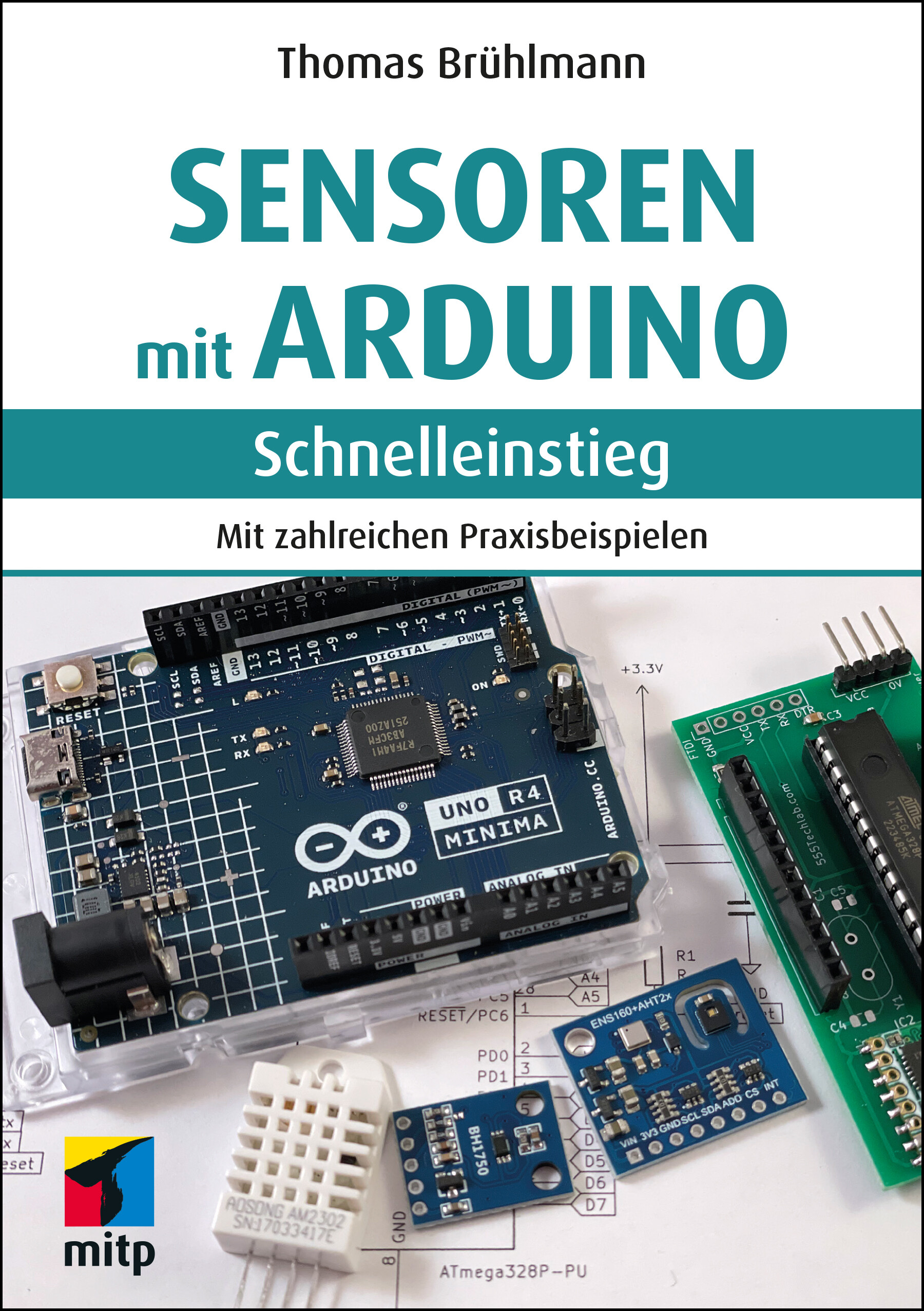
Sensoren mit Arduino - Schnelleinstieg
Sensoren mit Arduino - Schnelleinstieg. In 1. Auflage aus dem Juni 2024.Dieses Buch bietet einen praktischen Einstieg in die faszinierende Welt der Sensoren, die zusammen mit dem Arduino eingesetzt werden können. So kann der Arduino auf seine Umgebung reagieren und zahlreiche Werte erfassen, die vom Arduino-Board weiterverarbeitet und dargestellt werden können.Die vielen Beispielprojekte richten sich an Einsteiger, die bereits etwas Erfahrung mit dem Arduino-Board gesammelt haben und nun neue Anwendungen realisieren wollen. Mit den im Handel erhältlichen Sensoren, ein paar Erweiterungsplatinen und etwas Fantasie können Sie sich ein eigenes Netzwerk an Sensoren zur Erfassung Ihrer Umwelt aufbauen.Thomas Brühlmann zeigt Ihnen zahlreiche Sensoren und Beispielanwendungen zum Messen, Erfassen und Verarbeiten von Daten – immer detailliert mit Stückliste, Steckbrettaufbau und Beispielcode – zu den Themen Warm & Kalt, Licht, Umwelt sowie Distanz & Bewegung wie z.B.:Temperatur, Licht: Temperatur-, Infrarot-, Farb- und UV-Sensoren, lichtabhängiger Widerstand (LDR)Distanz und Bewegung: Ultraschall-, PIR-, Piezo- und Tilt-SensorenKräfte messen mit Flex- und druckempfindlichen Force-SensorenOrt erfassen mit KompassEinsatz von Gas- und Alkohol-SensorenHaus und Garten: Temperatur und Luftfeuchtigkeit mit Umweltsensoren sowie Luftdruck und CO2-Werte messenDatenübertragung: seriell, drahtlos mit LoRa-Modul sowie über WifiDaten anzeigen mit LEDs und OLEDDaten speichern: SD-KarteEinsatz eines Sensor-Shields und Sensor-BoardsMit dem Wissen aus diesem Praxis-Handbuch können Sie Ihre eigenen Ideen kreativ umsetzen.Projekte aus dem Buch:Nachtlampe mit LDRLuxmeterInfrarot-FernbedienungUV-Index-MonitorAbstandsmesser für Garage und Garagentor-WächterSüßigkeitenschrank-WächterTouch-KeyboardsDigitaler Kompass mit LED-AnzeigeAlkohol-MessgerätFensterkontakt überwachenFernsteuerungUmweltdaten sammeln und an IoT-Plattform sendenSensordaten via LoRa-Modul übertragenÜber den Autor:Thomas Brühlmann ist Maker und Buchautor mit 20-jähriger Erfahrung in der Hard- und Software-entwicklung. Er ist bekannt als Autor des Titels Arduino Praxiseinstieg, hält Vorträge und Workshops zum Thema Arduino und realisiert hauptsächlich drahtlose Arduino-Projekte mit Sensoren.Leseprobe (PDF-Link)

The Decision Maker's Handbook to Data Science
Data science is expanding across industries at a rapid pace, and the companies first to adopt best practices will gain a significant advantage. To reap the benefits, decision makers need to have a confident understanding of data science and its application in their organization. This third edition delves into the latest advancements in AI, particularly focusing on large language models (LLMs), with clear distinctions made between AI and traditional data science, including AI's ability to emulate human decision-making.Author Stylianos Kampakis introduces you to the critical aspect of ethics in AI, an area of growing importance and scrutiny. The narrative examines the ethical considerations intrinsic to the development and deployment of AI technologies, including bias, fairness, transparency, and accountability. You’ll be provided with the expertise and tools required to develop a solid data strategy that is continuously effective. Ethics and legal issues surrounding data collection and algorithmic bias are some common pitfalls that Kampakis helps you avoid, while guiding you on the path to build a thriving data science culture at your organization. This updated edition also includes plenty of case studies, tools for project assessment, and expanded content for hiring and managing data scientists.Data science is a language that everyone at a modern company should understand across departments. Friction in communication arises most often when management does not connect with what a data scientist is doing or how impactful data collection and storage can be for their organization. The Decision Maker’s Handbook to Data Science bridges this gap and readies you for both the present and future of your workplace in this engaging, comprehensive guide.WHAT YOU WILL LEARN* Integrate AI with other innovative technologies * Explore anticipated ethical, regulatory, and technical landscapes that will shape the future of AI and data science* Discover how to hire and manage data scientists* Build the right environment in order to make your organization data-drivenWHO THIS BOOK IS FORStartup founders, product managers, higher level managers, and any other non-technical decision makers who are thinking to implement data science in their organization and hire data scientists. A secondary audience includes people looking for a soft introduction into the subject of data science.DR. STYLIANOS (STELIOS) KAMPAKIS is a data scientist who lives and works in London, UK. He holds a PhD in Computer Science from University College London, as well as an MSc in Informatics from the University of Edinburgh. He also holds degrees in Statistics, Cognitive Psychology, Economics and Intelligent Systems. He is a member of the Royal Statistical Society and an honorary research fellow in the UCL Centre for Blockchain Technologies. He has many years of academic and industrial experience in all fields of data science like statistical modelling, machine learning, classic AI, optimization and more.Throughout his career, Stylianos has been involved in a wide range of projects: from using deep learning to analyze data from mobile sensors and radar devices, to recommender systems, to natural language processing for social media data to predicting sports outcomes. He has also done work in the areas of econometrics, Bayesian modelling, forecasting and research design. He also has many years of experience in consulting for startups and scale-ups, having successfully worked with companies of all stages, some of which have raised millions of dollars in funding. He is still providing services in data science and blockchain, as a partner in Electi Consulting.In the academic domain, he is one of the foremost experts in the area of sports analytics, having done his PhD in the use of machine learning for predicting football injuries. He has also published papers in the areas neural networks, computational neuroscience and cognitive science. Finally, he is also involved in blockchain research and more specifically in the areas of tokenomics, supply chains and securitization of assets.Stylianos is also very active in the area of data science education. He is the founder of The Tesseract Academy, a company whose mission is to help decision makers understand deep technical topics such as machine learning and blockchain. He is also teaching “Social Media Analytics”, and “Quantitative Methods and Statistics with R” in the Cyprus International Institute of Management, and runs his own data science school in London called Datalyst.He often writes about data science, machine learning, blockchain and other topics at his personal blog: The Data Scientist (thedatascientist.com).Chapter 1: Demystifying Data Science, AI and All the Other Buzzwords.- Chapter 2: Data Management.- Chapter 3: Data Collection Problems.- Chapter 4: How to Keep Data Tidy.- Chapter 5: Thinking like a Data Scientist (Without Being One).- Chapter 6: A Short Introduction to Statistics.- Chapter 7: A Short Introduction to Machine Learning.- Chapter 8: An introduction to AI.- Chapter 9: Problem Solving.- Chapter 10: Pitfalls.- Chapter 11: Hiring and Managing Data Scientists.- Chapter 12: Building a Data-Driven Culture.- Chapter 13: AI Ethics.- Chapter 14: The Future of AI and Data Science. Epilogue: Data Science Rules the World.- Appendix: Tools for Data Science.

Mastering Cybersecurity
The modern digital landscape presents many threats and opportunities, necessitating a robust understanding of cybersecurity. This book offers readers a broad-spectrum view of cybersecurity, providing insights from fundamental concepts to advanced technologies.Beginning with the foundational understanding of the ever-evolving threat landscape, the book methodically introduces many cyber threats. From familiar challenges like malware and phishing to more sophisticated attacks targeting IoT and blockchain, readers will gain a robust comprehension of the attack vectors threatening our digital world.Understanding threats is just the start. The book also delves deep into the defensive mechanisms and strategies to counter these challenges. Readers will explore the intricate art of cryptography, the nuances of securing both mobile and web applications, and the complexities inherent in ensuring the safety of cloud environments. Through meticulously crafted case studies tailored for each chapter, readers will witness theoretical concepts' practical implications and applications. These studies, although fictional, resonate with real-world scenarios, offering a nuanced understanding of the material and facilitating its practical application.Complementing the knowledge are reinforcement activities designed to test and solidify understanding. Through multiple-choice questions, readers can gauge their grasp of each chapter's content, and actionable recommendations offer insights on how to apply this knowledge in real-world settings. Adding chapters that delve into the intersection of cutting-edge technologies like AI and cybersecurity ensures that readers are prepared for the present and future of digital security. This book promises a holistic, hands-on, and forward-looking education in cybersecurity, ensuring readers are both knowledgeable and action-ready.WHAT YOU WILL LEARN* The vast array of cyber threats, laying the groundwork for understanding the significance of cybersecurity* Various attack vectors, from malware and phishing to DDoS, giving readers a detailed understanding of potential threats* The psychological aspect of cyber threats, revealing how humans can be manipulated into compromising security* How information is encrypted and decrypted to preserve its integrity and confidentiality* The techniques and technologies that safeguard data being transferred across networks* Strategies and methods to protect online applications from threats* How to safeguard data and devices in an increasingly mobile-first world* The complexities of the complexities of cloud environments, offering tools and strategies to ensure data safety* The science behind investigating and analyzing cybercrimes post-incident* How to assess system vulnerabilities and how ethical hacking can identify weaknessesWHO THIS BOOK IS FOR:CISOs, Learners, Educators, Professionals, Executives, Auditors, Boards of Directors, and more.JASON EDWARDS'S career is a blend of extensive cybersecurity experience and academic achievement, with impactful roles in the military and corporate sectors, including leadership positions at major technology, financial, insurance, and energy companies. Jason is also a retired military officer who served in numerous capacities and earned the Bronze Star for service in Iraq. His academic journey culminated in a doctorate in IT and Cybersecurity, focusing on regulatory compliance within cybersecurity. Jason teaches for several college programs, designs college-level training courses, and is a prolific writer. Active on LinkedIn, he leverages his platform to offer free cybersecurity training, mentorship, and advice to over 70,000 followers. Edwards' commitment to education, both as a learner and a teacher, underscores his dedication to enhancing cybersecurity practices and shaping the next generation of professionals.Chapter 1: Threat Landscape.- Chapter 2: Types of Cyber Attacks.- Chapter 3: Social Engineering.- Chapter 4: Cryptography.- Chapter 5: Network Security.- Chapter 6: Web Application Security.- Chapter 7: Mobile Security.-Chapter 8: Cloud Security.- Chapter 9: IoT Security.- Chapter 10: Digital Forensics.- Chapter 11: Vulnerability Assessment and Penetration Testing.- Chapter 12: Security Policies and Procedures.- Chapter 13: Data Privacy and Protection.- Chapter 14: Insider Threats.

The Lean-Agile Dilemma
Over the last decade, Lean-Agile principles have become the standard methodology by which product and technology teams operate. However, Lean-Agile was written for small companies seeking new markets to buy their innovative software products, not for an average corporation with a catalogue of existing software products that must be maintained and rebuilt. The typical tech-enabled business isn't a lean startup; it's a chunky corporate. This book offers an alternative software development methodology perfectly suited for chunky corporate product management.You’ll quickly find out how individual players in the corporate organization impact business performance. You’ll follow the story of Blake, a well-meaning but ultimately naive, CEO of a fictional company called Acme Tech. As he and Acme struggle to maintain business performance, it becomes apparent how embedded and complex his challenges are. Lean-Agile principles are regularly misapplied in the corporate environment, causing tension, missed deadlines, and inefficient working practices.You’ll see that managing software transformation at a large, mature business requires a new set of tools. Popular development methodologies are not well-suited for the replatforming exercises that chunky corporates inevitably face. This book helps product and technology leaders navigate software development projects at organizations grappling with the constraints of investor ownership.Chunky corporates have a lot going for them: _The Lean-Agile Dilemma_ reveals that, when managed well, they have the potential to be safe havens in a relentlessly unstable world.You will:* Understand how replatforming differs from new product development * Learn how to manage existing data when updating or building new software * Gain tools to prioritize items in your overstuffed product roadmapWHO THIS BOOK IS FORProduct managers, product owners, product leadership, tech leadership, and business leaders at mature tech-enabled businesses.Katie Tamblin started her career as an entry-level analyst and made it all the way to the board room, working as Chief Product Officer and now serving as a Non-Executive Director to data and tech businesses and an Advisor to private equity firms. She applies the learnings amassed over a 20+ year career to help readers recognize a chubby corporate for what it is and navigate its unique qualities in order to drive efficiency and success.Chapter 1. The Luxury of a Lean Startup.- Chapter 2. Execution Not Innovation.- Chapter 3. Putting on Weight.- Chapter 4. Chief Poo-Poo Officer and Saying No.- Chapter 5. Deciding what to Build and How.- Chapter 6. The Challenges of Replatforming.- Chapter 7. Replatforming the Right Way.- Chapter 8. Dealing with Data.- Chapter 9. Managing Customer Demands.- Chapter 10. Products Don't Sell Themselves.- Chapter 11. Good Communication Leads to Good Products.- Chapter 12. Driving Cross-Functional Collaboration.- Chapter 13. Conclusion.

Internationaler Motorenkongress 2023
In diesem Tagungsband werden von anerkannten Experten der Automobil- und Nutzfahrzeugbranche eine Fülle neuer technischer Lösungen aufgezeigt. Die Tagung ist eine unverzichtbare Plattform für den Wissens- und Gedankenaustausch von Forschern und Entwicklern aller Unternehmen und Institutionen. Der Inhalt Nachhaltige Mobilität: vollständige LCA.- Gesamtsystem Verbrennungsmotoren und Kraftstoffe:CO2-Reduzierung, Emissionierung, Elektrifizierung.- Klimagerechte Verbrennungsmotoren.- Effizienzsteigerung in Produkten und Prozessen.- Nutzung von Wasserstoff und synthetischen Kraftstoffen. Die Zielgruppen Fahrzeug- und Motoreningenieure sowie Studierende, die aktuelles Fachwissen im Zusammenhang mit Fragestellungen ihres Arbeitsfeldes suchen - Professoren und Dozenten an Universitäten und Hochschulen mit Schwerpunkt Kraftfahrzeug- und Motorentechnik - Gutachter, Forscher und Entwicklungsingenieure in der Automobil- und Zulieferindustrie Die Veranstalter ATZlive steht für Spitzenqualität, hohes Niveau in Sachen Fachinformation und ist Bestandteil von Springer Nature. Hier wird unter einem Dach das Know-how der renommiertesten Wirtschafts-, Wissenschafts- und Technikverlage Deutschlands vereint. VDI Wissensforum vermittelt als ein führender Weiterbildungsspezialist das Wissen aus praktisch allen Technikdisziplinen und den wichtigsten außerfachlichen Gebieten. Dabei wird großer Wert auf Nachhaltigkeit und Praxisrelevanz gelegt.
Arduino Software Internals
"It's not enough to just build your Arduino projects; it's time to actually learn how things work!" This book goes beyond the basics, providing a comprehensive understanding of Arduino software and hardware, as well as how they intertwine. Gain valuable insights into the inner workings of Arduino and its language, and discover how to communicate with the microcontroller in its native language, AVR C++.Explore the latest version (0.30.0) which offers a multitude of configuration options that can be conveniently modified using the command-line interface (CLI).What You’ll Learn:* How the Arduino Language interfaces with the hardware, as well as how it actually works in C++;* How to burn bootloaders with the latest version (0.30.0) of Arduino software.* How to program your device using an In Circuit System Programmer (ICSP)* How to build their own Arduino clone from scratch* How to efficiently handle different boards and libraries * Uncover new features and enhancements, including the ability to set up and use profiles, and employ Makefiles.Who This Book Is For:This book welcomes everyone with an interest in learning about Arduino, regardless of expertise. Whether you're a beginner or an experienced Maker, "Arduino Software Internals" equips you with the knowledge to truly comprehend and leverage the power of Arduino. Norman Dunbar is an Oracle Database Administrator. Norman has had a long running relationship with Electronics since childhood and computers since the late 1970s, and the Arduino was a perfect marriage of the two interests. With a love of learning new things, examining and explaining the Arduino Language and the hardware became a bit of a hobby, and as piles of notes expanded, Norman has now decided to publish his work.Chapter 1. Introduction.- Chapter 2. Arduino Compilation.- Chapter 3. Arduino Language Reference.-Chapter 4. Arduino Classes.- Chapter 5. Converting to the AVR Language.- Chapter 6. Alternatives to the Arduino IDE.- Chapter 7. ATmega328P Configuration and Management.-Chapter 8. ATmega328P Hardware - Timers and Counters.- Chapter 9. ATmega328P Hardware - ADC and USART.- Appendix A: Arduino Paths.- Appendix B: ATmega328P Pinout.- Appendix C: ATmega328P Power Restrictions.- Appendix D: Predefined Settings.- Appendix E: ADC Temperature Conversion.- Appendix F: Assembly Language - Briefly.- Appendix G: Smallest Blink Sketch?.- Appendix H: NormDuino.- Appendix I: No ICSP? No Problem!.- Appendix J: Breadboard 8MHz Board Setup.- Appendix K: AVRAssist.

UX Design with Figma
Maximize Figma’s arsenal of tools and plugins within a team-based collaborative environment and accelerate your company’s decision making. This book will show you where Figma fits into the user experience (UX) design process from documentation to developer handoff.Since its release as a browser-based design tool in 2016, Figma has fast become the de facto UX Design tool for the industry mainly due to its accessibility and ease of use. As you move through the book you will learn where Figma fits in the UX process. For example, using FigJam (an online whiteboard) for brainstorming, and creating interactive prototypes for mobile devices, tablets, and web sites. You’ll also see how Figma is used to create and integrate with design systems, and how variables, when applied to design system components, can accelerate the design and development workflow.With the help of step-by-step examples, and using Figma’s tools and templates, you’ll create artifacts such as Flow and Journey diagrams, Personas, and wireframes. From there you will explore other design and interactivity features, and how to prepare a Figma file for handoff to a development team.This book is your roadmap to utilizing Figma, the industry’s fastest growing collaborative design tool for building meaningful products.WHAT YOU WILL LEARN* Create interactive prototypes* Test and submit designs for team review* Understand the collaborative workflow involved in an UX project* Prepare common UX documentationWHO THIS BOOK IS FORDesigners, developers, and UX specialists with little-to-no Figma experience who are looking to integrate it within their workflows, and intermediate Figma users who are just starting to become involved in the collaborative UX workflow.TOM GREEN is an Emeritus Professor of Interactive Multimedia through the School of Media Studies and IT at the Humber Institute of Technology and Advanced Education in Toronto, Canada. He has created over a dozen UX-based courses for LinkedIn Learning. One course - UX Design for Non-Designers released 2 years ago - has been completed by over 35,000 learners throughout the world. Tom has written numerous books on UX design for Apress, Que, Pearson Education and New Riders. Along with his work with LinkedIn Learning, Tom has developed video-based training courses for Infinite Skills, Envato, Video2Brain and others. He was the Graphics Software expert with About and has written hundreds of articles and tutorials for a variety of magazines and websites over the past 20 years. Tom has spoken and lectured at conferences around the world and universities throughout China and the US including the University of Wisconsin, the Central Academy of Fine Arts in Beijing, Wuhan Institute of Technology, and Shenzhen Polytechnic. In his spare time, you can catch him hiking a local trail or paddling across a lake in Northern Ontario.KEVIN BRANDON started his career in the print industry, then transitioned into web design and user-experience design. After completing a Master of Arts in Professional Communication, he entered higher education as a full-time professor at Humber Institute of Technology and Advanced Learning in Toronto, Canada. Kevin has taught in various programs such as Graphic Design, Advertising, Multimedia and Film & Television. He is an active Adobe Education Leader, collaborating with fellow educators around the world and learning about upcoming technologies. As a consultant Kevin has provided professional development sessions for teachers through Edge Gain Ltd. Kevin is married with three sons. When not at work you can find him enjoying walks with his family and dog.1.The Figma Interface.- 2. Adding Content.- 3. Teams and Collaborative Projects.- 4. Creating UX Design Documentation.- 5. Building Low Fidelity Prototypes.- 6. Building Medium Fidelity Prototypes.- 7. Interactivity Fundamentals.- 8. Micro-Interactions in Figma.- 9. Design System Fundamentals.- 10. Building Content.- 11. Developer Handoff.

Internationaler Motorenkongress 2022
In diesem Tagungsband werden von anerkannten Experten der Automobil- und Nutzfahrzeugbranche eine Fülle neuer technischer Lösungen aufgezeigt. Die Tagung ist eine unverzichtbare Plattform für den Wissens- und Gedankenaustausch von Forschern und Entwicklern aller Unternehmen und Institutionen. Der Inhalt Klimagerechte Verbrennungsmotoren aus globaler Sicht.- Gesamtsystem Verbrennungsmotoren und Kraftstoffe: CO2-Neutralität, Emissionen, Elektrifizierung.- Nutzung von Wasserstoff und synthetischen Kraftstoffen.- Sektorübergreifende Lebenszyklus-Betrachtungen. Die Zielgruppen Fahrzeug- und Motoreningenieure sowie Studierende, die aktuelles Fachwissen im Zusammenhang mit Fragestellungen ihres Arbeitsfeldes suchen - Professoren und Dozenten an Universitäten und Hochschulen mit Schwerpunkt Kraftfahrzeug- und Motorentechnik - Gutachter, Forscher und Entwicklungsingenieure in der Automobil- und Zulieferindustrie Die Veranstalter ATZlive steht für Spitzenqualität, hohes Niveau in Sachen Fachinformation und ist Bestandteil von Springer Nature. Hier wird unter einem Dach das Know-how der renommiertesten Wirtschafts-, Wissenschafts- und Technikverlage Deutschlands vereint. VDI Wissensforum vermittelt als ein führender Weiterbildungsspezialist das Wissen aus praktisch allen Technikdisziplinen und den wichtigsten außerfachlichen Gebieten. Dabei wird großer Wert auf Nachhaltigkeit und Praxisrelevanz gelegt.
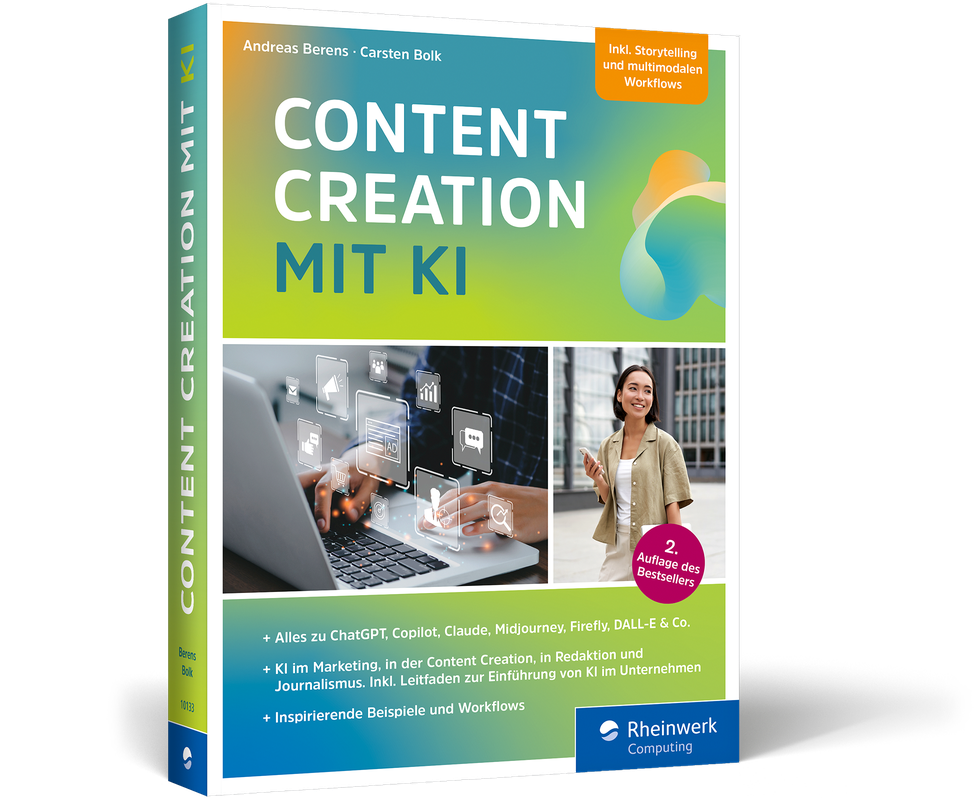
Content Creation mit KI (2. Auflg.)
Social-Media-Posts automatisch erstellen und kommentieren, Titelseiten von Magazinen gestalten, Interviews vorbereiten, Recherchen anstellen, oder bessere Texte sowie Video- und Audio-Content von der KI erstellen lassen: ChatGPT, Jasper und Co. revolutionieren die Content Creation. Immer mehr Creator lassen sich vom Bot unterstützen und Agenturen suchen nach dem Jobprofil »Artificial Intelligence Prompter«, um ganze Kampagnen mit generativer KI zu erstellen. Andreas Berens und Carsten Bolk sind selbst begeisterte Nutzer von KI-Tools und teilen in diesem Buch ihre gesammelte Erfahrungen, zahlreiche Anregungen sowie Best Practices für die eigene Content Creation: Erfahren Sie, wie auch Sie Texte generieren, Blog-Artikel schreiben, Übersetzungen redigieren, Bilder, Videos und Sounds erstellen oder Kreativitätsblockaden überwinden können.So nutzen Sie KI in der Content Creation1. Künstliche Intelligenz präzise und kreativ briefenErfahren Sie, wie Sie mit KI kreativ zusammenarbeiten und Prompts optimal für sich nutzen können.2. Texte mit KI schreiben, kommentieren, zusammenfassenLernen Sie, wie Sie Posts generieren, eine Insta-Story gestalten, Texte für einen Werbespot oder Songlyrics schreiben sowie z. B. Interviews vorbereiten können.3. Generieren Sie Bilder mit KICoverbilder gestalten oder gleich den nächsten Kunstwettbewerb gewinnen? Mit Midjourney oder DALL-E ist all das möglich.4. Nutzen Sie die KI für Sound und VideosVon Text zu Voice, die passende Musik zu Bildern und Videos generieren, Sounds in Studioqualität produzieren oder gleich Reels und Stories umsetzen.5. Schaffen Sie überzeugende Content-Marketing-ProzesseAuch bei der richtigen Strategie ist KI hilfreich. Sei es bei Wettbewerbsanalysen, Optimierung von Kreativ-Prozessen oder auch bei der Automatisierung von manuellen Aufgaben.Aus dem Inhalt:PromptingTexte mit KI schreiben, kommentieren und zusammenfassenBilder mit KI generieren und variierenAudio mit KI entwickeln, produzieren und optimierenVideos mit KI produzieren und bearbeitenWorkflows, Tipps und InspirationKI und RechtChatGPT, Copilot, Gemini, Claude, Adobe Firefly, DALL-E, Canva, Midjourney & Co.Über die Autoren:Andreas Berens ist kreativer Marken-Stratege, begeisterter Blogger und motivierender Coach. Die Liebe zur Content-Kreation zieht sich dabei wie ein roter Faden durch sein Leben. Schon früh in seiner Laufbahn faszinierte er als freier Redakteur beim Radiosenders RPR das Publikum mit lebendigem Storytelling. Diese Leidenschaft führte ihn nach seinem Studium der Betriebswirtschaft in die Werbung. Bei BBDO in Düsseldorf lernte er von den strategisch-brillantesten und kreativsten Köpfen der Branche, wie Kommunikation für Marken funktioniert. So realisierte er erfolgreiche Kampagnen für Unternehmen wie Gillette, Wrigley, Wella, Henkel und die Deutsche Post. Mit seiner Erfahrung als Experte für integrierte Kommunikation orchestrierte und moderierte er später komplexe multimediale Kampagnen der Agenturgruppe. Beim Medienhaus Rheinische Post wirkte er als Leiter Kommunikation maßgeblich an der Entwicklung neuer, crossmedialer Content-Angebote mit. Nach seinen Stationen als Geschäftsführer bei den Agenturen SYZYGY Deutschland und Young & Rubicam in Frankfurt und Berlin begann Andreas 2013 als einer der ersten deutschen Autoren über das Thema Content Marketing zu bloggen. 2015 gründete er dann gemeinsam mit seinem aus der BBDO-Zeit vertrauten Kreativ-Partner Carsten Bolk die Content-Agentur theUntold – Digital Storytelling4Brands. Andreas ist ein inspirierender Workshop-Moderator und Speaker auf Fach- und Medien-Konferenzen zu den Themen Content Marketing, Storytelling und Content Kreation mit KI. Er lehrt seit vielen Jahren an der Akademie der Deutschen Medien, der Leipzig School of Media und für den Markenverband an der EBS Universität für Wirtschaft und Recht.Carsten Bolk ist Creative Director, Designer, Storyteller, Blogger, Brand Strategist – und leidenschaftlicher Bassist. Er studierte Kommunikationsdesign an der Universität GH Essen. Bei der Düsseldorfer Agentur BBDO betreute er 16 Jahre lang als Creative Director – später als Executive Creative Director (ECD) – crossmediale Kampagnen für Kunden wie Bayer, Beiersdorf, Deutsche Post, DHL, Intersnack, Johnson & Johnson, MINI, Pepsi, Postbank, Punica und Smart. Er gewann über 250 nationale und internationale Preise, darunter 11 Löwen und einen Grand Prix in Cannes. Als Mitglied des Art Directors Club (ADC) war er bereits fünfmal Juryvorsitzender in der Kategorie Film. Gemeinsam mit Andreas Berens gründete er 2015 die Kommunikations- und Content-Agentur theUntold – Digital Storytelling4Brands – und ist Autor des Content Magazins stories4brands.Carsten Bolk ist Professor für Kommunikationsdesign an der Berufsakademie Nord in Hamburg, lehrt als Dozent an der Hochschule Düsseldorf „Designmanagement“ sowie an der Akademie der Deutschen Medien in München und der Leipzig School of Media „Content Marketing und Storytelling“. Er hält Vorträge und leitet Workshops zu den Themen Content Strategie, Content Kreation und Content Produktion mit KI.Leseprobe (PDF-Link)

Malware Development for Ethical Hackers
Malware Development for Ethical Hackers is a comprehensive guide to the dark side of cybersecurity within an ethical context.This book takes you on a journey through the intricate world of malware development, shedding light on the techniques and strategies employed by cybercriminals. As you progress, you’ll focus on the ethical considerations that ethical hackers must uphold. You’ll also gain practical experience in creating and implementing popular techniques encountered in real-world malicious applications, such as Carbanak, Carberp, Stuxnet, Conti, Babuk, and BlackCat ransomware. This book will also equip you with the knowledge and skills you need to understand and effectively combat malicious software.By the end of this book, you'll know the secrets behind malware development, having explored the intricate details of programming, evasion techniques, persistence mechanisms, and more.