

Software

Die Geheimnisse von Monkey Island (2. Auflg.)
Die 2., aktualisierte und erweiterte Auflage aus dem April 2025.“Die Geheimnisse von Monkey Island – Auf Kapertour mit Pixel-Piraten!” ist eine Hommage an die Abenteuer von Guybrush Threepwood ™, mächtiger Pirat. Aber es möchte Ihnen auch in vielen Details schildern, wie Monkey Island durch seine einzigartige Erzählkunst zum Meilenstein der Videospielgeschichte wurde. Darüber hinaus bietet es die Gelegenheit, auf die turbulente Historie von LucasArts und Telltale Games zurückzublicken, Rezepte für Voodoo-Grog zu entdecken, interaktive Piratenreggae-Songs zu lernen, auf einer mondänen Party unter 40-jährigen Geeks zu glänzen und Sprüche zu erkunden, die so scharf wie ein Entermesser sind (nützlich für Duelle oder Geburtstagsfeiern).“Macht, was ihr wollt, aber macht coole Sachen!” – George Lucas am 1. Mai 1982.Das war das einzige Ziel, das George Lucas seinen zwanzig jungen, ehrgeizigen, lustigen und schlecht frisierten Game-Designern als Rahmen für die Entwicklung von eigenen Computerspielen setzte. Lucasfilm Games ™ und später LucasArts ™ wurde in der Folgezeit zu einer legendären Spieleschmiede, auch durch die Veröffentlichung von The Secret of Monkey Island ™ im Jahr 1990. Das bekannteste Point’n’Click-Adventure verdankt seinen legendären Ruf seiner herrlich anachronistischen Welt voller bunter Piraten und seinem von Monty Python inspirierten Humor, aber auch schlicht und einfach der Tatsache, dass es ein komplettes Genre revolutioniert hat.Diese überarbeitete Edition enthält zwei neue Bonuskapitel, 36 zusätzliche Bildseiten sowie jede Menge neue Anekdoten und Trivia, die selbst dem Papagei schwindlig machen. Und natürlich kommt auch diese Auflage wieder ganz ohne Grog-Flecken.Aus dem Inhalt: Vorwort von Larry Ahern™: Mäandern auf der Affeninsel Prolog: Das Abenteuer laut LucasArts ™ Einleitung Kapitel 1: Lucasfilm Games ™ Kapitel 2: Von der interaktiven Erzählung zu Point&Click ™ Kapitel 3: Spielmotor SCUMM ™ Kapitel 4: Neuerfindung des Adventures ™ Kapitel 5: The Secret of Monkey Island ™ Kapitel 6: Von Lucasfilm Games ™ zu LucasArts ™ Kapitel 7: Monkey Island 2: LeChuck’s Revenge ™ Kapitel 8: iMUSE™! Interaktive Reggae-Musik, Mann! Kapitel 9: Das Ende einer Ära ™ Kapitel 10: The Curse of Monkey Island ™ Kapitel 11: Curse of Monkey Island: Der Film ™ Kapitel 12: Escape from Monkey Island ™ Kapitel 13: Das Adventure-Game ist tot! ™ Kapitel 14: Telltale Games ™ Kapitel 15: Tales of Monkey Island ™ Kapitel 16: Monkey Island Special Edition ™ Kapitel 17: Leben und Sterben von LucasArts ™ Kapitel 18: Die Geheimnisse von Monkey Island ™ Kapitel 19: Das Erbe von Monkey Island ™ Kapitel 20: Ron Gilbert vs. Disney ™ Kapitel 21: Return to Monkey Island ™ Kapitel 22: Zutritt nur für Mitarbeiter! ™ Anhang 1: Beleidigungsduell Anhang 2: Mojo-Credits Anhang 3: LucasArts-Klassiker Anhang 4: Plank of Love

Quantum Leap
Develop a comprehensive understanding of the evolving landscape of digital trade and finance, including the historical context and the transformative impact of technological innovations on traditional practices. This book charts the relentless march of digitalization within these sectors, highlighting how technological innovations have transformed traditional practices that have stood the test of time.After a detailed historical overview, the narrative then delves into an array of recent experiments within the digital trade and finance realms, some of which have unfortunately faltered, offering valuable lessons on the challenges and pitfalls of implementing new technologies. These case studies serve not only as cautionary tales but also as springboards for innovation, illustrating the critical need for adaptability and careful strategic planning in the face of digital evolution.A significant focus of the book is on the concept of Regenerative Finance (ReFi) applied to international trade and trade finance. This emerging paradigm, aimed at restoring and revitalizing ecosystems and communities through financial practices, is presented as a revolutionary goal for the future of trade. By leveraging the power of digital tools and smart markets, ReFi promises to drive sustainability and resilience within global trade systems, aligning economic activities with ecological and social well-being.The book culminates in an exploration of the rise of smart markets—highly efficient, transparent, and participatory trading ecosystems enabled by cutting-edge technologies like blockchain, artificial intelligence, and the Internet of Things (IoT). These digital platforms are redefining the parameters of trade and finance, making transactions faster, safer, and more inclusive. _Quantum Leap_ provides a thorough understanding of the current state of digital trade and finance and offers a visionary outlook on how these sectors can evolve towards more sustainable and regenerative practices.WHAT YOU WILL LEARN* Gain a global perspective on digital trade and finance, understanding the implications for diverse stakeholders including industry professionals, policymakers, and academics, and recognizing the interconnectedness of global trade systems.* Evaluate the role of digital trade and finance in driving sustainability and social impact, exploring ways in which these sectors can contribute to ecological and social well-being, and promoting equitable and sustainable practices.* Reflect on ethical considerations in digital trade and finance, including issues of privacy, security, and equity, and cultivate responsible leadership skills for promoting ethical practices and driving positive change in the industry.* Explore innovative approaches to trade and finance, and envision the future trajectory of these sectors, recognizing the potential for transformative change driven by digital technologies.WHO THIS BOOK IS FORWritten for a diverse audience, from newbies to industry and IT professionalsANDREA FROSININI is a seasoned Trade Finance and Business Development professional, deeply rooted in the quest for innovation and progress within the industry. His career journey has been marked by a continuous pursuit of excellence and an eagerness to embrace and drive change. Recently, he took an exciting leap by joining the Hyperledger community. This strategic move aligns with his commitment to contribute to the modernization of the trade finance sector.Andrea particularly focused on harnessing the potential of blockchain technology. This passion lies in exploring and developing new products that leverage these cutting-edge technologies. He believes that blockchain and DLTs hold the key to unlocking unprecedented efficiency, transparency, and security in trade finance processes. As a professional, Andrea brings to the table a wealth of experience and a keen insight into the complexities of trade finance. He’s driven by the challenge of integrating traditional financial systems with innovative digital solutions, aiming to revolutionize how trade finance operates.VENU BORRA is a passionate and skilled technical architect with expertise in analysis, architecture and development of solutions using Blockchain, Distributed Computing, Artificial Intelligence, Smart Contracts and Digital Assets, IoT. He brings a wealth of insightful experience to the table, navigating the intricate landscapes of DLTs and Blockchain technologies across diverse sectors including Fintech, Trade Finance, Supply chain, Agri-tech, and Health care. Fluent in an array of programming languages such as Solidity, Go-lang, Python, and more, Venu Borra possesses a versatile technical skill set encompassing AI, ML, IoT integration, and DLT.With a career marked by proficiency in analysis, architecture, and solution development, he stands at the forefront of innovation, championing the principles of Self-Sovereign Identity (SSI) and Zero Knowledge. Beyond technical prowess, Venu excels in bridging the gap between business requirements and technical solutions. With a keen focus on collaboration and innovation, Venu fosters a culture of excellence within teams, motivating individuals to surpass corporate objectives and achieve collective goals. Through strategic leadership and a commitment to excellence, he continues to shape the future of blockchain technology.Chapter 1: Gateway to Global Commerce: Unlocking the Secrets of Trade and Supply Chain Finance.- Chapter 2: Letters of Credit: The Lifeline of Global Trade.- Chapter 3: Cashing In on the Opportunity: The Dynamic World of Receivables Finance.- Chapter 4: The Interplay Between Banks and Stakeholders in Trade Finance.- Chapter 5: Empowering SMEs in Trade & Supply Chain Finance.- Chapter 6: Unlocking Value: The Potential of Deep-Tier Supply Chain Finance (DTSCF).- Chapter 7: Merging the Seas: The Imperative of Digital Transformation and Legal and Regulatory Reform.- Chapter 8: Bits, Bytes, and Legal Bites: Navigating the Digital Frontier of Trade Law and Practice.- Chapter 9: Blockchain Breakthrough: Rewiring Trade Finance for the Digital Age.- Chapter 10: Rising Titans, Falling Empires: The Epic Saga of Trade Finance Consortia in the Digital Age.- Chapter 11: Shaping Tomorrow's Markets: The Future of Trade Finance Through Innovations.- Chapter 12: Achieving Financing Resilience and Influence on Trade Finance through DORA.- Chapter 13: Navigating the New Normal: Reinventing Trade Finance with Blockchain, AI, and IoT in a Zero-Trust Era.- Chapter 14: Credit Revolution: The Tokenization Tidal Wave in Global Trade.- Chapter 15: The Nexus of Trade, Environment, and Sustainable Development.- Chapter 16: Pioneering Greener Trade: Practices and Innovations in Sustainable Finance.- Chapter 17: Thriving Together: A Regenerative Power for Small and Mighty Businesses.- Chapter 18: Data-Driven Dynamics: Linking Real-World Insights to Trade FinanceChapter 19: Afterword: Digital Trade as an evolved Digital Governance.

Photovoltaik - Grundlagen, Planung, Betrieb (3. Auflg.)
Grundlagen, Planung, Betrieb für Solaranlagen und Balkonkraftwerke in 3. Auflage aus April 2025.Mit modernen Solaranlagen rüsten Sie sich für die Zukunft und schlagen der Energiekrise ein Schnippchen. Doch wie gehen Sie dieses komplexe Projekt richtig an? Alles, was Sie dazu wissen müssen, zeigen Ihnen Michael Kofler und Christian Ofenheusle in diesem Wegweiser zur eigenen Photovoltaik-Installation.Grundlagenwissen zur Technik, Beispielrechnungen für die richtigen Investitionen und Best Practices für den Betrieb gehören genauso zu diesem Ratgeber wie Stromspartipps, Hinweise zu Förderungen und den gesetzlichen Rahmenbedingungen. So setzen Sie Ihr Photovoltaik-Projekt informiert und sicher um. Umwelt schonen und Geld sparen Energie ist teuer, Gas und Öl haben keine lange Zukunft mehr: Sie setzen mit der eigenen PV-Anlage auf eine Lösung, die ökologisch und wirtschaftlich sinnvoll ist. In diesem Praxisbuch informieren Sie sich über Chancen und Möglichkeiten Ihrer persönlichen, sonnigen Energiewende. Für Wohnungen und Familienhäuser Inzwischen haben Sie auch als Mieter ein Recht auf ein eigenes Balkonkraftwerk, mit dem Sie ohne viel Aufwand und Bürokratie in die Welt der Photovoltaik einsteigen. Größere Anlagen betreiben Wärmepumpen, laden Ihr E-Auto, speisen Energie ins Versorgungsnetz ein und machen Sie energetisch unabhängiger. Was tun, wenn die Sonne mal nicht scheint?Selbst den eigenen Strom erzeugen: Kann das so einfach sein? Michael Kofler und Christian Ofenheusle gehen auf Probleme und Fallstricke ein und zeigen Ihnen, worauf Sie bei Planung und Betrieb Ihrer Anlage achten müssen. Mit vielen Praxisbeispielen, Kosten-Nutzenrechnungen und Hinweisen auf dem Weg zur eigenen PV-Anlage.Aus dem Inhalt: Von Kilo, Watt und Peak: Wie viel Strom braucht man eigentlich? Technik: PV-Module, Wechselrichter und mehr Maximum Power Point Tracking Balkonkraftwerk für Mieter und Eigentümer PV-Anlagen für Ein- und Mehrfamilienhäuser Speichersysteme und Batterien Wärmepumpen Best Practices und Fallstricke Notstromfunktionen Förderungen und EEG Über die Autoren: Michael Kofler hat Elektrotechnik studiert und beschäftigt sich intensiv mit Photovoltaik-Anlagen. Als erfahrener Fachbuchautor weiß er, wie anspruchsvolle technische Themen allgemeinverständlich erklärt werden.Bei Christian Ofenheusle dreht sich alles um die dezentrale Energiewende. Als Gründer und Geschäftsführer der Agentur »EmpowerSource« sowie als Vorsitzender des »Bundesverbands Steckersolar e.V.« berät er Entscheider in Wirtschaft und Politik. Mit MachDeinenStrom.de und pluginsolar.info betreibt er wichtige Nutzerplattformen für Balkonkraftwerke und gibt zudem den wichtigsten Branchen-Newsletter heraus.

Computergeschichte(n) (2. Auflg.)
Zuse, IBM, Atari, Browserkrieg: Wenn Sie bei diesen Worten in Nostalgie verfallen oder von Entdeckerlust gepackt werden, dann sind Sie hier genau richtig. Jürgen Wolf nimmt Sie mit auf eine spannende Zeitreise durch die Geschichte der IT.Erleben Sie die Entwicklung der Computer, vom gigantischen Rechnerklotz, der einen ganzen Raum ausfüllt, bis zu smarten Geräten, die in die Hosentasche passen. Erfahren Sie, wie der Millennium-Bug die Welt in Panik versetzte, und staunen Sie, wie jahrhundertealte Verschlüsselungstechniken die Programmierwelt noch bis heute beeinflussen. Dabei können Sie nicht nur Faszinierendes über vergangene Zeiten lernen, sondern sogar selbst aktiv werden und die Geschichte wieder aufleben lassen! Probieren Sie sich an alten Programmiersprachen aus, emulieren Sie den C64-Homecomputer und tauchen Sie ein in die pixelige Welt der Retrogames. Eine kurzweilige Zeitreise durch die Geschichte der Computer, garantiert nicht nur für Nerds!Eine Reise in die VergangenheitIT-Geschichte von der Antike anLernen Sie die Vorreiter unserer heutigen IT-Welt kennen: Abakus, Mechanismus von Antikythera, Chiffrierscheiben, Logarithmentafeln und vieles mehr.Computer, Software und InternetJürgen Wolf bereist mit Ihnen alle Meilensteine der IT-Geschichte, von den ersten Computern und Programmen bis zu sozialen Netzwerken, 5G und Smart Home.Die Anfänge der KIMcCulloch und Pitts, Turing-Test, ELIZA, Deep Blue & Co.: Entdecken Sie die Anfänge der Künstlichen Intelligenz. Bereits Jahrzehnte vor ChatGPT legten die Vordenker der KI den Grundstein für diese revolutionäre Technologie.Ideen zum MitmachenRetrogames zocken, programmieren, emulieren: Zahlreiche Anregungen zum Mitmachen laden Sie dazu ein, in die Computergeschichte einzutauchen.Aus dem Inhalt:Wie der Computer in den Haushalt kamMobile Computer: vom »Ziegelstein« zum SmartphoneUnix, Windows und Co. – Geschichte der Betriebssysteme8-Bit-Helden: Retrokonsolen und -spieleVon Plankalkül und anderen ProgrammiersprachenAuf einmal ist alles eine AppDie Anfänge der Künstlichen IntelligenzDer erste Spam und andere Übel des InternetsAls die Browser in den Krieg zogen ...Die junge Geschichte der sozialen Medien

Microsoft 365 Copilot
Steigern Sie Ihre Produktivität im Office-Alltag mit dem tiefgehenden Fachbuch aus dem Rheinwerk Verlag in Erstauflage, April 2025.Das Potenzial generativer KI jetzt direkt in Outlook, Teams, Word & Co. nutzen! Dank des Microsoft 365 Copilot erledigen Sie Ihre täglichen Aufgaben schneller und effizienter. Der KI-Assistent hilft Ihnen, Texte zu verfassen, Präsentationen zu erstellen, Daten zu visualisieren und vieles mehr. Der Microsoft-Insider Markus Widl zeigt anhand praxisnaher Beispiele, wie Sie den Copilot optimal in Ihren Workflow integrieren. Ein unentbehrlicher Praxisleitfaden für alle, die mit Microsoft 365 arbeiten und von der KI-Power des Copiloten profitieren möchten. Den Microsoft Copilot kennenlernen Was ist Microsoft 365 Copilot und wie unterscheidet es sich von anderen KI-Tools wie ChatGPT? Welche Voraussetzungen sind notwendig für den Einsatz? All das lernen Sie in diesem Buch. Effektiv mit Prompts arbeiten Lernen Sie, wie Sie Ihre Anfragen an den Copiloten formulieren, um klare, präzise und nützliche Ergebnisse zu erhalten. Vermeiden Sie typische Fallstricke und setzen Sie den KI-Assistenten sicher und zielgerichtet ein. Im Büroalltag Zeit sparen Lassen Sie sich vom Copiloten bei der täglichen Arbeit unterstützen: Texte in Word verfassen, Präsentationen mit PowerPoint erstellen, Daten in Excel analysieren, E-Mails in Outlook schreiben und zusammenfassen, Besprechungen in Teams vor- und nachbereiten und vieles mehr. Aus dem Inhalt: Wie funktioniert Microsoft 365 Copilot? Voraussetzungen und Sicherheit Effektive Prompts formulieren Texte mit Word erstellen und optimieren Daten in Excel analysieren und visualisieren Präsentationen in PowerPoint entwerfen E-Mails in Outlook schreiben, zusammenfassen und organisieren Meetings in Teams produktiver gestalten Weitere Dienste wie Loop, Power Automate und Viva Über den Autor:Markus Widl ist Go-To-Market Manager für Teams bei Microsoft. Er begann seine IT-Karriere vor über 20 Jahren als IT-Berater, -Entwickler und -Trainer.

Softwareentwicklung mit ChatGPT und Copilot
Der Praxisleitfaden für die Zukunft der Softwareentwicklung mit KI-Assistenz Erfahren Sie, wie Sie KI-Tools Schritt für Schritt in Ihre täglichen Arbeitsabläufe integrieren Anhand konkreter Beispiele zeigt Ihnen Nathan B. Crocker, wie Sie Code und Designideen generieren und dabei in jeder Phase des Entwicklungsprozesses KI-Assistenten einsetzen Themen sind Softwaredesign und -entwicklung, Datenmanagement, Testing, Deployment, Dokumentation und Sicherheit KI-Assistenten verändern die Art und Weise, wie wir Code schreiben und Software entwickeln, grundlegend. Dieses Buch stellt effektive Techniken und Best Practices vor, um mit Tools wie Copilot und ChatGPT das Beste aus der KI-gestützten Programmierung herauszuholen. Jenseits des Hypes erfahren Sie anhand von Praxisbeispielen, wie KI-Tools die Softwareentwicklung effizienter machen, die Qualität des Codes verbessern, Ihnen Ihre Arbeit erleichtern und Sie kreativer werden lassen. Das Themenspektrum des Buchs umfasst den kompletten Entwicklungszyklus von Software: von der Designidee und der Codegenerierung über das Debugging und die Dokumentation bis zum Deployment. Aus dem Inhalt Nutzen Sie KI, um Ihre Software zu entwerfen und zu planen Führen Sie KI in jeden Schritt des Workflows ein Entwickeln Sie eine selbstdokumentierende Anwendung Lernen Sie, gute Prompts zu formulieren, um komplexe Probleme mit KI zu lösen Erfahren Sie, wie KI beim Testen Ihres Codes, der Infrastruktur und bei Sicherheitsfragen helfen kann

Dialog! (2. Auflg.)
Auch eine Behörde muss heute zeitgemäß in sozialen Netzwerken kommunizieren – egal ob groß oder klein, mit mehr und mit weniger Budget und Personal. Erfahren Sie, wie Facebook, X, Instagram und Co. keine „Zusatzbelastung“ sind, sondern ein funktionierendes und sehr effizientes Hilfsmittel, um Menschen zu erreichen. Mehr an Bewerbern, eine Erhöhung der Wahl- oder Bürgerbeteiligung, ein besseres Image oder die beste Werbung für die eigenen Bürgerangebote. Alles ist möglich. Aus dem Inhalt: Dialog auf Social Media – aber richtigWelches soziale Netzwerk passt zu unsOrganisation Ihres Social-Media- TeamsDie richtige Social-Media-StrategieStorytelling für Behörden und PolitikAmtfluencer und PolitfluencerRecruiting über Social Media – Do’s & Don’tsKrisenkommunikationUmgang mit Hass im Netz... und über 200 Best PracticesInterviews mit den besten Behörden und Politikerinnen und Politikern in Social Media

VBA mit Excel
Werden Sie unter Anleitung des Erfolgsautors Bernd Held zum Profi in Excel-VBA! Von den Grundlagen und der Objektprogrammierung über Funktionen und Ereignisse bis hin zu UserForms oder Symbolleisten: Hier ist alles drin, mit zahlreichen Beispielen illustriert. Dank der Best Practices erstellen Sie leicht Ihren eigenen Code und haben im Fehlerfall immer die passende Lösung parat. Sie erfahren zudem, wie Sie von KI-Tools bei der VBA-Programmierung profitieren. Das Buch ist Einführung, Arbeitsbuch und Nachschlagewerk in einem und unverzichtbar für die Arbeit mit Excel-VBA. Mit über 650 sofort einsetzbaren Makros zum Download. Geeignet für Excel 2016 bis 2024 und das Office-Abo Microsoft 365. Aus dem Inhalt: Grundsätzliches zur ProgrammierungDie Arbeitsumgebung für die ProgrammierungDatentypen, Variablen und KonstantenSprachelemente in VBA in der praktischen AnwendungZellen und Bereiche programmierenDie Programmierung von Spalten und ZeilenTabellenblätter programmierenDie Programmierung von ArbeitsmappenDiagramme und Pivot-Tabellenberichte programmierenBenutzerdefinierte Funktionen und FunktionsmakrosProgrammierung durch Windows-API-AufrufeEreignisse in Excel einsetzenVBE-ProgrammierungDialoge, Meldungen und UserForms programmierenSteuerelemente in Tabellen programmierenEigene Menüs und Symbolleisten erstellenExcel und sein UmfeldFehlerbehandlung, Tuning und Schutz von VBA-ProjektenKI-Tools als nützliche HelferFAQ zur Programmierung mit ExcelAufstellung aller wichtigen VBA-BefehleSofort einsetzbare Makros Materialien zum Buch ... 25 Vorwort ... 27 1. Die Entwicklungsumgebung von Excel ... 31 1.1 ... Excel auf die Programmierung vorbereiten ... 31 1.2 ... Die Bestandteile der Entwicklungsumgebung ... 34 2. Datentypen, Variablen und Konstanten ... 69 2.1 ... Der Einsatz von Variablen ... 69 2.2 ... Die Verwendung von Konstanten ... 88 3. Die Sprachelemente von Excel-VBA ... 103 3.1 ... Bedingungen ... 103 3.2 ... Typische Aufgaben aus der Praxis ... 104 3.3 ... Die Kurzform einer Bedingung ... 112 3.4 ... Die Anweisung »Select Case« einsetzen ... 114 3.5 ... Die »Enum«-Anweisung ... 119 3.6 ... Schleifen erstellen und verstehen ... 121 3.7 ... Sonstige Sprachelemente ... 155 4. Zellen und Bereiche programmieren ... 161 4.1 ... Zahlenformat einstellen und/oder konvertieren ... 161 4.2 ... Zellen, Rahmen und Schriften formatieren ... 179 4.3 ... Die bedingte Formatierung von Excel ... 195 4.4 ... Bereiche und Zellen benennen ... 209 4.5 ... Tabellenfunktionen einsetzen ... 221 4.6 ... Matrixformeln in der Programmierung nutzen ... 243 4.7 ... Texte und Zahlen manipulieren ... 248 4.8 ... Gültigkeitsprüfung in Excel ... 260 4.9 ... Kommentare in Excel einsetzen ... 273 5. Spalten und Zeilen programmieren ... 287 5.1 ... Zeilen und Spalten ansprechen, ansteuern und anpassen ... 287 5.2 ... Zeilen einfügen und löschen ... 297 5.3 ... Spalten einfügen, löschen und bereinigen ... 303 5.4 ... Zeilen ein- und ausblenden ... 305 5.5 ... Spalten ein- und ausblenden ... 306 5.6 ... Spalten und Zeilen formatieren ... 307 5.7 ... Daten sortieren ... 309 5.8 ... Spalte(n) vergleichen ... 315 5.9 ... Zeilen filtern ... 318 5.10 ... Zeilen über das Teilergebnis gruppieren ... 350 6. Tabellen und Diagramme programmieren ... 353 6.1 ... Tabellen einfügen ... 353 6.2 ... Tabellenblätter benennen ... 354 6.3 ... Tabellen markieren ... 357 6.4 ... Tabellenblätter gruppieren ... 359 6.5 ... Tabellenblätter löschen ... 361 6.6 ... Tabellenblätter ein- und ausblenden ... 365 6.7 ... Tabellenblätter schützen ... 369 6.8 ... Tabellen einstellen ... 373 6.9 ... Tabellenblätter drucken und PDF erstellen ... 387 6.10 ... Tabelleninhaltsverzeichnis erstellen ... 390 6.11 ... Intelligente Tabellen ... 392 6.12 ... Pivot-Tabellen erstellen ... 400 6.13 ... Diagramme programmieren ... 409 6.14 ... Tabellen blitzschnell vergleichen und Unterschiede dokumentieren ... 427 7. Arbeitsmappen und Dateien programmieren ... 433 7.1 ... Arbeitsmappen ansprechen ... 433 7.2 ... Arbeitsmappen anlegen ... 434 7.3 ... Arbeitsmappen speichern ... 437 7.4 ... Arbeitsmappen öffnen ... 443 7.5 ... Arbeitsmappen schließen ... 448 7.6 ... Arbeitsmappe löschen ... 450 7.7 ... Arbeitsmappen drucken ... 453 7.8 ... Dokumenteigenschaften verarbeiten ... 456 7.9 ... Arbeitsmappen und Verknüpfungen ... 461 7.10 ... Arbeitsmappe durchsuchen ... 467 7.11 ... Arbeitsmappen miteinander vergleichen ... 468 7.12 ... Arbeitsmappenübersicht erstellen ... 471 7.13 ... Textdateien importieren ... 473 7.14 ... Makros für das Dateimanagement ... 483 8. Eigene Funktionen und reguläre Ausdrücke ... 495 8.1 ... Benutzerdefinierte Funktionen ... 495 8.2 ... Jahresbericht mit nur einer Funktion blitzschnell erstellen ... 520 8.3 ... Modulare Funktionen schreiben ... 526 8.4 ... Funktionen verfügbar machen ... 539 8.5 ... Mit regulären Ausdrücken programmieren ... 541 9. Ereignisse programmieren ... 555 9.1 ... Ereignisse für die Arbeitsmappe ... 555 9.2 ... Ereignisse für das Tabellenblatt ... 567 9.3 ... Reaktion auf Tastendruck ... 580 9.4 ... Zeitsteuerung in Excel ... 585 10. Die VBE-Programmierung ... 591 10.1 ... Die VBE-Bibliothek einbinden ... 592 10.2 ... Die VBE ein- und ausschalten ... 597 10.3 ... Einzelnes Makro löschen ... 599 10.4 ... Alle Makros aus einer Arbeitsmappe entfernen ... 600 10.5 ... Identifikation von Komponenten ... 605 10.6 ... Ein bestimmtes Makro auskommentieren ... 606 10.7 ... Das Direktfenster löschen ... 607 10.8 ... Den Status des VBA-Projekts abfragen ... 607 10.9 ... Makros und Ereignisse dokumentieren ... 608 11. Dialoge, Meldungen und UserForms programmieren ... 611 11.1 ... »MsgBox«-Meldung ... 612 11.2 ... Die »InputBox«-Eingabemaske ... 615 11.3 ... Integrierte Dialoge einsetzen ... 619 11.4 ... Eigene UserForms entwerfen ... 623 11.5 ... Programmierung von Textfeldern ... 631 11.6 ... Programmierung von Listenfeldern ... 659 11.7 ... Programmierung von Kombinationsfeldlisten ... 678 11.8 ... Die Programmierung von Optionsschaltflächen ... 690 11.9 ... Die Programmierung von Kontrollkästchen ... 696 11.10 ... Die Programmierung von Bildelementen ... 703 11.11 ... Die Programmierung sonstiger Steuerelemente ... 708 11.12 ... Das Verwaltungstool ... 729 11.13 ... Ist das ListView-Steuerelement die bessere Listbox? ... 741 12. Excel im Umfeld von Office programmieren ... 751 12.1 ... Excel im Zusammenspiel mit PowerPoint ... 751 12.2 ... Excel im Zusammenspiel mit Word ... 762 12.3 ... Excel im Zusammenspiel mit Outlook ... 773 12.4 ... Excel im Zusammenspiel mit Access ... 790 12.5 ... Excel im Zusammenspiel mit dem Internet Explorer ... 809 13. Datenfelder, ADO, Dictionaries und Collections programmieren ... 813 13.1 ... Aufgaben mithilfe von ADO und SQL-Statements lösen ... 813 13.2 ... Arbeiten mit Arrays ... 838 13.3 ... Arbeiten mit dem »Dictionary«-Objekt ... 849 13.4 ... Arbeiten mit Collections ... 865 13.5 ... Intelligente Arrays mit Zusatzfunktionen ... 871 14. Die Programmierung der Excel-Oberfläche ... 877 14.1 ... Die Programmierung von Kontextmenüs ... 877 14.2 ... Die Menübandprogrammierung ... 883 15. Fehlerbehandlung, Tuning und Schutz von VBA-Projekten sowie Support durch KI ... 895 15.1 ... Kleinere Fehler beheben ... 895 15.2 ... Schwerwiegendere Fehler ... 897 15.3 ... Das Add-in MZ-Tools ... 900 15.4 ... Laufzeiten verkürzen ... 903 15.5 ... VBA-Projekte schützen ... 905 15.6 ... KI und Excel-VBA ... 906 15.7 ... Mein Fazit ... 914 16. Typische Verarbeitungsaufgaben aus der Praxis ... 915 16.1 ... Daten übertragen ... 915 16.2 ... Daten im Batch verarbeiten ... 918 16.3 ... Daten verteilen ... 920 16.4 ... Berichtsfilterseiten erstellen ... 928 16.5 ... Daten löschen ... 931 16.6 ... Daten kennzeichnen ... 934 16.7 ... Diagramme automatisch formatieren ... 941 16.8 ... Daten mithilfe von Wildcards finden ... 945 16.9 ... Zwei identische Bereiche miteinander vergleichen ... 946 16.10 ... Suche nach einem Begriff unter Berücksichtigung der Formatierung ... 948 16.11 ... Automatische Sicherung von E-Mails in einer Access-Datenbank ... 949 16.12 ... Einen Durchschnitt aus den Top-5-Werten ermitteln ... 952 16.13 ... Arbeitsmappen auf Knopfdruck automatisch erstellen ... 954 16.14 ... Alle Formeln einer Tabelle schützen und verstecken ... 955 16.15 ... Eine Unikatsliste über den Einsatz von SQL erstellen ... 956 16.16 ... Erstellung eines Kalenders mit VBA -- Schritt für Schritt ... 959 16.17 ... Kriterien für eine Mehrfachfilterung aus Zellen beziehen ... 961 16.18 ... Bestimmte Zeichenfolge in einem Bereich entfernen ... 962 16.19 ... Automatisch eine Kopie der Mappe erstellen ... 963 16.20 ... Einen Excel-Bereich als Objekt nach PowerPoint übertragen ... 964 16.21 ... Einen formatierten Text in eine PowerPoint-Folie übertragen ... 966 16.22 ... Top-Werte ermitteln und kennzeichnen ... 968 16.23 ... Daten aus einer geschlossenen Mappe ziehen ... 970 16.24 ... Ein PDF in Excel erstellen und direkt versenden ... 973 16.25 ... Daten verdichten ... 974 16.26 ... Daten in Mappen aktualisieren, ohne diese zu öffnen ... 980 16.27 ... Eine Suchfunktion für eine ListBox erstellen ... 983 16.28 ... Mehrere Bilder dynamisch in eine Tabelle einfügen (Bildergalerie) ... 986 16.29 ... Bedingte Summierung direkt im Arbeitsspeicher vornehmen ... 989 16.30 ... Über zwei Arrays Jahresumsätze pro Monat auswerten ... 994 16.31 ... Bedingte Summierung mit mehreren Kriterien im Speicher durchführen ... 997 16.32 ... Pfeilsymbol oberhalb einer bestimmten Säule in einem Diagramm einfügen ... 1001 16.33 ... Excel erweitern -- doppelte Werte finden und unterschiedlich kennzeichnen ... 1004 16.34 ... Bestimmte Zeilen übertragen -- Kriterien dynamisch zusammenstellen ... 1007 16.35 ... Der Vollautomat -- alle Dateien eines Verzeichnisses schnell verarbeiten ... 1010 16.36 ... Eine Mehrfachsuche in einer Tabelle mit einem Array beschleunigen ... 1013 Index ... 1017

Play!
Werde zum Creator und starte durch mit deinem Video Content. Hier findest du alles, was du brauchst, um mit deinen Videos einen erfolgreichen Auftritt hinzulegen. Egal ob TikTok, Instagram, Youtube oder Twitch – dieser Guide bringt dir alles bei, was du in der Welt des Video Contents brauchst: Von der Ideenfindung über die Einrichtung deiner Accounts und Kanäle bis zur Auswahl der richtigen Ausrüstung und der Erhöhung deiner Sichtbarkeit auf den wichtigsten Plattformen. Neben den Erfolgsgeschichten großer und erfolgreicher Creator findest du auch zahlreiche andere Beispiele aus verschiedenen Content-Bereichen wie Comedy, Beauty, Gaming, Sport, Mode und Lifestyle. Aus dem Inhalt: Finde die besten Ideen für deinen KanalSo baust du deine Marke aufTausende Fans und Follower erreichenVideos drehen leicht gemachtTikTok, Instagram, YouTube, TwitchTricks für mehr ReichweiteGeld verdienen mit Video ContentSocial-Media-Kanäle effektiv nutzenAnalysieren und besser werdenDu bist erfolgreich – wie geht es weiter?Lerne von erfolgreichen Creatorn Vorwort ... 11 1. Mit welcher Idee werde ich ein Video-Star? ... 13 1.1 ... Was sind eigentlich meine Chancen auf den verschiedenen Plattformen? ... 15 1.2 ... Welche Themen gibt es im Kosmos von YouTube, TikTok, Instagram Reels und Twitch? ... 25 1.3 ... Dein individueller Masterplan ... 33 2. Wie baue ich meine eigene Marke auf? ... 35 2.1 ... Wie kann ich selbst eine Marke werden? ... 37 2.2 ... Was will ich meinen zukünftigen Fans sagen? ... 41 2.3 ... Ohne Inhalte keine Fans! Ohne Entertainment keine bleibenden Fans! ... 45 2.4 ... Ohne Ziele kein Erfolg! ... 51 3. Was möchte ich für meine zukünftigen Fans drehen? -- Stichwort Storytelling! ... 57 3.1 ... Aber zuerst: Welche Formate gibt es? ... 58 3.2 ... Mein erstes Mal posten -- wie mach ich das? ... 64 3.3 ... Let the Storytelling begin ... 66 3.4 ... Welche Story will ich erzählen? ... 67 3.5 ... Weitere angesagte Videoarten ... 77 4. Meine ersten eigenen Video-Accounts! ... 85 4.1 ... Channels richtig anlegen ... 86 4.2 ... Vorhang auf! -- Glänze mit deinem Design ... 96 4.3 ... Multi-Channel-Strategie ... 106 5. Content drehen leicht gemacht! ... 109 5.1 ... Read before use ... 110 5.2 ... Kameras -- hohe Qualität für kleines Geld ... 112 5.3 ... Mit dem Handy viral gehen ... 128 5.4 ... Dein Streaming-Setup ... 135 5.5 ... Auf geht's! ... 142 6. Ab in den Videoschnitt ... 145 6.1 ... Schneiden am Computer ... 145 6.2 ... Das Taschenwunder Handy ... 152 6.3 ... Welche Geschichte willst du erzählen? ... 153 6.4 ... Der letzte Schliff ... 156 6.5 ... Ab in den Stream ... 160 8. Zeig es der Welt! -- Der erste perfekte Video-Upload ... 191 8.1 ... First Things Frist: Das musst du vor dem Upload wissen ... 193 8.2 ... Videobenennung richtig gemacht ... 206 8.3 ... Der erste Video-Upload: Hallo Welt! ... 216 8.4 ... Plane die Verbreitung deiner Videos ... 224 9. Pimp deinen Content für mehr Reichweite ... 229 9.1 ... YouTube ... 229 9.2 ... Twitch ... 236 9.3 ... Instagram ... 242 9.4 ... TikTok ... 244 10. Money! Money! Money! -- So verdienst du mit deinem Content Geld ... 247 10.1 ... Wie und wo wird das Geld verdient? ... 248 10.2 ... Wie komme ich an Sponsoren und Kooperationen? ... 268 10.3 ... Merchandise mit eigenen Fanartikeln ... 273 10.4 ... Einnahmequelle Patreon ... 276 11. Gewusst wie! -- Tricks für mehr Sichtbarkeit ... 279 11.1 ... Wie hält man die Fans und Follower langfristig auf Trab? -- Community-Management für jeden Kanal ... 281 11.2 ... Nutze weitere Social-Media-Kanäle ... 283 11.3 ... Es gibt Preise ... 287 11.4 ... Immer up 2 date ... 293 12. Durch Kontrolle der Zahlen dauerhaft erfolgreich sein ... 297 12.1 ... YouTube Analytics ... 300 12.2 ... Twitch-Dashboard ... 312 12.3 ... Instagram Insights ... 316 12.4 ... TikTok ... 319 13. Sichere dich ab! -- Rechtliche FAQs für Video-Creators ... 325 13.1 ... Was darf ich auf Onlineplattformen hochladen? ... 326 13.2 ... Das Impressum ... 331 13.3 ... Top Ten der Rechtsfallen für angehende Video-Creators ... 333 13.4 ... Welche Rechte gebe ich ab, wenn ich ein Video auf YouTube, Instagram, TikTok & Co. hochlade? ... 336 13.5 ... Werbung auf Videoplattformen ... 337 13.6 ... Gewerbeanmeldung Teil 1 ... 342 13.7 ... Gewerbeanmeldung Teil 2 ... 343 14. LuciNana -- die Erfolgsstory einer Twitch-Streamerin und Gamerin ... 345 14.1 ... Die Anfänge: eine neue Welt entdecken ... 345 14.2 ... Der Name und die Marke LuciNana ... 346 14.3 ... Kreativität trifft Community ... 347 14.4 ... Der Aufbau einer Community ... 347 14.5 ... Herausforderungen auf dem Weg ... 348 14.6 ... Die Rolle von Technik und Planung ... 348 14.7 ... Tipps für Einsteiger: Wie fängt man an? ... 348 14.8 ... Monetarisierung: vom Hobby zur Nebentätigkeit ... 349 14.9 ... Kreative Formate und Zukunftspläne ... 350 14.10 ... Ein gesunder Umgang mit Streaming ... 350 Index ... 351

Google Analytics 4
Mit Google Analytics 4 haben Sie die gesamte Reise Ihrer Kunden im Blick. Ob Websites, Kampagnen, Shops oder Apps – hier finden Sie die passende Lösung für Ihre Webanalyse. Egal, ob Sie bereits mit GA4 arbeiten oder aus bestehenden Projekten umsteigen, unser Buch ist das Richtige für Sie. Lernen Sie alle Neuerungen und Features von Google Analytics 4 kennen, um das volle Potenzial des Tools auszuschöpfen – von der Einrichtung über das Tagging bis hin zu individuellen Berichten und KI-gestützten Analysen mit BigQuery. Inklusive aktueller Datenschutzanforderungen und Google Consent Mode. Durch anschauliche Praxisbeispiele profitieren Sie von Erfahrungen und Know-how aus zahlreichen Kundenprojekten. Aus dem Inhalt: Google Analytics 4 einrichtenWebsites auswertenKampagnen steuernShops bewertenApps analysierenReports erstellen mit GA 4 und Looker StudioSetup mit Google Tag und Tag ManagerGoogle Analytics mit Google Ads verknüpfenAnalysen mit BigQuery und Looker Studio erweitern Geleitwort ... 17 Vorwort ... 19 1. Google Analytics 4 ... 21 1.1 ... Was macht ein Webanalyse-System? ... 22 1.2 ... Die neue Welt der Messung ... 26 1.3 ... Ein Trackingkonzept erstellen ... 44 1.4 ... Dokumentation und Onlinehilfe ... 47 2. Google Analytics 4 einrichten ... 51 2.1 ... Konto, Property und Datenstream anlegen ... 51 2.2 ... Tags einbinden auf Websites ... 60 2.3 ... Ereignisse in GA4 ... 71 2.4 ... Schlüsselereignisse definieren ... 85 2.5 ... Benutzerdefinierte Definitionen verwenden ... 91 2.6 ... Details des Webdatenstroms ... 95 2.7 ... Google-Tag-Einstellungen konfigurieren ... 97 3. Websites auswerten ... 109 3.1 ... Die GA4-Startseite ... 109 3.2 ... Berichte: Nutzer analysieren ... 115 3.3 ... Inhalte: Ereignisse und Seiten ... 134 3.4 ... Suchen, Filtern und Vergleichen ... 159 4. Kampagnen steuern ... 165 4.1 ... Wie kommen die Nutzer zur Website? ... 167 4.2 ... Zielgruppen anlegen ... 189 4.3 ... Attribution verstehen im Menü »Werbung« ... 199 4.4 ... Verknüpfung mit Google Ads einrichten ... 208 4.5 ... Google Search Console mit GA4 verknüpfen ... 215 5. Shops bewerten ... 219 5.1 ... E-Commerce-Daten auswerten ... 220 5.2 ... E-Commerce-Nutzeraktionen messen ... 247 5.3 ... Beispielkonten und Demos von Google ... 259 6. Apps analysieren ... 265 6.1 ... Nutzerdaten in Apps erfassen ... 266 6.2 ... Inhalte und Aktionen in Apps analysieren ... 271 6.3 ... App-Datenstreams einrichten ... 288 6.4 ... Datenschutz beim Tracking von Apps ... 300 6.5 ... Die Einbindung prüfen und debuggen ... 304 6.6 ... Nachrichten mit Firebase verschicken ... 309 6.7 ... GA4-Beispielkonto mit App-Daten ... 315 7. Eigene Reports anpassen und erstellen ... 319 7.1 ... Navigation in der Bibliothek anpassen ... 319 7.2 ... Berichte erstellen und bearbeiten ... 323 7.3 ... Explorative Datenanalysen erstellen ... 338 8. BigQuery und Looker Studio ... 371 8.1 ... Rohdaten mit BigQuery analysieren ... 372 8.2 ... Looker Studio und GA4 zusammenführen ... 403 9. Fehler analysieren und Qualität sichern ... 417 9.1 ... Ist ein Analytics-Tag auf der Seite vorhanden? ... 418 9.2 ... Prüfung in Browser-Entwicklertools ... 422 9.3 ... Trigger und Ereignisse im Tag Assistant ... 432 9.4 ... Eintreffende Ereignisse im GA4-DebugView ... 439 9.5 ... Qualität der Daten in GA4 überwachen ... 442 9.6 ... Cookies und Browser-Privacy ... 447 9.7 ... Häufige Probleme in GA4 ... 451 9.8 ... Relaunch oder Umzug ... 458 10. Administration und Verwaltung ... 461 10.1 ... Konto- und Property-Verwaltung ... 461 10.2 ... Datenerhebung und -änderung ... 468 10.3 ... Datenanzeige ... 485 10.4 ... Verknüpfungen und API-Zugriff ... 491 10.5 ... Nutzerrechte mit der Google Marketing Platform einrichten ... 494 10.6 ... Server-Side Tagging ... 505 10.7 ... Google Analytics 360 für GA4 ... 507 Index ... 511

Einstieg in Unity
Nutzen Sie die geniale Game Engine Unity, um eigene Spiele zu entwickeln! Erfolgsautor Thomas Theis zeigt Ihnen Schritt für Schritt, wie es geht – von der ersten Scene bis zum komplexen Multiplayer-Spiel. Mit dem integrierten C#-Kurs lernen Sie ohne Vorkenntnisse und ohne externe Software alle Objekte und Befehle direkt so kennen, wie Sie in Unity-Skripten aussehen. Unity bietet eine Fülle von Techniken und Effekten, die Sie nur einzubinden brauchen. Ob es um Zusammenstöße, Flugkurven, Explosionen oder die Kameraperspektive geht: Lernen Sie erst mit 2D- und dann mit 3D-Spielen, die mächtigen Werkzeuge zu nutzen und Ihre eigenen Ideen umzusetzen. Mit 18 vollständigen Spieleprojekten aus vielen Genres. Aus dem Inhalt: Unity installierenProjekte, Scenes und Assets verwaltenFlummi oder Stahlkugel? Objekteigenschaften festlegenKräfte und Drehmomente nutzenSkripte schreiben und gut strukturierenCollider und Trigger einsetzenSound und Animation hinzufügenMaterialien gestalten und Texturen verwendenMit Kameras und Perspektiven umgehenJump 'n Run, Breakout, Multiplayer, Shooter, Geschicklichkeitsspiel, Gedächtnistraining, Rennen, Adventure u. v. m. 1. Einführung ... 19 1.1 ... Was machen wir mit Unity? ... 19 1.2 ... Wie entsteht der programmierte Spielablauf? ... 20 1.3 ... Dateiendungen anzeigen lassen ... 20 1.4 ... Den Unity Hub installieren ... 21 1.5 ... Eine Unity-Lizenz erhalten ... 22 1.6 ... Eine Unity-Version installieren ... 22 1.7 ... Beispielprojekte und Assets ... 23 1.8 ... Nutzung der Materialien ... 24 1.9 ... Upgrade eines Unity-Projekts ... 25 2. Das erste 2D-Projekt ... 27 2.1 ... Ein neues Projekt erstellen ... 27 2.2 ... Wichtige Bereiche im Unity Editor ... 28 2.3 ... Das Spielobjekt »Main Camera« ... 30 2.4 ... Assets importieren ... 31 2.5 ... Spielobjekte einfügen ... 32 2.6 ... Die Hierarchie ändern ... 33 2.7 ... Eine Szene speichern ... 35 2.8 ... Die Komponente »Transform« ... 35 2.9 ... Die Ansicht in der »Scene View« ... 38 3. Spielen Sie ein 2D-Jump&Run-Spiel ... 43 3.1 ... Wie geht das Spiel? ... 43 3.2 ... Unsere ersten Unity-Elemente ... 45 4. Entwickeln Sie ein 2D-Jump&Run-Spiel ... 53 4.1 ... Erzeugen Sie das Projekt und die Assets ... 53 4.2 ... Fügen Sie Spielobjekte ein ... 54 4.3 ... Erstellen Sie den Spielablauf ... 60 4.4 ... Gestalten Sie die Benutzeroberfläche ... 82 4.5 ... Erzeugen Sie eine ausführbare Version ... 101 5. Ein 2D-Breakout-Spiel ... 105 5.1 ... Führen Sie das Spiel aus ... 105 5.2 ... Erzeugen Sie das Projekt und die Assets ... 106 5.3 ... Fügen Sie Spielobjekte ein ... 111 5.4 ... Erstellen Sie den Spielablauf ... 118 5.5 ... Gestalten Sie die Benutzeroberfläche ... 128 6. Ein 2D-Spiel für zwei Spieler ... 141 6.1 ... Führen Sie das Spiel aus ... 141 6.2 ... Bereiten Sie das Spiel vor ... 143 6.3 ... Erstellen Sie den Spielablauf ... 149 6.4 ... Künstliche Intelligenz ... 159 7. Ein Gedächtnistrainer als 2D-Projekt ... 161 7.1 ... Führen Sie das Training aus ... 161 7.2 ... Bereiten Sie das Training vor ... 162 7.3 ... Das Training für drei Zahlen ... 163 7.4 ... Das Training erweitern ... 172 8. Ein 2D-Space-Shooter ... 181 8.1 ... Bereiten Sie das Spiel vor ... 182 8.2 ... Erstellen Sie den Spielablauf ... 188 9. Das erste 3D-Projekt ... 203 9.1 ... Grundlagen eines 3D-Projekts ... 203 9.2 ... Verschieben und Drehen ... 209 10. Eine 3D-Animation ... 221 10.1 ... Schaffen Sie die Voraussetzungen ... 221 10.2 ... Erstellen Sie die Animation ... 224 10.3 ... Arbeiten Sie mit dem »Animator Controller« ... 229 10.4 ... Fügen Sie das C#-Script hinzu ... 232 11. Ein 3D-Balancer ... 235 11.1 ... Führen Sie das Spiel aus ... 235 11.2 ... Bereiten Sie das Spiel vor ... 236 11.3 ... Erstellen Sie den Spielablauf ... 240 12. Ein 3D-Tetris ... 247 12.1 ... Führen Sie das Spiel aus ... 247 12.2 ... Bereiten Sie das Spiel vor ... 248 12.3 ... Erstellen Sie den Spielablauf ... 250 13. Ein Kopfrechentrainer als 3D-Projekt ... 261 13.1 ... Führen Sie das Training aus ... 261 13.2 ... Bereiten Sie das Training vor ... 262 13.3 ... Erstellen Sie den Trainingsablauf ... 263 14. Golf spielen auf einem 3D-Terrain ... 275 14.1 ... Führen Sie das Spiel aus ... 275 14.2 ... Bereiten Sie das Spiel vor ... 276 14.3 ... Erstellen Sie den Spielablauf ... 286 14.4 ... Ein weiteres Terrain ... 292 15. Jagen auf einem 3D-Terrain ... 301 15.1 ... Führen Sie das Spiel aus ... 301 15.2 ... Bereiten Sie das Spiel vor ... 304 15.3 ... Erstellen Sie den Spielablauf ... 312 16. Eine Schlange aus 3D-Joints ... 325 16.1 ... Führen Sie das Spiel aus ... 325 16.2 ... Bereiten Sie das Spiel vor ... 326 16.3 ... Erstellen Sie den Spielablauf ... 329 17. Ein Renntraining und ein Autorennen ... 339 17.1 ... Führen Sie das Renntraining aus ... 339 17.2 ... Führen Sie das Autorennen aus ... 341 17.3 ... Bereiten Sie das Renntraining vor ... 342 17.4 ... Erstellen Sie den Ablauf des Renntrainings ... 347 17.5 ... Erweitern Sie das Renntraining zum Autorennen ... 358 18. Erkunden Sie das Verlies ... 369 18.1 ... Führen Sie das Spiel aus ... 369 18.2 ... Bereiten Sie das Spiel vor ... 373 18.3 ... Erstellen Sie den Spielablauf ... 382 19. Ein Programmierkurs in C# ... 401 19.1 ... Das Unity-Projekt »Programmierkurs« ... 401 19.2 ... Grundlagen ... 403 19.3 ... Datenfelder ... 416 19.4 ... Zeichenketten ... 419 19.5 ... Methoden ... 421 19.6 ... Generische Listen ... 427 19.7 ... Daten auf der Festplatte ... 430 19.8 ... Objektorientierung ... 433 20. Speichern Sie eine Highscore-Liste ... 439 20.1 ... Definition der eigenen Klasse ... 439 20.2 ... Die eigene Klasse nutzen ... 442 21. Arbeiten Sie mit mehreren Szenen ... 451 21.1 ... Der Ablauf des Projekts ... 451 21.2 ... Der Aufbau der ersten Szene ... 452 21.3 ... Weitere Szenen ... 456 22. Allgemeine Hinweise ... 459 22.1 ... Projekte bearbeiten ... 459 22.2 ... Unity Packages ... 461 22.3 ... Unity unter anderen Betriebssystemen ... 463 22.4 ... Browser-Anwendungen erstellen ... 464 22.5 ... Android-Apps erstellen ... 466 22.6 ... Bonusprojekte ... 471 Index ... 475

GIMP 3
Mit diesem umfassenden Handbuch von Jürgen Wolf bleiben keine Fragen offen: Sie lernen GIMP von A bis Z kennen und erfahren, was wirklich in der Software steckt. Egal, ob Sie Ihre Fotos retuschieren, Animationen erstellen oder Grafiken für die eigene Website gestalten wollen – hier finden Sie schnell und zuverlässig Antworten auf Ihre Fragen. Mit detaillierten Anleitungen und Tipps zeigt Ihnen dieses Buch, wie Sie auch fortgeschrittene Techniken meistern, GIMP in Ihren Workflow integrieren und mit nützlichen Plug-ins erweitern. Umfassend und anfängerfreundlich – Ihr Lern- und Nachschlagewerk für den täglichen Einsatz. Aus dem Inhalt: Die Arbeitsoberfläche kennenlernenGrundlagen der BildbearbeitungFarben korrigieren und verfremdenSchärfen und weichzeichnenEbenen, Auswahlen, PfadeZuschneiden und ausrichtenFotos für den Druck vorbereitenMalen und zeichnen mit GIMPRAW, HDI und DRITypografie und TexteffekteFilter & Effekte: Zaubern mit GIMPPlugins und Skript-Fu Vorwort ... 25 TEIL I Grundlagen ... 29 1. Die Arbeitsoberfläche ... 31 1.1 ... Der Willkommen-Dialog ... 31 1.2 ... Die Arbeitsoberfläche im Überblick ... 32 1.3 ... Die einzelnen Werkzeuge und ihre Funktionen ... 41 1.4 ... Die andockbaren Dialoge ... 47 1.5 ... Werte eingeben und verändern ... 54 2. Umgang mit Dateien ... 59 2.1 ... Dateien öffnen ... 59 2.2 ... Neue Dateien anlegen ... 67 2.3 ... Dateien schließen, speichern und exportieren ... 69 2.4 ... Dateiformate und Kompression ... 73 3. Praktische Hilfsmittel ... 85 3.1 ... Hilfsmittel zum Zoomen und Navigieren ... 85 3.2 ... Informationen zum Bild ... 94 3.3 ... Hilfsmittel zum Ausrichten und Messen ... 99 4. Grundlagen der Bildbearbeitung ... 107 4.1 ... Pixel- und Vektorgrafiken ... 107 4.2 ... Bildgröße und Auflösung ... 108 4.3 ... Grundlagen zu Farben ... 110 TEIL II Die Bildkorrektur ... 125 5. Grundlegendes zur Bildkorrektur ... 127 5.1 ... Grundlegende Tipps für eine Bildkorrektur ... 127 5.2 ... Rückgängig machen von Arbeitsschritten ... 135 6. Tonwerte anpassen ... 139 6.1 ... Grundlegendes ... 139 6.2 ... Das Histogramm ... 140 6.3 ... Effiziente Bildkorrektur ... 144 6.4 ... Einfache Tonwertkorrektur ... 147 6.5 ... Der Dialog »Werte«: Die professionelle Tonwertkorrektur ... 154 6.6 ... Der Dialog »Kurven«: Die Gradationskurve ... 161 6.7 ... Nachbelichten und Abwedeln ... 172 7. Farbkorrekturen ... 175 7.1 ... Die Werkzeuge für die Farbkorrektur ... 175 7.2 ... Eine Farbanalyse durchführen und den Farbstich beheben ... 176 7.3 ... Farbabgleich durchführen ... 183 7.4 ... Farbtemperatur anpassen ... 185 7.5 ... Farbton/Sättigung regulieren ... 187 8. Darktable: Raw-Bilder bearbeiten ... 195 8.1 ... Ein Überblick ... 195 8.2 ... Bildverwaltung mit Darktable ... 198 8.3 ... Die Dunkelkammer von Darktable ... 205 8.4 ... Masken verwenden ... 213 TEIL III Rund um Farbe und Schwarzweiß ... 225 9. Mit Farben malen ... 227 9.1 ... Farben einstellen ... 227 9.2 ... Die Malwerkzeuge ... 239 9.3 ... Eigene Pinselformen erstellen und verwalten ... 260 9.4 ... Flächen füllen ... 271 9.5 ... Eigene Muster erstellen und verwalten ... 275 9.6 ... Farbverläufe erstellen und verwalten ... 280 10. Farbverfremdung ... 301 10.1 ... Bilder tonen ... 301 10.2 ... Farbwerte verändern ... 306 11. Schwarzweißbilder ... 321 11.1 ... Schwarzweißbilder erzeugen ... 321 11.2 ... Bitmaps erzeugen ... 327 11.3 ... Der Schwellwert -- schwarze und weiße Pixel trennen ... 332 TEIL IV Auswahlen und Ebenen ... 335 12. Auswahlen ... 337 12.1 ... Die Auswahlwerkzeuge im Überblick ... 337 12.2 ... Geometrische Auswahlwerkzeuge ... 342 12.3 ... Auswahlbefehle und -optionen ... 345 12.4 ... Auswahl(en) aus Alphakanal erstellen ... 352 12.5 ... Hilfsmittel für Auswahlen ... 354 12.6 ... Wichtige Auswahltechniken ... 359 13. Bildbereiche freistellen mit Auswahlen ... 363 13.1 ... Werkzeuge für komplexe Auswahlen ... 363 13.2 ... Schnellmaske verwenden ... 377 13.3 ... Kanäle und Auswahlmasken ... 383 14. Ebenen-Grundlagen ... 387 14.1 ... Das Konzept der Ebene ... 387 14.2 ... Der Ebenen-Dialog im Überblick ... 393 14.3 ... Ebenen auswählen ... 397 14.4 ... Ebenen anlegen, löschen und speichern ... 399 14.5 ... Ebenen gruppieren ... 403 14.6 ... Ebenen verwalten ... 408 15. Ebenentechniken ... 415 15.1 ... Die Ebenengröße anpassen ... 415 15.2 ... Ebenen transformieren ... 420 15.3 ... Ebenen ausrichten ... 423 15.4 ... Verschieben von Ebeneninhalten ... 428 15.5 ... Die Ebenentransparenz beeinflussen ... 429 16. Ebenenmasken ... 433 16.1 ... Funktionsprinzip von Ebenenmasken ... 433 16.2 ... Die Arbeit mit Ebenenmasken ... 437 16.3 ... Ebenenmasken und Auswahlen ... 445 16.4 ... Ebenenmasken in der Praxis ... 448 17. Ebenenmodus ... 463 17.1 ... Ebenenmodi im Überblick ... 463 17.2 ... Kompositionsmodus ... 468 17.3 ... Praxisbeispiele ... 471 TEIL V Kreative Bildgestaltung und Retusche ... 483 18. Bildgröße und Auflösung ändern ... 485 18.1 ... Pixelmaße ändern ... 485 18.2 ... Die Druckgröße bestimmen -- relative Auflösung ... 491 18.3 ... Leinwandgröße (Bildfläche) erweitern ... 493 19. Die Bildkomposition optimieren ... 497 19.1 ... Bilder zuschneiden ... 497 19.2 ... Die Transformationswerkzeuge ... 507 19.3 ... Objektivfehler korrigieren ... 531 19.4 ... Bilder gerade ausrichten ... 534 20. Bildstörungen beheben (und hinzufügen) ... 539 20.1 ... Bildrauschen reduzieren ... 539 20.2 ... Bildrauschen bzw. Körnigkeit hinzufügen ... 543 20.3 ... Flecken und Störungen entfernen ... 546 21. Retusche-Techniken ... 551 21.1 ... Retusche mit dem Klonen-Werkzeug ... 551 21.2 ... Retusche mit dem Heilen-Werkzeug ... 559 21.3 ... Retusche mit »Perspektivisches Klonen« ... 566 21.4 ... Scans retuschieren ... 568 22. Schärfen und Weichzeichnen ... 573 22.1 ... Bilder schärfen ... 573 22.2 ... Bilder weichzeichnen ... 586 TEIL VI Pfade, Text, Filter und Effekte ... 597 23. Die Arbeit mit Pfaden ... 599 23.1 ... Was sind Pfade? ... 599 23.2 ... Das Pfade-Werkzeug ... 601 23.3 ... Der Pfade-Dialog ... 608 23.4 ... Pfade und SVG-Dateien ... 614 23.5 ... Pfade und Auswahlen ... 618 23.6 ... Bilder nachzeichnen ... 620 24. Text und Texteffekte ... 625 24.1 ... Das Text-Werkzeug ... 625 24.2 ... Text gestalten ... 632 24.3 ... Text und Pfade ... 642 24.4 ... Texteffekte ... 651 25. Die Filter von GIMP ... 661 25.1 ... Hinweise zu den Filtern ... 661 25.2 ... Großer Filter-Überblick ... 663 25.3 ... Filter und Effekte in der Praxis ... 684 TEIL VII Ausgabe und Organisation ... 697 26. Ausgabe für das Internet ... 699 26.1 ... Animationen erstellen als WebP und GIF ... 699 26.2 ... Eine Image-Map erstellen ... 710 26.3 ... Bilder für das Internet ausgeben ... 715 27. Drucken und Scannen mit GIMP ... 721 27.1 ... Drucken mit GIMP ... 721 27.2 ... Bilderrahmen erstellen ... 723 27.3 ... Dateien einscannen ... 727 28. Die Arbeit mit GIMP organisieren ... 729 28.1 ... GIMP installieren ... 729 28.2 ... Die Einstellungen von GIMP ändern ... 730 28.3 ... GIMP erweitern über Plugins und Skript-Fu ... 754 28.4 ... Tastenkürzel von GIMP ... 758 Index ... 768
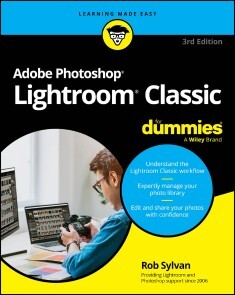
Adobe Photoshop Lightroom Classic For Dummies
THE MOST UP-TO-DATE MANUAL FOR USING ADOBE'S GOLD STANDARD PHOTO WORKFLOW SOFTWAREAdobe Photoshop Lightroom Classic For Dummies is the perfect companion for photographers looking to make the most of this powerhouse software. Lightroom Classic lets you edit, organize, and share large volumes of digital photos, so you can spend less time in front of the computer and more time behind the lens. With this book, you'll learn the program's fundamentals and discover the latest features and updates'including improved Masking tools, AI-based tools, and the new Lens Blur feature. Discover the tools and processes that make the most sense for you, and get pro tips for taking your photos to the next level.* Learn your way around the Lightroom Classic interface* Expertly manage your photo library* Edit and share your photos with confidence* Make your photos even better with new editing toolsThis popular Dummies guide is great for anyone who needs a primer on the essentials of Lightroom Classic for personal or professional use. ROB SYLVAN is a photographer, educator, and author. Rob has created tutorials found within the Lightroom desktop application, is a Canon Product Educator, and teaches at photography conferences such as Adobe MAX, Photoshop World, Lightroom Summit, and more.

Video Game Design For Dummies
LEARN WHAT IT TAKES TO DESIGN A VIDEO GAME, AS A HOBBY OR AS A CAREER!Video Game Design For Dummies teaches you what it takes to design games from concept to completion. You'll learn the theory behind great gaming experiences, and you'll discover tools you can use to bring your game ideas to life. An experienced video game developer teaches you the basics of game design and how to motivate and engage players. Choose the right game engines and design tools for any project and get step-by-step advice on testing and debugging the games you've made. Thinking of pursuing game design as a career path and want to know where to start? This Dummies guide has your back. With this easy-to-understand book, you can dip your toes into the world of video game design and see where it takes you. And if you end up wanting to release your game to the masses, you'll find everything you need to know, right here.* Learn the step-by-step process video game designers use to create great games* Design characters, worlds, and storylines that will keep players engaged* Pick a game engine that's right for you and plan out your game development process* Playtest your video game, then publish it and market it on social mediaThis book is a practical guide for beginners who want to start designing games and want to know exactly where to begin. Design a game from concept to completion, with Video Game Design for Dummies.ALEXIA MANDEVILLE is a co-founder and game designer at Bodeville, an independent studio creating narrative games. She’s an Assistant Professor of Game Design at ArtCenter College of Design, a private university in Pasadena, California. She’s a former Game Designer at Niantic and Meta.

SharePoint For Dummies
BECOME A SHAREPOINT POWER USER WITH THIS QUICK-AND-EASY GUIDE TO ITS MANY FEATURESSharePoint For Dummies is your trusted instruction manual as you learn to create sites, upload and manage documents, collaborate with coworkers, and streamline workflows. Updated to include new AI functionality with Copilot, this edition walks you through the steps you'll need to take to customize SharePoint and take advantage of all it has to offer. You'll also learn how to integrate SharePoint with the tools you already use, so it's easy and seamless to make the shift to online file sharing and version control. You can manage who has access to view and edit files, and you can track, automate, and summarize content—all with this powerful Microsoft platform, and SharePoint For Dummies as your guide.* Learn what SharePoint does and discover features that can improve your processes* Integrate Microsoft's AI Copilot to do more with Sharepoint* Customize your SharePoint sites by applying styles and custom layouts* Improve collaboration and boost efficiency with advanced SharePoint featuresThis easy-to-follow book is a must for anyone looking for quick answers to SharePoint questions—whether you have experience with SharePoint or are just getting started. ROSEMARIE WITHEE is a technology professional and the coauthor of the most recent editions of Microsoft Teams For Dummies and Office 365 For Dummies. KEN WITHEE is now part of the Microsoft Azure team. He is a former SharePoint consultant and a coauthor of previous editions of the SharePoint For Dummies series.

Microsoft 365 Excel For Dummies
MAKE EXCEL WORK FOR YOU WITH THIS BRAND NEW GUIDE TO SPREADSHEET ESSENTIALSKnowing a little about Excel is essential for almost every profession. Knowing a lot about Excel makes you one of the most valuable people in the office. Microsoft 365 Excel For Dummies helps you build your spreadsheet skills as it walks you through the basics of creating a spreadsheet, organizing data, performing calculations, and creating charts and graphs in Microsoft's powerful spreadsheet software. This brand new version of the book, written by an Excel guru and expert trainer, helps you develop the skills you need to impress your boss—or just to get things done faster. You'll also get ideas for using Excel to make daily life easier. Ready to become a number cruncher?* Create your first spreadsheet and learn how to enter data* Import data from other sources, sort tables, and organize information* Run basic calculations and get more advanced with functions* Build data visualizations, customize the look of your spreadsheets, and beyondThese days, almost everyone who works with computers needs to have basic knowledge of Excel—and more is usually better. Microsoft 365 Excel For Dummies will help you get there. DAVID H. RINGSTROM, CPA, is the president and owner of Accounting Advisors, Inc. He offers training on Excel and other accounting software to thousands of students and explains the concepts, techniques, and strategies they need to work effectively in Excel. David is also author of QuickBooks Online For Dummies.
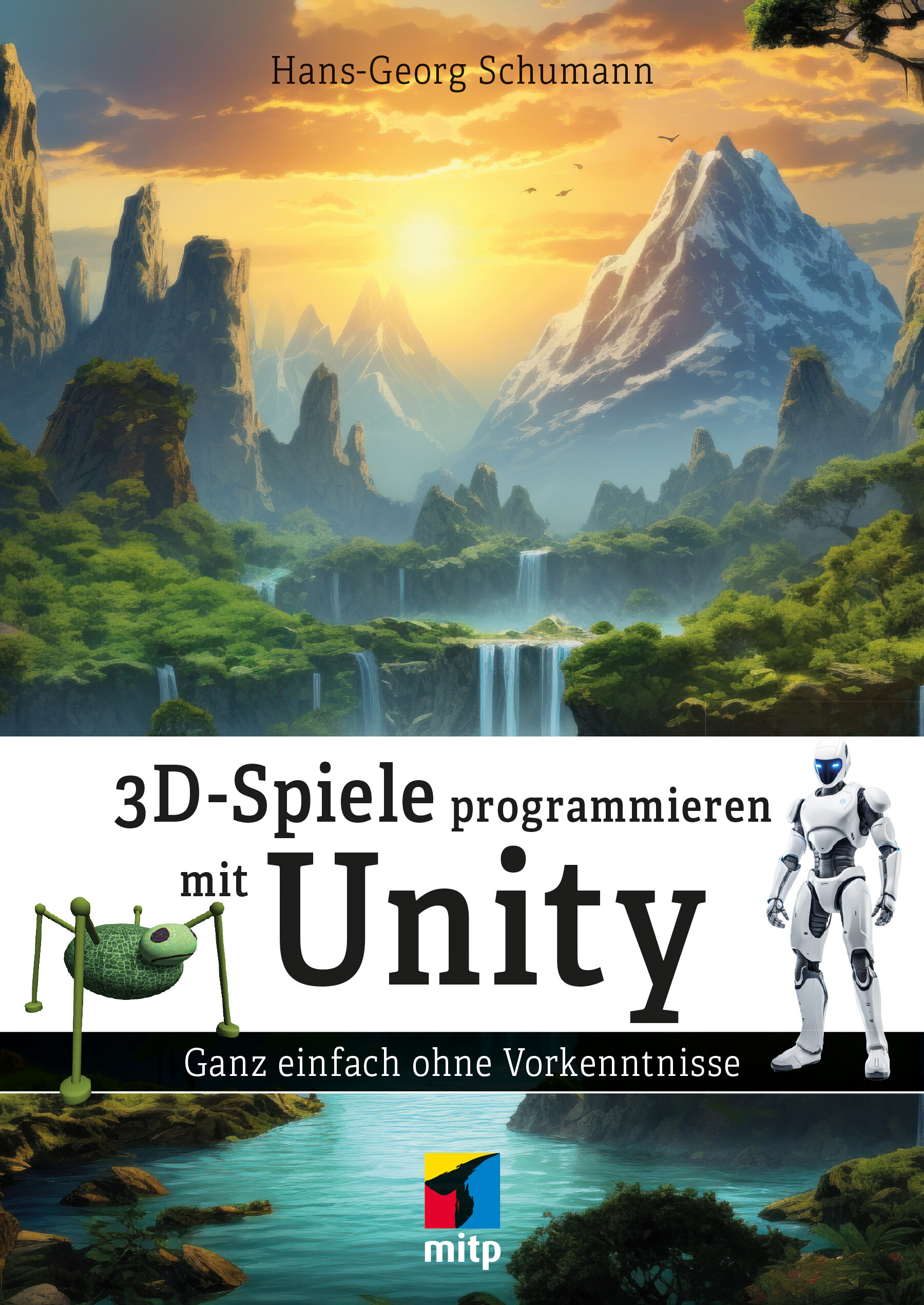
3D-Spiele programmieren mit Unity
Ganz einfach eigene 3D-Spiele entwickelnHans-Georg Schumann zeigt detailliert und leicht verständlich, wie Einsteiger mit der beliebten Spiele-Engine Unity eigene 3D-Spiele entwickeln können. Folgen Sie dem Autor Schritt für Schritt, wie verschiedene Elemente eines 3D-Spiels erstellt werden: sowohl 2D- als auch 3D-Landschaften und Bauwerke, verschiedenste Charaktere mit diversen Eigenschaften und Bewegungsfähigkeiten, Features wie Sound und Effekte u.v.m.Landschaften und Charaktere entwerfenSie beginnen mit einem kleinen Jump & Run-Spiel in 2D und lernen dann Schritt für Schritt, eigene Spielwelten in 3D zu erschaffen. Dabei erfahren Sie, wie man Landschaften mit Vegetation und Seen gestaltet. Außerdem bauen Sie einfache Gebäude und erschaffen einen Gegner, den Sie animieren und der mit der Zeit todbringende Eigenschaften erhält. Dabei eignen Sie sich ganz nebenbei das Programmieren in C# an und lernen alle Bausteine kennen, um eigene Ideen umzusetzen.Realitätsnah mit hervorragenden EffektenDas Unity-Entwicklungssystem erzeugt tolle Effekte, die dem Spiel das nötige Reality-Gefühl geben. Alles, was Sie zum Programmieren Ihrer Projekte benötigen, gibt es als Paket zum kostenlosen Download.Aus dem Inhalt:Unity starten und ein erstes kleines Spiel in 2D erstellenIn die Script-Programmierung mit C# einsteigenEinen Charakter entwerfen und ihm Eigenschaften gebenEin Jump & Run-Spiel entwickelnDas Prinzip von 3D verstehen und ein Terrain mit Bäumen und Wasser gestaltenGanze Bauwerke entstehen lassenDie Figur klettern, schwimmen und sogar tauchen lassenEine Fantasie-Kreatur entwerfen und durch Animation lebendig werden lassenStrahlen, Partikel und Sound einbindenKünstliche Intelligenz nutzenEnergiekontrolle und andere Features aufrüstenInstallationshilfe und FehlerbehebungÜber den Autor:Hans-Georg Schumann ist pensionierter Informatik- und Mathematiklehrer und erfolgreicher Fachbuchautor.

Microsoft 365 Word For Professionals For Dummies
A BEYOND-THE-BASICS GUIDE TO LEVELING UP YOUR SKILLS IN MICROSOFT WORDMicrosoft 365 Word For Professionals For Dummies is an easy-to-understand guide to the more advanced features available in the Microsoft 365 version of Word. You can enhance the quality of your documents and boost productivity in any field, with this in-depth resource. You'll delve into topics that you may not have encountered in school or on-the-job training, such as collaborating on a document and using Copilot to improve text. Complete your Word-related tasks more efficiently as you unlock lesser-known tools and learn to organize the application so you can quickly access the features you need. You're on your way to becoming a Word superhero, with this fun resource.* Learn advanced formatting and template creation techniques* Work more efficiently with graphics, tables, and other objects* Get a handle on document sharing, reviewing, and collaboration* Automate writing and editing tasks to speed up tedious jobsFor Word users seeking to take their knowledge to the next level, this in-depth guide covers the professional tasks and topics you most need to know. DAN GOOKIN is the bestselling author of Word For Dummies. His previous books have been translated into 32 languages and have sold over 11 million copies. He’s been writing for the For Dummies series for 34 years.

Adobe Photoshop Lightroom Classic For Dummies
THE MOST UP-TO-DATE MANUAL FOR USING ADOBE'S GOLD STANDARD PHOTO WORKFLOW SOFTWAREAdobe Photoshop Lightroom Classic For Dummies is the perfect companion for photographers looking to make the most of this powerhouse software. Lightroom Classic lets you edit, organize, and share large volumes of digital photos, so you can spend less time in front of the computer and more time behind the lens. With this book, you'll learn the program's fundamentals and discover the latest features and updates'including improved Masking tools, AI-based tools, and the new Lens Blur feature. Discover the tools and processes that make the most sense for you, and get pro tips for taking your photos to the next level.* Learn your way around the Lightroom Classic interface* Expertly manage your photo library* Edit and share your photos with confidence* Make your photos even better with new editing toolsThis popular Dummies guide is great for anyone who needs a primer on the essentials of Lightroom Classic for personal or professional use. ROB SYLVAN is a photographer, educator, and author. Rob has created tutorials found within the Lightroom desktop application, is a Canon Product Educator, and teaches at photography conferences such as Adobe MAX, Photoshop World, Lightroom Summit, and more.

SharePoint For Dummies
BECOME A SHAREPOINT POWER USER WITH THIS QUICK-AND-EASY GUIDE TO ITS MANY FEATURESSharePoint For Dummies is your trusted instruction manual as you learn to create sites, upload and manage documents, collaborate with coworkers, and streamline workflows. Updated to include new AI functionality with Copilot, this edition walks you through the steps you'll need to take to customize SharePoint and take advantage of all it has to offer. You'll also learn how to integrate SharePoint with the tools you already use, so it's easy and seamless to make the shift to online file sharing and version control. You can manage who has access to view and edit files, and you can track, automate, and summarize content—all with this powerful Microsoft platform, and SharePoint For Dummies as your guide.* Learn what SharePoint does and discover features that can improve your processes* Integrate Microsoft's AI Copilot to do more with Sharepoint* Customize your SharePoint sites by applying styles and custom layouts* Improve collaboration and boost efficiency with advanced SharePoint featuresThis easy-to-follow book is a must for anyone looking for quick answers to SharePoint questions—whether you have experience with SharePoint or are just getting started. ROSEMARIE WITHEE is a technology professional and the coauthor of the most recent editions of Microsoft Teams For Dummies and Office 365 For Dummies. KEN WITHEE is now part of the Microsoft Azure team. He is a former SharePoint consultant and a coauthor of previous editions of the SharePoint For Dummies series.

Video Game Design For Dummies
LEARN WHAT IT TAKES TO DESIGN A VIDEO GAME, AS A HOBBY OR AS A CAREER!Video Game Design For Dummies teaches you what it takes to design games from concept to completion. You'll learn the theory behind great gaming experiences, and you'll discover tools you can use to bring your game ideas to life. An experienced video game developer teaches you the basics of game design and how to motivate and engage players. Choose the right game engines and design tools for any project and get step-by-step advice on testing and debugging the games you've made. Thinking of pursuing game design as a career path and want to know where to start? This Dummies guide has your back. With this easy-to-understand book, you can dip your toes into the world of video game design and see where it takes you. And if you end up wanting to release your game to the masses, you'll find everything you need to know, right here.* Learn the step-by-step process video game designers use to create great games* Design characters, worlds, and storylines that will keep players engaged* Pick a game engine that's right for you and plan out your game development process* Playtest your video game, then publish it and market it on social mediaThis book is a practical guide for beginners who want to start designing games and want to know exactly where to begin. Design a game from concept to completion, with Video Game Design for Dummies.ALEXIA MANDEVILLE is a co-founder and game designer at Bodeville, an independent studio creating narrative games. She’s an Assistant Professor of Game Design at ArtCenter College of Design, a private university in Pasadena, California. She’s a former Game Designer at Niantic and Meta.

30 Minuten KI-Chatbots
Die stille KI-Revolution Wie Text-, Audio- und Videobots Beruf und Alltag verändern Dieses Buch führt ein in die unsichtbare Transformation unserer täglichen Interaktionen, die durch Chat-, Audio- und Videobots ermöglicht wird. Beginnend mit einem verständlichen Crashkurs zu den Grundlagen dieser innovativen Werkzeuge, wird verdeutlicht, wie Bots in unterschiedlichsten Geschäftsbereichen von der Kundenbetreuung über Marketing bis hin zu HR und Rekrutierung eingesetzt werden, um Prozesse zu revolutionieren und messbare Erfolge zu erzielen. Im Alltag erleichtern Bots das Leben durch ihre Anwendung in Smart-Home-Technologien und als persönliche Assistenten. Aber auch die technischen und sozialen Hürden, die Problematik des Datenschutzes und ethische Überlegungen werden dargestellt, ebenso wie die Herausforderung, in einer zunehmend digitalisierten Welt Vertrauen in Bots zu entwickeln. Praktische Anleitungen am Ende des Buches zeigen auf, wie man Bots in sein Unternehmen oder persönliches Umfeld integrieren kann. Dieses Buch ist ein essenzieller Leitfaden für jeden, der verstehen möchte, wie KI-gesteuerte Technologien unseren Alltag revolutionieren werden.

30 Minuten Prompting
KIs mit den richtigen Prompts steuern 30 Minuten Prompting bietet eine kompakte und praxisnahe Einführung in die Kunst des Prompting. Erfahren Sie, wie Sie KI effektiv steuern können, welche Arten und Techniken es gibt und wie Sie Ihre eigene Prompt-Bibliothek aufbauen. Von allgemeinen Tipps und Beispielen bis hin zu fortgeschrittenen Techniken wie Chain-of-Thought und systematischen Prompt-Workflows – dieses Buch deckt alles ab. Mit Anwendungsfällen aus verschiedenen Branchen und Lösungsansätzen für Herausforderungen lernen Sie, Prompts gezielt einzusetzen und KI-Interaktionen zu optimieren. Ideal für alle, die in kurzer Zeit ihre Prompting-Fähigkeiten ausbauen wollen!

Microsoft 365 Excel For Dummies
MAKE EXCEL WORK FOR YOU WITH THIS BRAND NEW GUIDE TO SPREADSHEET ESSENTIALSKnowing a little about Excel is essential for almost every profession. Knowing a lot about Excel makes you one of the most valuable people in the office. Microsoft 365 Excel For Dummies helps you build your spreadsheet skills as it walks you through the basics of creating a spreadsheet, organizing data, performing calculations, and creating charts and graphs in Microsoft's powerful spreadsheet software. This brand new version of the book, written by an Excel guru and expert trainer, helps you develop the skills you need to impress your boss—or just to get things done faster. You'll also get ideas for using Excel to make daily life easier. Ready to become a number cruncher?* Create your first spreadsheet and learn how to enter data* Import data from other sources, sort tables, and organize information* Run basic calculations and get more advanced with functions* Build data visualizations, customize the look of your spreadsheets, and beyondThese days, almost everyone who works with computers needs to have basic knowledge of Excel—and more is usually better. Microsoft 365 Excel For Dummies will help you get there. DAVID H. RINGSTROM, CPA, is the president and owner of Accounting Advisors, Inc. He offers training on Excel and other accounting software to thousands of students and explains the concepts, techniques, and strategies they need to work effectively in Excel. David is also author of QuickBooks Online For Dummies.