

Software
Lean UX
DAS STANDARDWERK FÜR AGILE UX-TEAMS * Die erfolgreichen Methoden von Lean Startup im UX-Design einsetzen * Von den Lean-UX-Prinzipien bis zur Integration der -Praktiken im Team und Unternehmen * Für UX-Designer*innen, Scrum Master und Manager*innen Lean UX ist ein Synonym für modernes Produktdesign und -entwicklung. Durch die Kombination von menschenzentriertem Design, agilen Arbeitsweisen und einem ausgeprägten Geschäftssinn machen Designer*innen, Produktmanager*innen, Entwickler*innen und Scrum Master auf der ganzen Welt Lean UX heute zum führenden Ansatz für digitale Produktteams. In der dritten Auflage dieses preisgekrönten Buches helfen Ihnen die Autoren Jeff Gothelf und Josh Seiden, sich auf das Produkterlebnis und nicht auf die Ergebnisse zu konzentrieren. Sie lernen Taktiken für die Integration von User Experience Design, Produktentdeckung, agilen Methoden und Produktmanagement kennen. Und Sie erfahren, wie Sie Ihr Design in kurzen, iterativen Zyklen vorantreiben können, um zu ermitteln, was für Unternehmen und Benutzer*innen am besten funktioniert. Lean UX führt Sie durch diesen Wandel – zum Besseren. - Erleichtern Sie Ihrem Team den Lean-UX-Prozess mit dem Lean-UX-Canvas. - Stellen Sie sicher, dass jedes Projekt mit klaren kundenzentrierten Erfolgskriterien beginnt. - Verstehen Sie die Rolle des Designers in einem agilen Team. - Stellen Sie sicher, dass die Designarbeit in jedem Sprint stattfindet. - Bauen Sie Produktentdeckung in die "Geschwindigkeit" Ihres Teams ein.
Penetration Testing mit Metasploit (2. Auflg.)
Metasploit ist ein mächtiges Werkzeug, mit dem auch unerfahrene Administratoren gängige Angriffsmethoden verstehen und nachstellen können, um Sicherheitslücken im System aufzuspüren. Der Autor erläutert in diesem Buch gezielt alle Funktionen von Metasploit, die relevant für Verteidiger (sogenannte Blue Teams) sind, und zeigt, wie sie im Alltag der IT-Security wirkungsvoll eingesetzt werden können.Als Grundlage erhalten Sie das Basiswissen zu Exploits und Penetration Testing und setzen eine Kali-Linux-Umgebung auf. Mit dem kostenlos verfügbaren Portscanner Nmap scannen Sie Systeme auf angreifbare Dienste ab. Schritt für Schritt lernen Sie die Durchführung eines typischen Hacks mit Metasploit kennen und erfahren, wie Sie mit einfachen Techniken in kürzester Zeit höchste Berechtigungsstufen in den Zielumgebungen erlangen.Schließlich zeigt der Autor, wie Sie Metasploit von der Meldung einer Sicherheitsbedrohung über das Patchen bis hin zur Validierung in der Verteidigung von IT-Systemen und Netzwerken einsetzen. Dabei gibt er konkrete Tipps zur Erhöhung Ihres IT-Sicherheitslevels. Zusätzlich lernen Sie, Schwachstellen mit dem Schwachstellenscanner Nessus zu finden, auszuwerten und auszugeben.So wird Metasploit ein effizienter Bestandteil Ihrer IT-Sicherheitsstrategie. Sie können Schwachstellen in Ihrem System finden und Angriffstechniken unter sicheren Rahmenbedingungen selbst anwenden sowie fundierte Entscheidungen für Gegenmaßnahmen treffen und prüfen, ob diese erfolgreich sind.Aus dem Inhalt:Metasploit: Hintergrund und HistorieKali-Linux-Umgebung aufsetzenPentesting-GrundlagenSchwachstellen und ExploitsNmap-ExkursMetasploit-BasicsMetasploit in der VerteidigungHacking-PraxisbeispieleAnti-Virus-EvasionNessus-SchwachstellenscannerGlossar Autoreninfo (Stand: Mai 2020):Sebastian Brabetz ist als Geschäftsleiter verantwortlich für die Professional Security Services bei der mod IT GmbH und ist zertifiziert als Offensive Security Certified Professional (OSCP).Er arbeitet im Bereich IT Security in allen Bereichen vom Consulting über defensives Schwachstellen-Management und Incident Response bis hin zu offensiven Penetrationstests. U.a. gibt er Workshops zu den Themen Pentesting und Metasploit.
Lean UX (3. Auflage)
Mit agilen Teams erfolgreiche Produkte designen Lean UX ist ein Synonym für modernes Produktdesign und -entwicklung. Durch die Kombination von menschenzentriertem Design, agilen Arbeitsweisen und einem ausgeprägten Geschäftssinn machen Designer:innen, Produktmanager:innen, Entwickler:innen und Scrum Master auf der ganzen Welt Lean UX heute zum führenden Ansatz für digitale Produktteams.In der dritten Auflage dieses preisgekrönten Buches helfen Ihnen die Autoren Jeff Gothelf und Josh Seiden, sich auf das Produkterlebnis und nicht auf die Ergebnisse zu konzentrieren. Sie lernen Taktiken für die Integration von User Experience Design, Produktentdeckung, agilen Methoden und Produktmanagement kennen. Und Sie erfahren, wie Sie Ihr Design in kurzen, iterativen Zyklen vorantreiben können, um zu ermitteln, was für Unternehmen und Benutzer:innen am besten funktioniert. Lean UX führt Sie durch diesen Wandel – zum Besseren.Erleichtern Sie Ihrem Team den Lean-UX-Prozess mit dem Lean-UX-Canvas.Stellen Sie sicher, dass jedes Projekt mit klaren kundenzentrierten Erfolgskriterien beginnt.Verstehen Sie die Rolle der Designer:innen in einem agilen Team.Stellen Sie sicher, dass die Designarbeit in jedem Sprint stattfindet.Bauen Sie Produktentdeckung in die »Geschwindigkeit« Ihres Teams ein.Zielgruppe: UX-/Produktdesigner*innenProduktmanager*innenScrum MasterManager*innen von UX-TeamsAutoren: Jeff Gothelf unterstützt Unternehmen bei der Entwicklung besserer Produkte und Führungskräfte bei der Entwicklung einer Kultur, die bessere Produkte hervorbringt. Er begann als Software-Designer und arbeitet heute als Coach, Berater und Keynote-Speaker, der Unternehmen dabei hilft, die Lücken zwischen geschäftlicher Agilität, digitaler Transformation, Produktmanagement und menschenzentriertem Design zu schließen.Josh Seiden ist Designer, Autor und Coach. Er hilft Teams dabei, echte Probleme für Kunden zu lösen und Mehrwert für Unternehmen zu schaffen. Als Coach hilft er Teams, ihre Arbeitsweise zu verbessern, eine effektivere Zusammenarbeit aufzubauen und die Reise der Produktentwicklung zu genießen.
Teach Yourself VISUALLY Python
A SIMPLE, STRAIGHTFORWARD, AND HANDS-ON ROADMAP TO THE WORLD OF COMPUTER PROGRAMMING WITH PYTHONTeach Yourself VISUALLY: Python is your personal guide to getting you started in programming. As one of the world's most popular—and most accessible—coding languages, Python is your gateway into the wide and wonderful world of computer science. This hands-on guide walks you through Python step by clearly illustrated step, from writing your very first Python code in a terminal window or the VS Code app through to creating your own lists, dictionaries, and custom classes.In the book, you’ll learn to:* Install Python and the tools you need to work with it on Windows, macOS, and Linux* Work with files and folders, manipulate text, and create powerful functions that do exactly what you want* Write clean code that makes decisions effectively, repeats actions as needed, and handles any errors that occurA must-have resource for aspiring programmers starting from the very beginning, Teach Yourself VISUALLY: Python is also an indispensable handbook for programmers making a transition from another language.CHAPTER 1 GETTING READY TO WORK WITH PYTHONUnderstanding What Python Is and Does 4Choose the Right Version of Python 6Install Python on Windows 8Install Python on the Mac 12Install Python on Linux If Necessary 14Learn About Development Tools for Python 16Download and Install Visual Studio Code 20Get Started with Visual Studio Code and Apply a Theme 22Install Visual Studio Code Extensions for Python 24Configure Visual Studio Code for Working with Python 26CHAPTER 2 WRITING AND RUNNING YOUR FIRST PYTHON CODEUnderstanding the main() Function 30Create and Save a New Script in Visual Studio Code 32Write and Run Code in Visual Studio Code 34Execute Python Commands in a Terminal Window 38Run a Python Script in a Terminal Window 39Understanding Comments in Python 40Add Comments to Your Code 42Grasp Importing Modules and Objects 44Import Modules and Use Their Methods 48CHAPTER 3 GETTING STARTED WITH VARIABLESUnderstanding Variables and Their Usage 52Understanding Python’s Data Types 54Work with Integers 58Work with Floating‐Point Values 60Work with Boolean Values 62Work with Tuples 64Work with Sets 66Start Working with Strings 68Start Working with Lists 70Start Working with Dictionaries 72Convert Data from One Type to Another 74CHAPTER 4 WORKING WITH FILES AND DIRECTORIESUnderstanding Working with Files and Directories 78Load the os Module and List Files and Directories 80Navigate Among Directories 82Create and Delete Directories 84Rename, Move, and Copy Files and Directories 88Get Information About the User and System 92Split a File Path into Its Components 94Understanding Python’s open() Function 96Understanding Python’s Ways of Closing Files 97Open a File If It Exists; If Not, Create It 98Check an Open File’s Status and Close It 100Write Data to a File 102Open a File for Both Reading and Writing 104Append Data to a File 106Read a Text File 108CHAPTER 5 WORKING WITH PYTHON’S OPERATORSMeet the Arithmetic Operators 112Work with the Arithmetic Operators 114Meet the Assignment Operators 116Work with the Assignment Operators 117Meet the Comparison Operators 118Work with the Comparison Operators 119Meet the Logical Operators 120Work with the Logical Operators 121Meet the Identity Operators 122Work with the Identity Operators 123Meet the Membership Operators 124Work with the Membership Operators 125Meet the Bitwise Operators 126Work with the Bitwise Operators 127CHAPTER 6 MAKING DECISIONS WITH IF STATEMENTSLearn the Essentials of if Statements 130Understanding the if Statement 132Create an if Statement 133Understanding the if else Statement 134Create an if else Statement 135Understanding the if elif Statement 136Create an if elif Statement 137Understanding the if elif else Statement 138Create an if elif else Statement 139Understanding Nested if Statements 140Create Nested if Statements 141Chapter 7 Repeating Actions with LoopsUnderstanding Python’s Loops 144Understanding How for Loops Work 146Create for Loops 148Understanding How while Loops Work 150Create while Loops 152Understanding break Statements in Loops 154Using a break Statement to Exit a Loop Early 155Understanding continue Statements in Loops 156Using a continue Statement in a Loop 157Understanding else Statements in Loops 158Using an else Statement in a Loop 159Understanding Loop Nesting 160Nest Loops to Create Complex Repetition 161CHAPTER 8 WORKING WITH FUNCTIONSUnderstanding Functions and Their Syntax 164Understanding Function Parameters and Returns 166Using Python’s Built‐In Functions 168Create a Function with Parameters and a Return 172Create a Function with a Parameter But No Return 173Create a Function with No Parameters But a Return 174Create a Function with No Parameters and No Return 176Create a Function That Returns Multiple Values 177Create a Function with Optional Parameters 178CHAPTER 9 WORKING WITH TEXTLearn the Essentials of Strings 182Create Single‐Line Strings 184Create Multiline Strings 186Meet Python’s String Methods 188Return Information About a String 190Transform and Clean Up a String 192Return Part of a String via Slicing 194Concatenate and Repeat Strings 196Search for One String Inside Another String 198Check and Change String Capitalization 200Meet Python’s Tools for Building Strings 204Build Strings with the Interpolation Operator 210Build Strings with the .format Method 212Build Strings with f‐Strings 214Build Strings with Template Strings 216CHAPTER 10 HANDLING ERRORSUnderstanding the Various Types of Errors 220Identify Common Python Errors 222Meet the try except Block 224Cause Errors and Trap Exceptions 226Raise an Exception Manually 228Add an else Block or a finally Block 229Create Nested try except Blocks 230Create Custom Exceptions 232CHAPTER 11 WORKING WITH LISTS AND DICTIONARIESUnderstanding Lists and Their Use 236Create a List 238Meet Python’s List Methods 239Add Items to a List 240Remove Items from a List 242Locate Items and Access Data in a List 244Sort the Items in a List 246Understanding Dictionaries and Their Use 248Create a Dictionary and Return Values 250Meet Python’s Dictionary Methods 251Create a Dictionary from an Existing Iterable 252Add Key/Value Pairs to a Dictionary 254Remove Key/Value Pairs from a Dictionary 256Return Keys and Values from a Dictionary 258CHAPTER 12 WORKING WITH CLASSESUnderstanding Classes and Instances 262Create a Class and Instantiate Instances 264Understanding Class and Instance Attributes 266Set Class and Instance Attributes 268Grasp Class, Instance, and Static Methods 270Create an Instance Method 274Create a Class Method 275Create a Static Method 276Review the Class’s Code 277Index 278
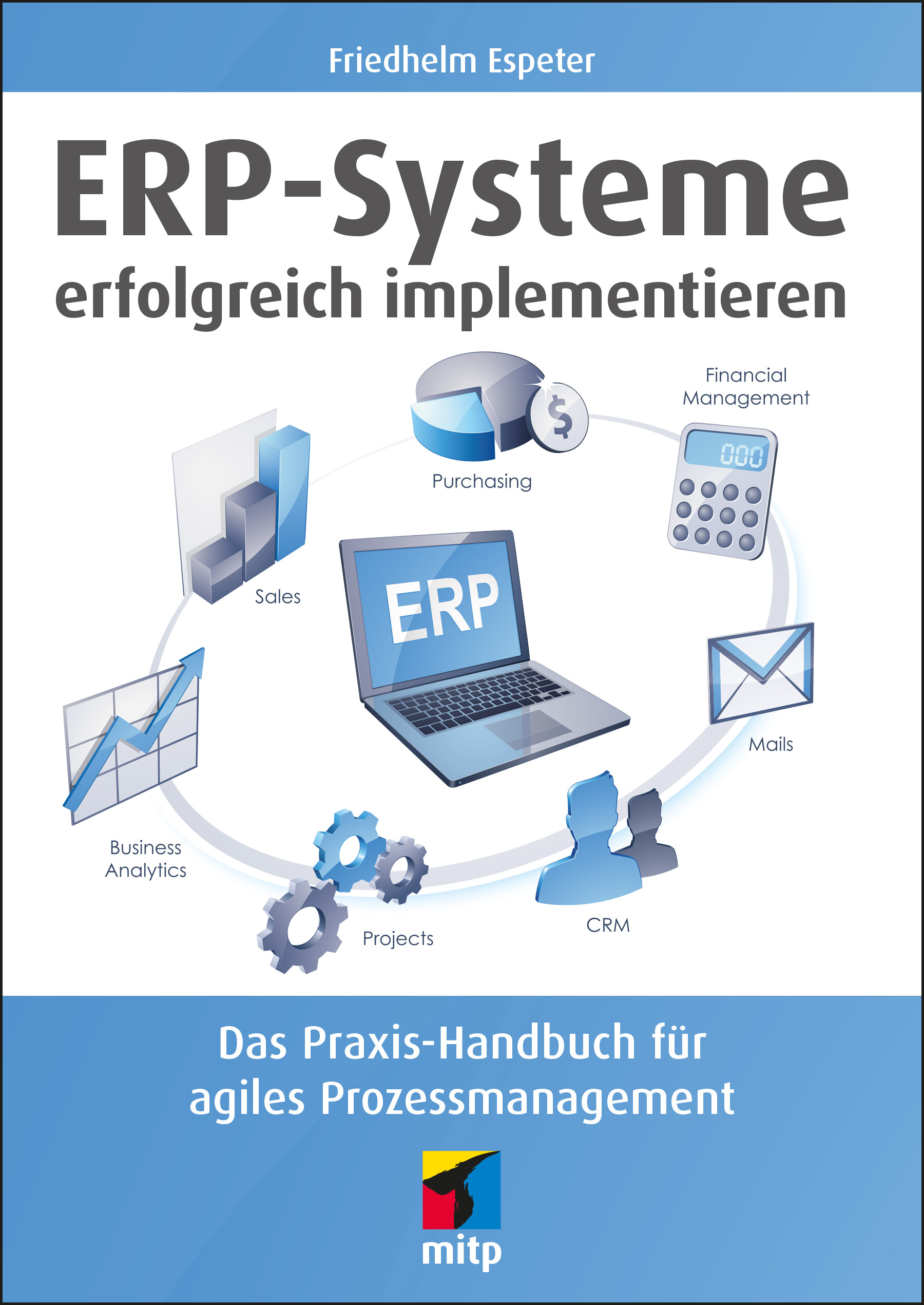
ERP-Systeme erfolgreich implementieren
Mit Enterprise Resource Planning werden Personal und Ressourcen in einem Unternehmen termingemäß und bedarfsgerecht geplant, gesteuert und verwaltet. Dabei geht es nicht primär um die Entwicklung oder Produktion von Software, sondern um die Installation einer fertigen Software und deren Adaption an eine Organisation. Ein ERP-Projekt beinhaltet daher immer individuelle und bedarfsgerechte Anpassungen – sowohl an der eingesetzten Standard-Software als auch im Unternehmen.Friedhelm Espeter zeigt in diesem Buch, wie Sie bei der Implementierung von ERP-Systemen erfolgreich vorgehen. Dabei erfahren Sie insbesondere, inwiefern agiles Prozessmanagement von Vorteil ist, um nicht nur die Vorgaben zu Zeit, Budget und Qualität zu erfüllen, sondern auch um die richtige Balance zwischen Änderungen an der Software und in den Unternehmensprozessen zu finden.Zudem lernen Sie, wie Sie die Risiken der Zeit- und Kostenüberschreitung durch agile Beweglichkeit und Anpassungsfähigkeit reduzieren, um Business-Software erfolgreich einzuführen. Darüber hinaus wird besonderer Wert auf die praktischen Aspekte des agilen Ansatzes z.B. in Form von Workshops und Best Practices gelegt.Die hier dargestellten methodischen Vorgehensweisen basieren auf den 25-jährigen Erfahrungen des Autors in der Implementierung von ERP-Software. Eingeflossen sind die Methoden Triton Target der ehemaligen Fa. Baan, AIM for Business Flows der Fa. Oracle und das von Barry W. Boehm entwickelte Spiralmodell.Aus dem Inhalt:Implementierungsmethoden verstehen: Geschäftsprozesse, Testworkshops, Test-skripts und -casesPraktisches Vorgehen bei der agilen Einführung von Business-SoftwareKauf, Beratung und Projekt-SetupNotwendige Schritte in der EvaluierungsphaseDie verschiedenen Zyklen der ImplementierungsphaseErforderliche Anpassungen vornehmen, Daten übernehmen und Software testenChange-Management: Veränderungsprozesse aktiv steuernDurchführung von ValidierungsworkshopsAufbau der Projekt-InfrastrukturGelungener Systemübergang und effektives Projektmanagement Autor:Friedhelm Espeter, Projektmanager (PMP/PMI) und Scrum Master (PSM I), arbeitet seit mehr als 30 Jahren als Projektmanager bei der Implementierung von Standard-Software. Er war Manager bei namhaften amerikanischen und europäischen Softwarehäusern und arbeitet heute als Berater zu Projekt-Management-Services speziell im ERP-Umfeld.

Hands-on AIOps
Welcome to your hands-on guide to artificial intelligence for IT operations (AIOps). This book provides in-depth coverage, including operations and technical aspects. The fundamentals of machine learning (ML) and artificial intelligence (AI) that form the core of AIOps are explained as well as the implementation of multiple AIOps uses cases using ML algorithms.The book begins with an overview of AIOps, covering its relevance and benefits in the current IT operations landscape. The authors discuss the evolution of AIOps, its architecture, technologies, AIOps challenges, and various practical use cases to efficiently implement AIOps and continuously improve it. The book provides detailed guidance on the role of AIOps in site reliability engineering (SRE) and DevOps models and explains how AIOps enables key SRE principles.The book provides ready-to-use best practices for implementing AIOps in an enterprise. Each component of AIOps and ML using Python code and templates is explained and shows how ML can be used to deliver AIOps use cases for IT operations.WHAT YOU WILL LEARN* Know what AIOps is and the technologies involved* Understand AIOps relevance through use cases* Understand AIOps enablement in SRE and DevOps* Understand AI and ML technologies and algorithms* Use algorithms to implement AIOps use cases* Use best practices and processes to set up AIOps practices in an enterprise* Know the fundamentals of ML and deep learning* Study a hands-on use case on de-duplication in AIOps* Use regression techniques for automated baselining* Use anomaly detection techniques in AIOpsWHO THIS BOOK IS FORAIOps enthusiasts, monitoring and management consultants, observability engineers, site reliability engineers, infrastructure architects, cloud monitoring consultants, service management experts, DevOps architects, DevOps engineers, and DevSecOps expertsNAVIN SABHARWAL is currently Chief Architect and Head of Strategy for Autonomics, named "DRYiCE" at HCL technologies. He is responsible for innovation, presales, and delivery of award-winning autonomics platforms for HCL technologies. Navin is an innovator, thought leader, author, and a consultant in areas of AI and machine learning (ML), observability, AIOps, DevOps, DevSecOps, engineering, and R&D. He is responsible for IP development & service delivery in the areas of AI and ML, automation products, cloud computing, public cloud AWS, Microsoft Azure, VMWare private cloud, Microsoft private cloud, data center automation, analytics for IT operations, and IT service management.GAURAV BHARDWAJ is a seasoned IT professional and technology evangelist with expertise in service assurance, cloud computing, AI/ML-based software product development, engineering, and data analytics. He has international experience in developing and executing IT automation strategies and solutions that are aligned with business goals as well as heading multi-million USD services globally. Gaurav has a proven track record of achievements in roles of enterprise architect and consultant for large and complex global engagements (includes multiple Fortune 500 companies) leveraging automation as the pivot for business development as well as for transforming legacy environments/platforms into next-generation IT environments powered by cloud-native and containerized apps, SDI, and AIOps and DevOps methodologies.CHAPTER 1: WHAT IS AIOPS, NEED, AND BENEFITSChapter goal: This chapter talks about challenges that IT modernization and business digitalization are posing to IT business and how AIOPs can help in overcoming them as well as sustain and stay relevant in this post-pandemic economy.No of pages 15Sub -topics1. Impact of IT modernization and digitalization2. Challenges with ITOA3. What is artificial intelligence4. AIOPs - AI in information technology5. AIOPs businesses leversCHAPTER 2: AIOPS ARCHITECTURE, METHODOLOGY, CHALLENGESChapter goal: Explain technologies and components involved in AIOPs architecture along with its implementation methodology and challenges.No of pages: 12Sub - Topics1. AIOPs overview2. AIOPs architecture and components3. AIOPs implementation methodology4. AIOPs challengesCHAPTER 3: AIOPS SUPPORTING SITE RELIABILITY ENGINEERING AND DEVOPSChapter goal: Explain the use of AIOPs in SRE in keeping services up and running and the DevOps process of product development to operations.No of pages: 15Sub - Topics:1. Overview of SRE and DevOps model2. AIOPs for diverse personas - SRE & DevOps3. AIOPs for application development life cycle4. Aligning Dev and Ops via AIOPs.5. SRE principles and AIOPs6. AIOPs enabling visibility in SRE and DevOpsCHAPTER 4: FUNDAMENTALS OF MACHINE LEARNING AND AIChapter Goal: Explain the technology and concepts behind artificial intelligence and machine learning.No of pages: 12Sub - Topics:1. What is machine learning2. Why machine learning is important3. Types of machine learning4. Natural language processing5. Machine learning algorithmic tradeoff6. Principles of artificial intelligenceCHAPTER 5: AIOPS USE CASESChapter Goal: Explain practical scenarios or tasks which can be facilitated by AIOPs.No of pages: 8Sub - Topics:Monitoring of software systemsRoot cause analysis with AIOpsSecurity use casesCHAPTER 6: APPLYING MACHINE LEARNING FOR AIOPS:Chapter Goal: Provide No. of pages: 12Sub - Topics:1. Automated baselining2. Deduplication3. Anomaly detection4. ML-driven correlation5. Rule-based correlation6. AIOPs in detect-to-correct value chainCHAPTER 7: SETTING UP OF AIOPSChapter Goal: Provide best practices for AIOPs journey and guidance on setting up of AIOPs practic.No. of pages: 10Sub - Topics:1. AIOPs implementation framework.2. Define roadmap of AIOPs3. Setting up guardrails4. Teams enablement and engagement5. Visibility and governance6. Continous improvementCHAPTER 8: FUTURE OF AIOPSChapter Goal: Provide a blueprint of AIOPs future and its impact on the IT industry.No. of pages: 3Sub - Topics:1. Transition from domain-centric to domain-agnostic AIOPs2. AIOPs holds key To digital business transformation3. Unified Framework - AIOPs with SecOps and DevSecOps.

Machine Learning on Geographical Data Using Python
Get up and running with the basics of geographic information systems (GIS), geospatial analysis, and machine learning on spatial data in Python.This book starts with an introduction to geodata and covers topics such as GIS and common tools, standard formats of geographical data, and an overview of Python tools for geodata. Specifics and difficulties one may encounter when using geographical data are discussed: from coordinate systems and map projections to different geodata formats and types such as points, lines, polygons, and rasters. Analytics operations typically applied to geodata are explained such as clipping, intersecting, buffering, merging, dissolving, and erasing, with implementations in Python. Use cases and examples are included. The book also focuses on applying more advanced machine learning approaches to geographical data and presents interpolation, classification, regression, and clustering via examples and use cases.This book is your go-to resource for machine learning on geodata. It presents the basics of working with spatial data and advanced applications. Examples are presented using code (accessible at github.com/Apress/machine-learning-geographic-data-python) and facilitate learning by application.WHAT YOU WILL LEARN* Understand the fundamental concepts of working with geodata* Work with multiple geographical data types and file formats in Python* Create maps in Python* Apply machine learning on geographical dataWHO THIS BOOK IS FORReaders with a basic understanding of machine learning who wish to extend their skill set to analysis of and machine learning on spatial data while remaining in a common data science Python environmentJOOS KORSTANJE is a data scientist, with over five years of industry experience in developing machine learning tools. He has a double MSc in Applied Data Science and in Environmental Science and has extensive experience working with geodata use cases. He currently works at Disneyland Paris where he develops machine learning for a variety of tools. His experience in writing and teaching have motivated him to write this book on machine learning for geodata with Python. Chapter 1: Introduction to GeodataChapter Goal: Presenting what geodata is, how to represent it, its difficultiesNo of pages 20Sub -Topics1. Geodata definitions2. Geographical Information Systems and common tools3. Standard formats of geographical data4. Overview of Python tools for geodataChapter 2: Coordinate Systems and ProjectionsChapter Goal: Introduce coordinate systems and projectionsNo of pages: 20Sub - Topics1. Geographical coordinates2. Geographical coordinate systems3. Map projections4. Conversions between coordinate systemsChapter 3: Geodata Data Types: Points, Lines, Polygons, RasterChapter Goal: Explain the four main data types in geodataNo of pages : 20Sub - Topics:1. Points2. Lines3. Polygons4. RasterChapter 4: Creating MapsChapter Goal: Learn how to create maps in PythonNo of pages : 20Sub - Topics:1. Discover mapping libraries2. See how to create maps with different data typesChapter 5: Basic Operations 1: Clipping and Intersecting in PythonChapter Goal: Learn clipping and intersecting in PythonNo of pages: 20Sub - Topics:1. What is clipping?2. How to do clipping in Python?3. What is intersecting4. How to do intersecting in Python?Chapter 6: Basic Operations 2: Buffering in PythonChapter Goal: Learn how to create buffers in PythonNo of pages: 20Sub - Topics:1. What are buffers?2. How to create buffers in PythonChapter 7: Basic Operations 3: Merge and Dissolve in PythonChapter Goal: Learn how to merge and dissolve in PythonNo of pages: 20Sub - Topics:1. What is the merge operation?2. How to do the merge operation in Python?3. What is the dissolve operation?4. How to do the dissolve operation in Python?Chapter 8: Basic Operations 4: Erase in PythonChapter Goal: Learn how to do an erase in PythonNo of pages: 20Sub - Topics:1. What is the erase operation?2. How to apply the erase operation in PythonChapter 9: Machine Learning: InterpolationChapter Goal: Learn how to do interpolation PythonNo of pages: 20Sub - Topics:1.What is interpolation?2.How to do interpolation in Python3.Different methods for spatial interpolation in PythonChapter 10: Machine Learning: ClassificationChapter Goal: Learn how to do classification on geodata in PythonNo of pages: 20Sub - Topics:1.What is classification?2.How to do classification on geodata in Python?3.In depth example application of classification on geodata.Chapter 11: Machine Learning: RegressionChapter Goal: Learn how to do regression on geodata in PythonNo of pages: 20Sub - Topics:1.What is regression?2.How to do regression on geodata in Python?3.In depth example application of regression on geodata.Chapter 12: Machine Learning: ClusteringChapter Goal: Learn how to do clustering on geodata in PythonNo of pages: 20Sub - Topics:1.What is clustering?2.How to do clustering on geodata in Python?3.In depth example application of clustering on geodata.Chapter 13: ConclusionChapter Goal: Regroup all the knowledge togetherNo of pages: 10Sub - Topics:1.What have you learned?2.How to combine different practices together3. Other reflections for applying the topics in a real-world use case

Getting Started with Ethereum
Get started with blockchain development with this step-by-step guide. This book takes you all the way from installing requisite software through writing, testing, and deploying smart contracts.Getting Started with Ethereum delves into technologies most closely associated with Ethereum, such as IPFS, Filecoin, ENS, Chainlink, Truffle, Ganache, OpenZeppelin, Pinata, Fleek, Infura, Metamask, and Opensea. Author Davi Bauer walks you through project creation, how to compile projects and contracts, configure networks, and deploy smart contracts on blockchains. He then covers smart contracts, including deploying and verifying them. This book approaches blockchain in a way that allows you to focus on the topic that most interests you, covering Ethereum-related technologies broadly and not just focusing on Solidity.This hands-on guide offers a practical rather than conceptual approach get you coding. Upon completing this book, you will be able to confidently develop and deploy smart contracts on blockchains.Source code can be found at https://github.com/Apress/getting-started-ethereum.WHAT YOU WILL LEARN* Understand tokenization of assets, including NFTs, using Ethereum* Host censorship-resistant applications using IPFS* Deploy on second-layer blockchains using Polygon* Deploy smart contracts with multiple technologies around EthereumWHO IS THIS BOOK FOROff-chain developers who want to migrate to on-chain development starting with the Ethereum blockchain and the technologies around it. Prior programming knowledge and conceptual understanding of blockchain is necessary. Davi Pedro Bauer has over 20 years of experience in the IT sector with experience in analysis and systems development. He has been working with agile methods since 2009, where he participated in agile adoption programs in multidisciplinary teams, supporting the implementation of processes and practices such as Scrum and Kanban, as well as the launch of new digital products for web and mobile platforms. Since 2016, he has been studying topics related to Blockchain, such as cryptocurrencies, asset tokenization, smart contracts, and decentralized applications (DApps), and since 2019, he has been working with DevSecOps from code to infrastructure. ● Pre requirements○ Install Blockchain Dev Kit Extension on VS Code■ Installing the extension○ Install Truffle■ Installing Truffle■ Checking Truffle installation○ Install Ganache CLI■ Installing Ganache■ Starting Ganache locally○ Install DockerChapter 1: MetaMask○ Install and Setup MetaMask Wallet■ Installing the wallet■ Configuring the wallet■ Accessing your wallet■ Discovering your wallet addressChapter 2: Infura○ Create an account on Infura■ Creating a new account■ Setting up your Infura projectChapter 3: Solidity○ Get started with Solidity project on VS Code■ Creating a new project■ Compiling the project■ Deploying to development BlockchainChapter 4: ERC20 Tokens○ Write a simple ERC20 token using OpenZeppelin■ Preparing the environment■ Writing the contract■ Setting the Solidity compiler version■ Compiling the contract■ Verifying the result○ Deploy ERC20 token to ganache development Blockchain■ Preparing the migration■ Writing the contract■ Starting the Blockchain■ Configuring the Blockchain network■ Deploying the contract■ Adding the token to a wallet○ Create an ERC20 token with fixed supply■ Creating the project■ Writing the contract■ Starting Ganache development Blockchain■ Migrating the contract■ Configuring MetaMask■ Adding the token■ Transferring tokens between accounts○ Deploy ERC20 token to Testnet using Infura■ Installing the pre-requirements■ Setting up your Infura project■ Setting up your Smart Contract■ Configuring the private key■ Deploying the Smart Contract■ Checking your wallet balance■ Verifying the Smart Contract on Etherscan○ Deploy ERC20 token to Polygon Testnet (Layer 2)■ Installing the pre-requirements■ Adding Polygon Mumbai to MetaMask networks■ Activating the Polygon add-on on Infura■ Setting up your Infura project■ Setting up your Smart Contract■ Configuring the network (using Matic endpoint)■ Configuring the network (using Infura endpoint)■ Configuring the private key■ Deploying the Smart Contract■ Checking your wallet balance■ Verifying the Smart Contract on Polygan Scan○ Deploy ERC20 Token to Polygon Mainnet (Layer 2)■ Adding Polygon Mainnet to MetaMask networks■ Configuring the network (using Infura endpoint)■ Deploying the Smart Contract■ Checking your wallet balance■ Verifying the Smart Contract on polyganscanChapter 5: Unit Tests for Smart Contracts○ Write Unit Tests for ERC20 Smart Contracts■ Creating a new unit test file■ Writing test for the contract total supply■ Writing test asserting for the contract balanceChapter 6: ERC721- Non-Fungible Tokens○ Create your art NFT using Ganache and OpenZeppelin■ Creating the project■ Configuring the wallet■ Configuring the network■ Configuring the solidity compiler■ Configuring the private key■ Creating the badge image■ Adding the badge to your local IPFS■ Pinning the badge to a remote IPFS node■ Creating the badge metadata■ Compiling the Smart Contract■ Migrating the Smart Contract■ Instantiate the Smart Contract■ Awarding badge to a wallet■ Checking badge on Etherscan■ Adding the NFT token to your wallet○ Sell your art NFT on Opensea■ Connecting to OpenSea■ Viewing your badge■ Listing your badge for sale■ Exploring listing detailsChapter 7: Faucets○ Get Test Ether From Faucet on Ropsten Network■ Accessing the faucet■ Waiting for the transaction○ Get Test Ether From Faucet on Rinkeby Testnet■ Preparing for funding■ Funding your wallet■ Checking your wallet○ Get Test MATIC From Faucet on Mumbai Testnet■ Preparing for funding■ Funding your wallet■ Checking your wallet○ Get Test MATIC From Faucet on Mainnet■ Preparing for funding■ Funding your wallet■ Checking your walletChapter 8: IPFS - InterPlanetary File System○ Create Your IPFS Node■ Installing the node■ Configuring the node■ Testing the node■ Exploring your IPFS node○ Add Files to IPFS■ Adding the file■ Viewing the file content on the console■ Checking the file in the web ui■ Viewing the file content in the browser○ Setup IPFS Browser Extension■ Installing the browser extension■ Configuring the node type■ Starting an external node■ Importing a file○ Pin and Unpin IPFS Files on Local Node■ Starting your local node■ Adding file to your node■ Checking the file was added■ Verifying your file was pinned■ Unpinning your file■ Pinning your file manually○ Pin and Unpin Files on Remote Node using Pinata■ Setting up API Keys on Pinata■ Setting up Pinata as a remove service on your terminal■ Adding a new file to your local IPFS node■ Pinning your file to the remote IPFS node■ Unpinning your file from the remote IPFS node○ Host Your Site on IPFS Using Fleek■ Login on Fleek■ Cloning your existing repository■ Installing Fleek■ Initializing Fleek■ Deploying your siteChapter 9: Filecoin○ How to preserve files on Filecoin local node■ Creating the project■ Configuring truffle■ Adding an image to be preserved■ Installing dependencies■ Starting local endpoints■ Preserving files to FilecoinChapter 10: ENS - Ethereum Name Service○ Register your ENS to Receive any Crypto, Token or NFT on Your Wallet■ Searching your domain name■ Request to register■ Managing your registration name■ Checking the name resolutionChapter 11: Chainlink○ Get Crypto Prices Inside Smart Contracts using Chainlink Oracles■ Creating the project■ Creating the Smart Contract■ Creating the migration■ Setting up your Infura project■ Configuring the wallet■ Configuring the network■ Configuring the solidity compiler■ Configuring the private key■ Compiling the Smart Contract■ Deploying the Smart Contract■ Getting the price information from the Smart ContractChapter 12: Nethereum○ Get Ether Balance using Nethereum■ Creating the project■ Installing web3■ Creating the method■ Getting the balance

Java EE to Jakarta EE 10 Recipes
Take a problem-solution approach for programming enterprise Java or Java EE applications and microservices for cloud-based solutions, enterprise database applications, and even small business web applications. _Java EE to Jakarta EE 10 Recipes_ provides effective, practical, and proven code snippets that you can immediately use to accomplish just about any task that you may encounter. You can feel confident using the reliable solutions that are demonstrated in this book in your personal or corporate environment.Java EE was made open source under the Eclipse Foundation, and Jakarta EE is the new name for what used to be termed the Java Platform, Enterprise Edition. This book helps you rejuvenate your Java expertise and put the platform’s latest capabilities to use for quickly developing robust applications. If you are new to Jakarta EE, this book will help you learn the features of the platform and benefit from one of the most widely used and powerful technologies available for cloud-native enterprise application development today.Examples in this book highlight Jakarta EE’s capabilities, helping you to build streamlined and reliable applications using the latest in Java technologies. The book takes a problem-solution approach in which each section introduces a common programming problem, showing you how to solve that problem in the best possible way using the latest features in Jakarta EE. Solutions in the form of working code examples are presented that you can download and use immediately in your own projects. Clear descriptions are provided to help you understand and learn to build further on the solutions provided.This is the ideal book for the code-focused programmer interested in keeping up with the future of enterprise development on the Java Platform.WHAT YOU WILL LEARN* Develop enterprise java applications using the latest open-source Jakarta EE platform* Create great-looking user interfaces using Jakarta Servlets, Jakarta Server Pages, Jakarta Server Faces and the Eclipse Krazo framework (an implementation of Jakarta MVC)* Build database applications using Jakarta NoSQL, Jakarta Persistence, and Jakarta Enterprise Beans.* Develop enterprise grade applications using Context & Dependency Injection, and Jakarta RESTFul web services* Automate testing through cohesive test suites built on Arquillian for Jakarta EE applications* Build loosely coupled distributed applications using Jakarta Messaging* Deploy microservices applications in cloud environments using Docker* Secure applications utilizing the Jakarta EE Security APIWHO THIS BOOK IS FORJava developers interested in quickly finding effective and proven solutions without reading through a lengthy manual and scrubbing for techniques.Josh Juneau is a professional application developer who enjoys working with database technology and learning new languages. He is a seasoned professional in Java SE and Java EE development, and brings strong database experience to the table as well. His interest in Java for developing web-based solutions has led to a passion of Java technology as a whole, including other languages on the JVM. In his spare time, Josh enjoys spending time with his wife and five wonderful children at his home in rural Illinois.Tarun Telang is an experienced Software Engineer with expertise in Web, Mobile & Cloud-based enterprise software solution development for world-renowned software companies including Microsoft, Oracle, SAP, BlackBerry, and Polycom. He is a hands-on technologist with 15+ years of IT industry experience with a strong business understanding and the ability to architect complex software solutions. He has been presenting in conferences related to software technology, writing technical articles and blogs since more than 10 years now. Tarun has also done 1 year of teaching for topics like Database Concepts, Data Structures & Programming Languages to Computer Science Engineering students. he has these certifications: Oracle Certified Programmer for Java 6.0 Platform, SAP Certified Development Consultant for NetWeaver 04 Java Web Application Development, SAP Certified Application Management Expert for End-to-End Root Cause Analysis - Solution Manager 4.0, and NASBA Certification on Remote Work.Revision Notes from AuthorBased on the book preview, below is the list of changes/updates I see relevant for the next revisions of this book - Jakarta EE 10 Recipes.----------------------------------Introduction:* Adding following details for Jakarta EE 9, 9.1 and 10 releases like timelines and theme.* Updating instructions for enabling Jakarta EE support using NetBeans IDE* Adding instructions for using the following IDE for building Jakarta EE applications.* Eclipse IDE* Visual Studio Code* Providing instructions for installing the following build tools for Jakarta EE* Maven* GradleAll Chapters:* Rename to chapter title Servlets and Jakarta Server Pages* Updating terminologies as below:* JavaServer Pages(JSP) to Jakarta Server Pages* JavaServer Faces(JSF) to Jakarta Faces,* JavaMail to Jakarta Mail* …* Reworking and verifying the code examples by performing the following modifications* Updating import statements in all code samples from javax.* to jakarta.*.* Updating code to make use of the latest Java 11 features* Updating instructions for enabling Jakarta EE support using NetBeans IDE* Adding instructions for using the following IDE as well for building Jakarta EE applications.* Eclipse IDE* Visual Studio Code* Ensuring the code can be executed in the latest releases of the following servers* Open Liberty, WildFly and GlassFish servers as are the flag bearers for Jakarta EE compliance.* Also verifying the code with other servers based on their availability with support for latest functionality like Payara or Apache TomEE or Oracle Weblogic and provide any specific instructions in case applicable.Note: As I would dig deeper into the content will be able to suggest more pointsChapter 1: Servlets and JavaServer Pages* Rename to chapter title Servlets1-8 (Adding content about - Improving performance with server push)* Adding a recipe for adding a user authentication to Servlets.* Adding a recipe for defining servlet behaviour based on user authorization* Adding more recipes for the following topics* session tracking andHandling cookies* HTTP Session handling* Servlet Filters / URL Redirections* . Move JSP related recipes to a separate chapterNew Chapter 2: Creating a New Chapter on Jakarta Server Pages* Adding recipes for the following topics* Handling file uploads* Add recipe for Implementing Internationalization* Managed Bean 2.0Chapter 2: JavaServer Faces Fundamentals* Rename to chapter title Jakarta Faces Fundamentals* Updating code as per Jakarta Faces 4.0 specification* Adding recipes for the following topics* Externalizing strings using resource bundlesChapter 3: Advanced JavaServer Faces* Rename to chapter title Advanced Jakarta FacesChapter 4: Eclipse Krazo* renaming it to Jakarta MVC and updating it with content for Jakarta MVC.Chapter 5: JDBC with Jakarta EE* Adding a Chapter with recipes on Jakarta TransactionsChapter 6: Object-Relational Mapping* Adding sections about migrating from Hibernate ORM 5.5 to Jakarta Persistence.Chapter 7: Jakarta NoSQL* Add recipes related to working with graph databases (like neo4j).Chapter 8: Enterprise JavaBeans* Updating recipes as Jakarta Enterprise Beans 4.0 specifications.Chapter 9: Java Persistence Query Language* Rename chapter title to Jakarta Persistence Query LanguageChapter 10: Bean Validation* Updating recipes as per Jakarta Bean validation 3.0 standard* Adding recipes about Migration from Hibernate ValidatorChapter 11: Contexts and Dependency Injection* Updates based on the latest CDI support* Adding recipes related to* Interceptor bindingsDecorators* Firing EventsChapter 12: Java Message ServiceRename to Jakarta MessagingUpdating recipes as per Jakarta Messaging 3.0Chapter 13: RESTful Web ServicesAdding a Chapter on migrating from Spring would also make sense as the upcoming release of Spring Framework 6 will align with Jakarta EE starting Q3 2021Add recipes for* Handling various status codes in HTTP responses.Chapter 14: WebSockets and JSONContent on WebSockets would be better suited after chapter* Restructuring sections on Web Sockets from Chapter 14 to Chapter 2 after HTTP/2 Server Push in Servlets changes* Adding a chapter on Jakarta ConcurrencyChapter 15: SecurityRename to Jakarta SecurityAdding recipes for* The authentication mechanism for Client-Cert and Digest* Support for OpenID, OAuth and JWTChapter 16: Concurrency and Batch* Updating recipes as per Jakarta Concurrency 3.0Chapter 17: Deploying to Containers* Adding topics related to running microservices targeted at smaller runtimes as per Jakarta Core Profile standard1. Servlets and Java Server Pages2. JavaServer Faces Fundamentals3. Advanced JavaServer Faces4. Eclipse Krazo5. JDBC With Jakarta EE6. Object-Relational Mapping7. Jakarta NoSQL8. Enterprise JavaBeans9. Java Persistence Query Language10. Bean Validation11. Contexts and Dependency Injection12. Java Message Service13. RESTful Web Services14. WebSockets and JSON15. Security16. Concurrency and Batch17. Deploying to Containers

Excel Formeln und Funktionen für Dummies (5. Auflg.)
In Excel gibt es mehr als 400 Funktionen. Aber welche der vielen Funktionen erleichtert Ihnen Ihre Arbeit? Wie setzen Sie die Funktionen richtig ein? Wie lautet die Syntax? Dieses Buch stellt Excel-Einsteigern die 150 nützlichsten Excel-Funktionen ausführlich vor. Sie lernen, wie Sie Formeln richtig für Statistiken einsetzen, Prognosen erstellen, Wahrscheinlichkeiten berechnen und vieles mehr. Einige Funktionen erleichtern den Alltag mit Excel und lassen Sie schneller erreichen, was Sie eigentlich wollen. Der richtige Gebrauch der Funktionen wird Ihnen anhand von Beispielen verdeutlicht. Ken Bluttman arbeitet seit über 25 Jahren als Software-Entwickler. Er ist spezialisiert auf VBA-Programmierung in Microsoft Office.Über den Autor 9Einführung 21TEIL I: LOS GEHT’S 23Kapitel 1: Grundlegendes zu Excel, Formeln und Funktionen 25Kapitel 2: Mit den Tools für Funktionen Zeit sparen 57Kapitel 3: Was es mit Matrixformeln und Matrixfunktionen auf sich hat 75Kapitel 4: Auch Formeln können irren 85TEIL II: SICH REICH RECHNEN 103Kapitel 5: Alles über Darlehen und Zinssätze 105Kapitel 6: Investieren Sie Ihr Geld! 123Kapitel 7: Das kleine Einmaleins der mathematischen Funktionen 141Kapitel 8: Das große Einmaleins der mathematischen Funktionen 159TEIL III: MIT STATISTIKEN JONGLIEREN 181Kapitel 9: Funktionen aus der beschreibenden Statistik 183Kapitel 10: Signifikanztests verwenden 223Kapitel 11: Prognosen und Wahrscheinlichkeiten 233TEIL IV: DIE DATENVIELFALT FEST IM GRIFF 253Kapitel 12: Mit Datumsfunktionen auf dem Laufenden bleiben 255Kapitel 13: Mit den Zeitfunktionen die Zeit im Griff haben 275Kapitel 14: Verweise, logische Werte und Bezüge in Funktionen 285Kapitel 15: Informationsfunktionen 321Kapitel 16: Textfunktionen 335Kapitel 17: Daten mit Datenbankfunktionen zusammenfassen 361TEIL V: DER TOP-TEN-TEIL 377Kapitel 18: Zehn Tipps zum Arbeiten mit Formeln 379Kapitel 19: Zehn Möglichkeiten, mit Excel ausgefallene Dinge zu tun 393Kapitel 20: Zehn wirklich coole Funktionen 399Stichwortverzeichnis 407

Android-Apps programmieren lernen für Dummies
Sie wollen programmieren lernen, um eigene Apps für Ihr Android-Gerät zu entwickeln? Dann sind Sie hier richtig. Dieses Buch ist drei Bücher in einem: Sie lernen Java, begreifen die objektorientierte Programmierung und erhalten eine Einführung in die Android-App-Entwicklung. Wichtige Themen wie die Ansteuerung des Displays oder der Umgang mit der Grafik, den Sensoren und GPS werden Ihnen an kleinen Apps vorgeführt. Nebenher erfahren Sie noch so einiges über die Spieleprogrammierung und sogar, wie Sie JSON-Daten aus dem Internet in eine App einbinden. Freuen Sie sich auf die spannende Reise, die vor Ihnen liegt!Arnold Willemer ist Programmierer und Administrator mit mehr als 30 Jahren Berufserfahrung und Dozent an der Hochschule Flensburg. Er hat mehrere erfolgreiche Computer-Bücher geschrieben, die sich durch ihre Verständlichkeit und ihren lockeren Stil auszeichnen.

Microsoft 365 Zusammenarbeiten in der Cloud für Dummies
Das neue Microsoft 365 bietet die Chance für eine völlig neue Art der digitalen Zusammenarbeit. Flexibel und mobil. Neugierig geworden? Dann greifen Sie zu diesem Buch! Es legt die Grundlagen und erklärt Zusammenhänge und Hintergründe: Betreten Sie durch Microsoft Teams eine neue Welt und kommunizieren Sie punktgenau. Finden Sie heraus, wie Sie auf SharePoint und OneDrive Dateien organisieren und wie Sie mit Outlook, To Do und Planner Aufgaben überwachen. Da ganze Anwendungsszenarien - wie zum Beispiel das Onboarding von neuen Mitarbeitern - beschrieben werden, bekommen Sie eine gute Vorstellung davon, wie die einzelnen Komponenten ineinandergreifen. Sigrid Hess ist Trainerin, Beraterin und Fachautorin zur Digitalisierung und zu Microsoft-Programmen. Sie lebt in Friedrichshafen und hat bereits drei Fachbücher, eine Lehrunterlage und zahlreiche Fachartikel verfasst.Arno Burger ist Trainer und Berater für Arbeitsorganisation, systemischer Coach, Autor und YouTuber. Sein Schwerpunkt liegt auf dem Umgang mit Informationen und Zeit. Er lebt in Gauting bei München.
Scrum mit User Stories (4. Auflage)
Scrum als Framework für die Agile Softwareentwicklung erfreut sich zunehmender Beliebtheit. Kombiniert mit User Stories wird daraus ein unschlagbares Doppel. Scrum definiert mit Hilfe einfacher Regeln und klarer Verantwortlichkeiten einen Rahmen für agile Softwareprojekte. User Stories beschreiben Anforderungen aus Sicht des Anwendenden und liefern einen greifbaren Mehrwert.Dieses Buch erklärt die Grundlagen beider Konzepte und beschreibt, wie Sie User Stories in die Elemente und Abläufe von Scrum einbinden. Angefangen vom Schreiben und Priorisieren eines User-Story-basierten Product Backlog bis hin zur User-Story-getriebenen Sprint- und Releaseplanung lernen Sie alles, was für den erfolgreichen Einsatz von User Stories in Ihrem Scrum-Projekt wichtig ist.Das neue Kapitel „Mobiles Arbeiten“ beschäftigt sich mit den Anforderungen und Möglichkeiten des agilen Arbeitens in mobilen Kontexten. Es beschreibt unsere Erfahrungen beim Arbeiten mit mobilen Scrum-Teams und liefert Tipps und Ideen für das Führen solcher Teams.„Egal, ob man Scrum und User Stories einsetzt oder nicht: Mit diesem Buch lernt wohl jeder noch etwas dazu.“Steffen Gemkow, ObjectFabAus dem Inhalt: EinführungBeispiel: Scrumcoaches.comDie Grundlagen von ScrumUser StoriesAgiles SchätzenAgiles PlanenUser Stories für das Product BacklogUser Story MappingSprint-PlanungSprint-DurchführungUser Stories AkzeptanztestenSprint-RetrospektiveAgile ReleaseplanungMobiles ArbeitenVerticals – SCRUM@OTTOGlossarLeseprobe (PDF-Link)Autor: Ralf Wirdemann ist erfahrener Software-Coach mit dem Schwerpunkt agile Softwareentwicklung. Er hat Scrum bereits in einer Reihe von Projekten eingeführt. Er ist Autor zahlreicher Fachartikel und gefragter Sprecher auf Konferenzen.

Blockchain-Implementierung in eine Automotive Supply Chain
In der Automotive-Branche ist eine schnell agierende und perfekt abgestimmte Supply Chain ein entscheidender Vorteil gegenüber dem Wettbewerb. Durch die Implementierung der Blockchain-Technologie lässt sich die Geschwindigkeits- und Transparenzerhöhung gewährleisten. Dieses essentiell simuliert eine Supply Chain an verschiedenen Instanzen, in der die Blockchain exemplarisch genutzt wird und dadurch die Supply-Chain-Abläufe automatisiert werden.Als Studierende und Absolventen der Universität Duisburg-Essen am Lehrstuhl der Transportsysteme und -logistik im Studiengang der Technischen Logistik haben die Autoren durch das natürliche Interesse an aktuellen Forschungsfeldern wie die Blockchain Technologie die Weichen für darauf aufbauende Abschlussarbeiten in diesem Themenfeld legen können. Unter der Betreuung von DR.-ING. ALEXANDER GOUDZ forsch(t)en sowohl YILMAZ als auch SANCHEZ-GONZALEZ im Rahmen ihrer Masterarbeit zum Thema der Blockchain Technologie weiter, während sich MEYHÖFER mit der Umsetzung der Logistik 4.0 im ÖPNV befasste.

Scrum mit User Stories
- Erfahren Sie, wie Sie Anforderungen im Sinne des Kunden mit Hilfe von User Stories beschreiben und im Product Backlog verwalten. - Lesen Sie, wie User Stories den Flow eines Scrum-Projekts steuern und das Team bei der Entwicklung werthaltiger Software leiten. - Lernen Sie, wie Sie die Geschäftsregeln einer User Story als Akzeptanztests beschreiben und so die Basis für akzeptanzgetriebene Entwicklung schaffen. - Erlernen Sie die Anwendung von Story Maps als neue Methode zur ganzheitlichen Anforderungsanalyse. - Lernen Sie, wie Sie Scrum in mobilen Arbeitsumgebungen einführen und dem Team über die ersten Hürden hinweghelfen. - Ihr exklusiver Vorteil: E-Book inside beim Kauf des gedruckten Buches Scrum als Framework für die Agile Softwareentwicklung erfreut sich zunehmender Beliebtheit. Kombiniert mit User Stories wird daraus ein unschlagbares Doppel. Scrum definiert mit Hilfe einfacher Regeln und klarer Verantwortlichkeiten einen Rahmen für agile Softwareprojekte. User Stories beschreiben Anforderungen aus Sicht des Anwendenden und liefern einen greifbaren Mehrwert. Dieses Buch erklärt die Grundlagen beider Konzepte und beschreibt, wie Sie User Stories in die Elemente und Abläufe von Scrum einbinden. Angefangen vom Schreiben und Priorisieren eines User-Story-basierten Product Backlog bis hin zur User-Story-getriebenen Sprint- und Releaseplanung lernen Sie alles, was für den erfolgreichen Einsatz von User Stories in Ihrem Scrum-Projekt wichtig ist. Das neue Kapitel „Mobiles Arbeiten“ beschäftigt sich mit den Anforderungen und Möglichkeiten des agilen Arbeitens in mobilen Kontexten. Es beschreibt unsere Erfahrungen beim Arbeiten mit mobilen Scrum-Teams und liefert Tipps und Ideen für das Führen solcher Teams. „Egal, ob man Scrum und User Stories einsetzt oder nicht: Mit diesem Buch lernt wohl jeder noch etwas dazu.“ Steffen Gemkow, ObjectFab AUS DEM INHALT // - Einführung - Beispiel: Scrumcoaches.com - Die Grundlagen von Scrum - User Stories - Agiles Schätzen - Agiles Planen - User Stories für das Product Backlog - User Story Mapping - Sprint-Planung - Sprint-Durchführung - User Stories Akzeptanztesten - Sprint-Retrospektive - Agile Releaseplanung - Mobiles Arbeiten - Verticals – SCRUM@OTTO - Glossar

Deine SAP-Karriere
Du möchtest professionell in die SAP-Welt einsteigen? Du fragst dich, was man als Berater oder ABAP-Entwicklerin mitbringen muss? Dann ist dieses Buch genau das richtige für dich! Das Autorenteam erklärt, was das Besondere bei der SAP-Beratung ist, und führt dich in die wichtigsten Arbeitsbereiche im SAP-Umfeld ein. Damit steht deiner SAP-Karriere nichts mehr im Weg! Aus dem Inhalt: Nutzen und Einsatzgebiete der SAP-SoftwareSAP-Beratung als Spielart der IT-BeratungSAP-Prozessberatung: Finanzen und LogistikArbeitsumfeld SAP-BasisadministrationSAP-Entwicklung: ABAP und SAPUI5SAP-Projektmanagement: klassisch vs. agilSoft-Skills entwickelnTipps und Tricks für Einstieg und AufstiegEntwicklungsmöglichkeiten erkennen und umsetzenBerufswechsel und QuereinstiegSelbstständig, angestellt oder …? Einleitung ... 13 1. Deine SAP-Grundausbildung ... 21 1.1 ... Das Produktportfolio von SAP ... 23 1.2 ... Cloud- vs. On-Premise-Lösungen ... 43 1.3 ... Grundlagenwissen zu ERP-Systemen ... 51 1.4 ... Branchenlösungen ... 59 1.5 ... Zusammenfassung ... 63 2. Aufgaben und Anforderungen der SAP-Beratung ... 65 2.1 ... IT-Beratung in der Wirtschaft ... 65 2.2 ... Die Beratungsgrundausstattung ... 67 2.3 ... Der Arbeitsmarkt ... 93 2.4 ... Zusammenfassung ... 99 3. Dein Einstieg in die SAP-Prozessberatung ... 101 3.1 ... Customizing ... 103 3.2 ... Organisationsebenen im SAP-System ... 105 3.3 ... Prozessberatung im Vertrieb ... 107 3.4 ... Prozessberatung in der Materialwirtschaft und Beschaffung ... 119 3.5 ... Prozessberatung in der Produktion ... 134 3.6 ... Prozessberatung in der Instandhaltung ... 146 3.7 ... Prozessberatung in der Finanzbuchhaltung ... 148 3.8 ... Prozessberatung im Controlling ... 151 3.9 ... Zusammenfassung ... 157 4. End-to-End-Prozesse im SAP-System ... 159 4.1 ... Der Nutzen von End-to-End-Prozessen ... 160 4.2 ... Procure-to-Pay ... 163 4.3 ... Plan-to-Produce ... 166 4.4 ... Order-to-Cash ... 170 4.5 ... Weitere End-to-End-Prozesse ... 173 4.6 ... Zusammenfassung ... 176 5. Die Arbeit in der SAP-Programmierung ... 177 5.1 ... Das nötige Werkzeug ... 179 5.2 ... Dreisystemlandschaft und Transportschiene ... 200 5.3 ... Daten und Datenmodelle ... 206 5.4 ... Modularisierung ... 212 5.5 ... Lern- und Übungsangebot für den Einstieg in die SAP-Programmierung ... 218 5.6 ... Zusammenfassung ... 221 6. Aufgaben der SAP-Basis- und -Technologieberatung ... 223 6.1 ... Grundlagen der SAP-Basis-Administration ... 224 6.2 ... Housekeeping und Monitoring (tägliche Aufgaben) ... 229 6.3 ... Wartungsarbeiten (sporadische Aufgaben) ... 239 6.4 ... Zusammenfassung ... 243 7. Herausforderungen des Projektmanagements ... 245 7.1 ... Von kleinen Programmierprojekten zu großen ERP-Implementierungen ... 246 7.2 ... Klassisches vs. agiles Projektmanagement ... 247 7.3 ... Zusammenfassung ... 255 8. Abläufe im SAP-Support ... 257 8.1 ... Arbeitsteilung im SAP-Support ... 258 8.2 ... Tickets ... 262 8.3 ... Priorität und Impact ... 265 8.4 ... Service Level Agreements ... 266 8.5 ... Ticketsystem ... 270 8.6 ... Typische Support-Fälle ... 272 8.7 ... Zusammenfassung ... 280 9. Erstelle Deinen Karriereentwicklungsplan! ... 283 9.1 ... Deine Karriereoptionen in der SAP-Beratung ... 284 9.2 ... Karriereentwicklung und eigene Stärken ... 288 9.3 ... Deinen Karriereentwicklungsplanung entwickeln ... 299 9.4 ... Deine eigene Marke ... 316 9.5 ... Karrierewechsel und Quereinstieg ... 319 9.6 ... Zusammenfassung ... 322 10. Erfahrungsberichte ... 325 10.1 ... Hendrik Haas - Head of Cloud Success Services SAP Deutschland SE & Co. KG ... 325 10.2 ... Frank Lütjering - Bereichsleiter SAP Consulting & Solutions bei GOD mbH ... 330 10.3 ... Gerlinde Zibulski - Chief Development Architect für Security bei SAP SE ... 337 10.4 ... Cecile Franz - Senior Business & Integration Arch Analyst bei Accenture Technology Solutions GmbH ... 340 10.5 ... Andreas Restlé - Managing Consultant bei Indico Solutions GmbH ... 347 10.6 ... René Preß - Business Process Consultant Integrations bei Ottobock SE & Co. KGaA ... 349 10.7 ... Dr. Lothar Schwarz - selbstständiger SAP-Berater und -Trainer ... 354 10.8 ... Zusammenfassung ... 368 11. Essentials ... 369 11.1 ... Jobbeschreibung »SAP-Berater*in« ... 369 11.2 ... Vor- und Nachteile des Jobs ... 370 11.3 ... Das macht eine*n SAP-Berater*in wertvoll ... 371 11.4 ... Mögliche Aufgabengebiete in der SAP-Beratung ... 372 11.5 ... Beratung ohne Erfahrung - geht das? ... 373 11.6 ... So wird etwas aus Dir! ... 375 11.7 ... Die drei Ebenen des Jobs ... 376 11.8 ... Zusammenfassung ... 378 Das Autorenteam ... 381 Index ... 383

Git und SAP
Nutzen Sie das moderne Versionsmanagement für Ihre SAP-Projekte! In diesem Buch erfahren Sie, wie Git in die Entwicklungsumgebungen für SAPUI5 oder ABAP integriert ist. Sie lernen, wie Sie Git-Befehle direkt in SAP Business Application Studio, ABAP Development Tools oder SAP Web IDE absetzen, Repositorys klonen und Branches verwalten. Ihre Entwicklungsteams werden nicht mehr anders arbeiten wollen! Aus dem Inhalt: So funktioniert GitAnbieter von Git-ClientsCloud- und On-Premise-DeploymentabapGitGit in der SAPUI5-EntwicklungGit in der Cloud-EntwicklungGit in der SAP-HANA-EntwicklungSAP Business Application StudioVisual Studio CodeABAP Development ToolsSAP Web IDE for SAP HANASAP Continuous Integration and DeliveryIntegration mit Jenkins und Azure DevOps Einführung ... 13 1. Einführung in Git ... 17 1.1 ... Herkunft von Git ... 18 1.2 ... Vergleich mit anderen Versionsverwaltungssystemen ... 19 1.3 ... Verteilte Entwicklung mit Git ... 26 1.4 ... Git im SAP-Umfeld ... 28 1.5 ... Git in DevOps-Projekten ... 38 1.6 ... Zusammenfassung ... 44 2. Technische Grundlagen ... 45 2.1 ... Lokales und Remote-Repository ... 46 2.2 ... Die wichtigsten Git-Befehle ... 53 2.3 ... Git-CLI ... 70 2.4 ... Das Arbeiten mit dem Git-CLI ... 73 2.5 ... Konflikte lösen ... 95 2.6 ... Weitere hilfreiche Befehle ... 99 3. Deployment-Optionen und Anbieter von Git-Clients ... 103 3.1 ... Cloud- oder On-Premise-Deployment ... 104 3.2 ... SAP Git Service in der Neo-Umgebung ... 110 3.3 ... GitHub ... 121 3.4 ... Bitbucket ... 129 3.5 ... GitLab ... 134 3.6 ... Ein On-Premise-Git-Repository über den Cloud Connector an die SAP BTP anbinden ... 140 4. Git in der SAPUI5-Entwicklung ... 149 4.1 ... Erstellen eines Git-Repositorys ... 150 4.2 ... Einbindung in die SAP Web IDE ... 152 4.3 ... Einbindung in SAP Business Application Studio ... 160 4.4 ... Einbindung in Visual Studio Code ... 169 5. Git in der ABAP-Entwicklung ... 177 5.1 ... abapGit ... 177 5.2 ... Einbindung in Eclipse ... 207 6. Git in der Cloud-Entwicklung ... 217 6.1 ... Einführung in das SAP Cloud Application Programming Model ... 218 6.2 ... Einbindung in SAP Business Application Studio ... 220 6.3 ... Einbindung in Visual Studio Code ... 230 7. Git in der SAP-HANA-Entwicklung ... 241 7.1 ... Einführung in SAP HANA XSA ... 241 7.2 ... Einbindung in die SAP Web IDE für SAP HANA ... 243 7.3 ... Einbindung in SAP Business Application Studio ... 258 8. Continuous Delivery und Continuous Integration ... 271 8.1 ... Einführung ... 271 8.2 ... SAP Continuous Integration and Delivery ... 285 8.3 ... Integration mit weiteren Tools ... 311 8.4 ... Zusammenfassung ... 328 Anhang ... 331 A ... Die wichtigsten Git-Befehle ... 331 Die Autoren ... 335 Index ... 337
SQL - kurz & gut (3. Auflg.)
Wenn Sie SQL bei Ihrer täglichen Arbeit als Datenanalyst:in, Data Scientist oder Data Engineer verwenden, ist dieses beliebte Taschenbuch das ideale Nachschlagewerk für Sie. Beschrieben werden die wichtigsten Funktionen von SQL und deren Einsatz in Microsoft SQL Server, MySQL, Oracle Database, PostgreSQL und SQLite. Zahlreiche Beispiele verdeutlichen zudem die vielfältigen Möglichkeiten der Sprache.In dieser aktualisierten und deutlich erweiterten Ausgabe zeigt Alice Zhao, wie diese fünf Datenbankmanagementsysteme die SQL-Syntax für Abfragen und für Änderungen an einer Datenbank implementieren. Sie finden Näheres zu Datentypen und Konvertierungen, zur Syntax regulärer Ausdrücke, zu Fensterfunktionen, Pivoting und Unpivoting und vieles mehr.- Schlagen Sie schnell nach, wie Sie bestimmte Aufgaben mit SQL ausführen- Nutzen Sie die Syntaxbeispiele des Buchs für Ihre eigenen Abfragen- Passen Sie SQL-Abfragen so an, dass sie auf den fünf verbreitetsten Datenbankmanagementsystemen funktionieren- Neu: Verbinden Sie Python und R mit einer relationalen Datenbank- Neu: Erhalten Sie in dem Kapitel »Wie mache ich …?« Antworten auf häufig gestellte Fragen zu SQLZielgruppe:Data ScientistsDatenanalyst*innenalle, die mit Daten und SQL zu tun habenAutorin:Alice Zhao ist Data Scientist und liebt es, komplexe Dinge leicht verständlich zu erklären. Als Senior Data Scientist bei Metis und als Mitbegründerin von Best Fit Analytics hat sie zahlreiche Kurse zu SQL, Python und R gegeben. Ihre sehr gut bewerteten technischen Tutorials auf YouTube sind dafür bekannt, gleichermaßen praktisch, unterhaltsam und visuell ansprechend zu sein.In ihrem Blog „A Dash of Data“ schreibt sie über Analytics und Popkultur. Ihre Arbeit wurde bereits in der Huffington Post, Thrillist und Working Mother veröffentlicht. Sie hat auf einer Vielzahl von Konferenzen über Themen wie Natural Language Processing und Datenvisualisierung gesprochen und hat einen Master of Science in Analytics und einen Bachelor of Science in Elektrotechnik erworben, beide von der Northwestern University.

Android Tablets & Smartphones (5. Auflage)
Der Ratgeber für Einsteiger & Senioren. 5. aktualisierte Auflage des Bestsellers. Mit großer Schrift und in Farbe.Android Tablets und Smartphones erfreuen sich großer Beliebtheit. Die handlichen und leistungsfähigen Geräte mit dem Betriebssystem Android sind unglaublich praktisch. Doch ihre Bedienung kann zunächst ungewohnt sein – insbesondere für weniger geübte Nutzerinnen und Nutzer.Mit diesem praktischen Ratgeber finden Sie sich schnell zurecht. Schritt für Schritt können Sie nachvollziehen, wie Sie Ihr Handy oder Ihr Tablet mit Android einrichten, wie Sie surfen, Fotos machen, Kurznachrichten und E-Mails verschicken, die Einsatzmöglichkeiten Ihres Geräts durch neue Apps erweitern und vieles mehr.Dieses Buch beschreibt die Bedienung von Smartphones und TabletPCs mit den Android-Versionen 6 bis 11.Aus dem Inhalt: Ihr Android-Gerät kennenlernenIhr Gerät bedienenApps kaufen & verwaltenSurfen & InternetE-Mail-GrundlagenTermine & NotizenFotos machen & bearbeitenE-Books lesenMusik hörenVideos anschauenTelefonieren & SkypeGeräte-Einstellungen anpassenSicherheitsempfehlungenGlossarZielgrupe: Senior*innenEinsteiger*innenSpäteinsteiger*innenalle Nutzer*innen von Android-GerätenAutor: Günter Born ist seit vielen Jahren Autor erfolgreicher Einsteigerbücher für Senioren. Er versteht es, auch komplexe Inhalte verständlich und nachvollziehbar zu beschreiben.

Android Tablets & Smartphones
OHNE VORWISSEN ANDROID TABLETS ODER SMARTPHONES SICHER BEDIENEN * Erfolgsautor Günter Born behandelt die typischen Fragen von Einsteigern und Senioren * Alle Bedienungsfragen in verständlichen Schritt-für-Schritt-Anleitungen erklärt * Komplett in Farbe, übersichtlich gestaltet und mit größerer Schrift * Der Bestseller deckt jetzt Android 11 ab und sensibilisiert für Sicherheitsfragen Mit diesem praktischen Ratgeber finden Sie sich schnell zurecht und können Schritt für Schritt nachvollziehen, wie Sie Ihr Android-Handy oder -Tablet einrichten, wie Sie surfen, Fotos machen, Kurznachrichten und E-Mails verschicken, die Einsatzmöglichkeiten Ihres Geräts durch neue Apps erweitern und vieles mehr. Schwerpunkt ist die Bedienung von Smartphones und Tablet-PCs mit den Android-Versionen 9 bis 11. Das Buch kann jedoch auch für Geräte mit älteren Android-Versionen genutzt werden, denn vieles ist hier sehr ähnlich.

C++ Lernen und professionell anwenden
Für Studium, Ausbildung und BerufSie möchten die Programmiersprache C++ erlernen und sind Anfänger? Dann ist dieses Buch richtig für Sie! Es richtet sich besonders an alle, die C++ in Studium, Ausbildung oder Beruf lernen und keine Vorkenntnisse in der Programmierung mit C++ haben.Die Ausrichtung des Studiengangs spielt dabei keine Rolle. Alle Themen werden fachunabhängig erläutert. Die Übungen und praktischen Beispiele decken viele unterschiedliche Anwendungsbereiche ab, so dass Sie auf die verschiedensten Aufgaben optimal vorbereitet sind.Sie lernen die elementaren Sprachkonzepte von C++ und werden schrittweise bis zur Entwicklung professioneller C++-Programme geführt. In den Beispielen zeigen die Autoren die ganze Breite des Anwendungsspektrums auf. Dabei basiert die Sprachbeschreibung auf dem ISO-Standard, der von allen gängigen Compilern unterstützt wird (Visual C++, GNU C++ etc.).Für den professionellen Einsatz sind in den hinteren Kapiteln Themen wie Smart Pointer, Multithreading und Algorithmen der Standard-Template-Library beschrieben. Die Übungen in jedem Kapitel helfen Ihnen, Ihr Wissen zu festigen und sich auf Prüfungen vorzubereiten.Aus dem Inhalt:Datentypen KontrollstrukturenOperatorenMakrosFunktionenVektorenStringsMatrizenReferenzen und ZeigerSpeicherreservierung zur LaufzeitDynamische Arrays und Move-SemantikKlassenVererbung und PolymorphieException-HandlingDateiverarbeitung und portabler Zugriff auf das DateisystemTemplates und ContainerSmart PointerMultithreadingAlgorithmen der StandardbibliothekUmfassendes GlossarÜber die Autoren:Prof. Dr. Ulla Kirch unterrichtet an der FH München und Dr. Peter Prinz ist Software-Entwickler. Sie haben bereits zahlreiche Bücher zu C und C++ geschrieben.
Code That Fits in Your Head
Heuristik in der Softwareentwicklung. Komplexität reduzieren | Legacy Code beherrschen | Performance optimieren.Techniken und Konzepte für nachhaltige Softwareentwicklung sowie sauberen und wartbaren Code Reduktion von Komplexität, strukturierte Arbeitsabläufe und effiziente Fehlerbehandlung. Mit Auszügen aus einem vollständigen Beispielprojekt inklusive Code zum Download.»Mark Seemann ist dafür bekannt, komplexe Konzepte anschaulich und präzise zu erläutern. In diesem Buch kondensiert er seine weitreichende Erfahrung in der Softwareentwicklung zu praktischen, pragmatischen Techniken für nachhaltigen und gut lesbaren Code. Dieses Buch ist ein Must Read für jeden Programmierer.«– Scott Wlaschin, Autor von »Domain Modeling Made Functional«Dieses Buch ist ein praktischer Leitfaden für das Schreiben von nachhaltigem Programmcode und die Reduktion von Komplexität. So können Sie verhindern, dass Softwareprojekte langfristig außer Kontrolle geraten.Mark Seemann unterstützt seit Jahrzehnten Softwareentwickler-Teams bei der erfolgreichen Umsetzung ihrer Projekte. In diesem Buch begleitet er Sie von den ersten Codezeilen bis zum Deployment und zeigt Ihnen, wie Sie im Entwicklungsprozess effizient und nachhaltig bleiben, wenn Sie neue Funktionalitäten implementieren. Dabei legt er auch Wert auf Fehlerbehandlung und disziplinübergreifende Themen. Er gibt Ihnen wertvolle Hinweise, Techniken und Arbeitsabläufe für alle wichtigen Kernprobleme an die Hand: von der Verwendung von Checklisten bis zur Teamarbeit, von Kapselung bis zur verteilten Programmierung, von API-Design bis zu Unit Testing.Seemann veranschaulicht seine Konzepte anhand von Codebeispielen aus einem vollständigen Projektbeispiel in C#. Der Code ist so geschrieben, dass er gut verständlich für jeden ist, der eine objektorientierte Programmiersprache verwendet, einschließlich Java, C++ und Python. Der gesamte Code steht zur weiteren Erkundung zum Download bereit.Wenn Sie jemals negative Erfahrungen bei der Umsetzung von Softwareprojekten oder mit schlecht wartbarem Legacy Code gemacht haben, wird dieses Praxisbuch Ihnen helfen, solchen Schwierigkeiten ab sofort aus dem Weg zu gehen.Über den Autor:Mark Seemann ist in der Softwareentwicklung tätig und beschäftigt sich mit funktionaler Programmierung, objektorientierter Entwicklung und Softwareentwicklung im Allgemeinen. Er hat bereits zwei Bücher und zahlreiche Artikel und Blogbeiträge zu verwandten Themen veröffentlicht. Obwohl er hauptsächlich als .NET-Entwickler tätig ist, nutzt er eine große Bandbreite von Technologien als Ressource, einschließlich Haskell und verschiedene Design-Pattern-Bücher.

Android Smartphone Fotografie für Dummies
Sie möchten hochwertige Bilder mit Ihrem Android-Smartphone aufnehmen? In diesem Buch erfahren Sie, wie Sie mit der Kamera, die Sie jeden Tag dabei haben, beeindruckende Fotos schießen. Mark Hemmings bringt Ihnen die Grundprinzipien der Fotografie bei und zeigt Ihnen, wie Sie dieses Wissen auf Außenaufnahmen, Actionfotos, Portraits und in Videos anwenden. Außerdem erfahren Sie alles über die Möglichkeiten der Bildbearbeitung und bekommen praktische Tipps, wie Sie Ihre Aufnahmen organisieren und Fotos online teilen.Autor: Mark Hemmings ist ein international anerkannter professioneller Fotograf und Ausbilder. Er ist auf der ganzen Welt unterwegs und leitet Fotografie-Workshops in Asien, Europa, dem Nahen Osten und Nordamerika. Außerdem bietet er Online-Fotokurse an.
Java für Kids (8. Auflage)
Die Programmiersprache Java lernen ohne Vorkenntnisse. Kleine Spiele programmieren und sich Schritt für Schritt mit Java vertraut machen. Mit Fragen und Aufgaben am Ende jedes Kapitels.Java - wer denkt da nicht an eine Insel, auf der es heiß und feucht ist, mit Vulkanen, viel Wald und seltenen Tieren? Du nicht? Du denkst an eine Programmiersprache? Dann bist du hier richtig! In diesem Buch erfährst du, dass diese Sprache einiges zu bieten hat, und mit der Entwicklungsumgebung Eclipse schaffst du den Einstieg in Java spielend!Hans-Georg Schumann zeigt dir, wie du mit Java erste Programme schreibst und welche Zutaten du dazu benötigst: Variablen, Kontrollstrukturen, Klassen und mehr. Schritt für Schritt werden die Quelltexte umfangreicher bis hin zur objektorientierten Programmierung und dem Einsatz von Java-Komponenten. Schnell hast du ein erstes Lotto-Spiel programmiert, dein Programm mit Buttons und Häkchen professionell ausgestattet und den Rechner dazu gebracht, Quizfragen zu stellen. Du kannst mit Java aber auch bunte Grafiken erstellen oder Figuren animieren. Zudem macht das Programmieren von Spielen wie Hang-Man oder Stein-Schere-Papier nicht nur dir als Programmierer oder Programmiererin großen Spaß.Das ist auch nicht so kompliziert, wie es sich anhört! Denn alles wird genau erklärt und am Ende der Kapitel noch einmal zusammengefasst.Über den Autor:Hans-Georg Schumann war Informatik- und Mathematiklehrer an einer Gesamtschule. Er hat viele erfolgreiche Bücher in der mitp-Buchreihe »... für Kids« geschrieben.