

Software

MCA Microsoft Office Specialist (Office 365 and Office 2019) Study Guide
MCA MICROSOFT OFFICE SPECIALIST (OFFICE 365 AND OFFICE 2019)STUDY GUIDEYOUR COMPLETE GUIDE TO PREPARING FOR THE MICROSOFT OFFICE SPECIALIST EXCEL EXAMThe MCA Microsoft Office Specialist (Office 365 and Office 2019) Study Guide: Excel Associate Exam MO-200 is your one-stop resource for preparing you to earn the Excel Associate certification. The exam measures your competencies in the fundamentals of Excel. This guide starts you off with an assessment test to measure what you already know and what you still need to learn. Then you move into professional scenarios and examples, practical exercises, and challenging chapter review questions. Finally, you can reinforce and retain what you’ve learned with the Sybex online learning environment and test bank. Get prepared for the Excel Associate Exam with Sybex.COVERAGE OF 100% OF ALL EXAM OBJECTIVES IN THIS STUDY GUIDE MEANS YOU’LL BE READY TO:* Create and manage worksheets and workbooks* Apply formulas and functions* Populate tables with data* Create and edit a workbook with multiple sheets* Add a graphic element to represent data visuallyINTERACTIVE LEARNING ENVIRONMENTTake your exam prep to the next level with Sybex’s superior interactive online study tools. To access our learning environment, simply visit WWW.WILEY.COM/GO/SYBEXTESTPREP, register your book to receive your unique PIN, and instantly gain one year of FREE access after activation to:* INTERACTIVE TEST BANK with a practice exam to help you identify areas where further review is needed. Get more than 90% of the answers correct, and you’re ready to take the certification exam.* 100 ELECTRONIC FLASHCARDS to reinforce learning and last-minute prep before the exam.* COMPREHENSIVE GLOSSARY in PDF format gives you instant access to the key terms so you are fully prepared.ERIC BUTOW has developed and taught networking, computing, and usability courses for Ed2Go, Virtual Training Company, California State University, Sacramento, and Udemy. Eric has also been a professional technical writer and started using Word, Excel, and PowerPoint professionally in 1994. He is the owner of Butow Communications Group (https://www.butow.net). BCG offers website development, online marketing, and technical writing services.Introduction xvAssessment Test xixCHAPTER 1 MANAGING WORKSHEETS AND WORKBOOKS 1Importing Data into Workbooks 2Bringing in Data from TXT Files 3Importing Data from CSV Files 4Navigating Within Workbooks 8Searching for Data Within a Workbook 8Navigating to Named Cells, Ranges, or Workbook Elements 10Inserting and Removing Hyperlinks 12Formatting Worksheets and Workbooks 20Modifying Page Settings 20Adjusting Row Height and Column Width 22Customizing Headers and Footers 30Customizing Options and Views 36Customizing the Quick Access Toolbar 37Displaying and Modifying Workbook Content in Different Views 41Freezing Worksheet Rows and Columns 44Changing Window Views 46Modifying Basic Workbook Properties 48Displaying Formulas 49Configuring Content for Collaboration 52Setting a Print Area 52Saving Workbooks in Other File Formats 54Configuring Print Settings 54Inspecting Workbooks for Issues 55Summary 59Key Terms 59Exam Essentials 59Review Questions 61CHAPTER 2 USING DATA CELLS AND RANGES 63Manipulating Data in Worksheets 64Pasting Data by Using Special Paste Options 64Filling Cells by Using Auto Filling 68Inserting and Deleting Multiple Columns or Rows 70Adding and Removing Cells 72Formatting Cells and Ranges 75Merging and Unmerging Cells 75Modifying Cell Alignment, Orientation, and Indentation 76Formatting Cells by Using Format Painter 79Wrapping Text Within Cells 80Using Number Formatting 82Applying Cell Formatting from the Format Cells Dialog Box 83Working with Cell Styles 84Clearing Cell Formatting 86Defining and Referencing Named Ranges 88Defining a Named Range 88Naming a Table 93Summarizing Data Visually 95Inserting Sparklines 95Applying Built-In Conditional Formatting 99Removing Conditional Formatting 101Summary 105Key Terms 105Exam Essentials 105Review Questions 107CHAPTER 3 WORKING WITH TABLES AND TABLE DATA 109Creating and Formatting Tables 110Creating Excel Tables from Cell Ranges 110Applying Table Styles 112Converting Tables to Cell Ranges 113Modifying Tables 115Adding or Remove Table Rows and Columns 115Configuring Table Style Options 118Inserting and Configuring Total Rows 119Filtering and Sorting Table Data 122Filtering Records 122Sorting Data by Multiple Columns 126Summary 128Key Terms 129Exam Essentials 129Review Questions 130CHAPTER 4 PERFORMING OPERATIONS BY USING FORMULAS AND FUNCTIONS 133Inserting References 134Inserting Relative, Absolute, and Mixed References 135Referencing Named Ranges and Named Tables in Formulas 137Calculating and Transforming Datas 140Performing Calculations Using the AVERAGE(), MAX(), MIN(), and SUM() Functions 140Perform Conditional Operations by Using the IF() Function 151Formatting and Modifying Text 155Formatting Text Using the RIGHT(), LEFT(), and MID() Functions 155Formatting Text Using the UPPER(), LOWER(), and LEN() Functions 159Formatting Text Using the CONCAT() and TEXTJOIN() Functions 163Summary 166Key Terms 167Exam Essentials 167Review Questions 168CHAPTER 5 MANAGING CHARTS 171Creating Charts 172Building Charts 172Working with Chart Sheets 174Modifying Charts 178Adding Data Series to Charts 178Switching Between Rows and Columns in Source Data 181Adding and Modifying Chart Elements 182Formatting Charts 185Using Chart Layouts 186Applying Chart Styles 194Adding Alternative Text to Charts for Accessibility 196Summary 198Key Terms 198Exam Essentials 199Review Questions 200APPENDIX: ANSWERS TO REVIEW QUESTIONS 203Chapter 1: Managing Worksheets and Workbooks 204Chapter 2: Using Data Cells and Ranges 204Chapter 3: Working with Tables and Table Data 205Chapter 4: Performing Operations by Using Formulas and Functions 206Chapter 5: Managing Charts 206Index 209

Data Science Revealed
Get insight into data science techniques such as data engineering and visualization, statistical modeling, machine learning, and deep learning. This book teaches you how to select variables, optimize hyper parameters, develop pipelines, and train, test, and validate machine and deep learning models. Each chapter includes a set of examples allowing you to understand the concepts, assumptions, and procedures behind each model.The book covers parametric methods or linear models that combat under- or over-fitting using techniques such as Lasso and Ridge. It includes complex regression analysis with time series smoothing, decomposition, and forecasting. It takes a fresh look at non-parametric models for binary classification (logistic regression analysis) and ensemble methods such as decision trees, support vector machines, and naive Bayes. It covers the most popular non-parametric method for time-event data (the Kaplan-Meier estimator). It also covers ways of solving classification problems using artificial neural networks such as restricted Boltzmann machines, multi-layer perceptrons, and deep belief networks. The book discusses unsupervised learning clustering techniques such as the K-means method, agglomerative and Dbscan approaches, and dimension reduction techniques such as Feature Importance, Principal Component Analysis, and Linear Discriminant Analysis. And it introduces driverless artificial intelligence using H2O.After reading this book, you will be able to develop, test, validate, and optimize statistical machine learning and deep learning models, and engineer, visualize, and interpret sets of data.WHAT YOU WILL LEARN* Design, develop, train, and validate machine learning and deep learning models* Find optimal hyper parameters for superior model performance* Improve model performance using techniques such as dimension reduction and regularization* Extract meaningful insights for decision making using data visualizationWHO THIS BOOK IS FORBeginning and intermediate level data scientists and machine learning engineersTSHEOP CHRIS NOKERI harnesses advanced analytics and artificial intelligence to foster innovation and optimize business performance. He has delivered complex solutions to companies in the mining, petroleum, and manufacturing industries. He completed a bachelor’s degree in information management and graduated with an honors degree in business science at the University of the Witwatersrand on a TATA Prestigious Scholarship and a Wits Postgraduate Merit Award. He also was awarded the Oxford University Press Prize. Section 1: Parametric MethodsChapter 1: An Introduction to Simple Linear RegressionChapter goal: Introduces the reader to parametric and understand the underlying assumptions of regression.Subtopics• Regression assumptions.• Detecting missing values.• Descriptive analysis.• Understand correlation.o Plot Pearson correlation matrix.• Determine covariance.o Plot covariance matrix.• Create and reshape arrays.• Split data into training and test data.• Normalize data.• Find best hyper-parameters for a model.• Build your own model.• Review model performance.o Mean Absolute Error.o Mean Squared Error.o Root Mean Squared Error.o R-squared.o Plotting Actual Values vs. Predicted Values.• Residual diagnosis.o Normal Q-Q Plot.o Cook’s D Influence Plot.o Plotting predicted values vs. residual values.o Plotting Fitted Values vs. Residual Values.o Plotting Leverage Values vs. Residual Values.o Plotting Fitted Values vs. Studentized Residual Values.o Plotting Leverage Values vs. Studentized Residual Values.Chapter 2: Advanced Parametric MethodsChapter goal: Highlights methods of dealing with the problem of under-fitting and over-fitting.Subtopics• Issue of multi-collinearity.• Explore methods of dealing with the problem under-fitting and over-fitting.• Understand Ridge, RidgeCV and Lasso regression models.• Find best hyper-parameters for a model.• Build regularized models.• Compare performance of different regression methods.o Mean Absolute Error.o Mean Squared Error.o Root Mean Squared Error.o R-squared.o Plotting actual values vs. predicted values.Chapter 3: Time Series AnalysisChapter goal: Covers a model for identifying trends and patterns in sequential data and how to forecast a series.• What is time series analysis?• Underlying assumptions of time series analysis.• Different types of time series analysis models.• The ARIMA model.• Test of stationary.o Conduct an ADF Fuller Test.• Test of white noise.• Test of correlation.o Plot Lag Plot.o Plot Lag vs Autocorrelation Plot.o Plot ACF.o Plot PACF.• Understand trends, seasonality and trends.o Plot seasonal components.• Smoothen a time series using Moving Average, Standard Deviation and Exponential techniques.o Plot smoothened time series.• Determine rate of return and rolling rate of return.• Determine parameters of ARIMA model.• Build ARIMA model.• Forecast ARIMA.o Plot forecast.• Residual diagnosisChapter 4: High Quality Time SeriesChapter goal: Explores Prophet for better series forecast.• Difference between statsmodel and Prophet.• Understand components in Prophet.• Data preprocessing.• Develop a model using Prophet.• Forecast a series.o Plot forecasted.o Plot seasonal components.• Evaluate model performance using Prophet.Chapter 4: Logistic RegressionChapter goal: Introduces reader to logistic regression – a powerful classification model.Subtopics• Find missing values• Understand correlation.o Plotting Pearson correlation matrix.• Determine covariance.o Plotting covariance matrix.• PCA for dimension reduction.o Plotting scree plot.• Normalize data.• Hyper-parameter tuning.• Create a pipeline.• Develop a Logit model.• Model evaluation.o Tabulate classification report.o Tabulate confusion matrix.o Plot ROC Curveo Find AUC.o Plot Precision Recall Curve.o Find APS.o Plot learning curve.Chapter 5: Dimension Reduction and Multivariate Analysis using Linear DiscriminantChapter goal: Discusses the difference between linear discriminant analysis and logistic regression and how linear discriminant analysis can be used for other purposes other than classification.Subtopics• Difference between logistic regression and discriminant analysis.• Purpose of discriminant analysis.• Model fitting.• Model evaluation.o Tabulate classification report.o Tabulate confusion matrix.o Plot ROC Curveo Find AUC.o Plot Precision Recall Curve.o Find APS.o Plot learning curve.Section 2: Ensemble methodsChapter 6: Finding Hyper Lanes Using Support Vector MachineChapter goal: Highlights ways of finding hyper lanes using Linear Support Vector Chain including its pros and cons.• Understand support vector machine.• Find hyper lanes using SVM.• Scenarios in which SVM performs better.• Disadvantages of SVM. • Model fitting.• Model evaluation.o Tabulate classification report.o Tabulate confusion matrix.o Plot ROC curveo Find AUC.o Plot Precision Recall curve.o Find APS.o Plot learning curve.Chapter 7: Classification Using Decision TreeChapter goal: Explores how decision trees are formed and visualized them.Subtopics• Discussing entropy.• Information gain• Structure of decision trees• Visualizing decision trees• Modelling fitting• Model evaluation.o Tabulating classification report.o Tabulating confusion matrix.o Plotting ROC curveo Finding AUC.o Plotting Precision Recall curve.o Finding APS.o Plotting learning curve.Chapter 8: Back to the ClassicChapter goal: Gives an overview of this classical algorithm and explain why it is still relevant up to this date.Subtopics• The Naïve Bayes theorem.• Unpacking Gaussian Naïve Bayes.• Model fitting.• Hyper-parameter tuning.• Create a pipeline.• Model evaluation.o Tabulate classification report.o Tabulate confusion matrix.o Plot ROC Curveo Find AUC.o Plot Precision Recall Curve.o Find APS.o Plot learning curve.Section 3: Non-Parametric MethodsChapter 9: Finding Similarities and Dissimilarities Using Cluster AnalysisChapter goal: Explain clustering and explore three main clustering algorithms (K-Means, Agglomerative and DBSCAN).• An introduction to cluster analysis.• Types of clustering algorithms.• Normalize data.• Dimension reduction using PCA.o Finding number of components• Find number of clusters.o Elbow curve.• Clustering K-Means.• Fit K-Means model.• Plot K-Means clusters.• Clustering using Agglomerative algorithm.o Techniques of calculating similarities/dissimilarities• Fit Agglomerative.• Plot Agglomerative clusters.• Clustering using Density-Based Spatial Clustering Algorithm with Noise (DBSCAN)• Fit DBSCAN.• Plot DBSCAN clusters.Chapter 10: Survival AnalysisChapter: Provides an overview of survival analysis (a model used commonly used in medical and insurance industries) by detailing the commonly used estimator – Kaplan Meier Fitter.Subtopics• Create a survival table.• The survival function.• An introduction to the Kaplan Meier Estimator.• Finding confidence intervals.• Tabulating cumulative density estimates.• Tabulating survival function estimates.• Plotting survival curve.• Plotting cumulative density.• Model evaluation.Chapter 11: Neural NetworksChapter goal: Discusses the fundamentals of neural networks and ways of optimizing networks for better accuracy.Subtopics• Forward propagation.• Backward propagation.• Forward pass.• Backward pass.• Cost function.• Gradient.• The vanishing gradient problem.• Other functions.• Optimizing networks.• Bernoulli Restricted Boltzmann Machine.• Multi-Layer Perceptron.• Regularizing networks.• Dropping layers.• Model evaluation.• Model evaluation.o Tabulate classification report.o Tabulate confusion matrix.o Plot ROC Curveo Find AUC.o Plot Precision Recall Curve.o Find APS.o Plot training and validation loss across epochs.o Plot training and validation accuracy across epochs.Chapter 12: Driverless AI Using H2OChapter goal: Covers a new library that helps organizations accelerate their adoption of AI.• How H2O works.• Data processing.• Model training.• Model evaluation.• AutoML.

Building a Salesforce-Powered Front Office
Harness the power of Salesforce to manage and grow your business. This book shows you how to use the Salesforce CRM tool to consolidate consumer data into a single place to gain better insight into your business and more easily manage data.Data (such as email, spreadsheets, databases) is generated through the front office or face of your business, where your company interacts with customers and revenue is generated. In a hotel, for instance, the front office is the lobby where guests are greeted, their problems are handled, and room payments are made. Another example is a coffee shop, where the front office is an employee taking a customer's order or serving a drink.Salespeople connect to customers by selling your company’s goods or services. Marketing team members connect with them through advertising and promotional activities. Service and support staff assist customers with problems and provide help with products.This book introduces the many ways Salesforce-based innovations are transforming the technology landscape and the strategies that may be used for designing and launching a digital front office. The book examines how organizations can launch and grow digital solutions and strategies for the governance of the platform and provides an overview of digital transformation across industries.WHAT YOU WILL LEARN* Understand basic Salesforce concepts, including the digital front office process tower, lead to cash journey, core CRM functions, best practices, and more* Review data management concepts, integrated sales, customer service, marketing operations, and proposal and business development needs in a systematic way* Use frameworks to build a business architecture and multi-year technology roadmap* Get familiar with Salesforce business processes and concepts such as account, contact, lead, and opportunity management; marketing campaigns; master data management (MDM); and lead scoring, grading, and activity management across the front office* Define and develop digital marketing challenges and strategy (people, process, brand, messaging, and ROI), measure campaign data, and create an end-to-end campaign in SalesforceWHO THIS BOOK IS FORBusiness executives, C-suites, IT management, and Salesforce managers and professionals working in IT, business development, sales operations, program management, marketing operations, and proposal developmentRASHED CHOWDHURY is Senior Principal at Infosys where he consults with Fortune 500 companies on Salesforce strategy and front office development. He has 20+ years of experience in designing, developing, and architecting solutions in enterprise applications and Salesforce CRM.Rashed played a critical role in Salesforce CRM implementations, involving requirements gathering, solution design, configuration, deployment, and data migration in functional areas such as leads management, master data management (MDM), account management, campaign management, Miller Heiman Sales Management, and partner relationship management.Rashed is a part-time adjunct faculty member at the Robinson College of Business, Georgia State University, where he teaches masters-level students customer relationship management (CRM) and digital platform courses. He is a Salesforce Certified Administrator as well as a Certified Scrum Master.

Neue Algorithmen für praktische Probleme
In diesem Sammelband geht es darum, neue Algorithmen aus den Bereichen der Künstlichen Intelligenz (KI) und des Künstlichen Lebens (KL) und deren praktische Anwendung zu zeigen. Der wesentliche Aspekt des Bandes ist, dass in den Beiträgen exemplarisch gezeigt wird, dass und wie diese neuen Algorithmen auf praktische Probleme in sehr verschiedenen Bereichen erfolgreich eingesetzt werden können: Von der Modellierung sozialer Aspekte in der Softwareentwicklung bis zur Entscheidungsunterstützung, welche Start- und Landebahn an einem Flughafen ausgewählt werden soll; von der Analyse von Krankheitsverläufen bis zur Auswahl und Optimierung technischer Systeme, sowie Alternativen für die Bildbearbeitung.

Job Ready Java
PREPARE YOURSELF TO TAKE ON NEW AND EXCITING JAVA PROGRAMMING CHALLENGES WITH THIS ONE-STOP RESOURCEJob Ready Java delivers a comprehensive and foundational approach to Java that is immediately applicable to real-world environments. Based on the highly regarded and effective Software Guild Java Bootcamp: Object Oriented Programming course, this book teaches you the basic and advanced Java concepts you will need at any entry-level Java position.With the “Pulling It Together” sections, you’ll combine and integrate the concepts and lessons taught by the book, while also benefiting from:* A thorough introduction to getting set up with Java, including how to write, compile, and run Java programs with or without a Java IDE * Practical discussions of the basics of the Java language, including syntax, program flow, and code organization * A walk through the fundamentals of Object-Oriented Programming including Classes, Objects, Interfaces, and Inheritance, and how to leverage OOP in Java to create elegant code. * Explorations of intermediate and advanced Java concepts, including Maven , unit testing, Lambdas, Streams, and the Spring Framework Perfect for Java novices seeking to make a career transition, Job Ready Java will also earn a place in the libraries of Java developers wanting to brush up on the fundamentals of their craft with an accessible and up-to-date resource.HAYTHEM BALTI, PHD, is Director of Curriculum at Wiley’s Software Guild and mthree. He has created courses used by thousands of Software Guild Students in Java, Python, Go, and other development and data science competencies. He earned his doctorate in Computer Engineering and Computer Science from the University of Louisville.ALAN GALLOWAY is Director of Instruction at Wiley’s Software Guild and mthree. H:e supervises a team of instructors who deliver large-scale training programs in technology.About the Authors vAbout the Technical Writer viiAbout the Technical Editors viiAcknowledgments ixIntroduction xxvPART I: GETTING SET UP 1LESSON 1: INSTALLING JAVA 2The Java Universe 3The Java Development Kit 3The Java Virtual Machine 4The Java Runtime Environment 5Installing OpenJDK 5Installing OpenJDK on Microsoft Windows 6Checking for an Existing JDK on Windows 6Installing OpenJDK 7Verifying the Installation 10Installing OpenJDK on macOS 13Checking for an Existing JDK on macOS 13Installing OpenJDK 13Verifying the Installation 17Creating Your First Java Program 17Writing the Program 18Compiling and Running the Program 19Dealing with Syntax Errors 21Using the Compiler and Java Virtual Machine 22Summary 22LESSON 2: INSTALLING A DEVELOPMENT ENVIRONMENT: NETBEANS 24Getting Started 25Understanding the Value of an IDE 25Using the Source Code Editor 25Using the Build Automation Tools 26Using the Debugger 26Installing NetBeans 27Using an Installer 27Installing on Windows 28Installing on macOS 32Installing Binaries 37Installing Binaries on Windows 40Adding the JDK 42Running NetBeans 44Summary 45LESSON 3: USING AN INTEGRATED DEVELOPMENT ENVIRONMENT 46Using an IDE 47Creating a New Project 48Coding the “Hello, World!” Program 53Compiling the Code in NetBeans 57Running the Program 59Using the Debugging Tools 60Compilation and Syntax Errors 61Runtime and Logic Errors 63Understanding Source Control 67Summary 69PART II: BASICS OF OBJECT ORIENTED PROGRAMMING 70LESSON 4: USING PROGRAM STATEMENTS AND VARIABLES 71Approach 72Concepts 73Computers 73Data vs. Information 73Programs and Programming 74Models and Metaphors 74Objects 74Specifications 75Syntax vs. Semantics 75Language Building Blocks 75Comments 75Single-Line Comments 76Multiline Comments 76Doc Comments 77Using Comments 78Identifiers 79Data Types 80Statically Typed Languages 81Type Conversion 81Literals 82Variables 82Constants 84Operators and Expressions 84Three Flavors of Operators 85Operator Precedence 88Pulling It All Together: Mathematical Expressions and Operators 89Summary 93Exercises 93Exercise 1: ABeginning.java 94Exercise 2: ProjectGutenberg.java 95Exercise 3: CommentingCode.java 97Exercise 4: AllTheMath.java 98Exercise 5: BucketsOfFun.java 100LESSON 5: COLLECTING AND PARSING INPUT FROM THE USER 103Console Input and Output 104Adder Version 1 104Adder Version 2 106Declaring and Initializing Our Variables 106Setting Up a Scanner Object 106Understanding the Command Line 107Getting the Values from the User 108Going from Strings to Integers 108Adding the Numbers Together 109Using Loops to Gather User Input 111Parsing Data 112Dealing with Bad Numbers: NumberFormatException 113Scanner Problems 115Summary 121Exercises 121Exercise 1: Quest for the User Input 121Exercise 2: Don’t Forget to Store It 123Exercise 3: Passing the Turing Test 124Exercise 4: Healthy Hearts 125Exercise 5: Mini Mad Libs 126LESSON 6: PULLING IT ALL TOGETHER: BUILDING A USEFUL PROGRAM 127Planning the Program 128Identifying the Variables 128Planning the Steps 128Creating the Code 129Declaring the Variables 129Getting Input 130Converting the Strings 131Calculating the Area and Perimeter 132Calculating the Cost 133Displaying the Results 133Running the Program 135Summary 135Exercises 136Exercise 1: Mapping Instructions to Code 136Exercise 2: Adding Prompts for Costs 136Exercise 3: Adding Multiple Windows 136Exercise 4: Adding Validation 137LESSON 7: CONTROLLING PROGRAM FLOW 138What Can Our Code Do? 139Decisions and Boolean Expressions 139if Statements 139if-else Statements 142Chaining if-else Statements 144Evaluating Multiple Conditions 146Conditional-And and Conditional-Or Operators 147Exclusive-Or 149Ternary or Conditional Operator 150switch Statement 151Falling Through with a switch Statement 153Comparing for Equal Strings 155Summary 158Exercises 159Exercise 1: What Month is It? 159Exercise 2: Guess Me 159Exercise 3: Birthstones 160Exercise 4: Trivia Night 161Exercise 5: Space Rustlers 162Exercise 6: Picky Eater 163Exercise 7: Field Day 165LESSON 8: LOOPING PROGRAM FLOW 167Loops 167Using while Loops 168Initializing the while Loop 171Incrementing the while Loop 171Breaking a Loop 172Using do-while Loops 174Making do-while Shine 176Using for Loops 179Initializing the for Loop 181Terminating the for Loop 181Incrementing a for Loop 181Summary 184Exercises 184Exercise 1: Surfacing in BewareTheKraken.java 185Exercise 2: Do or Do Not 185Exercise 3: Guess Me Finally 186Exercise 4: for and Twenty Blackbirds 187Exercise 5: Spring Forward, Fall Back 188Exercise 6: for Times 189Exercise 7: for Times for 189Exercise 8: Nesting for Loops 190Exercise 9: Traditional Fizz Buzz 191LESSON 9: UNDERSTANDING FLOWCHARTS AND ALGORITHMS 193Flowchart Basics 194Sequences 194Branches 195Loops 196Flowcharting 197Flowchart Example 197Summary 198Exercises 200Exercise 1: A Guessing Game 200A Possible Flowcharting Solution 201The Guessing Game Flowchart 201The Guessing Game Code 203LESSON 10: ADDING RANDOMNESS TO YOUR PROGRAMS 207Initializing the Random Object 208Including the Random Class 208Seeding Random Numbers 208Generating Random Integers 209Generating Random Doubles 210Revisiting the Number Guessing Game 212Other Random Options 215Summary 215Exercises 215Exercise 1: A Little Chaos 216Exercise 2: Opinionator—Making Random Choices 217Exercise 3: High Roller 219Exercise 4: Coin Flipper 220Exercise 5: Guess Me More 220Exercise 6: Fortune Cookie 221LESSON 11: DEBUGGING 222Creating a File to Debug 222Setting Breakpoints 224Stepping through Code 226Running the Debugger 226Examining Variables 229The Console and the Debugger 232Summary 234Exercises 234Exercise 1: Odd Odd Numbers 234Exercise 2: A Simple Question of If 235LESSON 12: ADDING METHODS 237Why Methods? 238Defining Methods 238Method Signature 239Method Naming Conventions 239Return Values 240Using Return Values 241Input Parameters 242Matching Number of Parameters 244Matching Parameter Types 245Passing Parameters 246Method Forms 248No Return Value, No Parameters 248Return Value, No Parameters 248No Return Value, One or More Parameters 249Return Value, One or More Parameters 249The staticKeyword 249Pulling It All Together 250Identifying the Similarities 252Identifying the Differences 252Creating the Method 252Setting the Name 252Determining Parameters 253Setting a Return Type 253Our Basic Definition 253Our Method Body 254Using the Method 255Scope 257Debugging and Step Into 259Setting a Breakpoint in a Method 260Stepping into Code 262Debugging and Scope 265Summary 265Exercises 265Exercise 1: Method to the Madness 266Exercise 2: Return to Sender 267Exercise 3: MatchWork 268Exercise 4: Barely Controlled Chaos 269LESSON 13: ORGANIZING WITH ARRAYS 272What is an Array? 273Types of Arrays 274Element vs. Index 275Declaring Arrays 276Single-Dimensional Arrays 276Rectangular Arrays 276Jagged Arrays 277Initializing Arrays 277Initializing a Single-Dimensional Array 278Initializing a Rectangular Array 279Initializing a Jagged Array 280Accessing Array Elements 281Accessing Elements in a Single-Dimensional Array 281Accessing Elements in a Multidimensional Array 283Accessing Elements in a Jagged Array 284Iterating through Arrays 284Iterating through Multidimensional and Jagged Arrays 286Sum the Elements of an Array 288Looping Back to Front, with a Twist 289Printing Pairs of Elements 290Changing the Size of an Array 291Dealing with Errors 293Summary 293Exercises 294Exercise 1: A Rainbow 294Exercise 2: Still Positive 295Exercise 3: Fruit Basket 296Exercise 4: Simple Combination 297Exercise 5: Hidden Nuts 297Exercise 6: Summative Sums 298PART III: FUNDAMENTALS OF CLASSES AND OBJECTS 299LESSON 14: OBJECT-ORIENTED CONCEPTS 300Abstraction 301Object Orientation 301Types 302Public Interface/Private Implementation 302Encapsulation and Data Hiding 303Single Responsibility Principle and Cohesion 303Delegation 304Summary 304LESSON 15: CREATING CLASSES AND TYPES 305Creating New Types 305Classes vs. Objects 307Properties, Accessors, and Mutators 307Dot Operator 308this Keyword 309Methods/Behaviors 309Constructors 309Object Instantiation and Method Invocation 311Static Keyword 312Static and the Main Method 313Static and Constant Values 313Static and Utility Methods 314Pulling It All Together 315Creating a New Class 316Going Static 320When to Go Static 323Existing Static Methods 325Summary 325Exercises 326Exercise 1: Class Modeling 327Exercise 2: Refactoring 328Exercise 3: A Multiclass Problem 330LESSON 16: MANAGING STORAGE AND MEMORY 331Programs and Memory 331The Stack 332The Heap 334Garbage Collection 338Reference and Null Values 339Summary 341LESSON 17: EXPLORING INTERFACES, COMPOSITION, AND INHERITANCE 342How Do These Tools Help? 343Interfaces 344Composition and Inheritance 345Composition 345Inheritance 346Using Interfaces, Composition, and Inheritance 346Summary 347LESSON 18: DIVING INTO INTERFACES 348What is an Interface? 349Declaring an Interface 349Implementing an Interface 350Interface Restrictions 352Implementing Multiple Interfaces 352Extending an Interface 354Interfaces and Polymorphism 356Summary 357LESSON 19: DIVING INTO COMPOSITION 358What is Composition? 359Book without Composition 359Book with Composition 360Summary 362Exercises 362Exercise 1: Classroom Composition 362Exercise 2: Cookbook 363LESSON 20: DIVING INTO INHERITANCE 365Everything Extends Object 366Terminology 366Access Control 367Inheritance 368Code Reuse through Inheritance 371Method Overloading 371Method Overriding 373Constructors 375Polymorphism 380Calling Methods Polymorphically 382Abstract Base Classes 383Summary 383Exercises 383Exercise 1: Working with Shape 384LESSON 21: UNDERSTANDING COLLECTIONS 385Collections in Java 385Javadoc 386Collections Framework Structure 387Interface vs. Implementation 389Iterator 390Commonly Used Interfaces in the Collections Framework 390Quick Look at List 390ArrayList 390Stack 391Quick Look at Set 391HashSet 391TreeSet 392Quick Look at Map 392HashMap 392TreeMap 392Summary 393LESSON 22: INTRODUCTION TO LISTS 394List 394Types of Lists 395ArrayList 395LinkedList 395Stack 397Understanding Generics 397Using Lists 398Instantiating a List 398Adding Items to a List 401Accessing Items in a List 402Inserting Items into a List 403Removing Items from a List 403Enhanced Approaches to Access List Items 405The Enhanced for Loop and Lists 406Visiting Each Element: Iterators 407Creating an Iterator 407Using the Iterator 408Summary 410Exercises 410Exercise 1: Three Threes 410Exercise 2: Mixed-Up Animals 411LESSON 23: EXPLORING MAPS 412Map Interface 412HashMap 413Creating and Adding Entries to a Map 413Instantiating a Map 413Adding Data to a Map 414Manipulating with Entries in a Map 415Looking Up Values in a Map 415Replacing Data in a Map 417Removing Values from a Map 417Getting Keys and Listing Mapped Values in a Map 417Listing All the Keys 417Listing All the Values Key by Key 420Listing All the Values: Value Collection 421Summary 423Exercises 423Exercise 1: State Capitals 423Exercise 2: A Reusable User I/O Class 424Exercise 3: Student Quiz Scores 427LESSON 24: USING SIMPLE FILE INPUT AND OUTPUT 429Data Storage and Representation 430File Format, Marshaling, and Unmarshaling 431Student Class 432File Format Example 433Marshaling and Unmarshaling Approach 433Simple File I/O 434Writing to a File 435Exceptions 436The OutFile.txt File 437Reading from a File 438Summary 440Exercises 440Exercise 1: Creating State Capitals 441Exercise 2: Hashing the State Capitals 442Exercise 3: A State Guessing Game 442Exercise 4: Objectifying States 443LESSON 25: APPLYING APPLICATION DESIGN 446CRUD Applications 447Using a Tiered Design 448The Basic Tiers 448The Model-View-Controller Pattern 448Packages 449Software Development Lifecycle Overview 450Waterfall 450Iterative Development 451Agile Development 451Project Lifecycle 452Phase 1: Inception 452Phase 2: Elaboration 452Phase 3: Construction 453Phase 4: Transition 453Iterations 453Summary 454LESSON 26: HANDLING EXCEPTIONS 455Exception Handling 456Catch or Specify Requirement 459Exception Types 459Handling (Catching) Exceptions 459try Block 459catch Block 461finally Block 462Specifying and Throwing Exceptions 464Exception Translation and Encapsulation 465Summary 466Exercises 466Exercise 1: Keep On Asking 466Exercise 2: Arrays Gone Bad 466Exercise 3: Exiting Gracefully 468LESSON 27: PULLING IT ALL TOGETHER: BUILDING THE CLASS ROSTER APP 469Application Requirements and Use Cases 470Understanding theApplication Structure 470Interface Relationships 471Composition Relationships 472Inheritance Relationships 472Classes and Interfaces in Our Application 472MVC Rules of the Game 473Construction Approach 473Setting Up the Class Roster Application Shell 474Creating the Menu System 477UserIO and UserIOConsoleImpl 478ClassRosterController 482App 483ClassRosterView 484ClassRosterController 485Adding a Student Use Case 487Student (DTO) 487ClassRosterDao and ClassRoster-DaoFileImpl 488ClassRosterDao 488ClassRosterDaoFileImpl 490ClassRosterView 491ClassRosterController 493Viewing All Students Use Case 494ClassRosterDaoFileImpl 494ClassRosterView 495ClassRosterController 496Getting a Student Use Case 497ClassRosterDaoFileImpl 498ClassRosterView 498ClassRosterController 499Removing a Student Use Case 501ClassRosterDaoFileImpl 501ClassRosterView 501ClassRosterController 502Handling Unknown Command and Exiting 504ClassRosterView 504ClassRosterController 504Working with Dependency Injection 506Implementation 507ClassRosterController 507ClassRosterView 508App 508Handling Application Exceptions 509ClassRosterDaoException 509Adding File Persistence 512ClassRosterDaoFileImpl 512Constants 512unmarshalStudent 513loadRoster 514marshalStudent 516writeRoster 517addStudent 518getAllStudents 519getStudent 520removeStudent 520ClassRosterDao 521ClassRosterView 522ClassRosterController 522Create roster.txt 525Summary 527Exercises 527Exercise 1: DVD Library Update 527Exercise 2: Electronic Address Book 528PART IV: INTERMEDIATE JAVA 531LESSON 28: EXPLORING THE SERVICE LAYER 532The Role of the Service Layer 532Service Layer Exceptions 534Service Layer API Design 534New Business Rules 534Create a Student 535Define the Method Signature 535Define the Return Type 535Define the Errors That Might Occur in This Method 535Service Layer Methods for Getting Students 536Get All Students 536Get a Single Student 537Remove a Student 537Summary 537LESSON 29: PULLING IT ALL TOGETHER: CODING THE CLASS ROSTER SERVICE LAYER 538Create a Service Layer Interface 539Create New Exceptions 542ClassRosterDuplicateIdException 542ClassRosterDataValidation Exception 543Refactor/Rename ClassRoster-DaoException 543Create the Service Layer Implementation 546Constructor and DAO Member 547Validating Student Data 547Create Student 548Get All Students 549Get One Student 549Remove Student 550Modify the Controller 550Replace Member Field 551Modify Constructor 551Replace Calls to DAO Methods with Calls to the Service Layer Method 551Modify the App 553Add the Audit Log Feature 554Audit DAO Interface and Implementation 554Modify the Service Layer 556Add Member Field 556Modify the Constructor 556Modify createStudent 556Modify removeStudent 557Modify App 558Summary 559LESSON 30: DOING UNIT TESTING 560Unit Testing 561Types of Unit Testing 561Black-Box vs. Glass-Box Testing 562Stateful vs. Stateless Components 562Test-Driven Development and Red/Green/Refactor 562Test Stubs 563JUnit 563Test Setup and Teardown 563Annotations 564Asserts 564Given/When/Then 564Stateless Unit Testing 565What Makes a Good Unit Test? 565Designing a Test Plan 565Happy Llama Test Plan 567Implementing Unit Tests 568Creating the Test Class 568Writing Happy Llama Tests 569Running JUnit Tests 571Summary 575LESSON 31: TESTING STATEFUL CODE 577Unit Testing Stateful Code 578Separating Production and Test Data 579Adding hashCode and equals to Student 580Adding toString to Student 582Creating the Test Class 583The Set Up and Tear Down Methods 584Arrange/Act/Assert for Stateful Code 585Class Roster DAO Test Design 586Add Student 586Get Student 588ClassRosterDaoTest: Adding and Getting a Student 589Get All Students 590ClassRosterDaoTest: Adding and Getting All Students 590Remove Student 592ClassRosterDaoTest: Adding and Removing Students 592Unit Testing the Service Layer 594Planning the Test Design 595Creating the Test Class 595Creating the DAO Stubs 596ClassRosterAuditDaoStubImpl 597ClassRosterDaoStubImpl 597Test Setup 599Test Implementation 600testCreateValidStudent 600testCreateStudentDuplicateId 601testCreateStudentInvalidData 602testGetAllStudents 603testGetStudent 603testRemoveStudent 604Summary 605Exercises 605Exercise 1: Testing the Address Book App 605Exercise 2: Testing the DVD Library 606LESSON 32: INCLUDING MAGIC NUMBERS AND ENUMS 607Magic Numbers 608Enums 608Creating Enums for Fixed Constants 609Using Enums 609Getting Values from an Enum 611Enum Members 612Summary 616Exercises 616Exercise 1: How Many Days until Friday? 617Exercise 2: Playing Cards 617LESSON 33: MANIPULATING DATES AND TIMES 618ISO Calendar 619Human Time and Machine Time 619Local and Zoned Classes 619Periods and Duration 620Working with LocalDate Objects 620Creating LocalDates 620Converting Dates to and from Strings 622Formatting Dates 623Using Localization 625Getting the Time with LocalDateTime 626Working with Date Calculations 628Calculating Dates in the Future and Past 628Calculating the Time between Two Dates 630Working with Legacy Dates 632Converting Date Objects 632Converting a GregorianCalendar Object 633Summary 635Exercises 635Exercise 1: Birthday Calculator 635Exercise 2: It’s The End of the World as We Know It 636Exercise 3: Tracking Your Time 636LESSON 34: USING THE BIGDECIMAL CLASS 638Exploring BigDecimal 639Constructing BigDecimals 639Understanding Scale 641Understanding Rounding Modes 641Working with BigDecimal 642Setting Scale 642Setting Scale without Rounding Mode 643Rounding BigDecimals 643Doing Calculations with BigDecimals 645Dividing BigDecimals 646Summary 648Exercises 648Exercise 1: Interest Calculator 648Exercise 2: Car Lot Service Layer 649LESSON 35: WORKING WITH LAMBDAS AND STREAMS 653Using Aggregate Operations 654Understanding Pipelines and Streams 654Streams vs. Iteration 655Exploring Lambdas 655Working with Stream and Lambda Syntax 655The forEach() Stream Method 656The filter Stream Method 660The map Stream Method 661The collect Stream Method 663Further Syntax 664Summary 665Exercises 665Exercise 1: Only the Young 665Exercise 2: DVD Library Update 666PART V: ADVANCED JAVA 667LESSON 36: WORKING WITH THE SPRING FRAMEWORK 668Dependency Injection and Programming to Interfaces 669Why Spring? 670Understanding the Spring Approach 670Plain Old Java Objects 671Templates 671Pulling It All Together: Spring DI in Action 673Spring DI with XML 674XML Configuration File 675Update the App Class 676Spring DI with Annotations 677Class Annotations 678Summary 681LESSON 37: INTRODUCING MAVEN 682What is Maven? 683Project Object Model 683Project Identification 685Dependencies 685Build Settings 686Dependency Management 686Maven Lifecycle 687Summary 687LESSON 38: PULLING IT ALL TOGETHER: BUILDING THE CLASS ROSTER WITH SPRING 689Include the Spring Libraries 690How Do I Know What My Dependency Entry Should Be? 691Add Spring Configuration Files 692Convert the App Class to Use Spring 693Defining Beans 694Modifying the App Class 696Convert the Unit Tests to Use Spring 697Defining Beans 698Modifying the Test Class Constructor 699Exception Conditions 700Summary 701Exercises 701Exercise 1: DVD Library 701PART VI: APPENDICES 702APPENDIX A: CODE CHECKLIST 703Functionality 703Style 703APPENDIX B: JAVA CONCEPTS STUDY LIST 705Variables 705Methods 705Arrays 706Making Decisions 706Loops 706Java/JVM 706Objects 707Interfaces 708Inheritance 708N-Tier Design 708Collections 709Exceptions 709Lambdas/Streams 709Spring Core 709APPENDIX C: AGILE APPROACH CHECKLIST FOR CONSOLE CRUD APPLICATIONS 710Assumptions 710Requirement Steps 711Design Steps 711Construction Steps 712Index 714

Heimautomation mit Arduino, ESP8266 und Raspberry Pi
Das eigene Heim als Smart Home für Heimwerker, Bastler und Maker.Mit diesem umfassenden Praxis-Handbuch erfahren Sie, wie Sie Ihr Heim selbst automatisieren können.Anhand zahlreicher Beispiele lernen Sie Schritt für Schritt die Umsetzung verschiedener Projekte wie z.B. 433-MHz-Sender und -Empfänger, IoT-Gateway mit 433 MHz, drahtlose Infrarot-Fernsteuerung für den Fernseher, Wettermodul, drahtlose Klingel, Strom- und Briefkastenwächter und Aquarium-Timer.Der Autor zeigt Ihnen die praktischen Einsatzmöglichkeiten verschiedener Sensoren und Aktoren im Smart Home wie Licht-, Umwelt- und Barometersensor. Dabei werden zum einen selbst gebaute einfache Elektronik-Module mit Arduino, ESP8266 und Wemos-Modulen realisiert und über eine Schaltzentrale mit Raspberry Pi gesteuert. Zum anderen werden fertige Module wie Bewegungsmelder, Kontakte oder Rauchmelder über einfache Gateways ins System integriert. Dabei wird für die Zentrale Node-Red verwendet, um die Daten und Zustände zu verarbeiten und zu visualisieren.Jedes einzelne Projekt wird mit Stückliste und Steckbrett-Aufbau ausführlich dargestellt und beschrieben.Dieses Buch richtet sich an Bastler und Maker, die bereits etwas Erfahrung mit Arduino und Raspberry Pi gesammelt haben und nun praktische Anwendungen in ihrem Heim aufbauen möchten.Inhalte & Projekte:IoT-Hardware mit Arduino, ESP8266 und Raspberry PiArduino IDE und Node-RedDie Protokolle HTTP und MQTTArduino als SensormodulSchaltmodule mit Tasmota-FirmwareNode-Red als SchaltzentraleWettermodul mit Licht-, Umwelt- und Barometersensor433-MHz-Sender und -EmpfängerIoT-Gateway mit 433 MHzESP8266 als RF-GatewayNode-Red-Schaltzentrale mit Arduino-InterfaceDrahtlose Infrarot-Fernsteuerung für den FernseherDrahtlose KlingelAnalog-Wandler-ModulHomeautomation-PlattformenBriefkastenwächterStromwächterAquarium-TimerLeuchtstreifensteuerungInhalt & Leseprobe (PDF-Link)
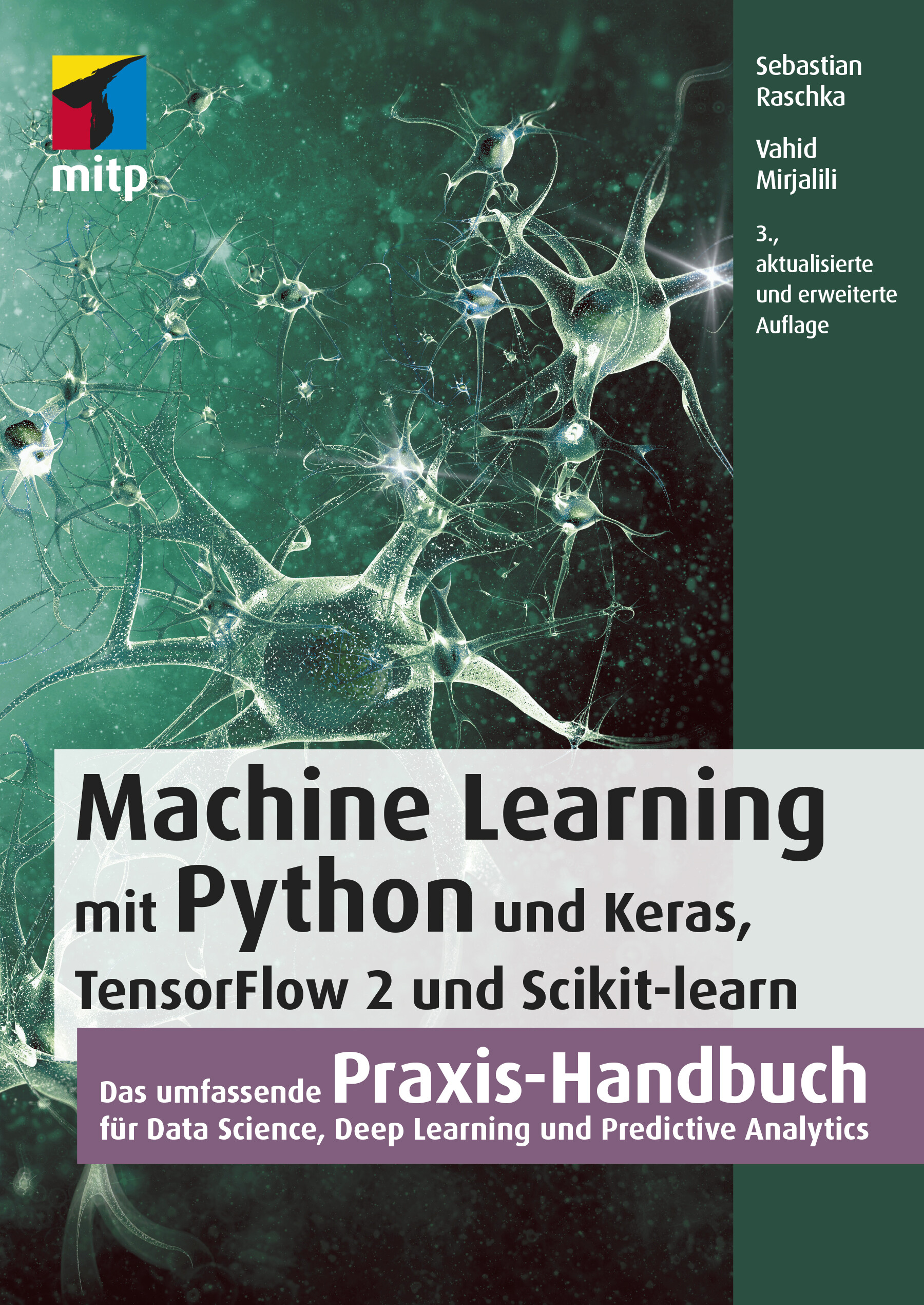
Machine Learning mit Python (3. Auflg.)
Das umfassende Praxis-Handbuch für Data Science, Deep Learning und Predictive Analytics in 3. Auflage 03/2021.Mit diesem Buch erhalten Sie eine umfassende Einführung in die Grundlagen und den effektiven Einsatz von Machine-Learning- und Deep-Learning-Algorithmen und wenden diese anhand zahlreicher Beispiele praktisch an. Dafür setzen Sie ein breites Spektrum leistungsfähiger Python-Bibliotheken ein, insbesondere Keras, TensorFlow 2 und Scikit-learn. Auch die für die praktische Anwendung unverzichtbaren mathematischen Konzepte werden verständlich und anhand zahlreicher Diagramme anschaulich erläutert.Die dritte Auflage dieses Buchs wurde für TensorFlow 2 komplett aktualisiert und berücksichtigt die jüngsten Entwicklungen und Technologien, die für Machine Learning, Neuronale Netze und Deep Learning wichtig sind. Dazu zählen insbesondere die neuen Features der Keras-API, das Synthetisieren neuer Daten mit Generative Adversarial Networks (GANs) sowie die Entscheidungsfindung per Reinforcement Learning.Ein sicherer Umgang mit Python wird vorausgesetzt.Aus dem Inhalt:Trainieren von Lernalgorithmen und Implementierung in PythonGängige Klassifikationsalgorithmen wie Support Vector Machines (SVM), Entscheidungsbäume und Random ForestNatural Language Processing zur Klassifizierung von FilmbewertungenClusteranalyse zum Auffinden verborgener Muster und Strukturen in Ihren DatenDeep-Learning-Verfahren für die BilderkennungDatenkomprimierung durch DimensionsreduktionTraining Neuronaler Netze und GANs mit TensorFlow 2Kombination verschiedener Modelle für das Ensemble LearningEinbettung von Machine-Learning-Modellen in WebanwendungenStimmungsanalyse in Social NetworksModellierung sequenzieller Daten durch rekurrente Neuronale NetzeReinforcement Learning und Implementierung von Q-Learning-AlgorithmenInhalt & Leseprobe (PDF-Link)

Windows 10 Pro
Das umfassende Handbuch - umfassendes Praxiswissen für Windows-Profis, aktuelle Auflage Februar 2021.Dieses Buch bietet Ihnen auf über 900 Seiten fundiertes Wissen für Windows-Anwender. Praxisnah dank der zahlreichen Anwendungsbeispiele und mit einer Fülle an Profitipps durchleuchtet Mareile Heiting alle Ecken und Winkel des Windows-Systems. Erfahren Sie, welche Features sich unter der Oberfläche verstecken und wie Sie Ihren Workflow spürbar verbessern. Profitieren Sie von aktuellen, effektiven Tipps für ein rundum abgesichertes System. Meistern Sie die Arbeit mit Windows-Rechnern und setzen Sie auch anspruchsvolle Anforderungen um: Netzwerk & VPN einrichten, Aufgaben automatisieren, Daten verschlüsseln und vieles mehr. Ideal als Nachschlagewerk für Power User und erfahrene Anwender von Windows 10.Alles zu Windows 10Updates und InstallationWindows 10 richtig nutzen: Desktop & AppsDaten verwalten und sichern: BitLocker, DatensicherungAlle Optionen und KonfigurationsmöglichkeitenSystemdienste und VerwaltungskonsolenTreiberprobleme lösen, Hardware einrichtenDatenschutz und PrivatsphäreVirenschutz und FirewallDatenfreigabe im NetzwerkRemotezugriff und VPNPowerShell & Windows Subsystem für LinuxVirtualisierung mit Hyper-VLeseprobe (PDF-Link)

Microsoft 365 Education
Endlich einfach erklärt: Mit Microsoft 365 können sich Lehrende digital organisieren und Unterricht multimedial gestalten. Wie Sie Microsoft Office in der Schule einsetzen und im Alltag viel Zeit sparen, zeigt Stefan Malter mit vielen Beispielen aus der Praxis. Präsentieren und kommunizieren Sie online per Video, gestalten Sie Unterrichtsmaterial multimedial und fördern Sie die digitalen Kompetenzen Ihrer Schülerinnen und Schüler. Profitieren Sie und Ihr Kollegium von den Microsoft-Apps und ihren vielfältigen Möglichkeiten zur Zusammenarbeit. Aus dem Inhalt: Unterrichtsmaterial und Arbeitsblätter mit Word und OneNote erstellenDigitale Tafelbilder und Präsentationen mit PowerPoint und Whiteboard-AppTermine, Aufgaben und Kontakte mit Outlook und Windows-AppsChats in Teams-Arbeitsgruppen und -KanälenOnline-Unterricht live in Teams durchführen und moderierenGemeinsam an Dateien und Projekten arbeitenOneNote-Kursnotizbücher für Schülerinnen und SchülerLehrerkonferenzen und Elternabende als VideokonferenzExcel: Grundlagen für Lehrende und Schüler*innenIndividuell Feedback zu Leistungen geben und Tests in Forms durchführenAudio-visuelle Medien erstellen und barrierefreie Tools einsetzenMicrosoft 365 auf mobilen GerätenDateien mit OneDrive und SharePoint synchron haltenGeräte einrichten, Daten speichern und schützen, Benutzerkonten verwaltenTipps für Schulorganisation und Administration Vorwort ... 13 Teil I. Microsoft 365 Education kennenlernen ... 15 1. Voraussetzungen für den digitalen Schulalltag mit Microsoft 365 ... 17 1.1 ... Hardware und Software: Voraussetzungen ... 19 1.2 ... Datenschutz - leidiges Thema, wichtiges Thema ... 21 2. Microsoft 365 Education: Was ist das? Was steckt da drin? ... 25 2.1 ... Unterschiedliche Lizenzen - unterschiedliche Möglichkeiten ... 25 2.2 ... Benutzerkonten in Microsoft 365 ... 26 2.3 ... Online-Portal von Microsoft 365 ... 28 2.4 ... Online arbeiten mit Microsoft 365 ... 34 2.5 ... Online und offline arbeiten mit Windows-Apps und Office-Programmen ... 36 3. Windows 10 einrichten und bedienen ... 37 3.1 ... Windows 10 auf einem neuen PC einrichten ... 37 3.2 ... Windows Updates - nervig, aber wichtig! ... 44 3.3 ... Windows-Sicherheit ... 48 3.4 ... Windows-Einstellungen: Produktiv arbeiten, persönlich wohlfühlen ... 50 3.5 ... Mehrere Benutzerkonten mit Windows 10 nutzen ... 62 3.6 ... PC zurücksetzen und Windows 10 neu installieren ... 65 4. Dateien speichern und verwalten mit Microsoft 365 und Windows 10 ... 69 4.1 ... Dateien online speichern mit OneDrive ... 69 4.2 ... Dateien offline speichern mit Windows 10 ... 81 4.3 ... Systempflege und Backups ... 101 5. Apps und Tools in Windows 10 ... 111 5.1 ... Apps in Windows 10 nutzen und verwalten ... 111 5.2 ... Microsoft Edge - Internetbrowser ... 120 5.3 ... Kurznotizen (Sticky Notes) - digitale Klebezettel ... 124 5.4 ... Microsoft To Do - digitale Aufgabenlisten ... 126 5.5 ... Ausschneiden und skizzieren - Screenshot-App ... 127 5.6 ... Fotos - einfache Bild- und Videobearbeitung ... 128 5.7 ... Kamera - Fotos und Videos aufnehmen ... 131 5.8 ... Filme & TV - Videos abspielen ... 133 5.9 ... Microsoft Whiteboard - die digitale Tafel ... 136 5.10 ... Paint und Paint 3D - digital zeichnen ... 139 5.11 ... Ihr Smartphone ... 142 5.12 ... Weitere Windows-Apps im Überblick ... 143 6. Office-Programme und Dienste in Microsoft 365 ... 149 6.1 ... Microsoft Office installieren und einrichten ... 150 6.2 ... Microsoft Teams - Dreh- und Angelpunkt für digitalen Unterricht ... 155 6.3 ... Microsoft Outlook für EMails, Kontakte und Kalender ... 164 6.4 ... Microsoft OneNote - digitale Notizbücher ... 166 6.5 ... Microsoft Word - Textverarbeitung mit festem Layout ... 169 6.6 ... Microsoft PowerPoint - Präsentationen und mehr ... 172 6.7 ... Microsoft Sway - interaktive Web-Präsentationen ... 174 6.8 ... Microsoft Excel - Tabellenkalkulation ... 176 6.9 ... Microsoft Forms ... 178 6.10 ... Microsoft Stream ... 180 6.11 ... Weitere Apps und Dienste in Microsoft 365 Education ... 182 Teil II. Microsoft 365 in Schule und Unterricht einsetzen ... 187 7. Unterrichtsmaterial recherchieren, erstellen und organisieren ... 189 7.1 ... Inhalte in OneNote sammeln ... 189 7.2 ... Internetrecherche mit Office-Apps und Microsoft Edge ... 204 7.3 ... Arbeitsblätter digital erstellen ... 217 7.4 ... Präsentationen für den Unterricht vorbereiten ... 232 8. Dokumente verteilen und zur Verfügung stellen ... 243 8.1 ... Ausdrucken mit Windows 10 ... 243 8.2 ... Per EMail versenden ... 248 8.3 ... Teilen per OneDrive ... 254 8.4 ... Dokumente bereitstellen in Microsoft Teams ... 261 8.5 ... Inhalte teilen mit OneNote und OneNote-Kursnotizbüchern (Class Notebooks) ... 268 9. Korrigieren, Feedback geben und prüfen mit Microsoft 365 ... 279 9.1 ... Aufsätze und Arbeiten korrigieren und kommentieren mit Microsoft Edge und Microsoft Word ... 279 9.2 ... Schüleraufgaben in OneNote-Kursnotizbüchern korrigieren und kommentieren ... 284 9.3 ... Aufgaben mit Microsoft Teams verteilen und bewerten ... 288 9.4 ... Tests und Quizze mit Microsoft Forms ... 296 9.5 ... Mündliche Prüfungen per Videokonferenz mit Microsoft Teams ... 310 10. Digitale Inhalte im Unterricht präsentieren ... 311 10.1 ... Beamer, Smartboard, TV - Projizieren mit Windows 10 ... 311 10.2 ... Präsentieren mit OneNote ... 315 10.3 ... Tafelbilder erstellen mit Microsoft Whiteboard ... 319 10.4 ... Präsentieren mit PowerPoint ... 324 11. Selbstorganisation im Lehrerbüro ... 331 11.1 ... Aufgaben und To-Do-Listen mit Sticky Notes, OneNote, Microsoft To Do und Outlook ... 331 11.2 ... Kalender und Termine mit Outlook ... 341 11.3 ... Gesprächsnotizen und Protokolle mit OneNote ... 348 11.4 ... Punkte und Noten ausrechnen mit Microsoft Excel ... 352 12. Kommunikation mit Kollegium, Schüler*innen und Eltern ... 361 12.1 ... Kontakte verwalten in Outlook und Microsoft 365 ... 361 12.2 ... Kommunikation per EMail mit Outlook ... 366 12.3 ... Chat-Nachrichten - Microsoft Teams als Messenger ... 376 12.4 ... Sprach- und Videoanrufe mit Microsoft Teams ... 382 12.5 ... Online-Besprechungen planen und durchführen mit Microsoft Teams ... 389 12.6 ... Online-Unterricht mit Microsoft Teams ... 396 Teil III. Weitere Möglichkeiten mit Microsoft 365 ... 405 13. Audio- und Videoproduktionen für den Unterricht ... 407 13.1 ... Audioaufnahmen mit dem Sprachrekorder für Windows 10 ... 407 13.2 ... Videoaufnahmen mit der Kamera-App für Windows 10 ... 411 13.3 ... Videoschnitt mit dem Video-Editor der Fotos-App ... 414 13.4 ... Erklärvideos mit PowerPoint produzieren ... 423 13.5 ... Videos verteilen mit OneDrive und Stream ... 431 14. Barrierefreiheit und erleichterte Bedienung mit Microsoft 365 ... 441 14.1 ... Erleichterte Bedienung mit Windows 10 ... 442 14.2 ... Barrierearme Dokumente mit den Office-Apps ... 454 15. Microsoft-Apps für mobile Geräte wie Smartphone und Tablet ... 459 15.1 ... Microsoft Office als mobile App ... 460 15.2 ... OneDrive als mobile App ... 471 15.3 ... OneNote als mobile App ... 473 15.4 ... Microsoft To Do als mobile App ... 477 15.5 ... Outlook als mobile App ... 479 15.6 ... Microsoft Teams als mobile App ... 486 15.7 ... Microsoft Edge als mobile App ... 490 15.8 ... Begleiter für Ihr Smartphone - Verbindung per App zu Windows 10 ... 494 16. Projekte mit Microsoft 365: Ideen für die Praxis ... 499 16.1 ... Klassenfahrt digital organisieren ... 499 16.2 ... Medienproduktion mit Schüler*innen ... 506 17. Tipps für die Administration von Microsoft 365 ... 511 17.1 ... Benutzerkonten im Admin Center erstellen und verwalten ... 514 17.2 ... Schülergeräte einrichten und verwalten ... 524 18. Hilfe bei Fragen und Problemen ... 533 18.1 ... Reparaturversuche mit Windows 10 ... 534 18.2 ... Hilfe und Support von Microsoft 365 ... 540 18.3 ... Online-Community »Microsoft 365 für Lehrer« ... 544 Index ... 547

SAP Conversational AI
Lassen Sie Bots für sich sprechen! Ob Kundenservice oder digitaler Assistent – mit diesem Buch lernen Sie, wie Sie mit SAP Conversational AI eigene Chatbots programmieren. Die Autoren führen Sie durch alle Phasen der Entwicklung vom Training des Bots bis zur Anbindung an die SAP-Systeme. Sie erhalten wertvolle Tipps zur Auswahl geeigneter Anwendungsfälle sowie für Monitoring und Optimierung. Aus dem Inhalt: Conversational User ExperienceTerminologie und GrundkonzepteSAP Conversational AIFrage-und-Antwort-Bots (Q&A) und reguläre BotsChatbots trainieren, verbinden und verbessernAnwendungsfälleDeployment und Betrieb von BotsFallback und DisambiguierungBerechtigungen und Datenschutz Einleitung ... 15 TEIL I. Einführung ... 21 1. Ziele und Einsatzgebiete von Conversational User Experience ... 23 1.1 ... Was ist Conversational User Experience? ... 23 1.2 ... Terminologie und Grundkonzepte ... 26 1.3 ... Geschichte der Chatbots ... 38 1.4 ... Chatbot vs. digitaler Assistent ... 41 1.5 ... Zusammenfassung ... 46 2. Einführung in SAP Conversational AI ... 47 2.1 ... Die Plattform SAP Conversational AI im Überblick ... 48 2.2 ... Verwaltungs- und Einstellungsmöglichkeiten im Benutzerprofil ... 57 2.3 ... Arten von Bots ... 71 2.4 ... Erste Schritte zur Erstellung eines Chatbots ... 73 2.5 ... Verwendung vordefinierter Chatbot-Bestandteile ... 80 2.6 ... Zusammenfassung ... 82 TEIL II. Entwicklung eines Chatbots ... 83 3. Einen Chatbot trainieren ... 85 3.1 ... Überblick über die Registerkarte »Train« ... 86 3.2 ... Gesprächsabsichten mit Intents definieren ... 95 3.3 ... Das Entitätenkonzept ... 100 3.4 ... Entitätsanreicherungen hinzufügen ... 115 3.5 ... Das Datenset testen ... 120 3.6 ... Unterstützte Sprachen ... 122 3.7 ... Anwendung von NLP-Technologien ... 123 3.8 ... Training des Beispiel-Bots ... 125 3.9 ... Zusammenfassung ... 129 4. Einen Chatbot aufbauen ... 131 4.1 ... Überblick über die Registerkarte »Build« ... 132 4.2 ... Skills verwalten ... 138 4.3 ... Trigger verwenden ... 145 4.4 ... Voraussetzungen definieren ... 150 4.5 ... Aktionen erstellen ... 155 4.6 ... Zusammenfassung ... 177 5. Den Chatbot verbinden ... 179 5.1 ... Bereitstellungskanäle ... 179 5.2 ... SAP Conversational AI Web Client ... 189 5.3 ... Fallback-Kanäle ... 194 5.4 ... Slack-Kanal für den Beispiel-Bot konfigurieren ... 197 5.5 ... Zusammenfassung ... 200 6. Den Chatbot verbessern ... 201 6.1 ... Einträge filtern ... 202 6.2 ... Protokoll der Sprachverarbeitung auswerten ... 204 6.3 ... Verwendungsmetriken ... 208 6.4 ... Trainingsanalyse ... 212 6.5 ... Konversationsprotokolle ... 218 6.6 ... Zusammenfassung ... 220 7. Bot-Einstellungen ... 221 7.1 ... Einstellungen eines Chatbots ... 223 7.2 ... Versionen ... 234 7.3 ... Umgebungen verwenden ... 240 7.4 ... Zusammenfassung ... 245 8. Frage-Antwort-Bots ... 247 8.1 ... Frage-Antwort-Bot trainieren ... 249 8.2 ... Frage-Antwort-Bots bauen ... 256 8.3 ... Frage-Antwort-Bot verbessern ... 259 8.4 ... Einen eigenen Frage-Antwort-Bot erstellen ... 261 8.5 ... Zusammenfassung ... 266 TEIL III. Fortgeschrittene Chatbot-Konzepte ... 267 9. Weiterführende Konzepte ... 269 9.1 ... Laufzeitverhalten eines Chatbots testen ... 269 9.2 ... Nutzung von API-Endpunkten ... 275 9.3 ... Feinheiten des Laufzeitverhaltens eines Chatbots ... 288 9.4 ... Mehrsprachigkeit und Ermittlung der Sprache ... 298 9.5 ... Skill-Disambiguierung ... 303 9.6 ... Zusammenfassung ... 308 10. Das Bot-Entwicklungsprojekt -- ein Praxisbeispiel ... 309 10.1 ... Von der Idee zum Chatbot-Projekt ... 310 10.2 ... Vor Beginn der Implementierung ... 317 10.3 ... Implementierung des Chatbots ... 331 10.4 ... Den fertigen Bot bereitstellen ... 347 10.5 ... Zusammenfassung ... 352 11. Integration von SAP Conversational AI ... 353 11.1 ... Integration externer Ressourcen ... 354 11.2 ... Integration in die SAP Integration Suite ... 369 11.3 ... Integration ins SAP Fiori Launchpad ... 381 11.4 ... Berechtigungskonzept und Single Sign-on ... 391 11.5 ... Konfiguration eines SAP-S/HANA-Frontend-Servers ... 394 11.6 ... Automatisierte Tests der Enterprise Edition ... 396 11.7 ... Zusammenfassung ... 404 12. Ausblick und zukünftige Technologien ... 405 12.1 ... Zukünftige Funktionalität von SAP Conversational AI ... 405 12.2 ... Trends im Bereich der künstlichen Intelligenz ... 408 12.3 ... Trends im Bereich Conversational User Experience ... 412 12.4 ... Zusammenfassung ... 414 A. Glossar ... 419 B. Literaturverzeichnis ... 421 C. Das Autorenteam ... 425 Index ... 427

Objektorientierte Programmierung
Komplexe Projekte solide strukturieren, tragfähige Designs erstellen, guten Code schreiben und wartbare Software liefern: Dafür brauchen Entwickler ein Repertoire, aus dem Objektorientierung nicht wegzudenken ist. In diesem Buch finden Sie alles, was Sie brauchen, um sich gründlich einzuarbeiten und die Prinzipien der OOP zur Basis Ihrer eigenen Arbeit zu machen. Die Autoren erläutern alle Themen anschaulich und verständlich anhand einer Vielzahl typischer Beispiele. Mit UML-Diagrammen und gut kommentierten Codebeispielen in den gängigsten objektorientierten Sprachen bringen sie Ihnen die Umsetzung nahe. Da so manches lehrreiche Detail erst auftaucht, wenn Sie konkrete Probleme lösen, ziehen sie viele praktische Anwendungsfälle heran und geben immer wieder Tipps, wie Sie bad smells vermeiden und sauberen Code schreiben. Anhand eines größeren Projekts bekommen Sie zudem einmal von Anfang bis Ende gezeigt, wie Sie objektorientierte Programmierung konsequent realisieren können. So profitieren Sie von der langjährigen Erfahrung der Autoren mit allen Aspekten der Entwicklung komplexer Software. Aus dem Inhalt: Prinzipien des objektorientierten EntwurfsKapselung von DatenPolymorphieStruktur objektorientierter SoftwareKlassen und PrototypenKonkrete und abstrakte DatentypenBeziehungen zwischen ObjektenKlassen von Werten und ObjektenVererbungsbeziehungenMehrfachvererbungStatische und dynamische KlassifizierungPersistenzErzeugung und Zerstörung von ObjektenObjekte in Aktion und in InteraktionObjekte als VertragspartnerModule als konfigurierbare und änderbare KomponentenMVCAspekte und ObjektorientierungBeispielprojektGlossar Materialien zum Buch ... 12 1. Einleitung ... 13 1.1 ... Was ist Objektorientierung? ... 13 1.2 ... Hallo liebe Zielgruppe ... 14 1.3 ... Was bietet dieses Buch (und was nicht)? ... 16 1.4 ... Warum überhaupt Objektorientierung? ... 22 2. Die Basis der Objektorientierung ... 27 2.1 ... Die strukturierte Programmierung als Vorläufer der Objektorientierung ... 28 2.2 ... Die Kapselung von Daten ... 31 2.3 ... Polymorphie ... 33 2.4 ... Die Vererbung ... 34 3. Die Prinzipien des objektorientierten Entwurfs ... 39 3.1 ... Prinzip 1: Prinzip einer einzigen Verantwortung ... 40 3.2 ... Prinzip 2: Trennung der Anliegen ... 46 3.3 ... Prinzip 3: Wiederholungen vermeiden ... 48 3.4 ... Prinzip 4: offen für Erweiterung, geschlossen für Änderung ... 51 3.5 ... Prinzip 5: Trennung der Schnittstelle von der Implementierung ... 54 3.6 ... Prinzip 6: Umkehr der Abhängigkeiten ... 57 3.7 ... Prinzip 7: mach es testbar ... 63 4. Die Struktur objektorientierter Software ... 65 4.1 ... Die Basis von allem: das Objekt ... 65 4.2 ... Klassen: Objekte haben Gemeinsamkeiten ... 85 4.3 ... Beziehungen zwischen Objekten ... 120 4.4 ... Klassen von Werten und Klassen von Objekten ... 137 5. Vererbung und Polymorphie ... 155 5.1 ... Die Vererbung der Spezifikation ... 155 5.2 ... Polymorphie und ihre Anwendungen ... 195 5.3 ... Die Vererbung der Implementierung ... 242 5.4 ... Mehrfachvererbung ... 265 5.5 ... Statische und dynamische Klassifizierung ... 295 6. Persistenz ... 305 6.1 ... Serialisierung von Objekten ... 305 6.2 ... Speicherung in Datenbanken ... 306 6.3 ... Abbildung auf relationale Datenbanken ... 313 6.4 ... Normalisierung und Denormalisierung ... 326 7. Abläufe in einem objektorientierten System ... 343 7.1 ... Erzeugung von Objekten mit Konstruktoren und Prototypen ... 344 7.2 ... Fabriken als Abstraktionsebene für die Objekterzeugung ... 355 7.3 ... Objekte löschen ... 404 7.4 ... Objekte in Aktion und in Interaktion ... 419 7.5 ... Kontrakte: Objekte als Vertragspartner ... 463 7.6 ... Exceptions: wenn der Kontrakt nicht eingehalten werden kann ... 480 8. Module und Architektur ... 511 8.1 ... Module als konfigurierbare und änderbare Komponenten ... 511 8.2 ... Die Präsentationsschicht: Model, View, Controller (MVC) ... 520 9. Aspekte und Objektorientierung ... 533 9.1 ... Trennung der Anliegen ... 533 9.2 ... Aspektorientiertes Programmieren ... 545 9.3 ... Anwendungen der Aspektorientierung ... 556 9.4 ... Annotations ... 569 10. Objektorientierung am Beispiel: eine Webapplikation in JavaScript ... 579 10.1 ... OOP in JavaScript ... 581 10.2 ... Die Anwendung im Überblick ... 589 10.3 ... Das Framework ... 594 10.4 ... Die Applikation ... 612 10.5 ... Ein Fazit -- und was noch übrig bleibt ... 636 Anhang ... 639 A. Verwendete Programmiersprachen ... 641 B. Glossar ... 661 C. Die Autoren ... 675 Index ... 677

GitHub - Eine praktische Einführung
GitHub - praktisch und anschaulich erklärt. Von den ersten Schritten bis zu eigenen GitHub Actions.GitHub ist derzeit die größte Internetplattform für Open-Source-Entwicklungsprojekte und bietet ein grafisches Webinterface mit vielen Funktionen für die gemeinsame Arbeit sowie interessante Community-Features. Technisch setzt es auf der bekannten Versionsverwaltung Git auf.Aber was ist ein Repository, Branch, Commit, Pull-Request oder Fork? Wie lege ich ein eigenes Projekt an? Was muss ich beim Mergen beachten und wann sind »etwas Git« oder Actions und Apps ein guter nächster Schritt?Einsteiger*innen lernen alle wichtigen Werkzeuge und Begriffe kennen, spielen typische Arbeitsschritte durch und erhalten über die Funktionalität der Plattform hinaus viele Infos und Praxistipps. Mit diesem verständlichen und humorvollen Leitfaden gelingt der unfallfreie Einstieg in die Open-Source-Welt – garantiert.GitHub – die Plattform kennenlernen Die Oberfläche erkunden und einen eigenen Account anlegenDas erste GitHub-Projekt Mit Repositories, Issues und Branches arbeiten, Pull-Requests erstellen und mergenOpen-Source-Lizenzen Unterschiede verstehen und eine passende Lizenz auswählenAuf eigenen und fremden Projekten zusammenarbeiten Projekte für Mitstreiter attraktiver machen, Maintainer einsetzen, Pull-Requests einreichen und Projekte forkenEinstieg in Git Git installieren und wichtige Befehle ausprobierenGit und GitHub im Zusammenspiel Projekte mit GitHub und Git bearbeiten und synchron halten, Repositories forken und Merge-Konflikte lösenMit Actions und Apps effizienter arbeiten Apps und Actions aus dem Marketplace installieren und eine eigene Action programmieren

Aerodynamic Study on the Vehicle Shape Parameters with Respect to Ground Simulation
Chenyi Zhang analyzes the influences of moving ground simulation technique in wind tunnel tests. In his work, the classical investigations on vehicle shape parameters with fixed ground conditions are reviewed with modern moving ground simulation technique. The investigations are performed by means of CFD simulations and model scale wind tunnel tests at IFS, University of Stuttgart. The shape parameters of two reference vehicles – the DrivAer and the AeroSUV model with notchback, fastback and estate back – are varied and investigated. The author presents different results in drag and lift for the varied geometry parameters. The classical results of the parametric study on the vehicle basic shapes for vehicle aerodynamics could be complemented with the findings of the present research. Basic Theories and State of the Art.- Results of the DrivAer Model.- Statistical Analysis of the Parameters.- Transferability Study on the SUV Model.
Wissensmanagement (7. Auflg.)
Grundlagen, Methoden und technische Unterstützung - ein aktueller und umfassender Überblick über das Thema Wissensmanagement.Die Entwicklung der letzten zehn Jahre zeigt, dass in Organisationen das Interesse am Wissensmanagement wächst. Dennoch ist festzustellen, dass der Nutzen des Wissensmanagements von einem tieferen Verständnis der verfügbaren Konzepte abhängt und nicht von der Unternehmensgröße.Das Themenfeld des Wissensmanagements wird in diesem Buch systematisch geordnet und in Verbindung mit den aktuellen Entwicklungen auf einem anspruchsvollen Niveau aufbereitet. Ziele sind eine umfassende Einführung und ein ganzheitlicher Überblick. Der Fokus wird dabei auch auf die praktische Umsetzung und auf ungelöste Probleme und Herausforderungen gelenkt. Damit bietet das Buch Orientierung in einem innovativen und zukunftsorientierten Anwendungsfeld, das mittlerweile in der Wissenschaft und in der Praxis gleichermaßen akzeptiert ist. Neu in der 7. Auflage ist das Thema KI in Verbindung mit Wissensmanagement und Fallbeispiele zu Wissensmanagement in Coronazeiten.AUS DEM INHALT:Die Herausforderung: Wandel und Bewältigung von Wandel in Unternehmen // Grundlagen des Wissensmanagements // Referenzdisziplinen des Wissensmanagements // Methodische und softwaretechnische Unterstützung des Wissensmanagements // Wissensmanagement in der Praxis

Integration von Sensitivitätsanalysemethoden in den Entwicklungsprozess für Fahrwerkregelsysteme
Die zunehmende Komplexität mechatronischer Systeme steht im Zielkonflikt mit kürzeren Entwicklungszyklen, der mithilfe skalierbarer, digitaler Untersuchungsmethoden teilweise aufzulösen ist. Dies erfordert eine durchgängig anwendbare, digitale Entwicklungsplattform einschließlich geeigneter Untersuchungsmethoden, sodass datenbasierte Entscheidungen getroffen werden können. Die digitalen Analyseschritte sind in den Entwicklungsprozess zu integrieren. Christopher Braunholz zeigt diese Aktualisierungen der konventionellen Entwicklung am Beispiel der Fahrwerkregelsystementwicklung. Varianzbasierte Sensitivitätsanalysen einer Gesamtfahrzeugsimulation offenbaren Zielkonflikte und Wechselwirkungen der Funktionen und Systeme in der Entwurfs- und Integrationsphase. Auslegungsmethodik und Aktualisierung des Entwicklungsprozesses.- Virtuelle Entwicklungsumgebung.- Integration der Sensitivitätsanalysemethode.- Anwendung der Entwicklungsmethode.

Versionsverwaltung mit Git
* Von grundlegenden Funktionen über die Handhabung von Branches und Remote-Repositorys bis zu Tipps und Tricks für (nicht nur) alltägliche Funktionen * Auswahl sinnvoller Workflows und Einsatz in Teams * Git-Repositorys hosten mit GitHub und GitLab Git ist in der Softwareentwicklung bereits weit verbreitet – sowohl in Firmen als auch in Open-Source-Projekten. Zum Einstieg lernen Anfänger häufig nur die wichtigsten Befehle, die schnell nicht mehr ausreichen, vor allem wenn die ersten Fehler auftreten. Dieses Buch behandelt einerseits die gängigen Befehle, die Sie beim täglichen Arbeiten mit Git brauchen. Andererseits geht es dem Autor auch darum, dass Sie Git als Ganzes verstehen, um es effektiv im Entwicklungsprozess einsetzen zu können. Der Fokus des Buchs liegt auf dem praktischen Arbeiten mit Git. Sie lernen anhand eines Projekts, welche Befehle es gibt, wie diese arbeiten und wie Sie auftretende Probleme lösen können. Neben alltäglichen Funktionen finden Sie auch seltener gebrauchte Kommandos, die aber ebenfalls wichtig sind. Dabei legt der Autor großen Wert auf die Einbindung und Anpassung des Entwicklungsprozesses. Im zweiten Teil des Buchs werden fortgeschrittene Themen behandelt. Der Schwerpunkt liegt auf dem Einsatz von Git in Teams. Darunter etwa das Hosten verteilter Repositorys mit GitHub und GitLab. Ein weiteres Kapitel behandelt die Workflows, die je nach Anzahl der beteiligten Personen, Branches und Repositorys eines Projekts variieren. Darüber hinaus gibt Ihnen der Autor hilfreiche Informationen für den Umstieg von Subversion, einen Überblick über grafische Git-Programme, Hinweise für eine langfristig nachvollziehbare Git-Historie sowie eine Einführung in DevOps, wofür Git die technische Grundlage bildet. Ein Kapitel zu häufig gestellten Fragen rundet diesen Praxiseinstieg ab. Das Buch richtet sich sowohl an blutige Einsteiger als auch an erfahrene Leser. Aus dem Inhalt: * Konfiguration * Arbeiten mit Branches * Verteilte Repositorys * Hosting mit GitHub und GitLab * Workflows * Hooks * Umstieg von Subversion * Zahlreiche Tipps für die tägliche Arbeit * Grafische Clients * Tipps für nachvollziehbare Git-Historien * Frequently Asked Questions * Einstieg in DevOps * Befehlsreferenz

Building Custom Tasks for SQL Server Integration Services
Build custom SQL Server Integration Services (SSIS) tasks using Visual Studio Community Edition and C#. Bring all the power of Microsoft .NET to bear on your data integration and ETL processes, and for no added cost over what you’ve already spent on licensing SQL Server. New in this edition is a demonstration deploying a custom SSIS task to the Azure Data Factory (ADF) Azure-SSIS Integration Runtime (IR).All examples in this new edition are implemented in C#. Custom task developers are shown how to implement custom tasks using the widely accepted and default language for .NET development.Why are custom components necessary? Because even though the SSIS catalog of built-in tasks and components is a marvel of engineering, gaps remain in the available functionality. One such gap is a constraint of the built-in SSIS Execute Package Task, which does not allow SSIS developers to select SSIS packages from other projects in the SSIS Catalog. Examples in this book show how to create a custom Execute Catalog Package task that allows SSIS developers to execute tasks from other projects in the SSIS Catalog. Building on the examples and patterns in this book, SSIS developers may create any task to which they aspire, custom tailored to their specific data integration and ETL needs.WHAT YOU WILL LEARN* Configure and execute Visual Studio in the way that best supports SSIS task development* Create a class library as the basis for an SSIS task, and reference the needed SSIS assemblies* Properly sign assemblies that you create in order to invoke them from your task* Implement source code control via Azure DevOps, or your own favorite tool set* Troubleshoot and execute custom tasks as part of your own projects* Create deployment projects (MSIs) for distributing code-complete tasks* Deploy custom tasks to Azure Data Factory Azure-SSIS IRs in the cloud* Create advanced editors for custom task parametersWHO THIS BOOK IS FORFor database administrators and developers who are involved in ETL projects built around SQL Server Integration Services (SSIS). Readers do not need a background in software development with C#. Most important is a desire to optimize ETL efforts by creating custom-tailored tasks for execution in SSIS packages, on-premises or in ADF Azure-SSIS IRs.ANDY LEONARD is Chief Data Engineer at Enterprise Data & Analytics, an SSIS trainer, consultant, developer of the Data Integration Lifecycle Management (DILM) Suite, a Business Intelligence Markup Language (Biml) developer, and BimlHero. He is a SQL Server database and data warehouse developer, community mentor, engineer, and occasional farmer. He is co-author of Apress books SQL Server Integration Services Design Patterns and The Biml Book, and author of the Apress book Data Integration Life Cycle Management with SSIS and the Stairway to Integration Services series at SQLServerCentral.com.1. The Story of This Book2. Preparing the Environment3. Creating the Assembly Project4. Check-In the Project Code5. Signing the Assembly6. Preparing to Build7. Coding the Task8. Coding a Simple Task Editor9. Signing and Binding10. Expanding Editor Functionality11. Minimal Coding for the Complex Editor12. Editor Integration13. Implement Views and Properties14. Implement New Connection15. Implement Use32bit, Synchronized, and LoggingLevel SettingsView Properties16. Refactoring SourceConnection17. Refactoring the SSIS Package Hierarchy18. Instrumentation and Validation19. Crushing Bugs20. Adding Synchronous Execution Properties21. Testing the Task22. Building the Setup Project23. Using the Execute Catalog Package Task in an SSIS Framework24. Deploying to Azure-SSIS25. Test the Task in Azure Data Factory26. Notes from my Experience

Der Computer erscheint im Holozän
Die sieben Weltwunder wurden bereits in der Antike beschrieben, etwa zur selben Zeit wie die mechanische Rechenhilfe Abacus, ein Zählrahmen mit Holz- oder Glasperlen. Dieses Buch beschreibt und diskutiert die sieben Weltwunder der IT, ohne die unsere digitale Wirtschaft und Gesellschaft kaum überlebensfähig scheint: Computermaus, Datenbanken, Kryptografie, Graphgrammatiken, Internet, Blockchain und Soft Computing.Jedes Weltwunder der IT wird kurz charakterisiert, bevor Anwendungsoptionen für Wirtschaft und Gesellschaft exemplarisch aufgezeigt und gewürdigt werden.Das Werk richtet sich an alle, die sich mit der digitalen Transformation auseinandersetzen. Es soll helfen, digitale Entwicklungen im eigenen Unternehmen, in der Verwaltung oder im öffentlichen wie im privaten Leben zu positionieren und zu reflektieren.ANDREAS MEIER hat Musik an der Musikakademie in Wien und Mathematik an der ETH in Zürich studiert, wo er doktorierte und habilitierte. Er arbeitete in internationalen Forschungsinstitutionen und Organisationen und war an der Universität Fribourg, Schweiz für eBusiness und eCommerce verantwortlich. Er gründete und leitete das Forschungszentrum Fuzzy Management Methods (FMsquare.org).FABRICE TSCHUDI hat Kommunikationswissenschaften an der Universität Fribourg und Wirtschaftsinformatik an der Universität Bern studiert. Er setzt sich für eine Vision von digitalen Systemen ein, die zu einer lebensdienlichen Wirtschaft und Gesellschaft im Sinne von nachhaltigem Wohlergehen beitragen. Er begleitet Organisationen auf dem Weg zu „wertvoller Digitalisierung“ und ist überzeugt, dass partizipative Lern- und Arbeitsformate hierfür ein zentraler Erfolgsfaktor sind.De septem mundi miraculis - Vom Abacus zur digitalen Rechenmaschine - Die 7 Weltwunder der IT - Wo führt die Reise hin? - Literatur
Beginning Rust Programming
QUICKLY LEARN THE ROPES WITH THE RUST PROGRAMMING LANGUAGE USING THIS PRACTICAL, STEP-BY-STEP GUIDEIn Beginning Rust Programming, accomplished programmer and author Ric Messier delivers a highly practical, real-world guide to coding with Rust. Avoiding dry, theoretical content and “Hello, world”-type tutorials of questionable utility, the book dives immediately into functional Rust programming that takes advantage of the language’s blazing speed and memory efficiency.Designed from the ground up to give you a running start to using the multiparadigm system programming language, this book will teach you to:* Solve real-world computer science problems of practical importance * Use Rust’s rich type system and ownership model to guarantee memory-safety and thread-safety * Integrate Rust with other programming languages and use it for embedded devices Perfect for programmers with some experience in other languages, like C or C++, Beginning Rust Programming is also a great pick for students new to programming and seeking a user-friendly and robust language with which to start their coding career.ABOUT THE AUTHORRIC MESSIER is Senior Information Security Consultant with FireEye Mandiant. He is an author, consultant, and educator who holds GCIH, GSEC, CEH, and CISSP certifications and has published several books on information security and digital forensics. He is familiar with a wide variety of languages, including BASIC, Pascal, C, C++, C#, Rexx, Perl, Python, Java, Go, Swift, and Objective-C. VISIT US AT WROX.COM FOR FREE CODE SAMPLES.Introduction xixCHAPTER 1: GAME OF LIFE: THE BASICS 1Game of Life: The Program 2Starting with Cargo 4Putting the Pieces Together 5Bringing In External Functionality 5Namespaces 6Generating the Game Grid 7Dissecting Main 8Defining Functions 8Defining Variables 9Datatypes 11Arrays 12Control Structures 14Looking at More Function Functions 16Returning Values 16Passing Parameters 18Scope 21Compiling Programs 22Summary 24Exercises 25Additional Resources 25CHAPTER 2: EXTENDED LIFE 27Understanding Ownership 28Extending Life 30Adding Modules 32Working with Command-Line Arguments 34Option Types 36Reading from Files 39Extracting Values 41Populating from the Vector 42Outputting to the Terminal 43Using Colors 44Printing Generations 44Summary 46Exercises 48Additional Resources 48CHAPTER 3: BUILDING A LIBRARY 49References 50First Pass 53Traits and Implementations 56Self-Identification 60The Rest 60Second Pass 62The Driver 65Summary 67Exercises 69Additional Resources 69CHAPTER 4: HANGMAN 71Our Data 74The Traits 77Implementations 79Using the Option Enum 82Finishing Up the Implementation 83Reading Files and Selecting Words 84Handling Errors Concisely 85Generics and Bounds 87A Vector of Lines 88The Rest of the Story 90Initialization 91Playing the Game 92Summary 94Exercises 95Additional Resources 95CHAPTER 5: IN CONCURRENCE 97The Dining Philosophers 98Mutexes and Semaphores 101Interprocess Communications 103The Main Event 106Unix Sockets 107File and Directory Handling 109Closures 112Threading in the Main 114Creating Streams 115Cryptographic Hashing 116Creating Threads 117Summary 118Exercises 119Additional Resources 119CHAPTER 6: CLIENTS AND SERVERS 121Planning 123Network Programming 125Programming Sockets 128Rust TCP Server 131Handling Requests 134Operating System Calls 137Summary 139Exercises 140Additional Resources 140CHAPTER 7: CLIENT-SIDE APPLICATIONS 141Encryption 142Encryption Algorithms 144Going Hybrid 145Encryption Algorithms 147Transport Layer Security (TLS) 147TLS Server 151Remote Access Client 154Creating the Connection 156Validating Input 157Regular Expressions 157The Final Function 159Summary 163Exercises 164Additional Resources 164CHAPTER 8: GOING RELATIONAL 165Application Architectures 166n-Tier Applications 167Microservices 169Model-View-Controller 171Databases 172Structured Query Language 172Server or Embedded 175Accessing Databases 176Writing a Database Program 177Main and Modules 178Database Functions 183Adding Records 184Listing Records 186Summary 189Exercises 190Additional Resources 190CHAPTER 9: NO(SQL) GOING 191Assertions 192Design by Contract 195NoSQL 198Working with MongoDB 202Inserting Data 202Reading in Data from a File 206Populating the Database 207Retrieving Values 209Summary 213Exercises 214Additional Resources 214CHAPTER 10: WEB COMMUNICATIONS 215Style Guides 216Hypertext Transfer Protocol 219Programmatic Communication 222Web Communication Over TLS 227Client Communication 229Jumping Ahead 232Jumping Back 237Summary 238Exercises 239Additional Resources 240CHAPTER 11: WEB SERVER 241Offensive vs. Defensive Programming 242Web Application Communications 245Web Application Parameters 245Asynchronous JavaScript and XML 248Representational State Transfer 249APIs in Node.js and Python 250API Server in Rust 252Rust Rocket 255Summary 262Exercises 262Additional Resources 263CHAPTER 12: GETTING TO THE SYSTEM 265Extending Functionality 266Windows Registry 272Programmatic Access to the Registry 275Using Rust to Access the Registry 277System Information with Rust 282Persistence (for Fun) 287Summary 289Exercises 290Additional Resources 290CHAPTER 13: DEVICE PROGRAMMING 291Logging 292Using syslog 292Using Windows Event Logs 299Working with Raspberry Pi 305Lighting Lights 310Reading GPIO 315Summary 318Exercises 319Additional Resources 319CHAPTER 14: COLLECTING STUFF 321Arrays and Vectors 322Linked Lists 329Stacks 333Queues 336Sorting 337Search Trees 340Summary 345Exercises 346Additional Resources 346CHAPTER 15: ODDS AND SODS 347Unit Testing 348Testing Types 350Test Plans 351Unit Tests 353Recursion 360Machine Learning 364Chatbots 366Neural Networks 369Summary 371Exercises 373Additional Resources 373Index 375

Security by Design
Der Softwareingenieur von heute muss die grundlegende Disziplin der Entwicklung sicherer informationstechnischer Systeme verstehen. Nicht, weil es eine ein „gute Idee“ ist, sondern weil unsere Arbeits- und Lebenswelten zunehmend auf die Funktionsfähigkeit und die Sicherheit hochkomplexer und dynamischer informationstechnischer Infrastrukturen angewiesen sind. Die Vorstellung, dass die Sicherheit informationstechnischer Systeme etwas Besonderes ist, ist ein Trugschluss. Tatsächlich ist Sicherheit nur ein Aspekt der Zuverlässigkeit. Wir können keine zuverlässigen Anwendungen und Systeme haben, wenn diese nicht sicher sind.Vor diesem Hintergrund gehen die Autoren der Frage nach, ob und in welchem Ausmaß die mit dem Einsatz der Artefakte der digitalen Revolution einhergehenden Risiken beherrschbar bleiben, und welche Möglichkeiten wir bereits heute haben, die Eindämmung von Risiken und Gefahren schon beim Entwurf informationstechnischer Systeme zu berücksichtigen. Die Antwort ist ein systematischer praxis- und modellbasierter Ansatz für das Security-Engineering von Informationssystemen.DR. ARMIN LUNKEIT ist Informatiker und widmet sich seit mehr als 20 Jahren der Entwicklung und dem Einsatz sicherheitskritischer Anwendungen und Systeme. Er hat sich in diesem Zeitraum intensiv mit der Integration des Security Engineerings in die Systementwicklung auseinandergesetzt und dazu mehrere Artikel veröffentlicht.DR. WOLF ZIMMER ist Physiker und war mehr als 25 Jahre in der Softwareentwicklung und Strategieberatung eines weltweit agierenden IT-Unternehmens tätig. Er hat in diesem Umfeld bereits mehrere Bücher und Artikel veröffentlicht.Was ist das Problem? - Der IT-Sicherheitsstack - Systems Engineering ist Security Engineering - Modell-basiertes Design - Die SmartFit AG - Fragile Kryptografie - The Proof of the Pudding is in the eating - Die Vermessung der (Un-)Sicherheit - Ausblick

Zoom - Der leichte Einstieg in die Onlinekommunikation
Alle Grundlagen, Profitipps und detaillierte Anleitungen auf einen Blick:- So gelingen Videokonferenzen und Teamwork- Nutzen Sie die App optimal - privat, geschäftlich und im VereinFür die digitale Kommunikation mit Kollegen und Geschäftspartnern ist Zoom die optimale Wahl. Auch private Onlinetreffen lassen sich über die Software entspannt, zuverlässig und sicher durchführen. Wie Sie das Programm gezielt einsetzen und seine vielen praktischen Funktionen effizient nutzen, erfahren Sie in dieser Anleitung.Lernen Sie Schritt für Schritt und anhand anschaulicher Beispielbilder, wie Sie mit Zoom Meetings, Onlineseminare oder Plauschabende mit Ihren Freunden abhalten, Präsentationen vorführen, mit Ihrem Team Dateien austauschen und vieles mehr. Zahlreiche Tipps helfen Ihnen dabei, im Homeoffice stressfrei zu arbeiten und online Kontakte zu pflegen.Aus dem Inhalt:- Das Programm Zoom und seine Funktionen - Überblick über die verschiedenen Versionen - Voraussetzungen, Kosten und Wissenswertes- So funktionieren Installation und Einladung- Videokonferenzen erfolgreich durchführen- Teamwork: Chatten und Austausch von Dateien- Die professionelle Moderation eines Meetings - Screensharing: Präsentationen über Zoom halten- Die Software für private Kommunikation verwenden- Ein Webinar reibungslos durchführen- Zoom auf unterschiedlichen Geräten nutzen
Python Challenge
Ihr persönlicher Python-Coach: Fit für Prüfung, Job-Interview und Praxis – mit 100 Aufgaben und MusterlösungenMit 100 Übungsaufgaben und Programmierpuzzles inklusive Lösungen zum Knobeln und Erweitern Ihrer Kenntnisse bietet Ihnen die »Python Challenge« ein kurzweiliges Lernen, eine fundierte Vorbereitung auf die nächste Prüfung oder ein Jobinterview. Dabei werden viele praxisrelevante Themengebiete wie Strings, Datenstrukturen, Rekursion, Arrays usw. berücksichtigt.Jedes Themengebiet wird in einem eigenen Kapitel behandelt, wobei zunächst kurz auf die Grundlagen eingegangen wird. Danach folgen rund 10 bis 15 Übungsaufgaben verschiedener Schwierigkeitsgrade.So lassen sich die Python-Programmierkenntnisse effektiv verbessern. Dabei helfen insbesondere detaillierte Musterlösungen inklusive der genutzten Algorithmen zu allen Aufgaben. Ebenso werden von Michael Inden alternative Lösungswege beschrieben, aber auch mögliche Fallstricke und typische Fehler im Python-Code analysiert.Abgerundet wird das Buch durch drei Anhänge. Einer beschäftigt sich mit dem Python-Kommandozeileninterpreter, der zum Ausprobieren der Codeschnipsel und Beispiele des Buchs oftmals hilfreich ist. Der zweite gibt einen Überblick über Pytest zum Unit Testen und Prüfen der Lösungen. Der dritte erläutert die O-Notation zur Abschätzung der Performance.Leseproben:Einleitung — DownloadInhaltsverzeichnis — DownloadStrings (Auszug) — DownloadSuchen und Sortieren (Auszug) — DownloadZusatzmaterial:Python_Challenge_Import — DownloadPythonChallenge — Download

MATLAB Recipes
Learn from state-of-the-art examples in robotics, motors, detection filters, chemical processes, aircraft, and spacecraft. With this book you will review contemporary MATLAB coding including the latest MATLAB language features and use MATLAB as a software development environment including code organization, GUI development, and algorithm design and testing.Features now covered include the new graph and digraph classes for charts and networks; interactive documents that combine text, code, and output; a new development environment for building apps; locally defined functions in scripts; automatic expansion of dimensions; tall arrays for big data; the new string type; new functions to encode/decode JSON; handling non-English languages; the new class architecture; the Mocking framework; an engine API for Java; the cloud-based MATLAB desktop; the memoize function; and heatmap charts._MATLAB Recipes: A Problem-Solution Approach, Second Edition__ _provides practical, hands-on code snippets and guidance for using MATLAB to build a body of code you can turn to time and again for solving technical problems in your work. Develop algorithms, test them, visualize the results, and pass the code along to others to create a functional code base for your firm.WHAT YOU WILL LEARN* Get up to date with the latest MATLAB up to and including MATLAB 2020b* Code in MATLAB* Write applications in MATLAB* Build your own toolbox of MATLAB code to increase your efficiency and effectivenessWHO THIS BOOK IS FOREngineers, data scientists, and students wanting a book rich in examples using MATLAB.MICHAEL PALUSZEK is the co-author of MATLAB Recipes published by Apress. He is President of Princeton Satellite Systems, Inc. (PSS) in Plainsboro, New Jersey. Mr. Paluszek founded PSS in 1992 to provide aerospace consulting services. He used MATLAB to develop the control system and simulation for the Indostar-1 geosynschronous communications satellite, resulting in the launch of PSS's first commercial MATLAB toolbox, the Spacecraft Control Toolbox, in 1995. Since then he has developed toolboxes and software packages for aircraft, submarines, robotics, and fusion propulsion, resulting in PSS's current extensive product line. He is currently leading a US Army research contract for precision attitude control of small satellites and working with the Princeton Plasma Physics Laboratory on a compact nuclear fusion reactor for energy generation and propulsion.Prior to founding PSS, Mr. Paluszek was an engineer at GE Astro Space in East Windsor, NJ. At GE he designed the Global Geospace Science Polar despun platform control system and led the design of the GPS IIR attitude control system, the Inmarsat-3 attitude control systems and the Mars Observer delta-V control system, leveraging MATLAB for control design. Mr. Paluszek also worked on the attitude determination system for the DMSP meteorological satellites. Mr. Paluszek flew communication satellites on over twelve satellite launches, including the GSTAR III recovery, the first transfer of a satellite to an operational orbit using electric thrusters. At Draper Laboratory Mr. Paluszek worked on the Space Shuttle, space station and submarine navigation. His space station work included designing of control moment gyro based control systems for attitude control. Mr. Paluszek received his bachelors in electrical engineering, and master's and engineer’s degrees in aeronautics and astronautics from the Massachusetts Institute of Technology. He is author of numerous papers and has over a dozen US patents.STEPHANIE THOMAS is the co-author of MATLAB Recipes, published by Apress. She received her bachelor's and master's degrees in aeronautics and astronautics from the Massachusetts Institute of Technology in 1999 and 2001. Ms. Thomas was introduced to PSS's Spacecraft Control Toolbox for MATLAB during a summer internship in 1996 and has been using MATLAB for aerospace analysis ever since. She built a simulation of a lunar transfer vehicle in C++, LunarPilot, during the same internship. In her nearly 20 years of MATLAB experience, she has developed many software tools including the Solar Sail Module for the Spacecraft Control Toolbox; a proximity satellite operations toolbox for the US Air Force; collision monitoring Simulink blocks for the Prisma satellite mission; and launch vehicle analysis tools in MATLAB and Java, to name a few. She has developed novel methods for space situation assessment such as a numeric approach to assessing the general rendezvous problem between any two satellites implemented in both MATLAB and C++. Ms. Thomas has contributed to PSS's Attitude and Orbit Control textbook, featuring examples using the Spacecraft Control Toolbox, and written many software user guides. She has conducted SCT training for engineers from diverse locales such as Australia, Canada, Brazil, and Thailand and has performed MATLAB consulting for NASA, the US Air Force, and the European Space Agency.PART I CODING IN MATLAB1 CODING HANDBOOK2 MATLAB STYLE3 VISUALIZATION4 INTERACTIVE GRAPHICS5 TESTING AND DEBUGGING6 CLASSESPART II APPLICATIONS7 THE DOUBLE INTEGRATOR8 ROBOTICS9 ELECTRIC MOTORS10 FAULT DETECTION11 CHEMICAL PROCESSES12 AIRCRAFT13 SPACECRAFT14 AUTOMOBILES
JavaScript für Ungeduldige
Der schnelle Einstieg in modernes JavaScript.»JavaScript für Ungeduldige« ist ein vollständiger und dennoch prägnanter Leitfaden für modernes JavaScript, bis zu ES2020. Wenn Sie mit Sprachen wie Java, C#, C oder C++ umgehen können, werden Sie mit diesem Buch schnell mit JavaScript produktiv arbeiten können, ohne sich lange mit veralteten Konzepten rumschlagen zu müssen.Cay S. Horstmann deckt alles ab, was Sie über JavaScript wissen müssen, und liefert Inhalte in kleinen Häppchen, die das Lernen angenehm machen. Die praktischen Einblicke und praxisnahen Codebeispiele helfen Ihnen, die Vorteile von modernem JavaScript zu nutzen, und dabei häufige Fallstricke und veraltete Funktionen zu meiden.Das bietet »JavaScript für Ungeduldige«:Sie lernen schnell die Grundlagen von modernem JavaScript Sie vermeiden veraltete Techniken, die unnötige Komplexität und Risiken mitbringen Sie machen das Beste aus funktionalen, objektorientierten und asynchronen Programmierstilen Sie verwenden Module, um komplexe Programme effizient zu organisieren und auszuführen Sie verstehen fortgeschrittene JavaScript-Techniken, wie Metaprogrammierung und Generatoren Sie erfahren, wie Sie Ihren JavaScript-Code mit TypeScript sicherer machen