

Software

Zoom - für PC, Tablet & Smartphone
Umfassende Infos für Meetings, Videokonferenzen und Chats.Seit Corona ist Zoom eines der angesagten Tools für Videokonferenzen und fürs Homeoffice – für PC, Tablet und Smartphone. Egal, ob für Schüler, Studenten oder im Business-Bereich. Autor Martin Quedenbaum, Lehrer an einer Medien-Berufsschule, zeigt Ihnen in diesem Buch, welche Möglichkeiten die Software bietet und worauf Sie achten sollten, damit auch die Sicherheit bei Ihren Videomeetings, der gemeinsamen Arbeit an Projekten und im Homeoffice gewährleistet ist.Aus dem InhaltEinstieg in ZoomEin erstes Zoom-Video-Meeting in fünf MinutenAn einem Zoom-Video-Meeting teilnehmenEin zukünftiges Meeting planenZoom in andere Programme integrierenEinladungen anpassenVorbereitung ist allesSo starten Sie ein geplantes MeetingZweistufige AuthentifizierungOptimieren Sie Ihr VideobildMeeting aufzeichnenVirtuelle HintergründeBildschirminhalte mit anderen teilenGruppenarbeit – Breakout-RäumeIhr eigener Zoom-RaumMit angelegten Kontakten kommunizierenUmfragen und Webinare

Dein Smartphone mit Android 11
Android 11 - selber einrichten und verstehen. Für alle Android-Smartphones von Samsung, Google Pixel, Huawei, Nokia, OnePlus, ...Dieses Buch zu Android 11 macht Sie – unabhängig vom Gerätehersteller – mit den grundlegenden und täglich genutzten Funktionen Ihres Android-Smartphones vertraut.Unterwegs im Internet, E-Mails schreiben und empfangen, Telefonieren, Fotografieren, nützliche Apps – Android-Experte Christian Immler navigiert Sie mit anschaulichen Erklärungen durch den Funktionsdschungel.Zudem verraten Ihnen Insidertipps, wie Sie Ihr Android-Gerät zur Steuerung von Smarthome-Technik einsetzen, wie Sie ein verlorenes oder gestohlenes Smartphone wiederfinden und Ihr Gerät vor ungewollten Zugriffen schützen.Aus dem Inhalt:Die Ersteinrichtung eines neuen Android-SmartphonesAlltag mit dem Android-11-SmartphoneApps finden und installierenMit Android ins InternetKommunikation mit dem SmartphoneUnterwegs mit dem Android-SmartphoneDas Smartphone als KameraSprachassistenten und SmarthomeCoole AppsInsidertipps zur BedienungDie Sicherheitsthematik bei AndroidInhalt & Leseprobe (PDF-Link)

Beginning Mathematica and Wolfram for Data Science
Enhance your data science programming and analysis with the Wolfram programming language and Mathematica, an applied mathematical tools suite. The book will introduce you to the Wolfram programming language and its syntax, as well as the structure of Mathematica and its advantages and disadvantages.You’ll see how to use the Wolfram language for data science from a theoretical and practical perspective. Learning this language makes your data science code better because it is very intuitive and comes with pre-existing functions that can provide a welcoming experience for those who use other programming languages.You’ll cover how to use Mathematica where data management and mathematical computations are needed. Along the way you’ll appreciate how Mathematica provides a complete integrated platform: it has a mixed syntax as a result of its symbolic and numerical calculations allowing it to carry out various processes without superfluous lines of code. You’ll learn to use its notebooks as a standard format, which also serves to create detailed reports of the processes carried out.WHAT YOU WILL LEARN* Use Mathematica to explore data and describe the concepts using Wolfram language commands* Create datasets, work with data frames, and create tables* Import, export, analyze, and visualize data* Work with the Wolfram data repository * Build reports on the analysis* Use Mathematica for machine learning, with different algorithms, including linear, multiple, and logistic regression; decision trees; and data clusteringWHO THIS BOOK IS FORData scientists new to using Wolfram and Mathematica as a language/tool to program in. Programmers should have some prior programming experience, but can be new to the Wolfram language.JALIL VILLALOBOS ALVA is a Wolfram language programmer and Mathematica user. He graduated with a degree in engineering physics from the Universidad Iberoamericana in Mexico City. His research background comprises quantum physics, bionformatics, proteomics, and protein design. His academic interests cover the topics of quantum technology, bioinformatics, machine learning, stochastic processes, and space engineering. During his idle hours he likes to play soccer, swim, and listen to music.1. Introductiona. What is Data science?b. Data science and Statisticsc. Data scientist2. Introduction to Mathematicaa. Why Mathematica?b. Wolfram Languagec. Structure of Mathematicad. Notebookse. How Mathematica worksf. Input Form3. Data Manipulationa. Listsb. Lists of objectsc. Manipulating listsd. Operations with listse. Indexed Tablesf. Working with data framesg. Datasets4. Data Analysisa. Data Import and exportb. Wolfram data repositoryc. Statistical Analysisd. Visualizing datae. Making reports5. Machine learning with Wolfram Languagea. Linear Regressionb. Multiple Regressionc. Logistic Regressiond. Decision Tresse. Data Clustering6. Neural networks with Wolfram Languagea. Network Data and structureb. Network Layersc. Perceptron Modeld. Multi-layer Neural Networke. Using preconstructed nets from Wolfram Neural net repositoryf. LeNet Neural net for text recognition

Modern C for Absolute Beginners
Learn the C programming language easily and in a straightforward way. This book teaches the basics of C, the C Standard Library, and modern C standards. No previous programming experience is required.C is a language that is as popular today as it was decades ago. C covers a wide variety of domains. It can be used to program a microcontroller, or to develop an entire operating system. This book is an effort to introduce the reader to the C programming language in a concise and easy to follow manner.The author takes you through the C programming language, the Standard Library, and the C standards basics. Each chapter is the right balance of theory and code examples.After reading and using this book, you'll have the essentials to start programming in modern C.WHAT YOU WILL LEARN* The C programming language fundamentals* The C Standard Library fundamentals* New C Standards features* The basics of types, operators, statements, arrays, functions, and structs* The basics of pointers, memory allocation, and memory manipulation* Take advantage of best practices in CWHO THIS BOOK IS FORBeginner or novice programmers who wish to learn the C programming language. No prior programming experience is required.SLOBODAN DMITROVIĆ is a software consultant, trainer, and entrepreneur. He is the CEO and founder of “Clear Programming Paradigm”, an LLC that provides outsourcing and training services. Slobodan’s ability to summarize complex topics and provide insightful training made him a sought after consultant for the automotive, fintech, and other industries. Slobodan has a strong interest in C, C++, software architecture, training, and R&D.Part I: The C Programming LanguageChapter 1: IntroductionChapter 2: Our First ProgramChapter 3: Types and DeclarationsChapter 4: ExercisesChapter 5: OperatorsChapter 6: ExpressionsChapter 7: StatementsChapter 8: ExercisesChapter 9: ArraysChapter 10: PointersChapter 11: Command-line ArgumentsChapter 12: ExercisesChapter 13: FunctionsChapter 14: ExercisesChapter 15: StructuresChapter 16: UnionsChapter 17: Conditional ExpressionChapter 18: TypedefChapter 19: Const QualifierChapter 20: EnumerationsChapter 21: Function PointersChapter 22: ExercisesChapter 23: PreprocessorChapter 24: ExerciesChapter 25: Dynamic Memory AllocationChapter 26: Storage and ScopeChapter 27: ExercisesChapter 28: Standard Input and OutputChapter 29: File Input and OutputChapter 30: ExercisesChapter 31: Header and Source FilesPart II: The C Standard LibraryChapter 32: Introduction to C Standard LibraryPart III: Modern C StandardsChapter 33: Introduction to C 11 StandardsChapter 34: The C 17 StandardChapter 35: The Upcoming C2X StandardPart IV: Dos and Don'tsChapter 36: Do Not Use the gets FunctionChapter 37: Initialize Variables Before Using ThemChapter 38: Do Not Read Out of BoundsChapter 39: Do Not Free the Allocated Memory TwiceChapter 40: Do Not Cast the Result of mallocChapter 41: Do Not Overflow a Signed IntegerChapter 42: Cast a Pointer to void* When Printing Through printfChapter 43: Do Not Divide by ZeroChapter 44: Where to Use Pointers?Chapter 45: Prefer Functions to Function-like MacrosChapter 46: Static Global NamesChapter 47: What to Put in Header Files?Part V: AppendicesAppendix A: LinkageAppendix B: Time and DateAppendix C: Bitwise OperatorsAppendix D: Numeric LimitsAppendix E: Summary and Advice

Basiswissen Testautomatisierung (3. Auflg.)
Konzepte, Methoden und Techniken für die Testautomatisierung. 3. aktualisierte und überarbeitete Auflage.Dieses Buch vermittelt die Grundlagen und gibt einen fundierten Überblick, wie Testautomatisierung mit Fokus auf den funktionalen Systemtest konzipiert und in bestehende Projekte und die Organisation eingegliedert wird. Dabei werden sowohl fachliche als auch technische Konzepte vorgestellt.Ziele und Erfolgsfaktoren der TestautomatisierungVorbereitungen für die TestautomatisierungEinführung in die generische TestautomatisierungsarchitekturRisiken und Eventualitäten bei der SoftwareverteilungBerichte und MetrikenÜberführung des manuellen Testens in eine automatisierte UmgebungVerifizierung der TestautomatisierungslösungFortlaufende OptimierungIm Anhang finden sich ein Überblick über die Softwarequalitätsmerkmale nach ISO 25010, eine Einführung in Last- und Performanztests sowie beispielhaft ein Kriterienkatalog zur Testwerkzeugauswahl.Die 3. Auflage wurde vollständig überarbeitet und ist konform zum ISTQB®-Lehrplan Advanced Level Specialist – Certified Test Automation Engineer. Das Buch eignet sich mit vielen erläuternden Beispielen gleichermaßen zur Vorbereitung auf die Zertifizierung wie als kompaktes Basiswerk zum Thema in der Praxis und an Hochschulen.Über die Autoren:Manfred Baumgartner, Vice President Quality Assurance bei Nagarro GmbH, Wien, ist seit über 30 Jahren im Bereich Softwaretest und Qualitätssicherung als Berater, Coach und Manager tätig. Seine umfangreichen Erfahrungen bringt er in viele Präsentationen auf Konferenzen im gesamten deutschsprachigen Raum sowie in Artikeln und Büchern zum Thema Softwaretest ein.Stefan Gwihs ist begeisterter Softwareentwickler, Softwaretester und Testautomatisierer für die Nagarro GmbH, Wien. Aktuell beschäftigt er sich vor allem mit Themen im Bereich mobiler Testautomatisierung und agiler Softwareentwicklung.Richard Seidl ist Berater und Coach für agile Methoden und Softwaretest. Er hat in seiner beruflichen Laufbahn schon viel Software gesehen und getestet: gute und schlechte, große und kleine, alte und neue, Schokolade und Grütze. Mit seiner Erfahrung unterstützt er Unternehmen dabei, ihre Entwicklungs- und Testprozesse zu verbessern und so zu gestalten, dass Software effektiver realisiert wird, höhere Qualität hat und die Teams Spaß an der Entwicklung haben.Thomas Steirer ist als Automatisierungsexperte, Berater und Trainer für die Nagarro GmbH, Wien, tätig und leitet die globale Practice für Test Automation. Er ist Autor von Fachartikeln, Speaker auf Konferenzen und Architekt von A2A, dem Nagarro „Advanced Automation Approach".Marc-Florian Wendland ist seit über 10 Jahren Senior Researcher am Fraunhofer Institut FOKUS in Berlin im Bereich Qualitätssicherung softwareintensiver Systeme. Seine Expertise liegt vor allem in der Testautomatisierung und stützt sich auf die Erfahrungen aus zahlreichen nationalen und internationalen Forschungs- und Industrieprojekten. Darüber hinaus ist er in verschiedene Standardisierungsaktivitäten im Bereich des Softwaretests involviert.
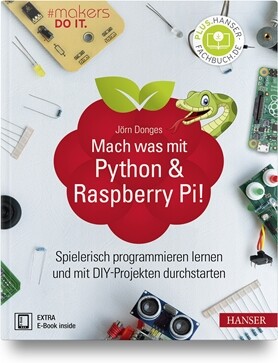
Mach was mit Python & Raspberry Pi!
Spielerisch programmieren lernen und mit DIY-Projekten durchstarten. Entwickle deine Python-Anwendungen für den Raspberry Pi!Der Raspberry Pi ist ein preiswerter, leistungsfähiger Mini-Computer. Python ist eine leicht erlernbare, vielseitig einsetzbare Programmiersprache. Im Doppelpack sind sie die perfekte Spielwiese für alle Elektronik- und Programmierneulinge, die darauf brennen, ihre DIY-Projekte in die Tat umzusetzen.Dieses Buch führt dich auf spielerische Weise in die Python-Programmierung für den Raspberry Pi ein. Zahlreiche Beispielprojekte versetzen dich Schritt für Schritt in die Lage, deine eigenen Anwendungen für den RasPi zu entwickeln.Folgende Themen erwarten dich:Raspbian- und Python 3-Installation, Raspberry Pi-FernsteuerungEntwicklungsumgebungen im Einsatz: IDLE, Thonny und GeanyGrundlagen der Python-Programmierung: Abfragen, Schleifen, Funktionen, Variablen, Debugging&Co.Python-Anwendungen für den Raspberry Pi: von der Konsolen- und GUI-Programmierung über Grafik- und Soundanwendungen bis zur App- und WebprogrammierungDie Beispielprojekte aus dem Buch: Zahlenratespiel, Vokabeltrainer, Analoguhr, Taschenrechner, Spieleprogrammierung, Webradio, To-do-App und Wetter-AppLeseprobe (PDF-Link)

PHP 8 Revealed
Discover the new and updated features of PHP 8, such as the JIT compiler, union types, and attributes, with code examples of each. For each feature, the author includes real-life cases for its use and explains its benefits.WHAT YOU WILL LEARN* Utilize the new features of PHP 8 and modern development technologies* Work with the JIT compiler in PHP 8* Discover PHP 8 using real-life cases* Increase your available resources to become more valuable in your development teamWHO THIS BOOK IS FORExperienced PHP programmers new to PHP 8.GUNNARD ENGEBRETH began coding at the age of 11 through a “Learning BASIC” book given to him by his father. Technology was changing fast and Gunnard rode the wave from 1200 to 56k baud modems. Logging in to BBSs, Prodigy, Compuserve, Delphi and IRC he could see the world changing and he wanted to be a part of it. He soon got involved in the ansi/demo scene, making several application generators for many groups in the 90’s. Visual Basic was the next language of choice allowing him to develop “tools” for online systems such as AOL. This introduced many aspects of development, security and UI while they were still in their infancy. Once the WWW arrived via Mindspring in Atlanta, Ga. Gunnard quickly joined in the race for the web. Learning HTML, PERL and Linux (Slackware at the time) he began to build his skill-set which lead to a full-time Sysadmin position at the age of 20 (2000) at Activegrams/Silverpop. Gunnard has moved around the IT industry from SAN/NAS storage at IBM to custom Wordpress sites for marketing companies, but one thing has stayed the same, a passion for learning and problem solving. Gunnard also DJ’s Drum and Bass as Section31, Playing drums and baking bread (doughcode.com).1. Getting Started2. Setting up your development environment3. Devilbox4. Vagrant5. PHP 8 The Basics6. Whats newJIT compilerunion typesattributesThe nullsafe operatorNamed argumentsAttributesMatch expressionConstructor property promotionNew static return typeNew mixed typeThrow expressionInheritance with private methodsWeak mapsAllowing ::class on objectsNon-capturing catchesTrailing comma in parameter listsCreate DateTime objects from interfaceNew Stringable interfaceNew str_contains() function New str_starts_with() and str_ends_with() functionsNew fdiv() functionNew get_debug_type() functionNew get_resource_id() functionAbstract methods in traits improvementsObject implementation of token_get_all()Variable syntax tweaksType annotations for internal functionsext-json always available7. Breaking ChangesConsistent type errorsReclassified engine warningsThe @ operator no longer silences fatal errorsDefault error reporting levelDefault PDO error modeConcatenation precedenceStricter type checks for arithmetic and bitwise operators Reflection method signature changesStable sortingFatal error for incompatible method signatures8. FrameworksLaravelSlimPHPComposerSymphony9. The AdvancedMaintaining codeGithubGitlab Git workflowsCode StylePSR7phpDoc10. Refactoring and optimizationA. Giving Back

Using Displays in Raspberry Pi Projects
This book is about Raspberry Pi 4 display projects. The book starts by explaining how to install the latest Raspbian operating system on an SD card, and how to configure and use the GPIO ports. The core of the book explains the following topics in simple terms with fully tested and working example projects:> Simple LED projects> Bar graph LED projects> Matrix LED projects> Bitmap LED projects> LED strips> LCDs> OLED displays> E-paper displays> TFT displays> 7-inch touch screen> GUI Programming with TkinderOne unique feature of this book is that it covers almost all types of display that readers will need to use in their Raspberry Pi-based projects. The operation of each project is fully given, including block diagrams, circuit diagrams, and commented full program listings. It is therefore an easytask to convert the given projects to run on other popular platforms, such as Arduino or PIC microcontrollers. Python program listings of all Raspberry Pi projects developed in this book are available for download at Elektor.com. Readers can use these programs in their projects. Alternatively, they can modify the programs to suit their applications.Prof. Dr. Dogan Ibrahim is a Fellow of the Institution of Electrical Engineers. He is the author of over 60 technical books, published by publishers including Wiley, Butterworth, and Newnes. He is the author of over 250 technical papers, published in journals, and presented in seminars and conferences.
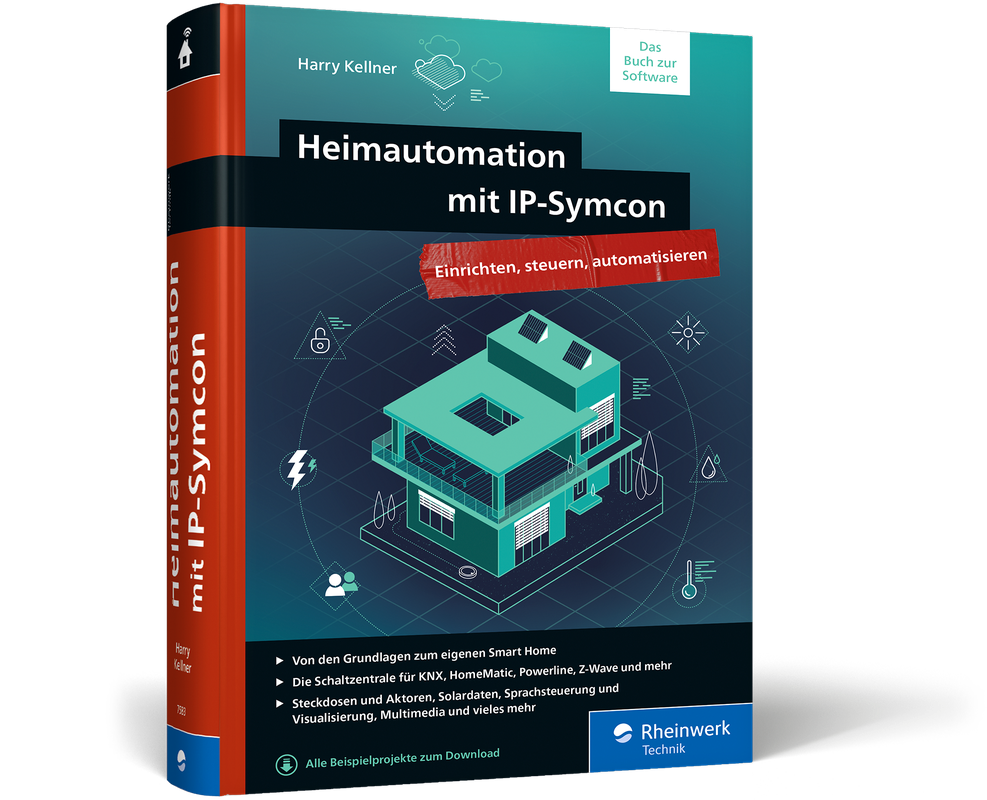
Heimautomation mit IP-Symcon
Der Begleiter für Ihr smartes Zuhause - integrieren, steuern, automatisieren. Mit IP-Symcon können Sie sich ein smartes Zuhause schaffen, das Ihnen das Leben deutlich erleichtert. Dieses Handbuch zeigt Ihnen, wie Sie mit IP-Symcon und Ihrer Hardware ein durchdachtes System zur Heimautomation aufbauen. Sie lernen, wie Sie IP-Symcon konfigurieren sowie Automatisierungsregeln und Visualisierungen einrichten. Planungshilfen und ein ausführlicher Überblick zur Hardware helfen Ihnen, die richtigen Entscheidungen für Ihr Projekt »Smart Home« zu treffen. Eine Einführung in die Grundlagen der Haussteuerung, Anleitungen zu Skripten sowie Sicherheitstipps zu Backup und Systemausfall machen das Buch zum idealen Ratgeber für die Heimautomation mit IP-Symcon. Aus dem Inhalt: Was heißt Smart? Heimautomatisierung im ÜberblickPlanung der Hard- und SoftwareDie Hardware: Vom Netzwerk bis zu den SchaltaktorenWas Sie mit IP-Symcon alles umsetzen könnenIP-Symcon einrichten und konfigurierenInstanzen und ObjekteSysteme einbindenAktionen automatisierenSprachsteuerung und VisualisierungKlimasteuerung und PhotovoltaikSicherheit: Vom Backup bis zur Ausfallsicherung Leseprobe (PDF-Link)

ABAP-Entwicklung für SAP S/4HANA
Entwickeln Sie moderne ABAP-Anwendungen mit dem Programmiermodell für SAP Fiori! Dieses Buch zeigt Ihnen, wie Sie das neue Modell ab SAP NetWeaver 7.5 anwenden können, um zukunftssicher zu entwickeln. Sie lernen die wesentlichen Konzepte wie Code-Pushdown und Simplifizierung kennen, erfahren, wie Sie mit CDS und Business-Objekten umgehen, und gestalten Ihre eigenen Fiori-Oberflächen. Inklusive Neuerungen in SAPUI5-Version 1.74 und neuen SAP-Fiori-Elements-Funktionen. Aus dem Inhalt: Architektur moderner ABAP-AnwendungenNeue ABAP-SyntaxCore Data Services (CDS)SAP Fiori ElementsBusiness Object Processing Framework (BOPF)OData und SAP GatewaySAP-S/4HANA-ReadinessSperrkonzept und BerechtigungenAnalytische und transaktionale AnwendungenAgile Entwicklung Geleitwort ... 13 Vorwort ... 15 Einleitung ... 17 1. Architektur moderner ABAP-Anwendungen ... 23 1.1 ... Eigenschaften und Architektur von SAP S/4HANA ... 23 1.2 ... Entwicklung von Unternehmensanwendungen mit SAP S/4HANA ... 34 1.3 ... Entwicklung auf Basis von SAP NetWeaver 7.50 ... 46 2. Das neue ABAP-Programmiermodell für SAP Fiori ... 53 2.1 ... ABAP-Entwicklungsumgebung und -Syntax ... 53 2.2 ... Einsatzszenarien des ABAP-Programmiermodells ... 59 2.3 ... Core Data Services ... 66 2.4 ... Entwicklung von OData-Services mit SAP Gateway ... 91 2.5 ... Code Pushdown auf die SAP-HANA-Datenbank ... 101 3. Anwendungsentwicklung im Kontext von SAP S/4HANA ... 111 3.1 ... Simplifizierung und das Principle of One von SAP ... 111 3.2 ... Simplifizierungsgrundsätze für eigene Anwendungsentwicklung ... 121 3.3 ... SAP-S/4HANA-Readiness von Anwendungen ... 129 3.4 ... Sicherheit von Anwendungen ... 141 3.5 ... Anwendungsentwicklung und der SAP-Standard ... 152 3.6 ... Automatisierte und manuelle Qualitätsprüfungen ... 154 4. Entwicklung von Geschäftsobjekten ... 163 4.1 ... Datenmodellierung ... 164 4.2 ... Transaktionale Core Data Services ... 173 4.3 ... BOPF-Metamodell ... 184 4.4 ... BOPF-Implementierung ... 200 4.5 ... Namenskonventionen ... 223 4.6 ... Entwicklung einer Benutzeroberfläche mit SAP Fiori Elements ... 226 5. Techniken der Anwendungsentwicklung ... 237 5.1 ... Sperrkonzept ... 237 5.2 ... BOPF-Puffermanagement ... 250 5.3 ... LUW-Konzept ... 265 5.4 ... Protokollierung ... 269 5.5 ... Berechtigungssteuerung ... 289 5.6 ... Tests ... 296 6. Entwicklung transaktionaler Benutzeroberflächen ... 327 6.1 ... Floorplans ... 329 6.2 ... SAP Fiori Elements ... 333 6.3 ... Annotationen ... 338 6.4 ... SAP Fiori Tools ... 417 6.5 ... Freestyle-Entwicklung von SAP-Fiori-Apps ... 422 6.6 ... Draft-Konzept ... 430 6.7 ... Ausblick auf das ABAP-RESTful-Programmiermodell ... 444 7. Operative Analytik ... 459 7.1 ... Grundlagen ... 460 7.2 ... Analytische Core Data Services ... 461 7.3 ... Visualisierung mit der Analytical List Page ... 488 7.4 ... Weitere Möglichkeiten der Visualisierung ... 514 8. Management von ABAP-Entwicklungsprojekten ... 521 8.1 ... Notwendige Skills ... 522 8.2 ... Architekturmanagement ... 523 8.3 ... Agile Entwicklung, Continuous Integration und Delivery ... 526 8.4 ... Technische Schulden ... 545 Anhang ... 549 A ... Technical Architecture Modeling ... 551 B ... Das Enterprise Procurement Model ... 555 C ... Literaturverzeichnis ... 561 D ... Die Autoren ... 563 Index ... 565

Bloggen für Einsteiger
Von der ersten Idee bis zum eigenen Blog mit WordPress.Ein Blog gibt dir die Möglichkeit, dich kreativ auszudrücken, mit Gleichgesinnten zu kommunizieren, dich persönlich weiterzuentwickeln und – wenn du es geschickt anstellst – sogar einen kleinen finanziellen Ausgleich für deine Arbeit erhalten. Und das Tolle ist: Du brauchst dafür keine großen Vorkenntnisse, sondern kannst sofort starten.Yvonne Kraus hat schon viele erfolgreiche Blogs an den Start gebracht und kennt die Fragen, die du als angehende Bloggerin oder Blog-Anfänger hast. Mit ihrem Ratgeber hast du eine Anleitung zur Hand, um schnell deinen Blog mit WordPress zu erstellen und die ersten Besucher anzusprechen. Dabei lernst du alle Facetten des Bloggens kennen. Schritt-für-Schritt-Anleitungen und bewährte Tipps aus der Praxis unterstützen dich. Und wenn deine ersten Artikel stehen, erfährst du, wie du mit Social Media, E-Mail-Marketing und SEO auf dich aufmerksam machst, eine Community aufbaust und sogar Geld verdienen kannst.Leseprobe (PDF-Link)

Programming Algorithms in Lisp
Master algorithms programming using Lisp, including the most important data structures and algorithms. This book also covers the essential tools that help in the development of algorithmic code to give you all you need to enhance your code.Programming Algorithms in Lisp shows real-world engineering considerations and constraints that influence the programs that use these algorithms. It includes practical use cases of the applications of the algorithms to a variety of real-world problems.WHAT YOU WILL LEARN* Program algorithms using the Lisp programming language* Work with data structures, arrays, key-values, hash-tables, trees, graphs, and more* Use dynamic programming * Program using strings* Work with approximations and compression WHO THIS BOOK IS FORIntermediate Lisp programmers wanting to do algorithms programming. A very experienced non-Lisp programmer may be able to benefit from this book as well.VSEVOLOD DOMKIN from Kyiv, Ukraine is a Lisp programmer and enthusiast, a natural language processing researcher, an occasional writer/blogger, and a teacher.IntroductionAlgorithmic ComplexityA Crash Course in LispEssential Data StructuresArraysLinked ListsKey-ValuesDerivative Data StructuresTreesGraphsStringsSelected AlgorithmsApproximationCompressionSynchronizationAfterword

Adobe Photoshop CC For Dummies
GET PICTURE PERFECT WITH PHOTOSHOP CCPhotoshop is a stunning program that puts the power of a professional photography studio into your hands, but it can also be a jungle to navigate—with a dense proliferation of menus, panels, shortcuts, plug-ins, and add-ons to get thoroughly lost in. Written by a literal Photoshop Hall of Famer, the new edition of Photoshop CC For Dummies is your experienced guide to the technical terrain, slashing away the foliage for a clear picture of how to produce the perfectly framed and beautifully curated images you want.Beginning with an overview of the basic kit bag you need for your journey toward visual mastery, Peter Bauer—Photoshop instructor and an award-winning fine art photographer in his own right—shows you how to build your skills and enrich your creative palette with enhanced colors and tone, filters and layering, and even how undertake a foray into digital painting. Add in instructions on combining text with images and the how-tos of video and animation editing, and you have all the tools you need to carve out a one-person multimedia empire.* Master everything from the basics to professional insider tips* Combine, layer, tone, and paint your images* Explore the colorfully creative world of Photoshop filters* Fix common problemsYou'll find everything on the latest version of the software that you could dream of—and an improved shot at artistic success!PETER BAUER is a member of the Photoshop Hall of Fame and an award-winning fine-art photographer. The author of more than a dozen books on Adobe Photoshop, Adobe Illustrator, computer graphics, and photography, he is also the host of video-training titles at Lynda.com and a contributing writer for Photoshop User magazine. INTRODUCTION 1About This Book 1Conventions Used in This Book 2Icons Used in This Book 3How to Use This Book 3PART 1: GETTING STARTED WITH PHOTOSHOP CC 5CHAPTER 1: AN OVERVIEW OF PHOTOSHOP 7Exploring Adobe Photoshop 7What Photoshop is designed to do 8Other things you can do with Photoshop 9Viewing Photoshop’s Parts and Processes 10Reviewing basic computer operations 10Photoshop’s incredible selective Undo 12Installing Photoshop: Need to know 14CHAPTER 2: KNOWING JUST ENOUGH ABOUT DIGITAL IMAGES 17What Exactly is a Digital Image? 18The True Nature of Pixels 18How Many Pixels Can Dance on the Head of a Pin? 21Resolution revelations 21Resolving image resolution 22File Formats: Which Do You Need? 30Formats for digital photos 31Formats for web graphics 33Formats for commercial printing 34Formats for PowerPoint and Word 36CHAPTER 3: TAKING THE CHEF’S TOUR OF YOUR PHOTOSHOP KITCHEN 37Food for Thought: How Things Work 38Ordering from the menus 39Your platter full of panels 40The tools of your trade 42Get Cookin’ with Customization 44Clearing the table: Custom workspaces 44Spoons can’t chop: Creating tool presets 47Season to Taste: The Photoshop Settings 48Standing orders: Setting the Preferences 48Ensuring consistency: Color Settings 55When Good Programs Go Bad: Fixing Photoshop 57CHAPTER 4: FROM PICS TO PRINTS: PHOTOSHOP FOR BEGINNERS 59Bringing Images into Photoshop 59Downloading from your digital camera 60Scanning prints 61Keeping Your Images Organized 66Creating a folder structure 66Using Adobe Bridge 67Renaming image files easily 69Printing Your Images 71Cropping to a specific aspect ratio 71Remembering resolution 73Controlling color using File ➪ Print 74Considering color management solutions 75Printing alternatives 76Sharing Your Images 77Emailing and AirDropping your images 78Creating PDFs and websites 78PART 2: EASY ENHANCEMENTS FOR DIGITAL IMAGES 79CHAPTER 5: MAKING TONALITY AND COLOR LOOK NATURAL 81Adjusting Tonality to Make Your Images Pop 82Histograms Simplified 82Using Photoshop’s Auto Corrections 84Levels and Curves and You 85Level-headed you! 86Tonal corrections with the eyedroppers 89Adjusting your curves without dieting 90Grabbing Even More Control 92Using Shadows/Highlights 93Changing exposure after the fact 96Using Photoshop’s toning tools 96What is Color in Photoshop? 97Which color mode should you choose? 98Does a color model make a difference? 101Why should you worry about color depth? 102Making Color Adjustments in Photoshop 104Choosing color adjustment commands 106Manual corrections in individual channels 117The People Factor: Flesh Tone Formulas 118CHAPTER 6: THE ADOBE CAMERA RAW PLUG-IN 121Understanding the Raw Facts 121What’s the big deal about Raw? 123Working in Raw 124The Camera Raw Interface 126Camera Raw’s Tools and buttons 126The histogram 132The preview area 132Workflow Options and presets 133Making Adjustments in Camera Raw’s Edit Panel 134The Basic section 134The Curve section 137The Detail section 137The Color Mixer section 138The Color Grading section 138The Optics and Geometry sections 140The Effects section 141The Calibration section 141The Camera Raw Cancel, Done, and Open buttons 142CHAPTER 7: FINE-TUNING YOUR FIXES 143What is a Selection? 144Feathering and Anti-aliasing 146Making Your Selections with Tools 148Marquee selection tools 148Lasso selection tools 152The Object Selection tool 153The Quick Selection tool 153The Magic Wand tool 154Select and Mask 155Your Selection Commands 156The primary selection commands 157The Color Range command 158The Focus Area command 159The Select ➪ Subject command 160The Select ➪ Sky command 161Selection modification commands 161Transforming the shape of selections 161Edit in Quick Mask mode 163The mask-related selection commands 164Masks: Not Just for Halloween Anymore 164Saving and loading selections 165Editing an alpha channel 165Adding masks to layers and Smart Objects 167Masking with vector paths 167Adjustment Layers: Controlling Changes 168Adding an adjustment layer 168Limiting your adjustments 170CHAPTER 8: COMMON PROBLEMS AND THEIR CURES 173Making People Prettier 174Getting the red out digitally 174The digital fountain of youth 175Dieting digitally 176De-glaring glasses 179Whitening teeth 179Reducing Noise in Your Images 179Decreasing digital noise 180Eliminating luminance noise 181Fooling Around with Mother Nature 181Removing the unwanted from photos 181Eliminating the lean: Fixing perspective 185Rotating images precisely 187Adding a beautiful sky 188PART 3: CREATING “ART” IN PHOTOSHOP 189CHAPTER 9: COMBINING IMAGES 191Compositing Images: 1 + 1 = 1 192Understanding layers 192Why you should use Smart Objects 194Using the basic blending modes 195Opacity, transparency, and layer masks 198Creating clipping groups 199Making composited elements look natural 200Making Complex Selections 201Vanishing Point 204Creating Panoramas with Photomerge 208CHAPTER 10: PRECISION EDGES WITH VECTOR PATHS 211Pixels, Paths, and You 212Easy Vectors: Using Shapes 213Your basic shape tools 214The Custom Shape tool 216More custom shapes — free! 217Changing the appearance of the shape layer 219Simulating a multicolor shape layer 220Using Your Pen Tool to Create Paths 221Understanding paths 222Clicking and dragging your way down the path of knowledge 222A closer look at the Paths panel 226Customizing Any Path 229Adding, deleting, and moving anchor points 230Combining paths 232Tweaking type for a custom font 233CHAPTER 11: DRESSING UP IMAGES WITH LAYER STYLES 235What Are Layer Styles? 235Using the Styles Panel 237Creating Custom Layer Styles 239Exploring the Layer Style menu 239Exploring the Layer Style dialog box 241Layer effects basics 242Opacity, fill, and advanced blending 251Saving Your Layer Styles 254Adding styles to the Styles panel 254Preserving your layer styles 255CHAPTER 12: GIVING YOUR IMAGES A TEXT MESSAGE 257Making a Word Worth a Thousand Pixels 258A type tool for every season, or reason 260What are all those options? 262Taking control of your text with panels 266The panel menus — even more options 269Working with Styles 271Putting a picture in your text 272Creating Paragraphs with Type Containers 274Selecting alignment or justification 276Ready, BREAK! Hyphenating your text 277Shaping Up Your Language with Warp Text and Type on a Path 278Applying the predefined warps 278Customizing the course with paths 279CHAPTER 13: PAINTING IN PHOTOSHOP 283Discovering Photoshop’s Painting Tools 284Painting with the Brush tool 286Adding color with the Pencil tool 289Removing color with the Eraser tool 289Working with Panels and Selecting Colors 290An overview of options 290Creating and saving custom brush tips 293Picking a color 294Fine Art Painting with Specialty Brush Tips and the Mixer Brush 297Exploring erodible brush tips 297Introducing airbrush and watercolor tips 297Mixing things up with the Mixer Brush 298Filling, Stroking, Dumping, and Blending Colors 300Deleting and dumping to add color 300Using gradients 301CHAPTER 14: FILTERS: THE FUN SIDE OF PHOTOSHOP 305Smart Filters: Your Creative Insurance Policy 306The Filters You Really Need 307Sharpening to focus the eye 308Unsharp Mask 308Smart Sharpen 310Shake Reduction 311Blurring images and selections 312The other Blur filters 315Correcting for the vagaries of lenses 316Cleaning up with Reduce Noise 320Getting Creative and Artistic 321Photo to painting with the Oil Paint filter 321Working with the Filter Gallery 322Push, Pull, and Twist with Liquify 325What Are Neural Filters? 327The original Neural Filters 328Neural Filters in public beta testing 329Proposed Neural Filters 330Do I Need Those Other Filters? 330Adding drama with Lighting Effects 331Maximum and Minimum 331Bending and bubbling 332Creating clouds 332PART 4: POWER PHOTOSHOP 333CHAPTER 15: STREAMLINING YOUR WORK IN PHOTOSHOP 335Ready, Set, Action! 336Recording your own Actions 337Working with the Batch command 342Find It Fast with Discover 344Creating Contact Sheets and Presentations 344Creating a PDF presentation 345Collecting thumbnails in a contact sheet 347Scanning Multiple Photos in One Pass 349Sticking to the Script 350CHAPTER 16: WORKING WITH VIDEO AND ANIMATION 353Importing and Enhancing Video Clips 353Getting video into Photoshop 354Adjusting the length of video and audio clips 356Adding adjustment layers and painting on video layers 357Transitioning, titling, and adding special effects 358Transforming video layers 361Rendering and exporting video 361Creating Animations in Photoshop 362Building frame-based animations 362Creating frame content 363Tweening to create intermediary frames 365Specifying frame rate 366Optimizing and saving your animation 366PART 5: THE PART OF TENS 367CHAPTER 17: TEN SPECIALIZED FEATURES OF PHOTOSHOP CC 369Using Smart Object Stack Modes 370The Mean Stack Mode 372Working with 3D Artwork 372Creating 3D objects 373Adding 3D objects 373Rendering and saving 3D scenes 374Measuring, Counting, and Analyzing Pixels 374Measuring length, area, and more 374Calculating with Vanishing Point 376Counting crows or maybe avian flu 376Viewing Your DICOM Medical Records 377Ignoring MATLAB 378CHAPTER 18: TEN WAYS TO INTEGRATE YOUR IPAD 379Using Sidecar to Add an iPad to Your Screen 379Sidecar System Requirements 380Arranging Your iPad’s Screen 380Mirroring the Screens 381Maximizing the Screen Space 381Making Use of Photoshop on the iPad 382Using the Cloud with Photoshop on the iPad and Desktop 383Using Other Adobe iPad Apps 384Does the iPad Replace My Wacom Tablet? 384Setting Wacom Tablet Preferences for Touch Keys and Touch Ring 385CHAPTER 19: TEN THINGS TO KNOW ABOUT HDR 387Understanding HDR 387Capturing for Merge to HDR Pro 389Preparing Raw “Exposures” in Camera Raw 390Working with Merge to HDR Pro 391Saving 32-Bit HDR Images 394HDR Toning 394Painting and the Color Picker in 32-Bit 395Filters and Adjustments in 32-Bit 396Selections and Editing in 32-Bit 397Printing HDR Images 397Appendix: Photoshop CC’S Blending Modes 399Index 403

Practical Rust Web Projects
Go beyond the basics of Rust and build web and serverless cloud applications. The applications explained in this practical book include web sites, RESTful APIs, a real-time web chat application, and frontend application with WebAssembly. Each chapter is organized in the following format: what this kind of application looks like; requirements for the example program; an introduction to the Rust libraries used; step-by-step implementation of the example program, including common pitfalls and best practices; and a brief comparison of libraries and frameworks in the same domain.This book will open your eyes to the world of practical web applications of Rust. After reading the book, you will be able to apply your Rust knowledge to build your own web projects.WHAT YOU WILL LEARN* Build dynamic websites with databases* Build RESTful APIs* Write a WebSocket server that can power a real-time chat app in Rust* Discover the benefits of serverless computing using Amazon Web Service's Rust support* Compile Rust to WebAssembly for high-performance frontend applicationsWHO THIS BOOK IS FORA reader with basic Rust knowledge, wishing to learn more about how to apply Rust in a real-world scenario. A developer who is evaluating the possibility to build their next project in Rust.Shing Lyu is a software engineer who is passionate about open source software. He's been working on Rust professionally at Mozilla, on the Firefox (Gecko) and Servo browser engine project. Currently, he is working at DAZN, a sports streaming platform as a backend developer, with a focus on AWS and serverless technology. Shing has worked for many world famous brands like Mozilla, Booking, and Intel. And, he is also active in the open source community. Being one of the founders of the Taiwan Rust community, he loves to share his enthusiasm for Rust with people.Chapter 1, IntroductionThis chapter gives a short introduction to why Rust is a solid tool for building all kinds of application, and a brief overview of the format and organization of the book.● Introduction● Why Rust?● Who should read this book?● Chapters overviewChapter 2, Developing websitesThis chapter will cover how to use popular web frameworks to build static and dynamic websites. We'll also touch how to build RESTful API and common requirements in web backend programming: database, authentication and authorization● What are we going to build? (A web version of the cat breed dictionary, first a static site and then server-side rendering )● Serving a static website● Generate dynamic content with templates● Fetching data from databases● Authentication and authorization● SummaryChapter 3, REST APIs● What are we going to build? (A web version of the cat breed dictionary, with a single-page app + REST API)● Defining the API with Open API specification● Building a static frontend with AJAX calls● Building a RESTful API● Serialize/Deserialize JSON● SummaryChapter 4, Chatting in realtime with WebSocketThis chapter will discuss how to build a WebSocket server that can power a real-time chat application in Rust● What are we going to build? (A chat app for cats in people can send all kinds of cat noises)● What is WebSocket● Enabling two way communication● Implementing the chat application● SummaryChapter 5, Going serverlessThis chapter will demonstrate the benefit of serverless computing using AWS's experimental Rust support.● What is serverless?● What are we going to build? (Serverless version of Chapter 4)● Pros and cons of serverless● Setting up an AWS account● Building a lambda function with Rust● Exposing the API Gateway● Cleaning it up● SummaryChapter 6, High performance web frontend using WebAssemblyThis chapter will talk about how to compile Rust to WebAssembly and make it work together with JavaScript in the web frontend● What is WebAssembly? (We'll implement the bottleneck of Book 1 Chapter 4 in WebAssembly to speed it up)● What are we going to build?● How to compile Rust to WebAssembly?● Exposing Rust function to JavaScript● Passing native data type between Rust and JavaScript● Manipulating DOM from Rust● SummaryChapter 7, Advanced topicsThis chapter will discuss other more advanced use of Rust. Each section will introduce one application, existing projects for that kind of application and their status. But we'll not go into the detail as the previous chapters.● Web scraping/Web crawling● Browser engine - Servo● Conclusion

Methods to Increase the Internal Storage Space of Android Devices
As we all know, there are many Android phones are facing low internal memory issue when installing games and apps. This problem is especially serious in budget phones because most of these phones have little memory; for example, some Android phones only have 4G memory.If you are running insufficient storage space on your Android phone, you can expand and increase internal memory through several different methods.The common methods that can help to increase internal storage space of android.Method 1. Turn to cloud storageMethod 2. Use USB OTG storageMethod 3. Delete unwanted Apps and clean all the history and cacheMethod 4. Use Memory card to increase internal storage space of Android device.Method 5. Use Terminal Emulator AppMethod 6. Use Mounts2SD AppMethods 7: Install and Run GOM Saver to Increase Storage Space on Android PhoneMethod 8: Install Root External 2 Internal SD AppIn this report I will investigate the possible methods that can be used to increase the internal storage of Android device. I will also show how to troubleshoot and solve certain problem that we get when having Android devices. The report consists from the following parts:1. Turning to cloud storage.2. Using USB OTG storage.3. Deleting unwanted Apps and clean all the history and cache.4. How to root an android device.5. Using external memory card to increase internal storage space of Android device.6. Using Apps2SD App.7. How to partition and format disks in windows using Diskpart tool.8. Using Terminal Emulator App9. How to transfer your Google Authenticator 2FA to a new phone.10. How to install the ADB Driver on your Windows PC to communicate with an android device.11. Installing Init.d, Busybox and mound2SD Apps on an Android device to increase the internal memory.12. How to unlock the boot loader via fastboot on Android.13. Installing TWRP custom recovery on an android device.14. Installing ClockworkMod CWM recovery on an android phone.15. Installing GOM Saver to increase storage space on Android device.16. Installing Root External 2 Internal SD APK.17. Installing Custom Rom.18. How to recover your deleted Whatsapp messages.19. How to backup Android devices personal data.20. How to root the Samsung GT-S5310 using Odin flash tool:21. How to root the Samsung Galaxy A7 (SM-A700FD)22. How to flash the Samsung Galaxy A7 (SM-A700FD) with firmware file.23. How to root Galaxy A7 [A700FD] and install TWRP Recovery24. How to root the Android device using Magisk25. How to use Magisk to hide the root for Apps that cant accept to be installed in rooted devicesI am Dr. Hidaia Mahmoud Mohamed Alassouli. I completed my PhD degree in Electrical Engineering from Czech Technical University by February 2003, and my M. Sc. degree in Electrical Engineering from Bahrain University by June 1995. I completed also one study year of most important courses in telecommunication and computer engineering courses in Islamic university in Gaza. So, I covered most important subjects in Electrical Engineering, Computer Engineering and Telecommunications Engineering during my study. My nationality is Palestinian from gaza strip.I obtained a lot of certified courses in MCSE, SPSS, Cisco (CCNA), A+, Linux.I worked as Electrical, Telecommunicating and Computer Engineer in a lot of institutions. I worked also as a computer networking administrator. I had considerable undergraduate teaching experience in several types of courses in many universities. I handled teaching the most important subjects in Electrical and Telecommunication and Computer Engineering. I could publish a lot of papers a top-tier journals and conference proceedings, besides I published a lot of books in Publishing and Distribution houses.I wrote a lot of important Arabic articles on online news websites. I also have my own magazine website that I publish on it all my articles: http:// www.anticorruption.000space.comMy personal website: www.hidaia-alassouli.000space.comEmail: hidaia_alassouli@hotmail.com

Salesforce Architect's Handbook
Take a deep dive into the architectural approach, best practices, and key considerations needed to comprehend, evaluate, and design an efficient, scalable, and sustainable Salesforce-based solution. This book takes a comprehensive look at the seven architectural domains that must be considered when architecting a Salesforce-based solution and equips you to develop the artifacts needed for an end-to-end enterprise architecture blueprint for Salesforce implementation and DevOps.This must-have handbook helps Salesforce professionals implement and manage Salesforce in their organization. You will learn Salesforce architecture: solution architecture, data architecture, security architecture, integration architecture, identity and access management architecture, and strategies that can be used for Salesforce-based mobile applications.In addition to the main architecture concepts, the book also offers industry best practices and the recommended framework for approaching, managing, delivering, and continuously improving a Salesforce solution using its Salesforce Development & Deployment Lifecycle.WHAT YOU WILL LEARN* Get a detailed overview of the Salesforce multi-tenant, metadata-driven architectural framework and the under-the-hood technology stack that supports Salesforce* Know the seven architecture domains, their intricacies, and the considerations needed within each when designing a Salesforce solution* Have an architectural mindset and the artifacts needed to architect an end-to-end enterprise-level implementation of Salesforce* Be familiar with the most common Salesforce products, licenses, AppExchange products, and the key considerations of using out-of-the-box declarative capabilities vs custom programmatic capabilities of Salesforce* Understand data architecture design considerations that include data modeling in Salesforce, identifying and mitigating large data volume concerns, and the key considerations for data migration and data archiving strategies* Understand security architecture considerations related to securing data within Salesforce and the various approaches to allow or restrict sharing and visibility from within Salesforce* Understand integration architecture considerations that provide an overview of the integration patterns and the integrations solutions that can be used with Salesforce to connect Salesforce with a remote system hosted on-premises, on the cloud, or by third-party solution providers* Understand identity and access management architectural considerations across the 9 stages of an identity and access management lifecycle* Be aware of the strategies available to design mobile solutions with Salesforce and the options available for Salesforce mobile architecture* Employ the principles of the DevOps & Development Lifecycle needed for an ideal state Salesforce implementationWHO THIS BOOK IS FORProfessionals interested in implementing, optimizing, and architecting Salesforce solutions enterprise-wide; Salesforce implementation (SI) partners needing a detailed playbook for architecting and delivering successful Salesforce solutions; Salesforce admins, developers, and architects looking for a one-stop educational resource to mastering the Salesforce architect domains or those pursuing the Salesforce architecture domain certification exams, including the Salesforce Certified Technical Architect (CTA) board examDIPANKER “DJ” JYOTI is an industry veteran with over two decades of experience in managing digital transformation engagements with Fortune 500 companies. He holds a total of 23 industry certifications (13 in Salesforce), including Salesforce Certified System Architect and Salesforce Certified Architect. Some of his other architect-level certifications include AWS Certified Solutions Architect-Professional, Google Cloud Certified Professional Architect, Microsoft Certified Azure Solutions Architect, and Certified Blockchain Expert.DJ currently works for IBM as an Associate Partner, managing IBM’s Global Salesforce Assets. Previous to IBM, he held executive positions at Capgemini, Accenture, and Citibank. His involvement with Salesforce began a decade ago as part of a strategic business transformation engagement, where he built a Salesforce proof of concept to demonstrate the capabilities of using a low-code/no-code CRM solution. He fell in love with Salesforce and has continued his journey to grow and share his knowledge among his peers and the cloud community. He currently manages an online blog on cloud architecture concepts (cloudmixdj). He lives with his wife, Junko, and two sons Kazuya and Ouji, in Rockville, Maryland. In his free time, he enjoys cooking for his family and watching premier-league soccer.JAMES A. HUTCHERSON is a seasoned business leader with more than 40 years of technology experience. His first Salesforce project was implemented in 2004 where he started his Salesforce journey. During this time, he has taken every opportunity to grow his Salesforce knowledge. He holds 17 Salesforce certifications, including Certified Salesforce Application Architect and Certified Salesforce System Architect. He is an avid educator and has hosted several no-cost Salesforce training sessions over the last few years to give back and grow the Salesforce ecosystem.Jim is currently a Principal and the Chief Technical Architect at Capgemini Government Solutions where he leads the Salesforce Practice, delivering enterprise-class solutions to US federal government customers. He earned an MBA from Baldwin-Wallace College, an MSCIS from the University of Phoenix, and a BA from Southern Illinois University-Carbondale. He and his wife, Sherry, live in Orlando, Florida, where they enjoy spending time with their family and four wonderful grandchildren.

Patterns in the Machine
Discover how to apply software engineering patterns to develop more robust firmware faster than traditional embedded development approaches. In the authors’ experience, traditional embedded software projects tend towards monolithic applications that are optimized for their target hardware platforms. This leads to software that is fragile in terms of extensibility and difficult to test without fully integrated software and hardware. Patterns in the Machine focuses on creating loosely coupled implementations that embrace both change and testability.This book illustrates how implementing continuous integration, automated unit testing, platform-independent code, and other best practices that are not typically implemented in the embedded systems world is not just feasible but also practical for today’s embedded projects.After reading this book, you will have a better idea of how to structure your embedded software projects. You will recognize that while writing unit tests, creating simulators, and implementing continuous integration requires time and effort up front, you will be amply rewarded at the end of the project in terms of quality, adaptability, and maintainability of your code.WHAT YOU WILL LEARN* Incorporate automated unit testing into an embedded project* Design and build functional simulators for an embedded project* Write production-quality software when hardware is not available* Use the Data Model architectural pattern to create a highly decoupled design and implementation* Understand the importance of defining the software architecture before implementation starts and how to do it* Discover why documentation is essential for an embedded project* Use finite state machines in embedded projectsWHO THIS BOOK IS FORMid-level or higher embedded systems (firmware) developers, technical leads, software architects, and development managers.John Taylor has been an embedded developer for over 29 years. He has worked as a firmware engineer, technical lead, system engineer, software architect, and software development manager for companies such as Ingersoll Rand, Carrier, Allen-Bradley, Hitachi Telecom, Emerson, and several start-up companies. He has developed firmware for products that include HVAC control systems, telecom SONET nodes, IoT devices, micro code for communication chips, and medical devices. He is the co-author of five US patents and holds a bachelor’s degree in mathematics and computer science.Wayne Taylor has been a technical writer for 25 years. He has worked with companies such as IBM, Novell, Compaq, HP, EMC, SanDisk, and Western Digital. He has documented compilers, LAN driver development, storage system deployment and maintenance, and dozens of low-level and system-management APIs. He also has ten years of experience as a software development manager. He is the co-author of two US patents and holds master’s degrees in English and human factors. He is a co-author of OS/2 and NetWare Programming (Van Nostrand Reinhold, 1995).1: Introduction2: Core Concepts3: Design Theory For Embedded Programming4: Persistent Storage Example5: Software Architecture6: Automated Unit Testing7: Functional Simulator8: Continuous Integration9: Data Model10: Finite State Machines11: Documentation12: File Organization and Naming13: More About Late Bindings14: Main and Initialization15: More Best Practices16: Example Code17: Rules For DevelopmentAppendix A: TerminologyAppendix B: UML Cheat SheetAppendix C: Notation for State MachinesAppendix D: Coding ConventionsAppendix E: Why C++

Funktionalität und Standardunterstützung von IoT-Software-Plattformen
Derzeit konkurrieren über 450 Anbieter von IoT-Software-Plattformen miteinander, die Komplexität und die unterschiedlichen Eigenschaften dieser Plattformen führen zu einem intransparenten Markt. Folglich stehen Unternehmen, die eine IoT-Anwendung unter Weiternutzung ihrer bestehenden IT-Infrastruktur umsetzen wollen, vor der Herausforderung, die für diesen unternehmensspezifischen Anwendungsfall am besten geeignete IoT-Plattform aus einer Vielzahl von Kandidaten auszuwählen. Vor diesem Hintergrund werden Unternehmen durch das vorliegende Buch in die Lage versetzt, die Funktionalität und Standardunterstützung der am Markt verfügbaren IoT-Plattformen schnell zu verstehen und untereinander zu vergleichen.Sebastian Lempert forscht im Bereich des IoT und hat im März 2020 seine Dissertation zu IoT-Software-Plattformen fertiggestellt.Prof. Dr. Alexander Pflaum erforscht die digitale Transformation von Unternehmen und Branchen, die Auswirkungen der Digitalisierung auf Unternehmen und unternehmensübergreifende Wertschöpfungssysteme sowie die Rolle digitaler Plattformen in Wertschöpfungssystemen. Einleitung und Motivation.- Verwandte Arbeiten.- Methodik.- Einheitliche Beschreibung der Funktionalität und Standardunterstützung von IoT-Software-Plattformen.- Vergleich und Bewertung der Funktionalität und der Standardunterstützung von IoT-Software-Plattformen.- Zusammenfassung und Ausblick.
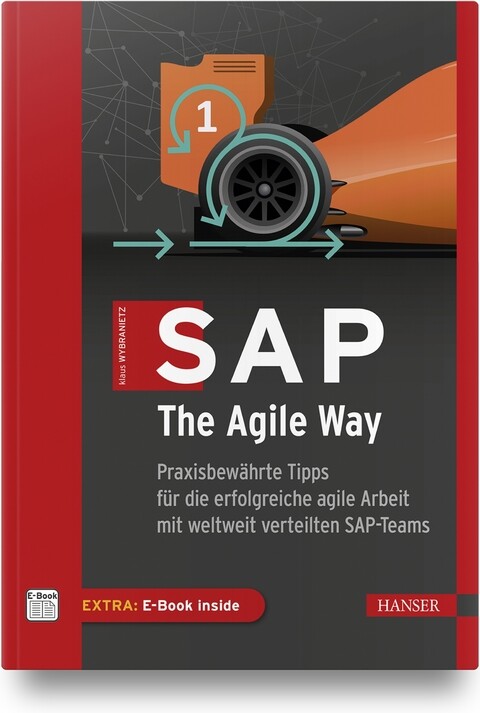
SAP, The Agile Way
Praxisbewährte Tipps für die erfolgreiche agile Arbeit mit weltweit verteilten SAP-Teams.Der weltweit tätige SAP-Berater und Agile Coach Klaus Wybranietz zerlegt in diesem Buch das hartnäckige Vorurteil: »Ja, Scrum ist toll, aber mit SAP funktioniert das nicht.« Er beweist nämlich seit Jahren das Gegenteil: Scrum und SAP können auf einen Nenner gebracht werden – und das sogar sehr erfolgreich. Denn in seinen Projekten für internationale Großkonzerne hat Klaus Wybranietz immer wieder die Erfahrung gemacht: Selbst über den Globus verteilte SAP-Teams können mit Scrum in der halben Zeit dreimal so effektiv sein.In diesem Buch erklärt der Autor die Entwicklungsstufen, über die er SAP-Teams aus dem klassischen Wasserfalldenken heraus und stattdessen hinein in die agile Performance führt. Das fängt beim Teambuilding trotz Superstars an, führt über den Aufbau von gezielten Kompetenzen und hilfreichen Regelwerken bis hin zum Schaffen echter Kundenwerte durch die Anwendung von Kanban-Metriken. Das alles funktioniert seit vielen Jahren auch mit weltweit verteilten SAP-Teams – »Ja, aber …« hat als Argument somit ausgedient.AUS DEM INHALT //- SAP und Scrum – das geht doch nicht?- Die Grundlagen von Scrum- Mit verteilten SAP-Teams remote arbeiten- Mit agilen SAP-Teams starten- Skalierung mit dem Agile Working Model 4 SAP- Praktiken für fortgeschrittene agile SAP-Teams

Pro Cryptography and Cryptanalysis with C++20
Develop strong skills and a passion for writing cryptography algorithms and security schemes/modules using C++ 20 and its new features. You will find the right methods of writing advanced cryptographic algorithms (such as, elliptic curve cryptography algorithms, lattice-based cryptography, searchable encryption, and homomorphic encryption), examine internal cryptographic mechanisms, and discover common ways in which the algorithms could be implemented and used correctly in practice.The authors avoid the complexities of the mathematical background by explaining its mathematical basis in terms that a programmer can easily understand. They show how “bad” cryptography creeps in during implementation and what “good” cryptography should look like. They do so by showing and comparing the advantages and disadvantages based on processing time, execution time, and reliability.WHAT YOU WILL LEARN* Understand where and why cryptography is used and how it gets misused * Discover what modern cryptography algorithms and methods are used for * Design and implement advanced cryptographic mechanisms * See how C++20 and its new features are impacting the future of implementing cryptographic algorithms* Practice the basics of public key cryptography, including ECDSA signatures and more* Find out how most of the algorithms can be brokenWHO THIS BOOK IS FORProfessional programmers, developers, and software engineers who are developing cryptography algorithms and security schemes/modules in C++. Prior C++ programming and IDE experience and some basic experience of cryptography concepts (symmetric and asymmetric) highly recommended.MARIUS IULIAN MIHAILESCU, PHD is CEO at Dapyx Solution Ltd., a company based in Bucharest, Romania and involved in information security- and cryptography-related research projects. He is a lead guest editor for applied cryptography journals and a reviewer for multiple publications with information security and cryptography profiles. He authored and co-authored more than 30 articles in conference proceedings, 25 articles in journals, and three books. For more than six years he has served as a lecturer at well-known national and international universities (University of Bucharest, “Titu Maiorescu” University, Kadir Has University in, Istanbul, Turkey). He has taught courses on programming languages (C#, Java, C++, Haskell), and object-oriented system analysis and design with UML, graphs, databases, cryptography and information security. He served for three years as IT officer at Royal Caribbean Cruises Ltd. where he dealt with IT infrastructure, data security, and satellite communications systems. He received his PhD in 2014 and his thesis was on applied cryptography over biometrics data. He holds two MSc in information security and software engineering.STEFANIA LOREDANA NITA, PHD is a software developer at the Institute of Computer Science of the Romanian Academy and a PhD with her thesis on advanced cryptographic schemes using searchable encryption and homomorphic encryption. She has served more than two years as an assistant lecturer at the University of Bucharest where she taught courses on subjects such as advanced programming techniques, simulation methods, and operating systems. She has authored and co-authored more than 15 workpapers at conferences and journals, and has authored two books on he Haskell programming language. She is a lead guest editor for special issues on information security and cryptography such as Advanced Cryptography and Its Future: Searchable and Homomorphic Encryption. She holds an MSc in software engineering and two BSc in computer science and mathematics.Part I: Foundations1: Introduction2: Cryptography Fundamentals3: Mathematical Background and Its Applicability4: Large Integer Arithmetic5: Floating Point Arithmetic6: New Features in C++207: Secure Coding Guidelines8: Cryptography Libraries in C/C++20Part II: Pro Cryptography9: Elliptic Curve Cryptography10: Lattice-based Cryptography11: earchable Encryption12: Homomorphic Encryption13: (Ring) Learning with Errors Cryptography14: Chaos-based Cryptography15: Big Data Cryptography16:Cloud Computing CryptographyPart III: Pro Cryptanalysis17: Getting Started with Cryptanalysis18: Cryptanalysis Attacks and Techniques19: Linear and Differential Cryptanalysis20: Integral Cryptanalysis21: Brute Force and Buffer Overflow Attacks22: Text Characterization23: Implementation and Practical Approach of Cryptanalysis Methods
Microsoft 365 Portable Genius
POWER UP YOUR PROFICIENCY WITH THIS GENIUS GUIDE TO POPULAR MICROSOFT 365 APPSDo you want to make your Microsoft 365 account a productivity behemoth? Do you want to squeeze every last bit of awesome from Word, Excel, and PowerPoint and learn a little more about Outlook, too? Microsoft 365 Portable Genius has got you covered. A seasoned tech expert and trainer, author Lisa A. Bucki shows you how to build Word documents, Excel workbooks, and PowerPoint presentations the right way, as well as how to use high-impact design techniques to make your documents pop.This book answers 11 key questions about how to make the most of Microsoft 365, providing genius tips as it leads you through the essentials. You’ll learn how to:* Tackle common skills like creating files, adding basic content, navigating in a file, making selections, copying and moving content, and saving files* Build a new Word document by using outlining, bullets and numbering, columns, and other features for creating and enhancing content* Enhance Excel workbook files by organizing data on different sheets, filling entries, creating range names, and entering powerful, accurate formulas* Develop a PowerPoint presentation by choosing the right layout for each slide and adding content to placeholders, and then transform it into an on-screen show with transitions and animations* Add punchy design and branding by using text formatting, themes, and graphics in your files* Use lists, tables, and charts to make data easier to interpret* Create, send, reply to, and organize email in Outlook, as well as add contacts Share file contents on paper or digitally* Check out the Online Bonus Appendix at Wiley for more genius coverage of topics including additional Excel formula review techniques, essential Excel functions, theme colors and fonts changes, and WordArtWhether you have used Office in the past or are new to its subscription successor Microsoft 365, Microsoft 365 Portable Genius provides the expert guidance you need to work smarter in Microsoft 365.LISA A. BUCKI is an author, trainer, and content creator who's been educating others about computers and software since 1990. She's written dozens of books, provided marketing and training services to her clients, and written online tutorials. She is the co-founder of 1x1 Media.Fun, hip, and straightforward, the Portable Genius series gives forward-thinking technology users helpful information in handy, compact books that are easy to navigate and don't skimp on the essentials. Collect the whole series and make the most of your digital lifestyle.About the Author iiiAcknowledgments vIntroduction xiCHAPTER 1 HOW DO I START USING MICROSOFT 365? 2Starting and Exiting an App 4Taking a Look Around 6Reviewing key screen features 6Changing views 8Zooming 10Working with Files 11Creating a blank file 11Exploring templates 12Opening an existing file 14Switching to another file 15Typing in a Word Document 17Making Your First Cell Entries in Excel 19Exploring the Excel screen 19Moving around the sheet 21Adding text and values 22Adding dates and times 23Number formatting on the fly 24Adding Slide Content in PowerPoint 26Making and Working with Selections 27Selecting content in Word 27Selecting content in Excel 28Selecting content in PowerPoint 30Copying or moving a selection 31Refining Your Content 33Spell checking your work 34Using Find and Replace 36Saving and Closing a File 37CHAPTER 2 HOW DO I DEVELOP DOCUMENT CONTENT IN WORD? 40Using Outlining to Organize Your Thoughts 42More on Navigating, Selecting, and Editing in Word 44Creating Bulleted and Numbered Lists 47Working with Tabs and Indent Settings 49Setting tab stops 50Setting indents 52Working with Line, Page, and Section Breaks 54Creating Columns of Text 56Using Review Tools to Improve Your Writing 57Getting word suggestions from the Thesaurus 58Tracking changes and commenting 58CHAPTER 3 HOW DO I MAKE CHANGES IN EXCEL? 62Working with Sheets 64Adding, renaming, and jumping to a sheet 64Moving or copying a sheet 65Cell Editing Basics 66Making changes 66Clearing cell contents 67Using Auto Fill and Filling Series 68Inserting and Deleting Rows, Columns, and Cells 71Working with Column Width and Row Height 73Creating Range Names 75Using the Name box 76Using the New Name dialog box 77Deleting a range name 78Freezing Rows and Columns On-Screen 79CHAPTER 4 HOW DO I DO MATH WITH EXCEL FORMULAS AND FUNCTIONS? 82Entering a Basic Formula 84Typing the formula 84Cell and range references in formulas 85Using the mouse to save time 86Dealing with minor errors 88Learning More About Operators and Order of Precedence 88Reviewing operators in Excel 89Understanding how order of precedence works 91Using parentheses in formulas 93Making a Cell or Range Reference Absolute Rather Than Relative 94Changing the reference type in a formula 94How referencing works when filling, copying, or moving a formula 95Understanding and Using Functions 97Using AutoSum on the Home or Formulas tab 98Typing a function in a formula 101Using the Formulas tab to insert a function 103Using Range Names in Formulas 107CHAPTER 5 HOW DO I CREATE A POWERPOINT PRESENTATION? 110Understanding Slide Layouts 112Adding Slides 114Rearranging and Deleting Slides 116Working with Content Placeholders 117Regular content 117Speaker notes 119Editing Slide Content 120Changing Slide Size or Background 121Preparing and Playing the Slide Show 122Adding transitions 123Adding animations 124Playing the show 125CHAPTER 6 HOW DO I USE FORMATTING TO ENHANCE MY DOCUMENTS? 128Changing the Number or Date Format in Excel 130Using number formats 132Using date and time formats 134Changing Text Formatting 134Applying font formatting 135Applying alignment formatting 139Changing Paragraph and PageFormatting in Word and PowerPoint 142Changing overall line spacing 143Changing spacing before and after paragraphs 143Working with Borders and Shading 146Using borders and shading in Word 146Adding a page border in Word 147Changing cell borders and shading in Excel 148Using Styles 149Understanding Themes 152Reviewing elements of a theme 152Changing themes 153CHAPTER 7 HOW DO I USE GRAPHICS? 156Inserting Simple Graphics 158Shapes 158Pictures 160Icons 164Selecting and Formatting Graphics 165Adding text to shapes 165Changing styles 166Changing sizing and position 168Working with layering, alignment, and rotation 170Working with wrapping in Word 173Creating and Working with SmartArt 173Adding a SmartArt graphic 173Editing and rearranging shapes 176Changing the graphic type and formatting 177Deleting Graphics 177CHAPTER 8 HOW DO I MANAGE LISTS OF INFORMATION? 180Adding a Table in Word or PowerPoint 182Adding the table and making entries 182Adding and deleting rows or columns 183Arranging a List in Excel 184Understanding Excel’s Table Feature 187Converting a range to a table 187Importing or connecting to a list of data 189Resizing a table 192Adding a total row 192Sorting and Filtering Lists and Tables 193Changing Table Styles 197Converting a Table Back to Regular Content 198CHAPTER 9 HOW DO I PRESENT MY DATA IN CHARTS? 200Using Different Chart Types 202Creating a Chart in Excel 203Creating a Chart in Word or PowerPoint 207Changing the Chart Type and Layout 209Formatting Chart Elements 211Changing the Charted Data 213Deleting a Chart 215CHAPTER 10 HOW DO I MANAGE EMAILS AND CONTACTS IN OUTLOOK? 216Adding Your Account 218Creating and Sending Messages 220Receiving, Reading, and Replying to Messages 224Organizing Messages 227Adding Contacts 229CHAPTER 11 HOW DO I PRINT AND SHARE MY CONTENT? 232Creating Headers and Footers 234Changing Page Settings 238Margins 238Orientation and paper size 240Scaling an Excel printout 240Changing Sheet Settings in Excel 241Adding print titles 241Controlling whether gridlines and other features print 243Working with Page Breaks in Excel 243Setting a print area 243Viewing and moving breaks 245Previewing a Printout and Printing 246Sharing Information in Other Ways 247Exporting a PDF 247Using OneDrive 249Index 251

Excel Pivot-Tabellen für Dummies (2. Auflg.)
Pivot-Tabellen haben völlig zu Unrecht den Ruf, kompliziert und nur etwas für Excel-Profis zu sein. Wenn die Daten, die Sie auswerten wollen, in großen Excel-Tabellen vorliegen, sind auch für Sie Pivot-Tabellen ein unverzichtbares Werkzeug. Pivot-Tabellen ermöglichen Ihnen, Daten nach verschiedenen Kriterien auszuwählen, zusammenzufassen und zueinander in Beziehung zu setzen. Plötzlich wird in der Flut der Daten ein System erkennbar, Zusammenhänge werden sichtbar. Wie Sie aus üblichen Excel-Tabellen mit wenigen Mausklicks Pivot-Tabellen machen und worauf Sie bei den Quelldaten und bei der Formatierung achten sollten, erfahren Sie in diesem Buch. Fortgeschrittene Nutzer werden sich über die Einführung in Power Pivot und Power Query und die Themen Datenschnitte, Zeitachsen und berechnete Felder und Elemente freuen. Martin Weiß ist diplomierter Betriebswirt und war mehr als zwanzig Jahre in unterschiedlichen Analysten-Funktionen in Finanz-, Vertriebs- und Marketingabteilungen tätig, Excel gehörte dabei immer zu seinem täglichen Handwerkszeug. Aktuell arbeitet er als funktionaler SAP-Spezialist in der Region München. Darüber hinaus berät und unterstützt er Unternehmen in allen Anwendungsfällen von Excel und betreibt seit mehreren Jahren einen Excel-Blog: www.tabellenexperte.deÜber den Autor 9EINFÜHRUNG19Über dieses Buch 19Was Sie nicht lesen müssen 19Törichte Annahmen über den Leser 20Wie dieses Buch aufgebaut ist 20Teil I: Grundlagen 20Teil II: Das Auge isst mit: Optik und Feintuning 21Teil III: Fortgeschrittene Techniken 21Teil IV: Mit Power in höhere Sphären vordringen 21Teil V: Top-Ten-Teil 21Konventionen in diesem Buch 21Symbole, die in diesem Buch verwendet werden 22Wie es weitergeht 22TEIL I: DIE GRUNDLAGEN 23KAPITEL 1 AUF DIE WELT DER PIVOT-TABELLEN VORBEREITEN 25Das Kreuz mit den Kreuztabellen 25»Saubere« Quelldaten 28Keine Zwischensummen 28Keine Leerspalten und Leerzeilen 28Eindeutige Feldnamen 30Keine Gliederungen 30Formatierte Tabellen 32Eine formatierte Tabelle erstellen 33Der Tabellenentwurf 35Automatische Erweiterung der Tabelle 37Strukturierte Verweise 41Der sich automatisch anpassende und erweiternde Datenbereich 43KAPITEL 2 JETZT WIRD HAND ANGELEGT: PIVOT-TABELLEN ERSTELLEN 47Wo ist der alte Assistent geblieben? 47Wie man heute eine Pivot-Tabelle erstellt 48Der schnelle Weg für Unentschlossene 48Der beste Weg für (zukünftige) Pivot-Profis 50Der Aufbau einer Pivot-Tabelle und die ersten Schritte 51Spielereien mit Wertefeldern 55Teilergebnisse und Gesamtergebnisse 60In die Tiefe bohren (»Drilldown«) 66Den Quellbereich verändern 68Feldlisten, Schaltflächen und Feldkopfzeilen 72Die Feldliste ein- und ausblenden 73Die Plus- und Minus-Schaltflächen ein- und ausblenden 74Die Feldkopfzeilen ein- und ausblenden 75Pivot-Tabellen verschieben 77TEIL II: DAS AUGE ISST MIT: OPTIK UND FEINTUNING 81KAPITEL 3 FORMATIERUNGEN UND GESTALTUNGSMÖGLICHKEITEN 83Standardbeschriftungen ersetzen 83Berichtslayout anpassen 86Leichtes Spiel mit Formatvorlagen 88Vorhandene Formatvorlagen anpassen 91Immer nur die eine 96Zahlenformate ändern 97Sonderfall: Leere Zellen 100Ein starkes Duo: Pivot-Tabellen und bedingte Formatierung 102Wasser hat keine Balken … Pivot-Tabellen schon! 102In der Hitze der Nacht 107Fast wie im Straßenverkehr: Ampeln 112KAPITEL 4 FILTERN, SORTIEREN UND GRUPPIEREN 117Bevor alles zu viel wird: Filter verwenden 117Ein Datenfeld als Filter 118Filter entfernen 120Filtern in den Zeilen- und Spaltenbeschriftungen 121Wertefilter 124Top oder Flop? Hitlisten mithilfe von Filtern erstellen 126Ordnung ins Chaos bringen mit Sortierfunktionen 128Sortierreihenfolge verändern 128Die Feldliste sortieren 132Zusammenführen, was zusammengehört: Gruppieren von Elementen 134Elemente manuell gruppieren 135Automatisches Gruppieren 141Wertefelder gruppieren 144Gruppierungen wieder aufheben 146KAPITEL 5 EIN BILD SAGT MEHR ALS 1000 WORTE 149PivotCharts erstellen 149Ein PivotChart auf Basis einer vorhandenen Pivot-Tabelle erstellen 149Zwei Fliegen mit einer Klappe: PivotChart und Pivot-Tabellegemeinsam erzeugen 153Das PivotChart bekommt ein eigenes Arbeitsblatt 155… und wieder zurück ins PivotTable-Arbeitsblatt 156Besonderheiten eines PivotCharts 156Die Feldschaltflächen 157Die Feldliste 159Pivot-Tabelle und PivotChart: Henne oder Ei? 161Pivot-Tabelle und PivotChart entkoppeln 163Schöner geht’s immer: PivotCharts »aufhübschen« 169Alles eine Frage des Typs 169Wenn’s besonders eilig ist: Schnelllayout 171Farben ändern 172Einen neuen Komplettanstrich verpassen 173TEIL III: FORTGESCHRITTENE TECHNIKEN 175KAPITEL 6 DATENSCHNITTE UND ZEITACHSEN 177Alles in Scheiben zerteilen: Datenschnitte 178Datenschnitte erstellen 178»Ein Ring sie zu knechten …« 183Datenschnitte anpassen 186Datenschnitte löschen 188Schöner geht’s immer: Datenschnitte aufpolieren 190Überschriftenzeile anpassen 191Anordnung und Größe der Elemente anpassen 191Formatvorlagen verwenden 192Mit Fantasie geht noch mehr! 196Zeitachsen 200Einen Zeitraum auswählen 203Zeitfilter löschen 204Andere Zeiteinheiten verwenden 205Zeitachse anpassen 206Etwas Make-up kann nicht schaden 207Schutzmechanismen 210Zellschutz 211Blattschutz 211KAPITEL 7 JETZT WIRD GERECHNET! 213Wertefelder mehrfach auswerten 215Berechnete Felder 220Anlegen von berechneten Feldern 221Verändern von berechneten Feldern 223Für Fortgeschrittene: Excel-Funktionen in berechneten Feldern 225Berechnete Elemente 231Berechnete Elemente anlegen 231Berechnete Elemente verändern 235Berechnete Elemente löschen 236Manchmal nicht unwichtig: Die Lösungsreihenfolge 237Felder und Elemente: Haben Sie noch den Überblick? 238Wenn’s doch mal etwas länger dauert: Layoutaktualisierungen zurückstellen 239Mysteriöser Geselle im Hintergrund: Der Pivot-Tabellen-Cache 241Dubios – die Quelldatei erscheint, obwohl sie weg war 242Pivot-Tabellen ohne Cache speichern 247Besonderheiten bei der gemeinsamen Cache-Nutzung 249Jeder Tabelle ihren eigenen Cache 250Die Geister, die Sie riefen … 251KAPITEL 8 DAS ARMATURENBRETT FÜRS MANAGEMENT 255Wie baut man ein gutes Dashboard? 256Mit einem soliden Fundament fängt alles an 256Weitere Vorüberlegungen 257Schritt für Schritt zum Vertriebs-Dashboard 258Am Anfang steht … ein leeres Blatt 259Die erste Pivot-Tabelle: Umsatz nach Regionen 260Pivot, die zweite: Umsätze nach Verkäufer und Produkt 262Der erste Datenschnitt 263Der zweite Datenschnitt 267Das erste PivotChart 269Das zweite PivotChart 273Die Top-3-Produkte 277Die Top-3-Verkäufer 280Der Feinschliff 282Ausdrucken ist zwar eigentlich nicht Sinn der Sache … 284TEIL IV: MIT POWER IN HÖHERE SPHÄREN VORDRINGEN 287KAPITEL 9 MIT POWER QUERY ZU EINER PERFEKTEN DATENBASIS 289Was ist Power Query? 289Die ersten Schritte 291SVERWEIS war gestern: Aus zwei mach eins mit Power Query! 300Alles im Fluss: Transformationen in Power Query 310Verkehrte Welt: Pivot mal andersherum 315Möglichkeiten der Weiterverarbeitung 320KAPITEL 10 NOCH MEHR DRUCK AUF DEM KESSEL MIT POWER PIVOT 325Power Pivot aktivieren 326Wie bekommt man Daten ins Datenmodell? 328Möglichkeit 1: Beim Erstellen einer Pivot-Tabelle 328Möglichkeit 2: Beim Laden einer Abfrage aus Power Query 329Möglichkeit 3: Direkter Datenimport im Power Pivot-Fenster 330Datenimport leicht gemacht 330Beziehungen helfen nur dem, der sie hat 336Eine Pivot-Tabelle mit mehreren Datenquellen 341Da geht doch noch mehr, oder? 345Weitere Features in Power Pivot 353Zusammenfassung: Wann benutzt man Power Query und wann Power Pivot? 361TEIL V: DER TOP-TEN-TEIL363KAPITEL 11 ZEHN KNIFFE, DIE EIN PIVOT-PROFI KENNEN SOLLTE 365Nix is’ fix: Automatische Spaltenbreiten ein- und ausschalten 365Alle Filter auf einen Schlag entfernen 366Die Funktion PIVOTDATENZUORDNEN 367Tabellenformat versus Kurzformat 368Neuberechnung nicht vergessen 368Wenn die Feldliste verschwunden ist … 369»Welches Schweinderl hätten S’ denn gern?« 369Fehlerwerte loswerden 369Ein Name macht die Orientierung leichter 370Eindeutige Anzahl berechnen 370Stichwortverzeichnis 375

Hands-on Question Answering Systems with BERT
Get hands-on knowledge of how BERT (Bidirectional Encoder Representations from Transformers) can be used to develop question answering (QA) systems by using natural language processing (NLP) and deep learning.The book begins with an overview of the technology landscape behind BERT. It takes you through the basics of NLP, including natural language understanding with tokenization, stemming, and lemmatization, and bag of words. Next, you’ll look at neural networks for NLP starting with its variants such as recurrent neural networks, encoders and decoders, bi-directional encoders and decoders, and transformer models. Along the way, you’ll cover word embedding and their types along with the basics of BERT.After this solid foundation, you’ll be ready to take a deep dive into BERT algorithms such as masked language models and next sentence prediction. You’ll see different BERT variations followed by a hands-on example of a question answering system.Hands-on Question Answering Systems with BERT is a good starting point for developers and data scientists who want to develop and design NLP systems using BERT. It provides step-by-step guidance for using BERT.WHAT YOU WILL LEARN* Examine the fundamentals of word embeddings* Apply neural networks and BERT for various NLP tasksDevelop a question-answering system from scratch* Train question-answering systems for your own dataWHO THIS BOOK IS FORAI and machine learning developers and natural language processing developers.Navin is the chief architect for HCL DryICE Autonomics. He is an innovator, thought leader, author, and consultant in the areas of AI, machine learning, cloud computing, big data analytics, and software product development. He is responsible for IP development and service delivery in the areas of AI and machine learning, automation, AIOPS, public cloud GCP, AWS, and Microsoft Azure. Navin has authored 15+ books in the areas of cloud computing , cognitive virtual agents, IBM Watson, GCP, containers, and microservices.Amit Agrawal is a senior data scientist and researcher delivering solutions in the fields of AI and machine learning. He is responsible for designing end-to-end solutions and architecture for enterprise products. He has also authored and reviewed books in the area of cognitive virtual assistants.Chapter 1: Introduction to Natural Language ProcessingChapter Goal: To introduce basics of natural language processing1.1 What is natural language processing1.2 What is natural language understanding1.3 Natural language processing tasks1.3.1 Tokenization1.3.2 Stemming and lemmatization1.3.3 Bag of words1.3.4 Word / Sentence vectorizationChapter 2: Introduction to Word EmbeddingsChapter Goal: To introduce the basics of word embeddings3.1 What is word embeddings3.2 Different methods of word embeddings3.2.1 Word2vec3.2.2 Glove3.2.3 Elmo3.2.4 Universal sentence encoders3.2.5 BERT3.3 Bidirectional Encoder Representations from Transformers (BERT)3.3.1 BERT – base3.3.2 BERT - largeChapter 3: BERT Algorithms ExplainedChapter Goal: Details on BERT model algorithms4.1 Masked language model4.2 Next sentence prediction (NSP)4.3 Text classification using BERT4.4 Various types of BERT based models4.4.1 ALBERT4.4.2 ROBERT4.4.3 DistilBERTChapter 4: BERT Model Applications - Question Answering SystemChapter Goal: Details on question answering system5.1 Introduction5.2 Types of QA systems5.3 QA system design using BERT5.4 DrQA system5.5 DeepPavlov QA systemChapter 5: BERT Model Applications - Other tasksChapter Goal: Details on NLP tasks performed by BERT.6.1 Introduction6.2 Other NLP Tasks:6.2.1 Sentiment analysis6.2.2. Named entity recognition6.2.3 Tag generation6.2.4 Classification6.2.5 Text summarization6.2.6 Language translationChapter 6: Future of BERT modelsChapter Goal: Provides an introduction to the new advances in the areas NLP using BERT7.1 BERT - Future capabilities

Zoom für Dummies
Sie wollen oder müssen Zoom zur Kommunikation nutzen? Egal ob privat oder geschäftlich, es gibt viele Funktionen, Einstellungen und Tipps, die Ihnen das Leben leichter machen. Phil Simon erklärt Ihnen in diesem Buch alles, was Sie über Chat, Videokonferenzen und das Einbinden von Apps wissen müssen. Egal ob das Erstellen von Einladungen, das Aufzeichnen von Konferenzen oder die Nutzung von Zoom Phones, alles wird ausführlich und leicht verständlich anhand von Screenshots erklärt. So nutzen Sie Zoom entspannt und effizient. Phil Simon ist erfahrener Autor und Unternehmer. Als anerkannter Trainer und Technikexperte unterrichtet er an der Universität und hält Reden in seinem Fachbereich.ÜBER DEN AUTOR7Widmung 7Danksagung des Autors 8EINLEITUNG17Über dieses Buch 19Törichte Annahmen über den Leser 19Symbole, die in diesem Buch verwendet werden 21Wie es weitergeht 21TEIL I: KOMMUNIKATION VIA ZOOM 23KAPITEL 1 DAS PRODUKTPORTFOLIO VON ZOOM25Was ist Zoom? 25Vorteile für heutige Videokonferenzlösungen 27Allgemeine Vorteile von Zoom 29Die wichtigsten Produkte und Services von Zoom 31Produkte von Zoom ohne Einrichtungsaufwand 32Meetings & Chat 32Videowebinare 37Produkte von Zoom mit Einrichtungsaufwand 39Zoom Rooms 39Zoom Phone 42KAPITEL 2 INSTALLATION UND EINRICHTUNG VON ZOOM45Ihre ersten Schritte mit Zoom 45Anlegen eines neuen Zoom-Kontos 46Ändern Ihres Zoom-Abonnements 50Herunterladen und Installieren des Desktop-Clients von Zoom 54Anmelden am Desktop-Client von Zoom 55Vervollständigen Ihres Zoom-Benutzerprofils 56Die Benutzeroberfläche von Zoom 57Die Benutzerverwaltung von Zoom 59Hinzufügen von neuen Benutzern zu Ihrem Zoom-Konto 59Deaktivieren vorhandener Benutzerprofile 61Löschen von Benutzern aus Ihrem Zoom-Konto 62Trennen der Verknüpfung von Benutzern mit Ihrem Zoom-Konto 62Benutzergruppen in Zoom 63Vorteile von Benutzerrollen in Zoom 66Standardrollen in Zoom 66Erstellen neuer Benutzerrollen 67Ändern der Rolle eines Benutzers 68TEIL II: MEETINGS & CHAT 69KAPITEL 3 VIRTUELLE MEETINGS MIT ZOOM71Eine kurze Einführung in Meetings mit Zoom 71Die verschiedenen Rollen in Meetings 72Ihr persönlicher Meeting-Raum 73Drei nützliche Extras für Ihre Meetings 75Veranstalten von Meetings 77Einladen von Teilnehmern in ein laufendes Meeting 78Planen eines zukünftigen Meetings 81Einlassen von Teilnehmern in ein laufendes Meeting 88Teilnehmen an Meetings anderer Benutzer 89Der erste Eindruck zählt 90Verfügbare Optionen während eines Meetings 92Aufzeichnungsoptionen 92Aufzeichnen eines Meetings 92Verwenden eines virtuellen Hintergrunds 93Verwalten von Meeting-Teilnehmern 95Starten von Live-Umfragen 96Verwenden von Breakout-Räumen während eines Meetings 100Freigeben von Bildschirminhalten für Meeting-Teilnehmer 102Nach dem Meeting ist vor dem Meeting 111Anzeigen von Meeting-Transkripten 111Abrufen Ihrer aufgezeichneten Meetings 113KAPITEL 4 CHATTEN IN ZOOM 117Verwalten Ihrer Kontakte in Zoom 118Hinzufügen von Kontakten zu Ihrem Zoom-Verzeichnis 119Entfernen eines Kontakts aus Ihrem Verzeichnis 121Einladen vorhandener Zoom-Kontakte in ein neues Meeting 121Hinzufügen interner Kontakte zu einem laufenden Meeting 122Kontaktspezifische Aktionen 122Statusmitteilungen in Zoom 123Unterscheiden von Statussymbolen 125Ändern Ihres Status in Meetings & Chat 126Anpassen der Benachrichtigungsoptionen 128Chatten in Zoom 129Chat mit einzelnen Kontakten in Zoom 129Gruppenchats in Zoom 131Erstellen von Threads in Chats 134Speichern von Nachrichtenentwürfen 135Bearbeiten und Löschen Ihrer Nachrichten 136Erwähnen eines Teilnehmers in einem Chat 137Einige Extras für Ihre Chatnachrichten 138Hochladen und Freigeben von Dateien in Zoom 141Senden von Screenshots 143Nachrichtenspezifische Aktionen 145Die Suchfunktion von Zoom 145Einfache Suchanfragen in Zoom 145Erweiterte Suchanfragen in Zoom 148Suchanfragen mit Platzhaltern 149TEIL III: ZOOM FÜR FORTGESCHRITTENE 151KAPITEL 5 FUNKTIONEN FÜR PROFIS IN MEETINGS & CHAT153Organisieren von Benutzern in Chatgruppen 154Sinn und Zweck von Chatgruppen 154Erstellen einer neuen Chatgruppe 155Hinzufügen von Benutzern zu Chatgruppen 156Weitere Optionen und nützliche Funktionen in Meetings & Chat 157Kanäle in Zoom 157Anpassen Ihrer Einstellungen für Benachrichtigungen 169Codeausschnitte 172Berichte in Zoom 176Rollenbasierte Berichtsoptionen in Zoom 176Aufrufen von Berichten 178Anpassen Ihrer Berichte 180Exportieren von Berichtsdaten 182KAPITEL 6 APPS VON DRITTANBIETERN FÜR ZOOM183Sinn und Zweck von Drittanbieter-Apps 184Vorteile von Apps in Zoom 184Die Notwendigkeit externer Entwickler 184Der App-Marktplatz von Zoom 185Eine spezifische App für Zoom suchen 187Stöbern nach Apps für Zoom 187Verwalten Ihrer Apps für Zoom 188Installieren einer App für Zoom 189Deinstallieren einer App für Zoom 192Anzeigen der installierten Apps Ihres Unternehmens 192Freigeben von Apps nur für bestimmte Chatgruppen 193Einschränken der App-Installationsoptionen für Mitglieder 194Einige nützliche Apps für Zoom 197Sicherheit von Drittanbieter-Apps 198KAPITEL 7 KOMMUNIKATION MIT PUBLIKUM PER WEBINAR201Ihre ersten Schritte mit Zoom-Webinaren 202Planen Ihres ersten Zoom-Webinars 202Anpassen der Registrierungsoptionen 204Vorbereitungen für Ihr Webinar 206Webinarspezifische Rollen in Zoom 211Drittanbieter-Apps und Integrationen für Zoom-Webinare 215Absagen Ihres Webinars 216Durchführen Ihres Webinars 217Starten Ihres Webinars 217Freigeben und Annotieren von Bildschirminhalten 219Interagieren mit Webinarteilnehmern 221Beenden Ihres Webinars 226Abrufen und Veröffentlichen der Aufzeichnung Ihres Webinars 226Herunterladen Ihres aufgezeichneten Webinars 227Erstellen von Berichten zu Ihrem Webinar 228Löschen Ihrer aufgezeichneten Webinare 230TEIL IV: ZOOM IN UNTERNEHMEN 231KAPITEL 8 SICHERHEIT BEIM ZOOMEN233Herausforderungen für Zoom im Kontext 233Schöpferische Zerstörung 234Massives Wachstum und seine Folgen 234Zoombombing 235Gegenmaßnahmen von Zoom 236Stärkere Präsenz von Datenschutz- und Sicherheitseinstellungen 236Verbesserte Verschlüsselung 237Kenncodes und Warteräume für alle Meetings 239Längere Meeting- und Webinar-IDs 239Zoom-Konfiguration für mehr Datenschutz und Sicherheit 240Regelmäßige Sicherheitsverbesserungen für Zoom 240Aktivieren der Zwei-Faktor-Authentifizierung 242Authentifizieren von Benutzerprofilen 245Verwenden von Kenncodes 248Empfohlene Sicherheitsmaßnahmen von Zoom 252Gesunder Menschenverstand beim Zoomen 253KAPITEL 9 GRUPPENBESPRECHUNGEN MIT ZOOM ROOMS257Die Anfänge immersiver Telepräsenzlösungen 257TelePresence von Cisco Systems 258Halo von Hewlett-Packard 259Gründe für das Scheitern früherer Telepräsenzsysteme 259Zoom Rooms 259Wesentliche Funktionen von Zoom Rooms 260Kosten und Funktionalität 261Geeignete Räumlichkeiten für Zoom Rooms 261Einrichten von Zoom Rooms 261Software 261Hardware 262Beleuchtung 266KAPITEL 10 ANRUFE MIT ZOOM PHONE 267Erste Schritte mit Zoom Phone 267Hinzubuchen von Zoom Phone zu Ihrem Abo 268Einrichten von Zoom Phone für eingehende Anrufe 270Einrichten von Zoom Phone für ausgehende Anrufe 272Grundlegende Funktionen von Zoom Phone 274Anpassen individueller Optionen von Zoom Phone 275Telefonieren mit Zoom Phone 278Weitere Aktionen mit Zoom Phone 282KAPITEL 11 ERFOLG MIT ZOOM IN TEAMS UND UNTERNEHMEN 287Einführung von Zoom ohne Hürden 287Zoom ist sehr benutzerfreundlich 288Zoom dient als Ergänzung, nicht als Ersatz für E-Mail 288Zoom erfordert keine radikale Änderung von Arbeitsabläufen 288Zoom ist eine etablierte Lösung mit großem Benutzerkreis 289Strategien bei der Einführung von Zoom 290Unternehmensweite Strategien 290Individuelle Strategien 292KAPITEL 12 ZUKÜNFTIGE FUNKTIONEN VON ZOOM 295Hochmoderne Technologien 296Augmented Reality 296Virtual Reality 296Künstliche Intelligenz und Maschinelles Lernen 297Spracherkennung 299Bessere Transkripte 299Nützlichere Sprachbefehle 299Übersetzung in Echtzeit 300Weitere Entwicklungen und Verbesserungen 300Robustere Drittanbieter-Apps 301Übernahmen und Partnerschaften 301Höhere Sicherheit 301TEIL V: DER TOP-TEN-TEIL 303KAPITEL 13 ZEHN TIPPS FÜR DIE ERFOLGREICHE NUTZUNG VON ZOOM305Kaufen Sie nicht die Katze im Sack 305Erwägen Sie ein Upgrade Ihres Abonnements 306Erachten Sie die Sicherheit als oberste Priorität 306Halten Sie Zoom auf dem aktuellsten Stand 307Verwenden Sie für Privates ein zweites Zoom-Konto 307Machen Sie sich mit den erweiterten Funktionen von Zoom vertraut 307Proben Sie den Ernstfall 308Erstellen Sie einen Notfallplan für wichtige Meetings 308Rechnen Sie mit Widerstand im Unternehmen 309Übertreiben Sie es nicht mit dem Zoomen 309Stichwortverzeichnis 313