

Knowhow
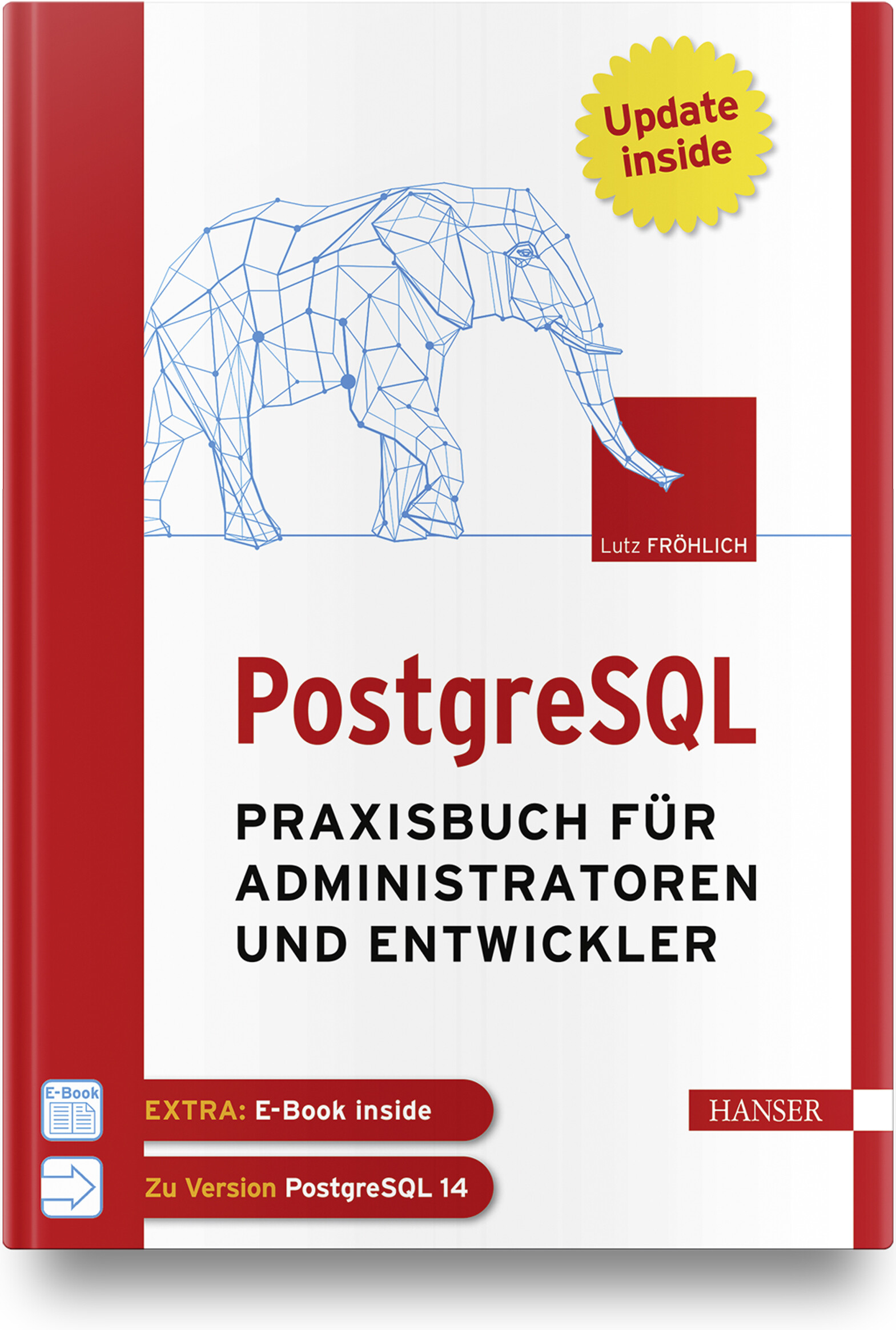
PostgreSQL
Praxisbuch für Administratoren und EntwicklerWenn Sie als Administrator, Entwickler oder IT-/System-Architekt PostgreSQL professionell und erfolgreich in der Praxis einsetzen wollen, finden Sie in diesem Arbeitsbuch die richtige Unterstützung. Administratoren bietet es Anleitung beim täglichen Datenbankbetrieb sowie detaillierte Informationen und Praxistipps zu Themen wie Backup and Recovery, Sicherheit und Überwachung, Performance Tuning oder Hochverfügbarkeit. Einen weiteren Schwerpunkt bildet die Replikation von und nach anderen Datenbanksystemen. IT-Architekten, System-Designer und IT-Manager erfahren, wie PostgreSQL kostengünstig in eine bestehende IT-Infrastruktur platziert werden kann und effektiv mit anderen Datenbanksystemen, wie z. B. Oracle, zusammenarbeitet. Entwickler lernen, wie robuste und performante Datenbankapplikationen erstellt werden und erhalten außerdem einen praktischen Leitfaden für den Umstieg von Oracle auf PostgreSQL. Eigene Kapitel widmen sich den Themen PostgreSQL für Data Science und maschinelles Lernen.Aus dem Inhalt: Konfiguration von Cluster und DatenbankDie Architektur von PostgreSQLHot Standby, Streaming Replication und Logical ReplicationTuning von Datenbanken und SQL-AnweisungenParallelisierung und PartitionierungEntwicklung von Applikationen für PostgreSQLIndexe einsetzenTextverarbeitungReplikation zwischen PostgreSQL und OracleData Science und MLPostgreSQL in der CloudLeseprobe (PDF-Link)Autor: Lutz Fröhlich ist Diplom-Mathematiker und freiberuflicher IT-Berater. Er beschäftigt sich seit 30 Jahren mit Datenbanken und schöpft seine praktischen Erfahrungen aus langjährigen Consulting-Tätigkeiten in den USA und in Europa. Seine Spezialgebiete sind Performance, Hochverfügbarkeit, Exadata sowie Daten-Replikation und Streaming. Er arbeitet seit mehreren Jahren in den Bereichen Data Science und maschinelles Lernen und hält regelmäßig Seminare und Vorträge zu diesen und anderen Themen.

Parallele und verteilte Anwendungen in Java
Für Nutzer ist es selbstverständlich, dass sie mehrere Programme gleichzeitig verwenden können oder dass Programme so komplex sind, dass sie auf mehrere Rechner zugreifen müssen. Aber wie werden solche Anwendungen programmiert?Das vorliegende Standardwerk zu Parallelität und Verteilung behandelt als Lehrbuch zwei eng miteinander verknüpfte Basisthemen der Informatik: die Programmierung paralleler (nebenläufiger) und verteilter Anwendungen.Das Lehrbuch wendet sich an Studierende der Informatik, ingenieurwissenschaftliche Studiengänge mit Grundkenntnissen in Java (Objektorientierung) sowie Softwareentwickler.Es werden zunächst anhand zahlreicher Beispiele grundlegende Synchronisationskonzepte für die Programmierung paralleler Abläufe präsentiert.Neben den "klassischen" Synchronisationsmechanismen von Java werden auch die Konzepte aus der Java-Concurrency-Klassenbibliothek vorgestellt.Weiteres Basiswissen etwa über grafische Benutzeroberflächen, das MVC-Entwurfsmuster oder Rechnernetze, wird im Buch anschaulich und praxisnah vermittelt.Aus dem Inhalt:• Grundlegende Synchronisationskonzepte• Fortgeschrittene Synchronisationskonzepte• Parallelität und grafische Benutzeroberflächen• Anwendungen mit Sockets• Anwendungen mit RMI• Webbasierte Anwendungen mit Servlets und JSP

Rust
Grundlagen und fortgeschrittene Techniken.Dieses Buch vermittelt Anwendungsentwicklern Theorie und Praxis der Sprache Rust und zeigt, wo sie gewinnbringend in neuen Projekten verwendet und wie sie sich in bestehende Projekte gut integrieren lässt.Es illustriert alle Inhalte mit zahlreichen Rust-Beispielen. Nach einer Einführung in die Grundlagen, Nebenläufigkeit und das Testen mit Rust kommt der praktische Teil.Anhand einer Webapplikation und ihrer Aufteilung in Microservices werden die Vorteile und Eigenheiten der Sprache Rust anschaulich vermittelt. Systemnahe Programmierung, die Kommunikation mit Sprachen wie Java, aber auch die Verwendung von WebAssembly werden ebenfalls betrachtet.Nach der Lektüre dieses Buchs können Sie produktiv in Rust programmieren und haben neben den Grundlagen ein gutes Verständnis für typische Anwendungsbereiche der Sprache wie WebAssembly, Systemnahe Programmierung oder Einbindung in bestehende Umgebungen über Language Bindings.
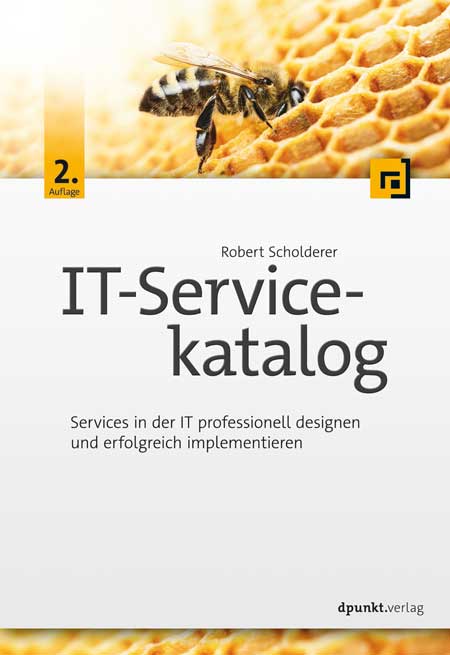
IT-Servicekatalog (2. Auflage)
Services in der IT professionell designen und erfolgreich implementieren.Ein IT-Servicekatalog beschreibt vorkonfektionierte IT-Services, die ein Dienstleister seinen Servicenehmern anbietet. Er ist das zentrale Hilfsmittel, damit für einen optimierten IT-Betrieb wiederkehrende Anforderungen von Servicenehmern einheitlich verarbeitet werden können.Das Buch »IT-Servicekatalog« bietet einen praxisorientierten Leitfaden zur Erstellung oder Optimierung eines Servicekatalogs. Dabei werden auf Basis von bewährten Praxislösungen aus über 100 Servicekatalogen relevante Themen wie Servicepreis, Kennzahlen, Katalogorganisation und Orderprozesse behandelt. Des Weiteren wird mit CECAR (Customer Enabled Catalogue ARchitecture) ein Konzept vorgestellt, mit dem Servicekatalog-Manager einen Servicekatalog erstellen und verwalten können. Dabei werden über den Plan-Do-Check-Act-Zyklus zielgerichtete Managementstrategien, Designmodelle, Reifegradbeurteilung und Servicekatalog-Management eingeordnet.Neu hinzugekommen in der 2. Auflage sind die Themen Serviceschnitt mit Service-Mining, die Verantwortlichkeiten des Service Owners sowie Modellierungsmethoden für IT-Self-Services.Über den Autor:Dr. Robert Scholderer befasst sich seit 1996 mit IT-Services. In seiner Karriere verhandelte er über 1.000 SLAs. Seit 2006 erstellte er über 100 IT-Servicekataloge mit 4.000 IT-Services und hat ein einzigartiges Wissen aufgebaut, wofür er mehrfach den Innovationspreis in Baden-Württemberg erhielt. Seit 2015 zählt sein SOUSIS-Modell offiziell zu den vier internationalen IT-Standards für SLAs. Als Trainer bildet er im deutschsprachigen Raum Service-Level-Manager und Service-Catalogue-Man.

Maike Jarsetz' Digitale Dunkelkammer (2. Auflg.)
Ihr Guide durch den Dschungel der Bildbearbeitung mit Photoshop und Lightroom. 2. aktualisierte Auflage.Mit diesem Buch wendet sich Maike Jarsetz an alle, die ihre Fotos mit Photoshop und Lightroom entwickeln, optimieren und perfektionieren wollen. Sie führt Sie durch das Dickicht der Bildbearbeitung und schärft Ihren Blick auf das Motiv und seinen Korrekturbedarf. Sie zeigt Ihnen, wie Sie das volle Potenzial der Bildentwicklung in Lightroom oder Camera Raw ausschöpfen und mit Photoshop über die Grenzen der Bildentwicklung hinausgehen. Aufgrund seiner tiefgehenden Grundlagenkapitel und zahlreichen Schritt-für-Schritt-Workshops in unterschiedlichsten Schwierigkeitsgraden ist dieses Buch eine Hohe Schule der Bildbearbeitung und eignet sich sowohl für Einsteiger:innen als auch für Profis!Schon bei der Bildentwicklung geht es nicht um die reine Aufzählung der Regler und Software-Funktionen, sondern um die richtige Korrekturreihenfolge, eine motivspezifische Bildoptimierung und effektive Workflow-Ansätze. Photoshop- und Lightroom-Anwender:innen profitieren aufgrund der Parallelität der Funktionen davon gleichermaßen und gelangen mithilfe des Buchs sicher zum perfekten Bildergebnis.Wenn die Grenzen der Bildentwicklung erreicht sind, folgt für viele Motive noch die Einzelbildbearbeitung in Photoshop. Aufwendige Retuschen, haarkleine Freistellungen oder Filtertechniken werden zunächst in ihrer Funktionsweise erläutert und dann in Beispielworkshops schrittweise zum Ziel geführt. Das Buch spannt den Bogen von den ersten Entwicklungsschritten über Photoshop-Schlüsseltechniken, wie Ebenen und Masken, bis hin zu diffizilen Motiv-Ausarbeitungen, eigenen Looks und mobiler Bildbearbeitung. So erlernen Sie in Theorie und Praxis erprobte Korrekturtechniken ebenso wie fortgeschrittene Funktionen und Kniffe, mit denen Sie das Beste aus Ihren Bildern herausholen.Zur Autorin:Die Hamburgerin Maike Jarsetz ist ausgebildete Fotografin und arbeitet als Designerin, Autorin und Trainerin im Bereich Fotografie und Bildbearbeitung. Sie gilt als ausgewiesene Expertin für Adobe Photoshop und Adobe Lightroom. Auf vielen Veranstaltungen der Fotografie- und Bildbearbeiter-Szene ist sie mit Präsentationen und Vorträgen vertreten. In ihren Vorträgen, Büchern und Artikeln verknüpft die gelernte Fotografin aktuelles Software-Knowhow mit ihren beruflichen Wurzeln. 2005 erschien ihr erstes Photoshop-Buch für digitale Fotografie. Seitdem finden sich ihre Bücher und Videotrainings zu Photoshop, Lightroom und Bildbearbeitungsworkflows beständig auf den Bestsellerlisten. Im Internet findet man sie unter www.jarsetz.comZu den ausführlichen Video-Tutorials von Maike Jarsetz im heise Shop:Bildbearbeitung in Lightroom und Photoshop: Natürlich schöne Porträts Bildentwicklung von NaturfotosFür Abonnenten jeweils nur 9,90 Euro!

Das Richtige digitalisieren
Dieses Buch verschafft Entscheidungsträgern eine sehr fundierte Vorstellung von der strategischen Veränderungskraft der Digitalisierung. Sie verstehendie strategischen Chancen und Notwendigkeiten des digitalen Zeitalters insgesamt und somit auch für ihr Unternehmen bzw. ihren Verantwortungsbereich viel besser. Das Verständnis, dass Digitalisierung die hohe Zeit der Strategie ist, wird geschärft und Neugier für die Gestaltung der Zukunft geweckt. Dank eines Grundverständnis zu den Wirkweisen und -kräften der digitalen Schlüsseltechnologien können die darin liegenden Chancen viel besser erkannt und genutzt werden. Aus den skizzierten Entwicklungen der ausgewählten Ökosysteme können die Leserinnen und Leser die Herausforderungen an die eigene Industrie und das eigene Unternehmens viel besser ableiten. Sie erhalten eine Vielzahl von Impulsen, Anregungen und Beispielen zur Gestaltung der eigenen digitalen Strategie. Und er / sie versteht, welcher Mindset bzw welche neue Einstellung zur Nutzung der Chancen erforderlich ist - bei sich selbst wie auch bei allen Kollegen / innen.Dr. Markus Pertlwieser ist ein erfahrener Senior-Manager und Stratege. Er ist ein ausgewiesener Experte für digitale Geschäftsmodelle und der Plattform-Ökonomie. Er hat über viele Jahre Unternehmens- und Innovationsstrategien entwickelt und umgesetzt, und hat in seiner Karriere eine Vielzahl von Produktinnovationen und neuen Dienstleistungen verantwortet.Von 2008 bis 2020 war er in unterschiedlichen Führungspositionen bei der Deutschen Bank tätig. In den Jahren 2015 bis 2020 war er Global Chief Digital Officer (CDO) für das Privat- und Firmenkundengeschäft sowie Mitglied des Vorstandes der DB Privat- und Firmenkundenbank AG (DB PFK AG). Zusätzlich zu seiner Aufgabe als CDO und Vorstand leitete er zwei Jahre die Gesellschafterversammlung der Verimi GmbH, einer industrieübergreifenden Identitäts-Plattform.In den Jahren 2001 bis 2008 arbeitete er für die Unternehmensberatung McKinsey & Company. Er verantwortete die Beratung von Kunden in der Bank- und Versicherungsbranche und war als Associate Principle Mitglied der Führungsgruppe im Bereich Financial Services.Markus Pertlwieser hat Wirtschaftsingenieurwesen an der Universität Karlsruhe studiert und 2004 an der Universität Kassel zum Thema Aktienrückkaufprogramme in Deutschland promoviert.Er ist Mitglied des FinTechRats des Bundesministeriums der Finanzen, im Digital-Beirat von Eintracht Frankfurt in Beiräten diverser FinTechs und Start-ups aus dem Bereich der Plattform-Ökonomie. Zudem arbeitet er als Industrial Advisor im Bereich Private Equity.Wirtschaft: Digitale Plattformen erfordern neue Strategien.- Technologie: Neue Schlüsseltechnologien bilden das infrastrukturelle Rückgrat.- Gesellschaft: Die Partizipation am Wert der eigenen Daten ist viel mehr als eine ökonomische Frage.- Mit SmartCar, SmartHome und SmartFactory aufs globale Spielfeld der Plattform-Ökonomie.- Bedrohlicher Rückstand in nahezu allen Schlüsseltechnologien und Kerninfrastrukturen.- Was es jetzt braucht für ein die Zukunft gestaltendes Deutschland 4.0.- Purpose, Beidhändigkeit und Strategie im digitalen Zeitalter.- Die digitale Strategie für das Kerngeschäft - be relevant, be smart und go beyond!.- Die digitale Strategie für den Aufbau neuer Geschäftsfelder - it is a corporate venture!.- Kannibalisieren Sie sich!.- Der digitale Pionier und Innovator als gefragte Führungskraft und gefeierter Held.- Ein neues Selbst- und Rollenverständnis.- Neu trainierte Fähigkeiten und ein neues Mindset.

Power Purchase Agreements
In diesem essential werden Power Purchase Agreements nach verschiedenen Kriterien, wie Lieferrichtung, Preisregime oder Anlagenart kategorisiert. Außerdem wird auf die Besonderheit des fluktuierenden Einspeiseverhaltens von Erneuerbaren Energien eingegangen. Insbesondere dieses Verhalten hat Auswirkungen auf die Bepreisung derartiger Verträge. Bei der Beschreibung der Bepreisung wird insbesondere die Capture Rate näher vorgestellt. Ein weiterer wesentlicher Punkt ist die Bewirtschaftung von PPAs, also den Prozessen während der Belieferung. Den Abschluss bildet ein Exkurs zu Herkunftsnachweisen, die in Power Purchase Agreements in der Regel mit übertragen werden.

Design Management
Designers are more in-demand than ever, and companies worldwide are creating new leadership roles to manage them. With only a few select institutions teaching effective design management practices, self-taught designers are on the rise, and resources are needed to guide them. Design Management is here to hone your capacity to manage like a leader and magnify your team’s potential, demonstrating how to combine managerial and leadership competencies leveraging neuroscience, psychology, and sociology notions. This book will help eager designers learn the behavioral abilities required to create, lead and manage high-performing design teams using a systemic, context-agnostic, and therefore repeatable approach. While effective design management is vital in these times of complexity and fast change in organizations, the available literature is insufficient, predominately informative, not based on research, and not actionable. Design Management fills that gap by illuminating the skills you need to lead your team to success. Come away from Design Management with confidence about how to manage like a leader leveraging different leadership mindsets to nurture creative collaboration and optimize the design operations. Whether you are a designer preparing for the first leadership role or an already established design manager intentioned to expand attitudinal and behavioral competencies, this book belongs on your shelf. Design Management is here to assist you in the long haul.

Autodesk Fusion 360 (4. Auflg.)
Praxiswissen für Konstruktion, 3D-Druck und CNC. 4. Auflage 2022.Mit dem cloudbasierten CAD/CAM-Programmsystem Fusion 360 lassen sich schnell und einfach professionelle 3D-Modelle und 2D-Fertigungszeichnungen erstellen und für CNC-Bearbeitungen und 3D-Druck vorbereiten.Dieses Buch bietet eine praktische Einführung in die wichtigsten Funktionen der umfangreichen Software. Dabei setzt der Autor folgende Themenschwerpunkte:3D-Modelle zweidimensional skizzieren und aus der Skizze heraus erzeugenVolumenkörper-, Flächen-, Freiform- und Netzmodellierung2D-Fertigungszeichnungen mit Beschriftung und Stücklisten ableitenBauteile und Baugruppen rendern, animieren und Mechanismen simulierenErstellen von Fertigungsdaten für 3D-Drucker und CNC-Bearbeitungsmaschinen3D-Druck und CNC-Bearbeitungen (wie CNC-Fräsen, CNC-Drehen und Laserschneiden)Elektronik-Schaltpläne entwerfen und Leiterplatten-Layouts in 2D und 3D ableitenAlle Funktionen und Arbeitsweisen werden Schritt für Schritt demonstriert und eingeübt. Zahlreiche praktische Beispiele helfen, die verschiedenen Techniken nachzuvollziehen und zu verinnerlichen. Nach der Lektüre dieses Buches sind Sie bestens gerüstet, individuelle 3D-Modelle sowie die entsprechenden Fertigungsdaten zu erstellen und eigene Projekte umzusetzen.Aus dem Inhalt: Installation und BenutzeroberflächeSkizzenerstellung3D-Modellierung mit Volumen, Flächen, Freiform-Elementen und NetzenAbleiten von ZeichnungenSimulationBaugruppen mit GelenkenAnimieren und RendernBlechkonstruktionen3D-Druck und CNC-Bearbeitungen (Fräsen, Drehen, Bohren und Schneiden)Schaltplan-Entwurf und Leiterplatten-Layout (2D/3D)Zahlreiche praktische BeispieleÜber den Autor:Detlef Ridder hat langjährige Erfahrung im Bereich CAD und bereits zahlreiche Bücher zu AutoCAD, Inventor, Revit und ArchiCAD veröffentlicht. Er gibt Schulungen zu diesen Programmen und zu CNC und weiß daher, welche Themen für Einsteiger besonders wichtig sind.Leseprobe (PDF-Link)

Excel-VBA für Dummies (4. Auflg.)
Um noch mehr aus Excel herauszuholen, sind Kenntnisse der VBA-Programmierung von großem Vorteil: Dann können Sie Excel auf Ihre Bedürfnisse zuschneiden und langweilige Routinearbeiten automatisieren. Dieses Buch zeigt Ihnen zunächst den Umgang mit dem VBA-Editor und gibt einen Einblick in die wichtigsten Programmiertechniken, wie Sie Fehler beseitigen, Range-Objekte einsetzen und den Programmfluss steuern. Lernen Sie dann die vielfältigen Programmiermöglichkeiten kennen. Alle Beispielprogramme und Arbeitsblätter stehen zum Download zur Verfügung. Sie werden staunen: Mit VBA können Sie sich selbst Dialogboxen, Werkzeugleisten und Menüs schneidern. Und das schon nach kurzer Zeit! Michael Alexander ist Microsoft Certified Application Developer und hat mehrere Bücher zu Access und Excel geschrieben.Dick Kusleika hilft Anwendern seit mehr als 25 Jahren in Online-Foren, Blogs, Büchern und auf Konferenzen, das Beste aus den Microsoft-Office-Produkten herauszuholen.Über den Autor 9EINFÜHRUNG25Über dieses Buch 25Konventionen in diesem Buch 26Makrosicherheit 27Törichte Annahmen über die Leser 28Symbole, die in diesem Buch verwendet werden 29Wie es weitergeht 29TEIL I: EXCEL VBA – DIE ERSTEN SCHRITTE31KAPITEL 1 VBA KENNENLERNEN 33Die VBA-Grundlagen verstehen 33Wissen, was mit VBA möglich ist 34Text einfügen 35Eine häufig ausgeführte Aufgabe automatisieren 35Automatisierung wiederholter Operationen 35Einen benutzerdefinierten Befehl anlegen 35Eine benutzerdefinierte Schaltfläche erstellen 36Neue Funktionen für die Arbeitsmappe entwickeln 36Benutzerdefinierte Add-Ins für Excel erstellen 36Das meiste aus VBA herausholen 36Wissen, was VBA am besten kann 36Erkennen, welche Nachteile die Verwendung von VBA mit sich bringt 37VBA-Konzepte verstehen 38Sicherstellen der Excel-Kompatibilität 40KAPITEL 2 EINFACHE MAKROS ERSTELLEN 41Die Registerkarte »Entwicklertools« anzeigen 41Ein Makro erstellen 42Die Umgebung vorbereiten 42Ein Makro aufzeichnen 43Das Makro ausführen 45Ein Makro im Visual Basic-Editor anzeigen 46Das Makro abändern 48Arbeitsmappen speichern, die Makros enthalten 49Makro-Sicherheit verstehen 50TEIL II: DIE ZUSAMMENARBEIT VON VBA UND EXCEL 53KAPITEL 3 DER VISUAL BASIC-EDITOR 55Den Visual Basic-Editor kennenlernen 55Den VBE aktivieren 55VBE-Komponenten erforschen 56Arbeiten im Projekt-Explorer 58Ein neues VBA-Modul hinzufügen 59Arbeiten im Codebereich 60Fenster minimieren und maximieren 60Die Bestandteile eines Moduls erkunden 61VBA-Code in ein Modul einfügen 61Code direkt eingeben 62Verwendung des Makro-Rekorders 65VBA-Code kopieren 67Anpassung des VBE 68Die Registerkarte »Editor« 68Die Registerkarte »Editorformat« 70Die Registerkarte »Allgemein« 71Die Registerkarte »Verankern« 72KAPITEL 4 EINFÜHRUNG IN DAS EXCEL-OBJEKTMODELL 73Arbeiten mit dem Excel-Objektmodell 73Die Objekthierarchie verstehen 74Auf Objekte verweisen 75In Objekteigenschaften und Methoden eintauchen 78Objekteigenschaften festlegen 80Mit Objektmethoden Aktionen unternehmen 81Objekte reagieren auf Ereignisse 83VBA-Ressourcen zu weiterführenden Informationen 83Das VBA-Hilfesystem verwenden 83Den Objektkatalog verwenden 84Automatische Auflistung von Eigenschaften und Methoden 85KAPITEL 5 SUB-UND FUNKTIONSPROZEDUREN IN VBA 87Sub-Prozeduren im Vergleich zu Funktionsprozeduren 87Einen Blick auf Sub-Prozeduren werfen 88Einen Blick auf Funktionsprozeduren werfen 88Namen für Sub-Prozeduren und Funktionsprozeduren 89Sub-Prozeduren ausführen 90Die Sub-Prozedur direkt ausführen 92Die Prozedur vom Dialogfeld Makro aus ausführen 92Ein Makro mithilfe einer Tastenkombination ausführen 93Die Prozedur über eine Schaltfläche oder eine Form ausführen 94Die Prozedur von einer anderen Prozedur aus ausführen 96Die Prozedur vom Direktfenster aus ausführen 97Funktionsprozeduren ausführen 97Die Funktionsprozedur aus einer Sub-Prozedur aufrufen 98Aufruf der Funktion im Direktfenster 98Aufruf einer Funktion von einer Formel in einer Tabelle aus 99KAPITEL 6 MIT DEM MAKRO-REKORDER ARBEITEN 103Grundlagen der Aufzeichnung 103Vorbereitung auf die Aufzeichnung 105Zwischen relativem und absolutem Modus wählen 105Aufzeichnung im absoluten Modus 106Aufzeichnung im relativen Modus 107Dem Makro-Rekorder bei der Arbeit zusehen 109Aufzeichnungsoptionen für Ihr Makro angeben 110Code aufräumen, den der Makro-Rekorder aufgezeichnet hat 112TEIL III: PROGRAMMIERKONZEPTE 115KAPITEL 7 WICHTIGE ELEMENTE DER SPRACHE VBA 117Kommentare in Ihrem VBA-Code 117Variablen, Konstanten und Datentypen 119Variablen verstehen 119Was sind die Datentypen in VBA? 121Variablen deklarieren und ihnen einen Gültigkeitsbereich zuweisen 122Mit Konstanten arbeiten 127Vorgefertigte Konstanten verwenden 128Mit Zeichenfolgen arbeiten 129Mit Datumswerten arbeiten 130Zuweisungsbefehle verwenden 131Beispiele für den Zuweisungsbefehl 131Das Gleichheitszeichen 132Hilfreiche Operatoren 132Arrays 133Arrays deklarieren 134Mehrdimensionale Arrays 134Dynamische Arrays 135Die Verwendung von Zeilenmarken (Labels) 136KAPITEL 8 MIT RANGE-OBJEKTEN ARBEITEN 137Auf »Range«-Objekte verweisen 137Auf einen Bereich mithilfe von Eigenschaften verweisen 139Die »Cells«-Eigenschaft 139Die »Offset«-Eigenschaft 140Die »Resize«-Eigenschaft 141Mit Eigenschaften des »Range«-Objekts arbeiten 141Die »Value«-Eigenschaft 142Die »Text«-Eigenschaft 143Die »Count«-Eigenschaft 143Die »Column«-und die »Row«-Eigenschaft 143Die »Address«-Eigenschaft 144Die »HasFormula«-Eigenschaft 144Die »Font«-Eigenschaft 145Die »Interior«-Eigenschaft 146Die »Formula«-Eigenschaft 147Die »NumberFormat«-Eigenschaft 148Aktionen mit Methoden des »Range«-Objekts unternehmen 148Die »Select«-Methode 149Die Methoden »Copy« und »Paste« 149Die »Clear«-Methode 150Die »Delete«-Methode 150KAPITEL 9 VBA-UND ARBEITSBLATTFUNKTIONEN 151Funktionen verstehen 151Eingebaute VBA-Funktionen verwenden 152Arbeiten mit Datum und Uhrzeit 152Arbeiten mit Zeichenfolgen 154Objekte und Daten identifizieren 155VBA-Funktionen, die mehr tun, als einen Wert zurückzugeben 156VBA-Funktionen finden 156Arbeitsblattfunktionen in VBA verwenden 159Beispiele für Arbeitsblattfunktionen 160Eingabe von Arbeitsblattfunktionen 162Weitere Informationen über die Verwendung von Arbeitsblattfunktionen 163Benutzerdefinierte Funktionen verwenden 164KAPITEL 10 STEUERUNG DES PROGRAMMABLAUFS UND ENTSCHEIDUNGEN 165Schwimmen mit dem Strom 165Die »GoTo«-Anweisung 166Entscheidungen, Entscheidungen! 168Die »If-Then «-Struktur 168Die »Select Case«-Struktur 172Ihr Code für eine Schleife 175»For-Next «-Schleifen 175»Do While«-Schleifen 180»Do Until«-Schleifen 181»For Each-Next «-Schleifen für Collections ausführen 181KAPITEL 11 AUTOMATISCHE PROZEDUREN UND EREIGNISSE 185Vorbereitung auf das große Ereignis 185Lernen, wann Sie Ereignisprozeduren einsetzen 187Programmierung von Prozeduren zur Ereignisverarbeitung 188Wissen, wo man den Ereigniscode einfügt 188Eine Prozedur zur Ereignisverarbeitung schreiben 189»Workbook«-Ereignisse auslösen 190Das »Open«-Ereignis für eine Arbeitsmappe 191Das »BeforeClose«-Ereignis für eine Arbeitsmappe 193Das »BeforeSave«-Ereignis für eine Arbeitsmappe 194Aktivierungsereignisse verwenden 195Aktivierungs-und Deaktivierungsereignisse in einem Arbeitsblatt 195Aktivierungs-und Deaktivierungsereignisse in einer Arbeitsmappe 196Arbeitsmappen-Aktivierungsereignisse 197Programmierung von Arbeitsblattereignissen 198Das »BeforeDoubleClick«-Ereignis 198Das »BeforeRightClick«-Ereignis 198Das »Change«-Ereignis 199Ereignisse verstehen, die keinen Objekten zugeordnet sind 201Das »OnTime«-Ereignis 201Tastenaktionen 203KAPITEL 12 TECHNIKEN ZUR FEHLERVERARBEITUNG 205Fehlertypen 205Ein fehlerhaftes Beispielmakro 206Nicht ganz perfekte Makros 207Das Makro noch perfekter machen 208Verabschieden Sie sich von der Perfektion! 209Alternative Wege der Fehlerverarbeitung 210Noch einmal die Prozedur »EnterSquareRoot« 210Fehler mit der »On-Error «-Anweisung abfangen 211Fehlerverarbeitung: die Details 212Fortsetzung nach einem Fehler 212Fehlerverarbeitung im Überblick 214Ein beabsichtigter Fehler 214KAPITEL 13 TECHNIKEN, MIT DENEN SIE FEHLER LOSWERDEN 217Verschiedene Fehlerarten 217Programmierfehler identifizieren 219Debugging-Techniken 220Ihren Code überprüfen 220Die »MsgBox«-Funktion verwenden 220»Debug.Print«-Anweisungen einfügen 222Verwendung des VBA-Debuggers 222Debugging-Tools verwenden 223Haltepunkte in Ihrem Code setzen 223Das Überwachungsfenster verwenden 226Das Lokal-Fenster 228Tipps, wie Sie weniger Programmierfehler machen 229KAPITEL 14 VBA-PROGRAMMIERBEISPIELE 231Mit Bereichen arbeiten 231Einen Bereich kopieren 232Einen variablen Bereich kopieren 233Auswahl bis zum Ende einer Zeile oder Spalte 235Eine Zeile oder Spalte auswählen 236Einen Bereich verschieben 236Einen Bereich effizient durchlaufen 236Einen Bereich effizient durchlaufen (Teil II) 238Einen Zellwert anfordern 239Den Auswahltyp bestimmen 240Eine Mehrfachauswahl erkennen 240Excel-Einstellungen abändern 241Boolesche Einstellungen ändern 241Nicht-boolesche Einstellungen ändern 242Diagramme 242»AddChart« im Vergleich zu »AddChart2« 243Den Diagrammtyp ändern 245Die »ChartObjects«-Collection durchlaufen 245Diagrammeigenschaften ändern 246Diagrammformatierungen anwenden 246VBA-Geschwindigkeitstipps 248Die Bildschirmaktualisierung abschalten 248Die automatische Berechnung ausschalten 249Lästige Warnungen deaktivieren 249Objektreferenzen vereinfachen 251Variablentypen deklarieren 251Die »With-End With«-Struktur 252KAPITEL 15 EINFACHE DIALOGFELDER 253In VBA mit dem Benutzer interagieren 253Meldungen mit der »MsgBox«-Funktion anzeigen 254Ein einfaches Meldungsfeld anzeigen 255Eine Antwort aus einem Meldungsfeld erhalten 256Meldungsfelder anpassen 257Daten mit der Funktion »InputBox« abfragen 260Die Syntax von »InputBox« verstehen 260Die Funktion »InputBox« verwenden 260Die Methode »InputBox« verwenden 262Den Benutzer eine Datei oder einen Ordner auswählen lassen 263Eine »GetOpenFilename«-Anweisung erstellen 264Eine Datei mit »GetOpenFilename« auswählen 264Pfad und Dateinamen mit »GetSaveAsFilename« ermitteln 266Einen Ordnernamen ermitteln 267Eingebaute Excel-Dialogfelder anzeigen 267TEIL IV: KOMMUNIKATION MIT IHREN BENUTZERN 271KAPITEL 16 USERFORM-GRUNDLAGEN 273Erkennen, wann man ein UserForm braucht 273UserForms erstellen: ein Überblick 275Mit UserForms arbeiten 276Ein neues UserForm einfügen 276Einem UserForm Steuerelemente hinzufügen 277Die Eigenschaften eines UserForm-Steuerelements ändern 277Den Codebereich für ein UserForm anzeigen 279Ein UserForm anzeigen 279Informationen aus einem UserForm verarbeiten 280Ein UserForm-Beispiel 280Das UserForm erstellen 281Die Befehlsschaltflächen hinzufügen 281Optionsfelder einfügen 283Prozeduren zur Ereignisverarbeitung einfügen 284Ein Makro anlegen, das das Dialogfeld anzeigt 286Das Makro für den Benutzer bereitstellen 286Das Makro testen 288KAPITEL 17 USERFORM-STEUERELEMENTE VERWENDEN 291Steuerelemente im Dialogfeld – die ersten Schritte 291Steuerelemente hinzufügen 292Eigenschaften von Steuerelementen – Grundlagen 293Details zu den Steuerelementen in einem Dialogfeld kennenlernen 295Das »CheckBox«-Steuerelement – Kontrollkästchen 296Das »ComboBox«-Steuerelement – Kombinationsfeld 296Das »CommandButton«-Steuerelement – Befehlsschaltfläche 297Das »Frame«-Steuerelement – Rahmen 298Das »Image«-Steuerelement (Bildfeld) 298Das »Label«-Steuerelement (Bezeichnungsfeld) 299Das »ListBox«-Steuerelement (Listenfeld) 300Das »MultiPage«-Steuerelement – Multiseiten 301Das »OptionButton«-Steuerelement – Optionsfelder 302Das »RefEdit«-Steuerelement 302Das »ScrollBar«-Steuerelement – Bildlaufleiste 303Das »SpinButton«-Steuerelement – Drehfeld 304Das »TabStrip«-Steuerelement – Register 305Das »TextBox«-Steuerelement – Textfeld 305Das »ToggleButton«-Steuerelement – Umschaltfeld 306Die Arbeit mit Steuerelementen in Dialogfeldern 306Steuerelemente verschieben und ihre Größe ändern 307Steuerelemente ausrichten und Abstände einhalten 307Tastaturbenutzern helfen 308Ein UserForm testen 310Dialogfeld-Ästhetik 310KAPITEL 18 USERFORMS – TECHNIKEN UND TRICKS 311Dialogfelder verwenden 311Ein UserForm-Beispiel 312Das Dialogfeld erstellen 312Code für die Anzeige des Dialogfelds 315Das Makro bereitstellen 315Ihr Dialogfeld ausprobieren 316Prozeduren zur Ereignisverarbeitung einfügen 316Die Daten auswerten 318Jetzt funktioniert das Dialogfeld 319Beispiel für ein Listenfeld-Steuerelement 319Ein Listenfeld füllen 320Das ausgewählte Element bestimmen 321Mehrfachauswahlen bestimmen 322Einen Bereich auswählen 323Mehrere Gruppen von Optionsfeldern verwenden 325Ein Drehfeld und ein Textfeld verwenden 326Ein UserForm als Fortschrittsanzeige verwenden 328Ein Dialogfeld als Fortschrittsanzeige einrichten 329Die Prozeduren 330Wie dieses Beispiel funktioniert 331Ein nicht modales Dialogfeld mit Registerkarten erstellen 332Ein Diagramm in einem UserForm anzeigen 334Eine Checkliste für Dialogfelder 335KAPITEL 19 ZUGRIFF AUF IHRE MAKROS ÜBER DIE BENUTZEROBERFLÄCHE 337Das Menüband anpassen 337Das Menüband manuell anpassen 338Dem Menüband ein Makro hinzufügen 340Anpassung des Menübands mit XML 340Die Excel-Benutzeroberfläche mit VBA anpassen 345Befehle zur Registerkarte »Add-Ins « des Menübands hinzufügen 346Dem Kontextmenü »Cell« einen neuen Eintrag hinzufügen 347Anpassungen automatisch hinzufügen 349Kontextmenüs und das Single Document Interface verstehen 349TEIL V: DAS GROẞE GANZE 351KAPITEL 20 ARBEITSBLATTFUNKTIONEN ERSTELLEN 353Vereinfachen Sie mit benutzerdefinierten Funktionen Ihre Arbeit 353Grundlagen der VBA-Funktionen 354Funktionen schreiben 355Mit Funktionsargumenten arbeiten 356Eine Funktion ohne Argumente 356Eine Funktion mit einem Argument 357Eine Funktion mit zwei Argumenten 359Eine Funktion mit einem Bereichsargument 360Eine Funktion mit einem optionalen Argument 362Wrapper-Funktionen 364Die »NumberFormat«-Funktion 364Die »ExtractElement«-Funktion 364Die »SayIt«-Funktion 365Die »IsLike«-Funktion 366Funktionen, die ein Array zurückgeben 36Ein Array mit Monatsnamen zurückgeben 366Eine sortierte Liste zurückgeben 367Das Dialogfeld »Funktion einfügen« verwenden 369Die Funktionsbeschreibung anzeigen 369Argumentbeschreibungen 371KAPITEL 21 ADD-INS IN EXCEL ERSTELLEN 373Was ist ein Add-In? 373Gründe für die Erstellung von Add-Ins 374Die Arbeit mit Add-Ins 375Add-In-Grundlagen 376Sehen Sie sich ein Beispiel für ein Add-In an 377Einrichtung der Arbeitsmappe 377Die Arbeitsmappe testen 379Beschreibende Informationen hinzufügen 380Den VBA-Code schützen 381Das Add-In anlegen 381Das Add-In öffnen 382Das Add-In weitergeben 383Das Add-In ändern 383TEIL VI: DER TOP-TEN-TEIL 385KAPITEL 22 ZEHN NÜTZLICHE TIPPS FÜR DEN VISUAL BASIC-EDITOR 387Kommentarblöcke verwenden 387Mehrere Codezeilen kopieren 389Zwischen Modulen und Prozeduren springen 389Beamen Sie sich zu Ihren Funktionen 389In der richtigen Prozedur bleiben 390Den Code schrittweise ausführen 391Zu einer bestimmten Codezeile springen 392Die Codeausführung an einer bestimmten Stelle unterbrechen 392Den Anfang und das Ende des Variablenwerts anzeigen 393Die automatische Syntaxüberprüfung ausschalten 394KAPITEL 23 RESSOURCEN MIT HILFE ZU VBA 397Lassen Sie Excel die Makros für Sie schreiben 397Nutzen Sie das Hilfesystem 398Stibitzen Sie Code im Internet 398Userforen optimal nutzen 399Besuchen Sie Experten-Blogs 400Suchen Sie auf YouTube nach Schulungsvideos 400Nehmen Sie an Onlinekursen teil 401Vom Office Dev Center lernen 401Analysieren Sie andere Excel-Dateien in Ihrem Unternehmen 401Fragen Sie die Excel-Experten vor Ort 402KAPITEL 24 ZEHN DINGE, DIE SIE BEHERZIGEN ODER VERMEIDEN SOLLTEN 403Deklarieren Sie alle Variablen 403Verwechseln Sie Passwörter nicht mit Sicherheit 404Bereinigen Sie Ihren Code 404Schreiben Sie nicht alles in eine Prozedur 405Denken Sie daran, dass es noch andere Software gibt 405Gehen Sie nicht davon aus, dass alle Benutzer Makros aktivieren 405Gewöhnen Sie sich an, zu experimentieren 405Gehen Sie nicht davon aus, dass Ihr Code in anderen Excel-Versionen funktioniert 406Denken Sie immer an Ihre Benutzer 406Vergessen Sie die Datensicherung nicht! 406Abbildungsverzeichnis 407Stichwortverzeichnis 415

Electronic Governance
Noch nie sind die technologischen Entwicklungen und die Veränderungen der Märkte so rasant verlaufen wie heutzutage. Die Digitalisierung von Wirtschaft und Gesellschaft stehen dabei erst am Anfang. Viele Menschen beobachten die Entwicklungen misstrauisch. Sie können mit den in Verbindung stehenden Methoden und Begriffen kaum etwas anfangen. Dieses Buch schafft Abhilfe, in dem es umfassend und verständlich aufklärt und erklärt. Beispiele aus Theorie und Praxis veranschaulichen die Inhalte. Die Beherrschung der zugehörigen Komplexitäten ist noch nicht gelungen, wie z.B. die lange Liste gescheiterter Digitalisierungsvorhaben anschaulich belegt. Es geht darum, die Unternehmen zukunftsfest zu machen und die Beschäftigten zu befähigen. Hierfür braucht es einer Art digitaler bzw. technisierter „Leitplanken“, die mit einer „Electronic Governance“ entwickelt und spezifiziert werden. Es handelt sich um ein Steuerungs- und Regelungssystem, welches Organisationen und ihre Beschäftigten in Zeiten der Digitalisierung erfolgreich in die Zukunft führt. PROF. DR. ANDREAS SCHMID lehrt und forscht an der Hochschule Hannover. Er hat zahlreiche (IT-) Projekte und Organisationen evaluiert. Electronic Governance.- Digitalisierung.-Scheitern von Digitalisierungsprojekten.- Disruption.-(Digitale) Strategie.- (Digitales) Geschäftsmodell.-Industrie 4.0.- Robotic Process Automation.- Agilität.-Elektronische Akte.- Design Thinking.-Customer Journey.-Blockchain.-Kryptowährungen.- Künstliche Intelligenz.- Big Data inklusive Praxisbeispiel.

Excel 2021 - Stufe 1
- Tabellen, Diagramme und Formeln gezielt nutzen- Anschauliche Anleitungen, Übungen und Beispiele- Von Dozentinnen geschrieben - mit praktischen AnwendertippsLernen Sie Excel 2021 – den unverzichtbaren Helfer für Beruf, Alltag oder Studium – von Grund auf kennen und beherrschen! Dieses Handbuch ist wie ein Kurs aufgebaut und führt Einsteiger systematisch in die Grundlagen der Tabellenkalkulation ein. Anwender mit ersten Vorkenntnissen können das Handbuch als praktisches Nachschlagewerk nutzen. Die Autorinnen leiten Sie von der effizienten Dateneingabe über die Formatierung von Text und Zahlen bis hin zum Einsatz von Formeln und Funktionen. Auch das Erstellen von professionellen Diagrammen wird Ihnen schon bald genauso leicht fallen wie der Umgang mit Funktionen, z. B. SUMME, WENN, ANZAHL, ANZAHL2 und SVERWEIS. Anschauliche Beispiele und gut nachvollziehbare Schritt-für-Schritt-Anleitungen helfen Ihnen dabei, auch komplexe Aufgaben zu verstehen und umzusetzen. Profitieren Sie zudem von den zahlreichen Praxistipps der erfahrenen Dozentinnen. Mit Excel haben Sie Ihre Zahlen im Griff!Aus dem Inhalt:- Arbeitsmappen anlegen und intelligente Tabellen nutzen- Tipps zur cleveren Dateneingabe und -bearbeitung- Reihen erzeugen, z. B. Zahlenfolgen oder Wochentage - Tabellen gestalten und Formatvorlagen einsetzen- Daten verwalten, sortieren und filtern- Tabellen drucken (Druckbereiche, Seitenlayout usw. festlegen)- Berechnungen mit Formeln und nützlichen Auswertungsfunktionen- Relative und feste Zellbezüge in Formeln- Weitere wichtige Funktionen: WENN, WENNS, SVERWEIS und viele mehr- Diagramme erstellen, formatieren und ändern- Eigene Vorlagen anfertigen und Tabellen im Team teilen

IT-Systeme wirtschaftlich verstehen und gestalten
Der Einsatz von IT-Systemen ist omnipräsent. Im Gegensatz zur Verbreitung der Systeme werden die Wirkungen der Systeme für Individuen, Unternehmen oder Gesellschaften selten betrachtet. Damit dürften viele Nutzer und Unternehmen von der Wirkung der Investition überrascht werden. Die Gefahr fehlerhafter Investitionen nimmt zu und mögliche Potenziale der IT bleiben ungenutzt. Das Buch vermittelt wissenschaftlich fundiertes Wissen über die Wirkung und Wirtschaftlichkeit von IT-Systemen. Aufbauend auf Grundlagen aus der Organisationslehre, Soziologie, Entscheidungstheorie, Kosten- und Leistungsrechnung wird diskutiert, welche Phänomene durch IT-Systeme induziert werden. Die mannigfaltigen Wirkungen von IT-Systemen sowie Verfahren zur Wirkungsermittlung werden beschrieben. Sämtliche Aspekte für ein holistisches Wirkungsmanagement von IT-Systemen von der Projektskizze bis zur Umsetzung in der Realität werden in einem neuen Ansatz integriert.
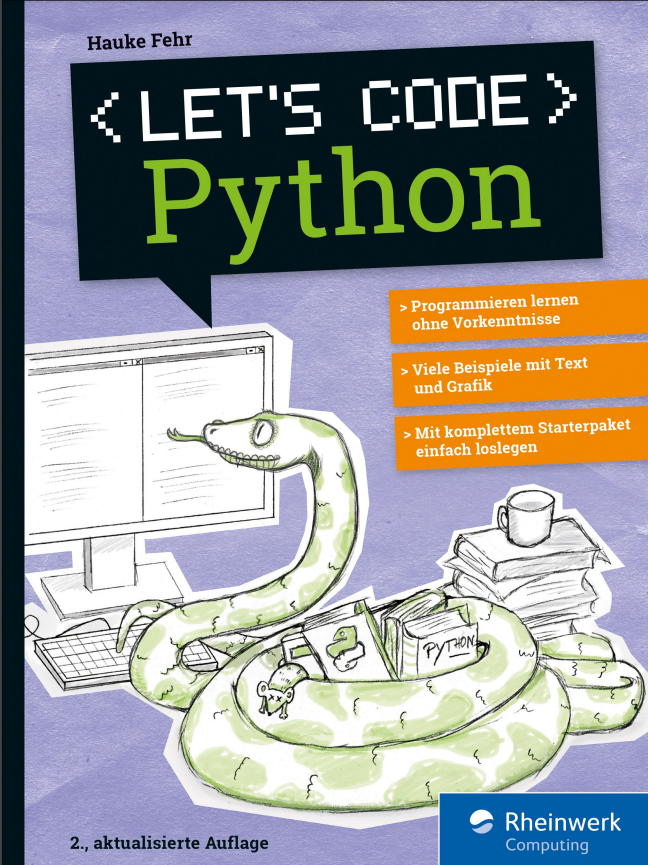
Let's code Python (2. Auflage)
Programmieren lernen mit PythonPython macht Spaß! Steige einfach ohne Vorkenntnisse ein und lerne programmieren. Schritt für Schritt, mit eigenen kleinen Programmen und Spielen, selbst gebauten Kreaturen, Grafik und mehreren Leveln. Das Buch und die besonders übersichtliche Entwicklungsumgebung TigerJython bieten Jugendlichen wie Erwachsenen viele Hilfen beim Lernen. Neue Sprachelemente werden ausführlich vorgestellt, mit farbigen Hervorhebungen und Erklärungen direkt am Code.Aus dem Inhalt: Installation und erste SchritteQuiz, Vokabeltrainer, Würfel-PokerEin Grafik-Framework benutzenDateien bearbeiten und speichernMathematische Graphen und DiagrammeSpiele nachprogrammieren: Breakout, Tic Tac Toe und mehrSelbst gebaute KreaturenMulti-Level-SpieleLeseprobe (PDF)Autor: Hauke Fehr programmiert seit über 30 Jahren mit verschiedenen Sprachen für verschiedene Zwecke. Die Wissenvermittlung liegt ihm dabei besonders am Herzen.

Git (2. Auflage)
Git gehört zum unverzichtbaren Handwerkszeug aller IT-Profis und darf in keiner Toolbox fehlen. Dabei macht es keinen Unterschied, ob Sie Konfigurationsdateien versionieren wollen, an Open-Source-Projekten mitarbeiten oder im Team komplexe Anwendungen entwickeln: Git sorgt dafür, dass Sie den Überblick behalten. Daher lernen Sie hier nicht nur, wie Sie Änderungen einchecken und fremde Repositorien klonen, sondern erfahren, wie Git Ihnen den Arbeitsalltag leichter macht. Aus dem Inhalt: Git in zehn Minuten: der SchnelleinstiegInstallation und EinrichtungGrundlagen: Repos, Commits, Branches, MergingGitLab: Projekte lokal hostenGitHub: der Marktplatz für SoftwareprojekteGitHub-Alternativen: Bitbucket, Azure DevOps Services, GitoliteArbeitstechniken: History, Feature Branches, Stashing, Hooks und mehrWorkflows: So nutzen Sie Git effektivBest Practices und TroubleshootingKommandoreferenz
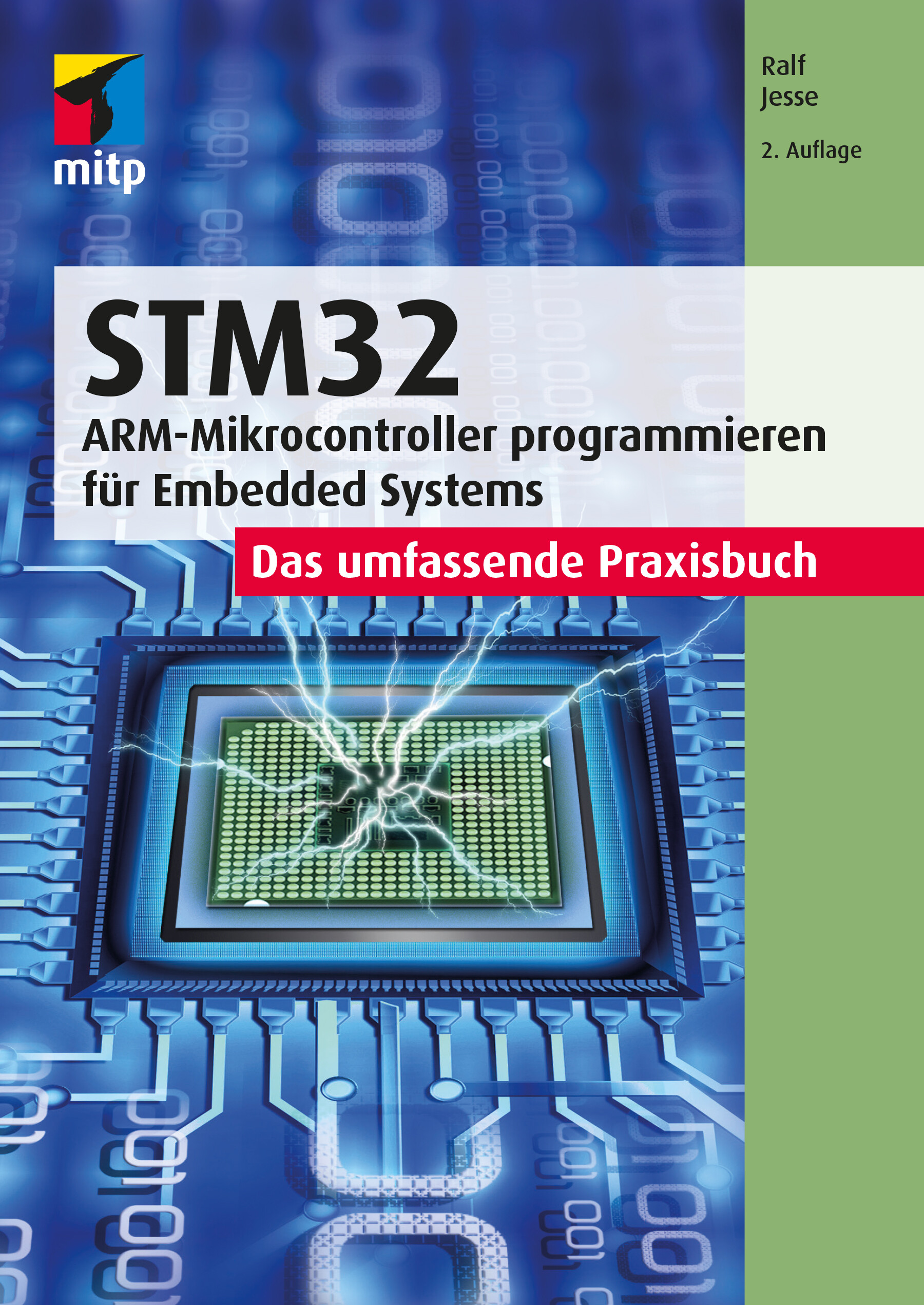
STM32 - Das umfassende Praxisbuch (2. Auflg.)
ARM-Microcontroller programmieren für Embedded Systems - Das umfassende PraxisbuchMit diesem Buch erhalten Sie einen umfassenden Praxiseinstieg für die Softwareentwicklung für Embedded Systems mit der ARM-Mikrocontrollerfamilie STM32F4xx der Firma STMicroelectronics (STM). Für die Programmierung wird die Sprache C eingesetzt.Der Autor behandelt die wichtigsten Peripherie-Komponenten, dazu gehören digitale und analoge I/O-Ports (GPIOs), Timer und Counter, serielle Schnittstellen (USARTs/UARTs, SPI und I2C), ADCs und DACs, RTC (Echtzeit-Uhr) sowie Direct Memory Access (DMA).Die Programmierung dieser Komponenten zeigt der Autor anhand einfacher praktischer Anwendungsbeispiele wie z.B. die Abfrage von Uhrzeit und Datum von einer externen RTC (über I2C) sowie deren Anzeige über SPI auf einfachen Displays. Dabei entsteht im Verlauf des Buchs eine Bibliothek, deren Funktionen für eigene Projekte auf einfache Weise eingesetzt werden können.Als Entwicklungsumgebung wird STM32CubeIDE von STM verwendet. Außerdem kommt das Evaluierungsboard NUCLEO-64 für den STM32F446 zum Einsatz. Der Autor legt Wert darauf, alles »bare-metal« zu programmieren und verzichtet darauf, die HAL-Bibliothek einzusetzen. Diese Vorgehensweise erleichtert Ihnen auch den Umstieg auf Mikrocontroller anderer Hersteller. Grundlegende Kenntnisse der Programmiersprache C werden vorausgesetzt. Dennoch wird auf einige Aspekte eingegangen, die in der Bare-metal-Programmierung von Mikrocontrollern möglicherweise wichtiger sind als in der Entwicklung herkömmlicher PC-basierter Software.Aus dem Inhalt: Typische GPIO-Anwendungen (Input/Output/Alternative Funktionen)Timer: Systick/Basic/General Purpose/Advanced Control TimerPWM: Dimmen von LEDs mit TimernA/D- und D/A-WandlungSerielle Kommunikation mit UARTs/USARTs/I2C/SPIPorterweiterung mit I2C (PCF8574)/Ansteuerung von LC-Displays7-Segment-Anzeigen über SPI (MAX7219)Einsatz einer externen Echtzeituhr (RTC) DS3231 über I2CAutor: Ralf Jesse ist Diplom-Ingenieur der Elektrotechnik mit mehr als 30 Jahren beruflicher Praxis im Einsatz von Mikroprozessoren und -controllern. Nach ersten Erfahrungen als Entwicklungsingenieur in einem Maschinenbau-Unternehmen folgten mehr als 20 Jahre als Software-Ingenieur in einem großen japanischen Konzern.

Fahrermodell zur realitätsnahen Erprobung von Handschaltgetrieben an Antriebsstrangprüfständen
Die von Daniel Trost vorgestellte Methodik ermöglicht die Erfassung und Darstellung des Fahrereinflusses auf die Belastung von Antriebsstrangkomponenten bei Versuchsfahrten. Hierfür wertet der Autor Messdaten aus Probandenstudien aus und bewertet diese im Rahmen einer nachfolgenden Dimensionsreduktion und Clusteranalyse mithilfe charakteristischer Kenngrößen. Der Einfluss des Fahrers wird durch das erstellte Fahrermodell am Prüfstand berücksichtigt, was die Realitätsnähe von Prüfstandsversuchen maßgeblich erhöht. Bewertung der Schaltqualität.- Identifizierung von Fahrertypen.- Modellbildung und Simulation.- Fahrermodell.

Informationssicherheit
Dieses Buch erklärt die wichtigsten Fachbegriffe und Inhalte und ordnet diese den entsprechenden Bereichen zu. Einbezogen werden auch scheinbare Randgebiete, die für die Informationssicherheit ebenfalls eine Rolle spielen. So wird der Themenkomplex Safety und Privacy hinsichtlich seiner Gemeinsamkeiten und Unterschiede beleuchtet. Das Buch zeigt aktuell verwendete Angriffsmuster und wie man sich dagegen schützen kann. Schutz muss dabei sowohl auf technischer Ebene (z. B. durch den Einsatz von Kryptographie) als auch auf organisatorischer und personeller Ebene (z. B. durch entsprechende Managementsysteme und Awareness-Schulungen) erfolgen. Wie lässt sich feststellen, wie sicher Daten sind? Wie lassen sich relevante Bedrohungen finden, gegen die man sich schützen muss? Wie verlaufen Risikoanalysen?

Wissensmanagement im Bauwesen
Die Autoren übertragen theoretische Grundlagen des Wissensmanagements anhand von Praxisbeispielen auf das Bauwesen. Grundlegende Begriffe, das TOM-Modell, die Konzepte von Probst, Raub und Romhardt werden vermittelt. Aktiv betriebene Wissenskultur ist Basis eines erfolgreich umgesetzten Wissensmanagements, das als Führungsaufgabe im Bauwesen kooperatives, wissensorientiertes Führen voraussetzt. Die Lean-Philosophie wird mit einer werte- und zielorientierten und der Situativen Führung verbunden. Die hier vorgestellten Methoden und Tools eines bauaffinen Wissensmanagements zeigen und sichern vorhandenes und fördern die Generierung neuen Wissens im Unternehmen. Ein Implementierungskonzept zeigt, wie Wissensmanagement die Entwicklung von Unternehmenskultur, -organisation und Technik beeinflusst.

ALT LibreOffice 24 - Praxiswissen für Ein- und Umsteiger
Einfacher Einstieg in die kostenlose Alternative zu Microsoft Office Textverarbeitung, Tabellenkalkulation, Datenbankverwaltung, Präsentations- und Zeichenprogramm Schritt für Schritt erklärt Mit praxisnahen Beispielen zum besseren Verständnis Das freie und kostenlose Bürosoftware-Paket LibreOffice 7.3 bietet Ihnen alles, was Sie auch mit anderen gängigen Office-Paketen machen können. Mit diesem Buch erhalten Sie als Ein- oder Umsteiger einen umfassenden Überblick über alle wichtigen und praxisrelevanten Programmfunktionen. Der Autor Winfried Seimert zeigt Ihnen anhand vieler Beispiele die verschiedenartigen Anwendungsmöglichkeiten aller LibreOffice-Programme: Textdokumente mit Writer verfassen, Tabellenkalkulationen mit Calc, Präsentationen mit Impress, Zeichnungen mit Draw und Datenverwaltung mithilfe von Base. So lernen Sie wichtige Einsatzbereiche von LibreOffice kennen wie zum Beispiel Briefe formatieren, Formeln darstellen, Diagramme und Präsentationsfolien erstellen sowie eine Adress-Datenbank füttern und abfragen. Alle Dateien in den verbreiteten Formaten anderer Office-Programme wie Word, Excel und Co. lassen sich mit LibreOffice öffnen, bearbeiten und abspeichern, so dass Sie problemlos mit diesen Dateien arbeiten können. Mit dem Wissen aus diesem Buch wird Ihnen die tägliche Arbeit mit LibreOffice leichtfallen.Aus dem Inhalt: Basiswissen LibreOffice Textdokumente mit Writer Tabellenkalkulationen mit Calc Präsentationen mit Impress Formeln mit Math Zeichnungen mit Draw Datenbanken mit Base Winfried Seimert ist IT-Dozent, Consultant und Autor zahlreicher Fachbücher insbesondere zu den Themen Software und Betriebssysteme. Dabei hat er immer den Komfort des Anwenders im Blick und erklärt entsprechend praxisnah. So erfreuen sich seine Bücher aufgrund ihrer durchdachten Struktur bereits seit Mitte der neunziger Jahre großer Beliebtheit.DE Winfried Seimert ist IT-Dozent, Consultant und Autor zahlreicher Fachbücher insbesondere zu den Themen Software und Betriebssysteme. Dabei hat er immer den Komfort des Anwenders im Blick und erklärt entsprechend praxisnah. So erfreuen sich seine Bücher aufgrund ihrer durchdachten Struktur bereits seit Mitte der neunziger Jahre großer Beliebtheit.

Kerberos
FRAGEN ZU KERBEROS? HIER GIBT ES ANTWORTEN! * Das deutsche Standardwerk zu Kerberos * Seit Jahren bewährt und vielerorts im Einsatz * Komplett überarbeitete zweite Auflage * Als Begleitliteratur für Schulungen und fürs Selbststudium geeignet Wer als Administrator eine heterogene Netzwerkumgebung mit einheitlicher Benutzerverwaltung betreiben soll, kommt an Netzwerkdiensten wie LDAP und Kerberos nicht vorbei. Dieses Buch behandelt zunächst die theoretischen Grundlagen von Kerberos und erklärt dabei auch fortgeschrittene Themen wie PKINIT, FAST, Principal-Aliase, KDC-Referrals und die aus Microsofts Active Directory bekannten Erweiterungen Protocol Transition und Constrained Delegation. Die darauf folgenden Praxiskapitel beschreiben den Aufbau und die Verwaltung von Kerberos in Linux- und Windows-Infrastrukturen. Außerdem werden die Integration von Linux-Betriebssystemen und Einbindung grundlegender Netzwerkdienste unter Linux erläutert. Dabei werden auch folgende Themengebiete im Hinblick auf Kerberos behandelt: - LDAP - NFSv4 - SMB (Samba) - Web-Technologien (Apache Webserver, Squid Webproxy, Keycloak) - PKINIT und Smartcards - Zweifaktor-Authentisierung mit Kerberos - Kerberos in Microsoft Active Directory (AD) - Kerberos in Samba 4 - Kerberos in FreeIPA - Kerberos in Hadoop-Umgebungen (Secure Mode) - Linux-AD-Integration Für eine erfolgreiche Einführung von Kerberos ist das Verständnis seiner Funktionsweise unerlässlich. Dieses Verständnis ist gleichermaßen für die "Kerberisierung", also die Einbindung Kerberos-fähiger Anwendungen, notwendig. Aus diesem Grund werden die theoretischen Themen sehr gründlich behandelt. Um das theoretisch Gelernte schnell umzusetzen und selbst auszuprobieren, beschreibt das Buch außerdem eine konkrete Beispielumgebung, die auf CentOS 8, Windows 10 und Windows Server 2019 basiert. Die 2. Auflage wurde komplett überarbeitet und enthält folgende neue Themen: Squid Webproxy, Web Single Sign-on mit Keycloak, Zweifaktor-Authentisierung, FreeIPA, Samba 4, Kerberos bei Hadoop.
Kerberos (2. Auflage)
Single Sign-on in gemischten Linux/Windows-UmgebungenWer als Administrator eine heterogene Netzwerkumgebung mit einheitlicher Benutzerverwaltung betreiben soll, kommt an Netzwerkdiensten wie LDAP und Kerberos nicht vorbei.Dieses Buch behandelt zunächst die theoretischen Grundlagen von Kerberos und erklärt dabei auch fortgeschrittene Themen wie PKINIT, FAST, Principal-Aliase, KDC-Referrals und die aus Microsofts Active Directory bekannten Erweiterungen Protocol Transition und Constrained Delegation.Die darauf folgenden Praxiskapitel beschreiben den Aufbau und die Verwaltung von Kerberos in Linux- und Windows-Infrastrukturen. Außerdem werden die Integration von Linux-Betriebssystemen und Einbindung grundlegender Netzwerkdienste unter Linux erläutert. Dabei werden auch folgende Themengebiete im Hinblick auf Kerberos behandelt:Verzeichnisdienst LDAPDateidienste NFSv4 und SMB (Samba)Web-Dienste (Apache, Squid)Kerberos in Verbindung mit Web Single Sign-on (Keycloak)PKINIT und SmartcardsZweifaktor-Authentisierung mit KerberosKerberos in Microsoft Active Directory (AD), Samba 4 und FreeIPALinux-AD-IntegrationFür eine erfolgreiche Einführung von Kerberos ist das Verständnis seiner Funktionsweise unerlässlich. Dieses Verständnis ist gleichermaßen für die »Kerberisierung«, also die Einbindung Kerberos-fähiger Anwendungen, notwendig. Aus diesem Grund werden die theoretischen Themen sehr gründlich behandelt.Um das theoretisch Gelernte schnell umzusetzen und selbst auszuprobieren, beschreibt das Buch außerdem eine konkrete Beispielumgebung, die auf CentOS 8, Windows 10 und Windows Server 2019 basiert.Die 2. Auflage wurde komplett überarbeitet und enthält folgende neue Themen: Squid Webproxy, Web Single Sign-on mit Keycloak, Zweifaktor-Authentisierung, FreeIPA, Samba 4.Autoren:Mark Pröhl und Daniel Kobras sind als IT-Berater bei Puzzle ITC Deutschland tätig. Neben manch anderem beruflichen Steckenpferd wie Automatisierung, Container-Plattformen oder Dateidiensten landen sie doch stets wieder beim gemeinsamen Thema Kerberos und Single Sign-on, vor allem in heterogenen Umgebungen. Seit weit mehr als einem Jahrzehnt teilen sie ihr Wissen dazu auch regelmäßig in Schulungen und Workshops.

Teach Yourself VISUALLY Microsoft 365
A FAST-PACED, USEFUL, AND EASY INTRODUCTION TO MICROSOFT 365For those who need the show as well as the tell, Teach Yourself VISUALLYMicrosoft 365 is the visual walkthrough to Microsoft’s latest suite of office products that will get you up-to-speed faster than any other resource on the market. This book offers image- and screenshot-rich tutorials alongside step-by-step instructions so you can see what you need to do to make the most of Microsoft 365. From getting a grip on the most basic Microsoft 365 functions to the advanced, new features known only by power users, the book provides you with the tools you need to make your work more streamlined and efficient. You’ll also get:* Up to date—and visually supported—guidance on the major Office apps that are part of Microsoft 365: Word, Excel, PowerPoint, Outlook, and Access* Full-color, two-page tutorials that get you up and running fast* Easy-to-read instructions and stepwise advice to accompany the informative and crystal-clear imagesIdeal for people using Microsoft 365 for the very first time, Teach Yourself VISUALLY Microsoft 365 is also a can’t-miss resource for long-time users of the software suite who need an introduction to the latest version and Office veterans seeking a refresher on what Microsoft 365 is capable of. PART I MICROSOFT 365 FEATURESCHAPTER 1 MICROSOFT 365 BASICSStart and Exit Microsoft 365 Apps 4Explore the App Window 6Work with Backstage View 7Change the Color Scheme 8Search for a Ribbon Command 10Work with the Ribbon 12Customize the Quick Access Toolbar 14Using a Microsoft 365 App with a Touch Screen 16CHAPTER 2 WORKING WITH FILESCreate a New File 18Save a File 20Open a File 22Print a File 24Select Data 26CHAPTER 3 MICROSOFT 365 GRAPHICS TOOLSInsert a Picture from Your PC 28Insert an Online Picture 30Resize and Move Graphic Objects 32Understanding Graphics Modification Techniques 34CHAPTER 4 WORKING WITH MICROSOFT 365 FILES ONLINEMicrosoft 365 and the Cloud 36Sign In to Microsoft 365 38Share a Document from Microsoft 365 40Sign In to OneDrive 42Using an Online App in OneDrive 44Open a Document in a Desktop App from OneDrive 46Upload a Document to OneDrive 48Share a Document Using OneDrive 50PART II WORDCHAPTER 5 ADDING TEXTChange Word’s Views 54Type and Edit Text 56Insert Quick Parts 58Insert Symbols 60CHAPTER 6 FORMATTING TEXTChange the Font, Size, and Color 62Align Text 66Set Line Spacing 67Indent Text 68Set Tabs 70Set Margins 72Create Lists 74Copy Formatting 76Clear Formatting 77Format with Styles 78Using a Template 80CHAPTER 7 ADDING EXTRA TOUCHESInsert an Online Video 82Assign a Theme 84Add Borders 86Create Columns 88Insert a Table 90Apply Table Styles 92Insert Table Rows or Columns 93Add Headers and Footers 94Insert Footnotes and Endnotes 96CHAPTER 8 REVIEWING DOCUMENTSWork in Read Mode View 98Find and Replace Text 102Navigate Document Content 104Check Spelling and Grammar 106Customize AutoCorrect 108Using Word’s Thesaurus and Dictionary 110Translate Text 112Track and Review Document Changes 114Lock and Unlock Tracking 116Combine Reviewers’ Changes 118Work with Comments 120PART III EXCELCHAPTER 9 BUILDING SPREADSHEETSEnter Cell Data 124Select Cells 126Using AutoFill for Faster Data Entry 128Turn On Text Wrapping 130Center Data Across Columns 131Adjust Cell Alignment 132Change the Font and Size 134Change Number Formats 136Increase or Decrease Decimals 137Add Cell Borders and Shading 138Format Data with Styles 140Apply Conditional Formatting 142Insert Rows and Columns 144Resize Columns and Rows 146Freeze Column and Row Titles On‐Screen 147Name a Range 148Clear or Delete Cells 150CHAPTER 10 WORKSHEET BASICSAdd a Worksheet 152Rename a Worksheet 153Change Page Setup Options 154Move or Copy Worksheets 156Delete a Worksheet 157Find and Replace Data 158Create a Table 160Filter or Sort Table Information 162Analyze Data Quickly 164Understanding Data Analysis Choices 165Insert a Note 166CHAPTER 11 WORKING WITH FORMULAS AND FUNCTIONSUnderstanding Formulas 168Create a Formula 170Apply Absolute and Relative Cell References 172Understanding Functions 174Insert a Function 176Total Cells with AutoSum 178CHAPTER 12 WORKING WITH CHARTSCreate a Chart 180Move and Resize Charts 182Change the Chart Type 184Change the Chart Style 185Change the Chart Layout 186Add Chart Elements 187Format Chart Elements 188Change the Chart Data 189Using Sparklines to View Data Trends 190Understanding PivotTables 192Create a PivotTable 194Create a PivotChart 196Insert a PivotTable Slicer 198PART IV POWERPOINTCHAPTER 13 CREATING A PRESENTATIONCreate a New Presentation 202Create a Photo Album Presentation 204Change PowerPoint Views 206Insert Slides 208Change the Slide Layout 210Change the Slide Size 212CHAPTER 14 POPULATING PRESENTATION SLIDESAdd and Edit Slide Text 214Change the Font, Size, and Color 216Apply a Theme 220Set Line Spacing 221Align Text 222Add a Text Box to a Slide 223Add a Table to a Slide 224Add a Chart to a Slide 226Add a Video Clip to a Slide 228Move a Slide Object 230Resize a Slide Object 231CHAPTER 15 ASSEMBLING AND PRESENTING A SLIDESHOWReorganize Slides 232Reuse a Slide 234Organize Slides into Sections 236Define Slide Transitions 238Add Animation Effects 240Create a Custom Animation 242Record Narration 244Insert a Background Song 245Create Speaker Notes 246Rehearse a Slideshow 248Run a Slideshow 250PART V ACCESSCHAPTER 16 DATABASE BASICSUnderstanding Database Basics 256Create a Database Based on a Template 258Create a Blank Database 260Create a New Table 262Change Table Views 264Add a Field to a Table 266Delete a Field from a Table 267Hide a Field in a Table 268Move a Field in a Table 269Create a Form 270Change Form Views 272Move a Field in a Form 273Delete a Field in a Form 274Format Form Fields 275CHAPTER 17 ADDING, FINDING, AND QUERYING DATAAdd Records to a Table 276Add a Record Using a Form 278Navigate Records Using a Form 280Search for a Record Using a Form 281Delete a Record from a Table 282Delete a Record Using a Form 283Sort Records 284Filter Records 286Perform a Simple Query 288Create a Report 292PART VI OUTLOOKCHAPTER 18 ORGANIZING WITH OUTLOOKNavigate in Outlook 298Schedule an Appointment 300Create a New Contact 302Create a New Task 304Add a Note 306Customize the Navigation Bar 308Peek at Appointments and Tasks 310CHAPTER 19 E-MAILING WITH OUTLOOKCompose and Send a Message 312Send a File Attachment 314Read an Incoming Message 315Reply to or Forward a Message 316Add a Sender to Your Outlook Contacts 318Delete a Message 319Screen Junk E‐Mail 320Create a Message Rule 322Index 324
Excel 2021 – Formeln und Funktionen
Für die Versionen 2007-2021 und Microsoft 365Dieses umfassende Handbuch hält auch in der aktuellen Neuauflage eine erstklassige Sammlung von Formeln, Funktionen und Tipps für engagierte Excel-User bereit und ist für alle Excel-Versionen ab 2007 und Microsoft 365 bestens geeignet. Ob Sie komplexe Was-wäre-wenn-Analysen durchführen, mehrere Diagrammtypen kombinieren oder mit Steuerelementen und Formularen arbeiten: Die jeweilige Formel oder Funktion wird verständlich erklärt und anhand gut nachvollziehbarer Praxisbeispiele veranschaulicht.Zudem werden die neuen und geänderten Funktionen von Excel 2019 sowie 2021 sowie Microsoft 365 detailliert vorgestellt und erleichtern Ihnen damit den Umstieg auf die aktuelle Version.Autor: Ignatz Schels ist Technik-Informatiker und zertifizierter Projekt-Fachmann (GPM/IPMA). Er leitet IT-Spezialseminare mit den Schwerpunkten "Excel und Access im Controlling und Projektmanagement" und "VBA-Programmierung". Sein Spezialgebiet ist die Optimierung von Unternehmensprozessen im ERP- und Microsoft Office-Umfeld. Mit über 50 Fachbüchern, darunter einige Bestseller, ist er einer der erfolgreichsten IT-Autoren.