

Knowhow

Erfolgreich digital zusammen arbeiten
Effiziente Teamarbeit mit Microsoft TeamsGute Ergebnisse entstehen dort, wo es Menschen gelingt, erfolgreich zusammen zu arbeiten. Und diese Zusammenarbeit erfolgt heute mehr und mehr digital.Unternehmen wie Microsoft unterstützen die digitale Zusammenarbeit, indem sie entsprechende Anwendungen zur Verfügung stellen. Auf vielen Rechnern ist die Software für ein effektives, digitales und mobiles Arbeiten bereits vorhanden. Microsoft 365 bietet dabei allerdings so viele Möglichkeiten, dass der Überblick schnell verloren geht.In einer Zeit wachsender Anforderungen werden diejenigen Unternehmen erfolgreich bleiben, welche die digitalen Möglichkeiten für die Zusammenarbeit sinnvoll zu nutzen verstehen und alles andere beiseitelassen. Dieses Buch zeigt am Beispiel von Microsoft Teams, worauf es ankommt.- Schritt-für-Schritt-Anleitungen helfen bei der Arbeit mit Microsoft Teams- Downloads ergänzen das Buch und unterstützen Ihre Arbeit- Videos zeigen mit Screencasts, wie Abläufe im Detail funktionieren

Go - Das Praxisbuch
Ihr schneller Einstieg in Go.Sie haben schon Erfahrung mit objektorientierten Programmiersprachen und wollen sich jetzt Googles Programmiersprache Go genauer ansehen? Dann ist dieses Buch genau das Richtige für Sie! Denn Sie steigen direkt in die Besonderheiten von Go ein und lernen das Ökosystem rund um Tools und Testing kennen.Die Syntax der Programmiersprache und die Unterschiede zu gängigen objektorientierten Programmiersprachen wie Java oder C++ erläutert Andreas Schröpfer anhand von vielen Beispielen und zeigt Stolperfallen auf. Ein Fokus liegt auf dem Thema Nebenläufigkeit, für das Go so bekannt ist. Darüber hinaus beleuchtet der Autor das Ökosystem der Werkzeuge, die Go mitbringt. Für den Entwickleralltag wichtige Themen wie Codequalität und Code Conventions, Testing sowie Dokumentation ziehen sich quer durch das Praxisbuch.Das alles lernen sie nicht nur mit grauer Theorie, sondern direkt an der Tastatur mit Übungsaufgaben und Beispielprojekten. Alle Beispiele finden sich außerdem auf GitHub und sind so als Referenz für eigene Projekte jederzeit zugänglich. Dieses Gesamtpaket macht »Go – Das Praxisbuch« zu einem schnellen Start in eine schnelle Programmiersprache.Inhalt (PDF-Link)Leseprobe (PDF-Link)

Algorithmen in Python
Inhalt Algorithmen gehören zum Rüstzeug guter Entwickler und Programmierer. Dieses Buch stellt Ihnen eine Vielzahl an problemlösenden Techniken für den Programmieralltag vor und zeigt, wie Sie diese Techniken in Ihre Anwendungen implementieren. Dabei lernen Sie 32 Klassiker der Informatik kennen, vom einfachen Such-Algorithmus bis zu genetischen Algorithmen und neuronalen Netzen in der KI. Randvoll mit Codebeispielen in Python sowie Profitipps für Programmierer. Selbst wenn Ihnen einiges bekannt vorkommen wird, es warten zahlreiche Aha-Erlebnisse auf Sie. Ideal für alle, die ihre ersten Schritte in der Programmierung hinter sich haben und jetzt voll durchstarten wollen! - Programmieren trainieren mit bekannten und modernen Klassikern - Von der Suche bis zu k-Means, vom Dreizeiler bis zur dynamischen Programmierung und KI - Für Studium, Coding-Katas, Workouts oder in Eigeninitiative - Titel der amerikanischen Originalausgabe: "Classic Computer Science Problems in Python"
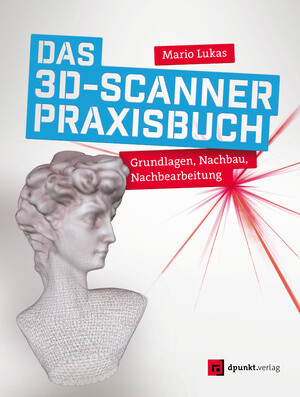
Das 3D-Scanner-Praxisbuch
3D-Scannen verständlich erklärt und zum Eigen-Nachbau.Mario Lukas beleuchtet in seinem Buch »Das 3D-Scanner-Praxisbuch« das gesamte Wissens- und Erfahrungsspektrum zum Thema »3D-Scanner«. Er beschreibt dabei alle wichtigen Aspekte und Schritte: Aufbau und Einrichtung der Scanner, die richtige Vorbereitung der Vorlagen, den Scan, die Aufbereitung von Punktwolke und Gittermodell und schließlich den 3D-Ausdruck.Lernen Sie dabei vier verschiedene Arten von Scannern kennen:Laserscanner (FabScanPi)Fotogrammetrie-Scanner (OpenScan-Pi-3D-Scanner)Tiefensensoren-basierte ScannerPersonenscans (Kinect) und Streifenlicht-ScannerIm Praxisteil des Buches beschreibt der Autor ausführlich in Schritt-für-Schritt-Anleitungen den Bau eines Laser-Scanners aus einem Raspberry Pi und einer Raspberry-Pi-Camera sowie den Bau eines Scanners für große Objekte und Personen mit einer Kinect-Videospielkonsole.Die Software-Bearbeitungskette im Post-Scanning-Prozess zur Erzielung hochwertiger Scan-Ergebnisse machen das Buch zu einem Standardwerk des 3D-Scannings. Beispiele aus dem Praxiseinsatz in der Maker-Werkstatt und drei vollständige Beispielprojekte bieten Ihnen viel Inspiration für Ihre eigenen Projekte. Lukas gelingt es mit diesem Buch, die spannende Entwicklung im 3D-Scanning-Bereich umfassend darzustellen und für die Maker-Welt zu öffnen.Über den Autor:Mario Lukas hat Informatik an der RWTH Aachen studiert und arbeitet als Software-Entwickler. Er publizierte Artikel zu seiner Maker-Tätigkeit in diversen Fachmagazinen und ist Co-Autor der bei dpunkt erschienenen Bücher „Licht und Spaß“ und „Das Calliope-Buch“.Hauptsächlich beschäftigt er sich mit den Themen „3D-Scannen“ und „3D-Druck“. Mehrfach konnte er bei nationalen und internationalen Wettbewerben mit seinen Kreationen gute Platzierungen belegen. Mario betreut seit Jahren federführend das FabScanPi-3D-Scanner-Projekt. Er ist einer der Gründungsväter des Vereins Freie Maker e.V.

Hands-on Booting
Master the booting procedure of various operating systems with in-depth analysis of bootloaders and firmware. The primary focus is on the Linux booting procedure along with other popular operating systems such as Windows and Unix.Hands-on Booting begins by explaining what a bootloader is, starting with the Linux bootloader followed by bootloaders for Windows and Unix systems. Next, you’ll address the BIOS and UEFI firmware by installing multiple operating systems on one machine and booting them through the Linux bootloader. Further, you’ll see the kernel's role in the booting procedure of the operating system and the dependency between kernel, initramfs, and dracut. You’ll also cover systemd, examining its structure and how it mounts the user root filesystem. In the final section, the book explains troubleshooting methodologies such as debugging shells followed by live images and rescue mode.On completing this book, you will understand the booting process of major operating systems such as Linux, Windows, and Unix. You will also know how to fix the Linux booting issues through various boot modes.WHAT YOU WILL LEARN* Examine the BIOS and UEFI firmware * Understanding the Linux boot loader (GRUB)* Work with initramfs, dracut, and systemd* Fix can’t-boot issues on Linux WHO THIS BOOK IS FORLinux users, administrators, and developers.Yogesh has been with Red Hat for the past 10 years. He is presently working as a principal technical support engineer in the Linux kernel domain. He specializes in troubleshooting and tuning the performance issues of Linux enterprise servers. The Linux boot process is his forte and he regularly speaks at open source conferences and forums. He also conducts workshops on operating systems for engineering students.Chapter 1: IntroductionChapter Goal: Why should we learn booting? Why is it important?No of pages : 2Sub -Topics1. Why booting?2. What booting really is?3. What happens when you start your computer4. Supply goes to CPUChapter 2: Multi-BootChapter Goal: First stage of booting is firmware and boot loader. There are different firmware's and every OS vendor has their own boot loader. To make readers understand it better, in this chapter we will install different operating systems (windows, Linux, Unix etc.) on one machine and would boot them through Linux boot loader.No of pages: 75 pagesSub - Topics1. BIOS firmware2. Creating partition layout3. Installation sequence of different operating systems:a) Windows XPb) Solaris 2008c) PC-BSD 9.0d) Windows server 2k3e) Windows sevenf) Fedora 15g) Red Hat Enterprise Linux 74. Booting sequence of every operating system.5. Multi booting every operating system through Linux bootloader GRUB & through windows boot loaders (NTLDR / BCD)6. UEFI firmwarea. Why UEFI when we already have BIOS?b. Advantages of UEFI7. Creating GPT partition table8. Installation sequence of latest operating systems:a. Oracle Solaris 11b. Windows 10c. Fedora 31d. Red Hat Enterprise Linux 89. Booting sequence and flowchart of each and every OS.10. The 100 operating systems booting through one boot loader project.Chapter 3: GRUB BootloaderChapter Goal: This topic will cover the GRUB bootloader in much depth.No of pages : 40 pages.Sub - Topics:1.What is new in GRUB version 2? and why do we need it?2.GRUB 2’s structure on BIOS based system.3. GRUB 2’s structure on UEFI based system.4. Manual booting with GRUB 2.5. UEFI shell in detail.6. How to fix the corrupted GRUB.7. Some can’t boot scenarios (related to bootloader) and how to fix them.8. Secure Boot1. What is secure boot?2. Linux and secure boot?3. Shim bootloader of Ubuntu.4. How to add new keys to UEFI?5. How to sign kernel modules?Chapter 4: KernelChapter Goal: This chapter covers the kernel’s role in operating system’s booting sequence.No of pages: 15Sub - Topics:1. The kernel (vmlinuz) as an image file.2. Who and how vmlinuz file is extracted?3. Kernel will start the first process of Linux which is Systemd.Chapter 5: InitramfsChapter Goal: In order to understand the rest of booting sequence we need to understand the basics of initramfs, and why we need initramfs ?No of pages: 15Sub - Topics:1. Why Initramfs?2. Structure of Initramfs.3. How kernel extracts the initramfs in memory?4. How kernel mounts the initramfs as root?Chapter 6: DracutChapter Goal: Dracut is a tool which generates the initramfs. Initramfs is responsible for loading the appropriate modules which are necessary for successful booting.No of pages: Around 17Sub - Topics:1. How dracut makes initramfs image?2. How dracut choose modules to add in initramfs?3. How to customize the initramfs?4. Dracut command line options.5. How to blacklist or add modules in initramfs?Chapter 7: SystemdChapter Goal: The systemd process (first process of Linux) will be launched from initramfs. Once it launched its purpose is to mount the root filesystem and switch to it.No of pages: 55Sub - Topics:1. Structure of systemd.2. How does systemd reduces boot time?3. Booting flow of systemd inside initramfs.4. Plymouth5. Switching to new root filesystem.Chapter 8: Debugging ShellsChapter Goal: Systemd provide various shells to debug the cant boot issues. This topic will cover the booting flow to reach to these shells as well as how to use these shells to fix the cant boot issues.No of pages: 35Sub - Topics:1. Various dracut shells inside initramfs.2. Emergency shell.3. The default Rescue mode.4. Flowchart of so far booting sequence.Chapter 9: Live ImagesChapter Goal: The chapter will cover how does Live images of Operating System boots.No of pages: 4Sub-Topics:1. Filesystem used inside Live images.2. How does the live images boot.Chapter 10: Rescue ModeChapter Goal: Rescue mode plays a vital role in fixing the cant boot issues.No of pages: 15.

Investigation of the Usefulness of the PowerWorld Simulator Program
The objective of this project is to investigate the usefulness of the power system simulator PowerWorld program developed by Glover, Overbye &Sarma. The results obtained from the power simulator program were presented for different case studies.I am Dr. Hidaia Mahmoud Mohamed Alassouli. I completed my PhD degree in Electrical Engineering from Czech Technical University by February 2003, and my M. Sc. degree in Electrical Engineering from Bahrain University by June 1995. I completed also one study year of most important courses in telecommunication and computer engineering courses in Islamic university in Gaza. So, I covered most important subjects in Electrical Engineering, Computer Engineering and Telecommunications Engineering during my study. My nationality is Palestinian from gaza strip.I obtained a lot of certified courses in MCSE, SPSS, Cisco (CCNA), A+, Linux.I worked as Electrical, Telecommunicating and Computer Engineer in a lot of institutions. I worked also as a computer networking administrator. I had considerable undergraduate teaching experience in several types of courses in many universities. I handled teaching the most important subjects in Electrical and Telecommunication and Computer Engineering. I could publish a lot of papers a top-tier journals and conference proceedings, besides I published a lot of books in Publishing and Distribution houses.I wrote a lot of important Arabic articles on online news websites. I also have my own magazine website that I publish on it all my articles: http:// www.anticorruption.000space.comMy personal website: www.hidaia-alassouli.000space.comEmail: hidaia_alassouli@hotmail.com

Konstruktion für die Additive Fertigung 2019
Dieses Buch thematisiert grundlegende Spezifikationen von Bauteilen und Prozessen, Methoden zur Abschätzung der Bauteileignung und Anwendung der Additiven Fertigung sowie zur Entwicklung von Konzepten und Entwürfen. Der Inhalt ist in vier Schwerpunktkapitel unterteilt: Zuerst wird auf die Integration additiver Fertigungsverfahren in bestehende Prozesse und Maßnahmen zur Steigerung der Wertschöpfung eingegangen. Nachfolgend sind Konstruktionen von Bauteilen, deren Gestaltung zur Sicherstellung funktionaler Anforderungen und Herstellbarkeit sowie Methoden zur Bauteiloptimierung dargestellt. Weiterhin werden Ansätze zur rechnergestützten Simulation sowie physischen Validierung von Bauteilen und deren Erprobung beschrieben. Daraus abgeleitet werden Maßnahmen zur Sicherstellung von Qualitätsaspekten charakterisiert. Die kapitelübergreifenden Inhalte werden vor dem Hintergrund zum Aufbau neuer Geschäftsmodelle diskutiert und legen den aktuellen Stand der Forschung im Bereich der Additiven Fertigung dar. Dieser Konferenzband baut auf den Inhalten des Vorjahresbandes "Konstruktion für die Additive Fertigung 2018" auf.

Introducing Disaster Recovery with Microsoft Azure
Explore and learn the key building blocks of Microsoft Azure services and tools for implementing a disaster-recovery solution of any on-premises or cloud-based application. In this book, you will go through various aspects of planning, designing, and configuring a robust recovery solution on Azure.Introducing Disaster Recovery with Microsoft Azure starts by explaining the disaster-recovery landscape and how Azure disaster recovery is different from the traditional approach. You will learn how to leverage Azure site recovery and various Azure-based services to design and implement a recovery solution and much more. Moving forward, you will design and implement various scenarios such as on-premises to Azure, Azure to Azure, and on-premises to on-premises disaster recovery. You will also learn common considerations and technicalities of implementing recovery solutions for various multi-tier, monolithic, and modern micro-services enterprise applications. Finally, you will go through real-life examples, scenarios, and exercises.After reading this book, you will be able to design and implement disaster recovery on Azure in different scenarios. You will also look at a few real-world scenarios that will provide more practical insights.WHAT YOU WILL LEARN* Discover the fundamental building blocks of disaster recovery on Azure* Examine various application-specific considerations for disaster recovery* Leverage various PaaS capabilities to achieve maximum benefit* Design and implement a multi-regional Azure to Azure disaster recovery planWHO THIS BOOK IS FORConsultants, architects, and Azure administrators.BAPI CHAKRABORTY has over 14 years of IT experience in the field of on-premises and cloud infrastructure architecture, solution design, migration, deployment, and support practices. He has worked with customers and partners from various industries and understands their unique demands and requirements to achieve business goals. Bapi holds various industry and product certification including Microsoft, AWS, and IASA.YASHAJEET CHOWDHURY has over 17 years of IT experience in the field of On-premises and Cloud infrastructure architecture, solution design, migration, deployment, and support practices. He has deep technical hands-on experience on various Infrastructure services including Datacenter consolidation/migration, Virtualization, Cloud Computing & other Infrastructure offerings for various small and enterprise customers.Yash holds strong knowledge in Architecting, Designing, Implementation and many professional technical certifications including Microsoft and IBM.CHAPTER 1: DISASTER RECOVERY AND CLOUDCHAPTER GOAL: How cloud has changed the DR landscapeNO OF PAGES 20SUB -TOPICS1. How cloud has changed the DR landscape2. cost, security, storage, archival, maintenance, accessibility3. How traditional DR is different from new age DR4. Why Azure as a DR site5. options, storage, capabilities, pricing, integrated monitoring, tools, platform capability, competitive advantages6. benefits for existing customers, end to end orchestrationCHAPTER 2: INTRODUCING AZURE SITE RECOVERYCHAPTER GOAL: Understand Disaster recovery with Azure site recovery and Azure MigrateNO OF PAGES: 20SUB - TOPICS1. Supported scenarios including migration, supportability matrix,2. DR dependencies on Azure3. Storage, network, etc.4. Concepts of ASR for each scenarionetworking ER, Migration , tools, recovery plans, roles and RBAC, sites, config & process server etc.CHAPTER 3: DESIGNING AND IMPLEMENTING SIMPLE AZURE TO AZURE DR - SCENARIOCHAPTER GOAL: Understand Disaster recovery scenario for Azure to Azure scenarioNO OF PAGES : 20SUB - TOPICS:1. Questions to ask, decisions to make, data to collect, assess, Planning and designing the DR2. High level configurations3. Backup as a strategy4. Design and implement a multi regional A2A DR - scenario (5)5. High level configurations6. Common challenges and how to remediate themCHAPTER 4: ON-PREMISES TO AZURE DRCHAPTER GOAL: Understand Disaster recovery scenario for On-premises to Azure DR scenarioNO OF PAGES: 40SUB - TOPICS:1. Hyper-V (with SCVMM) to Azure2. Hyper-V (without SCVMM) to Azure3. Physical systems to Azure4. Azure Stack to Azure5. Planning6. Designing7. Configuring8. Common challenges and how to remediate themCHAPTER 5: ON-PREMISES TO ON-PREM USING ASRNO OF PAGES: 10CHAPTER GOAL: understand On-premises only scenario1. On-premises to On-prem using ASR2. Planning3. Designing4. Configuring5. Common challenges and how to remediate themCHAPTER 6: APP SPECIFIC DR SCENARIOSNO OF PAGES: 20CHAPTER GOAL: understand application specific DR scenario1. ADDS2. SQL3. Oracle4. RDS etc.CHAPTER 7: AUTOMATION AND MONITORINGNO OF PAGES: 10CHAPTER GOAL: understand automation and monitoring for Disaster recovery solution Common Automation and Monitoring scenarios for DR on AzureCHAPTER 8: SUMMARY, BEST PRACTICES AND EXERCISESNO OF PAGES: 10CHAPTER GOAL: Summary, Best Practices and Exercises for executing Azure Disaster Recovery1. Summary2. Best Practices3. Exercises

Technologies for Modern Digital Entrepreneurship
Emerging technologies offer a plethora of unprecedented opportunities for entrepreneurs in the digital space. Understanding this evolution is essential for web-based business models to succeed. The Web 3.0 economy is here, and this book has arrived to serve as your guide. Technologies for Modern Digital Entrepreneurship is an in-depth look at the new developments of the digital economic system. Cryptocurrencies, Central Bank Digital Currencies, and Stable Coins are explained through timely case studies, as well as innovations in crowdfunding, educational marketplaces, and scalability in blockchain-based transactions. Author Dr. Abeba N. Turi expertly navigates the industry transition from platform-based centralized Web 2.0 economy to the distributed network economy. Turi additionally explores trust and reputation as currency in the digital economy and allays common fears in digital entrepreneurship such as mistrust by investors and intellectual propertyloss. Avoid falling behind your competitors in the Wild West that is modern digital entrepreneurship. Whether you are a business leader, a technology enthusiast, or a researcher in the field, Technologies for Modern Digital Entrepreneurship gives you the advantage of insightful knowledge using real data and meaningful examples. Amid global regulatory changes and the ever-shifting methods of digital entrepreneurship, our modern era demands this book. What You Will Learn Discover new trends in the digital economic systemComprehend the crowd-based digital business modelsAnalyze the distributed information network economyUnderstand the workings of the currency system under the Web 3.0 economy, including Cryptocurrencies, Central Bank Digital Currencies, and Stable Coins Who This Book Is For Technology enthusiasts, tech and interdisciplinary students, digital business leaders, and researchers in the field

Die Methode Building Information Modeling
Arnim J. Spengler und Jacqueline Peter bieten einen Schnelleinstieg in die BIM-Methodik. Zunächst geben sie einen grundsätzlichen Einblick, zeigen die Bedeutung von BIM auf und klären die wichtigsten Begrifflichkeiten des Themenfeldes. Danach wird die Methodik aus den unterschiedlichen Sichtweisen aller Akteure im Bauwesen entlang des Lebenszyklus eines Bauwerks beleuchtet sowie die wichtigsten Normen, Richtlinien und Vereinigungen vorgestellt und untereinander in Bezug gesetzt. Eine SWOT-Analyse zeigt kurz und prägnant Stärken, Schwächen, Risiken und Chancen von BIM. Im Anschluss gewähren die Autoren einen schnellen Einblick in die Forschung und geben einen kurzen Ausblick über neue Technologien wie Blockchain, Künstliche Intelligenz, Robotik und IoT in Verbindung mit der BIM-Methodik. Die Autoren: Arnim J. Spengler, M.Sc., forscht an der Universität Duisburg-Essen im Bereich Robotik und digitales Bauen, ist Teil der Projektgruppe „BIM-Competence-Center“ des MHKBG NRW, Mitgründer des BIM-Clusters NRW und des Construction-Tech Startups BuildersMind GmbH. Jacqueline Peter, M.Sc., lehrt und forscht am Institut für Digitalisierung im Bauwesen an der Universität Duisburg-Essen und ist stellvertretendes Koordinierungsmitglied im BIM-Cluster NRW.

SAS Stored Processes
Customize the SAS Stored Process web application to create amazing tools for end users. This book shows you how to use stored processes—SAS programs stored on a server and executed as required by requesting applications.Never before have there been so many ways to turn data into information and build applications with SAS. This book teaches you how to use the web technologies that you frequently see used on impressive websites. By using SAS STORED PROCESSES, you will be able to build applications that exploit CSS, JavaScript, and HTML libraries and enable you to build powerful and impressive web applications using SAS as the backend.While this approach is not common with SAS users, some have had amazing results. People who have SAS skills usually do not have web development skills, and those with web development skills usually do not have SAS skills. Some people have both skills but are unaware of how to connect them with the SAS Stored Process web application. This book shows you how to leverage your skills for success.WHAT YOU WILL LEARN* Know the benefits of stored processes* Write your own tools in SAS* Make a stored process generate its own HTML menu* Pass data between stored processes* Use stored processes to generate pure JavaScript* Utilize data generated by SAS* Convert a SAS program into a stored processWHO THIS BOOK IS FORSAS programmers looking to improve their existing programming skills to develop web applications, and programming managers who want to make better use of the SAS software they already licensePHILIP MASON is a SAS expert with 34 years of experience. He shares his expertise with others in many industries. Over the last few years he has been working on building web applications using SAS and other technologies. For most of the last decade Phil has enjoyed working around SAS architecture, and has been mentoring and training people in SAS. He has worked with big data, business intelligence, analytics, and tuning and building web applications using SAS Stored Processes, HTML, and JavaScript. He is the author of several books on SAS.

Robust Methods for Dense Monocular Non-Rigid 3D Reconstruction and Alignment of Point Clouds
Vladislav Golyanik proposes several new methods for dense non-rigid structure from motion (NRSfM) as well as alignment of point clouds. The introduced methods improve the state of the art in various aspects, i.e. in the ability to handle inaccurate point tracks and 3D data with contaminations. NRSfM with shape priors obtained on-the-fly from several unoccluded frames of the sequence and the new gravitational class of methods for point set alignment represent the primary contributions of this book.ABOUT THE AUTHOR:VLADISLAV GOLYANIK is currently a postdoctoral researcher at the Max Planck Institute for Informatics in Saarbrücken, Germany. The current focus of his research lies on 3D reconstruction and analysis of general deformable scenes, 3D reconstruction of human body and matching problems on point sets and graphs. He is interested in machine learning (both supervised and unsupervised), physics-based methods as well as new hardware and sensors for computer vision and graphics (e.g., quantum computers and event cameras).VLADISLAV GOLYANIK is currently a postdoctoral researcher at the Max Planck Institute for Informatics in Saarbrücken, Germany. The current focus of his research lies on 3D reconstruction and analysis of general deformable scenes, 3D reconstruction of human body and matching problems on point sets and graphs. He is interested in machine learning (both supervised and unsupervised), physics-based methods as well as new hardware and sensors for computer vision and graphics (e.g., quantum computers and event cameras).Scalable Dense Non-rigid Structure from Motion.- Shape Priors in Dense Non-rigid Structure from Motion.- Probabilistic Point Set Registration with Prior Correspondences.- Point Set Registration Relying on Principles of Particle Dynamics.

Mastering 3D Printing
Get the most out of your printer, including how to design models, choose materials, work with different printers, and integrate 3D printing with traditional prototyping to make techniques like sand casting more efficient.This book is for new 3D printer owners, makers of all kinds, entrepreneurs, technology educators, and anyone curious about what you can do with a 3D printer.In this revised and expanded new edition of Mastering 3D Printing, which has been a trusted resource through five years of evolution in the 3D printing industry, you’ll gain a comprehensive understanding of 3D printing. This book presumes no foreknowledge and describes what you need to know about how printers work, how to decide which type of printer (filament, resin, or powder) makes the most sense for you, and then how to go forward in the case of filament and resin printers.This new edition now includes material about consumer resin printing, the evolution of lower-cost metal printing, and the plethora of both materials and applications.WHAT YOU’LL LEARN* Choose among the different 3D printing technologies* Create or find 3D models to print* Make both easy and challenging prints come out as you imagined* Assess whether your business, factory, home or classroom will benefit from 3D printing* Work with applications that are good candidates for first projects in home and industrial applicationsWHO THIS BOOK IS FORPeople who are encountering 3D printing for the first time, or for those who want to level up their skills. It is designed for the nontechnical adult and minimizes jargon. However more sophisticated users will still find tips and insights of value.As an engineer and management consultant, JOAN HORVATH has coordinated first-of-a-kind interdisciplinary technical and business projects, helping people with no common vocabulary (startups, universities, small towns, etc). work together. Her experience as a systems engineer has spanned software development, spacecraft flight operations, risk management, and spacecraft/ground system test and contingency planning.As an educator, Joan’s passion is bringing science and technology to the non-specialist in a comprehensible and entertaining way that will stay with the learner for a lifetime. As an educator, Joan’s passion is bringing science and technology to the non-specialist in a comprehensible and entertaining way that will stay with the learner for a lifetime.RICH CAMERON is a cofounder of Pasadena-based Nonscriptum LLC. Nonscriptum consults for educational and scientific users in the areas of 3D printing and maker technologies. Rich (known online as "Whosawhatsis") is an experienced open source developer who has been a key member of the RepRap 3D-printer development community for many years. His designs include the original spring/lever extruder mechanism used on many 3D printers, the RepRap Wallace, and the Deezmaker Bukito portable 3D printer. By building and modifying several of the early open source 3D printers to wrestle unprecedented performance out of them, he has become an expert at maximizing the print quality of filament-based printers. When he's not busy making every aspect of his own 3D printers better, from slicing software to firmware and hardware, he likes to share that knowledge and experience online so that he can help make everyone else’s printers better too.MASTERING 3D PRINTINGPart I: 3D Printer Hardware and SoftwareChapter 1: Why Use a 3D Printer?Chapter 2: 3D Printers and Printable MaterialsChapter 3: 3D Printer Workflow and SoftwareChapter 4: Selecting a Printer: Comparing TechnologiesChapter 5: Operating and Troubleshooting Your 3D PrinterChapter 6. Surface Finishing and Filament PrintsPart II: Designing for 3D PrintingChapter 7: 3D ModelsChapter 8: Design Rules for 3D PrintingChapter 9: Special GeometriesPart III: ApplicationsChapter 10: Manufacturing Plastic PartsChapter 11: Metal 3D Printing and CastingChapter 12: Prototyping and 3D VisualizationChapter 13: Printers in the classroomChapter 14: The Future: Research AreasAppendix & Links

Excel Spezial - Daten abrufen, aufbereiten & mit Pivot-Tabellen auswerten
Die praktische Anleitung für den Umgang mit großen Datenmengen:- Stets aktuelle Auswertungen umfangreicher externer Daten- Anschauliche Anleitungen mit Beispielen zum DownloadSie benötigen laufend aktuelle Daten aus externen Quellen? Mit Excel können Sie regelmäßig wiederkehrende Auswertungen umfangreicher Daten schnell und einfach vornehmen. Wie das geht, erfahren Sie Schritt für Schritt in diesem Buch.Die Autorin erklärt systematisch, wie Sie eine Verbindung zu externen Datenquellen herstellen, diese gezielt für Ihre weiteren Auswertungen aufbereiten und später mit nur einem Mausklick aktualisieren. Für daran anschließende zusammenfassende Auswertungen sind Pivot-Tabellen das ideale Werkzeug – ihre zahlreichen Möglichkeiten werden ausführlich beschrieben. Als sinnvolle Ergänzung dazu lernen Sie Berechnungen und Datenmodelle mit Power Pivot kennen. Profitieren Sie von gut nachvollziehbaren Anleitungen, anschaulichen Beispielen zum kostenlosen Download und vielen hilfreichen Tipps, z. B. wie Sie den Speicherumfang von Arbeitsmappen reduzieren.Aus dem Inhalt:- Was Sie beim Anlegen von Excel-Tabellen als Ausgangsbasis beachten sollten- Daten aus verschiedenen externen Quellen abrufen, z. B. SQL, Textdateien, XML oder aus dem Web- Länderspezifische Zahlen konvertieren, weitere Spalten berechnen, Daten gruppieren- Daten mit Power Query abrufen und aufbereiten- Grundlegende Arbeitstechniken im Power Query-Editor- Daten aus zwei und mehr Tabellen zusammenführen- Pivot-Tabellen und Pivot-Diagramme erstellen und Felder anordnen- Berichtslayout, Teil- und Gesamtergebnisse darstellen- Spalten und Measures mit Power Pivot berechnen- Grundlagen der Datenmodellierung

Beginning PBR Texturing
Delve into the concepts of physically based rendering (PBR) using Allegorithmic’s Substance Painter. This book covers the integration of PBR textures with various 3D modeling and rendering packages as well as with the Unreal Engine 4 game engine.BEGINNING PBR TEXTURING covers all aspects of the software and guides you in implementing its incredible possibilities, including using materials, masks, and baking. Integration with both internal and popular external rendering engines is covered.This book teaches you the skills you need to use the texturing tool that is recognized by studios worldwide. You will know tips and tricks to implement the pipeline and speed up your workflow.WHAT YOU WILL LEARN* Know the fundamentals of PBR-based texturing from the ground up* Create production-ready textured models from scratch* Integrate PBR textures with standard 3D modeling and rendering applications* Create portfolio-ready renders using offline renderersWHO THIS BOOK IS FORBeginners in the fields of 3D animation, computer graphics, and game technologyDR. ABHISHEK KUMAR is Assistant Professor in the Department of Computer Science at the Institute of Science at Banaras Hindu University. He is an Apple Certified Associate, Adobe Education Trainer, and certified by Autodesk. He is actively involved in course development in animation and design engineering courses for various institutions and universities as they will be a future industry requirement.Dr. Kumar has published a number of research papers and covered a wide range of topics in various digital scientific areas (image analysis, visual identity, graphics, digital photography, motion graphics, 3D animation, visual effects, editing, composition). He holds two patents in the field of design and IoT and has created two inventions related to a pipeline inspection robot to help visually impaired people.Dr. Kumar has completed professional studies related to animation, computer graphics, virtual reality, stereoscopy, filmmaking, visual effects, and photography from Norwich University of Arts, University of Edinburg, and Wizcraft MIME & FXPHD, Australia. He is passionate about the media and entertainment industry, and has directed two animation short films.Dr. Kumar has trained more than 50,000 students across the globe from 153 countries (top five: India, Germany, United States, Spain, Australia). His alumni have worked for national and international movies such as Ra-One, Krissh, Dhoom, Life of Pi, the Avengers series, the Iron Man series, GI Joe 3D, 300, Alvin and the Chipmunks, Prince of Persia, Titanic 3D, the Transformers series, Bahubali 1 & 2, London Has Fallen, Warcraft, Aquaman 3D, Alita, and more.CHAPTER 1: INTRODUCTIONChapter Goal: This chapter introduces the reader to the layout of the book and how to best use the book in a practical way to develop their skills.Sub-Topics• What is our goal• A career as game developer• How to best use this bookCHAPTER 2: GRAPHICS IN THE GAME INDUSTRYChapter Goal: In this chapter, the readers will take a peek into the working of the video game industry. Also, software used in the Production pipeline are discussed.Sub-Topics• Concept of computer graphics• Visualization basics• What is PBR?• Game render engines or game enginesCHAPTER 3: WORKFLOW OF TEXTURINGChapter Goal: This chapter discusses the general workflows of preparing a model for texturing. The concept and importance of UV unwrapping are also considered as well as common problems that usually arise during work and how to handle them.Sub-Topics• Game texturing pipeline• What is UV mapping?• What are the different types of texture maps?CHAPTER 4: TEXTURING GAMES VS TEXTURING MOVIESChapter Goal: Here the reader will learn more about the major differences as well as the similarities between texturing assets for movies and texturing assets for games.Sub-Topics• Texture map fundamental• What are the major differences?• Common pipelines and similaritiesCHAPTER 5: PBR TEXTURING VS TRADITIONAL TEXTURINGChapter Goal: In this chapter, we discuss the various traditional and modern texturing methods and their pros and cons. This will help readers decide which method is best suited for them.Sub-Topics• Texturing using 2D painting applications• Texturing using 3D texture painting applications• PBR texturing examples• PBR vs traditional texturingCHAPTER 6: SUBSTANCE SUITEChapter Goal: The readers are introduced to the four softwares that come with the Substance Suite and the different functions of each of them and where they are used in the industry.Sub-Topics• What is Substance Painter?• Why should we use substances?• Uses of other Substance Suite applicationsCHAPTER 7: HARDWARE SPECIFICATIONChapter Goal: The recommended hardware configurations required to run Substance Painter properly are discussed.Sub-Topics• GPU vs CPU• Recommended hardwareCHAPTER 8: GRAPHICAL USER INTERFACEChapter Goal: All the essential shortcuts and the GUI for Substance Painter are listed in this chapter.Sub-Topics• Main menu• Sliders• Toolbars• Properties• Texture Set• Layer Stack• History• Shelf• Display SettingsCHAPTER 9: VIEWPORT NAVIGATIONChapter Goal: The readers are introduced to the Viewport and all the tools and shelves of Substance Painter.Sub-Topics• Common shortcuts• A detailed guide to commonly used toolsCHAPTER 10: PROJECT SETUPChapter Goal: How to setup a project in Substance Painter and what are the correct settings for the same? We will discuss all that in this chapter.Sub-Topics• Choosing a substance workflow• Import into Substance Painter• Project configuration in detailCHAPTER 11: BAKING AND IMPORTANCE OF MAPSChapter Goal: In this chapter, the readers will learn about the importance of baking maps and their uses.Sub-Topics• Introduction to the Baker• Baking parameters in Substance Painter• Uses of different maps created by BakerCHAPTER 12: WORKING WITH MATERIALS, LAYERS, AND MASKSChapter Goal: This chapter introduces the students to the materials and the robust layer-based workflow that allows the creation of complex materials using masks.Sub-Topics• Introduction to Materials and Smart Materials• Building up your material• Layers and MasksCHAPTER 13: WORKING WITH PROCEDURAL MAPSChapter Goal: Here, we discuss how to texture procedurally using various maps and filters and more advanced uses of masks.Sub-Topics• Detailed introduction of filters• Comprehensive introduction of generators• Uses of grunge and other procedural texturesCHAPTER 14: SUBSTANCE ANCHORSChapter Goal: The students will now learn about the anchor system of Substance Painter and how powerful they are.Sub-Topics• What is an anchor?• Anchor point as a reference• How to effectively use anchorCHAPTER 15: RENDERING WITH I-RAYChapter Goal: The internal of render engine of Substance Painter, the Nvidia I-Ray is discussed in this chapter and how to render an asset using it.Sub-Topics• What is I-Ray?• I-Ray Render settings• Exporting Painter filesCHAPTER 16: INTEGRATION WITH MARMOSET, MAYA, AND BLENDERChapter Goal: Here, we discuss the procedure for export of the created material from Substance Painter to other popular render engines.Sub-Topics• Exporting for Marmoset, Maya, and Blender• Importing into Marmoset, Maya, and Blender• Material setup in Marmoset, Maya, and BlenderCHAPTER 17: RENDERING A PORTFOLIOChapter Goal: Finally, we discuss the process of importing maps in the render engine of your choice and rendering a portfolio ready image. In our case, we will use Blender and Marmoset tool bag.Sub-Topics• Material setup in Blender• Rendering with Blender• Rendering with Marmoset tool bagCHAPTER 18: INTEGRATION WITH GAME ENGINE (UE4)Chapter Goal: In this chapter, readers will learn about the process of exporting materials for game engine (Unreal Engine 4 in our case) as well as setting up the material inside the game engine for use.Sub-Topics• Exporting to Unreal Engine 4• Importing into Unreal Engine 4• Material setupCHAPTER 19: TIPS AND TRICKS OF SUBSTANCE PAINTERChapter Goal: In this final chapter, we will discuss some tips and tricks that will help speed up your work-flow or help you in creating something interesting.Sub-Topics• Some general tips• Integration of substance painter with Designer• Some tricks with tools• Substance painter use in media and entertainment industry

Robotic Process Automation
Sie planen Robotic Process Automation (RPA) im Unternehmen einzuführen und ihre administrativen Prozesse ins digitale Zeitalter zu überführen? Dieser pragmatische Ratgeber, bietet Ihnen praxisgerecht, komprimiert und auf den Punkt zusammengefasst Erfahrungen aus deutschen Unternehmen. Neben der Erläuterung der Vorteile und notwendigen Schritte zur Einführung der innovativen RPA Technologie, werden mögliche Anwendungsfelder näher beleuchtet.Worauf muss man bei der Implementierung und dem Betrieb achten, welche Stolpersteine gilt es zu umgehen, wie setze ich den ersten Software-Robot um und was ist notwendig für einen flächendeckenden, störungsfreien Einsatz? Wie bringt man die eigene Mitarbeiterbelegschaft und die Gremien hinter sein Vorhaben? Welchen Compliance- und Sicherheitsanforderungen muss RPA genügen? All diese Fragestellung werden in diesem Buch mit Beispielen, Checklisten und Illustrationen praxisnah beantwortet.CHRISTINA KOCH hat in ihrer Rolle als Projektleiterin bei einem DAX-Konzern in über 10 Jahren vielzählige Großprojekte eigenverantwortlich geleitet und erfolgreich umgesetzt – zuletzt die konzernweite Einführung von RPA. Hierbei profitierte sievom Austausch mit RPA-Experten diverser deutschen Industriegrößen und greift somit auf einen breiten Erfahrungsschatz aus erster Hand zurück. Christina Koch als die Autorin dieses Buches hat, basierend auf ihrer mehrjährigen praktischen RPA-Erfahrung in der deutschen Industrie, den Text und die Grafiken erarbeitet.DR. STEPHEN FEDTKE ist CTO des auf IT-Sicherheit und -Compliance spezialisierten Lösungsanbieters Enterprise-IT-security.com. Er hat das Manuskript unter Einsatz seiner fundierten IT-Expertise qualitätsgesichert.Roboter gehören in die Fertigungshallen, nicht ins Büro! Oder doch nicht?.- Der Leuchtturm-Robot – welche Schritte sind notwendig zur Einführung des ersten Robots?.- Der Rollout – wie führe ich RPA flächendeckend im Unternehmen ein?.- Wo kann die Reise hingehen und wann werden die Zukunftsvisionen im Bereich Business Process Automation real?.

Slack For Dummies
YOU GET SO MUCH MORE DONE WHEN YOU SLACK!Ever wondered what it would be like to be less overwhelmed, more efficient, and much more engaged at work? A way you can make all that happen is, of course, to Slack. Actually, it's to use Slack, the business communications platform that's revolutionized how groups work together. This comprehensive guide shows how--as well as why--there are now millions of users of this flexible, fun, and intuitive workspace tool.Presented in a clear, easy-to-follow style, Slack For Dummies takes you from the basics of getting started with the service all the way through how to get your teams Slacking together for all they're worth. You'll also find case studies showing how Slack increases productivity and how to replicate that in your organization, as well as tips on getting buy-in from the boss.* Introduce Slack to your workflo* wUnderstand roles and feature* sAnalyze user dat* aKeep your Slacking secureSo, take a peek inside and discover how you can cut the slack using Slack--and clue your teams in on how there is actually a way to Slack off for improved results!PHIL SIMON is the award-winning author of nine books, including Message Not Received: Why Business Communication is Broken and How to Fix It. He is a recognized technology authority, Slack trainer, dynamic public speaker, college professor, and longtime Slack power user.

Microsoft Teams - Effizient im Team organisieren und arbeiten - komplett in Farbe
Microsoft Teams – Effizient im Team organisieren und arbeitenLängst sind die Mitglieder einer Firma oftmals über die ganze Welt verteilt. Mit Microsoft Teams ist es möglich, dass jede Person innerhalb einer Gruppe über die Cloud auf die gleichen Daten zugreifen und diese auch bearbeiten kann. So ist es innerhalb von Office 365 möglich, Projekte genau auf die individuellen Erfordernisse und mit den benötigten Office-Anwendungen abzustimmen. Der bekannte Autor Philip Kiefer zeigt auf, welche Möglichkeiten MS Teams anbietet und wie man diese am besten nutzen kann. Anhand vieler Praxisbeispiele gelingt die Gruppenarbeit in Ihrem Team schnell und einfach.Aus dem Inhalt:- Welche Daten werden von Microsoft erfasst?- Microsoft Teams im Office-365-Abo- Meetings, Chats und Notizen in der Cloud- Bearbeitung von Dateien – alle gleichzeitig- MS Teams als Gastbenutzer verwenden- Grundlagen und Anwendungsbeispiele- Infos eingeben, aufzeichnen, aus anderen Programmen übertragen- Suchen, finden und organisieren- Teilen und Teamwork per LAN oder Internet- Sicherheit und Privatsphäre- Microsoft Teams auf Tablet-PCs und Smartphones- und vieles mehr

Subjektive Wahrnehmung und Bewertung fahrbahninduzierter Gier- und Wankbewegungen im virtuellen Fahrversuch
Der Fahrsimulator stellt ein entscheidendes Entwicklungswerkzeug dar, um in frühen Phasen des Entwicklungsprozesses Kenntnisse über das System- und das Fahrzeugverhalten zu gewinnen. Mithilfe der Subjektivbewertung im virtuellen Fahrversuch testet Minh-Tri Nguyen einzelne Systeme und bewertet sie auf Gesamtfahrzeugebene. Der Autor realisiert Versuche der menschlichen Wahrnehmung im Fahrsimulator. Darauf aufbauend erarbeitet er eine Herangehensweise zur Verbesserung des Fahrkomforts. Konkret handelt es sich hierbei um die gekoppelte Gier- und Wankbewegung des Fahrzeugs, die bei höheren Geschwindigkeiten durch Straßenunebenheiten hervorgerufen wird. Der Autor: Minh-Tri Nguyen arbeitet derzeit als Systemingenieur im Bereich des autonomen Fahrens bei einem deutschen Automobilzulieferer. Er hat am Institut für Verbrennungsmotoren und Kraftfahrwesen (IVK) der Universität Stuttgart promoviert. Stand der Technik.- Modellierung und Implementierung des virtuellen Fahrversuchs.- Untersuchung der gekoppelten Gier- und Wankbewegung.

Affinity Publisher 1.8 (2. Auflg.)
Praxiswissen für Einsteiger in 2. AuflageDie Layout- und Desktop-Publishing-Software Affinity Publisher besticht durch einen professionellen Funktionsumfang - und dies ohne Abo- und Cloud-Zwang zu einem günstigen Preis. Trotzdem erhalten Sie ein sehr leistungsfähiges Werkzeug, mit dem Sie hochwertige Publikationen für Druck, Web und andere Medien erstellen können. Der Schwerpunkt des Buches liegt auf der Gestaltung von Druckpublikationen, wie sie bei vielen kleinen und mittleren Unternehmen, Vereinen, Behörden oder auch Privatleuten, die ihre Werke professionell gestalten möchten, anfallen.Winfried Seimert gibt Ihnen zunächst eine Übersicht über das Programm und seine Arbeitsweise, so dass Sie sich schnell zurechtfinden. Neben dem Erstellen von und dem Umgang mit Satzdateien erfahren Sie, was es mit den Master-Seiten auf sich hat. Der Autor zeigt Ihnen außerdem, wie genial StudioLink die beiden Schwesterprogramme Affinity Photo und Affinity Designer in den Workflow einbindet. Schritt für Schritt lernen Sie, mit Typografie und Grundlinienrastern umzugehen, komplexe Layouts für Flyer oder Zeitschriften anzulegen, Grafikelemente einzusetzen und die Farben gezielt zu steuern. Schließlich können Sie Ihre Layout-Entwürfe als PDF ausgeben, diese optimal für den Druck vorbereiten und dabei die notwendigen Einstellungen beachten.Abgerundet wird das Buch durch einen Praxisteil, in dem Sie das Erlernte gleich umsetzen und so Layouts für Visitenkarten, eindrucksvolle Fotobücher, Flyer und Broschüren erhalten.Aus dem Inhalt:Erste Schritte mit dem PublisherArbeit mit SatzdateienTexterfassung: Rahmentext, Grafiktext, Pfadtext und TabellenTexte mit Publisher gestalten und Objekte selbst erstellen und arrangierenBilder und Grafiken platzierenHilfreiche Techniken und Einstellungen z. B. zu Farbprofilen, Werkzeugen und AssetsAnsprechende Gestaltung von Visitenkarten, Fotobüchern, Flyern und BroschürenÜber den Autor:Winfried Seimert ist IT-Dozent, Consultant und Autor zahlreicher Fachbücher insbesondere zu den Themen Software und Betriebssysteme. Dabei hat er immer den Komfort des Anwenders im Blick und erklärt entsprechend praxisnah. So erfreuen sich seine Bücher aufgrund ihrer durchdachten Strukturierung bereits seit Mitte der neunziger Jahre großer Beliebtheit.

Microsoft Teams - Die Anleitung für Einsteiger im Homeoffice
Aktualisierte Auflage September 2020!- Effizient und entspannt von zu Hause arbeiten- Schritt für Schritt erklärt - mit Tipps und HilfenMicrosoft Teams ist das optimale Onlinetool, um mit Ihren Kolleginnen und Kollegen vom Homeoffice aus zusammen zu arbeiten. Dieses Buch zeigt, welche Möglichkeiten Ihnen das Programm bietet, wie Sie Teams und Kanäle richtig nutzen und wie Sie Informationen über Aktivitäten erhalten. Schritt für Schritt erfahren Sie, wie Sie gemeinsam an Dateien arbeiten, Besprechungen planen, chatten und per Video telefonieren. Sorgen Sie dafür, dass Sie während eines Meetings nicht gestört werden, erstellen Sie eine Kontaktliste für Anrufe und finden Sie gesendete Dateien wieder. Mit dieser Anleitung lernen Sie, wie Sie sich mit MS Teams organisieren, um zu Hause produktiv und stressfrei arbeiten zu können.Aus dem Inhalt:- Mit Kollegen und Arbeitsgruppen chatten- Dateien freigeben und gemeinsam bearbeiten- Persönliche Einstellungen verwalten- Teams und Kanäle erstellen und Teammitglieder hinzufügen- Während eines Videoanrufs den Bildschirm freigeben- Gastbenutzer einladen- Besprechungen planen - Nachrichten und Kontakte suchen und organisieren- Microsoft Teams auf dem Smartphone nutzen- Übersicht der Tastenkombinationen

eLearning und Mobile Learning - Konzept und Drehbuch
In dem Praxishandbuch beschreibt die Autorin, wie ein Drehbuch nach lernpsychologischen und didaktischen Kriterien erstellt werden kann. Sie stellt Werkzeuge für das Konzipieren und Schreiben vor und evaluiert sie. Das Buch und die begleitende Website bieten zahlreiche Hilfsmittel: u. a. eine Checkliste zur Prüfung des fertigen Drehbuchs und eine Qualitätssicherungsmaßnahme, die Zeit und Kosten spart. Die Neuauflage wurde durchgehend aktualisiert. Für Projektleiter in Multimediaagenturen, Fachleute in Unternehmen sowie (zukünftige) Drehbuchautoren.DANIELA MODLINGER M.A. ist seit 1990 in der Verlags- und Multimedia-Branche tätig. Seit dem Jahr 2000 arbeitet sie als Medienautorin und Beraterin für eLearning-Anwendungen im institutionellen und betrieblichen Bildungswesen und bietet außerdem Inhouse-Schulungen zum Thema „Konzeption und Drehbuchschreiben für eLearning und Mobile Learning“ an. Ihre reiche Praxiserfahrung aus zahlreichen Projekten und ihrer weiterhin aktiven Unterrichtstätigkeit ist in dieses Buch eingeflossen.Wie kommt das Drehbuch vom Film zum eLearning - Wer bezieht Stellung bei der Produktion von eLearning - Briefing – welche Inhalte sollen ins Drehbuch? - Konzeption – wie kommt Struktur in die Inhalte? - Was macht ein gutes eLearning-Drehbuch aus? - Mobile Learning – Konzept und Drehbuch - Wie organisiere ich die Arbeit am Drehbuch? - Woran erkenne ich einen guten Medienautor? - Weiterführende Informationen - Checklisten - Glossar

Das ABC der Typografie
Das »ABC der Typografie« wird vielleicht Ihr neues Lieblingsbuch werden. Das Zeug dazu hat es jedenfalls, denn hier wird kein Thema ausgelassen: Zeichen, Wort, Zeile, Schriftklassifikation, Schriftgeschichte, Detailtypografie, Schriftwahl und Schriftwirkung, Typografie in Adobe InDesign und Typografie in der digitalen Welt! Alle Typografie-Konzepte und -Begriffe werden logisch gegliedert und auf den Punkt gebracht erklärt. Schaubilder, Illustrationen und Typo-Grafiken veranschaulichen die Regeln und Grundprinzipien. Da bleibt keine Frage offen! Das alles bietet Ihnen das ABC: Fachvokabular verständlich erklärtErleben Sie Typografie an GestaltungsbeispielenIntelligent im Doppelseitenprinzip gestaltetZu allen wichtigen Themen: Zeichen, Wort, Zeile, Schriftklassifikationen, Detailtypografie, Schriftwahl und SchriftwirkungSchriftgeschichteTypografie im großen Ganzen: Typo und Papier, Typo und Farbe, Typo und Bilder, Typo im LayoutSchrifttechnologieTypografie in der digitalen Welt: Webfonts, Grundlagen und Detailtypografie im WebSpecial: Vertiefende Fachbeiträge bekannter Typografen und Designer: Florian Adler, Lisa Fischbach, Merle Michaelis, Daniel Perraudin, Rüdiger Quass von Deyen, Frank Rausch, Nadine Roßa und Henning Skibbe Vorwort ... 07 1. Grundlagen der Schrift ... 9 Aufbau von Schriftzeichen ... 10 Schriftschnitte ... 12 Schriftfamilie und Schriftsippe ... 14 Schriftgrößen ... 16 Optische Größen ... 18 Serifen und serifenlos ... 20 Schriftformate und Lizenzen ... 22 Schriften installieren und verwalten ... 23 Zeichensätze ... 24 Unicode ... 28 Variable Fonts ... 30 Leserlichkeit & Lesbarkeit ... 32 Lesevorgang ... 34 Lesegewohnheiten im digitalen Zeitalter ... 36 Leseabstände ... 38 Grauwert ... 40 Florian Adler: Inklusives Kommunikationsdesign ... 44 Aktuelle Schriftklassifikation nach DIN 16518 ... 52 Schriftklassifikation nach Formprinzip ... 60 Lisa Fischbach: Musik für die Augen -- wie Schriften entstehen ... 66 Schriftwirkung ... 74 Anmutungsqualität von Klassifikationsgruppen ... 76 Schriftwahl ... 78 Henning Skibbe: Die Suche nach der guten Form ... 88 Schriftmischung ... 90 2. Layout und Satz ... 95 Allgemeine Infos zu InDesign ... 96 Absatz- und Zeichenformate ... 102 Adobe-Absatzsetzer und Ein-Zeilen-Setzer ... 106 Kerning optisch/metrisch ... 108 Ausrichtung ... 110 Formsatz ... 118 Durchschuss und Zeilenabstand ... 120 Zeilenlänge ... 124 Versal-, Kapitälchen- und Mediävalziffern ... 126 Negativsatz ... 128 Grundlinienraster und Registerhaltigkeit ... 130 Satzspiegel ... 134 Spalten und Spaltenabstand ... 138 Satzspiegelkonstruktion ... 140 Gestaltungsraster ... 144 Musterseiten ... 148 Paginierung ... 150 Überschriften/Hierarchien ... 152 Textvariablen ... 158 Absätze und Einzüge ... 160 Abstand davor/danach ... 162 Initial ... 164 Auszeichnungen und Hervorhebungen ... 166 Aufzählungen und Nummerierungen ... 168 Linien ... 170 Bildunterschriften ... 172 Inhaltsverzeichnis ... 174 Einschübe ... 176 Zitate ... 178 Fußnoten ... 180 Quellen ... 182 Index ... 184 3. Mikrotypografie ... 187 Typische Fehler ... 188 Anführungszeichen ... 190 Apostroph ... 192 Auslassungszeichen (Ellipse) ... 194 Gradangaben, Brüche, Malzeichen, Zollzeichen ... 196 Leerräume/Gevierte ... 198 Tabulatoren ... 202 Klammern ... 204 Striche ... 206 Gliederung von Zahlen ... 208 Ligaturen ... 212 Eszett (ß) ... 216 Nadine Roßa: Versal-Eszett ... 217 Versalsatz ... 218 Kapitälchen ... 220 Laufweite ... 222 Wortabstand ... 224 Versalausgleich ... 228 Trennregeln ... 230 Trennung in InDesign ... 232 Silbentrennung in InDesign ... 234 Hurenkinder und Schusterjungen ... 236 Optischer Randausgleich ... 238 OpenType-Features ... 240 Suchen/Ersetzen ... 242 GREP in InDesign ... 246 Skripte in InDesign ... 250 Fremdsprachensatz ... 251 Checkliste: Typografie und Reinzeichnung ... 254 4. Schrift im Kontext ... 257 Weißraum in der Gestaltung ... 258 Anordnung von Text und Bild ... 262 Rüdiger Quass von Deyen: Typografie im Editorial Design ... 266 Typografie als Gestaltungsmittel ... 270 Handgeschriebenes heute ... 274 Merle Michaelis: Kalligrafie und Brushlettering ... 278 Marken und Schrift ... 282 Daniel Perraudin: Die Rolle von Schrift im Branding ... 286 Papier ... 292 Papierformate ... 296 Geschäftsausstattung ... 300 Bücher einrichten ... 304 Farbe und technische Realisierung ... 306 Druckdatenerstellung ... 308 5. Digitale Typografie ... 313 Webdesign-Grundlagen ... 314 Grundlagen der digitalen Typografie ... 316 Responsive Webdesign ... 324 Webfonts ... 326 Detailtypografie im Web ... 330 Frank Rausch: Kein Zufall: Die gute Gestaltung des Einzelfalls ... 334 E-Books und Bücher im Web ... 338 Barrierefreies Webdesign ... 340 Kinetische Typografie ... 342 6. Schriftgeschichte ... 345 Schrift kommt von »Schreiben« ... 346 Römische Majuskelschriften ... 348 Erste Minuskelschriften ... 350 Gebrochene Schriften und erste Humanisten ... 352 Buchdrucker und Schreibmeister ... 354 Industrielle Revolution, Egyptienne und Grotesk ... 362 Jugendstil ... 366 1920er/30er: Bauhaus, Neue Sachlichkeit ... 368 1930er/40er: von Times bis Nationalsozialismus ... 374 1950er/60er: Schweizer Schule ... 376 1980er/90er und ab 2000 ... 380 Anhang ... 385 Abbildungsverzeichnis ... 386 Verwendete Schriften auf einen Blick ... 392 Literaturverzeichnis ... 393 Danksagung ... 395 Index ... 396

Grundkurs Typografie und Layout
Typografie verständlich erklärt: Wenn Sie für Studium oder Ausbildung einen ersten Zugang zum Thema Typografie und Layoutgestaltung suchen, dann sind Sie mit diesem Buch gut beraten. Alle Konzepte und Begriffe werden hier sowohl ausführlich erläutert als auch im Praxiszusammenhang einsortiert: Es wird gezeigt, wie Sie die passende Schrift finden, die richtigen Abstände wählen, überzeugende Seitenlayouts gestalten und mit Ihrer Gesamtkomposition die gewünschte Wirkung erzielen. Beispiele aus Print und Web und Hinweise zur Umsetzung guter Typografie mit Adobe InDesign vervollständigen das Buch. Aus dem Inhalt: Basiswissen SchriftGeschichte der SchriftWichtige SchriftkünstlerSchriftwahl und WirkungBuchstabe, Wort, ZeileSchnitte, Serifen, LigaturenGrößen und Abstände wählenAusrichtung, Einzug, UmbruchTypo in InDesign und QuarkXPressLayouts gestaltenPapierformat, RaumaufteilungDen Satzspiegel anlegenText und Bild kombinieren... und vieles mehr:Typografie im WebTypografie mobilSchreibregeln und TippsVorher-nachher-BeispieleSchrifttechnologien 1. Basiswissen Schrift ... 17 1.1 ... Schriftentwicklung ... 18 1.2 ... Schriftschnitt und Schriftfamilien ... 42 1.3 ... Schriftklassifikation ... 48 1.4 ... DIN 16518 von 1998 ... 60 1.5 ... Beinert-Matrix ... 61 1.6 ... Schriftkünstler ... 62 1.7 ... Typografisches Maßsystem ... 81 1.8 ... Ein zeitlicher Überblick ... 82 2. Das Zeichen ... 85 2.1 ... Der Buchstabe ... 86 2.2 ... Serifen ... 94 2.3 ... Ligaturen ... 98 2.4 ... Zahlen ... 100 2.5 ... Auszeichnungen ... 102 2.6 ... Lesegewohnheiten ... 104 2.7 ... Leere Räume ... 108 2.8 ... Der Wortabstand ... 109 2.9 ... Der Zeichenabstand ... 112 2.10 ... Anwendung in InDesign ... 120 2.11 ... Schreibregeln ... 124 2.12 ... Kurzbefehle Adobe InDesign ... 128 3. Wort und Zeile ... 131 3.1 ... Die Ausrichtung ... 132 3.2 ... Die Zeilenlänge ... 144 3.3 ... Der Zeilenabstand ... 147 3.4 ... Die Spalte ... 153 3.5 ... Umbruchfehler ... 156 3.6 ... Der Einzug ... 162 3.7 ... Das Initial ... 164 4. Anforderung und Wirkung ... 167 4.1 ... Leseart ... 168 4.2 ... Schriftwahl und Schriftwirkung ... 171 4.3 ... Schriftkombination ... 182 5. Die Seite ... 191 5.1 ... Raumaufteilung ... 192 5.2 ... Papierformat ... 196 5.3 ... Satzspiegel ... 200 5.4 ... Proportionswirkung ... 212 5.5 ... Registerhaltigkeit ... 217 5.6 ... Gestaltungsraster ... 221 5.7 ... Platzierung von Text und Bild ... 226 5.8 ... Schmückende Elemente ... 232 5.9 ... Regeln und Beispiele ... 235 6. Die Gesamtkomposition ... 241 6.1 ... Vorbereitung ... 242 6.2 ... Bildplatzierung ... 243 6.3 ... Text ... 245 6.4 ... Variationen und Wiedererkennung ... 252 6.5 ... Schmückende Elemente ... 254 6.6 ... Kleine Änderung, große Wirkung ... 259 6.7 ... Die schwarze Liste ... 266 7. Typografie im Web und mobil ... 271 7.1 ... Schrift im Internet ... 272 7.2 ... Schriftwahl und Schriftgröße ... 282 7.3 ... Zeilen ... 292 7.4 ... Kontrast und Farbe ... 297 7.5 ... Typografie mobil ... 300 7.6 ... Sonderzeichen ... 306 8. Schrifttechnologien ... 309 8.1 ... PostScript und TrueType ... 310 8.2 ... MultipleMaster ... 316 8.3 ... OpenType ... 318 8.4 ... Dfonts ... 323 Glossar ... 325 Bildnachweis ... 337 Index ... 339