

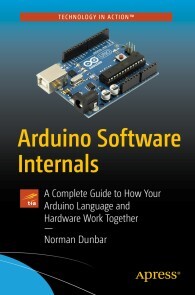

Arduino Software Internals
Regulärer Preis:
56,99 €
Sofort verfügbar
Arduino Software Internals, Apress
A Complete Guide to How Your Arduino Language and Hardware Work Together
Von Norman Dunbar, im heise Shop in digitaler Fassung erhältlich
Produktinformationen "Arduino Software Internals"
It’s not enough to just build your Arduino projects; it’s time to actually learn how things work! This book will take you through not only how to use the Arduino software and hardware, but more importantly show you how it all works and how the software relates to the hardware.
Arduino Software Internals takes a detailed dive into the Arduino environment. We’ll cover the Arduino language, hardware features, and how makers can finally ease themselves away from the hand holding of the Arduino environment and move towards coding in plain AVR C++ and talk to the microcontroller in its native language.
What You’ll Learn:
* How the Arduino Language interfaces with the hardware, as well as how it actually works in C++;
* How the compilation system works, and how kit can be altered to suit personal requirements;
* A small amount of AVR Assembly Language;
* Exactly how to set up and use the various hardware features of the AVR without needing to try and decode the data sheets – which are often bug ridden and unclear;
* Alternatives to the Arduino IDE which might give them a better workflow;
* How to build their own Arduino clone from scratch.
Who This Book Is For:
No expertise is required for this book! All you need is an interest in learning about what you’re making with Arduinos and how they work. This book is also useful for those looking to understand the AVR microcontroller used in the Arduino boards. In other words, all Makers are welcome! Norman Dunbar is an Oracle Database Administrator. Norman has had a long running relationship with Electronics since childhood and computers since the late 1970s, and the Arduino was a perfect marriage of the two interests. With a love of learning new things, examining and explaining the Arduino Language and the hardware became a bit of a hobby, and as piles of notes expanded, Norman has now decided to publish his work.
1. Introduction
1.1. Arduino Installation Paths
1.2. Coding Style
1.3. The Arduino Language
1.4. Coming Up
Part 1 - Arduino Compilation
2. Preferences.txt
2.1. Using an ICSP For All Uploads
2.2. Change the Action of Home and End Keys
2.3. Setting Tab Stops
3. Globally Defined Paths
4. Boards.Txt
4.1. Arduino Uno Example
5. Platform.txt
5.1. Build Recipes5.2. Pre and Post Build Hooks
6. Programmers.txt
7. Compiling a Sketch
7.1. Arduino Sketch (*.ino) Preprocessing
7.2. Arduino Sketch (*.ino) Build
8. The Arduino main() Function
9. Header File Arduino.h
9.1. Header File avr\pgmspace.h
9.2. Header File avr\io.h
9.3. Header File avr\interrupt.h
9.4. Header File binary.h
9.5. Header File WCharacter.h
9.6. Header File WString.h
9.7. Header File HardwareSerial.h
9.8. Header File USBAPI.h
9.9. Header File pins_arduino.h
10. The init() Function
10.1. Enabling the Global Interrupt Flag
10.2. Enabling Timer 0
10.3. Timer 0 Overflow Interrupt
10.4. Enabling Timer 1 and Timer 2
10.5. Initialising the Analogue to Digital Converter
10.6. Disabling the USART
Part 2 - Arduino Language Reference
11. Digital Input/Output
11.1. Function pinMode()
11.2. Function digitalRead()
11.3. Function digitalWrite()
12. Analogue Input/Output12.1. Function analogReference()
12.2. Function analogRead()
12.3. Function analogWrite()
13. Advanced Input/Output
13.1. Function tone()
13.2. Function noTone()
13.3. Function pulseIn()
13.4. Function pulseInLong()
13.5. Function shiftIn()
13.6. Function shiftOut()
14. Time
14.1. Function delay()
14.2. Function delayMicroseconds()
14.3. Function micros()
14.4. Function millis()
15. Interrupts
15.1. Function interrupts()
15.2. Function noInterrupts()
15.3. Function attachInterrupt()
15.4. Function detachInterrupt()
16. Bits and Bobs
16.1. Function bit()
16.2. Function bitClear()
16.3. Function bitRead()
16.4. Function bitSet()
16.5. Function bitWrite()
16.6. Function highByte()
16.7. Function lowByte()
16.8. Function sbi()
16.9. Function cbi()17. Arduino Classes
17.1. The Print Class
17.2. The Printable Class
17.3. The Stream Class
17.4. The HardwareSerial Class
17.5. The String Class
Part 3 - Converting to the AVR Language
18. Introduction
19. Numbering Systems.
19.1. Decimal Numbering
19.2. Binary Numbering
19.3. Hexadecimal Numbering
20. Binary Logical Operations
20.1. NOT
20.2. AND
20.3. OR
20.4. XOR
21. Using the Arduino IDE
21.1. Replacing pinMode()
21.2. Replacing digitalWrite()
21.3. Replacing digitalRead()
Part 4 - Alternatives to the Arduino IDE
22. PlatformIO22.1. Installing PlatformIO Core
22.2. Testing PlatformIO Core
22.3. PlatformIO in an IDE
22.4. PlatformIO Home
23. Arduino Command Line
23.1. Obtaining the Arduino-CLI
23.2. Installing
23.3. Installing Platforms
23.4. Configuring the CLI
23.5. Creating Sketches
23.6. Selecting a Board
23.7. Compiling Sketches
23.8. Uploading Sketches
23.9. Getting Help
23.10. Serial Usage23.11. Finally
Part 5 - About the ATMega328P
24. ATmega328P Fuses
24.1. Low Fuse Bits
24.2. Low Fuse Factory Default
24.3. Arduino Low Fuse Settings
24.4. High Fuse Bits
24.5. High Fuse Factory Default
24.6. Arduino High Fuse Settings
24.7. Extended Fuse Bits
24.8. Extended Fuse Factory Default
24.9. Arduino Extended Fuse Settings
25. Brown Out Detection
26. The Watchdog Timer
26.1. WDT Modes of Operation26.2. Amended Sketch setup() function
26.3. WDT Reset
26.4. The WDT Control Register
26.5. Enabling the WDT
26.6. Setting the WDT Timeout Period
26.7. Disabling the WDT
27. The Analogue Comparator
27.1. Reference Voltage
27.2. Sampled Voltage
27.3. Digital Input
27.4. Enable the Analogue Comparator
27.5. Select Reference Voltage Source
27.6. Select Sampled Voltage Source Pin
27.7. Sampled Voltage Summary
27.8. Comparator Outputs
27.9. Comparator Example
28. Timer/Counters
28.1. Timer/Counter 0 (8 bits)
28.2. Timer/Counter 1 (8, 9, 10 and/or 16 bits)
28.3. Timer/Counter 2 (8 bits)
28.4. Timer/Counter Clock Sources
28.5. Timer/Counter Operating Modes
28.6. PWM Modes - Duty Cycle
28.7. Too Much to Remember? Try AVRAssist
29. Counting
29.1. Setting External Counting
29.2. Example Sketch
30. Timer 1 Input Capture Unit
31. Putting the AVR to Sleep
31.1. Sleep Modes 239
31.2. Analogue Comparator 246
32. Power Reduction
32.1. Power Consumption
32.2. Power Reduction Register
32.3. Saving Arduino Power
32.4. The Power Functions
33. Analogue to Digital Converter (ADC)
33.1. ADC Setup and Initiation
33.2. Noise Reduction
33.3. Temperature Measurement
33.4. ADC Example
34. USART
34.1. Baud Rates
34.2. What is a Frame?
34.3. Parity
34.4. Interrupts
34.5. Initialising the USART
34.6. USART Checks
34.7. USART Example
Appendices
Arduino Software Internals takes a detailed dive into the Arduino environment. We’ll cover the Arduino language, hardware features, and how makers can finally ease themselves away from the hand holding of the Arduino environment and move towards coding in plain AVR C++ and talk to the microcontroller in its native language.
What You’ll Learn:
* How the Arduino Language interfaces with the hardware, as well as how it actually works in C++;
* How the compilation system works, and how kit can be altered to suit personal requirements;
* A small amount of AVR Assembly Language;
* Exactly how to set up and use the various hardware features of the AVR without needing to try and decode the data sheets – which are often bug ridden and unclear;
* Alternatives to the Arduino IDE which might give them a better workflow;
* How to build their own Arduino clone from scratch.
Who This Book Is For:
No expertise is required for this book! All you need is an interest in learning about what you’re making with Arduinos and how they work. This book is also useful for those looking to understand the AVR microcontroller used in the Arduino boards. In other words, all Makers are welcome! Norman Dunbar is an Oracle Database Administrator. Norman has had a long running relationship with Electronics since childhood and computers since the late 1970s, and the Arduino was a perfect marriage of the two interests. With a love of learning new things, examining and explaining the Arduino Language and the hardware became a bit of a hobby, and as piles of notes expanded, Norman has now decided to publish his work.
1. Introduction
1.1. Arduino Installation Paths
1.2. Coding Style
1.3. The Arduino Language
1.4. Coming Up
Part 1 - Arduino Compilation
2. Preferences.txt
2.1. Using an ICSP For All Uploads
2.2. Change the Action of Home and End Keys
2.3. Setting Tab Stops
3. Globally Defined Paths
4. Boards.Txt
4.1. Arduino Uno Example
5. Platform.txt
5.1. Build Recipes5.2. Pre and Post Build Hooks
6. Programmers.txt
7. Compiling a Sketch
7.1. Arduino Sketch (*.ino) Preprocessing
7.2. Arduino Sketch (*.ino) Build
8. The Arduino main() Function
9. Header File Arduino.h
9.1. Header File avr\pgmspace.h
9.2. Header File avr\io.h
9.3. Header File avr\interrupt.h
9.4. Header File binary.h
9.5. Header File WCharacter.h
9.6. Header File WString.h
9.7. Header File HardwareSerial.h
9.8. Header File USBAPI.h
9.9. Header File pins_arduino.h
10. The init() Function
10.1. Enabling the Global Interrupt Flag
10.2. Enabling Timer 0
10.3. Timer 0 Overflow Interrupt
10.4. Enabling Timer 1 and Timer 2
10.5. Initialising the Analogue to Digital Converter
10.6. Disabling the USART
Part 2 - Arduino Language Reference
11. Digital Input/Output
11.1. Function pinMode()
11.2. Function digitalRead()
11.3. Function digitalWrite()
12. Analogue Input/Output12.1. Function analogReference()
12.2. Function analogRead()
12.3. Function analogWrite()
13. Advanced Input/Output
13.1. Function tone()
13.2. Function noTone()
13.3. Function pulseIn()
13.4. Function pulseInLong()
13.5. Function shiftIn()
13.6. Function shiftOut()
14. Time
14.1. Function delay()
14.2. Function delayMicroseconds()
14.3. Function micros()
14.4. Function millis()
15. Interrupts
15.1. Function interrupts()
15.2. Function noInterrupts()
15.3. Function attachInterrupt()
15.4. Function detachInterrupt()
16. Bits and Bobs
16.1. Function bit()
16.2. Function bitClear()
16.3. Function bitRead()
16.4. Function bitSet()
16.5. Function bitWrite()
16.6. Function highByte()
16.7. Function lowByte()
16.8. Function sbi()
16.9. Function cbi()17. Arduino Classes
17.1. The Print Class
17.2. The Printable Class
17.3. The Stream Class
17.4. The HardwareSerial Class
17.5. The String Class
Part 3 - Converting to the AVR Language
18. Introduction
19. Numbering Systems.
19.1. Decimal Numbering
19.2. Binary Numbering
19.3. Hexadecimal Numbering
20. Binary Logical Operations
20.1. NOT
20.2. AND
20.3. OR
20.4. XOR
21. Using the Arduino IDE
21.1. Replacing pinMode()
21.2. Replacing digitalWrite()
21.3. Replacing digitalRead()
Part 4 - Alternatives to the Arduino IDE
22. PlatformIO22.1. Installing PlatformIO Core
22.2. Testing PlatformIO Core
22.3. PlatformIO in an IDE
22.4. PlatformIO Home
23. Arduino Command Line
23.1. Obtaining the Arduino-CLI
23.2. Installing
23.3. Installing Platforms
23.4. Configuring the CLI
23.5. Creating Sketches
23.6. Selecting a Board
23.7. Compiling Sketches
23.8. Uploading Sketches
23.9. Getting Help
23.10. Serial Usage23.11. Finally
Part 5 - About the ATMega328P
24. ATmega328P Fuses
24.1. Low Fuse Bits
24.2. Low Fuse Factory Default
24.3. Arduino Low Fuse Settings
24.4. High Fuse Bits
24.5. High Fuse Factory Default
24.6. Arduino High Fuse Settings
24.7. Extended Fuse Bits
24.8. Extended Fuse Factory Default
24.9. Arduino Extended Fuse Settings
25. Brown Out Detection
26. The Watchdog Timer
26.1. WDT Modes of Operation26.2. Amended Sketch setup() function
26.3. WDT Reset
26.4. The WDT Control Register
26.5. Enabling the WDT
26.6. Setting the WDT Timeout Period
26.7. Disabling the WDT
27. The Analogue Comparator
27.1. Reference Voltage
27.2. Sampled Voltage
27.3. Digital Input
27.4. Enable the Analogue Comparator
27.5. Select Reference Voltage Source
27.6. Select Sampled Voltage Source Pin
27.7. Sampled Voltage Summary
27.8. Comparator Outputs
27.9. Comparator Example
28. Timer/Counters
28.1. Timer/Counter 0 (8 bits)
28.2. Timer/Counter 1 (8, 9, 10 and/or 16 bits)
28.3. Timer/Counter 2 (8 bits)
28.4. Timer/Counter Clock Sources
28.5. Timer/Counter Operating Modes
28.6. PWM Modes - Duty Cycle
28.7. Too Much to Remember? Try AVRAssist
29. Counting
29.1. Setting External Counting
29.2. Example Sketch
30. Timer 1 Input Capture Unit
31. Putting the AVR to Sleep
31.1. Sleep Modes 239
31.2. Analogue Comparator 246
32. Power Reduction
32.1. Power Consumption
32.2. Power Reduction Register
32.3. Saving Arduino Power
32.4. The Power Functions
33. Analogue to Digital Converter (ADC)
33.1. ADC Setup and Initiation
33.2. Noise Reduction
33.3. Temperature Measurement
33.4. ADC Example
34. USART
34.1. Baud Rates
34.2. What is a Frame?
34.3. Parity
34.4. Interrupts
34.5. Initialising the USART
34.6. USART Checks
34.7. USART Example
Appendices
Artikel-Details
- Anbieter:
- Apress
- Autor:
- Norman Dunbar
- Artikelnummer:
- 9781484257906
- Veröffentlicht:
- 25.04.20