

Computer und IT

Logic Pro
Wenn Sie mit Logic Pro X Musik aufnehmen, produzieren oder abmischen wollen, dann ist dieses Handbuch Ihr umfassender Begleiter. Kompetente Anleitungen, zahlreiche Hintergrundinfos und praxisnahe Beispiele helfen Ihnen auf dem Weg zum perfekten Track – von den technischen Details der Aufnahme und Timing-Bearbeitung bis zur klassischen Harmonielehre, von den ersten Schritten mit der Software bis zum Feinschliff der Produktion. Aktuell mit allen neuen Tools wie Quick Sampler, Live Loops, Remix und Multi FX, Step Sequencer, Drum Synths, dem überarbeiteten Drum Machine Designer, Smart Tempo, und Vintage EQs Aus dem Inhalt: Installieren und einrichten, mit Schnellkurs: Schritt für Schritt zum ersten TrackEinstellungen, Dateiverwaltung, Sounds und BibliothekAufnehmen und EditierenNeue Tools: Live Loops und Step SequencerTempoanpassungen & Smart TempoMIDI-Editoren, MIDI-EnviromentAudio-Editoren, Audioexport und -importMixdown von Drums, Bass, Sounds und VocalsStrategien und Ziele beim Abmischen & Tipps für die Musikkomposition: Harmonien und RhytmikInstrumente, Mixer und EffekteFilmmusikkomposition, Filmvertonung, Remixing, Live-Act, MasterProjektbeispiel: Pop, Klassik, Hip Hop, Trap, Techno, Drum & Bass Materialien zum Buch ... 43 1. Einführung, Schnellkurs Mac, Logic-Installation ... 45 1.1 ... Einführung ... 45 1.2 ... Mac-Basics und -Shortcuts, Unterschiede zwischen Mac und PC ... 50 1.3 ... Logic-Installation, Computer- und Systemvoraussetzungen, Touchbar ... 68 1.4 ... Logic Pro in Betrieb nehmen ... 73 1.5 ... Peripherie: Audio, MIDI und eine Einführung in das Audio-MIDI-Setup ... 80 1.6 ... iPad-Steuerung für Logic via Logic Remote ... 83 1.7 ... Logic-Updates installieren und mit Backups arbeiten, Time Machine ... 83 2. Schnellkurs: Musikproduktion und Hauptfenster in Logic ... 85 2.1 ... Einführung, Hinweise zum Schnellkurs, zu Live Loops und Videos ... 85 2.2 ... Vorbereitung und Einstellungen, Demoprojekt, Logic Remote ... 86 2.3 ... Schnellkurs Teil 1: Projekt anlegen, erste MIDI- und Audioaufnahmen und Edits ... 87 2.4 ... Schnellkurs Teil 2: weitere Edits, FX, Automation, Mix und Export ... 121 2.5 ... Ausblick ... 153 3. Setup/Konfiguration, Speichern und MIDI-Hintergrundwissen ... 157 3.1 ... Speichern und Verwalten von Projekten ... 157 3.2 ... Speichern und Verwalten von Sounds; Logic-Inhalte auf dem Mac ... 165 3.3 ... Logic-Einstellungen ... 171 3.4 ... Projekteinstellungen ... 186 3.5 ... Plug-in-Manager und Audio Units ... 194 3.6 ... Tastaturkurzbefehle nutzen, verwalten und selbst erstellen ... 197 3.7 ... Touchbar ... 202 3.8 ... Undo- und Redo-Funktionalität in Logic ... 205 3.9 ... Audiointerface-Konfiguration im Audio-MIDI-Setup ... 206 3.10 ... MIDI im Audio-MIDI-Setup ... 208 3.11 ... MIDI in Theorie und Praxis ... 209 4. Hauptfenster-Übersicht, Hauptmenüs, Fensterübersicht ... 217 4.1 ... Übersicht: Hauptmenüs in Logic ... 217 4.2 ... Übersicht: Fenster und Fensteranordnungen ... 219 4.3 ... Das Hauptfenster: Aufbau und Bereiche ... 221 4.4 ... Oben: Steuerungsleiste, Display, Songeinstellungen ... 223 4.5 ... Oben: Transport, Taktlineal und Menü »Navigieren« ... 227 4.6 ... Oben: Symbolleiste für schnellen Zugriff auf Befehle ... 236 4.7 ... Links: Bibliothek als Soundquelle ... 237 4.8 ... Links: Informationsbereich und dynamische Hilfe ... 240 4.9 ... Mittig: Bereiche »Spuren« und »Live Loops«, Hauptmenü »Spur« ... 241 4.10 ... Rechter Fensterbereich: Übersicht ... 258 4.11 ... Rechts: Listeneditoren ... 258 4.12 ... Rechts: Notizblock ... 259 4.13 ... Rechts: Apple Loops und Loop Browser als Soundquelle ... 260 4.14 ... Rechts: Übersichten »Projekt« und »Alle Dateien« ... 265 4.15 ... Unten: Editoren, Smart Controls und Mixer im Hauptfenster ... 268 5. Aufnahme im Hauptfenster (incl. Live Loops) ... 273 5.1 ... Allgemeine Aufnahmefunktionalität und das Menü »Aufnahme« ... 273 5.2 ... Aufnahmen in der »Live Loops«-Ansicht ... 279 5.3 ... MIDI aufnehmen oder programmieren ... 281 5.4 ... Audio aufnehmen ... 291 5.5 ... Philosophisches zum Thema Audioaufnahmen ... 307 5.6 ... Online-Jams? SonoBus ... 309 5.7 ... Übung: externe MIDI-Spur als Audio aufnehmen ... 309 6. Editieren und Arrangieren im Hauptfenster (incl. Live Loops) ... 311 6.1 ... Allgemeines Editing 1: Menüübersicht, Einrasten und Verschieben ... 311 6.2 ... Allgemeines Editing 2: Regions-Editing im Hauptfenster, Menüs ... 317 6.3 ... Allgemeines Editing 3: Werkzeuge im Hauptfenster ... 327 6.4 ... Allgemeines Editing 4: Informationsfenster »Region« und »Spur« allgemein ... 333 6.5 ... MIDI-Editing im Hauptfenster: spezielle Funktionen ... 339 6.6 ... Audio-Editing im Hauptfenster ... 349 6.7 ... Arrangiertechniken, Ordner, Spuralternativen, Spurstapel und ergänzende Funktionen im Hauptfenster ... 364 6.8 ... »Live Loops«: Übersicht, Performance, Editing, Arrangement-Composing ... 387 7. MIDI-Editoren, Artikulationsset-Editor, Step Sequencer ... 397 7.1 ... Die Editoren: Überblick und gemeinsame Eigenschaften ... 397 7.2 ... Pianorolle und MIDI-Editor für Zellen ... 402 7.3 ... Automation und MIDI (in Pianorolle und Notationseditor) ... 415 7.4 ... Notationseditor ... 420 7.5 ... Schritteditor ... 427 7.6 ... »Event«-Liste/Event-Schwebefenster ... 429 7.7 ... Artikulationen, Artikulations-IDs und Artikulations-ID-Editor ... 433 7.8 ... MIDI-Transformer ... 438 7.9 ... Step Sequencer und Patterns ... 443 8. Audiobearbeitung in »Projektaudio«-Fenster und Audiodateieditor ... 451 8.1 ... »Projektaudio«-Fenster (und Übersicht »Projekt«) ... 451 8.2 ... Audiodateieditor ... 465 8.3 ... Nutzung eines externen Audioeditors ... 479 9. Tempo und »Smart Tempo«-Editor, Tuning, Timing und Groove ... 481 9.1 ... Einführung und einfache Tempoanpassung ... 481 9.2 ... Groove-Optimierungen mit Groove-Templates, Quantisierungen und Groove-Tracks ... 483 9.3 ... Flex-Time-Algorithmen für Tempo- und Timingbearbeitung im Detail ... 488 9.4 ... »Flex Pitch« und andere Tonhöhenkorrekturen ... 498 9.5 ... Tempowechsel im Song ... 507 9.6 ... Tempoanpassungen und »Smart Tempo«-Editor ... 509 9.7 ... Sonderfall: Tempo von Mehrspuraufnahmen anpassen und unsauber eingespielte Stellen korrigieren ... 529 9.8 ... Slicing, Tempoanpassung via Slicing und ReCycle-Datei-Import ... 533 9.9 ... Tempoanpassungen mit Tap-Tempo, dem Tempo-Interpreter oder dem Tempo-Regler ... 542 10. Export und Import von Audio, MIDI, Sonderformaten und Projektbestandteilen ... 547 10.1 ... Audio: Dateiformate, Bitrate, Abtastrate/Samplerate ... 547 10.2 ... Audio: gesamtes Projekt oder Abschnitt bouncen ... 551 10.3 ... Audio: Spuren oder Regionen als Audio exportieren oder bouncen ... 558 10.4 ... Audio und MIDI: Apple Loops erzeugen/exportieren ... 567 10.5 ... Sonderformate exportieren ... 570 10.6 ... Importieren ... 570 10.7 ... MIDI-Im- und -Export ... 575 10.8 ... Teilen mit AirDrop und Co. ... 578 10.9 ... Dateiaustausch mit iOS-Geräten, GarageBand iOS, Sprachmemos ... 579 10.10 ... Sonstige Import- und Exportoptionen ... 582 11. Die Instrumente: Synths, »Sampler«, »Drummer« und Co. ... 583 11.1 ... Logic-Instrumenten-Plug-ins laden ... 583 11.2 ... Output-Konfiguration für Instrumente (Stereo/Mono/Surround/Multi-Out), mehrere Outputs für ein Instrument nutzen ... 584 11.3 ... AU-(Audio Unit-)Instrumente laden ... 585 11.4 ... Side-Chain-Input bei Instrumenten/AU-MIDI-gesteuerte Effekte ... 585 11.5 ... Plug-in-Bedienung und -Darstellung ... 586 11.6 ... Einführung in Klangerzeuger (Synths und Sampler) und Klangsyntheseformen ... 588 11.7 ... Retro Synth ... 600 11.8 ... Quick Sampler, Sampler, Auto Sampler und Alchemy: Kurzübersicht und Sampler-Einführung ... 608 11.9 ... Quick Sampler (Single Sample) ... 610 11.10 ... Sampler (Multi-Sample) ... 618 11.11 ... Alchemy-Synthesizer und Sampler ... 637 11.12 ... »Drummer« und Drummer-Regionen ... 670 11.13 ... Drum Kit Designer ... 680 11.14 ... Drum Machine Designer (DMD) ... 684 11.15 ... Ultrabeat ... 690 11.16 ... Drum Synth ... 700 11.17 ... ES1 ... 701 11.18 ... ES E, ES M, ES P ... 705 11.19 ... EFM 1 und FM-Synthese ... 708 11.20 ... ES2 ... 711 11.21 ... Sculpture ... 724 11.22 ... Vintage Electric Piano ... 740 11.23 ... Vintage Clav ... 743 11.24 ... Vintage B3 Organ ... 747 11.25 ... Vintage Mellotron ... 759 11.26 ... EVOC 20 PS-Vocoder ... 760 11.27 ... Studio Horn und Studio Strings ... 762 11.28 ... External Instrument ... 765 11.29 ... Klopfgeist ... 766 11.30 ... Test Oscillator ... 767 11.31 ... Multitimbrale Instrumente nutzen ... 767 11.32 ... MPE (MIDI Polyphonic Expression) mit Logic nutzen ... 768 11.33 ... Ausblick: weitere interessante Software-Instrumente von Drittherstellern/modulare Hardware ... 771 12. Harmonielehre, Skalen und Rhythmik: eine Einführung ... 775 12.1 ... Logic hilft beim Lernen: Noten- und Akkordanzeige ... 775 12.2 ... Tonleitern und Klaviertöne, Dur und Moll, Intervalle ... 775 12.3 ... Stammtonprinzip und die Namen der schwarzen Tasten ... 780 12.4 ... Akkorde und Harmonien ... 781 12.5 ... Obertöne und Fourier-Theorem, Stimmungen und Hermode Tuning ... 782 12.6 ... Kadenzen, Akkordfunktionen, der Auf- und Abbau von Spannung -- und die »Hit-Formel« ... 787 12.7 ... Akkordumkehrung, weite und enge Lage ... 792 12.8 ... Grundsätzliche Gedanken zur Kompositionsphilosophie ... 793 12.9 ... Quintenzirkel und Tonleitern in der Notation ... 794 12.10 ... Vierklänge und andere Akkorde ... 796 12.11 ... Taktzählweise und Rhythmik, Polyrhythmik ... 796 12.12 ... Melodien: einfache Lieder, Spannung, Pentatonik, Motiv und Phrase ... 800 12.13 ... Aufbau von Songs und Songteilen, Arrangement ... 802 12.14 ... Skalen und Kirchentonleitern, modale Komposition, Filmmusik ... 804 12.15 ... Ausblick: Theorie und Praxis ... 810 12.16 ... Ausblick: Literaturtipps ... 810 13. Die MIDI-FX-Plug-ins und die MIDI-Umgebung ... 811 13.1 ... MIDI-FX-Plug-ins ... 811 13.2 ... MIDI-Umgebung/Environment ... 834 14. Der Mixer und das Routing ... 861 14.1 ... Einführung in den Mixer ... 861 14.2 ... Aux-Kanäle, Busse, Sends, Routing-Strategien, Insert- vs. Send-FX und Einzelouts ... 876 14.3 ... Einschleif- vs. Zumischeffekte (Insert-FX vs. Send-FX) -- und die Möglichkeiten der Verkabelung ... 878 14.4 ... Summierung, Subgruppen und Stems ... 884 14.5 ... Output-Konfiguration von Instrumenten; mehrere Ausgänge; Multi-Outs in Spurstapeln nutzen ... 886 14.6 ... Aux-Kanäle als ReWire-Input ... 888 14.7 ... Aux- oder Audio-Kanäle zum Abmischen externer Klangerzeuger im Mixer ... 888 14.8 ... Mix-, Edit- und VCA-Gruppen, gemeinsame Bearbeitung von Mix-Kanälen ... 889 14.9 ... Side Chain in Logic Pro ... 893 14.10 ... Ausblick ... 894 15. Die Effekte in Logic Pro ... 895 15.1 ... Einführung und allgemeine Eigenschaften der Effekte ... 895 15.2 ... Equalizer (EQ) ... 900 15.3 ... Dynamics ... 911 15.4 ... Reverb ... 930 15.5 ... Distortion ... 944 15.6 ... Amps and Pedals ... 949 15.7 ... Delay ... 955 15.8 ... Metering ... 964 15.9 ... Imaging ... 972 15.10 ... Filter ... 977 15.11 ... Modulation ... 986 15.12 ... Pitch-Effekte und Vocal-Bearbeitung ... 996 15.13 ... Multi Effects ... 1000 15.14 ... Specialized ... 1005 15.15 ... Utility ... 1008 15.16 ... Ausblick für Musiker, denen die Effekte in Logic nicht reichen ... 1014 16. Automation, Smart Controls, Controller, Logic Remote ... 1017 16.1 ... Automation ... 1017 16.2 ... Smart Controls ... 1039 16.3 ... Bedienoberflächen und Controller-Zuweisungen ... 1050 16.4 ... Logic Remote und Touch-Instrumente ... 1059 17. Mixingstrategien, musikalische Ziele und Stile ... 1083 17.1 ... Mixing Teil 1: Schnellkurs und die drei Dimensionen beim Mixing ... 1083 17.2 ... Mixing Teil 2: akustische Phänomene und Mixing-Backgroundwissen ... 1092 17.3 ... Mixing Teil 3: sonstige Mixthemen ... 1101 17.4 ... Musikalische Stile und Ziele sowie künstlerische Aspekte ... 1103 18. Filmmusik, Live-Performance, Mastering und Meta-Events ... 1133 18.1 ... Filmmusik und Soundvertonung mit Logic ... 1133 18.2 ... Live-Performance mit Logic und/oder MainStage ... 1149 18.3 ... Mastering ... 1155 18.4 ... Meta-Events in Logic ... 1163 19. Andere Programme, Synchronisation, spezielle Verbindungen ... 1165 19.1 ... GarageBand für iOS ... 1165 19.2 ... iOS-Apps ... 1168 19.3 ... Musizieren über das Internet ... 1169 19.4 ... ReWire: Ableton, Reason und Co. mit Logic nutzen ... 1170 19.5 ... Computerinternes MIDI- und Audio-Routing, Synchronisation (computerintern und -extern) ... 1171 19.6 ... Logic und Maschine ... 1174 19.7 ... Audio Hijack und Piezo: Sampling von Computerprogrammen ... 1175 19.8 ... TwistedWave ... 1176 19.9 ... Sample-Management und externe Libraries ... 1177 19.10 ... MIDI über WLAN, Netzwerk und Bluetooth ... 1177 19.11 ... DMX-Steuerung ... 1179 20. Fehler, Workarounds, Problemlösungen ... 1181 20.1 ... Lösungen für Mac-Probleme ... 1181 20.2 ... Logic-bezogene Problemlösungen ... 1183 Über den Autor ... 1190 Index ... 1192

SAP Mobile Services
Mobile Apps flexibel entwickeln! Dieses Buch stellt Ihnen den kompletten Funktionsumfang der SAP Mobile Services vor (vormals SAP Cloud Platform Mobile Services). Ob Sie native Apps für iOS oder Android programmieren oder Ihren Mitarbeitenden Mobile Cards für den schnellen Zugriff auf Informationen bereitstellen möchten: Für alle App-Typen und SDKs finden Sie ausführliche Beispiele. Die Autoren zeigen Ihnen außerdem, wie Sie Ihre Apps absichern und verwalten. Aus dem Inhalt: Native Apps für iOS und AndroidHybride AppsSAP-Fiori-AppsSAP Mobile CardsPush-BenachrichtigungenOffline-DatenhaltungApp-UpdatesCloud ConnectorNeo- und Cloud-Foundry-UmgebungIdentity Propagation und AuthentifizierungGit Einleitung ... 13 1. Historie der SAP Mobile Services ... 19 1.1 ... Erste Technologien für mobile Apps ... 20 1.2 ... Sybase Unwired Platform ... 22 1.3 ... Syclo Agentry ... 26 1.4 ... SAP Mobile Platform ... 28 1.5 ... SAP Mobile Services ... 31 2. App-Typen ... 39 2.1 ... Native Apps ... 40 2.2 ... Hybride Apps ... 48 2.3 ... SAP Fiori Client ... 51 2.4 ... Mobile Development Kit ... 55 2.5 ... SAP Mobile Cards ... 57 3. Einführung in die SAP Mobile Services ... 59 3.1 ... Funktionsumfang der SAP Mobile Services ... 59 3.2 ... Vergleich zwischen Neo- und Cloud-Foundry-Umgebung ... 107 3.3 ... Migration von der Neo- in die Cloud-Foundry-Umgebung ... 109 4. Entwicklung einer nativen App mit dem SAP BTP SDK for iOS ... 111 4.1 ... Einführung in die SAP Fiori Design Guidelines ... 112 4.2 ... Einführung in SAP Fiori Mentor ... 116 4.3 ... Datenmodell für die im Buch verwendeten Beispiele ... 120 4.4 ... Projekt mit dem SAP BTP SDK Assistant for iOS erstellen ... 123 5. Entwicklung einer nativen App mit dem SAP BTP SDK for Android ... 133 5.1 ... SAP Fiori for Android ... 134 5.2 ... SAP Fiori Mentor für Android ... 136 5.3 ... Projekt mit dem SAP BTP SDK Wizard for Android erstellen ... 140 6. Entwicklung einer hybriden App mit dem Mobile Development Kit ... 157 6.1 ... Entwicklungsumgebung einrichten ... 157 6.2 ... OData-basierte App mit dem Mobile Development Kit erstellen ... 163 7. Entwicklung einer hybriden App mit dem Hybrid Application Toolkit ... 191 7.1 ... Entwicklungsumgebung einrichten ... 192 7.2 ... Eine hybride App in der SAP Web IDE entwickeln ... 196 8. Entwicklung einer Mobile Card ... 215 8.1 ... SAP Mobile Cards installieren und vorbereiten ... 216 8.2 ... Eine Mobile Card erstellen ... 218 9. Integration mit On-Premise- und Cloud-Systemen ... 237 9.1 ... Einführung in den Cloud Connector ... 237 9.2 ... Zugriff auf On-Premise-Systeme ... 255 9.3 ... Zugriff auf Cloud-Systeme ... 270 10. Sicherheit der SAP Mobile Services ... 273 10.1 ... Einführung in die Sicherheitsarchitektur der SAP Business Technology Platform ... 273 10.2 ... Standardrollen für die SAP Mobile Services ... 276 10.3 ... Identity Propagation ... 278 10.4 ... Anwenderauthentifizierung ... 287 10.5 ... SAP Authenticator ... 297 10.6 ... Datenschutz ... 299 11. Softwarelogistik ... 303 11.1 ... Softwarelogistik für mobile Lösungen ... 303 11.2 ... Versionsverwaltung mobiler Apps mit Git ... 305 11.3 ... Continuous Integration und Delivery ... 313 12. Integration von Drittanbieterfunktionalität ... 337 12.1 ... Plug-ins in mobile SAP-Fiori-Apps integrieren ... 339 12.2 ... Plug-ins in iOS-Apps integrieren ... 347 12.3 ... Plug-ins in Android-Apps integrieren ... 350 13. Mobile SAP-Standard-Apps ... 353 13.1 ... SAP Analytics Cloud ... 353 13.2 ... SAP Work Manager ... 356 13.3 ... SAP SuccessFactors Mobile ... 357 13.4 ... Mobile App für SAP Concur ... 359 13.5 ... SAP Sales Cloud ... 360 13.6 ... SAP Jam ... 362 Das Autorenteam ... 365 Index ... 367

Podcasting!
Sie planen schon länger einen eigenen Podcast? Sie möchten mit Ihrem bestehenden Angebot mehr Menschen erreichen? In dieser Anleitung werden Sie fündig. Alle Aspekte des Podcastings werden umfassend und anschaulich dargestellt, von der Formatfindung über Fragen der Produktion und Aufzeichnung bis hin zur Veröffentlichung und Vermarktung. Mit zahlreichen Beiträgen von »alten Hasen« und einem Gastkapitel zu rechtlichen Aspekten von Christian Solmecke. Inkl. Social Audio mit Clubhouse und Co. Aus dem Inhalt: Geeignete Hardware verwendenAufnahmeprobleme behebenEin- und mehrspurig aufnehmenSchneiden mit AudacityMastering und EncodingRechtliche AspekteDen passenden Hoster findenHörer in Fans verwandelnErfolgsmessungMonetarisierung Geleitwort der Fachgutachter ... 18 Vorwort ... 19 1. Ich möchte meinen eigenen Podcast -- wie fange ich das bloss an? ... 23 1.1 ... Sehen Sie sich genau auf dem Podcast-Markt um ... 24 1.2 ... Brauchen Sie ein Pseudonym für das Internet? ... 27 1.3 ... Welcher Titel ist der richtige für Ihren Podcast? ... 28 1.4 ... Welches Format passt zu meinem Podcast? ... 33 1.5 ... Wer soll Ihren Podcast eigentlich hören? ... 49 1.6 ... Lernen Sie, Geschichten zu erzählen ... 50 1.7 ... Schaffen Sie Strukturen mit einem Redaktionsplan ... 51 1.8 ... Wie begrüße und verabschiede ich meine Hörer? ... 53 1.9 ... Checkliste: Bin ich der geborene Podcaster? ... 54 2. Los geht's -- erst mal einkaufen! ... 57 2.1 ... Podcasten ohne viel Aufwand: quick and dirty (oder clean?) mit dem Smartphone ... 57 2.2 ... Das beste Gerät für die mobile Aufnahme von Podcasts ... 65 2.3 ... Podcasting am eigenen PC -- geht das? ... 67 2.4 ... Welches Mikrofon soll ich kaufen? ... 68 2.5 ... Ich möchte ein Profi-Setup -- was brauche ich dafür? ... 73 2.6 ... Von anderen Podcastern lernen: verschiedene Setups ... 78 3. Die (möglichst) perfekte Aufnahme ... 85 3.1 ... Die Tücken der Aufnahme im eigenen Zuhause ... 85 3.2 ... Aufnahmen im Freien ... 95 3.3 ... Hilfe, nicht alle Teilnehmer sind am selben Ort! ... 98 3.4 ... Ablesen oder frei sprechen? ... 111 3.5 ... So führen Sie ein gutes Interview ... 112 3.6 ... Schreiben fürs Hören ... 116 4. Die passende Software für Aufnahme, Schnitt und Nachbearbeitung finden ... 121 4.1 ... Perfekt für Anfänger und kostenlos: Audacity ... 123 4.2 ... Für Mac-User vorinstalliert: GarageBand ... 126 4.3 ... Open Source extra für Podcaster: Ultraschall ... 129 4.4 ... Für Journalisten und Podcaster entwickelt: Hindenburg ... 133 4.5 ... Macht Profis die Nachbearbeitung einer nicht perfekten Aufnahme leichter: iZotope RX 6 ... 135 5. Worauf Sie beim Schnitt achten sollten ... 137 5.1 ... Erster Schritt: der Grobschnitt ... 137 5.2 ... So entfernen Sie Ähs, Atmer und Störgeräusche ... 140 5.3 ... Damit niemand erschrickt: Setzen Sie Fades ein! ... 142 5.4 ... Lautstärke anpassen und Hüllkurven verwenden ... 143 5.5 ... Warum sollten Sie auf mehreren Spuren schneiden? ... 145 5.6 ... Speichern Sie Ihre Podcast-Episode nach dem Schnitt ab ... 146 6. Musik und Geräusche für Ihren Podcast ... 149 6.1 ... Wiedererkennung ist wichtig: Besorgen Sie sich Intro und Outro ... 149 6.2 ... Musikbetten -- unbequem oder gemütlich? ... 161 6.3 ... Machen Sie Ihren Podcast durch Geräusche erlebbar ... 162 7. Kleine Audiokunde: das Mastering ... 163 7.1 ... Wieso muss ich meine Audios »mastern«? ... 164 7.2 ... Diese Werte sind für Ihren Podcast wichtig ... 165 7.3 ... Klingt zu kompliziert? Geht auch einfacher! ... 170 8. Metadaten und das richtige Audioformat ... 175 8.1 ... Welche Komprimierung Sie wählen sollten ... 175 8.2 ... Welche Metadaten braucht mein Podcast? ... 179 8.3 ... Was sind Kapitelmarken -- und lohnt sich der Aufwand? ... 185 9. Wie kann ich meinen Podcast noch besser machen? ... 189 9.1 ... Darum ist das Aussehen Ihres Podcasts so wichtig ... 189 9.2 ... Gönnen Sie Ihrem Podcast eine Internetseite ... 192 9.3 ... Das gehört unbedingt in Ihre Shownotes ... 198 9.4 ... Schaffen und pflegen Sie eine Community ... 201 9.5 ... Produzieren Sie einen Trailer für Ihren Podcast ... 206 9.6 ... Was hat Podcasting mit SEO zu tun? ... 206 9.7 ... Podcasten Sie auch auf YouTube ... 209 9.8 ... Lassen Sie eine eigene App für Ihren Podcast programmieren ... 210 9.9 ... Auch Podcasts brauchen einen Workflow ... 212 9.10 ... Automatisieren Sie möglichst viele Schritte ... 213 9.11 ... Seien Sie immer aufnahmebereit! ... 214 9.12 ... Üben, üben, üben ... 215 9.13 ... Gönnen Sie sich eine Räuspertaste ... 215 10. Podcast & Recht ... 217 10.1 ... Das Urheberrecht am Podcast ... 219 10.2 ... Die Verwendung von Musik in Podcasts ... 225 10.3 ... Persönlichkeitsrechte Dritter ... 237 10.4 ... Werbung in Podcasts ... 243 10.5 ... Rundfunklizenzen für Live-Podcasts ... 250 10.6 ... Die Impressumspflicht ... 254 10.7 ... Gewinnspiele in Podcasts ... 258 10.8 ... Die Datenschutzerklärung ... 263 10.9 ... Fazit ... 269 11. Raus damit! Das Hosting ... 271 11.1 ... Sie müssen sich um nichts kümmern: Podcast-Hoster ... 273 11.2 ... Seien Sie unabhängig mit der Bloggersoftware WordPress ... 277 11.3 ... Halb und halb: die Idee hinter Podseed ... 285 11.4 ... Völlige Unabhängigkeit: Erstellen Sie Ihren Feed selbst, und überprüfen Sie ihn ... 287 11.5 ... Es ist passiert: Sie müssen mit Ihrem Podcast umziehen ... 291 11.6 ... YouTube, Spotify und Co. -- ist das noch ein Podcast? ... 293 12. Live Podcasts und Social Audio: Auf Sendung gehen bei Clubhouse und Co. ... 295 12.1 ... Podcasts im Stream -- Interaktion mit den Usern ... 296 12.2 ... Der Gamechanger »Social Audio« ... 300 12.3 ... Das Beste aus Social Audio herausholen ... 309 13. Finden und halten Sie Ihr Publikum! ... 315 13.1 ... Tragen Sie Ihren Podcast in die gängigen Verzeichnisse ein ... 316 13.2 ... Nutzen Sie neue Plattformen zur Verbreitung ... 325 13.3 ... Werden Sie in der Szene sichtbar ... 333 13.4 ... Das kann Social Media für Ihren Podcast tun ... 334 13.5 ... Binden Sie Ihre Hörer an sich ... 344 14. So messen Sie, ob Ihr Podcast erfolgreich ist ... 347 14.1 ... Diese Ziele können Sie sich und Ihrem Podcast stecken ... 348 14.2 ... Wie viele Hörer hat Ihr Podcast überhaupt? Die Suche nach den Zahlen ... 357 14.3 ... Das Problem: Die Zahlen sind nicht vergleichbar ... 362 14.4 ... Führen Sie eine eigene Qualitätskontrolle ein ... 366 14.5 ... Lernen Sie von denen, die es am besten können ... 367 15. Geld verdienen mit Podcasts ... 369 15.1 ... Lohnen sich Podcasts in Deutschland? ... 370 15.2 ... So finden Sie einen Sponsor oder Auftraggeber ... 374 15.3 ... So werden Sie Premium-Podcaster ... 380 15.4 ... Nutzen Sie Affiliate-Marketing ... 387 15.5 ... Sammeln Sie Spenden für Ihren Podcast ... 389 15.6 ... Verdienen Sie Geld mit Nebenprodukten Ihres Podcasts ... 395 15.7 ... Richten Sie sich einen Wunschzettel ein ... 396 15.8 ... Bieten Sie Live-Shows Ihres Podcasts an ... 397 16. So podcasten Sie für Ihr Unternehmen ... 401 16.1 ... Warum überhaupt in Podcasts investieren? ... 402 16.2 ... Welche Ziele verfolge ich mit meinem Podcast? ... 405 16.3 ... Entwickeln Sie ein hörenswertes Konzept ... 411 16.4 ... Sorgen Sie für die Finanzierung des Podcasts und für personelle Unterstützung ... 422 16.5 ... Suchen Sie sich Hilfe bei Profis ... 423 16.6 ... Ein Podcast nur für Ihre Firma ... 425 16.7 ... Machen Sie Ihren Firmen-Podcast bekannt ... 430 16.8 ... Setzen Sie Ihrem Firmen-Podcast konkrete Ziele ... 431 16.9 ... Empfehlen Sie Ihren Mitarbeitern das Hören fachspezifischer Podcasts ... 432 17. Das Wichtigste zum Schluss: Dranbleiben! ... 435 17.1 ... Machen Sie eine Pause ... 435 17.2 ... Laden Sie sich Gäste in Ihren Podcast ein ... 437 17.3 ... Produzieren Sie in Staffeln ... 438 17.4 ... Denken Sie an Ihre Hörer, um weiterzumachen ... 442 17.5 ... Sorgen Sie für Abwechslung im Podcast ... 444 17.6 ... Fahren Sie Ihren Podcast technisch herunter ... 445 17.7 ... Holen Sie sich Hilfe ... 446 17.8 ... Seien Sie kein Einzelkämpfer -- nehmen Sie Ihre Hörer mit in die Krise ... 447 17.9 ... Wenn alles nichts hilft: Hören Sie auf! ... 448 18. Podcast-Hörtipps ... 451 Index ... 457

OneNote
Mit OneNote, dem digitalen Notizblock von Microsoft, bereiten Sie dem Informationschaos aus Schule, Studium, Arbeit oder Hobby ein Ende. Jürgen Wolf zeigt Ihnen in leicht verständlichen Schritt-für-Schritt-Anleitungen, wie Sie alle Funktionen des Office-Programms und der App in vollem Umfang für sich nutzen können. Ob auf dem Computer, Tablet oder Smartphone: OneNote erlaubt Ihnen Texte, Bilder, Zeichnungen oder handschriftliche Notizen anzulegen und übersichtlich zu organisieren. Sie erfahren, wie Sie Inhalte teilen und mit anderen an gemeinsamen Projekten arbeiten. Aus dem Inhalt: Einstieg in OneNoteNotizbücher erstellen und verwaltenAbschnitte und Seiten organisierenTexte erstellen, formatieren, übersetzenDateien, Listen, Tabellen und Medien einfügenZeichnen und Handschrift mit OneNoteOneNote im täglichen EinsatzSuchen und DruckenNotizbücher freigeben und im Team bearbeitenAufgaben mit Outlook koordinierenErweiterungen für OneNoteSynchronisieren mit der CloudWichtige Einstellungen und Tastaturkürzel Vorwort ... 9 1. Einstieg in OneNote ... 11 Was können Sie von diesem Buch erwarten? ... 11 Was ist OneNote und was kann es? ... 12 Finden Sie Ihren persönlichen Workflow ... 17 Welche unterschiedlichen OneNote-Versionen gibt es? ... 19 Unterschiede zwischen den Systemen ... 25 Durch ein Notizbuch navigieren ... 27 Sicher in der Cloud? ... 30 2. Notizbücher verwalten ... 33 Vorkehrungen treffen ... 34 Notizbuch erstellen ... 35 Notizbuch synchronisieren ... 37 Notizbucheigenschaften ... 41 Notizbuch öffnen und schließen ... 42 Reihenfolge ändern ... 47 Notizbücher auf OneDrive verwalten ... 49 3. Abschnitte und Seiten ... 51 Abschnitte erstellen ... 51 Abschnitte kopieren und verschieben ... 56 Abschnitte gruppieren ... 59 Eigenschaften und Kennwortschutz von Abschnitten ändern ... 64 Abschnitt löschen ... 67 Neue Seite erstellen ... 70 Seiten kopieren und verschieben ... 75 Unterseite erstellen ... 79 Seitenansicht anpassen ... 83 Seite löschen ... 86 4. Texte jeder Art erstellen ... 87 Textcontainer hinzufügen und verwalten ... 87 Verlinken von Notizbüchern, Abschnitten, Seiten und Absätzen ... 94 Rechnen mit Text ... 97 Formatieren von Text ... 100 Formatvorlagen von OneNote verwenden ... 106 Aufgabenlisten und andere Markierungen ... 107 Die Formatierung auf mobilen Geräten ... 111 Kopieren und Einfügen von Text ... 114 Rechtschreibprüfung und Autokorrektur verwenden ... 116 Wörter mit OneNote nachschlagen ... 118 Text übersetzen ... 118 Zeitstempel einfügen ... 121 Datum und Uhrzeit der Seitenerstellung ... 122 5. Weitere Inhalte einfügen ... 125 Tabellen in OneNote verwenden ... 125 Dateien anfügen ... 140 PDF-Dokumente einfügen ... 147 Bilder einfügen ... 153 Onlinevideos einbetten ... 161 Audio aufzeichnen ... 163 Alternativtext ... 165 Outlook-Besprechungen protokollieren ... 167 Outlook-E-Mails an OneNote senden ... 168 Symbole und Aufkleber ... 170 Recherche erstellen ... 172 Barrierefreiheit prüfen ... 175 6. Schreiben und Zeichnen mit OneNote ... 177 Die Stifte von OneNote ... 177 Handschrift mit OneNote ... 179 Formen zeichnen ... 183 Sketchnotes erstellen und wiederverwenden ... 188 Objekte in OneNote markieren und sortieren ... 191 Mathematik mit dem Stift ... 193 7. OneNote im täglichen Einsatz ... 197 Nach Notizen suchen ... 197 Drucken mit OneNote ... 200 Informationen im Web an OneNote weitergeben ... 202 E-Mails an OneNote senden und archivieren ... 213 Standardvorlage festlegen ... 215 Interaktive Wiedergabe (nur Windows) ... 217 Die OneNote-Lerntools ... 219 Den OneNote-Feed verwenden ... 225 8. Notizbücher freigeben und teilen ... 229 Notizbücher teilen ... 229 Zusammen an einem Notizbuch arbeiten ... 233 Zugriffsrechte an einem Notizbuch anpassen ... 234 9. OneNote Classic -- Grundlagen des Office-Desktop-Programms ... 237 Der grundlegende Umgang mit OneNote ... 238 Notizbücher verwalten ... 243 Inhalte erstellen ... 255 Inhalte verwalten ... 261 10. Spezielle Anwendungen von OneNote Classic ... 265 Kleinere Office-Integrationen ... 265 So arbeitet Outlook mit OneNote zusammen ... 274 11. Praxisbeispiele mit OneNote ... 283 OneNote für die Arbeit ... 283 OneNote für die Schule ... 296 OneNote für die Finanzen ... 301 OneNote (nicht nur) für das Private ... 305 Allgemeine Tipps zur Verwendung von Notizbüchern ... 323 A. Einstellungen ... 325 B. Tastenkürzel ... 342 Stichwortverzeichnis ... 347

Adobe InDesign
Umfassend, detailliert und auf dem neuesten Stand – mit diesem Bestseller beherrschen Sie Adobe InDesign! Auf 1.200 farbig gedruckten und übersichtlich gestalteten Seiten erhalten Sie zu allen Themen rund um Ihre Software fundiertes Profiwissen. Die Informationen sind klar gegliedert, so dass sich das Buch gut zum schnellen Nachschlagen eignet. Leicht verständlich erläutert es alles, was Sie wissen müssen: Von der ersten Layoutarbeit über das Anlegen komplexer Dokumente bis hin zu den modernen Techniken wie EPUB, barrierefreie PDFs, PDF-Formulare und kollaboratives Zusammenarbeiten. Auch Profis kommen voll auf ihre Kosten: Tiefgehende Infos zu Skripten, GREP, zum XML-Publishing und zur Automatisierung lassen die Arbeit schnell von der Hand gehen. Aus dem Inhalt: TEIL I: InDesign einrichtenNeu in InDesign 2021Modernes Publishing – vorbereitende Schritte Arbeitsoberfläche TEIL II: LAYOUT ANLEGEN UND ORGANISIERENNeue Dokumente anlegenHilfen für Ihr Layout: Ebenen, Hilfslinien, Lineale, Raster Rahmen erstellen und ändernTeil III: INHALTE FÜR IHR LAYOUTTexte platzieren, bearbeiten und synchronisieren Bilder und Objekte platzieren und organisieren Farben Pfade und Vektoren EffekteTeil IV: TEXT PROFESSIONELLZeichen Absätze Textformatierung Tabellen Formensatz und Text auf Pfad Text suchen und korrigieren TEIL V: LANGE DOKUMENTE EFFIZIENT MEISTERNMusterseiten Buch, Inhaltsverzeichnis und Index Lange Dokumente Recyclen: Objekte wiederverwenden Redaktionelle AufgabenTEIL VI: PRINTPRODUKTION Farbmanagement Transparenzen und TransparenzausgabeAusgabehilfen Schriftprobleme lösen Preflight und Verpacken DruckenPDF-Export für gedruckte Publikationen Alternative Datenformate exportieren TEIL VII: LAYOUT MULTIMEDIALVariables LayoutInteraktive Dokumente und AnimationenDigitale Dokumente exportieren, publizieren und reviewenE-Books erstellenPDF-FormulareBarrierefreies PDF TEIL VIII: INDESIGN AUTOMATISIERENGREP Database-Publishing mit BordwerkzeugenSkriptePublishing mit XML 1. Neu in InDesign ... 37 1.1 ... Änderungen seit 2018 ... 37 1.2 ... Die Ausrichtung des Buchs ... 39 1.3 ... Danksagung ... 40 TEIL I InDesign einrichten ... 41 2. Modernes Publishing -- vorbereitende Schritte ... 41 2.1 ... Installation von InDesign ... 43 2.2 ... InDesign-Voreinstellungen ... 49 2.3 ... Farbeinstellungen vornehmen ... 87 2.4 ... Finetuning in InDesign ... 91 2.5 ... Tastaturbefehle definieren ... 94 2.6 ... Verfahrensangepasste oder medienneutrale ... 96 3. Arbeitsoberfläche ... 106 3.1 ... Farbmotiv ... 109 3.2 ... Die Oberfläche ... 110 3.3 ... Bedienfelder ... 115 3.4 ... Werkzeuge ... 126 3.5 ... Menüs ... 127 3.6 ... Arbeitsbereiche ... 130 3.7 ... Navigation ... 132 TEIL II Layout anlegen und organisieren ... 139 4. Neue Dokumente anlegen ... 141 4.1 ... Dokumente für verschiedene Zielmedien ... 141 4.2 ... Erstellen eines Dokuments ... 143 4.3 ... Die Bereiche eines Dokuments ... 150 4.4 ... Das Seiten-Bedienfeld ... 151 4.5 ... Seitenformat ändern ... 161 4.6 ... Dokumentformat und Satzspiegel ändern ... 166 4.7 ... Alternative Layouts erstellen ... 169 4.8 ... Übernahme von InDesign-Dokumenten ... 173 4.9 ... Aktualisierung alter InDesign-Dateien ... 176 5. Hilfen für Ihr Layout: Ebenen, Lineale, Hilfslinien, Raster ... 179 5.1 ... Überlegungen zu Ebenen ... 181 5.2 ... Das Ebenen-Bedienfeld ... 186 5.3 ... Handhabung von Ebenen ... 188 5.4 ... Lineale ... 194 5.5 ... Hilfslinien ... 195 5.6 ... Liquid-Hilfslinie ... 200 5.7 ... Grundlinien- und Dokumentraster ... 202 6. Rahmen erstellen und ändern ... 203 6.1 ... Rahmenkonzepte ... 205 6.2 ... Rahmen erstellen, positionieren und auswählen ... 208 6.3 ... Rahmen transformieren ... 213 6.4 ... Rahmenformen ändern ... 223 6.5 ... Rahmen und Objekte duplizieren ... 231 6.6 ... Objektanordnung vornehmen ... 235 6.7 ... Objekte ausrichten und verteilen ... 237 6.8 ... Objekte sperren oder ausblenden ... 246 6.9 ... Objektgruppen ... 247 6.10 ... Fortgeschrittene Rahmenfunktionen ... 250 TEIL III Inhalte für Ihr Layout ... 253 7. Texte platzieren, bearbeiten und synchronisieren ... 255 7.1 ... Grundlagen zum Textrahmen ... 255 7.2 ... Schreiben, Kopieren und Platzieren von Texten ... 256 7.3 ... Texte importieren ... 259 7.4 ... Texte markieren und verschieben ... 265 7.5 ... Das Informationen-Bedienfeld in Verbindung mit Text ... 267 7.6 ... Textrahmenoptionen ... 268 7.7 ... Text im Textmodus bearbeiten ... 277 7.8 ... Textfluss und Textverkettung ... 278 7.9 ... Text wiederverwenden ... 281 8. Bilder und Objekte platzieren und verwalten ... 292 8.1 ... Hintergrundinformationen ... 293 8.2 ... Platzieren von Bildern, Grafiken und PDF-Dateien ... 295 8.3 ... Bildimportoptionen ... 297 8.4 ... Bildrahmen und Inhalt bearbeiten ... 306 8.5 ... Das Informationen-Bedienfeld und Bilderrahmen ... 314 8.6 ... Spezielle Funktionen für Bilder ... 315 8.7 ... Bilder, Grafiken und ganze Seiten über Layouts hinweg verwenden ... 327 8.8 ... Arbeiten mit Verknüpfungen ... 334 9. Farben ... 352 9.1 ... Der Farbwähler ... 353 9.2 ... Das Farbfelder-Bedienfeld ... 355 9.3 ... Farben anlegen, löschen und verwalten ... 356 9.4 ... Farben übernehmen ... 366 9.5 ... Farben anwenden ... 370 9.6 ... Das Farbe-Bedienfeld ... 372 9.7 ... Verläufe ... 373 9.8 ... Besonderheiten bei Farben ... 375 9.9 ... Effizientes Arbeiten mit Farben ... 380 10. Vektoren ... 382 10.1 ... Pfade ... 383 10.2 ... Das Aussehen eines Pfads bestimmen ... 397 10.3 ... Pfade, Rahmen und Objekte verschachteln ... 402 11. Effekte ... 408 11.1 ... Hinzufügen von Transparenzeffekten ... 411 11.2 ... Effekte im Detail ... 417 TEIL IV Text professionell ... 425 12. Zeichen ... 427 12.1 ... Das Zeichen-, Steuerung-und Eigenschaften-Bedienfeld 427 ... 427 12.2 ... Besondere Zeichen ... 445 12.3 ... Steuerzeichen ... 457 13. Absätze ... 462 13.1 ... Das Absatz-, Steuerung- und Eigenschaften-Bedienfeld 463 ... 462 13.2 ... Tabulatoren ... 490 13.3 ... Aufzählungszeichen und Nummerierung ... 493 14. Textformatierung ... 498 14.1 ... Möglichkeiten der Textformatierung ... 501 14.2 ... Grundlegende Handhabung von ... 504 14.3 ... Zeichenformate ... 514 14.4 ... Absatzformate ... 522 14.5 ... Effizientes Arbeiten mit Formaten ... 542 15. Tabellen ... 556 15.1 ... Texttabellen ... 557 15.2 ... Tabellen erstellen, umwandeln und importieren ... 560 15.3 ... Tabellen bearbeiten ... 566 15.4 ... Tabellenoptionen ... 578 15.5 ... Zellenoptionen ... 582 15.6 ... Verschiedene Zelleninhalte ... 587 15.7 ... Zellen- und Tabellenformate ... 590 15.8 ... Importierte Inhalte aktualisieren ... 598 16. Formensatz und Text auf Pfad ... 601 16.1 ... Textumfluss und Formsatz ... 603 16.2 ... Texte und Pfade ... 611 17. Text suchen und korrigieren ... 613 17.1 ... Das Fundbüro: Suchen/Ersetzen ... 615 17.2 ... Textsuche ... 618 17.3 ... Rechtschreibung ... 626 17.4 ... Silbentrennung ... 637 TEIL V Lange Dokumente effizient meistern ... 639 18. Musterseiten ... 641 18.1 ... Sinn und Zweck von Musterseiten ... 641 18.2 ... Erstellen einer Musterseite ... 642 18.3 ... Setzen von Abschnitten ... 649 18.4 ... Hierarchische Musterseiten ... 651 18.5 ... Musterseiten verwalten ... 655 18.6 ... Aktuelle Seitenzahl: Feld anpassen ... 656 19. Buch, Inhaltsverzeichnis und Index ... 656 19.1 ... Bücher ... 657 19.2 Inhaltsverzeichnisse ... Automatische Dokumentkonvertierung ... 669 19.3 ... Index erstellen ... 675 20. Lange Dokumente ... 684 20.1 ... Objektformate ... 685 20.2 ... Verankerte Objekte ... 702 20.3 ... Fußnoten und Endnoten ... 714 20.4 ... Listen ... 722 20.5 ... Textvariablen ... 728 20.6 ... Querverweise ... 740 20.7 ... Bedingter Text ... 753 21. Recycling -- Objekte wiederverwenden ... 760 21.1 ... Lokale Bibliotheken ... 763 21.2 ... CC Libraries ... 769 21.3 ... Snippets ... 775 22. Redaktionelle Aufgaben ... 776 22.1 ... Teamwork ... 777 22.2 ... Textänderungen verfolgen ... 778 22.3 ... Notizen ... 783 TEIL VI Printproduktion ... 787 23. Farbmanagement ... 789 23.1 ... Eine kleine Einführung ... 789 23.2 ... Farbeinstellungen ... 793 23.3 ... Mit Profilwarnungen umgehen ... 800 23.4 ... Farbmetrisch korrekte Arbeitsweise ... 803 24. Transparenzen und Transparenzausgabe ... 803 24.1 ... Transparenzformen ... 805 24.2 ... Transparenzen in InDesign ... 807 24.3 ... Der Transparenzfüllraum ... 808 24.4 ... Die Transparenzreduzierung ... 809 24.5 ... Ausgabe von Transparenzen ... 815 24.6 ... Ohne Transparenzreduzierung publizieren ... 816 25. Ausgabehilfen ... 816 25.1 ... Die Bildschirmmodi ... 817 25.2 ... Die Überdruckenvorschau ... 819 25.3 ... Die Reduzierungsvorschau ... 824 25.4 ... Die Separationsvorschau ... 828 25.5 ... Gesamtfarbauftrag-Vorschau ... 829 25.6 ... Hochauflösende Darstellung ... 830 25.7 ... Farb- und Graustufenproof ... 832 26. Schriftprobleme lösen ... 832 26.1 ... Digitale Schrift ... 833 26.2 ... Mögliche Probleme ... 838 26.3 ... Nicht geladene oder fehlende Schriften ... 839 26.4 ... Der »Schriftart suchen/ersetzen«-Dialog ... 840 27. Preflight und Verpacken ... 842 27.1 ... Grundlagen zu Preflight ... 843 27.2 ... Eine Prüfung durchführen ... 844 27.3 ... Parameter eines Preflight-Profils ... 845 27.4 ... Erstellen eines Preflight-Profils ... 853 27.5 ... Mit Profilen arbeiten ... 858 27.6 ... Fehler anzeigen und beheben ... 861 27.7 ... Preflight-Report ... 862 27.8 ... Verpacken ... 863 28. Drucken ... 870 28.1 ... Bereiche des Druckdialogs ... 871 28.2 ... Druckoptionen ... 874 28.3 ... Tintenstrahl- und PCL-Drucker ... 890 28.4 ... Proofen ... 893 28.5 ... Druckvorgaben ... 896 28.6 ... Broschüre drucken ... 900 29. PDF-Export für gedruckte Publikationen ... 904 29.1 ... Allgemeines zur PDF-Technologie ... 905 29.2 PDF exportieren ... Quo vadis PDF? ... 911 29.3 Adobe PDF-Vorgaben ... Das Register »Übersicht« ... 927 30 Alternative Datenformate exportieren ... Das Bedienfeld »Hintergrundaufgaben« ... 928 30.1 ... Textexport ... 929 30.2 ... Bildexport ... 932 30.3 ... Weiterverarbeitung in InDesign und InCopy ... 935 TEIL VII Layout multimedial ... 937 31. Variables Layout ... 939 31.1 ... Layoutmutation versus variables Layout ... 939 31.2 ... Anpassung über den primären Textrahmen ... 940 31.3 ... Layoutanpassung ... 944 31.4 ... Erstellen von alternativen Layouts auf Basis eines variablen Layouts ... 946 32. Interaktive Dokumente und Animation ... 952 32.1 ... Lesezeichen ... 953 32.2 ... Hyperlinks ... 956 32.3 ... Schaltflächen ... 963 32.4 ... Audio und Video ... 973 32.5 ... Seitenübergänge ... 977 32.6 ... HTML einfügen ... 979 32.7 ... QR-Codes ... 982 32.8 ... Objektstatus ... 984 32.9 ... Animation ... 990 32.10 ... Zeitpunkt ... 1001 33. Digitale Dokumente exportieren und reviewen ... 1006 33.1 ... Export vorbereiten ... 1007 33.2 ... HTML ... 1013 33.3 ... Adobe PDF (Interaktiv) ... 1019 33.4 ... Über Adobe veröffentlichen ... 1023 33.5 ... Reviews durchführen ... 1027 34. E-Books erstellen ... 1030 34.1 ... Allgemeines zu E-Books ... 1033 34.2 ... EPUB-Formate aus InDesign ... 1037 34.3 ... InDesign-Dokumente für den umfließenden ... 1038 34.4 ... InDesign-Dokument für einen EPUB-Export mit festem Layout vorbereiten ... 1058 34.5 ... Umfließendes EPUB exportieren ... 1059 34.6 ... EPUB mit festem Layout exportieren ... 1066 34.7 ... EPUBs mit dem Editor nachbearbeiten ... 1068 35. PDF-Formulare ... 1068 35.1 ... Formulardesign und Formularfelder ... 1069 35.2 ... Das Bedienfeld »Schaltflächen und Formulare« ... 1075 35.3 ... Ein Formular erstellen und exportieren ... 1076 36. Barrierefreies PDF ... 1084 36.1 ... Allgemeine Betrachtung ... 1085 36.2 ... InDesign-Dokumente vorbereiten ... 1087 36.3 ... InDesign-Dokumente für den barrierefreien ... 1091 36.4 ... PDF-Erstellung und Prüfung ... 1108 TEIL VIII InDesign automatisieren ... 1113 37. GREP ... 1115 37.1 ... Was ist GREP? ... 1115 37.2 ... Textteile suchen ... 1116 37.3 ... Text austauschen ... 1123 37.4 ... Wiederholungen ... 1124 37.5 ... Entsprechungen und Bedingungen ... 1125 37.6 ... Sinnvoll und kryptisch ... 1126 38. Database-Publishing mit Bordwerkzeugen ... 1126 38.1 ... Vorbereitende Schritte ... 1127 38.2 ... Datenzusammenführung ... 1130 38.3 ... Ausgabe zusammengeführter Daten ... 1132 38.4 ... Weiterführende Hinweise ... 1135 39. Skripte ... 1135 39.1 ... Grundlagen ... 1137 39.2 ... Die Standardskripte verwenden ... 1139 39.3 ... Eigene Skripte erstellen ... 1151 39.4 ... Skripte aus anderen Quellen ... 1154 40. Publishing mit XML ... 1154 40.1 ... Was kann man mit XML erreichen? ... 1155 40.2 ... XML-Struktur ... 1156 40.3 ... XML exportieren ... 1159 40.4 ... XML importieren ... 1168 40.5 ... Praktische Vorgehensweisen ... 1172 Index ... 1173
Real-Time Twilio and Flybase
Use Flybase and Twilio with Node.js to build real-time solutions and understand how real-time web technologies work. Written by the founder of Flybase, this book offers you practical solutions for communicating effectively with users on the modern web.Flybase.io is a web platform, used to store and retrieve data in real-time, as well as to send and receive real-time events such as triggers for incoming calls, incoming messages, agents logging off, etc.You will learn to send daily SMS messages, build an SMS call center to provide support to users, and build a call center to handle incoming and outgoing phone calls from the browser. You'll also build a group calling system to let groups send messages to each other: handy for managing events.Real-Time Twilio brings to light using the winning combination of Flybase and Twilio with Node.js for anyone with basic web development skills.WHAT YOU'LL LEARN* Develop web apps with Flybase and Twilio* Build a live blogging tool and a group chat app* Create a click-to-call call center and a Salesforce-powered call center* Send daily SMS reminders* Develop a real-time call tracking dashboardWHO THIS BOOK IS FORThose who want to learn to use Twilio and who wants to learn real-time development.ROGER STRINGER is the founder of Flybase, a real-time application platform that makes it easy for developers to design, build, and scale real-time web and mobile apps in minutes instead of days using client-side code. You can find him on Twitter @freekrai.1. Introducing Real-Time Apps2. Build a real-time SMS call center3. Build a Live Blogging tool4. Build a Real-time Group Chat App5. Creating a Click to Call Call Center6. Building A Salesforce Powered Call Center7. Sending Daily SMS Reminders8. Building a real-time Call Tracking Dashboard

Quantum Machine Learning: An Applied Approach
Know how to adapt quantum computing and machine learning algorithms. This book takes you on a journey into hands-on quantum machine learning (QML) through various options available in industry and research.The first three chapters offer insights into the combination of the science of quantum mechanics and the techniques of machine learning, where concepts of classical information technology meet the power of physics. Subsequent chapters follow a systematic deep dive into various quantum machine learning algorithms, quantum optimization, applications of advanced QML algorithms (quantum k-means, quantum k-medians, quantum neural networks, etc.), qubit state preparation for specific QML algorithms, inference, polynomial Hamiltonian simulation, and more, finishing with advanced and up-to-date research areas such as quantum walks, QML via Tensor Networks, and QBoost.Hands-on exercises from open source libraries regularly used today in industry and research are included, such as Qiskit, Rigetti's Forest, D-Wave's dOcean, Google's Cirq and brand new TensorFlow Quantum, and Xanadu's PennyLane, accompanied by guided implementation instructions. Wherever applicable, the book also shares various options of accessing quantum computing and machine learning ecosystems as may be relevant to specific algorithms.The book offers a hands-on approach to the field of QML using updated libraries and algorithms in this emerging field. You will benefit from the concrete examples and understanding of tools and concepts for building intelligent systems boosted by the quantum computing ecosystem. This work leverages the author’s active research in the field and is accompanied by a constantly updated website for the book which provides all of the code examples.WHAT YOU WILL LEARN* Understand and explore quantum computing and quantum machine learning, and their application in science and industry* Explore various data training models utilizing quantum machine learning algorithms and Python libraries* Get hands-on and familiar with applied quantum computing, including freely available cloud-based access* Be familiar with techniques for training and scaling quantum neural networks* Gain insight into the application of practical code examples without needing to acquire excessive machine learning theory or take a quantum mechanics deep diveWHO THIS BOOK IS FORData scientists, machine learning professionals, and researchersSANTANU GANGULY has been working in the fields of quantum technologies, cloud computing, data networking, and security (on research, design, and delivery) for over 21 years. He works in Switzerland and the United Kingdom (UK) for various Silicon Valley vendors and ISPs. He has two postgraduate degrees (one in mathematics and another in observational astrophysics), and research experience and publications in nanoscale photonics and laser spectroscopy. He is currently leading global projects out of the UK related to quantum communication and machine learning, among other technologies.Chapter 1: IntroductionCHAPTER GOAL: Introduction to book and topics to be coveredNO OF PAGES 12SUB -TOPICS1. Rise of The Quantum Computers2. Learning from data: AI, ML and Deep Learning3. Way forward4. Bird’s Eye view of Quantum Machine Learning Algorithms5. Organisation of the book6. Software and Languages (Linux and Python libraries)Chapter 2: Quantum Computing & Information1. CHAPTER GOAL: A comprehensive understanding of key concepts related to Quantum information science and cloud based free access options for quantum computation quantum domain with examplesNO OF PAGES: 65SUB - TOPICS:2. Basics of Quantum Computing: Qubits, Bloch sphere and gates3. Quantum Circuits4. Quantum Parallelism5. Quantum Computing by Annealing6. Quantum Computing with Superconducting qubits7. Other flavours of Quantum Computing8. Algorithms: Grover, Deutsch, Deutsch-Josza9. Optimisation theory10. Hands-on exercisesChapter 3: Quantum Information EncodingChapter Goal:To understand how to encode data in quantum machine learning space with examplesNO OF PAGES: 30SUB - TOPICS:26. Initiation and selection of data27. Basis encoding28. Superposition of inputs29. Sampling Theory30. Hamiltonian31. Amplitude Encoding32. Other Encoding techniques33. Hands-on exercisesChapter 4: QML AlgorithmsCHAPTER GOAL: Understanding hardware driven algorithmic computations for quantum machine learningNo of pages: 35SUB - TOPICS:34. Hardware Interface (Quantum Processors)35. Quantum K-Means and K-Medians36. Quantum Clustering37. Quantum Classifiers (e.g., nearest neighbours)38. Support Vector Machine (SVM) in quantum space39. Hands-on exercisesChapter 5: InferenceCHAPTER GOAL: Models and methods used in Quantum Machine LearningNO OF PAGES: 35SUB - TOPICS:40. Principal Component Analysis41. Feature Maps42. Linear Models43. Probabilistic Models44. Hands-on ExercisesChapter 6: Training the DataCHAPTER GOAL: Training models and techniques of Quantum Machine LearningNO OF PAGES: 105SUB - TOPICS:45. Unsupervised and supervised learning46. Matrix inversion47. Amplitude amplification for QML48. Quantum optimization49. Travelling Salesman Problem50. Variational Algorithms51. QAOA52. Maxcut Problem53. VQE (Virtual Quantum Eigensolver)54. Varitaional Classification algorithms55. Hands-on ExercisesChapter 7: Quantum Learning ModelsCHAPTER GOAL: Learning models and techniques of Quantum Machine LearningNo of pages: 75SUB - TOPICS:56. Optimal state for learning57. Channel State duality58. Tomography59. Quantum Neural Networks60. Quantum Walk61. Tensor Network applications62. Hands-on ExercisesChapter 8: Future of QML in Research and IndustryCHAPTER GOAL: Forward looking prospects of Quantum Machine Learning in industry, enterprises and opportunitiesNO OF PAGES: 15SUB - TOPICS:1. Speed up that Big Data2. Effect of Error Correction3. Machine learning marries Quantum Computing4. QBoost5. Quantum Walk6. Mapping to hardware7. Hands-on ExercisesReferences Index

Get Started with the MAX78000FTHR Development Board
The MAX78000FTHR from Maxim Integrated is a small development board based on the MAX78000 MCU. The main usage of this board is in artificial intelligence applications (AI) which generally require large amounts of processing power and memory. It marries an Arm Cortex-M4 processor with a floating-point unit (FPU), convolutional neural network (CNN) accelerator, and RISC-V core into a single device. It is designed for ultra-low power consumption, making it ideal for many portable AI-based applications.This book is project-based and aims to teach the basic features of the MAX78000FTHR. It demonstrates how it can be used in various classical and AI-based projects. Each project is described in detail and complete program listings are provided. Readers should be able to use the projects as they are, or modify them to suit their applications. This book covers the following features of the MAX78000FTHR microcontroller development board:> Onboard LEDs and buttons> External LEDs and buttons> Using analog-to-digital converters > I2C projects> SPI projects> UART projects> External interrupts and timer interrupts > Using the onboard microphone> Using the onboard camera> Convolutional Neural Network (CNN) > Artificial Intelligence projectsProf Dr Dogan Ibrahim has a BSc degree in electronic engineering, an MSc degree in automatic control engineering, and a PhD degree in digital signal processing. Dogan has worked in many indus-trial organizations before he returned to academic life. Prof Ibrahim is the author of over 60 technical books and over 200 technical articles on microcontrollers, microprocessors, and related fields. He is a Chartered electrical engineer and a Fellow of the Institution of Engineering Technology.

Software Testing Foundations (5th Ed.)
A Study Guide for the Certified Tester Exam – Foundation Level – ISTQB® CompliantProfessional testing of software is an essential task that requires a profound knowledge of testing techniques. The International Software Testing Qualifications Board (ISTQB®) has developed a universally accepted, international qualification scheme aimed at software and system testing professionals, and has created the Syllabi and Tests for the Certified Tester. Today about 673,000 people have taken the ISTQB® certification exams.The authors of Software Testing Foundations, 5th Edition, are among the creators of the Certified Tester Syllabus and are currently active in the ISTQB®. This thoroughly revised and updated fifth edition covers the Foundation Level (entry level) and teaches the most important methods of software testing. It is designed for self-study and provides the information necessary to pass the Certified Tester-Foundations Level exam, version 2018, as defined by the ISTQB®.Topics covered:Fundamentals of TestingTesting and the Software LifecycleStatic and Dynamic Testing TechniquesTest ManagementTest ToolsContents (PDF-Link)

Software Testing Foundations
FUNDAMENTAL KNOWLEDGE AND BASIC EXPERIENCE – BROUGHT THROUGH PRACTICAL EXAMPLES * Thoroughly revised and updated 5th edition, following upon the success of four previous editions * Updated according to the most recent ISTQB® Syllabus for the Certified Tester Foundations Level (2018) * Authors are among the founders of the Certified Tester Syllabus Professional testing of software is an essential task that requires a profound knowledge of testing techniques. The International Software Testing Qualifications Board (ISTQB®) has developed a universally accepted, international qualification scheme aimed at software and system testing professionals, and has created the Syllabi and Tests for the Certified Tester. Today about 673,000 people have taken the ISTQB® certification exams. The authors of Software Testing Foundations, 5th Edition, are among the creators of the Certified Tester Syllabus and are currently active in the ISTQB®. This thoroughly revised and updated fifth edition covers the Foundation Level (entry level) and teaches the most important methods of software testing. It is designed for self-study and provides the information necessary to pass the Certified Tester-Foundations Level exam, version 2018, as defined by the ISTQB®. Topics covered: - Fundamentals of Testing - Testing and the Software Lifecycle - Static and Dynamic Testing Techniques - Test Management - Test Tools
Raspberry Pi For Dummies
A RECIPE FOR HAVING FUN AND GETTING THINGS DONE WITH THE RASPBERRY PIThe Raspberry Pi makes it easy to learn about computers and computer programming, and Raspberry Pi For Dummies makes it even easier! Using this extremely affordable and compact computer, you can learn to code in languages like Scratch and Python, explore how electronics work, create computer-generated buildings in Minecraft and music in Sonic Pic, become Linux-savvy, make Internet-of-Things devices, or just play around! This book gets you up and running on your Raspberry Pi, starting with setting it up, downloading the operating system, and using the desktop environment. Then, the only limit is your imagination! It doesn’t matter whether you have a Raspberry Pi 4, Raspberry Pi 400, Raspberry Pi Zero W or an older model: we’ve got you covered.Raspberry Pi For Dummies explores the latest technology—the Raspberry Pi 4 and 400, Scratch 3 programming language, new games bundled with the Raspberry Pi, and the hottest Add-Ons out there. This introductory guide is the perfect place to start if you want to get a taste of everything the Raspberry Pi can do!* Set up your Raspberry Pi, install the operating system, and connect to the Internet * Learn the basics of the Linux desktop and Linux shell so you can program, work, and play * Use Python, Scratch, and Sonic Pi to write your first programs and make games and digital music * Discover how circuits work hand-in-hand with your Pi If you want to make the most of the Raspberry Pi for school, work, or play, you’ll love this easy-to-read reference.SEAN MCMANUS is an expert technology and business author. His previous books include Mission Python, Coder Academy, and Cool Scratch Projects in Easy Steps.MIKE COOK is a former professor in physics at Manchester Metropolitan University. His other books include Raspberry Pi Projects and Raspberry Pi Projects For Dummies.INTRODUCTION 1Part 1: Setting Up Your Raspberry Pi 5Chapter 1: Introducing the Raspberry Pi 7Chapter 2: Downloading the Operating System 25Chapter 3: Connecting Your Raspberry Pi 33PART 2: GETTING STARTED WITH LINUX 49Chapter 4: Using the Desktop Environment 51Chapter 5: Using the Linux Shell 79PART 3: USING THE RASPBERRY PI FOR BOTH WORK AND PLAY 119Chapter 6: Being Productive with the Raspberry Pi 121Chapter 7: Editing Photos on the Raspberry Pi with GIMP 133Chapter 8: Playing Audio and Video on the Raspberry Pi 143PART 4: PROGRAMMING THE RASPBERRY PI 155Chapter 9: Introducing Programming with Scratch 157Chapter 10: Programming an Arcade Game Using Scratch 177Chapter 11: Writing Programs in Python 201Chapter 12: Creating a Game with Python and Pygame Zero 233Chapter 13: Programming Minecraft with Python 251Chapter 14: Making Music with Sonic Pi 275PART 5: EXPLORING ELECTRONICS WITH THE RASPBERRY PI 291Chapter 15: Understanding Circuits 293Chapter 16: Taking Control of Your Pi’s Circuitry 319Chapter 17: Lots of Multicolored LEDs 357Chapter 18: Old McDonald’s Farm and Other RFID Adventures 391PART 6: THE PART OF TENS 425Chapter 19: Ten Great Software Packages for the Raspberry Pi 427Chapter 20: Ten Inspiring Projects for the Raspberry Pi 439Chapter 21: Ten Great Add-Ons for the Raspberry Pi 447Appendix: Troubleshooting and Configuring the Raspberry Pi 455Index 467
Data Analytics for Organisational Development
A PRACTICAL GUIDE FOR ANYONE WHO ASPIRES TO BECOME DATA ANALYTICS–SAVVYData analytics has become central to the operation of most businesses, making it an increasingly necessary skill for every manager and for all functions across an organisation. Data Analytics for Organisational Development: Unleashing the Potential of Your Data introduces a methodical process for gathering, screening, transforming, and analysing the correct datasets to ensure that they are reliable tools for business decision-making. Written by a Six Sigma Master Black Belt and a Lean Six Sigma Black Belt, this accessible guide explains and illustrates the application of data analytics for organizational development and design, with particular focus on Customer and Strategy Analytics, Operations Analytics and Workforce Analytics.Designed as both a handbook and workbook, Data Analytics for Organisational Development presents the application of data analytics for organizational design and development using case studies and practical examples. It aims to help build a bridge between data scientists, who have less exposure to actual business issues, and the "non-data scientists." With this guide, anyone can learn to perform data analytics tasks from translating a business question into a data science hypothesis to understanding the data science results and making the appropriate decisions. From data acquisition, cleaning, and transformation to analysis and decision making, this book covers it all. It also helps you avoid the pitfalls of unsound decision making, no matter where in the value chain you work.* Follow the “Five Steps of a Data Analytics Case” to arrive at the correct business decision based on sound data analysis* Become more proficient in effectively communicating and working with the data experts, even if you have no background in data science* Learn from cases and practical examples that demonstrate a systematic method for gathering and processing data accurately* Work through end-of-chapter exercises to review key concepts and apply methods using sample data setsData Analytics for Organisational Development includes downloadable tools for learning enrichment, including spreadsheets, Power BI slides, datasets, R analysis steps and more. Regardless of your level in your organisation, this book will help you become savvy with data analytics, one of today’s top business tools.UWE H. KAUFMANN, PHD, is the founder of the Centre for Organisational Effectiveness, a business advisory firm based in Singapore. He is Adjunct Senior Fellow at the Singapore University of Technology and Design and Affiliate Faculty at Singapore Management University Academy.AMY B.C. TAN is Director and Partner at the Centre for Organisational Effectiveness and Affiliate Faculty at Singapore Management University Academy. She has over 20 years of experience in strategic HR management, organisational development, succession planning, performance management, and leadership development.ForewordPrefaceIntroduction: Why Data Analytics is ImportantChapter 1: Introduction to Data Analytics and Data ScienceChapter 2: Customer Domain – Customer AnalyticsChapter 3: Process Domain – Operations AnalyticsChapter 4: Workforce Domain – Workforce AnalyticsChapter 5: Implementing Data Analytics for Organisational DevelopmentMaterials for DownloadIndex
C++ Schnelleinstieg
* C++ PROGRAMMIEREN LERNEN OHNE VORKENNTNISSE * ALLE GRUNDLAGEN FÜR DEN PROFESSIONELLEN EINSATZ* EINFACHE PRAXISBEISPIELE UND ÜBUNGSAUFGABENMit diesem Buch gelingt Ihnen der einfache Einstieg in die C++-Programmierung.Alle Grundlagen werden in 14 Kapiteln anschaulich und leicht nachvollziehbar anhand von Codebeispielen erläutert. Übungsaufgaben am Ende der Kapitel helfen Ihnen, das neu gewonnene Wissen schnell praktisch anzuwenden und zu vertiefen.Der Autor führt Sie Schritt für Schritt in die Welt der Programmierung ein: von den Grundlagen über Objektorientierung bis zur Entwicklung von Anwendungen mit grafischer Benutzungsoberfläche. Dabei lernen Sie ebenfalls, was guten Programmierstil ausmacht und wie man Fehler in Programmtexten finden und von vornherein vermeiden kann.So sind Sie perfekt auf den Einsatz von C++ im professionellen Umfeld vorbereitet.* Alle Grundlagen einfach erläutert* Objektorientierte Programmierung* Einsatz von Open-Source-Bibliotheken* Grafische Benutzungsoberflächen (GUI)* Internetanfragen und JSON-Parsing* Zeiger und virtuelle Methoden* Fehlersuche und Debugging* Moderner Programmierstil* Programmcode, Lösungen und Glossar zum DownloadPhilipp Hasper ist Gründer eines Augmented-Reality-Startups und hat jahrelange Erfahrung in der akademischen und industriellen Entwicklung von KI-Technologien. Er entwickelt mit C++, Java, Python und Typescript und hat bei zahlreichen Open-Source-Projekten mitgewirkt.
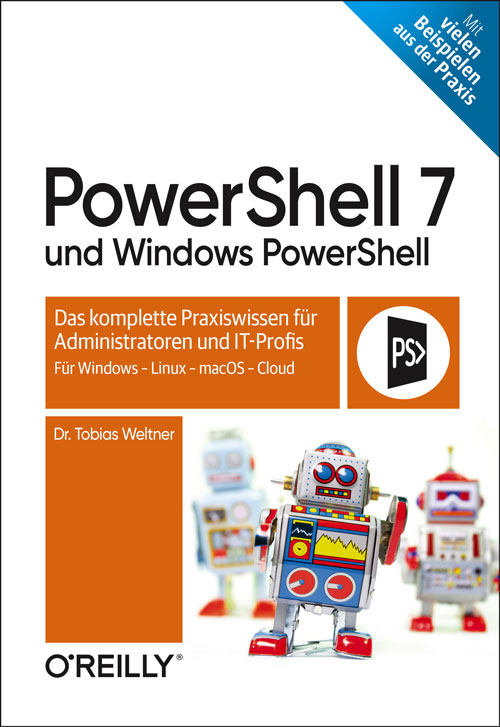
PowerShell 7 und Windows PowerShell
PowerShell steht als top-moderne objektorientierte Open-Source-Shell auf Windows, Linux und macOS, auf Microcontrollern wie Raspberry Pi und in den Clouds von Microsoft und Amazon zur Verfügung und ist obendrein noch kostenlos.Ob Sie als Administrator Ihr Wissen vertiefen und komplettieren wollen oder als Anwender nach intelligenten Skripting-Lösungen für kniffelige Probleme suchen: Dieses Buch begleitet Sie auf Ihrem persönlichen Weg zu einer nachhaltig professionellen Shell-Programmierung. Tobias Weltner erklärt verständlich und unterhaltsam technische Zusammenhänge und demonstriert anhand von vielfältigen Beispielen die wesentlichen Funktionen der PowerShell. So entschlüsseln Sie z.B. mit Webservices unbekannte IP-Adressen und entlarven unsichere Kennwörter, erzeugen QR-Codes, spielen Midi-Musik ab u.v.a.m. Erschließen Sie sich mit diesem Praxisbuch ein ganz neues Computing-Verständnis – ob für Ihren beruflichen Alltag, private Projekte oder im Rahmen Ihrer IT-Ausbildung.Das Buch führt Sie in alle wichtigen Bereiche der PowerShell ein:PowerShell auf verschiedenen Betriebssystemen startklar machenGrundlagen der Automation: passende Befehle finden und produktiv kombinierendie Vorzüge der objektorientierten PipelineZugriff auf .NET-Befehle und Arbeit mit Objekteneigene PowerShell-Funktionen und -Module erstellenPowerShell-Remoting im NetzwerkLeseprobe (PDF-Link)

POCO X3 NFC / X3 Pro
Die verständliche Anleitung für Ihr Smartphone:- Alle Funktionen & Einstellungen auf einen Blick- Schritt für Schritt erklärt – mit praktischen TippsMit diesem smarten Praxisbuch gelingt Ihnen der schnelle und sichere Einstieg in Ihr Smartphone. Lernen Sie Ihr Handymodell von Grund auf kennen und beherrschen! Anschauliche Anleitungen, Beispiele und Bilder zeigen Ihnen gut nachvollziehbar, wie Sie Ihr mobiles Gerät optimal handhaben – von der Ersteinrichtung und Personalisierung über die große Funktionsvielfalt bis zu den wichtigsten Anwendungen. Nutzen Sie darüber hinaus die übersichtlichen Spicker-Darstellungen: Damit können Sie jene Bedienungsschritte, die man am häufigsten braucht, aber immer wieder vergisst, auf einen Blick finden und umsetzen. Freuen Sie sich auf viele hilfreiche Tipps und legen Sie ganz einfach los!Aus dem Inhalt:- Alle Bedienelemente des Smartphones auf einen Blick- Ersteinrichtung und Tipps zum Umzug- Google-Konto erstellen und verwalten- Die Benutzeroberfläche Ihres Smartphones personalisieren- Apps aus dem Play Store herunterladen- Kontakte anlegen und im Adressbuch verwalten- Anrufe tätigen und SMS austauschen - Nachrichten über Mail und WhatsApp versenden und empfangen- Uhr, Kalender, Maps und andere praktische Apps nutzen - Fotos sowie Videos aufnehmen, verwalten und teilen- Ins Internet gehen über WLAN und mobile Daten - Updates, Datenschutz und Sicherheit

External Labeling
THIS BOOK FOCUSES ON TECHNIQUES FOR AUTOMATING THE PROCEDURE OF CREATING EXTERNAL LABELINGS, ALSO KNOWN AS CALLOUT LABELINGS. In this labeling type, the features within an illustration are connected by thin leader lines (called leaders) with their labels, which are placed in the empty space surrounding the image.In general, textual labels describing graphical features in maps, technical illustrations (such as assembly instructions or cutaway illustrations), or anatomy drawings are an important aspect of visualization that convey information on the objects of the visualization and help the reader understand what is being displayed.Most labeling techniques can be classified into two main categories depending on the "distance" of the labels to their associated features. Internal labels are placed inside or in the direct neighborhood of features, while external labels, which form the topic of this book, are placed in the margins outside the illustration, where they do not occlude the illustration itself. Both approaches form well-studied topics in diverse areas of computer science with several important milestones.The goal of this book is twofold. The first is to serve as an entry point for the interested reader who wants to get familiar with the basic concepts of external labeling, as it introduces a unified and extensible taxonomy of labeling models suitable for a wide range of applications. The second is to serve as a point of reference for more experienced people in the field, as it brings forth a comprehensive overview of a wide range of approaches to produce external labelings that are efficient either in terms of different algorithmic optimization criteria or in terms of their usability in specific application domains. The book mostly concentrates on algorithmic aspects of external labeling, but it also presents various visual aspects that affect the aesthetic quality and usability of external labeling.* Bibliography* Preface* Acknowledgments* Figure Credits* Introduction* A Unified Taxonomy* Visual Aspects of External Labeling* Labeling Techniques* External Labelings with Straight-Line Leaders* External Labelings with Polyline Leaders* Conclusions and Outlook* Bibliography* Authors' Biographies* Index

Beginning Unity Editor Scripting
Learn about editor scripting in Unity, including different possible methods of editor customization to fit your custom game workflow or even to create assets that could be published on the Asset Store to earn a passive income. The knowledge of editor scripting, although rarely covered in books, gives a game developer insight into how things work in Unity under the hood, which you can leverage to create custom tools that empower your unique game idea.This book starts with the very basics of editor scripting in Unity, such as using built-in attributes to customize your component’s editor and creating custom editors and windows with IMGUI and UI Toolkit. Next, we move to a general use case example by creating an object spawner EditorTool for the scene view. Later, we dive straight to in-depth stats and detailed case studies of two Unity assets: ProArray and Rhythm Game Starter. Here you’ll get more context on how editor scripting is used in published assets.You will also learn how to set up a better workflow for editor scripting, asset publishing, maintenance, and iterative updates. You will leverage the power of modern web technology to build a documentation site with GitBook and DocFX. Finally, you will see some tips and tricks for automating asset versioning and changelogs.WHAT YOU WILL LEARN* Get started with Editor scripting in Unity * Work with advanced editor topics such as custom EditorWindows and EditorTool* Structure your C# code with namespaces and asmdef * Use IMGUI and UI Toolkit for creating editor GUIs* Master packaging and selling your own editor tools* Set up a better workflow for asset publishing, maintenance, and iterative updatesWHO THIS BOOK IS FORReaders who want to learn about editor scripting to improve their game-development process and create tools for themselves. Moderate experience with C# and a fundamental knowledge of Unity is expected.BennyKok is primarily a Unity asset publisher, indie game developer, and music producer. He is a creative individual who loves creating tools for Unity and published ProArray and Rhythm Game Starter on the Unity Asset Store. He also dedicates his time to sharing open-source Unity tools on GitHub for the community.Chapter 1: IntroductionChapter 2: Customize Editor with Attributes and CallbacksChapter 3: Custom Editor with IMGUIChapter 4: Custom Editor with UI ToolkitChapter 5: Object Spawner Tool Using EditorTool and ScriptableObject- Chapter 6: Case Study: ProArrayChapter 7: . Case Study: Rhythm Game StarterChapter 8: Asset Workflow for PublishingChapter 9: Package Distribution and PublishingChapter 10: Conclusion.
Emerging Technologies for Healthcare
“Emerging Technologies for Healthcare” begins with an IoT-based solution for the automated healthcare sector which is enhanced to provide solutions with advanced deep learning techniques.The book provides feasible solutions through various machine learning approaches and applies them to disease analysis and prediction. An example of this is employing a three-dimensional matrix approach for treating chronic kidney disease, the diagnosis and prognostication of acquired demyelinating syndrome (ADS) and autism spectrum disorder, and the detection of pneumonia. In addition, it provides healthcare solutions for post COVID-19 outbreaks through various suitable approaches, Moreover, a detailed detection mechanism is discussed which is used to devise solutions for predicting personality through handwriting recognition; and novel approaches for sentiment analysis are also discussed with sufficient data and its dimensions.This book not only covers theoretical approaches and algorithms, but also contains the sequence of steps used to analyze problems with data, processes, reports, and optimization techniques. It will serve as a single source for solving various problems via machine learning algorithms.MONIKA MANGLA, received her PhD from Thapar Institute of Engineering & Technology, Patiala, Punjab, in 2019. Currently, she is working as an assistant professor in the Department of Computer Engineering at Lokmanya Tilak College of Engineering (LTCoE), Navi Mumbai.NONITA SHARMA is working as assistant professor, National Institute of Technology, Jalandhar. She received the B. Tech degree in Computer Science Engineering in 2002, the M. Tech degree in Computer Science engineering in 2004, and her PhD degree in Wireless Sensor Network from the National Institute of Technology, Jalandhar, India in 2017. POONAM MITTAL received her PhD from J.C Bose University of Science and Technology YMCA, Faridabad, India, in 2019. Currently, she is working as an assistant professor in the Department of Computer Engineering at J.C Bose University of Science and Technology YMCA, Faridabad, India. VAISHALI MEHTA WADHWA obtained her PhD in Facility Location Problems from Thapar University. Her research interests include approximation algorithms, location modeling, IoT, cloud computing and machine learning. She has multiple articles and 2 patents to her name. THIRUNAVAKKARASU K. is a distinguished academician with over twenty-two years of experience in teaching and working in the software industry. Curently, he is heading the Department of BCA and Specialization at Galgotias University. He has done Bachelor in computer science from the University of Madras in 1994 and received 3 master’s degrees in computer science. SHAHNAWAZ KHAN is an assistant professor and serving as Secretary-General of Scientific Research Council at University College of Bahrain. He holds a PhD (Computer Science) from the Indian Institute of Technology (BHU), India. Preface xviiPART I: BASICS OF SMART HEALTHCARE 11 AN OVERVIEW OF IOT IN HEALTH SECTORS 3Sheeba P. S.1.1 Introduction 31.2 Influence of IoT in Healthcare Systems 61.2.1 Health Monitoring 61.2.2 Smart Hospitals 71.2.3 Tracking Patients 71.2.4 Transparent Insurance Claims 81.2.5 Healthier Cities 81.2.6 Research in Health Sector 81.3 Popular IoT Healthcare Devices 91.3.1 Hearables 91.3.2 Moodables 91.3.3 Ingestible Sensors 91.3.4 Computer Vision 101.3.5 Charting in Healthcare 101.4 Benefits of IoT 101.4.1 Reduction in Cost 101.4.2 Quick Diagnosis and Improved Treatment 101.4.3 Management of Equipment and Medicines 111.4.4 Error Reduction 111.4.5 Data Assortment and Analysis 111.4.6 Tracking and Alerts 111.4.7 Remote Medical Assistance 111.5 Challenges of IoT 121.5.1 Privacy and Data Security 121.5.2 Multiple Devices and Protocols Integration 121.5.3 Huge Data and Accuracy 121.5.4 Underdeveloped 121.5.5 Updating the Software Regularly 121.5.6 Global Healthcare Regulations 131.5.7 Cost 131.6 Disadvantages of IoT 131.6.1 Privacy 131.6.2 Access by Unauthorized Persons 131.7 Applications of IoT 131.7.1 Monitoring of Patients Remotely 131.7.2 Management of Hospital Operations 141.7.3 Monitoring of Glucose 141.7.4 Sensor Connected Inhaler 151.7.5 Interoperability 151.7.6 Connected Contact Lens 151.7.7 Hearing Aid 161.7.8 Coagulation of Blood 161.7.9 Depression Detection 161.7.10 Detection of Cancer 171.7.11 Monitoring Parkinson Patient 171.7.12 Ingestible Sensors 181.7.13 Surgery by Robotic Devices 181.7.14 Hand Sanitizing 181.7.15 Efficient Drug Management 191.7.16 Smart Sole 191.7.17 Body Scanning 191.7.18 Medical Waste Management 201.7.19 Monitoring the Heart Rate 201.7.20 Robot Nurse 201.8 Global Smart Healthcare Market 211.9 Recent Trends and Discussions 221.10 Conclusion 23References 232 IOT-BASED SOLUTIONS FOR SMART HEALTHCARE 25Pankaj Jain, Sonia F Panesar, Bableen Flora Talwar and Mahesh Kumar Sah2.1 Introduction 262.1.1 Process Flow of Smart Healthcare System 262.1.1.1 Data Source 262.1.1.2 Data Acquisition 272.1.1.3 Data Pre-Processing 272.1.1.4 Data Segmentation 282.1.1.5 Feature Extraction 282.1.1.6 Data Analytics 282.2 IoT Smart Healthcare System 292.2.1 System Architecture 302.2.1.1 Stage 1: Perception Layer 302.2.1.2 Stage 2: Network Layer 322.2.1.3 Stage 3: Data Processing Layer 322.2.1.4 Stage 4: Application Layer 332.3 Locally and Cloud-Based IoT Architecture 332.3.1 System Architecture 332.3.1.1 Body Area Network (BAN) 342.3.1.2 Smart Server 342.3.1.3 Care Unit 352.4 Cloud Computing 352.4.1 Infrastructure as a Service (IaaS) 372.4.2 Platform as a Service (PaaS) 372.4.3 Software as a Service (SaaS) 372.4.4 Types of Cloud Computing 372.4.4.1 Public Cloud 372.4.4.2 Private Cloud 382.4.4.3 Hybrid Cloud 382.4.4.4 Community Cloud 382.5 Outbreak of Arduino Board 382.6 Applications of Smart Healthcare System 392.6.1 Disease Diagnosis and Treatment 412.6.2 Health Risk Monitoring 422.6.3 Voice Assistants 422.6.4 Smart Hospital 422.6.5 Assist in Research and Development 432.7 Smart Wearables and Apps 432.8 Deep Learning in Biomedical 442.8.1 Deep Learning 462.8.2 Deep Neural Network Architecture 472.8.3 Deep Learning in Bioinformatic 492.8.4 Deep Learning in Bioimaging 492.8.5 Deep Learning in Medical Imaging 502.8.6 Deep Learning in Human-Machine Interface 532.8.7 Deep Learning in Health Service Management 532.9 Conclusion 55References 553 QLATTICE ENVIRONMENT AND FEYN QGRAPH MODELS—A NEW PERSPECTIVE TOWARD DEEP LEARNING 69Vinayak Bharadi3.1 Introduction 703.1.1 Machine Learning Models 703.2 Machine Learning Model Lifecycle 713.2.1 Steps in Machine Learning Lifecycle 713.2.1.1 Data Preparation 723.2.1.2 Building the Machine Learning Model 723.2.1.3 Model Training 723.2.1.4 Parameter Selection 723.2.1.5 Transfer Learning 733.2.1.6 Model Verification 733.2.1.7 Model Deployment 743.2.1.8 Monitoring 743.3 A Model Deployment in Keras 753.3.1 Pima Indian Diabetes Dataset 753.3.2 Multi-Layered Perceptron Implementation in Keras 763.3.3 Multi-Layered Perceptron Implementation With Dropout and Added Noise 773.4 QLattice Environment 803.4.1 Feyn Models 803.4.1.1 Semantic Types 823.4.1.2 Interactions 833.4.1.3 Generating QLattice 833.4.2 QLattice Workflow 833.4.2.1 Preparing the Data 843.4.2.2 Connecting to QLattice 843.4.2.3 Generating QGraphs 843.4.2.4 Fitting, Sorting, and Updating QGraphs 853.4.2.5 Model Evaluation 863.5 Using QLattice Environment and QGraph Models for COVID-19 Impact Prediction 87References 914 SENSITIVE HEALTHCARE DATA: PRIVACY AND SECURITY ISSUES AND PROPOSED SOLUTIONS 93Abhishek Vyas, Satheesh Abimannan and Ren-Hung Hwang4.1 Introduction 944.1.1 Types of Technologies Used in Healthcare Industry 944.1.2 Technical Differences Between Security and Privacy 954.1.3 HIPAA Compliance 954.2 Medical Sensor Networks/Medical Internet of Things/Body Area Networks/WBANs 974.2.1 Security and Privacy Issues in WBANs/WMSNs/WMIOTs 1014.3 Cloud Storage and Computing on Sensitive Healthcare Data 1124.3.1 Security and Privacy in Cloud Computing and Storage for Sensitive Healthcare Data 1144.4 Blockchain for Security and Privacy Enhancement in Sensitive Healthcare Data 1194.5 Artificial Intelligence, Machine Learning, and Big Data in Healthcare and Its Efficacy in Security and Privacy of Sensitive Healthcare Data 1224.5.1 Differential Privacy for Preserving Privacy of Big Medical Healthcare Data and for Its Analytics 1244.6 Conclusion 124References 125PART II: EMPLOYMENT OF MACHINE LEARNING IN DISEASE DETECTION 1295 DIABETES PREDICTION MODEL BASED ON MACHINE LEARNING 131Ayush Kumar Gupta, Sourabh Yadav, Priyanka Bhartiya and Divesh Gupta5.1 Introduction 1315.2 Literature Review 1335.3 Proposed Methodology 1355.3.1 Data Accommodation 1355.3.1.1 Data Collection 1355.3.1.2 Data Preparation 1365.3.2 Model Training 1385.3.2.1 K Nearest Neighbor Classification Technique 1395.3.2.2 Support Vector Machine 1405.3.2.3 Random Forest Algorithm 1425.3.2.4 Logistic Regression 1445.3.3 Model Evaluation 1455.3.4 User Interaction 1455.3.4.1 User Inputs 1465.3.4.2 Validation Using Classifier Model 1465.3.4.3 Truth Probability 1465.4 System Implementation 1475.5 Conclusion 153References 1536 LUNG CANCER DETECTION USING 3D CNN BASED ON DEEP LEARNING 157Siddhant Panda, Vasudha Chhetri, Vikas Kumar Jaiswal and Sourabh Yadav6.1 Introduction 1576.2 Literature Review 1596.3 Proposed Methodology 1616.3.1 Data Handling 1616.3.1.1 Data Gathering 1616.3.1.2 Data Pre-Processing 1626.3.2 Data Visualization and Data Split 1626.3.2.1 Data Visualization 1626.3.2.2 Data Split 1626.3.3 Model Training 1636.3.3.1 Training Neural Network 1636.3.3.2 Model Optimization 1666.4 Results and Discussion 1686.4.1 Gathering and Pre-Processing of Data 1696.4.1.1 Gathering and Handling Data 1696.4.1.2 Pre-Processing of Data 1706.4.2 Data Visualization 1716.4.2.1 Resampling 1736.4.2.2 3D Plotting Scan 1736.4.2.3 Lung Segmentation 1736.4.3 Training and Testing of Data in 3D Architecture 1756.5 Conclusion 178References 1787 PNEUMONIA DETECTION USING CNN AND ANN BASED ON DEEP LEARNING APPROACH 181Priyanka Bhartiya, Sourabh Yadav, Ayush Gupta and Divesh Gupta7.1 Introduction 1827.2 Literature Review 1837.3 Proposed Methodology 1857.3.1 Data Gathering 1857.3.1.1 Data Collection 1857.3.1.2 Data Pre-Processing 1867.3.1.3 Data Split 1867.3.2 Model Training 1877.3.2.1 Training of Convolutional Neural Network 1897.3.2.2 Training of Artificial Neural Network 1917.3.3 Model Fitting 1937.3.3.1 Fit Generator 1937.3.3.2 Validation of Accuracy and Loss Plot 1937.3.3.3 Testing and Prediction 1937.4 System Implementation 1947.4.1 Data Gathering, Pre-Processing, and Split 1947.4.1.1 Data Gathering 1947.4.1.2 Data Pre-Processing 1957.4.1.3 Data Split 1967.4.2 Model Building 1967.4.3 Model Fitting 1977.4.3.1 Fit Generator 1977.4.3.2 Validation of Accuracy and Loss Plot 1977.4.3.3 Testing and Prediction 1987.5 Conclusion 199References 1998 PERSONALITY PREDICTION AND HANDWRITING RECOGNITION USING MACHINE LEARNING 203Vishal Patil and Harsh Mathur8.1 Introduction to the System 2048.1.1 Assumptions and Limitations 2068.1.1.1 Assumptions 2068.1.1.2 Limitations 2068.1.2 Practical Needs 2068.1.3 Non-Functional Needs 2068.1.4 Specifications for Hardware 2078.1.5 Specifications for Applications 2078.1.6 Targets 2078.1.7 Outcomes 2078.2 Literature Survey 2088.2.1 Computerized Human Behavior Identification Through Handwriting Samples 2088.2.2 Behavior Prediction Through Handwriting Analysis 2098.2.3 Handwriting Sample Analysis for a Finding of Personality Using Machine Learning Algorithms 2098.2.4 Personality Detection Using Handwriting Analysis 2108.2.5 Automatic Predict Personality Based on Structure of Handwriting 2108.2.6 Personality Identification Through Handwriting Analysis: A Review 2108.2.7 Text Independent Writer Identification Using Convolutional Neural Network 2108.2.8 Writer Identification Using Machine Learning Approaches 2118.2.9 Writer Identification from HandwrittenText Lines 2118.3 Theory 2128.3.1 Pre-Processing 2128.3.2 Personality Analysis 2158.3.3 Personality Characteristics 2168.3.4 Writer Identification 2178.3.5 Features Used 2198.4 Algorithm To Be Used 2208.5 Proposed Methodology 2248.5.1 System Flow 2258.6 Algorithms vs. Accuracy 2268.6.1 Implementation 2288.7 Experimental Results 2318.8 Conclusion 2328.9 Conclusion and Future Scope 232Acknowledgment 232References 2339 RISK MITIGATION IN CHILDREN WITH AUTISM SPECTRUM DISORDER USING BRAIN SOURCE LOCALIZATION 237Joy Karan Singh, Deepti Kakkar and Tanu Wadhera9.1 Introduction 2389.2 Risk Factors Related to Autism 2399.2.1 Assistive Technologies for Autism 2409.2.2 Functional Connectivity as a Biomarker for Autism 2419.2.3 Early Intervention and Diagnosis 2429.3 Materials and Methodology 2439.3.1 Subjects 2439.3.2 Methods 2439.3.3 Data Acquisition and Processing 2439.3.4 sLORETA as a Diagnostic Tool 2449.4 Results and Discussion 2459.5 Conclusion and Future Scope 247References 24710 PREDICTING CHRONIC KIDNEY DISEASE USING MACHINE LEARNING 251Monika Gupta and Parul Gupta10.1 Introduction 25210.2 Machine Learning Techniques for Prediction of Kidney Failure 25310.2.1 Analysis and Empirical Learning 25410.2.2 Supervised Learning 25510.2.3 Unsupervised Learning 25610.2.3.1 Understanding and Visualization 25710.2.3.2 Odd Detection 25710.2.3.3 Object Completion 25810.2.3.4 Information Acquisition 25810.2.3.5 Data Compression 25810.2.3.6 Capital Market 25810.2.4 Classification 25910.2.4.1 Training Process 26010.2.4.2 Testing Process 26010.2.5 Decision Tree 26110.2.6 Regression Analysis 26310.2.6.1 Logistic Regression 26310.2.6.2 Ordinal Logistic Regression 26510.2.6.3 Estimating Parameters 26610.2.6.4 Multivariate Regression 26810.3 Data Sources 26910.4 Data Analysis 27210.5 Conclusion 27410.6 Future Scope 274References 274PART III: ADVANCED APPLICATIONS OF MACHINE LEARNING IN HEALTHCARE 27911 BEHAVIORAL MODELING USING DEEP NEURAL NETWORK FRAMEWORK FOR ASD DIAGNOSIS AND PROGNOSIS 281Tanu Wadhera, Deepti Kakkar and Rajneesh Rani11.1 Introduction 28211.2 Automated Diagnosis of ASD 28411.2.1 Deep Learning 28911.2.2 Deep Learning in ASD 29011.2.3 Transfer Learning Approach 29011.3 Purpose of the Chapter 29211.4 Proposed Diagnosis System 29311.5 Conclusion 294References 29512 RANDOM FOREST APPLICATION OF TWITTER DATA SENTIMENT ANALYSIS IN ONLINE SOCIAL NETWORK PREDICTION 299Arnav Munshi, M. Arvindhan and Thirunavukkarasu K.12.1 Introduction 30012.1.1 Motivation 30012.1.2 Domain Introduction 30012.2 Literature Survey 30212.3 Proposed Methodology 30412.4 Implementation 31112.5 Conclusion 311References 31113 REMEDY TO COVID-19: SOCIAL DISTANCING ANALYZER 315Sourabh Yadav13.1 Introduction 31513.2 Literature Review 31813.3 Proposed Methodology 32113.3.1 Person Detection 32113.3.1.1 Frame Creation 32413.3.1.2 Contour Detection 32513.3.1.3 Matching with COCO Model 32613.3.2 Distance Calculation 32613.3.2.1 Calculation of Centroid 32613.3.2.2 Distance Among Adjacent Centroids 32713.4 System Implementation 32813.5 Conclusion 333References 33414 IOT-ENABLED VEHICLE ASSISTANCE SYSTEM OF HIGHWAY RESOURCING FOR SMART HEALTHCARE AND SUSTAINABILITY 337Shubham Joshi and Radha Krishna Rambola14.1 Introduction 33814.2 Related Work 34014.2.1 Adoption of IoT in Vehicle to Ensure Driver Safety 34114.2.2 IoT in Healthcare System 34114.2.3 The Technology Used in Assistance Systems 34314.2.3.1 Adaptive Cruise Control (ACC) 34314.2.3.2 Lane Departure Warning 34314.2.3.3 Parking Assistance 34314.2.3.4 Collision Avoidance System 34314.2.3.5 Driver Drowsiness Detection 34414.2.3.6 Automotive Night Vision 34414.3 Objectives, Context, and Ethical Approval 34414.4 Technical Background 34514.4.1 IoT With Health 34514.4.2 Machine-to-Machine (M2M) Communication 34514.4.3 Device-to-Device (D2D) Communication 34514.4.4 Wireless Sensor Network 34614.4.5 Crowdsensing 34614.5 IoT Infrastructural Components for Vehicle Assistance System 34614.5.1 Communication Technology 34614.5.2 Sensor Network 34714.5.3 Infrastructural Component 34814.5.4 Human Health Detection by Sensors 34814.6 IoT-Enabled Vehicle Assistance System of Highway Resourcing for Smart Healthcare and Sustainability 34914.7 Challenges in Implementation 35314.8 Conclusion 353References 35415 AIDS OF MACHINE LEARNING FOR ADDITIVELY MANUFACTURED BONE SCAFFOLD 359Nimisha Rahul Shirbhate and Sanjay Bokade15.1 Introduction 36015.1.1 Bone Scaffold 36015.1.2 Bone Grafting 36215.1.3 Comparison Bone Grafting and Bone Scaffold 36315.2 Research Background 36415.3 Statement of Problem 36415.4 Research Gap 36515.5 Significance of Research 36615.6 Outline of Research Methodology 36615.6.1 Customized Design of Bone Scaffold 36615.6.2 Manufacturing Methods and Biocompatible Material 36715.6.2.1 Conventional Scaffold Fabrication 36815.6.2.2 Additive Manufacturing 36915.6.2.3 Application of Additive Manufacturing/3D Printing in Healthcare 37015.6.2.4 Automated Process Monitoring in 3D Printing Using Supervised Machine Learning 37615.7 Conclusion 377References 377Index 381
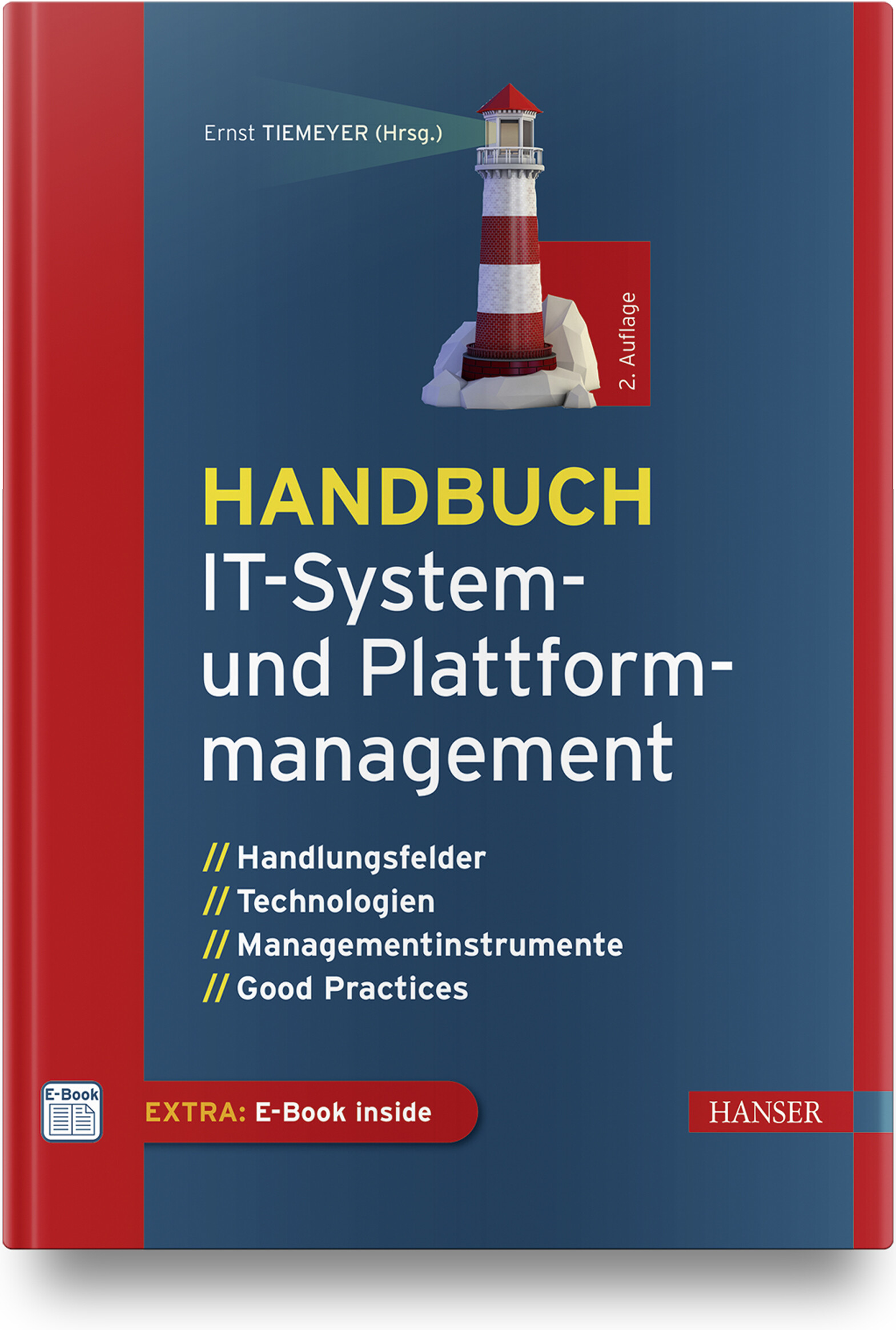
Handbuch IT-System- und Plattformmanagement (2. Auflg.)
Handlungsfelder, Technologien, Managementinstrumente, Good Practices in 2., überarbeitete und erweiterte Auflage.Ein effizientes und ganzheitliches Management der installierten IT-Systeme (Applikationen, Datenbanken, IT-Infrastrukturen) und IT-Plattformen (Cloud, Daten, Integration) ist heute unverzichtbar. Nur so lassen sich Geschäftsprozesse optimal unterstützen und neue Geschäftspotenziale generieren.Dieses Handbuch bietet das relevante Wissen für einen erfolgreichen Einsatz von IT-Systemen in systematischer Form (Darlegung der Methoden, Instrumente und Prozesse). Fragen der Planung und Weiterentwicklung der IT-Systemlandschaft werden genauso behandelt wie Aspekte der Koordination (Auftragsmanagement, Systemsupport) und der sicheren Steuerung der installierten IT-Systeme (Qualitätsmanagement, Risiko- und Sicherheitsmanagement, Notfallplanung etc.).Viele Praxistipps und Beispiele helfen Ihnen, IT-Systeme und die Plattformnutzung zu planen und zu verwalten sowie deren stabilen Betrieb zu gewährleisten.Neu in der 2. Auflage:DevOps-Applikationsentwicklung und ApplikationsbetriebDatenplattformenIntegrationsplattformen und API-ManagementAus dem Inhalt:IT-Systeme und IT-Plattformen planen und betreibenIT-Architekturen und IT-Assets – Planung, Dokumentation undManagement der IT-SystemlandschaftIT-Systeme betreuen und Systemsupport leistenIT-Infrastrukturen und IT-Netzwerke managenIT-Applikationen planen und den Einsatz steuernHandlungsfeld DevOpsCloud-Services managenEnterprise Mobility Management (MDM, EMM)Datenmanagement und Datenplattformen administrierenIT-Integrationslösungen professionell managenAPI-ManagementBeschaffung von IT-Systemen und IT-PlattformenRisikomanagement für IT-SystemeSecurity-Management und NotfallmanagementOrganisations- und Personalfragen für das Managen von IT-SystemenWirtschaftlichen Betrieb von IT-Systemen und IT-Plattformen managenLeseprobe (PDF-Link)

Introduction to Computational Thinking
Learn approaches of computational thinking and the art of designing algorithms. Most of the algorithms you will see in this book are used in almost all software that runs on your computer.Learning how to program can be very rewarding. It is a special feeling to seeing a computer translate your thoughts into actions and see it solve your problems for you. To get to that point, however, you must learn to think about computations in a new way—you must learn computational thinking.This book begins by discussing models of the world and how to formalize problems. This leads onto a definition of computational thinking and putting computational thinking in a broader context. The practical coding in the book is carried out in Python; you’ll get an introduction to Python programming, including how to set up your development environment.WHAT YOU WILL LEARN* Think in a computational way* Acquire general techniques for problem solving* See general and concrete algorithmic techniques* Program solutions that are both computationally efficient and maintainableWHO THIS BOOK IS FORThose new to programming and computer science who are interested in learning how to program algorithms and working with other computational aspects of programming.Thomas Mailund, PhD is an associate professor in bioinformatics at Aarhus University, Denmark. He has a background in math and computer science, including experience programming and teaching in the C, Python and R programming languages. For the last decade, his main focus has been on genetics and evolutionary studies, particularly comparative genomics, speciation, and gene flow between emerging species.1 Introduction 1Models of the world and formalising problems . . 4What is computational thinking? . . . . . . . . . 6Computational thinking in a broader context . . . 12What is to come . . . . . . . . . . . . . . . . . . 152 Introducing Python programming 19Obtaining Python . . . . . . . . . . . . . . . . . 20Running Python . . . . . . . . . . . . . . . . . . 22Expressions in Python . . . . . . . . . . . . . . . 22Logical (or boolean) expressions . . . . . . . . . . 26Variables . . . . . . . . . . . . . . . . . . . . . . 30Working with strings . . . . . . . . . . . . . . . . 32Lists . . . . . . . . . . . . . . . . . . . . . . . . 36Tuples . . . . . . . . . . . . . . . . . . . . . . . 41iiiSets and dictionaries . . . . . . . . . . . . . . . . 42Input and output . . . . . . . . . . . . . . . . . . 44Conditional statements (if statements) . . . . . . 47Loops (for and while) . . . . . . . . . . . . . . . 50Using modules . . . . . . . . . . . . . . . . . . . 543 Introduction to algorithms 57Designing algorithms . . . . . . . . . . . . . . . 62Exercises for sequential algorithms . . . . . . . . 81Exercises on lists . . . . . . . . . . . . . . . . . . 874 Algorithmic eciency 95The RAM model of a computer and its primitiveoperations . . . . . . . . . . . . . . . . . . 97Types of eciency . . . . . . . . . . . . . . . . . 107Asymptotic running time and big-Oh notation . . 116Empirically validating an algorithms running time 1355 Searching and sorting 141Searching . . . . . . . . . . . . . . . . . . . . . . 142Sorting . . . . . . . . . . . . . . . . . . . . . . . 147Generalising searching and sorting . . . . . . . . 182How computers represent numbers . . . . . . . . 1866 Functions 197Parameters and local and global variables . . . . . 203Side eects . . . . . . . . . . . . . . . . . . . . . 210Returning from a function . . . . . . . . . . . . . 215Higher order functions . . . . . . . . . . . . . . . 221Functions vs function instances . . . . . . . . . . 227Default parameters and keyword arguments . . . 230Generalising parameters . . . . . . . . . . . . . . 234Exceptions . . . . . . . . . . . . . . . . . . . . . 239Writing your own Python modules . . . . . . . . 2517 Inner functions 253A comparison function for a search algorithm . . 256Counter function . . . . . . . . . . . . . . . . . . 261Apply . . . . . . . . . . . . . . . . . . . . . . . . 265Currying functions . . . . . . . . . . . . . . . . . 269Function composition . . . . . . . . . . . . . . . 274Thunks and lazy evaluation . . . . . . . . . . . . 276Decorators . . . . . . . . . . . . . . . . . . . . . 281Eciency . . . . . . . . . . . . . . . . . . . . . . 2888 Recursion 291Denitions of recursion . . . . . . . . . . . . . . 291Recursive functions . . . . . . . . . . . . . . . . 293Recursion stacks . . . . . . . . . . . . . . . . . . 297Recursion and iteration . . . . . . . . . . . . . . 307Tail-calls . . . . . . . . . . . . . . . . . . . . . . 316Continuations . . . . . . . . . . . . . . . . . . . 324Continuations, thunks and trampolines . . . . . . 3359 Divide and conquer and dynamic programming 343Divide and conquer running times . . . . . . . . 355Dynamic programming . . . . . . . . . . . . . . 371Representing oating point numbers . . . . . . . 39210 Hidden Markov models 399Probabilities . . . . . . . . . . . . . . . . . . . . 399Conditional probabilities and dependency graphs . 410Markov models . . . . . . . . . . . . . . . . . . . 412Hidden Markov models . . . . . . . . . . . . . . 421Forward algorithm . . . . . . . . . . . . . . . . . 425Viterbi algorithm . . . . . . . . . . . . . . . . . . 43311 Data structures, objects and classes 439Classes . . . . . . . . . . . . . . . . . . . . . . . 441Exceptions and classes . . . . . . . . . . . . . . . 448Methods . . . . . . . . . . . . . . . . . . . . . . 453Magical methods . . . . . . . . . . . . . . . . . . 460Class variables . . . . . . . . . . . . . . . . . . . 464Objects, classes, meta-classes, and attributes . . . 471Return of the decorator . . . . . . . . . . . . . . 494Polymorphism . . . . . . . . . . . . . . . . . . . 500Abstract data structures . . . . . . . . . . . . . . 50412 Class hierarchies and inheritance 507Inheritance and code reuse . . . . . . . . . . . . 516Multiple inheritance . . . . . . . . . . . . . . . . 524Mixins . . . . . . . . . . . . . . . . . . . . . . . 53213 Sequences 537Sequences . . . . . . . . . . . . . . . . . . . . . 538Linked lists sequences . . . . . . . . . . . . . . . 540Doubly linked lists . . . . . . . . . . . . . . . . . 560A word on garbage collection . . . . . . . . . . . 579Iterators . . . . . . . . . . . . . . . . . . . . . . 587Python iterators and other interfaces . . . . . . . 590Generators . . . . . . . . . . . . . . . . . . . . . 59814 Sets 607Sets with builtin lists . . . . . . . . . . . . . . . . 612Linked lists sets . . . . . . . . . . . . . . . . . . . 618Search trees . . . . . . . . . . . . . . . . . . . . 620Hash table . . . . . . . . . . . . . . . . . . . . . 648Dictionaries . . . . . . . . . . . . . . . . . . . . 66315 Red-black search trees 669A persistent recursive solution . . . . . . . . . . . 670An iterative solution . . . . . . . . . . . . . . . . 71216 Stacks and queues 739Building stacks and queues from scratch . . . . . 745Expression stacks and stack machines . . . . . . . 748Quick-sort and the call stack . . . . . . . . . . . . 761Writing an iterator for a search tree . . . . . . . . 763Merge sort with an explicit stack . . . . . . . . . . 768Breadth-rst tree traversal and queues . . . . . . 77517 Priority queues 779A tree representation for a heap . . . . . . . . . . 782Leftist heaps . . . . . . . . . . . . . . . . . . . . 786Binomial heaps . . . . . . . . . . . . . . . . . . . 794Binary heaps . . . . . . . . . . . . . . . . . . . . 814Adding keys and values . . . . . . . . . . . . . . 825Comparisons . . . . . . . . . . . . . . . . . . . . 842Human encoding . . . . . . . . . . . . . . . . . 84618 Conclusions 853Where to go from here . . . . . . . . . . . . . . 855

Advanced Analytics with Transact-SQL
Learn about business intelligence (BI) features in T-SQL and how they can help you with data science and analytics efforts without the need to bring in other languages such as R and Python. This book shows you how to compute statistical measures using your existing skills in T-SQL. You will learn how to calculate descriptive statistics, including centers, spreads, skewness, and kurtosis of distributions. You will also learn to find associations between pairs of variables, including calculating linear regression formulas and confidence levels with definite integration.No analysis is good without data quality. ADVANCED ANALYTICS WITH TRANSACT-SQL introduces data quality issues and shows you how to check for completeness and accuracy, and measure improvements in data quality over time. The book also explains how to optimize queries involving temporal data, such as when you search for overlapping intervals. More advanced time-oriented information in the book includes hazard and survival analysis. Forecasting with exponential moving averages and autoregression is covered as well.Every web/retail shop wants to know the products customers tend to buy together. Trying to predict the target discrete or continuous variable with few input variables is important for practically every type of business. This book helps you understand data science and the advanced algorithms use to analyze data, and terms such as data mining, machine learning, and text mining.Key to many of the solutions in this book are T-SQL window functions. Author Dejan Sarka demonstrates efficient statistical queries that are based on window functions and optimized through algorithms built using mathematical knowledge and creativity. The formulas and usage of those statistical procedures are explained so you can understand and modify the techniques presented.T-SQL is supported in SQL Server,Azure SQL Database, and in Azure Synapse Analytics. There are so many BI features in T-SQL that it might become your primary analytic database language. If you want to learn how to get information from your data with the T-SQL language that you already are familiar with, then this is the book for you.WHAT YOU WILL LEARN* Describe distribution of variables with statistical measures* Find associations between pairs of variables* Evaluate the quality of the data you are analyzing* Perform time-series analysis on your data* Forecast values of a continuous variable* Perform market-basket analysis to predict customer purchasing patterns* Predict target variable outcomes from one or more input variables* Categorize passages of text by extracting and analyzing keywordsWHO THIS BOOK IS FORDatabase developers and database administrators who want to translate their T-SQL skills into the world of business intelligence (BI) and data science. For readers who want to analyze large amounts of data efficiently by using their existing knowledge of T-SQL and Microsoft’s various database platforms such as SQL Server and Azure SQL Database. Also for readers who want to improve their querying by learning new and original optimization techniques.DEJAN SARKA, MCT and Data Platform MVP, is an independent trainer and consultant with more than 30 years of experience who focuses on development of database and business intelligence (BI) applications. He works on projects, and spends about half of his time on training and mentoring. He is the founder of the Slovenian SQL Server and .NET Users Group. Dejan Sarka is the main author or co-author of 19 books about databases and SQL Server, and has developed many courses and seminars for Microsoft, Radacad, SolidQ, and Pluralsight. PART I. STATISTICS.- 1. Descriptive Statistics.-2. Associations Between Pairs of Variables.- PART II. DATA PREPARATION AND QUALITY.- 3. Data Preparation.- 4. Data Quality and Information.- PART III. DEALING WITH TIME.- 5. Time-Oriented Data.- 6. Time-Oriented Analyses.- PART IV. DATA SCIENCE.- 7. Data Mining.- 8. Text Mining.
Machine Learning Approaches for Convergence of IoT and Blockchain
MACHINE LEARNING APPROACHES FOR CONVERGENCE OF IOT AND BLOCKCHAINTHE UNIQUE ASPECT OF THIS BOOK IS THAT ITS FOCUS IS THE CONVERGENCE OF MACHINE LEARNING, IOT, AND BLOCKCHAIN IN A SINGLE PUBLICATION.Blockchain technology and the Internet of Things (IoT) are two of the most impactful trends to have emerged in the field of machine learning. Although there are a number of books available solely on the subjects of machine learning, IoT and blockchain technology, no such book has been available which focuses on machine learning techniques for IoT and blockchain convergence until now. Thus, this book is unique in terms of the topics it covers. Designed as an essential guide for all academicians, researchers, and those in industry who are working in related fields, this book will provide insights into the convergence of blockchain technology and the IoT with machine learning. Highlights of the book include:* Examines many industries such as agriculture, manufacturing, food production, healthcare, the military, and IT* Security of the Internet of Things using blockchain and AI* Developing smart cities and transportation systems using machine learning and IoTAUDIENCEThe target audience of this book is professionals and researchers (artificial intelligence specialists, systems engineers, information technologists) in the fields of machine learning, IoT, and blockchain technology. KRISHNA KANT SINGH is an associate professor in the Faculty of Engineering & Technology, Jain (Deemed-to-be University), Bengaluru, India. Dr. Singh has acquired BTech, MTech, and PhD (IIT Roorkee) in the area of machine learning and remote sensing. He has authored more than 50 technical books and research papers in international conferences and SCIE journals.AKANSHA SINGH is an associate professor in the Department of Computer Science Engineering in Amity University, Noida, India. Dr. Singh has acquired BTech, MTech, and PhD (IIT Roorkee) in the area of neural networks and remote sensing. She has authored more than 40 technical books and research papers in international conferences and SCIE journals. Her area of interest includes mobile computing, artificial intelligence, machine learning, digital image processing. SANJAY KUMAR SHARMA PhD is professor and Head in the Department of Electronics and Communication Engineering at KIET Group of Institutions. Dr. Sanjay Sharma has a total of 24 years of teaching and research experience. He has more than 45 publications in journals and international conferences. Preface xi1 BLOCKCHAIN AND INTERNET OF THINGS ACROSS INDUSTRIES 1Ananya Rakhra, Raghav Gupta and Akansha Singh1.1 Introduction 11.2 Insight About Industry 31.2.1 Agriculture Industry 51.2.2 Manufacturing Industry 51.2.3 Food Production Industry 61.2.4 Healthcare Industry 71.2.5 Military 71.2.6 IT Industry 81.3 What is Blockchain? 81.4 What is IoT? 111.5 Combining IoT and Blockchain 141.5.1 Agriculture Industry 151.5.2 Manufacturing Industry 171.5.3 Food Processing Industry 181.5.4 Healthcare Industry 201.5.5 Military 211.5.6 Information Technology Industry 241.6 Observing Economic Growth and Technology’s Impact 251.7 Applications of IoT and Blockchain Beyond Industries 281.8 Conclusion 32References 332 LAYERED SAFETY MODEL FOR IOT SERVICES THROUGH BLOCKCHAIN 35Anju Malik and Bharti Sharma2.1 Introduction 362.1.1 IoT Factors Impacting Security 382.2 IoT Applications 392.3 IoT Model With Communication Parameters 402.3.1 RFID (Radio Frequency Identification) 402.3.2 WSH (Wireless Sensor Network) 402.3.3 Middleware (Software and Hardware) 402.3.4 Computing Service (Cloud) 412.3.5 IoT Software 412.4 Security and Privacy in IoT Services 412.5 Blockchain Usages in IoT 442.6 Blockchain Model With Cryptography 442.6.1 Variations of Blockchain 452.7 Solution to IoT Through Blockchain 462.8 Conclusion 50References 513 INTERNET OF THINGS SECURITY USING AI AND BLOCKCHAIN 57Raghav Gupta, Ananya Rakhra and Akansha Singh3.1 Introduction 583.2 IoT and Its Application 593.3 Most Popular IoT and Their Uses 613.4 Use of IoT in Security 633.5 What is AI? 643.6 Applications of AI 653.7 AI and Security 663.8 Advantages of AI 683.9 Timeline of Blockchain 693.10 Types of Blockchain 703.11 Working of Blockchain 723.12 Advantages of Blockchain Technology 743.13 Using Blockchain Technology With IoT 743.14 IoT Security Using AI and Blockchain 763.15 AI Integrated IoT Home Monitoring System 783.16 Smart Homes With the Concept of Blockchain and AI 793.17 Smart Sensors 813.18 Authentication Using Blockchain 823.19 Banking Transactions Using Blockchain 833.20 Security Camera 843.21 Other Ways to Fight Cyber Attacks 853.22 Statistics on Cyber Attacks 883.23 Conclusion 90References 904 AMALGAMATION OF IOT, ML, AND BLOCKCHAIN IN THE HEALTHCARE REGIME 93Pratik Kumar, Piyush Yadav, Rajeev Agrawal and Krishna Kant Singh4.1 Introduction 934.2 What is Internet of Things? 954.2.1 Internet of Medical Things 974.2.2 Challenges of the IoMT 974.2.3 Use of IoT in Alzheimer Disease 994.3 Machine Learning 1004.3.1 Case 1: Multilayer Perceptron Network 1014.3.2 Case 2: Vector Support Machine 1024.3.3 Applications of the Deep Learning in the Healthcare Sector 1034.4 Role of the Blockchain in the Healthcare Field 1044.4.1 What is Blockchain Technology? 1044.4.2 Paradigm Shift in the Security of Healthcare Data Through Blockchain 1054.5 Conclusion 106References 1065 APPLICATION OF MACHINE LEARNING AND IOT FOR SMART CITIES 109Nilanjana Pradhan, Ajay Shankar Singh, Shrddha Sagar, Akansha Singh and Ahmed A. Elngar5.1 Functionality of Image Analytics 1105.2 Issues Related to Security and Privacy in IoT 1125.3 Machine Learning Algorithms and Blockchain Methodologies 1145.3.1 Intrusion Detection System 1165.3.2 Deep Learning and Machine Learning Models 1185.3.3 Artificial Neural Networks 1185.3.4 Hybrid Approaches 1195.3.5 Review and Taxonomy of Machine Learning 1205.4 Machine Learning Open Source Tools for Big Data 1215.5 Approaches and Challenges of Machine Learning Algorithms in Big Data 1235.6 Conclusion 127References 1276 MACHINE LEARNING APPLICATIONS FOR IOT HEALTHCARE 129Neha Agarwal, Pushpa Singh, Narendra Singh, Krishna Kant Singh and Rohit Jain6.1 Introduction 1306.2 Machine Learning 1306.2.1 Types of Machine Learning Techniques 1316.2.1.1 Unsupervised Learning 1316.2.1.2 Supervised Learning 1316.2.1.3 Semi-Supervised Learning 1326.2.1.4 Reinforcement Learning 1326.2.2 Applications of Machine Learning 1326.2.2.1 Prognosis 1326.2.2.2 Diagnosis 1346.3 IoT in Healthcare 1356.3.1 IoT Architecture for Healthcare System 1356.3.1.1 Physical and Data Link Layer 1366.3.1.2 Network Layer 1376.3.1.3 Transport Layer 1376.3.1.4 Application Layer 1376.4 Machine Learning and IoT 1386.4.1 Application of ML and IoT in Healthcare 1386.4.1.1 Smart Diagnostic Care 1386.4.1.2 Medical Staff and Inventory Tracking 1396.4.1.3 Personal Care 1396.4.1.4 Healthcare Monitoring Device 1396.4.1.5 Chronic Disease Management 1396.5 Conclusion 140References 1407 BLOCKCHAIN FOR VEHICULAR AD HOC NETWORK AND INTELLIGENT TRANSPORTATION SYSTEM: A COMPREHENSIVE STUDY 145Raghav Sharma, Anirudhi Thanvi, Shatakshi Singh, Manish Kumar and Sunil Kumar Jangir7.1 Introduction 1467.2 Related Work 1497.3 Connected Vehicles and Intelligent Transportation System 1527.3.1 VANET 1537.3.2 Blockchain Technology and VANET 1537.4 An ITS-Oriented Blockchain Model 1557.5 Need of Blockchain 1567.5.1 Food Track and Trace 1597.5.2 Electric Vehicle Recharging 1607.5.3 Smart City and Smart Vehicles 1617.6 Implementation of Blockchain Supported Intelligent Vehicles 1647.7 Conclusion 1657.8 Future Scope 166References 1678 APPLICATIONS OF IMAGE PROCESSING IN TELERADIOLOGY FOR THE MEDICAL DATA ANALYSIS AND TRANSFER BASED ON IOT 175S. N. Kumar, A. Lenin Fred, L. R. Jonisha Miriam, Parasuraman Padmanabhan, Balázs Gulyás and Ajay Kumar H.8.1 Introduction 1768.2 Pre-Processing 1788.2.1 Principle of Diffusion Filtering 1788.3 Improved FCM Based on Crow Search Optimization 1838.4 Prediction-Based Lossless Compression Model 1848.5 Results and Discussion 1888.6 Conclusion 202Acknowledgment 202References 2039 INNOVATIVE IDEAS TO BUILD SMART CITIES WITH THE HELP OF MACHINE AND DEEP LEARNING AND IOT 205ShylajaVinaykumar Karatangi, Reshu Agarwal, Krishna Kant Singh and Ivan Izonin9.1 Introduction 2069.2 Related Work 2079.3 What Makes Smart Cities Smart? 2089.3.1 Intense Traffic Management 2089.3.2 Smart Parking 2099.3.3 Smart Waste Administration 2109.3.4 Smart Policing 2119.3.5 Shrewd Lighting 2119.3.6 Smart Power 2119.4 In Healthcare System 2129.5 In Homes 2139.6 In Aviation 2139.7 In Solving Social Problems 2139.8 Uses of AI-People 2149.8.1 Google Maps 2149.8.2 Ridesharing 2149.8.3 Voice-to-Text 2159.8.4 Individual Assistant 2159.9 Difficulties and Profit 2159.10 Innovations in Smart Cities 2169.11 Beyond Humans Focus 2179.12 Illustrative Arrangement 2179.13 Smart Cities with No Differentiation 2189.14 Smart City and AI 2199.15 Further Associated Technologies 2219.15.1 Model Identification 2219.15.2 Picture Recognition 2219.15.3 IoT 2229.15.4 Big Data 2239.15.5 Deep Learning 2239.16 Challenges and Issues 2249.16.1 Profound Learning Models 2249.16.2 Deep Learning Paradigms 2259.16.3 Confidentiality 2269.16.4 Information Synthesis 2269.16.5 Distributed Intelligence 2279.16.6 Restrictions of Deep Learning 2289.17 Conclusion and Future Scope 228References 229Index 233

Generating a New Reality
The emergence of artificial intelligence (AI) has brought us to the precipice of a new age where we struggle to understand what is real, from advanced CGI in movies to even faking the news. AI that was developed to understand our reality is now being used to create its own reality.In this book we look at the many AI techniques capable of generating new realities. We start with the basics of deep learning. Then we move on to autoencoders and generative adversarial networks (GANs). We explore variations of GAN to generate content. The book ends with an in-depth look at the most popular generator projects.By the end of this book you will understand the AI techniques used to generate different forms of content. You will be able to use these techniques for your own amusement or professional career to both impress and educate others around you and give you the ability to transform your own reality into something new.WHAT YOU WILL LEARN* Know the fundamentals of content generation from autoencoders to generative adversarial networks (GANs)* Explore variations of GAN* Understand the basics of other forms of content generation* Use advanced projects such as Faceswap, deepfakes, DeOldify, and StyleGAN2WHO THIS BOOK IS FORMachine learning developers and AI enthusiasts who want to understand AI content generation techniquesMICHEAL LANHAM is a proven software and tech innovator with more than 20 years of experience. During that time, he has developed a broad range of software applications in areas including games, graphics, web, desktop, engineering, artificial intelligence (AI), GIS, and machine learning (ML) applications for a variety of industries as an R&D developer. At the turn of the millennium, Micheal began working with neural networks and evolutionary algorithms in game development. He is an avid educator, has written more than eight books covering game development, extended reality, and AI, and teaches at meetups and other events. Micheal also likes to cook for his large family in his hometown of Calgary, Canada. Chapter 1: Deep Learning PerceptronChapter Goal: In this chapter we introduce the basics of deep learning from the perceptron to multi-layer perceptron.No of pages: 30Sub -Topics1. Understanding deep learning and supervised learning.1. Using the perceptron for supervised learning.2. Constructing a multilayer perceptron.3. Discover the basics of activation, loss, optimization and back propagation for problems of regression and classification.Chapter 2: Unleashing Autoencoders and Generative Adversarial NetworksChapter Goal: This chapter introduces the autoencoder and GAN for simple content generation. Along the way we also learn about using convolutional network layers for better feature extraction.No of pages: 30Sub - Topics1. Why we need autoencoders and how they function.2. Improving on the autoencoder with convolutional network layers.3. Generating content with the GAN.4. Explore methods for improving on the vanilla GAN.Chapter 3: Exploring the Latent SpaceChapter Goal: In this chapter we discover the latent space in AI. What it means to move through the AI latent space using variational autoencoders and conditional GANs.No of pages : 30Sub - Topics:1. Understanding variation and the variational autoencoder.2. Exploring the latent space with a VAE.3. Extending a GAN to be conditional.4. Generate interesting foods using a conditional GAN.Chapter 4: GANs, GANs and More GANsChapter Goal: In this chapter we begin uncovering the vast variations in GANs and their applications. We start with basics like the double convolution GAN and work up to the Stack and Progressive GANs.No of pages: 30Sub - Topics:1. Look at samples from the many variations of GANs.2. Setup and use a DCGAN.3. Understand how a StackGAN works.4. Work with and use a ProGAN.Chapter 5: Image to Image Translation with GANsCovers: Pix2Pix and DualGAN, side projects for understanding with ResNET and UNET, advanced network architectures for image classification/generationChapter 6: Translating Images with Cycle ConsistencyCovers: Cycle consistency loss and the CycleGAN, BiCycleGAN and StarGANChapter 7: Styling with GANsCovers: StyleGAN, Attention and the Self-attention GAN with a look at DeOldifyChapter 8: Developing DeepFakesChapter Goal: DeepFakes are taking the world by storm and in this chapter, we explore how to use a DeepFakes project. No of pages: 301. Learn how to isolate faces or other points of interest in images or video.2. Extract and replace faces from images or video.3. Use DeepFakes GAN to generate facial images based on input image.4. Put it all together and allow the user to generate their own DeepFake video.Chapter 9: Uncovering Adversarial Latent AutoencodersChapter Goal: GANs are not the only technique that allows for content manipulation and generations. In this chapter we look at the ALAE method for generating content.No of pages:1. Look at how to extend autoencoders for adversarial learning.2. Understanding how AE can be used to explore the latent space in data.3. Use ALAE to generate conditional content.4. Revisit our previous foods example and see what new foods we can generate.Chapter 10: Video Content with First Order Model MotionChapter Goal: In this chapter we explore a new technique for animating static images called First Order Model Motion. At the end of this chapter we will use this technique to create avatars for Skype or Zoom.No of pages: 301. Discover the basic of First Order Model Motion, what it is and how it works.2. Be able to apply FOMM to a number of static image datasets for various applications.3. Use the project Avatarify for generating real-time avatars from static avatars.4. Use Avatarify real-time in applications like Zoom or Skype.

Professionelle Videotechnik
Der tiefgreifende Übergang der Signalübertragung von analogen über digitale Systeme bis zur Verwendung von digitalen Netzwerken ist in der Videotechnik revolutionär: er führt vor allem zur immer intensiver werdenden Verknüpfung der Computer- und Telekommunikationstechnik. Das Buch behandelt in diesem Kontext alle Aspekte der modernen Video- und Videostudiotechnik, die für Studierende der Medientechnik, Nachrichten- und Telekommunikationstechnik sowie für Ingenieure und Medienpraktiker von Interesse sind: die Grundlagen der Wahrnehmung und Farbmetrik, das analoge und digitale Videosignal, die Fernsehsignalübertragung, die analoge und digitale Filmtechnik, Bildaufnahme- und Bildwiedergabesysteme, Bildaufzeichnungsgeräte, die Videosignalbearbeitung und Videostudiosysteme. In der Praxis als Referenzwerk anerkannt und in der beruflichen Aus- und Weiterbildung als Kompendium empfohlen, ist das Buch in allen Kapiteln der 7. Auflage der sehr schnellen Entwicklung im Medienbereich angepasst worden. Neu sind hinzugekommen sind die Themenbereiche High Dynamic Range und netzwerkbasierte Studiosysteme. Alle anderen Kapitel sind den neuesten Entwicklungen angepasst.