

Computer und IT

The Common Lisp Condition System
Discover the functioning and example uses of the Common Lisp condition system. This book supplements already existing material for studying Common Lisp as a language by providing detailed information about the Lisp condition system and its control flow mechanisms; it also describes an example ANSI-conformant implementation of the condition system.In part 1 of The Common Lisp Condition System, the author introduces the condition system using a bottom-up approach, constructing it piece by piece. He uses a storytelling approach to convey the foundation of the condition system, dynamically providing code to alter the behavior of an existing program. Later, in part 2, you’ll implement a full and complete ANSI-conformant condition system while examining and testing each piece of code that you write.Throughout, the author demonstrates how to extend Lisp using Lisp itself by using the condition system as an example. This is done while paying proper attention to the CL restart subsystem, giving it attention on a par with the handler subsystem. After reading and using this book, you'll have learned about the inner functioning of the condition system, how to use it in your own Common Lisp coding and applications, and how to implement it from scratch, should such a need arise.WHAT YOU WILL LEARN* Examine the condition system and see why it is important in Common Lisp* Construct the condition system from scratch using foundational mechanisms provided by Common Lisp* Program the condition system and its control flow mechanisms to achieve practical results* Implement all parts of a condition system: conditions, restarts, handler- and restart-binding macros, signalling mechanisms, assertions, a debugger, and moreWHO THIS BOOK IS FORBeginning and intermediate Lisp programmers, as well as intermediate programmers of other programming languages.MICHAŁ "PHOE" HERDA is a programmer with contributions to multiple parts of the Common Lisp ecosystem: CL implementations, existing and widely-used CL utilities, documentation, and some of the new library ideas that he slowly pushes forwards and works on. The book The Common Lisp Condition System is his first work -- an attempt to create a tutorial on the condition system that was missing, even all the years after which ANSI Common Lisp was standardized.1: Basic Concepts2: Introducing the Condition System3: Implementing the Common Lisp Condition System4: Wrapping UpAppendix A: Implementation of Dynamic Variables in CAppendix B: Additional Utilities for Working with Common Lisp ConditionsAppendix C: Lisp Macros 101Appendix D: Condition System Reference

Datenbanken
Fundierte Einführung in relationale Datenbanken und die Anfragesprache SQL Datenbanken für die Berufspraxis verstehen, anwenden und entwickelnMit zwei durchgängigen Beispielen und zahlreichen ÜbungenDatenbanken haben sich zu einem unverzichtbaren Bestandteil jeglicher Informationssysteme entwickelt, um größere Mengen strukturierter Daten verwalten, wiederauffinden und analysieren zu können.Die Autoren vermitteln fundiert und kompakt die zum Verständnis und auch zur Entwicklung solcher Systeme notwendigen Kenntnisse aus den Bereichen Datenbankentwurf, Datenmodellierung, Datenänderungen und Datenanalysen und stellen die relationale Datenbanksprache SQL ausführlich vor. Alle Konzepte und Sprachelemente erläutern die Autoren anhand von zwei durchgängigen Beispielen. Des Weiteren besprechen die Autoren Themen wie Nutzersichten, Datenschutz, Integritätssicherung, Tuning von Datenbankanwendungen sowie statistische Datenanalysen (Data Warehousing, Data Mining). Sie erläutern auch neuere Entwicklungen wie NoSQL-Datenbanksysteme, spaltenorientierte Speicherungsformen und die Analyse von Big Data.Das Buch richtet sich vor allem an Schüler und Studenten außerhalb des Fachbereichs Informatik, die schnell und dennoch fundiert die Grundlagen zur Entwicklung und zum Einsatz von Datenbanken lernen wollen. Übungsaufgaben am Ende jedes Kapitels machen das Buch ideal für Studium und Selbststudium.Aus dem Inhalt:Was sind Datenbanken? Relationale Datenbanken:Daten als Tabellen Das Entity-Relationship-Modell Datenbankentwurf Normalisierung für eine redundanzfreie DatenbankDatendefinition und Updates in SQLAnfragen in SQLSichten und DatenschutzIntegrität und TriggerStatistische Datenanalysen (Data Warehousing, Data Mining)Arbeitsweise eines DBMS und TuningOLTP- und OLAP-SystemRow und Column Stores, NoSQL und NewSQLAusblick inklusive Verarbeitung von Big DataZwei durchgängige Beispiele mit Datenbankentwurf und relationaler RepräsentationAndreas Heuer, Gunter Saake und Kai-Uwe Sattler sind Professoren für Informatik an den Universitäten von Rostock, Magdeburg und Ilmenau. Holger Meyer ist wissenschaftlicher Oberrat und Hannes Grunert wissenschaftlicher Mitarbeiter an der Universität Rostock.
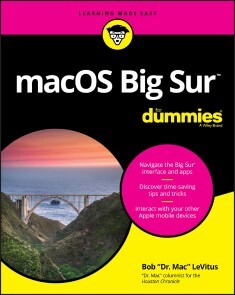
macOS Big Sur For Dummies
YOUR "GET-STARTED" GUIDE TO THE WORLD OF MACOS BIG SURWherever you like to Mac—at home in front of your trusty iMac or over a coffee with your portable MacBook Air—macOS provides you with the seamless, efficient, and reliable user experience that makes these devices so famously a pleasure to use. macOS Big Sur For Dummies is here to heighten the experience for new users and upgraders alike by providing the very latest on the ways macOS Big Sur can enhance how you work and play.Written in a no-jargon style by Bob LeVitus—the Houston Chronicle’s much-loved "Dr. Mac" since 1996—this guide starts with the basics, like getting set up, and explains more advanced uses, like making music and movies, exploring the expanding universe of apps and giving tips on how to save time and enhance productivity along the way. With this book, you'll learn to* Set up and connect your Mac* Get friendly with Siri* Enhance your world with apps* Work better and fasterUse the comprehensive capabilities of macOS Big Sur to do anything and everything you would like to do—and do it even better. For beginners and experts alike, macOS Big Sur For Dummies is the best way to step into the magical world of getting things done with Mac.BOB “DR. MAC” LEVITUS has written the “Dr. Mac” column for the Houston Chronicle since 1996. A devoted Mac enthusiast, he has written or cowritten a long list of how-to books about macOS, iPhone, iPad, Office for the Mac, and GarageBand. He’s also a regular contributor to various tech publications.INTRODUCTION 1About This Book 1Foolish Assumptions 3Icons Used in This Book 3Beyond the Book 4Where to Go from Here 4PART 1: MACOS BASICS 5CHAPTER 1: MACOS BIG SUR 101 (PREREQUISITES: NONE) 7Gnawing to the Core of macOS 8A Safety Net for the Absolute Beginner (or Any User) 10Turning the dang thing on 10What you should see on startup 11Shutting down properly 15A few things you should definitely not do with your Mac 16Point-and-click 101 17Not Just a Beatles Movie: Help and the Help Menu 19CHAPTER 2: DESKTOP AND WINDOWS AND MENUS (OH MY!) 23Touring Finder and Its Desktop 24Anatomy of a Window 25Top o’ the window to ya! 27A scroll new world 29(Hyper)active windows 30Dialog Dealie-Boppers 32Working with Windows 34Opening and closing windows 34Resizing windows and window panes 35Moving windows 35Shuffling windows 36Menu Basics 38The ever-changing menu bar 38Contextual (shortcut) menus: They’re sooo contextual! 39Recognizing disabled options 41Navigating submenus 41Under the Apple menu tree 42Using keyboard shortcut commands 44CHAPTER 3: WHAT’S UP, DOCK? 45A Quick Introduction to Your Dock 46The default icons of the dock 47Trash talkin’ 48Opening application menus on the dock 51Reading dock icon body language 53Opening files from the dock 54Customizing Your Dock 54Adding dock icons 54Removing an icon from the dock 57Resizing the dock 58What should you put on your dock? 58Setting your dock preferences 60CHAPTER 4: GETTING TO KNOW FINDER AND ITS DESKTOP 65Introducing Finder and Its Minions: The Desktop and Icons 66Introducing the desktop 66Bellying up to the toolbar 68Figuring out what an icon is 71Identifying your Finder icons in the wild 72Aliases Are Awesome! 73Creating aliases 74Deleting aliases 75Hunting down an alias’s parent 75The View(s) from a Window 76Moving through folders fast in Column view 76Perusing in Icon view 78Listless? Try touring folders in List view 78Hangin’ in the Gallery (view) 80What’s next on the (View) menu? 81Finder on the Menu 83The actual Finder menu 83Like a road map: The current folder’s pop-up menu 86Going places with the Go menu 86Customizing Finder Windows 89Adding folders to the sidebar 89Setting Finder preferences 90Digging for Icon Data in the Info Window 93CHAPTER 5: DELVING EVEN DEEPER INTO BIG SUR’S DESKTOP AND FINDER 97Cleaning Up Your Desktop Automatically with Stacks 97Managing your Stacks 100Quick Actions: Now Playing All Over Big Sur 101Getting the most out of Markup 101Trimming video without launching an app 104Do It Quicker with Finder Quick Actions 105Creating PDFs without launching an app 105Creating custom Finder Quick Actions 106Four More Cool Big Sur Tricks 107Shooting screens 107Dynamic desktop images 109Recently used apps in the dock 109Mentions of Gallery view 110PART 2: HOW STUFF WORKS 111CHAPTER 6: HAVING IT YOUR WAY 113Introducing System Preferences 113The Desktop & Screen Saver System Preferences Pane 116The Desktop tab 117The Screen Saver tab 118The General System Preferences Pane 119Adjusting the Keyboard, Mouse, Trackpad, and Other Hardware 122The Keyboard System Preferences pane 122The Mouse System Preferences pane 128The Bluetooth System Preferences pane 129The Trackpad System Preferences pane 129The Sound System Preferences Pane 131Changing sound effects 132Choosing output and input options 132CHAPTER 7: OPENING AND SAVING FILES 133A Quick Primer on Finding Files 134Understanding the macOS Folder Structure 134Understanding nested folders 136From the top: The Computer folder 137Peeking into the Applications folder 138Visiting the Library folders 138Let it be: The System folder 139There’s no place like Home 140Your personal library card 141Saving Your Document Before It’s Too Late 143Stepping through a basic save 145Save As versus Duplicate: Different names for the same result 151Open, Sez Me 153With drag-and-drop 154With a Quick Look 155When your Mac can’t open a file 155With the application of your choice 156CHAPTER 8: FILE AND FOLDER MANAGEMENT MADE EASY 159Organizing Your Stuff in Folders 159Files versus folders 160Organizing your stuff with subfolders 160Creating new folders 163Navigating with spring-loaded folders 163Smart folders 164Shuffling Files and Folders 167Moving files and folders 167Selecting multiple icons 169Playing the icon name game: Renaming icons 170Renaming multiple icons at once 171Compressing files 171Getting rid of icons 172The Incredible iCloud Drive 172CHAPTER 9: COMPREHENDING THE MACOS CLIPBOARD 175Introducing the Clipboard 175Copying Files and Folders 177Pasting from the Clipboard 179Big Sur’s Universal Clipboard 179PART 3: GETTING THINGS DONE 181CHAPTER 10: FIVE TERRIFIC TIME-SAVING TOOLS 183With a Quick Look 184Share and share alike with the Share menu 185Slide into Slideshow (full-screen) mode 186Spotlight on Finding Files and Folders Faster 187Using the Find command 187Using the Spotlight menu and its keyboard shortcut 190Blast Off with Mission Control 191The Mission Control pane: It’s painless 191Hot corners are hot stuff! 194Mission Control’s Spaces from 30,000 feet (an overview) 194Getting around in space(s) 197Taking Control of Essential Settings 198Launchpad: The Place for Applications 200CHAPTER 11: ORGANIZING YOUR LIFE 203Keeping Track with Calendar 204Navigating Calendar views 204Creating calendars 205Deleting a calendar 206Creating and managing events 207Reminders: Protection Against Forgetting 210Getting started with Reminders 210To do or not to do: Setting reminders 211Sharing lists and assigning reminders 213Everything You Need to Know about Notification Center 213Tweaking Notification settings 214Widget management 101 216Using Notification Center 217Use Notes for Making Notes 218Tracking Productivity with Screen Time 221CHAPTER 12: ARE YOU SIRI-OUS? 223What Siri Can Do for You 224Working with Siri 226Making Siri Your Own 226CHAPTER 13: MAPS ARE WHERE IT’S AT 229Finding Your Current Location with Maps 229Finding a Person, Place, or Thing 230Views, Zooms, and Pans 231Maps and Contacts 233Time-saving Map Tools: Favorites, Guides, and Recents 234Favorites 234Guides 235Recents 235Smart Map Tricks 236Get route maps and driving directions 236Get walking directions 237Get directions for public transportation 237Get traffic info in real time 238Flyovers and look arounds 238Do more on the Info sheet 240CHAPTER 14: APPS BORN IN IOS 241Taking Stock of the Market with Stocks 241Adding and deleting stocks, funds, and indexes 243Details, details, details 244Charting a course 244Read All about It in News 245What are your interests? 246How News works 247Managing your news 247Recording Memos with Voice Memos 248Recording a voice memo 248Listening to a voice memo 249Naming a voice memo 249Trimming a voice memo 250Controlling Lights, Locks, and More with Home 251PART 4: GETTING ALONG WITH OTHERS 253CHAPTER 15: (INTER)NETWORKING 255Getting Connected to the Internet 256Your Internet service provider and you 257Plugging in your Internet-connection settings 258Browsing the Web with Safari 259Owning your toolbar 261Using the Safari sidebar 263Searching with Google 267Protect yourself from malice (and ads) 269Checking out Help Center 270Audio and Video Calls with FaceTime 270CHAPTER 16: DEALING WITH PEOPLE 273Collecting Your Contacts 273Adding contacts 274Importing contacts from other programs 276Creating a basic group 276Setting up a smart group (based on contact criteria) 277Deleting a group or smart group 279Sync + Contacts = your contacts everywhere 279CHAPTER 17: COMMUNICATING WITH MAIL AND MESSAGES 281Sending and Receiving Email with Mail 281Setting up Mail 282A quick overview of the toolbar 283Composing a new message 284Sending email from the Contacts app 286Checking your mail 288Dealing with spam 289Mailboxes smart and plain 289Changing your preferences 292Sign here, please 293Mail rules rule 294Take a (Quick) look and (Slide) show me some photos 296Markup and Mail Drop 297Communicating with Messages 299Chit-chatting with Messages 300CHAPTER 18: SHARING YOUR MAC AND LIKING IT 303Introducing Networks and File Sharing 304Portrait of home office networking 305Three ways to build a network 307Setting Up File Sharing 309Access and Permissions: Who Can Do What 311Users and groups and guests 311Creating users 312macOS knows best: Folders shared by default 317Sharing a folder or disk by setting permissions 318Useful settings for permissions 322Unsharing a folder 324Connecting to a Shared Disk or Folder on a Remote Mac 325Changing Your Password 328Changing your account password on your Mac 329Changing the password of any account but your own on your Mac 329More Types of Sharing 330Sharing a screen 330Sharing the Internet 331And yet more ways to share 332PART 5: GETTING CREATIVE 333CHAPTER 19: THE MUSICAL MAC 335Apple Music and iTunes Match Rock! 336Introducing Music (the App Formerly Known as iTunes) 337Working with Media 340Adding songs 341Listening to Radio 343All about Playlists 344Creating a regular playlist 344Filtering your library 346Working with smart playlists 347Burning a playlist to CD 348Looking at the Genius playlist 348CHAPTER 20: THE MULTIMEDIA MAC 351Playing Movies and Music in QuickTime Player 351Watching TV 353Using the Books App 354Buying an e-book or audiobook 355Shopping for e-books without Apple 357Reading an e-book 358Finding and Listening to Podcasts with the Podcasts App 360You’re the Star with Photo Booth 361Viewing and Converting Images and PDFs in Preview 363Importing Media from a Camera or Camcorder 365CHAPTER 21: WORDS AND LETTERS 369Processing Words with TextEdit 370Creating and composing a document 370Working with text 371Adding graphics to documents 374Font Mania 375Types of fonts 376Managing your fonts with Font Book 376CHAPTER 22: PUBLISH OR PERISH: THE FAIL-SAFE GUIDE TO PRINTING 379Before Diving In 380Ready: Connecting and Adding Your Printer 380Connecting your printer 381Setting up a printer for the first time 381One last thing: Printer sharing 383Set: Setting Up Your Document with Page Setup 384Print: Printing with the Print Sheet 386Printing a document 386Choosing among different printers 387Choosing custom settings 387Saving custom settings 390Preview and PDF Options 390PART 6: CARE AND FEEDING 393CHAPTER 23: FEATURES FOR THE WAY YOU WORK 395Finally, a Dark Mode 396App Shopping, Improved 397Using Your iPhone as Your Mac’s Camera or Scanner 399Talking and Listening to Your Mac 402Keyboard System Preferences pane: You talk and your Mac types 402Commanding your Mac by voice 404Listening to your Mac read for you 406Automatic Automation 409Script Editor app: Write and edit AppleScripts 409Automator app: Automate almost anything 410A Few More Useful Goodies 413Accessibility System Preferences pane: Make your Mac more accessible 413Battery and Energy Saver System Preferences panes: For energy conservation and sleep 415Bluetooth System Preferences pane: Where Bluetooth lives 416Ink System Preferences pane: Visible to pen-input tablet users only 417Automatic Login in the Users & Groups System Preferences pane: Don’t bother with the login screen 417Allow your Apple Watch to unlock your Mac 418Boot Camp Assistant app: Run Windows on your Mac really 418AirPlay Mirroring 419Handoff 420CHAPTER 24: SAFETY FIRST: BACKUPS AND OTHER SECURITY ISSUES 421Backing Up is (Not) Hard to Do 422Backing up with Big Sur’s excellent Time Machine 422Backing up by using the manual, brute-force method 426Backing up by using commercial backup software 427Why You Need Two Sets of Backups 428Non-Backup Security Concerns 429About viruses and other malware 429Firewall: Yea or nay? 431Install recommended software updates 433Protecting Your Data from Prying Eyes 434Blocking or limiting connections 434Locking down files with FileVault 434Setting other options for security 435CHAPTER 25: UTILITY CHEST 439In the Applications and Utilities Folders 439Calculator 439Activity Monitor 441Disk Utility 442Grapher 447Keychain Access 447Migration Assistant 449System Information 450Terminal 450Capturing Your Screen 451Big Sur screen-shooting 101 452Big Sur screen-shooting options 453Big Sur screen recording 454CHAPTER 26: TROUBLESHOOTING MACOS 457About Startup Disks and Booting 457Finding or creating a startup disk 458They call it a prohibitory sign for a reason 458Recovering with Recovery HD 460Step 1: Run First Aid 460Step 2: Safe boot into Safe mode 461Step 3: Zapping the PRAM/NVRAM 462Step 4: Reinstalling macOS 463Step 5: Things to try before taking your Mac in for repair 463If Your Mac Crashes at Startup 464Optimizing Storage 465PART 7: THE PART OF TENS 467CHAPTER 27: TEN WAYS TO SPEED UP YOUR MAC EXPERIENCE 469Use Those Keyboard Shortcuts 470Improve Your Typing Skills 471Change Your Resolution 471Purchase a Faster Mac 473Add RAM 473Add a Second Display 474Use Your iPad as a Second Display 474Upgrade to a Solid-State Drive (SSD) 475Get More Storage 476Subscribe to My Free Newsletter 477CHAPTER 28: TEN GREAT WEBSITES FOR MAC FREAKS 479The Mac Observer 480Macworld 480TidBITS 480iMore 481AppleWorld.Today 481The Wirecutter 481Apple Support 482Other World Computing 482dealmac/dealnews 483Working Smarter for Mac Users 483Index 485
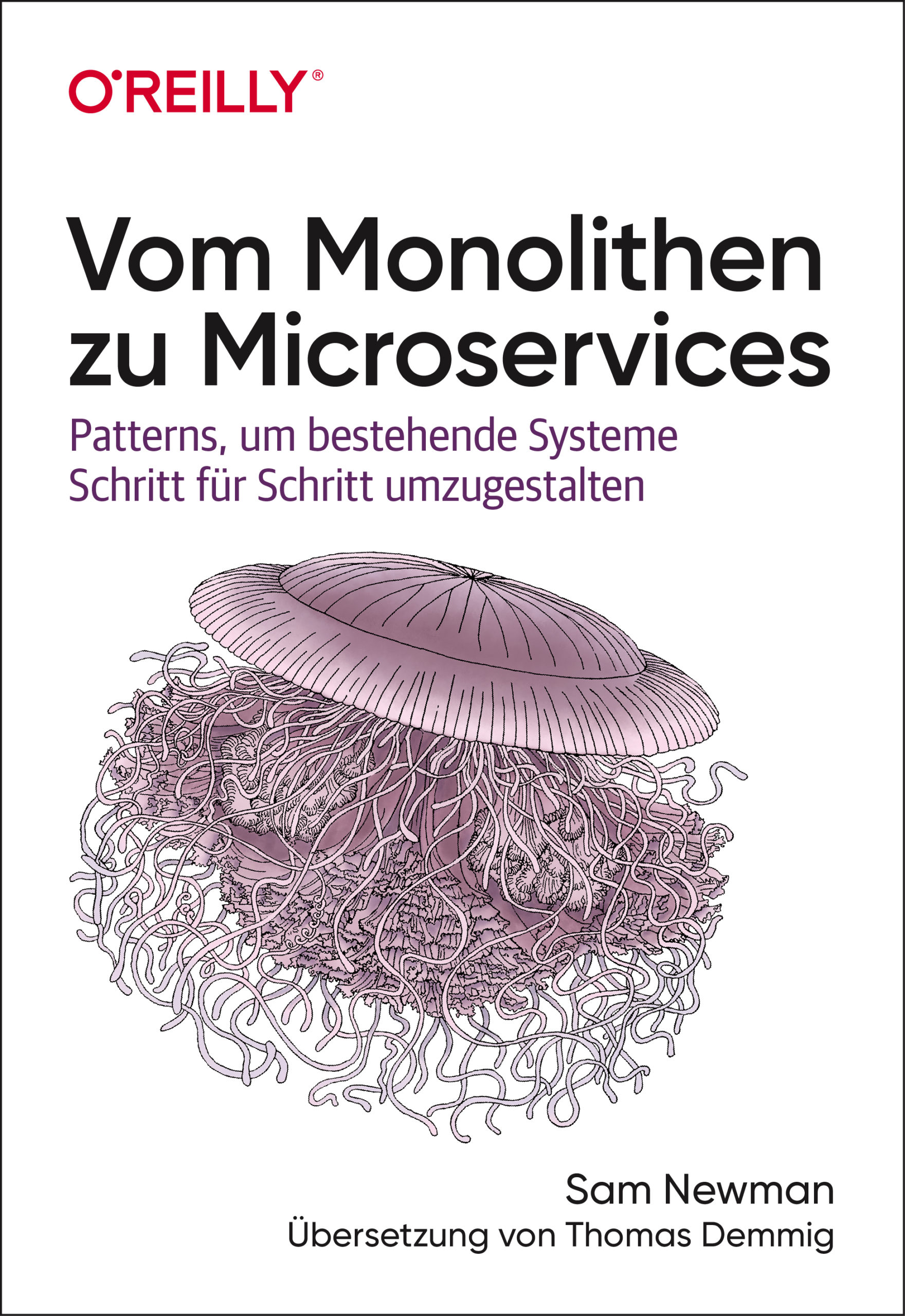
Vom Monolithen zu Microservices
Bestehende Systeme erfolgreich in eine Microservices-Architektur umgestaltenUnerlässliches Expertenwissen für Organisationen, die ihre Codebasis modernisieren wollen Autor des geschätzten Grundlagenwerks »Building Microservices« Orientierung und Anleitung für den anspruchsvollen Migrationsprozess Wie entflechtet man ein monolithisches System und überführt es in eine Microservices-Architektur? Und wie erhält man gleichzeitig den normalen Betrieb aufrecht? Sam Newman, Autor des viel beachteten Titels »Building Microservices«, beschreibt Szenarien und erprobte Strategien, um bestehende Systeme erfolgreich zu migrieren: von der ersten Planung bis zum Zerlegen von Anwendung und Datenbank. Newman greift hierbei auf viele anschauliche Beispiele zurück, stellt aufschlussreiche Pattern für die Migration vor und gibt praktische Ratschläge. Für Organisationen, die ihre Codebasis in Richtung einer Microservices-Architektur überführen und nicht komplett neu aufbauen wollen Unterstützt Unternehmen bei der Frage, ob und wann sie migrieren und wo sie konkret beginnen sollten Befasst sich mit der Integration und Migration von Legacy-Systemen und der Kommunikation mit diesen Systemen Stellt Migrationspattern vor und beschreibt, wo und wie sie am besten eingesetzt werden Bietet Beispiele für die Datenbankmigration und begleitende Synchronisationsstrategien Beschreibt das Zerlegen von Anwendungen einschließlich einer Reihe von Refaktorisierungspattern
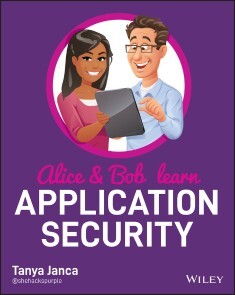
Alice and Bob Learn Application Security
LEARN APPLICATION SECURITY FROM THE VERY START, WITH THIS COMPREHENSIVE AND APPROACHABLE GUIDE!Alice and Bob Learn Application Security is an accessible and thorough resource for anyone seeking to incorporate, from the beginning of the System Development Life Cycle, best security practices in software development. This book covers all the basic subjects such as threat modeling and security testing, but also dives deep into more complex and advanced topics for securing modern software systems and architectures. Throughout, the book offers analogies, stories of the characters Alice and Bob, real-life examples, technical explanations and diagrams to ensure maximum clarity of the many abstract and complicated subjects.Topics include:* Secure requirements, design, coding, and deployment* Security Testing (all forms)* Common Pitfalls* Application Security Programs* Securing Modern Applications* Software Developer Security HygieneAlice and Bob Learn Application Security is perfect for aspiring application security engineers and practicing software developers, as well as software project managers, penetration testers, and chief information security officers who seek to build or improve their application security programs.Alice and Bob Learn Application Security illustrates all the included concepts with easy-to-understand examples and concrete practical applications, furthering the reader's ability to grasp and retain the foundational and advanced topics contained within.TANYA JANCA, also known as SheHacksPurple, is the founder of We Hack Purple, an online learning academy dedicated to teaching everyone how to create secure software. With over twenty years of IT and coding experience, she has won numerous awards and worked as a developer, pentester, and AppSec Engineer. She was named Hacker of the Year by the Cybersecurity Woman of the Year 2019 Awards and is the Founder of WoSEC International, #CyberMentoringMonday, and OWASP DevSlop.Foreword xxiIntroduction xxiiiPART I WHAT YOU MUST KNOW TO WRITE CODE SAFE ENOUGH TO PUT ON THE INTERNET 1CHAPTER 1 SECURITY FUNDAMENTALS 3The Security Mandate: CIA 3Confidentiality 4Integrity 5Availability 5Assume Breach 7Insider Threats 8Defense in Depth 9Least Privilege 11Supply Chain Security 11Security by Obscurity 13Attack Surface Reduction 14Hard Coding 15Never Trust, Always Verify 15Usable Security 17Factors of Authentication 18Exercises 20CHAPTER 2 SECURITY REQUIREMENTS 21Requirements 22Encryption 23Never Trust System Input 24Encoding and Escaping 28Third-Party Components 29Security Headers: Seatbelts for Web Apps 31Security Headers in Action 32X-XSS-Protection 32Content-Security-Policy (CSP) 32X-Frame-Options 35X-Content-Type-Options 36Referrer-Policy 36Strict-Transport-Security (HSTS) 37Feature-Policy 38X-Permitted-Cross-Domain-Policies 39Expect-CT 39Public Key Pinning Extension for HTTP (HPKP) 41Securing Your Cookies 42The Secure Flag 42The HttpOnly Flag 42Persistence 43Domain 43Path 44Same-Site 44Cookie Prefixes 45Data Privacy 45Data Classification 45Passwords, Storage, and Other Important Decisions 46HTTPS Everywhere 52TLS Settings 53Comments 54Backup and Rollback 54Framework Security Features 54Technical Debt = Security Debt 55File Uploads 56Errors and Logging 57Input Validation and Sanitization 58Authorization and Authentication 59Parameterized Queries 59URL Parameters 60Least Privilege 60Requirements Checklist 61Exercises 63CHAPTER 3 SECURE DESIGN 65Design Flaw vs. Security Bug 66Discovering a Flaw Late 67Pushing Left 68Secure Design Concepts 68Protecting Sensitive Data 68Never Trust, Always Verify/Zero Trust/Assume Breach 70Backup and Rollback 71Server-Side Security Validation 73Framework Security Features 74Security Function Isolation 74Application Partitioning 75Secret Management 76Re-authentication for Transactions (Avoiding CSRF) 76Segregation of Production Data 77Protection of Source Code 77Threat Modeling 78Exercises 82CHAPTER 4 SECURE CODE 83Selecting Your Framework and Programming Language 83Example #1 85Example #2 85Example #3 86Programming Languages and Frameworks: The Rule 87Untrusted Data 87HTTP Verbs 89Identity 90Session Management 91Bounds Checking 93Authentication (AuthN) 94Authorization (AuthZ) 96Error Handling, Logging, and Monitoring 99Rules for Errors 100Logging 100Monitoring 101Exercises 103CHAPTER 5 COMMON PITFALLS 105OWASP 105Defenses and Vulnerabilities Not Previously Covered 109Cross-Site Request Forgery 110Server-Side Request Forgery 112Deserialization 114Race Conditions 115Closing Comments 117Exercises 117PART II WHAT YOU SHOULD DO TO CREATE VERY GOOD CODE 119CHAPTER 6 TESTING AND DEPLOYMENT 121Testing Your Code 121Code Review 122Static Application Security Testing (SAST) 123Software Composition Analysis (SCA) 125Unit Tests 126Infrastructure as Code (IaC) and Security as Code (SaC) 128Testing Your Application 129Manual Testing 130Browsers 131Developer Tools 131Web Proxies 132Fuzzing 133Dynamic Application Security Testing (DAST) 133VA/Security Assessment/PenTest 135Testing Your Infrastructure 141Testing Your Database 141Testing Your APIs and Web Services 142Testing Your Integrations 143Testing Your Network 144Deployment 145Editing Code Live on a Server 146Publishing from an IDE 146“Homemade” Deployment Systems 147Run Books 148Contiguous Integration/Continuous Delivery/Continuous Deployment 148Exercises 149CHAPTER 7 AN APPSEC PROGRAM 151Application Security Program Goals 152Creating and Maintaining an Application Inventory 153Capability to Find Vulnerabilities in Written, Running, and Third-Party Code 153Knowledge and Resources to Fix the Vulnerabilities 154Education and Reference Materials 155Providing Developers with Security Tools 155Having One or More Security Activities During Each Phase of Your SDLC 156Implementing Useful and Effective Tooling 157An Incident Response Team That Knows When to Call You 157Continuously Improve Your Program Based on Metrics, Experimentation, and Feedback 159Metrics 159Experimentation 161Feedback from Any and All Stakeholders 161A Special Note on DevOps and Agile 162Application Security Activities 162Application Security Tools 164Your Application Security Program 165Exercises 166CHAPTER 8 SECURING MODERN APPLICATIONS AND SYSTEMS 167APIs and Microservices 168Online Storage 171Containers and Orchestration 172Serverless 174Infrastructure as Code (IaC) 175Security as Code (SaC) 177Platform as a Service (PaaS) 178Infrastructure as a Service (IaaS) 179Continuous Integration/Delivery/Deployment 180Dev(Sec)Ops 180DevSecOps 182The Cloud 183Cloud Computing 183Cloud Native 184Cloud Native Security 185Cloud Workflows 185Modern Tooling 186IAST Interactive Application Security Testing 186Runtime Application Security Protection 187File Integrity Monitoring 187Application Control Tools (Approved Software Lists) 187Security Tools Created for DevOps Pipelines 188Application Inventory Tools 188Least Privilege and Other Policy Automation 189Modern Tactics 189Summary 191Exercises 191PART III HELPFUL INFORMATION ON HOW TO CONTINUE TO CREATE VERY GOOD CODE 193CHAPTER 9 GOOD HABITS 195Password Management 196Remove Password Complexity Rules 196Use a Password Manager 197Passphrases 198Don’t Reuse Passwords 198Do Not Implement Password Rotation 199Multi-Factor Authentication 199Incident Response 200Fire Drills 201Continuous Scanning 202Technical Debt 202Inventory 203Other Good Habits 204Policies 204Downloads and Devices 204Lock Your Machine 204Privacy 205Summary 206Exercises 206CHAPTER 10 CONTINUOUS LEARNING 207What to Learn 208Offensive = Defensive 208Don’t Forget Soft Skills 208Leadership != Management 209Learning Options 209Accountability 212Create Your Plan 213Take Action 214Exercises 214Learning Plan 216CHAPTER 11 CLOSING THOUGHTS 217Lingering Questions 218When Have You Done Enough? 218How Do You Get Management on Board? 220How Do You Get Developers on Board? 221Where Do You Start? 222Where Do You Get Help? 223Conclusion 223APPENDIX A RESOURCES 225Introduction 225Chapter 1: Security Fundamentals 225Chapter 2: Security Requirements 226Chapter 3: Secure Design 227Chapter 4: Secure Code 228Chapter 5: Common Pitfalls 228Chapter 6: Testing and Deployment 229Chapter 7: An AppSec Program 229Chapter 8: Securing Modern Applications and Systems 230Chapter 9: Good Habits 231Chapter 10: Continuous Learning 231APPENDIX B ANSWER KEY 233Chapter 1: Security Fundamentals 233Chapter 2: Security Requirements 235Chapter 3: Secure Design 236Chapter 4: Secure Code 238Chapter 5: Common Pitfalls 241Chapter 6: Testing and Deployment 242Chapter 7: An AppSec Program 244Chapter 8: Securing Modern Applications and Systems 245Chapter 9: Good Habits 247Chapter 10: Continuous Learning 248Index 249

Technisches Konstruieren mit OpenSCAD
Das Design dreidimensionaler Modelle mit Werkzeugen wie Blender oder 3D Studio Max ist eine Aufgabe, die ingenieurwissenschaftlich begabte Personen nur allzu gern delegieren.OpenSCAD wählt einen erfrischend anderen Zugang. Anstatt ein Objekt als Punktwolke zu betrachten, schreibt der Modellerzeuger in einer an Javascript erinnernden Sprache ein Programm. Dieses beschreibt die zu erzeugende Geometrie als eine Serie von Arbeitsschritten. Dreidimensionale Modelle entstehen so in einem Workflow, der an die Entwicklung klassischer ingenieurwissenschaftliche Güter erinnert. Wegen der Nähe zur manuellen Fertigung mit Werkzeug ist das ein Prozess, der Ingenieuren gut in die Hände spielt.Aber Achtung: trotz der Einfachheit der Syntax ist OpenSCAD kein primitives Modellierungsprogramm. Umfangreiche Scriptingmöglichkeiten sorgen dafür, dass sich die Modelle dynamisch an geänderte Situationen anpassen.Dieses Lehrbuch demonstriert die Möglichkeiten von OpenSCAD anhand praktischer Beispiele. Freuen Sie sich auf Ersatzknöpfe für ein LeCroy-Oszilloskop, Garderobenstangenhalter, einen Halter für Seifenspender und diverse andere Beispiele aus dem realen Leben.Der mit mehr als 15 Dienstjahren Erfahrung ausgestattete Autor entwickelte dieses für Linux und Windows gleichermaßen geeignete Buch explizit für informatikaffine Personen. Wenn Sie mit irgendeiner Programmiersprache Erfahrung haben, ist dieses Buch ihr Weg zum schnellen und unbürokratischen Erzeugen dreidimensionaler Modelle.Tam Hanna programmiert und entwickelt seit mehr als 15 Jahren Microcontroller und Prozessrechnersysteme für verschiedene Anwendungsfälle. Neben seiner Consultingtätigkeit hält er Vorträge auf Kongressen, verfasst Fachartikel für diverse Magazine und agiert als Tutor. Sein viel beachteter Instagram-Kanal liefert Hintergrundinformationen zu Messtechnik und Elektronik.

Hacking
* METHODEN UND TOOLS DER HACKER, CYBERKRIMINELLEN UND PENETRATION TESTER* MIT ZAHLREICHEN SCHRITT-FÜR-SCHRITT-ANLEITUNGEN UND PRAXIS-WORKSHOPS* INKLUSIVE VORBEREITUNG AUF DEN CERTIFIED ETHICAL HACKER (CEHV10) MIT BEISPIELFRAGEN ZUM LERNENDies ist ein praxisorientierter Leitfaden für angehende Hacker, Penetration Tester, IT-Systembeauftragte, Sicherheitsspezialisten und interessierte Poweruser. Mithilfe vieler Workshops, Schritt-für-Schritt-Anleitungen sowie Tipps und Tricks lernen Sie unter anderem die Werkzeuge und Mittel der Hacker und Penetration Tester sowie die Vorgehensweise eines professionellen Hacking-Angriffs kennen. Der Fokus liegt auf der Perspektive des Angreifers und auf den Angriffstechniken, die jeder Penetration Tester kennen muss.Dabei erläutern die Autoren für alle Angriffe auch effektive Gegenmaßnahmen. So gibt dieses Buch Ihnen zugleich auch schrittweise alle Mittel und Informationen an die Hand, um Ihre Systeme auf Herz und Nieren zu prüfen, Schwachstellen zu erkennen und sich vor Angriffen effektiv zu schützen.Das Buch umfasst nahezu alle relevanten Hacking-Themen und besteht aus sechs Teilen zu den Themen: Arbeitsumgebung, Informationsbeschaffung, Systeme angreifen, Netzwerk- und sonstige Angriffe, Web Hacking sowie Angriffe auf WLAN und Next-Gen-Technologien.Jedes Thema wird systematisch erläutert. Dabei werden sowohl die Hintergründe und die zugrundeliegenden Technologien als auch praktische Beispiele in konkreten Szenarien besprochen. So haben Sie die Möglichkeit, die Angriffstechniken selbst zu erleben und zu üben. Das Buch ist als Lehrbuch konzipiert, eignet sich aber auch als Nachschlagewerk.Sowohl der Inhalt als auch die Methodik orientieren sich an der Zertifizierung zum Certified Ethical Hacker (CEHv10) des EC Council. Testfragen am Ende jedes Kapitels helfen dabei, das eigene Wissen zu überprüfen und für die CEH-Prüfung zu trainieren. Damit eignet sich das Buch hervorragend als ergänzendes Material zur Prüfungsvorbereitung.AUS DEM INHALT:* Aufbau einer Hacking-Laborumgebung* Einführung in Kali Linux als Hacking-Plattform* Sicher und anonym im Internet kommunizieren* Reconnaissance (Informationsbeschaffung)* Vulnerability-Scanning* Password Hacking* Bind und Reverse Shells* Mit Malware das System übernehmen* Spuren verwischen* Lauschangriffe und Man-in-the-Middle* Social Engineering* Web- und WLAN-Hacking* Angriffe auf IoT-Systeme* Cloud-Hacking und -Security* Durchführen von PenetrationstestsEric Amberg ist selbstständiger Experte für IT-Netzwerke und -Sicherheit und hat in den letzten 20 Jahren zahlreiche Projekte aller Größenordnungen durchgeführt. Seine große Leidenschaft ist die Wissensvermittlung, die er in Büchern, Magazinen und insbesondere Videotrainings stets praxisnah und lebendig präsentiert. Eric verfügt über zahlreiche Zertifizierungen, unter anderem CEHv10, CISSP, CCNP Security, LPIC-2 und ist zertifizierter Cisco-Trainer (CSI # 34318).Daniel Schmid ist bei einem großen Energiekonzern im Bereich Netzwerke und Security tätig. Als Projektleiter für diverse große, teils internationale Projekte hat er in über 10 Jahren viel Erfahrung in der Planung und Implementation sicherheitskritischer Infrastruktur gesammelt und hat dabei seine Leidenschaft für das Thema "Hacking und Penetration Testing" entdeckt.Eric und Daniel haben bereits viele gemeinsame Projekte erfolgreich umgesetzt und sind die Gründer der Hacking-Akademie (https://hacking-akademie.de).
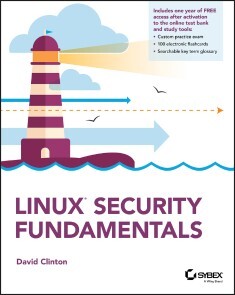
Linux Security Fundamentals
Linux Security Fundamentals provides basic foundational concepts of securing a Linux environment. The focus is the digital self-defense of an individual user. This includes a general understanding of major threats against individual computing systems, networks, services and identity as well as approaches to prevent and mitigate them.This book is useful for anyone considering a career as a Linux administrator or for those administrators who need to learn more about Linux security issues. Topics include:* Security Concepts* Encryption* Node, Device and Storage Security* Network and Service Security* Identity and PrivacyReaders will also have access to Sybex's superior online interactive learning environment and test bank, including chapter tests, a practice exam, electronic flashcards, a glossary of key terms.DAVID CLINTON is a Linux server admin and Amazon Web Services solutions architect who has worked with IT infrastructure in both academic and enterprise environments. He has created video courses teaching AWS and Linux administration, server virtualization, and IT security for Pluralsight. He has also written or cowritten a dozen technology books, including AWS Certified Solutions Architect Study Guide: Associate (SAA-C01) Exam, Second Edition, and AWS Certified Cloud Practitioner Study Guide: Foundational (CLF-C01) Exam.Introduction xiiiCHAPTER 1 USING DIGITAL RESOURCES RESPONSIBLY 1Protecting Personal Rights 2Protecting Digital Privacy 4What is Personal Data? 4Where Might My Personal Data Be Hanging Out? 4What Are My Responsibilities as a Site Administrator? 6Can Escaped Genies Be Forced Back into Their Bottles? 6What Can I Do as a User? 7Establishing Authenticity 7Think About the Source 8Be Aware of Common Threat Categories 8Summary 9Back to the Basics 10Review Questions 11CHAPTER 2 WHAT ARE VULNERABILITIES AND THREATS? 15The Basics: What Are We Trying to Accomplish Here? 16What Are Vulnerabilities and Threats? 17What Can Be Exploited? 17Who’s Doing the Exploiting? 18Why Do They Attack? 19Common Vulnerabilities 20Software Vulnerabilities 20Hardware Vulnerabilities 21Bioware Vulnerabilities 21Digital Espionage 21USB Devices 21Backdoors 22Wireless Entry Points 22Stolen Credentials 23Data Breaches 23Identity Theft (Besides Breaches) 24Malware 24Network-Based Attacks 25Man-in-the-Middle Attacks 25Denial-of-Service and Distributed Denial-of-Service Attacks 26Network Routing Attacks 26Summary 26Back to the Basics 27Review Questions 28CHAPTER 3 CONTROLLING ACCESS TO YOUR ASSETS 33Controlling Physical Access 34Understanding Your Devices 34Protecting Your Devices 36Managing Authentication Through Effective Password Use 38Managing Authorization Through Permissions 44Controlling Network Access 45Firewalls 45Virus and Malware Protection 48Educating Your Users 49Controlling Software Sources 50PC Software Repositories 51Mobile Package Management 51Summary 52Back to the Basics 52Review Questions 54CHAPTER 4 CONTROLLING NETWORK CONNECTIONS 59Understanding Network Architecture 60The Transmission Control Protocol 60The Internet Protocol 61Understanding the Domain Name System 64Auditing Networks 65Network Auditing Tools 66Automating Audits 70Securing Networks 71Patch Your Software 71Physically Secure Your Infrastructure 73Secure Your Network Behavior 73Other Stuff 74Summary 74Back to the Basics 75Review Questions 76CHAPTER 5 ENCRYPTING YOUR DATA AT REST 81What is Encryption? 82Encryption Usage Patterns 85What Should You Encrypt? 85Understanding Hashing vs. Encryption 86What Are Blockchains? 86Encryption Technologies 87Summary 89Back to the Basics 89Review Questions 90CHAPTER 6 ENCRYPTING YOUR MOVING DATA 93Website Encryption 94Why You Should Use Encryption 95How Website Encryption Works 96Generating Certificates 98Email Encryption 99GNU Privacy Guard 100Does Gmail Encrypt Your Emails? 100Working with VPN Connections and Software Repositories 100Securing Your Actions Using VPNs 101Securing Transfers from Software Repositories 104Summary 105Back to the Basics 105Review Questions 106CHAPTER 7 RISK ASSESSMENT 109Conducting Open Source Intelligence Gathering 111Accessing Public Vulnerability Databases 112Vulnerability Data Frameworks 112Vulnerability Data Formats 113Vulnerability Data Metrics 114Vulnerability Data Management Tools 114Conducting Vulnerability Scans 115Conducting Penetration Tests 117Attack Vectors 118Tooling Frameworks 118Follow-Up 119Summary 119Back to the Basics 120Review Questions 121CHAPTER 8 CONFIGURING SYSTEM BACKUPS AND MONITORING 125Why You Need to Get Backups Right the First Time 127Appreciating the Risks 128Spreading Your Backups Across Multiple Sites 129Testing Your Backups 130Meeting Regulatory Compliance 131Backup Types 132Incremental Backups 132Differential Backups 133Backup Life Cycles 133Multitier Backups 133Multisite Storage Solutions 134Disaster Recovery Planning 134Configuring Monitoring and Alerts 135Working with System Logs 135Intrusion Detection 136Summary 137Back to the Basics 138Review Questions 139CHAPTER 9 RESOURCE ISOLATION DESIGN PATTERNS 143Configuring Network Firewalling 145Balancing Public and Private Networks 145Building Isolated Development Environments 147Working with Sandbox Environments 148Use Cases for Sandboxes 148Sandbox Designs 149Controlling Local System Access 150Configuring Mandatory Access Controls 150Setting Usage Quotas 151Summary 152Back to the Basics 152Review Questions 153APPENDIX ANSWERS TO REVIEW QUESTIONS 155Chapter 1: Using Digital Resources Responsibly 156Chapter 2: What are Vulnerabilities and Threats? 157Chapter 3: Controlling Access to Your Assets 158Chapter 4: Controlling Network Connections 160Chapter 5: Encrypting Your Data at Rest 161Chapter 6: Encrypting Your Moving Data 162Chapter 7: Risk Assessment 163Chapter 8: Configuring System Backups and Monitoring 165Chapter 9: Resource Isolation Design Patterns 166Index 167
Podcasting For Dummies
ADD YOUR VOICE TO THE PODCASTING REVOLUTION!The world is tuning into podcasts in larger and larger numbers. When you’re ready to add your own voice to the mix, this book will help you find your niche. Featuring top tech information, production insight, and promotional tips, this best-selling podcasting reference shares the latest on podcasting trends and new audience demographics.Written by a pair of podcasting pioneers, Podcasting For Dummies will help you refine your podcast idea, identify your audience, and get the scoop on how to record, edit, and share your work. You’ll also learn how to apply the methods top podcasters monetize and market their work.* Record your voice and conduct high-quality interviews for your new or existing podcast * Edit, upload, and share podcast episodes online—and find people who will listen * Learn how to make money as a podcaster or live streamer * Discover interesting and original podcasts to inspire your own work Podcasting for Dummies is your friendly tutor in the art of audio content creation. So start talking!TEE MORRIS is an award-winning podcaster and the author of Twitch For Dummies and Discord For Dummies.CHUCK TOMASI is a Developer Advocate who has created thousands of hours of content for work and fun. Foreword xvINTRODUCTION 1About This Book 1How to Use This Book 2Conventions Used in This Book 3Bold Assumptions 4How This Book is Organized 5Part 1: Podcasting on a Worldwide Frequency 5Part 2: The Hills Are Alive with the Sound of Podcasting 5Part 3: So You’ve Got This Great Recording of Your Voice: Now What? 5Part 4: Start Spreadin’ the News about Your Podcast 6Part 5: Pod-sibilities to Consider for Your Show 6Part 6: The Part of Tens 6Icons Used in This Book 7Beyond the Book 7Where to Go from Here 8PART 1: PODCASTING ON A WORLDWIDE FREQUENCY 9CHAPTER 1: GETTING THE SCOOP ON PODCASTING 11Deciding Whether Podcasting is for You 12You want to deliver media on a regular basis 13You want to reach beyond the boundaries of broadcast media 14You have something to say 14You want to hear from your listeners 15Creating a Podcast 15Looking for the bare necessities 16Recording your first podcast 17Compressing your audio files 18Uploading your audio to the web 18Grabbing listeners 20There’s an App for That 21The old-timer: Apple Podcasts 22Podcasting on the go: Stitcher 23Welcome the game-changer: Overcast 25Podcasting with the G-man: Google Play Music 27A new 800-pound gorilla: Spotify 28Other Podcast Resources 30CHAPTER 2: GETTING THE GADGETS TO PRODUCE A PODCAST 31Finding the Right Mic 32A Beginner’s Guide to Mics 33Investing in a high-end mic 35Podcasts Well with Others: The Mixing Board 40The anatomy of a mixing board 41Hooking up a mixer to your computer 43Accessorize! Accessorize! Accessorize! 45CHAPTER 3: BUILDING YOUR PODCAST’S DIGITAL WORKSTATION 51Budget-Friendly (a.k.a Free) Software 52Audacity: The risk-free option for all 52Cakewalk by Bandlab for Windows: A complementary Step in Running with the Pros 53GarageBand: Moby in your Mac! 54The Sky’s the Limit: Big-Budget Software 57Adobe Audition 57Apple Logic Pro X 58Gluing It Together with RSS 59Keep it simple and get a blog! 61Doing it by hand 63Podcast Management 101 64Size does matter 64Bandwidth demystified 65CHAPTER 4: GO, GO, POWER PODCASTERS! 67Podcasting with Your Laptop 68Mackie Onyx Blackjack 68Shure MVi 69Podcasting with Your Mobile Devices 70A Shure Thing: The MV5 and MV51 71Two for the Røde: The VideoMic Me and smartLav+ 72Podcasting with Portable Recorders 74Zoom-Zoom-Zoom: The Handy Recorder line 74From Cloud to Computer: Portable Audio Workflow 78Getting audio from your portable recorder 78Getting audio from your portable device 80PART 2: THE HILLS ARE ALIVE WITH THE SOUND OF PODCASTING 83CHAPTER 5: BEFORE YOU HIT THE RECORD BUTTON 85Choosing a Unique Topic for Your Podcast 86Finding Your Voice 87What if I hear more than one voice? 89Deciding Whether You Need an Outline or Script 92Determining a Length for Your Show 94The hidden value of the short podcast 94A little length won’t kill you 95Finding that happy medium 96Mark Your Calendar: Posting Schedule 97Posting daily 97Posting weekly 98Posting biweekly (or fortnightly for our friends in the Commonwealth) 98Posting monthly 99I Hear Music (and It Sounds Like Police Sirens!) 100The powers that be 100I can name that tune I wrote it! 105I’ll take the First: Free speech versus slander 106CHAPTER 6: INTERVIEW-FU: TALK TO ME, GRASSHOPPER 107I’ll Have My People Call Your People: Interview Requests 108Preparing for Interviews 110Asking really great questions 110Avoiding really bad questions 113Feelin’ the synergy 114Recording Interviews 116Recording using Skype 116Recording using OBS 118Recording using hardware 121Prepping Your Green Room for Guests 122Welcoming in-studio guests 123Meeting guests on their own turf 123Ensuring Trouble-Free Recordings 125CHAPTER 7: SO WHAT ARE YOU WAITING FOR? RECORD, ALREADY! 127Did Your Sound Check Clear the Bank? 128Understanding dB levels 128Setting your levels 130Noises Off: Capturing Ambient Noise 133Identifying ambient noise 133Minimizing ambient noise 134Now Take Your Time and Hurry Up: Pacing and Clock Management 136Take the potato out of your mouth and enunciate 137And now let’s take a break for station identification 138Concerning Tangents and Their Val — Oh, Look, a Butterfly! 140“Say, that reminds me of something ” 140“But getting back to what I was saying earlier ” 141Time to Push the Big Red Button! 142Getting started with GarageBand 143Getting started with Audacity 144CHAPTER 8: CLEANUP, PODCAST AISLE 8! 147A Few Reasons to Consider Editing 148The Art of Editing 149Editing with GarageBand 150Editing with Audacity 152Making Your Musical Bed and Lying in It: Background Music 154Finding the right balance 155Applying bed music the right way 156Setting volume levels for bed music 157Making an Entrance: Intros 161Theme music 162Intro greeting 162Exit, Stage Left: Outros 163Leave the audience wanting more 164Catch phrase sign off 164Credits roll 165Coming soon to a media player near you 165PART 3: SO YOU’VE GOT THIS GREAT RECORDING OF YOUR VOICE: NOW WHAT? 167CHAPTER 9: SHRINK THAT PUPPY AND SLAP A LABEL ON IT 169A Kilobit of Me, and a Whole Lot of You: Understanding Kbps 170Care for a Sample, Sir? (Audio Sample Rates) 173ID3 Tags: The 411 of Podcasting 176Tell me about yourself: All about ID3 tags 176IDentity crisis: Making ID3 tags work for podcasting 177Creating and editing ID3 tags 179CHAPTER 10: MOVE IT ON UP (TO YOUR WEB SERVER) 183Show Art: Getting Graphic with Your Podcast 184Adopting an Effective File Naming Convention 186Understanding How FTP Works 188Making Your Connection with an FTP Application 189Step by step (or quack by quack) setup for Cyberduck 190Step by step setup for FileZilla 191A place on your web server for your stuff 192Uploading your files 193Uploading to a Podcast-Specific Host 195CHAPTER 11: PROVIDING SHOW NOTES 197Show Note Etiquette 197Planning the Post 199It’s all in the details 200A picture is worth a thousand words 201Posting Your Show Notes 203Posting in WordPress 203Posting on LibSyn 207Boosting Search Engine Rankings with Good Show Notes 209Loading up your titles 210Soliciting backlinks 211PART 4: START SPREADIN’ THE NEWS ABOUT YOUR PODCAST 213CHAPTER 12: SPEAKING DIRECTLY TO YOUR PEEPS 215Gathering Listener Feedback 216Fostering Comments on Your Blog 217Focusing on Online Forums 218Social Media 221Facebook 221Twitter 222Pinterest 222YouTube? For audio?! 223Instagram 224Discord: The Lava Lamp of Online Communications 226Using Voicemail 229Seeking Out the Comments of Others 231Trying a general search 232Searching within a site, blog, or social media platform 232When the Comments Are Less than Good 233CHAPTER 13: FISHING FOR LISTENERS 237Getting Your Podcast Ready for Promotion 237Polishing your presentation 238Checking your bandwidth 238Figuring out your USP 239Exploring Various Advertising Options 240Give me a boost, Facebook 241Insta-traffic with Instagram 244Writing press releases 247Promoting Your Podcast 250Optimizing your site for search engines 250Submitting promos to other podcasts 250Recording your promo 251Giving interviews 253Generating buzz 254PART 5: POD-SIBILITIES TO CONSIDER FOR YOUR SHOW 255CHAPTER 14: SHOW ME THE MONEY 257How Much Money Can You Make? 258Convincing Advertisers to Give You Money 261Developing a media kit 262Establishing a rate sheet 267Getting a Sponsor 267Asking Your Listeners for Money 270Gathering listener donations with PayPal 270Building patrons with Patreon 272Selling stuff 275CHAPTER 15: PODCASTING FOR PUBLICITY 277Podcasting and Politics 278Telling the World a Story, One Podcast at a Time 281Keeping Good Company: Community Podcasts 285Creating a podcast to encourage testimony 285Podcasting for fun (while promoting in the process) 286CHAPTER 16: PODCASTING FOR PASSION 291The Philosophical Question for All Podcasters: Why Do We Do It? 292Gaining perspective on passion 292Podcasting passion with a purpose 294Sharing your passion with friends 294A passionate love for the podcast 296Holding Interest: Keeping a Podcast’s Passion Alive 298Podcasting on puree: Mixing it up 299Starting a second (or third) podcast 300Moving forward with a plan 304When Podcasting, Be Like Bruce Lee 306CHAPTER 17: ONE GIANT LEAP FOR PODCASTING: STREAMING CONTENT 309In the Beginning: The Early Days of Video Podcasting and Live Broadcasts 310Light, cameras, and say what: The unexpected demands of video podcasting 310Going live (if you’re lucky): Early attempts at live podcasting 313Streaming Media: Podcasting Evolved 313Going Live for Realz This Time: Streaming Your Podcast 316The first step: Setting up a streaming account 316Setting the stage: Working with Streamlabs OBS 318And we’re live! Podcasting in the moment 322It’s a stream, it’s a podcast It’s a stream and a podcast! 323PART 6: THE PART OF TENS 327CHAPTER 18: TEN TYPES OF PODCASTS TO CHECK OUT 329Tech Podcasts 330Independent Media Podcasts 331Science Podcasts 333Self-Development Podcasts 335Comedy Podcasts 338Slice-of-Life Podcasts 339Gaming Podcasts 340Podcasts of the Pen 342Geek Podcasts 343Podcasts about Podcasting 345CHAPTER 19: TOP TEN REASONS TO PODCAST 347You Are Considered a Subject Matter Expert 348You Are Passionate about the Subject 349You’ve Got a Creative Itch to Scratch 350You Like Playing with Tech Toys 352Bring Your Friends Together 353All the Cool Kids Are Doing It 354I Can Do More 354Bring Out the Best in You 356Talk to Interesting People 357The Ultimate Thrill Ride 358CHAPTER 20: TEN ORIGINAL PODCASTERS 361Mignon Fogarty 362Adam Curry 363Mur Lafferty 363Steve Boyett 364Adam Christianson 365Dave Slusher 366Scott Sigler 367Michael Butler 368Dr Pamela Gay 369Brian Ibbott 370Authors’ Footnote 371Index 373
QuickBooks 2021 For Dummies
SAVE ON EXPENSIVE PROFESSIONALS WITH THIS TRUSTED BESTSELLER!Running your own business is pretty cool, but when it comes to the financial side—accounts and payroll, for instance—it's not so cool! That's why millions of small business owners around the world count on QuickBooks to quickly and easily manage accounting and financial tasks and save big time on hiring expensive professionals.In a friendly, easy-to-follow style, small business guru and bestselling author Stephen L. Nelson checks off all your financial line-item asks, including how to track your profits, plan a perfect budget, simplify tax returns, manage inventory, create invoices, track costs, generate reports, and pretty much any other accounts and financial-planning task that turns up on your desk!* Keep up with the latest QuickBooks changes* Use QuickBooks to track profits and finances* Balance your budget* Back up your data safelyThe fully updated new edition of QuickBooks For Dummies takes the sweat (and the expense) out of cooking the books—and gives you more time to savor the results of your labors!STEPHEN L. NELSON, MBA, CPA, MS in Taxation provides accounting, business advisory, tax planning, and tax preparation services to small businesses. His more than 100 books—including all editions of QuickBooks For Dummies, have sold over 5 million copies.INTRODUCTION 1About This Book 1Foolish Assumptions 2Icons Used in This Book 3Beyond the Book 3Where to Go from Here 3PART 1: QUICKLY INTO QUICKBOOKS 5CHAPTER 1: QUICKBOOKS: THE HEART OF YOUR BUSINESS 7Why QuickBooks? 7Why you need an accounting system 8What QuickBooks does 9Why not QuickBooks online? 10What Explains QuickBooks’ Popularity? 11What’s Next, Dude? 12How to Succeed with QuickBooks 13Budget wisely, Grasshopper 13Don’t focus on features 14Outsource payroll 15Get professional help 16Use both the profit and loss statement and the balance sheet 16CHAPTER 2: THE BIG SETUP 17Getting Ready for QuickBooks Setup 17The big decision 18The trial balance of the century 19The mother of all scavenger hunts 21Stepping through QuickBooks Setup 23Starting QuickBooks 23Using the Express Setup 25The Rest of the Story 32Should You Get Your Accountant’s Help? 33CHAPTER 3: POPULATING QUICKBOOKS LISTS 35The Magic and Mystery of Items 35Adding items you might include on invoices 37Creating other wacky items for invoices 45Editing items 49Adding Employees to Your Employee List 49Customers Are Your Business 51It’s Just a Job 55Adding Vendors to Your Vendor List 59The Other Lists 63The Fixed Asset Item list 63The Price Level list 64The Billing Rate Levels list 64The Sales Tax Code list 65The Class list 65The Other Names list 65The Sales Rep list 66Customer, Vendor, and Job Types lists 66The Terms list 67The Customer Message list 67The Payment Method list 67The Ship Via list 68The Vehicle list 68The Memorized Transaction list 68The Reminders list 68Organizing Lists 69Printing Lists 69Exporting List Items to Your Word Processor 70Dealing with the Chart of Accounts List 70Describing customer balances 70Describing vendor balances 71Camouflaging some accounting goofiness 71Supplying the missing numbers 77Checking your work one more time 80PART 2: DAILY ENTRY TASKS 81CHAPTER 4: CREATING INVOICES AND CREDIT MEMOS 83Making Sure That You’re Ready to Invoice Customers 84Preparing an Invoice 84Fixing Invoice Mistakes 91If the invoice is still displayed onscreen 91If the invoice isn’t displayed onscreen 91Deleting an invoice 92Preparing a Credit Memo 92Fixing Credit Memo Mistakes 96Printing Invoices and Credit Memos 96Loading the forms into the printer 97Setting up the invoice printer 97Printing invoices and credit memos as you create them 100Printing invoices in a batch 101Printing credit memos in a batch 103Sending Invoices and Credit Memos via Email 104Customizing Your Invoices and Credit Memos 105CHAPTER 5: REELING IN THE DOUGH 107Recording a Sales Receipt 108Printing a Sales Receipt 112Special Tips for Retailers 114Correcting Sales Receipt Mistakes 115Recording Customer Payments 116Correcting Mistakes in Customer Payments Entries 121Making Bank Deposits 121Improving Your Cash Inflow 124Tracking what your customers owe 124Assessing finance charges 125Dealing with deposits 129CHAPTER 6: PAYING THE BILLS 131Pay Now or Pay Later? 131Recording Your Bills by Writing Checks 132The slow way to write checks 132The fast way to write checks 138Recording Your Bills the Accounts Payable Way 140Recording your bills 141Entering your bills the fast way 145Deleting a bill 146Remind me to pay that bill, will you? 147Paying Your Bills 149Tracking Vehicle Mileage 152Paying Sales Tax 153CHAPTER 7: INVENTORY MAGIC 155Setting Up Inventory Items 156When You Buy Stuff 157Recording items that you pay for up front 157Recording items that don’t come with a bill 157Paying for items when you get the bill 159Recording items and paying the bill all at once 161When You Sell Stuff 161How Purchase Orders Work 162Customizing a purchase order form 163Filling out a purchase order 163Checking up on purchase orders 166Receiving purchase order items 166Assembling a Product 167Identifying the components 167Building the assembly 168Time for a Reality Check 169Dealing with Multiple Inventory Locations 171Manually keep separate inventory-by-location counts 171Use different item numbers for different locations 172Upgrade to QuickBooks Enterprise Solutions 172The Lazy Person’s Approach to Inventory 173How periodic inventory systems work in QuickBooks 173The good and bad of a periodic inventory 174CHAPTER 8: KEEPING YOUR CHECKBOOK 175Writing Checks 175Writing checks from the Write Checks window 176Writing checks from the register 177Changing a check that you’ve written 179Packing more checks into the register 180Depositing Money in a Checking Account 181Recording simple deposits 181Depositing income from customers 182Transferring Money between Accounts 185Setting up a second bank account 185Recording deposits into the new account 185About the other half of the transfer 187Changing a transfer that you’ve already entered 187Working with Multiple Currencies 188To Delete or to Void? 188Handling NSF Checks from Customers 190The Big Register Phenomenon 190Moving through a big register 191Finding that darn transaction 191CHAPTER 9: PAYING WITH PLASTIC 193Tracking Business Credit Cards 193Setting up a credit card account 194Selecting a credit card account so that you can use it 195Entering Credit Card Transactions 196Recording a credit card charge 197Changing charges that you’ve already entered 199Reconciling Your Credit Card Statement and Paying the Bill 200So What about Debit and ATM Cards? 201So What about Customer Credit Cards? 201PART 3: STUFF YOU DO FROM TIME TO TIME 203CHAPTER 10: PRINTING CHECKS 205Getting the Printer Ready 205Printing a Check 208A few words about printing checks 209Printing a check as you write it 209Printing checks by the bushel 211What if I make a mistake? 214Oh where, oh where do unprinted checks go? 215Printing a Checking Register 215CHAPTER 11: PAYROLL 219Getting Ready to Do Payroll without Help from QuickBooks 219Doing Taxes the Right Way 220Getting an employer ID number 220Signing up for EFTPS 221Employees and employers do their part 221Getting Ready to Do Payroll with QuickBooks 221Paying Your Employees 223Paying Payroll Liabilities 226Paying tax liabilities if you use a full-meal-deal payroll service 226Paying tax liabilities if you don’t use a full-meal-deal payroll service 226Paying other nontax liabilities 227Preparing Quarterly Payroll Tax Returns 228Using the Basic Payroll service 228Using a full-meal-deal payroll service 228Using the QuickBooks Enhanced Payroll service 228Filing Annual Returns and Wage Statements 229The State Wants Some Money Too 230CHAPTER 12: BUILDING THE PERFECT BUDGET 231Is This a Game You Want to Play? 231All Joking Aside: Some Basic Budgeting Tips 232A Budgeting Secret You Won’t Learn in College 233Setting Up a Secret Plan 234Adjusting a Secret Plan 237Forecasting Profits and Losses 237Projecting Cash Flows 238Using the Business Planner Tools 238CHAPTER 13: ONLINE WITH QUICKBOOKS 239Doing the Electronic Banking Thing 239So what’s the commotion about? 239A handful of reasons to be cautious about banking online 240Making sense of online banking 243Signing up for the service 243Making an online payment 243Transferring money electronically 245Changing instructions 246Transmitting instructions 246Message in a bottle 247A Quick Review of the Other Online Opportunities 248PART 4: HOUSEKEEPING CHORES 249CHAPTER 14: THE BALANCING ACT 251Balancing a Bank Account 251Giving QuickBooks information from the bank statement 252Marking cleared checks and deposits 254Eleven Things to Do If Your Nononline Account Doesn’t Balance 258CHAPTER 15: REPORTING ON THE STATE OF AFFAIRS 263What Kinds of Reports Are There, Anyway? 263Creating and Printing a Report 266Visiting the report dog-and-pony show 268Editing and rearranging reports 269Reports Made to Order 272Processing Multiple Reports 275Your Other Reporting Options 275Last but Not Least: The QuickReport 276CHAPTER 16: JOB ESTIMATING, BILLING, AND TRACKING 279Turning On Job Costing 279Setting Up a Job 280Creating a Job Estimate 281Revising an Estimate 284Turning an Estimate into an Invoice 284Comparing Estimated Item Amounts with Actual Item Amounts 286Charging for Actual Time and Costs 287Tracking Job Costs 288CHAPTER 17: FILE MANAGEMENT TIPS 289Backing Up is (Not That) Hard to Do 289Backing up the quick-and-dirty way 291Getting back the QuickBooks data you backed up 296Using the Accountant’s Copy 298Working with Portable Files 299Using an Audit Trail 300Using a Closing Password 300CHAPTER 18: FIXED ASSETS AND VEHICLE LISTS 303What is Fixed-Assets Accounting? 303Fixed-Assets Accounting in QuickBooks 305Setting Up a Fixed Asset List 306Adding items to the Fixed Asset list 306Adding fixed-asset items on the fly 308Editing items in the Fixed Asset list 309Tracking Vehicle Mileage 310Identifying your vehicles 310Recording vehicle miles 312Using the vehicle reports 313Updating vehicle mileage rates 313PART 5: THE PART OF TENS 315CHAPTER 19: TIPS FOR HANDLING (ALMOST) TEN TRICKY SITUATIONS 317Tracking Depreciation 317Selling an Asset 318Selling a Depreciable Asset 319Owner’s Equity in a Sole Proprietorship 320Owner’s Equity in a Partnership 320Owner’s Equity in a Corporation 321Multiple-State Accounting 322Getting a Loan 323Repaying a Loan 323CHAPTER 20: (ALMOST) TEN SECRET BUSINESS FORMULAS 325The First “Most Expensive Money You Can Borrow” Formula 326The Second “Most Expensive Money You Can Borrow” Formula 328The “How Do I Break Even?” Formula 328The “You Can Grow Too Fast” Formula 331How net worth relates to growth 331How to calculate sustainable growth 332The First “What Happens If ?” Formula 333The Second “What Happens If ?” Formula 335The Economic Order Quantity (Isaac Newton) Formula 337The Rule of 72 338PART 6: APPENDIXES 341APPENDIX A: INSTALLING QUICKBOOKS IN TEN EASY STEPS 343APPENDIX B: IF NUMBERS ARE YOUR FRIENDS 347APPENDIX C: SHARING QUICKBOOKS FILES 365Index 375

Raku Recipes
Explore Raku problems and solutions using the latest version of the Raku programming language. In Raku Recipes, the emphasis is on applying Raku code to various important tasks and applications including data science, analytics, microservices, and desktop/console applications. There are also fun one-liner script recipes and instructions on how to create mini-languages of your very own.All in all, over 70 recipes cover a broad range of the tasks and problems encountered by a modern Raku developer. You’ll be able to solve problems starting from basics such as input/output and math, to more complex domains such as microservices web sockets, web hooks, and mini-bots.WHAT YOU WILL LEARN* Put Raku to use in a real world environment* Work with Raku modules, including design classes, roles, and more* Query a GeoIP database and extract information from the web* Carry out text processing such as creating a dictionary with fast searches over it and scraping markdown documents* Work with MongoDB, WikiData, and other data sources* Build data science and analytics applications using Raku* Integrate with Python, C, and other languages and libraries* Create mini-languages and shell scripting languages WHO THIS BOOK IS FORWhile some prior experience in Raku may be useful, it is not required. Prior programming experience using other scripting languages, such as Perl, is recommended, however.J.J. Merelo is a professor at the university of Granada, where he has been teaching since 1988. He has been using Perl since 1994, and Perl 6/Raku intensively since December 2016. He trains, teaches, and consults on Perl and Raku projects.* How do I start to put (Perl 6|Raku|Camelia) to use in a real world environment.* Get your tools ready.Put concepts from other languages to use in Perl 6. * Get involved in the community.* Install some external and useful modules.* Detect OS environment and change program behavior according to it.* Input and outputRead files handled as arguments * Read and process files asynchronously* Connect input and output of external utilities and files.* Read and process binary files.* Watch a file for changes* Data science and data analytics* How do I extract unique email addresses/user names from several files.* How do I create a weighted random number generator.How do I work with a spreadsheet, filtering by row or column, or sorting, or converting row into columns or the other way round. * How do I apply a series of transformations to a group of elements and then extract a single quantity from them.* How do I create a random data generator* How do I process big, structured files.* MathHow can you generate mathematical sequences and extract random elements from it. * Program a divide-and-conquer algorithm.* Work with matrices.* Compute Mandelbrot’s and Julia’s set* Look for pairs of integers with a certain property, such as friendly numbers or contiguous primes, to use infinite precision integers.Configuration and execution of programs.* Configure a program using JSON/YAML/.ini files.* Configure a command line command with flags and arguments.* Use shell environment variables in my program.* Advanced/distributed configuration with etcdCreate a Docker container for an application to distribute it easily* Automation of system tasks.* Check log for certain events.* Check logs interactively on the console.* Check git commits for patterns, metadata, or store them.Clean up your Docker image store. * Process the last persons logged to our system* Perl 6 modules* Design classes, roles and modules in Perl 6.* Document your module.* Test your module.* Release it as an open source module for every one.* Use multiple dispatch to speed up applications.Dealing with errors* Design an exception hierarchy.* Deliver meaningful error messages to the user.* Catch and deal with errors in your program.* Debug your application in CommaIDE.* Make grammars fail graciously with pretty errors.* Web and microservices on the client side* Query a GeoIP databaseDownload and extract information from a web site. * Use a web API to get information from a site.* Check IP and addresses by querying Internet services.* Text processing* Scrape markdown documents.* Generate a set of static web pages* Create a dictionary and do fast searches over it* Compute differences in plain textsMicroservices* Create a microservice.* Work with web sockets, connecting to a client.* Respond to web hooks.* Create a mini-bot for Telegram or Slack.* Test your microservice.* Work with data sources.* Work with relational databases.Interface with Redis. * Use an ORM for hight-level data description and access.* Work with MongoDB.* Extract information from WikiData* Create a desktop/console applicationUse full-console UI. * Create an application that uses system windows.* Package your application for release.* Make it work with other desktop applications by using service buses.* Use a common desktop application framework.Interface with libraries and code in other languages* Embed Python programs.* Embed Perl programs.* Run external programs and capture output.* Wrap external libraries in C with NativeCall.* Work with image processing libraries.* Speed up processing* Use data parallelism with hyper/race.Work with asynchronous input/output * Work with concurrency using channels and threads.* Create powerful concurrent programs* Monitor concurrency using CommaIDE.* Create mini-languages* Use mini-languages that show off their possibilities* Create and process a mini-language for recipes.* Process recipes and generate reports.Resume common language patterns. * Convert grammar into a full recipe-processing application that generates HTML or other external format.* Fun one-liners* How do I write a guessing name in a single line of code.* How do I compute the nth element in a sequence with a single line.How do I perform system administration task repeatedly using a single line of code.

Welche KI?
Künstliche Intelligenz hat das Potenzial, viele Bereiche unseres Lebens grundlegend zu verändern. Dies betrifft unter anderem Veränderungen der Arbeitswelt, autonome Fahrzeuge oder sogar Waffen, das Gesundheitssystem, demokratische Gesellschaftsstrukturen und die gesamte Lebenswelt. Daraus erwachsen große Chancen für die Gesellschaft, aber auch große Gefahren.In der Analyse solcher Szenarien zeigt sich, dass die Auswirkungen von KI in einer ethischen Detailbetrachtung nicht ausreichend erfasst werden können. Vielmehr müssen sie aus einem umfassenden gesellschaftlichen und menschlichen Zusammenhang beurteilt werden. In diesem Buch wird daher eine Perspektive auf KI gezeigt, die ethische Detailfragen zu den Anwendungen von KI aus der größeren Perspektive philosophischer Reflexion betrachtet.Diese umfasst philosophische Überlegungen zur Auswirkung der Technik und die Betrachtung von Szenarien der Technikentwicklung. Weiterhin werden Veränderungen des Menschenbildes analysiert, die mit der Entwicklung von KI verbunden sind. Damit hängt die Frage zusammen, ob KI Bewusstsein entwickeln kann und ob einer fortgeschrittenen KI ein Rechtsstatus einer elektronischen Persönlichkeit zugeordnet werden soll.Die betrachteten Entwicklungsszenarien umfassen die Veränderung der Arbeitswelt zwischen einer Hoffnung auf eine Entlastung von monotonen und gefährlichen Tätigkeiten einerseits und der Gefahr von Massenarbeitslosigkeit andererseits. Weiterhin werden neben den bekannten Problemen des autonomen Fahrens die Auswirkungen auf Szenarien der Mobilität betrachtet. In Bezug auf den Einsatz von autonomen Waffen und auf die Steuerung der Kriegsführung durch KI wird das Szenario eines neuen Wettrüstens und einer Entgrenzung der Kriegsführung vorgestellt, das eine Ächtung dieser Techniken nahelegt.Für das Gesundheitssystem und die Altenpflege wird das Szenarium einer weiteren Entmenschlichung dieser Bereiche mit einem Konzept kontrastiert, das dem menschlichen Faktor gerade durch die Entlastung von technischen Aufgaben einen neuen Stellenwert gibt. Entsprechende Szenarien werden für die Auswirkungen von KI auf die Demokratie und die Durchdringung der Lebenswelt vorgestellt. Prof. Dr. Stefan Bauberger hat Philosophie, Theologie und Physik studiert. Er hat ein Diplom in Theologie, eine Promotion in theoretischer Physik und eine Habilitation in Philosophie erworben. Er ist an der Hochschule für Philosophie in München als Professor für Naturphilosophie und Wissenschaftstheorie tätig. Seit einigen Jahren liegt sein Schwerpunkt auf der Technikphilosophie, mit besonderer Ausrichtung auf die Künstliche Intelligenz.
Einstieg in Java mit Eclipse
EINSTIEG IN JAVA MIT ECLIPSE //- Einrichtung der Entwicklungsumgebung (Java, Eclipse)- Grundlagen der objektorientierten Programmierung- Einführung in Eclipse- Beschreibung der Java-Sprachelemente (Variablen, Anweisungen, einfache Datentypen, Klassen und Objekte, Aufzählungen, Arrays, Methoden, Operatoren, Verzweigungen, Schleifen, Pakete und Module)- Überblick über die Plattform Java (Bytecode, Laufzeitumgebung mit Garbage Collector, Interpreter und JIT-Compiler, Klassenbibliotheken)- Beispiele und ein Bonuskapitel unter plus.hanser-fachbuch.deBernhard Steppan hat mit diesem Buch einen ausführlichen Einstieg in Java mit Eclipse geschrieben. Das Buch ist vor allem für Leser ohne Programmierkenntnisse geeignet.Der erste Teil des Buches vermittelt das Java- und Eclipse-Basiswissen und führt in die objektorientierteProgrammierung ein.Im zweiten Teil dreht sich alles um die Feinheiten der Sprache Java. Hier entstehen die ersten kleinen Java-Anwendungen. Jedes Kapitel bietet eine Mischung aus Wissensteil und praktischen Übungen und endet mit Aufgaben, die Sie selbstständig durchführen können.Die Technologie Java bildet den Schwerpunkt des dritten Teils. Zudem werden Ihnen Klassenbibliotheken und Algorithmen vorgestellt.Ein größeres Java-Projekt steht im Mittelpunkt des vierten Teils. Anhand einer Anwendung mit grafischer Oberfläche werden Sie hier alle Elemente der vorigen Teile kennenlernen.Im fünften Teil nden Sie die Lösungen zu den Aufgaben im zweiten und dritten Teil des Buches.Ein Buch für alle, die die Java-Programmierung mithilfe der Eclipse-Entwicklungsumgebung erlernenund beherrschen wollen.AUS DEM INHALT //- Programmiergrundlagen- Objektorientierte Programmierung- Entwicklungsumgebung- Programmaufbau- Variablen- Anweisungen- Einfache Datentypen- Klassen und Objekte- Aufzählungen- Arrays- Methoden- Operatoren- Verzweigungen- Schleifen- Pakete und Module Bernhard Steppan ist ein Java-Entwickler der ersten Stunde und hat mehrere C++- und Java-Bücher geschrieben sowie zahlreiche Artikel verfasst. Er arbeitet als IT-Chefarchitekt bei DB Systel, dem Systemhaus der Deutschen Bahn.
Controlling mit Excel
• Professionelle Excel-Tools zur Planung und Steuerung• Lösungen für das strategische und operative Controlling• Werkzeuge für Planung, Analyse und Reporting• Praxisnahe Beispiele mit den BI-Tools Power Query, Power Pivot und Power BI• Tipps zu den aktuellsten Excel-Funktionen und -werkzeugen wie dynamische ArraysMit diesem Buch werden Excel-Anwender im Controlling und im Personal- und Projektmanagement zu Excel-Experten. Es enthält zahlreiche Beispiele, professionell und praxisgerecht aufbereitet und verständlich erklärt. Dazu die besten Techniken, die wichtigsten Kalkulationsfunktionen und viele Tipps und Tricks für optimiertes Arbeiten. Zur Automatisierung von Routineaufgaben stehen VBA-Makros zur Auswahl. An Einsteiger richtet sich das VBA-Tutorial.Controller finden Excel-Lösungen von A wie Abschreibung bis Z wie Zinsberechnung, für Personalcontroller gibt es Headcount- und Terminverwaltung, und Projektmanager lernen, wie sie Projektportfolios und Ressourcenpläne verwalten.• Für Microsoft 365• Alle Beispiellösungen und fertige Tabellenmodelle stehen zum Download bereit Ignatz Schels ist Informatiker und erfahrener Excel-Experte. Er leitet seit mehr als 25 Jahren Seminare und Workshops für Controlling, Personal- und Projektmanagement und erstellt Praxislösungen mit VBA in Excel und Access. Er ist zertifizierter Projektfachmann und Autor von mehr als 50 Fachbüchern – viele davon sind Bestseller.Uwe M. Seidel ist Professor für Betriebswirtschaft an der OTH Regensburg und Berater für Unternehmen und öffentliche Institutionen in den Bereichen Rechnungswesen, Controlling und Projektmanagement. Außerdem ist er freiberuflicher Trainer der Controller Akademie AG und leitet den AK Süd I des internationalen Controllervereins (ICV).
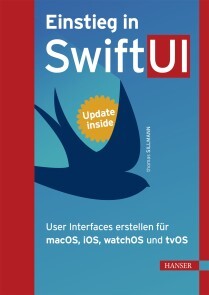
Einstieg in SwiftUI
• Der umfangreiche Einstieg in SwiftUI• Detaillierte Beschreibungen zum Einsatz von Views, Controls und Status• Aktuell zu Xcode 12• Mit Update inside: Erhalten Sie aktuelle Infos zu kommenden SwiftUI-Updates und weiteren SwiftUI-Funktionen.Lernen Sie Apples neues SwiftUI-Framework kennen und erfahren Sie, wie Sie plattformübergreifende Nutzeroberflächen für Mac, iPhone, iPad, Apple Watch und Apple TV erstellen. Das Framework vereinfacht den Prozess der UI-Erstellung deutlich, damit Sie sich als Entwickler primär auf die Kernfunktionen Ihrer Apps konzentrieren können.SwiftUI funktioniert gänzlich anders als die bisherigen Mechanismen zur Gestaltung von Views für Apple-Plattformen. Es ist zudem tief in die Entwicklungsumgebung Xcode integriert.Für Entwickler ergeben sich so eine Vielzahl an Neuerungen, die es langfristig in der UI-Erstellung zu beachten gilt und die in diesem Buch ausführlich und detailliert beschrieben werden. Dazu gehören die grundlegende Funktionsweise von SwiftUI, das Vorgehen beim Erstellen von Views, der Austausch von Daten und Best Practices beim Einsatz des Frameworks. Auch die Integration von SwiftUI in bereits bestehende Projekte ist ein Thema.Aus dem Inhalt:• Funktionsweise von SwiftUI• Views und Controls• View-Hierarchien mit Stacks, Listen und Grids• Navigationsstrukturen• Status mittels State, Binding, ObservedObject und mehr• Integration in bestehende Projekte mittels Representable und Hosting• Effizienter Einsatz der Preview Thomas Sillmann ist leidenschaftlicher Autor, Apple-Entwickler und Trainer. Mit seiner Begeisterung für das Schreiben hat er bereits mehrere erfolgreiche Fachbücher veröffentlicht. Thomas lebt und arbeitet in Aschaffenburg.

C++ mit Visual Studio 2019 und Windows Forms-Anwendungen
C++ hat sich in den letzten Jahren rasant entwickelt: C++11, C++14, C++17 und C++20 haben viele Verbesserungen und neue Möglichkeiten gebracht. Vieles, was vor 10 Jahren noch gut und empfehlenswert war, kann heute besser und sicherer gemacht werden.Dieses Buch stellt C++ mit Visual Studio 2019 auf dem Stand von Mai 2020 umfassend dar. Das ist nicht nur der Umfang von C++17, sondern auch schon ein Teil von C++20.Es entstand aus zahlreichen Vorlesungen und Firmenseminaren. Dementsprechend richtet es sich einerseits an STUDIERENDE, die C++ lernen wollen. Der Aufbau, die vielen Beispiele und Übungsaufgaben sind erprobt und bewährt. Es eignet sich zum Selbststudium und als Lehrbuch für Vorlesungen an Fachhochschulen und Universitäten.Dieses Buch zeigt aber ebenso PROFESSIONELLEN SOFTWARE-ENTWICKLERN mit einer jahrelangen C++-Praxis den aktuellen Stand der Technik. Viele der Spracherweiterungen machen elementare Programmiertechniken einfacher und sicherer. Dazu kommen neue Konzepte, die bessere und effizientere Lösungen als noch vor einigen Jahren ermöglichen. Das kann unnötigem Aufwand und Fehlern führen, die sich leicht vermeiden lassen. Viele dieser neuen Möglichkeiten haben sich in der industriellen Praxis noch nicht etabliert.Dieses Buch erscheint in zwei weitgehend identischen Ausgaben:– IN DER VORLIEGENDEN AUSGABE werden Programme geschrieben, in denen alle Ein- und Ausgaben über eine Windows-Benutzeroberfläche erfolgen.– IN DER ANDEREN AUSGABE „C++ mit Visual Studio 2019“ werden Programme ohne eine graphische Benutzeroberfläche geschrieben. Alle Ein- und Ausgaben erfolgen mit cin und cout über die Konsole.Nach seinem Mathematikstudium an der Universität Tübingen war RICHARD KAISER einige Jahre in der Lehrerausbildung tätig, Trainer in der Industrie, Software-Entwickler (vor allem für technische Anwendungen) und Leiter der Software-Abteilung. Seit 1991 ist er Professor an der Dualen Hochschule Baden-Württemberg (Lörrach), wo er vor allem Vorlesungen über Programmiersprachen (C/C++/C#) und Mathematik hält. In den letzten Jahren hat er viele Seminare über C++ und C# für Firmen durchgeführt.Die Entwicklungsumgebung.- Steuerelemente für die Benutzeroberfläche.- Elementare Datentypen und Anweisungen in C und C++.- Sie Stringklassen string und wstring.- Arrays und Container.- Einfache selbstdefinierte Datentypen.- Zeiger, Strings und dynamisch erzeugte Variablen.- Überladene Funktionen und Operatoren.- Objektorientierte Programmierung.- Namensbereiche.- Exception-Handling.- Containerklassen der C++-Standardbibliothek.- Dateibearbeitung mit den Stream-Klassen.- Funktionsobjekte und Lambda-Ausdrücke.- Templates und STL.- C++11 Smart Pointer: shared_ptr, unique_ptr und weak_ptr.- Literatur.- Index.

Modern Arm Assembly Language Programming
Gain the fundamentals of Armv8-A 32-bit and 64-bit assembly language programming. This book emphasizes Armv8-A assembly language topics that are relevant to modern software development. It is designed to help you quickly understand Armv8-A assembly language programming and the computational resources of Arm’s SIMD platform. It also contains an abundance of source code that is structured to accelerate learning and comprehension of essential Armv8-A assembly language constructs and SIMD programming concepts. After reading this book, you will be able to code performance-optimized functions and algorithms using Armv8- A 32-bit and 64-bit assembly language.Modern Arm Assembly Language Programming accentuates the coding of Armv8-A 32-bit and 64-bit assembly language functions that are callable from C++. Multiple chapters are also devoted to Armv8-A SIMD assembly language programming. These chapters discuss how to code functions that are used in computationally intense applications such as machine learning, image processing, audio and video encoding, and computer graphics.The source code examples were developed using the GNU toolchain (g++, gas, and make) and tested on a Raspberry Pi 4 Model B running Raspbian (32-bit) and Ubuntu Server (64-bit). It is important to note that this is a book about Armv8-A assembly language programming and not the Raspberry Pi.What You Will Learn* See essential details about the Armv8-A 32-bit and 64-bit architectures including data types, general purpose registers, floating-point and SIMD registers, and addressing modesUse the Armv8-A 32-bit and 64-bit instruction sets to create performance-enhancing functions that are callable from C++ * Employ Armv8-A assembly language to efficiently manipulate common data types and programming constructs including integers, arrays, matrices, and user-defined structures* Create assembly language functions that perform scalar floating-point arithmetic using the Armv8-A 32-bit and 64-bit instruction sets* Harness the Armv8-A SIMD instruction sets to significantly accelerate the performance of computationally intense algorithms in applications such as machine learning, image processing, computer graphics, mathematics, and statistics.* Apply leading-edge coding strategies and techniques to optimally exploit the Armv8-A 32-bit and 64-bit instruction sets for maximum possible performance WHO THIS BOOK IS FORSoftware developers who are creating programs for Armv8-A platforms and want to learn how to code performance-enhancing algorithms and functions using the Armv8-A 32-bit and 64-bit instruction sets. Readers should have previous high-level language programming experience and a basic understanding of C++.Daniel Kusswurm has over 35 years of professional experience as a software developer and computer scientist. During his career, he has developed innovative software for medical devices, scientific instruments, and image processing applications. On many of these projects, he successfully employed assembly language to significantly improve the performance of computationally intense algorithms or solve unique programming challenges. His educational background includes a BS in electrical engineering technology from Northern Illinois University along with an MS and PhD in computer science from DePaul University. Daniel Kusswurm is also the author of Modern X86 Assembly Language Programming (ISBN-13: 978-1484200650) and Modern X86 Assembly Language Programming, Second Edition (ISBN-13: 978-1484240625), both published by Apress.Modern Arm Assembly Language ProgrammingF:\ModArmAsm\Chapters\Outline\ModernArmAsm_Outline (V2).docx Page 1 of 6Daniel KusswurmIntroductionBook overviewTarget audienceContent overviewSource codeTerminology and conventionsAdditional resourcesChapter 1 – Armv8-32 ArchitectureArmv8-32 OverviewData typesFundamental data typesNumerical data typesSIMD data typesInternal architectureGeneral-purpose register fileApplication Program Status Register (APSR)Instruction set overviewInstruction operandsMemory addressing modesChapter 2 – Armv8-32 Core Programming – Part 1Integer arithmeticAddition and subtraction (Ch02_01)Multiplication (Ch02_02)Division (Ch02_03)Integer operationsLoad instructions (Ch02_04)Move instructions (Ch02_05, Ch02_06)Logical operations (Ch02_07)Chapter 3 – Armv8-32 Core Programming – Part 2Basic stack argumentsStack arguments (Ch03_01)Stack arguments using mixed data types (Ch03_02)Advanced stack useModern Arm Assembly Language ProgrammingF:\ModArmAsm\Chapters\Outline\ModernArmAsm_Outline (V2).docx Page 2 of 6Daniel KusswurmStack use with local storage (Ch03_03)Stack use with frame pointer (Ch03_04)Using the APSR condition flagsCompare instructions (Ch03_05)Looping (Ch03_06)Chapter 4 – Armv8-32 Core Programming – Part 3Integer arraysArray arithmetic (Ch04_01)Array arithmetic using mixed-type integers (Ch04_02)Integer matricesMatrix example #1 (Ch04_03)Matrix example #2 (Ch04_04)Advanced programmingAdvanced array operations (Ch04_05)Structures (Ch04_06)Chapter 5 – Armv8-32 Floating-Point ArchitectureFloating-point programming conceptsBinary encodingsNaNsDenormalsFlush to zeroFloating-point registersSingle-precision registersDouble-precision registersFPSCR (floating-point status and control register)Rounding modesExceptionsChapter 6 – Armv8-32 Floating-Point ProgrammingFloating-point arithmeticFP arithmetic example #1 (Ch06_01)FP arithmetic example #2 (Ch06_02)FP arithmetic example #3 (Ch06_03)Floating-point compares and conversionsFP compares (Ch06_04)FP conversions (Ch06_05)Floating-point arrays and matricesModern Arm Assembly Language ProgrammingF:\ModArmAsm\Chapters\Outline\ModernArmAsm_Outline (V2).docx Page 3 of 6Daniel KusswurmFP arrays (Ch06_06)FP matrices (Ch06_07)Advanced floating-point programmingUsing C++ floating-point library functions (Ch06_08)Chapter 7 – Armv8-32 SIMD ArchitectureArmv8-32 SIMD Architecture OverviewSIMD programming conceptsWraparound and saturated arithmeticSIMD architectureRegister setsData typesSIMD arithmetic operationsPacked integer arithmeticPacked floating-point arithmeticChapter 8 – Armv8-32 SIMD Integer ProgrammingPacked integer arithmeticAddition and subtraction (Ch08_01)Multiplication (Ch08_02)Shift and logical operations (Ch08_03)Packed integer image processingPixel minimum and maximum (Ch08_04)Mean intensity (Ch08_05)Image thresholding (Ch08_06)Chapter 9 – Armv8-32 SIMD Floating-Point ProgrammingPacked floating-point arithmeticAddition, subtraction, multiplication, division (Ch09_01)Compares (Ch09_02)Conversions (Ch09_03)Packed floating-point arraysMinimum and maximum (Ch09_04)Least squares (Ch09_05)Packed floating-point matrices4x4 matrix transposition (Ch09_06)4x4 matrix multiplication (Ch09_07)Modern Arm Assembly Language ProgrammingF:\ModArmAsm\Chapters\Outline\ModernArmAsm_Outline (V2).docx Page 4 of 6Daniel KusswurmChapter 10 – Armv8-64 ArchitectureArmv8-64 OverviewData typesNumerical data typesSIMD data typesInternal architectureGeneral-purpose register fileFloating-point and SIMD registersStatus flags and condition codesInstruction set overviewOperandsMemory addressing modesChapter 11 – Armv8-64 Core Programming – Part 1Integer arithmeticAddition & subtraction (Ch11_01)Multiplication (Ch11_02)Division (Ch11_03)Integer operationsLoad and store instructions (Ch11_04)Move instructions (Ch11_05)Logical instructions (Ch11_06)Shift instructions (Ch11_07)Chapter 12 – Armv8-64 Core Programming – Part2Stack arguments and local storageStack arguments using mixed data types (Ch12_01)Stack arguments with local storage (Ch12_02)Using condition codesCompare instructions (Ch12_03)Looping (Ch12_04)Integer arrays and matricesArray programming example (Ch12_05)Matrix programming example (Ch12_06)Chapter 13 – Armv8-64 Floating-Point ProgrammingFloating-point arithmeticSingle-precision arithmetic (Ch13_01)Modern Arm Assembly Language ProgrammingF:\ModArmAsm\Chapters\Outline\ModernArmAsm_Outline (V2).docx Page 5 of 6Daniel KusswurmDouble-precision arithmetic example #1 (Ch13_02)Double-precision arithmetic example #2 (Ch13_03)Floating-point compares and conversionsCompare instructions (Ch13_04)Conversion instructions (Ch13_05)Floating-point arrays and matricesArray programming example (Ch13_06)Matrix programming example (Ch13_07)Advanced floating-point programmingUsing C++ floating-point library functions (Ch13_08)Chapter 14 – Armv8-64 SIMD Integer ProgrammingPacked integer arithmeticAddition and subtraction (Ch14_01)Shift operations (Ch14_02)Multiplication (Ch14_03)Packed integer image processingPixel min/max (Ch14_04)Gray-scale pixel clipping (Ch14_05)Image statistics (Ch14_06)Chapter 15 – Armv8-64 SIMD Floating-Point ProgrammingPacked floating-point arithmeticAddition subtraction, multiplication, division (Ch15_01)Compares (Ch15_02)Conversions (Ch15_03)Packed floating-point arraysCorrelation coefficient (Ch15_04)Image conversion – RGB to grayscale (Ch15_05)Packed floating-point matrices4x4 matrix multiplication (Ch15_06)4x4 matrix-vector multiplication (Ch15_07)Chapter 16 – Armv8-64 Advanced SIMD ProgrammingArmv8 microarchitecture overviewOptimization guidelinesSignal processingFMA convolution (Ch16_01)Modern Arm Assembly Language ProgrammingF:\ModArmAsm\Chapters\Outline\ModernArmAsm_Outline (V2).docx Page 6 of 6Daniel KusswurmVector and matrix operationsVector cross products (Ch16_02)Matrix-vector products (Ch16_03)Matrix inversion (Ch16_04)Appendix A – Source Code and Software Development ToolsSource codeHardware platformHost operating systemsSetup and configurationSoftware toolsg++gasmakeBuilding and executing the source code projectsAppendix B – References and Additional ResourcesArmv8 programming referencesAlgorithm referencesSoftware development resourcesAdditional resources

Serverless Security
Apply the basics of security in serverless computing to new or existing projects. This hands-on guide provides practical examples and fundamentals. You will apply these fundamentals in all aspects of serverless computing: improving the code, securing the application, and protecting the infrastructure. You will come away having security knowledge that enables you to secure a project you are supporting and have technical conversations with cybersecurity personnel.At a time when there are many news stories on cybersecurity breaches, it is crucial to think about security in your applications. It is tempting to believe that having a third-party host the entire computing platform will increase security. This book shows you why cybersecurity is the responsibility of everyone working on the project.WHAT YOU WILL LEARN* Gain a deeper understanding of cybersecurity in serverless computing* Know how to use free and open source tools (such as the Node Package Manager, ESLint, and VSCode) to reduce vulnerabilities in your application code* Assess potential threats from event triggers in your serverless functions* Understand security best practices in serverless computing* Develop an agnostic security architecture while reducing risk from vendor-specific infrastructureWHO THIS BOOK IS FORDevelopers or security engineers looking to expand their current knowledge of traditional cybersecurity into serverless computing projects. Individuals just beginning in serverless computing and cybersecurity can apply the concepts in this book in their projects.MIGUEL CALLES is a freelance cybersecurity content writer. He has an information assurance certification, and works as an engineer on a serverless project. He started in cybersecurity in 2016 for a US government contract, and has been doing technical writing since 2007, and has worked in various engineering roles since 2004. Miguel started his interest in cybersecurity when he was in middle school and was trying to backward engineer websites.INTRODUCTIONPART I: THE NEED FOR SECURITYCHAPTER 1: DETERMINING SCOPEUnderstanding the ApplicationScopingCHAPTER 2: PERFORMING A RISK ASSESSMENTUnderstanding the Threat LandscapeThreat ModelingPreparing the Risk AssessmentPart II: Securing the ApplicationCHAPTER 3: SECURING THE CODEAssessing DependenciesUsing Static Code Analysis ToolsWriting Unit TestsCHAPTER 4: SECURING THE INTERFACESIdentifying the InterfacesDetermining the Interface InputsReducing the Attack SurfaceCHAPTER 5: SECURING THE CODE REPOSITORYUsing a Code RepositoryLimiting Saved ContentPART III: SECURING THE INFRASTRUCTURECHAPTER 5: RESTRICTING PERMISSIONSUnderstanding PermissionsIdentifying the ServicesUpdating the PermissionsCHAPTER 6: ACCOUNT MANAGEMENTUnderstanding Account AccessRestricting Account AccessImplementing Multi-Factor AuthenticationUsing SecretsPART IV: MONITORING AND ALERTINGCHAPTER 7: MONITORING LOGSUnderstanding Logging MethodsReviewing LogsCHAPTER 8: MONITORING METRICSUnderstanding MetricsReviewing MetricsCHAPTER 9: MONITORING BILLINGUnderstanding BillingReviewing BillingCHAPTER 10: MONITORING SECURITY EVENTSUnderstanding Security EventsReviewing Security EventCHAPTER 10: ALERTINGUnderstanding AlertingImplementing AlertingCHAPTER 11: AUDITINGUnderstanding AuditingImplementing AuditingPART V: SECURITY ASSESSMENT AND REPORTCHAPTER 12: FINALIZING THE RISK ASSESSMENTScoring the Identified RisksDefining the Mitigation StepsAssessing the Business ImpactDetermining the Overall Security Risk Level

Learn PHP 8
Write solid, secure, object-oriented code in the new PHP 8. In this book you will create a complete three-tier application using a natural process of building and testing modules within each tier. This practical approach teaches you about app development and introduces PHP features when they are actually needed rather than providing you with abstract theory and contrived examples.In Learn PHP 8, programming examples take advantage of the newest PHP features; you’ll follow a learn-by-doing approach, which provides you with complete coding examples. “Do It” exercises in each chapter provide the opportunity to make adjustments to the example code. The end-of-chapter programming exercises allow you to develop your own applications using the algorithms demonstrated in the chapter.Each tier is logically and physically separated using object-oriented and dependency injection techniques, thus allowing independent tiers that can be updated with little or no effect on the other tiers. In addition to teaching good programming practices through OOP, there is a strong emphasis on creating secure code.As each chapter is completed, you’ll have the opportunity to design and create an application reinforcing the concepts learned.WHAT YOU WILL LEARN* Program PHP 8 web applications* Use interfaces, containers, and platforms* Apply modular programming * Manage data objects and use MySQL and other databasesWork with multi-functional and secure user interfaces * Handle logging exceptions and moreWHO THIS BOOK IS FORThose new to web development, specifically PHP programming. Also, this book can be useful to those who have some PHP/web development experience who are new to PHP 8.Steve Prettyman is a college instructor on PHP programming, web development, and related technologies. He is and has been a practicing web developer and is a book author.1. Introduction to PHP 82. Interfaces, Platforms, Containers: Three-Tiers Programming3. Modular Programming4. Secure User Interfaces5. Handling and Logging Exceptions6. Data Objects7. Authentication8. Multi-functional Interfaces

Beginning C++20
Begin your programming journey with C++ , starting with the basics and progressing through step-by-step examples that will help you become a proficient C++ programmer. This book includes new features from the C++20 standard such as modules, concepts, ranges, and the spaceship operator. All you need are Beginning C++20 and any recent C++ compiler and you'll soon be writing real C++ programs. There is no assumption of prior programming knowledge.All language concepts that are explained in the book are illustrated with working program examples, and all chapters include exercises for you to test and practice your knowledge. Free source code downloads are provided for all examples from the text and solutions to the exercises.This latest edition has been fully updated to the latest version of the language, C++20, and to all conventions and best practices of modern C++. Beginning C++20 also introduces the elements of the C++ Standard Library that provide essential support for the C++20 language.WHAT YOU WILL LEARN* Begin programming with the C++20 standard* Carry out modular programming in C++* Work with arrays and loops, pointers and references, strings, and more* Write your own functions, types, and operators* Discover the essentials of object-oriented programming* Use overloading, inheritance, virtual functions, and polymorphism* Write generic function and class templates, and make them safer using concepts * Learn the ins and outs of containers, algorithms, and ranges* Use auto type declarations, exceptions, move semantics, lambda expressions, and much moreWHO THIS BOOK IS FORProgrammers new to C++ and those who may be looking for a refresh primer on C++ in general.IVOR HORTON is self-employed in consultancy and writes programming tutorials. He is the author of many programming books. Ivor worked for IBM for many years and holds a bachelor's degree, with honors, in mathematics. Horton's experience at IBM includes programming in most languages (including assembler and high-level languages on a variety of machines), real-time programming, and designing and implementing real-time closed loop industrial control systems. He has extensive experience teaching programming to engineers and scientists (Fortran, PL/1, APL, etc.). Horton is an expert in mechanical, process, and electronic CAD systems; mechanical CAM systems; and DNC/CNC systems.PETER VAN WEERT works for Danaher in its R&D unit for digital dentistry software, developing software for the dental practice of tomorrow. In his spare time, he has co-authored two books on C++ and two award-winning Windows 8 apps and is a regular expert speaker at, and board member of, the Belgian C++ Users Group. He is a software engineer whose main interests and expertise are application software development, programming languages, algorithms, and data structures.He received his master of science degree in computer science summa cum laude with congratulations of the Board of Examiners from the University of Leuven. In 2010, he completed his PhD thesis there on the design and efficient compilation of rule-based programming languages at the research group for declarative programming languages and artificial intelligence. During his doctoral studies, he was a teaching assistant for object-oriented programming (Java), software analysis and design, and declarative programming. After graduating, Peter worked at Nikon Metrology for more than six years on large-scale, industrial application software in the area of 3D laser scanning and point cloud inspection. He learned to master C++ and refactoring and debugging of very large code bases, and he gained further proficiency in all aspects of the software development process, including the analysis of functional and technical requirements, and agile and scrum-based project and team management.1. Basic Ideas2. Introducing Fundamental Types of Data3. Working Fundamental Types4. Making Decisions5. Arrays and Loops6. Pointers and References7. Working with Strings8. Defining Functions9. Vocabulary Types10. Function Templates11. Modules and Namespaces12. Defining your own Data Types13. Operator Overloading14. Inheritance15. Polymorphism16. Runtime Errors and Exceptions17. Class Templates18. Move Semantics19. First-Class Functions20. Containers and Algorithms21. Constrained Templates and ConceptsAppendix A (online only; to be offered as part of source code download)

Learn Android Studio 4
Build and deploy your Java-based Android apps using the popular and efficient Android Studio 4 suite of tools, an integrated development environment (IDE) for today's Android developers. With this book, you’ll learn the latest and most productive tools in the Android tools ecosystem, ensuring quick Android app development and minimal effort on your part.Among these tools, you'll use the new Android Studio 4 features, including an upgraded CPU profiler UI, a new build speed window, the multi-preview feature, and the live layout inspector.After reading and using this book, you'll be able to efficiently build complete Java-based Android apps that run on any Android smartphone, tablet, smart watch and more. You’ll also be able to publish those apps and sell them online and in the Google Play store.WHAT YOU WILL LEARN* Use Android Studio 4 to quickly and confidently build your first Android apps* Build an Android user interface using activities and layouts, event handling, images, menus, and the action bar* Work with new tools in Android Studio 4: Jetpack compose support, a smart editor for ProGuard rules, a new motion layout editor, a new Android Gradle plugin, and a fragment wizard with new fragment templates * Integrate data with data persistence * Access the cloud WHO THIS BOOK IS FORThose who may be new to Android Studio 4 or Android Studio in general. You may or may not be new to Android development. Some prior experience with Java is recommended.Ted Hagos is currently heading the software development group of a Dublin-based software development company. He is a certified Java programmer and enterprise architect. He has over 15 years of software development experience, and many years of experience in corporate training. He held a post as instructor in IBM Advanced Career Education, Ateneo ITI and Asia Pacific College, and has trained hundreds of programmers in various languages and platforms.1. Overview2. Android Studio3. Project Basics4. Android Studio IDE5. Android Programming Basics6. Activities and Layouts7. Event Handling8. Intents9. Fragments10. Navigation Components11. Running in the background12. Debugging13. Testing14. Working with Files15. BroadcastReceivers16. Jetpack LiveData, ViewModel, LiveData and Room17. App Distribution18. Appendix : Java Refresher
PyTorch für Deep Learning
PyTorch für Deep Learning - Anwendungen für Bild-, Ton- und Textdaten entwickeln und deployenMit diesem Praxisbuch meistern Sie die Methoden des Deep Learning, einer Teildisziplin des Machine Learning, die die Welt um uns herum verändert. Machen Sie sich mit PyTorch, dem populären Python-Framework von Facebook, vertraut, und lernen Sie Schlüsselkonzepte und neueste Techniken kennen, um eigene neuronale Netze zu entwickeln.Ian Pointer zeigt Ihnen zunächst, wie Sie PyTorch in einer Cloud-basierten Umgebung einrichten. Er führt Sie dann durch die einzelnen Schritte der Entwicklung von neuronalen Architekturen, um typische Anwendungen für Bilder, Ton, Text und andere Datenformate zu erstellen. Er erläutert auch das innovative Konzept des Transfer Learning und das Debuggen der Modelle. Sie erfahren zudem, wie Sie Ihre Deep-Learning-Anwendungen in den Produktiveinsatz bringen.Aus dem Inhalt:Ergründen Sie modernste Modelle für das Natural Language Processing, die mit umfangreichen Textkorpora wie dem Wikipedia-Datensatz trainiert wurdenVerwenden Sie das PyTorch-Paket torchaudio, um Audiodateien mit einem neuronalen Konvolutionsmodell zu klassifizierenLernen Sie, wie man Transfer Learning auf Bilder anwendetDebuggen Sie PyTorch-Modelle mithilfe von TensorBoard und FlammendiagrammenDeployen Sie PyTorch-Anwendungen im Produktiveinsatz in Docker-Containern und Kubernetes-Clustern, die in der Google Cloud laufenErkunden Sie PyTorch-Anwendungsfälle von führenden UnternehmenFür die deutsche Ausgabe wurde das Buch in Zusammenarbeit mit Ian Pointer von Marcus Fraaß aktualisiert und um einige Themen erweitert.Leseprobe (PDF-Link)Inhaltsverzeichnis (PDF-Link)Über den Autor:Ian Pointer ist Data Engineer. Er hat sich auf Lösungen für Fortune-100-Kunden spezialisiert, die auf Methoden des Machine Learnings (insbesondere Deep Learning) basieren. Ian arbeitet derzeit bei Lucidworks, wo er sich innovativen NLP-Anwendungen und dem Engineering widmet.
Programmieren ganz einfach
So leicht kann Programmieren sein! Der ultimative Einstieg in die Welt des Programmierens! Dieses Programmier-Buch führt Sie mit anschaulichen Anleitungen, Grafiken & benutzerfreundlichen Bausteinen Schritt für Schritt in die wichtigsten Programmiersprachen ein – ob Python oder Scratch. In praktischen Projekten bauen Sie Webseiten, programmieren Spiele, designen Apps, arbeiten mit Raspberry Pi und lernen die gängigen Fachbegriffe wie Algorithmus & Variable – mit leicht verständlichen Erklärungen. Basis-Wissen rund ums Programmieren: • Die wichtigsten Programmiersprachen: Ob Sie HTML oder Scratch nutzen, Python oder Java lernen möchten – diese Sprachen werden anschaulich und leicht verständlich erklärt. • Programmieren lernen Schritt-für-Schritt: Vom Spiel bis zur Website – in detaillierten Projekten mit einfachen Anleitungen setzen Sie das Gelernte in die Praxis um und lernen so die Hauptanwendungen jeder Programmiersprache kennen. Informationen zum Lernziel vermitteln die benötigte Zeit sowie den Schwierigkeitsgrad. Symbole, farbige Fenster mit Rastern und Ablaufpläne, die die Programmstruktur erklären, leiten durch die Projekte. • Visuelle & leicht verständliche Aufbereitung: Durch Einteilung in benutzerfreundliche Bausteine und grafische Erklärungen werden selbst komplexe Zusammenhänge begreifbar gemacht.

Creating Good Data
Create good data from the start, rather than fixing it after it is collected. By following the guidelines in this book, you will be able to conduct more effective analyses and produce timely presentations of research data.Data analysts are often presented with datasets for exploration and study that are poorly designed, leading to difficulties in interpretation and to delays in producing meaningful results. Much data analytics training focuses on how to clean and transform datasets before serious analyses can even be started. Inappropriate or confusing representations, unit of measurement choices, coding errors, missing values, outliers, etc., can be avoided by using good dataset design and by understanding how data types determine the kinds of analyses which can be performed.This book discusses the principles and best practices of dataset creation, and covers basic data types and their related appropriate statistics and visualizations. A key focus of the book is why certain data types are chosen for representing concepts and measurements, in contrast to the typical discussions of how to analyze a specific data type once it has been selected.WHAT YOU WILL LEARN* Be aware of the principles of creating and collecting data* Know the basic data types and representations* Select data types, anticipating analysis goals* Understand dataset structures and practices for analyzing and sharing* Be guided by examples and use cases (good and bad)* Use cleaning tools and methods to create good dataWHO THIS BOOK IS FORResearchers who design studies and collect data and subsequently conduct and report the results of their analyses can use the best practices in this book to produce better descriptions and interpretations of their work. In addition, data analysts who explore and explain data of other researchers will be able to create better datasets.HARRY J. FOXWELL is a professor. He teaches graduate data analytics courses at George Mason University in the department of Information Sciences and Technology and he designed the data analytics curricula for his university courses. He draws on his decades of experience as Principal System Engineer for Oracle and for other major IT companies to help his students understand the concepts, tools, and practices of big data projects. He is co-author of several books on operating systems administration. He is a US Army combat veteran, having served in Vietnam as a Platoon Sergeant in the First Infantry Division. He lives in Fairfax, Virginia with his wife Eileen and two bothersome cats.INTRODUCTIONGoal: The problem of dataset cleaning and why better design is neededWho this book is forCHAPTER 1: BASIC DATA TYPESGoal: understanding data typesNominal, ordinal, interval, ratio, otherHow/why to choose specific representationsCHAPTER 2: PLANNING YOUR DATA COLLECTIONGoal: preventive action, avoiding data creation errorsAnticipating your required analysisThe goals of descriptive statistics and visualizationsThe goals of relationship statistics and visualizationsIndependent and dependent variablesCHAPTER 3: DATASET STRUCTURESGoal: Understanding how to structure/store dataTypes of datasets.csv, SQL, Excel, Web, JSON,Sharing data (open formats)Managing datasetsCHAPTER 4: DATA COLLECTION ISSUESGoal: Understanding how to collect dataUnderstand and avoid BiasSamplingCHAPTER 5: EXAMPLES AND USE CASESGoal: Illustrate good & not so good datasetsCHAPTER 6: TOOLS FOR DATASET CLEANINGGoal: still need some data cleanup? here’s some helpData cleaning using R, Python, commercial tools (e.g., Tableau)ANNOTATED REFERENCESGoal: include helpful data design and cleaning references