

Computer und IT

Creating ASP.NET Core Web Applications
Design and develop an ASP.NET Core web application using .NET Core 3.0. This book shows you how to publish a web application to a web server and connect the published web application to a production database.CREATING ASP.NET CORE WEB APPLICATIONS starts by setting up the Visual Studio project where you will learn about Razor pages, Entities, and creating a data service. You will create models along with methods to use a query string and handle bad requests. Modifying data with Tag helpers is discussed as well as installation of Entity Framework, working with database migrations, and implementing a data access service. You will learn how to use layout pages and sections with Partial Views, _ViewImports, and _ViewStart files. You also will create custom middleware and log application events. You will be able to deploy the web application as well as connect it to a SQL Server database.WHAT YOU WILL LEARN* Work with models* Modify data* Work with EF Core and SQL Server* Work with Razor pages and Partial Views* Use separate scripts for production vs development* Trace client-side errors using Chrome Developer tools* Create cascading style sheets (CSS) with Sassy CSS (SCSS)* Explore middleware* Deploy your web application to IISWHO THIS BOOK IS FORSoftware developers on the .NET stack who want to create ASP.NET Core web applicationsDIRK STRAUSS is a software developer from South Africa who has been writing code since 2003. He has extensive experience in SYSPRO, with C# and web development being his main focus. He studied at the Nelson Mandela University, where he wrote software on a part-time basis to gain a better understanding of the technology. He remains passionate about writing code and imparting what he learns with others.CHAPTER 1: CREATING AND SETTING UP YOUR PROJECTCHAPTER GOAL: CREATE THE VISUAL STUDIO PROJECT REQUIRED TO START THE WEB APPLICATION DEVELOPMENT. HERE WE WILL LOOK AT RAZOR PAGES, ENTITIES, CREATING A DATA SERVICE AND USING THIS DUMMY DATA TO DISPLAY DATA ON THE WEB PAGE.NO OF PAGES 25SUB -TOPICS1. Creating Your Web Application Project2. Adding and Editing Razor Pages3. Looking at the Configuration4. Working with Entities5. Create and Register a Data Service6. Displaying Test Data on Your Web PageCHAPTER 2: CREATING MODELSCHAPTER GOAL: CREATE A SEARCH FORM THAT ALLOWS THE READER TO FIND DATA IN THE DATA STORE. HERE THE READER WILL LOOK AT USING MODELS, MODEL BINDING, WORKING WITH A QUERY STRING, AND SPECIFYING PAGE ROUTES. WE WILL ALSO TAKE A LOOK AT HOW TO HANDLE BAD REQUESTS.NO OF PAGES: 25SUB - TOPICS1. Building a Search Form2. Implementing the Find logic3. Using Query Strings, Model Binding and Tag Helpers4. Displaying Related Data5. Working with Page Routes6. Handling Bad RequestsCHAPTER 3: MODIFYING DATACHAPTER GOAL: THE READER WILL LEARN HOW TO CREATE A PAGE TO EDIT AND ADD DATA STORED IN THE DATA STORE. THE READER WILL ALSO REVISIT TAG HELPERS.NO OF PAGES : 20SUB - TOPICS:1. Editing Existing Data and Using Tag Helpers2. Validating Edited Data3. Display Validation Errors4. Creating New Data5. Modify the Data Access ServiceCHAPTER 4: EF CORE AND SQL SERVERCHAPTER GOAL: THE READER WILL LEARN HOW TO INSTALL ENTITY FRAMEWORK, WORKING WITH DATABASE MIGRATIONS AND IMPLEMENTING A DATA ACCESS SERVICE.NO OF PAGES : 25SUB - TOPICS:1. Install Entity Framework2. Implement DbContext3. Specify Database Connection Strings4. Working with Database Migrations5. Implement a New Data Access Service6. Changing the Data Access Service RegistrationCHAPTER 5: WORKING WITH RAZOR PAGESCHAPTER GOAL: THE READER WILL LEARN HOW TO USE LAYOUT PAGES AND SECTIONS. THEY WILL ALSO LEARN ABOUT WORKING WITH PARTIAL VIEWS, _VIEWIMPORTS AND _VIEWSTART FILES.NO OF PAGES : 25SUB - TOPICS:1. Using Sections in Your Razor Pages2. What are _ViewImports and _ViewStart files?3. Working with Partial Views4. Working with ViewComponentsCHAPTER 6: ADDING CLIENT-SIDE LOGICCHAPTER GOAL: THE READER WILL LEARN HOW TO WORK WITH SCSS TO CREATE CSS, USING JAVASCRIPT AND JQUERY. THE READER WILL ALSO LEARN HOW TO SEPARATE SCRIPTS TARGETED AT PRODUCTION FROM SCRIPTS TARGETED FOR DEVELOPMENT.NO OF PAGES : 30SUB - TOPICS:1. Separate Production Scripts from Development Scripts2. Setting up SCSS and generating CSS with the Web Compiler3. Creating a Client-side API4. Working with Chrome Developer ToolsCHAPTER 7: EXPLORING MIDDLEWARECHAPTER GOAL: THE READER WILL LEARN HOW TO USE MIDDLEWARE AND HOW TO CREATE CUSTOM MIDDLEWARE. WE WILL ALSO BE LOOKING AT LOGGING APPLICATION EVENTS.NO OF PAGES : 25SUB - TOPICS:1. What is Middleware2. Creating Custom Middleware3. Logging InformationCHAPTER 8: WEB APPLICATION DEPLOYMENTCHAPTER GOAL: THE READER WILL LEARN HOW TO DEPLOY THE WEB APPLICATION THEY CREATED. THIS WILL LOOK AT DEPLOYMENT TO A WEB SERVER AS WELL AS CONNECTING THE WEB APPLICATION TO A SQL SERVER DATABASE.NO OF PAGES : 25SUB - TOPICS:1. Getting Your Site Ready for Deployment2. Deploying Your Web Application to IIS

Raspberry Pi IoT Projects
Build your own Internet of Things (IoT) projects for prototyping and proof-of-concept purposes.Updated for the Raspberry Pi 4 and other recent boards, this book contains the tools needed to build a prototype of your design, sense the environment, communicate with the Internet (over the Internet and Machine to Machine communications) and display the results._Raspberry Pi IoT Projects, 2nd Edition_ provides several IoT projects and designs shown from the start to the finish including an IoT Heartbeat Monitor, an IoT Swarm, IoT Solar Powered Weather Station, an IoT iBeacon Application and a RFID (Radio Frequency Identification) IoT Inventory Tracking System.The software is presented as reusable libraries, primarily in Python and C with full source code available, making this version a valuable learning resource for classrooms and learning labs.WHAT YOU'LL LEARN* Create IOT projects with the Raspberry Pi* Talk to sensors with the Raspberry Pi* Use iBeacons with the IOT Raspberry Pi* Communicate your IOT data to the Internet* Build security into your IOT deviceWHO THIS BOOK IS FORPrimary audience are those with some technical background, but not necessarily engineers. It will also appeal to technical people wanting to learn about the Raspberry Pi in a project-oriented method.DR. JOHN C. SHOVIC is currently Chief Technical Officer of SwitchDoc Labs, LLC, a company specializing in technical products for the Maker Movement, and InstiComm, LLC, a company specializing in mobile medical software solutions for health practitioners. He is also Chief Technology Strategist at Stratus Global Partners with a focus on supplying expertise in computer security regulatory and technical areas to healthcare providers. He has worked in industry for over thirty years and has founded seven companies: Advance Hardware Architectures, TriGeo Network Security, Blue Water Technologies, MiloCreek, LLC, InstiComm, LLC, SwitchDoc Labs, LLC and bankCDA. As a founding member of the bankCDA board of directors, he currently serves as the chairman of the loan and technology committees. He has also served as a Professor of Computer Science at Eastern Washington University, Washington State University and the University of Idaho. Dr. Shovic has given over 70 invited talks and has published over 60 papers on a variety of topics on Arduinos / Raspberry Pi, HIPAA, GLB, computer security, computer forensics, embedded systems and others.Chapter 1: Introduction to IoTChapter 2: Sensing your IoT EnvironmentChapter 3: Building a Solar Powered IoT Weather StationChapter 4: Changing Your Environment with IoT and iBeaconsChapter 5: Connecting an IoT Device to a Cloud Server - IoTPulseChapter 6: Using IoT for RFID and MQTT and the Rasberry PiChapter 7: Computer Security and the IoTAppendix 1: Suggestions of Further Work

Building a Salesforce-Powered Front Office
Harness the power of Salesforce to manage and grow your business. This book shows you how to use the Salesforce CRM tool to consolidate consumer data into a single place to gain better insight into your business and more easily manage data.Data (such as email, spreadsheets, databases) is generated through the front office or face of your business, where your company interacts with customers and revenue is generated. In a hotel, for instance, the front office is the lobby where guests are greeted, their problems are handled, and room payments are made. Another example is a coffee shop, where the front office is an employee taking a customer's order or serving a drink.Salespeople connect to customers by selling your company’s goods or services. Marketing team members connect with them through advertising and promotional activities. Service and support staff assist customers with problems and provide help with products.This book introduces the many ways Salesforce-based innovations are transforming the technology landscape and the strategies that may be used for designing and launching a digital front office. The book examines how organizations can launch and grow digital solutions and strategies for the governance of the platform and provides an overview of digital transformation across industries.WHAT YOU WILL LEARN* Understand basic Salesforce concepts, including the digital front office process tower, lead to cash journey, core CRM functions, best practices, and more* Review data management concepts, integrated sales, customer service, marketing operations, and proposal and business development needs in a systematic way* Use frameworks to build a business architecture and multi-year technology roadmap* Get familiar with Salesforce business processes and concepts such as account, contact, lead, and opportunity management; marketing campaigns; master data management (MDM); and lead scoring, grading, and activity management across the front office* Define and develop digital marketing challenges and strategy (people, process, brand, messaging, and ROI), measure campaign data, and create an end-to-end campaign in SalesforceWHO THIS BOOK IS FORBusiness executives, C-suites, IT management, and Salesforce managers and professionals working in IT, business development, sales operations, program management, marketing operations, and proposal developmentRASHED CHOWDHURY is Senior Principal at Infosys where he consults with Fortune 500 companies on Salesforce strategy and front office development. He has 20+ years of experience in designing, developing, and architecting solutions in enterprise applications and Salesforce CRM.Rashed played a critical role in Salesforce CRM implementations, involving requirements gathering, solution design, configuration, deployment, and data migration in functional areas such as leads management, master data management (MDM), account management, campaign management, Miller Heiman Sales Management, and partner relationship management.Rashed is a part-time adjunct faculty member at the Robinson College of Business, Georgia State University, where he teaches masters-level students customer relationship management (CRM) and digital platform courses. He is a Salesforce Certified Administrator as well as a Certified Scrum Master.

React and Libraries
Harness the power of React and the related libraries that you need to know to deliver successful front-end implementations. Whether you are a beginner getting started or an existing React developer, this book will provide you with the must-have knowledge you need in your toolbox to build a complete app.Start by learning how to create and style your own components, add state management, and manage routing. You’ll also learn how to work with the backend using the MERN stack (MongoDB, Express, React, and Node.js). Once you have completed building your app you will learn how to deliver quality software by conducting unit testing, integration testing, and end-to-end (E2E) testing, as well as learn techniques to debug, profile, and optimize your React app.Libraries and tools covered include TypeScript, Material-UI, Styled Components, SCSS, React Router, Redux Toolkit, Recoil, Jest, Enzyme, Sinon, MongoDB, NodeJS, Express, Serve, Grunt, Puppeteer, ESLint, Prettier and many others. And, you'll get access to bonus material and learn how to conduct and nail React interview questions.Each chapter in this book can be used independently so you can pick and choose the information you’d like to learn. Use it to get deep into your React development world and find out why React has been rated the most loved framework by front-end developers for three years in a row.WHAT YOU'LL LEARN* Review the basics of DOM, React Virtual DOM, JSX, Babel, ES5/ES6, CRA, package manager, Yarn, Webpack, and build tools* Write your own custom React components and learn about hooks and props.* Apply routing and state management with React Route, Recoil, and Redux Toolkit* Deliver quality software and reduce QA load by learning unit testing integration testing and end-to-end testing with libraries such as Jest, Jest-dom, Enzyme, Sinon, and Puppeteer* Set an ultimate React automated development and CI cycle with ESLint, Prettier, Husky, Jest, Puppeteer, GitHub Actions, Codecov.io, Coveralls, Travis, and DeepScan* Publish your code on Ubuntu Server with the help of Grunt* Optimize your React app with pure components, lazy loading, prerender, precache, code splitting, tree shaking, reduce media size, and prefetchingWHO THIS BOOK IS FOR?This book is for new developers looking to start working on React applications, and React developers looking to expand on their existing knowledge. It is also suitable for developers coming from other front-end frameworks such as Angular and Vue who would like to add React to their toolbox.ELAD ELROM is a coder, technical lead and a technical writer and technical trainer. Elad is passionate about teaching and helping other developers advance and learn. As a writer, he has co-authored several technical books. Elad has consulted for a variety of clients, from large corporations such as HBO, Viacom, NBC Universal, and Weight Watchers, to smaller startups. Aside from coding, Elad is also a certified PADI dive instructor, motorcycle enthusiast, as well as an accomplished certified pilot.1. Learn the Basics2. Starter React Project & Friends3. React Components4. React Router and Material-UI5. State Management6. MERN Stack- Part I7. MERN Stack-Part II8. React Deployment- MERN Stack9. Testing Part I- Unit Test Your React App10. Testing Part II- Development & Deployment Cycle11. Debug & Profile Your React App12. Optimize Your React App

Jump-start Your SOC Analyst Career
The frontlines of cybersecurity operations include many unfilled jobs and exciting career opportunities. A transition to a security operations center (SOC) analyst position could be the start of a new path for you. Learn to actively analyze threats, protect your enterprise from harm, and kick-start your road to cybersecurity success with this one-of-a-kind book.Authors Tyler Wall and Jarrett W. Rodrick carefully and expertly share real-world insights and practical tips in JUMP-START YOUR SOC ANALYST CAREER. The lessons revealed equip you for interview preparation, tackling day one on the job, and setting long-term development goals. This book highlights personal stories from five SOC professionals at various career levels with keen advice that is immediately applicable to your own journey. The gems of knowledge shared in this book provide you with a notable advantage for entering this dynamic field of work.The recent surplus in demand for SOC analysts makes JUMP-START YOUR SOC ANALYST CAREER a must-have for aspiring tech professionals and long-time veterans alike. Recent industry developments such as using the cloud and security automation are broken down in concise, understandable ways, to name a few. The rapidly changing world of cybersecurity requires innovation and fresh eyes, and this book is your roadmap to success.WHAT YOU WILL LEARN* Understand the demand for SOC analysts* Know how to find a SOC analyst job fast* Be aware of the people you will interact with as a SOC analyst* Be clear on the prerequisite skills needed to be a SOC analyst and what to study* Be familiar with the day-to-day life of a SOC analyst, including the tools and language used* Discover the rapidly emerging areas of a SOC analyst job: the cloud and security automationWHO THIS BOOK IS FORAnyone interested in starting a career in cyber security: recent graduates, IT professionals transitioning into security, veterans, and those who are self taughtTYLER E. WALL is CEO of Cyber NOW Education, LLC which specializes in connecting education with opportunity. He is an accomplished security professional with years of experience in security operations and engineering that includes presently serving remotely as a Senior Security Engineer in Silicon Valley. He has built and led security operations centers for companies such as EY and Opentext. His current focus is enabling security operations centers to continuously mature by the adoption of security automation. Tyler’s education includes: Master of Science in Cybersecurity Management, CISSP, CEH, CFSR, LRPA, Security+, Network+, and A+. He enjoys long golf cart rides in Braselton, Georgia with his wife and son.JARRETT RODRICK is the SOC Team Lead and Senior Information Security Analyst for VMware, the global leader in visualization technology. He is a retired Cyber Network Defender and Cyber Warfare Specialist from the US Army and has over eight years of Defensive Cyber Operations experience working with the Army’s Cyber Protection Brigade. Jarrett’s time with the Cyber Protection Brigade has provided him with the skills needed to fight in today’s Cyber War. Jarrett’s cyber security certifications include: GSEC, GCED, GCIH, GCIA, GCFE, GCFA, GSNA, GRID, GCUX, and GSTRT. Jarrett lives in Melissa, Texas with his wife and family and enjoys researching new and innovative technologies.Chapter 1: The Demand for Cybersecurity and SOC AnalystsChapter 2: Areas of Expertise in CybersecurityChapter 3: Job HuntingChapter 4: Prerequisite SkillsChapter 5: The SOC AnalystChapter 6: SOC in the CloudsChapter 7: SOC AutomationChapter 8: Real SOC Analyst Stories.

Neue Algorithmen für praktische Probleme
In diesem Sammelband geht es darum, neue Algorithmen aus den Bereichen der Künstlichen Intelligenz (KI) und des Künstlichen Lebens (KL) und deren praktische Anwendung zu zeigen. Der wesentliche Aspekt des Bandes ist, dass in den Beiträgen exemplarisch gezeigt wird, dass und wie diese neuen Algorithmen auf praktische Probleme in sehr verschiedenen Bereichen erfolgreich eingesetzt werden können: Von der Modellierung sozialer Aspekte in der Softwareentwicklung bis zur Entscheidungsunterstützung, welche Start- und Landebahn an einem Flughafen ausgewählt werden soll; von der Analyse von Krankheitsverläufen bis zur Auswahl und Optimierung technischer Systeme, sowie Alternativen für die Bildbearbeitung.

Beginning Robotics with Raspberry Pi and Arduino
Learn how to use a Raspberry Pi in conjunction with an Arduino to build a basic robot with advanced capabilities. Getting started in robotics does not have to be difficult. This book is an insightful and rewarding introduction to robotics and a catalyst for further directed study.Fully updated to cover the Raspberry Pi 4 with its better processor and memory, discover new ways to work with Computer Vision. You'll be led step by step through the process of building a robot that uses the power of a Linux based computer paired with the simplicity of Arduino. You’ll learn why the Raspberry Pi is a great choice for a robotics platform; its strengths as well as its shortcomings; how to overcome these limitations by implementing an Arduino; and the basics of the Python programming language as well as some of the more powerful features.With the Raspberry Pi you can give your project the power of a Linux computer, while Arduino makes interacting with sensors and motors very easy. These two boards are complimentary in their functions; where one falters the other performs admirably.The book also includes references to other great works to help further your growth in the exciting, and now accessible, field of smart robotics. As a bonus, the final chapter of the book demonstrates the real power of the Raspberry Pi by implementing a basic vision system. Using OpenCV and a standard USB web cam, you will build a robot that can chase a ball.WHAT YOU'LL LEARN* Install Raspbian, the operating system that drives the Raspberry Pi* Drive motors through an I2C motor controller* Read data through sensors attached to an ArduinoWHO THIS BOOK IS FORHobbyists and students looking for a rapid start in robotics. It assumes no technical background. Readers are guided to pursue the areas that interest them in more detail as they learn.JEFF CICOLANI is the President of The Robot Group, an Austin, Texas based robotics group consisting of robotics enthusiasts and professionals from throughout the Austin area. He has had a successful technical career as a systems analyst, developer, and project manager for multiple Fortune 500 companies. In 2017, Jeff leveraged his Maker skills, general technical acumen, and passion for robotics into a new career when he accepted a position at SparkLabs, the prototype and research division of SparkCognition, an AI company based in Austin.Jeff currently lives in Pflugerville, a suburb of Austin, with his lovely wife, two dogs, and countless robots. When he’s not building robots at work, he builds robots for fun. He is also the developer of Nomad: Autonomous Robot, which has been featured in several magazine articles and exhibitions.BEGINNING ROBOTICS WITH RASPBERRY PI AND ARDUINOChapter 1: Introduction to RoboticsChapter 2: An Introduction to Raspberry PiChapter 3: A Crash Coarse in PythonChapter 4: Raspberry Pi GPIOChapter 5: Raspberry Pi and ArduinoChapter 6: Driving MotorsChapter 7: Assembling the RobotChapter 8: Working with Infrared SensorsChapter 9: An Introduction to Open CVChapter 10: Conclusion
Reinforcement Learning Aided Performance Optimization of Feedback Control Systems
Changsheng Hua proposes two approaches, an input/output recovery approach and a performance index-based approach for robustness and performance optimization of feedback control systems. For their data-driven implementation in deterministic and stochastic systems, the author develops Q-learning and natural actor-critic (NAC) methods, respectively. Their effectiveness has been demonstrated by an experimental study on a brushless direct current motor test rig.THE AUTHOR:CHANGSHENG HUA received the Ph.D. degree at the Institute of Automatic Control and Complex Systems (AKS), University of Duisburg-Essen, Germany, in 2020. His research interests include model-based and data-driven fault diagnosis and fault-tolerant techniques.CHANGSHENG HUA received the Ph.D. degree at the Institute of Automatic Control and Complex Systems (AKS), University of Duisburg-Essen, Germany, in 2020. His research interests include model-based and data-driven fault diagnosis and fault-tolerant techniques.Introduction.- The basics of feedback control systems.- Reinforcement learning and feedback control.- Q-learning aided performance optimization of deterministic systems.- NAC aided performance optimization of stochastic systems.- Conclusion and future work.
Machine Learning mit Python und Keras, TensorFlow 2 und Scikit-learn
* DATENANALYSE MIT AUSGEREIFTEN STATISTISCHEN MODELLEN DES MACHINE LEARNINGS* ANWENDUNG DER WICHTIGSTEN ALGORITHMEN UND PYTHON-BIBLIOTHEKEN WIE NUMPY, SCIPY, SCIKIT-LEARN, KERAS, TENSORFLOW 2, PANDAS UND MATPLOTLIB* BEST PRACTICES ZUR OPTIMIERUNG IHRER MACHINE-LEARNING-ALGORITHMENMit diesem Buch erhalten Sie eine umfassende Einführung in die Grundlagen und den effektiven Einsatz von Machine-Learning- und Deep-Learning-Algorithmen und wenden diese anhand zahlreicher Beispiele praktisch an. Dafür setzen Sie ein breites Spektrum leistungsfähiger Python-Bibliotheken ein, insbesondere Keras, TensorFlow 2 und Scikit-learn. Auch die für die praktische Anwendung unverzichtbaren mathematischen Konzepte werden verständlich und anhand zahlreicher Diagramme anschaulich erläutert.Die dritte Auflage dieses Buchs wurde für TensorFlow 2 komplett aktualisiert und berücksichtigt die jüngsten Entwicklungen und Technologien, die für Machine Learning, Neuronale Netze und Deep Learning wichtig sind. Dazu zählen insbesondere die neuen Features der Keras-API, das Synthetisieren neuer Daten mit Generative Adversarial Networks (GANs) sowie die Entscheidungsfindung per Reinforcement Learning.Ein sicherer Umgang mit Python wird vorausgesetzt.AUS DEM INHALT:* Trainieren von Lernalgorithmen und Implementierung in Python* Gängige Klassifikationsalgorithmen wie Support Vector Machines (SVM), Entscheidungsbäume und Random Forest* Natural Language Processing zur Klassifizierung von Filmbewertungen* Clusteranalyse zum Auffinden verborgener Muster und Strukturen in Ihren Daten* Deep-Learning-Verfahren für die Bilderkennung* Datenkomprimierung durch Dimensionsreduktion* Training Neuronaler Netze und GANs mit TensorFlow 2* Kombination verschiedener Modelle für das Ensemble Learning* Einbettung von Machine-Learning-Modellen in Webanwendungen* Stimmungsanalyse in Social Networks* Modellierung sequenzieller Daten durch rekurrente Neuronale Netze* Reinforcement Learning und Implementierung von Q-Learning-Algorithmen
Job Ready Java
PREPARE YOURSELF TO TAKE ON NEW AND EXCITING JAVA PROGRAMMING CHALLENGES WITH THIS ONE-STOP RESOURCEJob Ready Java delivers a comprehensive and foundational approach to Java that is immediately applicable to real-world environments. Based on the highly regarded and effective Software Guild Java Bootcamp: Object Oriented Programming course, this book teaches you the basic and advanced Java concepts you will need at any entry-level Java position.With the “Pulling It Together” sections, you’ll combine and integrate the concepts and lessons taught by the book, while also benefiting from:* A thorough introduction to getting set up with Java, including how to write, compile, and run Java programs with or without a Java IDE * Practical discussions of the basics of the Java language, including syntax, program flow, and code organization * A walk through the fundamentals of Object-Oriented Programming including Classes, Objects, Interfaces, and Inheritance, and how to leverage OOP in Java to create elegant code. * Explorations of intermediate and advanced Java concepts, including Maven , unit testing, Lambdas, Streams, and the Spring Framework Perfect for Java novices seeking to make a career transition, Job Ready Java will also earn a place in the libraries of Java developers wanting to brush up on the fundamentals of their craft with an accessible and up-to-date resource.HAYTHEM BALTI, PHD, is Director of Curriculum at Wiley’s Software Guild and mthree. He has created courses used by thousands of Software Guild Students in Java, Python, Go, and other development and data science competencies. He earned his doctorate in Computer Engineering and Computer Science from the University of Louisville.ALAN GALLOWAY is Director of Instruction at Wiley’s Software Guild and mthree. H:e supervises a team of instructors who deliver large-scale training programs in technology.About the Authors vAbout the Technical Writer viiAbout the Technical Editors viiAcknowledgments ixIntroduction xxvPART I: GETTING SET UP 1LESSON 1: INSTALLING JAVA 2The Java Universe 3The Java Development Kit 3The Java Virtual Machine 4The Java Runtime Environment 5Installing OpenJDK 5Installing OpenJDK on Microsoft Windows 6Checking for an Existing JDK on Windows 6Installing OpenJDK 7Verifying the Installation 10Installing OpenJDK on macOS 13Checking for an Existing JDK on macOS 13Installing OpenJDK 13Verifying the Installation 17Creating Your First Java Program 17Writing the Program 18Compiling and Running the Program 19Dealing with Syntax Errors 21Using the Compiler and Java Virtual Machine 22Summary 22LESSON 2: INSTALLING A DEVELOPMENT ENVIRONMENT: NETBEANS 24Getting Started 25Understanding the Value of an IDE 25Using the Source Code Editor 25Using the Build Automation Tools 26Using the Debugger 26Installing NetBeans 27Using an Installer 27Installing on Windows 28Installing on macOS 32Installing Binaries 37Installing Binaries on Windows 40Adding the JDK 42Running NetBeans 44Summary 45LESSON 3: USING AN INTEGRATED DEVELOPMENT ENVIRONMENT 46Using an IDE 47Creating a New Project 48Coding the “Hello, World!” Program 53Compiling the Code in NetBeans 57Running the Program 59Using the Debugging Tools 60Compilation and Syntax Errors 61Runtime and Logic Errors 63Understanding Source Control 67Summary 69PART II: BASICS OF OBJECT ORIENTED PROGRAMMING 70LESSON 4: USING PROGRAM STATEMENTS AND VARIABLES 71Approach 72Concepts 73Computers 73Data vs. Information 73Programs and Programming 74Models and Metaphors 74Objects 74Specifications 75Syntax vs. Semantics 75Language Building Blocks 75Comments 75Single-Line Comments 76Multiline Comments 76Doc Comments 77Using Comments 78Identifiers 79Data Types 80Statically Typed Languages 81Type Conversion 81Literals 82Variables 82Constants 84Operators and Expressions 84Three Flavors of Operators 85Operator Precedence 88Pulling It All Together: Mathematical Expressions and Operators 89Summary 93Exercises 93Exercise 1: ABeginning.java 94Exercise 2: ProjectGutenberg.java 95Exercise 3: CommentingCode.java 97Exercise 4: AllTheMath.java 98Exercise 5: BucketsOfFun.java 100LESSON 5: COLLECTING AND PARSING INPUT FROM THE USER 103Console Input and Output 104Adder Version 1 104Adder Version 2 106Declaring and Initializing Our Variables 106Setting Up a Scanner Object 106Understanding the Command Line 107Getting the Values from the User 108Going from Strings to Integers 108Adding the Numbers Together 109Using Loops to Gather User Input 111Parsing Data 112Dealing with Bad Numbers: NumberFormatException 113Scanner Problems 115Summary 121Exercises 121Exercise 1: Quest for the User Input 121Exercise 2: Don’t Forget to Store It 123Exercise 3: Passing the Turing Test 124Exercise 4: Healthy Hearts 125Exercise 5: Mini Mad Libs 126LESSON 6: PULLING IT ALL TOGETHER: BUILDING A USEFUL PROGRAM 127Planning the Program 128Identifying the Variables 128Planning the Steps 128Creating the Code 129Declaring the Variables 129Getting Input 130Converting the Strings 131Calculating the Area and Perimeter 132Calculating the Cost 133Displaying the Results 133Running the Program 135Summary 135Exercises 136Exercise 1: Mapping Instructions to Code 136Exercise 2: Adding Prompts for Costs 136Exercise 3: Adding Multiple Windows 136Exercise 4: Adding Validation 137LESSON 7: CONTROLLING PROGRAM FLOW 138What Can Our Code Do? 139Decisions and Boolean Expressions 139if Statements 139if-else Statements 142Chaining if-else Statements 144Evaluating Multiple Conditions 146Conditional-And and Conditional-Or Operators 147Exclusive-Or 149Ternary or Conditional Operator 150switch Statement 151Falling Through with a switch Statement 153Comparing for Equal Strings 155Summary 158Exercises 159Exercise 1: What Month is It? 159Exercise 2: Guess Me 159Exercise 3: Birthstones 160Exercise 4: Trivia Night 161Exercise 5: Space Rustlers 162Exercise 6: Picky Eater 163Exercise 7: Field Day 165LESSON 8: LOOPING PROGRAM FLOW 167Loops 167Using while Loops 168Initializing the while Loop 171Incrementing the while Loop 171Breaking a Loop 172Using do-while Loops 174Making do-while Shine 176Using for Loops 179Initializing the for Loop 181Terminating the for Loop 181Incrementing a for Loop 181Summary 184Exercises 184Exercise 1: Surfacing in BewareTheKraken.java 185Exercise 2: Do or Do Not 185Exercise 3: Guess Me Finally 186Exercise 4: for and Twenty Blackbirds 187Exercise 5: Spring Forward, Fall Back 188Exercise 6: for Times 189Exercise 7: for Times for 189Exercise 8: Nesting for Loops 190Exercise 9: Traditional Fizz Buzz 191LESSON 9: UNDERSTANDING FLOWCHARTS AND ALGORITHMS 193Flowchart Basics 194Sequences 194Branches 195Loops 196Flowcharting 197Flowchart Example 197Summary 198Exercises 200Exercise 1: A Guessing Game 200A Possible Flowcharting Solution 201The Guessing Game Flowchart 201The Guessing Game Code 203LESSON 10: ADDING RANDOMNESS TO YOUR PROGRAMS 207Initializing the Random Object 208Including the Random Class 208Seeding Random Numbers 208Generating Random Integers 209Generating Random Doubles 210Revisiting the Number Guessing Game 212Other Random Options 215Summary 215Exercises 215Exercise 1: A Little Chaos 216Exercise 2: Opinionator—Making Random Choices 217Exercise 3: High Roller 219Exercise 4: Coin Flipper 220Exercise 5: Guess Me More 220Exercise 6: Fortune Cookie 221LESSON 11: DEBUGGING 222Creating a File to Debug 222Setting Breakpoints 224Stepping through Code 226Running the Debugger 226Examining Variables 229The Console and the Debugger 232Summary 234Exercises 234Exercise 1: Odd Odd Numbers 234Exercise 2: A Simple Question of If 235LESSON 12: ADDING METHODS 237Why Methods? 238Defining Methods 238Method Signature 239Method Naming Conventions 239Return Values 240Using Return Values 241Input Parameters 242Matching Number of Parameters 244Matching Parameter Types 245Passing Parameters 246Method Forms 248No Return Value, No Parameters 248Return Value, No Parameters 248No Return Value, One or More Parameters 249Return Value, One or More Parameters 249The staticKeyword 249Pulling It All Together 250Identifying the Similarities 252Identifying the Differences 252Creating the Method 252Setting the Name 252Determining Parameters 253Setting a Return Type 253Our Basic Definition 253Our Method Body 254Using the Method 255Scope 257Debugging and Step Into 259Setting a Breakpoint in a Method 260Stepping into Code 262Debugging and Scope 265Summary 265Exercises 265Exercise 1: Method to the Madness 266Exercise 2: Return to Sender 267Exercise 3: MatchWork 268Exercise 4: Barely Controlled Chaos 269LESSON 13: ORGANIZING WITH ARRAYS 272What is an Array? 273Types of Arrays 274Element vs. Index 275Declaring Arrays 276Single-Dimensional Arrays 276Rectangular Arrays 276Jagged Arrays 277Initializing Arrays 277Initializing a Single-Dimensional Array 278Initializing a Rectangular Array 279Initializing a Jagged Array 280Accessing Array Elements 281Accessing Elements in a Single-Dimensional Array 281Accessing Elements in a Multidimensional Array 283Accessing Elements in a Jagged Array 284Iterating through Arrays 284Iterating through Multidimensional and Jagged Arrays 286Sum the Elements of an Array 288Looping Back to Front, with a Twist 289Printing Pairs of Elements 290Changing the Size of an Array 291Dealing with Errors 293Summary 293Exercises 294Exercise 1: A Rainbow 294Exercise 2: Still Positive 295Exercise 3: Fruit Basket 296Exercise 4: Simple Combination 297Exercise 5: Hidden Nuts 297Exercise 6: Summative Sums 298PART III: FUNDAMENTALS OF CLASSES AND OBJECTS 299LESSON 14: OBJECT-ORIENTED CONCEPTS 300Abstraction 301Object Orientation 301Types 302Public Interface/Private Implementation 302Encapsulation and Data Hiding 303Single Responsibility Principle and Cohesion 303Delegation 304Summary 304LESSON 15: CREATING CLASSES AND TYPES 305Creating New Types 305Classes vs. Objects 307Properties, Accessors, and Mutators 307Dot Operator 308this Keyword 309Methods/Behaviors 309Constructors 309Object Instantiation and Method Invocation 311Static Keyword 312Static and the Main Method 313Static and Constant Values 313Static and Utility Methods 314Pulling It All Together 315Creating a New Class 316Going Static 320When to Go Static 323Existing Static Methods 325Summary 325Exercises 326Exercise 1: Class Modeling 327Exercise 2: Refactoring 328Exercise 3: A Multiclass Problem 330LESSON 16: MANAGING STORAGE AND MEMORY 331Programs and Memory 331The Stack 332The Heap 334Garbage Collection 338Reference and Null Values 339Summary 341LESSON 17: EXPLORING INTERFACES, COMPOSITION, AND INHERITANCE 342How Do These Tools Help? 343Interfaces 344Composition and Inheritance 345Composition 345Inheritance 346Using Interfaces, Composition, and Inheritance 346Summary 347LESSON 18: DIVING INTO INTERFACES 348What is an Interface? 349Declaring an Interface 349Implementing an Interface 350Interface Restrictions 352Implementing Multiple Interfaces 352Extending an Interface 354Interfaces and Polymorphism 356Summary 357LESSON 19: DIVING INTO COMPOSITION 358What is Composition? 359Book without Composition 359Book with Composition 360Summary 362Exercises 362Exercise 1: Classroom Composition 362Exercise 2: Cookbook 363LESSON 20: DIVING INTO INHERITANCE 365Everything Extends Object 366Terminology 366Access Control 367Inheritance 368Code Reuse through Inheritance 371Method Overloading 371Method Overriding 373Constructors 375Polymorphism 380Calling Methods Polymorphically 382Abstract Base Classes 383Summary 383Exercises 383Exercise 1: Working with Shape 384LESSON 21: UNDERSTANDING COLLECTIONS 385Collections in Java 385Javadoc 386Collections Framework Structure 387Interface vs. Implementation 389Iterator 390Commonly Used Interfaces in the Collections Framework 390Quick Look at List 390ArrayList 390Stack 391Quick Look at Set 391HashSet 391TreeSet 392Quick Look at Map 392HashMap 392TreeMap 392Summary 393LESSON 22: INTRODUCTION TO LISTS 394List 394Types of Lists 395ArrayList 395LinkedList 395Stack 397Understanding Generics 397Using Lists 398Instantiating a List 398Adding Items to a List 401Accessing Items in a List 402Inserting Items into a List 403Removing Items from a List 403Enhanced Approaches to Access List Items 405The Enhanced for Loop and Lists 406Visiting Each Element: Iterators 407Creating an Iterator 407Using the Iterator 408Summary 410Exercises 410Exercise 1: Three Threes 410Exercise 2: Mixed-Up Animals 411LESSON 23: EXPLORING MAPS 412Map Interface 412HashMap 413Creating and Adding Entries to a Map 413Instantiating a Map 413Adding Data to a Map 414Manipulating with Entries in a Map 415Looking Up Values in a Map 415Replacing Data in a Map 417Removing Values from a Map 417Getting Keys and Listing Mapped Values in a Map 417Listing All the Keys 417Listing All the Values Key by Key 420Listing All the Values: Value Collection 421Summary 423Exercises 423Exercise 1: State Capitals 423Exercise 2: A Reusable User I/O Class 424Exercise 3: Student Quiz Scores 427LESSON 24: USING SIMPLE FILE INPUT AND OUTPUT 429Data Storage and Representation 430File Format, Marshaling, and Unmarshaling 431Student Class 432File Format Example 433Marshaling and Unmarshaling Approach 433Simple File I/O 434Writing to a File 435Exceptions 436The OutFile.txt File 437Reading from a File 438Summary 440Exercises 440Exercise 1: Creating State Capitals 441Exercise 2: Hashing the State Capitals 442Exercise 3: A State Guessing Game 442Exercise 4: Objectifying States 443LESSON 25: APPLYING APPLICATION DESIGN 446CRUD Applications 447Using a Tiered Design 448The Basic Tiers 448The Model-View-Controller Pattern 448Packages 449Software Development Lifecycle Overview 450Waterfall 450Iterative Development 451Agile Development 451Project Lifecycle 452Phase 1: Inception 452Phase 2: Elaboration 452Phase 3: Construction 453Phase 4: Transition 453Iterations 453Summary 454LESSON 26: HANDLING EXCEPTIONS 455Exception Handling 456Catch or Specify Requirement 459Exception Types 459Handling (Catching) Exceptions 459try Block 459catch Block 461finally Block 462Specifying and Throwing Exceptions 464Exception Translation and Encapsulation 465Summary 466Exercises 466Exercise 1: Keep On Asking 466Exercise 2: Arrays Gone Bad 466Exercise 3: Exiting Gracefully 468LESSON 27: PULLING IT ALL TOGETHER: BUILDING THE CLASS ROSTER APP 469Application Requirements and Use Cases 470Understanding theApplication Structure 470Interface Relationships 471Composition Relationships 472Inheritance Relationships 472Classes and Interfaces in Our Application 472MVC Rules of the Game 473Construction Approach 473Setting Up the Class Roster Application Shell 474Creating the Menu System 477UserIO and UserIOConsoleImpl 478ClassRosterController 482App 483ClassRosterView 484ClassRosterController 485Adding a Student Use Case 487Student (DTO) 487ClassRosterDao and ClassRoster-DaoFileImpl 488ClassRosterDao 488ClassRosterDaoFileImpl 490ClassRosterView 491ClassRosterController 493Viewing All Students Use Case 494ClassRosterDaoFileImpl 494ClassRosterView 495ClassRosterController 496Getting a Student Use Case 497ClassRosterDaoFileImpl 498ClassRosterView 498ClassRosterController 499Removing a Student Use Case 501ClassRosterDaoFileImpl 501ClassRosterView 501ClassRosterController 502Handling Unknown Command and Exiting 504ClassRosterView 504ClassRosterController 504Working with Dependency Injection 506Implementation 507ClassRosterController 507ClassRosterView 508App 508Handling Application Exceptions 509ClassRosterDaoException 509Adding File Persistence 512ClassRosterDaoFileImpl 512Constants 512unmarshalStudent 513loadRoster 514marshalStudent 516writeRoster 517addStudent 518getAllStudents 519getStudent 520removeStudent 520ClassRosterDao 521ClassRosterView 522ClassRosterController 522Create roster.txt 525Summary 527Exercises 527Exercise 1: DVD Library Update 527Exercise 2: Electronic Address Book 528PART IV: INTERMEDIATE JAVA 531LESSON 28: EXPLORING THE SERVICE LAYER 532The Role of the Service Layer 532Service Layer Exceptions 534Service Layer API Design 534New Business Rules 534Create a Student 535Define the Method Signature 535Define the Return Type 535Define the Errors That Might Occur in This Method 535Service Layer Methods for Getting Students 536Get All Students 536Get a Single Student 537Remove a Student 537Summary 537LESSON 29: PULLING IT ALL TOGETHER: CODING THE CLASS ROSTER SERVICE LAYER 538Create a Service Layer Interface 539Create New Exceptions 542ClassRosterDuplicateIdException 542ClassRosterDataValidation Exception 543Refactor/Rename ClassRoster-DaoException 543Create the Service Layer Implementation 546Constructor and DAO Member 547Validating Student Data 547Create Student 548Get All Students 549Get One Student 549Remove Student 550Modify the Controller 550Replace Member Field 551Modify Constructor 551Replace Calls to DAO Methods with Calls to the Service Layer Method 551Modify the App 553Add the Audit Log Feature 554Audit DAO Interface and Implementation 554Modify the Service Layer 556Add Member Field 556Modify the Constructor 556Modify createStudent 556Modify removeStudent 557Modify App 558Summary 559LESSON 30: DOING UNIT TESTING 560Unit Testing 561Types of Unit Testing 561Black-Box vs. Glass-Box Testing 562Stateful vs. Stateless Components 562Test-Driven Development and Red/Green/Refactor 562Test Stubs 563JUnit 563Test Setup and Teardown 563Annotations 564Asserts 564Given/When/Then 564Stateless Unit Testing 565What Makes a Good Unit Test? 565Designing a Test Plan 565Happy Llama Test Plan 567Implementing Unit Tests 568Creating the Test Class 568Writing Happy Llama Tests 569Running JUnit Tests 571Summary 575LESSON 31: TESTING STATEFUL CODE 577Unit Testing Stateful Code 578Separating Production and Test Data 579Adding hashCode and equals to Student 580Adding toString to Student 582Creating the Test Class 583The Set Up and Tear Down Methods 584Arrange/Act/Assert for Stateful Code 585Class Roster DAO Test Design 586Add Student 586Get Student 588ClassRosterDaoTest: Adding and Getting a Student 589Get All Students 590ClassRosterDaoTest: Adding and Getting All Students 590Remove Student 592ClassRosterDaoTest: Adding and Removing Students 592Unit Testing the Service Layer 594Planning the Test Design 595Creating the Test Class 595Creating the DAO Stubs 596ClassRosterAuditDaoStubImpl 597ClassRosterDaoStubImpl 597Test Setup 599Test Implementation 600testCreateValidStudent 600testCreateStudentDuplicateId 601testCreateStudentInvalidData 602testGetAllStudents 603testGetStudent 603testRemoveStudent 604Summary 605Exercises 605Exercise 1: Testing the Address Book App 605Exercise 2: Testing the DVD Library 606LESSON 32: INCLUDING MAGIC NUMBERS AND ENUMS 607Magic Numbers 608Enums 608Creating Enums for Fixed Constants 609Using Enums 609Getting Values from an Enum 611Enum Members 612Summary 616Exercises 616Exercise 1: How Many Days until Friday? 617Exercise 2: Playing Cards 617LESSON 33: MANIPULATING DATES AND TIMES 618ISO Calendar 619Human Time and Machine Time 619Local and Zoned Classes 619Periods and Duration 620Working with LocalDate Objects 620Creating LocalDates 620Converting Dates to and from Strings 622Formatting Dates 623Using Localization 625Getting the Time with LocalDateTime 626Working with Date Calculations 628Calculating Dates in the Future and Past 628Calculating the Time between Two Dates 630Working with Legacy Dates 632Converting Date Objects 632Converting a GregorianCalendar Object 633Summary 635Exercises 635Exercise 1: Birthday Calculator 635Exercise 2: It’s The End of the World as We Know It 636Exercise 3: Tracking Your Time 636LESSON 34: USING THE BIGDECIMAL CLASS 638Exploring BigDecimal 639Constructing BigDecimals 639Understanding Scale 641Understanding Rounding Modes 641Working with BigDecimal 642Setting Scale 642Setting Scale without Rounding Mode 643Rounding BigDecimals 643Doing Calculations with BigDecimals 645Dividing BigDecimals 646Summary 648Exercises 648Exercise 1: Interest Calculator 648Exercise 2: Car Lot Service Layer 649LESSON 35: WORKING WITH LAMBDAS AND STREAMS 653Using Aggregate Operations 654Understanding Pipelines and Streams 654Streams vs. Iteration 655Exploring Lambdas 655Working with Stream and Lambda Syntax 655The forEach() Stream Method 656The filter Stream Method 660The map Stream Method 661The collect Stream Method 663Further Syntax 664Summary 665Exercises 665Exercise 1: Only the Young 665Exercise 2: DVD Library Update 666PART V: ADVANCED JAVA 667LESSON 36: WORKING WITH THE SPRING FRAMEWORK 668Dependency Injection and Programming to Interfaces 669Why Spring? 670Understanding the Spring Approach 670Plain Old Java Objects 671Templates 671Pulling It All Together: Spring DI in Action 673Spring DI with XML 674XML Configuration File 675Update the App Class 676Spring DI with Annotations 677Class Annotations 678Summary 681LESSON 37: INTRODUCING MAVEN 682What is Maven? 683Project Object Model 683Project Identification 685Dependencies 685Build Settings 686Dependency Management 686Maven Lifecycle 687Summary 687LESSON 38: PULLING IT ALL TOGETHER: BUILDING THE CLASS ROSTER WITH SPRING 689Include the Spring Libraries 690How Do I Know What My Dependency Entry Should Be? 691Add Spring Configuration Files 692Convert the App Class to Use Spring 693Defining Beans 694Modifying the App Class 696Convert the Unit Tests to Use Spring 697Defining Beans 698Modifying the Test Class Constructor 699Exception Conditions 700Summary 701Exercises 701Exercise 1: DVD Library 701PART VI: APPENDICES 702APPENDIX A: CODE CHECKLIST 703Functionality 703Style 703APPENDIX B: JAVA CONCEPTS STUDY LIST 705Variables 705Methods 705Arrays 706Making Decisions 706Loops 706Java/JVM 706Objects 707Interfaces 708Inheritance 708N-Tier Design 708Collections 709Exceptions 709Lambdas/Streams 709Spring Core 709APPENDIX C: AGILE APPROACH CHECKLIST FOR CONSOLE CRUD APPLICATIONS 710Assumptions 710Requirement Steps 711Design Steps 711Construction Steps 712Index 714

Das Behaviour Driven Development in agilen Projekten der Automobilbranche. Ein Vergleich mit den Techniken Cucumber und Spock
Softwaretests werden in der Automobilbranche zunehmend automatisiert. Das Behaviour Driven Development ist eine Technik der agilen Softwareentwicklung, die automatisierte Tests ermöglicht. Dabei wählen Softwareentwickler Testwerkzeuge nach bestimmten Prinzipien aus und wenden diese bei Tests wie dem Akzeptanztest an.Aber welches Framework eignet sich zur Automatisierung von Akzeptanztests? Welche Probleme ergeben sich beim Einsatz von Werkzeugen des Behaviour Driven Development? Und welche Kriterien sind bei der Auswahl eines Testframeworks wichtig?Pascal Mödinger vergleicht anhand eines Testszenarios die Tools Cucumber und Spock miteinander. Er implementiert diese und prüft nach ausgewählten Kriterien, welches Framework sich zur Automatisierung von Akzeptanztests besser eignet.Aus dem Inhalt:- Behaviour Driven Development;- Agile Projekte;- Softwaretest;- Akzeptanztest;- Automobilbranche;- Testautomatisierung
Agricultural Informatics
Despite the increasing population (the Food and Agriculture Organization of the United Nations estimates 70% more food will be needed in 2050 than was produced in 2006), issues related to food production have yet to be completely addressed. In recent years, Internet of Things technology has begun to be used to address different industrial and technical challenges to meet this growing need. These Agro-IoT tools boost productivity and minimize the pitfalls of traditional farming, which is the backbone of the world's economy. Aided by the IoT, continuous monitoring of fields provides useful and critical information to farmers, ushering in a new era in farming. The IoT can be used as a tool to combat climate change through greenhouse automation; monitor and manage water, soil and crops; increase productivity; control insecticides/pesticides; detect plant diseases; increase the rate of crop sales; cattle monitoring etc.Agricultural Informatics: Automation Using the IoT and Machine Learning focuses on all these topics, including a few case studies, and they give a clear indication as to why these techniques should now be widely adopted by the agriculture and farming industries.AMITAVA CHOUDHURY PhD is an assistant professor in the school of Computer Science, University of Petroleum & Energy Studies, Dehradun, India.ARINDAM BISWAS PhD is an assistant professor in School of Mines and Metallurgy at Kazi Nazrul University, Asansol, West Bengal, India.MANISH PRATEEK PhD is Professor and Dean, School of Computer Science, at the University of Petroleum and Energy Studies, Dehradun, India.AMLAN CHAKRABARTI PhD is a Full Professor in the A.K. Choudhury School of Information Technology at the University of Calcutta.Preface xiii1 A STUDY ON VARIOUS MACHINE LEARNING ALGORITHMS AND THEIR ROLE IN AGRICULTURE 1Kalpana Rangra and Amitava Choudhury1.1 Introduction 11.2 Conclusions 92 SMART FARMING USING MACHINE LEARNING AND IOT 13Alo Sen, Rahul Roy and Satya Ranjan Dash2.1 Introduction 142.2 Related Work 152.3 Problem Identification 222.4 Objective Behind the Integrated Agro-IoT System 232.5 Proposed Prototype of the Integrated Agro-IoT System 232.6 Hardware Component Requirement for the Integrated Agro-IoT System 262.7 Comparative Study Between Raspberry Pi vs Beaglebone Black 302.8 Conclusions 312.9 Future Work 323 AGRICULTURAL INFORMATICS VIS-À-VIS INTERNET OF THINGS (IOT): THE SCENARIO, APPLICATIONS AND ACADEMIC ASPECTS--INTERNATIONAL TREND & INDIAN POSSIBILITIES 35P.K. Paul3.1 Introduction 363.2 Objectives 363.3 Methods 373.4 Agricultural Informatics: An Account 373.5 Agricultural Informatics & Technological Components: Basics & Emergence 403.6 IoT: Basics and Characteristics 413.7 IoT: The Applications & Agriculture Areas 433.8 Agricultural Informatics & IoT: The Scenario 453.9 IoT in Agriculture: Requirement, Issues & Challenges 493.10 Development, Economy and Growth: Agricultural Informatics Context 503.11 Academic Availability and Potentiality of IoT in Agricultural Informatics: International Scenario & Indian Possibilities 513.12 Suggestions 603.13 Conclusion 604 APPLICATION OF AGRICULTURAL DRONES AND IOT TO UNDERSTAND FOOD SUPPLY CHAIN DURING POST COVID-19 67Pushan Kumar Dutta and Susanta Mitra4.1 Introduction 684.2 Related Work 694.3 Smart Production With the Introduction of Drones and IoT 724.4 Agricultural Drones 754.5 IoT Acts as a Backbone in Addressing COVID-19 Problems in Agriculture 774.6 Conclusion 815 IOT AND MACHINE LEARNING-BASED APPROACHES FOR REAL TIME ENVIRONMENT PARAMETERS MONITORING IN AGRICULTURE: AN EMPIRICAL REVIEW 89Parijata Majumdar and Sanjoy Mitra5.1 Introduction 905.2 Machine Learning (ML)-Based IoT Solution 905.3 Motivation of the Work 915.4 Literature Review of IoT-Based Weather and Irrigation Monitoring for Precision Agriculture 915.5 Literature Review of Machine Learning-Based Weather and Irrigation Monitoring for Precision Agriculture 925.6 Challenges 1125.7 Conclusion and Future Work 1136 DEEP NEURAL NETWORK-BASED MULTI-CLASS IMAGE CLASSIFICATION FOR PLANT DISEASES 117Alok Negi, Krishan Kumar and Prachi Chauhan6.1 Introduction 1176.2 Related Work 1196.3 Proposed Work 1216.4 Results and Evaluation 1246.5 Conclusion 1277 DEEP RESIDUAL NEURAL NETWORK FOR PLANT SEEDLING IMAGE CLASSIFICATION 131Prachi Chauhan, Hardwari Lal Mandoria and Alok Negi7.1 Introduction 1317.2 Related Work 1367.3 Proposed Work 1397.4 Result and Evaluation 1427.5 Conclusion 1448 DEVELOPMENT OF IOT-BASED SMART SECURITY AND MONITORING DEVICES FOR AGRICULTURE 147Himadri Nath Saha, Reek Roy, Monojit Chakraborty and Chiranmay Sarkar8.1 Introduction 1488.2 Background & Related Works 1508.3 Proposed Model 1558.4 Methodology 1608.5 Performance Analysis 1658.6 Future Research Direction 1668.7 Conclusion 1679 AN INTEGRATED APPLICATION OF IOT-BASED WSN IN THE FIELD OF INDIAN AGRICULTURE SYSTEM USING HYBRID OPTIMIZATION TECHNIQUE AND MACHINE LEARNING 171Avishek Banerjee, Arnab Mitra and Arindam Biswas9.1 Introduction 1729.2 Literature Review 1759.3 Proposed Hybrid Algorithms (GA-MWPSO) 1779.4 Reliability Optimization and Coverage Optimization Model 1799.5 Problem Description 1819.6 Numerical Examples, Results and Discussion 1829.7 Conclusion 18310 DECRYPTION AND DESIGN OF A MULTICOPTER UNMANNED AERIAL VEHICLE (UAV) FOR HEAVY LIFT AGRICULTURAL OPERATIONS 189Raghuvirsinh Pravinsinh Parmar10.1 Introduction 19010.2 History of Multicopter UAVs 19210.3 Basic Components of Multicopter UAV 19310.4 Working and Control Mechanism of Multicopter UAV 20710.5 Design Calculations and Selection of Components 21010.6 Conclusion 21811 IOT-ENABLED AGRICULTURAL SYSTEM APPLICATION, CHALLENGES AND SECURITY ISSUES 223Himadri Nath Saha, Reek Roy, Monojit Chakraborty and Chiranmay Sarkar11.1 Introduction 22411.2 Background & Related Works 22611.3 Challenges to Implement IoT-Enabled Systems 23211.4 Security Issues and Measures 24011.5 Future Research Direction 24311.6 Conclusion 24412 PLANE REGION STEP FARMING, ANIMAL AND PEST ATTACK CONTROL USING INTERNET OF THINGS 249Sahadev Roy, Kaushal Mukherjee and Arindam Biswas12.1 Introduction 25012.2 Proposed Work 25412.3 Irrigation Methodology 25712.4 Sensor Connection Using Internet of Things 25912.5 Placement of Sensor in the Field 26312.6 Conclusion 267References 268Index 271
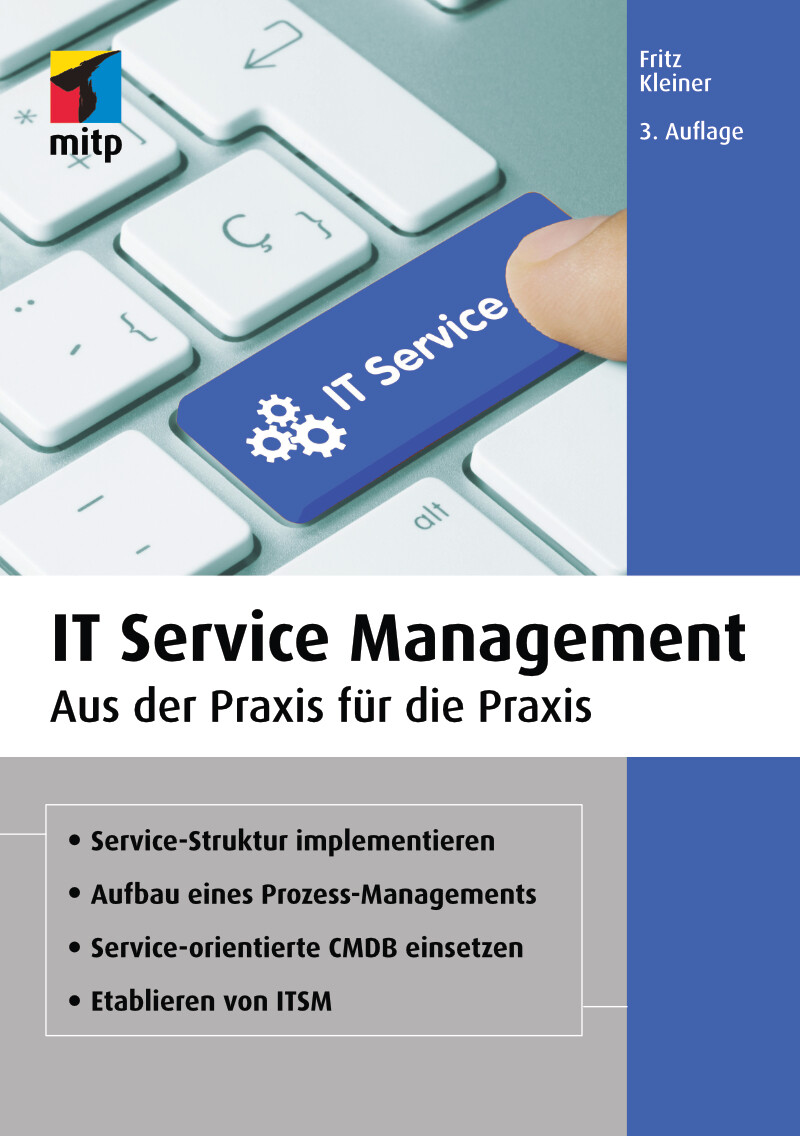
IT Service Management (3. Auflg.)
Aus der Praxis für die Praxis. In 3. Auflage 03/2021.Ein erfolgreich eingeführtes und gelebtes IT Service Management ist für ein Unternehmen ein essenzieller Faktor. Eine schlechte Service-Verfügbarkeit, große Ausfälle wichtiger Informatik-Komponenten oder -Services sowie generell eine zu teure IT können den Unternehmenserfolg massiv beeinträchtigen. Meistens werden in solchen Fällen teure IT-Berater eingekauft, die dem Unternehmen helfen, das IT Service Management inklusive der IT-Kosten zu optimieren.Fritz Kleiner zeigt in dieser aktualisierten Neuauflage basierend auf seinem Erfahrungsschatz als Managing Senior Consultant und Principal, wie Sie IT Service Management ganzheitlich in einem Unternehmen einführen und betreiben können. Anhand vieler Praxisbeispiele erfahren Sie, wie Sie IT-Dienstleistungen standardisieren, IT Service Management in der Führungsebene verankern oder Business IT Services bilden. Besondere Schwerpunkte sind dabei u.a. das Etablieren der Prozesse des IT Service Managements wie Request Fulfillment, Availability Management oder Business Relationship Management.Mit diesem Handbuch verstehen Sie das IT Service Management-Konzept von Grund auf und werden es weitgehend erfolgreich selbstständig im Unternehmen etablieren können.Aus dem Inhalt:Fundierter Überblick über IT Service ManagementEinführung eines IT Service ManagementsEine Prozess-Management-Struktur entwickelnTools und Hilfsmittel einsetzenStandardisierung der IT-DienstleistungenBusiness IT Services und IT Services aufbauenRequest FulfillmentIT Service Management in der FührungsebeneChange ManagementIncident ManagementAvailability ManagementRisk ManagementBusiness Relationship ManagementTransition Planning und SupportDeployment ManagementContinual ImprovementInhalt & Leseprobe (PDF-Link)

Heimautomation mit Arduino, ESP8266 und Raspberry Pi
Das eigene Heim als Smart Home für Heimwerker, Bastler und Maker.Mit diesem umfassenden Praxis-Handbuch erfahren Sie, wie Sie Ihr Heim selbst automatisieren können.Anhand zahlreicher Beispiele lernen Sie Schritt für Schritt die Umsetzung verschiedener Projekte wie z.B. 433-MHz-Sender und -Empfänger, IoT-Gateway mit 433 MHz, drahtlose Infrarot-Fernsteuerung für den Fernseher, Wettermodul, drahtlose Klingel, Strom- und Briefkastenwächter und Aquarium-Timer.Der Autor zeigt Ihnen die praktischen Einsatzmöglichkeiten verschiedener Sensoren und Aktoren im Smart Home wie Licht-, Umwelt- und Barometersensor. Dabei werden zum einen selbst gebaute einfache Elektronik-Module mit Arduino, ESP8266 und Wemos-Modulen realisiert und über eine Schaltzentrale mit Raspberry Pi gesteuert. Zum anderen werden fertige Module wie Bewegungsmelder, Kontakte oder Rauchmelder über einfache Gateways ins System integriert. Dabei wird für die Zentrale Node-Red verwendet, um die Daten und Zustände zu verarbeiten und zu visualisieren.Jedes einzelne Projekt wird mit Stückliste und Steckbrett-Aufbau ausführlich dargestellt und beschrieben.Dieses Buch richtet sich an Bastler und Maker, die bereits etwas Erfahrung mit Arduino und Raspberry Pi gesammelt haben und nun praktische Anwendungen in ihrem Heim aufbauen möchten.Inhalte & Projekte:IoT-Hardware mit Arduino, ESP8266 und Raspberry PiArduino IDE und Node-RedDie Protokolle HTTP und MQTTArduino als SensormodulSchaltmodule mit Tasmota-FirmwareNode-Red als SchaltzentraleWettermodul mit Licht-, Umwelt- und Barometersensor433-MHz-Sender und -EmpfängerIoT-Gateway mit 433 MHzESP8266 als RF-GatewayNode-Red-Schaltzentrale mit Arduino-InterfaceDrahtlose Infrarot-Fernsteuerung für den FernseherDrahtlose KlingelAnalog-Wandler-ModulHomeautomation-PlattformenBriefkastenwächterStromwächterAquarium-TimerLeuchtstreifensteuerungInhalt & Leseprobe (PDF-Link)
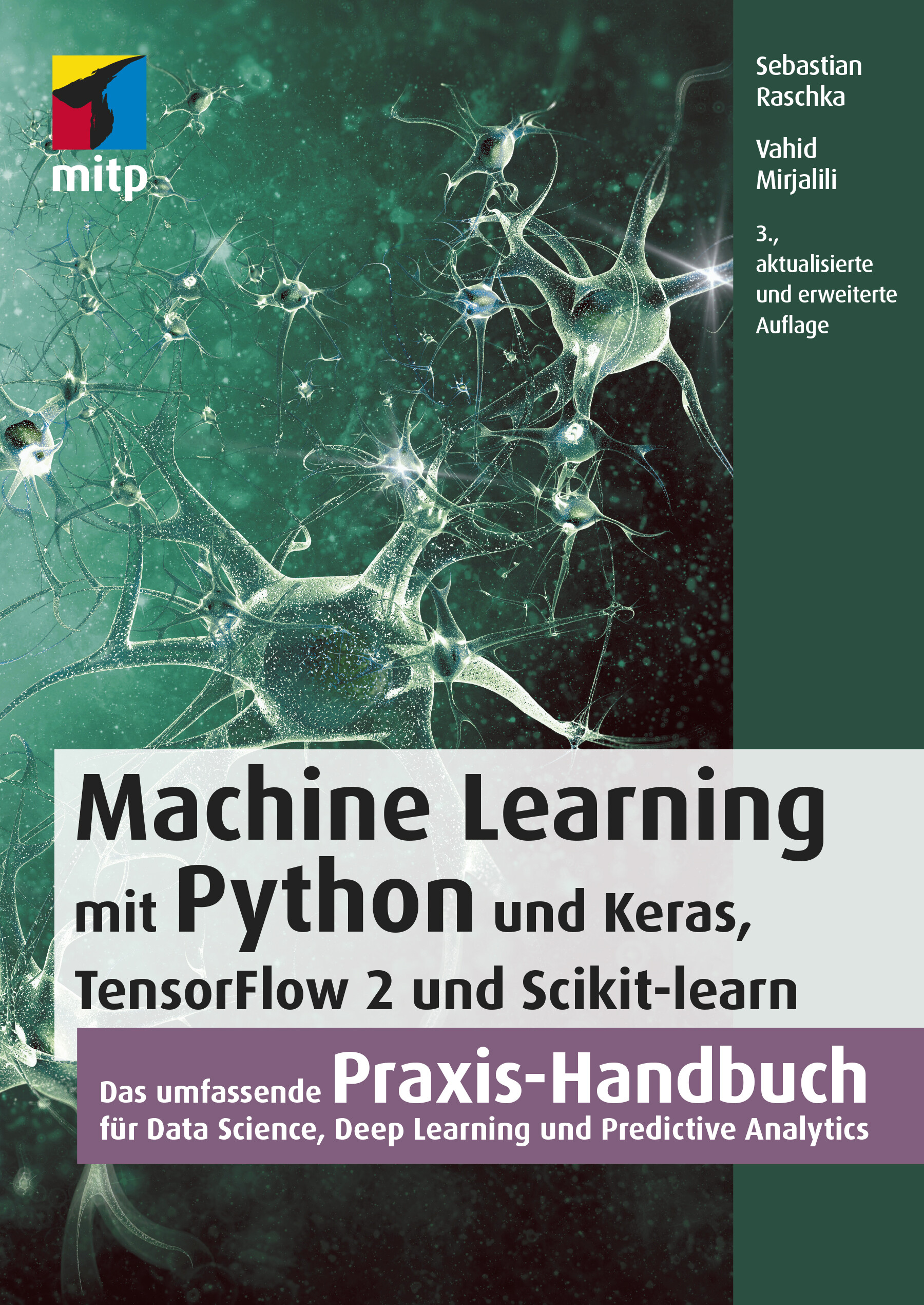
Machine Learning mit Python (3. Auflg.)
Das umfassende Praxis-Handbuch für Data Science, Deep Learning und Predictive Analytics in 3. Auflage 03/2021.Mit diesem Buch erhalten Sie eine umfassende Einführung in die Grundlagen und den effektiven Einsatz von Machine-Learning- und Deep-Learning-Algorithmen und wenden diese anhand zahlreicher Beispiele praktisch an. Dafür setzen Sie ein breites Spektrum leistungsfähiger Python-Bibliotheken ein, insbesondere Keras, TensorFlow 2 und Scikit-learn. Auch die für die praktische Anwendung unverzichtbaren mathematischen Konzepte werden verständlich und anhand zahlreicher Diagramme anschaulich erläutert.Die dritte Auflage dieses Buchs wurde für TensorFlow 2 komplett aktualisiert und berücksichtigt die jüngsten Entwicklungen und Technologien, die für Machine Learning, Neuronale Netze und Deep Learning wichtig sind. Dazu zählen insbesondere die neuen Features der Keras-API, das Synthetisieren neuer Daten mit Generative Adversarial Networks (GANs) sowie die Entscheidungsfindung per Reinforcement Learning.Ein sicherer Umgang mit Python wird vorausgesetzt.Aus dem Inhalt:Trainieren von Lernalgorithmen und Implementierung in PythonGängige Klassifikationsalgorithmen wie Support Vector Machines (SVM), Entscheidungsbäume und Random ForestNatural Language Processing zur Klassifizierung von FilmbewertungenClusteranalyse zum Auffinden verborgener Muster und Strukturen in Ihren DatenDeep-Learning-Verfahren für die BilderkennungDatenkomprimierung durch DimensionsreduktionTraining Neuronaler Netze und GANs mit TensorFlow 2Kombination verschiedener Modelle für das Ensemble LearningEinbettung von Machine-Learning-Modellen in WebanwendungenStimmungsanalyse in Social NetworksModellierung sequenzieller Daten durch rekurrente Neuronale NetzeReinforcement Learning und Implementierung von Q-Learning-AlgorithmenInhalt & Leseprobe (PDF-Link)

The Digital Notebook
To keep information snippets in a notebook that can't be lost, that always stays up to date, that does not get dog-ears, can reach any size and takes texts, pictures, videos and sounds, shares and finds them quickly - that would be great! You have such a notebook in Windows 10, but only few use it. If you want to make it communicate with Outlook, take Office OneNote to unfold the whole potential of co-operation. There are only two types of people: the ones who love OneNote and the others who do not know it yet. It's easy to learn. In this booklet you'll find all important topics. With a short introduction to Class Notebook, a special version for education purposes.Ina Koys is an experienced instructor for Microsoft Office. Many questions are frequently asked in trainings, but seldom covered in books. Now she answers some of them in her originally German "short & spicy" series. A little accent will add to the fun :-)

Office365
The new office package is continuously changing. New features are supplied frequently and provide new possibilities to users and administrators alike. This booklet supplies all novelties in Word, Excel, Outlook and PowerPoint - and entirely the novelties. It makes it easy for you to make up your mind what's in for you and what new possibilities will be at your disposal. You remain on top of the game!Ina Koys is an experienced instructor for Microsoft Office. Many questions are frequently asked in trainings, but seldom covered in books. Now she answers some of them in her originally German "short & spicy" series. A little accent will add to the fun :-)

Windows 10 Pro
Das umfassende Handbuch - umfassendes Praxiswissen für Windows-Profis, aktuelle Auflage Februar 2021.Dieses Buch bietet Ihnen auf über 900 Seiten fundiertes Wissen für Windows-Anwender. Praxisnah dank der zahlreichen Anwendungsbeispiele und mit einer Fülle an Profitipps durchleuchtet Mareile Heiting alle Ecken und Winkel des Windows-Systems. Erfahren Sie, welche Features sich unter der Oberfläche verstecken und wie Sie Ihren Workflow spürbar verbessern. Profitieren Sie von aktuellen, effektiven Tipps für ein rundum abgesichertes System. Meistern Sie die Arbeit mit Windows-Rechnern und setzen Sie auch anspruchsvolle Anforderungen um: Netzwerk & VPN einrichten, Aufgaben automatisieren, Daten verschlüsseln und vieles mehr. Ideal als Nachschlagewerk für Power User und erfahrene Anwender von Windows 10.Alles zu Windows 10Updates und InstallationWindows 10 richtig nutzen: Desktop & AppsDaten verwalten und sichern: BitLocker, DatensicherungAlle Optionen und KonfigurationsmöglichkeitenSystemdienste und VerwaltungskonsolenTreiberprobleme lösen, Hardware einrichtenDatenschutz und PrivatsphäreVirenschutz und FirewallDatenfreigabe im NetzwerkRemotezugriff und VPNPowerShell & Windows Subsystem für LinuxVirtualisierung mit Hyper-VLeseprobe (PDF-Link)

Splunk Certified Study Guide
Make your Splunk certification easier with this exam study guide that covers the User, Power User, and Enterprise Admin certifications. This book is divided into three parts. The first part focuses on the Splunk User and Power User certifications starting with how to install Splunk, Splunk Processing Language (SPL), field extraction, field aliases and macros, and Splunk tags. You will be able to make your own data model and prepare an advanced dashboard in Splunk.In the second part, you will explore the Splunk Admin certification. There will be in-depth coverage of Splunk licenses and user role management, and how to configure Splunk forwarders, indexer clustering, and the security policy of Splunk. You’ll also explore advanced data input options in Splunk as well as .conf file merging logic, btool, various attributes, stanza types, editing advanced data inputs through the .conf file, and various other types of .conf file in Splunk.The concluding part covers the advanced topics of the Splunk Admin certification. You will also learn to troubleshoot Splunk and to manage existing Splunk infrastructure. You will understand how to configure search head, multi-site indexer clustering, and search peers besides exploring how to troubleshoot Splunk Enterprise using the monitoring console and matrix.log. This part will also include search issues and configuration issues. You will learn to deploy an app through a deployment server on your client’s instance, create a server class, and carry out load balancing, socks proxy, and indexer discovery.By the end of the Splunk Certified Study Guide, you will have learned how to manage resources in Splunk and how to use REST API services for Splunk. This section also explains how to set up Splunk Enterprise on the AWS platform and some of the best practices to make them work efficiently together.The book offers multiple choice question tests for each part that will help you better prepare for the exam.WHAT YOU WILL LEARN* Study to pass the Splunk User, Power User, and Admin certificate exams* Implement and manage Splunk multi-site clustering* Design, implement, and manage a complex Splunk Enterprise solution* Master the roles of Splunk Admin and troubleshooting* Configure Splunk using AWSWHO THIS BOOK IS FORPeople looking to pass the User, Power User, and Enterprise Admin exams. It is also useful for Splunk administrators and support engineers for managing an existing deployment.Deep Mehta is a AWS Certified Associate Architect, Docker Certified Associate, Certified Splunk Architect (ongoing), and Certified Splunk User, Power User, and Admin. He’s worked on the Splunk platform since 2017 having experience consulting in the telecommunication, aviation, and healthcare industries. Apart from being passionate about big data technologies, he also loves playing squash and badminton.PART 1: SPLUNK ARCHITECTURE , SPLUNK SPL(SEARCH PROCESSING LANGUAGE) AND SPLUNK KNOWLEDGE OBJECTSGOAL: In this module, readers will be given a detailed idea about current splunk architecture.They will learn how to fire splunk queries using splunk SPL(Search Processing Language) and will look into all the modules provided by splunk to analyze data and will cover all modules necessary to pass power user exam which covers splunk knowledge objects in detail.This module is basic module where we create base for candidate to pass splunk admin exam.Chapter 1: Overview Of SplunkChapter 2: Splunk Search Processing LanguageChapter 3: Macros,Field Extraction and Field AliasesChapter 4: Tags,Lookups and Correlating EventsChapter 5: Datamodels,Pivot and CIM in SplunkChapter 6: Knowledge Manager and Dashboard in SplunkChapter 7: Splunk User/Power User Exam setPART 2: SPLUNK DATA ADMINISTRATION AND SYSTEM ADMINISTRATIONGOAL: In this module data & system administration are designed in a way that will focus on very important topics that will help candidates to pass splunk admin exam.We will study the roles of a splunk admin. In this module, we will understand the concepts behind splunk Licenses and role management, configuring splunk forwarders, clustering in splunk, getting advanced data input and updating .conf file.Chapter 8: Splunk Licenses, Indexes and role ManagementChapter 9: Machine Data using Splunk forwarder and clusteringChapter 10: Splunk Advanced Data InputsChapter 11: Splunk Advanced .Conf file and DiagChapter12: Splunk Admin Exam setPART 3: ADVANCED SPLUNKGOAL: In this part we will explore some features that are very useful for splunk admins in day to day life like infrastructure planning with search head clustering , troubleshooting in splunk,Advanced Deployment, Roles of splunk architect and splunk best practices . By the end of this module, readers will gain a more advanced insight of splunk.Chapter 13: Infrastructure planning with Indexer and Search Head ClusteringChapter 14: Troubleshooting in SplunkChapter 15: Advanced Deployment in SplunkChapter 16: Advanced SplunkChapter 17: Final Practice setChapter 18: Setting up a Splunk Environment with AWS

Zero Trust Security
Understand how Zero Trust security can and should integrate into your organization. This book covers the complexity of enterprise environments and provides the realistic guidance and requirements your security team needs to successfully plan and execute a journey to Zero Trust while getting more value from your existing enterprise security architecture. After reading this book, you will be ready to design a credible and defensible Zero Trust security architecture for your organization and implement a step-wise journey that delivers significantly improved security and streamlined operations.Zero Trust security has become a major industry trend, and yet there still is uncertainty about what it means. Zero Trust is about fundamentally changing the underlying philosophy and approach to enterprise security—moving from outdated and demonstrably ineffective perimeter-centric approaches to a dynamic, identity-centric, and policy-based approach.Making this type of shift can be challenging. Your organization has already deployed and operationalized enterprise security assets such as Directories, IAM systems, IDS/IPS, and SIEM, and changing things can be difficult. ZERO TRUST SECURITY uniquely covers the breadth of enterprise security and IT architectures, providing substantive architectural guidance and technical analysis with the goal of accelerating your organization‘s journey to Zero Trust.WHAT YOU WILL LEARN* Understand Zero Trust security principles and why it is critical to adopt them* See the security and operational benefits of Zero Trust* Make informed decisions about where, when, and how to apply Zero Trust security architectures* Discover how the journey to Zero Trust will impact your enterprise and security architecture* Be ready to plan your journey toward Zero Trust, while identifying projects that can deliver immediate security benefits for your organizationWHO THIS BOOK IS FORSecurity leaders, architects, and practitioners plus CISOs, enterprise security architects, security engineers, network security architects, solution architects, and Zero Trust strategistsJASON GARBIS is Senior Vice President of Products at Appgate, a leading provider of Zero Trust secure access solutions. At Appgate, he is responsible for the company's security product strategy and product management. He has over 30 years of product management, engineering, and consulting experience at security and technology firms. He is also co-chair of the SDP Zero Trust Working Group at the Cloud Security Alliance, leading research and publication initiatives. He holds a CISSP certification, a BS in computer science from Cornell University, and an MBA from Northeastern University.JERRY W. CHAPMAN is Engineering Fellow, Identity Management at Optiv Security. With over 25 years of industry experience, Jerry has successfully guided numerous clients in the design and implementation of their enterprise IAM strategies, in ways that align with both security and business objectives. His job roles have spanned enterprise architecture, solution engineering, and software architecture and development. As an IAM industry expert, Jerry provides guidance, support, and thought leadership across Optiv cybersecurity practice areas, with a focus on positioning Identity and Data as a core component within enterprise security architectures. He is a key spokesperson for Optiv’s Zero Trust strategy, and frequently speaks at conferences and other industry events. Jerry is active in the technical working group at the Identity Defined Security Alliance (IDSA), where he was the group’s original Technical Architect. Jerry is a certified Forrester Zero Trust Strategist, has a BS in Computer Information Systems from DeVry University and is currently pursuing a degree in Applied Mathematics from Southern New Hampshire University.

Outlook 365: as your personal Assistant
Nope, it won't make you a coffee right now. But Outlook can write, sort and tag your mail, find lost items, maybe throw away stuff instantly or re-present it at the time you find it suitable. More than that, Outlook can organize appointments, deliver route planning, present pictures of your contacts and much more.Ina Koys is an experienced instructor for Microsoft Office. Many questions are frequently asked in trainings, but seldom covered in books. Now she answers some of them in her originally German "short & spicy" series. A little accent will add to the fun :-)

Integrierte Werteflüsse mit SAP S/4HANA
Mit diesem Buch optimieren Sie den Wertefluss von der Beschaffung über die Produktion bis hin zum Vertrieb. Andrea Hölzlwimmer weiß genau, wo Probleme in der Integration zwischen MM, PP, SD und FI/CO auftreten, und hilft Ihnen, Ihre Prozesse perfekt aufeinander abzustimmen. Viele Beispiele und Tipps aus der Praxis unterstützen Sie dabei, Optimierungspotenziale zu nutzen und die Kosten zu senken. Profitieren Sie von der Erfahrung, die die Autorin in zahlreichen Optimierungsprojekten gesammelt hat. Praktische Beispiele und eine verständliche Sprache machen es Ihnen leicht, die Abläufe in Ihrem Unternehmen zu verbessern. Diese 4. Auflage ist aktuell zu SAP S/4HANA und behandelt alle wichtigen Neuerungen: Material Ledger, CO-PA u.v.m. Aus dem Inhalt: KreditorenstammRechnungsprüfungPreiskalkulationWarenausgangBesteuerungPlankalkulationPeriodenabschlussErgebnisrechnungMaterial LedgerWerteflüsse zusammenführen Einleitung ... 13 1. Konzept der integrierten Werteflüsse ... 21 1.1 ... Der Begriff »integrierter Wertefluss« ... 21 1.2 ... Definition von Unternehmensprozessen ... 26 1.3 ... Wechselwirkung von Prozessgestaltung und Controllingphilosophie ... 27 1.4 ... Zusammenfassung ... 29 2. Grundlagen der Integration im SAP-System ... 31 2.1 ... Aufbau von SAP-S/4HANA-Systemen ... 32 2.2 ... Entitätenmodell ... 35 2.3 ... Anforderungen der parallelen Rechnungslegung ... 46 2.4 ... Werteflussorientiertes Stammdatenkonzept ... 51 2.5 ... Geschäftspartner ... 67 2.6 ... Zusammenfassung ... 80 3. Beschaffungsprozess ... 83 3.1 ... Beschaffungsprozess und Belegfluss ... 84 3.2 ... Bestellung als Basis des Beschaffungsprozesses ... 86 3.3 ... Fortschreibung von Obligos ... 95 3.4 ... Integration von MM und FI/CO ... 101 3.5 ... Wareneingang ... 128 3.6 ... Rechnungsprüfung ... 130 3.7 ... WE/RE-Konto ... 144 3.8 ... Einkaufskontenabwicklung ... 152 3.9 ... Integration der Kreditorenbuchhaltung ... 153 3.10 ... Darstellung der Umsatzsteuer ... 168 3.11 ... Einbehalt von Quellensteuer ... 172 3.12 ... Zusammenfassung ... 176 4. Vertriebsprozess ... 179 4.1 ... Vertriebsprozess und Belegfluss ... 180 4.2 ... Kundenauftrag als Basis der weiteren Kontierung ... 182 4.3 ... Preiskalkulation als Basis der Wertermittlung ... 189 4.4 ... Warenausgang ... 199 4.5 ... Besteuerung von Verkäufen ... 203 4.6 ... Darstellung von Forderungen ... 216 4.7 ... Abbildung von Umsatzerlösen ... 232 4.8 ... Zusammenfassung ... 255 5. Produktionsprozess ... 257 5.1 ... Produktionsprozess und Belegfluss ... 259 5.2 ... Relevante Stammdaten ... 261 5.3 ... Customizing der Kalkulationsvariante ... 274 5.4 ... Produktkostenplanung ... 301 5.5 ... Kostenträgerrechnung ... 320 5.6 ... Projektfertigung ... 376 5.7 ... Unterstützung der Produktkostenrechnung durch das Material-Ledger ... 392 5.8 ... Zusammenfassung ... 402 6. Der Abschlussprozess im SAP-System ... 405 6.1 ... Vorbereitende Tätigkeiten ... 405 6.2 ... Tätigkeiten in der Anlagenbuchhaltung ... 411 6.3 ... Periodensteuerung ... 426 6.4 ... Fremdwährungsbewertung ... 431 6.5 ... Umgliederung von Forderungen und Verbindlichkeiten ... 437 6.6 ... Wertberichtigung auf Forderungen ... 440 6.7 ... Saldovortrag ... 440 6.8 ... Manuelle Buchungen ... 442 6.9 ... Umlagen und Verteilungen ... 443 6.10 ... Abrechnung ... 451 6.11 ... Abstimmung ... 453 6.12 ... Konsolidierungsvorbereitung ... 457 6.13 ... Zusammenfassung ... 469 7. Zusammenführen der Werteflüsse ... 471 7.1 ... Berichtswesen im Finanzwesen ... 472 7.2 ... Berichtswesen im Controlling ... 477 7.3 ... Berichtswesen in der Ergebnisrechnung ... 478 7.4 ... Aufbau der Deckungsbeitragsrechnung ... 493 7.5 ... Zusammenfassung ... 535 8. Beispiele aus der Praxis ... 537 8.1 ... Redesign der Ergebnisrechnung ... 537 8.2 ... SAP-ERP-Optimierung bei einem Energieversorger ... 548 8.3 ... Upgrade von SAP ERP auf SAP S/4HANA ... 557 8.4 ... Zusammenfassung ... 566 Anhang ... 567 A. Beispiel für einen Abschlussplan ... 569 B. Transaktionen und Menüpfade ... 577 C. Die Autorin ... 605 Index ... 607

Microsoft 365 Education
Endlich einfach erklärt: Mit Microsoft 365 können sich Lehrende digital organisieren und Unterricht multimedial gestalten. Wie Sie Microsoft Office in der Schule einsetzen und im Alltag viel Zeit sparen, zeigt Stefan Malter mit vielen Beispielen aus der Praxis. Präsentieren und kommunizieren Sie online per Video, gestalten Sie Unterrichtsmaterial multimedial und fördern Sie die digitalen Kompetenzen Ihrer Schülerinnen und Schüler. Profitieren Sie und Ihr Kollegium von den Microsoft-Apps und ihren vielfältigen Möglichkeiten zur Zusammenarbeit. Aus dem Inhalt: Unterrichtsmaterial und Arbeitsblätter mit Word und OneNote erstellenDigitale Tafelbilder und Präsentationen mit PowerPoint und Whiteboard-AppTermine, Aufgaben und Kontakte mit Outlook und Windows-AppsChats in Teams-Arbeitsgruppen und -KanälenOnline-Unterricht live in Teams durchführen und moderierenGemeinsam an Dateien und Projekten arbeitenOneNote-Kursnotizbücher für Schülerinnen und SchülerLehrerkonferenzen und Elternabende als VideokonferenzExcel: Grundlagen für Lehrende und Schüler*innenIndividuell Feedback zu Leistungen geben und Tests in Forms durchführenAudio-visuelle Medien erstellen und barrierefreie Tools einsetzenMicrosoft 365 auf mobilen GerätenDateien mit OneDrive und SharePoint synchron haltenGeräte einrichten, Daten speichern und schützen, Benutzerkonten verwaltenTipps für Schulorganisation und Administration Vorwort ... 13 Teil I. Microsoft 365 Education kennenlernen ... 15 1. Voraussetzungen für den digitalen Schulalltag mit Microsoft 365 ... 17 1.1 ... Hardware und Software: Voraussetzungen ... 19 1.2 ... Datenschutz - leidiges Thema, wichtiges Thema ... 21 2. Microsoft 365 Education: Was ist das? Was steckt da drin? ... 25 2.1 ... Unterschiedliche Lizenzen - unterschiedliche Möglichkeiten ... 25 2.2 ... Benutzerkonten in Microsoft 365 ... 26 2.3 ... Online-Portal von Microsoft 365 ... 28 2.4 ... Online arbeiten mit Microsoft 365 ... 34 2.5 ... Online und offline arbeiten mit Windows-Apps und Office-Programmen ... 36 3. Windows 10 einrichten und bedienen ... 37 3.1 ... Windows 10 auf einem neuen PC einrichten ... 37 3.2 ... Windows Updates - nervig, aber wichtig! ... 44 3.3 ... Windows-Sicherheit ... 48 3.4 ... Windows-Einstellungen: Produktiv arbeiten, persönlich wohlfühlen ... 50 3.5 ... Mehrere Benutzerkonten mit Windows 10 nutzen ... 62 3.6 ... PC zurücksetzen und Windows 10 neu installieren ... 65 4. Dateien speichern und verwalten mit Microsoft 365 und Windows 10 ... 69 4.1 ... Dateien online speichern mit OneDrive ... 69 4.2 ... Dateien offline speichern mit Windows 10 ... 81 4.3 ... Systempflege und Backups ... 101 5. Apps und Tools in Windows 10 ... 111 5.1 ... Apps in Windows 10 nutzen und verwalten ... 111 5.2 ... Microsoft Edge - Internetbrowser ... 120 5.3 ... Kurznotizen (Sticky Notes) - digitale Klebezettel ... 124 5.4 ... Microsoft To Do - digitale Aufgabenlisten ... 126 5.5 ... Ausschneiden und skizzieren - Screenshot-App ... 127 5.6 ... Fotos - einfache Bild- und Videobearbeitung ... 128 5.7 ... Kamera - Fotos und Videos aufnehmen ... 131 5.8 ... Filme & TV - Videos abspielen ... 133 5.9 ... Microsoft Whiteboard - die digitale Tafel ... 136 5.10 ... Paint und Paint 3D - digital zeichnen ... 139 5.11 ... Ihr Smartphone ... 142 5.12 ... Weitere Windows-Apps im Überblick ... 143 6. Office-Programme und Dienste in Microsoft 365 ... 149 6.1 ... Microsoft Office installieren und einrichten ... 150 6.2 ... Microsoft Teams - Dreh- und Angelpunkt für digitalen Unterricht ... 155 6.3 ... Microsoft Outlook für EMails, Kontakte und Kalender ... 164 6.4 ... Microsoft OneNote - digitale Notizbücher ... 166 6.5 ... Microsoft Word - Textverarbeitung mit festem Layout ... 169 6.6 ... Microsoft PowerPoint - Präsentationen und mehr ... 172 6.7 ... Microsoft Sway - interaktive Web-Präsentationen ... 174 6.8 ... Microsoft Excel - Tabellenkalkulation ... 176 6.9 ... Microsoft Forms ... 178 6.10 ... Microsoft Stream ... 180 6.11 ... Weitere Apps und Dienste in Microsoft 365 Education ... 182 Teil II. Microsoft 365 in Schule und Unterricht einsetzen ... 187 7. Unterrichtsmaterial recherchieren, erstellen und organisieren ... 189 7.1 ... Inhalte in OneNote sammeln ... 189 7.2 ... Internetrecherche mit Office-Apps und Microsoft Edge ... 204 7.3 ... Arbeitsblätter digital erstellen ... 217 7.4 ... Präsentationen für den Unterricht vorbereiten ... 232 8. Dokumente verteilen und zur Verfügung stellen ... 243 8.1 ... Ausdrucken mit Windows 10 ... 243 8.2 ... Per EMail versenden ... 248 8.3 ... Teilen per OneDrive ... 254 8.4 ... Dokumente bereitstellen in Microsoft Teams ... 261 8.5 ... Inhalte teilen mit OneNote und OneNote-Kursnotizbüchern (Class Notebooks) ... 268 9. Korrigieren, Feedback geben und prüfen mit Microsoft 365 ... 279 9.1 ... Aufsätze und Arbeiten korrigieren und kommentieren mit Microsoft Edge und Microsoft Word ... 279 9.2 ... Schüleraufgaben in OneNote-Kursnotizbüchern korrigieren und kommentieren ... 284 9.3 ... Aufgaben mit Microsoft Teams verteilen und bewerten ... 288 9.4 ... Tests und Quizze mit Microsoft Forms ... 296 9.5 ... Mündliche Prüfungen per Videokonferenz mit Microsoft Teams ... 310 10. Digitale Inhalte im Unterricht präsentieren ... 311 10.1 ... Beamer, Smartboard, TV - Projizieren mit Windows 10 ... 311 10.2 ... Präsentieren mit OneNote ... 315 10.3 ... Tafelbilder erstellen mit Microsoft Whiteboard ... 319 10.4 ... Präsentieren mit PowerPoint ... 324 11. Selbstorganisation im Lehrerbüro ... 331 11.1 ... Aufgaben und To-Do-Listen mit Sticky Notes, OneNote, Microsoft To Do und Outlook ... 331 11.2 ... Kalender und Termine mit Outlook ... 341 11.3 ... Gesprächsnotizen und Protokolle mit OneNote ... 348 11.4 ... Punkte und Noten ausrechnen mit Microsoft Excel ... 352 12. Kommunikation mit Kollegium, Schüler*innen und Eltern ... 361 12.1 ... Kontakte verwalten in Outlook und Microsoft 365 ... 361 12.2 ... Kommunikation per EMail mit Outlook ... 366 12.3 ... Chat-Nachrichten - Microsoft Teams als Messenger ... 376 12.4 ... Sprach- und Videoanrufe mit Microsoft Teams ... 382 12.5 ... Online-Besprechungen planen und durchführen mit Microsoft Teams ... 389 12.6 ... Online-Unterricht mit Microsoft Teams ... 396 Teil III. Weitere Möglichkeiten mit Microsoft 365 ... 405 13. Audio- und Videoproduktionen für den Unterricht ... 407 13.1 ... Audioaufnahmen mit dem Sprachrekorder für Windows 10 ... 407 13.2 ... Videoaufnahmen mit der Kamera-App für Windows 10 ... 411 13.3 ... Videoschnitt mit dem Video-Editor der Fotos-App ... 414 13.4 ... Erklärvideos mit PowerPoint produzieren ... 423 13.5 ... Videos verteilen mit OneDrive und Stream ... 431 14. Barrierefreiheit und erleichterte Bedienung mit Microsoft 365 ... 441 14.1 ... Erleichterte Bedienung mit Windows 10 ... 442 14.2 ... Barrierearme Dokumente mit den Office-Apps ... 454 15. Microsoft-Apps für mobile Geräte wie Smartphone und Tablet ... 459 15.1 ... Microsoft Office als mobile App ... 460 15.2 ... OneDrive als mobile App ... 471 15.3 ... OneNote als mobile App ... 473 15.4 ... Microsoft To Do als mobile App ... 477 15.5 ... Outlook als mobile App ... 479 15.6 ... Microsoft Teams als mobile App ... 486 15.7 ... Microsoft Edge als mobile App ... 490 15.8 ... Begleiter für Ihr Smartphone - Verbindung per App zu Windows 10 ... 494 16. Projekte mit Microsoft 365: Ideen für die Praxis ... 499 16.1 ... Klassenfahrt digital organisieren ... 499 16.2 ... Medienproduktion mit Schüler*innen ... 506 17. Tipps für die Administration von Microsoft 365 ... 511 17.1 ... Benutzerkonten im Admin Center erstellen und verwalten ... 514 17.2 ... Schülergeräte einrichten und verwalten ... 524 18. Hilfe bei Fragen und Problemen ... 533 18.1 ... Reparaturversuche mit Windows 10 ... 534 18.2 ... Hilfe und Support von Microsoft 365 ... 540 18.3 ... Online-Community »Microsoft 365 für Lehrer« ... 544 Index ... 547

SAP Conversational AI
Lassen Sie Bots für sich sprechen! Ob Kundenservice oder digitaler Assistent – mit diesem Buch lernen Sie, wie Sie mit SAP Conversational AI eigene Chatbots programmieren. Die Autoren führen Sie durch alle Phasen der Entwicklung vom Training des Bots bis zur Anbindung an die SAP-Systeme. Sie erhalten wertvolle Tipps zur Auswahl geeigneter Anwendungsfälle sowie für Monitoring und Optimierung. Aus dem Inhalt: Conversational User ExperienceTerminologie und GrundkonzepteSAP Conversational AIFrage-und-Antwort-Bots (Q&A) und reguläre BotsChatbots trainieren, verbinden und verbessernAnwendungsfälleDeployment und Betrieb von BotsFallback und DisambiguierungBerechtigungen und Datenschutz Einleitung ... 15 TEIL I. Einführung ... 21 1. Ziele und Einsatzgebiete von Conversational User Experience ... 23 1.1 ... Was ist Conversational User Experience? ... 23 1.2 ... Terminologie und Grundkonzepte ... 26 1.3 ... Geschichte der Chatbots ... 38 1.4 ... Chatbot vs. digitaler Assistent ... 41 1.5 ... Zusammenfassung ... 46 2. Einführung in SAP Conversational AI ... 47 2.1 ... Die Plattform SAP Conversational AI im Überblick ... 48 2.2 ... Verwaltungs- und Einstellungsmöglichkeiten im Benutzerprofil ... 57 2.3 ... Arten von Bots ... 71 2.4 ... Erste Schritte zur Erstellung eines Chatbots ... 73 2.5 ... Verwendung vordefinierter Chatbot-Bestandteile ... 80 2.6 ... Zusammenfassung ... 82 TEIL II. Entwicklung eines Chatbots ... 83 3. Einen Chatbot trainieren ... 85 3.1 ... Überblick über die Registerkarte »Train« ... 86 3.2 ... Gesprächsabsichten mit Intents definieren ... 95 3.3 ... Das Entitätenkonzept ... 100 3.4 ... Entitätsanreicherungen hinzufügen ... 115 3.5 ... Das Datenset testen ... 120 3.6 ... Unterstützte Sprachen ... 122 3.7 ... Anwendung von NLP-Technologien ... 123 3.8 ... Training des Beispiel-Bots ... 125 3.9 ... Zusammenfassung ... 129 4. Einen Chatbot aufbauen ... 131 4.1 ... Überblick über die Registerkarte »Build« ... 132 4.2 ... Skills verwalten ... 138 4.3 ... Trigger verwenden ... 145 4.4 ... Voraussetzungen definieren ... 150 4.5 ... Aktionen erstellen ... 155 4.6 ... Zusammenfassung ... 177 5. Den Chatbot verbinden ... 179 5.1 ... Bereitstellungskanäle ... 179 5.2 ... SAP Conversational AI Web Client ... 189 5.3 ... Fallback-Kanäle ... 194 5.4 ... Slack-Kanal für den Beispiel-Bot konfigurieren ... 197 5.5 ... Zusammenfassung ... 200 6. Den Chatbot verbessern ... 201 6.1 ... Einträge filtern ... 202 6.2 ... Protokoll der Sprachverarbeitung auswerten ... 204 6.3 ... Verwendungsmetriken ... 208 6.4 ... Trainingsanalyse ... 212 6.5 ... Konversationsprotokolle ... 218 6.6 ... Zusammenfassung ... 220 7. Bot-Einstellungen ... 221 7.1 ... Einstellungen eines Chatbots ... 223 7.2 ... Versionen ... 234 7.3 ... Umgebungen verwenden ... 240 7.4 ... Zusammenfassung ... 245 8. Frage-Antwort-Bots ... 247 8.1 ... Frage-Antwort-Bot trainieren ... 249 8.2 ... Frage-Antwort-Bots bauen ... 256 8.3 ... Frage-Antwort-Bot verbessern ... 259 8.4 ... Einen eigenen Frage-Antwort-Bot erstellen ... 261 8.5 ... Zusammenfassung ... 266 TEIL III. Fortgeschrittene Chatbot-Konzepte ... 267 9. Weiterführende Konzepte ... 269 9.1 ... Laufzeitverhalten eines Chatbots testen ... 269 9.2 ... Nutzung von API-Endpunkten ... 275 9.3 ... Feinheiten des Laufzeitverhaltens eines Chatbots ... 288 9.4 ... Mehrsprachigkeit und Ermittlung der Sprache ... 298 9.5 ... Skill-Disambiguierung ... 303 9.6 ... Zusammenfassung ... 308 10. Das Bot-Entwicklungsprojekt -- ein Praxisbeispiel ... 309 10.1 ... Von der Idee zum Chatbot-Projekt ... 310 10.2 ... Vor Beginn der Implementierung ... 317 10.3 ... Implementierung des Chatbots ... 331 10.4 ... Den fertigen Bot bereitstellen ... 347 10.5 ... Zusammenfassung ... 352 11. Integration von SAP Conversational AI ... 353 11.1 ... Integration externer Ressourcen ... 354 11.2 ... Integration in die SAP Integration Suite ... 369 11.3 ... Integration ins SAP Fiori Launchpad ... 381 11.4 ... Berechtigungskonzept und Single Sign-on ... 391 11.5 ... Konfiguration eines SAP-S/HANA-Frontend-Servers ... 394 11.6 ... Automatisierte Tests der Enterprise Edition ... 396 11.7 ... Zusammenfassung ... 404 12. Ausblick und zukünftige Technologien ... 405 12.1 ... Zukünftige Funktionalität von SAP Conversational AI ... 405 12.2 ... Trends im Bereich der künstlichen Intelligenz ... 408 12.3 ... Trends im Bereich Conversational User Experience ... 412 12.4 ... Zusammenfassung ... 414 A. Glossar ... 419 B. Literaturverzeichnis ... 421 C. Das Autorenteam ... 425 Index ... 427