

Computer und IT

Ultimate Arduino Uno Hardware Manual
A manual providing up-to-date hardware information for the popular Arduino Uno, the easy to use open-source electronics platform used by hobbyists, makers, hackers, experimenters, educators and professionals.Get all the information that you need on the hardware and firmware found on Arduino Uno boards in this handy reference and user guide.- ldeal for the workbench or desktop- Contains all of the Arduino Uno hardware information in one place- Covers Arduino / Genuino Uno revision 3 and earlier boards- Easily find hardware technical specifications with explanations- Pin reference chapter with interfacing examples- Diagrams and illustrations for easy reference to alternate pin functions and hardware connections- Learn to back up and restore firmware on the board, or load new firmware- Basic fault finding and repair procedures for Arduino Uno boards- Power supply circuits simplified and explained- Mechanical dimensions split into five easy to reference diagrams- Contains circuit diagrams, parts list and board layout reference to easily locate componentsWarwick A. Smith is an electronics engineer and embedded programmer from South Africa with experience in industrial, commercial, and aerospace-related industries.Warwick has a wide interest in various fields of technology, including embedded systems hardware, software, and information technology. His writing style has been described as "clear and concise" as well as "conversational and friendly".
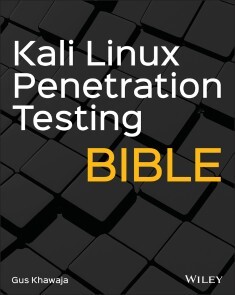
Kali Linux Penetration Testing Bible
YOUR ULTIMATE GUIDE TO PENTESTING WITH KALI LINUXKali is a popular and powerful Linux distribution used by cybersecurity professionals around the world. Penetration testers must master Kali’s varied library of tools to be effective at their work. The Kali Linux Penetration Testing Bible is the hands-on and methodology guide for pentesting with Kali.You’ll discover everything you need to know about the tools and techniques hackers use to gain access to systems like yours so you can erect reliable defenses for your virtual assets. Whether you’re new to the field or an established pentester, you’ll find what you need in this comprehensive guide.* Build a modern dockerized environment* Discover the fundamentals of the bash language in Linux* Use a variety of effective techniques to find vulnerabilities (OSINT, Network Scan, and more)* Analyze your findings and identify false positives and uncover advanced subjects, like buffer overflow, lateral movement, and privilege escalation* Apply practical and efficient pentesting workflows* Learn about Modern Web Application Security Secure SDLC* Automate your penetration testing with PythonGUS KHAWAJA is an expert in application security and penetration testing. He is a cybersecurity consultant in Montreal, Canada and has a depth of experience working with organizations to protect their assets from cyberattacks. He is a published author and online educator in the field of cybersecurity.Introduction xxCHAPTER 1 MASTERING THE TERMINAL WINDOW 1Kali Linux File System 2Terminal Window Basic Commands 3Tmux Terminal Window 6Starting Tmux 6Tmux Key Bindings 7Tmux Session Management 7Navigating Inside Tmux 9Tmux Commands Reference 9Managing Users and Groups in Kali 10Users Commands 10Groups Commands 14Managing Passwords in Kali 14Files and Folders Management in Kali Linux 15Displaying Files and Folders 15Permissions 16Manipulating Files in Kali 19Searching for Files 20Files Compression 21Manipulating Directories in Kali 23Mounting a Directory 23Managing Text Files in Kali Linux 24Vim vs. Nano 26Searching and Filtering Text 27Remote Connections in Kali 29Remote Desktop Protocol 29Secure Shell 30SSH with Credentials 30Passwordless SSH 32Kali Linux System Management 34Linux Host Information 36Linux OS Information 36Linux Hardware Information 36Managing Running Services 38Package Management 39Process Management 41Networking in Kali Linux 42Network Interface 42IPv4 Private Address Ranges 42Static IP Addressing 43DNS 45Established Connections 46File Transfers 47Summary 48CHAPTER 2 BASH SCRIPTING 49Basic Bash Scripting 50Printing to the Screen in Bash 50Variables 52Commands Variable 54Script Parameters 54User Input 56Functions 56Conditions and Loops 57Conditions 58Loops 60File Iteration 61Summary 63CHAPTER 3 NETWORK HOSTS SCANNING 65Basics of Networking 65Networking Protocols 66TCP 66UDP 67Other Networking Protocols 67IP Addressing 69IPv4 69Subnets and CIDR 69IPv6 70Port Numbers 71Network Scanning 72Identifying Live Hosts 72Ping 73ARP 73Nmap 73Port Scanning and Services Enumeration 74TCP Port SYN Scan 75UDP 75Basics of Using Nmap Scans 76Services Enumeration 77Operating System Fingerprinting 79Nmap Scripting Engine 80NSE Category Scan 82NSE Arguments 84DNS Enumeration 84DNS Brute-Force 85DNS Zone Transfer 86DNS Subdomains Tools 87Fierce 87Summary 88CHAPTER 4 INTERNET INFORMATION GATHERING 89Passive Footprinting and Reconnaissance 90Internet Search Engines 90Shodan 91Google Queries 92Information Gathering Using Kali Linux 94Whois Database 95TheHarvester 97DMitry 99Maltego 99Summary 103CHAPTER 5 SOCIAL ENGINEERING ATTACKS 105Spear Phishing Attacks 105Sending an E-mail 106The Social Engineer Toolkit 106Sending an E-mail Using Python 108Stealing Credentials 109Payloads and Listeners 110Bind Shell vs. Reverse Shell 111Bind Shell 111Reverse Shell 112Reverse Shell Using SET 113Social Engineering with the USB Rubber Ducky 115A Practical Reverse Shell Using USB Rubber Ducky and PowerShell 117Generating a PowerShell Script 118Starting a Listener 118Hosting the PowerShell Script 119Running PowerShell 120Download and Execute the PS Script 120Reverse Shell 121Replicating the Attack Using the USB Rubber Ducky 122Summary 122CHAPTER 6 ADVANCED ENUMERATION PHASE 125Transfer Protocols 126FTP (Port 21) 126Exploitation Scenarios for an FTP Server 126Enumeration Workflow 127Service Scan 127Advanced Scripting Scan with Nmap 128More Brute-Forcing Techniques 129SSH (Port 22) 130Exploitation Scenarios for an SSH Server 130Advanced Scripting Scan with Nmap 131Brute-Forcing SSH with Hydra 132Advanced Brute-Forcing Techniques 133Telnet (Port 23) 134Exploitation Scenarios for Telnet Server 135Enumeration Workflow 135Service Scan 135Advanced Scripting Scan 136Brute-Forcing with Hydra 136E-mail Protocols 136SMTP (Port 25) 137Nmap Basic Enumeration 137Nmap Advanced Enumeration 137Enumerating Users 138POP3 (Port 110) and IMAP4 (Port 143) 141Brute-Forcing POP3 E-mail Accounts 141Database Protocols 142Microsoft SQL Server (Port 1433) 142Oracle Database Server (Port 1521) 143MySQL (Port 3306) 143CI/CD Protocols 143Docker (Port 2375) 144Jenkins (Port 8080/50000) 145Brute-Forcing a Web Portal Using Hydra 147Step 1: Enable a Proxy 148Step 2: Intercept the Form Request 149Step 3: Extracting Form Data and Brute-Forcing with Hydra 150Web Protocols 80/443 151Graphical Remoting Protocols 152RDP (Port 3389) 152RDP Brute-Force 152VNC (Port 5900) 153File Sharing Protocols 154SMB (Port 445) 154Brute-Forcing SMB 156SNMP (Port UDP 161) 157SNMP Enumeration 157Summary 159CHAPTER 7 EXPLOITATION PHASE 161Vulnerabilities Assessment 162Vulnerability Assessment Workflow 162Vulnerability Scanning with OpenVAS 164Installing OpenVAS 164Scanning with OpenVAS 165Exploits Research 169SearchSploit 171Services Exploitation 173Exploiting FTP Service 173FTP Login 173Remote Code Execution 174Spawning a Shell 177Exploiting SSH Service 178SSH Login 178Telnet Service Exploitation 179Telnet Login 179Sniffing for Cleartext Information 180E-mail Server Exploitation 183Docker Exploitation 185Testing the Docker Connection 185Creating a New Remote Kali Container 186Getting a Shell into the Kali Container 187Docker Host Exploitation 188Exploiting Jenkins 190Reverse Shells 193Using Shells with Metasploit 194Exploiting the SMB Protocol 196Connecting to SMB Shares 196SMB Eternal Blue Exploit 197Summary 198CHAPTER 8 WEB APPLICATION VULNERABILITIES 199Web Application Vulnerabilities 200Mutillidae Installation 200Apache Web Server Installation 200Firewall Setup 201Installing PHP 201Database Installation and Setup 201Mutillidae Installation 202Cross-Site Scripting 203Reflected XSS 203Stored XSS 204Exploiting XSS Using the Header 205Bypassing JavaScript Validation 207SQL Injection 208Querying the Database 208Bypassing the Login Page 211Execute Database Commands Using SQLi 211SQL Injection Automation with SQLMap 215Testing for SQL Injection 216Command Injection 217File Inclusion 217Local File Inclusion 218Remote File Inclusion 219Cross-Site Request Forgery 220The Attacker Scenario 221The Victim Scenario 222File Upload 223Simple File Upload 223Bypassing Validation 225Encoding 227OWASP Top 10 228Summary 229CHAPTER 9 WEB PENETRATION TESTING AND SECURE SOFTWARE DEVELOPMENT LIFECYCLE 231Web Enumeration and Exploitation 231Burp Suite Pro 232Web Pentest Using Burp Suite 232More Enumeration 245Nmap 246Crawling 246Vulnerability Assessment 247Manual Web Penetration Testing Checklist 247Common Checklist 248Special Pages Checklist 248Secure Software Development Lifecycle 250Analysis/Architecture Phase 251Application Threat Modeling 251Assets 251Entry Points 252Third Parties 252Trust Levels 252Data Flow Diagram 252Development Phase 252Testing Phase 255Production Environment (Final Deployment) 255Summary 255CHAPTER 10 LINUX PRIVILEGE ESCALATION 257Introduction to Kernel Exploits and Missing Configurations 258Kernel Exploits 258Kernel Exploit: Dirty Cow 258SUID Exploitation 261Overriding the Passwd Users File 263CRON Jobs Privilege Escalation 264CRON Basics 265Crontab 265Anacrontab 266Enumerating and Exploiting CRON 266sudoers 268sudo Privilege Escalation 268Exploiting the Find Command 268Editing the sudoers File 269Exploiting Running Services 270Automated Scripts 270Summary 271CHAPTER 11 WINDOWS PRIVILEGE ESCALATION 273Windows System Enumeration 273System Information 274Windows Architecture 275Listing the Disk Drives 276Installed Patches 276Who Am I? 276List Users and Groups 277Networking Information 279Showing Weak Permissions 282Listing Installed Programs 283Listing Tasks and Processes 283File Transfers 284Windows Host Destination 284Linux Host Destination 285Windows System Exploitation 286Windows Kernel Exploits 287Getting the OS Version 287Find a Matching Exploit 288Executing the Payload and Getting a Root Shell 289The Metasploit PrivEsc Magic 289Exploiting Windows Applications 293Running As in Windows 295PSExec Tool 296Exploiting Services in Windows 297Interacting with Windows Services 297Misconfigured Service Permissions 297Overriding the Service Executable 299Unquoted Service Path 299Weak Registry Permissions 301Exploiting the Scheduled Tasks 302Windows PrivEsc Automated Tools 302PowerUp 302WinPEAS 303Summary 304CHAPTER 12 PIVOTING AND LATERAL MOVEMENT 305Dumping Windows Hashes 306Windows NTLM Hashes 306SAM File and Hash Dump 307Using the Hash 308Mimikatz 308Dumping Active Directory Hashes 310Reusing Passwords and Hashes 310Pass the Hash 311Pivoting with Port Redirection 312Port Forwarding Concepts 312SSH Tunneling and Local Port Forwarding 314Remote Port Forwarding Using SSH 315Dynamic Port Forwarding 316Dynamic Port Forwarding Using SSH 316Summary 317CHAPTER 13 CRYPTOGRAPHY AND HASH CRACKING 319Basics of Cryptography 319Hashing Basics 320One-Way Hash Function 320Hashing Scenarios 321Hashing Algorithms 321Message Digest 5 321Secure Hash Algorithm 323Hashing Passwords 323Securing Passwords with Hash 324Hash-Based Message Authenticated Code 325Encryption Basics 326Symmetric Encryption 326Advanced Encryption Standard 326Asymmetric Encryption 328Rivest Shamir Adleman 329Cracking Secrets with Hashcat 331Benchmark Testing 332Cracking Hashes in Action 334Attack Modes 336Straight Mode 336Combinator 337Mask and Brute-Force Attacks 339Brute-Force Attack 342Hybrid Attacks 342Cracking Workflow 343Summary 344CHAPTER 14 REPORTING 345Overview of Reports in Penetration Testing 345Scoring Severities 346Common Vulnerability Scoring System Version 3.1 346Report Presentation 349Cover Page 350History Logs 350Report Summary 350Vulnerabilities Section 350Summary 351CHAPTER 15 ASSEMBLY LANGUAGE AND REVERSE ENGINEERING 353CPU Registers 353General CPU Registers 354Index Registers 355Pointer Registers 355Segment Registers 355Flag Registers 357Assembly Instructions 358Little Endian 360Data Types 360Memory Segments 361Addressing Modes 361Reverse Engineering Example 361Visual Studio Code for C/C++ 362Immunity Debugger for Reverse Engineering 363Summary 368CHAPTER 16 BUFFER/STACK OVERFLOW 369Basics of Stack Overflow 369Stack Overview 370PUSH Instruction 370POP Instruction 371C Program Example 371Buffer Analysis with Immunity Debugger 372Stack Overflow 376Stack Overflow Mechanism 377Stack Overflow Exploitation 378Lab Overview 379Vulnerable Application 379Phase 1: Testing 379Testing the Happy Path 379Testing the Crash 381Phase 2: Buffer Size 382Pattern Creation 382Offset Location 382Phase 3: Controlling EIP 383Adding the JMP Instruction 384Phase 4: Injecting the Payload and Getting a Remote Shell 386Payload Generation 386Bad Characters 386Shellcode Python Script 387Summary 388CHAPTER 17 PROGRAMMING WITH PYTHON 389Basics of Python 389Running Python Scripts 390Debugging Python Scripts 391Installing VS Code on Kali 391Practicing Python 392Python Basic Syntaxes 393Python Shebang 393Comments in Python 393Line Indentation and Importing Modules 394Input and Output 394Printing CLI Arguments 395Variables 395Numbers 395Arithmetic Operators 397Strings 397String Formatting 397String Functions 398Lists 399Reading Values in a List 399Updating List Items 399Removing a list item 400Tuples 400Dictionary 400More Techniques in Python 400Functions 400Returning Values 401Optional Arguments 401Global Variables 402Changing Global Variables 402Conditions 403if/else Statement 403Comparison Operators 403Loop Iterations 404while Loop 404for Loop 405Managing Files 406Exception Handling 407Text Escape Characters 407Custom Objects in Python 408Summary 409CHAPTER 18 PENTEST AUTOMATION WITH PYTHON 411Penetration Test Robot 411Application Workflow 412Python Packages 414Application Start 414Input Validation 415Code Refactoring 417Scanning for Live Hosts 418Ports and Services Scanning 420Attacking Credentials and Saving the Results 423Summary 426APPENDIX A KALI LINUX DESKTOP AT A GLANCE 427Downloading and Running a VM of Kali Linux 428Virtual Machine First Boot 428Kali Xfce Desktop 429Kali Xfce Menu 430Search Bar 430Favorites Menu Item 430Usual Applications 432Other Menu Items 433Kali Xfce Settings Manager 433Advanced Network Configuration 435Appearance 436Desktop 439Display 441File Manager 442Keyboard 445MIME Type Editor 447Mouse and Touchpad 448Panel 449Workspaces 450Window Manager 451Practical Example of Desktop Customization 454Edit the Top Panel 454Adding a New Bottom Panel 454Changing the Desktop Look 457Installing Kali Linux from Scratch 458Summary 466APPENDIX B BUILDING A LAB ENVIRONMENT USING DOCKER 467Docker Technology 468Docker Basics 468Docker Installation 468Images and Registries 469Containers 470Dockerfile 472Volumes 472Networking 473Mutillidae Docker Container 474Summary 475Index 477

Inside the World of Computing
Computers and the Internet are an undeniable and inextricable part of our daily lives. This book is for those who wish to better understand how this came to be. It explores the technological bases of computers, networks, software and data management, leading to the development of four �pillars� on which the essential applications that have a strong impact on individuals and society are based: embedded systems, Artificial Intelligence, the Internet, image processing and vision.We will travel to the heart of major application areas: robotics, virtual reality, health, mobility, energy, the factory of the future, not forgetting the major questions that this �digitization� can raise. This book is the author�s testimony after fifty years spent in environments that are very open to new technologies. It offers perspectives on the evolution of the digital world that we live in. JEAN-LOIC DELHAYE has a PhD in Artificial Intelligence. He directed the Centre National Universitaire Sud de Calcul, France, before piloting partnerships and the valorization of research at the Centre Inria Rennes?Bretagne Altlantique, France. He has also been very active in national and European collaborations on high performance computing. Foreword xiJean-Pierre BANÂTREPreface xvAcknowledgments xxiCHAPTER 1. FROM THE CALCULATOR TO THE SUPERCOMPUTER 11.1. Introduction 11.2. Some important concepts 11.2.1. Information and data 11.2.2. Binary system 31.2.3. Coding 31.2.4. Algorithm 51.2.5. Program 71.3. Towards automation of calculations 71.3.1. Slide rule 71.3.2. The Pascaline 81.3.3. The Jacquard loom 91.3.4. Babbage’s machine 91.3.5. The first desktop calculators 101.3.6. Hollerith’s machine 111.4. The first programmable computers 121.4.1. Konrad Zuse’s machines 121.4.2. Colossus 131.4.3. ENIAC 131.5. Generations of computers 141.5.1. First generation: the transition to electronics 151.5.2. Second generation: the era of the transistor 171.5.3. Third generation: the era of integrated circuits 201.5.4. Fourth generation: the era of microprocessors 241.6. Supercomputers 281.6.1. Some fields of use 281.6.2. History of supercomputers 291.6.3. Towards exaflops 331.7. What about the future? 351.7.1. An energy and ecological challenge 351.7.2. Revolutions in sight? 36CHAPTER 2. COMPUTER NETWORKS AND THEIR APPLICATIONS 372.1. Introduction 372.2. A long history 382.3. Computer network infrastructure 422.3.1. Geographic coverage: from PAN to WAN 432.3.2. Communication media 442.3.3. Interconnection equipment and topologies 482.3.4. Two other characteristics of computer networks 522.3.5. Quality of service 542.4. Communication protocols and the Internet 552.4.1. The first protocols 552.4.2. The OSI model 562.4.3. The history of the Internet 572.4.4. The TCP/IP protocol 582.4.5. IP addressing 592.4.6. Management and use of the Internet 602.4.7. Evolving technologies 612.4.8. What future? 622.5. Applications 632.5.1. The World Wide Web 642.5.2. Cloud computing 672.5.3. The Internet of Things 682.5.4. Ubiquitous computing and spontaneous networks 722.6. Networks and security 742.6.1. Vulnerabilities 742.6.2. The protection of a network 762.6.3. Message encryption 762.6.4. Checking its security 77CHAPTER 3. SOFTWARE 793.1. Introduction 793.2. From algorithm to computer program 803.2.1. Programs and subprograms 823.2.2. Programming languages 833.3. Basic languages and operating systems 853.3.1. Basic languages 853.3.2. Operating system functions 863.3.3. A bit of history 883.3.4. Universal operating systems 913.3.5. Targeted operating systems 933.4. “High-level” programming and applications 963.4.1. Imperative languages 963.4.2. Functional languages 983.4.3. Object programming 993.4.4. Other programming languages 1003.4.5. The most used languages 1013.5. Software development 1023.5.1. Software categories 1023.5.2. Software quality 1033.5.3. Development methods 1043.5.4. Software engineering 1073.6. Software verification and validation 1073.6.1. Errors with sometimes tragic consequences 1073.6.2. Software testing 1093.6.3. Formal methods 1113.6.4. Software certification 1143.7. Legal protection and distribution of software 1153.7.1. Legal protection of software 1153.7.2. Licenses 1163.7.3. Free software and open source 1173.8. The software market 118CHAPTER 4. DATA: FROM BINARY ELEMENT TO INTELLIGENCE 1214.1. Introduction 1214.2. Data and information 1224.2.1. Digitization of data 1224.2.2. Data compression 1254.3. The structuring of data towards information 1254.3.1. Structured data 1264.3.2. Semi-structured data and the Web 1274.4. Files and their formats 1284.5. Databases 1294.5.1. The main characteristics 1294.5.2. DBMS models 1314.5.3. Database design 1334.5.4. Enterprise resource planning (ERP) systems 1334.5.5. Other types of databases 1344.5.6. Data protection in a DB 1374.6. Intelligence and Big Data 1374.7. Data ownership and Open Data 1414.7.1. Personal data 1414.7.2. Opening up public data: Open Data 142CHAPTER 5. TECHNOLOGY BUILDING BLOCKS 1455.1. Embedded systems 1455.1.1. Specific architectures 1465.1.2. Some fields of use 1475.2. Artificial intelligence (AI) 1505.2.1. A bit of history 1505.2.2. Intelligence or statistics? 1525.2.3. Important work around automatic learning 1525.2.4. A multiplication of applications 1545.2.5. The challenges of AI 1555.2.6. What about intelligence? 1565.3. The Internet 1575.3.1. Mobility 1575.3.2. Social networks 1585.3.3. The Internet of Things 1595.3.4. The Cloud 1595.3.5. Blockchain 1595.3.6. Vulnerabilities 1605.4. Image processing and vision 1605.4.1. A bit of history 1605.4.2. Image sources and their uses 1615.4.3. The digital image 1625.4.4. Image storage and compression 1635.4.5. Computing and images 1645.4.6. Some applications 1655.5. Conclusion 166CHAPTER 6. SOME AREAS OF APPLICATION 1676.1. Robots 1676.1.1. A bit of history 1686.1.2. Fields of use regarding robots today 1696.1.3. Communication in the world of robots 1736.1.4. Fear of robots 1746.1.5. Challenges for researchers 1756.2. Virtual reality and augmented reality 1756.2.1. A bit of history 1766.2.2. Hardware configurations of virtual reality 1776.2.3. Fields of use of virtual reality 1796.2.4. Augmented reality 1806.3. Health 1816.3.1. Health informatics 1826.3.2. Information technology at the service of our health 1846.4. The connected (and soon autonomous?) car 1856.4.1. Levels of autonomy 1866.4.2. Challenges associated with the autonomous car 1876.4.3. Advantages and disadvantages of the autonomous car 1886.5. The smart city 1896.5.1. Smart energy 1906.5.2. Smart buildings 1906.5.3. Smart infrastructure 1916.5.4. Smart governance 1926.5.5. Dangers 1936.6. Smart mobility 1936.7. The factory of the future 1956.7.1. Technologies 1956.7.2. Issues 1976.7.3. The place of the human 198CHAPTER 7. SOCIETAL ISSUES 1997.1. Security 1997.1.1. Specific characteristics 2007.1.2. Some great threats 2007.1.3. Acting to protect oneself 2027.2. The respect of private life 2027.2.1. Our personal data 2027.2.2. Uses of our data 2047.2.3. What about the future? 205x Inside the World of Computing7.3. Influence on social life 2067.3.1. The development of social ties 2067.3.2. Citizen participation 2077.3.3. The socialization of knowledge 2077.4. Dangers to democracy 2087.4.1. The liberation of speech 2087.4.2. Private life under surveillance 2087.4.3. Job insecurity 2097.4.4. The power of the big Internet firms 2097.5. The digital divide 2107.5.1. From division to exclusion 2107.5.2. Digital technology and education 2117.6. Mastering the use of artificial intelligence 2127.7. The intelligent prosthesis and the bionic man 2137.8. Transhumanism 2147.9. What kind of society for tomorrow? 215Bibliography 217Index 219

CRAN Recipes
Want to use the power of R sooner rather than later? Don’t have time to plow through wordy texts and online manuals? Use this book for quick, simple code to get your projects up and running. It includes code and examples applicable to many disciplines. Written in everyday language with a minimum of complexity, each chapter provides the building blocks you need to fit R’s astounding capabilities to your analytics, reporting, and visualization needs.CRAN Recipes recognizes how needless jargon and complexity get in your way. Busy professionals need simple examples and intuitive descriptions; side trips and meandering philosophical discussions are left for other books.Here R scripts are condensed, to the extent possible, to copy-paste-run format. Chapters and examples are structured to purpose rather than particular functions (e.g., “dirty data cleanup” rather than the R package name “janitor”). Everyday language eliminates the need to know functions/packages in advance.WHAT YOU WILL LEARN* Carry out input/output; visualizations; data munging; manipulations at the group level; and quick data exploration* Handle forecasting (multivariate, time series, logistic regression, Facebook’s Prophet, and others)* Use text analytics; sampling; financial analysis; and advanced pattern matching (regex)* Manipulate data using DPLYR: filter, sort, summarize, add new fields to datasets, and apply powerful IF functions* Create combinations or subsets of files using joins* Write efficient code using pipes to eliminate intermediate steps (MAGRITTR)* Work with string/character manipulation of all types (STRINGR)* Discover counts, patterns, and how to locate whole words* Do wild-card matching, extraction, and invert-match* Work with dates using LUBRIDATE* Fix dirty data; attractive formatting; bad habits to avoidWHO THIS BOOK IS FORProgrammers/data scientists with at least some prior exposure to R.WILLIAM A. YARBERRY, JR., CPA, CISA, is principal consultant, ICCM Consulting LLC, based in Houston, Texas. His practice is focused on IT governance, Sarbanes-Oxley compliance, security consulting, and business analytics for cost management. He was previously a senior manager with PricewaterhouseCoopers, responsible for telecom and network services in the Southwest region. Yarberry has more than 30 years’ experience in a variety of IT-related services, including application development, internal audit management, outsourcing administration, and Sarbanes-Oxley consulting.His books include The Effective CIO (co-authored), Computer Telephony Integration, $250K Consulting, DPLYR, 50,000 Random Numbers, Telecommunications Cost Management, and GDPR: A Short Primer. In addition, he has written over 20 professional articles on topics ranging from wireless security to change management. One of his articles, "Audit Rights in an Outsource Environment," received the Institute of Internal Auditors Outstanding Contributor Award.Prior to joining PricewaterhouseCoopers, Yarberry was director of telephony services for Enron Corporation. He was responsible for operations, planning, and architectural design for voice communications servers and related systems for more than 7,000 employees. Yarberry graduated Phi Beta Kappa in chemistry from the University of Tennessee and earned an MBA at the University of Memphis. He enjoys reading history, swimming, hiking, and spending time with family.1: DPLYR2: STRINGR3: Lubridate4: Regular Expressions: Introduction5: Typical Uses6: Some Simple Patterns7: Character Classes8: Elements of Regular Expressions9: The Magnificent Seven10: Regular Expressions in Stringr11: Unicode12: Tools for Development and Resources13: Regex Summary14: Recipes for Common R Tasks15: Data Structures16: Visualization17: Simple Prediction Methods18: Smorgasbord of Simple Statistical Tests19: Validation of Data20: Shortcuts and Miscellaneous21: ConclusionAppendices

WhatsApp - optimal nutzen - 3. Auflage - neueste Version 2020 mit allen Funktionen anschaulich erklärt
WhatsApp optimal nutzen - 3. aktualisierte Auflage mit allen Neuheiten von 2020Dieses Buch zum Thema WhatsApp richtet sich an alle WhatsApp-Nutzer und die, die es werden wollen, unabhängig davon, ob sie ein iPhone oder Android-Smartphone nutzen. Autor Christian Immler berücksichtigt die Apps für beide Betriebssysteme. Dabei erfahren Sie alles, was Sie über die beliebteste Chat-App wissen müssen. Von der Installation und der Warnung vor Fake-Apps über das eigene Profil, das Senden von Nachrichten, Daten und Bildern bis zu Gruppen, Sprachnachrichten und Telefonieren. Die aktuellen Änderungen von WhatsApp werden ebenfalls vermittelt, sodass Sie auf dem allerneusten Stand in Sachen WhatsApp sind.Aus dem Inhalt:- neueste Funktionen anschaulich erklärt- WhatsApp installieren- Videochat und Video Telefonie- Nachrichten schreiben, Bilder und Daten versenden- WhatsApp mit Android und iOS sicher nutzen- Wichtige Einstellungen und eigenes Profil- Nützliche Tipps und Tricks- Gruppen- Sprachnachrichten und Telefonieren

Pointers in C Programming
Gain a better understanding of pointers, from the basics of how pointers function at the machine level, to using them for a variety of common and advanced scenarios. This short contemporary guide book on pointers in C programming provides a resource for professionals and advanced students needing in-depth hands-on coverage of pointer basics and advanced features. It includes the latest versions of the C language, C20, C17, and C14.You’ll see how pointers are used to provide vital C features, such as strings, arrays, higher-order functions and polymorphic data structures. Along the way, you’ll cover how pointers can optimize a program to run faster or use less memory than it would otherwise.There are plenty of code examples in the book to emulate and adapt to meet your specific needs.WHAT YOU WILL LEARN* Work effectively with pointers in your C programming* Learn how to effectively manage dynamic memory* Program with strings and arrays* Create recursive data structures* Implement function pointersWHO THIS BOOK IS FORIntermediate to advanced level professional programmers, software developers, and advanced students or researchers. Prior experience with C programming is expected.Thomas Mailund is an associate professor in bioinformatics at Aarhus University, Denmark. He has a background in math and computer science, including experience programming and teaching in the C and R programming languages. For the last decade, his main focus has been on genetics and evolutionary studies, particularly comparative genomics, speciation, and gene flow between emerging species.1. Pointers and the random access memory model2. Memory management3. Strings and arrays4. Recursive data structures5. Function pointers

JavaScript - Das Handbuch für die Praxis
Seit 25 Jahren das begleitende Grundlagenwerk zu JavaScript - Durchgehend überarbeiteter Bestseller in der 7. Auflage - Deckt die Version ES2020 inkl. Tools/Extensions & Node.js ab < - Vermittelt umfassendes und tiefgehendes JavaScript-Know-how JavaScript ist die Programmiersprache des Webs und der Bestseller "JavaScript: Das Handbuch für die Praxis" seit fast 25 Jahren und über sieben Auflagen ein geschätztes Grundlagenwerk für diese Sprache. Umfassend und detailliert dokumentiert Flanagan die wichtigsten client- und serverseitigen APIs. Die 7. Auflage wurde vollständig aktualisiert und deckt die Version 2020 von JavaScript ab. Freuen Sie sich auf spannende und inspirierende Codebeispiele und neue Kapitel über Klassen, Module, Iteratoren, Generatoren, Promises und async/await. Das Buch wendet sich an JavaScript-Neulinge mit Programmierkenntnissen sowie JavaScript-Programmierende, die ihr Verständnis vertiefen wollen. Die Zeit, die Sie in die Lektüre investieren, wird sich durch eine deutlich gesteigerte Produktivität garantiert rasch auszahlen.

Overview of Some Voice Over IP Calls and SMS Verifications Services Providers
This book provides brief survey of the some Voice Over IP (VOIP) providers, including the providers that offers free calls to some countries. Then, I will mention some websites that offer virtual phone numbers from around the world to receive activation codes and SMS confirmations online..The report consists from the following parts:1. How does VOIP work?2. Getting free phone number in US or Canada and other countries3. Betamax (Dellmont sarl) VOIP Service Provider.4. Some free websites that can be used to receive SMS online using numbers from some countries.5. Best websites that offer SMS verification, sending SMS and renting number services.6. Inphonex VOIP Provider.7. eFax8. VOIP Frequently asked questions.I am Dr. Hidaia Mahmoud Mohamed Alassouli. I completed my PhD degree in Electrical Engineering from Czech Technical University by February 2003, and my M. Sc. degree in Electrical Engineering from Bahrain University by June 1995. I completed also one study year of most important courses in telecommunication and computer engineering courses in Islamic university in Gaza. So, I covered most important subjects in Electrical Engineering, Computer Engineering and Telecommunications Engineering during my study. My nationality is Palestinian from gaza strip.I obtained a lot of certified courses in MCSE, SPSS, Cisco (CCNA), A+, Linux.I worked as Electrical, Telecommunicating and Computer Engineer in a lot of institutions. I worked also as a computer networking administrator.I had considerable undergraduate teaching experience in several types of courses in many universities. I handled teaching the most important subjects in Electrical and Telecommunication and Computer Engineering.I could publish a lot of papers a top-tier journals and conference proceedings, besides I published a lot of books in Publishing and Distribution houses.I wrote a lot of important Arabic articles on online news websites. I also have my own magazine website that I publish on it all my articles: http:// www.anticorruption.000space.comMy personal website: www.hidaia-alassouli.000space.comEmail: hidaia_alassouli@hotmail.com
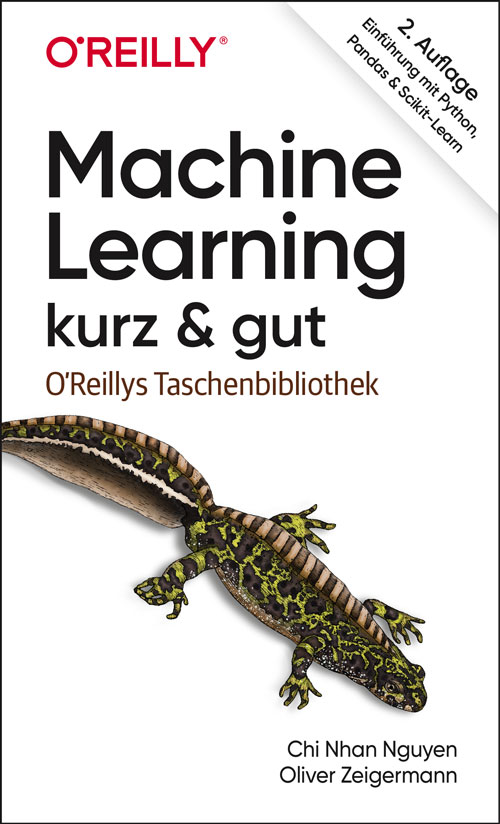
Machine Learning - kurz & gut (2. Auflg.)
Der kompakte Schnelleinstieg in Machine Learning und Deep Learning in der neuen 2. Auflage 04/2021!Machine Learning beeinflusst heute beinahe alle Bereiche der Technik und der Gesellschaft. Dieses Buch bietet Interessierten, die einen technischen Hintergrund haben, die schnellstmögliche Einführung in das umfangreiche Themengebiet des maschinellen Lernens und der statistischen Datenanalyse. Dabei werden folgende Themen behandelt und mit praktischen Beispielen veranschaulicht:Datenimport und -vorbereitungSupervised LearningFeature-Auswahl, ModellvalidierungNeuronale Netze und Deep LearningUnsupervised LearningReinforcement LearningAnhand konkreter Datensätze lernen Sie einen typischen Workflow kennen: vom Datenimport über Datenbereinigung, Datenanalyse bis hin zur Datenvisualisierung. Die Codebeispiele basieren auf Python und den Bibliotheken Scikit-Learn, Pandas, NumPy, TensorFlow und Keras.Nach der Lektüre dieses Buchs haben Sie einen Überblick über das gesamte Thema und können Ansätze einordnen und bewerten. Das Buch vermittelt Ihnen eine solide Grundlage, um Ihre ersten eigenen Machine-Learning-Modelle zu trainieren und vertiefende Literatur zu verstehen.
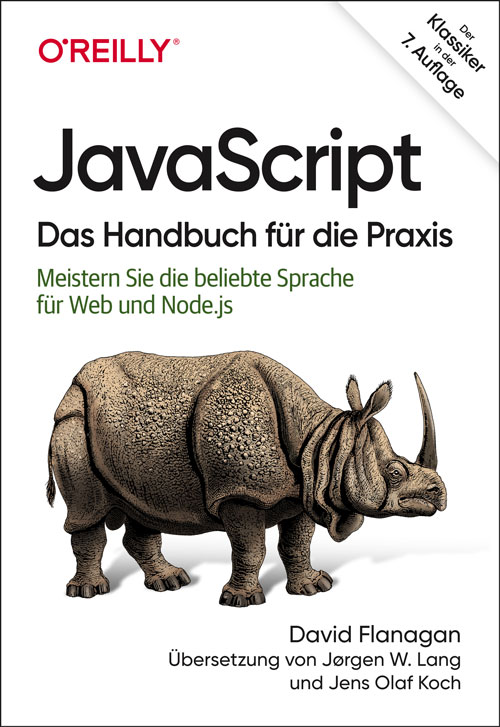
JavaScript - Das Handbuch für die Praxis (7. Auflg.)
Seit 25 Jahren das begleitende Grundlagenwerk zu JavaScript, in 7. Auflage 04/2021JavaScript ist die Programmiersprache des Web und wird heute von mehr Softwareentwicklerinnen und -entwicklern eingesetzt als jede andere Sprache. Seit fast 25 Jahren dient ihnen dieser Bestseller als Praxishandbuch und zuverlässiger Begleiter. Die vorliegende siebte Auflage wurde vollständig aktualisiert und deckt die Version 2020 von JavaScript ab.Sie finden in diesem Buch spannende und aufschlussreiche Codebeispiele sowie neue und erweiterte Kapitel zu Klassen, Modulen, Iteratoren, Generatoren, Promises und async/await. Es richtet sich an Programmiererinnen und Programmierer, die JavaScript lernen möchten, und an alle in der Webentwicklung, die ein tieferes Verständnis für die Sprache entwickeln und sie noch besser beherrschen wollen.Unter anderem werden folgende Themen behandelt:Typen, Variablen, Operatoren, Anweisungen, Objekte und ArraysFunktionen, Klassen, Module, Iteratoren, Generatoren, Promises und async/awaitDie Standardbibliothek von JavaScript: Datenstrukturen, reguläre Ausdrücke, JSON, Internationalisierung und URLsDie Webplattform: Dokumente, Komponenten, Grafiken, Netzwerkoptionen, Speicher und ThreadsNode.js: Puffer, Dateien, Streams, Threads, Kindprozesse, Webclients und WebserverWerkzeuge und Spracherweiterungen für professionelle JavaScript-Entwickler

SAP SuccessFactors Talent: Volume 1
Take an in-depth look at SAP SuccessFactors talent modules with this complete guide to configuration, administration, and best practices. This two-volume series follows a logical progression of SAP SuccessFactors modules that should be configured to complete a comprehensive talent management solution. The authors walk you through fully functional simple implementations in the primary chapters for each module before diving into advanced topics in subsequent chapters.In volume 1, we start with a brief introduction. The next two chapters jump into the Talent Profile and Job Profile Builder. These chapters lay the structures and data that will be utilized across the remaining chapters which detail each module. The following eight chapters walk you through building, administering, and using a goal plan in the Goal Management module as well as performance forms in the Performance Management module. The book also expands on performance topics with the 360 form and continuous performance management in two additional chapters. We then dive into configuring the calibration tool and how to set up calibration sessions in the next two chapters before providing a brief conclusion.Within each topic, the book touches on the integration points with other modules as well as internationalization. The authors also provide recommendations and insights from real world experience. Having finished the book, you will have an understanding of what comprises a complete SAP SuccessFactors talent management solution and how to configure, administer, and use each module within it.You will:· Develop custom talent profile portlets· Integrate Job Profile Builder with SAP SuccessFactors talent modules· Set up security, group goals, and team goals in goals management with sample XML· Configure and launch performance forms including rating scales and route maps· Configure and administrate the calibration module and its best practicesSUSAN TRAYNOR is an SAP SuccessFactors Certified Professional with more than 21 years of progressive experience in SAP HCM and SuccessFactors implementations. You can follow her on LinkedIn.MICHAEL A. WELLENS, M.S. is a certified SAP SuccessFactors consultant with over 15 years of human resources information systems implementation experience. He has successfully launched a variety of core HR and talent management solutions across a variety of fortune 500 companies around the world. You can follow him on LinkedIn or on Twitter at @mike_wellens.VENKI KRISHNAMOORTHY is an SAP SuccessFactors consultant. Venki has over 15 years of experience as a functional lead, project manager, and program manager in HCM transformation projects. Venki has completed over 35 full lifecycle implementations of SuccessFactors projects across multiple modules. You can follow Venki on LinkedIn or on Twitter at @venki_sap.Chapter 1: An Introduction to SAP SuccessFactors Talent ModulesChapter 2: Talent ProfileChapter 3: Job Profile BuilderChapter 4: Basic Goal ManagementChapter 5: Alternate Goal Management Concepts and FunctionalityChapter 6: Introduction to Performance ManagementChapter 7: Performance Form Template SectionsChapter 8: Administering Performance Management FormsChapter 9: Using Performance Management FormsChapter 10: Performance Management XML and TranslationsChapter 11: Ask for Feedback, Get Feedback, Add Modifier, and Add SignerChapter 12: 360Chapter 13: Continuous Performance ManagementChapter 14: Calibration ConfigurationChapter 15: Calibration SessionsChapter 16: Conclusion

Microsoft OneNote
* WIE SIE MIT DEM DIGITALEN NOTIZBUCH KOMFORTABEL UND EFFEKTIV ARBEITEN* WERTVOLLE TIPPS ZUM FLEXIBLEN EINSATZ: IDEEN NOTIEREN, INFORMATIONEN STRUKTURIEREN, MITSCHRIFTEN ERSTELLEN* FÜR ALLE ONENOTE-ANWENDUNGEN: SOWOHL AUF DEM COMPUTER ALS AUCH MOBIL MIT DER ONENOTE-APPOneNote ist als Teil des Microsoft-Office-Pakets auf vielen PCs schon vorinstalliert und auch als kostenlose Online-Version sowie als mobile App verfügbar.Winfried Seimert zeigt Ihnen in diesem praxisnahen Buch, wie Sie mit dem vielseitigen digitalen Notizbuch komfortabel Ordnung und Struktur in Ihr digitales Leben bringen: Sie lernen, Informationen jeglicher Art zu sammeln und zu Ihren persönlichen Notizbüchern zusammenzufassen. Sie erfassen Informationen in Form von Texten oder Tabellen, speichern Links von interessanten Webseiten, integrieren Fotos, Audioaufzeichnungen und Videos - und Dateien können Sie ebenfalls hinzufügen. Außerdem lassen sich Ihre Notizen auch handschriftlich festhalten. Viele praktische Tipps helfen Ihnen dabei, die Möglichkeiten von OneNote flexibel für sich zu nutzen, Ihr gesammeltes Wissen zu strukturieren, gezielt wieder abzurufen und mit anderen zu teilen.Sie lernen außerdem, wie Sie OneNote in Zusammenarbeit mit anderen Office-Programmen wie Outlook oder Word einsetzen, und erfahren, welche fortgeschrittenen Möglichkeiten Ihnen das Add-in Onetastic bietet. So wird OneNote zu einem effektiven Helfer für Ihre Selbstorganisation sowie Ihr Wissens- und Informationsmanagement.AUS DEM INHALT:* Einsatz von Universal-, Web- und Desktop-App* Basiswissen: die Struktur von OneNote verstehen* Notizbücher erstellen und individuell gestalten* Inhalte erfassen: Texte, Tabellen, Bilder, Zeichnungen, Audio und Video* Inhalte verwalten: Sicherungsordner anlegen, Such-optionen nutzen, Dokumente teilen* OneNote für Fortgeschrittene: Mit Onetastic zusätzliche Features verwendenWinfried Seimert ist EDV-Dozent, Consultant und Autor zahlreicher Fachbücher insbesondere zu den Themen Software und Betriebssysteme. Dabei hat er immer den Komfort des Anwenders im Blick und erklärt entsprechend praxisnah. So erfreuen sich seine Bücher aufgrund ihrer durchdachten Strukturierung bereits seit Mitte der neunziger Jahre großer Beliebtheit.
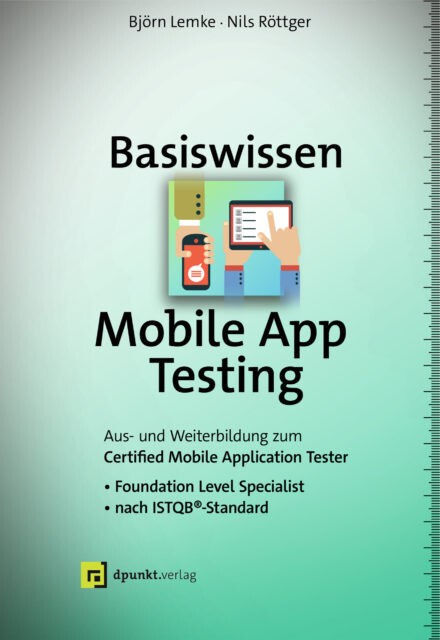
Basiswissen Mobile App Testing
Grundlegende Methoden, Verfahren und Werkzeuge zum Testen von mobilen Applikationen.»Basiswissen Mobile App Testing« vermittelt die Grundlagen des Testens mobiler Apps und gibt einen fundierten Überblick über geeignete Testarten, Testmethoden, den Testprozess und das Testkonzept für mobile Anwendungen. Auch auf Qualitätskriterien, mobile App-Plattformen, Werkzeuge und die Automatisierung der Testausführung wird eingegangen. Viele Beispiele aus realen Kundenprojekten erleichtern die Umsetzung des Gelernten in die Praxis.Die Themen im Einzelnen:Geschäftliche & technische Faktoren, Herausforderungen & Risiken, Teststrategien für mobile AppsTests mit Bezug zur mobilen PlattformÜbliche Testarten und der Testprozess für mobile AppsMobile App-Plattformen, Werkzeuge und UmgebungenAutomatisierung der TestausführungDas Buch ist konform zum ISTQB®-Lehrplan »Certified Mobile Application Tester« und eignet sich mit vielen Beispielen und Übungen nicht nur bestens für die Prüfungsvorbereitung, sondern dient gleichzeitig als kompaktes Basiswerk zum Thema in der Praxis und an Hochschulen.Über die Autoren:Björn Lemke ist Managing Consultant bei der trendig technology services GmbH. Die Schwerpunkte seiner Arbeit sind Softwarequalitätssicherung, Integrated Technology and Operations (ITOps), IT-Service-Management (ITIL), Testmanagement, Testdatenmanagement, Testinfrastrukturmanagement sowie Mobile Application Testing in kleinen bis hin zu sehr grossen Projekten.Nils Röttger arbeitet bei der imbus AG in Möhrendorf als Berater, Projektleiter und Speaker und ist u. a. verantwortlich für die Ausbildung und den Bereich Mobile Testing. In seinen Vorträgen beschäftigt er sich immer wieder mit Themen wie exploratives Testen, Usability oder Ethik im Softwaretest.

Samsung Galaxy A12
Die verständliche Anleitung für Ihr Smartphone:- Alle Funktionen & Einstellungen auf einen Blick- Schritt für Schritt erklärt – mit praktischen TippsMit diesem smarten Praxisbuch gelingt Ihnen der schnelle und sichere Einstieg in Ihr Smartphone. Lernen Sie Ihr Galaxy A12 von Grund auf kennen und beherrschen! Anschauliche Anleitungen, Beispiele und Bilder zeigen Ihnen gut nachvollziehbar, wie Sie Ihr mobiles Gerät optimal handhaben – von der Ersteinrichtung und Personalisierung über die große Funktionsvielfalt bis zu den wichtigsten Anwendungen. Nutzen Sie darüber hinaus die übersichtlichen Spicker-Darstellungen: Damit können Sie jene Bedienungsschritte, die man am häufigsten braucht, aber immer wieder vergisst, auf einen Blick finden und umsetzen. Freuen Sie sich auf viele hilfreiche Tipps und legen Sie ganz einfach los!Aus dem Inhalt:- Alle Bedienelemente des Smartphones auf einen Blick- Ersteinrichtung und Tipps zum Umzug- Google-Konto erstellen und verwalten- Die Benutzeroberfläche Ihres Smartphones personalisieren- Apps aus dem Play Store herunterladen- Kontakte anlegen und im Adressbuch verwalten- Anrufe tätigen und SMS austauschen - Nachrichten über Mail und WhatsApp versenden und empfangen- Uhr, Kalender, Maps und andere praktische Apps nutzen - Fotos sowie Videos aufnehmen, verwalten und teilen- Ins Internet gehen über WLAN und mobile Daten - Updates, Datenschutz und Sicherheit

Die Erstellung eines digitalen Zwillings
Die Erstellung der ersten digitalen Zwillinge sollte intuitiv sein. In diesem Buch werden Zwillinge aus unterschiedlichen Bereichen vorgestellt, die ohne große Vorkenntnisse aufgebaut werden können. Dem Leser wird durch Praxisbeispiele ein Verständnis für die Handhabung von Simcenter Amesim vermittelt. Ohne tiefgreifende mathematische Fähigkeiten werden beispielsweise Lüftungs- und Tankanlagen, Sonnenkollektoren oder ein einfacher Wagenheber nachgebaut. Jedes Rechenbeispiel schließt mit Arbeitsvorschlägen, um den Umgang mit dem Zwilling zu schulen. Einleitung.- Signale und Mathematik.- Der mechanische Zwilling.- Der thermische Zwilling.- Der hydraulische Zwilling.- Der pneumatische Zwilling.- Fazit.- Haftungsausschluss
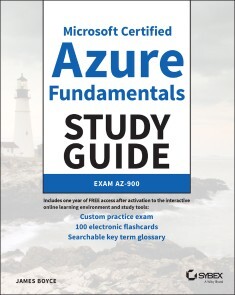
Microsoft Certified Azure Fundamentals Study Guide
QUICKLY PREPS TECHNICAL AND NON-TECHNICAL READERS TO PASS THE MICROSOFT AZ-900 CERTIFICATION EXAMMicrosoft Certified Azure Fundamentals Study Guide: Exam AZ-900 is your complete resource for preparing for the AZ-900 exam. Microsoft Azure is a major component of Microsoft’s cloud computing model, enabling organizations to host their applications and related services in Microsoft’s data centers, eliminating the need for those organizations to purchase and manage their own computer hardware. In addition, serverless computing enables organizations to quickly and easily deploy data services without the need for servers, operating systems, and supporting systems. This book is targeted at anyone who is seeking AZ-900 certification or simply wants to understand the fundamentals of Microsoft Azure. Whatever your role in business or education, you will benefit from an understanding of Microsoft Azure fundamentals.Readers will also get one year of FREE access to Sybex’s superior online interactive learning environment and test bank, including hundreds of questions, a practice exam, electronic flashcards, and a glossary of key terms. This book will help you master the following topics covered in the AZ-900 certification exam:* Cloud concepts* Cloud types (Public, Private, Hybrid)* Azure service types (IaaS, SaaS, PaaS)* Core Azure services* Security, compliance, privacy, and trust* Azure pricing levels* Legacy and modern lifecyclesGrowth in the cloud market continues to be very strong, and Microsoft is poised to see rapid and sustained growth in its cloud share. Written by a long-time Microsoft insider who helps customers move their workloads to and manage them in Azure on a daily basis, this book will help you break into the growing Azure space to take advantage of cloud technologies. JAMES BOYCE is a Sr. Technical Account Manager for Microsoft. He has authored more than 60 books on computer technology, covering topics from Windows Server and client, Microsoft Office, networking, programming, and hardware to AutoCAD and UNIX. A former Contributing Editor for Windows Magazine, he has written for numerous print and online publications and has managed globally dispersed teams supporting Windows Server, SharePoint, and other systems. Jim has also been a college instructor.Introduction xixAssessment Test xxxiiCHAPTER 1 CLOUD CONCEPTS 1Understanding Cloud Computing 2Benefits of Cloud Computing 4Economic Benefits 4Scalability and Elasticity 5High Availability 7Fault Tolerance 7Disaster Recovery 8Human Resources 9Financial Models 9Cloud Computing Models and Responsibilities 10Software-as-a-Service 10Infrastructure-as-a-Service 12Platform-as-a-Service 13Shared Responsibility 15Public, Private, and Hybrid Cloud Models 16Public Cloud 16Private Cloud 17Hybrid Cloud 17Summary 18Exam Essentials 18Review Questions 21CHAPTER 2 AZURE CORE SERVICES 25Core Azure Architectural Components 26Geographies and Regions 26Availability Zones 28Bringing It All Together 30Resources and Resource Groups 31Azure Resource Manager 33Azure Subscriptions and Billing Scope 33Azure Subscriptions 33Azure Billing Accounts 34Billing Scope 35Azure Tenants 37Core Azure Services 37Virtual Machines 38Virtual Machine Scale Sets 39Availability Sets 40Azure App Service 42Azure Container Instances 42Azure Kubernetes Service 43Windows Virtual Desktop 44Core Azure Storage 44Blob Storage 44Blob Storage Tiers 45Disk Storage 45File Storage 46Storage Accounts 46Core Data Services 47Structured and Unstructured Data 47Azure SQL Database 47SQL Managed Instance 48Cosmos DB 48Azure Database for MySQL 49Azure Database for PostgreSQL 49Azure Database Migration Service 49Microsoft Marketplace 50Summary 50Exam Essentials 51Review Questions 53CHAPTER 3 AZURE CORE NETWORKING SERVICES 59Networking Concepts 60Client-Server and Serverless Computing 60Network Addressing 61Domain Name System 61Routing 63Virtual Networks 63Load Balancers 64VPN Gateway 66Azure VPN Gateway 67ExpressRoute 68Content Delivery Networks 69Summary 70Exam Essentials 71Review Questions 72CHAPTER 4 SECURITY, COMPLIANCE, PRIVACY, AND TRUST 75Network Security 77Defense in Depth 77Azure Firewall 78Web Application Firewall 80Network Security Groups 81Application Security Groups 83User-Defined Routes 83Azure DDoS Protection 84Authentication and Authorization 84Azure Active Directory 84Authentication and Authorization 86Azure Multifactor Authentication 87Conditional Access 87Single Sign-On (SSO) 88Security Tools and Features 88Azure Security Center 88Azure Key Vault 90Azure Information Protection 91Azure Advanced Threat Protection 91Azure Sentinel 92Azure Dedicated Hosts 92Azure Governance Methodologies 93Azure Policies 93Azure Initiatives 94Role-Based Access Control 94Resource Locks 97Azure Blueprints 97Microsoft Cloud Adoption Framework for Azure 99Azure Monitoring and Reporting Options 100Azure Monitor 100Azure Service Health 102Azure Advisor 103Compliance and Data ProtectionStandards 105Industry Compliance Standards and Terms 105Microsoft Privacy Statement 106Online Service Terms 107Data Protection Addendum 107Trust Center 107Service Trust Portal 107Compliance Manager 108Azure Government 109Azure China 109Summary 110Exam Essentials 111Review Questions 114CHAPTER 5 AZURE SOLUTIONS 123Internet of Things (IoT) 124Azure IoT Hub 124Azure IoT Central 125Azure Sphere 126Artificial Intelligence 126Azure Machine Learning 127Azure Cognitive Services 128Azure Bot Service 128Serverless Computing 128Azure Functions 129Azure Logic Apps 129DevOps 130Azure DevOps Services 130GitHub and GitHub Actions 130Azure DevTest Labs 131Summary 131Exam Essentials 131Review Questions 133CHAPTER 6 AZURE PRICING, SERVICE LEVELS, AND LIFECYCLE 137Purchasing Azure Services 138Azure Subscriptions 138Purchasing Services 139Factors Affecting Cost 139Billing Zones 141Planning and Managing Azure Costs 141TCO Calculator 141Pricing Calculator 143Managing and Minimizing Azure Cost 144Azure Cost Management + Billing 148Service Level Agreements 149Composite SLAs 150Availability Zones 150Service Lifecycles 151Preview 151General Availability 151Summary 152Exam Essentials 152Review Questions 154CHAPTER 7 CREATING AND MANAGING AZURE RESOURCES 157Azure Management Tools 158Azure Portal 158Azure PowerShell 160Azure CLI 161Azure Cloud Shell 161Azure Mobile App 162Using ARM Templates 163Bringing It All Together 163Creating and Managing Resources 163Creating a Free Subscription 164Creating Resource Groups 165Creating Azure Resources and Services 166Deleting Resources and Services 174Summary 175Exam Essentials 175Review Questions 177Appendix Answers to Review Questions 179Chapter 1: Cloud Concepts 180Chapter 2: Azure Core Services 181Chapter 3: Azure Core Networking Services 184Chapter 4: Security, Compliance, Privacy, and Trust 185Chapter 5: Azure Solutions 189Chapter 6: Azure Pricing, Service Levels, and Lifecycle 190Chapter 7: Creating and Managing Azure Resources 192Index 193
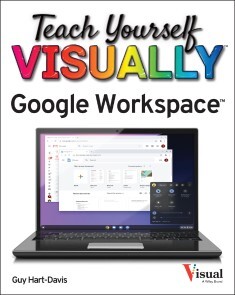
Teach Yourself VISUALLY Google Workspace
MASTER THE INS AND OUTS OF GOOGLE'S FREE-TO-USE OFFICE AND PRODUCTIVITY SOFTWARETeach Yourself VISUALLY Google Workspace delivers the ultimate guide to getting the most out of Google's Workspace cloud software. Accomplished author Guy Hart-Davis offers readers the ability to tackle a huge number of everyday productivity problems with Google's intuitive collection of online tools. With over 700 full-color screenshots included to help you learn, you'll discover how to:* Manage your online Google Calendar* Master the files and folders in your Google Drive storage* Customize your folders and navigate your Gmail account* Create perfect spreadsheets, presentations, and documents in Google Sheets, Slides, and DocsPerfect for anyone who hopes to make sense of Google's highly practical and free online suite of tools, Teach Yourself VISUALLY Google Workspace also belongs on the bookshelves of those who already find themselves using Workspace and just want to get more out of it.GUY HART-DAVIS is the author of more than 100 computing books, including Teach Yourself VISUALLY Chromebook, Teach Yourself VISUALLY MacBook Pro and MacBook Air, and Teach Yourself VISUALLY iPhone.Chapter 1: Getting Started with G SuiteChapter 2: Managing Files and Folders in DriveChapter 3: Performing Common Tasks in Docs, Sheets, and SlidesChapter 4: Inserting Objects in Docs, Sheets, and SlidesChapter 5: Working in DocsChapter 6: Share and Collaborate on FilesChapter 7: Working in SheetsChapter 8: Learning Advanced Sheets FeaturesChapter 9: Working in SlidesChapter 10: Sending and Receiving E-MailChapter 11: Organizing Your LifeChapter 12: Creating Forms

Beginning HCL Programming
Get started with programming and using the Hashicorp Language (HCL). This book introduces you to the HCL syntax and its ecosystem then it shows you how to integrate it as part of an overall DevOps approach.Next, you’ll learn how to implement infrastructure as code, specifically, using the Terraform template, a set of cloud infrastructure automation tools. As part of this discussion, you’ll cover Consul, a service mesh solution providing a full-featured control plane with service discovery, configuration, and segmentation functionality. You’ll integrate these with Vault to build HCL-based infrastructure as code solutions.Finally, you’ll use Jenkins and HCL to provision and maintain the infrastructure as code system. After reading and using Beginning HCL Programming, you'll have the know-how and source code to get started with flexible HCL for all your cloud and DevOps needs.WHAT YOU WILL LEARN* Get started with programming and using HCL* Use Vault, Consul, and Terraform * Apply HCL to infrastructure as codeDefine the Terraform template with HCL * Configure Consul using HCL* Use HCL to configure Vault* Provision and maintain infrastructure as code using Jenkins and HCLWHO THIS BOOK IS FORAnyone new to HCL but who does have at least some prior programming experience as well as knowledge of DevOps in general.PIERLUIGI RITI is a senior DevOps engineer at Coupa Software and Sunchronoss Technologies. Prior to that, he was a senior software engineer at Ericsson and Tata. His experience includes implementing DevOps in the cloud using Google Cloud Platform as well as AWS and Azure. Also, he has over ten years of extensive experience in more general design and development of different scale applications particularly in the telco and financial industries. He has quality development skills using the latest technologies including Java, J2EE, C#, F#, .NET, Spring .NET, EF, WPF, WF, WinForm, WebAPI, MVC, Nunit, Scala, Spring, JSP, EJB, Struts, Struts2, SOAP, REST, C, C++, Hibernate, NHibernate, Weblogic, XML, XSLT, Unix script, Ruby, and Python.DAVID FLYNN is an Associate Analyst in Employee Access Business Operations at Mastercard. He is an Electronic Engineer with experience in telecommunications, networks, software, security and Financial Systems. David started out as a Telecommunications Engineer working on Voice, data and wireless systems for Energis and later Nortel Networks supporting systems such as Lucent G3r, Alcatel E10 & Nortel Passport. He then did some time in Transport and Private security abroad before retraining in Computing, Cyber Security and Cloud Systems plus doing Cyber Security & Telecomm research for the Civil Service. He has completed separate Diplomas in Computing and Cloud focusing on Windows, C# , Google, AWS and Powershell amongst other technologies. David also has worked as a C# Engineer. More recently David has worked for various fintech companies including Bank Of America Merril Lynch focusing on technical & Application Support encompassing such technologies as Rsa Igl, Rsa SecurID, IBM Tam/Isam, Postgres/Oracle databases, Mainframe, Tandem, CyberArk, MaxPro and Active Directory.1 Introduction to HCLDefine the history of HCL, the basic syntax and, show the basic configuration syntax and the basic usage of the HCL2 The Hashicorp ecosystemShow the different software create by Hashicorpt like Vault, Consul, Terraform3 Introduction to GoA small introduction on the Go language, we use Go to define the configuration template described in the book4 Infrastructure As CodeDefine what is the Infrastructure as Code and how we can do that5 Introduction to the Cloud and DevOpsIn this chapter, we have a short introduction to the Cloud and the DevOps6 Use HCL for TerraformWe start to use the HCL for define Terraform template7 Consul HCLIn this chapter we introduce the HCL for Consul, we learn how to configure Consul using the HCL8 Vault HCLUse the HCL for configure Vault9 Infrastructure as Code with HCLDesign the Infrastructure as Code use the Hashicorp language, in particular, we use Terraform, Vault and Consul10 Provisioning and Maintain the Infrastructure as CodeIn this chapter, we see how to use Jenkins and the HCL for provisioning and maintain the infrastructure as code

Deep Learning with Python
Master the practical aspects of implementing deep learning solutions with PyTorch, using a hands-on approach to understanding both theory and practice. This updated edition will prepare you for applying deep learning to real world problems with a sound theoretical foundation and practical know-how with PyTorch, a platform developed by Facebook’s Artificial Intelligence Research Group.You'll start with a perspective on how and why deep learning with PyTorch has emerged as an path-breaking framework with a set of tools and techniques to solve real-world problems. Next, the book will ground you with the mathematical fundamentals of linear algebra, vector calculus, probability and optimization. Having established this foundation, you'll move on to key components and functionality of PyTorch including layers, loss functions and optimization algorithms.You'll also gain an understanding of Graphical Processing Unit (GPU) based computation, which is essential for training deep learning models. All the key architectures in deep learning are covered, including feedforward networks, convolution neural networks, recurrent neural networks, long short-term memory networks, autoencoders and generative adversarial networks. Backed by a number of tricks of the trade for training and optimizing deep learning models, this edition of Deep Learning with Python explains the best practices in taking these models to production with PyTorch.WHAT YOU'LL LEARN* Review machine learning fundamentals such as overfitting, underfitting, and regularization.* Understand deep learning fundamentals such as feed-forward networks, convolution neural networks, recurrent neural networks, automatic differentiation, and stochastic gradient descent.* Apply in-depth linear algebra with PyTorch* Explore PyTorch fundamentals and its building blocks* Work with tuning and optimizing models WHO THIS BOOK IS FORBeginners with a working knowledge of Python who want to understand Deep Learning in a practical, hands-on manner.Nikhil S. Ketkar currently leads the Machine Learning Platform team at Flipkart, India’s largest e-commerce company. He received his Ph.D. from Washington State University. Following that he conducted postdoctoral research at University of North Carolina at Charlotte, which was followed by a brief stint in high frequency trading at Transmaket in Chicago. More recently he led the data mining team in Guavus, a startup doing big data analytics in the telecom domain and Indix, a startup doing data science in the e-commerce domain. His research interests include machine learning and graph theory.Jojo Moolayil is an artificial intelligence, deep learning, machine learning, and decision science professional with over five years of industrial experience and is a published author of the book Smarter Decisions – The Intersection of IoT and Decision Science. He has worked with several industry leaders on high-impact and critical data science and machine learning projects across multiple verticals. He is currently associated with Amazon Web Services as a research scientist. He was born and raised in Pune, India and graduated from the University of Pune with a major in Information Technology Engineering. He started his career with Mu Sigma Inc., the world’s largest pure-play analytics provider and worked with the leaders of many Fortune 50 clients. He later worked with Flutura – an IoT analytics startup and GE. He currently resides in Vancouver, BC. Apart from writing books on decision science and IoT, Jojo has also been a technical reviewer for various books on machine learning, deep learning and business analytics with Apress and Packt publications. He is an active data science tutor and maintains a blog at http://blog.jojomoolayil.com.CHAPTER 1 – INTRODUCTION DEEP LEARNINGA brief introduction to Machine Learning and Deep Learning. We explore foundational topics within the subject that provide us the building blocks for several topics within the subject.CHAPTER 2 – INTRODUCTION TO PYTORCHA quick-start guide to PyTorch and a comprehensive introduction to tensors, linear algebra and mathematical operations for Tensors. The chapter provides the required PyTorch foundations for readers to meaningfully implement practical Deep Learning solutions for various topics within the book. Advanced PyTorch topics are explored as and when touch-based during the course of exercises in later chapter.CHAPTER 3- FEED FORWARD NETWORKS (30 PAGES)In this chapter, we explore the building blocks of a neural network and build an intuition on training and evaluating networks. We briefly explore loss functions, activation functions, optimizers, backpropagation, that could be used for training. Finally, we would stitch together each of these smaller components into a full-fledged feed-forward neural network with PyTorch.CHAPTER 4-AUTOMATIC DIFFERENTIATION IN DEEP LEARNINGIn this chapter we open this black box topic within backpropagation that enables training of neural networks i.e. automatic differentiation. We cover a brief history of other techniques that were ruled out in favor of automatic differentiation and study the topic with a practical example and implement the same using PyTorchs Autograd module.CHAPTER 5 – TRAINING DEEP NEURAL NETWORKSIn this chapter we explore few additional important topics around deep learning and implement them into a practical example. We will delve into specifics of model performance and study in detail about overfitting and underfitting, hyperparameter tuning and regularization. Finally, we will leverage a real dataset and combined our learnings from the beginning of this book into a practical example using PyTorch.CHAPTER 6 – CONVOLUTIONAL NEURAL NETWORKS (35 PAGES)Introduction to Convolutional Neural Networks for Computer Vision. We explore the core components with CNNs with examples to understand the internals of the network, build an intuition around the automated feature extraction, parameter sharing and thus understand the holistic process of training CNNs with incremental building blocks. We also leverage hands-on exercises to study the practical implementation of CNNs for a simple dataset i.e. MNIST (classification of handwritten digits), and later extend the exercise for a binary classification use-case with the popular cats and dogs’ dataset.CHAPTER 7 – RECURRENT NEURAL NETWORKSIntroduction to Recurrent Neural Networks and its variants (viz. Bidirectional RNNs and LSTMs). We explore the construction of a recurrent unit, study the mathematical background and build intuition around how RNNs are trained by exploring a simple four step unrolled network. We then explore hands-on exercises in natural language processing that leverages vanilla RNNs and later improve their performance by using Bidirectional RNNS combined with LSTM layers.CHAPTER 8 – RECENT ADVANCES IN DEEP LEARNINGA brief note of the cutting-edge advancements in the field will be added. We explore important inventions within the field with no implementation details, however focus on the applications and the path forward.

Practical Machine Learning for Streaming Data with Python
Design, develop, and validate machine learning models with streaming data using the Scikit-Multiflow framework. This book is a quick start guide for data scientists and machine learning engineers looking to implement machine learning models for streaming data with Python to generate real-time insights.You'll start with an introduction to streaming data, the various challenges associated with it, some of its real-world business applications, and various windowing techniques. You'll then examine incremental and online learning algorithms, and the concept of model evaluation with streaming data and get introduced to the Scikit-Multiflow framework in Python. This is followed by a review of the various change detection/concept drift detection algorithms and the implementation of various datasets using Scikit-Multiflow.Introduction to the various supervised and unsupervised algorithms for streaming data, and their implementation on various datasets using Python are also covered. The book concludes by briefly covering other open-source tools available for streaming data such as Spark, MOA (Massive Online Analysis), Kafka, and more.WHAT YOU'LL LEARN* Understand machine learning with streaming data concepts* Review incremental and online learning* Develop models for detecting concept drift* Explore techniques for classification, regression, and ensemble learning in streaming data contexts* Apply best practices for debugging and validating machine learning models in streaming data context* Get introduced to other open-source frameworks for handling streaming data.WHO THIS BOOK IS FORMachine learning engineers and data science professionalsDr. Sayan Putatunda is an experienced data scientist and researcher. He holds a Ph.D. in Applied Statistics/ Machine Learning from the Indian Institute of Management, Ahmedabad (IIMA) where his research was on streaming data and its applications in the transportation industry. He has a rich experience of working in both senior individual contributor and managerial roles in the data science industry with multiple companies such as Amazon, VMware, Mu Sigma, and more. His research interests are in streaming data, deep learning, machine learning, spatial point processes, and directional statistics. As a researcher, he has multiple publications in top international peer-reviewed journals with reputed publishers. He has presented his work at various reputed international machine learning and statistics conferences. He is also a member of IEEE.Chapter 1: An Introduction to Streaming DataChapter Goal: Introduce the readers to the concept of streaming data, the various challenges associated with it, some of its real-world business applications, various windowing techniques along with the concepts of incremental and online learning algorithms. This chapter will also help in understanding the concept of model evaluation in case of streaming data and provide and introduction to the Scikit-Multiflow framework in Python.No of pages- 35Sub -Topics1. Streaming data2. Challenges of streaming data3. Concept drift4. Applications of streaming data5. Windowing techniques6. Incremental learning and online learning7. Illustration : Adopting batch learners into incremental learners8. Introduction to Scikit-Multiflow framework9. Evaluation of streaming algorithmsChapter 2: Change DetectionChapter Goal: Help the readers to understand the various change detection/concept drift detection algorithms and its implementation on various datasets using Scikit-Multiflow.No of pages : 35Sub - Topics:1. Change detection problem2. Concept drift detection algorithms3. ADWIN4. DDM5. EDDM6. Page HinkleyChapter 3: Supervised and Unsupervised Learning for Streaming DataChapter Goal: Help the readers to understand the various regression and classification (including Ensemble Learning) algorithms for streaming data and its implementation on various datasets using Scikit-Multiflow. Also, discuss some approaches for clustering with streaming data and its implementation using Python.No of pages: 35Sub - Topics:1. Regression with streaming data2. Classification with streaming data3. Ensemble Learning with streaming data4. Clustering with streaming dataChapter 4: Other Tools and the Path ForwardChapter Goal: Introduce the readers to the other open source tools for handling streaming data such as Spark streaming, MOA and more. Also, educate the reader about additional reading for advanced topics within streaming data analysis.No of pages: 35Sub - Topics:1. Other tools for handling streaming data1.1.1. Apache Spark1.1.2. Massive Online Analysis (MOA)1.1.3. Apache Kafka2. Active research areas and breakthroughs in streaming data analysis3. Conclusion
Introducing Blockchain with Lisp
Implement blockchain from scratch covering all the details with Racket, a general-purpose Lisp. You'll start by exploring what a blockchain is, so you have a solid foundation for the rest of the book. You'll then be ready to learn Racket before starting on your blockchain implementation. Once you have a working blockchain, you'll move onto extending it. The book's appendices provide supporting resources to help you in your blockchain projects.The recommended approach for the book is to follow along and write the code as it’s being explained instead of reading passively. This way you will get the most out of it. All of the source code is available for free download from GitHub.WHAT YOU WILL LEARN* Discover the Racket programming language and how to use it* Implement a blockchain from scratch using Lisp* Implement smart contracts and peer-to-peer support* Learn how to use macros to employ more general abstractionsWHO THIS BOOK IS FORNovices that have at least some experience with programming, as well as some basic working experience with computers. The book also assumes some experience with high school mathematics, such as functions.Boro Sitnikovski has over ten years of experience working professionally as a software engineer. He started programming with assembly on an Intel x86 at the age of ten. While in high school, he won several prizes in competitive programming, varying from 4th, 3rd, and 1st place. He is an informatics graduate - his bachelor’s thesis was titled “Programming in Haskell using algebraic data structures”, and his master’s thesis was titled “Formal verification of Instruction Sets in Virtual Machines”. He has also published a few papers on software verification. Other research interests of his include programming languages, mathematics, logic, algorithms, and writing correct software. He is a strong believer in the open-source philosophy and contributes to various open-source projects. In his spare time, he enjoys some time off with his family.1: Introduction to Blockchain2: Racket Programming Language3: Blockchain Implementation4: Extending the BlockchainConclusionFurther ReadingAppendix A: Macros

Facebook For Dummies
BE A NEW FACE ON FACEBOOK!If you're new to the Facebook user community, don't be shy: you're joining around 2.7 billion users (roughly two-and-a-half Chinas) worldwide, so you'll want to make sure you’re being as sociable as possible. And with more functionality and ways to say hello—like 3-D photos and Video Chat rooms—than ever before, Facebook For Dummies is the perfect, informative companion to get and new and inexperienced users acquainted with the main features of the platform and comfortable with sharing posts, pictures (or whatever else you find interesting) with friends, family, and the world beyond!In a chatty, straightforward style, your friendly hosts, Carolyn Abram and Amy Karasavas—both former Facebook employees—help you get settled in with the basics, like setting up your profile and adding content, as well as protecting your privacy when you want to decide who can and can't see your posts. They then show you how to get involved as you add new friends, toggle your newsfeed, shape your timeline story, join groups, and more. They even let you in on ways to go pro and use Facebook for work, such as building a promo page and showing off your business to the world. Once you come out of your virtual shell, there'll be no stopping you!* Build your profile and start adding friends* Send private messages and instant notes* Share your memories* Tell stories about your day* Set your privacy and curate your news feedDon't be a wallflower: with this book you have the ideal icebreaker to get the party started so you can join in with all the fun!CAROLYN ABRAM was a Facebook employee when the site was young. Her work explaining how to use Facebook began then and has continued ever since. She is also a fiction writer.INTRODUCTION 1About This Book 1Foolish Assumptions 2Icons Used in This Book 3Beyond the Book 3Where to Go from Here 3PART 1: GETTING STARTED 5CHAPTER 1: THE MANY FACES OF FACEBOOK 7So What Is Facebook, Exactly? 8Discovering What You Can Do on Facebook 10Connecting with friends 10Discovering what’s going on with your friends 11Establishing a timeline 11Communicating with Facebook friends 12Sharing your thoughts 12Sharing your pictures and videos 13Planning events 14Joining and creating groups 14Using Facebook around the Internet 14Promoting a business 15Fundraising for a cause 15Keeping in Mind What You Can’t Do on Facebook 16You can’t lie 17You can’t be 12 or younger 17You can’t troll, spam, or harass 17You can’t upload illegal content 18Realizing How Facebook Is Different from Other Social Sites 18Finding Out How You Can Use Facebook 19Getting information 19Keeping up with long-distance friends 19Moving to a new city 20Getting a job 20Throwing a reunion 20Finding a happily ever after 21Entertaining yourself and playing games 21Communicating in times of trouble 21CHAPTER 2: ADDING YOUR FACE 23Signing Up for Facebook 23Checking Your Inbox 25Confirmation 25Email outreach 25Getting Started 26Step 1: Adding a profile picture 26Step 2: Finding your friends 28Step 3: Getting to know your privacy settings 29Introducing Your New Home Page 29Adding More Friends 31Filling out Your Profile Information 32CHAPTER 3: FINDING YOUR WAY AROUND 35Checking Out the Top Bar 36Search 40Viewing Stories and News Feed 41Stories 41News Feed 41The Left Sidebar 42The top section 42Your shortcuts 44The littlest links 46Right On 46Sponsored 47Your Pages 47Birthdays 47Contacts 47PART 2: DAY-TO-DAY FACEBOOK 49CHAPTER 4: READING NEWS FEED AND POSTING 51Your Daily News Feed 52Anatomy of a News Feed post 53Common actions and content 54Checking out stories 59Viewing stories 60Interacting with Your News Feed 61Liking 61Reacting 62Liking (or following) Pages 62Commenting 63Sharing 66Saving 67Adjusting News Feed 68Hiding posts and people 68News Feed preferences 70Sharing Your Own News 71Status updates 72Figuring out what to say 73Beyond the basic status update 74Creating a story 78Controlling who sees your posts 80CHAPTER 5: TIMELINE: THE STORY OF YOU 83Making a First Impression 84Changing your cover photo 85Editing your profile picture 86Adding a frame to your profile picture 88Adding a bio 89Telling Your Story 90Creating posts 90Creating life events 93Editing posts 95Checking out your intro and more 96Telling the World about Yourself 98Adding work and education info 99Adding the places you’ve lived 101Adding contact and basic info 102Adding family and relationships 103Adding details about yourself 105Adding life events 105Viewing Timeline Tabs 105Your Friends and Your Timeline 106CHAPTER 6: UNDERSTANDING PRIVACY AND SAFETY 109Knowing Your Audience 110Changing Privacy as You Post 113Understanding Your Timeline Privacy 114Getting a Privacy Checkup 115Who Can See What You Share topic 116How to Keep Your Account Secure topic 117How People Can Find You on Facebook topic 118Your Data Settings on Facebook topic 119Your Ad Preferences on Facebook topic 119Navigating the Settings Page 120General section 121Security and Login section 122Your Facebook Information section 124Privacy section 127Face Recognition section 129Profile and Tagging section 129Public Posts section 131Blocking section 133Location section 136Language and Region section 137Stories section 138Notifications section 138Mobile section 140Apps and Websites section 140Instant Games section 141Business Integrations section 142Ads section 142Advertisers section 142Ad Topics section 143Ad Settings section 143Ads Payments section 145Facebook Pay section 145Support Inbox section 145Videos section 146Understanding Privacy Shortcuts 146Checking out Facebook’s privacy tools 149Remembering that it takes a village to raise a Facebook 152Peeking Behind the Scenes 153Protecting minors 154Preventing spam and viruses 154Preventing phishing 154One Final Call to Use Your Common Sense 155CHAPTER 7: FACEBOOK ON THE GO 157The Facebook App 158Layout and navigation 158News Feed 164Reacting to Posts 165Commenting on posts 166Post and News Feed options 166Posting from the App 168Photo Posts 170Taking photos and creating videos to share 175Creating Facebook stories 177Viewing and interacting with stories 180Checking Out Timelines 181Using Groups 185Viewing an event 185Facebook Messenger 186Navigating Messenger 187Viewing and sending messages 188Video calls 190The Facebook Family of Mobile Apps 190Instagram 190WhatsApp 191Messenger Kids 191Facebook Local 191Facebook on Your Mobile Browser 191Mobile Home 192Mobile timelines 193Mobile inbox 194Facebook Texts 194Mobile settings 196Mobile notifications 196PART 3: CONNECTING WITH FRIENDS 197CHAPTER 8: FINDING FACEBOOK FRIENDS 199What Is a Facebook Friend? 200Adding Friends 201Sending friend requests 201Accepting friend requests 202Choosing your friends wisely 203Finding Your Friends on Facebook 203Checking out people you may know 203Browsing friends’ friends 204Using the search box 205Managing How You Interact with Friends 207News Feed preferences 207Following 208Unfriending 209CHAPTER 9: JUST BETWEEN YOU AND ME: FACEBOOK MESSENGER 211Sending a Message 212Sending a group message 213Sending a link 214Sending a photo 214Sending a sticker 214Sending a GIF 215Sending an emoji 215Sending payment 216Sending an attachment 217Sending an instant emoji 217Starting a video or voice call 217Managing Messages 218Checking Out the Chat List 221Navigating Messenger 222Message requests 224Conversations in the inbox 225Messenger settings 226Getting into Rooms 226Messaging on the Go Using the Messenger App 228Messenger Kids 229CHAPTER 10: SHARING WITH FACEBOOK GROUPS 231Evaluating a Group 232Sharing with a Group 235Using the share box 235Creating events 238Using files and docs 239Reading and commenting on posts 242Group Dynamics 243Controlling notifications 243Searching a group 244Adding friends to a group 245Creating Your Own Groups 245Adding detail to your group 247Deciding a group type 248Being a Group Administrator 248Scheduling posts 249Pinning announcements 249Managing a group 250Adjusting group settings 252Interpreting insights 253Editing members 253Reporting offensive groups and posts 255PART 4: GETTING THE MOST FROM FACEBOOK 257CHAPTER 11: FILLING FACEBOOK WITH PHOTOS AND VIDEOS 259Viewing Photos from Friends 259Photos in News Feed 260Photo viewer 261The album view 262Viewing photos on your mobile device 263Viewing tagged photos and videos of yourself 264Adding Photos to Facebook 265Uploading photos 265Creating an album 271Editing and Tagging Photos 274Editing albums 274Editing a photo 275Automatic albums 278Working with Video 278Viewing videos 279Adding a video from your computer 280Adding a video from the Facebook app 280Live video 281Discovering Privacy 282Photo and video privacy 282Privacy settings for photos and videos of yourself 283CHAPTER 12: BUYING, SELLING, AND FUNDRAISING 285Getting the Most Out of Marketplace 286Browsing and buying in Marketplace 286Live shopping 289Selling your stuff on Marketplace 290Posting jobs on Marketplace 292Marketplace inbox 294Using Marketplace on your phone 294Belonging to Buy/Sell Groups 297Browsing and buying in a Buy/Sell group 297Selling items in a Buy/Sell group 298Using Buy/Sell groups on your phone 299Fundraising for Causes 300Donating to a fundraiser 300Facebook Pay 301Creating your own fundraiser 302Promoting and managing your fundraiser 304CHAPTER 13: SCHEDULING YOUR LIFE WITH EVENTS 307You’re Invited! 307Public Events 310Viewing Events 311Creating an Event 312Inviting guests 314Managing Your Event 315Editing your event’s info 315Canceling the event 316Messaging your event’s guests 316Removing guests 317CHAPTER 14: CREATING A PAGE FOR PROMOTION 319Getting to Know Pages 320Anatomy of a Page 320Connecting and interacting with Pages 322Creating a Facebook Page 324Do I need a Page? 324Creating your Page 325Getting started 326Sharing as a Page 329The share box 330Creating specialty posts 334Using Facebook as Your Page 336Liking, commenting on, and sharing posts 336Liking other Pages 337Managing a Page 338News Feed 338Inbox 339Business App Store 342Resources & Tools 342Manage Jobs 342Notifications 342Insights: Finding out who is using your Page 343Publishing tools 345Ad Center 346Page Quality 346Edit Page Info 346Page settings 347CHAPTER 15: USING FACEBOOK WITH GAMES, WEBSITES, AND APPS 355Understanding What Apps Need 356The basics 356The slightly less basics 357Permission to act 358Games on Facebook 358Playing instant games on Facebook 358Playing web games on Facebook 360Inviting and notifying 361Posting 361Watching game videos 362Viewing your gaming activity 363Keeping your games close 363Using Facebook Outside Facebook 364Mobile Apps and Facebook 366Managing Your Games, Websites, and Apps 367Adjusting your app permissions 369Making additional app settings 369Learning more 369Removing apps 369Adjusting your preferences 370Controlling what you see from friends 371Reporting offensive apps 371PART 5: THE PART OF TENS 373CHAPTER 16: TEN WAYS TO MAKE THE MOST OF YOUR FACEBOOK CONTENT 375Remembering the Past 375Scrapbooking Baby Photos (Mobile Only) 376Framing Your Profile Picture 377Adding Dimension 377Giving Your Photos Some Flair 378Reviewing the Last Year (or Years) 379Making Your Status Stand Out 379Tagging It All 380Using Stickers or GIFs in Your Messages 380Friend-a-versaries 381CHAPTER 17: TEN WAYS TO BE POLITICALLY ACTIVE ON FACEBOOK 383Familiarize Yourself with the Voting Information Center 383Share Your Voting Status 384Spend Time in the Town Hall 385Join Relevant Groups 386Fundraise for a Cause 386Organize a Digital Grassroots Campaign 386Fact-Check Your Sources 387Beware of Click-Bait 387Don’t Feed the Trolls 388Mute What Drives You Crazy 388CHAPTER 18: TEN FREQUENTLY ASKED QUESTIONS 389Do People Know When I Look at Their Timelines? 390I Friended Too Many People and Now I Don’t Like Sharing Stuff — What Can I Do? 390Facebook Looks Different — Can I Change It Back? 391I Have a Problem with My Account — Can You Help Me? 392What Do I Do with Friend Requests I Don’t Want to Accept? 392Why Can’t I Find My Friend? 393Will Facebook Start Charging Me to Use the Site? 394How Do I Convince My Friends to Join? 394What If I Don’t Want Everyone Knowing My Business? 395Does Facebook Have a Feature That Lets Me Lock Myself Out for a Few Hours? 396Index 397

C Programming on Raspberry Pi
The Raspberry Pi has traditionally been programmed using Python. Although this is a very powerful language, many programmers may not be familiar with it. C on the other hand is perhaps the most commonly used programming language and all embedded microcontrollers can be programmed using it.The C language is taught in most technical colleges and universities and almost all engineering students are familiar with using it with their projects. This book is about using the Raspberry Pi with C to develop a range of hardware-based projects. Two of the most popular C libraries, wiringPi and pigpio are used.The book starts with an introduction to C and most students and newcomers will find this chapter invaluable. Many projects are provided in the book, including using Wi-Fi and Bluetooth to establish communication with smartphones.Many sensor and hardware-based projects are included. Both wiringPi and pigpio libraries are used in all projects. Complete program listings are given with full explanations. All projects have been fully tested and work.The following hardware-based projects are provided in the book:> Using sensors> Using LCDs> I 2 C and SPI buses> Serial communication> Multitasking> External and timer interrupts> Using Wi-Fi> Webservers> Communicating with smartphones> Using Bluetooth> Sending data to the cloudProgram listings of all Raspberry Pi projects developed in this book are available on the Elektor website. Readers can download and use these programs in their projects. Alternatively, they can customize them to suit their applications.Prof. Dr. Dogan Ibrahim is a Fellow of the Institution of Electrical Engineers. He is the author of over 60 technical books, published by publishers including Wiley, Butterworth, and Newnes. He is the author of over 250 technical papers, published in journals, and presented in seminars and conferences
Der pragmatische Programmierer (2. Auflg.)
Ihr Weg zur Meisterschaft - die 2. vollständig überarbeitete Auflage, 04/2021.Der Pragmatische Programmierer ist eines dieser seltenen Fachbücher, die Sie im Lauf der Jahre immer wieder lesen werden. Egal, ob Sie Programmiereinsteiger oder erfahrener Praktiker sind, stets können Sie neue Einsichten gewinnen.David Thomas und Andrew Hunt schrieben 1999 die erste Ausgabe dieses einflussreichen Buches, um ihren Kunden zu helfen, bessere Software zu entwickeln und die Freude am Programmieren wiederzuentdecken. Ihre pragmatischen Profitipps helfen bis heute einer ganzen Generation von Programmierern, den Kosmos der Software-Entwicklung zu erkunden, unabhängig von einer bestimmten Sprache oder Methodik oder einem bestimmten Framework.Ihre »Pragmatische Philosophie« hat den Weg bereitet für Hunderte von Büchern, Screencasts und Hörbüchern sowie Tausende von Karrieren und Erfolgsgeschichten. Zwanzig Jahre später untersuchen die Autoren nun erneut, was einen modernen Programmierer ausmacht. Die Themen reichen von persönlicher Verantwortung über berufliche Entwicklung bis hin zu Architekturtechniken, die Ihren Code flexibel, leicht anpassbar und wiederverwendbar halten.In kurzen Abschnitten, die auch einzeln gelesen werden können, erläutern die Autoren nicht nur die Best Practices, sondern auch Fallstricke bei der Software-Entwicklung. Anschauliche Beispiele und interessante Analogien machen dieses Buch zu einem Lesevergnügen.Egal ob Einsteiger, erfahrener Programmierer oder Manager für Softwareprojekte: Wer die Profitipps der Autoren bei der täglichen Arbeit anwendet, wird seine Produktivität, Genauigkeit und Zufriedenheit rasch steigern und damit als Pragmatischer Programmierer auch langfristig erfolgreich seinErfahren Sie im Buch, wie Sie:den Verfall von Software bekämpfenRedundanz vermeidenflexiblen, dynamischen und anpassungsfähigen Quelltext schreibenIhr Handwerkszeug optimal nutzenvermeiden, mit dem Zufall zu programmierendie richtigen Anforderungen findensich vor Sicherheitslücken schützenProbleme beim nebenläufigen Code lösenTeams aus Pragmatischen Programmierern bildeneffektiv testendas Pragmatic Starter Kit implementierenIhre Anwender begeisternLeseprobe (PDF-Link)