

Software

VBA-Kochbuch für Excel-Anwender
- Praxistaugliche VBA-Rezepte für den Alltag- Schnelle und effiziente Lösungen zum Nachschlagen- Mit zahlreichen Beispielen und Tipps - auch zum DownloadSie arbeiten mit Excel, nutzen gelegentlich auch Makros und VBA (Visual Basic for Applications) – und manchmal fehlen Ihnen dabei Ideen zur Herangehensweise? Dann leistet Ihnen diese Rezeptsammlung als Nachschlagewerk gute Dienste, wenn es darum geht, wiederkehrende Aufgaben schnell und einfach mit VBA umzusetzen. Die Autoren halten sich nicht mit umständlichen Erklärungen auf, sondern präsentieren Ihnen Basisrezepturen für den Alltag sowie viele appetitanregende Beispiele. Sie würzen ihre Erläuterungen mit praktischen Tipps zum Nachkochen und zur Verwendung von individuellen Zutaten. Zudem servieren sie Ihnen Spezialitäten wie z. B. eigene Formulare, die Steuerung von Diagrammelementen oder die Datenübergabe an Word und PowerPoint. Stellen Sie sich also Ihr eigenes VBA-Menü zusammen und freuen Sie sich auf gut nachvollziehbare Anleitungen! Alle Rezepte stehen auch zum Download für Sie bereit.

Practical Python Data Visualization
Quickly start programming with Python 3 for data visualization with this step-by-step, detailed guide. This book’s programming-friendly approach using libraries such as leather, NumPy, Matplotlib, and Pandas will serve as a template for business and scientific visualizations.You’ll begin by installing Python 3, see how to work in Jupyter notebook, and explore Leather, Python’s popular data visualization charting library. You’ll also be introduced to the scientific Python 3 ecosystem and work with the basics of NumPy, an integral part of that ecosystem. Later chapters are focused on various NumPy routines along with getting started with Scientific Data visualization using matplotlib. You’ll review the visualization of 3D data using graphs and networks and finish up by looking at data visualization with Pandas, including the visualization of COVID-19 data sets.The code examples are tested on popular platforms like Ubuntu, Windows, and Raspberry Pi OS. With Practical Python Data Visualization you’ll master the core concepts of data visualization with Pandas and the Jupyter notebook interface.WHAT YOU'LL LEARN* Review practical aspects of Python Data Visualization with programming-friendly abstractions * Install Python 3 and Jupyter on multiple platforms including Windows, Raspberry Pi, and Ubuntu * Visualize COVID-19 data sets with PandasWHO THIS BOOK IS FORData Science enthusiasts and professionals, Business analysts and managers, software engineers, data engineers.Ashwin Pajankar holds a Master of Technology from IIIT Hyderabad, and has over 25 years of programming experience. He started his journey in programming and electronics at the tender age of 7 with BASIC programming language and is now proficient in Assembly programming, C, C++, Java, Shell Scripting, and Python. Other technical experience includes single board computers such as Raspberry Pi and Banana Pro, and Arduino.He is currently a freelance online instructor teaching programming bootcamps to more than 60,000 students from tech companies and colleges. His Youtube channel has an audience of 10000 subscribers and he has published more than 15 books on programming and electronics with many international publications.CHAPTER 1: DATA VISUALIZATION WITH LEATHERChapter Goal: Introduce readers to the data visualization with a simple library leatherNo of pages: 15Sub - Topics:1. Introduction to leather2. Installation to leather3. Various types of graphs with leatherCHAPTER 2: INTRODUCTION TO THE SCIENTIFIC PYTHON ECOSYSTEM AND NUMPYChapter Goal: Explore Scientific Python 3 ecosystem and constituent member libraries. We will also learn basics of the NumPy multidimensional data structure Ndarrays.No of pages: 15Sub - Topics:1. Scientific Python 3 Ecosystem2. Member libraries3. Installation of NumPy4. NumPy basics5. NdarraysCHAPTER 3: NUMPY ROUTINES AND VISUALIZATION WITH MATPLOTLIBChapter goal – Learn to visualize data with Matplotlib. Readers working in the data science and scientific domains will be thrilled to get started with this.No of pages: 15Sub - Topics:1. NumPy Ndarray creation Routines2. Installation of Matplotlib3. Visualization with Matplotlib4. Multiple graphs5. Axis, colors, and markersCHAPTER 4 : VISUALIZING IMAGES AND 3D SHAPESChapter goal – Learn to visualize greyscale and color images. We will explore basic image processing operations. We will also learn to visualize 3D shapes and wireframes.No of pages: 20Sub - Topics:1. Visualize images with Matplotlib2. Basic Operations on images3. 3D visualizationsCHAPTER 5 : VISUALIZE NETWORKS AND GRAPHSChapter goal – Network and Graph Data structures. We will learn to install network library and visualize network.No of pages: 15Sub - Topics:1. Networks and Graphs2. Installation of network library3. Visualize graphsCHAPTER 6 : GETTING STARTED WITH PANDASChapter goal – Learn to work with Pandas Series and Dataframe data structures.No of pages: 15Sub - Topics:1. Pandas library and installation2. Series3. Dataframes4. Reading data from a URLCHAPTER 7: PROCESSING AND VISUALIZING COVID-19 DATAChapter goal – Learn to work with COVID-19 Data. Visualize the number of COVID-19.No of pages: 20Sub - Topics:1. COVID-19 Pandemic2. COVID 19 data sources3. COVID 19 python libraries4. Visualization of dataAPPENDIX:

Essential Excel 2019
Create, edit, sort, analyze, summarize, and format data as well as graph it in Excel 2019. Chock full of visuals, user-friendly instructions, and reader exercises, this in-depth guide makes it easy for you to get on the bandwagon taking advantage of this powerful software and what it can do. ESSENTIAL EXCEL 2019 doesn’t mess around. It provides the most clear and concise, but complete, information you need to successfully use the expansive features of Excel in your work environment.The second edition of this soup-to-nuts book delivers essential how-to and reference information for users who are new to Excel, those who want to continue building their Excel skills, or anyone who wants to get up to speed on the latest changes and features in Excel 2019. It is heavy on the practical examples and light on the theory, providing a step-by-step process of what you need to do when you are working with Excel. You will begin with the basics, advancing as each chapter builds on knowledge from previous chapters. You will appreciate real-life examples and exercises that reinforce what you have learned, and upon finishing the book, you will have the confidence to use much more than the typical 10% that most people use in Excel.WHAT YOU WILL LEARN* Create amazing visualizations of your data* Get up to speed on easy and accurate methods for entering data* Extract the information you want from imported data; manipulate and format it to meet your needs* Export your results to other programs or share with others in the cloud* Organize, summarize, filter, and consolidate your data in multiple ways* Audit, validate, and protect your dataWHO THIS BOOK IS FORAnyone new to Excel or looking to take better advantage of the advanced features of the platformDAVID SLAGER has been a computer programmer for four decades, with a focus on Excel. He also was head of the computer department of a college for many years. He is currently a software manager. David has worked with spreadsheets since their introduction. As a consultant, he developed major e-learning training projects for agriculture and steel businesses and designed a simulation program that trained feed market managers to use analytics to improve their market position. He enjoys working with analytics and solving problems and has taught learners of all ages and levels. David holds an MS in Education, specializing in Instructional Media Development, a BA in Organizational Management, and an associate’s degree in Accounting, as well as many certifications.ANNETTE SLAGER has been involved in data management and employee training in the non-profit and higher education sectors. She has been responsible for coordinating donor stewardship events and processes, and in overseeing information entered into the donor/alumni data system. She has transitioned systems from manual accounting and processing to shared databases, and created learning manuals and training for employees. Annette has a bachelor’s degree in English Literature and a post-baccalaureate certificate in Technical Writing.Chapter 1 – Becoming Acquainted with ExcelChapter 2 – Navigating and Working with WorksheetsChapter 3 – Best Ways to Enter Data and Edit DataChapter 4: Formatting and Aligning DataChapter 5: Different Ways of Viewing and Printing Your WorkbookChapter 6: Understanding BackstageChapter 7: Creating and Using FormulasChapter 8: Excel’s Pre-existing FunctionsChapter 9: Auditing, Validating, and Protecting Your DataChapter 10: Using Hyperlinks, Combining Text, and Working with theStatus BarChapter 11: Transferring and Duplicating Data to Other LocationsChapter 12: Working with TablesChapter 13: Working with ChartsChapter 14: Importing DataChapter 15: Using PivotTables and PivotChartsChapter 16: Geography and Stock Data TypesChapter 17: Enhancing Workbooks with MultimediaChapter 18: Icons, 3D Images and Object GroupingChapter 19: Automating Tasks with Macros

Beginning R 4
Learn how to use R 4, write and save R scripts, read in and write out data files, use built-in functions, and understand common statistical methods. This in-depth tutorial includes key R 4 features including a new color palette for charts, an enhanced reference counting system (useful for big data), and new data import settings for text (as well as the statistical methods to model text-based, categorical data).Each chapter starts with a list of learning outcomes and concludes with a summary of any R functions introduced in that chapter, along with exercises to test your new knowledge. The text opens with a hands-on installation of R and CRAN packages for both Windows and macOS. The bulk of the book is an introduction to statistical methods (non-proof-based, applied statistics) that relies heavily on R (and R visualizations) to understand, motivate, and conduct statistical tests and modeling.Beginning R 4 shows the use of R in specific cases such as ANOVA analysis, multiple and moderated regression, data visualization, hypothesis testing, and more. It takes a hands-on, example-based approach incorporating best practices with clear explanations of the statistics being done.You will:* Acquire and install R and RStudio* Import and export data from multiple file formats* Analyze data and generate graphics (including confidence intervals)* Interactively conduct hypothesis testing* Code multiple and moderated regression solutionsWHO THIS BOOK IS FORProgrammers and data analysts who are new to R. Some prior experience in programming is recommended.MATT WILEY is a tenured, associate professor of mathematics with awards in both mathematics education and honor student engagement. He earned degrees in pure mathematics, computer science, and business administration through the University of California and Texas A&M systems. He serves as director for Victoria College’s quality enhancement plan and managing partner at Elkhart Group Limited, a statistical consultancy. With programming experience in R, C++, Ruby, Fortran, and JavaScript, he has always found ways to meld his passion for writing with his joy of logical problem solving and data science. From the boardroom to the classroom, Matt enjoys finding dynamic ways to partner with interdisciplinary and diverse teams to make complex ideas and projects understandable and solvable.JOSHUA F. WILEY is a lecturer in the Monash Institute for Cognitive and Clinical Neurosciences and School of Psychological Sciences at Monash University and a senior partner at Elkhart Group Limited, a statistical consultancy. He earned his PhD from the University of California, Los Angeles, and his research focuses on using advanced quantitative methods to understand the complex interplays of psychological, social, and physiological processes in relation to psychological and physical health. In statistics and data science, Joshua focuses on biostatistics and is interested in reproducible research and graphical displays of data and statistical models. Through consulting at Elkhart Group Limited and former work at the UCLA Statistical Consulting Group, he has supported a wide array of clients ranging from graduate students, to experienced researchers, and biotechnology companies. He also develops or co-develops a number of R packages including varian, a package to conduct Bayesian scale-location structural equation models, and MplusAutomation, a popular package that links R to the commercial Mplus software.1: Installing R2: Installing Packages and Using Libraries3: Data Input and Output4: Working with Data5: Data and Samples6: Descriptive Statistics7: Understanding Probability and Distribution8: Correlation and Regression9: Confidence Intervals10: Hypothesis Testing11: Multiple Regression12: Moderated Regression13: Analysts of VarianceBibliography

Affinity Photo 1.8 (2. Auflg.)
Praxiswissen für EinsteigerWinfried Seimert zeigt Ihnen, wie Sie Affinity Photo in der aktuellen Version 1.8 bestmöglich nutzen und eigene Fotos bearbeiten können. Der Schwerpunkt liegt dabei auf elementaren Arbeitsweisen, die im Alltag am häufigs-ten eingesetzt werden. Dabei geht der Autor Schritt für Schritt vor und erklärt die Funktionen anhand von leicht verständlichen Beispielen.Zuerst erfahren Sie, wie die Fotos Ihrer Kamera mit ein paar schnellen Klicks am Bildschirm optimieren können. Danach lernen Sie u.a., wie Sie Ihre Bilder freistellen, um nur bestimmte Bereiche zu bearbeiten, und wie Sie sinnvoll mit Ebenen arbeiten. Sie lernen Gradationskurven zu lesen und die Belichtung, den Kontrast und den Weißabgleich Ihrer Fotos zu verbessern. Außerdem demonstriert Winfried Seimert Ihnen, wie Sie trübe Himmel aufhübschen, unerwünschte Bildteile entfernen oder Fotomontagen vornehmen.Sie erhalten eine Fülle an grundlegendem Wissen, so dass Sie zukünftig problemlos selbstständig mit Affinity Photo arbeiten und Ihrer Kreativität freien Lauf lassen können.Aus dem Inhalt:Basiswissen: Benutzeroberfläche, Einstellungen und TastenkombinationenHilfslinien und Raster verwendenBildgröße anpassen und Bilder ausrichtenFarbanpassung vornehmen und Farbmodelle verstehenFreistellen und SeparierenArbeiten mit Ebenen: Zeichenobjekt-, Text-, Füllungs-, Maskierungs-, Anpassungs- und Live-FilterebenenSchnelle automatische sowie manuelle BildoptimierungSpezialeffekte und Filter einsetzen: Scharfzeichnen, Verzerren, Färben u.v.m.Fotomontagen, Bildretusche, Schönheitskorrekturen, Restaurieren und PanoramenÜber den Autor:Winfried Seimert ist IT-Dozent und Autor zahlreicher Fachbücher insbesondere zu den Themen Software und Betriebssysteme. Dabei hat er immer den Komfort des Anwenders im Blick und erklärt entsprechend praxisnah. So erfreuen sich seine Bücher aufgrund ihrer durchdachten Strukturierung bereits seit Mitte der neunziger Jahre großer Beliebtheit.

Office 2019 und Windows 10: Der leichte Umstieg
Die verständliche Anleitung für Windows-Anwender:- Neuerungen schnell verstehen und gezielt einsetzen.- Alle Änderungen in Word, Excel, PowerPoint & Outlook 2019 im Griff.Lernen Sie alle Neuerungen, Änderungen und Besonderheiten von Windows 10 sowie der Office-2019-Programme kennen! Dieses Buch richtet sich an den erfahrenen Nutzer. Es hält Sie also nicht mit bekannten Grundlagen auf, sondern vermittelt kompakt den Umgang mit dem aktuellen Windows-Betriebssystem und den neuen Features von Word, Excel, Outlook und PowerPoint. Übersichtlich und anschaulich aufbereitet erfahren Sie, wo Sie gewohnte Befehle finden, welche Möglichkeiten die neuen Funktionen eröffnen und wie Sie die Benutzeroberfläche individuell anpassen. Optimieren Sie Ihre Arbeitsabläufe mit Office 2019 und Windows 10 und werden Sie mithilfe dieses Buchs noch effizienter!Aus dem Inhalt: Zu Windows 10:- Das neue Startmenü individuell gestalten- Die Suchfunktion – bequem und unkompliziert- So passen Sie die Benutzeroberfläche an Ihre Bedürfnisse an- Bekannte Einstellungen schnell auffinden und neue gezielt nutzen- Datenschutz und Sicherheit- Mit dem Info-Center auf dem Laufenden bleiben - Meldungen zu Sicherheitsproblemen oder Terminerinnerungen erhalten- Mehrere Desktops nutzen Zu Office 2019:- Dateien im Team bearbeiten- Neue grafische Gestaltungsmöglichkeiten mit Piktogrammen und 3D-Modellen- Word: im Handumdrehen ansprechende Dokumente mit Formatvorlagen erstellen- Excel: neue komfortable Berechnungsfunktionen und Diagrammtypen- Outlook: mit Popups eine übersichtliche Zusammenstellung aller Termine, Aufgaben und favorisierten Kontakte erhalten- PowerPoint: Folienobjekte morphen, Präsentationsablauf mit Zoom steuern und Vorführen in der Referentenansicht
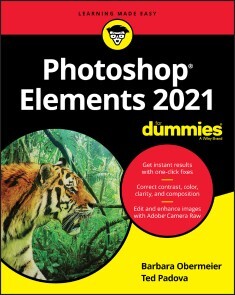
Photoshop Elements 2021 For Dummies
GET PICTURE-PERFECT RESULTS WITH PHOTOSHOP ELEMENTS 2021Photoshop Elements has a reputation for delivering the photo editing power that non-professional photographers and designers need to get eye-catching—and art-quality—results. This book offers guidance for applying everything from simple, one-click fixes all the way up to detailed retouching of your images.Photoshop Elements 2021 For Dummies assumes no prior photo-editing experience and makes it easy for even the absolute beginner to quickly grasp how to edit to create slick, professional-looking photos. In no time at all you’ll feel confident in everything from common image fixes to utilizing more creative techniques, such as using image layers to create a standout look. You’ll also find tips on building and managing complex photo projects.* Understand photo-editing concepts* Adjust clarity, color, and brightness* Add artistic touches* Catalog and organize your workThis fun and easy guide provides the steps you need to get the most out of this popular version of Photoshop—and will help you achieve truly beautiful results!BARBARA OBERMEIER is the principal of Obermeier Design as well as an adjunct professor at California Lutheran University. TED PADOVA is adjunct professor of visual arts and digital photography at Sillman University in Dumaguete, Philippines. Barbara and Ted are the authors or coauthors of more than 90 books. INTRODUCTION 1About This Book 1Icons Used in This Book 2Beyond the Book 3Where to Go from Here 3PART 1: GETTING STARTED WITH PHOTOSHOP ELEMENTS 2021 5CHAPTER 1: GETTING STARTED WITH IMAGE EDITING 7Getting Familiar with the Home Screen 7Launching the Photo Editor 9Making Basic Edits in Quick Mode 10Sharing a Photo 12Retracing Your Steps 14Using the History panel 14Reverting to the last save 15Getting a Helping Hand 15Saving Files with Purpose 17Using the Save/Save As dialog box 17Saving files for the web 19CHAPTER 2: BASIC IMAGE-EDITING CONCEPTS 21Grappling with the Ubiquitous Pixels 22Understanding resolution 22Understanding image dimensions 25The Art of Resampling 25Choosing a Resolution for Print or Onscreen 28Working with File Formats 28JPEG (*.jpg, *.jpeg, *.jpe) 28PNG (*.png) 30TIFF (*.tif, *.tiff) 30Getting Familiar with Color 31Getting Color Right 32Color the easy way 33Calibrating your monitor 33Choosing a color workspace 34Understanding how profiles work 35CHAPTER 3: EXPLORING THE PHOTO EDITOR 37Examining the Photo Editor 37Examining the image window 41Uncovering the contextual menus 45Selecting the tools 45Selecting from the Tool Options 48Playing with panels 48Using the Photo Bin 51Creating different views of an image 52Viewing filenames 52Using Photo Bin Actions 53Finding Your Bearings in Guided Mode 53Controlling the Editing Environment 55Launching and navigating Preferences 55Checking out all the Preferences panes 56PART 2: MANAGING MEDIA 61CHAPTER 4: NAVIGATING THE ORGANIZER 63Organizing Photos and Media on a Hard Drive 64Adding Images to the Organizer 65Adding files from folders and removable media 65Downloading camera images with the Elements Downloader 67Importing additional photos from folders 69Navigating the Media Browser 71Using a Scanner 72Understanding image requirements 72Using scanner plug-ins (Windows) 73Scanning on the Mac 75Scanning many photos at a time 75Phoning in Your Images 76Setting Organizer Preferences 78CHAPTER 5: ORGANIZING YOUR PICTURES 81Touring the Organizer 81Organizing Groups of Images with Tags 85Creating and viewing a tag 85Adding icons to tags 87Working with custom tags 88Working with default tags 90Working with sub-categories 90Sorting photos according to tags 91Auto Curating Images 92Working with Auto Creations 92Adding new Events 93Rating Images with Stars 93Adding Images to an Album 94Creating an album 94Using albums for temporary work 97Editing an album 97Finding out more about sharing your albums 98Adding People in the Media Browser 98Placing Pictures on Maps 100Working with Events 102CHAPTER 6: VIEWING AND FINDING YOUR IMAGES 105Cataloging Files 105Using the Catalog Manager 106Working with catalogs 107Backing up your catalog 108Backing up photos and files 109Switching to a Different View 110Viewing Photos in Memories (Slideshow) 111Searching for Photos 113Using Search 113Searching for untagged items 115Searching captions and notes 115Searching by history 116Searching metadata 116Searching similarities 118Grouping Files That Get in the Way 119Marking files as hidden 119Stackin’ ’em up 120Creating versions 121PART 3: SELECTING AND CORRECTING PHOTOS 123CHAPTER 7: EDITING CAMERA RAW IMAGES 125Launching the Camera Raw Editor 126Understanding Camera Raw 127Learning Raw file format attributes 128Opening images in the Camera Raw Editor 129Getting Familiar with the Raw Editor 130Getting Familiar with the Panels 133Using the Basic panel 134Sharpening and reducing noise 137Using the Calibration panel 139Working with Filmstrips 140Synchronizing edits 141Synchronizing defaults 143Working with Profiles 143Looking at the Adobe Camera Raw profiles 144Managing profiles 145Creating a Favorites list 146Opening Non-Raw Images in the Camera Raw Editor 146Changing Image Defaults 147Working with XML Files and Preferences 147Changing program defaults 148Using Save Options 149Using sidecar files 149CHAPTER 8: MAKING AND MODIFYING SELECTIONS 151Defining Selections 151Creating Rectangular and Elliptical Selections 152Perfecting squares and circles with Shift and Alt (Option on the Mac) 154Applying Marquee options 154Making Freeform Selections with the Lasso Tools 156Selecting with the Lasso tool 157Getting straight with the Polygonal Lasso tool 159Snapping with the Magnetic Lasso tool 159Working Wizardry with the Magic Wand 162Talking about Tolerance 162Wielding the Wand to select 163Modifying Your Selections 165Adding to, subtracting from, and intersecting a selection 165Avoiding key collisions 166Painting with the Selection Brush 167Painting with the Quick Selection Tool 169Selecting with the Auto Selection Tool 171Selecting Your Subject 172Fine-Tuning with the Refine Selection Brush 174Working with the Cookie Cutter Tool 176Eliminating with the Eraser Tools 178The Eraser tool 178The Background Eraser tool 179The Magic Eraser tool 180Using the Select Menu 181Selecting all or nothing 181Reselecting a selection 181Inversing a selection 181Feathering a selection 182Refining the edges of a selection 182Using the Modify commands 184Applying the Grow and Similar commands 184Saving and loading selections 185CHAPTER 9: WORKING WITH LAYERS 187Getting to Know Layers 187Converting a background to a layer 188Anatomy of the Layers panel 189Using the Layer and Select menus 192Working with Different Layer Types 194Image layers 194Adjustment layers 195Fill layers 197Shape layers 198Type layers 199Tackling Layer Basics 199Creating a new layer from scratch 199Using Layer via Copy and Layer via Cut 201Duplicating layers 201Dragging and dropping layers 202Using the Paste into Selection command 202Moving a Layer’s Content 203Transforming Layers 204Adding Layer Masks 205Flattening and Merging Layers 208Flattening layers 208Merging layers 209CHAPTER 10: SIMPLE IMAGE MAKEOVERS 211Cropping and Straightening Images 211Cutting away with the Crop tool 212Fixing distortion with the Perspective Crop tool 214Cropping with a selection border 216Straightening images 216Recomposing Images 217Employing One-Step Auto Fixes 219Auto Smart Fix 220Auto Smart Tone 221Auto Levels 222Auto Contrast 223Auto Haze Removal 223Auto Color Correction 223Auto Shake Reduction 224Auto Sharpen 224Auto Red Eye Fix 225Editing in Quick Mode 227Fixing Small Imperfections with Tools 230Cloning with the Clone Stamp tool 231Retouching with the Healing Brush 233Zeroing in with the Spot Healing Brush 235Repositioning with the Content-Aware Move tool 237Lightening and darkening with Dodge and Burn tools 239Smudging away rough spots 240Softening with the Blur tool 242Focusing with the Sharpen tool 242Sponging color on and off 244Replacing one color with another 245CHAPTER 11: CORRECTING CONTRAST, COLOR, AND CLARITY 249Editing Your Photos Using a Logical Workflow 250Adjusting Lighting 251Fixing lighting with Shadows/Highlights 251Using Brightness/Contrast 252Pinpointing proper contrast with Levels 253Adjusting Color 255Removing color casts automatically 256Adjusting with Hue/Saturation 257Eliminating color with Remove Color 258Switching colors with Replace Color 259Correcting with Color Curves 262Adjusting skin tones 262Defringing layers 264Eliminating haze 266Adjusting color temperature with photo filters 267Mapping your colors 268Adjusting Clarity 269Removing noise, artifacts, dust, and scratches 270Blurring when you need to 271Sharpening for better focus 274Opening closed eyes 276Colorizing a photo 278Smoothing skin 279Adjusting facial features 280Reducing shake 281Moving Photos 282Working Intelligently with the Smart Brush Tools 284PART 4: EXPLORING YOUR INNER ARTIST 287CHAPTER 12: PLAYING WITH FILTERS, EFFECTS, STYLES, AND MORE 289Having Fun with Filters 289Applying filters 290Corrective or destructive filters 291One-step or multistep filters 291Fading a filter 292Selectively applying a filter 292Working in the Filter Gallery 293Distorting with the Liquify filter 295Correcting Camera Distortion 297Exploring Elements’ Unique Filters 298Creating a comic 299Getting graphic 300Using the Pen and Ink filter 301Dressing Up with Photo and Text Effects 302Adding Shadows, Glows, and More 304Applying styles 305Working with styles 306Using the Graphics panel 307Mixing It Up with Blend Modes 308General blend modes 309Darken blend modes 309Lighten blend modes 311Lighting blend modes 312Inverter blend modes 314HSL blend modes 314Using Photomerge 315Photomerge Panorama 316Photomerge Group Shot 318Photomerge Scene Cleaner 320Photomerge Exposure 321Photomerge Compose 323CHAPTER 13: DRAWING AND PAINTING 327Choosing Color 327Working with the Color Picker 328Dipping into the Color Swatches panel 329Sampling with the Eyedropper tool 331Getting Artsy with the Pencil and Brush Tools 332Drawing with the Pencil tool 332Painting with the Brush tool 334Using the Impressionist Brush 336Creating your own brush 337Filling and Outlining Selections 339Fill ’er up 339Outlining with the Stroke command 341Splashing on Color with the Paint Bucket Tool 342Working with Multicolored Gradients 343Applying a preset gradient 343Customizing gradients 345Working with Patterns 348Applying a preset pattern 348Creating a new pattern 349Creating Shapes of All Sorts 350Drawing a shape 350Drawing multiple shapes 352Specifying Geometry options 352Editing shapes 354CHAPTER 14: WORKING WITH TYPE 355Understanding Type Basics 355Tools 356Modes 356Formats 357Creating Point Type 358Creating Paragraph Type 359Creating Path Type 360Using the Text On Selection tool 360Using the Text On Shape tool 361Using the Text On Custom Path tool 363Specifying Type Options 364Editing Text 366Simplifying Type 367Masking with Type 368Stylizing and Warping Type 371Adjusting type opacity 371Applying filters to your type 372Painting your type with color and gradients 372Warping your type 374PART 5: PRINTING, CREATING, AND SHARING 375CHAPTER 15: GETTING IT ON PAPER 377Getting Pictures Ready for Printing 378Working with Color Printer Profiles 379Printing a photo with the printer managing color 381Printing a photo with Elements managing color 383Printing a picture package or contact sheet 384Getting Familiar with the Print Dialog Box 384Using the Prints options 384Creating transfers and more with More Options 386CHAPTER 16: SHARING YOUR WORK 389Getting Familiar with the Elements Sharing Options 389Planning ahead 390Understanding photo sharing in Elements 391Using the Share Panel 392Emailing photos 393Working with Adobe Premiere Elements 394Sharing your photos on social networks 395CHAPTER 17: MAKING CREATIONS 399Checking Out the Create Panel 399Grasping Creation-Assembly Basics 400Creating a Quote Graphic 404Creating a Memories Video 407Creating a PDF Slideshow 408Making Additional Creations 408PART 6: THE PART OF TENS 409CHAPTER 18: THE TEN BEST GUIDED EDITS 411Correct Skin Tone 411Sharpen 413Object Removal 414Perfect Portrait 416Replace Background 418Remove a Color Cast 421Levels 422Resize Your Photo 424Recompose 425Move & Scale Object 427CHAPTER 19: TEN (OR SO) MORE PROJECT IDEAS 431Screen Savers 431Flyers, Ads, and Online Auctions 432Clothes, Hats, and More 434Posters 435Household and Business Inventories 435Project Documentation 436School Reports and Projects 436Blogs 436Wait — There’s More 436Index 437

The Common Lisp Condition System
Discover the functioning and example uses of the Common Lisp condition system. This book supplements already existing material for studying Common Lisp as a language by providing detailed information about the Lisp condition system and its control flow mechanisms; it also describes an example ANSI-conformant implementation of the condition system.In part 1 of The Common Lisp Condition System, the author introduces the condition system using a bottom-up approach, constructing it piece by piece. He uses a storytelling approach to convey the foundation of the condition system, dynamically providing code to alter the behavior of an existing program. Later, in part 2, you’ll implement a full and complete ANSI-conformant condition system while examining and testing each piece of code that you write.Throughout, the author demonstrates how to extend Lisp using Lisp itself by using the condition system as an example. This is done while paying proper attention to the CL restart subsystem, giving it attention on a par with the handler subsystem. After reading and using this book, you'll have learned about the inner functioning of the condition system, how to use it in your own Common Lisp coding and applications, and how to implement it from scratch, should such a need arise.WHAT YOU WILL LEARN* Examine the condition system and see why it is important in Common Lisp* Construct the condition system from scratch using foundational mechanisms provided by Common Lisp* Program the condition system and its control flow mechanisms to achieve practical results* Implement all parts of a condition system: conditions, restarts, handler- and restart-binding macros, signalling mechanisms, assertions, a debugger, and moreWHO THIS BOOK IS FORBeginning and intermediate Lisp programmers, as well as intermediate programmers of other programming languages.MICHAŁ "PHOE" HERDA is a programmer with contributions to multiple parts of the Common Lisp ecosystem: CL implementations, existing and widely-used CL utilities, documentation, and some of the new library ideas that he slowly pushes forwards and works on. The book The Common Lisp Condition System is his first work -- an attempt to create a tutorial on the condition system that was missing, even all the years after which ANSI Common Lisp was standardized.1: Basic Concepts2: Introducing the Condition System3: Implementing the Common Lisp Condition System4: Wrapping UpAppendix A: Implementation of Dynamic Variables in CAppendix B: Additional Utilities for Working with Common Lisp ConditionsAppendix C: Lisp Macros 101Appendix D: Condition System Reference
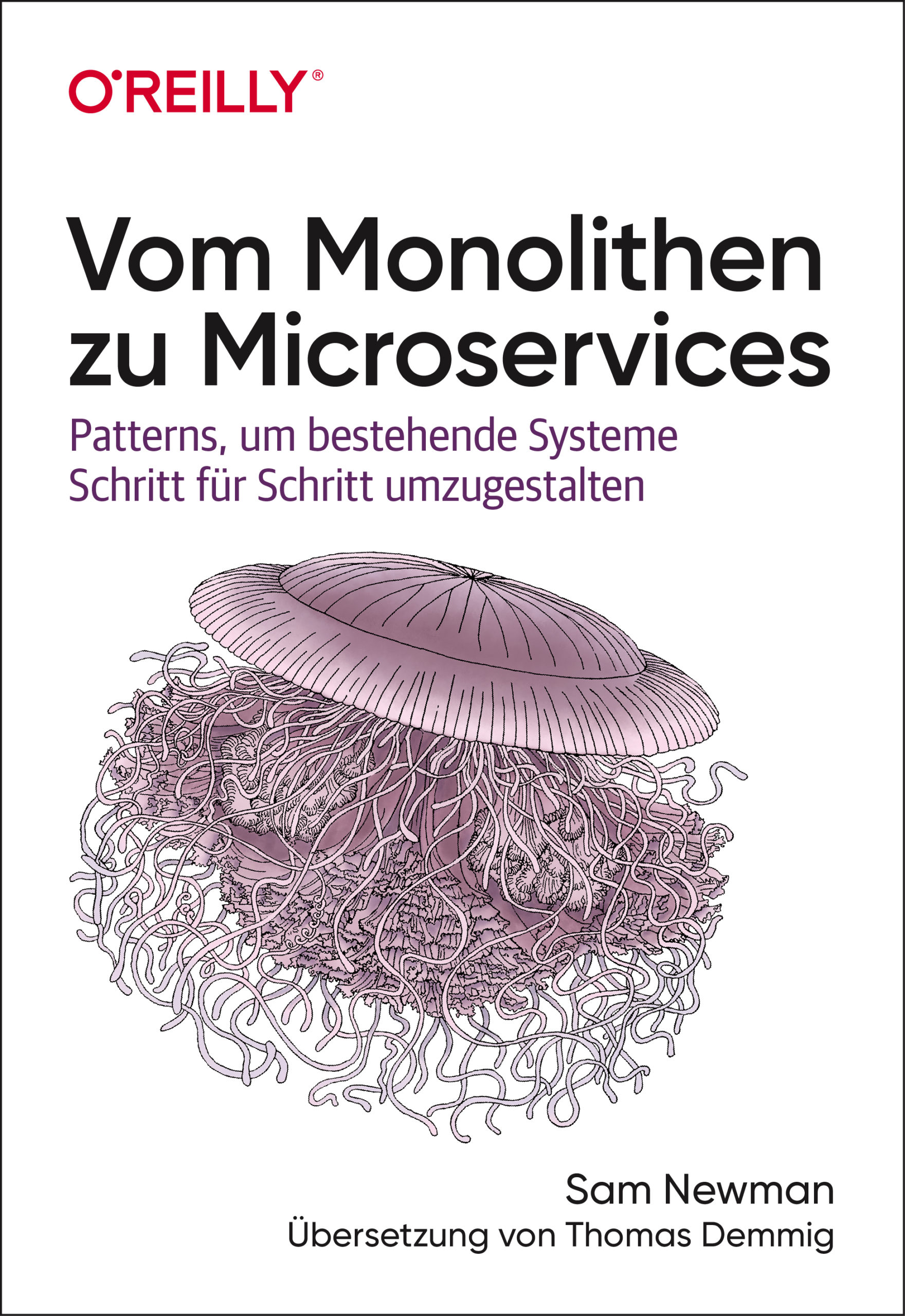
Vom Monolithen zu Microservices
Bestehende Systeme erfolgreich in eine Microservices-Architektur umgestaltenUnerlässliches Expertenwissen für Organisationen, die ihre Codebasis modernisieren wollen Autor des geschätzten Grundlagenwerks »Building Microservices« Orientierung und Anleitung für den anspruchsvollen Migrationsprozess Wie entflechtet man ein monolithisches System und überführt es in eine Microservices-Architektur? Und wie erhält man gleichzeitig den normalen Betrieb aufrecht? Sam Newman, Autor des viel beachteten Titels »Building Microservices«, beschreibt Szenarien und erprobte Strategien, um bestehende Systeme erfolgreich zu migrieren: von der ersten Planung bis zum Zerlegen von Anwendung und Datenbank. Newman greift hierbei auf viele anschauliche Beispiele zurück, stellt aufschlussreiche Pattern für die Migration vor und gibt praktische Ratschläge. Für Organisationen, die ihre Codebasis in Richtung einer Microservices-Architektur überführen und nicht komplett neu aufbauen wollen Unterstützt Unternehmen bei der Frage, ob und wann sie migrieren und wo sie konkret beginnen sollten Befasst sich mit der Integration und Migration von Legacy-Systemen und der Kommunikation mit diesen Systemen Stellt Migrationspattern vor und beschreibt, wo und wie sie am besten eingesetzt werden Bietet Beispiele für die Datenbankmigration und begleitende Synchronisationsstrategien Beschreibt das Zerlegen von Anwendungen einschließlich einer Reihe von Refaktorisierungspattern

Technisches Konstruieren mit OpenSCAD
Das Design dreidimensionaler Modelle mit Werkzeugen wie Blender oder 3D Studio Max ist eine Aufgabe, die ingenieurwissenschaftlich begabte Personen nur allzu gern delegieren.OpenSCAD wählt einen erfrischend anderen Zugang. Anstatt ein Objekt als Punktwolke zu betrachten, schreibt der Modellerzeuger in einer an Javascript erinnernden Sprache ein Programm. Dieses beschreibt die zu erzeugende Geometrie als eine Serie von Arbeitsschritten. Dreidimensionale Modelle entstehen so in einem Workflow, der an die Entwicklung klassischer ingenieurwissenschaftliche Güter erinnert. Wegen der Nähe zur manuellen Fertigung mit Werkzeug ist das ein Prozess, der Ingenieuren gut in die Hände spielt.Aber Achtung: trotz der Einfachheit der Syntax ist OpenSCAD kein primitives Modellierungsprogramm. Umfangreiche Scriptingmöglichkeiten sorgen dafür, dass sich die Modelle dynamisch an geänderte Situationen anpassen.Dieses Lehrbuch demonstriert die Möglichkeiten von OpenSCAD anhand praktischer Beispiele. Freuen Sie sich auf Ersatzknöpfe für ein LeCroy-Oszilloskop, Garderobenstangenhalter, einen Halter für Seifenspender und diverse andere Beispiele aus dem realen Leben.Der mit mehr als 15 Dienstjahren Erfahrung ausgestattete Autor entwickelte dieses für Linux und Windows gleichermaßen geeignete Buch explizit für informatikaffine Personen. Wenn Sie mit irgendeiner Programmiersprache Erfahrung haben, ist dieses Buch ihr Weg zum schnellen und unbürokratischen Erzeugen dreidimensionaler Modelle.Tam Hanna programmiert und entwickelt seit mehr als 15 Jahren Microcontroller und Prozessrechnersysteme für verschiedene Anwendungsfälle. Neben seiner Consultingtätigkeit hält er Vorträge auf Kongressen, verfasst Fachartikel für diverse Magazine und agiert als Tutor. Sein viel beachteter Instagram-Kanal liefert Hintergrundinformationen zu Messtechnik und Elektronik.
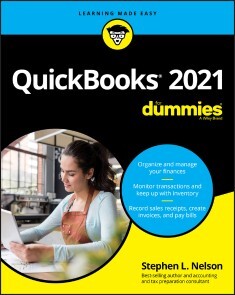
QuickBooks 2021 For Dummies
SAVE ON EXPENSIVE PROFESSIONALS WITH THIS TRUSTED BESTSELLER!Running your own business is pretty cool, but when it comes to the financial side—accounts and payroll, for instance—it's not so cool! That's why millions of small business owners around the world count on QuickBooks to quickly and easily manage accounting and financial tasks and save big time on hiring expensive professionals.In a friendly, easy-to-follow style, small business guru and bestselling author Stephen L. Nelson checks off all your financial line-item asks, including how to track your profits, plan a perfect budget, simplify tax returns, manage inventory, create invoices, track costs, generate reports, and pretty much any other accounts and financial-planning task that turns up on your desk!* Keep up with the latest QuickBooks changes* Use QuickBooks to track profits and finances* Balance your budget* Back up your data safelyThe fully updated new edition of QuickBooks For Dummies takes the sweat (and the expense) out of cooking the books—and gives you more time to savor the results of your labors!STEPHEN L. NELSON, MBA, CPA, MS in Taxation provides accounting, business advisory, tax planning, and tax preparation services to small businesses. His more than 100 books—including all editions of QuickBooks For Dummies, have sold over 5 million copies.INTRODUCTION 1About This Book 1Foolish Assumptions 2Icons Used in This Book 3Beyond the Book 3Where to Go from Here 3PART 1: QUICKLY INTO QUICKBOOKS 5CHAPTER 1: QUICKBOOKS: THE HEART OF YOUR BUSINESS 7Why QuickBooks? 7Why you need an accounting system 8What QuickBooks does 9Why not QuickBooks online? 10What Explains QuickBooks’ Popularity? 11What’s Next, Dude? 12How to Succeed with QuickBooks 13Budget wisely, Grasshopper 13Don’t focus on features 14Outsource payroll 15Get professional help 16Use both the profit and loss statement and the balance sheet 16CHAPTER 2: THE BIG SETUP 17Getting Ready for QuickBooks Setup 17The big decision 18The trial balance of the century 19The mother of all scavenger hunts 21Stepping through QuickBooks Setup 23Starting QuickBooks 23Using the Express Setup 25The Rest of the Story 32Should You Get Your Accountant’s Help? 33CHAPTER 3: POPULATING QUICKBOOKS LISTS 35The Magic and Mystery of Items 35Adding items you might include on invoices 37Creating other wacky items for invoices 45Editing items 49Adding Employees to Your Employee List 49Customers Are Your Business 51It’s Just a Job 55Adding Vendors to Your Vendor List 59The Other Lists 63The Fixed Asset Item list 63The Price Level list 64The Billing Rate Levels list 64The Sales Tax Code list 65The Class list 65The Other Names list 65The Sales Rep list 66Customer, Vendor, and Job Types lists 66The Terms list 67The Customer Message list 67The Payment Method list 67The Ship Via list 68The Vehicle list 68The Memorized Transaction list 68The Reminders list 68Organizing Lists 69Printing Lists 69Exporting List Items to Your Word Processor 70Dealing with the Chart of Accounts List 70Describing customer balances 70Describing vendor balances 71Camouflaging some accounting goofiness 71Supplying the missing numbers 77Checking your work one more time 80PART 2: DAILY ENTRY TASKS 81CHAPTER 4: CREATING INVOICES AND CREDIT MEMOS 83Making Sure That You’re Ready to Invoice Customers 84Preparing an Invoice 84Fixing Invoice Mistakes 91If the invoice is still displayed onscreen 91If the invoice isn’t displayed onscreen 91Deleting an invoice 92Preparing a Credit Memo 92Fixing Credit Memo Mistakes 96Printing Invoices and Credit Memos 96Loading the forms into the printer 97Setting up the invoice printer 97Printing invoices and credit memos as you create them 100Printing invoices in a batch 101Printing credit memos in a batch 103Sending Invoices and Credit Memos via Email 104Customizing Your Invoices and Credit Memos 105CHAPTER 5: REELING IN THE DOUGH 107Recording a Sales Receipt 108Printing a Sales Receipt 112Special Tips for Retailers 114Correcting Sales Receipt Mistakes 115Recording Customer Payments 116Correcting Mistakes in Customer Payments Entries 121Making Bank Deposits 121Improving Your Cash Inflow 124Tracking what your customers owe 124Assessing finance charges 125Dealing with deposits 129CHAPTER 6: PAYING THE BILLS 131Pay Now or Pay Later? 131Recording Your Bills by Writing Checks 132The slow way to write checks 132The fast way to write checks 138Recording Your Bills the Accounts Payable Way 140Recording your bills 141Entering your bills the fast way 145Deleting a bill 146Remind me to pay that bill, will you? 147Paying Your Bills 149Tracking Vehicle Mileage 152Paying Sales Tax 153CHAPTER 7: INVENTORY MAGIC 155Setting Up Inventory Items 156When You Buy Stuff 157Recording items that you pay for up front 157Recording items that don’t come with a bill 157Paying for items when you get the bill 159Recording items and paying the bill all at once 161When You Sell Stuff 161How Purchase Orders Work 162Customizing a purchase order form 163Filling out a purchase order 163Checking up on purchase orders 166Receiving purchase order items 166Assembling a Product 167Identifying the components 167Building the assembly 168Time for a Reality Check 169Dealing with Multiple Inventory Locations 171Manually keep separate inventory-by-location counts 171Use different item numbers for different locations 172Upgrade to QuickBooks Enterprise Solutions 172The Lazy Person’s Approach to Inventory 173How periodic inventory systems work in QuickBooks 173The good and bad of a periodic inventory 174CHAPTER 8: KEEPING YOUR CHECKBOOK 175Writing Checks 175Writing checks from the Write Checks window 176Writing checks from the register 177Changing a check that you’ve written 179Packing more checks into the register 180Depositing Money in a Checking Account 181Recording simple deposits 181Depositing income from customers 182Transferring Money between Accounts 185Setting up a second bank account 185Recording deposits into the new account 185About the other half of the transfer 187Changing a transfer that you’ve already entered 187Working with Multiple Currencies 188To Delete or to Void? 188Handling NSF Checks from Customers 190The Big Register Phenomenon 190Moving through a big register 191Finding that darn transaction 191CHAPTER 9: PAYING WITH PLASTIC 193Tracking Business Credit Cards 193Setting up a credit card account 194Selecting a credit card account so that you can use it 195Entering Credit Card Transactions 196Recording a credit card charge 197Changing charges that you’ve already entered 199Reconciling Your Credit Card Statement and Paying the Bill 200So What about Debit and ATM Cards? 201So What about Customer Credit Cards? 201PART 3: STUFF YOU DO FROM TIME TO TIME 203CHAPTER 10: PRINTING CHECKS 205Getting the Printer Ready 205Printing a Check 208A few words about printing checks 209Printing a check as you write it 209Printing checks by the bushel 211What if I make a mistake? 214Oh where, oh where do unprinted checks go? 215Printing a Checking Register 215CHAPTER 11: PAYROLL 219Getting Ready to Do Payroll without Help from QuickBooks 219Doing Taxes the Right Way 220Getting an employer ID number 220Signing up for EFTPS 221Employees and employers do their part 221Getting Ready to Do Payroll with QuickBooks 221Paying Your Employees 223Paying Payroll Liabilities 226Paying tax liabilities if you use a full-meal-deal payroll service 226Paying tax liabilities if you don’t use a full-meal-deal payroll service 226Paying other nontax liabilities 227Preparing Quarterly Payroll Tax Returns 228Using the Basic Payroll service 228Using a full-meal-deal payroll service 228Using the QuickBooks Enhanced Payroll service 228Filing Annual Returns and Wage Statements 229The State Wants Some Money Too 230CHAPTER 12: BUILDING THE PERFECT BUDGET 231Is This a Game You Want to Play? 231All Joking Aside: Some Basic Budgeting Tips 232A Budgeting Secret You Won’t Learn in College 233Setting Up a Secret Plan 234Adjusting a Secret Plan 237Forecasting Profits and Losses 237Projecting Cash Flows 238Using the Business Planner Tools 238CHAPTER 13: ONLINE WITH QUICKBOOKS 239Doing the Electronic Banking Thing 239So what’s the commotion about? 239A handful of reasons to be cautious about banking online 240Making sense of online banking 243Signing up for the service 243Making an online payment 243Transferring money electronically 245Changing instructions 246Transmitting instructions 246Message in a bottle 247A Quick Review of the Other Online Opportunities 248PART 4: HOUSEKEEPING CHORES 249CHAPTER 14: THE BALANCING ACT 251Balancing a Bank Account 251Giving QuickBooks information from the bank statement 252Marking cleared checks and deposits 254Eleven Things to Do If Your Nononline Account Doesn’t Balance 258CHAPTER 15: REPORTING ON THE STATE OF AFFAIRS 263What Kinds of Reports Are There, Anyway? 263Creating and Printing a Report 266Visiting the report dog-and-pony show 268Editing and rearranging reports 269Reports Made to Order 272Processing Multiple Reports 275Your Other Reporting Options 275Last but Not Least: The QuickReport 276CHAPTER 16: JOB ESTIMATING, BILLING, AND TRACKING 279Turning On Job Costing 279Setting Up a Job 280Creating a Job Estimate 281Revising an Estimate 284Turning an Estimate into an Invoice 284Comparing Estimated Item Amounts with Actual Item Amounts 286Charging for Actual Time and Costs 287Tracking Job Costs 288CHAPTER 17: FILE MANAGEMENT TIPS 289Backing Up is (Not That) Hard to Do 289Backing up the quick-and-dirty way 291Getting back the QuickBooks data you backed up 296Using the Accountant’s Copy 298Working with Portable Files 299Using an Audit Trail 300Using a Closing Password 300CHAPTER 18: FIXED ASSETS AND VEHICLE LISTS 303What is Fixed-Assets Accounting? 303Fixed-Assets Accounting in QuickBooks 305Setting Up a Fixed Asset List 306Adding items to the Fixed Asset list 306Adding fixed-asset items on the fly 308Editing items in the Fixed Asset list 309Tracking Vehicle Mileage 310Identifying your vehicles 310Recording vehicle miles 312Using the vehicle reports 313Updating vehicle mileage rates 313PART 5: THE PART OF TENS 315CHAPTER 19: TIPS FOR HANDLING (ALMOST) TEN TRICKY SITUATIONS 317Tracking Depreciation 317Selling an Asset 318Selling a Depreciable Asset 319Owner’s Equity in a Sole Proprietorship 320Owner’s Equity in a Partnership 320Owner’s Equity in a Corporation 321Multiple-State Accounting 322Getting a Loan 323Repaying a Loan 323CHAPTER 20: (ALMOST) TEN SECRET BUSINESS FORMULAS 325The First “Most Expensive Money You Can Borrow” Formula 326The Second “Most Expensive Money You Can Borrow” Formula 328The “How Do I Break Even?” Formula 328The “You Can Grow Too Fast” Formula 331How net worth relates to growth 331How to calculate sustainable growth 332The First “What Happens If ?” Formula 333The Second “What Happens If ?” Formula 335The Economic Order Quantity (Isaac Newton) Formula 337The Rule of 72 338PART 6: APPENDIXES 341APPENDIX A: INSTALLING QUICKBOOKS IN TEN EASY STEPS 343APPENDIX B: IF NUMBERS ARE YOUR FRIENDS 347APPENDIX C: SHARING QUICKBOOKS FILES 365Index 375

Raku Recipes
Explore Raku problems and solutions using the latest version of the Raku programming language. In Raku Recipes, the emphasis is on applying Raku code to various important tasks and applications including data science, analytics, microservices, and desktop/console applications. There are also fun one-liner script recipes and instructions on how to create mini-languages of your very own.All in all, over 70 recipes cover a broad range of the tasks and problems encountered by a modern Raku developer. You’ll be able to solve problems starting from basics such as input/output and math, to more complex domains such as microservices web sockets, web hooks, and mini-bots.WHAT YOU WILL LEARN* Put Raku to use in a real world environment* Work with Raku modules, including design classes, roles, and more* Query a GeoIP database and extract information from the web* Carry out text processing such as creating a dictionary with fast searches over it and scraping markdown documents* Work with MongoDB, WikiData, and other data sources* Build data science and analytics applications using Raku* Integrate with Python, C, and other languages and libraries* Create mini-languages and shell scripting languages WHO THIS BOOK IS FORWhile some prior experience in Raku may be useful, it is not required. Prior programming experience using other scripting languages, such as Perl, is recommended, however.J.J. Merelo is a professor at the university of Granada, where he has been teaching since 1988. He has been using Perl since 1994, and Perl 6/Raku intensively since December 2016. He trains, teaches, and consults on Perl and Raku projects.* How do I start to put (Perl 6|Raku|Camelia) to use in a real world environment.* Get your tools ready.Put concepts from other languages to use in Perl 6. * Get involved in the community.* Install some external and useful modules.* Detect OS environment and change program behavior according to it.* Input and outputRead files handled as arguments * Read and process files asynchronously* Connect input and output of external utilities and files.* Read and process binary files.* Watch a file for changes* Data science and data analytics* How do I extract unique email addresses/user names from several files.* How do I create a weighted random number generator.How do I work with a spreadsheet, filtering by row or column, or sorting, or converting row into columns or the other way round. * How do I apply a series of transformations to a group of elements and then extract a single quantity from them.* How do I create a random data generator* How do I process big, structured files.* MathHow can you generate mathematical sequences and extract random elements from it. * Program a divide-and-conquer algorithm.* Work with matrices.* Compute Mandelbrot’s and Julia’s set* Look for pairs of integers with a certain property, such as friendly numbers or contiguous primes, to use infinite precision integers.Configuration and execution of programs.* Configure a program using JSON/YAML/.ini files.* Configure a command line command with flags and arguments.* Use shell environment variables in my program.* Advanced/distributed configuration with etcdCreate a Docker container for an application to distribute it easily* Automation of system tasks.* Check log for certain events.* Check logs interactively on the console.* Check git commits for patterns, metadata, or store them.Clean up your Docker image store. * Process the last persons logged to our system* Perl 6 modules* Design classes, roles and modules in Perl 6.* Document your module.* Test your module.* Release it as an open source module for every one.* Use multiple dispatch to speed up applications.Dealing with errors* Design an exception hierarchy.* Deliver meaningful error messages to the user.* Catch and deal with errors in your program.* Debug your application in CommaIDE.* Make grammars fail graciously with pretty errors.* Web and microservices on the client side* Query a GeoIP databaseDownload and extract information from a web site. * Use a web API to get information from a site.* Check IP and addresses by querying Internet services.* Text processing* Scrape markdown documents.* Generate a set of static web pages* Create a dictionary and do fast searches over it* Compute differences in plain textsMicroservices* Create a microservice.* Work with web sockets, connecting to a client.* Respond to web hooks.* Create a mini-bot for Telegram or Slack.* Test your microservice.* Work with data sources.* Work with relational databases.Interface with Redis. * Use an ORM for hight-level data description and access.* Work with MongoDB.* Extract information from WikiData* Create a desktop/console applicationUse full-console UI. * Create an application that uses system windows.* Package your application for release.* Make it work with other desktop applications by using service buses.* Use a common desktop application framework.Interface with libraries and code in other languages* Embed Python programs.* Embed Perl programs.* Run external programs and capture output.* Wrap external libraries in C with NativeCall.* Work with image processing libraries.* Speed up processing* Use data parallelism with hyper/race.Work with asynchronous input/output * Work with concurrency using channels and threads.* Create powerful concurrent programs* Monitor concurrency using CommaIDE.* Create mini-languages* Use mini-languages that show off their possibilities* Create and process a mini-language for recipes.* Process recipes and generate reports.Resume common language patterns. * Convert grammar into a full recipe-processing application that generates HTML or other external format.* Fun one-liners* How do I write a guessing name in a single line of code.* How do I compute the nth element in a sequence with a single line.How do I perform system administration task repeatedly using a single line of code.
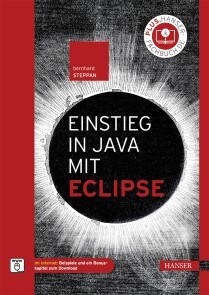
Einstieg in Java mit Eclipse
EINSTIEG IN JAVA MIT ECLIPSE //- Einrichtung der Entwicklungsumgebung (Java, Eclipse)- Grundlagen der objektorientierten Programmierung- Einführung in Eclipse- Beschreibung der Java-Sprachelemente (Variablen, Anweisungen, einfache Datentypen, Klassen und Objekte, Aufzählungen, Arrays, Methoden, Operatoren, Verzweigungen, Schleifen, Pakete und Module)- Überblick über die Plattform Java (Bytecode, Laufzeitumgebung mit Garbage Collector, Interpreter und JIT-Compiler, Klassenbibliotheken)- Beispiele und ein Bonuskapitel unter plus.hanser-fachbuch.deBernhard Steppan hat mit diesem Buch einen ausführlichen Einstieg in Java mit Eclipse geschrieben. Das Buch ist vor allem für Leser ohne Programmierkenntnisse geeignet.Der erste Teil des Buches vermittelt das Java- und Eclipse-Basiswissen und führt in die objektorientierteProgrammierung ein.Im zweiten Teil dreht sich alles um die Feinheiten der Sprache Java. Hier entstehen die ersten kleinen Java-Anwendungen. Jedes Kapitel bietet eine Mischung aus Wissensteil und praktischen Übungen und endet mit Aufgaben, die Sie selbstständig durchführen können.Die Technologie Java bildet den Schwerpunkt des dritten Teils. Zudem werden Ihnen Klassenbibliotheken und Algorithmen vorgestellt.Ein größeres Java-Projekt steht im Mittelpunkt des vierten Teils. Anhand einer Anwendung mit grafischer Oberfläche werden Sie hier alle Elemente der vorigen Teile kennenlernen.Im fünften Teil nden Sie die Lösungen zu den Aufgaben im zweiten und dritten Teil des Buches.Ein Buch für alle, die die Java-Programmierung mithilfe der Eclipse-Entwicklungsumgebung erlernenund beherrschen wollen.AUS DEM INHALT //- Programmiergrundlagen- Objektorientierte Programmierung- Entwicklungsumgebung- Programmaufbau- Variablen- Anweisungen- Einfache Datentypen- Klassen und Objekte- Aufzählungen- Arrays- Methoden- Operatoren- Verzweigungen- Schleifen- Pakete und Module Bernhard Steppan ist ein Java-Entwickler der ersten Stunde und hat mehrere C++- und Java-Bücher geschrieben sowie zahlreiche Artikel verfasst. Er arbeitet als IT-Chefarchitekt bei DB Systel, dem Systemhaus der Deutschen Bahn.
Controlling mit Excel
• Professionelle Excel-Tools zur Planung und Steuerung• Lösungen für das strategische und operative Controlling• Werkzeuge für Planung, Analyse und Reporting• Praxisnahe Beispiele mit den BI-Tools Power Query, Power Pivot und Power BI• Tipps zu den aktuellsten Excel-Funktionen und -werkzeugen wie dynamische ArraysMit diesem Buch werden Excel-Anwender im Controlling und im Personal- und Projektmanagement zu Excel-Experten. Es enthält zahlreiche Beispiele, professionell und praxisgerecht aufbereitet und verständlich erklärt. Dazu die besten Techniken, die wichtigsten Kalkulationsfunktionen und viele Tipps und Tricks für optimiertes Arbeiten. Zur Automatisierung von Routineaufgaben stehen VBA-Makros zur Auswahl. An Einsteiger richtet sich das VBA-Tutorial.Controller finden Excel-Lösungen von A wie Abschreibung bis Z wie Zinsberechnung, für Personalcontroller gibt es Headcount- und Terminverwaltung, und Projektmanager lernen, wie sie Projektportfolios und Ressourcenpläne verwalten.• Für Microsoft 365• Alle Beispiellösungen und fertige Tabellenmodelle stehen zum Download bereit Ignatz Schels ist Informatiker und erfahrener Excel-Experte. Er leitet seit mehr als 25 Jahren Seminare und Workshops für Controlling, Personal- und Projektmanagement und erstellt Praxislösungen mit VBA in Excel und Access. Er ist zertifizierter Projektfachmann und Autor von mehr als 50 Fachbüchern – viele davon sind Bestseller.Uwe M. Seidel ist Professor für Betriebswirtschaft an der OTH Regensburg und Berater für Unternehmen und öffentliche Institutionen in den Bereichen Rechnungswesen, Controlling und Projektmanagement. Außerdem ist er freiberuflicher Trainer der Controller Akademie AG und leitet den AK Süd I des internationalen Controllervereins (ICV).
Einstieg in SwiftUI
• Der umfangreiche Einstieg in SwiftUI• Detaillierte Beschreibungen zum Einsatz von Views, Controls und Status• Aktuell zu Xcode 12• Mit Update inside: Erhalten Sie aktuelle Infos zu kommenden SwiftUI-Updates und weiteren SwiftUI-Funktionen.Lernen Sie Apples neues SwiftUI-Framework kennen und erfahren Sie, wie Sie plattformübergreifende Nutzeroberflächen für Mac, iPhone, iPad, Apple Watch und Apple TV erstellen. Das Framework vereinfacht den Prozess der UI-Erstellung deutlich, damit Sie sich als Entwickler primär auf die Kernfunktionen Ihrer Apps konzentrieren können.SwiftUI funktioniert gänzlich anders als die bisherigen Mechanismen zur Gestaltung von Views für Apple-Plattformen. Es ist zudem tief in die Entwicklungsumgebung Xcode integriert.Für Entwickler ergeben sich so eine Vielzahl an Neuerungen, die es langfristig in der UI-Erstellung zu beachten gilt und die in diesem Buch ausführlich und detailliert beschrieben werden. Dazu gehören die grundlegende Funktionsweise von SwiftUI, das Vorgehen beim Erstellen von Views, der Austausch von Daten und Best Practices beim Einsatz des Frameworks. Auch die Integration von SwiftUI in bereits bestehende Projekte ist ein Thema.Aus dem Inhalt:• Funktionsweise von SwiftUI• Views und Controls• View-Hierarchien mit Stacks, Listen und Grids• Navigationsstrukturen• Status mittels State, Binding, ObservedObject und mehr• Integration in bestehende Projekte mittels Representable und Hosting• Effizienter Einsatz der Preview Thomas Sillmann ist leidenschaftlicher Autor, Apple-Entwickler und Trainer. Mit seiner Begeisterung für das Schreiben hat er bereits mehrere erfolgreiche Fachbücher veröffentlicht. Thomas lebt und arbeitet in Aschaffenburg.

C++ mit Visual Studio 2019 und Windows Forms-Anwendungen
C++ hat sich in den letzten Jahren rasant entwickelt: C++11, C++14, C++17 und C++20 haben viele Verbesserungen und neue Möglichkeiten gebracht. Vieles, was vor 10 Jahren noch gut und empfehlenswert war, kann heute besser und sicherer gemacht werden.Dieses Buch stellt C++ mit Visual Studio 2019 auf dem Stand von Mai 2020 umfassend dar. Das ist nicht nur der Umfang von C++17, sondern auch schon ein Teil von C++20.Es entstand aus zahlreichen Vorlesungen und Firmenseminaren. Dementsprechend richtet es sich einerseits an STUDIERENDE, die C++ lernen wollen. Der Aufbau, die vielen Beispiele und Übungsaufgaben sind erprobt und bewährt. Es eignet sich zum Selbststudium und als Lehrbuch für Vorlesungen an Fachhochschulen und Universitäten.Dieses Buch zeigt aber ebenso PROFESSIONELLEN SOFTWARE-ENTWICKLERN mit einer jahrelangen C++-Praxis den aktuellen Stand der Technik. Viele der Spracherweiterungen machen elementare Programmiertechniken einfacher und sicherer. Dazu kommen neue Konzepte, die bessere und effizientere Lösungen als noch vor einigen Jahren ermöglichen. Das kann unnötigem Aufwand und Fehlern führen, die sich leicht vermeiden lassen. Viele dieser neuen Möglichkeiten haben sich in der industriellen Praxis noch nicht etabliert.Dieses Buch erscheint in zwei weitgehend identischen Ausgaben:– IN DER VORLIEGENDEN AUSGABE werden Programme geschrieben, in denen alle Ein- und Ausgaben über eine Windows-Benutzeroberfläche erfolgen.– IN DER ANDEREN AUSGABE „C++ mit Visual Studio 2019“ werden Programme ohne eine graphische Benutzeroberfläche geschrieben. Alle Ein- und Ausgaben erfolgen mit cin und cout über die Konsole.Nach seinem Mathematikstudium an der Universität Tübingen war RICHARD KAISER einige Jahre in der Lehrerausbildung tätig, Trainer in der Industrie, Software-Entwickler (vor allem für technische Anwendungen) und Leiter der Software-Abteilung. Seit 1991 ist er Professor an der Dualen Hochschule Baden-Württemberg (Lörrach), wo er vor allem Vorlesungen über Programmiersprachen (C/C++/C#) und Mathematik hält. In den letzten Jahren hat er viele Seminare über C++ und C# für Firmen durchgeführt.Die Entwicklungsumgebung.- Steuerelemente für die Benutzeroberfläche.- Elementare Datentypen und Anweisungen in C und C++.- Sie Stringklassen string und wstring.- Arrays und Container.- Einfache selbstdefinierte Datentypen.- Zeiger, Strings und dynamisch erzeugte Variablen.- Überladene Funktionen und Operatoren.- Objektorientierte Programmierung.- Namensbereiche.- Exception-Handling.- Containerklassen der C++-Standardbibliothek.- Dateibearbeitung mit den Stream-Klassen.- Funktionsobjekte und Lambda-Ausdrücke.- Templates und STL.- C++11 Smart Pointer: shared_ptr, unique_ptr und weak_ptr.- Literatur.- Index.

Modern Arm Assembly Language Programming
Gain the fundamentals of Armv8-A 32-bit and 64-bit assembly language programming. This book emphasizes Armv8-A assembly language topics that are relevant to modern software development. It is designed to help you quickly understand Armv8-A assembly language programming and the computational resources of Arm’s SIMD platform. It also contains an abundance of source code that is structured to accelerate learning and comprehension of essential Armv8-A assembly language constructs and SIMD programming concepts. After reading this book, you will be able to code performance-optimized functions and algorithms using Armv8- A 32-bit and 64-bit assembly language.Modern Arm Assembly Language Programming accentuates the coding of Armv8-A 32-bit and 64-bit assembly language functions that are callable from C++. Multiple chapters are also devoted to Armv8-A SIMD assembly language programming. These chapters discuss how to code functions that are used in computationally intense applications such as machine learning, image processing, audio and video encoding, and computer graphics.The source code examples were developed using the GNU toolchain (g++, gas, and make) and tested on a Raspberry Pi 4 Model B running Raspbian (32-bit) and Ubuntu Server (64-bit). It is important to note that this is a book about Armv8-A assembly language programming and not the Raspberry Pi.What You Will Learn* See essential details about the Armv8-A 32-bit and 64-bit architectures including data types, general purpose registers, floating-point and SIMD registers, and addressing modesUse the Armv8-A 32-bit and 64-bit instruction sets to create performance-enhancing functions that are callable from C++ * Employ Armv8-A assembly language to efficiently manipulate common data types and programming constructs including integers, arrays, matrices, and user-defined structures* Create assembly language functions that perform scalar floating-point arithmetic using the Armv8-A 32-bit and 64-bit instruction sets* Harness the Armv8-A SIMD instruction sets to significantly accelerate the performance of computationally intense algorithms in applications such as machine learning, image processing, computer graphics, mathematics, and statistics.* Apply leading-edge coding strategies and techniques to optimally exploit the Armv8-A 32-bit and 64-bit instruction sets for maximum possible performance WHO THIS BOOK IS FORSoftware developers who are creating programs for Armv8-A platforms and want to learn how to code performance-enhancing algorithms and functions using the Armv8-A 32-bit and 64-bit instruction sets. Readers should have previous high-level language programming experience and a basic understanding of C++.Daniel Kusswurm has over 35 years of professional experience as a software developer and computer scientist. During his career, he has developed innovative software for medical devices, scientific instruments, and image processing applications. On many of these projects, he successfully employed assembly language to significantly improve the performance of computationally intense algorithms or solve unique programming challenges. His educational background includes a BS in electrical engineering technology from Northern Illinois University along with an MS and PhD in computer science from DePaul University. Daniel Kusswurm is also the author of Modern X86 Assembly Language Programming (ISBN-13: 978-1484200650) and Modern X86 Assembly Language Programming, Second Edition (ISBN-13: 978-1484240625), both published by Apress.Modern Arm Assembly Language ProgrammingF:\ModArmAsm\Chapters\Outline\ModernArmAsm_Outline (V2).docx Page 1 of 6Daniel KusswurmIntroductionBook overviewTarget audienceContent overviewSource codeTerminology and conventionsAdditional resourcesChapter 1 – Armv8-32 ArchitectureArmv8-32 OverviewData typesFundamental data typesNumerical data typesSIMD data typesInternal architectureGeneral-purpose register fileApplication Program Status Register (APSR)Instruction set overviewInstruction operandsMemory addressing modesChapter 2 – Armv8-32 Core Programming – Part 1Integer arithmeticAddition and subtraction (Ch02_01)Multiplication (Ch02_02)Division (Ch02_03)Integer operationsLoad instructions (Ch02_04)Move instructions (Ch02_05, Ch02_06)Logical operations (Ch02_07)Chapter 3 – Armv8-32 Core Programming – Part 2Basic stack argumentsStack arguments (Ch03_01)Stack arguments using mixed data types (Ch03_02)Advanced stack useModern Arm Assembly Language ProgrammingF:\ModArmAsm\Chapters\Outline\ModernArmAsm_Outline (V2).docx Page 2 of 6Daniel KusswurmStack use with local storage (Ch03_03)Stack use with frame pointer (Ch03_04)Using the APSR condition flagsCompare instructions (Ch03_05)Looping (Ch03_06)Chapter 4 – Armv8-32 Core Programming – Part 3Integer arraysArray arithmetic (Ch04_01)Array arithmetic using mixed-type integers (Ch04_02)Integer matricesMatrix example #1 (Ch04_03)Matrix example #2 (Ch04_04)Advanced programmingAdvanced array operations (Ch04_05)Structures (Ch04_06)Chapter 5 – Armv8-32 Floating-Point ArchitectureFloating-point programming conceptsBinary encodingsNaNsDenormalsFlush to zeroFloating-point registersSingle-precision registersDouble-precision registersFPSCR (floating-point status and control register)Rounding modesExceptionsChapter 6 – Armv8-32 Floating-Point ProgrammingFloating-point arithmeticFP arithmetic example #1 (Ch06_01)FP arithmetic example #2 (Ch06_02)FP arithmetic example #3 (Ch06_03)Floating-point compares and conversionsFP compares (Ch06_04)FP conversions (Ch06_05)Floating-point arrays and matricesModern Arm Assembly Language ProgrammingF:\ModArmAsm\Chapters\Outline\ModernArmAsm_Outline (V2).docx Page 3 of 6Daniel KusswurmFP arrays (Ch06_06)FP matrices (Ch06_07)Advanced floating-point programmingUsing C++ floating-point library functions (Ch06_08)Chapter 7 – Armv8-32 SIMD ArchitectureArmv8-32 SIMD Architecture OverviewSIMD programming conceptsWraparound and saturated arithmeticSIMD architectureRegister setsData typesSIMD arithmetic operationsPacked integer arithmeticPacked floating-point arithmeticChapter 8 – Armv8-32 SIMD Integer ProgrammingPacked integer arithmeticAddition and subtraction (Ch08_01)Multiplication (Ch08_02)Shift and logical operations (Ch08_03)Packed integer image processingPixel minimum and maximum (Ch08_04)Mean intensity (Ch08_05)Image thresholding (Ch08_06)Chapter 9 – Armv8-32 SIMD Floating-Point ProgrammingPacked floating-point arithmeticAddition, subtraction, multiplication, division (Ch09_01)Compares (Ch09_02)Conversions (Ch09_03)Packed floating-point arraysMinimum and maximum (Ch09_04)Least squares (Ch09_05)Packed floating-point matrices4x4 matrix transposition (Ch09_06)4x4 matrix multiplication (Ch09_07)Modern Arm Assembly Language ProgrammingF:\ModArmAsm\Chapters\Outline\ModernArmAsm_Outline (V2).docx Page 4 of 6Daniel KusswurmChapter 10 – Armv8-64 ArchitectureArmv8-64 OverviewData typesNumerical data typesSIMD data typesInternal architectureGeneral-purpose register fileFloating-point and SIMD registersStatus flags and condition codesInstruction set overviewOperandsMemory addressing modesChapter 11 – Armv8-64 Core Programming – Part 1Integer arithmeticAddition & subtraction (Ch11_01)Multiplication (Ch11_02)Division (Ch11_03)Integer operationsLoad and store instructions (Ch11_04)Move instructions (Ch11_05)Logical instructions (Ch11_06)Shift instructions (Ch11_07)Chapter 12 – Armv8-64 Core Programming – Part2Stack arguments and local storageStack arguments using mixed data types (Ch12_01)Stack arguments with local storage (Ch12_02)Using condition codesCompare instructions (Ch12_03)Looping (Ch12_04)Integer arrays and matricesArray programming example (Ch12_05)Matrix programming example (Ch12_06)Chapter 13 – Armv8-64 Floating-Point ProgrammingFloating-point arithmeticSingle-precision arithmetic (Ch13_01)Modern Arm Assembly Language ProgrammingF:\ModArmAsm\Chapters\Outline\ModernArmAsm_Outline (V2).docx Page 5 of 6Daniel KusswurmDouble-precision arithmetic example #1 (Ch13_02)Double-precision arithmetic example #2 (Ch13_03)Floating-point compares and conversionsCompare instructions (Ch13_04)Conversion instructions (Ch13_05)Floating-point arrays and matricesArray programming example (Ch13_06)Matrix programming example (Ch13_07)Advanced floating-point programmingUsing C++ floating-point library functions (Ch13_08)Chapter 14 – Armv8-64 SIMD Integer ProgrammingPacked integer arithmeticAddition and subtraction (Ch14_01)Shift operations (Ch14_02)Multiplication (Ch14_03)Packed integer image processingPixel min/max (Ch14_04)Gray-scale pixel clipping (Ch14_05)Image statistics (Ch14_06)Chapter 15 – Armv8-64 SIMD Floating-Point ProgrammingPacked floating-point arithmeticAddition subtraction, multiplication, division (Ch15_01)Compares (Ch15_02)Conversions (Ch15_03)Packed floating-point arraysCorrelation coefficient (Ch15_04)Image conversion – RGB to grayscale (Ch15_05)Packed floating-point matrices4x4 matrix multiplication (Ch15_06)4x4 matrix-vector multiplication (Ch15_07)Chapter 16 – Armv8-64 Advanced SIMD ProgrammingArmv8 microarchitecture overviewOptimization guidelinesSignal processingFMA convolution (Ch16_01)Modern Arm Assembly Language ProgrammingF:\ModArmAsm\Chapters\Outline\ModernArmAsm_Outline (V2).docx Page 6 of 6Daniel KusswurmVector and matrix operationsVector cross products (Ch16_02)Matrix-vector products (Ch16_03)Matrix inversion (Ch16_04)Appendix A – Source Code and Software Development ToolsSource codeHardware platformHost operating systemsSetup and configurationSoftware toolsg++gasmakeBuilding and executing the source code projectsAppendix B – References and Additional ResourcesArmv8 programming referencesAlgorithm referencesSoftware development resourcesAdditional resources

Learn PHP 8
Write solid, secure, object-oriented code in the new PHP 8. In this book you will create a complete three-tier application using a natural process of building and testing modules within each tier. This practical approach teaches you about app development and introduces PHP features when they are actually needed rather than providing you with abstract theory and contrived examples.In Learn PHP 8, programming examples take advantage of the newest PHP features; you’ll follow a learn-by-doing approach, which provides you with complete coding examples. “Do It” exercises in each chapter provide the opportunity to make adjustments to the example code. The end-of-chapter programming exercises allow you to develop your own applications using the algorithms demonstrated in the chapter.Each tier is logically and physically separated using object-oriented and dependency injection techniques, thus allowing independent tiers that can be updated with little or no effect on the other tiers. In addition to teaching good programming practices through OOP, there is a strong emphasis on creating secure code.As each chapter is completed, you’ll have the opportunity to design and create an application reinforcing the concepts learned.WHAT YOU WILL LEARN* Program PHP 8 web applications* Use interfaces, containers, and platforms* Apply modular programming * Manage data objects and use MySQL and other databasesWork with multi-functional and secure user interfaces * Handle logging exceptions and moreWHO THIS BOOK IS FORThose new to web development, specifically PHP programming. Also, this book can be useful to those who have some PHP/web development experience who are new to PHP 8.Steve Prettyman is a college instructor on PHP programming, web development, and related technologies. He is and has been a practicing web developer and is a book author.1. Introduction to PHP 82. Interfaces, Platforms, Containers: Three-Tiers Programming3. Modular Programming4. Secure User Interfaces5. Handling and Logging Exceptions6. Data Objects7. Authentication8. Multi-functional Interfaces

Beginning C++20
Begin your programming journey with C++ , starting with the basics and progressing through step-by-step examples that will help you become a proficient C++ programmer. This book includes new features from the C++20 standard such as modules, concepts, ranges, and the spaceship operator. All you need are Beginning C++20 and any recent C++ compiler and you'll soon be writing real C++ programs. There is no assumption of prior programming knowledge.All language concepts that are explained in the book are illustrated with working program examples, and all chapters include exercises for you to test and practice your knowledge. Free source code downloads are provided for all examples from the text and solutions to the exercises.This latest edition has been fully updated to the latest version of the language, C++20, and to all conventions and best practices of modern C++. Beginning C++20 also introduces the elements of the C++ Standard Library that provide essential support for the C++20 language.WHAT YOU WILL LEARN* Begin programming with the C++20 standard* Carry out modular programming in C++* Work with arrays and loops, pointers and references, strings, and more* Write your own functions, types, and operators* Discover the essentials of object-oriented programming* Use overloading, inheritance, virtual functions, and polymorphism* Write generic function and class templates, and make them safer using concepts * Learn the ins and outs of containers, algorithms, and ranges* Use auto type declarations, exceptions, move semantics, lambda expressions, and much moreWHO THIS BOOK IS FORProgrammers new to C++ and those who may be looking for a refresh primer on C++ in general.IVOR HORTON is self-employed in consultancy and writes programming tutorials. He is the author of many programming books. Ivor worked for IBM for many years and holds a bachelor's degree, with honors, in mathematics. Horton's experience at IBM includes programming in most languages (including assembler and high-level languages on a variety of machines), real-time programming, and designing and implementing real-time closed loop industrial control systems. He has extensive experience teaching programming to engineers and scientists (Fortran, PL/1, APL, etc.). Horton is an expert in mechanical, process, and electronic CAD systems; mechanical CAM systems; and DNC/CNC systems.PETER VAN WEERT works for Danaher in its R&D unit for digital dentistry software, developing software for the dental practice of tomorrow. In his spare time, he has co-authored two books on C++ and two award-winning Windows 8 apps and is a regular expert speaker at, and board member of, the Belgian C++ Users Group. He is a software engineer whose main interests and expertise are application software development, programming languages, algorithms, and data structures.He received his master of science degree in computer science summa cum laude with congratulations of the Board of Examiners from the University of Leuven. In 2010, he completed his PhD thesis there on the design and efficient compilation of rule-based programming languages at the research group for declarative programming languages and artificial intelligence. During his doctoral studies, he was a teaching assistant for object-oriented programming (Java), software analysis and design, and declarative programming. After graduating, Peter worked at Nikon Metrology for more than six years on large-scale, industrial application software in the area of 3D laser scanning and point cloud inspection. He learned to master C++ and refactoring and debugging of very large code bases, and he gained further proficiency in all aspects of the software development process, including the analysis of functional and technical requirements, and agile and scrum-based project and team management.1. Basic Ideas2. Introducing Fundamental Types of Data3. Working Fundamental Types4. Making Decisions5. Arrays and Loops6. Pointers and References7. Working with Strings8. Defining Functions9. Vocabulary Types10. Function Templates11. Modules and Namespaces12. Defining your own Data Types13. Operator Overloading14. Inheritance15. Polymorphism16. Runtime Errors and Exceptions17. Class Templates18. Move Semantics19. First-Class Functions20. Containers and Algorithms21. Constrained Templates and ConceptsAppendix A (online only; to be offered as part of source code download)
PyTorch für Deep Learning
PyTorch für Deep Learning - Anwendungen für Bild-, Ton- und Textdaten entwickeln und deployenMit diesem Praxisbuch meistern Sie die Methoden des Deep Learning, einer Teildisziplin des Machine Learning, die die Welt um uns herum verändert. Machen Sie sich mit PyTorch, dem populären Python-Framework von Facebook, vertraut, und lernen Sie Schlüsselkonzepte und neueste Techniken kennen, um eigene neuronale Netze zu entwickeln.Ian Pointer zeigt Ihnen zunächst, wie Sie PyTorch in einer Cloud-basierten Umgebung einrichten. Er führt Sie dann durch die einzelnen Schritte der Entwicklung von neuronalen Architekturen, um typische Anwendungen für Bilder, Ton, Text und andere Datenformate zu erstellen. Er erläutert auch das innovative Konzept des Transfer Learning und das Debuggen der Modelle. Sie erfahren zudem, wie Sie Ihre Deep-Learning-Anwendungen in den Produktiveinsatz bringen.Aus dem Inhalt:Ergründen Sie modernste Modelle für das Natural Language Processing, die mit umfangreichen Textkorpora wie dem Wikipedia-Datensatz trainiert wurdenVerwenden Sie das PyTorch-Paket torchaudio, um Audiodateien mit einem neuronalen Konvolutionsmodell zu klassifizierenLernen Sie, wie man Transfer Learning auf Bilder anwendetDebuggen Sie PyTorch-Modelle mithilfe von TensorBoard und FlammendiagrammenDeployen Sie PyTorch-Anwendungen im Produktiveinsatz in Docker-Containern und Kubernetes-Clustern, die in der Google Cloud laufenErkunden Sie PyTorch-Anwendungsfälle von führenden UnternehmenFür die deutsche Ausgabe wurde das Buch in Zusammenarbeit mit Ian Pointer von Marcus Fraaß aktualisiert und um einige Themen erweitert.Leseprobe (PDF-Link)Inhaltsverzeichnis (PDF-Link)Über den Autor:Ian Pointer ist Data Engineer. Er hat sich auf Lösungen für Fortune-100-Kunden spezialisiert, die auf Methoden des Machine Learnings (insbesondere Deep Learning) basieren. Ian arbeitet derzeit bei Lucidworks, wo er sich innovativen NLP-Anwendungen und dem Engineering widmet.
Programmieren ganz einfach
So leicht kann Programmieren sein! Der ultimative Einstieg in die Welt des Programmierens! Dieses Programmier-Buch führt Sie mit anschaulichen Anleitungen, Grafiken & benutzerfreundlichen Bausteinen Schritt für Schritt in die wichtigsten Programmiersprachen ein – ob Python oder Scratch. In praktischen Projekten bauen Sie Webseiten, programmieren Spiele, designen Apps, arbeiten mit Raspberry Pi und lernen die gängigen Fachbegriffe wie Algorithmus & Variable – mit leicht verständlichen Erklärungen. Basis-Wissen rund ums Programmieren: • Die wichtigsten Programmiersprachen: Ob Sie HTML oder Scratch nutzen, Python oder Java lernen möchten – diese Sprachen werden anschaulich und leicht verständlich erklärt. • Programmieren lernen Schritt-für-Schritt: Vom Spiel bis zur Website – in detaillierten Projekten mit einfachen Anleitungen setzen Sie das Gelernte in die Praxis um und lernen so die Hauptanwendungen jeder Programmiersprache kennen. Informationen zum Lernziel vermitteln die benötigte Zeit sowie den Schwierigkeitsgrad. Symbole, farbige Fenster mit Rastern und Ablaufpläne, die die Programmstruktur erklären, leiten durch die Projekte. • Visuelle & leicht verständliche Aufbereitung: Durch Einteilung in benutzerfreundliche Bausteine und grafische Erklärungen werden selbst komplexe Zusammenhänge begreifbar gemacht.

Digital Listening für Unternehmen
Dieses Buch zeigt für Entscheider auf, wie Unternehmen die Inhalte im digitalen Raum erschließen und so ihre Sicherheit und Wettbewerbsposition entscheidend stärken. Digital Listening heißt, das Internet als Meinungs- und Informationsraum ernst zu nehmen und durch qualifizierte Analysen die eigene Sicht zu verbessern.Martin Grothe erklärt mit einem durchgängigen Prozessleitfaden sowie den notwendigen Hintergründen und Tools, wie Sie mit Digital Listening Ihr Sicherheitslagebild, eine Früherkennung von Bedrohungen, die Zielgruppenkommunikation, das Personalmarketing sowie den Schutz exponierter Persönlichkeiten wegweisend ausbauen.Führungskräfte erhalten Einblicke in mehrere Fachbereiche, aber auch den notwendigen Überblick: Sie finden einen strukturierten Zugang zu verfügbaren Tools, blicken in das Darknet, nehmen Reporting-Formate als Vorlagen auf, schlüpfen in die Rolle der dunklen Seite, hören Influencern zu und deklinieren einen Strategiefahrplan zumEngagement-Aufbau als Arbeitgeber durch. Wer Entwicklungen früher erkennt, Kontexte genauer versteht und Kommunikation passgenauer formuliert, der kann die Zukunft aktiver gestalten.Aus dem Inhalt* Sicherheit und Wettbewerb in digitalen Zeiten: Digital Listening und die dunkle Seite* Intelligence Cycle: Vorgehen und Tools (Open Source, Advanced)* Unternehmenssicherheit: Desinformation, Data-Breaches und der G20-Case* Personenschutz: Angriffsvektoren und Sichtbarkeitsanalysen* Market Intelligence: Personalmarketing, Influencer, AI, Counterintelligence* Gestaltungsaufgabe für das Management: Integration und Ausblick* Viele Case Studies und Skizzen mit konkreten EinsatzszenarienMit Gastbeiträgen vonHeinz-Werner Aping (Direktor beim BKA a.D.)Prof. Dr. Peter Gentsch (Intelligence Group)Friedrich Christian Haas (AKE Group)Jerry Hoffmann (Counteraction)Udo Hohlfeld (INFO + DATEN)Samira Mousa (healthy content)Chris West (Counteraction)Klaus Pfeifer (Pinkerton)Prof. Dr. Martin Grothe beschäftigt sich seit den 90er Jahren mit der Mustererkennung in komplexen Strukturen: Der Digitalraum entwickelte sich zum perfekten Arbeitsfeld.Martin Grothe gründete nach Stationen mit den Schwerpunkten Consulting, Controlling und Community Building in 2004 die complexium GmbH in Berlin. Als Mission werden mit eigenen Formaten, Methoden und Technologien „Insights“ im digitalen Raum strukturiert entdeckt, um Klienten einen Vorsprung in den Bereichen Unternehmenssicherheit, Personenschutz, Market Intelligence, Innovationsscanning und Personalmarketing zu ermöglichen. Module der Technologie wurden in Kooperation mit dem Robert-Koch-Institut vom BMBF gefördert: „Forschung für die zivile Sicherheit“. Aufbauend entstand etwa mit der Allianz für Sicherheit in der Wirtschaft die Studie: „#Desinformation: Lage, Prognose und Abwehr.“Prof. Grothe ist Honorarprofessor an der Universität der Künste UdK Berlin im Bereich Digitale Kommunikation. Seine Alma Mater ist die WHU – Otto Beisheim School of Management.Sicherheit und Wettbewerb in digitalen Zeiten – neue Chancen und Risiken.- Wie zuhören im Digitalen Datenraum – das Vorgehen.- Spezielle Werkzeuge der Open Source Intelligence.- Processing (Advanced): Inhaltserschließung von „Unknown Unknowns“.- Exploring Digital Risk in Dark Networks.- Einsatzfeld Unternehmenssicherheit: Bedrohungen erkennen und vor die Lage kommen.- Was sich für die Unternehmenssicherheit ändert.- Neue Bedrohung 1: Digitalisierung der Desinformation.- Neue Bedrohung 2: Data Breaches als Munition für böswillige Dritte.- Digital Listening und Corporate Security: Formate und Perspektiven.- Case G20-Gipfel: Sicherheitslagebild und Früherkennung.- Einsatzfeld digitaler Personenschutz: mit Sichtbarkeit umgehen.- Personenschutz und die digitale Ebene (Gastbeitrag Heinz-Werner Aping).- Digital Listening, eigenes Digitalverhalten und Möglichkeiten der Ausspähung durch Dritte.- Digitaler Personen- und Familienschutz.- Einsatzfeld Market Intelligence: Chancen der Transparenz nutzen.- Mustersuche durch Netzwerkanalyse digitaler Kommunikation.- Digital Listening und Personalmarketing: Zielgruppen zuhören und besser erreichen.- Digital Listening und Healthcare Influencer Marketing.- Digital Listening und Artificial Intelligence für Lead Prediction und Company Scoring (Gastbeitrag Peter Gentsch).- What have you got to lose? The case for Corporate Counterintelligence (Gastbeitrag von Chris West, Jerry Hoffmann and Udo Hohlfeld).- Gestaltungsaufgabe für das Management.- Integration von Zielkonflikten.- Ausblick: Auf zum nächsten Level!

Learn Data Science Using SAS Studio
Do you want to create data analysis reports without writing a line of code? This book introduces SAS Studio, a free data science web browser-based product for educational and non-commercial purposes. The power of SAS Studio comes from its visual point-and-click user interface that generates SAS code. It is easier to learn SAS Studio than to learn R and Python to accomplish data cleaning, statistics, and visualization tasks.The book includes a case study about analyzing the data required for predicting the results of presidential elections in the state of Maine for 2016 and 2020. In addition to the presidential elections, the book provides real-life examples including analyzing stocks, oil and gold prices, crime, marketing, and healthcare. You will see data science in action and how easy it is to perform complicated tasks and visualizations in SAS Studio.You will learn, step-by-step, how to do visualizations, including maps. In most cases, you will not need a line of code as you work with the SAS Studio graphical user interface. The book includes explanations of the code that SAS Studio generates automatically. You will learn how to edit this code to perform more complicated advanced tasks. The book introduces you to multiple SAS products such as SAS Viya, SAS Analytics, and SAS Visual Statistics.WHAT YOU WILL LEARN* Become familiar with SAS Studio IDE* Understand essential visualizations* Know the fundamental statistical analysis required in most data science and analytics reports* Clean the most common data set problems* Use linear progression for data prediction* Write programs in SAS* Get introduced to SAS-Viya, which is more potent than SAS studioWHO THIS BOOK IS FORA general audience of people who are new to data science, students, and data analysts and scientists who are experienced but new to SAS. No programming or in-depth statistics knowledge is needed.ENGY FOUDA is an author, freelance engineer, and journalist. She also is a freelance instructor and teaches SAS, Docker Fundamentals, Docker for Enterprise Developers, Docker for Enterprise Operations, and Kubernetes. Engy holds two master's degrees, one in journalism from Harvard University, Extension School, and another in computer engineering from Cairo University, Egypt. She earned the Data Science Professional Graduate Certificate from Harvard University, Extension School. She volunteers as the Team Lead for Momken Group (Engineering for the Blind), Egypt Scholars Inc. The team designs and manufactures devices and develops Arabic applications for visually impaired people in the MENA region. Engy volunteers as a Member-at-Large and as newsletter editor of the IEEE Mid-Hudson section. And she published several books that made Amazon's best-selling charts for Arabic books.

Monitoring Microservices and Containerized Applications
Discover the methodologies and best practices for getting started with container services monitoring using Prometheus, AppDynamics, and Dynatrace. The book begins with the basics of working with the containerization and microservices architecture while establishing the need for monitoring and management technologies. You’ll go through hands-on deployment, configuration, and best practices for Prometheus. Next, you’ll delve deeper into monitoring of container ecosystems for availability, performance, and logs, and then cover the reporting capabilities of Prometheus. Further, you’ll move on to advanced topics of extending Prometheus including how to develop new use cases and scenarios.You’ll then use enterprise tools such as AppDynamics and Wavefront to discover deeper application monitoring best practices. You’ll conclude with fully automated deployment of the monitoring and management platforms integrated with the container ecosystem using infrastructure-as -code tools such as Jenkins, Ansible and Terraform. The book provides sample code and best practices for you to look at container monitoring from a holistic viewpoint.This book is a good starting point for developers, architects, and administrators who want to learn about monitoring and management of cloud native and microservices containerized applications.WHAT YOU WILL LEARN* Examine the fundamentals of container monitoring* Get an overview of the architecture for Prometheus and Alert Manager* Enable Prometheus monitoring for containers* Monitor containers using Wavefront* Use the guidelines on container monitoring with enterprise solutions AppDynamics and Wavefront WHO THIS BOOK IS FORSoftware developers, system administrators, and DevOps engineers working for enterprise customers who want to use monitoring solutions for their container ecosystems.Navin Sabharwal is an innovator, thought leader, author, and consultant in the areas of AI, machine learning, cloud computing, big data analytics, and software product development. He is responsible for IP development and service delivery in the areas of AI and machine learning, automation products, GCP, cloud computing, public cloud AWS, and Microsoft Azure. Navin has created niche award-winning products and solutions and has filed numerous patents in diverse fields such as IT services, assessment engines, ranking algorithms, capacity planning engines, and knowledge management.Piyush is a solution architect for automation, DevOps, and cloud services with 10 years of IT experience. He is currently working as a deputy general manager at HCL DRYiCE, focusing on creating solutions catering to cloud adoption (including cloud landing zone, migration, and operations), automation, orchestration, and cloud life-cycle management.Chapter 1 Container Overview• Container introduction• Container ecosystem overview• Container architectureChapter 2 Getting Started with Container• Container images• Running the first container• Deploying applicationChapter 3 Introduction to Prometheus and Alert manager• Prometheus overview• Monitoring architecture• Setting up Prometheus & Alert managerChapter 4 Container Availability Monitoring• Availability monitoring introduction• Key KPI and metrics for Container ecosystem• Hands on configuration of availability monitoringChapter 5 Container Performance Monitoring• Performance monitoring introduction• Key KPI and metrics for Container ecosystem• Hands on configuration of performance monitoringChapter 6 Container Log Monitoring• Log Monitoring introduction• Key KPI and Metrics for Container ecosystem• Hands on configuration of Log monitoringChapter 7 Container Reporting & Dashboards• Introduction to reporting dashboard solution• Prometheus with Grafana• Prometheus with KibanaChapter 8 Working with Prometheus Query Language (PromQL)• Introduction to basic concepts• Working with time series data• Integration APIChapter 9 Automation and Orchestration of Container Monitoring• Introduction to Infra as code solution• Integration with IaC solution• Hands on configuration of Jenkins/Ansible/Terraform based pipeline