

Foto Hardware

Nikon Z fc For Dummies
SAY CHEESE! EXPLORE THIS BEGINNER-FRIENDLY GUIDE TO DIGITAL PHOTOGRAPHY WITH THE NIKON Z FC CAMERAWith a design that looks like an old-school film camera, the Nikon Z fc makes photographers want to grab this very-modern model off the shelf and start taking photos. But if you really want to set your pictures apart from the average snapshot, you need Nikon Z fc For Dummies.This book takes you on a comprehensive and user-friendly tour of the Nikon Z fc camera, its settings, and all of its automatic and manual options. You’ll learn how to control exposure, take advantage of advanced focusing options, fix color problems, and get the best image quality.You’ll also get:* Accessible instruction on tried and tested photography techniques* Instruction on how to adjust color and exposure settings* Strategies for when to use your camera’s auto options to when to take full control of settingsIdeal for anyone who wants to get the most out of their Nikon Z fc camera, Nikon Z fc For Dummies covers the photography basics you need to understand to take fantastic pictures along with how to apply those techniques to the Nikon Z fc.JULIE ADAIR KING is a longtime Dummies author and photography instructor. She’s credited on over 40 books covering various Nikon, Canon, and Olympus cameras, as well as nine editions of Digital Photography For Dummies. When not writing, she teaches master classes in photography and photo retouching.Introduction 1PART 1: FAST TRACK TO SUPER SNAPS 5Chapter 1: First Steps, First Shots 7Chapter 2: Choosing Basic Picture Settings 53PART 2: BEYOND THE BASICS 79Chapter 3: Taking Charge of Exposure 81Chapter 4: Controlling Focus and Depth of Field 137Chapter 5: Mastering Color Controls 165Chapter 6: Putting It All Together 187Chapter 7: Recording Video 203PART 3: AFTER THE SHOT 231Chapter 8: Playback Mode: Viewing Your Photos 233Chapter 9: Working with Picture and Video Files 253PART 4: THE PART OF TENS 275Chapter 10: Ten More Customization Settings 277Chapter 11: Ten Retouch Menu Tricks 287Chapter 12: Ten Features to Try on a Slow Day 297Appendix: Intro to Nikon SnapBridge 305Glossary of Digital Photography Terms 321Index 329
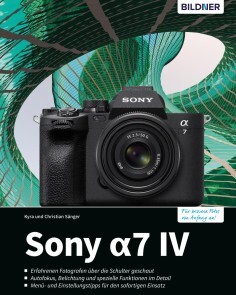
Sony A7 IV
- Erfahrenen Fotografen über die Schulter geschaut- Autofokus, Belichtung und spezielle Funktionen im Detail- Menu- und Einstellungstipps für den sofortigen EinsatzDie Sony α7 IV überzeugt mit ihrem völlig neuen Sensor, einer schnellen sowie noch genaueren Motiverkennung, der Breathing Compensation und ihrer enormen Verarbeitungsgeschwindigkeit. Lernen Sie das gesamte Potenzial dieser anspruchsvollen Hybridkamera beherrschen – für erstklassige Foto- und Videoergebnisse auch in schwierigen Situationen! Systematisch stellen Ihnen die professionellen Fotografen Bedienung sowie Technik der α7 IV vor und erläutern deren optimale Handhabung anhand anschaulicher Beispiele, gespickt mit hilfreichen Tipps aus der Praxis. Sie erfahren detailliert, wie Sie Farben optimieren, den Augen-AF gezielt einsetzen, schnelle Serien aufnehmen, Ihre Bilder direkt mit anderen teilen und vieles mehr. Kreativität und Freude kommen dabei garantiert nicht zu kurz!Aus dem Inhalt- Neue Funktionen der α7 IV in der Übersicht- Informationen in Monitor und Sucher- Die intelligente Automatik der α7 IV- Halbautomatische Programme für jede Situation- Fotografieren mit manueller Belichtung- Grundlagen des professionellen Filmens- Videoaufnahmen mit Motivverfolgung- Belichtungsmessung im Detail- Perfekt fokussieren mit der α7 IV- Augenerkennung bei Mensch und Tier- Farben kontrollieren und Farbprofil erstellen- Die Wirkung der Kreativmodi- Filmen mit Fotoprofilen- Entfesseltes Blitzen in der Praxis- Software, WLAN und GPS- Die Kamera per Smartgerät fernsteuern
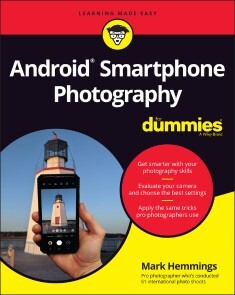
Android Smartphone Photography For Dummies
WAIT—YOU TOOK THAT AMAZING PICTURE?Taking a photo is as simple as point and click. Taking a good photo takes a bit more know-how, and Android Smartphone Photography For Dummies is your quick-and-easy guide. No matter what model of Android phone you have, this book teaches you to produce high-quality images using the powerhouse camera you carry in your pocket every day. You’ll learn the photography techniques pros use, like how to recognize beautiful outdoor lightning, how to capture moving subjects, and how to make stuff look good.Whatever kind of photos you want to take, this book will help you identify the gear and the apps you need for stunning results. With Dummies as your friendly instructor, you’ll be wowing your friends and family before you know it.* Explore your phone’s camera, including little-known advanced features that will make a big difference in your images * Figure out how to edit your pictures, correct lighting imbalances, apply neat filters, remove blemishes, and more * Learn the basic principles of photography and apply your knowledge to outdoor photography, action shots, and still life * Plus: capture video, organize your images, share photos online, choose a phone tripod, and protect your camera from the elements Dummies makes it easy for Android users of all skill levels to morph into masterful image-makers.MARK HEMMINGS is an internationally recognized professional photographer and instructor. Each year he conducts fun and informative photo workshops in Asia, Europe, the Middle East, and North America. He is the author of iPhone Photography for Dummies, published in 2020. He’s also a prolific online photography course instructor, with six courses available online and more to come.INTRODUCTION 1About This Book 1Foolish Assumptions 3Icons Used in This Book 3Beyond the Book 4Where to Go from Here 4PART 1: USING YOUR CAMERA STRAIGHT OUT OF THE BOX 5CHAPTER 1: INTRODUCING ANDROID SMARTPHONE PHOTOGRAPHY 7Becoming Familiar with Your Android Camera 8Single-lens models 8Dual-lens models 9Triple-lens models 9Models with more than three lenses 11Taking a Look Around the Camera App 12Taking a Picture 13Viewing Your Photo 15Editing Your Photo 16Sharing Your Photo 18CHAPTER 2: TAKING AN IN-DEPTH TOUR OF YOUR CAMERA 19Holding Your Phone Properly for Steady Photos 20Using Different Ways to Open Your Camera 24Zooming In to Your Subject 26Using the digital zoom 27Trying optical zoom instead of digital zoom 29Capturing Selfies with and without Background Blur 31Understanding When to Use (and Not to Use) the Camera Flash 32Photographing with the Camera Timer for Sharp Photos 36Landscape photography using your timer 36Family portraits 37Selfies with a tripod or stand 38CHAPTER 3: ALTERING YOUR CAMERA’S SETTINGS AND STORING YOUR PHOTOS 39Opening and Activating Google Photos 40Choosing Storage Options for Your Photos 42Deciding on photo upload quality 43Managing on-device photo storage 45Transferring photos to a PC or Mac 50Being Mindful of Cellular Data Over-Usage 52Allowing Your Camera to Track Your Location 57CHAPTER 4: TAKING A DEEP DIVE INTO THE CAMERA APP 59Preparing to Take Selfies 59Lighting and background 60Selfie sticks and stabilizers 62Taking Selfies 64Choosing the Portrait selfie mode 65Adjusting background blur amounts 65Adding facial skin smoothening 66Choosing your favorite selfie effect 68Adding Live Filters to your selfies 71Adjusting selfie zoom to add your friends into the picture 72Considering Alternate Aspect Ratios 73Creating Panorama Photos 77Horizontal panorama photos 78Vertical panorama photos 81PART 2: HAVING FUN WITH THE FUNDAMENTALS OF PHOTOGRAPHIC GENRES 83CHAPTER 5: CAPTURING THE PERFECT LANDSCAPE PHOTOGRAPH 85Camera Considerations: Levels and Exposure 85Levelling your camera 86Controlling exposure 87Lighting Considerations 90Photograph during the magic hours 90Timing the magic hours 90Gear Considerations 92Steadying your Android camera with a tripod 92Choosing a lens (for multi-lens Android cameras) 95Photography Tips for Your Next Outing 97Applying the Rule of Thirds for better compositions 97Framing an “L” shaped composition 98Positioning a primary and secondary subject 99CHAPTER 6: SHOOTING SPORTS PHOTOGRAPHY 101Camera Considerations: Using Burst Mode to Capture Motion 102Gear Considerations 105A tough smartphone protective case 105A smartphone screen protector 106Battery packs or battery cases 106Touch-sensitive gloves in cold weather 107Lighting Considerations 107Photographing into the setting sun 107Capturing team sports with the sun behind you 107Using the setting sun for portraits 110Incorporating cool and warm color tones 111Choosing high contrast lighting 111Photography Tips for Dynamic Sports Photos 112Using your Portrait mode 112Allowing the subject to enter the composition 114Choosing curved backgrounds 115Framing your athletes 116Creating negative space 117CHAPTER 7: SAVING MEMORIES THROUGH FAMILY AND INDIVIDUAL PORTRAITURE 119Camera Considerations: Portrait Mode and Lenses 119Knowing when to use Portrait mode 120Understanding lens compression 121Gear Considerations: Editing Tools for Better Compositions 123Lighting Considerations 125Avoiding certain types of interior lighting 125Dealing with interior backlighting 126Creating silhouettes for artistic family portraits 127Using shadows to create artistic portraits 127Placing family members in the shade for even light 129Photographing from a lower position 131Photography Tips for Your Next Portrait Session 132Taking multiple photos at your location 132Avoiding objects sticking out of people’s heads 133Composing small for artistic portraits 134Including family member’s interests 135Practicing close-up portraits 135Including mirrors for hands-free selfies 137Using food as bait for pet photos 138CHAPTER 8: PHOTOGRAPHING DURING YOUR TRAVELS AND VACATIONS 141Camera Considerations: Multiple Lenses and Exposure 141Photographing the same scene with multiple lenses 142Quickly using exposure control for fleeting subjects 143Gear Considerations 144Protecting your Android smartphone 144Packing a tripod 146Lighting Considerations 147Front light 147Back light 148Side light 14845-degree diagonal light 150Blue and golden hour light 152Lens flares from photographing into the setting sun 152Making use of cloudy days 154Photography Tips for Your Next Trip 156Leaving space for text 156Placing s-curves in your compositions 157Composing using geometric forms 159Reviewing newly discovered businesses 159Searching for faces 160CHAPTER 9: CREATING DYNAMIC STILL LIFE AND PRODUCT PHOTOGRAPHY 163Camera Considerations: Creating Background Blur 163Gear Considerations 166Choosing the background for your product 166Using tabletop tripods 168Lighting Considerations 170Using raking light for products 170Positioning for sunset light rays 171Exterior architecture photography 174Interior architecture photography 176Creating Beautiful Still Life Photos 176Positioning your background for equidistance 177Photographing through a window 177Photographing food 178CHAPTER 10: TAKING IT TO THE STREETS: PHOTOGRAPHING STRANGERS 181Camera Considerations: Choosing Lenses and Locations 182Choosing your lens 182Selecting your location 183Gear Considerations 185Lighting Considerations 187Tips for Your Next Street Photography Session 191Using arrows for conceptual street photography 192Considering the flow of your composition 192Converting your composition to black and white 193Choosing design-based backgrounds 193Appreciating the mundane 195Maintaining anonymity using scale and shadows 195Being sensitive to people’s privacy 196PART 3: EDITING, ORGANIZING, AND SHARING YOUR PHOTOS 199CHAPTER 11: EDITING WITH THE GOOGLE PHOTOS APP 201Using the Google Photos App Editing Tools 202Choosing a filter 202Saving changes 202Choosing between Save and Save as Copy 204Applying Filters 205Vivid 205West 206Palma 206Metro 207Eiffel 207Blush 207Modena 208Reel 208Vogue 209Ollie 209Bazaar 210Alpaca 210Vista 211Cropping a Photo 212Using the Auto Straightening tool 212Adjusting the crop handles 214Rotating your photo 216Understanding crop aspect ratios 218Rotating your photo 90 or 180 degrees 222Skewing your photo 223Editing Your Photography 228Editing Your Portrait Photos 234Portrait 235B&W Portrait 235Blur 236Depth 237Colour Focus 238Portrait Light 239CHAPTER 12: ORGANIZING AND SHARING YOUR PHOTOS LIKE A PRO 241Understanding Post-Production Workflows 241Deleting Unwanted Photos 242Deleting a photo 243Restoring a deleted photo 244Favoriting Photos with the Star icon 246Mastering Album Organization 247Selecting photos to create a new album 248Removing a photo from an album 251Naming albums logically 252Exploring the Search Tools 253Finding photos of a single person using People 253Checking your location using Places 255Using Things to locate photos by type 256Accessing photos using Your Activity 257Using Categories and Creations to sort by media type 257Sharing Your Photo Albums 259PART 4: THE PART OF TENS 263CHAPTER 13: TEN ANDROID APPS TO FURTHER YOUR SKILLS 265Adobe Photoshop Express 266Adobe Photoshop Camera 267Photo365 268Foodie 269Prisma Photo Editor 269Facetune2 270Canva 271VSCO 272TouchRetouch 273PhotoScan 274CHAPTER 14: TEN TIPS FOR CREATING STUNNING VIDEOS 277Accessing the Video Camera 277Properly Holding Your Camera for Videos 278Trimming the Length of Your Video Clip 279Reducing Video Shakiness 281Exporting a Still Frame 282Cropping Your Video 284Adjusting Your Video 286Applying Filters to Your Video 287Capturing Video Clips with Slow Motion 288Creating Time Lapse Video Clips 288CHAPTER 15: TEN EXTRA GOOGLE PHOTOS FEATURES 289Viewing the Memories Carousel 289Watching Creations 290Creating Auto Panoramas 291Adding a Partner Account 292Marking Up Your Photo 293Accessing Your Metadata 294Searching with Google Lens 295Buying Photo Books 296Creating Screenshots 297Clearing the Clutter 298Index 299

Naturfotografie - Die große Fotoschule (4. Auflg.)
Der umfassende Einstieg in die Naturfotografie!Der erfahrene Naturfotograf Hans-Peter Schaub führt Sie in heimische Landstriche und zeigt Ihnen, dass überall um Sie herum Naturmotive zu finden sind – ob Sie bevorzugt Landschaften, Tiere oder Pflanzenmakros fotografieren. Dieses Buch inspiriert Sie mit wunderschönen Bildern zu Ihren eigenen Fotografien und liefert Ihnen wichtige Praxistipps, damit Sie im richtigen Moment bei bestem Licht auslösen können!Aus dem InhaltKamerasysteme und ZubehörLandschaftsfotos gestaltenWeitwinkel- oder Teleobjektiv?Lichtsituationen und JahreszeitenUnterwegs bei Wind und WetterMakro- und TieraufnahmenMotive finden: Garten, Wald, Wasser ...Wild- und Zootiere vor der LinseFür Panoramen und HDR fotografierenKameradrohnen, Foto-Apps und ZeitrafferNaturfotografie mit dem SmartphoneLeseprobe (PDF-Link)

Scott Kelbys Foto-Rezepte für das iPhone
Mit der Kamera Ihres iPhones können Sie nicht nur Selfies und Schnappschüsse, sondern richtig gute Bilder machen. Perfekt komponiert und belichtet, mit Ihren Lieblingsmotiven – ob Porträts, Familie, Landschaft, Architektur, Sport, ob bei Tag oder bei Nacht.In diesem Buch erklärt Ihnen Scott Kelby in über 200 leicht verständlichen Foto-Rezepten, wie Sie die fotografischen Möglichkeiten Ihres iPhones ausschöpfen – von Technik, Bildaufbau, Licht und Posing bis zu Nachbearbeitung (mit der Lightroom-App) und Bildverwaltung (mit der Foto-App). Wichtiges Zubehör wird ausführlich in einem eigenen Kapitel erläutert, ebenso wie die besten Apps für besondere Bildbearbeitungen.

iPhone-Fotografie für Dummies
Sie besitzen ein iPhone, machen gerne Bilder damit, sind mit den Ergebnissen aber nicht immer zufrieden? Dann hilft Ihnen dieses Buch. Marks Hemmings erklärt Ihnen, wie Sie mit einfachen Techniken professionell aussehende Fotos schießen. Er erläutert dabei unter anderem, was Sie bei Landschaftsbildern, Porträts und Action-Aufnahmen beachten sollten. Er geht auf Kameraeinstellungen ein, bringt Ihnen die Bearbeitungs-App näher, zeigt Ihnen wie Sie Bilder teilen, organisiert speichern und vieles mehr. So lernen Sie die Möglichkeiten Ihres iPhones zu nutzen. Mark Hemmings ist auf der ganzen Welt unterwegs und leitet Fotografie-Workshops mit dem Schwerpunkt auf iPhone-Fotografie. Er ist seit 1997 professioneller Fotograf und seit 2012 iPhone-Reisefotograf.InhaltÜber den Autor 9Einleitung 23TEIL I: ALLGEMEINE FOTOGRAFIE-KENNTNISSE 27Kapitel 1: Einführung in die iPhone-Fotografie 29Kapitel 2: Der komplette Kamera-Rundgang 41Kapitel 3: Einrichten Ihrer Kamera 69Kapitel 4: Anwenden der iPhone-Auto-Modus-Einstellungen 81TEIL II: DIE GRUNDLAGEN VERSCHIEDENER FOTOGRAFIE-GENRES 107Kapitel 5: Landschaftsfotografie 109Kapitel 6: Sportfotografie 125Kapitel 7: Familien-und Einzelporträts 141Kapitel 8: Reise-und Urlaubsfotografie 167Kapitel 9: Stillleben-und Produktfotografie 201Kapitel 10: Straßenfotografie: Aufnahmen von Fremden machen 221TEIL III: BEARBEITEN, ORGANISIEREN UND TEILEN IHRER FOTOS 245Kapitel 11: Bildbearbeitung mit der iOS-Fotos-App 247Kapitel 12: Fotos organisieren und teilen 267TEIL IV: DER TOP-TEN-TEIL 285Kapitel 13: Zehn iOS-Apps, die Ihre Fotografie verbessern werden 287Kapitel 14: Zehn Tipps zum Aufnehmen und Teilen von Videos mit Ihrem iPhone 291Kapitel 15: Zehn zusätzliche Tipps zum Bearbeiten Ihrer Fotos 297Stichwortverzeichnis 305

Nikon Z 7II
Das Handbuch zu Nikons neuem High-Ender* Umfassende Einführung in alle Menüpunkte und Bedienelemente* Handfeste Praxistipps für den perfekten Umgang mit der Z 7II* Motivideen, Zubehör-Empfehlungen und Objektiv-TippsAuflösung satt, maximale Dynamik und Lichtempfindlichkeit und feinste Details: Nikon präsentiert mit der Z 7II die zweite Generation seiner spiegellosen Vollformat-Elite. 45,7 Megapixel, 10 Bilder pro Sekunde – und das bei bis zu 73 RAW-Aufnahmen in Folge: Das Topmodell unter den spiegellosen Systemkameras des Profiausstatters lässt nicht nur Profi-Herzen höher schlagen.Nikon-Spezialist Frank Späth bringt dem Z 7II-Käufer (und jenen, die noch mit der Kaufentscheidung hadern) die Spitzen-Nikon en detail nahe. Das Handbuch zur Kamera startet mit einer umfassenden Einführung in die Ausstattung und Programmierung der Kamera. Ohne Umschweife und mit maximalem Bezug zur Praxis erläutert Frank Späth, worauf es bei der Bedienung und dem Einsatz der Z 7II ankommt.Im reichlich bebilderten Praxisteil geht es dann um die fotografischen Kernthemen rund um Autofokus, Farbe, Empfindlichkeit, Blitzen, Bildqualität und um die Videofeatures der Nikon. Lernen Sie grundlegende Fehler zu vermeiden und erfahren Sie, wie Sie das professionelle Angebot Ihrer Nikon spielend in packende Bilder und Filme umsetzen. Zahlreiche Workshops zu wichtigen Motivgebieten wie Porträt, Sport, Natur, Landschaft oder Architektur lockern das Handbuch auf. Zudem gibt es handfeste Kauftipps für die passenden Z-Objektive von Nikon.Frank Späth arbeitet seit 1995 in der Fotozeitschriftenbranche und schreibt seit über 20 Jahren Kamera-Handbücher. Das Nikon-Z-System hat den Chefredakteur der PHOTOGRAPHIE schon beim globalen Launch 2018 begeistert, als Späth in Tokio als einer der ersten Fachjournalisten weltweit Nikons spiegelloses Vollformat testen durfte. "Mit der Z7 II bringt Nikon den überarbeiteten Nachfolger der erfolgreichen Z7", so der Autor.
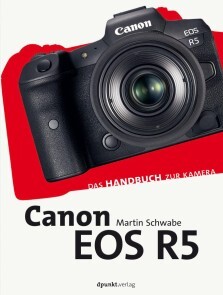
Canon EOS R5
Das Kamerahandbuch für alle Umsteiger*innen* genaue Anleitung für den Praxiseinsatz* beschreibt neue Features zu u.a. Belichtung und Autofokus* mit Video-KapitelDies ist das Handbuch für alle Fotograf*innen, die auf Canons EOS R5 wechseln. Canon-Profi Martin Schwabe macht Sie darin genau mit Funktionsweise, Einsatz und den neuen Funktionen der spiegellosen Kamera bekannt. Neben der individuellen Anpassung von Tasten, Menüs und Programmplätzen legt er ein besonderes Augenmerk auf die praktische Handhabung im fotografischen Alltag und die vielfältigen Einsatzmöglichkeiten des Autofokus (u.a. auf die Funktionen, die erst durch den Wegfall des Spiegels möglich wurden). Die leistungsfähigen Video-Funktionen beschreibt er in einem abschließenden Kapitel.Martin Schwabe ist Diplom-Ingenieur und schreibt heute als unabhängiger Autos für Print- und Onlinemedien. Nach 15 Jahren als fotocommunity-Admin und Hauptautor einer Online-Fotoschule verfügt er viel Erfahrung in der Vermittlung fotografischen Wissens. Er besitzt ein eigenes Fotostudio und hat bereits erfolgreich mehr als ein Dutzend Bücher über Canon-EOS-Kameras veröffentlicht

Sony Alpha 7C
Wie Sie die kompakte A7 C in den Griff bekommen!* Beherrschen Sie das Fokussystem für Bilder mit präziser Schärfe und traumhaftem Bokeh* Meistern Sie die Belichtung bei komplexen Lichtsituationen * Nutzen Sie Objektive, Blitzgeräte und anderes Zubehör, auch von DrittanbieternMit der α7C bietet Sony eine kompakte spiegellose Systemkamera mit Vollformat-Bildsensor an. Sony schafft so eine ganz neue Kategorie auf dem Systemkameramarkt: Klein, leicht und trotzdem Vollformat-Bildqualität.Schritt für Schritt führt Sie der erfahrene Sony-Experte Frank Exner in die Kamerafunktionen ein, angefangen bei der optimalen Grundkonfiguration über die Möglichkeiten und Grenzen der verschiedenen Automatiken bis zur gekonnten Steuerung von Belichtung, Fokus und Farbwiedergabe. Erfahren Sie auch, wie Sie das leistungsfähige Blitzsystem von Sony einsetzen, die Kamera per Smartphone mit Imaging Edge Mobile fernbedienen oder wie Ihre Kamera beim Videodreh beste Ergebnisse liefert. Gezeigt wird auch, was die künstliche Intelligenz der α7C zu leisten vermag.Praktische Workshops befähigen Sie, die Kamera sicher zu beherrschen. Die leicht verständlichen Erklärungen werden mithilfe von Menüabbildungen, Produktfotos, Grafiken und Tabellen illustriert.Frank Exner ist Gründer und Betreiber des beliebten Minolta- und Sony-Forums www.so-fo.de mit ca. 20.000 Mitgliedern. Er verfügt über einen umfassenden Erfahrungsschatz aus über 30 Jahren Fotopraxis. Sein Fachwissen hat er bereits in zahlreichen Sony-Kamerabüchern unter Beweis gestellt. Seine fotografischen Schwerpunkte liegen in der Natur-, Sport- und Porträtfotografie. Beim dpunkt.verlag sind von ihm bisher das Buch zur Sony a7 III, Sony a6100 und zur Sony a6400 sowie mehrere Pocket Guides zu Sony-Kameras erschienen.

Nikon Z 6II
Das Handbuch zu Nikons Vollformat-Rennmaschine* -Umfassende Einführung in alle Menüpunkte und Erklärung aller Bedienelemente* Handfeste Praxistipps für den perfekten Umgang mit der Z 6II* Motivideen, Zubehör-Empfehlungen und Objektiv-Tipps für bessere BilderDer Topseller unter Nikons spiegellosen Vollformat-Systemkameras erhält einen Nachfolger: Die Z 6II macht alles noch besser und ist noch schneller als ihr erfolgreicher Vorgänger. Sie besticht durch zahlreiche Detailverbesserungen und vor allem deutlich mehr Speed, Ausdauer und Präzision.Wer diese komplexe Actionkamera verstehen und so effizient wie möglich nutzen will, kommt um die Details nicht herum. Genau hier setzt das Handbuch zur Z 6II an: Nikon-Spezialist Frank Späth erklärt in einem detaillierten Einstiegskapitel sämtliche Funktionen und Menüpunkte und macht den Leser intensiv mit der opulenten Ausstattung vertraut. In verständlicher Sprache und immer mit maximalem Bezug zur Praxis erläutert Frank Späth, worauf es bei der Programmierung und dem Einsatz ankommt, welche Features wichtig sind und auf welche Sie eher verzichten können.Im reichlich bebilderten Praxisteil geht es dann um die fotografischen Kernthemen rund um Autofokus, Farbe, Empfindlichkeit, Blitzen, Bildqualität und um die Videofeatures der Nikon. Lernen Sie grundlegende Fehler zu vermeiden und erfahren Sie, wie Sie das professionelle Angebot Ihrer Nikon spielend in packende Bilder und Filme umsetzen. Leicht verdauliche Motiv-Workshops zu wichtigen Motivgebieten wie Porträt, Sport, Natur, Landschaft oder Architektur lockern das Handbuch zur Z 6II auf. Zudem gibt es handfeste Kauftipps für die passenden Z-Objektive von Nikon.Frank Späth arbeitet seit 1995 in der Fotozeitschriftenbranche und schreibt seit über 20 Jahren Kamera-Handbücher. Das Nikon-Z-System hat den Chefredakteur der PHOTOGRAPHIE schon beim globalen Launch 2018 begeistert, als Späth in Tokio als einer der ersten Fachjournalisten weltweit Nikons spiegelloses Vollformat testen durfte. "Mit der Z 6II bringt Nikon den überarbeiteten Nachfolger des Topsellers Z 6", so der Autor.

Fotografieren mit Schwarzweißfilm
Der Praxisleitfaden von Kamerakauf bis Dunkelkammer.Der Einstieg in das Fotografieren mit Schwarzweiß-Film war noch nie so günstig. Doch Second-Hand-Kameras und -Objektive wollen gut ausgewählt und auf ihre Funktionalität geprüft sein. Die Filmentwicklung und das Vergrößern der Negative sind noch echtes Handwerk, das man am besten von Könnern der Zunft lernt. Zu ihnen gehört der Fotograf Rainer Wohlfahrt, der in »Fotografieren mit Schwarzweißfilm« kompakt und anschaulich erklärt, was Sie für den Einstieg in die analoge Schwarzweißfotografie wissen müssen.Zunächst zeigt Wohlfahrt, worauf Sie beim Kauf gebrauchter Kameras und Objektive achten müssen und welche Möglichkeiten Ihnen Kleinbild-, Mittel- oder Großformat bieten. Dann erlernen Sie Schritt für Schritt die fachgerechte Entwicklung der Negative und wie Sie beim Vergrößern in der Dunkelkammer durch die genaue Abstimmung von Belichtungszeit und Kontrast zum perfekten Abzug kommen. Eine Einkaufsliste für Filmentwicklung und Dunkelkammer sowie eine Checkliste für den Kamerakauf runden das Buch ab.

Olympus OM-D E-M10 Mark IV
Perfekte Fotos und Videos mit der OM-D E-M10 Mark IV machen!Erlernen Sie die Funktionen der E-M10 IVSetzen Sie sinnvolles Zubehör ein, auch von DrittherstellernNutzen Sie WLAN, Bluetooth und OI.Share zur Fernbedienung der KameraMit der OM-D E-M10 Mark IV hat Olympus ein weiterentwickeltes und verbessertes Modell der E-M10-Reihe abgeliefert. In diesem Buch werden Ihnen Schritt für Schritt die Kamerafunktionen dieser Systemkamera detailliert nähergebracht. Von der optimalen Grundkonfiguration über die Möglichkeiten und Grenzen der Automatiken bis hin zur gekonnten Steuerung von Belichtung, Fokus und Farbwiedergabe werden alle relevanten Kamerafunktionen ausführlich beschrieben und praxisnah erklärt. Das Buch eignet sich somit für ambitionierte Einsteiger ebenso wie für erfahrene Amateurfotografen. Praktische Workshops befähigen Sie, die Kamera sicher zu beherrschen, und bereichern Ihre Kenntnisse der Fotografie. Die leicht verständlichen Erklärungen werden mithilfe von Menüabbildungen, Produktfotos, Grafiken und Tabellen illustriert. Zahlreiche Beispielfotos führen die beschriebenen Aufnahmetechniken dem Leser vor Augen.Frank Exner ist Fotofachbuchautor und Betreiber eines Kameraforums. Er verfügt über einen umfassenden Erfahrungsschatz aus über 30 Jahren Fotografie. Sein Fachwissen hat er bereits in zahlreichen Kamerabüchern unter Beweis gestellt. Seine fotografischen Schwerpunkte liegen in der Natur-, Sport- und Porträtfotografie. Er hat zahlreiche Bücher zu Sony- und Olympus-Kameras verfasst, beim dpunkt.verlag sind von ihm Bücher und Pocket Guides erschienen.
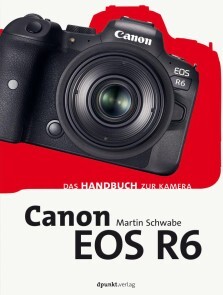
Canon EOS R6
Das Kamerahandbuch für alle Umsteiger*innen* genaue Anleitung für den Praxiseinsatz* beschreibt alle neuen Features wie u.a. »flexible Belichtung«* erläutert detailliert die neuen AutofokusfunktionenDies ist das Handbuch für alle Fotograf*innen, die auf Canons EOS R6 wechseln. Canon-Profi Martin Schwabe macht Sie darin genau mit Funktionsweise, Einsatz und den neuen Funktionen der spiegellosen Kamera bekannt. Neben der individuellen Anpassung von Tasten, Menüs und Programmplätzen legt er ein besonderes Augenmerk auf die praktische Handhabung im fotografischen Alltag und die vielfältigen Einsatzmöglichkeiten des Autofokus (u.a. auf die Funktionen, die erst durch den Wegfall des Spiegels möglich wurden). Die leistungsfähigen Video-Funktionen beschreibt er in einem abschließenden Kapitel.Martin Schwabe ist Diplom-Ingenieur und schreibt heute als unabhängiger Autor für Print- und Onlinemedien. Nach 15 Jahren als fotocommunity-Admin und Hauptautor einer Online-Fotoschule verfügt er über viel Erfahrung in der Vermittlung fotografischen Wissens. Er besitzt ein eigenes Fotostudio und hat bereits mehr als ein Dutzend erfolgreiche Bücher über Canon-EOS-Kameras veröffentlicht.

Nikon Z 5
Das Handbuch zu Nikons Vollformat-Bestseller* Umfassende Einführung in alle Menüpunkte und Erklärung aller Bedienelemente* Handfeste Praxistipps für den perfekten Umgang mit der Z 5* Motivideen, Zubehör-Empfehlungen und Objektiv-Tipps für bessere BilderNikon wendet sich mit der Z 5 auch und gerade an Ein- und Umsteiger ins noch recht junge spiegellose Vollformatsystem der Z-Serie. Jede Menge professionelle Funktionen der "großen Schwestern" Z 6 und Z 7 sind auch beim Einstiegsmodell Z 5 mit an Bord, da heißt es für den Benutzer: nicht den Überblick verlieren. Genau hier setzt das Handbuch zur Nikon Z 5 an.In einem detaillierten Einstiegskapitel lernen Sie sämtliche Funktionen und Menüpunkte kennen und werden mit der opulenten Ausstattung im Detail vertraut gemacht. In verständlicher Sprache und immer mit maximalem Bezug zur Praxis erläutert Frank Späth, worauf es bei der Programmierung und dem Einsatz der Z 5 ankommt, welche Features wichtig sind und auf welche Sie eher verzichten können.Im reichlich bebilderten Praxisteil geht es dann um die fotografischen Kernthemen rund um Autofokus, Farbe, Empfindlichkeit, Blitzen, Bildqualität und um die Videofeatures der Nikon. Lernen Sie grundlegende Fehler zu vermeiden und erfahren Sie, wie Sie das professionelle Angebot Ihrer Nikon spielend in packende Bilder und Filme umsetzen. Leicht verdauliche Motiv-Workshops zu wichtigen Motivgebieten wie Porträt, Sport, Natur, Landschaft oder Architektur lockern das Handbuch zur Z 5 auf.Wer noch vor der Kaufentscheidung steht, profitiert ebenfalls vom Wissen und der Erfahrung des Autors, der während der kompletten Buchproduktion parallel mit einer Nikon Z 6 gearbeitet hat und an passenden Stellen Unterschiede zwischen beiden Modellen herausarbeitet.Frank Späth arbeitet seit 1995 in der Fotozeitschriftenbranche und schreibt seit über 20 Jahren Kamera-Handbücher. Das Nikon-Z-System hat den Chefredakteur der PHOTOGRAPHIE schon beim globalen Launch 2018 begeistert, als Späth in Tokio als einer der ersten Fachjournalisten weltweit Nikons spiegelloses Vollformat testen durfte. "Mit der Z 5 bringt Nikon die professionelle Ausstattung der deutlich teureren Schwestermodelle ohne nennenswerte Abstriche auf ein für Amateure und Einsteiger in die Welt der Fotografie mit großen Sensoren erschwingliches Niveau", so der Autor.
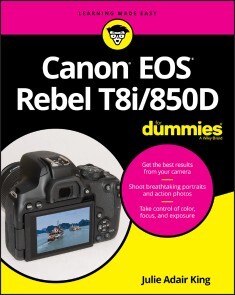
Canon EOS Rebel T8i/850D For Dummies
LEARN TO TAKE GORGEOUS PHOTOS WITH THIS BEGINNER-FRIENDLY GUIDE TO DSLR PHOTOGRAPHYThe Canon EOS Rebel T8i/850D dSLR camera has dozens of features that can help you take beautiful and striking photos. But if you’re new to photography, where do you begin? And is it possible to get up to speed quickly, without a lot of technical knowledge?Absolutely! In Canon EOS Rebel T8i/850D For Dummies, expert photography educator Julie King draws on her years of experience as she walks you through the ins and outs of photography and your Canon camera. Julie skips the technical jargon and gives you the info you need in plain language, guiding you through everything from shooting your first photos in auto mode to taking full control of your camera’s features.In the book you’ll:* Take the fast track to stunning stills with camera setup, picture settings, and Canon’s Auto Mode * Customize your picture taking experience by taking control of settings like exposure and focus * Access and organize your new picture library both on your camera and your computer Perfect for anyone who’s just received a Canon EOS Rebel and doesn’t know where to begin, this book will also earn a place in the libraries of more seasoned photographers who want to unlock everything this great camera has to offer.JULIE ADAIR KING is the bestselling author of many books about digital imaging, including For Dummies guides to Nikon, Canon, and Olympus digital cameras. When not writing, she teaches at various locations, including top photography schools such as the Palm Beach Photographic Centre. INTRODUCTION 1A Quick Look at What’s Ahead 2Icons and Other Stuff to Note 3Practice, Be Patient, and Have Fun! 3PART 1: FAST TRACK TO SUPER SNAPS 5CHAPTER 1: GETTING UP AND RUNNING 7Preparing the Camera for Initial Use 7Exploring External Camera Features 12Topside controls 12Back-of-the-body controls 14And the rest 20Changing from Guided to Standard Display Mode 22Ordering from Camera Menus 25Mastering menu basics 25Navigating Custom Functions 28Customizing the Touchscreen 29Viewing Camera Settings 31Displaying the Quick Control screen 32Decoding viewfinder data 33Switching to Live View Mode 35Customizing the Live View display 37Live View safety tips 40Using Quick Control Mode 40Familiarizing Yourself with the Lens 44Working with Memory Cards 47Reviewing Basic Setup Options 49Setup Menu 1 49Setup Menu 2 51Setup Menu 3 53Setup Menu 4 54Setup Menu 5 55A few other critical menu options before you go 56CHAPTER 2: CHOOSING BASIC PICTURE SETTINGS 59Choosing an Exposure Mode 60Basic Zone exposure modes 60Creative Zone modes (P, Tv, Av, and M) 61Changing the Drive Mode 62Understanding the Image Quality Setting 67Considering resolution: L, M, S1, or S2? 67Understanding file type (JPEG or Raw) 71Adjusting the Image Quality setting 76Setting the Photo Aspect Ratio 79Adding Flash 81Setting the flash to fire (or not) 85Adding Red-Eye Reduction 90Reviewing Advanced Flash Options 91Adjusting flash output with Flash Exposure Compensation 92Locking the flash exposure 94Investigating other flash options 96CHAPTER 3: TAKING GREAT PICTURES, AUTOMATICALLY 101Using Scene Intelligent Auto Mode 102Viewfinder shooting 102Live View photography in Scene Intelligent Auto mode 106Exploring Creative Assist Adjustments 110Discovering Selfie Mode 118Taking Advantage of SCN (Scene) Modes 121Accessing Scene modes 122Reviewing the available scene modes 124Adjusting camera settings in SCN mode 128PART 2: TAKING CREATIVE CONTROL 131CHAPTER 4: TAKING CHARGE OF EXPOSURE 133Introducing the Exposure Trio: Aperture, Shutter Speed, and ISO 134Aperture affects depth of field 136Shutter speed affects motion blur 137ISO affects image noise 139Doing the exposure balancing act 140Stepping Up to Advance Exposure Modes (P, Tv, Av, and M) 141Monitoring Exposure Settings 143Choosing an Exposure Metering Mode 146Setting ISO, Aperture, and Shutter Speed 149Controlling ISO 150Adjusting aperture and shutter speed 154Sorting Through Your Camera’s Exposure-Correction Tools 156Overriding autoexposure results with Exposure Compensation 156Improving high-contrast shots with Highlight Tone Priority 162Experimenting with Auto Lighting Optimizer 165Looking at a few other exposure solutions 169Locking Autoexposure Settings 172Bracketing Exposures Automatically 174CHAPTER 5: CONTROLLING FOCUS AND DEPTH OF FIELD 179Setting the Lens to Automatic or Manual Focusing Mode 180Discovering the AF ON button 182Exploring Viewfinder Focusing Options 183Adjusting autofocus performance 184Considering a few other autofocus settings 194Focusing in Live View and Movie Modes 196AF Method: Setting the focusing area 196AF Operation: One-Shot or Servo? 202Manual focusing in Live View and Movie modes 205Zooming in for a focus check 206Manipulating Depth of Field 208CHAPTER 6: MASTERING COLOR CONTROLS 213Understanding White Balance 214Changing the White Balance setting 215Creating a custom White Balance setting 220Fine-tuning color with White Balance Shift 222Bracketing White Balance 226Taking a Quick Look at Picture Styles 229Changing the Color Space 233CHAPTER 7: PUTTING IT ALL TOGETHER 235Recapping Basic Picture Settings 235Shooting Still Portraits 237Capturing Action 242Capturing Scenic Vistas 246Capturing Dynamic Close-Ups 249CHAPTER 8: SHOOTING AND VIEWING MOVIES 251Recording Movies Using Default Settings 252Setting the Broadcast Standard (NTSC or PAL) 256Understanding the Movie Recording Size Setting 257Selecting Audio Options 261Using Movie Digital Zoom 264Recording Vertical Movies 267Reviewing Other Movie Options 269Autofocusing options 270Movie Digital IS 271Playing with exposure and color 272Checking out a few final features 275Playing Movies 277PART 3: AFTER THE SHOT 281CHAPTER 9: PICTURE PLAYBACK 283Adjusting Instant Image Review 283Viewing Pictures in Playback Mode 284Viewing multiple thumbnails at a time (Index mode) 287Jumping through images 289Rotating still pictures 291Zooming in for a closer view 294Showing focus points during playback 295Viewing Picture Data 296Basic Information display mode 297Shooting Information display mode 299Understanding histograms 304Taking Advantage of Image Search 306CHAPTER 10: WORKING WITH PICTURE AND MOVIE FILES 311Deleting Files 312Protecting Photos and Movies 316Rating Photos and Movies 318Fixing Red-Eye 321Cropping Photos 322Processing Raw Images in the Camera 326Understanding the basic approach 327Using the Raw Image Processing tool 329Processing Raw images using Creative Assist 333Sending Pictures to the Computer 336Preparing Pictures for Online Sharing 340PART 4: THE PART OF TENS 343CHAPTER 11: TEN MORE CUSTOMIZATION OPTIONS 345Giving the Set Button an Extra Job 345Customizing Four Other Buttons 347Disabling the AF-Assist Beam 348Creating a Custom Menu 348Adding Custom Folders 349Turning Off the Shooting Settings Screen 350Embedding Copyright Notices 351Adding Cleaning Instructions to Images 353Stopping a Retractable Lens from Closing 353Swapping the AF Point Selection and AE Lock Button Functions 354CHAPTER 12: TEN FEATURES TO EXPLORE ON A RAINY DAY 357Shooting a Time-Lapse Movie 358Enabling Mirror Lockup 360Exploring a Few Obscure Printing Options 360Adding Special Effects to Photos 362Adding Effects During Shooting 364Creating Video Snapshots 366Trimming Movies 368Setting Up for Smooth HDTV Playback 369Presenting a Slide Show 370Viewing Photos and Movies on a TV 372Appendix: Exploring Wireless Connections 375Index 389

Digital SLR Photography All-in-One For Dummies
CLICK YOUR WAY TO STUNNING DIGITAL IMAGES WITH THIS THOROUGH RESOURCE!With the six mini-guides in Digital SLR Photography All-in-One For Dummies, you’ve got the six ingredients you need to cook up some fantastic photos. This book will help you make friends with your dSLR whether it’s the latest model or an older hand-me-down. Together, you’ll find the perfect angles, exposure, and lighting to capture magical images.It wouldn’t be digital photography without a bit of tech—SD cards, file transfers, resolution, and a few other things you might have never encountered before you picked up a dSLR. With this book, you can become a camera-wrangler extraordinaire, getting your shots and using digital editing tools to help them look their best. Now you have the tools you need to start building your portfolio—including some friendly advice on which images to include! Get out there and get shooting!* Explore your camera’s features and settings, then pick the perfect lenses for your photography style * Learn how to make beautiful images by controlling the key components of exposure -- aperture, shutter speed, and ISO settings * Light your shots perfectly with or without a flash or other lighting equipment * Use digital tools to make your photos shine and create an outstanding portfolio Upgrading to a digital SLR is a sign that you're serious about becoming a better photographer. Let this chummy Dummies guide, well, guide you as you become an image maker!ROBERT CORRELL has over two decades of experience in writing and photography. He is the author of all previous editions of Digital SLR Photography All-in-One For Dummies and has written several other books specific to individual DSLR camera models. INTRODUCTION 1About This Book 2Icons Used in This Book 2Where to Go from Here 3BOOK 1: PURSUING DIGITAL SLR PHOTOGRAPHY 5CHAPTER 1: EMBRACING DIGITAL SLRS 7Introducing the Digital SLR 7Naming and Classifying Digital SLRs 9Make and model 9Sensor size 11Pixel count 12Lens mount 13Mirror and viewfinder type 15Lenses 16Wrapping it up 16Pricing Digital SLRs 16Consumer dSLRs 17Mid-range models 18Professional cameras 18Delving into Camera Specifications 19Basic information 20Crop factor 20ISO 21Shutter speeds 21Autofocus system 22Movies 23Shooting modes and scenes 24In-camera processing 25Filters and other creative effects 25Media 26Viewfinder specs 26Image stabilization 27Following Recent dSLR Developments 29Shopping for a dSLR 31Understanding the system 31Going shopping 31Investing in accessories 33Embracing dSLRs 35CHAPTER 2: HANDLING, CLEANING, AND PROTECTING YOUR CAMERA 39Anatomy of a dSLR 39Front and center 40Around back 40Top and bottom 42Both sides 43Working the Controls 45Gripping the Camera 47Standard grip 47Vertical grip 48Over-the-shoulder grip 49Live View grip 49Providing Additional Support 50Handling an Articulated Monitor 52Using a Touchscreen 53Changing Batteries 54Checking battery power 54Inserting a battery 55Removing a battery 56Inserting and Removing Memory Cards 57Inserting a memory card 57Removing a memory card 58Cleaning Your Camera 59Wiping off the camera body 59Cleaning monitors and LCD panels 60Cleaning inside the camera 61Protecting Your Camera 63Using a camera strap 63Carrying a camera bag 64Buying extra lens and camera caps 64Armoring your camera 65Dealing with adverse weather 65CHAPTER 3: LEARNING ABOUT LENSES 69Identifying and Naming Lenses 69Brand name 71Lens mount 72Focal length 72Aperture 73Image stabilization 74Other identifiers 74Other lens characteristics 75Older lenses 76Categorizing Lenses 77Normal lenses 78Wide-angle lenses 78Telephoto lenses 79Prime lenses 80General-purpose zoom lenses 81Wide-angle zoom lenses 81Telephoto zoom lenses 82Specialty lenses 82Looking at Lens Anatomy 85Working with Lenses 88Getting a grip 88Mounting a lens 91Removing a lens 93Zooming in and out 94Switching from auto to manual focus 95Manually focusing 96Activating lens-based image stabilization 97Cleaning Lenses 98CHAPTER 4: EXPLORING MENUS AND CAMERA SETTINGS 101Understanding How Menus Are Organized 101Opening and Using the Menu 103Setting Up Your Camera 106Date and time 106Language 107Feature guides and expanded help 107Review time 107Auto power off 108Sound 108Touchscreen settings 108No card 109Setting Typical Shooting Options 109Image size and quality 109Using multiple memory cards 110ISO settings 111Picture control or creative style 111Color space 112Highlight and shadow options 112Noise reduction 113Aspect ratio 113Red-eye reduction 113Flash options 114Movie options 114Making Other Choices 114Display settings 114Display brightness and color 116Filenaming and numbering 116File and folder structure 117Auto Rotate (camera orientation) 117Copyright 117Wi-Fi connectivity 118Video mode or system 118Controlling Playback 118Protect Images 119Rotate 119Erase/Delete 119Print order 119Slide show 120Retouch 120Keeping Everything Running Smoothly 120Showing battery information 120Formatting memory cards 121Cleaning the image sensor 121Creating a dust reference photo 121Resetting the camera 122Updating the firmware 122Exploring Advanced Options 123Using custom functions and settings 124Creating custom shooting profiles 124Tweaking autofocus settings 124Configuring bracketing settings 125Customizing the controls 125Creating custom menus 126CHAPTER 5: TAKING PICTURES WITH YOUR DSLR 127Seeing the Big Picture 127Planning Ahead 128Unpacking and Readying Your Gear 129Setting Up Your Camera 131Performing an initial checkup 131Preparing for still photography 132Choosing a shooting mode 132Setting the image quality 144Choosing a viewing mode 144Configuring the display 146Setting exposure controls 146Setting other parameters 147Taking and Reviewing Photos 154BOOK 2: LOOKING THROUGH LENSES 161CHAPTER 1: APPRECIATING STANDARD ZOOM LENSES 163Embodying Versatility 163Taking Wide-Angle Shots 165Working with Normal Focal Lengths 168Zooming In 170Capturing telephoto shots 171Capturing portraits 172Capturing close-ups 173CHAPTER 2: ENJOYING WIDE-ANGLE LENSES 177Wide-Angle Whatzit 177Looking at Landscapes 179Capturing Wide-Angle Cityscapes 180Focusing on Single Buildings 182Photographing Interiors 184Shooting Wide-Angle Portraits 185Improving Your Wide-Angle Shots 186Frame tall objects from afar 186Get up close and personal 187Use the vertical 188Combine different elements into one shot 189Emphasize height 189CHAPTER 3: CAPTURING MACROS AND CLOSE-UPS 193Defining Macro and Close-up Photography 194Shooting at Close Ranges 195Managing Depth of Field 196Shooting Handheld with a Flash 197Maximizing Shutter Speed 198Shooting in Controlled Conditions 199Exploring Creative Alternatives 201Relaxing your angle of view 201Shooting close-ups with everyday lenses 202Using telephoto lenses 202Using Holga lenses 203Shooting with Special Accessories 204Using a teleconverter 205Using extension tubes 205Using diopters 207Using reverse rings 209Using a macro bellows 211CHAPTER 4: REACHING OUT WITH TELEPHOTO LENSES 213Learning the Lingo 213Using a Super Telephoto Lens 216Capturing Action with Telephoto Lenses 219Using Telephoto Lenses for Close-ups 221Capturing Portraits 223Photographing Animals 225CHAPTER 5: EXPLORING OTHER LENSES 229Fisheye Lenses 229Tilt-Shift Lenses 233Holga Lenses 236Lensbaby Lenses 239Pinhole Lenses 241Diana F+ Lenses 242BOOK 3: TAKING CREATIVE CONTROL245CHAPTER 1: MAKING SENSE OF EXPOSURE 247Understanding Exposure 247Evaluating exposure 248Controlling exposure 249Comparing exposure intervals 250Keeping an Eye on Exposure Information 252Reading the exposure level 252Viewing exposure settings 253Paying attention to warnings 255Measuring Light by Metering 255General metering methods 256Camera metering modes 256Changing metering modes 258Metering the scene with your camera 258Using an external light meter 259Reviewing and Analyzing Your Photos 260Delving into photo playback 260Interpreting histograms 262Troubleshooting Exposure 268Using exposure compensation 268Setting the exposure manually 269Using AE lock 271Autoexposure bracketing (AEB) 274Using other exposure tricks 275CHAPTER 2: SETTING THE APERTURE 277Investigating f-numbers and Apertures 277Learning about f-numbers 277Lenses and apertures 278Setting the Aperture 281From the camera 281From the lens 282Digging into Depth of Field 283Controlling the depth of field 283Previewing the depth of field 285Paying attention to the blurry parts 286Being realistic 287Designing with Depth of Field 288Landscapes 288Portraits 289Macros and close-ups 292Action 293Tilt-shift lenses 294CHAPTER 3: CHOOSING A SHUTTER SPEED 295Decoding Shutter Speed 295Learning about the shutter 296Reading the speed 298Shutter speed and exposure 300Setting the Shutter Speed 301Combating Blur and Noise 302Camera shake, rattle, and roll 302Shooting moving targets 307Enabling Long Exposure Noise Reduction 308Designing with Shutter Speed 308Shooting crisp photos 309Accounting for flash sync speed 311Photographing action 312Being creative with water 313Working with slow shutter speeds 315Using Bulb mode 316Shooting macros 316CHAPTER 4: SELECTING AN ISO 319Understanding ISO 319A bit of history 320Inside the numbers 321Generating noise with high ISOs 323The funny thing about noise 324Setting ISO 325Controlling ISO yourself 325Using Auto ISO 326Restricting Auto ISO 327Using High ISO Noise Reduction 328Managing ISO 329ISO Gallery 331Elevated ISO 331High ISO levels 332Extreme ISO settings 334CHAPTER 5: USING FILTERS 337Learning about Filters 337Looking at how filters work 337Considering filter pros and cons 339Using filters with dSLRs 341Taking Shape with Filter Systems 342Circular (screw-in) 343Rectangular frame slide-in 345Using Filters for Different Purposes 346Protective 346Circular polarizer 347Ultraviolet (UV) 348Neutral density (ND) 349ND graduated 351Color filter 351Color grad filter 352Other filters 352BOOK 4: LIGHTING THE SCENE355CHAPTER 1: WORKING WITH AMBIENT LIGHT 357Working in Natural Light 357Shooting during the morning golden hour 358Fighting with the light at noon 359Going out in the early evening 360Enjoying the evening golden hour 360Photographing the sunset 361Capturing twilight 362Shooting at night 363Dealing with Weather 364Capturing clouds 364Working in the snow 365Using fog 366Shooting Inside 367Photographing in large interior spaces 367Photographing in living spaces 368Using stage lighting 369Being Creative in Different Situations 370Working with indirect light 370Capturing reflections 370Dealing with glare and haze 371Shooting high-contrast scenes 372Photographing low contrast scenes 373The Shadow knows! 373CHAPTER 2: EXPLORING BASIC FLASH PHOTOGRAPHY 375Finding the Flash 376Using the Flash Automatically 377Setting a flash-friendly shooting mode 377Preventing the built-in flash from firing 378Customizing automatic flash settings 378Manually Activating the Built-in Flash 379Using the built-in flash 379Knowing when to use flash 381Disabling the built-in flash 384Tips on Using the Built-in Flash 384Getting Fancy with the Flash 386Enabling red-eye reduction 387Using flash compensation 388Using FE Lock 389Controlling the flash strength manually 389Unlocking more advanced features 390CHAPTER 3: USING AN EXTERNAL FLASH AND ACCESSORIES 393Getting to Know External Flash Units 393Looking at the front 395From the back and sides 397Accessorizing your external flash 399Handling an External Flash 402Attaching it to your camera 402Removing the flash 403Tilting and swiveling the flash head 404Attaching a mini stand 405Working the controls 405Configuring Your External Flash 407Trying Different Techniques 408Using high-speed sync 408Bouncing and diffusing 409Using an umbrella 410Focusing light with a snoot 411Using a stand 412Elevating the flash with a bracket 413Cords galore 413Going wireless 414BOOK 5: MANAGING AND PROCESSING YOUR SHOTS 417CHAPTER 1: TRANSFERRING AND MANAGING FILES 419Getting a Workflow 419Early Decisions 422Transferring Files 422Connecting 422Downloading 426Getting a Grip on Your Pictures 428Manual management 428Media-management software 429Processing and managing software 430Photo editors 433Managing Photos 434Quickly Processing the Good Ones 435Advanced Editing When Desired 436Publishing 436General considerations 436Resizing options 438Saving and exporting 439Archiving 440Playing it safe 441Putting the plan into action 442CHAPTER 2: QUICKLY SPRUCING UP SHOTS 445Software for Sprucing Up Photos 445Deciding on an Image Quality 446Benefits of Raw images 446Challenges of working with Raw photos 447Non-destructive editing 448Getting Started 448Reviewing and flagging good photos 448Switching to the Develop module 451Setting the lens profile 451Testing the waters 452etting Brightness and Contrast 453Adjusting the exposure 453Improving contrast 454Protecting highlights and shadows 455Setting the black and white points 456Working with texture, clarity, and haze 457Correcting and Improving Color 459Checking the white balance 459Adjusting color vibrancy and saturation 459Making Additional Improvements 461Finishing Up 463Straightening and cropping 463Exporting images 464Processing Photos In-Camera 464CHAPTER 3: DIGGING DEEPER INTO PHOTO EDITING 467Software for Editing Photos 468Dealing with the Mundane Stuff 468Creating a Photoshop file 468Helpful Photoshop features 470Coping with color management 471Saving your final images 472Dodging and Burning 472Using High Pass to Sharpen 474Making Minor Adjustments 476Applying Changes Selectively with Masks 477Mashing Up Versions of the Same Shot 478Stamping Out Imperfections and Distractions 480Dusting and cleaning 480Removing other distractions 482Improving complexions 482Adjusting Final Composition 484Words of Caution and Encouragement 486CHAPTER 4: EXPRESSING YOUR ARTISTRY 489Why Be Creative? 490Software for Your Artistic Endeavors 491Converting to Black and White 492Using black-and-white adjustment layers 493Photo gallery 495Colorizing Your Photos 498Tinting the fast and easy way 498Colorizing with Hue/Saturation 500Split toning using Color Balance 500Cross-processing with Curves 502Using color layers 503Creating duotones 506Experimenting with Artistic Filters 508Using the Filter Gallery 508Applying other filters 510Smart Filters 510Filter fun 511Using In-Camera Creative Styles and Filters 514Using in-camera styles 514Applying in-camera filters 516CHAPTER 5: CREATING PANORAMAS 519Shooting Pan-tastic Panoramas 519Getting your camera ready 520Shooting tripod-assisted panoramas 520Shooting handheld panoramas 522Stitching Photos Together 523Creating panoramas with Lightroom 523Creating panoramas with Photoshop 527Stepping Up Your Game 530Advanced blending in Photoshop 530Using a panoramic tripod head 531Using specialized panorama software 532Shooting HDR panoramas 533Shooting Automatic Panoramas 534CHAPTER 6: ENJOYING HDR PHOTOGRAPHY 537HDR Software 538Learning about HDR 538Shooting Exposure Brackets for HDR 540Configuring your camera 540Setting up automatic exposure bracketing (AEB) 541Shooting the exposure brackets 543Tone Mapping in Photomatix Pro 544Creating the HDR image 544Tone mapping the HDR image 548Trying Alternative Techniques 552Using your camera’s HDR modes 552Preparing your images differently 553Trying single-exposure HDR 554Creating your own brackets from a single shot 554Manually bracketing exposures 555Using other applications for HDR 555BOOK 6: SHOWCASING DIFFERENT SCENES 559CHAPTER 1: PORTRAITS 561Capturing Animal Portraits 561Copy What Works 563Snapping Casual Portraits 563Posing Group Photos 565Say Cheese! 566CHAPTER 2: LANDSCAPES 567Using an Ultra Wide-Angle Lens 567Getting Up Early 568Going Different Places 569Getting Out in the Weather 570The Classic Sunset 571CHAPTER 3: ACTION 573Tracking the Action 573Using an External Flash 574Finding the Right Spot 575Great Light is Great 576Pushing to the Limits 577CHAPTER 4: CLOSE-UPS 579Zoom In 579Be Ready to Grab Your Camera 580Using Diopters 581Whatever Works, Works 583Focus on Small Details 584Index 585
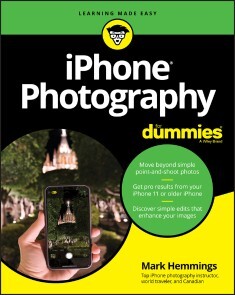
iPhone Photography For Dummies
CREATE BEAUTIFUL IPHONE PHOTOS WITH THE TECHNIQUES FOUND IN THIS BOOKiPhone Photography For Dummies, shares the expertise of photography workshop instructor Mark Hemmings as he shows readers how to get stunning images using their favorite iPhone. By implementing Hemmings' simple techniques, you'll get professional-looking results in a fraction of the time you’d expect. You’ll learn to:* Adjust camera settings* Create majestic landscape images* Capture exciting action shots* Shoot beautiful portraits* Select an editing app* Share and organize images* Shoot photos comfortably while on the goPerfect for those who want to take breathtaking photos without investing in a top-of-the-line camera, iPhone Photography For Dummies takes the guesswork and luck out of creating beautiful imagery. It shows people without formal training in photography how to make meaningful and noticeable improvements in their shooting technique using either the latest iPhone model or older versions of the device.MARK HEMMINGS can be found traveling the world conducting photography workshops with a big emphasis on iPhone photography. He has a great passion for teaching iPhone camera best practices, which shows in his daily Instagram photo lessons. Mark has been a professional photographer since 1997 and an iPhone travel photographer since 2012. INTRODUCTION 1About This Book 1Foolish Assumptions 2Icons Used in This Book 3Beyond the Book 3Where to Go from Here 3PART 1: FAST-TRACKING YOUR PHOTOGRAPHY SKILLS 5CHAPTER 1: INTRODUCING IPHONE PHOTOGRAPHY 7Getting to Know the Camera in Your iPhone 7Models with one lens 8Models with two lenses 8Models with three lenses 9Future models with more than three lenses 11Taking a Quick Tour of the iPhone Camera App 11Taking a Photo 12Viewing Your iPhone Photos 14Editing Your iPhone Photo 16Sharing Your Photos 17CHAPTER 2: TAKING THE COMPLETE CAMERA WALK-AROUND 19Discovering the Different Ways to Open Your Camera 20Properly Holding Your iPhone for Steady Photographs 21Taking a Photo Without Using the Normal Shutter Button 23Side shutter using the volume buttons 23Apple EarPods volume controller shutter release 23Zooming in to Your Subject 25Zooming best practices 26Cropping instead of digital zooming 28Using the Selfie Camera with and without Background Blur 29Knowing When to Use (and not Use) the Camera Flash 32Getting to Know Live Photos 36Using Live Photo 37Making sure Live Photo isn’t on by default 38Using the Camera Timer for Stable and Sharp Photos 39Family portraits 41Selfies with a tripod or stand 43Landscape photography using your timer 43Getting Creative with Filters 44Choosing the best camera filter for your photograph 45Reverting to the original 48CHAPTER 3: SETTING UP YOUR CAMERA FOR PHOTOGRAPHIC GREATNESS 49Turning on iCloud Photos 50Optimizing iPhone Storage 52Downloading the Original Photos 53Uploading to My Photo Stream 54Sharing Albums 55Watching Cellular Data 56Auto-Playing Videos and Live Photos 57Viewing Full HDR 58Transferring to Mac or PC 58Customizing Your iPhone’s Camera 59CHAPTER 4: APPLYING IPHONE AUTO-MODE SETTINGS 63Zooming with Various Camera Modes 63Preparing to Take Selfies 64Lighting and background 64Light case options 66Selfie sticks and stabilizers 66Taking Selfies 69Choose the Portrait selfie mode 70Adjust depth control 70Choose your favorite type of selfie light 72Fine-tune the light intensity and your effect intensity 75Add photo filters 79Add a flash 80Use your self-timer 80Adjust selfie zoom to add your friends into the picture 81Considering Square Photos 82Accessing your square camera 84Following square photography best practices 84Creating Panoramic Photos 85Panoramic best practices for frame-worthy photographs 85Vertical panoramic photos! 87PART 2: DISCOVERING THE FUNDAMENTALS OF PHOTOGRAPHIC GENRES 89CHAPTER 5: CREATING PERFECT LANDSCAPE PHOTOGRAPHS 91Camera Considerations 92Long-pressing the screen where your main subject is located 93Controlling focus and exposure with the AE/AF Lock 95Lighting Considerations 96Taking advantage of the magic hours 96Timing magic hour 98Gear Considerations 100Steadying your iPhone camera with a tripod 100Choosing which lens to use (for multilens iPhones) 101Photography Tips for Your Next Outing 103Applying the Rule of Thirds for better compositions 104Using the Self Timer option for shake-free photos 105CHAPTER 6: SHOOTING SPORTS PHOTOGRAPHY 107Camera Considerations 108Gear Considerations 109A tough iPhone protective case 110An iPhone screen protector 110A monopod for steadier sports photos 110A foldable camping seat 111Battery packs or battery cases 111Touch-sensitive gloves in cold weather 111A telephoto lens attachment for distant athletes 112Lighting Considerations 112Photographing into the setting sun 113Using your Portrait mode 113Using shadows for a fine art sports photography look 114Creating silhouette sports photos 114Photographing during golden hour 116Trusting your iPhone to produce accurate colors 116Photography Tips for Dynamic Sports Photos 117Using the Rule of Thirds 117Panning your camera to create motion blur 118Choosing the best-looking stride 119Photographing from a lower position 121Creating contrast between athlete and background 121Photographing athlete group photos 122CHAPTER 7: SAVING MEMORIES THROUGH FAMILY AND INDIVIDUAL PORTRAITURE 125Camera Considerations 126Portrait mode pros and cons 126Burst mode 127Self-timer 129Gear Considerations 130Lighting Considerations 132Underexposing your portraits for extra drama 132Looking out the window 134Photographing travel photos during blue hour 135Using shadows to create pictograms 136Making use of silhouettes for dramatic portraits 136Placing family members in the shade for even light 137Photographing from behind with low sunlight 139Photography Tips for Your Next Portrait Session 140Photographing from a lower position 140Choosing black and white for fine art portraits 141Trying forced perspective techniques for fun family pics 141Using the Thirds grid for environmental portraits 142Creating humorous photos to keep the mood light 143Avoiding objects sticking out of people’s heads 145Choosing to include mirrors in your compositions 145Including family member’s interests 146Avoiding overcast skies 146Combining family photos using the Layout app 149Photographing from an aerial perspective 149Screenshot photos for family who are away 150CHAPTER 8: DOCUMENTING YOUR TRAVEL AND VACATION IN PICTURES 153Camera Considerations 154Using Burst mode for moving subjects 154Capturing portraits with both Portrait and Photo modes 154Photographing nonportraits in Portrait mode 157Choosing black and white for iconic locations 158Photographing cityscapes through windows 160Photographing travel scenes with the ultra wide lens 160Getting detail in night scenes using Night mode 161Choosing all three lenses for iconic scenes 163Gear Considerations 163Extending your photography with battery packs 164Packing a tabletop-sized tripod 165Photographing or filming yourself with a selfie stick 165Purchasing the best protective case for your needs 165Choosing a tough mobile device bag 168Keeping your gear safe while traveling 168Lighting Considerations 169Backlight 169Side light 170Raking light 170Reflective light 172Diagonal light 172Silhouette light 173Shadow light 174Magic hour light 174Blue and yellow light 176Photography Tips for Your Next Trip 177Practicing design-based photography 177Placing S-curves in your compositions 178Framing your primary subject 178Photographing exterior architecture twice 179Including pattern photos of unusual scenes 181Scheduling famous landmarks as early as possible 182Waiting for animals to move into the picture space 182Choosing your background first 184Matching color when possible 184Including national text and fonts in your photos 185Composing with equidistance 186Tightening the view of iconic buildings 186Composing family members looking into the frame 188Reviewing your favorite establishments 188CHAPTER 9: CREATING STILL LIFE AND PRODUCT PHOTOGRAPHY ON THE CHEAP 191Camera Considerations 192Gear Considerations 192Purchasing backgrounds for flat-lay still life photos 193Choosing the appropriate background for your product 194Using clear glass as a background 195Floating flowers in water 195Purchasing Bristol board for interior product photography 196Photographing still life photos in a greenhouse 196Adding opaque paper to windows for unique backgrounds 198Lighting Considerations 199Photographing your product indoors 199Using side light 201Using backlight 201Using harsh overhead light 203Using doorway light 204Photographing with mixed lighting 205Adding shadows to your still life photos 206Photographing throughout the day 206Creating Beautiful Still Life Photos 208Composing symmetrical photos properly 208Arranging foliage to catch the setting sun 209Following the equidistance principle 209Creating both color and black-and-white versions 210Adding negative space to be used for text 211CHAPTER 10: TAKING IT TO THE STREETS: PHOTOGRAPHING STRANGERS213Camera Considerations 213Choosing black and white for most photos 214Cropping best practices 215Placing more importance on drama instead of sharpness 217Using background blur to maintain privacy 217Photographing with Burst mode for perfect timing 218Gear Considerations 219Using waterproof cases for rainy days 219Choosing other stability options besides tripods 220Lighting Considerations 221Waiting for people to walk into a ray of light 222Allowing shadows to work as metaphors 222Blurring people by photographing at dusk 223Maintaining anonymity by using backlight 224Capturing mannequins with window reflections 225Photographing only a person’s shadow for extra mystery 225Raking light for textured backgrounds 227Photography Tips for Your Next Day (or Night) on the Town 228Finding your background first 228Choosing an aerial perspective 229Being culturally sensitive 229Maintaining a sense of lightness and humor 231Choosing the best stride 232Showing the urban environment using a wide lens 232Composing with a sense of direction 233Avoiding faces to maintain anonymity 235PART 3: EDITING, ORGANIZING, AND SHARING YOUR PHOTOS 237CHAPTER 11: EDITING WITH THE IOS PHOTOS APP 239Opening Your Photos App 239Exploring Your Editing Options 241Starting with Auto adjustments 241Getting to know the editing tools 243Applying Filters 247Vivid 247Vivid Warm 249Vivid Cool 249Dramatic 250Dramatic Cool 250Mono 250Silvertone 250Noir 250Cropping an Image 251Using (and disabling) the Auto Crop tool 252Flipping your image horizontal 252Rotating your photo 90 degrees 253Adjusting Aspect Ratio 253Editing Your Portrait Photography 255CHAPTER 12: ORGANIZING AND SHARING YOUR PHOTOS LIKE A PRO 259Thinking about Post-Production Workflow 259Deleting Unwanted Photos 260Deleting a photo 261Recovering a deleted photo 262Favoriting Photos with the Heart Icon 263Diving into Album Organization 265Selecting photos to create a new album 266Removing a photo from an album 267Using albums wisely 268Finding photos of a single person 268Sorting your files by media types 269Using the Other Albums section 270Knowing When to Use the Photos Section 270Making the For You Section Work, Well, for You 271Using the Search Tool within the Photos App 272Sharing Your Photos 273Using shared albums 273Sharing to any location 275Sharing to your social media channels 276PART 4: THE PART OF TENS 277CHAPTER 13: TEN IOS APPS THAT WILL ENHANCE YOUR PHOTOGRAPHY 279Mark’s Suggested Free Photography Apps 279Adobe Photoshop Express 280Adobe Photoshop Fix 280Adobe Lightroom CC 280Instagram 280Facetune2 281Mark’s Suggested Paid Photography Apps 281TouchRetouch 281Slow Shutter Cam 281Brushstroke 282SKRWT 282LensFlare 282CHAPTER 14: TEN TIPS FOR SHOOTING AND SHARING VIDEO WITH YOUR IPHONE 283Accessing the Video Camera within the Photos App 283Holding Your iPhone Properly for Smooth Video Recording 284Trimming the Length of Any Video 284Adjusting the Exposure and Filter Settings 285Cropping Your Video 285Choosing a Video Aspect Ratio 285Choosing Vertical or Horizontal Orientation 286Creating Time-Lapse Photography Video Clips 286Capturing Dramatic Video Clips with Slo-Mo 287Exporting Your Finished Videos 288CHAPTER 15: TEN EXTRA EDITING FEATURES TO JAZZ UP YOUR IMAGES 289Adding Notes and Text Using Markup 289Adding Your Signature to Your Photos 290Adding Extra Markup Options to Your Photo 291Deleting Your Markups to Return to Your Original Photo 291Creating and Editing a Live Photo 291Creating a Loop Photo 292Creating a Bounce Photo 292Exporting Your Live, Loop, and Bounce Photos 293Creating a Long Exposure Photo 293Creating Abstract Photos Using Long Exposure 294Index 295
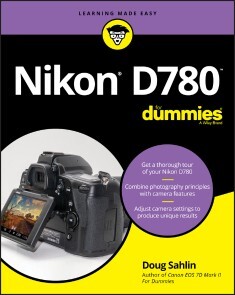
Nikon D780 For Dummies
JOIN THE PHOTOGRAPHERS WHO TURN TO THE FOR DUMMIES SERIES FOR USEFUL GUIDANCENikon D780 For Dummies provides Nikon D780 users and owners with in-depth knowledge and practical advice about how to get great shots with their powerful camera. Written by professional photographer Doug Sahlin, this book gives quick and convenient answers to Nikon D780 users’ most frequent and pressing questions.Nikon D780 For Dummies covers the topics you’ll need to get started with your new D780 camera. The book includes clear guidance on topics like:· Exploring the Nikon D780 body· Getting to know the settings options· Seeing results from auto modes· Taking control of exposure· Looking into lens options· Using the flash effectivelyWritten in the straightforward and pragmatic style known and loved by For Dummies readers around the world, Nikon D780 For Dummies is perfect for people just starting out with digital SLR photography as well as those who know their way around a camera.DOUG SAHLIN is a skilled multi-media producer. He has helped others gain mastery in photography and web design as the author of multiple books, including Canon EOS 7D For Dummies and Digital Landscape & Nature Photography For Dummies.INTRODUCTION 1About This Book 1Foolish Assumptions 2Icons Used in This Book 2Beyond This Book 3Where to Go from Here 3PART 1: GETTING STARTED WITH THE NIKON D780 5CHAPTER 1: EXPLORING THE NIKON D780’S CONTROLS 7Exploring the Top of Your Camera 8Exploring the Back of Your Camera 10Exploring the Front of Your Camera 12Exploring the Bottom of Your Camera 14CHAPTER 2: SETTING UP THE NIKON D780 15Customizing the Default Settings 16Setting the date and time 16Setting the monitor off delay 18Working with the Tilting Monitor 20Using the Control Panel 23Using the Viewfinder 25Decoding what you see in the viewfinder 25Adjusting viewfinder clarity 28Introducing the i Menu 29Pressing the Info Button 29CHAPTER 3: WORKING WITH NIKON D780 PERIPHERALS 31Working with Lenses 32Attaching a lens 32Removing a lens 33Using a vibration reduction lens 34Using a zoom lens 35Using a lens hood 36Working with Memory Cards 36Formatting a memory card 38Removing a memory card 40Taking Care of Your Camera Battery 40Cleaning the Sensor 42Cleaning your sensor on command 42Cleaning your sensor manually 43Modifying sensor cleaning 45Keeping your sensor clean 47Accessorizing Your Nikon D780 49Nikon accessories 49Third-party accessories 50Video accessories 53Keeping the Camera Body Clean 54CHAPTER 4: AUTOMATICALLY CAPTURING GREAT PHOTOGRAPHS 55Ordering from Your Camera Menu 56Using the multi selector 56Using the keyboard 57Using the menu 57Taking Your First Picture 60Choosing a Picture Control 63Creating images with a Picture Control 65Modifying a Picture Control 66Creating a custom Picture Control 68Saving and sharing custom Picture Controls 70Understanding Exposure and Focal Length 72Focusing on Your Subject 75Focusing on an off-center subject 75Focusing manually 76Using the Self-Timer 77CHAPTER 5: SPECIFYING IMAGE SIZE AND QUALITY 79Understanding Image Size and Quality 80Specifying Image Format, Size, and Quality 81Choosing an Image Area 85Specifying a Bit Depth 88Comparing Image Formats and File Sizes 90Managing Image Files 92Creating folders 92Setting file numbering 94Naming images 95CHAPTER 6: USING THE TILTING MONITOR 97Using the Playback i Menu 98Reviewing Images and Movies 98Enabling image review 98Reviewing an image 99Reviewing a movie 100Choosing image display options 101Using the histogram 102Rotating vertical images 103Setting image review options 104Rating images and movies 105Reviewing Images with Touch Controls 106Setting up touch controls 106Flicking through images 108Changing the Brightness of the Tilting Monitor 110Deleting Images 111Protecting Images 112Viewing Images as a Slide Show 113Viewing Images on a TV Monitor 115Introducing Live View 116PART 2: TAKING CONTROL OF YOUR NIKON D780 117CHAPTER 7: CREATING IMAGES WITH LIVE VIEW 119Using Live View to Create Images 120Choosing a Live View AF-Area Mode 121Using the Live View Framing Grid 122Using the Live View i Menu 123Creating Pictures with Touch Controls 126Making Live View Work for You 126Displaying shooting information 127Using zoom preview 128Exploring other useful live view options 129CHAPTER 8: RECORDING MOVIES WITH LIVE VIEW 131Making Movies with Your Camera 131Recording movies 132Displaying video shooting information 133Using the movie i menu 134Changing video dimensions and frame rate 135Choosing the movie quality 137Choosing the movie file format 138Changing audio recording options 139Choosing a Picture Control 141Reducing flicker 142Using Active D-Lighting 143Making the Best Movies You Can 144CHAPTER 9: GETTING THE MOST FROM YOUR CAMERA 145Shooting with Two Cards 145Understanding Metering 147Understanding how exposure works in the camera 147Choosing a metering mode 148Using the Still Photography i Menu 149Choosing an Exposure Mode 152Using programmed auto (P) mode 152Using aperture-priority auto (A) mode 154Using shutter-priority auto (S) mode 157Using manual (M) mode 159Introducing EFCT mode 160Creating Long Exposures Using Manual Mode 161Shooting long exposures 161Enabling long-exposure noise reduction 163Modifying Camera Exposure 164Using exposure compensation 165Bracketing exposure 166Locking focus and exposure 167Choosing a Shutter-Release Mode 168CHAPTER 10: USING ADVANCED CAMERA FEATURES 171Leveling Your Images with the Viewfinder Virtual Horizon 171Enabling the virtual horizon in the viewfinder 172Using the virtual horizon when shooting in live view 173Using the Fn Button 174Tailoring Autofocus to Your Shooting Style 174Choosing an autofocus mode 175Choosing an AF-area mode 176Using the AF-ON button for back-button focus 177Shooting with a single autofocus point 179Setting the ISO Sensitivity 180Enabling auto ISO sensitivity control 181Extending the ISO range 181Enabling high ISO noise reduction 183Using Auto Distortion Control 184Using Wi-Fi 185Enabling Wi-Fi 185Uploading images via Wi-Fi 188Using airplane mode 189Using Bluetooth 190Pairing with a remote device 191Controlling your camera remotely with SnapBridge 193CHAPTER 11: SHOOTING LIKE A PRO 195Specifying the Color Space 196Setting White Balance 197Specifying color temperature 198Creating a custom white balance 199Bracketing white balance 200Enabling Flicker Reduction 201Creating a Multiple-Exposure Image 203Shifting Focus 207Retouching Images 210Controlling Light with Flash 213Using a flash unit 213Choosing the flash mode 214Using flash compensation 216Bracketing flash 217PART 3: APPLYING YOUR SKILLS 219CHAPTER 12: CREATING SPECIAL EFFECTS AND OTHER DELIGHTS 221Creating Images Using EFCT Mode 222Using the EFCT modes 223Creating an EFCT image and a RAW negative 228Creating special effects movies 229Creating a Sequence of Images 230Creating Slow-Motion Movies 230Creating Dynamic Images with Active D-Lighting 233Creating High Dynamic Range (HDR) Images 237Creating an HDR image 238Saving bracketed HDR images as RAW files 240Creating a Time-Lapse Movie 241Interval Shooting 243CHAPTER 13: HONING YOUR SKILLS 247Shooting Special Events: Birthdays, Weddings, and More 247Setting the camera 248Photographing the event 249Photographing the Landscape 251Setting the camera 252Turning your lens on the landscape 253Creating Portraits 256Setting the camera 256Creating a portrait 256Capturing Sporting Events 258Setting the camera 259Capturing the event .260Photographing Nature and Wildlife 261Setting the camera 261Capturing compelling images of nature and wildlife 262Shooting Macro Photography 264Setting the camera 265Taking the picture 266PART 4: THE PART OF TENS 269CHAPTER 14: TEN TIPS AND TRICKS 271Creating Custom User Settings 272Resetting Default User Settings 274Creating a Custom Menu 275Customizing Your Camera 276Creating a Makeshift Tripod 278Working with Adobe Lightroom Classic 279Compiling Focus Shift Images in Adobe Photoshop 281Adding Copyright Information and Author Name to the Camera 283Using the Nikon Download Center 285Getting Help 285CHAPTER 15: TEN WAYS TO CREATE PIXEL-PERFECT IMAGES 287Enhancing Your Creativity 287Composing Your Images 289Being in the Moment 292Practicing ’til Your Images Are Pixel-Perfect 292Becoming a Student of Photography 293Never Leaving Home without a Camera 294Waiting for the Light 294Defining Your Goals 295Finding Your Center of Interest 295Locating the Best Vantage Point 296Thinking about What Else Is in the Picture 297Index 299

Nikon Z 50
Das Handbuch zu Nikons erstem Einsteiger-Modell der Z-Serie* Genaue Erklärungen aller Kamerafunktionen* Praxisnahe Anleitung zum Fotografieren (Landschaft, Porträt, Architektur und mehr)* Erläutert Zusammenspiel mit anderen Nikkor-Objektiven und Nikon-Zubehör.Mit der Z50 öffnet Nikon sein erfolgreiches System spiegelloser Kameras auch für Einsteiger. Dieses Buch erläutert Ihnen die Kamera mit ihren vielen Möglichkeiten von Grund auf und zeigt ganz praxisnah, wie Sie mit ihr packende Bilder machen. Wenn Sie bereits Nikkor-Objektive haben, lernen Sie diese mit der Z50 einzusetzen.Thorsten Naeser arbeitet als Pressereferent und Fotograf an der Ludwig-Maximilians-Universität München und dem Max-Planck-Institut für Quantenoptik in Garching. Neben seiner professionell betriebenen, wissenschaftlichen Fotografie gilt seine Leidenschaft der Natur- und Lost-Places-Fotografie. Nikon Kameras begleiten den Autor seit seinem 13. Lebensjahr. Angefangen hat er mit einer Nikon F3, die er heute noch in Ehren hält. Mit Nikons Einführung des Z-Systems hat auch für ihn ein neues Kapitel in der Fotografie begonnen. Die Z50 hat ihn über drei Monate fast jeden Tag begleitet. Thorsten Naeser bietet an der Volkshochschule im Norden des Landkreises München regelmäßig Fotoworkshops und Exkursionen an. Weitere Informationen zu seinen VHS-Kursen und aktuellen fotografischen Arbeiten finden Sie unter https://thorstennaeser.jimdofree.com/. Boris Karnikowski arbeitet als Lektor für dpunkts Fotoprogramm eigentlich hinter den Kulissen, konnte dann aber Thorsten Naesers Angebot nicht widerstehen, bei diesem Buch als Co-Autor einzusteigen. Er fotografiert seit Mitte der 80er vor allem mit Nikon, meistens digital, aber auch immer wieder analog, in Kleinbild- und Mittelformat, mit Schwerpunkt Landschaft- und Reisefotografie. Seine Bilder finden Sie unter https://500px.com/boriskarnikowski

Authentische Porträts fotografieren
Lernen Sie, authentische Porträts fernab jeder Inszenierung zu fotografieren – von einem Meister des Genres.Der Autor Chris Orwig ist bekannt für seine tiefen, ausdrucksstarken Porträts. Jenseits reiner Äußerlichkeiten offenbaren sie, was die Porträtierten in ihrem Innersten ausmacht. In »Authentische Porträts fotografieren« beschreibt er, wie Sie selbst zu dieser besonderen Porträtqualität gelangen. Es werden dabei nicht nur Handwerk und Kameratechnik betrachtet. Sie lernen, Menschen für Porträts zu gewinnen, Zugang zu ihnen zu finden und vertrauensvoll und unverstellt mit ihnen zu arbeiten. Dabei erläutert Chris Orwig die Psychologie des Fotoshootings vor und hinter der Kamera.Er teilt wertvolles Wissen zu seinem Workflow Rund um das Shooting und geht auf die technischen Aspekte (Kamera, Objektive) ebenso ein, wie auf die handwerklichen (Licht, Posing, Komposition).Aus dem Inhalt:Grundlagen der People-FotografieVertrauen und Tiefgang in der FotografieAusrüstung und TechnikArbeit mit natürlichem LichtPosingSelbstporträtÜber den Autor:Chris Orwig ist Fotograf, Trainer und Autor von mehr als 80 Kursen bei der Online-Lernplattform lynda.com. Zu seinen bisherigen Büchern gehören Visual Poetry, People Pictures und The Creative Fight. Er spricht häufig über Kreativität und Fotografie, so etwa bei der TEDx oder in der Zentrale von Google. Ob er fotografiert, spricht oder Bücher schreibt – er inspiriert andere dazu, kreativer zu werden und ein besseres Leben zu führen. Chris lebt mit seiner Familie im kalifornischen Santa Barbara.
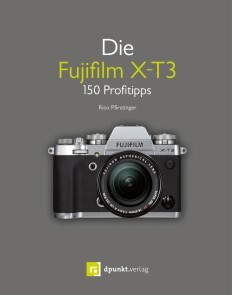
Die Fujifilm X-T3
Das Kamerabuch zur Fujifilm X-T3- - Vom Bestsellerautor "X-Pert" Rico Pfirstinger- - 150 praktische Tipps und Tricks- - Mit exklusiven Informationen, die nicht im Handbuch stehenMit der X-T3 bringt Fujifilm den Nachfolger der populären spiegellosen X-T2 auf den Markt. Die Kombination aus hochwertigem Design, modernster Digitalkameratechnik und hoher Performance macht diese Kamera zu einem begehrten Werkzeug für anspruchsvolle Amateur- und Profifotografen. Für die X-T3 steht zudem eine eindrucksvolle Serie hochwertiger Fujinon-Wechselobjektive zur Verfügung.In "Die Fujifilm X-T3" erhalten Sie 150 nützliche Tipps und Tricks sowie zahlreiche Informationen, die anderweitig nicht zu finden sind. Fuji "X-Pert" Rico Pfirstinger lässt Sie an seinem großen Erfahrungsschatz teilhaben und hilft Ihnen, die X-T3 besser zu verstehen und optimale Bildergebnisse zu erzielen. Er verzichtet bewusst auf ausschweifende Beschreibungen von Grundfunktionen und legt den Schwerpunkt auf Informationen, die nicht im Benutzerhandbuch stehen. Stets geht es direkt zur Sache, im Vordergrund steht immer das Aha-Erlebnis und der Weg zum gelungen Foto mit der X-T3.Aus dem Inhalt:- - Grundlagen und Kameraeinstellungen- - Objektive und ihre Besonderheiten- - Richtig belichten- - Fokussieren mit der X-T3- - Videos aufnehmen- - Fotografieren mit BlitzlichtDas Buch von Rico Pfirstinger stattet Sie mit allen erforderlichen Kenntnissen aus, um das volle Potenzial der X-T3 zu nutzen und endlich die genialen Bilder zu machen, die Sie schon immer machen wollten.Rico Pfirstinger hat Kommunikationswissenschaft studiert und arbeitet seit Mitte der 80er-Jahre als Journalist, Publizist und Fotograf. Er ist Autor mehrerer Bücher sowie eines Bildbandes und war unter anderem als Ressortleiter beim Münchner Burda-Verlag und als Chefredakteur eines Wintersportportals tätig. Nach acht Jahren als Filmkorrespondent in Los Angeles lebt er inzwischen wieder überwiegend in Deutschland und widmet sein Interesse der digitalen Fotografie mit spiegellosen Kamerasystemen. Rico Pfirstinger war für den englischsprachigen Blog "X-Pert Corner" verantwortlich, schreibt jeden Monat für die Magazine "FUJILOVE" und "FUJILOVE Gear Talk" und bietet unter dem Namen "Fuji X Secrets" Workshops rund um das Fujifilm X-System an.