

Computer und IT

Creating EPUB E-books Using EPUB Editors and Converters
Creating E-books in epub format is very important to sell E-books in electronic book stores. Most publishing and distribution E-book stores will not accept the epub format document for E-book if it includes any warnings or errors when validated and that is a very big challenge to all authors.I devoted this book to evaluate some tools that can be used for creating, validating and editing E-books to be in proper Epub format without errors.Personally, I suggest the following guidelines for preparing E-book in Epub format.• Write the document in Microsoft word as .docx file. Make sure to properly setup the h1headings and h2 headings and h3 headings on each section of the document as these data are the most important data used by the Epub management software to convert the document to epub format.• Convert the Microsoft document to Epub format using Calibre E-book management software. Add all required metadata and the cover and also create a table of contents when converting the file.• Using any Epub reader, check if the layout of epub document according to the headings you made on the word document is good and comfortable to any reader.• Validate the epub document to see if it has errors and warnings using the website http://validator.idpf.org.• Then try to troubleshoot and identify the exact location of the errors detected by the epub validator on the epub document by tracing the code view of the epub document using Sigil epub editor. Then, modify the word document to eliminate the errors. And reconvert the word document to epub format using Calibre E-book management software. Validate the updated epub document for any errors again.This book contains the following sections:1. Some online publishing and distribution stores2. Epub Validators3. Creation Epub file through online websites4. Common software's to convert a file to Epub format5. Converting document to Epub format using Calibre software6. Editing Epub documents using Sigil Epub Editor
Practical Apache Lucene 8
Gain a thorough knowledge of Lucene's capabilities and use it to develop your own search applications. This book explores the Java-based, high-performance text search engine library used to build search capabilities in your applications.Starting with the basics of Lucene and searching, you will learn about the types of queries used in it and also take a look at scoring models. Applying this basic knowledge, you will develop a hello world app using basic Lucene queries and explore functions like scoring and document level boosting.Along the way you will also uncover the concepts of partial searching and matching in Lucene and then learn how to integrate geographical information (geospatial data) in Lucene using spatial queries and n-dimensional indexing. This will prepare you to build a location-aware search engine with a representative data set that allows location constraints to be specified during a search. You’ll also develop a text classifier using Lucene and Apache Mahout, a popular machine learning framework.After a detailed review of performance bench-marking and common issues associated with it, you’ll learn some of the best practices of tuning the performance of your application. By the end of the book you’ll be able to build your first Lucene patch, where you will not only write your patch, but also test it and ensure it adheres to community coding standards.WHAT YOU’LL LEARN* Master the basics of Apache Lucene* Utilize different query types in Apache Lucene* Explore scoring and document level boosting* Integrate geospatial data into your applicationWHO THIS BOOK IS FORDevelopers wanting to learn the finer details of Apache Lucene by developing a series of projects with it.Atri is a distributed systems engineer with expertise in building and scaling large data oriented systems, and an Apache Lucene/Solr committer. He has worked for Microsoft, where he was responsible for scaling the storage and query engines for Azure CosmosDB. He is also a long time PostgreSQL contributor and an Apache committer and PMC member for HAWQ, MADLib, and Apex.CHAPTER 1: MEETING THE BEAST -- HOIA LUCENE! - 15 PAGESThis chapter will go over basics of Lucene and search, and give details of basic query structures in Lucene along with the different data structures and types in Lucene which can be diverse in application and usage.1. What Is Search, Anyway?2. Meet Lucene3. Types of Structures In Lucene4. Query Types -- Done The Lucene Way5. Lucene Vs Relational DatabasesCHAPTER 2: HELLO WORLD -- THE LUCENE WAY - 10 PAGESThis chapter will try out a few basic Lucene queries on a standard data set. User will index some standard data set and query different types of queries on top of it. The user will explore scoring, document level boosting and queries like TopN hits, uses of Collectors.1. Index Data In Lucene2. Internals of a Lucene Index3. Scoring and Boosting4. Doing your first query5. TopN Hits -- Why Should I Care About the 100th Hit?6. Collectors -- The Life Of Your ApplicationCHAPTER 3: BUILD A PERSONAL DESKTOP FILE SEARCHER - 40 PAGESThis chapter will go over details of building a file searcher using Lucene which will have the capability to search across the entire file system of the user’s computer and provide search results to the user for relevant documents and files given a partial or complete keyword.1. Basics of Document Searching with Lucene2. Partial Searches and Matching3. A Bit About TF/IDF4. Build The Core of Our Searcher5. Building the File System Seek and Search Functionality6. Bringing It All TogetherCHAPTER 4: A BIT ABOUT SPATIAL INDEXING - 20 PAGESBasics of Spatial Indexing and space vectors. The chapter will cover spatial indexing and querying in Lucene and advanced level details of N dimensional indexing and searching.1. Spatial Indexing2. Lucene’s Spatial Indexing Basics3. When To Use Spatial Indexing?4. N Dimensional Indexing5. Lucene Spatial Query TypesCHAPTER 5: DEVELOPING A LOCATION AWARE SEARCH ENGINE - 40 PAGESThis chapter will go over details of building a location aware search engine with representative data set and allowing location constraints to be specified during a search.1. What is Location Aware Searching?2. Representing Data As Spatial Data3. Metadata Searches4. Combining Searches -- Actual Text and Location CombinedCHAPTER 6: CREATE A TEXT CLASSIFIER WITH APACHE MAHOUT AND LUCENE - 30 PAGESThis chapter will go over building a classifier using Apache Mahout, a popular Machine Learning framework and Lucene.1. What is Mahout?2. What is a Text Classifier Engine?3. Building The Model in Mahout4. Building the Parser in Lucene5. Bringing It All TogetherCHAPTER 7: PERFORMANCE TUNING YOUR LUCENE APPLICATIONS - 15 PAGESPerformance is key to any search applications and small changes to the application can cause amplified changes to the performance of the application. We will performance benchmark applications, learn common pitfalls and learn best practices to tune performance in search applications with Lucene.1. Lucene Performance Basics2. Performance Bench-marking3. Lucene Performance Tuning4. Lucene Performance with System Performance ToolsCHAPTER 8: YOUR FIRST LUCENE PATCH - 15 PAGESThis chapter will focus on building your first patch to the heart of the engine itself. We will go through the cycle of writing a patch, testing it, adhering to community code standards, JIRA navigation, community interaction etc.1. Lucene Internals2. Working with Git3. Writing a Patch4. Test Test Test!5. Opening a JIRA for your issue6. Community Interaction
Windows 10 Portable Genius
YOUR NO-FLUFF, FAST-PACED GUIDE TO EVERYTHING WINDOWS 10This handy, jargon-free guide is designed to help you quickly learn whatever you need to know about Windows 10. Perfect for novices and experienced users alike, you'll get tips, tricks, and savvy advice on how to install programs, set up user accounts, play music and other media files, download photos from your digital camera, go online, set up and secure an email account, and much, much more.* Shows how to perform more than 150 Windows tasks, including working with files, digital images, and media; customizing Windows; optimizing performance; and sharing a computer with multiple users* Covers installing and repairing applications, system maintenance, setting up password-protected accounts, downloading photos to your computer, and staying safe onlineWith concise, easy-to-follow instructions, and its small, portable size, this is the ideal, on-the-go guide for Windows 10 users everywhere.PAUL MCFEDRIES is the president of Logophilia Limited, a technical writing company. He has written more than four dozen books that have sold more than four million copies.Fun, hip, and straightforward, the Portable Genius series gives forward-thinking computer users useful information in handy, compact books that are easy to navigate and don't skimp on the essentials. Collect the whole series and make the most of your digital lifestyle.Acknowledgments iiiIntroduction xCHAPTER 1 HOW DO I CUSTOMIZE WINDOWS? 2Working with Settings 4Opening the Settings app 4Synchronizing settingsbetween PCs 6Accessing an app’s settings 6Customizing the Start Menu 7Pinning an app to the Start menu 7Arranging and sizing Start menu tiles 8Customizing Start menu settings 9Customizing the Taskbar 10Pinning an app to the taskbar 10Customizing taskbar settings 11Customizing the taskbar’s notification area 13Customizing the Lock Screen 15Changing the Lock screen background 16Adding an app to the Lock screen 17Extending Your Desktop with Multiple Monitors 18Setting Up Multiple Desktops 20Adding a new desktop 20Switching to another desktop 21Moving an app to a different desktop 22CHAPTER 2 HOW CAN I MAKE THE MOST OF SURFING THE WEB? 24Taking Advantage of Tabs 26Opening a link in a new tab 26Creating a new tab 26Customizing the new tab page 26Navigating tabs 28Duplicating a tab 28Pinning a tab 28Controlling which tabs appear at startup 28Closing tabs 30Saving Your Favorite Pages 30Adding a page to the Favorites list 30Working with the Favorites bar 31Opening a page from the Favorites list 33Maintaining favorites 33Customizing Edge 34Changing the Edge search engine 34Changing the theme 35Setting the default zoom level 36Customizing the toolbar 37Customizing the font 39CHAPTER 3 HOW DO I MAXIMIZE SENDING AND RECEIVING EMAIL? 42Managing Mail Accounts 44Adding an account 44Changing the account name 46Deleting an account 47Setting Options for Incoming Messages 47Customizing account sync settings 48Combining the Focused and Other tabs 49Grouping messages individually 49Controlling notifications 50Switching between accounts 51Setting Send Options 51Creating a signature 51Setting the default message font 52Changing your message priority 54Running the spell-checker to eliminate message errors 55CHAPTER 4 CAN I USE WINDOWS TO MANAGE CONTACTS AND APPOINTMENTS? 58Managing Your Contacts 60Adding contacts from an existing account 60Creating a contact 62Viewing contacts 64Editing a contact 65Assigning a photo to a contact 65Creating a new contact from an electronic business card 67Filtering your contacts 68Linking multiple profiles to a contact 69Deleting a contact 70Tracking Your Events 71Viewing your calendar 71Adding an event to your calendar 72Creating a recurring event 73Adding an event reminder 74Setting up an online meeting 74Customizing your calendar 76CHAPTER 5 WHAT OTHER DAY-TO-DAY TASKS CAN I PERFORM? 78Finding Stuff on Your PC 80Viewing your timeline 80Searching your PC 80Configuring the Cortana Voice Assistant 83Controlling your PC with Cortana 84Making Video Calls 85Configuring Skype 85Calling someone using Skype 86Dealing with an incoming Skype call 86Working with Maps 87Giving Maps access to your location 87Displaying a location on a map 88Getting directions to a location 90Checking the Weather 93Checking your weather forecast 93Checking another city’s weather forecast 95CHAPTER 6 HOW DO I MAX OUT THE WINDOWS IMAGE TOOLS? 96Getting Images into Your PC 98Importing images from a smartphone or digital camera 98Scanning an image 99Taking a picture or video with your PC camera 101Viewing Your Images 103Using File Explorer to view your images 103Using the Photos app to view your images 104Starting a slide show 106Enhancing Your Images 107Cropping an image 107Applying a filter 108Adding a vignette effect 110Repairing Your Images 111Rotating an image 111Straightening an image 111Adjusting the light 112Adjusting the colors 114Enhancing image clarity 115Getting rid of red eye 115Fixing small flaws 116CHAPTER 7 CAN I SHARE MY COMPUTER? 118Sharing Your PC via User Accounts 120Creating a user account 120Switching between accounts 122Changing your user account picture 125Changing the account type 126Deleting an account 127Sharing Your PC with a Child 127Adding a child to your PC 128Setting restrictions on a child’s account 128Sharing PC Resources 132Sharing a document or folder 132Switching to advanced sharing 134Sharing a folder with other users on the network 135Protect your shared folders with advanced file permissions 136CHAPTER 8 HOW CAN I GET MORE FROM A TABLET PC? 138Working in Tablet Mode 140Controlling Windows with Gestures 141Understanding gestures 142Using gestures to control Windows 142Inputting Text with the Touch Keyboard 143Displaying the touch keyboard 143Selecting a touch keyboard type 144Using the touch keyboard 145Entering text using the handwriting panel 147Configuring the touch keyboard 149Setting Power and Battery Options 149Monitoring battery life 150Setting the power mode 150Adjusting screen brightness 151Switching to Battery Saver mode 151Creating a custom power plan to improve battery life 152Checking out more ways to save energy 153CHAPTER 9 HOW DO I WORK WITH DOCUMENTS? 156Editing Documents 158Creating a new document 158Saving a document 158Opening a document 159Changing the text font 160Finding text 162Replacing text 164Inserting special symbols 165Saving a copy of a document 167Taking Notes with OneNote 168Creating a OneNote notebook 168Adding pages and sections to a notebook 168Adding and working with text notes 170Adding an image to a notebook page 172Working with notebook lists 173Working with Files 175Selecting a file 175Changing the file view 176Previewing a file 176Copying a file 178Moving a file 178Renaming a document 179Creating a new file 180Deleting a document 181Extracting files from a compressed folder 183Specifying a different app when opening a document 185CHAPTER 10 WHAT ARE SOME WAYS TO ENHANCE PC SECURITY? 188Enhancing Sign-In Security 190Creating a strong password 190Updating your account password 191Creating a picture password 192Signing in with a PIN 193Setting up a fingerprint sign-in 194Locking Your PC to Prevent Others from Using It 195Locking your computer 196Configuring your PC to lock automatically 196Enhancing Your Privacy 198Making the Start menu more private 198Controlling your private information 199Stopping an app’s notifications 201Clearing your activity history 201Resetting your computer to preserve privacy 202CHAPTER 11 HOW DO I INCREASE INTERNET PRIVACY AND SECURITY? 204Making the Web More Secure 206Avoiding viruses 206Opting to never save a site’s password 208Deleting a saved website password 208Making the Web More Private 209Deleting your browsing data to ensure privacy 209Turning on private browsing 211Preventing ad sites from tracking you online 211Enabling strict tracking prevention 212Preventing sites from requesting your location 213Enhancing Email Security and Privacy 215Avoiding viruses in email 215Preventing messages from opening automatically 216Thwarting web bugs by blocking images in messages 216Avoiding phishing scams 217CHAPTER 12 HOW DO I MAINTAIN WINDOWS? 220Performing a Few Maintenance Chores 222Scheduling automatic maintenance 222Checking hard drive free space 223Deleting unnecessary files 225Safeguarding Your Files 226Keeping a history of your files 226Restoring a file from your history 227Creating a system image backup 228Using the Windows Recovery Environment 229Understanding the Recovery Environment’s tools 229Accessing the Recovery Environment 230Working with a Recovery Drive 233Creating the recovery drive 233Booting your PC using the recovery drive 234Working with Restore Points 235Creating a system restore point 235Reverting to an earlier restore point 235Index 238
The Pentester BluePrint
JUMPSTART YOUR NEW AND EXCITING CAREER AS A PENETRATION TESTERThe Pentester BluePrint: Your Guide to Being a Pentester offers readers a chance to delve deeply into the world of the ethical, or "white-hat" hacker. Accomplished pentester and author Phillip L. Wylie and cybersecurity researcher Kim Crawley walk you through the basic and advanced topics necessary to understand how to make a career out of finding vulnerabilities in systems, networks, and applications.You'll learn about the role of a penetration tester, what a pentest involves, and the prerequisite knowledge you'll need to start the educational journey of becoming a pentester. Discover how to develop a plan by assessing your current skillset and finding a starting place to begin growing your knowledge and skills. Finally, find out how to become employed as a pentester by using social media, networking strategies, and community involvement.Perfect for IT workers and entry-level information security professionals, The Pentester BluePrint also belongs on the bookshelves of anyone seeking to transition to the exciting and in-demand field of penetration testing.Written in a highly approachable and accessible style, The Pentester BluePrint avoids unnecessarily technical lingo in favor of concrete advice and practical strategies to help you get your start in pentesting. This book will teach you:* The foundations of pentesting, including basic IT skills like operating systems, networking, and security systems* The development of hacking skills and a hacker mindset* Where to find educational options, including college and university classes, security training providers, volunteer work, and self-study* Which certifications and degrees are most useful for gaining employment as a pentester* How to get experience in the pentesting field, including labs, CTFs, and bug bountiesPHILLIP L. WYLIE has over two decades of experience working in IT and information security. In addition to working as a penetration tester he has founded and runs The Pwn School Project, teaching ethical hacking. He holds the CISSP, OSCP, and GWAPT certifications. He is a highly sought-after public speaker who frequently presents at conferences about pentesting. He was interviewed for the Tribe of Hackers Red Team book. KIM CRAWLEY is dedicated to researching and writing about a plethora of cybersecurity issues. Some of the companies Kim has worked for over the years include Sophos, AT&T Cybersecurity, BlackBerry Cylance, Tripwire, and Venafi. All matters red team, blue team, and purple team fascinate her. But she's especially fascinated by malware, social engineering, and advanced persistent threats. Kim's extracurricular activities include running an online cybersecurity event called DisInfoSec, and autistic self-advocacy. Foreword xviIntroduction xviii1 WHAT IS A PENTESTER? 1Synonymous Terms and Types of Hackers 2Pentests Described 3Benefits and Reasons 3Legality and Permission 5Pentest Methodology 5Pre-engagement Interactions 7Intelligence Gathering 7Threat Modeling 7Vulnerability Analysis 7Exploitation 8Post Exploitation 8Reporting 8Pentest Types 9Vulnerability Scanning 10Vulnerability Assessments 10Pentest Targets and Specializations 11Generalist Pentesting 11Application Pentesting 11Internet of Things (IoT) 12Industrial Control Systems (ICS) 12Hardware and Medical Devices 13Social Engineering 13Physical Pentesting 13Transportation Pentesting 14Red Team Pentesting 14Career Outlook 14Summary 162 PREREQUISITE SKILLS 17Skills Required for Learning Pentesting 18Operating Systems 18Networking 19Information Security 19Prerequisites Learning 19Information Security Basics 20What is Information Security? 21The CIA Triad 22Security Controls 24Access Control 26Incident Response 28Malware 30Advanced Persistent Threats 34The Cyber Kill Chain 35Common Vulnerabilities and Exposures 36Phishing and Other Social Engineering 37Airgapped Machines 38The Dark Web 39Summary 403 EDUCATION OF A HACKER 43Hacking Skills 43Hacker Mindset 44The Pentester Blueprint Formula 45Ethical Hacking Areas 45Operating Systems and Applications 46Networks 46Social Engineering 47Physical Security 48Types of Pentesting 48Black Box Testing 49White Box Testing 49Gray Box Testing 50A Brief History of Pentesting 50The Early Days of Pentesting 51Improving the Security of Your Site by Breaking into It 51Pentesting Today 52Summary 534 EDUCATION RESOURCES 55Pentesting Courses 55Pentesting Books 56Pentesting Labs 60Web Resources 60Summary 645 BUILDING A PENTESTING LAB 65Pentesting Lab Options 65Minimalist Lab 66Dedicated Lab 66Advanced Lab 67Hacking Systems 67Popular Pentesting Tools 68Kali Linux 68Nmap 69Wireshark 69Vulnerability Scanning Applications 69Hak5 70Hacking Targets 70PentestBox 70VulnHub 71Proving Grounds 71How Pentesters Build Their Labs 71Summary 816 CERTIFICATIONS AND DEGREES 83Pentesting Certifications 83Entry-Level Certifications 84Intermediate-Level Certifications 85Advanced-Level Certifications 87Specialization Web Application Pentesting Certifications 88Wireless Pentesting Certifications 90Mobile Pentesting Certifications 91Pentesting Training and Coursework 91Acquiring Pentesting Credentials 92Certification Study Resources 99CEH v10 Certified Ethical Hacker Study Guide 100EC-Council 100Quizlet CEH v10 Study Flashcards 100Hacking Wireless Networks for Dummies 100CompTIA PenTest+ Study Guide 101CompTIA PenTest+ Website 101Cybrary’s Advanced Penetration Testing 101Linux Server Security: Hack and Defend 101Advanced Penetration Testing: Hacking the World’s Most Secure Networks 102The Web Application Hacker’s Handbook: Finding and Exploiting Security Flaws 102Summary 1027 DEVELOPING A PLAN 105Skills Inventory 105Skill Gaps 111Action Plan 112Summary 1138 GAINING EXPERIENCE 115Capture the Flag 115Bug Bounties 123A Brief History of Bug Bounty Programs 124Pro Bono and Volunteer Work 125Internships 126Labs 126Pentesters on Experience 126Summary 1359 GETTING EMPLOYED AS A PENTESTER 137Job Descriptions 137Professional Networking 138Social Media 139Résumé and Interview Tips 139Summary 148Appendix: The Pentester Blueprint 149Glossary 155Index 167
Die UNIX-Story
Ein Betriebssystem, das die IT-Welt am Laufen hält. Die faszinierende Geschichte, wie Unix begann und wie es die Computerwelt eroberte.Brian W. Kernighan war in der Entwicklung von UNIX beteiligt. In diesem kurzen Band erzählt er eine umfassende Geschichte des äußerst einflussreichen und weit verbreiteten Betriebssystems und erzählt aus einer persönlichen Perspektive von den Anfängen. Unix war in seinen frühen Tagen weitgehend das Produkt von Kernighans Kollegen Ken Thompson und Dennis Ritchie von den Bell Labs. Aber Kernighan leistete fast von Anfang an aktive Beiträge. Sein persönliches Wissen verleiht dem Buch einen großen Wert. Kernighan schafft eine gelungene Balance zwischen »offizieller Geschichte« und seinem eigenen Engagement während der Entwicklung von UNIX. Die Konzepte, die mit UNIX und seinem Ökosystem zusammenhängen, erklärt er klar und methodisch. »Die UNIX-History« ist ein kurzweiliges Buch für alle, die mehr über die Geschichte hinter der Geschichte von UNIX erfahren wollen. Mit Insider-Storys und technischen Erklärungen bekommt man einen ganz neuen Blick auf UNIX und auf die Entwicklung von Betriebssystemen.Leseprobe (PDF-Link)

Datenschutz mit SAP
Entwickeln Sie ein Datenschutzkonzept, das den strengen Anforderungen der EU-Datenschutz-Grundverordnung (DSGVO) standhält. Dieses Buch erklärt Ihnen die rechtlichen Grundlagen und zeigt Ihnen Schritt für Schritt, wie Sie mithilfe von SAP-Lösungen Ihre IT-Landschaft (ob on-premise oder in der Cloud) datenschutzkonform gestalten. Von der Einführung eines Sperr- und Löschkonzeptes bis hin zur Umsetzung der Informations- und Berichtspflichten werden alle erforderlichen Maßnahmen praxisnah erläutert. Aus dem Inhalt: Was bedeutet die DSGVO für Sie?Personenbezogene Daten im SAP-SystemDer Weg zur datenschutzkonformen IT-LandschaftSperren und Löschen mit SAP Information Lifecycle ManagementOrganisations- und Stammdatenstrukturen entwickelnData Controller Rule FrameworkAuswirkungen auf das BerechtigungskonzeptInformation Retrieval FrameworkSecurity SafeguardsSAP Read Access LoggingSAP Cloud PlatformAriba, SuccessFactors, Concur, C/4HANASAP-Lösungen für GRCZentrale Kontrollen Geleitwort ... 19 Einleitung ... 21 1. »Maßnehmen für Maßnahmen«: Einführung ... 31 1.1 ... Die DSGVO fiel nicht vom Himmel ... 32 1.2 ... Was bedeutet die DSGVO für Sie? ... 33 1.3 ... Welche Anforderungen sind notwendigerweise technisch zu unterstützen? ... 67 1.4 ... Welche Anforderungen können technisch unterstützt werden? ... 88 1.5 ... Auftragsverarbeitung ... 95 1.6 ... Zusammenfassung ... 97 2. »Wo laufen sie denn«: Wo Sie personenbezogene Daten finden ... 99 2.1 ... SAP Business Suite und SAP S/4HANA ... 100 2.2 ... Stammdaten -- Bewegungsdaten ... 100 2.3 ... Personenbezogene Daten in SAP ERP und SAP S/4HANA ... 102 2.4 ... Personenbezogene Daten in SAP ERP Human Capital Management ... 117 2.5 ... Personenbezogene Daten in SAP Customer Relationship Management ... 121 2.6 ... Zusammenfassung ... 125 3. »Vom ersten Schritt zum Weg zum Ziel«: Vorgehensmodell ... 127 3.1 ... Übersicht zur Vorgehensweise ... 127 3.2 ... Wege zum Verzeichnis von Verarbeitungstätigkeiten ... 148 3.3 ... Zusammenfassung ... 151 4. »Auch das Ende muss bestimmt sein«: Sperren und Löschen mit SAP Information Lifecycle Management ... 153 4.1 ... Einführung ... 154 4.2 ... Überblick über das Sperren und Löschen mit SAP ILM ... 160 4.3 ... Vorbereitungen für das vereinfachte Sperren ... 164 4.4 ... Stamm- und Bewegungsdaten sperren ... 190 4.5 ... Datenvernichtung ... 209 4.6 ... Legal Case Management ... 226 4.7 ... ILM-Benachrichtigungen ... 240 4.8 ... Zeitabhängiges Sperren personenbezogener Daten in der Personaladministration (SAP ERP HCM-PA) ... 250 4.9 ... Zusammenfassung ... 251 5. »Struktur ist alles«: Verarbeitung muss auf dem Zweck basieren ... 253 5.1 ... Verantwortlicher und Zweck ... 253 5.2 ... Organisationsstrukturen (Linienorganisation) ... 257 5.3 ... Prozessorganisation ... 263 5.4 ... Linien- und Prozessorganisation definieren den Zweck ... 270 5.5 ... Zusammenfassung ... 272 6. »Dem Ende Struktur geben«: Data Controller Rule Framework ... 273 6.1 ... Organisation des Löschens in Geschäftsprozessen ... 274 6.2 ... Funktionen und Konfiguration des Data Controller Rule Frameworks ... 278 6.3 ... Zusammenfassung ... 297 7. »Die Struktur berechtigt«: Auswirkungen auf das Berechtigungskonzept ... 299 7.1 ... Benutzer und Berechtigungen -- eine Einführung ... 299 7.2 ... Organisationsebenen neu denken ... 305 7.3 ... Prozessattribute identifizieren ... 308 7.4 ... Berechtigungsrisiken ... 309 7.5 ... Zusammenfassung ... 314 8. »Transparenz gewinnt«: Information Retrieval Framework ... 315 8.1 ... Transparenz -- Auskunft und Vorabinformation ... 316 8.2 ... Neuerungen im Information Retrieval Framework ... 317 8.3 ... Setup des Information Retrieval Frameworks ... 319 8.4 ... Ein Datenmodell erzeugen ... 324 8.5 ... Datenmodell testen ... 335 8.6 ... Beauskunftung durchführen ... 344 8.7 ... Komplexere Feldverknüpfungen ... 349 8.8 ... Datenmodell im Browser anzeigen ... 350 8.9 ... Bestehende Datenmodelle übernehmen ... 352 8.10 ... Zusammenfassung ... 353 9. »Schau mal, wer da liest«: Read Access Logging ... 355 9.1 ... Anforderungen an eine Leseprotokollierung ... 355 9.2 ... Verfügbarkeit und Funktionsumfang von Read Access Logging ... 357 9.3 ... Setup und Pflege ... 358 9.4 ... Festlegen von Zweckbestimmung und Protokolldomänen ... 361 9.5 ... Aufzeichnungen für UI-Kanäle ... 364 9.6 ... Konfigurationen ... 368 9.7 ... Auswertung von Protokollen ... 373 9.8 ... Konfigurationen für Remote-API-Kanäle ... 377 9.9 ... Bedingungen ... 381 9.10 ... Transportmechanismen ... 386 9.11 ... Import und Export ... 386 9.12 ... Zusammenfassung ... 387 10. »Der Herr der Daten werden«: SAP Master Data Governance ... 389 10.1 ... Transparenz erzielen ... 389 10.2 ... Die Szenarien der Stammdatenpflege ... 390 10.3 ... Central Governance in SAP Master Data Governance ... 391 10.4 ... Konsolidierung in SAP Master Data Governance ... 393 10.5 ... Kombination der Szenarien ... 396 10.6 ... Sensible Daten mit SAP Master Data Governance bearbeiten ... 396 10.7 ... Organisatorische Trennung ... 398 10.8 ... Datenqualitätssicherung mit Services ... 400 10.9 ... Zusammenfassung ... 403 11. »Der Kopf in den Wolken«: Datenschutz in Cloud-Lösungen ... 405 11.1 ... Datenschutz aus Sicht der Cloud -- eine Einführung ... 405 11.2 ... Datenschutzservices und -prozesse für die SAP-Cloud-Lösungen ... 412 11.3 ... Zusammenfassung ... 433 12. »Lösungen, die wachsen und nicht wuchern«: Datenschutz in der SAP Cloud Platform ... 435 12.1 ... Was ist SAP Cloud Platform? ... 435 12.2 ... Datenschutzfunktionen von SAP Subscription Billing ... 443 12.3 ... Datenschutzfunktionen der SAP Cloud Platform für kundeneigene Cloud-Anwendungen ... 461 13. »In der Wolke auf Sicht steuern«: Übersicht über die Datenschutzfunktionen in SAP-Cloud-Lösungen ... 477 13.1 ... Einführung ... 477 13.2 ... Datenschutz in SAP Ariba ... 480 13.3 ... Datenschutz in SAP Concur ... 500 13.4 ... Datenschutzfunktionen in SAP SuccessFactors ... 521 13.5 ... Datenschutzfunktionen in SAP Customer Experience ... 553 13.6 ... Zusammenfassung ... 597 14. »Täglich grüßt das ...«: Schützen, Kontrollieren, Nachweisen und Kontrollen nachweisen ... 599 14.1 ... Kontrollrahmen und Grundlagen der Verarbeitung ... 600 14.2 ... Rechtmäßigkeit, Treu und Glauben und Transparenz ... 601 14.3 ... Zweckbindung ... 603 14.4 ... Datenminimierung ... 606 14.5 ... Richtigkeit ... 610 14.6 ... Speicherbegrenzung ... 612 14.7 ... Integrität und Vertraulichkeit ... 614 14.8 ... Rechenschaftspflicht ... 623 14.9 ... Abstrakte technische Kontrollhandlungen ... 625 14.10 ... Beispiele technischer Kontrollhandlungen ... 627 14.11 ... Zusammenfassung ... 658 A. Glossar ... 663 B. Relevante Transaktionen, relevante Reports, Hinweise ... 669 C. Literaturverzeichnis ... 675 D. Die Autoren ... 679 Index ... 683

Das neue SAPUI5-Handbuch
Für Einsteiger und SAPUI5-Profis: Programmieren Sie Schritt für Schritt Ihre erste eigene Anwendung, oder starten Sie direkt mit Performanceoptimierung und Fehleranalyse. Dieses Buch beantwortet Ihre Fragen rund um die Anwendungsentwicklung mit SAPUI5. Beginnen Sie z.B. mit der Implementierung einfacher Controls und lernen Sie im Anschluss, wie Smart Controls Ihre Arbeit vereinfachen. Sie möchten lieber gleich wissen, wie Sie Ihre Apps um eigene Controls erweitern? Schlagen Sie es einfach nach! Aus dem Inhalt: BootstrappingLifecycle ManagementOberfächen und Dialoge gestaltenKomponentenorientiertes ProgrammierenAnwendungsdeskriptorSortieren, Gruppieren und FilternEingabevalidierung Eventbasierte KommunikationEntwicklungsinfrastrukturEinführung in die Konzepte von SAP Fiori Einleitung ... 19 Teil I. Einführung ... 27 1. SAPUI5 -- ein Überblick ... 29 1.1 ... Was ist SAPUI5? ... 29 1.2 ... Anwendungsfälle ... 43 2. Grundlegender Aufbau und Ressourcen ... 47 2.1 ... Die Model-View-Controller-Architektur in SAPUI5 ... 47 2.2 ... Aufbau und Struktur einer SAPUI5-Anwendung ... 51 2.3 ... Bibliotheken und Namensräume ... 55 2.4 ... Typen von Views ... 67 2.5 ... Modelle ... 72 2.6 ... Datenbindung ... 81 2.7 ... Entwicklungs- und Laufzeitumgebung ... 89 Teil II. SAPUI5 -- Anwendungsentwicklung ... 99 3. In 7 Schritten zur ersten eigenen Anwendung ... 101 3.1 ... Ablaufumgebung aufsetzen ... 101 3.2 ... Einführung in den Aufbau einer UI5-Anwendung ... 105 3.3 ... Einführung in die Arbeit mit einfachen UI5-Controls ... 115 3.4 ... Verwendung von komplexen UI5-Controls ... 121 3.5 ... Die Programmierschnittstelle von SAPUI5 ... 127 3.6 ... Implementierung von Eventhandlern ... 131 3.7 ... Komponentenorientierte Anwendungsentwicklung ... 137 4. Das Bootstrapping ... 143 4.1 ... Einführung in das Bootstrapping von SAPUI5 ... 143 4.2 ... Komponentenerstellung ... 147 4.3 ... Weitere Konfigurationsmöglichkeiten ... 149 5. Instanziierung und Lebenszyklus ... 153 5.1 ... Einführung in das Lifecycle-Management von SAPUI5 ... 153 5.2 ... Ressourcen verwenden ... 160 6. Benutzeroberflächen und Dialoge gestalten ... 163 6.1 ... Gestaltung von einfachen Benutzeroberflächen ... 163 6.2 ... Gestaltung von komplexen Benutzeroberflächen ... 170 6.3 ... Arbeiten mit Fragmenten ... 178 6.4 ... Dialoge implementieren und verwenden ... 189 7. Arbeiten mit Layouts ... 197 7.1 ... Einführung in die Arbeit mit Layouts ... 197 7.2 ... Standardlayouts zur Anordnung von UI-Controls ... 201 7.3 ... Arbeiten mit Formularlayouts ... 205 7.4 ... Arbeiten mit Fullscreen-Layouts ... 210 8. Responsive und adaptive Benutzeroberflächen ... 217 8.1 ... Responsiv versus adaptiv ... 217 8.2 ... Implementierung responsiver SAPUI5-Anwendungen ... 219 8.3 ... Implementierung adaptiver SAPUI5-Anwendungen ... 233 9. Komponentenorientiertes Programmieren ... 241 9.1 ... Aufbau einer Komponente ... 241 9.2 ... Integration von Komponenten ... 257 10. Anwendungsdeskriptor ... 267 10.1 ... Aufbau des Anwendungsdeskriptors ... 268 10.2 ... Zugriff auf die Konfigurationsdaten zur Laufzeit ... 285 11. Routing und Navigation ... 289 11.1 ... Einführung in die Navigationskonzepte von SAPUI5 ... 289 11.2 ... Navigation am Beispiel einer Master-Detail-Anwendung ... 301 11.3 ... Erweiterte Routingkonzepte ... 315 12. Arbeiten mit Modellen ... 321 12.1 ... JSON-Modell ... 321 12.2 ... Ressourcenmodell ... 325 12.3 ... OData-Modell ... 335 13. Sortieren, gruppieren und filtern ... 351 13.1 ... Sortieren ... 352 13.2 ... Gruppieren ... 362 13.3 ... Filtern ... 371 14. CUDQ mit OData ... 381 14.1 ... Create ... 382 14.2 ... Update ... 397 14.3 ... Delete ... 406 14.4 ... Query ... 408 14.5 ... Funktionsimport ... 414 14.6 ... Das OData-Modell der 4-Version -- ein Ausblick ... 416 15. Eingabevalidierung und eigene Datentypen ... 425 15.1 ... Einführung in die Arbeit mit Datentypen ... 425 15.2 ... Implementierung eigener Datentypen ... 435 Teil III. Weiterführende Themen ... 449 16. Smart Controls ... 451 16.1 ... Einführung in Smart Controls ... 451 16.2 ... Verwendung der »SmartTable« ... 452 16.3 ... »SmartFilterBar« ... 460 16.4 ... »SmartForm« ... 468 17. Implementierung eigener Controls ... 473 17.1 ... Grundlagen der SAPUI5-Control-Entwicklung ... 473 17.2 ... UI-Controls erweitern ... 478 17.3 ... Eigene UI-Controls implementieren ... 483 17.4 ... XML Composite Controls implementieren ... 490 18. Eventbasierte Kommunikation mit dem Event Bus ... 495 18.1 ... Einführung in das eventbasierte Anwendungsdesign ... 495 18.2 ... Der Event Bus in SAPUI5 ... 497 18.3 ... Implementierung einer eventgesteuerten Anwendungskommunikation ... 499 19. Drag and Drop ... 507 19.1 ... Grundlagen der Implementierung von Drag and Drap in SAPUI5 ... 508 19.2 ... Einsatzszenarien von Drag and Drop und ihre Implementierung ... 514 20. Theming ... 527 20.1 ... CSS ... 527 20.2 ... UI Theme Designer ... 530 21. Testen von SAPUI5-Anwendungen ... 547 21.1 ... Grundlagen von Tests in SAPUI5 ... 547 21.2 ... Unit-Tests mit QUnit ... 553 21.3 ... Oberflächentests mit OPA5 ... 563 21.4 ... Daten simulieren mit dem UI5 MockServer ... 577 21.5 ... End-to-End-Tests mit UIVeri5 ... 581 22. Entwicklungsinfrastruktur ... 589 22.1 ... Einführung und Übersicht ... 589 22.2 ... Projektsetup mit dem UI5 Tooling ... 591 22.3 ... Automatisierte Tests für CI ... 600 22.4 ... Versionsverwaltung mit Git ... 606 22.5 ... Aufbau einer Continuous-Deployment-Pipeline ... 617 23. Performanceoptimierung und Fehleranalyse ... 625 23.1 ... Grundlagen der Performanceoptimierung von SAPUI5-Anwendungen ... 626 23.2 ... Der Support Assistant ... 638 23.3 ... Einführung in die Performanceanalyse ... 657 23.4 ... Typische Fehlersituationen in SAPUI5, ihre Ursache und Lösung ... 661 24. SAP Fiori ... 667 24.1 ... Überblick ... 667 24.2 ... Implementierung einer SAPUI5-Anwendung mit der SAP Web IDE ... 677 24.3 ... Fundamental Library Styles ... 699 24.4 ... SAP Fiori Elements ... 705 24.5 ... Integration in das SAP Fiori Launchpad ... 727 Die Autoren ... 739 Index ... 741

Algorithmen und Datenstrukturen
Algorithmen und Datenstrukturen von Grund auf verstehen* Fundierte Einführung mit klarem didaktischen Aufbau* Mit konkreten Anwendungsbeispielen * Eine reichhaltige Fundgrube für Lehre und SelbststudiumKenntnisse von Algorithmen und Datenstrukturen sind ein Grundbaustein des Studiums der Informatik und verwandter Fachrichtungen. Das Buch behandelt diese Thematik in Verbindung mit der Programmiersprache Java und schlägt so eine Brücke zwischen den klassischen Lehrbüchern zur Theorie von Algorithmen und Datenstrukturen und den praktischen Einführungen in eine konkrete Programmiersprache.Die konkreten Algorithmen und deren Realisierung in Java werdenumfassend dargestellt. Daneben werden die theoretischen Grundlagen vermittelt, die in Programmiersprachen-Kursen oft zu kurz kommen: abstrakte Maschinenmodelle, Berechenbarkeit, Algorithmenparadigmen sowie parallele und verteilte Abläufe. Einen weiteren Schwerpunkt bilden Datenstrukturen wie Listen, Bäume, Graphen und Hashtabellen sowie deren objektorientierteImplementierung mit modernen Methoden der Softwareentwicklung.Die 6. Auflage führt einige neue Algorithmen ein und berücksichtigt die Neuerungen der aktuellen Java-Versionen, u.a. zu Themen wie Parallelisierung.Gunter Saake ist Professor für Datenbanken und Informationssysteme an der Uni Magdeburg und forscht unter anderem auf den Gebieten Datenbankintegration, digitale Bibliotheken, objektorientierte Informationssysteme und Informationsfusion. Er ist Koautor mehrerer Lehrbücher, u.a. zu Datenbankkonzepten und -implementierungstechniken, Datenbanken & Java. Kai-Uwe Sattler ist Professor für Datenbanken und Informationssysteme an der TU Ilmenau. Zu seinen Arbeitsgebieten zählen Datenbankintegration und Anfrageverarbeitung in heterogenen sowie massiv verteilten Datenbanksystemen. Er ist Koautor mehrerer Lehrbücher, u.a. zu Datenbankkonzepten und zu Datenbanken & Java.
Interconnection Network Reliability Evaluation
THIS BOOK PRESENTS NOVEL AND EFFICIENT TOOLS, TECHNIQUES AND APPROACHES FOR RELIABILITY EVALUATION, RELIABILITY ANALYSIS, AND DESIGN OF RELIABLE COMMUNICATION NETWORKS USING GRAPH THEORETIC CONCEPTS.In recent years, human beings have become largely dependent on communication networks, such as computer communication networks, telecommunication networks, mobile switching networks etc., for their day-to-day activities. In today's world, humans and critical machines depend on these communication networks to work properly. Failure of these communication networks can result in situations where people may find themselves isolated, helpless and exposed to hazards. It is a fact that every component or system can fail and its failure probability increases with size and complexity.The main objective of this book is to devize approaches for reliability modeling and evaluation of such complex networks. Such evaluation helps to understand which network can give us better reliability by their design. New designs of fault-tolerant interconnection network layouts are proposed, which are capable of providing high reliability through path redundancy and fault tolerance through reduction of common elements in paths. This book covers the reliability evaluation of various network topologies considering multiple reliability performance parameters (two terminal reliability, broadcast reliability, all terminal reliability, and multiple sources to multiple destinations reliability).DR. NEERAJ KUMAR GOYAL is currently an Associate Professor in Subir Chowdhury School of Quality and Reliability, Indian Institute of Technology (IIT), Kharagpur, India. He received his PhD degree from IIT Kharagpur in reliability engineering in 2006.His areas of research and teaching are network reliability, software reliability, electronic system reliability, reliability testing, probabilistic risk/safety assessment, and reliability design. He has completed various research and consultancy projects for various organizations, e.g. DRDO, NPCIL, Vodafone, and ECIL. He has contributed several research papers to various international journals and conference proceedings. DR. S. RAJKUMAR received his BE (Distinction) and ME (Distinction) degrees from Anna University, India, in 2009 and 2011, respectively. He obtained his PhD from the Indian Institute of Technology Kharagpur, India in 2017. Currently working as an Assistant Professor in Department of ECE at Adama Science and Technology University (ASTU), Ethiopia. His research interests include reliability engineering and interconnection networks. He has contributed notable research papers to international journals. Series Editor Preface ixPreface xiii1 INTRODUCTION 11.1 Introduction 11.2 Network Reliability Measures 21.3 The Probabilistic Graph Model 41.4 Approaches for Network Reliability Evaluation 61.5 Motivation and Summary 72 INTERCONNECTION NETWORKS 112.1 Interconnection Networks Classification 112.2 Multistage Interconnection Networks (MINs) 142.3 Research Issues in MIN Design 152.4 Some Existing MINs Implementations 192.5 Review of Topological Fault Tolerance 202.5.1 Redundant and Disjoint Paths 222.5.2 Backtracking 262.5.3 Dynamic Rerouting 272.6 MIN Topological Review on Disjoint Paths 272.6.1 Single-Disjoint Path Multistage Interconnection Networks 272.6.2 Two-Disjoint Paths Multistage Interconnection Networks 362.6.3 Three-Disjoint Paths Multistage Interconnection Networks 472.6.4 Four-Disjoint Paths Multistage Interconnection Networks 512.7 Hardware Cost Analysis 552.8 Observations 602.9 Summary 613 MIN RELIABILITY EVALUATION TECHNIQUES 633.1 Reliability Performance Criterion 633.1.1 Two Terminal or Terminal Pair Reliability (TPR) 643.1.2 Network or All Terminal Reliability (ATR) 643.1.3 Broadcast Reliability 653.2 Approaches for Reliability Evaluation 663.2.1 Continuous Time Markov Chains (CTMC) 673.2.2 Matrix Enumeration 673.2.3 Conditional Probability (CP) Method 673.2.4 Graph Models 693.2.5 Decomposition Method 703.2.6 Reliability Block Diagram (RBD) 713.2.7 Reliability Bounds 733.2.7.1 Lower Bound Reliability 753.2.7.2 Upper Bound Reliability 763.2.8 Monte Carlo Simulation 773.2.9 Path-Based or Cut-Based Approaches 783.3 Observations 814 TERMINAL RELIABILITY ANALYSIS OF MIN LAYOUTS 854.1 Chaturvedi and Misra Approach 874.1.1 Path Set Enumeration 884.1.2 Reliability Evaluation using MVI Techniques 964.1.3 Reliability Evaluation Techniques Comparison 994.1.3.1 Terminal Reliability of SEN, SEN+ and SEN+2 1004.1.3.2 Broadcast Reliability of SEN, SEN +, and SEN+2 1014.1.3.3 Comparison 1024.2 Reliability Analysis of Multistage Interconnection Networks 1044.3 Summary 1135 COMPREHENSIVE MIN RELIABILITY PARADIGMS EVALUATION 1155.1 Introduction 1155.2 Reliability Evaluation Approach 1195.2.1 Path Set Enumeration 1205.2.1.1 Assumptions 1205.2.1.2 Applied Approach 1215.2.1.3 Path Tracing Algorithm (PTA) 1225.2.1.4 Path Retrieval Algorithm (PRA) 1235.3 Reliability Evaluation Using MVI Techniques 1405.4 Summary 1566 DYNAMIC TOLERANT AND RELIABLE FOUR DISJOINT MIN LAYOUTS 1576.1 Topological Design Considerations 1606.1.1 Topology 1616.1.2 Switch Selection for Proposed 4DMIN 1626.2 Proposed 4-Disjoint Multistage Interconnection Network (4DMIN) Layout 1646.2.1 Switching Pattern 1646.2.2 Redundant and Disjoint Paths 1656.2.3 Routing and Dynamic Rerouting 1666.2.4 Algorithm: Decision Making by Switches at Each Stage 1686.2.5 Case Example 1706.2.6 Disjoint and Dynamic Rerouting Approach in 4DMIN 1726.2.7 Hardware Cost Analysis 1726.3 Reliability Analysis and Comparison of MINs 1746.4 Reliable Interconnection Network (RIN) Layout 1816.4.1 Topology Design 1856.4.2 Switching Pattern 1876.4.3 Routing and Dynamic Rerouting 1896.5 Reliability Analysis and Comparison of MINs 1976.6 Summary 201References 203Index 213
Basiswissen Medizinische Software (3. Auflg.)
Das Basiswerk für die Entwicklung von Software als Medizinprodukt. 3. überarbeitete und aktualisierte Auflage.Dieses Buch beschreibt den gesamten Lebenszyklus von Software als Medizinprodukt. Es deckt den kompletten CPMS-Lehrplan (Foundation Level) ab und ergänzt ihn durch weitere Informationen. Behandelt werden im Einzelnen:Rechtliche GrundlagenQualitäts- und Dokumentenmanagement (ISO 13485)Risikomanagement und -analyse (ISO 14971)Best Practices des Software Engineering (IEC 62304)Gebrauchstauglichkeit (Benutzungsschnittstellen und IEC 62366)Medizinische InformatikIT-Sicherheit bei MedizinproduktenDas Buch eignet sich zur individuellen Vorbereitung auf die CPMS-Zertifizierungsprüfung und als Begleitliteratur zu den entsprechenden Vorbereitungsschulungen.Die 3. Auflage wurde komplett überarbeitet und beinhaltet den aktuellen Stand der Normen und Richtlinien für die Medizintechnik.Über die Autoren:Professor Christian Johner unterrichtete an mehreren Hochschulen u.a. in Konstanz, Würzburg, Krems, St. Gallen und Stanford Software Engineering, Softwarearchitektur, Softwarequalitätssicherung und Medizinische Informatik. Am „Johner Institut“ bildet der promovierte Physiker im Rahmen von berufsbegleitenden Masterstudiengängen und Seminaren Personen aus, die IT-Lösungen für das Gesundheitswesen entwickeln, prüfen, anwenden und betreiben. Mit seiner Firma berät er Medizinproduktehersteller bei der Entwicklung, Qualitätssicherung und Zulassung von medizinischer Software.Matthias Hölzer-Klüpfel studierte Physik an der Universität Würzburg. Seit 2002 ist er als Entwickler, Berater und Projektleiter tätig. Er führte zahlreiche Medizintechnikprojekte durch und war dabei sowohl bei KMU-Firmen als auch in Großunternehmen im Einsatz. Heute ist er freiberuflicher Berater und unterstützt seine Kunden bei Fragen rund um die Software- und Systementwicklung in der Medizintechnik. Neben seinen beruflichen Tätigkeiten schloss er im Juli 2009 den Masterstudiengang „IT im Gesundheitswesen“ ab. Matthias Hölzer-Klüpfel ist Mitbegründer des Vereins „ICPMSB e.V.“, der die Grundlagen für die Zertifizierungen zum „Certified Professional for Medical Software“ erarbeitet, und Vorsitzender des Richtlinienausschusses „Medical SPICE“ im Verein Deutscher Ingenieure (VDI.)Sven Wittorf hat Elektro- und Informationstechnik an der TU Darmstadt studiert und einen Abschluss als Master of Science im Bereich IT im Gesundheitswesen. Er betreute und schulte Medizinproduktehersteller unterschiedlicher Größe beim Aufsetzen von deren Softwarentwicklungsprozessen. Seit 2012 ist er Geschäftsführender Gesellschafter der Medsoto GmbH, die Softwarewerkzeuge zur Unterstützung des normenkonformen und effizienten Arbeitens in der Medizintechnik erstellt und deren Einführung in Unternehmen begleitet. Er ist Gründungsmitglied des ICPMSB e. V. und Mitglied im nationalen Normungsgremium der IEC 62304 sowie im VDI Fachausschuss „Qualitätssicherung für Software in der Medizintechnik“.

Practical System Programming with C
This book teaches system programming with the latest versions of C through a set of practical examples and problems. It covers the development of a handful of programs, implementing efficient coding examples.Practical System Programming with C contains three main parts: getting your hands dirty with multithreaded C programming; practical system programming using concepts such as processes, signals, and inter-process communication; and advanced socket-based programming which consists of developing a network application for reliable communication.You will be introduced to a marvelous ecosystem of system programming with C, from handling basic system utility commands to communicating through socket programming. With the help of socket programming you will be able to build client-server applications in no time.The “secret sauce” of this book is its curated list of topics and solutions, which fit together through a set of different pragmatic examples; each topic is covered from scratch in an easy-to-learn way. On that journey, you’ll focus on practical implementations and an outline of best practices and potential pitfalls. The book also includes a bonus chapter with a list of advanced topics and directions to grow your skills.WHAT YOU WILL LEARN* Program with operating systems using the latest version of C * Work with Linux* Carry out multithreading with C Examine the POSIX standards* Work with files, directories, processes, and signals* Explore IPC and how to work with itWHO THIS BOOK IS FORProgrammers who have an exposure to C programming and want to learn system programming. This book will help them to learn about core concepts of operating systems with the help of C programming..Sri Manikanta Palakollu is a programmer and software developer with experience in C, C++, Java, and Python as well as Linux, POSIX, and other operating system-level programming. He is a tech reviewer for various tech book publishers. Sri also contributes to various open source projects.1. Introduction to Linux Environment• Getting familiar with Linux Kernel• Linux Kernel V/S Other OS Kernels.• File Handling Utilities• Process Utilities• Network Utilities• Backup Utilities.2. Implementation of Multithreading with C• Introduction to Threads• Threads V/S process• Introduction to Multithreading.• Importance of Multithreading.• Support of Multithreading in C• Creation of threads.• Practical Examples of Multithreading.• Use cases of Multithreading.3. Getting Started with System Programming• Understanding the POSIX Standard.• Introduction to API’s• Importance of API’s• Inbuilt API’s in C4. Files and Directories• Basic concepts in files• Files meta i-nodes• System Calls for Files• I/O Operations for Files• File Permissions.• Soft and Hard Links• System call for Directories.5. Processes and Signals• Introduction to process Environment• Environment Variables• Kernel Support for Processes• Process Creation• Concept of the Zombie process• Concept of Orphan Process• System Calls for Process management• Introduction to Signals• System calls for signals• Types of Signals6. Inter process Communication (IPC)• Introduction to IPC• Types of IPC• Creation of Named PIPES• Creation of UN-Named PIPES• Concept of Message Queues• Implementation of Message Queues• Concept of Semaphore• Implementation of Semaphore.• API for Named and unnamed PIPES• API for Message Queues• API for Semaphore.7. Shared Memory• Introduction to Shared Memory.• Kernel Support for Shared Memory.• Implementation of Shared Memory.• API for Shared Memory.8. Socket Programming• Introduction to Sockets• IPC Over Networks• API for Socket Programming• OSI Layer Protocol• TCP/IP Protocol• Client Server Architecture.• System calls for Socket Programming.• Implementation of Single Client Server Architecture.• Implementation of Multiple Client Server Architecture.9. Advanced Topics and Directions.

Practical Glimpse
Learn how to edit images and create compelling digital art with Glimpse, the newest open source alternative to Adobe Photoshop and GIMP. This book explores Glimpse's broad selection of tools and features that can create beautiful (raster) digital art; painting, drawings, and art created from photos by applying one of the many filters to create artistic effects.You will quickly become acquainted with this powerful program and understand how to use workspace tools and layers. You will learn step-by-step how to correct exposure, digitally retouch and repair damaged photos, and handle just about any photo editing task—even colorizing grayscale images. Practice files are provided with step-by-step instructions to jump into photo editing and art creation.Glimpse is a powerful program that is a viable alternative to Adobe Photoshop and other proprietary software. The possibilities of the art one can create are almost limitless—get started with it using this book today.WHAT YOU'LL LEARN* Navigate the Glimpse workspace* Use layers, which are essential in any professional quality image editing program* Work with the varied tools that Glimpse offers* Enhance, retouch, and modify digital images* Restore and repair damaged family photos, and create composites such as replacing backgrounds* Create compelling digital artwork using the drawing tools and by applying artistic filtersWHO THIS BOOK IS FORAnyone desiring to learn serious image editing with Glimpse. It can be used by both fledgling and professional photographers, freelance graphic designers, students, genealogists, and more. Because it’s free, it can be especially advantageous to teachers, students, and small business owners on a budget.PHILLIP WHITT is an author, photo retouch professional and graphic designer. He is the author of several Apress books and video tutorials pertaining to image editing using GIMP and Adobe Photoshop Elements. He has edited, retouched, and restored countless digital images since the late 1990s. He has served both clients from the general public and a number of commercial clients over the years. In addition to over 20 years of image editing and graphic design experience, he also has an Expert Rating Certification in Adobe Photoshop Skills, and VTC certifications in GIMP and Scribus.PART I. ACQUIRING, INSTALLING, AND GETTING TO KNOW GLIMPSE1. An Overview of Glimpse2. Layers, Channels, Paths, and Undo History3. An Overview of the ToolsPART II. WORKING WITH DIGITAL PHOTOS4. Correcting Exposure and Contrast5. Enhancing, Correcting, and Working with Color6. Modifying, Retouching, and Restoring Photos7. Compositing ImagesPART III. CREATING DIGITAL ART.8. Drawing Basics9. Creating Digital Artwork.10. Using Artistic Filters
Systems and Network Infrastructure Integration
IT infrastructures are now essential in all areas and sectors of human activity; they are the cornerstone of any information system. Thus, it is clear that the greatest of care must be given to their design, implementation, security and supervision in order to ensure optimum functionality and better performance. Within this context, Systems and Network Infrastructure Integration presents the methodological and theoretical principles necessary to successfully carry out an integration project for network and systems infrastructures. This book is aimed at anyone interested in the field of networks in general. In particular, it is intended for students of fields relating to networks and computer systems who are called upon to integrate their knowledge and skills, gained throughout their academic study, into a comprehensive project to set up a complete infrastructure, while respecting the necessary specifications.SAIDA HELALI is a university lecturer in Information Technology (specializing in networks and information systems) at the Institut Supérieur des Etudes Technologiques de Radès (Tunisia). He holds an ACREDITE master's degree (Analysis, Conception and Research in the Domain of Educational Technology Engineering), which was jointly awarded by the Université de Cergy-Pontoise (France), the Université de MONS (Belgium) and the Université de Genève (Switzerland). In 2017, he was chair of the Tunisian branch of the IEEE Education Society and he is also an acting member of AIPU TUNISIE, an international association about university pedagogy.Preface ixCHAPTER 1. INTRODUCTION TO PROJECT MANAGEMENT 11.1. Introduction 11.2. Project management 21.3. Project management methods and tools 31.3.1. Gantt diagram 51.3.2. RACI (Responsible, Accountable, Consulted, Informed) matrix 51.3.3. The concept of specifications 61.4. Chapter summary 8CHAPTER 2. SIMULATING NETWORK ARCHITECTURES WITH GNS3 92.1. Introduction 92.2. Definition 102.3. Introduction to GNS3 112.3.1. Functionalities of GNS3 122.3.2. Limitations 122.3.3. GNS3 installation 122.3.4. Getting started with GNS3 132.4. Chapter summary 25CHAPTER 3. GREEN IT 273.1. Introduction 273.2. Introduction of concept 283.3. Green IT trigger factors 293.4. Benefits of Green IT 293.5. The lifecycle of ICTs 303.6. Mechanisms and technical solutions for the implementation of a Green IT infrastructure 313.7. Green IT labels and standards 333.8. Some examples of Eco-ICTs 343.9. Chapter summary 36CHAPTER 4. DESIGN OF NETWORK INFRASTRUCTURES 374.1. Introduction 374.2. The founding principles of networks 384.2.1. Definition and preliminaries 384.2.2. Classification of digital data networks 394.2.3. Components of a network 404.2.4. Measuring network performance 454.2.5. Concepts of collision domain/broadcast domain and VLANs 474.3. Methods and models of IT network design 484.3.1. Principles of structured engineering 484.4. Assessment of needs and choice of equipment 544.5. Chapter summary 56CHAPTER 5. NETWORK SERVICES 575.1. Introduction 575.2. DHCP service 585.2.1. Introduction 585.2.2. Operating principle 585.2.3. Renewal of lease 625.2.4. The concept of a DHCP relay 625.3. DNS service 635.3.1. Introduction 635.3.2. Operating principle 635.4. LDAP service 665.4.1. Introduction 665.4.2. LDAP protocol 675.4.3. LDAP directory 685.5. E-mail service 705.5.1. Introduction 705.5.2. Architecture and operating principle. 715.5.3. Protocols involved 725.6. Web server 735.6.1. Introduction 735.6.2. Operating principle 735.6.3. The principle of virtual hosting 745.7. FTP file transfer service 765.7.1. Definition 765.7.2. Operating principle 775.7.3. Types 775.8. Chapter summary 78CHAPTER 6. SYSTEM AND NETWORK SECURITY 796.1. Introduction 796.2. Definitions, challenges and basic concepts 806.3. Threats/attacks 826.3.1. Access attacks 826.3.2. Modification attacks 836.3.3. Saturation attacks 836.3.4. Repudiation attacks 836.4. Security mechanisms 836.4.1. Encryption tools 846.4.2. Antivirus programs 846.4.3. Firewalls/IDS and IPS 846.4.4. VPNs 866.4.5. Other means of security 896.5. Security management systems: norms and security policies 916.5.1. Norms 916.5.2. The idea of security policy 926.6. Chapter summary 93CHAPTER 7. VIRTUALIZATION AND CLOUD COMPUTING 957.1. Introduction 957.2. Virtualization 967.2.1. Definition 967.2.2. Benefits of virtualization 967.2.3. Areas of application 977.2.4. Categories of virtualization 1007.2.5. Limits of virtualization 1037.3. Cloud computing 1037.3.1. Definitions 1037.3.2. Leverage factors and generic principles 1047.3.3. Architecture models 1047.3.4. Types of cloud 1077.3.5. Areas of application 1097.3.6. Advantages and limitations 1107.4. Chapter summary 111CHAPTER 8. QUALITY OF SERVICE AND HIGH AVAILABILITY 1138.1. Introduction 1138.2. Quality of service 1148.2.1. Motivation 1148.2.2. Definition(s) 1158.2.3. Objectives of QoS 1168.2.4. Metrics of QoS 1178.2.5. General principles of QoS 1188.2.6. QoS mechanisms 1208.3. High availability 1418.3.1. Redundancy in the physical layer 1438.3.2. Redundancy in the data link layer 1438.3.3. Redundancy in the network layer 1498.3.4. Redundancy in the application layer 1548.4. Chapter summary 156CHAPTER 9. MONITORING SYSTEMS AND NETWORKS 1579.1. Introduction 1579.2. Main concepts of network and service supervision 1589.2.1. Definition 1589.2.2. Challenges of monitoring 1589.2.3. Typology 1599.3. Monitoring protocols 1619.3.1. SNMP protocol (Simple Network Management Protocol) 1619.3.2. WMI (Windows Management Instrumentation) 1649.3.3. WS-Management (Web Services for Management) 1649.3.4. IPMI (Intelligent Platform Management Interface) 1649.3.5. NetFlow/IPFIX 1659.3.6. Netconf 1659.4. Monitoring tools 1659.4.1. Commercial monitoring solutions (HP OpenView, Tivoli) and software publisher solutions 1669.4.2. Free monitoring solutions 1679.5. Chapter summary 171References 173Index 179

VBA-Kochbuch für Excel-Anwender
- Praxistaugliche VBA-Rezepte für den Alltag- Schnelle und effiziente Lösungen zum Nachschlagen- Mit zahlreichen Beispielen und Tipps - auch zum DownloadSie arbeiten mit Excel, nutzen gelegentlich auch Makros und VBA (Visual Basic for Applications) – und manchmal fehlen Ihnen dabei Ideen zur Herangehensweise? Dann leistet Ihnen diese Rezeptsammlung als Nachschlagewerk gute Dienste, wenn es darum geht, wiederkehrende Aufgaben schnell und einfach mit VBA umzusetzen. Die Autoren halten sich nicht mit umständlichen Erklärungen auf, sondern präsentieren Ihnen Basisrezepturen für den Alltag sowie viele appetitanregende Beispiele. Sie würzen ihre Erläuterungen mit praktischen Tipps zum Nachkochen und zur Verwendung von individuellen Zutaten. Zudem servieren sie Ihnen Spezialitäten wie z. B. eigene Formulare, die Steuerung von Diagrammelementen oder die Datenübergabe an Word und PowerPoint. Stellen Sie sich also Ihr eigenes VBA-Menü zusammen und freuen Sie sich auf gut nachvollziehbare Anleitungen! Alle Rezepte stehen auch zum Download für Sie bereit.

Practical Python Data Visualization
Quickly start programming with Python 3 for data visualization with this step-by-step, detailed guide. This book’s programming-friendly approach using libraries such as leather, NumPy, Matplotlib, and Pandas will serve as a template for business and scientific visualizations.You’ll begin by installing Python 3, see how to work in Jupyter notebook, and explore Leather, Python’s popular data visualization charting library. You’ll also be introduced to the scientific Python 3 ecosystem and work with the basics of NumPy, an integral part of that ecosystem. Later chapters are focused on various NumPy routines along with getting started with Scientific Data visualization using matplotlib. You’ll review the visualization of 3D data using graphs and networks and finish up by looking at data visualization with Pandas, including the visualization of COVID-19 data sets.The code examples are tested on popular platforms like Ubuntu, Windows, and Raspberry Pi OS. With Practical Python Data Visualization you’ll master the core concepts of data visualization with Pandas and the Jupyter notebook interface.WHAT YOU'LL LEARN* Review practical aspects of Python Data Visualization with programming-friendly abstractions * Install Python 3 and Jupyter on multiple platforms including Windows, Raspberry Pi, and Ubuntu * Visualize COVID-19 data sets with PandasWHO THIS BOOK IS FORData Science enthusiasts and professionals, Business analysts and managers, software engineers, data engineers.Ashwin Pajankar holds a Master of Technology from IIIT Hyderabad, and has over 25 years of programming experience. He started his journey in programming and electronics at the tender age of 7 with BASIC programming language and is now proficient in Assembly programming, C, C++, Java, Shell Scripting, and Python. Other technical experience includes single board computers such as Raspberry Pi and Banana Pro, and Arduino.He is currently a freelance online instructor teaching programming bootcamps to more than 60,000 students from tech companies and colleges. His Youtube channel has an audience of 10000 subscribers and he has published more than 15 books on programming and electronics with many international publications.CHAPTER 1: DATA VISUALIZATION WITH LEATHERChapter Goal: Introduce readers to the data visualization with a simple library leatherNo of pages: 15Sub - Topics:1. Introduction to leather2. Installation to leather3. Various types of graphs with leatherCHAPTER 2: INTRODUCTION TO THE SCIENTIFIC PYTHON ECOSYSTEM AND NUMPYChapter Goal: Explore Scientific Python 3 ecosystem and constituent member libraries. We will also learn basics of the NumPy multidimensional data structure Ndarrays.No of pages: 15Sub - Topics:1. Scientific Python 3 Ecosystem2. Member libraries3. Installation of NumPy4. NumPy basics5. NdarraysCHAPTER 3: NUMPY ROUTINES AND VISUALIZATION WITH MATPLOTLIBChapter goal – Learn to visualize data with Matplotlib. Readers working in the data science and scientific domains will be thrilled to get started with this.No of pages: 15Sub - Topics:1. NumPy Ndarray creation Routines2. Installation of Matplotlib3. Visualization with Matplotlib4. Multiple graphs5. Axis, colors, and markersCHAPTER 4 : VISUALIZING IMAGES AND 3D SHAPESChapter goal – Learn to visualize greyscale and color images. We will explore basic image processing operations. We will also learn to visualize 3D shapes and wireframes.No of pages: 20Sub - Topics:1. Visualize images with Matplotlib2. Basic Operations on images3. 3D visualizationsCHAPTER 5 : VISUALIZE NETWORKS AND GRAPHSChapter goal – Network and Graph Data structures. We will learn to install network library and visualize network.No of pages: 15Sub - Topics:1. Networks and Graphs2. Installation of network library3. Visualize graphsCHAPTER 6 : GETTING STARTED WITH PANDASChapter goal – Learn to work with Pandas Series and Dataframe data structures.No of pages: 15Sub - Topics:1. Pandas library and installation2. Series3. Dataframes4. Reading data from a URLCHAPTER 7: PROCESSING AND VISUALIZING COVID-19 DATAChapter goal – Learn to work with COVID-19 Data. Visualize the number of COVID-19.No of pages: 20Sub - Topics:1. COVID-19 Pandemic2. COVID 19 data sources3. COVID 19 python libraries4. Visualization of dataAPPENDIX:

Exposed
DISCOVER WHY PRIVACY IS A COUNTERPRODUCTIVE, IF NOT OBSOLETE, CONCEPT IN THIS STARTLING NEW BOOKIt's only a matter of time-- the modern notion of privacy is quickly evaporating because of technological advancement and social engagement. Whether we like it or not, all our actions and communications are going to be revealed for everyone to see. Exposed: How Revealing Your Data and Eliminating Privacy Increases Trust and Liberates Humanity takes a controversial and insightful look at the concept of privacy and persuasively argues that preparing for a post-private future is better than exacerbating the painful transition by attempting to delay the inevitable. Security expert and author Ben Malisow systematically dismantles common notions of privacy and explains how:* Most arguments in favor of increased privacy are wrong* Privacy in our personal lives leaves us more susceptible to being bullied or blackmailed* Governmental and military privacy leads to an imbalance of power between citizen and state* Military supremacy based on privacy is an obsolete conceptPerfect for anyone interested in the currently raging debates about governmental, institutional, corporate, and personal privacy, and the proper balance between the public and the private, Exposed also belongs on the shelves of security practitioners and policymakers everywhere.BEN MALISOW has been involved in information security and education for over two decades. He designed and delivered the Carnegie Mellon University CISSP prep course, served as a US Air Force officer, and was Information Security System Manager for the Federal Bureau of Investigation's most highly classified counterterror intelligence-sharing network. Introduction xvii1 PRIVACY CASES: BEING SUBORNED 1Security Through Trust 1The Historic Trust Model Creates Oppression 2Privately Trustful 2Disarmed Forces 4Missed Application 5Harmfully Ever After 7Open Air 8Artifice Exemplar 92 PRIVACY CASES: GOVERNMENT/NATIONAL INTELLIGENCE/MILITARY CONFIDENTIALITY 11National Security vs Governmental Security 12A Government is Not a Nation 14Rationales 15Rationale: Direct Advantage 15Rationale: Overcome Other Secrecy 19Rationale: Military Advantage 25Rationale: Hidden Diplomacy 30Rationale: Protecting Personal Privacy 31Rationale: Emergency Powers 31No Net Benefit; Possible Net Negative 33Citizenry at Risk 33Bad Public Policy 35The Secret Police State 363 PRIVACY AND PERSONAL PROTECTION 39Your Exposure 40Check Yourself 42Take Your Medicine 44The Scene of the Crime 46You’re a Celebrity 494 A CASE AGAINST PRIVACY: AN END TO SHAME 51Cultural Shame 54Location, Location, Location 55Beneficial Shame, Which Might Be Harmful 57Hypocrisy for Thee 595 A CASE AGAINST PRIVACY: BETTER POLICY/PRACTICES 61Policy Based on Bad Data: US Police and Dogs 61Policy Based on Bad Data: The DSM 64Bad Data Derived from Concern for Privacy: Suicide 68Counting Suicides 69Motivation and Reaction 72Famous Suicide 74Jumping on Guns and Bandwagons 766 A (BAD) SOLUTION: REGULATION 81Regulation = Destruction 83Legitimate Fear of the Private Sector 88Exceptions to the Rules 90Chill Out 92Power Outage 98Top Cover 104Now You See It 110The Government Would Never Lie to Its Overseers, Right? 112Stressing It 1127 A GOOD SOLUTION: UBIQUITY OF ACCESS 115If Everybody Knows Everything, Nobody Has an Advantage 116Atomicity, Again 118An End to Crime? 119First Fatal Flaw 121Other Fatal Flaws 122Final Fatal Flaw 123An End to the Need for Crime? 124De-Corrupting Dis-Corrupting? Anti-Corruption? Something Like That 127An End to Sabotage? 129Power Imbalance 130An End to Laws? 132Lower Costs 133An End to Hypocrisy 134An End to Bad Policy 135Speaking of Accurate Portrayals of Humanity 140Vestigial Shame 142Vestiges in Action 1448 THE UPSHOT 149Science Fiction 150Public Perception 153Other Visions 155Molecular Level 160Busting My Hump 162Style Over Substance 162The Added Value of the Long Reach 163Unchill 164Troll Toll? 165The Threat of Erasure 169Get Out 170On the Genetic Level 171Still Scared 173Index 175
Ubuntu Linux Bible
QUICKLY LEARN HOW TO USE UBUNTU, THE FASTEST GROWING LINUX DISTRIBUTION, IN A PERSONAL OR ENTERPRISE ENVIRONMENTWhether you're a newcomer to Linux or an experienced system administrator, the Ubuntu Linux Bible provides what you need to get the most out of one the world's top Linux distributions. Clear, step-by-step instructions cover everything from installing Ubuntu and creating your desktop, to writing shell scripts and setting up file sharing on your network. This up-to-date guide covers the latest Ubuntu release with long-term support (version 20.04) as well as the previous version. Throughout the book, numerous examples, figures, and review questions with answers ensure that you will fully understand each key topic.Organized into four parts, the book offers you the flexibility to master the basics in the "Getting Started with Ubuntu Linux" section, or to skip directly to more advanced tasks. "Ubuntu for Desktop Users" shows you how to setup email, surf the web, play games, and create and publish documents, spreadsheets, and presentations. "Ubuntu for System Administrators" covers user administration, system backup, device management, network configuration, and other fundamentals of Linux administration. The book's final section, "Configuring Servers on Ubuntu," teaches you to use Ubuntu to support network servers for the web, e-mail, print services, networked file sharing, DHCP (network address management), and DNS (network name/address resolution). This comprehensive, easy-to-use guide will help you:* Install Ubuntu and create the perfect Linux desktop* Use the wide variety of software included with Ubuntu Linux* Stay up to date on recent changes and new versions of Ubuntu* Create and edit graphics, and work with consumer IoT electronic devices* Add printers, disks, and other devices to your system* Configure core network services and administer Ubuntu systemsUbuntu Linux Bible is a must-have for anyone looking for an accessible, step-by-step tutorial on this hugely popular Linux operating system.DAVID CLINTON is a Linux server administrator who has worked with IT infrastructure in academic and enterprise environments. He has taught video courses for Amazon Web Services, as well as other technologies. He is a co-author of AWS Certified Solutions Architect Study Guide: Associate (SAA-C01) Exam and AWS Certified Cloud Practitioner Study Guide: Foundational (CLF-C01) Exam. CHRISTOPHER NEGUS is a senior open source technical writer at Amazon Web Services. He has written dozens of books on Linux, including Red Hat Linux Bible, Linux Troubleshooting Bible and Linux Toys. Acknowledgments ixIntroduction xxixPART I: GETTING STARTED 1CHAPTER 1: STARTING WITH LINUX 3Understanding What Linux is 4Understanding How Linux Differs from Other Operating Systems 6Exploring Linux History 7Free-flowing UNIX culture at Bell Labs 7Commercial UNIX 9Berkeley Software Distribution arrives 9UNIX Laboratory and commercialization 10GNU transitions UNIX to freedom 11BSD loses some steam 13Linus builds the missing piece 13OSI open source definition 14Understanding How Linux Distributions Emerged 16Understanding Red Hat 17Understanding Ubuntu and other Debian distributions 17Finding Professional Opportunities with Linux Today 18Understanding how companies make money with Linux 19Summary 20CHAPTER 2: CREATING THE PERFECT LINUX DESKTOP 21Understanding Linux Desktop Technology 22Starting with the GNOME 3 Desktop Live Image 24Using the GNOME 3 Desktop 25After the computer boots up 25Navigating with the mouse 25Navigating with the keyboard 30Setting up the GNOME 3 desktop 31Extending the GNOME 3 desktop 31Using GNOME shell extensions 32Using the GNOME Tweak Tool 33Starting with desktop applications 33Managing files and folders with Nautilus 33Installing and managing additional software 35Playing music with Rhythmbox 37Stopping the GNOME 3 desktop 37Using the Unity Graphical Shell with the GNOME Desktop 37Using the Metacity window manager 38Changing GNOME’s appearance 40Using the panels 40Adding a drawer 41Changing panel properties 41Summary 42Exercises 42PART II: BECOMING A LINUX POWER USER 43CHAPTER 3: USING THE SHELL 45About Shells and Terminal Windows 46Using the shell prompt 47Using a Terminal window 48Using virtual consoles 49Choosing Your Shell 49Running Commands 50Understanding command syntax 51Locating commands 53Recalling Commands Using Command History 56Command-line editing 56Command-line completion 58Command-line recall 59Connecting and Expanding Commands 61Piping between commands 62Sequential commands 62Background commands 63Expanding commands 63Expanding arithmetic expressions 63Expanding variables 64Using Shell Variables 64Creating and using aliases 66Exiting the shell 67Creating Your Shell Environment 67Configuring your shell 67Setting your prompt 68Adding environment variables 70Getting Information about Commands 71Summary 74Exercises 74CHAPTER 4: MOVING AROUND THE FILESYSTEM 77Using Basic Filesystem Commands 80Using Metacharacters and Operators 82Using fi le-matching metacharacters 82Using fi le-redirection metacharacters 84Using brace expansion characters 85Listing Files and Directories 86Understanding File Permissions and Ownership 90Changing permissions with chmod (numbers) 91Changing permissions with chmod (letters) 92Setting default file permission with umask 93Changing file ownership 93Moving, Copying, and Removing Files 94Summary 95Exercises 96CHAPTER 5: WORKING WITH TEXT FILES 97Editing Files with vim and vi 97Starting with vi 99Adding text 99Moving around in the text 100Deleting, copying, and changing text 101Pasting (putting) text 102Repeating commands 102Exiting vi 102Skipping around in the file 103Searching for text 103Using ex mode 104Learning more about vi and vim 104Finding Files 105Using locate to find files by name 105Searching for files with find 107Finding files by name 108Finding files by size 108Finding files by user 109Finding files by permission 109Finding files by date and time 110Using “not” and “or” when finding files 111Finding files and executing commands 112Searching in files with grep 113Summary 115Exercises 115CHAPTER 6: MANAGING RUNNING PROCESSES 117Understanding Processes 117Listing Processes 118Listing processes with ps 118Listing and changing processes with top 120Listing processes with System Monitor 122Managing Background and Foreground Processes 124Starting background processes 124Using foreground and background commands 125Killing and Renicing Processes 126Killing processes with kill and killall 126Using kill to signal processes by PID 127Using killall to signal processes by name 128Setting processor priority with nice and renice 128Limiting Processes with cgroups 129Summary 131Exercises 131CHAPTER 7: WRITING SIMPLE SHELL SCRIPTS 133Understanding Shell Scripts 133Executing and debugging shell scripts 134Understanding shell variables 135Special shell positional parameters 136Reading in parameters 137Parameter expansion in bash 137Performing arithmetic in shell scripts 138Using programming constructs in shell scripts 139The “if then” statements 139The case command 142The “for do” loop 143The “while do” and “until do” loops 144Trying some useful text manipulation programs 145The global regular expression print 145Remove sections of lines of text (cut) 145Translate or delete characters (tr) 146The stream editor (sed) 146Using simple shell scripts 147Telephone list 147Backup script 148Summary 149Exercises 149PART III: BECOMING A LINUX SYSTEM ADMINISTRATOR 151CHAPTER 8: LEARNING SYSTEM ADMINISTRATION 153Understanding System Administration 153Using Graphical Administration Tools 155Using Cockpit browser-based administration 155Using other browser-based admin tools 157Invoking Administration Privileges 158Becoming root from the shell 158Gaining temporary admin access with sudo 159Exploring Administrative Commands, Configuration Files, and Log Files 161Administrative commands 161Administrative configuration files 162Administrative log files and systemd journal 165Using journalctl to view the systemd journal 165Managing log messages with rsyslogd 166Using Other Administrative Accounts 167Checking and Configuring Hardware 167Checking your hardware 168Managing removable hardware 171Working with loadable modules 172Listing loaded modules 172Loading modules 173Removing modules 174Summary 174Exercises 175CHAPTER 9: INSTALLING LINUX 177Choosing a Computer 178Installing Ubuntu Desktop 180Installing Ubuntu Server 185Understanding Cloud-Based Installations 188Installing Linux in the Enterprise 189Exploring Common Installation Topics 189Upgrading or installing from scratch 189Dual booting 190Installing Linux to run virtually 191Using installation boot options 192Boot options for disabling features 192Boot options for video problems 193Boot options for special installation types 193Using specialized storage 194Partitioning hard drives 195Understanding different partition types 196Tips for creating partitions 196Using the GRUB 2 boot loader 198Summary 199Exercises 199CHAPTER 10: GETTING AND MANAGING SOFTWARE 201Managing Software on the Desktop 201Going Beyond the Software Window 203Understanding Linux Software Packaging 204Working with Debian Packaging 205APT basics 205Working with APT repositories 209Working with dpkg 211Summary 214Exercises 214CHAPTER 11: MANAGING USER ACCOUNTS 215Creating User Accounts 215Adding users with adduser 218Setting user defaults 220Modifying users with usermod 222Deleting users with deluser 223Understanding Group Accounts 223Using group accounts 224Creating group accounts 225Managing Users in the Enterprise 225Setting permissions with Access Control Lists 226Setting ACLs with setfacl 227Setting default ACLs 228Enabling ACLs 229Adding directories for users to collaborate 231Creating group collaboration directories (set GID bit) 231Creating restricted deletion directories (sticky bit) 233Centralizing User Accounts 233Summary 234Exercises 234CHAPTER 12: MANAGING DISKS AND FILESYSTEMS 237Understanding Disk Storage 237Partitioning Hard Disks 239Understanding partition tables 239Viewing disk partitions 240Creating a single-partition disk 241Creating a multiple-partition disk 245Using Logical Volume Manager Partitions 249Checking an existing LVM 249Creating LVM logical volumes 252Growing LVM logical volumes 254Mounting Filesystems 254Supported filesystems 255Enabling swap areas 257Disabling swap area 258Using the fstab file to define mountable filesystems 258Using the mount command to mount filesystems 261Mounting a disk image in loopback 262Using the umount command 262Using the mkfs Command to Create a Filesystem 263Managing Storage with Cockpit 264Summary 265Exercises 266PART IV: BECOMING A LINUX SERVER ADMINISTRATOR 267CHAPTER 13: UNDERSTANDING SERVER ADMINISTRATION 269Getting Started with Server Administration 270Step 1: Install the server 270Step 2: Configure the server 272Using configuration files 272Checking the default configuration 272Step 3: Start the server 272Step 4: Secure the server 274Password protection 274Firewalls 274TCP Wrappers 274AppArmor 275Security settings in configuration files 275Step 5: Monitor the server 275Configure logging 275Run system activity reports 276Watch activity live with Cockpit 276Keep system software up to date 277Check the filesystem for signs of crackers 277Checking and Setting Servers 277Managing Remote Access with the Secure Shell Service 277Starting the openssh-server service 278Using SSH client tools 278Using ssh for remote login 279Using SSH for remote execution 280Copying files between systems with scp and rsync 281Interactive copying with sftp 284Using key-based (passwordless) authentication 285Configuring System Logging 286Enabling system logging with rsyslog 287Understanding the rsyslog.conf file 287Understanding log messages 289Setting up and using a loghost with rsyslogd 289Watching logs with logwatch 290Checking System Resources with sar 291Checking System Space 293Displaying system space with df 293Checking disk usage with du 294Finding disk consumption with find 294Managing Servers in the Enterprise 295Summary 296Exercises 296CHAPTER 14: ADMINISTERING NETWORKING 299Configuring Networking for Desktops 300Checking your network interfaces 302Checking your network from NetworkManager 302Checking your network from Cockpit 303Checking your network from the command line 304Configuring network interfaces 308Setting IP addresses manually 308Setting IP address aliases 309Setting routes 310Configuring a network proxy connection 311Configuring Networking from the Command Line 312Configure networking with nmtui 312Editing a NetworkManager TUI connection 313Understanding networking configuration files 314Other networking files 315Setting alias network interfaces 318Setting up Ethernet channel bonding 319Setting custom routes 320Configuring Networking in the Enterprise 321Configuring Linux as a router 321Configuring Linux as a DHCP server 322Configuring Linux as a DNS server 322Configuring Linux as a proxy server 323Summary 323Exercises 324CHAPTER 15: STARTING AND STOPPING SERVICES 327Understanding the Initialization Daemon (init or systemd) 328Understanding the classic init daemons 329Understanding systemd initialization 335Learning systemd basics 335Learning systemd’s backward compatibility to SysVinit 341Checking the Status of Services 343Checking services for SysVinit systems 343Stopping and Starting Services 346Stopping and starting SysVinit services 346Stopping a service with systemd 347Starting a service with systemd 348Restarting a service with systemd 348Reloading a service with systemd 349Enabling Persistent Services 350Configuring persistent services for SysVinit 350Enabling a service with systemd 351Disabling a service with systemd 352Configuring a Default Runlevel or Target Unit 353Configuring the SysVinit default runlevel 353Adding New or Customized Services 354Adding new services to SysVinit 355Step 1: Create a new or customized service script file 355Step 2: Add the service script to /etc/rc.d/init.d 356Step 3: Set appropriate permission on the script 357Step 4: Add the service to runlevel directories 357Adding new services to systemd 357Step 1: Create a new or customized service configuration unit file 358Step 2: Move the service configuration unit file 358Step 3: Add the service to the Wants directory 359Summary 360Exercises 360CHAPTER 16: CONFIGURING A PRINT SERVER 363Common UNIX Printing System 363Setting Up Printers 365Adding a printer automatically 365Using web-based CUPS administration 366Allow remote printing administration 367Add a printer not automatically detected 367Using the Print Settings window 368Configuring local printers with the Print Settings window 369Configuring remote printers 372Adding a remote CUPS printer 373Adding a remote UNIX (LDP/LPR) printer 373Adding a Windows (SMB) printer 374Working with CUPS Printing 375Configuring the CUPS server (cupsd.conf) 375Starting the CUPS server 376Configuring CUPS printer options manually 377Using Printing Commands 378Printing with lp 378Listing status with lpstat -t 379Removing print jobs with cancel 379Configuring Print Servers 380Configuring a shared CUPS printer 380Configuring a shared Samba printer 381Understanding smb.conf for printing 382Setting up SMB clients 382Summary 383Exercises 383CHAPTER 17: CONFIGURING A WEB SERVER R 385Understanding the Apache Web Server 385Getting and Installing Your Apache Web Server 386Controlling Apache 389Securing Apache 389Apache file permissions and ownership 389Apache and firewalls 390Apache and AppArmor 390Understanding the Apache configuration files 393Using directives 393Understanding default settings 395Adding a virtual host to Apache 398Allowing users to publish their own web content 400Securing your web traffic with TLS 401Understanding how SSL is configured 402Generating an SSL key and self-signed certificate 403Generating a certificate signing request 405Troubleshooting Your Web Server 406Checking for configuration errors 406Access forbidden and server internal errors 408Summary 410Exercises 410CHAPTER 18: CONFIGURING AN FTP SERVER 413Understanding FTP 413Installing the vsftpd FTP Server 415Controlling the vsftpd Service 416Securing your FTP server 417Integrating Linux file permissions with vsftpd 418Configuring Your FTP Server 418Setting up user access 418Allowing uploading 419Setting up vsftpd for the Internet 420Using FTP Clients to Connect to Your Server 422Accessing an FTP server from a browser 422Accessing an FTP server with the lftp command 423Using the gFTP client 425Summary 426Exercises 426CHAPTER 19: CONFIGURING A WINDOWS FILE SHARING (SAMBA) SERVER R 429Understanding Samba 429Installing Samba 430Controlling Samba 431Viewing Samba processes 431Configuring Samba 435Configuring the [global] section 435Configuring the [homes] section 437Configuring the [printers] section 437Creating a Samba shared folder 438Checking the Samba share 438Accessing Samba Shares 441Accessing Samba shares in Linux 442Accessing Samba shares from a Linux file manager 442Mounting a Samba share from a Linux command line 442Accessing Samba shares in Windows 444Using Samba in the Enterprise 444Summary 444Exercises 445CHAPTER 20: CONFIGURING AN NFS FILE SERVER 447Installing an NFS Server 448Starting the NFS Service 449Sharing NFS Filesystems 450Configuring the /etc/exports file 450Hostnames in /etc/exports 451Access options in /etc/exports 452User mapping options in /etc/exports 453Exporting the shared filesystems 454Securing Your NFS Server 454Using NFS Filesystems 455Viewing NFS shares 456Manually mounting an NFS filesystem 456Mounting an NFS filesystem at boot time 457Mounting noauto filesystems 458Using mount options 458Using autofs to mount NFS filesystems on demand 460Automounting to the /net directory 460Automounting home directories 461Unmounting NFS Filesystems 463Summary 464Exercises 464CHAPTER 21: TROUBLESHOOTING LINUX 467Boot-Up Troubleshooting 467Understanding startup 468Starting from the firmware (BIOS or UEFI) 469Troubleshooting BIOS setup 470Troubleshooting boot order 471GRUB 2 boot loader 471Starting the kernel 472Troubleshooting the initialization system 474Troubleshooting Software Packages 476Troubleshooting Networking 479Troubleshooting outgoing connections 479View network interfaces 480Check physical connections 480Check routes 481Check hostname resolution 482Troubleshooting incoming connections 483Check if the client can reach your system at all 483Check if the service is available to the client 484Check the service on the server 485Troubleshooting Memory 485Uncovering memory issues 486Checking for memory problems 488Dealing with memory problems 489Summary 490Exercises 490PART V: LEARNING LINUX SECURITY TECHNIQUES 493CHAPTER 22: UNDERSTANDING BASIC LINUX SECURITY Y 495Implementing Physical Security 495Implementing disaster recovery 496Securing user accounts 496One user per user account 497Limiting access to the root user account 497Setting expiration dates on temporary accounts 497Removing unused user accounts 498Securing passwords 500Choosing good passwords 500Setting and changing passwords 501Enforcing best password practices 502Understanding the password files and password hashes 504Securing the filesystem 506Managing dangerous filesystem permissions 506Securing the password files 507Locking down the filesystem 508Managing software and services 509Updating software packages 509Keeping up with security advisories 509Advanced implementation 510Monitoring Your Systems 510Monitoring log files 510Monitoring user accounts 512Detecting counterfeit accounts and privileges 512Detecting bad account passwords 514Monitoring the filesystem 516Verifying software packages 516Scanning the filesystem 516Detecting viruses and rootkits 518Auditing and Reviewing Linux 521Conducting compliance reviews 521Conducting security reviews 522Summary 522Exercises 523CHAPTER 23: UNDERSTANDING ADVANCED LINUX SECURITY Y 525Implementing Linux Security with Cryptography 525Understanding hashing 526Understanding encryption/decryption 527Understanding cryptographic ciphers 527Understanding cryptographic cipher keys 527Understanding digital signatures 533Implementing Linux cryptography 535Ensuring file integrity 535Encrypting a Linux filesystem at installation 536Encrypting a Linux directory 537Encrypting a Linux file 540Encrypting Linux with miscellaneous tools 540Using Encryption from the Desktop 541Implementing Linux Security with PAM 541Understanding the PAM authentication process 542Understanding PAM contexts 543Understanding PAM control flags 544Understanding PAM modules 545Understanding PAM system event configuration files 545Administering PAM on your Linux system 546Managing PAM-aware application configuration files 546Implementing resources limits with PAM 547Implementing time restrictions with PAM 549Enforcing good passwords with PAM 550Encouraging sudo use with PAM 551Obtaining more information on PAM 551Summary 552Exercises 552CHAPTER 24: ENHANCING LINUX SECURITY WITH APPARMOR 553Understanding AppArmor 553Working with AppArmor 556Summary 559Exercises 560CHAPTER 25: SECURING LINUX ON A NETWORK 561Auditing Network Services 561Evaluating access to network services with nmap 563Using nmap to audit your network services’ advertisements 566Working with Firewalls 570Understanding firewalls 571Implementing firewalls 572Starting with UFW 572Understanding the iptables utility 574Using the iptables utility 576Summary 583Exercises 583PART VI: ENGAGING WITH CLOUD COMPUTING 585CHAPTER 26: SHIFTING TO CLOUDS AND CONTAINERS 587Understanding Linux Containers 588Namespaces 589Container registries 589Base images and layers 590Working with Linux Containers 590Deploying LXD containers 590Deploying Docker containers 593Using containers in the enterprise 600Summary 600Exercises 600CHAPTER 27: DEPLOYING LINUX TO THE PUBLIC CLOUD 601Running Linux in the Cloud Using cloud-init 601Creating LXD Linux Images for Cloud Deployments 604Working with LXD profiles 604Working with LXD images 607Using OpenStack to deploy cloud images 608Using Amazon EC2 to Deploy Cloud Images 610Installing the AWS CLI 611Provisioning and launching an EC2 instance 613Summary 618Exercises 618CHAPTER 28: AUTOMATING APPS AND INFRASTRUCTURE WITH ANSIBLE 619Understanding Ansible 620Exploring Ansible Components 621Inventories 621Playbooks 622Plays 622Tasks 622Modules 622Roles, imports, and includes 623Stepping Through an Ansible Deployment 623Prerequisites 624Setting up SSH keys to each node 624Installing Ansible 626Creating an inventory 626Authenticating to the hosts 626Creating a playbook 627Run the playbook 628Running Ad-Hoc Ansible Commands 629Trying ad-hoc commands 629Summary 631Exercises 631CHAPTER 29 DEPLOYING APPLICATIONS AS CONTAINERS WITH KUBERNETES 633Understanding Kubernetes 634Kubernetes masters 634Kubernetes workers 635Kubernetes applications 635Kubernetes interfaces 636Trying Kubernetes 636Getting Kubernetes up and running 637Deploying a Kubernetes application 638Getting information on the deployment’s pods 639Exposing applications with services 643Scaling up an application 644Checking the load balancer 645Scaling down an application 646Deleting a service 646Summary 647Exercises 647Appendix: Exercise Answers 649Index 701

Essential Excel 2019
Create, edit, sort, analyze, summarize, and format data as well as graph it in Excel 2019. Chock full of visuals, user-friendly instructions, and reader exercises, this in-depth guide makes it easy for you to get on the bandwagon taking advantage of this powerful software and what it can do. ESSENTIAL EXCEL 2019 doesn’t mess around. It provides the most clear and concise, but complete, information you need to successfully use the expansive features of Excel in your work environment.The second edition of this soup-to-nuts book delivers essential how-to and reference information for users who are new to Excel, those who want to continue building their Excel skills, or anyone who wants to get up to speed on the latest changes and features in Excel 2019. It is heavy on the practical examples and light on the theory, providing a step-by-step process of what you need to do when you are working with Excel. You will begin with the basics, advancing as each chapter builds on knowledge from previous chapters. You will appreciate real-life examples and exercises that reinforce what you have learned, and upon finishing the book, you will have the confidence to use much more than the typical 10% that most people use in Excel.WHAT YOU WILL LEARN* Create amazing visualizations of your data* Get up to speed on easy and accurate methods for entering data* Extract the information you want from imported data; manipulate and format it to meet your needs* Export your results to other programs or share with others in the cloud* Organize, summarize, filter, and consolidate your data in multiple ways* Audit, validate, and protect your dataWHO THIS BOOK IS FORAnyone new to Excel or looking to take better advantage of the advanced features of the platformDAVID SLAGER has been a computer programmer for four decades, with a focus on Excel. He also was head of the computer department of a college for many years. He is currently a software manager. David has worked with spreadsheets since their introduction. As a consultant, he developed major e-learning training projects for agriculture and steel businesses and designed a simulation program that trained feed market managers to use analytics to improve their market position. He enjoys working with analytics and solving problems and has taught learners of all ages and levels. David holds an MS in Education, specializing in Instructional Media Development, a BA in Organizational Management, and an associate’s degree in Accounting, as well as many certifications.ANNETTE SLAGER has been involved in data management and employee training in the non-profit and higher education sectors. She has been responsible for coordinating donor stewardship events and processes, and in overseeing information entered into the donor/alumni data system. She has transitioned systems from manual accounting and processing to shared databases, and created learning manuals and training for employees. Annette has a bachelor’s degree in English Literature and a post-baccalaureate certificate in Technical Writing.Chapter 1 – Becoming Acquainted with ExcelChapter 2 – Navigating and Working with WorksheetsChapter 3 – Best Ways to Enter Data and Edit DataChapter 4: Formatting and Aligning DataChapter 5: Different Ways of Viewing and Printing Your WorkbookChapter 6: Understanding BackstageChapter 7: Creating and Using FormulasChapter 8: Excel’s Pre-existing FunctionsChapter 9: Auditing, Validating, and Protecting Your DataChapter 10: Using Hyperlinks, Combining Text, and Working with theStatus BarChapter 11: Transferring and Duplicating Data to Other LocationsChapter 12: Working with TablesChapter 13: Working with ChartsChapter 14: Importing DataChapter 15: Using PivotTables and PivotChartsChapter 16: Geography and Stock Data TypesChapter 17: Enhancing Workbooks with MultimediaChapter 18: Icons, 3D Images and Object GroupingChapter 19: Automating Tasks with Macros

Pro iOS Testing
Discover what tools there are for unit testing in iOS, and how to work in a test-driven environment. This book reveals how testing is a crucial capability in any iOS developer’s toolset, and a minimum requirement in iOS interviews.A few years ago, tests on mobile platforms were not very popular. It wasn’t a technical constraint, more a cultural one. But these days it’s a crucial skill set, especially when projects become big and hard to maintain. This book shows you how to set up a testing target in XCode unit tests. You'll learn how to write unit tests properly and incorporate concepts like spies and mocks and code coverage. You'll also learn the philosophy behind the architecture of UI tests, and how to mock network and DB layers in testing. Write unbreakable UI tests performance tests, as well. And learn the difference between integration tests and snapshot testing.This book will show you how to maintain code that's not only bug-free but will also remain high quality over time and maintainable while you make changes and refactors during an app's life. Testing in all its aspects is the best way of maintaining iOS projects to run fast and reliably long after you've released them.Many iOS developers working today lack an understanding of the advantages of testing, and might be unfamiliar with tools that make the job easier, such as XCTest framework. With Pro iOS Testing you'll see how to develop and test apps that work and stay working for a long time.WHAT YOU'LL LEARN* Set up a stable testing system* Extend an app's lifetime with testing before release* Incorporate testing into your everyday development routine* Write unbreakable UI tests performance tests* Understand the difference between integration tests and snapshot testingWHO THIS BOOK IS FORProfessional iOS developers with extensive experience in the basics of building apps.AVI TSADOK is an accomplished iOS Developer with almost a decade of experience. He currently heads mobile developemnt at Any.do, a leading productivity app. He's also a regular contributor to "Better Programming" and has an active presence on Medium. Having written many iOS articles, he's decided to combine his passion for writing and developing by writing his first book.* CHAPTER 1 - INTRODUCTION TO TESTING1. Testing - Doing the same thing over and over again expecting the same results 2. Where Testing meets us and why it’s important3. Different Types of Testing Methods4. Say hello to XCTest Framework * CHAPTER 2 - SETUP A TESTING INFRASTRUCTURE 1. All About testing targets2. Testing Code Organization * CHAPTER 3 - PREPARE YOUR CODE FOR TESTING 1. Using interactors and entities2. Mark private methods3. Mocks and Spies * CHAPTER 4 - UNIT TESTS1. What are unit tests?2. What functions should be covered?3. Write our first unit test4. Code Coverage5. Write several tests for the same function 6. Testing A-Sync functions7. Best Practices * CHAPTER 5 - PERFORMANCE TESTS 1. IMPORTANCE OF PERFORMANCE TESTS 2. WHAT METRICS CAN WE MEASURE? 3. MEET XCTMETRIC PROTOCOL4. WRITE OUR FIRST PERFORMANCE TEST 5. SET BASELINE6. BEST PRACTICES* CHAPTER 6 - INTEGRATION TESTS 1. WHAT ARE THE DIFFERENCES BETWEEN UNIT TESTS AND INTEGRATION TESTS 2. HOW TO SET THE GROUND FOR INTEGRATION TESTS3. WE STILL HAVE MOCKS4. WHAT INTEGRATIONS ARE COMMON TO TEST?* CHAPTER 7 - UI TESTS 1. WHAT ARE UI TESTS2. IT ALL STARTS WITH ACCESSIBILITY 3. UI TESTING CHALLENGES4. Simulate your backend 5. Meet Page Object Model 6. UI Testing Best Practices* CHAPTER 8 - SNAPSHOT TESTING 1. SNAPSHOT TESTING - CLOSEST TO REAL QA MANUAL REGRESSION 2. IOS-SNAPSHOT-TEST-CASE - FACEBOOK AND UBER SOLUTION3. HOW TO USE IT?4. PROS AND CONS* CHAPTER 9 - SHARE TESTS BETWEEN IOS AND ANDROID 1. SHARED CODE - OUT, SHARED TESTS - IN. 2. IT ALL STARTS WITH CONSISTENT API3. PREPARE YOUR UNIT TESTS FOR THAT4. SETUP A DEDICATED REPOSITORY5. BEST PRACTICES10. CHAPTER 10 - TEST-DRIVEN DEVELOPMENT (TDD)1. In short - what is TDD?2. TDD Advantages3. TDD is not a type of test, it’s a development method 4. TDD Process

Beginning R 4
Learn how to use R 4, write and save R scripts, read in and write out data files, use built-in functions, and understand common statistical methods. This in-depth tutorial includes key R 4 features including a new color palette for charts, an enhanced reference counting system (useful for big data), and new data import settings for text (as well as the statistical methods to model text-based, categorical data).Each chapter starts with a list of learning outcomes and concludes with a summary of any R functions introduced in that chapter, along with exercises to test your new knowledge. The text opens with a hands-on installation of R and CRAN packages for both Windows and macOS. The bulk of the book is an introduction to statistical methods (non-proof-based, applied statistics) that relies heavily on R (and R visualizations) to understand, motivate, and conduct statistical tests and modeling.Beginning R 4 shows the use of R in specific cases such as ANOVA analysis, multiple and moderated regression, data visualization, hypothesis testing, and more. It takes a hands-on, example-based approach incorporating best practices with clear explanations of the statistics being done.You will:* Acquire and install R and RStudio* Import and export data from multiple file formats* Analyze data and generate graphics (including confidence intervals)* Interactively conduct hypothesis testing* Code multiple and moderated regression solutionsWHO THIS BOOK IS FORProgrammers and data analysts who are new to R. Some prior experience in programming is recommended.MATT WILEY is a tenured, associate professor of mathematics with awards in both mathematics education and honor student engagement. He earned degrees in pure mathematics, computer science, and business administration through the University of California and Texas A&M systems. He serves as director for Victoria College’s quality enhancement plan and managing partner at Elkhart Group Limited, a statistical consultancy. With programming experience in R, C++, Ruby, Fortran, and JavaScript, he has always found ways to meld his passion for writing with his joy of logical problem solving and data science. From the boardroom to the classroom, Matt enjoys finding dynamic ways to partner with interdisciplinary and diverse teams to make complex ideas and projects understandable and solvable.JOSHUA F. WILEY is a lecturer in the Monash Institute for Cognitive and Clinical Neurosciences and School of Psychological Sciences at Monash University and a senior partner at Elkhart Group Limited, a statistical consultancy. He earned his PhD from the University of California, Los Angeles, and his research focuses on using advanced quantitative methods to understand the complex interplays of psychological, social, and physiological processes in relation to psychological and physical health. In statistics and data science, Joshua focuses on biostatistics and is interested in reproducible research and graphical displays of data and statistical models. Through consulting at Elkhart Group Limited and former work at the UCLA Statistical Consulting Group, he has supported a wide array of clients ranging from graduate students, to experienced researchers, and biotechnology companies. He also develops or co-develops a number of R packages including varian, a package to conduct Bayesian scale-location structural equation models, and MplusAutomation, a popular package that links R to the commercial Mplus software.1: Installing R2: Installing Packages and Using Libraries3: Data Input and Output4: Working with Data5: Data and Samples6: Descriptive Statistics7: Understanding Probability and Distribution8: Correlation and Regression9: Confidence Intervals10: Hypothesis Testing11: Multiple Regression12: Moderated Regression13: Analysts of VarianceBibliography

Affinity Photo 1.8 (2. Auflg.)
Praxiswissen für EinsteigerWinfried Seimert zeigt Ihnen, wie Sie Affinity Photo in der aktuellen Version 1.8 bestmöglich nutzen und eigene Fotos bearbeiten können. Der Schwerpunkt liegt dabei auf elementaren Arbeitsweisen, die im Alltag am häufigs-ten eingesetzt werden. Dabei geht der Autor Schritt für Schritt vor und erklärt die Funktionen anhand von leicht verständlichen Beispielen.Zuerst erfahren Sie, wie die Fotos Ihrer Kamera mit ein paar schnellen Klicks am Bildschirm optimieren können. Danach lernen Sie u.a., wie Sie Ihre Bilder freistellen, um nur bestimmte Bereiche zu bearbeiten, und wie Sie sinnvoll mit Ebenen arbeiten. Sie lernen Gradationskurven zu lesen und die Belichtung, den Kontrast und den Weißabgleich Ihrer Fotos zu verbessern. Außerdem demonstriert Winfried Seimert Ihnen, wie Sie trübe Himmel aufhübschen, unerwünschte Bildteile entfernen oder Fotomontagen vornehmen.Sie erhalten eine Fülle an grundlegendem Wissen, so dass Sie zukünftig problemlos selbstständig mit Affinity Photo arbeiten und Ihrer Kreativität freien Lauf lassen können.Aus dem Inhalt:Basiswissen: Benutzeroberfläche, Einstellungen und TastenkombinationenHilfslinien und Raster verwendenBildgröße anpassen und Bilder ausrichtenFarbanpassung vornehmen und Farbmodelle verstehenFreistellen und SeparierenArbeiten mit Ebenen: Zeichenobjekt-, Text-, Füllungs-, Maskierungs-, Anpassungs- und Live-FilterebenenSchnelle automatische sowie manuelle BildoptimierungSpezialeffekte und Filter einsetzen: Scharfzeichnen, Verzerren, Färben u.v.m.Fotomontagen, Bildretusche, Schönheitskorrekturen, Restaurieren und PanoramenÜber den Autor:Winfried Seimert ist IT-Dozent und Autor zahlreicher Fachbücher insbesondere zu den Themen Software und Betriebssysteme. Dabei hat er immer den Komfort des Anwenders im Blick und erklärt entsprechend praxisnah. So erfreuen sich seine Bücher aufgrund ihrer durchdachten Strukturierung bereits seit Mitte der neunziger Jahre großer Beliebtheit.

Office 2019 und Windows 10: Der leichte Umstieg
Die verständliche Anleitung für Windows-Anwender:- Neuerungen schnell verstehen und gezielt einsetzen.- Alle Änderungen in Word, Excel, PowerPoint & Outlook 2019 im Griff.Lernen Sie alle Neuerungen, Änderungen und Besonderheiten von Windows 10 sowie der Office-2019-Programme kennen! Dieses Buch richtet sich an den erfahrenen Nutzer. Es hält Sie also nicht mit bekannten Grundlagen auf, sondern vermittelt kompakt den Umgang mit dem aktuellen Windows-Betriebssystem und den neuen Features von Word, Excel, Outlook und PowerPoint. Übersichtlich und anschaulich aufbereitet erfahren Sie, wo Sie gewohnte Befehle finden, welche Möglichkeiten die neuen Funktionen eröffnen und wie Sie die Benutzeroberfläche individuell anpassen. Optimieren Sie Ihre Arbeitsabläufe mit Office 2019 und Windows 10 und werden Sie mithilfe dieses Buchs noch effizienter!Aus dem Inhalt: Zu Windows 10:- Das neue Startmenü individuell gestalten- Die Suchfunktion – bequem und unkompliziert- So passen Sie die Benutzeroberfläche an Ihre Bedürfnisse an- Bekannte Einstellungen schnell auffinden und neue gezielt nutzen- Datenschutz und Sicherheit- Mit dem Info-Center auf dem Laufenden bleiben - Meldungen zu Sicherheitsproblemen oder Terminerinnerungen erhalten- Mehrere Desktops nutzen Zu Office 2019:- Dateien im Team bearbeiten- Neue grafische Gestaltungsmöglichkeiten mit Piktogrammen und 3D-Modellen- Word: im Handumdrehen ansprechende Dokumente mit Formatvorlagen erstellen- Excel: neue komfortable Berechnungsfunktionen und Diagrammtypen- Outlook: mit Popups eine übersichtliche Zusammenstellung aller Termine, Aufgaben und favorisierten Kontakte erhalten- PowerPoint: Folienobjekte morphen, Präsentationsablauf mit Zoom steuern und Vorführen in der Referentenansicht

Einstieg in Kali Linux
Von der Installation über die Konfiguration bis hin zum Einsatz der wichtigsten ToolsDetaillierter Ablauf von Security Assessments und Durchführung von Penetrationstests mit praktischer ChecklisteSchwachstellenanalyse mit OpenVAS, Angriffe mit WebScarab und Metasploit, IT-Forensik mit Autopsy, Reporting mit Faraday und viele weitere Tools Die Distribution Kali Linux ist auf Sicherheits- und Penetrationstests spezialisiert. Sie enthält mehrere Hundert Pakete zur Informationssammlung und Schwachstellenanalyse und jede Menge Tools für Angriffe und Exploitation sowie Forensik und Reporting, sodass Penetration Tester aus einem beinahe endlosen Fundus kostenloser Tools schöpfen können. Dieses Buch ermöglicht IT-Sicherheitsexperten und allen, die es werden wollen, einen einfachen Einstieg in Kali Linux. Erfahrung im Umgang mit anderen Linux-Distributionen setzt der Autor dabei nicht voraus. Im ersten Teil des Buches erfahren Sie, wie Sie Kali Linux installieren und an Ihre Bedürfnisse anpassen. Darüber hinaus gibt Ihnen der Autor grundlegende Linux-Kenntnisse an die Hand, die Sie für das Penetration Testing mit Kali Linux brauchen. Der zweite Teil erläutert verschiedene Security Assessments sowie die grundlegende Vorgehensweise bei der Durchführung von Penetrationstests. So vorbereitet können Sie im nächsten Schritt gezielt die für Ihren Einsatzzweck passenden Tools für das Penetration Testing auswählen. Aus der Fülle der bei Kali Linux mitgelieferten Tools stellt der Autor im dritten Teil des Buches die wichtigsten vor und zeigt Schritt für Schritt, wie und wofür sie eingesetzt werden, darunter bekannte Tools wie Nmap, OpenVAS, Metasploit und John the Ripper. Nach der Lektüre sind Sie bereit, Kali Linux sowie die wichtigsten mitgelieferten Tools für Penetrationstests einzusetzen und IT-Systeme auf Schwachstellen zu prüfen. Aus dem Inhalt: Hauptfeatures und Richtlinien von Kali LinuxInstallation und KonfigurationLinux-Dateisystem, Kommandozeile und nützliche Linux-BefehleSicherheitsrichtlinienEinführung in Security AssessmentsDurchführung von PentestsInformationssammlung mit Nmap, TheHarvester, HTTrack u.v.m.Schwachstellenanalyse mit OpenVAS, Nikto und SiegeSniffing und Spoofing mit Dsniff, Ettercap und WiresharkTools für Attacken: Wireless-Attacken (aircrack-ng, Ghost Phisher, Kismet)Pentesting von Webseiten (WebScarab, Skipfish, ZAP)Exploitation (Metasploit, Armitage u.v.m.)Passwort-Angriffe (Medusa, JtR u.v.m.)IT-Forensik mit Autopsy, Binwalk und mehrReporting mit Cutycapt, Faraday und mehrCheckliste für PenetrationstestsPraktisches Glossar Jürgen Ebner ist u.a. IT-Techniker und zertifizierter Datenschutz- und IT-Security-Experte. Bei der IT-Betreuung setzt er auf proaktive Services, um für mehr Sicherheit in den Unternehmen zu sorgen. Mit seinem IT-Unternehmen ICTE bietet er neben Managed Services vor allem Security Assessments und die Erarbeitung von Datenschutzkonzepten an.
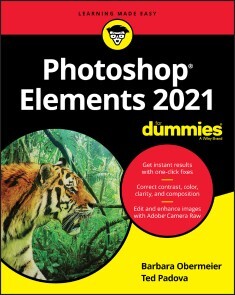
Photoshop Elements 2021 For Dummies
GET PICTURE-PERFECT RESULTS WITH PHOTOSHOP ELEMENTS 2021Photoshop Elements has a reputation for delivering the photo editing power that non-professional photographers and designers need to get eye-catching—and art-quality—results. This book offers guidance for applying everything from simple, one-click fixes all the way up to detailed retouching of your images.Photoshop Elements 2021 For Dummies assumes no prior photo-editing experience and makes it easy for even the absolute beginner to quickly grasp how to edit to create slick, professional-looking photos. In no time at all you’ll feel confident in everything from common image fixes to utilizing more creative techniques, such as using image layers to create a standout look. You’ll also find tips on building and managing complex photo projects.* Understand photo-editing concepts* Adjust clarity, color, and brightness* Add artistic touches* Catalog and organize your workThis fun and easy guide provides the steps you need to get the most out of this popular version of Photoshop—and will help you achieve truly beautiful results!BARBARA OBERMEIER is the principal of Obermeier Design as well as an adjunct professor at California Lutheran University. TED PADOVA is adjunct professor of visual arts and digital photography at Sillman University in Dumaguete, Philippines. Barbara and Ted are the authors or coauthors of more than 90 books. INTRODUCTION 1About This Book 1Icons Used in This Book 2Beyond the Book 3Where to Go from Here 3PART 1: GETTING STARTED WITH PHOTOSHOP ELEMENTS 2021 5CHAPTER 1: GETTING STARTED WITH IMAGE EDITING 7Getting Familiar with the Home Screen 7Launching the Photo Editor 9Making Basic Edits in Quick Mode 10Sharing a Photo 12Retracing Your Steps 14Using the History panel 14Reverting to the last save 15Getting a Helping Hand 15Saving Files with Purpose 17Using the Save/Save As dialog box 17Saving files for the web 19CHAPTER 2: BASIC IMAGE-EDITING CONCEPTS 21Grappling with the Ubiquitous Pixels 22Understanding resolution 22Understanding image dimensions 25The Art of Resampling 25Choosing a Resolution for Print or Onscreen 28Working with File Formats 28JPEG (*.jpg, *.jpeg, *.jpe) 28PNG (*.png) 30TIFF (*.tif, *.tiff) 30Getting Familiar with Color 31Getting Color Right 32Color the easy way 33Calibrating your monitor 33Choosing a color workspace 34Understanding how profiles work 35CHAPTER 3: EXPLORING THE PHOTO EDITOR 37Examining the Photo Editor 37Examining the image window 41Uncovering the contextual menus 45Selecting the tools 45Selecting from the Tool Options 48Playing with panels 48Using the Photo Bin 51Creating different views of an image 52Viewing filenames 52Using Photo Bin Actions 53Finding Your Bearings in Guided Mode 53Controlling the Editing Environment 55Launching and navigating Preferences 55Checking out all the Preferences panes 56PART 2: MANAGING MEDIA 61CHAPTER 4: NAVIGATING THE ORGANIZER 63Organizing Photos and Media on a Hard Drive 64Adding Images to the Organizer 65Adding files from folders and removable media 65Downloading camera images with the Elements Downloader 67Importing additional photos from folders 69Navigating the Media Browser 71Using a Scanner 72Understanding image requirements 72Using scanner plug-ins (Windows) 73Scanning on the Mac 75Scanning many photos at a time 75Phoning in Your Images 76Setting Organizer Preferences 78CHAPTER 5: ORGANIZING YOUR PICTURES 81Touring the Organizer 81Organizing Groups of Images with Tags 85Creating and viewing a tag 85Adding icons to tags 87Working with custom tags 88Working with default tags 90Working with sub-categories 90Sorting photos according to tags 91Auto Curating Images 92Working with Auto Creations 92Adding new Events 93Rating Images with Stars 93Adding Images to an Album 94Creating an album 94Using albums for temporary work 97Editing an album 97Finding out more about sharing your albums 98Adding People in the Media Browser 98Placing Pictures on Maps 100Working with Events 102CHAPTER 6: VIEWING AND FINDING YOUR IMAGES 105Cataloging Files 105Using the Catalog Manager 106Working with catalogs 107Backing up your catalog 108Backing up photos and files 109Switching to a Different View 110Viewing Photos in Memories (Slideshow) 111Searching for Photos 113Using Search 113Searching for untagged items 115Searching captions and notes 115Searching by history 116Searching metadata 116Searching similarities 118Grouping Files That Get in the Way 119Marking files as hidden 119Stackin’ ’em up 120Creating versions 121PART 3: SELECTING AND CORRECTING PHOTOS 123CHAPTER 7: EDITING CAMERA RAW IMAGES 125Launching the Camera Raw Editor 126Understanding Camera Raw 127Learning Raw file format attributes 128Opening images in the Camera Raw Editor 129Getting Familiar with the Raw Editor 130Getting Familiar with the Panels 133Using the Basic panel 134Sharpening and reducing noise 137Using the Calibration panel 139Working with Filmstrips 140Synchronizing edits 141Synchronizing defaults 143Working with Profiles 143Looking at the Adobe Camera Raw profiles 144Managing profiles 145Creating a Favorites list 146Opening Non-Raw Images in the Camera Raw Editor 146Changing Image Defaults 147Working with XML Files and Preferences 147Changing program defaults 148Using Save Options 149Using sidecar files 149CHAPTER 8: MAKING AND MODIFYING SELECTIONS 151Defining Selections 151Creating Rectangular and Elliptical Selections 152Perfecting squares and circles with Shift and Alt (Option on the Mac) 154Applying Marquee options 154Making Freeform Selections with the Lasso Tools 156Selecting with the Lasso tool 157Getting straight with the Polygonal Lasso tool 159Snapping with the Magnetic Lasso tool 159Working Wizardry with the Magic Wand 162Talking about Tolerance 162Wielding the Wand to select 163Modifying Your Selections 165Adding to, subtracting from, and intersecting a selection 165Avoiding key collisions 166Painting with the Selection Brush 167Painting with the Quick Selection Tool 169Selecting with the Auto Selection Tool 171Selecting Your Subject 172Fine-Tuning with the Refine Selection Brush 174Working with the Cookie Cutter Tool 176Eliminating with the Eraser Tools 178The Eraser tool 178The Background Eraser tool 179The Magic Eraser tool 180Using the Select Menu 181Selecting all or nothing 181Reselecting a selection 181Inversing a selection 181Feathering a selection 182Refining the edges of a selection 182Using the Modify commands 184Applying the Grow and Similar commands 184Saving and loading selections 185CHAPTER 9: WORKING WITH LAYERS 187Getting to Know Layers 187Converting a background to a layer 188Anatomy of the Layers panel 189Using the Layer and Select menus 192Working with Different Layer Types 194Image layers 194Adjustment layers 195Fill layers 197Shape layers 198Type layers 199Tackling Layer Basics 199Creating a new layer from scratch 199Using Layer via Copy and Layer via Cut 201Duplicating layers 201Dragging and dropping layers 202Using the Paste into Selection command 202Moving a Layer’s Content 203Transforming Layers 204Adding Layer Masks 205Flattening and Merging Layers 208Flattening layers 208Merging layers 209CHAPTER 10: SIMPLE IMAGE MAKEOVERS 211Cropping and Straightening Images 211Cutting away with the Crop tool 212Fixing distortion with the Perspective Crop tool 214Cropping with a selection border 216Straightening images 216Recomposing Images 217Employing One-Step Auto Fixes 219Auto Smart Fix 220Auto Smart Tone 221Auto Levels 222Auto Contrast 223Auto Haze Removal 223Auto Color Correction 223Auto Shake Reduction 224Auto Sharpen 224Auto Red Eye Fix 225Editing in Quick Mode 227Fixing Small Imperfections with Tools 230Cloning with the Clone Stamp tool 231Retouching with the Healing Brush 233Zeroing in with the Spot Healing Brush 235Repositioning with the Content-Aware Move tool 237Lightening and darkening with Dodge and Burn tools 239Smudging away rough spots 240Softening with the Blur tool 242Focusing with the Sharpen tool 242Sponging color on and off 244Replacing one color with another 245CHAPTER 11: CORRECTING CONTRAST, COLOR, AND CLARITY 249Editing Your Photos Using a Logical Workflow 250Adjusting Lighting 251Fixing lighting with Shadows/Highlights 251Using Brightness/Contrast 252Pinpointing proper contrast with Levels 253Adjusting Color 255Removing color casts automatically 256Adjusting with Hue/Saturation 257Eliminating color with Remove Color 258Switching colors with Replace Color 259Correcting with Color Curves 262Adjusting skin tones 262Defringing layers 264Eliminating haze 266Adjusting color temperature with photo filters 267Mapping your colors 268Adjusting Clarity 269Removing noise, artifacts, dust, and scratches 270Blurring when you need to 271Sharpening for better focus 274Opening closed eyes 276Colorizing a photo 278Smoothing skin 279Adjusting facial features 280Reducing shake 281Moving Photos 282Working Intelligently with the Smart Brush Tools 284PART 4: EXPLORING YOUR INNER ARTIST 287CHAPTER 12: PLAYING WITH FILTERS, EFFECTS, STYLES, AND MORE 289Having Fun with Filters 289Applying filters 290Corrective or destructive filters 291One-step or multistep filters 291Fading a filter 292Selectively applying a filter 292Working in the Filter Gallery 293Distorting with the Liquify filter 295Correcting Camera Distortion 297Exploring Elements’ Unique Filters 298Creating a comic 299Getting graphic 300Using the Pen and Ink filter 301Dressing Up with Photo and Text Effects 302Adding Shadows, Glows, and More 304Applying styles 305Working with styles 306Using the Graphics panel 307Mixing It Up with Blend Modes 308General blend modes 309Darken blend modes 309Lighten blend modes 311Lighting blend modes 312Inverter blend modes 314HSL blend modes 314Using Photomerge 315Photomerge Panorama 316Photomerge Group Shot 318Photomerge Scene Cleaner 320Photomerge Exposure 321Photomerge Compose 323CHAPTER 13: DRAWING AND PAINTING 327Choosing Color 327Working with the Color Picker 328Dipping into the Color Swatches panel 329Sampling with the Eyedropper tool 331Getting Artsy with the Pencil and Brush Tools 332Drawing with the Pencil tool 332Painting with the Brush tool 334Using the Impressionist Brush 336Creating your own brush 337Filling and Outlining Selections 339Fill ’er up 339Outlining with the Stroke command 341Splashing on Color with the Paint Bucket Tool 342Working with Multicolored Gradients 343Applying a preset gradient 343Customizing gradients 345Working with Patterns 348Applying a preset pattern 348Creating a new pattern 349Creating Shapes of All Sorts 350Drawing a shape 350Drawing multiple shapes 352Specifying Geometry options 352Editing shapes 354CHAPTER 14: WORKING WITH TYPE 355Understanding Type Basics 355Tools 356Modes 356Formats 357Creating Point Type 358Creating Paragraph Type 359Creating Path Type 360Using the Text On Selection tool 360Using the Text On Shape tool 361Using the Text On Custom Path tool 363Specifying Type Options 364Editing Text 366Simplifying Type 367Masking with Type 368Stylizing and Warping Type 371Adjusting type opacity 371Applying filters to your type 372Painting your type with color and gradients 372Warping your type 374PART 5: PRINTING, CREATING, AND SHARING 375CHAPTER 15: GETTING IT ON PAPER 377Getting Pictures Ready for Printing 378Working with Color Printer Profiles 379Printing a photo with the printer managing color 381Printing a photo with Elements managing color 383Printing a picture package or contact sheet 384Getting Familiar with the Print Dialog Box 384Using the Prints options 384Creating transfers and more with More Options 386CHAPTER 16: SHARING YOUR WORK 389Getting Familiar with the Elements Sharing Options 389Planning ahead 390Understanding photo sharing in Elements 391Using the Share Panel 392Emailing photos 393Working with Adobe Premiere Elements 394Sharing your photos on social networks 395CHAPTER 17: MAKING CREATIONS 399Checking Out the Create Panel 399Grasping Creation-Assembly Basics 400Creating a Quote Graphic 404Creating a Memories Video 407Creating a PDF Slideshow 408Making Additional Creations 408PART 6: THE PART OF TENS 409CHAPTER 18: THE TEN BEST GUIDED EDITS 411Correct Skin Tone 411Sharpen 413Object Removal 414Perfect Portrait 416Replace Background 418Remove a Color Cast 421Levels 422Resize Your Photo 424Recompose 425Move & Scale Object 427CHAPTER 19: TEN (OR SO) MORE PROJECT IDEAS 431Screen Savers 431Flyers, Ads, and Online Auctions 432Clothes, Hats, and More 434Posters 435Household and Business Inventories 435Project Documentation 436School Reports and Projects 436Blogs 436Wait — There’s More 436Index 437