

Computer und IT

Softwaretesting kompakt
Softwaretests sind unverzichtbar für jede robuste Software. Dies zeigt sich durch nahezu wöchentliche Bugbedingte Ausfälle. Doch wie lassen sich diese effektiver verhindern? Nach dem Lesen dieses Buches sind Sie in der Lage, eigene Softwaretests in den unterschiedlichsten Industriebereichen mit Java umzusetzen.Dieses Buch richtet sich an alle, die in die Disziplin des Testens eintauchen möchten. Es nimmt Sie direkt an die Hand und führt Sie Schritt für Schritt durch die unterschiedlichen Bereiche, es sind keine Vorkenntnisse im Testing oder Programmierung notwendig. Lernen Sie essenzielle Testtheorie kennen und wie Sie in der Praxis verschiedene Testarten einsetzen.Die notwendigen Java-Grundkenntnisse zur Testimplementierung werden Ihnen anhand von Beispielen immer aus der Sicht eines Testers praxisnah vermittelt. Erfahren Sie mehr über Testautomatisierung mit JUnit, Oberflächentests mit Selenium und Mocking von APIs mit WireMock. Lernen Sie die Anwendung von Behaviour Driven Development mit Cucumber kennen sowie exploratives Testen.PASCAL MOLL ist freiberuflicher Berater. 2021 wurde er Zweiter beim „Freelancer des Jahres“-Wettbewerb. Seine Schwerpunkte liegen im Bereich der Java-Entwicklung, des Testmanagements und der Testautomatisierung von Web- und Desktopapplikationen, insbesondere SAP. Er ist „ISTQB Certified Tester, Full Advanced“ sowie zertifizierter Softwarearchitekt. Sein Wissen teilt er regelmäßig in Podcasts, Webinaren, Artikeln und Blogposts. Seit 2024 ist er zudem Dozent an der Technische Hochschule Würzburg-Schweinfurt (THWS) für die Vorlesung Software Testing.DANIEL SONNET ist Hochschullehrer für Data Science an der Fresenius University of Applied Sciences und IT-Unternehmer mit einem Faible für den nachhaltigen Einsatz von IT inkl. Softwaretesting. Grundlagen des Softwaretestings. Java Grundlagen für Softwaretesting. Welcome to Apache Maven. Grundlagen der Testautomatisierung. Mocking & API Testing. Oberflächen und deren automatisierte Tests mit Selenium. Behaviour Driven Development mit Cucumber.

Robotic Process Automation (RPA) im Desktop-Publishing
Dieses Buch soll dem Leser verschiedene Automatisierungsmöglichkeiten im Bereich Desktop-Publishing aufzeigen und ihn motivieren, diese in Ihren Arbeitsprozess einzube-ziehen, um die Effizienz und Effektivität ihrer Gestaltungs- bzw. Produktionsprozesse zu erhöhen. Die Methoden reichen von kleinen Hilfsmitteln wie in DTP-Software wie Adobe InDesign integrierten Skripten zur automatischen Generierung grafischer Assets bis hin zu komplexen Software-Infrastrukturen, die das automatisierte Publizieren von Tausenden von Dokumenten realisieren.Das Buch soll möglichst viele Szenarien abdecken, ein breites Publikum ansprechen und weitestgehend alle Themen rund um die Automatisierung im Desktop-Publishing kurz und prägnant abdecken. Ebenso soll das Buch mithilfe von Fall-beispielen die Effizienz und Effektivität der Automatisierung verifizieren und mehrere Blickwinkel auf DTP-bezogene Unterthemen bieten.ENNIS GÜNDOĞAN hat IT-Management und Wirtschaftsinformatik studiert und ist IHK-geprüfter Mediengestalter für Digital und Print. Im Beruf verknüpft er derzeit Know-how aus beiden Tätigkeitsfeldern, um Softwareprojekte im Rahmen der DTP-Automatisierung zu realisieren.Desktop Publishing. -Automatisierung.-Automatisierung von Artwork-Prozessen.- Client Server Kommunikation.

Künstliche Intelligenz (FAZ-Dossier Spezial)
Künstliche Intelligenz denkt schneller als je zuvor – doch echte Durchbrüche erfordern mehr als nur Rechenleistung. Experten setzen nun auf „langsames Denken“, um KI präziser und effizienter zu machen. Ein chinesisches Unternehmen sorgt dabei für Aufsehen. Steht eine neue Ära bevor?Die Künstliche Intelligenz ist in eine kritische Phase eingetreten – wieder einmal. Wie kompetent derzeit angesagte KI-Modelle mit Sprache umgehen können, wie ausführlich sie auf verschiedenste Anfragen Antworten ausformulieren und in der Lage sind, ein Fachgespräch zu führen, davon haben sich Milliarden Menschen rund um den Globus überzeugt. Doch wie geht es weiter? Hilfreich ist eine bahnbrechende Unterscheidung, die der verstorbene Wirtschaftsnobelpreisträger Daniel Kahneman einmal anstellte, und die auch die Diskussion über die Künstliche Intelligenz inspiriert: Er beschrieb zwei verschiedene Systeme, in denen Menschen denken. Als "schnelles Denken" bezeichnete er spontane Antworten, intuitive, zeitnahe Reaktionen. Nicht immer ist das durchdacht oder korrekt – aber ohne diese Fertigkeit gelingen der Alltag und viel Zwischenmenschliches nicht. Davon grenzte Kahneman das "langsame Denken" ab, die Fähigkeit, etwas tiefer zu durchdringen, zu analysieren, rational zu planen, zu berechnen, abzuwägen. Ohne diese Fähigkeit sind erfolgversprechende Entscheidungen kaum denkbar.Die Entwickler großer KI-Sprachmodelle von führenden Anbietern wie Open AI, Google, Meta oder Anthropic rekonstruierten zunächst vornehmlich das "schnelle Denken". Sie setzten auf immer weiter wachsende Datenmengen und noch mächtigere Rechner, auf einen möglichst großen Wort- und Textschatz, um Nutzern schnell sinnvolle und ausführliche Ergebnisse zu präsentieren. Besonders ausgeklügelt waren und sind diese Antworten aber nicht, denn das ist in diesen KI-Modellen so gar nicht angelegt. Inzwischen ändert sich das. KI-Fachleute konzentrieren sich zunehmen darauf, ihre KI-Modelle zu verbessern, indem sie ihnen mehr Zeit geben, sozusagen um zuerst länger nachzudenken und dann zu antworten. Sie haben Instrumente gefunden und integriert, mit denen die KI-Modelle herausfinden sollen, welcher der beste Lösungsweg ist – auch indem sie Zwischenschritte darlegen und klären, wie komplex eine ihnen gestellte Aufgabe überhaupt ist. Danach wählen sie dann aus, wie viel Aufwand sie hineinstecken. Das macht die Antworten besser und die Modelle effizienter. Und durchaus auch menschenähnlicher in einem gewissen Sinne. Der Fokus richtet sich so zunehmend auf Kahnemans "langsames Denken", um weiter voranzukommen.Genau in diesem Bereich hat das chinesische Unternehmen Deepseek einen enormen Erfolg erzielt. Das ist der Grund, warum dieses bis dahin hierzulande weitgehend unbekannte Unternehmen für Furore und neue Hoffnung sorgte. Indem die Tüftler die benannten Methoden geschickt kombinierten und vermutlich auch besser ausgewählte und aufbereitete Daten verwendeten, ist es ihnen nach eigenem Bekunden gelungen, mit älterer Hardware eine KI zu erfinden, die mit den Spitzenmodellen aus Amerika mithalten kann – für einen Bruchteil der Kosten. Das ist eine großartige Ingenieurleistung.Damit wächst die Zuversicht, viel mehr Unternehmen, Behörden oder Universitäten als bisher könnten dank geringerer Kosten in der Lage sein, in der KI doch mitzuhalten, nicht zuletzt in Deutschland und Europa. Künftig sind vielleicht nicht immer und überall Milliardensummen für riesige Rechenzentren und moderne Hochleistungschips aus dem Hause Nvidia nötig, die speziell auf die Mathematikanforderungen der KI zugeschnitten sind. Gerade deutsche Fachleute propagieren, dass der Weg zum künstlichen Gehirn nicht über immer mehr Daten, Rechenleistung und Modellgröße führen müsse, sondern noch ganz andere Ansätze erforderlich seien. Sie versuchen, auf dem Lernen basierende KI-Systeme mit solchen zu verschmelzen, die auf Logik und fest einprogrammiertem Wissen fußen. Sie wollen den ganzen Kahneman in die Künstliche Intelligenz einbringen, das schnelle Denken und das langsame Denken.Inhalt: 3 Editorial von Alexander Armbruster 4 Ein Mysterium namens Deepseek 7 Das Jahr der KI-Agenten 10 Der harte Kampf um die KI-Hoheit 13 Smartere Screenings 16 Der Chatarzt 20 ChatGPT, mein Anlageberater 23 KI verwaltet Vermögen 26 Ich spreche jeden Tag mit ChatGPT 29 Wie Künstliche Intelligenz den Büroalltag erleichtert 34 "KI-Agenten werden den Charakter der Arbeit verändern" 38 Abgehängt 43 Regelmäßige KI-Nutzung

Praxishandbuch Verwaltungsinformatik
Macheten für den Verwaltungsdschungel (eine Art Einleitung)Tim Pidun und David Richter 9Schwerpunkt VerwaltungsinformatikBeitrag der Sozioinformatik zur menschengerechten Gestaltung von VerwaltungsleistungenAnsatz der Modellierung eines sozioinformatischen Wirkungsgefüges für die Technikfolgenabschätzung am Beispiel der VerwaltungsdigitalisierungOlivia Jürgenssen und Jürgen Anke 15Bewertung von Software-Architekturentscheidungen auf Nachhaltigkeit in einem konkreten IT-ProjektAnne Gellert und André Mai 33Evaluation einer föderalen Referenzarchitektur für CybersicherheitThomas Rehbohm und Kurt Sandkuhl 39Risikomanagement: Fundament einer GRC-Gesamt-ArchitekturFrank Moses 63Potenziale und Grenzen beim Einsatz von Methoden der Künstlichen Intelligenz in der öffentlichen VerwaltungEin Praxisbericht aus dem Geschäftsbereich des Sächsischen Staatsministeriums für RegionalentwicklungStephan Rohde, Oliver Jokisch, Anita Eichhorn und Markus Straßburg 87Wie können digitale Zwillinge die Aufgabenwahrnehmung deutscher Kommunen verändern?Einsatzbereiche, Veränderungspotenziale, RahmenbedingungenSophia Weß 117Nachweisgebundene und digital signierte Online-Antragsverfahren mit Blockchain-UnterstützungEine Entwicklungsperspektive für nachweisgebundene hybride Online-Antragsverfahren – am Beispiel des Online-Elterngeldantrages in HessenSteffen Vaupel 129Digitalisierte Verwaltung am Beispiel Bürgergeld – Beiträge der Arbeitsgruppe openDVASarah T. Bachinger, Mahsum Bas, Philipp Bornheimer, Stephan Breidenbach, Benjamin Degenhart, Maximilian Enderling, Robin Erd, Naouel Karam, Hannes Legner, Stephan Löbel, Felicitas Löffler, Marianne Mauch, Maximilian Raupach, Jörg Schröder, Christoph Unger, Tilo Wend und Birgitta König-Ries 143Schwerpunkt RechtsinformatikKomplexitätsprobleme bei der OZG Umsetzung am Beispiel der EfA-LeistungenRalf-Rainer Piesold 161Anwendungsfälle und Datenverfügbarkeit für den Einsatz von Künstlicher Intelligenz in Geschäftsprozessen der Justiz auf LandesebeneEinblicke in die nutzerzentrierte Bedarfsermittlung für das Projekt KI4JUSTiSFrank Binder, Lydia Müller, Julian Balling, Chris Zenner, Claudia Glausch und Gerhard Heyer 175Schwerpunkt Aus- und WeiterbildungDer Kompetenz-Mix macht’s – Wie die Zusammenarbeit in interdisziplinären Smart-City-Teams gelingtLara Kahl und Ilona Benz 193Verwaltung 4.0: Die Verwaltungsinformatik als maßgeschneiderte und notwendige Bildungsplattform für eine moderne IT-gestützte BundesverwaltungUwe M. Borghoff, Nicol Matzner-Vogel und Siegfried Rapp 203Ein Rahmenwerk transformativer und technologischer Kompetenzen für die Verwaltungsdigitalisierung in DeutschlandTim Pidun und Natalie Hinze 221

Python Adventures for Young Coders
This book takes young readers on an exciting adventure with a child named Kai. One day, Kai wakes up trapped inside a giant robot. He can't talk to anyone outside, and the only way to communicate is through the robot. Inside the robot, Kai finds many books and documents written in a strange language—it's the robot's language, which is Python. Kai realizes he needs to learn this language to control the robot and talk to the outside world. In each chapter in this book, we will join Kai on a new adventure to learn something that helps us control the robot better and communicate with the real world. This fun and interactive book is designed to introduce young minds to the basics of programming while encouraging creativity and problem-solving skills.In the introductory chapters, readers discover Python as a friendly and accessible programming language. The book guides them through setting up their programming environment and crafting their initial lines of code, laying the foundation for an exciting coding adventure. As the exploration unfolds, it delves into fundamental programming concepts essential for any budding coder. From variables and data types to loops and conditionals, these building blocks empower readers to create their programs, fostering a solid understanding of the core principles of coding. It seamlessly integrates these concepts with previously learned fundamentals, providing a comprehensive view of Python's capabilities. Fueling creativity, it inspires readers to unleash their imagination through engaging projects. From crafting games to developing useful applications, young coders learn to apply their programming skills in innovative ways, transforming abstract coding concepts into real and interactive projects.With a focus on accessibility, engagement, and real-world application, this book paves the way for the next generation of Python enthusiasts.What you will learn:* Understand Python programming fundamentals, including syntax, variables, data types, loops, conditionals, lists, functions, and handling files.* Learn to break down complex problems into smaller, manageable tasks and apply coding concepts to find creative solutions.* How to create their interactive coding projects using Python.* Understand strategies for debugging and troubleshooting common programming problems, which are essential skills for any programmerWho this book is for:This book caters primarily for high school students and individuals keen on delving into programming with minimal or zero coding background. It's structured to be both accessible and captivating for young readers, immersing them in the realm of coding through entertaining and interactive journeys. Moreover, it extends its reach to educators and coding enthusiasts alike.Alaa Tharwat Othman is a distinguished PostDoc and Research Group Leader at Bielefeld University of Applied Sciences in Germany. He earned his Ph.D. in Electrical Engineering from Ain Shams University in Egypt. His research focuses on machine learning with small data, active learning, and explainable AI for Industry 4.0 applications. Actively engaged in academia, Alaa has contributed to conferences like AISI and organized workshops and tutorials at prestigious events such as ECML PKDD, IEEE WCCI, and WUML. His numerous publications and tutorials, easily accessible for students, underscore his commitment to knowledge dissemination. Recognized for his exceptional presentations, Alaa has received awards, including Best Presenter, Best Paper, and Best Teaching Assistant. Motivated by a passion for simplifying complex concepts, he extends his expertise to authoring a book aimed at imparting fundamental programming knowledge to readers, reflecting his dedication to spreading knowledge and facilitating learning.Chapter 1: Welcome to the world of programming!.- Chapter 2: Variable fundamentals, an introduction to storing and manipulating data.- Chapter 3: Controlling program flow, understanding the if statement.- Chapter 4: Repeating actions with for loops.- Chapter 5: Checkpoint: Strengthening your programming Skills.-Chapter 6: Exploring Lists: Operations and Manipulations.- Chapter 7: Using the For Loop for Searching, Removing, and Updating Lists.- Chapter 8: Using Functions for Robust and Flexible Code.- Chapter 9: Function Deep Dive: Uncovering Functionality and Built-in Function Usage.- Chapter 10: Checkpoint: Revisiting Lists, Functions, and Core Programming Concepts.- Chapter 11: Level Up Your Skills: Constructing Your First Game from Scratch.- Chapter 12: Managing Files: Exploring Reading, Saving, Updating, and Deleting Operations.- Chapter 13: Code Training 1: Developing a Game or App for Improving Programming Skills.- Chapter 14: Code Training 2: Developing a Game or App for Improving Programming Skills.- Chapter 15: Code Training 3: Developing a Game or App for Improving Programming Skills.

Cyber Defense
PRACTICAL AND THEORETICAL GUIDE TO UNDERSTANDING CYBER HYGIENE, EQUIPPING READERS WITH THE TOOLS TO IMPLEMENT AND MAINTAIN DIGITAL SECURITY PRACTICESCyber Defense is a comprehensive guide that provides an in-depth exploration of essential practices to secure one’s digital life. The book begins with an introduction to cyber hygiene, emphasizing its importance and the foundational concepts necessary for maintaining digital security. It then dives into financial security, detailing methods for protecting financial accounts, monitoring transactions, and compartmentalizing accounts to minimize risks. Password management and multifactor authentication are covered, offering strategies for creating strong passwords, using password managers, and enabling multifactor authentication. With a discussion on secure internet browsing practices, techniques to avoid phishing attacks, and safe web browsing, this book provides email security guidelines for recognizing scams and securing email accounts. Protecting personal devices is discussed, focusing on smartphones, tablets, laptops, IoT devices, and app store security issues. Home network security is explored, with advice on securing home networks, firewalls, and Wi-Fi settings. Each chapter includes recommendations for success, offering practical steps to mitigate risks. Topics covered in Cyber Defense include:* Data protection and privacy, providing insights into encrypting information and managing personal data* Backup and recovery strategies, including using personal cloud storage services* Social media safety, highlighting best practices, and the challenges of AI voice and video* Actionable recommendations on protecting your finances from criminals* Endpoint protection, ransomware, and malware protection strategies, alongside legal and ethical considerations, including when and how to report cyber incidents to law enforcementCyber Defense is an essential guide for anyone, including business owners and managers of small and medium-sized enterprises, IT staff and support teams, and students studying cybersecurity, information technology, or related fields. JASON EDWARDS, DM, CISSP, is an accomplished cybersecurity leader with extensive experience in the technology, finance, insurance, and energy sectors. Holding a Doctorate in Management, Information Systems, and Technology, Jason specializes in guiding large public and private companies through complex cybersecurity challenges. His career includes leadership roles across the military, insurance, finance, energy, and technology industries. He is a husband, father, former military cyber officer, adjunct professor, avid reader, dog dad, and a popular voice on LinkedIn. ContentsChapter 1: Why Cyber Safety Matters Today9The Rise of Digital Connectivity10The Expanding Threat Landscape12Personal Implications of Cyber Insecurity15The Importance of Proactive Cyber Safety18Adopting Safe Online Proactices20Recommendations23Chapter Conclusion25Chapter Questions26Chapter 2: Understanding Cyber Safety in the Digital Age29Defining Cyber Safety and Security30Fundamentals of Digital Literacy33Developing Critical Thinking Skills Online35The Human Element in Cybersecurity38Recommendations42Chapter Conclusion43Chapter Questions44Chapter 3: Understanding and Preventing Identity Theft47What is Identity Theft?48Recognizing Signs of Identity Theft51Understanding Data Breaches55Preventing Identity Theft58Responding to Identity Theft and Data Breaches62Recommendations66Chapter Conclusion68Chapter Questions69Chapter 4: Protecting Your Accounts with Strong Passwords and MFA72The Importance of Strong Passwords72Creating and Managing Strong Passwords76Understanding Multi-Factor Authentication (MFA)78Advanced Account Security Measures80Protecting Business and Shared Accounts83Recommendations86Chapter Conclusion87Chapter Questions88Chapter 5: Email Security Best Practices91Understanding Email Threats92Recognizing and Avoiding Phishing Attempts95Securing Your Email Accounts99Safe Email Practices102Professional Email Etiquette and Security105Recommendations108Chapter Conclusion110Chapter Questions110Chapter 6: Managing Your Digital Footprint and Online Reputation114Understanding Your Digital Footprint115Monitoring and Controlling Your Online Presence118Building a Positive Online Reputation120Privacy Considerations123Future Implications of Your Digital Footprint125Recommendations127Chapter Conclusion129Chapter Questions130Chapter 7: Safe and Professional Use of Social Media133Navigating Social Media Platforms Securely133Protecting Personal Information136Professional Conduct on Social Media139Dealing with Social Media Threats141Leveraging Social Media Safely143Recommendations145Chapter Conclusion147Chapter Questions148Chapter 8: Dealing with Cyberbullying and Online Harassment152Understanding Cyberbullying and Harassment153Recognizing Signs of Cyberbullying155Strategies for Victims158Preventing Cyberbullying160Supporting Others and Advocacy163Recommendations166Chapter Conclusion167Chapter Questions168Chapter 9: Children's Online Safety and Parental Controls171The Digital World of Children and Teens172Communicating with Children About Cyber Safety175Implementing Parental Controls and Monitoring177Educating Children on Safe Online Practices180Collaborating with Schools and Communities183Recommendations185Chapter Conclusion187Chapter Questions188Chapter 10: Avoiding Online Scams and Social Engineering Tricks192Understanding Social Engineering193Common Online Scams195Recognizing Red Flags199Protecting Yourself from Scams202Educating Others and Staying Informed206Recommendations208Chapter Conclusion210Chapter Questions210Chapter 11: Using AI Securely and Protecting Your Privacy214The Role of AI in Everyday Life215Privacy Concerns with AI Technologies218Secure Use of AI-Powered Devices and Services221Protecting Personal Data in the Age of AI224Preparing for Future AI Developments228Recommendations230Chapter Conclusion232Chapter Questions233Chapter 12: Securing Your Devices and Wearables236Mobile Device Security Essentials237Protecting Against Mobile Malware240Securing Wearable Devices242Physical Security and Theft Prevention245Disposal and Recycling of Devices248Recommendations251Chapter Conclusion253Chapter Questions254Chapter 13: Managing Software and App Security on All Devices257Importance of Software Security258Safe Installation and Use of Applications261Configuration and Hardening of Software263Application Whitelisting and Blacklisting266Responding to Software Vulnerabilities270Recommendations272Chapter Conclusion274Chapter Questions275Chapter 14: Defending Yourself Against Ransomware and Malware278Understanding Malware and Ransomware279Preventing Malware Infections283Recognizing Signs of Infection286Responding to a Malware Attack290Mitigating the Impact of Ransomware292Recommendations295Chapter Conclusion296Chapter Questions297Chapter 15: How to Stay Safe While Browsing the Internet301Secure Browsing Practices302Avoiding Malicious Websites and Content305Protecting Personal Information Online308Mental Health and Digital Well-being312Safe Participation in Online Communities314Recommendations317Chapter Conclusion318Chapter Questions319Chapter 16: Network Security322Securing Your Home Network323Protecting Internet of Things (IoT) Devices326Safe Use of Public Wi-Fi Networks328Encryption and VPNs330Cybersecurity for Remote Work and Home Offices333Securing Online Gaming and Virtual Reality Platforms336Recommendations339Chapter Conclusion340Chapter Questions341Chapter 17: Safeguarding Your Financial Assets and Secure Online Transactions345Secure Online Banking Practices346Safe Online Shopping349Protecting Against Financial Fraud352Understanding Cryptocurrency Security356Planning for Financial Security359Recommendations361Chapter Conclusion362Chapter Questions363Chapter 18: Protecting Your Data: Backups, Cloud Storage, and Disaster Recovery367Importance of Data Protection368Effective Backup Strategies371Secure Use of Cloud Storage373Disaster Recovery Planning376Data Disposal and Destruction379Recommendations381Chapter Conclusion382Chapter Questions384Chapter 19: Cyber Crimes and How to Report Them387Understanding Cyber Crimes388Recognizing When You're a Victim391Reporting Cyber Crimes394The Investigation and Legal Process398Preventing Future Incidents400Recommendations402Chapter Conclusion404Chapter Questions405Chapter 20: Preparing for Emerging Cyber Threats408Emerging Cyber Threats409AI and Machine Learning in Cybersecurity411Adapting Security Practices415Personal Strategies for Future-Proofing Security418The Role of Individuals in Shaping Cybersecurity421Recommendations424Chapter Conclusion425Chapter Questions426Chapter 21: Teaching and Empowering Others in Cyber Safety429Sharing Knowledge and Resources430Encouraging Safe Practices in the Workplace433Supporting Friends and Family436Mentoring and Community Involvement439Continuing the Journey of Cyber Safety441Recommendations443Chapter Conclusion445Chapter Questions446Appendix – Answers to Chapter Questions449Chapter 1449Chapter 2452Chapter 3454Chapter 4456Chapter 5459Chapter 6462Chapter 7465Chapter 8468Chapter 9470Chapter 10472Chapter 11474Chapter 12476Chapter 13478Chapter 14480Chapter 15482Chapter 16484Chapter 17486Chapter 18488Chapter 19490Chapter 20492Chapter 21494Glossary496

Microsoft Power FX in Power Apps für Dummies
EFFIZIENTE APP-ENTWICKLUNG AUF DER POWER PLATFORMSie haben Interesse an der App-Entwicklung mit Low-Code/No-Code? Dirk Larisch vermittelt Ihnen praxisnah einen strukturierten Einstieg in Microsoft Power Fx, insbesondere in die Entwicklung von Canvas Apps in Power Apps. Neben Grundlagen der App-Entwicklung lernen Sie die Funktionen und Bedienung von Power Apps, erhalten Einblick in Datentypen und Operatoren in Power Fx, erstellen Prozeduren und Funktionen, nutzen Copilot und setzen JSON und YAML ein. SIE ERFAHREN* Wie Sie mit Power Fx Canvas Apps entwickeln* Wie Sie andere Anwendungen der Power Platform an Ihre App anbinden* Tipps und Tricks zur Administration und App-EntwicklungDIRK LARISCH war als Informatiker lange in der IT und im Management tätig. Er ist Autor zahlreicher Bücher zu den Themen Computer, Netzwerktechnik, Programmierung und Anwendungen. Seine Erfahrungen als Coach und Trainer wendet er heute unter anderem im Bereich Power Platform an.

Securing Microsoft Azure OpenAI
SECURELY HARNESS THE FULL POTENTIAL OF OPENAI’S ARTIFICIAL INTELLIGENCE TOOLS IN AZURESecuring Microsoft Azure OpenAI is an accessible guide to leveraging the comprehensive AI capabilities of Microsoft Azure while ensuring the utmost data security. This book introduces you to the collaborative powerhouse of Microsoft Azure and OpenAI, providing easy access to cutting-edge language models like GPT-4o, GPT-3.5-Turbo, and DALL-E. Designed for seamless integration, the Azure OpenAI Service revolutionizes applications from dynamic content generation to sophisticated natural language translation, all hosted securely within Microsoft Azure’s environment. Securing Microsoft Azure OpenAI demonstrates responsible AI deployment, with a focus on identifying potential harm and implementing effective mitigation strategies. The book provides guidance on navigating risks and establishing best practices for securely and responsibly building applications using Azure OpenAI. By the end of this book, you’ll be equipped with the best practices for securely and responsibly harnessing the power of Azure OpenAI, making intelligent decisions that respect user privacy and maintain data integrity. KARL OTS is Global Head of Cloud Security at EPAM Systems, an engineering and consulting firm. He leads a team of experts in delivering security and compliance solutions for cloud and AI deployments for Fortune 500 enterprises in a variety of industries. He has over 15 years’ experience in tech and is a trusted advisor and thought leader. Karl is also a Microsoft Regional Director and Security MVP. Introduction xxiiiCHAPTER 1 OVERVIEW OF GENERATIVE ARTIFICIAL INTELLIGENCE SECURITY 1Common Use Cases for Generative AI in the Enterprise 1Generative Artificial Intelligence 1Generative AI Use Cases 2LLM Terminology 3Sample Three-Tier Application 4Presentation Tier 5Application Tier 5Data Tier 5Generative AI Application Risks 5Hallucinations 6Malicious Usage 6Shadow AI 7Unfavorable Business Decisions 8Established Risks 8Shared AI Responsibility Model 8Shared Responsibility Model for the Cloud 9Shared Responsibility Model for AI 10AI Usage 10AI Application 10AI Platform 11Applying the Shared Responsibility Model 11Regulation and Control Frameworks 12Regulation in the United States 12Regulation in the European Union 12NIST AI Risk Management Framework 14Govern 15Map 15Measure 16Manage 16Key Takeaways 16References 17CHAPTER 2 SECURITY CONTROLS FOR AZURE OPENAI SERVICE 19On the Importance of Selecting Appropriate Security Controls 19Risk Appetite 20Comparing OpenAI Hosting Models 21OpenAI ChatGPT 21Privacy and Compliance 21Identity and Access Management 21Data Protection and Encryption 22Audit Logging 22Network Isolation 22Data Residency 22Azure OpenAI 22Privacy and Compliance 23Identity and Access Management 23Data Protection and Encryption 23Audit Logging 23Network Isolation 23Data Residency 23Recommendation for Enterprise Usage 24Evaluating Security Controls with MCSB 24Control Domains 26Network Security 27Identity Management 28Privileged Access 28Data Protection 29Asset Management 29Logging and Threat Detection 29Incident Response 30Posture and Vulnerability Management 30Endpoint Security 31Backup and Recovery 31DevOps Security 32Governance and Strategy 32Security Baselines 33Applying Microsoft Cloud Security Baseline to Azure OpenAI 33Security Profile 34How to Approach the Security Baseline 34Data Protection 35Identity Management 36Logging and Threat Detection 37Network Security 38Asset Management 38Backup and Recovery 39Endpoint Security 40Posture and Vulnerability Management 40Privileged Access 41Selected Controls 42Mapping the Selected Controls to CIS and NIST 44Using Azure Policy to Secure Azure OpenAI at Scale 46Azure Policy 46Continuous Compliance Monitoring 47Azure Policies for Azure OpenAI 48Key Takeaways 49References 49CHAPTER 3 IMPLEMENTING AZURE OPENAI SECURITY CONTROLS 51OWASP Top 10 for LLM Applications 51Prompt Injection 52Insecure Output Handling 52Training Data Poisoning 53Model Denial of Service 53Supply Chain Vulnerabilities 53Sensitive Information Disclosure 54Insecure Plugin Design 54Excessive Agency 54Overreliance 55Model Theft 55Access Control 56Implementing Access Control for Azure OpenAI 56Cognitive Services OpenAI User 57Cognitive Services OpenAI Contributor 58Azure AI Administrator 59Azure AI Developer 61Azure AI Enterprise Network Connection Approver 62Azure AI Inference Deployment Operator 64Preventing Local Authentication 65Disable Local Authentication Using Bicep 66Disable Local Authentication Using Terraform 66Disable Local Authentication Using ARM Templates 67Prevent Local Authentication Using PowerShell 67Enforcing with Azure Policy 67Audit Logging 68Control Plane Audit Logging 68Data Plane Audit Logging 71Enable Data Plane Audit Logging Using Azure Portal 72Enable Data Plane Audit Logging Using Bicep 73Enable Data Plane Audit Logging Using Terraform 73Enable Data Plane Audit Logging Using ARM Templates 74Enable Data Plane Audit Logging Using PowerShell 76Enable Data Plane Audit Logging Using Azure cli 76Enforcing with Azure Policy 77Enable Logging by Category Group for Cognitive Services 77Network Isolation 82Default Network Controls 83Control Inbound Network Traffic 83Control Inbound Network Traffic Using the Azure Portal 84Control Inbound Network Traffic Using Bicep 84Control Inbound Network Traffic with Private Endpoints Using Infrastructure as Code 85Control Inbound Network Traffic Using Terraform 87Control Inbound Network Traffic with Private Endpoints Using Terraform 87Control Inbound Network Traffic Using ARM Templates 89Control Inbound Network Traffic with Private Endpoints Using ARM Templates 90Control Inbound Network Traffic Using PowerShell 93Control Inbound Network Traffic with Private Endpoints Using PowerShell 94Control Inbound Network Traffic Using Azure cli 95Control Inbound Network Traffic with Private Endpoints Using Azure cli 95Control Outbound Network Traffic 97Enable Data Loss Prevention Using REST 97Enable Data Loss Prevention Using Bicep 98Enable Data Loss Prevention Using Terraform 98Enable Data Loss Prevention Using ARM Templates 99Enforcing with Azure Policy 101Azure AI Services Resources Should Restrict Network Access 101Azure AI Services Resources Should Use Azure Private Link 103Encryption at Rest 105Implementing Azure OpenAI with CMK 106Implement CMK Using Azure Portal 106Implement CMK Using Bicep 107Implement CMK Using Terraform 109Implement CMK Using ARM Templates 111Implement CMK Using PowerShell 114Implement CMK Using the Azure cli 115Enforcing with Azure Policy 116Azure AI Services Resources Should Encrypt Data at Rest with a CMK 117Content Filtering Controls 119System Safety Prompts 119Azure AI Content Safety 120Content Filtering 120Prompt Shields 121Protected Material Detection 121Groundedness Detection 121Creating a Content Filter 121Implementing Content Filtering Programmatically 122Content Safety Input Restrictions 123Key Takeaways 123References 124CHAPTER 4 SECURING THE ENTIRE APPLICATION 125The Three-Tier LLM Application in Azure 125Presentation Tier 126Application Tier 126Data Tier 126On Threat Modeling 126Threat Model of the Three-Tier Application 127Revised Application Architecture 129Retrieval-Augmented Generation 129RAG in Azure 130Azure AI Search 130Azure Cosmos DB 131Application Architecture with RAG 131Azure Front Door 132Security Profile 132Security Baseline 132Implementing Security Controls 133Access Control 133Audit Logging 133Network Isolation 141Encryption at Rest 152Enforcing Controls with Policies 152Azure App Service 153Security Profile 153Security Baseline 153Implementing Security Controls 155Access Control 156Audit Logging 163Network Isolation 169Encryption at Rest 176Enforcing Controls with Policies 176API Management 177Security Profile 177Security Baseline 178Implementing Security Controls 178Access Control 179Audit Logging 180Network Isolation 186Encryption at Rest 201Enforcing Controls with Policies 202Storage Account 202Security Profile 202Security Baseline 203Implementing Security Controls 204Access Control 204Audit Logging 209Network Isolation 216Encryption at Rest 225Backup and Recovery 232Discover, Classify, and Protect Sensitive Data 238Enforcing Controls with Policies 238Cosmos DB 238Security Profile 239Security Baseline 239Implementing Security Controls 241Access Control 241Audit Logging 244Network Isolation 249Encryption at Rest 256Backup and Recovery 262Enforcing Controls with Policies 266Azure AI Search 266Security Profile 266Security Baseline 267Implementing Security Controls 268Access Control 268Audit Logging 272Network Isolation 278Encryption at Rest 287Enforcing Controls with Policies 294Key Takeaways 294References 294CHAPTER 5 MOVING TO PRODUCTION 297LLM Application Security Lifecycle 297Model Supply Chain 298Security Testing 299Model Safety Evaluation 299How to Use Model Safety Evaluation 300Adversarial Testing 300How to Use the Adversarial Simulator Service 301Red Teaming 304Crescendo Multiturn Attack 304Red Teaming with PyRIT 304Content Credentials 305AI Security Posture Management 307Discover and Manage Shadow AI 307Discover SaaS Applications 307Discover Generative AI Applications 309Manage Generative AI Applications 312Alert on Anomalous Activity and Applications 313Defender for Cloud AI Workloads 314Discovery 314Posture Management 314Security Alerting 314Security Posture Management 315Investigating Security Alerts 316Alert Details 317Supporting Evidence 318Take Action 319Managing Incidents 323Instrumenting Security Alert Ingestion 324Azure OpenAI Alerts 326Detected Credential Theft Attempts on an Azure OpenAI Model Deployment 327A Jailbreak Attempt on an Azure OpenAI Model Deployment Was Blocked by Azure AI Content Safety Prompt Shields 327A Jailbreak Attempt on an Azure OpenAI Model Deployment Was Detected by Azure AI Content Safety Prompt Shields 327Sensitive Data Exposure Detected in Azure OpenAI Model Deployment 327Corrupted AI Application, Model, or Data Directed a Phishing Attempt at a User 328Phishing URL Shared in an AI Application 328Phishing Attempt Detected in an AI Application 328Defender for Cloud Alerts for Other Services 328App Service Alerts 329API Management Alerts 330Storage Account Alerts 331Cosmos DB Alerts 332LLM Application in Your Cloud Security Architecture 332Cloud Security Control Domains 333Asset Management 333Incident Response 334Privileged Access 336Posture and Vulnerability Management 337Landing Zones 339About Landing Zones 339Microsoft Enterprise-Scale Landing Zones 339Microsoft Landing Zone Accelerator for OpenAI 342LLM Application in the Landing Zone 342The Sample Application in the Landing Zone 342Access Control 343Security Monitoring 343Incident Response 344Network 344Key Takeaways 345References 345Index 347

When Docker Meets Java
Discover how to become a more efficient Java developer using Docker. This book will help you streamline your development process, boost portability, and enhance the efficiency of your applications.Docker has transformed the landscape of application and deployment by simplifying the creation and management of development environments, saving valuable time and reducing compatibility issues. With this book, you will learn how to package Java applications into Docker containers, making them consistent and portable across different environments. As a result, you’ll gain the expertise to efficiently scale and manage your applications, ensuring they run smoothly in production to boost development efficiency.This book sets itself apart through its emphasis on Java developers’ specific needs and challenges, providing relevant examples and use cases. The hands-on practical approach provides you with the necessary skills to be a more valuable Java developer.WHAT YOU WILL LEARN* Understand the fundamental concepts of Docker and containerization* Package Java applications into Docker containers* Gain hands-on experience in Dockerizing Java applications* Efficiently test, debug, deploy, and scale Java applications using Docker* Acquire skills that will make you a more valuable and efficient Java developerWHO THIS BOOK IS FORJava developers who want to make their applications more portable and easier to manageASHISH CHOUDHARY is a senior software engineer and published author. He has over 14 years of experience in the IT industry. He has experience in designing, developing, and deploying web applications. His technical expertise includes Java, Spring Boot, Docker, Kubernetes, IMDG, distributed systems, microservices, DevOps, and the cloud. Ashish is an active blogger and technical writer. He has delivered talks at renowned conferences such as GitHub Satellite India and Fosdem. He is a strong advocate of Open Source technologies. He has been contributing to various open source projects for quite some time. Ashish believes in continuous learning and knowledge sharing.Chapter 1: Overview of Containers.- Chapter 2: Docker High-Level Overview.- Chapter 3: Up and Running with Docker.- Chapter 4: Learning Advanced Docker Concepts.- Chapter 5: Containerizing Java Applications with Dockerfile.- Chapter 6: Working with Container Builder Tools for Java Applications.- Chapter 7: Deploying Docker Containers using GitHub Actions.- Chapter 8: Exploring Docker Alternatives.- Chapter 9: Building Native Images with GraalVM.- Chapter 10: Testing Java Applications using Testcontainers.- Chapter 11: Docker Best Practices for Java Developers.

Microsoft 365 Excel Formulas & Functions For Dummies
TURN EXCEL INTO AN UNSTOPPABLE DATA-AND NUMBER-CRUNCHING MACHINEMicrosoft Excel is the Swiss Army knife of apps. With over 470 built-in functions and countless custom formulas, the program can help make you the smartest guy or gal in any room. And now that it's been supercharged with Copilot—Microsoft's AI-powered helper—it's even easier to produce accurate and useful results anywhere, anytime. Best of all, it doesn't take an advanced degree in mathematics or data science to take full advantage of Excel's functionality. Just grab a copy of this latest edition of Excel Formulas & Functions For Dummies and get a flying start on the Excel functions and formulas that power up your data superpowers. With this book, you'll:* Learn to create and use hundreds of formulas and functions, correct common mistakes, and make calculations* Discover how to analyze data and calculate statistics, and even work with dates and times* Use the ever-evolving, AI-powered Copilot to expand Excel's functionality and make it easier to useGet ready to transform your copy of Excel at home or at work into an unstoppable toolkit equipped for almost any occasion. Grab a copy of Excel Formulas & Functions For Dummies today! KEN BLUTTMAN is a veteran developer specializing in Excel/VBA and database-centric web applications. He has written many articles and books on topics including Office/VBA development, XML, SQL Server, and InfoPath. Ken is the author of Excel Charts For Dummies and all previous editions of Excel®Formulas & Functions For Dummies.

Teach Yourself VISUALLY Microsoft 365
AN ILLUSTRATED, A-TO-Z, AND NEWLY UPDATED GUIDE TO MASTERING MICROSOFT OFFICE 365Teach Yourself VISUALLY Microsoft 365, 2nd Edition is a newly revised edition of the easy-to-use and up-to-date visual walkthrough of Microsoft's ubiquitous office products. It#s the fastest and most efficient way to get up to speed on world-famous apps like Word, Excel, and PowerPoint, offering crystal-clear, high-resolution screenshots that show you exactly how to get things done. Tired of confusing, text-based “instructions” that leave you scratching your head and wondering, “Why didn't that work?” Then grab a copy of TYV Microsoft 365, 2nd Edition for a complete, A-to-Z tour of Microsoft 365 that takes you through how to generate sophisticated documents in Word, crunch numbers in Excel, keep your life organized in Outlook, and build attractive and persuasive presentations in PowerPoint. This book shows you how to master basic, foundational features that have been around for years, as well as cutting-edge new additions to the software—like Microsoft's Copilot AI—that make your job easier and make you more productive. From working with files in the cloud to setting up your own local databases in Access, TYV Microsoft 365, 2nd Edition puts the info, screenshots, and instructions you need at your fingertips. Readers will find:* Hundreds of hi-res, full-page screenshots that demonstrate Microsoft 365's most useful features* Specific instructions on how to get more from your favorite Office 365 apps, like how to add attachments to your Outlook emails or include narration in a PowerPoint presentation* Techniques to incorporate artificial intelligence in your everyday work to supercharge your productivity by summarizing Word documents or automatically generating Excel formulasPerfect for anyone looking for an intuitive and visual guide to Microsoft 365 that comes with full-screen images that show you exactly what to do and where to click, Teach Yourself VISUALLY Microsoft 365, 2nd Edition is the simplest and most effective resource for mastering the world's most popular suite of office apps. PART I MICROSOFT 365 FEATURESCHAPTER 1 MICROSOFT 365 BASICSStart and Exit Microsoft 365 Apps 4Explore the App Window 6Work with Backstage View 7Change the Color Scheme 8Work with the Ribbon 10Select Data 12Using a Microsoft 365 App with a Touch Screen 14Create a New File 16Save a File 18Open a File 20CHAPTER 2 MICROSOFT 365 GRAPHICS TOOLSInsert a Picture from Your PC 22Insert an Online Picture 24Resize and Move Graphic Objects 26Understanding Graphics Modification Techniques 28CHAPTER 3 WORKING WITH MICROSOFT 365 FILES ONLINEMicrosoft 365 and the Cloud 30Sign In to Microsoft 365 32Share a Document from Microsoft 365 34Sign In to OneDrive 36Using an Online App in OneDrive 38Open a Document in a Desktop App from OneDrive 40Upload a Document to OneDrive 42CHAPTER 4 GETTING AI ASSISTANCE WITH COPILOTUnderstanding Copilot 44Draft New Text in Word 46Rewrite Existing Text 48Get Help with a Word Document 50Analyze Excel Data 52Create Excel Formulas 54Draft a PowerPoint Presentation 56Create an Image 58PART II WORDCHAPTER 5 ADDING TEXTChange Word’s Views 62Create Lists 64Insert Quick Parts 66Insert Symbols 68CHAPTER 6 FORMATTING TEXTAlign Text 70Set Line Spacing 71Indent Text 72Set Tabs 74Set Margins 76Copy Formatting 78Clear Formatting 79Format with Styles 80CHAPTER 7 ADDING EXTRA TOUCHESAssign a Theme 82Add Borders 84Create Columns 86Insert a Table 88Apply Table Styles 90Insert Table Rows or Columns 91Add Headers and Footers 92CHAPTER 8 REVIEWING DOCUMENTSWork in Read Mode View 94Find and Replace Text 98Navigate Document Content 100Check Spelling and Grammar 102Customize AutoCorrect 104Using Word’s Thesaurus and Dictionary 106Translate Text 108Track and Review Document Changes 110Lock and Unlock Tracking 112PART III EXCELCHAPTER 9 BUILDING SPREADSHEETSEnter Cell Data 116Select Cells 118Using AutoFill for Faster Data Entry 120Turn On Text Wrapping 122Center Data Across Columns 123Adjust Cell Alignment 124Change the Font and Font Size 126Change Number Formats 128Increase or Decrease Decimals 129Add Cell Borders and Shading 130Format Data with Styles 132Apply Conditional Formatting 134Insert Rows and Columns 136Resize Columns and Rows 138Freeze Column and Row Titles On-Screen 139Name a Range 140Clear or Delete Cells 142CHAPTER 10 WORKSHEET BASICSAdd a Worksheet 144Rename a Worksheet 145Move or Copy Worksheets 146Delete a Worksheet 147Find and Replace Data 148Create a Table 150Filter or Sort Table Information 152Analyze Data Quickly 154Understanding Data Analysis Choices 155CHAPTER 11 WORKING WITH FORMULAS AND FUNCTIONSUnderstanding Formulas 156Create a Formula 158Apply Absolute and Relative Cell References 160Understanding Functions 162Insert a Function 164Total Cells with AutoSum 166CHAPTER 12 WORKING WITH CHARTSCreate a Chart 168Move and Resize a Chart 170Change the Chart Type 172Change the Chart Style 173Change the Chart Layout 174Add Chart Elements 175Format Chart Elements 176Change the Chart Data 177PART IV POWERPOINTCHAPTER 13 CREATING A PRESENTATIONCreate a New Presentation 180Create a Photo Album Presentation 182Change PowerPoint Views 184Insert Slides 186Change the Slide Layout 188CHAPTER 14 POPULATING PRESENTATION SLIDESAdd and Edit Slide Text 190Change the Font, Size, and Color 192Apply a Theme 196Set Line Spacing 197Align Text 198Add a Text Box to a Slide 199Add a Table to a Slide 200Add a Chart to a Slide 202Add a Video Clip to a Slide 204Move a Slide Object 206Resize a Slide Object 207Reorganize Slides 208CHAPTER 15 ASSEMBLING AND PRESENTING A SLIDE SHOWReuse a Slide 210Organize Slides into Sections 212Define Slide Transitions 214Add Animation Effects 216Create a Custom Animation 218Record Narration 220Insert a Background Song 221Create Speaker Notes 222Rehearse a Slide Show 224Run a Slide Show 226PART V ACCESSCHAPTER 16 DATABASE BASICSUnderstanding Database Basics 232Create a Database Based on a Template 234Create a Blank Database 236Create a New Table 238Change Table Views 240Add a Field to a Table 242Delete a Field from a Table 243Hide a Field in a Table 244Move a Field in a Table 245Create a Form 246Change Form Views 248Move a Field in a Form 249Delete a Field in a Form 250Format Form Fields 251CHAPTER 17 ADDING, FINDING, AND QUERYING DATAAdd Records to a Table 252Add a Record Using a Form 254Navigate Records Using a Form 256Search for a Record Using a Form 257Delete a Record from a Table 258Delete a Record Using a Form 259Sort Records 260Filter Records 262Perform a Simple Query 264PART VI OUTLOOKCHAPTER 18 ORGANIZING WITH OUTLOOKNavigate in Outlook 270Schedule an Event 272Create a New Contact 274Create a New Task 276CHAPTER 19 E-MAILING WITH OUTLOOKCompose and Send a Message 278Send a File Attachment 280Read an Incoming Message 281Reply to or Forward a Message 282Add a Sender to Your Outlook Contacts 284Delete a Message 285Screen Junk E-Mail 286Create a Message Rule 288Index 290

Secure RESTful APIs
Secure your RESTful APIs with confidence and efficiency. This straightforward guide outlines the essential strategies and best practices for protecting sensitive data when developing RESTful APIs for your applications.Inside, you’ll explore the fundamental functionalities to implement industry-standard authentication authorization mechanisms for Java applications. With chapters covering key security concerns, data protection, and designing and testing secure APIs, this book provides a hands-on approach to protecting user data, validating inputs, and implementing security mechanisms such as JSON Web Tokens (JWT) and OAuth2 authentication.This book offers a focused introduction without unnecessary complexity. Whether you are a beginner or busy professional, this is the only book designed to help you secure your RESTful APIs in no time.WHAT YOU WILL LEARN* Understand the fundamentals of RESTful APIs and why it is critical to secure them* Identify common security risks concerning RESTful APIs and explore effective protection techniques* Know how to design and test RESTful APIs, including with input and response data validation* Review examples of how to secure JSON Web Token (JWT) and OAuth3 with RestFUL APIsWHO THIS BOOK IS FORWeb developer beginners who want to learn how to develop Security RESTful APIs applicationsMASSIMO NARDONE has more than 29 years of experience in information and cybersecurity for IT/OT/IoT/IIoT, web/mobile development, cloud, and IT architecture. His true IT passions are security and Android. He holds an MSc degree in computing science from the University of Salerno, Italy. Throughout his working career, he has held various positions, starting as a programming developer, and then security teacher, PCI QSA, auditor, assessor, lead IT/OT/SCADA/SCADA/cloud architect, CISO, BISO, executive, program director, OT/IoT/IIoT security competence leader, VP OT security, etc. In his last working engagement, he worked as a seasoned cyber and information security executive, CISO and OT, IoT and IIoT security competence leader helping many clients to develop and implement cyber, information, OT, IoT security activities. He is currently working as Vice President of OT Security for SSH Communications Security. He is an Apress co-author of numerous books, including _Pro Spring Security_, _Pro JPA 2 in Java EE 8_ ,_Pro Android Games_, and has reviewed more than 70 titles.1. Introduction of RESTful APIs.- 2. Key Security Concerns and Risks for RESTFUL APIs.- 3. Data Protection and Validation for RESTful APIS.- 4. Securing JSON Web Token (JWT).- 5. Securing OAtuh2 Authentication Flow.

Cybersecurity For Dummies
GET THE KNOW-HOW YOU NEED TO SAFEGUARD YOUR DATA AGAINST CYBER ATTACKSCybercriminals are constantly updating their strategies and techniques in search of new ways to breach data security—shouldn't you learn how to keep yourself and your loved ones safe? Fully updated with information on AI, hybrid work environments, and more, Cybersecurity For Dummies is the best-selling guide you need to learn how to protect your personal and business information from the latest cyber threats. This book helps you build stronger defenses, with detailed instructions on how to protect your computer, your online data, and your mobile devices. Learn how to set up the right security measures and prevent breaches—as well as what to do if your information or systems are compromised.* Learn about the different types of cyberattacks and how to defend against them* Beef up your data security for hybrid work environments and cloud storage* Keep your family members safe against deepfake and other social engineering attacks* Make sure you have a plan to respond quickly and limit damage in the event of a breachIdeal for businesses and individuals who want to be cyber-secure. Cybersecurity For Dummies is also a great primer for anyone interested in pursuing a career in cybersecurity. JOSEPH STEINBERG holds many security certifications, including CISSP, ISSAP, ISSMP, and CSSLP. He serves as a cybersecurity expert witness, an advisor to businesses and governments, and a lecturer on cybersecurity at Columbia University. He has been named one of the top three cybersecurity influencers worldwide.

Computer-Netzwerke (8. Auflg.)
Wissen für Ausbildung und Beruf. In 8. Auflage vom Rheinwerk Verlag aus März 2025.Für Informatikerinnen und Informatiker in Studium, Beruf und Ausbildung ist solides Grundlagenwissen zur Arbeit mit moderner Netzwerktechnik essenziell. In diesem Buch finden Sie Antworten auf Ihre Fragen und praxisnahe Lösungen für gängige Anwendungsfälle. Harald Zisler vermittelt Ihnen die wichtigen Grundlagen zu Planung, Aufbau und Betrieb von Netzwerken mithilfe vieler anschaulicher Beispiele, Anleitungen und Fehlertafeln. Mit umfangreichem Netzwerk-Glossar und Übersicht über alle relevanten RFCs.Alle Grundlagen und Praxistipps: Netzwerktechnik: Theorie und Praxis verstehen Von MAC-, IPv4- und IPv6-Adressen über Netzmasken, DNS und Adressumsetzungen bis zu Datentransport mit TCP und UDP, Protokollen, Ports oder Sockets: Gehen Sie das OSI-Modell schrittweise durch und lernen Sie alle Grundlagen. Netzwerk planen, aufbauen und betreiben Welche Hardware ist für welche Anforderung am besten geeignet? Wie konfigurieren Sie benötigte Switches oder Router? Was müssen Sie bei der Planung von Kabeltrassen beachten und wie sorgen Sie umfassend für Sicherheit in Ihrem Netzwerk? Dieses Buch liefert konkrete Lösungen! Ihr Begleiter für die Praxis Praxisbeispiele, Anleitungen, Fehlertafeln, Netzwerk-Glossar oder Prüfungsfragen mit Lösungen: Zahlreiche Hilfsmittel unterstützen Sie gezielt im beruflichen Alltag oder bei der Prüfungsvorbereitung. Aus dem Inhalt: Netzwerkplanung und -aufbau TCP/IP, MAC-Adressen, IPv4- und IPv6-Adressen DHCP, Routing, Adressierung Datei-, Druck- und Nachrichtendienste, PAT/NAT Switches, Bridges, Hubs Lichtwellenleiter, Funktechniken, PLC Netzwerksicherheit, Firewalls, Proxies Leseprobe (PDF-Link)Über die Autoren:Tobias Aubele ist Professor für Usability und Conversion-Optimierung an der Hochschule Würzburg-Schweinfurt und hier für den Studiengang E-Commerce verantwortlich. Er ist aber auch in der Praxis tätig und seit vielen Jahren Berater für Usability, Conversion-Optimierung sowie Webanalyse. Barrierefreiheit spielt eine große Rolle in seiner Beratung und im Studiengang, da er in den Prinzipien grundsätzlich einen Gewinn sieht – für Benutzerführung und Verständlichkeit. Und für jeden Menschen.Detlef Girke ist als Experte für barrierefreie IT seit über 20 Jahren in diesem Bereich tätig. Seine Erfahrungen umfassen die Entwicklung von Prüfverfahren, Workshops, die Durchführung von Tests, Projektmanagement sowie begleitende Beratung. Zu seinen Hauptinteressen gehören Musik, Soziales, Kommunikation, vernetztes Arbeiten, Webtechnologien – und Menschen.
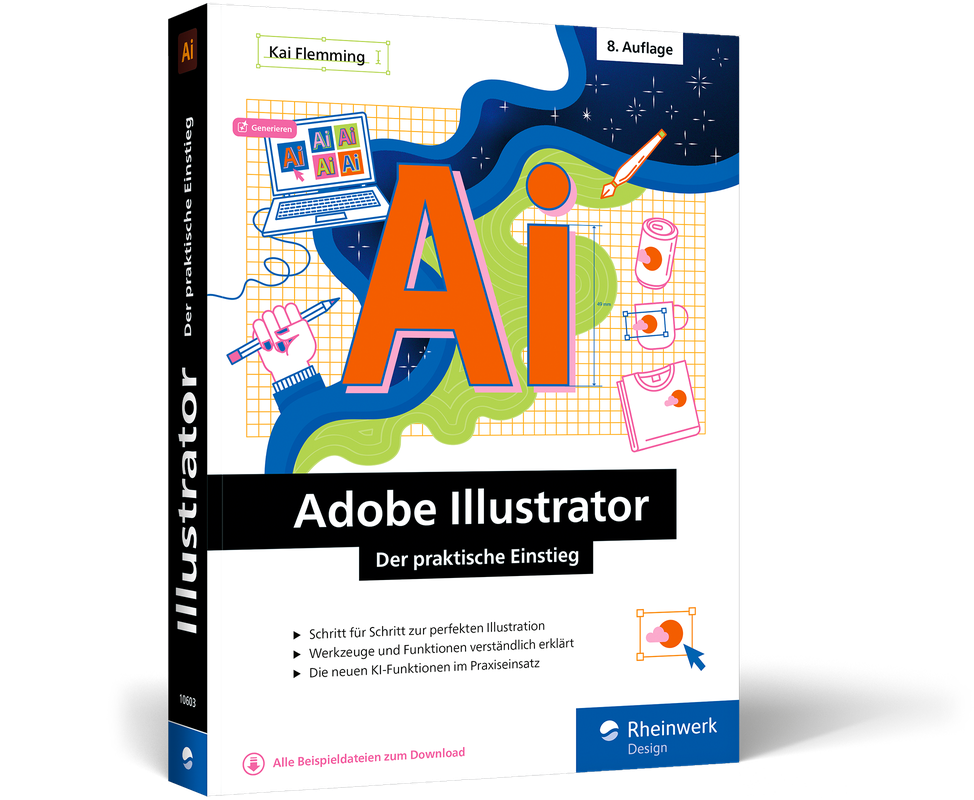
Adobe Illustrator (8. Auflg.)
Der praktische Adobe Illustrator-Einstieg: alle wichtigen Funktionen Schritt für Schritt erklärt. In 8. Auflage aus März 2025.Erstellen Sie beeindruckende Illustrationen, Diagramme und Logos mit Adobe Illustrator – mit unserem umfassenden Einsteigerbuch gelingt Ihnen der perfekte Start. Durch einfache Schritt-für-Schritt-Anleitungen und wertvolle Tipps erlernen Sie die Grundlagen im Handumdrehen und erhalten auch einen Einblick in fortgeschrittene Techniken. Erfahren Sie, wie Sie Vektorgrafiken erstellen, Farben und Typografie effektiv einsetzen und komplexe Designs realisieren. Und mit den neuen Möglichkeiten durch KI optimieren Sie Ihren Workflow und werden schnell kreativ. Schnell einsteigen, sofort loslegen Hier lernen Sie all die Grundlagen, Techniken und Werkzeuge kennen, die Sie für die Arbeit mit Illustrator benötigen. So erhalten Sie das Rüstzeug, um mit eigenen Kreationen zu überzeugen. Illustrator kreativ einsetzen Arbeiten Sie die Workshops des Buchs durch und setzen Sie das Gelernte direkt um: Sie erstellen Comics, Infografiken und Animationen für das Web und geben ihnen mit Verläufen, Mustern und Effekten den letzten Schliff. Sie werden sehen: Der Weg von der ersten Freihandzeichnung bis zu überzeugenden Illustrationen, Logos und Diagrammen ist ganz einfach. Fortgeschrittene Themen schnell beherrschen Kai Flemming bringt Ihnen auch die anspruchsvollen Funktionen von Illustrator nahe: 3D, Transparenzen, Perspektive, Effekte und die Zusammenarbeit mit den Programmen der Creative Cloud. Arbeiten mit den KI-Funktionen Optimieren Sie Ihren Workflow mit den neuen KI-Funktionen: Durch intelligente Werkzeuge wie das automatische Vektorisieren von Skizzen, das Generieren von Farbpaletten basierend auf Bildvorlagen und die Erstellung von Vektorgrafiken per Prompt können Sie Ihre Designs schneller und präziser umsetzen. Aus dem Inhalt: Die Arbeitsoberfläche, alle Werkzeuge Pfade zeichnen leicht gemacht Ebenen und Aussehen Objekte erstellen, transformieren, ausrichten, verzerren Generative KI, Generieren von Vektorgrafiken mit einem Text-Prompt Farben und Verläufe Neufärben von Grafiken per Prompt, Farberstellung per Text-Prompt Muster, Pinsel und Symbole, Transparenzen und Effekte Illustrator 3D Diagramme erstellen Ausgabe für Print, Web, Video Leseprobe (PDF-Link)
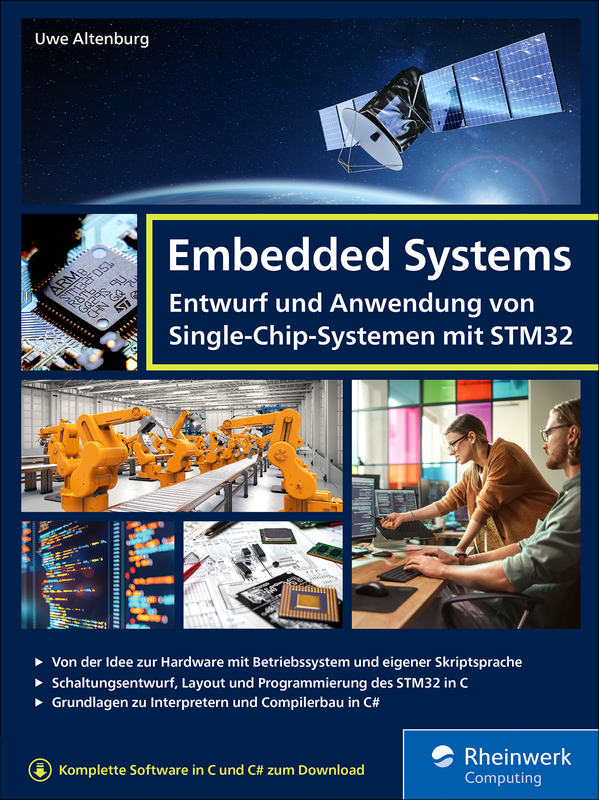
Embedded Systems
Embedded Systems entwickeln – von der Hardware über alle Ebenen bis zur konfigurierbaren Anwendung! Uwe Altenburg zeigt Ihnen in diesem Buch alles, was Sie brauchen, um ein Komplettsystem samt eigener Skriptsprache zu entwerfen und zu implementieren. Das praktische Konzept mit erprobten Lösungen, umfangreicher Software und vielen Hinweisen ist ideal für alle, denen fundierte, praxisrelevante Kenntnisse wichtig sind.Was Sie in diesem Buch lernenEigene Hardware entwerfen Hardware: Sie beginnen mit dem Schaltplan und entwerfen schließlich ein EMV-gerechtes Leiterplattenlayout für ein Breakout-Board mit dem Mikrocontroller STM32F412. Software entwickeln Komplexität: Am Anfang ist es nur ein Bootloader, dann ein einfaches Multitasking-Betriebssystem – und schließlich eine Skiptsprache mit Compiler. Schritt für Schritt werden die Aufgaben und Beispiele komplexer und interessanter. Externe Hardware ansteuern Zusammenspiel: Treiber für das weit verbreitete Modbus-RTU Protokoll sowie zum Ansteuern verschiedener LCD-Grafik-Displays runden die umfangreiche Software ab und ermöglichen vielfältige praktische Anwendungen. Testen und optimieren Qualität: Software ist immer nur so gut wie ihre Tests. Tausende davon auf Knopfdruck? Nutzen Sie die Möglichkeiten moderner Entwicklungswerkzeuge! Eine Software für ganz verschiedene Plattformen? Auch diese Herausforderung meistern Sie mit diesem Buch – und noch einige mehr! Aus dem InhaltEinführung in Embedded SystemsEntwicklungstools und TestumgebungSchaltungsentwurf und LeiterplattenlayoutBootloader-Funktion implementierenBetriebssystem mit MultitaskingEine Skriptsprache implementierenInterpreter und LaufzeitsystemLexikalische und syntaktische AnalyseCode-GenerierungLeseprobe (PDF-Link)

Salesforce Platform App Builder Certification Companion
Salesforce Platform App Builder Certification, second edition is a comprehensive guide for budding and intermediate developers aiming to deepen their understanding of Salesforce. This book will start with the basics of Salesforce, shedding light on the limitations of its declarative platform and guiding readers on when to choose programmatic development or explore App Exchange solutions. The journey through the book will then delve into various configurations like data management and analytics, segueing into how to customize the application's appearance and functionality at an organizational level. Subsequent chapters will explore enterprise sandbox design patterns, process automation tools within Salesforce, and their appropriate applications. Finally, the book will tackle designing mobile-compatible applications and delve into Salesforce reporting.This book's uniqueness lies in its focus on a niche yet crucial area of Salesforce, a domain where existing literature is sparse and formal training can be prohibitively expensive. By incorporating real-world examples, practical exercises, and multiple-choice questions, this guide will equip readers for the Platform App Builder certification, offering a comprehensive and efficient preparation tool.This second edition of the book is especially timely, as it updates content to reflect the latest developments and features in Salesforce.WHAT YOU WILL LEARN* Gain expertise in designing, constructing, and launching tailor-made applications utilizing the Force.com platform's declarative customization features* Understand the Salesforce data model, field type (when to use which fields), and how and when to use an external object in Salesforce* Be familiar with security and settings in Salesforce.* Gain skills in creating data models, managing security, and automating business logic.* Prepare for the Platform App Builder exam.* Learn and understand the latest Salesforce interface, the Lightning Experience.RAKESH GUPTA is a seasoned Salesforce Solution Architect, known for his strategic expertise in developing and delivering Salesforce solutions across various industries, including Public Sector, Manufacturing, Accommodation and Food, and Financial Services. With over 14 years of experience in Salesforce development, consulting, and architecture, he has led successful implementations of complex, large-scale solutions. He is a 9-time Salesforce MVP and a member of the MVP Hall of Fame, recognized for his exceptional contributions to the Salesforce community.Rakesh is also a well-known author, speaker, and coach, having written multiple books and over 300 articles on Salesforce Flow, CRM Analytics, Lightning Web Component, Apex, and automation best practices. As co-host of the popular Automation Hour webinar series, he shares practical insights and advanced techniques to help Salesforce users minimize code usage and maximize platform efficiency. He is passionate about empowering individuals and organizations to achieve their goals through Salesforce and has trained over 2,100 professionals globally.Actively engaged in the Salesforce ecosystem, Rakesh leads the Mumbai Architect User Group in India and maintains the Automation Champion blog, a go-to resource for Salesforce automation.CHAPTER 1: SALESFORCE PLATFORM FUNDAMENTALS.- CHAPTER 2: UNDERPINNINGS OF DATA MODELING.- CHAPTER 3: PLATFORM SECURITY.- CHAPTER 4: CUSTOMIZING THE USER INTERFACE.- CHAPTER 5: IMPROVING AND ENRICHING DATA QUALITY.- CHAPTER 6: AUTOMATING BUSINESS PROCESSES.- CHAPTER 7: NUTS AND BOLTS OF APPLICATION DEVELOPMENT.- CHAPTER 8: POWER OF SOCIAL ANALYTICS.- APPENDIX A: ANSWERS TO HANDS-ON EXERCISES.

SAP-Lizenzmanagement
Dieses Buch bietet Ihnen praxisnahe Lösungen, um den passenden Lizenzierungsumfang zu wählen und Kosten zu sparen. Erhalten Sie praktische Einblicke in Vermessungsprozesse und Cloud-Monitoring und strategische Empfehlungen für effizientes Lizenzmanagement. Tauchen Sie in die vielschichtige SAP-Lizenzwelt ein, und optimieren Sie Ihre Lizenzstrategie. Aus dem Inhalt: On-Premise, Cloud, HybridKostenoptimierungLizenzen bei der Migration auf SAP S/4HANASAP-Metriken und -AuditsDatenbanklizenzierungBeschreibung der SAP-PreislistenSAP Digital AccessMonitoring und ComplianceVertragsmanagementSupport und WartungSTAR-Service/SAM4U 1. Grundlagen des SAP-Lizenzmanagements ... 29 1.1 ... Grundlagen des SAP-Lizenzmanagements und seine Bedeutung ... 29 1.2 ... Kaufmännische Begriffsbestimmungen ... 38 1.3 ... Was macht gute SAP-Lizenzmanager*innen aus? ... 43 1.4 ... Zusammenfassung ... 51 2. SAP-Lizenzmodelle je Deployment-Option ... 53 2.1 ... SAP-Editionen: Historie ... 54 2.2 ... Die grundsätzlichen SAP-Deployment-Modelle ... 55 2.3 ... SAP-Betriebsmodelle im Vergleich -- Unterschiede je Deployment-Modell ... 57 2.4 ... SAP im On-Premise-Deployment, das BYOL-Modell ... 61 2.5 ... SAP in der Cloud ... 64 2.6 ... Kommerzielle Modelle RISE with SAP und GROW with SAP ... 69 2.7 ... Erweiterungsmöglichkeiten in den SAP-S/4HANA-Editionen ... 78 2.8 ... Zusammenfassung ... 83 3. SAP-Dokumentation ... 87 3.1 ... SAP Preis- und Konditionenliste für SAP-Software und -Pflege ... 87 3.2 ... Feature Scope Description ... 89 3.3 ... SAP Trust Center ... 93 3.4 ... Zusammenfassung ... 107 4. SAP-Preisinformationen ... 109 4.1 ... SAP-Preislisten ... 110 4.2 ... Preisliste für On-Premise-SAP-Softwareprodukte ... 114 4.3 ... SAP-Cloud-Preisinformationen ... 131 4.4 ... Preisinformationen und Beschaffungswege für SAP-Cloud-Softwareprodukte ... 136 4.5 ... Checklisten für SAP-Lizenzmanager*innen ... 152 4.6 ... Zusammenfassung ... 155 5. SAP-Metriken ... 157 5.1 ... Übersicht über SAP-Metriken ... 157 5.2 ... SAP-Metriken On-Premise ... 159 5.3 ... Handlungsempfehlungen für abweichende Metriken ... 168 5.4 ... SAP-Metriken in der Cloud ... 169 5.5 ... Vermessungszeitpunkte und -zeiträume ... 188 5.6 ... Zusammenfassung ... 189 6. Besonderheiten der On-Premise-Lizenzierung ... 191 6.1 ... Verwaltung der SAP-Benutzer ... 191 6.2 ... Optimierung der SAP-Benutzerpflege ... 193 6.3 ... SAP-Berechtigungskonzepte ... 209 6.4 ... SAP NetWeaver Foundation for Third Party Applications ... 214 6.5 ... Zusammenfassung ... 220 7. Besonderheiten der Cloud-Lizenzierung ... 221 7.1 ... Infrastruktur und Betrieb bei RISE with SAP und GROW with SAP ... 221 7.2 ... Enterprise Agreements ... 234 7.3 ... Checkliste für die Beschaffung von Cloud-Services ... 243 7.4 ... EU-Access-Only-Option ... 245 7.5 ... SAP Integration Suite aus Lizenzsicht ... 246 7.6 ... Erweiterungsmöglichkeiten von SAP Order Forms ... 248 7.7 ... Zusammenfassung ... 255 8. Lizenzierung der SAP-HANA-Datenbank ... 257 8.1 ... Allgemeine Informationen zur SAP-HANA-Datenbank ... 257 8.2 ... Lizenzmodelle der SAP-HANA-Datenbank ... 258 8.3 ... SAP-HANA-Datenbankadministration ... 268 8.4 ... Vermessung und Compliance ... 282 8.5 ... Kaufmännische Aspekte der SAP-HANA-Datenbank ... 296 8.6 ... Zusammenfassung ... 298 9. Indirekte Nutzung ... 301 9.1 ... Definition und Hintergrund von indirekter Nutzung ... 302 9.2 ... Lizenzierungsmodelle für indirekte Nutzung im SAP-Umfeld ... 303 9.3 ... Digital Access in verschiedenen Deployment-Szenarien ... 307 9.4 ... SAP-Unterstützungsangebote ... 310 9.5 ... Indirect Static Read ... 314 9.6 ... Digital Access -- Beispiele und Einschätzungen ... 316 9.7 ... Drittanbieterwerkzeuge zur SAP-Lizenzoptimierung ... 317 9.8 ... Zusammenfassung ... 318 10. Lizenzierung besonderer SAP-Lösungen ... 321 10.1 ... KI-Services von SAP ... 321 10.2 ... SAP-Lösungen für das Personalwesen ... 329 10.3 ... SAP Extended Warehouse Management ... 335 10.4 ... SAP Document and Reporting Compliance ... 340 10.5 ... SAP for Utilities und SAP S/4HANA Utilities ... 345 10.6 ... SAP-Analytics-Lösungen ... 349 10.7 ... Drittanbieter-Softwareprodukte ... 359 10.8 ... Zusammenfassung ... 364 11. SAP-Lizenzvermessungsprozess im On-Premise-Umfeld ... 367 11.1 ... Prozess der SAP-Systemvermessung ... 368 11.2 ... Prozessschritte und Vermessungsergebnisse ... 372 11.3 ... Vermessung anderer SAP-Softwareprodukte ... 435 11.4 ... Zusammenfassung ... 437 12. Monitoring in der Cloud ... 439 12.1 ... SAP for Me ... 439 12.2 ... SAP BTP Cockpit ... 452 12.3 ... SAP BTPEA Consumption App ... 455 12.4 ... Zusammenfassung ... 459 13. STAR-Service und SAM4U ... 461 13.1 ... STAR-Service ... 461 13.2 ... SAM4U ... 476 13.3 ... Zusammenfassung ... 490 14. SAP-S/4HANA-Lizenztransformation ... 491 14.1 ... SAP-S/4HANA-Transformation ... 491 14.2 ... Product Conversion ... 498 14.3 ... Contract Conversion ... 503 14.4 ... Compatibility Packs ... 509 14.5 ... Extension Programs ... 512 14.6 ... Zusammenfassung ... 516 15. SAP-Vertragsmanagement ... 519 15.1 ... SAP-Vertragsanalyse: Wie lese ich einen SAP-Vertrag? ... 519 15.2 ... Allgemeine Geschäftsbedingungen ... 531 15.3 ... Verträge über Testlizenzen ... 538 15.4 ... Besondere Vertragskonstrukte bei SAP ... 539 15.5 ... Mergers, Akquisitionen und Carve-outs ... 542 15.6 ... Empfehlungen zum SAP-Vertragsmanagement ... 548 15.7 ... Zusammenfassung ... 556 16. SAP-Wartung und -Support ... 557 16.1 ... Supportmodelle ... 557 16.2 ... Customer Center of Expertise ... 564 16.3 ... Zusätzliche Supportangebote von SAP ... 567 16.4 ... Wartungsphasen von SAP-Software ... 574 16.5 ... Application Lifecycle Management ... 578 16.6 ... SAP-Releaseplanung ... 581 16.7 ... Ansprechpartner bei SAP ... 582 16.8 ... Zusammenfassung ... 583 Index ... 595

Instandhaltung mit SAP S/4HANA - Customizing
Jeder Maschinenpark ist anders. Lernen Sie mit diesem Buch, wie Sie die Instandhaltungsprozesse in Ihrem Unternehmen gestalten: von den Objektinformationen über die Fahrzeugverwaltung bis hin zu Meldungen und Aufträgen. Ausführliche Anleitungen und Screenshots zeigen im Detail, wie Sie die verschiedenen Customizing-Funktionen nutzen können, um SAP EAM (PM) an Ihre eigenen Geschäftsprozesse anzupassen. Aus dem Inhalt: OrganisationsstrukturenTechnische Plätze und ReferenzplätzeEquipmentsSerialnummernMaterialien und StücklistenMeldungs- und AuftragsabwicklungVorbeugende InstandhaltungSubcontractingKalibrierung von Prüf- und MessmittelnPool Asset ManagementSchichtnotizen und SchichtberichteSAP Fiori Launchpad Über dieses Buch ... 13 1. Das SAP-Projekt in der Instandhaltung ... 25 1.1 ... Wie Ihr SAP-Projekt in der Instandhaltung ablaufen könnte ... 25 1.2 ... Allgemeine Risiko- und Erfolgsfaktoren in SAP-Projekten: eine empirische Studie ... 33 1.3 ... Hinweise für Ihr Instandhaltungsprojekt ... 37 1.4 ... Zusammenfassung ... 76 2. Customizing der Organisationsstrukturen ... 79 2.1 ... Allgemeine SAP-Organisationseinheiten ... 80 2.2 ... Das Werk aus Instandhaltungssicht ... 90 2.3 ... Instandhaltungsspezifische Organisationseinheiten ... 94 2.4 ... Arbeitsplätze ... 97 2.5 ... Zusammenfassung ... 108 3. Customizing generischer Funktionen ... 109 3.1 ... Objektinformation ... 110 3.2 ... Statusverwaltung ... 113 3.3 ... Nummernvergabe ... 119 3.4 ... Garantien ... 124 3.5 ... Messpunkte und Zähler ... 127 3.6 ... Genehmigungen ... 132 3.7 ... Partner ... 133 3.8 ... Dokumente ... 140 3.9 ... Feldauswahl ... 153 3.10 ... Listvarianten ... 156 3.11 ... Mehrstufige Listen ... 161 3.12 ... Änderungsbelege ... 164 3.13 ... Zusammenfassung ... 166 4. Customizing der technischen Objekte ... 167 4.1 ... Technische Objekte ... 167 4.2 ... Technische Plätze und Referenzplätze ... 169 4.3 ... Equipments ... 181 4.4 ... Fahrzeugverwaltung ... 189 4.5 ... Verbindungen und Netze ... 197 4.6 ... Linear Asset Management ... 200 4.7 ... Material und Baugruppen ... 210 4.8 ... Serialnummern ... 232 4.9 ... Stücklisten ... 240 4.10 ... Zusammenfassung ... 249 5. Customizing des Auftragszyklus ... 251 5.1 ... Meldung ... 253 5.2 ... Auftrag ... 286 5.3 ... Rückmeldung ... 413 5.4 ... Zusammenfassung ... 424 6. Customizing der vorbeugenden Instandhaltung ... 427 6.1 ... Arbeitspläne ... 428 6.2 ... Wartungspläne ... 438 6.3 ... Zusammenfassung ... 445 7. Customizing sonstiger Geschäftsprozesse ... 447 7.1 ... Fremdabwicklung ... 448 7.2 ... Aufarbeitung ... 462 7.3 ... Subcontracting (Lohnbearbeitung) ... 478 7.4 ... Kalibrierung von Prüf- und Messmitteln ... 484 7.5 ... Pool Asset Management ... 518 7.6 ... Maintenance Event Builder ... 534 7.7 ... Schichtberichte und Schichtnotizen ... 536 7.8 ... Checklisten ... 548 7.9 ... Der phasenbasierte Auftragszyklus ... 572 7.10 ... Zusammenfassung ... 602 8. Konfigurieren eines SAP Fiori Launchpads für die Instandhaltung ... 605 8.1 ... Die Grundlagen von SAP Fiori ... 605 8.2 ... Das SAP Fiori Launchpad mit SAPUI5-Fiori-Apps konfigurieren ... 612 8.3 ... Tabellarische Übersicht über alle SAPUI5-Fiori-Apps ... 633 8.4 ... Das SAP Fiori Launchpad mit Nicht-SAPUI5-Fiori-Apps konfigurieren ... 639 8.5 ... Tabellarische Übersicht über alle Web-Dynpro-Apps ... 649 8.6 ... Zusammenfassung ... 651 9. Die Benutzerfreundlichkeit ... 653 9.1 ... Kategorie 1: Möglichkeiten des Benutzers ... 655 9.2 ... Kategorie 2: Möglichkeiten der IT ohne Programmierung ... 680 9.3 ... Kategorie 3: Möglichkeiten der IT mit Programmierung ... 708 9.4 ... Zusammenfassung ... 726 Anhang ... 727 A ... Projektpläne und Übersichten ... 729 B ... Der Autor ... 747 C ... Danksagung ... 749 Index ... 751

Cut-over-Management in SAP-Projekten
Der Cut-over ist der kritische Moment in SAP-Projekten: Dieses Buch liefert einen detaillierten Leitfaden vom Cut-over-Plan über die Absicherung bis zur Durchführung. Profitieren Sie von zahlreichen Praxistipps, Beispielplänen und Checklisten für einen erfolgreichen Systemwechsel. Aus dem Inhalt: ProjekttypenProjektorganisation und Go-live-Termin Erstellung des Cut-over-Plans Jira, MS Project, SAP Cloud ALMImplementierungs-, Konsolidierungs- und UpgradeprojekteDatenmigration und TransporteBerechtigungenTests und AbnahmenÄnderungsstoppPoint of No ReturnGo-/No-Go-EntscheidungFallback-Szenarien Einleitung ... 11 1. Einführung ... 15 2. Projekttypen und Cut-over ... 19 2.1 ... Implementierungsprojekte ... 21 2.2 ... Roll-out-Projekte ... 40 2.3 ... Standardisierung, Harmonisierung und Konsolidierung ... 47 2.4 ... Upgrade-Projekte ... 50 2.5 ... Konvertierungsprojekte ... 70 2.6 ... Implementierung zusätzlicher Lösungen ... 108 3. Projektorganisation ... 135 3.1 ... Organisatorische Einbindung ... 135 3.2 ... Terminliche Einbindung ... 139 4. Erstellung des Cut-over-Plans ... 143 4.1 ... Strategie, Konzept, Plan ... 143 4.2 ... Go-live-Termin ... 145 4.3 ... Inhalte und Gliederung des Cut-over-Plans ... 146 4.4 ... Mitarbeitende für die Erstellung des Cut-over-Plans ... 153 4.5 ... Auswahl der generellen Tools für das Cut-over-Management ... 155 4.6 ... Mit den Tools zur Cut-over-Durchführung arbeiten ... 157 5. Den Cut-over ausgestalten und absichern ... 197 5.1 ... Sub-Cut-over-Pläne ... 198 5.2 ... Kritischer Pfad ... 199 5.3 ... Point of no Return ... 202 5.4 ... Notfallszenarien ... 203 5.5 ... Fallback-Plan ... 204 5.6 ... Buchungsfreie Zeit ... 208 5.7 ... Transporte ... 212 5.8 ... Berechtigungen ... 213 5.9 ... Downtime-Optimierung ... 214 6. Flankierende Maßnahmen ... 217 6.1 ... Risikomanagement ... 217 6.2 ... Änderungsstopp (PLM) ... 223 6.3 ... Reduzierung des Einkaufsvolumens ... 224 6.4 ... Reduzierung des Vertriebsvolumens ... 226 6.5 ... Reduzierung des Produktionsvolumens ... 227 6.6 ... Periodenabschluss im Rechnungswesen ... 228 6.7 ... Inventur ... 229 6.8 ... Bestandshöhe versus Einführungsrisiko ... 229 6.9 ... Reduzierung offener Posten ... 230 6.10 ... Arbeitszeit ... 230 6.11 ... Kommunikation ... 232 6.12 ... Doppelpflege ... 235 7. Abnahmen ... 237 7.1 ... Abnahme des Cut-over-Plans und des Cut-over ... 237 7.2 ... Abnahme der Datenmigration ... 239 7.3 ... Abnahme durch die Wirtschaftsprüfungsgesellschaft ... 240 8. Durchführung des Cut-over ... 245 8.1 ... Cut-over-Tests ... 246 8.2 ... Infrastruktur ... 247 8.3 ... Mitarbeitende ... 249 8.4 ... Abwicklung ... 250 8.5 ... Live-Test ... 258 8.6 ... Go-/No-go-Entscheidung ... 259 9. Abschluss des Cut-over ... 269 9.1 ... Altsysteme ... 269 9.2 ... Dokumentation ... 272 9.3 ... Übergabe ... 273 10. Zusammenfassung ... 275 A. Checklisten ... 277 Die Autoren ... 287 Index ... 289

Oracle SQL
Wenn Sie sich professionell mit Oracle beschäftigen, sind umfassende Kenntnisse des entsprechenden SQL-Dialekts unverzichtbar. Jürgen Sieben, vielen bereits bekannt durch seine Bücher zu Oracle PL/SQL und Oracle APEX, hat nun auch sein Buch zu Oracle SQL aktualisiert. Er zeigt Ihnen darin, wie Oracle und SQL zusammenspielen und welche Strategien Sie nutzen können, um Daten in der Datenbank zu speichern, zu analysieren oder auch zu löschen. Die vierte Auflage berücksichtigt die umfassenden Erleichterungen und Syntaxänderung der Datenbankversion 23ai und gibt auch erfahrenen Anwendern einen profunden Einstieg in die verbesserten Möglichkeiten der Sprache SQL. Aus dem Inhalt: Konzept einer relationalen DatenbankGrundlagen: Auswahl und ProjektionDaten aus mehreren Tabellen lesen: JoinsZeilenfunktionen, Gruppenfunktionen, analytische FunktionenUnterabfragenDatenmanipulationViews, Tabellen und Indizes erstellenEinführung in die Rechteverwaltung von OracleHierarchische Abfragen und XML-AbfragenDie Model-KlauselRow Pattern MatchingPivotierung und AbfragetabellenArbeit mit großen DatenstrukturenPerformanzoptimierung von SQL-AbfragenNormalisierung von DatenmodellenHäufige Fehler der DatenmodellierungParameter verwaltenMultilinguale Daten 1. Materialien zum Buch ... 23 1. Einführung ... 25 1.1 ... Für wen ist dieses Buch geschrieben? ... 25 1.2 ... Aufbau des Buches ... 26 1.3 ... Anmerkung zur vierten Auflage ... 35 1.4 ... Anmerkung zur dritten Auflage ... 36 1.5 ... Anmerkung zur zweiten Auflage ... 37 1.6 ... Danksagung ... 38 TEIL I. Einführung und Grundlagen ... 39 2. Verwendete Werkzeuge und Skripte ... 41 2.1 ... Aufsetzen einer Beispieldatenbank ... 41 2.2 ... SQL Developer ... 44 2.3 ... Die Datenbankbenutzer ... 49 2.4 ... Online-Dokumentation und weiterführende Literatur ... 50 3. Konzept einer relationalen Datenbank ... 53 3.1 ... Die Idee der relationalen Speicherung ... 53 3.2 ... SQL -- die »Lingua franca« der Datenbank ... 70 3.3 ... Analyse vorhandener Datenmodelle ... 78 TEIL II. Die SELECT-Anweisung ... 85 4. Grundlagen: Auswahl und Projektion ... 87 4.1 ... Projektion ... 87 4.2 ... Auswahl ... 102 4.3 ... Sortieren von Zeilenmengen ... 116 4.4 ... Fallunterscheidungen ... 120 4.5 ... Die Klausel ROW LIMITING ... 128 4.6 ... Pseudospalten ... 131 4.7 ... Kommentare ... 137 4.8 ... Der NULL-Wert ... 139 4.9 ... Übungen ... 146 5. Daten aus mehreren Tabellen lesen: Joins ... 147 5.1 ... Einführung in Joins ... 148 5.2 ... Inner Join ... 149 5.3 ... Outer Join ... 160 5.4 ... Anti-Join, Semi-Join, Self-Join und Natural Join ... 169 5.5 ... Mengenoperationen mit UNION, MINUS und INTERSECT ... 175 5.6 ... Übungen ... 182 5.7 ... Zusatz: Weiterführende Join-Konzepte ... 183 6. Zeilenfunktionen ... 191 6.1 ... Grundsätzliches zu Funktionen ... 191 6.2 ... Zeichenfunktionen ... 195 6.3 ... Datumsfunktionen ... 219 6.4 ... Mathematische Funktionen ... 239 6.5 ... Allgemeine Funktionen ... 255 6.6 ... Eigene Funktionen erstellen: Berechnung der Fakultät ... 274 7. Gruppenfunktionen ... 279 7.1 ... Die Standardgruppenfunktionen ... 280 7.2 ... Gruppierung von Gruppenfunktionen ... 285 7.3 ... Spezielle Gruppenfunktionen ... 300 7.4 ... Wenn ungefähr ausreicht ... 308 7.5 ... Übungen ... 309 8. Unterabfragen ... 311 8.1 ... Die Unterabfrage in der WHERE-Klausel ... 311 8.2 ... Die Unterabfrage in der FROM-Klausel (Inner View) ... 322 8.3 ... Unterabfragen und Joins ... 329 8.4 ... Funktionen in der WITH-Klausel ... 334 8.5 ... Übungen ... 336 9. Analytische Funktionen ... 337 9.1 ... Die Idee der analytischen Funktionen ... 337 9.2 ... Gruppenfunktionen als analytische Funktionen ... 343 9.3 ... Analytische Rangfunktionen ... 354 9.4 ... Zusammenfassung ... 370 9.5 ... Übungen ... 371 TEIL III. Datenmanipulation und Erzeugung von Datenbankobjekten ... 373 10. Datenmanipulation ... 375 10.1 ... Die INSERT-Anweisung ... 376 10.2 ... Die UPDATE-Anweisung ... 382 10.3 ... Die DELETE-Anweisung ... 389 10.4 ... Die MERGE-Anweisung ... 390 10.5 ... Exkurs: Flashback ... 401 10.6 ... Sequenzen und Trigger ... 403 10.7 ... Ihr Sicherheitsnetz -- die Transaktion ... 409 10.8 ... Fehlerbehandlung während der Datenmanipulation ... 412 10.9 ... Multi-Table-Insert ... 420 11. Views erstellen ... 429 11.1 ... »Normale« Views ... 429 11.2 ... Einsatzbereiche von Views ... 440 11.3 ... Wer sollte Views verwenden? ... 445 11.4 ... Materialized View ... 447 12. Tabellen erstellen ... 463 12.1 ... Einfache Tabellen erstellen ... 463 12.2 ... Datentypen ... 480 12.3 ... Domänen ... 493 12.4 ... Annotationen und Kommentare ... 504 12.5 ... Weitere Tabellentypen ... 507 12.6 ... Erweiterung zur »aktiven Tabelle« ... 520 13. Indizes erstellen ... 527 13.1 ... Was ist ein Index? ... 528 13.2 ... Indextypen bei Oracle ... 532 13.3 ... Spezielle Indextypen ... 537 14. Aufbau einer Oracle-Datenbank ... 553 14.1 ... Wie arbeitet eine Oracle-Datenbank? ... 553 14.2 ... Datensicherheit ... 564 14.3 ... Zeichensatzcodierung ... 579 15. Anwendungsbeispiele ... 585 15.1 ... Delta-View ... 585 15.2 ... Dubletten bereinigen ... 596 15.3 ... Entscheidungstabellen ... 601 15.4 ... Entscheidungstabelle 2: »Expertensystem« ... 608 TEIL IV. Spezielle Abfragetechniken ... 613 16. Umgang mit Datum und Zeit ... 615 16.1 ... Erzeugung von Datumstypen ... 615 16.2 ... Erzeugung von Intervallen ... 622 16.3 ... Konvertierung von Zeichenketten in Datumstypen ... 626 16.4 ... Zeilenfunktionen für Zeitstempel mit Zeitzonen ... 632 16.5 ... Abfragen über die Zeit: Flashback ... 635 17. Hierarchische Abfragen ... 641 17.1 ... Das Problem ... 641 17.2 ... Lösung mit der CONNECT BY-Klausel ... 644 17.3 ... Erweiterungen der CONNECT BY-Klausel ... 651 17.4 ... Hierarchische Abfragen nach ISO-Standard ... 662 18. Arbeiten mit XML ... 675 18.1 ... XML-Instanzen mit SQL/XML erzeugen ... 678 18.2 ... Bearbeitung von XML-Instanzen in SQL/XML ... 696 18.3 ... Extraktion relationaler Daten aus XML ... 702 18.4 ... Speicherung von XML in der Datenbank ... 707 18.5 ... Der Datentyp XMLTYPE ... 716 19. JSON ... 725 19.1 ... Übersicht über JSON ... 725 19.2 ... Oracles JSON-Unterstützung ... 728 19.3 ... Abfragen gegen JSON-Instanzen ... 731 19.4 ... JSON-Funktionen und -Operatoren ... 736 19.5 ... Erzeugung von JSON aus relationalen Daten ... 742 19.6 ... Relationale Daten aus JSON extrahieren ... 752 19.7 ... JSON-Instanzen bearbeiten ... 758 19.8 ... JSON Data Guide ... 764 19.9 ... JSON-Schema ... 767 19.10 ... JSON Duality Views ... 770 20. Pivotieren von Daten ... 777 20.1 ... Pivotierung mit Gruppenfunktionen ... 778 20.2 ... Pivotierung mit der PIVOT-Klausel ... 780 20.3 ... Unpivotierung mit Gruppenfunktionen ... 787 20.4 ... Unpivotierung mit der UNPIVOT-Klausel ... 790 21. Row Pattern Matching ... 793 21.1 ... Die Grundlagen ... 793 21.2 ... Syntaktische Grundlagen ... 795 21.3 ... Erweiterungen zur Grundsyntax ... 801 21.4 ... Weitere Beispiele und Optionen ... 809 21.5 ... Zusammenfassung ... 817 22. Die MODEL-Klausel ... 819 22.1 ... Lösung des Problems mit der MODEL-Klausel ... 822 22.2 ... Partitionierung, Dimension und Messung ... 825 22.3 ... Regeln ... 828 22.4 ... Weiterführende Konzepte ... 838 22.5 ... Bewertung der MODEL-Klausel ... 846 23. SQL Property Graphen ... 849 23.1 ... Einführung in Graphen ... 849 23.2 ... Erstellen von Property-Graphen ... 851 23.3 ... SQL/PGQ ... 857 23.4 ... Beurteilung ... 863 24. Objektorientierung in der Oracle-Datenbank ... 865 24.1 ... Einführung in die Objektorientierung ... 866 24.2 ... SQL-Typen ... 873 24.3 ... Multiset-Operatoren und -Bedingungen ... 887 24.4 ... Objektorientierte Tabellen ... 890 24.5 ... Beurteilung ... 902 25. Performanzoptimierung von SQL ... 905 25.1 ... Sagen Sie der Datenbank, was Sie wollen! ... 905 25.2 ... Nutzen Sie alle verfügbaren Optionen von SQL ... 909 25.3 ... Vermeiden Sie Umgebungswechsel ... 913 25.4 ... Die Verwendung von Indizes ... 921 Datenbankmodellierung ... 933 26. Die Grundlagen der Datenmodellierung ... 935 26.1 ... Normalisierung ... 935 26.2 ... Tabellendesign ... 939 26.3 ... Primärschlüssel ... 942 26.4 ... Fremdschlüssel ... 946 26.5 ... Überlegungen zu Datentypen und zur Namenskonvention in Tabellen ... 947 26.6 ... Zusammenfassung ... 955 27. Datenmodellierung von Datum und Zeit ... 959 27.1 ... Datumsbereiche ... 959 27.2 ... Analyse gegen eine Zeitdimension ... 975 27.3 ... Historisierung und Logging ... 979 28. Speicherung hierarchischer Daten ... 995 28.1 ... Hierarchie mittels zusätzlicher Hierarchietabelle ... 995 28.2 ... Closure Table ... 999 28.3 ... Weitere Modelle ... 1003 28.4 ... Zusammenfassung ... 1004 29. Datenwarenhaus ... 1007 29.1 ... Star-Schema und Indizierung ... 1010 29.2 ... Dimensionen ... 1013 29.3 ... Arbeiten mit dem Star-Schema ... 1017 29.4 ... Analytische Views ... 1022 29.5 ... Zusammenfassung ... 1035 30. Abbildung objektorientierter Strukturen ... 1037 30.1 ... Vererbung ... 1038 30.2 ... Kollektionen ... 1043 30.3 ... Alternative Lösungsansätze ... 1044 30.4 ... Zusammenfassung ... 1046 31. Internationalisierung ... 1049 31.1 ... Oracle im multilingualen Kontext ... 1049 31.2 ... Datenmodelle zur Übersetzung von Stammdaten ... 1057 Index ... 1073

Computer-Netzwerke
Computer-Netzwerke sind überall. Für Ihren Beruf oder Ihre Ausbildung brauchen Sie daher ein solides Fundament zu modernen Netzwerk-Themen. Mit diesem Buch lernen Sie die Schichten des OSI-Modells kennen und machen sich mit den Protokollen und Techniken moderner Netze vertraut. Mit seiner langjährigen Erfahrung gibt Ihnen unser Autor Harald Zisler zahlreiche nützliche Tipps für die Praxis und hilft Ihnen, den Aufbau und die Funktionsweise moderner Rechnernetze zu verstehen. Aus dem Inhalt: TCP/IP, MAC-AdressenIPv4- und IPv6-AdressenInternetprotokolle: TCP, UDP, QUIKDHCP und RoutingAdressierung im NetzwerkVirtuelle Netze (VLAN)Datei-, Druck- und NachrichtendienstePAT/NATSMB/CIFS, NFS, HTTP, SMTPNFS, SSH, SFTP, SCP, VoIPLichtwellenleiter, Kabel und VerbinderFunktechnik, WLAN, PLCSwitches, Bridges, HubsRouter, NetzwerkkartenNetzwerkspeicherFirewall und ProxyserverPlanung und Aufbau 1. Grundlagen moderner Netzwerke ... 19 1.1 ... Definition und Eigenschaften von Netzwerken ... 20 1.2 ... Die Netzwerkprotokollfamilie TCP/IP ... 22 1.3 ... OSI-Schichtenmodell und TCP/IP-Referenzmodell ... 23 1.4 ... Räumliche Abgrenzung von Netzwerken ... 26 1.5 ... Regel- und Nachschlagewerk für TCP/IP-Netze (RFCs) ... 27 1.6 ... Prüfungsfragen ... 28 2. Netzwerktechnik ... 29 2.1 ... Elektrische Netzwerkverbindungen und -standards ... 30 2.2 ... Lichtwellenleiter, Kabel und Verbinder ... 60 2.3 ... Datenübertragung per Funktechnik ... 80 2.4 ... Technische Anbindung von Rechnern und Netzen ... 85 2.5 ... Weitere Netzwerkkomponenten ... 85 2.6 ... Zugriffsverfahren ... 86 2.7 ... Prüfungsfragen ... 87 3. Adressierung im Netzwerk -- Theorie ... 89 3.1 ... Physikalische Adresse (MAC-Adresse) ... 89 3.2 ... Ethernet-Pakete (Ethernet-Frames) ... 91 3.3 ... Zusammenführung von MAC- und IP-Adresse ... 92 3.4 ... IP-Adressen ... 97 3.5 ... IPv4-Adressen ... 98 3.6 ... IPv6-Adressen ... 110 3.7 ... Internetprotokoll ... 121 3.8 ... Prüfungsfragen ... 125 4. MAC- und IP-Adressen in der Praxis ... 127 4.1 ... MAC-Adressen ... 127 4.2 ... IP-Adressen setzen ... 130 4.3 ... Verwendung von Rechnernamen ... 149 4.4 ... Überprüfung der Erreichbarkeit und Namensauflösung von Hosts ... 163 4.5 ... Zentrale Netzwerkgeräte auf Sicherungs- und Vermittlungsebene ... 177 4.6 ... Switches -- Verbindungsknoten ohne Kollisionen ... 179 4.7 ... Routing -- Netzwerkgrenzen überschreiten ... 197 4.8 ... Multicast-Routing ... 206 4.9 ... Praxisübungen ... 206 5. Steuer- und Fehlercodes mit ICMP und ICMPv6 übertragen ... 209 5.1 ... ICMP-Pakete (IPv4) ... 210 5.2 ... ICMPv6-Pakete ... 211 6. Datentransport mit TCP und UDP ... 215 6.1 ... Transmission Control Protocol (TCP) ... 215 6.2 ... User Datagram Protocol (UDP) ... 221 6.3 ... QUIC ... 222 6.4 ... Nutzung von Services mittels Ports und Sockets ... 223 6.5 ... Die Firewall ... 230 6.6 ... Der Proxyserver ... 236 6.7 ... Port and Address Translation (PAT), Network Address Translation (NAT) ... 239 6.8 ... Praxis ... 241 6.9 ... Prüfungsfragen ... 244 7. Kommunikation und Sitzung ... 247 7.1 ... SMB/CIFS (Datei-, Druck- und Nachrichtendienste) ... 247 7.2 ... Network File System (NFS) ... 260 7.3 ... HTTP für die Informationen im Internet ... 264 7.4 ... Mail-Transport ... 274 7.5 ... Secure Shell (SSH) und Secure Socket Layer (SSL), Transport Layer Security (TLS) ... 283 7.6 ... Praxisübungen ... 286 8. Netzwerkanwendungen ... 289 8.1 ... Datenübertragung ... 289 8.2 ... SSH, SFTP und SCP: Schlüssel erzeugen zur Erhöhung der Sicherheit oder zur kennwortfreien Anmeldung ... 299 8.3 ... Aufbau eines SSH-Tunnels ... 301 8.4 ... Fernsitzungen ... 302 8.5 ... Telefonie-Anwendungen über Netzwerke (VoIP) ... 313 9. Netzwerkpraxis ... 321 9.1 ... Planung von Netzwerken ... 321 9.2 ... Netzwerke mit Kupferkabeln ... 328 9.3 ... Netzwerke mit Glasfaserkabeln ... 332 9.4 ... Geräte für Netzwerkverbindungen und -dienste ... 336 9.5 ... Einbindung externer Netzwerkteilnehmer ... 372 9.6 ... Sicherheit ... 373 9.7 ... Prüf- und Diagnoseprogramme für Netzwerke ... 394 Anhang ... 413 A ... Fehlertafeln ... 413 B ... Auflösungen zu den Prüfungsfragen ... 421 C ... Netzwerkbegriffe kurz erklärt ... 427 Index ... 441

Smart Factory mit SAP
Machen Sie sich auf den Weg zur intelligenten Fabrik! Dieses Buch zeigt Ihnen, welche Schritte Sie unternehmen müssen, um Ihre Fertigungsprozesse zu digitalisieren. Sie lernen die wichtigsten Einsatzfelder und SAP-Werkzeuge für die Umsetzung von Smart-Factory-Szenarien in der Fertigungsindustrie kennen. Finden Sie heraus, welche Tools und Best Practices Sie in jeder Phase des Produktlebenszyklus unterstützen, und welche Rollen Integration und Analytics dabei spielen können. Aus dem Inhalt: SAP Manufacturing Integration and Intelligence (MII)SAP Manufacturing Execution (ME)SAP Plant Connectivity (PCo)SAP Digital Manufacturing Cloud (DMC)SAP Business Technology Platform (BTP)SAP Extended Warehouse Management (EWM)SAP S/4HANA, SAP Fiori und SAPUI5SAP Engineering Control CenterEngineering Change Request ManagementIntegriertes Produkt- und Prozess-Engineering (iPPE)Dokumentenmanagement (DMS)Production Engineering and Operations (PEO)SAP Enterprise Product Development (EPD)SAP Product Lifecycle Management (PLM) Vorwort ... 15 Einleitung ... 17 1. Grundlagen der Smart Factory ... 23 1.1 ... Was ist Industrie 4.0? ... 23 1.2 ... Phasen des Digitalisierungsprojekts: von der Idee bis zur Umsetzung ... 32 1.3 ... Voraussetzungen für das Digitalisierungsprojekt ... 38 1.4 ... Vorgehensweise bei der Zielsetzung ... 39 1.5 ... Unternehmensdigitalisierung: Chance oder Risiko? ... 42 1.6 ... Häufige Fehler bei der Unternehmensdigitalisierung ... 44 1.7 ... Zusammenfassung ... 52 2. Digitalisierung der Produktion ... 53 2.1 ... Change Management ... 53 2.2 ... Product Lifecycle Management ... 70 2.3 ... Produktionsplanung ... 79 2.4 ... Manufacturing Execution ... 89 2.5 ... Negativbeispiel eines Digitalisierungsprojekts ... 108 2.6 ... Zusammenfassung ... 113 3. Product Lifecycle Management ... 115 3.1 ... Was ist Product Lifecycle Management? ... 116 3.2 ... SAP-Werkzeuge für das PLM ... 128 3.3 ... Digital Thread und Digital Twin ... 138 3.4 ... Dokumentenmanagement ... 144 3.5 ... Änderungsmanagement ... 155 3.6 ... Anforderungsdefinitionen ... 168 3.7 ... Soll-Definition ... 170 3.8 ... Auftragsabwicklung ... 184 3.9 ... Die Produktlebensakte ... 187 3.10 ... Ausmusterung und Abkündigung ... 192 3.11 ... Datenmodell ... 194 3.12 ... Zusammenfassung ... 200 4. Smart Factory ... 201 4.1 ... Was ist die Smart Factory? ... 202 4.2 ... SAP-Applikationen für das Manufacturing ... 202 4.3 ... Aktuelle Technologien ... 208 4.4 ... Bewährte Verfahren zur Optimierung einer Smart Factory ... 220 4.5 ... Smarte Planung ... 230 4.6 ... Smarte Logistik ... 234 4.7 ... Smart Maintenance ... 238 4.8 ... Smart Production ... 244 4.9 ... Zusammenfassung ... 258 5. System- und Technologieintegration ... 259 5.1 ... Vertikale Systemintegration ... 259 5.2 ... Horizontale Systemintegration ... 279 5.3 ... Hardwareintegration ... 289 5.4 ... Datenmengen und Datengranularität ... 295 5.5 ... Überlegungen vor dem Start der Integration ... 304 5.6 ... Zusammenfassung ... 311 6. Mitarbeiterintegration ... 313 6.1 ... Benutzerfreundliche Software ... 314 6.2 ... Change Management und Mitarbeiterakzeptanz ... 322 6.3 ... Praxisbeispiele ... 328 6.4 ... Zusammenfassung und Ausblick ... 353 7. Analytics ... 355 7.1 ... Live-Auswertungen ... 355 7.2 ... Kurzfristige Auswertungen ... 366 7.3 ... Langfristige Auswertungen ... 370 7.4 ... Big-Data-Analysen ... 372 7.5 ... Process Mining ... 376 7.6 ... Künstliche Intelligenz ... 383 7.7 ... Zusammenfassung ... 389 8. Ihr Weg zur Smart Factory ... 391 8.1 ... Was Sie vor der Planung Ihres Digitalisierungsprojekts bedenken sollten ... 391 8.2 ... Planung Ihres Digitalisierungsprojekts ... 400 8.3 ... Start Ihres Digitalisierungsprojekts ... 419 8.4 ... Zusammenfassung ... 421 Das Autorenteam ... 423 Index ... 427

Excel - Formeln und Funktionen
Dieses übersichtlich gestaltete Nachschlagewerk hilft Ihnen bei der täglichen Arbeit mit Excel. Egal, ob Text- und Datumsfunktionen, statistische Funktionen, Finanzmathematik, Matrix- oder Datenbankfunktionen, hier finden Sie schnell und zuverlässig die von Ihnen benötigte Hilfestellung. Anhand anschaulicher Beispiele aus der Praxis erfahren Sie, wie Sie die benötigte Funktion konkret anwenden. Sämtliche Formeln und Funktionen des Tabellenkalkulationsprogramms bis einschließlich Excel 2024! Aus dem Inhalt: Einstieg in Berechnungen mit ExcelBerechnungstoolsFinanzmathematische FunktionenDatums- und ZeitfunktionenMathematische und trigonometrische FunktionenTechnische FunktionenStatistische FunktionenKompatible statistische FunktionenNachschlage- und VerweisfunktionenDatenbankfunktionenCube-FunktionenTextfunktionenLogische FunktionenInformationsfunktionenZusätzliche Tools für die DatenanalyseEntwicklung eigener FunktionenAnhang: Alphabetische Liste der Funktionen, Funktionsliste Deutsch–Englisch/Englisch–Deutsch Vorwort ... 31 1. Einstieg in Berechnungen mit Excel ... 37 1.1 ... Hinweise zum Programmstart ... 37 1.2 ... Excel auf dem Touchscreen ... 39 1.3 ... Hinweise zur Dateneingabe ... 43 1.4 ... Die Rolle der Zahlenformate ... 60 1.5 ... Formellose Berechnungen ... 71 1.6 ... Einsatz von Formeln ... 73 1.7 ... Arbeit mit Operatoren ... 76 1.8 ... Arbeit mit verknüpften Datentypen ... 78 1.9 ... Hinweise zu den Grundrechenarten ... 85 1.10 ... Texte verketten ... 87 1.11 ... Hinweise zu logischen Formeln ... 88 1.12 ... Formeln mit Bezugsoperatoren ... 88 1.13 ... Tabellenfunktionen ... 89 1.14 ... Eingabe von Formeln und Funktionen ... 92 1.15 ... Einsatz von relativen und absoluten Bezügen ... 111 1.16 ... Einsatz von Formeln in Tabellen ... 116 1.17 ... Arbeit mit benannten Bereichen ... 123 1.18 ... Matrixberechnungen ... 130 1.19 ... Verfahren der Fehlervermeidung ... 137 1.20 ... Berechnungseinstellung und -optimierung ... 152 1.21 ... Arbeit mit bedingten Formaten ... 155 1.22 ... Exkurs über die Visualisierung von Daten: Sparklines und Diagramme ... 158 2. Berechnungstools ... 173 2.1 ... Zielwertsuche ... 173 2.2 ... Lösungen mit dem Solver suchen ... 175 2.3 ... Was wäre, wenn ... mit Datentabellen ... 183 2.4 ... Arbeit mit Szenarios ... 187 3. Finanzmathematische Funktionen ... 195 3.1 ... Einsatzbereiche der finanzmathematischen Funktionen ... 196 3.2 ... Zur Berechnung von Zins und Zinseszins ... 198 3.3 ... Häufig benötigte Argumente und ihr Zusammenhang ... 201 3.4 ... Berechnungen zu Darlehen ... 203 3.5 ... Die Berechnung von Abschreibungen ... 204 3.6 ... Funktionen für Wertpapierberechnungen ... 206 3.7 ... Referenz der finanzmathematischen Funktionen ... 210 4. Datums- und Zeitfunktionen ... 281 4.1 ... Einsatzbereich der Datums- und Zeitfunktionen ... 281 4.2 ... Periodische Datumsreihen berechnen ... 283 4.3 ... Periodische Zeitreihen berechnen ... 285 4.4 ... Uhrzeit und Dauer ... 286 4.5 ... Tabellen für Arbeitszeiterfassung ... 288 4.6 ... Referenz der Datums- und Zeitfunktionen ... 295 5. Mathematische und trigonometrische Funktionen ... 329 5.1 ... Einsatzbereiche ... 330 5.2 ... Zu den trigonometrischen Funktionen ... 333 5.3 ... Zu den hyperbolischen Funktionen ... 337 5.4 ... Referenz der mathematischen Funktionen ... 339 6. Technische Funktionen ... 427 6.1 ... Einsatzbereiche der technischen Funktionen ... 428 6.2 ... Besselfunktionen ... 428 6.3 ... Umwandlungen zwischen Zahlensystemen ... 429 6.4 ... Umwandeln von Maßeinheiten ... 431 6.5 ... Rechenoperationen mit komplexen Zahlen ... 431 6.6 ... Referenz der technischen Funktionen ... 435 7. Statistische Funktionen ... 479 7.1 ... Einsatzbereiche für statistische Funktionen ... 480 7.2 ... Stichproben und Grundgesamtheiten ... 483 7.3 ... Zufallsvariable und Wahrscheinlichkeit ... 484 7.4 ... Korrelation ... 487 7.5 ... Regressionsanalyse ... 488 7.6 ... Statistische Tests ... 492 7.7 ... Verteilungsfunktionen ... 493 7.8 ... Jüngere und geänderte Funktionen ... 497 7.9 ... Referenz der statistischen Funktionen ... 502 8. Kompatible Funktionen ... 659 8.1 ... Hinweise zu dieser Kategorie ... 660 8.2 ... Referenz der kompatiblen Funktionen ... 662 9. Nachschlage- und Verweisfunktionen ... 697 9.1 ... Einsatzbereiche für Nachschlage- und Verweisfunktionen ... 697 9.2 ... Arbeiten mit Verweisfunktionen ... 698 9.3 ... Daten filtern, sortieren und reduzieren ... 700 9.4 ... Einsatz der Funktion INDEX() ... 704 9.5 ... Einsatz der Funktion WAHL() ... 705 9.6 ... Bilder als Zellinhalt einfügen ... 707 9.7 ... Weitere Funktionen für Matrizen ... 707 9.8 ... Referenz der Nachschlage- und Verweisfunktionen ... 708 10. Datenbankfunktionen ... 763 10.1 ... Einsatzbereiche für Datenbankfunktionen ... 763 10.2 ... Referenz der Datenbankfunktionen ... 771 11. Cube-Funktionen ... 781 11.1 ... Einsatzbereiche für Cube-Funktionen ... 781 11.2 ... Zugriff auf Cubes ... 782 11.3 ... Referenz der Cube-Funktionen ... 788 12. Textfunktionen ... 795 12.1 ... Einsatzbereiche der Textfunktionen ... 795 12.2 ... Referenz der Textfunktionen ... 803 13. Logische Funktionen ... 845 13.1 ... Einsatzbereiche der logischen Funktionen ... 845 13.2 ... Prüfen mit der WENN()-Funktion ... 847 13.3 ... Bewertungen erzeugen ... 849 13.4 ... Bedingte Berechnungen ... 850 13.5 ... Bedingte Textanzeige ... 851 13.6 ... Prüfungen mit komplexen Bedingungen ... 852 13.7 ... Bedingte Zuordnung ... 853 13.8 ... Mehrfachverzweigungen ... 854 13.9 ... Bedingte Formate ... 857 13.10 ... Funktionen für Matrizen ... 858 13.11 ... LET() und LAMBDA() ... 858 13.12 ... Referenz der logischen Funktionen ... 861 14. Informationsfunktionen ... 875 14.1 ... Einsatzbereiche für Informationsfunktionen ... 875 14.2 ... Referenz der Informationsfunktionen ... 877 15. Webfunktionen ... 899 15.1 ... Einsatzbereich der Webfunktionen ... 899 15.2 ... Referenz der Webfunktionen ... 900 16. Analyse mit Pivot-Tabellen und -Diagrammen ... 907 16.1 ... Eine Pivot-Tabelle anlegen ... 908 16.2 ... Layout der Pivot-Tabelle ... 912 16.3 ... Elementfilter und Datenschnitte ... 914 16.4 ... Ändern der Berechnungsart ... 915 16.5 ... Auswertungen mit Pivot-Diagrammen ... 917 16.6 ... Funktionen bei Datenmodellen anwenden ... 919 17. Zusätzliche Tools für die Datenanalyse ... 921 17.1 ... Aktivieren der Analyse-Funktionen ... 921 17.2 ... Anova-Varianzanalyse mit einem Faktor ... 923 17.3 ... Anova: Zweifaktorielle Varianzanalyse mit Messwiederholung ... 927 17.4 ... Anova: Zweifaktorielle Varianzanalyse ohne Messwiederholung ... 928 17.5 ... Korrelation ... 929 17.6 ... Kovarianz ... 930 17.7 ... Populationskenngrößen ... 931 17.8 ... Exponentielles Glätten ... 932 17.9 ... Zwei-Stichproben F-Test ... 933 17.10 ... Fourieranalyse ... 934 17.11 ... Histogramme für die Darstellung von Häufigkeiten ... 935 17.12 ... Gleitender Durchschnitt ... 937 17.13 ... Zufallszahlengenerierung ... 938 17.14 ... Rang und Quantil ... 940 17.15 ... Regression ... 941 17.16 ... Stichprobenziehung ... 943 17.17 ... t-Test-Varianten ... 944 17.18 ... Stichprobentest mit bekannten Varianzen ... 947 18. Entwicklung eigener Funktionen ... 949 18.1 ... Funktionen mit VBA erstellen ... 949 18.2 ... Hinweise zu VBA ... 952 18.3 ... Eine komfortablere Funktion für die Zinseszinsberechnung ... 963 18.4 ... Anlegen einer Blattliste ... 965 18.5 ... Funktion zur Berechnung des Osterdatums ... 967 18.6 ... Alternative Funktionen für die Streuung ... 968 18.7 ... Auf den Nettobetrag zurückrechnen ... 969 18.8 ... Eigene Funktionen in einem Add-In verpacken ... 970 Anhang ... 973 A ... Alphabetische Liste der Tabellenfunktionen ... 973 B ... Funktionen im Überblick ... 1009 Stichwortverzeichnis ... 1017