

Computer und IT
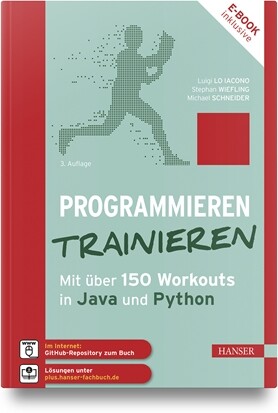
Programmieren trainieren (3. Auflg.)
Programmieren trainieren. Mit über 150 Workout in Java und Python. 3. Auflage, Oktober 2023.Der Programmier-Trainingsplan für alle, die weiter kommen wollen.In diesem Übungsbuch trainierst du anhand von kurzweiligen und praxisnahen Aufgaben deine Programmierfähigkeiten. Jedes Kapitel beginnt mit einem kurzen Warmup zum behandelten Programmierkonzept; die Umsetzung übst du dann anhand von zahlreichen Workout-Aufgaben. Du startest mit einfachen Aufgaben und steigerst dich hin zu komplexeren Fragestellungen. Damit dir nicht langweilig wird, gibt es über 150 praxisnahe Übungen. So lernst du z. B. einen BMI-Rechner oder einen PIN-Generator zu programmieren oder wie du eine Zeitangabe mit einer analogen Uhr anzeigen kannst.Solltest du mal nicht selbstständig vorankommen, dann werden dir in jedem Workout Lösungshinweise als Hilfestellung angeboten. Die kommentierten Lösungen liegen für Dich in den Programmiersprachen Java und Python in GitHub oder auf der Hanser-Plus-Seite zum Download bereit. Für ein möglichst ballastfreies Training wird für die elementaren Programmierkonzepte die Entwicklungsumgebung Processing eingesetzt. Für fortgeschrittenere Anwender wird auch der Einsatz von Eclipse und PyCharm gezeigt. Die Installation und Verwendung der Tools ist im Buch beschrieben.Ihr exklusiver Vorteil: E-Book inside beim Kauf des gedruckten Buches Prof. Dr. Luigi Lo Iacono ist lehrt und forscht am Fachbereich Informatik der Hochschule Bonn-Rhein-Sieg und leitet dort das Institut für Cyber Security & Privacy. Seine Forschungs- und Entwicklungsinteressen liegen im Bereich sicherer verteilter Softwaresysteme.Dr. Stephan Wiefling forscht am Institut für Cyber Security & Privacy der Hochschule Bonn-Rhein-Sieg. Seine Expertise hat er bereits in mehrere der 500 weltweit größten Unternehmen eingebracht.Michael Schneider ist Softwarearchitekt hochflexibler und komplexer Softwaresysteme für die Fondsindustrie in Frankfurt/Main und zertifizierter Enterprise Application Developer für das .NET-Framework.Leseprobe (PDF-Link)

Künstliche Intelligenz (6. Auflg.)
Künstliche Intelligenz. Wissensverarbeitung - Neuronale Netze. 6., aktualisierte Auflage, Oktober 2023.Künstliche Intelligenz (KI) ganz praktischSymbolverarbeitende künstliche Intelligenz und künstliche neuronale Netze in einem BuchBusiness Rules und WissensnetzeConvolutional Neural Networks und Deep LearningÜbungen in PROLOG sowie mit JavaNNS und PythonDie künstliche Intelligenz hat unseren Alltag erreicht: Wir nutzen Chatbots, reden mit Sprachassistenten, KI digitalisiert die Dokumentenverarbeitung, die Muster-, Bild- oder Objekt-Erkennung. Sie ermöglicht neue, intelligentere Lösungen in vielen Bereichen, von der Medizin bis zum autonomen Fahren.Das Buch gibt eine Einführung in die KI. Es wird gezeigt, wie symbolverabeitende KI in Form von Wissensnetzen oder Geschäftsregeln heute angewendet und wie künstliche neuronale Netze in der Mustererkennung oder auch im Data Mining eingesetzt werden können. Wissensrepräsentation und -verarbeitung auf Basis der Logik wird unter Nutzung der logischen Programmiersprache PROLOG eingeführt. Logische Schlussfolgerungen lassen sich in PROLOG wesentlich leichter als in Python oder Java implementieren. Die Konzepte neuronaler Netze werden mit dem System JavaNNS und mittels Python praktisch vertieft. Fragen und Aufgaben am Ende eines Abschnittes fordern zum aktiven Lesen und Lernen auf. Die Webseiten zum Buch enthalten Demo-Programme, die diskutierte Vorgehensweisen veranschaulichen und das Verständnis fördern.Aus dem Inhalt:Überblick zur künstlichen IntelligenzDarstellung und Verarbeitung von WissenProblemlösung mittels SucheWissensverarbeitung mit PROLOGKünstliche neuronale NetzeVorwärtsgerichtete neuronale NetzeWettbewerbslernenAutoassoziative NetzeEntwicklung neuronaler NetzeNeu in der 6. Auflage sind Abschnitte zu den Themen ChatGPT sowie Decision Model and Notation (DMN) bei Prozessbeschreibungen.Leseprobe (PDF-Link)

Auf Welttournee
Work hard, travel smarter: Das Buch für Weltentdecker mit VollzeitjobNicht immer geht alles glatt auf Reisen, das wissen Adrian und Christoph nur zu gut. In humorvollen Anekdoten erzählen die beiden Freunde und Podcast-Hosts (»Welttournee – der Reisepodcast «), wie sie die Welt auf ihre ganz eigene Art entdecken. Das Besondere: Adrian und Christoph sind keine Reiseblogger oder Aussteiger. Sie haben Vollzeitjobs und wollen mit ihren 30 Urlaubstagen so viel wie möglich erleben.Wie sie das anstellen und was sie dabei in über 120 bereisten Ländern alles erlebt haben, verraten sie in diesem Buch – und berichten von großen und kleinen Katastrophen, einmaligen Begegnungen und kuriosen Fortbewegungsmitteln.Kurzum: Die besten Geschichten einer Männerfreundschaft, die mit jedem Stempel im Pass noch eine Spur besser wird.

Computernetzwerke (8. Auflg.)
Computernetzwerke - Von den Grundlagen zur Funktion und Anwendung, 8., aktualisierte Auflage, Oktober 2023Dieses erfolgreiche Standardwerk in der komplett überarbeiteten und aktualisierten 8. Auflage bietet Ihnen einen fundierten Einstieg in die Grundlagen moderner Computernetzwerke. Nach der Lektüre werden Sie wissen, wie Netzwerke tatsächlich funktionieren, und Ihre neu erworbenen Kenntnisse direkt in der Praxis anwenden können. Das Konzept des Buches basiert auf der jahrelangen Erfahrung der Autoren im Bereich Computernetzwerke: Nur wenn Sie die Grundlagen verstanden haben, sind Sie in der Lage, in diesem komplexen Bereich firm zu werden, Fehler analysieren und auf dieser Basis ein eigenes Computernetzwerk problemlos aufbauen und verwalten zu können. Im Vordergrund steht daher nicht das "So", sondern das "Wie". Rüdiger Schreiner arbeitet in der Abteilung IT-Sicherheit und Architektur bei den IT-Services der Universität Basel. Grundlage dieses Buches bilden seine Erfahrungen aus über 25 Jahren Arbeit in der EDV und den Kursen, die der Autor zum Thema Netzwerke gehalten hat.Prof. Dr. rer. nat. Oliver P. Waldhorst vertritt seit September 2016 das Fachgebiet Rechner- und Kommunikationsnetze an der Fakultät für Informatik und Wirtschaftsinformatik der Hochschule Karlsruhe. Zuvor entwickelte er für die Daimler AG Kommunikationsarchitekturen im Bereich Connected Car und forschte am Karlsruher Institut für Technologie (KIT).Leseprobe (PDF-Link)

Einstieg in Unity (4. Auflage)
Einstieg in Unity - 2D- und 3D-Spiele entwickeln. 4. aktualisierte Auflage, 2023. Eigene Spiele entwickeln – mit diesem Buch und der genialen Game Engine Unity ist das kein Problem! Von der ersten Scene bis zum komplexen Multiplayer-Spiel zeigt Ihnen Erfolgsautor Thomas Theis, wie es geht. Sie brauchen keine Vorkenntnisse mitzubringen: Dank dem integrierten C#-Programmierkurs lernen Sie alle Objekte und Befehle direkt so kennen, wie Sie in Unity-Skripten aussehen. Ob es um Zusammenstöße, Flugkurven, Explosionen oder die richtige Perspektive geht: Lernen Sie mit 2D- und 3D-Spielen, wie Sie die mächtigen Werkzeuge nutzen und Ihre eigenen Ideen umsetzen.Aus dem Inhalt Unity installierenProjekte, Scenes und Assets verwaltenFlummi oder Stahlkugel? Objekteigenschaften festlegenFertige Bausteine entdecken und einsetzenSkripte schreiben und gut strukturierenSound und Animation hinzufügenMit Kameras und Perspektiven umgehenJump&Run, Breakout, Multiplayer, Shooter, Geschicklichkeitsspiel, Gedächtnistraining, Rennen, Adventure u. v. m.Leseprobe (PDF-Link)

QuickBooks Online For Dummies
LEARN THE WORLD’S MOST POPULAR CLOUD ACCOUNTING PLATFORMQuickBooks Online For Dummies, 2024 Edition, helps you benefit from fast and easy mobile accounting. This beginner-friendly guide covers the key features of QuickBooks Online, including selecting the subscription version that’s right for you and your business -- Simple Start, Plus, or Advanced. From there, you’ll find everything you need to get started creating invoices and credit memos, recording and paying bills, setting up inventory items, processing payroll and preparing payroll tax returns, balancing accounts, and beyond. You’ll discover how to access your accounts from any device, anywhere—and how to keep your data safe and backed up. For a world on the go, QuickBooks Online makes it easy to keep solid books and be prepared at tax time. With the clear how-tos in this book, you’ll be up and running in no time.* Get started with QuickBooks Online and set up your accounts* Manage customers, inventory, purchases, payroll, and billing—from anywhere* Generate financial reports and simplify your taxes* Discover new features and tips in the latest version of the cloud softwareFor small business owners, managers, and employees responsible for business accounting, QuickBooks Online For Dummies helps you make the most of the go-to platform for fluid accounting access. DAVID H. RINGSTROM, CPA, is president of Accounting Advisors, Inc. David is the author or co-author of six books and has consulted on accounting software and spreadsheets for more than 30 years. He began writing freelance articles about spreadsheets in 1995 and has served as the technical editor for more than three dozen books in the For Dummies series. Introduction 1PART 1: CORE FUNCTIONALITY 7Chapter 1: Getting Started with QuickBooks 9Chapter 2: Recording Sales and Accounts Receivable 31Chapter 3: Posting Expenses, Checks, and Credit Card Charges 67Chapter 4: Paying Employees and Contractors 85Chapter 5: Carrying Out Banking and Account Reconciliations 103Chapter 6: Utilizing QuickBooks Reports 125Chapter 7: Employing Apps and Automation 145PART 2: QUICKBOOKS ONLINE ESSENTIALS FEATURES 163Chapter 8: Managing Bills, Accounts Payable, and Multicurrency 165Chapter 9: Creating Bundles, Managing Users, and Tracking Time 185PART 3: QUICKBOOKS ONLINE PLUS FEATURES 201Chapter 10: Tracking Inventory and Purchase Orders 203Chapter 11: Utilizing Classes, Locations, and Projects 221Chapter 12: Creating Budgets 233PART 4: QUICKBOOKS ONLINE ADVANCED FEATURES 243Chapter 13: Desktop App, Backups, and Customizable Security 245Chapter 14: Custom Reports and Charts 259Chapter 15: Tasks, Workflows, and Other Advanced Features 269Chapter 16: Spreadsheet Sync 291PART 5: QUICKBOOKS ONLINE ACCOUNTANT FEATURES 313Chapter 17: Client and Team Management 315Chapter 18: Accountant Tools and Pages 329Chapter 19: Practice Management 349PART 6: MICROSOFT EXCEL ANALYSIS 363Chapter 20: Analyzing QuickBooks Data in Excel 365Chapter 21: Automating QuickBooks Analysis with Power Query 385

Core Data Services für ABAP
Welche Rolle spielt das virtuelle Datenmodell von SAP S/4HANA für Sie in der Entwicklung? In diesem Buch erfahren Sie, wie Sie CDS-Views anlegen und in analytischen oder transaktionalen ABAP-Anwendungen verwenden. Von der Syntax über Annotationen bis hin zu Zugriffskontrollen lernen Sie alles, was Sie für die Datenmodellierung mit Core Data Services wissen müssen. Die 3. Auflage dieses Bestsellers wurde vollständig aktualisiert und an die Neuerungen des Release 2023 angepasst. Aus dem Inhalt: CDS und SAP HANACDS-Syntax und -SprachelementeABAP Editor in EclipseHierarchienAnnotationenAssoziationenSuchfunktionenABAP-Managed Database ProceduresAnalytische QueriesZugriffskontrollenTestautomatisierung für CDS-ViewsProblembehandlungen Einleitung ... 17 1. Schritt für Schritt zu Ihren ersten CDS-Views ... 23 1.1 ... Datenmodell der Anwendung definieren ... 24 1.2 ... Datenmodell der Anwendung implementieren ... 27 2. Grundlagen der CDS-Datenmodellierung ... 59 2.1 ... Überblick über die CDS-Modelle ... 60 2.2 ... Überblick über die CDS-View-Syntax ... 65 2.3 ... Schlüsselfelder ... 68 2.4 ... Cast-Anweisungen ... 70 2.5 ... Typisierte Literale ... 72 2.6 ... CDS-Simple-Types ... 74 2.7 ... Case-Anweisungen ... 76 2.8 ... CDS-Sitzungsvariablen ... 78 2.9 ... Mandantenbehandlung ... 79 2.10 ... Select-Distinct-Anweisungen ... 81 2.11 ... Union-Views ... 82 2.12 ... Intersect- und Except-Anweisungen ... 89 2.13 ... Join-Verknüpfungen ... 91 2.14 ... SQL-Aggregationsfunktionen ... 97 2.15 ... Projektionsfelder ... 100 2.16 ... Parameter ... 102 2.17 ... Referenzfelder ... 108 2.18 ... Konvertierungsfunktionen für Währungen und Mengeneinheiten ... 110 2.19 ... CDS-Provider-Kontrakte ... 114 2.20 ... Entitätspufferdefinitionen ... 116 3. CDS-Assoziationen ... 119 3.1 ... Assoziationsdefinitionen ... 120 3.2 ... Exponierung von Assoziationen ... 123 3.3 ... Modellierung von Kompositionsbeziehungen ... 124 3.4 ... Modellierung von m:n-Beziehungen ... 127 3.5 ... Projizierte Assoziationen ... 130 3.6 ... Verwendung von Assoziationen in CDS-Views ... 131 3.7 ... Verwendung von Assoziationen in ABAPImplementierungen ... 143 4. CDS-Annotationen ... 145 4.1 ... Annotationsdefinitionen ... 146 4.2 ... Auswirkungen der Annotationen ... 159 4.3 ... Propagationslogik für Annotationen ... 161 4.4 ... CDS-Metadatenerweiterungen ... 172 4.5 ... Aktive Annotationen ... 176 5. CDS-Zugriffskontrollen ... 179 5.1 ... Grundlagen der CDS-Zugriffskontrollen ... 180 5.2 ... Wirkungsweise der CDS-Zugriffskontrollen ... 185 5.3 ... Implementierungsmuster für CDS-Zugriffskontrollen ... 190 5.4 ... CDS-Zugriffskontrollen testen ... 230 6. Business-Services ... 235 6.1 ... Projektions-Views definieren ... 236 6.2 ... Servicedefinitionen erstellen ... 241 6.3 ... Service-Bindings festlegen ... 247 6.4 ... Business-Services testen ... 257 7. Native SAP-HANA-Funktionen in CDS ... 261 7.1 ... Implementierung einer CDS-Tabellenfunktion ... 262 7.2 ... Anwendungsszenarien ... 271 7.3 ... Performance verbessern und Fehler vermeiden ... 272 8. CDS-Modelle für Anwendungsdaten ... 275 8.1 ... Anwendungsarchitektur in SAP S/4HANA ... 276 8.2 ... Feldbezeichner ... 280 8.3 ... Semantik von Feldern ... 284 8.4 ... Fremdschlüsselbeziehungen ... 291 8.5 ... Textbeziehungen ... 297 8.6 ... Kompositionsbeziehungen ... 299 8.7 ... Zeitabhängige Daten ... 302 9. Das virtuelle Datenmodell von SAP S/4HANA ... 305 9.1 ... Warum ein virtuelles Datenmodell? ... 307 9.2 ... SAP-Objekttypen und SAP-Objektknotentypen ... 308 9.3 ... Kategorien von CDS-Entitäten im VDM ... 311 9.4 ... Namensgebung im virtuellen Datenmodell ... 318 9.5 ... Der Basic-Interface-View für den Kundenauftrag ... 321 9.6 ... Tipps zum Finden von VDM-Views ... 329 10. Modellierung analytischer Anwendungen ... 337 10.1 ... Analysen in SAP S/4HANA ... 338 10.2 ... Analytische Views ... 339 10.3 ... Analytische Queries ... 361 10.4 ... Analytische Infrastruktur ... 395 11. Modellierung transaktionaler Anwendungen ... 399 11.1 ... Transaktionale Anwendungen ... 400 11.2 ... Transaktionale Infrastruktur in SAP S/4HANA ... 402 11.3 ... Transaktionale Objektmodelle ... 405 11.4 ... Verhaltensdefinitionen ... 411 11.5 ... Transaktionale Projektionsobjektmodelle ... 517 11.6 ... Interface-Verhaltensdefinitionen ... 528 11.7 ... Projektionsverhaltensdefinitionen ... 536 11.8 ... Laufzeitorchestrierung ... 545 11.9 ... SAP Fiori und Verwendung über OData ... 551 11.10 ... SAP Event Mesh und lokale Event-Handler ... 564 12. Hierarchien in CDS ... 569 12.1 ... Grundbegriffe und Typen von Hierarchien ... 570 12.2 ... Annotationsbasierte Vater-Kind-Hierarchien ... 572 12.3 ... CDS-Hierarchien ... 581 13. CDS-basierte Suchfunktionen ... 605 13.1 ... Wertehilfen ... 606 13.2 ... Freitext-Suchfunktionen in OData-Services ... 629 13.3 ... Enterprise-Search-Funktion ... 637 14. Lebenszyklus und Stabilität von Core Data Services ... 643 14.1 ... Stabilitätskontrakte ... 644 14.2 ... Lebenszyklus von Entwicklungsobjekten ... 649 14.3 ... Abkündigung von Entwicklungsobjekten ... 651 14.4 ... Verwendung von CDS-Modellen und unterstützte Funktionen ... 654 15. Erweiterungen von CDS-Views und weiteren Entitäten ... 659 15.1 ... Produkte und Sprachversionen ... 660 15.2 ... Stabile CDS-Erweiterungen ... 662 15.3 ... Erweiterungen von transaktionalen Modellen ... 677 16. Testautomatisierung ... 693 16.1 ... Selektionslogik der Anwendungen testen ... 694 16.2 ... Transaktionale Applikationslogik testen ... 721 17. Problembehandlung ... 735 17.1 ... Performance-Aspekte ... 736 17.2 ... Mögliche Fallstricke ... 753 17.3 ... CDS-Implementierungsprobleme behandeln ... 765 17.4 ... CDS-Aktivierungsprobleme behandeln ... 774 17.5 ... Anwendungen des ABAP RESTful Application Programming Model analysieren ... 779 Anhang ... 783 A ... CDS-Annotationsreferenz ... 783 B ... Migration vom ABAP Programming Model for SAP Fiori zum ABAP RESTful Application Programming Model ... 797 Die Autoren ... 805 Index ... 807

SAP auf Hyperscaler-Clouds
Betreiben Sie Ihre SAP-Landschaft auf einem Hyperscaler Ihrer Wahl! In diesem praktischen Leitfaden finden Sie heraus, worauf Sie bei Auswahl und Vorbereitung der Hyperscaler-Plattform achten müssen und wie Sie Ihr System erfolgreich migrieren und betreiben – mit Kriterienkatalog zur Entscheidungsfindung und Best Practices zur Migration! Aus dem Inhalt: Cloud-StrategieAmazon, Microsoft, Google, AlibabaAbrechnungsmodelleInfrastructure as a ServiceHochverfügbarkeitDesaster RecoveryMonitoring und SicherheitHybride SzenarienMigration Einleitung ... 15 1. Einführung ... 21 1.1 ... SAPs Cloud-Strategie ... 21 1.2 ... Betriebs- und Servicemodelle für Cloud-Lösungen ... 32 1.3 ... Vorteile des Einsatzes von Hyperscalern ... 38 1.4 ... Infrastruktur für SAP-Lösungen ... 44 1.5 ... Abrechnungsmodelle ... 50 2. Die wichtigsten Hyperscaler ... 59 2.1 ... Amazon Web Services ... 59 2.2 ... Microsoft ... 71 2.3 ... Google ... 86 2.4 ... Alibaba ... 97 2.5 ... SAP als Cloud-Provider ... 105 2.6 ... Kriterien für die Auswahl eines Hyperscalers ... 109 2.7 ... Förderprogramme für die Einführung der Cloud-Lösungen ... 114 3. Verfügbarkeit von Cloud-Infrastrukturen ... 121 3.1 ... Allgemeine Hochverfügbarkeit ... 123 3.2 ... Hochverfügbarkeit für Datenbanken ... 139 3.3 ... Hochverfügbarkeit von Hyperscalern ... 144 3.4 ... Disaster Recovery ... 159 3.5 ... Automatisierte Bereitstellung ... 175 4. Technische Grundlagen für die Nutzung eines IaaS-Angebots ... 177 4.1 ... Grundlagen ... 177 4.2 ... Architektur ... 180 4.3 ... Systemanforderungen ... 196 4.4 ... Zertifizierungen ... 210 5. Betrieb von Cloud-Infrastrukturen ... 215 5.1 ... Betrieb ... 215 5.2 ... Monitoring ... 239 5.3 ... Backup ... 261 5.4 ... Schnittstellen ... 277 5.5 ... Sicherheit ... 283 5.6 ... Datenschutz und Datensicherheit ... 296 6. Automatisierung ... 303 6.1 ... Betriebsaufgaben automatisieren ... 303 6.2 ... Automatisierungslösungen ... 312 7. Multi- und Hybrid-Cloud-Szenarien ... 341 7.1 ... Hybrid-Cloud- und Multi-Cloud-Infrastrukturen ... 342 7.2 ... Fallbeispiel 1: Hybrid-Cloud ... 344 7.3 ... Fallbeispiel 2: Servicemix ... 357 7.4 ... Fallbeispiel 3: Multi-Hybrid-Cloud ... 360 8. Der Weg in die Cloud ... 377 8.1 ... Migrationskonzepte ... 377 8.2 ... Vergleich der Migrationsmethoden ... 378 8.3 ... Ablauf einer Migration ... 385 8.4 ... Die Wahl des richtigen Migrationsverfahrens für Ihr SAP-System ... 402 8.5 ... Schritte nach einer Migration ... 413 8.6 ... Änderungen in der Unternehmenskultur ... 416 8.7 ... Finanzielle Betrachtungen ... 419 8.8 ... Nachhaltigkeit von Cloud-Infrastrukturen ... 427 Anhang ... 431 A ... Glossar ... 431 B ... Literatur- und Quellenverzeichnis ... 439 Das Autorenteam ... 449 Index ... 451

Power Apps und Power Automate
Die richtigen Werkzeuge machen die Anwendungsentwicklung einfacher und treiben die Digitalisierung Ihrer Prozesse voran. Mit Power Apps und Power Automate erstellen Sie dazu Apps, die Ihren Arbeitsalltag erleichtern und Abläufe vereinfachen. Microsoft-MVP Stefan Riedel zeigt Ihnen in diesem Handbuch die Möglichkeiten der Power Platform. Von den ersten Schritten der Planung bis zur Umsetzung im PowerApps Studio begleitet er Sie auf dem Weg zur fertigen Anwendung. Aus dem Inhalt: Digitalisierung mit der Power PlatformDie Power Platform im ÜberblickGrundlagen für Power AppsLizenzierungCanvas Apps erstellenShare Point anbindenDataVerse for TeamsSharePoint-Formulare erstellenPower Automate FlowUmgebungsstrategien und Adoption Materialien zum Buch ... 17 1. Digitalisierung mit der Power Platform ... 19 1.1 ... Der Low-Code-Ansatz ... 20 1.2 ... Aufgabenbereiche: Wer ist wofür zuständig? ... 25 1.3 ... Geschichten aus dem Projektalltag ... 27 1.4 ... Von der Idee zur App ... 37 2. Die Power Platform im Überblick ... 45 2.1 ... Die Power Platform vorgestellt ... 45 2.2 ... Die wichtigsten Begriffe neben Apps und Flows ... 54 2.3 ... Power Apps und Power Automate im mobilen Einsatz ... 60 2.4 ... Lizenzierung der Power Platform ... 66 3. Grundlagen für die Power-Apps-Entwicklung ... 81 3.1 ... Einrichtung einer Entwicklungsumgebung ... 81 3.2 ... Das Power Apps Maker Portal ... 86 3.3 ... Canvas Apps erstellen ... 90 3.4 ... Konnektoren integrieren ... 111 3.5 ... Apps verwalten ... 117 3.6 ... Wechseln der Umgebung ... 136 3.7 ... Einstellungen ... 136 3.8 ... Hilfe ... 142 4. Die ersten Schritte mit dem Power Apps Studio ... 143 4.1 ... Aufbau des Power Apps Studios ... 143 4.2 ... Einstellungen ... 180 5. Apps entwickeln ... 189 5.1 ... Power Fx: Programmierung in Power Apps ... 189 5.2 ... Gestaltungselemente einer Canvas App ... 245 5.3 ... Komponenten ... 336 5.4 ... Fehlerbehandlung ... 357 5.5 ... Benannte Formeln (Named Formulas) ... 364 5.6 ... Das App-Objekt und der Lebenszyklus einer App ... 366 5.7 ... Sensorik ... 373 5.8 ... Offline-Betrieb ... 375 5.9 ... Programmierrichtlinien ... 380 5.10 ... Ausgewählte einfache Anwendungsfälle ... 384 6. Erweiterte Tools ... 397 6.1 ... Power Apps Test Studio ... 397 6.2 ... Power Apps Monitor ... 408 7. Eine App für Dataverse for Teams entwickeln ... 421 7.1 ... Die Power Apps App einrichten ... 421 7.2 ... Der Startbereich ... 422 7.3 ... Eine App erstellen ... 423 7.4 ... Datenstruktur aufbauen ... 427 7.5 ... Beziehungen ... 430 7.6 ... App-Verwaltung ... 431 7.7 ... Berechtigungen ... 433 7.8 ... Die App teilen ... 435 7.9 ... Limitierungen ... 436 8. SharePoint-Formulare mit Power Apps designen ... 437 8.1 ... Voraussetzungen und Einschränkungen ... 438 8.2 ... Architekturentscheidung ... 439 8.3 ... Die Vorbereitung ... 440 8.4 ... Die Entwicklungsumgebung ... 441 8.5 ... Aufbau einer SharePoint-Formular-App ... 443 8.6 ... Das Formular veröffentlichen ... 449 8.7 ... SharePoint-Formular wiederherstellen ... 450 8.8 ... Formular-App verwalten ... 451 9. Power Automate Cloud-Flows verwalten ... 455 9.1 ... Das Maker Portal der Cloud-Flows ... 455 9.2 ... Grundlegende Architektur ... 457 9.3 ... Der Flow-Designer ... 461 9.4 ... Einen Flow auf Basis einer Vorlage erstellen ... 475 9.5 ... Einsatz der KI: Einen Flow beschreiben und entwerfen lassen ... 476 9.6 ... Flows verwalten ... 479 9.7 ... Genehmigungen ... 489 9.8 ... Benachrichtigungen und Monitoring ... 494 9.9 ... Einstellungen ... 496 10. Die ersten Schritte mit Power Automate Cloud-Flows ... 497 10.1 ... Aufbau eines Flows ... 497 10.2 ... Trigger konfigurieren ... 519 10.3 ... Programmieren mit Flows ... 550 10.4 ... Fehlerbehandlung (Debugging) ... 595 10.5 ... Erweiterte Einstellungen von Triggern ... 607 10.6 ... Erweiterte Einstellungen von Aktionen ... 613 11. Ausgewählte Konnektoren in Cloud-Flows ... 617 11.1 ... Datenvorgang ... 617 11.2 ... Datum und Uhrzeit ... 625 11.3 ... Der SharePoint-Konnektor (OneDrive) ... 629 11.4 ... Der Outlook-Konnektor ... 648 11.5 ... Der Teams-Konnektor ... 659 11.6 ... Genehmigungen (Approvals) ... 673 11.7 ... Flows aufrufen ... 680 12. Anwendungsbeispiele aus dem Projektalltag ... 687 12.1 ... Wer bin ich? Der Office 365-Benutzer-Konnektor ... 687 12.2 ... In welcher Gruppe bin ich? Der Office 365-Gruppen-Konnektor ... 695 12.3 ... Reiterleiste ... 700 12.4 ... Buchstabenfilter ... 703 12.5 ... Tabellen-Kopfzeile ... 707 12.6 ... Suche ... 709 12.7 ... Deeplinks in Ihrer Power App ... 711 12.8 ... Dateien hochladen ... 715 12.9 ... Dokumentenerstellung ... 719 13. Umgebungen ... 745 13.1 ... Was sind Umgebungen ... 745 13.2 ... Umgebungsarten ... 746 13.3 ... Verwaltungsoberfläche für Umgebungen: das Power Platform Admin Center ... 747 13.4 ... Zugriff und Rollen ... 748 13.5 ... Verwaltung von Umgebungen ... 750 13.6 ... Richtlinien gegen Datenverlust ... 753 14. Lösungen ... 757 14.1 ... Apps als Lösungen verteilen ... 757 14.2 ... Lösung erstellen ... 761 14.3 ... Lösungen verteilen ... 764 15. Community ... 775 15.1 ... Was sind Microsoft MVPs? ... 776 15.2 ... Wie organisiert sich die Community? ... 777 15.3 ... Wie werde ich Mitglied der Community? ... 777 15.4 ... Meetups, Online-Communities, Projekte und Hashtags ... 777 Index ... 781

Texten können
Erfahren Sie, mit welchen Textstrategien Sie den Kunden oder Besucher im Content-Zeitalter begeistern und sanft zum Kauf führen. Wie Sie den Texten Charakter verleihen und Sie Ihren Leser mit Ihrem Schreibstil bei der Stange halten. Mit praktischen Übungen und Checklisten, um das Gelernte gleich praktisch anzuwenden. Und mit genauen Schreibanleitungen für alle wichtigen Elemente und Texte im Online- und Content-Marketing, damit Sie gleich loslegen können. Mit dem neuen Texten Aus dem Inhalt: Leser verstehenTextformeln: Überzeugen mit SystemStorytellingCredibility schaffenUnverwechselbarkeit schaffenGuter SchreibstilUnterstützung beim Texten durch ChatGPT und Co.TextkonzeptionTexte redigierenSchreibanleitungen für TextbausteineSchreibanleitungen für Website-Texte wie Landingpages, Blogbeiträge, Anzeigen, E-Mails, Feed Posts auf Facebook, Twitter, Instagram und mehr Vorwort ... 19 TEIL I. Überzeugen ohne Verkäufermasche ... 21 1. Das neue Texten: warum gute Texte für modernes Marketing unverzichtbar sind ... 23 1.1 ... Content machen heißt Texte schreiben ... 24 1.2 ... Warum Marketing-Blabla nicht mehr wirkt ... 25 1.3 ... Alles Content -- oder brauchen wir noch Copywriting? ... 27 1.4 ... Egotrip zu Ende -- Empathie ist gefragt ... 28 1.5 ... Die Seriositätsfalle -- raus aus dem Einheitsbrei ... 29 1.6 ... Die drei Komponenten für wirksame Texte ... 30 1.7 ... Texten lernen ... 32 1.8 ... Der KI-Elefant im Raum ... 33 1.9 ... Welcher Typ Copywriter sind Sie? ... 36 2. Verstehen, was die Leserschaft motiviert ... 43 2.1 ... Emotionale Benefits -- damit der Text Leserinnen und Leser etwas angeht ... 44 2.2 ... Feature -- Ergebnis -- Benefit: Fakten mit Wünschen verknüpfen ... 46 2.3 ... Benefits subtil vermitteln ... 49 3. Textformeln -- überzeugen mit System ... 55 3.1 ... Die Textformel BELA ... 58 3.2 ... AIDA ... 72 3.3 ... Schmerz, Qual, Medizin -- die schnelle Textformel SQM ... 77 3.4 ... Die PASTOR-Formel ... 80 3.5 ... Die QUEST-Formel ... 84 3.6 ... Die 4P-Formel ... 90 3.7 ... Die supersimple 5-Punkte-Formel ... 92 3.8 ... Übungen zu Textformeln ... 93 4. Storytelling als Würze -- Argumente mit Ministorys untermauern ... 95 4.1 ... Die Parallele -- finden Sie die Verbindung ... 100 4.2 ... Die Anekdote -- ein Schwank aus Ihrem Leben ... 103 4.3 ... Die Action-Szene -- werfen Sie Leute mitten rein ... 105 4.4 ... Der Dialog -- bleiben Sie nah am Menschen ... 107 4.5 ... Die Parabel -- beweisen Sie Ihr Argument in einer perfekten Welt ... 109 4.6 ... Die Beichte -- teilen Sie ein Geheimnis ... 111 4.7 ... Übungen zu Ministorys ... 114 5. Psychologie des Textens -- einnehmen, überzeugen und bestärken ... 115 5.1 ... Schreibtechniken, die einnehmen ... 116 5.2 ... Schreibtechniken, die überzeugen ... 119 5.3 ... Schreibtechniken, die bestärken ... 124 TEIL II. Mit Charakter und Stil ... 129 6. Die unverwechselbare Markenstimme ... 131 6.1 ... Der Sympathiefaktor Nummer eins ... 133 6.2 ... Die Writer Persona -- wer möchten Sie fürs Publikum sein? ... 135 6.3 ... Die Markentonalität ... 150 6.4 ... Persönliche Powerwörter ... 152 7. Was ist ein guter Schreibstil? ... 159 7.1 ... Gendersprache und Gerechtigkeit -- Stilkiller oder ein Muss? ... 160 7.2 ... Ansprechend und aktiv schreiben -- trinken Sie mit Ihrem Publikum Tee ... 165 7.3 ... Einfach schreiben und warum es nicht reicht, etwas wegzulassen ... 171 7.4 ... Spannend schreiben -- was Sie von Krimis lernen können ... 185 7.5 ... Malen mit Worten ... 194 8. Witzig schreiben und dabei seriös wirken ... 213 8.1 ... Was ist witzig, und was ist peinlich? ... 215 8.2 ... Mehr Blabla -- Soundeffekte ... 216 8.3 ... Auf die Kacke hauen, aber richtig -- die stilvolle Übertreibung ... 217 8.4 ... Ungewöhnliche Wörter ... 219 8.5 ... Reim dich, oder ich schlag dich ... 220 8.6 ... Billiger Buchstabentrick -- Alliterationen ... 221 8.7 ... Sagen Sie's mit Star Trek -- Popkultur-Referenzen ... 222 8.8 ... Vorsicht mit Ironie ... 222 8.9 ... Übungen zu witzigem Schreiben ... 225 TEIL III. Schreibtechniken ... 227 9. Ins Schreiben kommen ... 229 9.1 ... Das Schreib-Mindset ... 231 9.2 ... Zwei Methoden, um ins Schreiben zu kommen ... 235 10. Das 5-Schritte-Redigiersystem, das aus Texten geschliffene Diamanten macht ... 247 10.1 ... Das Big Picture ... 249 10.2 ... Schreibstil-Check ... 250 10.3 ... Charaktertest ... 252 10.4 ... Richtig? Rechtschreibung, Grammatik, Zeichensetzung ... 253 10.5 ... Schön formatieren ... 255 11. Schreiben mit KI ... 257 11.1 ... So arbeitet die KI Ihnen zu ... 260 11.2 ... Besser prompten ... 267 TEIL IV. Schreibanleitung ... 273 12. Baukasten: Standardkomponenten wirksamer Texte ... 275 12.1 ... Teaser oder wie Sie Appetit machen ... 276 12.2 ... Headlines für Marketingtexte, Blogs und E-Mails ... 281 12.3 ... Zwischenüberschriften, die Struktur schaffen und Leselust wecken ... 295 12.4 ... Zündende Intros, die direkt in den Text katapultieren ... 299 12.5 ... Ein starker Schluss ... 305 12.6 ... Mit Bulletpoints ins Leserherz treffen ... 308 12.7 ... Glaubwürdige Testimonials ... 314 12.8 ... Klickbare Button- und Linktexte ... 318 12.9 ... Menütexte auf der Website ... 323 12.10 ... Übungen zum Textbaukasten ... 326 13. Webtexte ... 327 13.1 ... Wie viel Recycling verträgt ein Website-Relaunch? ... 328 13.2 ... Aufbau einer Business-Website ... 329 13.3 ... Startseite ... 331 13.4 ... About-Seite oder Über-mich-Seite ... 337 13.5 ... Verkaufsseite ... 341 13.6 ... Landingpage ... 347 13.7 ... Produkttexte ... 357 13.8 ... Die SEO-Strategie, mit der Ihr Content gefunden wird ... 359 14. Unternehmensdarstellung ... 367 14.1 ... Claim ... 369 14.2 ... Kurzporträt ... 372 14.3 ... Brandstory mit angewandtem Storytelling: 5 nützliche Plots ... 373 14.4 ... Übungen zur Unternehmensdarstellung ... 379 15. Blog-Content ... 381 15.1 ... Was einen Blog erfolgreich macht ... 382 15.2 ... Die Blogmission ... 385 15.3 ... How-to-Anleitung ... 387 15.4 ... Liste ... 388 15.5 ... Komplettlösung ... 389 15.6 ... Hintergrundartikel ... 389 15.7 ... Reportage ... 390 15.8 ... Meinungsartikel (Plädoyer/Tirade) ... 391 15.9 ... Pillar Pages oder Themenbäume ... 392 16. Social-Media-Content ... 397 16.1 ... X -- früher Twitter ... 398 16.2 ... Facebook ... 404 16.3 ... Instagram ... 407 16.4 ... LinkedIn ... 412 17. E-Mail-Marketing ... 417 17.1 ... Die Begrüßungsserie oder der E-Mail-Flirt ... 419 17.2 ... Der regelmäßige Newsletter ... 422 17.3 ... Die Verkaufsserie oder die Kampagne ... 431 18. Anzeigen am Beispiel von Facebook Ads ... 439 18.1 ... Die optimale Länge ... 443 18.2 ... Anzeigenideen ... 444 Nachwort ... 449 Glossar ... 451 Index ... 459

Content matters
Fernsehstudio, Radiostation, Textbüro – all das steckt heute in unserer Hosentasche. Jeder kann jederzeit jede Medienform produzieren und in die Welt schicken. Nur: Wie Du Inhalte so aufbereitest, dass sie auch wirklich ankommen – das haben die wenigsten von der Picke aus gelernt. Podcast-Interviews sind oft ein reines Gefälligkeitsgeplänkel und ob ein Postingtext zu Ende gelesen wird, scheint keine Rolle zu spielen – man kann ja gleich den nächsten Post hinterherschicken.Wie fällst Du in all diesem Lärm überhaupt noch auf? Die Lösung: Durch eine Rückbesinnung auf journalistisches Handwerk. Hier lernst Du die Grundsätze kennen, wie man Themen auswählt, Beiträge gestaltest und Redaktionspläne erstellst, mit denen Du regelmäßig Inhalte schaffst und zudem aktuell bleibst. Aus dem Inhalt: Mit Content Vertrauen schaffenThemen- und FormatauswahlContentplanungRecherchierenJournalistische Text-KniffeMit Gesprächen faszinierenBilder, die begeisternInhalte überarbeiten Vorwort ... 9 1. Deine Grundhaltung: Wie journalistisch soll dein Content sein? ... 15 1.1 ... Treue Follower waren gestern: Warum heute jeder Post ein Hit sein muss ... 23 1.2 ... Deine Grundeinstellung: Verlerne alles, was du weißt ... 25 1.3 ... Geh weg vom Schreibtisch und nimm mich mit! ... 29 1.4 ... Mit Content Vertrauen schaffen ... 32 1.5 ... Wie wichtig bist du als Content Creator? Wie subjektiv wird dein Content? ... 53 1.6 ... Bist du die Zeit, die Gala oder Stiftung Warentest? Was wir von unterschiedlichen Genres lernen können ... 56 2. Themen und Formate: Wo steckt die Geschichte und wie erzähle ich sie? ... 65 2.1 ... Relevanz ermitteln: Inwiefern ist das neu, wichtig, interessant? ... 66 2.2 ... Nachricht? Interview oder Reportage? Reel oder Blogartikel? Ein Thema -- viele mögliche Formate ... 73 2.3 ... Schon wieder Ostern. Neue Zugänge zum immer gleichen Thema finden ... 85 2.4 ... Wie deine Community mit dir Themen setzt ... 90 3. Content-Planung: Regelmäßige gute Inhalte sind kein Zufall ... 95 3.1 ... Wie feste Formate und Designs dich unterstützen ... 96 3.2 ... Was liegt in der Luft? Aktuelle Themen aufgreifen -- trotz Plan ... 100 3.3 ... Einen Stehsatz schaffen für die Saure-Gurken-Zeit ... 103 3.4 ... Content-Recycling: Einmal ist keinmal ... 105 4. Recherchieren wie Karla Kolumna ... 113 4.1 ... Let's talk Zielgruppe: Für wen ist dein Content? ... 115 4.2 ... Von Fragen leiten lassen -- wie du gezielt recherchierst, ohne dich in deinem Thema zu verlieren ... 119 4.3 ... Wie du Recherchegespräche führst ... 127 4.4 ... Erleben statt erzählen: Wie kannst du deine Community mitnehmen? ... 131 5. Journalistische Textkniffe, die deinen Content verbessern ... 135 5.1 ... In Schlagzeilen denken und Headlines texten ... 136 5.2 ... Von Einstiegen und Teasern -- catch me if you can ... 146 5.3 ... Hilfe, wo bin ich? Orientierung und Textaufbau ... 158 5.4 ... Storytelling im Mikroformat ... 170 5.5 ... Von Long Content zu Short Content ... 176 6. Gespräche führen, die faszinieren ... 181 6.1 ... Was ein gutes Interview von einem langweiligen unterscheidet ... 183 6.2 ... Moderation: Gespräche mit mehreren Teilnehmerinnen planen und dirigieren ... 200 6.3 ... Alleine live auf Sendung ... 205 7. Bilder, die begeistern -- Tricks aus der TV- und Bildredaktion für deinen Content ... 211 7.1 ... Und wie bebildern wir das jetzt? Fotos und Grafiken ... 213 7.2 ... Geschichten in bewegten Bildern erzählen ... 222 8. Spannend -- und jetzt? Wie dein Content verkauft ... 237 8.1 ... Wohin führt dein Content? Was ist der nächste Schritt? ... 240 8.2 ... Brücken bauen: Zielführender Content mit dem richtigen Callto-Action für jede Phase ... 245 9. Der entscheidende Feinschliff: Inhalte überarbeiten ... 255 9.1 ... Wie du den hilfreichen Abstand gewinnst und deine eigenen Inhalte überarbeitest ... 256 9.2 ... Geht das einfacher? ... 260 9.3 ... Geht das kürzer? ... 263 9.4 ... Können wir das noch stückeln? ... 268 9.5 ... Texte, Grafiken, Audio und Video überarbeiten -- die Checkliste ... 269 9.6 ... Klingt komisch? Der Bauch hat immer recht! ... 274 10. Ausblick: Kreativ und einzigartig bleiben -- trotz und mit KI ... 277 Literaturverzeichnis ... 283 Index ... 285

SAP Cloud ALM
Meistern Sie jetzt die Einführung von SAP Cloud ALM und vereinfachen und optimieren Sie dabei Ihre ALM-Prozesse! Ob Sie schon Solution-Manager-Kunde sind oder die Cloud-ALM-Lösung neu einführen: In diesem Buch erfahren Sie, wie Sie SAP Cloud ALM in Ihre hybride Systemlandschaft integrieren und Ihre Cloud-Anwendungen über ihren gesamten Lebenszyklus hinweg im Blick behalten. In praktischen Beispielszenarien zeigen die Autoren Ihnen, was Sie bei Planung, Durchführung und im Betrieb beachten sollten. Aus dem Inhalt: Ein SAP-Cloud-ALM-Projekt umsetzenProjektsetup aufsetzen und überwachenProzess-, Anforderungs- und TestmanagementKonfiguration ÄnderungsmanagementReleasemanagementMonitoring und BetriebErweiterungskonzeptBusiness Process MonitoringReal User Monitoring Einleitung ... 19 1. Einführung in SAP Cloud ALM und SAP Activate ... 25 1.1 ... Einführung in SAP Cloud ALM ... 26 1.2 ... Bereiche in SAP Cloud ALM ... 33 1.3 ... SAP Activate ... 37 1.4 ... Unser Praxisbeispiel ... 48 1.5 ... Zusammenfassung ... 49 Teil I. Prepare ... 51 2. Bereitstellung des SAP-Cloud-ALM-Tenants ... 53 2.1 ... Voraussetzungen ... 54 2.2 ... Bereitstellungsprozess ... 56 2.3 ... Weitere Vorbereitungsschritte ... 59 2.4 ... Zusätzliche Kosten ... 65 2.5 ... Zusammenfassung ... 66 3. Verwaltung der Projektlandschaft ... 67 3.1 ... Projektlandschaft ... 69 3.2 ... Landschaftsgruppen ... 72 3.3 ... Verwaltbare Informationen ... 81 3.4 ... Szenario mit Mehr-Kundennummern ... 87 3.5 ... Zusammenfassung ... 88 4. Transportwerkzeuge von SAP Cloud ALM ... 89 4.1 ... SAP Cloud Transport Management ... 91 4.2 ... Change and Transport System ... 101 4.3 ... Zusammenfassung ... 109 5. Projektansatz mit agiler Methodik ... 111 5.1 ... Grundlagen der agilen Methodik mit Scrum ... 113 5.2 ... Unterstützung von Scrum in SAP Cloud ALM ... 121 5.3 ... Projektansätze in SAP-Implementierungsprojekten ... 131 5.4 ... Vorgaben und Konventionen für das Projektsetup ... 133 5.5 ... Zusammenfassung ... 146 6. Projektsetup ... 147 6.1 ... Allgemeine Informationen ... 148 6.2 ... Timeboxes ... 151 6.3 ... Teams ... 154 6.4 ... Umfänge ... 160 6.5 ... Implementierungslandschaften und Importpläne ... 161 6.6 ... Zusammenfassung ... 161 7. Projektumfang definieren ... 163 7.1 ... Umfang anlegen ... 165 7.2 ... Vorbereitung eines Fit-to-Standard-Workshops ... 170 7.3 ... Aufgaben festlegen ... 175 7.4 ... Lösungsprozess festlegen ... 177 7.5 ... Werkzeuge für die Ermittlung des Projektumfangs ... 182 7.6 ... Zusammenfassung ... 196 8. Berechtigungsverwaltung und Projekt-Reporting ... 197 8.1 ... Projekt-Onboarding ... 198 8.2 ... Projektfortschritt und Projekt-Reporting ... 212 8.3 ... Zusammenfassung ... 218 Teil II. Explore ... 219 9. Prozessmanagement ... 221 9.1 ... Prozesse in SAP Cloud ALM ... 223 9.2 ... Lösungswertefluss ... 224 9.3 ... Lösungsprozessablauf ... 225 9.4 ... Prozess-Authoring ... 229 9.5 ... Ausblick auf die Integration mit SAP Signavio ... 236 9.6 ... Zusammenfassung ... 236 10. Anforderungsmanagement ... 237 10.1 ... Überblick über die Anforderungen ... 238 10.2 ... Anlage von Anforderungen ... 241 10.3 ... Spezifizierung von Anforderungen ... 246 10.4 ... Übergabe von Anforderungen an die Implementierung ... 252 10.5 ... Anreicherung von Anforderungen während der Implementierung ... 257 10.6 ... Zusammenfassung ... 259 11. Fit-to-Standard- und Fit-Gap-Workshops ... 261 11.1 ... Unterschiede zwischen Fit-to-Standard- und Fit-Gap-Workshops ... 262 11.2 ... Fit-to-Standard-Workshops ... 264 11.3 ... Fit-Gap-Workshops und Roll-outs ... 272 11.4 ... Zusammenfassung ... 274 12. Testmanagement ... 275 12.1 ... Testmanagement in SAP Cloud ALM ... 276 12.2 ... Planung der Testvorbereitung ... 278 12.3 ... Testautomatisierung in SAP Cloud ALM ... 281 12.4 ... Zusammenfassung ... 284 Teil III. Realize ... 285 13. Agile Umsetzung von User-Storys ... 287 13.1 ... Anlage von Sprints ... 288 13.2 ... Vom Anforderungs-Backlog zum Produkt-Backlog ... 292 13.3 ... Überblick über die User-Storys ... 294 13.4 ... Sprint-Planung ... 302 13.5 ... Bearbeitung von User-Storys während der Sprint-Ausführung ... 311 13.6 ... Daily Scrum -- tägliche Meetings ... 318 13.7 ... Sprint-Review-Meeting ... 320 13.8 ... Sprint-Retrospektive ... 323 13.9 ... Zusammenfassung ... 323 14. Testvorbereitung ... 325 14.1 ... Solution Walkthrough durchführen ... 326 14.2 ... Testfallerstellung ... 327 14.3 ... Testfallzuordnung zu User-Storys und Anforderungen ... 340 14.4 ... Testplan ... 342 14.5 ... Zusammenfassung ... 344 15. Testausführung ... 345 15.1 ... Ausführung manueller Tests ... 346 15.2 ... Ausführung automatisierter Tests ... 350 15.3 ... Defektprozess ... 351 15.4 ... Test- und Defekt-Monitoring ... 360 15.5 ... Ergebnisdokumentation und Übergabe an Deploy ... 367 15.6 ... Zusammenfassung ... 368 Teil IV. Deploy ... 369 16. Change Enablement ... 371 16.1 ... Änderungen aufzeichnen, verwalten, steuern und deployen ... 372 16.2 ... Release Management in der Theorie ... 373 16.3 ... Bedeutung von Release Management in der Softwareentwicklung ... 374 16.4 ... Release Management mit SAP Cloud ALM ... 375 16.5 ... Release Management in hybriden Systemlandschaften ... 379 16.6 ... Release Management in Cloud-Systemlandschaften ... 398 16.7 ... Korrekturen während des Betriebs ... 401 16.8 ... Zusammenfassung ... 402 17. Deployment mit SAP Cloud ALM ... 403 17.1 ... Technische Vorbereitungen ... 404 17.2 ... Überblick über Features ... 410 17.3 ... Änderungssteuerung mithilfe von Features ... 419 17.4 ... Massen-Deployment von Features in die Produktion ... 431 17.5 ... Transportprotokoll ... 432 17.6 ... Meilenstein zur Übergabe an den Betrieb ... 432 17.7 ... Zusammenfassung ... 435 Teil V. SAP Cloud ALM für die Betriebsphase ... 437 18. Überblick über SAP Cloud ALM für den Betrieb ... 439 18.1 ... Business-Service-Management ... 440 18.2 ... Störungsmanagement ... 441 18.3 ... Zusammenfassung ... 467 19. Implementierung ... 469 19.1 ... Business-Service-Management ... 470 19.2 ... Business-Process-Monitoring ... 476 19.3 ... Integrations- und Ausnahme-Monitoring ... 484 19.4 ... Real User Monitoring ... 499 19.5 ... Synthetic User Monitoring ... 503 19.6 ... Job- und Automatisierungs-Monitoring ... 510 19.7 ... Health-Monitoring ... 517 19.8 ... E-Mail-Benachrichtigungen und Erstellung von Tickets ... 526 19.9 ... Hinweise für die Betriebsphase ... 530 19.10 ... Zusammenfassung ... 534 Teil VI. Erweiterung und Integration ... 535 20. Erweiterungsgrundlagen ... 537 20.1 ... Erweiterungsarten ... 537 20.2 ... Einführung in den SAP Business Accelerator Hub ... 541 20.3 ... SAP Integration Suite ... 550 20.4 ... Grundlegende Nutzung der Schnittstellen ... 556 20.5 ... Best Practices ... 572 20.6 ... Zusammenfassung ... 576 21. Überblick der APIs ... 579 21.1 ... APIs im Bereich Implementierung -- Build ... 581 21.2 ... APIs im Bereich Operation -- Run ... 593 21.3 ... Zusammenfassung ... 600 22. Praktische Beispiele ... 601 22.1 ... Anlage von GitHub-Issues für Alarme im Integrations-Monitoring ... 602 22.2 ... Integration von Microsoft To Do ... 614 22.3 ... Zusammenfassung ... 637 Das Autorenteam ... 639 Index ... 645

Balkonkraftwerke - Verstehen und einfach einsteigen
Mit wenig Aufwand viel Energie sparen. Ganz neu im heise shop aus Oktober 2023.Die Stromrechnung senken und gleichzeitig die Umwelt schützen? Gar nicht so schwierig, wie man vielleicht denken mag! Wie's geht, zeigt Ihnen Jörg Rippel Schritt für Schritt in diesem Ratgeber. Neben Hinweisen zum Stromsparen finden Sie praktische Hilfestellungen und Tipps rund um Balkonkraftwerke. Sie beginnen mit der Erfassung des eigenen Strombedarfs, richten Ihr persönliches Sonnenkraftwerk ein, kümmern sich um ein bisschen Papierkram und erzeugen flugs Ihren eigenen Strom. Aus dem Inhalt:Off the Grid: unterwegs Strom erzeugenDer Papierkram: Anmeldung, Förderung, VersicherungDas Balkonkraftwerk installierenDer richtige Platz: Ausrichtung und AufstellungDas passende Modell findenDo it yourself: was Sie selbst machen könnenDen Verbrauch im Blick behaltenStrom (und Geld) sparenWie viel Strom brauche ich überhaupt?Ist das wirklich alles so einfach? Einstieg in die Photovoltaik

Beginning C++23
Begin your programming journey with C++ , starting with the basics and progressing through step-by-step examples that will help you become a proficient C++ programmer. This book includes new features from the C++23 standard. All you need are Beginning C++23 and any recent C++ compiler and you'll soon be writing real C++ programs.There is no assumption of prior programming knowledge. All language concepts that are explained in the book are illustrated with working program examples, and all chapters include exercises for you to test and practice your knowledge. Free source code downloads are provided for all examples from the text and solutions to the exercises.This latest edition has been fully updated to the latest version of the language, C++23, and to all conventions and best practices of modern C++. This book also introduces elements of the C++ Standard Library that provide essential support for C++23. After completing this book, you will have the knowledge and skills needed to build your first C++ applications.WHAT YOU WILL LEARN* Begin programming with the C++23 standard* Carry out modular programming in C++* Work with arrays and loops, pointers and references, strings, and more* Write your own functions, types, and operators* Discover the essentials of object-oriented programming* Use overloading, inheritance, virtual functions, and polymorphism* Write generic function and class templates, and make them safer using concepts * Learn the ins and outs of containers, algorithms, and ranges* Use auto type declarations, exceptions, move semantics, lambda expressions, and much moreWHO THIS BOOK IS FORProgrammers new to C++ and those who may be looking for a refresh primer on C++ in general. IVOR HORTON is self-employed in consultancy and writes programming tutorials. He is the author of many programming books. Ivor worked for IBM for many years and holds a bachelor's degree, with honors, in mathematics. Horton's experience at IBM includes programming in most languages (including assembler and high-level languages on a variety of machines), real-time programming, and designing and implementing real-time closed loop industrial control systems. He has extensive experience teaching programming to engineers and scientists (Fortran, PL/1, APL, etc.). Horton is an expert in mechanical, process, and electronic CAD systems; mechanical CAM systems; and DNC/CNC systems.PETER VAN WEERT works for Danaher in its R&D unit for digital dentistry software, developing software for the dental practice of tomorrow. In his spare time, he has co-authored two books on C++ and two award-winning Windows 8 apps and is a regular expert speaker at, and board member of, the Belgian C++ Users Group. He is a software engineer whose main interests and expertise are application software development, programming languages, algorithms, and data structures.He received his master of science degree in computer science summa cum laude with congratulations of the Board of Examiners from the University of Leuven. In 2010, he completed his PhD thesis there on the design and efficient compilation of rule-based programming languages at the research group for declarative programming languages and artificial intelligence. During his doctoral studies, he was a teaching assistant for object-oriented programming (Java), software analysis and design, and declarative programming. After graduating, Peter worked at Nikon Metrology for more than six years on large-scale, industrial application software in the area of 3D laser scanning and point cloud inspection. He learned to master C++ and refactoring and debugging of very large code bases, and he gained further proficiency in all aspects of the software development process, including the analysis of functional and technical requirements, and agile and scrum-based project and team management.1. Basic Ideas2. Introducing Fundamental Types of Data3. Working Fundamental Types4. Making Decisions5. Arrays and Loops6. Pointers and References7. Working with Strings8. Defining Functions9. Vocabulary Types10. Function Templates11. Modules and Namespaces12. Defining your own Data Types13. Operator Overloading14. Inheritance15. Polymorphism16. Runtime Errors and Exceptions17. Class Templates18. Move Semantics19. First-Class Functions20. Containers and Algorithms21. Constrained Templates and ConceptsAppendix A (online only; to be offered as part of source code download)

Python for Data Science For Dummies
LET PYTHON DO THE HEAVY LIFTING FOR YOU AS YOU ANALYZE LARGE DATASETSPython for Data Science For Dummies lets you get your hands dirty with data using one of the top programming languages. This beginner’s guide takes you step by step through getting started, performing data analysis, understanding datasets and example code, working with Google Colab, sampling data, and beyond. Coding your data analysis tasks will make your life easier, make you more in-demand as an employee, and open the door to valuable knowledge and insights. This new edition is updated for the latest version of Python and includes current, relevant data examples.* Get a firm background in the basics of Python coding for data analysis* Learn about data science careers you can pursue with Python coding skills* Integrate data analysis with multimedia and graphics * Manage and organize data with cloud-based relational databasesPython careers are on the rise. Grab this user-friendly Dummies guide and gain the programming skills you need to become a data pro. JOHN PAUL MUELLER is a freelance author and technical editor who has written 124 books on topics ranging like networking, home security, database management, and heads-down programming. LUCA MASSARON is a data scientist specialized in solving real-world problems with AI, machine learning, and algorithms. He is also a Kaggle Grandmaster and a Google Developer Expert.

Processing for Android
Learn how to use the Processing programming language and environment to create Android applications with ease. This book covers the basics of the Processing language, allowing users to effectively program interactive graphics in 2D, 3D, and Extended Reality (XR). It also details the application of these techniques to different types of Android devices (smartphones, tablets, wearables, and smartwatches).This updated edition walks you through the entire process of creating an app, from the initial idea to release of the final app via the Google Play App Store. Over the course of the book, you’ll learn to write engaging apps driven by user interaction and sensor data. A comprehensive series of hands-on projects, ranging from simple sketches to more complex projects involving shaders, VR, and AR will give you the firsthand experience you need to begin developing your own projects.And once you have your Processing projects completed, you’ll be able to upload them to the Google Play store to be shared with the world!WHAT YOU WILL LEARN* Write apps and live wallpapers for smartphones and tablets* Design and implement interactive watch faces* Create Extended Reality (VR/AR) experiences* Incorporate GLSL shaders into your Processing apps* Integrate Processing sketches into larger apps and Android Studio* Learn how to write your own libraries to share with the community* Export projects as completed apps ready to distribute through Google Play StoreWHO THIS BOOK IS FORArtists, designers, students, researchers, and hobbyists who are not necessarily Android experts, but are looking to write mobile apps that make creative use of interactive graphics, sensor data, and extended reality. ANDRÉS COLUBRI is a core member of the Processing project, and the main developer of the OpenGL renderer, the video library, and Processing for Android. He originally studied Physics and Mathematics in Argentina and later did an MFA at the UCLA Design Media Arts program. He uses Processing as the main tool to bridge his interests in computer graphics, data visualization, and biomedical research. He is currently an assistant professor at the University of Massachusetts. INTRODUCTIONPART I: FIRST STEPS WITH PROCESSING FOR ANDROIDThis section will guide you through the initial setup of Processing for Android, a quick introduction to the basics of the Processing language, and all the steps required uploading a simple app created with Processing to the Google Play Store.Chapter 1: Installing the Android Mode1) The Processing Development Environment2) Installing the Android Mode with the Contributions Manager3) Interface of the Android Mode4) Devices and emulatorsChapter 2: The Processing Language1) A digital sketchbook for artists and designers2) The setup/draw structure of a Processing sketch3) Drawing with code4) Responding to user input from the touchscreen5) Creating an interactive sketch for mobile devicesChapter 3: From Sketch to App Store1) Sketching and debugging2) Adjusting for device resolution3) Creating icons4) Exporting the sketch as a signed packagePART II: DRAWING & INTERACTIONThe chapters in this section delve into the different functions available to draw shapes, images, and text; and how to handle user input through the touchscreen. It includes a complete project to create an Android live wallpaper with graphics responding to user input.Chapter 4: Drawing Shapes, Images, and Text1) Creating and loading shapes2) Transformation and movement1) Loading and rendering images2) Loading fonts and rendering text3) Off-screen renderingChapter 5: Touchscreen Interaction1) Touch events in Android2) Capturing single- and multi-touch from Processing3) Designing interaction around touch-based inputChapter 6: Live Wallpapers1) Ideas for live wallpapers2) Interaction and visual design3) Using libraries in Processing for Android4) Accessing the Android SDK from Processing5) Uploading the completed wallpaper to the Play StorePART III: SENSORSAndroid devices are equipped with multiple sensors that allow measuring movement, geographical location, and environmental conditions in real time. Accessing this information from Processing opens up endless possibilities for creative applications.Chapter 7: Reading Sensor Data1) Types of sensors2) Creating a sensor manager3) Setting permissions to access sensor dataChapter 8: Driving Graphics and Sound with Sensor Data1) Counting steps with the accelerometer2) Controlling animation with the gyroscope3) Implementing a compass with the magnetic sensorChapter 9: Geolocation1) Accessing location services from Processing2) Displaying the current location on a map3) Sending location data between devices4) Storing and representing pathsPART IV: WEARABLES AND WATCH FACESWearables are a whole new category of Android devices that became very popular in the past few years, particularly in the form of fitness bands and smartwatches. Processing for Android lets you run your sketches on these devices and take advantage of their multiple affordances.Chapter 10: Wearable Devices1) Android wear and wearable devices2) Smartwatches and their unique capabilities3) Adapting Processing sketches to run on smartwatches4) Special considerations when creating watch facesChapter 11: Visualizing Time1) Time API in Processing2) Representing time visually3) Sketching watch faces for time display4) Refining a visual concept and preparing for distributionChapter 12: Visualizing Physical Activity1) Pedometer and heart rate sensors2) Visualizing activity in real-time3) Storing activity data for later usePART V: 3D AND SHADERSInteractive 3D scenes are an important part of creating visualizations and immersive experiences on mobile devices, especially with the recent rise in popularity of Virtual Reality. The programming of 3D scenes adds further complexity to the code sketching, but Processing provides a simplified 3D API to help with this task, while also giving access to advanced programming techniques such as GLSL shaders.Chapter 13: 3D in Processing1) Coordinates in 3D space2) Positioning and moving the camera3) Creating 3D primitives4) Applying geometric transformations5) Creating arbitrary shapes in 3D6) Loading OBJ shapesChapter 14: Lighting and Texturing1) Texture images and coordinates2) Using an off-screen buffer as a texture3) Lighting in a 3D scene4) Combining lights with texturesChapter 15: GLSL Shaders1) How Processing renders a scene behind the scenes2) The shader stages in the graphics pipeline3) Geometry shaders and vertex manipulation4) Fragment shaders and texturingPART VI: EXTENDED REALITY: VR AND ARChapter 16: Basics of VR1) Google VR SDK2) VR in Processing3) VR interaction and selection4) Movement in VRChapter 17: Basics of AR1) The ARCore SDK in Android2) Drawing trackables3) Using anchors4) Hitting trackablesChapter 19: Interactive Experiences in XR1) Creating successful XR experience2) Implementing UIs in VR and AR3) Handling movement and interaction4) Packaging an XR applicationPART VII APPENDIXESAppendix A: Integration with Android StudioThis appendix shows how to use the Android core library in Processing in larger apps developed with Android Studio.Appendix B: Processing libraries for AndroidProcessing can be extended with libraries written by members of the community and adding new functionality. This chapter goes over some of the libraries available for Processing for Android.Appendix C: How to create your own libraryThis appendix goes through the steps required to create a new Processing library for the Android mode, using Android SDK
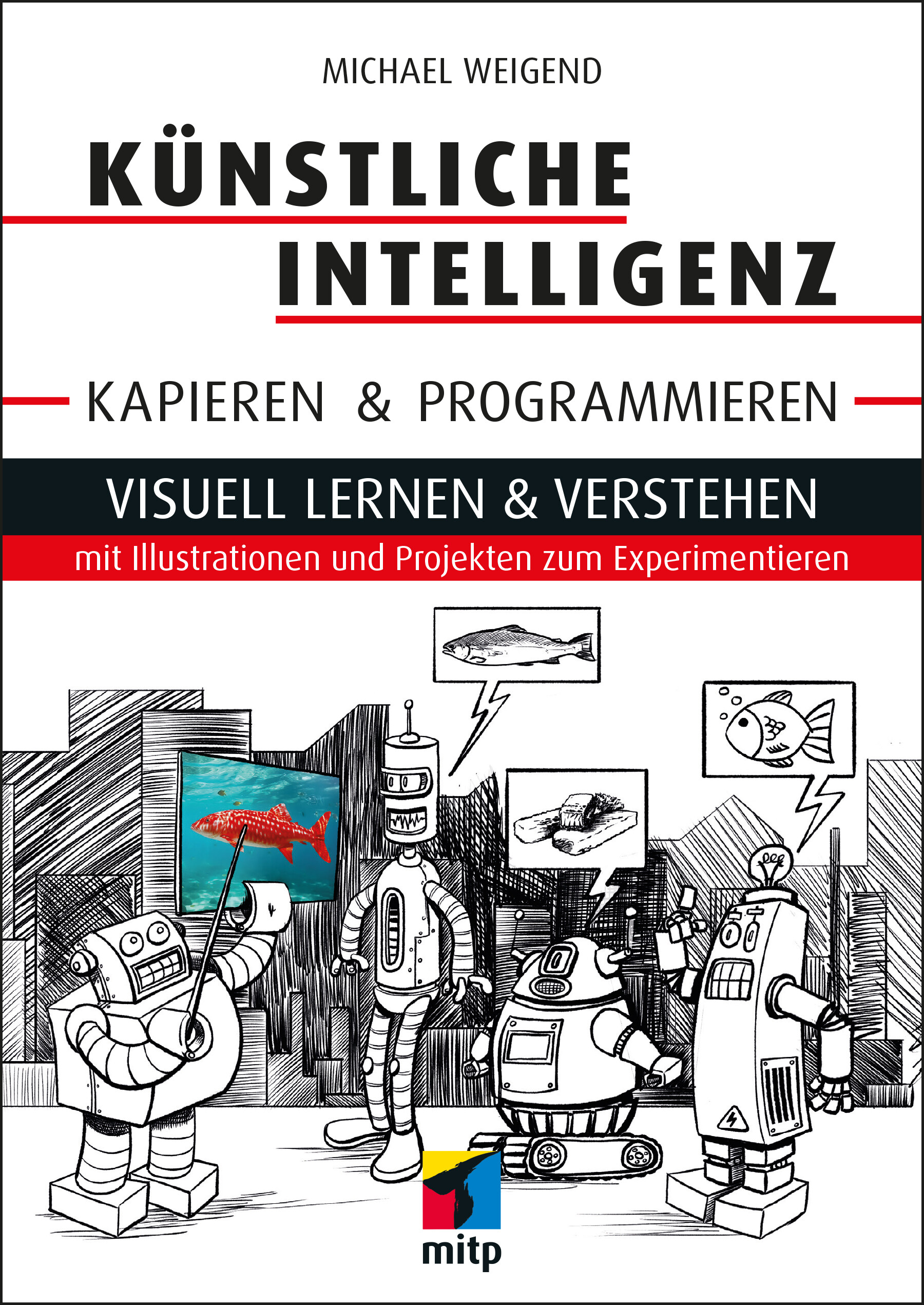
Künstliche Intelligenz kapieren & programmieren
Visuell lernen & verstehen mit Illustrationen und Projekten zum Experimentieren. In Erstauflage aus September 2023.Du möchtest wissen, was hinter künstlicher Intelligenz und neuronalen Netzen steckt und deine eigenen selbstlernenden Programme schreiben?In diesem Buch erfährst du mit anschaulichen Erklärungen und vielen Bildern, wie KI funktioniert und wie du neuronale Netze ganz einfach selbst programmieren kannst. Dafür brauchst du keine Vorkenntnisse. Alle notwendigen mathematischen Konzepte werden von Grund auf und sehr anschaulich erklärt. Ganz nebenbei erhältst du eine Einführung in die Programmiersprache Python.In jedem Kapitel erwarten dich spannende Projekte von ersten kleinen Programmen wie einem selbstlernenden Währungsrechner bis hin zu praxistauglicher Bilderkennung.Denkaufgaben und Programmierübungen mit Lösungen zum Download helfen dir, dein Wissen zu testen und zu vertiefen. So lernst du Schritt für Schritt, wie du mit einfachen Programmiertechniken deine eigenen künstlichen neuronalen Netze entwickelst und trainierst.Aus dem Inhalt:EntscheidungsbäumeÜberwachtes und nicht überwachtes LernenClusteringPerzeptronVorhersagen treffenDatenvisualisierung mit matplotlibNeuronale Netze programmieren und trainierenAktivierungsfunktionenVerborgene SchichtenBerechnungen mit NumPyBilderkennungPython Imaging Library (PIL)Computer VisionMathematisches GlossarInhalt & Leseprobe (PDF-Link) | Downloads (ZIP-Link)Über den Autor:Michael Weigend war mehr als 30 Jahre lang als Lehrer tätig und hält an der Universität Münster Vorlesungen zur Python-Programmierung. Er hat bereits mehrere Bücher zu den Themen Programmierung, Web Development und visuelle Modellierung geschrieben.

iPhone iOS 17
Die verständliche Anleitung für Ihr Smartphone:- Alle Funktionen & Einstellungen auf einen Blick- Schritt für Schritt erklärt – mit praktischen TippsMit diesem smarten Praxisbuch gelingt Ihnen der schnelle Einstieg in Ihr iPhone. Lernen Sie das Smartphone mit iOS 17 von Grund auf kennen und beherrschen! Anschauliche Anleitungen, Beispiele und Bilder zeigen Ihnen gut nachvollziehbar, wie Sie Ihr mobiles Gerät optimal handhaben – von der Ersteinrichtung und Personalisierung über die große Funktionsvielfalt bis zu den wichtigsten Anwendungen. Nutzen Sie darüber hinaus die übersichtlichen Spicker-Darstellungen: Damit können Sie jene Bedienungsschritte, die man am häufigsten braucht, aber immer wieder vergisst, auf einen Blick finden und umsetzen. Freuen Sie sich auf viele hilfreiche Tipps und legen Sie ganz einfach los! Aus dem Inhalt:- Alle Bedienelemente des Apple-Betriebssystems iOS 17 auf einen Blick- Ersteinrichtung und Tipps zum Umzug- Apple ID erstellen und nutzen- Die Benutzeroberfläche Ihres iPhones personalisieren- Apps aus dem App Store herunterladen- Kontakte anlegen und im Adressbuch verwalten- Anrufe tätigen und SMS austauschen - Nachrichten über Mail und WhatsApp versenden und empfangen- Uhr, Kalender, Karten und andere praktische Apps nutzen - Fotos sowie Videos aufnehmen, verwalten und teilen- Ins Internet gehen über WLAN und mobile Daten - Updates und Datenschutz

Digital Analytics mit Google Analytics und Co.
* METRIKEN ANALYSIEREN UND INTERPRETIEREN* BESUCHERVERHALTEN VERSTEHEN UND AUSWERTEN* DIGITAL-ZIELE DEFINIEREN, WEBAUFTRITT OPTIMIEREN UND DEN ERFOLG STEIGERNDigital Analytics bezeichnet die Sammlung, Analyse und Auswertung von Nutzungsdaten aller digitalen Kanäle. Das Ziel ist, diese Informationen zum besseren Verständnis der Besucher sowie zur Optimierung sämtlicher unternehmenseigenen digitalen Kanäle zu nutzen. Anhand von Analytics finden Sie heraus, wo sich Schwachstellen befinden und wie Sie Ihre Business-Ziele wie Branding, Leadgenerierung oder Verkauf besser erreichen.Marco Hassler gibt Ihnen sowohl eine schrittweise Einführung als auch einen umfassenden Einblick in die Tiefe der digitalen Datensammlung und Analytics-Metriken. Mit diesem Buch finden Sie z.B. heraus, welche Traffic-Quelle die wertvollsten Besucher bringt oder wie Sie mittels Analytics-Daten die Persona-Bildung unterstützen können. Auf diese Weise werden Sie Ihre Besucher sowie deren Verhalten und Motivation besser kennenlernen. Darüber hinaus schlägt das Buch auch die Brücke zu angrenzenden Themenbereichen wie User Experience, Customer Journey, Online Branding, Social Media, Digital Marketing und Suchmaschinenoptimierung.Sämtliche Ausführungen sind anhand vieler Illustrationen aus Google Analytics 4 (GA4) einfach nachvollziehbar, lassen sich jedoch gleichwohl für andere Analytics-Systeme wie Adobe Analytics oder Matomo anwenden.AUS DEM INHALTTEIL I: BASIS SCHAFFEN UND WEBSITE-NUTZUNG MESSEN* Funktionsweise von Digital-Analytics-Systemen* Datensammlung, -speicherung, -auswertungTEIL II: METRIKEN ANALYSIEREN UND INTERPRETIEREN* Traffic-Quellen: Suchmaschinen, Kampagnen und Verweise* Besuchereigenschaften: Herkunft, Demografie und technische Merkmale* Besucherverhalten: Besuchsdauer und -tiefe, Klickverhalten, Besucherfluss* Inhaltsnutzung: Ein- und Ausstiegsseiten, Attraktivität einer Seite* Digitalkanäle: Website, Mobile Apps, Social Media, Blogs, Videos, One-Pagers* Metriken nutzen: beobachten, vergleichen, nachforschen und segmentierenTEIL III: WEBSITE OPTIMIEREN UND DEN ERFOLG STEIGERN* Digital-Ziele bestimmen* Zielerreichung, Conversions und Attributionsmodelle* Key Performance Indicators, Indizes und Dashboards definieren* Customer Journeys und TrichteranalyseMarco Hassler arbeitet bei Merkle, einer der führenden Data-driven Customer Experience Agenturen. Er berät Großunternehmen zu Marketing-Technologien und der Nutzung von Daten für erfolgreiches Marketing. Bereits seit über 20 Jahren ist er im Digital-Umfeld tätig und war Miteigentümer der Digital-Agentur Namics.
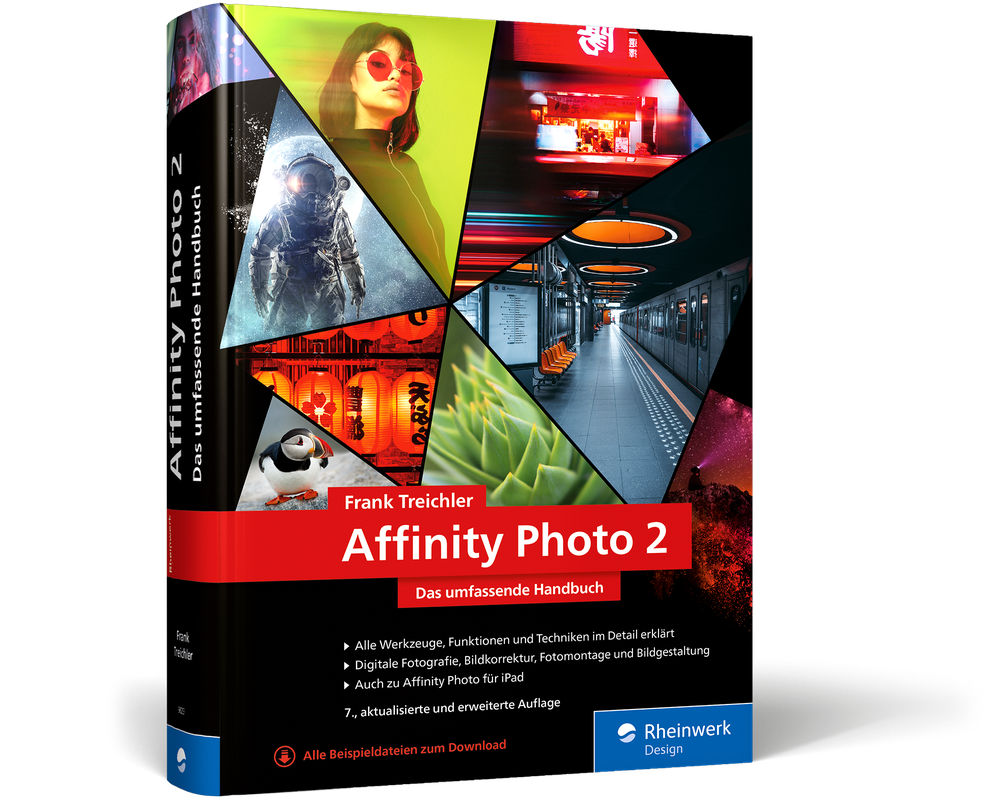
Affinity Photo 2 (7. Auflg.)
Alle Funktionen der Software im Blick: Das umfassende Handbuch in 7. aktualisierter und erweiterter Auflage 2023.Mit diesem Handbuch haben Sie Affinity Photo 2.1 fest im Griff! Ob professionelle Bildretusche, punktgenaue Bildoptimierung oder Fotomontage – Frank Treichler erklärt Ihnen alle Funktionen der Software ausführlich und verständlich. Sie korrigieren Farbstiche, verschönern Porträts, erstellen Schwarzweißfotos und retuschieren Bildfehler. Die zahlreichen Workshops und Profi-Tricks helfen Ihnen dabei, das Beste aus Ihren Fotos herauszuholen. Sehen Sie, was alles mit der Photoshop-Alternative möglich ist – inklusive Affinity Photo fürs iPad.Ergänzend zum Buch können Sie hier kostenlos einen Artikel auf der Rheinwerk-Website zu den Neuerungen in Affinity Photo 2.2 lesen.Aus dem Inhalt:Arbeitsoberfläche und BedienungUnterschiede zu Adobe PhotoshopArbeiten mit Ebenen, Formen und EffektenAuswahlen, freistellenHelligkeit und Kontrast anpassen, SchwarzweißbilderGesichts- und BeautyretuscheHDR und Panoramen, Liquify-StudioRAW-Bilder bearbeitenBild- und Objektivfehler behebenMalen, färben und kolorieren, TextwerkzeugeAusgabe für Print und WebMit einem Kapitel zum Arbeiten auf dem iPadLeseprobe (PDF-Link)

Impact Measurement and Outcomes Evaluation Using Salesforce for Nonprofits
Conduct impact measurement and outcomes evaluation, with a specific focus on nonprofits, using Salesforce Nonprofit Cloud (aka Salesforce for Nonprofits). As funding grows more challenging for nonprofits, having a robust technology system in place allows nonprofits to better seek out funding and receive more when they do. Readers of this book will be better positioned to ensure the long-term success of their organization and make maximum use of their technology.The book begins with an introduction to Salesforce and to Nonprofit Cloud for users who may be new to the platform. Next, you will learn the fundamentals of impact measurement and outcomes evaluation. You will understand why these are important and discover several frameworks that can be used to select outcomes that make sense for your organization to prove that its work is successful. These frameworks include Social Return on Investment (SROI), Cost-Benefit Analysis (CBA), and Pre and Post Comparison (and others).You will use your chosen framework to develop a logic model or theory of change which demonstrates how the work that nonprofits do translates into the outputs and outcomes that clients experience and that nonprofits seek funding to deliver. After covering the theory, author Dustin MacDonald teaches you how to translate the framework you chose into Salesforce. You will learn how to create reports, dashboards, formula fields, roll up summaries, and other basic Salesforce tools in order to collect the information you need to validate your framework.This book also demonstrates how to report on the outcomes you have achieved, tweak results to improve performance, and see the entire end-to-end experience in practice through a set of case studies. The book concludes with a discussion of advanced tools and techniques available inside Salesforce, such as Einstein Prediction Builder, as well as information on how you can immediately apply what you have learned to your own organization.WHAT YOU WILL LEARN* Understand how to use Nonprofit Cloud to collect and analyze data* Know how to create a theory of change that shows your impact* Become adept at working with impact measurement frameworks* Build everything you need in Salesforce without writing a single line of code* Turn your insights into new funding to keep your organization strongWHO THIS BOOK IS FORSalesforce administrators, nonprofit staff members, and others working at nonprofits who are required to conduct impact measurement and outcomes evaluation. Additionally, business analysts and technical architects who are designing and implementing solutions for nonprofits at implementation partners will benefit from this book. DUSTIN K. MACDONALD is 10x Salesforce Certified, including as a nonprofit Cloud Consultant. He holds an Accredited Professional in Einstein Prediction Builder and is currently a Senior Consultant at a mid-sized Salesforce Implementation Partner that focuses exclusively on nonprofits and public sector organizations. He is a former Affiliate Professor in Data Science at Eastern University in St. David’s, Pennsylvania and holds several degrees: Bachelor of Professional Arts in Human Services, Master of Science in Data Science, and Master of Business Administration. Dustin was motivated to write this book because there are no books available on Nonprofit Cloud for nonprofit users who may lack technical knowledge, and the timing is right as Salesforce is increasing its focus on this vertical.

iOS Development at Scale
Scale mobile applications to handle an enormous user base and development team. This book outlines the scaling challenges that mobile engineers face and some standard techniques and design patterns to deal with those issues.You already know the basics of iOS development, but how do you learn the key concepts and patterns to scale a mobile application? You’ll start by learning the fundamentals of the iOS platform often overlooked when using out-of-the-box iOS solutions. While standard iOS solutions might work at a small scale, the most prominent tech companies reinvent these for highly customized usage, making understanding the underlying concepts crucial. Understanding these concepts reduces ramp-up time and allows engineers to understand the "why" intuitively.Having mastered the fundamentals, you'll next focus on architecture and design principles to build, maintain, and release features within a large codebase and the soft skills to enact change in a larger organization. You’ll be empowered with a deeper understanding of iOS design patterns and the industry knowledge necessary to take their features from idea to production. You’ll also study the people skills to get things done in a large organization—a critical step to growing one's career.Upon completing iOS Development at Scale, you'll understand the solutions and tradeoffs you can leverage to build better applications and grow your career.WHAT YOU'LL LEARN* Apply computer science and engineering fundamentals to the iOS platform* Implement knowledge of iOS architecture and best practices at large-scale companies* Identify current gaps in your product and gain alignment within the broader organization* Solve problems with knowledge of systems architecture and industry best practices to identify and address gaps in your codebaseWHO THIS BOOK IS FORiOS software engineers and mobile engineer managers. Additionally, any software engineer, manager, or business stakeholder wanting to learn more about mobile development and the challenges that mobile engineers face.ERIC VENNARO is a Team Lead at Meta, where he has a track record of delivering high-impact, technically complex projects across mobile, web, and backend infrastructure. He is interested in applied machine learning and privacy, especially the intersection of improving privacy using machine-learning-backed integrity tooling. While working on the iOS platform and recruiting new iOS engineers, Eric noticed a gap in the existing literature for mobile engineering best practices and architectural principles at scale. To address this gap, he decided to write this book using his experience in leading mobile projects. Before working at Meta, Eric founded his own company and worked at Stitch Fix during its explosive growth phase and subsequent IPO. Part 1: General Apple System KnowledgeChapter 1: Structures and Classes1.1 Structures And Classes1.2 Initializing1.3 Instance Variables1.4 Properties1.5 Methods1.5 Protocols1.6 Generics1.7 ConclusionChapter 2: Swift Memory Management2. Memory Management2.1 App Memory Usage2.2 Swift Memory Model2.3 Automatic Reference Counting (ARC) Overview2.4 ARC Object Ownership2.5 Heap Allocation2.6 Stack Allocation2.7 Method Dispatch2.8 ConclusionChapter 3: Persistent Storage for iOS3. Persistence For iOS3.1 Core Data3.2 Deep Dive SQLite3.3 Core Data Alternatives and Tradeoffs3.4 ConclusionChapter 4: Concurrency and Parallelism4.1 Concurrency, Parallelism, and Async Programming4.2 Benefits Concurrent Programming4.3 Implementing concurrent programming using threads and locks4.4 Using GCD For Concurrency4.5 Using NSOperation queues4.6 Swift Structured Concurrency4.7 Conclusion: Choosing The Right AbstractionChapter 5: Algorithms and Data Structures5. Algorithms and Data Structures5.1 Arrays5.2 Dictionaries5.3 Tree Traversals5.4 ConclusionPart 2: Common App Architecture and Design PatternsChapter 6: Mobile Systems Design6. Mobile Systems Design6.1 Approaching Systems Design At Scale6.2 Importance Of Modularity6.3 API Engineering For Mobile Engineers6.4 Advanced State Management - deep links and notifications6.5 ConclusionChapter 7: Mobile Systems Architecture7. Mobile App Architecture7.1 MVC Architecture7.2 MVVM Architecture7.3 Reactive Programming7.4 VIPER7.5 ConclusionChapter 8: Mobile Design Patterns8. Mobile Design Patterns8.1 Coordinators8.2 Delegate Pattern8.3 Dependency Injection8.4 Aspect-Oriented Programming8.5 Singletons8.6 ConclusionPart 3: Apps At ScaleChapter 9: Testable Mobile Applications9. Testability9.1 Unit testing9.2 E2E testing9.3 Leveraging QAChapter 10: Enforcing Modularity10. Dependency Management10.1 Splitting to improve build time10.2 Shared libraries10.3 ConclusionChapter 11: Releasing Your Application11. Build/Release Pipeline11.1 Automated tests11.2 Automated code quality11.3 Automated releases11.4 Building a release cycle - managing the process, handling changes, and bugs11.5 Project timing for releases mobile is special11.6 Forced deprecation11.7 Analytics, Monitoring, and Alerting11.8 Mobile On-Call11.9 Compliance, Privacy, and Security11.10 Third-party libraries11.11 ePD/GDPR regulations11.13 ConclusionChapter 12: App Performance12. Performance12.1 Establishing performance goals12.2 App size12.3 Adding logging12.4 Making it part of the experimentation process12.5 iOS Performance Tooling Review12.6 ConclusionChapter 13: Developing For All Audiences13. Localization13.1 Understanding the market13.2 Getting content specialists involved13.3 Automating the tedious parts13.4 Supporting RTL mode13.5 Supporting all languages - Tamil (tall characters) Russian (long strings)13.6 Accessibility in iOS13.7 Testing accessibility13.8 ConclusionChapter 14: Experimentation14. Experimentation14.1 Understanding the value of A/B Testing14.2 Understanding what metrics are important for the team and app-wide14.3 Considerations for a successful experiment and shipping14.4 Statistical considerations for evaluating experiments14.5 Network effects14.6 Designing and using a holdout14.7 Considering performance14.8 ConclusionChapter 15: Cross-Platform Development15. Cross-Platform Versus Native Development15.1 Avoid mobile release cycle15.2 Small team iterate quickly15.3 Less ability to take advantage of new features and high performance15.4 App dependent15.5 Shared core libraries in CChapter 16: Becoming a true team lead16. Leading and working with large teams16.1 Understanding engineer archetypes and roles16.2 TL Large team - Delegate16.3 TL large team - Uplevel others16.4 The TL and the project lifecycle16.5 Questioning Mindset16.6 Communication - verbal and written16.7 Scaling oneself16.8 ConclusionPart 4: Bringing Everything TogetherChapter 17: Practical Examples17. Practical Examples17.1 Example 1 - Building A Photo Viewing App17.2 Example 2 - Improving A Legacy Airplane App17.3 Example 3 - Re-building A Messaging App Implementing Encryption17.4 Conclusion

Virtual Reality kompakt
Virtual Reality ist immer noch eine Technologie, die sich extrem schnell verändert. Ständig wird neue Hardware entwickelt, die neue Anwendungen hervorbringt und die Weiterentwicklung der dafür nötigen Softwaren erzwingt. Die Themen Immersion, Interaktivität und die Gestaltung des User Interfaces in einer immersiven Anwendung haben au den Konferenzen wie der IEEE VR oder der ISMAR immer noch einen großen Stellenwert.Dieses Buch konzentriert sich auf die Software-Entwicklung von VR-Anwendungen. Dabei werden Werkzeuge aus der Praxis wie Unity, Unreal und andere frei verfügbare SDKs vorgestellt und in Fallstudien eingesetzt. Nach einer Einführung in die Grundlagen der virtuellen Realität konzentrieren wir uns auf allgemeine Aspekte der Software-Entwicklung. Hauptthema sind Portabilität am Beispiel von OpenXR und generische und wiederverwendbare Bausteine für die Implementierung von Benutzungsoberflächen. Wie wir diese Bausteine in den Werkzeugen vorfinden oder selbst implementieren ist anschließend das Thema. Letztendlich werden die Leser ein eigenes Framework für diese Techniken entwickeln, die anschließend in den eigenen Anwendungen verwendet werden können. Die Lösungen der Aufgaben, insbesondere die Quelltexte der vorgestellten Software sind in einem öffentlichen GitHub-Repository verfügbar. Im letzten Abschnitt des Buchs werden immersive Anwendungen im Bereich der Strömungsdynamik, der Volumengrafik und des Immersive Learnings vorgestellt, realisiert und weiter entwickelt.DR. MANFRED BRILL ist Professor für Informatik und Mathematik an der Hochschule Kaiserslautern am Campus Zweibrücken. Schwerpunkte in der Lehre und der angewandten Forschung sind visuelle Datenanalyse, Computergrafik und Anwendungen von AR und VR in der Praxis.Das Thema meiner an der TU Kaiserslautern erstellten Doktorarbeit stammt aus dem Bereich der angewandte und numerischen Mathematik. Das konkrete Thema stammte aus dem Bereich der Regularisierung von inversen Problemen. Schon in der Endphase der Promotion arbeitete ich in einem Startup im Technologiezentrum Kaiserslautern, das aus dem Fachbereich Mathematik entstand. In diesem Startup haben wir erfolgreich angewandte Mathematik, Informatik und insbesondere Software-Entwicklung verknüpft. Hauptkunden des Startups war die deutsche Automobilindustrie. Meine Hauptthemen während dieser Berufstätigkeit waren die Entwicklung von Software in den Bereichen CAD und CAE. Im vom VDA finanzierten Projekt "RAMSIS" haben wir ein CAD-fähiges Mensch-Modell erstellt, das heute noch weltweit eingesetzt wird.Im Wintersemester 1994/95 habe ich einen Ruf für "Mathematik und Informatik" an den damals gerade gegründeten Campus Zweibrücken der Hochschule Kaiserslautern angenommen. Neben den Lehrveranstaltungen war ich Mitglied im Gründungsausschuss für diesen Campus und nach Gründung der Fachbereich war ich Gründungsdekan und insbesondere Studiengangsleiter des Diplomstudiengangs "Digitale Medien", der später in den Bachelorstudiengang "Medieninformatik" umgeformt wurde. Aktuell bin ich Mitglied im Hochschulrat der Hochschule Kaiserslautern und Studiengangsleiter für den Master-Studiengang Informatik.Ab 1995 wurden in den Entwicklungsabteilungen der deutschen Automobilindustrie die ersten CAVE- und Powerwall-Installation aufgebaut. Durch meinen engen Kontakt mit diesen Firmen aus meiner Berufszeit habe ich schon in den neunziger Jahren erste Diplomarbeiten bei BWM oder Daimler in diesem Umfeld betreut. Gute Lehrveranstaltungen und eine gute Betreuung solcher Abschlussarbeiten kann nur gelingen mit einer profunden praktischen Erfahrung des Betreuers. Aus diesem Grund habe ich von Juli 2001 bis Juni 2002 im Rahmen einer Freistellung von der Lehre einen Gastaufenthalt am Engineering Research Center der Mississippi State University absolviert. Als Gast-Wissenschaftler hatte ich sehr freien Zugriff auf den dort installierten CAVE und konnte gemeinsam mit Projekten dort VR-Anwendungen auf der Basis von C++, OpenGL, OpenPerformer und den SDKs VRJuggler und CAVELib implementieren. Nach diesem Aufenthalt wurden eine ganze Reihe von Praxissemestern und Abschlussarbeiten im VR-Bereich erfolgreich bearbeitet, teilweise in U.S.A. (finanziert durch den DAAD), teilweise am Campus Zweibrücken. Hauptthema der Projekte war die immersive Visualisierung von Strömungsdynamik-Simulationen, von Freiformflächen-Qualität und von Daten aus der Klimaforschung, insbesondere Hurricane-Simulationen. Diese Projekte stellen die Basis für mein bei Springer im Jahr 2009 erschienen Buch "Virtuelle Realität" dar.Seit der ersten Oculus Rift hat sich das Gebiet der VR sehr stark verändert. Die Hardware-Kosten für den Einsatz von VR haben sich drastisch verringert, so dass VR in vielen Bereichen eingesetzt werden. Auch die Game-Industrie hat dieses Thema aufgegriffen, Head-Mounted Diplays oder Anwendungen auf einem Smartphone sind nun im Consumer-Bereich angekommen. Natürlich haben wir dieser Entwicklung im VR-Labor am Campus Zweibrücken Rechnung getragen, statt einer projektions-basierten VR-Umgebung setzen wir inzwischen HMDs von Oculus, HTC und HP ein. Thema unserer Projekte sind nachwievor die immersive Visualisierung von Klimadaten. Auch medizinische Anwendungen in der Radiologie werden aktuell im Labor entwickelt. Seit 2020, noch vor der Pandemie, haben wir begonnen AR- und VR-Anwendungen für den Einsatz in der Hochschul-Lehre zu entwickeln - dieses Anwendungsgebiet wird inzwischen als "Immersive Learning" bezeichnet.Einleitung - Anwendungs-Entwicklung mit Unity und C# - VR-Systeme - VR-Anwendungen mit Unity XR, XRI Toolkit und HTC Vive Input Utility - Bausteine für interaktive immersive Anwendungen - Systemsteuerung - Auswahl und Manipulation von virtuellen Objekten - Fortbewegung in der virtuellen Welt

RFID Handbuch (8. Auflage)
Grundlagen und praktische Anwendungen von Transpondern, kontaktlosen Chipkarten und NFC. In 8. aktualisierter Auflage, September 2023.RFID ist allgegenwärtig. Ob beim Bezahlen an der Kasse, mit dem NFC-Handy oder der kontaktlosen Bankkarte, als Zutrittsausweis zu Betrieben und Hotelzimmern, als kontaktloses Ticket für den Nahverkehr, als elektronischer Diebstahlschutz, in der Logistik oder im Einzelhandel, im elektronischen Reisepass oder als Katzen- und Hundechip: Die Einsatzmöglichkeiten der batterielosen, elektronischen Datenträger (Transponder), die kontaktlos ausgelesen werden können, scheinen nahezu grenzenlos.Dieses einzigartige Handbuch bietet einen praxisorientierten und umfassenden Überblick über die Grundlagen und die Techniken von RFID-Systemen. In der achten Auflage finden Sie u.a. Neues zu RFID im Einzelhandel, Tieridentifikation, Tickets im ÖPNV und in Zutrittsystemen. Die Kapitel zu den Normen ISO/IEC 18000-63, zu RAIN-RFID, den GS1-EPC-Spezifikationen und zur Sicherheit von Transpondern wurden aktualisiert. Neu ist auch ein umfangreiches Kapitel zu NFC-Datenstrukturen (NDEF) und NFC-Tag-Types.Zahlreiche Abbildungen veranschaulichen die komplexen Inhalte und die Anwendungsbeispiele zeigen Ihnen, welche Einsatzmöglichkeiten RFID in der Praxis bietet. Wertvolle Informationen wie Kontaktadressen, Literaturhinweise und Quellen im Internet finden Sie im Anhang.Aus dem Inhalt: EinführungUnterscheidungsmerkmale von RFID-SystemenGrundlegende Funktionsweise von RFID- und NFC-SystemenPhysikalische Grundlagen für RFID-SystemeFrequenzbereiche und FunkzulassungsvorschriftenCodierung und ModulationDatenintegritätSicherheit von RFID-SystemenNormungArchitektur elektronischer DatenträgerLesegeräteMesstechnik für RFID-SystemeHerstellung von Transpondern und kontaktlosen ChipkartenAnwendungsbeispieleLeseprobe (PDF-Link)