

Computer und IT
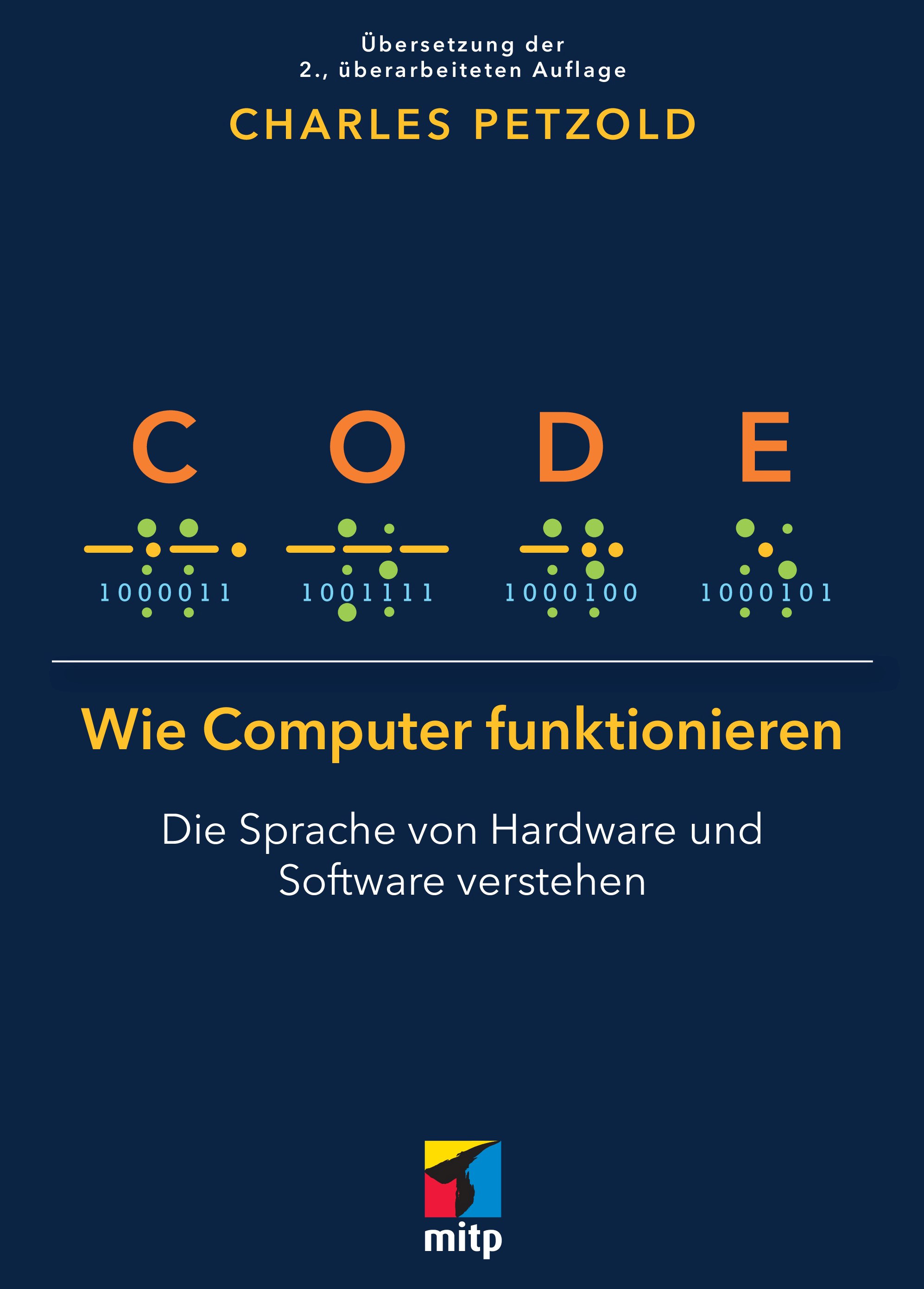
Code - Wie Computer funktionieren
Die Sprache von Hardware und Software verstehen. Die Erstauflage von Charles Petzold aus August 2023.Computer sind überall, am sichtbarsten in PCs und Smartphones, aber sie finden sich auch in Autos, Fernsehern, Mikrowellen, Staubsaugerrobotern und anderen smarten Geräten. Haben Sie sich jemals gefragt, was in diesen Geräten vor sich geht?Charles Petzold begeistert seine Leserinnen und Leser seit mehr als 20 Jahren mit seinem Buch und lüftet das Geheimnis über das verborgene Innenleben und die grundlegende Funktionsweise von Computern – von der Hardware bis zur Software. Nun hat er sein beliebtes Standardwerk für das neue Computerzeitalter überarbeitet. Alle Erläuterungen sind anschaulich illustriert und werden am Beispiel von alltäglichen Gegenständen wie Taschenlampen und bekannten Systemen wie Morsecode oder Brailleschrift leicht verständlich beschrieben.Dieses Buch schafft eine tiefe Ebene des Verständnisses für die Funktionsweise von Computern, die weit über den Code von höheren Programmiersprachen hinausgeht. Jeder, der sich für Informatik interessiert, sollte dieses Buch gelesen haben."Für mich war Code eine Offenbarung. Es war das erste Buch, das wirklich zu mir sprach. Es begann mit einer Geschichte und baute Schicht für Schicht, Analogie für Analogie darauf auf, bis ich nicht nur den Code, sondern auch das System dahinter verstand. Code ist ein Buch, in dem es in gleichem Maße um Systemisches Denken und Abstraktionen geht wie um Code und Programmierung. Code zeigt uns, wie viele unsichtbare Schichten zwischen den Computersystemen, die wir als Benutzer täglich zu Gesicht bekommen, und den magischen Siliziumkristallen liegen, denen wir mit Blitzenergie beigebracht haben zu denken."- Scott Hanselman, Partner Program Director bei Microsoft und Moderator von HanselminutesLeseprobe (PDF-Link)
Handbuch Data Engineering
Der praxisnahe Überblick über die gesamte Data-Engineering-Landschaft.Data Engineering hat sich in den letzten zehn Jahren rasant entwickelt, sodass viele Software Engineers, Datenanalystinnen und Data Scientists nach einer zusammenfassenden Darstellung der grundlegenden Techniken suchen. Dieses praxisorientierte Buch gibt Ihnen mit dem Data Engineering Lifecycle ein Framework an die Hand, das die Evaluierung und Auswahl der besten Technologien für reale Geschäftsprobleme erleichtert. Sie erfahren, wie Sie Systeme so planen und entwickeln, dass sie den Anforderungen Ihres Unternehmens und Ihrer Kunden optimal gerecht werden.Joe Reis und Matt Housley führen Sie durch den Data Engineering Lifecycle und zeigen Ihnen, wie Sie eine Vielzahl von Cloud-Technologien kombinieren können, um die Bedürfnisse von Datenkonsumenten zu erfüllen. Sie lernen, die Konzepte der Generierung, Ingestion, Orchestrierung, Transformation, Speicherung und Bereitstellung von Daten anzuwenden, die in jeder Datenumgebung – unabhängig von der konkret verwendeten Technologie – von entscheidender Bedeutung sind.Aus dem Inhalt:Erhalten Sie einen kompakten Überblick über die gesamte Praxis des Data EngineeringBeurteilen Sie Problemstellungen im Data Engineering anhand eines umfassenden Frameworks von Best PracticesWählen Sie geeignete Datentechnologien, -architekturen und -prozesse jenseits des Marketing-Hypes ausNutzen Sie den Data Engineering Lifecycle, um eine robuste Infrastruktur zu entwerfen und aufzubauenErfahren Sie, wie Sie Data Governance und Sicherheit in den gesamten Lebenszyklus Ihrer Daten integrierenInhaltsverzeichnis (PDF-Link)Zu den Autoren:Joe Reis ist ein businessorientierter Daten-Nerd, der seit 20 Jahren in der Datenbranche tätig ist. Seine Tätigkeitsbereiche umfassen statistische Modellierung, Prognosen, Machine Learning, Data Engineering, Datenarchitektur und fast alles, was dazwischen liegt. Joe Reis ist der CEO und Mitbegründer von Ternary Data, einem Beratungsunternehmen für Data Engineering und Datenarchitektur mit Sitz in Salt Lake City, Utah. Er engagiert sich ehrenamtlich in verschiedenen Technologiegruppen und unterrichtet an der University of Utah. In seiner Freizeit geht Joe gerne klettern, produziert elektronische Musik und unternimmt mit seinen Kindern verrückte Abenteuer.Matt Housley ist Consultant für Data Engineering und ein Experte für die Cloud. Nach ersten Programmiererfahrungen mit Logo, Basic und 6502-Assembler hat er an der University of Utah in Mathematik promoviert. Danach begann Matt Housley im Bereich der Data Science zu arbeiten und spezialisierte sich schließlich auf Cloud-basiertes Data Engineering. Zusammen mit Joe Reis gründete er Ternary Data, wo er seine Lehrerfahrung nutzt, um künftige Data Engineers auszubilden und Teams zu einer robusten Datenarchitektur zu beraten. Matt und Joe referieren außerdem im „The Monday Morning Data Chat“ über alles, was mit Daten zu tun hat.

Serverless Web Applications with AWS Amplify
Learn the fundamentals of serverless applications and how to take advantage of time-tested Amazon Web Services (AWS) to build scalable apps. This book shows you how to work with the key features of your applications with minimum code, simple CLI commands and one-click deployments.You'll see how to manage authentication, standard UI components, database storage, filesystem, CI/CD pipeline and more. You'll also examine the architecture, strengths, scalability, and limitations of serverless, and how to use AWS Amplify effectively. You will use tools including React, Cognito, GraphQL, DynamoDB, Kinesis, and Sagemaker.AWS Amplify is the fastest and easiest way to build serverless web and mobile apps at scale, comprising tools and services that work independently and can be wired together to build scalable apps.WHAT YOU'LL LEARN* Build GraphQL and REST APIs* Model data with Amplify Datastores* Set up a CI/CD pipeline with Amplify* Record and make sense of user data analytics with Kinesis* Boost your application with AI/ML capability using Sagemaker WHO THIS BOOK IS FORDevelopers who have worked on web technologies and want to learn how to build serverless applications and developers interested in making powerful applications using AWS that can then be wired using AWS Amplify.AKSHAT PAUL is a technology leader and author of four books on React Native, Ruby, and Rubymotion. He has extensive experience of mobile and web development and has delivered many enterprise and consumer applications over the years. In other avatars, Akshat frequently speaks at conferences and meetups on various technologies. He has given talks at React Native EU, Crossplatform mobile summit, Devops@scale Amsterdam, DevTheory Conference India, RubyConfIndia, #inspect-RubyMotion Conference brussels and was KeyNote speaker at technology leadership events at bkk and kl. Besides writing code Akshat spends time with his family, is an avid reader, and is obsessive about healthy eating.MAHESH HALDAR is a developer, blogger and industry speaker who loves the JavaScript ecosystem, Flutter, cloud technologies and builds efficient software products to help businesses grow and improve their customers experience. As a principal software engineer, he currently architects and builds software solutions for the e-commerce platform Carrefour.He speaks at tech community meetups and actively writes blogs on medium and has had research published in IJCA. Haldar has designed and developed complex large-scale systems for start-ups and large enterprises like Jago Bank and McKinsey & Company.Chapter 1: Introduction to Serverless* What is Serverless – History, present and beyond* Architecture, strengths, scalability and limitations* What is AWS AmplifyChapter 2: UI Component & Authentication* Amplify UI component introduction* React UI component* What is AWS Cognito * How it works * Setting up authentication with Cognito * UI forms and implementation for sign in, signup, signout, confirm and forget Chapter 3 : API request and database* Quick introduction to GraphQL and REST* Make HTTP requests with GraphQL using Amplify* Getting and displaying data from public sources * Making HTTP requests with REST using Amplify and API gateway* Getting and displaying data from public sources Chapter 4 : Lambda Functions* What is AWS Lambdas?* Invocation types and event sources* Creating new REST API and trigger lambda function* Deploying lambda functions * Using lambda layers Chapter 5 : Storage and Data stores* Setting up a database (DynamoDB)* CRUD functions with UI to API to interact with Database* Amplifying Datastores* Modeling the datastore* Storing and retrieving data from Amplify datastores* Storing and retrieving objects like photos, videos using S3 Chapter 6 : Analytics* Recording events* Tracking session* Making sense of data and analyze with Kinesis Chapter 7 : CI/CD* Deployment via CLI* Deployment via Git* Feature branch deployment* Hosting static apps * Adding password protection for non-production releasesChapter 8 : Amplify Supplements* Building engaging apps having interactive bots with lex* Boosting your application with AI/ML capability using Sagemaker * Amplify beyond react web apps
Creative Prototyping with Generative AI
Reimagine different generative AI as useful creative prototyping tools that can be used to augment your own creative process and projects. Gain a deeper understanding of how generative AI can elevate your creative future.You will acquire a comprehensive understanding of how AI works, uncover tools that can enhance your AI interactions, learn how to extract maximum potential from AI-produced content, and experiment with methods for assessing, refining, and boosting the content to transform your creative projects. You'll also explore how creative professionals from varied disciplines are employing generative AI in their workflows to produce distinctive contributions to the world.Each chapter provides examples of how designers and other creative individuals can utilize these technological wonders, adopting various prototyping techniques to fast-track and optimize design processes and workflows. Creators from all disciplines can tap into the vast capabilities and benefits of generative AI, enabling them to rapidly experiment and prototype their ideas.YOU WILL LEARN:* Understand how generative AI can support your own creative process* Learn tools to get the most out of text-text, text-image, and text-video generative AI* Augment your design practices using generative AI* Draw inspiration from AI generated content to create unique creative work* Improve and streamline creatives processes and workflowsWHO THIS BOOK IS FOR* Digital media professionals who want to access off-the shelf creative tools to improve and accelerate their creativity and workflow.* Designers and engineers who are looking at novel ways to improve their prototyping and testing processes.* Students who want to use AI to rapidly generate ideas to support them in prototyping assignments.* Instructors interested in pointing their students to a variety of accessible AI resources to manage their own creativity.PATRICK PARRA PENNEFATHER is an Assistant Professor and Researcher at the University of British Columbia within the Faculty of Arts and the Emerging Media Lab. His research is focused on Collaborative Learning Practices, Digital Media, XR and Agile Software Development. Patrick also works with learning organizations and technology companies around the world to design learning courses that meets the needs of diverse communities to aid the development of the next generation of technology designers and developers. Teaching has focused on Creativity, Collaboration, Sound Design, xR development, Agile with a focus on developing critical 21st Century competencies.RAPID PROTOTYPING WITH GENERATIVE AI1. Introduction: Your AI Best Friend2. AI as a Creative Muse3. Prototyping with AI4. Creative Tools and Processes5. AI Structures6. The Master of Mash-Up: Leveraging AI for Prototyping7. Uncanny by Nature8. Layering AI Generation9. The Art of the Prompt10. Five Dilemmas Using AI11. AI Curator for Hire

Analyzing Non-Textual Content Elements to Detect Academic Plagiarism
Identifying plagiarism is a pressing problem for research institutions, publishers, and funding bodies. Current detection methods focus on textual analysis and find copied, moderately reworded, or translated content. However, detecting more subtle forms of plagiarism, including strong paraphrasing, sense-for-sense translations, or the reuse of non-textual content and ideas, remains a challenge. This book presents a novel approach to address this problem—analyzing non-textual elements in academic documents, such as citations, images, and mathematical content. The proposed detection techniques are validated in five evaluations using confirmed plagiarism cases and exploratory searches for new instances. The results show that non-textual elements contain much semantic information, are language-independent, and resilient to typical tactics for concealing plagiarism. Incorporating non-textual content analysis complements text-based detection approaches and increases the detection effectiveness, particularly for disguised forms of plagiarism. The book introduces the first integrated plagiarism detection system that combines citation, image, math, and text similarity analysis. Its user interface features visual aids that significantly reduce the time and effort users must invest in examining content similarity.Norman Meuschke is a Senior Researcher for Information Retrieval and Natural Language Processing at the University of Göttingen, Germany.Introduction.- Academic Plagiarism Detection.- Citation-based Plagiarism Detection.- Image-based Plagiarism Detection.- Math-based Plagiarism Detection.- Hybrid Plagiarism Detection System.- Conclusion and Future Work.- References.

Wissenschaftliche Arbeiten schreiben (3. Auflg.)
* ALLE GRUNDLAGEN ZUM SCHREIBEN WISSENSCHAFTLICHER ARBEITEN* METHODEN ZUR SELBSTORGANISATION UND ZEITPLANUNG SOWIE STRATEGIEN FÜR UNTERSCHIEDLICHE SCHREIBTYPEN* LITERATURVERWALTUNG, -RECHERCHE UND -AUSWERTUNG, INHALTE SAMMELN, STRUKTURIEREN, SCHREIBEN UND EFFEKTIV ÜBERARBEITEN* SOFTWARE ALS HILFREICHE UNTERSTÜTZUNG FÜR ALLE PHASEN DER ARBEITDieser Ratgeber ist eine umfassende und motivierende Anleitung für das erfolgreiche Schreiben wissenschaftlicher Arbeiten und richtet sich an Studierende aller Fachrichtungen.Die Autorin legt einen besonderen Fokus auf den Einsatz von Software als sinnvolle Unterstützung und Arbeitserleichterung in allen Phasen des wissenschaftlichen Arbeitens. Dazu beschreibt sie über 100 verschiedene Einsatzmöglichkeiten von Software von Citavi über Zotero bis hin zu vielen kleinen hilfreichen Programmen. Ein separates Kapitel erläutert konkrete Entscheidungskriterien und enthält eine ausführliche Checkliste, im Anhang finden Sie übersichtliche Tabellen mit Hinweisen zu Kosten, Betriebssystem u.v.m.In Teil I »Orientieren und Planen« geht es zum einen ausführlich um das Thema Selbstorganisation. Hier lernen Sie verschiedene Strategien zur Motivation und zum effektiven Erreichen Ihres Ziels kennen. Zum anderen geht die Autorin praxisnah auf verschiedene Methoden der Zeitplanung ein und hilft Ihnen, die für Sie beste Vorgehensweise für Ihre individuelle Planung zu finden.Außerdem gibt Ihnen die Autorin Hilfsmittel an die Hand, um sowohl ein Thema als auch eine sinnvolle Fragestellung für Ihre wissenschaftliche Arbeit zu finden.Teil II hat das Sammeln und Strukturieren von Inhalten zum Thema. Hierzu gehört der gesamte Umgang mit Literatur von der Verwaltung über die Recherche und Auswertung bis hin zum effektiven Lesen und Verarbeiten der Inhalte. Darüber hinaus zeigt Ihnen die Autorin, wie Sie Ihre Arbeit formal und inhaltlich richtig aufbauen.Teil III behandelt den Schreibprozess. Die Autorin beschreibt verschiedene Schreibtypen und -strategien mit ihren Stärken und Schwächen. So finden Sie den Einstieg ins Schreiben und halten auch bis zum Ende durch.Sie lernen hier auch, was Sie beachten müssen, damit Ihre Texte überzeugen und Ihre Abbildungen aussagekräftig sind. Und zu guter Letzt erfahren Sie, wie Sie die Überarbeitung optimal organisieren, konstruktiv mit Feedback umgehen und wie Ihnen die letzten Schritte zur Fertigstellung Ihrer Arbeit gelingen.AUS DEM INHALT:* TEIL I: ORIENTIEREN UND PLANEN* Selbstorganisation, Motivation und Zielerreichung* Methoden zur Zeitplanung und Tagesstruktur* Einsatzbereiche von Software* Anforderungen an eine wissenschaftliche Arbeit* Inhaltlicher Einstieg: Thema und Fragestellung finden sowie Methoden für die Orientierungsphase* TEIL II: SAMMELN UND STRUKTURIEREN* Literaturverwaltung, -recherche und -auswertung* Effektives Lesen sowie Verarbeiten der Inhalte* Einsatz empirischer Methoden* Gliederung und Aufbau der Arbeit* TEIL III: SCHREIBEN UND ÜBERARBEITEN* Schreibtechniken* Verschiedene Schreibstrategien* Überzeugende Vermittlung von Inhalten* Korrektes Zitieren* Überarbeiten: Feedback einholen und verarbeitenANHANG:Übersichtliche Tabellen zur beschriebenen SoftwareAMAZON-REZENSION ZUR VORAUFLAGE:»Auf geniale Weise werden hier 'Wissenschaftlich Arbeiten' und 'Wissenschaftlich Schreiben' miteinander vereint. Checklisten, tolle Praxis-Tipps und Software-Empfehlungen runden die Teil-Aspekte des Schreib-, Lese- und Forschungsprozesses ab, die alle Schritt für Schritt behandelt werden! Warum gibt es das erst jetzt? :-)«Dr. Andrea Klein - Dozentin, Coach und Autorin - lehrt seit vielen Jahren an Universitäten, Fachhochschulen und Berufsakademien die Grundlagen wissenschaftlichen Arbeitens. Sie weiß daher, welche Informationen für Studierende beim Verfassen wissenschaftlicher Arbeiten wichtig sind und welche Impulse ihnen weiterhelfen. Sie studierte Anglistik, Politikwissenschaft und Psychologie an der Universität Heidelberg und promovierte an der Universität Mannheim in Betriebswirtschaftslehre.
Symbolic Approaches to Modeling and Analysis of Biological Systems
Systems Biology is an approach to biology that involves understanding the complexity of interactions among biological entities within a systemic whole. The goal is to understand the emergence of physiological or functional properties.Symbolic Approaches to Modeling and Analysis of Biological Systems presents contributions of formal methods from computer science for modeling the dynamics of biological systems. It deals more specifically with symbolic methods, i.e. methods that can establish the qualitative properties of models.This book presents different approaches related to semantics, language, modeling and their link with data, and allows us to examine the fundamental problems and challenges that biological systems are facing. The first part of the book presents works that rely on various available data to build models, while the second part gathers contributions surrounding issues of semantics and formal methods.CÉDRIC LHOUSSAINE is a professor at the Université de Lille and head of the BioComputing team at the Research Center in Computer Science, Signal and Automatic Control of Lille (CRIStAL), France.ÉLISABETH REMY is a CNRS research director at the Mathematics Institute of Marseille and head of the Mathematics and Algorithms for Biological Systems team (MABioS) at Aix Marseille Université, France.Preface xiCedric LHOUSSAINE and Elisabeth REMYPART 1 MODELS AND DATA 1CHAPTER 1 INFERENCE OF GENE REGULATORY NETWORKS FROM MULTI-SCALE DYNAMIC DATA 3Arnaud BONNAFFOUX1.1 GRN and differentiation 41.1.1 The coordination of gene expression by GRNs 41.1.2 The process of differentiation 81.2 Inference of GRN from population data 101.2.1 Population expression data 101.2.2 Bayesian approaches 111.2.3 Information theory approaches 141.2.4 Boolean approaches 161.2.5 ODE approaches 181.3 Inferring GRNs from single-cell data 201.3.1 Single cell expression data 201.3.2 Adaptation of GRN inference algorithms for single-cell data analysis 201.3.3 Using single-cell stochastic models for GRN inference 211.4 Alternative strategies for GRN inference 251.5 Performance and limitations of GRN inference 251.6 Inference based on the wave of expression concept 271.6.1 The differentiation process seen as a dynamic process of signal processing by GRNs 281.6.2 Experimental demonstration of waves of expression 301.6.3 Using waves of expression for GRN inference 331.6.4 Scaling up the distributed computing approach 351.7 Conclusion 371.8 References 37CHAPTER 2 COMBINATORIAL OPTIMIZATION PROBLEMS FOR STUDYING METABOLISM 45Clemence FRIOUX and Anne SIEGEL2.1 Dynamics and functionality of a metabolic network 462.1.1 Metabolic networks 462.1.2 Reconstruction of metabolic networks 472.1.3 From the dynamics of a metabolic network to its function 482.2 Understanding the metabolism of non-model organisms: metabolic gap-filling algorithms 502.2.1 Metabolism of non-model organisms 502.2.2 Reconstruction of the metabolism of non-model species and gap-filling problems 522.2.3 Added-value and limitations of metabolic gap-filling problems: example of biotic interactions 532.3 Microbiota metabolism: new optimization problems 552.3.1 Genomics of microbiota 552.3.2 From merged models to compartmentalized models 572.3.3 Completion problem for community selection in non-compartmentalized microbiota 572.3.4 Completion problem for selecting compartmentalized communities with minimal exchanges 592.4 Discrete semantics: a Boolean approximation of metabolic producibility 632.4.1 Topological accessibility of compounds and reactions in a metabolic network 642.4.2 Activation and cycles 662.4.3 Applications 672.5 Flux semantics 692.5.1 Modeling the response of a metabolic network with fluxes 702.5.2 Steady-state cycles 712.5.3 Application to the completion of metabolic networks 742.6 Comparing semantics: toward a hybrid approach 742.6.1 Complementarity of Boolean and stoichiometric abstractions 742.6.2 Hybrid completion of metabolic networks 762.7 Solving gap-filling problems with answer set programming 772.7.1 Model the Boolean activation of a reaction in ASP 782.7.2 Non-compartmentalized selection of communities 792.7.3 Compartmentalized selection of communities 802.8 Conclusion 812.9 References 81CHAPTER 3 THE CHALLENGES OF INFERRING DYNAMIC MODELS FROM TIME SERIES 89Tony RIBEIRO, Maxime FOLSCHETTE, Laurent TRILLING, Nicolas GLADE, Katsumi INOUE, Morgan MAGNIN and Olivier ROUX3.1 Challenges of learning about time series 903.2 Reconstruction of a regulation network (Boolean network) and its logical rules 923.2.1 Multi-valued logic 933.2.2 Learning operations 963.2.3 Dynamical semantics 993.2.4 GULA 1033.2.5 PRIDE 1063.3 Modeling Thomas networks with delays in ASP 1103.3.1 Formalisms used 1123.3.2 Networks 1123.3.3 ASP technology 1153.3.4 Description of the problem 1163.3.5 Implementation 1183.3.6 Results 1213.3.7 Synthesis 1233.4 Promise of machine learning for biology 1243.4.1 Learning about biological regulatory networks modeling complex behaviors 1243.4.2 Review of models 1253.5 References 126CHAPTER 4 CONNECTING LOGICAL MODELS TO OMICS DATA 129Jonas BEAL, Elisabeth REMY and Laurence CALZONE4.1 Introduction 1294.2 Logical models: objectives, nature and tools 1324.2.1 Objectives and biological questions addressed 1324.2.2 Logical modeling 1334.2.3 Tools and resources for logical modeling 1354.3 Building an influence graph using biological data 1354.3.1 Defining the outline of the model 1354.3.2 Construction of the regulation network 1364.4 Defining logical rules and refining model parameters usingbiological data 1374.4.1 Determining logical rules locally 1374.4.2 Define or modify the logical model as a whole 1384.5 Data to validate models and predict behaviors 1404.6 Conclusion 1424.7 References 142PART 2 FORMAL AND SEMANTIC METHODS 149CHAPTER 5 BOOLEAN NETWORKS: FORMALISM, SEMANTICS AND COMPLEXITY 151Loic PAULEVE5.1 Introduction 1515.2 Classical semantics of Boolean networks 1545.2.1 Definitions 1545.2.2 Examples 1555.2.3 Properties 1565.3 Related formalisms 1575.3.1 Cellular automata 1575.3.2 Petri nets 1575.4 Guarantees against quantitative models 1645.4.1 Boolean network refinements 1655.4.2 Counterexample for classical semantics 1675.4.3 MP Boolean networks 1685.5 Dynamic properties and complexities 1745.5.1 Fixed points 1745.5.2 Reachability between configurations 1755.5.3 Attractors 1785.6 Conclusion 1815.7 Acknowledgments 1835.8 References 183CHAPTER 6 COMPUTATIONAL LOGIC FOR BIOMEDICINE AND NEUROSCIENCES 187Elisabetta DE MARIA, Joelle DESPEYROUX, Amy FELTY, Pietro LIO, Carlos OLARTE and Abdorrahim BAHRAMI6.1 Introduction 1886.2 Biomedicine in linear logic 1916.2.1 Introduction 1916.2.2 Logical frameworks, linear logic 1936.2.3 Modeling in LL 2026.2.4 Modeling breast cancer progression 2046.2.5 Verifying properties of the model 2086.2.6 Conclusion and future perspectives on the biomedicine section 2116.3 On the use of Coq to model and verify neuronal archetypes 2136.3.1 Introduction 2136.3.2 Discrete leaky integrate and fire model 2156.3.3 The basic archetypes 2176.3.4 Modeling in Coq 2176.3.5 Encoding neurons and archetypes in Coq 2206.3.6 Properties of neurons and archetypes in Coq 2246.3.7 Conclusions and future work on the archetypes section 2276.4 Conclusion and perspective 2286.5 References 230CHAPTER 7 THE CELL: A CHEMICAL ANALOG CALCULATOR 235Francois FAGES and Franck MOLINA7.1 Introduction 2357.2 Chemical reaction networks 2377.3 Discrete dynamics and digital calculation 2397.4 Continuous dynamics and analog computation 2407.5 Turing-completeness of continuous CRNs 2437.6 Chemical compiler of calculable functions 2467.7 Chemical programming of non-living vesicles 2497.8 1014 networked analog computers 2527.9 References 253CHAPTER 8 FORMAL VERIFICATION METHODS FOR MODELING IN BIOLOGY: BIOLOGICAL REGULATION NETWORKS 255Gilles BERNOT, Helene COLLAVIZZA and Jean-Paul COMET8.1 Introduction 2558.1.1 Illustrative example: the simplified circadian cycle of mammals 2578.2 Formalization of Rene Thomas’s modeling 2588.2.1 Static description or influence graph 2598.2.2 Dynamics of a biological regulation graph 2618.3 Genetically modified Hoare logic 2678.3.1 Using experimental observations: an example 2688.3.2 A language of assertions 2698.3.3 A language of paths 2708.3.4 The power of assertions 2728.3.5 A logic to calculate the weakest precondition 2738.4 Temporal logic and CTL 2788.4.1 CTL and model-checking 2788.4.2 CTL fair path 2808.5 TotemBioNet 2828.5.1 Tools 2828.5.2 Example 1: growth and apoptosis of a tadpole tail 2858.5.3 Example 2: simplified mammalian cell cycle 2878.6 Hybrid formalism 2898.6.1 Hybrid regulation networks 2908.6.2 Definition of hybrid trajectories 2918.7 Hybrid Hoare logic 2988.7.1 Property, path, and assertion languages 2998.7.2 Hoare triples 3028.7.3 Weakest precondition calculus 3038.7.4 Inference rules 3048.7.5 Holmes BioNet: an implementation of the processing chain 3058.8 General methodology 3078.9 Acknowledgments 3098.10 References 310CHAPTER 9 ACCESSIBLE PATTERN ANALYSES IN KAPPA MODELS 313Jerome FERET9.1 Introduction 3139.1.1 Context and motivations 3139.1.2 Modeling languages for molecular interaction systems 3149.1.3 The Kappa language 3159.1.4 Abstract interpretation 3189.1.5 The Kappa ecosystem 3209.1.6 Content of the chapter 3289.2 Site graphs 3289.2.1 Signature 3289.2.2 Biochemical complexes 3309.2.3 Patterns 3329.2.4 Embedding between patterns 3349.3 Rewriting site graphs 3369.3.1 Interaction rules 3369.3.2 Reactions induced by an interaction rule 3389.3.3 Underlying reaction networks 3409.4 Analysis of reachable patterns 3429.4.1 Reachability in a reaction network 3439.4.2 Abstraction of a set of states 3459.4.3 Fixed point transfers 3509.5 Analysis using sets of orthogonal patterns 3539.5.1 Orthogonal pattern sets 3539.5.2 Post-processing and visualization of results 3599.5.3 Study of performance and practical use 3599.6 Conclusion 3629.7 References 364List of Authors 373Index 377

MLOps Lifecycle Toolkit
This book is aimed at practitioners of data science, with consideration for bespoke problems, standards, and tech stacks between industries. It will guide you through the fundamentals of technical decision making, including planning, building, optimizing, packaging, and deploying end-to-end, reliable, and robust stochastic workflows using the language of data science.MLOps Lifecycle Toolkit walks you through the principles of software engineering, assuming no prior experience. It addresses the perennial “why” of MLOps early, along with insight into the unique challenges of engineering stochastic systems. Next, you’ll discover resources to learn software craftsmanship, data-driven testing frameworks, and computer science. Additionally, you will see how to transition from Jupyter notebooks to code editors, and leverage infrastructure and cloud services to take control of the entire machine learning lifecycle. You’ll gain insight into the technical and architectural decisions you’re likely to encounter, as well as best practices for deploying accurate, extensible, scalable, and reliable models. Through hands-on labs, you will build your own MLOps “toolkit” that you can use to accelerate your own projects. In later chapters, author Dayne Sorvisto takes a thoughtful, bottom-up approach to machine learning engineering by considering the hard problems unique to industries such as high finance, energy, healthcare, and tech as case studies, along with the ethical and technical constraints that shape decision making.After reading this book, whether you are a data scientist, product manager, or industry decision maker, you will be equipped to deploy models to production, understand the nuances of MLOps in the domain language of your industry, and have the resources for continuous delivery and learning.WHAT YOU WILL LEARN* Understand the principles of software engineering and MLOps* Design an end-to-end machine learning system* Balance technical decisions and architectural trade-offs* Gain insight into the fundamental problems unique to each industry and how to solve themWHO THIS BOOK IS FORData scientists, machine learning engineers, and software professionals.DAYNE SORVISTO has a Master of Science degree in Mathematics and Statistics and became an expert in MLOps. He started his career in data science before becoming a software engineer. He has worked for tech start-ups and has consulted for Fortune 500 companies in diverse industries including energy and finance. Dayne has previously won awards for his research including Industry Track Best Paper Award. Dayne has also written about security in MLOps systems for Dell EMC’s Proven Professional Knowledge Sharing platform and has contributed to many of the open-source projects he uses regularly.Chapter 1: Introduction to Machine Learning Engineering.- Chapter 2: Developing Stochastic Systems.- Chapter 3: Tools for Data Science Developers.- Chapter 4: Infrastructure for MLOps.- Chapter 5, Building Training Pipelines.- Chapter 6: Building Inference Pipelines.- Chapter 7: Deploying Stochastic Systems.- Chapter 8: Data Ethics.- Chapter 9: Case Studies By Industry.
Linux-Server für Dummies
Linux-Server aufsetzen, administrieren und absichern: Arnold Willemer zeigt Ihnen in diesem Buch, wie Sie Ihren Debian/GNU Linux oder Ubuntu Server von Anfang an gut im Griff haben. Schritt für Schritt erklärt er Ihnen, wie Sie den Server installieren, Laufwerke und Netzwerke einrichten und Benutzerkonten anlegen. Außerdem lernen Sie, wie Sie effizient mit der Shell arbeiten und per Remote-Zugriff administrieren. Einen weiteren großen Themenkomplex bildet die Sicherung von Daten, die Systemdiagnose sowie das Härten des Servers gegen Angreifer von außen. In weiteren Kapiteln erfahren Sie, wie Sie Datenbanken anlegen oder einen Dateiserver mit SAMBA einrichten. Und auch Mail- und Webserver kommen nicht zu kurz. Alle Themen werden anschaulich und von Grund auf erklärt, sodass Sie den Beschreibungen auch dann leicht folgen können, wenn Sie bisher noch nicht mit Linux-Servern gearbeitet haben. Zudem eignet sich dieses Buch auch hervorragend als Nachschlagewerk. So gerüstet steht Ihrem sicheren und performanten Server nichts mehr im Weg!Arnold Willemer ist Programmierer und Administrator mit mehr als 30 Jahren Berufserfahrung und Dozent an der Hochschule Flensburg. Er hat mehrere erfolgreiche Computerbücher geschrieben, die sich durch ihre Verständlichkeit und ihren lockeren Stil auszeichnen.

Practical Rust Projects
Go beyond the basics and build complete applications using the Rust programming language, updated for Rust 2021 edition. The applications you'll build over the course of this book include a high-performance web client, an embedded computer (for a robot, for example), a game, a serverless web app, and an application that incorporates AI and machine learning.Each chapter is organized in the following format: what the kind of should application look like; requirements and user stories of our example program; an introduction to the Rust libraries used; the actual implementation of the example program, including common pitfalls and their solutions; and a brief comparison of libraries for building each application, if there is no clear preference.Practical Rust Projects, Second Edition will open your eyes to how Rust can be put to practical, real-world use. After reading this book, you will be able to use Rust to build a variety of your own projects.WHAT YOU WILL LEARN* Explore practical Rust programming language-based projects, examples and case studies* Create a GUI* Build a high performance web Front-end using WebAssembly* Develop REST APIs using Rust* Go serverless to develop a cloud application using the Amazon AWS Rust SDK* Create a game using Rust, along with AI and machine learning appsWHO THIS BOOK IS FORThose with basic Rust knowledge who want to learn more about how to apply Rust in real-world scenarios.SHING LYU is a software engineer who is passionate about open source software. He's worked on Rust professionally at Mozilla, on the Firefox (Gecko) and Servo browser engine project. Currently he works at AWS as a Solutions Architect. Previously Shing worked at DAZN, a sports streaming platform as a backend developer, with a focus on AWS and serverless technology. Shing has worked for other world famous brands such as Intel. He is also active in the open source community. Being one of the founders of the Taiwan Rust community, he loves to share his enthusiasm for Rust with people.ANDREW RZEZNIK is a Software Development Engineer at AWS Cryptography with interests in distributed systems, languages, tooling, IoT, and low-level programming. His primary working language is Rust but he considers himself a polyglot, having worked in C, C++, Python, Java, C#, and many others. Before AWS Andrew worked in various software positions, with a primary focus in factory automation. He developed robust yet accessible distributed machine control frameworks to bring advanced software patterns and techniques to manufacturing. He also served as a consultant where he debugged manufacturing issues at various firms. Andrew received his PhD in Mathematics from MIT, where he wrote simulations for ocean mining plumes and tested them aboard a research vessel at sea.1. Welcome to the World of Rust2. Building a Command-Line Program3. Creating Graphical User Interfaces (GUIs)4. High-performance Web Frontend using WebAssembly5. Building REST APIs6. Going Serverless with Amazon AWS Rust SDK7. Building a Game8. Physical Computing in Rust9. Artificial Intelligence and Machine Learning10. What else can you do with Rust?---------------------------------------------------------1. Welcome to the World of Rust* Add a note on what's changed in the 2nd edition. * Add a note on Rust 20212. Building a Command-Line Program3. Creating Graphical User Interfaces (GUIs) * Upgrade to GTK 4?4. High-performance Web Frontend using WebAssembly5. Building REST APIs 6. 6. Going Serverless with Amazon AWS Rust SDK* Using the new AWS SDK for Rust and Rust runtime for AWS Lambda7. Building a Game * Use a different game engine because the one used in the 1st edition seized development8. Physical Computing in Rust* Maybe add a section on using WebAssembly on RPi9. Artificial Intelligence and Machine Learning* Maybe add a section on deep learning10. What else can you do with Rust? * Remove the web part that is included in 2nd edition

R Alles-in-einem-Band für Dummies
Wenn Sie R von Grund auf kennenlernen und auch die fortgeschrittenen Techniken zur Lösung gängiger Aufgaben bei der Datenanalyse mit R beherrschen möchten, dann liegen Sie mit diesem Buch goldrichtig. Es bietet Ihnen nicht nur einen Überblick über die Programmierung in R und die Arbeit mit der Sprache, sondern geht auch auf die Arten von Projekten und Anwendungen ein, die R-Entwicklerinnen und -Entwickler häufig in Angriff nehmen müssen. Statistische Analysen, Datenvisualisierungen, maschinelles Lernen und Datenmanagement mit R: All das lernen Sie mit diesem Buch intensiv kennen.Joseph Schmuller forscht an der Universität North Florida und hat Statistik auf ganz verschiedenen Niveaus unterrichtet. Er war Mitglied der American Statistical Association und hat mehr als 25 Jahre Erfahrung in der Informatik. Er ist Autor verschiedener erfolgreicher Computerbücher, unter anderem von "Statistik mit Excel für Dummies" und "Statistik mit R für Dummies".

TikTok-Videos selber machen für Dummies Junior
Sei kreativ und nutze dein Smartphone, um erstklassige Videos zu drehen und mit Gleichgesinnten auf TikTok zu teilen. Lerne die TikTok-App kennen, tritt der Community bei, nimm kurze Videos auf und bearbeite diese optimal nach. In diesem Buch erfährst du von TikTok-Profis, wie du noch bessere Videos erstellst, die sich deine Follower immer wieder ansehen möchten. Außerdem erfährst du, was es bedeutet, wenn ein Clip viral geht, und wie du deine eigene Sichtbarkeit und Reichweite erhöhst. So kannst du deine Ideen verwirklichen.Will Eagle ist ein erfahrener Content-Marketing-Manager. Derzeit arbeitet er als Creative Strategy Executive bei einem Unternehmen, das Firmenkunden mit führenden Social Influencern zusammenbringt. Daher kennt er die Erfolgsrezepte der führenden Social Influencer. Dieses Buch hat er gemeinsam mit Hannah Budke, Claire Cohen, Andrew Cooper, Jordan Elijah Michael und Andrew Panturescu geschrieben.

Ubiquitous Radio Sensing
Many applications in the emerging smart environments, such as smart cities and intelligent transportation, require an accurate situational awareness, i.e., information about presence and location of all users in the environment. A reliable situational awareness is based on robust communications and sensing techniques, as well as large-scale deployment. Therefore, an integration of sensing functionality is envisioned as a native capability of next generation wireless networks. This work provides a novel radio sensing approach for the localization of non-cooperative users, referred to as multipath-enhanced device-free localization (MDFL). For localization, MDFL exploits user-induced variations in the received power of static signal components, i.e., line-of-sight and multipath components. Due to its low computational complexity, the proposed MDFL approach represents a suitable technique for the emerging perceptive wireless networks and can help to enable ubiquitous radio sensing. Martin Schmidhammer studied electrical engineering at the Technical University of Munich (TUM) and completed his master’s degree with high distinction in 2016. Since 2016, he has been a member of the scientific staff at the Institute of Communications and Navigation of the German Aerospace Center (DLR). His current research focuses on radio propagation and statistical signal processing with applications to radio sensing, localization, and tracking.
Gamification for Resilience
GAMIFICATION FOR RESILIENCEENABLE RESILIENCE INFORMED DECISION-MAKING WITH AN INSIGHTFUL COMBINATION OF SYSTEMS ENGINEERING CONCEPTSIn Gamification for Resilience: Resilient Informed Decision-Making, a team of distinguished researchers deliver an insightful and exciting integration of game theory, design, and applications that explains how to create a resilient city that promotes sustainable development, well-being, and inclusive growth. The authors combine several concepts and techniques taken from serious gaming and integrate them into decision-making theory, demonstrating how to enable Resilience Informed Decision-Making. The book addresses critical infrastructure systems and how to ensure these systems are supported against manmade, natural threats and hazards. It includes thought-provoking research questions and case applications that will engage and challenge readers and create an active and memorable learning experience. Readers will also find:* A thorough introduction to systems theory as the basis for bridging science and the practice of engineering systems* Comprehensive explorations of gamification and its application to the resilience informed decision-making process* Practical discussions of the analysis and assessment of risk and vulnerability via serious gaming* Fulsome treatments of the representation of system complexity using object-oriented programmingPerfect for professionals and researchers working in the areas of decision making, gamification, resilience, risk assessments, and critical infrastructures, Gamification for Resilience: Resilient Informed Decision-Making will also benefit undergraduate and graduate students studying urban planning, smart cities, and related subjects. ADRIAN V. GHEORGHE, PHD, is a Professor of Engineering Management and Systems Engineering and the Batten Endowed Chair of System of Systems Engineering at Old Dominion University, USA. He is also a Senior Scientist with the European Institute for Risk and Communication Management. POLINPAPILINHO F. KATINA, PHD, is an Assistant Professor in the Department of Informatics and Engineering Systems at the University of South Carolina Upstate, USA. His research is focused on complex system governance, critical infrastructure systems, decision making and analysis, emerging technologies, and energy systems.

Beginning Helidon
Learn how to build cloud-native microservices with Helidon - an open-source Java framework from Oracle. This book will show you how to take full advantage of the cloud by optimizing applications with fast start times, low memory consumption, and a small disk footprint.The open-source Helidon framework provides all that, and more. It’s based on Java 17, giving you full access to new code features. This book reveals how Helidon also supports modern enterprise Java standards such as MicroProfile. Plus, you'll see how Helidon lets you use GraalVM to build lightning-fast native executables, and its unique reactive layer allows you to develop efficient low-level APIs.Each chapter in the book teaches a new Helidon concept through practical examples based on real-life use-cases. You’ll learn how to add observability and security to your microservices, how to work with databases, and call other services. You'll also look at all MicroProfile 5.0 platform specifications as well as some stand-alone specs such as Messaging and Long Running Actions. Best of all, everything covered in this book makes it a great study guide for the upcoming Oracle Helidon certification - the perfect way to prove your new skills to a prospective employer!WHAT YOU'LL LEARN* Package microservices using JLink and GraalVM* Deploy microservices to Kubernetes * Review MicroProfile 5.0 specifications in detail* Understand the basics of Helidon Reactive APIsWHO THIS BOOK IS FORDevelopers and architects who want to start developing cloud-native applications; developers who already use different Java framework and want to learn about Helidon; those interested in developing portable applications using MicroProfile and Jakarta EEDMITRY KORNILOV is the Director of Software Development at Oracle. He is leading the project Helidon and actively participating in Jakarta EE and MicroProfile communities. Dmitry is an open-source enthusiast and speaker who has earned the "Star Spec Lead" and "Outstanding Spec Lead" awards.DANIEL KEC is a Java Developer at Oracle working on the Helidon project.DMITRY ALEKSANDROV is a software developer at Oracle, Java Champion, and Oracle Groundbreaker. He is currently working on Project Helidon. He is a co-lead of the Bulgarian Java User Group and co-organizer of jPrime Conf.1:Introduction.- 2: Your First Application.- 3: Configuration.- 4: Observability.- 5: Communicating with other Services.- 6: Accessing Data.- 7: Resiliency.- 8:Security.- 9: Using Open API.- 10: Testing Your Application.- 11: Scheduling Tasks.- 12: Integration with other Technologies.- 13: Going Reactive.- 14: Long Running Actions.- 15: Helidon SE.
Datenbankentwicklung lernen mit SQL Server 2022
Alles, was ein gutes Lehrbuch bieten sollte: Klar definierte Lernziele, gute Beispiele und viele praktische Übungsaufgaben- Aktualisierte Neuauflage der bewährten Einführung in die Datenbankentwicklung- Basiert auf der kostenlos erhältlichen Version SQL Server 2022 Express- Jetzt komplett überarbeitet und an alle Neuerungen der SQL-Server-Version von 2022 angepasstSQL Server 2022 und die kostenlose Version SQL Server 2022 Express sind ideal, um in die professionelle Datenbankentwicklung einzusteigen. Sie können mit ihnen komplexe Datenbankprojekte verwirklichen, die die Funktionalität einer Desktop-Datenbank wie Microsoft Access deutlich übersteigen.Wenn Sie tiefer in die Datenbankentwicklung mit einem professionellen Datenbankserver einsteigen wollen, ist dieses Buch genau das Richtige für Sie. Es vermittelt leicht verständlich sowohl die Datenbankgrundlagen als auch das Programmierwissen, das Sie benötigen, um die umfangreichen Möglichkeiten von SQL Server 2022 zu nutzen. Aufgrund des didaktisch durchdachten Konzepts mit vielen Übungen und Praxistipps ermöglicht dieses Buch Ihnen eine fundierte Einarbeitung in die Entwicklung von Datenbanken. Das Buch basiert auf der kostenfrei erhältlichen Version SQL Server 2022 Express, eignet sich aber auch für größere SQL-Server-Editionen.Robert Panther ist Diplom-Informatiker (FH), er beschäftigt sich mittlerweile seit über 20 Jahren intensiv mit dem Microsoft SQL Server. Als Executive Consultant für CGI in Deutschland hat er als Entwickler, Administrator und Datenbank-Architekt zahlreiche Projekte erfolgreich mitgestaltet. Darüber hinaus schreibt er Fachartikel und Bücher rund um sein Spezialgebiet, ist regelmäßiger Sprecher auf Fachkonferenzen (Deutsche SQL Server Konferenz, BASTA!, SQLCON, Frankfurter Datenbanktage/IT-Tage) und in der Microsoft Data Platform Community (PASS) aktiv.

Teach Yourself VISUALLY HTML and CSS
LEVEL-UP YOUR HTML AND CSS WEB DEVELOPMENT SKILLS WITH THIS DYNAMIC, VISUAL GUIDETeach Yourself VISUALLY HTML and CSS is the perfect resource for those of you who prefer to learn visually and would rather be shown how to do something – with crystal-clear screenshots and easy explanations – than suffer through long-winded explanations. You’ll find step-by-step walkthroughs showing you how to tackle over 120 individual tasks involving HTML and CSS. Each task-based spread covers a single technique, ensuring you learn first the basics and then more advanced topics one straightforward piece at a time. You'll learn to write HTML code in a text editor or an integrated development environment, add and format text, prepare images for the web, insert links to other pages, control layout with style sheets, add JavaScript to a web page, and more. You’ll also discover how to:* Create websites that look great in 2023 and beyond with classic HTML and skills and the most modern tips and tricks for contemporary web coding* Optimize your websites for performance and speed, ensuring every visitor gets the best possible experience* Add modern elements to your code, including , , , and , and make your code accessible to as many people as possibleTeach Yourself VISUALLY HTML and CSS is your personal roadmap to understanding how to get the most out of HTML and CSS to create, format, and troubleshoot websites of all kinds. This book will get you to the next level of web development, quickly and easily.

HTML, CSS, & JavaScript All-in-One For Dummies
A THOROUGH AND HELPFUL REFERENCE FOR ASPIRING WEBSITE BUILDERSLooking to start an exciting new career in front-end web building and design? Or maybe you just want to develop a new skill and create websites for fun. Whatever your reasons, it’s never been easier to start learning how to build websites from scratch than with help from HTML, CSS, & JavaScript All-in-One For Dummies. This book has the essentials you need to wrap your head around the key ingredients of website design and creation. You’ll learn to build attractive, useful, and easy-to-navigate websites by combining HTML, CSS, and JavaScript into fun and practical creations. Using the 6 books compiled within this comprehensive collection, you’ll discover how to make static and dynamic websites, complete with intuitive layouts and cool animations. The book also includes:* Incorporate the latest approaches to HTML, CSS, and JavaScript, including those involving new markup, page styles, interactivity, and more* Step-by-step instructions for new site creators explaining the very basics of page layouts and animations* Easy-to-follow advice for adjusting page color and background, adding widgets to a site, and getting rid of all the bugs that affect site performanceWeb development is a fun, interesting, and challenging skill that can lead to a lucrative career (if you’re so inclined). And with the right help, almost anyone can learn to create engaging websites from scratch. So, grab a copy of HTML, CSS, & JavaScript All-in-One For Dummies and you’ll be designing and building before you know it! PAUL MCFEDRIES is a long-time technical author with over 100 published titles to his credit. His For Dummies work includes Web Coding & Development All-in-One For Dummies, iPad and iPad Pro For Dummies, Alexa For Dummies, G Suite For Dummies, and Excel Data Analysis For Dummies.

HTML, CSS, & JavaScript All-in-One For Dummies
A THOROUGH AND HELPFUL REFERENCE FOR ASPIRING WEBSITE BUILDERSLooking to start an exciting new career in front-end web building and design? Or maybe you just want to develop a new skill and create websites for fun. Whatever your reasons, it’s never been easier to start learning how to build websites from scratch than with help from HTML, CSS, & JavaScript All-in-One For Dummies. This book has the essentials you need to wrap your head around the key ingredients of website design and creation.You’ll learn to build attractive, useful, and easy-to-navigate websites by combining HTML, CSS, and JavaScript into fun and practical creations. Using the 6 books compiled within this comprehensive collection, you’ll discover how to make static and dynamic websites, complete with intuitive layouts and cool animations. The book also includes:* Incorporate the latest approaches to HTML, CSS, and JavaScript, including those involving new markup, page styles, interactivity, and more* Step-by-step instructions for new site creators explaining the very basics of page layouts and animations* Easy-to-follow advice for adjusting page color and background, adding widgets to a site, and getting rid of all the bugs that affect site performance* Bonus 6th book available at https://www.wiley.com/en-us/HTML%2C+CSS%2C+%26amp%3B+JavaScript+All+in+One+For+Dummies-p-9781394164721 . Web development is a fun, interesting, and challenging skill that can lead to a lucrative career (if you’re so inclined). And with the right help, almost anyone can learn to create engaging websites from scratch. So, grab a copy of HTML, CSS, & JavaScript All-in-One For Dummies and you’ll be designing and building before you know it!PAUL MCFEDRIES is a long-time technical author with over 100 published titles to his credit. His For Dummies work includes Web Coding & Development All-in-One For Dummies, iPad and iPad Pro For Dummies, Alexa For Dummies, G Suite For Dummies, and Excel Data Analysis For Dummies.Introduction 1BOOK 1: GETTING STARTED 5Chapter 1: Getting Acquainted with HTML, CSS, and JavaScript 7Chapter 2: Getting Ready to Code 39Chapter 3: Finding and Setting Up a Web Host 47Chapter 4: Testing and Validating Your Code 59BOOK 2: LEARNING HTML BASICS 77Chapter 1: Building Good Bones: Structuring the Page 79Chapter 2: Adding Links, Lists, and Other Text Tidbits 97Chapter 3: Working with Images, Video, and other Media 123Chapter 4: Building Tables with Your Bare Hands 143Chapter 5: Using Forms to Make a Page Interactive 163Chapter 6: Making Your Web Pages Accessible 181BOOK 3: LEARNING CSS BASICS 203Chapter 1: Figuring Out the CSS Box Model 205Chapter 2: Getting to Know the CSS Selectors 235Chapter 3: Pseudo School: Learning Pseudo-Classes and Pseudo-Elements 251Chapter 4: Making CSS Make Sense 287Chapter 5: Taking the Measure of CSS 321Chapter 6: Fancifying Pages with Colors and Backgrounds 337Chapter 7: Taking Your Text Up a Notch with Web Typography 363BOOK 4: BUILDING DYNAMIC PAGES WITH JAVASCRIPT 397Chapter 1: JavaScript: The Bird’s-Eye View 399Chapter 2: Understanding Variables 411Chapter 3: Building Expressions 427Chapter 4: Controlling the Flow of JavaScript 457Chapter 5: Harnessing the Power of Functions 481Chapter 6: Playing with the Document Object Model 513Chapter 7: Working with Arrays 553Chapter 8: Manipulating Strings, Dates, and Numbers 583Chapter 9: Storing User Data in the Browser 617Chapter 10: Debugging Your Code 627Chapter 11: Processing Form Data 649BOOK 5: LOOKING GOOD WITH LAYOUTS 673Chapter 1: Exploring Some Layout Basics 675Chapter 2: Getting Fancy with Flexbox 703Chapter 3: Laying Out a Page with CSS Grid 737Chapter 4: Creating Responsive Layouts 765Index 801
Robotic Process Automation (RPA) in der Logistik
Robotic Process Automation (RPA) bezeichnet Software-Roboter (Bots), die sich wiederholende, regelbasierte Aufgaben in einem Geschäftsprozess automatisieren. Dieses Buch beschreibt Anwendungsbereiche für RPA in der Logistik und ein Vorgehensmodell zur Implementierung von Bots in Logistikprozessen. Es beantwortet die Fragen: Was sind geeignete Anwendungsfälle für RPA in der Logistik? Welche Kriterien unterstützen die Auswahl geeigneter Prozesse? Und wie sollte ein Einführungsleitfaden gestaltet sein, um ein Implementierungsprojekt unter Berücksichtigung kritischer Erfolgsfaktoren systematisch zu unterstützen? Das Buch ist das Ergebnis eines anwendungsorientierten Forschungsprojekts zur automatisierten Ausfuhranmeldung zollpflichtiger Exportware. Es richtet sich gleichermaßen an Praktiker, Studierende und Wissenschaftler.

Commodore - The Inside Story (dt. Fassung)
Jetzt endlich in deutscher Übersetzung erhältlich: 30 unerzählte Geschichten über einen Computergiganten.Commodore - The Inside Story entführt die Leser auf eine Reise durch die aufregende Welt von Commodore, dem legendären Technologieunternehmen, das die Computerrevolution maßgeblich geprägt hat – von den bescheidenen Anfängen über den Aufstieg zur unangefochtenen Ikone der Heimcomputer-Ära bis hin zum finalen Crash des Unternehmens durch fatales Missmanagement.Dieses fesselnde Buch bietet nicht nur eine umfassende Darstellung der Entstehung von Commodore mit seinen revolutionären Computermodellen C64, PET und Amiga sowie den vielen gescheiterten Entwicklungen, sondern enthüllt auch die faszinierenden Geschichten der Visionäre, Ingenieure und Entwickler, die das Unternehmen zu dem gemacht haben, was es war.17 der packenden Kapitel stammen direkt von David John Pleasance, dem einstigen Geschäftsführer von Commodore UK. Seine präzisen Schilderungen und viele persönliche Fotos geben exklusive Details und eine intime Perspektive auf die Ereignisse preis.Ehemalige Commodore-Legenden wie RJ Mical, Dave Haynie, Gail Wellington oder Peter Kittel erzählen in 13 weiteren, umfassenden Kapiteln sehr persönlich über ihre bewegte Zeit bei dem amerikanischen Heimcomputergiganten der 80er Jahre. Diese außergewöhnlichen Geschichten gewähren einen tiefen Einblick in die Kultur, die Innovationen und die Leidenschaft, die Commodore geprägt haben.Commodore - The Inside Story ist die ultimative Hommage an eine Ära, die die Computerwelt für immer verändert hat. Mit seinen tiefgehenden Einblicken, fesselnden Anekdoten und den persönlichen Beiträgen von Industrielegenden begeistert David John Pleasance seine Leser und versetzt sie zurück in die goldenen Zeiten der Heimcomputer.Aus dem Inhalt:Teil 1: The Inside StoryAm Anfang …Commodore UK − Die ersten fünf MonateCommodore CorbyZwischenspiel 1: Spirit of the StonesMaidenhead, Teil 1: Wir verkaufen keine Computer, sondern TräumeMaidenhead, Teil 2: Das Händlerbonus−ProgrammCommodore Electronics Limited: Basel, SchweizZwischenspiel 2: Commodore NiederlandeCommodore Inc.: West Chester, Pennsylvania, USAEine Komödie der Fehler: Unser illustrer Anführer, Mehdi AliZwischenspiel 3: Irving GouldDie Markteinführung des CD32Die SCI Amiga 1200 HerstellungssageZwischenspiel 4: Der PC Week GerichtsprozessManagement BuyoutZwischenspiel 5: Chelsea FC Trikot−SponsoringNach CommodoreTeil 2: Erinnerungen an CommodoreRJ Mical: Eine weitere unerzählte Amiga−GeschichteDave Haynie: RUNTim Chaney: Commodore UK − Die frühen TageGail Wellington: Erinnerungen an die softe SeitePeter Kittel: Meine Zeit bei Commodore DeutschlandBeth Richard: Entwickle viel, veröffentliche wenigMiguel De Gracia: Erinnerungen eines jungen RekrutenJoe Benzing: Erinnerungen an CommodoreFrançois Lionet: Wie Amiga mein Leben verändert hatWim Meulders: Tod durch Management, Kunden und UserKieron Sumner: Der Nutzen ist allesStephen Jones: Ein Liebesbrief an AROSCarlo Pastore: Die Geschichte des CommodoreSchon im englischen Original recht wild getextet und mittelmäßig übersetzt, ist ”The Inside Story” höchst subjektiv, aber durchgehend informativ und spannend. Dass es im farbig bebilderten Hardcover mehr um persönliche Highlights und Events als um sachliche Geschichtschronik geht, werten wir eher als Stärke, denn Schwäche: Hier schreiben nicht Journalisten, sondern damalige Manager und Macher – mal selbstkritisch, mal euphorisch.- Winnie Forster auf MANIAC.deÜber den Autor:Mit einer Karriere von mehr als 45 Jahren in der Computerbranche ist der Erfolg von David John Pleasance legendär – es wird geschätzt, dass er für den Verkauf von etwa 2,25 Millionen Computern direkt verantwortlich war.Während seines einflussreichen Wirkens bei Commodore, das die Niederlassungen in Großbritannien, der Schweiz (verantwortlich für 35 Länder) und den USA umfasste, hat David langfristiger Partnerschaften mit weltweit führenden Publishern von Spielen und Produktivitätssoftware gebildet, immer mindestens einen Schritt vor der Konkurrenz. Er hat Maßstäbe im Marketing gesetzt und ist speziell für seine bahnbrechende Idee, kombinierte Computer- und Softwarepakete auf den Markt zu bringen, bekannt geworden.Kein anderer ist besser qualifiziert, diese fesselnde, unglaubliche (aber wahre) Geschichte über das Missmanagement eines globalen Computergigangen zu erzählen.

KI und die Disruption der Arbeit
Mittlerweile ist allen klar geworden: Künstliche Intelligenz wird die Arbeitswelt in Zukunft grundlegend verändern. Schon jetzt zeichnet sich ab, wozu diese Technologie in der Lage ist, aber das ist wohl nichts im Vergleich zu dem, was uns erwartet. Müssen wir Angst vor diesen Veränderungen haben oder dürfen wir sie begrüßen? Sind wir wirklich hilflos einer unaufhaltsamen Macht ausgeliefert? Nein, schließlich sind wir alle, die Expert:innen wie Konsument:innen, auch diejenigen, die diese Entwicklung entfesselt haben und deshalb für ihre Gestaltung mit verantwortlich sind. Dennoch gibt es eine große Unsicherheit und das allgegenwärtige Gefühl des Kontrollverlusts.Dieses Buch wird Ihnen helfen das zu bewerten, was Sie hören, sehen und befürchten. Was viel zu selten geschieht, leistet dieses Buch: Die Betrachtung der anstehenden Veränderungen wird auf eine solide Basis gestellt, die sich schon oft bewährt hat: Wenn wir uns ansehen, woher wir kommen, verstehen wir besser, wohin wir gehen, besser noch, wohin wir wollen sollten. Wenn man verantwortlich mitgestalten will, darf man nicht wie das Kaninchen vor der Schlange verharren, so faszinierend oder erschreckend das alles sein mag.Der Autor überträgt dieses Prinzip auf die Arbeitswelt. Er betrachtet mit Hilfe von Szenarien die Felder, auf denen die größten Umwälzungen zu erwarten sind, und zeigt, dass auch in der Vergangenheit schon oft große Brüche stattgefunden haben. Daraus kann man Schlüsse ziehen und lernen, was die heutigen Entwicklungen bedeuten, welche technischen, ökonomischen und sozialen Triebkräfte diese Innovationen in der Künstlichen Intelligenz und der Robotik vorantreiben. Das erlaubt dem Autor eine mögliche Arbeitswelt der Zukunft zu entwerfen, die eine Welt der gestaltenden und überwiegend überwachenden Tätigkeiten sein könnte. Dies ist nicht als Prognose zu verstehen, sondern als Ergebnis einer technikwissenschaftlich und philosophisch ausgelegten Analyse dessen, was wir mit unseren neuen technischen und organisatorischen Möglichkeiten wollen könnten. Und hier gibt es immer mehrere Alternativen.Um herauszufinden, was wir wollen, lohnt ein Blick auf die Bedeutung der bisherigen Arbeit als Teil unserer Biographie, als Sinn- und Identitätsstiftung, als soziale Teilhabe und nicht zuletzt als Quelle von Eigentum und Wohlstand. Und auch hier gibt es abhängig von Kulturen, geschichtlichen Prozessen und Wirtschaftstheorien völlig unterschiedliche Auffassungen, die Ihnen der Autor so vor Augen führt, dass sie selbst urteilen können.Wenn Sie das Buch gelesen haben, wird Ihnen manches an der derzeitigen Diskussion über die Auswirkungen von KI auf die Arbeitswelt übertrieben vorkommen. Sie werden jedoch besser verstehen, wo die Grenzen der KI liegen, wo unsere eigenen Grenzen liegen, die wir mit KI zu überwinden hoffen und nicht zuletzt, wo wir aus Verantwortung für künftige Generationen Grenzen setzen müssen.Autor:Klaus Kornwachs (geb.1947) studierte Physik, Mathematik und Philosophie. 1979-1992 Fraunhofer-Institut für Arbeitswirtschaft und Organisation, Stuttgart, zuletzt als Leiter der Abteilung für Qualifikationsforschung und Technikfolgenabschätzung, 1991 Forschungspreis der Alcatel SEL-Stiftung für Technische Kommunikation. 1992-2011 Lehrstuhl für Technikphilosophie an der BTU Cottbus. Mitglied der Deutschen Akademie der Technikwissenschaften (acatech), Gastprofessuren in Wien, Budapest, Stuttgart und Dalian (China). Prof. Kornwachs lehrt derzeit an der Universität Ulm, und ist seit 2013 Honorary Professor am Intelligent Urbanization Co-Creation Center der Tongji University, Shanghai. Herausgeber und Autor zahlreicher Fachbücher und Veröffentlichungen

C++ für Kids
Um wie ein Profi Spiele zu programmieren, brauchst du erst einmal Grundlagen. Am besten dazu geeignet ist C++, das dir in diesem Buch Schritt für Schritt und leicht verständlich beigebracht wird. Dabei wirst du vertraut mit Konstanten und Variablen, Zweigen und Schleifen, Klassen und Objekten und vielem mehr. Der Spaß kommt dabei nicht zu kurz! Du bleibst stets nah am Thema Spiele, denn alle Projekte nutzen Beispiele aus der Spieleprogrammierung. So entwickelst du schnell erste kleine Spiele wie Zahlenraten oder du navigierst Objekte auf einem Spielfeld. Neben fundierten C++-Grundlagen bekommst du im Verlauf des Buches auch Profiwissen serviert: über Arrays, Zeiger, die objektorientierte Programmierung und das Wichtigste der Grafik-Programmierung, z.B. Figuren zu animieren und laufen oder springen zu lassen. Am Ende hast du drei komplette Spiele selbstständig programmiert! Alle Projektdateien sowie die Lösungen zu den Fragen und Aufgaben gibt es zum Download• C++ ganz einfach lernen und objektorientiert programmieren• Schritt für Schritt drei komplette Spiele entwickeln• Zahlreiche Übungsfragen und Aufgaben am Ende der Kapitel

Technologies and African Societies in Pandemic Times
IN FEBRUARY 2020, THE CORONAVIRUS PANDEMIC BECAME A WORLDWIDE HEALTH EMERGENCY, AND IN APRIL OF THAT YEAR, THE ITU AND THE WHO CREATED A JOINT DECLARATION TO SHOW THEIR COMMITMENT TO USING ICTS TO OVERCOME THE PANDEMIC.Technologies and African Societies in Pandemic Times explores the impact of Covid-19 on African societies in North and West Africa through the lens of technology and social media.The authors of this book highlight how everyday people dealt with the pandemic from its onset, through the process of the development of the vaccine and to its eventual dissemination. This book tells stories of survival, of coping and, eventually, of economically thriving.The authors also describe how, in this extremely challenging moment for humanity, people used music, art and social media to reinvent the community, to share joy and pain and to try to remain connected.Saikou Diallo is a scientist and educator in the domain of innovation and equal access to technology. He is passionate about using technology to connect people on all spectrums and artificial beings.Jean-Jacques Maomra Bogui is Associate Professor at Université Félix Houphouët-Boigny, Côte d’Ivoire. His research interests focus on the uses and appropriation of digital technologies, the internationalization of communications and the analysis of the reception of cultural goods.Julien Atchoua is a psychologist and teacher-researcher in Political Communication at Université Félix Houphouët-Boigny, Côte d’Ivoire. He is also Director at the Centre d’études et de recherches en communication (CERCOM), Abidjan, Côte d’Ivoire.