

Hardware

Build Your Own Car Dashboard with a Raspberry Pi
Create your own car engine control unit (ECU) with a simple Raspberry PI while building the necessary skills to produce future more advanced projects. Once you've worked through the projects in this book, you'll have a smart car and the coding knowledge needed to develop advanced hardware and software projects.Start by understanding how the Pi works, and move on to how to build hardware projects, use the GPIO pins, and install the system. Then add to that a solid understanding of software development principles and best practices, along with a good grasp of Python (v3.6+) and Python/software best practices. More than just how to code in Python, you'll learn what it takes to write production grade software, defensive code, testing, deployments, version control, and more. Internalize industry best practices while going further with valuable software development techniques such as defensive programming.The concepts introduced are essential to ensuring that software can function under unexpected circumstances. Can you imagine what would happen if your mobile phone could not cope with a call from an unknown number, or you had to set you microwave in increments of 6 seconds? While testing avoids edge cases such as these, defensive programming is one of the building blocks of software development.WHAT YOU'LL LEARN* Hone test driven development in Python skills* Debug software and hardware project installations* Work with the GPIO ports of the Pi to feed your software real-world hardware informationWHO THIS BOOK IS FORPeople who like working on cars and want to learn Raspberry Pi and software development but don’t know where to start.JOSEPH COBURN is an experienced computer science teacher, writer, editor, and software developer. His work has been shared by Adobe, Lifehacker, and the Arduino foundation. His code is used by thousands of people daily. And he is well versed with designing, implementing, and troubleshooting complex software systems. The opportunity to share with and teach software development skills in Python and with the Raspberry Pi hits the sweet-spot of software and teaching.Chapter 1 - IntroductionChapter 2 - PrerequisitesMay need minor car knowledgeNo software or Raspberry Pi experience requiredChapter 3 - Software Development PrimerWhy these tools and processes exist, with examples of what happens when you don’t use them. Basic introduction, maybe a few minor sample projects or basic code samples.- Test driven development (TDD)- Testing- Debugging- Git- Deployments- Event driven programmingChapter 4 - Project OverviewHow each individual project combines to produce a larger project (car dashboard). Reasons why this doesn’t use a modern On-board diagnostics (OBD) port. How to use the individual projects outside the context of the car project.Chapter 5 - Raspberry Pi ConfigurationSSH, pulling of build artifacts, auto starting application in “kiosk” mode.Chapter 6 - Development Environment ConfigurationVersion control configuration, IDE tooling, deployment pipeline configuration. By this point in the book, the reader should have a rough skeleton application, know where the project is heading, have a development environment and Raspberry Pi configured, and can push code to a Git code repository and deploy to the Pi upon the successful passing of the unit tests.Chapter 7: The HeartbeatWhy this piece of code is essential to the whole project. How to write it, details about its use in every one of the following project chapters.Chapter 8 - Mini Projects–Door/Trunk Sensors–Fuel Sensor–Tire Pressure Sensors–Project: Speedometer–Project: Mileometer–Project: Engine + Ambient Temperature Sensors–Project: Parking Sensors–Project: Seat Belt Sensors–Project: Trip ComputerChapter 9 - InstallationCovers ventilation/cooling, enclosure manufacture, mounting of display, hardening to handle sudden loss of power, security considerations, emergency power, power circuit, and car installation.Chapter 10 - Wrapping UpFuture improvements, troubleshooting steps, alternative solutions. Advice on getting started as a software developer, and how to apply these skills learned to other software projects or any other challenges faced.

Beginning Data Science, IoT, and AI on Single Board Computers
Learn to use technology to undertake data science and to leverage the Internet of Things (IoT) in your experimentation. Designed to take you on a fascinating journey, this book introduces the core concepts of modern data science. You'll start with simple applications that you can undertake on a BBC micro:bit and move to more complex experiments with additional hardware. The skills and narrative are as generic as possible and can be implemented with a range of hardware options.One of the most exciting and fastest growing topics in education is data science. Understanding how data works, and how to work with data, is a key life skill in the 21st century. In a world driven by information it is essential that students are equipped with the tools they need to make sense of it all. For instance, consider how data science was the key factor that identified the dangers of climate change -- and continues to help us identify and react to the threats it presents. This book explores the power of data and how you can apply it using hardware you have at hand.You'll learn the core concepts of data science, how to apply them in the real world and how to utilize the vast potential of IoT. By the end, you'll be able to execute sophisticated and meaningful data science experiments - why not become a citizen scientist and make a real contribution to the fight against climate change.There is something of a digital revolution going these days, especially in the classroom. With increasing access to microprocessors, classrooms are are incorporating them more and more into lessons. Close to 5 million BBC micro:bits will be in the hands of young learners by the end of the year and millions of other devices are also being used by educators to teach a range of topics and subjects. This presents an opportunity: microprocessors such as micro:bit provide the perfect tool to use to build 21st century data science skills. Beginning Data Science and IoT on the BBC micro:bit provides you with a solid foundation in applied data science.What You'll Learn· Use sensors with a microprocessor to gather or "create" data· Extract, tabulate, and utilize data it from the microprocessor· Connect a microprocessor to an IoT platform to share and then use the data we collect· Analyze and convert data into informationWho This Book Is ForEducators, citizen scientists, and tinkerers interested in an introduction to the concepts of IoT and data on a broad scale.PRADEEKA SENEVIRATNE, a graduate from the Sri Lanka Institute of Information Technology (SLIIT), has almost two decades of experience working on large and complex IT projects related to the industrial world in a variety of fields, in a variety of roles (programmer, analyst, architect, and team leader) with different technologies and software. Pradeeka has also authored several books related to the maker category including Beginning BBC micro:bit (Apress), Beginning LoRa Radio Networks with Arduino (Apress) and Building Arduino PLCs (Apress).PHILIP MEITINER has a background in applied mathematics, psychology, market research, and ed-tech. Philip was was on the original founding members of the Micro:bit Education Foundation where he helped establish the Foundation and is responsible for creating and nurturing the ecosystem, building the reseller and peripheral network and managing the sponsorship scheme (which saw more than 30,000 micro:bits donated to disadvantaged schools in 55 counties). Philip continues to work in the ed-tech sector as a consultant providing services to companies involved with micro:bit. This eclectic mix of careers and experience has instilled in Philip a deep understanding of what it is like to embark on a new learning journey. In addition, his experiences in teaching, market research and IT have given him the perfect mix of skills and knowledge necessary to craft this book.Chapter 1: Introduction to Data Science in the ClassroomChapter Goal: After reading this chapter, readers will understand the importance of measurement - they will able to measure air temperature using a thermometer and they will understand how it works. We will introduce a number of core data science concepts and how to apply them to build an experiment. We’ll cover some basic how-to skills for gathering and tabulating data, and we will undertake some analysis on our results. The reader will get an overview of a complete and meaningful example of applied data science, and they will be ready to explore more deeply.* Data is everywhere: Why do we measure things and what does ‘measuring things’ even mean? How is this related to data science?* Using Temperature: How is temperature used in the world? * Measuring temperature: What does a thermometer do and how does it work?* Designing an experiment: We will begin to design an experiment using our thermometers to measure the temperature at different locations. We will look at factors that might have a negative impact on our experiment and we’ll look at controlling them. We we will see the importance of validity and reliability.* Data capturing: Before our experiment commences, we will introduce the reader to the concept of data capturing - recording (tabulating) data.* Experimenting with temperature: Here we will outline the classroom activity (experiment) to collect and analyse data. We will introduce the concept of experimental design and see how it can help address issues of reliability and validity.* Analysing our results: We will introduce the concept of ‘interrogating’ the data by listing a series of questions that the data set might provide insights into. In a later chapter we will look at more sophisticated analysis, for now we show how to extract some meaning / insights from the data we just collected. * Summary: Brings together all the new concepts introduced in this chapter and sets the stage for the next chapter.Chapter 2: Data Science Goes DigitalChapter Goal: After reading this chapter, readers will understand why there is a tendency to ‘go digital’ and what it means to read data digitally. We will introduce technology and coding to replicate our experiment and we will begin to explore ways that the digital approach can expand our capabilities and potential as data scientists. We’ll use a BBC micro:bit (or any similar device) to measure temperature, all the while looking at our experimental design and how to improve it. By the end of the chapter we will have identified the sort of hardware we need in our data science toolkit.* Making it digital: Why is everything digital? What are the types of thermometers? Explain about digital thermometers and show how they are different to analogue. How can introducing digital improve our temperature experiment from Chapter 1* Using a microprocessor to measure temperature digitally: We will use micro:bit - brief intro to microbit, including sensors that can be used for measure things causing GW (only the ambient temperature sensor).* Using the BBC micro:bit as a thermometer: Programming the micro:bit for reading the air temperature of the classroom. Use MakeCode (or MicroPython) for programming. * Analogue and digital thermometers: Reading temperature simultaneously from a micro:bit and a thermometer. Discuss differences between methods. In particular the difficulties of manual reading, need to read two things same time (thermometer or micro:bit and the clock) * Limitations of micro:bit as a standalone tool: We’ve seen some limitations with microbit. By itself it provides us with too few tools. What are -ons and how are add-ons used with microprocessors, and what about micro:bit? Discuss variety of options available to educators. * Identifying the digital tools we need for data science: We have identified weaknesses in micro:bit. We also review what we need to be accomplished data scientists.* Selecting our tool kit: Introduce the configuration (microbit + XinaBox) that we will use for main thread of examples. Explain why. Offer tips to adapt for other platforms throughout.* Chapter summaryChapter 3: Building a Weather StationChapter Goal: After this chapter the reader will be able to build a digital weather station in the backyard, or classroom! We’ll show the reader how to build one using a micro:bit and the XinaBox SW01 &, BM01 and we’ll explain how other kit could be used. The reader will record temperature, humidity, and pressure by programming the micro:bit to display the sensor readings on the led screen. The reader will be reminded of the limitations of the micro:bit LED screen and an alternative screen to display all the sensor data will be introduced. We’ll show the reader how to connect the OD01 OLED display to show the output, and we’ll explain other options. The reader finishes the chapter with a working weather station, and the realisation that writing values down all the time is a real limiting factor.What we need for the circuit - brain, power, weather sensor and visual display unit. We show what we are using - micro:bit, xChip SW01, BM01 & xBUS connectors and show how to connect. We make it clear other components can be used - show some examples (e.g. Adafruit, Monk Makes, RPi).* Programming the micro:bit (MakeCode Weatherbit package/MicroPython) to read sensor values (temperature, humidity, and pressure) and display them on the LED screen.* Test the program - the display is just not adequate. We need to introduce a more suitable display. So, we add the OD01 OLED display and program it. NB - readers do not need the OLED at all - they can continue to chapter with the 5x5.* Now we measure the weather over a period of time. Classes may have some with OLED and some with 5x5. Write down the sensor data in a table by looking at the display (OLED or 5x5). Making a few copies of the data capturing sheet (we will provide the format of the sheet). Distributing them among some students in different locations and ask them to write down the sensor values at the same time (maybe every 1 minute at 10 minute intervals). The exercise is likely to be flawed in many ways - recording error will occur. Discuss causes of errors by recording the sensor values manually, with either display. * Data Analysis. We introduce charts and talk about time - how each set of points is implicitly time-stamped. Talk about correlations. Nothing too heavy yet - no statistical significance. We are encouraging the curious mind to ask questions, like in earlier chapters.* Discuss how alternate data could be substituted in. Talk about sensors in general, how other sensors could be used in place of weather. Weather station code here can be adapted for all sorts of uses. We introduce a few examples we’ll use in our GW experiments later.* Discussing the limits of the experiment - use the example of taking readings over a 24 hour period. How can that be accomplished with our circuit? How do we take the human out of the equation?Chapter 4: Storing and retrieving dataChapter Goal: In this chapter We will build further on our experiment and enhance our data science tool set introducing the use of computer memory for data capturing - the reader will be able store and retrieve data digitally for further analysis. The reader will be able to use the micro:bit's tiny persistent file system to store the data captured by the weather station then move that data onto their laptop and perform analysis. The reader will understand the limitations of the micro:bit storage by running an overnight test and counting the data points.Introduction to file storage on the micro:bit storage: We recap on why we want to save files and provide a non-technical overview of persistent memory on the micro:bit!* Save Hello World to file: Briefly demonstrate the most simple code to write to and save a file. Include a brief and simple overview of how to extract the file after. * Working with files: Explain key elements of the process - storing data (writing) on the micro:bit file system - creating, writing, closing files. Ensure every line of code in (2) is explained.* Incorporating files into our experimental design: What impact does access to computer memory have on our experimental design? How do we amend the design to accommodate our new capabilities.* Measuring memory size: how many data points we can record until the memory gets full? What is the maximum file size? Write some code to test this quickly. How many readings can we take in a 24 hour period?* Replicating the weather station experiment with file storage: Now we set up an overnight experiment with the weather station to record data at the interval we have calculated. We will analyse the data in detail, in the next chapter.* Addressing memory limitations: micro:bit provides us with some file storage, but not much. We introduce options to address that - ways to expand the available memory. We offer suggestions for why this would be useful* SummaryChapter 5: The basics of analysing the dataChapter Goal: The reader now has the capacity to generate files containing data tables. In previous chapters we have undertaken analysis using our eyes and logic; here we look at developing some basic skills using common software (Excel, libra, GSheet). The reader will be able to import their table into a multi column spreadsheet and ensure it is formatted OK. We will find values such as max and min, as well as averages (mean, median, mode). We will discuss trends, data significance and we’ll look more formally at the concept of confidence. By the end of this chapter we will have provided the reader with all the analysis tools we will use in this book - later chapters will look at how to apply these.* The workflow of data science: We review the process we have been learning about - gathering, Importing, analysing. Summarise what we know so far and introduce the goal of this chapter. * The workflow of analysis: Break down the analysis process into constituents. Show the steps needed to undertake analysis and describe the tools we use at each step.* Data rigour: Checking the data and ensuring it is formatted OK. Encourage data discipline - spot checks, logic checks. We remind readers that the human eye remains the most powerful too.* Using spreadsheets: Introduce aggregation measures, explain them and show how to find them using a spreadsheet- * Charts and visualisations: Show how to generate charts in a few software platforms. Show lots of examples to demonstrate how patterns can be seen in charts that are hard to see in tables. Use real work GW examples and a broad variety of chart types.* Visualising acceleration: Write a program with just the micro:bit that saves 200 or so values of accelerometer to file. Run the program, wave the micro:bit round, extract that data and then chart it. Repeat and wave differently to get a different data profile - discuss.* Summary - Guidelines for analysis: Draw together all the advise / info we have provided so far into a checklist people can use when undertaking analysis. Chapter 6: Wireless CommunicationChapter Goal: In this chapter we will introduce the reader to a variety of wireless communication options. They will understand the differences between Bluetooth, Wi-fi and LoRa (maybe Sigfox too) and they will have any idea of their strengths and weaknesses. The reader will be able to make an informed decision about which method to use in which context.* Communicating data wirelessly has a lot of advantages, such as real time updates, less human hassly / error.* Introduction to wireless communications. Explain the generic model of wireless communications showing the key components (e.g. base, ota waves, receiver) that are common to all.* Show how Bluetooth implements the generic model* Show how Wi-Fi implements the generic model* Show how LoRa implements the generic model* Table showing strengths and weaknesses of all 3 methods, with guidelines on when each is appropriate.Chapter 7: Sending data via BluetoothChapter Goal: At the end of this chapter, the reader will able to send the sensor data to a mobile app through the Bluetooth, and understand how Bluetooth can be used to send data over a short distance.* Programming the micro:bit to send data over Bluetooth UART (MakeCode is easy).* Installing Bitty app.* Pairing micro:bit with the Bitty app.* Receiving data (only for visualize).* Bitty - Show weather station sharing data with bitty.Chapter 8: Sending data through WiFi using MQTTChapter Goal: After reading this chapter, the reader will be able to send the sensor data to the Ubidots dashboard through WiFi using MQTT, a lightweight messaging protocol. The reader will learn how to program the CW01 with MakeCode/MicroPython, Setting up the Ubidots dashboard to visualize data, triggering events with the Ubidots, and analyzing the relationship with temperature and humidity with a simple graph.* What is WiFi?* Explain difference with WiFi and Bluetooth on micro:bit - strengths and weaknesses of both.* Explaining MQTT in simple terms* Connecting micro:bit, BM11, IP01, and CW01 together using uBus connectors (can use the same setup used in the previous chapter).* Preparing MakeCode with required packages that support CW01. * Setting up Ubidots (creating an account, configuring the dashboard, etc.)* Setting up HiveMQ, creating topics, etc.* Programming and flashing micro:bit.* Programming and flashing CW01* Visualizing data with Ubidots * Plotting temp with humidity (Can you see a relationship?).* Triggering (sending an e-mail if the temperature is too high)Chapter 9: Sending Data via LoRaChapter Goal: After completing this chapter, the reader will be able to build a simple LoRa network and use it to send the data collected by the weather station to the Ubidots IoT platform, visualizing, and analyzing data.* Overview of XinaBox hardware for LoRa / may be others* Connecting the micro:bit, RL0x, and BM01 together.* Setting up the LoRa gateway* Connecting the LoRa gateway with a WiFi/Cellular/LAN* Programming with MakeCode / MicroPython, using any provides libraries* Setting up Ubidots and creating a dashboard to visualizing data (if not, use The Things Network - TTN with any supported app to visualize the data.)Chapter 10: Now we are ready to be data scientistsChapter Goal: We’ve spent a lot of time developing skills that are key to a data scientist, and this chapter will highlight those skills and give ideas about how they can / are used in everyday life. We’ll also list the tools we’ve learned above and begin to talk about how they can be applied to useful projects that will address global warming.* List out the skills that we have learned, measuring data, recording it, tabulating, charting and analysing.* List out the tools we now have at our disposal - we know how to use sensors, how to store data and how to get it off the device into a tool we can use to tabulate, chart and perform actions on.* We talk about limits of micro:bit - that it won’t be able to handle a lot of stuff at once. That will be a constraint we’ll have to work with.* Identify real world examples of where similar tech to ours is used, break each down into the simple components we know: Weather forecasting, automatic street lamps, credit card transactions, GPS positioning, etc.Chapter 11: Measuring the power consumption of a light bulbChapter Goal: The consumption of electricity is strongly related to GW. By following this chapter, the reader will be able to build a tool to measure the kilowatt-hours (power consumption) used by a light bulb. The reader will use micro:bit and SL01 to detect the presence of the light. The reader will write the code to calculate and display the kilowatts used by the light bulb with the wattage of the lamp and the elapsed time for lighting.* Basics of power consumption/watts/ watt-hour, etc.* Building the unit with micro:bit and SL01* Creating the code with MakeCode (using running time block to calculate the elapsed time)* Displaying the usage of kilowatt-hours on the OLED display or sending data to a cloud (will consider later)* We can go deep by analyzing the peak time of the power consumption.Chapter 12: Monitor Air Pollution LevelsChapter Goal: By following this chapter, the reader will be able to build a digital instrument to monitor the air quality which includes eCO2 (equivalent calculated carbon-dioxide), and TVOC (Total Volatile Organic Compound), alcohols, aldehydes, ketones, organic acids, amines, aliphatic and aromatic hydrocarbons. Then the reader will be able to identify the level of pollution in the air based on the air quality index (good, moderate, unhealthy for sensitive groups, unhealthy, very unhealthy, hazardous).No of pages: 20Sub - Topics:* Introducing the air quality index.* Building the project with XinaBox SG33 - VOC & eCO2 (CCS811).* Programming the core* Displaying useful information on the OLED display* Optional (add buzzer or vibrator to indicate unhealthy or hazardous environments)Chapter 13: Geotagging your Weather StationChapter Goal: Sensor data by itself is bland stuff. Associating it with a time and place gives more life to it, and your sensor data could become more socialized. By following this chapter, the reader will be able to add the geotagging feature to the weather station (Prerequisite: The weather station should have the ability to connect to the Internet with WiFi or through LoRa) using SN01 or similar GPS module. Then the reader will be able to send sensor data along with the time and location (lat/lon), and other useful GPS data to an IoT dashboard like Ubidots. Finally, the reader will view and analyze some interesting patterns of weather data with the locations.* Introduction to the geotagging and explaining how important it is/trends, etc.* Adding SN01 to an existing weather station project (in chapter 8 or 9).* Programming the cores for getting GPS data too.* Sending data to an IoT dashboard* Viewing and analyzing data/ asking questions, etc.Chapter 14: Measuring Noise Pollution on Your WayChapter Goal: Measuring the sound level is an exciting topic today. Sounds above 85 dB are harmful, depending on how long and how often you are exposed to them. By following this chapter, the reader will be able to measure the sound level in different locations. The reader will be able to collect data, analyze, and identify the areas with a harmful level of sound pollution.* Identifying the harmful areas * Introduction to sound pollution and different sound levels* Building the circuit with the SparkFun sound detector or similar thing: https://www.sparkfun.com/products/14262* Programming the cores* Gathering data* AnalyzingChapter 15: Beyond the micro:bitChapter Goal: By following this chapter, the reader will be able to rebuild the weather station by replacing the micro:bit with other microcontrollers that commonly available.* Building the weather station with CC01 / maker.makecode, programming, sending data to an IoT dashboard.* Building the weather station with CC01 / Arduino, programming, sending data to an IoT dashboard.* Building the weather station with CC01 / Zerynth, programming, sending data to an IoT dashboard. Note - we’d want to use CW02 for this as it has a license on board.* Building the weather station with Raspberry Pi, programming, sending data to an IoT dashboard.Appendix AWe will also include following if we have enough time to complete this book on time.* Sending micro:bit weather station into high altitude / low earth orbit.* Sending a weather station to high altitude using a helium balloon.* Sending a weather station to low earth orbit.* Choosing a long-range communication technology (say LoRa)* Setting up the ground station.* Receiving, visualizing, comparing, analyzing sensor dataUsing the Blynk to replace the UART terminal app (requires Arduino IDE and nRF5 support package for Arduino).* Using a PIR sensor with micro:bit to turn on/off lights by detecting the presence of a human. Also when natural light is bright enough. Show how it can be used for a table lamp and consider completely novel applications (turn off music, lock a door).* A project for monitoring water pollution.
iPhone Photography For Dummies
CREATE BEAUTIFUL IPHONE PHOTOS WITH THE TECHNIQUES FOUND IN THIS BOOKiPhone Photography For Dummies, shares the expertise of photography workshop instructor Mark Hemmings as he shows readers how to get stunning images using their favorite iPhone. By implementing Hemmings' simple techniques, you'll get professional-looking results in a fraction of the time you’d expect. You’ll learn to:* Adjust camera settings* Create majestic landscape images* Capture exciting action shots* Shoot beautiful portraits* Select an editing app* Share and organize images* Shoot photos comfortably while on the goPerfect for those who want to take breathtaking photos without investing in a top-of-the-line camera, iPhone Photography For Dummies takes the guesswork and luck out of creating beautiful imagery. It shows people without formal training in photography how to make meaningful and noticeable improvements in their shooting technique using either the latest iPhone model or older versions of the device.MARK HEMMINGS can be found traveling the world conducting photography workshops with a big emphasis on iPhone photography. He has a great passion for teaching iPhone camera best practices, which shows in his daily Instagram photo lessons. Mark has been a professional photographer since 1997 and an iPhone travel photographer since 2012. INTRODUCTION 1About This Book 1Foolish Assumptions 2Icons Used in This Book 3Beyond the Book 3Where to Go from Here 3PART 1: FAST-TRACKING YOUR PHOTOGRAPHY SKILLS 5CHAPTER 1: INTRODUCING IPHONE PHOTOGRAPHY 7Getting to Know the Camera in Your iPhone 7Models with one lens 8Models with two lenses 8Models with three lenses 9Future models with more than three lenses 11Taking a Quick Tour of the iPhone Camera App 11Taking a Photo 12Viewing Your iPhone Photos 14Editing Your iPhone Photo 16Sharing Your Photos 17CHAPTER 2: TAKING THE COMPLETE CAMERA WALK-AROUND 19Discovering the Different Ways to Open Your Camera 20Properly Holding Your iPhone for Steady Photographs 21Taking a Photo Without Using the Normal Shutter Button 23Side shutter using the volume buttons 23Apple EarPods volume controller shutter release 23Zooming in to Your Subject 25Zooming best practices 26Cropping instead of digital zooming 28Using the Selfie Camera with and without Background Blur 29Knowing When to Use (and not Use) the Camera Flash 32Getting to Know Live Photos 36Using Live Photo 37Making sure Live Photo isn’t on by default 38Using the Camera Timer for Stable and Sharp Photos 39Family portraits 41Selfies with a tripod or stand 43Landscape photography using your timer 43Getting Creative with Filters 44Choosing the best camera filter for your photograph 45Reverting to the original 48CHAPTER 3: SETTING UP YOUR CAMERA FOR PHOTOGRAPHIC GREATNESS 49Turning on iCloud Photos 50Optimizing iPhone Storage 52Downloading the Original Photos 53Uploading to My Photo Stream 54Sharing Albums 55Watching Cellular Data 56Auto-Playing Videos and Live Photos 57Viewing Full HDR 58Transferring to Mac or PC 58Customizing Your iPhone’s Camera 59CHAPTER 4: APPLYING IPHONE AUTO-MODE SETTINGS 63Zooming with Various Camera Modes 63Preparing to Take Selfies 64Lighting and background 64Light case options 66Selfie sticks and stabilizers 66Taking Selfies 69Choose the Portrait selfie mode 70Adjust depth control 70Choose your favorite type of selfie light 72Fine-tune the light intensity and your effect intensity 75Add photo filters 79Add a flash 80Use your self-timer 80Adjust selfie zoom to add your friends into the picture 81Considering Square Photos 82Accessing your square camera 84Following square photography best practices 84Creating Panoramic Photos 85Panoramic best practices for frame-worthy photographs 85Vertical panoramic photos! 87PART 2: DISCOVERING THE FUNDAMENTALS OF PHOTOGRAPHIC GENRES 89CHAPTER 5: CREATING PERFECT LANDSCAPE PHOTOGRAPHS 91Camera Considerations 92Long-pressing the screen where your main subject is located 93Controlling focus and exposure with the AE/AF Lock 95Lighting Considerations 96Taking advantage of the magic hours 96Timing magic hour 98Gear Considerations 100Steadying your iPhone camera with a tripod 100Choosing which lens to use (for multilens iPhones) 101Photography Tips for Your Next Outing 103Applying the Rule of Thirds for better compositions 104Using the Self Timer option for shake-free photos 105CHAPTER 6: SHOOTING SPORTS PHOTOGRAPHY 107Camera Considerations 108Gear Considerations 109A tough iPhone protective case 110An iPhone screen protector 110A monopod for steadier sports photos 110A foldable camping seat 111Battery packs or battery cases 111Touch-sensitive gloves in cold weather 111A telephoto lens attachment for distant athletes 112Lighting Considerations 112Photographing into the setting sun 113Using your Portrait mode 113Using shadows for a fine art sports photography look 114Creating silhouette sports photos 114Photographing during golden hour 116Trusting your iPhone to produce accurate colors 116Photography Tips for Dynamic Sports Photos 117Using the Rule of Thirds 117Panning your camera to create motion blur 118Choosing the best-looking stride 119Photographing from a lower position 121Creating contrast between athlete and background 121Photographing athlete group photos 122CHAPTER 7: SAVING MEMORIES THROUGH FAMILY AND INDIVIDUAL PORTRAITURE 125Camera Considerations 126Portrait mode pros and cons 126Burst mode 127Self-timer 129Gear Considerations 130Lighting Considerations 132Underexposing your portraits for extra drama 132Looking out the window 134Photographing travel photos during blue hour 135Using shadows to create pictograms 136Making use of silhouettes for dramatic portraits 136Placing family members in the shade for even light 137Photographing from behind with low sunlight 139Photography Tips for Your Next Portrait Session 140Photographing from a lower position 140Choosing black and white for fine art portraits 141Trying forced perspective techniques for fun family pics 141Using the Thirds grid for environmental portraits 142Creating humorous photos to keep the mood light 143Avoiding objects sticking out of people’s heads 145Choosing to include mirrors in your compositions 145Including family member’s interests 146Avoiding overcast skies 146Combining family photos using the Layout app 149Photographing from an aerial perspective 149Screenshot photos for family who are away 150CHAPTER 8: DOCUMENTING YOUR TRAVEL AND VACATION IN PICTURES 153Camera Considerations 154Using Burst mode for moving subjects 154Capturing portraits with both Portrait and Photo modes 154Photographing nonportraits in Portrait mode 157Choosing black and white for iconic locations 158Photographing cityscapes through windows 160Photographing travel scenes with the ultra wide lens 160Getting detail in night scenes using Night mode 161Choosing all three lenses for iconic scenes 163Gear Considerations 163Extending your photography with battery packs 164Packing a tabletop-sized tripod 165Photographing or filming yourself with a selfie stick 165Purchasing the best protective case for your needs 165Choosing a tough mobile device bag 168Keeping your gear safe while traveling 168Lighting Considerations 169Backlight 169Side light 170Raking light 170Reflective light 172Diagonal light 172Silhouette light 173Shadow light 174Magic hour light 174Blue and yellow light 176Photography Tips for Your Next Trip 177Practicing design-based photography 177Placing S-curves in your compositions 178Framing your primary subject 178Photographing exterior architecture twice 179Including pattern photos of unusual scenes 181Scheduling famous landmarks as early as possible 182Waiting for animals to move into the picture space 182Choosing your background first 184Matching color when possible 184Including national text and fonts in your photos 185Composing with equidistance 186Tightening the view of iconic buildings 186Composing family members looking into the frame 188Reviewing your favorite establishments 188CHAPTER 9: CREATING STILL LIFE AND PRODUCT PHOTOGRAPHY ON THE CHEAP 191Camera Considerations 192Gear Considerations 192Purchasing backgrounds for flat-lay still life photos 193Choosing the appropriate background for your product 194Using clear glass as a background 195Floating flowers in water 195Purchasing Bristol board for interior product photography 196Photographing still life photos in a greenhouse 196Adding opaque paper to windows for unique backgrounds 198Lighting Considerations 199Photographing your product indoors 199Using side light 201Using backlight 201Using harsh overhead light 203Using doorway light 204Photographing with mixed lighting 205Adding shadows to your still life photos 206Photographing throughout the day 206Creating Beautiful Still Life Photos 208Composing symmetrical photos properly 208Arranging foliage to catch the setting sun 209Following the equidistance principle 209Creating both color and black-and-white versions 210Adding negative space to be used for text 211CHAPTER 10: TAKING IT TO THE STREETS: PHOTOGRAPHING STRANGERS213Camera Considerations 213Choosing black and white for most photos 214Cropping best practices 215Placing more importance on drama instead of sharpness 217Using background blur to maintain privacy 217Photographing with Burst mode for perfect timing 218Gear Considerations 219Using waterproof cases for rainy days 219Choosing other stability options besides tripods 220Lighting Considerations 221Waiting for people to walk into a ray of light 222Allowing shadows to work as metaphors 222Blurring people by photographing at dusk 223Maintaining anonymity by using backlight 224Capturing mannequins with window reflections 225Photographing only a person’s shadow for extra mystery 225Raking light for textured backgrounds 227Photography Tips for Your Next Day (or Night) on the Town 228Finding your background first 228Choosing an aerial perspective 229Being culturally sensitive 229Maintaining a sense of lightness and humor 231Choosing the best stride 232Showing the urban environment using a wide lens 232Composing with a sense of direction 233Avoiding faces to maintain anonymity 235PART 3: EDITING, ORGANIZING, AND SHARING YOUR PHOTOS 237CHAPTER 11: EDITING WITH THE IOS PHOTOS APP 239Opening Your Photos App 239Exploring Your Editing Options 241Starting with Auto adjustments 241Getting to know the editing tools 243Applying Filters 247Vivid 247Vivid Warm 249Vivid Cool 249Dramatic 250Dramatic Cool 250Mono 250Silvertone 250Noir 250Cropping an Image 251Using (and disabling) the Auto Crop tool 252Flipping your image horizontal 252Rotating your photo 90 degrees 253Adjusting Aspect Ratio 253Editing Your Portrait Photography 255CHAPTER 12: ORGANIZING AND SHARING YOUR PHOTOS LIKE A PRO 259Thinking about Post-Production Workflow 259Deleting Unwanted Photos 260Deleting a photo 261Recovering a deleted photo 262Favoriting Photos with the Heart Icon 263Diving into Album Organization 265Selecting photos to create a new album 266Removing a photo from an album 267Using albums wisely 268Finding photos of a single person 268Sorting your files by media types 269Using the Other Albums section 270Knowing When to Use the Photos Section 270Making the For You Section Work, Well, for You 271Using the Search Tool within the Photos App 272Sharing Your Photos 273Using shared albums 273Sharing to any location 275Sharing to your social media channels 276PART 4: THE PART OF TENS 277CHAPTER 13: TEN IOS APPS THAT WILL ENHANCE YOUR PHOTOGRAPHY 279Mark’s Suggested Free Photography Apps 279Adobe Photoshop Express 280Adobe Photoshop Fix 280Adobe Lightroom CC 280Instagram 280Facetune2 281Mark’s Suggested Paid Photography Apps 281TouchRetouch 281Slow Shutter Cam 281Brushstroke 282SKRWT 282LensFlare 282CHAPTER 14: TEN TIPS FOR SHOOTING AND SHARING VIDEO WITH YOUR IPHONE 283Accessing the Video Camera within the Photos App 283Holding Your iPhone Properly for Smooth Video Recording 284Trimming the Length of Any Video 284Adjusting the Exposure and Filter Settings 285Cropping Your Video 285Choosing a Video Aspect Ratio 285Choosing Vertical or Horizontal Orientation 286Creating Time-Lapse Photography Video Clips 286Capturing Dramatic Video Clips with Slo-Mo 287Exporting Your Finished Videos 288CHAPTER 15: TEN EXTRA EDITING FEATURES TO JAZZ UP YOUR IMAGES 289Adding Notes and Text Using Markup 289Adding Your Signature to Your Photos 290Adding Extra Markup Options to Your Photo 291Deleting Your Markups to Return to Your Original Photo 291Creating and Editing a Live Photo 291Creating a Loop Photo 292Creating a Bounce Photo 292Exporting Your Live, Loop, and Bounce Photos 293Creating a Long Exposure Photo 293Creating Abstract Photos Using Long Exposure 294Index 295

Das 3D-Scanner-Praxisbuch
3D-Scannen verständlich erklärt und zum Eigen-Nachbau.Mario Lukas beleuchtet in seinem Buch »Das 3D-Scanner-Praxisbuch« das gesamte Wissens- und Erfahrungsspektrum zum Thema »3D-Scanner«. Er beschreibt dabei alle wichtigen Aspekte und Schritte: Aufbau und Einrichtung der Scanner, die richtige Vorbereitung der Vorlagen, den Scan, die Aufbereitung von Punktwolke und Gittermodell und schließlich den 3D-Ausdruck.Lernen Sie dabei vier verschiedene Arten von Scannern kennen:Laserscanner (FabScanPi)Fotogrammetrie-Scanner (OpenScan-Pi-3D-Scanner)Tiefensensoren-basierte ScannerPersonenscans (Kinect) und Streifenlicht-ScannerIm Praxisteil des Buches beschreibt der Autor ausführlich in Schritt-für-Schritt-Anleitungen den Bau eines Laser-Scanners aus einem Raspberry Pi und einer Raspberry-Pi-Camera sowie den Bau eines Scanners für große Objekte und Personen mit einer Kinect-Videospielkonsole.Die Software-Bearbeitungskette im Post-Scanning-Prozess zur Erzielung hochwertiger Scan-Ergebnisse machen das Buch zu einem Standardwerk des 3D-Scannings. Beispiele aus dem Praxiseinsatz in der Maker-Werkstatt und drei vollständige Beispielprojekte bieten Ihnen viel Inspiration für Ihre eigenen Projekte. Lukas gelingt es mit diesem Buch, die spannende Entwicklung im 3D-Scanning-Bereich umfassend darzustellen und für die Maker-Welt zu öffnen.Über den Autor:Mario Lukas hat Informatik an der RWTH Aachen studiert und arbeitet als Software-Entwickler. Er publizierte Artikel zu seiner Maker-Tätigkeit in diversen Fachmagazinen und ist Co-Autor der bei dpunkt erschienenen Bücher „Licht und Spaß“ und „Das Calliope-Buch“.Hauptsächlich beschäftigt er sich mit den Themen „3D-Scannen“ und „3D-Druck“. Mehrfach konnte er bei nationalen und internationalen Wettbewerben mit seinen Kreationen gute Platzierungen belegen. Mario betreut seit Jahren federführend das FabScanPi-3D-Scanner-Projekt. Er ist einer der Gründungsväter des Vereins Freie Maker e.V.

Beginning Sensor Networks with XBee, Raspberry Pi, and Arduino
Build sensor networks with Python and MicroPython using XBee radio modules, Raspberry Pi, and Arduino boards. This revised and updated edition will put all of these together to form a sensor network, and show you how to turn your Raspberry Pi into a MySQL database server to store your sensor data!You'll review the different types of sensors and sensor networks, along with new technology, including how to build a simple XBee network. You'll then walk through building an sensor nodes on the XBee, Raspberry Pi, and Arduino, and also learn how to collect data from multiple sensor nodes. The book also explores different ways to store sensor data, including writing to an SD card, sending data to the cloud, and setting up a Raspberry Pi MySQL server to host your data. You'll even learn how to connect to and interact with a MySQL database server directly from an Arduino! Finally you'll see how to put it all together by connecting your sensor nodes to your new Raspberry Pi database server.If you want to see how well XBee, Raspberry Pi, and Arduino can get along, especially to create a sensor network, then Beginning Sensor Networks with XBee, Raspberry Pi, and Arduino is just the book you need.WHAT YOU'LL LEARN* Code your sensor nodes with Python and MicroPython* Work with new XBee 3 modules* Host your data on Raspberry Pi* Get started with MySQL* Create sophisticated sensor networksWHO THIS BOOK IS FORThose interested in building or experimenting with sensor networks and IoT solutions, including those with little or no programming experience. A secondary target includes readers interested in using XBee modules with Raspberry Pi and Arduino, those interested in controlling XBee modules with MicroPython.Charles Bell conducts research in emerging technologies. He is a member of the Oracle MySQL Development team and is the team lead for the MySQL Utilities team. He lives in a small town in rural Virginia with his loving wife. He received his Doctor of Philosophy in Engineering from Virginia Commonwealth University in 2005. Dr. Bell is an expert in the database field and has extensive knowledge and experience in software development and systems engineering. His research interests include 3D printers, microcontrollers, three-dimensional printing, database systems, software engineering, and sensor networks. He spends his limited free time as a practicing Maker focusing on microcontroller projects and refinement of three-dimensional printers. Dr. Bell maintains a blog on his research projects and many other interests.Chapter 1: Introduction to Sensor NetworksChapter Goal: Provide the reader with the basics of sensor network terminology.• Anatomy of a Sensor Network• Communication Media• Types of Sensor Nodes• SensorsChapter 2: Brief Introduction to XBeeChapter Goal: Explain the XBee modules, their protocols, and demonstrate basic usage.• What is an XBee?• XBee Primer• Introducing MicroPython• An XBee Wireless Chat Room• Building an XBee-ZB Mesh Network• Component Shopping List• Troubleshooting Tips and Common IssuesChapter 3: How to Program in MicroPythonChapter Goal: Teach readers how to program in MicroPython• Basic Concepts• Variables and Statements• Loops• Methods and Classes• MicroPython Libraries• Built-In and Standard LibrariesChapter 4: XBee-based Sensor NodesChapter Goal: Demonstrate how to create sensor nodes using XBee modules.• How to Host Sensors with XBee• Building an XBee Environment Sensor• Example: Using XBee Modules to Gather DataChapter 5: Raspberry Pi-based Sensor NodesChapter Goal: Demonstrate how to create sensor nodes using Raspberry Pi including introducing the Raspberry Pi.• What is a Raspberry Pi?• Raspberry Pi Tutorial• Hosting Sensors with Raspberry Pi• Project: Building a Raspberry Sensor Node• Project: Building a Raspberry Barometric Pressure Sensor Node• Project: Creating a Raspberry Pi Data Collector for XBee Sensor Nodes• Component Shopping ListChapter 6: Arduino-based Sensor NodesChapter Goal: Demonstrate how to create sensor nodes using an Arduino including introducing the Arduino platform.• What is an Arduino?• Arduino Tutorial• Hosting Sensors with Arduino• Project: Building an Arduino Temperature Sensor• Project: Using an Arduino as A Data Collector for XBee Sensor Nodes• Component Shopping ListChapter 7: Methods for Storing Sensor DataChapter Goal: Explain how to store sensor data on the sensor or data nodes.• Storage Methods• Local Storage Options for the Arduino• Local Storage Options for the Raspberry Pi• Remove Storage Options• Component Shopping ListChapter 8: Turning Your Raspberry Pi into a Database ServerChapter Goal: Introduce MySQL and demonstrate how to setup a Raspberry Pi as a MySQL Database server.• What is MySQL?• Getting Started with MySQL• Building a Raspberry Pi MySQL Server• Component Shopping ListChapter 9: MySQL and Arduino: United at Last!Chapter Goal: Introduce MySQL Connector/Arduino and demonstrate how to connect Arduino directly to a MySQL server to store data via several example projects.• Introducing Connector/Arduino• Building Connector/Arduino-Enabled Sketches• Troubleshooting Connector/Arduino• A Tour of the MySQL Connector/Arduino Code• Project: Building an Arduino MySQL Client• Project: Inserting Data from Variables• Project: How to Perform SELECT Queries• Component Shopping ListChapter 10: Building Your Network: Arduino Wireless Aggregator + Wireless Sensor Node + Raspberry Pi ServerChapter Goal: Provide an overview of how sensor networks are constructed and provide a foundation for further exploration including a simple, complete project.• Data Aggregator Nodes• Component Shopping ListChapter 11: Putting It All Together• Sensor Networks Best Practices• Choosing Sensor Nodes• Project: Home Temperature Monitoring• Optional Component Shopping List

Science and Engineering Projects Using the Arduino and Raspberry Pi
Hone your understanding of science and engineering concepts with the versatile Arduino microcontroller and powerful Raspberry Pi mini-computer. The simple, straightforward, fun projects in this book use the Arduino and Raspberry Pi to build systems that explore key scientific concepts and develop engineering skills.Areas explored include force/acceleration, heat transfer, light, and astronomy. You'll work with advanced tools, such as data logging, advanced design, manufacturing, and assembly techniques that will take you beyond practical application of the projects you'll be creating.Technology is ever evolving and changing. This book goes beyond simple how-tos to teach you the concepts behind these projects and sciences. You'll gain the skills to observe and adapt to changes in technology as you work through fun and easy projects that explore fundamental concepts of engineering and science.WHAT YOU'LL LEARN* Measure the acceleration of a car you're riding in* Simulate zero gravity* Calculate the heat transfer in and out of your house* Photography the moon and planetsWHO THIS BOOK IS FORHobbyists, students, and instructors interested in practical applications and methods to measure and learn about the physical world using inexpensive Maker technologies.PAUL BRADT has a BS in Computer Science from University of Houston Clear Lake. He currently runs a small company that provides IT support and works as a contractor developing various computer programs. He has worked extensively with microcomputers like Arduino and Pi and believes them to be excellent tools for developing an understanding of how electronic components and hardware interact in integrated systems. He also believes they are very useful as teaching aids in learning the basics of computer programming. Paul likes to promote STEM concepts through hands-on techniques.DAVID BRADT has a BS in Mechanical Engineering from New Mexico State University with many years of experience in engineering, safety, reliability, industrial equipment, petrochemical and NASA. He likes using tools like the Raspberry Pi and the Arduino to capture data to help form the basis for informed analysis of the physical world. He enjoys building all kinds of systems and is an amateur astronomer.· Chapter 1: IntroductionProvides a brief summary of the book and the goals.· Chapter 2: What is STEMThis chapter will expand on the meaning of STEM and why each area is important. How it is good to understand the differences. The authors have found there is a bit of confusion and not many examples of good definitions.o Science: Expand knowledgeo Technology: Tools and methods to useo Engineering: Solve problems and develop toolso Math: Communication tools to explain the world· Chapter 3: Arduino BasicsThis includes a short history of the Arduino and the basics of how to use it.· Chapter 4: Raspberry Pi BasicsShort history of the Raspberry Pi and how it works.· Chapter 5: Data Logging BasicsThis section will demonstrate a couple of methods using the Arduino and Raspberry Pi for capturing and logging date.· Chapter 6: Math for Science and EngineeringConcepts related to graphing and algebra will be covered in this section. Also the difference between weight, pressure, temperature and mass.· Chapter 7: Simple ProjectsThis section explains several simple projects that can provide date on some basic physical properties.o Force: use of the force sensor.o Temperature: measuring temperature with two types of sensors.o Capturing counts: methods to capture counts of events.· Chapter 8: Math for Time and Other Dependent FunctionsThis section will highlight some key math concepts such as time or condition dependency and how they can be used to analyze data and model or simulate system responses.· Chapter 9: Time/Condition Dependent ProjectsThese projects gather data that may change based on time. The projects will show ways to measure and capture the data along with time stamps data.o Friction: Friction force can change between motion and the onset of motion.o Acceleration: sometimes acceleration is confused with velocity, but they are different. This project highlights that difference and a unique sensor to measure acceleration.o Zero gravity: Unique project that shows how the zero gravity simulator plane works.o Heat transfer: While we often measure temperature, heat transfer is really an important aspect, and this project shows how to measure it.· Chapter 10: Other ProjectsThis section details additional interesting projects.o Astro photography: This section will show how to use a Raspberry Pi to capture beautiful images of the moon and several planets.o Light/radiation: One inexpensive sensor will be highlighted that can measure light intensity in different wave lengths like infrared or visible light.· Chapter 11: Conclusion· Chapter 12: ReferencesThis section provides some additional information to aid the researcher to develop and build projects.o Design and decision: Design tools and decision methods will be discussed.o Safety concepts: Several safety related topics like safety glasses, filter masks and care around hot or sharp objects will be highlighted.o Drilling and tapping: Dos and don’ts related to drilling and tapping holes.o Soldering: Techniques of holding parts together for soldering.o 3D printing: Brief summary of some tools and techniques available now.Simulation techniques: Parabolic partial differential equations and other techniques.

Grafisch programmieren, messen und steuern mit Processing
Ein Blick in die einschlägigen Internetforen zeigt, dass das Programmieren immer noch in der Gruppe der beliebten Hobbys rangiert. Wo dem Hobbyprogrammierer früher eine Reihe bekannter und populärer Programmiersprachen zur Verfügung standen, ist es heute relativ übersichtlich geworden: Außer C++, Java und Visual Basic gibt es wenig bekannte und beliebte Programmiersprachen. Was fehlt, ist eine Programmiersprache, die für Laien fast so einfach zu handhaben ist wie die alten BASIC-Versionen, deren Leistung und Features dennoch an die Möglichkeiten und die Power moderner Windows-Rechner angepasst sind. Diese Programmiersprache existiert und heißt Processing.Das vorliegende Buch führt den Leser in diese visuelle Programmiersprache ein. Das Buch richtet sich an Leser, die bereits allgemeine Erfahrungen im Umgang mit Programmiersprachen besitzen und wissen, worum es sich bei Strings, Arrays oder Schleifen handelt. Der Autor zeigt anhand vieler kurzer Programmbeispiele, wie einfach es ist, mit Processing auch leistungsfähige Software zu programmieren und sich dabei auf eine nur geringe Anzahl von Befehlen, Anweisungen und Funktionen zu beschränken.Die in diesem Buch vorgestellten Programme sind zum Teil Hardware-orientiert, wobei auch die Erfassung von Daten und die Steuerung von Hardware mittels des bekannten Mikrocontrollers Arduino einer Rolle spielt. Kurz und gut: Ein Buch für alle, die eine schnell und einfach zu programmierende Software mit elektronischer Hardware kombinieren und das Ganze über maßgeschneiderte Benutzeroberflächen steuern möchten.Kurt Diedrich ist gelernter Geologe und gehört zu den langjährigen freien Mitarbeitern des ElektorVerlags. Neben dem nun schon seit über 25 Jahren erfolgreichen "Dauerbrenner" Operationsverstärker gar nicht schwer stammen auch verschiedene Bücher zum Thema Programmierung aus seiner Feder. Auf seiner Webseite www.subroutine. info veröffentlicht er in unregelmäßigen Abständen die neuesten Ergebnisse seiner Arbeit.
Programming the Finite State Machine with 8-Bit PICs in Assembly and C
This practical guide is aimed at electronics students and hobbyists. It is intended to be a valuable aid in writing programs using Finite State Machines (FSMs) in assembly language using 8-bit PIC microcontrollers. The last two chapters introduce the use of the C programming language and make a direct comparison with development in Assembly.An FSM is a way of writing a program to make it easier to produce and modify. The machine is abstract in that it is just the structure of the program. This abstract machine can be represented by drawing a diagram on paper. The diagram is independent of the programming language used. The FSM chart gives a complete description of what the program does. It can then be implemented as source code.The book should appeal to those with an interest in the combination of electronics and software and have an interest in how things work. The book will describe writing code for two particular microcontrollers: The 12F1822 and 16F1823. Both are mid-range and inexpensive. To read and write the programs to and from the PICs, all that is required is an FTDI TTL level USB lead (TTL-232R-5V-WE) in addition to two programs that are both available for free download as executable files and source code from Elektor. Microsoft Windows or Linux can be used.The PIC programs are written in assembly language. This goes against the conventional wisdom of using a higher-level language such as C. One reason for this is that assembly is a good way of learning what is happening at the lowest level. This is important as microcontroller programming requires an understanding of the chip. Another reason for using the finite state machine approach is that it makes assembly programs surprisingly easy to follow. One of the main obstacles in the way of getting started with embedded programming is the installation and learning of new software tools.The emphasis of this book is on making things straightforward with as little complication as possible. Therefore you can concentrate on understanding the code. Real projects aren't just about coding: our software has to do something real. As a consequence, a chapter deals with a method of circuit board construction.All coding is done in a text editor of your choosing. The command line is used for running programs. If you are a Windows user, you might look at this as old fashioned. This is actually an efficient way of doing things: simple scripts for repetitive tasks save lots of mouse clicks. The last two chapters give an introduction to programming in C using the XC8 compiler. Again this is done using a text editor and the command line.The intention has been to achieve results using an inexpensive microcontroller with simple command line tools. Much emphasis is placed on using Microchip's datasheet as this is the best place to get correct detailed informationAndrew Pratt served for 25 years in the Royal Air Force as an Aircraft Technician. He holds a Higher National Certificate in electrical and electronicengineering and an Honours Degree from the Open University. He continued his career working in industrial controls.
Mastering 3D Printing
Get the most out of your printer, including how to design models, choose materials, work with different printers, and integrate 3D printing with traditional prototyping to make techniques like sand casting more efficient.This book is for new 3D printer owners, makers of all kinds, entrepreneurs, technology educators, and anyone curious about what you can do with a 3D printer.In this revised and expanded new edition of Mastering 3D Printing, which has been a trusted resource through five years of evolution in the 3D printing industry, you’ll gain a comprehensive understanding of 3D printing. This book presumes no foreknowledge and describes what you need to know about how printers work, how to decide which type of printer (filament, resin, or powder) makes the most sense for you, and then how to go forward in the case of filament and resin printers.This new edition now includes material about consumer resin printing, the evolution of lower-cost metal printing, and the plethora of both materials and applications.WHAT YOU’LL LEARN* Choose among the different 3D printing technologies* Create or find 3D models to print* Make both easy and challenging prints come out as you imagined* Assess whether your business, factory, home or classroom will benefit from 3D printing* Work with applications that are good candidates for first projects in home and industrial applicationsWHO THIS BOOK IS FORPeople who are encountering 3D printing for the first time, or for those who want to level up their skills. It is designed for the nontechnical adult and minimizes jargon. However more sophisticated users will still find tips and insights of value.As an engineer and management consultant, JOAN HORVATH has coordinated first-of-a-kind interdisciplinary technical and business projects, helping people with no common vocabulary (startups, universities, small towns, etc). work together. Her experience as a systems engineer has spanned software development, spacecraft flight operations, risk management, and spacecraft/ground system test and contingency planning.As an educator, Joan’s passion is bringing science and technology to the non-specialist in a comprehensible and entertaining way that will stay with the learner for a lifetime. As an educator, Joan’s passion is bringing science and technology to the non-specialist in a comprehensible and entertaining way that will stay with the learner for a lifetime.RICH CAMERON is a cofounder of Pasadena-based Nonscriptum LLC. Nonscriptum consults for educational and scientific users in the areas of 3D printing and maker technologies. Rich (known online as "Whosawhatsis") is an experienced open source developer who has been a key member of the RepRap 3D-printer development community for many years. His designs include the original spring/lever extruder mechanism used on many 3D printers, the RepRap Wallace, and the Deezmaker Bukito portable 3D printer. By building and modifying several of the early open source 3D printers to wrestle unprecedented performance out of them, he has become an expert at maximizing the print quality of filament-based printers. When he's not busy making every aspect of his own 3D printers better, from slicing software to firmware and hardware, he likes to share that knowledge and experience online so that he can help make everyone else’s printers better too.MASTERING 3D PRINTINGPart I: 3D Printer Hardware and SoftwareChapter 1: Why Use a 3D Printer?Chapter 2: 3D Printers and Printable MaterialsChapter 3: 3D Printer Workflow and SoftwareChapter 4: Selecting a Printer: Comparing TechnologiesChapter 5: Operating and Troubleshooting Your 3D PrinterChapter 6. Surface Finishing and Filament PrintsPart II: Designing for 3D PrintingChapter 7: 3D ModelsChapter 8: Design Rules for 3D PrintingChapter 9: Special GeometriesPart III: ApplicationsChapter 10: Manufacturing Plastic PartsChapter 11: Metal 3D Printing and CastingChapter 12: Prototyping and 3D VisualizationChapter 13: Printers in the classroomChapter 14: The Future: Research AreasAppendix & Links

Robotic Process Automation
Sie planen Robotic Process Automation (RPA) im Unternehmen einzuführen und ihre administrativen Prozesse ins digitale Zeitalter zu überführen? Dieser pragmatische Ratgeber, bietet Ihnen praxisgerecht, komprimiert und auf den Punkt zusammengefasst Erfahrungen aus deutschen Unternehmen. Neben der Erläuterung der Vorteile und notwendigen Schritte zur Einführung der innovativen RPA Technologie, werden mögliche Anwendungsfelder näher beleuchtet.Worauf muss man bei der Implementierung und dem Betrieb achten, welche Stolpersteine gilt es zu umgehen, wie setze ich den ersten Software-Robot um und was ist notwendig für einen flächendeckenden, störungsfreien Einsatz? Wie bringt man die eigene Mitarbeiterbelegschaft und die Gremien hinter sein Vorhaben? Welchen Compliance- und Sicherheitsanforderungen muss RPA genügen? All diese Fragestellung werden in diesem Buch mit Beispielen, Checklisten und Illustrationen praxisnah beantwortet.CHRISTINA KOCH hat in ihrer Rolle als Projektleiterin bei einem DAX-Konzern in über 10 Jahren vielzählige Großprojekte eigenverantwortlich geleitet und erfolgreich umgesetzt – zuletzt die konzernweite Einführung von RPA. Hierbei profitierte sievom Austausch mit RPA-Experten diverser deutschen Industriegrößen und greift somit auf einen breiten Erfahrungsschatz aus erster Hand zurück. Christina Koch als die Autorin dieses Buches hat, basierend auf ihrer mehrjährigen praktischen RPA-Erfahrung in der deutschen Industrie, den Text und die Grafiken erarbeitet.DR. STEPHEN FEDTKE ist CTO des auf IT-Sicherheit und -Compliance spezialisierten Lösungsanbieters Enterprise-IT-security.com. Er hat das Manuskript unter Einsatz seiner fundierten IT-Expertise qualitätsgesichert.Roboter gehören in die Fertigungshallen, nicht ins Büro! Oder doch nicht?.- Der Leuchtturm-Robot – welche Schritte sind notwendig zur Einführung des ersten Robots?.- Der Rollout – wie führe ich RPA flächendeckend im Unternehmen ein?.- Wo kann die Reise hingehen und wann werden die Zukunftsvisionen im Bereich Business Process Automation real?.

Programming with 64-Bit ARM Assembly Language
Mastering ARM hardware architecture opens a world of programming for nearly all phones and tablets including the iPhone/iPad and most Android phones. It’s also the heart of many single board computers like the Raspberry Pi. Gain the skills required to dive into the fundamentals of the ARM hardware architecture with this book and start your own projects while you develop a working knowledge of assembly language for the ARM 64-bit processor.You'll review assembly language programming for the ARM Processor in 64-bit mode and write programs for a number of single board computers, including the Nvidia Jetson Nano and the Raspberry Pi (running 64-bit Linux). The book also discusses how to target assembly language programs for Apple iPhones and iPads along with 64-Bit ARM based Android phones and tablets. It covers all the tools you require, the basics of the ARM hardware architecture, all the groups of ARM 64-Bit Assembly instructions, and how data is stored in the computer’s memory. In addition, interface apps to hardware such as the Raspberry Pi’s GPIO ports. The book covers code optimization, as well as how to inter-operate with C and Python code. Readers will develop enough background to use the official ARM reference documentation for their own projects.With Programming with 64-Bit ARM Assembly Language as your guide you’ll study how to read, reverse engineer and hack machine code, then be able to apply these new skills to study code examples and take control of both your ARM devices’ hardware and software.WHAT YOU'LL LEARN* Make operating system calls from assembly language and include other software libraries in your projects* Interface apps to hardware devices such as the Raspberry Pi GPIO ports* Reverse engineer and hack code* Use the official ARM reference documentation for your own projectsWHO THIS BOOK IS FORSoftware developers who have already learned to program in a higher-level language like Python, Java, C#, or even C and now wish to learn Assembly programming.STEPHEN SMITH is a retired Software Architect, located in Gibsons, BC, Canada. He's been developing software since high-school, or way too many years to record. Since retiring he has pursued Artificial Intelligence programming, earned his Advanced HAM Radio License and enjoys mountain biking, hiking, and nature photography. He continues to write his popular technology blog at smist08.wordpress.com. IntroductionGeneral preface information in most computer books.Chapter 1: Getting StartedProvide a bit of background and history of the ARM Processor leading up to the modern 64-bit processors that this book is about. Covers what you need to write programs like those in this book. GNU GCC compiler, GDB, a text editor, etc. Covers hardware you require to run the programs in this book including how to run a Raspberry Pi in 64-bit mode or using another SBC like the NVidia Jetson Nano.Talk about how programs are represented in memory and then how you use an Assembler to generate them. Cover the linking process and give a very small example. The chapter concludes with a simple “Hello World” program written in ARM 64-bit Assembler.About the ARM ProcessorWhat You Will LearnWhy Use AssemblyTools You NeedComputers & NumbersARM Assembly InstructionsCPU RegistersARM Instruction FormatMemoryAbout the GCC AssemblerHello WorldAbout the Starting CommentWhere to StartAssembly InstructionsDataCalling LinuxReverse Engineering Our ProgramThe goal is to always have working sample programs, this is the first, to just ensure the reader can enter, assemble and link.Chapter 2: Loading, Adding & SubtractingNegative NumbersAbout Two’s ComplementAbout Gnome Programmer’s CalculatorAbout One’s ComplementBig vs. Little EndianAbout Bi-endianPros of Little EndianShifting & RotatingAbout Carry FlagAbout the Barrel ShifterBasics of shifting and rotatingLogical Shift LeftLogical Shift RightArithmetic Shift RightRotate RightRotate Right ExtendMOV/MVNAbout MOVTThe Dreaded Flexible Operand2Register & ShiftSmall Number & RotationMVNMOV ExamplesADD/ADCAdd With CarrySUBChapter 3: Tooling UpNow that we can start to write some longer code, we need to get into debugging. We also introduce makefiles. Cover the basics and typical workflows for writing/debugging programs.GNU MakeRebuilding a fileA Rule for Building .s filesDefining VariablesCross CompilingBuilding for ARM on IntelBuilding for AndroidBuilding for iOSGDBPreparing to DebugBeginning GDBSource Control and Build ServersGitJenkinsChapter 4: Controlling Program FlowIntroduce how to do if/else statements and loops. Introduce design patterns. Talk more about making your programs readable and maintainable.Unconditional BranchAbout the CPSRBranch on ConditionAbout the CMP InstructionLoopsFOR LoopsWhile LoopsIf/Then/ElseLogical OperatorsANDEORORRBICDesign PatternsConverting Integers to AsciiUsing Expressions in Immediate ConstantsStoring a Register to MemoryWhy Not Print in Decimal?Performance of Branch InstructionsMore Comparison InstructionsSummaryChapter 5: Thanks for the MemoriesCovers loading from and storing to the Pi’s memory. Indexed memory operation, etc.Defining Memory ContentsLoading a RegisterPC Relative AddressingLoading from MemoryIndexing Through MemoryWrite BackPost-Indexed AddressingConverting to Upper-caseStoring a RegisterDouble RegistersSummaryChapter 6: Functions & the StackStacks on LinuxBranch with LinkNesting Function CallsFunction Parameters & Return ValuesManaging the RegistersSummary of the Function Call AlgorithmUpper-Case RevisitedStack FramesStack Frame ExampleDefining SymbolsOne More OptimizationMacrosInclude DirectiveMacro DefinitionLabelsWhy Macros?SummaryChapter 7: Linux Operating System ServicesCover how Linux system calls work from Assembler. Cover how to do basic file I/O and other useful tasks like timing code.So Many ServicesCalling ConventionStructuresWrappersConverting a File to Upper CaseOpening a FileError CheckingLoopingSummaryChapter 8: Programming GPIO PinsCreate a simple Assembler program to flash some LEDs attached via a breadboard to the GPIO pins.GPIO OverviewIn Linux, Everything is a FileFlashing LEDsMoving Closer to the MetalAbout Raspberry Pi 4 RAMIn Devices, Everything is MemoryRegisters in BitsGPIO Function Select RegistersGPIO Output Set and Clear RegistersMore Flashing LEDsRoot AccessTable DrivenSetting Pin DirectionSetting & Clearing PinsSummaryChapter 9: Interacting with C & PythonUsually people use minimal Assembly code to supplement their programming in other languages. Cover the most common use cases and provide examples of each.Calling C RoutinesPrinting Debug InformationPreserving StateCalling PrintfPassing a StringAdding with Carry RevisitedCalling Assembly Routines from CPackaging our CodeStatic LibraryShared LibraryEmbedding Assembly Code inside C CodeCalling Assembly from PythonSummaryChapter 10: Multiply, Divide & AccumulateMultiplicationExamplesDivisionExampleMultiply & AccumulateVectors & MatricesAccumulate InstructionsDual Multiply with AccumulateExample 1Accessing Matrix ElementsMultiply with AccumulateRegister UsageExample 2SummaryChapter 11: Floating Point OperationsShow how to write Assembler to perform floating point calculations. Show how to do division. Cover the data formats supported here.About Floating Point NumbersNormalization & NaNsRounding ErrorsDefining Floating Point NumbersFPU RegistersFunction Call ProtocolAbout BuildingLoading & Saving FPU RegistersBasic ArithmeticDistance Between PointsFloating Point ConversionsFloating Point ComparisonExampleSummaryChapter 12: Neon CoprocessorExplain Single Instruction Multiple Data (SIMD) programming. Examples from AI and graphics. Give examples and demonstrate how this can speed up your program.The Neon RegistersStay in Your LaneArithmetic Operations4D Vector Distance3x3 Matrix MultiplicationSummaryChapter 13: Reading, Understanding and Hacking CodeHow to use GCC to generate an Assembler listing from higher level language source code, how to use GDB to view Assembly code in memory and how to use Ghidra to reverse engineer a compiled program. Then look at an example of injecting executable code using a buffer overrun.Linux & GCCDivision RevisitedCode Created by GCCReverse Engineering & GhidraOverflowing the BufferSummaryAppendix A: ARM 64-Bit Instruction SetAppendix B: Linux Operating System ServicesAppendix C: Binary FormatsAppendix D: Assembler DirectivesAppendix E: ASCII Character SetReferences

Commercial and Industrial Internet of Things Applications with the Raspberry Pi
Use the Raspberry Pi and modern computing techniques to build industrial Internet of Things systems. Principles and theoretical aspects of IoT technologies combine with hands-on projects leading to detailed descriptions of several industrial IoT applications.This book presents real-life IoT applications based on the Raspberry Pi, beyond the relatively simplistic demos built for educational purposes or hobbyists. You'll make the transition from tinkering with a couple of sensors and simple devices to building fully developed products for commercial use and industrial systems. You'll also work with sensors and actuators, web technologies used for communications in IoT networks, and the large-scale deployment of IoT software solutions. And see how to design these systems as well as maintain them long term.See the Raspberry Pi in a new light that highlights the true industrial potential of the device. Move beyond connecting an LED to the Raspberry Pi and making it blink to actually managing a network of IoT devices.WHAT YOU'LL LEARN* Design industrial and large scale professional Internet of Things systems* Extend your basic IoT knowledge by building advanced products* Learn how large scale IoT systems are deployed and maintainedWHO THIS BOOK IS FORAdvanced hobbyists who want to stretch their abilities into the professional sector. Also professional industrial engineers looking for low-cost solutions to basic IoT needs.IOANA CULIC is a PhD candidate in the field of Internet of Things and the co-founder of Wyliodrin, a company that offers educational and industrial IoT solutions. Wyliodrin’s target is to offer educational platforms for IoT. They have developed a large set of written and video educational materials to complement their solutions. Much of this material was coordinated and contributed to by Ioana.ALEXANDRU RADOVICIis the CTO of Wyliodrin and earned a PhD in mobile technologies from University Politehnica of Bucharest, where he now works as an associate professor. He has taught and prepared materials for advanced IT classes. He has contributed to several books and articles on how to build Internet of Things applications.CRISTIAN RUSU isin charge of research and development within Wyliodrin and holds a PhD in signal processing from the University Politehnica of Bucharest. He has held research and teaching positions at the University Politehnica of Bucharest, the IMT Institute for Advanced Studies in Lucca, Italy and the University of Vigo, Spain.INDUSTRIAL INTERNET OF THINGS APPLICATIONS WITH THE RASPBERRY PIChapter 1: Architecture of Industrial IoT SystemsChapter 2: Large-scale deployment and maintainanceChapter 3: Smart digital signage systemChapter 4: Smart soda dispenser systemChapter 5: Smart ads systemChapter 6: Energy consumption monitoringChapter 7: Solar power plant control systemChapter 8: Smart parking

Arduino Software Internals
It’s not enough to just build your Arduino projects; it’s time to actually learn how things work! This book will take you through not only how to use the Arduino software and hardware, but more importantly show you how it all works and how the software relates to the hardware.Arduino Software Internals takes a detailed dive into the Arduino environment. We’ll cover the Arduino language, hardware features, and how makers can finally ease themselves away from the hand holding of the Arduino environment and move towards coding in plain AVR C++ and talk to the microcontroller in its native language.What You’ll Learn:* How the Arduino Language interfaces with the hardware, as well as how it actually works in C++;* How the compilation system works, and how kit can be altered to suit personal requirements;* A small amount of AVR Assembly Language;* Exactly how to set up and use the various hardware features of the AVR without needing to try and decode the data sheets – which are often bug ridden and unclear;* Alternatives to the Arduino IDE which might give them a better workflow;* How to build their own Arduino clone from scratch.Who This Book Is For:No expertise is required for this book! All you need is an interest in learning about what you’re making with Arduinos and how they work. This book is also useful for those looking to understand the AVR microcontroller used in the Arduino boards. In other words, all Makers are welcome! Norman Dunbar is an Oracle Database Administrator. Norman has had a long running relationship with Electronics since childhood and computers since the late 1970s, and the Arduino was a perfect marriage of the two interests. With a love of learning new things, examining and explaining the Arduino Language and the hardware became a bit of a hobby, and as piles of notes expanded, Norman has now decided to publish his work.1. Introduction1.1. Arduino Installation Paths1.2. Coding Style1.3. The Arduino Language1.4. Coming UpPart 1 - Arduino Compilation2. Preferences.txt2.1. Using an ICSP For All Uploads2.2. Change the Action of Home and End Keys2.3. Setting Tab Stops3. Globally Defined Paths4. Boards.Txt4.1. Arduino Uno Example5. Platform.txt5.1. Build Recipes5.2. Pre and Post Build Hooks6. Programmers.txt7. Compiling a Sketch7.1. Arduino Sketch (*.ino) Preprocessing7.2. Arduino Sketch (*.ino) Build8. The Arduino main() Function9. Header File Arduino.h9.1. Header File avr\pgmspace.h9.2. Header File avr\io.h9.3. Header File avr\interrupt.h9.4. Header File binary.h9.5. Header File WCharacter.h9.6. Header File WString.h9.7. Header File HardwareSerial.h9.8. Header File USBAPI.h9.9. Header File pins_arduino.h10. The init() Function10.1. Enabling the Global Interrupt Flag10.2. Enabling Timer 010.3. Timer 0 Overflow Interrupt10.4. Enabling Timer 1 and Timer 210.5. Initialising the Analogue to Digital Converter10.6. Disabling the USARTPart 2 - Arduino Language Reference11. Digital Input/Output11.1. Function pinMode()11.2. Function digitalRead()11.3. Function digitalWrite()12. Analogue Input/Output12.1. Function analogReference()12.2. Function analogRead()12.3. Function analogWrite()13. Advanced Input/Output13.1. Function tone()13.2. Function noTone()13.3. Function pulseIn()13.4. Function pulseInLong()13.5. Function shiftIn()13.6. Function shiftOut()14. Time14.1. Function delay()14.2. Function delayMicroseconds()14.3. Function micros()14.4. Function millis()15. Interrupts15.1. Function interrupts()15.2. Function noInterrupts()15.3. Function attachInterrupt()15.4. Function detachInterrupt()16. Bits and Bobs16.1. Function bit()16.2. Function bitClear()16.3. Function bitRead()16.4. Function bitSet()16.5. Function bitWrite()16.6. Function highByte()16.7. Function lowByte()16.8. Function sbi()16.9. Function cbi()17. Arduino Classes17.1. The Print Class17.2. The Printable Class17.3. The Stream Class17.4. The HardwareSerial Class17.5. The String ClassPart 3 - Converting to the AVR Language18. Introduction19. Numbering Systems.19.1. Decimal Numbering19.2. Binary Numbering19.3. Hexadecimal Numbering20. Binary Logical Operations20.1. NOT20.2. AND20.3. OR20.4. XOR21. Using the Arduino IDE21.1. Replacing pinMode()21.2. Replacing digitalWrite()21.3. Replacing digitalRead()Part 4 - Alternatives to the Arduino IDE22. PlatformIO22.1. Installing PlatformIO Core22.2. Testing PlatformIO Core22.3. PlatformIO in an IDE22.4. PlatformIO Home23. Arduino Command Line23.1. Obtaining the Arduino-CLI23.2. Installing23.3. Installing Platforms23.4. Configuring the CLI23.5. Creating Sketches23.6. Selecting a Board23.7. Compiling Sketches23.8. Uploading Sketches23.9. Getting Help23.10. Serial Usage23.11. FinallyPart 5 - About the ATMega328P24. ATmega328P Fuses24.1. Low Fuse Bits24.2. Low Fuse Factory Default24.3. Arduino Low Fuse Settings24.4. High Fuse Bits24.5. High Fuse Factory Default24.6. Arduino High Fuse Settings24.7. Extended Fuse Bits24.8. Extended Fuse Factory Default24.9. Arduino Extended Fuse Settings25. Brown Out Detection26. The Watchdog Timer26.1. WDT Modes of Operation26.2. Amended Sketch setup() function26.3. WDT Reset26.4. The WDT Control Register26.5. Enabling the WDT26.6. Setting the WDT Timeout Period26.7. Disabling the WDT27. The Analogue Comparator27.1. Reference Voltage27.2. Sampled Voltage27.3. Digital Input27.4. Enable the Analogue Comparator27.5. Select Reference Voltage Source27.6. Select Sampled Voltage Source Pin27.7. Sampled Voltage Summary27.8. Comparator Outputs27.9. Comparator Example28. Timer/Counters28.1. Timer/Counter 0 (8 bits)28.2. Timer/Counter 1 (8, 9, 10 and/or 16 bits)28.3. Timer/Counter 2 (8 bits)28.4. Timer/Counter Clock Sources28.5. Timer/Counter Operating Modes28.6. PWM Modes - Duty Cycle28.7. Too Much to Remember? Try AVRAssist29. Counting29.1. Setting External Counting29.2. Example Sketch30. Timer 1 Input Capture Unit31. Putting the AVR to Sleep31.1. Sleep Modes 23931.2. Analogue Comparator 24632. Power Reduction32.1. Power Consumption32.2. Power Reduction Register32.3. Saving Arduino Power32.4. The Power Functions33. Analogue to Digital Converter (ADC)33.1. ADC Setup and Initiation33.2. Noise Reduction33.3. Temperature Measurement33.4. ADC Example34. USART34.1. Baud Rates34.2. What is a Frame?34.3. Parity34.4. Interrupts34.5. Initialising the USART34.6. USART Checks34.7. USART ExampleAppendices

Der PC als Medienzentrale
Dieses Buch ist ein Kompendium für die Nutzung eines PCs als Medienzentrale. Für verschiedene Betriebssysteme werden Schritt-für-Schritt-Anleitungen zur Verfügung gestellt, die dem Leser zeigen, wie eine Medienzentrale aufgebaut werden kann. Dies beinhaltet u.a. die Themen Multimedia und Fernsehen, produktive Tools, Server, Datenbanken und Spiele.RÜDIGER FOLLMANN studierte Elektrotechnik an der RWTH Aachen. 1995 begann er seine Arbeit als wissenschaftlicher Mitarbeiter im Bereich Messtechnik bei der IMST GmbH - einem Design- und Entwicklungshaus für elektronische Komponenten. Nach seiner Promotion leitete er hier zunächst das Team MMIC-Design, welches sich mit der Entwicklung von GaAs-und SiGe-Schaltungen beschäftigt. Anschließend war er als Teamleiter 'HF-Komponenten' für den Ausbau des Schaltungs-Design-Bereichs verantwortlich.Heute ist Follmann in seiner Funktion als 'Vice President' für die Akquisition von Großprojekten, technische Beratung sowie die Durchführung internationaler Seminare zuständig.Auswahl eines PCs und Zusammenstellen der Komponenten nach Bedarf.-Installation von MacOS (Hackintosh) und Praxistest (iMovie, Fortnite).-Installation und Konfiguration von Ubuntu (Triple Boot mit MacOS und Windows, …).-Netzwerke und Funktionen (SAMBA, Drucken, …).-Spiele und Emulatoren (Wii U, Switch, N64, …).-LINUX nutzen (Programme, Quelltexte, Grundlagen, …).-Fernsehen und Videos (VDR, Kodi, Amazon Prime, Ambilight, …).-Server und Datenbanken (Webseiten, CMS, Philips Hue, DLNA, …).-Textverarbeitung im Vergleich (Office Tools, LaTeX, Microsoft-Programme unter LINUX, …).
Real-Time IoT Imaging with Deep Neural Networks
This book shows you how to build real-time image processing systems all the way through to house automation. Find out how you can develop a system based on small 32-bit ARM processors that gives you complete control through voice commands.Real-time image processing systems are utilized in a wide variety of applications, such as in traffic monitoring systems, medical image processing, and biometric security systems. In Real-Time IoT Imaging with Deep Neural Networks, you will learn how to make use of the best DNN models to detect object in images using Java and a wrapper for OpenCV. Take a closer look at how Java scripting works on the Raspberry Pi while preparing your Visual Studio code for remote programming. You will also gain insights on image and video scripting. Author Nicolas Modrzyk shows you how to use the Rhasspy voice platform to add a powerful voice assistant and completely run and control your Raspberry Pi from your computer.To get your voice intents for house automation ready, you will explore how Java connects to the MQTT and handles parametrized Rhasspy voice commands. With your voice-controlled system ready for operation, you will be able to perform simple tasks such as detecting cats, people, and coffee pots in your selected environment. Privacy and freedom are essential, so priority is given to using open source software and an on-device voice environment where you have full control of your data and video streams. Your voice commands are your own—and just your own.With recent advancements in the Internet of Things and machine learning, cutting edge image processing systems provide complete process automation. This practical book teaches you to build such a system, giving you complete control with minimal effort.WHAT YOU WILL LEARN:* Show mastery by creating OpenCV filters* Execute a YOLO DNN model for image detection* Apply the best Java scripting on Raspberry Pi 4* Prepare your setup for real-time remote programming* Use the Rhasspy voice platform for handling voice commands and enhancing your house automation setupWHO THIS BOOK IS FOR:Engineers, and Hobbyists wanting to use their favorite JVM to run Object Detection and Networks on a Raspberry PiNicolas Modrzyk has over 15 years of IT experience in Asia, Europe, and the United States. He is currently the CTO of an international consulting company in Tokyo, Japan. An author of four other published books, he mostly focuses on the Clojure language and expressive code. When not bringing new ideas to customers, he spends time with his two fantastic daughters Mei and Manon, and playing live music internationally.CHAPTER 1: TRAINING A DNN NETWORKReaders will use Java for basic functions and develop a custom DNN model. They will learn to their models to detect images and videos* Using JavaCV to run some basic detection* using a YOLO DNN on a picture* using a YOLO DNN on a videoCHAPTER 2: DEVELOPING AND RUNNING ON THE RASPBERRY PIReaders will learn to script Java/Clojure on the Raspberry Pi. They will also learn how image and video scripting can be achieved.* Is the Raspberry Pi fast enough for the JVM?* Preparing visual studio code for remote programming* Clojure scripting on the Raspberry Pi* Image scripting on the Raspberry Pi* Video scripting on the Raspberry Pi CHAPTER 3: SNIPS VOICE PLATFORMReaders will be introduced to the Snips video platform for creating their personal voice assistant. They will also learn more about the Sam CLI for controlling the Raspberry Pi from their computers.* Why Snips?* Preparing the Snips Pi* Connecting using Sam, testing microphone and speaker
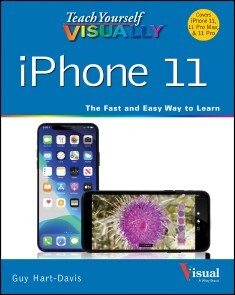
Teach Yourself VISUALLY iPhone 11, 11Pro, and 11 Pro Max
KNOW YOUR NEW IPHONE 11, 11 PRO, AND 11 PRO MAX FROM THE INSIDE-OUT WITH 900 COLOR SCREEN SHOTS!Teach Yourself VISUALLY iPhone is your ultimate guide to getting the most out of your iPhone! Apple's graphics-driven iOS is perfect for visual learners, so this book uses a visual approach to show you everything you need to know to get up and running—and much more. Full-color screen shots walk you step-by-step through setup, customization, and everything your iPhone can do. Whether you are new to the iPhone or have just upgraded to the 11, 11 Pro, or 11 Pro Max, this book helps you discover your phone's full functionality and newest capabilities. Stay in touch by phone, text, email, FaceTime Audio or FaceTime Video calls, or social media; download and enjoy books, music, movies, and more; take, edit, and manage photos; track your health, fitness, and habits; organize your schedule, your contacts, and your commitments; and much more!The iPhone is designed to be user-friendly, attractive, and functional. But it is capable of so much more than you think—don't you want to explore the possibilities? This book walks you through iOS 13 visually to help you stay in touch, get things done, and have some fun while you're at it!* Get to know iOS 13 with 900 full-color screen shots* Master the iPhone's basic functions and learn the latest features* Customize your iPhone to suit your needs and get optimal performance* Find the apps and services that can make your life easierThe iPhone you hold in your hand represents the pinnacle of mobile technology and is a masterpiece of industrial design. Once you get to know it, you'll never be without it. Teach Yourself VISUALLY iPhone is your personal map for exploring your new tech companion.GUY HART-DAVIS (Barnard Castle, UK) is the author of more than 100 computing books, including Teach Yourself VISUALLY iPhone 7, Teach Yourself VISUALLY MacBook 3rd Edition, and Teach Yourself VISUALLY Android 2nd Edition. He also writes about PCs, Windows, Linux, and VBA.

Beginning Game Programming with Pygame Zero
Make fun games while learning to code. Focused on making games rather than teaching programming theory, in this book you're more likely to see code on how gravity affects a missiles trajectory instead of the most efficient way to search through data. Even then the code is kept simple as games should be about playability rather than complex physics. There are links to the official documentation when you need to lookup information that isn't included in the book.Start with a simple text based game to grasp the basics of programming in Python. Then moves on to creating simple graphical games in Pygame Zero. Not only will you learn object oriented programming to make it easier to make more complex games, you'll also work to create your own graphics and sounds. 3D graphics are a little complex. So we focus on 2D games, including spins on some classic boardgames and arcade games. All the games are designed to run on a Raspberry Pi. They will work on any Raspberry Pi, but will also work on any other computer that supports Python 3 along with Pygame Zero.The games you make will be playable and hopefully fun to play. And by the end of the book, you can step beyond the provided source code to develop your own unique games and programs.WHAT YOU'LL LEARN* Code in Python* Generate sounds and graphics for 2D games* Grasp object oriented programming with Pygame Zero WHO THIS BOOK IS FORBeginning game developers interested in working with low-cost and easy-to-learn solutions like Pygame Zero and the Raspberry Pi.STEWART WATKISS is a keen maker, programmer, and author of Learn Electronics with Raspberry Pi. He studied at the University of Hull, where he earned a master’s degree in electronic engineering and more recently with Georgia Institute of Technlogy where he earned a master’s degree in computer science.Stewart also volunteers as a STEM Ambassador, helping teach programming and physical computer to school children and at Raspberry Pi events. He has created a number of resources using Pygame Zero which he makes available on his web site (www.penguintutor.com).Chapter 01 - Game Programming, Introduction to Concepts and Python / Pygame ZeroChapter 02 - Getting Started with Python* Text based joke* Text based quizChapter 03 - Pygame Zero* Compass GameChapter 04 - Changing Game Play(Expands on the basic game in the previous chapter to make it more entertaining)* Compass Game (improved)Chapter 05 - Calculating Trajectory and Creating Dynamic Worlds* Tank warsChapter 06 - Sound Effects* Sounds* Music* Audacity* SonicPiChapter 07 - Designing Your Own Graphics (Sprites)* Draw* Gimp* BlenderChapter 08 - Object Oriented Programming and Using a Mouse* Memory gameChapter 09 - Color and Customizing Graphics* Adding color (look at color through bouncing balls)* Customize Graphics (based on svg to png conversion) - used in compass gameChapter 10 - Adding Artificial Intelligence* Possibly improving on previous games

Advanced Robotic Vehicles Programming
Learn how to program robotic vehicles with ardupilot libraries and pixhawk autopilot, both of which are open source technologies with a global scope. This book is focused on quadcopters but the knowledge is easily extendable to three-dimensional vehicles such as drones, submarines, and rovers.Pixhawk and the ardupilot libraries have grown dramatically in popularity due to the fact that the hardware and software offer a real-time task scheduler, huge data processing capabilities, interconnectivity, low power consumption, and a global developer support.This book shows you how take your robotic programming skills to the next level. From hardware to software, Advanced Robotic Vehicles Programming links theory with practice in the development of unmanned vehicles. By the end of this book, you’ll learn the pixhawk software and ardupilot libraries to develop your own autonomous vehicles.WHAT YOU'LL LEARN* Model and implement elementary controls in any unmanned vehicle* Select hardware and software components during the design process of an unmanned vehicle* Use other compatible hardware and software development packagesUnderstand popular scientific and technical nomenclature in the field * Identify relevant complexities and processes for the operation of an unmanned vehicleWHO THIS BOOK IS FORUndergraduate and graduate students, researchers, makers, hobbyists, and those who want to go beyond basic programming of an Arduino for any kind of robotic vehicle.Julio Mendoza-Mendoza earned his computing doctoral degree at CIC IPN in 2016, where he specialized in underactuated robotics, UAS, and intelligent and nonlinear control. He also earned his advanced-technologies master degree and mechatronics-engineering bachelor at UPIITA IPN, in 2011 and 2008 respectively. Currently, Julio is working on 5 patents related to his research field and developing his flying serial-robot manipulator theory at FI UNAM through his postdoctoral 2017 DGAPA grant.V. J. Gonzalez-Villela received his B.Eng. degree in Mechanical and Electrical Engineering and the M.Eng. degree in Electrical Engineering in 1987 and 1993, respectively, from the National Autonomous University of Mexico (UNAM), and a Ph.D. degree in Kinematics, Dynamics, and Nonlinear Systems applied to Mobile Robot Modelling and Control from Loughborough University, Loughborough, UK, in 2006. He is currently a Titular Professor in the Department of Mechatronics Engineering, UNAM. His research focuses on Mobile, Hybrid and Adaptive Robots, and Artificial Intuition.Part 1: IntroductionChapter 1: Hardware and Software Description• Definition of Autopilot• Autopilot classification by its programming method GUI vs SDK• Types of SDK• Pixhawk Autopilot (hardware)• Clones vs Originals• Commercial autopilot vs owndesign• Ardupilot Libraries (software)• Compatibilities and other similar projects• Confusion between hardware and software?Chapter 2: Ardupilot Working Environment• File types and Ardupilot libraries• Use of specific data types• Description and flow of the programs to be used• Loading custom codes to the pixhawk using mission planner• Making new projects using the added eclipse interface• Identification of errors• Is it possible to use the Arduino directly with the APM libraries?Chapter 3: Recap and Definitions• Description of the auxiliary components• Computational efficiency vs mathematical equality• Working with variables, functions, modules and objects?• Getter and setter concept• Concept of orientation and position• Difference between installation and coding• Usual parts of an Ardupilot code• Usual models of programming on Ardupilot codesReferences and suggested websites of Part 1Part 2: Sequential ModeChapter 4: Basic Input and Output Operations• About the header• About the setup• Writing to terminal• Terminal reading• Reading radios• Reading of orientation and position internal sensors• Reading of external position sensors (GPS)• Reading analog external sensors• Signal filtering• Reading and writing of external digital equipment• Battery reading• Use of visual alerts through the onboard LEDChapter 5: Advanced Operations: Serial Communications, Data Storage, Motion Units and Basis of Time Management• Wired and wireless serial communication• Interface with development cards• Writing to brushless motors• Code optimization• Writing to brushed motors• Use of stepper motors• Use of servomotors for auxiliary applications• Summary of the control of various compatible motors• Storage and use of flight data• Using the MissionPlanner GUI to plot flight data• Use of timeChapter 6: Application to Quadcopter Drone Control with a Smooth Flight Mode:• Modeling and Basic Control of a Multirotor with Application CodeReferences and suggested websites of Part 2Part 3: Real Time ModeChapter 7: Real Time Working Environment• Notions of modular programming• Description of the scheduler• Usual parts of an ardupilot code in parallel mode• Measurement of the time of execution of a taskChapter 8: Compendium of the Previous Chapters in Real Time Mode with Application CodeReferences and suggested websites of Part 3Appendices• Libraries installation• Comparison of commands with other SDKs• Thrust vectoring• Omnidirectionality• Methods of extended power• Extended header code• Extended setup code• Summary of the design of a quadcopter
222 Anleitungen für den Raspberry Pi 4
Raspbian, Office, Spiele, Programmierung und Elektronikprojekte - Dieses Buch enthält 222 Lösungen, die im Umgang mit dem Minicomputer Raspberry Pi 4 unabdingbar sind.In diesem Buch geht es um: • Betriebssystem installieren• Raspbian von A bis Z• Wichtige Kommandozeilenbefehle• Das unterscheidet die verschiedenen Raspberry-Pi-Modelle• LibreOffice auf dem Raspberry• Cloud-Speicher auf dem Raspberry Pi nutzen• E-Mails mit Thunderbird• KODI-Mediacenter mit LibreELEC• Das Smartphone als Fernbedienung für KODI• Die Hardware verstehen und erweitern• Festplatteneinrichtung mit GParted• WLAN einrichten• Raspberry Pi als Server einsetzen• Fotogalerie auf dem Webserver• Pi-Hole einrichten und administieren• Elektronik-Projekte via GPIO• Programmieren in Scratch und Python• Kultspiel Flappy Bird in Scratch nachbauen
Erste Schritte mit dem Raspberry Pi
Egal mit welchem Raspberry Pi Sie starten wollen, dieser Ratgeber macht den Einstieg in das Raspian-Betriebssystem und die Python-Programmierung extrem einfach. Von der der ersten Installation und Konfiguration bis zum Erstellen eines Spielwürfels bis zur Pi Camera.Inhalt:• Das Raspian-Betriebssystem• Speicherkarte für Raspian vorbereiten• Das brauchen Sie an Zubehör• Vorinstallierte Programme• Keine Angst vor Linux• Wichtige Kommandozeilenbefehle• Notebook-Tastatur & -Display für den Raspberry Pi nutzen• Programmieren mit Python• Python-Flashcards nutzen• Spielwürfel mit PyGame programmieren• KI – Labyrinthe bauen und auflösen• Elektronik über GPIO steuern• LED-Blinkmuster und Lauflichter• Sensorkontakte am GPIO-Port• Intuitiv programmieren mit Scratch• Fußgängerampel mit Scratch steuern• Offizielle Hardware-Erweiterungen• Pi Camera, Sense HAT, PoE HAT
Die Computerwerkstatt
Klaus Dembowski geht gleichermaßen auf PCs, Notebooks, Tablets und Smartphones (die unter dem Begriff Computer zusammengefasst werden) ein. Unterschiede und Gemeinsamkeiten der Gerätetypen erläutert er im ersten Teil des Buchs, »Geräteaufbau und Komponenten«, und liefert viel Hintergrundwissen zur Entstehungsgeschichte der Techniken. Im zweiten Teil widmet sich der Autor dem BIOS sowie den verschiedenen Betriebssystemen und beantwortet Fragen zu ihrer Installation, Einrichtung und Wartung. Die Anleitungen, darunter ein besonderer Abschnitt zur Vernetzung, sind so gehalten, dass der Leser sie versionsunabhängig anwenden kann. »Reparieren und Aufrüsten«, der dritte Teil des Buchs, wendet die im ersten Teil vermittelten Informationen in der Praxis an, und gibt darüber hinaus unverzichtbare Tipps zur Erweiterung bestehender Konfigurationen. Auf einem herausnehmbaren Poster sind Fehlersuchbäume für die häufigsten Problemfälle zusammengestellt, die Sie mit den Anleitungen im Buch effizient lösen können. Im letzten Teil werden Selbstbauvorschläge gezeigt, damit sich Hardware, die zu schade zum Wegwerfen ist, neu einsetzen lässt. Zu den Bauprojekten zählt der Umbau von Handys zum Fernschalter, die Konstruktion eines Netzwerktesters oder der Aufbau und die Programmierung von Interfaces für eigene Mess- und Steuerschaltungen. Inklusive großem Farbposter: Fehlersuchbäume mit Lösungen für die häufigsten Hardware-Probleme Zielgruppe: Engagierte Bastler Entwickler und Studenten Computer-Anwender Techniker Autor / Autorin: Klaus Dembowski hat Nachrichtentechnik studiert und ist an der Technischen Universität Hamburg-Harburg tätig. Seine Schwerpunkte liegen in den Bereichen Mikrocontrollerentwicklung, Hard- und Software für Mikrosysteme sowie Energy Harvesting. Bei der Vermittlung aktueller Inhalte aus den Bereichen der Elektronik sowie der Informations- und Netzwerktechnik kann er auf eine langjährige Erfahrung als Autor und Dozent zurückgreifen. Die mittlerweile über 40 erschienenen Buchtitel zeichnen sich ebenso wie die regelmäßig erscheinenden Zeitschriftveröffentlichungen, Seminare und Vorträge durch eine verständliche und praxisorientierte Darstellung auch komplexer Sachverhalte aus.