

Knowhow

Office 2024
Alle Office-Programme auf einen Blick! Dieses Buch führt Sie durch Ihre tägliche Arbeit mit Word, Excel, PowerPoint und Outlook und erklärt unter anderem auch, wie Sie mit Teams an einer Videokonferenz teilnehmen. Direkt am Bild sehen Sie Schritt für Schritt, wie Sie die Programme gekonnt für sich nutzen. E-Mails verschicken, Kalkulationen erstellen, Briefe schreiben, Präsentationen gestalten: Folgen Sie einfach Klick für Klick den Anleitungen. Aus dem Inhalt: Maus und Touchpad bedienenProgramme aufrufen und schließenEin Dokument anlegen und bearbeitenDokumente speichern und druckenTexte in Word schreiben und formatierenDie Rechtschreibprüfung einsetzenSchnellbausteine nutzenEine Tabelle einfügen und bearbeitenEin Inhaltsverzeichnis erstellenSchicke Layouts mit WordFotos und Videos einfügenMit Excel rechnenText und Zahlen in Zellen eingebenFormeln und FunktionenAbsolute und relative ZellbezügeDiagramme mit Excel erstellenListen und Datenbanken in ExcelDaten in ein Universalformat exportierenE-Mails schreiben mit OutlookEin E-Mail-Konto einrichten und testenSignaturen einrichten und Designs verwendenSchutz vor Phishing und SpamMit Outlook Termine planenSich an Termine erinnern lassenKontakte und Adressen in Outlook verwaltenMit PowerPoint präsentierenVon der Gliederung zur FoliePräsentationen kreativ gestaltenPräsentationen speichern und druckenEine Präsentation erfolgreich vorführenEine Präsentation als Video für das Web erstellenSeriendruck in OfficeOffice-Dokumente online bearbeitenVideokonferenzen mit Teams führenDen neuen Copiloten gezielt einsetzen 1. Start mit Office ... 10 Programme aufrufen und schließen ... 12 Das Office-Fenster kennenlernen ... 18 Das Fenster vergrößern und verkleinern ... 20 Ein neues Dokument anlegen ... 22 Die Ansicht des Dokuments anpassen ... 24 Ein Dokument speichern ... 26 Dokumente in der Cloud speichern ... 28 Dokumente drucken oder exportieren ... 32 Ein Dokument schließen ... 34 Dateien organisieren und wiederfinden ... 36 2. Texte schreiben in Word ... 38 Word optimal einstellen ... 40 Der Bildschirm im Touchmodus ... 44 Papierformat und Seitenrand einstellen ... 46 Text eingeben ... 48 Im Text bewegen -- mit der Maus oder den Fingern ... 50 Textpassagen markieren ... 52 Text löschen, ändern und ergänzen ... 54 Text ausschneiden, kopieren und einfügen ... 56 Verschieben und kopieren mit Drag & Drop ... 58 Text von Hand korrigieren ... 60 Die Rechtschreibprüfung einsetzen ... 62 Arbeitserleichterung durch die AutoKorrektur ... 66 Schnellbausteine nutzen ... 68 Datum per Tabulator ausrichten ... 70 Automatisches Datum per Feldbefehl ... 72 Dokumente im Team bearbeiten ... 74 3. Texte in Word perfekt formatieren ... 78 Text ausrichten: rechts, links oder zentriert ... 80 Schriftart und -größe einstellen ... 82 Schriftformate festlegen: fett, kursiv und unterstrichen ... 84 Schriftzüge mit Farben und Texteffekten gestalten ... 86 Textpassagen einrücken ... 88 Eine Tabelle einfügen ... 90 Eine Tabelle bearbeiten und attraktiv gestalten ... 92 Mit Formatvorlagen arbeiten ... 96 Formatvorlagen anpassen ... 98 Überschriften nummerieren ... 100 Ein Inhaltsverzeichnis erstellen ... 102 Kopf- und Fußzeilen anlegen ... 104 Seitenzahlen einfügen ... 106 Das aktuelle Datum per Feldbefehl einfügen ... 108 Silbentrennung ... 110 Ein Dokument ausdrucken ... 112 PDF-Dateien in Word öffnen und bearbeiten ... 114 4. Schicke Layouts mit Word ... 116 Aufzählungen und Listen formatieren ... 118 Rahmen und Rahmenlinien einfügen ... 122 Dokumente mit Design ... 124 Fotos einfügen und anordnen ... 126 3D-Modelle einfügen ... 130 Mehr Pep mit WordArt und SmartArt ... 132 Eine eigene Dokumentvorlage erstellen ... 134 5. Mit Excel rechnen ... 136 Der Excel-Bildschirm ... 138 Text und Zahlen in Zellen eingeben ... 140 Tabellenblätter nutzen ... 142 Datenreihen für die rationelle Dateneingabe ... 144 Markieren und gestalten ... 146 Zellinhalte löschen und korrigieren ... 150 Zeilen und Spalten einfügen ... 152 Tabellen mit Flash Fill vervollständigen lassen ... 154 Summen erzeugen ... 156 Formeln für die Grundrechenarten ... 158 Mittelwert und Minimal-/Maximalwerte ... 162 Die WENN-Funktion nutzen ... 164 Funktionen für Datum und Uhrzeit ... 168 Absolute und relative Zellbezüge ... 170 Zellinhalte verknüpfen ... 172 6. Diagramme mit Excel erstellen ... 174 Ein Säulendiagramm erzeugen ... 176 Ein Säulendiagramm nachbearbeiten ... 178 Anteile in Kreisdiagrammen darstellen ... 182 Ein »Tortenstück« herausrücken ... 186 Kleine Diagramme mit Sparklines ... 188 7. Listen und Datenbanken in Excel ... 190 Daten in eine Liste eintragen ... 192 Daten in Listen sortieren ... 194 Auswählen und filtern ... 196 Eine Datenbanktabelle planen ... 200 Daten in ein Universalformat exportieren ... 204 8. E-Mails schreiben mit Outlook ... 208 Den Outlook-Bildschirm kennenlernen ... 210 Die Ordner und Ansichten von Outlook ... 212 Ein E-Mail-Konto einrichten ... 216 E-Mails lesen -- der Posteingang ... 218 E-Mails schreiben und versenden ... 220 E-Mails mit Anlagen versenden ... 224 Neue E-Mails abrufen ... 226 E-Mails beantworten ... 228 Signaturen einrichten ... 230 Schutz vor Phishing und Spam ... 232 E-Mails archivieren ... 236 9. Mit Outlook Termine planen ... 238 Termine eintragen, verschieben und löschen ... 240 Termine nachbearbeiten und weiterleiten ... 242 Wiederkehrende Termine ... 244 Sich an Termine erinnern lassen ... 246 Eine Notiz anlegen ... 250 10. Kontakte und Adressen in Outlook verwalten ... 252 Die verschiedenen Ansichten für Kontakte ... 254 Einen neuen Kontakt anlegen ... 256 Kontaktdaten ändern ... 258 Kontakte sortieren und gruppieren ... 260 Eine E-Mail an mehrere Kontakte schreiben ... 262 Das Adressbuch ausdrucken ... 264 Adressen exportieren ... 266 11. Mit PowerPoint präsentieren ... 268 Die schnelle Präsentation per Assistent ... 270 Das passende Layout für eine Folie finden ... 272 Text einfügen und bearbeiten ... 274 Attraktive Folienübergänge erzeugen ... 276 Ein anderes Design auswählen ... 278 Von der Gliederung zur Folie ... 280 12. Präsentationen kreativ gestalten ... 282 Online-Grafiken suchen und einfügen ... 284 Bilddateien einfügen und anordnen ... 286 Linien, Rechtecke, Pfeile und andere Formen ... 288 Objekte färben und füllen ... 290 Objekte kopieren und gruppieren ... 292 Schrift- und andere Animationseffekte ... 294 Musik für Ihre Präsentation ... 298 Ein Video in die Präsentation einbetten ... 300 Präsentationen speichern und drucken ... 302 Eine Präsentation erfolgreich vorführen ... 304 Eine Präsentation als Video erstellen ... 306 13. Seriendruck in Office ... 308 Die Serienbrieffunktion von Word ... 310 Die Seriendruckfelder einfügen ... 312 Das Outlook-Adressbuch als Datenquelle nutzen ... 316 Eine Excel-Adressliste als Datenquelle nutzen ... 318 Daten filtern und sortieren ... 320 Den Serienbrief drucken ... 322 14. Office und das Internet ... 324 Ein Office-Dokument per E-Mail versenden ... 326 Office-Dokumente online bearbeiten ... 328 15. Teamarbeit mit Teams ... 330 Mit Teams chatten ... 332 Eine Konferenz mit Teams abhalten ... 334 Eine Besprechung planen ... 340 Glossar ... 342 Stichwortverzeichnis ... 353

Adobe Firefly
KI ist das Zukunftsthema für alle Gestalter und Gestalterinnen: Dieses Buch bringt Ihnen die Welt von KI im Grafikdesign nahe und legt dabei einen besonderen Schwerpunkt auf die Adobe-Programme. Die beiden Autorinnen vermitteln Ihnen grundlegende Konzepte, die Einbindung von KI in den kreativen Prozess sowie die Kunst des effektiven Promptings. Vor allem aber erleben Sie Adobe Firefly in der Praxis: Sie erstellen effektive Text- oder Bildprompts, die exakt die gewünschten Bilder liefern. Sie fügen Objekte ein oder entfernen störende Elemente und wandeln einfache Skizzen in professionelle Grafiken um. Auch der Einsatz von KI in Photoshop, Illustrator und Adobe Express wird ausführlich behandelt, und zwar mit einem besonderen Fokus auf das Generative Füllen, Erweitern und Neufärben. Praxisbeispiele runden das Buch ab. Lassen Sie Ihre Ideen Wirklichkeit werden! Aus dem Inhalt: KI im Kreativprozess anwenden für Ideenfindung, Research, Komposition u. a.Grundlagen von Adobe Firefly und die Integration in den eigenen WorkflowGrundlagen des PromptingsProfessionelle Prompts mit Firefly, Text zu Bild, negative PromptsVerwenden von Referenzbildern zum Anpassen an einen StilVarianten über Seitenverhältnis, Stil, Stilreferenzen, Farbe, Effekte und Beleuchtung erstellenTexteffekte und das Hinzufügen von Formen und ElementenEinführung in die KI-Funktionen von Adobe ExpressInteraktion von Firefly mit Photoshop und Illustrator: Generatives Füllen, Erweitern und NeufärbenTeilen von KI-Werken in Galerie und Creative Cloud Einleitung ... 15 1. Grundwissen KI ... 21 1.1 ... Definition von künstlicher Intelligenz ... 21 1.2 ... Grundlegende Konzepte von Data Science bis generative KI ... 24 1.3 ... Rechtliche Grundlagen ... 36 1.4 ... Ethische Grundsätze bei der Nutzung von KI ... 44 2. KI für Kreative: Werkzeuge und Möglichkeiten ... 55 2.1 ... Kreative und die KI ... 56 2.2 ... KI in der Ideenfindung ... 63 2.3 ... KI und Research ... 71 2.4 ... KI revolutioniert die Komposition ... 80 2.5 ... KI in der Reinzeichnung ... 84 2.6 ... KI auch in der Distribution ... 87 3. Einführung in das Prompting ... 97 3.1 ... Arten von Prompts ... 97 3.2 ... Einen Prompt aufbauen in Firefly ... 101 3.3 ... Probleme beim Prompting ... 108 3.4 ... Praktische Hilfen zur Erstellung von Prompts ... 114 4. Adobe Firefly ... 121 4.1 ... Überblick über Firefly ... 121 4.2 ... Die Oberfläche von Adobe Firefly ... 129 4.3 ... Die Funktion »Text zu Bild« ... 133 4.4 ... Tipps für gelungene Prompts in Adobe Firefly ... 161 4.5 ... Schriftzüge und Texteffekte ... 171 4.6 ... Generative Bearbeitung bestehender Bilder ... 176 4.7 ... Exportieren und Teilen von generierten Bildern ... 188 4.8 ... Adobe Firefly im Kreativprozess ... 192 4.9 ... Künftige Anwendungen von Adobe Firefly ... 196 5. Einsatz von KI in Adobe Stock ... 207 5.1 ... Grundlegende Funktionen in Adobe Stock ... 208 5.2 ... Überblick über die KI-Funktionen in Adobe Stock ... 215 5.3 ... Prompting in Adobe Stock ... 219 6. Einsatz von KI in Adobe Express ... 227 6.1 ... Überblick über die Basisfunktionen in Adobe Express ... 227 6.2 ... Überblick über die KI-Funktionen in Adobe Express ... 239 6.3 ... Texteffekte generieren ... 252 7. Einsatz von KI in Adobe Photoshop ... 261 7.1 ... KI-Funktionen in Dialogfeldern und Optionsleisten ... 261 7.2 ... KI-Funktionen zur Bearbeitung von Hintergründen in Photoshop ... 265 7.3 ... Entfernen von Objekten ... 281 7.4 ... Generieren von Objekten in Photoshop über generatives Füllen ... 285 7.5 ... Die Funktion »Bild generieren« ... 294 7.6 ... Prompting-Tipps für Adobe Photoshop ... 300 8. Einsatz von KI in Adobe Illustrator ... 309 8.1 ... Workflow-Optimierung durch KI-Funktionen ... 309 8.2 ... Vektorgrafiken generieren ... 311 8.3 ... Generative Neufärbung ... 326 8.4 ... Generative Formfüllung ... 329 8.5 ... Muster generieren ... 338 8.6 ... Prompting-Tipps für Adobe Illustrator ... 341 9. Einsatz von KI in Adobe InDesign ... 351 9.1 ... Zugriff auf die KI-Funktionen in Adobe InDesign ... 351 9.2 ... Bilder generieren ... 352 9.3 ... Bilder erweitern ... 360 9.4 ... Prompting-Tipps für Adobe InDesign ... 362 Index ... 364

Microsoft 365 Access For Dummies
JOIN THE MILLIONS OF PEOPLE ALREADY USING MICROSOFT ACCESS AND BECOME A DATABASE POWER-USER IN NO TIME!In the newly revised edition of Microsoft Access For Dummies, professional database developer and Access extraordinaire Laurie Ulrich-Fuller walks you through the ins-and-outs of one of the world's most popular database platforms. This is the perfect beginner's guide to Microsoft Access, showing you how to create databases, extract data, create reports, and more. The author demonstrates a ton of tips, tricks, and best practices you can use immediately to create, maintain, and improve your databases. You'll also find:* Updates outlining edge browser controls in forms* Step-by-step guides explaining how to import, export, and edit data* Easy-to-follow query-writing tutorials to help you find the exact data you're looking for when you need itWhether you're a database novice or a data science whiz, Microsoft Access For Dummies has the info you need to supercharge your database skills. It's the perfect, how-to guide to get you up-to-speed on everything you need to know to get started with Microsoft's world-famous database app. LAURIE A. ULRICH is a professional author and technology educator who has also written books about Microsoft Office, including Excel, and about Adobe Photoshop. KEN COOK is an experienced database developer and author who has written on the subjects of Microsoft Access and Excel.
Microsoft 365 Outlook For Dummies
GET UP TO SPEED ON MICROSOFT'S WORLD-FAMOUS EMAILING, SCHEDULING, COLLABORATING, AND ORGANIZING SUPER-APPMicrosoft Outlook can do pretty much anything for you—short of cooking you a steak dinner. It can deliver and sort your email, filter out the junk, help you organize your life, send data to the cloud, sync up your various devices, and even integrate with iOS and Android. And in the latest edition of Microsoft Outlook For Dummies you'll learn how to do all of that, and more! Discover how to create automated mail-handling rules, translate messages into English or other languages, and share your calendar with other people. This latest edition even walks you through each of the four different versions of Outlook and their ideal use cases. You'll also find:* Straightforward content that shows you how to draft and send emails, organize your calendars, and set up to-do lists, tasks, and reminders* Easy explanations of hidden and advanced features that very few people know about or use, setting you up to impress your coworkers!* Navigation tips for the Microsoft Outlook interfacePerfect for novices who are brand-new to Outlook, Microsoft Outlook For Dummies is also a must-buy resource for email veterans looking to pick up the latest tips for the newest versions of Microsoft's world-famous email software. FAITHE WEMPEN, M.A., is a Microsoft Office Master Instructor, an instructional designer, and the author of over 160 books—including Computers For Seniors For Dummies—that empower consumers to make the most of their personal computers and applications.

Microsoft 365 PowerPoint For Dummies
PRESENT LIKE A PRO, WITH THE TOP-SELLING POWERPOINT BOOK ON THE MARKETSince 1999, PowerPoint For Dummies has been giving readers a jargon-free way to compose compelling presentations. This update covers the latest release of Office and Office 365. Learn the basics of creating a slide deck in PowerPoint, then discover the dynamic features you can use to give your slides a bit of pizazz. Import data from other applications, collaborate in the cloud, and incorporate charts, graphics, and videos into your presentations. Plus, learn how to use Microsoft's new Copilot AI tool—integrated right into the application. Consider this book your first step to making a splash with PowerPoint!* Create your first PowerPoint slide deck and add presentation notes* Improve the design of your slides with templates and best-practice tips* Add animations, change your font style, and insert images and drawings* Share your presentation with audiences in a virtual settingNew and not-so-new PowerPoint users who need a guide to the basics of building a successful presentation will love this up-to-date, beginner-friendly book. DOUG LOWE is the information technology director for a civil engineering firm. He has been managing networks for more than 20 years and is the best-selling author of more than 30 For Dummies books, including Networking For Dummies and Networking All-in-One For Dummies.

Microsoft 365 Excel VBA Programming For Dummies
YOUR STEP-BY-STEP GUIDE TO DOING MORE WITH MICROSOFT EXCELFully updated for the latest version of Office 365, Excel VBA Programming For Dummies will take your Excel knowledge to the next level. With a little background in Visual Basic for Applications (VBA) programming, you can go well beyond basic spreadsheets and functions. Learn the coding basics and syntax you need to write simple or complex macros that can automate your routine Excel tasks. Become an Excel power user by automating data management, user forms, pivot tables, and beyond. When you use VBA to perform Excel operations, you can reduce errors, save time, and integrate with other Microsoft applications. This handy guide also teaches you how to control the security settings for your macros and save macros to use across files and apps. Plus, you'll get updated coverage of Copilot AI integration. Your spreadsheets are about to get much more powerful.* Get stared with VBA coding to create macros and automate tasks in Excel* Follow step-by-step instructions to write and execute your first scripts* Learn about the advanced functions available with the VBA language* Perform tasks faster and integrate excel with other Microsoft appsThis Dummies guide is right up your alley if you're an Excel user looking to learn some next-level features. Students and professionals alike will reap the benefits of automation, thanks to Excel VBA Programming For Dummies.DICK KUSLEIKA has more than 25 years’ experience helping Office users get the most out of Microsoft’s bestselling software. From online forums to blogs, books, and conferences, he delivers sound and straightforward advice to readers of all skill levels.

Microsoft 365 Word For Dummies
TAKE A DEEP DIVE INTO THE MOST POPULAR WORD PROCESSOR ON THE PLANETWord, Microsoft's powerful and popular word processor, is capable of extraordinary things. From template building to fancy formatting and even AI-powered editing and proofing, your copy of Word stands ready to help you supercharge your productivity and save you time and energy. You just need to learn how it's done. And, thanks to this easy-to-understand book, learning is the easy part!This latest edition of Word For Dummies is packed with the essentials you need to turn any old copy of the famous word processor into a document-creating, table-formatting, graphics-editing super app. You'll even learn how to customize your version of Microsoft Word so it's absolutely perfect for you, at home and at work. You'll also find out how to:* Navigate the Word interface and menus and figure out a ton of hotkey shortcuts* Edit, format, and comment documents to make team collaboration a breeze* Use the new Microsoft Copilot's AI capabilities to make Word even more powerfulSo, grab your copy of the latest edition of Word For Dummies today. It's perfect for casual users interested in upgrading their knowledge of this ubiquitous app as well as power users looking for the latest productivity tips and tricks. DAN GOOKIN wrote the first-ever For Dummies book in 1991. The author of several bestsellers, Dan’s books have been translated into 32 languages and have more than 11 million copies in print. Dan is the bestselling author of all editions of Word For Dummies.

Microsoft Copilot For Dummies
STRAIGHTFORWARD GUIDANCE ON THE AI TOOL THAT'S BUILT INTO WINDOWS, MICROSOFT 365, AND MOREMicrosoft is enhancing all its most widely used productivity software—including Windows and apps like Word and Excel—with the power of AI. And now you can learn to make the most of this revolutionary new tool with Microsoft Copilot For Dummies!You'll discover how to write Copilot-friendly prompts, enhance output with integrated Copilot tools, and how to apply Copilot functions to project management and other specific tasks and disciplines. In the book, you'll find out how to:* Use text or your voice to prompt reliable results from Microsoft Copilot* Customize Microsoft Copilot to respond to your unique needs and demands* Add plug-ins to the Microsoft Copilot service to extend its functionality even moreLearn to supercharge your efficiency with Microsoft Copilot For Dummies. This book is perfect for professional and home users of Windows, Microsoft 365, and other Microsoft products and software who want to increase their productivity. Grab a copy today! CHRIS MINNICK is an accomplished author, teacher, and programmer. Minnick has authored or coauthored over 20 books, including titles in the For Dummies series. He has developed video courses for online training providers, and he teaches programming and machine learning to professional developers at leading companies globally. He is author of Coding with AI For Dummies and JavaScript All-in-One For Dummies.

Regenerating Learning
The perfect storm of learning provoked by generative AI is not just about learning how to use the technology to change human patterns of work and life. The technologies are re-orienting how we think we learn, how we communicate with each other, and the economic, social, political, creative, and ethical factors that inform how we navigate human-influenced existence on this planet. This book addresses the need for workers in any industry to take responsibility for learning how to best use generative AI systems in their unique contexts. Generative AI can navigate you towards learning, but also towards conducting research and teaching yourself things; to empower you in reimagining and reinventing how you learn while doing your work. Just like you can regenerate content persistently using generative AI systems, so too can you regenerate what and how you learn. Chapters will prepare you to inform and guide the small team you are a part of, or influence leadership to navigate the territory of leveraging generative AI systems responsibly. Besides pointing to all the more obvious benefits of learning how to use generative AI systems more effectively, this book provides use cases, research and educational theory to propose that interacting with the technology leads to a number of unanticipated learning outcomes. These outcomes challenge the very way in which we have come to learn, what we have learned, and what we may need to unlearn. As generative AI becomes increasingly integrated within workplace environments at some point or other we will each reach a critical point of having to decide if we are going to use the technology and how. The perfect storm of learning provoked by generative AI is not just about learning how to use the technology to change human patterns of work and life. The technologies are re-orienting how we think we learn, what we learn, what we need to learn, when and where we learn about knowledge production, how humans communicate with each other, the economic, social, political, creative, ethical and technological factors that inform how we navigate human influenced existence on this planet. The technology empowers you to reimagine and reinvent how you learn while doing your work. Just like you can regenerate content persistently using generative AI systems, so too can you regenerate what and how you learn. Regenerating Learning will help guide the small team you are a part of, or influence leadership to leverage generative AI systems responsibly. Besides pointing to all the more obvious benefits of learning how to use generative AI systems more effectively, this book provides use cases, research and educational theory to propose that interacting with the technology leads to a number of unanticipated learning outcomes. These outcomes challenge the very way in which we have come to learn, what we have learned, and what we may need to unlearn. As generative AI becomes increasingly integrated within workplace environments at some point or other we will each need to decide if we are going to use the technology and how. What You will Learn • Methods and techniques to re-learn how you learn through your interactions with different generative AI. • Strategic approaches to integrate generative AI within your workflows. • How to iterate, adapt, prototype and learn continuously with generative AI. • A variety of tools and approaches to reconcile your organization’s use of generative AI. • How to develop a road map towards the integration of AI systems within your organization. Who this Book Is For Creatives, team leaders, managers and leadership in different organizations; teams in collaborative and creative industries; managers and employees in organizational learning Patrick Parra Pennefather is an Associate Professor and Researcher at the University of British Columbia within the Faculty of Arts and the Emerging Media Lab. His research is focused on Collaborative Learning Practices, Emerging technology development, Research Creations, and GraphRAG research and development within the field of machine learning. Patrick also works with learning organizations and technology companies around the world to adopt generative AI strategically within complex and inter-dependent team environments, and design learning courses that meets the needs of diverse communities to aid the development of the next generation of technology designers and developers. 1: Ready Yourself to Learn From AI.- 2: Reprogram Your Learning Patterns.- 3: Regulate How You Learn.- 4: Re-Learn While Working.-5: Design Your Own Learning.- 6: Re-energize Doing.- 7: Re-Assess with Generative AI.- 8: Re-Adjust with AI.- 9: Prototype Learning.- 10: Re-Iterate How You Learn.- 11:Reconciling Using Generative AI.- 12: Remember the Algorithms.- 13: Continuously Improve and Learn with AI.- 14: Build Your Own Teaching Bots.- 15: Re-Invent Reinforcement.- 16: Learn with Other Bots.- 17: Transform Your Organization.- 18: Reclaim Your Creative Content.- 19: Fill in the Blanks.- 20: An Intelligent Conclusion.
Microsoft Teams For Dummies
Learn to be a good Teams player Microsoft Teams is everyone’s favorite app to use at work. Okay, maybe it’s not your favorite, but you’ll appreciate it more when you discover how it can make your workday easier. Microsoft® Teams™ For Dummies gets you started with the basics, then shows you how to make the most of chatting, file sharing, video conferencing, and beyond. Plus, you’ll get a rundown on Copilot—Microsoft’s new AI assistant—including how it can streamline your processes, summarize meetings, and generally make your life easier. Let’s get Team-ing! Inside… Using the Teams mobile appMaking and receiving callsImproving your Teams meetingsManaging teams and channelsUncovering Teams administrationHosting hybrid meetingsIntegrating other appsUsing Teams for small business Unlock the full power of Microsoft Teams, including brand-new AI functionality, with your friends at For Dummies Looking for a fast and easy guide to Microsoft Teams, the collaboration software used by millions of people and companies around the world? In Microsoft Teams For Dummies, 3rd edition, you'll find the must-know tips, hidden tricks, and handy hacks you need to help you rock your workday and get things done lightning-fast. You'll learn how to incorporate Teams into your everyday workflow and use functionality like chatting, file sharing, team organization, videochat, and more. You'll even learn how to use Microsoft's brand-new AI companion Copilot to help you improve your processes and productivity. You'll find out how to: Connect with colleagues and collaborate remotely, from across the hall or from the other side of the worldUse little-known Teams features to help you supercharge your productivity and get more done in a dayCustomize your Teams installation and make it work better for you and your teammates An engaging and effective roadmap to one of Microsoft's most popular apps, Microsoft Teams For Dummies is a must-read for everyone who uses—or wants to use—this powerful software at work or anywhere else. Grab a copy today! Rosemarie Withee is president of Portal Integrators, a Scrum-based software and services firm. Rosemarie has authored a number of books in the For Dummies series, including the most recent editions of Office 365 For Dummies and SharePoint For Dummies.

GIMP - Einstieg und Praxis (2. Auflg.)
GIMP – Praxisnaher Einstieg für Anfänger und Fortgeschrittene – klar, verständlich, visuell erklärt. In 2. Auflage aus Dezember 2024.GIMP ist eine der beliebtesten Open-Source-Programme für Bildbearbeitung. Dieses Buch hilft Ihnen, sich mit der optimierten Benutzeroberfläche und zahlreichen neuen Funktionen vertraut zu machen. Nach einer Einführung in die wichtigsten Werkzeuge und Funktionen setzen Sie Ihr Wissen direkt praktisch um: Verbessern Sie die Schärfe und den Kontrast Ihrer Fotos, entfernen Sie störende Elemente und bearbeiten Sie gezielt bestimmte Bildbereiche mit den Auswahlwerkzeugen. Für komplexere Anpassungen arbeiten Sie mit Ebenen, und dank Filtern und Effekten verleihen Sie Ihren Bildern einen völlig neuen Stil. Aus dem Inhalt:12 einfach nachvollziehbare Lektionen für beeindruckende Ergebnisse Einführung in Arbeitsoberfläche, Werkzeuge und Voreinstellungen Schnelle sowie anspruchsvolle Bildkorrekturen Effiziente Nutzung von Auswahlwerkzeugen Kreatives Arbeiten mit Ebenen, Filtern und Effekten Erstellung professioneller Schriftzüge Praktische Tastenkombinationen für alle zentralen Funktionen

Microsoft 365 PowerPoint For Dummies
PRESENT LIKE A PRO, WITH THE TOP-SELLING POWERPOINT BOOK ON THE MARKETSince 1999, PowerPoint For Dummies has been giving readers a jargon-free way to compose compelling presentations. This update covers the latest release of Office and Office 365. Learn the basics of creating a slide deck in PowerPoint, then discover the dynamic features you can use to give your slides a bit of pizazz. Import data from other applications, collaborate in the cloud, and incorporate charts, graphics, and videos into your presentations. Plus, learn how to use Microsoft's new Copilot AI tool—integrated right into the application. Consider this book your first step to making a splash with PowerPoint!* Create your first PowerPoint slide deck and add presentation notes* Improve the design of your slides with templates and best-practice tips* Add animations, change your font style, and insert images and drawings* Share your presentation with audiences in a virtual settingNew and not-so-new PowerPoint users who need a guide to the basics of building a successful presentation will love this up-to-date, beginner-friendly book. DOUG LOWE is the information technology director for a civil engineering firm. He has been managing networks for more than 20 years and is the best-selling author of more than 30 For Dummies books, including Networking For Dummies and Networking All-in-One For Dummies.

Microsoft 365 Excel VBA Programming For Dummies
YOUR STEP-BY-STEP GUIDE TO DOING MORE WITH MICROSOFT EXCELFully updated for the latest version of Office 365, Excel VBA Programming For Dummies will take your Excel knowledge to the next level. With a little background in Visual Basic for Applications (VBA) programming, you can go well beyond basic spreadsheets and functions. Learn the coding basics and syntax you need to write simple or complex macros that can automate your routine Excel tasks. Become an Excel power user by automating data management, user forms, pivot tables, and beyond. When you use VBA to perform Excel operations, you can reduce errors, save time, and integrate with other Microsoft applications. This handy guide also teaches you how to control the security settings for your macros and save macros to use across files and apps. Plus, you'll get updated coverage of Copilot AI integration. Your spreadsheets are about to get much more powerful.* Get stared with VBA coding to create macros and automate tasks in Excel* Follow step-by-step instructions to write and execute your first scripts* Learn about the advanced functions available with the VBA language* Perform tasks faster and integrate excel with other Microsoft appsThis Dummies guide is right up your alley if you're an Excel user looking to learn some next-level features. Students and professionals alike will reap the benefits of automation, thanks to Excel VBA Programming For Dummies.DICK KUSLEIKA has more than 25 years’ experience helping Office users get the most out of Microsoft’s bestselling software. From online forums to blogs, books, and conferences, he delivers sound and straightforward advice to readers of all skill levels.

Microsoft 365 Word For Dummies
TAKE A DEEP DIVE INTO THE MOST POPULAR WORD PROCESSOR ON THE PLANETWord, Microsoft's powerful and popular word processor, is capable of extraordinary things. From template building to fancy formatting and even AI-powered editing and proofing, your copy of Word stands ready to help you supercharge your productivity and save you time and energy. You just need to learn how it's done. And, thanks to this easy-to-understand book, learning is the easy part!This latest edition of Word For Dummies is packed with the essentials you need to turn any old copy of the famous word processor into a document-creating, table-formatting, graphics-editing super app. You'll even learn how to customize your version of Microsoft Word so it's absolutely perfect for you, at home and at work. You'll also find out how to:* Navigate the Word interface and menus and figure out a ton of hotkey shortcuts* Edit, format, and comment documents to make team collaboration a breeze* Use the new Microsoft Copilot's AI capabilities to make Word even more powerfulSo, grab your copy of the latest edition of Word For Dummies today. It's perfect for casual users interested in upgrading their knowledge of this ubiquitous app as well as power users looking for the latest productivity tips and tricks. DAN GOOKIN wrote the first-ever For Dummies book in 1991. The author of several bestsellers, Dan’s books have been translated into 32 languages and have more than 11 million copies in print. Dan is the bestselling author of all editions of Word For Dummies.

Microsoft Teams For Dummies
UNLOCK THE FULL POWER OF MICROSOFT TEAMS, INCLUDING BRAND-NEW AI FUNCTIONALITY, WITH YOUR FRIENDS AT FOR DUMMIESLooking for a fast and easy guide to Microsoft Teams, the collaboration software used by millions of people and companies around the world? In Microsoft Teams For Dummies, 3rd edition, you'll find the must-know tips, hidden tricks, and handy hacks you need to help you rock your workday and get things done lightning-fast. You'll learn how to incorporate Teams into your everyday workflow and use functionality like chatting, file sharing, team organization, videochat, and more. You'll even learn how to use Microsoft's brand-new AI companion Copilot to help you improve your processes and productivity. You'll find out how to:* Connect with colleagues and collaborate remotely, from across the hall or from the other side of the world* Use little-known Teams features to help you supercharge your productivity and get more done in a day* Customize your Teams installation and make it work better for you and your teammatesAn engaging and effective roadmap to one of Microsoft's most popular apps, Microsoft Teams For Dummies is a must-read for everyone who uses—or wants to use—this powerful software at work or anywhere else. Grab a copy today! ROSEMARIE WITHEE is president of Portal Integrators, a Scrum-based software and services firm. Rosemarie has authored a number of books in the For Dummies series, including the most recent editions of Office 365 For Dummies and SharePoint For Dummies.

Microsoft Copilot For Dummies
STRAIGHTFORWARD GUIDANCE ON THE AI TOOL THAT'S BUILT INTO WINDOWS, MICROSOFT 365, AND MOREMicrosoft is enhancing all its most widely used productivity software—including Windows and apps like Word and Excel—with the power of AI. And now you can learn to make the most of this revolutionary new tool with Microsoft Copilot For Dummies!You'll discover how to write Copilot-friendly prompts, enhance output with integrated Copilot tools, and how to apply Copilot functions to project management and other specific tasks and disciplines. In the book, you'll find out how to:* Use text or your voice to prompt reliable results from Microsoft Copilot* Customize Microsoft Copilot to respond to your unique needs and demands* Add plug-ins to the Microsoft Copilot service to extend its functionality even moreLearn to supercharge your efficiency with Microsoft Copilot For Dummies. This book is perfect for professional and home users of Windows, Microsoft 365, and other Microsoft products and software who want to increase their productivity. Grab a copy today! CHRIS MINNICK is an accomplished author, teacher, and programmer. Minnick has authored or coauthored over 20 books, including titles in the For Dummies series. He has developed video courses for online training providers, and he teaches programming and machine learning to professional developers at leading companies globally. He is author of Coding with AI For Dummies and JavaScript All-in-One For Dummies.

Mensch-Computer-Interaktion (3. Auflage)
Jeder hat das schon einmal erlebt: Webseiten, auf denen man die Schrift nicht lesen kann, Informationsterminals, bei denen man nicht erkennt, wo man drücken soll, Programme, die unverständliche Meldungen hervorbringen, kurz: Software, die nicht gebrauchstauglich ist. Dieses Buch enthält Basiswissen, das alle benötigen, die gebrauchstaugliche Software erstellen wollen. Ausgehend von der menschlichen Informationsverarbeitung erläutern die Autoren, wie Benutzungsschnittstellen beschaffen sein müssen und wie bei der Entwicklung von Anwendungen vorzugehen ist, damit Menschen die Software sinnvoll nutzen können. Das Buch berücksichtigt die aktuellen Normen und Vorschriften anhand praktischer Beispiele. Diese dritte erweiterte und komplett überarbeitete Auflage integriert neben aktuellen technologischen Entwicklungen auch die Erfahrungen aus mehr als 20 Jahren Lehre in der Mensch-Computer-Interaktion.Auf der Webseite mci-buch.info sind Lösungen zu den Aufgaben, weitere Beispiele und Übungsaufgaben, inhaltliche Ergänzungen, und weiterführende Links zu finden. Probleme bei der Rechnerbenutzung. Ergonomie in der Mensch-Computer-Interaktion. Die Benutzungsschnittstelle. Entwicklung gebrauchstauglicher Systeme. Physiologie der menschlichen Informationsverarbeitung. Psychologie der menschlichen Informationsverarbeitung. Handlungsprozesse. Standardausgabegeräte. Standardeingabegeräte. Ein- und Ausgabe räumlicher Daten. Nicht visuelle Interaktionsmodalitäten. Gestaltungsprinzipien für Benutzungsschnittstellen. Informationsdarstellung. Visuelle Interaktionselemente. Dialoggestaltung. Benutzerunterstützung. Berücksichtigung spezifischer Benutzerbedürfnisse. DR. ANDREAS M. HEINECKE war bis Ende Februar 2022 hauptamtlich als Professor für interaktive Systeme am Fachbereich Informatik und Kommunikation der Westfälischen Hochschule in Gelsenkirchen tätig. In seinen Lehrveranstaltungen, in der Praxis als Berater und Entwickler sowie in zahlreichen wissenschaftlichen Veröffentlichungen befasst er sich mit Mensch-Computer-Interaktion insbesondere bei multimedialen und mobilen Anwendungen.DR. JENS GERKEN ist seit Juli 2023 Professor für das Fachgebiet Inklusive Mensch-Roboter-Interaktion an der TU Dortmund und beschäftigt sich dort unter anderem mit Fragen der Zugänglichkeit und Barrierefreiheit interaktiver Technologien. Zwischen 2015 und 2023 war er zuvor als Professor für Mensch-Computer-Interaktion am Fachbereich Informatik und Kommunikation der Westfälischen Hochschule in Gelsenkirchen tätig.

Project Objectives Management
Manage supplier objectives effectively to align project and organizational success within your organization. This book introduces a dedicated method for suppliers to follow to ensure that all relevant targets and expectations are successfully meet. The method integrates a day-to-day high awareness, urgency, and focus on the management of all relevant objectives within the supplier’s project to provide maximum benefit for its organization.You'll learn that formal targets are routinely established at the start of a project and captured in a contract or project charter. Formal customer expectations, such as timelines, scope, and budget, have high focus and are often pitted against internal day-to-day challenges, such as cost increases and other unexpected changes. These challenges can seem even more daunting as a project progresses, especially when other stakeholders have expectations as well. When not managed properly, this can obstruct the focus of less urgent or informal objectives, such as employee development, process assets, and lessons learned, some of which provide a critical benefit for the supplier’s organization and its future.To combat this, you'll follow detailed instructions on how to handle such potential roadblocks and how to focus on achieving all relevant project objectives by applying the established method. Each chapter expands the dedicated method itself and provides insight into this philosophy. In the end you'll have all the necessary prerequisites for a successful implementation of these principles within your organization.WHAT YOU WILL LEARN* Define organizational objectives aligned with the organization’s purpose and values* Prioritize and align project specific objectives with the organizational objectives* Facilitate to achieve the project objectives* Handle day-to-day challenges with managing the project objectives* Balance customer and supplier targets and expectationsWHO THIS BOOK IS FORProject management professionals with various levels of skill and experience working at small-to-medium sized project suppliers, both for-profit and non-profit organisations.Reitse van der Wekken works as project manager at Allseas, a world-leading contractor in the offshore energy market, where he leads innovative offshore platform decommissioning and installation projects, mostly located on the North Sea in Europe. In 1996 he received his MSc degree in mechanical engineering at the Delft University of Technology in The Netherlands. Thereafter he started working as project manager on international projects at German multinational Siemens, delivering automation, control and electrical systems for harbor cranes. Driven by a long-term interest in offshore engineering and construction, in 2012 Reitse moved on to Allseas. Since then he has continued his research and writing about project objectives management.He lives with his wife and two children in the city of Delft in The Netherlands. When not reading, writing, or relaxing with his family and friends, you might find him at sea sailing. His book _Project Objectives Management _and the project management method introduced in it, is the result of more than two decades of interest and writing about project objectives management, a topic that highly interests and challenges him on a daily basis as a project management professional.Part 1: Why, Towards What, and What?.- Chapter 1: The Customer Perspective – Why Change?.- Chapter 2: The Goal – Where to Change Towards?.- 3 Productive Aspects of Project Subjects – What to Change?.- Part 2: How?.- Chapter 4: The Supplier Perspective – How to Change?.- Chapter 5: Project Objectives – How to Cause this Change?.- Chapter 6: Process – How to Implement this Change?.- 7: Management – How to Integrate this Change?.- 8: Benefits – How to Benefit from this Change?.

Erstellung hochwertiger Shader für Unity®
Shader gelten oft als mystisch und schwer zu entwickeln, selbst für erfahrene Programmierer, Künstler und Entwickler aus anderen Bereichen des Spieldesigns. Dieses Buch räumt mit dieser Vorstellung auf, indem es Ihr Wissen über in Stufen aufbaut. Es beginnt mit grundlegenden Shader-Mathematiken, erklärt, wie sich die Denkweise der Shader-Entwicklung von anderen Arten von Kunst und Programmierung unterscheidet, und geht dann langsam auf Themen wie Vertex- und Fragment-Shader, Beleuchtung, Tiefenbasierte Effekte, Texture Mapping und Shader Graph ein.Jedes dieser Themen wird mit einer umfassenden Aufschlüsselung, der benötigten Theorie und einigen praktischen Anwendungen für die im jeweiligen Kapitel gelernten Techniken präsentiert. Der HLSL (High Level Shading Language)-Code und Shader Graphs werden für jeden relevanten Abschnitt bereitgestellt, ebenso wie zahlreiche Screenshots.Am Ende des Buches werden Sie ein gutes Verständnis für den Shader-Entwicklungsprozess haben und bestens gerüstet sein, um Ihre eigenen ästhetischen und leistungsstarken Shader-Effekte für Ihre Spiele zu erstellen!WAS SIE IN DIESEM BUCH LERNEN Shaders in den Rendering-Pipelines von Unity zu verwenden Shader zu schreiben und ihr Verhalten mit C#-Skripting zu ändern Shader Graph für eine Entwicklung ohne Code zu nutzen Die wichtige Mathematik hinter Shadern zu verstehen, insbesondere Raumtransformationen Die Leistung von Shadern zu analysieren, um Optimierungspotenziale zu identifizieren ZUM INHALT Kapitel 1: Einführung in Shader in Unity. Kapitel 2: Mathematik für die Shader-Entwicklung. Kapitel 3: Ihr allererster Shader. Kapitel 4: Shader-Grafik. Kapitel 5: Texturen, UV-Koordinaten & Normal Mapping. Kapitel 6: Transparenz. Kapitel 7: Der Tiefenpuffer. Kapitel 8: Transparenz und Alpha. Kapitel 9: Weitere Shader-Grundlagen. Kapitel 10: Beleuchtung und Schatten. Kapitel 11: Bildeffekte und Nachbearbeitung. Kapitel 12: Erweiterte Shader. Kapitel 13: Profiling und Optimierung. Kapitel 14: Shader-Rezepte für Ihre Spiele. ZIELGRUPPENDieses Buch richtet sich an Anfänger in der Shader-Entwicklung oder Leser, die den Schritt von Shader-Code zum Shader Graph machen möchten. Es enthält auch einen Abschnitt über Shader-Beispiele für diejenigen, die bereits die Grundlagen von Shadern kennen und nach spezifischen Anwendungsfällen suchen.DANIEL ILETT ist Doktorand an der University of Warwick. Als leidenschaftlicher Spieleentwickler hat er sich auf Shader und technische Kunst spezialisiert. Er ist Autor verschiedener Lehr- und Tutorial-Inhalte, darunter Videos und schriftliche Arbeiten, die sich an Anfänger und fortgeschrittene Entwickler richten. Darüber hinaus arbeitet er freiberuflich an Shadern und visuellen Effekten für Spiele.

Ökonomische Nachhaltigkeit - Interdisziplinäre Perspektiven
Dieses Buch bietet als Band 4 einer zunächst vier Bände umfassenden Reihe grundlegende Informationen zum Thema „Ökonomische Nachhaltigkeit“. Die weiteren Bände der Reihe sind Band 1 (Allgemeine Grundlagen), Band 2 (Ökologie) und Band 3 (Soziales). Band 4 erläutert nach einer Darstellung der Grundlagen der Wirtschaft folgende Themenbereiche: Wirtschaftssystem, Finanzierung, Infrastruktur, Produktion und Konsum, Handel sowie Arbeit. In jedem dieser Kapitel werden zunächst die wesentlichen Fakten dargestellt und darauf aufbauend die Herausforderungen und aktuellen Entwicklungen erörtert. Das Kapitel „Wirtschaftssystem“ behandelt unter anderem die Themen Postwachstumsökonomie und Gemeinwohl-Ökonomie, Unterschiede im Wohlstand in verschiedenen Ländern sowie die Grenzen des Wirtschaftswachstums. Im Kapitel „Finanzierung“ geht es beispielsweise um Besteuerung, Entwicklungshilfe und Auslandsverschuldung. Das Kapitel „Infrastruktur“ behandelt nach einer Erläuterung der Bedeutung wirtschaftlicher Infrastruktur exemplarisch die Themen Infrastrukturdefizite und nachhaltige Innovationen. Wandel des Konsumverhaltens, Ressourcenknappheit, Megatrends im Handel, globaler Handel, Zukunft der Arbeit sowie informeller Arbeitssektor sind ausgewählte Stichworte in den Kapiteln „Produktion und Konsum“, „Handel“ sowie „Arbeit“. Das Buch unterstützt Führungskräfte, Spezialisten in Unternehmen und Politik sowie Studierende dabei, die vielfältigen Herausforderungen der ökonomischen Nachhaltigkeit besser zu verstehen. Neben Ökonomen werden auch Informatiker, Juristen und andere Berufsgruppen angesprochen, die über ihre Fachperspektive hinaus ein umfassendes Verständnis von ökonomischer Nachhaltigkeit erwerben möchten. Prof. Dr. Michael Jacob lehrt und forscht im Fachbereich Betriebswirtschaft der Hochschule Kaiserslautern. Nach einer Bankausbildung und einem Studium der Betriebswirtschaftslehre war er unter anderem als Mitglied der Geschäftsführung bei PricewaterhouseCoopers Consulting S.à r.l. Luxembourg und als wissenschaftlicher Leiter am Institut für Betriebswirtschaft und Wirtschaftsinformatik tätig. Als Autor von bisher sieben Fachbüchern und vielen anderen Veröffentlichungen versucht er, die Theorie mit seinen umfangreichen Praxiserfahrungen zu verknüpfen und Themen fachübergreifend zu vernetzen.Grundlagen der ökonomischen Dimension.- Wirtschaftssystem.- Finanzierung.- Infrastruktur.- Produktion und Konsum.- Handel.- Arbeit.- Gesamtbetrachtung.

Grundlagen der Nachhaltigkeit - Interdisziplinäre Perspektiven
Dieses Buch bietet umfassende Informationen zum Thema „Nachhaltigkeit“. Es erläutert zunächst unterschiedliche Begriffsverständnisse der Nachhaltigkeit sowie verwandte Begriffe, wie z. B. Corporate Responsibility (CR), Corporate Social Responsibility (CSR) und Environmental, Social and Governance (ESG). Darauf aufbauend werden geschichtliche Entwicklungen dargestellt und die Umsetzung in ausgewählten Branchen beleuchtet. Weitere Schwerpunkte sind Strategien, Managementregeln und Leitprinzipien sowie die nachhaltigen Entwicklungsziele der Vereinten Nationen (SDGs). Modelle zur Lösung von Zielkonflikten und ausgewählte Ansätze zur Bewertung von Nachhaltigkeit finden ebenfalls Berücksichtigung. Unter anderem wird auf den ökologischen Fußabdruck, den Social Progress Index (SPI), den Genuine Progress Indicator (GPI) und das Life Cycle Sustainability Assessment (LCSA) eingegangen. Abschließend werden die menschlichen Bedürfnisse in Relation zur Nachhaltigkeit gesetzt. Das Buch unterstützt Führungskräfte, Fachleute in Unternehmen und Politik sowie Studierende dabei, die vielfältigen Herausforderungen der Nachhaltigkeit besser zu verstehen. Neben Ökonomen richtet es sich auch an Informatiker, Juristen und andere Berufsgruppen. Der Autor Prof. Dr. Michael Jacob lehrt und forscht im Fachbereich Betriebswirtschaft der Hochschule Kaiserslautern. Davor war er unter anderem als Mitglied der Geschäftsführung bei PricewaterhouseCoopers Consulting Luxembourg und als wissenschaftlicher Leiter am Institut für Betriebswirtschaft und Wirtschaftsinformatik tätig. Dieses Buch bietet als Band 1 von zunächst vier Bänden grundlegende Informationen zum Thema „Nachhaltigkeit“. Weitere Bestandteile der Reihe sind Band 2 (Ökologie), Band 3 (Soziales) und Band 4 (Ökonomie). Band 1 erläutert zunächst unterschiedliche Begriffsverständnisse der Nachhaltigkeit und vielfältige andere Begriffe, wie z. B. Corporate Responsibility (CR), Corporate Social Responsibility (CSR) und Environmental, Social und Governance (ESG). Darauf aufbauend werden geschichtliche Entwicklungen aufgezeigt und die Umsetzung in ausgewählten Branchen dargestellt. Weitere Schwerpunkte sind Strategien, Managementregeln und Leitprinzipien sowie die nachhaltigen Entwicklungsziele der Vereinten Nationen (SDGs). Modelle zur Lösung von Zielkonflikten und ausgewählte Ansätze zur Bewertung von Nachhaltigkeit finden ebenfalls Berücksichtigung. Unter anderem wird auf den ökologischen Fußabdruck, den Social Progress Index (SPI), den Genuine Progress Indicator (GPI) und das Life Cycle Sustainability Assessment (LCSA) eingegangen. Abschließend werden die menschlichen Bedürfnisse in Relation zur Nachhaltigkeit gesetzt. Das Buch hilft Führungskräften, Spezialisten in Unternehmen und Politik sowie Studierenden, die vielfältigen Herausforderungen der Nachhaltigkeit besser zu verstehen. Neben Ökonomen werden auch Informatiker, Juristen und andere Berufsgruppen angesprochen, wenn sie über ihre Fachperspektive hinaus ein umfassendes Verständnis von Nachhaltigkeit erwerben wollen. Begriffe.- Entwicklung und Umsetzung.- Zielkonzepte und Bewertung.- Systematik menschlicher Bedürfnisse. Prof. Dr. Michael Jacob lehrt und forscht im Fachbereich Betriebswirtschaft der Hochschule Kaiserslautern. Nach einer Bankausbildung und einem Studium der Betriebswirtschaftslehre war er unter anderem als Mitglied der Geschäftsführung bei PricewaterhouseCoopers Consulting S.à r.l. Luxembourg und als wissenschaftlicher Leiter am Institut für Betriebswirtschaft und Wirtschaftsinformatik tätig. Als Autor von bisher sieben Fachbüchern und vielen anderen Veröffentlichungen versucht er, die Theorie mit seinen umfangreichen Praxiserfahrungen zu verknüpfen und Themen fachübergreifend zu vernetzen.

Improving Operating Leverage Using Hyperautomation
Improving operating leverage is about operational resilience, structural operational efficiency, and sustainable revenue growth. Activity-based enterprise non-interest cost management is an important component of enterprise risk adjusted return management methodology. This book builds on the author Kannan Subramanian’s earlier book, _Event- and Data-Centric Enterprise Risk-Adjusted Return Management_, delving in depth into enterprise non-interest operating cost management and operating leverage.Operating Leverage is about managing a bank’s capabilities and its capacity to deliver its products and services efficiently. It is not limited to managing operational costs but includes the operational support for the growth of business and for improving profitability. Profit is an absolute measure that denotes the amount of money the bank makes after deducting all expenses. Profitability measures how efficient the bank is at utilizing its resources to generate risk-adjusted returns. The reader can learn to improve risk adjusted operational effectiveness by implementing a nuanced approach to managing performance, risk, control, and cost simultaneously, at the process level.You’ll examine how some institutions have implemented activity-based costing in a siloed environment and without enterprise process automation. Many institutions do not have a scientific way of managing non-interest costs. The book explains why hyperautomation, a technology that intelligently automates business processes, is a more advanced and comprehensive way to manage these factors in a holistic and integrated way._Improving Operating Leverage using Hyperautomation_ is your complete guide to enhancing risk adjusted operational performance through a nuanced approach to performance, risk, control, and costs at the process level.WHAT YOU WILL LEARN* Define and use the bill of resources to improve operating leverage.* Implement activity-based enterprise non-interest cost management using hyperautomation* Monitor performance, risk, control, and cost at the process level.* Implement time-driven activity-based costing for an enterprise risk-adjusted return model.WHO THIS BOOK IS FORMost banking industry professionals, including senior management teams, consultants, central bankers, financial regulators, software vendors, and Business Process Management Suite/Hyperautomation technology vendors.KANNAN SUBRAMANIAN R is a Chartered Accountant with 35+ years of experience in the banking and financial services industry and has experience with financial markets in USA, Europe, and Asia. He has worked for Standard Chartered Bank and for leading banking software solution companies, including the leading global risk management solution provider, Algorithmics, now part of IBM Risk Management & Analytics. KannanHe advises System Design Consulting Prospero AG on strategic matters and in the design of risk management and analytical solutions. He has successfully leveraged his academic and work experience to provide value to his customers. His passion for the subject motivates him to prioritize his time to write books on automation and risk-reward management in banks.www.BankERRM.org www.PBORM.org1 Enterprise Operating Model.- Chapter 2: Non-interest cost management.- Chapter: 3 Enterprise Process Automation, TDABC.- Chapter 4: Operating Leverage.- Chapter 5: Improving Operating Leverage.- Chapter 6: Operating Leverage – Bank of the Future.

Decentralized Business
Embark on a journey to business evolution grounded in the real-world experiences and challenges faced by those at the forefront of the Web2 revolution. In a landscape where adaptability is paramount, this book is a guiding light amidst a sea of uncertainty. Crafted by seasoned Web2 professionals, it offers a unique perspective on transitioning from traditional cloud computing to decentralized technologies.Delving beyond theory, this book provides actionable insights and strategies to navigate the complexities of Distributed Ledger Technologies (DLTs). Rather than just discussing the implementation of DLTs, it explores the intricacies of execution, offering tangible guidance to facilitate a seamless transition to the decentralized landscape. Moreover, this book doesn't stop at transition—it's a blueprint for thriving in the Web3 era. By offering strategic perspectives and tactical advice, it equips businesses of all sizes to not only survive but flourish in the decentralized economy. Whether you're a startup poised for disruption or an established enterprise seeking innovation, 'Decentralized Business' empowers you to confidently embrace the future.The time for passive observation is over; the future of business is decentralized, and _Decentralized Business_ is your guide to navigating this evolution. Join the ranks of forward-thinkers shaping tomorrow's economy—secure your copy now and begin the journey of transformation and opportunity.WHAT YOU WILL LEARN* Understand the foundational concepts of DLTs and their relevance to Web2 professionals.* Review security considerations and best practices for implementing decentralized solutions.* Apply strategies for integrating DLTs into existing cloud-based infrastructures.WHO THIS BOOK IS FORIT managers and executives looking to explore the potential of decentralized solutions; technology consultants advising businesses on digital transformation and cloud-based strategies; professionals and architects are seeking to expand their knowledge into the realm of DLTsSYED MOHAMED THAMEEM NIZAMUDEEN is a distinguished Information Technology leader with a rich history of leadership roles at Oracle, Ernst & Young (EY), and PriceWaterhouseCoopers (PWC). His expertise lies in cloud computing, cloud security, big data, machine learning, AI, and Application Modernization, where he applies his vast knowledge to pioneer innovative solutions.Syed has worked with C-Suite executives of Fortune 100 firms in the past advising them on their Application Modernization efforts in aspects of IaaS, PaaS, SaaS, Cloud Security, Multi-cloud, Internet of Things during his tenure with reputed technology Advisory firms –PricewaterhouseCoopers and Ernst & Young. Syed is committed to advancing technology’s role in shaping the business landscape. Syed can be reached at smthameem@gmail.com.GAURAV DESHMUKH is a highly-skilled technology leader with over a decade of experience driving transformative software engineering initiatives. Throughout his career, he has held pivotal technical roles at prominent companies such as Guidewire, Cigna, Home Depot, American Agricultural Laboratory (AmAgLab), Tata Exlsi, and Amdocs. Gaurav's expertise encompasses a range of cutting-edge technologies, including cloud computing, cybersecurity, software automation, data engineering, and full-stack development with various programming languages and web technology frameworks. He employs his vast knowledge to create innovative solutions that optimize workflows and drive business growth.Gaurav holds both an MBA and a Master's degree in Computer Science, with a focus on data warehousing and computer vision. He is dedicated to elevating the strategic role of software engineering in delivering business value. As a distinguished leader, Gaurav can be reached at gauravkdeshmukh89@gmail.com to explore transformative technical initiatives.Chapter 1: Introduction: Decentralized Business In The Web3 Era.- Chapter 2: Understanding Distributed Ledger Technologies (DLTs).- Chapter 3: Distributed Ledger Technologies: Relevance for Cloud Professionals.- Chapter 4: Use Cases of DLTs in Cloud Computing.- Chapter 5: Integrating DLTs into Cloud-Based Infrastructures.- Chapter 6: Challenges and Security Considerations in Decentralized Implementations.- Chapter 7: Web3 Strategies for Cloud Professionals.- Chapter 8: Case Studies: Successful Transitions.- Chapter 9: Regulatory Considerations in Decentralized Cloud Solutions.- Chapter 10: Future Trends: The Intersection of Cloud and Decentralized Technologies.- Chapter 11: Conclusion: Navigating the Web3 Landscape.
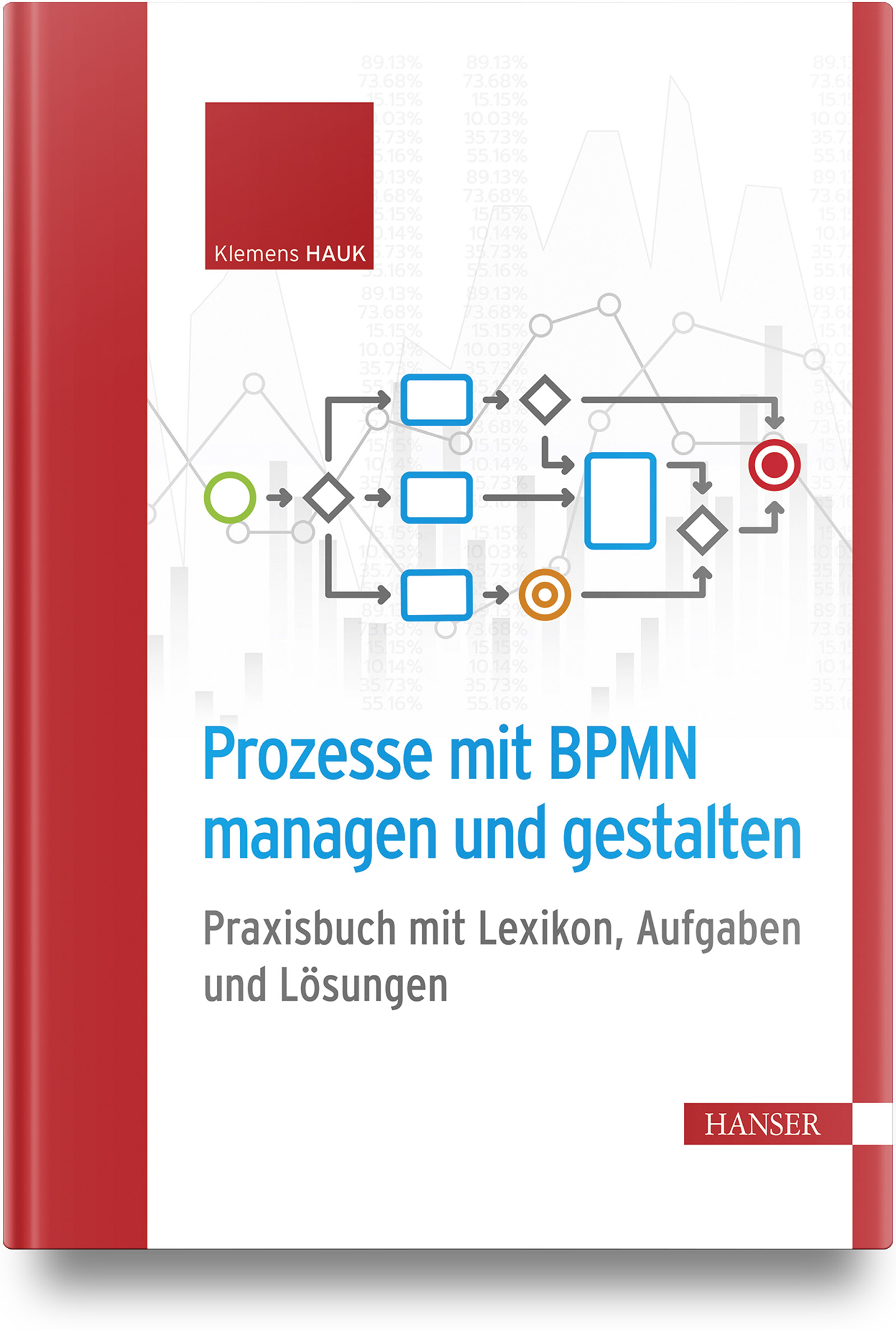
Prozesse mit BPMN managen und gestalten
Lernerfolg garantiert!Mit BPMN (Business Process Model and Notation) werden Prozesse modelliert und einheitlich grafisch dargestellt. BPMN bildet die Basis jeglicher Prozessoptimierung und verknüpft die Anforderungen von Management und IT.Dieses Praktikerwerk besteht aus zwei Teilen: einem Lexikon und einem Aufgabenteil mit Lösungen.Im Lexikonteil werden alle wesentlichen Begriffe rund um BPMN praxisorientiert erläutert und mit vielen Beispielen veranschaulicht. Alle relevanten Fragen rund um das Managen und Modellieren der Prozesse werden dabei beantwortet: Worauf kommt es an? Was sind die Ziele? Warum sind Regeln wichtig und welche bieten sich an? Oder was ist beispielsweise bei der Prozessanalyse, Hierarchisierung oder beim Stil zu beachten?Beim Aufgaben- und Lösungsteil geht es um die konkrete Umsetzung. Hier kommen Sie direkt ins Tun. Die Aufgaben umfassen von Analysen, grafischen Darstellungen bis hin zur Dokumentation Problemstellungen, die genau so auch in der Praxis vorkommen. Anhand des praktischen Lösungsteils ist dabei jederzeit eine Selbsteinschätzung möglich und der Lernerfolg garantiert.- Wissen, worauf es bei BPMN ankommt- Prozesse managen und modellieren- Einfach, anschaulich und konsequent praxisorientiert Dipl. Ing. Klemens Hauk studierte Elektrotechnik und Nachrichtentechnik an der RWTH Aachen. Er ist freiberuflicher IT-Projektleiter (ERP/SAP), IT-Manager in der Industrie (Prozesse & Anwendungsentwicklung), Dozent und Lehrbeauftragter für IT, Projektmanagement, Prozessmodellierung und SAP.