

Computer und IT

Die Methode Building Information Modeling
Arnim J. Spengler und Jacqueline Peter bieten einen Schnelleinstieg in die BIM-Methodik. Zunächst geben sie einen grundsätzlichen Einblick, zeigen die Bedeutung von BIM auf und klären die wichtigsten Begrifflichkeiten des Themenfeldes. Danach wird die Methodik aus den unterschiedlichen Sichtweisen aller Akteure im Bauwesen entlang des Lebenszyklus eines Bauwerks beleuchtet sowie die wichtigsten Normen, Richtlinien und Vereinigungen vorgestellt und untereinander in Bezug gesetzt. Eine SWOT-Analyse zeigt kurz und prägnant Stärken, Schwächen, Risiken und Chancen von BIM. Im Anschluss gewähren die Autoren einen schnellen Einblick in die Forschung und geben einen kurzen Ausblick über neue Technologien wie Blockchain, Künstliche Intelligenz, Robotik und IoT in Verbindung mit der BIM-Methodik. Die Autoren: Arnim J. Spengler, M.Sc., forscht an der Universität Duisburg-Essen im Bereich Robotik und digitales Bauen, ist Teil der Projektgruppe „BIM-Competence-Center“ des MHKBG NRW, Mitgründer des BIM-Clusters NRW und des Construction-Tech Startups BuildersMind GmbH. Jacqueline Peter, M.Sc., lehrt und forscht am Institut für Digitalisierung im Bauwesen an der Universität Duisburg-Essen und ist stellvertretendes Koordinierungsmitglied im BIM-Cluster NRW.
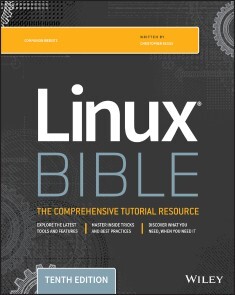
Linux Bible
THE INDUSTRY FAVORITE LINUX GUIDELinux Bible, 10th Edition is the ultimate hands-on Linux user guide, whether you're a true beginner or a more advanced user navigating recent changes. this updated tenth edition covers the latest versions of Red Hat Enterprise Linux (RHEL 8), Fedora 30, and Ubuntu 18.04 LTS. It includes information on cloud computing, with new guidance on containerization, Ansible automation, and Kubernetes and OpenShift. With a focus on RHEL 8, this new edition teaches techniques for managing storage, users, and security, while emphasizing simplified administrative techniques with Cockpit. Written by a Red Hat expert, this book provides the clear explanations and step-by-step instructions that demystify Linux and bring the new features seamlessly into your workflow.This useful guide assumes a base of little or no Linux knowledge, and takes you step by step through what you need to know to get the job done.* Get Linux up and running quickly* Master basic operations and tackle more advanced tasks* Get up to date on the recent changes to Linux server system management* Bring Linux to the cloud using Openstack and Cloudforms* Simplified Linux administration through the Cockpit Web Interface * Automated Linux Deployment with Ansible * Learn to navigate Linux with Amazon (AWS), Google (GCE), and Microsofr Azure Cloud services Linux Bible, 10th Edition is the one resource you need, and provides the hands-on training that gets you on track in a flash.CHRISTOPHER NEGUS has been teaching and writing about Linux and UNIX for more than 25 years. He is an instructor and principal technical writer for Red Hat, Inc., and the author of dozens of Linux and UNIX books, including Red Hat Linux Bible (all editions), CentOS Bible, Fedora Bible, Ubuntu Linux Toolbox, Linux Troubleshooting Bible, Linux Toys, and Linux Toys II.Acknowledgments xiIntroduction xxxvPART I: GETTING STARTED 1CHAPTER 1: STARTING WITH LINUX 3Understanding What Linux Is 4Understanding How Linux Differs from Other Operating Systems 6Exploring Linux History 7Free-flowing UNIX culture at Bell Labs 7Commercial UNIX 9GNU transitions UNIX to freedom 11BSD loses some steam 12Linus builds the missing piece 13OSI open source definition 14Understanding How Linux Distributions Emerged 16Choosing a Red Hat distribution 16Choosing Ubuntu or another Debian distribution 19Finding Professional Opportunities with Linux Today 19Understanding how companies make money with Linux 20Becoming Red Hat certified 21Summary 25CHAPTER 2: CREATING THE PERFECT LINUX DESKTOP 27Understanding Linux Desktop Technology 28Starting with the Fedora GNOME Desktop Live image 30Using the GNOME 3 Desktop 31After the computer boots up 31Setting up the GNOME 3 desktop 38Extending the GNOME 3 desktop 39Starting with desktop applications 41Stopping the GNOME 3 desktop 46Using the GNOME 2 Desktop 46Using the Metacity window manager 48Changing GNOME’s appearance 49Using the GNOME panels 50Adding 3D effects with AIGLX 54Summary 57Exercises 57PART II: BECOMING A LINUX POWER USER 59CHAPTER 3: USING THE SHELL 61About Shells and Terminal Windows 62Using the shell prompt 63Using a Terminal window 63Using virtual consoles 65Choosing Your Shell 65Running Commands 66Understanding command syntax 67Locating commands 70Recalling Commands Using Command History 72Command-line editing 73Command-line completion 75Command-line recall 76Connecting and Expanding Commands 78Piping between commands 78Sequential commands 79Background commands 79Expanding commands 80Expanding arithmetic expressions 80Expanding variables 80Using Shell Variables 81Creating and using aliases 81Exiting the shell 83Creating Your Shell Environment 84Configuring your shell 84Setting your prompt 85Adding environment variables 87Getting Information about Commands 88Summary 90Exercises 90CHAPTER 4: MOVING AROUND THE FILESYSTEM 93Using Basic Filesystem Commands 96Using Metacharacters and Operators 98Using file-matching metacharacters 98Using file-redirection metacharacters 99Using brace expansion characters 101Listing Files and Directories 101Understanding File Permissions and Ownership 105Changing permissions with chmod (numbers) 106Changing permissions with chmod (letters) 107Setting default file permission with umask 108Changing file ownership 109Moving, Copying, and Removing Files 109Summary 111Exercises 111CHAPTER 5: WORKING WITH TEXT FILES 113Editing Files with vim and vi 113Starting with vi 115Skipping around in the file 119Searching for text 119Using ex mode 120Learning more about vi and vim 120Finding Files 120Using locate to find files by name 121Searching for files with find 122Searching in files with grep 128Summary 129Exercises 129CHAPTER 6: MANAGING RUNNING PROCESSES 131Understanding Processes 131Listing Processes 132Listing processes with ps 132Listing and changing processes with top 134Listing processes with System Monitor 136Managing Background and Foreground Processes 137Starting background processes 138Using foreground and background commands 139Killing and Renicing Processes140Killing processes with kill and killall 140Setting processor priority with nice and renice 142Limiting Processes with cgroups 143Summary 144Exercises 145CHAPTER 7: WRITING SIMPLE SHELL SCRIPTS 147Understanding Shell Scripts 147Executing and debugging shell scripts 148Understanding shell variables 149Performing arithmetic in shell scripts 152Using programming constructs in shell scripts 153Trying some useful text manipulation programs 159Using simple shell scripts 161Summary 163Exercises 163PART III: BECOMING A LINUX SYSTEM ADMINISTRATOR 165CHAPTER 8: LEARNING SYSTEM ADMINISTRATION 167Understanding System Administration 167Using Graphical Administration Tools 169Using the root User Account 174Exploring Administrative Commands, Configuration Files, and Log Files 178Administrative commands 178Administrative configuration files 179Using Other Administrative Accounts 185Checking and Configuring Hardware 186Checking your hardware 187Managing removable hardware 189Working with loadable modules 191Summary 193Exercises 193CHAPTER 9: INSTALLING LINUX 195Choosing a Computer 196Installing Fedora from Live Media 198Installing Red Hat Enterprise Linux from Installation Media 201Understanding Cloud-Based Installations 204Installing Linux in the Enterprise 205Exploring Common Installation Topics 207Upgrading or installing from scratch 207Dual booting 208Installing Linux to run virtually 209Using installation boot options 210Using specialized storage 213Partitioning hard drives 214Using the GRUB boot loader 217Summary 219Exercises 219CHAPTER 10: GETTING AND MANAGING SOFTWARE 221Managing Software on the Desktop 221Going Beyond the Software Window 223Understanding Linux RPM and DEB Software Packaging 224Understanding DEB packaging 225Understanding RPM packaging 226Managing RPM Packages with YUM 229Transitioning from yum to dnf 229Understanding how yum works 229Using YUM with third-party software repositories 233Managing software with the yum command 233Installing, Querying, and Verifying Software with the rpm Command 241Installing and removing packages with rpm 241Querying rpm information 242Verifying RPM packages 244Managing Software in the Enterprise 245Summary 246Exercises 247CHAPTER 11: MANAGING USER ACCOUNTS 249Creating User Accounts 249Adding users with useradd 252Setting user defaults 255Modifying users with usermod 257Deleting users with userdel 258Understanding Group Accounts 259Using group accounts 259Creating group accounts 260Managing Users in the Enterprise 261Setting permissions with Access Control Lists 262Centralizing User Accounts 269Summary 270Exercises 270CHAPTER 12: MANAGING DISKS AND FILESYSTEMS 273Understanding Disk Storage 273Partitioning Hard Disks 275Understanding partition tables 275Viewing disk partitions 276Creating a single-partition disk 277Creating a multiple-partition disk 281Using Logical Volume Manager Partitions 285Checking an existing LVM 286Creating LVM logical volumes 289Growing LVM logical volumes 290Mounting Filesystems 291Supported filesystems 291Enabling swap areas 293Disabling swap area 294Using the fstab file to define mountable file systems 295Using the mount command to mount file systems 297Mounting a disk image in loopback 298Using the umount command 299Using the mkfs Command to Create a Filesystem 300Managing Storage with Cockpit 301Summary 303Exercises 303PART IV: BECOMING A LINUX SERVER ADMINISTRATOR 305CHAPTER 13: UNDERSTANDING SERVER ADMINISTRATION 307Starting with Server Administration 308Step 1: Install the server 308Step 2: Configure the server 310Step 3: Start the server 311Step 4: Secure the server 312Step 5: Monitor the server 314Checking and Setting Servers 316Managing Remote Access with the Secure Shell Service 316Starting the openssh-server service 317Using SSH client tools 318Using key-based (passwordless) authentication 324Configuring System Logging 326Enabling system logging with rsyslog 326Watching logs with logwatch 331Checking System Resources with sar 332Checking System Space 334Displaying system space with df 334Checking disk usage with du 334Finding disk consumption with find 335Managing Servers in the Enterprise 336Summary 336Exercises 337CHAPTER 14: ADMINISTERING NETWORKING 339Configuring Networking for Desktops 340Checking your network interfaces 342Configuring network interfaces 349Configuring a network proxy connection 352Configuring Networking from the Command Line 353Configure networking with nmtui 354Editing a NetworkManager TUI connection 354Understanding networking configuration files 355Setting alias network interfaces 360Setting up Ethernet channel bonding 361Setting custom routes 363Configuring Networking in the Enterprise 364Configuring Linux as a router 364Configuring Linux as a DHCP server 365Configuring Linux as a DNS server 365Configuring Linux as a proxy server 366Summary 366Exercises 367CHAPTER 15: STARTING AND STOPPING SERVICES 369Understanding the Initialization Daemon (init or systemd) 370Understanding the classic init daemons 371Understanding systemd initialization 377Checking the Status of Services 384Checking services for SysVinit systems 385Stopping and Starting Services 387Stopping and starting SysVinit services 387Enabling Persistent Services 391Configuring persistent services for SysVinit 391Configuring a Default Runlevel or Target Unit 394Configuring the SysVinit default runlevel 394Adding New or Customized Services 396Adding new services to SysVinit 396Adding new services to systemd 399Summary 401Exercises 401CHAPTER 16: CONFIGURING A PRINT SERVER 403Common UNIX Printing System 403Setting Up Printers 405Adding a printer automatically 405Using web-based CUPS administration 406Using the Print Settings window 409Working with CUPS Printing 415Configuring the CUPS server (cupsdconf) 415Starting the CUPS server 417Configuring CUPS printer options manually 417Using Printing Commands 418Printing with lp 419Listing status with lpstat -t 419Removing print jobs with lprm 419Configuring Print Servers 420Configuring a shared CUPS printer 420Configuring a shared Samba printer 422Summary 424Exercises 424CHAPTER 17: CONFIGURING A WEB SERVER 427Understanding the Apache Web Server 427Getting and Installing Your Web Server 428Understanding the httpd package 428Installing Apache 431Starting Apache 432Securing Apache 433Understanding the Apache configuration files 435Adding a virtual host to Apache 440Allowing users to publish their own web content 442Securing your web traffic with SSL/TLS 443Troubleshooting Your Web Server 449Checking for configuration errors 449Accessing forbidden and server internal errors 451Summary 453Exercises 453CHAPTER 18: CONFIGURING AN FTP SERVER 455Understanding FTP 455Installing the vsftpd FTP Server 457Starting the vsftpd Service 458Securing Your FTP Server 461Opening up your firewall for FTP 461Configuring SELinux for your FTP server 463Relating Linux file permissions to vsftpd 465Configuring Your FTP Server 465Setting up user access 465Allowing uploading 467Setting up vsftpd for the Internet 468Using FTP Clients to Connect to Your Server 469Accessing an FTP server from Firefox 470Accessing an FTP server with the lftp command 470Using the gFTP client 472Summary 473Exercises 473CHAPTER 19: CONFIGURING A WINDOWS FILE SHARING (SAMBA) SERVER 475Understanding Samba 475Installing Samba 476Starting and Stopping Samba 478Starting the Samba (smb) service 478Starting the NetBIOS (nmbd) name server 480Stopping the Samba (smb) and NetBIOS (nmb) services 481Securing Samba 482Configuring firewalls for Samba 482Configuring SELinux for Samba 484Configuring Samba host/user permissions 486Configuring Samba 486Configuring the [global] section 486Configuring the [homes] section487Configuring the [printers] section 489Accessing Samba Shares 493Accessing Samba shares in Linux 493Accessing Samba shares in Windows 496Using Samba in the Enterprise 497Summary 497Exercises 498CHAPTER 20: CONFIGURING AN NFS FILE SERVER 499Installing an NFS Server 502Starting the NFS service 502Sharing NFS Filesystems 503Configuring the /etc/exports file 504Exporting the shared filesystems 507Securing Your NFS Server 508Opening up your firewall for NFS 508Allowing NFS access in TCP wrappers 510Configuring SELinux for your NFS server 511Using NFS Filesystems 512Viewing NFS shares 512Manually mounting an NFS filesystem 512Mounting an NFS filesystem at boot time 513Using autofs to mount NFS filesystems on demand 517Unmounting NFS filesystems 520Summary 521Exercises 521CHAPTER 21: TROUBLESHOOTING LINUX 523Boot-Up Troubleshooting 523Understanding Startup Methods 524Starting from the firmware (BIOS or UEFI) 526Troubleshooting the GRUB boot loader 528GRUB 2 Boot loader 530Starting the kernel 532Troubleshooting Software Packages 542Fixing RPM databases and cache 545Troubleshooting Networking 547Troubleshooting outgoing connections 547Troubleshooting incoming connections 550Troubleshooting Memory 553Uncovering memory issues 554Troubleshooting in Rescue Mode 559Summary 561Exercises 561PART V: LEARNING LINUX SECURITY TECHNIQUES 563CHAPTER 22: UNDERSTANDING BASIC LINUX SECURITY 565Implementing Physical Security 565Implementing disaster recovery 566Securing user accounts 566Securing passwords 570Securing the filesystem 576Managing software and services 579Advanced implementation 580Monitoring Your Systems 580Monitoring log files 581Monitoring user accounts 584Monitoring the filesystem 587Auditing and Reviewing Linux 595Conducting compliance reviews 595Conducting security reviews 596Summary 596Exercises 597CHAPTER 23: UNDERSTANDING ADVANCED LINUX SECURITY 599Implementing Linux Security with Cryptography 599Understanding hashing 600Understanding encryption/decryption 602Implementing Linux cryptography 610Implementing Linux Security with PAM 618Understanding the PAM authentication process 619Administering PAM on your Linux system 622Obtaining more information on PAM 633Summary 633Exercises 633CHAPTER 24: ENHANCING LINUX SECURITY WITH SELINUX 635Understanding SELinux Benefits 635Understanding How SELinux Works 637Understanding Type Enforcement 637Understanding Multi-Level Security 638Implementing SELinux security models 639Configuring SELinux 645Setting the SELinux mode 645Setting the SELinux policy type 647Managing SELinux security contexts 648Managing SELinux policy rule packages 651Managing SELinux via Booleans 653Monitoring and Troubleshooting SELinux 654Understanding SELinux logging 654Troubleshooting SELinux logging 656Troubleshooting common SELinux problems 657Putting It All Together 659Obtaining More Information on SELinux 659Summary 660Exercises 660CHAPTER 25: SECURING LINUX ON A NETWORK 663Auditing Network Services 663Evaluating access to network services with nmap 665Using nmap to audit your network services advertisements 668Working with Firewalls 672Understanding firewalls 673Implementing firewalls 674Summary 688Exercises 688PART VI: ENGAGING WITH CLOUD COMPUTING 691CHAPTER 26: SHIFTING TO CLOUDS AND CONTAINERS 693Understanding Linux Containers 694Namespaces 695Container registries 695Base images and layers 696Starting with Linux Containers 697Pulling and running containers 697Starting and stopping containers 701Building a container image 702Tagging and pushing an image to a registry 705Using containers in the enterprise 706Summary 706Exercises 707CHAPTER 27: USING LINUX FOR CLOUD COMPUTING 709Overview of Linux and Cloud Computing 710Trying Basic Cloud Technology 713Setting Up a Small Cloud 714Configuring hypervisors 715Configuring storage 718Creating virtual machines 720Managing virtual machines 724Migrating virtual machines 725Summary 727Exercises 727CHAPTER 28: DEPLOYING LINUX TO THE CLOUD 729Getting Linux to Run in a Cloud 729Creating Linux Images for Clouds 731Configuring and running a cloud-init cloud instance 731Investigating the cloud instance 733Cloning the cloud instance 734Using cloud-init in enterprise computing 738Using OpenStack to Deploy Cloud Images 739Starting from the OpenStack Dashboard 739Using Amazon EC2 to Deploy Cloud Images 744Summary 746Exercises 746CHAPTER 29: AUTOMATING APPS AND INFRASTRUCTURE WITH ANSIBLE 749Understanding Ansible 750Exploring Ansible Components 751Inventories 751Playbooks 752Stepping Through an Ansible Deployment 753Installing Ansible 756Running Ad-Hoc Ansible Commands 760Automating Tasks with Ansible Tower Automation Framework 762Summary 763Exercises 763CHAPTER 30: DEPLOYING APPLICATIONS AS CONTAINERS WITH KUBERNETES 765Understanding Kubernetes 766Kubernetes masters 766Kubernetes workers 767Kubernetes applications 767Kubernetes interfaces 768Trying Kubernetes 768Getting Kubernetes 769Running the Kubernetes Basics tutorial 771Enterprise-Quality Kubernetes with OpenShift 782Summary 783Exercises 783PART VII: APPENDIXES 785Appendix A: Media 787Appendix B: Exercise Answers 797Index 863

SAS Stored Processes
Customize the SAS Stored Process web application to create amazing tools for end users. This book shows you how to use stored processes—SAS programs stored on a server and executed as required by requesting applications.Never before have there been so many ways to turn data into information and build applications with SAS. This book teaches you how to use the web technologies that you frequently see used on impressive websites. By using SAS STORED PROCESSES, you will be able to build applications that exploit CSS, JavaScript, and HTML libraries and enable you to build powerful and impressive web applications using SAS as the backend.While this approach is not common with SAS users, some have had amazing results. People who have SAS skills usually do not have web development skills, and those with web development skills usually do not have SAS skills. Some people have both skills but are unaware of how to connect them with the SAS Stored Process web application. This book shows you how to leverage your skills for success.WHAT YOU WILL LEARN* Know the benefits of stored processes* Write your own tools in SAS* Make a stored process generate its own HTML menu* Pass data between stored processes* Use stored processes to generate pure JavaScript* Utilize data generated by SAS* Convert a SAS program into a stored processWHO THIS BOOK IS FORSAS programmers looking to improve their existing programming skills to develop web applications, and programming managers who want to make better use of the SAS software they already licensePHILIP MASON is a SAS expert with 34 years of experience. He shares his expertise with others in many industries. Over the last few years he has been working on building web applications using SAS and other technologies. For most of the last decade Phil has enjoyed working around SAS architecture, and has been mentoring and training people in SAS. He has worked with big data, business intelligence, analytics, and tuning and building web applications using SAS Stored Processes, HTML, and JavaScript. He is the author of several books on SAS.

Thinking in Pandas
Understand and implement big data analysis solutions in pandas with an emphasis on performance. This book strengthens your intuition for working with pandas, the Python data analysis library, by exploring its underlying implementation and data structures.Thinking in Pandas introduces the topic of big data and demonstrates concepts by looking at exciting and impactful projects that pandas helped to solve. From there, you will learn to assess your own projects by size and type to see if pandas is the appropriate library for your needs. Author Hannah Stepanek explains how to load and normalize data in pandas efficiently, and reviews some of the most commonly used loaders and several of their most powerful options. You will then learn how to access and transform data efficiently, what methods to avoid, and when to employ more advanced performance techniques. You will also go over basic data access and munging in pandas and the intuitive dictionary syntax. Choosing the right DataFrame format, working with multi-level DataFrames, and how pandas might be improved upon in the future are also covered.By the end of the book, you will have a solid understanding of how the pandas library works under the hood. Get ready to make confident decisions in your own projects by utilizing pandas—the right way.WHAT YOU WILL LEARN* Understand the underlying data structure of pandas and why it performs the way it does under certain circumstances* Discover how to use pandas to extract, transform, and load data correctly with an emphasis on performance* Choose the right DataFrame so that the data analysis is simple and efficient.* Improve performance of pandas operations with other Python librariesWHO THIS BOOK IS FORSoftware engineers with basic programming skills in Python keen on using pandas for a big data analysis project. Python software developers interested in big data.Hannah Stepanek is a software developer with a passion for performance and is an open source advocate. She has over seven years of industry experience programming in Python and spent about two of those years implementing a data analysis project using pandas.Hannah was born and raised in Corvallis, OR, and graduated from Oregon State University with a major in Electrical Computer Engineering. She enjoys engaging with the software community, often giving talks at local meetups as well as larger conferences. In early 2019, she spoke at PyCon US about the pandas library and at OpenCon Cascadia about the benefits of open source software. In her spare time she enjoys riding her horse Sophie and playing board games.

Modern Data Mining Algorithms in C++ and CUDA C
Discover a variety of data-mining algorithms that are useful for selecting small sets of important features from among unwieldy masses of candidates, or extracting useful features from measured variables.As a serious data miner you will often be faced with thousands of candidate features for your prediction or classification application, with most of the features being of little or no value. You’ll know that many of these features may be useful only in combination with certain other features while being practically worthless alone or in combination with most others. Some features may have enormous predictive power, but only within a small, specialized area of the feature space. The problems that plague modern data miners are endless. This book helps you solve this problem by presenting modern feature selection techniques and the code to implement them. Some of these techniques are:* Forward selection component analysis* Local feature selection* Linking features and a target with a hidden Markov model* Improvements on traditional stepwise selection* Nominal-to-ordinal conversionAll algorithms are intuitively justified and supported by the relevant equations and explanatory material. The author also presents and explains complete, highly commented source code.The example code is in C++ and CUDA C but Python or other code can be substituted; the algorithm is important, not the code that's used to write it.WHAT YOU WILL LEARN* Combine principal component analysis with forward and backward stepwise selection to identify a compact subset of a large collection of variables that captures the maximum possible variation within the entire set.* Identify features that may have predictive power over only a small subset of the feature domain. Such features can be profitably used by modern predictive models but may be missed by other feature selection methods.* Find an underlying hidden Markov model that controls the distributions of feature variables and the target simultaneously. The memory inherent in this method is especially valuable in high-noise applications such as prediction of financial markets.* Improve traditional stepwise selection in three ways: examine a collection of 'best-so-far' feature sets; test candidate features for inclusion with cross validation to automatically and effectively limit model complexity; and at each step estimate the probability that our results so far could be just the product of random good luck. We also estimate the probability that the improvement obtained by adding a new variable could have been just good luck. Take a potentially valuable nominal variable (a category or class membership) that is unsuitable for input to a prediction model, and assign to each category a sensible numeric value that can be used as a model input.WHO THIS BOOK IS FORIntermediate to advanced data science programmers and analysts.Timothy Masters has a PhD in statistics and is an experienced programmer. His dissertation was in image analysis. His career moved in the direction of signal processing, and for the last 25 years he's been involved in the development of automated trading systems in various financial markets.1) Introduction 72) Forward Selection Component Analysis 11A) Introduction to Forward Selection Component Analysis 12B) The Mathematics and Code Examples 16Maximizing the Explained Variance 18Code for the Variance Maximization Criterion 20Backward Refinement 24Multi-Threading Backward Refinement 28Orthogonalizing Ordered Components 36C) Putting It All Together 39Components From a Forward-Only Subset 44Components From a Backward Refined Subset 46D) An Example With Contrived Variables 483) Local Feature Selection 53A) Intuitive Overview of the Algorithm 54What This Algorithm Reports 60B) A Brief Detour: the Simplex Algorithm 62The Linear Programming Problem 63Interfacing to the Simplex Class 64A Little More Detail 67C) A More Rigorous Approach to LFS 69Intra-Class and Inter-Class Separation 73Computing the Weights 77Maximizing Inter-Class Separation 81Minimizing Intra-Class Separation 86Testing a Trial Beta 88A Quick Note on Threads 93D) CUDA Computation of Weights 94Integrating the CUDA Code Into the Algorithm 95Initializing the CUDA Hardware 97Computing Differences from the Current Case 100 Computing the Distance Matrix 102Computing the Minimum Distances 104Computing the Terms for the Weight Equation 112Transposing the Term Matrix 113Summing the Terms For the Weights 114Moving the Weights to the Host 116E) An Example of Local Feature Selection 117F) A Note on Run Time 1184) Memory in Time Series Features 119A) A Gentle Mathematical Overview 122The Forward Algorithm 123The Backward Algorithm 128Correct Alpha and Beta, For Those Who Care 131B) Some Mundane Computations 136Means and Covariances 136Densities 138The Multivariate Normal Density Function 139C) Starting Parameters 141 Outline of the Initialization Algorithm 141Perturbing Means 142Perturbing Covariances 143Perturbing Transition Probabilities 144A Note on Random Number Generators 145D) The Complete Optimization Algorithm 146Computing State Probabilities 147Updating the Means and Covariances 151Updating Initial and Transition Probabilities 153 E) Assessing HMM Memory in a Time Series 159F) Linking Features to a Target 164Linking HMM States to the Target 173A Contrived and Inappropriate Example 183A Sensible and Practical Example 1865) Stepwise Selection on Steroids 189A) The Feature Evaluation Model 192Code For the Foundation Model 193B) The Cross-Validated Performance Measure 198C) The Stepwise Algorithm 201Finding the First Variable 207Adding a Variable to an Existing Model 210D) Demonstrating the Algorithm Three Ways 2146) Nominal-to-Ordinal Conversion 217A) Implementation Overview 221B) Testing For a Legitimate Relationship 222C) An Example From Equity Price Changes 223D) Code for Nominal-to-Ordinal Conversion 227The Constructor 228Printing the Table of Counts 232Computing the Mapping Function 234Monte-Carlo Permutation Tests 2377) Index 353

Robust Methods for Dense Monocular Non-Rigid 3D Reconstruction and Alignment of Point Clouds
Vladislav Golyanik proposes several new methods for dense non-rigid structure from motion (NRSfM) as well as alignment of point clouds. The introduced methods improve the state of the art in various aspects, i.e. in the ability to handle inaccurate point tracks and 3D data with contaminations. NRSfM with shape priors obtained on-the-fly from several unoccluded frames of the sequence and the new gravitational class of methods for point set alignment represent the primary contributions of this book.ABOUT THE AUTHOR:VLADISLAV GOLYANIK is currently a postdoctoral researcher at the Max Planck Institute for Informatics in Saarbrücken, Germany. The current focus of his research lies on 3D reconstruction and analysis of general deformable scenes, 3D reconstruction of human body and matching problems on point sets and graphs. He is interested in machine learning (both supervised and unsupervised), physics-based methods as well as new hardware and sensors for computer vision and graphics (e.g., quantum computers and event cameras).VLADISLAV GOLYANIK is currently a postdoctoral researcher at the Max Planck Institute for Informatics in Saarbrücken, Germany. The current focus of his research lies on 3D reconstruction and analysis of general deformable scenes, 3D reconstruction of human body and matching problems on point sets and graphs. He is interested in machine learning (both supervised and unsupervised), physics-based methods as well as new hardware and sensors for computer vision and graphics (e.g., quantum computers and event cameras).Scalable Dense Non-rigid Structure from Motion.- Shape Priors in Dense Non-rigid Structure from Motion.- Probabilistic Point Set Registration with Prior Correspondences.- Point Set Registration Relying on Principles of Particle Dynamics.

Discord For Dummies
CONNECT WITH THE NEWEST AND MOST VIBRANT ONLINE COMMUNITYThough it was originally a virtual meeting place primarily for gamers, Discord’s userbase has quintupled in size in just two years and branched to include discussions on a multitude of topics. Discord For Dummies shows readers how to connect with the massive Discord audience, both within and well beyond the gaming niche.Celebrated writer, broadcaster, gamer, and technologist Tee Morris teaches readers how to set up a profile, establish channels, and join other conversations. Along the way, he’ll show you how to grow your audience and utilize Discord in your business. You’ll also learn to:· Play by the rules of Discord, both written and unwritten· Build a Discord studio· Create a community· Acquire must-have accessoriesWith an audience of over 250,000,000 active users, you can’t afford to ignore the Discord community. Discord For Dummies is perfect for businesses seeking a larger audience, established media looking for a presence in private chat, and groups looking to organize their communication.TEE MORRIS is a writer, broadcaster, and cutting-edge technologist. An early adopter of using social media to reach audiences for his sci-fi and fantasy novels, he continues to blog, podcast, and stream content of all kinds. He's the author of Twitch For Dummies and co-author of Podcasting For Dummies.

Artificial Intelligence for Business
Artificial Intelligence for Business: A Roadmap for Getting Started with AI will provide the reader with an easy to understand roadmap for how to take an organization through the adoption of AI technology. It will first help with the identification of which business problems and opportunities are right for AI and how to prioritize them to maximize the likelihood of success. Specific methodologies are introduced to help with finding critical training data within an organization and how to fill data gaps if they exist. With data in hand, a scoped prototype can be built to limit risk and provide tangible value to the organization as a whole to justify further investment. Finally, a production level AI system can be developed with best practices to ensure quality with not only the application code, but also the AI models. Finally, with this particular AI adoption journey at an end, the authors will show that there is additional value to be gained by iterating on this AI adoption lifecycle and improving other parts of the organization. JEFFREY L. COVEYDUC is Vice President and Master Inventor at IBM. His diverse background consists of positions that encompass the creation of innovative, technologically advanced global AI solutions and client adoption. JASON L. ANDERSON is a Partner and CTO with the data consultancy, Comp Three, where he established a new AI line of business. He is also a former IBM Cognitive Architect and Master Inventor. He received both BS and MS degrees in Computer Science from California Polytechnic State University, SLO. Preface ixAcknowledgments xiCHAPTER 1 INTRODUCTION 1Case Study #1: FANUC Corporation 2Case Study #2: H&R Block 4Case Study #3: BlackRock, Inc. 5How to Get Started 6The Road Ahead 10Notes 11CHAPTER 2 IDEATION 13An Artificial Intelligence Primer 13Becoming an Innovation-Focused Organization 23Idea Bank 25Business Process Mapping 27Flowcharts, SOPs, and You 28Information Flows 29Coming Up with Ideas 31Value Analysis 31Sorting and Filtering 34Ranking, Categorizing, and Classifying 35Reviewing the Idea Bank 37Brainstorming and Chance Encounters 38AI Limitations 41Pitfalls 44Action Checklist 45Notes 46CHAPTER 3 DEFINING THE PROJECT 47The What, Why, and How of a Project Plan 48The Components of a Project Plan 49Approaches to Break Down a Project 53Project Measurability 62Balanced Scorecard 63Building an AI Project Plan 64Pitfalls 66Action Checklist 69CHAPTER 4 DATA CURATION AND GOVERNANCE 71Data Collection 73Leveraging the Power of Existing Systems 81The Role of a Data Scientist 81Feedback Loops 82Making Data Accessible 84Data Governance 85Are You Data Ready? 89Pitfalls 90Action Checklist 94Notes 94CHAPTER 5 PROTOTYPING 97Is There an Existing Solution? 97Employing vs. Contracting Talent 99Scrum Overview 101User Story Prioritization 103The Development Feedback Loop 105Designing the Prototype 106Technology Selection 107Cloud APIs and Microservices 110Internal APIs 112Pitfalls 112Action Checklist 114Notes 114CHAPTER 6 PRODUCTION 117Reusing the Prototype vs. Starting from a Clean Slate 117Continuous Integration 119Automated Testing 124Ensuring a Robust AI System 128Human Intervention in AI Systems 129Ensure Prototype Technology Scales 131Cloud Deployment Paradigms 133Cloud API’s SLA 135Continuing the Feedback Loop 135Pitfalls 135Action Checklist 137Notes 137CHAPTER 7 THRIVING WITH AN AI LIFECYCLE 139Incorporate User Feedback 140AI Systems Learn 142New Technology 144Quantifying Model Performance 145Updating and Reviewing the Idea Bank 147Knowledge Base 148Building a Model Library 150Contributing to Open Source 155Data Improvements 157With Great Power Comes Responsibility 158Pitfalls 159Action Checklist 161Notes 161CHAPTER 8 CONCLUSION 163The Intelligent Business Model 164The Recap 164So What are You Waiting For? 168APPENDIX A AI EXPERTS 169AI Experts 169Chris Ackerson 169Jeff Bradford 173Nathan S. Robinson 175Evelyn Duesterwald 177Jill Nephew 179Rahul Akolkar 183Steven Flores 187APPENDIX B ROADMAP ACTION CHECKLISTS 191Step 1: Ideation 191Step 2: Defining the Project 191Step 3: Data Curation and Governance 192Step 4: Prototyping 192Step 5: Production 193Thriving with an AI Lifecycle 193APPENDIX C PITFALLS TO AVOID 195Step 1: Ideation 195Step 2: Defining the Project 196Step 3: Data Curation and Governance 199Step 4: Prototyping 203Step 5: Production 204Thriving with an AI Lifecycle 206Index 209

Beginning Ring Programming
Gain a gentle introduction to the world of Ring programming with clarity as a first concern using a lot of practical examples. The first part lays the foundations of the language and its basic features (data types, control structures, functions, and classes). The unique way to rigorously structure Ring programs is also explained.Then, in the second part you’ll discover Ring inputs, outputs, and what is in between. You’ll use the basic constructs of computer logic (sequence, selection, and iteration) to build simple and complex logic flows. You’ll go over the common mistakes that lead to code complexity, by example, and cover several strategies to solve them (refactoring, code cleansing, and good variable naming). Then, you’ll see a visual illustration of how Ring deals with scopes at the local, object, and global levels.In part three, you’ll play with two artifacts vital to Ring programming: functions and objects. You’ll learn how they can be composed to solve a problem and how advanced programming paradigms, such as declarative and natural, are beautifully implemented on top of them. As part of the discussion, you’ll also work on game programming. You’ll learn how you design your game declaratively, in Ring code, just as if you were designing it in visual software.Finally, the author lays out how programming can be understood in a gamified context. You will be told the truth about how gaming can be a better metaphor to achieve mastery of Ring programming.This book is for those who are passionate about writing beautiful, expressive, and learnable code. It has been designed so you can enjoy a beginner-friendly set of knowledge about Ring, and benefit from a one-stop collection of lessons learned from real-world, customer-facing programming projects.WHAT YOU WILL LEARN* Get started with Ring and master its data types, I/O, functions, and classes* Carry out structural, object-oriented, functional, declarative, natural, and meta programming in Ring* Use the full power of Ring to refactor program code and develop clean program architectures* Quickly design professional-grade video games on top of the Ring game engineWHO THIS BOOK IS FORBeginners looking for a consistent and hackable programming environment with a strong flavor of learnability and expressiveness.Mansour Ayouni is one of the leading contributors to the new Ring programming language. He wrote his first BASIC computer statement, in the mid-80s, using only pen and paper, when he was 10 years old. It wasn’t in a California garage though nor under the lights of the prestigious Evil tour of Paris, but in the rural village of Regueb in the center of Tunisia (North Africa) where there was no electricity nor computers at all. Over the years, programming took him in an otherwise impossible international journey. From Tunisia, to Niger, to Canada, he contributed to the development of dozens of software products ranging from lawyer office management solutions to banking and nuclear waste management systems. During his career, he used to oversee programmers from three cultures and lead software teams in various companies such as Whitecape, Keyrus, and Webgenetics. Now, he is a member of the Ring core team and running Kalidia Consulting helping businesses make effective software. Chapter 1: Getting Started with RingChapter 2: Data Types in RingChapter 3: Ins of RingChapter 4: Outs of RingChapter 5: Ring AlgorithmsChapter 6: Juggling with ScopesChapter 7: Functions, Objects and BeyondChapter 8: Designing Games in RingChapter 9: A Gamified Foundation for Mastering RingAppendix A: A Dialogue with Mahmoud Fayed
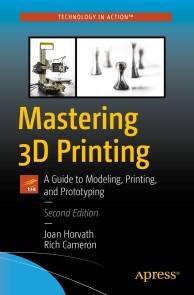
Mastering 3D Printing
Get the most out of your printer, including how to design models, choose materials, work with different printers, and integrate 3D printing with traditional prototyping to make techniques like sand casting more efficient.This book is for new 3D printer owners, makers of all kinds, entrepreneurs, technology educators, and anyone curious about what you can do with a 3D printer.In this revised and expanded new edition of Mastering 3D Printing, which has been a trusted resource through five years of evolution in the 3D printing industry, you’ll gain a comprehensive understanding of 3D printing. This book presumes no foreknowledge and describes what you need to know about how printers work, how to decide which type of printer (filament, resin, or powder) makes the most sense for you, and then how to go forward in the case of filament and resin printers.This new edition now includes material about consumer resin printing, the evolution of lower-cost metal printing, and the plethora of both materials and applications.WHAT YOU’LL LEARN* Choose among the different 3D printing technologies* Create or find 3D models to print* Make both easy and challenging prints come out as you imagined* Assess whether your business, factory, home or classroom will benefit from 3D printing* Work with applications that are good candidates for first projects in home and industrial applicationsWHO THIS BOOK IS FORPeople who are encountering 3D printing for the first time, or for those who want to level up their skills. It is designed for the nontechnical adult and minimizes jargon. However more sophisticated users will still find tips and insights of value.As an engineer and management consultant, JOAN HORVATH has coordinated first-of-a-kind interdisciplinary technical and business projects, helping people with no common vocabulary (startups, universities, small towns, etc). work together. Her experience as a systems engineer has spanned software development, spacecraft flight operations, risk management, and spacecraft/ground system test and contingency planning.As an educator, Joan’s passion is bringing science and technology to the non-specialist in a comprehensible and entertaining way that will stay with the learner for a lifetime. As an educator, Joan’s passion is bringing science and technology to the non-specialist in a comprehensible and entertaining way that will stay with the learner for a lifetime.RICH CAMERON is a cofounder of Pasadena-based Nonscriptum LLC. Nonscriptum consults for educational and scientific users in the areas of 3D printing and maker technologies. Rich (known online as "Whosawhatsis") is an experienced open source developer who has been a key member of the RepRap 3D-printer development community for many years. His designs include the original spring/lever extruder mechanism used on many 3D printers, the RepRap Wallace, and the Deezmaker Bukito portable 3D printer. By building and modifying several of the early open source 3D printers to wrestle unprecedented performance out of them, he has become an expert at maximizing the print quality of filament-based printers. When he's not busy making every aspect of his own 3D printers better, from slicing software to firmware and hardware, he likes to share that knowledge and experience online so that he can help make everyone else’s printers better too.MASTERING 3D PRINTINGPart I: 3D Printer Hardware and SoftwareChapter 1: Why Use a 3D Printer?Chapter 2: 3D Printers and Printable MaterialsChapter 3: 3D Printer Workflow and SoftwareChapter 4: Selecting a Printer: Comparing TechnologiesChapter 5: Operating and Troubleshooting Your 3D PrinterChapter 6. Surface Finishing and Filament PrintsPart II: Designing for 3D PrintingChapter 7: 3D ModelsChapter 8: Design Rules for 3D PrintingChapter 9: Special GeometriesPart III: ApplicationsChapter 10: Manufacturing Plastic PartsChapter 11: Metal 3D Printing and CastingChapter 12: Prototyping and 3D VisualizationChapter 13: Printers in the classroomChapter 14: The Future: Research AreasAppendix & Links
Advanced Perl Programming
William "Bo" Rothwell's Advanced Perl Programming continues where his previous book left off, more or less, as it guides you through advanced techniques of the Perl programming language starting with command-line options, references, and arrays and hashes from advanced data types. Next, you'll learn about typeglobs for symbolic entries.Additionally, you'll see advanced subroutine handling, then packages and namespaces. Furthermore, you'll build advanced modules and install CPAN modules. Unlike Java and C++, modules have been around in Perl for a long time now. Along the way, you'll learn and use POD mark up language for Perl documentation.Moreover, you'll get a survey of the many advanced features and data structures of the current Perl programming language. You'll also get a survey of the new features of the latest Perl 5.x release. After reading and using this book, you'll have the tools, techniques, and source code to be an expert Perl programmer.WHAT YOU WILL LEARN* Carry out command-line parsing and extract scripts * Create references; return values from a reference; work with the ref Function and strict refs* Work with advanced Perl data types using arrays, hashes, and hash of hashes * Use Typeglobs for symbol table entries * Build modules and install CPAN modules* Write documentation for Perl using POD * Work with the newest features in Perl, including the smartmatch operator, yada yada, automated regex modifiers, the CORE namespace and moreWHO THIS BOOK IS FORThose with experience with Perl or who have read Rothwell's prior books, Beginning Perl Programming and Pro Perl Programming. At the impressionable age of 14, William "Bo" Rothwell crossed paths with a TRS-80 Micro Computer System (affectionately known as a “Trash 80”). Soon after the adults responsible for Bo made the mistake of leaving him alone with the TSR-80. He immediately dismantled it and held his first computer class, showing his friends what made this “computer thing” work. Since this experience, Bo’s passion for understanding how computers work and sharing this knowledge with others has resulting in a rewarding career in IT training. His experience includes Linux, Unix, DevOps tools, and programming languages such as Perl, Python, Tcl, and BASH.Chapter One Command Line Options1.1 Introducing Command Line Options1.2 Changing Input Record Separator1.3 Create a Loop Around Your Script1.4 Editing in Place1.5 Syntax Checking1.6 Pre-appending to @INC1.7 Including Modules1.8 Command Line Parsing1.9 Displaying Configuration Information1.10 Extracting Scripts from Messages1.11 Additional Resources1.12 Lab ExercisesChapter Two References2.1 What are References?2.2 Creating References2.3 Returning the Value from a Reference2.4 The ref Function2.5 Making Anonymous References2.6 References to Functions2.7 use strict ‘refs’2.8 Additional Resources2.9 Lab ExercisesChapter Three Advanced Data Types: Arrays3.1 Review: What You Should Already Know About Arrays3.2 What You Might Know About Arrays3.3 Arrays of Arrays3.4 Creating Arrays of Arrays3.5 Accessing Values in an Array of Arrays3.6 Adding a Sub Array (Row)3.7 Adding a column3.8 Printing an Array of Arrays3.9 Additional Resources3.10 Lab ExercisesChapter Four Advanced Data Types: Hashes4.1 Review: What You Should Already Know About Hashes4.2 What You Might Know About Hashes4.3 Hashes of Hashes4.4 Creating Hashes of Hashes4.5 Accessing Values in a Hash of Hashes4.6 Other Data Structures4.7 Additional Resources4.8 Lab ExercisesChapter Five Typeglobs5.1 Symbolic Tables5.2 Typeglobs5.3 Using typeglobs5.4 References vs. Typeglobs5.5 Avoiding Aliases to Entire Identifier5.6 Making constants5.7 Passing Filehandles into Functions5.8 Redefining a Function5.9 Temporarily Redefining a Function5.10 Additional Resources5.11 Lab ExercisesChapter Six Advanced Subroutine Handling6.1 Review: What You Should Already Know About Functions6.2 What You Might Know About Functions6.3 Making Persistent Function Variables6.4 Using the caller Function6.5 Passing Arguments by Reference6.6 Determining Functions Return Data6.7 Returning Multiple Values6.8 Exception Handling6.9 Constant Functions6.10 Prototypes6.11 Additional Resources6.12 Lab ExercisesChapter Seven Packages and Namespaces7.1 Scope7.2 Creating Namespaces with the package Command7.3 Fully Qualified Package Names7.4 Nested Packages7.5 use strict 'vars'7.6 Identifiers Not Affected by Packages7.7 Determine the Current Package7.8 Packages vs. my Variables7.9 Additional Resources7.10 Lab ExercisesChapter Eight Building Modules8.1 Introduction to Perl Modules8.2 Creating a Module8.3 BEGIN and END Blocks8.4 Symbol Tables in Modules8.5 Exporting Identifiers from Modules8.6 Private Identifiers8.7 Oking Symbols to Export from Modules8.8 Module Version Numbers8.9 use vs. require8.10 A Note About Library Files8.11 Additional Resources8.12 Lab ExercisesChapter Nine Installing CPAN Modules9.1 What is CPAN?9.2 Accessing CPAN9.3 CPAN Organization9.4 Installing a CPAN Module Manually9.5 Installing CPAN Modules Using the CPAN Module9.6 Using the Perl Package Manager to Install CPAN Modules9.7 Listing What Modules are Currently Installed9.8 Additional Resources9.9 Lab ExercisesChapter Ten POD10.1 Overview of POD10.2 POD Commands10.3 POD Text10.4 POD Verbatim10.5 POD Examples10.6 Common POD Problems10.7 POD Utilities10.8 Additional Resources10.9 Lab ExercisesChapter Eleven Advanced Features11.1 Perl development environments11.2 The power of the do statement11.3 autodie11.4 String variables as files11.5 File::Spec11.6 Proper use of soft references11.7 Install modules from CPAN without admin privileges11.8 Basic testing11.9 Advanced testing11.10 Using prove11.11 BenchmarkingChapter Twelve Advanced Data Structures12.1 Introduction to Benchmarking12.2 Use the Readonly module to create constants12.3 Make large numbers more readable12.4 Make use of Scalar::Util12.5 Make use of List::Util12.6 Make use of List::MoreUtils12.7 List formatting12.8 Understand slices12.9 Make use of Hash::Util12.10 Make use of Hash::MoreUtils12.11 Smart use of subscripts12.12 Understand the advantages and disadvantages of for, foreach, grep and map12.13 Know different sort techniques12.14 Avoid using memory to store large dataChapter Thirteen New Features12.1 Perl versions12.2 The latest/greatest?12.3 Changes by version12.4 The feature pragma12.5 Make use of the Smartmatch Operator12.6 The // operator12.7 The UNITCHECK block12.8 Yada yada12.9 The autodie pragma12.10 Using each, keys, values with arrays 12.11 New Regular Expression modifiers12.12 Non-destructive substation12.13 Automating Regular Expression modifiers12.14 New feature for given12.15 Change in use feature12.16 The CORE namespace12.17 Overriding Perl keywords

Beginning PyQt
Learn GUI application development from the ground up, taking a practical approach by building simple projects that teach the fundamentals of using PyQt. Each chapter gradually moves on to teach more advanced and diverse concepts to aid you in designing interesting applications using the latest version of PyQt.You’ll start by reviewing the beginning steps of GUI development from, using different projects in every chapter to teach new widgets or concepts that will help you to build better UIs. As you follow along, you will construct more elaborate GUIs, covering topics that include storing data using the clipboard, graphics and animation, support for SQL databases, and multithreading applications. Using this knowledge, you’ll be able to build a photo editor, games, a text editor, a working web browser and an assortment of other GUIs.Beginning PyQt will guide you through the process of creating UIs to help you bring your own ideas to life. Learn what is necessary to begin making your own applications and more with PyQt!WHAT YOU'LL LEARN* Create your own cross-platform GUIs with PyQt and Python* Use PyQt’s many widgets and apply them to building real applications* Build larger applications and break the steps into smaller parts for deeper understanding* Work with complex applications in PyQt, from animation to databases and moreWHO THIS BOOK IS FORIndividuals who already have a fundamental understanding of the Python programming language and are looking to either expand their skills in Python or have a project where they need to create a UI, but may have no prior experience or no idea how to begin.Joshua Willman began using Python in 2015, when his first task was to build neural networks using machine learning libraries, including Keras and Tensorflow, for image classification. While creating large image data sets for his research, he needed to build a GUI that would simplify the workload and labeling process, which introduced him to PyQt. He currently works as a Python Developer and Instructor, designing courses to help others learn about coding in Python for game development, AI and machine learning, and programming using microcontollers. More recently, he set up the site Red Huli to explore his and others’ interests in using Python and programming for creative purposes.BEGINNING PYQTChapter 1 - Charting the CourseChapter 2 - Getting StartedChapter 3 - Adding Functions Through ButtonsChapter 4 - Learning about LayoutChapter 5 - Menus, Toolbars,and MoreChapter 6 - Styling Your GUIsChapter 7 - Creating GUIs with Qt DesignerChapter 8 - Working with the ClipboardChapter 9 - Graphics and Animation in PyQtChapter 10 - Intro to Handling DatabasesChapter 11 - Asynchronous ProgrammingChapter 12 - Extra ProjectsAppendix A - Reference Guide for PyQtAppendix B - Python Refresher

Preisfindung und Konditionstechnik mit SAP
Geht nicht gibt’s nicht! In diesem Buch lernen Sie, wie Sie die Preisfindung in Ihrem Unternehmen einrichten und optimieren, um sowohl alltägliche als auch fortgeschrittene Anforderungen zu erfüllen. Das Autorenteam führt Sie von den Grundlagen der Konditionstechnik über das Standard-Customizing bis tief in die kundenindividuellen Anpassungen, die Ihnen das SAP-System ermöglicht. Sie erfahren, wie Sie mit Konditionssätzen, Kalkulationsschemata und Co. arbeiten. Nutzen Sie die detaillierten Informationen zu Formeln und Bedingungen, und setzen Sie auch die kniffligsten Wünsche der Vertriebskollegen in SD um. Aus dem Inhalt: Einsatzgebiete und Elemente der KonditionstechnikKonditionsstammdaten der PreisfindungAuswertungen und ArbeitsvorräteCustomizing der PreisfindungArbeiten mit KonditionssätzenPreisfindung im VertriebsbelegKalkulationsschemata und KonditionsartenWichtige Programme der PreisfindungTypische Praxisanforderungen an die PreisfindungBonusabwicklungKonditionssteckbriefe Einleitung ... 21 Teil I. Konditionstechnik ... 27 1. Einsatzgebiete und Elemente der Konditionstechnik ... 29 1.1 ... Eigenschaften von Konditionen ... 30 1.2 ... Einsatzgebiete der Konditionstechnik (Konditionsverwendung) ... 31 1.3 ... Ausgewählte Einsatzgebiete (Verwendungen) ... 33 1.4 ... Anwendungsbereiche der Konditionstechnik (Konditionsapplikation) ... 37 1.5 ... Elemente der Konditionstechnik im Überblick ... 40 1.6 ... Feldkatalog und Kommunikationsstrukturen ... 42 1.7 ... Konditionstabellen ... 43 1.8 ... Zugriffsfolgen ... 45 1.9 ... Konditionsarten ... 56 1.10 ... Konditionsstammdaten ... 57 1.11 ... Kalkulationsschemata ... 62 1.12 ... Findungsanalyse ... 63 1.13 ... Bedingungen ... 64 1.14 ... Gesamtablauf im Überblick ... 66 1.15 ... Fazit ... 67 2. Konditionsstammdaten der Preisfindung ... 69 2.1 ... Konditionspflege über die Konditionsart ... 69 2.2 ... Konditionspflege über Bereichsmenüs ... 74 2.3 ... Konditionspflege über den Index ... 78 2.4 ... Absprachen ... 79 2.5 ... Preisvereinbarungen ... 83 2.6 ... Fazit ... 84 3. Auswertungen und Arbeitsvorräte ... 85 3.1 ... Konditionslisten ... 85 3.2 ... Arbeitsvorräte in der Rolle »Vertriebsmitarbeiter im Innendienst« ... 92 3.3 ... Konditionsinfo ... 98 3.4 ... Nettopreisliste ... 99 3.5 ... Performanceoptimierte Preisliste ... 101 3.6 ... Fazit ... 129 Teil II. Preisfindung ... 131 4. Customizing der Preisfindung ... 133 4.1 ... Umsetzung eines ersten kundenindividuellen Preisfindungsszenarios ... 133 4.2 ... Elemente der Preisfindung im Detail ... 149 4.3 ... Kundenindividuelle Anpassungen und Kundennamensräume ... 168 4.4 ... Beispiel für die Umsetzung komplexerer Anforderungen ... 172 4.5 ... Konfigurierbare Formeln und Parameter ... 175 4.6 ... Anbindung an die Ergebnis- und Marktsegmentrechnung (COPA) ... 199 4.7 ... Fazit ... 200 5. Arbeiten mit Konditionssätzen ... 203 5.1 ... Freigabestatus ... 203 5.2 ... Massenänderungen/Anlegen mit Bezug ... 208 5.3 ... Kopieren von Konditionen ... 212 5.4 ... Konditionspflege mit Bereichsmenüs ... 216 5.5 ... Weitere Funktionen innerhalb der Konditionspflege ... 218 5.6 ... Fazit ... 223 6. Preisfindung im Vertriebsbeleg ... 225 6.1 ... Positionskonditionsbild ... 225 6.2 ... Kopfkonditionsbild ... 234 6.3 ... Vordefinierte Preiselemente in der Positionsübersicht ... 237 6.4 ... Preisvereinbarungen ... 238 6.5 ... Preisfindung beim Anlegen von Belegen mit Referenz ... 242 6.6 ... Preisfindung bei Miet- und Wartungsverträgen (periodischer Fakturierungsplan) ... 243 6.7 ... Preisfindung bei Festbetragverträgen (Meilensteinfakturierungsplan) ... 247 6.8 ... Preisfindung bei der Aufwandsabrechnung ... 252 6.9 ... Fazit ... 253 7. Spezielle Funktionen der Preisfindung ... 255 7.1 ... Gruppenkonditionen ... 255 7.2 ... Konditionsausschluss ... 258 7.3 ... Konditionsupdate ... 263 7.4 ... Steuerermittlung im Vertrieb ... 266 7.5 ... Naturalrabatt im Vertrieb ... 272 7.6 ... Kosten des Verkaufsvorgangs ... 275 7.7 ... Währungsumrechnungen im Vertrieb ... 279 7.8 ... Druckaufbereitung des Preisfindungsergebnisses ... 287 7.9 ... Fazit ... 292 Teil III. Weiterführende technische Grundlagen, Tipps und Tricks ... 293 8. Ausgewählte Kalkulationsschemata und Konditionsarten ... 295 8.1 ... Ausgewählte Kalkulationsschemata ... 297 8.2 ... Ausgewählte Konditionsarten des Standardschemas ... 313 8.3 ... Fazit ... 317 9. Besonderheiten der Konditionstechnik in der Preisfindung ... 319 9.1 ... Schnittstellen, Tabellen und Zusammenhänge ... 320 9.2 ... Datenermittlung über Konditionen ... 325 9.3 ... Felder mit Mehrfachbelegung ... 345 9.4 ... Fazit ... 349 10. Wichtige Programme der Preisfindung ... 351 10.1 ... Funktionsbaustein PRICING ... 352 10.2 ... Funktionsbaustein PRICING_COMPLETE ... 364 10.3 ... Funktionsbaustein PRICING_COPY ... 374 10.4 ... Datenablage des Preisfindungsergebnisses ... 375 10.5 ... Funktionsbaustein PRICING_REFRESH ... 376 10.6 ... Dialoganbindung/weitere Funktionsbausteine ... 377 10.7 ... Zusammenhang der Komponenten der Preisfindung ... 378 10.8 ... Fazit ... 379 11. Systemanpassungen mit Bedingungen, Formeln und User-Exits ... 381 11.1 ... Preisfindungsarten ... 383 11.2 ... Bedingungen ... 384 11.3 ... Ein Beispiel für den Einsatz der Formeln ... 388 11.4 ... Konditionsformeln ... 393 11.5 ... Sonderlogik der Preisfindungsart F in der Routine »xkomv_bewerten« ... 403 11.6 ... Preisfindungsergebnis in KOMP ... 405 11.7 ... Steuerungskennzeichen »xkomv-ksteu« ... 411 11.8 ... User-Exits ... 413 11.9 ... Erweiterungen der Tabelle KONV ... 420 11.10 ... Performanceaspekte ... 421 11.11 ... Fehlermeldungen/Fehlerbehandlung ... 422 11.12 ... Fazit ... 424 12. Typische Praxisanforderungen an die Preisfindung und ihre Lösung ... 425 12.1 ... Budgetierungsanforderungen ... 426 12.2 ... Konditionen wurden nicht gefunden -- woran liegt das? ... 436 12.3 ... Rundung ... 438 12.4 ... Preise mit mehr als zwei Nachkommastellen ... 439 12.5 ... Behandlung von Frachtzuschlägen ... 440 12.6 ... Berechtigungsabhängigkeit des Konditionsbildes ... 444 12.7 ... Aufnahme neuer Zwischensummenfelder ... 444 12.8 ... Stammdatenfelder datumsabhängig pflegen ... 444 12.9 ... Kopierte Konditionen und anschließende Mengenänderung ... 449 12.10 ... Gesteigerte Preise in Retouren und Gutschriften ... 455 12.11 ... Kennzahlen für Reporting und Analyse ... 457 12.12 ... Konditionssatzspezifische Bedingungen ... 473 12.13 ... Fazit ... 485 13. Preisfindung in ausgewählten Applikationen ... 487 13.1 ... Preisfindung im Kundenauftrag ... 488 13.2 ... Preisfindung in der Faktura ... 494 13.3 ... Preisfindung in der Bestellung ... 495 13.4 ... Preisfindung im Rechnungswesen ... 499 13.5 ... Steuerberechnung in der Finanzbuchhaltung ... 500 13.6 ... Preisfindung in der Transportabwicklung (Frachtkalkulation) ... 506 13.7 ... Fazit ... 507 14. Performance und Test ... 509 14.1 ... SAP-Tabellenpuffer ... 510 14.2 ... Konditions-Prestep und Zugriffsoptimierung ... 511 14.3 ... Reihenfolge der Felder in den Konditionstabellen ... 513 14.4 ... Einsatz von Bedingungen ... 514 14.5 ... Gruppenkonditionen und Formeln ... 514 14.6 ... Besonderheiten in Kundenauftrag und Faktura ... 515 14.7 ... Analyse-Tools ... 522 14.8 ... Testen ... 523 14.9 ... Fazit ... 526 15. Preisfindung in SAP S/4HANA ... 527 15.1 ... Überblick über SAP S/4HANA ... 527 15.2 ... Unterschiede und Gemeinsamkeiten von SAP ERP und SAP S/4HANA ... 530 15.3 ... Migration nach SAP S/4HANA ... 541 15.4 ... Preisfindung in SAP S/4HANA Cloud ... 545 15.5 ... Fazit ... 554 Teil IV. Bonusabwicklung im Vertrieb ... 555 16. Bonusabwicklung im Vertrieb ... 557 16.1 ... Übersicht über die Bonusabwicklung ... 557 16.2 ... Elemente der Bonusabwicklung im Detail ... 579 16.3 ... Erweiterte Bonusverarbeitung ... 599 16.4 ... Systemanpassungen im Bonusumfeld ... 610 16.5 ... Typische Praxisanforderungen ... 616 16.6 ... Fazit ... 619 Anhang ... 621 A. Konditionssteckbriefe ... 622 B. SAP-CRM-Anbindung ... 670 C. Die Autoren ... 674 Index ... 676

Einführung in Java
Mit diesem Buch steigen Sie ohne Vorkenntnisse in Java und die objektorientierte Programmierung ein. Schritt für Schritt machen Sie sich mit der Sprache und ihren Konzepten vertraut. Sie lernen, in Algorithmen zu denken und Java sowie die vielen Werkzeuge Ihrer Plattform geschickt zu nutzen. Immer praxisnah und mit Gefühl für mögliche Verständnishürden: So werden auch professionelle Themen wie Testabdeckung, Multithreading und Servletentwicklung einsteigergerecht vermittelt. Schließlich schreiben Sie zeitgemäßen Code, der auch komplexe Software trägt. Ideal für Ausbildung, Studium und Beruf! Aus dem Inhalt: Die Entwicklungsumgebung einrichten und kennenlernenGrundkonzepte glasklar vorgestelltSprachmittel gründlich verstehenNeue Features einsetzenUnit Tests und Test Driven DesignDatenbanken anbindenIn Servlet-Technologie einsteigenEvents einsetzen und asynchron programmierenGUIs entwickelnGuten Code schreibenMit Dateien und Streams arbeitenIn die Entwicklung von Android-Apps einsteigen Materialien zum Buch ... 19 1. Einführung ... 21 1.1 ... Was ist Java? ... 22 1.2 ... Die Arbeitsumgebung installieren ... 28 1.3 ... Erste Schritte in NetBeans ... 30 1.4 ... Das erste Programm ... 32 1.5 ... In Algorithmen denken, in Java schreiben ... 41 1.6 ... Die Java-Klassenbibliothek ... 47 1.7 ... Dokumentieren als Gewohnheit -- Javadoc ... 50 1.8 ... JARs erstellen und ausführen ... 56 1.9 ... Mit dem Debugger arbeiten ... 61 1.10 ... Das erste eigene Projekt ... 66 1.11 ... Zusammenfassung ... 68 2. Variablen und Datentypen ... 69 2.1 ... Variablen ... 69 2.2 ... Primitivtypen ... 73 2.3 ... Objekttypen ... 87 2.4 ... Objekt-Wrapper zu Primitiven ... 91 2.5 ... Array-Typen ... 94 2.6 ... Zusammenfassung ... 96 3. Entscheidungen ... 97 3.1 ... Entweder-oder-Entscheidungen ... 97 3.2 ... Logische Verknüpfungen ... 104 3.3 ... Mehrfach verzweigen mit »switch« ... 110 3.4 ... Zusammenfassung ... 116 4. Wiederholungen ... 117 4.1 ... Bedingte Wiederholungen mit »while« ... 117 4.2 ... Abgezählte Wiederholungen -- die »for«-Schleife ... 121 4.3 ... Abbrechen und überspringen ... 123 4.4 ... Zusammenfassung ... 126 5. Klassen und Objekte ... 127 5.1 ... Klassen und Objekte ... 128 5.2 ... Access-Modifier ... 130 5.3 ... Felder ... 132 5.4 ... Methoden ... 133 5.5 ... Warum Objektorientierung? ... 142 5.6 ... Konstruktoren ... 144 5.7 ... Statische Felder und Methoden ... 148 5.8 ... Unveränderliche Werte ... 151 5.9 ... Spezielle Objektmethoden ... 154 5.10 ... Zusammenfassung ... 156 6. Objektorientierung ... 157 6.1 ... Vererbung ... 158 6.2 ... Interfaces und abstrakte Datentypen ... 171 6.3 ... Übung: Objektorientierte Modellierung ... 179 6.4 ... Innere Klassen ... 180 6.5 ... Enumerationen ... 187 6.6 ... Zusammenfassung ... 190 7. Unit Testing ... 191 7.1 ... Das JUnit-Framework ... 193 7.2 ... Fortgeschrittene Unit Tests ... 199 7.3 ... Besseres Design durch Testfälle ... 205 7.4 ... Zusammenfassung ... 208 8. Die Standardbibliothek ... 209 8.1 ... Zahlen ... 209 8.2 ... Strings ... 214 8.3 ... Reguläre Ausdrücke ... 224 8.4 ... Zeit und Datum ... 231 8.5 ... Internationalisierung und Lokalisierung ... 236 8.6 ... Zusammenfassung ... 244 9. Fehler und Ausnahmen ... 245 9.1 ... Exceptions werfen und behandeln ... 245 9.2 ... Verschiedene Arten von Exceptions ... 252 9.3 ... Invarianten, Vor- und Nachbedingungen ... 258 9.4 ... Zusammenfassung ... 260 10. Arrays und Collections ... 261 10.1 ... Arrays ... 261 10.2 ... Die for-each-Schleife ... 271 10.3 ... Variable Parameterlisten ... 271 10.4 ... Collections ... 273 10.5 ... Typisierte Collections -- Generics ... 278 10.6 ... Maps ... 288 10.7 ... Zusammenfassung ... 290 11. Lambda-Ausdrücke ... 291 11.1 ... Was sind Lambda-Ausdrücke? ... 292 11.2 ... Die Stream-API ... 304 11.3 ... Un-Werte als Objekte -- »Optional« ... 321 11.4 ... Eine Warnung zum Schluss ... 324 11.5 ... Zusammenfassung ... 325 12. Dateien, Streams und Reader ... 327 12.1 ... Dateien und Verzeichnisse ... 328 12.2 ... Reader, Writer und die »anderen« Streams ... 334 12.3 ... Objekte lesen und schreiben ... 346 12.4 ... Netzwerkkommunikation ... 349 12.5 ... Zusammenfassung ... 352 13. Multithreading ... 353 13.1 ... Threads und Runnables ... 354 13.2 ... Atomare Datentypen ... 361 13.3 ... Synchronisation ... 362 13.4 ... Fortgeschrittene Koordination zwischen Threads ... 370 13.5 ... Die Zukunft -- wortwörtlich ... 376 13.6 ... Das Speichermodell von Threads ... 381 13.7 ... Zusammenfassung ... 383 14. Servlets -- Java im Web ... 385 14.1 ... Einen Servlet-Container installieren ... 386 14.2 ... Die erste Servlet-Anwendung ... 392 14.3 ... Servlets programmieren ... 403 14.4 ... Java Server Pages ... 410 14.5 ... Langlebige Daten im Servlet -- Ablage in Session und Application ... 416 14.6 ... Fortgeschrittene Servlet-Konzepte -- Listener und Initialisierung ... 419 14.7 ... Zusammenfassung ... 422 15. Datenbanken und Entitäten ... 423 15.1 ... Was ist eine Datenbank? ... 424 15.2 ... Mit einer Datenbank über die JPA verbinden ... 431 15.3 ... Anwendung und Entitäten ... 436 15.4 ... Entitäten laden ... 439 15.5 ... Entitäten löschen ... 444 15.6 ... Beziehungen zu anderen Entitäten ... 445 15.7 ... Zusammenfassung ... 452 16. GUIs mit JavaFX ... 453 16.1 ... Einführung ... 453 16.2 ... Installation ... 454 16.3 ... Architektur von JavaFX ... 454 16.4 ... GUI-Komponenten ... 457 16.5 ... Layouts ... 468 16.6 ... GUI mit Java-API -- Urlaubsverwaltung ... 478 16.7 ... Event-Handling ... 482 16.8 ... JavaFX-Properties und Binding ... 489 16.9 ... Deklarative GUIs mit FXML ... 495 16.10 ... Layout mit CSS ... 501 16.11 ... Transformationen, Animationen und Effekte ... 505 16.12 ... Übungen ... 512 16.13 ... Zusammenfassung ... 513 17. Android ... 515 17.1 ... Einstieg in die Android-Entwicklung ... 515 17.2 ... Eine Benutzeroberfläche designen ... 528 17.3 ... Anwendungen mit mehreren Activities ... 535 17.4 ... Permissions und SystemServices ... 542 17.5 ... Apps im Play Store veröffentlichen ... 546 17.6 ... Zusammenfassung ... 546 18. Hinter den Kulissen ... 549 18.1 ... Klassenpfade und Classloading ... 549 18.2 ... Garbage Collection ... 556 18.3 ... Flexibel codieren mit der Reflection-API ... 563 18.4 ... Blick in die Zukunft ... 569 18.5 ... Zusammenfassung ... 572 19. Und dann? ... 573 19.1 ... Jakarta EE ... 574 19.2 ... Open-Source-Software ... 579 19.3 ... Ergänzende Technologien ... 580 19.4 ... Andere Sprachen ... 583 19.5 ... Programmieren Sie! ... 585 Anhang ... 587 A ... Java-Bibliotheken ... 589 B ... Lösungen zu den Übungsaufgaben ... 597 C ... Glossar ... 707 D ... Kommandozeilenparameter ... 723 Index ... 731

Windows 10
Windows 10 sicher beherrschen! Jörg Hähnle zeigt Ihnen in diesem kompakten Handbuch den Weg. In wenigen Schritten installieren Sie das Betriebssystem, nutzen Apps und Programme, verwalten Ihre Daten, stellen eine Internetverbindung her und genießen Fotos, Musik und Videos an Ihrem Rechner. Sie lernen auch, wie Sie Ihre Daten schützen und was bei Problemen zu tun ist. Farbige Abbildungen, zahlreiche Tipps und ein ausführliches Stichwortverzeichnis machen dieses Buch zu einer praktischen Bedienungsanleitung für Einsteiger und Fortgeschrittene. Aus dem Inhalt: Windows 10 installierenBei Windows anmeldenWo finde ich was in Windows 10?Programme und AppsDatei- und Ordnerverwaltung mit dem ExplorerDateien und Ordner suchenIns Internet mit Windows 10Surfen mit Microsoft EdgeSicherheit im InternetKontakte speichern und verwaltenDie Kalender-App verwendenMit OneDrive Daten online in der Cloud speichernWindows 10 individuell anpassenDie Bildschirmeinstellungen ändernDen Desktop einrichtenBenutzerkonten erstellen, verwenden und verwaltenGeräte anschließenDrucken mit Windows 10USB-Sticks und -Festplatten anschließenBilder, Musik und VideosEin Netzwerk einrichtenEine Netzwerkverbindung herstellenFernsteuerung und Fernwartung: Remotezugriff mit Windows 10Warten, pflegen, absichernDie Festplatte defragmentierenProgramme deinstallierenWindows-UpdatesAntivirenprogramm und FirewallBackup: Sichern und wiederherstellenDer DateiversionsverlaufDatenschutz und PrivatsphäreProbleme lösenAbgestürzte Programme beendenÄltere Programme unter Windows 10 nutzenTastenkürzel, Fehlermeldungen und Hilfe 1. Herzlich willkommen! ... 11 Vorwort ... 12 Was ist neu in Windows 10? ... 14 Wo finde ich was? ... 18 2. Schnelleinstieg in Windows 10 ... 23 Ist Ihr Computer bereit für Windows 10? ... 24 Welche Editionen von Windows 10 gibt es? ... 25 Windows 10 installieren und einrichten ... 26 Bei Windows anmelden ... 30 Das Startmenü auf einen Blick ... 32 Das »Hamburger-Menü« aufrufen ... 34 Die App-Leiste einblenden ... 35 Der Desktop in der Übersicht ... 36 Zwischen Desktop und Startmenü wechseln ... 38 Eine Desktop-Verknüpfung erstellen ... 39 Die Programmübersicht aufrufen ... 40 Der Task-Manager im Überblick -- 1 ... 41 Der Task-Manager im Überblick -- 2 ... 42 Den Computer starten ... 43 Den Computer ausschalten ... 45 So gehen Sie mit der Maus um ... 47 So bedienen Sie die Tastatur ... 50 Windows 10 auf einem Touchscreen bedienen ... 52 Hilfe erhalten ... 56 Die Windows-Einstellungen ... 57 Das Info-Center ... 58 Programmsymbole auf dem Desktop anordnen ... 60 3. Programme und Apps ... 61 Hier finden und starten Sie Programme und Apps ... 62 Apps -- die modernen Windows-Anwendungen ... 63 Der Microsoft Store -- Marktplatz für neue Apps ... 72 Eine App wieder deinstallieren ... 77 Programme in der Desktop-Ansicht ... 78 Programme beenden ... 85 Programme entfernen ... 87 Ein Programm von DVD installieren ... 90 Nach Systemeinstellungen suchen ... 92 Mit mehreren Desktops arbeiten ... 93 Die erweiterte Zwischenablage ... 95 4. Dateien, Ordner, Bibliotheken ... 97 Dateien und Ordner ... 98 Verknüpfte Dateien und virtuelle Ordner ... 100 Den Explorer öffnen ... 101 So ist der Explorer aufgebaut ... 102 Die Symbolleiste des Explorers ... 104 Dateien anzeigen und sortieren ... 109 Dateien und Ordner verschieben, kopieren oder löschen ... 121 Mit komprimierten Dateien arbeiten ... 125 Mit Datenträgern und Wechselmedien arbeiten ... 129 Dateien und Ordner suchen ... 132 Ein Dokument ausdrucken ... 138 PDFs mit Windows 10 ... 139 Bibliotheken ... 141 5. Internet ... 145 Ins Internet mit Windows 10 ... 146 Per WLAN ins Internet ... 147 Surfen mit Microsoft Edge ... 148 Sicherheit im Internet ... 160 6. E-Mails, Adressen und Termine im Griff ... 175 Die Mail-App nutzen ... 176 Kontakte speichern und verwalten ... 186 Alle Termine im Griff mit der Kalender-App ... 192 Mit OneDrive Daten in der »Wolke« sichern ... 196 7. Windows 10 individuell anpassen ... 203 Startmenü und Sperrbildschirm einrichten ... 204 Die Bildschirmeinstellungen ändern ... 211 Das Startmenü anpassen ... 213 PC-Einstellungen individuell anpassen ... 221 Den Desktop einrichten ... 226 Neue Designs für Ihr Windows 10 ... 227 Benutzerkonten erstellen, verwenden und verwalten ... 229 Erleichterte Bedienung ... 236 8. Geräte anschließen ... 239 Drucker ... 240 Bilder von einem Fotoapparat importieren ... 244 Lautsprecher ... 245 USB-Festplatte oder USB-Stick ... 247 Smartphones und andere mobile Geräte ... 248 Der Geräte-Manager im Überblick ... 252 Gerätetreiber installieren und aktualisieren -- 1 ... 253 Gerätetreiber installieren und aktualisieren -- 2 ... 254 9. Bilder, Musik und Videos ... 255 Die Fotos-App ... 256 Die Kamera-App ... 270 Musik mit Windows 10 ... 273 Die App »Filme & TV« ... 276 Der Windows Media Player ... 280 Die Windows-Spracherkennung ... 284 10. Netzwerke und Umgebungsfreigaben ... 287 Einen Netzwerkspeicher mit der Fritz!Box nutzen ... 288 Dateien mit Computern in Ihrer Nähe teilen ... 292 Fernsteuerung und Fernwartung ... 294 11. Warten, pflegen, absichern ... 299 Windows 10 regelmäßig aktualisieren ... 300 Die Festplatte optimieren ... 302 Die Datenträgerbereinigung ... 304 Die Windows-Speicheroptimierung ... 305 Windows zusätzlich schützen ... 306 Daten mithilfe eines Systemabbilds sichern ... 310 BitLocker -- Laufwerke und Daten verschlüsseln ... 314 Das Windows-Gedächtnis -- der Dateiversionsverlauf ... 318 App-Einstellungen für Datenschutz und Privatsphäre ... 320 12. Probleme lösen ... 323 Schwierigkeiten beim Start oder mit der Leistung? ... 324 Wiederherstellen, auffrischen, zurücksetzen ... 330 Hilfreiche Tastenkombinationen ... 339 Glossar ... 345 Stichwortverzeichnis ... 353

Windows 10
Das große Standardwerk zu Windows 10 – aktuell zu allen Updates! In diesem umfassenden Handbuch erfahren Einsteiger und schon versiertere Nutzer alles, um das neue Betriebssystem sicher und effektiv zu handhaben. Die Windows-Expertin Mareile Heiting hat das geballte Wissen zu Windows 10 für eine reibungslose Anwendung in der Praxis aufbereitet und hält dabei eine Fülle an Insidertipps für Sie parat. So beherrschen Sie alles schnell und mühelos – von der Dateiverwaltung über die Systemwartung bis zum Einrichten von Netzwerken. Aus dem Inhalt: Windows 10 installieren und upgradenBenutzerkonten einrichtenDateien und Einstellungen von anderen Computern übertragenStartmenü und Taskleiste richtig nutzenDen Explorer ausführlich kennenlernenProgramme und Apps installieren und verwaltenNach Dateien und Apps suchenIns Internet mit Microsoft EdgeSo nutzen Sie OneDriveMehrere Computer miteinander verbindenE-Mails schreiben und organisierenTermine und Kontakte verwaltenFotos laden, sortieren und bearbeitenMusik, Filme, SpieleGeräte anschließen und verwendenDie Systemwiederherstellung einsetzenDaten sichern und wiederherstellenDie neue Timeline und Aktivitäten-HistorieDaten vor fremdem Zugriff schützenCortana und SpracherkennungDie Windows Registry nutzenVirtuelle Systeme einrichtenWindows 10 SetsTipps und Tricks für die tägliche Arbeit TEIL I. Start mit Windows 10 ... 19 1. Windows 10 installieren und upgraden ... 21 1.1 ... Die Systemanforderungen prüfen ... 21 1.2 ... Windows-10-Varianten ... 23 1.3 ... Ein Installationsmedium mit dem Medienerstellungstool erstellen ... 25 1.4 ... Von null auf Windows 10 ... 30 1.5 ... Windows 10 nachträglich aktivieren ... 46 1.6 ... Von einer älteren Windows-Version umsteigen ... 49 2. Ein erster Rundgang über die Oberfläche von Windows 10 ... 53 2.1 ... Am Computer anmelden ... 53 2.2 ... Die Desktopoberfläche im Überblick ... 55 2.3 ... Die Taskleiste ... 56 2.4 ... Das Startmenü ... 61 2.5 ... Den Computer herunterfahren ... 65 2.6 ... Die Oberfläche per Tastatur steuern ... 68 3. Erste wichtige Einstellungen vornehmen ... 71 3.1 ... Einstellungen und Systemsteuerung im Überblick ... 71 3.2 ... Eine Netzwerkverbindung herstellen ... 74 3.3 ... Die Energieeinstellungen kontrollieren und optimieren ... 75 3.4 ... Sicherheitseinstellungen überprüfen ... 79 3.5 ... Die Synchronisierungseinstellungen individuell anpassen ... 86 3.6 ... Anmeldung per PIN oder Bildcode aktivieren ... 87 3.7 ... Eingabehilfen einrichten ... 92 3.8 ... Datenschutz: Das »Nach-Hause-Telefonieren« unterbinden ... 98 4. Benutzerkonten anlegen und verwalten ... 103 4.1 ... Sicherheitsaspekte: Administrator versus Standardbenutzer ... 103 4.2 ... Ein neues Benutzerkonto anlegen ... 106 4.3 ... Kennwörter verwalten ... 116 4.4 ... Die automatische Anmeldung einrichten ... 120 4.5 ... Konten für Familienmitglieder verwalten ... 121 4.6 ... Benutzerkonten wieder entfernen ... 130 4.7 ... Die Benutzerkontensteuerung ... 132 4.8 ... Das Microsoft-Konto verwalten ... 134 4.9 ... Den Computernamen ändern ... 136 TEIL II. Die Oberfläche kennenlernen ... 139 5. Windows 10 anpassen und personalisieren ... 141 5.1 ... Den Sperrbildschirm individuell einstellen ... 141 5.2 ... Ein Profilbild ergänzen und anpassen ... 148 5.3 ... Das Aussehen des Desktops anpassen ... 152 5.4 ... Das Startmenü anpassen ... 168 5.5 ... Die Taskleiste anpassen ... 184 5.6 ... Das Info-Center anpassen ... 192 5.7 ... Windows 10 und die Uhrzeit ... 202 5.8 ... Weitere Sprachen installieren ... 206 6. Nützliche Funktionen des Desktops ... 217 6.1 ... Verknüpfungen auf dem Desktop anlegen ... 217 6.2 ... Programme und Dateien über die Taskleiste öffnen ... 226 6.3 ... Die Timeline-Funktion als Gedächtnisstütze ... 232 6.4 ... Mit virtuellen Desktops arbeiten ... 234 7. Windows 10 auf dem Tablet ... 243 7.1 ... Wissenswertes rund um den Tabletmodus ... 243 7.2 ... Windows 10 auf dem Touchscreen bedienen ... 255 7.3 ... Texteingabe per Bildschirmtastatur ... 262 TEIL III. Programme und Dateien ... 269 8. Dateien und Ordner verwalten mit dem Explorer ... 271 8.1 ... Den Explorer öffnen ... 271 8.2 ... Navigieren mit dem Explorer ... 277 8.3 ... Den Explorer individuell anpassen ... 285 8.4 ... Arbeiten mit Dateien und Ordnern ... 291 8.5 ... Bibliotheken anlegen, verwalten und löschen ... 299 8.6 ... Den Onlinespeicher OneDrive nutzen ... 307 8.7 ... ZIP-Archive erstellen ... 316 8.8 ... Gelöschte Daten über den Papierkorb wiederherstellen ... 319 8.9 ... Dateien mit Markierungen versehen ... 321 8.10 ... Zugriffsrechte auf Dateien und Ordner verwalten ... 323 8.11 ... Die Zwischenablage von Windows 10 mit neuer Funktionalität ... 326 8.12 ... Nützliche Tastaturkürzel für den Explorer ... 336 9. Programme und Apps verwalten ... 337 9.1 ... Alles rund um den Umgang mit den Programmfenstern ... 337 9.2 ... Apps aus dem Microsoft Store installieren ... 349 9.3 ... Beliebige Programme installieren ... 360 9.4 ... Apps und Programme deinstallieren ... 367 9.5 ... Standardprogramme festlegen ... 370 10. In Windows 10 erfolgreich auf die Suche gehen ... 375 10.1 ... Suchanfragen über das Suchfeld der Taskleiste starten ... 375 10.2 ... In Programmen und Apps suchen ... 380 10.3 ... Mithilfe des Explorers nach Dateien und Ordnern suchen ... 382 10.4 ... Den Suchindex für Suchanfragen nutzen ... 391 11. Nützliche Apps und Programme unter Windows 10 ... 401 11.1 ... Ihr persönlicher Wecker: die App Alarm & Uhr ... 401 11.2 ... Von Ort zu Ort mit der Karten-App ... 403 11.3 ... Der Taschenrechner von Windows 10: die Rechner-App ... 406 11.4 ... Ausschneiden und skizzieren mit Windows 10 ... 407 11.5 ... Das Zeichenprogramm Paint 3D nutzen ... 414 11.6 ... Der Sprachrekorder von Windows 10 ... 417 11.7 ... Die Wetteraussichten mit Windows 10 ... 420 12. Gute Unterhaltung - Fotos, Videos, Musik und Spiele ... 425 12.1 ... Fotos verwalten und bearbeiten mit der Fotos-App ... 425 12.2 ... Fotos präsentieren und mit anderen teilen ... 446 12.3 ... Die Kamera-App von Windows 10 im Einsatz ... 457 12.4 ... Musik hören mit der Groove-Musik-App ... 463 12.5 ... Musik genießen mit dem Windows Media Player ... 470 12.6 ... Spiele unter Windows 10 ... 476 TEIL IV. Netzwerken mit Windows 10 ... 479 13. Mit dem Browser Microsoft Edge im Internet surfen ... 481 13.1 ... Ein erster Überblick über Microsoft Edge ... 482 13.2 ... Mit Microsoft Edge im Internet suchen ... 486 13.3 ... Webseiten noch schneller erreichen ... 491 13.4 ... Microsoft Edge mit Add-Ons erweitern ... 501 13.5 ... Webseiten drucken ... 505 13.6 ... Microsoft Edge und die Sicherheit ... 506 13.7 ... PDFs und E-Books lesen mit Microsoft Edge ... 520 13.8 ... Mobilgerät und PC im Team ... 523 13.9 ... Nützliche Tastenkürzel zur Bedienung von Microsoft Edge ... 529 14. Internetverbindung herstellen und PCs vernetzen ... 531 14.1 ... Eine Netzwerkverbindung einrichten ... 531 14.2 ... Dateien, Ordner und Geräte im Netzwerk freigeben ... 542 15. Mail, Kontakte, Kalender und Skype nutzen ... 551 15.1 ... E-Mails lesen und schreiben mit der Mail-App ... 551 15.2 ... Adressen verwalten mit der Kontakte-App ... 569 15.3 ... Termine im Blick mit der Kalender-App ... 577 15.4 ... Mit Skype telefonieren und chatten ... 583 TEIL V. Geräte, Wartung und Sicherheit ... 589 16. Geräte anschließen und konfigurieren ... 591 16.1 ... Einen Drucker oder Scanner anschließen ... 591 16.2 ... Einen Monitor anschließen ... 596 16.3 ... Smartphone oder Wechseldatenträger per USB-Kabel mit dem PC verbinden ... 600 16.4 ... Treiber im Griff ... 606 16.5 ... Bluetooth-Hardware anschließen und nutzen ... 610 16.6 ... Die richtigen Einstellungen zum Energiesparen ... 613 16.7 ... Die Datenträgerverwaltung ... 617 17. Wartung: Das System aktuell halten und sichern ... 629 17.1 ... Windows Updates im Griff ... 629 17.2 ... Vorabversionen von Windows 10 testen ... 644 17.3 ... Mit der Systemwiederherstellung zurück zu einem stabilen System ... 649 17.4 ... Datensicherung mithilfe des Dateiversionsverlaufs ... 654 17.5 ... Ein Systemabbild erstellen und zurückspielen ... 659 17.6 ... Den Computer zurücksetzen ... 664 18. Schutz vor Schadsoftware ... 667 18.1 ... Aktuelle Bedrohungen ... 667 18.2 ... Das Windows-Sicherheit-Center ... 668 18.3 ... Der Viren- & Bedrohungsschutz ... 671 18.4 ... Die Windows-Firewall ... 678 18.5 ... Sicherheitslösungen von Drittanbietern verwenden ... 683 18.6 ... Sichere Zugänge zu Konten und Websites ... 688 18.7 ... Dateien, Ordner und Laufwerke verschlüsseln ... 693 19. Probleme aufspüren und lösen ... 705 19.1 ... Softwareprobleme beheben ... 705 19.2 ... Hardwareprobleme lösen ... 714 19.3 ... Startprobleme beheben ... 720 19.4 ... Systemproblemen von Windows 10 auf der Spur ... 727 19.5 ... Wichtige Hilfsforen im Internet ... 734 TEIL VI. Windows 10 für geübte Anwender ... 737 20. Die Registrierungsdatenbank von Windows 10 ... 739 20.1 ... Das sollten Sie über die Registry wissen ... 739 20.2 ... Sichern und Wiederherstellen der Registry ... 743 20.3 ... Nützliche Tipps für den Umgang mit der Registry ... 747 20.4 ... Ausgewählte Registry-Hacks ... 754 21. Spracherkennung und Cortana ... 767 21.1 ... Erste Schritte bei der Einrichtung der Spracherkennung ... 767 21.2 ... Die Windows-Spracherkennung nutzen ... 775 21.3 ... Cortana - die sprachgesteuerte Assistentin ... 782 22. Hyper-V und Virtualisierung ... 793 22.1 ... Was ist Virtualisierung? ... 793 22.2 ... Hyper-V einrichten ... 794 22.3 ... Ein Betriebssystem auf einem virtuellen Computer per Hyper-V installieren ... 796 22.4 ... VirtualBox als Alternative ... 809 22.5 ... Programme testen in der Windows-Sandbox ... 815 23. Hilfe aus der Ferne per Remotezugriff ... 819 23.1 ... Die Remoteunterstützung in der Praxis ... 819 23.2 ... Der TeamViewer als Alternative ... 826 24. Eingabeaufforderung und Windows PowerShell ... 831 24.1 ... Ein paar Grundlagen vorweg ... 831 24.2 ... Die Eingabeaufforderung in der Praxis ... 835 24.3 ... Die Windows PowerShell in der Praxis ... 843 Stichwortverzeichnis ... 851

Excel Spezial - Daten abrufen, aufbereiten & mit Pivot-Tabellen auswerten
Die praktische Anleitung für den Umgang mit großen Datenmengen:- Stets aktuelle Auswertungen umfangreicher externer Daten- Anschauliche Anleitungen mit Beispielen zum DownloadSie benötigen laufend aktuelle Daten aus externen Quellen? Mit Excel können Sie regelmäßig wiederkehrende Auswertungen umfangreicher Daten schnell und einfach vornehmen. Wie das geht, erfahren Sie Schritt für Schritt in diesem Buch.Die Autorin erklärt systematisch, wie Sie eine Verbindung zu externen Datenquellen herstellen, diese gezielt für Ihre weiteren Auswertungen aufbereiten und später mit nur einem Mausklick aktualisieren. Für daran anschließende zusammenfassende Auswertungen sind Pivot-Tabellen das ideale Werkzeug – ihre zahlreichen Möglichkeiten werden ausführlich beschrieben. Als sinnvolle Ergänzung dazu lernen Sie Berechnungen und Datenmodelle mit Power Pivot kennen. Profitieren Sie von gut nachvollziehbaren Anleitungen, anschaulichen Beispielen zum kostenlosen Download und vielen hilfreichen Tipps, z. B. wie Sie den Speicherumfang von Arbeitsmappen reduzieren.Aus dem Inhalt:- Was Sie beim Anlegen von Excel-Tabellen als Ausgangsbasis beachten sollten- Daten aus verschiedenen externen Quellen abrufen, z. B. SQL, Textdateien, XML oder aus dem Web- Länderspezifische Zahlen konvertieren, weitere Spalten berechnen, Daten gruppieren- Daten mit Power Query abrufen und aufbereiten- Grundlegende Arbeitstechniken im Power Query-Editor- Daten aus zwei und mehr Tabellen zusammenführen- Pivot-Tabellen und Pivot-Diagramme erstellen und Felder anordnen- Berichtslayout, Teil- und Gesamtergebnisse darstellen- Spalten und Measures mit Power Pivot berechnen- Grundlagen der Datenmodellierung
Professional WordPress Plugin Development
EXTEND WORDPRESS WITH PLUGINS USING THIS ADVANCED WORDPRESS DEVELOPMENT BOOK, UPDATED FOR THE CURRENT VERSIONThis significantly updated edition of Professional WordPress Plugin Development addresses modern plugin development for WordPress, the highly popular content management system (CMS). If you’re using WordPress to create and manage websites, WordPress plugins are the software that can extend or enhance CMS functionality. This book offers guidance on writing plugins for WordPress sites to share or sell to other users.The second edition of Professional WordPress Plugin Development covers the building of advanced plugin development scenarios. It discusses the plugin framework and coding standards as well as dashboards, settings, menus, and related application programming interfaces (APIs). Additional topics include security, performance, data validation, and SQL statements.• Learn about the power of hooks in WordPress• Discover how JavaScript and Ajax will work in your site• Understand key technologies: Block Editor/Gutenberg, JS/React, PHP, and the REST API• Create and use custom post types and taxonomies.• Creating custom dashboard menus and plugin settings• Work with users and user data• Schedule tasks and utilizing Cron• Performance and security considerationsWritten by experienced plugin developers, Professional WordPress Plugin Development also helps you internationalize and localize your WordPress website. Find out about debugging systems and optimizing your site for speed. As WordPress use continues to increase, you can elevate your professional knowledge of how to extend WordPress through plugins.ABOUT THE AUTHORSBRAD WILLIAMS is CEO and cofounder of WebDevStudios, a WordPress design and development firm. He is coauthor of Professional WordPress Design and Development.JUSTIN TADLOCK is a plugin and theme developer with over a decade of professional experience. He currently writes for WP Tavern. JOHN JAMES JACOBY has authored dozens of popular WordPress plugins and leads the development of bbPress and BuddyPress. He has contributed to every major WordPress version since 2008. Introduction xxxiCHAPTER 1: AN INTRODUCTION TO PLUGINS 1What is a Plugin? 1How Plugins Interact with WordPress 2When are Plugins Loaded? 3Available Plugins 4Official Plugin Directory 4Popular Plugin Examples 4Popular Plugin Tags 5Advantages of Plugins 5Not Modifying Core 5Why Reinvent the Wheel? 5Separating Plugins and Themes 6Easy Updates 7Easier to Share and Reuse 7Plugin Sandbox 7Plugin Community 7Installing and Managing Plugins 8Installing a Plugin 8Managing Plugins 9Editing Plugins 9Plugin Directories 9Types of Plugins 10Summary 11CHAPTER 2: PLUGIN FRAMEWORK 13Requirements for Plugins 13Naming Your Plugin 14Using a Folder 14Best Practices 14Namespace Everything 14File Organization 15Folder Structure 16Plugin Header 17Creating the Header 17Plugin License 18Determining Paths 19Plugin Paths 19Local Paths 19URL Paths 20Activate/Deactivate Functions 22Plugin Activation Function 22Plugin Deactivation Function 23Deactivate is Not Uninstall 23Uninstall Methods 24Why Uninstall is Necessary 24Uninstall.php 24Uninstall Hook 25Coding Standards 25Document Your Code 26Naming Variables and Functions 27Naming Classes and Methods 27Naming Files 28Single and Double Quotes 28Indentation 28Brace Style 29Space Usage 29Shorthand PHP 30SQL Statements 30Summary 30CHAPTER 3: DASHBOARD AND SETTINGS 31Adding Menus and Submenus 31Creating a Top-Level Menu 32Adding a Submenu 33Adding a Menu Item to an Existing Menu 34Plugin Settings 36The Options API 36Saving Options 36Saving an Array of Options 37Updating Options 37Retrieving Options 38Loading an Array of Options 39Deleting Options 40The Autoload Parameter 40Segregating Plugin Options 41Toggling the Autoload Parameter 42The Settings API 42Benefits of the Settings API 42Settings API Functions 43Creating the Plugin Administration Page 43Registering New Settings 44Defining Sections and Settings 44Validating User Input 46Rendering the Form 47All Done! 48Wrapping It Up: A Complete Plugin Management Page 48Improving Feedback on Validation Errors 51Expanding with Additional Field Types 52Adding Fields to an Existing Page 59How It Works 59Adding a Section to an Existing Page 59Adding Only Fields 60WordPress’ Sections and Setting Fields 61User Interface Concerns 62Removing Settings 62Keeping It Consistent 63Using the WordPress UI 64Headings 64Dashicons 64Messages 65Buttons 66Form Fields 67Tables 68Pagination 69Summary 70CHAPTER 4: SECURITY AND PERFORMANCE 71Security Overview 72What Securing Your Plugin is 72What Securing Your Plugin is Not 72User Permissions 72How to Check current_user_can() 73Do Not Check Too Early 73Nonces 74Authority vs. Intention 74What is a Nonce? 75How to Create and Verify Nonces 75Creating a Nonce URL 76Creating a Nonce Field 76Creating and Verifying a Nonce in a Plugin 77Data Validation and Sanitization 78The Need for Data Validation and Sanitization 78Good Practice: Identifying Potentially Tainted Data 80Validating or Sanitizing Input? 81Validating and Sanitizing Cookbook 81Integers 81Arbitrary Text Strings 82Key and Identifier Strings 83Email Strings 84URLs 84HTML 86JavaScript 88Environment and Server Variables 88Arrays of Data 89Database Queries 89Formatting SQL Statements 90The $wpdb Object 90Why wpdb Methods are Superior 91All-in-One Methods 91$wpdb->update() 92$wpdb->insert() 92Common Methods 93Select a Variable 93Select a Row 94Select a Column 94Select Generic Results 95Generic Queries 96Protecting Queries against SQL Injections 96Security Good Habits 97Performance Overview 97Caching 98Saving Cached Data 98Loading and Using Cached Data 99Deleting Cached Data 99Caching Data within a Plugin 100Transients 101Saving an Expiring Option 102Retrieving an Expiring Option 102Deleting an Expiring Option 102A Practical Example Using Transients 102Technical Details 103Transient Ideas 103Summary 104CHAPTER 5: HOOKS 105Understanding Hooks 105Actions 106What is an Action? 107Action Hook Functions 108remove_action() 108remove_all_actions() 109do_action_ref_array 110has_action 111did_action() 112current_action 112register_activation_hook and register_deactivation_hook 113Commonly Used Action Hooks 113plugins_loaded 113init 114admin_menu 115save_post 116wp_head 116Filters 117What is a Filter? 118Filter Hook Functions 119remove_filter 119remove_all_filters 120apply_filters_ref_array 121has_filter 122current_filter 122Quick Return Functions 123Commonly Used Filter Hooks 124the_content 124template_include 125Using Hooks from within a Class 126Using Hooks with Anonymous Functions 127Creating Custom Hooks 128Benefits of Creating Custom Hooks 128Custom Action Hook Example 128Custom Filter Hook Example 129Finding Hooks 129Searching for Hooks in the Core Code 130Variable Hooks 130Hook Reference Lists 130Summary 131CHAPTER 6: JAVASCRIPT 133Registering Scripts 134Enqueueing Scripts 135Limiting Scope 136Localizing Scripts 136Inline Scripts 137Overview of Bundled Scripts 139jQuery UI and Other Scripts 139The WP Global 140a11y Speak 140Escaping 140i18n 140Heartbeat 141Polyfills 141Your Custom Scripts 141jQuery 142Benefits of Using jQuery 142jQuery Crash Course 142The jQuery Object 143Syntax and Chaining 143No-Conflict Mode in WordPress 144Launching Code on Document Ready 144Ajax 145Backbone/Underscore 146React 146Summary 147CHAPTER 7: BLOCKS AND GUTENBERG 149What is Gutenberg? 149Touring Gutenberg 151Practical Examples 155WooCommerce 156The Events Calendar 157Post Type Switcher 158Technology Stack of Gutenberg 159JavaScript 160PHP 161Node.js 162webpack 163Babel 163React 163JSX 163ES6 163“Hello World!” Block 164PHP 164JavaScript 164webpack 165Command Line 166Activation 167Wrap-Up 167WP-CLI Scaffolding 168Plugin 168Blocks 169Includes 169Activation 169Wrap-Up 169create-guten-block Toolkit 170Installation 171Activation 171Wrap-Up 173Block Directory 173Summary 174CHAPTER 8: CONTENT 175Creating Custom Post Types 176Post Type Possibilities 176Registering a Post Type 177register_post_type 177Registering the Book Collection Post Type 177Setting Post Type Labels 179Using Custom Capabilities 180Attaching Existing Taxonomies 182Post Metadata 183Registering Post Metadata 183Adding Post Metadata 184Retrieving Post Metadata 185Updating Post Metadata 186Deleting Post Metadata 186Meta Boxes 187What is a Meta Box? 187Adding a Custom Meta Box 188Saving Meta Box Data 190Creating Custom Taxonomies 191Understanding Taxonomies 192Registering a Custom Taxonomy 192register_taxonomy 193Registering the Genre Taxonomy 193Assigning a Taxonomy to a Post Type 194Using Custom Taxonomies 195Retrieving a Taxonomy 196Using a Taxonomy with Posts 196Taxonomy Conditional Tags 197taxonomy_exists 197is_taxonomy_hierarchical 198is_tax 198A Post Type, Post Metadata, and Taxonomy Plugin 199Summary 204CHAPTER 9: USERS AND USER DATA 205Working with Users 206User Functions 206is_user_logged_in() 206get_users() 207count_users 207Creating, Updating, and Deleting Users 208Creating a New User 209Updating an Existing User 211Deleting an Existing User 212User Data 213Getting a User Object and Data 213Getting the Current User Object 215Getting User Post Counts 215User Metadata 217Adding User Metadata 218Retrieving User Metadata 218Updating User Metadata 219Deleting User Metadata 220Creating a Plugin with User Metadata 220Roles and Capabilities 223What are Roles and Capabilities? 223Default Roles 224Custom Roles 224Limiting Access 225Checking User Permissions 225Is the User an Admin? 227Customizing Roles 228Creating a Role 228Deleting a Role 230Adding Capabilities to a Role 230Removing Capabilities from a Role 231A Custom Role and Capability Plugin 231Summary 233CHAPTER 10: SCHEDULED TASKS 235What is Cron? 235How is Cron Executed? 236Scheduling Cron Events 236Scheduling a Recurring Event 236Scheduling a Single Event 238Unscheduling an Event 240Specifying Your Own Cron Intervals 241Viewing Scheduled Cron Events 242True Cron 247Practical Use 247The Blog Pester Plugin 247Deleting Post Revisions Weekly 250The Delete Comments Plugin 253Summary 258CHAPTER 11: INTERNATIONALIZATION 259Internationalization and Localization 260Why Internationalize? 260Understanding Internationalization in Professional Work 261Getting Your Plugin Ready for Translation 261Echoing and Returning Strings 262The __() Function 262The _e() Function 263The esc_attr__() Function 263The esc_attr_e() Function 264The esc_html__() Function 264The esc_html_e() Function 264The _x() Function 264The _ex() Function 265The esc_attr_x() Function 266The esc_html_x() Function 266The _n() Function 267The _nx() Function 268The _n_noop() Function 269The _nx_noop() Function 270Using Placeholders 271Internationalizing JavaScript 273Developer Handbook Resource 275Creating Translation Files 275The MO and PO Files 276Translation Tools 276How to Create a POT File 277Command Line 278Where to Store Translation Files 278Summary 278CHAPTER 12: REST API 279What the REST API is 279What You Can Do with the REST API 280Accessing the WordPress REST API 281Default Endpoints 282REST API Clients 283Insomnia 283Postman 283Authentication 284Enhanced Authentication 285Custom Endpoints 286The HTTP API 289What is an HTTP Request? 289HTTP Request Concepts 289Dissecting an HTTP Transaction 289Some Caveats on Checking HTTP Responses 291Possibilities for Crafting HTTP Requests 292How to Make HTTP Requests in PHP 292Using the HTTP Extension 292Using fopen() Streams 293Using a Standard fopen() 293Using fsockopen() 293Using the CURL Extension 294Too Many Ways? 294WordPress’ HTTP Functions 294The wp_remote_ Functions 294wp_remote_* Input Parameters 295wp_remote_* Return Values 297wp_remote_ Companion Functions 302Advanced Configuration and Tips 303Proxy Support 303Filtering Requests and Responses 304Bringing It All Together 307Create 307Update 309Delete 309Resources 313Summary 313CHAPTER 13: MULTISITE 315Terminology 316Advantages of Multisite 317Enabling Multisite in WordPress 317Multisite Functions 319The Site ID 319Common Functions 319Switching and Restoring Sites 321Network Content Shortcode Examples 325A Network Content Widget Example 330Creating a New Site 336Site Options 342Network Options 342Site Meta 343Users and Roles 343Super Admin 348Checking the Site Owner 349Network Stats 350Database Schema 350Multisite-Specific Tables 350Site-Specific Tables 351Query Classes 351WP_Site_Query 351WP_Network_Query 352Object Classes 352WP_Site 352WP_Network 352Summary 352CHAPTER 14: THE KITCHEN SINK 353Querying and Displaying Posts 353Use Case for Displaying Posts 354WP_Query Overview 354The Loop 355Shortcodes 358What Shortcodes are 358Register Custom Shortcodes 359Building a Simple Shortcode 360Building a Shortcode with Parameters 362Building a Shortcode with Content 364Shortcode Tips 366Think Simplicity for the User 366Remember That Shortcodes are Dynamic 366Look under the Hood 367remove_shortcode() 367remove_all_shortcodes() 367strip_shortcodes() 367do_shortcode() 367Widgets 368Creating a Widget 368Dashboard Widgets 377Creating Dashboard Widgets 378Creating a Dashboard Widget with Options 380Rewrite Rules 384Why Rewrite URLs 384Permalink Principles 384Search Engine Friendly 384User Friendly 385Apache’s mod_rewrite 385URL Rewriting in WordPress 385How WordPress Handles Queries 386Overview of the Query Process 386The Rewrite Object 387The Query Object 388What Plugins Can Do 389Practical Uses 389Rewriting a URL to Create a List of Shops 389Creating a New Permalink Structure and Integrating Non-WordPress Pages 391The Heartbeat API 395What is the Heartbeat API? 395Using the Heartbeat API 395Sending Data 395Receiving and Responding to Data 395Processing the Response 396Full Heartbeat API Plugin 396Summary 398CHAPTER 15: DEBUGGING 399Compatibility 399Supporting Many WordPress Versions 400Playing Nicely with Other WordPress Plugins 401Keeping Current with WordPress Development 402Deprecation 404Dealing with Obsolete Client Installs 404Debugging 405Enabling Debugging 406Displaying Debug Output 406Understanding Debug Output 407Error Logging 410Enabling Error Logging 410Setting Log File Location 411Understanding the Log File 411Query Monitor 411Summary 414CHAPTER 16: THE DEVELOPER TOOLBOX 415Core as Reference 415PHP Inline Documentation 416JavaScript Inline Documentation 417Finding Functions 417Common Core Files 418formatting.php 418functions.php 418pluggable.php 419plugin.php 419post.php 419user.php 420Plugin Developer Handbook 420Navigating the Handbook 420Code Reference 420Codex 421Searching the Codex 421Function Reference 422Tool Websites 422PHPXref 422Hooks Database 423Community Resources 424Make WordPress 424Support Forums 424WordPress Slack 425WordPress Development Updates 425WordPress Ideas 426Community News Sites 426WordPress News 426WordPress Planet 426Post Status 426Know the Code 426LinkedIn Learning 427Twitter 427Local Events 427Tools 427Browser 427Editor 428NetBeans IDE 428PhpStorm 428Notepad++ 428TextMate 428Sublime Text 428Visual Studio Code 429Deploying Files with FTP, SFTP, and SSH 429phpMyAdmin 429Summary 430Index 431

The Definitive Guide to Masonite
Build fast and effective applications using Masonite, a Python-based framework. This book covers creating a digital home assistant application, but it’s certainly not the only kind of application you could build. By working on this kind of project, you’ll cover the broad range of topics and requirements you’re likely to find as you establish your own web empire.You’ll see how Masonite is a developer-centric Python framework, which provides all the tools you’ll need to build powerful and maintainable web applications. After reading and using this book, you'll have the tools to make and deploy your own web ecommerce application from scratch using the Masonite framework.WHAT YOU WILL LEARN* Customize your request and response cycle with middleware, route groups, and headers* Add security into your application and protect against possible vulnerabilities* Create and control your application’s maintenance features from a terminal* Manage a database, so your teammates and environments will always be in sync* Represent relational database data with object-oriented programming techniques* Read and write from the file system* Process large datasets and slow operations in the background* Add real-time features and recurring tasks to your applicationWHO THIS BOOK IS FORWeb developers new to the Masonite framework. Some prior Python experience is helpful but is not required.Christopher Pitt is a developer and writer, working at SilverStripe. He usually works on application architecture, though sometimes you’ll find him building compilers or robots. He is also the author of several web development books and is a contributor on various open source projects such as AdonisJs and Masonite.1. Getting started2. Routing3. The Service Container4. Accepting data through forms5. Using a database6. Security7. Authentication8. Middleware9. Helpers10. Doing Work in the Background11. Adding Websockets with Pusher12. Testing13. Deploying

Datenvisualisierung - Grundlagen und Praxis
Professionelle Datenvisualisierung: So sprechen und überzeugen Ihre Daten* Herausragendes Grundlagenwerk zum Thema Datenvisualisierung * Einprägsam und anschaulich durch eine Vielzahl von guten und schlechten Beispielen* Hoher Praxisnutzen durch Tipps zu Diagrammtypen, dem Einsatz von Farben und Formen u.v.m.Wie wird Wissen, das in komplexen Datensätzen steckt, zugänglich? Durch professionelle Datenvisualisierung.Ob Data Scientist, Wissenschaftler, Analyst oder Berater oder einfach alle, die technische Dokumente oder Berichte erstellen müssen: Datenvisualisierung ist zu einer unverzichtbaren Kernkompetenz geworden.Claus O. Wilke bietet in seinem Grundlagenwerk eine systematische Einführung in die Prinzipien, Methoden und Konzepte der Datenvisualisierung - und das sehr praxisnah und anschaulich: durch solide Grundlagen und unzählige gute und schlechte Beispiele.Nach der Lektüre wissen Sie, was professionelle Abbildungen ausmacht:Welche Darstellungsmöglichkeiten gibt es? Wie entwickelt man ein aussagekräftiges Farbschema? Welcher Visualisierungstyp eignet sich am besten für die Geschichte, die Sie erzählen möchten?Wilkes Grundlagenwerk verzichtet bewusst auf Programmcode. Die beschriebenen Konzepte und Prinzipien können - ganz gleich mit welcher Visualisierungssoftware Sie arbeiten - angewendet werden. R-Nutzer finden den Code zu den Abbildungen auf GitHub.Claus O. Wilke ist Professor für Integrative Biology an der University of Texas in Austin, USA. Er hat an der Ruhr-Universität Bochum in theoretischer Physik promoviert. Claus ist Autor und Co-Autor von über 170 wissenschaftlichen Publikationen, die sich mit Themen aus den Bereichen Computational Biology, mathematische Modellierung, Bioinformatik, Evolutionsbiologie, Proteinbiochemie, Virologie und Statistik befassen. Er hat außerdem mehrere beliebte R-Pakete zur Datenvisualisierung wie cowplot und ggridges entwickelt und wirkt an der Entwicklung von ggplot2 mit.

Deep Learning - Grundlagen und Implementierung
Grundprinzipien und Konzepte neuronaler Netze systematisch und verständlich erklärt* Deep-Learning-Grundlagen für Data Scientists und Softwareentwickler mit Erfahrung im Machine Learning * Implementierung der Deep-Learning-Konzepte mit dem beliebten Framework PyTorch* Zahlreiche Codebeispiele in Python verdeutlichen die konkrete Umsetzung Dieses Buch vermittelt Ihnen das konzeptionelle und praktische Rüstzeug, um ein tiefes Verständnis für die Funktionsweise neuronaler Netze zu bekommen. Sie lernen die Grundprinzipien des Deep Learning kennen, zu deren Veranschaulichung Seth Weidman gut nachvollziehbare Konzeptmodelle entwickelt hat, die von Codebeispielen begleitet werden. Das Buch eignet sich für Data Scientists und Softwareentwickler mit Erfahrung im Machine Learning.Sie beginnen mit den Basics des Deep Learning und gelangen schnell zu den Details fortgeschrittener Architekturen, indem Sie deren Aufbau von Grund auf neu implementieren. Dabei lernen Sie mehrschichtige neuronale Netze wie Convolutional und Recurrent Neural Networks kennen. Diese neuronalen Netzwerkkonzepte setzen Sie dann mit dem beliebten Framework PyTorch praktisch um. Auf diese Weise bauen Sie ein fundiertes Wissen darüber auf, wie neuronale Netze mathematisch, rechnerisch und konzeptionell funktionieren.Seth Weidman ist Data Scientist. Er teilt seine Zeit auf zwischen der Lösung von Machine-Learning-Problemen bei Facebook und seinem Engagement für PyTorch. Zuvor war er im Bereich Machine Learning bei Trunk Club tätig und hat später Machine Learning und Deep Learning im Corporate Training Team von Metis unterrichtet. Seine Passion ist es, komplexe Konzepte einfach zu erklären.

Beginning PBR Texturing
Delve into the concepts of physically based rendering (PBR) using Allegorithmic’s Substance Painter. This book covers the integration of PBR textures with various 3D modeling and rendering packages as well as with the Unreal Engine 4 game engine.BEGINNING PBR TEXTURING covers all aspects of the software and guides you in implementing its incredible possibilities, including using materials, masks, and baking. Integration with both internal and popular external rendering engines is covered.This book teaches you the skills you need to use the texturing tool that is recognized by studios worldwide. You will know tips and tricks to implement the pipeline and speed up your workflow.WHAT YOU WILL LEARN* Know the fundamentals of PBR-based texturing from the ground up* Create production-ready textured models from scratch* Integrate PBR textures with standard 3D modeling and rendering applications* Create portfolio-ready renders using offline renderersWHO THIS BOOK IS FORBeginners in the fields of 3D animation, computer graphics, and game technologyDR. ABHISHEK KUMAR is Assistant Professor in the Department of Computer Science at the Institute of Science at Banaras Hindu University. He is an Apple Certified Associate, Adobe Education Trainer, and certified by Autodesk. He is actively involved in course development in animation and design engineering courses for various institutions and universities as they will be a future industry requirement.Dr. Kumar has published a number of research papers and covered a wide range of topics in various digital scientific areas (image analysis, visual identity, graphics, digital photography, motion graphics, 3D animation, visual effects, editing, composition). He holds two patents in the field of design and IoT and has created two inventions related to a pipeline inspection robot to help visually impaired people.Dr. Kumar has completed professional studies related to animation, computer graphics, virtual reality, stereoscopy, filmmaking, visual effects, and photography from Norwich University of Arts, University of Edinburg, and Wizcraft MIME & FXPHD, Australia. He is passionate about the media and entertainment industry, and has directed two animation short films.Dr. Kumar has trained more than 50,000 students across the globe from 153 countries (top five: India, Germany, United States, Spain, Australia). His alumni have worked for national and international movies such as Ra-One, Krissh, Dhoom, Life of Pi, the Avengers series, the Iron Man series, GI Joe 3D, 300, Alvin and the Chipmunks, Prince of Persia, Titanic 3D, the Transformers series, Bahubali 1 & 2, London Has Fallen, Warcraft, Aquaman 3D, Alita, and more.CHAPTER 1: INTRODUCTIONChapter Goal: This chapter introduces the reader to the layout of the book and how to best use the book in a practical way to develop their skills.Sub-Topics• What is our goal• A career as game developer• How to best use this bookCHAPTER 2: GRAPHICS IN THE GAME INDUSTRYChapter Goal: In this chapter, the readers will take a peek into the working of the video game industry. Also, software used in the Production pipeline are discussed.Sub-Topics• Concept of computer graphics• Visualization basics• What is PBR?• Game render engines or game enginesCHAPTER 3: WORKFLOW OF TEXTURINGChapter Goal: This chapter discusses the general workflows of preparing a model for texturing. The concept and importance of UV unwrapping are also considered as well as common problems that usually arise during work and how to handle them.Sub-Topics• Game texturing pipeline• What is UV mapping?• What are the different types of texture maps?CHAPTER 4: TEXTURING GAMES VS TEXTURING MOVIESChapter Goal: Here the reader will learn more about the major differences as well as the similarities between texturing assets for movies and texturing assets for games.Sub-Topics• Texture map fundamental• What are the major differences?• Common pipelines and similaritiesCHAPTER 5: PBR TEXTURING VS TRADITIONAL TEXTURINGChapter Goal: In this chapter, we discuss the various traditional and modern texturing methods and their pros and cons. This will help readers decide which method is best suited for them.Sub-Topics• Texturing using 2D painting applications• Texturing using 3D texture painting applications• PBR texturing examples• PBR vs traditional texturingCHAPTER 6: SUBSTANCE SUITEChapter Goal: The readers are introduced to the four softwares that come with the Substance Suite and the different functions of each of them and where they are used in the industry.Sub-Topics• What is Substance Painter?• Why should we use substances?• Uses of other Substance Suite applicationsCHAPTER 7: HARDWARE SPECIFICATIONChapter Goal: The recommended hardware configurations required to run Substance Painter properly are discussed.Sub-Topics• GPU vs CPU• Recommended hardwareCHAPTER 8: GRAPHICAL USER INTERFACEChapter Goal: All the essential shortcuts and the GUI for Substance Painter are listed in this chapter.Sub-Topics• Main menu• Sliders• Toolbars• Properties• Texture Set• Layer Stack• History• Shelf• Display SettingsCHAPTER 9: VIEWPORT NAVIGATIONChapter Goal: The readers are introduced to the Viewport and all the tools and shelves of Substance Painter.Sub-Topics• Common shortcuts• A detailed guide to commonly used toolsCHAPTER 10: PROJECT SETUPChapter Goal: How to setup a project in Substance Painter and what are the correct settings for the same? We will discuss all that in this chapter.Sub-Topics• Choosing a substance workflow• Import into Substance Painter• Project configuration in detailCHAPTER 11: BAKING AND IMPORTANCE OF MAPSChapter Goal: In this chapter, the readers will learn about the importance of baking maps and their uses.Sub-Topics• Introduction to the Baker• Baking parameters in Substance Painter• Uses of different maps created by BakerCHAPTER 12: WORKING WITH MATERIALS, LAYERS, AND MASKSChapter Goal: This chapter introduces the students to the materials and the robust layer-based workflow that allows the creation of complex materials using masks.Sub-Topics• Introduction to Materials and Smart Materials• Building up your material• Layers and MasksCHAPTER 13: WORKING WITH PROCEDURAL MAPSChapter Goal: Here, we discuss how to texture procedurally using various maps and filters and more advanced uses of masks.Sub-Topics• Detailed introduction of filters• Comprehensive introduction of generators• Uses of grunge and other procedural texturesCHAPTER 14: SUBSTANCE ANCHORSChapter Goal: The students will now learn about the anchor system of Substance Painter and how powerful they are.Sub-Topics• What is an anchor?• Anchor point as a reference• How to effectively use anchorCHAPTER 15: RENDERING WITH I-RAYChapter Goal: The internal of render engine of Substance Painter, the Nvidia I-Ray is discussed in this chapter and how to render an asset using it.Sub-Topics• What is I-Ray?• I-Ray Render settings• Exporting Painter filesCHAPTER 16: INTEGRATION WITH MARMOSET, MAYA, AND BLENDERChapter Goal: Here, we discuss the procedure for export of the created material from Substance Painter to other popular render engines.Sub-Topics• Exporting for Marmoset, Maya, and Blender• Importing into Marmoset, Maya, and Blender• Material setup in Marmoset, Maya, and BlenderCHAPTER 17: RENDERING A PORTFOLIOChapter Goal: Finally, we discuss the process of importing maps in the render engine of your choice and rendering a portfolio ready image. In our case, we will use Blender and Marmoset tool bag.Sub-Topics• Material setup in Blender• Rendering with Blender• Rendering with Marmoset tool bagCHAPTER 18: INTEGRATION WITH GAME ENGINE (UE4)Chapter Goal: In this chapter, readers will learn about the process of exporting materials for game engine (Unreal Engine 4 in our case) as well as setting up the material inside the game engine for use.Sub-Topics• Exporting to Unreal Engine 4• Importing into Unreal Engine 4• Material setupCHAPTER 19: TIPS AND TRICKS OF SUBSTANCE PAINTERChapter Goal: In this final chapter, we will discuss some tips and tricks that will help speed up your work-flow or help you in creating something interesting.Sub-Topics• Some general tips• Integration of substance painter with Designer• Some tricks with tools• Substance painter use in media and entertainment industry
Let´s Play: Bauen in Minecraft. Unter Wasser, auf dem Land und in der Luft
* ERSCHAFFE DEINE EIGENE MINECRAFT-WELT: TIPPS UND IDEEN FÜR KREATIVE BAUPROJEKTE* INNENEINRICHTUNG UND DEKORATION, BRÜCKEN UND BURGEN, VERTEIDIGUNGSANLAGEN, FALLEN UND KANONEN* ZAHLREICHE PROFI-TRICKS Z.B. ZUM BAUEN UNTER WASSER ODER IN DER LUFTIn Minecraft kannst du aus einfachen Blöcken die unterschiedlichsten Gebäude und Anlagen bauen. Deiner Kreativität sind dabei kaum Grenzen gesetzt.Egal ob du ein einfaches Haus, Straßen, Brücken, Gärten, Schiffe, eine Burg, ein Schloss oder vielleicht sogar einen Heißluftballon erstellen willst, hier lernst du, wie es geht. Und damit die Umsetzung deiner Ideen nicht an der fehlenden Technik scheitert, findest du in diesem Buch viele Tipps und Tricks, mit denen du deine eigenen Bauprojekte noch besser umsetzen kannst.Zahlreiche Beispiele für das Bauen auf dem Land, im und unter Wasser und sogar in der Luft geben dir außerdem Anregungen und jede Menge Ideen für deine eigenen Projekte.Mit diesem Buch wirst du ein professioneller Minecraft-Baumeister.Daniel Braun ist seit den ersten Tagen Minecraft-Anhänger und kennt als Profi alle Facetten des Spiels. Er hat bereits mehrere Bücher zu Minecraft geschrieben.

Microsoft Teams
* IN 8 SCHRITTEN ZUR ERFOLGREICHEN ARBEIT MIT MICROSOFT TEAMS* DETAILLIERTE ERLÄUTERUNGEN DER WICHTIGSTEN FUNKTIONEN MIT VIELEN ABBILDUNGEN* ZAHLREICHE PRAXIS-TIPPS FÜR DIE OPTIMALE ZUSAMMENARBEIT IM TEAM SOWIE FÜR EFFEKTIVES AUFGABEN- UND DATEIMANAGEMENTMicrosoft Teams ist ein chatbasierter Arbeitsraum für die effiziente Kommunikation und Zusammenarbeit im Team sowie für die praktische Verwaltung gemeinsamer Daten. Die Software ist cloudbasiert und kann von überall genutzt werden - egal ob Sie diese im Homeoffice oder im Büro einsetzen.Mit diesem Buch erhalten Sie eine praxisnahe Anleitung für die Arbeit mit Microsoft Teams. Der Autor zeigt Ihnen, wie Sie ganz einfach eine individuell angepasste und gut strukturierte Umgebung für die tägliche Zusammenarbeit mit Ihren Kollegen einrichten und die Plattform im Arbeitsalltag für Chats und Besprechungen nutzen können.Der Aufbau des Buches richtet sich nach der 8-Schritte-Methode des Autors, mit der er Ihnen zeigt, wie Sie organisatorisch beim Planen und Anlegen eines Teams vorgehen, sodass Sie von Grund auf die besten Voraussetzungen für effiziente Teamarbeit schaffen. Von der Konfiguration eines Teams über dessen sinnvolle Strukturierung mit Kanälen bis hin zum Datei- und Aufgabenmanagement lernen Sie, das volle Potenzial des Tools optimal auszuschöpfen.Außerdem erhalten Sie zahlreiche Tipps dazu, wie Sie Ihre Arbeit im Team besser organisieren können, z.B. indem Sie Teamregeln festlegen oder weitere Microsoft-Tools bzw. -Apps integrieren.AUS DEM INHALT:* Ein Team planen, erstellen, konfigurieren und mit Kanälen strukturieren* Dateien optimal ablegen und gemeinsam bearbeiten* Ordner und Dateien mit dem PC synchronisieren* Rollen und Berechtigungen* Teamchats und 1:1-Chats* Online-Besprechungen (Audio und Video)* Sofortbesprechungen und geplante Besprechungen* Aufgabenmanagement mit To-Do, Outlook, Planner und SharePoint Aufgaben* MS Teams ohne Office-365-Konto nutzen* Funktionalitäten mit Apps erweitern* OneNote-Notizbuch einbinden und produktiv nutzenbietet er unter anderem Unterstützung bei der produktiven Arbeit mit Office 365, in den Bereichen MS Teams und MS SharePoint Online.