

Computer und IT

Erfolgreich digital zusammen arbeiten
Effiziente Teamarbeit mit Microsoft TeamsGute Ergebnisse entstehen dort, wo es Menschen gelingt, erfolgreich zusammen zu arbeiten. Und diese Zusammenarbeit erfolgt heute mehr und mehr digital.Unternehmen wie Microsoft unterstützen die digitale Zusammenarbeit, indem sie entsprechende Anwendungen zur Verfügung stellen. Auf vielen Rechnern ist die Software für ein effektives, digitales und mobiles Arbeiten bereits vorhanden. Microsoft 365 bietet dabei allerdings so viele Möglichkeiten, dass der Überblick schnell verloren geht.In einer Zeit wachsender Anforderungen werden diejenigen Unternehmen erfolgreich bleiben, welche die digitalen Möglichkeiten für die Zusammenarbeit sinnvoll zu nutzen verstehen und alles andere beiseitelassen. Dieses Buch zeigt am Beispiel von Microsoft Teams, worauf es ankommt.- Schritt-für-Schritt-Anleitungen helfen bei der Arbeit mit Microsoft Teams- Downloads ergänzen das Buch und unterstützen Ihre Arbeit- Videos zeigen mit Screencasts, wie Abläufe im Detail funktionieren
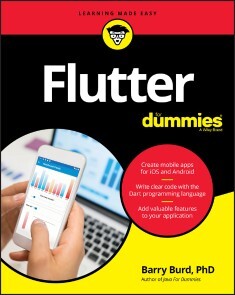
Flutter For Dummies
CREATE AWESOME IOS AND ANDROID APPS WITH A SINGLE TOOL!Flutter is an app developer’s dream come true. With Google’s open source toolkit, you can easily build beautiful apps that work across platforms using a single codebase. This flexibility allows you to get your work out to the widest possible audience. With Flutter already being used by thousands of developers worldwide in a market where billions of apps are downloaded every year, now is the right time to get ahead of the curve with this incredible tool.Flutter for Dummies is your friendly, ground-up route to creating multi-platform apps.From how to construct your initial frameworks to writing code in Dart, you’ll find the essentials you need to ride the Flutter revolutionary wave to success. This book includes how to create an intuitive and stunning UI, add rich interactivity, and easily pull in data. You’ll also see how Flutter features like Hot Reload—providing sub-second refreshes as you refine your work—help you make sure your app is a delight to use.* Start simple: follow steps to build a basic app * It’s alive! Keep connected to online data * It moves! Make things fun with animated features * Get the word out: use tips to expand your audience Whether you’re a fledgling developer or an expert wanting to add a slick feather to your programming cap, join the Flutter revolution now and soar above the rest!BARRY BURD, PHD, is a veteran educator and a professor of mathematics and computer science at Drew University. When he's not lecturing at the university, Barry speaks at professional conferences and somehow finds time to write books, including Java For Dummies and Beginning Programming with Java For Dummies.INTRODUCTION 1How to Use This Book 1Conventions Used in This Book 2What You Don’t Have to Read 2Foolish Assumptions 3How This Book is Organized 4Part 1, “Getting Ready” 4Part 2, “Flutter: A Burd’s-Eye View” 4Part 3, “Details, Details” 4Part 4, “The Part of Tens” 4More on the web! 5Icons Used in This Book 5Beyond the Book 6Where to Go from Here 6PART 1: GETTING READY 7CHAPTER 1: WHAT IS FLUTTER? 9Hardware and Software (Things You May Already Know) 10Where Does Flutter Fit In? 15Cross-platform development 15A quick-and-easy development cycle 17A great way to think about app development 25Enough New Terminology! What’s Next? 28CHAPTER 2: SETTING UP YOUR COMPUTER FOR MOBILE APP DEVELOPMENT 29The Stuff You Need 30What to Do 32Getting and installing the stuff 32For Mac users only 34Configuring Android Studio 35Running your first app 36Dealing with the Devil’s Details 43On installing Android Studio 43On launching Android Studio for the first time 44On installing Android Studio’s Flutter plugin 44On adding virtual devices 46On installing Flutter 50Divisiveness Among Devices 52Running apps on an Android device 52Testing apps on a physical device 53Using Android Studio 59Starting up 59The main window 60Running This Book’s Sample Programs 63Enjoying reruns 65If you’re finicky 65Were These Setup Steps Fun or What? 66PART 2: FLUTTER: A BURD’S-EYE VIEW 67CHAPTER 3: “HELLO” FROM FLUTTER 69First Things First 69What’s it all about? 72A constructor’s parameters 75A note about punctuation 76Don’t relent — simply indent 77Classes, Objects, and Widgets 79A brief treatise on “within-ness” 81The documentation is your friend 82Making Things Look Nicer 83Creating a scaffold 86Adding visual tweaks 88Dart’s enum feature 89Hello from sunny California! 89Adding another widget 91Centering the text (Part 1) 94Centering the text (Part 2) 97Displaying an image 100Hey, Wait a Minute 104CHAPTER 4: HELLO AGAIN 105Creating and Using a Function 106The function declaration 107A function call 108Parameters and the return value 108Programming in Dart: The Small Stuff 112Statements and declarations 112Dart’s typing feature 113Literals, variables, and expressions 114Two for the price of one 117Dart’s var keyword 119Built-in types 121Types that aren’t built-in 123Using import declarations 123Variations on a Theme from Die Flutter Mouse 124Type names in function declarations 127Naming your parameters 128What about the build function? 129More Fun to Come! 130CHAPTER 5: MAKING THINGS HAPPEN 131Let’s All Press a Floating Action Button 132Stateless widgets and stateful widgets 134Widgets have methods 135Pay no attention to the framework behind the curtain 139Enhancing Your App 146More parameters, please 148The override annotation 151What does mean? 152Anonymous functions 153What belongs where 156Names that start with an underscore 160Whew! 162CHAPTER 6: LAYING THINGS OUT 163The Big Picture 164Creating bite-size pieces of code 167Creating a parameter list 169Living color 170Adding padding 171Your humble servant, the Column widget 173The SizedBox widget 175Your friend, the Container widget 176Nesting Rows and Columns 181More Levels of Nesting 183Using the Expanded Widget 186Expanded versus unexpanded 189Expanded widget saves the day 192Flexing some muscles 196How Big is My Device? 199PART 3: DETAILS, DETAILS 205CHAPTER 7: INTERACTING WITH THE USER 207A Simple Switch 208Dart’s const keyword 211Compatible or NOT? 213Wait For It! 214How Much Do You Love Flutter? 217Dealing with Text Fields 220Callouts 1 and 2 223Callout 3 225Callout 4 226Callout 5 230Creating Radio Buttons 230Creating an enum 233Building the radio group 233Displaying the user’s choice 235Creating a Dropdown Button 239Building the dropdown button 242The little Reset button 244Making a Map 245Onward and Upward 246CHAPTER 8: NAVIGATION, LISTS, AND OTHER GOODIES 247Extending a Dart Class 248From One Page to Another 251An icon on a button 254Pushing and popping 255Passing Data from Source to Destination 256Passing Data Back to the Source 261Dart’s async and await keywords 264Taking control of the app bar’s Back button 266Passing Data in Both Directions 267Creating Named Routes 272Creating a List 276The ListView widget 279Creating list items one-by-one 285Another new Dart language feature 288Fetching Data from the Internet 290Using a public API 293Sending a URL to a server 295Making sense of a JSON response 296What’s Next? 296CHAPTER 9: MOVING RIGHT ALONG 297Setting the Stage for Flutter Animation 297Moving Along a Straight Line 303Bouncing Around 308Animating Size and Color Changes 310Moving Along a Curve 312Dragging Things Around 314Where To Go From Here 319PART 4: THE PART OF TENS 321CHAPTER 10: TEN WAYS TO AVOID MISTAKES 323Put Capital Letters Where They Belong 323Use Parentheses When (and Only When) They’re Appropriate 323Limit Access to Variables 324Call setState 324Make Adjustments for Indices Starting at Zero 324Use the Expanded Widget 325Add itemCount to Your ListView.builder 325Add Imports When They’re Required 325Declare Assets and Dependencies in pubspec.yaml 325Indent Your Code According to Dart Language Guidelines 326CHAPTER 11: TEN WAYS TO ENHANCE YOUR APP DEVELOPMENT CAREER 327Practice! Practice! 327Critique Your Own Code 328Have Others Review Your Code 328Find Out Which Technologies Your Nearby Companies Use 328Attend User Group Meetings 328Ask Questions 329Ask Yourself Whether You Truly Understand 329Learn Things That You May Never Need to Know 329Do What You Love to Do 330Get Plenty of Sleep 330CHAPTER 12: TEN CHAPTERS ABOUT FLUTTER APP DEVELOPMENT 331Introduction 331What is Flutter? 331Setting Up Your Computer for Mobile App Development 332‘Hello’ from Flutter 332Hello Again 332Making Things Happen 332Laying Things Out 332Interacting with the User 332Navigation, Lists, and Other Goodies 333Moving Right Along 333PART 5: APPENDICES 335Appendix: Doris’s Dating App 337Index 347
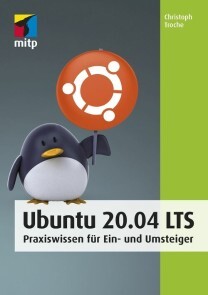
Ubuntu 20.04 LTS
* GANZ EINFACH UND SCHRITT FÜR SCHRITT AUF UBUNTU UMSTEIGEN* DIE BENUTZEROBERFLÄCHE GNOME KENNENLERNEN UND AN DIE EIGENEN BEDÜRFNISSE ANPASSEN* WINDOWS UND UBUNTU PARALLEL BETREIBENSteigen Sie mit Ubuntu ein in die Linux-Welt! Egal, ob Sie Ubuntu parallel zu einem anderen Betriebssystem einsetzen oder ausschließlich damit arbeiten wollen: Dieses Buch nimmt Sie an die Hand und ermöglicht Ihnen einen einfachen Start mit Ubuntu 20.04.Christoph Troche erläutert Ihnen gut nachvollziehbar die verschiedenen Installationsmöglichkeiten von Ubuntu (Live-Version, Festinstallation, allein oder parallel zu Windows). Er zeigt Ihnen Schritt für Schritt, wie Sie Ubuntu einrichten, und macht Sie mit der Arbeitsoberfläche Gnome vertraut, so dass Sie direkt loslegen können.Sie erfahren außerdem, wie Sie Software, die ursprünglich für den Betrieb unter Windows gedacht ist, trotzdem installieren können. Für einen kompletten Umstieg empfiehlt er Ihnen aber auch geeignete Linux-Alternativen. Dabei lernen Sie Möglichkeiten kennen, mit denen Sie den Funktionsumfang der Arbeitsoberfläche, der Dateiverwaltung und der Benutzerverwaltung erweitern können.So hilft Ihnen dieses Praxisbuch optimal dabei, alle im Alltag anfallenden Aufgaben problemlos mit Ubuntu zu meistern.AUS DEM INHALT:* Linux und Ubuntu* Live-Version und vollständige Installation* Die grafische Oberfläche Gnome* Finetuning – Ubuntu einrichten* Anwendungen nachinstallieren* Windows-Programme mit Ubuntu nutzen* Linux-Alternativen zu Windows-Programmen* Ubuntu in der Gruppe* Sicherheit im System* Nautilus, Kommandozeile und VerzeichnisbaumChristoph Troche ist Fachbuchautor und Linux-User der ersten Stunde. Er legt besonders großen Wert auf die praktische Anwendbarkeit und Benutzerfreundlichkeit seiner Anleitungen.

Learn Java for Android Development
Gain the essential Java language skills necessary for using the Android SDK platform to build Java-based Android apps. This book includes the latest Java SE releases that Android supports, and is geared towards the Android SDK version 10. It includes new content including JSON documents, functional programming, and lambdas as well as other language features important for migrating Java skills to Android development.Android is still the world's most popular mobile platform and because this technology is still mostly based on Java, you should first obtain a solid grasp of the Java language and its APIs in order to improve your chances of succeeding as an effective Android apps developer. Learn Java for Android Development, 4th Editionhelps you do that.Each of the book’s chapters provides an exercise section that gives you the opportunity to reinforce your understanding of the chapter’s material. Answers to the book’s more than 500 exercises are provided in an appendix. Once you finish, you will be ready to begin your Android app development journey using Java.WHAT YOU WILL LEARN* Discover the latest Java programming language features relevant to Android SDK development* Apply inheritance, polymorphism, and interfaces to Android development* Use Java collections, concurrency, I/O, networks, persistence, functional programming, and data access in Android apps* Parse, create, and transform XML and JSON documents* Migrate your Java skills for mobile development using the Android platformWHO THIS BOOK IS FORProgrammers with at least some prior Java programming experience looking to get into mobile Java development with the Android platform.PETER SPÄTH consults, trains/teaches, and writes books on various subjects, with a primary focus on software development. With a wealth of experience in Java-related languages, the release of Kotlin for building Android apps made him enthusiastic about writing books for Kotlin development in the Android environment. He also graduated in 2002 as a physicist and soon afterward became an IT consultant, mainly for Java-related projects.JEFF FRIESEN is a freelance tutor and software developer with an emphasis on Java (and now Android). In addition to authoring Learn Java for Android Development and co-authoring Android Recipes, Jeff has written numerous articles on Java and other technologies for JavaWorld, informIT, Java.net, and DevSource.1: Getting Started with JavaTalking about ART and licensing here2: Learning Language Fundamentals3: Discovering Classes and Objects4: Discovering Inheritance, Polymorphism, and Interfaces5: Mastering Advanced Language Features, Part 16: Mastering Advanced Language Features, Part 27: Exploring the Basic APIs, Part18: Exploring the Basic APIs, Part29: Functional Programming and Lambdas10: Exploring the Collections Framework11: Exploring the Concurrency Utilities12: Performing Classic I/O13: Accessing Networks14: Migrating to New I/O15: Accessing Databases16: Parsing, Creating, and Transforming XML Documents17: Working With JSON DocumentsA. Solutions to Exercises

Go - Das Praxisbuch
Ihr schneller Einstieg in Go.Sie haben schon Erfahrung mit objektorientierten Programmiersprachen und wollen sich jetzt Googles Programmiersprache Go genauer ansehen? Dann ist dieses Buch genau das Richtige für Sie! Denn Sie steigen direkt in die Besonderheiten von Go ein und lernen das Ökosystem rund um Tools und Testing kennen.Die Syntax der Programmiersprache und die Unterschiede zu gängigen objektorientierten Programmiersprachen wie Java oder C++ erläutert Andreas Schröpfer anhand von vielen Beispielen und zeigt Stolperfallen auf. Ein Fokus liegt auf dem Thema Nebenläufigkeit, für das Go so bekannt ist. Darüber hinaus beleuchtet der Autor das Ökosystem der Werkzeuge, die Go mitbringt. Für den Entwickleralltag wichtige Themen wie Codequalität und Code Conventions, Testing sowie Dokumentation ziehen sich quer durch das Praxisbuch.Das alles lernen sie nicht nur mit grauer Theorie, sondern direkt an der Tastatur mit Übungsaufgaben und Beispielprojekten. Alle Beispiele finden sich außerdem auf GitHub und sind so als Referenz für eigene Projekte jederzeit zugänglich. Dieses Gesamtpaket macht »Go – Das Praxisbuch« zu einem schnellen Start in eine schnelle Programmiersprache.Inhalt (PDF-Link)Leseprobe (PDF-Link)

Algorithmen in Python
Inhalt Algorithmen gehören zum Rüstzeug guter Entwickler und Programmierer. Dieses Buch stellt Ihnen eine Vielzahl an problemlösenden Techniken für den Programmieralltag vor und zeigt, wie Sie diese Techniken in Ihre Anwendungen implementieren. Dabei lernen Sie 32 Klassiker der Informatik kennen, vom einfachen Such-Algorithmus bis zu genetischen Algorithmen und neuronalen Netzen in der KI. Randvoll mit Codebeispielen in Python sowie Profitipps für Programmierer. Selbst wenn Ihnen einiges bekannt vorkommen wird, es warten zahlreiche Aha-Erlebnisse auf Sie. Ideal für alle, die ihre ersten Schritte in der Programmierung hinter sich haben und jetzt voll durchstarten wollen! - Programmieren trainieren mit bekannten und modernen Klassikern - Von der Suche bis zu k-Means, vom Dreizeiler bis zur dynamischen Programmierung und KI - Für Studium, Coding-Katas, Workouts oder in Eigeninitiative - Titel der amerikanischen Originalausgabe: "Classic Computer Science Problems in Python"

Human Compatible
Künstliche Intelligenz und wie der Mensch die Kontrolle über superintelligente Maschinen behält »Das bedeutendste Buch über KI in diesem Jahr.«- The Guardian, 24.09.2019Werden Maschinen bald auf nahezu allen Gebieten intelligenter sein als der Mensch? Auch wenn das vielversprechend klingt, ist die Entwicklung einer Superintelligenz zugleich ein ernstzunehmendes Risiko. Denn ist diese einmal da, können wir nicht mehr einfach den Stecker ziehen. Niemand kann die Chancen und Risiken der künstlichen Intelligenz besser beurteilen als Stuart Russell, der seit mehr als einer Dekade an vorderster Front der KI-Forschung arbeitet. Er veranschaulicht mit brillanten Analogien, wie sich natürliche und künstliche Intelligenz voneinander unterscheiden, und macht deutlich, weshalb wir vermeiden müssen, dass die Maschinen für uns unkontrollierbar werden. Fundiert, eindringlich und visionär zeigt Human Compatible neue Perspektiven und Lösungswege für die KI-Forschung auf, um zu gewährleisten, dass superintelligente Maschinen unsere Ziele verfolgen und nicht ihre eigenen.

Das 3D-Scanner-Praxisbuch
3D-Scannen verständlich erklärt und zum Eigen-Nachbau.Mario Lukas beleuchtet in seinem Buch »Das 3D-Scanner-Praxisbuch« das gesamte Wissens- und Erfahrungsspektrum zum Thema »3D-Scanner«. Er beschreibt dabei alle wichtigen Aspekte und Schritte: Aufbau und Einrichtung der Scanner, die richtige Vorbereitung der Vorlagen, den Scan, die Aufbereitung von Punktwolke und Gittermodell und schließlich den 3D-Ausdruck.Lernen Sie dabei vier verschiedene Arten von Scannern kennen:Laserscanner (FabScanPi)Fotogrammetrie-Scanner (OpenScan-Pi-3D-Scanner)Tiefensensoren-basierte ScannerPersonenscans (Kinect) und Streifenlicht-ScannerIm Praxisteil des Buches beschreibt der Autor ausführlich in Schritt-für-Schritt-Anleitungen den Bau eines Laser-Scanners aus einem Raspberry Pi und einer Raspberry-Pi-Camera sowie den Bau eines Scanners für große Objekte und Personen mit einer Kinect-Videospielkonsole.Die Software-Bearbeitungskette im Post-Scanning-Prozess zur Erzielung hochwertiger Scan-Ergebnisse machen das Buch zu einem Standardwerk des 3D-Scannings. Beispiele aus dem Praxiseinsatz in der Maker-Werkstatt und drei vollständige Beispielprojekte bieten Ihnen viel Inspiration für Ihre eigenen Projekte. Lukas gelingt es mit diesem Buch, die spannende Entwicklung im 3D-Scanning-Bereich umfassend darzustellen und für die Maker-Welt zu öffnen.Über den Autor:Mario Lukas hat Informatik an der RWTH Aachen studiert und arbeitet als Software-Entwickler. Er publizierte Artikel zu seiner Maker-Tätigkeit in diversen Fachmagazinen und ist Co-Autor der bei dpunkt erschienenen Bücher „Licht und Spaß“ und „Das Calliope-Buch“.Hauptsächlich beschäftigt er sich mit den Themen „3D-Scannen“ und „3D-Druck“. Mehrfach konnte er bei nationalen und internationalen Wettbewerben mit seinen Kreationen gute Platzierungen belegen. Mario betreut seit Jahren federführend das FabScanPi-3D-Scanner-Projekt. Er ist einer der Gründungsväter des Vereins Freie Maker e.V.

Hands-on Booting
Master the booting procedure of various operating systems with in-depth analysis of bootloaders and firmware. The primary focus is on the Linux booting procedure along with other popular operating systems such as Windows and Unix.Hands-on Booting begins by explaining what a bootloader is, starting with the Linux bootloader followed by bootloaders for Windows and Unix systems. Next, you’ll address the BIOS and UEFI firmware by installing multiple operating systems on one machine and booting them through the Linux bootloader. Further, you’ll see the kernel's role in the booting procedure of the operating system and the dependency between kernel, initramfs, and dracut. You’ll also cover systemd, examining its structure and how it mounts the user root filesystem. In the final section, the book explains troubleshooting methodologies such as debugging shells followed by live images and rescue mode.On completing this book, you will understand the booting process of major operating systems such as Linux, Windows, and Unix. You will also know how to fix the Linux booting issues through various boot modes.WHAT YOU WILL LEARN* Examine the BIOS and UEFI firmware * Understanding the Linux boot loader (GRUB)* Work with initramfs, dracut, and systemd* Fix can’t-boot issues on Linux WHO THIS BOOK IS FORLinux users, administrators, and developers.Yogesh has been with Red Hat for the past 10 years. He is presently working as a principal technical support engineer in the Linux kernel domain. He specializes in troubleshooting and tuning the performance issues of Linux enterprise servers. The Linux boot process is his forte and he regularly speaks at open source conferences and forums. He also conducts workshops on operating systems for engineering students.Chapter 1: IntroductionChapter Goal: Why should we learn booting? Why is it important?No of pages : 2Sub -Topics1. Why booting?2. What booting really is?3. What happens when you start your computer4. Supply goes to CPUChapter 2: Multi-BootChapter Goal: First stage of booting is firmware and boot loader. There are different firmware's and every OS vendor has their own boot loader. To make readers understand it better, in this chapter we will install different operating systems (windows, Linux, Unix etc.) on one machine and would boot them through Linux boot loader.No of pages: 75 pagesSub - Topics1. BIOS firmware2. Creating partition layout3. Installation sequence of different operating systems:a) Windows XPb) Solaris 2008c) PC-BSD 9.0d) Windows server 2k3e) Windows sevenf) Fedora 15g) Red Hat Enterprise Linux 74. Booting sequence of every operating system.5. Multi booting every operating system through Linux bootloader GRUB & through windows boot loaders (NTLDR / BCD)6. UEFI firmwarea. Why UEFI when we already have BIOS?b. Advantages of UEFI7. Creating GPT partition table8. Installation sequence of latest operating systems:a. Oracle Solaris 11b. Windows 10c. Fedora 31d. Red Hat Enterprise Linux 89. Booting sequence and flowchart of each and every OS.10. The 100 operating systems booting through one boot loader project.Chapter 3: GRUB BootloaderChapter Goal: This topic will cover the GRUB bootloader in much depth.No of pages : 40 pages.Sub - Topics:1.What is new in GRUB version 2? and why do we need it?2.GRUB 2’s structure on BIOS based system.3. GRUB 2’s structure on UEFI based system.4. Manual booting with GRUB 2.5. UEFI shell in detail.6. How to fix the corrupted GRUB.7. Some can’t boot scenarios (related to bootloader) and how to fix them.8. Secure Boot1. What is secure boot?2. Linux and secure boot?3. Shim bootloader of Ubuntu.4. How to add new keys to UEFI?5. How to sign kernel modules?Chapter 4: KernelChapter Goal: This chapter covers the kernel’s role in operating system’s booting sequence.No of pages: 15Sub - Topics:1. The kernel (vmlinuz) as an image file.2. Who and how vmlinuz file is extracted?3. Kernel will start the first process of Linux which is Systemd.Chapter 5: InitramfsChapter Goal: In order to understand the rest of booting sequence we need to understand the basics of initramfs, and why we need initramfs ?No of pages: 15Sub - Topics:1. Why Initramfs?2. Structure of Initramfs.3. How kernel extracts the initramfs in memory?4. How kernel mounts the initramfs as root?Chapter 6: DracutChapter Goal: Dracut is a tool which generates the initramfs. Initramfs is responsible for loading the appropriate modules which are necessary for successful booting.No of pages: Around 17Sub - Topics:1. How dracut makes initramfs image?2. How dracut choose modules to add in initramfs?3. How to customize the initramfs?4. Dracut command line options.5. How to blacklist or add modules in initramfs?Chapter 7: SystemdChapter Goal: The systemd process (first process of Linux) will be launched from initramfs. Once it launched its purpose is to mount the root filesystem and switch to it.No of pages: 55Sub - Topics:1. Structure of systemd.2. How does systemd reduces boot time?3. Booting flow of systemd inside initramfs.4. Plymouth5. Switching to new root filesystem.Chapter 8: Debugging ShellsChapter Goal: Systemd provide various shells to debug the cant boot issues. This topic will cover the booting flow to reach to these shells as well as how to use these shells to fix the cant boot issues.No of pages: 35Sub - Topics:1. Various dracut shells inside initramfs.2. Emergency shell.3. The default Rescue mode.4. Flowchart of so far booting sequence.Chapter 9: Live ImagesChapter Goal: The chapter will cover how does Live images of Operating System boots.No of pages: 4Sub-Topics:1. Filesystem used inside Live images.2. How does the live images boot.Chapter 10: Rescue ModeChapter Goal: Rescue mode plays a vital role in fixing the cant boot issues.No of pages: 15.

Practical R 4
Get started with an accelerated introduction to the R ecosystem, programming language, and tools including R script and RStudio. Utilizing many examples and projects, this book teaches you how to get data into R and how to work with that data using R. Once grounded in the fundamentals, the rest of Practical R 4 dives into specific projects and examples starting with running and analyzing a survey using R and LimeSurvey. Next, you'll carry out advanced statistical analysis using R and MouselabWeb. Then, you’ll see how R can work for you without statistics, including how R can be used to automate data formatting, manipulation, reporting, and custom functions.The final part of this book discusses using R on a server; you’ll build a script with R that can run an RStudio Server and monitor a report source for changes to alert the user when something has changed. This project includes both regular email alerting and push notification. And, finally, you’ll use R to create a customized daily rundown report of a person's most important information such as a weather report, daily calendar, to-do's and more. This demonstrates how to automate such a process so that every morning, the user navigates to the same web page and gets the updated report.WHAT YOU WILL LEARN* Set up and run an R script, including installation on a new machine and downloading and configuring R* Turn any machine into a powerful data analytics platform accessible from anywhere with RStudio Server* Write basic R scripts and modify existing scripts to suit your own needs* Create basic HTML reports in R, inserting information as needed* Build a basic R package and distribute itWHO THIS BOOK IS FORSome prior exposure to statistics, programming, and maybe SAS is recommended but not required.JON WESTFALL is an award-winning professor, published author, and practicing cognitive scientist. He teaches a variety of courses in psychology, from introduction to psychology to upper-level seminars. His current research focuses on the variables that influence economic and consumer finance decisions, and the retention of college students. With applications to both psychology and marketing, his work finds an intersection between basic and applied science. His current appointment is as an assistant professor of psychology, coordinator of the first year seminar program, and coordinator of the Okra Scholars program at Delta State University. Previously he was a visiting assistant professor at Centenary College of Louisiana, and the associate director for research and technology at the Center for Decision Sciences, a center within Columbia Business School at Columbia University in New York City. He now maintains a role with Columbia as a research affiliate and technology consultant.In addition to his research, Dr. Westfall also has career ties in information technology, where he has worked as a consultant since 1997, founding his own firm, Bug Jr. Systems. As a consultant he has developed custom software solutions (including native Windows 32 applications, Windows .NET applications, Windows Phone 7 and Android mobile applications, as well as ASP, ASP.NET, and PHP web applications). He has also served as a senior network and systems architect and administrator (on both Windows and Unix networks, and hybrids) and has also been recognized as a Microsoft Most Valuable Professional (MVP) 2008 – 2012. He has authored several books, and presented at academic as well as technology conferences and gatherings.Chapter 1: Getting Up and Running with RChapter 2: Getting Data into RChapter 3: Project 1: Launching, Analyzing, and Reporting a Survey using R and LimeSurveyChapter 4: Project 2: Advanced Statistical Analysis using R and Mouselab WebChapter 5: R in Everyday LifeChapter 6: Project 3: The R Form MailerChapter 7: Project 4: The R Powered PresentationChapter 8: R AnywhereChapter 9: Project 5: The Change Alert!Chapter 10: Project 6: The R Personal AssistantDETAILED VIEW BELOWChapter 1: Getting Up and Running with RChapter Goal:• Explain what R is, and what R isn’t• Explain the R landscape – it’s open source nature and the various ways people use it.• Explain how R is installed, what types of systems it runs on, and how the user interacts with it.• Explain the basic R script, running basic commands in R (e.g., a “Hello World”) and basic computations.Chapter 2: Feed the Beast: Getting Data into R• Explain the different types of data that R can work with, and how that data is stored.• Explain the basics of connecting R to flat files, database files, database servers, and published data on the internet.• Give examples for downloading data directly from Google Sheets, websites, and more directly from R.• Give examples of basic data scraping with R.• Explain writing of data objects to native RData format as well as other formats for interchangeable use.Chapter 3: Recipe 1: Launching, Analyzing, and Reporting a Survey using R and LimeSurvey• Explain a real-world scenario: A survey project applicable to market research.• Discuss an open-source tool, LimeSurvey, that can be used to create a survey, collect responses, and download those responses into R.• Bring the data into R and run basic summary statistics on the data.• Take those analyses farther into inferential statistics (Linear Regression).Chapter 4: Recipe 2: Advanced Statistical Analysis using R and Mouselab Web• A deeper data scenario than Chapter 3 discussing how Mouselab Web (an open source tool) can be used to track how people view products and services and make decisions.• Introduces advanced statistical design using Linear Mixed-methods regressions.• Also introduces the idea of R packages, and the perils of using packages (e.g., concerns over future-proofing). This chapter is a very deep concept that will be presented accessibly, so that readers learn the takeaways regarding how R works and how to futureproof your R projects, but also get a bit of a unique project applicable to psychology and market research.Chapter 5: R in Everyday Life• Perhaps you’re not a statistician, you just want R to be useful to you in your job. This chapter discusses how R can be used to automate…o Data formattingo Data manipulationo Data reporting• This chapter also talks about how users can write custom functions in R to speed up their workflows.• Finally this chapter talks about how to export results from R into common desktop software such as Microsoft Office.Chapter 6: Recipe 3: The R Form Mailer• Mail Merge is a great tool in Microsoft Office, but it’s entirely graphically driven – point and click, drag and drop. What if you could script it?• This recipe discusses scripting a Mail Merge type activity – sending custom emails with report information directly from R through an email server.• Along the way we learn a bit more about data manipulation by taking long format data (sales figures) and calculating salesmen commissions, then providing a report to each salesperson in their email.Chapter 7: Recipe 4: The R Powered Presentation• Discusses a real-world scenario where a presentation must be given that includes real-time data collection.• Participants during the presentation can take a quick survey (Using Google Forms), which will then be analyzed during the presentation and reported by the speaker.• Discusses how R can create and export results nearly instantly, right on a speaker’s laptop during the presentation.Chapter 8: R Anywhere• Final part of the book discusses using R on a server for always-on analytics, using open source software (RStudio Server).• The computing requirements for such a system, and how one sets it up either on a spare machine or on a dedicated Virtual Private Server.• Potential uses for such a setup, from analysis from devices that don’t support R (e.g., an iPad), or analysis for long-running tasks.Chapter 9: Recipe 5: The Change Alert!• Often work life requires one to check reports or other items to see if something has changed – perhaps a new person has been added to a team, or a new student added to a class.• This recipe demonstrates how to build a script with R that can run on an RStudio Server and monitor a report source for changes, and alert the user when something has changed.• This recipe demonstrates not only regular email alerting, but also push notification alerting through the service Pushover, an ultra low-cost ($4.99, one time) option for customized push notifications.Chapter 10: Recipe 6: The R Personal Assistant• Demonstrates how to use R to create a customized daily rundown report of a person’s most important information, such as the weather report, daily calendar, to-dos, and more.• Demonstrates how to automate such a process so that every morning the user navigates to the same webpage and gets the updated report.• Demonstrates how to build a simple skill in Amazon Alexa that will read the report daily as the user’s command.

Configuration of a Simple Samba File Server, Quota and Schedule Backup
This work is a step-by-step how to guide for configuring Samba file server, Quota andscheduled backup of important files. The paper provides an installation guide for,1. Samba server.2. Quota.3. Scheduled backup of important files.I am Dr. Hidaia Mahmoud Mohamed Alassouli. I completed my PhD degree in Electrical Engineering from Czech Technical University by February 2003, and my M. Sc. degree in Electrical Engineering from Bahrain University by June 1995. I completed also one study year of most important courses in telecommunication and computer engineering courses in Islamic university in Gaza. So, I covered most important subjects in Electrical Engineering, Computer Engineering and Telecommunications Engineering during my study. My nationality is Palestinian from gaza strip.I obtained a lot of certified courses in MCSE, SPSS, Cisco (CCNA), A+, Linux.I worked as Electrical, Telecommunicating and Computer Engineer in a lot of institutions. I worked also as a computer networking administrator. I had considerable undergraduate teaching experience in several types of courses in many universities. I handled teaching the most important subjects in Electrical and Telecommunication and Computer Engineering. I could publish a lot of papers a top-tier journals and conference proceedings, besides I published a lot of books in Publishing and Distribution houses.I wrote a lot of important Arabic articles on online news websites. I also have my own magazine website that I publish on it all my articles: http:// www.anticorruption.000space.comMy personal website: www.hidaia-alassouli.000space.comEmail: hidaia_alassouli@hotmail.com
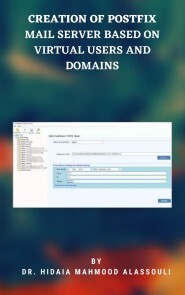
Creation of Postfix Mail Server Based on Virtual Users and Domains
It is common these days for a single system to host many domains, for example uniswa.com and mtn.com or acme .com may run on a single host machine, but behave as if they were on three different hosts. A system usually has a canonical domain, it has its usual or local domain name, and additional domains are configured as virtual domains. The purpose behind this work is to create a mail server solution based on Postfix that is based on virtual users and domains, i..e. users and domains that are in a MySQL database. The goal is to have completely virtual users and domains. bob@uniswa.com != bob@acme.com. This means creating a separate name spaces for reach domain.It will also demonstrate the installation and configuration of Courier-Imap (IMAP/POP3), so it can authenticate against the same MySQL database Postfix uses. The resulting postfix server is capable of quota which is not built into Postfix by default; the project will demonstrate how to patch postfix appropriately. Passwords are stored in encrypted form in the database. The work also covers the installation of Mail Scanner, SpamAssassin and ClamAv so that emails will be scanned for spams and viruses. The administration of MySQL database can be done through a web based tool Postfixadmin or can be done manually in the MySQL shell. Postfixadmin is a web based management tool created for Postfix that handles Postfix style virtual domains and users that are stored in MySQL. The squirrelmail web based email client is installed, in order to check emails from anywhere in world via internet. All installations were done in Fedora 5 Linux machine.I am Dr. Hidaia Mahmoud Mohamed Alassouli. I completed my PhD degree in Electrical Engineering from Czech Technical University by February 2003, and my M. Sc. degree in Electrical Engineering from Bahrain University by June 1995. I completed also one study year of most important courses in telecommunication and computer engineering courses in Islamic university in Gaza. So, I covered most important subjects in Electrical Engineering, Computer Engineering and Telecommunications Engineering during my study. My nationality is Palestinian from gaza strip.I obtained a lot of certified courses in MCSE, SPSS, Cisco (CCNA), A+, Linux.I worked as Electrical, Telecommunicating and Computer Engineer in a lot of institutions. I worked also as a computer networking administrator. I had considerable undergraduate teaching experience in several types of courses in many universities. I handled teaching the most important subjects in Electrical and Telecommunication and Computer Engineering. I could publish a lot of papers a top-tier journals and conference proceedings, besides I published a lot of books in Publishing and Distribution houses.I wrote a lot of important Arabic articles on online news websites. I also have my own magazine website that I publish on it all my articles: http:// www.anticorruption.000space.comMy personal website: www.hidaia-alassouli.000space.comEmail: hidaia_alassouli@hotmail.com

Investigation of the Usefulness of the PowerWorld Simulator Program
The objective of this project is to investigate the usefulness of the power system simulator PowerWorld program developed by Glover, Overbye &Sarma. The results obtained from the power simulator program were presented for different case studies.I am Dr. Hidaia Mahmoud Mohamed Alassouli. I completed my PhD degree in Electrical Engineering from Czech Technical University by February 2003, and my M. Sc. degree in Electrical Engineering from Bahrain University by June 1995. I completed also one study year of most important courses in telecommunication and computer engineering courses in Islamic university in Gaza. So, I covered most important subjects in Electrical Engineering, Computer Engineering and Telecommunications Engineering during my study. My nationality is Palestinian from gaza strip.I obtained a lot of certified courses in MCSE, SPSS, Cisco (CCNA), A+, Linux.I worked as Electrical, Telecommunicating and Computer Engineer in a lot of institutions. I worked also as a computer networking administrator. I had considerable undergraduate teaching experience in several types of courses in many universities. I handled teaching the most important subjects in Electrical and Telecommunication and Computer Engineering. I could publish a lot of papers a top-tier journals and conference proceedings, besides I published a lot of books in Publishing and Distribution houses.I wrote a lot of important Arabic articles on online news websites. I also have my own magazine website that I publish on it all my articles: http:// www.anticorruption.000space.comMy personal website: www.hidaia-alassouli.000space.comEmail: hidaia_alassouli@hotmail.com
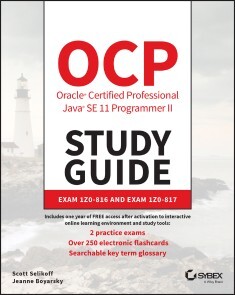
OCP Oracle Certified Professional Java SE 11 Programmer II Study Guide
THIS OCP ORACLE CERTIFIED PROFESSIONAL JAVA SE 11 PROGRAMMER I STUDY GUIDE: EXAM 1Z0-815 AND THE PROGRAMMER II STUDY GUIDE: EXAM 1Z0-816 WERE PUBLISHED BEFORE ORACLE ANNOUNCED MAJOR CHANGES TO ITS OCP CERTIFICATION PROGRAM AND THE RELEASE OF THE NEW DEVELOPER 1Z0-819 EXAM.NO MATTER THE CHANGES, REST ASSURED BOTH OF THE PROGRAMMER I AND II STUDY GUIDES COVER EVERYTHING YOU NEED TO PREPARE FOR AND TAKE EXAM 1Z0-819. IF YOU’VE PURCHASED ONE OF THE PROGRAMMER STUDY GUIDES, PURCHASE THE OTHER ONE AND YOU’LL BE ALL SET.NOTE: The OCP Java SE 11 Programmer I Exam 1Z0-815 and Programmer II Exam 1Z0-816 have been retired (as of October 1, 2020), and Oracle has released a new Developer Exam 1Z0-819 to replace the previous exams. The Upgrade Exam 1Z0-817 remains the same.THE COMPLETELY-UPDATED PREPARATION GUIDE FOR THE NEW OCP ORACLE CERTIFIED PROFESSIONAL JAVA SE 11 PROGRAMMER II EXAM—COVERS EXAM 1Z0-816Java, a platform-independent, object-oriented programming language, is used primarily in mobile and desktop application development. It is a popular language for client-side cloud applications and the principal language used to develop Android applications. Oracle has recently updated its Java Programmer certification tracks for Oracle Certified Professional.OCP Oracle Certified Professional Java SE 11 Programmer II Study Guide ensures that you are fully prepared for this difficult certification exam. Covering 100% of exam objectives, this in-depth study guide provides comprehensive coverage of the functional-programming knowledge necessary to succeed. Every exam topic is thoroughly and completely covered including exceptions and assertions, class design, generics and collections, threads, concurrency, IO and NIO, and more. Access to Sybex's superior online interactive learning environment and test bank—including self-assessment tests, chapter tests, bonus practice exam questions, electronic flashcards, and a searchable glossary of important terms—provides everything you need to be fully prepared on exam day. This must-have guide:* Covers all exam objectives such as inheriting abstract classes and interfaces, advanced strings and localization, JDBC, and Object-Oriented design principles and patterns* Explains complex material and reinforces your comprehension and retention of important topics* Helps you master more advanced areas of functional programming* Demonstrates practical methods for building Java solutionsOCP Oracle Certified Professional Java SE 11 Programmer II Study Guide will prove invaluable for anyone seeking achievement of this challenging exam, as well as junior- to senior-level programmers who uses Java as their primary programming language.SCOTT SELIKOFF, OCA/OCP 8 AND OCP 11, has been a professional Java Enterprise architect for over 20 years. He is the founder of Selikoff Solutions, LLC, specializing in building custom mobile and server solutions for businesses in the tri-state New York City area. JEANNE BOYARSKY, OCA/OCP 8 AND OCP 11, is a Java Champion and has worked as a Java developer for a major bank for more than 18 years. She is a senior moderator at CodeRanch, and trains and mentors students of all levels, including the programming division of a FIRST robotics team.Introduction xxiAssessment Test xlivCHAPTER 1 JAVA FUNDAMENTALS 1Applying the final Modifier 2Declaring final Local Variables 3Adding final to Instance and static Variables 4Writing final Methods 5Marking Classes final 5Working with Enums 6Creating Simple Enums 6Using Enums in Switch Statements 8Adding Constructors, Fields, and Methods 9Creating Nested Classes 12Declaring an Inner Class 12Creating a static Nested Class 15Writing a Local Class 17Defining an Anonymous Class 18Reviewing Nested Classes 21Understanding Interface Members 22Relying on a default Interface Method 23Using static Interface Methods 27Introducing private Interface Methods 28Introducing private static Interface Methods 29Reviewing Interface Members 31Introducing Functional Programming 32Defining a Functional Interface 32Declaring a Functional Interface with Object Methods 34Implementing Functional Interfaces with Lambdas 36Writing Lambda Expressions 38Working with Lambda Variables 40Summary 43Exam Essentials 44Review Questions 46CHAPTER 2 ANNOTATIONS 59Introducing Annotations 60Understanding Metadata 60Purpose of Annotations 61Creating Custom Annotations 64Creating an Annotation 64Specifying a Required Element 65Providing an Optional Element 66Selecting an Element Type 67Applying Element Modifiers 67Adding a Constant Variable 68Reviewing Annotation Rules 68Applying Annotations 69Using Annotations in Declarations 69Mixing Required and Optional Elements 71Creating a value() Element 71Passing an Array of Values 73Declaring Annotation-Specific Annotations 74Limiting Usage with @Target 74Storing Annotations with @Retention 77Generating Javadoc with @Documented 77Inheriting Annotations with @Inherited 79Supporting Duplicates with @Repeatable 79Reviewing Annotation-Specific Annotations 81Using Common Annotations 83Marking Methods with @Override 83Declaring Interfaces with @FunctionalInterface 84Retiring Code with @Deprecated 85Ignoring Warnings with @SuppressWarnings 86Protecting Arguments with @SafeVarargs 88Reviewing Common Annotations 89Summary 91Exam Essentials 92Review Questions 94CHAPTER 3 GENERICS AND COLLECTIONS 105Using Method References 107Calling Static Methods 108Calling Instance Methods on a Particular Object 109Calling Instance Methods on a Parameter 109Calling Constructors 110Reviewing Method References 110Using Wrapper Classes 111Using the Diamond Operator 113Using Lists, Sets, Maps, and Queues 114Common Collections Methods 115Using the List Interface 119Using the Set Interface 124Using the Queue Interface 126Using the Map Interface 128Comparing Collection Types 135Sorting Data 137Creating a Comparable Class 137Comparing Data with a Comparator 141Comparing Comparable and Comparator 142Comparing Multiple Fields 143Sorting and Searching 145Working with Generics 147Generic Classes 148Generic Interfaces 151Raw Types 152Generic Methods 153Bounding Generic Types 154Putting It All Together 159Summary 161Exam Essentials 163Review Questions 164CHAPTER 4 FUNCTIONAL PROGRAMMING 175Working with Built-in Functional Interfaces 176Implementing Supplier 178Implementing Consumer and BiConsumer 179Implementing Predicate and BiPredicate 180Implementing Function and BiFunction 181Implementing UnaryOperator and BinaryOperator 183Checking Functional Interfaces 184Convenience Methods on Functional Interfaces 185Returning an Optional 187Creating an Optional 188Dealing with an Empty Optional 189Using Streams 191Understanding the Pipeline Flow 191Creating Stream Sources 194Using Common Terminal Operations 197Using Common Intermediate Operations 204Putting Together the Pipeline 209Working with Primitive Streams 213Creating Primitive Streams 214Mapping Streams 217Using Optional l with Primitive Streams 219Summarizing Statistics 220Learning the Functional Interfaces for Primitives 221Working with Advanced Stream Pipeline Concepts 224Linking Streams to the Underlying Data 224Chaining Optionals 224Collecting Results 227Summary 234Exam Essentials 236Review Questions 238CHAPTER 5 EXCEPTIONS, ASSERTIONS, AND LOCALIZATION 247Reviewing Exceptions 248Handling Exceptions 248Distinguishing between throw and throws 250Examining Exception Categories 250Inheriting Exception Classes 252Creating Custom Exceptions 253Declaring Exception Classes 253Adding Custom Constructors 253Printing Stack Traces 255Automating Resource Management 256Constructing Try-With-Resources Statements 256Learning the New Effectively Final Feature 259Understanding Suppressed Exceptions 261Declaring Assertions 264Validating Data with the assert Statement 264Enabling Assertions 266Disabling Assertions 267Applying Assertions 267Writing Assertions Correctly 268Working with Dates and Times 268Creating Dates and Times 269Formatting Dates and Times 271Supporting Internationalization and Localization 276Picking a Locale 276Localizing Numbers 279Localizing Dates 283Specifying a Locale Category 284Loading Properties with Resource Bundles 285Creating a Resource Bundle 286Picking a Resource Bundle 288Selecting Resource Bundle Values 289Formatting Messages 291Using the Properties Class 292Summary 293Exam Essentials 294Review Questions 295CHAPTER 6 MODULAR APPLICATIONS 309Reviewing Module Directives 310Comparing Types of Modules 311Named Modules 311Automatic Modules 312Unnamed Modules 315Comparing Module Types 315Analyzing JDK Dependencies 316Identifying Built-in Modules 316Using jdeps 318Migrating an Application 321Determining the Order 321Exploring a Bottom-Up Migration Strategy 322Exploring a Top-Down Migration Strategy 324Splitting a Big Project into Modules 325Failing to Compile with a Cyclic Dependency 326Creating a Service 328Declaring the Service Provider Interface 329Creating a Service Locator 330Invoking from a Consumer 332Adding a Service Provider 333Merging Service Locator and Consumer 334Reviewing Services 337Summary 337Exam Essentials 338Review Questions 339CHAPTER 7 CONCURRENCY 345Introducing Threads 347Distinguishing Thread Types 348Understanding Thread Concurrency 348Defining a Task with Runnable 349Creating a Thread 351Polling with Sleep 353Creating Threads with the Concurrency API 355Introducing the Single-Thread Executor 355Shutting Down a Thread Executor 356Submitting Tasks 357Waiting for Results 358Submitting Task Collections 362Scheduling Tasks 363Increasing Concurrency with Pools 366Writing Thread-Safe Code 367Understanding Thread-Safety 367Protecting Data with Atomic Classes 369Improving Access with Synchronized Blocks 371Synchronizing on Methods 373Understanding the Lock Framework 375Orchestrating Tasks with a CyclicBarrier 379Using Concurrent Collections 382Understanding Memory Consistency Errors 383Working with Concurrent Classes 383Obtaining Synchronized Collections 388Identifying Threading Problems 389Understanding Liveness 390Managing Race Conditions 393Working with Parallel Streams 394Creating Parallel Streams 395Performing a Parallel Decomposition 396Processing Parallel Reductions 398Avoiding Stateful Operations 403Summary 404Exam Essentials 405Review Questions 406CHAPTER 8 I/O 419Understanding Files and Directories 420Conceptualizing the File System 420Storing Data as Bytes 422Introducing the File Class 422Introducing I/O Streams 426Understanding I/O Stream Fundamentals 426Learning I/O Stream Nomenclature 427Common I/O Stream Operations 433Reading and Writing Data 433Closing the Stream 435Manipulating Input Streams 436Flushing Output Streams 438Reviewing Common I/O Stream Methods 439Working with I/O Stream Classes 440Reading and Writing Binary Data 440Buffering Binary Data 441Reading and Writing Character Data 443Buffering Character Data 444Serializing Data 445Printing Data 452Review of Stream Classes 457Interacting with Users 458Printing Data to the User 459Reading Input as a Stream 460Closing System Streams 460Acquiring Input with Console 461Summary 464Exam Essentials 464Review Questions 466CHAPTER 9 NIO.2 475Introducing NIO.2 476Introducing Path 477Creating Paths 478Understanding Common NIO.2 Features 483Interacting with Paths 486Viewing the Path with toString(), getNameCount(), and getName() 486Creating a New Path with subpath() 487Accessing Path Elements with getFileName(), getParent(), and getRoot() 488Checking Path Type with isAbsolute() and toAbsolutePath() 490Joining Paths with resolve() 491Deriving a Path with relativize() 491Cleaning Up a Path with normalize() 493Retrieving the File System Path with toRealPath() 493Reviewing Path Methods 494Operating on Files and Directories 495Checking for Existence with exists() 495Testing Uniqueness with isSameFile() 496Making Directories with createDirectory() and createDirectories() 497Copying Files with copy() 498Moving or Renaming Paths with move() 500Deleting a File with delete() and deleteIfExists() 500Reading and Writing Data with newBufferedReader() and newBufferedWriter() 501Reading a File with readAllLines() 502Reviewing Files Methods 502Managing File Attributes 503Discovering File Attributes 503Improving Attribute Access 506Applying Functional Programming 508Listing Directory Contents 508Traversing a Directory Tree 510Searching a Directory with find() 514Reading a File with lines() 515Comparing Legacy java.io.File and NIO.2 Methods 517Summary 518Exam Essentials 518Review Questions 520CHAPTER 10 JDBC 529Introducing Relational Databases and SQL 530Identifying the Structure of a Relational Database 532Writing Basic SQL Statements 533Introducing the Interfaces of JDBC 535Connecting to a Database 537Building a JDBC URL 537Getting a Database Connection 539Working with a PreparedStatement 542Obtaining a PreparedStatement 543Executing a PreparedStatement 543Working with Parameters 546Updating Multiple Times 549Getting Data from a ResultSet 551Reading a ResultSet 551Getting Data for a Column 555Using Bind Variables 556Calling a CallableStatement 557Calling a Procedure without Parameters 558Passing an IN Parameter 559Returning an OUT Parameter 559Working with an INOUT Parameter 560Comparing Callable Statement Parameters 560Closing Database Resources 561Summary 564Exam Essentials 564Review Questions 566CHAPTER 11 SECURITY 575Designing a Secure Object 576Limiting Accessibility 576Restricting Extensibility 577Creating Immutable Objects 578Cloning Objects 581Introducing Injection and Input Validation 583Preventing Injection with a PreparedStatement 583Invalidating Invalid Input with Validation 586Working with Confidential Information 588Guarding Sensitive Data from Output 589Protecting Data in Memory 589Limiting File Access 590Serializing and Deserializing Objects 591Specifying Which Fields to Serialize 591Customizing the Serialization Process 592Pre/Post-Serialization Processing 593Reviewing Serialization Methods 596Constructing Sensitive Objects 597Making Methods final 598Making Classes final 598Making the Constructor private 599Preventing Denial of Service Attacks 600Leaking Resources 600Reading Very Large Resources 600Including Potentially Large Resources 601Overflowing Numbers 601Wasting Data Structures 602Summary 603Exam Essentials 604Review Questions 605APPENDICES 611APPENDIX A THE UPGRADE EXAM 611Working with Local Variable Type Inference 612Type Inference of var 613Examples with var 614Review of var Rules 617Introducing Modules 617Exploring a Module 618Benefits of Modules 619Creating and Running a Modular Program 621Creating the Files 622Compiling Our First Module 623Running Our First Module 625Packaging Our First Module 627Updating Our Example for Multiple Modules 628Updating the Feeding Module 628Creating a Care Module 629Creating the Talks Module 631Creating the Staff Module 634Diving into the module-info File 635exports 635requires transitive 636provides, uses, and opens 639Discovering Modules 639The java Command 639The jar Command 643The jdeps Command 643The jmod Command 645Reviewing Command-Line Options 645Summary 648Exam Essentials 649Review Questions 650APPENDIX B ANSWERS TO REVIEW QUESTIONS 657Chapter 1: Java Fundamentals 658Chapter 2: Annotations 662Chapter 3: Generics and Collections 665Chapter 4: Functional Programming 669Chapter 5: Exceptions, Assertions, and Localization 672Chapter 6: Modular Applications 676Chapter 7: Concurrency 678Chapter 8: I/O 682Chapter 9: NIO.2 685Chapter 10: JDBC 689Chapter 11: Security 691Appendix A: The Upgrade Exam 693Index 697
JavaScript
ALL OF JAVASCRIPT'S NEWEST FEATURES, IN DEPTH, MADE EASY TO UNDERSTAND.JavaScript is a rapidly changing language and it can be challenging to keep up with all the new toys being added. JavaScript: The New Toys explores the newest features of the world's most popular programming language while also showing readers how to track what's coming next. After setting the stage by covering who manages the process of improving JavaScript, how new features get introduced, terminology, and a high-level overview of new features, it details each new or updated item in depth, with example uses, possible pitfalls, and expert recommendations for updating old habits in light of new features. JavaScript: The New Toys:* Covers all the additions to JavaScript in ES2015-ES2020 plus a preview of what's coming next* Explores the latest syntax: nullish coalescing, optional chaining,```let```and```const```,```class```syntax, private methods, private fields,```new.target```, numeric separators, BigInt, destructuring, default parameters, arrow functions,```async```functions,```await```, generator functions,```...```(rest and spread), template literals, binary and octal literals,```**```(exponentiation), computed property/method names,```for-of```,```for-await-of```, shorthand properties, and others* Details the new features and patterns including modules, promises, iteration, generators, Symbol, Proxy, reflection, typed arrays, Atomics, shared memory, WeakMap, WeakSet, and more* Highlights common pitfalls and explains how to avoid them* Shows how to follow the improvements process and even participate in the process yourself* Explains how to use new features even before they're widely supportedWith its comprehensive coverage and friendly, accessible style, JavaScript: The New Toys provides an invaluable resource for programmers everywhere, whether they work in web development, Node.js, Electron, Windows Universal Apps, or another JavaScript environment.About the authorT.J. CROWDER is a software engineer with 30 years of experience, including over 15 years of professional work in JavaScript. He runs Farsight Software, a software contracting and product company. He's often found helping people on Stack Overflow, where he's a top 10 all-time contributor and the top JavaScript contributor. When not working or writing, he…no, sorry, he's always working or writing – or spending time with his wonderful, supportive wife and fantastic son.Visit us at www.wiley.com for free code samples.Introduction xxxiCHAPTER 1: THE NEW TOYS IN ES2015–ES2020, AND BEYOND 1Definitions, Who’s Who, and Terminology 2What are the “New Toys”? 4How Do New Toys Get Created? 6Keeping Up with the New Toys 9Using Today’s Toys in Yesterday’s Environments, and Tomorrow’s Toys Today 10Review 15CHAPTER 2: BLOCK-SCOPED DECLARATIONS: LET AND CONST 17An Introduction to let and const 18True Block Scope 18Repeated Declarations are an Error 19Hoisting and the Temporal Dead Zone 20A New Kind of Global 22const: Constants for JavaScript 24Block Scope in Loops 26Old Habits to New 36CHAPTER 3: NEW FUNCTION FEATURES 39Arrow Functions and Lexical this, super, etc. 40Default Parameter Values 45“Rest” Parameters 50Trailing Commas in Parameter Lists and Function Calls 52The Function name Property 53Function Declarations in Blocks 55Function Declarations in Blocks: Standard Semantics 57Old Habits to New 60CHAPTER 4: CLASSES 65What is a Class? 66Introducing the New class Syntax 66Comparing with the Older Syntax 75Creating Subclasses 77Leaving Off Object.prototype 97new.target 98class Declarations vs. class Expressions 101More to Come 103Old Habits to New 104CHAPTER 5: NEW OBJECT FEATURES 105Computed Property Names 106Shorthand Properties 107Getting and Setting an Object’s Prototype 107Method Syntax, and super Outside Classes 109Symbol 112New Object Functions 120Symbol.toPrimitive 123Property Order 125Property Spread Syntax 127Old Habits to New 128CHAPTER 6: ITERABLES, ITERATORS, FOR-OF, ITERABLE SPREAD, GENERATORS 131Iterators, Iterables, the for-of Loop, and Iterable Spread Syntax 131Generator Functions 146Old Habits to New 163CHAPTER 7: DESTRUCTURING 165Overview 165Basic Object Destructuring 166Basic Array (and Iterable) Destructuring 169Defaults 170Rest Syntax in Destructuring Patterns 172Using Different Names 173Computed Property Names 174Nested Destructuring 174Parameter Destructuring 175Destructuring in Loops 178Old Habits to New 179CHAPTER 8: PROMISES 181Why Promises? 182Promise Fundamentals 182Using an Existing Promise 186Adding Handlers to Already Settled Promises 201Creating Promises 202Other Promise Utility Methods 207Promise Patterns 210Handle Errors or Return the Promise 210Promises in Series 211Promises in Parallel 213Promise Subclasses 218Old Habits to New 219CHAPTER 9: ASYNCHRONOUS FUNCTIONS, ITERATORS, AND GENERATORS 221async Functions 222async Iterators, Iterables, and Generators 232for-await-of 238Old Habits to New 238CHAPTER 10: TEMPLATES, TAG FUNCTIONS, AND NEW STRING FEATURES 241Template Literals 241Improved Unicode Support 250Iteration 255New String Methods 256Updates to the match, split, search, and replace Methods 259Old Habits to New 260CHAPTER 11: NEW ARRAY FEATURES, TYPED ARRAYS 263New Array Methods 264Iteration, Spread, Destructuring 276Stable Array Sort 276Typed Arrays 277Old Habits to New 292CHAPTER 12: MAPS AND SETS 293Maps 293Sets 300WeakMaps 304WeakSets 314Old Habits to New 316CHAPTER 13: MODULES 319Introduction to Modules 319Module Fundamentals 320Renaming Exports 331Re-Exporting Exports from Another Module 332Renaming Imports 333Importing a Module’s Namespace Object 333Exporting Another Module’s Namespace Object 334Importing a Module Just for Side Effects 335Import and Export Entries 335Imports are Live and Read-Only 338Module Instances are Realm-Specific 340How Modules are Loaded 341Import/Export Syntax Review 348Dynamic Import 350Tree Shaking 357Bundling 359Import Metadata 360Worker Modules 360Old Habits to New 362CHAPTER 14: REFLECTION—REFLECT AND PROXY 365Reflect 365Proxy 371Old Habits to New 395CHAPTER 15: REGULAR EXPRESSION UPDATES 397The Flags Property 398New Flags 398Named Capture Groups 400Lookbehind Assertions 405Unicode Features 408Old Habits to New 413CHAPTER 16: SHARED MEMORY 417Introduction 417Here There Be Dragons! 418Browser Support 418Shared Memory Basics 420Memory is Shared, Not Objects 426Race Conditions, Out-of-Order Stores, Stale Values, Tearing, and More 427The Atomics Object 429Shared Memory Example 434Here There Be Dragons! (Again) 455Old Habits to New 460CHAPTER 17: MISCELLANY 461BigInt 462New Integer Literals 465New Math Methods 467Exponentiation Operator (**) 468Date.prototype.toString Change 470Function.prototype.toString Change 471Number Additions 471Symbol.isConcatSpreadable 474Various Syntax Tweaks 475Various Standard Library / Global Additions 479Annex B: Browser-Only Features 482Tail Call Optimization 488Old Habits to New 491CHAPTER 18: UPCOMING CLASS FEATURES 493Public and Private Class Fields, Methods, and Accessors 493Old Habits to New 514CHAPTER 19: A LOOK AHEAD . . .517Top-Level await 518WeakRefs and Cleanup Callbacks 525RegExp Match Indices 533String.prototype.replaceAll 535Atomics asyncWait 535Various Syntax Tweaks 536Legacy Deprecated RegExp Features 537Thank You for Reading! 538APPENDIX: FANTASTIC FEATURES AND WHERE TO FIND THEM 539Index 557

IoT mit SAP
Wie können Sie das Internet der Dinge (IoT) gewinnbringend nutzen? Dieser praktische Leitfaden führt Sie durch das Angebot der SAP-IoT-Plattform – immer orientiert an typischen Anwendungsfällen in Industrie und Wirtschaft. Sie erfahren, welche IoT-Services Ihnen auf der SAP Cloud Platform und mit SAP Leonardo zur Verfügung stehen und wie Sie diese einsetzen, um Ihre eigene Architektur aufzusetzen. Darüber hinaus lernen Sie SAP-Standardlösungen für Asset Management und Real-Time Track and Trace kennen, die Sie direkt implementieren können. Aus dem Inhalt: ReferenzarchitekturDigitaler ZwillingEdge ComputingSAP Cloud PlatformSAP Leonardo IoTDigital Supply ChainSAP Asset Intelligence Network (AIN)SAP Predictive Maintenance and ServiceSicherheit und Backend-AnbindungImplementierungsbeispiele für kundeneigene IoT-LösungenUse Cases und Projektmethoden Vorwort ... 15 Einleitung ... 17 1. Was ist das Internet der Dinge? ... 25 1.1 ... Das Internet der Dinge in Alltag und Industrie ... 25 1.2 ... Internet der Dinge: Begriffsabgrenzungen ... 33 1.3 ... Historische Entwicklung des Internets der Dinge ... 37 1.4 ... Weiterentwicklung und Potenzial des Internets der Dinge ... 43 2. Technische Grundlagen und Komponenten ... 47 2.1 ... Eigenschaften von IoT-Systemen ... 48 2.2 ... Architektur von IoT-Systemen ... 63 2.3 ... Funktionale Anforderungen an IoT-Systeme ... 81 2.4 ... Computing-Konzepte im Umfeld von IoT-Systemen ... 93 Die SAP-IoT-Plattform ... 99 3. IoT im Kontext von SAP ... 101 3.1 ... IoT in der SAP-Strategie ... 101 3.2 ... Einführung in die SAP-IoT-Plattform ... 116 3.3 ... Marktpositionierung der SAP-IoT-Plattform ... 130 4. SAP Cloud Platform ... 137 4.1 ... Erste Schritte mit der SAP Cloud Platform ... 137 4.2 ... Integrationsservices ... 144 4.3 ... Services für Datenspeicherung und -verwaltung ... 172 4.4 ... Services für Benutzeroberflächen und Sicherheit ... 176 4.5 ... Services für Entwicklung und Betrieb ... 184 5. IoT-Services der SAP Cloud Platform ... 195 5.1 ... SAP Cloud Platform IoT ... 196 5.2 ... SAP Leonardo IoT ... 206 6. SAP Edge Services ... 229 6.1 ... Komponenten und Funktionen der SAP Edge Services ... 230 6.2 ... SAP Edge Services installieren und testen ... 237 SAP-IoT-Standardlösungen für die digitale Supply Chain ... 249 7. Asset Management: digitaler Service, Wartung und Instandhaltung ... 251 7.1 ... Industrietrends und Kernkonzepte ... 252 7.2 ... Digitale Prozesse und neue Geschäftsmodelle ... 259 7.3 ... SAP Intelligent Asset Management Suite ... 265 7.4 ... Integration mit den Backend-Systemen ... 288 7.5 ... Kundenbeispiele ... 292 8. Realtime Track and Trace in der Logistik ... 295 8.1 ... Industrietrends und Anforderungen ... 296 8.2 ... Echtzeit-Logistikmanagement mit SAP ... 305 8.3 ... Relevante IoT-Technologien ... 313 8.4 ... Partner- und Kundenbeispiele ... 319 Individuelle IoT-Lösungen mit SAP ... 327 9. Füllstand von Behältern überwachen und Nachschub anstoßen ... 329 9.1 ... Softwarearchitektur und Integration ... 330 9.2 ... Nutzen und betriebswirtschaftliche Relevanz des Szenarios ... 351 10. Pay per Use und Abonnement-Modelle ... 353 10.1 ... Softwarearchitektur und Integration ... 354 10.2 ... Nutzen und betriebswirtschaftliche Relevanz des Szenarios ... 378 11. Edge Computing bei speziell zu schützenden Geräten ... 379 11.1 ... Softwarearchitektur und Integration ... 380 11.2 ... Nutzen und betriebswirtschaftliche Relevanz des Szenarios ... 399 12. IoT-Szenarien mit Objekterkennung ... 401 12.1 ... Objekterkennung, neuronale Netze und künstliche Intelligenz ... 402 12.2 ... Softwarearchitektur und Integration ... 405 12.3 ... Nutzen und betriebswirtschaftliche Relevanz ... 419 IoT-Projekte mit SAP-Software umsetzen ... 421 13. Vorbereitung eines IoT-Projekts ... 423 13.1 ... Den passenden Use Case finden ... 424 13.2 ... Den passenden IoT-Hardwarehersteller auswählen ... 444 13.3 ... Bestehende Hardware integrieren ... 448 13.4 ... Strategische Partnerschaften schließen ... 452 14. Methoden zur Durchführung eines IoT-Projekts ... 465 14.1 ... Design Thinking ... 466 14.2 ... Agil zum Projekterfolg ... 476 14.3 ... Aufbau eines digitalen Geschäftsmodells ... 485 14.4 ... Sicherheit von IoT-Systemen ... 490 A. Literatur und Quellenverzeichnis ... 495 B. Das Autorenteam ... 509 Index ... 511

Quick Configuration of Openldap and Kerberos In Linux and Authenicating Linux to Active Directory
This paper is a step-by-step how to guide for configuring of Openldap server, Kerberos server and shows the procedure for authentication of Linux Machine to Active Directory. The paper provides an installation guide for,1.OpenLDAP server and client.2.Kerberos server and client.3.Procedure for authenticating Linux Machine to Active Directory.I am Dr. Hidaia Mahmoud Mohamed Alassouli. I completed my PhD degree in Electrical Engineering from Czech Technical University by February 2003, and my M. Sc. degree in Electrical Engineering from Bahrain University by June 1995. I completed also one study year of most important courses in telecommunication and computer engineering courses in Islamic university in Gaza. So, I covered most important subjects in Electrical Engineering, Computer Engineering and Telecommunications Engineering during my study. My nationality is Palestinian from gaza strip.I obtained a lot of certified courses in MCSE, SPSS, Cisco (CCNA), A+, Linux.I worked as Electrical, Telecommunicating and Computer Engineer in a lot of institutions. I worked also as a computer networking administrator. I had considerable undergraduate teaching experience in several types of courses in many universities. I handled teaching the most important subjects in Electrical and Telecommunication and Computer Engineering. I could publish a lot of papers a top-tier journals and conference proceedings, besides I published a lot of books in Publishing and Distribution houses.I wrote a lot of important Arabic articles on online news websites. I also have my own magazine website that I publish on it all my articles: http:// www.anticorruption.000space.comMy personal website: www.hidaia-alassouli.000space.comEmail: hidaia_alassouli@hotmail.com

E-Fam Exodus (heise online Welten)
Ein Fall für John Mayer und Otto - ein Krimi aus der Edition heise online Welten Die Mega-City Neun, Heimat von Millionen Bürgern, arbeitet an ihrem eigenen Zerfall. Einige Bewohner, darunter hochrangige Persönlichkeiten, hauchen unfreiwillig die Lebensgeister aus. Bei dem Versuch, einem Programmierer das Leben zu retten, kommt Privatermittler John Mayer einem verbindenden Element zwischen all den Todesfällen auf die Schliche und wird so selbst zum Gejagten. Zur Flucht gezwungen muss er sich eingestehen, dass auch sein treuer Begleiter, der E-Fam Otto, in die Geschehnisse verstrickt sein könnte. Welchem Plan folgt der Elektronische Famulus? Johns Vertrauen wird auf eine harte Probe gestellt. Doch zum Verschnaufen bleibt keine Zeit, altbekannte Gegenspieler sind ihm dicht auf den Fersen. Der Autor Arno Endler, geboren als Sonntagskind 1965 in Neuwied, infizierte sich im Alter von 12 Jahren mit dem Science-Fiction-Virus. Als Schüler durchstöberte er bereits sämtliche Buchhandlungen seiner Heimatstadt auf der Suche nach Büchern des Genres und litt nur an einem Mangel an Taschengeld. Er studierte Steuerrecht und betreute als Landesbeamter verschiedene IT-bezogene Projekte. Seit dem Jahr 2008 wagte er schriftstellerisch Blicke in die nähere und fernere Zukunft und publizierte Dutzende Kurzgeschichten im c't-Magazin. Seit 2016 schreibt er für die Serie Perry Rhodan NEO und veröffentlichte mehrere Romane in verschiedenen Verlagen.

IoT Development for ESP32 and ESP8266 with JavaScript
This book introduces a new approach to embedded development, grounded in modern, industry-standard JavaScript. Using the same language that powers web browsers and Node.js, the Moddable SDK empowers IoT developers to apply many of the same tools and techniques used to build sophisticated websites and mobile apps.The Moddable SDK enables you to unlock the full potential of inexpensive microcontrollers like the ESP32 and ESP8266. Coding for these microcontrollers in C or C++ with the ESP-IDF and Arduino SDKs works for building basic products but doesn't scale to handle the increasingly complex IoT products that customers expect. The Moddable SDK adds the lightweight XS JavaScript engine to those traditional environments, accelerating development with JavaScript while keeping the performance benefits of a native SDK.Building user interfaces and communicating over the network are two areas where JavaScript really shines. _IoT Development for ESP32 and ESP8266 with JavaScript_ shows you how to build responsive touch screen user interfaces using the Piu framework. You'll learn how easy it is to securely send and receive JSON data over Wi-Fi with elegant JavaScript APIs for common IoT protocols, including HTTP/HTTPS, WebSocket, MQTT, and mDNS. You'll also learn how to integrate common sensors and actuators, Bluetooth Low Energy (BLE), file systems, and more into your projects, and you'll see firsthand how JavaScript makes it easier to combine these diverse technologies.If you're an embedded C or C++ developer who has never worked in JavaScript, don't worry. This book includes an introduction to the JavaScript language just for embedded developers experienced with C or C++.WHAT YOU'LL LEARN* Building, installing, and debugging JavaScript projects on the ESP32 and ESP8266* Using modern JavaScript for all aspects of embedded development with the Moddable SDK* Developing IoT products with animated user interfaces, touch input, networking, BLE, sensors, actuators, and moreWHO THIS BOOK IS FOR* Professional embedded developers who want the speed, flexibility, and power of web development in their embedded software work* Makers who want a faster, easier way to build their hobby projects* Web developers working in JavaScript who want to extend their skills to hardware productsPETER HODDIE is an engineer and entrepreneur focused on client software. He is recognized for crafting compact and efficient code that pushes the boundaries of user experience on consumer hardware. The software he and his teams have built has powered mass-market consumer products from companies including Apple, Palm, Sling, HP, and Sony. Peter recognizes that the first users of any product are the developers creating it, and that those developers cannot build compelling consumer products on a foundation that’s unstable, complex, or confusing. He therefore champions investments in great tools and a simple runtime architecture.Peter has founded several companies, including Kinoma, which merged into Marvell Semiconductor. He led QuickTime development at Apple during the 1990s as a Distinguished Engineer. He contributed to the development of the QuickTime file format and its adoption by ISO into the MPEG-4 standard. He is currently a member of the JavaScript language standards committee (ECMA TC39) and chair of ECMA TC53 for "Smart wearable systems and sensor-based devices". Peter is particularly proud of his work putting both the KinomaJS framework and Darwin Streaming Server into open source. He continues to come to terms with the 10 patents that bear his name.LIZZIE PRADER is an engineer whose educational background is in theoretical computer science, but is currently better described as an engineer focused on developers’ needs. She recognizes the importance of customer support during all stages of a project, and enjoys working with developers to smooth the on-ramp to embedded development. Working with users of all skill levels—from professional engineers to makers and hobbyists to absolute programming beginners—has made her an advocate of well-organized documentation and readable code.Prior to Moddable, Lizzie worked as a developer relations engineer at Kinoma. Her main goal was to help customers get the most out of Kinoma’s software and hardware prototyping products, both through direct contact with developers and by creating a variety of resources including sample code, tutorials, and blog postsChapter 1: Getting StartedThe goal of this section is to get the reader set-up with the hardware, development environment, and their basic JavaScript skills. This equips them to run the examples in the remaining chapters.Chapter 2: NetworkingThe goal of this section is to teach the reader how to use Wi-Fi to communicate with cloud services and other devices. It provides guidance on when it is appropriate to use the various network services. It also explains how to use standard JSON to communicate with network services.Chapter 3: Bluetooth Low Energy (BLE)This is the only chapter which only applies to the ESP32, as the ESP8266 does not have BLE hardwareChapter 4: Files and DataThis section explains how to access and store data. In addition to introducing the file system, it explains why a file system isn’t always the best choice for an IoT product and introduces alternativesChapter 5: Working with hardware (Sensors and actuators)This section introduces the hardware protocols supported by the Moddable SDK and gets the reader started with a few sensors and actuators. In addition to demonstrating how to use a few specific sensors, it provides guidance on how to build JavaScript modules for other off-the-shelf sensors. This chapter introduces Timers, a common tool for working with hardware used to delay operations and perform periodic actions.Chapter 6: Graphics for IoTThis chapter explains why graphical user interfaces are a valuable addition to IoT products. It introduces the fundamentals of working with graphics on MCUs that were not designed to support graphics. The reader will learn about key performance bottlenecks so that they will have the knowledge needed to build modern graphical displays for their IoT projects using the ESP8266 and ESP32. The chapter also describes the relationship between the Commodetto Graphics Library and the Piu User Interface framework so the reader can choose the tool that is best for their project.Chapter 7: Commodetto Graphics LibraryThis section introduces use of the Commodetto graphics library to build user displays. It contains examples of using each graphic operation provided by the Poco rendering engine.Chapter 8: Piu User Interface FrameworkThis section provides an overview of the Piu user interface framework and examples of the most commonly used objects from the Piu APIChapter 9: Adding native codeThis section describes how to increase the performance and features of the reader’s IoT projects through the strategic use of native C code. It teaches how to integrate C code into a JavaScript application. It provides guidance on when it is appropriate to use C code, by explaining the benefits and risks of using native code.Chapter 10: SecurityChapter 11: What’s Next?This section covers a few advanced topics and provides links to additional developer resources. The goal is to provide readers with the information necessary to move on to developing more complex and customizable applications.

Getting Started with Advanced C#
Understand and work with the most important features of advanced C# in different programming environments. This book teaches you the fundamental features of advanced C# and how to incorporate them in different programming techniques using Visual Studio 2019.The book is divided into two parts. Part I covers the fundamentals and essentials of advanced programming in C#. You will be introduced to delegates and events and then move on to lambda expressions. Part II teaches you how to implement these features in different programming techniques, starting with generic programming. After that, you will learn about thread programming and asynchronous programming, to benefit from a multi-threaded environment. Finally, you will learn database programming using ADO.NET to connect to a MySQL database and you will know how to exercise SQL statements and stored procedures through your C# applications.WHAT YOU WILL LEARN* Use delegates, events, and lambda expressions in advanced programming* Make your application flexible by utilizing generics* Create a fast application with multi-threading and asynchronous programming* Work in Visual Studio Community Edition, which is the most common IDE for using C#* Understand alternative implementations along with their pros and consWho This Book Is ForDevelopers and programmers who are already working in C#VASKARAN SARCAR obtained his Master of Engineering in software engineering from Jadavpur University, Kolkata (India) and an MCA from Vidyasagar University, Midnapore (India). He was a National Gate Scholar (2007-2009) and has more than 12 years of experience in education and the IT industry. Vaskaran devoted his early years (2005-2007) to teaching at various engineering colleges and later he joined HP India PPS R&D Hub Bangalore and worked there until August, 2019. At the time of his retirement from the IT industry, he was a senior software engineer and a team lead at HP. To follow his dream and passion, Vaskaran is now a full-time author. Other Apress books by Vaskaran include: Interactive Object-Oriented Programming in Java (second edition), Java Design Patterns (second edition), Design Patterns in C#, Interactive C#, Interactive Object-Oriented Programming in Java, and Java Design Patterns.INTRODUCTIONPART-ICHAPTER 1: DELEGATESSubtopics:· What is a delegate?· How to create and use delegates?· What is a multicast delegate (Chaining of Delegates) and its uses?· Adding and removing methods from a multicast delegate.· Covariance and contravariance in non-generic delegates.CHAPTER 2: EVENTSSubtopics:· Events overview* Creation of events and example of simple events* Subscribing single and multiple events* Passing data to events* Discussion on event accessorsCHAPTER 3: ANONYMOUS FUNCTION AND LAMBDA EXP.Subtopics:· A quick introduction to anonymous function and lambda expression.* Lambda’s with and without parameters* Types and scopes of a lambda expressionExpression syntaxes with exampleCHAPTER 4: LINQSubtopics:* LINQ overview* Different case studies with simple and complicated query expressions* Retrieving customized data from a query expression* Comparing a method call syntax and a query syntax. PART-IICHAPTER 5: GENERIC PROGRAMMINGSubtopics:* Generics overviewComparing a generic program with its counterpart-a non-generic program * Self-referenced generics* Use of ‘default’ in a generic programHow to put constraints in a generic program * Covariance and contravariance in the context of a generic programCHAPTER 6: DATABASE PROGRAMMINGSubtopics:· How to connect to a database· Exercise simple queries to database and retrieving results from the database.CHAPTER 7: THREAD PROGRAMMINGSubtopics:Threads overview * Different case studies with multithreaded programs* Use of ParameterizedThreadStart delegate in a multithreaded environment * Passing multiple parameters to a thread* Discussion on Synchronization and deadlock with examplesCHAPTER 8: ASYNCHRONOUS PROGRAMMINGSubtopics:Brief overview * Different techniques to implement an asynchronous program(e.g. using async/await, thread, thread pool etc)CHAPTER 9: DYNAMIC PROGRAMMINGSubtopics:* DLR overview* Dynamic type and its uses* Dynamic type checking* Runtime look up etc.

Konstruktion für die Additive Fertigung 2019
Dieses Buch thematisiert grundlegende Spezifikationen von Bauteilen und Prozessen, Methoden zur Abschätzung der Bauteileignung und Anwendung der Additiven Fertigung sowie zur Entwicklung von Konzepten und Entwürfen. Der Inhalt ist in vier Schwerpunktkapitel unterteilt: Zuerst wird auf die Integration additiver Fertigungsverfahren in bestehende Prozesse und Maßnahmen zur Steigerung der Wertschöpfung eingegangen. Nachfolgend sind Konstruktionen von Bauteilen, deren Gestaltung zur Sicherstellung funktionaler Anforderungen und Herstellbarkeit sowie Methoden zur Bauteiloptimierung dargestellt. Weiterhin werden Ansätze zur rechnergestützten Simulation sowie physischen Validierung von Bauteilen und deren Erprobung beschrieben. Daraus abgeleitet werden Maßnahmen zur Sicherstellung von Qualitätsaspekten charakterisiert. Die kapitelübergreifenden Inhalte werden vor dem Hintergrund zum Aufbau neuer Geschäftsmodelle diskutiert und legen den aktuellen Stand der Forschung im Bereich der Additiven Fertigung dar. Dieser Konferenzband baut auf den Inhalten des Vorjahresbandes "Konstruktion für die Additive Fertigung 2018" auf.

Introducing Disaster Recovery with Microsoft Azure
Explore and learn the key building blocks of Microsoft Azure services and tools for implementing a disaster-recovery solution of any on-premises or cloud-based application. In this book, you will go through various aspects of planning, designing, and configuring a robust recovery solution on Azure.Introducing Disaster Recovery with Microsoft Azure starts by explaining the disaster-recovery landscape and how Azure disaster recovery is different from the traditional approach. You will learn how to leverage Azure site recovery and various Azure-based services to design and implement a recovery solution and much more. Moving forward, you will design and implement various scenarios such as on-premises to Azure, Azure to Azure, and on-premises to on-premises disaster recovery. You will also learn common considerations and technicalities of implementing recovery solutions for various multi-tier, monolithic, and modern micro-services enterprise applications. Finally, you will go through real-life examples, scenarios, and exercises.After reading this book, you will be able to design and implement disaster recovery on Azure in different scenarios. You will also look at a few real-world scenarios that will provide more practical insights.WHAT YOU WILL LEARN* Discover the fundamental building blocks of disaster recovery on Azure* Examine various application-specific considerations for disaster recovery* Leverage various PaaS capabilities to achieve maximum benefit* Design and implement a multi-regional Azure to Azure disaster recovery planWHO THIS BOOK IS FORConsultants, architects, and Azure administrators.BAPI CHAKRABORTY has over 14 years of IT experience in the field of on-premises and cloud infrastructure architecture, solution design, migration, deployment, and support practices. He has worked with customers and partners from various industries and understands their unique demands and requirements to achieve business goals. Bapi holds various industry and product certification including Microsoft, AWS, and IASA.YASHAJEET CHOWDHURY has over 17 years of IT experience in the field of On-premises and Cloud infrastructure architecture, solution design, migration, deployment, and support practices. He has deep technical hands-on experience on various Infrastructure services including Datacenter consolidation/migration, Virtualization, Cloud Computing & other Infrastructure offerings for various small and enterprise customers.Yash holds strong knowledge in Architecting, Designing, Implementation and many professional technical certifications including Microsoft and IBM.CHAPTER 1: DISASTER RECOVERY AND CLOUDCHAPTER GOAL: How cloud has changed the DR landscapeNO OF PAGES 20SUB -TOPICS1. How cloud has changed the DR landscape2. cost, security, storage, archival, maintenance, accessibility3. How traditional DR is different from new age DR4. Why Azure as a DR site5. options, storage, capabilities, pricing, integrated monitoring, tools, platform capability, competitive advantages6. benefits for existing customers, end to end orchestrationCHAPTER 2: INTRODUCING AZURE SITE RECOVERYCHAPTER GOAL: Understand Disaster recovery with Azure site recovery and Azure MigrateNO OF PAGES: 20SUB - TOPICS1. Supported scenarios including migration, supportability matrix,2. DR dependencies on Azure3. Storage, network, etc.4. Concepts of ASR for each scenarionetworking ER, Migration , tools, recovery plans, roles and RBAC, sites, config & process server etc.CHAPTER 3: DESIGNING AND IMPLEMENTING SIMPLE AZURE TO AZURE DR - SCENARIOCHAPTER GOAL: Understand Disaster recovery scenario for Azure to Azure scenarioNO OF PAGES : 20SUB - TOPICS:1. Questions to ask, decisions to make, data to collect, assess, Planning and designing the DR2. High level configurations3. Backup as a strategy4. Design and implement a multi regional A2A DR - scenario (5)5. High level configurations6. Common challenges and how to remediate themCHAPTER 4: ON-PREMISES TO AZURE DRCHAPTER GOAL: Understand Disaster recovery scenario for On-premises to Azure DR scenarioNO OF PAGES: 40SUB - TOPICS:1. Hyper-V (with SCVMM) to Azure2. Hyper-V (without SCVMM) to Azure3. Physical systems to Azure4. Azure Stack to Azure5. Planning6. Designing7. Configuring8. Common challenges and how to remediate themCHAPTER 5: ON-PREMISES TO ON-PREM USING ASRNO OF PAGES: 10CHAPTER GOAL: understand On-premises only scenario1. On-premises to On-prem using ASR2. Planning3. Designing4. Configuring5. Common challenges and how to remediate themCHAPTER 6: APP SPECIFIC DR SCENARIOSNO OF PAGES: 20CHAPTER GOAL: understand application specific DR scenario1. ADDS2. SQL3. Oracle4. RDS etc.CHAPTER 7: AUTOMATION AND MONITORINGNO OF PAGES: 10CHAPTER GOAL: understand automation and monitoring for Disaster recovery solution Common Automation and Monitoring scenarios for DR on AzureCHAPTER 8: SUMMARY, BEST PRACTICES AND EXERCISESNO OF PAGES: 10CHAPTER GOAL: Summary, Best Practices and Exercises for executing Azure Disaster Recovery1. Summary2. Best Practices3. Exercises

Configuration of Microsoft ISA Proxy Server and Linux Squid Proxy Server
The paper concerns about basic Microsoft ISA server and Linux Squid Server configuration As a lot of technicians switch between ISA server and Squid server, I decided to write this paper to present some reference when configuring ISA and Squid. There a lot of issues that not covered, and you can go to the manual of ISA server and Squid server for detailed configuration of ISA and Squid. The paper is composed from two parts 1.Microsoft ISA server 2004 Configuration2.Linux Squid Server ConfigurationNote that, this work was done without proper simulation, because of the lack of resources, as testing firewall configuration requires many computers, with one of them should have many network cards. Also the ISA server is not used in the computer center now.I am Dr. Hidaia Mahmoud Mohamed Alassouli. I completed my PhD degree in Electrical Engineering from Czech Technical University by February 2003, and my M. Sc. degree in Electrical Engineering from Bahrain University by June 1995. I completed also one study year of most important courses in telecommunication and computer engineering courses in Islamic university in Gaza. So, I covered most important subjects in Electrical Engineering, Computer Engineering and Telecommunications Engineering during my study. My nationality is Palestinian from gaza strip.I obtained a lot of certified courses in MCSE, SPSS, Cisco (CCNA), A+, Linux.I worked as Electrical, Telecommunicating and Computer Engineer in a lot of institutions. I worked also as a computer networking administrator. I had considerable undergraduate teaching experience in several types of courses in many universities. I handled teaching the most important subjects in Electrical and Telecommunication and Computer Engineering. I could publish a lot of papers a top-tier journals and conference proceedings, besides I published a lot of books in Publishing and Distribution houses.I wrote a lot of important Arabic articles on online news websites. I also have my own magazine website that I publish on it all my articles: http:// www.anticorruption.000space.comMy personal website: www.hidaia-alassouli.000space.comEmail: hidaia_alassouli@hotmail.com
Selling on Amazon For Dummies
SELL ON AMAZON AND MAKE THEM DO THE HEAVY LIFTINGSelling on Amazon has become one of the most popular ways to earn income online. In fact, there are over 2 million people selling on Amazon worldwide. Amazon allows any business, no matter how small, to get their products in front of millions of customers and take advantage of the largest fulfillment network in the world. It also allows businesses to leverage their first-class customer service and storage capabilities.Selling on Amazon For Dummies walks owners through the process of building a business on Amazon—a business that can be built almost anywhere in the world, as long as you have access to a computer and the internet.* The basics of selling on Amazon* Using FBA* Getting started* Deciding what to sell* Conducting product research* Finding your way around Seller Central* Product sourcing, shipping and returns, Amazon subscription, fees, sales tax, and more* How to earn ROIs (Returns on Your Investments)Selling on Amazon For Dummies provides the strategies, tools, and education you need, including turnkey solutions focused on sales, marketing, branding, and marketplace development to analyze and maximize opportunities.DENIZ OLMEZ is an Amazon consultant who specializes in search engine optimization, new account setup and management, FBA, and branding services. JOE KRAYNAK has authored and coauthored numerous books including Flipping Houses For Dummies and Foreclosure Self-Defense For Dummies.INTRODUCTION 1About This Book 1Foolish Assumptions 2Icons Used in This Book 3Where to Go from Here 4PART 1: GETTING STARTED WITH SELLING ON AMAZON 5CHAPTER 1: LAYING THE GROUNDWORK 7Getting the Lowdown on Selling Online 7Weighing the pros and cons of online retailing 8Taking a tour of online stores and marketplaces 9Exploring How Amazon Works 10Before you start selling 10Selling products 11Using Fulfillment by Amazon (FBA) 11Comparing Amazon Business Types 13Vendor (1P) versus Seller (3P) 13Individual versus Professional 14Arbitrage versus private label 15Sellers with and without brand registry 17Tabulating the Costs 18Product sourcing 18Shipping and storage 18Amazon Seller fees 19Returns 19Other costs 20Following Amazon’s Rules 20Seller code of conduct 20Accurate information 21Acting fairly 21Ratings, feedback, and reviews 22Communications 22Customer information 22Circumventing the sales process 22Multiple Amazon Seller accounts 23CHAPTER 2: SELLING ON AMAZON IN A NUTSHELL 25First Things First: Finding Products to Sell 26Deciding what to sell and not sell 26Exploring product sourcing options 29Listing Products for Sale on Amazon 30Prepping and Shipping Products to Customers 31Introducing Amazon Prime 31Fulfillment by Amazon (FBA) and Small and Light (SNL) 32Fulfillment by Merchant (FBM) 33Seller Fulfilled Prime 34Drop-shipping 34Multi-Channel Fulfillment 35Boosting Sales with Advertising and Promotions 35Providing Stellar Customer Service 37CHAPTER 3: SETTING UP YOUR AMAZON SELLER ACCOUNT 39Registering to Become an Amazon Seller 39Completing Your Amazon Seller Business Profile 42Business Address 42Official Registered Address 43Language for Feed Processing Report 43Legal Entity 43Merchant Token 44Display Name 44Checking and Adjusting Your Account Settings 45Entering Shipping and Return Settings 46Shipping settings 46Return settings 47Securing Your Amazon Seller Account 49CHAPTER 4: BECOMING FAMILIAR WITH SELLER CENTRAL 53Finding Your Way around Seller Central 53Switching marketplaces 54Navigating the menu bar 54Using the search bar 60Viewing your payments summary 61Taking advantage of Amazon business reports 62Accessing the Buyer-Seller Messaging Service 64Getting Help and Information 65Engaging in the seller forums 66Contacting Amazon support for help 67Managing your case log 67Consulting Amazon Selling Coach 68Skimming Amazon headline news 69Checking out Amazon’s app store: The Service Provider Network (SPN) 69Exploring Amazon’s Seller University 70PART 2: PROCURING PRODUCTS TO SELL ON AMAZON 71CHAPTER 5: KNOWING WHAT YOU CAN AND CAN’T SELL ON AMAZON 73Recognizing Products You Can Sell: Amazon’s Product Categories 73Open categories 74Categories that require approval 75Steering Clear of Restricted Products 76Brushing Up on Food Safety Rules 78Organic products 79Chilled and frozen products 80CHAPTER 6: FINDING PRODUCTS WITH PROFIT POTENTIAL 81Recognizing the Characteristics of Products with High Profit Potential 82Uniqueness 82Price range and profit margin 82Sales volume 83Shipping cost/complexity 84Reviews 84Steering Clear of Troublesome Products 84Trademarked products 85Mechanically complex products 85Products that are difficult and costly to store and ship 86Products sold in large retail stores 87Conducting Your Own Product Research 87Using product research tools 87Sizing up the competition 89Exploring Alibaba and other Chinese online wholesale marketplaces 90Validating or Rejecting Product Ideas 92Weighing the pros and cons of carrying the latest, greatest products 92Considering seasonal products 93Giving new brands a try (or not) 93Focusing on Price and Sales Volume 94Checking out different pricing strategies 95Keeping an eye on the competition 95Estimating sales volume 97Setting realistic profit projections 98CHAPTER 7: EXPLORING YOUR PRODUCT SOURCING OPTIONS 101Mastering Retail Arbitrage 102Buying from brick-and-mortar retailers 102Buying from online retailers 105Recognizing the importance of having a purchase order (PO) or receipt 107Sourcing Products at Auctions and Liquidation Sales 107Weighing the Pros and Cons of Drop-Shipping 109Buying from Manufacturers, Distributors, and Wholesalers 110Deciding whether a manufacturer is best 111Knowing when to opt for a distributor 111Deciding when a wholesaler is best 112Sourcing Products from Alibaba 114Finding Suppliers at Tradeshows 117Making and Selling Your Own Products: Amazon Handmade and Custom 119Selling your own hand-crafted products 119Selling customized products on Amazon 121CHAPTER 8: EVALUATING AND NEGOTIATING WITH SUPPLIERS 123Deciding Whether to Use Domestic or Foreign Suppliers or Both 124Recognizing the pros and cons of working with domestic suppliers 124Weighing the pros and cons of working with foreign suppliers 125Selecting Suppliers with the Right Stuff 126Gauging experience and expertise 127Ensuring clear communication 127Sizing up a supplier’s reputation 128Assessing a supplier’s responsiveness 130Comparing prices 131Negotiating Prices and Terms 132Prepping for negotiation 132Brushing up on effective negotiating tactics 133Obtaining a purchase order contract 134PART 3: GETTING DOWN TO THE BUSINESS OF SELLING 137CHAPTER 9: LISTING PRODUCTS FOR SALE ON AMAZON 139Knowing What’s Required to Own the Buy Box 140Ensuring buy-box eligibility 140Meeting the quality metrics for winning the buy box 141Thinking outside the buy box 144Obtaining High-Quality Product Photos 144Brushing up on Amazon’s product photo rules and restrictions 145Procuring manufacturer photos 146Taking your own photos 146Outsourcing product photos 147Checking out Amazon Imaging Services 148Creating a Product Listing 149Matching to an existing product listing 149Creating a new product listing 151Listing multiple products in bulk 155Listing variations and bundles 159Creating product subscriptions 162Increasing Your Product Search Ranking on Amazon 164Harnessing the power of the A9 algorithm 164Checking out the competition 166Using keywords to your advantage 166CHAPTER 10: FULFILLING CUSTOMER ORDERS 171Choosing an Order Fulfillment Method 172Fulfillment by Amazon (FBA) 172Fulfillment by Merchant (FBM) 174Seller Fulfilled Prime 175Drop-shipping 177Using Fulfillment by Amazon (FBA) 178Accounting for the costs 179Knowing what to send and not send to FBA 182Signing up for FBA 185Preparing and shipping products to FBA 185Removing inventory from FBA 190Shipping Products Yourself: Fulfillment by Merchant (FBM) 193CHAPTER 11: HELPING SHOPPERS FIND YOU AND YOUR PRODUCTS 195Gaining Traction with Product and Seller Ratings and Feedback 195Encouraging customers to review products 196Improving your seller rating and feedback 199Harnessing the Power of Search Engine Optimization (SEO) 200Jazzing Up Your Listings with A+ Content 201Driving Web Traffic from Outside Amazon to Your Product Listings 203Generating buzz via social media 203Creating a website or landing page 204Using pay-per-click advertising 206CHAPTER 12: BOOSTING SALES WITH MARKETING AND ADVERTISING 207Exploring Different Ad Types 208Sponsored Products 208Sponsored Brands 210Sponsored Display 211Amazon demand-side platform (DSP) 211Custom ads 212Deals and coupons 212Optimizing Your Search Rank with Sponsored Product Ads 214Letting Amazon target your Sponsored Product ad for you 214Targeting your own Sponsored Product Ads 215Evaluating and adjusting your ad campaigns 217Boosting Brand Awareness with Sponsored Brands 219Giving Your Shoppers an Added Incentive to Buy: Deals and Coupons 221Offering special deals 221Offering coupon discounts 223Creating promotions 224Taking Advantage of External Marketing Options 225Dipping into social media marketing 226Harnessing the power of influencer marketing 228Firing Up Your Email Marketing Machine 229CHAPTER 13: FOCUSING ON CUSTOMER SERVICE 231Understanding Why Customer Satisfaction Is So Important 232Laying the Groundwork for Quality Customer Service 233Managing and Shipping Orders 234Responding to Customer Questions, Concerns, and Complaints 235Processing Returns, Refunds, and Cancellations 236Handling returns 237Issuing refunds 239Following up on order cancellations 239Managing Seller Feedback and Product Reviews 240Monitoring and responding to seller feedback 241Monitoring and responding to product ratings and reviews 243Fielding A-to-Z Claims 244CHAPTER 14: BUILDING AND MANAGING YOUR OWN WEBSTORE 247Choosing Where to Build Your Webstore: Inside or Outside Amazon or Both 248Weighing the pros and cons of building an Amazon Store 248Weighing the pros and cons of building a webstore outside Amazon 249Creating two webstores 250Laying the Groundwork for Your Webstore 250Choosing a unique and recognizable domain name 250Deciding how to build your webstore 251Categorizing your products 252Gathering the essentials to build your store 254Creating Your Amazon Store 257Creating a Stand-Alone Webstore 259Designing your storefront 259Making sure you have everything in place 261CHAPTER 15: MANAGING YOUR INVENTORY 263Grasping the Importance of Inventory Management 263Managing Inventory via Amazon’s Manage Inventory Page 264Maintaining Sufficient Stock 266Forecasting sales 266Accounting for lead time 267Replenishing FBA inventory 268Setting up replenishment alerts 269Avoiding FBA’s long-term storage fees 271Getting Some Cash or Credit to Buy Inventory 272Hitting Amazon up for a loan 272Getting daily payouts with Payability 273Making savvy use of credit cards 274Financing with loans or lines of credit 274PART 4: TAKING YOUR BUSINESS TO THE NEXT LEVEL 277CHAPTER 16: PUTTING ADDITIONAL AMAZON SELLER TOOLS TO WORK FOR YOU 279Tracking Your Account’s Health and Performance 280Checking your account health 280Reviewing customer feedback 282Monitoring and managing your A-to-Z Guarantee claims 282Monitoring and managing your chargeback claims 283Accessing Amazon’s performance notifications 284Gaining additional insight via the Voice of the Customer feature 284Improving your performance via Seller University 285Dealing with Sales Tax 285Grasping the basics of Marketplace Tax Collection 286Using Amazon’s Tax Calculation Service (TCS) 287Generating Business and Inventory Reports 289Sales reports 289Inventory reports 290Payments reports 292Customer concession reports 292Removal reports 293Managing Your Amazon Seller Account with the Mobile App 293Getting the Amazon Seller Mobile App 294Navigating the Amazon Seller Mobile App 294CHAPTER 17: BUILDING YOUR OWN BRAND (OR NOT) 297Deciding Whether Branding Is Right for You 298Creating Your Own Brand 299Discover your purpose 299Analyze your competition 300Identify your target market 300Identify your brand’s key benefits 301Write a slogan 302Visualize your brand 302Work it: Reinforce your brand 302Trademarking Your Brand 303Registering your trademark on USPTO.gov 303Streamlining the trademark registrationprocess with IP Accelerator 304Adding your trademark to the Amazon Brand Registry 305Building a Brand with Private-Label Products 309CHAPTER 18: TAKING ADVANTAGE OF THIRD-PARTY TOOLS AND SERVICE PROVIDERS 311Taking Product Research to the Next Level 312Managing the Backend of Your Ecommerce Business 313Handling multi-channel integration 314Streamlining order management 315Simplifying inventory management 315Automating price changes 316Automating Feedback and Reviews 317Finding Help through Amazon’s Service Provider Network 318CHAPTER 19: EXPANDING YOUR OPERATIONS: B2B AND GLOBAL SALES 321Selling Products to Amazon as a Vendor 322Weighing the pros and cons of selling to Amazon as a vendor 322Increasing your chances of getting invited to become a vendor 323Selling to Other Businesses 323Getting up to speed on performance standards and rules 324Managing business pricing and quantity discounts 325Creating business-only offers 328Enrolling in Amazon’s tax exemption program 329Negotiating business prices 330Expanding Your Operations Globally 331Simplifying the process with FBA Export 331Expanding your operations into other countries using Amazon Global Selling 333PART 5: THE PART OF TENS 335CHAPTER 20: TOP TEN ADVERTISING TIPS 337Get to Know the Different Ad Types 337Test the Market with Automatic Targeting 338Make the Most of Manual Targeting 339Find Your Long-Tail Search Terms 339Research Your Competitor’s Search Terms 340Write Copy Specific to Your Product 340Avoid These Common Search Terms Mistakes 341Specify Negative Search Terms 342Always Test and Track 343Don’t Rush! Good Advertising Takes Time 343CHAPTER 21: TEN TIPS TO DELIVER AWESOME CUSTOMER SERVICE 345Follow Amazon’s Rules and Updates 346Respond in a Timely Manner 346Be Honest 347Be Empathetic 347Go the Extra Mile 348Ask Questions 348Personalize Your Responses 349Stay Calm 349Remain Positive 350Think Long Term 350CHAPTER 22: TEN (PLUS ONE) TIPS TO FIND BEST-SELLING PRODUCTS 353Recognize Key Product Selection Criteria 354Find a Niche 354Sell What You Know and Love 355Do Your Own Thing 355Don’t Expect Seasonal Products to Sell Year-Round 356Decide Whether to Pursue Best Sellers 357Capitalize on Low Competition 357Focus on Products That Sell for More than 20 Bucks 358Check Competitors’ Reviews 359Reduce Returns 359Avoid Legal Issues 360Index 361