

Computer und IT

Windows 10
Windows 10 sicher beherrschen! Jörg Hähnle zeigt Ihnen in diesem kompakten Handbuch den Weg. In wenigen Schritten installieren Sie das Betriebssystem, nutzen Apps und Programme, verwalten Ihre Daten, stellen eine Internetverbindung her und genießen Fotos, Musik und Videos an Ihrem Rechner. Sie lernen auch, wie Sie Ihre Daten schützen und was bei Problemen zu tun ist. Farbige Abbildungen, zahlreiche Tipps und ein ausführliches Stichwortverzeichnis machen dieses Buch zu einer praktischen Bedienungsanleitung für Einsteiger und Fortgeschrittene. Aus dem Inhalt: Windows 10 installierenBei Windows anmeldenWo finde ich was in Windows 10?Programme und AppsDatei- und Ordnerverwaltung mit dem ExplorerDateien und Ordner suchenIns Internet mit Windows 10Surfen mit Microsoft EdgeSicherheit im InternetKontakte speichern und verwaltenDie Kalender-App verwendenMit OneDrive Daten online in der Cloud speichernWindows 10 individuell anpassenDie Bildschirmeinstellungen ändernDen Desktop einrichtenBenutzerkonten erstellen, verwenden und verwaltenGeräte anschließenDrucken mit Windows 10USB-Sticks und -Festplatten anschließenBilder, Musik und VideosEin Netzwerk einrichtenEine Netzwerkverbindung herstellenFernsteuerung und Fernwartung: Remotezugriff mit Windows 10Warten, pflegen, absichernDie Festplatte defragmentierenProgramme deinstallierenWindows-UpdatesAntivirenprogramm und FirewallBackup: Sichern und wiederherstellenDer DateiversionsverlaufDatenschutz und PrivatsphäreProbleme lösenAbgestürzte Programme beendenÄltere Programme unter Windows 10 nutzenTastenkürzel, Fehlermeldungen und Hilfe 1. Herzlich willkommen! ... 11 Vorwort ... 12 Was ist neu in Windows 10? ... 14 Wo finde ich was? ... 18 2. Schnelleinstieg in Windows 10 ... 23 Ist Ihr Computer bereit für Windows 10? ... 24 Welche Editionen von Windows 10 gibt es? ... 25 Windows 10 installieren und einrichten ... 26 Bei Windows anmelden ... 30 Das Startmenü auf einen Blick ... 32 Das »Hamburger-Menü« aufrufen ... 34 Die App-Leiste einblenden ... 35 Der Desktop in der Übersicht ... 36 Zwischen Desktop und Startmenü wechseln ... 38 Eine Desktop-Verknüpfung erstellen ... 39 Die Programmübersicht aufrufen ... 40 Der Task-Manager im Überblick -- 1 ... 41 Der Task-Manager im Überblick -- 2 ... 42 Den Computer starten ... 43 Den Computer ausschalten ... 45 So gehen Sie mit der Maus um ... 47 So bedienen Sie die Tastatur ... 50 Windows 10 auf einem Touchscreen bedienen ... 52 Hilfe erhalten ... 56 Die Windows-Einstellungen ... 57 Das Info-Center ... 58 Programmsymbole auf dem Desktop anordnen ... 60 3. Programme und Apps ... 61 Hier finden und starten Sie Programme und Apps ... 62 Apps -- die modernen Windows-Anwendungen ... 63 Der Microsoft Store -- Marktplatz für neue Apps ... 72 Eine App wieder deinstallieren ... 77 Programme in der Desktop-Ansicht ... 78 Programme beenden ... 85 Programme entfernen ... 87 Ein Programm von DVD installieren ... 90 Nach Systemeinstellungen suchen ... 92 Mit mehreren Desktops arbeiten ... 93 Die erweiterte Zwischenablage ... 95 4. Dateien, Ordner, Bibliotheken ... 97 Dateien und Ordner ... 98 Verknüpfte Dateien und virtuelle Ordner ... 100 Den Explorer öffnen ... 101 So ist der Explorer aufgebaut ... 102 Die Symbolleiste des Explorers ... 104 Dateien anzeigen und sortieren ... 109 Dateien und Ordner verschieben, kopieren oder löschen ... 121 Mit komprimierten Dateien arbeiten ... 125 Mit Datenträgern und Wechselmedien arbeiten ... 129 Dateien und Ordner suchen ... 132 Ein Dokument ausdrucken ... 138 PDFs mit Windows 10 ... 139 Bibliotheken ... 141 5. Internet ... 145 Ins Internet mit Windows 10 ... 146 Per WLAN ins Internet ... 147 Surfen mit Microsoft Edge ... 148 Sicherheit im Internet ... 160 6. E-Mails, Adressen und Termine im Griff ... 175 Die Mail-App nutzen ... 176 Kontakte speichern und verwalten ... 186 Alle Termine im Griff mit der Kalender-App ... 192 Mit OneDrive Daten in der »Wolke« sichern ... 196 7. Windows 10 individuell anpassen ... 203 Startmenü und Sperrbildschirm einrichten ... 204 Die Bildschirmeinstellungen ändern ... 211 Das Startmenü anpassen ... 213 PC-Einstellungen individuell anpassen ... 221 Den Desktop einrichten ... 226 Neue Designs für Ihr Windows 10 ... 227 Benutzerkonten erstellen, verwenden und verwalten ... 229 Erleichterte Bedienung ... 236 8. Geräte anschließen ... 239 Drucker ... 240 Bilder von einem Fotoapparat importieren ... 244 Lautsprecher ... 245 USB-Festplatte oder USB-Stick ... 247 Smartphones und andere mobile Geräte ... 248 Der Geräte-Manager im Überblick ... 252 Gerätetreiber installieren und aktualisieren -- 1 ... 253 Gerätetreiber installieren und aktualisieren -- 2 ... 254 9. Bilder, Musik und Videos ... 255 Die Fotos-App ... 256 Die Kamera-App ... 270 Musik mit Windows 10 ... 273 Die App »Filme & TV« ... 276 Der Windows Media Player ... 280 Die Windows-Spracherkennung ... 284 10. Netzwerke und Umgebungsfreigaben ... 287 Einen Netzwerkspeicher mit der Fritz!Box nutzen ... 288 Dateien mit Computern in Ihrer Nähe teilen ... 292 Fernsteuerung und Fernwartung ... 294 11. Warten, pflegen, absichern ... 299 Windows 10 regelmäßig aktualisieren ... 300 Die Festplatte optimieren ... 302 Die Datenträgerbereinigung ... 304 Die Windows-Speicheroptimierung ... 305 Windows zusätzlich schützen ... 306 Daten mithilfe eines Systemabbilds sichern ... 310 BitLocker -- Laufwerke und Daten verschlüsseln ... 314 Das Windows-Gedächtnis -- der Dateiversionsverlauf ... 318 App-Einstellungen für Datenschutz und Privatsphäre ... 320 12. Probleme lösen ... 323 Schwierigkeiten beim Start oder mit der Leistung? ... 324 Wiederherstellen, auffrischen, zurücksetzen ... 330 Hilfreiche Tastenkombinationen ... 339 Glossar ... 345 Stichwortverzeichnis ... 353

Windows 10
Das große Standardwerk zu Windows 10 – aktuell zu allen Updates! In diesem umfassenden Handbuch erfahren Einsteiger und schon versiertere Nutzer alles, um das neue Betriebssystem sicher und effektiv zu handhaben. Die Windows-Expertin Mareile Heiting hat das geballte Wissen zu Windows 10 für eine reibungslose Anwendung in der Praxis aufbereitet und hält dabei eine Fülle an Insidertipps für Sie parat. So beherrschen Sie alles schnell und mühelos – von der Dateiverwaltung über die Systemwartung bis zum Einrichten von Netzwerken. Aus dem Inhalt: Windows 10 installieren und upgradenBenutzerkonten einrichtenDateien und Einstellungen von anderen Computern übertragenStartmenü und Taskleiste richtig nutzenDen Explorer ausführlich kennenlernenProgramme und Apps installieren und verwaltenNach Dateien und Apps suchenIns Internet mit Microsoft EdgeSo nutzen Sie OneDriveMehrere Computer miteinander verbindenE-Mails schreiben und organisierenTermine und Kontakte verwaltenFotos laden, sortieren und bearbeitenMusik, Filme, SpieleGeräte anschließen und verwendenDie Systemwiederherstellung einsetzenDaten sichern und wiederherstellenDie neue Timeline und Aktivitäten-HistorieDaten vor fremdem Zugriff schützenCortana und SpracherkennungDie Windows Registry nutzenVirtuelle Systeme einrichtenWindows 10 SetsTipps und Tricks für die tägliche Arbeit TEIL I. Start mit Windows 10 ... 19 1. Windows 10 installieren und upgraden ... 21 1.1 ... Die Systemanforderungen prüfen ... 21 1.2 ... Windows-10-Varianten ... 23 1.3 ... Ein Installationsmedium mit dem Medienerstellungstool erstellen ... 25 1.4 ... Von null auf Windows 10 ... 30 1.5 ... Windows 10 nachträglich aktivieren ... 46 1.6 ... Von einer älteren Windows-Version umsteigen ... 49 2. Ein erster Rundgang über die Oberfläche von Windows 10 ... 53 2.1 ... Am Computer anmelden ... 53 2.2 ... Die Desktopoberfläche im Überblick ... 55 2.3 ... Die Taskleiste ... 56 2.4 ... Das Startmenü ... 61 2.5 ... Den Computer herunterfahren ... 65 2.6 ... Die Oberfläche per Tastatur steuern ... 68 3. Erste wichtige Einstellungen vornehmen ... 71 3.1 ... Einstellungen und Systemsteuerung im Überblick ... 71 3.2 ... Eine Netzwerkverbindung herstellen ... 74 3.3 ... Die Energieeinstellungen kontrollieren und optimieren ... 75 3.4 ... Sicherheitseinstellungen überprüfen ... 79 3.5 ... Die Synchronisierungseinstellungen individuell anpassen ... 86 3.6 ... Anmeldung per PIN oder Bildcode aktivieren ... 87 3.7 ... Eingabehilfen einrichten ... 92 3.8 ... Datenschutz: Das »Nach-Hause-Telefonieren« unterbinden ... 98 4. Benutzerkonten anlegen und verwalten ... 103 4.1 ... Sicherheitsaspekte: Administrator versus Standardbenutzer ... 103 4.2 ... Ein neues Benutzerkonto anlegen ... 106 4.3 ... Kennwörter verwalten ... 116 4.4 ... Die automatische Anmeldung einrichten ... 120 4.5 ... Konten für Familienmitglieder verwalten ... 121 4.6 ... Benutzerkonten wieder entfernen ... 130 4.7 ... Die Benutzerkontensteuerung ... 132 4.8 ... Das Microsoft-Konto verwalten ... 134 4.9 ... Den Computernamen ändern ... 136 TEIL II. Die Oberfläche kennenlernen ... 139 5. Windows 10 anpassen und personalisieren ... 141 5.1 ... Den Sperrbildschirm individuell einstellen ... 141 5.2 ... Ein Profilbild ergänzen und anpassen ... 148 5.3 ... Das Aussehen des Desktops anpassen ... 152 5.4 ... Das Startmenü anpassen ... 168 5.5 ... Die Taskleiste anpassen ... 184 5.6 ... Das Info-Center anpassen ... 192 5.7 ... Windows 10 und die Uhrzeit ... 202 5.8 ... Weitere Sprachen installieren ... 206 6. Nützliche Funktionen des Desktops ... 217 6.1 ... Verknüpfungen auf dem Desktop anlegen ... 217 6.2 ... Programme und Dateien über die Taskleiste öffnen ... 226 6.3 ... Die Timeline-Funktion als Gedächtnisstütze ... 232 6.4 ... Mit virtuellen Desktops arbeiten ... 234 7. Windows 10 auf dem Tablet ... 243 7.1 ... Wissenswertes rund um den Tabletmodus ... 243 7.2 ... Windows 10 auf dem Touchscreen bedienen ... 255 7.3 ... Texteingabe per Bildschirmtastatur ... 262 TEIL III. Programme und Dateien ... 269 8. Dateien und Ordner verwalten mit dem Explorer ... 271 8.1 ... Den Explorer öffnen ... 271 8.2 ... Navigieren mit dem Explorer ... 277 8.3 ... Den Explorer individuell anpassen ... 285 8.4 ... Arbeiten mit Dateien und Ordnern ... 291 8.5 ... Bibliotheken anlegen, verwalten und löschen ... 299 8.6 ... Den Onlinespeicher OneDrive nutzen ... 307 8.7 ... ZIP-Archive erstellen ... 316 8.8 ... Gelöschte Daten über den Papierkorb wiederherstellen ... 319 8.9 ... Dateien mit Markierungen versehen ... 321 8.10 ... Zugriffsrechte auf Dateien und Ordner verwalten ... 323 8.11 ... Die Zwischenablage von Windows 10 mit neuer Funktionalität ... 326 8.12 ... Nützliche Tastaturkürzel für den Explorer ... 336 9. Programme und Apps verwalten ... 337 9.1 ... Alles rund um den Umgang mit den Programmfenstern ... 337 9.2 ... Apps aus dem Microsoft Store installieren ... 349 9.3 ... Beliebige Programme installieren ... 360 9.4 ... Apps und Programme deinstallieren ... 367 9.5 ... Standardprogramme festlegen ... 370 10. In Windows 10 erfolgreich auf die Suche gehen ... 375 10.1 ... Suchanfragen über das Suchfeld der Taskleiste starten ... 375 10.2 ... In Programmen und Apps suchen ... 380 10.3 ... Mithilfe des Explorers nach Dateien und Ordnern suchen ... 382 10.4 ... Den Suchindex für Suchanfragen nutzen ... 391 11. Nützliche Apps und Programme unter Windows 10 ... 401 11.1 ... Ihr persönlicher Wecker: die App Alarm & Uhr ... 401 11.2 ... Von Ort zu Ort mit der Karten-App ... 403 11.3 ... Der Taschenrechner von Windows 10: die Rechner-App ... 406 11.4 ... Ausschneiden und skizzieren mit Windows 10 ... 407 11.5 ... Das Zeichenprogramm Paint 3D nutzen ... 414 11.6 ... Der Sprachrekorder von Windows 10 ... 417 11.7 ... Die Wetteraussichten mit Windows 10 ... 420 12. Gute Unterhaltung - Fotos, Videos, Musik und Spiele ... 425 12.1 ... Fotos verwalten und bearbeiten mit der Fotos-App ... 425 12.2 ... Fotos präsentieren und mit anderen teilen ... 446 12.3 ... Die Kamera-App von Windows 10 im Einsatz ... 457 12.4 ... Musik hören mit der Groove-Musik-App ... 463 12.5 ... Musik genießen mit dem Windows Media Player ... 470 12.6 ... Spiele unter Windows 10 ... 476 TEIL IV. Netzwerken mit Windows 10 ... 479 13. Mit dem Browser Microsoft Edge im Internet surfen ... 481 13.1 ... Ein erster Überblick über Microsoft Edge ... 482 13.2 ... Mit Microsoft Edge im Internet suchen ... 486 13.3 ... Webseiten noch schneller erreichen ... 491 13.4 ... Microsoft Edge mit Add-Ons erweitern ... 501 13.5 ... Webseiten drucken ... 505 13.6 ... Microsoft Edge und die Sicherheit ... 506 13.7 ... PDFs und E-Books lesen mit Microsoft Edge ... 520 13.8 ... Mobilgerät und PC im Team ... 523 13.9 ... Nützliche Tastenkürzel zur Bedienung von Microsoft Edge ... 529 14. Internetverbindung herstellen und PCs vernetzen ... 531 14.1 ... Eine Netzwerkverbindung einrichten ... 531 14.2 ... Dateien, Ordner und Geräte im Netzwerk freigeben ... 542 15. Mail, Kontakte, Kalender und Skype nutzen ... 551 15.1 ... E-Mails lesen und schreiben mit der Mail-App ... 551 15.2 ... Adressen verwalten mit der Kontakte-App ... 569 15.3 ... Termine im Blick mit der Kalender-App ... 577 15.4 ... Mit Skype telefonieren und chatten ... 583 TEIL V. Geräte, Wartung und Sicherheit ... 589 16. Geräte anschließen und konfigurieren ... 591 16.1 ... Einen Drucker oder Scanner anschließen ... 591 16.2 ... Einen Monitor anschließen ... 596 16.3 ... Smartphone oder Wechseldatenträger per USB-Kabel mit dem PC verbinden ... 600 16.4 ... Treiber im Griff ... 606 16.5 ... Bluetooth-Hardware anschließen und nutzen ... 610 16.6 ... Die richtigen Einstellungen zum Energiesparen ... 613 16.7 ... Die Datenträgerverwaltung ... 617 17. Wartung: Das System aktuell halten und sichern ... 629 17.1 ... Windows Updates im Griff ... 629 17.2 ... Vorabversionen von Windows 10 testen ... 644 17.3 ... Mit der Systemwiederherstellung zurück zu einem stabilen System ... 649 17.4 ... Datensicherung mithilfe des Dateiversionsverlaufs ... 654 17.5 ... Ein Systemabbild erstellen und zurückspielen ... 659 17.6 ... Den Computer zurücksetzen ... 664 18. Schutz vor Schadsoftware ... 667 18.1 ... Aktuelle Bedrohungen ... 667 18.2 ... Das Windows-Sicherheit-Center ... 668 18.3 ... Der Viren- & Bedrohungsschutz ... 671 18.4 ... Die Windows-Firewall ... 678 18.5 ... Sicherheitslösungen von Drittanbietern verwenden ... 683 18.6 ... Sichere Zugänge zu Konten und Websites ... 688 18.7 ... Dateien, Ordner und Laufwerke verschlüsseln ... 693 19. Probleme aufspüren und lösen ... 705 19.1 ... Softwareprobleme beheben ... 705 19.2 ... Hardwareprobleme lösen ... 714 19.3 ... Startprobleme beheben ... 720 19.4 ... Systemproblemen von Windows 10 auf der Spur ... 727 19.5 ... Wichtige Hilfsforen im Internet ... 734 TEIL VI. Windows 10 für geübte Anwender ... 737 20. Die Registrierungsdatenbank von Windows 10 ... 739 20.1 ... Das sollten Sie über die Registry wissen ... 739 20.2 ... Sichern und Wiederherstellen der Registry ... 743 20.3 ... Nützliche Tipps für den Umgang mit der Registry ... 747 20.4 ... Ausgewählte Registry-Hacks ... 754 21. Spracherkennung und Cortana ... 767 21.1 ... Erste Schritte bei der Einrichtung der Spracherkennung ... 767 21.2 ... Die Windows-Spracherkennung nutzen ... 775 21.3 ... Cortana - die sprachgesteuerte Assistentin ... 782 22. Hyper-V und Virtualisierung ... 793 22.1 ... Was ist Virtualisierung? ... 793 22.2 ... Hyper-V einrichten ... 794 22.3 ... Ein Betriebssystem auf einem virtuellen Computer per Hyper-V installieren ... 796 22.4 ... VirtualBox als Alternative ... 809 22.5 ... Programme testen in der Windows-Sandbox ... 815 23. Hilfe aus der Ferne per Remotezugriff ... 819 23.1 ... Die Remoteunterstützung in der Praxis ... 819 23.2 ... Der TeamViewer als Alternative ... 826 24. Eingabeaufforderung und Windows PowerShell ... 831 24.1 ... Ein paar Grundlagen vorweg ... 831 24.2 ... Die Eingabeaufforderung in der Praxis ... 835 24.3 ... Die Windows PowerShell in der Praxis ... 843 Stichwortverzeichnis ... 851

Excel Spezial - Daten abrufen, aufbereiten & mit Pivot-Tabellen auswerten
Die praktische Anleitung für den Umgang mit großen Datenmengen:- Stets aktuelle Auswertungen umfangreicher externer Daten- Anschauliche Anleitungen mit Beispielen zum DownloadSie benötigen laufend aktuelle Daten aus externen Quellen? Mit Excel können Sie regelmäßig wiederkehrende Auswertungen umfangreicher Daten schnell und einfach vornehmen. Wie das geht, erfahren Sie Schritt für Schritt in diesem Buch.Die Autorin erklärt systematisch, wie Sie eine Verbindung zu externen Datenquellen herstellen, diese gezielt für Ihre weiteren Auswertungen aufbereiten und später mit nur einem Mausklick aktualisieren. Für daran anschließende zusammenfassende Auswertungen sind Pivot-Tabellen das ideale Werkzeug – ihre zahlreichen Möglichkeiten werden ausführlich beschrieben. Als sinnvolle Ergänzung dazu lernen Sie Berechnungen und Datenmodelle mit Power Pivot kennen. Profitieren Sie von gut nachvollziehbaren Anleitungen, anschaulichen Beispielen zum kostenlosen Download und vielen hilfreichen Tipps, z. B. wie Sie den Speicherumfang von Arbeitsmappen reduzieren.Aus dem Inhalt:- Was Sie beim Anlegen von Excel-Tabellen als Ausgangsbasis beachten sollten- Daten aus verschiedenen externen Quellen abrufen, z. B. SQL, Textdateien, XML oder aus dem Web- Länderspezifische Zahlen konvertieren, weitere Spalten berechnen, Daten gruppieren- Daten mit Power Query abrufen und aufbereiten- Grundlegende Arbeitstechniken im Power Query-Editor- Daten aus zwei und mehr Tabellen zusammenführen- Pivot-Tabellen und Pivot-Diagramme erstellen und Felder anordnen- Berichtslayout, Teil- und Gesamtergebnisse darstellen- Spalten und Measures mit Power Pivot berechnen- Grundlagen der Datenmodellierung

Professional WordPress Plugin Development
EXTEND WORDPRESS WITH PLUGINS USING THIS ADVANCED WORDPRESS DEVELOPMENT BOOK, UPDATED FOR THE CURRENT VERSIONThis significantly updated edition of Professional WordPress Plugin Development addresses modern plugin development for WordPress, the highly popular content management system (CMS). If you’re using WordPress to create and manage websites, WordPress plugins are the software that can extend or enhance CMS functionality. This book offers guidance on writing plugins for WordPress sites to share or sell to other users.The second edition of Professional WordPress Plugin Development covers the building of advanced plugin development scenarios. It discusses the plugin framework and coding standards as well as dashboards, settings, menus, and related application programming interfaces (APIs). Additional topics include security, performance, data validation, and SQL statements.• Learn about the power of hooks in WordPress• Discover how JavaScript and Ajax will work in your site• Understand key technologies: Block Editor/Gutenberg, JS/React, PHP, and the REST API• Create and use custom post types and taxonomies.• Creating custom dashboard menus and plugin settings• Work with users and user data• Schedule tasks and utilizing Cron• Performance and security considerationsWritten by experienced plugin developers, Professional WordPress Plugin Development also helps you internationalize and localize your WordPress website. Find out about debugging systems and optimizing your site for speed. As WordPress use continues to increase, you can elevate your professional knowledge of how to extend WordPress through plugins.ABOUT THE AUTHORSBRAD WILLIAMS is CEO and cofounder of WebDevStudios, a WordPress design and development firm. He is coauthor of Professional WordPress Design and Development.JUSTIN TADLOCK is a plugin and theme developer with over a decade of professional experience. He currently writes for WP Tavern. JOHN JAMES JACOBY has authored dozens of popular WordPress plugins and leads the development of bbPress and BuddyPress. He has contributed to every major WordPress version since 2008. Introduction xxxiCHAPTER 1: AN INTRODUCTION TO PLUGINS 1What is a Plugin? 1How Plugins Interact with WordPress 2When are Plugins Loaded? 3Available Plugins 4Official Plugin Directory 4Popular Plugin Examples 4Popular Plugin Tags 5Advantages of Plugins 5Not Modifying Core 5Why Reinvent the Wheel? 5Separating Plugins and Themes 6Easy Updates 7Easier to Share and Reuse 7Plugin Sandbox 7Plugin Community 7Installing and Managing Plugins 8Installing a Plugin 8Managing Plugins 9Editing Plugins 9Plugin Directories 9Types of Plugins 10Summary 11CHAPTER 2: PLUGIN FRAMEWORK 13Requirements for Plugins 13Naming Your Plugin 14Using a Folder 14Best Practices 14Namespace Everything 14File Organization 15Folder Structure 16Plugin Header 17Creating the Header 17Plugin License 18Determining Paths 19Plugin Paths 19Local Paths 19URL Paths 20Activate/Deactivate Functions 22Plugin Activation Function 22Plugin Deactivation Function 23Deactivate is Not Uninstall 23Uninstall Methods 24Why Uninstall is Necessary 24Uninstall.php 24Uninstall Hook 25Coding Standards 25Document Your Code 26Naming Variables and Functions 27Naming Classes and Methods 27Naming Files 28Single and Double Quotes 28Indentation 28Brace Style 29Space Usage 29Shorthand PHP 30SQL Statements 30Summary 30CHAPTER 3: DASHBOARD AND SETTINGS 31Adding Menus and Submenus 31Creating a Top-Level Menu 32Adding a Submenu 33Adding a Menu Item to an Existing Menu 34Plugin Settings 36The Options API 36Saving Options 36Saving an Array of Options 37Updating Options 37Retrieving Options 38Loading an Array of Options 39Deleting Options 40The Autoload Parameter 40Segregating Plugin Options 41Toggling the Autoload Parameter 42The Settings API 42Benefits of the Settings API 42Settings API Functions 43Creating the Plugin Administration Page 43Registering New Settings 44Defining Sections and Settings 44Validating User Input 46Rendering the Form 47All Done! 48Wrapping It Up: A Complete Plugin Management Page 48Improving Feedback on Validation Errors 51Expanding with Additional Field Types 52Adding Fields to an Existing Page 59How It Works 59Adding a Section to an Existing Page 59Adding Only Fields 60WordPress’ Sections and Setting Fields 61User Interface Concerns 62Removing Settings 62Keeping It Consistent 63Using the WordPress UI 64Headings 64Dashicons 64Messages 65Buttons 66Form Fields 67Tables 68Pagination 69Summary 70CHAPTER 4: SECURITY AND PERFORMANCE 71Security Overview 72What Securing Your Plugin is 72What Securing Your Plugin is Not 72User Permissions 72How to Check current_user_can() 73Do Not Check Too Early 73Nonces 74Authority vs. Intention 74What is a Nonce? 75How to Create and Verify Nonces 75Creating a Nonce URL 76Creating a Nonce Field 76Creating and Verifying a Nonce in a Plugin 77Data Validation and Sanitization 78The Need for Data Validation and Sanitization 78Good Practice: Identifying Potentially Tainted Data 80Validating or Sanitizing Input? 81Validating and Sanitizing Cookbook 81Integers 81Arbitrary Text Strings 82Key and Identifier Strings 83Email Strings 84URLs 84HTML 86JavaScript 88Environment and Server Variables 88Arrays of Data 89Database Queries 89Formatting SQL Statements 90The $wpdb Object 90Why wpdb Methods are Superior 91All-in-One Methods 91$wpdb->update() 92$wpdb->insert() 92Common Methods 93Select a Variable 93Select a Row 94Select a Column 94Select Generic Results 95Generic Queries 96Protecting Queries against SQL Injections 96Security Good Habits 97Performance Overview 97Caching 98Saving Cached Data 98Loading and Using Cached Data 99Deleting Cached Data 99Caching Data within a Plugin 100Transients 101Saving an Expiring Option 102Retrieving an Expiring Option 102Deleting an Expiring Option 102A Practical Example Using Transients 102Technical Details 103Transient Ideas 103Summary 104CHAPTER 5: HOOKS 105Understanding Hooks 105Actions 106What is an Action? 107Action Hook Functions 108remove_action() 108remove_all_actions() 109do_action_ref_array 110has_action 111did_action() 112current_action 112register_activation_hook and register_deactivation_hook 113Commonly Used Action Hooks 113plugins_loaded 113init 114admin_menu 115save_post 116wp_head 116Filters 117What is a Filter? 118Filter Hook Functions 119remove_filter 119remove_all_filters 120apply_filters_ref_array 121has_filter 122current_filter 122Quick Return Functions 123Commonly Used Filter Hooks 124the_content 124template_include 125Using Hooks from within a Class 126Using Hooks with Anonymous Functions 127Creating Custom Hooks 128Benefits of Creating Custom Hooks 128Custom Action Hook Example 128Custom Filter Hook Example 129Finding Hooks 129Searching for Hooks in the Core Code 130Variable Hooks 130Hook Reference Lists 130Summary 131CHAPTER 6: JAVASCRIPT 133Registering Scripts 134Enqueueing Scripts 135Limiting Scope 136Localizing Scripts 136Inline Scripts 137Overview of Bundled Scripts 139jQuery UI and Other Scripts 139The WP Global 140a11y Speak 140Escaping 140i18n 140Heartbeat 141Polyfills 141Your Custom Scripts 141jQuery 142Benefits of Using jQuery 142jQuery Crash Course 142The jQuery Object 143Syntax and Chaining 143No-Conflict Mode in WordPress 144Launching Code on Document Ready 144Ajax 145Backbone/Underscore 146React 146Summary 147CHAPTER 7: BLOCKS AND GUTENBERG 149What is Gutenberg? 149Touring Gutenberg 151Practical Examples 155WooCommerce 156The Events Calendar 157Post Type Switcher 158Technology Stack of Gutenberg 159JavaScript 160PHP 161Node.js 162webpack 163Babel 163React 163JSX 163ES6 163“Hello World!” Block 164PHP 164JavaScript 164webpack 165Command Line 166Activation 167Wrap-Up 167WP-CLI Scaffolding 168Plugin 168Blocks 169Includes 169Activation 169Wrap-Up 169create-guten-block Toolkit 170Installation 171Activation 171Wrap-Up 173Block Directory 173Summary 174CHAPTER 8: CONTENT 175Creating Custom Post Types 176Post Type Possibilities 176Registering a Post Type 177register_post_type 177Registering the Book Collection Post Type 177Setting Post Type Labels 179Using Custom Capabilities 180Attaching Existing Taxonomies 182Post Metadata 183Registering Post Metadata 183Adding Post Metadata 184Retrieving Post Metadata 185Updating Post Metadata 186Deleting Post Metadata 186Meta Boxes 187What is a Meta Box? 187Adding a Custom Meta Box 188Saving Meta Box Data 190Creating Custom Taxonomies 191Understanding Taxonomies 192Registering a Custom Taxonomy 192register_taxonomy 193Registering the Genre Taxonomy 193Assigning a Taxonomy to a Post Type 194Using Custom Taxonomies 195Retrieving a Taxonomy 196Using a Taxonomy with Posts 196Taxonomy Conditional Tags 197taxonomy_exists 197is_taxonomy_hierarchical 198is_tax 198A Post Type, Post Metadata, and Taxonomy Plugin 199Summary 204CHAPTER 9: USERS AND USER DATA 205Working with Users 206User Functions 206is_user_logged_in() 206get_users() 207count_users 207Creating, Updating, and Deleting Users 208Creating a New User 209Updating an Existing User 211Deleting an Existing User 212User Data 213Getting a User Object and Data 213Getting the Current User Object 215Getting User Post Counts 215User Metadata 217Adding User Metadata 218Retrieving User Metadata 218Updating User Metadata 219Deleting User Metadata 220Creating a Plugin with User Metadata 220Roles and Capabilities 223What are Roles and Capabilities? 223Default Roles 224Custom Roles 224Limiting Access 225Checking User Permissions 225Is the User an Admin? 227Customizing Roles 228Creating a Role 228Deleting a Role 230Adding Capabilities to a Role 230Removing Capabilities from a Role 231A Custom Role and Capability Plugin 231Summary 233CHAPTER 10: SCHEDULED TASKS 235What is Cron? 235How is Cron Executed? 236Scheduling Cron Events 236Scheduling a Recurring Event 236Scheduling a Single Event 238Unscheduling an Event 240Specifying Your Own Cron Intervals 241Viewing Scheduled Cron Events 242True Cron 247Practical Use 247The Blog Pester Plugin 247Deleting Post Revisions Weekly 250The Delete Comments Plugin 253Summary 258CHAPTER 11: INTERNATIONALIZATION 259Internationalization and Localization 260Why Internationalize? 260Understanding Internationalization in Professional Work 261Getting Your Plugin Ready for Translation 261Echoing and Returning Strings 262The __() Function 262The _e() Function 263The esc_attr__() Function 263The esc_attr_e() Function 264The esc_html__() Function 264The esc_html_e() Function 264The _x() Function 264The _ex() Function 265The esc_attr_x() Function 266The esc_html_x() Function 266The _n() Function 267The _nx() Function 268The _n_noop() Function 269The _nx_noop() Function 270Using Placeholders 271Internationalizing JavaScript 273Developer Handbook Resource 275Creating Translation Files 275The MO and PO Files 276Translation Tools 276How to Create a POT File 277Command Line 278Where to Store Translation Files 278Summary 278CHAPTER 12: REST API 279What the REST API is 279What You Can Do with the REST API 280Accessing the WordPress REST API 281Default Endpoints 282REST API Clients 283Insomnia 283Postman 283Authentication 284Enhanced Authentication 285Custom Endpoints 286The HTTP API 289What is an HTTP Request? 289HTTP Request Concepts 289Dissecting an HTTP Transaction 289Some Caveats on Checking HTTP Responses 291Possibilities for Crafting HTTP Requests 292How to Make HTTP Requests in PHP 292Using the HTTP Extension 292Using fopen() Streams 293Using a Standard fopen() 293Using fsockopen() 293Using the CURL Extension 294Too Many Ways? 294WordPress’ HTTP Functions 294The wp_remote_ Functions 294wp_remote_* Input Parameters 295wp_remote_* Return Values 297wp_remote_ Companion Functions 302Advanced Configuration and Tips 303Proxy Support 303Filtering Requests and Responses 304Bringing It All Together 307Create 307Update 309Delete 309Resources 313Summary 313CHAPTER 13: MULTISITE 315Terminology 316Advantages of Multisite 317Enabling Multisite in WordPress 317Multisite Functions 319The Site ID 319Common Functions 319Switching and Restoring Sites 321Network Content Shortcode Examples 325A Network Content Widget Example 330Creating a New Site 336Site Options 342Network Options 342Site Meta 343Users and Roles 343Super Admin 348Checking the Site Owner 349Network Stats 350Database Schema 350Multisite-Specific Tables 350Site-Specific Tables 351Query Classes 351WP_Site_Query 351WP_Network_Query 352Object Classes 352WP_Site 352WP_Network 352Summary 352CHAPTER 14: THE KITCHEN SINK 353Querying and Displaying Posts 353Use Case for Displaying Posts 354WP_Query Overview 354The Loop 355Shortcodes 358What Shortcodes are 358Register Custom Shortcodes 359Building a Simple Shortcode 360Building a Shortcode with Parameters 362Building a Shortcode with Content 364Shortcode Tips 366Think Simplicity for the User 366Remember That Shortcodes are Dynamic 366Look under the Hood 367remove_shortcode() 367remove_all_shortcodes() 367strip_shortcodes() 367do_shortcode() 367Widgets 368Creating a Widget 368Dashboard Widgets 377Creating Dashboard Widgets 378Creating a Dashboard Widget with Options 380Rewrite Rules 384Why Rewrite URLs 384Permalink Principles 384Search Engine Friendly 384User Friendly 385Apache’s mod_rewrite 385URL Rewriting in WordPress 385How WordPress Handles Queries 386Overview of the Query Process 386The Rewrite Object 387The Query Object 388What Plugins Can Do 389Practical Uses 389Rewriting a URL to Create a List of Shops 389Creating a New Permalink Structure and Integrating Non-WordPress Pages 391The Heartbeat API 395What is the Heartbeat API? 395Using the Heartbeat API 395Sending Data 395Receiving and Responding to Data 395Processing the Response 396Full Heartbeat API Plugin 396Summary 398CHAPTER 15: DEBUGGING 399Compatibility 399Supporting Many WordPress Versions 400Playing Nicely with Other WordPress Plugins 401Keeping Current with WordPress Development 402Deprecation 404Dealing with Obsolete Client Installs 404Debugging 405Enabling Debugging 406Displaying Debug Output 406Understanding Debug Output 407Error Logging 410Enabling Error Logging 410Setting Log File Location 411Understanding the Log File 411Query Monitor 411Summary 414CHAPTER 16: THE DEVELOPER TOOLBOX 415Core as Reference 415PHP Inline Documentation 416JavaScript Inline Documentation 417Finding Functions 417Common Core Files 418formatting.php 418functions.php 418pluggable.php 419plugin.php 419post.php 419user.php 420Plugin Developer Handbook 420Navigating the Handbook 420Code Reference 420Codex 421Searching the Codex 421Function Reference 422Tool Websites 422PHPXref 422Hooks Database 423Community Resources 424Make WordPress 424Support Forums 424WordPress Slack 425WordPress Development Updates 425WordPress Ideas 426Community News Sites 426WordPress News 426WordPress Planet 426Post Status 426Know the Code 426LinkedIn Learning 427Twitter 427Local Events 427Tools 427Browser 427Editor 428NetBeans IDE 428PhpStorm 428Notepad++ 428TextMate 428Sublime Text 428Visual Studio Code 429Deploying Files with FTP, SFTP, and SSH 429phpMyAdmin 429Summary 430Index 431

Datenvisualisierung - Grundlagen und Praxis
Professionelle Datenvisualisierung: So sprechen und überzeugen Ihre Daten* Herausragendes Grundlagenwerk zum Thema Datenvisualisierung * Einprägsam und anschaulich durch eine Vielzahl von guten und schlechten Beispielen* Hoher Praxisnutzen durch Tipps zu Diagrammtypen, dem Einsatz von Farben und Formen u.v.m.Wie wird Wissen, das in komplexen Datensätzen steckt, zugänglich? Durch professionelle Datenvisualisierung.Ob Data Scientist, Wissenschaftler, Analyst oder Berater oder einfach alle, die technische Dokumente oder Berichte erstellen müssen: Datenvisualisierung ist zu einer unverzichtbaren Kernkompetenz geworden.Claus O. Wilke bietet in seinem Grundlagenwerk eine systematische Einführung in die Prinzipien, Methoden und Konzepte der Datenvisualisierung - und das sehr praxisnah und anschaulich: durch solide Grundlagen und unzählige gute und schlechte Beispiele.Nach der Lektüre wissen Sie, was professionelle Abbildungen ausmacht:Welche Darstellungsmöglichkeiten gibt es? Wie entwickelt man ein aussagekräftiges Farbschema? Welcher Visualisierungstyp eignet sich am besten für die Geschichte, die Sie erzählen möchten?Wilkes Grundlagenwerk verzichtet bewusst auf Programmcode. Die beschriebenen Konzepte und Prinzipien können - ganz gleich mit welcher Visualisierungssoftware Sie arbeiten - angewendet werden. R-Nutzer finden den Code zu den Abbildungen auf GitHub.Claus O. Wilke ist Professor für Integrative Biology an der University of Texas in Austin, USA. Er hat an der Ruhr-Universität Bochum in theoretischer Physik promoviert. Claus ist Autor und Co-Autor von über 170 wissenschaftlichen Publikationen, die sich mit Themen aus den Bereichen Computational Biology, mathematische Modellierung, Bioinformatik, Evolutionsbiologie, Proteinbiochemie, Virologie und Statistik befassen. Er hat außerdem mehrere beliebte R-Pakete zur Datenvisualisierung wie cowplot und ggridges entwickelt und wirkt an der Entwicklung von ggplot2 mit.

Deep Learning - Grundlagen und Implementierung
Grundprinzipien und Konzepte neuronaler Netze systematisch und verständlich erklärt* Deep-Learning-Grundlagen für Data Scientists und Softwareentwickler mit Erfahrung im Machine Learning * Implementierung der Deep-Learning-Konzepte mit dem beliebten Framework PyTorch* Zahlreiche Codebeispiele in Python verdeutlichen die konkrete Umsetzung Dieses Buch vermittelt Ihnen das konzeptionelle und praktische Rüstzeug, um ein tiefes Verständnis für die Funktionsweise neuronaler Netze zu bekommen. Sie lernen die Grundprinzipien des Deep Learning kennen, zu deren Veranschaulichung Seth Weidman gut nachvollziehbare Konzeptmodelle entwickelt hat, die von Codebeispielen begleitet werden. Das Buch eignet sich für Data Scientists und Softwareentwickler mit Erfahrung im Machine Learning.Sie beginnen mit den Basics des Deep Learning und gelangen schnell zu den Details fortgeschrittener Architekturen, indem Sie deren Aufbau von Grund auf neu implementieren. Dabei lernen Sie mehrschichtige neuronale Netze wie Convolutional und Recurrent Neural Networks kennen. Diese neuronalen Netzwerkkonzepte setzen Sie dann mit dem beliebten Framework PyTorch praktisch um. Auf diese Weise bauen Sie ein fundiertes Wissen darüber auf, wie neuronale Netze mathematisch, rechnerisch und konzeptionell funktionieren.Seth Weidman ist Data Scientist. Er teilt seine Zeit auf zwischen der Lösung von Machine-Learning-Problemen bei Facebook und seinem Engagement für PyTorch. Zuvor war er im Bereich Machine Learning bei Trunk Club tätig und hat später Machine Learning und Deep Learning im Corporate Training Team von Metis unterrichtet. Seine Passion ist es, komplexe Konzepte einfach zu erklären.

Beginning PBR Texturing
Delve into the concepts of physically based rendering (PBR) using Allegorithmic’s Substance Painter. This book covers the integration of PBR textures with various 3D modeling and rendering packages as well as with the Unreal Engine 4 game engine.BEGINNING PBR TEXTURING covers all aspects of the software and guides you in implementing its incredible possibilities, including using materials, masks, and baking. Integration with both internal and popular external rendering engines is covered.This book teaches you the skills you need to use the texturing tool that is recognized by studios worldwide. You will know tips and tricks to implement the pipeline and speed up your workflow.WHAT YOU WILL LEARN* Know the fundamentals of PBR-based texturing from the ground up* Create production-ready textured models from scratch* Integrate PBR textures with standard 3D modeling and rendering applications* Create portfolio-ready renders using offline renderersWHO THIS BOOK IS FORBeginners in the fields of 3D animation, computer graphics, and game technologyDR. ABHISHEK KUMAR is Assistant Professor in the Department of Computer Science at the Institute of Science at Banaras Hindu University. He is an Apple Certified Associate, Adobe Education Trainer, and certified by Autodesk. He is actively involved in course development in animation and design engineering courses for various institutions and universities as they will be a future industry requirement.Dr. Kumar has published a number of research papers and covered a wide range of topics in various digital scientific areas (image analysis, visual identity, graphics, digital photography, motion graphics, 3D animation, visual effects, editing, composition). He holds two patents in the field of design and IoT and has created two inventions related to a pipeline inspection robot to help visually impaired people.Dr. Kumar has completed professional studies related to animation, computer graphics, virtual reality, stereoscopy, filmmaking, visual effects, and photography from Norwich University of Arts, University of Edinburg, and Wizcraft MIME & FXPHD, Australia. He is passionate about the media and entertainment industry, and has directed two animation short films.Dr. Kumar has trained more than 50,000 students across the globe from 153 countries (top five: India, Germany, United States, Spain, Australia). His alumni have worked for national and international movies such as Ra-One, Krissh, Dhoom, Life of Pi, the Avengers series, the Iron Man series, GI Joe 3D, 300, Alvin and the Chipmunks, Prince of Persia, Titanic 3D, the Transformers series, Bahubali 1 & 2, London Has Fallen, Warcraft, Aquaman 3D, Alita, and more.CHAPTER 1: INTRODUCTIONChapter Goal: This chapter introduces the reader to the layout of the book and how to best use the book in a practical way to develop their skills.Sub-Topics• What is our goal• A career as game developer• How to best use this bookCHAPTER 2: GRAPHICS IN THE GAME INDUSTRYChapter Goal: In this chapter, the readers will take a peek into the working of the video game industry. Also, software used in the Production pipeline are discussed.Sub-Topics• Concept of computer graphics• Visualization basics• What is PBR?• Game render engines or game enginesCHAPTER 3: WORKFLOW OF TEXTURINGChapter Goal: This chapter discusses the general workflows of preparing a model for texturing. The concept and importance of UV unwrapping are also considered as well as common problems that usually arise during work and how to handle them.Sub-Topics• Game texturing pipeline• What is UV mapping?• What are the different types of texture maps?CHAPTER 4: TEXTURING GAMES VS TEXTURING MOVIESChapter Goal: Here the reader will learn more about the major differences as well as the similarities between texturing assets for movies and texturing assets for games.Sub-Topics• Texture map fundamental• What are the major differences?• Common pipelines and similaritiesCHAPTER 5: PBR TEXTURING VS TRADITIONAL TEXTURINGChapter Goal: In this chapter, we discuss the various traditional and modern texturing methods and their pros and cons. This will help readers decide which method is best suited for them.Sub-Topics• Texturing using 2D painting applications• Texturing using 3D texture painting applications• PBR texturing examples• PBR vs traditional texturingCHAPTER 6: SUBSTANCE SUITEChapter Goal: The readers are introduced to the four softwares that come with the Substance Suite and the different functions of each of them and where they are used in the industry.Sub-Topics• What is Substance Painter?• Why should we use substances?• Uses of other Substance Suite applicationsCHAPTER 7: HARDWARE SPECIFICATIONChapter Goal: The recommended hardware configurations required to run Substance Painter properly are discussed.Sub-Topics• GPU vs CPU• Recommended hardwareCHAPTER 8: GRAPHICAL USER INTERFACEChapter Goal: All the essential shortcuts and the GUI for Substance Painter are listed in this chapter.Sub-Topics• Main menu• Sliders• Toolbars• Properties• Texture Set• Layer Stack• History• Shelf• Display SettingsCHAPTER 9: VIEWPORT NAVIGATIONChapter Goal: The readers are introduced to the Viewport and all the tools and shelves of Substance Painter.Sub-Topics• Common shortcuts• A detailed guide to commonly used toolsCHAPTER 10: PROJECT SETUPChapter Goal: How to setup a project in Substance Painter and what are the correct settings for the same? We will discuss all that in this chapter.Sub-Topics• Choosing a substance workflow• Import into Substance Painter• Project configuration in detailCHAPTER 11: BAKING AND IMPORTANCE OF MAPSChapter Goal: In this chapter, the readers will learn about the importance of baking maps and their uses.Sub-Topics• Introduction to the Baker• Baking parameters in Substance Painter• Uses of different maps created by BakerCHAPTER 12: WORKING WITH MATERIALS, LAYERS, AND MASKSChapter Goal: This chapter introduces the students to the materials and the robust layer-based workflow that allows the creation of complex materials using masks.Sub-Topics• Introduction to Materials and Smart Materials• Building up your material• Layers and MasksCHAPTER 13: WORKING WITH PROCEDURAL MAPSChapter Goal: Here, we discuss how to texture procedurally using various maps and filters and more advanced uses of masks.Sub-Topics• Detailed introduction of filters• Comprehensive introduction of generators• Uses of grunge and other procedural texturesCHAPTER 14: SUBSTANCE ANCHORSChapter Goal: The students will now learn about the anchor system of Substance Painter and how powerful they are.Sub-Topics• What is an anchor?• Anchor point as a reference• How to effectively use anchorCHAPTER 15: RENDERING WITH I-RAYChapter Goal: The internal of render engine of Substance Painter, the Nvidia I-Ray is discussed in this chapter and how to render an asset using it.Sub-Topics• What is I-Ray?• I-Ray Render settings• Exporting Painter filesCHAPTER 16: INTEGRATION WITH MARMOSET, MAYA, AND BLENDERChapter Goal: Here, we discuss the procedure for export of the created material from Substance Painter to other popular render engines.Sub-Topics• Exporting for Marmoset, Maya, and Blender• Importing into Marmoset, Maya, and Blender• Material setup in Marmoset, Maya, and BlenderCHAPTER 17: RENDERING A PORTFOLIOChapter Goal: Finally, we discuss the process of importing maps in the render engine of your choice and rendering a portfolio ready image. In our case, we will use Blender and Marmoset tool bag.Sub-Topics• Material setup in Blender• Rendering with Blender• Rendering with Marmoset tool bagCHAPTER 18: INTEGRATION WITH GAME ENGINE (UE4)Chapter Goal: In this chapter, readers will learn about the process of exporting materials for game engine (Unreal Engine 4 in our case) as well as setting up the material inside the game engine for use.Sub-Topics• Exporting to Unreal Engine 4• Importing into Unreal Engine 4• Material setupCHAPTER 19: TIPS AND TRICKS OF SUBSTANCE PAINTERChapter Goal: In this final chapter, we will discuss some tips and tricks that will help speed up your work-flow or help you in creating something interesting.Sub-Topics• Some general tips• Integration of substance painter with Designer• Some tricks with tools• Substance painter use in media and entertainment industry

Let´s Play: Bauen in Minecraft. Unter Wasser, auf dem Land und in der Luft
* ERSCHAFFE DEINE EIGENE MINECRAFT-WELT: TIPPS UND IDEEN FÜR KREATIVE BAUPROJEKTE* INNENEINRICHTUNG UND DEKORATION, BRÜCKEN UND BURGEN, VERTEIDIGUNGSANLAGEN, FALLEN UND KANONEN* ZAHLREICHE PROFI-TRICKS Z.B. ZUM BAUEN UNTER WASSER ODER IN DER LUFTIn Minecraft kannst du aus einfachen Blöcken die unterschiedlichsten Gebäude und Anlagen bauen. Deiner Kreativität sind dabei kaum Grenzen gesetzt.Egal ob du ein einfaches Haus, Straßen, Brücken, Gärten, Schiffe, eine Burg, ein Schloss oder vielleicht sogar einen Heißluftballon erstellen willst, hier lernst du, wie es geht. Und damit die Umsetzung deiner Ideen nicht an der fehlenden Technik scheitert, findest du in diesem Buch viele Tipps und Tricks, mit denen du deine eigenen Bauprojekte noch besser umsetzen kannst.Zahlreiche Beispiele für das Bauen auf dem Land, im und unter Wasser und sogar in der Luft geben dir außerdem Anregungen und jede Menge Ideen für deine eigenen Projekte.Mit diesem Buch wirst du ein professioneller Minecraft-Baumeister.Daniel Braun ist seit den ersten Tagen Minecraft-Anhänger und kennt als Profi alle Facetten des Spiels. Er hat bereits mehrere Bücher zu Minecraft geschrieben.

Microsoft Teams
* IN 8 SCHRITTEN ZUR ERFOLGREICHEN ARBEIT MIT MICROSOFT TEAMS* DETAILLIERTE ERLÄUTERUNGEN DER WICHTIGSTEN FUNKTIONEN MIT VIELEN ABBILDUNGEN* ZAHLREICHE PRAXIS-TIPPS FÜR DIE OPTIMALE ZUSAMMENARBEIT IM TEAM SOWIE FÜR EFFEKTIVES AUFGABEN- UND DATEIMANAGEMENTMicrosoft Teams ist ein chatbasierter Arbeitsraum für die effiziente Kommunikation und Zusammenarbeit im Team sowie für die praktische Verwaltung gemeinsamer Daten. Die Software ist cloudbasiert und kann von überall genutzt werden - egal ob Sie diese im Homeoffice oder im Büro einsetzen.Mit diesem Buch erhalten Sie eine praxisnahe Anleitung für die Arbeit mit Microsoft Teams. Der Autor zeigt Ihnen, wie Sie ganz einfach eine individuell angepasste und gut strukturierte Umgebung für die tägliche Zusammenarbeit mit Ihren Kollegen einrichten und die Plattform im Arbeitsalltag für Chats und Besprechungen nutzen können.Der Aufbau des Buches richtet sich nach der 8-Schritte-Methode des Autors, mit der er Ihnen zeigt, wie Sie organisatorisch beim Planen und Anlegen eines Teams vorgehen, sodass Sie von Grund auf die besten Voraussetzungen für effiziente Teamarbeit schaffen. Von der Konfiguration eines Teams über dessen sinnvolle Strukturierung mit Kanälen bis hin zum Datei- und Aufgabenmanagement lernen Sie, das volle Potenzial des Tools optimal auszuschöpfen.Außerdem erhalten Sie zahlreiche Tipps dazu, wie Sie Ihre Arbeit im Team besser organisieren können, z.B. indem Sie Teamregeln festlegen oder weitere Microsoft-Tools bzw. -Apps integrieren.AUS DEM INHALT:* Ein Team planen, erstellen, konfigurieren und mit Kanälen strukturieren* Dateien optimal ablegen und gemeinsam bearbeiten* Ordner und Dateien mit dem PC synchronisieren* Rollen und Berechtigungen* Teamchats und 1:1-Chats* Online-Besprechungen (Audio und Video)* Sofortbesprechungen und geplante Besprechungen* Aufgabenmanagement mit To-Do, Outlook, Planner und SharePoint Aufgaben* MS Teams ohne Office-365-Konto nutzen* Funktionalitäten mit Apps erweitern* OneNote-Notizbuch einbinden und produktiv nutzenbietet er unter anderem Unterstützung bei der produktiven Arbeit mit Office 365, in den Bereichen MS Teams und MS SharePoint Online.

Robotic Process Automation
Sie planen Robotic Process Automation (RPA) im Unternehmen einzuführen und ihre administrativen Prozesse ins digitale Zeitalter zu überführen? Dieser pragmatische Ratgeber, bietet Ihnen praxisgerecht, komprimiert und auf den Punkt zusammengefasst Erfahrungen aus deutschen Unternehmen. Neben der Erläuterung der Vorteile und notwendigen Schritte zur Einführung der innovativen RPA Technologie, werden mögliche Anwendungsfelder näher beleuchtet.Worauf muss man bei der Implementierung und dem Betrieb achten, welche Stolpersteine gilt es zu umgehen, wie setze ich den ersten Software-Robot um und was ist notwendig für einen flächendeckenden, störungsfreien Einsatz? Wie bringt man die eigene Mitarbeiterbelegschaft und die Gremien hinter sein Vorhaben? Welchen Compliance- und Sicherheitsanforderungen muss RPA genügen? All diese Fragestellung werden in diesem Buch mit Beispielen, Checklisten und Illustrationen praxisnah beantwortet.CHRISTINA KOCH hat in ihrer Rolle als Projektleiterin bei einem DAX-Konzern in über 10 Jahren vielzählige Großprojekte eigenverantwortlich geleitet und erfolgreich umgesetzt – zuletzt die konzernweite Einführung von RPA. Hierbei profitierte sievom Austausch mit RPA-Experten diverser deutschen Industriegrößen und greift somit auf einen breiten Erfahrungsschatz aus erster Hand zurück. Christina Koch als die Autorin dieses Buches hat, basierend auf ihrer mehrjährigen praktischen RPA-Erfahrung in der deutschen Industrie, den Text und die Grafiken erarbeitet.DR. STEPHEN FEDTKE ist CTO des auf IT-Sicherheit und -Compliance spezialisierten Lösungsanbieters Enterprise-IT-security.com. Er hat das Manuskript unter Einsatz seiner fundierten IT-Expertise qualitätsgesichert.Roboter gehören in die Fertigungshallen, nicht ins Büro! Oder doch nicht?.- Der Leuchtturm-Robot – welche Schritte sind notwendig zur Einführung des ersten Robots?.- Der Rollout – wie führe ich RPA flächendeckend im Unternehmen ein?.- Wo kann die Reise hingehen und wann werden die Zukunftsvisionen im Bereich Business Process Automation real?.
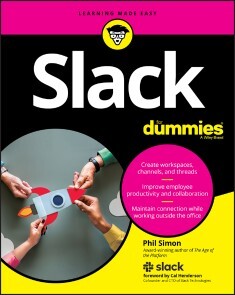
Slack For Dummies
YOU GET SO MUCH MORE DONE WHEN YOU SLACK!Ever wondered what it would be like to be less overwhelmed, more efficient, and much more engaged at work? A way you can make all that happen is, of course, to Slack. Actually, it's to use Slack, the business communications platform that's revolutionized how groups work together. This comprehensive guide shows how--as well as why--there are now millions of users of this flexible, fun, and intuitive workspace tool.Presented in a clear, easy-to-follow style, Slack For Dummies takes you from the basics of getting started with the service all the way through how to get your teams Slacking together for all they're worth. You'll also find case studies showing how Slack increases productivity and how to replicate that in your organization, as well as tips on getting buy-in from the boss.* Introduce Slack to your workflo* wUnderstand roles and feature* sAnalyze user dat* aKeep your Slacking secureSo, take a peek inside and discover how you can cut the slack using Slack--and clue your teams in on how there is actually a way to Slack off for improved results!PHIL SIMON is the award-winning author of nine books, including Message Not Received: Why Business Communication is Broken and How to Fix It. He is a recognized technology authority, Slack trainer, dynamic public speaker, college professor, and longtime Slack power user.

Usability und UX für Dummies
Sie erstellen eine Website und wissen nicht, wie Sie sie sinnvoll aufbauen und designen? Sie möchten Ihre Kunden länger auf Ihrer Website halten? Sie träumen davon, dass mehr Kunden den Kaufen-Button klicken? Steigen Sie mit diesem Buch in das Thema "Benutzerfreundlichkeit" und "Positives Nutzererlebnis" ein. Führen Sie Ihre Kunden schnell und einfach zu ihrem Ziel, vermitteln Sie ihnen ein positives Gefühl und machen Sie ihnen die Kaufentscheidung leicht. Fangen Sie bei der Lesbarkeit der Texte an, achten Sie auf die Auffindbarkeit wichtiger Funktionen und lernen Sie, wie man benutzerfreundliche Formulare entwickelt. Was bei mobilen Websites und Apps anders ist, erfahren Sie natürlich auch. Elske Ludewig ist in Göttingen Managing Director bei eresult, einer bekannten Agentur für Usability und User Experience. Außerberuflich engagiert sie sich in der German UPA (Usability Professionals Association), hält Vorträge auf Konferenzen und gibt ihr Wissen in Blog- und Fachartikeln weiter.Über die Autorin 9EINLEITUNG19Über dieses Buch 20Was Sie nicht lesen müssen 20Törichte Annahmen über den Leser 20Wie dieses Buch aufgebaut ist 21Symbole, die in diesem Buch verwendet werden 23Wie es weitergeht 23TEIL I: USABILITY UND USER EXPERIENCE IM ÜBERBLICK25KAPITEL 1 GRUNDBEGRIFFE UND KRITERIEN VERSTEHEN27Usability 27User Experience 29Customer Experience oder die Summe aller Berührungspunkte 31Wo anfangen? Eine Einstiegshilfe 32KAPITEL 2 WEBSITES UND APPS BEWERTEN LERNEN33Leitlinien zur Gestaltung von Benutzungsschnittstellen 33Aufgabenangemessenheit 34Selbstbeschreibungsfähigkeit 35Erwartungskonformität 37Lernförderlichkeit 39Steuerbarkeit 39Fehlertoleranz 41Benutzerbindung 42Heuristiken nach Nielson und Molich 44Sichtbarkeit des Systemstatus 45Übereinstimmung von System und realer Welt 46Benutzerkontrolle und -freiheit 47Konsistenz und Standards 47Fehler vermeiden 48Erkennen vor Erinnern 49Flexibilität und effiziente Nutzung 50Ästhetisches und minimalistisches Design 51Unterstützen beim Erkennen und Beheben von Fehlern 52Hilfe und Dokumentation 52Usability-Regeln anwenden – die heuristische Evaluation 54KAPITEL 3 DIE WICHTIGSTEN METHODEN ZUR OPTIMIERUNG VON WEBSITES UND APPS59So führen Sie Usability-Reviews durch 60Wann sollten Sie Usability-Reviews einsetzen? 62Was ist bei Usability-Reviews zu beachten? 62Wann ist ein Usability-Review nicht geeignet? 64Usability-Tests erfolgreich einsetzen 65Wann sollten Sie Usability-Tests einsetzen? 66Wie läuft ein Usability-Test ab? 67Wer kann Usability-Tests durchführen? 75Sind Usability-Tests teuer? 77Wann ist ein Usability-Test nicht sinnvoll? 78TEIL II: DEN NUTZER VERSTEHEN UND SEIN VERHALTEN BEEINFLUSSEN81KAPITEL 4 SO TICKT DER NUTZER – INFORMATIONSVERARBEITUNG UND ENTSCHEIDUNGSPROZESSE83Der »Energiespar-Kopf« 83Was Nutzer wirklich sehen, wenn sie eine Website betrachten 84Wie sich das Gehirn einen Reim auf Strukturen macht 88Das Gesetz der Nähe 88Das Gesetz der Ähnlichkeit 89Das Gesetz der Geschlossenheit 90Das Gesetz der Einfachheit 91Das Gesetz der gemeinsamen Region 92Das Gesetz der Gleichzeitigkeit 93Wie Nutzer Informationen verarbeiten und bewerten 93Wie Nutzer einfacher und besser Entscheidungen treffen 95KAPITEL 5 WIE DER NUTZER TUT, WAS SIE GERN HÄTTEN99Das Problem mit dem Entscheiden 99Besitz schafft Wert 102Wenn nur das Ergebnis zählt 103Der Herdentrieb 104Künstliche Verknappung 104Wie du mir, so ich dir 105Warum Ausnahmen keine Regeln bestätigen 106Die Lotto-Falle 107Sympathie macht großzügig 108Der Ankereffekt 109Bloß nichts abgeben 110Mehr Schein als Sein? 111KAPITEL 6 SO MESSEN UND ERHEBEN SIE NUTZERVERHALTEN113Webtracking – der Klassiker unter den Messmethoden 114Kontinuierliche Messung und Beobachtung 117Gezielte Optimierung einer Website mit Web Analytics 119Dem Nutzer über die Schulter schauen: Teilnehmende Beobachtung 123Nutzerbeobachtungen vorbereiten 125So wird die Erhebung ein Erfolg 126Die Daten auswerten und interpretieren 128Standardisierte Online- oder Onsite-Befragungen 129Die Erkenntnisse richtig nutzen 133TEIL III: METHODEN ZUR BEWERTUNG UND OPTIMIERUNG VON USABILITY UND UX135KAPITEL 7 DER NUTZERZENTRIERTE GESTALTUNGSPROZESS (USER CENTERED DESIGN)137Bevor es losgeht: Den Prozess planen 139Ziele und Wettbewerbsumfeld definieren 140Den Ablauf festlegen 140Die Qual der Wahl: Welche Methoden brauche ich? 141Die Ressourcenplanung 145Analysephase 145Konzeptionsphase 147Evaluationsphase 148Zeitplanung 148Eine Checkliste zum Schluss 150KAPITEL 8 METHODEN ZUM KENNENLERNEN UND VERSTEHEN DES NUTZERS151Den Nutzungskontext verstehen und beschreiben (Phase 1) 152Kontextinterviews 153Fokusgruppen 158Personas 167Customer Journey Mapping 177Die fertige Nutzungskontextbeschreibung 181Die Nutzungsanforderungen spezifizieren (Phase 2) 182Anforderungsanalyse – was nun? 184KAPITEL 9 METHODEN ZUM ENTWICKELN VON BENUTZERFREUNDLICHEN LÖSUNGEN187Inhalte für die geplante Anwendung festlegen 188Inhalte strukturieren 189Skizzen anfertigen 192Skizzen verfeinern und zu konkreten Entwürfen weiterentwickeln 193Prototypen erstellen und testen 194Scribbles werden zu Wireframes 196Wireframes werden zu Mockups 198Entwürfe und Prototypen optimieren bis zur finalen Anwendung 200Remote-Usability-Tests 202Guerilla-Tests 204Design-Tests 206Tree-Tests 209Erfüllt die Anwendung die Nutzungsanforderungen? 212KAPITEL 10 METHODEN ZUR KONTINUIERLICHEN ERFOLGSKONTROLLE215Variantentests und multivariates Testing 216Thesen bilden 217Erfolg definieren 218Testdauer festlegen 218Toolauswahl 219Interpretation und Ableitungen 219Usability-Fragebögen 220User Experience Questionnaire (UEQ) 222System Usability Scale (SUS) 223Visual Aesthetics of Website Inventory (VisAWI) 224AttrakDiff 226Weitere Fragebögen 226Und noch mehr 227Regelmäßige Usability-Tests 227TEIL IV: DIY – USABILITY-OPTIMIERUNG FÜR DEN ALLTAG229KAPITEL 11 ALLES AN ORT UND STELLE: DER RICHTIGE WEBSITE-AUFBAU231Zentrale Elemente richtig platzieren 231Navigationselemente richtig positionieren 235Der Aufbau mobiler Websites 237KAPITEL 12 LESBARKEIT UND TEXTGESTALTUNG241Verständlich schreiben 242Schriftarten und Textstrukturierung 245Welche Schriftarten sind fürs Web geeignet? 245Wie groß ist groß genug? 245Form und Struktur 246KAPITEL 13 LINKS UND BUTTONS RICHTIG GESTALTEN255Gut verlinkt ist halb geblinkt 255Drück mich! Links mit Aufforderungscharakter 257Positionen und Hierarchien von Buttons 258Der richtige Text für Buttons 260Größe und Zustände von Buttons 261Checkboxen, Radiobuttons und Umschaltflächen 263KAPITEL 14 FORMULARE, DIE NICHT NERVEN, SONDERN ABGESCHICKT WERDEN265Struktur und Anordnung 265Achsen und Leerräume schaffen 266Davor, darüber, daneben: Wohin mit der Beschriftung? 268Arten von Eingabefeldern 270Kennzeichnung von Pflichtfeldern 272Hilfreiche Fehlermeldungen 273KAPITEL 15 SUCHEN UND FINDEN: SO UNTERSTÜTZEN SIE IHRE NUTZER ZIELGERICHTET275Das Eingabefeld 275Positionierung 276Gestaltung 277Proaktive Unterstützung: Die Vorschlagsfunktion 278Die Ergebnisseite: Aufbau und Interaktionsmöglichkeiten 278Gut gefiltert ist halb gefunden 279In Reih‘ und Glied 281Null-Treffer-Seiten 282TEIL V: SPEZIALWISSEN FÜR APPS UND MOBILE WEBSITES285KAPITEL 16 RESPONSIVES DESIGN: DIE UNENDLICHE VIELFALT VON BILDSCHIRMGRÖẞEN287Wie funktioniert responsives Design? 288Eine responsive Website konzipieren 289Der Mobile-First-Ansatz 289Flexible Raster und Bildgrößen 290Verschiedene Ansichten im Wireframe-Stadium erstellen 292Navigationsprinzipien für kleine Bildschirme 293Responsive Websites und Apps optimieren 295In der Anforderungsanalyse: Wer, wann und wofür? 295Expertenbewertungen 296Usability-Tests mit mobilen Anwendungen 296KAPITEL 17 NICHT KLICKEN, SONDERN TIPPEN: DIE SPEZIELLEN ANFORDERUNGEN VON TOUCH-DEVICES301Finger statt Maus: Das ist anders 301So werden Bedienelemente »Touch-freundlich« 303Die richtige Größe 303Die richtige Position 304Die erwartungskonforme Reaktion 307TEIL VI: DER TOP-TEN-TEIL309KAPITEL 18 DIE 10 BESTEN LINK-TIPPS RUND UM USABILITY UND USER EXPERIENCE311Usabilityblog 311Produktbezogen 311User Experience Blog 312German UPA 312Psyconversion 312YouTube-Kanal »Indra Burkart« 312Nielsen Norman Group 313UsabilityGeek 313UXmatters 313UX Booth 313Stichwortverzeichnis 315

Apple macOS and iOS System Administration
Effectively manage Apple devices anywhere from a handful of Macs at one location to thousands of iPhones across many locations. This book is a comprehensive guide for supporting Mac and iOS devices in organizations of all sizes.You'll learn how to control a fleet of macOS clients using tools like Profile Manager, Apple Device Enrollment Program (DEP), and Apple Remote Desktop. Then integrate your Mac clients into your existing Microsoft solutions for file sharing, print sharing, Exchange, and Active Directory authentication without having to deploy additional Mac-specific middle-ware or syncing between multiple directory services.Apple macOS and iOS System Administration shows how to automate the software installation and upgrade process using the open source Munki platform and provides a scripted out-of-the box experience for large scale deployments of macOS endpoints in any organization. Finally, you'll see how to provision and manage thousands of iOS devices in a standardized and secure fashion with device restrictions and over-the-air configuration.WHAT YOU'LL LEARN* Integrate macOS and iOS clients into enterprise Microsoft environments* Use Apple’s Volume Purchase Program to manage App installations and share pools of Apps across multiple users* Mass deploy iOS devices with standard configurations* Remotely manage a fleet of macOS devices using Apple's Remote DesktopWHO THIS BOOK IS FORSystem or desktop administrators in enterprise organizations who need to integrate macOS or iOS clients into their existing IT infrastructure or set-up a new infrastructure for an Apple environment from scratch.DREW SMITH has spent the last twenty years in system administration, providing technology support and designing solutions across the United States. He has been responsible for fleets as large as 6,000 macOS devices across 52 different locations. In 2012, he deployed over 30,000 iPads to higher-education students in 15 different states, at the time it was one of the largest iPad 1:1 deployments. Drew enjoys sharing best practices with others to help them simplify and streamline the management of Apple devices in multi-platform environments.Chapter 1, Introduction to Apple platformsChapter Goal: Provide readers with an overview of Apple platforms and the uniqueness of Macs vs PCs.· Introduction & Overview of this Book· History of Apple platforms· Introduction to macOS (10.15 Catalina)· Introduction to iOS, iPad OS, tvOS, and watchOS (13.1)· Apple Hardware & Software IntegrationChapter 2, macOS Client AdministrationChapter Goal: Provide readers with a basic understanding of the most common system utilities and tools built into macOS that all system administrators should be familiar with.· Apple Hardware Troubleshooting· Installing & Upgrading macOS· Disk Utility· Drive Partition & File Systems· Recovery Tools· System Preferences· Managing Local User Accounts· Parental Controls & ScreenTime· System Utilities for System Administration· Advanced Finder Techiques· Introduction to the TerminalChapter 3, macOS SecurityChapter Goal: Provide readers with an in-depth understanding regarding all of Apple’s hardware and operating system level security features.· File Permissions· GateKeeper· FileVault Encryption· T2 Chip & Activation Lock· Transparency, Concent, and Control (TCC)· Access Control· Privacy Preferences Policy Control (PPPC)Chapter 4, iOS Client AdministrationChapter Goal: Provide readers with a basic understanding of the most common settings, restrictions, and features for managing iOS devices.· iOS Hardware Troubleshooting· iOS Reset & Activation· iOS Backup & Restore· Managing Activation Lock· Configuring VPN· iOS Device Restrictions· Managing ScreenTime Features· Accessiblity & Guided Access FeaturesChapter 5, macOS Management using Apple Remote DesktopChapter Goal: Provide readers with the knowledge to needed to remotely manage a fleet of macOS devices using Apple’s Remote Desktop application.· Purchasing & Installing Apple Remote Desktop (ARD)· Configuring macOS Clients to use ARD· Adding Clients to the ARD Admin Console· Organizing and Interacting with macOS Clients via ARD· Installing Applications & Copying Files using ARD· IT Asset Managemement with ARD· Configuring a Remote Task Server for ARDChapter 6, Managing iOS Devices using Apple ConfiguratorChapter Goal: Provide readers with the knowledge needed to use a Mac running Apple Configurator to mass deploy iOS Devices with standard configurations.· Installing Apple Configurator (2)· Introduction to Apple Configurator· Enrolling Devices into Apple Configurator· Creating *.mobileconfig Profiles· Managing Devices Using Apple ConfiguratorChapter 7, Using macOS ServerChapter Goal: Provide readers with an in-depth look at macOS server and explain why they may or may not need a macOS server, how to set one up, and what services to run.· Do you need a macOS Server?· Introduction to macOS Server· Installing macOS Server· Managing a macOS Server· Directory Services· Profile Manager· File & Print SharingChapter 8, Mobile Device ManagementChapter Goal: Introduce readers to the concept of MDM, provide an in-depth look at Apple’s Profile Manager, discuss other 3rd party MDM solutions, and why you may need/want an MDM for your organization.· Introduction to Mobile Device Management· Apple Device Enrollment Program· Introduction to Apple School Manager / Apple Business Manager· Volume Purchase Program· Configuring Profile Manager in macOS Server· Managing iOS Devices in Apple Profile Manager· Managing macOS Devices in Apple Profile Manager· Privacy Preferences Policy Control for macOS· Apple Profile Manager vs 3rd Party MDM SolutionsChapter 9, Apple and Microsoft IntegrationChapter Goal: Provide readers with the knowledge to integrate macOS and iOS clients into an enterprise Microsoft environment.· Introduction to macOS Management in an Enterprise environment· Microsoft Active Directory Integration· Local, Mobile, and Network Accounts· Windows File Sharing and macOS Clients· Sharing Windows Printers with macOS Clients· Microsoft Office 365 Integration· Microsoft Exchange IntegrationChapter 10, macOS Application DeploymentChapter Goal: Provide users with strategies for installing and upgrading various kinds of applications from sources like Disk Images, PKG files, and the App Store on a mass scale.· Installing Applications from a Disk Image· Installing Applications from a Compressed File· Installing Applications using Package Files· Installing App Store Applications· Deploying Custom Application Preferences and End User ConfigurationsChapter 11, Mass macOS Application Deployment using MunkiChapter Goal: Introduce the Munki open source product to Mac administrators and provide the knowledge needed to configure and automate macOS client management.· Introduction to Munki· Munki Components· Configuring the Apache Web Server for Munki· Configuring a Machine to Manage Munki Clients· Installing Munkitools on macOS Clients· Packaging Software for Munki Deployment· Building Manifests· Upgrading Software with Munki· Upgrading Configuration Profiles with Munki· Removing Software with Munki· Munki Receipts & Bill of Materials· Controlling How Often Munki Runs on a macOS ClientChapter 12, Scripted Out-of-Box Experience with macOS ClientsChapter Goal: Tying together the concepts of Chapters 9 and 10 to create a customized, scripted out-of-box automation to get macOS clients configured for customer use with as few touches as possible.· Creating a Deployment Workflow using Munki· Creating a Deployment Workflow using Profile ManagerChapter 13, Mass Provisioning of iOS DevicesChapter Goal: Tying together the concepts of MDM, VPP, and DEP to create a customized, over-the-air automation to deploy iOS devices configured for customer use with as few touches as possible.· Creating a Provisioning Workflow with Profile Manager

Die besten Android Apps: Für dein Smartphone und Tablet - aktuell zu Android 7, 8, 9 und 10
Die besten Android AppsAuf mobilen Geräten ist Android mit großem Abstand das meistgenutzte Betriebssystem und entsprechend umfangreich ist das Angebot an Apps. In der Neuauflage dieses beliebten Titels führt Android-Experte Christian Immler Sie wieder kompetent durch den App-Dschungel: Ob Sie Ihr Android-Gerät als Navi nutzen, unterwegs im Zug Ihren Fahrplan checken möchten, ein Restaurant, eine Apotheke in Ihrer Nähe oder ein kurzweiliges Spiel für zwischendurch suchen, hier finden Sie die perfekte App für Ihren Zweck.Für die Android Versionen 7, 8, 9 und 10Aus dem Inhalt:• Apps finden und installieren• Surfen und mailen• Soziale Netzwerke und Chat• Notizen, Kalender, Wecker• Reisen, Nachrichten und Wetter• Wissen und Information• Fotos und Grafik• Medien, Musik und Video• Shopping und Schnäppchen• Ernährung, Gesundheit und Fitness• Büro und Finanzen• Systemtools und Tuning• Spiele• Apps, auf die die Welt gewartet hat

Clean Code für Dummies
Clean Code ist eine wichtige Methode, um zu besserer Software zu kommen. Zu beachten sind Korrektheit, Verständlichkeit, Lesbarkeit und Ressourcenverbrauch. Programmieren ist aber mehr als ein Handwerk. Klarer Code ist auch Ausdruck klaren Denkens und beginnt damit schon vor der Niederschrift. Regeln sind wichtige Stützen, aber das eigenständige Denken, Entscheiden und Abwägen ersetzen sie nicht. Das Buch vermittelt handwerkliche Fertigkeiten und stellt das Programmieren in den Gesamtprozess der Softwareentwicklung. Jürgen Lampe ist IT-Berater in Eschborn in der Nähe von Frankfurt. Er hat Mathematik studiert, Prozessrechenanlagen programmiert und als Hochschullehrer an der TU Dresden gearbeitet. Über die Jahre hat er nie das Coden aufgegeben. Er kennt diverse Programmiersprachen - von Algol60 über PL/I und Pascal bis zu Java - und er kennt die Vor- und Nachteile verschiedener Programmierstile.Über den Autor 9EINLEITUNG 23Über dieses Buch 23Konventionen in diesem Buch 24Was Sie nicht lesen müssen 24Törichte Annahmen über die Leser 25Wie dieses Buch aufgebaut ist 26Symbole, die in diesem Buch verwendet werden 27Wie es weitergeht 28TEIL I: DAS CLEAN-CODE-PRINZIP 29KAPITEL 1 SOFTWARE IST CODE31Erwartungen an Software 31Probleme haben Ursachen 32Allgemeine Ursachen 32Hardwareentwicklung 33Nichts ohne Code 34Das Wichtigste in Kürze 35KAPITEL 2 DIMENSIONEN VON CODEQUALITÄT37Was bedeutet Qualität? 37Eigenschaften des Qualitätsbegriffs 37Qualitätsindikatoren 38Die Dimensionen von Codequalität 39Korrektheit des Codes 39Lesbarkeit und Wartbarkeit 40Leistungseigenschaften 40Weitere Dimensionen 41Das Qualitätsziel festlegen 41Beispiel: Der euklidische Algorithmus 42Das Wichtigste in Kürze 43KAPITEL 3 ALLES UNTER EINEN HUT – GUTE KOMPROMISSE FINDEN 45Warum gute Entscheidungen wichtig sind 45Es kommt drauf an 45Widersprüche überall 46Konflikte akzeptieren 47Entscheidungen systematisch treffen 48Konflikte erkennen 48Alternativen sammeln 48Kriterien finden 49Wahlmöglichkeiten bewerten 50Entscheiden 51Mit Augenmaß 51Das Wichtigste in Kürze 52KAPITEL 4 DIE EIGENSCHAFTEN SAUBEREN CODES55Des Clean Codes Kern 55Code als Ziel 56Professionalität 57Es geht immer weiter 58Code als Kommunikationsmittel zwischen Menschen 58Lesbarkeit 59Verständlichkeit 59Eleganz 60Gute Wartbarkeit 61Leichter durch Verständlichkeit 61Nicht ohne Test 61Zu guter Letzt 62Das Wichtigste in Kürze 63KAPITEL 5 IN DER PRAXIS: STOLPERSTEINE 65Clean Code ist schwer 65Reden wir über die Kosten 65Kurz- und mittelfristige Vorteile 66Langfristige Vorteile 66Bewertung 68Ändern bleibt schwierig 68Manchmal passt es nicht 69Frameworks 70Projektvorgaben 70Starre Abläufe 71Falsche Autoritäten 71Es liegt an Ihnen 73Das Wichtigste in Kürze 73TEIL II: AN HERAUSFORDERUNGEN WACHSEN 75KAPITEL 6 MEHR ALS HANDWERKSKUNST77Programmieren ist schwer 77Software professionell entwickeln 79Softwareentwicklung braucht Handwerk 80Handwerk allein reicht nicht 82Das Wichtigste in Kürze 83KAPITEL 7 ENTWICKELN IST (KREATIVE) WISSENSCHAFT 85Formalisiertes Wissen 85Was sind formale Theorien? 86Wann braucht es eine (neue) Theorie? 87Wie Sie zu einer Theorie kommen? 88Mentales Modell als Theorie 88Wenn es so einfach wäre: Viele Hürden 89Und dann auch noch der kleine Rest 90Konsequenzen 91Die Bedeutung des Entwicklers darf nicht unterschätzt werden 91Es werden verschiedene Qualifikationen gebraucht 92Auch die Theorie muss weiterentwickelt werden 93Das Wichtigste in Kürze 94KAPITEL 8 MODELLIERUNGSDILEMMA UND ENTSCHEIDUNGSMÜDIGKEIT 95Das Modellierungsdilemma 95Was macht ein Modell aus? 95Ein Modell für alle Anforderungen gesucht 96Und wenn es kein umfassendes Modell gibt? 98Entscheiden ermüdet 100Entwickeln heißt entscheiden 100Entscheidungskraft optimal nutzen 101Das Wichtigste in Kürze 103KAPITEL 9 FALLEN VERMEIDEN 105Erst mal loslegen 105Agil heißt nicht »kein Konzept« 105Abgrenzung ist alles 106Wenn es nicht anders geht 107Schön flexibel bleiben 108Flexible Programme 109Flexibilität bläht auf 109Die Sinnfrage 110Modularisierung übertreiben 111Davon verschwindet die Komplexität nicht 111Zerlegung will geübt sein 112Schon wieder: Kosten 113Wachsen im Korsett 113Das Wichtigste in Kürze 114TEIL III: SAUBEREN CODE SCHREIBEN 115KAPITEL 10 NAMEN SIND NICHT SCHALL UND RAUCH 117Benennungen 117Namen versus Bezeichner 118Namen versus Begriffe 118Woher nehmen? 120Lösungsdomäne 120Anwendungsdomäne 120Eigenschaften guter Namen 121Den Sinn vermitteln 121Nicht in die Irre führen 121Sinnvolle Unterschiede 122Verschlüsselungen vermeiden 123Verwendbarkeit 124Klassen und Methoden 125Die Qual der Sprachwahl 125Englisch 126Deutsch 126Keine Empfehlung 126Was zu tun ist 127Das Wichtigste in Kürze 127KAPITEL 11 REINE FORMFRAGE – FORMATIERUNG129Das Auge liest mit 129Vertikales Formatieren 131Codelänge 131Vorbild Zeitung 131Vertikale Abstände 132Vertikale Ordnung 134Horizontales Formatieren 135Zeilenlänge 135Horizontale Abstände 136Einrückungen 138Automatische Formatierung 139Vorteile 139Nachteile 140Das Wichtigste in Kürze 140KAPITEL 12 CODE ZUERST – SIND KOMMENTARE NÖTIG? 141Code allein reicht nicht 141Erklärung gesucht 141Das große Missverständnis: Code spricht nur den Computer an 142Kommentare – hilfreich oder störend? 142Kommentare lügen – oft 143Sinnvolle Kommentare 143Rechtshinweise 143Unerledigtes 143Klarstellungen und Warnungen 144Algorithmen 144Spezifikationen 144Pragmatisches 146Schlechte Kommentare 147Nichtssagendes 147Auskommentierter Code 148Unterschiedliche Sprachen 148Fehlender Bezug 148JavaDoc 149Dokumentationen 150Schönheit 151Das Wichtigste in Kürze 152KAPITEL 13 KLEINE SCHRITTE – SAUBERE METHODEN153Methoden 153Begriffliche Klärung 154Eigenschaften 154Der Inhalt 155Abstraktion 155Trennung von Bearbeitung und Abfrage 155Testen 156Die Größe 156Eine Aufgabe 156Zeilenzahl 157Schachtelungsstruktur 158Parameter 159Anzahl 160Stellung 162Parameter vermeiden 162Testen 163Flag-Parameter 163Resultate 164Rückgabewerte 164Rückgabewert null 165Ergebnisparameter 166Rückkehrcodes 167Seiteneffekte 167Auswahlanweisungen 168Alles fließt 170Das Wichtigste in Kürze 170KAPITEL 14 PASSEND SCHNEIDEN – SCHNITTSTELLEN 171Die Rolle von Schnittstellen 171Mehr als ein Interface 171Isoliert betrachtet 172Im Verbund 172Komponenten 173Interface Segregation 174Schlanke Schnittstellen 174Kohäsion 175Kombination 179Keine Missverständnisse 180Exakte Beschreibung 180Voraussetzungen aufführen 181Vollständige Definition 182Tests und Mocks 182Kein Code ohne Fremdcode 183Eine unsichtbare Grenze 184Abhängigkeiten isolieren 184Wie es gehen könnte 185Das Wichtigste in Kürze 189KAPITEL 15 OBJEKTE UND DATENSÄTZE UNTERSCHEIDEN191Was ist ein Objekt? 191Und ein Datensatz? 192Die Praxis 193Die Objekt-Datensatz-Antisymmetrie 194Java und Objektorientierung 194Prozeduraler Code 195Objektorientierter Code 197Schlussfolgerungen 199Das Gesetz von Demeter 199Internes intern halten 200Trotzdem kommunikativ sein 200Das gilt auch umgekehrt 202Aufrufketten 203Fazit 205Das Wichtigste in Kürze 205KAPITEL 16 WEGE IM DSCHUNGEL – REGELN 207Wiederholungen vermeiden 207Die Regel 207Motivation 208Umsetzung 209Schwierigkeiten 210Liefern, was verlangt wird 211Die Regel 211Motivation 212Umsetzung 212Schwierigkeiten 213Jedes für sich 213Die Regel 213Motivation 214Umsetzung 214Schwierigkeiten 214Die SOLID-Regeln 215Single Responsibility Principle – SRP 215Open Closed Principle – OCP 216Liskov Substitution Principle – LSP 217Interface Segregation Principle – ISP 217Dependency Inversion Principle – DIP 217Einfach besser 218Halte es einfach 218Geringste Überraschung 219Fazit 219Das Wichtigste in Kürze 219KAPITEL 17 FEHLER PASSIEREN – FEHLERBEHANDLUNG221Ausgangslage 221Fehlerarten 222Datenfehler 222Seltene Datenfehler 223Häufige Datenfehler 223Funktionsfehler 225Hardwarefehler 226Semantische Fehler 227Plausibilitätsprüfung 227Wertebereichs-Überschreitungen 229Keine Panik 231Das Wichtigste in Kürze 231KAPITEL 18 AUSNAHMEN REGELN – EXCEPTIONS 233Sinn und Zweck 233Checked und Unchecked Exceptions 234Kosten 235Werfen von Exceptions 235Generische Exceptions verwenden 235Spezielle Exceptions definieren 236Fangen von Exceptions 238Funktionsblöcke bestimmen 238Fachliche und technische Exceptions 239Verpacken von Exceptions 240Loggen von Exceptions 240Angemessenheit 241Das Wichtigste in Kürze 242KAPITEL 19 IMMER WEITER – NEUE SPRACHMITTEL243Wie beurteilen? 243Annotationen 245Funktion 246Anwendungsarten 246Risiken minimieren 248Lambda-Ausdrücke 248Klippen 248So vielleicht 250Streams 251Die Idee 252Anwendung 252Aber Vorsicht 253Fazit 254Spezialisierung 254Beschränkung 255Das Wichtigste in Kürze 256TEIL IV: WEGE ZUM ZIEL 257KAPITEL 20 MITEINANDER LERNEN – CODE REVIEWS 259Zweck 260Was nicht geht 260Das Potenzial 261Durchführung 262Erfolgsvoraussetzungen 262Vorbereitung 263Review-Rollen 265Review-Werkzeuge und Metriken 266Review-Bewertung 267Codequalität 267Review-Qualität 267Das Wichtigste in Kürze 268KAPITEL 21 AUS FEHLERN LERNEN 269Fehler macht jeder 269Fehler analysieren 270Fehlerursachen ermitteln 271Fehlerarten 272Priorisierung 272Denken Sie an … 273Erkenntnisse nutzen 275Code Reviews nutzen 275Ergebnisse dokumentieren 275Wiederholen: Erkenntnisse erneut erörtern 275Das Wichtigste in Kürze 276KAPITEL 22 ES GIBT IMMER WAS ZU TUN – REFACTORING 277Die Idee 277Die Praxis 278Vorbereitung 278Schritt für Schritt 280Im Großen und im Kleinen 280Ein Beispiel 281Das Wichtigste in Kürze 282TEIL V: DER TOP-TEN-TEIL 283KAPITEL 23 10 FEHLER, DIE SIE VERMEIDEN SOLLTEN 285Buch in Schrank stellen 285Nicht sofort anfangen 285Aufgeben 286Nicht streiten 286Schematisch anwenden 286Kompromisse verweigern 286Unrealistische Terminzusagen 287Überheblichkeit 287Denken, fertig zu sein 287Alles tierisch ernst nehmen 287KAPITEL 24 (MEHR ALS) 10 NÜTZLICHE QUELLEN ZUM AUFFRISCHEN UND VERTIEFEN 289Clean Code – das Buch und der Blog 289Clean Code Developer 290Software Craftsmanship 290Java Code Conventions 29097 Dinge, die jeder Programmierer wissen sollte 290The Pragmatic Bookshelf 291Prinzipien der Softwaretechnik 291Refactoring 291Code Reviews 291Codeanalyse 292Verzögerungskosten 292Project Oberon 292Stichwortverzeichnis 295

C++ für Dummies (8. Auflg.)
Die Programmierung mit C++ muss nicht schwer sein. Mit diesem Buch werden Sie schon ab dem ersten Kapitel eigene Programme schreiben und die C++-Syntax von der Pike auf lernen, verstehen und anwenden. Arnold Willemer erklärt Ihnen, wie Sie Code zu Modulen zusammenfassen, die Sie immer wieder verwenden können, und schon bald werden Sie wissen, wie man Variablen deklariert und mathematische Operationen ausführt. So ist dies das richtige Buch für Ihren Einstieg in C++. Arnold Willemer ist Programmierer und Administrator mit mehr als zwanzig Jahren Berufserfahrung. Er hat mehrere erfolgreiche Computer-Bücher geschrieben, die sich durch ihre Verständlichkeit und ihren lockeren Stil auszeichnen.EINLEITUNG 21Über dieses Buch 21Konventionen in diesem Buch 21Törichte Annahmen über den Leser 21Wie dieses Buch aufgebaut ist 22Symbole, die in diesem Buch verwendet werden 23Wie es weitergeht 24TEIL I: WIR PROGRAMMIEREN25KAPITEL 1 GRUNDGERÜST EINES PROGRAMMS27Die Funktion main() 27Kommentare 28Ausgabe für Anfänger 29Zahlenspielereien 30Übungen 31KAPITEL 2 VARIABLEN UND VERARBEITUNG33Variablendefinition 33Namensregeln 35Ganze Zahlen 36Wir rechnen 37Wertveränderungen 38Ganzzahlige Literale 41Zeichen 42Fließkommazahlen 45Symbolische Konstanten 46Aufzählungstyp enum 47Typen umtaufen 49Fallstricke beim Umgang mit Typen 49Überlauf 49Typkonvertierung und Casting 51Ganzzahlige Division 52Automatische Typbestimmung 53Zahlen ein- und ausgeben 53Ausgabestrom 53Formatierte Ausgabe 54Eingabestrom aus cin 54Übungen 55KAPITEL 3 ABFRAGE UND WIEDERHOLUNG57Verzweigungen 57Nur unter einer Bedingung: if 58Andernfalls: else 58Struktogramm 59Dangling else 61Fall für Fall: switch case 62Bedingter Ausdruck: Fragezeichen 64Boolesche Ausdrücke 65Variablen und Konstanten 65Operatoren 66Verknüpfung von booleschen Ausdrücken 67Immer diese Wiederholungen: Schleifen 71Kopfgesteuert: while 71Fußgesteuert: do… while 75Abgezählt: for 76Der Sprung als Feind der Struktur 79Der brutale Sprung: goto 80Schleifenausbruch: break 81Schleifenrücksprung: continue 82Beispiel: Größter gemeinsamer Teiler 83Mitmachbeispiel: Schleifende Hunde und Füchse 85Übungen 86TEIL II: DATENTYPEN UND -STRUKTUREN89KAPITEL 4 DAS ARRAY91Definition und Zugriff auf ein Array 91Grenzen und Größen 93Arrays lieben die for-Schleife 94Lottozahlen sollten zufällig sein 95Keine Doppelten beim Lotto 96Sortierte Lottozahlen 99Mehrere Dimensionen 102Beispiel: Bermuda 103Spielanleitung Bermuda 103Spielfeld anzeigen 103Die Schiffskoordinaten 105Übungen 106KAPITEL 5 ZEIGER UND DESSEN MÖGLICHKEITEN109Der Zeiger und die Adresse 109Arrays und Zeiger 112Zeigerarithmetik 113Wettrennen zwischen Index und Zeiger 114Klassische Zeichenketten 115Addition und Subtraktion 116Konstante Zeiger 116Der Zeiger auf gar nichts: void* 117Übungen 117KAPITEL 6 VARIABLENVERBUND STRUCT 119Ein Verbund mehrerer Variablen 119Arrays von Strukturen 121Zeiger auf Strukturen 121Beispiel: Bermuda 123Objekte dynamisch erzeugen und löschen: new und delete 124Der Befehl new 124Zur Laufzeit erzeugte Arrays 125Verkettete Listen 126TEIL III: FUNKTIONEN131KAPITEL 7 FUNKTIONEN IM EIGENBAU133Anweisungen zusammenfassen 133Funktionsparameter 135Ein Rückgabewert als Ergebnis 136Prototypen 137Noch ein paar Bemerkungen zu Parametern 138Zeiger als Parameter 138Arrays als Parameter 140Die Parameter der Funktion main 144Referenzparameter 145Parameter vorbelegen 146Variable Anzahl von Parametern 147Überladen von Funktionen 148Kurz und schnell: Inline-Funktionen 149KAPITEL 8 HILFREICHE BIBLIOTHEKSFUNKTIONEN151Zufall 151Mathematische Funktionen 153Zeitfunktionen 155KAPITEL 9 EINSATZ VON FUNKTIONEN 159Vermeidung doppelten Codes 159Top-down-Design am Beispiel Bermuda 159Vom Diagramm zum Listing 160Die Daten und die Parameter 160Initialisierung der Datenstrukturen 161Benutzereingabe 162Suche die Schiffe 162Eintrag im Spielfeld 165Ende des Spiels 165Globale, lokale und statische Variablen 166Globale Variablen 166Lokale Variablen 167Statische Variablen 167Rekursion: Selbstaufrufende Funktionen 168Fibonacci, die Kaninchen und der Goldene Schnitt 168Einbindungen 170Türme von Hanoi 171Rückruf erwünscht: Der Funktionszeiger als Parameter 173Anonym: Die Lambda-Funktion 175Übungen 176TEIL IV: ZEICHENKETTEN177KAPITEL 10 DIE STANDARDKLASSE STRING 179Zeichenkettenliterale 179Definieren und Zuweisen 180Zugriff auf einzelne Zeichen 181String-Funktionen 181Länge des Strings 181Verändern von String-Inhalten 181Suche und Informationen 182Umwandlung von Zahlen und Zeichenketten 183Vergleiche 185Ein- und Ausgabe von Strings 186Umwandlung von string in ein char-Array 187KAPITEL 11 DAS CHAR-ARRAY ALS ERBE VON C189Speichern im Array 189Der Zeiger auf char 191Die String-Bibliothek 192Strings in Zahlen konvertieren 193Zahlen in Strings konvertieren 194TEIL V: KLASSEN197KAPITEL 12 AM BEISPIEL ZU BRUCH GEHEN199Die Klasse Bruch 199Der Bruch hat eigene Funktionen 202Initialisierung durch Konstruktoren 205Konstruktor mit Parameter 207Destruktor 209Konstruktor und Destruktor bei Arrays 210Konvertierungskonstruktor 210Konvertierungsoperator 211Private Attribute 212Operatoren überladen 213Wir multiplizieren mit dem Stern 213Alle möglichen Operatoren 214Besonderheiten bei Inkrement und Dekrement 216Die Vergleichsoperatoren 217Ausgabeoperatoren und Freunde 218Der Indexoperator 220Der Aufrufoperator () 222Die Kopie von Zeigern in Klassen 222Der Zuweisungsoperator 223Kopierkonstruktor 224Statische Variablen und Funktionen in Klassen 226Statische Klassenattribute 226Statische Methoden 227Statische lokale Variable 228Konstante Parameter und Funktionen 229Übungen 230KAPITEL 13 VERERBUNG231Basisklasse 232Kompatibilität zur Basisklasse: »Ist ein« 234Zugriff nur für Erben: protected 234Zugriffsattribute der Vererbung 235Konstruktorenvererbung 237Kopierkonstruktor und Zuweisungsoperator 238Mehrfachvererbung 238Objektorientiertes Design für Bermuda 240Die Koordinate 240Das Schiff 241Die Flotte 242Das Spielfeld 245Die Spielklasse Bermuda mit Mehrfachvererbung 247Übungen 247KAPITEL 14 POLYMORPHIE UND VIRTUELLE FUNKTIONEN 249Die Mensa der Universität Norgaardholz 249Ein Objekt weiß, was es tut: Polymorphie 252Rückgriff auf die Basisklasse 253Eine abstrakte Suppe 254Die Mahlzeit als vollkommen abstrakte Klasse 255Virtueller Destruktor 256Polymorphie bei grafischen Oberflächen 257Übungen 258TEIL VI: FORTGESCHRITTENE PROGRAMMIERTECHNIKEN261KAPITEL 15 GROẞE PROGRAMMPROJEKTE263Aufteilung der Quelltexte 263Implementierung und Schnittstelle 263Doppelter Include 268Zusammenbinden der Objektdateien 269Projektsteuerung am Beispiel make 269Header-Dateien und Schnittstellen 271Deklaration und Definition 271Einbinden von Header-Dateien 273Bibliotheken 274Eigene Bibliotheken erzeugen 274Statische Bibliotheken einbinden 275Dynamische Bibliotheken 276Namensräume 278Definition eines Namensraums 278Zugriff 279Besondere Namensräume 280KAPITEL 16 KATASTROPHENSCHUTZ: FEHLER, AUSNAHMEN UND VORBEDINGUNGEN281Die klassische Fehlerbehandlung 281Ausnahmebehandlung 283try und catch 283Eigene Ausnahmen werfen 284Erstellen von Fehlerklassen 287Die Ausnahmen der Standardbibliotheken 288Vorbedingungen 290assert 290Der Compiler prüft 292KAPITEL 17 INTELLIGENTE SAMMELBEHÄLTER293Charakterlose Daten 293Generische Programmierung 295Template-Funktionen 296Template-Klassen 299Die Container-Klasse vector 302Dynamik 303Kapazität und Größe 305Grenzüberschreitung 306Iteratoren als Zeigerersatz 307Methoden des Vektors 309Die Container-Klasse deque 310Die Container-Klasse list 312Sortieren einer Liste: sort 313Eine Liste in eine andere einsortieren: merge 315Alles umdrehen: reverse 316Mengen-Container: set 317Löschen aus dem Set 317Suchen und Sortieren 318Sortierreihenfolge 318Der assoziative Container map 319Container-Adapter 321Der Container-Adapter stack 321Der Container-Adapter queue 322Iteratortypen 323Die Algorithmen der STL 324Suchen: find 325Sortieren 326Binäres Suchen 327Kopieren: copy 327Umdrehen: reverse 328Füllen: fill 329equal 329Funktionsobjekt als Parameter: find_if 329for_each 332Vereinigung und Durchschnitt 333Die Template-Klasse bitset 335TEIL VII: DAUERHAFTES ABLEGEN VON DATEN337KAPITEL 18 EIN- UND AUSGABE IN DATEIEN 339Formatierte Ausgabe im Datenstrom 339Ausgabestrom ausrichten 340Dateioperationen mit fstream 344Öffnen und Schließen 345Lesen und Schreiben sequenzieller Daten 346Binäre Daten blockweise verarbeiten 350Problembehandlung 353Exceptions 354Dateizugriffe nach ANSI-C 355KAPITEL 19 DATENBANKEN361Objektorientierter portabler Zugang: CppDB 363Installation 363Einbindung 363Verbindungsaufname zur Datenbank 364SQL-Befehle übergeben 365Auslesen mit SELECT 366Beispielhafte Person 366Datenbankbibliothek SQLite 369Einrichtung 369Programmieren mit SQLite 370Tabelle erzeugen und mit Daten füllen 371Auslesen der Daten 373TEIL VIII: GRAFISCHE FENSTERPROGRAMME GUI377KAPITEL 20 GRAFISCHE OBERFLÄCHEN379KAPITEL 21 C-API AM BEISPIEL WIN32381Hauptprogramm 382Die Fensterfunktion WndProc 382Mausverhalten 384Kontrollelemente 384Bermuda in Win32 385KAPITEL 22 OBJEKTORIENTIERT MIT WXWIDGETS391Installation von wxWidgets 391wxWidgets für Linux einrichten 392wxWidgets für Windows und Mac beschaffen 392Ein wxWidgets-Programm erstellen 393Code::Blocks unter Linux und Windows 394Ein minimales xwWidgets-Programm 395Grafik 396Grafische Kontroll- und Eingabeelemente 398Layout 400BoxSizer 400GridSizer 401FlexGridSizer 402Die Kombination mehrerer Layouts 402Bermuda in der wxWidgets-Version 403KAPITEL 23 QT409Geschichte eines portablen Frameworks 409Installation 410Linux 410Windows und Mac 410Ein Qt-Widgets-Projekt 410Der Qt-Designer 412TEIL IX: PROGRAMMIERUMGEBUNG415KAPITEL 24 COMPILER BESCHAFFEN UND EINRICHTEN417Der GNU-C++-Compiler 417Der GNU-C++-Compiler unter Linux 417Der GNU-C++-Compiler unter MS Windows 418Microsoft Visual Studio 418Projekt erstellen 419Windows Desktopassistent 421Code::Blocks 421Linux 422Windows 422Der Aufbau von Code::Blocks 422Ein Projekt anlegen 423Übersetzen und starten 424Eclipse als C++-Umgebung 424Anlegen eines Projekts 425Generieren und ausführen 425NetBeans 425Linux 426Windows 426Ein C++-Projekt erzeugen 427KAPITEL 25 PROGRAMMIERWERKZEUGE429Der Compiler und der Linker 429Compiler-Aufruf 429Compiler-Optionen 430Fehlermeldungen 431Der Präprozessor 432Einbinden von Dateien: #include 433Konstanten und Makros: #define 433Abfragen: #if 435Auf Fehlersuche mit dem Debugger 437Debuggen in der IDE 437Konsolen-Debug 438Versionsverwaltungen 439Arbeitsweise 439Subversion 441Git 443TEIL X: DER TOP-TEN-TEIL445KAPITEL 26 10 GRÜNDE, WARUM SIE C++ EINSETZEN WOLLEN 447Sie wollen native Programme schreiben 447Sie wollen sehr schlanke Programme schreiben 447Das Programm soll schnell starten 447Das Programm soll schnell laufen 447Das Programm soll direkt an eine API ankoppeln 448Sie wollen verhindern, dass jemand Ihren Source Codeaus der ausführbaren Datei rekonstruiert 448Sie müssen ganz dicht an die Maschine heran 448Sie mögen keine ideologischen Vorschriften 448Sie müssen sehr vertrackte Datenstrukturen auslesen 449Sie lieben das Hashtag-Zeichen 449KAPITEL 27 DIE 10 BELIEBTESTEN C++-FEHLER451Sie benutzen beim n-dimensionalen Array n als Index 451Ihre Schleife läuft ewig, weil Ihre Bedingung falsch formuliert ist 451Ihre Schleife läuft ewig, weil sich die Variable, die für die Bedingung geprüft wird, im Schleifenkorpus nie ändert 451Sie haben direkt hinter der Klammer von if/while/for ein Semikolon gesetzt 452Sie haben vergessen, den #include zu setzen, und wundern sich, warum die Bezeichner unbekannt sind 452Sie arbeiten mit deutschen Umlauten und verwenden kein unsigned char 452Sie haben delete aufgerufen, aber den Zeiger anschließend nicht auf nullptr gesetzt 452Sie verwenden häufiger new als delete 453Ihre Klasse enthält ein Zeigerattribut, aber es fehlt der Copy-Konstruktor und der Zuweisungsoperator 453Sie verwechseln es mit Java 453Stichwortverzeichnis 457

Microsoft Teams - Effizient im Team organisieren und arbeiten - komplett in Farbe
Microsoft Teams – Effizient im Team organisieren und arbeitenLängst sind die Mitglieder einer Firma oftmals über die ganze Welt verteilt. Mit Microsoft Teams ist es möglich, dass jede Person innerhalb einer Gruppe über die Cloud auf die gleichen Daten zugreifen und diese auch bearbeiten kann. So ist es innerhalb von Office 365 möglich, Projekte genau auf die individuellen Erfordernisse und mit den benötigten Office-Anwendungen abzustimmen. Der bekannte Autor Philip Kiefer zeigt auf, welche Möglichkeiten MS Teams anbietet und wie man diese am besten nutzen kann. Anhand vieler Praxisbeispiele gelingt die Gruppenarbeit in Ihrem Team schnell und einfach.Aus dem Inhalt:- Welche Daten werden von Microsoft erfasst?- Microsoft Teams im Office-365-Abo- Meetings, Chats und Notizen in der Cloud- Bearbeitung von Dateien – alle gleichzeitig- MS Teams als Gastbenutzer verwenden- Grundlagen und Anwendungsbeispiele- Infos eingeben, aufzeichnen, aus anderen Programmen übertragen- Suchen, finden und organisieren- Teilen und Teamwork per LAN oder Internet- Sicherheit und Privatsphäre- Microsoft Teams auf Tablet-PCs und Smartphones- und vieles mehr
Spring Boot Persistence Best Practices
This book is a collection of developer code recipes and best practices for persisting data using Spring, particularly Spring Boot. The book is structured around practical recipes, where each recipe discusses a performance case or performance-related case, and almost every recipe has one or more applications. Mainly, when we try to accomplish something (e.g., read some data from the database), there are several approaches to do it, and, in order to choose the best way, you have to know the implied trades-off from a performance perspective. You’ll see that in the end, all these penalties slow down the application. Besides presenting the arguments that favor a certain choice, the application is written in Spring Boot style which is quite different than plain Hibernate.Persistence is an important set of techniques and technologies for accessing and using data, and this book demonstrates that data is mobile regardless of specific applications and contexts. In Java development, persistence is a key factor in enterprise, ecommerce, cloud and other transaction-oriented applications.After reading and using this book, you'll have the fundamentals to apply these persistence solutions into your own mission-critical enterprise Java applications that you build using Spring.WHAT YOU WILL LEARN* Shape *-to-many associations for best performances* Effectively exploit Spring Projections (DTO) * Learn best practices for batching inserts, updates and deletes * Effectively fetch parent and association in a single SELECT* Learn how to inspect Persistent Context content* Dissect pagination techniques (offset and keyset)* Handle queries, locking, schemas, Hibernate types, and moreWHO THIS BOOK IS FORAny Spring and Spring Boot developer that wants to squeeze the persistence layer performances.ANGHEL LEONARD is a Chief Technology Strategist with 20+ years of experience in the Java ecosystem. In daily work, he is focused on architecting and developing Java distributed applications that empower robust architectures, clean code, and high-performance. Also passionate about coaching, mentoring and technical leadership. He is the author of several books, videos and dozens of articles related to Java technologies.Chapter 1: AssociationsChapter 2: EntititesChapter 3: FetchingChapter 4: BatchingChapter 5: CollectionsChapter 6: Connections and TransactionsChapter 7: IdentifiersChapter 8: Calculating PropertiesChapter 9: MonitoringChapter 10: Configuring DataSource and Connection PoolChapter 11: AuditChapter 12: SchemasChapter 13: PaginationChapter 14: QueriesChapter 15: Locking16: Types and Hibernate TypesAppendix A: JPA FundamentalsAppendix B: Associations EfficiencyAppendix C: 5 SQL Performance Tips That Will Save Your DayAppendix D: How to Create Useful Database IndexesAppendix E: SQL PhenomenaAppendix F: Spring Transaction Isolation LevelAppendix G: Spring Transaction PropagationAppendix H: Understanding Flushing MechanismAppendix I: Second Level CacheAppendix J: ToolsAppendix K: Hibernate 6

Subjektive Wahrnehmung und Bewertung fahrbahninduzierter Gier- und Wankbewegungen im virtuellen Fahrversuch
Der Fahrsimulator stellt ein entscheidendes Entwicklungswerkzeug dar, um in frühen Phasen des Entwicklungsprozesses Kenntnisse über das System- und das Fahrzeugverhalten zu gewinnen. Mithilfe der Subjektivbewertung im virtuellen Fahrversuch testet Minh-Tri Nguyen einzelne Systeme und bewertet sie auf Gesamtfahrzeugebene. Der Autor realisiert Versuche der menschlichen Wahrnehmung im Fahrsimulator. Darauf aufbauend erarbeitet er eine Herangehensweise zur Verbesserung des Fahrkomforts. Konkret handelt es sich hierbei um die gekoppelte Gier- und Wankbewegung des Fahrzeugs, die bei höheren Geschwindigkeiten durch Straßenunebenheiten hervorgerufen wird. Der Autor: Minh-Tri Nguyen arbeitet derzeit als Systemingenieur im Bereich des autonomen Fahrens bei einem deutschen Automobilzulieferer. Er hat am Institut für Verbrennungsmotoren und Kraftfahrwesen (IVK) der Universität Stuttgart promoviert. Stand der Technik.- Modellierung und Implementierung des virtuellen Fahrversuchs.- Untersuchung der gekoppelten Gier- und Wankbewegung.

SAP Integrated Business Planning
Mit diesem Buch steuern Sie Ihre Supply Chain schnell und lückenlos. Zunächst lernen Sie die verschiedenen Prozesse, Bestandteile sowie die Konfiguration von SAP Integrated Business Planning for Supply Chain im Detail kennen. Anschließend zeigen Ihnen die Autoren, wie Sie das Tool für die bereichsübergreifende Echtzeitplanung und -analyse Ihrer gesamten Lieferkette einsetzen. Best Practices unterstützen Sie bei Ihrem Implementierungsprojekt. Aus dem Inhalt: User Interfaces von SAP IBPVerwendung von Stamm- und BewegungsdatenExcel-Konfiguration Sales and Operations PlanningDemand PlanningInventory PlanningSupply and Response PlanningSupply Chain Control Tower AnalyticsSAP JamZeit- und auftragsbasierte SchnittstellenBest Practices: Rapid Deployment Solutions Einleitung ... 15 1. Betriebswirtschaftliche Einordnung ... 19 1.1 ... Prozesse der Supply-Chain-Planung ... 19 1.2 ... Überblick über SAP IBP ... 27 1.3 ... Integrierte Beispiele (Best Practice) ... 38 2. Benutzeroberflächen ... 45 2.1 ... Browserbasierte Benutzeroberflächen (Web UIs) ... 45 2.2 ... Microsoft Excel ... 61 3. Grundlagen der übergreifenden Konfiguration ... 101 3.1 ... Attribute ... 101 3.2 ... Stammdatentypen ... 106 3.3 ... Zeitprofile ... 116 3.4 ... Planungsbereiche ... 131 3.5 ... Planungsebenen ... 156 3.6 ... Kennzahlen ... 161 3.7 ... Versionen ... 168 3.8 ... Planungsoperatoren ... 170 3.9 ... Globale Konfiguration ... 176 3.10 ... Aktivierung von Planungsmodellen ... 178 4. Sales and Operations Planning mit SAP IBP ... 185 4.1 ... Überblick und Ziele ... 185 4.2 ... Funktionen von SAP IBP für Sales and Operations ... 189 4.3 ... Der S&OP-Prozess mit SAP IBP ... 205 4.4 ... Konfiguration und Einstellungen in SAP IBP für Sales and Operations ... 224 5. Absatzplanung mit SAP IBP für Demand ... 251 5.1 ... Überblick und Ziele ... 251 5.2 ... Klassische Absatzplanung mit SAP IBP für Demand ... 254 5.3 ... Demand Sensing mit SAP IBP für Demand ... 271 5.4 ... Konfiguration von SAP IBP für Demand ... 277 6. Bestandsplanung mit SAP IBP für Inventory ... 313 6.1 ... Einführung in die Bestandsplanung ... 313 6.2 ... Konfiguration von SAP IBP für Inventory ... 317 7. Demand-Driven Materials Requirement Planning ... 379 7.1 ... Überblick und Ziele ... 379 7.2 ... Der DDMRP-Prozess mit SAP IBP ... 381 7.3 ... SAP IBP für Demand-Driven Replenishment konfigurieren ... 384 8. Bestätigungs- und Beschaffungsplanung mit SAP IBP für Response and Supply ... 405 8.1 ... Basiseinstellungen ... 407 8.2 ... Priorisierung der Bedarfe ... 424 8.3 ... Beschaffungs- und Kontingentierungsplanung ... 427 8.4 ... Bestätigungsplanung ... 439 8.5 ... Deployment ... 443 8.6 ... Simulations- und Szenarioplanung ... 444 8.7 ... Konfiguration der Response-and-Supply-Planung ... 446 9. SAP Supply Chain Control Tower ... 511 9.1 ... SAP Supply Chain Control Tower -- Ziele und Funktionen ... 511 9.2 ... Konfiguration des SAP Supply Chain Control Towers ... 521 10. SAP Jam ... 539 10.1 ... Integration von SAP Jam in SAP IBP ... 540 10.2 ... Funktionen von SAP Jam ... 549 11. Datenintegration in SAP IBP ... 561 11.1 ... Zeitreihenbasierte Integration ... 562 11.2 ... Auftragsbasierte Integration ... 590 11.3 ... Integration mit SAP Ariba ... 615 Das Autorenteam ... 619 Index ... 621

Controlling in SAP S/4HANA
Mit diesem Buch meistern Sie die tägliche Arbeit im Controlling mit SAP S/4HANA! Anhand anschaulicher Beispiele leitet es Sie durch den Wertefluss im SAP-System: Sie lernen, wie Sie eine aussagekräftige Kostenstellenrechnung aufbauen sowie Ihre Produkte und Dienstleistungen kalkulieren. Außerdem erfahren Sie, was das Zusammenwachsen von FI und CO für Sie bedeutet und welche neuen Planungs-, Analyse- und Reportingmöglichkeiten Ihnen zur Verfügung stehen. Viele praktische Beispiele und Tipps unterstützen Sie dabei, die Möglichkeiten des Systems voll auszuschöpfen. Aus dem Inhalt: Stammdaten und OrganisationsstrukturenUniversal JournalGemeinkostencontrollingKostenstellenrechnungInnenauftragsrechnungProduktkostenplanungKostenträgerrechnungErgebniscontrollingDeckungsbeitragsrechnung Vorwort ... 13 Einleitung ... 15 1. Integration von Controlling und Finanzbuchhaltung ... 21 1.1 ... Verschmelzung des Controllings mit der Finanzbuchhaltung im Universal Journal ... 22 1.2 ... Verknüpfung von Stammdaten der Finanzbuchhaltung und des Controllings ... 24 1.3 ... Zusammenfassung ... 27 2. Organisationsstruktur in Controlling und Finanzbuchhaltung ... 29 2.1 ... Organisationsstrukturen in der Finanzbuchhaltung ... 30 2.2 ... Organisationsstrukturen im Controlling ... 38 2.3 ... Zusammenfassung ... 47 3. Werteflüsse in das Controlling ... 49 3.1 ... Schnittstellen zur Finanzbuchhaltung ... 49 3.2 ... Schnittstellen zur Materialwirtschaft ... 60 3.3 ... Schnittstellen zur Produktion ... 75 3.4 ... Schnittstellen zum Vertrieb ... 82 3.5 ... Zusammenfassung ... 91 4. Stammdaten anlegen und pflegen ... 93 4.1 ... Kostenarten ... 94 4.2 ... Bilanz-/GuV-Strukturen, Gruppen und Hierarchien für Kostenarten anlegen und pflegen ... 109 4.3 ... Kostenstellen gruppieren ... 113 4.4 ... Kostenstellen anlegen und pflegen ... 117 4.5 ... Leistungsarten anlegen und pflegen ... 129 4.6 ... Statistische Kennzahlen anlegen und pflegen ... 134 4.7 ... Innenaufträge anlegen und pflegen ... 137 4.8 ... Projekte anlegen und pflegen ... 150 4.9 ... Zusammenfassung ... 161 5. Gemeinkosten-Controlling ... 163 5.1 ... Kostenstellenrechnung ... 163 5.2 ... Innenaufträge ... 203 5.3 ... Zusammenfassung ... 270 6. Produktkosten-Controlling ... 271 6.1 ... Produktkostenkalkulation ... 272 6.2 ... Kostenträgerrechnung ... 349 6.3 ... Reporting im Produktkosten-Controlling ... 382 6.4 ... Zusammenfassung ... 404 7. Ergebnisrechnung ... 405 7.1 ... Einführung in die Ergebnisrechnung ... 406 7.2 ... Grundeinstellungen ... 413 7.3 ... Istwertefluss ... 450 7.4 ... Reporting ... 516 7.5 ... Predictive Accounting in SAP S/4HANA ... 524 7.6 ... Zusammenfassung ... 533 Anhang ... 535 A ... Glossar ... 537 B ... Transaktionen und SAP-Fiori-Apps ... 547 C ... Weiterführende Informationsquellen ... 553 D ... Die Autorinnen ... 559 Index ... 561

Deep Learning mit TensorFlow, Keras und TensorFlow.js
Deep Learning - eine Schlüsseltechnologie der Künstlichen Intelligenz. Neuronale Netze bringen Höchstleistung, wenn sie zu Deep-Learning-Modellen verknüpft werden - vorausgesetzt, Sie machen es richtig. Große und gute Trainingsdaten beschaffen, geschickt implementieren ... lernen Sie hier, wie Sie die mächtige Technologie wirklich in Ihren Dienst nehmen. Unsere Autoren zeigen Ihnen sowohl die Arbeit mit Python und Keras als auch für den Browser mit JavaScript, HTML5 und TensorFlow.js. Aus dem Inhalt: Deep-Learning-GrundkonzepteInstallation der FrameworksVorgefertigte Modelle verwendenDatenanalyse und -vorbereitungConvolutional Networks, LSTM, RNN, Pooling ...Aufgaben eines Modells richtig festlegenEigene Modelle trainierenOverfitting und Underfitting vermeidenErgebnisse visualisieren 1. Einführung ... 15 1.1 ... Über dieses Buch ... 15 1.2 ... Ein Einblick in Deep Learning ... 17 1.3 ... Deep Learning im Alltag und in der Zukunft ... 19 2. Machine Learning und Deep Learning ... 33 2.1 ... Einführung ... 33 2.2 ... Lernansätze beim Machine Learning ... 38 2.3 ... Deep-Learning-Frameworks ... 44 2.4 ... Datenbeschaffung ... 46 2.5 ... Datasets ... 48 2.6 ... Zusammenfassung ... 65 3. Neuronale Netze ... 67 3.1 ... Aufbau und Prinzip ... 67 3.2 ... Lernprozess neuronaler Netze ... 73 3.3 ... Datenaufbereitung ... 81 3.4 ... Ein einfaches neuronales Netz ... 82 3.5 ... Netzarchitekturen ... 91 3.6 ... Bekannte Netze ... 98 3.7 ... Fallstricke beim Deep Learning ... 101 3.8 ... Zusammenfassung ... 106 4. Python und Machine-Learning-Bibliotheken ... 107 4.1 ... Installation von Python 3.7 mit Anaconda ... 108 4.2 ... Alternative Installationen von Python 3.7 ... 113 4.3 ... Programmierumgebungen ... 116 4.4 ... Jupyter Notebook ... 121 4.5 ... Python-Bibliotheken für das Machine Learning ... 126 4.6 ... Nützliche Routinen mit NumPy und Scikit-learn für ML ... 129 4.7 ... Ein zweites Machine-Learning-Beispiel ... 133 4.8 ... Zusammenfassung ... 137 5. TensorFlow: Installation und Grundlagen ... 139 5.1 ... Einführung ... 139 5.2 ... Installation ... 143 5.3 ... Google Colab: TensorFlow ohne Installation benutzen ... 153 5.4 ... Tensoren ... 154 5.5 ... Graphen ... 160 5.6 ... Benutzung der CPU und GPU ... 171 5.7 ... Erstes Beispiel: Eine lineare Regression ... 174 5.8 ... Von TensorFlow 1.x zu TensorFlow 2 ... 180 5.9 ... Zusammenfassung ... 183 6. Keras ... 185 6.1 ... Von Keras zu tf.keras ... 185 6.2 ... Erster Kontakt ... 189 6.3 ... Modelle trainieren ... 191 6.4 ... Modelle evaluieren ... 193 6.5 ... Modelle laden und exportieren ... 194 6.6 ... Keras Applications ... 197 6.7 ... Keras Callbacks ... 198 6.8 ... Projekt 1: Iris-Klassifikation mit Keras ... 200 6.9 ... Projekt 2: CNNs mit Fashion-MNIST ... 204 6.10 ... Projekt 3: Ein einfaches CNN mit dem CIFAR-10-Dataset ... 213 6.11 ... Projekt 4: Aktienkursvorhersage mit RNNs und LSTMs ... 220 6.12 ... Zusammenfassung ... 226 7. Netze und Metriken visualisieren ... 227 7.1 ... TensorBoard ... 228 7.2 ... TensorBoard.dev ... 246 7.3 ... Debugging mit TensorBoard (nur TF 1.x) ... 248 7.4 ... Der TensorBoard-Debugger mit Keras (nur TF 1.x) ... 257 7.5 ... Visualisierung mit Keras ... 259 7.6 ... Visualisierung von CNNs mit Quiver (nur mit Keras.io) ... 267 7.7 ... Interaktive Visualisierung mit Keras-Callbacks, Node.js und HTML5 selbst implementieren ... 271 7.8 ... Weitere Visualisierungsmöglichkeiten ... 281 8. TensorFlow.js ... 285 8.1 ... Anwendungsfälle ... 285 8.2 ... Installation von BrowserSync ... 288 8.3 ... Installation von TensorFlow.js ... 290 8.4 ... Konzepte ... 293 8.5 ... Ihr erstes Modell mit TensorFlow.js: Eine quadratische Regression ... 304 8.6 ... Laden und Speichern von Modellen ... 318 8.7 ... PoseNet-Modell mit TensorFlow.js ... 327 8.8 ... Eine intelligente Smart-Home-Komponente mit TensorFlow.js und Node.js ... 343 8.9 ... TensorFlow.js noch einfacher: ml5.js ... 356 9. Praxisbeispiele ... 361 9.1 ... Projekt 1: Verkehrszeichenerkennung mit Keras ... 363 9.2 ... Projekt 2: Intelligente Spurerkennung mit Keras und OpenCV ... 379 9.3 ... Projekt 3: Erkennung der Umgebung mit YOLO und TensorFlow.js bzw. ml5.js ... 392 9.4 ... Projekt 4: Haus oder Katze? Vorgefertigte Modelle mit Keras benutzen -- VGG-19 ... 403 9.5 ... Projekt 5: Buchstaben- und Ziffernerkennung mit dem Chars74K-Dataset und Datenaugmentierung ... 410 9.6 ... Projekt 6: Stimmungsanalyse mit Keras ... 418 9.7 ... Projekt 7: Sentiment-Analyse mit TensorFlow.js ... 425 9.8 ... Projekt 8: Benutzung von TensorFlow Hub ... 429 9.9 ... Projekt 9: Hyperparameter-Tuning mit TensorBoard ... 437 9.10 ... Projekt 10: CNN mit Fashion-MNIST und TensorFlow-Estimators (nur TF 1.x) ... 442 9.11 ... Allgemeine Tipps und Tricks ... 455 10. Ausblick ... 463 10.1 ... Deep Learning in der Cloud ... 463 10.2 ... Bildgenerierung mit Deep Learning ... 471 10.3 ... Musik mit Deep Learning ... 476 10.4 ... Videogenerierung mit Deep Learning ... 478 10.5 ... Deep Learning einfacher gemacht ... 480 11. Fazit ... 489 Index ... 492

User Experience mit SAP
Benutzerfreundliche, anforderungsorientierte SAP-Oberflächen? Nichts leichter als das! In diesem Buch lernen Sie Methoden und Best Practices kennen, mit denen der Fokus der Entwicklung von Anfang an auf den Erwartungen der Anwender liegt. Die Autoren zeigen Ihnen, wie Sie mit SAP-Fiori-Design und modernen SAP-Technologien Anwendungen erstellen, die der digitalen Transformation in Ihrem Unternehmen den Weg bereiten. Aus dem Inhalt: User Experience, Usability und DesignUX-Fehlgriffe und was man daraus lernen kannKonzepte von SAP Fiori 3.0Methoden und TechnikenDesigngetriebene EntwicklungPrototyping, Umsetzung und EvaluationSAP Screen PersonasSAP Fiori ElementsSAP Mobile Cards und Mobile Development Kit (MDK)SAP Cloud Platform SDK for iOSSAP CoPilot und SAP Conversational AIAugmented Reality und weitere UI-Trends Vorwort ... 15 Einleitung ... 17 TEIL I Einführung ... 23 1. Was ist eigentlich User Experience? ... 25 1.1 ... User Experience, Usability und UI-Design ... 26 1.2 ... User Experience in Zeiten von Marken, Innovationen und Social Media ... 34 1.3 ... Zusammenfassung ... 36 2. Dos and Don'ts: Faktoren für gute User Experience ... 37 2.1 ... Drei Beispiele für User Experience und was man daraus lernen kann ... 38 2.2 ... Einflussfaktoren für User Experience ... 50 2.3 ... Gute User Experience ist kein Zufall ... 53 2.4 ... Zusammenfassung ... 58 3. SAPs Weg zur neuen User Experience ... 61 3.1 ... Rückblick: die Zeit vor SAP Fiori ... 61 3.2 ... SAP Fiori - SAP entdeckt User Experience ... 69 3.3 ... SAP Fiori 2.0 - die SAP S/4HANA User Experience ... 81 3.4 ... SAP Fiori 3 - konsistent, intelligent und integriert ... 88 3.5 ... Zusammenfassung ... 95 TEIL II UX-Strategie, -Methoden und -Techniken ... 97 4. Mit Experience Management zum intelligenten Unternehmen ... 99 4.1 ... SAP S/4HANA als Mittelpunkt der Intelligent Suite ... 100 4.2 ... Neuer Kurs für Ihre UX-Strategie ... 111 4.3 ... Zusammenfassung ... 119 5. Die passende UX-Strategie ... 121 5.1 ... Blaupause für den UX-Designprozess ... 122 5.2 ... Die Rolle des UX-Designers ... 131 5.3 ... Design Thinking und ein nutzerorientierter Designprozess ... 135 5.4 ... UX-Methoden ... 137 5.5 ... Stolpersteine umgehen ... 156 5.6 ... Zusammenfassung ... 159 6. Ein Blick in den SAP-Baukasten ... 161 6.1 ... SAP-UI-Technologien und UX-Werkzeuge im Überblick ... 162 6.2 ... SAP Cloud Platform ... 168 6.3 ... Wichtige UI-Technologien ... 172 6.4 ... Werkzeuge ... 180 6.5 ... Einstiegspunkte und Clients ... 184 6.6 ... Auswahl der richtigen UX-Technologie ... 188 6.7 ... Zusammenfassung ... 189 TEIL III User Experience gestalten ... 191 7. Klassische Transaktionen mit SAP Screen Personas transformieren ... 193 7.1 ... Einsatzszenarien und Zielgruppe von SAP Screen Personas ... 194 7.2 ... Mit SAP Screen Personas arbeiten ... 208 7.3 ... Praxisbeispiel: Redesign einer SAP-Transaktion für Instandhaltungsprozesse ... 222 7.4 ... Zusammenfassung ... 235 8. Vorgefertigte User Experience: SAP Fiori Elements und SAP Build ... 237 8.1 ... Einführung in SAP Fiori Elements ... 238 8.2 ... Entwicklung von Apps mit SAP Fiori Elements ... 255 8.3 ... Praxisbeispiel: Entwicklung einer Raumplanungs-App ... 271 8.4 ... Zusammenfassung ... 291 9. Eigene SAP-Fiori-Apps entwickeln ... 293 9.1 ... Standard oder Eigenentwicklung? Einsatzmöglichkeiten für SAP-Fiori-Design und SAPUI5 ... 294 9.2 ... Praxisbeispiel 1: High-Fidelity-Prototyping mit Axure RP und SAP Fiori Design Stencils ... 308 9.3 ... Praxisbeispiel 2: Design von SAP-Fiori-Apps für das Smart-Carrier-Projekt ... 316 9.4 ... Zusammenfassung ... 329 10. SAP aus der Brieftasche: SAP Mobile Cards und Mobile Development Kit ... 331 10.1 ... Einführung in die SAP Cloud Platform Mobile Services ... 332 10.2 ... Eine OData-Service-Applikation zur Datenanbindung anlegen ... 335 10.3 ... Mobile Cards entwickeln ... 340 10.4 ... Cross-Plattform-Apps mit dem Mobile Development Kit entwickeln ... 352 10.5 ... Praxisbeispiel: Gestaltung eines innovativen Prozesses zur effizienten Raumnutzung ... 362 10.6 ... Zusammenfassung ... 370 11. Eine mobile iOS-App: SAP Cloud Platform SDK for iOS ... 373 11.1 ... Besonderheiten der mobilen Entwicklung ... 374 11.2 ... Einführung in das SAP Cloud Platform SDK for iOS ... 384 11.3 ... Praxisbeispiel: Design einer Produktkatalog-App für iOS ... 409 11.4 ... Zusammenfassung ... 431 TEIL IV Design- und Technologietrends für die User Experience der Zukunft ... 433 12. Smarte Assistenten im Geschäftsumfeld: SAP Conversational AI ... 435 12.1 ... Conversational User Experience ... 436 12.2 ... SAP Conversational AI ... 439 12.3 ... Praxisbeispiel: Entwicklung eines Chatbots mit SAP Conversational AI ... 443 12.4 ... Von SAP CoPilot zu SAP Conversational AI ... 450 12.5 ... Best Practices für die Designphase von Conversational-UX-Anwendungen ... 452 12.6 ... Zusammenfassung ... 456 13. User Experience für Geschäftsanwendungen der Zukunft ... 459 13.1 ... Interaktion per Stift ... 460 13.2 ... Interaktion mit virtuellen Objekten ... 465 13.3 ... Zusammenfassung ... 486 A. Weiterführende Literatur und Quellen ... 489 B. Die Autoren ... 497 Index ... 499

Routineaufgaben mit Python automatisieren (Auflg. 2)
Praktische Programmierlösungen für Einsteiger, aktualisiert auf Python 3. In komplett neuer 2. Auflage!Wenn Sie jemals Stunden damit verbracht haben, Dateien umzubenennen oder Hunderte von Tabelleneinträgen zu aktualisieren, dann wissen Sie, wie stumpfsinnig manche Tätigkeiten sein können. Wie wäre es, den Computer dazu zu bringen, diese Arbeiten zu übernehmen?In diesem Buch lernen Sie, wie Sie mit Python Aufgaben in Sekundenschnelle erledigen können, die sonst viel Zeit in Anspruch nehmen würden. Programmiererfahrung brauchen Sie dazu nicht: Wenn Sie einmal die Grundlagen gemeistert haben, werden Sie Python-Programme schreiben, die automatisch alle möglichen praktischen Aufgaben für Sie abarbeiten:eine oder eine Vielzahl von Dateien nach Texten durchsuchenDateien und Ordner erzeugen, aktualisieren, verschieben und umbenennendas Web durchsuchen und Inhalte herunterladenExcel-Dateien aktualisieren und formatierenPDF-Dateien teilen, zusammenfügen, mit Wasserzeichen versehen und verschlüsselnErinnerungsmails und Textnachrichten verschickenOnline-Formulare ausfüllenSchritt-für-Schritt-Anleitungen führen Sie durch jedes Programm und Übungsaufgaben am Ende jedes Kapitels fordern Sie dazu auf, die Programme zu verbessern und Ihre Fähigkeiten auf ähnliche Problemstellungen zu richten.Verschwenden Sie nicht Ihre Zeit mit Aufgaben, die auch ein gut dressierter Affe erledigen könnte. Bringen Sie Ihren Computer dazu, die langweilige Arbeit zu machen!