

Computer und IT

C++ Das Übungsbuch (6. Auflage)
Das Buch wendet sich an Leser, die ihre C++-Kenntnisse durch »Learning by Doing« vertiefen möchten. Es ist ideal, um sich im Stil eines Workshops auf Prüfungen oder auf die Mitarbeit in einem C++-Projekt vorzubereiten.Alle Kapitel beginnen mit einer Zusammenfassung des Stoffes, zu dem anschließend Fragen und Aufgaben gestellt werden. Jedes Kapitel besteht neben der einführenden Beschreibung des Themas aus drei weiteren Teilen: Verständnisfragen, Programmieraufgaben und Musterlösungen zu allen Fragen und Aufgaben.Mit jeweils 20 Verständnisfragen können Sie testen, wie gut Sie sich in dem jeweiligen Themenbereich auskennen. Sie finden Ja-Nein- und Multiple-Choice-Fragen sowie Lückentexte, die vervollständigt werden müssen.Im Aufgabenteil können Sie dann Ihr Wissen praktisch umsetzen. In jedem Kapitel gibt es mindestens zehn Aufgaben mit steigendem Schwierigkeitsgrad. Dabei wurde stets darauf geachtet, dass diese typisch und praxisnah sind.Umfangreich kommentierte Musterlösungen am Ende eines Kapitels geben Ihnen ein direktes und ausführliches Feedback zu Ihren Lösungsansätzen.Der Aufbau dieses Übungsbuches lehnt sich an das Lehrbuch »C++ – Lernen und professionell anwenden« derselben Autoren an, das den neuesten ISO-Standard von 2020 (kurz C++20) berücksichtigt und ebenfalls im mitp-Verlag erschienen ist. Es ist aber für das Übungsbuch nicht wesentlich, auf welcher Grundlage Sie C++ gelernt haben.Nach dem Durcharbeiten des Übungsbuches verfügen Sie über fundierte Programmierkenntnisse und einen umfangreichen Fundus an Beispiel-Code.Aus dem Inhalt:Datentypen und KontrollstrukturenVerwendung von StandardklassenOperatoren, Makros, FunktionenVektoren und StringsZeiger und ReferenzenSpeicherreservierung zur LaufzeitKlassen, TeilobjekteDynamische ElementeVererbungPolymorphe Klassen, abstrakte KlassenÜberladen von Funktionen und OperatorenNamensbereicheAusnahmebehandlungDateiverarbeitung mit StreamsAutoren:Prof. Dr. Ulla Kirch unterrichtet an der FH München und Dr. Peter Prinz ist Software-Entwickler. Die Autoren haben bereits zahlreiche Bücher zu C und C++ geschrieben.Leseprobe (PDF-Link)

Serverless Beyond the Buzzword
Know how Serverless and cloud-native systems work, their benefits and roles in automating and optimizing organizations, and the challenges to be considered. Anyone interested in Serverless architecture will benefit from this book, regardless of their level of technical understanding.This revised and expanded new edition explains many related terms, such as microservices, cloud-native, architecture, several relevant AWS services, and how it all works together to produce cost-effective, scalable solutions in the cloud. The book starts at a high level and gradually gets more in-depth and technical.The less technical decision maker will learn how Serverless can affect finance, security, people, and compliance. The book touches on important decisions, such as selecting and working with external or internal specialists and teams; finding, evaluating, and training them; and the flexibility and dynamics available within digital projects.Deployment automation and DevOps also feature heavily in this book, and you will find real-world use cases and examples of Serverless architecture to get you started. It's worth noting that this book is not a development guide; it gives you a comprehensive understanding of what Serverless is so you can make informed decisions for your organization and projects.WHAT YOU’LL LEARN* Understand Serverless architecture and strategy* Understand modern cloud management strategy, governance, and organizational team structure* Handle budget planning and management* Get started with Serverless architecture design* Gain knowledge of best practices and security, as well as data management and DevOps* Study proactive logging, operations, architecture examples, case studies, and moreWHO THIS BOOK IS FORAnyone interested in a deep understanding of Serverless and how it can impact organizations and projects, regardless of their technical level. Strategic insights are provided for entrepreneurs and executives, planning and team insights for project managers, and technical insights for architects and team leads. Cloud consultants working with enterprises can read everything for a full, in-depth understanding of the topic. Other readers, such as less technical CTOs/CIOs, VPs, entrepreneurs, product owners, project managers, etc., can get what they need from the first 5-7 chapters. More technical readers and those experienced with Serverless can skim through the first 3 chapters and start with the security deep dive in Chapter 4.Thomas Smart has been actively involved with digital projects since 2002. His experience crosses many industries and types and sizes of organisations, giving him a wealth of experience and knowledge to draw upon as part of his consulting services. Since 2020 he has worked as a senior consultant for Sourced Singapore, helping large, regulated enterprises evolve their cloud strategy to productively deliver Serverless applications. This experience has provided many new insights for large enterprises and their unique challenges when adopting modern cloud strategies. About the authorAcknowledgementsPrologueWho is this book for?Technical levels used in this bookWhat will you learn?Amazon Web Services (AWS)Second editionChapter 1: Serverless basicsWhat is Serverless architecture?MicroservicesServerless exampleHistory of ServerlessTypes of projectsKey challengesKey benefitsCommon objectionsPublic case studiesChapter 2: StrategyIntroductionTraditional organization structure vs ServerlessCloud Centre of Excellence (CCoE)Cloud controls as compliance guardrailsSupporting toolsServerless adoption: current stateServerless adoption: desired stateServerless adoption: gap analysisApplication suitability for ServerlessEvent StormingPublic case studiesChapter 3: FinancesTotal Cost of Ownership (TCO)The value of paying for utilizationThe cost to develop ServerlessThe cost of migrating applicationsThe cost of maintenance and operationsEstimating the cloud operational costsCollecting the input data for an estimateCalculating the estimateCost managementCost optimizationChapter 4: SecurityShared responsibilityServerless securityPrinciple of Least PrivilegeIAM Policy tipsSecurity for cloud usersSecurity for microservicesUser input validationStoring credentialsEncryptionProtecting DataSecuring DatabasesPrivacy and GDPRSecurity monitoring with ElectricEyeChapter 5: PeopleServerless rolesServerless roles: Solution ArchitectServerless Roles: Cloud Security EngineerServerless Roles: Deployment Automation EngineerServerless roles: Full Stack DeveloperServerless roles: Database EngineerServerless trainingServerless team structureWorking with Serverless vendorsVetting Serverless capabilitiesChapter 6: DevOps & ToolingWhat is DevOps?Infrastructure as CodeAWS CloudFormationAWS CloudFormation planningTerraformAWS Serverless Application Model (SAM)AWS AmplifyAWS Cloud Development Kit (CDK)CDK technical considerationsServerless FrameworkCode RepositoriesGIT SubmodulesDeveloper ToolingCode quality assuranceChapter 7: DataData is a valuable assetDatabase selectionEvent SourcingData tenancyRelational Database Service (RDS)Redshift ServerlessDynamoDBNoSQLServerless NoSQL databasesManaged NoSQL databasesNoSQL databases comparisonIn-memory databasesAppSyncSimple Storage Solution (S3)Elastic File System (EFS)Chapter 8: Logging & TestingLoggingReactive LoggingProactive LoggingLogging format and contentLog types in the cloudCloud logging servicesCloudWatchExporting logs to S3CloudWatch SubscriptionsManaged services for proactive loggingError MonitoringPerformance OptimisationCost TrackingSecurity MonitoringLogging Best PracticesTestingTesting Challenges in ServerlessTypes of TestsAsynchronous TestingRisk Assessment for TestingTest Pyramid vs Test HoneycombContract Testing for ServerlessDeployment PipelineAWS Testing ServicesChapter 9: ArchitectureChallenges & mitigationsAWS: MicroservicesAWS: Application Programming Interface (API)Design patternsMicroservice example architecturesStateless architectureDecoupling microservicesAWS: DecouplingEvent-driven architectureAsynchronous design patternContainersAWS: EdgeAWS: Internet of Things (IoT)AWS: Managed Machine Learning (ML)AWS: Ledger TechnologyAWS: Call CentreWell-Architected FrameworkServerless tipsChapter 10: Case studiesIntroductionProactive loggingServerless data lakeVideo analysisServerless MinecraftDynamic live streamingSEO-friendly website and CMSVirtual hostTrue Serverless containersEpilogueReferences

Infrastructure Leader's Guide to Google Cloud
Making fast and accurate technology decisions is critical to staying relevant to your customers. And technology needs to add value back to your organization quicker than ever. Google Cloud offers IT leaders the answer to today’s technology challenges. However, to realize its benefits you must navigate your journey without hitting common pitfalls that lead to stalled and unsuccessful cloud adoption.This book distills the lessons learned from guiding and working with hundreds of organizations on their journey to the cloud. Its goal is to give aspiring and current IT leaders the knowledge required to be an infrastructure leader. That is the term author Jeremy Lloyd uses for the person who can lead your organization's Google Cloud adoption strategy.Of course, cloud adoption isn’t a solo endeavor. Jeremy covers the different generations of IT leaders, the team structure, and the skills required for a successful migration to Google Cloud. This book also covers why you should choose Google Cloud, how to build a business case for the cloud, and defining your adoption/migration/modernization strategies and cloud operating model. Finally, the book covers how to empower your developers to deploy cloud-native applications and how to support day two operations once you have moved to Google Cloud.WHAT YOU WILL LEARN* Use Google Cloud to add value to your organization* Define and lead your Google Cloud adoption strategy * Migrate and modernize your workloads* Operate workloads once in Google Cloud and avoid antipatterns* Understand how the infrastructure team can be enablers for cloud-native developmentWHO THIS BOOK IS FORCurrent infrastructure/IT/technology leaders who need guidance for their Google Cloud adoption, migration, and modernization journey; IT managers, IT team leads and IT professionals aspiring to be the next IT leaders who must learn to navigate more than just technical complexity.JEREMY LLOYD has over 20 years of experience in IT. He has spent the last eight years helping organizations worldwide adopt and migrate to the cloud. During this time, he’s guided and advised technology leaders from some of the world’s most well-known companies on their cloud adoption, migration and modernization strategies. In addition, he is a mentor to technology leaders and a speaker at numerous events across the UK and internationally.CHAPTER 1: INTRODUCTIONChapter Goal: Introduce a concept that there are essentially four types of infrastructure leaders as I know them. Let them build a relationship with one of the four which provides them with a lens upon which to view the current state and the path to progress forwards with GCP. Then inform them of the role that an infrastructure leader plays in a GCP adoption and migration strategy. Lay out the challenges they will face adopting GCP/Cloud. Provide guidance on a fundamental shift from a cost centre to a profit centre.No of pages - 12Sub-Topics1. What does an Infrastructure Leader do? Or Who is an Infrastructure Leader?2. Type of Infrastructure Leaders3. Challenges4. Becoming a profit centreCHAPTER 2: ABOUT GOOGLE & GOOGLE CLOUDChapter Goal: Take the reader on a short journey of the history of Google and bring out the narrative around their values and principles and empower them to lead innovation across every sector they touch. Then bring out the core value proposition of Google Cloud itself, underpinned by evidence to backupNo of pages - 28Sub - Topics1. Google short history2. Introducing Google Cloud Platform3. Google Cloud Platform core components4. Why use Google Cloud PlatformCHAPTER 3: FUTURE OF ITChapter Goal: Orient the reader into understanding that their current state has to change. Back up the messaging with trends and data points they can’t refute.No of pages - 3Sub - TopicsCHAPTER 4: THE FOUR STAGES OF GOOGLE CLOUD PLATFORM ADOPTIONChapter Goal: Label and define the four states of GCP/Cloud adoption. Let the reader understand how and where any experience they currently have sits. Help them understand the considerations to going with one strategy over the others.No of pages - 7Sub - Topics1. Shadow IT2. Tactical Adoption3. Strategic Adoption4. Organisation TransformationCHAPTER 5: BUSINESS CASEChapter Goal: Arm the reader with the information they need to write a rapid or detailed business case to justify adoption and migration to GCP. The aim is to make is simple for them to get the right story that will resonate with their organisation.No of pages - 6Sub - Topics1. Rapid Business Case2. Detailed Business Case3. Integrating with an existing business case templateCHAPTER 6: THE CLOUD STRATEGYChapter Goal: Show them the importance of having a well-defined cloud strategy. Then give them almost a blueprint upon which to follow in how to create one.No of pages - 10Sub - Topics1. Version2. Executive Summary3. Current State4. Financial Models5. Alignment to business strategy6. Guiding Principles7. Security8. Compliance9. Risk Management10. Governance11. Ways of Working12. Objectives and Key Results (OKRs)13. Implementation PlanCHAPTER 7: CLOUD OPERATING MODELChapter Goal: With a defined cloud strategy you need the next layer which is to define what your cloud operating model is. This chapter aims to inform what to consider and how their operating model could look and how to ensure it can evolve as the organisation matures with GCP.No of pages - 6Sub - TopicsCHAPTER 8: MIGRATION STRATEGIESChapter Goal: Inform the reader of the industry used migration approaches and Google Cloud’s take on them.No of pages - 3-5Sub - Topics1. Migration Objectives2. Migration Risk management3. Googlers & Office of the CTO4. Partner Ecosystem5. ActionsCHAPTER 9: MODERNISATION STRATEGIESChapter Goal: Inform the reader about modernisation strategies, Google’s tools and some simple methods to help them quickly decide what to modernise.No of pages - 10Sub - Topics1. Modernisation guardrails2. Modernisation roadmap3. Mainframe Modernisation4. Migration Decision Tree5. ActionsCHAPTER 10: ORGANISATIONAL READINESSChapter Goal: Provide the reader with the considerations across key areas that will help them be prepared for cloud adoption/migration.No of pages - 34Sub - Topics1. Paving the roads for cultural change2. Google Cloud Adoption Framework3. Managing The Hype-cycle4. Skillset5. Cloud Adoption Teams (CMO, CCoE etc)6. Building a Cloud Center of Excellence7. Security Readiness8. Governance Readiness9. Operations ReadinessCHAPTER 11: MIGRATION & MODERNISATION TEAM STRUCTURESChapter Goal: Get the reader to understand the people, skills and ways of working that GCP migration and modernisation requiresNo of pages - 2Sub - TopicsCHAPTER 12: MIGRATIONSChapter Goal: Provide guidance across migration assessment, planning and execution. Inform them what good first mover workloads look like.No of pages - 20-22Sub - Topics1. Introducing The Migration Journey2. Assess3. Plan4. Migrate5. OptimiseCHAPTER 13: CLOUD-NATIVE DEVELOPMENTChapter Goal: The infrastructure leader won’t be responsible for cloud-native development but they can/should play a key role in it’s facilitation. It showcases the considerations across new areas that the infrastructure team should be focusing on.No of pages - 20Sub - Topics1. Cloud-Native Advantages2. Containers3. Integrated Development Environment4. Serverless5. BeyondProdCHAPTER 14 : DAY 2 OPERATIONSChapter Goal: Introduce the concept of Day 2 Operations to the reader. Then give them guidance around what the infrastructure team should be thinking about across each of the sub-topics, all staying within a day 2 operations context.No of pages - 60Sub - Topics1. Day 2 Cloud Challenges2. Cloud Foundations3. Landing Zones4. Compute5. Monitoring, Logging And Alerting6. Availability7. Reliability8. Recoverability9. Financial Operations10. Performance11. Security12. Automation13. Governance and Compliance14. Cloud Marketplace15. GCP Managed Services16. Containers17. Data Analytics18. Open Source19. Support20. Day 2 antipatterns21. DevOps/SRE/CRECHAPTER 15: PRODUCTIVITY AND COLLABORATIONChapter Goal: Introduce a Google concept of BeyondCorp and how that ties in with a GCP migration strategy. Introduce Google Workspace and benefits of using it.No of pages - 8Sub - Topics1. BeyondCorp2. Google Workspace

IT-Management
Dieses Buch befasst sich mit der Kunst des IT-Managements. Es wird ein einfacher und robuster Rahmen vorgeschlagen, um die wesentlichen Elemente des IT-Managements zu beschreiben und zu strukturieren. Die Autoren legen besonderes Augenmerk auf didaktische Aspekte, um das Behalten der vorgestellten Modelle zu erleichtern und das Nachdenken über die vorgestellten Themen zu fördern. Dank eines Konzentrats an bewährten Praktiken wird jedes Unternehmen schnell in der Lage sein, sein eigenes IT-Ökosystem aufzubauen.DR. LIONEL PILORGET war in verschiedenen IT-Managementpositionen in der Industrie und im Finanzsektor tätig. Zu seinen vielfältigen Aufgaben gehörten die Umsetzung von Richtlinien und Strategien sowie die Leitung von komplexen, strategischen IT-Projekten. Derzeit ist er Leiter Business Analysen und Projektmanagement bei einer Privatbank in der Schweiz. Ausserdem ist er Dozent für den Masterstudiengang "Wirtschaftsinformatik" an der Fachhochschule Nordwestschweiz FHNW.THOMAS SCHELL hat Informatik studiert und sich auf den Bereich Management von IT-Prozessen, -Services und -Organisationen spezialisiert. Dreimal in seiner Karriere hat er klassische IT-Organisationen zu kundenorientierten IT-Dienstleistern umgestaltet. Nach 25 Jahren in der Schweizer Pharma- und Chemieindustrie ist er heute Dozent für IT Service Management an Fachhochschulen in der Schweiz und in Deutschland. Er unterstützt IT-Organisationen als Berater und Trainer für Best-Practice-Frameworks.

Building Enterprise IoT Solutions with Eclipse IoT Technologies
Build IoT solutions for the enterprise using open-source building blocks from the Eclipse IoT Working Group at the Eclipse Foundation. This book introduces you to key protocols and their implementations, such as CoAP (Eclipse Californium), DDS (Eclipse Cyclone DDS), LwM2M (Eclipse Leshan), and MQTT (Eclipse Paho, Eclipse Mosquitto, and Eclipse Amlen). You will learn about Edge Computing platforms (Eclipse ioFog, Eclipse Kanto), IoT gateways (Eclipse Kura, Eclipse Kapua), and next-generation edge native protocols (Eclipse zenoh).The book also covers production-ready platforms for digital twins (Eclipse Ditto), energy management (Eclipse VOLTTRON), contactless payments (Eclipse Keyple), and much more.Although the book discusses hardware matters, its focus is on software and relevant open standards. The book helps you understand the pros and cons of the technologies available from Eclipse IoT and how they have been used in actual deployments. The examples provided cover a variety of use cases, such as industrial automation, smart agriculture, digital buildings, robotics, and others.The book's contents follow a reference architecture encompassing constrained devices (things), edge devices (gateways, servers), and IoT Cloud platforms. For each of those three pillars, you will learn about relevant open-source components. Usage of code libraries and frameworks is explained through code samples. You will also learn how to deploy and configure platform-type components and how to leverage them. Special attention will be paid to security and edge computing throughout the book.WHAT YOU WILL LEARN* Describe in your own words the main software components required in an IoT architecture* Select the appropriate IoT protocols, components, frameworks, and platforms for a specific project* Evaluate the connectivity options at your disposal and select the most appropriate ones* Explain the value of business models focused on open-source components and deploy such models in your organization* Determine if edge computing is relevant to a project and deploy the relevant components on an edge computing platform* Build Enterprise IoT solutions leveraging an array of open-source components and platforms using popular languages such as C, Java, and RustWHO THIS BOOK IS FORDevelopers new to enterprise IoT who want to learn about fundamental technologies for that market segment and seek an introduction to relevant, open-source building blocks; experienced IoT developers who seek alternatives to the proprietary platforms they are currently using; software architects designing IoT solutions who want to understand open-source technology optionsFRÉDÉRIC DESBIENS manages IoT and Edge Computing programs at the Eclipse Foundation. His job is to help the community innovate by bringing together devices and software. He is a strong supporter of open source. In the past, he worked as a product manager, solutions architect, and developer for companies as diverse as Pivotal, Cisco, and Oracle. He has an MBA in electronic commerce, a BASc in Computer Science and a BEd, all from Université Laval. After work hours, Frédéric likes to read a history book, play video games, or watch anime.PART I. FUNDAMENTALS AND PROTOCOLS.- 1. What is IoT?.- 2. CoAP.- 3. LwM2M.- 4. MQTT.- 5. Sparkplug.- 6. DDS.- 7. zenoh.- PART II. CONSTRAINED DEVICES.- 8. The Hardware.- 9. Connectivity.- 10. Operating Systems.- PART III. EDGE COMPUTING AND IOT PLATFORMS.- 11. Edge Computing.- 12. Applications.- 13. Integration and Data.- 14. Conclusion.

Building Modern Business Applications
Discover a new way of thinking about business applications in light of the massive industry shift toward cloud computing and reactive programming technologies. This book synthesizes technologies and techniques such as event sourcing, command query responsibility segregation (CQRS), property-based testing, and GraphQL into a cohesive guide for modern business applications that benefit every developer.The book begins with a look at the fundamentals of modern business applications. These fundamentals include business rules and the managing of data over time. The benefits of reactive techniques are explained, including how they are fundamentally aligned with what application developers strive to achieve in their work.Author Peter Royal equips you with sound guidance to follow as you evolve your existing systems, as well as examples of how to build those systems using modern techniques in Spring, Java, and PostgreSQL.WHAT YOU WILL LEARN* Architect business applications for cloud-based environments* Design sustainable business applications* Integrate GraphQL best practices into business applications* Use property-based testing to exhaustively test possible system states* Think about business applications in terms of message flows* Relate the benefits of reactive systems to business goals* Model time appropriately for business requirementsWHO THIS BOOK IS FORPracticing software developers who are building business applications, developers who are being asked to deploy into cloud environments that are more volatile than statically provisioned data centers, developers who want to increase the reliability of their systems and are struggling to find the right paradigms and architectures to achieve their goals, developers who see and use capabilities in software in other areas of their lives and want to bring those capabilities into their own work, and developers with experience designing other types of software who want to learn how to design business applicationsPETER ROYAL is a software developer currently residing in Los Angeles, CA. He has been writing software since high school, with his first business application being a calendar tool for his school. Since then, he has written business applications for a variety of industries as a contractor or in-house developer. He enjoys building tools for co-workers and being able to work with colleagues to iterate and customize, with the goal of making tools that are not frustrating to use. He has come to appreciate pragmatic architectures and practices that enable systems to thrive for the long-term. PART I. ON BUSINESS APPLICATIONS1. What Is A Business Application?2. The Status Quo (and How It Can To Be)PART II. DESIGN PREREQUISITES3. What Is A Reactive System?4. Why Build Business Applications as Reactive Systems?5. What Is A Business Rule?6. Managing TimePART III. DESIGN7. Constraints and Principles8. High-Level Data Flow9. Command Processor10. Command Generator11. Event Materializer12. Testing, Monitoring, and Observability13. Required TechnologiesPART IV. IMPLEMENTATION14. Building with Modern Spring, Java, and PostgreSQL15. Expansion Points and Beyond

C++ Das Übungsbuch
* TRAINIEREN SIE IHRE C++-KENNTNISSE* MIT KOMMENTIERTEN MUSTERLÖSUNGEN* FÜR STUDIUM UND SELBSTSTUDIUMDas Buch wendet sich an Leser, die ihre C++-Kenntnisse durch »Learning by Doing« vertiefen möchten. Es ist ideal, um sich im Stil eines Workshops auf Prüfungen oder auf die Mitarbeit in einem C++-Projekt vorzubereiten.Alle Kapitel beginnen mit einer Zusammenfassung des Stoffes, zu dem anschließend Fragen und Aufgaben gestellt werden. Jedes Kapitel besteht neben der einführenden Beschreibung des Themas aus drei weiteren Teilen: Verständnisfragen, Programmieraufgaben und Musterlösungen zu allen Fragen und Aufgaben.Mit jeweils 20 Verständnisfragen können Sie testen, wie gut Sie sich in dem jeweiligen Themenbereich auskennen. Sie finden Ja-Nein- und Multiple-Choice-Fragen sowie Lückentexte, die vervollständigt werden müssen.Im Aufgabenteil können Sie dann Ihr Wissen praktisch umsetzen. In jedem Kapitel gibt es mindestens zehn Aufgaben mit steigendem Schwierigkeitsgrad. Dabei wurde stets darauf geachtet, dass diese typisch und praxisnah sind.Umfangreich kommentierte Musterlösungen am Ende eines Kapitels geben Ihnen ein direktes und ausführliches Feedback zu Ihren Lösungsansätzen.Der Aufbau dieses Übungsbuches lehnt sich an das Lehrbuch »C++ - Lernen und professionell anwenden« derselben Autoren an, das den neuesten ISO-Standard von 2020 (kurz C++20) berücksichtigt und ebenfalls im mitp-Verlag erschienen ist. Es ist aber für das Übungsbuch nicht wesentlich, auf welcher Grundlage Sie C++ gelernt haben.Nach dem Durcharbeiten des Übungsbuches verfügen Sie über fundierte Programmierkenntnisse und einen umfangreichen Fundus an Beispiel-Code.AUS DEM INHALT:* Datentypen und Kontrollstrukturen* Verwendung von Standardklassen* Operatoren, Makros, Funktionen* Vektoren und Strings* Zeiger und Referenzen* Speicherreservierung zur Laufzeit* Klassen, Teilobjekte* Dynamische Elemente* Vererbung* Polymorphe Klassen, abstrakte Klassen* Überladen von Funktionen und Operatoren* Namensbereiche* Ausnahmebehandlung* Dateiverarbeitung mit StreamsProf. Dr. Ulla Kirch unterrichtet an der FH München und Dr. Peter Prinz ist Software-Entwickler. Die Autoren haben bereits zahlreiche Bücher zu C und C++ geschrieben.
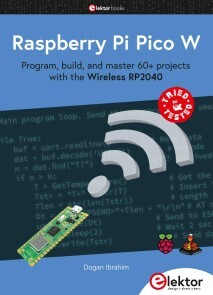
Raspberry Pi Pico W
The Raspberry Pi Pico and Pico W are based on the fast, efficient, and low-cost dual-core ARM Cortex M0+ RP2040 microcontroller chip running at up to 133 MHz and sporting 264 KB of SRAM and 2 MB of Flash memory. Besides spacious memory, the Pico and Pico W offer many GPIO pins, and popular peripheral interface modules like ADC, SPI, I2C, UART, PWM, timing modules, a hardware debug interface, and an internal temperature sensor.The Raspberry Pi Pico W additionally includes an on-board Infineon CYW43439 Bluetooth and Wi-Fi chipset. At the time of writing this book, the Bluetooth firmware was not yet available. Wi-Fi is however fully supported at 2.4 GHz using the 802.11b/g/n protocols.This book is an introduction to using the Raspberry Pi Pico W in conjunction with the MicroPython programming language. The Thonny development environment (IDE) is used in all of the 60+ working and tested projects covering the following topics:> Installing the MicroPython on Raspberry Pi Pico using a Raspberry Pi or a PC> Timer interrupts and external interrupts> Analogue-to-digital converter (ADC) projects> Using the internal temperature sensor and external sensor chips> Using the internal temperature sensor and external temperature sensor chips> Datalogging projects> PWM, UART, I2C, and SPI projects> Using Bluetooth, WiFi, and apps to communicate with smartphones> Digital-to-analogue converter (DAC) projectsAll projects are tried & tested. They can be implemented on both the Raspberry Pi Pico and Raspberry Pi Pico W, although the Wi-Fi- based subjects will run on the Pico W only. Basic programming and electronics experience are required to follow the projects. Brief descriptions, block diagrams, detailed circuit diagrams, and full MicroPython program listings are given for all projects. The full program listings of all the projects discussed in the book may be downloaded free of charge www.elektor.com/20335.Prof Dogan Ibrahim has a BSc, Hons. degree in Electronic Engineering, an MSc degree in Automatic Control Engineering, and a PhD degree in Digital Signal Processing.Dogan has worked in many industrial organizations before he returned to academic life. He is the author of over 70 technical books and has published over 200 technical articles on electronics, microprocessors, microcontrollers, and related fields.

Everyday Enterprise Architecture
Discover what needs to happen in enterprise-architecture practice—and not just its outcomes, but also the activities from which those outcomes would arise. This book reveals how business and enterprise architects can deliver fast solutions to an always-on-the-go business world.To begin, you'll review a new technique called "context-space mapping," which provides a structured method for sense-making across the entire context of an enterprise. Throughout the book, you'll concentrate on the routine practices_ _that underpin each of the architecture disciplines.Working step-by-step through a real 10-day architecture project, this book explores the activities that underpin the strategy, structures and solutions in the real-time turmoil of an enterprise architect’s everyday work. You'll explore how and why and when the various documents, artefacts and items of ‘theory-stuff’ come into the practice – all those mainstream methods, frameworks, models, metamodels and other information sources.In the end, Everyday Enterprise Architecture will help you develop the skills, judgment, and awareness to keep enhancing the value of your architectural projects.WHAT YOU'LL LEARN* Work on architectures at "business-speed"* Adapt architectures for different tasks* Gather, use, and manage architectural informationWHO THIS BOOK IS FOREnterprise and business architects.Tom Graves has been an independent consultant for more than four decades, in business transformation, enterprise architecture and knowledge management. His clients in Europe, Australasia and the Americas cover a broad range of industries including banking, utilities, manufacturing, logistics, engineering, media telecoms, research, defence and government. He has a special interest in architectures beyond IT, and integration between IT-based and non-IT-based services.Chapter 1: IntroductionCHAPTER GOAL: DESCRIBE THE PURPOSE OF THE BOOK, HOW TO USE IT, AND WHAT THE VARIOUS ELEMENTS ARENO OF PAGES 4SUB -TOPICS1. Main project: How to use architecture ideas and activities to describe what actually happens in a real enterprise-architecture project, and the business-reasons and business-value for each of those activities2. Secondary project: Worked-example3. Application: How to adapt each chapter’s content to our own workChapter 2: Day 1: Get StartedCHAPTER GOAL: SHOW HOW TO GET STARTED ON A PROJECT, AND SUMMARISE HOW THE ALLOCATED TEN DAYS WILL BE USEDNO OF PAGES 16SUB -TOPICS1 Do an initial assessment2 Show how to use the project-diary and other tools3 Show how to do an initial assessment4 Show how to apply any ‘lessons-learned’ in our own projectsChapter 3: Day 2: Purpose, scope and contextCHAPTER GOAL: SET UP AND START THE MAIN AND SECONDARY PROJECTSNO OF PAGES: 16SUB - TOPICS1 Introduce the main project as exploring ‘the architecture of architecture’2 Show how to use the step-by-step action-task sequence3 Introduce the secondary project: customer-breakdown at a bank4 Show how to use the same step-by-step-step sequence for the bank contentChapter 4: Day 3: What’s going on?CHAPTER GOAL: LEARN HOW TO DO AN ARCHITECTURE-ASSESSMENTNO OF PAGES : 18SUB - TOPICS:1 Explore how to do a ‘to-be’ (futures) assessment2 Explore how to do an ‘as-was’ (past) assessment3 Explore how to identify issues that need to be addressed4 Learn how to cope with the challenges and stresses of the workChapter 5: Day 4: What do we want?CHAPTER GOAL: LEARN HOW TO ESTABLISH A BASELINENO OF PAGES: 12SUB - TOPICS:1 Explore how to do an ‘as-is’ (present) assessment2 How to do social-enquiry with stakeholders3 How to tackle the politics of architecture4 Architecture as decision-support for stakeholders, not decision-makingChapter 6: Day 5: What’s the difference?CHAPTER GOAL: HOW TO IDENTIFY GAPS WHERE CHANGE IS NEEDEDNO OF PAGES 14SUB -TOPICS1 Identify and build the skillsets needed for comparison-assessments2 How to do comparisons to identify gaps (including hidden-gaps)3 How to prioritise gaps and derive requirements4 How and why to avoid the temptation to rush to ‘solutions’Chapter 7: Day 6: How do we get from here to there?CHAPTER GOAL: GUIDING THE TRANSITION TO SOLUTION-DESIGNNO OF PAGES 10SUB -TOPICS1 How to identify the roles and specialisms needed for solution-design2 How to identify, work with and hand over to the change-team3 How to refine and simplify change-requirements4 Politics reminder: architecture is decision-support, not decision-makingChapter 8: Day 7: Step-by-step detailsCHAPTER GOAL: LEARN THE RELATIVE ROLES AND RELATIONS BETWEEN ARCHITECTURE AND DESIGNNO OF PAGES 12SUB -TOPICS1 Role of architect as generalist, to connect specialists together2 How to develop and use sense-making skills3 Role of architect to assist in finding missing-detail4 How to identify common missing-detail (system-failure, timescale, decommission)Chapter 9: Day 8: Putting it into practiceCHAPTER GOAL: WHAT TO DO WHEN THE STAKEHOLDERS THEMSELVES ARE THE SOLUTIONSNO OF PAGES 14SUB -TOPICS1 How to design a change-programme for stakeholders2 How to deliver and guide a change-programme for stakeholders3 How to guide stakeholders in sensemaking and decision-making4 Introduce sense-making tools such as context-space mappingChapter 10: Day 9: What did we achieve?CHAPTER GOAL: HOW TO DO AND USE AN AFTER-ACTION REVIEWNO OF PAGES 12SUB -TOPICS1 Purpose and value of an after-action review2 Elements of an after-action review3 How to do and document an after-action review4 How to derive new change-tasks from an after-action reviewChapter 11: Day 10: How To Review and LearnCHAPTER GOAL: HOW TO REVIEW AND LEARN FROM OUR OWN PROJECTSNO OF PAGES 10SUB -TOPICS1 Reprise on how to do and assess an after-action review2 How to derive our own insights from work done with others3 How to apply and test those insights for our own architecture-practice4 How to derive and enact change-tasks for our own continuous-improvementAppendix 1: The architecture information-storesCHAPTER GOAL: HOW TO CAPTURE, RETRIEVE AND REUSE ARCHITECTURAL INFORMATIONNO OF PAGES 6SUB -TOPICS1 Identify types, roles and uses of architecture-information2 Identify how and why to store each type of architectural information3 Identify how to retrieve and reuse each type of architectural information4 Identify how and when to delete architectural informationAppendix 2: More on context-space mappingCHAPTER GOAL: PRESENT CONTEXT-SPACE MAPPING AS A SENSEMAKING TOOL FOR ARCHITECTURENO OF PAGES 18SUB -TOPICS1 Describe purpose and underlying principles for context-space mapping2 Explore how context-space mapping works as a sensemaking method3 Provide detailed worked-examples of context-space mapping4 Show outcomes and value of context-space mapping in sensemakingAppendix 3: ResourcesCHAPTER GOAL: PROVIDE ADDITIONAL SUPPORT FOR THE PRACTICES IN THIS BOOKNO OF PAGES 2SUB -TOPICS1 Example books and other publications2 Websites and other online resources

arc42 in Aktion (2. Auflg.)
Praktische Tipps zur Architekturdokumentationarc42 ist das bewährte, praxisnahe Template zur Dokumentation und Entwicklung von Softwarearchitekturen. Dieser Praxisleitfaden zeigt, wie Sie Ihre Systeme einfach und effektiv kommunizieren und dokumentieren können.Über 200 praxisnahe Tipps zu arc422. überarbeitete Auflage Inhalt:arc42 im Überblick/Konkrete Beispiele/Grundregeln effektiver Dokumentation/arc42 in der Praxis einsetzen/Werkzeuge für arc42/Häufig gestellte Fragen ( FAQ )Ihr exklusiver Vorteil: E-Book inside beim Kauf des gedruckten BuchesAutoren:Dr. Gernot Starke stellt sich seit vielen Jahren der Herausforderung, die Architektur großer Systeme effektiv zu gestalten. Zu seinen Kunden zählen mittlere und große Unternehmen aus den Branchen Finanzdienstleistung, Logistik, Handel, Telekommunikation und dem öffentlichen Bereich. Er ist Mitinitiator und -betreiber von arc42, Mitgründer des iSAQB e.V. sowie Fellow der innoQ. Gernot lebt in Köln.Dr. Peter Hruschka ist einer der Prinzipale der Atlantic Systems Guild (www.systemsguild.com). Peter widmet sein Arbeitsleben dem Technologietransfer, insbesondere für große Hardware-/Software-Systeme. Er ist Mitbegründer von arc42 und req42 – der Heimat für pragmatische Softwarearchitektur und agiles Requirements-Engineering. Peter hat mehr als zehn Bücher und zahlreiche Artikel über Software- und System-Engineering veröffentlicht und unterrichtet und berät weltweit. Peter lebt in Aachen.Zielgruppe:Softwarearchitekten und -entwickler
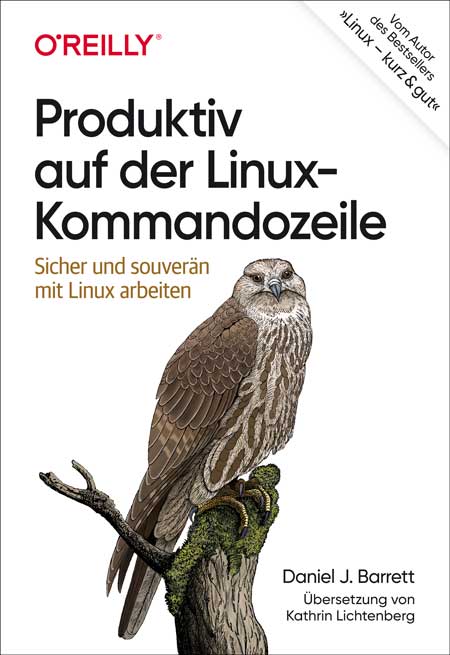
Produktiv auf der Linux-Kommandozeile
Sicher und souverän mit Linux arbeitenSouverän unterwegs auf der Kommandozeile: Dieses praktische Buch hilft Ihnen dabei, schneller, intelligenter und effizienter zu arbeiten. Sie erfahren, wie Sie komplexe Befehle erzeugen und ausführen, die echte Probleme lösen, Informationen abrufen, verarbeiten und lästige Aufgaben automatisieren.Sie werden außerdem verstehen, was hinter dem Shell-Prompt passiert. Ganz gleich, welche Befehle Sie im Einzelnen einsetzen: Sie werden Ihren Linux-Alltag problemlos meistern und sich mit solidem Wissen für den Arbeitsmarkt qualifizieren.Sie entwickeln gute bis fortgeschrittene Fähigkeiten auf der Kommandozeile und lernen dabei, wie Sie:Befehle auswählen oder konstruieren, die schnell Ihre Arbeitsaufgaben erledigen - effizient Befehle ausführen und mit Leichtigkeit durch das Linux-Dateisystem navigierenaus einfacheren Befehlen komplexe und leistungsstarke Befehle zusammensetzenTextdateien umbauen und sie wie Datenbanken abfragen, um geschäftliche Aufgaben zu lösendie Point-and-Click-Funktionen von Linux auf der Kommandozeile kontrollierenAutor:Daniel J. BarrettDaniel J. Barrett unterrichtet seit mehr als 30 Jahren Linux und verwandte Technologien im geschäftlichen wie im akademischen Umfeld. Der Autor von O’Reillys Linux kurz & gut und Koautor von Linux Security Cookbook sowie SSH, The Secure Shell: The Definitive Guide ist darüber hinaus Softwareentwickler, Heavy-Metal-Sänger, Systemadministrator, Universitätsdozent, Webdesigner und Komiker. Er arbeitet bei Google.Zielgruppe:Systemadministrator*innenEntwickler*innenMitarbeitende im Site Reliability Engineeringambitionierte User*innen
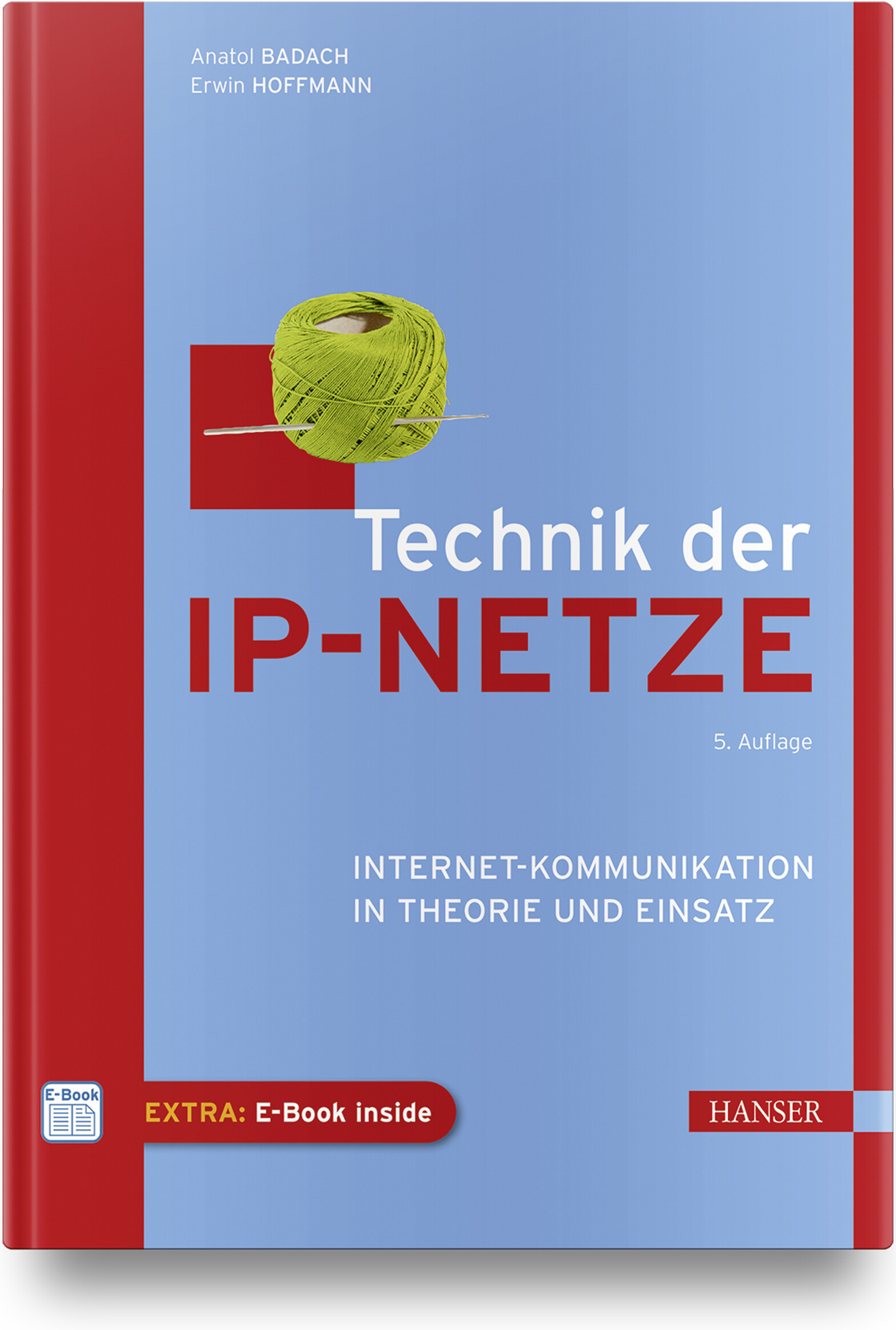
Technik der IP-Netze (5. Auflage)
Internet-Kommunikation in Theorie und EinsatzIn IP-Netzen laufen komplexe Vorgänge bei der Übermittlung von Daten in Form von IP-Paketen ab. Das massive Internet-Wachstum und die dabei entstandenen Anforderungen haben zu zahlreichen Entwicklungen geführt – hervorzuheben sind u. a. das Internetprotokoll IPv6, die Techniken MPLS und GMPLS, mehrere Arten von Virtual Networks, Distributed Layer 2/3 Switching und »Internet of Things«.Neu in der 5. Auflage sind der von der IETF vorgeschlagene Standard QUIC, ein Abschnitt zu Network-Time-Protokollen sowie eine Einführung in Software Defined Networking (SDN).Das Buch enthält eine systematische Darstellung der TCP/IP-Protokollfamilie sowie von Routing-Prinzipien in klassischen IP- wie auch in IPv6-Netzen. Es erläutert außerdem die Konzepte zum Aufbau von IP-Netzen auf der Basis unterschiedlicher Netztechnologien speziell im Hinblick auf Virtual Networks sowie der Unterstützung der Mobilität. Zudem wird umfangreich auf die technologischen Grundlagen des »Internet of Things« eingegangen.Es eignet sich nicht nur als Lehrbuch für Studierende unterschiedlicher Fachrichtungen sowie für Neueinsteiger, sondern auch als Nachschlagewerk für den Praktiker. Im Buch sind die relevanten Quellen ins Internet verlinkt, sodass es sich auch als »Informations-Hub« für das Selbststudium einsetzen lässt.Autoren:Prof. Dr.-Ing. Anatol Badach war Professor im Fachbereich Angewandte Informatik der Hochschule Fulda. Seine Schwerpunkte in Lehre und Forschung waren Rechnerkommunikation, Netzwerktechnologien und Multiservice Networking. Er ist Autor mehrerer Fachbücher.Dr. Erwin Hoffmann ist Netzwerk- und Systemberater mit den Schwerpunkten Unix, Prozessmanagement und ITIL. Neben dieser Beratungstätigkeit ist er aktives Mitglied der GUUG und entwickelt eigene (Public Domain) Software.Leseprobe (PDF-Link)

Pro .NET on Amazon Web Services
This book provides in-depth guidance and best practices for .NET developers new to working with Amazon Web Services. AWS is the world’s most comprehensive and broadly adopted cloud platform, and this book will help you choose from, and use, its extensive collection of cloud services when developing and hosting your .NET applications in the cloud.Pro .NET on Amazon Web Services focuses on the building and deployment of .NET applications on AWS. It demonstrates best practices and provides prescriptive guidance around moving existing .NET Framework, .NET Core, and .NET 5+ applications to AWS. It also offers directions on building new, distributed, and reliable cloud-native applications. You will learn how to take advantage of the various tools available from AWS to build and deploy .NET-based applications. You will also be shown how to take advantage of different AWS services, including various execution platforms and databases that can help your .NET applications to achieve the reliability and scalability that AWS is known for.WHAT YOU WILL LEARN* Develop and deploy Microsoft .NET applications on the Amazon Web Services platform* Take advantage of the various free tools AWS offers for developing and deploying cloud applications* Choose the correct compute service on which to host your application* Choose the right database from the many options that AWS offers* Make AWS service calls from within .NET applications* Secure .NET applications using best practices around AWS Identity and Access Management (IAM)* Migrate existing .NET applications to the AWS platform and take advantage of the services offered* Build modern .NET applications using advanced AWS servicesWHO THIS BOOK IS FOR.NET developers seeking to take advantage of the breadth and depth of functionality in the AWS cloud, as well as developers who, whether new to cloud applications or experienced in the cloud, face challenges in understanding and applying the breadth and depth of services available from AWS when choosing to develop and host their applications. It will also be useful for those interested in extending their application’s functionality through calling AWS services from within their applications, and who want to apply best practices for building and securing modern distributed .NET applications in the Amazon Web Services cloud.BILL PENBERTHY has over 25 years in software development (almost 15 of which is .NET), and brings a pragmatic approach to software development . With much of that time spent in consulting, he has worked on many different projects and used many different designs and approaches. In 2019, he switched to the dark side where he puts his development experience towards being a .NET developer advocate with AWS.STEVE ROBERTS is a Developer Advocate for .NET and PowerShell development at AWS. Based in Seattle, Washington, Steve worked for 8 years as a Senior Development Engineer on the AWS tools for .NET. He was the development lead for the AWS Tools for PowerShell and the AWS Tools for Azure DevOps and contributed to the AWS Toolkits for Visual Studio, and Visual Studio Code, and the AWS SDK for .NET. Prior to joining AWS, Steve had over 20 years’ experience as a developer focused on IDE tools and integrations.PART I. GETTING STARTED1. The Core Essentials2. AWS Tools for .NET3. Additional ToolsPART II. HOSTING YOUR APPLICATIONS4. Virtual Machines5. Containers6. ServerlessPART III. STORING YOUR DATA7. S3 Object Storage8. Microsoft SQL Server9. Other RDS Databases10. NoSQL Databases and AWS11. Purpose-built DatabasesPART IV. MOVING EXISTING APPS TO AWS12. Moving to Virtual Machines.13. Containerizing14. Migrating your Data15. Re-platforming and RefactoringPART V. BUILDING CLOUD NATIVE APPLICATIONS16. Events and Messaging17. Monitoring and Observability

MySQL Database Service Revealed
Access all the information you need to begin using the MySQL Database Service (MDS) in the Oracle Cloud Infrastructure (OCI). MDS is Oracle’s new platform as a service (PAAS) offering for open-source database users. This book covers getting started with an account in OCI, gives a brief overview of OCI services available, and provides a short tutorial on MDS. Reading this book helps you take advantage of the powerful OCI features by building your own MySQL database in the cloud.Examples in this book center around running MDS in OCI, and include several of the popular use cases as well as advice on how to implement them. In addition, you will learn more about the related MDS OCI features, such as the high availability features currently available. Finally, you will learn how to back up and restore your data as well as how to get your data into and out of the cloud. The skills you learn in this book will help you get started using MDS and letting Oracle do the heavy lifting of managing MDS operations and implementation.WHAT YOU WILL LEARN* Use Oracle Cloud Infrastructure (OCI)* Deploy MySQL Database Service (MDS) systems in the cloud* Connect your applications to MDS* Back up and recover using the data recovery features of MDS* Employ the newest high availability features of MDSWHO THIS BOOK IS FORSystems engineers, developers, and database professionals who want to learn about the powerful features of the MySQL Database Service (MDS) and how to incorporate cloud-based database storage into their infrastructure and applications. Readers who are new to MySQL will appreciate the tutorial chapter, and those familiar with MySQL will learn the latest features of MDS as well as how to build inexpensive, powerful MySQL database servers in the Oracle Cloud Infrastructure (OCI).CHARLES BELL conducts research in emerging technologies. He is a member of the Oracle MySQL Development team and is one of the principal developers for the MySQL Database Service (MDS) team supporting MySQL as a service in the Oracle Cloud Infrastructure (OCI). He received his Doctor of Philosophy in Engineering from Virginia Commonwealth University in 2005.Dr. Bell is an expert in the database field and has extensive knowledge and experience in software development and systems engineering. His research interests include 3D printers, microcontrollers, database systems, cloud systems, software engineering, Internet of Things, and sensor networks.Dr. Bell lives in a small town in rural Virginia with his loving wife. He spends his limited free time as a practicing Maker, focusing on microcontroller projects and refinement of 3D printers. 1. Getting Started with MySQL in the Cloud2. Oracle Cloud Infrastructure3. A Brief Tutorial of MySQL4. MySQL Database Service5. Backup and Restore6. Point-in-Time Recovery7. Data Import and Export8. High Availability9. OCI Command-Line Interface and Application Programming Interfaces10. Migrating to MDS

Landschaftsfotos nach Plan
Beeindruckende Landschaftsfotos mit Himmelsereignissen durch Planung mit PhotoPills und anderen ToolsDurch die gezielte Planung von Landschaftsaufnahmen lässt sich die Quote an herausragenden Bildern enorm steigern. So können Sie Ereignisse wie Sonnen- und Mondfinsternisse, Meteoritenschauern oder spezielle Konstellationen mit Mond, Sonne und Milchstraße nutzen, um Bilder mit Wow-Faktor zu kreieren.Das Buch führt anhand mehrerer Planungstools, in dessen Zentrum die App PhotoPills steht, durch den kompletten Prozess, erläutert die einzelnen Werkzeuge im Detail und zeigt mit zahlreichen Praxisbeispielen die Möglichkeiten und das Potenzial von geplanten Aufnahmen auf.Lernen Sie, wie Sie PhotoPills und andere Tools einsetzen, um komplexe Konstellationen von Himmelsereignissen für spektakuläre Aufnahmen von Landschaften und Stadtlandschaften zu kreieren. Erweitern Sie Ihr Repertoire und lernen Sie eine neue Art zu fotografieren kennen.Über den Autor:Salke Hartung ist promovierter Informatiker und seit mehr als 10 Jahren Landschaftsfotograf aus Passion. Seine Schwerpunkte sind die Fotografie von Stadtlandschaften sowie die Nachtfotografie. Er ist Administrator der Facebook-Gruppe „Landschaftsfotografie mit Anspruch“, Betreiber des Facebook-Projekts RAWcketScience und wurde im Januar 2022 zum „PhotoPiller of the Month“ gekürt. www.salkehartung.de
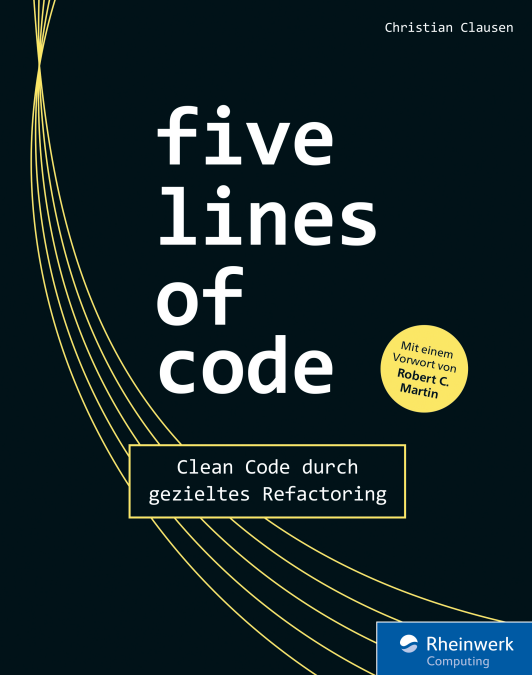
Five Lines of Code
Clean Code durch gezieltes RefactoringRefactoring ist die Kunst, bestehenden Code so zu verbessern, dass der Wert von Software langfristig erhalten bleibt. Das Ergebnis des Vorgangs ist als Clean Code bekannt – aber wie kommen Sie dahin? Christian Clausen legt hier eine ganz neuartige Schule des Refactorings vor, die Sie Schritt für Schritt anleitet. Der Vorgang wird dazu in klare Regeln und Aufgaben gefasst, ohne Nuancen und Intuition über Bord zu werfen. So erreichen Sie mehr, als offensichtliche Code Smells zu beseitigen. Die Beispiele sind in TypeScript gehalten; das Vorgehen eignet sich für alle OOP-Sprachen.Aus dem Inhalt:Anzeichen für Verbesserungsbedarf im CodeCode in sicheren Schritten verbessern – auch, wenn Sie ihn nicht verstehenOptimierungen und Wiederverwendbarkeit sinnvoll abwägenGute Compiler-PraxisViele Patterns und Methoden für das konkrete VorgehenWie man Code schreibt, der ohne Kommentare auskommtBest Pracitces aus realen ProjektenAutor:Christian Clausen ist Agile Coach mit einem Beratungsschwerpunkt auf der technischen Seite der Softwareentwicklung.

Programmieren lernen in der Minecraft-Welt. Let's Code!
Programmieren lernen in der Minecraft-Welt: Erwecke die Roboter-Schildkröte zum Leben!Willkommen in TurtleCity! Du hast nicht nur ein Buch aufgeschlagen, du bist auch in Minecraft unterwegs und lernst dort Programmieren: Eine Robo-Schildkröte folgt genau deinen Befehlen. Du lässt sie verrückte Sachen bauen, nach Schätzen graben, und zusammen geht ihr so manche Challenge an.Für Kinder und Jugendliche ab 8 Jahren, online oder offline nutzbar. Eine Minecraft-Java-Lizenz wird benötigt, Vorkenntnisse nicht. Die Minecraft-Erweiterung mit der Schildkröte ist kostenlos und leicht zu installieren. Los geht's!Aus dem Inhalt:Installation nach AnleitungWas die Schildkröte alles kannBau mir ein ...Solange, bis ...Wenn ..., dann ...Verschachtelte SchleifenBaumfäller, Schürf-Roboter und andere nützliche Helfer programmierenDer Weg aus dem LabyrinthProgramme speichern und wieder ladenLeseprobe (PDF-Link)

Hacking & Security - Das umfassende Handbuch (3. Auflage)
Nur wenn Sie verstehen, wie ein Angreifer denkt, können Sie Ihre IT-Systeme auch wirklich absichern. Dieses umfassende Handbuch ist der Schlüssel dazu. Die Security-Profis rund um Bestseller-Autor Michael Kofler vermitteln Ihnen das ganze Know-how, um Ihre Infrastrukturen vor Angriffen zu schützen – Praxisbeispiele und konkrete Szenarien inklusive. Von der Absicherung des Active Directory bis zum Einsatz von Kali Linux, von der Suche nach Exploits bis zur Härtung von Webservern: Hier werden Sie zum Security-Experten!Aus dem Inhalt: Kali LinuxHacking-Tools (nmap, hydra, mimikatz, Metasploit, OpenVas)Externe Sicherheitsüberprüfung & Pen-Tests auf Client und ServerIT-Forensik: Spuren sichern und analysierenWLAN, Bluetooth und Funk abhören, USB-Hacking-DevicesBasisabsicherung: Linux und Windows, Active Directory und SambaCloud-Sicherheit: Microsoft 365, AWS, NextCloudHacking und Security von SmartphonesIntrusion Detection mit SnortWeb-Anwendungen absichern und angreifenExploits: Buffer Overflows, Fuzzing, Heap Spraying und mehr; Inkl. Spectre & MeltdownIoT-Security: Angriffe und sichere EntwicklungLeseprobe (PDF-Link)

Rechnernetze
Wie Daten zwischen Rechnern ausgetauscht werden, ist absolutes Grundlagenwissen im Informatikstudium: Das OSI-Modell und die Grundlagen der paketbasierten Kommunikation müssen Sie kennen, wenn Sie professionell mit Computern arbeiten. Dazu finden Sie in diesem umfassenden Lehrbuch den vollständigen Überblick über moderne Netzwerkthemen: Von der technischen Umsetzung über Algorithmen und Protokolle bis zur Planung und Konzeption von Netzwerkarchitekturen. Aus dem Inhalt: Netzwerke im ÜberblickEthernet und WLANPackete, Verbindungen und RoutingRouting-Algorithmen und Large Scale IP-RoutingBorder Gateway Protocol (BGP)IPv4 und IPv6 und Ihre Begleiter: DNS, ARP, DHCP, SLAACTransportprotokolle: UDP und TCPQueuing und SchedulingQuality of ServiceNetzwerkmanagement mit SNMPSicherheit und praktische Anwendung Materialien zum Buch ... 25 Geleitwort des Fachgutachters ... 27 1. Netzwerke im Überblick ... 29 1.1 ... Schichten ... 29 1.2 ... Datenrate, Durchsatz und Bandbreite ... 30 1.3 ... Pakete ... 31 1.4 ... Datagrammweiterleitung ... 33 1.5 ... Topologie ... 37 1.6 ... Routing-Schleifen ... 38 1.7 ... Überlast ... 40 1.8 ... Mehr über Pakete ... 41 1.9 ... LANs und Ethernet ... 42 1.10 ... IP -- Internet Protocol ... 45 1.11 ... DNS ... 54 1.12 ... Transport ... 55 1.13 ... Firewalls ... 61 1.14 ... Einige nützliche Dienstprogramme ... 63 1.15 ... IETF und OSI ... 65 1.16 ... Berkeley Unix ... 69 1.17 ... Epilog ... 70 1.18 ... Übungen ... 70 2. Ethernet-Grundlagen ... 75 2.1 ... Klassisches 10-Mbit/s-Ethernet ... 76 2.2 ... 100 Mbit/s (Fast) Ethernet ... 93 2.3 ... Gigabit-Ethernet ... 95 2.4 ... Ethernet-Switches ... 96 2.5 ... Epilog ... 101 2.6 ... Übungen ... 102 3. Weiterführende Ethernet-Themen ... 107 3.1 ... Spanning-Tree-Algorithmus und Redundanz ... 108 3.2 ... Virtuelles LAN (VLAN) ... 114 3.3 ... TRILL und SPB ... 119 3.4 ... Software-Defined Networking ... 122 3.5 ... Epilog ... 132 3.6 ... Übungen ... 132 4. Drahtlose LANs ... 137 4.1 ... Abenteuer im Funkland ... 137 4.2 ... Wi-Fi ... 143 4.3 ... WiMAX und LTE ... 182 4.4 ... Ortsfeste Drahtlosnetzwerke ... 188 4.5 ... Epilog ... 190 4.6 ... Übungen ... 191 5. Sonstige LAN-Technologien ... 195 5.1 ... Virtuelle private Netzwerke ... 195 5.2 ... Carrier-Ethernet ... 197 5.3 ... Token Ring ... 198 5.4 ... Virtuelle Verbindungen ... 200 5.5 ... Asynchronous Transfer Mode: ATM ... 204 5.6 ... Epilog ... 208 5.7 ... Übungen ... 208 6. Verbindungen ... 213 6.1 ... Kodierung und Frames ... 213 6.2 ... Zeitmultiplexverfahren ... 220 6.3 ... Epilog ... 227 6.4 ... Übungen ... 227 7. Pakete ... 229 7.1 ... Paketverzögerung ... 229 7.2 ... Schwankungen der Paketverzögerung ... 233 7.3 ... Paketgröße ... 234 7.4 ... Fehlererkennung ... 237 7.5 ... Epilog ... 245 7.6 ... Übungen ... 245 8. Sliding Windows ... 251 8.1 ... Zuverlässige Datenübertragung: Stop-and-Wait ... 251 8.2 ... Die Sliding-Windows-Strategie ... 256 8.3 ... Lineare Flaschenhälse ... 261 8.4 ... Epilog ... 271 8.5 ... Übungen ... 271 9. IP Version 4 ... 277 9.1 ... Der IPv4-Header ... 279 9.2 ... Schnittstellen ... 282 9.3 ... Spezielle Adressen ... 284 9.4 ... Fragmentierung ... 287 9.5 ... Der klassenlose IP-Delivery-Algorithmus ... 290 9.6 ... IPv4-Subnetze ... 294 9.7 ... Netzwerkadressübersetzung ... 302 9.8 ... Unnummerierte Schnittstellen ... 309 9.9 ... Mobile IP ... 311 9.10 ... Epilog ... 313 9.11 ... Übungen ... 313 10. IPv4-Begleitprotokolle ... 317 10.1 ... DNS ... 317 10.2 ... Address Resolution Protocol: ARP ... 336 10.3 ... Dynamic Host Configuration Protocol (DHCP) ... 341 10.4 ... Internet Control Message Protocol ... 343 10.5 ... Epilog ... 349 10.6 ... Übungen ... 349 11. IPv6 ... 351 11.1 ... Der IPv6-Header ... 352 11.2 ... IPv6-Adressen ... 353 11.3 ... Netzwerkpräfixe ... 358 11.4 ... IPv6-Multicast ... 359 11.5 ... IPv6-Erweiterungsheader ... 360 11.6 ... Nachbarschaftserkennung (Neighbor Discovery) ... 364 11.7 ... Zuweisung von IPv6-Hostadressen ... 371 11.8 ... Epilog ... 378 11.9 ... Übungen ... 378 12. Weitere IPv6-Funktionen ... 381 12.1 ... Weltweit sichtbare Adressen ... 381 12.2 ... ICMPv6 ... 382 12.3 ... IPv6-Subnetze ... 384 12.4 ... IPv6 und IPv4 gemeinsam benutzen ... 386 12.5 ... IPv6-Beispiele ohne Router ... 392 12.6 ... IPv6-Konnektivität über Tunneling ... 395 12.7 ... Konnektivität von IPv6 nach IPv4 ... 400 12.8 ... Epilog ... 402 12.9 ... Übungen ... 402 13. Routing-Update-Algorithmen ... 405 13.1 ... Distanzvektor-Routing-Update-Algorithmus ... 406 13.2 ... Langsames Konvergenzproblem bei Distanzvektoren ... 413 13.3 ... Minimierung der Streckenkosten ... 415 13.4 ... Schleifenfreie Distanzvektor-Algorithmen ... 418 13.5 ... Link-State-Routing-Update-Algorithmus ... 427 13.6 ... Routing nach anderen Attributen ... 432 13.7 ... ECMP ... 434 13.8 ... Epilog ... 435 13.9 ... Übungen ... 436 14. IP-Routing im großen Maßstab ... 445 14.1 ... Classless Internet Domain Routing: CIDR ... 446 14.2 ... Hierarchisches Routing ... 449 14.3 ... Routing in früherer Zeit ... 450 14.4 ... Providerbasiertes Routing ... 451 14.5 ... Geografisches Routing ... 458 14.6 ... Epilog ... 459 14.7 ... Übungen ... 459 15. Border Gateway Protocol (BGP) ... 465 15.1 ... AS-Pfade ... 467 15.2 ... AS-Pfade und Routenaggregation ... 469 15.3 ... Transit-Traffic ... 471 15.4 ... BGP-Filterung und Routing-Policies ... 471 15.5 ... BGP-Tabellengröße ... 474 15.6 ... BGP-Pfadattribute ... 475 15.7 ... BGP und Traffic-Engineering ... 480 15.8 ... BGP und Anycast ... 484 15.9 ... BGP für internes Routing ... 485 15.10 ... BGP-Beziehungen ... 486 15.11 ... Beispiele für BGP-Instabilität ... 492 15.12 ... BGP-Sicherheit und Route Registrys ... 494 15.13 ... Epilog ... 500 15.14 ... Übungen ... 500 16. UDP-Übertragung ... 503 16.1 ... User Datagram Protocol -- UDP ... 503 16.2 ... Trivial File Transport Protocol, TFTP ... 520 16.3 ... Grundlegende Übertragungsprobleme ... 523 16.4 ... Weitere Anmerkungen zu TFTP ... 531 16.5 ... Remote Procedure Call (RPC) ... 534 16.6 ... Epilog ... 539 16.7 ... Übungen ... 539 17. Grundlagen des TCP-Transports ... 545 17.1 ... Das Ende-zu-Ende-Prinzip ... 547 17.2 ... TCP-Header ... 547 17.3 ... Aufbau einer TCP-Verbindung ... 549 17.4 ... TCP und WireShark ... 555 17.5 ... TCP-Offloading ... 557 17.6 ... TCP-Simplex-Talk ... 558 17.7 ... TCP und bind() ... 563 17.8 ... TCP-Zustandsdiagramm ... 565 17.9 ... Epilog ... 572 17.10 ... Übungen ... 572 18. TCP -- Probleme und Alternativen ... 577 18.1 ... Alte Duplikate bei TCP ... 577 18.2 ... TIMEWAIT ... 578 18.3 ... Der dreifache Handshake -- erneut betrachtet ... 580 18.4 ... Anomale TCP-Szenarien ... 583 18.5 ... Schnelleres Öffnen von TCP-Verbindungen ... 584 18.6 ... Path MTU Discovery ... 587 18.7 ... Sliding Windows bei TCP ... 587 18.8 ... Verzögerte ACKs bei TCP ... 588 18.9 ... Nagle-Algorithmus ... 589 18.10 ... Flusssteuerung bei TCP ... 590 18.11 ... Silly-Window-Syndrom ... 591 18.12 ... Zeitüberschreitung und Neuübertragung bei TCP ... 592 18.13 ... KeepAlive ... 594 18.14 ... TCP-Timer ... 594 18.15 ... Varianten und Alternativen ... 595 18.16 ... Epilog ... 608 18.17 ... Übungen ... 608 19. TCP Reno und Überlastmanagement ... 611 19.1 ... Grundlagen des TCP-Überlastmanagements ... 612 19.2 ... Slow Start ... 618 19.3 ... TCP Tahoe und Fast-Retransmit ... 624 19.4 ... TCP Reno und Fast-Recovery ... 626 19.5 ... TCP NewReno ... 630 19.6 ... Selektive Bestätigungen (SACK) ... 632 19.7 ... TCP und Auslastung der Flaschenhalsverbindung ... 633 19.8 ... Verluste einzelner Pakete ... 638 19.9 ... Annahmen zu TCP und Skalierbarkeit ... 639 19.10 ... TCP-Parameter ... 640 19.11 ... Epilog ... 641 19.12 ... Übungen ... 641 20. TCP-Dynamik ... 647 20.1 ... Ein erster Blick auf das Queuing ... 647 20.2 ... Flaschenhalsverbindungen mit konkurrierendem Datenverkehr ... 649 20.3 ... TCP Reno -- Fairness mit synchronisierten Verlusten ... 659 20.4 ... Epilog ... 669 20.5 ... Übungen ... 669 21. Weitere TCP-Dynamiken ... 675 21.1 ... Begriffe der Fairness ... 675 21.2 ... TCP-Reno-Verlustrate und cwnd ... 677 21.3 ... TCP-Freundlichkeit ... 680 21.4 ... Noch einmal AIMD ... 684 21.5 ... Aktives Warteschlangenmanagement ... 686 21.6 ... Das TCP-Problem der hohen Bandbreiten ... 694 21.7 ... Das Problem der verlustbehafteten Verbindungen ... 696 21.8 ... Das Problem der Satelliten-TCP-Verbindungen ... 697 21.9 ... Epilog ... 697 21.10 ... Übungen ... 698 22. Queuing und Scheduling ... 705 22.1 ... Queuing und Echtzeitdatenverkehr ... 706 22.2 ... Traffic-Management ... 707 22.3 ... Priority Queuing ... 708 22.4 ... Warteschlangenverfahren ... 708 22.5 ... Fair Queuing ... 710 22.6 ... Anwendungen von Fair Queuing ... 730 22.7 ... Hierarchisches Queuing ... 733 22.8 ... Hierarchical Weighted Fair Queuing ... 737 22.9 ... Epilog ... 744 22.10 ... Übungen ... 745 23. Token-Bucket ... 749 23.1 ... Token-Bucket -- Definition ... 750 23.2 ... Token-Bucket -- Beispiele ... 753 23.3 ... Mehrere Token-Buckets ... 754 23.4 ... GCRA ... 755 23.5 ... Gewährleistung der VoIP-Bandbreite ... 757 23.6 ... Verzögerung begrenzen ... 758 23.7 ... Token-Bucket durch einen Router ... 760 23.8 ... Token-Bucket durch mehrere Router ... 761 23.9 ... Verzögerungsbedingungen ... 762 23.10 ... CBQ ... 765 23.11 ... Linux HTB ... 765 23.12 ... Parekh-Gallager Theorem ... 767 23.13 ... Epilog ... 768 23.14 ... Übungen ... 768 24. Quality of Service ... 773 24.1 ... Netzneutralität ... 775 24.2 ... Wo die wilden Warteschlangen wohnen ... 775 24.3 ... Echtzeit-Datenverkehr ... 776 24.4 ... Integrated Services/RSVP ... 780 24.5 ... Globales IP-Multicast ... 781 24.6 ... RSVP ... 788 24.7 ... Differentiated Services ... 794 24.8 ... RED with In and Out ... 801 24.9 ... NSIS ... 801 24.10 ... Comcast-System zu Überlaststeuerung ... 802 24.11 ... Real-time Transport Protocol (RTP) ... 804 24.12 ... Multi-Protocol Label Switching (MPLS) ... 810 24.13 ... Epilog ... 814 24.14 ... Übungen ... 814 25. Netzwerkverwaltung und SNMP ... 817 25.1 ... Netzwerkarchitektur ... 820 25.2 ... SNMP-Grundlagen ... 820 25.3 ... Namen und OIDs unter SNMP ... 823 25.4 ... MIBs ... 825 25.5 ... SNMPv1-Datentypen ... 827 25.6 ... ASN.1-Syntax und SNMP ... 828 25.7 ... SNMP-Tabellen ... 829 25.8 ... SNMP-Operationen ... 835 25.9 ... MIB-Browsing ... 841 25.10 ... MIB-2 ... 842 25.11 ... SNMPv1-Communitys und -Sicherheit ... 853 25.12 ... SNMP und die ASN.1-Kodierung ... 855 25.13 ... Übungen ... 859 26. Die SNMP-Versionen 2 und 3 ... 863 26.1 ... SNMPv2 ... 863 26.2 ... Erstellung von Tabellenzeilen ... 879 26.3 ... SNMPv3 ... 890 26.4 ... Übungen ... 905 27. Sicherheit ... 907 27.1 ... Einbruch mit Ausführung von Code ... 909 27.2 ... Stapelüberlauf ... 911 27.3 ... Heap-Überlauf ... 923 27.4 ... Network Intrusion Detection ... 930 27.5 ... Ziele der Kryptografie ... 932 27.6 ... Sichere Hashes ... 934 27.7 ... Verschlüsselung mit gemeinsamem Schlüssel ... 940 27.8 ... Diffie-Hellman-Merkle-Schlüsselaustausch ... 954 27.9 ... Übungen ... 959 28. Verschlüsselung mit öffentlichem Schlüssel ... 963 28.1 ... RSA ... 963 28.2 ... Vorwärts gerichtete Geheimhaltung ... 967 28.3 ... Vertrauen und der Mann in der Mitte ... 969 28.4 ... Ende-zu-Ende-Verschlüsselung ... 970 28.5 ... SSH und TLS ... 971 28.6 ... IPsec ... 998 28.7 ... DNSSEC ... 1002 28.8 ... Beispiele mit RSA-Schlüssel ... 1016 28.9 ... Übungen ... 1020 Bibliografie ... 1023 Index ... 1033

Applikationsdesign mit SAP Analytics Cloud
Lernen Sie, wie Sie mit dem Analytics Designer maßgeschneiderte und flexible analytische Applikationen in SAP Analytics Cloud entwickeln, bereitstellen und überwachen. Die Autoren führen Sie durch die einzelnen Schritte der Anwendungsentwicklung und zeigen Ihnen, wie Sie die Applikationen an die Bedürfnisse der Anwender*innen anpassen. Aus dem Inhalt: ArchitekturDatenmodellierung und -anbindungEntwicklungsumgebungSkripte und WizardsBI-ApplikationenPlanungsapplikationenPredictive AnalysisStandard- und Custom Widgets Materialien zum Buch ... 25 Geleitwort des Fachgutachters ... 27 1. Netzwerke im Überblick ... 29 1.1 ... Schichten ... 29 1.2 ... Datenrate, Durchsatz und Bandbreite ... 30 1.3 ... Pakete ... 31 1.4 ... Datagrammweiterleitung ... 33 1.5 ... Topologie ... 37 1.6 ... Routing-Schleifen ... 38 1.7 ... Überlast ... 40 1.8 ... Mehr über Pakete ... 41 1.9 ... LANs und Ethernet ... 42 1.10 ... IP -- Internet Protocol ... 45 1.11 ... DNS ... 54 1.12 ... Transport ... 55 1.13 ... Firewalls ... 61 1.14 ... Einige nützliche Dienstprogramme ... 63 1.15 ... IETF und OSI ... 65 1.16 ... Berkeley Unix ... 69 1.17 ... Epilog ... 70 1.18 ... Übungen ... 70 2. Ethernet-Grundlagen ... 75 2.1 ... Klassisches 10-Mbit/s-Ethernet ... 76 2.2 ... 100 Mbit/s (Fast) Ethernet ... 93 2.3 ... Gigabit-Ethernet ... 95 2.4 ... Ethernet-Switches ... 96 2.5 ... Epilog ... 101 2.6 ... Übungen ... 102 3. Weiterführende Ethernet-Themen ... 107 3.1 ... Spanning-Tree-Algorithmus und Redundanz ... 108 3.2 ... Virtuelles LAN (VLAN) ... 114 3.3 ... TRILL und SPB ... 119 3.4 ... Software-Defined Networking ... 122 3.5 ... Epilog ... 132 3.6 ... Übungen ... 132 4. Drahtlose LANs ... 137 4.1 ... Abenteuer im Funkland ... 137 4.2 ... Wi-Fi ... 143 4.3 ... WiMAX und LTE ... 182 4.4 ... Ortsfeste Drahtlosnetzwerke ... 188 4.5 ... Epilog ... 190 4.6 ... Übungen ... 191 5. Sonstige LAN-Technologien ... 195 5.1 ... Virtuelle private Netzwerke ... 195 5.2 ... Carrier-Ethernet ... 197 5.3 ... Token Ring ... 198 5.4 ... Virtuelle Verbindungen ... 200 5.5 ... Asynchronous Transfer Mode: ATM ... 204 5.6 ... Epilog ... 208 5.7 ... Übungen ... 208 6. Verbindungen ... 213 6.1 ... Kodierung und Frames ... 213 6.2 ... Zeitmultiplexverfahren ... 220 6.3 ... Epilog ... 227 6.4 ... Übungen ... 227 7. Pakete ... 229 7.1 ... Paketverzögerung ... 229 7.2 ... Schwankungen der Paketverzögerung ... 233 7.3 ... Paketgröße ... 234 7.4 ... Fehlererkennung ... 237 7.5 ... Epilog ... 245 7.6 ... Übungen ... 245 8. Sliding Windows ... 251 8.1 ... Zuverlässige Datenübertragung: Stop-and-Wait ... 251 8.2 ... Die Sliding-Windows-Strategie ... 256 8.3 ... Lineare Flaschenhälse ... 261 8.4 ... Epilog ... 271 8.5 ... Übungen ... 271 9. IP Version 4 ... 277 9.1 ... Der IPv4-Header ... 279 9.2 ... Schnittstellen ... 282 9.3 ... Spezielle Adressen ... 284 9.4 ... Fragmentierung ... 287 9.5 ... Der klassenlose IP-Delivery-Algorithmus ... 290 9.6 ... IPv4-Subnetze ... 294 9.7 ... Netzwerkadressübersetzung ... 302 9.8 ... Unnummerierte Schnittstellen ... 309 9.9 ... Mobile IP ... 311 9.10 ... Epilog ... 313 9.11 ... Übungen ... 313 10. IPv4-Begleitprotokolle ... 317 10.1 ... DNS ... 317 10.2 ... Address Resolution Protocol: ARP ... 336 10.3 ... Dynamic Host Configuration Protocol (DHCP) ... 341 10.4 ... Internet Control Message Protocol ... 343 10.5 ... Epilog ... 349 10.6 ... Übungen ... 349 11. IPv6 ... 351 11.1 ... Der IPv6-Header ... 352 11.2 ... IPv6-Adressen ... 353 11.3 ... Netzwerkpräfixe ... 358 11.4 ... IPv6-Multicast ... 359 11.5 ... IPv6-Erweiterungsheader ... 360 11.6 ... Nachbarschaftserkennung (Neighbor Discovery) ... 364 11.7 ... Zuweisung von IPv6-Hostadressen ... 371 11.8 ... Epilog ... 378 11.9 ... Übungen ... 378 12. Weitere IPv6-Funktionen ... 381 12.1 ... Weltweit sichtbare Adressen ... 381 12.2 ... ICMPv6 ... 382 12.3 ... IPv6-Subnetze ... 384 12.4 ... IPv6 und IPv4 gemeinsam benutzen ... 386 12.5 ... IPv6-Beispiele ohne Router ... 392 12.6 ... IPv6-Konnektivität über Tunneling ... 395 12.7 ... Konnektivität von IPv6 nach IPv4 ... 400 12.8 ... Epilog ... 402 12.9 ... Übungen ... 402 13. Routing-Update-Algorithmen ... 405 13.1 ... Distanzvektor-Routing-Update-Algorithmus ... 406 13.2 ... Langsames Konvergenzproblem bei Distanzvektoren ... 413 13.3 ... Minimierung der Streckenkosten ... 415 13.4 ... Schleifenfreie Distanzvektor-Algorithmen ... 418 13.5 ... Link-State-Routing-Update-Algorithmus ... 427 13.6 ... Routing nach anderen Attributen ... 432 13.7 ... ECMP ... 434 13.8 ... Epilog ... 435 13.9 ... Übungen ... 436 14. IP-Routing im großen Maßstab ... 445 14.1 ... Classless Internet Domain Routing: CIDR ... 446 14.2 ... Hierarchisches Routing ... 449 14.3 ... Routing in früherer Zeit ... 450 14.4 ... Providerbasiertes Routing ... 451 14.5 ... Geografisches Routing ... 458 14.6 ... Epilog ... 459 14.7 ... Übungen ... 459 15. Border Gateway Protocol (BGP) ... 465 15.1 ... AS-Pfade ... 467 15.2 ... AS-Pfade und Routenaggregation ... 469 15.3 ... Transit-Traffic ... 471 15.4 ... BGP-Filterung und Routing-Policies ... 471 15.5 ... BGP-Tabellengröße ... 474 15.6 ... BGP-Pfadattribute ... 475 15.7 ... BGP und Traffic-Engineering ... 480 15.8 ... BGP und Anycast ... 484 15.9 ... BGP für internes Routing ... 485 15.10 ... BGP-Beziehungen ... 486 15.11 ... Beispiele für BGP-Instabilität ... 492 15.12 ... BGP-Sicherheit und Route Registrys ... 494 15.13 ... Epilog ... 500 15.14 ... Übungen ... 500 16. UDP-Übertragung ... 503 16.1 ... User Datagram Protocol -- UDP ... 503 16.2 ... Trivial File Transport Protocol, TFTP ... 520 16.3 ... Grundlegende Übertragungsprobleme ... 523 16.4 ... Weitere Anmerkungen zu TFTP ... 531 16.5 ... Remote Procedure Call (RPC) ... 534 16.6 ... Epilog ... 539 16.7 ... Übungen ... 539 17. Grundlagen des TCP-Transports ... 545 17.1 ... Das Ende-zu-Ende-Prinzip ... 547 17.2 ... TCP-Header ... 547 17.3 ... Aufbau einer TCP-Verbindung ... 549 17.4 ... TCP und WireShark ... 555 17.5 ... TCP-Offloading ... 557 17.6 ... TCP-Simplex-Talk ... 558 17.7 ... TCP und bind() ... 563 17.8 ... TCP-Zustandsdiagramm ... 565 17.9 ... Epilog ... 572 17.10 ... Übungen ... 572 18. TCP -- Probleme und Alternativen ... 577 18.1 ... Alte Duplikate bei TCP ... 577 18.2 ... TIMEWAIT ... 578 18.3 ... Der dreifache Handshake -- erneut betrachtet ... 580 18.4 ... Anomale TCP-Szenarien ... 583 18.5 ... Schnelleres Öffnen von TCP-Verbindungen ... 584 18.6 ... Path MTU Discovery ... 587 18.7 ... Sliding Windows bei TCP ... 587 18.8 ... Verzögerte ACKs bei TCP ... 588 18.9 ... Nagle-Algorithmus ... 589 18.10 ... Flusssteuerung bei TCP ... 590 18.11 ... Silly-Window-Syndrom ... 591 18.12 ... Zeitüberschreitung und Neuübertragung bei TCP ... 592 18.13 ... KeepAlive ... 594 18.14 ... TCP-Timer ... 594 18.15 ... Varianten und Alternativen ... 595 18.16 ... Epilog ... 608 18.17 ... Übungen ... 608 19. TCP Reno und Überlastmanagement ... 611 19.1 ... Grundlagen des TCP-Überlastmanagements ... 612 19.2 ... Slow Start ... 618 19.3 ... TCP Tahoe und Fast-Retransmit ... 624 19.4 ... TCP Reno und Fast-Recovery ... 626 19.5 ... TCP NewReno ... 630 19.6 ... Selektive Bestätigungen (SACK) ... 632 19.7 ... TCP und Auslastung der Flaschenhalsverbindung ... 633 19.8 ... Verluste einzelner Pakete ... 638 19.9 ... Annahmen zu TCP und Skalierbarkeit ... 639 19.10 ... TCP-Parameter ... 640 19.11 ... Epilog ... 641 19.12 ... Übungen ... 641 20. TCP-Dynamik ... 647 20.1 ... Ein erster Blick auf das Queuing ... 647 20.2 ... Flaschenhalsverbindungen mit konkurrierendem Datenverkehr ... 649 20.3 ... TCP Reno -- Fairness mit synchronisierten Verlusten ... 659 20.4 ... Epilog ... 669 20.5 ... Übungen ... 669 21. Weitere TCP-Dynamiken ... 675 21.1 ... Begriffe der Fairness ... 675 21.2 ... TCP-Reno-Verlustrate und cwnd ... 677 21.3 ... TCP-Freundlichkeit ... 680 21.4 ... Noch einmal AIMD ... 684 21.5 ... Aktives Warteschlangenmanagement ... 686 21.6 ... Das TCP-Problem der hohen Bandbreiten ... 694 21.7 ... Das Problem der verlustbehafteten Verbindungen ... 696 21.8 ... Das Problem der Satelliten-TCP-Verbindungen ... 697 21.9 ... Epilog ... 697 21.10 ... Übungen ... 698 22. Queuing und Scheduling ... 705 22.1 ... Queuing und Echtzeitdatenverkehr ... 706 22.2 ... Traffic-Management ... 707 22.3 ... Priority Queuing ... 708 22.4 ... Warteschlangenverfahren ... 708 22.5 ... Fair Queuing ... 710 22.6 ... Anwendungen von Fair Queuing ... 730 22.7 ... Hierarchisches Queuing ... 733 22.8 ... Hierarchical Weighted Fair Queuing ... 737 22.9 ... Epilog ... 744 22.10 ... Übungen ... 745 23. Token-Bucket ... 749 23.1 ... Token-Bucket -- Definition ... 750 23.2 ... Token-Bucket -- Beispiele ... 753 23.3 ... Mehrere Token-Buckets ... 754 23.4 ... GCRA ... 755 23.5 ... Gewährleistung der VoIP-Bandbreite ... 757 23.6 ... Verzögerung begrenzen ... 758 23.7 ... Token-Bucket durch einen Router ... 760 23.8 ... Token-Bucket durch mehrere Router ... 761 23.9 ... Verzögerungsbedingungen ... 762 23.10 ... CBQ ... 765 23.11 ... Linux HTB ... 765 23.12 ... Parekh-Gallager Theorem ... 767 23.13 ... Epilog ... 768 23.14 ... Übungen ... 768 24. Quality of Service ... 773 24.1 ... Netzneutralität ... 775 24.2 ... Wo die wilden Warteschlangen wohnen ... 775 24.3 ... Echtzeit-Datenverkehr ... 776 24.4 ... Integrated Services/RSVP ... 780 24.5 ... Globales IP-Multicast ... 781 24.6 ... RSVP ... 788 24.7 ... Differentiated Services ... 794 24.8 ... RED with In and Out ... 801 24.9 ... NSIS ... 801 24.10 ... Comcast-System zu Überlaststeuerung ... 802 24.11 ... Real-time Transport Protocol (RTP) ... 804 24.12 ... Multi-Protocol Label Switching (MPLS) ... 810 24.13 ... Epilog ... 814 24.14 ... Übungen ... 814 25. Netzwerkverwaltung und SNMP ... 817 25.1 ... Netzwerkarchitektur ... 820 25.2 ... SNMP-Grundlagen ... 820 25.3 ... Namen und OIDs unter SNMP ... 823 25.4 ... MIBs ... 825 25.5 ... SNMPv1-Datentypen ... 827 25.6 ... ASN.1-Syntax und SNMP ... 828 25.7 ... SNMP-Tabellen ... 829 25.8 ... SNMP-Operationen ... 835 25.9 ... MIB-Browsing ... 841 25.10 ... MIB-2 ... 842 25.11 ... SNMPv1-Communitys und -Sicherheit ... 853 25.12 ... SNMP und die ASN.1-Kodierung ... 855 25.13 ... Übungen ... 859 26. Die SNMP-Versionen 2 und 3 ... 863 26.1 ... SNMPv2 ... 863 26.2 ... Erstellung von Tabellenzeilen ... 879 26.3 ... SNMPv3 ... 890 26.4 ... Übungen ... 905 27. Sicherheit ... 907 27.1 ... Einbruch mit Ausführung von Code ... 909 27.2 ... Stapelüberlauf ... 911 27.3 ... Heap-Überlauf ... 923 27.4 ... Network Intrusion Detection ... 930 27.5 ... Ziele der Kryptografie ... 932 27.6 ... Sichere Hashes ... 934 27.7 ... Verschlüsselung mit gemeinsamem Schlüssel ... 940 27.8 ... Diffie-Hellman-Merkle-Schlüsselaustausch ... 954 27.9 ... Übungen ... 959 28. Verschlüsselung mit öffentlichem Schlüssel ... 963 28.1 ... RSA ... 963 28.2 ... Vorwärts gerichtete Geheimhaltung ... 967 28.3 ... Vertrauen und der Mann in der Mitte ... 969 28.4 ... Ende-zu-Ende-Verschlüsselung ... 970 28.5 ... SSH und TLS ... 971 28.6 ... IPsec ... 998 28.7 ... DNSSEC ... 1002 28.8 ... Beispiele mit RSA-Schlüssel ... 1016 28.9 ... Übungen ... 1020 Bibliografie ... 1023 Index ... 1033

Five Lines of Code
Refactoring ist die Kunst, bestehenden Code so zu verbessern, dass der Wert von Software langfristig erhalten bleibt. Das Ergebnis des Vorgangs ist als Clean Code bekannt – aber wie kommen Sie dahin? Christian Clausen legt hier eine ganz neuartige Schule des Refactorings vor, die Sie Schritt für Schritt anleitet. Das Vorgehen eignet sich für alle OOP-Sprachen. Die gut lesbaren Beispiele in TypeScript sind in einem Stil gehalten, der insbesondere Java- und C#- Entwickler*innen vertraut sein dürfte. Ein zweispaltiges Vorher-Nachher-Layout mit zeilengenauen Codekommentaren macht jeden Arbeitsschritt hervorragend nachvollziehbar. So gelingt Ihr Refactoring sicher! Aus dem Inhalt: Anzeichen für Verbesserungsbedarf im CodeCode in sicheren Schritten verbessern – auch, wenn Sie ihn nicht verstehenOptimierungen und Wiederverwendbarkeit sinnvoll abwägenGute Compiler-PraxisViele Patterns und Methoden für das konkrete VorgehenWie man Code schreibt, der ohne Kommentare auskommtBest Practices aus realen Projekten Materialien zum Buch ... 16 Vorwort ... 17 Einführung ... 19 Danksagungen ... 23 Der Autor ... 25 Der Übersetzer ... 25 1. Refactorings für Refactoring ... 27 1.1 ... Was ist Refactoring? ... 28 1.2 ... Fähigkeiten: Was sollte ich refactorn? ... 29 1.3 ... Kultur: Wann sollte ich refactorn? ... 31 1.4 ... Werkzeuge: Wie sollte ich (sicher) refactorn? ... 33 1.5 ... Werkzeuge für den Anfang ... 34 1.6 ... Das durchgehende Beispiel: ein 2D-Rätselspiel ... 36 1.7 ... Ein Wort zu Software aus der echten Welt ... 38 1.8 ... Zusammenfassung ... 39 2. Ein Blick unter die Haube ... 41 2.1 ... Lesbarkeit und Wartbarkeit verbessern ... 41 2.2 ... Geschwindigkeit, Flexibilität und Stabilität gewinnen ... 45 2.3 ... Refactoring und die tägliche Arbeit ... 47 2.4 ... Die Domäne einer Software definieren ... 48 2.5 ... Zusammenfassung ... 49 TEIL I. Das Refactoring eines Computerspiels als Lernbeispiel ... 51 3. Lange Funktionen zerschlagen ... 53 3.1 ... Unsere erste Regel: Warum fünf Zeilen? ... 54 3.2 ... Ein Refactoring, um Funktionen aufzubrechen ... 57 3.3 ... Funktionen teilen, um Abstraktionsebenen zu trennen ... 66 3.4 ... Eigenschaften eines guten Funktionsnamens ... 69 3.5 ... Funktionen aufbrechen, die zu viel tun ... 72 3.6 ... Zusammenfassung ... 76 4. Typen richtig nutzen ... 77 4.1 ... Refactoring einer einfachen if-Anweisung ... 77 4.2 ... Refactoring einer großen »if«-Anweisung ... 98 4.3 ... Mit doppeltem Code umgehen ... 114 4.4 ... Refactoring von zwei komplexen »if«-Anweisungen ... 118 4.5 ... Toten Code entfernen ... 122 4.6 ... Zusammenfassung ... 124 5. Ähnlichen Code zusammenführen ... 127 5.1 ... Ähnliche Klassen zusammenführen ... 128 5.2 ... Einfache Bedingungen zusammenführen ... 145 5.3 ... Komplexe Bedingungen zusammenführen ... 150 5.4 ... Code in verschiedenen Klassen zusammenführen ... 156 5.5 ... Ähnliche Funktionen zusammenführen ... 178 5.6 ... Ähnlichen Code zusammenführen ... 182 5.7 ... Zusammenfassung ... 187 6. Die Daten verteidigen ... 189 6.1 ... Kapselung ohne Getter ... 189 6.2 ... Einfache Daten kapseln ... 201 6.3 ... Komplexe Daten kapseln ... 214 6.4 ... Invariante Reihenfolgen entfernen ... 222 6.5 ... Ein anderes Vorgehen, um Enums zu löschen ... 226 6.6 ... Zusammenfassung ... 232 TEIL II. Das Gelernte in die Praxis übertragen ... 233 7. Mit dem Compiler zusammenarbeiten ... 235 7.1 ... Den Compiler kennenlernen ... 236 7.2 ... Den Compiler benutzen ... 245 7.3 ... Vertraue dem Compiler ... 255 7.4 ... Vertraue nur dem Compiler ... 258 7.5 ... Zusammenfassung ... 259 8. Finger weg von Kommentaren ... 261 8.1 ... Veraltete Kommentare löschen ... 263 8.2 ... Auskommentierten Code löschen ... 263 8.3 ... Überflüssige Kommentare löschen ... 264 8.4 ... Kommentare in Methodennamen umsetzen ... 265 8.5 ... Kommentare behalten, die Invarianten dokumentieren ... 266 8.6 ... Zusammenfassung ... 267 9. Lerne, das Löschen zu lieben ... 269 9.1 ... Code löschen: das nächste Abenteuer ... 270 9.2 ... Code löschen, um anfallende Komplexitätzu reduzieren ... 271 9.3 ... Code nach Vertrautheit kategorisieren ... 274 9.4 ... Code in einem Legacy-System löschen ... 275 9.5 ... Code aus einem eingefrorenen Projekt löschen ... 278 9.6 ... Branches aus der Versionskontrolle löschen ... 280 9.7 ... Codedokumentation löschen ... 282 9.8 ... Testcode löschen ... 284 9.9 ... Konfigurationscode löschen ... 286 9.10 ... Code löschen, um Bibliotheken loszuwerden ... 288 9.11 ... Code aus funktionierenden Features entfernen ... 291 9.12 ... Zusammenfassung ... 292 10. Keine Angst vor neuem Code ... 293 10.1 ... Unsicherheit akzeptieren: In die Gefahr eintreten ... 294 10.2 ... Prototypen: gegen die Angst, das Falsche zu entwickeln ... 294 10.3 ... Verhältnismäßige Arbeit: gegen die Angst vor Verschwendung und Risiko ... 296 10.4 ... Schrittweise Verbesserung: gegen die Angst vor Imperfektion ... 297 10.5 ... Wie Copy & Paste unsere Geschwindigkeit beeinflusst ... 298 10.6 ... Verändern durch Hinzufügen: geplante Erweiterbarkeit ... 299 10.7 ... Verändern durch Hinzufügen erlaubt Abwärtskompatibilität ... 300 10.8 ... Verändern durch Hinzufügen mit Featureschaltern ... 302 10.9 ... Verändern durch Hinzufügen mit Verzweigung durch Abstraktion ... 306 10.10 ... Zusammenfassung ... 309 11. Folge der Struktur im Code ... 311 11.1 ... Strukturen einteilen nach Wirkungsbereich und Herkunft ... 311 11.2 ... Drei Arten, wie Code Verhalten spiegelt ... 313 11.3 ... Code hinzufügen, um Struktur zu betonen ... 321 11.4 ... Beobachten statt vorhersagen -- empirische Techniken einsetzen ... 322 11.5 ... Sicherheit gewinnen, ohne den Code zu verstehen ... 323 11.6 ... Ungenutzte Strukturen finden ... 324 11.7 ... Zusammenfassung ... 333 12. Vermeide Optimierung und Generalität ... 335 12.1 ... Nach Einfachheit streben ... 336 12.2 ... Verallgemeinern -- wann und wie ... 338 12.3 ... Optimieren -- wann und wie ... 340 12.4 ... Zusammenfassung ... 352 13. Schlechter Code soll schlecht aussehen ... 353 13.1 ... Auf Prozessprobleme mit schlechtem Code aufmerksam machen ... 353 13.2 ... Trennung in sauberen und problematischen Code ... 355 13.3 ... Ansätze, schlechten Code zu definieren ... 356 13.4 ... Regeln für sicheren Vandalismus ... 359 13.5 ... Methoden für sicheren Vandalismus ... 359 13.6 ... Zusammenfassung ... 369 14. Zum Abschluss ... 371 14.1 ... Ein Rückblick auf die Reise in diesem Buch ... 371 14.2 ... Die Philosophie dahinter ... 372 14.3 ... Wie mache ich weiter? ... 377 14.4 ... Zusammenfassung ... 378 A. Die Werkzeuge für Teil I installieren ... 381 A.1 ... Node.js ... 381 A.2 ... TypeScript ... 381 A.3 ... Visual Studio Code ... 381 A.4 ... Git ... 382 A.5 ... Das TypeScript-Projekt einrichten ... 382 A.6 ... Das TypeScript-Projekt bauen ... 382 A.7 ... Wie du den Level änderst ... 383 Index ... 385

Windows PowerShell
Erprobtes Praxiswissen für den Einstieg in Windows PowerShell* Verständliche und praxisnahe Anleitungen vom international anerkannten PowerShell-Experten Dr. Tobias Weltner* PowerShell-Grundlagen aus dem Bestseller »PowerShell 5« für Einsteiger zusammengefasst * Ohne Vorwissen die mächtige Windows PowerShell Schritt für Schritt kennenlernen PowerShell ist die Standard-Skriptsprache für die Windows-Automation und nach wie vor unverzichtbar für Administratoren und ambitionierte Windows-Anwender. Mit PowerShell lassen sich wiederkehrende Aufgaben automatisieren, Reports erstellen, Drucker einrichten, Daten sichern und alle Handgriffe erledigen, die mehr als einmal anfallen.Ob Sie sich bereits PowerShell-Wissen angeeignet haben und nun eine gründliche Aufbereitung wünschen oder PowerShell ganz neu entdecken: Dieses verständlich geschriebene Praxisbuch erklärt umfassend und mit vielen Praxisbeispielen, wie Windows PowerShell funktioniert und Sie professionell damit arbeiten.Das Themenspektrum reicht von PowerShell-Befehlen (Cmdlets) und Skripten bis hin zu PowerShell Pipeline, eigenen Befehlen, Fehlerhandling und Debugging sowie Remoting. Die Beispiele verwenden den Befehlssatz der Windows PowerShell.Dr. Tobias Weltner ist seit 30 Jahren für Unternehmen rund um den Globus tätig, um komplexe IT-Prozesse zu automatisieren. Seine Erfahrung gibt er in Workshops, bei Projekten und auf Konferenzen weiter. Als erfahrener Didaktiker weiß er genau, wie man technische Zusammenhänge verständlich erklärt. Er ist Entwickler der PowerShell-Entwicklungsumgebung »ISESteroids«, hat 2016 die Fachkonferenz »psconf.eu« ins Leben gerufen und ist Mitglied der Microsoft Cmdlet Workinggroup, die den Befehlssatz der PowerShell weiterentwickelt. Tobias Weltner erhielt 22 MVP-Auszeichnungen der Firma Microsoft und zählt zu den bekanntesten PowerShell-Experten weltweit.
Agile Spiele und Simulationen
Praxiserprobte Games für Agile Coaches und Scrum Master. Inklusive vieler Spiele für Online-WorkshopsDer umfassende Spiele-Werkzeugkoffer für alle, die Workshops zu agilen Methoden moderieren.Spiele und Simulationen unterstützen Agile Coaches und Scrum Master optimal dabei, agile Prinzipien und Praktiken in Workshops und Trainings zu veranschaulichen – und sie machen Spaß! Mittlerweile sind sie fester Bestandteil des Werkzeugkoffers von agilen Moderatorinnen und Moderatoren. Dieses Buch beschreibt über 70 Spiele, die sich in der Praxis besonders bewährt haben.Marc Bleß und Dennis Wagner – beide seit vielen Jahren als Agile Coaches tätig – erläutern zunächst, was bei der Moderation von agilen Spielen zu beachten ist und wann welches Spiel eingesetzt werden kann. Sie zeigen außerdem, wie die meisten dieser Spiele auch in Online-Workshops genutzt werden können und was dabei grundsätzlich zu beachten ist.Vorgestellt werden Spiele aus diesen Kategorien:Vermittlung von agilen PrinzipienSimulationen von agilen PraktikenKommunikation und Social DynamicsEröffnung und Abschluss eines TrainingsEnergizer und Auflockerungen für zwischendurchNeu: Technical Skills – Spiele für die Vermittlung agiler EntwicklungspraktikenDas Buch ist eine Erweiterung des beliebten Taschenbuchs »Agile Spiele – kurz & gut«. Es enthält zahlreiche neue spannende Games und jetzt auch viele farbige Abbildungen. Alle Spielanleitungen wurden überarbeitet und ergänzt. Die Autoren beschreiben Vorbereitung, benötigtes Material, Ablauf und Nachbereitung jedes Spiels sowie mögliche Stolperfallen. Die vielen konkreten Tipps und Beispiele aus der Praxis garantieren, dass Spielfreude aufkommt und du erfolgreiche Workshops und Trainings durchführst.Autoren:Marc Bleß, Dennis WagnerMarc Bleß hat über 20 Jahre Erfahrung als Agile Coach, Scrum Master, Softwareentwickler und Führungskraft. Seine Leidenschaft ist die schnelle und nachhaltige Verbesserung von Teams und Organisationen. Als ausgebildeter Solution-Focused Coach und Certified Enterprise Coach (CEC) begleitet Marc Unternehmen auf allen Ebenen – vom Top-Level-Management bis zu einzelnen Teams – bei der Einführung agiler Entwicklungsmethoden und der Umsetzung agiler Werte, Prinzipien und Praktiken.Dennis Wagner ist, seit er mit 17 Jahren sein erstes eigenes Softwareprodukt verkauft hat, der Entwicklung verschrieben. In so unterschiedlichen Rollen wie Architekt, Team Lead, Entwickler oder Product Manager zeigte er viele Jahre erfolgreich Wege auf, wie man Software besser entwickelt. Seit er vor mehr als zehn Jahren XP und Scrum kennenlernte, ist er Agilist aus Überzeugung. Heute hilft er Teams, Führungskräften und Organisationen als Full Stack Agile Coach, ihr Potential zu entdecken und zu entwickeln.Zielgruppe:Scrum MasterAgile CoachesFührungskräfte, die Workshops zu agilen Methoden moderieren
Collaborative UX Design (2. Auflg.)
UX Design im Fokus der Produktentwicklung. 2. aktualisierte und erweiterte Auflage.Software wird zunehmend in cross-funktionalen Teams konzipiert. Die einzelnen Mitglieder eines zeitlich überdauernd zusammenarbeitenden Teams bringen Expertise aus verschiedenen Bereichen in gemeinsame Workshops zur Produktgestaltung ein.Die Autoren vermitteln kompakt und leicht verständlich ein fundiertes Grundwissen zu kollaborativen Methoden des UX Designs. Sie beschreiben die Auswahl und den Einsatz von disziplinübergreifenden UX-Methoden und illustrieren deren Verzahnung in einem auf Workshops basierenden Vorgehensmodell. Der dargestellte kollaborative Ansatz ist in menschzentrierten Entwicklungsmodellen, Design Thinking und Lean UX verwurzelt und stellt ein agiles, hypothesenbasiertes Vorgehen in den Vordergrund. Die fachliche Darstellung wird anhand eines durchgehenden Praxisprojekts illustriert, bei dem ein Team einen Problemlösungsprozess durchläuft, der im Vorgehensmodell auf acht inhaltlich aufeinander bezogene UX-Workshops abgebildet wird: Scoping, Research, Synthese, Ideation, Konzept, Prototyping, Validierung und zuletzt Roadmap.Auf einer das Buch begleitenden Website finden Sie Vorlagen zur Anwendung der im Buch angesprochenen Methoden sowie ein Glossar.Über die Autoren:Toni Steimle ist Ökonom und leitet mit der Ergosign Switzerland AG einen führenden UX-Design-Dienstleister. Er lehrt an der Hochschule Rapperswil, an der Hochschule Olten und der Universität Basel rund um Themen des User Experience Design. Seine Arbeitsschwerpunkte sind Vorgehensmodelle der Softwareentwicklung, User-Experience-Strategien, Kreativität und digitale Märkte.Dieter Wallach ist promovierter Kognitionswissenschaftler und prägte als UX-Pionier und Hochschullehrer die deutschsprachige User-Experience-Szene mit. Er ist Gründer und Co-Geschäftsführer der Ergosign GmbH. Er erhielt Rufe an die Universität Würzburg und an die Hochschulen Heilbronn, Trier und Kaiserslautern. Dieter Wallach forscht und lehrt als Professor für Human-Computer Interaction und Usability Engineering im Fachbereich Informatik und Mikrosystemtechnik an der Hochschule Kaiserslautern.