

Computer und IT

PHP 8 Basics
Take advantage of PHP 8's powerful features to create basic web applications, solve code tests (required for most job interviews nowadays), and begin moving towards more advanced PHP concepts. This book provides an introduction to PHP 8, including modules, attributes, JIT compiler, and union types, as well as related frameworks such as Symfony.You will explore fundamental PHP concepts through both practical and hands-on examples. You'll not only gain a solid understanding of PHP fundamentals, but will also be prepared to handle new concepts and technologies as they emerge.After working through the book and its associated demo code, you will be able to build your first basic web application.WHAT YOU WILL LEARN* Develop web applications with PHP 8* Use Vagrant, Docker, JSON API and more* Work with data, form data, arrays, objections, exceptions, regex, and more* Utilize PHP frameworks like Laravel and SymfonyWHO THIS BOOK IS FORThose new to PHP 8 or PHP in general. Some prior experience in web development and DB handling is recommended.GUNNARD ENGEBRETH began coding at the age of 11 through a “Learning BASIC” book given to him by his father. Technology was changing fast and Gunnard rode the wave from 1200 to 56k baud modems. Logging in to BBSs, Prodigy, Compuserve, Delphi and IRC he could see the world changing and he wanted to be a part of it. He soon got involved in the ansi/demo scene, making several application generators for many groups in the 90’s. Visual Basic was the next language of choice allowing him to develop “tools” for online systems such as AOL. This introduced many aspects of development, security and UI while they were still in their infancy. Once the WWW arrived via Mindspring in Atlanta, Ga. Gunnard quickly joined in the race for the web. Learning HTML, PERL and Linux (Slackware at the time) he began to build his skill-set which lead to a full-time Sysadmin position at the age of 20 (2000) at Activegrams/Silverpop. Gunnard has moved around the IT industry from SAN/NAS storage at IBM to custom Wordpress sites for marketing companies, but one thing has stayed the same, a passion for learning and problem solving. Gunnard also DJ’s Drum and Bass as Section31, Playing drums and baking bread.SATEJ KUMAR SAHU works in the role of Senior Enterprise Architect at Honeywell. He is passionate about technology, people, and nature. He believes through technology and conscientious decision making, each of us has the power to make this world a better place. In his free time, he can be found reading books, playing basketball, and having fun with friends and family.Chapter 1: Getting StartedChapter 2: PHP FundimentalsChapter 3: Functions and ClassesChapter 4: DataChapter 5: Form dataChapter 6: ArraysChapter 7: Cookies and SessionsChapter 8: ObjectsChapter 9: Exceptions, Validation, Regular expressionsChapter 10: PHP & MySQL working togetherChapter 11: Basic Database DesignChapter 12: Creating a DB with PHP and MYsqlChapter 13: Basic Website with DBChapter 14: Basic JSON APIChapter 15: Intro to PHP FrameworksChapter 16: Intro to LaravelChapter 17: Intro to SymfonyChapter 18: Basic Symfony applicationChapter 19: Symfony Json APIChapter 20: Intro to Zend / Laminas ProjectChapter 21: Basic Zend / Laminas Project applicationChapter 22: Zend / Laminas Project JSON APIChapter 23: Intro to Slim PHPChapter 24: Basic Slim PHP applicationChapter 25: Slim PHP JSON APIChapter 26 or appendix: Wordpress developmentChapter 27 or appendix: Shopify development

Blockchain for Teens
Similar to the Internet in the 1990s, Blockchain promises to revolutionize the world by reforming current business models. This book is a beginner-friendly guide for teens looking to build a basic foundation in Blockchain technologies.You'll start with an introduction to Blockchain, learn about the main features, and understand decentralization. Additionally, you'll get to know the current monetary system, major concepts in cryptography, and an overview of cryptocurrency. The book then explores various topics in Bitcoin, including its history, the consensus mechanism and the mining process.You'll also be introduced to non-fungible tokens (NFT)s, one of Blockchain’s most well-known technologies, and delve into its different aspects, including the top NFT marketplaces. There is also a chapter about the Metaverse, another groundbreaking technology that will influence society throughout the next decade. You'll see how Crypto and NFTs enhance the Metaverse, and the relationship between Blockchain and the Metaverse.At the end of the book you'll review topics from previous chapters in a discussion on the future of Blockchain and conclude with an overview of real-life examples of Blockchain across various industries.WHAT YOU'LL LEARN* Examine the basics of Bitcoin and Ethereum* Create your very own Bitcoin wallet* Understand the concept of NFTs and build your first token* Explore the Metaverse in Blockchain* Envision the future of BlockchainTHIS BOOK IS FORTeens who are looking to build a basic understanding of Blockchain technologies.Brian Wu holds a computer science Master's degree and is a senior blockchain architect and consultant. Brian has over 18 years of hands-on experience across various technologies, including Blockchain, Big Data, Cloud, System, Infrastructure, and UI. He has worked on more than 50 projects in his career.He has written several books, published by O'Reilly and Packt, on popular fields within blockchain, including: "Learn Ethereum (First edition)" "Hands-On Smart Contract Development with Hyperledger Fabric V2", "Hyperledger cookbook," "Blockchain Quick Start Guide," "Security Tokens and Stablecoins Quick Start Guide," "Blockchain By Example," and "Seven NoSQL Databases in a Week."Chapter 1: Blockchain: A Groundbreaking TechnologyCHAPTER GOAL:This chapter will talk about the basics of Blockchain. We will discuss how the current monetary system works and how Blockchain technology impacts money, business, and the modern world. Then, we will move on to fundamentals of cryptography. After that, readers will gain a solid understanding of the concept of consensus algorithms. At the end of the chapter, we will provide an overview of cryptocurrency.NO OF PAGES 25SUB -TOPICS1. What is Blockchain?1. The current monetary system2. The basics of cryptography3. Consensus algorithms4. Understanding cryptocurrencyChapter 2: Bitcoin: The Future of MoneyCHAPTER GOAL:This chapter will familiarize the reader with an overview of Bitcoin. We will also cover the history behind this phenomenon. Next, the reader will learn how Bitcoin works and analyze how Bitcoin is currently being used in businesses. By the end of the chapter, the reader will create their very own Bitcoin wallet.NO OF PAGES: 25 -30SUB - TOPICS1. What is Bitcoin?2. The history of Bitcoin3. How Bitcoin works4. The role of Bitcoin in business5. Taking control of your first Bitcoin walletChapter 3: Ethereum: A Gateway to Cryptocurrency CHAPTER GOAL:This chapter will introduce the core features of Ethereum, including the consensus. Then, the reader will explore the smart contract and tokens, as well as create a smart contract. Then, we will explore decentralized applications. We will also take a look at business in the age of Ethereum. At the end, the reader will learn how to use an Ethereum wallet.NO OF PAGES: 25-30SUB - TOPICS1. Getting to know Ethereum2. The history of Ethereum3. How Ethereum works4. Smart contract and tokens5. Writing your first smart contract6. Decentralized Applications (Dapps)7. Business in the age of Ethereum8. Taking control of your first Ethereum walletChapter 4: NFTs: Crypto as CollectiblesCHAPTER GOAL:This chapter will explain the topic of NFTs, provide an overview of how they work, and examine famous examples of NFTs. The reader will delve into the popular marketplace of NFTs. By the end of chapter, we will learn how to create an NFT, as well as discuss what the future of NFTs may look like.NO OF PAGES : 25 -30SUB - TOPICS:1. What are NFTs?2. How NFTs work3. Famous examples of NFT4. NFT market place5. Creating your own NFT6. The future of NFTChapter 5: Metaverse: The World ReimaginedCHAPTER GOAL:In this chapter, readers will come to understand what the Metaverse is and the history behind it. Then, the reader will take a deeper look at Crypto and NFTs in the Metaverse. Lastly, we will provide an overview of the Metaverse in the world of Blockchain.NO OF PAGES: 25SUB - TOPICS:1. What is the Metaverse?2. The history of the Metaverse3. Crypto and NFTs in the Metaverse4. Blockchain and the MetaverseChapter 6: The Future of BlockchainCHAPTER GOAL:In this chapter, we learn about the evolution of the Internet from Web 1.0, 2.0 and 3.0. Then, we will discuss some use cases of Blockchain across various industries, including finance, healthcare, education, At the end of the bookand the supply chain. We end off with a discussion of how Artificial Intelligence is used in Blockchain.NO OF PAGES: 25SUB - TOPICS:1. The Evolution of the Internet2. Blockchain in Finance3. Blockchain in Healthcare4. Blockchain in Education5. Blockchain in Supply chain6. AI in Blockchain

Introducing ReScript
This book serves as a succinct guide on ReScript, a functional language for building web applications. Using examples of ReScript language features along with explanations of fundamental concepts in functional programming, this book will show web developers with a background in JavaScript how to effectively use ReScript to its full potential.In Introducing ReScript, you'll learn how to use features in ReScript that JavaScript lacks, such as type inference, null-safety, algebraic data types, pattern matching, and more. Along the way, you'll pick up functional programming concepts like immutability and higher-order functions. You'll also gain a sense of how ReScript works under the hood and how to leverage interoperability between ReScript and JavaScript.Whether you're a web developer interested in dabbling with functional programming or you just want to learn how to write safer and cleaner code for web applications, this book is a great way for you to get started with ReScript.WHAT YOU WILL LEARN* Use ReScript to write clean, safe, and elegant software* Understand the features of ReScript that set it apart from JavaScript, such as type inference, null-safety, and algebraic data types* Explore functional programming concepts like immutabhigher-orderr order functions, and pattern matching* Use popular JavaScript libraries and frameworks in your ReScript code and integrate ReScript code into JavaScript codebasesWHO THIS BOOK IS FORWeb developers that want a strictly typed, safer alternative to JavaScript, as well as web developers interested in learning functional programming and leveraging the elegant and powerful functional features in ReScript.Danny Yang is a professional software engineer at Meta working on infrastructure for WhatsApp. He has previously worked on Facebook Messenger, including the web interface which was written in ReScript. His technical interests include functional programming, compilers, and data visualization, which he writes about on his blog.Chapter 1, IntroChapter Goal: Learn what functional programming is, and the background of the ReScript language● What is ReScript?● Why should you learn ReScript?● What is functional programming?● Why should you learn functional programming?Chapter 2, BasicsChapter Goal: Learn the basic features of ReScript, like expressions and operators- Development environment setup- Hello, World in ReScript- Expressions- Operators- If expressions- Let expressions- Printing and debuggingChapter 3, FunctionsChapter Goal: learn how functions work in ReScript- Defining a function- Applying a function- Polymorphic functions- Anonymous functionsChapter 4, Lists and ArraysChapter Goal: learn the data structures for ordered data in ReScript, learn about immutable data structures- Building a list- Accessing a list- Mutating a list- Arrays and mutability- IterationChapter 5, Records and ObjectsChapter Goal: learn the ways to represent composite data types in ReScript- Records- ObjectsChapter 6, Pattern Matching and DestructuringChapter Goal: learn one of ReScript's most powerful features and how to work with the shape of your data- Pattern matching/switch- Destructuring with let- Destructuring in functionsChapter 7, Algebraic Data TypesChapter Goal: learn how represent complex data in ReScript's type system- Variants- Polymorphic Variants- Options- TuplesChapter 8, Higher Order ProgrammingChapter Goal:- Higher order functions- Map- Filter- Reduce- Generalizing to other data structures- Piping- CurryingChapter 9, ModulesChapter Goal: Introduce modules in ReScript, and how they can be used for higher order programming- What are modules- Scope/visibility- Signature- Import/Export- FunctorsChapter 10, Using ReScript in ProductionChapter Goal: learn about ReScript's interoperability with JavaScript- Calling ReScript from JavaScript- Calling JavaScript from ReScript- Embedding JavaScript in ReScript- Working with DOM- Working with JSON- Runtime representation

Cisco ACI: Zero to Hero
It doesn’t matter if you are completely new to Cisco ACI or you already have some experience with the technology, this book will guide you through the whole implementation lifecycle and provide you with a comprehensive toolset to become confident in any ACI-related task.In the beginning, it’s very important to build strong fundamental knowledge about Cisco ACI components. We'll go through underlay networking based on Nexus 9000 switches and describe the APIC controller cluster acting as the management plane of ACI. By building Access Policies, you'll see how to optimally connect servers, storage, routers, switches, or L4-L7 service devices to ACI. Then we'll properly design and implement Logical Application Policies. You will understand all the fabric forwarding behavior when using different ACI settings and architectures while getting a toolset on how to verify and troubleshoot eventual problems.This book also covers external L2 and L3 connectivity in ACI, more advanced features like integration with virtualization hypervisors and Kubernetes, service chaining of L4-L7 devices using Service Graphs, or practical approach to using REST API automation based on Python and Ansible/Terraform._Cisco ACI: Zero to Hero_ can additionally be used as a valuable source of theoretical and practical knowledge for all candidates preparing for CCIE DC v3.0 Written or Lab exams.WHAT YOU'LL LEARN* Understand network evolution and Cisco ACI components * Underlay ACI networking based on Nexus 9000 switches, APIC controllers, and Application Policy Model* Integrate ACI with virtualization hypervisors and Kubernetes* Dynamically and seamlessly include L4-L7 service devices in communication between ACI endpoints * Build ACI Anywhere: ACI Multi-Tier, Stretched Fabric, Multi-POD, Multi-Site, and Remote Leaf* Utilize ACI REST API with Python, related Cobra SDK, Ansible or Terraform, to develop automation and scripts on top of the ACI platformWHO THIS BOOK IS FORNetwork engineers, architects, network developers, administrators or NOC technicians.JAN JANOVIC, 2x CCIE No. 55858 (R&S|DC) and Cisco Certified Instructor (CCSI #35493), is an IT enthusiast with 10+ years of experience with network design, implementation and support for customers from a wide variety of industry sectors. During the last years, he has focused on data center networking, mainly, but not limited to solutions based on Cisco Nexus platforms – traditional vPC architectures, VXLAN BGP EVPN network fabrics and Cisco ACI Software-Defined Networking. All with an emphasis on mutual technology integration, automation and analytic tools. Another significant part of his job is the delivery of professional training for customers all around Europe.During his university studies, he led a group of students to the successful development of the world's first Open-Source EIGRP implementation for the Quagga Linux package (currently under the name FRRouting). He also contributed to OSPF features there.His technical focus additionally expands to public cloud topics connected with the design and deployment of AWS and Azure solutions.Chapter 1: Introduction: Datacenter Network EvolutionCHAPTER GOAL: To put Cisco ACI as a next gen modern datacenter network in the context of network evolution. Why it even exists in the first place, what it can bring for companies, etc.NO OF PAGES 12SUB -TOPICS1. Datacenter Evolution – From traditional 3 tier network architecture through network virtualization (vPC) to Leaf-Spine routed architectures.2. Explained need for new protocol – VXLAN3. Explained need for network automation – centrally managed software defined networking4. Explained need for datacenter network visibilityChapter 2: ACI Fundamentals – Underlay InfrastructureCHAPTER GOAL: Introduce readers to Cisco ACI, its components and basic concepts. It’s very important to establish strong fundamental knowledge of the technology to later build on. This chapter will focus on Underlay Infrastructure – Nexus 9000 and APICs. It explains all the architectural options when building ACI with design considerations for physical cabling and tips for High-Level Design project phases.NO OF PAGES: 46SUB - TOPICS1. Underlay Networking – Nexus 9000 Family Overview. To make sure readers understand advantages of HW based underlay network, its components and to explain main features of N9K CloudScale ASICs.2. APIC controllers. Connecting APICs to fabric, database sharding, Advantages/disadvantages of various cluster options (3, 5, 7 nodes)3. Introduction to ACI Control-plane and Data-plane concepts used in the underlay networking4. ACI Architectures – Introduction to ACI design options – Multi-Tier Fabric, Stretched Fabric, Multi-Pod, Multi-site, Remote Leaf, and Cloud deployments with Nexus Dashboard Orchestrator.Chapter 3: ACI Fabric Initialization & ManagementCHAPTER GOAL: Show readers how to properly configure all the necessary features of Cisco ACI at the beginning of the fabric deployment (including Multi-POD architecture) together with recommended best-practice global configuration and troubleshooting tips for failures in automatic switch discoveryNO OF PAGES : 72SUB - TOPICS:1. Converting standard NX-OS Leaf switch to ACI mode2. APIC Cluster Initialization and Leaf-Spine Fabric Discovery with troubleshooting3. Out-of-band and In-Band connectivity4. Global Best practice configuration and Fabric Policies (Management Access, DNS, NTP, SNMP, Syslog, MP-BGP, ACI Backup)5. Multi-POD deployment with IPN configuration and troubleshooting.Chapter 4: ACI Fundamentals - Access PoliciesCHAPTER GOAL: Introduce readers to the global Access Policies responsible for encapsulation resources management and Leaf access interface configuration. Proper understanding of Access Policies is key for using them later in Logical Tenant Application Models.NO OF PAGES : 24SUB - TOPICS:1. ACI Access Policies – VLAN Pools, Physical domains, AAEP, Interface Policy Group and Profiles, Switch Policy Group and Profiles. All with verification options.Chapter 5: ACI Fundamentals – Application Policy ModelCHAPTER GOAL: It’s crucial to properly understand main Application Policy Model, all its components and design options, when deploying Cisco ACI. Readers will receive practical information from author’s implementation experience.NO OF PAGES: 62SUB - TOPICS1. Application Policy Model – Description of main objects used for creating tenant application policies on top of common underlay network.2. EPG Design – Various approaches when creating your segmentation with EPGs. Description of microsegmentation possibilities using uEPG and ESGs.3. Contract Design – All aspects of implementing security in ACI fabric using contracts with detailed verification and hardware deployment information.4. Recommended Naming Convention – For ACI deployment, it’s crucial to prepare proper object design and naming convention because user cannot rename most of the object later.Chapter 6: Fabric Forwarding & TroubleshootingCHAPTER GOAL: To describe in detail how forwarding in ACI works. Intra-fabric as well as inter fabric use cases with different Bridge Domain Settings for Layer-2 and Layer-3 traffic.NO OF PAGES: 58SUB - TOPICS1. ACI main forwarding concepts – theory behind VXLAN encapsulation, detailed description of ACI’s control-plane mechanisms, followed by unicast and BUM (ARP) traffic forwarding in L2-L3 Bridge Domain settings.2. Multi-POD forwarding – IPN forwarding of unicast and multicast traffic. PIM/IGMP mechanisms.3. Multi-Site forwarding – ISN forwarding, BGP ingress replication of multicast data.4. Troubleshooting Toolset for Fabric Forwarding – Endpoint Tracker, ELAM, fTriage, SPAN, native Visibility & Troubleshooting Tool and interface drop analysisChapter 7: External Layer 2 & Layer 3 ConnectivityCHAPTER GOAL: Explain how to connect ACI to legacy networks for migration purposes and to provide general external connectivity for its Tenants.NO OF PAGES: 69SUB - TOPICS:1. L3 external connectivity – L3OUT components, configuring routing peering with external network – static/dynamic routing, OSPF, EIGPR, BGP routing protocols, prefix filtering, transit routing with verification and troubleshooting tools.2. L2 external connectivity – Best practices when extending legacy VLANs to ACI, Extending BD vs Extending EPG.Chapter 8: Service Chaining with L4-L7 devicesCHAPTER GOAL: Describe all the available options how to include L4-L7 devices in the data-path between ACI EPGs.NO OF PAGES: 401. ACI Service Graph construction – design options2. Routed mode vs Transparent mode, Two-Arm vs. One-Arm Deployment3. Service Graphs with Policy Based Redirect4. Troubleshooting of Service Graphs5. Symmetric Policy Based RedirectChapter 9: Integrating ACI with Virtualization and Container PlatformsCHAPTER GOAL: Introduce readers to advantages of integrating ACI with VM & Container platforms. Access Policies, vSwitch policies, dynamic VM host discovery.NO OF PAGES:521. Principles of VMware vCenter integration and configuration guide. Troubleshooting tips.2. Integrating ACI with Kubernetes – unique complete guide to spin up the Kubernetes cluster and integrate it to ACI in order to gain detailed visibility and enforce security rules.Chapter 10: ACI Automation and ProgrammabilityCHAPTER GOAL: All REST API related information with practical examples for each automation tool. Chapter covers ACI’s Object Model, Data Formats, REST Operation, Tools to access REST API – cURL, Postman, Python Requests, Cobra SDK, Ansible/Terraform orchestrators.NO OF PAGES: 821. REST API Operation – HTTP Methods, Status codes and YAML/JSON/XML data formats2. ACI Object Information Model – Object hierarchy, how to find necessary information about objects from documentation, CLI, Visore tool, API Inspector3. ACI’s REST API – URL and body construction, Authentication4. GUI/CLI tools to access REST API – cURL, Postman5. Python programming – Consuming REST API using requests library and Cobra SDK6. Ansible and Terraform automation of ACI.7. Advanced API features – pre-signed calls and API subscriptions

Perspective Warps and Distorts with Adobe Tools: Volume 1
Gain skills in image and logo manipulation that will enhance your designs and make them more appealing--either in your portfolio or for your client’s next graphic project.As Adobe's Photoshop and Illustrator have evolved, new and unique features have been added to these programs that offer different options for warping and distorting graphics and shapes. For the beginner and intermediate student or graphic artist, choosing or knowing which distort or warp tool to use among so many available can become overwhelming and confusing.This book primarily focuses on teaching how to work with various warping tools and filters in Photoshop, though you will also be using graphics acquired from Adobe Illustrator. Knowing how to work between these two applications is a crucial part of understanding how to successfully manipulate your designs. In Photoshop, you'll see how to alter both raster images and vector graphics, and learn how to do this with layers in various non-destructive ways.Some of the filters mentioned in this book will be familiar to you, as you may have used them frequently. However, others are well hidden, are new, or perhaps you have never considered that you could use that tool, dialog box, or filter to warp or distort.WHAT YOU WILL LEARN* Become proficient in using the warping and distorting tools and filters in Photoshop, as well as how to correct basic distortions in photos and add perspective* Grasp transferring illustrations from Illustrator for use in Photoshop* Discover how to warp and distort type* Generate unique patterns* Work with Smart Object Layers and Smart Filters* Work in combination with older tools and newer, enhanced ones WHO THIS BOOK IS FORBeginner- and Intermediate-level readers interested in pursuing careers as graphic artists, photographers, or video artists/animators.Jennifer Harder has worked in the graphic design industry for over ten years. She has a degree in graphic communications and is currently teaching Acrobat, InDesign, and Dreamweaver courses at Langara College.Chapter 1: Introduction to WarpsChapter 2: Basic Warping ToolsSub – Topics:• Blur Tool• Sharpen Tool• Smudge Tool• A review of the Perspective Crop Tool• Brief discussion on other tools you may use to enhance or correct your distort (Example, Stamp Tool or other healing brushes)Chapter 3: Warping with PatternsSub - Topics:• Basic Pattern Creation• Drawing and Erasing with a custom Symmetry Paint and paths panel and create a custom pattern layer in Photoshop• Filter Other > Offset filter• Defining a Pattern (where are they stored)• Live shapes pathfinder properties using Pen and Shapes tools• Edit > Fill pattern built-in scripts• The Layers panel working with adjustment layers and patterns• Working with Patterns in Layer Styles• Library Panel: Adobe sensei Capture Create from Image a pattern• Pattern previewChapter 4: Transform Your Layers in a Non-Destructive Way with Smart ObjectsSub - Topics:• Free Transform• Scale• Rotate• Skew• Distort• Perspective• Warp• Warping with Normal or Smart Object Layers• Applying this knowledge to further warping of patterns, brushes, shapes, and stylesChapter 5: Warping TextSub - Topics:• Create Warp Text• Covert Text to Path, Shape Layer or a Frame.• Warping text while the FX Styles are appliedChapter 6: Working with Puppet WarpSub - Topics:• Edit > Puppet Warp (Tool)Chapter 7: Perspective Warp & Content-Aware ScaleSub - Topics:• Edit > Perspective Warp• Edit > Content Aware Scale• Edit > Sky ReplacementChapter 8: Basic Filters & Smart FiltersSub - Topics:Basic Filters:• Filter Gallery > Distort (Diffuse Glow, Glass and Ocean ripple,) Texture > Stained glass• Filter > Blur (Radial Blur, Shape Blur)• Filter > Blur Gallery (Spin Blur)• Filter > Distort (Displace, Pinch, Polar Coordinates, Ripple, Sheer, Spherize, Twirl, Wave, Zigzag)• Filter > Pixelate (Crystalize, Mosaic, Pointillize)• Stylize > Oil paint• Combining Smart Filters and using Masks• Project: Creating a simple GIF animation from some of the distorts created after using the filters• Tips on the Filter > Render Tree, Flame and Picture FrameChapter 9: Advance Filters working Smart FiltersSub - Topics:• Advanced filters:o Lens Correction (Correcting Distortion) o Adaptive Wide Angle (Correcting Distortion)o Camera Raw Filter > geometry (Correcting Distortion)o Filter > Vanishing Pointo Filter > Liquify (workspace related tools)o Filter > Neural Filters Workspace (Smart Portrait, Landscape Mixer)

Productionizing AI
This book is a guide to productionizing AI solutions using best-of-breed cloud services with workarounds to lower costs. Supplemented with step-by-step instructions covering data import through wrangling to partitioning and modeling through to inference and deployment, and augmented with plenty of Python code samples, the book has been written to accelerate the process of moving from script or notebook to app.From an initial look at the context and ecosystem of AI solutions today, the book drills down from high-level business needs into best practices, working with stakeholders, and agile team collaboration. From there you’ll explore data pipeline orchestration, machine and deep learning, including working with and finding shortcuts using artificial neural networks such as AutoML and AutoAI. You’ll also learn about the increasing use of NoLo UIs through AI application development, industry case studies, and finally a practical guide to deploying containerized AI solutions.The book is intended for those whose role demands overcoming budgetary barriers or constraints in accessing cloud credits to undertake the often difficult process of developing and deploying an AI solution.WHAT YOU WILL LEARN* Develop and deliver production-grade AI in one month* Deploy AI solutions at a low cost* Work around Big Tech dominance and develop MVPs on the cheap* Create demo-ready solutions without overly complex python scripts/notebooksWHO THIS BOOK IS FOR:Data scientists and AI consultants with programming skills in Python and driven to succeed in AI.BARRY WALSH is a software-delivery consultant and AI trainer at Pairview with a background in exploiting complex business data to optimize and de-risk energy assets at ABB/Ventyx, Infosys, E.ON, Centrica, and his own start-up ce.tech. He has a proven track record of providing consultancy services in Data Science, BI, and Business Analysis to businesses in Energy, IT, FinTech, Telco, Retail, and Healthcare, Barry has been at the apex of analytics and AI solutions delivery for 20 years. Besides being passionate about Enterprise AI, Barry spends his spare time with his wife and 8-year-old son, playing the piano, riding long bike rides (and a marathon on a broken toe this year), eating out whenever possible or getting his daily coffee fix.Chapter 1: Introduction to AI & the AI EcosystemChapter Goal: Embracing the hype and the pitfalls, introduces the reader to current and emerging trends in AI and how many businesses and organisations are struggling to get machine and deep learning operationalizedNo of pages: 30Sub -Topics1. The AI ecosystem2. Applications of AI3. AI pipelines4. Machine learning5. Neural networks & deep learning6. Productionizing AIChapter 2: AI Best Practise & DataOpsChapter Goal: Help the reader understand the wider context for AI, key stakeholders, the importance of collaboration, adaptability and re-use as well as DataOps best practice in delivering high-performance solutionsNo of pages: 20Sub - Topics1. Introduction to DataOps and MLOps2. Agile development3. Collaboration and adaptability4. Code repositories5. Module 4: Data pipeline orchestration6. CI / CD7. Testing, performance evaluation & monitoringChapter 3: Data Ingestion for AIChapter Goal: Inform on best practice and the right (cloud) data architectures and orchestration requirements to ensure the successful delivery of an AI project.No of pages : 20Sub - Topics: 1. Introduction to data ingestion2. Data stores for AI3. Data lakes, warehousing & streaming4. Data pipeline orchestrationChapter 4: Machine Learning on CloudChapter Goal: Top-down ML model building from design thinking, through high level process, data wrangling, unsupervised clustering techniques, supervised classification, regression and time series approaches before interpreting results and algorithmic performanceNo of pages: 20Sub - Topics:1. ML fundamentals2. EDA & data wrangling3. Supervised & unsupervised machine learning4. Python Implementation5. Unsupervised clustering, pattern & anomaly detection6. Supervised classification & regression case studies: churn & retention modelling, risk engines, social media sentiment analysis7. Time series forecasting and comparison with fbprophetChapter 5: Neural Networks and Deep LearningChapter Goal: Help the reader establish the right artificial neural network architecture, data orchestration and infrastructure for deep learning with TensorFlow, Keras and PyTorch on CloudNo of pages: 40Sub - Topics:1. An introduction to deep learning2. Stochastic processes for deep learning3. Artificial neural networks4. Deep learning tools & frameworks5. Implementing a deep learning model6. Tuning a deep learning model7. Advanced topics in deep learningChapter 6: The Employer’s Dream: AutoML, AutoAI and the rise of NoLo UIsChapter Goal: Building on acquired ML and DL skills, learn to leverage the growing ecosystem of AutoML, AutoAI and No/Low code user interfacesNo of pages: 20Sub - Topics:1. AutoML2. Optimizing the AI pipeline3. Python-based libraries for automation4. Case Studies in Insurance, HR, FinTech & Trading, Cybersecurity and Healthcare5. Tools for AutoAI: IBM Cloud Pak for Data, Azure Machine Learning, Google Teachable MachinesChapter 7: AI Full Stack: Application DevelopmentChapter Goal: Starting from key business/organizational needs for AI, identify the correct solution and technologies to develop and deliver “Full Stack AI”No of pages: 20Sub - Topics:6. Introduction to AI application development7. Software for AI development8. Key Business applications of AI:• ML Apps• NLP Apps• DL Apps4. Designing & building an AI applicationChapter 8: AI Case StudiesChapter Goal: A comprehensive (multi-sector, multi-functional) look at the main AI use uses in 2022No of pages: 20Sub - Topics:1. Industry case studies2. Telco solutions3. Retail solutions4. Banking & financial services / fintech solutions5. Oil & gas / energy & utilities solutions6. Supply chain solutions7. HR solutions8. Healthcare solutions9. Other case studiesChapter 9: Deploying an AI Solution (Productionizing & Containerization)Chapter Goal: A practical look at “joining the dots” with full-stack deployment of Enterprise AI on CloudNo of pages: 20Sub - Topics:1. Productionizing an AI application2. AutoML / AutoML3. Storage & Compute4. Containerization5. The final frontier…

Practical Spring Cloud Function
Unlike other resources that target only programming communities, this book targets both programming and business communities. With programming models shifting more towards no-code and low-code, citizen programmers from the business side will welcome this book as a guide for how to design and optimize their information pipeline while lowering costs for infrastructure. Programmers, on the other hand, will welcome this book's business-centric programming view, which will get them a step closer to fulfilling real business requirements.Practical Spring Cloud Function touches on the themes of portability, scalability, high performance and high availability. Each theme is explored via a real enterprise use case and code. The use cases target industries including energy (oil pipeline sensors), automotive (event-driven connected vehicles), and retail (conversational AI).After reading this book, you'll come away with the know-how to build and deploy cloud-native Java applications effectively and efficiently.WHAT YOU WILL LEARN* Write functions and deploy to Amazon Web Services, Microsoft Azure, Google Cloud, IBM Cloud, and on-prem clouds such as VMWare Tanzu and RedHat OpenShift* Set up locally with KNative on Kubernetes, as well as on AWS, Azure, GCP, Tanzu, and others* Build, test, and deploy a simple example with Spring Cloud Function* Develop an event-driven data pipeline with Spring Cloud Function* Integrate with AI and machine learning models* Apply Spring Cloud Function to the Internet of Things (IoT)* Get industry-specific examples of Spring Cloud Function in actionWHO THIS BOOK IS FORSoftware and cloud-native application developers with prior programming experience in the cloud and/or Spring Framework. DevOps professionals may find this book beneficial as well.Banu Parasuraman is a Cloud Native Technologist with over 30 years of experience in the IT industry. He provides an advisory role to clients who are looking to move to cloud or implement cloud-native platforms such as Kubernetes, Cloud Foundry and the like. He has engaged over 25 select companies spread across different sectors (Retail, Healthcare, Logistics, Banking, Manufacturing, Automotive, Oil & Gas, Pharmaceuticals, Media & Entertainment ...) in USA, Europe and Asia have interacted at every level of an organization. Banu is a key evangelist for Cloud-Native computing encouraging client and architects to undertake this journey as soon as possible to avoid organizational inertia later. He is experienced in most of the popular cloud platforms such as VMWare-VCF, Pivotal-PCF, IBM-OCP, Google-GCP, Amazon-AWS, Microsoft-Azure. Banu has taken part in external speaking engagements targeted at CXOs and Engineers: VMworld, SpringOne, Spring Days, Spring Developer Forum Meetups. Internal speaking engagements: Developer Workshops on Cloud Native Architecture and Development, Customer Workshops on Pivotal Cloud Foundry, enabling Cloud Native sales plays and strategies for sales and teams. Lastly, Banu has numerous blogs on platforms such a Medium and Linkedin to promote adoption of Cloud Native architecture and development.1. Why Spring Cloud FunctionsThis chapter takes the reader through the need for Spring Cloud Functions and KNative. The rationale for Spring Cloud Functions will be elucidated through example implementation on on-prem and cloud infrastructures. The chapter highlights the “code once deploy anywhere” characteristic of Spring Cloud Functions.Subtitles1. Writing functions and deploying to any hyperscaler2. Example code3. Spring Cloud Functions on AWS (EKS, Fargate)4. Spring Cloud Functions on Azure (AKS)5. Spring Cloud Functions on Google (Cloud Run)6. Spring Cloud Functions on VMWare Tanzu (TKG, PKS)7. Spring Cloud Functions on RedHat OpenShift (OCP)2. Getting Started with Spring Cloud FunctionsThis chapter walks the reader through the steps required to get started with Spring Serverless on their platform of choice, either locally, on-prem or on the cloud. Step by Step instructions take the reader through the process of getting the environment set up for coding.Subtitles1. Step by Step: Setup locally with Kubernetes and KNative with Spring Cloud Functions2. Step by Step: Setup on AWS with EKS and KNative with Spring Cloud Functions3. Step by Step: Setup on GCP with Cloud Run/GKE and KNative with Spring Cloud Functions4. Step by Step: Setup on Azure with AKS and KNative with Spring Cloud Functions5. Step by Step: Setup on VMWare Tanzu TKG and KNative6. Step by Step: Setup on RedHat Openshift and KNative3. Coding, testing, and deploying with Spring Cloud FunctionsThis chapter covers the coding, testing, and deploying using your favorite IDE like Eclipse, Eclipse Che, Intelij IDEA, Redhat Code Ready Workspace. The reader will build an example and deploy to their favorite platforma. Building a simple example with Spring Cloud Functionsb. Testing the example will sample datac. Setting up a CI/CD pipeline for deploying to a target platformd. Deploying to the target platfomi. AWSii. GCPiii. Azureiv. VMWare Tanzuv. RedHat Openshift4. Building Event Driven Data pipelines with Spring Cloud FunctionsEvent Driven data pipelines act as a conduit to flow of data based on a specific event. The event can be a purchase order triggered on the website that initiate a data flow chain that includes aggregation of data from various data sources and splitting the data to various consumers. This chapter will discuss the various ways that Spring Spring Serverless can be implemented in the various Cloud providersSubtitles1. Spring Cloud Functions and Spring Cloud Data Flow and Spring Cloud Streams2. Spring Cloud Functions and AWS Glue3. Spring Cloud Functions and Google Cloud Data Flow4. Spring Cloud Functions and Azure Data Factory5. AI/ML Trained Serverless Endpoints with Spring Cloud FunctionsConversational AI models are one of the complex implementations that may lead to heavy use of resources in the cloud. Leveraging Serverless infra and functions can help alleviate the costs by being invoked only when needed. This chapter will help layout the blueprint of how to leverage Spring Serverless with on-prem or cloud-based AI/ML environmentsSubtitles1. Spring Cloud Functions with Google Cloud Functions and Tensor Flow2. Spring Cloud Functions with AWS Glue and AWS Sage or AI/ML3. Spring Cloud Functions with Azure Data Factory and Azure ML4. Spring Cloud Functions with Apache AI/ML on-prem VMWare Tanzu and Openshift6. Spring Cloud Functions and IOTThis chapter will take the reader through blueprints and architect diagrams of how Spring serverless works in conjunction with IOT on various Hyperscalers (Cloud Providers) or SaaS IOT Gateway providers.Subtitles1. Spring Cloud Functions on the Cloud with AWS IOT2. Spring Cloud Functions on the cloud with Azure IOT3. Spring Cloud Functions on the cloud with GCP IOT4. Spring Cloud Functions on-prem with IOT gateway on a SaaS provider (Eg, SmartSense)7. Industry specific examples with Spring Cloud FunctionsThis chapter will provide industry specific examples and use cases that will help the reader understand how Spring Serverless can be leveraged within their specific business use case1. Oil/ Natural gas pipeline tracking with Spring Cloud Functions, IOT and Spring Cloud Data Flow2. Enabling ubiquitous health care with Spring Cloud Functions and Big Data Pipelines3. Connected vehicles with Spring Cloud Functions4. Conversational AI in Retail with Spring Cloud Functions

SAP S/4HANA Financial Accounting Configuration
Upgrade your knowledge to learn S/4HANA, the latest version of the SAP ERP system, with its built-in intelligent technologies, including AI, machine learning, and advanced analytics.Since the first edition of this book published as SAP ERP Financial and Controlling: Configuration and Use Management, the perspective has changed significantly as S/4HANA now comes with new features, such as FIORI (new GUI), which focuses on flexible app style development and interactivity with mobile phones. It also has a universal journal, which helps in data integration in a single location, such as centralized processing, and is faster than ECC S/3. It merges FI & CO efficiently, which enables document posting in the Controlling area setup. General Ledger Accounts (FI) and Cost Element (CO) are mapped together in a way that cost elements (both primary and secondary) are part of G/L accounts. And a mandatory setup of customer-vendor integration with business partners is included vs the earlier ECC creation with separate vendor master and customer master.This updated edition presents new features in SAP S/4HANA, with in-depth coverage of the FI syllabus in SAP S/4HANA. A practical and hands-on approach includes scenarios with real-life examples and practical illustrations. There is no unnecessary jargon in this configuration and end-user manual.WHAT YOU WILL LEARN* Configure SAP FI as a pro in S/4* Master core aspects of Financial Accounting and Controlling* Integrate SAP Financial with other SAP modules* Gain a thorough hands-on experience with IMG (Implementation Guide)* Understand and explain the functionalities of SAP FIWHO THIS BOOK IS FORFI consultants, trainers, developers, accountants, and SAP FI support organizations will find the book an excellent reference guide. Beginners without prior FI configuration experience will find the step-by-step illustrations to be practical and great hands-on experience.ANDREW OKUNGBOWA is an accountant and a business advisor with 20+ years of experience solving complex business issues. He is an acclaimed author of several books in accounting and finance. He also co-founded Spoxio App, a sports app design for sports professionals, sports enthusiasts, and fans to network on a mobile app.Andrew holds a combined bachelor’s degree in accounting and IT, a master’s degree in Investment and Finance, and an associate status with the Institute of Financial Accountants. He has over 15 years of experience in SAP FI/CO consulting and over 20 years of accounting and finance experience in a number of FTSE 100/250 companies in the UK and abroad.Andrew has sat on the board of several companies in the UK, such as Changing Lives Housing Trust, and Twenty-Fifth Avenue Ltd.Chapter 1: Organizational Unit.-Chapter 2: Defining Chart of Accounts.-Chapter 3: Document Control.-Chapter 4: Tolerance Group.-Chapter 5: Creating General Ledger (G/L).-Chapter 6: Clearing Open Items.-Chapter 7: Maintaining Currency Types & Currency Pairs.-Chapter 8: GR/IR Clearing.-Chapter 9: House Bank.-Chapter 10: Tax on Sale/Purchase.-Chapter 11: Cash Journal.-Chapter 12: Financial Statement Versions (FSV).-Chapter 13: Integration of FI with Other SAP S4 HANA Modules.-Chapter 14: Accounts Receivable & Accounts Payable.-Chapter 15: Defining Dunning Procedure.-Chapter 16: ISpecial G/L Transactions.-Chapter 17: Ledgers.

Kubernetes Programming with Go
This book begins by introducing the structure of the Kubernetes API and which operations it serves. Following chapters demonstrate how to write native Kubernetes resources definitions using Go structures defined in the API and API Machinery libraries. Miscellaneous utilities are described to help you work with different resource fields and to convert your resource definitions to or from YAML or JSON. Next, you will learn how to interact with the Kubernetes API server to create, delete, update, and monitor resources in a cluster using the client-go library. A complete chapter is devoted to tools provided to test your programs using the client-go library. An example follows to wrap up the first part of the book, describing how to write a kubectl plugin. Next, you will learn how to extend the Kubernetes API using Custom Resource Definitions, and how to write Kubernetes resources in a generic way as well as how to create your own resources using the unstructured concept. The next chapters delve into the controller-runtime library, useful for extending Kubernetes by writing operators, and the kubebuilder framework, which leverages this library, to help you start writing operators in minutes.After reading this book, you will have a deep understanding of the Kubernetes API’s structure and how Kubernetes resources are organized within it, and have at your disposal a complete toolbox to help you write Kubernetes clients and operators.WHAT YOU WILL LEARN* Understand how the Kubernetes API and its resources are organized* Write Kubernetes resources in Go* Create resources in a cluster* Leverage your newly-gained knowledge to write Kubernetes clients and operatorsWHO IS THIS BOOK FOR:Software engineers and (Site Reliability Engineers) SREs wishing to write Kubernetes clients and operators using the Go language.Philippe Martin has been working with Kubernetes for five years, first by creating an operator to deploy video CDNs into the cloud, later helping companies deploy their applications into Kubernetes, then writing a client to help developers work in a Kubernetes environment. Philippe passed the CKAD, CKA and CKS certifications.He has long experience with distributed systems and open-source software: he started his career 20 years ago creating thin clients based on the Linux kernel and open source components. He is currently working at Red Hat on the Development Tools team.Philippe is active in the development of Kubernetes, especially its documentation, and participates in the translation of the official documentation into French, has edited two reference books about the Kubernetes API and kubectl, and is responsible for the French translation of the Kubernetes Dashboard. He participated in Google Season of Docs to create the new Kubernetes API Reference section of the official documentation, and is maintaining it. He is currently participating in the Apps SIG, a group that covers deploying and operating applications in Kubernetes.Chapter 1: Kubernetes API Introduction.Chapter 2: Kubernetes API Operations.Chapter 3: Working with API Resources in Go.Chapter 4: Using Common types.Chapter 5: The API Machinery.Chapter 6: The Client-go library.Chapter 7: Testing Applications using Client-Go.Chapter 8: Extending Kubernetes API with Custom Resources Definitions.Chapter 9: Working with Custom Resources.Chapter 10: Writing Operators with the controller-runtime Library.Chapter 11: Writing the Reconcile Loop.Chapter 12: Testing the Reconcile Loop.Chapter 13: Creating an Operator with Kubebuilder.

Pro Android with Kotlin
Develop Android apps with Kotlin to create more elegant programs than the Java equivalent. This revised book covers the various aspects of a modern Android app that professionals are expected to encounter. You'll use the latest Kotlin APIs as made available in most recent versions of the Android SDK.There are chapters dealing with all the important aspects of the Android platform, including GUI design, file- and data-handling, coping with phone calls, multimedia apps, interaction with location and mapping services, monetizing apps, and much more. Jetpack will also be covered. It is a suite of libraries to help developers follow best practices, reduce boilerplate code, and write code that works consistently across Android versions and devices.Pro Android with Kotlin, Second Edition is an invaluable source for developers wanting to build real-world, state-of-the-art Android apps for modern Android devices using the Kotlin programming language and its APIs as available in the modern Android SDK. After reading this book, you'll come away with the skills and techniques to build modern Android apps that you can sell on Google Play. Free source code is available on this book's Github page as well.WHAT YOU WILL LEARN* Integrate activities, such as intents, services, notifications and more, into your Android apps* Build UIs in Android using layouts, widgets, lists, menus, and action bars* Deal with data in your Android apps using data persistence and cloud access* Design for different Android devices* Create multimedia apps in Android* Secure, deploy, and monetize your Android appsWHO THIS BOOK IS FORProfessional Android app developers.PETER SPÄTH graduated in 2002 as a physicist and soon afterward became an IT consultant, mainly for Java related projects. In 2016 he decided to concentrate on writing books on various subjects, with a primary focus on software development. With a wealth of experience in Java-related languages, the release of Kotlin for building Android Apps made him enthusiastic about writing books for Kotlin development in the Android environment. 1. System.- 2. Application.- 3. Activities.- 4. Services.- 5. Broadcasts 6. Content Providers.- 7. Permissions.- 8. APIs.- 9. User Interface.- 10. Development.- 11. Building.- 12. Communication.- 13. Hardware.- 14. Testing.- 15. Troubleshooting.- 16. Distributing Apps.- 17. Instant Apps.- 18. CLI.

Hardening Your Macs
Learn the skills and solutions required to secure your Mac's operating system, the underlying hardware, and allow users to get work done safely. This book will show you how to create a Mac that’s made of steel and won’t buckle when attacked!Ok, there’s no such thing as unhackable. No magic tool or silver bullet will eliminate risk in all forms. Security is an ongoing journey – not a simple action or software application. And that is exactly what you’ll learn to master—the foundational knowledge, skills, and mindset to holistically protect Macs. Regardless of whether it’s your personal iMac or a fleet of MacBook Pro’s assigned to the remote employees within your organization, you’ll be able to limit access while identifying and mitigating risk unique to your environment.In addition to the information security best practices pertaining to protecting Apple computers, you’ll pivot to a coherent, security-focused mindset to better understand macOS-specific security. You’ll learn how it works and what tools and software are available to help. Both native and 3rd-party tool are covered. Safe guard your system’s privacy data and capitalize on effectively locking down the security of your Mac computers against known threats and newer trends that continue to evolve.Hardening Your Macs is the perfect roadmap to stopping malicious attacks and bad actors from spying on users through cameras, microphones, and other built-in tools that could potentially be used against users and organizations alike.WHAT YOU'LL LEARN* Grasp the mindset of attackers—how they plan and execute malicious incursions* Implement hardware solutions as well as software safeguards* Take advantage of Apple's built-in macOS security features in addition to 3rd party tools* Avoid attacks on your system that could compromise sensitive corporate data and personally identifiable informationWHO THIS BOOK IS FORIT admins responsible for managing Mac device security. Additionally users of Apple products that may have some experience using the platform in general but are not versed in security, as well as, those switching from Windows platforms will find useful information here. And anyone that wishes to expand their information security skills and/or develop a security-focused mindset to better protect their personal information and privacy data from the numerous and growing threats in the wild, such as malware and phishing.JESUS VIGO, JR. brings 25 years of experience, ranging from entry-level Help Desk to Systems Administrator, pivoting to Network Administration, with a concentration on Information Security. During this time, he has earned over thirty industry certifications – all current – and obtained a B.S. in CyberSecurity & Information Assurance, in addition to lending his expertise to CompTIA as a Subject Matter Expert and writing numerous online and printed publications on wide-ranging IT topics as they relate to cybersecurity and hardening endpoints to protect hardware, users, and private data. During this time, he expanded his skillset to incorporate Apple devices, including supporting macOS and iOS-based devices in a remote, 1:1 CYOD initiative, incorporating industry best practices, endpoint security configurations, and extensive scripting to achieve automating workflows to adhere to Device Lifecycle Management processes for over 60,000 Apple-based devices.Chapter 1: Security 101· Introduction· What is it?· Why is it important?· When is it necessary?· Who is responsible for it?Chapter 2: Risky Business· Risk· Assessments· Matrix· Tolerance/AppetiteChapter 3: (Return of) the Mac· macOS· Hardware· Software· Distribution· Frameworks (Security, Privacy, etc.)Chapter 4: A World of Hurt· Threat types· Attack types· Internal attacks· External attacksChapter 6: The Mind of an Attacker· Think like them· Act like them· Understand them· Protect against themChapter 7: Hardware Solutions· Startup· Full-Disk Encryption· Cable Lock· Sensor Covers· Accessories· Licensed CablesChapter 8: Software Solutions· Passwords· Login· User Account Types· Multifactor Authentication· FileVault· System Preferences· Screensaver· Lock-screen· Malware Protection· Firewall· VPN/ZTNA· iCloud· App Stores· Secure Memory· Transparency, Consent, and Control (TCC)· Touch ID· Apple Software Update· 3rd-party Patches· File Permissions· Sharing Permissions· Extensions· Backups· Remote WipeChapter 9: Work Smarter, Not Harder· Remote Controlling your fleet· Mobile Device Management· Device Configuration· App Deployment· Securing Devices· Automating Workflows· Zero TouchChapter 10: Make a Plan and Stick to It· Standardize your environment· Develop workflows to address common issues· Automate whenever possible· Stay on top of the latest security threats· Train users (or your friends) to recognize threats· Align with enterprise security frameworks· Comply with regulatory requirementsAudience: Advanced

Time Series Algorithms Recipes
This book teaches the practical implementation of various concepts for time series analysis and modeling with Python through problem-solution-style recipes, starting with data reading and preprocessing.It begins with the fundamentals of time series forecasting using statistical modeling methods like AR (autoregressive), MA (moving-average), ARMA (autoregressive moving-average), and ARIMA (autoregressive integrated moving-average). Next, you'll learn univariate and multivariate modeling using different open-sourced packages like Fbprohet, stats model, and sklearn. You'll also gain insight into classic machine learning-based regression models like randomForest, Xgboost, and LightGBM for forecasting problems. The book concludes by demonstrating the implementation of deep learning models (LSTMs and ANN) for time series forecasting. Each chapter includes several code examples and illustrations.After finishing this book, you will have a foundational understanding of various concepts relating to time series and its implementation in Python.WHAT YOU WILL LEARN* Implement various techniques in time series analysis using Python.* Utilize statistical modeling methods such as AR (autoregressive), MA (moving-average), ARMA (autoregressive moving-average) and ARIMA (autoregressive integrated moving-average) for time series forecasting * Understand univariate and multivariate modeling for time series forecasting* Forecast using machine learning and deep learning techniques such as GBM and LSTM (long short-term memory)WHO THIS BOOK IS FORData Scientists, Machine Learning Engineers, and software developers interested in time series analysis.AKSHAY KULKARNI IS an AI and machine learning (ML) evangelist and a thought leader. He has consulted several Fortune 500 and global enterprises to drive AI and data science-led strategic transformations. He has been honoured as Google Developer Expert, and is an Author and a regular speaker at top AI and data science conferences (including Strata, O’Reilly AI Conf, and GIDS). He is a visiting faculty member for some of the top graduate institutes in India. In 2019, he has been also featured as one of the top 40 under 40 Data Scientists in India. In his spare time, he enjoys reading, writing, coding, and helping aspiring data scientists. He lives in Bangalore with his family.ADARSHA SHIVANANDA IS a Data science and MLOps Leader. He is working on creating worldclass MLOps capabilities to ensure continuous value delivery from AI. He aims to build a pool of exceptional data scientists within and outside of the organization to solve problems through training programs, and always wants to stay ahead of the curve. He has worked extensively in the pharma, healthcare, CPG, retail, and marketing domains. He lives in Bangalore and loves to read and teach data science.ANOOSH KULKARNI is a data scientist and a Senior AI consultant. He has worked with global clients across multiple domains and helped them solve their business problems using machine learning (ML), natural language processing (NLP), and deep learning.. Anoosh is passionate about guiding and mentoring people in their data science journey. He leads data science/machine learning meet-ups and helps aspiring data scientists navigate their careers. He also conducts ML/AI workshops at universities and is actively involved in conducting webinars, talks, and sessions on AI and data science. He lives in Bangalore with his family.V ADITHYA KRISHNAN is a data scientist and ML Ops Engineer. He has worked with various global clients across multiple domains and helped them to solve their business problems extensively using advanced Machine learning (ML) applications. He has experience across multiple fields of AI-ML, including, Time-series forecasting, Deep Learning, NLP, ML Operations, Image processing, and data analytics. Presently, he is working on a state-of-the-art value observability suite for models in production, which includes continuous model and data monitoring along with the business value realized. He also published a paper at an IEEE conference, “Deep Learning Based Approach for Range Estimation," written in collaboration with the DRDO. He lives in Chennai with his family.Chapter 1: Getting Started with Time Series.Chapter Goal: Exploring and analyzing the timeseries data, and preprocessing it, which includes feature engineering for model building.No of pages: 25Sub - Topics1 Reading time series data2 Data cleaning3 EDA4 Trend5 Noise6 Seasonality7 Cyclicity8 Feature Engineering9 StationarityChapter 2: Statistical Univariate ModellingChapter Goal: The fundamentals of time series forecasting with the use of statistical modelling methods like AR, MA, ARMA, ARIMA, etc.No of pages: 25Sub - Topics1 AR2 MA3 ARMA4 ARIMA5 SARIMA6 AUTO ARIMA7 FBProphetChapter 3: Statistical Multivariate ModellingChapter Goal: implementing multivariate modelling techniques like HoltsWinter and SARIMAX.No of pages: 25Sub - Topics: 1 HoltsWinter2 ARIMAX3 SARIMAXChapter 4: Machine Learning Regression-Based Forecasting.Chapter Goal: Building and comparing multiple classical ML Regression algorithms for timeseries forecasting.No of pages: 25Sub - Topics:1 Random Forest2 Decision Tree3 Light GBM4 XGBoost5 SVMChapter 5: Forecasting Using Deep Learning.Chapter Goal: Implementing advanced concepts like deep learning for time series forecasting from scratch.No of pages: 25Sub - Topics:1 LSTM2 ANN3 MLP

Beginning Cloud Native Development with MicroProfile, Jakarta EE, and Kubernetes
Get ready to develop microservices using open source Eclipse MicroProfile and Jakarta EE, and deploy them on Kubernetes/Docker. This book covers best practices for developing cloud-native applications with MicroProfile and Jakarta EE.This book introduces you to cloud-native applications and teaches you how to set up your development environment. You'll learn about the various components of MicroProfile, such as fault tolerance, config, health check, metrics, and JWT auth. You'll develop a RESTful web service made up of some microservices. You'll deploy your application on Docker and Kubernetes.After reading this book, you'll come away with the fundamentals you need to build and deploy your first cloud-native Java-based app.WHAT YOU'LL LEARN* Build your first cloud-native Java-based app with the open source MicroProfile platform, and Jakarta EE 10 APIs * Develop a RESTful web service using MicroProfile and Jakarta EE* Discover and explore the key components of the MicroProfile framework, such as config, metrics, health, JWT authentication, and more* Deploy your cloud-native application on the Kubernetes container orchestration platform* Get up to speed with other popular technologies such as Docker containers, Kubernetes clusters, and ZipkinWHO THIS BOOK IS FORProgrammers with at least some prior experience in Java programming who may be new to MicroProfile and Jakarta EE. Some prior experience with Java-based microservices and web development is recommended, but not required.TARUN TELANG is a hands-on technologist with extensive experience in architecture and implementing multi-tiered, highly scalable software applications. He has more than 17 years of expertise developing software applications for well-known companies such as Microsoft, Oracle, and SAP.In 2005, Tarun worked on configuration and management in several enterprise solutions for SAP using the Java Management Extensions (JMX) technology. He also gained expertise in various integration technologies, such as SOAP, XML, and JSON, and used them to develop solutions to handle message-oriented communications across numerous systems. In 2007, Tarun was named SAP Mentor and Community Influencer for his articles and blog posts on emerging technologies and for promoting innovative solutions in the SAP Developer Community.Tarun has the following certifications: Oracle Certified Programmer for Java 6.0 Platform, SAP Certified Development Consultant for NetWeaver 04 Java Web Application Development, SAP Certified Application Management Expert for End-to-End Root Cause Analysis - Solution Manager 4.0, and NASBA Certification on Remote Work.Tarun is an expert in web, mobile, and cloud technologies. He has developed many end-to-end cloud-based solutions using various architectural patterns, including Microservices, RESTful web services, and Service Oriented Architecture.For more than 15 years, Tarun has been actively publishing technical articles and blogs on various software technologies. He frequently writes articles on Java and related technologies. He has also authored multiple books on Java and Jakarta EE 10.Having worked in Canada and Germany, Tarun currently resides in Hyderabad, India, with his wife and child. You can follow him on Twitter at @taruntelang or visit his LinkedIn Profile.Tarun loves mentoring software professionals and programmers, and teaching them about current industry trends and best practices. His blogs at blogs.taruntelang.me are excellent resources for everything related to Java technology.1. Introduction to Cloud-Native Applications1.1. What are Cloud-Native Applications?1.2. Why Use Cloud-Native Applications?1.3. What are the Benefits of Using Cloud-Native Applications?2. Setting Up Your Development Environment2.1. Prerequisites2.2. Installing Java SE 172.3. Installing Kubernetes2.4. Installing Docker3. Creating a Config Component3.1. What is a Config Component?3.2. Setting Up the Config Component3.3. Accessing the Configuration Data in Your Application4. Using the Fault Tolerance Component4.1. What is the Fault Tolerance Component?4.2. Configuring the Fault Tolerance Component4.3. Handling Failures in Your Application5. Using the Health Check Component5.1. What is the Health Check Component?5.2. Configuring the Health Check Component5.3. Checking the Health of Your Application6. Using the Metrics Component6.1. What is the Metrics Component?6.2. Collecting Metrics Data in Your Application7. Using the JWT Authentication Component7.1. What is the JWT Authentication Component?7.2. Configuring the JWT Authentication Component7.3. Authenticating Users in Your Application8. Developing a RESTful Web Service8.1. What is a RESTful Web Service?8.2. Developing a RESTful Web Service8.3. Implementing the HTTP Methods9. Deploying an Application on Kubernetes/Docker9.1. What is Kubernetes?9.2. What is Docker?9.3. Installing Kubernetes9.4. Creating a Kubernetes Cluster9.5. Installing Docker on Kubernetes9.6. Deploying an Application on Kubernetes/Docker9.7. Benefits of using Jakarta EE and Kubernetes/Docker for developing cloud-native applications.
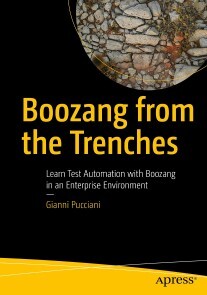
Boozang from the Trenches
Test Automation is a key aspect of delivering high-quality software and reducing time to market. Several tools and approaches are available today, each with its own constraints and specificity. This book introduces Boozang, a codeless web automation tool, using a real-life enterprise project as source for examples.You'll have the opportunity to learn the basic features of Boozang and how to implement end-to-end automated scenarios, mixing GUI and API actions. Integration with JIRA-XRay and Jenkins is also covered to show how Boozang can be used effectively in an enterprise environment. The book is filled with examples that go beyond the Boozang tool, and cover the setup of a test automation project in a real context, with practical solutions as well as open points for which we are still looking for new ideas.YOU WILL LEARN HOW TO:· Install and set up a project with Boozang· Create a modular test suite and use Gherkin to define scenarios· Integrate Boozang with JIRA-XRay and work in a team with code branches· Build a Jenkins pipeline to execute the automated scenarios nightly and reduce the execution time via parallelismTHIS BOOK IS FOR:Testers and test managers, IT projects leads, Release and Delivery Managers, Developers, and Business AnalystsGianni is a simple guy from Livorno (a beautiful port city in Tuscany) who never thought he would end up with a Ph.D. at CERN (European Organization for Nuclear Research, cern.ch) and then working for a prestigious company in Switzerland. But he always knew that at some point in his life, he would have written a book.In his early career as a software developer, he built some C/C++ code but, pretty soon, debugging null pointer exceptions drove him crazy. He then decided he would be better off testing software rather than building it.Wherever he worked, he tried to push for automating tests. Because manual testing, let’s be honest, is not fun, and it can be dangerously repetitive. People at work must have fun, if possible. At Touring Club Suisse, he defined an IT Test Strategy stating “Test automation is developers’ stuff” until he discovered Boozang. And then, in his first two hours of using this tool, he thought, “Man, this is fun!”.Thus, he finally found a good topic for his book.Part 1: Testing web applications in an Enterprise context, why Boozang Chapter 1: Web Test Automation in an Enterprise environmentCHAPTER GOAL: This chapter introduces basic Test Automation concepts that will be used throughout the book. Besides ISTQB standard terminology, I’ll also cover the constraints typical of an Enterprise environment that might not be the same for small startups and IT giants.NO OF PAGES 15SUB -TOPICS1. Common Test Automation challenges2. Test levels, test types and testing roles3. Test automation in agile development4. Test Automation ROI, theory and practiceChapter 2: Selenium, best practices and pain pointsCHAPTER GOAL: This chapter presents the typical approach to testing web applications with coded solutions like Selenium and highlights the main pain points that could undermine a Test Automation initiative's success.NO OF PAGES: 5SUB - TOPICS1. Locators and Page Objects pattern2. Browsers and WebDriver compatibility3. Timing and waits4. Data management5. Reporting and script readability6. Development skillsChapter 3: Meet BoozangCHAPTER GOAL: This chapter introduces Boozang and how it addresses the pain points of a coded solution as described in the previous chapter. It also presents a possible selection approach for selecting an automation tool, particularly the one I followed before adopting Boozang.NO OF PAGES : 11SUB - TOPICS:1. Proof of Concept phase2. Pilot phase3. Why Boozang4. Codeless approach, how important is it?Chapter 4: The TCS projectCHAPTER GOAL: This chapter presents the context of the TCS project used all along the book to provide practical examples. I believe that there is no one size fits all solution for software testing and tools. Therefore, clarifying the context is very important to better understand the examples and consider possible adaptations one will have to make for a different context.NO OF PAGES: 8SUB - TOPICS:1. TCS Organization and Test Automation history2. NIS project introduction3. Test automation stream, NISTA setupChapter 5: How Boozang was bornCHAPTER GOAL: This chapter is a special one about the history behind Boozang. I believe it gives a great idea about this tool's strengths: the two key persons behind it. This input has been kindly provided by Mats Ljunggren.PART 2: Boozang main concepts and use cases Chapter 6: Starting up with BoozangCHAPTER GOAL: One of the advantages of a tool like Boozang versus a coded approach is that setting up your first projects is really easy and fast. Nothing to install, no code or POM files to prepare. This chapter will go over the registration process and the few steps needed to create a project. We will also see how to administer your account and projects and finally show how Boozang works behind the scenes.NO OF PAGES: 22SUB - TOPICS:1. Creating your first project2. The administrative User Interface3. Boozang under the hood4. Practice: NISTA setup part 1Chapter 7: Main concepts and entitiesCHAPTER GOAL: This chapter describes the core objects available in Boozang and starts introducing the Integrated Development Environment (IDE).NO OF PAGES: 38SUB - TOPICS:1. Modules and SubModules2. Application environments3. Tests and Test Suites4. Features and Scenarios5. Searching and bookmarks6. Recording7. Generate and reference Test8. Execution and Reporting9. Projects settings and UI Customization10. Updates from the trenchesChapter 8: Elements location approachCHAPTER GOAL: This chapter describes Boozang’s unique approach for locating WEB GUI elements, one of the features that sets it apart from other tools. Boozang, with its set of locators based on natural language, allows you to focus on the scenario flow rather than the web page DOM.NO OF PAGES: 14SUB - TOPICS:1. Boozang location strategy2. Fine tuning the locators3. Validating the expected resultsChapter 9: Exit conditions, conditional flows, and timersCHAPTER GOAL: The first test you will try with Boozang will be a simple sequential list of actions. But, as soon as you start implementing real scenarios, you will have to use exit conditions, loops, and conditional flows. In combination with this, you may need to adjust the timing of some locators, as some applications may have slow background processes, heavy loading pages, and/or javascripts. In this chapter, we see how to apply these concepts to build solid and reusable building blocks.NO OF PAGES: 21SUB - TOPICS:1. Exit conditions2. Conditional flows3. Loop groups4. TimersChapter 10: Data ManagementCHAPTER GOAL: This is probably one of the most important chapters, as data management is one of the main keys to build reusable components. Boozang is extremely powerful and flexible when it comes to managing test data. But power and flexibility can hide a complexity cost if you don’t use it properly.NO OF PAGES: 13SUB - TOPICS:1. Data management concepts2. Parameters3. Project data ($project)4. Module data ($module)5. Test data ($test)6. Loops ($loop, $group, $action)7. Examples from the trenchesChapter 11: Reporting and troubleshootingCHAPTER GOAL: This chapter covers some standard and more advanced reporting features available in Boozang as well as the best way you can analyze failures with minimal effort.NO OF PAGES: 20SUB - TOPICS:1. Test reports2. Trend reports3. Troubleshooting failuresPART 3: Integrations and Advanced topicsChapter 12: APIs and mixed API/GUI testingCHAPTER GOAL: In today’s world applications are highly interconnected, both with internal and external systems. Restful APIs are becoming the de-facto standard to allow this communication. This chapter explains how to test Restful APIs and create scenarios with both GUI and API actions. Boozang allows you to do API testing as well as mix API calls within your GUI tests.NO OF PAGES: 17SUB - TOPICS:1. Restful APIs2. Why Boozang for testing APIs?3. API Tests in Boozang4. Server side mock with JSON Server5. API Tests from the trenchesChapter 13: Gherkin and Behavior Driven DevelopmentCHAPTER GOAL: This chapter introduces the reader to the Gherkin language and the practice of Behavior Driven Development (BDD), also known as Acceptance Test Driven Development (ATDD).NO OF PAGES: 18SUB - TOPICS:1. Behavior Driven Development2. Gherkin without BDD, pros and cons3. Gherkin language, readability above all,... if possible4. Some good and bad examplesChapter 14: JIRA with Boozang via XRayCHAPTER GOAL: This chapter shows how to effectively manage releases via JIRA, XRAy and Boozang to have a complete quality view on releases when using both manual and automated tests.NO OF PAGES: 17SUB - TOPICS:1. Using JIRA with XRay2. Boozang integration with XRayChapter 15: Jenkins and the Boozang runnerCHAPTER GOAL: This chapter shows how to use Jenkins for scheduling and reporting automated tests results in a CI/CD pipeline. We will see how Boozang can be used with other tools to provide a fully automated pipeline and also how to reduce the execution time through parallel runs.NO OF PAGES: 40SUB - TOPICS:1. Continuous Delivery and the need for automating acceptance tests2. Puppeteer and the Boozang runner3. How to use the Docker runner4. Keeping execution time low with parallel runs5. Reports and log files6. Publishing reports on Jenkins and JIRA7. Complete working pipeline8. Docker in Docker setupChapter 16: Boozang for teamsCHAPTER GOAL: Working with a team increases productivity but brings new challenges. This chapter covers all the Boozang features for collaborative work, but also some specific details on how to effectively collaborate in a Test Automation project.NO OF PAGES: 26SUB - TOPICS:1. Team collaboration2. Explicit lock3. Concurrent development and safe refactoring with branches4. Tests Map5. Quality controlConclusionsAppendix

WordPress 6 Schnelleinstieg
Blogs und Webseiten erstellen Dieses Buch ermöglicht Ihnen einen schnellen und einfachen Einstieg in die Website-Erstellung mit WordPress.Mit der 5-Minuten-Installationsanleitung richten Sie WordPress auch ohne Vorkenntnisse schnell und einfach auf Ihrem eigenen Webspace ein. Bebilderte Anleitungen zeigen Ihnen Schritt für Schritt die Verwendung des Gutenberg-Editors mit seinen umfangreichen Gestaltungsmöglichkeiten. So erstellen Sie ganz einfach Beiträge und Seiten, fügen Bilder, Buttons und Videos ein, erstellen eigene Vorlagen und vieles mehr. Darüber hinaus lernen Sie, wie Sie das Design Ihrer Website oder Ihres Blogs mit Themes und Full Site Editing individuell anpassen und den Funktionsumfang von WordPress mit nützlichen Plugins erweitern.Tipps und Tricks zu fortgeschrittenen Themen wie Rechteverwaltung und Sicherheit, Performanceoptimierung und das Umziehen einer WordPress-Installation auf einen anderen Server runden diese praktische Einführung ab.Aktuell zu WordPress Version 6.Aus dem Inhalt:WordPress installieren und einrichtenGrundlegende Einstellungen und BenutzerrollenBeiträge und Seiten erstellen mit dem Gutenberg-EditorWebdesign individuell anpassen mit Themes und Full Site Editing (FSE)Funktionsumfang erweitern mit nützlichen PluginsDatenschutz und Sicherheit, Performance-Optimierung, BarrierefreiheitAutoren:Vladimir Simovic arbeitet seit 2000 mit HTML und CSS und seit Januar 2004 mit WordPress. Er ist geschäftsführender Gesellschafter der Webagentur perun.net webwork gmbh, die umfangreiche Dienstleistungen rund um WordPress und Webdesign anbietet. Als freiberuflicher Autor hat er diverse Fachbücher und Fachartikel publiziert.Dipl.-Geogr. Thordis Bonfranchi-Simovic arbeitet seit Januar 2004 mit WordPress. Seit 2008 arbeitet sie bei der perun.net webwork gmbh, die umfangreiche Dienstleistungen rund um WordPress und Webdesign anbietet.Leseprobe PDF-Datei
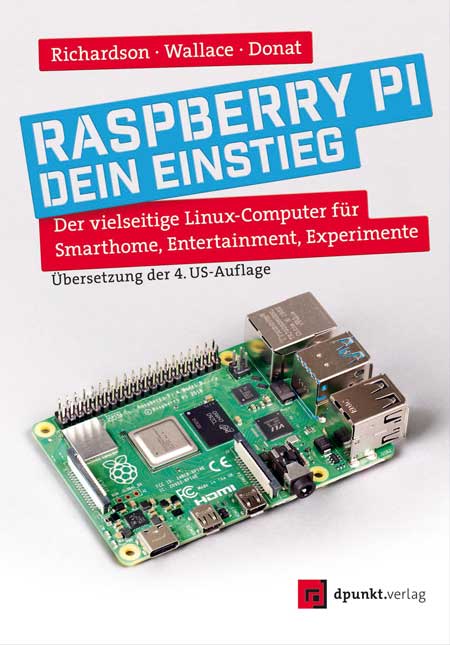
Raspberry Pi - dein Einstieg
Der vielseitige Linux-Computer für Smarthome, Entertainment, Experimente. Ihre Lösung für Office, Multimedia, Entertainment und Smarthome. Der Raspberry Pi ist ein kreditkartengroßer, kostengünstiger Computer, der an Ihren Fernseher und eine Tastatur angeschlossen wird. Er ist ein leistungsfähiger kleiner Computer, der für Elektronikprojekte und für viele Dinge verwendet werden kann, die auch Ihr Desktop-PC erledigt, wie Tabellenkalkulationen, Textverarbeitung, Surfen im Internet und Spiele. Nutzen Sie Ihren Raspi als auf ihre Bedürfnisse abgestimmte Smarthome-Zentrale oder als Mediaplayer – der Computer spielt auch hochauflösende Videos ab.Das Autorenteam stellt die verschiedenen Modelle des Raspberry Pi vor und erläutert ihre jeweiligen Einsatzgebiete. Es geht auf den Betrieb mit Linux und anderen Betriebssystemen ein und begleitet Sie bei den ersten Schritten in der Programmiersprache Python.Die Autoren:Matt Richardson ist Executive Director der Raspberry Pi Foundation und verantwortlich für deren gemeinnützige Arbeit in Nordamerika. Er ist Absolvent des Interactive Telecommunications Program der New York University. Zu den Highlights seiner Arbeit gehören die Descriptive Camera (eine Kamera, die anstelle eines Fotos eine Textbeschreibung ausgibt) und The Enough Already (ein DIY-Gerät, das Prominente zum Schweigen bringt). Matts Arbeiten wurden im Nevada Museum of Art, beim Internationalen Fotofestival in Rom und bei der Mailänder Designwoche ausgestellt und haben die Aufmerksamkeit von The New York Times, Wired und New York Magazine auf sich gezogen.Shawn Wallace lebt in Providence, RI, und entwickelt bei Unruly Studios kreative Coding-Tools für junge Menschen. Er ist der Erfinder von Fluxly, Cryptozoologic und dem Fluxamasynth. Zuvor half erdas FabLab in Providence zu gründen, schrieb und redigierte Bücher für O'Reilly und Maker Media und entwarf Elektronik für Modern Device.Wolfram Donat ist ein Ingenieur, Maker und Autor, der Dinge mit dem Raspberry Pi baut, seit er vor ach so vielen Monden sein erstes Modell 1A+ geliefert bekam. Derzeit ist er Softwarearchitekt bei Arc Machines, Inc. und verwendet den Pi (unter anderem), um intelligente Schweißmaschinen zu bauen und zu steuern. Dies ist sein vierter Streifzug durch Bücher über den Raspberry Pi und seine Verwendung.

Neongrau
Game over im NeurosubstratHamburg im Jahr 2112: Die Stadt wird immer wieder von Starkregen geflutet, im Binnendelta hat sich ein Slum aus schwimmenden Containern gebildet und über allem thront das gigantische Stadion. Zum »Turnier der Legenden« reisen Fans aus der ganzen Welt an, um die berühmten Glam-Gamer spielen zu sehen. Auch Go [Stuntboi] Kazumi begeistert sich für das VR-Gaming, fährt jedoch noch lieber Stunts auf dem Retro-Skateboard.Ein Sturz scheint das Aus für Gos Karriere zu bedeuten, doch dann wird Go ein Job im Stadion angeboten – bei den Rahmani-Geschwistern, den berühmtesten Gamern Deutschlands! Von da an überschlagen sich die Ereignisse und Gos Welt wird komplett auf den Kopf gestellt: ein Bombenanschlag, illegale Flasharenen, Tech-Aktivisten, Cyberdrogen, künstliche Intelligenzen – und dann ist da auch noch dieses Mädchen ...Autorin:Aiki Mira studierte Medienkommunikation in Stirling, London sowie Bremen und forschte zu Jugendkultur und Gaming. Heute lebt Aiki in der Science-Fiction und in Hamburg. Als Autorx erforscht Aiki die Grenzen unserer Beziehungen und der menschlichen Identität und schreibt, denkt und diskutiert gern queere Themen. Neben Romanen veröffentlicht Aiki Essays und Kurzgeschichten u. a. auf Tor Online, in Exodus, Phantastisch!, Queer*Welten, im Future Fiction Magazine und im c’t Magazin für Computertechnik.Drei Kurzgeschichten von Aiki standen 2022 auf der Shortlist für den Kurd-Laßwitz-Preis 2022 und für den Deutschen Science-Fiction-Preis. Mit der Story „Utopie27“ gewann Aiki beide Preise. Zusammen mit Uli Bendick und Mario Franke hat Aiki Mira die Anthologie „Am Anfang war das Bild“ herausgegeben, die ebenfalls für den Kurd-Laßwitz-Preis 2022 nominiert wurde und Platz 2 erreichte. Im Juni 2022 erschien Aikis Debütroman „Titans Kinder: Eine Space-Utopie“.Zielgruppe:Sci-Fi-FansThriller-Fansjunge ErwachseneLGBTQIA+Leseprobe (PDF-Link)

Notebook mit Windows 11 - Leichter Einstieg für Senioren
Dank vieler hilfreicher Tipps beherrschen Sie Ihr Notebook mit Windows 11 im NuDieser Titel richtet sich gezielt an Senioren, die mit einem Notebook arbeiten. Schritt für Schritt macht Sie der bekannte Autor Philip Kiefer mit dem neuen Betriebssystem Windows 11 und den speziellen Einstellungen für die mobile Nutzung vertraut. Sie erfahren, wie Sie gekonnt mit Touchpad, Tastatur und Touchscreen umgehen, externe Geräte ergänzen, das WLAN einrichten und Ihr Notebook akkuschonend konfigurieren. Sie installieren Apps, surfen im Internet, verwalten Ihre E-Mail-Konten und betrachten Ihre Fotos und Videos. Und falls Sie ein Android-Smartphone nutzen, können Sie auch Android-Apps direkt in Windows ausführen. Dank vieler hilfreicher Tipps beherrschen Sie Ihr Notebook mit Windows 11 im Nu.Dieser Titel richtet sich gezielt an Senioren, die mit einem Notebook arbeiten. Schritt für Schritt macht Sie der bekannte Autor Philip Kiefer mit dem neuen Betriebssystem Windows 11 und den speziellen Einstellungen für die mobile Nutzung vertraut.Sie erfahren, wie Sie gekonnt mit Touchpad, Tastatur und Touchscreen umgehen, externe Geräte ergänzen, das WLAN einrichten und Ihr Notebook akkuschonend konfigurieren. Sie installieren Apps, surfen im Internet, verwalten Ihre E-Mail-Konten und betrachten Ihre Fotos und Videos.Und falls Sie ein Android-Smartphone nutzen, können Sie auch Android-Apps direkt in Windows ausführen.Aus dem Inhalt: Ein neues Notebook in Betrieb nehmenDie Bedienoberfläche alltagstauglich einrichtenPassende EnergieeinstellungenAlles Wichtige zu Dateien, Ordnern und LaufwerkenDatenaustausch mit anderen GerätenSicherheit und DatenschutzApps und Geräte installierenMit dem Notebook im Internet unterwegsE-Mail und Co. – mit dem Notebook kommunizierenBilder, Musik und Filme auf dem Laptop wiedergebenApps, die Sie kennen solltenProbleme mit Windows 10 schnell behebenAutor: Philip Kiefer wurde 1973 in Friedrichshafen geboren. Er ist seit Ende 2001 als freier Autor tätig und hat bereits zahlreiche Bücher zu Windows veröffentlicht.Zielgruppe Ein-/Umsteiger und Neukäufer eines NotebooksLeseprobe (PDF-Link)

Exploring Blazor
Build and develop web applications with Blazor in C#. This book covers both server-side and client-side Blazor, along with its latest features and the structure of the technology. You’ll see that Blazor is a web UI framework based on C#, Razor, and HTML, and how it runs front-end logic using C#, either on the server or on the browser, using WebAssembly.This new edition not only covers the new structure for the Blazor environment, it also demonstrates the latest features, such as adding API features to a Blazor server project; creating code-behind files for C# and CSS; new ways to pick, save, and handle files in Blazor; and much more. The code and project layout have been updated in .NET 7 for this new edition.The book starts with an introduction to Blazor, along with its various categories and its basics and syntax, including Razor syntax implementation. You will go through Blazor navigation and components, and learn its life cycle events and other components. You will learn features specific to each Blazor type. You will see how Blazor works with storage, files, and JavaScript, and you will create a Blazor code library. You will also create web applications in Blazor using practical implementations and real-life scenarios for both the server side and the client side.After reading this book, you will be able to build web applications with Blazor in C#11 and .NET Core 7.0.WHAT YOU WILL LEARN* Bind data and handle events in C# Blazor* Handle components and page navigation in Blazor* Connect Blazor front-end to APIs* Interact with files using Blazor* Understand the layout of Visual Studio Blazor project templates WHO THIS BOOK IS FORC# and .NET Core developers.TAURIUS LITVINAVICIUS is a businessman and technology expert based in Lithuania who has worked with organizations in building and implementing various projects in software development, sales, and other fields of business. He currently works on modern financial applications and consults companies on technology and cost-related issues. As with most of his projects, this book uses cutting-edge technologies, such as Blazor. Taurius is responsible for technological improvements, development of new features, and general management.CHAPTER 1 – INTRODUCTION1. What is Blazor2. Blazor typesCHAPTER 2 – SYNTAX AND BASICS OF BLAZOR1. Syntax2. Binding data3. Events and event argumentsCHAPTER 3 – BLAZOR COMPONENTS AND NAVIGATION1. Pages and navigation2. Lifecycle events3. Components4. Custom events in componentsCHAPTER 4 – SPECIFICS OF DIFFERENT TYPES OF BLAZOR1. Injection (Blazor server-side)2. Static values in Blazor server-side3. Calling APIs (Blazor client-side)4. Adding API Controller (Blazor server-side)5. Cleaning project templates in Visual studioCHAPTER 5 – GENERAL BLAZOR1. Interact with Javascript2. Code-behind files3. Local storage4. Pick and save files5. Creating Blazor code library6. Background tasksCHAPTER 6 – PRACTICE TASKS (SERVER -SIDE BLAZOR)1. Task 12. Task 2CHAPTER 7 – PRACTICE TASKS (CLIENT -SIDE BLAZOR)3. Task 14. Task 25. Task 3

Cloud Native Applications with Docker and Kubernetes
This book takes developers on a journey into the cloud with Docker and Kubernetes. It walks you through the basics of Docker containers, how they are built, run, and published, and how the Kubernetes system allows you to use containers to better manage a cloud native application. Additionally, it walks you through various issues in cloud architecture, and how to design a cloud architecture that will work with your application and your team.The book takes a unique approach, getting you immersed in each subject with tutorials, then building up your technical knowledge, and finally backing up and thinking about more big-picture issues. Part one introduces Docker, building and working with Docker images, and covering best practices for Docker Containers. Part two covers the practicalities of "cloud native” and managing a Kubernetes application, including a full working example. The last part covers the design of cloud and microservice architectures, including the use of enterprise message queues, multi-site configurations and the common values that such architectures follow.This approach accelerates learning and keeps you moving forward without leaving you behind. The appendices also contain a wealth of worthwhile reference material for routine cloud application management.WHAT YOU WILL LEARN* Understand Docker and containerization* Gain insight into what Kubernetes is* Master essential cloud architecture design principles* Design and implement notes for building cloud architecturesWHO THIS BOOK IS FORPrimarily developers who are moving to the cloud and want to get a sense of the environment they are getting into, and developers who want to move into a larger role of cloud architecture. Jonathan Bartlett is a senior software developer for McElroy Manufacturing. In his career he has served as senior developer and cloud architect roles for several companies in the biking industry, the music industry, the housing industry, and the medical industry. Jonathan has also taught computer science at the college and high school levels. In his spare time he writes for MindMatters.ai and also writes research papers on artificial intelligence, mathematics, and the applications of information theory to other sciences. Chapter 1. Introduction - what they should expect from the book.PART 1: DOCKERChapter 2. Docker Under the Hood - introduction to the history and technology behind Docker. I find that really understanding Docker containers well requires a brief knowledge of their history and implementation.Chapter 3. A Docker Interactive Tutorial - the basics of building and working with Docker imagesChapter 4. Best Practices for Docker Containers - general tips, Debian vs Alpine, etc.PART 2: KUBERNETESChapter 5. The Cloud Native Philosophy - a general intro to the goals behind “Cloud Native” and KubernetesChapter 6. Getting Started with Kubernetes - showing how to deploy a simple system on Kubernetes with the Kubernetes dashboardChapter 7. Managing Kubernetes with kubectl - an introduction to the kubectl toolChapter 8. The Kubernetes environment - now that the user has some hands-on with Kubernetes, we introduce the components themselvesChapter 9. Basic Kubernetes Management - how to work with YAML filesChapter 10. A Full Kubernetes Cloud Example - full Kubernetes code for a cluster for a Message Board systemChapter 11. Going Further in Kubernetes - a brief introduction to other parts of KubernetesPART 3: CLOUD ARCHITECTUREChapter 12. Cloud Architecture Introduction - why architecting mattersChapter 13. Basic Cloud Architectures - basic architectural diagrams for the most common situationsChapter 14. Microservice Architectures - what microservices are, why they are important, and how to build such an architectureChapter 15. Enterprise Message Queues - what message queues are and how they make micro service architectures more flexible and resilientChapter 16. Architecting Data Stores - various database (and other data store) optionsChapter 17. Multi-Site Configurations - introducing terminology and through processes behind multi-site configurationsChapter 18. Architecture Values - a discussion of common themes for cloud architecturesChapter 19. ConclusionAPPENDICES:1. Navigating the Linux Command Shell2. Installing Applications3. Common kubectl commands4. Kubernetes Storage Options5. Kubernetes Pod Scheduling6. Troubleshooting Kubernetes Clusters

Beginner's Guide to Streamlit with Python
This book will teach you the basics of Streamlit, a Python-based application framework used to build interactive dashboards and machine learning web apps. Streamlit reduces development time for web-based application prototypes of data and machine learning models. As you’ll see, Streamlit helps develop data-enhanced analytics, build dynamic user experiences, and showcases data for data science and machine learning models.Beginner's Guide to Streamlit with Python begins with the basics of Streamlit by demonstrating how to build a basic application and advances to visualization techniques and their features. Next, it covers the various aspects of a typical Streamlit web application, and explains how to manage flow control and status elements. You’ll also explore performance optimization techniques necessary for data modules in a Streamlit application. Following this, you’ll see how to deploy Streamlit applications on various platforms. The book concludes with a few prototype natural language processing apps with computer vision implemented using Streamlit.After reading this book, you will understand the concepts, functionalities, and performance of Streamlit, and be able to develop dynamic Streamlit web-based data and machine learning applications of your own.WHAT YOU WILL LEARN* How to start developing web applications using Streamlit* What are Streamlit's components * Media elements in Streamlit* How to visualize data using various interactive and dynamic Python libraries* How to implement models in Streamlit web applicationsWHO THIS BOOK IS FORProfessionals working in data science and machine learning domains who want to showcase and deploy their work in a web application with no prior knowledge of web development. Sujay Raghavendra is an IT professional with a Master’s Degree in Information Technology. His research interests include machine learning, computer vision, NLP, and deep learning. He has been a consultant for multiple research centers in various universities. He has published many research articles in international journals and is the author of the book “Python Testing with Selenium” published by Apress. CHAPTER 1. INTRODUCTION TO STEAMLITChapter Goal: Introduce the reader to the Streamlit libraryNo of pages - 10Sub -Topics1. A brief introduction to Streamlit2. Pre-requisites and installation guide for Streamlit3. Creating our first Streamlit applicationCHAPTER 2. TEXTS & TABLE ELEMENTSChapter Goal: The text is one of the important features that will be discussed in this chapter.No of pages - 10Sub -Topics1. Write title, header, sub-header, markdown and a caption.2. Code text, latex and default text in an application.3. json, table, metric and dataframe in the application.CHAPTER 3. CHARTS / VISUALIZATIONChapter Goal: Visualization is one of the important aspects in data science and machine learning. The visualizing techniques helps to understand the data more appropriately. In this chapter, we will implement different visualizing techniques that are available in python for data science and machine learning developers.No of pages - 20Sub -Topics1. Implementing simple charts2. Visualizing data using interactive charts in the application.3. Implementing data into the maps.CHAPTER 4. DATA AND MEDIA ELEMENTSChapter Goal: In this chapter, we will learn how media elements can be used in the streamlit application.No of pages - 20Sub -Topics1. We will first try to implement simple charts to start with and display them on the application.2. Next, we will visualize data using interactive charts in the application.3. At last, we will see how we can use data into the maps.CHAPTER 5. BUTTONSChapter Goal: One more important feature from Streamlit are buttons. These buttons are used to select the required data to process or visualize in the application developed.No of pages - 20Sub -Topics1. Introduction to buttons2. Discuss various buttons like download button, checkbox, radio buttons and multiselect.3. Sliders to select specific range of data.CHAPTER 6. FORMSChapter Goal: This chapter mainly focusses on data that will be provided by the user to process data in the application. We will discuss user data in terms forms.No of pages - 20Sub -Topics1. Discuss various types input data like numbers and text.2. Discuss advanced input data like date, time, file uploads and color picker.3. Getting live image data from webcamCHAPTER 7. NAVIGATIONSChapter Goal: This chapter discusses about navigation on the application to be developed. The primary aim is to learn how to switch between multiple pages in an application using navigation.No of pages - 20Sub -Topics1. Discuss on navigation.2. Discuss the complex layouts associated with it.3. Discuss on containers that can be used to hold multiple elements in it.CHAPTER 8. CONTROL FLOW AND STATUSChapter Goal: We will discuss on custom handling of application using control flow in this chapter. We will also learn on status elements provided by streamlit.No of pages - 20Sub -Topics1. Handling functionality of the application using control flow.2. Flow control of application can be changed from its default flow.3. We will also check on the what are status elements? and their types available in Streamlit.CHAPTER 9. ADVANCED FEATURESChapter Goal: In this chapter, we will discuss on huge data handling, mutating data and optimizing performance of the Streamlit application.No of pages - 20Sub -Topics1. Handling huge data in the Streamlit Application developed for data science and machine learning.2. Implementing various optimizing techniques to improve performance of the application. 3. How to mutate data in live application.CHAPTER 10. PROJECT BUILDChapter Goal: Finally, we will discuss to build and run complete application on various platforms.No of pages - 10Sub -Topics1. Discuss various application platforms available.2. Pre-requisites to implement developed application on these platforms.3. Implement and run the project.4. Test application on deployment and create requirement files for it.CHAPTER 11. USE CASE: NLP PROJECT PROTOTYPEChapter Goal: This chapter discusses about navigation on the application to be developed. The primary aim is to learn how to switch between multiple pages in an application using navigation.No of pages - 10Sub -Topics1. Pre-requisites.2. NLP module that will be implemented in our application.3. Test application after deployment.CHAPTER 12. USE CASE: COMPUTER VISION PROJECT PROTOTYPEChapter Goal: We will develop a complete streamlit application on Computer Vision from scratch. We will see how all the features we have seen in the above chapters will be implemented in this applicationNo of pages - 10Sub -Topics1. Pre-requisite.2. Computer Vision techniques that needs to implemented.3. Test all functions implemented on our deployed application.

Introducing Spring Framework 6
Spring Framework 6 remains - by far - the leading de-facto "out of the box" practical Java meta application development framework for building complex enterprise, cloud-native applications as well as web applications and microservices. INTRODUCING SPRING FRAMEWORK 6 is your hands-on tutorial guide for learning the Spring Framework 6 from top to bottom, and allows you to build an example application along the way from the ground-up.As you learn the Spring Framework over the course of this book, you’llincrementally build your first Spring application piece-by-piece as you learn each module, project or component of the Spring Framework and its extensions and ecosystem. As you learn the various fundamentals, you'll then apply them immediately to your Spring application. This Spring application, My Documents, enables you to learn by doing.After reading this book, you will have the essentials you should need to start using the Spring Framework and building your own Java-based applications or microservices with it.What you'll learn:* Get started with Spring Framework 6 by VMWare Tanzu and the Spring community* Build your first My Documents application using Spring Framework and its extensions* Test your Spring application* Add persistence to your application using Spring Data JPA and more* Show your Spring application on the Web with Spring MVC and related* Use REST APIs to enhance your application and add messaging with Kafka and AMQP* Integrate your Spring application with external systems using Spring Integration toolkitWho is this book for:This book is for those aspiring software developers and programmers who are new to Spring. Some prior programming experience recommended, preferably in Java. Felipe Gutierrez is a Sr. Cloud Application Architect at IBM, currently. More generally, he is a Software Architect, Application Developer and Project Manager with knowledge on Financial, Educational, Government and Medical Industries. He is interested in Legacy and Enterprise Integration, and large projects. Felipe is dedicated to Enterprise Open Source Software. And, he is experienced on any Java Technology and Java Frameworks, such Spring, Spring Web Services, Spring Integration, Groovy and Grails, Hibernate, iBatis, ActiveMQ, Camel, RabbitMQ, FUSE, ServieMix, .NET Framework (Languages - VB, C#, Boo, C, and C++), Action Script (Flex, Flash) and Silverlight, Mono and Moonlight.JOSEPH B. OTTINGER is an expert software developer, coder and programmer. He has also served as technology evangelist GigaSpaces and a principle engineer at Red Hat. He was Editor in Chief of TheServerSide-dot-com. He is the author of Hibernate Recipes and Beginning Hibernate for Apress and has authored other books as well as articles.1. Your First Spring Application2. Working with Classes and Dependencies3. Applying Different Configurations4. Using Bean Scopes5. Working with Collections and Custom Types6. Using Resource Files7. Testing Your Spring Application8. Give Advice to Your Spring Application9. Adding Persistence to Your Spring Application with Spring Data JPA10. Showing Your Spring Application on the Web with Spring MVC and WebFlow11. Integrating Your Spring Application with External Systems: Spring Integration12. Exposing a REST API using Spring REST13. Adding E-mail and Scheduling Tasks14. Using Dynamic Languages15. Spring Data Within Your Spring Application16. Messaging with Your Spring Application: Spring AMQP and Kafka17. Be Social and Go Mobile18. Spring and Groovy19. Spring Boot, Simplifying Everything20. Using Spring Native and Reactive SpringA. Tools: IntelliJ IDEA and Eclipse Java IDE

Solution Architecture Patterns for Enterprise
Gain a deeper understanding of how distributed systems work, as well as which applications and systems are used for specific business domains or industries. This book provides a set of solution architecture patterns that were developed based on the author’s experience building enterprise software systems for hundreds of different organizations across the globe. The architecture diagrams (patterns) and examples allow you to not only grasp the concepts, but to build working projects.Solution Architecture Patterns for Enterprise starts with an introduction to the concepts of enterprise software systems and solution architecture and later moves to individual solution architecture patterns used in real-world enterprises. Subsequent sections cover various industry-specific solution architecture patterns that can be used to build domain-specific software systems. The book concludes with a view of what the future holds for solution architecture, including likely new developments in the field.This book will help enterprise software architects and engineers to design and implement real-world enterprise software systems using best practices and techniques adopted by organizations across the globe. It provides software architecture blueprints to build domain-specific enterprise software systems. If you are working on any digital transformation project or initiative, you will find this book useful, as it provides quick reference on architecture and implementation to get started with your work.WHAT YOU WILL LEARN* Understand the key elements of enterprise software systems and how to design and implement them* Master different approaches to build real-world software applications* Build domain specific enterprise software systems* Use open-source tools to build enterprise software systemsWHO THIS BOOK IS FORSoftware Developers, software architect, solution architects, and enterprise architects.Chanaka Fernando has been working in the enterprise software domain for more than a decade designing, implementing, and supporting large-scale applications and systems across different industries including healthcare, financial services, education, and telecommunications to name a few. He is also the author of the book Designing Microservices Platforms with NATS, published in 2021. He has contributed to several open-source projects as a project lead, developer, and architect while working at WSO2, which is an open-source software company. Chanaka holds a bachelor’s degree from the University of Moratuwa, Sri Lanka in engineering, where he specialized in electronics and telecommunication engineering.Chanaka started a GitHub project to share his experiences, and that repository has gained a lot of traction within the open-source community. That success has motivated him to write a book on the topic, going into greater detail with practical examples.Chapter 1: Introduction to Enterprise Software SystemsChapter Goal: Provides an introduction to the key elements of enterprise software systems and how these systems are built in the real world.● What are enterprises?● How software is used in enterprises?● Characteristics of Enterprise Software Systems● Practical examples of enterprise systemsChapter 2: Introduction to Solution ArchitectureChapter Goal: Introduces the concept of architecture of an enterprise software system and how solution architecture plays a major role in building such systems● What is software architecture?● What in Enterprise architecture and TOGAF?● Key components of solution architecture● Importance of deployment architecture● Why patterns are useful when building solutions for enterprisesChapter 3: The Emerging Field of Solution EngineeringChapter Goal: Provides a detailed view of technical skills and abilities required for a solution architect to become successful in the domain● Key tasks of a solution engineer● How to become a solution architect● Why is solution engineering critical for enterprises?Chapter 4: Building Enterprise Software Systems with Microservices ArchitectureChapter Goal: Provides a set of architecture patterns and examples that can be used to build enterprise software systems following a microservices architecture based approach● Introduction to microservices architecture● Microservices with Service Mesh● Microservices without Service Mesh● Securing Microservices with Open Policy Agent● Governing Microservices with APIsChapter 5: Building Enterprise Software Systems with Hybrid Integration PlatformsChapter Goal: Provides a detailed view of using integration platforms to build enterprise software systems with examples using open source software● Why do you need integration for enterprise software systems?● Why is API Management critical for enterprise software systems?● SOA governance to API Management pattern● API-led connectivity pattern for enterprise● Hybrid Integration pattern with API management● How to use anti-corruption layer pattern to migrate legacy applications in enterpriseChapter 6: Designing Enterprise Platforms with Event-driven Architecture PatternsChapter Goal: Introduce the event-driven architecture and explain how it can be used in designing enterprise software systems● Introduction to event-driven architecture● Kafka based event driven architecture for enterprise● Change Data Capture patternChapter 7: Securing Enterprise Software SystemsChapter Goal: Provides a detailed introduction to security of the enterprise software systems and discusses several approaches to implement security with examples.● Introduction to security of enterprise applications● Centralized identity and access management pattern● Cloud application security pattern● API based security pattern● Security Federation pattern● Microservices security patternChapter 8: Implementing Observability for Enterprise Software SystemsChapter Goal: Discuss the approaches to implement observability and monitoring for enterprise software systems so that failures can be mitigated within given SLAs● What is observability?● Tools available for observability● Log based observability● Agent based observability● Data visualization and monitoringChapter 9: Designing Next-Gen Enterprise Software Systems with Cloud-Native ArchitectureChapter Goal: Introduce the concept of cloud-native architecture and provide details on moving enterprise platforms to cloud-native architecture to get benefitted from the cloud movement● Introducing cloud-native concept● Micro Architecture Pattern● Cloud migration with strangler pattern● Container based deployment pattern● Multi cloud deployment patternChapter 10: How to use Artificial Intelligence and Machine Learning within Enterprise SystemsChapter Goal: Discuss the possibilities of using AI and ML to improve the business impact of enterprise software systems● Introduction to AI and ML● Collecting data to apply AI and ML● Analyzing data with AI and ML● Taking action based on outputChapter 11: Industry Specific Architecture Patterns to Enterprise Software SystemsChapter Goal: Provide details on industry specific solution architecture patterns with examples so that developers and architects can use these as a reference when building enterprise systems● Enterprise platform for transportation industry● Enterprise platform for telecommunication industry● Enterprise platform for retail industry● Enterprise platform for education industry● Enterprise platform for automotive industry● Enterprise platform for healthcare industry● Enterprise platform for energy industry● Enterprise platform for hospitality industryChapter 12: Future Trends for Enterprise Software SystemsChapter Goal: Discuss the new trends in the enterprise software world and how solution architecture patterns can help you to keep up with the changing technology● The cloud movement● The no code and low code platforms● Serverless and SaaS solutions

Beginning SharePoint Communication Sites
Understand SharePoint communication sites and create one on your own using SharePoint Home, available in Microsoft 365. This revised edition covers the new features in SharePoint communication sites and demonstrate how to effectively use them. You will also learn how to create a digital experience using SharePoint communication sites.This updated edition includes a new chapter on information management and governance, along with new topics such as seamless integration between Teams, using Power Automate and SharePoint Communication sites in tandem, and performing project and operations management activities with communication sites.Author Charles Waghmare starts by walking you through SharePoint communication sites and how to create them. Next, you’ll explore various use cases to understand the benefits of communicating through SharePoint communication sites. Further, you will learn collaborative applications like Teams and its integration with SharePoint, followed by details of compliance and governance . You will then integrate communication sites with Microsoft 365 products for better end user collaboration. Finally, you will discover how to perform your day-to-day operations tasks using communication sites.After reading this book, you will be able to create and manage SharePoint communication sites and improve ways to communicate and collaborate within your organization.WHAT YOU WILL LEARN* Create an information and communication strategy for your organization * Explore digital ways of working * Easily collaborate with shared information * Create visually appealing communication sites to manage your day-to-day project work Efficiently manage organizational information with compliance * Create centralized departmental repositories with SharePoint communication sites * Learn to automate internal processes using SharePoint communication and M365 services WHO THIS BOOK IS FORIT workers who use SharePoint and who are involved in internal communication management, evangelism, digital transformation, social media, and intranet design.CHARLES DAVID WAGHMARE has worked for Shell since 2019 as a Business Analyst in the Microsoft 365 space. Before that, he worked at Capgemini for eight years in various roles, including Yammer Community Manager and manager of the Drupal-based Enterprise Knowledge Management system. He also developed a knowledge management platform for the Digital Customer Experience (DCX) organization using SharePoint Online to manage Client references and knowledge assets related to Artificial Intelligence and customer experience (CX), using Microsoft Azure Chatbots to automate processes, develop proactive conversations with users, and create new use cases.Charles has also worked for ATOS (erstwhile SIEMENS Information Systems limited) for five years. During his tenure there, he was Community Manager of SAP-based communities, where he utilized Technoweb 2.0 – a Yammer-like platform and on-premises SharePoint. Also, Charles was global rollout manager for a structured document-management system built in on-premises SharePoint.Charles loves reading motivational books, his favorite being The Monk who sold his Ferrari. He is pursuing an executive MBA degree from SP Jain School of Global Management (graduation March 2023).CHAPTER 1: SHAREPOINT AND COMMUNICATION SITES: AN INTRODUCTION· Introducing SharePoint Online with Modern experience· Advantages and Disadvantages of SharePoint Online with Modern experience· SharePoint Communication sites with new Features· Differences Among the Hub, Communication, and Team Sites· Exploring Communication Sites· Steps to Create SharePoint Communication Sites· SummaryCHAPTER 2: EFFECTIVELY COMMUNICATE AND COLLABORATE USING· Communication and Collaboration· Communication and Collaboration Use New Cases· Execute Campaigns Using Communication Sites· SharePoint Communication Sites for Leadership Communication· SummaryCHAPTER 3: BUILD COLLABORATIVE EXPERIENCES FOR END USERS ................41· Introducing Teams· Why Use Teams?· Teams versus SharePoint· Attaching Files in Teams from SharePoint· SharePoint communication sites and Teams Integration· Difference between Teams SharePoint site and Sharepoint with modern experience· Manually Save Email and Upload it Into a SharePoint Site for email archiving· Map a OneDrive to a SharePoint Library· Use the Open with Explorer Feature in Microsoft Edge· explore Teams and SharePoint communication site files upload functionality· SummaryCHAPTER 4: CREATE DIGITAL INTRANETS· Create Visually Captivating Digital Intranets· Create End User Experiences with Communication Sites· Seven Steps to Building an Intranet Using SharePoint Communication Sites· SummaryCHAPTER 5: INFORMATION MANAGEMENT (IM) COMPLIANCE AND GOVERNANCEWhat is Information management and why governance is necessary· Introduction to IM Life cycle· Perform IM compliance in Sharepoint communication sites· Label records in SharePoint communication sites· Decommission and deactivate SharePoint communication sites· Manage metadata for effective IMCHAPTER 6 INTEGRATING SHAREPOINT COMMUNICATION SITES WITH THE MICROSOFT 365 PRODUCTS· SharePoint Communication Sites with Microsoft Forms· SharePoint Communication Sites and Power Apps .· Microsoft Teams and SharePoint Communication Sites· Power Automate and SharePoint Communication SitesCHAPTER 7: USE COMMUNICATION SITES FOR PROJECT MANAGEMENT· General introduction to Project management methodology· Project management Using SharePoint Communication Siteso Identify the Purpose of Projecto Third Party access for customerso Define the Community Roleso Perform Engagement Activitieso Measure the Success of the Project Outcomeso SummaryCHAPTER 7: OPERATIONS MANAGEMENT USING COMMUNICATION SITES· Understanding Operations Management· Helpful Arguments for Sharing Knowledge related to Operations Management· Constituents of Operations Management· The Operations Management Cycle· Operations Management with SharePoint Communication Sites· Structured Document Management System· Ask Expert: Ask and You Shall Receive· Create an Experience of Operations Management community by Using Features of Communication SitesSummaryCHAPTER 8: CREATE NEW HORIZONS OF DIGITAL COMMUNICATION· Understanding New ways of Digital Communication· Using SharePoint Communication Sites for Digital Communicationo Use Power Automateo Use Teams for User Collaborationo Use Webparts Effectively· Summary