

Hardware

Firmware Development
Build your own system firmware. This book helps you understand system firmware architecture and minimalistic design, and provides a specialized knowledge of firmware development. The book includes guidance on understanding the system firmware build procedure, integrating pieces of firmware and allowing configuration, updating system firmware, creating a development infrastructure for allowing multi-party collaboration in firmware development, and gaining advanced system firmware debugging knowledge.After reading the book you will be able to assume better control while developing your own firmware and know how to interact with native hardware while debugging. You will understand key principles for future firmware development using newer technology, and be ready for the introduction of modern safe programming languages for firmware development. Detailed system firmware development case studies using a futuristic approach cover:* Future scalable system firmware development models* Types of firmware development (system firmware, device firmware, manageability firmware)* Tools and their usage while creating system firmware* How to build infrastructure for seamless firmware development using a multi-party development model* Debugging methodologies used during various phases of firmware product development* Setting up key expectations for future firmware, including thinner firmware footprints and faster execution time, easier configuration, and increased transparent securityWHAT YOU WILL LEARN* Understand the system firmware working model of the future* Gain knowledge to say goodbye to proprietary firmware for different types of firmware development* Know the different types of tools required for creating firmware source code before flashing the final image into the boot device of the embedded system* Develop skills to understand the failure in firmware or in the system and prepare the debugging environment to root cause the defects* Discern the platform minimal security requirement* Optimize the system firmware boot time based on the target hardware requirement* Comprehend the product development cycle using open source firmware developmentWHO THIS BOOK IS FOREmbedded firmware and software engineers migrating the product development from closed source firmware to open source firmware for product adaptation needs as well as engineers working for open source firmware development. A secondary audience includes engineers working on various bootloaders such as open source firmware, UEFI, and Slim Bootloader development, as well as undergraduate and graduate students working on developing firmware skill sets.SUBRATA BANIK is a Firmware Engineer with more than a decade being spent in the computer industry and acquired experiences in system firmware design, development and debugging across various firmware architectures like UEFI, coreboot, Slim bootloader etc. for x86 and ARM platforms. Subrata has profound experience on platform enablement that leads into working for all the leading PC-makers’ products. Subrata is an active member of open-source firmware (OSF) development across different projects like coreboot, oreboot, flashrom, EDKII etc., where he is one of the leading contributors in the open firmware (coreboot) development. Subrata has received multiple US Patents and is very passionate about learning new technology and sharing knowledge among enthusiast engineers. Subrata has presented his technical talks at industry events such as Open Source Firmware conference, Institute for Security and Technology, Intel Developer Forum etc.When not writing or working, he can be found enjoying watching sports (especially football) or spending time with his daughter. A fun fact about Subrata is, he is a strong believer of Time travel existence.VINCENT ZIMMER has been working on embedded firmware for the last 30 years. Vincent has contributed to or created firmware spanning various firmware initiatives, including the Extensible Firmware Interface, where Vincent presently leads the Security subteam in the UEFI Forum. Vincent has also co-authored various papers and books, along with being a named co-inventor on over 450 US patents.PREFACE: This section to capture the author's personal experience about the need for advanced knowledge for system firmware development and why authors think this book might be helpful for the target audience.ACKNOWLEDGEMENT: This section acknowledges the contribution of various domain experts.CHAPTER 1: INTRODUCTION ABOUT THE BOOK: SYSTEM FIRMWARE: AN ESSENTIAL GUIDE TO OPEN SOURCE AND EMBEDDED SOLUTIONS book is an essential book to understand the basic system firmware knowledge and SPECIALIZED SYSTEMIC KNOWLEDGE FOR FIRMWARE DEVELOPMENT is about to going deep into other associated pieces which make the system firmware development complete like understanding the build tools for creating the final firmware image, allow configuration which working between multiple independent firmware block, ensure seamless update of the system firmware. This book will help its reader to understand how critical system firmware security is to define a secure platform. It’s also a handbook for learning basic source code management required for system firmware development.This section would cover:* Motivation for this book* Who is the Reader?* Top reasons to migrate to open source firmware solution from close source* What are the contents?CHAPTER 2: SPOTLIGHT ON FUTURE FIRMWARE: Chapter 4 and 7 has already provided details on specific boot firmware and payloads. This section to share additional work relationship with those various firmware combinations as below:* System Firmware Development model using open source firmwareHybrid system firmware development model on x86 systems.* boot firmware (coreboot) + FSP + payload (linuxboot)* EDKII Minplatform* Open Source System firmware development on RISC-V using Oreboot (Coreboot without ‘C’)* Device Firmware Development model using open source firmware* Explaining the evolution in Discrete Graphics Device firmware from legacy Option ROM till modern EDKII-based driver to nullify the legacy concepts.* Manageability Firmware Development using future adaptive firmware migration:* BMC Firmware -> Open BMC Firmware* Embedded Controller -> Zephyr RTOS open sourceCHAPTER 3: TOOLS: Since the historical past, tools were something that remain constant indicators for human race progress. It can easily refer to tool-based progression, starting from stone age to iron age and even tools being used in the modern era, all intended to ease human effort. Similarly, there is a significant need to have the right tools while developing the boot firmware product. This section focuses on the details on various types of tools that a user should be equipped with while creating their own boot firmware.* BUILD TOOL: As explained earlier in Chapter 4 and 8 about the various ingredients inside the boot firmware and the stitching tool is required to combine all of these to create the final ROM.* CONFIGURATION TOOL: The need of configuration tools become inevitable when a user decides to adopt the Hybrid work model as explained in Chapter 6. Users would need more configuration options while working with closed sourced binary. The need for configuration tools is more when users don’t have provision to modify the source code for an example: hardware validation, firmware validation, system integration etc.* FLASHING/UPDATE TOOL: There might be several instances where product integrators or users would like to update the pre-flash boot firmware without the hardware-based utilities.CHAPTER 4: INFRASTRUCTURE FOR BUILDING OWN SYSTEM FIRMWARE. This chapter would focus on understanding the open source project infrastructure like GitHub and its code upstreaming process, review process etc. Also, migrating the project from closed source system firmware to open source firmware also needs an adaptation towards “Code of Conduct”, “Coding Standard” etc.CHAPTER 5: DEBUGGING: In a product development cycle debugging is the most widely used area where users would like to explore the different means to identify how to fix a problem. This section provides different debugging methodology used in boot firmware like legacy methods, advanced software-based debug, hardware-based debug, source code level debug etc.CHAPTER 6: SECURITY IN ITS CORE: Firmware being closed to hardware and abstracting the operating system from underlying hardware provides more reason to ensure the communication channel is secure. This section is to focus on designing the boot firmware, keeping security in mind. As industry is moving towards more cloud driven services hence need to ensure the secure firmware communication within firmware space and even from OS to firmware using trusted APIs.CHAPTER 7: LOOKING INTO THE FUTURE OF SYSTEM FIRMWARE: This section discusses some key forward looking items that system firmware in the future would inherit to design a simple, high performing, open source friendly and secure solution.PART I: DESIGNING LITE FIRMWARE: The real need of the firmware is to perform essential hardware initialization to boot the platform to the operating system. But the firmware boundary has grown so much in the last 10 years that sometimes it's very obviously referred to as beyond BIOS. The goal of this section is to design a LITE boot firmware to shrink the firmware boundary by adopting 4 principals as Performance, Simplicity, Security and Open Source.PART II: DESIGNING FEATURE KERNEL: Payload being the integral part of system firmware is responsible of doing very minimum and redundant task that could easily be replaced with a boot kernel, this process would also helps to bring the kernel into TCB (Trusted Computing Boundary) to allow performing advance operations into boot firmware space with reduced firmware boundary.PART III: DESIGN MULTITHREAD BOOT FIRMWARE: There are multiple ways to design a fast boot firmware solution, the easiest solution would be choosing a high cost BOM (Bill of Material) which pre-initialized hardware controller by its device firmware. But the real exploration would be how to design a fast boot firmware without increasing the platform BOM cost. The best applicable method in that case would be utilizing the existing CPU capabilities, on modern hardware, all SoC vendors are providing way more required numbers of cores or logical processors hence future boot firmware should adopt this hardware or CPU capabilities to reduce platform boot time.PART IV: INNOVATION IN HARDWARE DESIGN: System firmware being complicated due to the limited innovation in hardware design and to support legacy hardware. An efficient hardware design can help to reduce the system firmware boundary and make the design more scalable without increasing the platform BoM cost.Apart from this APPENDIX(S) sections for discussing the definition of future firmware programming using safe programming language.

The IoT Product Manager
Enhance your product management skills and set yourself apart from other product managers working in the IoT industry. This book shows you how to navigate through the world of small and Edge devices to successfully launch and monitor products connected together to make smart environments.Working in Agile environments, you'll learn to guide UI builds that serve customer needs and function the way top tech companies expect. Then measure the right product metrics and create reporting dashboards for your IoT products. That way you can effectively engage partners, engineers, and stakeholders. And you’ll learn the entire end-to-end development process of IoT products so that you can make sure you make the right moves at the right stages.After mastering the IoT product lifecycle and measuring your success against KPIs, you’ll see how to work with marketing to effectively launch your product in the marketplace. Finally, a self-interview section has been provided so that you can evaluate your skills and responses to common IoT Product Manager questions. Then take what you've learned and go out into the world to develop integrated IoT products that your customers love!WHAT YOU'LL LEARN* Create UI/UX experiences that engage and wow your customers* Work in Agile environments with best business practices* Negotiate effectively at each step of the product lifecycleWHO THIS BOOK IS FORAny wanting to build a IoT products. Aspiring Internet of Things product managers, product owners, analysts, business consultants, engineers, and business owners. DR. PADMARAJ NIDAGUNDI obtained his Bachelor’s degree in Information Science and Engineering from Visvesvaraya Technological University in 2010 and a Master’s degree in Computer Engineering in 2014. With more than a decade of experience in the field, he currently works as a researcher with Riga Technical University. He’s found success in software development and testing, where he gained significant international accolades. His research interests include software development, quantum computing, cybersecurity, and artificial intelligence, as well as, Internet of Things. Chapter 1. History of IoT Product ManagementGrowth of IoT technologyScope of product managementHow to become a PMChapter 2. UI / UX for IoT Product DesignUser experience and user interface creationSteps for productBusiness modelsHardware and recent IoT landscapeChapter 3. IoT Manager in the Agile EraProduct Manager journeyAdvance skillsCreating product metricsCreating reporting dashboards,Communication with partners, engineersm and stakeholdersEnd-to-end development.Chapter 4. IoT Product Development and Life CycleProduct evaluationJourney of the productChapter 5. IoT Product Manager and Life Cycle ManagementCollaborateNegotiateLaunchChapter 6. IoT Product MarketingMarketing strategy creationMonitor industry trendsReview generation methodsChapter 7. Government Regulation in IoTExisting laws (US, EU, Canada)How to follow regulationsAudience: Intermediate
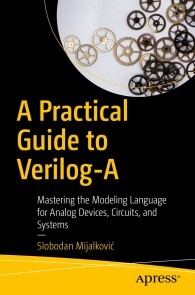
A Practical Guide to Verilog-A
Discover how Verilog-A is particularly designed to describe behavior and connectivity of circuits and system components for analog SPICE-class simulators, or for continuous time (SPICE-based) kernels in Verilog-AMS simulators. With continuous updates since it’s release 30 years ago, this practical guide provides a comprehensive foundation and understanding to the modeling language in its most recent standard formulation.With the introduction of language extensions to support compact device modeling, the Verilog-A has become today de facto standard language in the electronics industry for coding compact models of active and passive semiconductor devices. You'll gain an in depth look at how analog circuit simulators work, solving system equations, modeling of components from other physical domains, and modeling the same physical circuits and systems at various levels of detail and at different levels of abstraction.All industry standard compact models released by Si2 Compact Model Coalition (CMC) as well as compact models of emerging nano-electronics devices released by New Era Electronic Devices and Systems (NEEDS) initiative are coded in Verilog-A. This book prepares you for the current trends in the neuromorphic computing, hardware customization for artificial intelligence applications as well as circuit design for internet of things (IOT) will only increase the need for analog simulation modeling and make Verilog-A even more important as a multi-domain component-oriented modeling language.Let A Practical Guide to Verilog-A be the initial step in learning the extended mixed-signal Verilog-AMS hardware description language.WHAT YOU'LL LEARN* Review the hardware description and modeling language Verilog-A in its most recent standard formulation.* Code new compact models of active and passive semiconductor devices as well as new models for emerging circuit components from different physical disciplines.* Extend the application of SPICE-like circuit simulators to non-electronics field (neuromorphic, thermal, mechanical, etc systems).* Apply the initial steps towards the extended mixed-signal Verilog-AMS hardware description language.WHO THIS BOOK IS FORElectronic circuit designers and SPICE simulation model developers in academia and industry. Developers of electronic design automation (EDA) tools. Engineers, scientists and students of various disciplines using SPICE-like simulators for research and development.Dr. Slobodan Mijalkovic is a Senior R&D Engineer at Silvaco, Inc., specialized in semiconductor device and integrated circuit modeling for electronic design automation (EDA) software tools. Before joining Silvaco Europe, he was a Principal Researcher in HiTeC Laboratory at Delft University of Technology in the Netherlands, where he led a team for standardization of the Mextram bipolar transistor model with Compact Model Coalition (CMC). Formerly, he was an Assistant and an Associate Professor with the Department of Microelectronics at Faculty of Electronics Engineering, University of Nis in Serbia (Yugoslavia).Dr. Mijalkovic has authored 50 cited publications including the monograph “Multigrid Methods for Process Simulation” published by Springer. In the period 2002-2006 he has set and chaired four editions of “Compact Modeling for RF Application (CMRF)” workshops that strongly contributed to the acceptance of Verilog-A as a standard compact modeling language. He is a senior Member of IEEE and currently a member of the IEEE EDS Compact Modeling Committee.Chapter 1: IntroductionChapter Goal: Verilog-A delineation. Comparison to other HDLs and modeling languages. Book organization.Chapter 2: The Lexical Basis of Verilog-AChapter Goal: Introducing Verilog-A lexical tokens, token separators as well as basic token groups and token containers.Chapter 3: Basic Types and ExpressionsChapter Goal: Introducing integer, real and string data types and how expressions are assembled for different types using operators.Chapter 4: Nets and SignalsChapter Goal: Introducing the concept of nets and signals defined by nature and net_discipline types.Chapter 5: Modules and NetlistsChapter Goal: Introducing modules, as basic units of hierarchy in Verilog-A language, and their instantiation in SPICE and Verilog-A netlists.Chapter 6: Parameters and ParamsetsChapter Goal: Introducing the concept of parameters, customization of modules by passing parameters into a module at instantiation and the concept of instance and model parameters defined via paramsets.Chapter 7: Branch Contribution StatementsChapter Goal: Introducing the concept of analog branch assignments and signal access mechanisms.Chapter 8: Procedural StatementsChapter Goal: Introducing analog procedural block and procedural control statements.Chapter 9: Derivative and Integral OperatorsChapter Goal: Detailed description of analog functions used to perform differentiation and integration in time.Chapter 10: Built-in Mathematical FunctionsChapter Goal: Define all Verilog-A standard mathematical function.Chapter 11: User Defined FunctionsChapter Goal: Describe how to write modular, maintainable and reusable models in Verilog-A using user defined functions.Chapter 12: Analog Filter FunctionsChapter Goal: Introducing Verilog-A time and frequency domain filter functions and their usage with constant and dynamic arguments.Chapter 13: Look-Up Table ModelsChapter Goal: Describing how to create a multidimensional interpolation lookup-up table models in Verilog-AChapter 14: Small Signal and Noise SourcesChapter Goal: Introducing Verilog-A functions supporting small signal and noise analysis in SPICE simulators.Chapter 15: EventsChapter Goal: Introducing methods to control analog behaviour of the component models in Verilog-A.Chapter 16: Input and OutputChapter Goal: Describe methods and functions to read and write formatted data.Chapter 17: Simulator Query and Control MethodsChapter Goal: Describing the methods to access the simulator kernel parameters in the Verilog-A model.Chapter 18: AttributesChapter Goal: Introducing attributes as a mechanism for specifying properties about objects, statements and groups of statements in the Verilog-A source that can be used by the simulator.Chapter 19: Compiler DirectivesChapter Goal: Introducing compiler directives that dictate Verilog-A compiler behaviour in a pre-processingcompilation phase.Chapter 20: SPICE CompatibilityChapter Goal: Describes the degree of compatibility with SPICE-like simulators which Verilog-A provides and the approach taken to provide that compatibility.
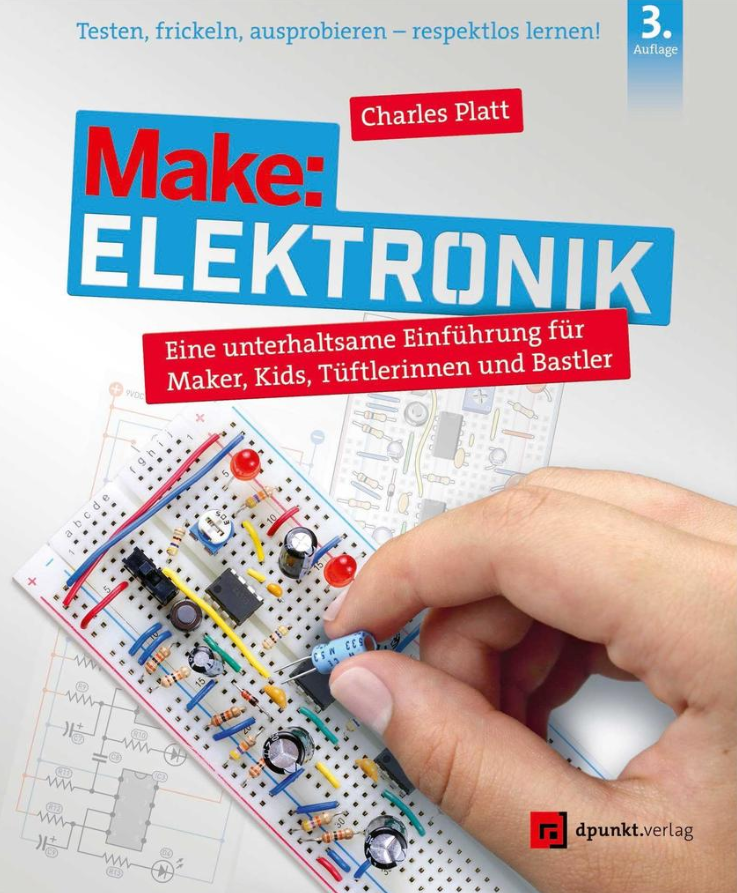
Make: Elektronik (3. Auflage)
Eine unterhaltsame Einführung für Maker, Kids, Tüftlerinnen und Bastler in 3. Auflage.Dinge verheizen, Sachen vermasseln – so lernt man. Beginnend mit den grundlegenden Konzepten können Sie anhand eigener praktischer Experimente und unter Verwendung erschwinglicher Teile und Werkzeuge lernen.Auf dem Weg dorthin können Sie eine Sicherung durchbrennen lassen, ein Relais zum Summen bringen und eine Leuchtdiode durchbrennen lassen. In Make: Elektronik gibt es kein misslungenes Experiment, denn alle Experimente sind ein wertvoller Lernprozess. Mit dieser dritten Auflage wird das bewährte Buch jetzt noch besser.Innerhalb weniger Stunden bauen Sie einen Reflexionstester, einen Einbruchsalarm, ein Quizspiel oder ein Zahlenschloss – und modifizieren sie, um noch viel mehr zu tun. Nachdem Sie die Grundlagen von Spannung, Strom, Widerstand, Kapazität und Induktivität kennengelernt haben, werden Sie die Grundlagen von Logikchips, Funk, Mikrocontrollern und Elektromagnetismus entdecken. Jedes Projekt passt auf ein einziges Breadboard, und die meisten erfordern keine Lötarbeiten.Alle Experimente arbeiten mit sicheren, niedrigen Spannungen, die meist von einer einzigen 9-Volt-Batterie geliefert werden. Make:-Elektronik zieht Leserinnen und Leser aller Altersgruppen angezogen, von 10-Jährigen bis hin zu Rentnerinnen und Rentnern, die endlich freie Zeit haben, um ihre Neugierde an Elektronik zu befriedigen.Zum Autor:Charles Platts erstes Elektronik-Projekt war ein Telefonanrufbeantworter, den er mit 15 selbst baute. Er wurde Science-Fiction-Autor (The Silicon Man), brachte Leuten das Erstellen von Computergrafiken bei und war Redakteur bei der Zeitschrift Wired, ehe er wieder zu seiner ersten Liebe, der Elektronik, zurückkehrte. Er ist Editor beim amerikanischen Make:-Magazin.

Simulation of Power Electronics Circuits with MATLAB®/Simulink®
Design and analyze electronic components and systems with the help of powerful software and effective skillsets. Balancing theory with practical exploration of the relevant software, you'll start solving power electronics problems like a pro. Using MATLAB®/Simulink®, you'll analyze the circuit in a laptop charger; interface with the power electronics converter controlling a washing machine's motor; turn on lamps with an electronic ballast; convert AC into DC power; and more!Power electronics are at the bedrock of all the wonderful devices simplifying our daily life. Designing them isn't just about understanding schematics. It also requires measuring twice and cutting once. In order to save time and money, a power electronics circuit must be simulated before construction. So you'll learn how to work with one of the most powerful simulation tools for this purpose. That way you'll know before you even go to make it whether the circuit works as expected.Learn to work with MATLAB®/Simulink® by directly applying and building the projects in this book. Or use it as a lab manual for power electronics and industrial electronics. Either way, using strong simulations and solid design theory, you'll be able to build power electronics that don't fail.WHAT YOU'LL LEARN* Simulate power electronics effectively before building them* Select suitable semiconductor components for your circuit based on simulation waveforms* Extract dynamic models of converters and design suitable controllers for themWHO THIS BOOK IS FOREngineers and students who want to simulate power electronics circuits in MATLAB®/Simulink®.FARZIN ASADI received his BSc in Electronics Engineering, MSc in Control Engineering and Phd in Mechatronics Engineering.Currently he is with the Department of Electrical and Electronics Engineering at the Maltepe University, Istanbul, Turkey.Dr. Asadi has published more than 40 international papers and 16 books. He is on the editorial board of 7 scientific journals as well. His research interests include switching converters, control theory, robust control of power electronics converters, and robotics.PART 1: INTRODUCTION TO SIMULINK®Chapter 1: Basics of SimulinkIntroductionStep response of a transfer function modelPID controller design in MATLAB environmentFeedback control systemPID controller design in Simulink environmentPlot two or more waveforms in one scope blockChapter 2: Simulation of Dynamical Equations in SimulinkSimulation of differential equationsSimulation of differential equations with only one integrator blockSimulation of differential equations with MATLAB Function blockCopying and taking out a block from the modelState-Space blockTo Workspace blockSimulation of Dynamical equation of Boost converterSimulation of discrete time equations (I)Simulation of discrete time equations (II)ExercisesReferences for further studyPART 2: SIMULATION OF POWER ELECTRONICS CONVERTERS WITH SIMULINK®Chapter 3: Simulation of Uncontrolled Rectifier CircuitsIntroductionSingle phase half wave diode rectifierMeasurement with the oscilloscope blockMeasurement with Multimeter blockMeasurement portMean and RMS blocksInstantaneous power and average powerApparent power and power factorMaking subsystemPower BlockFreewheeling diodeDisabling a blockFourier blockThree phase diode rectifierMeasurement of power factor of three phase uncontrolled rectifierMeasurement of conduction lossChapter 4: Simulation of Controlled Rectifier CircuitsSingle phase half wave thyristor rectifierSingle phase full wave thyristor rectifier ISingle phase full wave thyristor rectifier IIThree phase thyristor rectifierEffect of filter capacitor on the rectifier circuitCoupled inductorsChapter 5: Simulation of DC-DC ConvertersBuck converterOperating mode of the DC-DC converterEffect of input voltage changes on the output voltageEffect of output load change on the output voltageGeneration of PWM signalPWM Generator (DC-DC) blockClosed loop control of buck converterFlyback converterEfficiency of Flyback converterChapter 6: Simulation of InvertersSingle phase PWM inverterTHD blockHarmonic analysis with FFT Analyzer programThree phase PWM inverterConnection port blockChapter 7: Simulation of Motors and GeneratorsSimulation of a DC motorSimulation of a DC generatorInduction motorEffect of harmonics on AC motor speedExercisesReferences for further studyPART 3: DYNAMICS OF DC-DC CONVERTERSChapter 8: State Space AveragingIntroductionState Space AveragingDynamical Equations of Buck ConverterAveraging the Dynamical Equations of Buck ConverterLinearization of Averaged EquationsObtaining the Small Signal Transfer Functions of Buck Converter Using MATLABChapter 9: Input/Output impedance of DC-DC ConvertersInput and Output Impedance of Buck-Boost ConverterInput and Output Impedance of Boost ConverterExercisesReferences for further studyPART 4: IMPORTANT THEORETICAL CONCEPTSChapter 10: Average and RMS ValuesInstantaneous powerAverage powerEffective value of a signalEffective value of sum of two periodic signalsMeasurement of RMS of signalsChapter 11: Power CalculationApparent power and power factorPower computations for linear circuitsChapter 12: Fourier Series and Total Harmonic DistortionFourier seriesFourier series of important wave shapesCalculation of average power using the Fourier seriesTotal Harmonic Distortion (THD)

TI-84 Plus CE Graphing Calculator For Dummies
YOU AND YOUR TRUSTY TI-84+ CAN ACE MATH, TOGETHERGraphing calculators are an essential tool in many high school and college math courses. TI-84 Plus CE Graphing Calculator For Dummies teaches you how to use these handy little machines with confidence, for basic math and far, far beyond. Packed with insider tips, common mistakes to avoid, and updates on the newest products available, this is the must-have reference to get the most out of your graphing calculator. You’ll learn how to navigate the home screen, menus, and mode settings. And we’ll teach you how to use your calculator to, uh, do math—starting with basic arithmetic functions and stepping up through matrices, complex numbers, and beyond. You can even learn about probability and how to conduct statistical data analysis with your TI-84+. Get graphing!* Grasp the basics of using your TI-84+ graphing calculator* Learn how to use shortcut menus to enter fractions, matrices and logarithms (with a change of base!)* Figure out how to make charts, scatter plots, and more* Get started programming in Python on the new TI-84 Plus CE Python Edition* If you have the older TI-84+, look for tips that point out keystroke and functionality differencesThis edition of TI-84 Plus CE Graphing Calculator For Dummies lets you do everything there is to do with the very latest TI-84+ models. Whatever kind of math you’re doing, you’ll get some quality screen time in, thanks to Dummies. JEFF MCCALLA teaches Algebra II and is the Test Prep Coordinator at St. Mary’s Episcopal School in Memphis, Tennessee. As a regional instructor for Texas Instruments, Jeff has presented sessions at conferences all over the country. In 2009, he received the Presidential Award for Excellence in Science & Mathematics Teaching.Introduction 1PART 1: MAKING FRIENDS WITH THE CALCULATOR 5Chapter 1: Starting with the Basics 7Chapter 2: Doing Basic Arithmetic 25Chapter 3: Dealing with Fractions 35Chapter 4: Solving Equations 41PART 2: TAKING YOUR CALCULATOR RELATIONSHIP TO THE NEXT LEVEL 53Chapter 5: Working with Complex Numbers 55Chapter 6: Understanding the Math Menu and Submenus 61Chapter 7: The Angle and Test Menus 69Chapter 8: Creating and Editing Matrices 79PART 3: GRAPHING AND ANALYZING FUNCTIONS 89Chapter 9: Graphing Functions 91Chapter 10: Exploring Functions 111Chapter 11: Evaluating Functions 127Chapter 12: Graphing Inequalities 143Chapter 13: Graphing Parametric Equations 155Chapter 14: Graphing Polar Equations 163PART 4: WORKING WITH PROBABILITY AND STATISTICS 173Chapter 15: Probability 175Chapter 16: Dealing with Statistical Data 183Chapter 17: Analyzing Statistical Data 193PART 5: DOING MORE WITH YOUR CALCULATOR 209Chapter 18: Communicating with a PC Using TI Connect CE Software 211Chapter 19: Communicating Between Calculators 221Chapter 20: Fun with Images 227Chapter 21: Managing Memory 231PART 6: THE PART OF TENS 237Chapter 22: Ten Essential Skills 239Chapter 23: Ten Common Errors 243Chapter 24: Ten Common Error Messages 249PART 7: APPENDICES 253Appendix A: Creating Calculator Programs 255Appendix B: Controlling Program Input and Output 259Appendix C: Controlling Program Flow 269Appendix D: Introducing Python Programming 281Appendix E: Mastering the Basics of Python Programming 287Index 293

Beginning MicroPython with the Raspberry Pi Pico
Program the Raspberry Pi Pico, the latest microcontroller board from raspberrypi.org, with MicroPython. This book will take you on a tour of the Raspberry Pi Pico, including how to get started using the microcontroller, seeing which alternative microcontrollers are available, and how to connect and run simple code examples.You’ll program example projects in MicroPython using Python on your PC as a learning platform. Then build your hardware skillset working with electronics and breadboard circuits. You'll implement example projects with all steps explained, including hardware connections and executing the project. Then apply them to real-world, approachable projects using the accessible Raspberry Pi Pico!The book shows how the cloud is used for IoT data and find out what popular cloud systems currently exist for IoT. Finally, you'll use ThingSpeak for hosting IoT data including connecting your Pico to the Internet.Beginning MicroPython with the Raspberry Pi Pico allows you to build up your skills to more advanced IoT projects and Cloud systems!WHAT YOU WILL LEARN* Build valuable programming skills with MicroPython* Explore the Raspberry Pi Pico and similar boards* Develop your own electronics and IOT projects* Incorporate the Grove component system with the Raspberry Pi PicoWHO THIS BOOK IS FORBeginners interested in learning to work with the Raspberry Pi Pico using MicroPython on microcontrollers with little to no experience in programming, hardware, or electronics. The book should also appeal to those who wanting to gain experience with building electronic solutions with microcontrollers.CHARLES BELL conducts research in emerging technologies. He is a member of the Oracle MySQL Development team and is one of the principal developers for the MySQL Database Service (MDS) team supporting MySQL as a service in the Oracle Cloud Infrastructure (OCI). He lives in a small town in rural Virginia with his loving wife. He received his Doctor of Philosophy in Engineering from Virginia Commonwealth University in 2005. Dr. Bell is an expert in the database field and has extensive knowledge and experience in software development and systems engineering. His research interests include 3D printers, microcontrollers, three-dimensional printing, database systems, cloud systems, software engineering, Internet of Things, and sensor networks. He spends his limited free time as a practicing Maker focusing on microcontroller projects and refinement of three-dimensional printers.Chapter 1: Introducing the Raspberry Pi Pico· What is a Microcontroller?· A tour of the Raspberry Pi Pico· Getting Started with the PicoChapter 2: Introducing MicroPython· Getting Started· How it Works· Off and Running with PythonChapter 3: How to Program in MicroPython· Basic Concepts· Variables and Statements· Loops· Methods and Classes· MicroPython LibrariesChapter 4: Low-Level Hardware Support· Interrupts· Communication· Using Breakout BoardsChapter 5: Electronics for Beginners· The Basics· Electronic Components· Using a Breadboard to Build Circuits· What are Sensors?Chapter 6: Project: Hello, World! MicroPython Style· Overview· Required Components· Setup the Hardware· Write the Code· ExecuteChapter 7: Project: Pedestrian Crossing· Overview· Required Components· Setup the Hardware· Write the Code· ExecuteChapter 8: Project: Soil Moisture Monitor· Overview· Required Components· Setup the Hardware· Write the Code· ExecuteChapter 9: Introducing Grove; Electronics Made Easy· Overview· Components Available· Using the Components with your PicoChapter 10: Project: Sound Activated Lights· Overview· Required Components· Setup the Hardware· Write the Code· ExecuteChapter 11: Project: Simon Game· Overview· Required Components· Setup the Hardware· Write the Code· ExecuteChapter 12: Project: Weather Station· Overview· Required Components· Setup the Hardware· Write the Code· ExecuteChapter 13. Introducing IoT for the Cloud· Overview· IoT Cloud SystemsChapter 14. Using ThingSpeak· Getting Started· How to add ThingSpeak to your Projects· Example: IoT Weather StationAppendixA combined shopping list for components used in the book.Audience: Beginner

Android Tablets & Smartphones
OHNE VORWISSEN ANDROID TABLETS ODER SMARTPHONES SICHER BEDIENEN * Erfolgsautor Günter Born behandelt die typischen Fragen von Einsteigern und Senioren * Alle Bedienungsfragen in verständlichen Schritt-für-Schritt-Anleitungen erklärt * Komplett in Farbe, übersichtlich gestaltet und mit größerer Schrift * Der Bestseller deckt jetzt Android 11 ab und sensibilisiert für Sicherheitsfragen Mit diesem praktischen Ratgeber finden Sie sich schnell zurecht und können Schritt für Schritt nachvollziehen, wie Sie Ihr Android-Handy oder -Tablet einrichten, wie Sie surfen, Fotos machen, Kurznachrichten und E-Mails verschicken, die Einsatzmöglichkeiten Ihres Geräts durch neue Apps erweitern und vieles mehr. Schwerpunkt ist die Bedienung von Smartphones und Tablet-PCs mit den Android-Versionen 9 bis 11. Das Buch kann jedoch auch für Geräte mit älteren Android-Versionen genutzt werden, denn vieles ist hier sehr ähnlich.

Git for Electronic Circuit Design
Work with Git and avoid dangerous mishaps in this popular, cooperative environment, even if you have no software engineering background or previous experience with Git. This book will teach you the basic principles of working cooperatively in Git with software engineers and other team members to handle issues the GUI can’t.You'll start by learning the fundamentals of the Git environment and commands. Concepts such as commits, branches, and Git organization are discussed. To avoid bogging you down with software terminology, advanced topics like setting up a Git server are ignored. Descriptions are worded to keep you away from technical specifications. Examples are presented in easily digestible text files and focus on realistic scenarios and concerns without delving into one-off or advanced, oddball situations. You can see the results without focusing on the jargon.Once you understand the basics of Git, you’ll design a digital system circuit using a computer aided design (CAD) tool. You’ll learn to collaborate effectively through Git between team members, incorporate continuous development philosophy, work with project documentation, and build a solid project structure. Finally, you'll see how Git can also ease maintenance tasks and provide CAD designers unique opportunities.WHAT YOU'LL LEARN* Work with the Git-bash environment* Incorporate continuous development philosophy* Discover the links between Git and modern CAD programsWHO THIS BOOK IS FORElectrical engineers active in device manufacturing and other engineers and students unfamiliar with Git.ALTAY BRUSAN has academic and field experience as a software engineer and digital circuit designer. He has developed opensource and commercial projects in medical applications, such as iBEX software for radiology workstations and medical imaging hardware platforms. Altay is eager to share his ten years of experience to help electronics engineers with less of a software background understand Git.AYTAC DURMAZ received his B.S. degree in Electric and Electronics Engineering from Bilkent University in 2007, and both his M.Sc. (2010) and PhD in Biomedical Engineering (2019) from Boğaziçi University. His current professional focus and researches are on IoT devices and platforms, software development, and medical devices. Durmaz is also founder of several start-up focused on medical devices, IoT, software development, and marine systems.GIT FOR ELECTRONIC CIRCUIT DESIGNChapter 1: BasicsChapter 2: BranchChapter 3: Remote RepositoryChapter 4: Commit ReformingChapter 5: Managing a Circuit Design ProjectChapter 6: Application

Echtzeit 2021
Mit seiner Tagung 2021 zum Thema „Echtzeitkommunikation“ greift der GI/GMA/ITG-Fachausschuss Echtzeitsysteme ein immer wichtiger werdendes Thema in einer mehr und mehr vernetzten Welt auf. Die präsentierten Lösungen reichen dabei von Hardware über Systementwurf bis hin zu einzelnen Applikationen.Das Buch stellt die auf der Tagung Echtzeit präsentierten Ergebnisse der Forscher auf dem diesjährigen Themengebiet der Echtzeitkommunikation dar. Diese Tagung des Fachausschusses Echtzeitsysteme der Gesellschaft für Informatik ist einzigartig im deutschem Sprachraum und fand 2021 zum 42. Mal statt.HERWIG UNGER und MARCEL SCHAIBLE sind Sprecher bzw. stellv. Sprecher des GI/GMA/ITG-Fachausschuss Echtzeitsysteme, der sich dem immer wichtiger werdenden Thema zeitkritischer Systeme von Hardware bis hin zu einzelnen Applikationen widmet.Real-Time Systems Through the Ages - Dynamische Migrationsentscheidungen in Multicore-Systemen - Ausführungszeit und Stromverbrauch von Inferenzen künstlicher neuronaler Netze auf einem Tensorprozessor - Dynamic Vision-Sensoren zur Texturklassifikation in der automatischen Sichtprüfung - Sind Bitcoin-Transaktionen sicher, echtzeitfähig und ressourcenadäquat? - Analysemethodiken zur Berechnung der WCET mit asynchroner Ein-/Ausgabeverarbeitung - Ein auf Bluetooth 5.1 und Ultrabreitband basierendes Innenraum- Positionssystem - Hardware-Beschleuniger für automobile Multicore-Mikrocontroller mit einer harten Echtzeitanforderung - Fault Tolerance in Heterogeneous Automotive Real-time Systems - Echtzeitfähige Ethernet-Kommunikation in automobilen Multicore-Systemen mit hierarchischem Speicherlayout - Zeitgesteuerte Kommunikationsschnittstellen in unterschiedlichen Anwendungskontexten - Ein Konferenzsystem mit biometrisch basierter Gesichtsvisualisierung für sehr große Teilnehmerzahlen - Machine Learning für die Temperaturermittlung eines Permanentmagnet-Synchronmotors.- Zeitoptimierungsuntersuchungen für Algorithmen des maschinellen Lernens
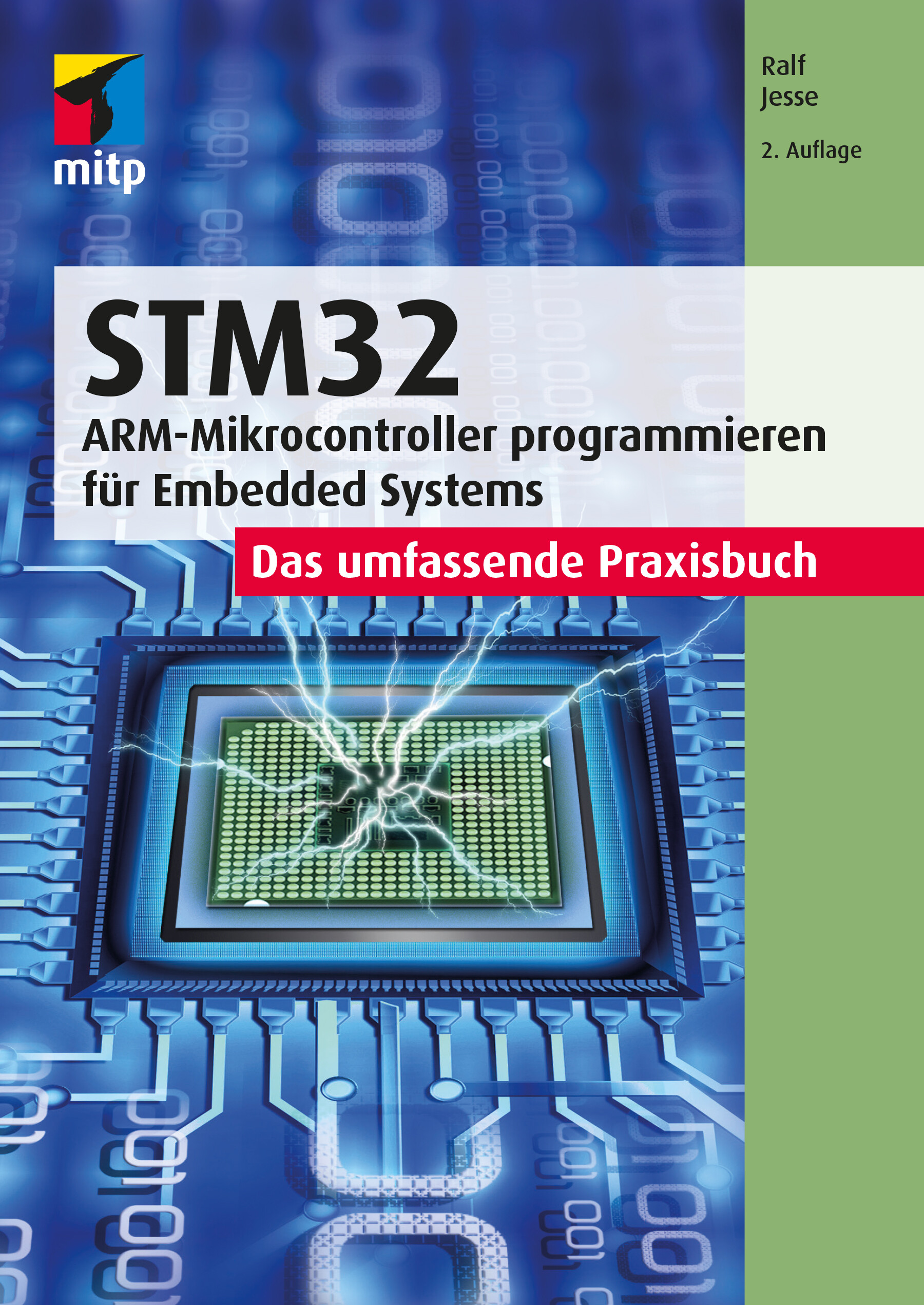
STM32 - Das umfassende Praxisbuch (2. Auflg.)
ARM-Microcontroller programmieren für Embedded Systems - Das umfassende PraxisbuchMit diesem Buch erhalten Sie einen umfassenden Praxiseinstieg für die Softwareentwicklung für Embedded Systems mit der ARM-Mikrocontrollerfamilie STM32F4xx der Firma STMicroelectronics (STM). Für die Programmierung wird die Sprache C eingesetzt.Der Autor behandelt die wichtigsten Peripherie-Komponenten, dazu gehören digitale und analoge I/O-Ports (GPIOs), Timer und Counter, serielle Schnittstellen (USARTs/UARTs, SPI und I2C), ADCs und DACs, RTC (Echtzeit-Uhr) sowie Direct Memory Access (DMA).Die Programmierung dieser Komponenten zeigt der Autor anhand einfacher praktischer Anwendungsbeispiele wie z.B. die Abfrage von Uhrzeit und Datum von einer externen RTC (über I2C) sowie deren Anzeige über SPI auf einfachen Displays. Dabei entsteht im Verlauf des Buchs eine Bibliothek, deren Funktionen für eigene Projekte auf einfache Weise eingesetzt werden können.Als Entwicklungsumgebung wird STM32CubeIDE von STM verwendet. Außerdem kommt das Evaluierungsboard NUCLEO-64 für den STM32F446 zum Einsatz. Der Autor legt Wert darauf, alles »bare-metal« zu programmieren und verzichtet darauf, die HAL-Bibliothek einzusetzen. Diese Vorgehensweise erleichtert Ihnen auch den Umstieg auf Mikrocontroller anderer Hersteller. Grundlegende Kenntnisse der Programmiersprache C werden vorausgesetzt. Dennoch wird auf einige Aspekte eingegangen, die in der Bare-metal-Programmierung von Mikrocontrollern möglicherweise wichtiger sind als in der Entwicklung herkömmlicher PC-basierter Software.Aus dem Inhalt: Typische GPIO-Anwendungen (Input/Output/Alternative Funktionen)Timer: Systick/Basic/General Purpose/Advanced Control TimerPWM: Dimmen von LEDs mit TimernA/D- und D/A-WandlungSerielle Kommunikation mit UARTs/USARTs/I2C/SPIPorterweiterung mit I2C (PCF8574)/Ansteuerung von LC-Displays7-Segment-Anzeigen über SPI (MAX7219)Einsatz einer externen Echtzeituhr (RTC) DS3231 über I2CAutor: Ralf Jesse ist Diplom-Ingenieur der Elektrotechnik mit mehr als 30 Jahren beruflicher Praxis im Einsatz von Mikroprozessoren und -controllern. Nach ersten Erfahrungen als Entwicklungsingenieur in einem Maschinenbau-Unternehmen folgten mehr als 20 Jahre als Software-Ingenieur in einem großen japanischen Konzern.
STM32
Programmierung der wichtigsten Peripherie-Komponenten des STM32F4xx-Chips Digitale und analoge I/O-Ports (GPIOs), Timer und Counter, serielle Schnittstellen (USARTs/UARTs, SPI und I2C), ADCs und DACs, Direct Memory Access (DMA) Zahlreiche praktische Anwendungsbeispiele Dieses Buch bietet einen umfassenden Praxiseinstieg in die Softwareentwicklung für Embedded Systems mit der ARM-Mikrocontrollerfamilie STM32F4xx der Firma STMicroelectronics (STM). Für die Programmierung wird die Sprache C eingesetzt. Der Autor behandelt die wichtigsten Peripherie-Komponenten, dazu gehören digitale und analoge I/O-Ports (GPIOs), Timer und Counter, serielle Schnittstellen (USARTs/UARTs, SPI und I2C), ADCs und DACs, RTC (Echtzeit-Uhr) sowie Direct Memory Access (DMA). Anhand einfacher Beispiele zeigt der Autor den praktischen Einsatz dieser Komponenten. Hierzu zählen die Abfrage von Uhrzeit und Datum von einer externen RTC (über I2C) sowie deren Anzeige über SPI auf einfachen Displays. Im Verlauf des Buchs entsteht so eine Bibliothek, deren Funktionen für eigene Projekte auf einfache Weise eingesetzt werden können. Die Beispiele werden auf dem Evaluierungsboard NUCLEO-64 mit dem STM32F446 unter Einsatz der STM32CubeIDE-Entwicklungsumgebung entwickelt und getestet. Grundlegende Kenntnisse der Programmiersprache C werden vorausgesetzt. Alle Beispiele folgen dem MISRA-C-Standard, dessen Anwendung in der Automobilindustrie vorgeschrieben ist. Dieser wird in einem separaten Kapitel vorgestellt und sorgt für gut verständlichen und somit leicht zu pflegenden Code. Der Fokus liegt auf der »baremetal«-Programmierung, was den Umstieg auf Mikrocontroller anderer Hersteller erleichtert. Auf den Einsatz der HAL-Bibliothek wird ausdrücklich verzichtet. Aus dem Inhalt: Typische GPIO-Anwendungen (Input/Output/Alternative Funktionen) Timer: Systick/Basic/General Purpose/Advanced Control Timer PWM: Dimmen von LEDs mit Timern A/D- und D/A-Wandlung Serielle Kommunikation mit UARTs/USARTs/I2C/SPI Porterweiterung mit I2C (PCF8574)/Ansteuerung von LC-Displays 7-Segment-Anzeigen über SPI (MAX7219) Einsatz einer externen Echtzeituhr (RTC) DS3231 über I2C Ralf Jesse ist Diplom-Ingenieur der Elektrotechnik mit mehr als 30 Jahren beruflicher Praxis im Einsatz von Mikroprozessoren und -controllern. Nach ersten Erfahrungen als Entwicklungsingenieur in einem Maschinenbau-Unternehmen folgten mehr als 20 Jahre als Software-Ingenieur in einem großen japanischen Konzern.

Samsung Galaxy S22 For Dummies
YOUR STEP-BY-STEP ROADMAP TO UNLOCKING THE FULL POTENTIAL OF YOUR NEW GALAXY S22Your new Samsung Galaxy S22 is packed with more features than you can count. So, how should you go about using this fantastic phone to its fullest? With some friendly and expert help from Samsung Galaxy S22 For Dummies!This book on Samsung’s latest version of its flagship smartphone will walk you through every important function and feature on the S22. Want to make a call or send an email? Samsung Galaxy S22 For Dummies will show you how to set up your accounts and contacts to help you stay in touch with your friends and family. More interested in playing some new games or using the latest app? Flip to the chapter on accessing the Google Play Store and grab your favorite downloads.You’ll find step-by-step descriptions, complete with helpful screenshots and pictures, to help you:* Understand the home screen, buttons, and menus of your new phone so you can navigate it with ease* Customize your phone with ringtones, wallpapers, lock screens, and widgets* Improve your productivity with functional apps like Calendar and GPSWhether this is your first Samsung phone, or just the latest in a long line of them, Samsung Galaxy S22 For Dummies is your secret weapon to unlocking the full potential of one of the most powerful smartphones on the market today.BILL HUGHES is an experienced marketing strategy executive with more than two decades of experience in sales, strategic marketing, and business development roles at leading corporations. He graduated with honors with an MBA degree from the Kellogg School of Management. He is the author of all previous editions of Samsung Galaxy S For Dummies.Introduction 1PART 1: GETTING STARTED WITH THE SAMSUNG GALAXY S22 5Chapter 1: Exploring What You Can Do with Your Phone 7Chapter 2: Beginning at the Beginning 17PART 2: COMMUNICATING WITH OTHER PEOPLE 43Chapter 3: Calling People 45Chapter 4: Discovering the Joy of Text 59Chapter 5: Sending and Receiving Email 69Chapter 6: Managing Your Contacts 87PART 3: LIVING ON THE INTERNET 105Chapter 7: You’ve Got the Whole (Web) World in Your Hands 107Chapter 8: Playing in Google’s Play Store 117PART 4: HAVING FUN WITH YOUR PHONE 135Chapter 9: Sharing Pictures 137Chapter 10: Creating Videos 157Chapter 11: Playing Games 167Chapter 12: Playing Music and Videos 179PART 5: GETTING DOWN TO BUSINESS 203Chapter 13: Using the Calendar 205Chapter 14: Mapping Out Where You Want to Be 217Chapter 15: Paying with Samsung Pay 229PART 6: THE PART OF TENS 245Chapter 16: Ten Ways to Make Your Phone Totally Yours 247Chapter 17: Ten (or So) Ways to Make Your Phone Secure 263Chapter 18: Ten Features to Look for Down the Road 285Index 293

Build Your Own IoT Platform
Every solution that is in some way related to the IoT needs a platform; learn how to create that platform with us. This book is about being agile and reducing your time to market without breaking the bank. It is about designing something that can scale incrementally without rework and potentially disrupting the current work.So, the key questions are: What does it take? How long does it take? And, how much does it take to build your own IoT platform? This book answers these questions and provides you with step-by-step guide to building your own IoT platform.In this book, the author highlights what the core of an IoT platform looks like. There are always some must-haves and some nice-to-haves. This book distinguishes the two and focuses on building the must-haves. Building your IoT platform is not only the most significant cost-saver but can also be a satisfying learning experience. This edition will extend your work with a sample project to clarify the concepts and show you the possibilities. Additional chapters will also shed some light on the hardware interface and considerations.WHAT YOU WILL LEARN· Master how to architect an interconnected system and develop a flexible platform architecture· Understand how to prioritize system requirements with a bottom-up approach· Design and build a robust IoT communications platform· Create an end-to-end application using guidelines in this bookWHO IS THIS BOOK FORIoT developers with basic-to-intermediate programming skills, small business owners, as well as entrepreneurs and startup founders would benefit from this bookANAND is an award-winning author, innovator, professional speaker, and futurist. A sought-after thought leader, he helps people adapt, leverage technology, and transform with the power of creativity and innovation.Anand specializes in areas that intersect technology and people. As a technology, innovation, and transformation specialist, he is well-known for bringing ideas and strategies to life.Being a polymath, he often sheds new light on a topic you think is "done to death." Having worked with several Fortune 500 multinationals for the past two decades, he has cross-industry, multi-cultural experience.* Chapter 1: So… You Want to Build Your Own!· The Background of IoT and Our Focus· How Many Platforms Are Out There?· Platforms Supporting Network Servicing· Platforms Sitting Between Networks and Applications· Application-Layer Development Platforms· What Should a Good IoT Platform Have?· Why Should You Build Your Own IoT Platform?· SummaryChapter 2: The Building Blocks of an IoT Solution· The Functional Blocks of an IoT Solution· The Detailed Block Diagram of an IoT Platform· Is Everything from this Block Architecture Mandatory?· What Is the Proposed Approach?· SummaryChapter 3: The Essentials for Building Your Own Platform· Deciding Cloud Instance Specifics· Additional Specifications· Where Do We Get this Cloud Instance?· What About Our Own Machine?· Expanding on the IoT Platform Block Diagram· Edge Interface, Message Broker, and Message Bus· Message Router and Communications Management· Time-Series Storage and Data Management· REST API Interface· Microservices· Rule Engine· Device Manager and Application Manager· Our Own IoT Platform Block Diagram· SummaryChapter 4: Let’s Create Our Platform Wish List· Connecting with the Platform in Real Time· Using MQTT as the Message Broker· How Do We Want to Store the Data?· Data Storage Schema· Accessing Platform Resources Through APIs· Data Accessing APIs· Elementary Microservices and Utilities· Routing and Filtering Data and Messages· Updated Block Diagram of Our IoT Platform· SummaryChapter 5: Here We Go!· Initializing the Cloud Instance· Register and Create· Choosing an Operating System Image· Choosing the Size· Choosing a Datacenter Region· Finalizing and Creating the Instance· Connecting to Our Cloud Instance· Installing Basic Software Stacks· Installing Apache· Installing MySQL· Installing PHP· Securing the Instance and Software· It’s Easier with a Domain Name· Add Virtual Hosts to Our Web Server· Installing SSL Certificates· Installing Node.js and Node-RED· Modifying Node-RED Settings· Securing our Node-RED Editor· SummaryChapter 6: The Message Broker· What Is MQTT?· Publish and Subscribe Paradigm· Other Features of a Message Broker and MQTT· Quality of Service· Keep Alive Period· Last Will and Testament· The Retained Message· The Best Part: WebSocket· Are We Using the Best Message Broker Option?· When to Utilize a Message Broker and When Not To· Installing a Message Broker· Securing a Message Broker· SummaryChapter 7: Building the Critical Components· Creating a Time-Series Core Database· Installing Required Nodes in Node-RED· Creating First Flow for Our Platform· Adding MQTT Publish Capability· REST API Message Publisher· Creating the Database Listener· REST API Message Retriever· Verifying that Everything Is Working as Expected· Running Node-RED in the Background Continuously· SummaryChapter 8: Configuring the Message Broker· The Difference Between WebSocket and Normal MQTT· Why Is WebSocket Important?· Adding WebSocket to Our MQTT Configuration· Testing WebSocket· Let’s Add User Access Controls· Let’s Check If This Is Working· Using the Forever Tool with the Message Broker· SummaryChapter 9: Creating a REST Interface· Data Access APIs· Adding Time-Based Filters· Data Deletion APIs· Removing Data Records Completely· Adding Microservices to the Platform· Getting the Current Timestamp· Random Code Generator· Adding New Modules to Node-RED· UUID Generator· Email and Text Message Microservice APIs· Configuration of Nodes· SMS Sending Utility· Email-Sending Utility· SummaryChapter 10: Rule Engine and Authentication· Start with the Rule Engine Logic· Creating a Database· Building the Flow Sequence· Testing the Rule Engine· Rule Management APIs· Enable and Disable a Specific Rule· Enable and Disable All Rules· Create a New Rule· Building Another Rule Engine with Node-RED· Adding Authentication to the Data API· What Are Our Options?· What Is the Plan?· Adding Authentication Middleware· Enable and Test Authentication· Our Core Platform Is Ready Now· SummaryChapter 11: Documentation and Testing· Preparing a Valid OpenAPI Specification Document· Platform API Specification File Explained· Preparing Distribution Package for Final Upload· Upload API Docs and Make It Live· Authorize and Test API· SummaryChapter 12: Connecting Your Hardware· Why learn hardware alongwith IoT platform?· Available hardware options· Creating bespoke designs· Choosing the best option for your project· Connectivity options and suitability for project· Various topologies and arrangements§ The “why” behind each topology and arrangement· Connecting our hardware to the platform§ Two possible modeso Using REST APIo Using MQTTo Can you use both? Why and when?§ Requirements for each modeo Circuit specifico Firmware specific§ How to incorporate them in hardwareo Circuit specifico Firmware specific· Other considerations for connecting the hardware· SummaryChapter 13: Let's Build a Better Mousetrap· Backstory of better mousetrap case study§ How I got this opportunity§ What does “better” mean?§ How I decided to approach this problem§ Importance of top-down approach· System architecture§ High level system design process§ Block diagram and explanation· Hardware selection§ What are different scenarios§ What are potential options§ What is on our shortlist· Connectivity choice§ What are different scenarios§ What are potential options§ What is on our shortlist· Front-end application§ What are different scenarios§ What are potential options§ What is on our shortlist· Hardware arrangement§ Hardware construction (overview)§ How it works§ Testing the hardware· Backend buildup on the platform§ What additions we need on the platform side§ How to build them (details)§ Testing the backend· Dashboard for visualization§ Building a basic dashboard§ How to pool the data· Additional services I built in the mousetrap application§ Workflow for CRM§ Client alert mechanism§ Operator Scheduling§ Compliance reporting§ Machine learning provision for intelligent pest management§ Other business benefits· Project takeaways – real life and for you (as a reader)· SummaryChapter 14: Unlimited Possibilities· What do I mean by unlimited possibilities?· Why is this platform so capable?· Five ideas you can work on§ One button – based on my 1btn projecto The concepto Block diagramo Key ideas and things to work ono Potential applications§ Smart street lampso The concepto Block diagramo Key ideas and things to work ono Potential applications§ Council garbage collection managemento The concepto Block diagramo Key ideas and things to work ono Potential applications§ Datacenter climate controlo The concepto Block diagramo Key ideas and things to work ono Potential applications§ People counter for Covid-19 gathering compliance in shops & storeso The concepto Block diagramo Key ideas and things to work ono Potential applications· SummaryChapter 15: What We Built and the Takeaways· Increasing Security for the Cloud Instance· What About SQL Injection Through APIs?· Should We Have Used MongoDB Instead of MySQL?· Some Experts Might Still Try to Talk You Out of This· How Is Our Platform Different from AWS, Google, and Azure?· There Is a New Version of MQTT· My Platform Is Ready. Now What?· The Next Big Thing· If You Need to Find More Resources· Finally
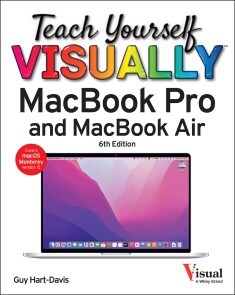
Teach Yourself VISUALLY MacBook Pro & MacBook Air
GET UP TO SPEED WITH YOUR NEW MACBOOK PRO OR MACBOOK AIR FASTER THAN YOU THOUGHT POSSIBLEIn Teach Yourself VISUALLY: MacBook Pro & MacBook Air, technology educator extraordinaire and bestselling author Guy Hart-Davis delivers a highly illustrated and easy-to-follow guide to using your MacBook Pro or MacBook Air with macOS Monterey. In the book, you’ll get up and running quickly whether you’re brand new to computers or just transitioning from an older Mac or a PC. With the graphics-driven approach used successfully by tens of thousands of readers of the Teach Yourself VISUALLY series, you see exactly what each step of instruction should look like on your own screen and can follow—step-by-step—through the installation process, file management, email, and messaging, and much more. You’ll also:* Become expert with the latest macOS version—Monterey—and the newest features that enable you to make the most of your MacBook and the Internet* Learn exactly how to handle the most common and useful everyday tasks you need to get stuff done* Glean valuable customization tips to make your MacBook work just the way you preferTeach Yourself VISUALLY: MacBook Pro & MacBook Air skips confusing tech jargon in favor of clear pictures, simple instructions, and stepwise guidance that will give you a flying start to using your new MacBook, regardless of your experience level. CHAPTER 1 GETTING STARTED WITH YOUR MACBOOKUnderstanding the MacBook Pro and MacBook Air 4Set Up Your MacBook 8Start Your MacBook and Log In 12Explore the macOS Desktop 14Point and Click with the Trackpad 18Connect to a Wireless Network 20Give Commands 22Open, Close, and Manage Windows 24Using Control Center 26Using Notifications 28Put Your MacBook to Sleep and Wake It Up 30Log Out, Shut Down, and Resume 32CHAPTER 2 CONFIGURING YOUR MACBOOKChange the Desktop Background 36Set Up a Screen Saver 38Configure Battery and Sleep Settings 40Customize the Dock 42Configure the Menu Bar and Control Center 44Add or Remove Desktop Spaces 46Create Hot Corners to Control Screen Display 48Make the Screen Easier to See 50Configure the Appearance, Accent, and Highlight 54Configure the Keyboard 56Configure the Trackpad or Other Pointing Device 58Configure iCloud Settings 60Add a Second Display 62Using an Apple TV and HDTV as an Extra Display 64Using an iPad as an Extra Display and Input Device 66Connect External Devices 68Explore Other Important Settings 70CHAPTER 3 SHARING YOUR MACBOOK WITH OTHERSCreate a User Account 74Configure Your MacBook for Multiple Users 76Share Your MacBook with Fast User Switching 78Set Up Family Sharing 80Turn On Screen Time and Set Downtime 84Set Time Limits for Apps and Websites 86Make Apps Always Available to a User 88Apply Content and Privacy Restrictions 90Review a User’s Actions 96CHAPTER 4 RUNNING APPSOpen an App and Quit It 100Install an App from the App Store 102Install an App from a Third‐Party Source 104Run an App Full Screen 106Set Apps to Run Automatically at Login 108Using Split View 110Switch Quickly Among Apps 112Switch Apps Using Mission Control 114Set Up Dictation and Spoken Content 116Using Dictation and Spoken Content 118Configure and Invoke Siri 120Perform Tasks with Siri 122Remove Apps 124Identify Problem Apps 126Force a Crashed App to Quit 128Revert to an Earlier Version of a Document 130CHAPTER 5 MANAGING YOUR FILES AND FOLDERSUnderstanding Where to Store Files 134Using the Finder’s Views 136Work with Finder Tabs 138View a File with Quick Look 140Organize Your Desktop Files with Stacks 142Search for a File or Folder 144Control Which Folders Spotlight Searches 146Create a New Folder 148Rename a File or Folder 149Copy a File 150Move a File 152View the Information About a File or Folder 154Organize Your Files with Tags 156Work with Zip Files 158Using the Trash 160Customize the Finder Toolbar 162Customize the Sidebar 164Configure Finder Preferences 166CHAPTER 6 SURFING THE WEBOpen Safari and Customize Your Start Page 170Open a Web Page 172Follow a Link to a Web Page 173Open Several Web Pages at Once 174Navigate Among Web Pages 176Return to a Recently Visited Page 178Play Music and Videos on the Web 180Set Your Home Page and Search Engine 182Create Bookmarks for Web Pages 184Using Reader View and Reading List 186Organize Safari Tabs into Tab Groups 188Download a File 190Configure Safari for Security and Privacy 192CHAPTER 7 SENDING AND RECEIVING E-MAILSet Up Your E‐Mail Accounts 198Send an E‐Mail Message 200Receive and Read Your Messages 202Reply to a Message 204Forward a Message 206Send a File via E‐Mail 208Receive a File via E‐Mail 210View E‐Mail Messages by Conversations 212Block and Unblock Contacts 214Reduce the Amount of Spam You Receive 216CHAPTER 8 CHATTING AND CALLINGSet Up Messages and Choose Preferences 220Chat with a Contact 222Send and Receive Files with Messages 224Sign In to FaceTime and Set Preferences 226Make and Receive FaceTime Calls 228Configure and Use Handoff with Your iPhone 230CHAPTER 9 ORGANIZING YOUR LIFEManage Your Apple ID and iCloud Account 234Navigate the Calendar App 236Create a New Calendar 238Create an Event 240Share an iCloud Calendar with Other People 242Subscribe to a Shared Calendar 244Add Someone to Your Contacts 246Change a Contact’s Information 248Organize Contacts into Groups 250Create Notes 252Track Your Commitments with Reminders 256Get Directions in the Maps App 260CHAPTER 10 ENJOYING MUSIC, VIDEO, AND BOOKSAdd Your Music to the Music App 264Set Up Home Sharing 266Play Songs 268Create Playlists 270Create Smart Playlists 272Listen to Apple Radio and Internet Radio 274Enjoy Podcasts 276Play Videos with the TV App 278Read Books 280CHAPTER 11 MAKING THE MOST OF YOUR PHOTOSImport Photos 284Browse Your Photos 286Select Photos from Bursts 292Crop a Photo 294Rotate or Straighten a Photo 296Improve a Photo’s Colors 298Add Filters to Photos 300Create Photo Albums 302Create and Play Slide Shows 304E‐Mail a Photo 306Take Photos or Movies of Yourself 308CHAPTER 12 NETWORKING, SECURITY, AND TROUBLESHOOTINGTransfer Files Using AirDrop 312Connect to a Shared Folder 314Share a Folder 316Connect to a Shared or Network Printer 318Turn Off Automatic Login 320Enable and Configure the Firewall 322Choose Privacy Settings 324Reclaim Space by Emptying the Trash 326Keep Your MacBook Current with Updates 328Control Checking for Software and App Updates 330Back Up Your Files 332Recover Files from Backup 334Recover When macOS Crashes 336Troubleshoot Corrupt Preference Files 338Recover, Restore, or Reinstall macOS 340Index 342

Raspberry Pi Retail Applications
Increase productivity and lower the operating cost of your business by automating crucial business processes with the Raspberry Pi. After completing this book's projects you'll be able to determine the best way to quickly apply automation to existing systems and processes in your retail outlet with Raspberry Pi.You’ll start by composing ideas to transform your business, and then gain practical, accessible methods for executing them. Find real-world ways to implement tech solutions to accelerate the growth of your business, and navigate the ever-changing landscape of retail automation with this book. Then see what automation can and cannot do at the current level of technical progress for retail businesses. By comparing the efficiency of machines with manual labor, you’ll be able to assess how open-source hardware performs in lowering operating costs and identify business components that can be improved with automation.Raspberry Pi Retail Applications features projects that are easy to dive into and will function readily in your day-to-day business right now.WHAT YOU'LL LEARN* Identify business components that can be improved with automation* Combine the existing array of Raspberry Pi hardware options to build customized solutions* Implement tech ideas in a practical retail environment to reduce cost and streamline your business processes WHO THIS BOOK IS FORSmall and medium business owners or technology officers looking for solutions to increase efficiency, lower operating costs, and drive up profits for their retail companies with automation. Familiarity with open-source hardware and programming skills is helpful, but not necessary.ELAINE WU specializes in business partnerships and marketing in various tech industries, from software to embedded hardware. She is currently the marketing and partnership manager at Seeed (an open-source AIoT hardware platform) where she focuses on the global IoT solution ecosystem, making technology accessible for all. At Seeed, by aligning with partners and best hardware, she believes and strives on the path of the most reliable hardware platform, empowering everyone to achieve their digital transformation goals. She was also leading community partnerships, content marketing, new products' go-to-market strategies at Seeed before 2021. Elaine is also an active article contributor on a variety of industries topics, including but not limited to SBCs, microcontrollers, ML/AI, robotics, and SLAM.DMITRY MASLOV works professionally in applied machine learning and robotics. He’s spearheaded a variety of machine learning projects, both for previous employers and as a freelancer. Proficient in Python and C/C++, Dmitry has an excellent knowledge of ROS and ROS-i. He speaks four languages with professional fluency in three. Dmitry is the owner of Hardware.ai, a YouTube channel where he publishes videos on creating intelligent systems with machine learning and ROS on single-board computers.Chapter 1 Understanding Automation Applications in RetailWhat automation can and cannot do at the current levelCompare the efficiency of machines with manual laborFind the best application scenarios for automation and also where it might not be the best choice.Chapter 2 People Counting for Resource ManagementCreate a system using computer vision to perform analysis of retail outlet occupancy at different times.Use the data to improve allocation of the company resources (e.g. personnel, electricity).Chapter 3 Vending MachineUse the Raspberry Pi compute module to process orders and control the hardware in a vending machine.Understand how to interface a Raspberry Pi compute module with a customized carrier board for specific needs (e.g., vending machine control modules)Chapter 4 Interactive Touch Screen Directory/ Customer Service RobotConnect a Raspberry Pi with a high resolution touch screen display and transform it into an interactive directory to help customers in the mall or other retail environment.Instead of a large touch screen display, a mobile platform such as a robot can also help customers with directions.Chapter 5 Voice Interaction Drive-Through Self-Service StationPrototype a replacement for a traditional drive-through station by utilizing Raspberry Pi.Speech recognition to help customers with their order.Chapter 6 Employee Management SystemBuild a system to optimize time tracking and the punch in/punch out process.Use collected data to drive human resource management decisions.Chapter 7 Advertisement DisplayCreate a device to display advertising promotion content for a real estate screen.Remotely schedule and control the content via a network interface.Chapter 8 Check-Out Counter with Barcode ScannerLower equipment cost by replacing a traditional check-out computer system with a single Raspberry Pi 400 all-in-one keyboard.Chapter 9 Server/Server Cluster for HostingOptimize your small business hosting costs by moving away from renting public cloud serversHosting your website/application/chatbot customer service on a Raspberry Pi/Raspberry Pi clusterChapter 10 Summary and Tips on Practical ImplementationSummaryIdeas and practical advice on the best ways to quickly replace or upgrade current systems with automation by Raspberry Pi
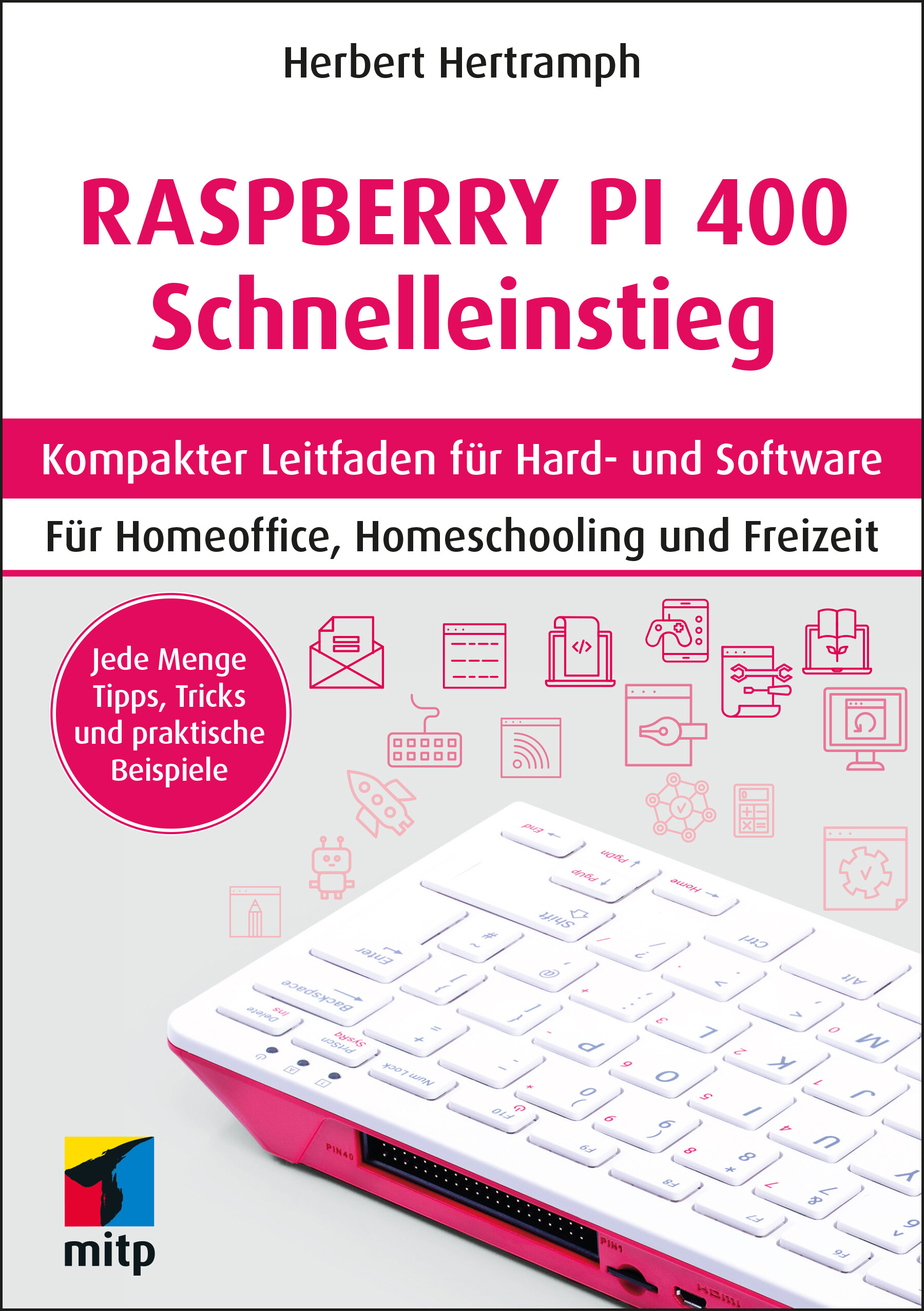
Raspberry Pi 400 Schnelleinstieg
Der Raspberry Pi 400 ist ein minimalistischer „All-in-one“-PC zu einem unschlagbaren Preis. Die gesamte Technik ist in der Tastatur verbaut und die gesamte Software auf einer SD-Karte gespeichert. Mit diesem Buch erhalten Sie eine einfache und kompakte Einführung für den Einsatz des Raspberry Pi 400 und erfahren alles, was Sie brauchen, um mit dem Betriebssystem, der Arbeitsumgebung und der Software zu arbeiten. Herbert Hertramph zeigt Schritt für Schritt, wie Sie den Raspberry Pi 400 einrichten, um ihn im Alltag, Homeoffice oder für das Homeschooling optimal einzusetzen. Außerdem erhalten Sie jede Menge Tipps und Tricks für Streaming, Fotobearbeitung und vieles mehr. Alle notwendigen Linux-Grundlagen werden für Ein- und Umsteiger ganz einfach erläutert. Der Autor erklärt die Vorteile des Systems und geht besonders auf Sicherheit und Backups ein. Mit diesem Buch werden Sie die Möglichkeiten des Raspberry Pi 400 voll ausschöpfen und den Mini-PC optimal an die eigenen Bedürfnisse anpassen.Aus dem Inhalt:Linux-GrundlagenRaspberry Pi 400 einrichtenArbeiten mit LibreOffice, GoogleOffice, Microsoft und iWorksBackup und SynchronisationFernzugriff und SicherheitPi-AppsWeitere BetriebssystemeMit der Kommandozeile arbeiten Über den Autor:Herbert Hertramph ist am Institut für Psychologie und Pädagogik der Universität Ulm als Sozialwissenschaftler mit aktuellen Fragestellungen des digitalen Lehrens und Lernens befasst.
Robot Operating System (ROS) for Absolute Beginners
Start programming your own robots using Robot Operation System (ROS). Targeted for absolute beginners in ROS, Linux, and Python, this guide lets you build your own robotics projects.You'll learn the basic foundation of Ubuntu Linux. Begin with the fundamentals. Installation and useful commands will give you the basic tools you need while programming a robot. Then add useful software applications that can be used while making robots. Programming robots can be done using any of the programming languages. Most popular programming languages are Python and C++. You will incorporate the fundamentals of C++ by learning object oriented programing concepts from example and building C++ projects.Finally, tackle an ROS hands-on project to apply all the concepts of ROS you've learned. The aim of the project is to perform a dead-reckoning using a cheap mobile robot. You can command your robot's position on Rviz and your robot will move to that position! Not only will you learn to program, you'll gain hands-on experience working with hardware to create a real robot.WHAT YOU’LL LEARN* Install Ubuntu 20* Install ROS Noetic* Use ROS Programming with roscpp and rospy * Build a mobile robot from scratch using ROSWHO THIS BOOK IS FORRobotics enthusiast with little or no prior programming experience.LENTIN JOSEPH is an author, roboticist and robotics entrepreneur from India. He runs a robotics software company called Qbotics Labs in Kochi/Kerala. He has 10 years of experience in the robotics domain primarily in Robot Operating System, OpenCV, and PCL.He has authored 8 books in ROS, namely, Learning Robotics using Python first and second edition, Mastering ROS for Robotics Programming first and second edition, ROS Robotics Projects first and second edition, ROS Learning Path and Robot Operating System for Absolute Beginners.He has his Masters in Robotics and Automation from India and has also worked at Robotics Institute, CMU, USA. He is a TEDx speaker.ALEENA JOHNY is a robotics software engineer currently working at Qbotics Labs from India. She completed her M. Tech and B. Tech from Rajagiri School of Engineering and Technology (RSET), Kerala. After her post-graduation, she worked as an Asst. Professor in computer science for 1 year. After that, she started working in Qbotics Labs. She has experience with robotics software platforms such as Robot Operating System (ROS), Open-CV, and Gazebo. She has published a research paper in International Journal and National Conferences.ROBOT OPERATING SYSTEM FOR ABSOLUTE BEGINNERSCHAPTER 1: GETTING STARTED WITH UBUNTU/LINUX FOR ROBOTICSThis chapter will give the basic foundation of Ubuntu Linux. Starting from the fundamentals, installation and useful commands which are using while building and programming a robot, we will also see useful software applications which can be used while making robots.CHAPTER 2: FUNDAMENTALS OF PYTHON AND C++ FOR ROBOTIC PROGRAMMINGProgramming robots can be done using any of the programming languages. Most popular programming languages are Python and C++. In this chapter, we will see fundamentals of Python which are mainly used for programming robots. This chapter will also cover C++ and the important topics needed to program a robot.CHAPTER 3: KICK STARTING ROBOT OPERATING SYSTEMThis chapter starts discussing Robot Operating System, Fundamentals, Installing, ROS tools and ROS commands it on Ubuntu.CHAPTER 4: PROGRAMMING WITH ROSThis chapter is fully focused on programming ROS using C++ and Python. We will see some example code in this chapter.CHAPTER 5: BUILDING AND PROGRAMMING MOBILE ROBOT USING ROSThis is a hands-on project which is used to apply all concepts of ROS that we discussed in the above chapters. We will see some more concepts which will explain in the appropriate sections. The aim of the project is to perform a dead-reckoning using a cheap mobile robot. We can command robot position on Rviz and robot will move to that position.CHAPTER 6. ROBOTICS PROJECT USING ROS

Getting Started with Secure Embedded Systems
Build secure and reliable IoT applications for micro:bit and Raspberry Pi Pico by using Rust and Tock.One of the first Operating Systems written in Rust, Tock is designed to safely run multiple applications on low power devices, enabling you to build a secure foundation for IoT systems. It is an open-source OS that has recently gained popularity as companies such as Google[1] explore and integrate it into their products.This book guides you through the steps necessary to customize and integrate Tock into your devices. First, you'll explore the characteristics of Tock and how to run it on two of the most popular IoT platforms: micro:bit and Raspberry Pi Pico. You’ll also take a look at Rust and how to use it for building secure applications with Tock.The book focuses on the Tock kernel internals and presents the steps necessary to integrate new features. From simple drivers to the more complex asynchronous ones, you are provided with a detailed description of the Tock kernel API.Next, you'll review the Tock applications framework for C. Starting from simple Tock APIs to the more complex Inter-Process Communication system, this book provides a complete overview of the Tock application ecosystem.By taking a practical approach, Getting Started with Secure Embedded Systems provides a starting point for building a secure IoT foundation using the Tock Operating System.YOU WILL:* Use Rust for embedded systems development* Write applications and drivers for Tock* Customize the Tock kernel for specific hardware platforms* Set a solid base for building secure and reliable IoT applicationsUse Tock to ensure the security of your microcontrollers and integrate them into your projects * Manage products that rely on TockWHO THIS BOOK IS FORIoT system designers, developers, and integrators who are familiar with operating systems concepts. The book can also be suitable for people with less experience, who want to gain an overview of the latest hardware and software technologies related to building secure IoT systems.ALEXANDRU RADOVICI has a PhD in the field of mobile computing and works as an Assistant Professor at the Politehnica University of Bucharest, teaching subjects related to operating systems, compilers and Internet of Things. Alexandru believes in the power of education and teaching is his passion, so 14 years ago he founded an NGO that focuses on organizing IT educational events. Alexandru is also the co-founder and CTO of Wyliodrin, being in touch with the latest IoT technologies. Alexandru has been a contributor to Tock, adding boards such as the STM32 Discovery Kit and adding support for screens and touch screens.IOANA CULIC is currently a PhD candidate in the field of Internet of Things and the co-founder of Wyliodrin, a company that offers educational and industrial IoT solutions. She is a Teaching Assistant at the Politehnica University of Bucharest and has also been teaching IoT technologies to high-school and university students at different events for the last five years. Despite the technical background, writing has always been Ioana’s passion and she managed to mix the two. She has published several articles in magazines such as the MagPi and Make Magazine and books on Internet of Things technologies. Ioana has been porting JavaScript to Tock.CHAPTER 1: Introduction to Embedded Operating Systems● FreeRTOS● RIOT OS● Zephyr● Mbed OS● Why is TockOS new and different?CHAPTER 2: Modern Low Power Microcontrollers● Main functional components of modern microcontrollers● Processing unito ARM Cortex-Mo RISC-V IMC and IMAC● General memory layout● Persistent storage● Communications busses● DebugCHAPTER 3: The TockOS System Architecture● Architecture● Memory Layout● Kernel○ Hardware Abstraction Layer○ Capsules● Applications● Flashing the system● ExamplesCHAPTER 4: Running TockOS● Preparing the tools● Understanding the kernel’s source code● Compiling the kernel● Understanding the user land application source code● Compiling an application● Running using an emulator (RISC-V)● Running using a real device (STM32F412)CHAPTER 5: Writing Applications● TockOS System calls● The TockOS API library● Adding a third-party library● Building for several architectures● TockOS Application DistributionCHAPTER 6: Rust for TockOS● Introduction to Rust● Lifetimes● Mutable referencesCHAPTER 7: Writing a capsule● Capsule architecture● Asynchronous API● The Hardware Interface Layer● Using a timer (for delays)● System calls implementation● Writing a component● Using the capsule from an applicationCHAPTER 8: Writing a Sensor Capsule● Sensor HILs● Virtual Device Interfaces● Using the ADC device● Implementing the system calls● Using the capsule from an applicationCHAPTER 9: Using Communication Busses● UART● SPI● i2C● BLE● Basic NetworkingCHAPTER 10: Building for a Custom System● Creating a new board● Memory layout● Adding capsules● Enabling and setting up hardware● Starting the kernelCHAPTER 11: Designing a Hardware Interface Layer● The HIL trait● Designing the HILCHAPTER 12: Porting TockOS● The microcontroller architectureo MPU setupo interruptso bootstrapping● The chipo The interrupt vectoro Enabling peripheralso Implementing basic HILsCHAPTER 13: Contributing to TockOS● Creating a Pull Request● Automatic testing● Review process

Computer für Senioren für Dummies (5. Auflg.)
Wie bringe ich den Computer zum Arbeiten? Was sind eigentlich Apps? Ist das Internet sicher? Nancy Muir erklärt Ihnen, wie ein Computer funktioniert und wie Sie Drucker & Co. zum Laufen bringen. Sie erläutert auch die Grundlagen von Windows 11. Bald wissen Sie, wie Sie sicher im Internet surfen, online Kontakte pflegen, in der Cloud arbeiten, Apps kaufen und vieles mehr. Nancy Muir ist Redakteurin und schreibt vor allem über Technik und Wirtschaft.Über die Autoren 11Einführung 23TEIL I: LOS GEHT’S 27Kapitel 1: Einen Computer kaufen 29Kapitel 2: Wie Sie Ihren Computer einrichten 47Kapitel 3: Mit Windows 11 arbeiten 61Kapitel 4: Windows optimal für Sie einrichten 83Kapitel 5: Wenn Sehvermögen, Hörvermögen oder manuelle Fähigkeiten eingeschränkt sind 93Kapitel 6: Drucker und Scanner einrichten 113Kapitel 7: Widgets und Cortana nutzen 127TEIL II: DIE SOFTWARE ARBEITEN LASSEN 137Kapitel 8: Mit Softwareprogrammen arbeiten 139Kapitel 9: Mit Dateien und Ordnern arbeiten 149Kapitel 10: Mit Windows-Apps arbeiten 167TEIL III: ONLINE GEHEN 187Kapitel 11: Die Grundlagen der Internetnutzung 189Kapitel 12: Im Web surfen 203Kapitel 13: Sicher im Internet unterwegs 221Kapitel 14: Per E-Mail in Verbindung bleiben 243Kapitel 15: Arbeiten in der Cloud 265Kapitel 16: Im Internet andere Menschen treffen 279TEIL IV: SPAẞ HABEN 301Kapitel 17: Großes Kino – Windows Media Player, die Video- und die Kamera-App 303Kapitel 18: Musik mit Windows 11 genießen 321TEIL V: DER WERKZEUGKASTEN 335Kapitel 19: Die Arbeit mit Netzwerken 337Kapitel 20: Ihr Windows-Betriebssystem schützen 349Kapitel 21: Wartungsarbeiten in Windows 363Abbildungsverzeichnis 379Stichwortverzeichnis 389
Computers For Seniors For Dummies
A SIMPLE GUIDE TO COMPUTERS THAT'LL SHOW YOU WHAT ALL THE FUSS IS ABOUTMost people new to computers find them a little intimidating at first. But with the right guidance, even a total novice can be sending email and banking online in no time at all. Computers For Seniors For Dummies is your must-have computing companion, full of crystal clear, step-by-step instructions for accessing websites, opening and using programs, and keeping yourself safe from viruses and hackers. And unlike the confusing "tips" from your son-in-law, you can rely on the For Dummies brand to deliver advice that actually works! Whether you've set up your computer and are ready to start using it or it's still sitting in the box, this book walks you through each and every step you need to take to connect with your family or share your photos with your friends on Facebook. It'll also show you how to:* Research topics you're interested in on the web while steering clear of malicious websites and emails that can harm your computer* Shop online in a way that keeps your credit card info secure* Find recipes, diet tips, the latest news, or your favorite TV showComputers For Seniors For Dummies is your one-stop resource for taking control of your computer, transforming it from an expensive paperweight into the most useful gadget in your home. Filled with easy-on-the-eyes type and tons of explanatory images, this is the book that will finally get you up to speed on personal computing. FAITHE WEMPEN is a computer and information technology instructor at Indiana University Purdue University at Indianapolis. She designs online technology courses for corporate clients and is the author of over 150 books on computer hardware and software.Introduction 1PART 1: GET GOING! 5Chapter 1: Buying a Computer 7Chapter 2: Setting Up Your Computer 33Chapter 3: Buying and Setting Up a Printer 61PART 2: GETTING UP TO SPEED WITH WINDOWS 75Chapter 4: Working with Apps in Windows 77Chapter 5: Six Great Apps that Come with Windows 107Chapter 6: Managing Your Personal Files 127Chapter 7: Making Windows Your Own 153PART 3: GOING ONLINE 175Chapter 8: Getting Connected to the Internet 177Chapter 9: Browsing the Web 191Chapter 10: Staying Safe While Online 213Chapter 11: Keeping in Touch with Mail 233Chapter 12: Working in the Cloud 253Chapter 13: Connecting with People Online 269PART 4: HAVING FUN 289Chapter 14: Let’s Play a Game! 291Chapter 15: Creating and Viewing Digital Photos and Videos 305Chapter 16: Listening to Music on Your PC 325PART 5: WINDOWS TOOLKIT 341Chapter 17: Working with Networks 343Chapter 18: Protecting Windows 361Chapter 19: Maintaining Windows 373Index 389
iMac For Dummies
SAY HELLO TO YOUR IMAC WITH THIS BESTSELLING GUIDEExcited to put your cool iMac through its paces? Go ahead! Say “Hey Siri” to look up information, use the large monitor to play a game or watch a movie, share documents with your iPhone or iPad, or video chat with friends or family. With its optimized system speed, your iMac can keep up with anything you want to do. How cool is that?Your iMac comes stuffed with features, and iMac For Dummies is your tour guide to explore all of them! This updated handbook has you covered, no matter if you need to work or want to play. You can:* Scroll, tap, and swipe your way through the Mac operating system * Set up Bluetooth, Wi-Fi, and other settings in Control Center * Say “Hey Siri” to have the Apple assistant search for information or launch apps * Play video games, music, movies, or TV * Stay in touch with people through Messages and Facetime * Use productivity apps, including Numbers, Pages, and Keynote * Sync to iCloud and across all your Apple devices The all-in-one design of the iMac with its monitor, processor, graphics card, and internal drive makes it ideal for work and entertainment. Pick up your copy of this comprehensive guide to the iMac, filled with screenshots and how-to steps, and ensure you use your iMac to its full potential.MARK L. CHAMBERS is a technical author, computer consultant, programmer, and hardware technician with over 30 years of experience. He has written over 30 computer books, including MacBook For Dummies, 9th Edition and Macs For Seniors For Dummies, 4th Edition.Introduction 1PART 1: GETTING STARTED WITH YOUR IMAC 5Chapter 1: Okay, This Machine Looks Really, Really Weird 7Chapter 2: Life! Give My iMac Life! 25Chapter 3: The Basics Behind macOS Monterey 33PART 2: SHAKING HANDS WITH MACOS 77Chapter 4: What’s New in Monterey? 79Chapter 5: A Nerd’s Guide to System Preferences 85Chapter 6: Searching Amidst iMac Chaos 107Chapter 7: Putting Common Apps to Work 117PART 3: CONNECTING AND COMMUNICATING 135Chapter 8: Let’s Go on Safari! 137Chapter 9: Expanding Your Horizons with iCloud 159Chapter 10: Creating a Multiuser iMac 167Chapter 11: Working Well with Networks 187Chapter 12: Hooking Up with Handy Helpers 207PART 4: LIVING THE DIGITAL LIFE 219Chapter 13: The Multimedia Joys of Music and TV 221Chapter 14: Focusing on Photos 245Chapter 15: Making Film History with iMovie 265Chapter 16: Recording Your Hits with GarageBand 285PART 5: GETTING PRODUCTIVE WITH YOUR IMAC 303Chapter 17: Desktop Publishing with Pages. 305Chapter 18: Creating Spreadsheets with Numbers 319Chapter 19: Building Presentations with Keynote 335PART 6: THE NECESSARY EVILS: TROUBLESHOOTING, UPGRADING, AND MAINTAINING 349Chapter 20: It Just Sits There 351Chapter 21: I Want to Add Stuff 365Chapter 22: Tackling the Housekeeping 377PART 7: THE PART OF TENS 393Chapter 23: Ten Ways to Speed Up Your iMac 395Chapter 24: Ten Things to Avoid Like the Plague 401Index 409

Running ESXi on a Raspberry Pi
Gain foundational knowledge of ESXi technology and understand why it is such a dominant force in the datacenter. This book also looks beyond ESXi to other vSphere technologies, such as virtual machines (VMs), vMotion, and vCenter Server.Knowing how these technologies complement ESXi running on a Raspberry Pi will help you get the most out of ESXi on Arm technologies. This marks a significant change for ESXi, and has created new learning opportunities and use cases for both seasoned ESXi users and users completely new to the virtualization space. For those already familiar with ESXi but new to the Raspberry Pi, you’ll develop an in-depth understanding of this device and why it has become such a popular platform for technologists.Once you’ve learned the fundamentals, you’ll be introduced to enterprise, edge, and personal use-cases for this technology. Then, you’ll be walked through the process of installing ESXi on a Pi, as well as managing and monitoring it. You will also come to recognize its strengths and limitations and become familiar with the storage and networking options that are currently available. Lastly, given the fact that the sole purpose of running ESXi on a Pi is to run VMs on it, you’ll receive detailed step-by-step instructions for installing popular OSes including Ubuntu, CentOS, and Raspberry Pi OS.WHAT YOU'LL LEARN* Build a fully functional ESXi server on a Raspberry Pi* Select the correct hardware for particular use cases* Create and optimize virtual machines running on a Pi* Run Kubernetes on a Pi running ESXiWHO THIS BOOK IS FORThose new to the datacenter who want a low-cost way to work with one of the most powerful datacenter technologies to experienced datacenter professionals who need to use ESXi on Arm to complement their enterprise’s long-term strategic goals.TOM FENTON has worked with virtualization for over two decades. He’s held staff and senior-level positions at VMware, IBM, ControlUp, and other high-tech companies. He wrote the first training course for Horizon, VMware’s virtual desktop product. He is a frequent contributor to StorageReview.com, Virtualization & Cloud Review magazine, and other blogs and websites. He lives in the Pacific Northwest and enjoys skiing, snowboarding, hiking, and trail riding. Chapter 1: ESXi on Arm on PiAbout This BookWhat You’ll Learn About ESXi on Arm on PiWho This Book Is ForIntroduction to ESXi on Arm on PiIntroduction to Virtual MachinesIntroduction to ESXiIntroduction to ArmIntroduction to PiIntroduction to ESXi on Arm on PiLimitations on Using a Pi for ESXiExecutablesPi HardwareStorageRAMNICLicensing ESXi on ArmChapter 2: ESXi on Arm on Pi Use CasesLearning EnvironmentCorporate sandboxHome LabHome AssistantGame ServerLightweight VDI HostWeb DevelopmentEdge ServervSAN WitnessMicro vSphere ClusterFirewall for Small OfficeAutomation environment for PowerCLI and Terraform and packerKubernetesChapter 3: ESXi on Arm on Pi Build KitsRequirementsLow-Cost Naked BuildArgon One KitArgon One Kit M.2Argon One Kit Expansion BoardCluster Build 1Chapter 4: Installing ESXi on a PiHardware PreparationInstall Pi on microSD cardUpdate Pi eepromPrep microSD with UEFIInstall ESXi on the ArmModify Pi boot orderPost Installation ConfigurationChapter 5: ESXi Client for ManagementInstalling the ClientManaging ESXi using the ESXi ClientCreating a Virtual MachineMonitoring ESXi using the ESXi ClientGoing furtherChapter 6: vCenter Server for ManagementIntroduction to vCenter ServerInstalling the vCenter Server on x64 ESXiInstalling the vCenter Server on VMware WorkstationManaging ESXi using vCenter ServerCreating a Virtual MachineMonitoring ESXiChapter 7: Storage Options for ESXi on a PiDatastoresNFSiSCSILocal StorageThumb drivesSATA HDDSATA SSDNVMe in EncloserPerformance Comparison of Storage OptionsChapter 8: Virtual Machines on ESXiVirtual MachinesVMware ToolsvMotionCloning virtual machinesWhy Windows will Not WorkUbuntuRed HatSUSEFreeBSDChapter 9: Kubernetes on ESXiInstalling K3sSample KChapter 10: Going Further3rd Party Monitoring – Grafana3rd Party Monitoring - ControlUpStateless ESXi on ArmAdditional NICsHigh Availability and ESXivSphere Distributed SwitchConclusion

RP2040 Assembly Language Programming
Learn to program the Raspberry Pi Pico’s dual ARM Cortex M0+ CPUs in Assembly Language. The Pico contains a customer System on a Chip (SoC) called the RP2040, making it the Foundation’s first entry into the low-cost microcontroller market. The RP2040 contains a wealth of coprocessors for performing arithmetic as well as performing specialized I/O functionality. This book will show you how these CPUs work from a low level, easy-to-learn perspective.There are eight new Programmable I/O (PIO) coprocessors that have their own specialized Assembly Language supporting a wide variety of interface protocols. You'll explore these protocols and write programs or functions in Assembly Language and interface to all the various bundled hardware interfaces. Then go beyond working on your own board and projects to contribute to the official RP2040 SDK. Finally, you'll take your DIY hardware projects to the next level of performance and functionality with more advanced programming skills.WHAT YOU'LL LEARN* Read and understand the Assembly Language code that is part of the Pico’s SDK* Integrate Assembly Language and C code together into one program* Interface to available options for DIY electronics and IoT projectsWHO THIS BOOK IS FORMakers who have already worked with microcontrollers, such as the Arduino or Pico, programming in C or Python. Those interested in going deeper and learning how these devices work at a lower level, by learning Assembly Language.STEPHEN SMITH is a retired Software Architect, located in Gibsons, BC, Canada. He's been developing software since high-school, or way too many years to record. Since retiring he has pursued Artificial Intelligence programming, earned his Advanced HAM Radio License and enjoys mountain biking, hiking, and nature photography. He continues to write his popular technology blog at smist08.wordpress.com. Chapter 1: How to Set Up the Development EnvironmentAbout the Raspberry Pi PicoAbout the Host ComputerHow to Solder and WireHow to Install SoftwareA Simple Program to Ensure Things are WorkingChapter 2: Our First Assembly Language ProgramAbout the ARM ProcessorComputers and NumbersCPU RegistersARM Instruction FormatRP2040 MemoryAbout the GCC AssemblerFlashing LEDs in Assembly LanguageChapter 3: How to Build and Debug ProgramsCMakeGNU MakePrint StatementsGDBChapter 4: Loading and AddingNegative NumbersLittle Endian FormatHow to Shift and RotateMOV/MVNADD/ADCSUB/SBCChapter 5: How to Controll Program FlowUnconditional BranchAbout the CPSRBranch on ConditionAbout the CMP InstructionLoopsIf/Then/ElseLogical OperatorsDesign PatternsChapter 6: Thanks for the MemoriesHow to Define Memory ContentsHow to Load a RegisterPC Relative AddressingHow to Load from MemoryHow to Index Through MemoryHow to Store a RegisterHardware as MemoryIntroduction to DMAChapter 7: How to Call Functions and Use the StackThe StackBranch with LinkHow to Nest Function CallsFunction Parameters and Return ValuesHow to Manage the RegistersSummary of the Function Call AlgorithmStack FramesChapter 8: Interacting with C and the SDKHow to Call C RoutinesHow to Call Assembly Routines from CHow to Deal with Inline C RoutinesHow to Use SDK Header FilesChapter 9: How to Program the Built-in HardwareThe GPIO PinsAnalog to DigitalPWMChapter 10: How to Set and Catch InterruptsOverviewHow to Create an Interrupt HandlerTimers ExampleChapter 11: How to Initialize and Interact with Programmable I/OOverviewSDK SupportPIO InstructionsHow to Control TimingExamplesChapter 12: How to Connect Pico to IoTConnectivity OptionsUsing a UART or I2CInternet BasicsSecurityChapter 13: Multiplication, Division and Floating PointMultiplication CoprocessorDivision CoprocessorInterpolationFloating Point LibraryChapter 14: MultiprocessingUsing Both CPU CoresHow to Synchronize and Share ResourcesAudience: Intermediate