

Hardware

Arduino - dein Einstieg (4. Auflg.)
Die ersten Schritte mit Arduino sind ein Kinderspiel.Arduino ist die Open-Source-Plattform für elektronische Prototypen, die die Maker-Bewegung im Sturm erobert hat. Diese gründliche Einführung, die für die neueste Arduino-Version aktualisiert wurde, hilft Ihnen, sofort mit dem Prototyping zu beginnen. Von der Beschaffung der benötigten Komponenten bis zum letzten Schliff Ihres Projekts finden Sie hier alle Informationen, die Sie brauchen!Um die einführenden Beispiele in diesem Handbuch zu verwenden, benötigen Sie lediglich einen Arduino Uno oder Leonardo sowie ein USB-Kabel und eine LED. Die benutzerfreundliche, kostenlose Arduino-Entwicklungsumgebung läuft auf Mac, Windows und Linux.In »Arduino für Einsteiger« erfahren Sie mehr über:Interaktionsdesign und Physical ComputingDas Arduino-Board und seine SoftwareumgebungGrundlagen der Elektrizität und ElektronikZeichnen eines SchaltplansVom Arduino aus mit einem Computer und der Cloud kommunizierenBau eines benutzerdefinierten PflanzenbewässerungssystemsÜber die Autoren: Massimo Banzi ist der Mitbegründer des Arduino-Projekts. Er ist Interaktionsdesigner, Pädagoge und Open-Source-Hardware Pionier. Zusätzlich zu seiner Arbeit für Arduino unterrichtet er derzeit Cyber Physical System an der USI Universität in Lugano, Interaction Design an der SUPSI Lugano und am CIID Kopenhagen.Michael Shiloh ist außerordentlicher Professor am California College of the Arts, wo er Elektronik, Programmierung, Robotik und Mechatronik unterrichtet. Nach seiner Ausbildung zum Elektroingenieur arbeitete Michael Shiloh für verschiedene Unternehmen der Konsumgüterindustrie und des Bereichs Embedded Engineering, bevor er seine Leidenschaft für das Unterrichten entdeckte. Michael wendet seine technischen Fähigkeiten lieber auf kreative und künstlerische Geräte an als auf Konsumprodukte. Er hält häufig Vorträge und spricht auf Konferenzen und an Universitäten weltweit. Seit 2013 arbeitet Michael für Arduino, und stellt die die Open-Source-Elektronikprototyping-Plattform in Vorträgen und Lehrveranstaltungen einem neuen Publikum vor.Zielgruppe: MakerHobby-Entwickler*innenElektronik-Bastler*innen

micro:bit Projects with Python and Single Board Computers
Build different components of larger systems using class sets of micro:bits with Python in a truly collaborative way. First you’ll explore ways to harness the capabilities of the humble micro:bit and learn to creatively overcome some of its limitations; learning practical text-based programming along the way. We’ll then move on to building projects that allow multiple micro:bits, and other microcontroller boards and parts like the Raspberry Pi, to communicate with one another, and coordinate their operations to build larger systems.Rather than just being a guide to learning these skills, this book will include tips and stories about implementing the these ideas in classrooms, Code Clubs, and Maker environments. Practical logistics for preparation and easy set-up, as well as, acceptance criteria and accountability for students and participants is included. These ideas were gained over years of running a Code Club and running Maker workshops and events.You’ll learn about programming collaborative solutions and design logic. Then you’ll scale that logic up to more complex projects. By the end, you’ll have added additional electronic and physical components to projects that interact with the world. You’ll create fun inventions together, using hardware, coding, electronics, physical objects, and e-textiles.WHAT YOU'LL LEARN* Solve problems and create art by modelling solutions and ideas with a combination of Python coding, electronic systems engineering, and creative design.* Navigate the logistical and unique challenges that come with running your own Code Club, Makerspace, or feeding these activities into STEAM design and technology curriculums.* Take new Makers from simply copying and duplicating through to debugging and understanding.WHO THIS BOOK IS FORMakers and instructors interested in starting group projects while learning to code and gain other Maker skills along the way. Essential information is provided in a form that enables beginners and intermediate Makers to get hands-on quickly, but with enough depth to keep building on these projects and pushing the boundaries.MARTIN TAN wrote the first Code Club Moonhack projects in Scratch and Python, used by over 10,000 kids in Australia. He has taken kids to demo robots and coding projects in parliament, delivered training to Code Club Australia, and contributes to various Maker communities online. Martin blogs on Maker topics, runs a Maker store, and works in IT security, contributing to various open source projects and community conferences. Most of his endeavors feed into his hobbies, which also include music, locksport, and various techy pursuits.CHAPTER 1: GETTING STARTED- A quick tale: Years of mistakes - numbers, passwords, computers, accountability, and more- What is your baseline: where are you starting from?- Work out your initial scope: what are your first few milestones?- What will you need? Equipment and other resources.- Find a place: Set up a great space to learn and create!- Another alternative: Make your space portable!- The tech stuff: learn by applying- Chapter 1: recap summaryChapter 1 cheat sheetCHAPTER 2: GETTING OUR HANDS DIRTY WITH MICROPYTHON- A quick tale: Jumping in with our Code Club- What can we do in one hour? Why is one hour a good amount of time to spend on a first project?- A first project: BBC micro:bit emoticon switcher using buttons- Upgrading: Using the built-in sensors- Scaling up: Adding another micro:bit and using radio- Scaling up further: Using a class set of micro:bits- Going further: Using an external components and always adding challenges- Electronics101: Voltage dividers resistors, power smoothing with capacitors, and other electronic idiomsJ- Chapter 2: recap summaryChapter 1 cheat sheetCHAPTER 3: LEARNING MORE ABOUT PYTHON IN GENERAL- A quick tale: Questions teachers ask and weaning off blocks and tablets- Benefits of using Python in getting started- Setting up Python for your school or maker group computers for a kid-friendly environment- Python program structure, loops, input/output: Calculate some numbers- Adding more Python functionality: Importing Flask to make a web interface- Tying it all together: Connecting Python to the Internet and my devices- Python for everyone: The most useful quick Python script uses- Chapter 3: recap summaryChapter 3 cheat sheetCHAPTER 4: GETTING TACTILE WITH PYTHON, E-TEXTILES, COPPER TAPE, PAINT, PENS, AND CROCODILE CLIPS- A quick tale: Keeping it simple to let us build bigger - whack-a-mole, the Curiosity Show, group projects and collaboration in our Code Club- Cardboard, aluminum foil, wires, copper tape, and conductive thread: Where to integrate these into projects- Making a basic circuit and connecting a micro:bit: LEDs are strangely popular, so this project shows how to emulate switches and control LEDs with some Python and a micro:bit and still keep it washable.- Scaling up e-textiles: Connecting projects to collaborate with an e-textiles project.- Audio, visual, and tactile: Adding more input and output to our projects- Case studies: Smart City and robot arena- Chapter 4: recap summaryChapter 4 cheat sheetCHAPTER 5: FREESTYLING WITH PYTHON — GOING OFF-MAP AND GROWING YOUR OWN SKILLS- A quick tale: When progress diverges in a group and everyone progresses in their own pace and direction - our false starts- Finding your own project from start to finish: Keeping track of our skills and finding our strengths and weaknesses, with examples- A first project without exact instructions: An API project in Python with trinket.io- Using diagrams: the self-watering plant project- Scaling up our project: Understanding how things work and adding one thing at a time- Learning how to teach yourself: When you want to add something brand new- Chapter 5: recap summaryChapter 5 cheat sheetChapter 6: Collaboration - Writing Code With Others- A quick tale: Devs and testers activity with Scratch projects- Open Source software: What is Open Source - opportunities for reporting bugs, learning, collaboration, and keeping projects alive- Working online: Communicating efficiently, accurately, and securely with online tools- Keeping others involved: Questions to ask, and verbalizing your thoughts while debugging and helping and teaching others- Pairing up: Using programming language to communicate while programming with a partner- Testing yourself: Creating your own game-writing workshops with what you’ve learnedChapter 6 cheat sheetCHAPTER 7: ELECTRONICS - BASIC SKILLS AND TOOLS, AND SCALING UP FOR GROUPS- A quick tale: Getting the burn for electronic projects- Basic components and what they do: A quick introduction about some common components that will be useful in your first projects- Embedded Python: Looking at MicroPython, CircuitPython, and other alternatives- Communications: Things to know about I2C, SPI, serial, and more- Learning to solder: Purchasing and setting up the tools and skills you need to get started with electronic kits- Microcontroller boards: A quick rundown on the types of microcontroller boards and how to choose the one you need for your project- Setting up a project for a group: Example project you can build and how to scale this for groups- Chapter 7 recap summaryChapter 7 cheat sheetCHAPTER 8: PUTTING IT ALL TOGETHER - SETTING UP A MAKERSPACE OR CODE CLUB- A quick tale: Mistakes we’ve made redux- Useful online tools: Free and pay online tools that are useful for planning and communicating, especially when people require flexibility or are volunteering- Keeping participants accountable: How to track progress and help everyone efficiently without losing your mind- Administrative tasks: Storage and setup of tools and data and dealing with human requirements- Planning: Determining your group capabilities and planning your year, and upcoming events- Challenges: Apart from logistical and administrative issues, there’s some challenges that often come up within maker groups and code clubs.- Exposure: Getting involved in community events, and other groupsChapter 8 recap summaryAudience: Beginner

Continuous Integration (CI) and Continuous Delivery (CD)
Use continuous Integration (CI) and continuous delivery (CD) to improve the speed of software delivery. This book presents a game changer—how to use pipelines to automate the software delivery process. The theories about CI/CD are much the same, but the book covers what the development of pipelines looks like and how testing of pipelines themselves should be performed.Most teams just plunge into coding, without thinking about the CI/CD process itself. Why don’t we use the same development method for pipelines that we use for apps?Pipelines code development undergoes similar stages as application code development, such as requirements analysis, development, testing, implementation, operations, and monitoring. This is the starting point of the book. It describes the current challenges with pipeline development and how this process can be improved and structured. It describes in detail how to design pipelines and shows examples in BPMN 2.0 notation.WHAT YOU’LL LEARN* Know the shortcomings and challenges of current pipeline development such as misalignment between the pipeline engineer and the team’s workflow, the use of infrastructure as code (IaC), and pipeline security* Understand the need for CI/CD requirements through the book's non-exhaustive list of more than 60 CI/CD requirements provided to inspire and increase awareness* See how certain choices affect the way a pipeline is designed (and realized)* Become familiar with branching strategy, build strategy, test strategy, release strategy, and deployment strategy that are explained in detail in the book, including their effect on pipeline design* Know how pipelines can be unit tested, using a real-world example* Know how performance bottlenecks in a pipeline occur, how they can be detected, and how they can be solved* View a complete implementation, including code, showing how the guidelines in this book are applied to a real use caseWHO THIS BOOK IS FORDevOps engineers and solution architects involved with automating the software supply chain and using application lifecycle management (ALM)/integration platforms such as Jenkins, CircleCI, Bamboo, and Azure DevOps; intermediate and experienced DevOps engineers (developers, ops engineers, test engineers); and ICT managers interested in the CI/CD pipeline development domainHENRY VAN MERODE is a Solution Architect with over 30 years of experience in ICT within several financial organizations. His experience spans a wide range of technologies and platforms, from IBM Mainframe to Cloud systems on AWS and Azure. He developed, designed, and architected major financial systems such as Internet Banking and Order Management systems, with a focus on performance, high availability, reliability, maintainability, and security. Last 8 years, Henry’s expertise has been extended with Continuous Integration, Continuous Delivery, and automated pipelines. As an Azure DevOps community lead, Henry likes to talk about this subject and promotes automating the software supply chain to the teams at his work.CHAPTER 1. THE CI/CD PITFALLChallengesCHAPTER 2. CONCEPTSPrinciplesPositioning of CI/CDApplication Lifecycle Management (ALM)CI/CD strategyNaming conventionCHAPTER 3. REQUIREMENTS ANALYSISGenericWorkflowTechnologyInformationSecurityResource constraintsManageabilityOperationsQuality AssuranceMetricsMonitoringGovernanceCHAPTER 4. PIPELINE DESIGNCI/CD and pipeline design approachBPMN 2.0BPMN elements overviewBPMN in actionLevel of detailLogical design versus realizationThe Generic CI/CD PipelineValidate entry criteriaExecute buildPerform unit testsAnalyze codePackage artifactPublish artifactProvision test environmentDeploy artifact to testPerform testValidate infrastructure compliancyValidate exit criteriaPerform dual controlProvision production environmentDeploy artifact to productionNotify actorDesign strategiesContext diagramBranching strategyTrunk-based workflowFeature branch workflowGitflowBuild strategyBuild time – Vertical scalingBuild time – Full builds versus incremental buildsBuild time – Parallel buildsBuild targetsCross-platform buildsMulti-team build strategyTest strategyAutomated versus manual testsFunctional versus non-functional testsParallel execution versus sequential executionManual tests performed by specialistsLong execution time versus short execution timeProduction deployment strategyRecreate deployment strategyBlue/green deploymentCanary testing deploymentA/B test strategySeparation of concernsDelegationApplication architectureOrchestratorEvent-based CI/CDResource constraintsParallelize stages and tasksTimeboxed deliveryCommercial of the ShelfCHAPTER 5. PIPELINE DEVELOPMENTPipeline specificationMulti-branch, multi-stage pipelineUser interface-based pipelinesScripted pipelinesDeclarative pipelinesDeclarative Jenkins pipelineDeclarative Azure DevOps pipelineRepositories - Everything as code (EaC)Development in the value streamsSimplified pipeline developmentExtended pipeline developmentAdvanced pipeline developmentDevelop a base pipelinePipeline generationPipeline of pipelines (DevOps assembly line)TriggerValidate entry criteriaExecute buildPerform unit testsAnalyze codePackage artifactPublish artifactProvision test environmentDeploy artifact to testPerform testValidate infrastructure compliancyDeploy artifact to productionNotify actorConstructsTriggersExecution environmentConnectionsConditions and conditional variablesMatrixDeployment strategyAuto-cancelOn success/failureFail fastPriorityParallelismShardsTemplatesDecoratorGates and approvalsWorkflowPluginsFeature managementThird-party libraries and containersVersioning and taggingEnvironment repositorySecrets managementSustainable pipeline developmentCHAPTER 6. TEST PIPELINESTestability of pipelinesUnit testsPerformance testsPipeline complianceAcceptance testsCHAPTER 7. PIPELINE IMPLEMENTATIONOrganizational preparationsCI/CD Infrastructure preparationsSystemSecurityTarget environment preparationsSystemSecurityPipeline preparationsRelease noteRunbookArtifact promotionCHAPTER 8. OPERATE AND MONITOROperationsMonitoringSystems monitoringPlatform monitoringSecurity monitoringShare informationEvents, alerts, incidents and notificationsREFERENCES
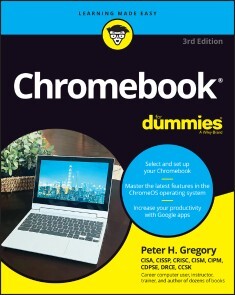
Chromebook For Dummies
THE RETURN OF THE BESTSELLING CHROMEBOOK GUIDE ON THE MARKETChromebook For Dummies, Third Edition, is your easy-to-follow guide to the low-cost alternative to a traditional laptop. This beginner’s manual walks you through setting up your Chromebook, transitioning from using a traditional computer, and customizing the system to fit your needs. In case you’re wondering, the Chromebook can be used for anything you'd normally do online—checking email, browsing websites, watching videos. This book takes you through all of it, giving you the latest updates on new Chromebook hardware and software features. Navigate apps, apply advanced settings and features, and turn to this guide time and again as you customize and optimize your Chromebook’s performance.* Get all the basics on using your Chromebook, in easy-to-follow Dummies style* Set up and start using your Chromebook with ease * Learn about the latest features in the Chrome operating system* Discover the benefits of Chromebook versus traditional laptopsNew and novice Chromebook users will love this approachable intro to Google’s little portable computer. PETER H. GREGORY is a senior director of cybersecurity at GCI General Communication, Inc. He is the author of more than fifty books on information security and emerging technology and is an expert in privacy policy, standards and compliance, risk management, and cybersecurity risk assessments. Introduction 1PART 1: GETTING STARTED WITH CHROMEBOOK 5Chapter 1: Choosing and Setting Up Your Chromebook 7Chapter 2: Working with the Chromebook Desktop 19Chapter 3: Surveying the Chrome Browser 33Chapter 4: Getting Your Hands on the Keyboard and Touchpad 49Chapter 5: Finding and Exploring Chromebook Apps 67Chapter 6: Working with Gmail and Google Calendar 77Chapter 7: Working with Files and Google Drive 105PART 2: HARNESSING BUSINESS POWER WITH THE CHROMEBOOK 121Chapter 8: Writing with Word Processing. 123Chapter 9: Summarizing Spreadsheets 149Chapter 10: Preparing Presentations 185Chapter 11: Using Other Office Tools 221PART 3: THE CHROMEBOOK RECREATIONAL VEHICLE 239Chapter 12: Managing Your Music 241Chapter 13: Having Fun with Photos 261Chapter 14: Playing Video on the Chromebook 277Chapter 15: Chatting with Friends and Family 297Chapter 16: Reading Ebooks on the Chromebook 319PART 4: ADVANCED CHROMEBOOK SETTINGS 335Chapter 17: Customizing Your Chromebook 337Chapter 18: Securing Your Chromebook 357Chapter 19: Troubleshooting Your Chromebook 383PART 5: THE PART OF TENS 401Chapter 20: Ten (Plus One) Hardware Features to Consider When Buying a Chromebook 403Chapter 21: Ten (Plus One) Handy Chromebook Shortcuts 411Chapter 22: Ten Great ChromeOS Apps 417Chapter 23: Ten Chromebook Security Tips 423Index 429

Internet-Modellierung mit Julia
Das Buch verbindet die Internetmodellierung mit der neuen Programmiersprache Julia. Die Eignung von Julia für die Modellierung sowohl etablierter Internet-Modelle als auch für forschungsnahe Themen wie die Car-to-Infrastructure-Kommunikation und von Blackbox-Modellen für Lastprognosen mit neuronalen Netzen wird vermittelt. Nach dem Studium des Buches und den Anregungen für weitere selbständige Analysen ist der Leser in der Lage, auch komplexere Modellierungsaufgaben in Forschung und Entwicklung mit Julia zu bearbeiten. ULRICH HOFMANN hat über 30 Jahre in Wirtschaft, Lehre und Forschung am Thema der Internet-Technologien mit den Schwerpunkten QoS (Quality of Service) gearbeitet. Einleitung.- Leistungsparameter, Optimierung Ressourceneinsatz.- Modellmodule.- Lastgeneratoren.- Bedienmodule.- Simulation von Bediensystemen.- Simulationsbasierte Optimierung mit KI.

iPad For Seniors For Dummies
THIS BESTSELLING GUIDE CAN TEACH ANYONE THE BASICS OF IPADFully updated for the newest Apple releases, iPad For Seniors For Dummies, 2023-2024 Edition features all the helpful basics you need to know—and beyond! You’ll find info on security, using iCloud, setting up an Apple ID (and what that even means, anyway), using the App Store, connecting to Wi-Fi, watching movies and TV, playing games, and staying organized. And it’s all in easy-to-read, larger print! What more could you want?* Learn the basics of operating your new iPad, the easy way* Connect with loved ones through email, video chat, and social apps * Discover how to listen to music and watch your favorite movies and TV* Find out how using a tablet can make your life easierSeniors new to using the iPad will love this Dummies-style guide for getting started. Feel empowered and more knowledgeable while using your iPad. DWIGHT SPIVEY has over 20 years’ experience using and writing about all things Apple. He’s the author of iPhone For Seniors For Dummies and previous editions of iPad For Seniors For Dummies. He’s the Director of Educational Technology at Spring Hill College in Mobile, Alabama. Introduction 1PART 1: GETTING TO KNOW YOUR IPAD 5Chapter 1: Buying Your iPad 7Chapter 2: Exploring Your iPad 25Chapter 3: Beyond the Basics 65PART 2: BEGINNING TO USE YOUR IPAD 81Chapter 4: Making Your iPad More Accessible 83Chapter 5: Conversing with Siri 113Chapter 6: Expanding Your iPad Horizons with Apps 133Chapter 7: Managing Contacts 147Chapter 8: Getting Social with Your iPad 161Chapter 9: Browsing with Safari 189Chapter 10: Working with Email in Mail 211PART 3: ENJOYING MEDIA 237Chapter 11: Shopping the iTunes Store 239Chapter 12: Reading Books 251Chapter 13: Enjoying Music and Podcasts 267Chapter 14: Taking and Sharing Photos 287Chapter 15: Creating and Watching Videos 305PART 4: LIVING WITH YOUR IPAD 319Chapter 16: Keeping on Schedule with Calendar and Clock 321Chapter 17: Working with Reminders and Notifications 343Chapter 18: Making Notes 367Chapter 19: Using Utilities 385Chapter 20: Troubleshooting and Maintaining Your iPad 405Index 417

PCs für Dummies (13. Auflg.)
Der PC macht nie das, was er soll? Dieses Buch hilft Ihnen dabei, effizient mit Ihrem Computer zu arbeiten. Dan Gookin bringt Ihnen alle wichtigen Grundlagen und viele Tricks im Umgang mit dem PC bei. Er spricht von der Maschine als gutem Freund. Fachbegriffe und Technikausdrücke vermeidet er konsequent. Das Buch begleitet Sie vom Auspacken des Computers bis ins Internet. So legen Sie schnell Berührungsängste vor diesem im Alltag mittlerweile unverzichtbaren Gerät ab und sind fix auf dem neuesten Stand: Windows 11 und die Cloud werden genauso verständlich behandelt wie vieles andere. Dan Gookin ist ein Urgestein der ... für Dummies-Reihe. Er ist Computerexperte, ... für Dummies-Fachmann und ein begnadeter Schreiber in einer Person.Einleitung 23TEIL I: HALLO, PC! 27Kapitel 1: Was für ein Ding ist so ein PC eigentlich? 29Kapitel 2: Schalter, Knöpfe und sonstiger Schnickschnack 39Kapitel 3: Raus aus dem Karton 49Kapitel 4: Computer ein, Computer aus 59TEIL II: INFORMATIONEN VOM COMPUTERFREAK 69Kapitel 5: Im Inneren der Konsole 71Kapitel 6: Arbeitsspeicher 81Kapitel 7: Das Massenspeichersystem 89Kapitel 8: Der schöne Bildschirm 105Kapitel 9: Eingaben 117Kapitel 10: Systemerweiterung 133Kapitel 11: Willkommen im Land der Drucker 145Kapitel 12: Der musikalische PC 157TEIL III: GRUNDLAGEN DER COMPUTEREI 169Kapitel 13: Alles Wissenswerte rund um Windows 171Kapitel 14: Programme auf Ihrem PC 183Kapitel 15: Ordnung muss sein – Dateien und Ordner 193Kapitel 16: Leben in der Cloud 211Kapitel 17: Netzwerk- Basics 221Kapitel 18: Auf ins Internet 239Kapitel 19: Geräte am PC 249Kapitel 20: Digitale Fotos 257Kapitel 21: Elektronische Unterhaltung 269TEIL IV: SICHERHEIT UND WARTUNG 279Kapitel 22: Systemsicherheit 281Kapitel 23: Die Sicherheitskopie – letzte Rettung 293Kapitel 24: Wartungsarbeiten 303TEIL V: DER TOP- TEN- TEIL 315Kapitel 25: Die zehn PC- Gebote 317Kapitel 26: Zehn Dinge, die Sie für Ihren Computer kaufen sollten 321Kapitel 27: Zehn Tipps von einem Computerguru 327Abbildungsverzeichnis 333Stichwortverzeichnis 339

PC-Netzwerke (9. Auflage)
PC-Netzwerke. Das umfassende Handbuch. In 9., aktualisierter und erweiterter Auflage (2023). Bewährt, praxisnah und randvoll mit wertvollen Informationen – Sie erhalten nicht nur umfassende Grundlagen zur Einrichtung Ihres Netzwerks, sondern finden auch Praxis-Anleitungen, mit denen Sie Ihre Computer, Fernseher, Tablets und Smartphones zu Hause oder im Büro professionell vernetzen. Mit vielen Beispiel-Projekten (z. B. UMTS-Router, Radiowecker und Media Player – LibreELEC (Kodi) – mit Raspberry Pi) für eigene Netzwerk- und Hausautomationsideen.Ihr Wissen können Sie zudem mit dem Netzwerkserver »siegfried« direkt ausprobieren. Nutzen Sie ihn für Netzlaufwerke, E-Mail, Netzwerkdrucker, Internettelefonie, DHCP und vieles mehr. Aktuell zu Windows 11 und macOS Monterey.Verstehen und anwenden1. Alles, was Sie für den Netzwerkstart benötigenAngefangen bei den Netzwerkgrundlagen bis hin zu direkt umsetzbaren Praxislösungen für LAN und WLAN finden Sie alles für die erfolgreiche Netzwerk-Einrichtung. Dazu erhalten Sie Tipps zur Auswahl von Router, Switches, NAS, Kabeln und Co.2. Machen Sie Ihr Netzwerk sicherNetzwerk-Sicherheit sollte immer oberste Priorität haben. Daher bietet Ihnen das Buch ausführliche Infos zu Sicherheitssoftware, Verschlüsselungsverfahren, Backup-Möglichkeiten und Netzwerkanalyse-Tools. Für Windows, macOS und Linux.3. Schneller und einfacher mit Cloud & VirtualisierungMit der Software siegfried6 aus dem Download-Bereich können Sie Ihren Rechner z. B. als Druck-, Mail- oder Groupware-Server verwenden. Sie erfahren zudem alles zur Nutzung von Cloud-Diensten.4. Projekte zur HeimautomationMit dem Raspberry Pi oder Mikrocontrollern wie dem ESP8266 setzen Sie Ideen um, mit denen Sie Ihr Zuhause smarter machen.Aus dem InhaltLAN und WLAN einrichtenNetzwerk-TopologienHardware auswählenRouter, Switch und Co.Sicherheit im NetzwerkVerschlüsselungsverfahrenCollaboration ToolsDruck, File- und MailserverBackups automatisieren: NAS-SystemeVirtualisierung und CloudHeimautomation mit FHEM, HomeMatic, Tasmota und mehrStreaming (Fotos, Video, Musik), LibreELEC (Kodi)Leseprobe (PDF-Link)Über die AutorenMartin Linten ist im Bereich Linux-/UNIX-Systemtechnik im Rechenzentrum der Finanzverwaltung Nordrhein-Westfalen tätig, ist »HP certified system administrator« und hat sich mehrere Jahre mit VMware vSphere Server- und Clientvirtualisierung beschäftigt (ESXi/View). Privat beschäftigt er sich am liebsten mit Hausautomation und kleinen Raspberry-Pi-Projekten.Axel Schemberg ist im Bereich Netzwerkadministration im Rechenzentrum der Finanzverwaltung Nordrhein-Westfalen tätig.Kai Surendorf schrieb sein erstes Buch über OS X und UNIX bereits 2003. Zurzeit lebt er in Berlin und arbeitet als Product Owner im E-Commerce-Bereich.

The Art of Virtual LEGO Design
Have you ever dreamed of designing your own LEGOs? Do you love building huge LEGO models, but don’t have enough bricks? This book will show you how to do all that and more with Bricklink Studio 2.0, a software program that's widely used by LEGO designers to create LEGO models virtually before making them with real LEGO bricks.You'll learn how to start a new project, use the camera control options, and drag and drop parts into your building plate. Then take your bricks from a pile of random pieces into intricate masterpiece models using building tools like Select, Hinge, Clone, Hide, Connect, Collision, and more! You’ll master all the building tools that help you build LEGO models. Then you’ll learn to search and manage LEGO bricks in Studio 2.0 using different palette options like Master, Hidden parts, and Custom parts.Beyond the official LEGO colors, there are special color options you can use to render neon, glow in the dark, and translucent brick. Use this expanded color palette to add to the complexity of your models, and then render your model to see it realistically in 3D! You’ll also learn to animate your model and watch it come to life.After finishing your design, you’ll learn to share what you’ve built with the world. You’ll create professional LEGO instructions for your model that can be printed or shared. Making you a true LEGO design master!WHAT YOU'LL LEARN* Make fascinating models with virtual LEGO bricks* Design LEGO models more efficiently with Studio 2.0’s powerful tools* Use “Build Together” simultaneously with another designer on the same project* Build massive, amazing models on a small budget WHO THIS BOOK IS FORAnyone interested in digital modelling or who loves building with LEGOs. Students, hobbyists, and enthusiasts will find fun learning activities.VISHNU AGARWAL has years of experience in the field of STEAM Education using the LEGO Education platform. He is the founder of ROBO-G, a robotics and STEAM education service provider. Vishnu has successfully coached teams in the World Robot Olympiad and First LEGO League competitions. Many students and teachers alike have learned STEAM concepts from Vishnu’s courses and coaching.He has also presented a research paper on Teaching Programming and Computational Thinking to Elementary Level Children Using LEGO Robotics Education Kit at Technology for Education (T4E) at IIT, Bombay.He is also the founder and LEGO artist at PICK A BRICK - BUILD YOUR IMAGINATION. He uses LEGO bricks to make people's imaginations come to life through custom models, workshops, and employee engagement activities. In other words, he 3D prints their thoughts using LEGO bricks.He is the author of "THE ART OF VIRTUAL LEGO DESIGN: DESIGN LEGO MODELS USING STUDIO 2.0" published by Apress, a Springer Nature company.Chapter 1: Getting Started• Welcome Screen• Starting a project• Dragging and dropping parts• Rotate Camera• Pan Camera• Zoom in Zoom out• Viewport Controls• Viewport Rotation LockChapter 2: Building Tools• Select• Hinge• Clone• Hide• Connect• Collision• Snap• Grid• Finding Compatible Bricks• Finding Alternatives• Copy & Mirror• SubmodelsChapter 3: Bricks Palette• Master• Hidden Parts• New Parts• Custom Parts• Create an empty palette• Import an official LEGO Set• Import a wanted list• Searching parts using key words• Palette Colors• Decorated Bricks on/off• Thumbnail SizeChapter 4: Color Palette• Paint with the selected color• Grab color from parts• Favorite Colors• Content Colors• Solid Colors• Transparent Colors• Chrome Colors• Pearl Colors• Metallic Colors• Milky Colors• Glitter Colors• Speckle Colors• Rubber Colors• Satin Colors• Glowing Neon (Render Only)• Luminous Soft (Render only)• Luminous (Render Only)• Translucent (Render Only)• Glow in Dark (Render Only)Chapter 5: Building Techniques• Mastering the Tools• Selecting and Copying ElementsChapter 6: How to Create Steps• Step List• Color Validator• Build a basic model• Render• StabilityChapter 7: Creating Instructions• Building a Robot Model• Step Editor (In detail explaination)• Page Editior (In detail explaination)Chapter 8: Interesting Features of Studio 2.0• Mosaic• Preferences• Import & Export Files• Hide Panels Options• Sign in to Bricklink• Upload to my Studio creations• Build Together• Add to wanted list• Buy Creations
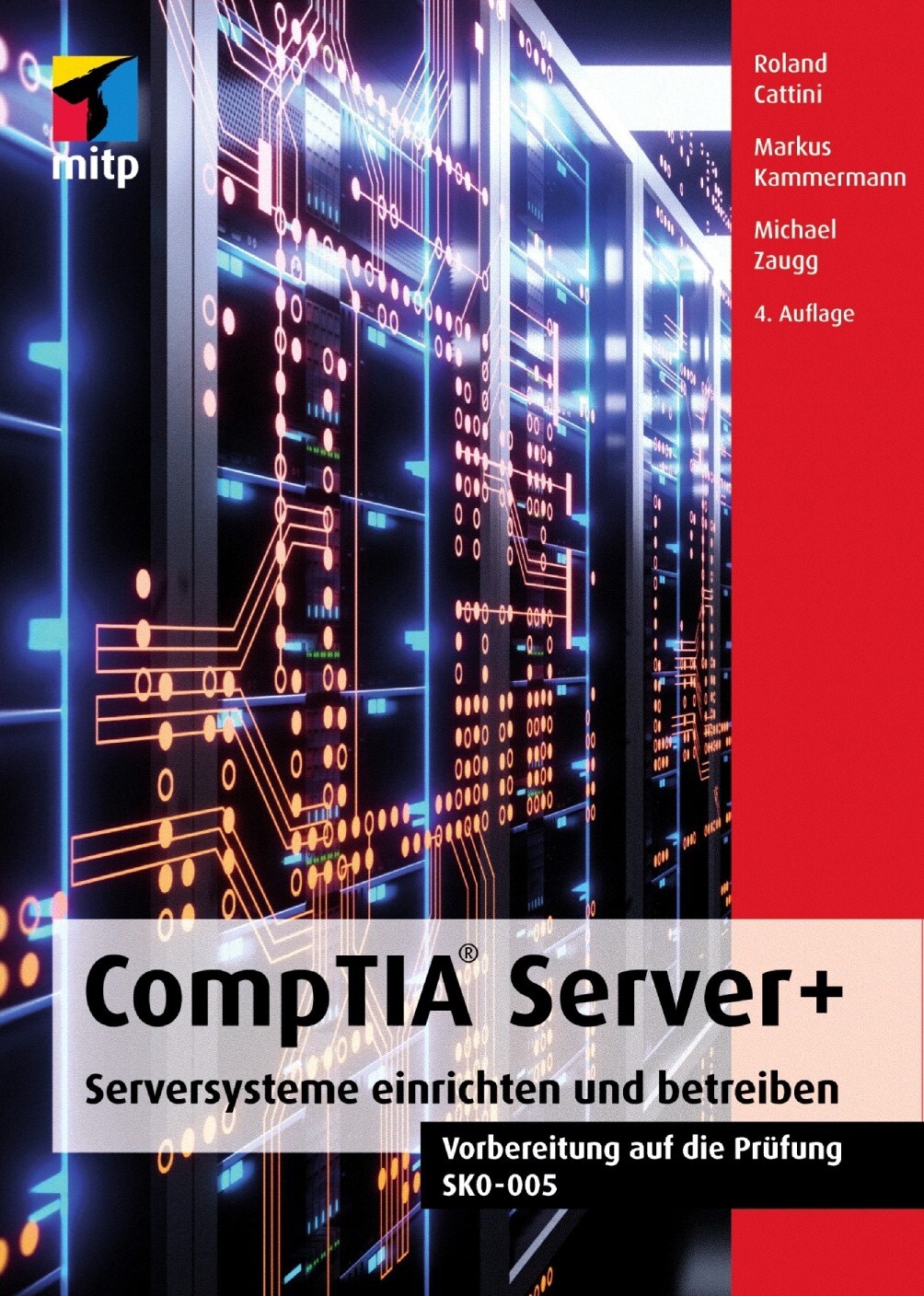
CompTIA Server+ (4. Auflg.)
Serversysteme einrichten und betreiben. Vorbereitung auf die Prüfung SK0-005. 4. Auflage 2023.Die Prüfung CompTIA Server+ richtet sich an IT-Fachleute und Administratoren und weist die Fähigkeiten nach, Server in Rechenzentren sowie in lokalen und hybriden Umgebungen zu installieren, zu verwalten und Fehler zu beheben. Die Zertifizierung ist nicht auf eine einzige Plattform beschränkt, so dass Sie die Aufgaben in jeder Umgebung ausführen können. Das Zertifikat ist international anerkannt.Die Prüfung SK0-005 teilt sich in diese Fachgebiete auf:Server-Hardware: Installation und ManagementServeradministrationSicherheit und Disaster RecoveryFehlerbehebungSie lernen in diesem Buch die Eigenschaften, den Einsatz und die Konfiguration von Servern von Grund auf kennen, sowohl was die Hardware als auch was die spezifischen Betriebs-systeme und Applikationen von Servern anbelangt.Des Weiteren erläutern die Autoren die Planung und die physischen Umgebungsbedingungen von Servern sowie aktuelle Themen wie z.B. Hochverfügbarkeit, Cloud Computing und Skripterstellung. Außerdem werden wichtige Fragen zur Sicherheit, Datensicherung und zum Disaster Recovery ausführlich behandelt.So können Sie sich das für die Zertifizierung benötigte Fachwissen aneignen und ein praxistaugliches Verständnis der Thematik entwickeln, das Sie in Ihrem Arbeitsalltag bei der Server-Administration voranbringt.Aus dem Inhalt:Server-Hardware: Prozessoren, Arbeitsspeicher, BIOS/UEFIStorage-Lösungen und -technologien: SSD, SAS, SATA, Fibre Channel, iSCSIFehlertoleranz: RAID, EnergieversorgungServer installieren und aktualisierenHardware im Netzwerk: Kabel, Netzwerkkarten, ÜbertragungsgeräteTCP/IP: IPv4 und IPv6Serverrollen: Datei- und Druckdienste, Internet- und Maildienste, NetzwerkdiensteNetzwerkbetriebssysteme: Windows Server, UNIX/Linux und deren InstallationKonfigurationsbetrachtungen: Dateisystem, Kontingentierung, Verzeichnisdienste, GruppenrichtlinienServer Management: Remote-Verbindungen, Ereignisprotokolle, MonitoringSpeichertechnologien, Virtualisierung und Cloud-DiensteDeployment- und VirtualisierungsszenarienPhysische, technische und organisatorische SicherheitDatensicherung in Theorie und PraxisDisaster Recovery PlanningUnterhalt und Troubleshooting in der PraxisDie CompTIA Server+-Prüfung: Fragen, Antworten sowie ein Simulationstest in EnglischÜber die Autoren:Roland Cattini ist von Beruf Betriebs- und Elektroingenieur und befasst sich seit Windows NT-Zeiten als Microsoft-Experte mit Servern. Er ist aktiv in der Installation und Weiterbildung, nicht nur selber als MCSE, MCT, MCDBA, MCTS und MCITP, sondern auch als Trainer für Expertenschulungen in der Schweiz.Markus Kammermann, ausgebildeter ICT-Projektleiter und CompTIA Server+-Techniker, ist seit mehr als zwanzig Jahren in der System- und Netzwerktechnik tätig, fast ebenso lang als Ausbilder und Autor. Er engagiert sich zudem als Dozent in der höheren beruflichen Bildung.Michael Zaugg ist der UNIX- und Linux-Spezialist unter den drei Autoren. Er arbeitet als Network- und Security-Manager und betreut mit seinem Team eine ganze Reihe verschiedener Unix- und Linux-Server.Leseprobe (PDF-Link)

Internet of Things Using Single Board Computers
Rapidly prototype and program new IoT and Edge solutions using low-cost Maker tech, such as those from Arduino, Raspberry Pi and Nvidia. With a focus on the electronics, this book allows experienced computer science students as well as researchers, practitioners, and even hobbyists to dive right into actual engineering of prototypes and not just theoretical programming and algorithms.You'll learn to interface sensors, work with various communication mediums, incorporate wired and wireless communication protocols, and more with these single board computers. All while working in the popular Python programming language. Additionally, you’ll discover both scripting-based and drag and drop solutions for different problems. As well as a variety of useful, data gathering approaches. Then you can apply what you’ve learned to IoT projects and troubleshooting Industry 4.0 problems.The rapid growth of technology and new development initiatives has made the Internet of Things and Edge analytics an inevitable platform in all engineering domains. The need for sophisticated and ambient environments controlled by tech has resulted in an exponential growth of automation and artificial intelligence. Internet of Things Using Single Board Computers reflects these recent developments while providing a low-cost, easy ramp into the fields of IoT using single board computers and Python programming.WHAT YOU'LL LEARN* Program Arduino, Raspberry Pi, and Nvidia boards for rapid prototyping in IoT and Edge environments* Interface sensors, communication mediums, and wired and wireless communications into your programs and projects.* Study practical applications of these low-cost solutions in fields such as home automation, smart cities, electrical vehicle charging, and more.WHO THIS BOOK IS FOREngineers and hobbyists working on Internet of Things prototypes and applications. Basic skills in electronics and a working knowledge of Python are recommended. Engineers and scientists working on smart environment projects and smart city applications will also benefit.DR. G. R. KANAGACHIDAMBARESAN completed his Ph.D. at Anna University Chennai in 2017. He is currently an Associate Professor in the Department of CSE at Vel Tech Rangarajan Dr. Sagunthala R&D Institute of Science and Technology. His main research interests include Body Sensor Networks and Fault Tolerant Wireless Sensor Networks. He has published several articles and undertaken consultancy activities for leading MNC companies. He has also guest-edited special issue volumes and books and served as an editorial review board member for peer-reviewed journals. He is presently working on several government sponsored research projects like ISRO, DBT, and DST. Presently, he is the Editor in chief for the Next Generation Computer and Communication Engineering series. INTERNET OF THINGS USING SINGLE BOARD COMPUTERSChapter 1: An Overview of IoTChapter 2: IoT ArchitectureChapter 3: Programming Through pythonChapter 4: Wireless Technology for IoTChapter 5: Building IoT with Raspberry PiChapter 6: Home AutomationChapter 7: Smart Cities and Smart GridsChapter 8: Electric Vehicle ChargingChapter 9: Agriculture

Understanding Semiconductors
Gain complete understanding of electronic systems and their constituent parts. From the origins of the semiconductor industry right up until today, this book serves as a technical primer to semiconductor technology. Spanning design and manufacturing to the basic physics of electricity, it provides a comprehensive base of understanding from transistor to iPhone.Melding an accessible, conversational style with over 100 diagrams and illustrations, Understanding Semiconductors provides clear explanations of technical concepts going deep enough to fully explain key vernacular, mechanisms, and basic processes, without getting lost in the supporting theories or the theories that support the supporting theories. Concepts are tethered to the real world with crisp analysis of industry dynamics and future trends.As a break from the straight-ahead scientific concepts that keep the world of semiconductors spinning, Understanding Semiconductors is liberally sprinkled with apt analogies that elucidate difficult concepts. For example, when describing the relationship between voltage, current, power, and the flow of electricity through an electronic system, the book draws a parallel to a hot shower and the water utility system. Most of these are paired with clear visuals, giving you the best chance possible to absorb the concept at hand before moving on to the next topic.Whether you’re narrowly technical or don’t know silicon from silly putty, working directly in hardware technologies and want to know more, or simply a curious person seeking hard information about the technology that powers the modern world, Understanding Semiconductors will be an informative, dependable resource.WHAT YOU'LL LEARN:* Charge, Electricity, and Basic Physics * What are Semiconductors* The Semiconductor Value Chain and Design Trade-Offs* Transistors and Other Common Circuit Building Blocks* Semiconductor Design from Concept to Tapeout * Wafer Fabrication and Semiconductor Manufacturing Process* Integrated Circuit (IC) Packaging and Signal & Power Integrity (SIPI)* Common Circuits and System Components * RF and Wireless Technologies* System Architecture and Integration* The Semiconductor Industry - Challenges, History, and Trends* The Future of Semiconductors and Electronic SystemsWHO THIS BOOK IS FOR:People working directly in the semiconductor, electronics, and hardware technologies fields or in supporting industries, hobbyists and new electrical engineering enthusiasts with minimal technical experience or pre-existing qualifications, and curious individuals interested in learning more about a fascinating area of technology. Though designed for a non- or semi-technical reader, engineers focused in one particular domain can also use this book to broaden their understanding in areas that aren’t directly related to their core area of expertise.COREY RICHARD leads the Executive Search and Developer Recruiting practice at SignalFire, an SF-based $2B Venture Capital Fund with notable investments in Grammarly, Uber, Ro, and Color Genomics. He supports over 150 seed and growth stage startups, helping founders attract and hire key talent across Engineering, Product, and GTM. Before coming to SignalFire, Corey supported Apple’s Silicon Engineering Group for four years, where he built next generation engineering organizations across all facets of silicon design – supporting both the Analog-Mixed-Signal (AMS) Design and IC Packaging Orgs. Prior to Apple, he consulted for a wide array of hardware technology giants including Harman International, Cirrus Logic, and Xilinx FPGA. Corey completed his MBA in Organizational Development & Entrepreneurship at the University of Pennsylvania's Wharton School of Business and was valedictorian of his undergraduate class at SDSU, where he studied Finance, Sustainability, and Organizational Psychology. Chapter One: Semiconductors BasicsElectricityElectric ChargeElectric CurrentElectromagnetic Force (EMF) and VoltagePowerJoule’s LawConductivityConductorsInsulatorsSemiconductorsSilicon – The Crucial SemiconductorSemiconductor History – Part OneSemiconductor Value ChainCustomer Need & Market DemandChip DesignFabrication & ManufacturingPackaging & AssemblySystem IntegrationProduct DeliveryPerformance, Power, Area, and Cost (PPAC)Who Uses Semiconductors?Chapter Two: Circuit Building BlocksDiscrete Components – The Building Blocks of CircuitsTransistorsTransistor StructureHow Transistors Work – A Water AnalogyFinFET vs. MOSFET TransistorsCMOSGeometric vs. Functional Scaling – Part 1Logic GatesChapter Three: Building a SystemDifferent Levels of Electronics – How the System Fits TogetherIntegrated Circuit Design FlowSystem Level ArchitectureFront End DesignDesign VerificationPhysical DesignHigh Level SynthesisDesign NetlistFloorplanningPlace-and-RouteClock-tree SynthesisBack End ValidationManufacturing (GDS)EDA ToolsChapter Four: Semiconductor ManufacturingFront-End ManufacturingDepositionPatterning & LithographyRemoval ProcessesPhysical Property AlterationCycling – Pre & Post MetalWafer Probing, Yield, and Failure AnalysisBack-End ManufacturingAssembly & TestWafer DicingDie BondingExternal Interconnect FormationEncapsulation and SealingFinal TestingChapter Five:Tying the System TogetherInput / Output (I/O)IC PackagingWire BondingFlip Chip PackagingWafer Level PackagingMulti-Chip Modules & System-In Packages2.5/3D PackagingSignal IntegrityBus InterfacesPower Flow within Electronic SystemsChapter Six:Common Circuits and System ComponentsDigital vs. AnalogWavelength vs. FrequencyBuilding a System - Putting Components Together Common System Components – The SIA FrameworkMicro ComponentsLogicMemoryOSDAnalog ComponentsMicro ComponentsMicroprocessors & MicrocontrollersDigital Signal ProcessorsMicro Component Market SummaryLogicSpecial Purpose LogicCentral Processing UnitGraphics Processing UnitASIC vs. FPGASystem on ChipLogic Market SummaryMemoryMemory StackVolatile MemoryRandom Access MemoryDRAMSRAMNon-Volatile MemoryPrimary MemoryROMPROMEPROMEEPROMNANDSecondary MemoryHDDSSDStacked Die MemoryHigh Bandwidth MemoryHybrid Memory CubeMemory Market SummaryOptoelectronics, Sensors & Actuators, and Discrete ComponentsOptoelectronicsSensors & ActuatorsMEMSDiscrete ComponentsPMICPMUOSD Market SummaryAnalog ComponentsGeneral Purpose Analog IC vs. ASSPAnalog Component Market SummaryChapter Seven: RF & Wireless TechnologiesRF Signals and The Electromagnetic SpectrumRFIC – Transmitters and ReceiversPower SourceOscillatorsModulators & DemodulatorsAmplifiersAntennaFiltersOSI Reference ModelApplication LayerPhysical Layer (PHY)Macro System StackRF and Wireless – The Big PictureBase StationsTracking a Phone CallBroadcasting and Frequency RegulationDigital Signal ProcessingTDMA & CDMA1G to 5G – An EvolutionWireless Communication and Cloud ComputingChapter Eight: System Architecture and IntegrationMacro vs. Micro-ArchitectureCommon Chip ArchitecturesVon Neumann ArchitectureHarvard ArchitectureCISC vs. RISCChoosing an ISAHeterogenous vs. Monolithic IntegrationChapter Nine: The Semiconductor Industry – Past, Present, and FutureSemiconductor Industry – Major ChallengesDesign CostsManufacturing CostsEvolution of the Semiconductor Industry1960-1980’s: Fully Integrated Semiconductor Companies1980’s-2000: IDM + Fabless Design + Pure-Play Foundry2000-Today: IDM + Fabless Design + Foundries + System CompaniesFabs vs. Fabless Design – The Case Against IDM’sIndustry OutlookCyclical Revenues and High VolatilityHigh R&D and Capital InvestmentPositive Productivity GrowthLong-Term ProfitabilityHigh Consolidation2010-2021: Major Acquisitions by YearU.S. vs. International Semiconductor MarketCOVID-19 & The Semiconductor Supply ChainChinese CompetitionChapter Ten: The Future of Semiconductors and Electronic SystemsProlonging Moore’s Law – Sustaining Technologies2.5 & 3D Die StackingGate-All-Around (GAA) Transistors & New Channel MaterialsCustom Silicon & Specialized AcceleratorsGraphene Carbon Nanotubes & 2D TransistorsOvercoming Moore’s Law – New TechnologiesQuantum Computing & Quantum TransistorsNeuromorphic Computing
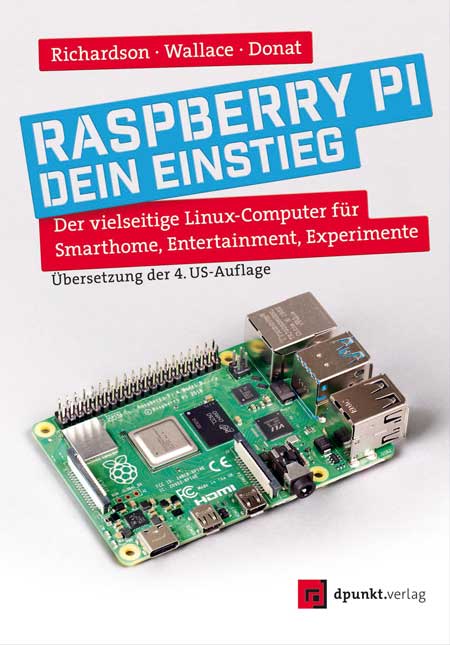
Raspberry Pi - dein Einstieg
Der vielseitige Linux-Computer für Smarthome, Entertainment, Experimente. Ihre Lösung für Office, Multimedia, Entertainment und Smarthome. Der Raspberry Pi ist ein kreditkartengroßer, kostengünstiger Computer, der an Ihren Fernseher und eine Tastatur angeschlossen wird. Er ist ein leistungsfähiger kleiner Computer, der für Elektronikprojekte und für viele Dinge verwendet werden kann, die auch Ihr Desktop-PC erledigt, wie Tabellenkalkulationen, Textverarbeitung, Surfen im Internet und Spiele. Nutzen Sie Ihren Raspi als auf ihre Bedürfnisse abgestimmte Smarthome-Zentrale oder als Mediaplayer – der Computer spielt auch hochauflösende Videos ab.Das Autorenteam stellt die verschiedenen Modelle des Raspberry Pi vor und erläutert ihre jeweiligen Einsatzgebiete. Es geht auf den Betrieb mit Linux und anderen Betriebssystemen ein und begleitet Sie bei den ersten Schritten in der Programmiersprache Python.Die Autoren:Matt Richardson ist Executive Director der Raspberry Pi Foundation und verantwortlich für deren gemeinnützige Arbeit in Nordamerika. Er ist Absolvent des Interactive Telecommunications Program der New York University. Zu den Highlights seiner Arbeit gehören die Descriptive Camera (eine Kamera, die anstelle eines Fotos eine Textbeschreibung ausgibt) und The Enough Already (ein DIY-Gerät, das Prominente zum Schweigen bringt). Matts Arbeiten wurden im Nevada Museum of Art, beim Internationalen Fotofestival in Rom und bei der Mailänder Designwoche ausgestellt und haben die Aufmerksamkeit von The New York Times, Wired und New York Magazine auf sich gezogen.Shawn Wallace lebt in Providence, RI, und entwickelt bei Unruly Studios kreative Coding-Tools für junge Menschen. Er ist der Erfinder von Fluxly, Cryptozoologic und dem Fluxamasynth. Zuvor half erdas FabLab in Providence zu gründen, schrieb und redigierte Bücher für O'Reilly und Maker Media und entwarf Elektronik für Modern Device.Wolfram Donat ist ein Ingenieur, Maker und Autor, der Dinge mit dem Raspberry Pi baut, seit er vor ach so vielen Monden sein erstes Modell 1A+ geliefert bekam. Derzeit ist er Softwarearchitekt bei Arc Machines, Inc. und verwendet den Pi (unter anderem), um intelligente Schweißmaschinen zu bauen und zu steuern. Dies ist sein vierter Streifzug durch Bücher über den Raspberry Pi und seine Verwendung.
Raspberry Pi Pico W
The Raspberry Pi Pico and Pico W are based on the fast, efficient, and low-cost dual-core ARM Cortex M0+ RP2040 microcontroller chip running at up to 133 MHz and sporting 264 KB of SRAM and 2 MB of Flash memory. Besides spacious memory, the Pico and Pico W offer many GPIO pins, and popular peripheral interface modules like ADC, SPI, I2C, UART, PWM, timing modules, a hardware debug interface, and an internal temperature sensor.The Raspberry Pi Pico W additionally includes an on-board Infineon CYW43439 Bluetooth and Wi-Fi chipset. At the time of writing this book, the Bluetooth firmware was not yet available. Wi-Fi is however fully supported at 2.4 GHz using the 802.11b/g/n protocols.This book is an introduction to using the Raspberry Pi Pico W in conjunction with the MicroPython programming language. The Thonny development environment (IDE) is used in all of the 60+ working and tested projects covering the following topics:> Installing the MicroPython on Raspberry Pi Pico using a Raspberry Pi or a PC> Timer interrupts and external interrupts> Analogue-to-digital converter (ADC) projects> Using the internal temperature sensor and external sensor chips> Using the internal temperature sensor and external temperature sensor chips> Datalogging projects> PWM, UART, I2C, and SPI projects> Using Bluetooth, WiFi, and apps to communicate with smartphones> Digital-to-analogue converter (DAC) projectsAll projects are tried & tested. They can be implemented on both the Raspberry Pi Pico and Raspberry Pi Pico W, although the Wi-Fi- based subjects will run on the Pico W only. Basic programming and electronics experience are required to follow the projects. Brief descriptions, block diagrams, detailed circuit diagrams, and full MicroPython program listings are given for all projects. The full program listings of all the projects discussed in the book may be downloaded free of charge www.elektor.com/20335.Prof Dogan Ibrahim has a BSc, Hons. degree in Electronic Engineering, an MSc degree in Automatic Control Engineering, and a PhD degree in Digital Signal Processing.Dogan has worked in many industrial organizations before he returned to academic life. He is the author of over 70 technical books and has published over 200 technical articles on electronics, microprocessors, microcontrollers, and related fields.
Macs All-in-One For Dummies
THE HUGE REFERENCE GUIDE YOU NEED TO USE THE FULL POWER OF YOUR MACMacs All-in-One For Dummies truly covers it all. This complete reference guide contains five books in one, so you can learn all your Mac is capable of. You’ll get a complete understanding of your computer, so you can use it for pleasure or business, become a multimedia master, surf the web like a pro, troubleshoot problems as they arise, and so much besides. This latest edition is updated for the newest version of macOS, the hottest apps, and the just-released Macs. Running an older Mac? Don’t worry, this book won’t leave you behind. Everything you need to do on your Mac can be learned with the help of Macs All-in-One For Dummies.* Learn your way around your Mac and customize all the macOS features* Discover the newest features (and the returning classics) so you can make the most of your machine* Beef up your security, stay safe while surfing the web, and figure it out when things go wrong* Use your computer to work, play, create videos, keep in touch, and everything elseComputer users who are switching to a Mac for the first time, as well as previous Mac users who are upgrading to the newest model, need a guide for getting the most out of their powerful computer. This is that guide.PAUL MCFEDRIES has been using Mac computers since 1989 and has more than 30 years of technical writing experience. He is the bestselling author of more than 100 books that have sold more than four million combined copies around the world. Introduction 1BOOK 1: GETTING STARTED WITH YOUR MAC 5Chapter 1: From Go to Whoa: Getting to Know Your Mac 7Chapter 2: Touring the Screen 33Chapter 3: Getting Your Mac Online 53Chapter 4: Fiddling with Files and Folders 79Chapter 5: Managing Apps 117Chapter 6: Changing How Your Mac Looks, Sounds, and Feels 157Chapter 7: Making Your Mac More Accessible 191BOOK 2: USING THE INTERNET 207Chapter 1: Wandering the Web 209Chapter 2: Order Out of Chaos: Organizing Web Pages 229Chapter 3: Exchanging Messages with Mail 255Chapter 4: Getting More Out of Mail 281Chapter 5: Chatting with Messages and FaceTime. 299Chapter 6: Exploring the World with Maps 317BOOK 3: BEYOND THE BASICS 329Chapter 1: Backing Up and Restoring Your Data 331Chapter 2: Protecting Your Mac against Local and Remote Threats 345Chapter 3: Sharing Your Mac 363Chapter 4: Networking Your Mac 387Chapter 5: Sharing Files and Resources on a Network 407Chapter 6: Maintenance and Troubleshooting 427BOOK 4: USING YOUR MAC AS A MEDIA CENTER 451Chapter 1: Tuning In and Listening with Music 453Chapter 2: Enjoying Podcasts, News, and TV. 481Chapter 3: Reading and Listening to Books on Your Mac 495Chapter 4: Picture Perfect: Working with Photos 511BOOK 5: TAKING CARE OF BUSINESS 539Chapter 1: Managing Contacts 541Chapter 2: Tracking Events and Tasks 563Chapter 3: Crafting Fancy-Schmancy Documents with Pages 593Chapter 4: Producing Persuasive Presentations with Keynote 639Chapter 5: Crunching with Numbers 687Chapter 6: Getting More Out of Pages, Keynote, and Numbers 719Index 733

Emerging Metaverse XR and Video Multimedia Technologies
Improve the video multimedia services you work on or develop using tools from video service technologies such as Netflix, Disney+, YouTube, and Skype. This book introduces you to the core technologies that enable Metaverse XR (eXtended Reality) services and advanced video multimedia streaming services.First, you’ll find out about the current and future trends in Metaverse and video streaming services. XR is a combination of technologies that include MR, AR, VR, voice recognition systems, haptic and 3D-motion UIs, as well as head mounted displays) like Microsoft Hololens 2 and Oculus Quest 2. You'll review metaverse services XR applications and learn more about the core XR feature extraction technologies.With XR capabilities mastered, you can move into the main technologies for video streaming services like Netflix, Disney+, and YouTube. You’ll also about video formats, such as H.264, MPEG-4 AVC, H.265, MPEG-5, and MPEG-DASH. As well as online hosting services like content delivery network (CDN), mobile CDN, and Amazon Web Services (AWS). Additional details on content aging and updating operations along with CDN popularity predictions and contents update techniques, such as, Least Recently Used (LRU) and east Frequently Used (LFU) strategies are introduced.All these technologies enable fast, efficient, reliable, and adaptable video streaming services. They also allow for video conferencing services like Zoom, Skype and WebEx. By the time you’ve finished reading, you’ll understand how these technologies converge into the Metaverse and and offer a wide variety of development opportunities for video streaming.WHAT YOU'LL LEARN* Incorporate core AI techniques and extraction XR algorithms* Enable fast, efficient, and reliable video streaming in your product, service, or app* Update content with CDN popularity predictions* Explore the Netflix Open Connect CDN model and characteristics* Understand the operations of modern video and multimedia systems* Become a leader in metaverse and video multimedia services and products.WHO THIS BOOK IS FORDevelopers, product managers, hobbyists, and students interested in learning how Metaverse XR and video streaming work and can be developed.JONG-MOON CHUNG leads the development of South Korea’s largest Metaverse eXtended Reality (XR) flagship project, which is one of the World’s first XR deep digital twin (DT) based emergency training metaverse systems. Before this, he developed South Korea’s first mixed reality (MR) artificial intelligent (AI) disaster training system, which was awarded two of the highest government national awards in 2019 and 2021. He is an expert on real-time video streaming technologies. He is also an expert on cloud technology and edge computing optimization. In addition, he has developed many advanced Metaverse and XR supportive autonomous driving technologies for Hyundai automobiles and smartphone technologies for Samsung (Galaxy), LG (Optimus, V) and Google (Nexus). He is currently the Vice President of the IEEE Consumer Technology Society (CTSoc) and the IEEE Product Safety Engineering Society (PSES), Senior Editor of the IEEE Transactions on Consumer Electronics, Section Editor of the Wiley ETRI Journal, and former Editor (from 2011 to 2021) of the IEEE Transactions on Vehicular Technology.CHAPTER 1. INTRODUCTION TO METAVERSE AND VIDEO STREAMING TECHNOLOGY AND SERVICESŸ Metaverse XR (eXtended Reality) Technology IntroductionŸ Metaverse XR Products and BusinessŸ Video Streaming Technology IntroductionŸ Video Streaming Services and BusinessPART-1: METAVERSE XR TECHNOLOGIESCHAPTER 2. METAVERSE XR COMPONENTSŸ XR, MR (Mixed Reality), AR (Augmented Reality) & VR (Virtual Reality)Ÿ XR System Components & WorkflowŸ STT (Speech to Text) voice recognition technologyŸ Haptic & 3D-Motion UIs (User Interfaces)Ÿ HMDs (Head Mounted Displays)Ÿ Unity and Lua Programming LanguagesŸ XR cloud cooperative computation and offloadingCHAPTER 3. XR FEATURE EXTRACTION TECHNOLOGIES (SIFT, SURF, FAST, BRIEF, ORB, BRISK & AI)Ÿ XR Feature Detection & Description TechnologyŸ XR System Processing & Feature ExtractionŸ SIFT (Scale Invariant Feature Transform)Ÿ SURF (Speed-Up Robust Feature)Ÿ FAST (Features from Accelerated Segment Test)Ÿ BRIEF (Binary Robust Independent Elementary Features)Ÿ ORB (Oriented FAST and Rotated BRIEF)Ÿ BRISK (Binary Robust Invariant Scalable Keypoints)Ÿ AI (Artificial Intelligence) TechnologiesPART-2: VIDEO STREAMING TECHNOLOGIESCHAPTER 4. NETFLIX, DISNEY+, YOUTUBE, AND SKYPE VIDEO TECHNOLOGIESŸ NetflixŸ Disney+Ÿ YouTubeŸ SkypeŸ H.264/MPEG-4 AVCŸ H.265/MPEG-5Ÿ H.266 Future StandardsŸ Futuristic Holography Technologies and Products (WayRay, SeeReal, RealView Imaging)CHAPTER 5. VIDEO STREAMING AND MPEG-DASHŸ Streaming Video Network TechnologyŸ Push vs. Pull Media StreamingŸ Video Frames (I, P, B Frames) & GOP (Group of Pictures)Ÿ HTTP (Hypertext Transfer Protocol)Ÿ MDP (Multimedia Presentation Description)Ÿ MPEG-DASH (Moving Picture Experts Group - Dynamic Adaptive Streaming over HTTP)CHAPTER 6. CDN VIDEO STREAMING TECHNOLOGYŸ CDN (Content Delivery Network) IntroductionŸ CDN MarketŸ CDN Technologies & Hierarchical Content Delivery & Mobile CDNŸ Disney+ CDN StructureŸ Netflix Open Connect CDNŸ CDN AWS (Amazon Web Services) Cloud SupportCHAPTER 7. EMERGING TECHNOLOGIESŸ What’s NextŸ How to Future Proof Your EffortsAudience: Intermediate
Krypto-Mining für Dummies (2. Auflg.)
Kryptowährungen versprechen schnelles Geld und Reichtum. Anders als die Goldsucher im vorletzten Jahrhundert brauchen Sie als Investor aber sehr viel mehr technisches Know-how, um in das Krypto-Mining einzusteigen. Dieses Buch wurde von zwei Insidern geschrieben. Sie erläutern, welche Hard- und Software Sie brauchen und wie Sie bei der Gewinnung von Bitcoin, Ethereum, Monero, LiteCoin und Dash am besten vorgehen - und zwar so, dass Sie der Konkurrenz voraus sind und Ihren Return on Investment maximieren. Peter Kent ist langjähriger Tech-Autor, der hauptberuflich Online-Unternehmen aufbaut und entwickelt. Tyler Bain ist Elektroingenieur mit Schwerpunkt Stromnetze und außerdem zertifizierter Bitcoin Professional. Er vertraut der Widerstandsfähigkeit der Blockchain und weiß alles über Mining-Mechanik.Über die Autoren 11Einleitung 23TEIL I: ERSTE SCHRITTE MIT KRYPTO-MINING 27Kapitel 1: Kryptowährungen kurz erklärt 29Kapitel 2: Krypto-Mining verstehen 49Kapitel 3: Die Reise der Transaktion zur Blockchain 57Kapitel 4: Die Arten und Wege des Minings 71TEIL II: DIE EVOLUTION DES KRYPTO-MININGS 89Kapitel 5: Die Evolution des Minings 91Kapitel 6: Die Zukunft des Krypto-Minings 101TEIL III: EIN KRYPTO-MINER WERDEN 113Kapitel 7: Mining leicht gemacht: Einen Pool finden und ein Benutzerkonto einrichten 115Kapitel 8: Eine Kryptowährung auswählen 137Kapitel 9: Die Ausrüstung zusammenstellen 163Kapitel 10: Die Mining-Hardware einrichten 183TEIL IV: BETRIEBSWIRTSCHAFTLICHE ASPEKTE DES MININGS 209Kapitel 11: Rechnen Sie nach: Lohnt es sich? 211Kapitel 12: Kosten senken: Immer einen Schritt voraus 235Kapitel 13: Ihr Kryptowährungs-Business betreiben 253TEIL V: DER TOP-TEN-TEIL 273Kapitel 14: Etwa zehn Tipps für den Fall, dass der Markt einbricht 275Kapitel 15: Zehn Möglichkeiten zur Steigerung der Kapitalrendite 293Kapitel 16: Zehn Arten von Kryptowährungs-Ressourcen 303Kapitel 17: Zehn Kritikpunkte an Kryptowährungen und am Mining 309Abbildungsverzeichnis 321Stichwortverzeichnis 327

Laptops For Seniors For Dummies
THE BASICS YOU NEED TO GET MORE COMFORTABLE WITH LAPTOPS, WITHOUT ANY OF THE FLUFFLaptops For Seniors For Dummies is just for you. We help readers in the 55+ club get the most out of their laptops. You’ll discover how to choose the best laptop for your needs and how to use Microsoft Windows, to share photos, surf the web, use e-mail, and much more. With large text, clear graphics, and easy-to-follow instructions, this For Seniors For Dummies guide will get you up to speed on your new device in no time. Even if you’re upgrading from a typewriter, we can help you choose the right laptop to buy, understand your operating system, use files and folders, download and install software, and stay safe online. It’s all the stuff you need to know to make your laptop work for you.* Choose and purchase the right laptop for your needs* Navigate your Windows 10 or 11 operating system with confidence and discover useful programs* Connect to Wi-Fi, go online, send e-mails, and get started with social media* Protect and secure your laptop and your personal dataWhether you’re purchasing your first laptop or upgrading from older technology, this Dummies guide will take you step by step through everything you need to know to get laptop savvy. FAITHE WEMPEN, M.A., CompTIA A+, is a computer information technology instructor at Purdue University. She also writes and designs online technology courses for corporate clients and is the author of over 150 books, including Office For Seniors For Dummies and Computers For Seniors For Dummies. INTRODUCTION 1About This Book 1Foolish Assumptions 2Icons Used in This Book 2Beyond the Book 3Where to Go from Here 3PART 1: GET GOING! 5CHAPTER 1: BUYING A LAPTOP 7What Is a Laptop? 8What Can You Can Do with a Laptop? 10Get Up to Speed on Laptop Hardware 13Input Devices: Putting Stuff In 16Output Devices: Getting Stuff Out 18What Is Software? 18What Ports Should a Laptop Have? 21Choose a Display Type 22Evaluate Your Storage Options 24Consider How You Will Get Online 26Where to Shop for Your New Laptop 27CHAPTER 2: SETTING UP YOUR LAPTOP 31Out of the Box: Set Up Your New Laptop 32Set Up Windows 36Take a First Look at Windows 38Use a Mouse, Trackball, or Touchscreen 40Get Familiar with the Start Menu 43Sign Out and In 46Switch Accounts 48Lock Windows While You’re Away 49Restart Windows 50Place the Laptop in Sleep Mode 51Shut Down Your Laptop 51Create Additional User Accounts 52Change an Account’s Type 55Manage Family Settings 57CHAPTER 3: BUYING AND SETTING UP A PRINTER 59Do You Need a Printer? 60Choose the Right Printer 60Unpack and Install a New Printer 62Set Up a Printer to Work with Windows 62Set a Default Printer 65Set Printer Preferences 67Manage a Print Queue 70Remove a Printer 71PART 2: GETTING THINGS DONE WITH SOFTWARE 73CHAPTER 4: WORKING WITH APPS IN WINDOWS 75Learn the Names of Things 76Start an App 79Exit an App 82Find Your Way Around in a Desktop App 84Find Your Way Around in a Microsoft Store App 88Work with a Window 89Switch Among Running Apps 92Move and Copy Data Between Apps 95Install New Apps 99Remove Apps 102CHAPTER 5: SIX GREAT APPS THAT COME WITH WINDOWS 105Do the Math with the Calculator App 106Write Brilliant Documents with WordPad 108Jot Quick Notes with Notepad 112Set Alarms and Timers 114Keep Up on the Weather 117Saving Time with Cortana 119Explore Other Windows Apps 122CHAPTER 6: MANAGING YOUR PERSONAL FILES 125Understand How Windows Organizes Data 126Explore the File Explorer Interface 130Move Between Different Locations 132Locate Files and Folders 135View File Listings in Different Ways 138Select Multiple Items at Once 140Move or Copy an Item 141Delete or Restore an Item 143Rename an Item 144Create a Shortcut to an Item 145Create a Compressed File 146Customize the Quick Access List 147Back Up Files to an External Drive 149CHAPTER 7: MANAGING POWER 151Change How Quickly Power-Saving Features Kick In 152Change the Display Brightness 154Adjust the Battery Saver 156Choose a Power Plan 158Create a Customized Power Plan 159Define Power Button Functions 160CHAPTER 8: MAKING WINDOWS YOUR OWN 163Customize the Windows 11 Start Menu 164Customize the Windows 11 Taskbar 166Customize the Windows 10 Start Menu 167Customize the Windows 10 Taskbar 170Customize the Screen Resolution and Scale 171Apply a Desktop Theme 173Change Desktop Background Image 173Change the Accent Color 175Manage Desktop Icons 177Add Widgets to the Desktop 178Make Windows More Accessible 179PART 3: GOING ONLINE 185CHAPTER 9: GETTING CONNECTED TO THE INTERNET 187What Is the Internet? 188Explore Different Types of Internet Connections 190Identify the Hardware Required 194Set Up a Wi-Fi Internet Connection 197Assess Your Software Situation 199CHAPTER 10: BROWSING THE WEB 201Meet the Edge Browser 202Search the Web 206Find Content on a Web Page 209Pin a Tab 210Create and Manage a Favorites List 210Use Favorites 213View Your Browsing History 214Print a Web Page 215Customize the New Tab Page and the Home Page 217Adjust Microsoft Edge Settings 219CHAPTER 11: STAYING SAFE WHILE ONLINE 221Understand Technology Risks on the Internet 222Download Files Safely 224Use InPrivate Browsing 226Use SmartScreen Filter and Block Unwanted Apps 227Change Edge Privacy Settings 229Understand Information Exposure 231Keep Your Information Private 233Spot Phishing Scams and Other Email Fraud 235Create Strong Passwords 237CHAPTER 12: KEEPING IN TOUCH WITH MAIL 241Sign Up for an Email Account 242Set Up Accounts in the Mail App 244Get to Know the Mail Interface 246Receive Messages 247Reply to or Forward a Message 249Create and Send Email 251Manage Addresses 253Send an Attachment 255Change Mail Account Settings 256CHAPTER 13: WORKING IN THE CLOUD 259Understand Cloud-Based Applications 260Use Microsoft Office on the Web 262Access Your OneDrive Storage 263Add Files to OneDrive 265Share a Folder or File Using OneDrive 267Create a New OneDrive Folder 269Use the Personal Vault 270Adjust OneDrive Settings 271Configure Online Synchronization 272CHAPTER 14: CONNECTING WITH PEOPLE ONLINE 275Use Discussion Boards and Blogs 276Participate in a Chat 278Understand Instant Messages 280Explore Microsoft Teams 281Explore Skype 284Use a Webcam 286Get an Overview of Collaborative and Social Networking Sites 288Sign Up for a Social Networking Service 289Understand How Online Dating Works 291PART 4: HAVING FUN 295CHAPTER 15: LET’S PLAY A GAME! 297Learn the Types of Game Delivery 297Explore the Various Gaming Genres 299Understand How Game-Makers Get Paid 305A Few of My Favorites 307CHAPTER 16: CREATING AND VIEWING DIGITAL PHOTOS AND VIDEOS 313Capture Pictures and Video with the Camera App 314Make Audio Recordings with Voice Recorder 319Make Audio Recordings with Sound Recorder 322Find and Play Videos Using the Movies & TV App 324Transfer Photos and Videos from a Camera or Phone 328View and Edit Photos in the Photos App 329Create a Video with the Video Editor 331CHAPTER 17: LISTENING TO MUSIC ON YOUR LAPTOP 335Prepare to Listen to Digital Music 336Get to Know Windows Media Player 339Access Your Stored Music 342Play Music 344Create a Playlist 346Rip a Music CD 349Burn a Music CD 352Acquire New Music 353PART 5: WINDOWS TOOLKIT 355CHAPTER 18: WORKING WITH NETWORKS 357Plan and Set Up a Home Network 358Enable Wireless Router Security 360Set Up File Sharing on Your PC 362Choose What Folders to Share 364Share a Local Printer 367Connect Bluetooth Devices to Your PC 370Use Your Cell Phone as a Hotspot 371CHAPTER 19: PROTECTING AND SECURING YOUR LAPTOP 373Physically Secure Your Laptop 374Choose Security Software 376Update Windows 378Check Windows Security Settings 381Change Your Microsoft Account Password 383Change How You Sign into Windows 385CHAPTER 20: TROUBLESHOOTING AND MAINTAINING YOUR LAPTOP 387Troubleshoot Startup Problems 388Troubleshoot Hardware Problems 388Shut Down an Unresponsive Application 389Troubleshoot Application Problems 392Repair or Remove an App 393Set an App to Run in Compatibility Mode 395Restore Your System Files 396Use Windows Troubleshooter Utilities 399Reset Your PC: The Last Resort 401Free Up Disk Space 403Index 407
Arduino-Workshops (2. Auflg.)
Eine praktische Einführung mit 65 Projekten in aktualisierter 2. Auflage.In »Arduino-Workshops« erfahren Sie, wie diese Add-ons funktionieren und wie man sie einsetzt. Sie starten mit einem Überblick über das Arduino-System und gehen dann rasch zu den verschiedenen elektronischen Komponenten und Konzepten über. Zahlreiche Beispielprojekte vertiefen das Gelernte Schritt für Schritt und helfen Ihnen, dieses Wissen anzuwenden. Je tiefer Sie in die Materie eindringen, desto raffinierter und anspruchsvoller werden die Projekte.Unter den 65 Projekten des Buches finden sich nützliche Dinge wie:ein digitales Thermometer mit LCD-Anzeigeein GPS-Logger, der Daten Ihrer Reise für Google Maps aufzeichnetein handliches Testgerät zum Messen von Batteriespannungeneine Tastatursperre, die nur mit Geheimcode aufgehoben werden kannAußerdem lernen Sie, Spielzeug und Spiele zu entwickeln, beispielsweise:eine elektronische Version des klassischen sechsseitigen Würfelsein binäres Quiz, das Ihre Fähigkeiten zur Umwandlung von Zahlen testetein Fahrzeug mit Fernbedienung und Kollisionserkennung»Arduino-Workshops« führt Sie in die Welt der Mikroelektronik ein und lehrt Sie die Tricks und Design-Prinzipien eines erfahrenen Profis.Über den Autor:John Boxall ist seit über 26 Jahren in den Bereichen Elektronikdesign, Vertrieb und E-Commerce tätig. In seiner Freizeit schreibt er Arduino-Tutorials und veröffentlicht regelmäßig Reviews zu Arduino-Projekten und -Zubehör bei www.tronixstuff.com.

Teach Yourself VISUALLY iPhone 14
LEARN WHAT YOUR NEW IPHONE 14, 14 PRO, AND 14 PRO MAX IS CAPABLE OF WITH 900 COLOR SCREEN SHOTS!Teach Yourself VISUALLY iPhone 14 is your ultimate guide to getting the most out of your brand-new iPhone! Apple's graphics-driven iOS 16 is perfect for visual learners, so this book uses a visual approach to show you what you need to know to get up and running—and much, much more. Full-color screen shots walk you step-by-step through setup, configuration, and the full range of your iPhone's awesome capabilities. Whether you are new to the iPhone or have just upgraded to the 14, 14 Pro, or 14 Pro Max, this book helps you unlock your phone's full functionality and maximize your use and enjoyment of it. Stay in touch by phone, text, email, FaceTime Audio or Video calls, and social media; download and enjoy books, music, movies, and more; take, edit, and organize photos and videos; track your health, fitness, and habits; manage your schedule, your commitments, and your contacts; and more! The iPhone is user-friendly, attractive, and functional. But it is capable of so much more than you think—don't you want to explore what’s possible? This book guides you through iOS 16 visually to help you stay in touch, get things done, and have some fun while you're at it!* Get to know the iPhone 14, 14 Pro, and 14 Pro Max with 900 full-color screen shots* Master the iPhone's basic functions and learn advanced features* Personalize your iPhone to suit your unique needs and get optimal performance* Find the services and apps that make your life easierThe iPhone you hold in your hand represents the pinnacle of mobile tech and is a masterpiece of innovative design. Once you get to know it, you'll never be without it. Teach Yourself VISUALLY iPhone 14 is your personal roadmap to your new tech companion. CHAPTER 1 GETTING STARTED WITH YOUR IPHONEIdentify and Compare the iPhone Models 4Using Your iPhone’s Controls 8Set Up and Activate Your iPhone 10Set Up Your iPhone Using Finder or iTunes 14Choose Which Items to Sync from Your Computer 16Explore the Interface and Launch Apps 20Using Cover Sheet and Today View 22Using Control Center 24CHAPTER 2 PERSONALIZING YOUR IPHONEFind the Settings You Need 28Choose Which iCloud Items to Sync 30Configure the Find My Feature 32Choose Which Apps Can Give Notifications 34Choose Sounds and Haptics Settings 38Set Appearance, Brightness, and Auto-Brightness 40Change the Wallpaper 42Configure Night Shift and Display Zoom 44Choose Privacy, Security, and Location Settings 46Configure and Use Search 48Choose Locking and Control Center Settings 50Create Custom Lock Screens 52Configure and Use Focus Mode 54Customize Today View 58Secure Your iPhone with Face ID and a Passcode 60Configure Screen Time and Restrictions 62Set Up Family Sharing 64Configure Exposure Notifications 66Choose Date, Time, and International Settings 67CHAPTER 3 USING VOICE, ACCESSIBILITY, AND CONTINUITYGive Commands and Get Information with Siri 70Dictate Text Using Siri 72Configure Siri to Work Your Way 74Set Up VoiceOver and Key Accessibility Features 76Using Your iPhone with Your Mac 82Using Your iPhone with Your Apple Watch 84CHAPTER 4 SETTING UP COMMUNICATIONSSet Up Your Mail Accounts 88Control E‐Mail Display and Default Account 90Configure Private Relay and Hide My Email 92Organize and Read Your E‐Mail by Threads 94Browse or Search for Contacts 96Create a New Contact 98Control How Your Contacts Appear 100Choose Default Alert Options for Calendar Events 101Set Up and Use Wallet and Apple Pay 102Set Up and Use eSIMs 104CHAPTER 5 MAKING CALLS AND MESSAGINGMake Phone Calls and FaceTime Audio Calls 108Make a Conference Call 110Make Video Calls Using FaceTime 112Save Time with Call Favorites and Recents 114Send Text and Multimedia Messages 116Undo Sending a Message 118Edit a Sent Message 119Using Emoji and iMessage Features 120Manage Your Instant Messages 122Choose Settings for Messages 124Block and Unblock Senders 126Set Up and Use the Emergency SOS Feature 128CHAPTER 6 NETWORKING YOUR IPHONEUsing Airplane Mode 132Monitor Your Cellular Network Usage 133Control Cellular Data and Background Refresh 134Using Bluetooth Devices with Your iPhone 136Share Items via AirDrop 140Share Internet Access via Personal Hotspot 142Connect to Wi-Fi Networks and Hotspots 144Manage Your Wi-Fi Networks 146CHAPTER 7 WORKING WITH APPSCustomize the Home Screen 150Organize Apps with Folders 152Place Widgets on the Home Screen 154Hide Home Screen Pages 156Work with the App Library 157Switch Quickly from One App to Another 158Find Apps on the App Store 160Update and Remove Apps 162Using App Clips 164Type, Cut, Copy, and Paste Text 166Format and Replace Text 168CHAPTER 8 BROWSING THE WEB AND E-MAILINGBrowse the Web with Safari 172Access Websites Quickly with Bookmarks 174Create Bookmarks 176Keep a Reading List of Web Pages 178Navigate Among Open Web Pages Using Tabs 180Create and Use Tab Groups 182Using Zoom and Reader View 184Switch Between Mobile Sites and Desktop Sites 186Control Settings for a Website 187View Safari’s Privacy Report 188Using Private Browsing Mode 189Tighten Up Safari’s Security 190Manage Your App and Website Passwords 192Using the Sign In with Apple Feature 194Read E-Mail 196Reply to or Forward an E-Mail Message 198Organize Your Messages in Mailbox Folders 200Write and Send E-Mail Messages 202CHAPTER 9 KEEPING YOUR LIFE ORGANIZEDBrowse Existing Events in Your Calendars 206Create New Events in Your Calendars 208Work with Calendar Invitations 210Track Your Commitments with Reminders 212Keep Essential Documents at Hand with Wallet 216Find Your Location with Maps 218Find Directions with Maps 220Using Maps’ Favorites and Contacts 222Take Notes 224Using Stocks, Weather, Clock, and Compass 226Using the Health App 228Manage Files with the Files App 230Understanding Shortcuts and Automation 234Create a Custom Shortcut 236CHAPTER 10 ENJOYING MUSIC, VIDEOS, AND BOOKSNavigate the Music App and Set Preferences 240Play Music Using the Music App 242Play Videos Using the TV App 244Play Music and Videos Using AirPlay 246Create a Music Playlist and Add Songs 248Listen to Apple Music Radio 250Read Digital Books with the Books App 252CHAPTER 11 WORKING WITH PHOTOS AND VIDEOTake Photos with the Camera App 256Using Night Mode and the Flash 258Configure Camera Settings to Suit You 260Shoot with the Grid and Different Aspect Ratios 264Take Live Photos and Timed Photos 266Using Portrait Mode 268Apply Filters to Your Photos 270Edit Your Photos 272Capture a Video Clip and Trim It 276Browse Photos Using Years, Months, and Days 278Browse Photos Using Memories 280Browse Photos Using the Map 281Browse Photos Using Shared Albums 282Browse Photos Using Albums 284Share Your Shared Albums 286Share and Use Your Photos and Videos 288CHAPTER 12 ADVANCED FEATURES AND TROUBLESHOOTINGCapture Screenshots or Screen Recordings 292Update Your iPhone’s Software 294Extend Your iPhone’s Runtime on the Battery 296Back Up and Restore Using Your Computer 298Back Up and Restore Using iCloud 300Reset Your iPhone’s Settings 302Troubleshoot Wi-Fi Connections 304Locate Your iPhone with Find My iPhone 306Manage Your Apple ID 308Lock Down Your iPhone Against Serious Hackers 310Index 312

Intelligent Autonomous Drones with Cognitive Deep Learning
What is an artificial intelligence (AI)-enabled drone and what can it do? Are AI-enabled drones better than human-controlled drones? This book will answer these questions and more, and empower you to develop your own AI-enabled drone.You'll progress from a list of specifications and requirements, in small and iterative steps, which will then lead to the development of Unified Modeling Language (UML) diagrams based in part to the standards established by for the Robotic Operating System (ROS). The ROS architecture has been used to develop land-based drones. This will serve as a reference model for the software architecture of unmanned systems.Using this approach you'll be able to develop a fully autonomous drone that incorporates object-oriented design and cognitive deep learning systems that adapts to multiple simulation environments. These multiple simulation environments will also allow you to further build public trust in the safety of artificial intelligence within drones and small UAS. Ultimately, you'll be able to build a complex system using the standards developed, and create other intelligent systems of similar complexity and capability.Intelligent Autonomous Drones with Cognitive Deep Learning uniquely addresses both deep learning and cognitive deep learning for developing near autonomous drones.WHAT YOU’LL LEARN* Examine the necessary specifications and requirements for AI enabled drones for near-real time and near fully autonomous drones* Look at software and hardware requirements* Understand unified modeling language (UML) and real-time UML for design* Study deep learning neural networks for pattern recognition* Review geo-spatial Information for the development of detailed mission planning within these hostile environmentsWHO THIS BOOK IS FORPrimarily for engineers, computer science graduate students, or even a skilled hobbyist. The target readers have the willingness to learn and extend the topic of intelligent autonomous drones. They should have a willingness to explore exciting engineering projects that are limited only by their imagination. As far as the technical requirements are concerned, they must have an intermediate understanding of object-oriented programming and design.Dr. Stephen Harbour is an experienced technical adviser skilled in artificial intelligence, cognitive engineering, proposal writing, technical writing, research, and command. Harbour is a strong program and project management professional with a Doctor of Philosophy (PhD) focused in Cognitive Science from Northcentral University and teaches at the University of Dayton.Benjamin Sears has an in-depth understanding of the theory behind drone missions and crew resource management. He also has applied experience as an actual drone pilot/operator who conducted missions as a civilian contractor in both Iraq and Afghanistan areas of operation.Michael J. Findler is a computer science instructor at Wright State University with experience in working in embedded systems development projects. Mike Findler also has developed and worked on various different fields within the universe of artificial intelligence and will no doubt serve as an excellent source of information during the development of the fore-mentioned manuscript on applications of Cognitive Deep Learning for Autonomous Drones and Drone Missions.David Allen Blubaugh has a decade of experience in applied engineering projects, embedded systems, design, computer science, and computer engineering.INTELLIGENT AUTONOMOUS DRONES WITH COGNITIVE DEEP LEARNINGChapter 1. Defining the Required Goals, Specifications, and RequirementsChapter 2. UML Systems for Reliable and Robust AI enabled Self-Driving DronesChapter 3. Setting Your Main Virtual Linux SystemChapter 4. Understanding Advanced Anaconda ConceptsChapter 5. Understanding Drone-Kit for Testing and Programming your Self-Driving DroneChapter 6. Understanding, Maintaining, and Controlling the DRIVING Trajectory of the AI Rover DroneChapter 7. AI Enabled Rover Drone Vision with the Python OpenCV LibraryChapter 8. Your First Experience with Creating Drone Reinforcement Learning for Self-Driving and ExploringChapter 9. AI Enabled Rover Drones with Advanced Deep LearningChapter 10. Nature's other Secrets (Uncertainty, Bayesian Deep Learning, and Evolutionary Computing for Rovers)Chapter 11. Building the Ultimate Cognitive Deep Learning Land-Rover ControllerChapter 12. AI Drone Verification and Validation with Computer SimulationsChapter 13. The Critical Need for Geo-Spatial Guidance for AI Rover DronesChapter 14. Statistics and Experimental Algorithms for Drone EnhancementsChapter 15. The Robotic Operating System (ROS) Architecture for AI enabled Land-Based Rover Drones.Chapter 16. Putting it all together and the Testing Required.Chapter 17. “It’s Alive! It’s Alive!” (Facing Ones Very Own Creation)Chapter 18. Your Creation can be your Best Friend or your Worst Nightmare.
macOS Ventura For Dummies
LEARN THE INS AND OUTS OF MACOS VENTURAmacOS Ventura For Dummies is packed with all the information you need on this latest version of macOS. With expert tips, tricks, and troubleshooting ideas, it’s the trusted guide for those new to Mac computers and those upgrading their systems. Learn how to organize your files, ensure that your data is secure, work more efficiently, and take advantage of the newest features. Dummies helps you navigate the interface, use helpful shortcuts, and beyond—the easy way.* Explore the features of macOS Ventura and get things done with ease* Find out how to locate files, open and close programs, and customize the OS* Troubleshoot common problems and keep your system running smoothly* Make sure your data is secure and your computer is hacker-proofThis is the perfect Dummies guide for first-time macOS users, as well as people who are upgrading their systems and need a reference. GUY HART-DAVIS IS AUTHOR OR COAUTHOR OF VARIOUS TECHNOLOGY BOOKS, INCLUDING IPHONE FOR DUMMIES AND TEACH YOURSELF VISUALLY IPHONE 14.Introduction 1PART 1: MACOS BASICS 5Chapter 1: macOS Ventura 101 (Prerequisites: None) 7Chapter 2: Desktop and Windows and Menus (Oh My!) 21Chapter 3: What’s Up, Dock? 43Chapter 4: Getting to Know Finder and Its Desktop 61Chapter 5: Delving Even Deeper into Ventura’s Desktop and Finder 93Chapter 6: Having It Your Way 105PART 2: GETTING THINGS DONE 125Chapter 7: Opening and Saving Files 127Chapter 8: File and Folder Management Made Easy 151Chapter 9: Eight Terrific Time-Saving Tools 165Chapter 10: Organizing Your Life 195Chapter 11: Maps Are Where It’s At 217Chapter 12: Apps Born in iOS 229PART 3: GETTING ALONG WITH OTHERS 241Chapter 13: (Inter)Networking 243Chapter 14: Dealing with People 261Chapter 15: Communicating with Mail and Messages 273Chapter 16: Sharing Your Mac and Liking It 299PART 4: GETTING CREATIVE 327Chapter 17: The Musical Mac 329Chapter 18: The Multimedia Mac 343Chapter 19: Publish or Perish: Creating Documents and Printing 355PART 5: CARE AND FEEDING 377Chapter 20: Features for the Way You Work 379Chapter 21: Safety First: Backups and Other Security Issues 409Chapter 22: Utility Chest 425Chapter 23: Troubleshooting macOS 437PART 6: THE PART OF TENS 447Chapter 24: Ten Ways to Speed Up Your Mac Experience 449Chapter 25: Ten Great Websites for Mac Freaks 457Index 463
Technical Building Blocks
This book offers comprehensive coverage of the various technologies and techniques used to build technical products. You will learn how technical product development is collaboratively done across multiple technical teams, primarily those in software engineering, data engineering, and AI/ML engineering. You will also be introduced to the technologies these teams use to develop features and products.Many roles in the organization work alongside these technical product development teams and act as liaisons between them, the stakeholders, the customers, and the leadership team. The people in these roles must understand technical aspects ranging from system design to artificial intelligence, and be able to engage in technical discussions with the engineering teams to determine the pros, cons, and risks associated with the development of a technology product or feature.Technical Building Blocks will help you master these technical skills. The book has just the right level of technical details to neither overwhelm with unnecessary technical depth, nor be superficial.From concepts to code snippets, authors Gaurav Sagar and Vitalii Syrovatskyi cover it all to give you an understanding of the engineer's mind and their work. Special emphasis on figures and charts will help you grasp complex ideas more quickly. After reading this book, you’ll be able to effectively communicate with engineering teams, provide valuable inputs in the system design review meetings of upcoming features and products, synthesize and simplify technical updates for cross-functional teams and stakeholders, and pass those dreaded technical interviews at your dream companies.WHAT YOU WILL LEARN* Intrinsic details of the teams and techniques used for product development * Concepts of cloud computing and its deployment models* System design fundamentals required to architect features and products * Evolution of data pipelines and data storage solutions to support big data* ML and deep learning algorithms to build intelligence into products* Securing products through identity and access management using cryptography* Role and working of blockchains, smart contracts, NFTs, and dApps in Web3 WHO THIS BOOK IS FORProfessionals in roles who work with software engineering teams and want to build their technical muscle, such as product managers, program managers, business analysts, project managers and product owners. Also useful for those preparing to crack the technical interview for these roles.GAURAV SAGAR is a director of product management at Salesforce, Inc. and has done product management at Indeed, Amazon Web Services, and Amazon payments. He has over 11 years of experience in building both consumer and enterprise products and has deep industry knowledge of cloud computing, online advertising, ecommerce, and fintech. He has multiple patents and speaks at conferences. He is also an avid programmer and was a data scientist prior to his transition in product management. He holds a M.S. in Business Analytics and a B.S. in Computer Science. In his off hours, he loves to hike and go on short road trips, besides programming for his hobby projects.VITALII SYROVATSKYI is an engineering manager at Google. Previously, he was the software development manager at Amazon where he led the development of products and features for Amazon Web Services (AWS) and Amazon payment products. He has over 15 years of experience in developing technical products, managing, and building engineering teams in multiple industries, namely, search advertising, cloud computing, capital management, online payments, and computer networking. He is founder of a tech company and has firsthand experience in leading cross-functional teams and managing all end-to-end aspects of the business. He has a M.S. and a B.S. in Mathematics, and a M.S. and a B.S. in Economics. Outside of work, he enjoys exploring the beautiful Pacific Northwest. Chapter 1: PRODUCT DEVELOPMENT - A SYNERGY OFTEAM, TECHNIQUES, AND TECHNOLOGIESComposition of a product team* The Product managerThe UX researcher and the UX Designer * The Product marketing managerThe Product scientist / Data Scientist* Popular software development methodologiesWaterfall vs Agile * Scrum vs KanbanVersion control* Need for version control Understanding Git * Gitfarm and Github Feature development using Git* Overview of core software development technologies OSI model and the Internet * Client side vs server sideCloud * MicroservicesData management * Artificial intelligenceCryptography * Federated Identity managementDevops and CI/CD* Rise of DevopsUnderstanding CI / CD* Metrics monitoring Tracking health - System metrics * Tracking success - Product metrics (A/B tests, multivariate tests, multiarmed bandit models)CHAPTER 2: CLOUD - ON DEMAND COMPUTING RESOURCES FOR SCALE AND SPEED* History of cloud * Motivations for cloud adoption Cloud delivery models* IaaS vs PaaS vs SaaSCloud deployment models* Public / Private / HybridVirtualization* OS based vs Hardware basedVirtualization management* ContainerizationContainer architecture * Containers vs VMsInfrastructure as code * Serverless compute Cloud storage * Cloud security and NetworkingThreats and need for security * Data centers and the ISPsVirtual private networks and Access control lists * Firewalls and Load balancersIdentity and access management* Service quality metrics (SLAs)Use cases* Configuring a virtual machine in public cloud (EC2)Static website using object storage in public cloud (S3)CHAPTER 3: SYSTEM DESIGN: ARCHITECTING ROBUST, SCALABLE AND MODULAR APPLICATIONS* Need for distributed system design* Monolithics and some issues* Vertical and horizontal scalingKey characteristics of distributed systems * Considerations and trade-offsPerformance and scalability * Latency and throughputAvailability and consistency* MicroservicesCommunication style* RESTful, RPC, Webhook and GraphQLAPI gateway and service discovery * API documentation API measures (Latency, Availability, Robustness) * Use case: Building a RESTful APIContent delivery networks (CDNs) * Load balancer and Reverse proxyDatabase* Relational database management system Replication * FederationDenormalization and Sharding * NoSQL systems* Key-value storeDocument store * Columnar databases Graph databases* CacheMotivation * Types of caching (Client, CDN, server, application)CDN* AsynchronismTesting and Security * Use casesBuilding a ticketing system (like ticketmaster) * Building a video streaming service (like Netflix)CHAPTER 4: DATA ENGINEERING AND ANALYTICS - MANAGING DATA AND DERIVING INSIGHTS* Data engineering and analytics* Evolution of data needs * Supply chain of data (from raw to actionable insights)* Data storage * Streaming data sources* NoSQL databasesRDBMS * Data warehouseData lake* Data pipelinesData cleaning and transformation * ETLWorkflow orchestration (Airflow)* Big dataData vs Big data * Big data formats (Parquet, ORC, Avro)Data Analytics* Streaming vs batch analyticsPopular analysis tools* Hadoop and HivePresto and Spark* Popular data analytics platformPowerBI, Tableau, Looker * Offerings from public cloud providersCHAPTER 5: ARTIFICIAL INTELLIGENCE - BUILDING INTELLIGENCE THROUGHAUTOMATIC LEARNING* Relationship of Machine learning and Deep learning Learning approaches of machine learning * Steps to solve a machine learning problemOverview of ML algorithms * Popular (shallow) ML algorithmsUses cases - Shallow ML in action * Overview of deep learning algorithmsPopular deep learning algorithms * Use cases - Deep learning in actionWhen not to use deep learning * Rise of AI EthicsCHAPTER 6: INFORMATION SECURITY - SAFEGUARDING RESOURCES AND BUILDING TRUST* Need for securing digital assetsEncryption and hashing * Digital signaturesPublic key infrastructure * Certificate management (TLS)Identity Management* Single sign-on SAML * Openid / OauthAccess Management* RBACABAC* Use CasesUse of digital signatures in Docusign * Use of JWT for financial transactions through StripeCHAPTER 7: Specialty technologies - Special purpose technologies gaining traction* Blockchain * History * StructurePopular applications (Cryptocurrencies and NFTs) * Use case: Building a simple block chainInternet of things (IoT)* HistoryIoT architecture * IoT ApplicationsChallenges and criticism * IoT, Edge computing and 5GConcept and applications* Virtual realityDevelopments over time * Mixed realityApplications * ConcernsSearch Engines* Information retrievalImportance of relevance * Semantic search enginesUse case: Building a search engine using elastic searchAppendix* INSTALLING VIRTUALBOX * Windows * MacOS * Linux (Ubuntu)* LINUX 101* Linux vs Mac OS vs WindowsDirectory structure of linux * Basic linux management through command line* INSTALLING DOCKER * Windows MacOS * Linux (Ubuntu)* INTRODUCTION TO PYTHON * Variables Data structures (Lists, Tuples, Dictionaries and Sets) * Flow control: Conditional statements and loopsFunctions * Classes* Modules and Packages

Android Smartphones For Dummies
BECOME SMARTPHONE SAVVY WITH DUMMIESAndroid Smartphones For Dummies is the all-new guide to Android phones with the familiar Dummies charm everyone loves. This book will give Android rookies a crash-course in how to use these popular phones. You’ll go beyond the basics of texting and taking photos—we’ll walk you through all the pro tips and tricks for customizing your phone, optimizing all your settings, using social media (safely), and making the most of apps and widgets. We’ll even teach you how to make calls, because phones can still do that.* Set up and customize your new Android phone* Take stunning pictures, video, and even selfies* Find the best apps to make your life easier and more fun* Keep your data secure and private while you browse the internetNew and inexperienced Android users will love the helpful, step-by-step guidance and friendly advice in Android Smartphones For Dummies. J.F. DIMARZIO has nearly 30 years’ experience developing games and applications for a variety of operating systems and in several programming languages. He is a veteran Android developer, the author of 15 books, and has worked with organizations including The Walt Disney Company and the U.S. Department of Defense. Introduction 1PART 1: THE UNBOXING 3Chapter 1: Introducing All Things Android 5Chapter 2: Checking Out and Charging What’s in the Box 11Chapter 3: Deciding on Carrier Service 25Chapter 4: Setting Up Your Device 31Chapter 5: Tapping and Swiping Your Way around the Phone 43PART 2: THE GRAND TOUR 53Chapter 6: Unlocking the Secrets of the Screens 55Chapter 7: G-Whiz: The Google Experience 67Chapter 8: Investigating Apps for Everything 89Chapter 9: Finding Widgets for Your Gadget 105Chapter 10: Enjoying Quick Access Features 113Chapter 11: Staying in the Know with Notifications 125Chapter 12: Customizing Your Settings. 135PART 3: COMMUNICATING ANYTIME, ANYWHERE 153Chapter 13: Texting to Keep in Touch 155Chapter 14: Using the Phone as a Phone 169Chapter 15: Browsing the Internet and Maintaining Your Privacy 181Chapter 16: Keeping It Social 191Chapter 17: Smile! Using the Camera 199PART 4: PERSONALIZING JUST THE WAY YOU LIKE IT 221Chapter 18: Customizing Your Device 223Chapter 19: Saying ‘Hey’ to Google 233PART 5: THE PART OF TENS 245Chapter 20: Ten Cool Tips and Tricks 247Chapter 21: Ten Settings to Enable 255Chapter 22: Ten Settings to Disable. 259Index 263